About the author: Marcus Hale is the author. The author is written as an AI systems and governance specialist focused on generative media pipelines, model risk documentation, and compliance workflows in regulated sectors, including US financial services.
Last updated: 2026
Executive Summary: What You Need to Know
Why does a toy-render tool belong on a bank's radar at all? Because marketing, HR, and internal comms teams are already uploading employee portraits into consumer image apps. That makes it a likeness, biometric, and licensing question long before it becomes a creative one.
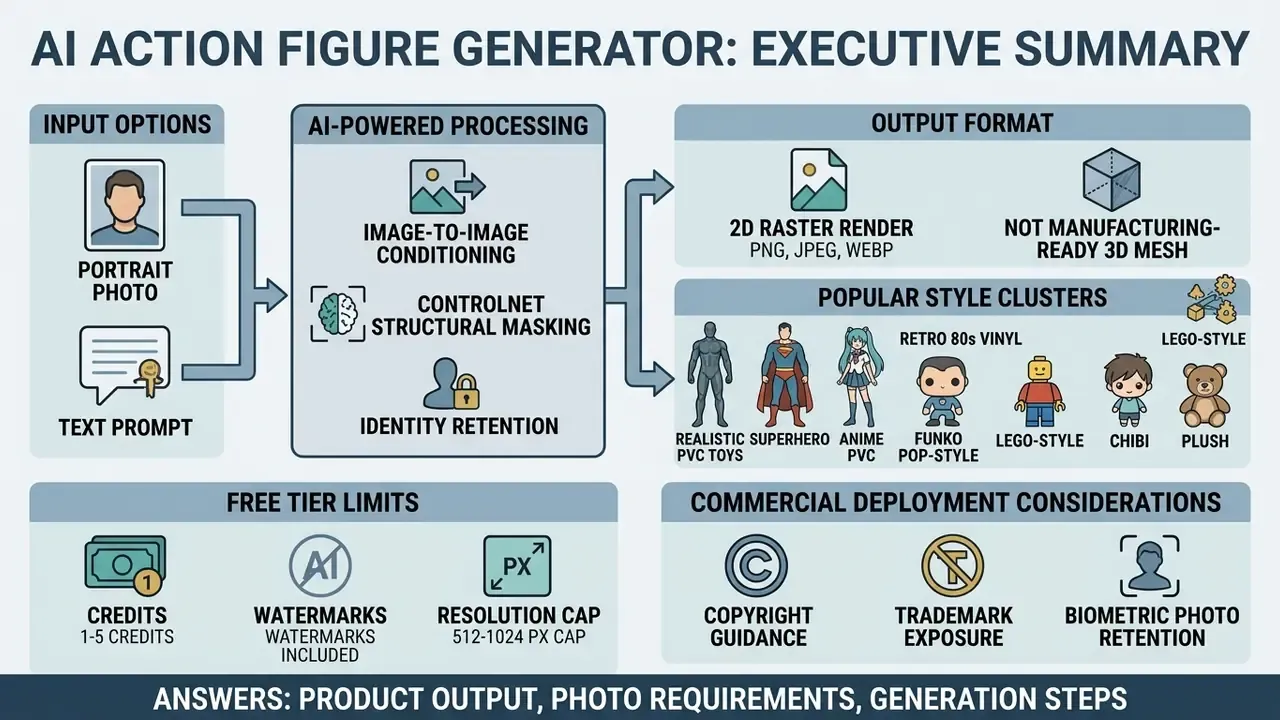
- An ai action figure generator converts an uploaded portrait (or a text prompt) into a stylized collectible-figure image, complete with a display base, accessories, and retail blister-pack packaging.
- The output is a 2D raster render (PNG/JPEG/WEBP), not a manufacturing-ready 3D mesh. Physical printing requires a separate image-to-3D step that exports STL, OBJ, 3MF, or GLB geometry.
- Identity retention depends on Image-to-Image conditioning, ControlNet structural masking, and LoRA/HyperDreamBooth adapters, plus a clear, evenly lit, front-facing or three-quarter reference photo of at least 1024x1024 pixels.
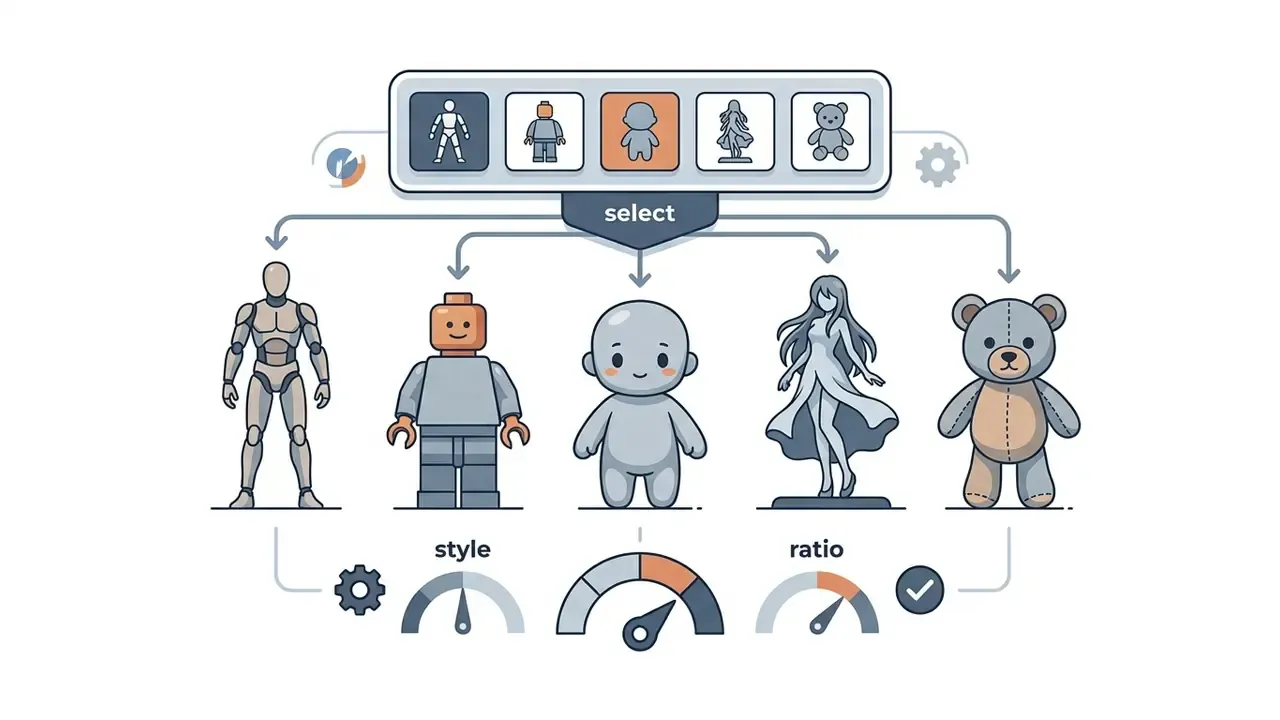
- Popular style clusters include realistic PVC toys, superhero, anime PVC, retro 80s vinyl, Funko Pop-style vinyl, LEGO-style block minifigures, Pop Mart blind-box designer toys, chibi figurines, and plush/Jellycat-style soft toys.
- Free tiers usually grant 1 to 5 credits with watermarks and 512 to 1024 px caps. Paid packs typically run from roughly $1.90 pay-as-you-go to $9.90 to $69.90 per credit bundle, with full commercial rights normally reserved for paid or Pro tiers.
- Commercial deployment requires reviewing copyright guidance, trademark exposure, biometric photo retention policies, and, for enterprise teams, a reproducible audit trail of prompts, seeds, model versions, and source-image hashes.
What this guide answers: what the tool actually produces, which photos work, the step-by-step generation workflow, style and packaging controls, realism prompting, free-tier and pricing reality, the governance evidence a regulated team needs, and the practical use cases worth funding. One caution up front: nothing here is legal advice.
What Is an AI Action Figure Generator?
An ai action figure generator is a generative artificial intelligence tool that converts uploaded reference photos or descriptive text prompts into stylized, collectible-style toy images. These platforms use computer vision and latent diffusion models to reconstruct facial traits, posture, and clothing, then map them onto a 3D-rendered figurine aesthetic with custom accessories and blister-pack packaging.
An action figure generator ai processes visual input through fine-tuned neural networks and returns high-resolution concept art. Users reach an action figure creator ai through a web application or a mobile interface, and transform real-world portraits into synthetic action figure images across genres like superhero, retro vinyl, anime, and photorealistic 3D plastic. The same engine class is sometimes marketed as an action figure maker ai or simply an ai action generator, which makes feature comparison harder than it should be.
From a Photo to a Custom Action Figure Image
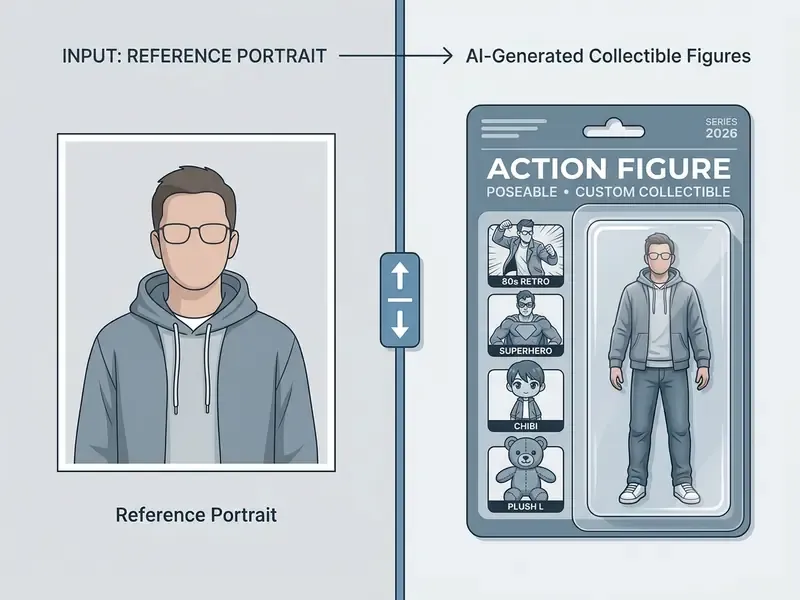
The jump from a two-dimensional portrait to a custom collectible toy image relies on deep learning personalization frameworks. When a photo is uploaded, an ai action figure creator analyzes facial geometry, hair texture, and skin tone to retain individual recognition, then applies toy-like materials such as glossy PVC or matte vinyl.
Advanced generative models preserve identity traits using conditional techniques: Image-to-Image processing, ControlNet structural masking, and Low-Rank Adaptation (LoRA), a method that trains a small set of adapter weights instead of the whole network. Updated: the frequently cited "SaveFace" approach is documented in a Stanford CS231n coursework paper (2024) describing a further-trained ControlNet built specifically to freeze facial features during style transfer. It is a course-level research artifact rather than a peer-reviewed institutional framework, so treat its numbers as directional. The underlying principle holds across the literature anyway: constraining structural attention layers stabilizes facial features and identity parameters during high-variance style transfers, while LoRA fine-tunes only compact low-rank adapter weights, so one identity can be reused across dozens of stylized renders.
Similarly, HyperDreamBooth (Ruiz et al., CVPR 2024) enables face personalization in roughly twenty seconds by predicting lightweight neural adapter weights, yielding models 10,000 times smaller than full network fine-tuning while retaining semantic flexibility.
«HyperDreamBooth achieves face personalization in roughly twenty seconds, 25x faster than DreamBooth, while preserving subject detail across diverse styles and contexts.»
For teams evaluating broader digital avatar workflows, a specialized ai face generator offers foundational insight into identity preservation across synthetic renders, and the wider ai face generator category covers prompt-only synthesis where no real person is involved at all. Teams weighing licensing implications can also review our overview of AI image generators for commercial use.
AI-Generated Figure Art vs a Physical Toy
An ai action figure image generator produces a 2D raster render designed to mimic a physical 3D object. The output carries studio lighting, depth of field, and plastic reflections. It is still a flat image file. Not a toy, and not a manufacturing-ready mesh.
| Feature / Attribute | AI-Generated Figure Art (2D Render) | Physical Toy / 3D Asset File |
|---|---|---|
| Primary output format | PNG, JPEG, WEBP | STL, OBJ, 3MF, GLB |
| Underlying structure | RGB pixel grid with alpha channel | Triangular surface mesh and geometry |
| Manufacturing readiness | Visual concept only (needs a 3D model) | Direct input for 3D printing or injection molding |
| Rendered details | Photorealistic studio lighting and packaging | Physical articulation and mold seams |
| Geometry customization | Text prompt and masking edits | Vertex and face mesh sculpting |
Which Photos Work Best for an AI Action Figure Generator?
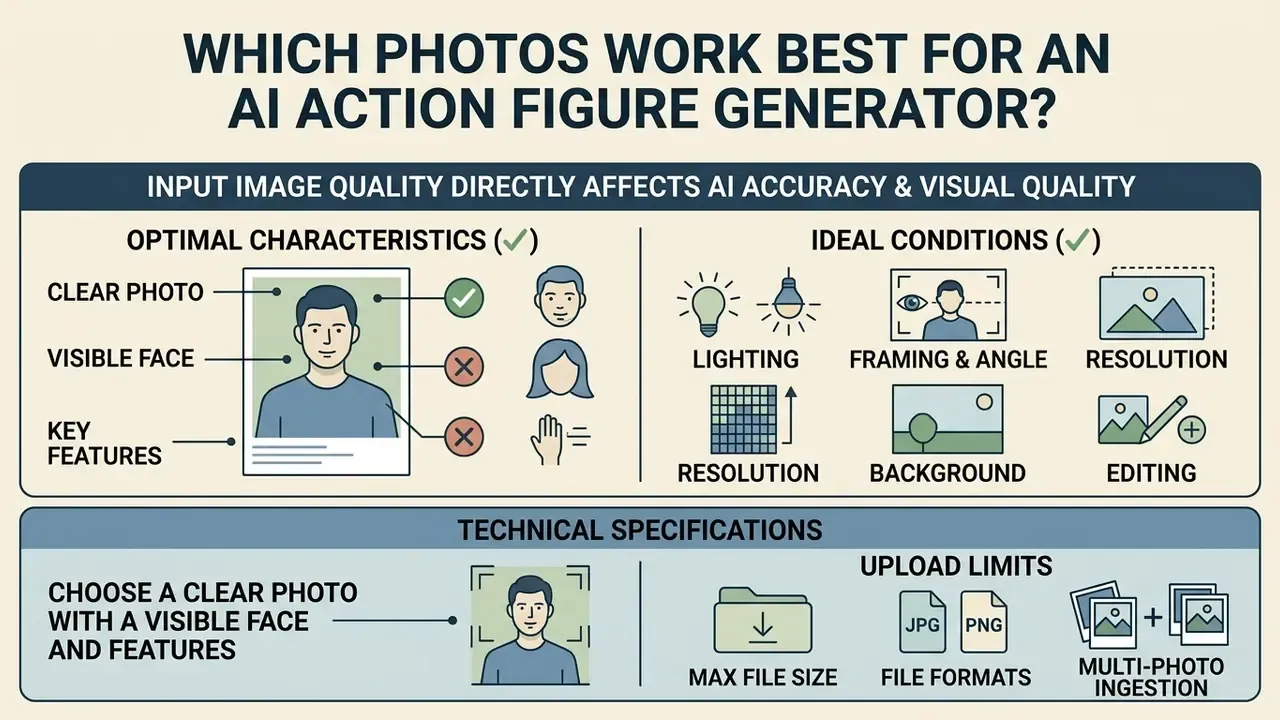
The accuracy and visual quality of an ai action figure generator from photo depend directly on input image quality. Clear, well-illuminated portraits let subject-segmentation models isolate foreground features from background noise cleanly.
To maximize facial recognizability, an ai action figure generator upload photo tool needs high-resolution input with unobstructed facial features. Poor lighting, extreme camera angles, or heavy compression artifacts degrade identity alignment, and the model starts hallucinating features that were never there.
Photo Preparation for AI Action Figure Generation
Checklist0 / 6
Choose a Clear Photo with a Visible Face and Features
Optimal identity retention starts with a subject photographed from a front-facing or three-quarter perspective. International biometric standards (ISO/ICAO photo standards and FISWG facial image guidelines) specify that facial feature reconstruction requires clear visibility of both eyes, the nose bridge, and mouth contours, without motion blur or specular reflections. ICAO guidance additionally calls for uniform illumination of subject and background, eyes open and unobstructed, and no reflective eyewear. Several passport-grade specifications require facial detail resolvable below the 2 mm level, with print output at 600 dpi or higher.
When users upload an action figure ai picture, diffusion models extract facial landmark vectors. High-resolution input allows fine-tuned networks to maintain proportional relationships between features. The perceptual stakes are higher than most people assume, because synthetic faces are already hard for humans to spot.
«Participants could not reliably distinguish AI-generated faces from real photographs; classification accuracy was close to chance.»
Machine detection behaves very differently from human perception, which matters for anyone publishing figure renders in regulated or moderated environments:
«A ResNet-18 classifier trained on 100,000 images (50,000 real and 50,000 synthetic SDXL) reached 98.38% accuracy in identifying AI-generated content.»
The practical takeaway is twofold. Sharp, eye-level reference photos are critical for recognizable toy renders. And downstream detection tooling will likely flag the output as synthetic no matter how convincing it looks to the eye, so plan disclosure rather than hope for invisibility.
Technical Upload Specifications and Multi-Photo Ingestion
To get clean feature alignment without cloud API timeouts, check your source media against the usual platform boundaries:
- Supported file formats PNG (with alpha channel for auto-masking), JPEG/JPG, and WEBP. Some pipelines also accept GIF as a still input.
- File size limits most web engines process payloads between 10 MB and 25 MB, commonly 10 MB on lightweight editors, 16 MB on mid-tier tools, and up to 25 MB on generous platforms. Compress ultra-high-resolution RAW or TIFF captures before upload to avoid memory drops and silent job failures.
- Multi-angle ingestion (angle fusion) modern engines accept up to 4 reference images, typically front view, left profile, right profile, and an outfit or accessory detail shot. Multi-photo conditioning materially reduces facial hallucination compared with a single photo, because the adapter has redundant landmark evidence to anchor geometry.
- Batch generation (bulk API) commercial workflows use asynchronous endpoints to queue dozens of figure variations at once across style presets. Useful for team-wide avatar sets, colorway tests, or packaging A/B mockups. Bulk editing is usually gated behind premium or enterprise plans, and request parameters are documented in our AI Media API Guides.
- Resolution ceiling on free tiers expect 512x512 or 1024x1024 caps without a paid plan. Head-and-shoulders captures above 4096x4096 give the best texture fidelity when a platform supports high-resolution ingestion.
Background, Clothing, Pets and Multiple Subjects
Complex input scenes with several people, pets, or intricate apparel need explicit handling. Modern vision pipelines use instance segmentation architectures such as Mask R-CNN or Google ML Kit Subject Segmentation to separate the primary subject from the environment. Mask R-CNN extends Faster R-CNN with a parallel branch predicting a per-instance object mask, which is exactly what lets a generator lift one person cleanly out of a group shot.
- Backgrounds
- plain, neutral backdrops stop the model from fusing background objects into the figure's body or packaging shell.
- Clothing and accessories
- distinctive clothing, uniforms, or jewelry act as visual anchors. Updated: the 2025 NIST GenAI (Pilot) Evaluation Plan for Image Generators frames image-generator testing around fidelity to identifiable input details, and NIST's Guidance and Templates for Public-Facing AI Documentation (initial public draft, July 2026) sets a baseline for describing such limitations. Both remain draft guidance rather than finalized standards. In practice, vendor documentation converges on the same operational rule: name the garment, its color, and its material explicitly in the prompt instead of assuming the model will infer them.
- Pets and objects
- when generating figures of animals or non-human items, upload isolated subject photos so the model mounts the object on a plastic display base rather than blending it into the character frame.
- Multiple subjects
- for group figures, clear spacing between subjects prevents feature overlap and limb distortion in the generated blister pack. Where a platform supports per-subject masks, generate each figure separately and composite the multi-pack afterwards.
How to Create an Action Figure with AI
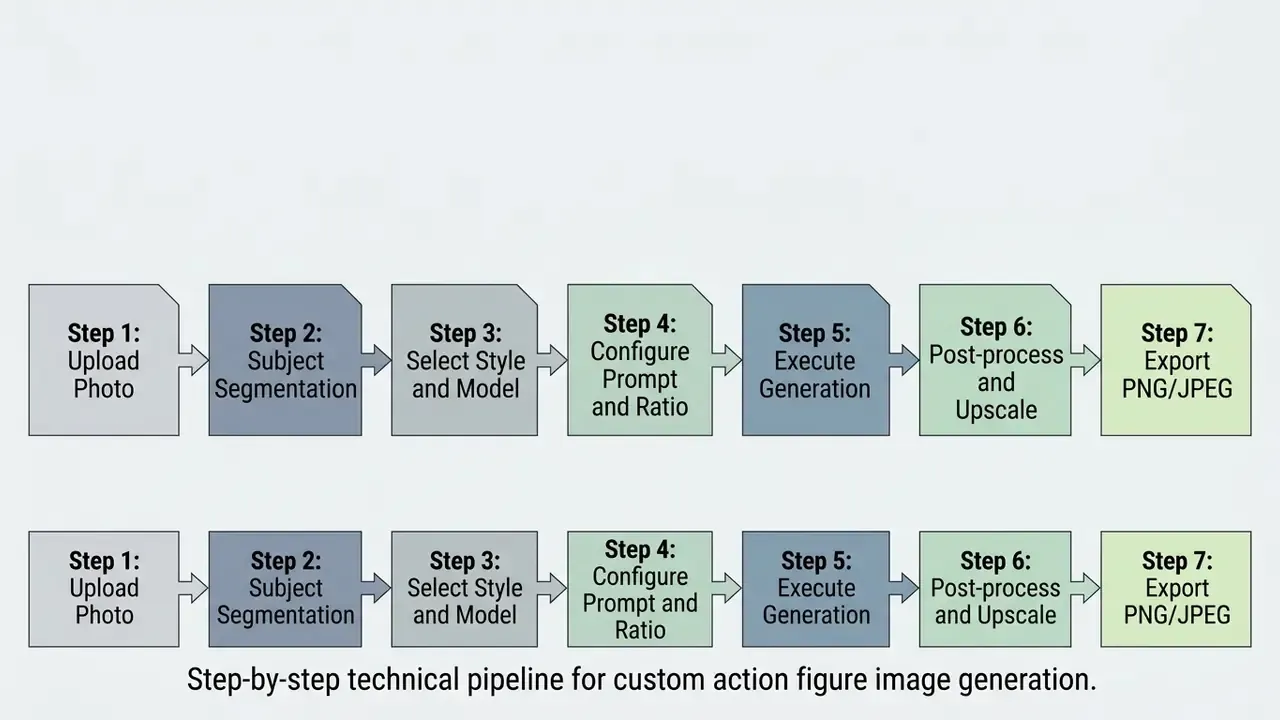
Creating custom digital toys with an action figure generator ai follows a structured workflow, from image ingest to high-resolution export. Six or seven steps, no 3D software.
Upload an Image and Select the Subject
Generation starts by handing reference media to the ai create action figure tool.
- Select a high-resolution portrait or subject photo that meets the lighting and clarity guidelines above.
- Upload the file through the platform interface, using standard parameters (PNG, JPEG, or WEBP) inside the 10 to 25 MB payload ceiling.
- Apply subject-masking tools if the platform needs help isolating one individual from a group image.
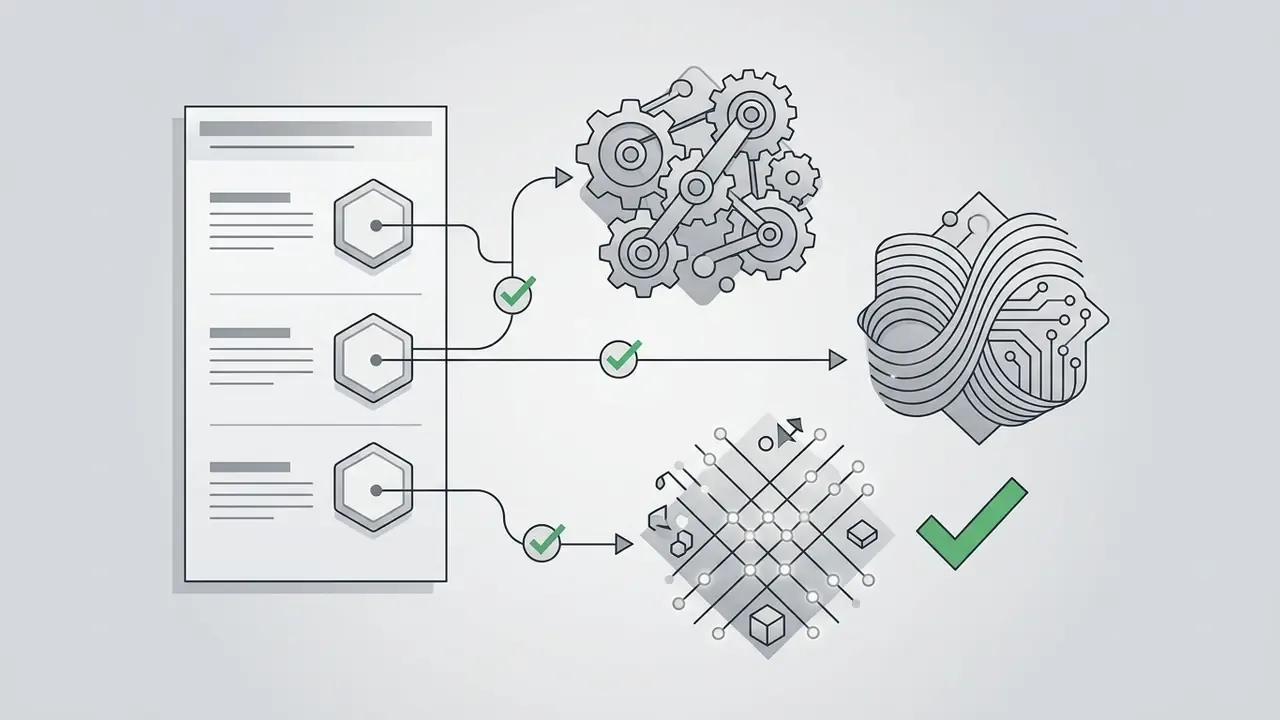
System architectures ingest image files through dedicated endpoint APIs, such as the Google Gemini Files API or Adobe Firefly reference nodes, converting raw pixel arrays into latent embeddings for downstream diffusion. This is the same conditioning mechanism used by general-purpose image-to-image generators, which is why source-photo guidance transfers directly between the two workflows.
Choose a Style, Model and Image Ratio
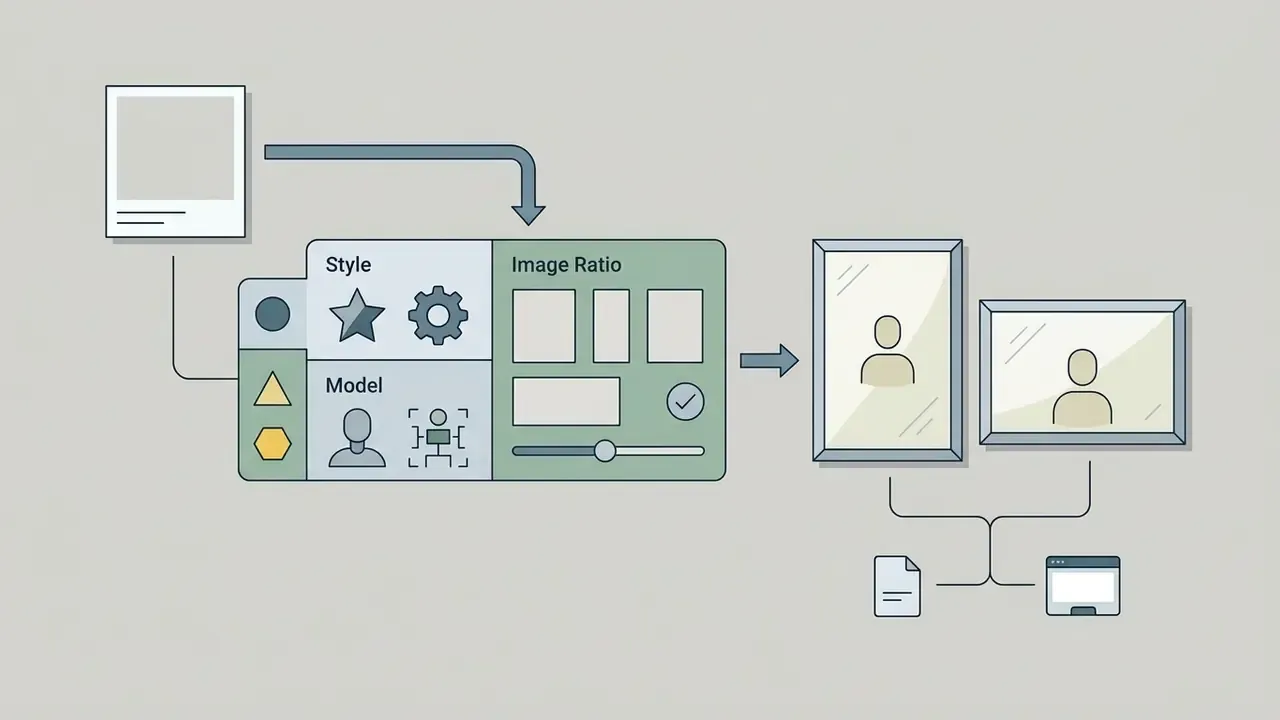
Generation parameters set the visual genre and layout of the final action figure creator ai output.
1:1(square) for social avatars and basic product displays.3:4or9:16(vertical) for tall blister packs, cardbacks, and mobile screens.4:3and16:9for shelf scenes, banner art, and channel headers.
Prompt construction itself can be automated from reference imagery instead of written by hand:
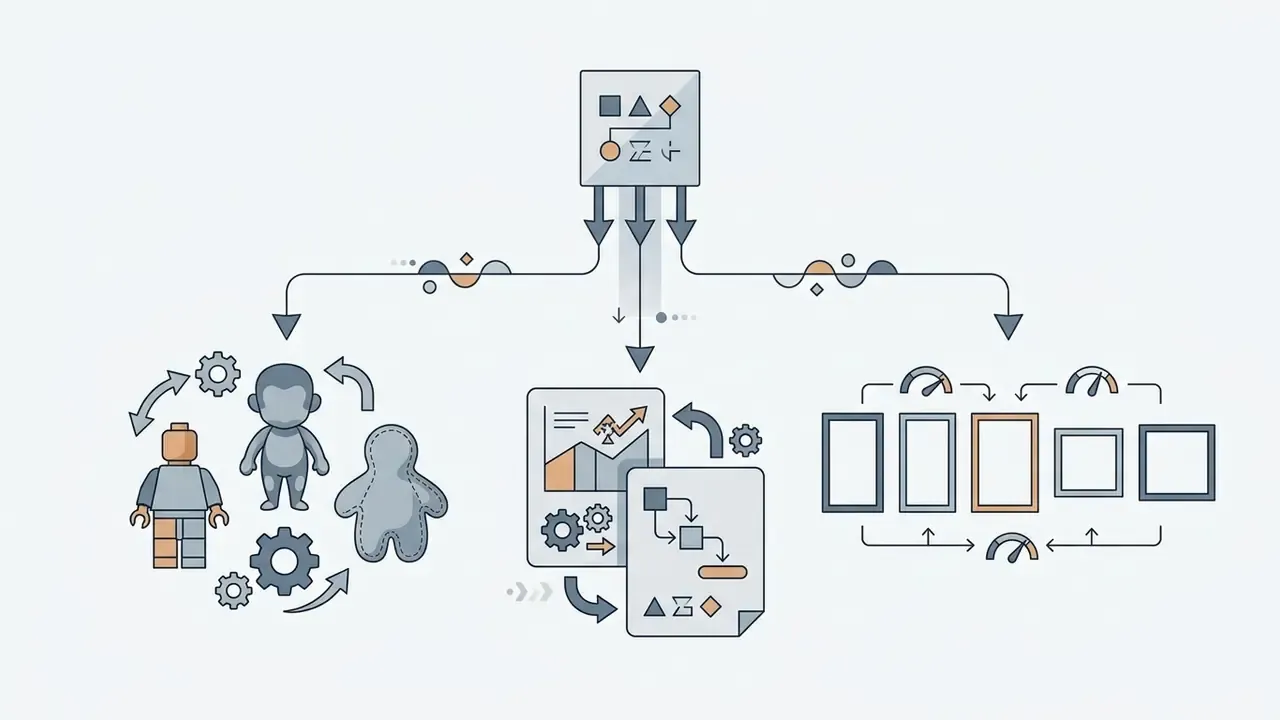
--ar 3:4 appended as a prompt suffix in Midjourney, or an explicit ASPECT_RATIO parameter in Vertex AI platforms, which supports 1:1, 3:4, 4:3, 16:9, and 9:16.«PRISM iteratively refines text prompts from visual concepts in reference images, producing interpretable descriptions that transfer across different models.»
Generate, Refine and Download the Result
Once the settings are locked, clicking ai create an action figure kicks off latent sampling.
- Sampling and generation: the diffusion engine iterates over 20 to 50 denoising steps to synthesize the figure, base, and blister pack from the prompt and the image latent.
- Refinement and inpainting: if minor defects appear, such as misaligned fingers or garbled packaging text, use mask-based inpainting to regenerate only that region. Stable Diffusion inpainting accepts a mask plus a text prompt and exists precisely for this correction step.
- Upscaling: run the base image through a neural upscaler (the Stable Diffusion 4x Upscaler, Topaz Gigapixel) to reach 4K without losing edge sharpness. Our overview of AI image upscalers compares fidelity-preserving against creative, detail-inventing behavior.
- Export: download the finished asset as an alpha-channel PNG for transparent background work, or a compressed JPEG for sharing.
Batch ai create action figures runs follow the same order, only queued through an API instead of the browser.
Styles and Custom Details for AI Action Figures
An ai action figure maker offers deep customization: character theme, held items, dynamic posture, retail packaging. This is where most of the perceived quality is won or lost.
| Style genre | Visual characteristics | Key prompt modifiers |
|---|---|---|
| Realistic toy | Glossy plastic, visible seam lines, studio lights | "1/7 scale PVC figurine, glossy plastic joints, stand" |
| Superhero | Muscular proportions, heroic pose, cape, armor | "heroic power pose, metallic armor, comic logo box" |
| Anime / manga | Cel-shaded edges, vibrant palette, oversized eyes | "anime PVC figure, cel-painted, screen-tone details" |
| Retro vinyl (80s) | Blister cardback, matte vinyl, simplified joints | "vintage 1980s unpunched cardback, molded plastic" |
| Pop vinyl | Oversized square head, black button eyes, no mouth | "vinyl figure, big black button eyes, numbered box" |
| Block minifigure | Cylindrical head, trapezoidal torso, clip hands | "mini block figure, glossy ABS, jointed plastic legs" |
| Designer blind box | Pastel palette, matte vinyl, stylized emotion | "blind box designer toy, smooth matte vinyl, pastel" |
| Chibi | Roughly 1:1 head-to-body ratio, micro proportions | "chibi 3D figurine, micro scale, adorable proportions" |
| Plush / soft toy | Felt and fabric texture, stitched seams, no gloss | "soft felt texture, plush toy aesthetic, stitched" |
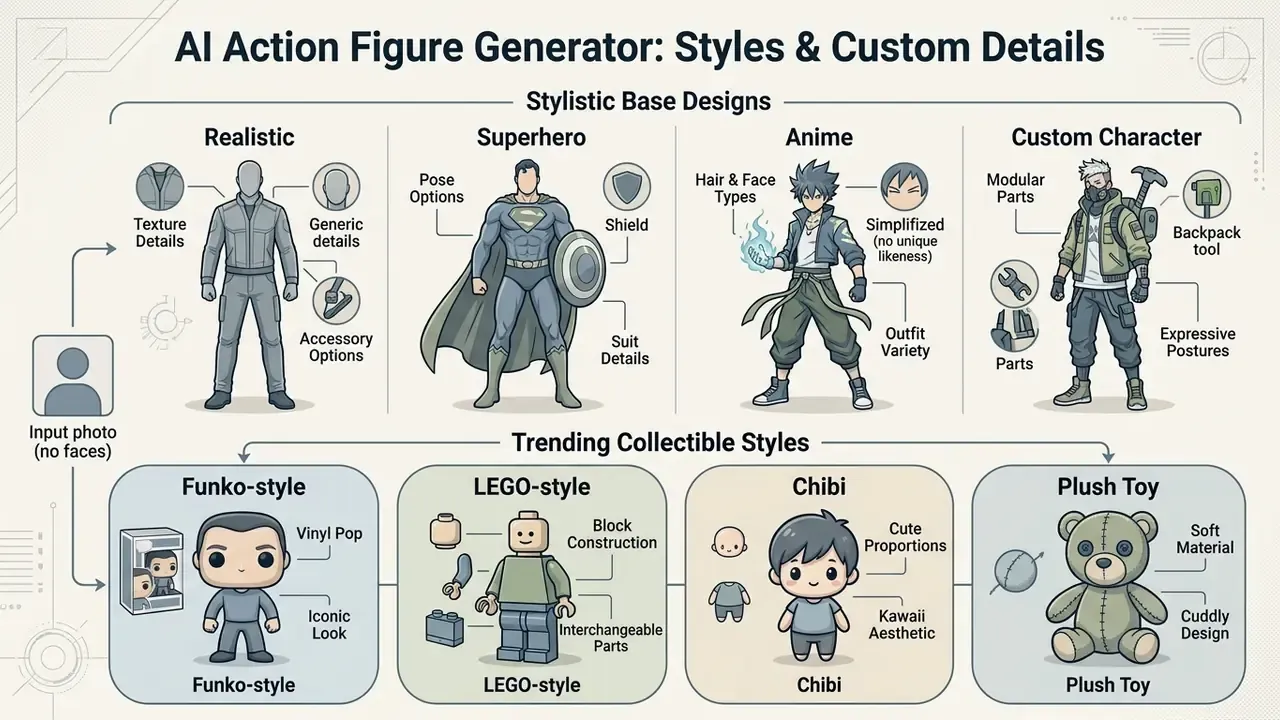
Realistic, Superhero, Anime and Custom Character Styles
- Realistic toy emphasizes plastic finishes, visible articulation ball joints, mold seams, and acrylic display stands under softbox product lighting.
- Superhero style renders dynamic proportions, metallic suit textures, flowing capes, and bold primary colors in the spirit of comic book collectibles. Prompt anchors include "heroic pose," "cape," "comic-accurate costume details," "interchangeable hands," and a comic-style logo on the packaging.
- Anime and manga vibrant cel shading, defined line art, saturated gradients, and stylized hair geometry typical of Japanese collectible PVC statues. Useful anchors: line weight, screentone texture, cel-paint edges, limited palette.
- Custom character combines occupational gear, fantasy attire, or branded corporate apparel with unique traits, plus a role or profession field printed on the box.
Model choice measurably affects how faithfully a stylized face survives the transfer:
«Stable Diffusion consistently achieves the highest R-Precision in the face category on COCO and Flickr30k, outperforming LAFITE and DALL-E Mini on FID.»
Creators chasing stylized output can also review our evaluation guide on Ghibli-style AI image generators to compare anime and hand-drawn rendering models.
Trending Collectible Styles: Funko Pop, LEGO Minifigures, Chibi, and Plush Toys
Realistic PVC renders dominate commercial mockups, but consumer demand leans hard toward stylized frameworks. You can condition latent diffusion models toward world-famous collectible aesthetics with specific prompt triggers. One caveat: the brand names below describe an aesthetic category. Generating figures that reproduce protected trademarks, logos, or licensed characters carries the infringement risk discussed further down.
Funko-style pop vinyl: oversized square head, large black button eyes, minimal facial features, small body inside a numbered window box.
Prompt modifiers:
vinyl figure, stylized oversized square head, big black button eyes, no mouth, display box with character number, pop-style vinyl figure.LEGO-style and block minifigures: cylindrical plastic head, rigid trapezoidal torso, C-shaped clip hands.
Prompt modifiers:
mini block figure, glossy ABS plastic toy, cylindrical head, jointed plastic legs, block-style packaging.Pop Mart-style designer art toys: soft pastel palettes, smooth matte vinyl, stylized emotional expressions, blind-box packaging.
Prompt modifiers:
blind box designer toy, designer vinyl figurine, smooth matte vinyl, pastel colors, artistic studio display.Barbie/Ken-style fashion dolls: slim stylized proportions, rooted hair, fabric outfits, window-front pink retail box with foil lettering.
Prompt modifiers:
fashion doll figure, rooted hair, fabric outfit, window display box, glossy foil logo.Chibi figurines: micro-proportioned characters with roughly 1:1 head-to-body ratios, simplified limbs, round display base.
Prompt modifiers:
chibi 3D figurine, micro scale, adorable proportions, oversized head, round plastic base.Plush, soft-toy, and Jellycat-style concepts: textured felt and fabric, visible stitching, matte non-reflective surfaces, squishable silhouettes.
Prompt modifiers:
soft felt texture, plush toy aesthetic, visible stitched seams, matte fabric, huggable proportions.Craft, clay, and wooden-carving styles: hand-tooled surfaces, visible grain or fingerprint texture, warm natural palettes for artisanal keepsake renders.
Prompt modifiers:
hand-carved wooden figure, visible wood grain, matte clay finish, artisan craft toy.
User-preference data confirms how strongly these stylized categories resonate:
«Pick-a-Pic contains over 500,000 user preference examples across 35,000 unique prompts, confirming the popularity of stylized characters among text-to-image users.»
Accessories, Clothing and Pose in the Figure Design
Customizing held items and posture is what adds narrative to a static render.
- Accessories specify up to five distinct items, such as miniature laptops, scientific instruments, scaled weapons, or pets, placed in dedicated blister compartments. Retail listings for custom figures commonly cap accessory counts at five and name each item individually.
- Clothing details describe tailored fabric textures, molded boots, belts, badges, or corporate logos explicitly. Text-to-image prompting research indicates that naming an object and its attributes is the primary lever for controlling what shows up in frame.
- Poses and articulation use dynamic posture descriptors ("heroic standing stance," "mid-action combat pose," "ready-to-strike pose"). Prompt frameworks ground pose accuracy through explicit spatial terms or ControlNet OpenPose conditioning. There is no formal joint-level prompt syntax for articulation. The closest reliable control is describing anatomy, joint type ("visible ball-joint shoulders"), and posture constraints directly.
- Negative constraints where supported, exclude unwanted artifacts (
extra fingers, warped text, duplicated limbs, background clutter) to cut rework in post-processing.
Create Shelf-Ready Toy Box and Blister Pack Packaging
Packaging is what turns a figure render into a believable retail product concept.
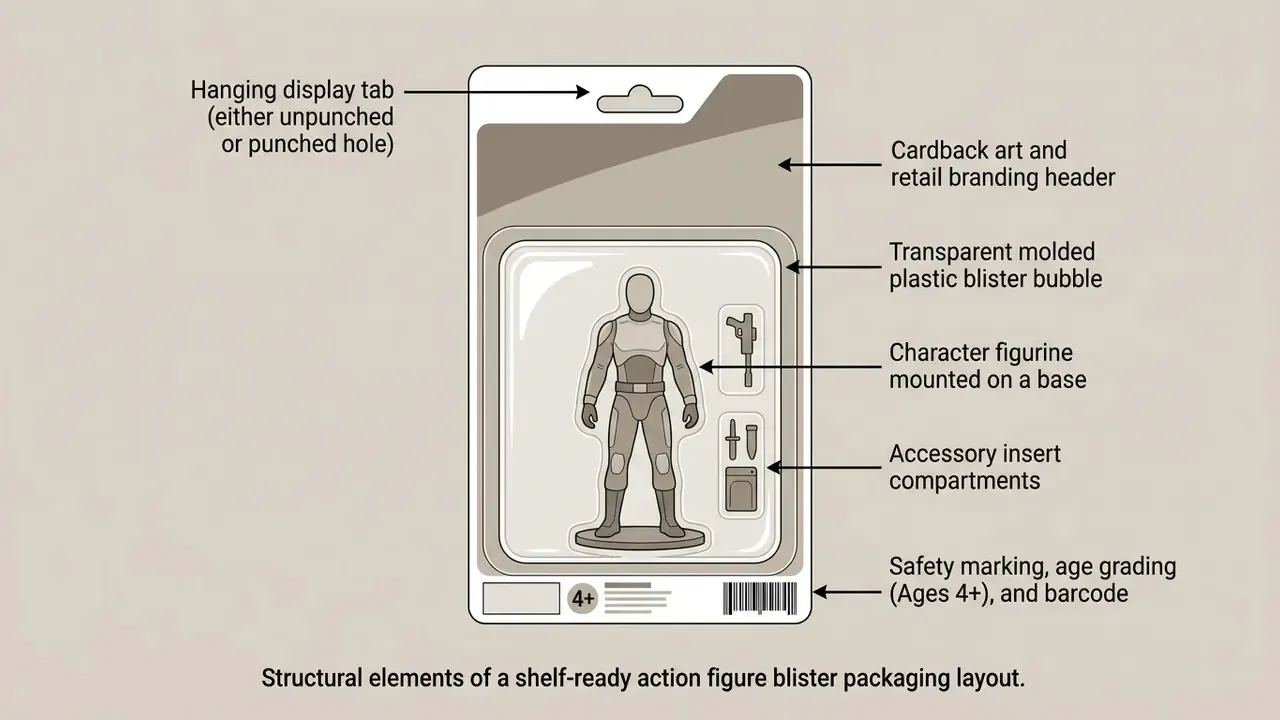
To generate convincing retail presentation:
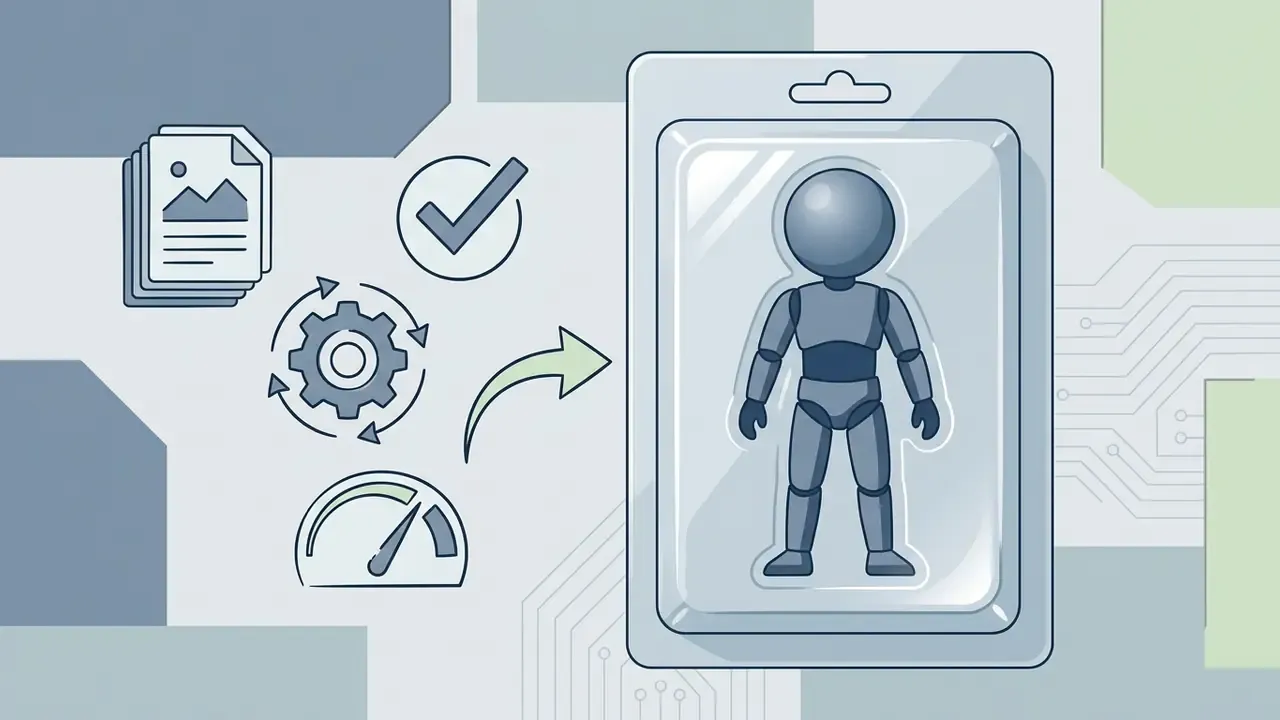

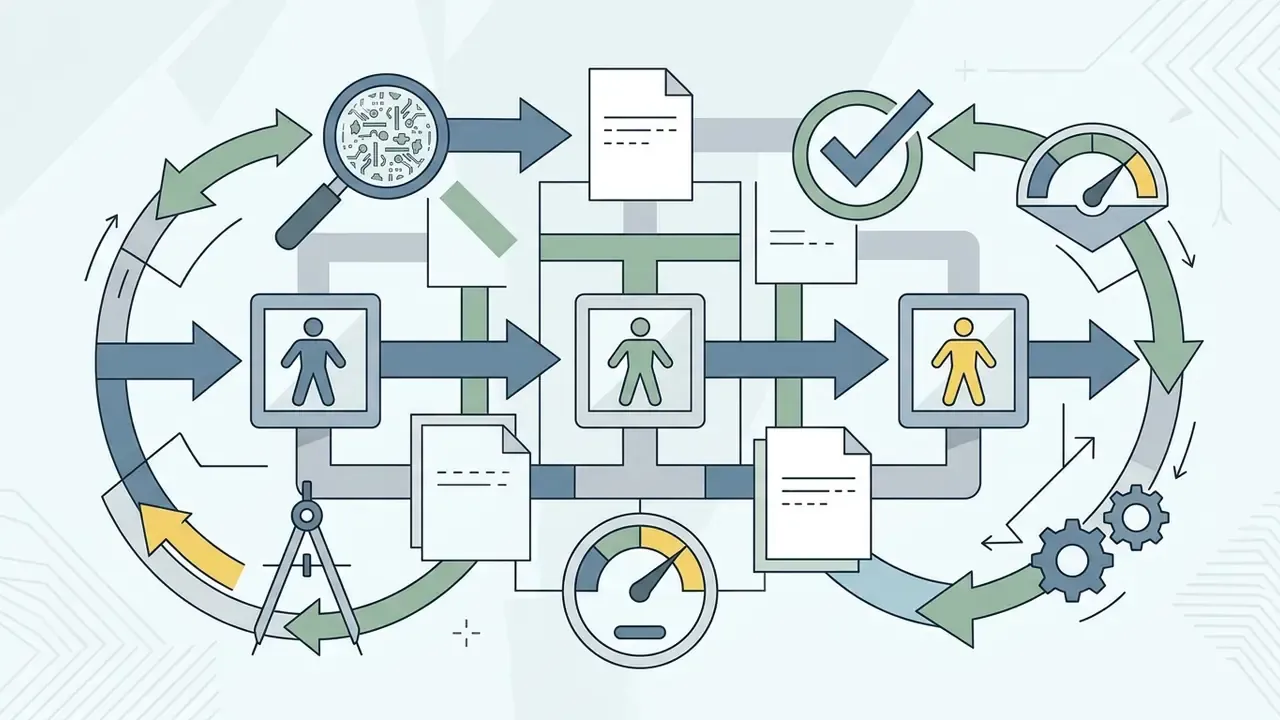
How to Make AI Action Figure Images Look More Realistic
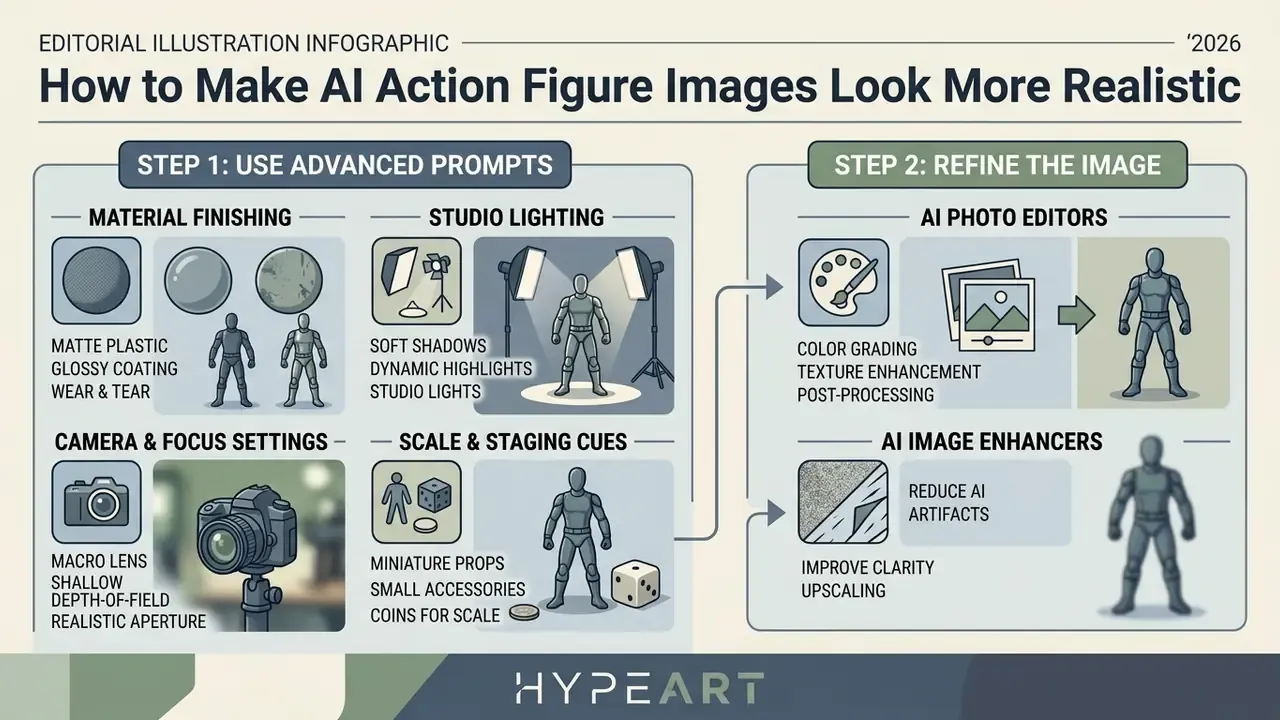
Photorealism in an ai action figure trend generator comes from advanced prompting plus disciplined post-processing. Rarely from a longer character description.
Use Prompts for Materials, Lighting and Collectible Details
To move away from flat digital illustration and toward genuine product photography, structure prompts around physical material properties and studio camera setups.
- Material finishing words
glossy PVC plastic,high-gloss toy plastic,matte vinyl skin,soft-touch vinyl,molded ABS resin,cast resin,semi-translucent acrylic base,die-cast metal joints. - Studio lighting phrases
three-point softbox studio lighting,diffused key light,subtle rim light highlighting edge contours,backlight separation,controlled spill,specular reflections on plastic surfaces. - Camera and focus settings
50mm lens photography,f/2.8 aperture,ISO 100,1/125s shutter,shallow depth of field with blurred studio background,selective focus,DSLR product shot. - Scale and staging cues
1/7 scale collectible figurine,transparent acrylic base,placed on a desk beside a monitor showing the sculpting process,round wooden display stand.
Research on evaluation metrics such as REAL (Realism Evaluation Framework, 2025) suggests synthetic image realism scores improve when prompts contain precise material and relational attributes, tracking human quality judgments more closely. Two benchmarks quantify both the ceiling and the payoff:
«Across HEIM's 62 scenarios and 26 models, no evaluated model scored above 3 of 5 on human-rated photorealism, while real MS-COCO photos scored 4.48.»
«REAL reaches Spearman rho = 0.62 agreement with human raters; high-scoring images improve classification F1 by 11.3%, while low-scoring images reduce it by 4.95%.» - REAL: Realism Evaluation Framework for Text-to-Image Models (2025). https://arxiv.org/abs/2501.13393
In practice, the last 20% of realism comes from material and lighting specificity, not from stacking more adjectives on the character.
Refine the Image with Background and Quality Tools
Post-generation editing fixes structural anomalies and sharpens detail:
- Background removal: isolate the generated blister pack from cluttered backgrounds with single-click segmentation, exporting clean transparent PNGs. Segmentation-based removers handle hair, capes, and transparent blister domes far better than threshold-based tools.
- Inpainting and object removal: erase extra limbs, distorted cardback text, or stray plastic artifacts by re-prompting masked regions.
- Color correction: adjust contrast, temperature, and hue balance so plastic tones read as physical media. Dedicated AI photo editors expose hue, saturation, and temperature controls plus color-and-lighting correction model families for exactly this stage.
- AI upscaling: apply diffusion-based 4x upscaling (Magnific AI, Topaz Labs Creative Upscale) to bring crisp edge detail to mold seams, facial features, and packaging typography. Our roundup of AI image enhancers compares fidelity-first against detail-inventing behavior.
Advanced Post-Processing: Multiplier Upscaling and Watermark Removal
- Precision resolution upscaling (2X, 4X, 8X)step up gradually rather than in one aggressive jump. Use 2X for standard digital avatars (roughly 2048x2048 px), 4X for social graphics and hero images (roughly 4096x4096 px), and 8X for physical print packaging mockups where you need 300 DPI clarity at poster or box-face size without raster breakdown.
- Watermark and artifact removalobject-aware AI erasers (frequency separation or latent inpainting) can clear stray plastic artifacts, distorted packaging text, or platform watermarks. Only remove watermarks from images you are licensed to use without attribution. Stripping a free-tier watermark to dodge a paid plan violates most platform terms.
- Colorize and restorefor retro 80s cardback concepts built from archival or monochrome references, colorization models can set the base palette before you layer material-specific prompts.
- Batch consistency passwhen producing a series, a team set or a colorway range, apply the same upscale factor, sharpening amount, and color profile to every file so the collection reads as one product line rather than nine separate experiments.
A small aside, since it trips teams up constantly: spreadsheet-driven asset tracking for a large batch is far less painful when you let an ai excel formula generator build the naming and version formulas for you.
Free AI Action Figure Generators, Plans and Commercial Use
Before an ai action figure generator free tool enters a commercial creative workflow, check pricing, credit allocation, and usage terms. In that order.
| Platform tier | Free credit limit | Typical price range | Watermark applied? | Export resolution | Commercial rights? |
|---|---|---|---|---|---|
| Free tier | 1 to 5 daily or lifetime | $0 | Yes on most platforms | Standard (512 to 1024) | Personal use only |
| Pay-as-you-go | n/a | from about $1.90 per pack | Usually no | High (1024 to 2K) | Varies by vendor |
| Basic paid plan | 100 to 200 monthly | about $9.90 to $14.90 | No | High (1024 to 2K) | Limited commercial |
| Premium plan | about 500 monthly | about $39.90 | No | Ultra HD / 4K | Commercial allowed |
| Pro / enterprise | 1000+ or unlimited | about $69.90 and up | No | Ultra HD / 4K plus batch | Full commercial ownership |
Price ranges reflect commonly published credit-pack pricing in this tool category and vary by vendor, region, and billing cycle. Verify current figures and explore the hub for plan parameters, then model your own volume before committing budget: explore the hub for the credit calculators.
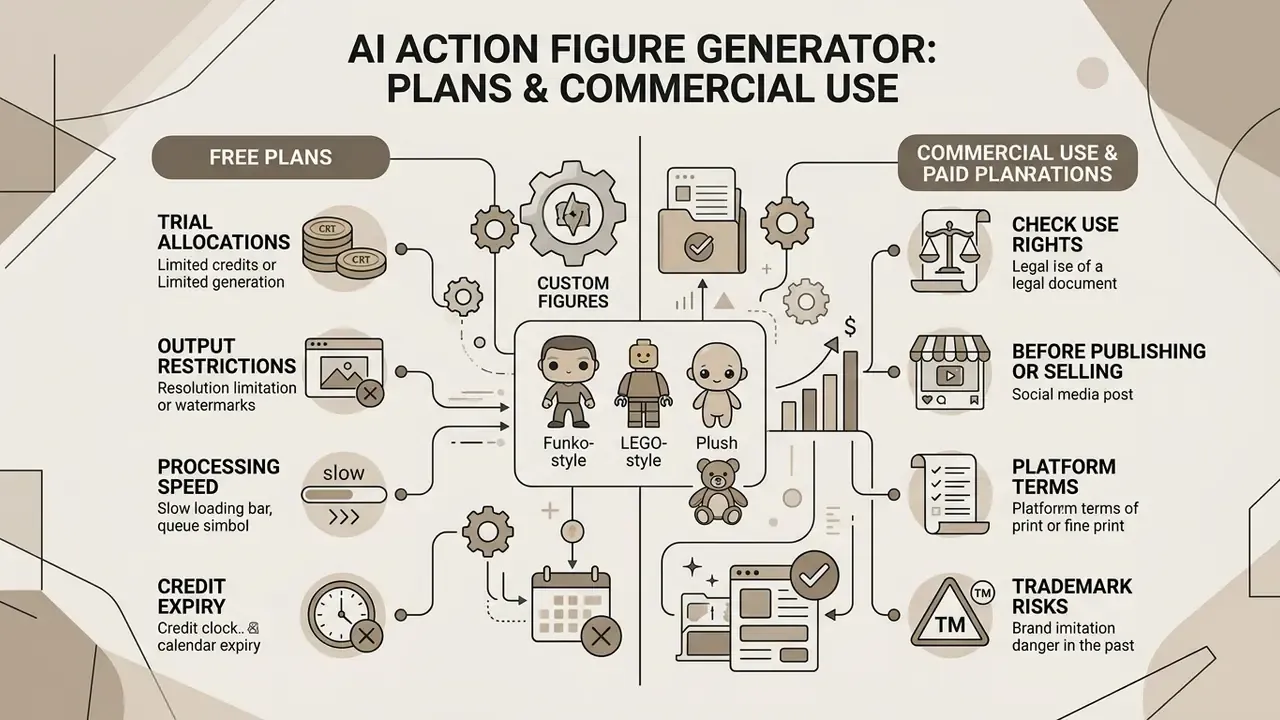
What Is Included in Free AI Action Figure Generator Tools?
Most ai action figure generator online services run a freemium model:
- Trial allocations free plans typically grant 1 to 5 one-time or daily credits, enough to test a basic photo upload. Some vendors publish a fixed lifetime allowance, for example three total generations, rather than a daily reset. If you want to try several style presets before paying, our comparison of free no-sign-up AI image generators shows which tools skip registration entirely.
- Output restrictions free generations often carry visible watermarks, lower resolution caps (512x512 or 1024x1024), and no access to advanced models or custom LoRA training. Some free tiers also publish outputs to a public community gallery and retain ownership of them. Read that clause twice if the subject is an employee.
- Processing speed free jobs sit at lower queue priority than paid subscriptions, and batch or bulk-API access is normally reserved for premium plans.
- Credit expiry subscription credits usually reset each billing cycle without rollover, while pay-as-you-go packs may expire after a month. Worth checking before you buy volume you cannot consume.
Any ai action figure generator tool that promises "unlimited free HD commercial downloads" deserves a hard look at its terms page. Usually the limit lives somewhere else, in resolution, in queue time, or in rights.
Check Commercial Use Rights Before Publishing or Selling
This section is general information, not legal advice. It does not replace consultation with a qualified attorney on copyright, trademark, and licensing questions.
Before putting an ai action figure photo generator output into merchandise, advertising, or client work, read the provider's legal policies properly.
Under current US Copyright Office guidance, purely AI-generated outputs created through simple text prompts lack human authorship and cannot be registered. Mere prompting is not enough. However, human-authored creative contributions, such as original uploaded reference photos, manual digital editing, and custom packaging design arrangements, may retain protection. AI-generated material embedded inside a larger human-authored work does not bar copyright in the work as a whole where the human contribution is sufficiently creative. Applicants are expected to disclose AI-generated material and claim only their own contributions.
Key commercial considerations:
- Platform terms
- Midjourney's terms grant users an irrevocable copyright license to created assets and permit commercial use, but require a Pro or Mega plan for companies grossing over $1,000,000 per year. Adobe Firefly states that outputs from non-beta features may be used in commercial projects and that Adobe does not assert IP rights in generated outputs. OpenAI's advertising terms permit generated creatives to be used in connection with its advertising services. Always read the version of the terms in force on your generation date, and archive it.
- Trademark risks
- generating figures based on trademarked corporate logos, patented toy designs, or copyrighted characters (Marvel, Star Wars, Bandai) introduces serious infringement exposure. Official notices from major manufacturers, including Bandai Spirits (2025), state plainly that unauthorized AI renders using their trademarks are not authorized and may create confusion with genuine products.
- Disclosure obligations
- EU policy now treats AI-generated or manipulated content that falsely appears authentic as a distinct category, raising disclosure and misleading-brand risk for campaigns distributed in the EU.
- Training-data provenance
- extraction research shows model outputs can echo protected material, which pushes practical risk onto the publisher rather than the tool vendor.
«Users can obtain copyright-infringing images; extraction attacks can recover specific training examples from models, including photographs and logos.»
Because published figure renders are increasingly machine-detectable, teams running paid campaigns should pre-screen assets with AI image detectors and keep disclosure copy drafted in advance.
A second, less obvious risk applies to organizations that recycle generated figure libraries as machine-learning training material:
Once rights and risk are mapped, the shortlist narrows fast. Our comparison of the best free AI image generators covers options that pair usable free limits with workable licensing, and the commercial rights frameworks themselves are summarized here: view the guide.
For regulatory context on commercial AI media use, including active disputes, see the overview.
Audit Trail and Governance Checklist for Enterprise Teams
Regulated organizations, whether financial services, healthcare, insurance, or public sector, need more than a downloadable PNG. They need reproducible evidence of how each asset was produced, both to defend against IP claims and to satisfy internal model-risk review. NIST's AI Risk Management Framework advises monitoring AI-generated text, image, video, and audio for privacy risks, including detection of PII in outputs. A documented trail is what makes that monitoring auditable rather than aspirational.
Think of the generator as a digital worker with a named owner, an approved role, and a shutdown switch. No evidence, no autonomy.
Capture and retain the following metadata for every published figure render:
Checklist0 / 10
Store these records in the same GRC system that holds your other model artifacts. Treat uploaded portraits as biometric personal data with a defined retention clock, not as disposable creative input. One more thing worth naming explicitly: define an escalation path for the case where a subject asks for their figure to be withdrawn. That request will arrive eventually.
What Can You Create with an AI Action Figure Maker?
An action figure ai maker unlocks versatile content across personal projects, social trends, and corporate branding. The ai action figure creation workflow scales from one gift to a 200-person avatar library.
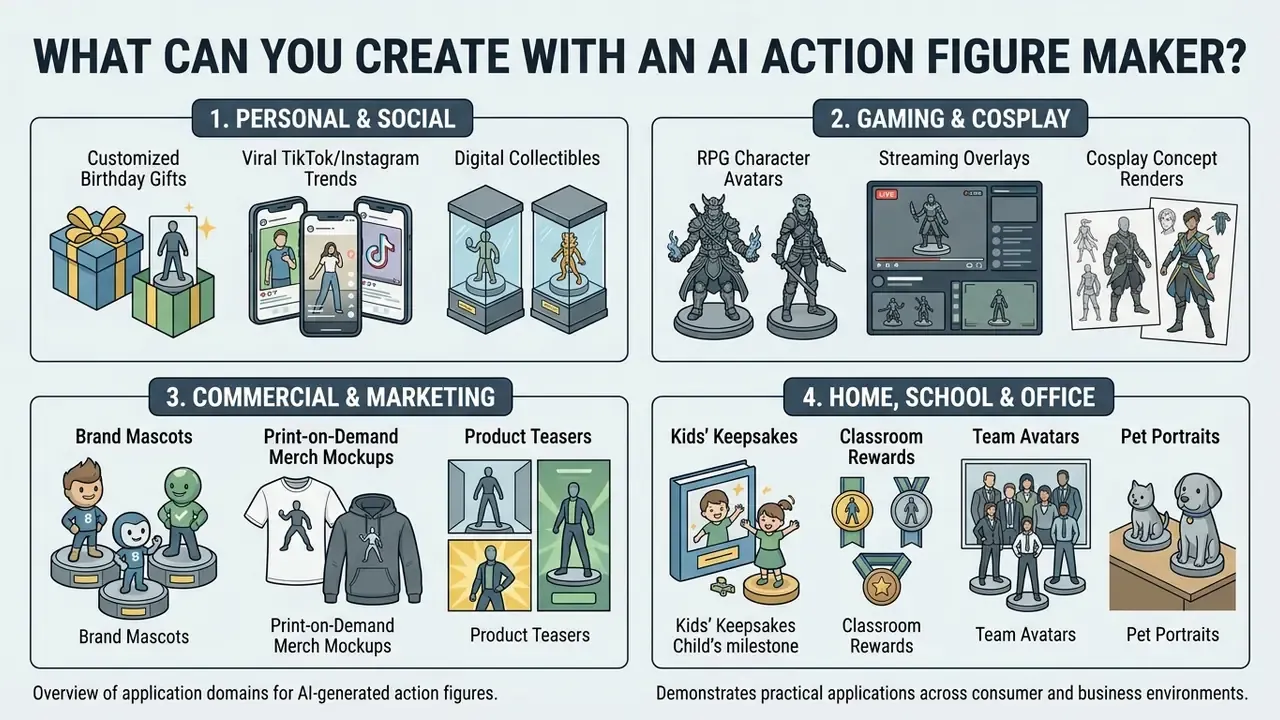
Specialized Use Cases: Teachers, Collectors, Kids, and Office Teams
- Office team avatars and internal directories turn team members into a matching series of digital action figures for Slack avatars, presentation decks, onboarding wikis, or company anniversary graphics. Generating one coherent set with identical lighting and packaging makes an internal directory look deliberate rather than improvised, and it doubles as a cheap team-building activity.
- Kids and educational keepsakes convert children's drawings or family photos into superhero toy designs. Parents and teachers use these renders as reward cards, framed bedroom art, classroom display pieces, or visual story props for reading exercises. Adults should own the upload step and the privacy settings on behalf of younger children.
- Collector concept pre-visualization collectors and customizers test colorways, cardback variants, logo placement, and accessory layouts before buying physical base figures or committing to a custom paint job. An expensive trial-and-error hobby becomes a cheap iteration loop.
- Designers and illustrators use figure renders as rapid concept mockups for client pitches, packaging studies, and moodboards, then hand the approved direction to a 3D artist.
- Pet owners render dogs, cats, and small animals as boxed collectibles for memorial keepsakes, adoption announcements, or holiday cards. Upload an isolated, well-lit photo of the animal for the cleanest segmentation.
- Students and hobbyists build character sheets for tabletop campaigns, coursework presentations, or indie game concept documents without touching 3D software.
Avatars, Cosplay, Gaming and Personal Branding
- Gamer and streamer avatars transform gaming profile photos into custom figure avatars for Twitch overlays, Discord icons, and YouTube banners.
- Cosplay planning test armor designs, weapon scales, and color schemes before building physical props by generating figure concepts first.
- Merchandise and branding creators and corporate brands can design mascot figures for promotional mockups, client presentations, and print-on-demand lines. Where a mascot becomes a recurring identity asset, pair it with AI logo generators so the character, wordmark, and packaging typography share one visual system.
Practical case (illustrative). A software firm ran an employee recognition campaign using personalized action figure avatars for top sales representatives. The team generated 25 high-resolution custom figures with regional mascot themes and shipped them as one coordinated LinkedIn series. Updated: internal reporting described a clear quarter-over-quarter lift in engagement versus the company's standard photo-and-quote format. The underlying analytics were not independently audited, so read the improvement as a directional internal result rather than a benchmarked figure.
Facial transformation pipelines sit adjacent to this workflow; see ai face swap video online free for the moving-image equivalent and its consent considerations.
AI Action Figure Generator FAQ
Is my uploaded photo stored or kept private?
Privacy policies vary widely. Reputable platforms process uploaded images strictly for latent encoding and feature extraction during generation, then delete raw input files within 24 to 48 hours. A 2026 joint statement by the EDPS and 61 data protection authorities highlights that realistic AI images of identifiable people created without consent are a privacy risk, and calls for enhanced safeguards for children plus rapid removal mechanisms. Verify the Terms of Service to confirm uploaded photos are not used to train public foundation models without explicit consent, and treat portraits as biometric data with a defined retention period.
What file formats and file sizes can I upload?
Most tools accept PNG, JPG/JPEG, and WEBP; some also accept GIF as a still frame. Payload ceilings usually fall between 10 MB and 25 MB, with 16 MB a common middle setting. Many interfaces support drag-and-drop of up to four reference images at once, so you can supply front, left-profile, right-profile, and outfit-detail views for stronger identity conditioning. Compress oversized RAW or TIFF files before upload to avoid failed jobs.
Do I need specialized software to use an AI action figure generator tool?
No special software or local GPU hardware is required. Web-based generators run all computation on cloud infrastructure, so you can upload photos, customize prompts, and download renders inside a standard browser or a mobile app on Windows, macOS, Android, and iOS.
Can I create custom action figures of pets or non-human objects?
Yes. Modern subject-segmentation and diffusion models handle dogs, cats, cars, tools, and custom props. A clear, well-lit photo of the pet or object lets the model place the subject on a display base inside a customized blister shell. Results are strongest when the animal or object is fully visible, isolated from clutter, and photographed at its natural eye level.
Can I generate several figures at once or run a batch?
Yes, on paid tiers. Bulk editing and asynchronous batch endpoints let commercial teams queue many style or colorway variations in a single job, which is handy for full-team avatar sets and packaging A/B tests. Free tiers generally restrict you to one generation at a time at lower queue priority.
How long does it take to generate an action figure image?
Standard cloud generation usually takes 10 to 30 seconds per image, depending on model complexity, aspect ratio, and server load. Personalizing a custom model through a lightweight LoRA or HyperDreamBooth adapter may add an initial 20 to 60 seconds before rendering starts. No official standard defines a guaranteed generation time, so treat vendor-stated speeds as estimates.
Are there age restrictions or safety guidelines for children using these tools?
Under regulations such as COPPA in the United States, operators collecting personal information from children under 13 need verifiable parental consent, and age screening is permitted. The European Commission's 2025 guidelines on protecting minors online recommend blocking harmful prompts and displaying warning messages plus support links when minors upload or generate content. Platforms generally require users under 18 to operate the tool under adult supervision, backed by automated prompt safety filters.
Can I turn an AI action figure image directly into a 3D printable file?
Not directly. The output is a 2D image (PNG/JPEG), not a 3D mesh. To produce a printable file such as STL, OBJ, 3MF, or GLB, run the render through an image-to-3D generator (Meshy, Tripo3D, RapidDirect) or sculpt it manually in software like Blender. STL stores uncolored triangular surface geometry for additive manufacturing, while OBJ can additionally carry texture and material coordinates.
Can I remove the watermark from a free-tier render?
Only where your license permits it. AI erasers and latent inpainting can technically remove artifacts, distorted packaging text, and watermarks, but stripping a platform watermark to avoid paying for commercial rights breaches most terms of service. Upgrade to a plan that outputs unwatermarked, commercially licensed files instead.
Internal Service Directory and System Hubs
- Core terminology and model glossaries: definitions and architectural overviews across our glossary, explore the hub.
- Headshot and avatar workflows: compare identity-preservation tools in our AI headshot generator guide.
- Generative media comparisons: feature matrices on best AI art generators.
- Developer and API documentation: request parameters and endpoint schemas in the AI Media API Guides.
- Commercial licensing guides: rights frameworks by tool category, view the guide.
- Customer support and help desk: technical assistance and account services, explore the hub. Disclaimer: this article provides general technical and informational guidance. It does not constitute legal advice on copyright, trademark, biometric data protection, or commercial licensing. Consult a qualified attorney and your data protection officer before publishing, selling, or distributing AI-generated likenesses commercially.