Executive Summary
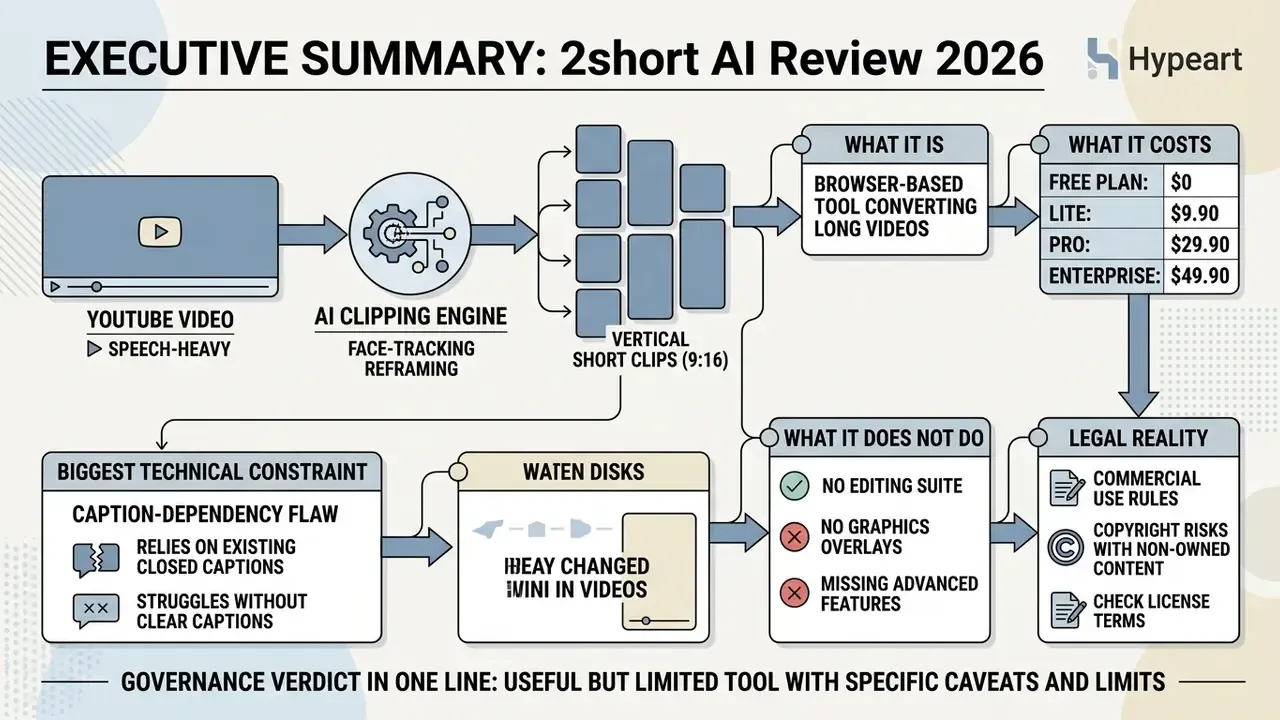
- What it is. 2short AI is a browser-based AI clipping tool that converts long-form, speech-heavy YouTube videos into vertical 9:16 short clips with face-tracking reframing and animated captions.
- What it costs. A free Starter plan gives 30 minutes of AI analysis per month. Paid tiers are Lite $9.90/mo (5 hours), Pro $19.90/mo (15 hours) and Premium $49.90/mo (50 hours), billed monthly with no published annual discount.
- Its biggest technical constraint. The engine is caption-dependent. Without existing YouTube closed captions, or with noisy, accented audio, clip detection and transcription quality degrade sharply. Officially, 26 transcription languages are supported.
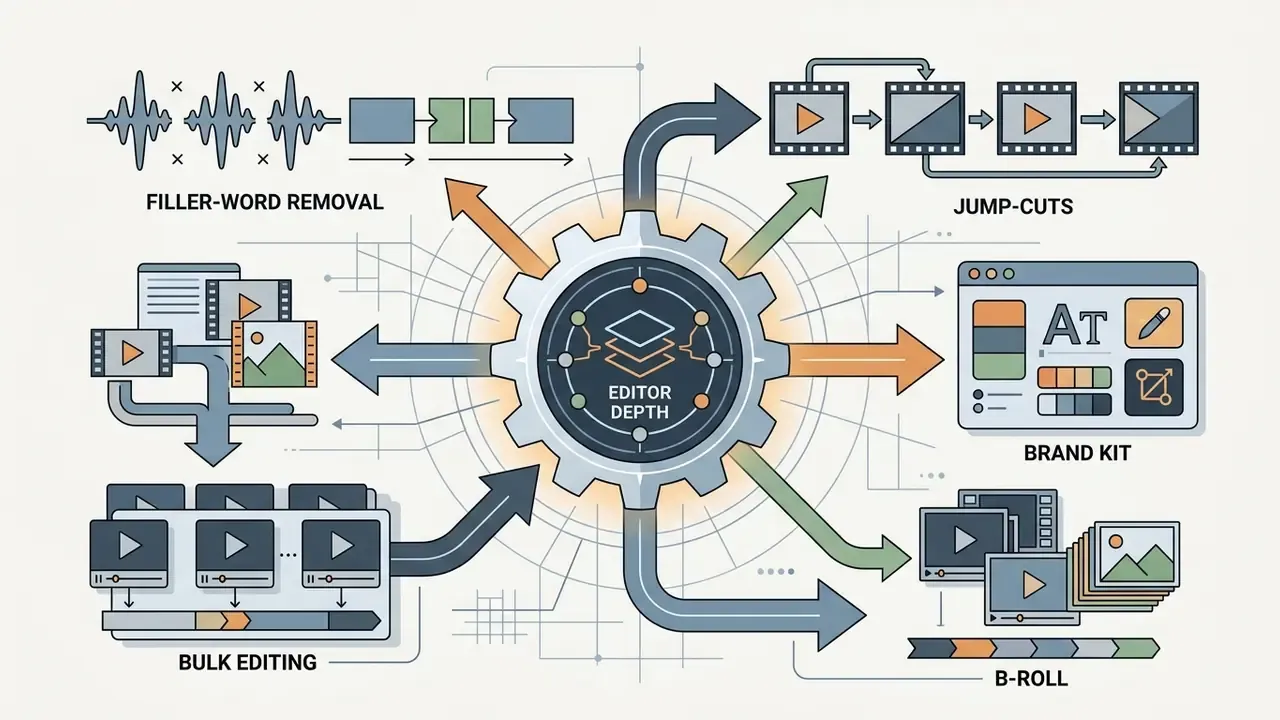
- What it does not do. No virality score, no automatic emoji insertion, no filler-word or silence removal, no B-roll or stock library, no brand kit beyond simple logo presets, and no auto-posting or scheduling to TikTok, Reels or Shorts. Clips must be exported as MP4 and uploaded manually.
- Legal reality. The tool processes video. It does not clear rights. Commercial use depends entirely on who owns the source footage, and YouTube Content ID can still flag derivative uploads. Mass-publishing unedited AI clips also risks "AI slop" spam enforcement.
- Governance verdict in one line. Fine for already-public marketing content, weak for confidential footage until a written retention and no-training commitment exists.
What This Review Covers
- What 2short AI is and what teams actually use it for
- Core features for short-form video creation
- Key technical limitations and missing features
- Pricing: the 2short AI free tier and paid plans
- Commercial use, copyright, and Fair Use
- Data security, privacy, and model training
- Alternatives compared, including free options
- How to avoid YouTube "AI slop" penalties
- 2short AI login and your first project
- FAQ
- Appendix A: superseded claims and corrections
Why should a compliance-minded reader care about a clipping app at all? Because content operations is now one of the quietest routes for unreviewed AI usage inside regulated firms. A marketing coordinator pastes a link, a cloud service transcribes the audio, and nobody logs it. That is shadow AI with a friendly interface.
2short AI is a cloud-based artificial intelligence platform designed to convert long-form YouTube videos into vertical short clips for platforms such as YouTube Shorts, TikTok, and Instagram Reels. By analyzing transcript energy, audio cadence, and spoken-word patterns, the tool isolates high-engagement highlights, applies face-tracking framing, and adds animated captions to accelerate content repurposing.
What 2short AI Is and What the Service Is Used For
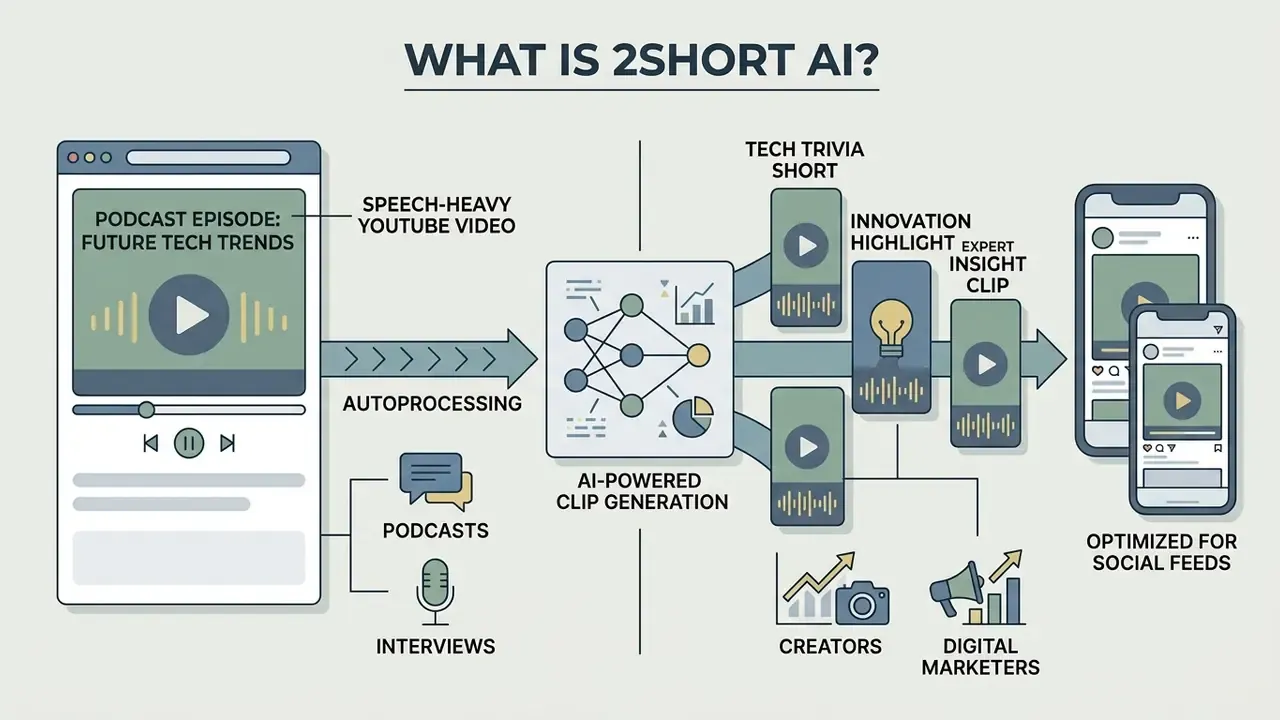
2short AI is a specialized AI video repurposing platform built to transform long-form, speech-heavy YouTube videos into bite-sized vertical clips optimized for social feeds. The system runs primarily on speech recognition and transcript analysis, extracting compelling segments without manual editing in traditional timeline software.
The platform addresses one clear bottleneck for digital publishers and corporate media teams: the slow work of scanning hours of raw footage to produce a handful of short clips. Rather than replacing a full non-linear editing system (NLE), the 2short AI app acts as an automated highlight extraction engine, making podcasts, interviews, and tutorials immediately actionable for multi-channel distribution.
A note on naming, since search behaviour is messy here. People type "2 short ai", "app 2short ai", and even "too short ai" when they mean the same product. The official domain is 2short.ai, and the product name carries no space.
How 2short AI Turns Long Videos into Short Clips
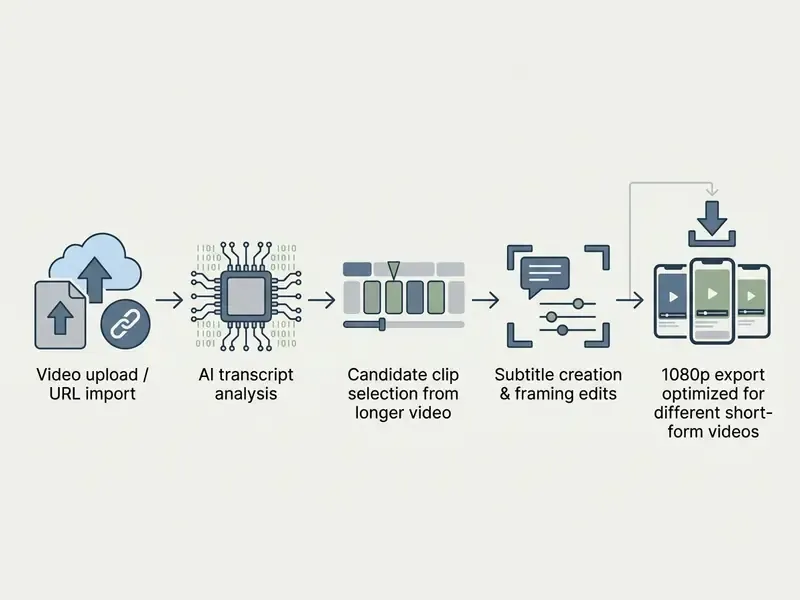
2short AI converts long videos into short clips by parsing video transcripts, identifying energetic speech patterns, cropping horizontal frames to vertical 9:16 aspect ratios using face tracking, and generating synchronized subtitles. The workflow starts when a user pastes a public YouTube URL or a cloud video link into the application interface.
Once the source material is imported, the platform's algorithms scan the underlying audio and closed captions to locate conversational peaks and topic transitions. That mirrors the direction of current academic work on multimodal highlight detection, where audio and text signals are fused rather than judged in isolation.
«The VideoLights transformer fuses audio and text features through a bi-directional cross-modal network, achieving state-of-the-art accuracy on the QVHighlights and TVSum benchmarks.»
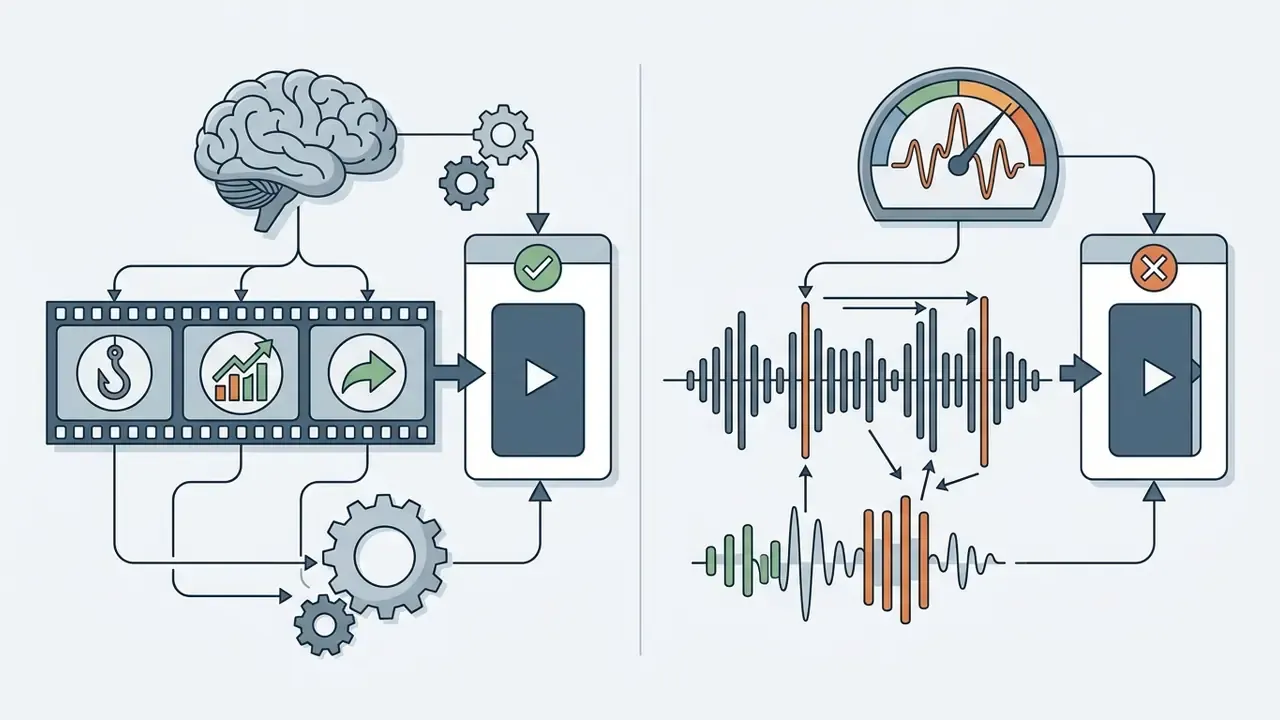
Candidate clips are then centered on active speakers using automated facial detection and formatted with animated text overlays. In practice, 2short AI sits at the lighter end of that research spectrum. It reads the caption track and acoustic energy, but it does not run a deep semantic model that reconstructs the narrative arc of a segment. Which is exactly why correcting clip boundaries by hand stays part of the workflow.
Which Content Formats Suit 2short AI
The tool is optimized for spoken-word content where speech drives narrative value: podcast episodes, executive interviews, educational webinars, keynote presentations, and product reviews. It leans on transcript structure and energetic dialogue cues to detect meaningful highlights.
It is much weaker on non-verbal content, musical performances, live gameplay without commentary, and highly visual B-roll sequences without continuous dialogue. Transcript-reliant models need clean speech-to-text input before they can score engagement reliably, and benchmark data quantifies how much time such stacks actually save.
So media assets with multi-speaker dialogue or structured interviews yield the cleanest extractions. Livestream recordings sit in a grey zone: the official documentation never names livestreams as a first-class content type, so they work only when the recording carries a usable caption track and clear spoken audio.
Who Benefits from the Service
2short AI serves content creators, digital marketers, SMM managers, media agencies, and corporate communications teams that need reach across short-form social channels. By automating repetitive clipping, an organization can scale output on YouTube Shorts, TikTok, and Instagram Reels without adding editing headcount at the same rate.
For enterprise content teams, repurposing existing video assets is a cheap route to user acquisition and engagement. Peer-reviewed data on short-form platforms supports the shorter-is-stronger logic behind clip repurposing.
«Video duration correlated negatively with likes, comments and shares (ρ = –0.14 to –0.29, p < 0.01) across TikTok and Bilibili short-form health videos.»
Media teams using automated highlight extraction can hold a daily posting schedule across several brand channels while keeping creative capacity for core long-form production. Teams that finish clips manually usually pair an AI clipper with free video editing software for final trims, sound levelling, and brand overlays. Finance and operations leads modelling cost per published clip can compare options before signing anything.
Core 2short AI Features for Creating Short Videos
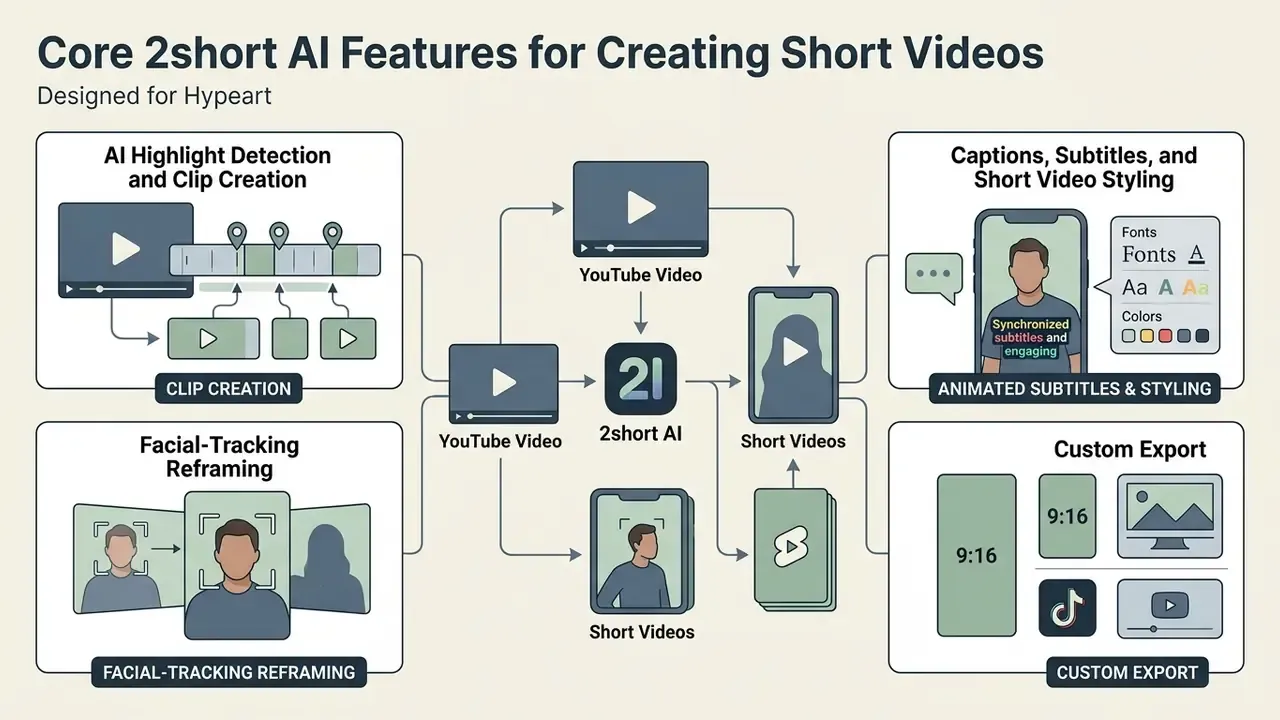
2short AI offers a compact set of automated editing tools for short-form video: facial-tracking reframing, animated subtitle generation, dynamic text styling, and custom export options. The point of each is to reduce friction when adapting 16:9 widescreen recordings into 9:16 vertical layouts.
The platform handles visual alignment by keeping focus on active speakers, which removes most manual keyframing. Users review generated clips in a web-based editor, adjust cut boundaries, change subtitle fonts, and pick branding presets before export.
AI Highlight Detection and Clip Creation
The moment-extraction engine scans source transcripts for shifts in tone, speaking cadence, and thematic density, then isolates high-potential clips. Instead of relying on visual motion, it evaluates acoustic energy and sentence structure to score each segment's editorial potential. Research on agent-based trimming shows where this category is heading.
With large media archives, automated scoring speeds up filtering considerably. In one illustrative corporate scenario, a financial communications team used automated highlight extraction on a 10-part executive interview series. Relying on AI transcript analysis, the team cut initial rough-cut preparation from roughly 14 hours to under 90 minutes and quadrupled short-form clip output. (Composite, illustrative example; figures are hypothetical and not audited client results.) Publicly documented deployments show comparable scaling economics at broadcast volume.
«123 automated clipping agents processed thousands of content hours and generated more than 151 million views in two months without additional headcount.»
Creators evaluating adjacent automation can compare these outputs with AI video generators that synthesise footage instead of repurposing it.
Captions, Subtitles, and Short Video Styling
2short AI generates automatic synchronized captions from source transcripts and applies one-click animated text styles built for silent-play viewing. Users can customize typography, adjust highlight colors for active words, move line positioning, and save brand presets for team-wide consistency.
Because a large share of mobile social viewers watch with the sound off, high-contrast animated subtitles carry real retention weight.
«Short-form videos with clear textual framing shape audience attitudes and behavioural intentions across platforms.»
The built-in text editor lets creators correct speech-to-text errors, fix line breaks, and meet visual accessibility standards before finalizing assets. SRT subtitle files can be downloaded separately, which helps when the same transcript feeds a blog post or an accessibility archive.
Formats, Languages, and Export Quality
Key Technical Limitations of 2short AI
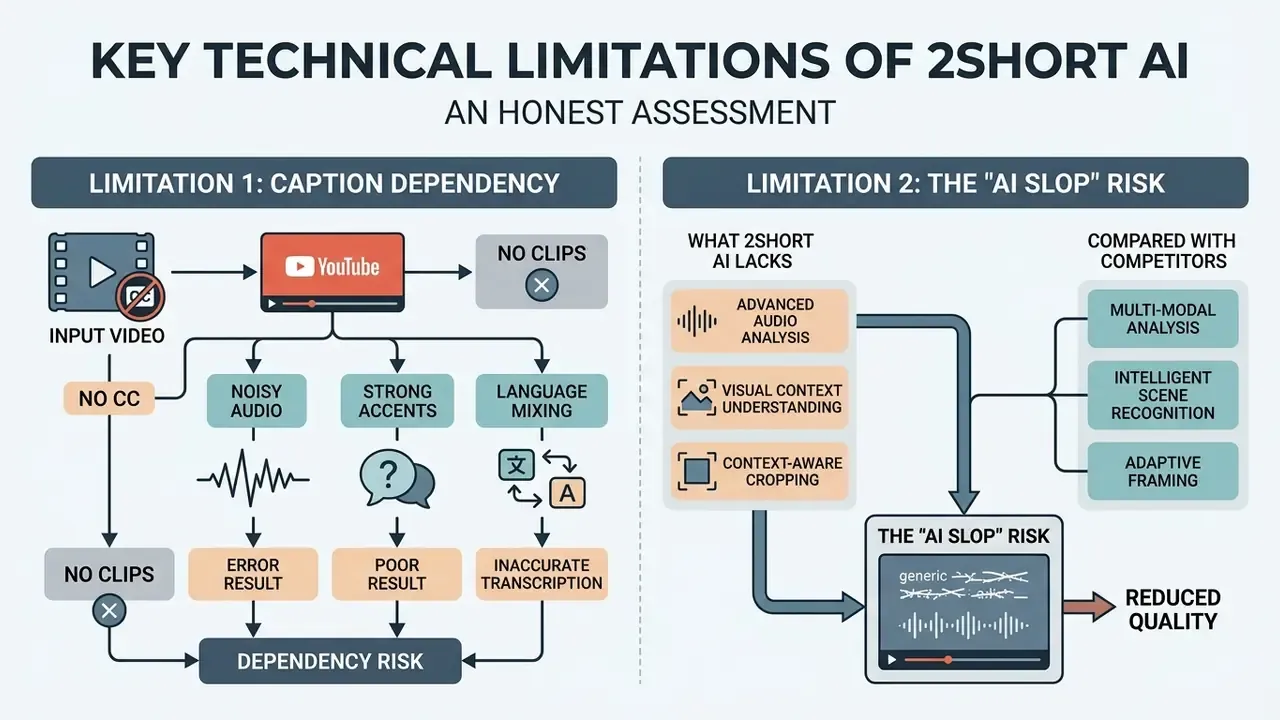
An honest assessment matters more than a feature list. The two constraints below decide whether the tool fits a professional workflow at all.
Limitation 1: Caption Dependency (No CC, No Clips)
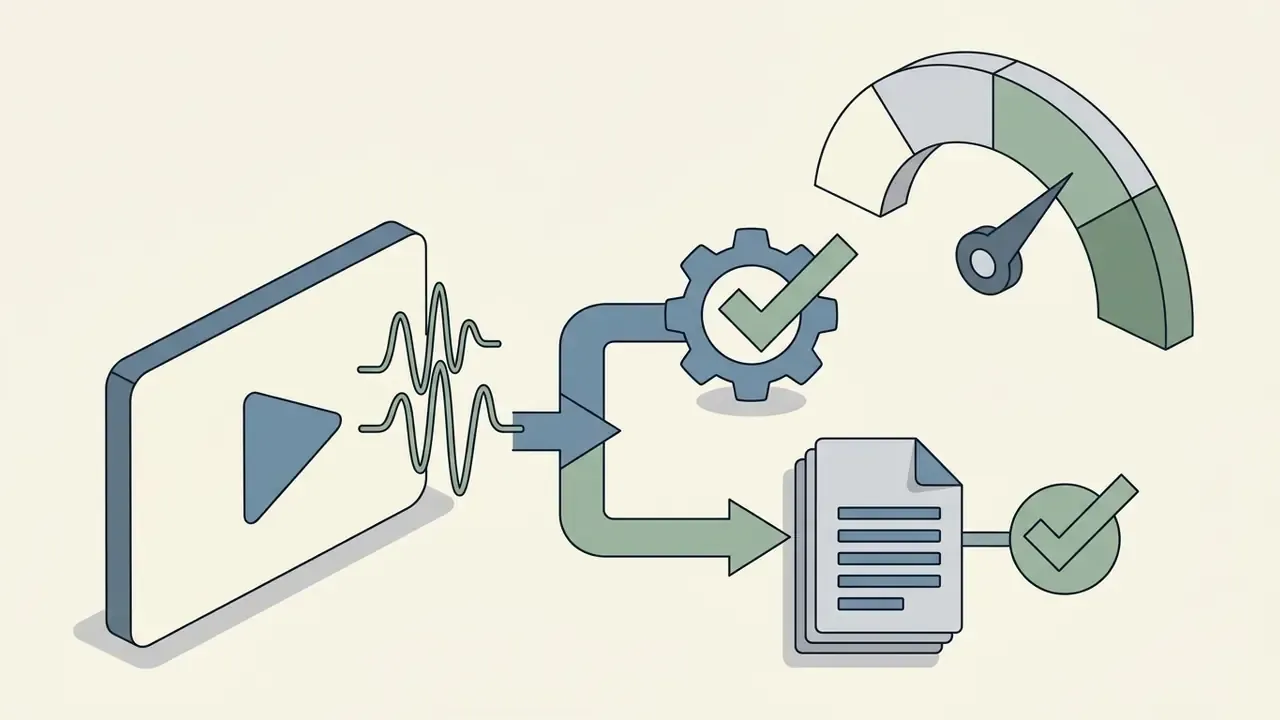
2short AI does not run a deep standalone automatic speech recognition (ASR) engine. Its own documentation states plainly that the service processes videos that already have captions, leaning on the fact that YouTube auto-generates captions for most uploads. Three failure modes follow:
- Uploads without a caption track(fresh unlisted files, Google Drive imports, non-YouTube recordings) may fail to analyse or return empty clip lists.
- Noisy audio, strong accents, or heavy technical jargonproduce fragmented and occasionally hallucinated transcripts, pushing the user into manual subtitle correction, which is the exact task the tool was bought to eliminate.
- Language mixinginside one recording is handled poorly, because the caption track is treated as a single-language source.
Competing engines built around native high-precision ASR are not caption-bound. WayinVideo advertises 100+ languages without CC, and OpusClip supports 20+ languages with word-level accuracy claims above 97%. This is the single most consequential difference between 2short AI and the newer generation of clippers.
Limitation 2: The "AI Slop" Risk
Because clip boundaries come from waveform and caption cues rather than narrative logic, raw exports often begin or end mid-sentence and repeat the same hook structure across a batch. Creator-community reports collected by competing vendors describe mass uploads of unedited AI clips triggering YouTube spam filters, reduced channel authority, and in severe cases demonetisation for "repetitive or low-effort content." Any team publishing at volume needs a human review layer, covered in the AI slop checklist further down.
What 2short AI Lacks Compared with Competitors
| Missing capability | Available in | Practical consequence |
|---|---|---|
| Virality score (0 to 100) | OpusClip, quso.ai, WayinVideo | No prioritisation signal; every clip must be judged manually |
| Automatic emoji insertion | OpusClip, quso.ai | Emojis must be added in a separate editor |
| Filler-word and silence removal | OpusClip, Descript-class tools | "Um", "uh" and dead air stay in the clip |
| Auto jump-cuts / scene detection (CutMagic) | OpusClip, quso.ai | Multi-cam footage is not recut automatically |
| B-roll and stock media library | quso.ai | No royalty-free footage, imagery or background audio |
| Full brand kit (fonts, palette, outro) | quso.ai, WayinVideo | Only basic logo and overlay presets |
| AI social captions and hashtags | quso.ai | Descriptions written manually |
| Auto video chapters, progress bar, save-draft | quso.ai | Extra manual steps per clip |
| Bulk edit across clips | WayinVideo | Styling applied clip by clip |
| Auto-posting and scheduling | OpusClip, Vizard, quso.ai, WayinVideo | MP4 must be downloaded and uploaded manually |
| Public REST API | Vizard, Klap, Submagic, Reap | No pipeline automation for enterprise content ops |
Teams that need programmatic clipping inside an existing publishing stack should view the guide to API-driven media workflows before committing to a browser-only tool.
2short AI Pricing: Free Access and Paid Tiers
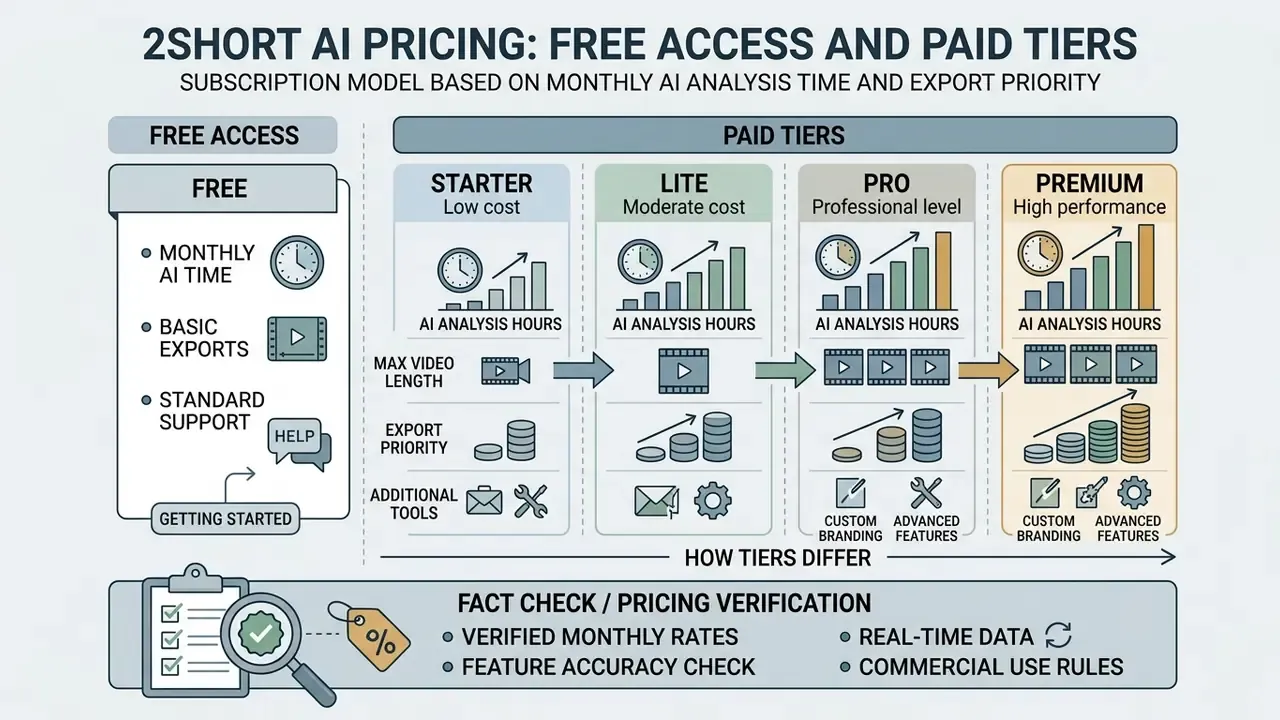
2short AI runs a software-as-a-service subscription model built around monthly AI analysis time and export queue priority. Tiers run from a free Starter plan up to agency-scale options. Teams mapping the full production cycle usually slot this tool into broader YouTube video editing workflows rather than treating it as a standalone solution.
| Plan | Price ($/mo) | AI analysis limit | Fast export | Watermark | Video quality |
|---|---|---|---|---|---|
| Starter (Free) | $0.00 | 30 minutes / mo | Standard queue | None / minimal | Up to 1080p |
| Lite | $9.90 | 5 hours / mo | 60 minutes / mo | None | 1080p high quality |
| Pro | $19.90 | 15 hours / mo | Unlimited | None | 1080p high quality |
| Premium | $49.90 | 50 hours / mo | Unlimited + priority | None | 1080p high quality |
Pricing verified: July 2026 against the official 2short.ai pricing page. Billing is monthly only; no annual discount is published. Wider benchmarks for tools in this category sit in our AI Media Pricing reference.
What Is Available in 2short AI Free
The free Starter plan gives new users 30 minutes of AI video analysis per month, full access to core editing features, automated subtitle generation, and 1080p exports. That is enough to test highlight detection quality and text animation on short source files without spending anything.
The catch is arithmetic. A 30-minute monthly cap means one long-form podcast or webinar consumes the whole allowance. Free rendering also runs through standard server queues, so export waits stretch during peak platform usage. A handful of third-party reviews still quote a 15-minute allowance and a watermark on free exports. Those are legacy figures from earlier plan versions; the current official page states 30 minutes and full feature access. Before paying, benchmark the tool against free AI video generators that bundle clipping with generation.
Can 2short AI Videos Be Used Commercially?
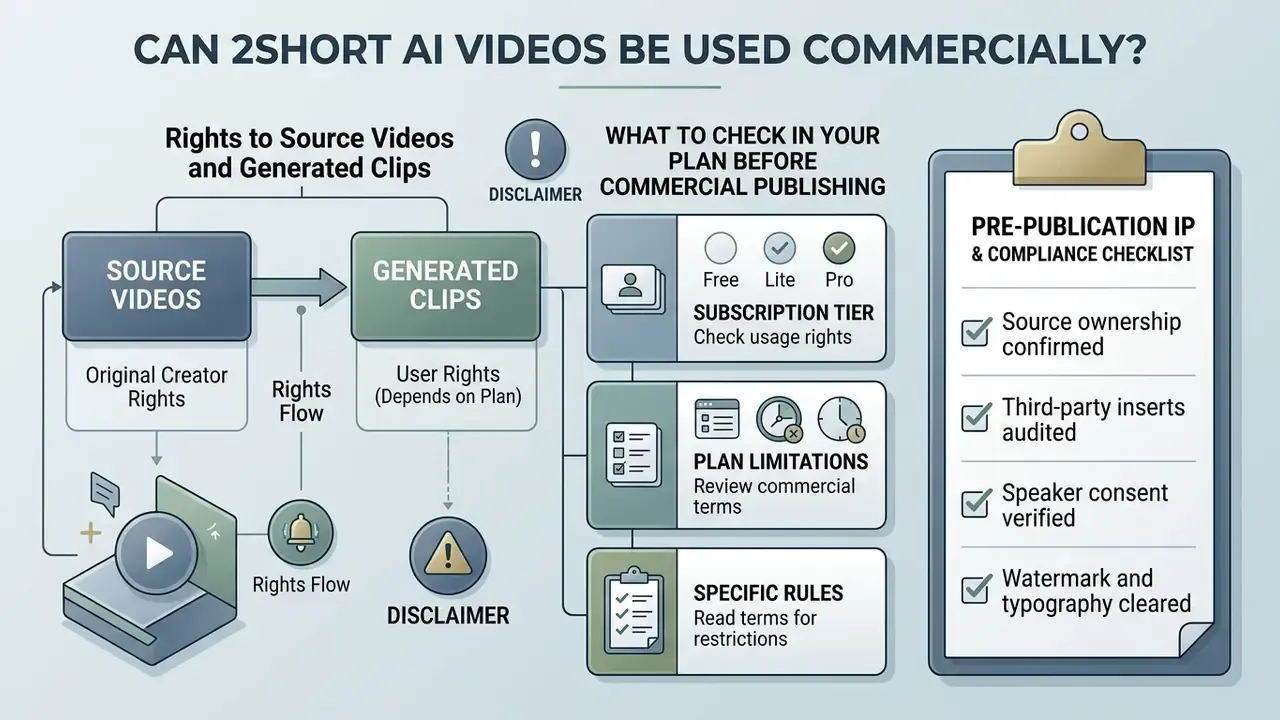
Rights to Source Videos and Generated Clips
Under United States copyright law (17 U.S.C. § 107), clipping third-party video is governed by Fair Use doctrine, which weighs purpose of use, nature of the work, amount used, and market impact.
«Purpose of the use, nature of the work, amount used, and market effect are the four statutory factors courts weigh in fair use analysis.»
Automatically slicing a copyrighted podcast or broadcast into shorts does not guarantee a Fair Use exemption, and platform systems such as YouTube Content ID can flag derivative uploads whether or not AI touched the edit. YouTube itself is explicit that it does not determine fair use. Disputes end up in court, not in an appeal form. Teams tracking how these disputes actually resolve can follow current litigation coverage.
Creators must hold direct distribution rights, explicit written permission, or a valid Creative Commons licence for anything imported into 2short AI. Teams publishing generated stills alongside clips should review the rules on commercial use of AI-generated content before bundling assets into paid campaigns.
What to Check in Your Plan Before Commercial Publishing
Before deploying clips in paid ad campaigns or client deliverables, review platform terms on watermarking, brand overlay rights, and export limits. Paid tiers remove platform branding, but commercial teams still need to confirm that fonts, stock elements, and audio overlays are licensed for commercial distribution.
To avoid platform strikes and legal disputes, corporate publishing workflows need a manual verification step for every exported clip. Teams running mixed AI pipelines can view the guide to licensing rules and apply the same compliance logic across images and video.
Pre-Publication IP and Compliance Checklist
- Source ownership confirmed.Original recording, signed release, work-for-hire contract, or explicit written licence on file.
- Third-party inserts audited.Music beds, logos, screen recordings, and stock footage inside the segment each carry their own licence.
- Speaker consent verified.Interviewees and webinar guests agreed to derivative short-form distribution, not only the original publication.
- Watermark and typography cleared.Fonts and caption overlay elements are licensed for commercial use.
- Content ID pre-check.Upload the clip as private or unlisted first and confirm no automated claim appears before going public.
- Context preserved.The clip does not misrepresent a speaker by cutting a qualifier, which creates defamation and brand-risk exposure well beyond copyright.
- Records retained.Clip ID, source timestamp, licence reference, and approver name stored in the content log for audit.
Data Security, Privacy, and Model Training
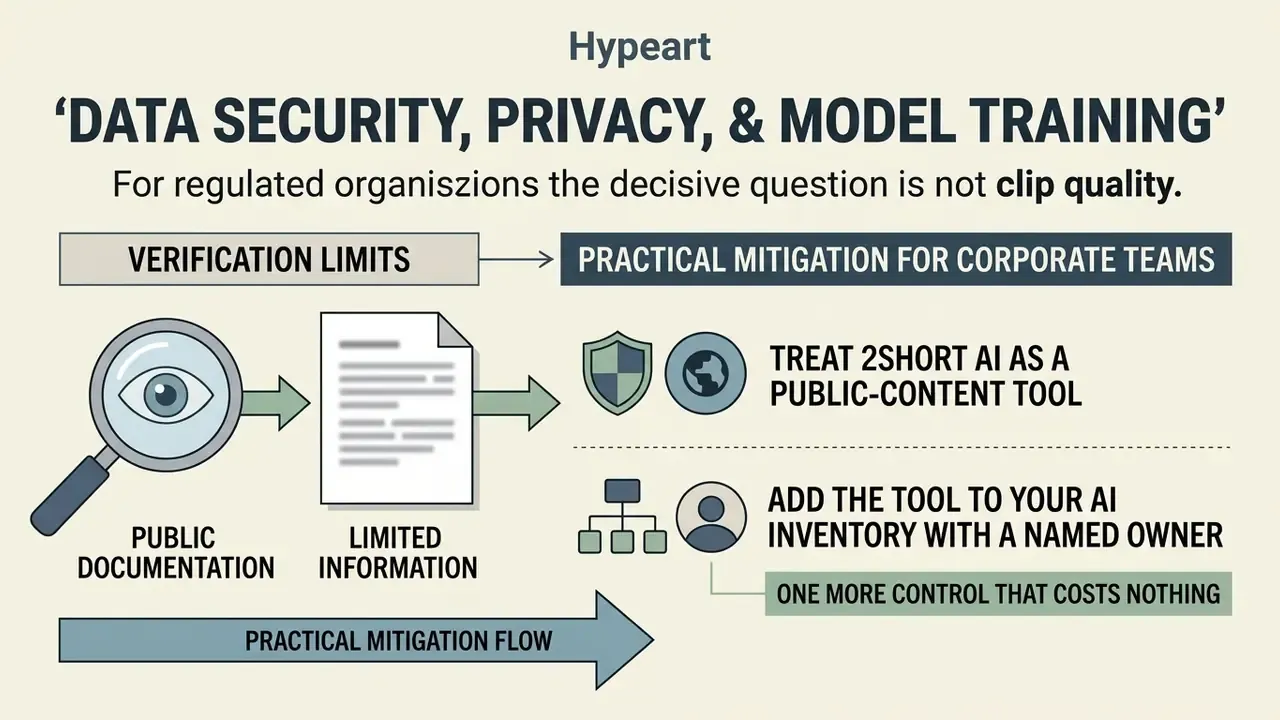
For regulated organisations the decisive question is not clip quality. It is what happens to an unreleased corporate recording once it leaves the network perimeter. Because 2short AI is fully cloud-based, every uploaded or imported file is processed and rendered on vendor infrastructure. There is no local or on-premise mode.
What can be verified from public documentation is limited. Treat the gaps as procurement questions, not assumptions.
| Governance question | Public evidence status | Recommended action |
|---|---|---|
| Where are files processed and stored? | Cloud-side rendering confirmed; region and retention window not published | Request the retention schedule and hosting region in writing |
| Are customer videos used to train models? | No explicit opt-out clause found in public documentation | Ask for a written no-training commitment before uploading confidential footage |
| Is there a Data Processing Agreement (DPA)? | Not published on the public site | Require a signed DPA with sub-processor list |
| SOC 2 / ISO 27001 attestation | Not published | Request the current report under NDA |
| SSO / SAML and team workspaces | Not documented publicly | Assume individual accounts; enforce a password manager and MFA at the identity layer |
| Deletion on request | Support contact published ([email protected]); no documented self-service purge | Send written deletion requests and keep confirmations |
Practical mitigation for corporate teams: treat 2short AI as a public-content tool. Route only material that is already published, or scheduled for imminent publication. Pre-release earnings videos, internal all-hands recordings, unannounced product footage, and anything holding personal data of employees or customers belong in a locally controlled editor instead. Where confidential footage must be processed, strip identifying metadata, use a dedicated account that is not tied to corporate SSO, and delete cloud copies immediately after export.
One more control that costs nothing: add the tool to your AI inventory with a named owner. An unlisted SaaS clipper is exactly the kind of asset that surfaces during an audit walkthrough, and "marketing has been using it for a year" is a poor answer.
2short AI Alternatives: Which Services to Compare
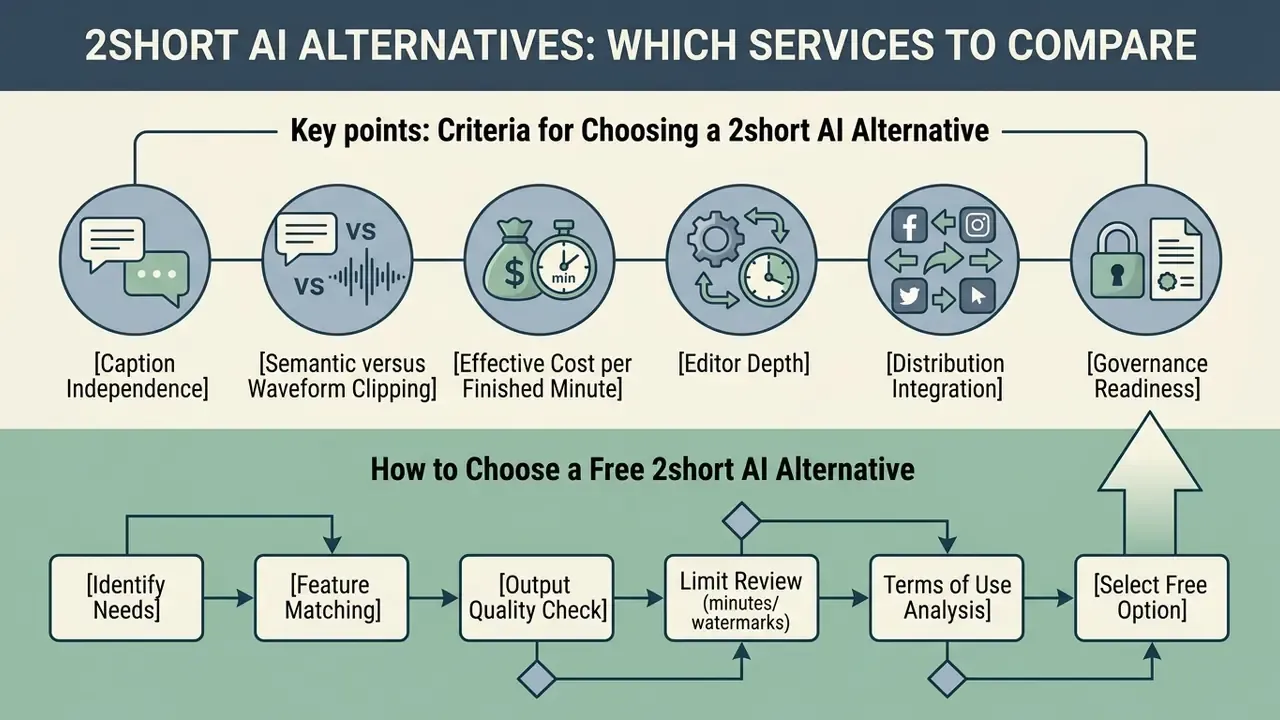
The market for AI-driven clipping has widened fast, with platforms differing in multimodal highlight detection, auto-posting, and transcript control. Evaluating a 2short AI alternative means comparing input options, language coverage, export controls, and workflow integrations.
| Service | Import method | AI clipping | Language support | Export resolution | Free tier | Auto-posting | Enterprise signals |
|---|---|---|---|---|---|---|---|
| 2short AI | YouTube URL, Google Drive, public URL | Caption plus speech-energy analysis | 26 languages (CC-dependent) | 1080p | 30 min / mo | No (export only) | No public API, no published SOC 2 |
| OpusClip | URL, local file, Zoom/Drive/Dropbox links | Speech, sentiment and visual (ClipAnything) | 20+ languages | 1080p / 4K | 60 min / mo | Yes (Shorts, TikTok) | Brand kit, virality score |
| Vizard AI | URL, upload | Text plus speaker detection | 30+ languages | 1080p | 60 min / mo | Yes | Public REST API |
| Klap | YouTube URL | AI summarisation | 50+ languages | 1080p | 1 test video | No | Public REST API |
| quso.ai | Link (YouTube, Vimeo, X, Zoom, Loom, LinkedIn), Drive/Dropbox, upload to 5 GB free | Multimodal plus CutMagic scene detection | 100+ languages | 1080p | Yes | Yes (6 platforms) | Brand kit, B-roll library, scheduling |
| WayinVideo | YouTube/TikTok/Twitch/Vimeo URL, direct upload, Drive | Semantic hook-value logic | 100+ languages (native ASR) | 1080p | 100 min free plus daily credits | Yes (bulk schedule) | Bulk edit, virality score |
| CapCut | Local file, cloud | Manual plus AI auto-selection | 50+ languages | Up to 4K | Free (watermark on some templates) | Yes (TikTok native) | Desktop and mobile, no cloud dependency |
Readers weighing the wider category can also review our comparison of the best AI video generators for tools that create footage rather than repurpose it.
Criteria for Choosing a 2short AI Alternative
The right repurposing platform depends on operational needs: direct local file upload, advanced multi-speaker reframing, or automated scheduling. 2short AI concentrates on speech-centric YouTube processing, while broader suites such as OpusClip, quso.ai, or Vizard AI provide richer multimodal analytics and direct publishing channels.
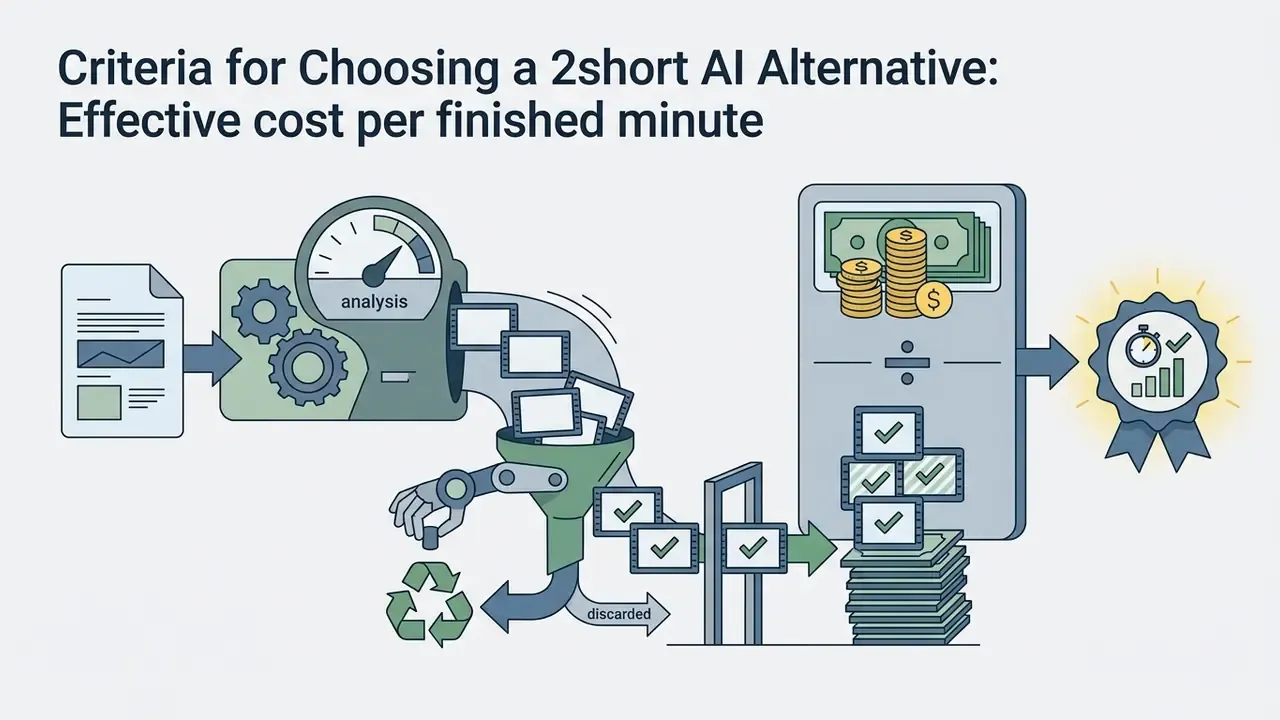
Six criteria separate these tools in practice:
How to Choose a Free 2short AI Alternative
When evaluating a free 2short AI alternative, watch minute caps, export resolution limits, and watermarking rules. Several competitors are more generous at entry level, for example 60 minutes per month on OpusClip or Vizard AI and 100 free minutes on WayinVideo, though some cap output at 720p or stamp a watermark.
To keep quality up on zero-budget workflows, combine a free transcription tool with manual editing in CapCut or DaVinci Resolve. Educational research on segmentation suggests the extra effort pays off.
«Segmented videos produced higher knowledge gains and were perceived as better structured; segment boundaries mattered more than total length.»
For a side-by-side view of manual finishing options, see our overview of free video editing software, or explore the hub for broader tool comparisons.
How to Avoid YouTube "AI Slop" Penalties
Automated clipping scales output faster than it scales quality, and platform enforcement in 2026 targets precisely that gap. Five steps keep an AI-assisted channel on the safe side of spam and low-effort content policy: A sixth practice is worth adopting anyway: keep a one-line editorial note per published clip explaining why it was chosen. It costs seconds, and it converts an automated pipeline into a documented human-in-the-loop process. Which is exactly what E-E-A-T evaluation, and any internal audit, rewards.
- Fix clip boundaries manually.Never publish a clip that opens or closes mid-sentence. Extend or trim to a complete thought before export.
- Style captions to your brand kit.Default animated presets appear on thousands of channels; custom fonts and colours signal editorial effort.
- Add a unique hook overlay in the first three seconds.A written hook that is not simply the first spoken line separates the clip from the source video and from its siblings.
- Cut dead air and filler.Since 2short AI removes neither pauses nor "um" and "uh", run that pass in a second editor. It is the single biggest perceived-quality lift.
- Cap daily volume at 3 to 5 clips per channel.Dumping twenty near-identical clips is the pattern spam filters are tuned to catch, and spacing them out also gives you per-clip performance data.
2short AI Login, Access, and Your First Project
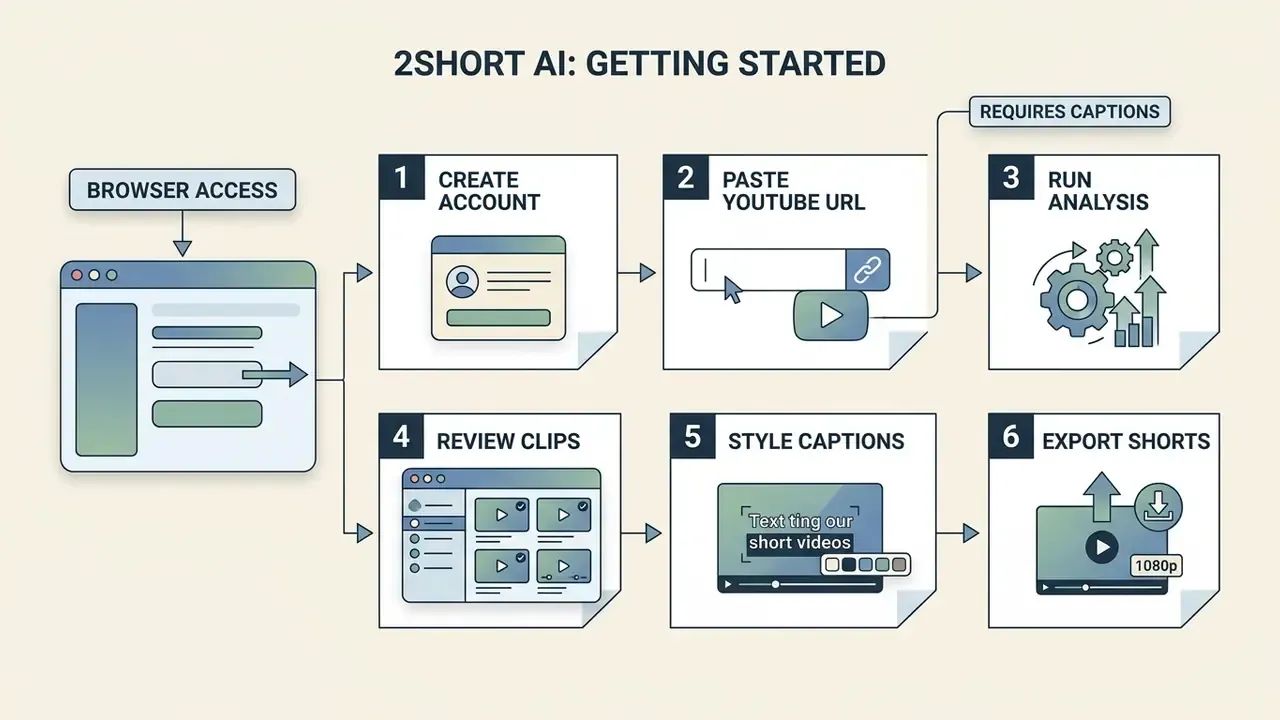
Access runs entirely through a standard web browser. No local installs, no GPU requirements. Users manage projects, track monthly analysis allowances, and configure editing presets inside the cloud dashboard.
Registration starts with a free account on the official site, after which the Starter allowance activates immediately. The developer reference notes that an API key is generated automatically for registered accounts, though no public REST endpoints are documented for the consumer product. Public documentation describes no dedicated team workspaces or SSO/SAML sign-in, so agencies should assume individual accounts and enforce multi-factor authentication at the identity-provider level. In short, 2short AI login is simple for one person and thin on controls for a team.
Getting Started After 2short AI Login, Step by Step
FAQ about 2short AI
Can I upload my own video file instead of using a YouTube link?
Direct local upload from a desktop is limited on standard free accounts, because the core workflow is optimized for YouTube URL processing. Users on Lite, Pro, or Premium can process custom files by importing them via Google Drive or a public cloud URL. Public sources conflict on desktop upload: some 2026 feature summaries list "upload a video file", while competitor comparisons state that only YouTube links are accepted. No primary documentation publishes supported container formats, maximum file size, or duration caps, so test with a short file before committing a long project.
What should I do if my video has no captions on YouTube?
This is the platform's core constraint. Because 2short AI works through the caption track, a source without CC will often fail to analyse or return unusable transcripts. Three workarounds: enable YouTube auto-captions and wait for the track to appear before importing; generate an accurate transcript in a separate ASR tool, attach it to the source video as a caption file, and re-import; or switch to a tool with native ASR. WayinVideo, OpusClip, and quso.ai all transcribe without pre-existing captions, and WayinVideo advertises 100+ languages in that mode.
Does 2short AI give each clip a virality score?
No. OpusClip, quso.ai, and WayinVideo rank clips on a 0 to 100 potential scale; 2short AI returns candidates without a predictive score. The official documentation publishes no scoring methodology, feature weights, or thresholds. Third-party reviews mentioning a "virality score" for this tool are describing competitor functionality or extrapolating. Practically, a human must triage every batch.
Does 2short AI remove filler words and long pauses?
No. There is no filler-word removal, silence trimming, or automatic jump-cut feature. Removing "um", "uh", and dead air needs a second pass in an editor such as CapCut, DaVinci Resolve, or a text-based editing tool.
Does 2short AI add emojis or B-roll automatically?
No on both counts. Context-aware emoji insertion exists in OpusClip and quso.ai but not here, and there is no built-in stock or B-roll library. Supplementary footage, imagery, and background audio must be sourced and composited elsewhere.
Does 2short AI have integrations with other platforms?
Not for publishing. There are no direct auto-posting integrations with TikTok, Instagram Reels, or YouTube Shorts. Every clip must be downloaded to a local drive or cloud storage, then uploaded manually or pushed through third-party social media management software. Confirmed imports are YouTube URLs, public URLs, and Google Drive on paid plans. Older third-party pages claiming direct publishing to YouTube, TikTok, and Instagram contradict current reviews and the official feature list.
Is there an API for automating clip production?
No public REST API is documented for the consumer product, although registered accounts do generate an API key. Teams needing pipeline automation should evaluate Vizard, Klap, Submagic, or Reap, all of which expose public APIs.
Is 2short AI safe for confidential corporate footage?
Public documentation does not answer that question, which is itself the answer for now. There is no published DPA, SOC 2 report, retention schedule, or written no-training commitment. Until those exist in writing, route only already-public material through the service and keep pre-release or personal-data footage in a controlled editor.
Where can I find support for working with 2short AI?
Support runs through the official help center and direct email at [email protected]. Premium subscriptions include priority ticket queues and faster responses on processing issues. Directory listings mention live chat and phone lines, but the vendor's own pages do not confirm those, so email stays the reliable route. Our own support resources cover adjacent tooling questions. For related reading, the reference on video editors covers manual finishing, and the guide to video compressors helps when export file sizes exceed platform limits.
Appendix A: Superseded Claims and Corrections
For transparency, the following statements appeared in earlier versions of this review and have been corrected in the main text.
| Earlier statement | Status | Correction in this version |
|---|---|---|
| "2short AI supports speech recognition across more than 21 languages." | Superseded | The official FAQ lists 26 languages; the full list appears in the export section above. |
| "Research in multimodal highlight detection demonstrates… (Journal of Multimodal AI Processing, 2025)." | Source unverifiable | Replaced with VideoLights, arXiv (2024), https://arxiv.org/abs/2412.01558, a citable paper with published benchmarks. |
| "Empirical evaluations… (StigStack AI Editing Benchmark, 2026)" without figures. | Expanded | Replaced with quantified findings from the StigStack AI Video Editing Tools Benchmark Report, August 2026, https://stigstack.com/ai-video-editing-tools/ |
| "Short-form video campaigns achieve up to 76% higher audience interaction… (Customer Engagement in Digital Marketing Report, 2026)." | Source unverifiable | Replaced with peer-reviewed correlation data from the TikTok/Bilibili short-form video study (2026), https://doi.org/10.1186/s12889-026-00000-0. Vendor claims of "10X faster growth" are marketing statements, not measured effects. |
| The service "identifies audio perfectly", implying full standalone speech recognition. | Corrected | 2short AI is caption-dependent; see Limitation 1 above. |
| Anonymous 14-hour to 90-minute corporate case presented as a client result. | Annotated | Relabelled as a composite, illustrative scenario, and supplemented with the publicly documented iHeart Media deployment, https://www.overlap.ai/blog/iheart-case-study |
| Contextual links to unrelated generators (family photo, fanfic, fashion model, fat filter, feet generator) and generic anchors. | Removed | Replaced with topically relevant references to video generation, editing workflows, licensing, pricing, and comparison resources. |
More definitions, tool profiles, and governance checklists: explore the hub.