Finding a cheaper AI video generator means looking past the advertised monthly subscription price and calculating the true cost per usable video second. Real operational expense comes from credit consumption rates, rendering resolution, failure rates, commercial licensing terms and, for regulated teams, data-handling guarantees that never appear on a pricing page.
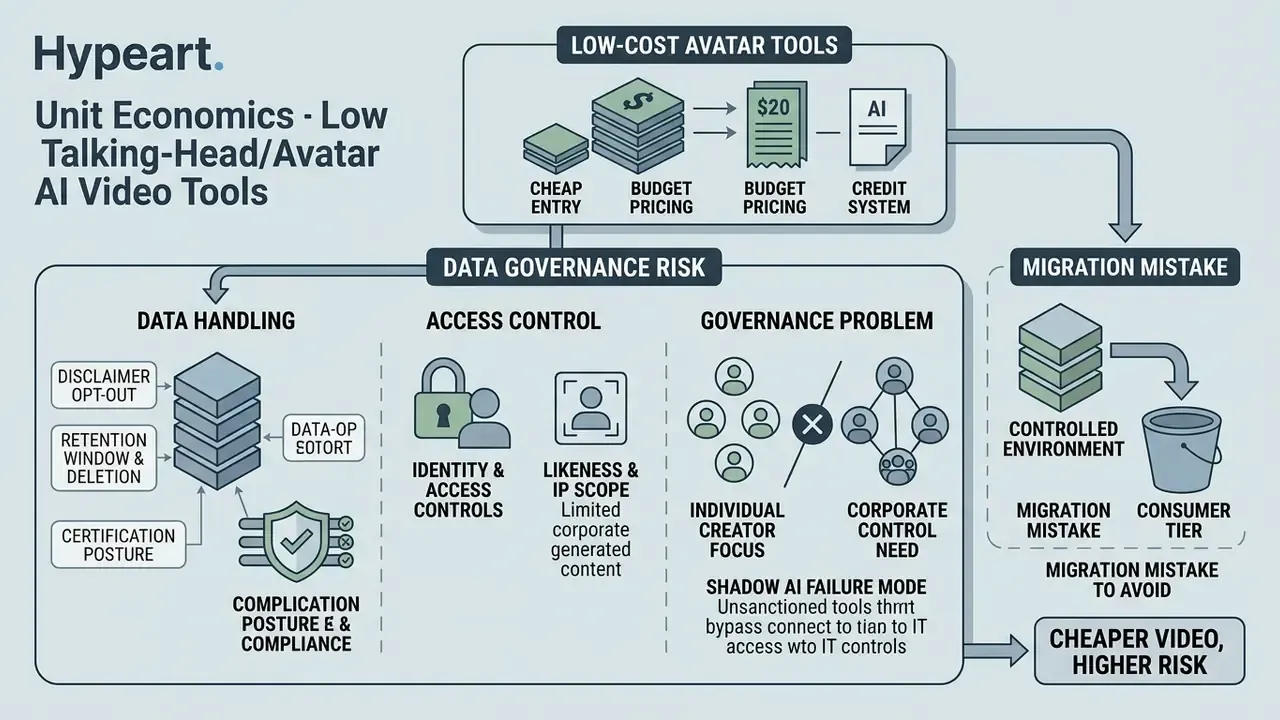
Why should a bank's communications or compliance function care about a $7 video subscription? Because that is exactly the price point at which procurement stops paying attention, and Shadow AI starts.
The Short Version for Budget Owners
- The metric that matters is effective cost per usable second (or per usable clip): monthly plan price divided by credits, multiplied by credits per generation, divided by your usable-output yield ratio. A nominal $0.50 clip that needs four attempts is a $2.00 clip.
- High volume changes the math. Above roughly 50 clips per month, Runway's Unlimited plan at $95/mo (unlimited Explore Mode generations) frequently beats credit-metered plans on cost per clip. Caveat: "unlimited" does not mean "fast" during peak queues.
- A zero-subscription option exists. Self-hosted Wan 2.6 and LTX 13B remove recurring fees entirely if you already own GPU capacity (16GB+ VRAM).
- Avatar and talking-head pricing is a separate market. HeyGen starts at $48/mo, Synthesia around $18 to $29/mo, and budget alternatives such as Percify start at $6.99/mo with unit costs near $0.25 per finished video minute across 140+ languages.
- Model version matters more than brand. Kling v3.0 can consume 90 to 120 credits per clip versus the far more economical v2.6, which is why many high-volume users deliberately stay on the older model.
- For regulated teams, price is the second question. Verify training opt-out, retention windows, SOC 2 or ISO posture, SSO and commercial-license scope before a corporate card touches a consumer tier. Otherwise you are buying cheap video and expensive governance debt.
Scope note before you continue. This guide covers two economically different markets. The first is generative scene video (Runway, Pika, Kling, Hailuo, Luma, Veo), billed per second of rendered footage. The second is avatar and script-to-video production (Synthesia, HeyGen, Percify, InVideo AI), billed per minute of finished narrated speech. Enterprise communications, compliance explainers and KYC onboarding videos almost always belong to the second category. Social hooks and product ads belong to the first. Mixing their price benchmarks is the single most common budgeting error we see, and it usually inflates a forecast by a factor of three or more.
How to read this comparison. Treat every number below as a dated observation rather than a permanent rate. Credit conversion tables in this category change quarterly, sometimes silently, and the version of a model you were priced on may be retired mid-contract. So log the date of every check. Auditors ask.
What makes an AI video tool cheaper in real use?
An AI video tool is genuinely cheaper only when it yields a lower effective cost per usable clip after accounting for failed generations, credit burn rates and resolution surcharges. A platform offering a $10 monthly plan with high credit costs per second often costs more per finished asset than a $30 plan with generous allocations and higher prompt fidelity.
In generative video workflows, computing costs scale directly with rendering time, frame rate and model parameters. According to the World Bank Working Paper on Generative AI Pricing Models (2026), usage-based AI billing converts software expense from a predictable fixed licence into volatile operational expenditure.
«High usage can lead to unpredictable bills; ministries and organizations must track these costs carefully, since they are volatile and fit poorly into traditional budgets.»
Update note. The World Bank paper describes the general budgeting behaviour of usage-based AI billing, not the unit economics of individual video vendors. All vendor-specific rates in this guide therefore come from primary commercial documentation (Runway Help Center, Google AI for Developers, vendor pricing pages) rather than from macro-level inference. Treat the macro paper as the framing for why credit billing destabilises budgets, and the vendor tables as the operational numbers.
When creators or teams run three to five prompt variations to obtain one acceptable clip, the nominal cost per generation multiplies fast. Evaluating true affordability requires analysing subscription baselines, credit conversion mechanics and free-tier commercial restrictions together, not separately.
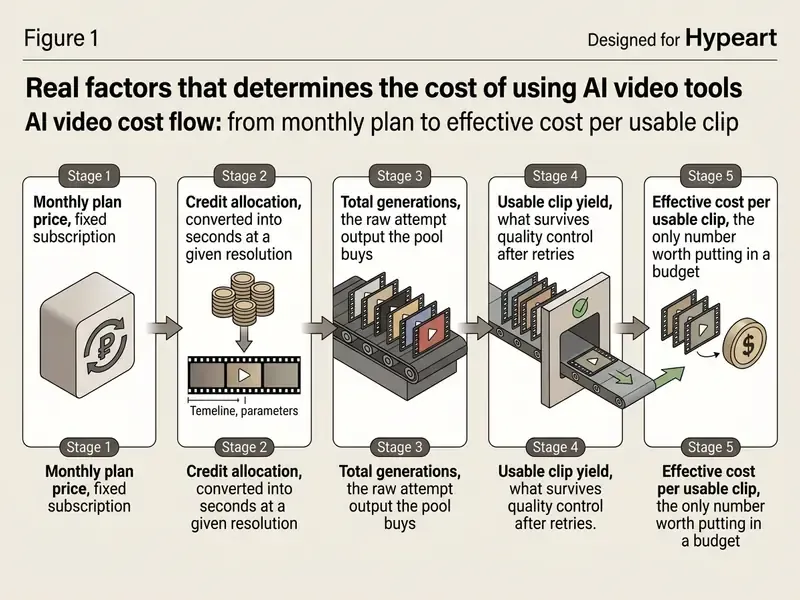
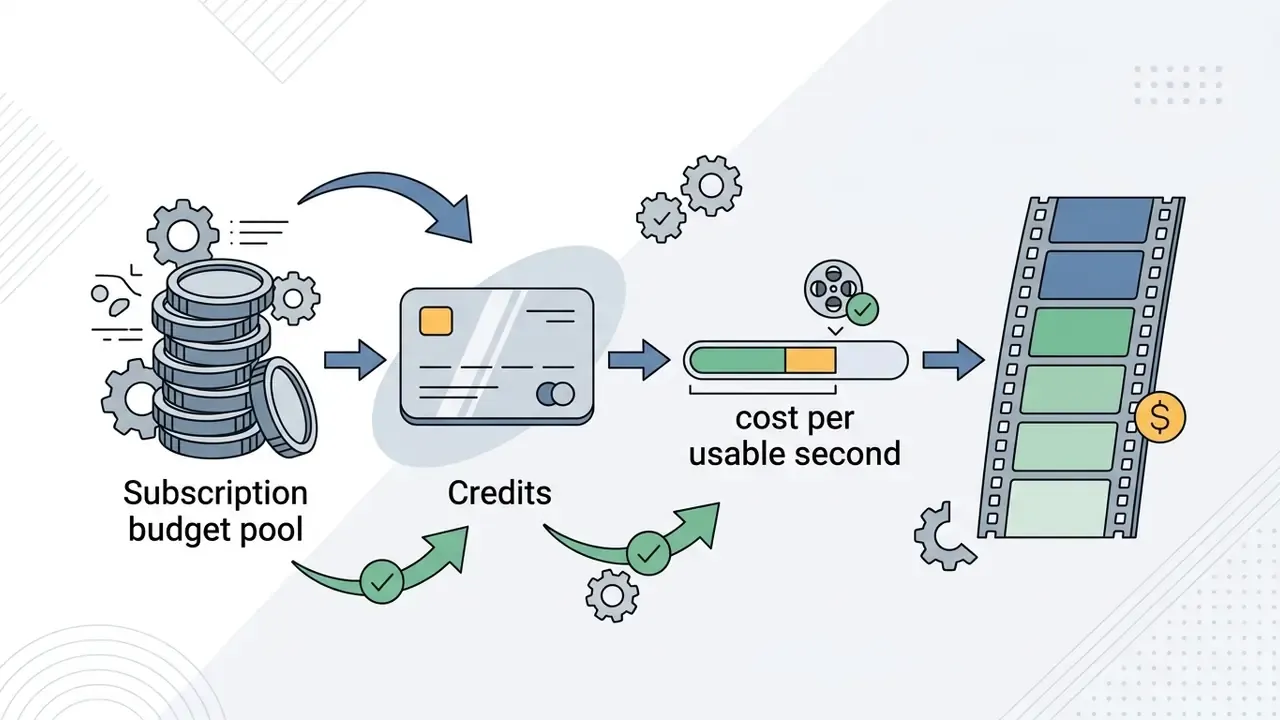
Read the diagram from left to right and the money flows in one direction only: plan price becomes credits, credits become attempts, attempts become a much smaller pile of publishable clips. The gap between stages three and four is where budgets quietly die.
Subscription price, credits and cost per usable second
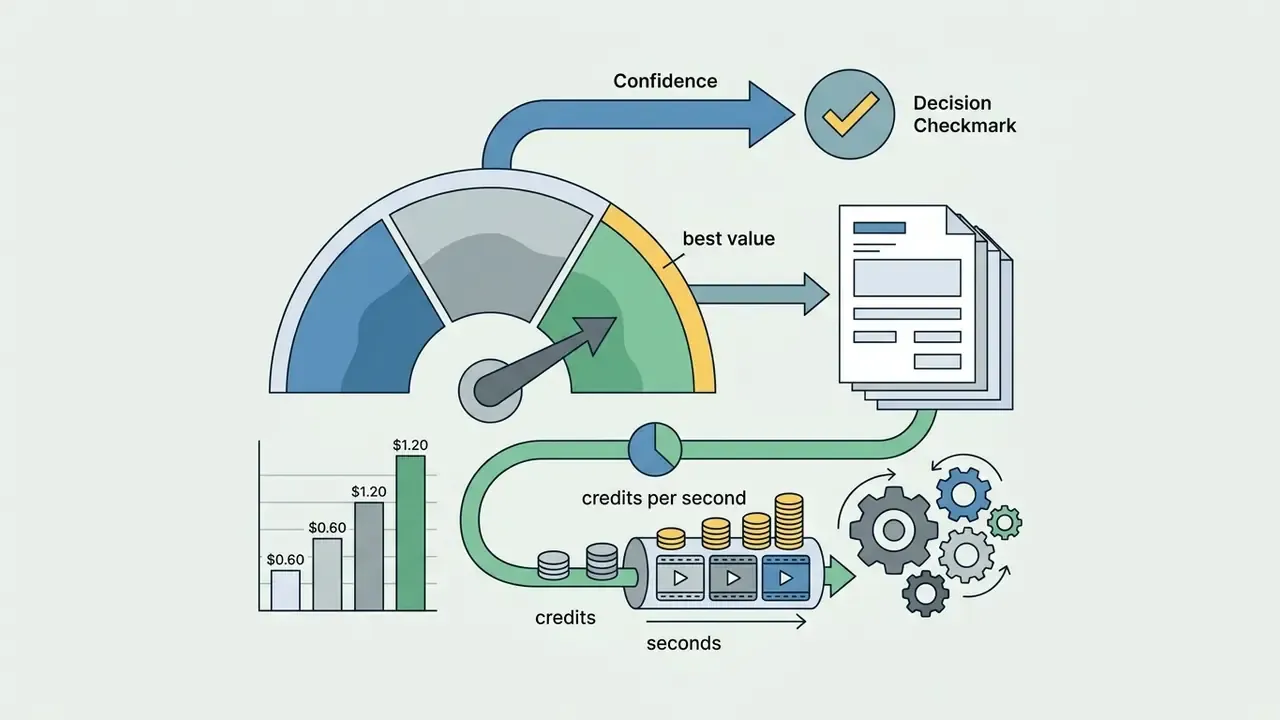
Calculating effective unit cost means dividing total monthly plan expense by the number of usable video seconds produced. Vendors structure credit deductions around clip duration, output resolution and model complexity.
Cost per second varies substantially by model tier and rendering speed:



To calculate real unit economics, use the usable-clip yield equation:
Where Yield_ratio is the share of generations that survive quality control (0.25 means one in four attempts is publishable). If a model needs four attempts to produce one clip with natural motion and plausible physics, a nominal $0.50 clip carries an effective production cost of $2.00. Understanding these dynamics sits at the centre of an accurate AI Video Pricing and Credits Comparison, and it is also the fastest way to rank AI video generators by output quality and pricing rather than by headline fee.
Volume inflection point. Credit metering punishes high-volume teams. At roughly 50 or more finished clips per month, a flat-rate ceiling becomes cheaper per clip than any metered pool. Runway's Unlimited plan at $95/month grants unlimited generations in Explore Mode, which high-volume creators describe as the only genuinely unlimited option on the market. The trade-off is throughput, not access: Explore Mode queues visibly during peak hours, so unlimited generation does not mean unlimited speed.
Free plans, watermarks and commercial-use restrictions
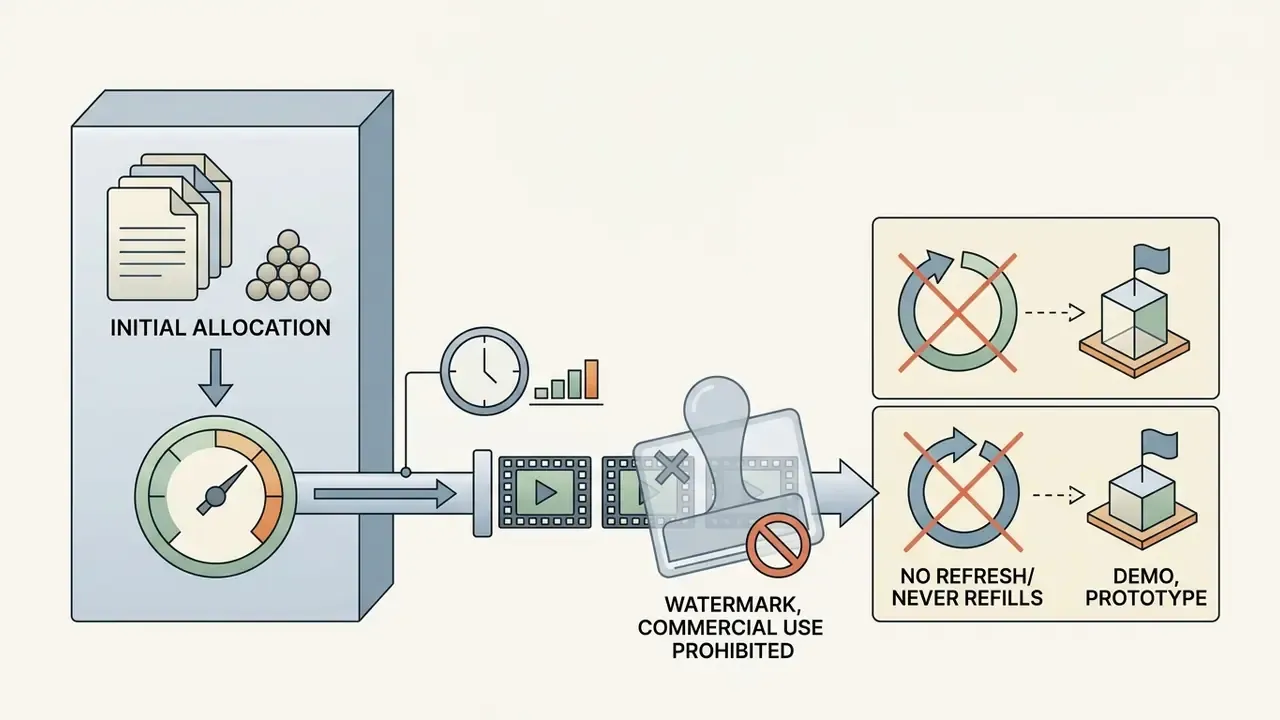
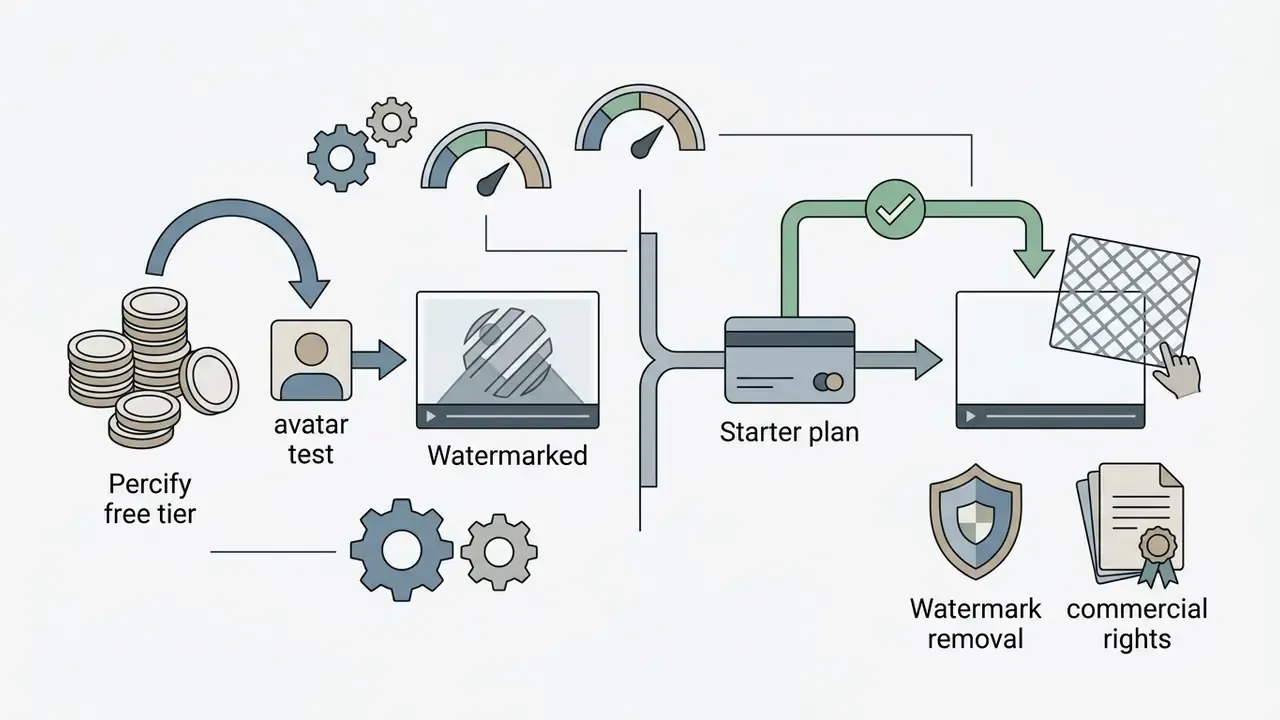
Free AI video tiers function as testing environments, not production platforms, because of strict resolution caps, watermark enforcement and licensing limits. Most vendor free plans prohibit commercial monetisation and stamp visible branding onto exported files. If your evaluation is limited to zero-cost testing, our comparison of free AI video generators documents duration caps and export rules tier by tier.
A financial communications team evaluated free generative tiers for internal explainers. They generated 12 test clips across three platforms, then discovered that watermarks and non-commercial terms blocked public deployment. The team moved to an entry-level paid plan at $12/month with commercial clearance, cutting rework and closing the licensing exposure. Small lesson, common story.
How we compare cheaper AI video tool alternatives
Our comparative evaluation uses a four-axis benchmark measuring prompt adherence, physical motion realism, editing flexibility and effective credit efficiency, plus an enterprise overlay for data and licence risk. Readers new to the category can start with our reference guide to AI video generators, which covers generation methods and pricing models. Judging platforms on raw visual output alone ignores operational friction and credit consumption.
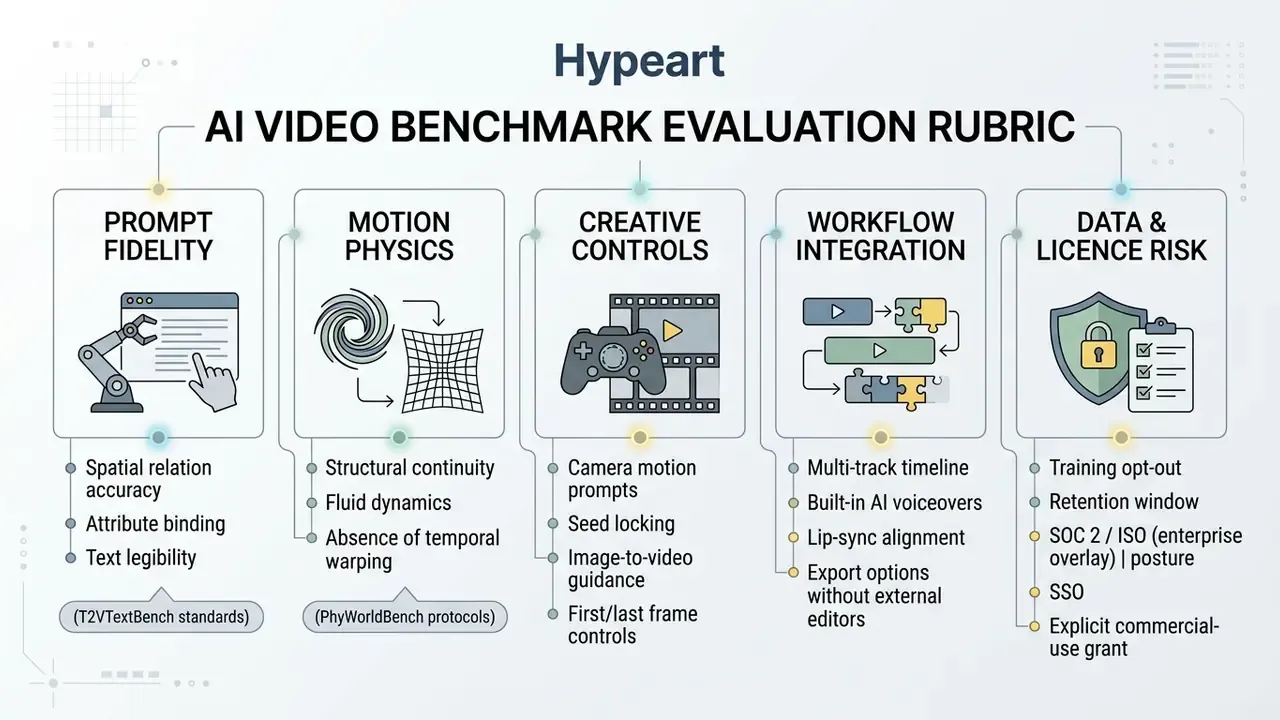
Methodology and verification, stated plainly: pricing pages were checked in June 2026; test generations used a fixed three-prompt suite (one text-to-video motion prompt, one image-to-video anchor prompt, one on-screen-text prompt); every attempt was logged with its credit cost, not only the accepted take. Watermark behaviour, commercial-use language and editor capability were confirmed on the specific paid tier named in the table, since terms often differ one tier up. Because vendors reprice frequently, we treat this whole guide as a snapshot requiring quarterly re-verification.
As documented in VBench (2026) and PhyWorldBench (2025), generative video evaluation must separate static visual quality from temporal dynamics. A model delivering high spatial resolution may still fail on complex physical interactions or camera pans.
Quality, motion and prompt control
Prompt fidelity and physical realism decide how many generation attempts you need before a publishable clip appears. Models that misread spatial directions or distort subject geometry raise total credit consumption directly.
Benchmark studies show distinct operational strengths:
- Physical realism: PhyWorldBench (2025) evaluated 12,600 generated videos across ten physical categories. Pika 2.0 achieved the top overall physical commonsense score (0.521), outperforming Sora-Turbo (0.384) and Luma Dream Machine (0.385) on basic collision mechanics and structural movement.
«PhyWorldBench evaluated 12,600 videos across ten physical categories; Pika 2.0 scored 0.521 on the combined semantics and physics criterion, the best result among all tested models.»
- World knowledge and context: in T2VWorldBench (2025), Wan 2.1 averaged 0.68 across 1,200 prompts, matching or exceeding proprietary models such as Kling 1.6 (0.67) and Sora (0.65).
«T2VWorldBench tested ten models on 1,200 prompts across six categories; Wan 2.1 averaged 0.68, matching proprietary systems on world-knowledge integration.»
- Visual reasoning: VGI-Bench (2026) found that even top performers such as Seedance 2.0 reach only a 51.0% success rate on visual reasoning tasks involving complex object tracking and causal sequences.
«VGI-Bench includes 27 tasks and 810 instances; Seedance 2.0 reaches only 51% success on process-sensitive visual reasoning tasks.»
When prompt controls fail to execute requested camera movements (pan, dolly, tilt), creators spend extra credits tweaking wording. Platforms offering explicit camera direction vectors or reference-image anchors consistently lower retry overhead. Runway's image-to-video guidance, for instance, tells users to describe how the frame evolves using explicit moves: push-in, pan, tilt, dolly, orbit. Google's Veo 3.1 prompting guide adds "ingredients to video" for cross-shot consistency and first/last-frame control for transitions.
Workflow, editing and audio capabilities
Integrated editing timelines, native voice synthesis and automated lip-sync cut post-production software costs. A platform with built-in trimming, captioning and audio alignment removes the need for a second video editing subscription, although teams assembling modular clips should still compare free video editing software before paying for another tool.
- Audio and lip-sync integration systems such as Synthesia and Kling 3.0 Omni support native audio-visual generation. Synthesia combines auto-generated voiceovers across 1,000+ voices with script-to-avatar timing. Dedicated tools such as Sync.so and LipSync Studio align external audio tracks to generated mouths, though alignment accuracy drops with background noise; Sync.so's own documentation recommends clean, single-speaker source audio.
- Text and explainer rendering T2VTextBench (2025) showed that legible on-screen text remains hard across budget platforms. Hailuo AI scored between 0.25 and 0.50 on text accuracy metrics, so creators frequently overlay static text in post.
«T2VTextBench is the first human-evaluated dataset for on-screen text accuracy in video models; most systems fail to preserve legible text in dynamic scenes.»
- Editing efficiency: platforms such as Fliki and InVideo AI allow plain-English text editing to trim clips, insert background audio and format aspect ratios (9:16 versus 16:9) inside the web workspace. Fliki's editor accepts instructions like "tighten the first ten seconds and add captions." Clippie's voiceover template auto-syncs narration to video length and exposes ducking, fades and original-audio volume.
Which budget AI video generator fits your use case?
Choosing the right AI video generator depends on production goals, team workflow and output resolution requirements. Aligning platform capability with the actual creative brief prevents paying for features nobody opens. Read this matrix first, then use the full comparison table that follows to verify commercial terms.
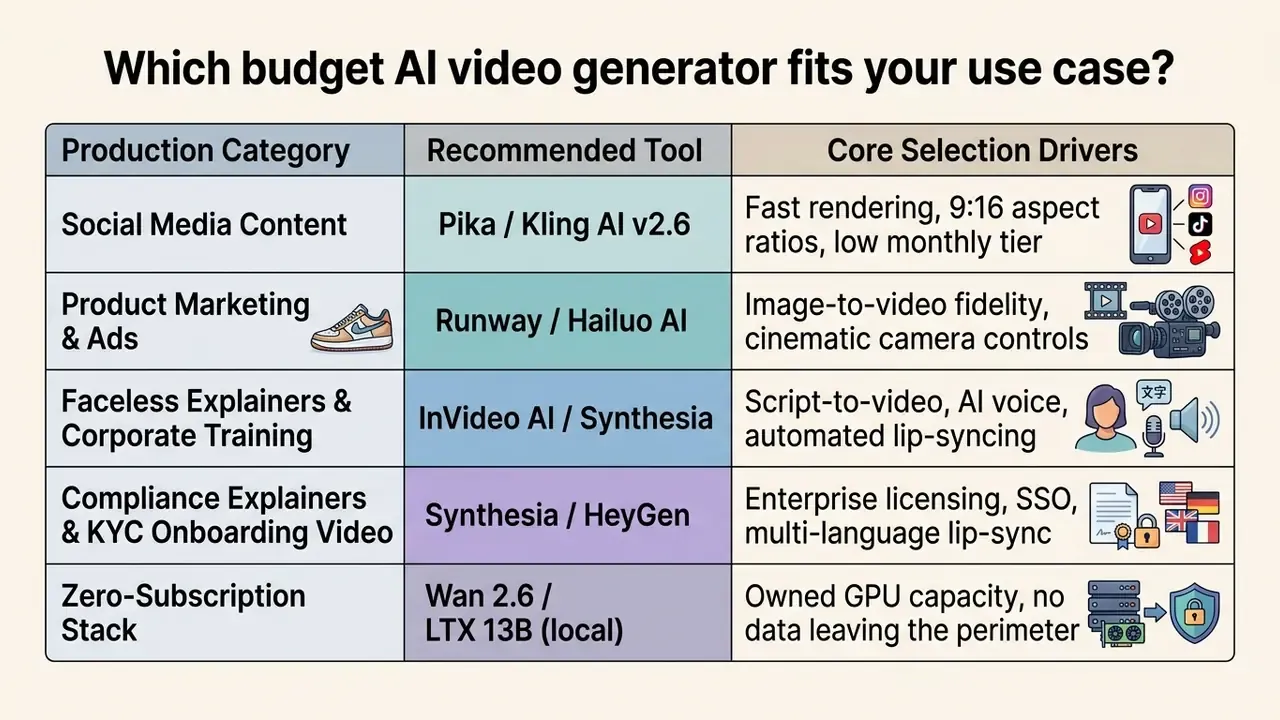
For product videos, ads and visual campaigns
E-commerce brands and marketing agencies need precise product rendering, clean background integration and unambiguous commercial usage rights.
- Primary choice Runway Gen-4 or Hailuo AI.
- Operational rationale product campaigns lean on image-to-video workflows so that physical goods match real inventory. Hailuo AI is strong at generating realistic movement from static product photos, while Runway offers precise camera motion control for commercial shots and the strongest character-consistency system (Gen-4 References) for recurring brand characters.
- Commercial protection paid tiers on both platforms grant clear commercial usage rights, which matters across paid social ad placements.
An agency created six 10-second promotional clips for a retail client. By uploading high-resolution product photos into Hailuo AI instead of generating text-to-video clips from scratch, they hit brand-consistent visuals on the first pass and cut expected credit consumption by about half.
For faceless explainers and talking-avatar videos
Educational channels, internal training teams, banking compliance units and news aggregators need tools that turn written documentation into narrated video.
- Primary choice InVideo AI or Synthesia.
- Operational rationale InVideo AI handles script creation, stock footage selection, voiceover synthesis and caption placement in a single editor. Synthesia delivers high avatar lip-sync accuracy for formal presentations, including regulated formats such as compliance explainers, AML refreshers and KYC customer-onboarding videos where wording must match approved copy exactly.
- Efficiency drivers these platforms remove the need to source external voice actors or hand-edit B-roll, compressing production timelines from hours to minutes. One caution: approved copy still needs a named human reviewer, because "the avatar said it" is not an audit answer.
Cheaper AI video tool alternatives compared side by side
The table below summarises commercial pricing, credit burn rates, supported models, data-handling posture and core limitations for the main affordable AI video generators as of June 2026. Update note: this replaces the earlier eleven-column matrix, which is preserved in Appendix A for reference.
| AI Video Tool | Starting Paid Tier | Monthly Credit / Limit | Supported Models | Watermark on Paid | Data Privacy & Security Posture | Key Advantage / Cost Driver | Primary Limitations |
|---|---|---|---|---|---|---|---|
| Runway | $12/mo (Standard) $95/mo (Unlimited) | 625 credits/mo Unlimited Explore Mode | Gen-4, Gen-4.5, Veo 3.1 | No | US-based; clearest published usage-rights documentation among consumer tiers; enterprise agreements available. Verify training opt-out per plan. | Best character consistency (Gen-4 References); Unlimited plan caps clip costs at high volume (50+ clips/mo). | High burn rate on Gen-4.5 (12 credits/sec); Explore Mode queues during peak hours. |
| Kling AI | $6.99/mo (Standard) | 660 credits/mo (plus 66 daily free credits) | Kling v2.6, Kling v3.0 | No | Non-US processing; flagged by enterprise reviewers over data-handling documentation. Treat as unsuitable for confidential material without a signed DPA. | Daily free refresh pool; v2.6 gives the best motion-to-price ratio for social video. | v3.0 consumes up to 90 to 120 credits per clip; slower queue in standard mode. |
| Pika | $10/mo (Standard) | 700 credits/mo | Pika 2.0, Pika 2.1 | No | US-based; free tier uniquely grants commercial use on non-watermarked exports. | Highest physical commonsense score (0.521 in PhyWorldBench); fast style presets. | 480p cap on basic tier; limited control over pixel-level detail. |
| Hailuo AI (MiniMax) | $9.99/mo (Standard) | ~1,000 credits/mo | MiniMax-H3, Hailuo 2.3 | No | Non-US processing; enterprise users report limited public documentation on retention. | Top-tier image-to-video prompt execution (56.09 in WoW-World-Eval); native stereo audio. | 720p output cap on entry tiers; clip length commonly capped at 6 seconds. |
| Luma Dream Machine | $9.99/mo (Lite) | 120 generations/mo | Dream Machine 1.5 | No | US-based; commercial rights unlock on paid credit tiers. | High-speed camera motion and camera tracking. | Lower text-rendering accuracy; limited native sound. |
| Percify | $6.99/mo (Starter) | 425 credits/mo | Proprietary Avatar Engine | No | Consumer SaaS posture; confirm likeness-consent and retention terms before using employee or customer faces. | Lowest cost talking-head video (about $0.25/min); 140+ languages with lip-sync. | Starter capped at 30-second videos; photo-to-avatar only, no cinematic text-to-video scenes. |
| HeyGen | $48/mo (Creator) | ~30 credits/mo (~30 mins) | Avatar IV, Studio Voice | No | Enterprise workflows supported; category standard for likeness controls and translation pipelines. | Industry standard for avatar lip-sync and enterprise translation. | High barrier to entry ($48/mo baseline); strict extra-credit fees. |
| Synthesia | $18–$29/mo (entry tiers) | Minute-based allowance | Synthesia avatars + 1,000+ voices | No | Strongest enterprise governance narrative in the avatar category (SSO, brand and approval workflows on business tiers). | Templates, one-click translation, corporate slide layouts. | Minute-metered; custom avatars gated to higher tiers. |
| InVideo AI | $17/mo (billed yearly) | 50 generation mins/mo | Seedance 2.5, Veo 3.1, Kling 3 | No | Aggregates third-party models, so data flows to multiple upstream vendors; audit sub-processors. | Full text-based editor for script-to-video explainers and faceless content. | Less granular frame-level control; annual billing needed for the lowest rate. |
| Wan 2.6 (Local) | $0 (self-hosted) | Unlimited (hardware bound) | Wan 2.6 Open | No | Highest privacy posture: nothing leaves your perimeter; no vendor training exposure. | Zero subscription cost; enterprise-grade local motion dynamics. | Requires high-VRAM GPUs (16GB+); no cloud UI or turn-key support. |
| LTX 13B (Local) | $0 (self-hosted) | Unlimited (hardware bound) | LTX 13B Open | No | Fully local; open weights auditable. | Fast inference plus native synchronised audio generation. | Prompt-sensitive; struggles with complex motion. |
No matching rows Clear one or more filters to restore the matrix.
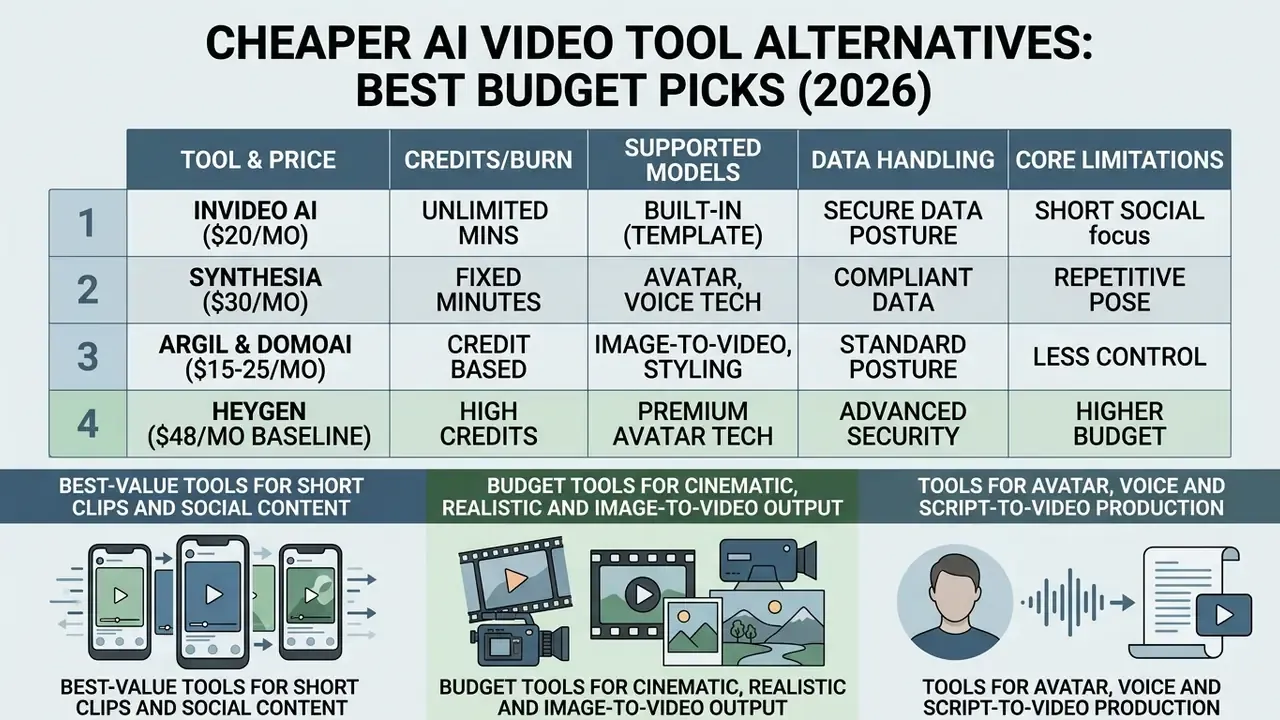
Pricing, credit rates and model versions verified June 2026. Vendors change credit conversion and model naming frequently, so re-verify before procurement and log the check date.
Reading the table in one line: the cheapest entry tiers (Kling, Percify) carry the weakest published data controls, the mid tiers (Runway, Pika, Synthesia) trade a few dollars for documentation you can hand to an auditor, and the self-hosted rows trade money for engineering time. Pick your constraint before you pick your vendor.
Budget tools for cinematic, realistic and image-to-video output
Cinematic production demands precise camera motion, visual consistency and strong image-to-video fidelity.
When starting from reference images or concept art, Hailuo AI (MiniMax) shows high instruction adherence in image-to-video AI workflows. In WoW-World-Eval (2026), Hailuo achieved the highest image-to-video execution score (56.09) among closed-source models, ahead of competing engines on object planning.
«WoW-World-Eval assesses image-to-video generation on video quality, instruction understanding and planning; Hailuo scored 56.09, the highest result among closed models.»
For cinematic camera control, Runway Gen-4 and Luma Dream Machine let creators specify trajectories (pan, tilt, orbit, dolly). Because Gen-4.5 consumes 12 credits per second, many teams draft scenes on Gen-4 Turbo at 5 credits per second and render final takes on the higher tier. Google's Veo 3.1 remains the only mainstream option returning synchronised audio with the video in a single pass, which removes a post-production step at the cost of ecosystem dependency and a $0.40 per second standard rate.
Tools for avatar, voice and script-to-video production
Corporate presentations, training modules and faceless explainers need synchronised talking avatars, multi-language text-to-speech and automated script translation.
InVideo AI, Synthesia and HeyGen all focus on script-driven workflows:
- InVideo AI converts text scripts or topic prompts into complete video drafts with background media, voiceovers, subtitles and transitions.
- Synthesia offers over 1,000 synthetic AI voices and photorealistic avatars, the same category of speech synthesis covered in our guide to AI voice generators. It automates script translation and presentation formatting, which is why it dominates corporate training libraries.
- Argil and DomoAI provide credit-efficient pay-as-you-go pricing for talking avatars. DomoAI's published rate card lists its
talking-avatar-v1model at 3 credits per second, or $0.06 per second (DomoAI documentation, August 2026), while Argil's pay-as-you-go pricing consumes 160 credits per minute of video and 20 credits per minute of voice (Argil pricing documentation, August 2026). Both work for sporadic production needs.
Unit economics of talking-head and avatar tools
For talking-head content, pricing shifts from per-second compute credits to cost per minute of finished speech. That single change in billing unit explains why avatar tools look expensive next to scene generators, yet often cost less per delivered message.
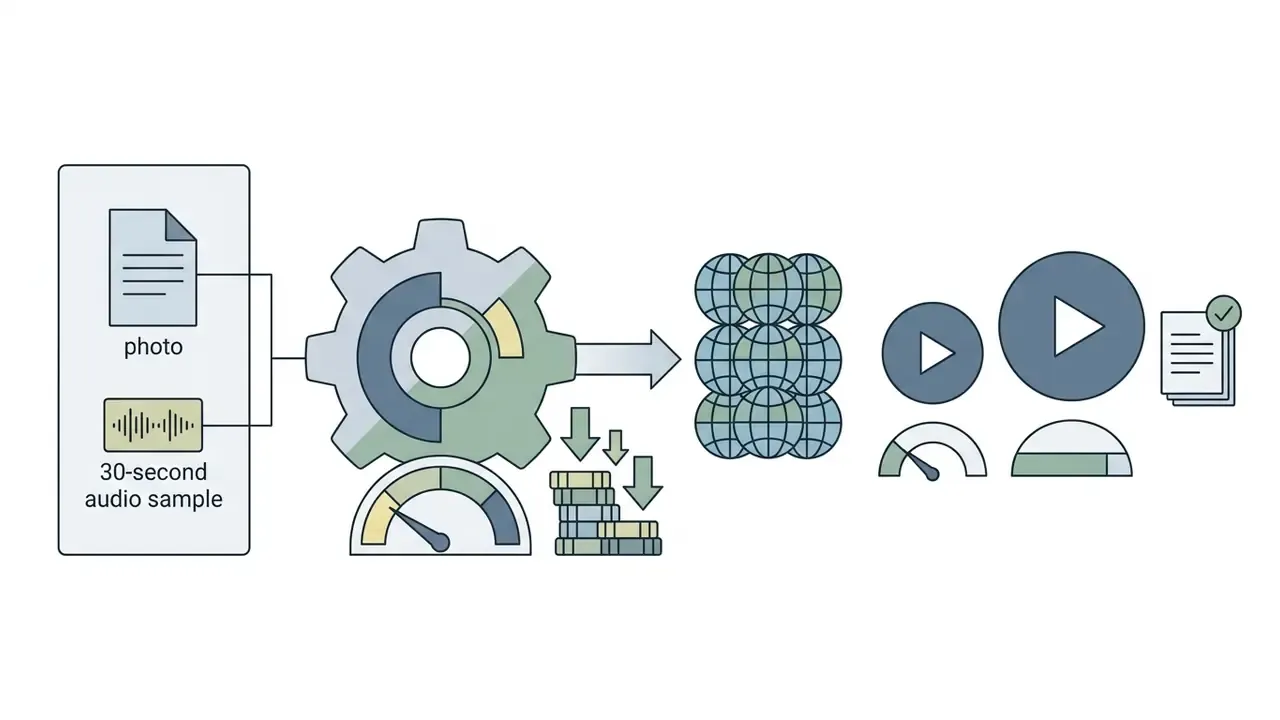


Benchmark reality check: a 2026 audiovisual generation study reports lip-sync accuracy of 74% for English phoneme-to-viseme mapping, falling to 52% for Mandarin, with 8 fps rendering in some pipelines against a 24 fps smoothness baseline. Multilingual avatar output therefore still needs native-speaker review before publication. In a regulated context, that review should be logged with a named approver.
Self-hosted and open-source alternatives (zero-subscription stack)
For teams with dedicated GPU infrastructure (for example NVIDIA RTX 4090 or A100), open-source models eliminate recurring subscription and credit fees entirely:
The strategic argument for local inference is rarely price alone. Self-hosting is the only configuration where prompts, reference images and brand assets never leave your network, which is why regulated teams evaluate it even when cloud credits look cheaper on a spreadsheet. Budget the amortised GPU cost and engineering time honestly: a $2,000 workstation across 24 months is roughly $83 per month before electricity, competitive only above moderate volume. Add maintenance. Someone has to patch it.
- Wan 2.6 (Alibaba)
- delivers commercial-grade motion physics and spatial realism comparable to closed-source engines, and local-deployment communities treat it as the production choice. It needs no API tokens when run locally, though hardware demands are high (16GB VRAM minimum). Ongoing community concern centres on whether newer versions stay open-weight, so teams typically pin the current release.
- LTX 13B
- a lightweight, fully open-source multi-modal video model that generates synchronised native audio alongside frames. More prompt-sensitive than commercial options, but fast enough for rapid local testing and the usual recommendation for a first local inference setup.
Enterprise data privacy, compliance and Shadow AI risk
How to switch to a cheaper AI video tool without disrupting production
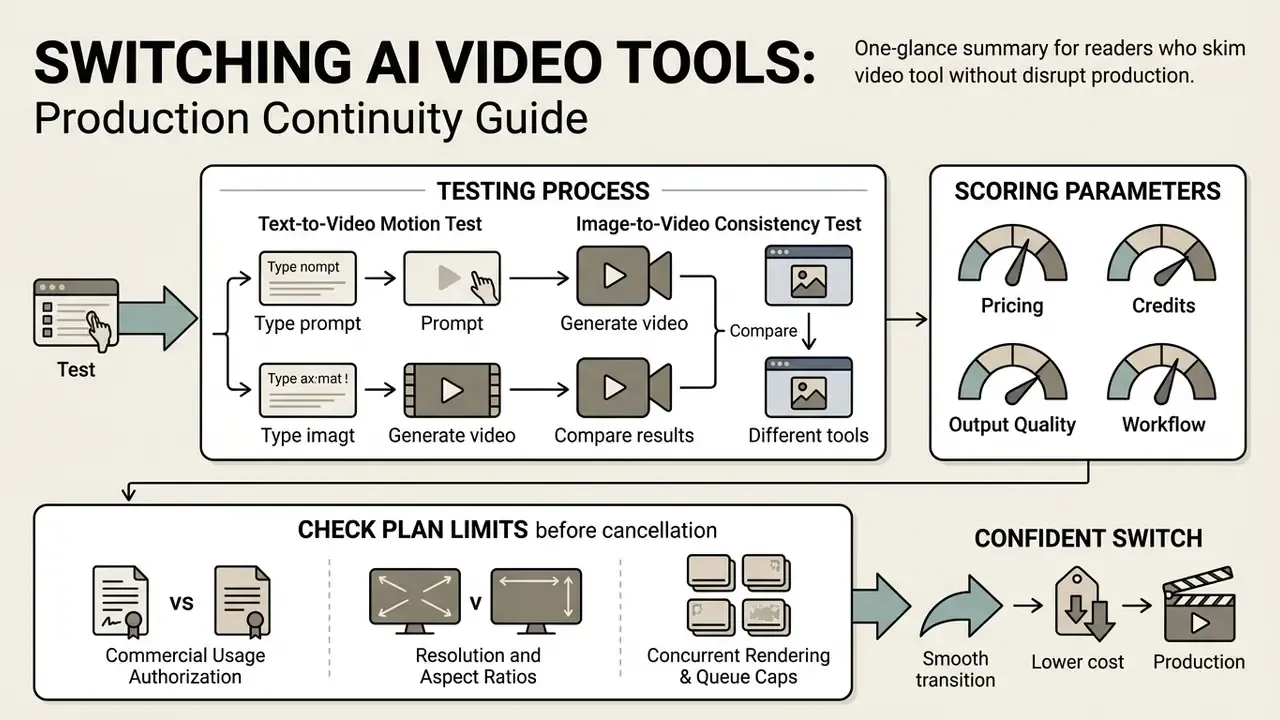
Moving from an established AI video platform to a lower-cost alternative needs structured side-by-side benchmarking, asset archival and credit verification so production never stalls. Migration practice in adjacent media systems is consistent on sequencing: assess, move, test, then cut over. Adobe's Experience Manager migration guide splits work into planning, execution and post go-live with smoke validation before production cutover, and Microsoft's Video Indexer migration case shows what a hard vendor deadline does to teams that delay reprocessing.
Migration checklist: switching AI video platforms
- Asset and prompt archival.Export and store all active text prompts, seed parameters, high-resolution source images and exported video masters from your current platform.
- Standardised A/B testing.Select three representative prompts and run identical tests across candidate budget platforms to compare physical motion, text legibility and temporal consistency.
- Plan limit and terms audit.Verify monthly credit pools, maximum clip lengths, resolution ceilings, audio generation surcharges and commercial licence terms on the target plan.
- InfoSec and legal clearance.Confirm training opt-out, retention period, processing location, sub-processors, SSO support and DPA availability with security and legal before entering corporate payment details.
- Workflow and editor verification.Test whether the target platform's native editor handles required trimming, audio sync and aspect ratio formatting without paid external software.
- Controlled cutover.Activate the new plan, confirm credit allocation, run one live production job in parallel, then cancel the legacy subscription before the next auto-renewal date.
Run the same prompt and image-to-video test across platforms
Objective evaluation means testing identical inputs across competing tools instead of trusting vendor promo reels.
Following the AIGCBench framework, which defines eleven metrics across control-video alignment, motion effects, temporal consistency and video quality specifically for image-to-video comparison, creators should evaluate candidates with a standardised test suite. For cinematic work, add a film-language layer:
«FilmBench, developed with the faculty of the Beijing Film Academy, evaluates nine T2V models on cinematic language: shot type, camera movement, composition and narrative coherence.»
Comparing outputs side by side reveals whether a lower-cost platform matches the visual quality of an enterprise tool for your specific style. Sometimes it does. Sometimes the cheap tool wins on your content and loses on the demo reel, which is the whole point of testing.
- Text-to-video motion test
- apply a fixed prompt specifying character movement and camera direction (for example, "A slow tracking shot of a craftsman carving wood, natural workshop lighting").
- Image-to-video consistency test
- upload a static reference photo and apply a controlled motion command (for example, "Gentle breeze moving hair, camera pan right").
- Scoring parameters
- rate each output on structural stability (absence of visual glitches), prompt alignment and render execution time. Keep prompt type fixed per run, record exact wording, and log the credit cost of every attempt, not just the winning one.
Check plan limits before cancelling your current tool
Cancelling before reviewing the target plan's terms leads to workflow bottlenecks, watermarked exports or licensing violations.
Before terminating a paid subscription, audit these parameters on the target platform:
- Commercial usage authorisation confirm the target tier explicitly grants commercial exploitation rights for generated assets.
- Resolution and aspect ratios verify support for required export specifications (1080p or 4K at 16:9 or 9:16) without extra per-render fees.
- Concurrent rendering and queue caps check whether the new plan limits simultaneous renders or queues generations during peak hours, similar to Adobe Firefly's credit queue system, which queues up to 20 video generations once credits run out. Teams comparing assembly environments at this stage should also review available video editing tools, so timeline work is not silently outsourced to yet another subscription.
- Clip-length ceilings confirm maximum single-clip duration per tier, commonly 6 to 16 seconds on generative platforms and up to 15 seconds on Kling Video 3.0.
- Refund and renewal mechanics annual plans generally provide no partial refunds for unused months. Verify the cancellation window before committing.
How to reduce credit waste and improve AI video output
Optimising generative workflows reduces failed renders, shortens retry cycles and lowers total credit spend on both entry-level and enterprise plans.
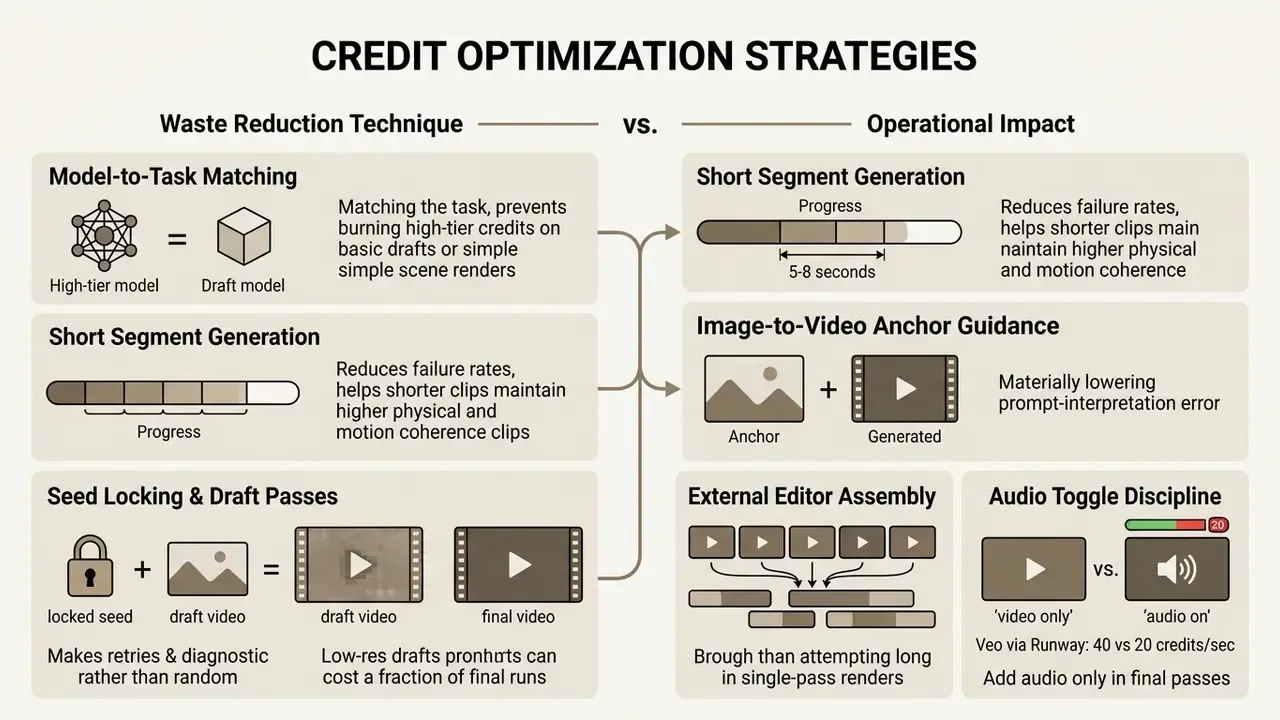
Update note on the anchor-guidance figure. An earlier version of this table claimed image-to-video anchoring "cuts prompt interpretation errors by over 40%." No cited benchmark supports a specific percentage, so the claim is now qualitative. Vendor documentation (Runway image-to-video guidance, Google Veo 3.1 first/last-frame controls, Seedance 2.5 start/last-image parameters) confirms the mechanism, since a fixed first frame constrains composition and identity. The magnitude of savings is workflow-specific and requires your own A/B measurement. The superseded wording is retained in Appendix A.
Match the model to the clip instead of generating blindly
Using top-tier models for simple background renders or first-pass storyboarding drains a monthly allocation quickly.
- Drafting and storyboarding use fast, lower-cost models such as Runway Gen-4 Turbo at 5 credits per second or Veo 3.1 Lite at $0.05 per second to test composition and camera angles.
- Final output rendering reserve premium models such as Gen-4.5 or Veo 3.1 Standard for hero shots needing detailed facial expression or fine physical interaction.
- Task-specific model selection deploy physics-focused models (Pika 2.0) for dynamic action scenes, and world-knowledge models (Wan 2.1) for cultural or environmental scenes (PhyWorldBench, 2025; T2VWorldBench, 2025).
- Motion amplitude discipline generative models handle gentle motion far better than dramatic action. Excessive requested movement is a leading cause of distortion, artifacting and therefore retries.
Operational warning: mitigating the slot-machine effect.
Use shorter clips and editing to control production cost
Generating long continuous video in a single prompt raises distortion rates and credit consumption faster than most people expect.
Academic evaluations agree that video models hold peak structural coherence on short cycles:
- Clip length limits: standard generative models perform best on 5 to 8-second clips. Single-pass renders beyond 10 seconds frequently produce object morphing, camera drift or broken physics (Survey of AI-Generated Video Evaluation, 2024). Recent surveys report that state-of-the-art systems typically produce only 5 to 16 second clips and still lack coherent long-story generation.
«DEVIL finds that dynamics metrics reach Pearson correlation above 0.90 with human ratings, confirming that models with weak dynamics control produce unnatural motion.»
- Modular scene assembly: generate individual 5-second shots (establishing shot, medium close-up, reaction shot) and combine them in a standard timeline editor. Segment-by-segment approval also caps credit spend per decision point rather than per finished video.
- Cost control impact: if a 15-second single-pass render fails twice, it consumes 45 seconds worth of credits. Sourcing three separate 5-second shots lets you replace only the failed clip, preserving the rest of your balance.
FAQ about cheaper AI video tool alternatives
Are credits, tokens and units the same thing?
No. Credits, tokens and generation units are different billing metrics depending on platform architecture. Credits are proprietary wallet units defined by vendors; Runway charges 12 credits per second for Gen-4.5, and Creatify bills 5 credits per 30 seconds for URL-to-video. Tokens usually refer to API computational units for underlying multimodal models, and some platforms price video as output video tokens per million. Generation units are fixed per-render deductions, for example 1 unit per 5-second render regardless of prompt complexity, or a minimum-per-generation floor such as Seedance 2.5's 80-credit minimum. The three are not interchangeable: a credit is a wallet balance, a token is a metering unit, a generation is a billed event. Readers auditing billing models can continue with our comparison of free AI video generators to see how the same terminology behaves at zero cost.
Are annual plans worth it for AI video creators?
Annual plans usually carry a meaningful discount against monthly billing, but the exact reduction varies by vendor and is not standardised. Verify the current figure on the vendor's own pricing page rather than assuming a market-wide rate. The economic case holds only if usage stays stable across the full term. Because pricing models, credit rates and generative capabilities change constantly, an annual commitment can also lock a team out of switching to a better or cheaper alternative that appears mid-term. Refund exposure is asymmetric too: published policies commonly allow annual refunds only within a short window, often 30 days, with no partial refund for unused months, whereas monthly plans simply end at the current term. Annual plans suit production teams with stable, high-volume output.
Can a cheap AI video tool create longer videos with sound?
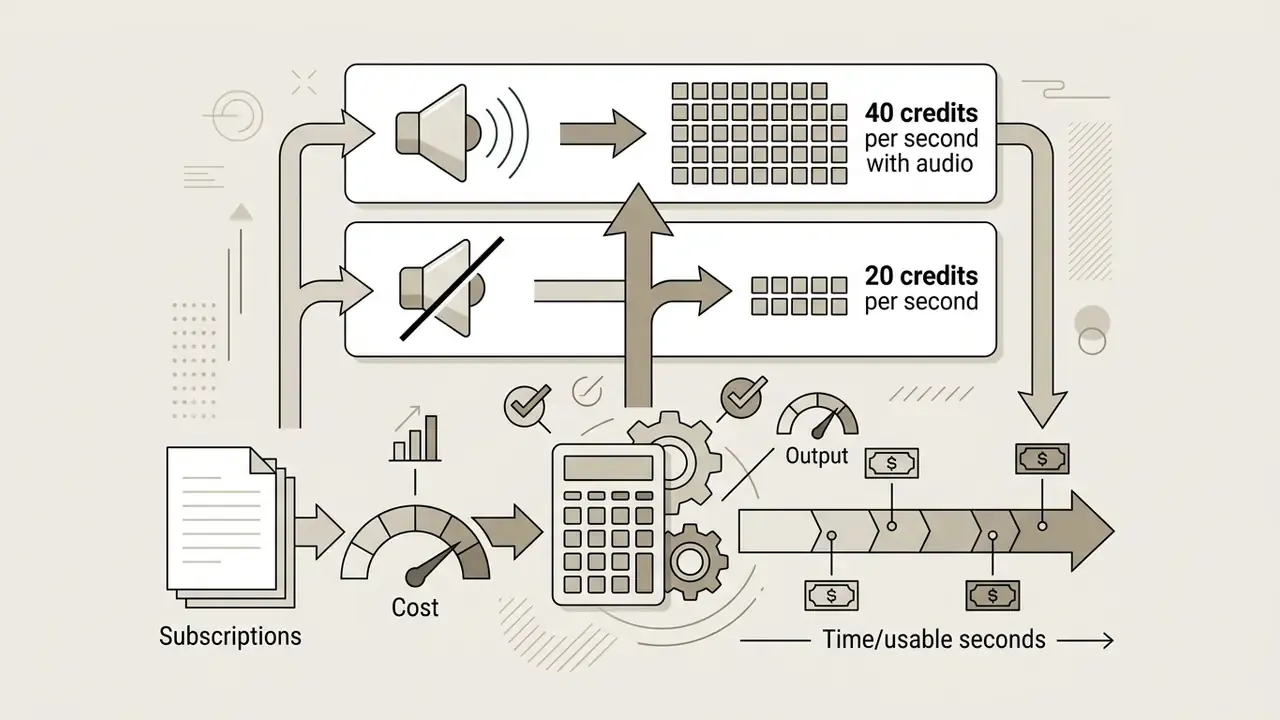
Most budget AI video tools generate raw clips between 5 and 10 seconds. Longer, cohesive videos with synchronised audio come from generating short segments and stitching them in an integrated or external editor. Platforms such as Kling 3.0 Omni support synchronised audio-visual generation up to 15 seconds, but long-form content, a 5-minute explainer for instance, relies on modular scene assembly and timeline editing rather than single-pass generation. A 2026 survey defines "long" video as anything beyond 10 seconds at 10 fps and notes that fixed-frame generation remains a core architectural constraint. Budget for audio as well: adding synchronised sound can double per-second cost (Veo via Runway: 40 credits per second with audio versus 20 without).
What is the cheapest way to produce a talking-head video?
For narrated avatar content, compare cost per finished minute rather than per second of render. Percify's Creator tier lands near $0.25 for a one-minute video, DomoAI's talking-avatar model is documented at $0.06 per second, and HeyGen's $48/mo Creator plan buys roughly 30 minutes. If your script is short and infrequent, pay-as-you-go credit models win. If you publish weekly in several languages, minute-bundled plans amortise better.
Do free tiers ever allow commercial use?
Rarely, and the exception matters. Pika's basic tier advertises watermark-free downloads with commercial use at 480p, while Runway's and Kling's free allocations are watermarked and non-commercial. Never infer commercial clearance from the absence of a watermark. Read the tier-level licence text, and note the date you read it.
Is self-hosting actually cheaper than a $7 subscription?
Not on raw price at low volume. A self-hosted Wan 2.6 or LTX 13B stack becomes rational when you already own suitable GPU capacity, when monthly output is high enough that credit metering exceeds amortised hardware cost, or when confidentiality requirements make cloud processing unacceptable. That last condition alone often justifies self-hosting regardless of the arithmetic.
What should a regulated team document before approving a budget video tool?
At minimum: the tool owner, the approved use cases, the data classes permitted as input, the training opt-out status, the retention period, the commercial-licence scope, and the review step for published output. Keep the evidence reproducible. If you cannot show who approved a published asset and on which plan it was generated, the saving on the subscription is not the number your auditors will focus on. Strategic next steps and resource allocation Choosing affordable AI video generation means balancing advertised subscription rates against real credit burn, output reliability, commercial licence terms and, for regulated teams, verifiable data handling. Teams can test their own usage patterns by comparing monthly render volumes against platform credit rules using our AI Video Plan Selector. Match model capability to project requirement and cost-effective production follows without budget surprises. A practical sequence for the next 30 days:
- Measure your yield ratio on your current tool for two weeks. Without it, every cost comparison is guesswork.
- Run the three-prompt A/B suite across two candidates, logging credits per usable output rather than per attempt.
- Clear the shortlist with InfoSec and legal on training opt-out, retention and commercial scope before any card details are entered.
- Model the volume inflection point. Above roughly 50 clips per month, price a flat-rate ceiling such as Runway Unlimited against your metered pool.
- Re-verify pricing quarterly and date-stamp the check. Credit conversion rates and model versions in this market move faster than annual contracts do. Open questions we cannot yet answer with confidence: whether open-weight releases such as Wan will stay open, whether flat-rate ceilings survive contact with rising inference costs, and how multilingual lip-sync accuracy improves over the next year. Watch those three. They will reshape the pricing table above well before the next annual renewal cycle.
Appendix A: Superseded data snapshots
Retained for traceability and audit. These are earlier versions of blocks updated above.
A.1 Original eleven-column comparison table (superseded by the June 2026 matrix, which adds the Unlimited plan, HeyGen, Percify and Synthesia pricing, the Kling version split, open-source rows and the data-privacy column):
| AI Video Tool | Starting Paid Tier | Monthly Credit Pool | Supported Models | Text-to-Video | Image-to-Video | Audio & Voice Support | Built-in Editor | Watermark on Paid | Primary Ideal Use Case | Key Limitations |
|---|---|---|---|---|---|---|---|---|---|---|
| Runway | $12/mo (Standard) | 625 credits / mo | Gen-4, Gen-4.5, Veo 3.1 | Yes | Yes | Yes (Seed Audio / ElevenLabs) | Advanced timeline | No | Cinematic scenes & professional control | High credit burn on Gen-4.5 (12 credits/sec) |
| Pika | $10/mo (Standard) | 700 credits / mo | Pika 2.0, Pika 2.1 | Yes | Yes | Yes (Soundtrack & Speech) | Basic trim & modify | No | Short social clips & physics effects | 480p resolution cap on basic tier |
| Kling AI | $6.99/mo (Standard) | 660 credits / mo | Kling 1.6, Kling 3.0 | Yes | Yes | Yes (Native lip-sync) | Basic scene editor | No | Realistic human motion & lip-sync | Complex action planning can fail |
| Hailuo AI (MiniMax) | $9.99/mo (Standard) | ~1,000 credits / mo | MiniMax-H3, Hailuo 2.3 | Yes | Yes | Yes (Stereo audio) | Basic clip joining | No | Image-to-video action execution | Default clip length capped at 6 seconds |
| Luma Dream Machine | $9.99/mo (Lite) | 120 generations / mo | Dream Machine 1.5 | Yes | Yes | Limited native sound | Basic camera controls | No | High-speed camera motion & camera tracking | Lower text rendering accuracy |
| InVideo AI | $17/mo (Billed yearly) | 50 generation mins / mo | Seedance 2.5, Veo 3.1, Kling 3 | Yes | Yes | Yes (Multi-language AI voice) | Full text-based editor | No | Script-to-video explainers & faceless content | Less granular control over individual frame pixels |
No matching rows Clear one or more filters to restore the matrix.
A.2 Superseded optimisation claim: "Image-to-Video Anchor Guidance: provides static structural reference, cutting prompt interpretation errors by over 40%." Replaced with a qualitative statement because no cited benchmark supports the 40% figure.
A.3 Superseded annual-plan claim: "Annual plans offer savings of 15% to 30% compared to monthly subscriptions." Replaced with a vendor-verification instruction, since the range is not supported by the cited sources.