If your team runs research inside Perplexity and someone asks for a chart-ready illustration, the question becomes practical fast: can Perplexity AI generate images, and can you actually publish the result? For regulated teams the second half matters more than the first. Licensing, model provenance, and quota predictability decide whether a generated visual is usable or just interesting.
Quick Answer
- Yes. Perplexity AI generates images directly from text prompts for signed-in users on web, iOS, Android, desktop apps, and even inside WhatsApp.
- No proprietary engine. Perplexity routes prompts to external models: GPT Image 1 (OpenAI), Nano Banana / Nano Banana Pro (Google), Seedream 4.5 (ByteDance), FLUX.1 (Black Forest Labs).
- Plans matter. Free gets a small rolling quota; Pro and Max get expanded high-quality generation; only Enterprise Pro / Enterprise Max grant commercial usage rights.
Who This Guide Is For
Can Perplexity AI Generate Images?
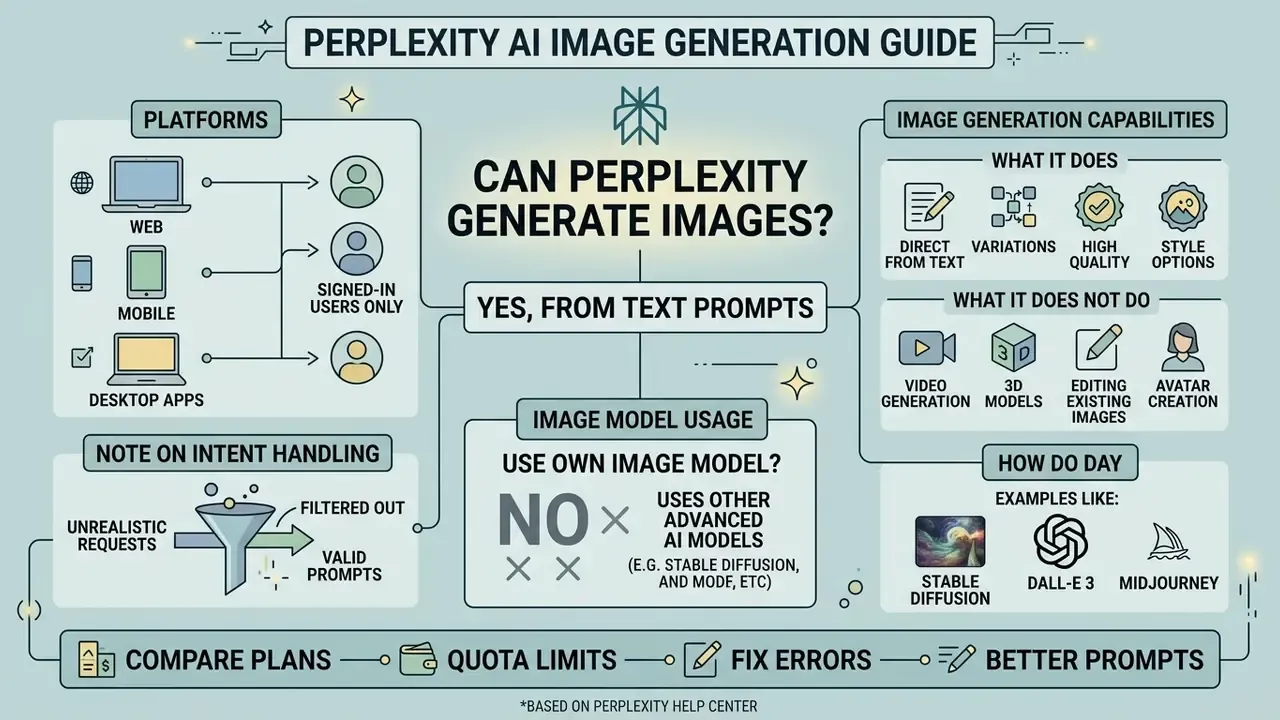
Yes, Perplexity AI can generate images directly from text prompts for signed-in users on web, mobile, and desktop applications. The system processes visual creation requests as enhanced queries, routing instructions to integrated third-party models rather than a proprietary graphics engine (Perplexity Help Center, 2026).
When a user submits a prompt such as "generate an image of a modern office," Perplexity treats the request as an enhanced query inside the standard search input rather than as a separate tool launch. There is no dedicated "Generate image" button in the current interface. The platform reads the instruction from the prompt itself, passes it to an external visual engine, and renders the resulting asset inline within the conversational response thread (Perplexity Help Center, 2026).
Worth separating two things that look alike. Image search returns existing pictures from third party sources on the open web. Image generation creates a new file that did not exist before. Perplexity does both, in different places, and confusing them is the most common reason people think the feature is broken.
Verified functionality snapshot (September 2026)
| Verification item | Status |
|---|---|
| Source | Perplexity Help Center, "Generating Images with Perplexity" and "Can Perplexity generate images?" |
| Platform availability | Active on Web, iOS, Android, Desktop apps, and WhatsApp |
| Access requirement | Signed-in account required; generation unavailable for logged-out sessions |
| Licensing | Free, Pro, and Max personal accounts restricted to non-commercial use |
| Quota behavior | Rolling reset window, not a fixed calendar-day counter |
What Perplexity image generation does and does not do
Does Perplexity use its own image model?
No, Perplexity AI does not use a proprietary graphics engine and relies entirely on external third-party models for visual synthesis. The platform operates as an intelligent routing layer that dispatches prompts to specialized visual models (Perplexity Help Center, 2026).
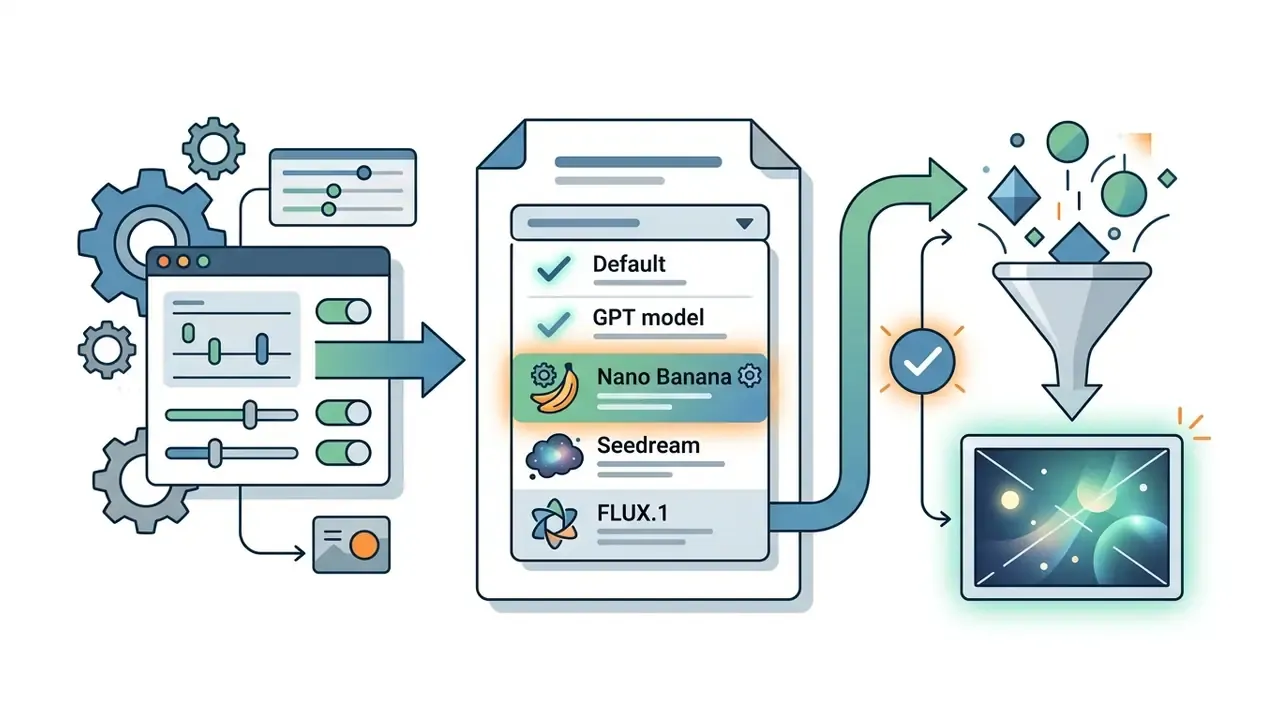
The system interfaces with multiple external AI engines, including GPT Image models from OpenAI, the same family that powers the ChatGPT picture generator, plus Nano Banana and Nano Banana Pro from Google, Seedream 4.5 from ByteDance, and FLUX.1 from Black Forest Labs (Perplexity Help Center, 2026). When set to "Default," Perplexity automatically selects the most suitable model for the specific request. Consequently, visual quality, artifact rates, and rendering speeds depend directly on the chosen external engine rather than on Perplexity's core search infrastructure.
That routing design is also what makes Perplexity attractive as a multi-model front end and awkward as an audit artifact: the same prompt can be served by different engines on different days unless you lock the selector. If model lineage matters to your review process, lock it.
Documentation note: the English Help Center currently lists Default, GPT Image 1, Nano Banana, and Seedream 4.5, while localized versions of the same article additionally list FLUX.1. This is a documentation and locale mismatch rather than a functional difference in the selector.
- Perplexity Help Center, 2026
Who Can Generate Images in Perplexity: Plans, Models and Availability
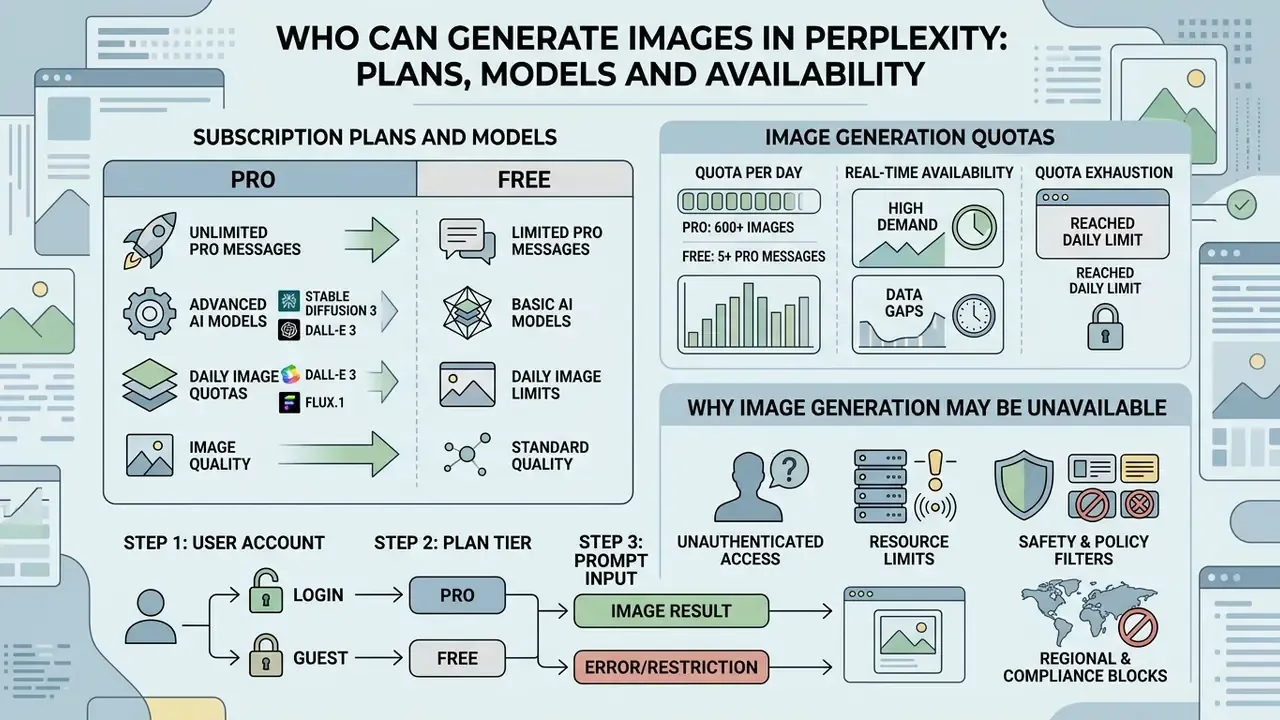
| Subscription Plan | Image Generation Access | Available AI Models | Licensing & Commercial Usage | Recommended Business Use Case |
|---|---|---|---|---|
| Free Plan | Limited generations (rolling quota) | Default routing only | Personal, non-commercial use only | Ad-hoc testing and basic search illustration |
| Pro / Education Pro | Standard high-quality generation access, plus additional medium-quality generations | Default, GPT Image 1, Nano Banana, Seedream 4.5 | Personal, non-commercial use only | Individual research, mood boards, conceptual drafts |
| Max Plan | Expanded high-quality generation quota | Includes Nano Banana Pro and premium engines | Personal, non-commercial use only | High-frequency research and intensive visual ideation |
| Enterprise Pro / Max | Maximum priority quota allocation | Full model suite with custom preference rules | Full commercial usage rights granted | Commercial content production and enterprise workflows |
Read the table as a text summary if you skipped it: free access exists but is limited and unpredictable; Pro and Max unlock model choice and larger quotas yet keep outputs personal; only the two Enterprise tiers grant commercial rights and priority allocation. The licensing column, not the quota column, is the one that governance teams should care about first.
How many images can you actually generate per day?
Perplexity deliberately does not publish a fixed numeric cap. The Help Center states only that access is "limited" on Free, broader on Pro and Enterprise Pro, and most generous on Max and Enterprise Max, and that limits reset on a rolling basis as older generations exit the usage window (Perplexity Help Center, 2026).
For planning purposes, use the following interpretation rather than hard numbers.
| Planning variable | Free | Pro / Enterprise Pro | Max / Enterprise Max |
|---|---|---|---|
| Practical daily volume | A handful of generations per rolling window, suitable only for testing | Sustained day-to-day ideation volume for one analyst | High-frequency, multi-project visual workloads |
| Quality tier | Standard routing | High-quality plus medium-quality overflow | High-quality priority allocation |
| Regeneration cost | Each regeneration consumes quota | Each regeneration consumes quota | Each regeneration consumes quota |
| Predictability for teams | Low (quota may pause mid-session) | Medium | High (priority allocation) |
How to check whether image creation is enabled
You can verify whether image creation is enabled by inspecting account settings and running a basic test prompt in the search interface. The settings panel exposes active model selections for authenticated accounts (Perplexity Help Center, 2026).
To confirm real time feature availability:
- Log into your Perplexity AI account on web or mobile and confirm your signed-in status in the lower-left corner of the dashboard.
- Navigate to Settings > Preferences.
- Locate the Image generation model dropdown menu.
- If options such as Default, GPT Image 1, Nano Banana, or Seedream 4.5 appear, your account has active visual creation capabilities.
- Run a low-risk control prompt (for example, "generate a simple flat vector icon of a blue folder") to confirm the quota is not already exhausted.
That last step costs one generation and saves an hour of guessing. Worth it.
If you need to manage active paid seats, review the options to cancel, downgrade, or switch a plan.
How to Generate Images With Perplexity AI Step by Step
Generating custom images in Perplexity AI requires submitting a structured text prompt directly into the standard search box. The system processes the instruction, selects the appropriate visual engine, and renders the generated asset in the chat thread (Perplexity Help Center, 2026).
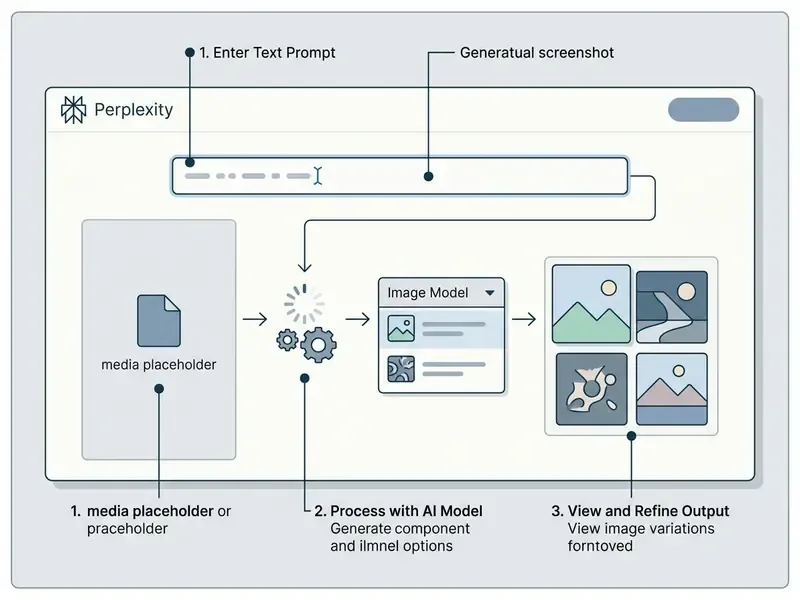
Choose an image-capable AI tool or model
Before submitting visual prompts, select your target generative engine under user preferences to ensure consistent rendering style. You can select models optimized for photorealism, artistic concepts, or rapid prototyping (Perplexity Help Center, 2026).
Navigate to Settings > Preferences > Image generation model. Select Default to let Perplexity match the engine to your prompt, or lock the selection explicitly to GPT Image 1, Nano Banana, Nano Banana Pro (Max and Enterprise Max), Seedream 4.5, or FLUX.1 where exposed. Enterprise administrators can evaluate total seat costs across tools using dedicated calculators to plan infrastructure budgets.
Practical model-selection heuristics:
| Requirement | Recommended selection |
|---|---|
| Mixed text-and-image composition, signage, labels | GPT Image 1 |
| Fast iteration and photographic realism | Nano Banana / Nano Banana Pro |
| Stylized illustration and design-forward concepts | Seedream 4.5 |
| Artistic rendering and texture-heavy scenes | FLUX.1 |
| Unsure or exploratory prompting | Default (automatic routing) |
Write a clear text prompt for the image
To generate high-quality visual outputs, structure your text prompts with explicit details regarding subject, lighting, perspective, framing, and artistic style. Avoid ambiguous commands and specify precise visual attributes. Public-sector AI prompting guidance recommends declaring objective, style, tone, and audience explicitly so the model does not infer them (NIST AI guidance resources, 2026).
Effective prompts explicitly define essential parameters:
- Subject "A high-tech banking data center server rack."
- Style and medium "Photorealistic corporate photography, 35mm lens."
- Lighting and environment "Cool blue ambient LED lighting, clean industrial studio environment."
- Composition "Eye-level centered shot, shallow depth of field."
Combining these elements into a single prompt helps the model capture the intended composition without inventing random background objects. Naming the destination channel also helps: a social media card, a slide, and a whitepaper cover need different framing, and the model will guess if you stay silent. If you are still deciding which platform fits your pipeline, compare options among free AI image generators driven by text prompts before committing to a paid seat.
Review, refine and regenerate the result
Once Perplexity renders the visual output, evaluate the image for structural accuracy, visual artifacts, and style compliance. If adjustments are required, refine the instruction or initiate a regeneration within the current conversation thread (Perplexity Help Center, 2026).
Click Regenerate below the rendered image to produce an alternative variation using the original prompt. To make targeted corrections, enter a follow-up instruction in the chat box, such as "Generate the same scene but shift the lighting to warm morning sunlight." Change one variable per iteration (lighting, camera angle, or palette) so you can attribute the improvement to a specific edit. And remember that every regeneration attempt counts against your account's rolling usage cap.
How to Generate Perplexity AI Images on WhatsApp
Perplexity AI allows signed-in and mobile users to generate visuals directly inside WhatsApp without installing any additional application. This channel is the fastest route for teams that already coordinate client communication in chat.
To set up and generate images via WhatsApp:
[COPYABLE_PROMPT]

Generate an image of a watercolor mountain landscape at sunset
[COPYABLE_PROMPT]

Create a flat vector logo concept for a specialty coffee shop, warm brown and cream palette
Practical constraints to plan around:
- Image generation over WhatsApp consumes the same rolling daily quota as web and app usage.
- Advanced model locking (for example, forcing Seedream 4.5 or Nano Banana Pro) must be configured in Settings → Preferences → Image generation model on the primary web application before sending WhatsApp prompts.
- The assistant returns one image per prompt. Request variations sequentially rather than as a batch.
- Chat delivery is convenient for review and approvals, but WhatsApp compression makes it unsuitable as a final production export path. Download and re-check the asset at full size before publishing.
- Licensing does not change by channel. Outputs created from a personal Free, Pro, or Max account remain non-commercial regardless of whether they were generated in WhatsApp or on the web.
- Save the official Perplexity AI WhatsApp business contact: +1 (833) 436-3285.
- Open WhatsApp, locate the saved contact, and start a new conversation thread.
- Send a direct natural-language visual request using standard triggers, such as:
- The bot processes the query using the active thread context and returns an inline media asset directly in the chat window.
- Refine in the same thread with short follow-ups: "make it more colorful," "add a sunset background," or "switch to a minimalist pixel-art style."
Typical use cases include product highlight cards for catalog sharing, quote or announcement banners, quick FAQ visuals, event reminders, and educational explainer graphics produced during a live client conversation. For channel-specific setup details and limits, see our notes on WhatsApp AI image generation features.
Using image references and multimodal inputs
Perplexity AI supports multimodal query analysis, allowing users to attach visual references that guide the output context instead of relying on text alone.
[COPYABLE_PROMPT]
Analyze the visual composition, palette, and lighting of this reference layout,
then generate a new illustration of an eco-friendly modular house in the same artistic style.
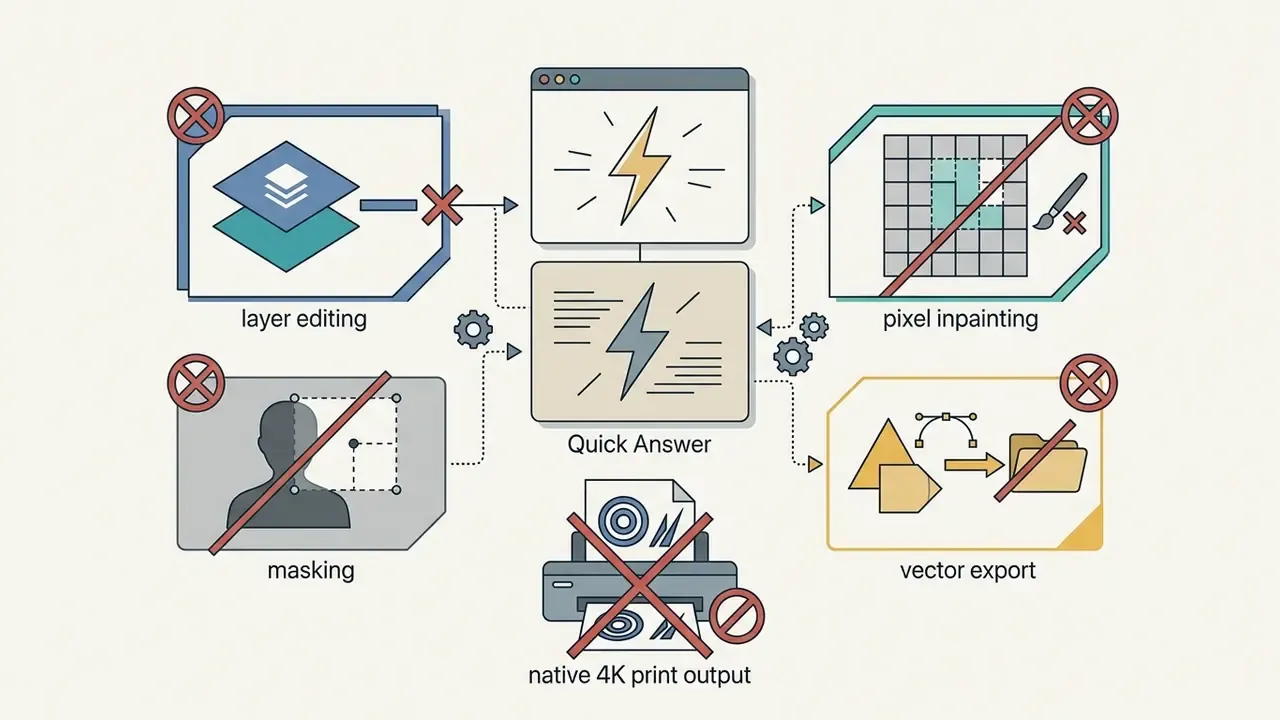
Two important boundaries apply. First, reference uploads influence style, composition, and subject interpretation; they do not enable mask-based inpainting or pixel-accurate replacement of a selected region. Second, uploaded assets are analysed as context. Perplexity's documentation separates image upload and analysis from image generation, so a reference photo is an input signal, not an editable canvas. Workflows that require element-level correction should export the generated result and finish it in a dedicated editor.
- Click the Attach (paperclip) control in the Perplexity query interface.
- Upload your baseline image, reference layout, or chart (PNG, JPEG, WebP).
- Enter a targeted transformation prompt, for example:
- The routing layer extracts semantic attributes from the uploaded asset and applies them during rendering through supported multimodal engines such as Nano Banana Pro or GPT Image 1.
How to Write Better Prompts for Perplexity Image Generation
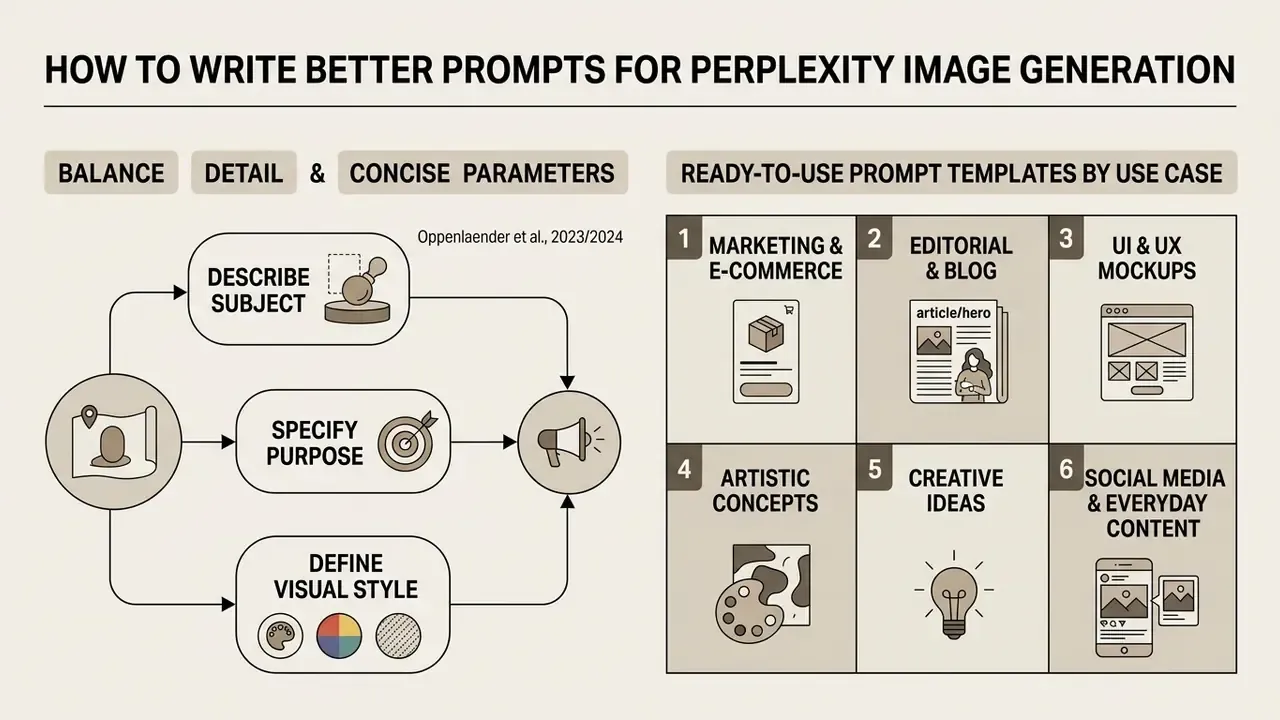
Writing effective visual prompts means balancing subject detail with concise stylistic parameters. Prompt engineering behaves like a learned operational skill: descriptive clarity yields predictable, high-fidelity visual outputs.
This finding explains why two users with identical intent produce very different outputs. The limiting factor is rarely the model. It is the absence of precise stylistic terminology (medium, lens, lighting model, palette, era, render engine) in the prompt itself.
Describe the subject, purpose and visual style
A complete visual prompt must communicate the intended business objective, visual style, and core subject matter. Defining the operational context prevents the underlying model from generating generic stock art. Research on text-to-image prompting also shows that outputs improve when prompts foreground subject and style keywords rather than connective language (Oppenlaender et al., arXiv, 2023/2024).
When creating assets for external channels or corporate publications, specify the exact medium and formatting constraints. For instance:
- Editorial illustration: "Isometric vector illustration of a digital secure vault, minimalist style, corporate blue color palette, suitable for a financial whitepaper."
- Marketing visual: "Clean studio product shot of a metallic keycard on dark slate, dramatic side lighting, high contrast, framed for a digital presentation."
When evaluating vendor options for creative design assets, organizations frequently compare specialized AI Media Alternatives by Reason to match specific pipeline requirements.
Ready-to-use prompt templates by use case
To keep output quality consistent across deployment styles, apply these tested prompt structures. Each block is copy-ready.
- Marketing and e-commerce product shots
[COPYABLE_PROMPT]
Studio product photograph of a matte black stainless steel water bottle on a light granite pedestal,
soft warm directional studio lighting, 85mm lens, high contrast, clean seamless background.
- Editorial and blog hero illustrations
[COPYABLE_PROMPT]
Flat vector illustration of a team analyzing data charts on a holographic display,
corporate blue and pastel palette, modern tech aesthetic, clean lines, white background.
- UI and UX visual mockups
[COPYABLE_PROMPT]
Isometric 3D render of a mobile fintech application dashboard floating over a dark backdrop,
glowing neon blue elements, soft shadows, clean product design presentation.
- Artistic and creative concepts
[COPYABLE_PROMPT]
Watercolor painting of a quiet library filled with floor-to-ceiling bookshelves,
warm sunlight streaming through arched glass windows, detailed brushstrokes, cozy atmosphere.
- Social media and everyday content
[COPYABLE_PROMPT]
Cartoon-style orange cat sitting on a windowsill with a city skyline at dusk in the background,
bright cheerful palette, thick outlines, square 1:1 framing for a social post.
- Concept sketch for product development
[COPYABLE_PROMPT]
Pencil-sketch concept drawing of a compact foldable delivery robot, three-quarter view,
annotated proportions, neutral grey paper texture, early-stage industrial design study.
Style modifiers worth keeping in your team's prompt library: digital art, pencil sketch, 3D render, watercolor, pixel art, cinematic lighting, flat design, minimalist, dark and cinematic, bright and cheerful.
Use Perplexity research context to refine the image
Perplexity AI lets users research subject matter, gather technical terminology, and apply those insights to visual prompts inside the same thread. This research-first workflow raises prompt fidelity because it borrows verified factual context from the AI search answer (Perplexity Help Center, 2026).
For example, ask Perplexity to analyze current architectural trends in sustainable commercial buildings. Take the technical terms returned in the search answer, such as "cross-laminated timber, biophilic vertical gardens, triple-glazed glass facade," and insert them directly into your follow-up image prompt. Feeding factual research into visual descriptions produces more accurate technical representations, and it converts the model's generic priors into domain-specific vocabulary, which is precisely the gap the arXiv prompt-engineering study identified.
A repeatable three-step loop:
- Researchask for the current terminology, materials, or visual conventions of the subject.
- Extractcopy the five to eight most concrete nouns and modifiers from the cited answer.
- Generatepaste them into a prompt that also declares medium, lighting, composition, and intended use.
Why Can't Perplexity Generate My Image?
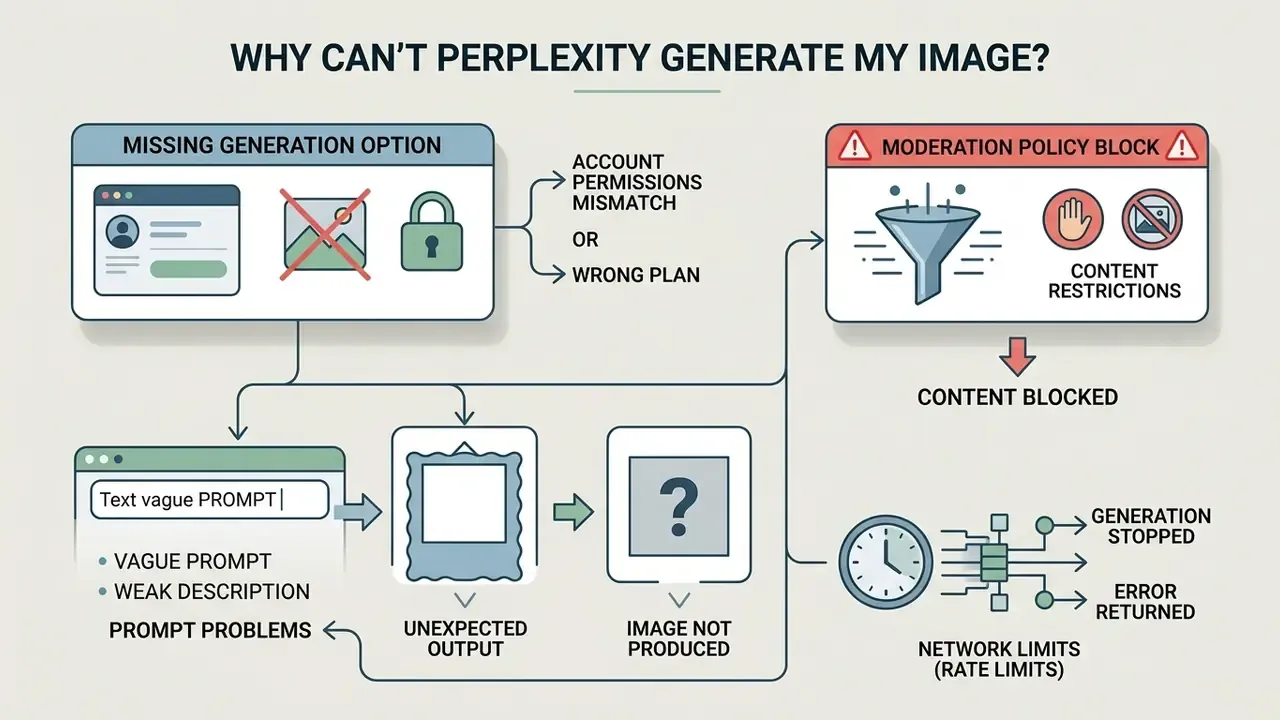
Image generation failures stem primarily from account permission mismatches, vague prompt construction, moderation policy blocks, or network rate limits. Perplexity's own troubleshooting documentation narrows most failures to three causes, namely moderated content, an unstable connection, or a technical issue on the provider side, while access and quota state explain the remainder (Perplexity Troubleshooting Guide, 2026).
Diagnostic sequence for resolving Perplexity image generation errors
| Step | Check | If the answer is "no" |
|---|---|---|
| 1 | Are you signed in to an active account? | Sign in. Generation is disabled for logged-out sessions |
| 2 | Does your plan still have rolling quota available? | Wait for the rolling reset or upgrade the seat |
| 3 | Is the prompt free of moderated, explicit, or trademarked terms? | Rewrite the prompt and remove restricted terms |
| 4 | Is a valid model selected in Settings → Preferences? | Reset the selector to Default |
| 5 | Is the network connection stable and the service operational? | Reconnect, refresh the session, then file a bug report |
Five checks, in that order. Most tickets die at step two.
Image generation is missing from the interface
If visual creation options do not appear, verify that you are currently signed into an active account and using a supported interface version. The platform requires authenticated sessions for all asset generation tools (Perplexity Help Center, 2026).
First, confirm your authentication status in the lower-left corner of the dashboard. Next, review account plan details under settings. If your account is on the free Standard tier, visual generation caps may have been reached, temporarily suppressing output until the rolling usage window resets. Note as well that the interface no longer requires a separate generate button. If you are hunting for a missing control, the current expected behavior is prompt-first generation, so type the request instead of searching for a toggle.
The prompt does not produce the expected AI image
When a generated asset diverges from your intent, the prompt often suffers from semantic ambiguity or competing stylistic instructions. Generative models struggle with conflicting descriptions inside a single prompt, and prompt overfitting can let one dominant keyword override the rest of the scene.
Generation stops or returns an error
Generation halts and system error notices typically signal automated moderation blocks, network connectivity disruptions, or platform rate limits (HTTP 429). Reviewing prompt language and network status resolves most processing issues. Standards guidance recommends returning a comprehensible error to the user, logging the event, and applying quotas and throttling to prevent repeats (OWASP Top 10 2025, Mishandling of Exceptional Conditions).
If the system returns an error message:
Perplexity vs Dedicated AI Image Generators
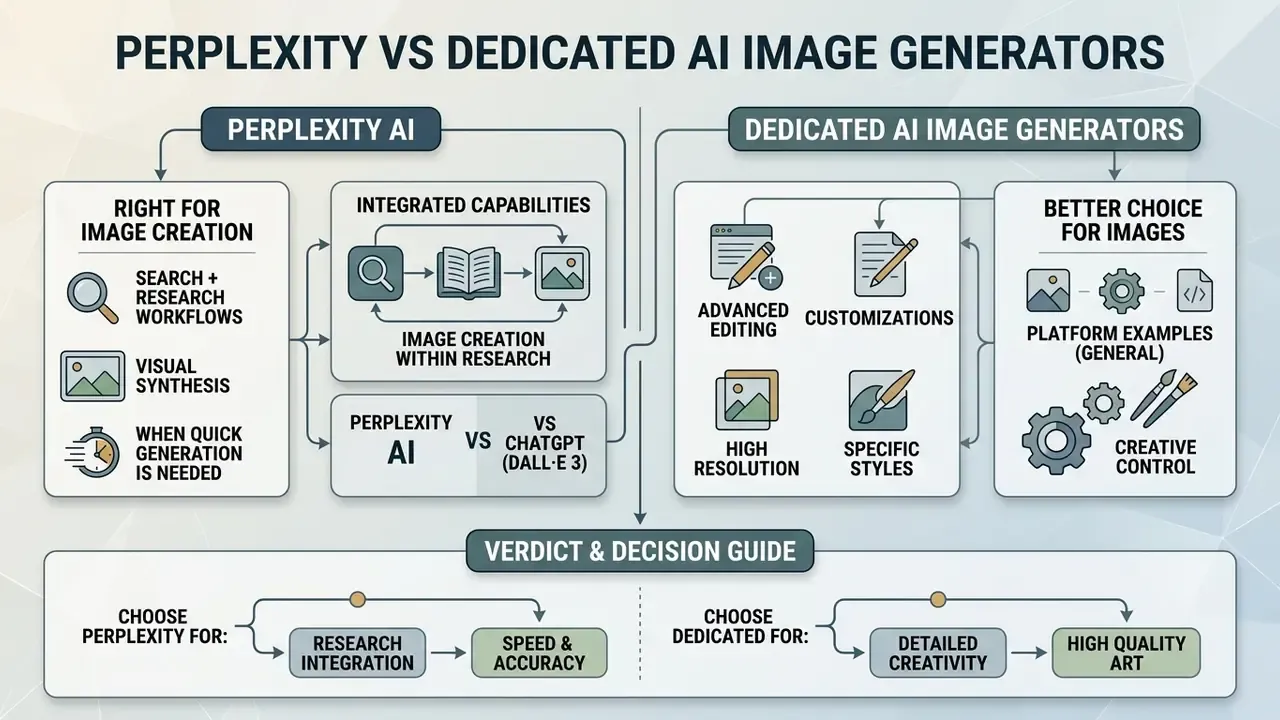
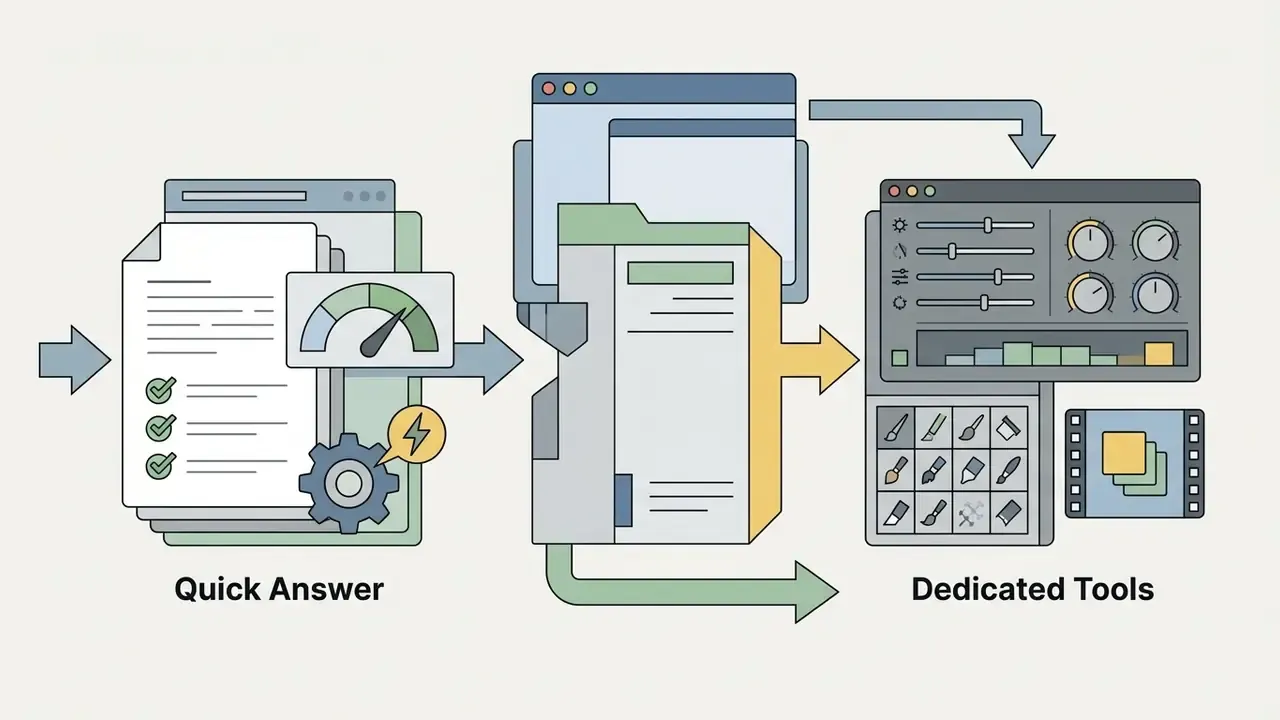
Perplexity AI folds visual synthesis into search and research workflows. Dedicated platforms focus strictly on high-resolution rendering, precise canvas control, and advanced raster editing. Choosing between them depends on workflow requirements (Perplexity Help Center, 2026).
Table: feature comparison, Perplexity AI versus dedicated AI image generators
| Operational Metric | Perplexity AI | Dedicated Image Generators (Midjourney, DALL·E) |
|---|---|---|
| Core focus | Search-grounded research and visual ideation | Standalone visual asset creation and editing |
| Context integration | Direct integration with real time web search findings | None (requires manual external prompt preparation) |
| Pixel-level control | Basic prompt adjustments and complete regeneration | Advanced inpainting, outpainting, masking, layers |
| Model flexibility | Multi-model selection (GPT Image 1, Nano Banana, Seedream, FLUX.1) | Single proprietary engine optimization |
| Quality parameters | No explicit quality or chaos flags; controlled through prompt wording | Explicit flags such as Midjourney's --quality, --raw, --chaos |
| Enterprise commercial rights | Restricted to Enterprise Pro and Enterprise Max plans | Standard across most professional paid subscription tiers |
The short version of the table: Perplexity wins on context and model choice, loses on canvas control and licensing simplicity. A dedicated ai image generator wins on precision and export, loses on research grounding. Neither is strong everywhere.
For context on how the leading standalone engine handles style control and licensing, see our evaluation of Midjourney as an AI image generator.
When Perplexity is the right tool for image creation
Perplexity AI works well when visual assets must directly reflect real time web research, market trends, or cited textual analysis. The unified interface removes context-switching between search tools and visual generators (Perplexity Help Center, 2026).
Ideal deployment scenarios include:
- Creating illustrative visual concepts during live market research.
- Generating quick editorial images based on cited news threads.
- Drafting conceptual mockups for internal presentation slides.
- Exploring trend visuals alongside active search analysis.
- Producing social media explainers that make an abstract idea legible inside a research answer.
Think of it as a visual sketchpad attached to an answer engine: fast, original, and context-aware, but not a replacement for a production design suite.
When a dedicated image generation platform is a better choice
A dedicated image generation platform becomes necessary when production requires exact canvas dimensions, high-resolution print exports, brand-locked design systems, or API automation (OpenAI image generation documentation, 2026). If you are shortlisting alternatives, start with our comparison of the best AI image generators.
Move to a dedicated platform when your project demands:
- Native 4K or multi-megapixel export options for physical print and billboard displays.
- Inpainting masks to edit specific pixels within an existing asset.
- Character reference locking for consistent recurring subjects across a series.
- Precise typographic controls and vector format exports.
- Automated high-volume asset synthesis via REST APIs, batch jobs, or asynchronous queues.
- Brand-sensitive assets that must pass a design system review, not just a plausibility check.
Direct comparison: Perplexity AI vs ChatGPT (DALL·E 3)
Both platforms lean on OpenAI image models, yet their architectural integration serves fundamentally different operational workflows.
| Feature / Metric | Perplexity AI Image Suite | ChatGPT (DALL·E 3 / GPT Image) |
|---|---|---|
| Underlying engine routing | Multi-model (GPT Image 1, Nano Banana, Seedream 4.5, FLUX.1) | Single-engine focus (OpenAI native image models) |
| Search context integration | Real time web search grounding with citation synthesis | Limited to conversation thread context |
| Canvas and inpainting control | Prompt-based full-image regeneration only | Native inpainting, selection masking, element editing |
| Model switching | Manual override or automated dynamic routing | Fixed model architecture |
| Speed profile | Optimized for fast in-search rendering | Slightly slower, tuned for artistic fidelity |
| Commercial rights | Enterprise Pro and Enterprise Max only | Governed by OpenAI's consumer and business terms |
| Target use case | Research illustration, factual mockups, fast ideation | Deep artistic direction and granular asset refinement |
Verdict. Choose Perplexity AI when visual concepts must align with real time factual research and you want the image produced inside the same answer thread. Choose ChatGPT when your workflow demands direct pixel manipulation, localized canvas edits, and iterative art direction. For a deeper side-by-side test of output quality, access, and pricing, see our review of the ChatGPT picture generator.
Can You Use Perplexity-Generated Images Commercially?
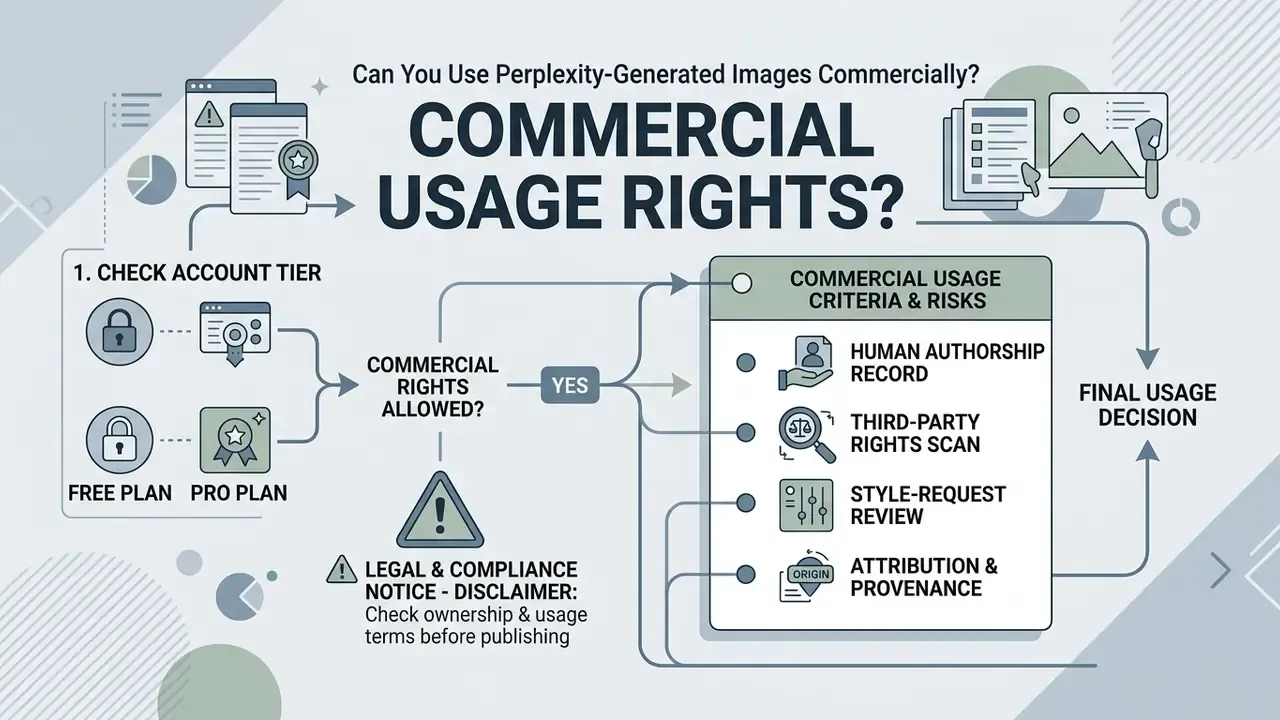
Commercial usage rights for Perplexity-generated images depend strictly on your account tier and governing terms of service. Images generated under individual consumer plans are restricted to personal, non-commercial use (Perplexity Help Center, 2026).
⚠️ Legal and compliance notice. Outputs created on Free, Pro, and Max individual accounts are licensed for personal, non-commercial use only. Commercial utilization, including marketing campaigns, commercial publishing, and client deliverables, requires an Enterprise Pro or Enterprise Max agreement. Under Perplexity's enterprise and API terms, the customer owns the output and Perplexity asserts no ownership rights. Consumer terms instead state only that Perplexity does not claim ownership in user content, which is not the same thing as an affirmative commercial licence.
Common misconception to avoid: several third party articles claim that commercial rights "depend only on the underlying model" (OpenAI, Google, ByteDance). That framing is incomplete. Even if a model provider permits commercial output, Perplexity's own service terms bind your usage, and personal tiers do not grant commercial rights.
Check ownership and usage terms before publishing
Before publishing or distributing generated images, verify that your account tier grants explicit commercial rights and that outputs do not infringe third-party intellectual property. Contractual terms of service govern commercial authorization boundaries.
Under current US Copyright Office rulings, purely synthetic images created without substantial human creative authorship cannot claim federal copyright registration. Protection extends only to human-authored contributions, and AI-generated material beyond a de minimis threshold must be excluded from a registration claim (US Copyright Office AI guidance, 2023).
Organizations using generated visuals in commercial campaigns should document human creative contributions, prompt design iterations, and post-processing modifications to establish defensible intellectual property boundaries. Before you publish or sell an asset, walk the following checklist:
Teams building repeatable commercial pipelines should also review our guidance on the commercial use of AI image generators and confirm plan compliance on the official AI Media Pricing page.
- Tier check
- confirm the generating account is Enterprise Pro or Enterprise Max if the use is commercial.
- Human authorship record
- archive prompts, iterations, and manual edits that demonstrate creative control.
- Third-party rights scan
- verify the output does not reproduce a recognizable protected work, trademark, logo, or identifiable person.
- Style-request review
- avoid prompts that name living artists or protected brand styles.
- Attribution and provenance
- retain generation metadata and, where policy requires it, label the asset as AI-generated.
- Jurisdiction check
- confirm requirements in each market where the asset will be distributed.
Review images for brand fit and accuracy
All AI-generated visuals should pass manual human verification for physical distortions, brand inconsistencies, and factual inaccuracies before public release. Transparency and provenance frameworks treat AI-generated or manipulated imagery as content that can falsely appear authentic, which is why a documented human sign-off step is required (European Commission Code of Practice on Disinformation).
Illustrative scenario (composite example, not a named client case). A customer-portal team generating synthetic illustrations of a mobile banking interface receives an output in which the on-screen labels render as garbled pseudo-text, one of the most common artifacts across image engines. A mandatory pre-publication review catches the defect before release, and the graphic is corrected in a standalone AI photo editor rather than regenerated blindly. This example illustrates the control. It is not a verified customer case.
Mandatory pre-publication review checks:
- Brand standard alignmentverify corporate color hex codes, logo usage, and visual tone against the approved style guide. Teams producing identity assets should also review guidance on AI logo generator output and clean export rules before shipping a mark.
- Structural and anatomical inspectioncheck for visual artifacts, warped background elements, deformed limbs, inconsistent shadows, and distorted text.
- Factual integritymake sure rendered technical diagrams and environment details represent real-world subjects accurately.
- Provenance and labelingrecord which model produced the asset and apply AI-generated labeling where policy or regulation requires it.
- Watermark verificationensure production assets conform to clean export standards using an approved watermark generator workflow when applicable.
FAQ: Errors, Limits and Access
Is Perplexity image generation free?
There is limited access on the Free plan. Perplexity's Help Center describes Free as having limited generations, while the plan-comparison page marks image generation as a paid feature, a known documentation mismatch. Treat Free as testing-grade access only.
Do I need a Perplexity account to generate images?
Yes. Generation is available only to signed-in users. Logged-out sessions cannot produce images on any platform, including WhatsApp-linked usage.
Why do I see a content policy or moderation message?
The prompt contains explicit, restricted, or trademarked terms. Rewrite the description, remove named brands, celebrity likenesses, and sensitive content, then resubmit.
What does "quota exceeded" or an HTTP 429 response mean?
Your rolling image allowance is exhausted, or requests were sent too quickly. Pause, wait for the rolling window to refresh, and use exponential backoff in any automated workflow instead of immediate retries.
Does a regeneration count against my limit?
Yes. Every regeneration attempt consumes quota, which is why single-variable prompt edits are more economical than repeated blind regenerations.
Can Perplexity edit an existing photo?
No. It does not offer masking, inpainting, or layer-based editing. Uploaded images act as multimodal references for a new generation, not as an editable canvas.
Can Perplexity generate several images at once?
Practically, no. Expect one image per prompt. Request variations sequentially, or use a dedicated platform with batch and asynchronous APIs for volume work.
Which model should I pick for images containing text?
GPT Image 1 usually handles text-forward compositions better, but always inspect rendered lettering manually before publication.
Can I use the images in a client deliverable?
Only under an Enterprise Pro or Enterprise Max agreement. Free, Pro, and Max personal outputs are non-commercial.
Is there an official Perplexity image generation API for consumers?
No consumer-facing image generation API is documented for personal plans. Automation requirements should be routed through dedicated image APIs designed for programmatic generation.
Where do I change the image model?
Settings → Preferences → Image generation model, then choose Default, GPT Image 1, Nano Banana, Seedream 4.5, or FLUX.1 where available. Max and Enterprise Max accounts also see Nano Banana Pro.
Why did generation work yesterday and fail today?
The three documented causes are moderated prompt content, an unstable connection, and a temporary technical issue on Perplexity's side, plus quota state, which fluctuates with a rolling window rather than a calendar reset.
Verification Note: Third-Party "Perplexity Image" Lookalike Services
Search results for this topic include third party sites marketed as a "Perplexity image generator" that advertise up to 4K export, credit bundles, batch generation, and API access. These are independent wrapper products, not Perplexity AI features. Perplexity's official documentation does not describe a native 4K export path or a consumer image-generation API, and Perplexity's licensing rules, not a reseller's marketing page, determine whether your output may be used commercially.
Before purchasing any such service, apply three verification checks:
- Domain provenanceconfirm the domain is owned and operated by the vendor whose brand it uses. Unresolved DNS records, missing registry data, or absent corporate identity are disqualifying signals.
- Licence chainask which upstream model provider issues the commercial licence, and obtain that statement in writing rather than as a feature bullet.
- Capability paritycompare advertised features against the upstream provider's published documentation. Claims that exceed the documented capability of the underlying platform should be treated as unverified.
Risk teams should treat unverified external domain claims as hypothetical until primary documentation confirms them.
About This Guide
This guide is maintained by the AI Media editorial team and reviewed for governance and licensing accuracy by Marcus Hale, AI Governance and Model Risk Editorial Lead . Factual claims are sourced from Perplexity's Help Center (2026), US Copyright Office AI guidance (2023), OWASP Top 10 (2025), NIST developer guidance, European Commission transparency frameworks, and peer-reviewed prompt-engineering research. Platform behavior, model availability, and quotas are provider-controlled and may change without notice. Verify current terms in your account before production deployment.
Enterprise Resource and Support Hub
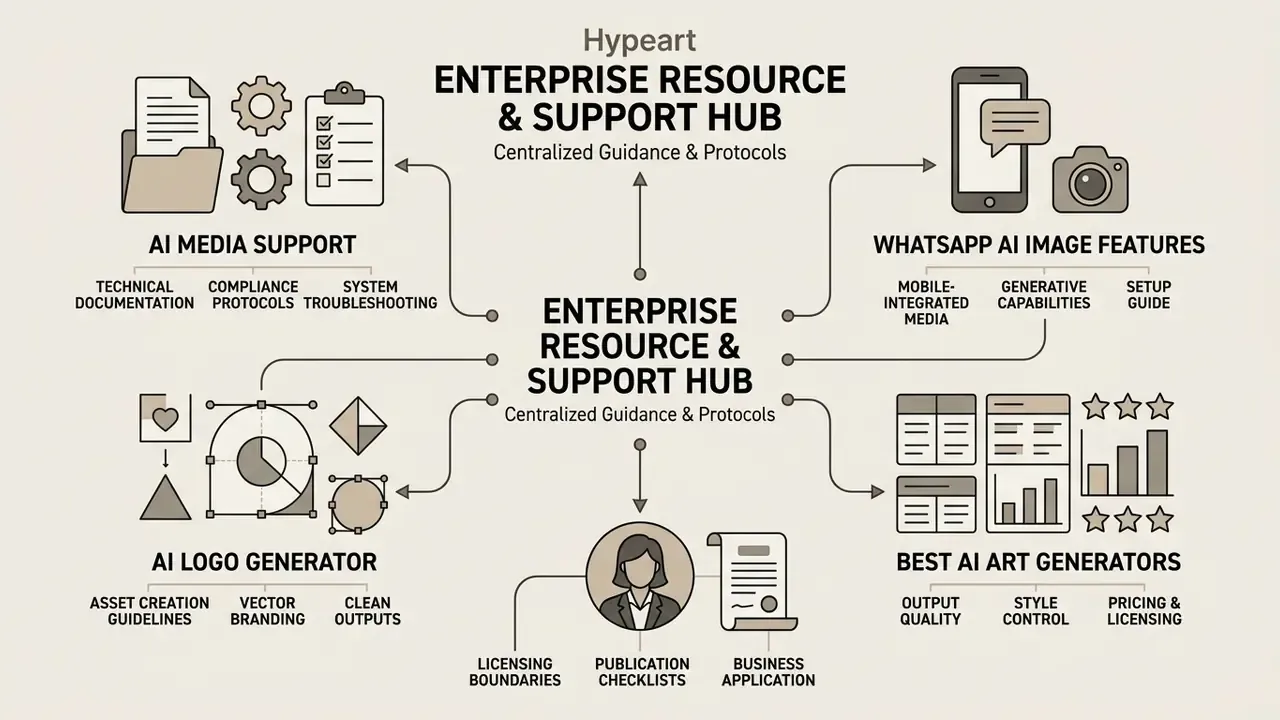
To review additional integration guidance, platform security controls, and operational troubleshooting protocols, consult our central resources:
- AI Media Support and Troubleshooting for central technical documentation, compliance protocols, and system troubleshooting workflows.
- WhatsApp AI Image Generation Features for mobile-integrated generative media capabilities and setup guidelines.
- AI Logo Generator Free Without Watermark for asset creation guidelines covering vector branding and clean output workflows.
- Best AI Art Generators Compared for output quality, style control, pricing, and licensing across leading platforms.
- Commercial Use of AI Image Generators for licensing boundaries and publication checklists for business deliverables.