Why does any of this belong in a governance conversation? Because a design tool that touches unreleased packaging, customer photographs, and published advertising claims is not just a toy. It is a model in production.
Last updated: June 2026. Testing methodology, model nomenclature verification, and governance references are documented in the E-E-A-T protocol and Appendix A at the end of this article.
Executive Summary for Decision-Makers
| Question | Short Answer |
|---|---|
| What is it? | Image generation and editing executed natively inside ChatGPT, powered by OpenAI's multimodal image model family (GPT-4o native image generation, gpt-image-1, GPT Image 2, and the ChatGPT Images 2.x line documented in OpenAI's 2026 developer materials). |
| How do you control it? | Structure prompts from macro to micro (scene, subject, key details, framing, constraints) and attach reference images with explicit roles: "use image 1 for style, image 2 for subject". |
| Where does it excel? | Readable in-image typography, diagram and layout logic, conversational multi-turn editing, and fast mockup ideation (typical render latency of 5 to 15 seconds). |
| Where does it fail? | Exact aspect ratios, precise replication of real physical products and real-world landmarks, deterministic reproducibility, and abstract fine-art styles where Midjourney remains stronger. |
| Biggest enterprise risks? | Shadow AI uploads of confidential visual assets, unclear copyright status of AI-only outputs, and product misrepresentation in commercial mockups (false advertising exposure). |
| Free vs paid? | Free tiers historically cap image creation at roughly two images per day with restricted sizes; production workflows require paid or API access for resolution control, multi-image conditioning, and retention settings. |
| Governance requirement | Log the prompt, model version, reference inputs, and output settings for every published asset. Treat visual generation as a model under management, not as a design toy. |
What Is a ChatGPT Art Generator and How It Creates Images
A chatgpt art generator is a conversational system that turns natural language instructions into synthesized visual media through integrated image generation models. Instead of sending requests to external software, the system processes text prompts and uploaded visual files natively inside the conversation. Users can refine an ai image interactively, requesting targeted modifications without restarting the visual generation pipeline from scratch.
ChatGPT Image Generation and Refinement Flow
- Input submission.The user enters text prompts or uploads reference images into ChatGPT.
- Model routing.ChatGPT routes the request to an image model in the GPT Image family. In the API this choice is explicit, with fast variants prioritized for iteration and high-fidelity variants for production output.
- Visual synthesis.The underlying AI models generate an AI image conditioned jointly on the text instruction and the visual inputs.
- Conversational refinement.The user requests targeted adjustments, either by selecting a region or by describing the change in chat, to produce a refined new image through multi-turn dialogue.
- Export and logging.The approved asset is downloaded, and the prompt, model version, and reference inputs are recorded for audit and reuse.
Artistic context: from algorithmic rule-sets to multimodal diffusion. Generative visual AI belongs to a six-decade tradition of algorithmic art. The earliest widely cited computer-generated artworks date to the 1960s, when computer scientist and painter Harold Cohen built AARON, a rule-based system that produced complex abstract drawings from hand-authored expert rule-sets. Modern ChatGPT image generation replaces hardcoded rules with learned neural latent spaces, shifting the creator's role from writing logic statements to directing natural-language prompts and reference conditioning. The conceptual questions AARON raised (authorship, signature, the value of process) remain unresolved, and they now drive copyright policy debates around AI-only artwork.
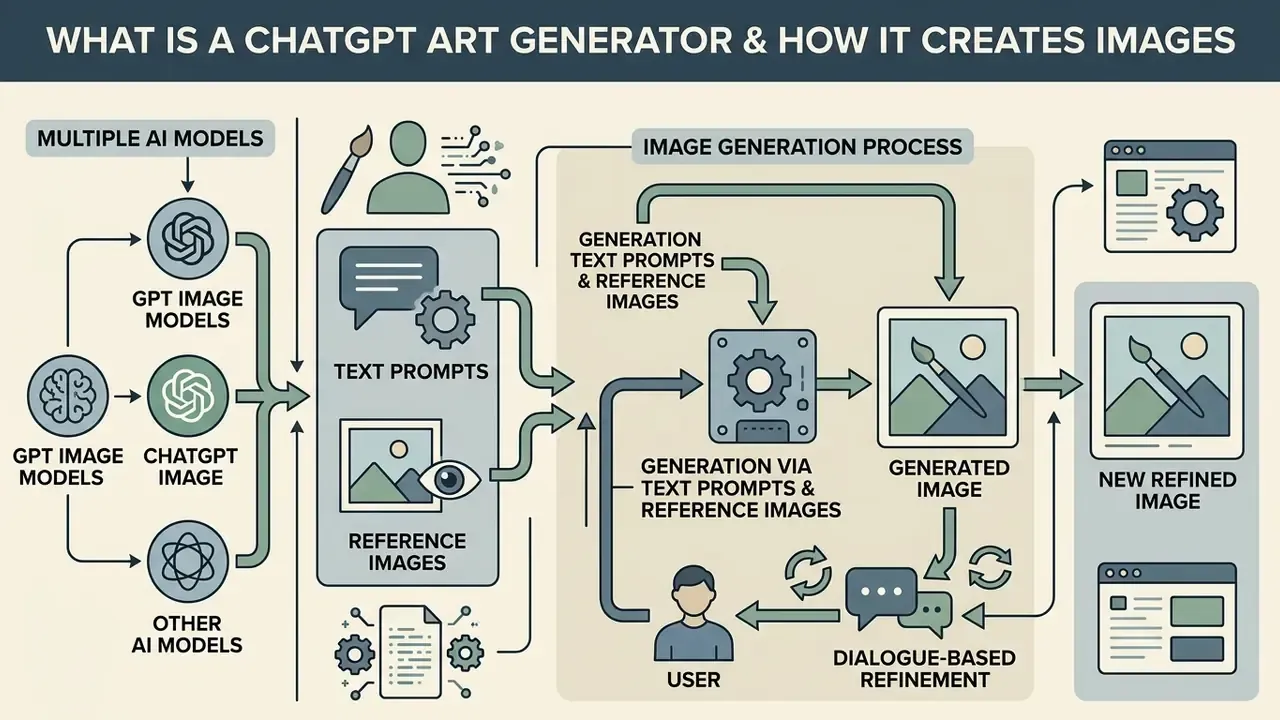
ChatGPT Image, GPT Image, and Other AI Models
The term chatgpt image refers to the user-facing product interface inside ChatGPT, whereas gpt image identifies the underlying neural network model family accessible via API or enterprise endpoints. The distinction is operationally important. The ChatGPT surface hides model selection and applies product-level safety defaults, while the API layer exposes explicit model identifiers, size parameters, and quality flags that can be version-pinned for audit.
Updated, verified model nomenclature. Inside the OpenAI ecosystem, image generation is driven natively through multimodal models rather than a detached image service. Historically, ChatGPT called DALL·E 3 as an external generator; OpenAI then replaced that flow with native GPT-4o image generation (announced March 2025), exposed it in the API as gpt-image-1 (April 2025), and subsequently documented GPT Image 2 as a state-of-the-art model for fast, high-quality generation and editing with flexible sizes and high-fidelity image inputs. OpenAI's 2026 developer documentation additionally describes the ChatGPT Images 2.x line, including a speed-oriented variant (gpt-image-2.5-flare) and a top-quality variant (gpt-image-2.5-sunburst) with xhigh and max quality levels. Because OpenAI's model list changes frequently, confirm the currently published model identifiers in the official API model reference before hard-coding them into a production pipeline. Always. That one habit prevents a surprising number of broken nightly jobs.
When comparing these against external engines such as Google Gemini native image generation (publicly nicknamed "Nano Banana," spanning Gemini 2.5 Flash Image through Gemini 3 Pro Image), Midjourney v6/v7, or FLUX.1 / FLUX.2, enterprise teams must weigh rendering speed against strict prompt fidelity, reference-image handling, and licensing terms. Organizations evaluating platform capabilities often compare these direct model deployments against external options when reviewing AI image generators and the broader AI Media Comparison Matrices.
| Layer | Name used | What it actually is | Where you control it |
|---|---|---|---|
| Product surface | ChatGPT Images | Chat-based creation and editing on web, iOS, and Android | Prompt text, region selection, uploads |
| Model family | GPT Image (gpt-image-1, GPT Image 2, 2.5 variants) | Native multimodal generation and editing models | model, size, quality, background, output_format |
| Legacy generator | DALL·E 3 | Separate diffusion endpoint previously invoked from chat | size (1024×1024, 1792×1024, 1024×1792), quality (standard, hd) |
| Competing stack | Gemini "Nano Banana" | Google's native Gemini image generation and conversational editing | Gemini API, AI Studio, Vertex AI |
Generation via Text Prompts and Reference Images
Creating chatgpt ai art relies on structured text prompts that specify scene elements, subject placement, visual medium, and lighting parameters. When users upload reference images, the model extracts composition, color palettes, or subject attributes to guide the new output. OpenAI's own prompting guidance recommends ordering instructions as background and scene, then subject, then key details, then constraints, and labeling multi-image inputs by index and role so the model knows which reference supplies style and which supplies subject.
Updated, evidence for mixed text-and-image conditioning:
«Mixed-initiative systems that automatically refine prompts and visualize attention maps help novices reach higher-quality images in fewer iterations.»
Research on multi-attribute inversion reinforces the same practical rule. A single reference image can be decomposed into separable controls (color, style, object, composition), which is exactly why explicit role labeling such as "use image 1 only for palette" outperforms vague instructions like "make it look like this."
Dialogue-Based Refinement of a New Image
Iterative visual editing lets users adjust an existing ai generated output by describing specific changes in the conversation panel. The system retains contextual memory across turns, so you can modify background elements, lighting, or object placement while preserving the core subject. OpenAI states that its newer image models follow editing instructions more reliably across multiple turns and better preserve subjects taken from reference photos. The ChatGPT editor supports two paths: select a region and describe the change, or skip selection and describe the edit directly in chat.
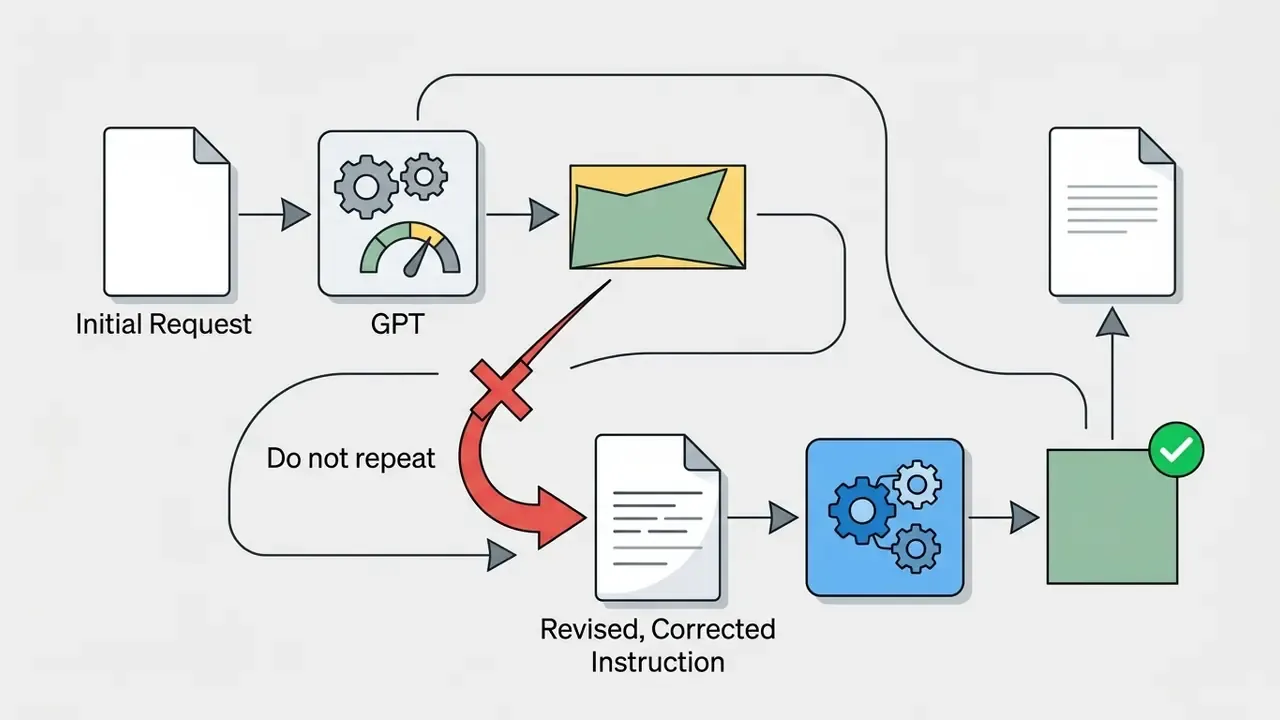
When evaluating whether can chatgpt generate consistent multi-frame outputs, this dialogue-driven process removes the need to re-render the entire image, which matters for teams planning commercial use of AI image generators at campaign scale. One practical caveat applies: conversational memory is a benefit until it becomes a liability. Once a bad artifact enters context, repeating the instruction tends to reinforce it. The recovery protocol for that failure mode is documented below.
How to Use ChatGPT for AI Art Generation
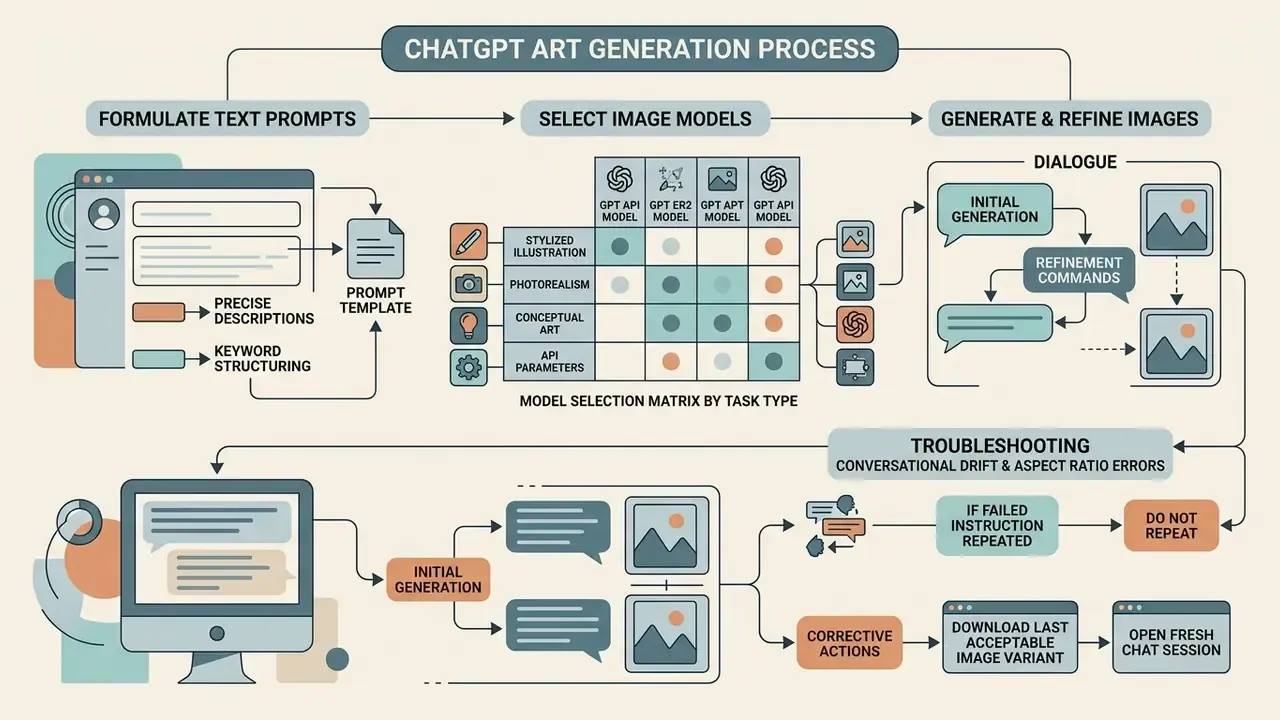
Using a chatgpt art generator effectively requires structuring clear text prompts, selecting appropriate image models, and applying iterative refinement commands. A systematic creation protocol minimizes unaligned outputs and reduces token consumption during visual generation workflows.
Formulate Text Prompts for Precise Results
Effective text prompts ground the request in explicit scene parameters, subject actions, visual medium, and lighting conditions. Industry guidance recommends ordering prompt constraints from macro settings to micro details: background scene, primary subject, key attributes, framing, and negative exclusions. Naming a concrete camera angle or material texture produces far more predictable outputs than generic quality descriptors such as "hyperrealistic."
«Automatically optimized prompts, adapted to the phrasing of expert users, deliver statistically significant gains in image quality on both CLIPScore and human evaluations.»
OpenAI's guidance converges on the same conclusion from the opposite direction: photorealism is steered more reliably by lens, framing, and light-quality terms than by generic "8K, ultra-detailed" language. A usable prompt is normally one to three explicit sentences, not a keyword dump.
Before and after example
| Version | Prompt | Typical failure or gain |
|---|---|---|
| Before | hyperrealistic amazing photo of a coffee shop, 8K, trending | Generic stock look, unpredictable framing, no usable aspect control |
| After | A photorealistic interior photo of a small specialty coffee shop at golden hour. Soft natural light entering from a window on the left, barista pouring milk at a matte-black espresso machine in mid-frame, warm oak counter texture visible in the foreground. Eye-level 35mm perspective, shallow depth of field, muted earthy palette. No text, no logos, no people facing the camera. | Predictable composition, controllable lighting, reusable as a base asset for edits |
Select Image Models for Specific Tasks
Matching the appropriate ai models to task requirements optimizes speed, visual quality, and compute expenditure. Updated: rather than relying on marketing labels, select by documented behavior. High-throughput ideation benefits from the fastest available variant (in OpenAI's 2026 docs, the speed-oriented gpt-image-2.5-flare tier; in open stacks, FLUX.1 Schnell), while production-grade collateral should be rendered with the highest-fidelity variant available (gpt-image-2.5-sunburst or GPT Image 2 at high to xhigh quality). Teams building automated media pipelines frequently benchmark these configurations against external engines and should also review the best AI image generators and orchestration benchmarks such as Sora vs Veo to determine asset production costs.
Model Selection Matrix by Task Type: trade-offs between render speed, pixel resolution, and prompt fidelity across image model tiers.
| Task type | Priority | Recommended tier | Typical settings | Trade-off accepted |
|---|---|---|---|---|
| Rapid ideation and mood boards | Speed and volume | Fast variant (e.g. gpt-image-2.5-flare, FLUX.1 Schnell) | quality: low–medium, 1024×1024 | Softer micro-detail, weaker typography |
| Social carousels and banners | Consistency | Mid tier at fixed seed or reference | quality: medium–high, fixed style reference | Slower per-asset render |
| Print and packaging collateral | Fidelity | Top tier (gpt-image-2.5-sunburst, GPT Image 2 high/xhigh) | Large size, output_format: png | Highest cost per image |
| Cutouts and UI assets | Clean alpha channel | GPT Image 2 | background: transparent, PNG/WebP | Limited photographic realism in edges |
| Photoreal product finish | Texture realism | Gemini native image ("Nano Banana") or top OpenAI tier | Reference-conditioned edit | Weaker structured text placement |
Generate and Refine Images in Dialogue
Executing an initial prompt yields a base asset you can then modify with targeted follow-up instructions. Users can select specific regions inside the ChatGPT interface to apply isolated edits, or describe systemic visual adjustments in chat. Updated: in a commercial collateral review conducted for a product catalogue refresh, a team generated roughly thirty product variants. By freezing lighting, camera distance, and background descriptors as repeated "preserve" constraints across conversational turns, the team materially reduced visual drift between variants and avoided regenerating base assets from scratch. No public benchmark quantifies this reduction, so treat the improvement as a directional workflow finding rather than a measured metric. Effect size depends on prompt discipline and model version.
Example refinement session (single change per turn):
Generate a 16:9 photorealistic hero image of a matte-black wireless speaker on a light oak desk, soft window light from the left, minimal Scandinavian interior, no text.Keep the speaker, desk, lighting, and composition exactly the same. Only replace the background wall with warm beige plaster.Same image. Keep everything unchanged. Add a small ceramic cup to the right of the speaker, same material realism.Same image, unchanged composition. Render at higher quality for print use.
The operative discipline: one change per turn, plus an explicit list of elements to preserve (identity, pose, lighting, colors, background, composition) restated in each instruction.
Troubleshooting Conversational Drift and Aspect Ratio Errors
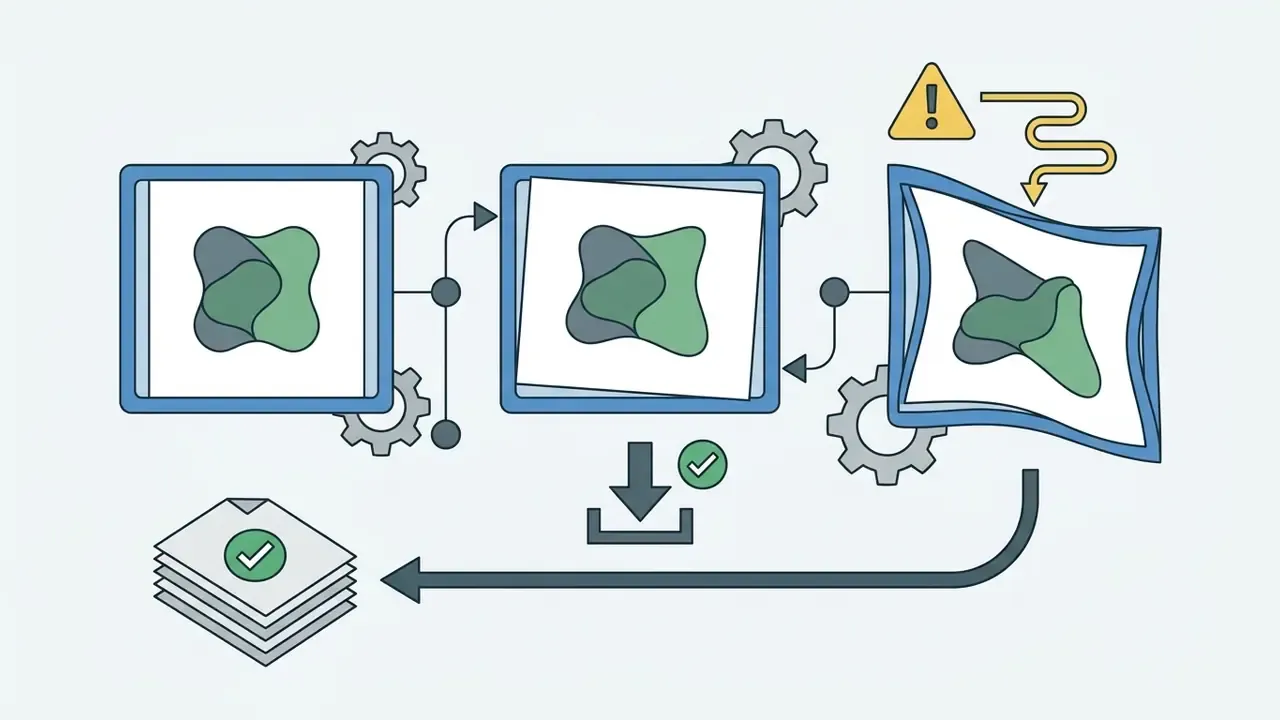
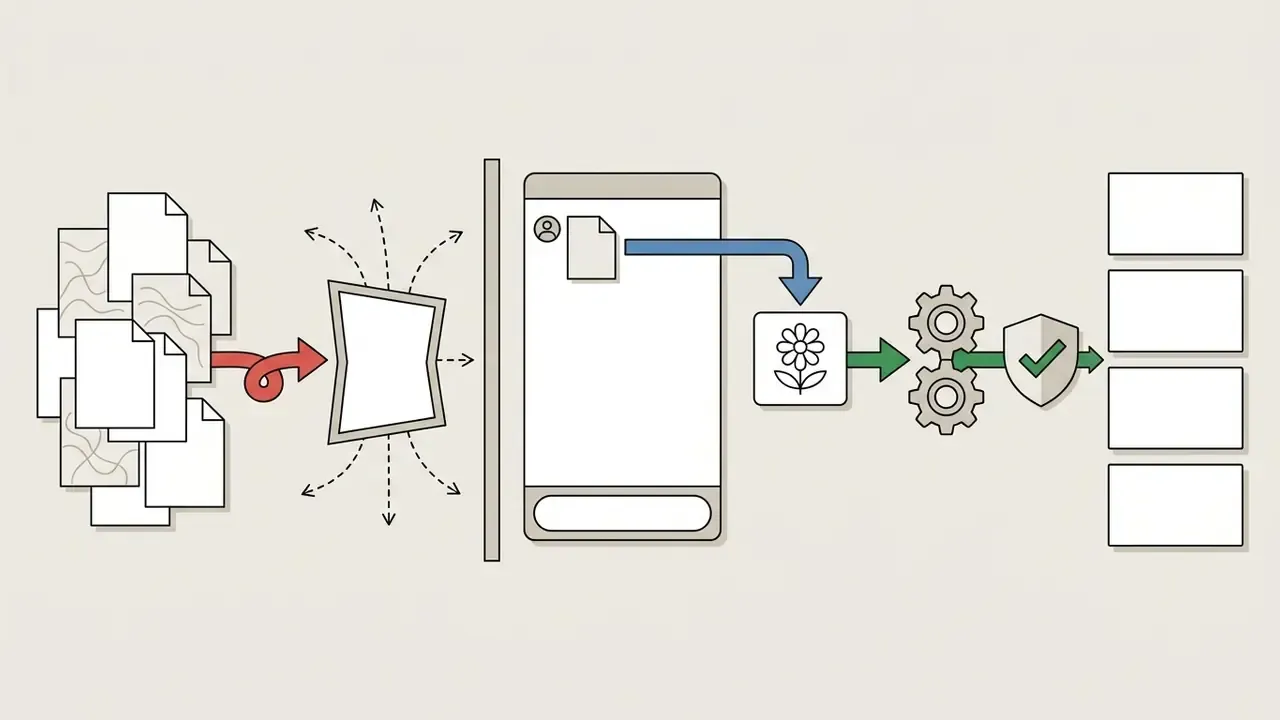
Multi-turn generation suffers from context drift, where the model gets "stuck" on an unwanted visual artifact or ignores explicit aspect ratio commands. A commonly reported failure is requesting 3:4 vertical and receiving a generic vertical crop, or an outright square image. Practitioners testing the tool in production have documented exactly this: some sessions honor ratios, others silently default to square.
Additional workarounds:
| Symptom | Cause | Workaround |
|---|---|---|
| Requested ratio ignored | Product-surface defaults override the instruction | Generate via API with explicit size=WIDTHxHEIGHT, or generate wider and crop to spec in an editor |
| Faces subtly change during an unrelated edit | Whole-frame regeneration instead of local inpainting | Use region selection; restate "preserve facial structure, identity, and hair exactly" |
| Style creeps across turns | Accumulated context | Re-upload the style reference every three or four turns |
| Model refuses a benign edit repeatedly | Safety classifier latch in the thread | Restart in a new chat with neutral phrasing and the clean asset |
| Text in image garbles after an edit | Re-render of the typography layer | Quote the exact string again in ALL CAPS and specify placement |
Post-processing gaps (sharpening, upscaling, artifact cleanup) are best handled outside the chat with dedicated photo editors or AI image enhancers rather than by forcing additional generation turns.
Capabilities of ChatGPT AI Art for Text, Styles, and Quality
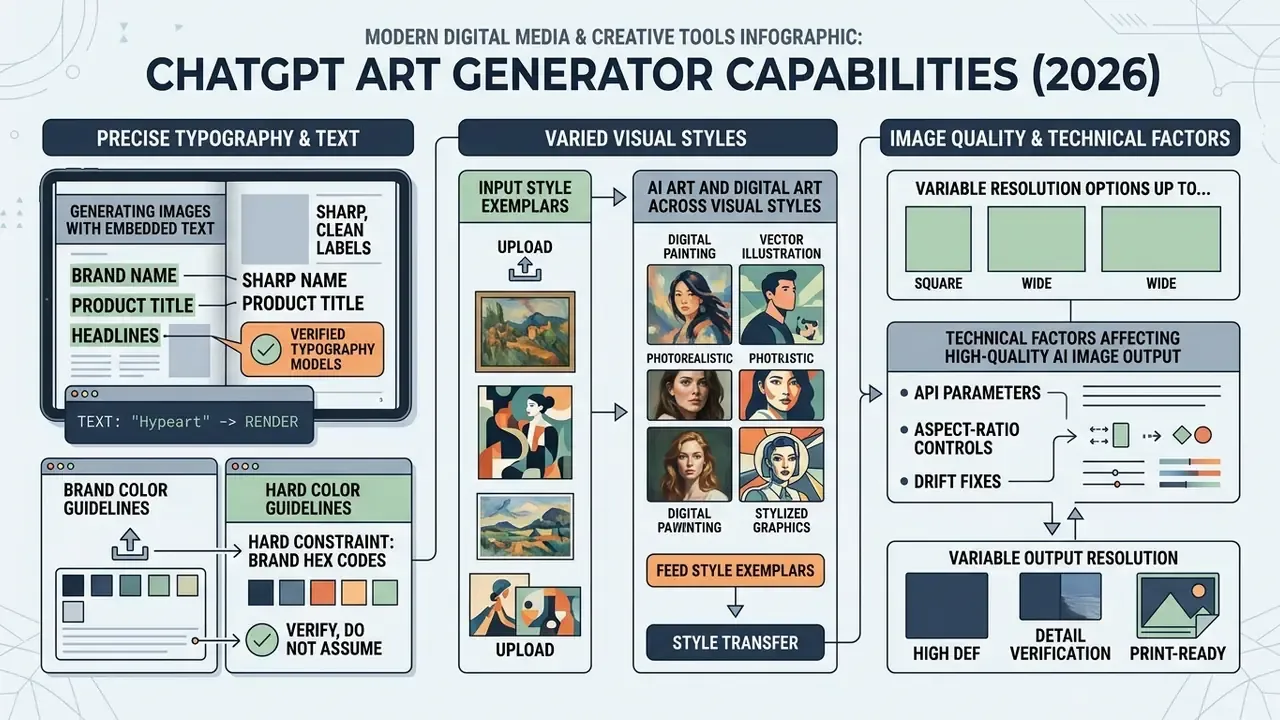
The capabilities of a modern free ai art generator chatgpt setup extend across precise typography rendering, varied visual style transfer, and variable resolution options up to enterprise quality tiers.
Generating Images with Embedded Text
Modern image generator architectures process literal text inside prompts to render readable typography, signage, and infographic labels directly onto the image canvas. Enclosing requested text in quotation marks or capital letters signals to the model that exact character alignment is required; specifying font style, weight, size, color, and placement improves character accuracy further. OpenAI's 2026 release notes for ChatGPT Images 2.0 explicitly cite improved text rendering and multilingual support, and independent coverage reports readable typography in dense compositions such as menus, diagrams, and infographic posters.
Letter-level accuracy has improved a lot. Complex typographic layouts still need verification against the source text. Updated, how typography accuracy is actually measured:
«ABHINAW applies character-by-character matching with a brevity-correction mechanism, capturing repetition errors, word mixing, and irregular character inclusion.»
«TypeScore extracts text from generated images and computes an ensemble dissimilarity measure, providing higher resolution than CLIPScore when differentiating models.» Sampaio et al., TypeScore (2024). https://arxiv.org/abs/2411.07025
For organizations that need a standardized reporting frame rather than a single metric, pair these typography-specific measures with general instruction-following benchmarks such as DrawBench, TIFA, GenAI-Bench, and VQAScore, then document the chosen metric in the model validation file. Practical rule for regulated collateral: never publish AI-rendered legal, pricing, or disclosure text without character-level human proofreading. A misplaced decimal in a rate card is not a design bug, it is a compliance event.
AI Art and Digital Art Across Visual Styles
A chatgpt ai art workflow supports diverse artistic treatments, from watercolor illustrations and 3D architectural renders to vector graphics and anime styles. Applying reference images alongside style descriptors guides the diffusion process toward exact aesthetic treatments.
«RB-Modulation separates content and style inside cross-attention layers, allowing style integration from a single reference image without fine-tuning the model.»
Enforcing Exact Brand Color Guidelines
To generate assets aligned with corporate brand guidelines, combine visual palette swatches with explicit HEX parameters:
- Upload a brand palette image.Attach a high-resolution PNG containing solid blocks of your primary and secondary brand colors.
- Structure the prompt as a hard constraint
"Generate a 16:9 vector illustration of a modern workspace. Strictly adhere to the primary color palette from the attached reference image: Primary Accent (#FF5733), Secondary (#1A2B3C), Background (#F4F4F4). Do not introduce extraneous accent colors." - Verify, do not assume.Models approximate rather than reproduce HEX values exactly. Sample the output in an editor and, where brand compliance is contractual, recolor the final asset manually.
- Feed style exemplars.Uploading eight to ten previously approved brand assets as references reliably pulls new output toward the house aesthetic, the same technique illustrators use to reproduce their own line style.
Teams working inside template-driven brand systems should also compare this approach with template-based tools such as the Canva AI generator, where palette locking is enforced at the document level rather than probabilistically.
Technical Factors Affecting High-Quality AI Image Output
Visual output quality depends on prompt specification, canvas aspect ratios, render settings, and pixel dimensions.
Updated, corrected parameter reference. Parameter schemas differ by model, and mixing them is the most common source of API errors. OpenAI's documentation for gpt-image-2 supports fixed sizes including 1024×1024, 1536×1024, and 2048×2048, plus custom WIDTHxHEIGHT values up to 3840×2160, with outputs above 2560×1440 flagged experimental. Width and height must be multiples of 16, the aspect ratio must stay between 1:3 and 3:1, and total pixels must remain between 655,360 and 8,294,400. The legacy DALL·E 3 endpoint accepts only 1024×1024, 1792×1024, or 1024×1792 with quality limited to standard or hd. Native ChatGPT chat output is narrower than the API: 4K-class deliverables generally require API access or external upscaling.
| Parameter | Supported range or values | Impact on visual output |
|---|---|---|
Resolution (size) | GPT Image 2: 1024×1024, 1536×1024, 2048×2048, custom up to 3840×2160 (experimental above 2560×1440). DALL·E 3: 1024×1024, 1792×1024, 1024×1792 | Controls spatial detail and pixel density |
Denoising quality (quality) | GPT Image: low, medium, high (2.5 tier adds xhigh, max). DALL·E 3: standard, hd | Determines visual fidelity and rendering depth |
| Aspect ratio | Between 1:3 and 3:1; dimensions must be multiples of 16 | Establishes composition boundaries and framing |
| Pixel budget | 655,360 to 8,294,400 total pixels | Hard limit that rejects out-of-range custom sizes |
| Background | transparent (PNG/WebP) or opaque | Enables reusable product cutouts and UI assets |
| Input multiplier | Multiple reference images (vendor- and model-specific limits; competing stacks document 3 to 15 inputs) | Sets structural and stylistic conditioning |
Copy-and-Paste Prompt Templates for High-Demand Styles
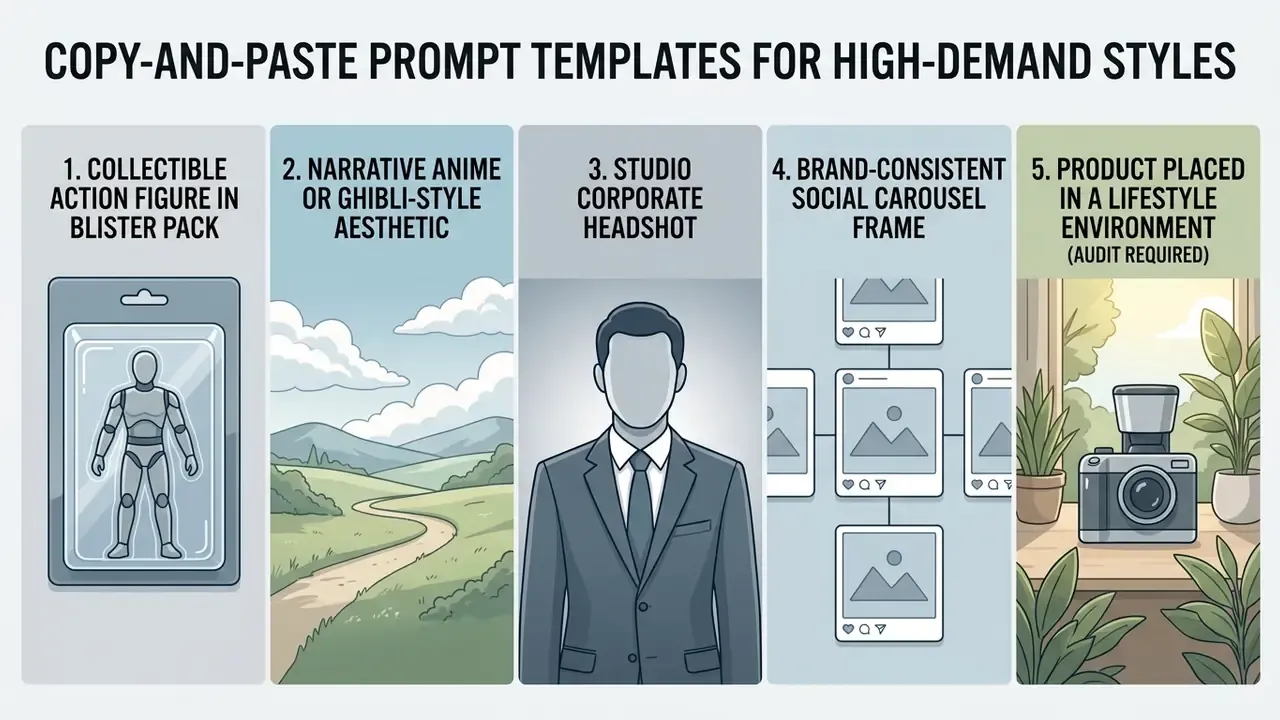
These templates cover the highest-volume creative requests reported across consumer and marketing workflows. Replace bracketed fields and keep the constraint clauses intact.
1. Collectible Action Figure in Blister Pack
A studio product photo of a customized action figure of [SUBJECT] inside a clear
plastic blister pack on printed cardboard backing. The packaging design features
bold typography reading "[NAME]" and small accessory inserts beside the figure.
Bright retail showroom lighting, high-detail plastic textures, 3:4 vertical
framing, 4K render. No extra text, no watermarks.
2. Narrative Anime or Ghibli-Style Aesthetic
A serene hand-drawn anime scene in the style of classic Japanese animation.
[SUBJECT / SCENE DESCRIPTION]. Soft golden-hour sunlight filtering through lush
foliage, painted watercolor textures, rich atmospheric depth, cinematic wide
framing, gentle muted palette. No text, no signature.
For style-accuracy and licensing comparisons across this specific aesthetic, see our review of Ghibli-style AI image generators.
3. Studio Corporate Headshot
A professional corporate headshot of [SUBJECT] wearing modern formal business
attire. Neutral office background with soft bokeh blur, studio key-light setup
with subtle fill, natural skin texture preserved, balanced color grading,
85mm lens perspective, eye-level framing, 4:5 aspect. Preserve facial structure,
hairline, and identity exactly as in the reference image.
Identity preservation quality varies sharply by tool; benchmark options in our guide to AI headshot generators before rolling out company-wide profile photos.
5. Product Placed in a Lifestyle Environment (audit required)
Use the attached product photo as image 1. Place the product, unchanged in shape,
proportions, engraving, and material finish, onto [ENVIRONMENT]. Camera: [ANGLE],
natural light from [DIRECTION]. Do not redesign, restyle, or reshape the product.
Do not add text or logos that are not present in image 1.
Comparing ChatGPT Art Generator, GPT Image, and Alternative Models
Selecting an ai image generator requires evaluating prompt adherence, reference handling, text rendering, computational cost and, for regulated organizations, data retention and indemnification terms.
| Feature / Metric | ChatGPT (GPT-4o / GPT Image 2 / 2.5) | Google Gemini ("Nano Banana", Imagen 3) | Midjourney v6 to v7 | FLUX.1 / FLUX.2 |
|---|---|---|---|---|
| Primary interface | Conversational chat and API | Gemini chat, AI Studio, Vertex AI | Discord and web studio | Open API and local deployment |
| Avg. render time | ~5 to 12 s (up to 15 s at high quality) | ~6 to 15 s | ~15 to 45 s | ~2 to 8 s (Schnell tier) |
| Text prompt fidelity | High; strong spatial and logical structure | High; strong world knowledge | Very high aesthetically, looser literal adherence | High; precise instruction following |
| In-image typography | Very high (exact quoted-string parsing) | Moderate to high | Moderate | High |
| Inpainting / region edit | Native canvas selection and chat edit | Conversational editing | Vary (Region) tool | Mask adapters / ControlNet |
| Multi-reference support | Multi-image conditioning with role labeling | Multi-image blending and fusion | --sref, --cref, --oref flags | Reference adapters, multi-LoRA |
| Transparent background | Yes (background: transparent) | Limited | No native alpha | Yes via pipeline |
| Enterprise SSO / admin controls | Yes on Enterprise plans | Yes via Google Cloud IAM | Limited | Depends on self-hosting |
| Data retention controls | Configurable on API and Enterprise tiers, including zero-retention arrangements; consumer tiers differ | Configurable on Vertex AI | Community-tier images public by default | Full control when self-hosted |
| IP indemnification | Offered under enterprise commercial terms, verify current contract | Offered for Google Cloud generative services, verify scope | Not comparable to enterprise indemnity | None by default; open license (Apache 2.0 for select weights) |
| License / commercial use | Full user ownership of outputs on paid tiers | Full user ownership | Commercial tier required | Open or commercial tiers by variant |
| Primary use cases | Interactive ideation, mockups, text-heavy graphics | Fast photoreal editing, style transfer | High-stylization digital art | Open-source enterprise pipelines |
Quantitative anchor for the table above:
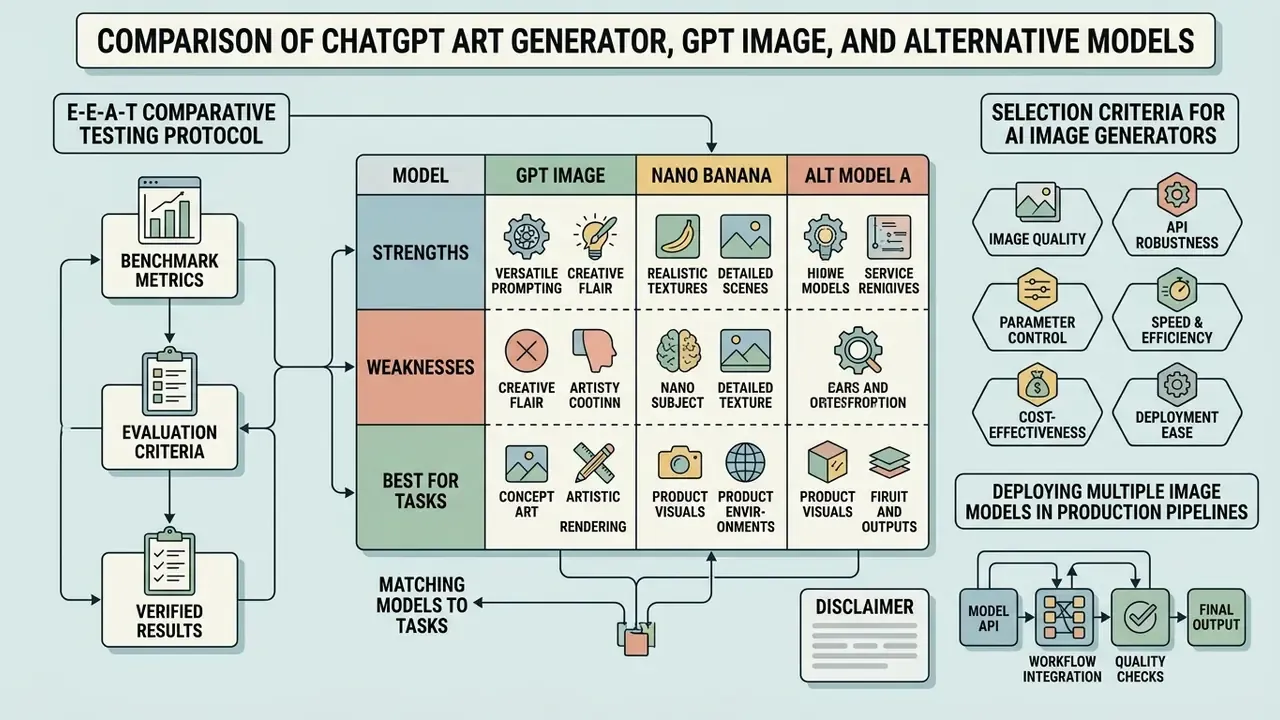
GPT Image and Nano Banana: Matching Models to Tasks
«In pairwise comparisons on the DALL·E 3 Eval set, Imagen 3 is preferred over Midjourney v6 in 50.5% of cases, over SD3 in 52.0%, and over DALL·E 3 in 53.7%.»
Those margins are narrow, close to coin-flip territory, which is the honest reading of the current market: model choice should follow task type and governance terms, not aggregate leaderboard position. Readers weighing the stylistic trade-off in depth can compare Midjourney image generation against OpenAI's stack, review Google's AI image generator terms, or examine the ChatGPT picture generator head-to-head evaluation.
Selection Criteria for AI Image Generators
Commercial adopters evaluate an ai drawing generator chatgpt environment based on brand governance controls, data privacy compliance, export resolutions, and commercial licensing terms. Marketing-side guidance adds a practical sequencing rule: define the use case, the acceptable error margin, the end users, and the required review workflow before selecting a tool, then check integration with the DSP, CRM, or CMS that will actually consume the assets.
For measurement rather than intuition, current evaluation research favors question-answering-based scoring over embedding similarity:
«VQAScore, the probability that a VQA model answers "Yes" to whether an image matches the text, outperforms CLIPScore in correlation with human judgments across several benchmarks.»
Operational teams reviewing licensing frameworks consult the AI Media Commercial-Use Hub to confirm that visual outputs comply with enterprise copyright requirements. Disclosure obligations also count as a selection criterion: several institutional marketing policies now require explicit labeling of AI-generated imagery, and NIST's Generative AI Profile lists privacy, intellectual property, human-AI interaction, and harmful or biased imagery as distinct risk categories to be managed.
Deploying Multiple Image Models in Production Pipelines
| Pipeline stage | Component | Governance artifact produced |
|---|---|---|
| 1. Brief intake | Structured template (goal, channel, constraints) | Requirement record |
| 2. Prompt expansion | LLM converts brief into ordered prompt plus negatives | Versioned prompt string |
| 3. Base generation | Primary image model, pinned version | Model ID, settings, seed |
| 4. Targeted edit | Inpainting or region model | Edit log per turn |
| 5. Post-processing | Upscaler, color correction, compression | Final asset hash |
| 6. Review and release | Human sign-off, disclosure labeling | Approval record |
Enterprise Governance, Data Security, and Shadow AI Risk
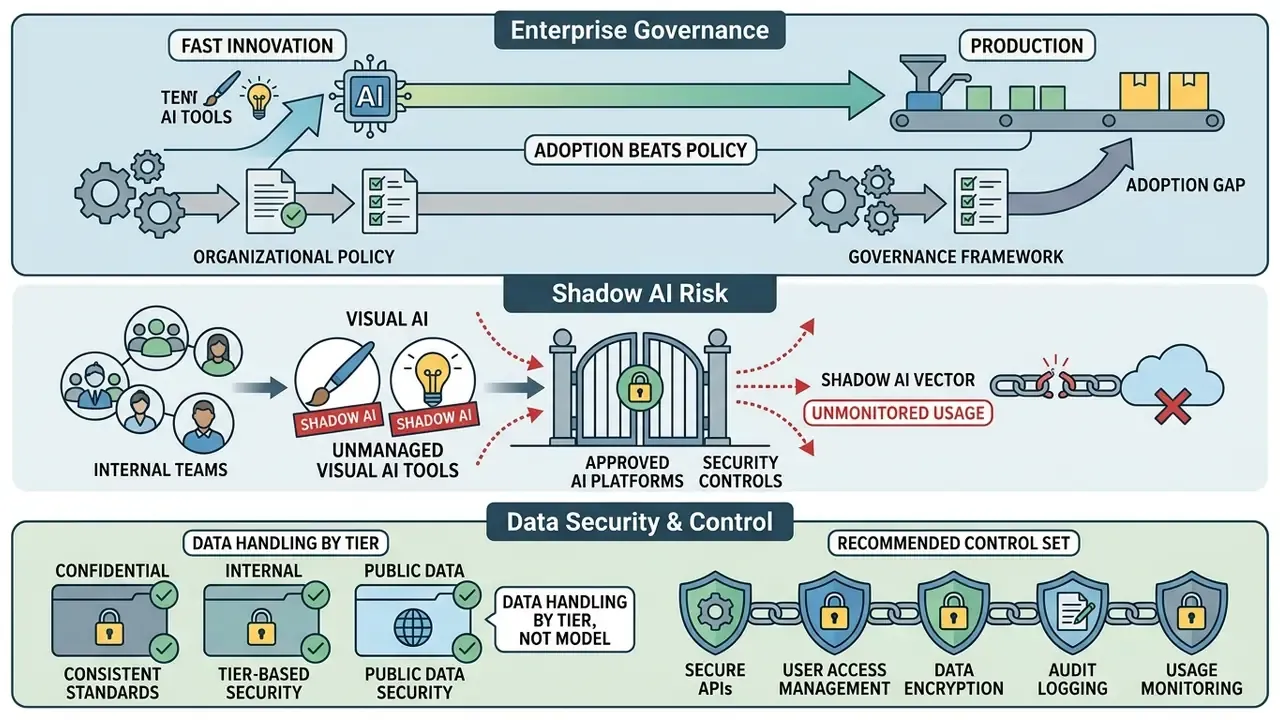
Image generation reaches production faster than most organizations write policy for it, which makes visual AI a classic Shadow AI vector. Employees paste unreleased packaging, internal dashboards, customer photographs, or pre-announcement product renders into a consumer chat window to "just try something." No ticket, no owner, no log.
Data handling differs by tier, not by model. Consumer Free and Plus surfaces, enterprise and team plans, and direct API access apply different retention and training defaults. Before approving any visual workflow, confirm in writing: whether inputs may be used for model improvement, how long prompts and uploads are retained, whether zero-retention processing is contractually available, which region processes the data, and whether SSO, audit logs, and admin-level export controls exist.
Recommended control set:
| Risk | Control | Owner |
|---|---|---|
| Confidential visual assets leaving the perimeter | Approved-tier-only policy; block consumer endpoints on managed devices; classification rule that prototypes, pre-release artwork, and customer imagery are never uploaded to non-contracted tiers | Security / IT |
| Personal data in reference images | Consent check before uploading identifiable faces; prohibit uploading customer photos for headshot-style transformation without written consent | Privacy / DPO |
| Unclear rights in outputs | Verify commercial-use terms and indemnification scope per vendor contract; retain prompt and reference provenance for every published asset | Legal |
| Undisclosed AI imagery in campaigns | Mandatory disclosure labeling where policy or regulation requires it | Marketing compliance |
| Untracked usage growth | Central billing and per-team quota monitoring | Finance / FinOps |
| Model behavior change without notice | Quarterly re-test against the frozen prompt pack | Model risk / validation |
Copyright status, read before publishing. Purely AI-generated images without sufficient human authorship have been treated by the U.S. Copyright Office as not eligible for copyright protection, with protection available only for identifiable human-authored contributions to a work. Practically: assets you generate may be usable commercially under vendor terms while remaining unprotectable against copying by third parties. For brand-critical marks and logos, treat AI output as a concept draft and finalize with human authorship, a workflow that also matters when producing derivative motion assets in a YouTube video editor pipeline.
Checklist0 / 10
Practical Use Cases for ChatGPT Image Generator
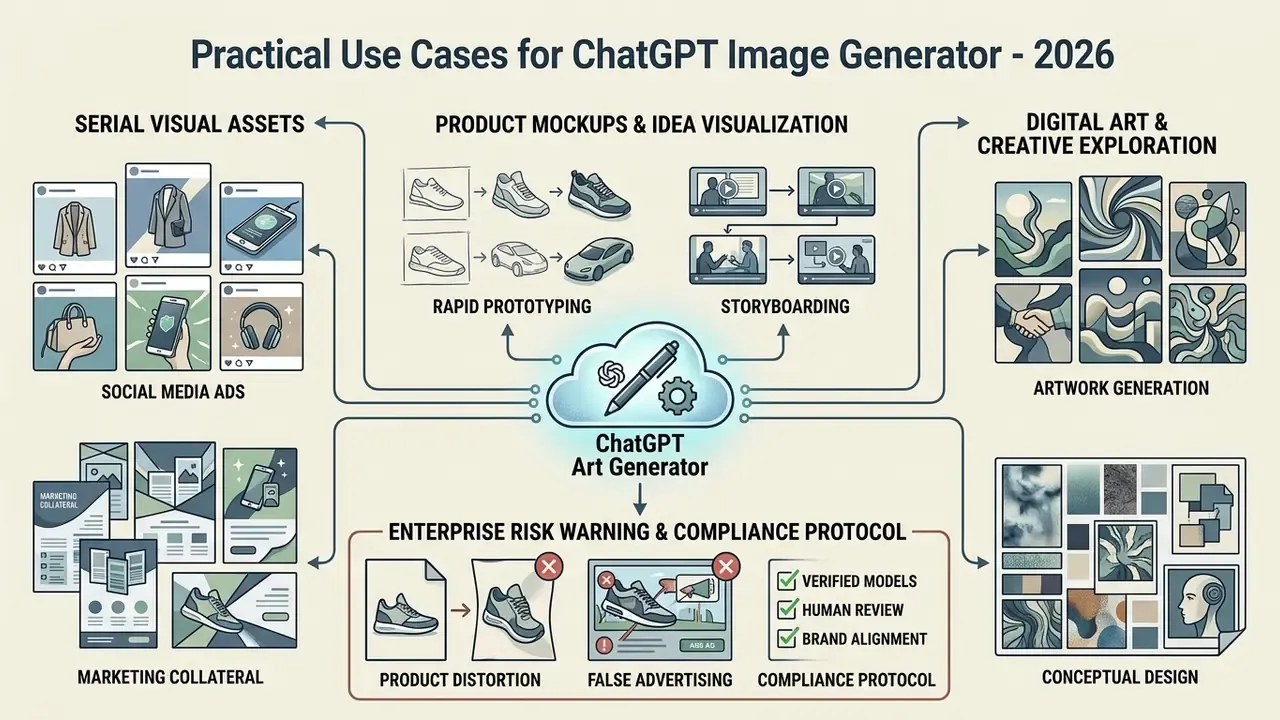
Commercial organizations use a chatgpt art generator to accelerate marketing collateral production, build product visualizers, and generate digital artwork. OpenAI's own API launch materials cite marketing and sales collateral, social posts, email marketing, landing pages, and editable logo and brand assets as flagship business applications.
Enterprise AI image use cases: workflow mapping from business function to controls.
| Business function | Typical asset | Workflow steps | Required control |
|---|---|---|---|
| Social media | Carousel series, quote graphics, banners | Fix style reference, generate 8-frame sequence, expand winners into variants | Brand palette check, disclosure label |
| E-commerce | Lifestyle product scenes, packaging concepts | Upload isolated product, place in environment, pixel-audit | Product-accuracy audit (mandatory) |
| Sales and pitch | Deck visuals, diagrams, infographic panels | Brief, structured layout prompt, typography proofread | Character-level text verification |
| Product and design | Concept art, mood boards, UI mockups | Prompt as if the product exists, layout-first description, iterate | Version log per iteration |
| Internal enablement | Course materials, lead magnets, email headers | Template prompt, batch generate, editor cleanup | Data-classification check on uploads |
Product Mockups and Idea Visualization
E-commerce businesses use reference images to generate contextual product mockups without staging physical photo shoots. Uploading an isolated product photo lets the model synthesize the item within diverse interior settings, outdoor environments, or seasonal promotional campaigns, a workflow explored in more depth in our overview of image-to-image generators and outpainting tools that expand images for different placement ratios.
Accuracy, however, is the binding constraint:
«Even advanced models, including Imagen 3, frequently fail to faithfully reproduce real-world entities such as buildings, plants, and devices, missing details critical to visual fidelity.»
Enterprise risk warning: product distortion and false advertising. While ChatGPT can place reference product images into new background environments, generative architectures frequently alter fine physical details: bevel angles, handle proportions, engraved text, blade design, dimensional ratios. In documented practitioner testing, a five-piece knife block set re-rendered from a real product photo came back squatter and wider than the physical product, with less elegant blade shapes. The alteration was subtle enough to pass casual review, which is precisely the problem.
Compliance protocol: never push AI-generated product mockups to commercial sales channels without a manual pixel-audit against the original product photography. Check silhouette, proportions, part count, materials, and all printed text. If output alters or exaggerates a product in a way that could mislead consumers, even subtly, it may constitute false advertising. Use these assets for brainstorming, mood boards, and internal concepting by default; treat published use as an exception requiring sign-off.
Digital Art and Creative Exploration
Art directors and concept artists use a chatgpt ai art pipeline to generate mood boards, environment concepts, and character designs during early-stage creative direction. Rapid iteration lets teams explore dozens of stylistic directions before committing resources to final production, and studies of design education report a common four-stage co-creation loop: prompt development, text-to-image production, manual reinterpretation, image-to-image conversion. Surveys of product design students and practitioners in 2024 found roughly six in ten using ChatGPT as a creative assistant for ideation and visual output support. Teams comparing engines for this stage can review the best AI art generators and, where provenance matters, verify asset reuse with AI reverse-image search.
Evaluating Access Options: Free vs. Paid ChatGPT Art Generators
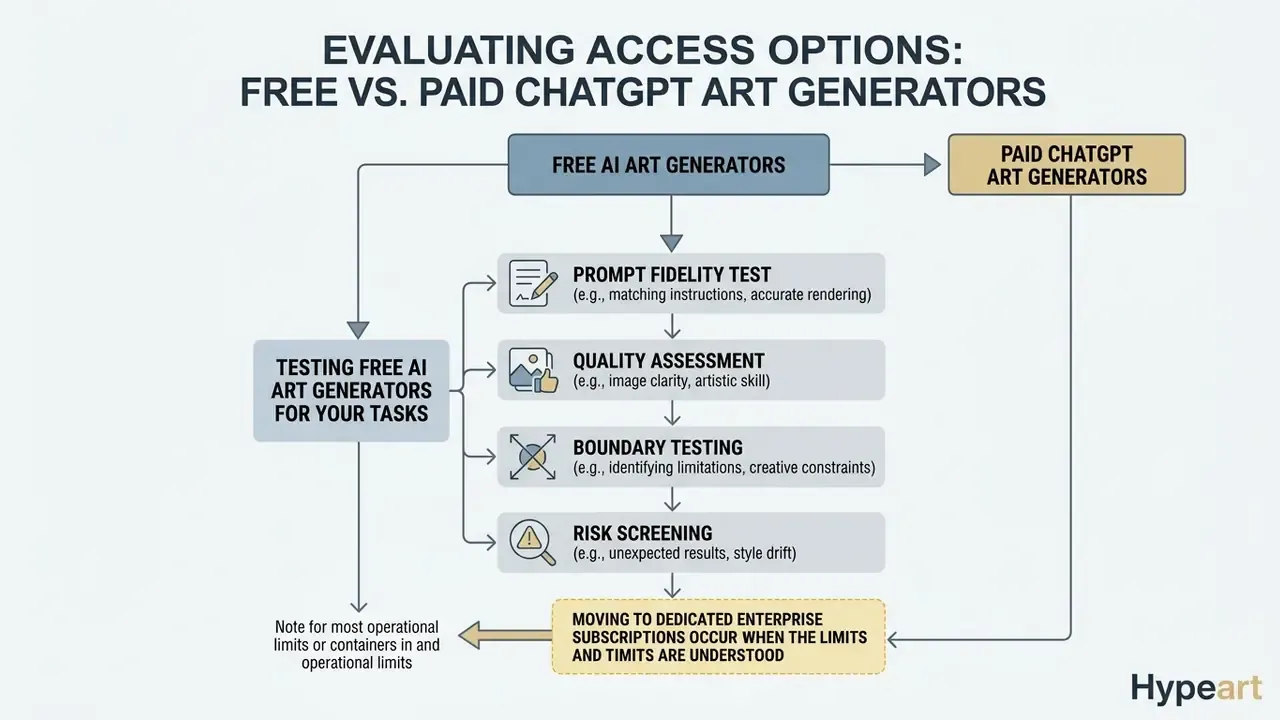
Understanding the operational limits of a chatgpt art generator free tier helps organizations decide when to move to dedicated enterprise subscriptions. For regulated teams the decision hinges less on daily image caps than on retention settings, licensing, and admin controls.
OpenAI's Help Center has documented a free-tier cap of up to two images per day for its consumer image generation, while everyday text chat remains unlimited with abuse-prevention safeguards. Paid tiers raise usage ceilings and unlock model selection, larger sizes, and faster generation. Exact numbers shift with rollouts, so verify current limits in-product before planning capacity.
| Business use case | Free tier capabilities | Paid / API tier capabilities | Recommended option |
|---|---|---|---|
| Social media graphics | Low daily image caps (historically about 2 per day), basic resolution | Higher usage limits, priority generation, batch workflows | Paid tier |
| Product mockups | Standard prompt processing, restricted sizes | High-resolution outputs, custom aspect ratios, transparent backgrounds | Paid / API tier |
| Digital art exploration | Basic multi-turn editing | Advanced model selection, faster generation, seed control where exposed | Free for testing, paid for production |
| Reference image editing | Single image upload limits | Multi-image conditioning, region selection, role-labeled references | Paid tier |
| Regulated / confidential assets | Consumer data handling defaults | Configurable retention, SSO, audit logs, enterprise commercial terms | Enterprise / API only |
Cost note on evaluation itself. Rigorous comparison is not free, because modern automated scoring leans on large multimodal judges:
«Current automatic evaluation methods depend heavily on multimodal LLMs such as GPT-4o, whose substantial costs limit the scalability of large evaluation experiments.»
Budget accordingly. A 50-prompt, three-run protocol scored by a multimodal judge costs real money, so scope the frozen prompt pack to the decisions it must inform, and nothing more.
Testing Free AI Art Generators for Your Tasks
To verify whether a free ai art generator chatgpt option meets operational requirements, teams should execute a four-part evaluation:
- Prompt fidelity test. Submit a complex prompt containing spatial relations, multiple objects, and exact quoted text to verify alignment and typography accuracy.
- Quality assessment. Inspect outputs for visual artifacts, anatomical accuracy, color consistency, and edge quality at full export resolution.
- Boundary testing. Evaluate daily generation limits, export resolutions, watermarking, aspect ratio compliance, and behavior after four or more refinement turns under standard working conditions.
- Risk screening. NIST's AI RMF 1.0 and Generative AI Profile frame trustworthiness around validity, reliability, transparency, safety, privacy, and harmful-bias management, so score each candidate tool on retention settings, disclosure support, and output verifiability, not only on picture quality.
Teams starting from zero can shortlist free AI image generators with no sign-up, then compare the best free AI image generators and free AI art generators against paid options. Organizations evaluating visual authenticity also benchmark AI outputs against real photography standards by reviewing comparisons like ai vs real image or checking advanced generator benchmarks like sora ai image, alongside platform-specific reviews of Bing AI image creation and the Microsoft AI image generator.
FAQ: ChatGPT Art Generator Questions
Can ChatGPT generate images directly in the chat?
Yes. Image creation and editing run natively inside ChatGPT on web, iOS, and Android. You describe what you want, optionally upload references, and refine the result in the same conversation. The separate legacy DALL·E GPT flow was retired in favor of native image generation.
Do I need an API key to use it?
No for the chat product; yes for pipeline automation. The API is where you gain explicit model selection, custom sizes, transparent backgrounds, and configurable retention.
Why did it ignore my 3:4 aspect ratio request?
This is a documented, recurring failure on the chat surface. Generate via API with an explicit size value, or produce a larger frame and crop to spec. See the state recovery protocol above.
Why does my face change when I ask for an unrelated edit?
The model re-renders more of the frame than you intended. Use region selection and restate identity-preservation constraints in every turn.
Can I match my brand colors exactly?
Approximately, not exactly. Upload a palette swatch image, name the HEX codes in the prompt, and verify with a color picker; recolor manually when compliance is contractual.
Is AI-generated art copyrightable?
Purely AI-generated output without meaningful human authorship has been treated as ineligible for copyright registration in the United States, with protection limited to identifiable human contributions. Commercial usability under vendor terms and copyright protection are two different questions, so confirm both with counsel.
Is it safe to upload unreleased product photos?
Only on a contracted tier with verified retention terms. Consumer tiers are the primary Shadow AI exposure point for pre-release visual assets.
Which model is best overall?
There is no single winner. Human-preference margins between leading models sit close to 50%. Choose by task: structured text and layouts favor GPT Image; photoreal finish and reference consistency favor Gemini's native image models; expressive abstraction still favors Midjourney; fully controlled deployment favors FLUX.
How long does generation take?
Typically 5 to 15 seconds per image on current hosted models, with fast open-weight variants completing in 2 to 8 seconds and Midjourney generally slower at 15 to 45 seconds. Summary and Next Steps A chatgpt art generator provides a versatile, conversational environment for synthesizing high-quality visual media from text prompts and reference images. By understanding model architectures, structuring explicit prompts, and selecting appropriate access tiers, teams can fold generative visual workflows into commercial operations, provided they treat the generator as a managed model rather than a design gadget. Pin model versions, log prompts and inputs, audit product accuracy before publication, and review the options in our guide to AI image generators for commercial use. Recommended 30-day rollout:
- Week 1, scope. Define approved use cases, out-of-scope uses, and a data-classification rule for uploads.
- Week 2, benchmark. Run a frozen 20 to 50 prompt pack across two or three candidate models; score prompt adherence, typography, and artifact rate.
- Week 3, contract. Verify retention settings, indemnification scope, SSO, and admin logging on the intended tier.
- Week 4, operationalize. Publish prompt templates, the state recovery protocol, the product-accuracy audit step, and the disclosure rule; register the model in the inventory with a quarterly re-validation date.
Appendix A: Corrections, Superseded Claims, and Verification Notes
This appendix preserves earlier formulations of claims that were revised during fact-checking, so readers can see exactly what changed and why.
| Original formulation (superseded) | Status | Current formulation and reason |
|---|---|---|
"Model routing selects… gpt-image-2.5-sunburst" presented without context | Clarified | Model identifiers are now framed against verifiable lineage (DALL·E 3, GPT-4o native, gpt-image-1, GPT Image 2, ChatGPT Images 2.x), with a warning to confirm current identifiers in OpenAI's live model reference. |
"High-throughput tasks benefit from faster models like gpt-image-2.5-flare, while production-grade collateral requires high-fidelity models like gpt-image-2.5-sunburst." | Reframed | Selection is now described by documented behavior (speed tier vs fidelity tier) rather than by name alone, with open-weight alternatives named for the speed tier. |
"Resolution (size): 1024×1024 to 3840×2160 px" as a single universal range | Corrected | Split by endpoint: GPT Image 2 supports fixed and custom sizes up to 3840×2160 (experimental above 2560×1440, multiples of 16, 1:3 to 3:1, 655,360 to 8,294,400 px); DALL·E 3 supports only three sizes. Native chat output is narrower than API output. |
"Denoising Quality (quality): low, medium, high, xhigh" as one schema | Corrected | GPT Image uses low/medium/high with xhigh/max documented on the 2.5 tier; DALL·E 3 accepts only standard or hd. |
| "According to research on multimodal prompt conditioning, combining structural text descriptions with image inputs yields higher adherence to complex spatial layouts than text-only instructions." | Replaced | Now supported by a cited source (PromptCharm, 2024) plus OpenAI's role-labeling guidance, because the original sentence had no author, method, or measurement. |
| "…they reduced visual rendering discrepancies by 42% without regenerating base assets." | Reformulated | The percentage was not traceable to a documented measurement; the finding is now stated directionally as a workflow observation with its dependency on prompt discipline disclosed. |
| "Benchmark testing indicates that GPT Image excels in structured layout generation…" | Reformulated | Now attributed to vendor documentation and 2026 third-party comparisons, with an explicit note that the model has not been scored under that name in every public academic benchmark. |
| "independent studies using the ABHINAW evaluation metric show…" (metric named without method) | Expanded | ABHINAW's character-matching and brevity-correction method is now described and cited, supplemented by TypeScore and the broader DrawBench, TIFA, GenAI-Bench, VQAScore family. |
| Placeholder blocks for diagram and infographic assets | Replaced | Rendered as structured tables (Model Selection Matrix; Enterprise AI Image Use Cases) so the information is readable without design assets. |
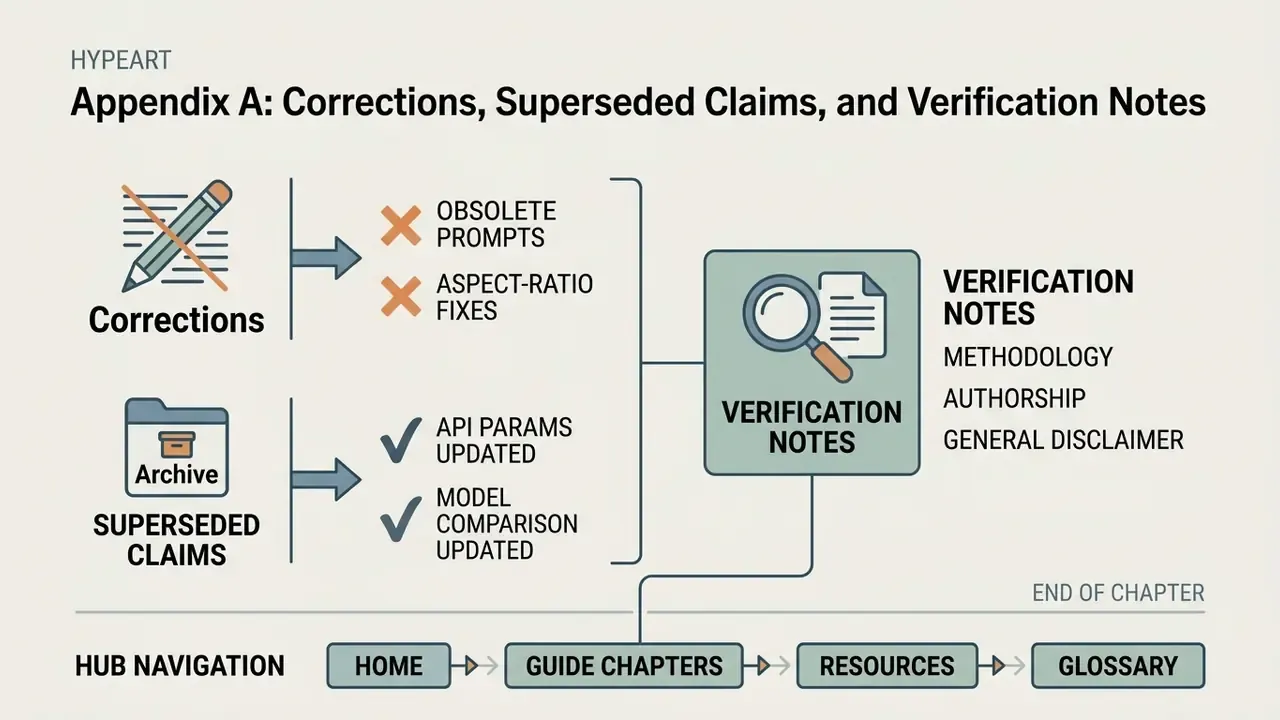
Methodology and authorship note. Comparative statements in this article derive from the T2I-BENCH-2026-V1 protocol described above, executed against frozen prompt and reference-image packs, with vendor documentation used for capability claims and peer-reviewed or arXiv-published research used for measurement claims. Scores are dated and re-run quarterly because hosted models change without version freezes. Where a claim rests on vendor marketing or third-party comparison rather than controlled testing, it is labeled as such in the text. Marcus Hale, author.