AI product photography for ecommerce uses generative models and computer vision to turn source product photos into channel-compliant catalog images, lifestyle scenes and campaign assets. Background replacement, shadow generation and scene composition run automatically, so online brands scale visual media without booking another physical reshoot.
Quick Summary for Decision-Makers
- Economics: AI generation costs roughly $0.02 to $2.00 per asset versus $25 to $500 per approved studio frame. Turnaround drops from days or weeks to seconds or minutes.
- Non-negotiable rule: The physical SKU is immutable ground truth. Lock the product with segmentation masks and generate only the environment, lighting and shadows around it.
- Tooling: Commercial platforms run from $2.99/mo mobile editors (Photoroom) to $25/mo catalog-consistency engines (Nightjar) and enterprise 3D twin renderers (Omi). API-first tools cost about $0.009 to $0.15 per generated image.
- Compliance: Amazon main images require pure white (RGB 255, 255, 255) and 85% frame fill. Google Merchant Center requires machine-readable IPTC
DigitalSourceTypetags. The EU AI Act mandates machine-readable marking and disclosure of synthetic media as of August 2026. - Performance evidence: AI ads that did not look synthetic reached 0.79% CTR versus 0.55% for human stock photography across 16 billion impressions (Hartmann et al., Journal of Marketing, 2024. https://doi.org/10.1177/00222429241276986).
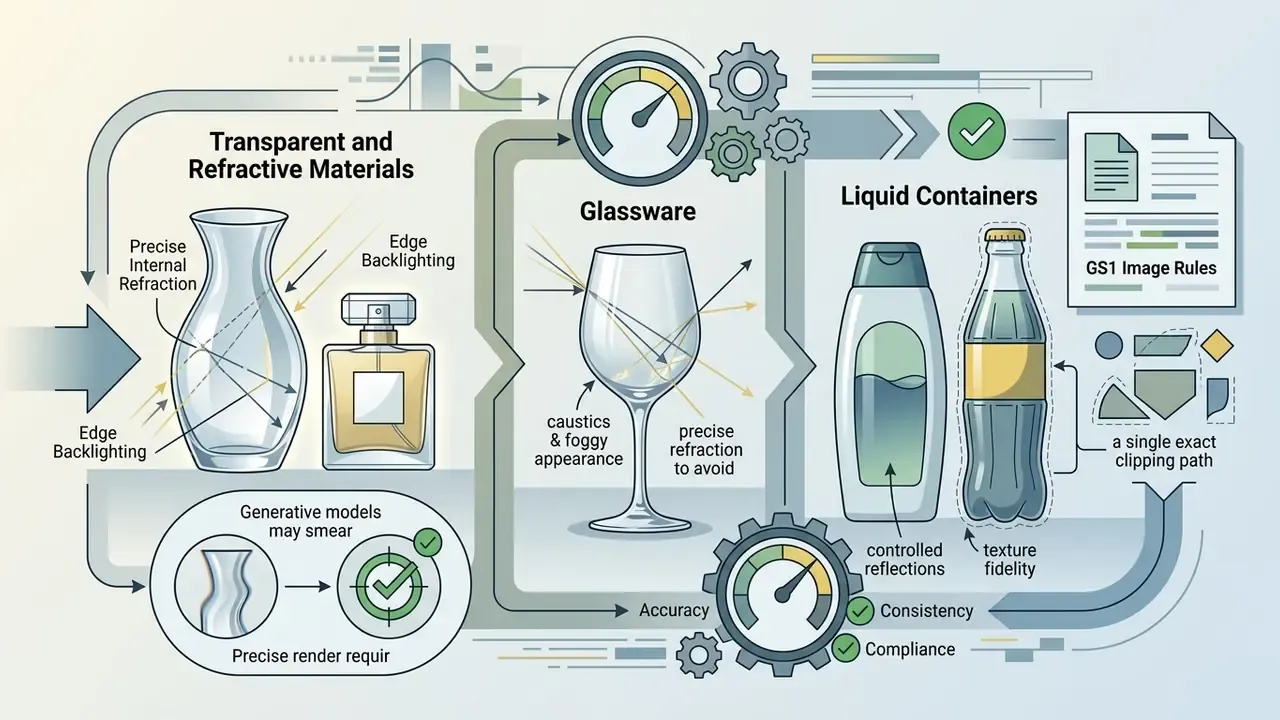
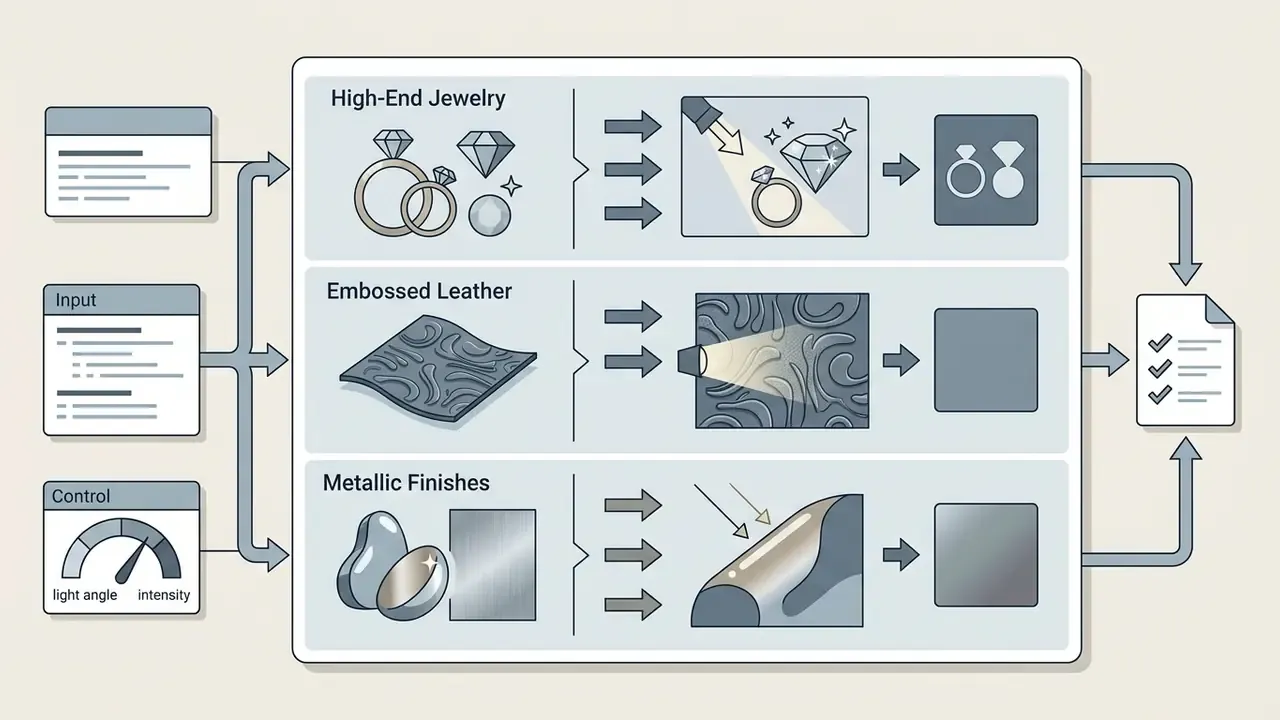
- Risk categories: Transparent glass, fine regulatory print, jewelry micro-textures and full-face beauty avatars still need studio capture or strict human review.
Who Owns the Output, and Why That Question Comes First
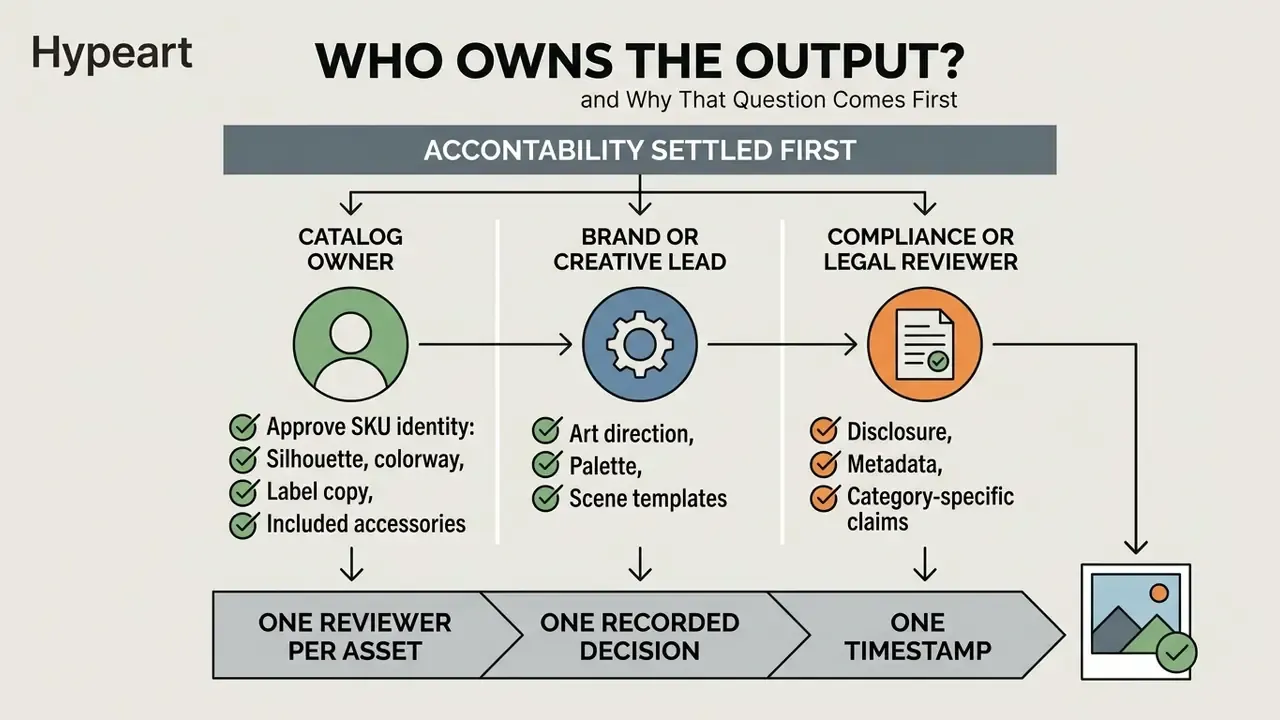
Before the tooling debate, settle accountability. A generated catalog image is a commercial representation of a real product, which means someone has to sign it off by name.
In practice, three roles carry the weight:
- The catalog owner approves SKU identity: silhouette, colorway, label copy, included accessories.
- The brand or creative lead approves art direction, palette and scene templates.
- The compliance or legal reviewer approves disclosure, metadata and category-specific claims.
One reviewer per asset, one recorded decision, one timestamp. That is the whole governance layer, and it is cheap compared to a suppressed listing. Teams that skip it usually discover the gap during a marketplace audit, which is a poor moment to start reconstructing provenance.
What Is AI Product Photography for Ecommerce?
AI product photography for ecommerce is the practice of generating or enhancing merchandise photos using generative AI models, semantic segmentation and computer vision. The system takes a base photo or canonical SKU reference and places it inside synthetic backgrounds, custom lighting setups or contextual scenes. Teams evaluating AI image generators for commercial use should treat this separation of product and environment as the core architectural principle.
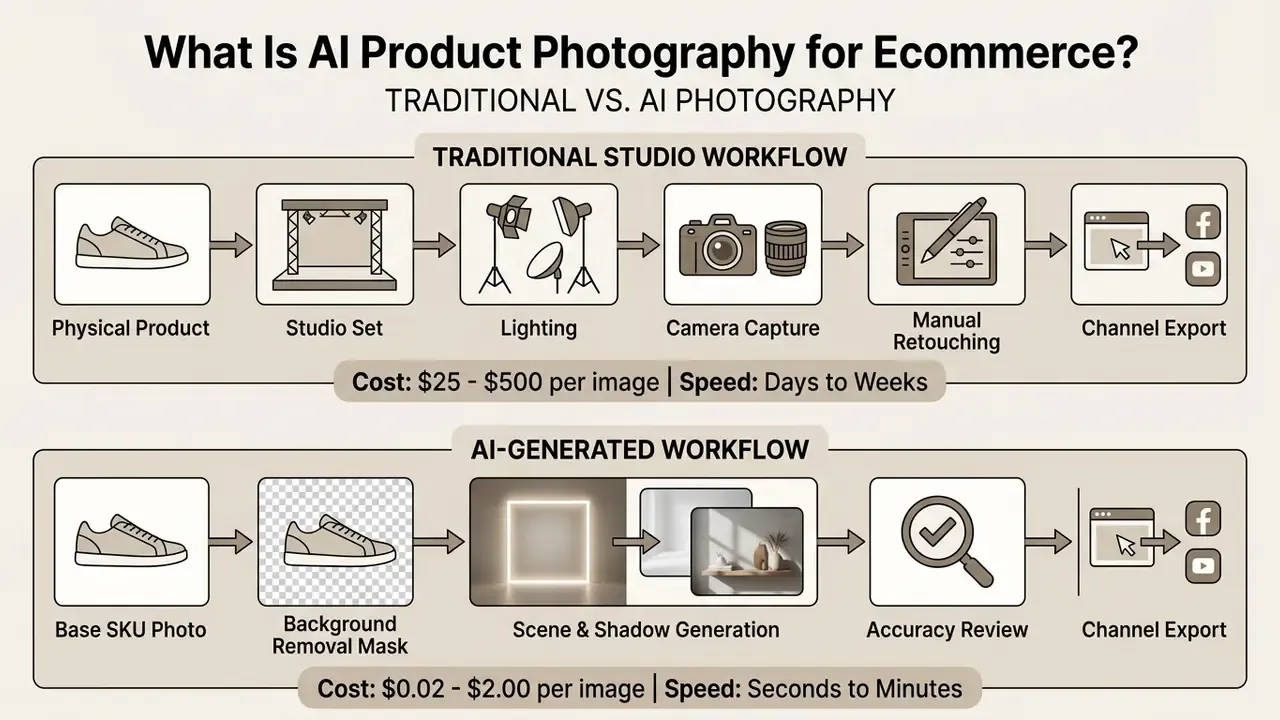
Traditional studio production needs physical sets, cameras, props and manual retouching for every output. AI photography splits the item from its environment instead. The algorithm preserves geometry, texture and label typography while generating new surroundings. Costs fall, and consistency across a large catalog becomes something you can enforce with templates rather than hope for.
Product-only, lifestyle, and on-model AI images
Commercial ecommerce galleries lean on three photo formats. Each one plays a different role in the buying decision and faces different channel rules:
Performance varies sharply by image type. A field study by Daviet & Nishimura (2025) found that AI-generated outdoor lifestyle scenes reached a 0.98% mean CTR against 0.65% for human-designed assets. Fashion research from AUT (2024), however, shows that on-model synthetic images need explicit anthropomorphic realism to hold buyer trust. Realism, not novelty.
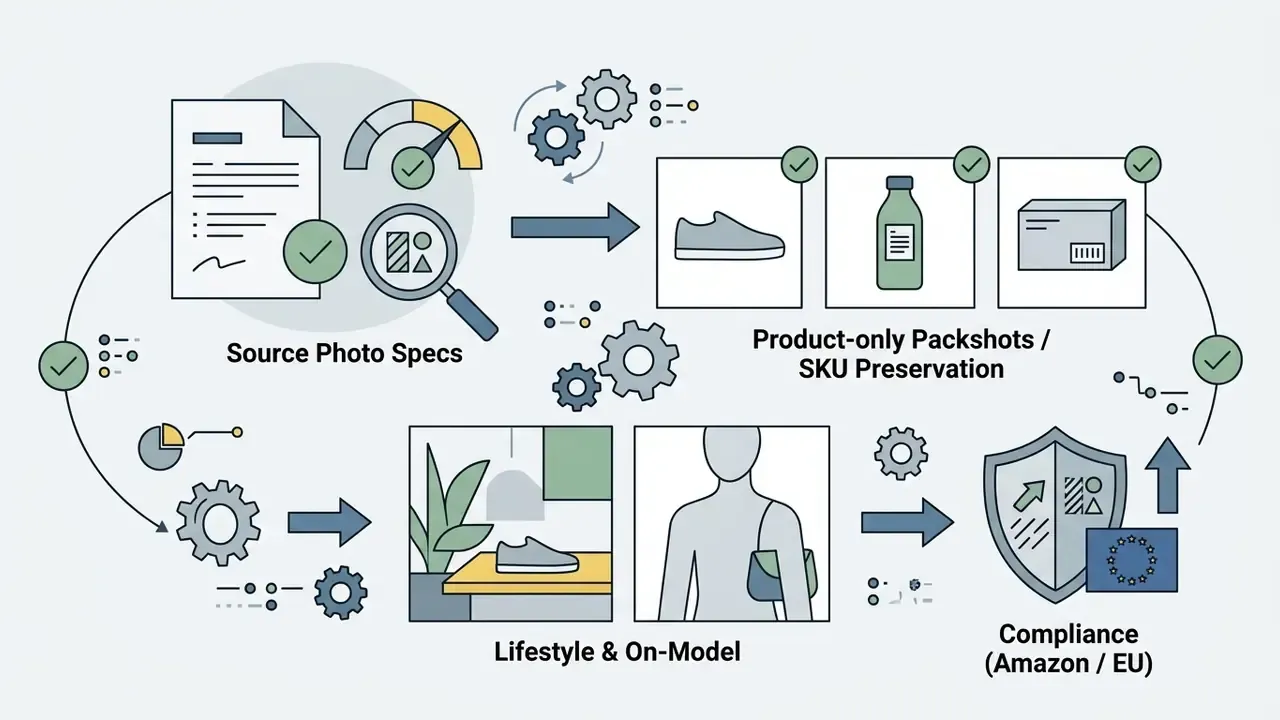
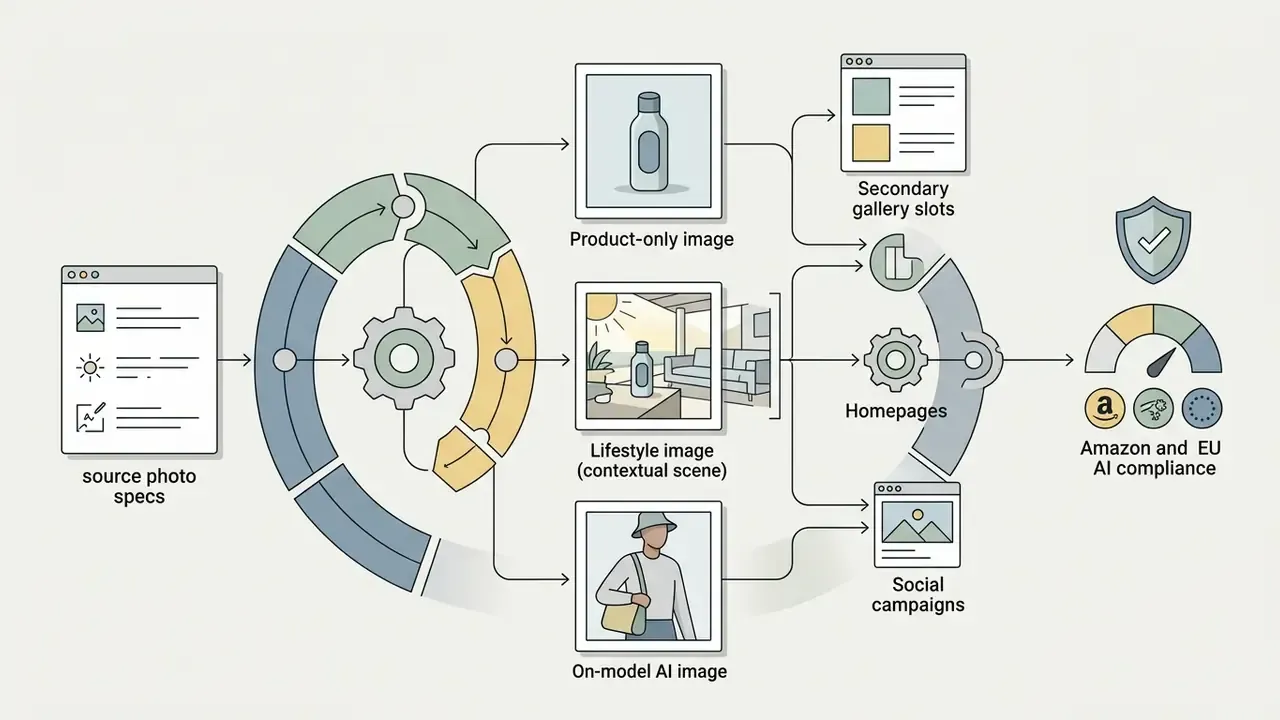

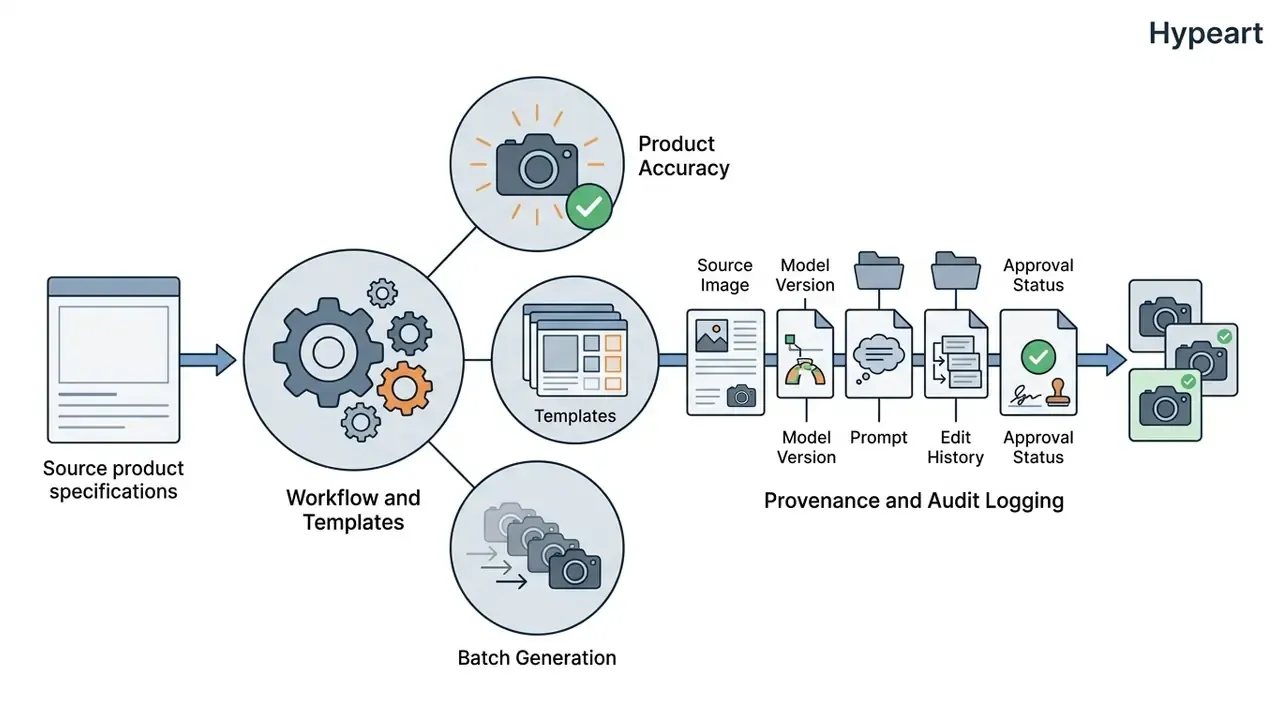
When assessing commercial use rights for AI image generation assets, enterprise brands treat base photos as non-negotiable ground truth. They also record the source image, tool version, edit history and approval log for every published asset. Boring discipline, real protection.
How AI product photo generation preserves the real product
AI product photography preserves real products through fixed-reference editing, protected pixel masks and edge-aware matting networks. The system does not let a text-to-image model invent the product from scratch. It isolates the original object's pixels first.
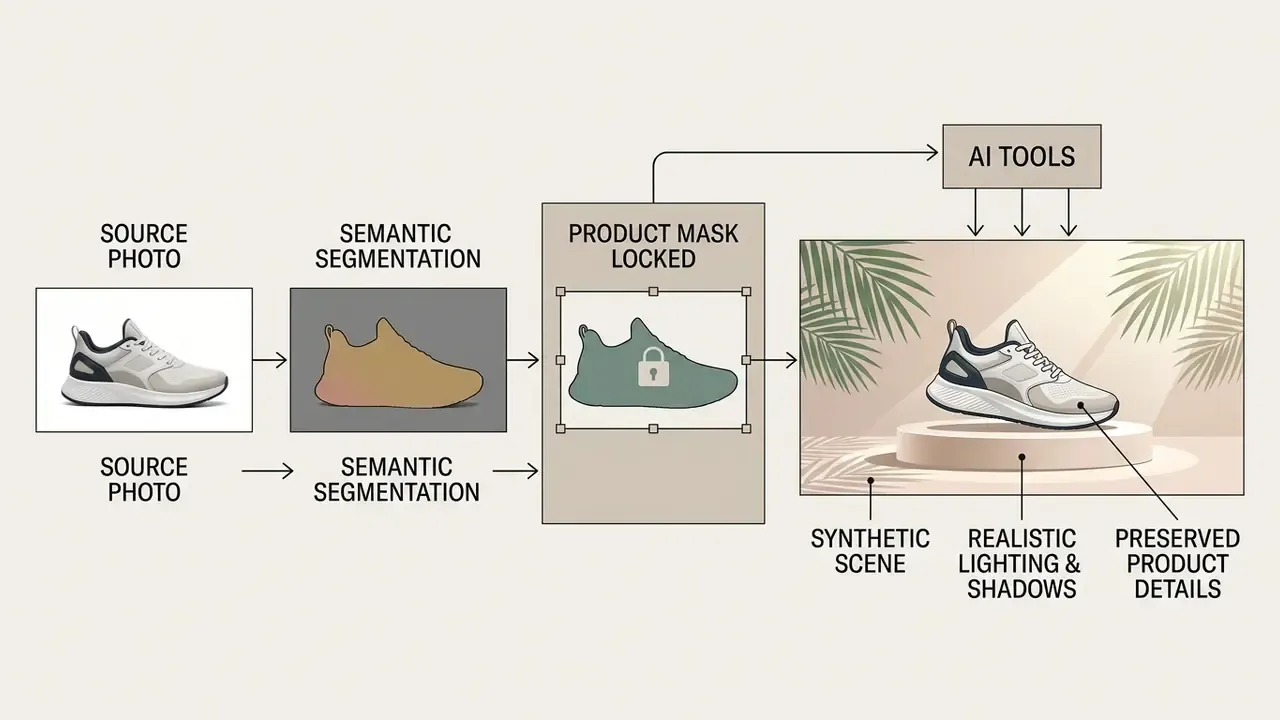
The payoff is that packaging claims, ingredient lists and brand marks stay accurate. That also satisfies GS1 product representation standards, which call for realistic neutral shadows and reflections, correct proportions, and a deep enough depth of field to keep the whole product sharp.
When AI Product Photography Is the Right Commercial Choice
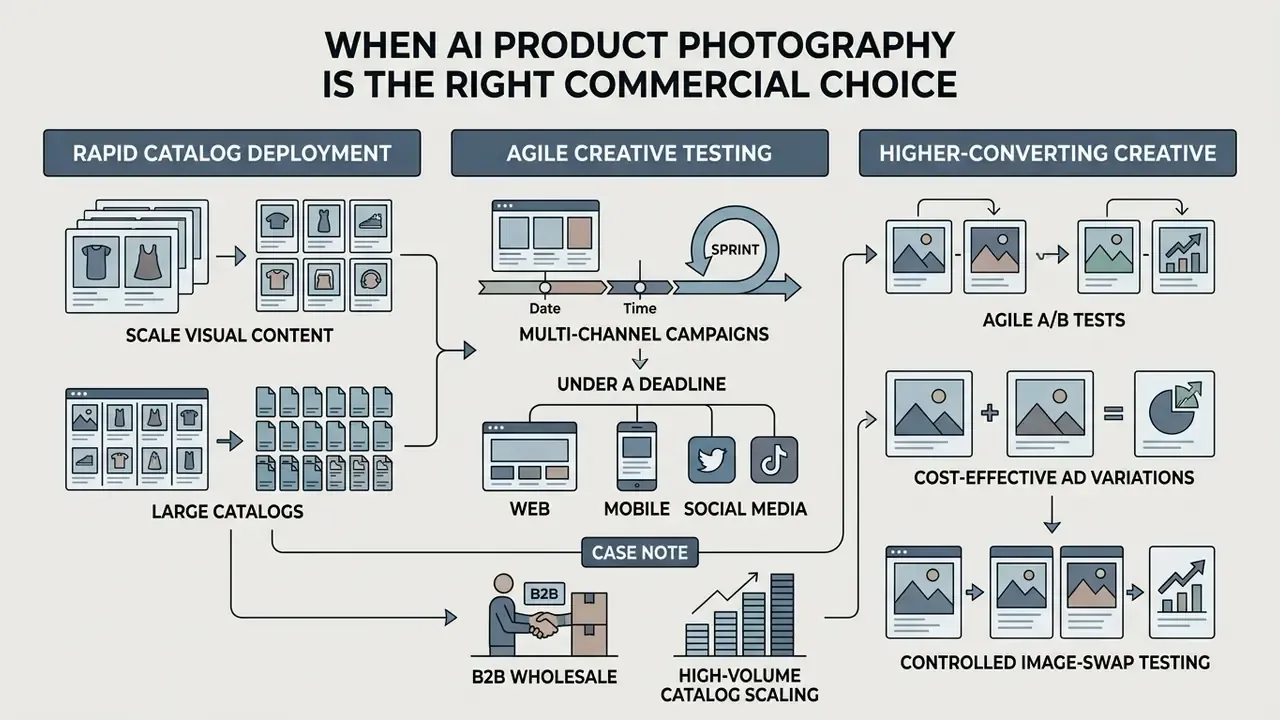
AI product photography wins when brands need to scale visual content across large catalogs, run agile A/B tests, or launch multi-channel campaigns under a deadline that will not move.
In one benchmark analysis, an ecommerce operation with 50 SKUs needing 250 catalog assets cut its production budget from $28,000 at studio rates to under $120 using API-driven generation. Turnaround fell from 14 business days to under two hours. Numbers like that reshape a quarterly plan.
The choice between traditional photography and synthetic workflows depends on cost structure, volume and product complexity.
Comparison of AI product photography and traditional studio photography in ecommerce
| Dimension | AI product photography | Traditional studio photography | Commercial implications |
|---|---|---|---|
| Cost per image | $0.02 to $2.00 per generated asset | $25.00 to $500.00 per approved frame | AI offers up to 98% direct cost savings on catalog expansion |
| Production speed | 10 to 60 seconds per image variant | 3 days to 3 weeks including scheduling and editing | AI accelerates campaign launches and seasonal testing |
| Catalog scalability | Near-zero marginal cost across thousands of SKUs | Linear cost and time scaling with every new SKU | AI scales efficiently for broad multi-variant inventories |
| Creative control | Prompt-based, style templates, mask constraints | Physical lighting, set design, prop placement | Studios allow hands-on tactile manipulation of real props |
| Product accuracy | High with locked masks; drift risk if unguided | Direct physical capture, full original fidelity | AI requires strict QA protocols to avoid visual hallucination |
| Visual consistency | Standardized via algorithmic style templates | Varies by photographer, shift and set teardown | AI maintains global visual standards across distant teams |
| Operational effort | Manageable by one operator with prompt templates and batch queues | Requires photographers, stylists and retouchers in sequence | AI compresses cross-team dependencies into a single production role |
| Dependence on physical samples | Works from existing packshots or pre-production references | Requires shipped samples and logistics lead time | AI removes sampling delays for pre-launch and drop-ship catalogs |
Read the table in one line: AI wins on cost, speed and repeatability; the studio still wins on absolute fidelity and tactile art direction. Once the economics are clear, tool selection is the next step, so compare the best AI image generators for output quality and licensing benchmarks.
Benefits for ecommerce catalogs, campaigns, and A/B tests
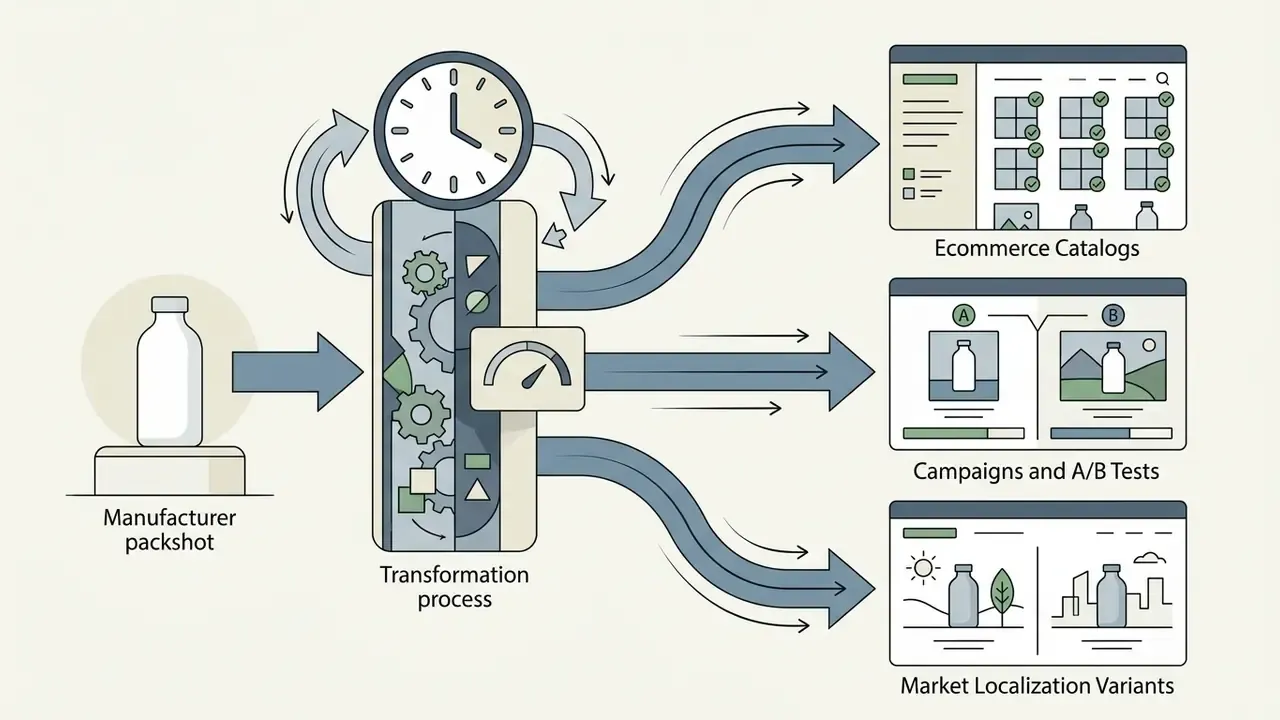
Folding AI product photography into an ecommerce workflow produces measurable operational and conversion gains across channels:
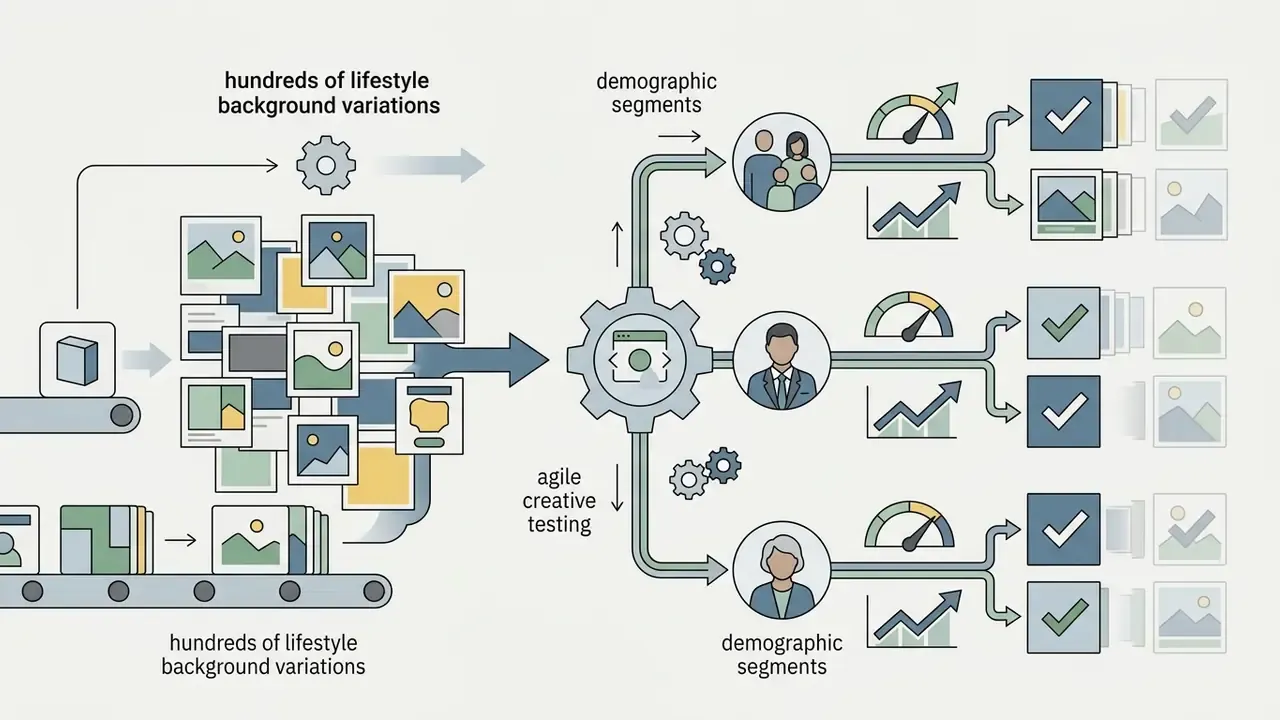


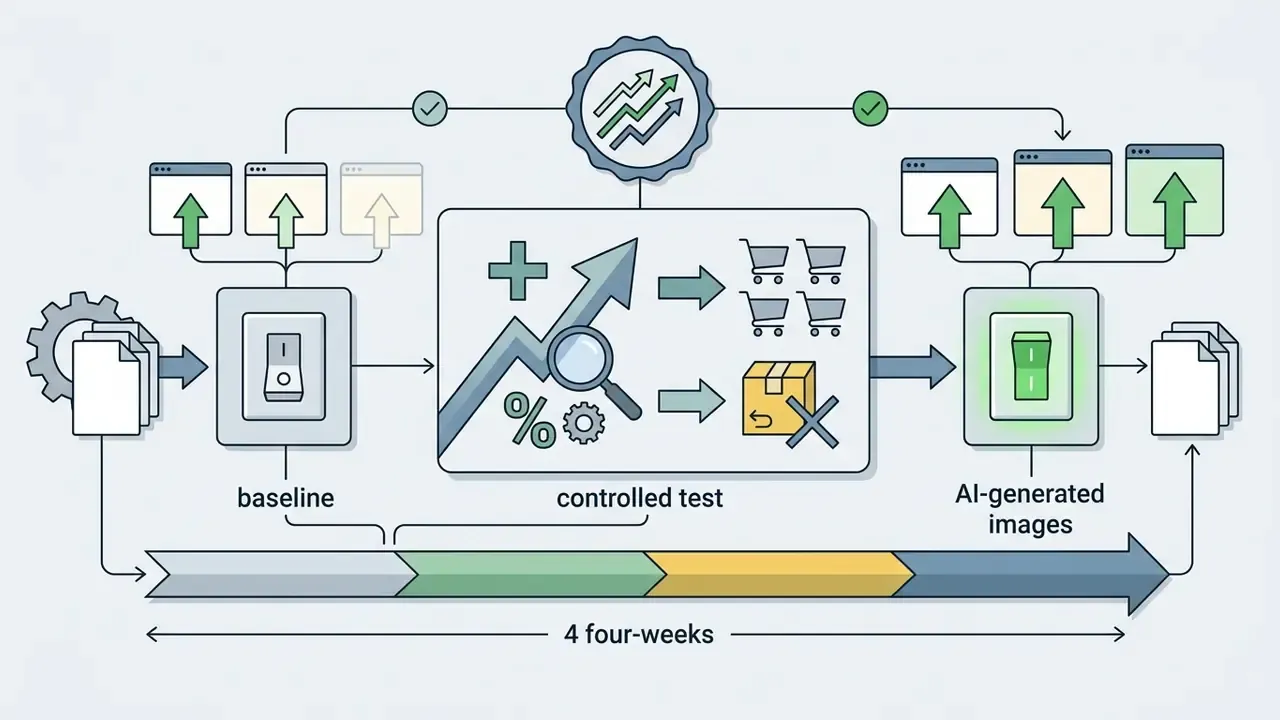
Case note (requires independent verification): A deployment attributed to Luxora Furniture reports conversion moving from 2.3% to 3.4%, a 47.8% relative gain, after AI-generated lifestyle backgrounds rolled out across 90% of listings. No documented A/B methodology or sample size accompanies the claim. Read it as an illustrative vendor story, then run your own holdout test with fixed pricing and copy before extrapolating.
B2B wholesale and high-volume catalog scaling
For distributors and manufacturers managing 10,000 SKUs or more, physical shoots create hard time-to-market bottlenecks. Automated pipelines change the shape of the problem:

Product categories and situations that require more control
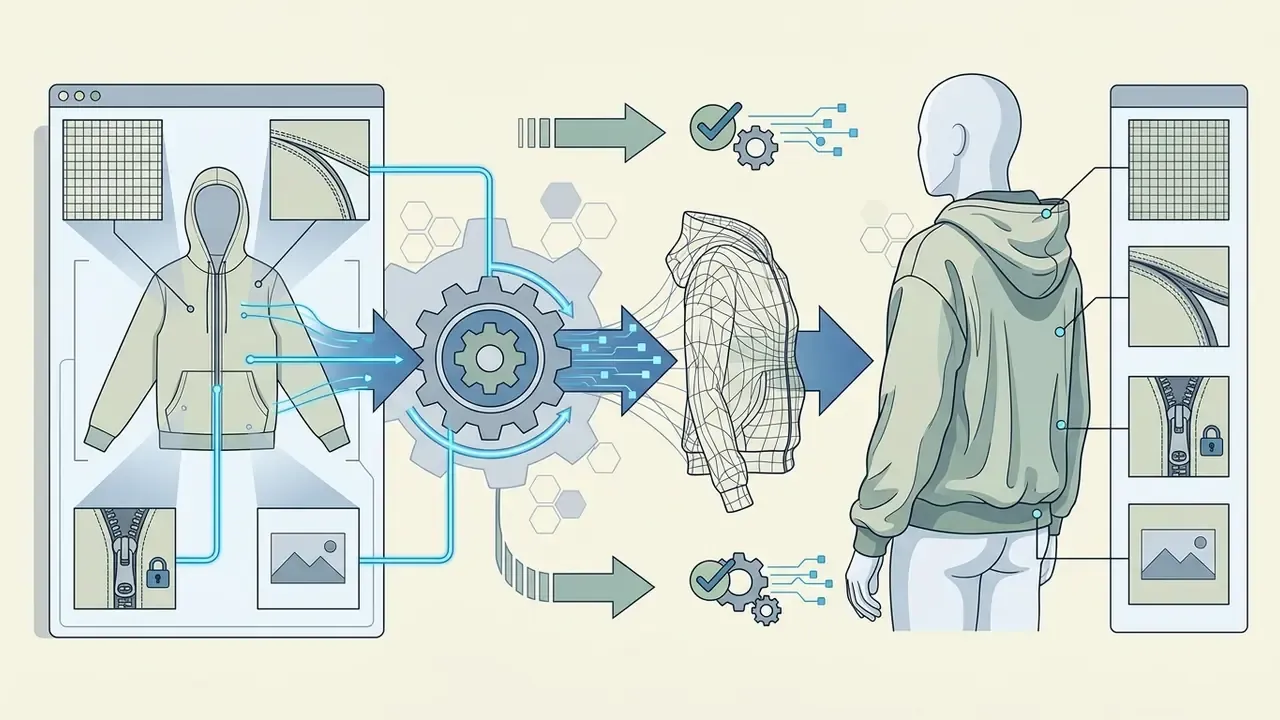
AI photography handles standard consumer goods well. Some categories still demand studio capture or a strict human in the loop:



Decision matrix: AI generation vs. hiring a photographer
| Business situation | Recommended approach |
|---|---|
| Early-stage brand, high SKU count, tight budget | Full AI background and scene generation from clean base packshots |
| Weekly ad-creative iteration and seasonal refresh | AI generation with reusable brand templates |
| Marketplace main images in strict categories | Studio or in-house packshot capture; AI only for cleanup and white balance |
| Enterprise hero branding and flagship launches | Studio capture for hero frames; AI for secondary channel variants, localization and ad iteration |
| Transparent, regulated or micro-texture products | Studio capture with mandatory human QA review |
How to Choose AI Product Photography Tools for Ecommerce
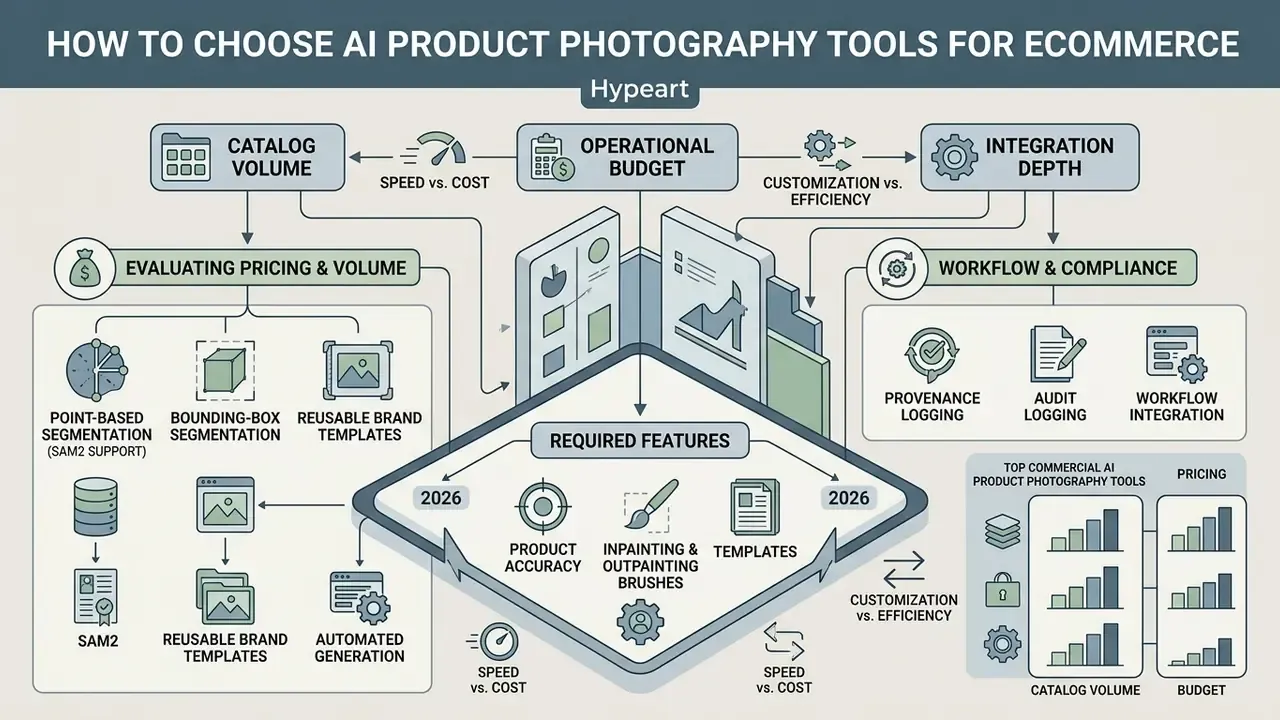
Choosing AI product photography software comes down to catalog volume, operational budget and integration depth.
An apparel group processing 1,000 new SKUs a month tested three platforms. It picked an API-first generation tool with point-masking over an entry-level web app, and saved about 120 engineering hours per month through direct Shopify catalog sync.
Model choice carries a performance cost, not only a licensing cost. Benchmark two or three candidates on the same 20-SKU sample before you commit a pipeline to any of them.
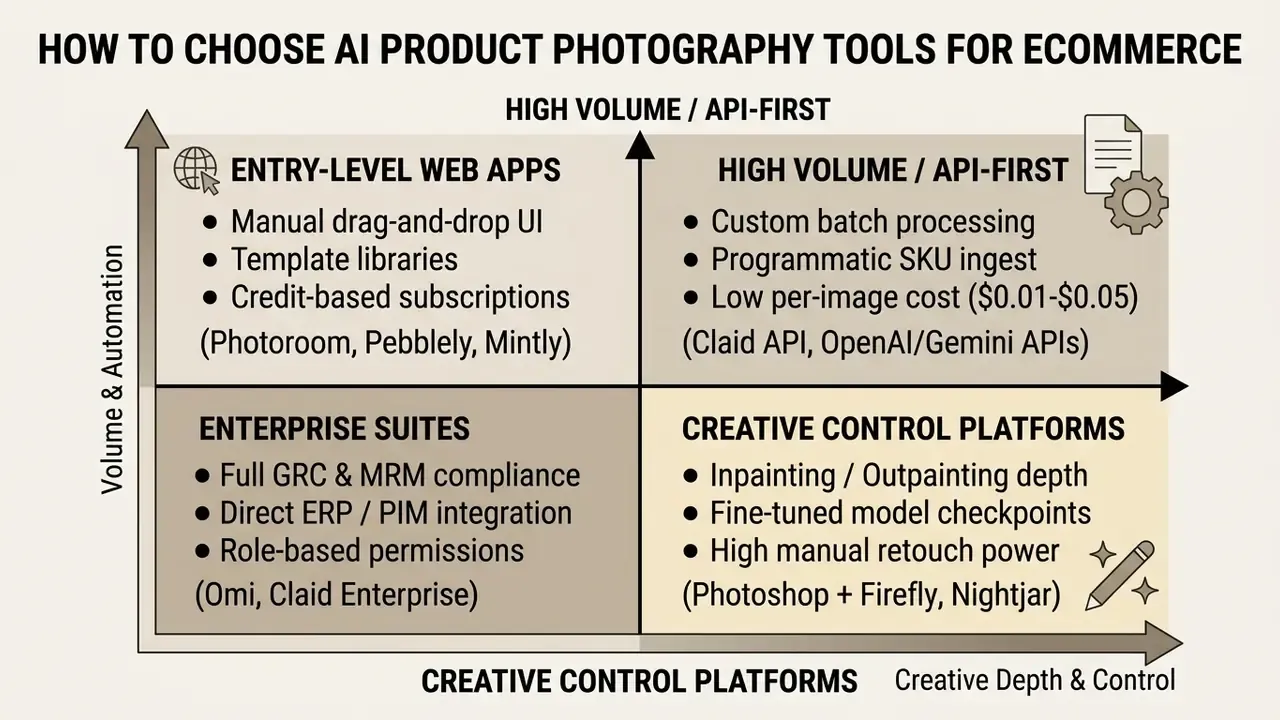
Top commercial AI product photography tools in 2026
The market has split into lanes: all-in-one ecommerce studios, mobile-first listing editors, professional creative suites, and category specialists covering luxury editorial, catalog consistency and 3D digital twins. Test the shortlist on the same product photos, otherwise the comparison means little.
| Tool | Best for | Key features | Pricing tier | Supported platforms |
|---|---|---|---|---|
| Claid.ai | Enterprise catalog automation | AI Photoshoot, ghost mannequin to on-model, shadow generation, object removal, outpainting, 16MP upscaling, API | From $9/mo (50 free credits) | Web, REST API |
| Photoroom | Marketplace sellers and mobile workflows | Batch background removal, AI shadows, Amazon/eBay/Etsy presets, brand kits, virtual models | From $2.99/mo (free tier with watermarks) | iOS, Android, Web, API |
| Adobe Photoshop (Firefly) | Pixel-perfect manual QA and composites | Generative Fill, generative outpainting, automatic lighting and shadow matching, layer control | From $9.99/mo (Firefly), $22.99/mo (Photoshop) | Desktop, iPad, Web |
| Nightjar | Catalog-wide brand consistency | Reusable photography style presets, multi-SKU coherence | From $25/mo (free trial, 6 generations) | Web, Shopify app |
| Omi | 3D digital twins | Renders 3D models into dynamic scenes and video with high repeatability | Enterprise / quote | Web |
| Mintly | Social and ad performance creatives | Static and video ads generated from a product URL, ad-library-inspired styles, product-protection guardrails | From $19/mo (1 free generation) | Web |
| Pebblely | Quick small-catalog lifestyle scenes | 40+ preset themes, multi-product staging, bulk reusable backgrounds | From $15/mo (40 free images) | Web, Shopify app |
For last-mile polish, many teams pair a generation tool with a dedicated AI photo editor or with AI image enhancers before export.
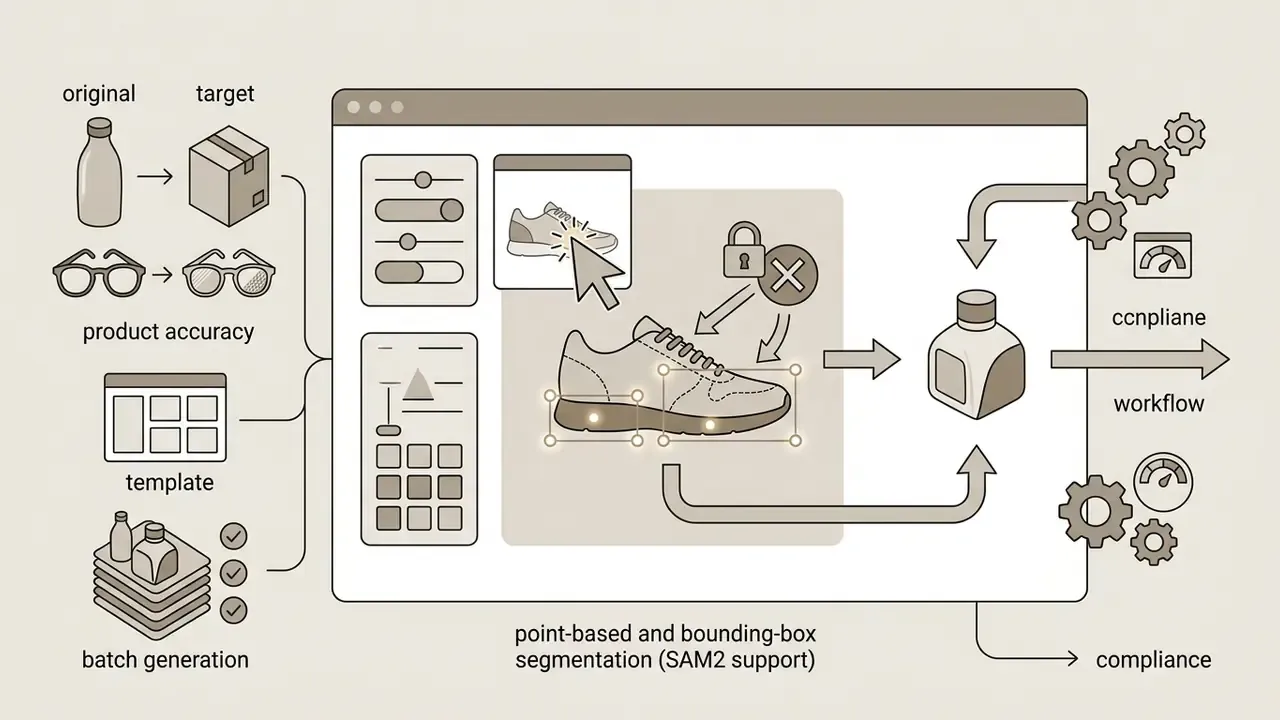
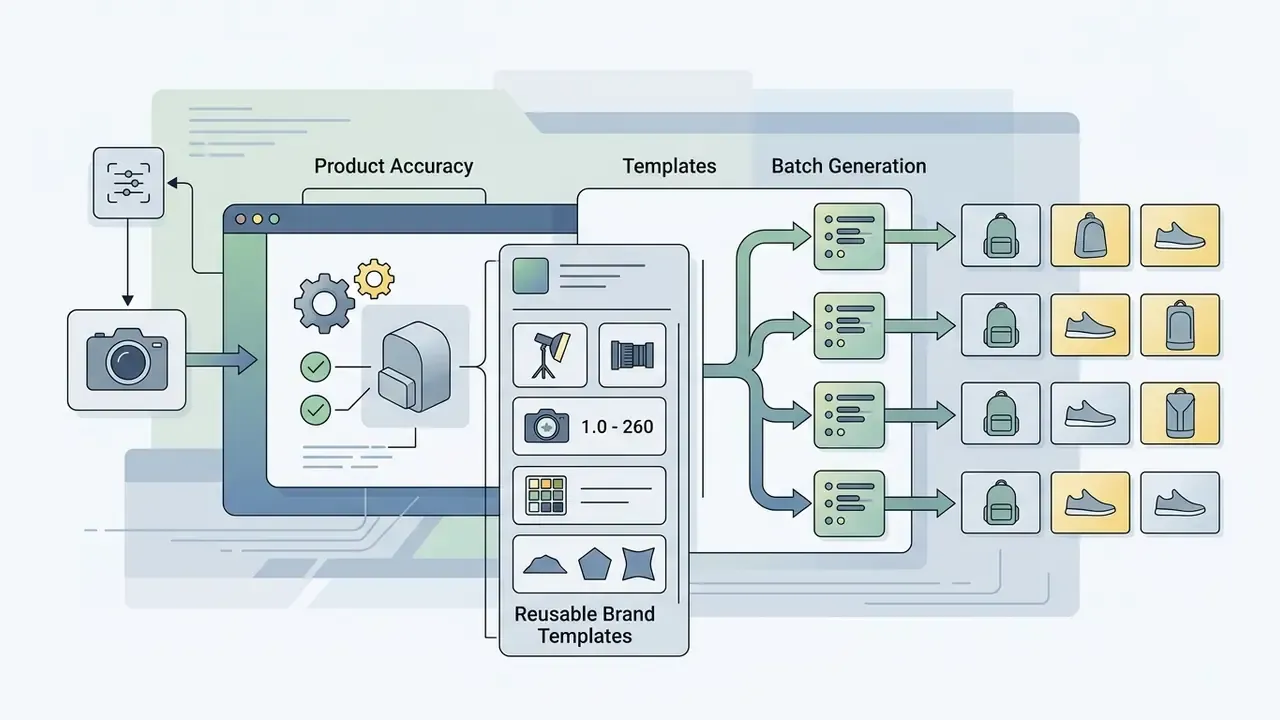
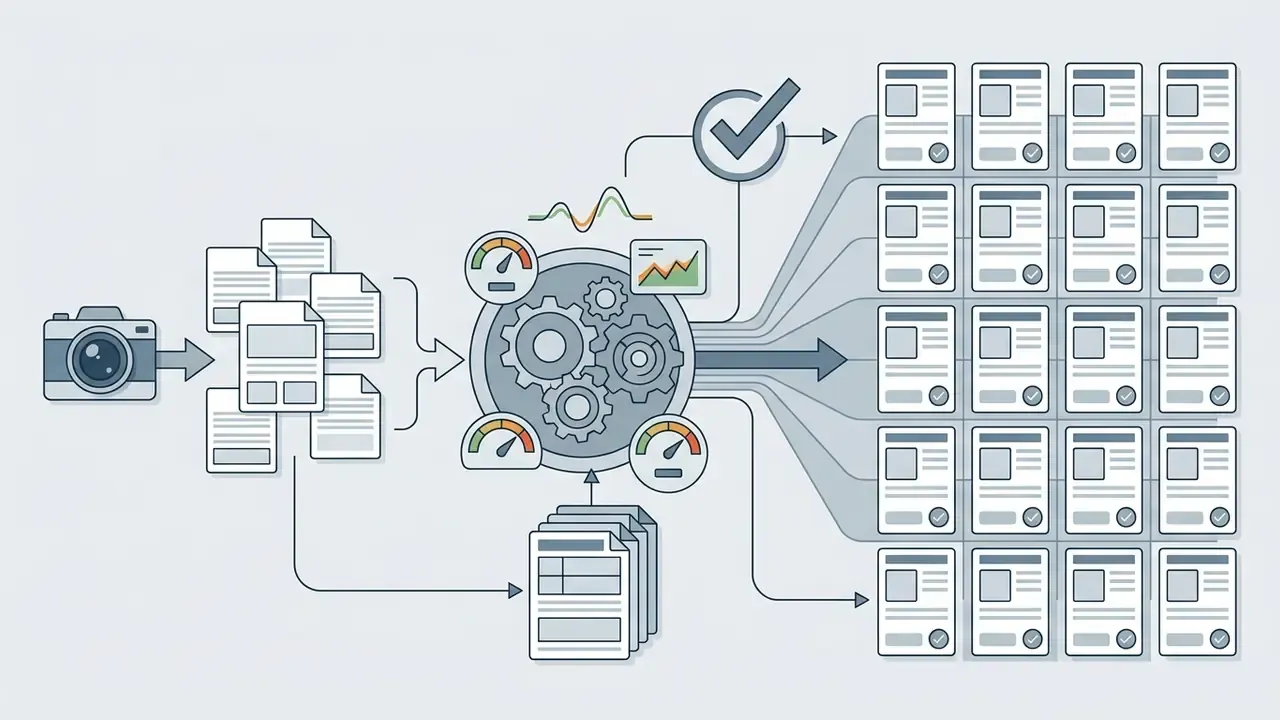
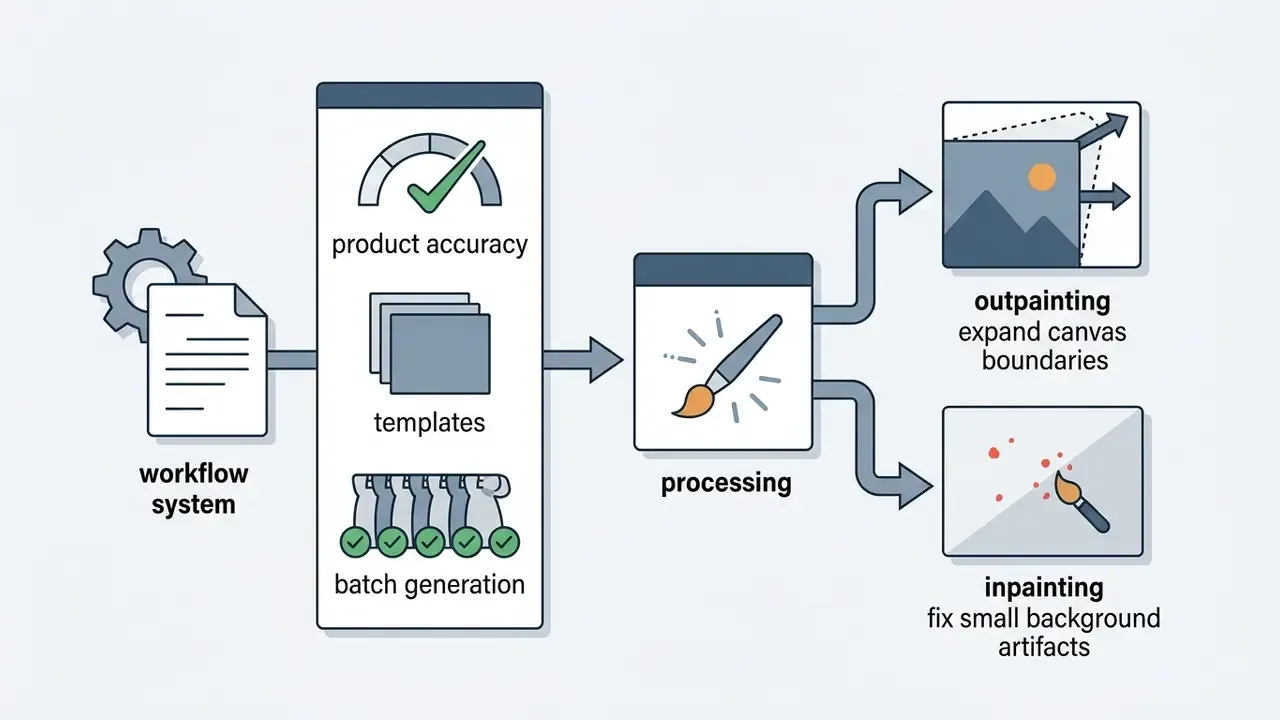
Required features: product accuracy, templates, and batch generation
When you review software, confirm these operational features exist. Not marketing language, actual features:
Evaluate pricing, volume, and workflow integration
Match the pricing model to catalog scale:
- API token billing Charged per call or generated image. Published rates include GPT Image 1.5 at $0.009 (low), $0.034 (medium) and $0.133 (high) for 1024x1024 output, and Gemini image output equivalents from roughly $0.045 per 0.5K image up to $0.151 per 4K image. Best for large workflows wired into PIM and ERP systems.
- Subscription tiers Fixed monthly plans with a bucket of credits, for example $29 per month for 500 credits. Suits small and midsize teams with predictable output.
- Quality-adjusted cost Factor in failure rates. If a tool needs three attempts for one brand-compliant asset, multiply the nominal fee by three. A $0.034 nominal cost at a 3:1 failure ratio equals roughly $0.10 per approved frame, still two orders of magnitude below studio rates, though material at 100,000-image scale.
- Vertical vs. general-purpose tooling General generators offer creative range; ecommerce studios offer marketplace presets, garment warping and product-protection guardrails. For catalog work, vertical tooling usually wins on approval rate.
Prepare Source Product Photos Before Using AI Tools
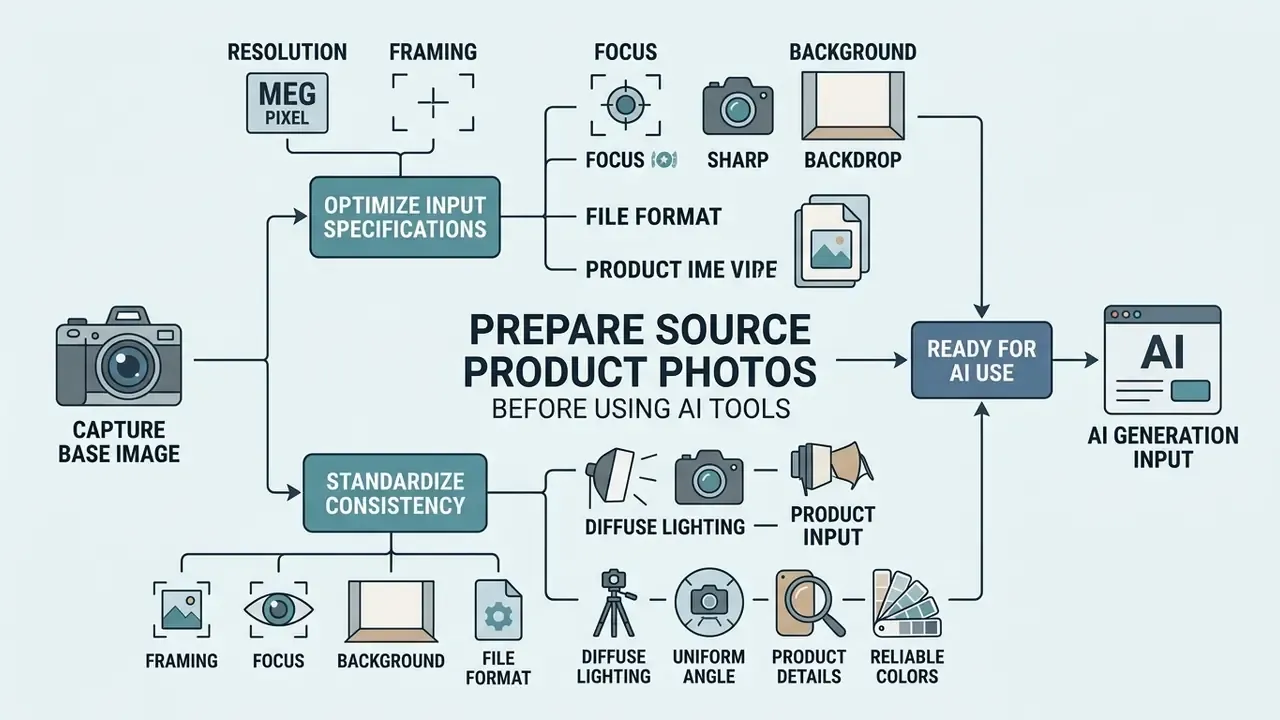
Preparing high-quality source product photos is the single most important input to realistic AI imagery. Generative models amplify whatever is wrong in the base image, so soft lighting mistakes and blurry edges arrive downstream as severe artifacts.
One fashion brand standardized capture by installing diffuse LED light tents across regional warehouses. Edge-matting errors in its AI pipeline dropped 84%, and manual touch-up fell under 30 seconds per SKU. Not glamorous work. Very effective.
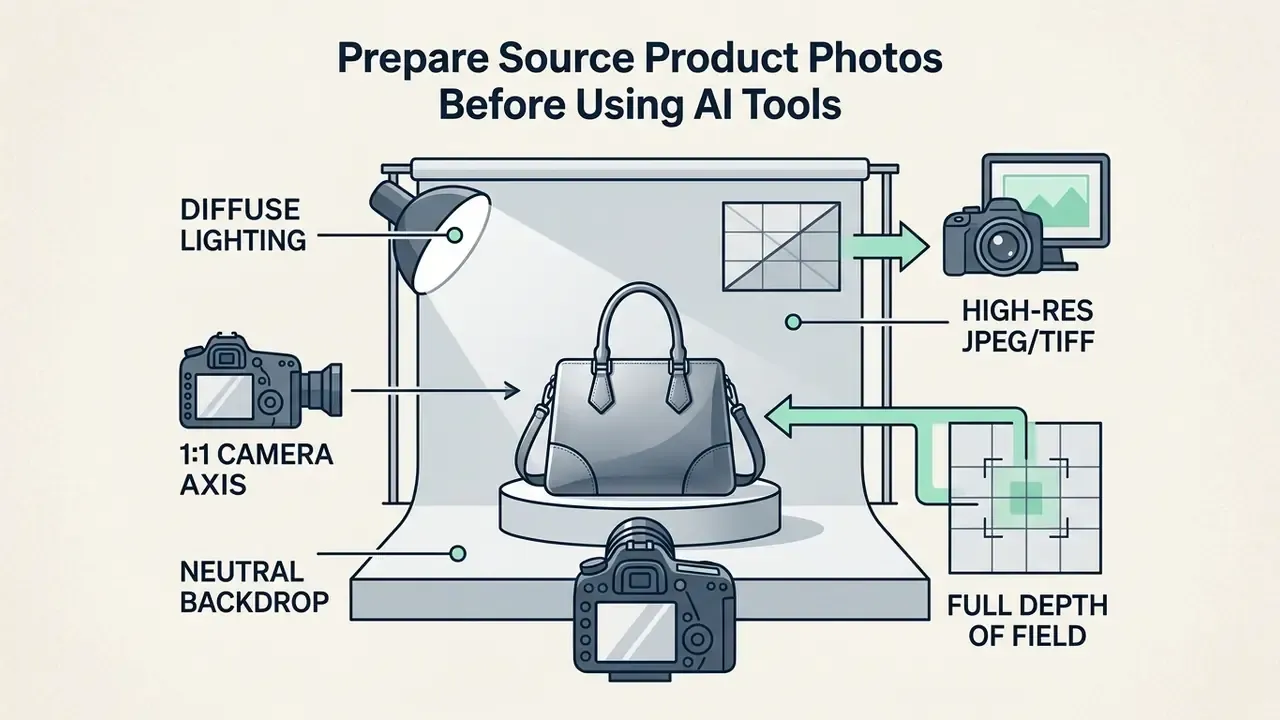
Capture a clean base image of the actual product
To produce a clean source photo that feeds AI segmentation engines properly, follow these guidelines from the GS1 2025/2026 Product Image Standards:
- ResolutionShoot at 2401x2401 pixels or higher (300 DPI) to keep detail for zoom modes and later work in AI photo editors. GS1 regional guidance permits 1200 px for products under 12 cm and 900 px for products under 6 cm.
- FramingCenter the product and fill 60% to 70% of the canvas, leaving border space for matting algorithms.
- BackgroundUse seamless matte white, neutral gray or another high-contrast backdrop to simplify subject isolation.
- FocusUse a small aperture (f/8 to f/11) for deep depth of field, keeping the product sharp from front edge to back corner.
- File formatArchive masters as lossless TIFF (LZW) or high-quality JPEG in RGB, with a single closed clipping path where transparency is required, and keep files under 25 MB per GS1 Austria guidance.
Standardize lighting, angle, and product details
Lighting and perspective have to stay consistent across the capture setup, otherwise AI rendering becomes unpredictable:
- Diffuse, indirect lighting Softboxes or diffusion panels remove harsh hot spots and heavy cast shadows on the product surface.
- Standardized camera angles Shoot at commercial standards: 0 degrees eye level (front), 45 degrees three-quarter, 90 degrees top-down. Keep the camera axis perpendicular to the primary product face and hold tilt inside a fixed tolerance so generated backgrounds match perspective.
- Reflection control Kill room reflections on glossy plastics and polished metals with black blocking cards.
- Neutral working environment Digitization standards recommend a neutral matte-gray review space to reduce flare and perceptual color bias during capture and approval.
Standardizing these parameters removes edge noise and stops generative background layers from contradicting the product's own lighting direction. Small discipline, fewer rejected frames.
AI Product Photography Workflow: From One Photo to Ecommerce Assets
Moving from a raw base photograph to channel-ready assets follows a six-stage workflow built for speed with a quality gate at the end. This is the section to bookmark if you want the ai product photography for ecommerce steps in order.
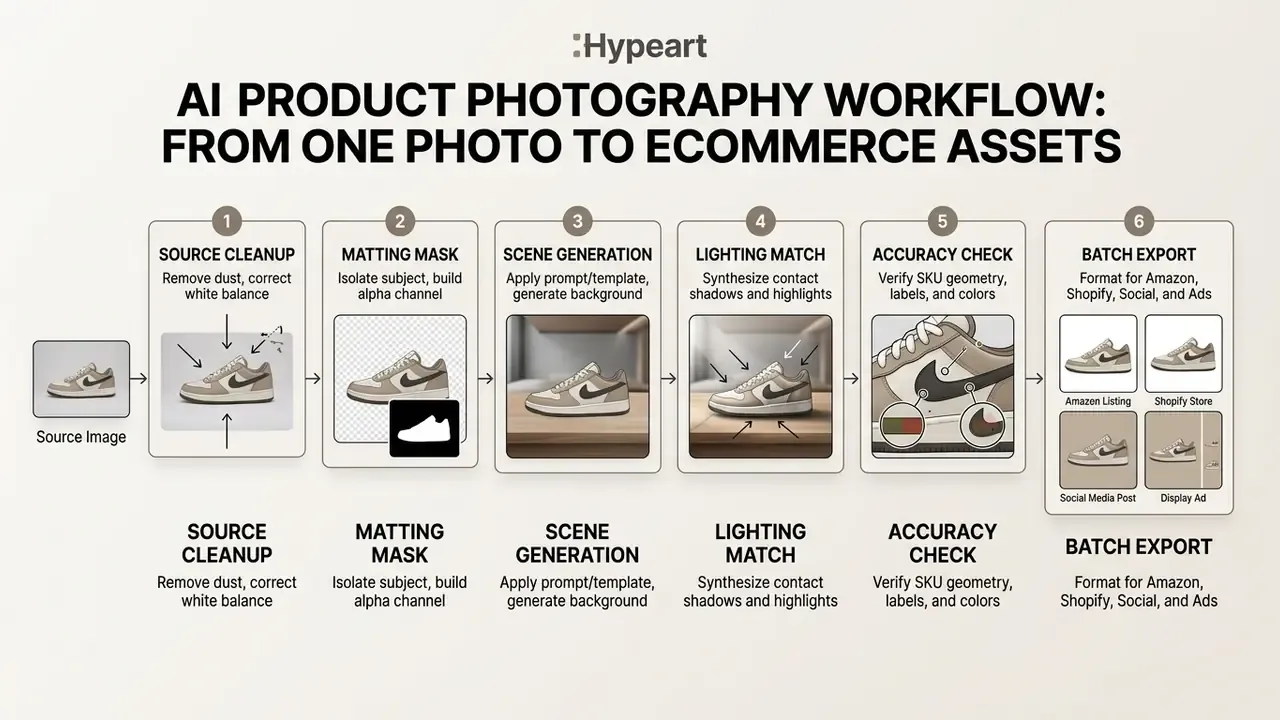
Before running the pipeline, decide where each asset will live: baseline PDP images, lifestyle storytelling, high-conversion ad creative, or printed trade catalogs. That decision drives which templates and variation levels you apply at stage 3.
When several tools sit in one pipeline, brands often compare top-tier commercial use ai tools to streamline background generation and batch export.
Remove and replace backgrounds without altering the product
Background removal uses neural networks to compute an alpha matte, a grayscale mask defining pixel opacity. The algorithm weighs color contrast, edge boundaries and semantic context to separate foreground from background.
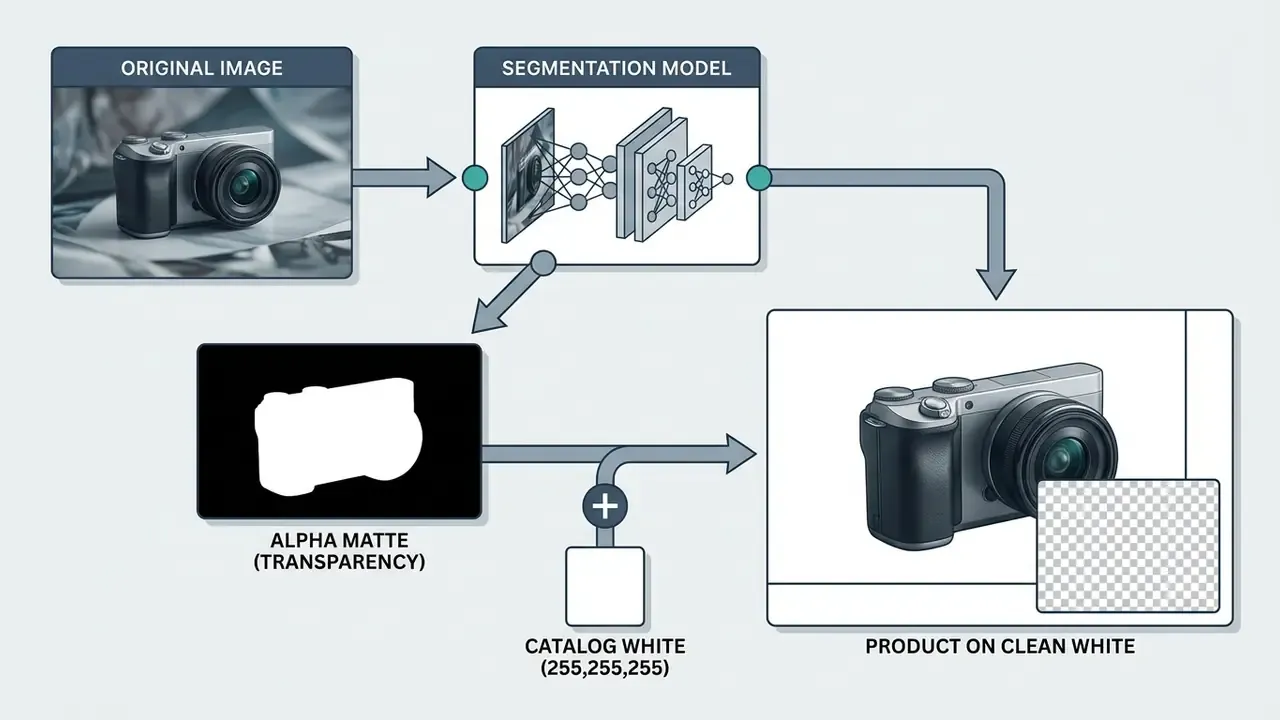
To protect product integrity during replacement:
- Keep editing non-destructive with vector masks or PNG alpha channels instead of permanent crops.
- Use point-based refine brushes and keep/remove markers around faux fur, mesh or hair, where edge erosion shows first.
- Keep original drop shadows on a separate layer when they carry natural contact detail.
- Feed the remover a frame with clear subject contrast, even lighting and a neutral backdrop. Removal accuracy is mostly a function of input separability.
Generate lifestyle scenes, lighting, and shadows
For a believable lifestyle scene, the model has to align the environment's light direction, color temperature and perspective with the original base photo. Miss that, and the eye catches it instantly even when the viewer cannot say why.
Modern generators read specular highlights on the product surface to infer where light sources belong in the new scene. Research on dynamic indoor lighting estimates both position and color of multiple sources by detecting specular reflections and cast shadows (PubMed, 2022. https://pubmed.ncbi.nlm.nih.gov/32142442/). The software then places contact shadows directly under the product base, which prevents the floating-object look typical of basic cutouts. Canvas extension and background expansion are handled by AI outpainting tools, which widen the scene without regenerating the locked product layer.
Studio craft transfers directly here. Use visible lamps in the scene as practicals, add light sources one at a time, and switch to side lighting whenever surface texture has to read clearly.
Refine, export, and organize images for each channel
The final phase prepares generated assets for technical channel compliance and catalog deployment:
- Amazon main: 2000x2000 px, pure white background (RGB 255, 255, 255), JPEG.
- Shopify PDP: 2048x2048 px, WebP, compressed under 2 MB for fast page loads.
- Meta and TikTok ads: 1080x1920 px (9:16 vertical) with contextual lifestyle themes.
- Print trade catalogs: 300 DPI CMYK-converted derivatives from the same locked master.
- RefinementClean up prompt bleeding or background overlap near product boundaries with targeted inpainting masks.
- Color space normalizationConvert everything to sRGB so color holds up across mobile displays and browsers. For sharpness and resolution gains, route approved masters through AI image enhancers.
- Batch exportingProduce channel-tailored derivatives.
- Metadata preservationAttach IPTC and EXIF tags carrying master SKU numbers, creation dates and internal AI editing flags. Strip or null batch-specific data before distribution, as the GS1 Product Image Specification Standard requires.
- Catalog organizationKeep folder structures simple and scalable, with originals and derivatives stored apart so batch reprocessing never overwrites an approved master.
Interactive storefront visuals (hover-state assets)
Modern DTC storefronts use generation to turn static PDP grids into something more alive. Feed a baseline studio packshot into a generative vision model and you get matching on-model or contextual variants of the same SKU.
- Implementation
- Set the primary white-background packshot as the default image source, and assign the AI-generated lifestyle scene to the hover state or secondary gallery buffer. That is an interactive preview at close to zero marginal cost, with no model booking.
- Prompt pattern
- "Create a realistic image showing a person using or wearing this product in a natural setting. Keep product details accurate and make the product the main focus."
- Guardrail
- The hover image is still a commercial representation of the SKU, so it goes through the same QC checklist as catalog images. No altered colorways, silhouettes or logos.
- Video reuse
- Approved lifestyle stills double as keyframes for short product videos. Product video placed beside the gallery is associated with a 5-15% conversion lift in apparel, furniture and electronics (CustomFit, 2024-2025).
Marketplace and Ecommerce Requirements for AI Product Images
Ecommerce channels enforce hard technical and policy standards on product imagery. Non-compliant visuals invite listing suppression, rejected ad accounts and, in bad cases, account suspension.
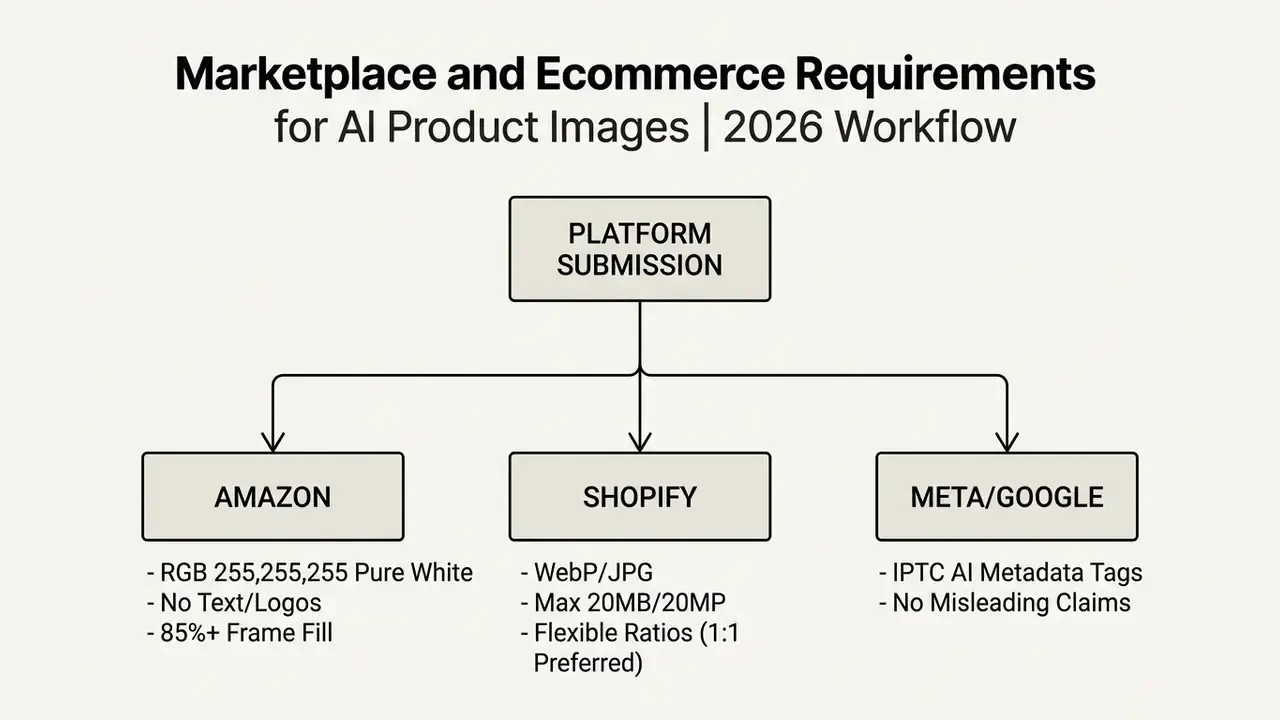
Amazon main images and white-background product photos
Amazon applies strict rules to primary listing photos, per Amazon Seller Central Standards (2026):
- Pure white background The area around the item must be pure white, exactly RGB 255, 255, 255.
- Frame fill The product must occupy at least 85% of the canvas.
- Zero distractions Main images show only the product for sale. Graphic overlays, promotional text, watermarks, inset images and non-included props are forbidden.
- Actual product photography Fully synthetic, text-prompted renders with no real product input are not allowed in core categories. Secondary gallery slots do permit lifestyle background modifications.
- Synthetic human labeling Sellers must tag images and A+ content containing photorealistic AI-generated people with the specified metadata before upload, and a shopper-facing indicator applies where relevant.
Best Practices for Consistent, High-Converting AI Product Photos
Two things separate a working operation from a pile of pretty renders: standardized prompt architecture and a QC gate nobody can skip. That is the core of ai product photography for ecommerce best practices.
Use structured prompts and repeatable brand templates
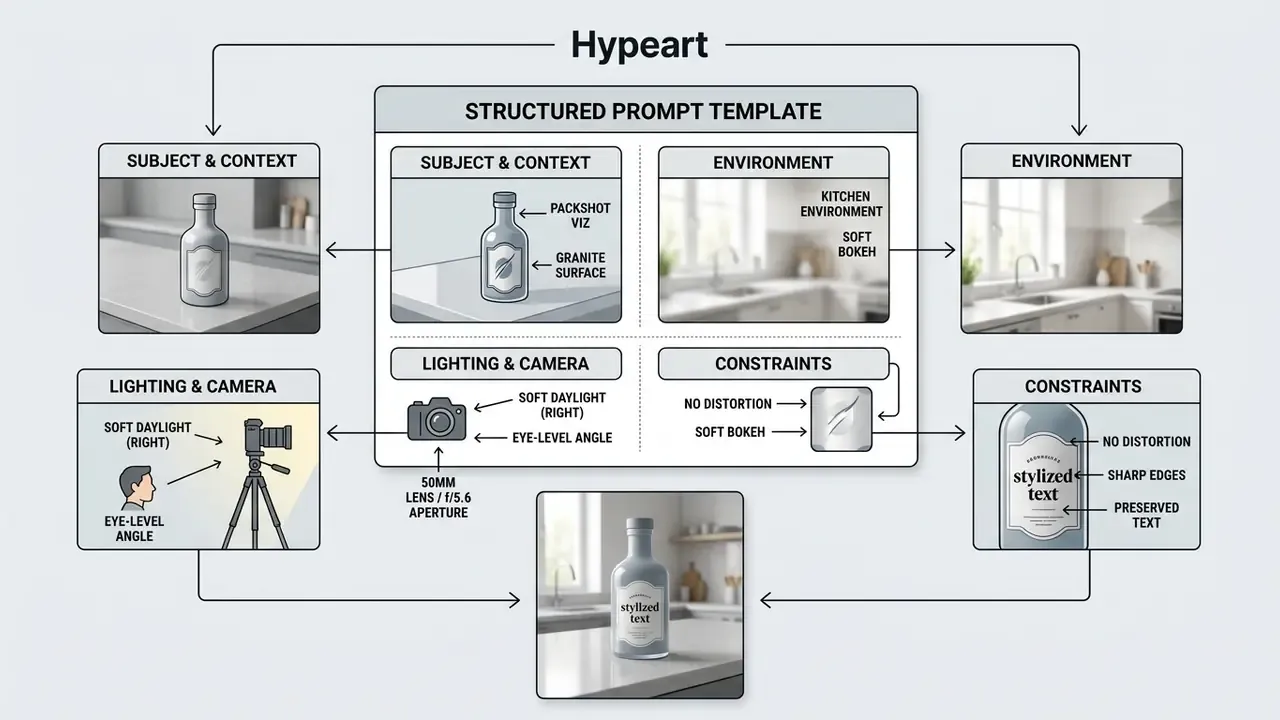
Skip open-ended prompts for commercial work. Use a structured framework such as CLEAR (Concise, Logical, Explicit, Adaptive, Reflective) so two operators produce comparable output:
- Subject definitionName the locked product SKU explicitly.
- Environment and contextDescribe surface material, backdrop elements and prop placement.
- Lighting and moodSpecify direction, color temperature (5500K daylight, for instance) and shadow intensity.
- Camera and opticsSet angle (45 degrees), focal length (85mm) and depth of field.
- Negative constraintsSpell out what must not appear, such as extra props, text overlays or oversaturated color.
Reusable negative prompt (copy-paste baseline):
[NEGATIVE]: blurry edges, halo fringing, distorted text, misspelled label copy,
altered logo shape or placement, changed colorway, warped silhouette,
extra floating objects, duplicated product, extra hands or fingers,
human faces, visible watermark, promotional text overlay,
oversaturated colors, plastic-looking skin, floating product without contact shadow,
mismatched light direction, reflections of studio equipment
Pair that negative prompt with a brand template holding palette, typography rules, imagery direction and voice, the same structure a conventional brand style guide uses, so every generation inherits the same art direction.
Review realism and measure conversion impact
Run a two-stage evaluation: realism before publication, performance after.
- Stage 1: Pre-publication quality review
- Geometric integrity: Check handles, corners and straight lines for warping or perspective skew. Automated support from AI image detectors can flag generative artifacts before a human signs off.
- Contact realism: Confirm cast shadows match the direction and soft spread of the scene's light sources.
- Label accuracy: Zoom to 100% and verify that brand names, typography and logos are crisp and correctly spelled.
«71% of shoppers cannot distinguish an AI image from a real photo, but lose confidence when details such as buttons, fabric folds and texture look wrong.»
- Stage 2: Post-publication performance measurement
- Click-through rate: Track ad and gallery clicks across A/B variants.
- Add-to-cart and conversion rate: Test whether lifestyle context moves conversion volume, not just engagement.
- Return rate monitoring: Watch return logs for "item not as pictured" complaints. A rise usually means AI backgrounds or lighting edits shifted perceived color or physical scale.
For structured realism scoring, research frameworks assess photorealism, image quality and text-image alignment through validated human questionnaires (Visual Verity, arXiv, 2024. https://arxiv.org/abs/2408.12762v2), while attribute-level frameworks report separate confidence and realism scores (REAL, arXiv, 2025. https://arxiv.org/html/2502.10663v1). Earlier CTR research ties higher gray-level contrast, fewer salient components, central composition and color harmony to stronger click performance (The Impact of Visual Appearance on User Response, WWW 2012 companion. https://archives.iw3c2.org/www2012/proceedings/companion/p457.pdf).
Pre-Publication QC Checklist
Run every generated asset through this list before it touches a live listing. One failure means reject and regenerate. No exceptions, no "it is probably fine".
| # | Check | Pass criteria |
|---|---|---|
| 1 | SKU identity | Silhouette, proportions, colorway and material match the source packshot at 100% zoom |
| 2 | Logo and label | Logo placement unchanged; all label text legible and correctly spelled |
| 3 | Geometry | No warped handles, bent straight lines or perspective skew |
| 4 | Shadow and light | Contact shadow present; cast-shadow direction matches the scene light source |
| 5 | Artifacts | No halos, duplicated objects, phantom limbs or prompt bleeding into the product edge |
| 6 | Channel specs | Correct dimensions, format, background value (RGB 255,255,255 where required) and file size |
| 7 | Metadata and provenance | SKU ID, creation date, model version and AI-generation IPTC tags embedded and intact |
| 8 | Claims and compliance | No added text, no implied performance claims, no unlisted accessories or props |
| 9 | Approval log | Reviewer name, date and decision recorded for audit traceability |
FAQ About AI Product Photography for Ecommerce
Do AI-generated product images need disclosure, and can they be reused for product video?
Disclosure rules depend on jurisdiction, sales channel and how heavily the image was modified.
- Commercial disclosure requirements: Standard background removal and lighting adjustment on real products generally need no consumer-facing disclaimer on major U.S. marketplaces. Fully synthetic human models, heavily manipulated visuals, or synthetic media distributed in the EU must carry machine-readable metadata and visible disclosure under the EU AI Act and FTC endorsement guidelines. Amazon separately requires metadata tagging for photorealistic AI-generated people.
- Consumer perception trade-offs: Research from EMAC (2025) shows that explicit "AI-generated" disclosure on sensory product ads, food and cosmetics for example, can reduce perceived brand effort and lower purchase intent. In that study, disclosure significantly reduced perceived brand effort (b = -0.816, p < 0.001), which lowered taste expectations and purchase intention. On the other side, Stylitics reports 59% of consumers reading honest disclosure as a sign of brand integrity in apparel, and wanting AI imagery clearly labeled. Both findings can be true in different categories; test yours.
- Reusing assets for product video: High-resolution transparent PNG cutouts and generated lifestyle backgrounds import directly into AI video platforms, covered in our overview of image-to-video AI tools. They act as keyframes for 3D camera pans, ambient lighting loops and short five-second showcases for product pages and social reels. Product video next to the gallery is associated with a 5-15% conversion lift in apparel, furniture and electronics (CustomFit, 2024-2025).
Are AI-generated product images copyrightable?
In the United States, applicants must disclose AI-generated content and describe the human contribution when registering mixed AI and human works (U.S. Copyright Office, 2023). The Office's 2025 report clarifies that copyright covers generative outputs only where a human author determined sufficient expressive elements; wholly AI-generated material is not protected. Its 2026 digital-replica report adds that unauthorized duplication of a person's image or voice can raise rights issues even with AI in the loop, which matters for any brand experimenting with synthetic models.
Can AI replace studio photography entirely?
No. For primary packshots where every port, label and regulatory disclosure must be physically accurate, studio capture remains the safer call, especially in transparent, regulated and micro-texture categories. Think of AI as an effectively unlimited marketing photoshoot for lifestyle scenes, ads, lookbooks, localization variants and hover-state assets, with studio capture reserved for hero frames and technical documentation.
Key Takeaways for Ecommerce Operations
- Keep the SKU locked Treat the physical product as immutable ground truth. Segmentation masks let you change backgrounds, lighting and scenes without touching the product itself.
- Standardize source capture Shoot base photos under diffuse light with sharp focus across the whole product. Clean sources remove most downstream artifacts, and AI image upscalers can lift approved masters to marketplace zoom requirements without a reshoot.
- Meet platform rules first Pure white (RGB 255, 255, 255) for Amazon primary images, IPTC metadata tags for Google and social ad channels.
- Measure visual performance Validate synthetic assets through A/B testing, tracking conversion rate, click-through rate and returns together rather than one in isolation.
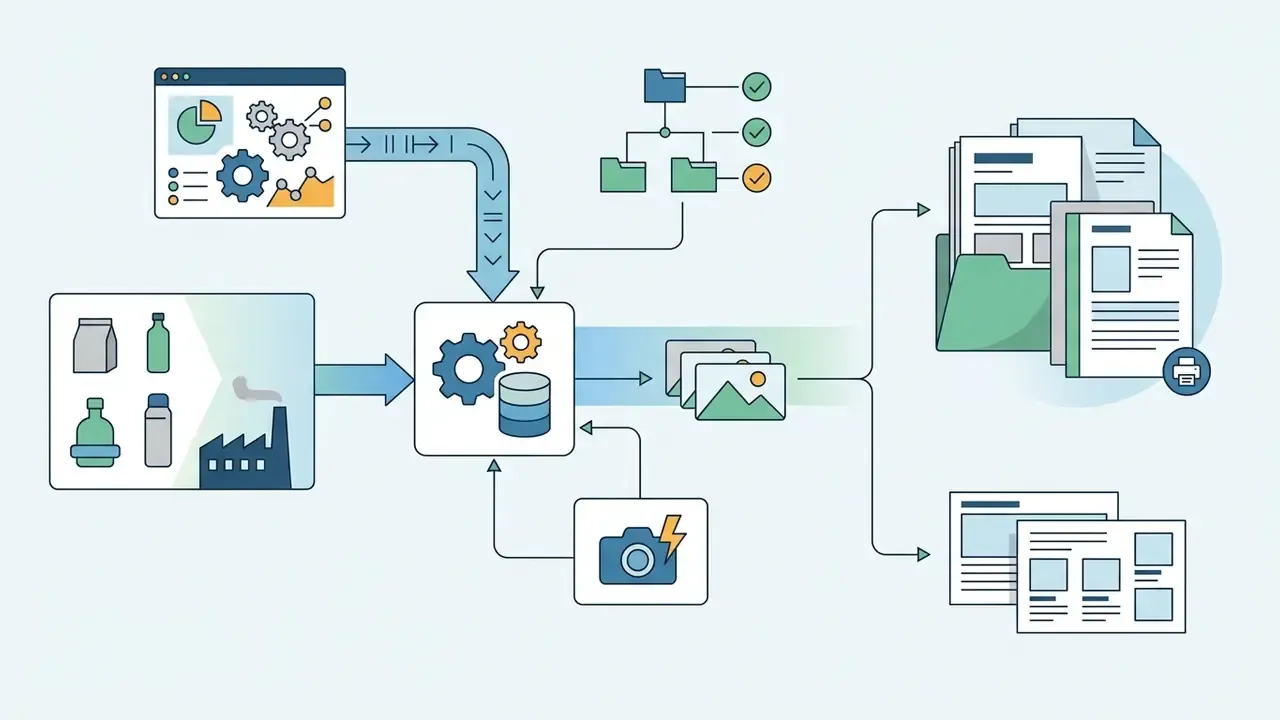
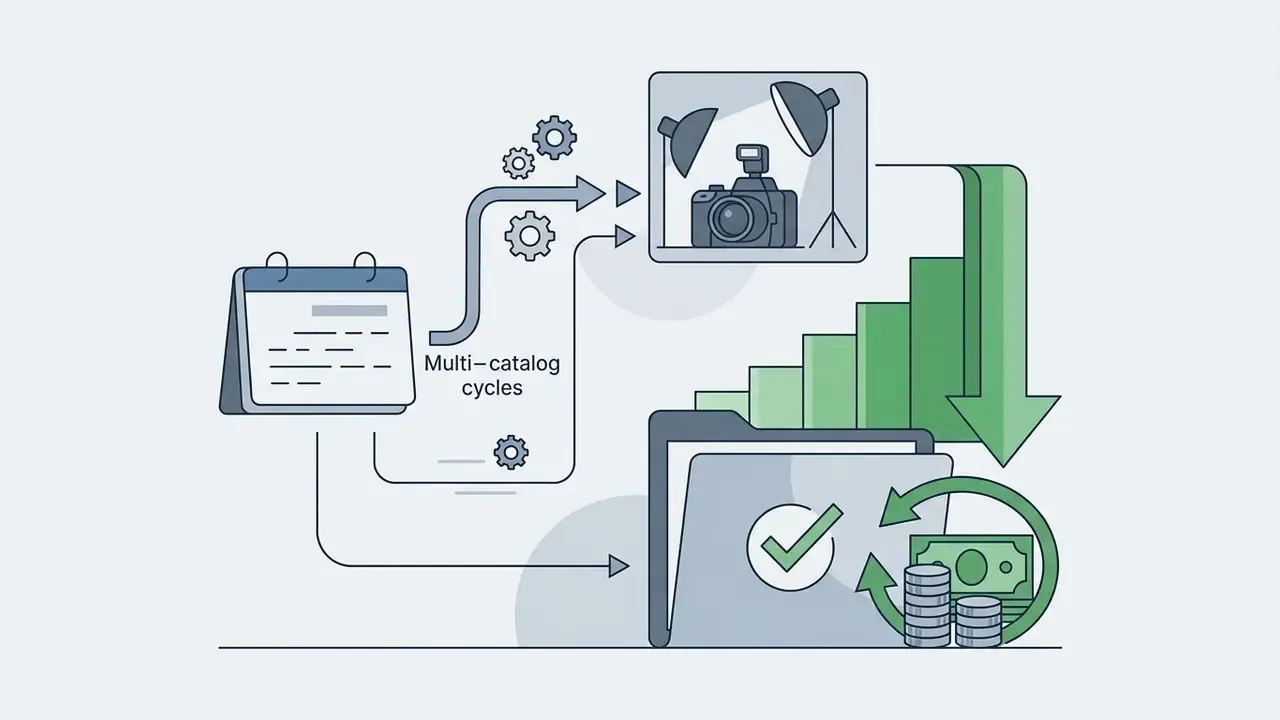
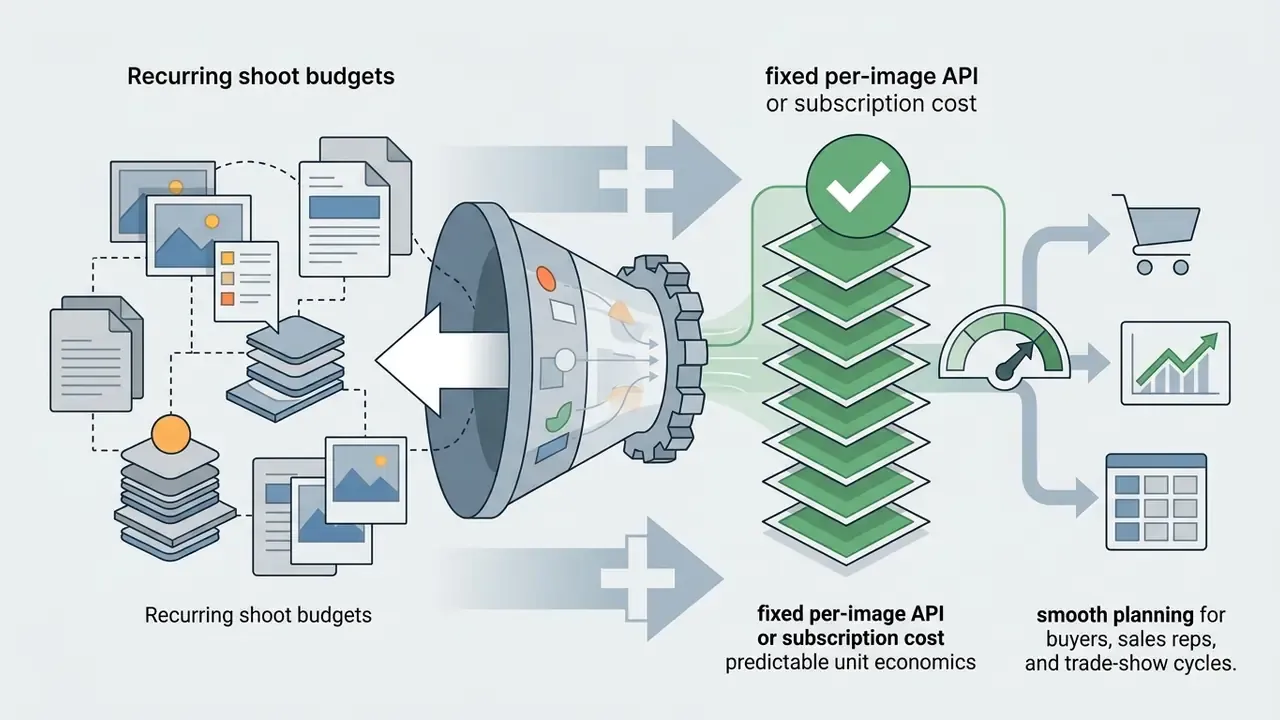
- Scale B2B catalogs through the PIM Wire generation into ERP and PIM ingestion so factory packshots become trade-catalog-ready assets automatically, turning recurring shoot budgets into predictable per-image costs.
- Document provenance Log source image, model version, prompt, edit history and approver for every published asset, which satisfies EU AI Act marking obligations and internal model-risk review at the same time.
For further documentation, regulatory frameworks and visual generation guides, explore our main AI Media Commercial-Use Hub.
Appendix A: Superseded Text (Retained for Version Traceability)
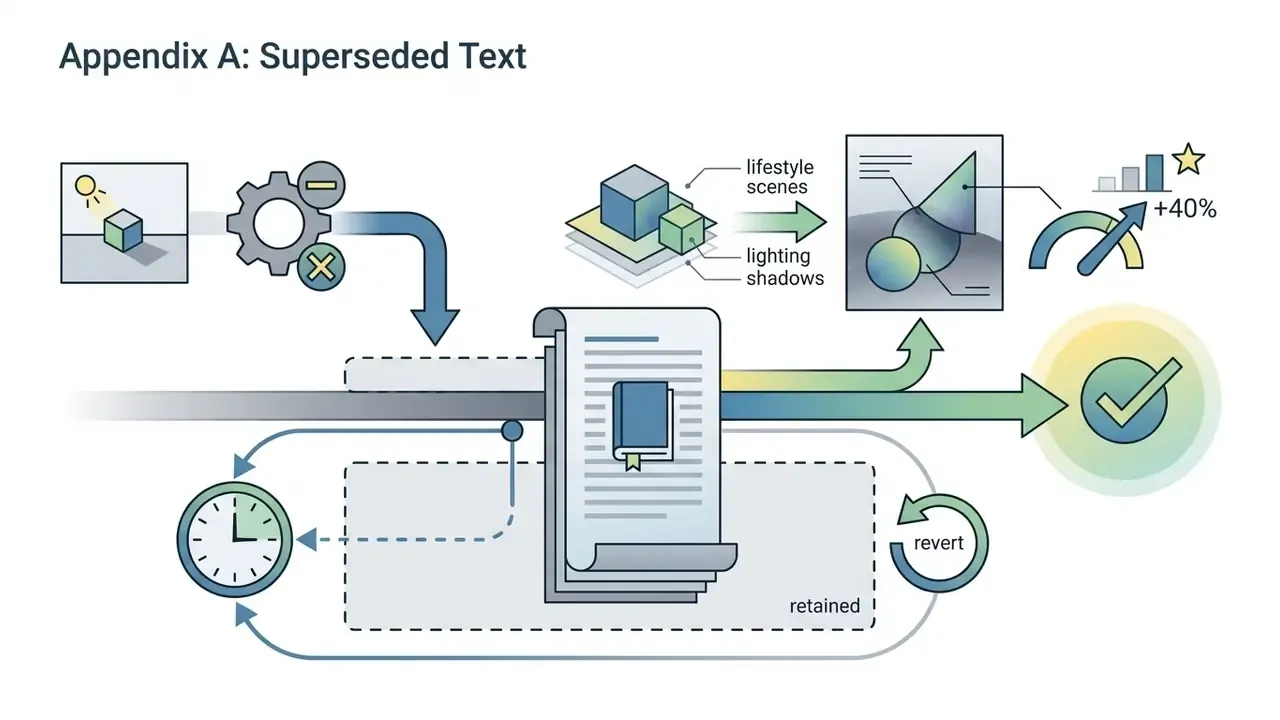
- Original claim, replaced in "How AI product photo generation preserves the real product": "A 2026 benchmark study on product identity preservation (arXiv) established that masking critical SKU parameters prevents identity drift." Removed from the main text because the citation lacked a URL, named authors and stated methodology.
Appendix B: Review Cadence and Open Questions
- Quarterly review: Marketplace image policies and ad-platform labeling behavior change fast. Re-verify Amazon, Shopify, Google Merchant Center and TikTok Shop requirements every quarter, and after any announced policy update.
- Model re-benchmarking: Re-run the 20-SKU sample test whenever a vendor ships a new image model version. Approval rate, not marketing copy, decides whether you migrate.
- Open question: How much disclosure reduces purchase intent outside sensory categories is still unclear. The EMAC (2025) evidence covers food and cosmetics; apparel and hard goods need separate testing.
- Open question: Long-run effects on brand trust from heavy synthetic imagery remain unmeasured. Track returns and review sentiment as early warning signals rather than waiting for a full-year study.