What is Google Veo AI Video Generator and What Use Cases Does It Serve
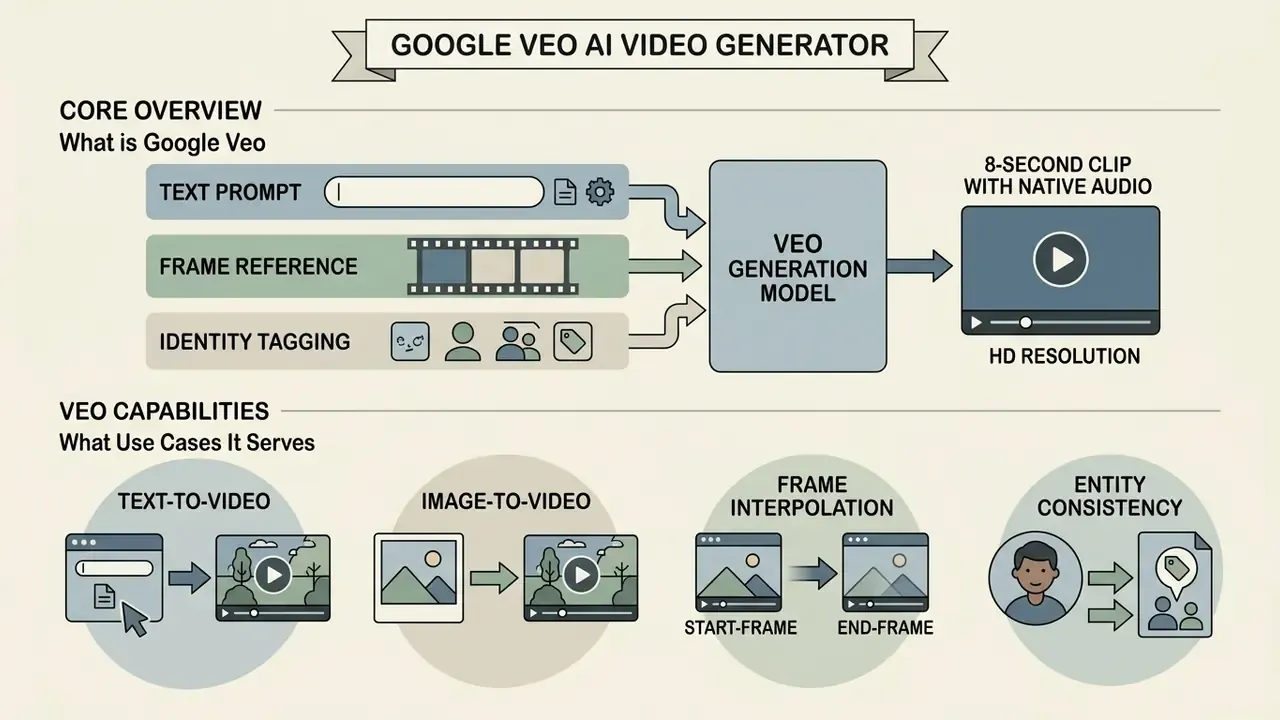
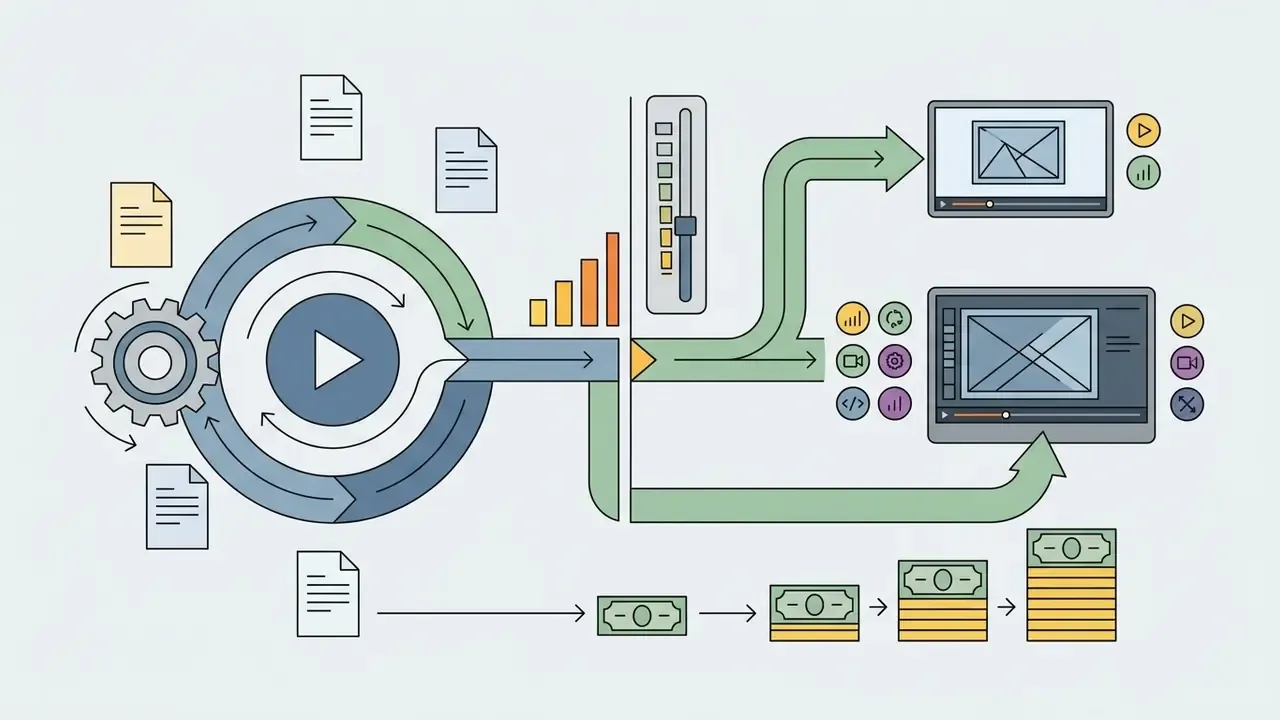
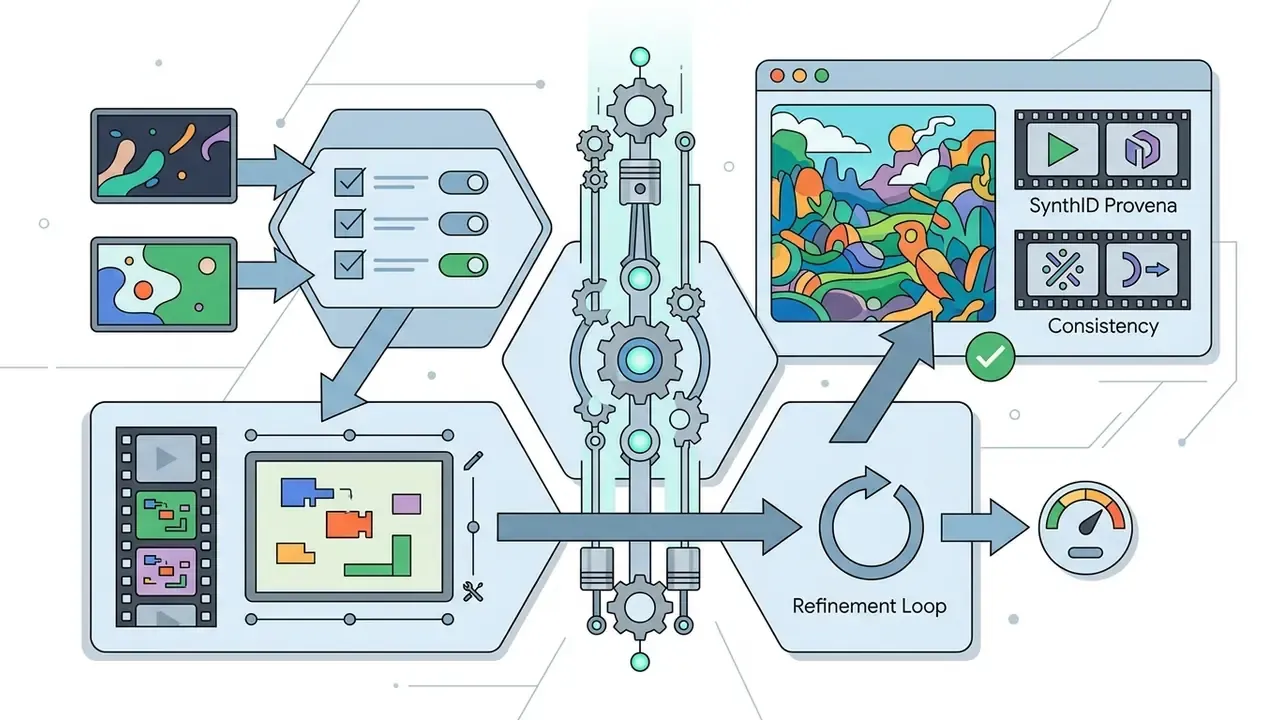
Figure 1 (diagram placeholder, text equivalent below): systemic position of Google Veo inside the Google Cloud ecosystem.
Inputs enter from three lanes and converge on a single engine:
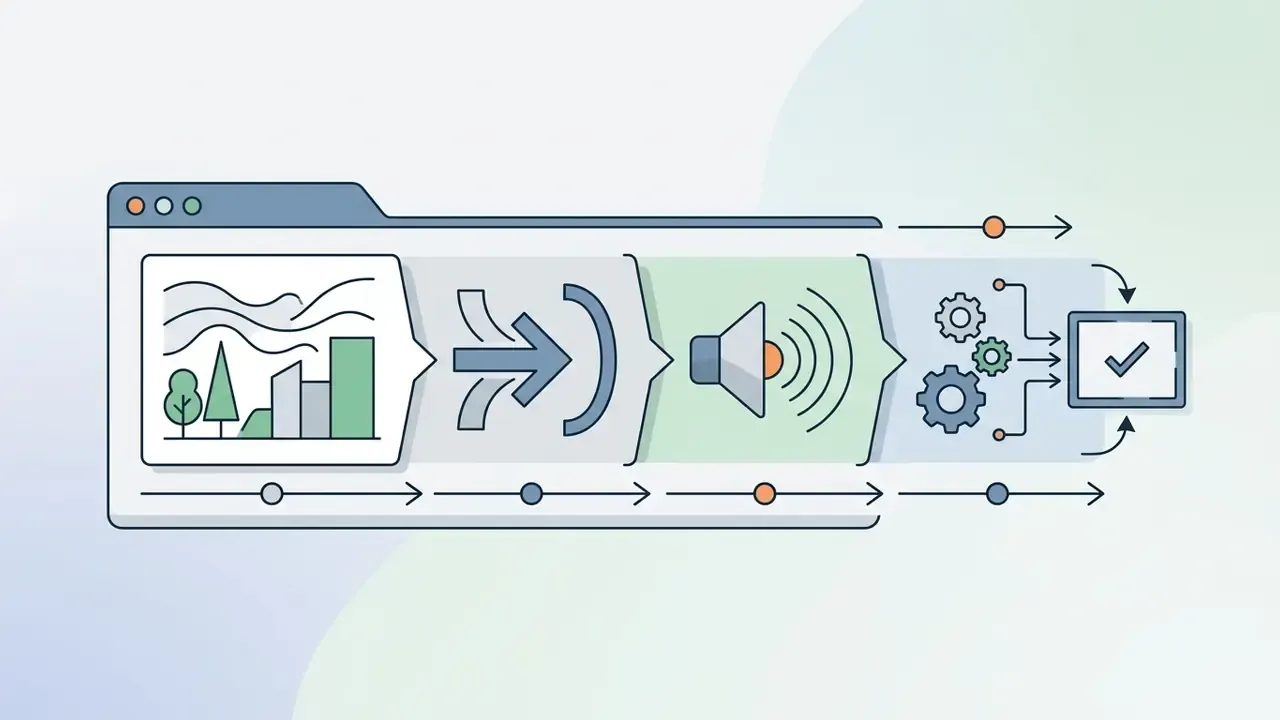
@tag entity handles that carry a character or product across scenes.All three route into the Veo 3.1 engine, addressed through the Gemini API or Vertex AI as an asynchronous long-running operation. Three outputs come back:
- a video track at 720p, 1080p, or 4K, 24 fps;
- a native audio track containing dialogue, ambience, and effects;
- an embedded SynthID provenance marker inside the pixel and audio data.
The model serves commercial teams producing ai generated videos for social media campaigns, brand promotional launches, and digital advertising assets. Organizations evaluating enterprise video tools can browse the category overview of AI video generators to examine broader synthetic media frameworks, or browse the hub of adjacent definitions. For endpoint-level detail, our full Google Veo implementation guide goes deeper than this page does.
For financial institutions and mature enterprises, deploying an ai video generator google product is not a creative decision alone. It requires evaluating data lineage, model risk, and input-output governance before moving from pilot tests into production. The question is rarely "can it render?" It is "who approved this asset, on which surface, with whose data?"
Veo Capabilities: Text-to-Video, Image-to-Video, Start/End Frames, and Native Audio
Google Veo accepts multimodal inputs, including text prompts, single reference images, and dual bounding frames, to produce 720p, 1080p, or 4K clips with natively synchronized audio. The deepmind video generation architecture lets users direct scenes through precise text prompts or anchor visual identity with reference images in a google ai image to video generator workflow.
The core operational features:
Because native clip length is capped at 8 seconds, any claim about "five-minute AI videos" describes downstream assembly rather than a single model call. Long-form output is a chain: asynchronous API requests, scene extension calls, then timeline stitching in an editor. Nothing more exotic than that.
- Text-to-video synthesis
- original 4, 6, or 8-second clips from natural language descriptions. Teams new to the category can review how text-to-video AI engines differ in duration limits and audio support.
- Start-frame and end-frame interpolation
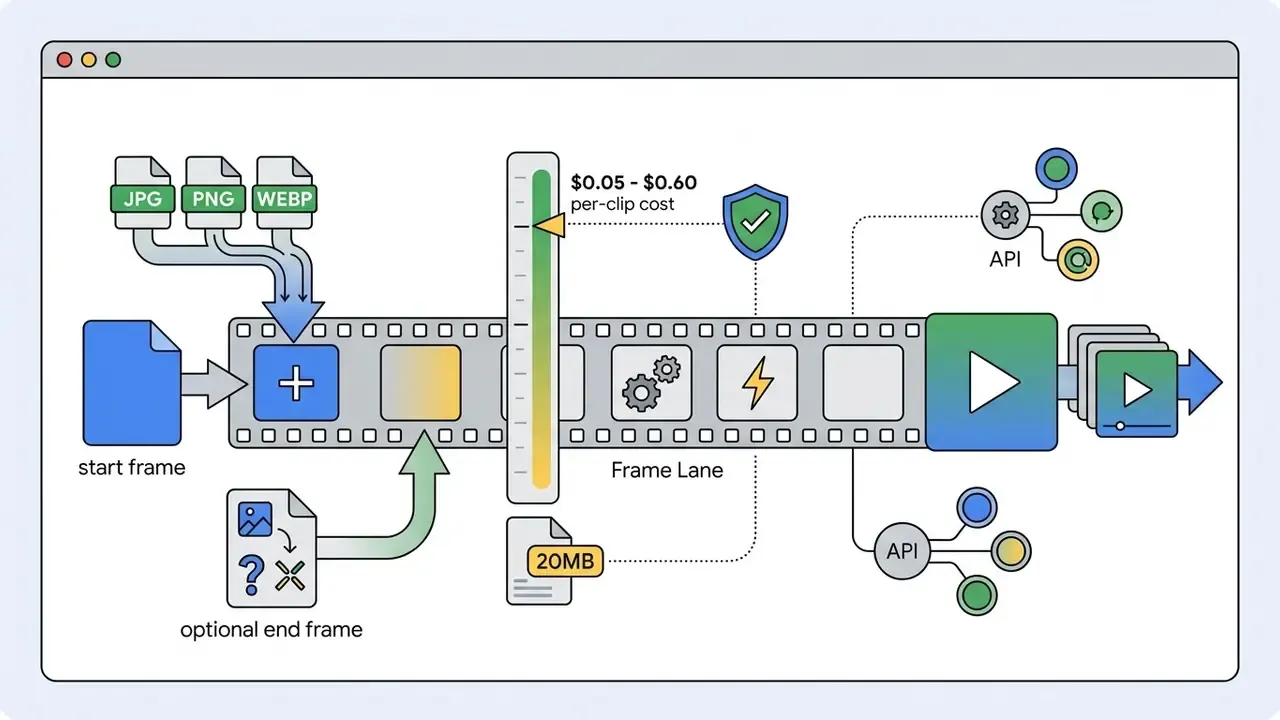
- feeding dual reference graphics into the google ai photo to video pipeline to control both the opening state and the final visual landing frame. A start frame alone anchors composition. Both frames constrain motion to a defined trajectory between two fixed states, which sharply reduces drift in product reveals and logo animations. See how an image-to-video pipeline handles aspect-ratio inheritance from source graphics.
- Character consistency via entity tagging
- explicit prompt handles such as
@executive_annaor@product_heroinside multi-scene scripts, holding facial geometry, wardrobe, and lighting stable across sequential generations. Tagging is the practical mechanism for stitching several 8-second clips into a coherent 30 to 60 second narrative without visible identity breaks. - Image-to-video transformation
- converting static photos or product packshots into motion assets, with output aspect ratio typically inherited from the source graphic unless explicitly overridden.
- Native audio generation
- ambient sound effects, environmental noise, dialogue, and a synchronized mix produced alongside the visual track.
- Cinematic camera control
- tracking shots, pans, tilts, dollies, static tripod framing, aerial drone perspectives.
- Multi-scene composition
- several linked scenes from one structured script, preserving subject placement and colour grading between beats.
- Temporal continuity
- smooth motion and consistent object geometry across frames at a fixed 24 fps delivery rate.
Veo 3, Veo 3.1, and Recent AI Video Generation Updates
Veo 3.1 is the active flagship family in 2026. It lifts generation resolution to 1080p and 4K and improves temporal consistency over the legacy Veo 3.0 endpoints. Developers tracking ai video generation updates need to align their integration contracts with Google's published endpoint schedules, not with blog coverage.
Google Cloud release notes confirm that legacy model IDs such as veo-3.0-generate-001 retire by June 30, 2026. Production pipelines must migrate active requests to veo-3.1-generate-preview or veo-3.1-generate-001 to keep service continuity. A migration that slips past the shutdown date does not degrade gracefully; it fails.
«
veo-2.0-generate-001,veo-3.0-generate-001andveo-3.0-fast-generate-001are scheduled for shutdown on June 30, 2026.»
Watching ai video generation updates today matters because version migrations change request syntax, default output resolution, and per-clip pricing tiers all at once. Availability stages also differ by surface. The Gemini API lists ai veo 3 video generator successors and Veo 3.1 variants under preview or paid preview, while Vertex AI and the Gemini Enterprise Agent Platform documentation mark Veo 3.1 as generally available, with Veo 3.1 Lite in public preview. Procurement and model-risk teams should record the stage that applies to their contracted surface, not the stage quoted in a generic marketing page.
Fact check and version verification:
Where Veo is Available: Gemini, AI Studio, and API Integration
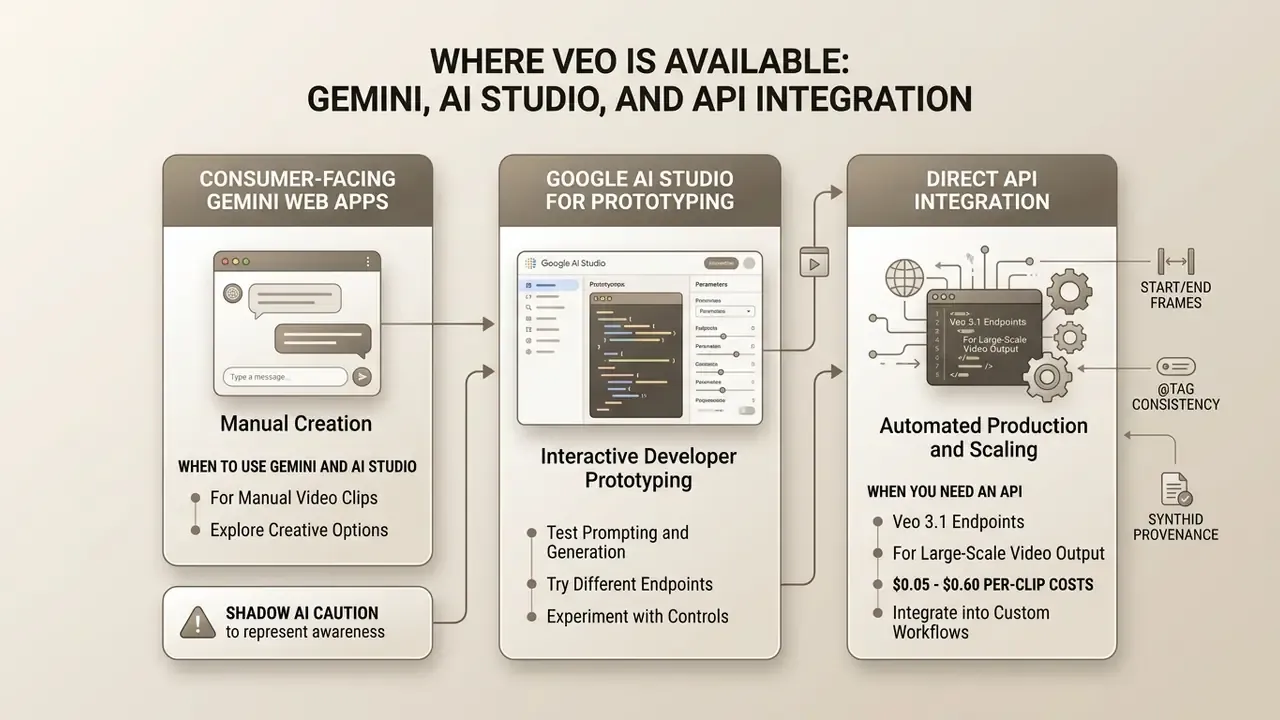
Veo reaches users across three operational surfaces: consumer-facing Gemini web apps for manual creation, Google AI Studio for interactive developer prototyping, and direct API endpoints via Vertex AI or the Gemini API for automated production. The right choice depends on monthly generation volume, required automation, and how much oversight your risk appetite demands.
«Gemini API documentation recommends Gemini Omni Flash as the default model for superior video coherence, multi-input reasoning, and multi-turn editing.»
That default-model guidance shapes architecture. Teams that want conversational, multi-turn refinement of a clip may route through the Omni Flash interface. Teams that need deterministic, parameterised cinematic renders address the Veo 3.1 model codes directly.
When to Use Gemini and AI Studio
Gemini and Google AI Studio suit low-volume manual creation, fast visual style experimentation, and validating text prompts before engineering resources go anywhere near an automated pipeline.
In consumer and workspace environments, a gemini ai video generator powered by veo 3 interface lets marketers type a prompt, click generate, and receive short video clips without touching an SDK. The gemini veo 3 video generation workflow inside Google AI Studio lets prompt engineers test system instructions, adjust seeds, modify tone directives mid-session, and inspect quality in a browser. Google AI Studio documents freeform, structured, and chat prompt modes, which makes it the cheapest place to isolate ambiguous phrasing before it reaches a billed production run.
A practical observation from campaign teams: most "the model can't do this" complaints turn out to be prompt ambiguity, and a gemini video maker session in AI Studio surfaces that in ten minutes. The gemini video generator surface is a diagnostic tool, not the production line.
Teams comparing capabilities before committing to an architecture can review the ranked overview of the best AI video generators, or view the guide hub for cross-provider evaluations.
Shadow AI caution. The consumer Gemini web app and the Vertex AI enterprise perimeter are not interchangeable from a data-protection standpoint. Marketing staff pasting unreleased product imagery, embargoed campaign copy, or customer footage into a personal account operate outside corporate DLP, retention, and audit controls. Governance teams should designate the consumer surface as "ideation only, no confidential inputs" in writing, and route any asset containing proprietary or personal data through the billed enterprise contour. One sentence in a policy document. It prevents a surprising number of incident reports.
When You Need an API for Video Generation
Direct API integration through Vertex AI or the Gemini API becomes necessary when video creation must be automated at scale, queued asynchronously, or embedded inside product architecture.
An automated pipeline lets systems generate video programmatically in response to user events, database triggers, or scheduled ad campaign updates. Teams assessing alternatives often benchmark an openai sora video generation model or sora 2 ai against Google's native ecosystem before standardising.
Figure 2 (decision flowchart placeholder, text equivalent below): selecting a Google Veo access surface.
- Gemini web app or Flow: manual creative assets, low volume, subscription billing. Suitable for ideation, unsuitable for confidential inputs.
- Google AI Studio: developer prototyping, prompt and visual style debugging, seed testing. The cheapest place to fail.
- Gemini API or Vertex AI: programmatic production, asynchronous job queues, IAM permissions, regional endpoints, organisation-level logging.
- Governance rule at the bottom of the chart: use Gemini and AI Studio for hypothesis validation; use the API for scalable, audited execution.
Access surface selection summary: deploy Gemini Web App or Flow for manual marketing exploration, use Google AI Studio for prompt engineering and style validation, and route every automated workflow through Gemini API or Vertex AI endpoints, where quotas, regional residency, and audit logging are contractually defined rather than assumed.
How to Improve Video Quality and Reduce Expensive Regenerations
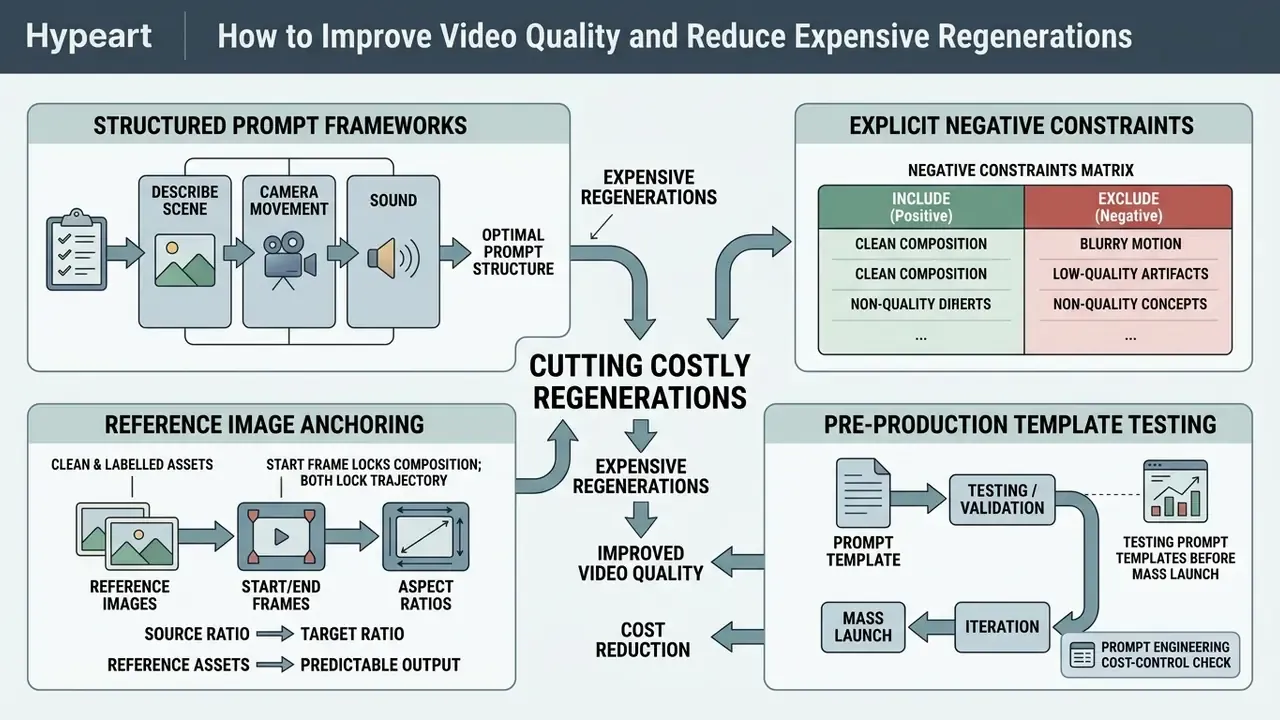
Cutting costly regenerations comes down to four things: structured prompt frameworks, explicit negative constraints, reference image anchoring, and pre-production template testing. Veo bills per generated clip, so prompt discipline is the single highest-leverage cost control a production team actually owns.
Describing Scene, Camera Movement, and Sound in Prompts
Effective prompts use precise cinematic language, define explicit camera moves such as dolly, pan, or tracking shots, and separate audio instructions into dedicated sound effect labels.
To maximize output fidelity, adopt a structured sequence:
- [Cinematography]: "Wide tracking shot, 35mm lens, slow dolly forward."
- [Subject]: "An executive reviewing financial reports on a tablet."
- [Context and lighting]: "Modern glass office, soft morning sunlight from the left, shallow depth of field."
- [Style]: "Photorealistic, professional corporate aesthetic, subtle motion."
- [Audio SFX]: "Quiet office ambience, subtle glass rustle, soft keyboard tapping."
Google's own prompting guidance defines camera vocabulary precisely: static means no movement, pan is horizontal rotation, tilt is vertical rotation, and dolly is a physical move toward or away from the subject. Using that vocabulary instead of adjectives removes interpretive slack from the model. Name sound effects individually too: "a phone ringing", "water splashing", "a creaking door", rather than describing a generic mood.
Vague terms like "cinematic" or "ultra high quality" invite misinterpretation and hurt spatial coherence. They read like intent; the model treats them as noise.
Optimal Prompt Structure and Negative Constraints Matrix
To minimize motion distortion and prevent rate-limit waste, apply the syntax guidelines below. Field testing across creator platforms consistently shows Veo performing best with simple, cinematic prompts built around static shots or subtle camera movement, while aggressive scene changes produce less consistent results.
| Element | Recommended direction | Avoid (triggers motion artifacts) |
|---|---|---|
| Camera work | Single vector move: "Slow dolly forward", "Static tripod shot", "Smooth horizontal pan". | Fast zooms, rapid cutaways, 360-degree rotations inside one clip. |
| Subject action | Subtle, continuous motion: "Walking steadily", "Wind blowing through foliage", "Blinking and smiling". | Multi-step chains: "Stands up, runs, jumps into a car, and drives away". |
| Lighting / style | Explicit spatial lighting: "Soft morning daylight from the left", "Volumetric neon backlighting". | Quality buzzwords: "Ultra HD", "8K resolution", "photorealistic masterpiece". |
| Audio | Named discrete sounds: "Rain on a metal roof, distant thunder, no dialogue". | Leaving audio unspecified when a specific mix is required. |
| Identity | Reuse @tag handles plus a fixed wardrobe description across all scenes. | Re-describing the same character in new words for each clip. |
| Negative bounds | "No morphing objects, no sudden scene cuts, no flickering shadows, no text overlays." | Leaving motion parameters and exclusions unspecified. |
Google's Vertex AI prompt guide explicitly recommends stating what you do not want to see. Negative bounds remain the only officially documented mechanism for suppressing recurring artifact classes such as extra limbs, warped typography, or unintended scene transitions.
Using Reference Images, Start/End Frames, and Aspect Ratios for Predictable Output
Input reference images stabilise character geometry and visual style across clips. Explicitly setting 16:9 or 9:16 aspect ratios prevents unexpected cropping during rendering.
For image-to-video work, supply clean high-resolution source graphics. Teams sourcing those frames can review the comparison of AI image generators for pre-production asset creation. For vertical delivery, Instagram Reels or TikTok, requesting 9:16 keeps subject framing centred and avoids destructive post-production crops.
Three practical rules govern frame conditioning:
- Match the source ratio to the target ratio.
- In image-to-video modes, output geometry is frequently inherited from the input graphic rather than from a ratio parameter. A 1:1 packshot fed into a 9:16 campaign will letterbox or crop unpredictably.
- Start frame locks composition; both frames lock trajectory.
- Start-frame-only generation leaves the model latitude on where the shot ends. Dual-frame interpolation constrains it to a defined landing state, which is the right choice for logo resolves and brand end-cards.
- Keep reference assets clean and labelled.
- Indexed, clearly named references ("Image 1: hero product, Image 2: final brand frame") reduce ambiguity, and stating "change only the camera position" preserves invariants such as product geometry and brand colour.
Testing Prompt Templates Before Mass Launch
Before scaling automated generation, evaluate templates across 20 to 30 real-world inputs on low-cost tiers, Veo 3.1 Lite or Fast, to isolate failure modes. The test set should deliberately include ambiguous and out-of-scope cases. Change one prompt layer per iteration, otherwise you cannot attribute an improvement to a specific edit.
Low-cost draft batches expose ambiguous language and let engineers refine negative constraints before authorizing full production runs on best ai video generator veo 3 standard models. Document each run with model code, resolution, seed, accept or reject status, and rejection reason. That log becomes the evidence base for cost forecasting and for model-risk review, which is a rare case of one artefact serving finance and compliance simultaneously.
Interactive element placeholder: prompt engineering cost-control check. Text equivalent below.
Frequently Asked Questions
Q1. What is the most cost-effective way to test a new video prompt template?
A. Run 50 iterations directly on Veo 3.1 Standard 4K. B. Test 20 variations on Veo 3.1 Lite at 720p, refine parameters, then switch to Standard. C. Submit requests without camera movement parameters.
Q2. Which prompt element most reliably reduces motion artifacts?
A. Adding "8K ultra realistic masterpiece". B. A single camera vector plus explicit negative bounds. C. Describing four consecutive subject actions in one clip.
Q3. How do you keep the same character across four stitched scenes?
A. Reuse a consistent @tag handle and a fixed wardrobe description. B. Re-describe the character in new wording each time. C. Increase the resolution to 4K. Answer key. Q1 is B: draft on Lite or Fast, promote only approved motion to Standard, and draft spend falls by up to 75%. Q2 is B: one motion vector plus stated exclusions removes interpretive slack. Q3 is A: entity tagging is the documented mechanism for cross-scene identity consistency. If your team answers Q1 with A in practice rather than in theory, that is where your budget is going.
How to Build a Veo Video Generation Workflow in Your Product
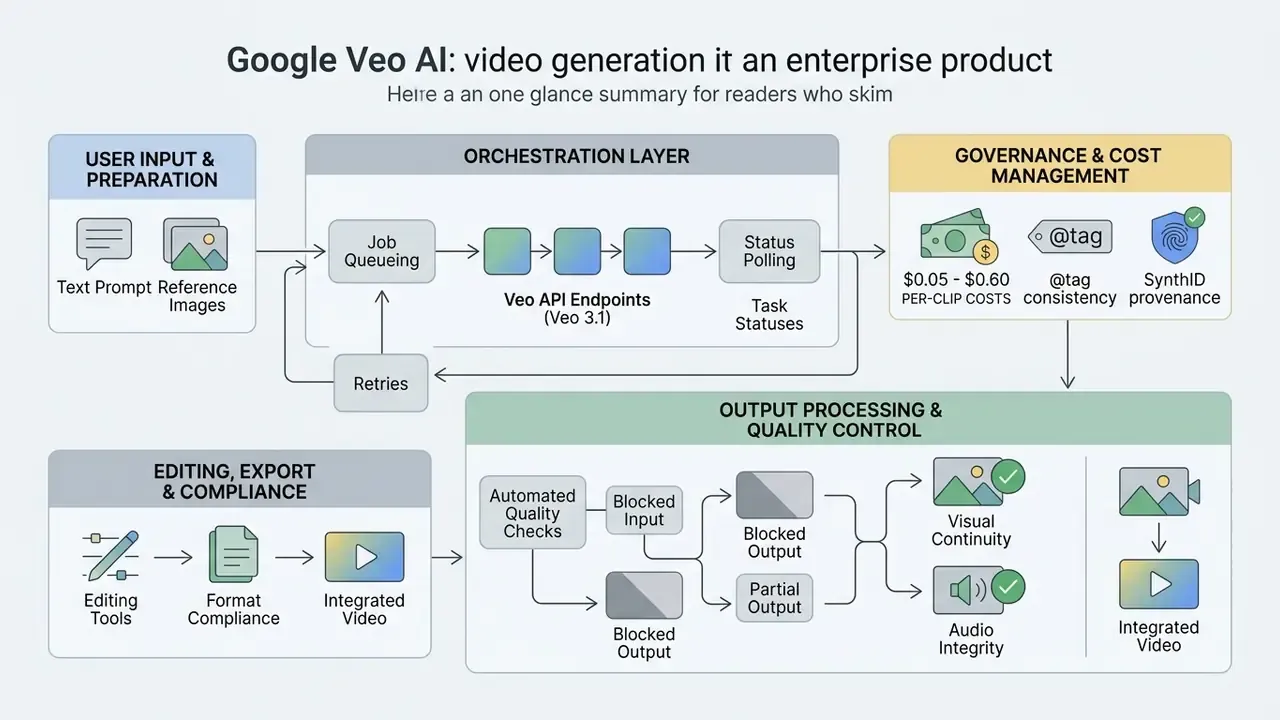
Integrating Veo into an enterprise product means building an asynchronous orchestration layer: prompt structuring, job queueing, status polling, automated quality control, cost checkpoints, and a clean handoff into editing.
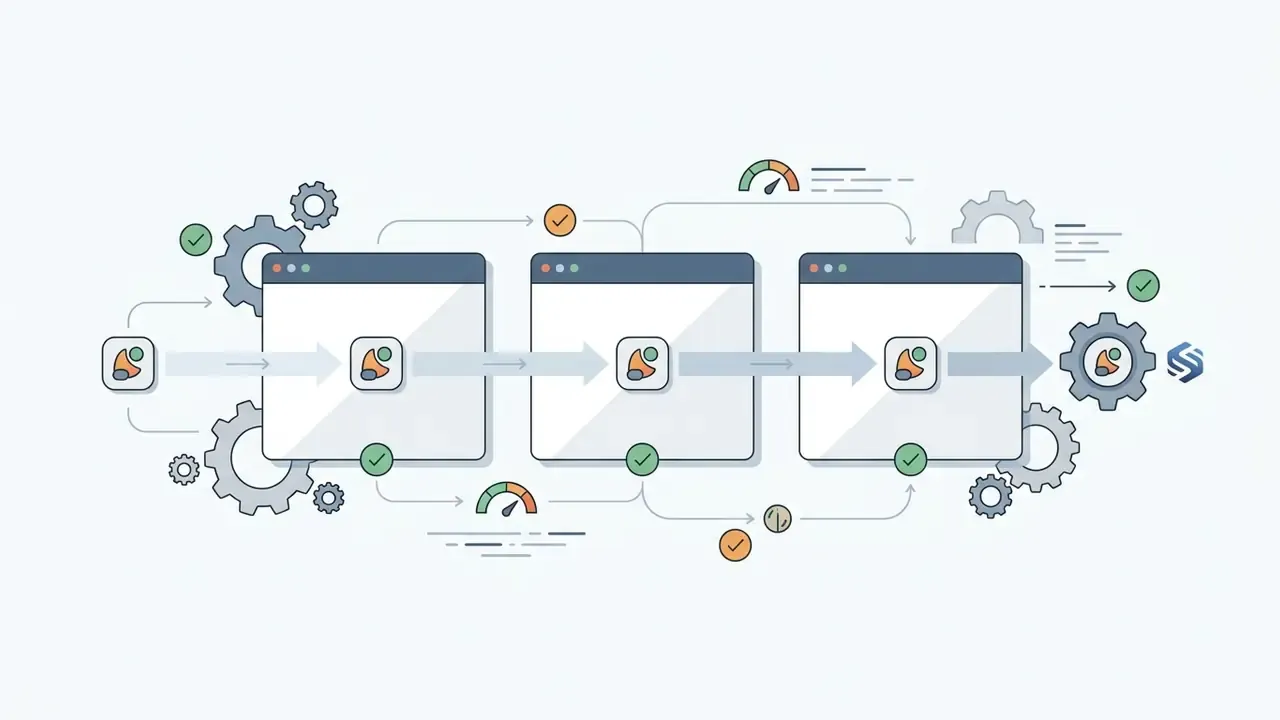
Figure 3 (pipeline diagram placeholder, text equivalent below): asynchronous Veo production pipeline with cost and error checkpoints. Engineering teams can view the guide directory of standardized media integration workflows to examine comparable patterns across enterprise environments.
- Request intake: brief, assets, target aspect ratio.
- Prompt validation gate: template compliance plus brand review, before any billed call.
- Draft on Lite or Fast: cost checkpoint #1.
- Async job queue: the request returns a
task_idor long-running operation object. - Poll status: roughly 10-second intervals, typical completion in 30 to 90 seconds.
- Error handling branch: safety rejections, timeouts, quota errors routed separately from creative rejections.
- Automated QC: motion, audio, and format checks.
- Promote to Standard: cost checkpoint #2, only for approved motion.
- Human review: take log and named sign-off.
- Editor handoff: stitching, overlays, export.
- Audit log across every stage: prompt hash, model code, spend, accept or reject reason, reviewer ID.
Preparing Text Prompts and Reference Images
Prompt preparation means structuring input data into a standard sequence, cinematography, subject, action, context, visual style, and named sound effects, alongside indexed reference images that hold brand consistency frame to frame.
Ambiguous instructions produce motion artifacts, and motion artifacts produce rebills. Reference packshots submitted through image-to-video endpoints keep corporate assets stable across multiple generated scenes. Where a campaign requires a fixed opening and closing state, submit both a start frame and an end frame so the model interpolates inside a bounded visual corridor.
# Python demonstration: submitting an asynchronous Veo 3.1 generation request
import time
from google import genai
from google.genai import types
def generate_veo_video_asset(prompt_text: str, reference_image_path: str = None) -> str:
    """
    Submits an asynchronous video generation task to Veo 3.1 via Gemini API.
    """
    client = genai.Client()
    # Configure generation parameters
    config = types.GenerateVideosConfig(
        person_generation="ALLOW_ADULT",
        aspect_ratio="16:9",
        duration_seconds=8,
        resolution="1080p",
        include_audio=True
    )
    # Initiate asynchronous long-running operation
    operation = client.models.generate_videos(
        model="veo-3.1-generate-preview",
        prompt=prompt_text,
        config=config
    )
    # Poll operation status until completion
    while not operation.done:
        time.sleep(10)
        operation = client.operations.get(operation)
    if operation.error:
        raise RuntimeError(f"Veo Generation Failed: {operation.error.message}")
    # Extract resulting video URI
    generated_video = operation.response.generated_videos[0]
    return generated_video.video.uri
Two details in that snippet are governance-relevant. First, person_generation is region-sensitive: in the EU, UK, Switzerland, and MENA, Google documents allow_adult as the only permitted value, so a globally deployed worker must set the parameter per region rather than hard-code it. Second, include_audio=False is both a creative and a budget lever, because video-only generation bills at roughly half the video-plus-audio rate on Standard tiers.
Generation, Task Statuses, and Retries
Quality Checks, Editing, and Export
Post-generation processing needs automated motion and waveform checks, human-in-the-loop take logging, clip stitching in a non-linear editor, and export to target aspect ratios.
Before publishing ai generated videos, automated post-processing scripts inspect output files for:
- Visual continuity frame rates matching delivery specs (24 fps), and no frame-to-frame morphing at scene boundaries.
- Audio integrity waveforms free of clipping, unexpected silences, or spectral spikes, with access-copy duration matching the source.
- Format compliance horizontal (16:9) or vertical (9:16) export without stretching, verifying pixel aspect ratio alongside frame aspect ratio.
Approved clips then move into editing for brand overlays, lower thirds, and executive review. Teams standardising this stage can compare capabilities across video editing tools, while budget-constrained teams can start from the ranked list of free video editing software. Log rejected takes with a reason code rather than deleting them quietly; rejection reasons are the raw material for better prompt templates.
Once clips are stitched and colour-matched, final delivery is platform-specific packaging, chapter markers, captions, thumbnail frames, usually handled in a dedicated YouTube video editor before publication. Voice-over replacement for localized markets can route through an AI voice generator instead of regenerating the visual track, which is both cheaper and easier to license.
What Determines the Cost of Google Veo API
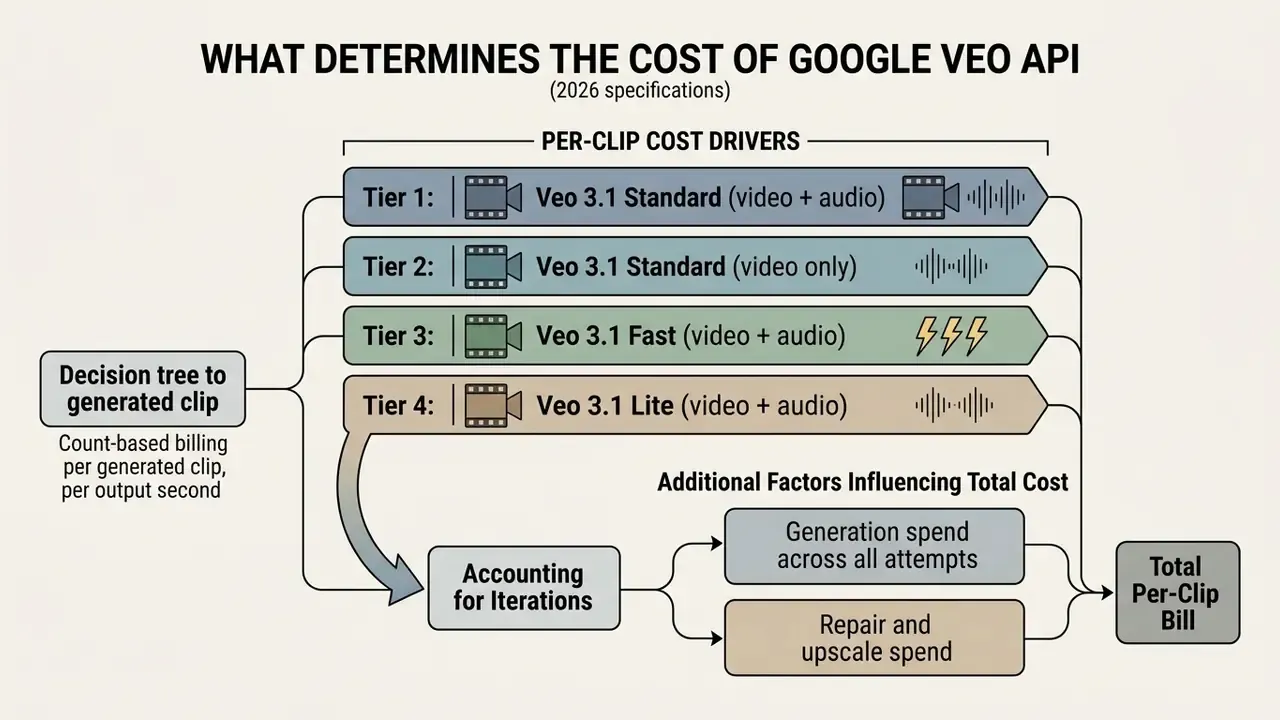
Google Veo API pricing is structured per generated clip, count-based billing, rather than per output second. Rates follow model tier (Standard, Fast, Lite), resolution (720p, 1080p, 4K), and audio inclusion. Understanding that structure is what prevents a billing spike during a high-volume production week.
Which Parameters Increase the Cost of a Single Video Clip
4K output, native synchronized audio, and the cinematic Standard tier together push per-clip fees to $0.60 per generation. The same shot drafted on Lite costs $0.05. That is a twelvefold spread inside one product family.
Official Google Cloud Vertex AI pricing structures Veo billing across clear parameters:

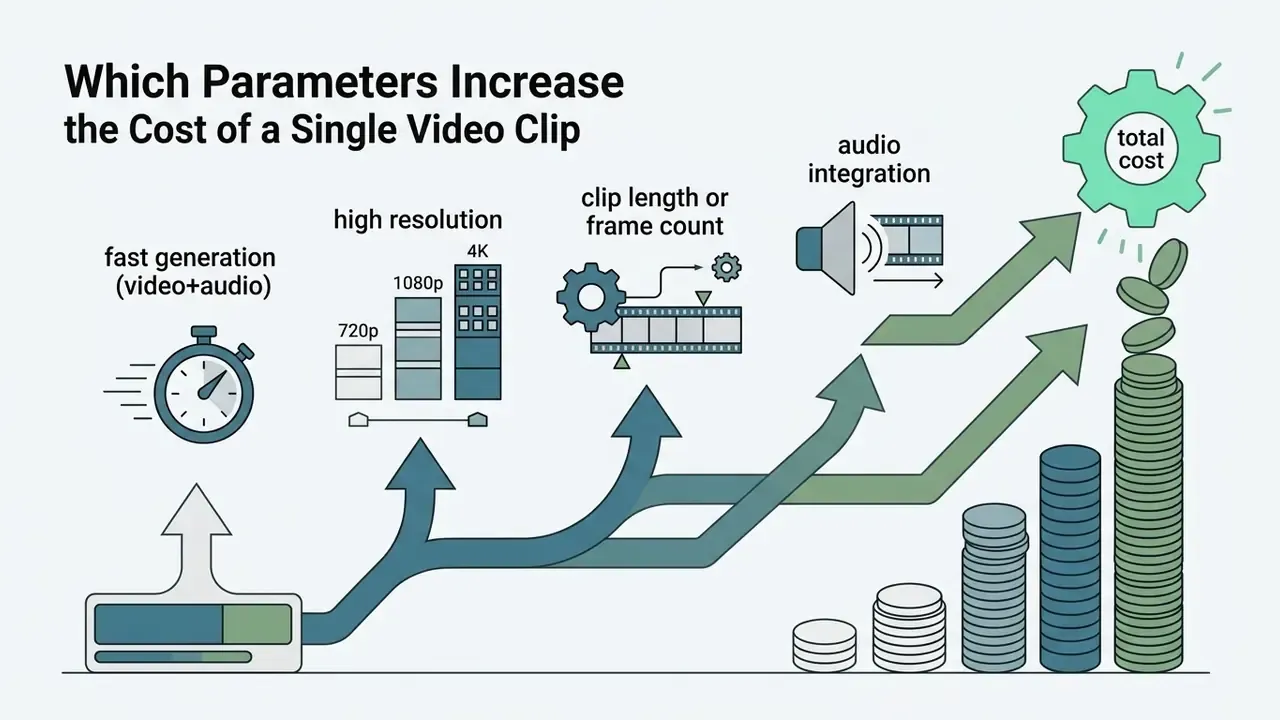
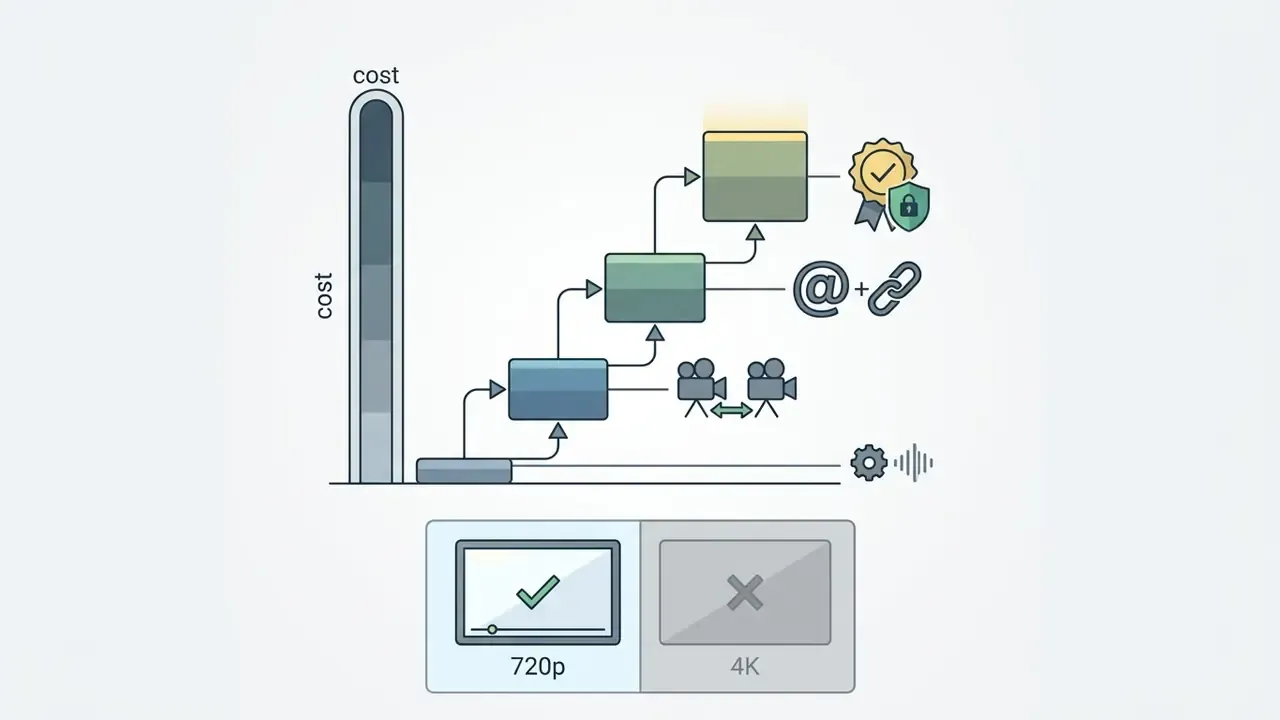
«The Gemini Enterprise Agent Platform rate card lists Veo 3.1 video + audio at $0.40 per clip for 720p/1080p and $0.60 for 4K.»
«Veo 3.1 Lite is described as our most cost-efficient Veo on Vertex AI, available in public preview.» - Vertex AI Release Notes (2026). https://docs.cloud.google.com/vertex-ai/generative-ai/docs/release-notes
Higher resolution or enabled audio roughly doubles the baseline rate. Aspect ratio itself carries no surcharge on Google's official count-based card, which is a meaningful difference from third-party wrapper APIs, where ratio and audio flags sometimes feed the quote calculation. Developers testing alternative architectures can inspect cost structures for an openai sora video pipeline to compare multi-vendor unit economics, or compare options across cost models. Note also that reseller platforms bundling Veo into credit systems typically add a 30 to 100 percent margin over the direct Google rate, in exchange for editing tooling and watermark-free export convenience.
Accounting for Iterations and Rejected Generations
Updated. Production economics must factor in prompt iteration overhead and rejection rates. Internal estimates reported by production teams put roughly 25 to 33 percent of raw generated clips at final editorial standard, which implies about three generations per accepted shot. These are planning heuristics drawn from practitioner workflow logs, not a published external study. Replace them with your own measured accept-rate after the first month of production. (The earlier, unqualified phrasing of this claim is retained for transparency in Appendix A.)
A defensible cost-per-accepted-shot method has three components:
- Generation spend across all attemptsevery billed call, including rejected and partial outputs.
- Repair and upscale spendscene extensions, re-renders at higher resolution, audio replacement calls.
- Operator timeminutes spent on reference preparation, prompt rewrites, QC review, and export.
Divide the sum by the number of shots approved into the edit. Recording credits spent, render time, queue time, accept/reject status, and rejection reason per attempt turns an estimate into a measured unit cost within two or three campaign cycles.
So raw generation cost represents only a slice of total expense. If a team burns three attempts to secure one usable clip because of motion artifacts or prompt drift, effective cost per accepted clip triples. Nobody budgets for that in the pilot phase. Everybody discovers it in month two.
Hybrid Multi-Model Architectures to Avoid API Overspending
Running everything through one high-tier model inflates budgets for no quality gain. Mature architectures pair Veo 3.1 with specialized satellite models to cut cost while increasing control:
- Image pre-processing (start-frame preparation)use dedicated image engines, Imagen 3, Midjourney, or an image-editing model with object-level control such as Nano Banana, to render exact 16:9 or 9:16 target frames. Passing clean, brand-approved assets into Veo via image-to-video endpoints forces composition compliance and removes an entire class of layout rejections. Benchmark options against the overview of Google AI image generation before standardising a pre-processing model.
- Audio layering and replacementif native audio shows spectral artifacts or mispronounced brand names, call Veo with
include_audio=False, saving roughly $0.20 per clip on Standard tiers, and route sound design to specialized voice and SFX engines (ElevenLabs, MiniMax, Google Lyria) during assembly. This also gives legal a single auditable source for voice talent rights. - Draft preview pipelinerun initial iterations through low-cost engines (Veo 3.1 Lite or Fast at 720p). Promote parameters to Standard at 1080p or 4K only after approving preview motion. A preview-first policy converts most of the iteration budget from $0.40 calls into $0.05 calls.
- Supporting graphicsproduce thumbnails, title cards, and text-heavy overlays as static images and composite them in the editor. Generative video models remain unreliable at legible typography, and an ai powered render of your legal disclaimer is not a risk worth taking.
Governance note: every additional vendor in a hybrid stack adds a data-processing relationship. Assess each satellite model for training-data usage, retention, and regional residency on exactly the terms you applied to Veo.
How to Calculate an AI Video Production Budget
The working formula: Monthly budget = (finished videos per month × scenes per video × iteration multiplier × cost per generated attempt) + editing and oversight labor + contingency of 10 to 15 percent.
Interactive element placeholder: Google Veo API monthly budget estimator. Text equivalent below.
Inputs: finished videos per month, scenes per video, attempts per usable scene (iteration multiplier), and model tier with resolution. Direct API spend = videos × scenes × iteration multiplier × price per clip. The result excludes post-processing labor and contingency, which is exactly where first-time estimates go wrong.
| Scenario | Videos / month | Scenes | Iterations | Tier and price | Direct API spend |
|---|---|---|---|---|---|
| Prototype | 10 | 4 | 3 | Fast 720p, $0.10 | $12.00 |
| Pilot campaign | 40 | 5 | 3 | Fast 1080p, $0.12 | $72.00 |
| Draft-first production | 120 | 5 | 3 drafts + 1 final | Lite $0.05 drafts, Standard $0.40 finals | $330.00 |
| All-Standard production | 120 | 5 | 3 | Standard 1080p, $0.40 | $720.00 |
| Premium 4K launch | 20 | 6 | 3 | Standard 4K, $0.60 | $216.00 |
The third and fourth rows are the point of the whole table. Same output volume, same finished resolution, less than half the spend, purely because drafting moved to a cheaper tier.
Enterprise Governance, Data Privacy, SynthID, and Model Risk
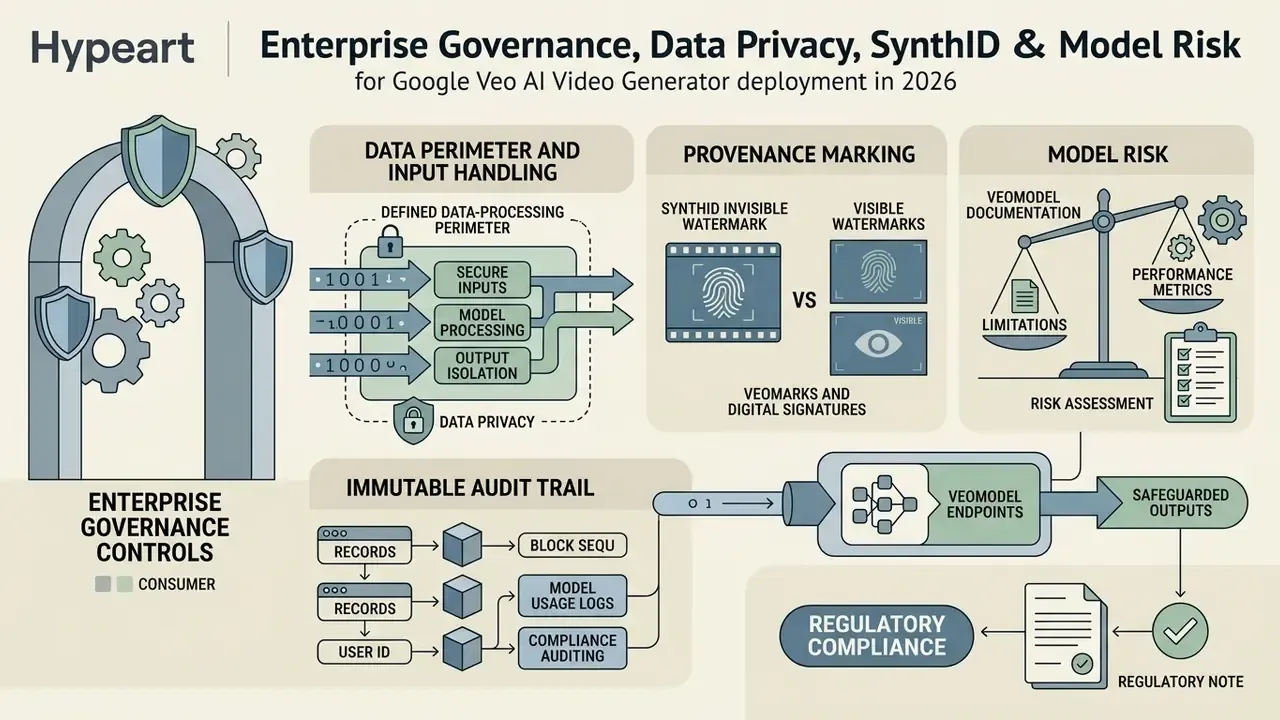
Enterprise deployment of Veo requires four controls that consumer usage does not: a defined data-processing perimeter, provenance marking, an immutable audit trail, and a documented human checkpoint before publication. Miss any one and you have an unowned model in production.
Data Perimeter and Input Handling
The surface determines the perimeter. Requests issued through Vertex AI or the Gemini Enterprise Agent Platform sit inside your Google Cloud project and inherit IAM permissions, regional endpoint selection (us-central1, for example), and organisation-level logging. Requests typed into a personal consumer Gemini account inherit none of that. Governance teams should therefore:
- Publish an internal policy stating which asset classes may be submitted to which surface.
- Block consumer generative endpoints at the network layer for teams handling embargoed or regulated material.
- Require documented consent for any reference image containing identifiable individuals, since
person_generationbehaviour is additionally restricted in the EU, UK, Switzerland, and MENA regions. - Confirm contractual data-handling terms with Google directly for the specific product surface before onboarding confidential inputs, rather than trusting a secondary summary.
Provenance: SynthID Versus Visible Watermarks
These are two different mechanisms, and conflating them creates avoidable compliance confusion. A visible watermark is a logo or overlay burned into the frame. SynthID is an invisible, steganographic marker embedded in pixel and audio data, designed to survive common transformations and to be read by detection tooling.
Per the Google DeepMind SynthID specifications (https://deepmind.google/technologies/synthid/), outputs from official Google video models carry the invisible provenance marker. Exports from paid API, Vertex AI, and enterprise workspace surfaces do not carry destructive brand overlays, which is what advertisers actually need. Free and trial consumer tiers on some surfaces have historically applied a visible mark as well. So the correct internal rule is short: assume SynthID is always present, and verify visible-watermark behaviour for the specific tier and platform before signing off on a paid placement.
Audit Trail and Model Risk Documentation
For model-risk governance, each generation should write an immutable record containing prompt hash and full prompt text, model code and version, resolution and audio flags, region, seed, cost, operation ID, accept or reject decision, rejection reason code, and reviewer identity. One record, three purposes: cost attribution, creative iteration analysis, and the evidentiary trail a model-risk function needs to show that synthetic marketing output passed human validation.
Publication controls should additionally verify:
Veo Economics for Advertising, Social Media, and Product Scenarios
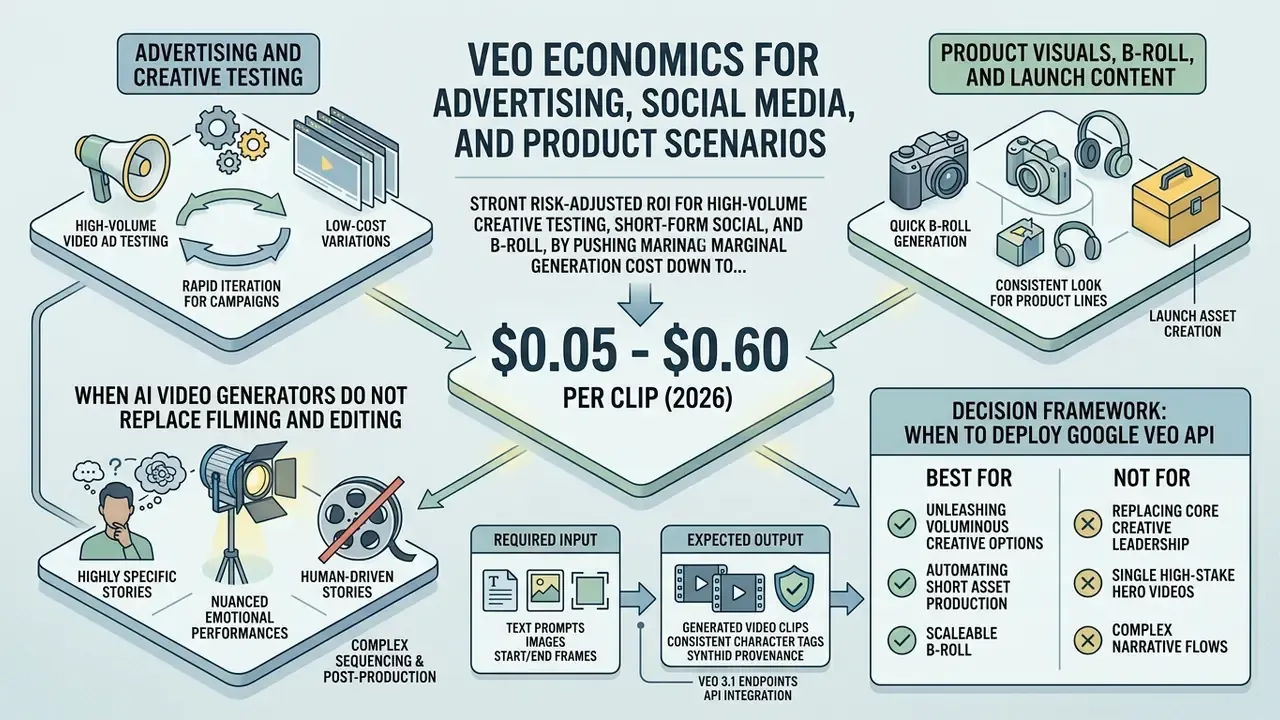
Veo delivers strong risk-adjusted ROI for high-volume creative testing, short-form social media assets, and product B-roll, mainly by pushing marginal generation cost down to $0.05-$0.40 per clip against traditional studio shoot economics.
«In the seven weeks after Veo 3 launched, people created more than 40 million videos across the Gemini app and Flow.»
«The primary economic advantage of synthetic video generation is not replacing agency production, but enabling high-frequency creative experimentation at negligible marginal cost.» - Marcus Hale, AI Governance & Model Risk Lead (illustrative editorial commentary)
Advertising and Creative Testing
In digital advertising, Veo accelerates A/B testing by making dozens of promo variants economically trivial to produce.
A marketing team can generate 20 background variations for one promotional message, deploy them across ad networks, and read conversion metrics in near real time. Veo 3.1 Fast at $0.10 to $0.12 per clip makes that arithmetic work. Published Google case material describes the same pattern: multilingual creative experiments comparing human-produced, AI-generated, and hybrid variants; A/B tests of Veo assets against classic TV commercials, with Google reporting a 56 percent view rate against a 37 percent industry average and a +3.8 percentage-point ad-recall lift in one telecom campaign; and a travel publisher replacing a traditional agency creative engagement with a Veo-powered media agent.
Treat those figures as vendor-reported, not independently audited. Useful as a directional signal for a use case evaluation, insufficient as a forecast for your own media plan.
Product Visuals, B-Roll, and Launch Content
Veo is strong at contextual B-roll, packshot animation, and launch teasers built from static images, which lets a small creative team populate multi-channel campaigns quickly.
Instead of scheduling a location shoot for minor contextual footage, ocean waves, city traffic, office interiors, a producer can generate clean B-roll sequences. Image-to-video support makes an existing packshot library directly reusable, and native vertical output removes the reframing step for Reels, Shorts, and TikTok. Any video creator working across formats will notice that saving first. Developers comparing alternative media stacks can evaluate an openai sora video or sora ai video model alongside Google Cloud solutions to optimize licensing structures.
When AI Video Generators Do Not Replace Filming and Editing
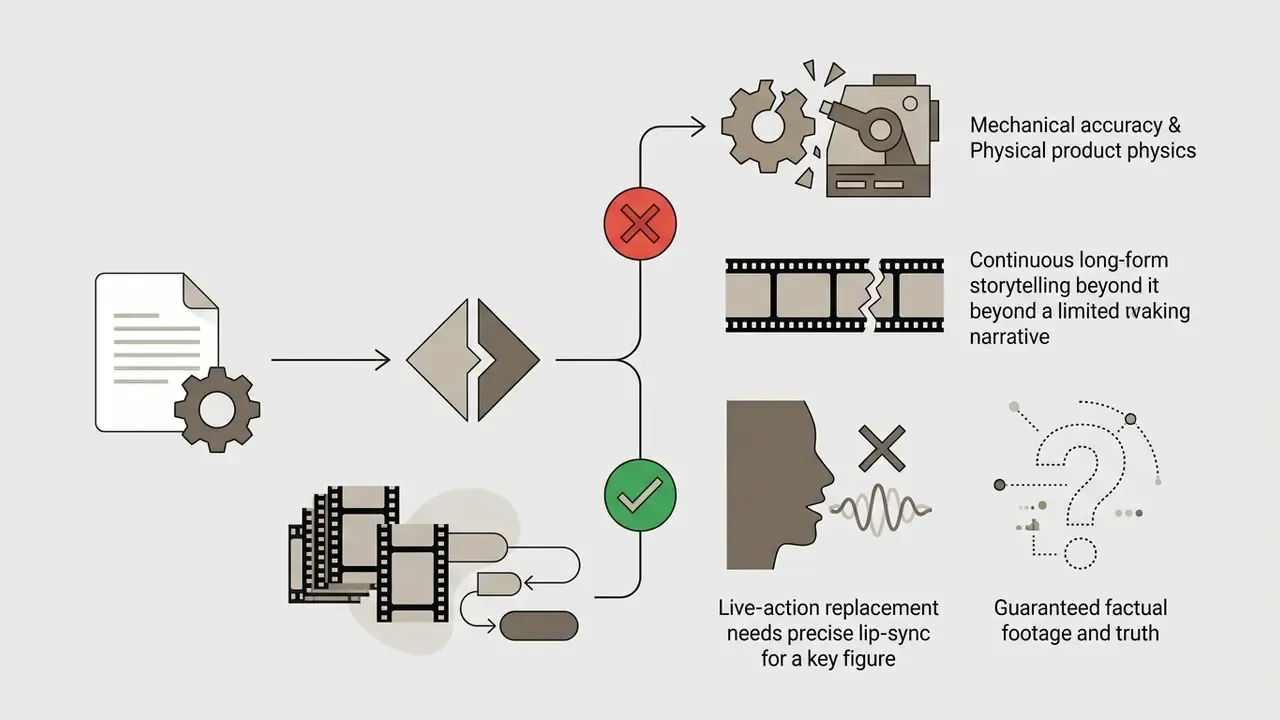
AI video generators do not replace live shooting and manual editing when exact physical product representation, complex human emotional nuance, or strict regulatory authenticity is required. Short native clip length, residual continuity limits, and constrained expressive control keep long, multi-shot, or trust-sensitive productions safer as live shoots with manual post.
| Scenario | Production speed | Iteration demand | Editing overhead | Economic suitability |
|---|---|---|---|---|
| Digital performance ads | Very high | High (A/B testing) | Moderate | High ROI (Fast/Lite tiers) |
| Social media snippets | Very high | Moderate | Low | Very high ROI |
| Contextual B-roll | High | Low | Low | High ROI |
| Product launch teasers | High | Moderate to high | Moderate | High ROI with start/end frames |
| Hero brand films | Low | High | High | Mixed (requires filming) |
| Regulated claims / testimonials | Low | High | High | Low (live capture required) |
Matrix analysis: synthetic video yields most on high-frequency, short-duration assets. High-stakes brand anthems still need traditional filming for physical fidelity and emotional resonance. Teams working without an API budget can compare entry-level options in the roundup of free AI video generators before committing to paid tiers.
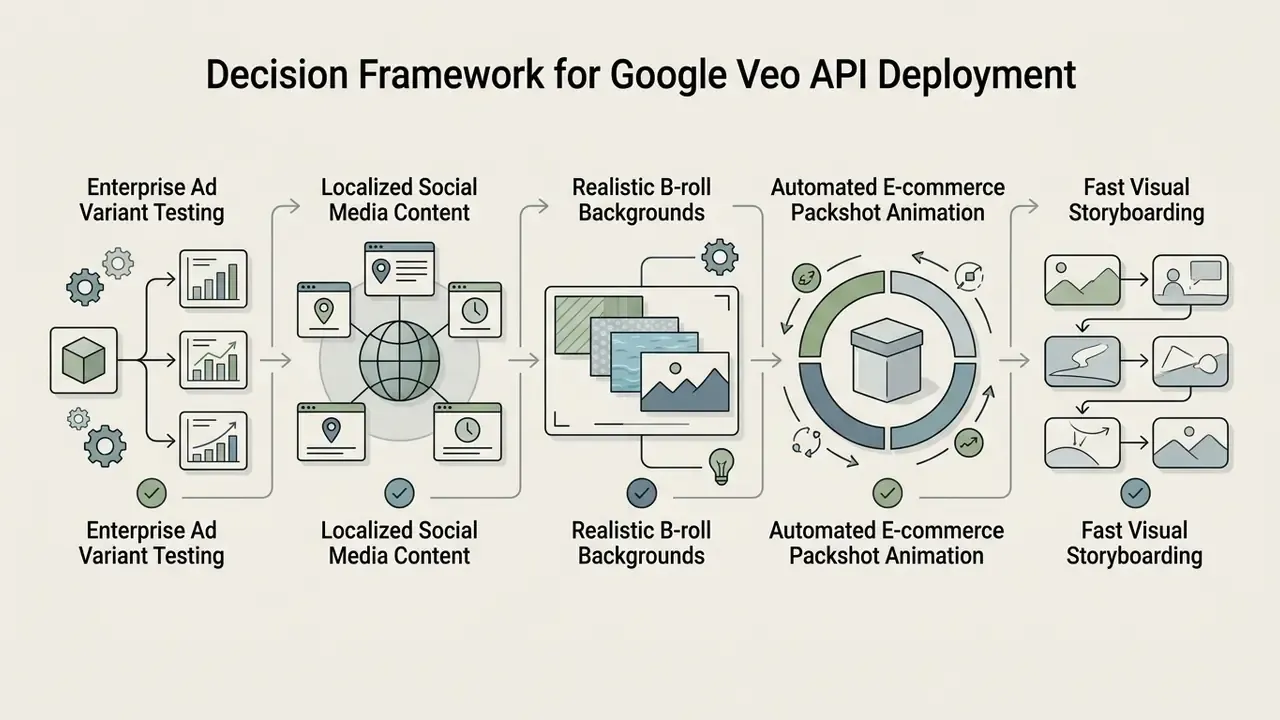
Decision Framework: When to Deploy Google Veo API

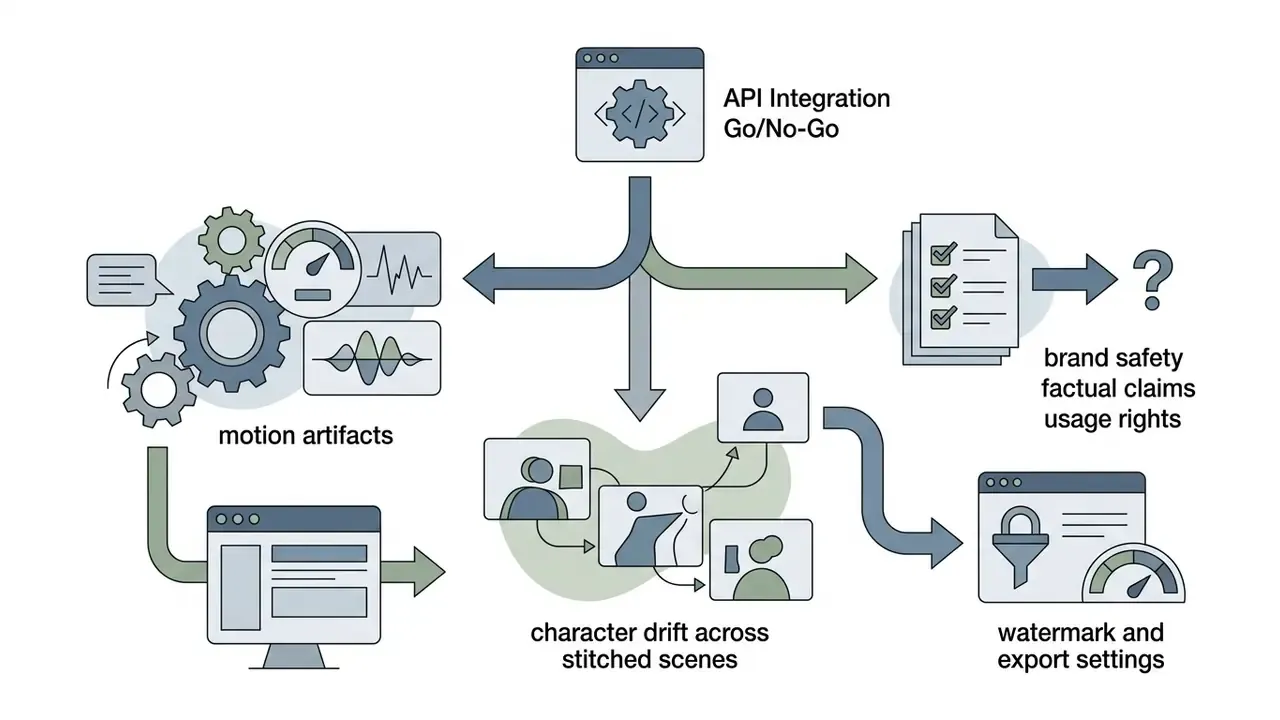
Veo vs OpenAI Sora vs Runway: Procurement Comparison
| Criterion | Google Veo 3.1 | OpenAI Sora / Sora 2 | Runway Gen-3 family |
|---|---|---|---|
| Native clip length | 4, 6, or 8 s per call; extension to ~141 s total | Short-form clips, extension via platform tooling | Short-form clips, extend or stitch in platform |
| Max resolution | 720p / 1080p / 4K (4K unsupported on Lite) | HD-class output, tier-dependent | HD-class output, tier-dependent |
| Native synchronized audio | Yes, including dialogue, ambience, SFX | Audio support on newer generations | Primarily visual; audio layered externally |
| Frame conditioning | Start frame, end frame, image-to-video, @tag entities | Reference-image conditioning | Image and video-to-video conditioning, motion controls |
| Billing model | Per generated clip (count): $0.05-$0.60 | Plan/credit and API tiers | Credit-based subscription tiers |
| Enterprise cloud contour | Vertex AI / Gemini Enterprise Agent Platform with IAM, regions, logging | API and enterprise plans | SaaS platform with team plans |
| Provenance marking | SynthID embedded in output | Provenance metadata per provider policy | Provider-specific policy |
| Best-fit use case | High-volume ad variants, B-roll, audio-inclusive short assets | Narrative and concept generation | Stylised motion work and video-to-video restyling |
No matching rows Clear one or more filters to restore the matrix.
Procurement guidance: choose Veo where audio-inclusive short-form volume, count-based cost predictability, and Google Cloud governance integration matter most. Benchmark competing ai video models on an identical prompt set before committing, and verify each vendor's current stage, regional availability, and commercial terms at contract time rather than from a marketing page. For cross-vendor detail, see the comparison of best AI video generators.
FAQ: Google Veo AI Video Generator, Access, Watermarks, and Licensing
The frequently asked questions from enterprise teams cluster around four things: free access limits, watermarking, clip length, and commercial licensing.
Is There Free Access to Veo and Are Watermarks Present on Exported Videos?
Commercial API usage is billed per generated clip with no permanent free production tier, and generated videos carry invisible SynthID watermarking to signal synthetic origin. Google AI Studio does offer modest developer evaluation quotas; its published plan tiers describe a Free plan with "modest quota" and "basic limits" rather than per-model numbers. Enterprise production still requires an active Google Cloud billing account. Teams hunting zero-cost entry points can compare options in the guide to free AI video generators, remembering that a video generator free tier usually restricts commercial rights, which is precisely the clause that matters.
«Gemini Advanced generates 8-second MP4 clips at 720p in 16:9 with a monthly usage limit.» - Google Blog, "Generate videos in Gemini and Whisk with Veo 2" (2024-2025). https://blog.google/products-and-platforms/products/gemini/video-generation/ Updated. According to the Google DeepMind SynthID specifications (https://deepmind.google/technologies/synthid/), all videos generated through official Google Veo endpoints contain invisible digital watermarks embedded in pixel data to support content provenance and compliance standards. (The previous, unattributed phrasing of this statement is preserved in Appendix A.)
Does Google Veo Output Contain Visible Watermarks on Export?
No. Videos exported through the official Gemini API, Vertex AI, or enterprise workspace integrations contain no visible logos, overlays, or destructive brand marks. All outputs still carry Google DeepMind SynthID, an invisible steganographic watermark inside the pixel and audio data. SynthID lets compliance detectors verify synthetic origin without degrading quality or interfering with commercial advertising use. Two caveats matter for planning. Free and trial consumer tiers on some surfaces have applied a visible mark in addition to SynthID, so confirm behaviour for your exact plan before scheduling paid media. And third-party wrapper platforms advertising no watermark on export are describing their own export pipeline, not the removal of SynthID. The invisible marker stays embedded regardless of which interface generated the clip.
How Long Can a Veo Video Be, and How Do Teams Produce Longer Films?
Native generation caps at 4, 6, or 8 seconds per request at 24 fps, one output video per call. Longer assets come from documented scene-extension workflows, up to roughly 141 seconds of total length, or from chaining multiple asynchronous calls and stitching the results on a timeline. Any vendor claim of a five-minute single-prompt generation describes assembly, not model capability. Treat it as a red flag when reading reseller copy.
Does Veo Support Start Frames, End Frames, and Character Consistency?
Yes. Veo supports start-frame conditioning, end-frame interpolation, multi-scene scripts, and character consistency through entity tagging. Accepted reference formats are JPG, JPEG, PNG, and WEBP, with platform upload ceilings typically near 20MB. Verify the exact limit for your surface, because wrapper platforms impose their own thresholds and rarely advertise them.
Can Veo Output Be Used Commercially?
Commercial use depends on the plan and the contract, not on the model. Paid API, Vertex AI, and enterprise agreements are the documented path; free and consumer tiers frequently carry narrower rights. Before publishing, review brand safety, factual claims, rights clearance for any referenced likeness or product, and platform-specific AI-disclosure requirements. Confirm applicable terms in writing rather than inferring them from product marketing, and view the guide hub if you want the broader map of media API terms.
Which Model Tier Should a Team Default To?
Draft on Veo 3.1 Lite (720p) or Fast (720p/1080p), and promote only approved motion to Standard. That single policy removes the largest share of avoidable spend, because most rejected clips fail on composition or motion, and both are fully visible at 720p. An ai video generator veo3 workflow that renders every experiment at 4K is not a quality strategy. It is a budget leak.
Source directory:
- Veo model documentation: Google DeepMind Veo · Gemini API Veo Guide
- Version and deprecation tracking: Gemini API Changelog · Vertex AI Release Notes
- SynthID watermarking specifications: Google DeepMind SynthID Overview
- Google Search generative AI policy: Google Search Central GenAI Guidance
- Commercial API terms and pricing: Google Cloud Vertex AI Pricing Page · Gemini Enterprise Agent Platform Pricing
Appendix A: Superseded Statements and Editorial Revisions
This appendix preserves earlier phrasings revised during fact-checking, so readers and auditors can see what changed and why.
- Iteration rate claim.Previous wording: "typically 25% to 33% of raw generated clips meet final editorial standards, requiring roughly 3 generations per accepted shot." Revised because the figures were presented as established fact without attribution. They now appear as practitioner estimates and planning heuristics, with an instruction to replace them with measured accept-rates.
- SynthID attribution.Previous wording: "All videos generated through official Google Veo endpoints contain invisible SynthID watermarks embedded directly into pixel data." Revised to carry inline attribution to the Google DeepMind SynthID specification, improving verifiability without changing the substance.
- Long-form duration claims found in competing material.Statements such as "create everything from 15-second clips to 5-minute presentation videos" contradict documented behaviour: native generation is capped at 8 seconds per call. Longer output is scene extension plus multi-call assembly, and this article says so explicitly.
- "No watermark" claims in third-party material.Wrapper platforms advertising watermark-free export describe only the absence of a visible overlay. Invisible SynthID provenance marking persists at the model level, which is the formulation used throughout this article.
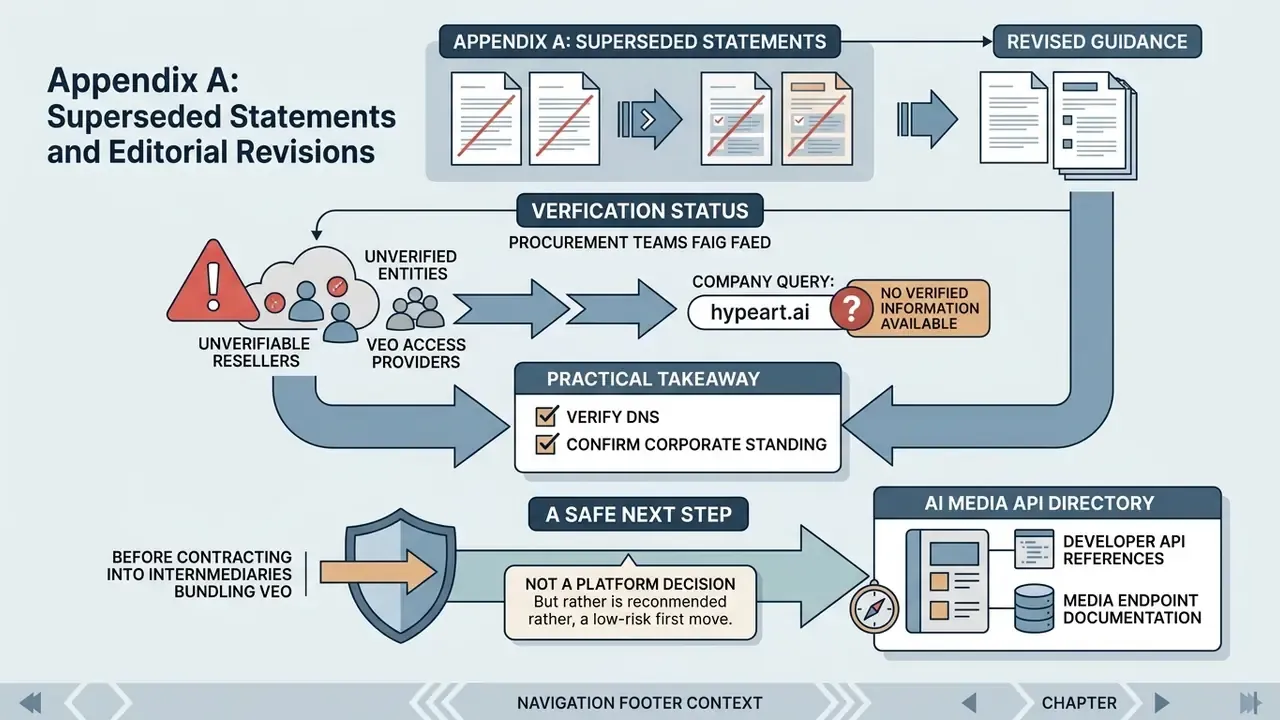
Vendor Verification Note
A Safe Next Step
If this topic is live in your organisation, the low-risk first move is not a platform decision. It is an inventory entry: which team, which surface, which model code, which data classes, which named owner. Then add the draft-first tier policy and the audit fields listed above. Only after that does a procurement comparison mean anything.