The three facts you need first
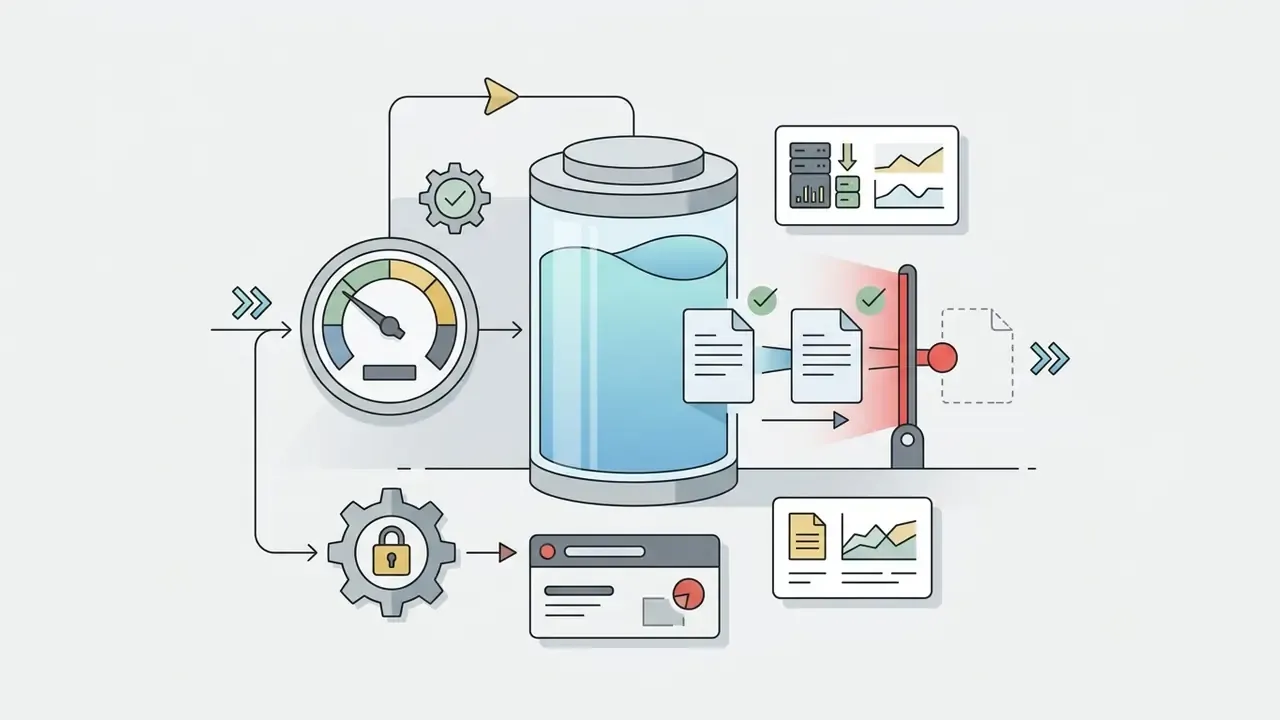
ChatGPT free users operate under that dynamic baseline when creating visuals with DALL·E 3. OpenAI enforces the cap through sliding time windows and demand monitoring rather than a fixed calendar reset. Understanding the mechanism helps individual creators and enterprise teams plan visual workflows without unexpected operational friction, and without improvising workarounds that a compliance officer would rather not read about later.
Is There an Exact ChatGPT Free Image Creation Limit Per Day?
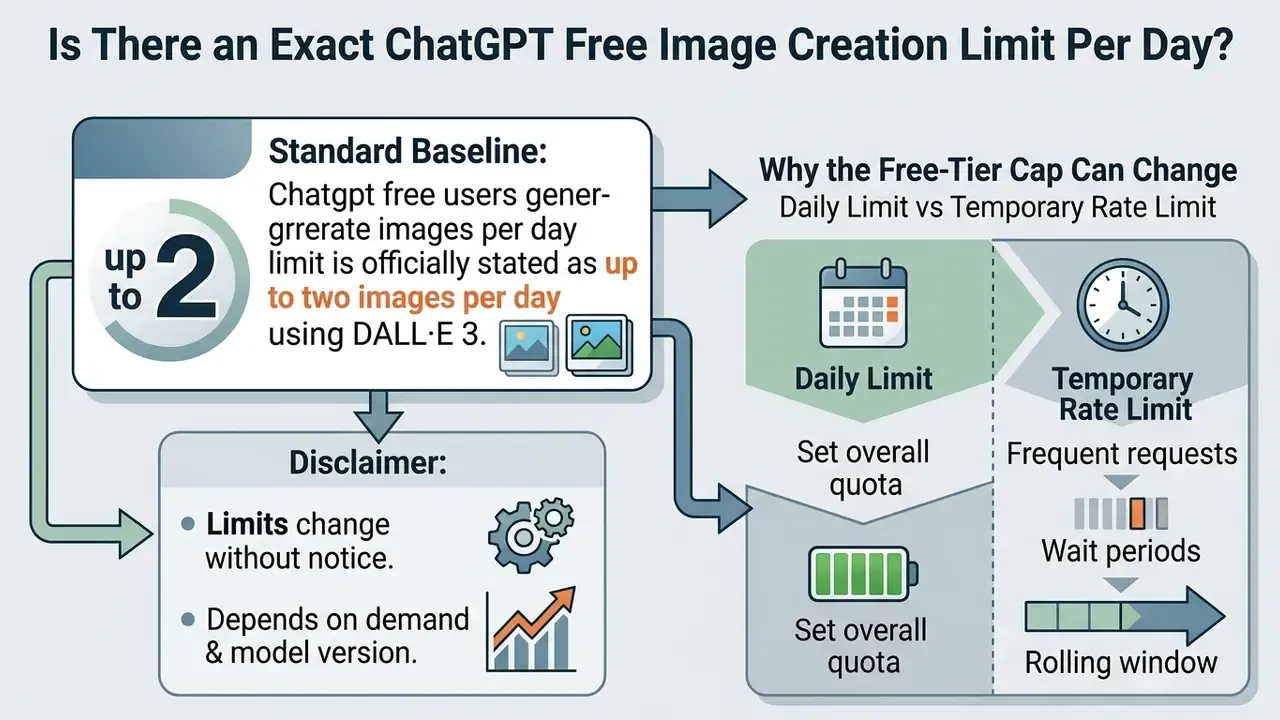
The standard baseline for the chatgpt free users generate images per day limit is officially stated as up to two images per day using DALL·E 3.
«We're rolling out the ability for ChatGPT Free users to create up to two images per day with DALL·E 3.»
OpenAI adjusts that baseline dynamically based on model availability, active server load and account-level rate limits. As a result, free account holders may observe short-term capacity fluctuations between two and three image creation attempts inside a given 24-hour period. Not a bug. A throttle.
«Our editor created two images in the ChatGPT Mac app and immediately received a notice that the free-tier daily limit had been reached.»
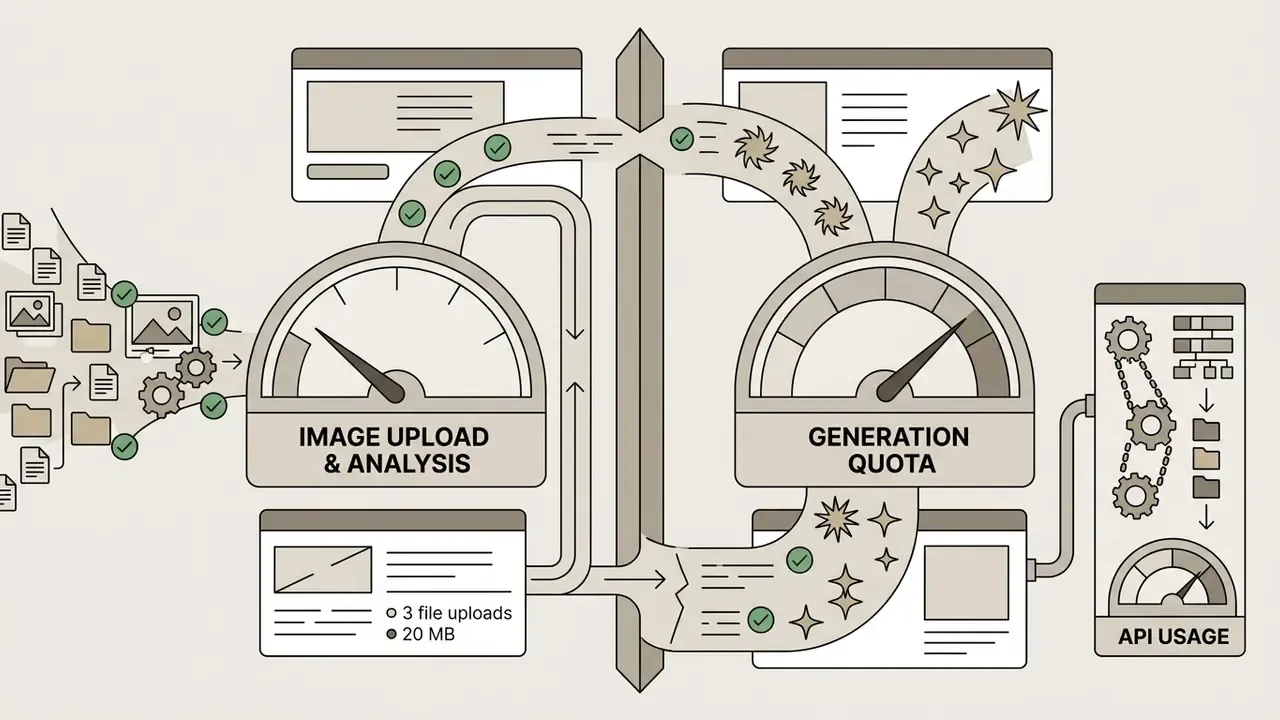
The limit language in OpenAI's own documentation is intentionally elastic, and that is worth reading as a signal rather than an oversight. The ChatGPT Free Tier FAQ states that file uploads, image generation, voice and data analysis carry separate usage limits, and that ChatGPT will notify you when an applicable limit is reached. The image rate-limit reference adds that API-side caps depend on the model and the account's usage tier (see the OpenAI Help Center article on image generation rate limits). Read together, the picture is consistent: two images per day is the published Free baseline, and everything above it is plan-dependent, load-dependent and account-dependent.
Why the Free-Tier Cap Can Change
OpenAI alters free-tier generation limits to manage server capacity and preserve platform stability during heavy usage hours. Because ai image generation consumes significant compute, resource allocation algorithms adjust free account throughput automatically. When global traffic peaks, the system prioritises model availability for paid tiers, which tightens free user caps and prevents service latency from spreading across every account at once.
«Most users see exactly 2 or 3 images depending on region and load.»
The hard 2 to 3 image ceiling on the free plan has a documented infrastructure backstory. In March 2025, after native GPT-4o image generation rolled out to Free, Plus, Pro and Team accounts as the default image experience, viral usage overwhelmed capacity and Sam Altman publicly said the company's GPUs were "melting." Free-tier access was delayed, then temporarily capped to protect service quality for everyone. On 16 December 2025, GPT-Image-1.5 rolled out globally, bringing up to 4x faster generation, better instruction following, detail-preserving edits and dramatically improved text rendering inside images. Efficiency gains from that model stabilised rather than expanded the free allowance. Quality parity with paid tiers, quantity still capped at two or three renders per rolling day.
Daily Limit vs Temporary Rate Limit
A daily limit is an absolute cap tied to an account's 24-hour allocation. A temporary rate limit is a short-term request throttle. Exceeding the daily quota blocks further image prompts until the rolling reset window expires. Hitting a temporary rate limit produces a standard HTTP 429 error, and the fix is simply to pause for a few minutes before retrying.
| Symptom | Daily cap exhausted | Temporary rate limit |
|---|---|---|
| Typical message | "Daily limit reached", countdown shown | "Rate limit reached", RateLimitError, HTTP 429 |
| Duration | Until each 24-hour slot expires | Minutes, or until the short window clears |
| Correct action | Wait for the individual slot to renew, or upgrade | Stop retrying, wait 10 to 15 minutes, resume slowly |
| Wrong action | Rapid retries, account switching | Automated retry loops, which escalate the throttle |
How ChatGPT Image Generation Limits and Rolling Windows Work
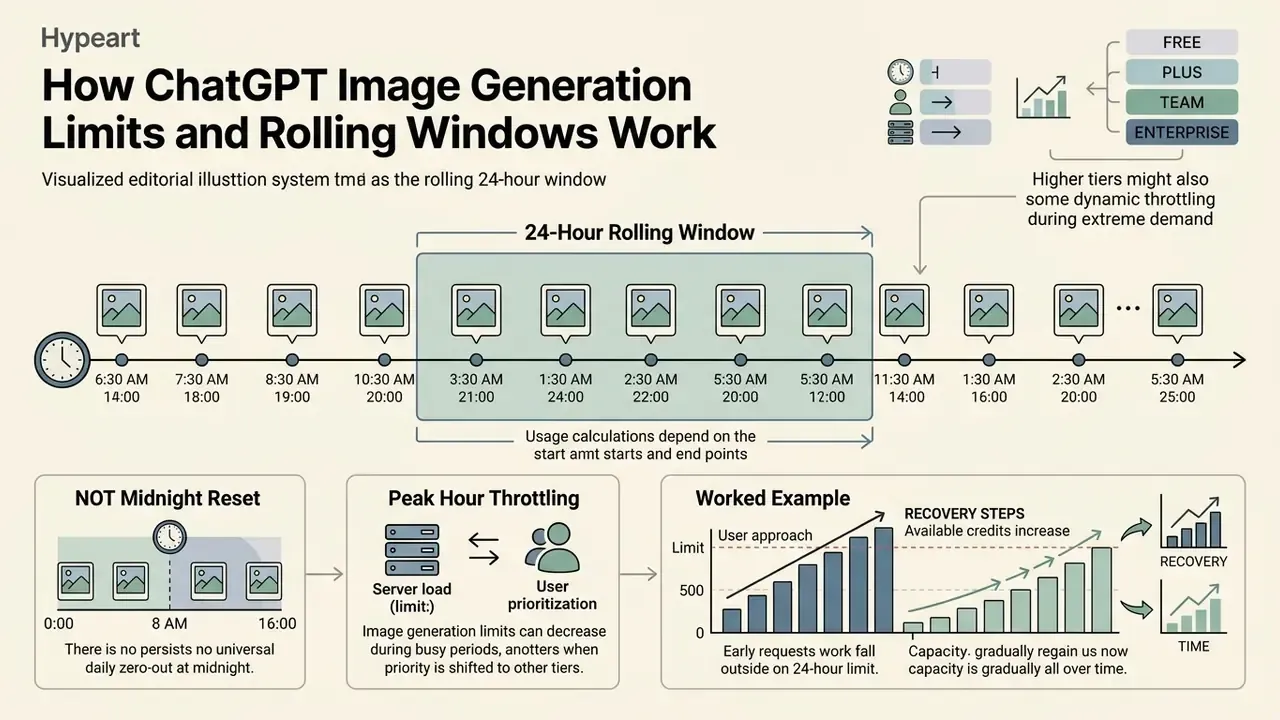
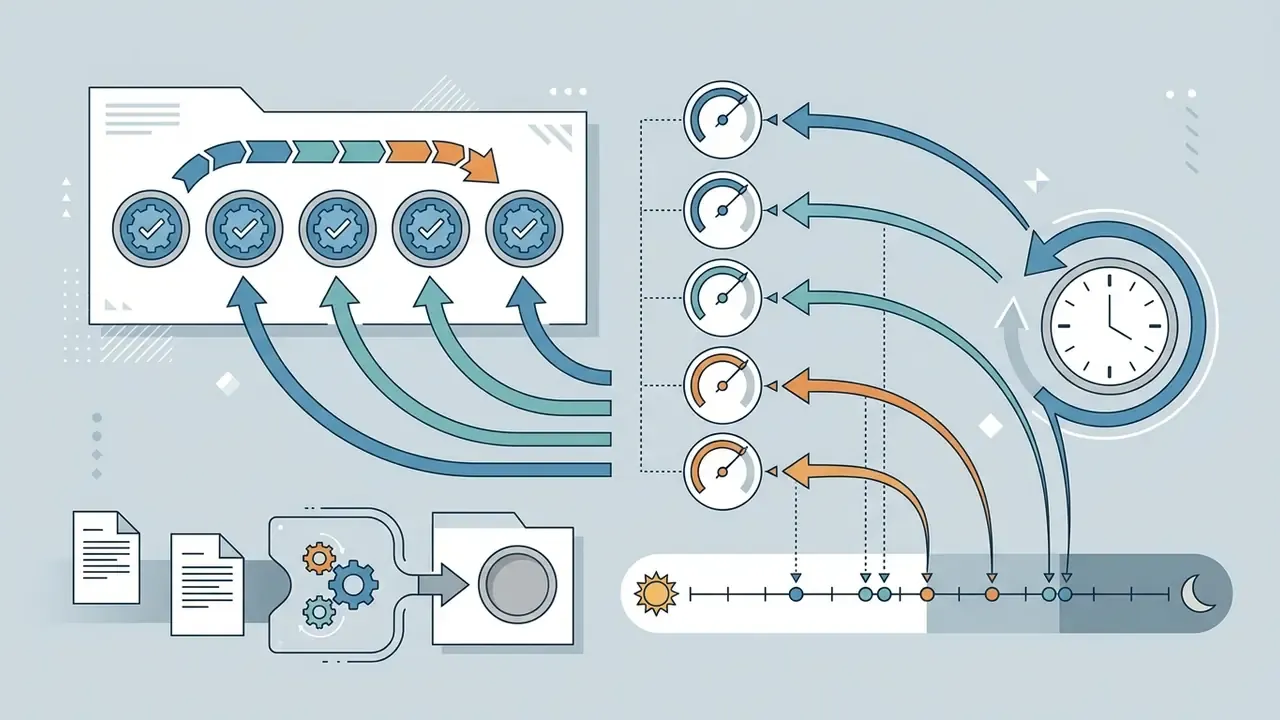
ChatGPT processes image generation limits through a 24-hour rolling window that tracks each request timestamp independently. Instead of resetting all image quota slots at a fixed clock time, the platform restores individual slots exactly 24 hours after each specific image creation event. That sliding calculation prevents system spikes and spreads infrastructure load evenly across the day.
Worked example, showing how the 24-hour rolling window actually behaves:
| Time | Event | Remaining quota |
|---|---|---|
| 09:00, Day 1 | Image #1 generated, Slot 1 starts its own 24-hour timer | 1 of 2 |
| 13:00, Day 1 | Image #2 generated, Slot 2 starts its own 24-hour timer | 0 of 2 (capped) |
| 00:00, Day 2 | Midnight passes and nothing resets | 0 of 2 |
| 09:00, Day 2 | Slot 1 expires and returns automatically | 1 of 2 |
| 13:00, Day 2 | Slot 2 expires and returns | 2 of 2 (full quota restored) |
The practical takeaway: capacity comes back slot by slot, in the same order it was spent. Generating early in your working day maximises overlapping refreshes for the next one. A small scheduling habit, a real difference by Friday.
Why the Limit Does Not Always Reset at Midnight
The image generation system does not reset at midnight because the algorithms evaluate usage over a moving 24-hour rolling window. When you submit a request, the system logs the exact timestamp of that specific image prompt. The computational slot consumed by that prompt frees up exactly 24 hours later, which makes calendar boundaries irrelevant to your account's quota refresh.
«If your first image was created at 14:47 on Monday, that slot resets at exactly 14:47 on Tuesday, with no shared midnight reset.»
Why Limits Can Be Tighter During Peak Hours
Generation limits narrow during peak hours because infrastructure allocates processing priority to paid subscribers and enterprise workloads. When global traffic spikes, OpenAI rate limits automatically reduce free-tier throughput to keep response times acceptable. During those high-demand periods, free account holders may see temporary reductions in available image generation capabilities, sometimes mid-project.
«During peak load OpenAI may reduce the Plus allowance from 50 to 20 images per three-hour window, shrinking total daily capacity.»
Throttling is not a free-plan phenomenon. It is platform-wide congestion control. If your deadline cannot absorb a peak-hour slowdown, it is worth comparing throughput across other AI image generators before committing a production schedule to a single vendor.
To estimate how these delays translate into lost hours and credit spend across creative workflows, teams can model the numbers with specialised AI Media Calculators.
What Counts Toward the ChatGPT Image Generation Limit?
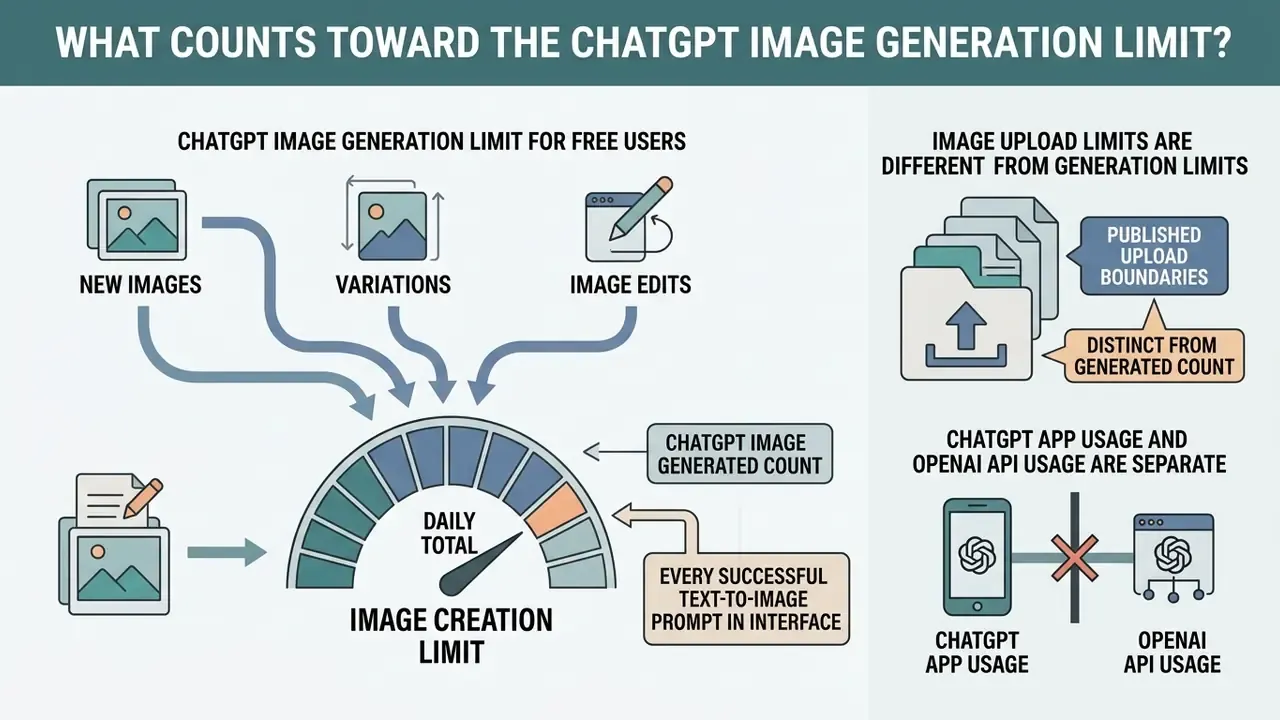
Every successful text-to-image prompt submitted in the interface counts directly toward the image creation limit chatgpt applies to free accounts. Quota deduction happens when an image render completes, whether or not you save the output. Knowing which actions consume capacity helps you protect the two daily generated assets you actually have.
New Images, Variations, and Image Edits
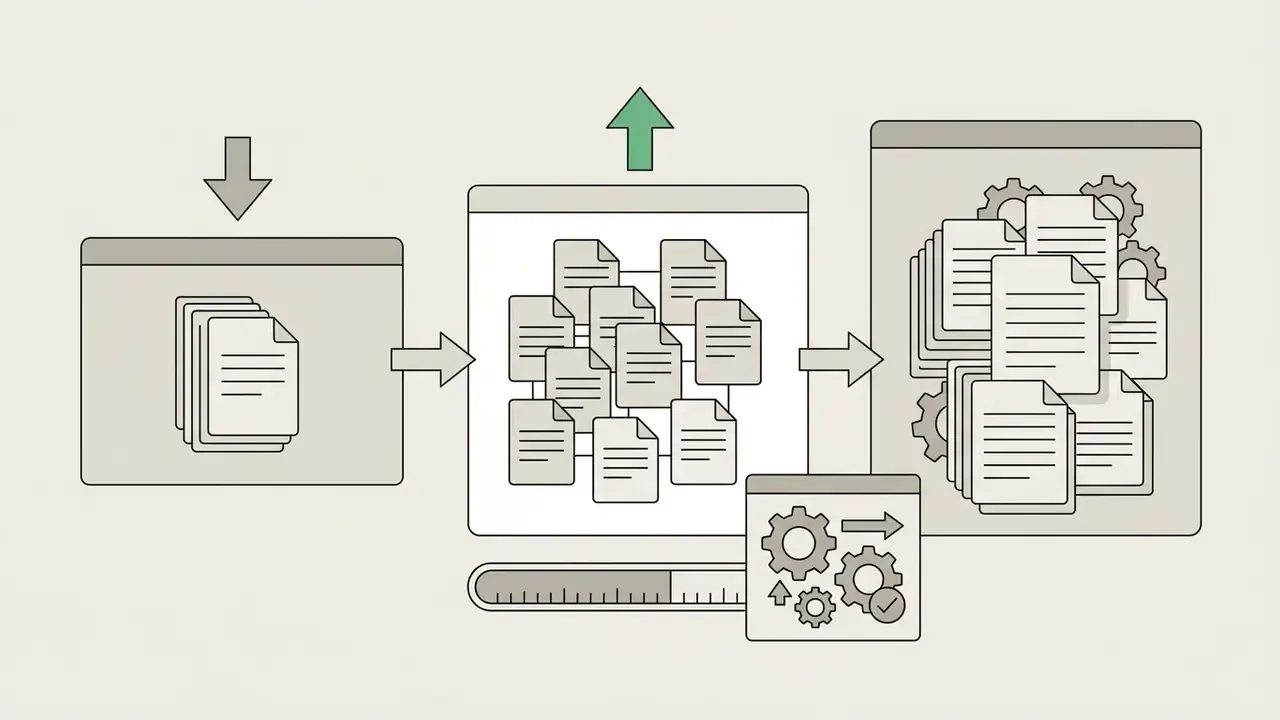
Generating a new image, requesting variations of a previous output or submitting an image edit each consume individual quota slots. Every back-end generation request forces the underlying model to run a complete rendering pass, so one allocation unit disappears per image produced. If a single prompt asks for two visual variants at once, both outputs count against your allowance.
«Failed generations are not deducted from the daily limit, OpenAI subtracts quota only when a render completes successfully.»
That nuance matters operationally. A moderation refusal or a hard service error normally does not burn a slot, while a completed but unusable render does. Ugly still costs.
Image Upload Limits Are Different From Generation Limits
Uploading an existing image file for computer vision analysis or document processing uses a completely separate quota system. Uploading files for chatgpt image analysis draws on general multimodal file processing limits, not on your DALL·E allocation.
Published upload boundaries, distinct from any generated-image count:
| Upload parameter | Documented limit |
|---|---|
| Maximum size per uploaded image | 20 MB |
| Maximum size for documents and data files | 512 MB (with additional text and token caps) |
| Free-tier upload allowance | 3 file uploads per day |
| Paid-tier rolling upload window (Go, Plus and above) | Up to 80 files every 3 hours, reduced during peak hours |
| Files per message | Up to 10 |
| Project file caps | 10 files at a time (Free and Go), 20 files per project (Plus), 40 files per project (Pro, Team, Education, Business) |
| End-user storage | 25 GB per user, 100 GB per organisation |
«Free-tier testing showed a maximum of two image uploads per day, up to 10 files per message, and no file larger than 20 MB.»
Note that failed upload attempts can still count against the rolling window, so blind retries make the situation worse rather than better. The upside: reaching your image creation limit does not stop you from uploading charts, statements or contracts for text-based analysis. And if the remaining work is retouching rather than generation, dedicated AI photo editors can finish the job without touching your ChatGPT quota at all. The same logic applies to bulk retouch pipelines described in our photo editor guide.
ChatGPT App Usage and OpenAI API Usage Are Separate
Usage inside the ChatGPT web interface or desktop app operates independently from developer access through the OpenAI API. The web application relies on subscription plan limits and sliding rate windows, whereas the image api uses token-based billing or per-image metered pricing. Reaching a cap in the ChatGPT app does not touch API endpoints or developer integration pipelines, and, critically, the reverse holds too: an API key is not a loophole around a consumer-plan banner, it is a separately billed surface with its own rate limits.
Organisations planning programmatic media generation can model token expenditure and operational overhead with an api cost calculator.
How Free Users Can Get More Useful Images From Their Quota
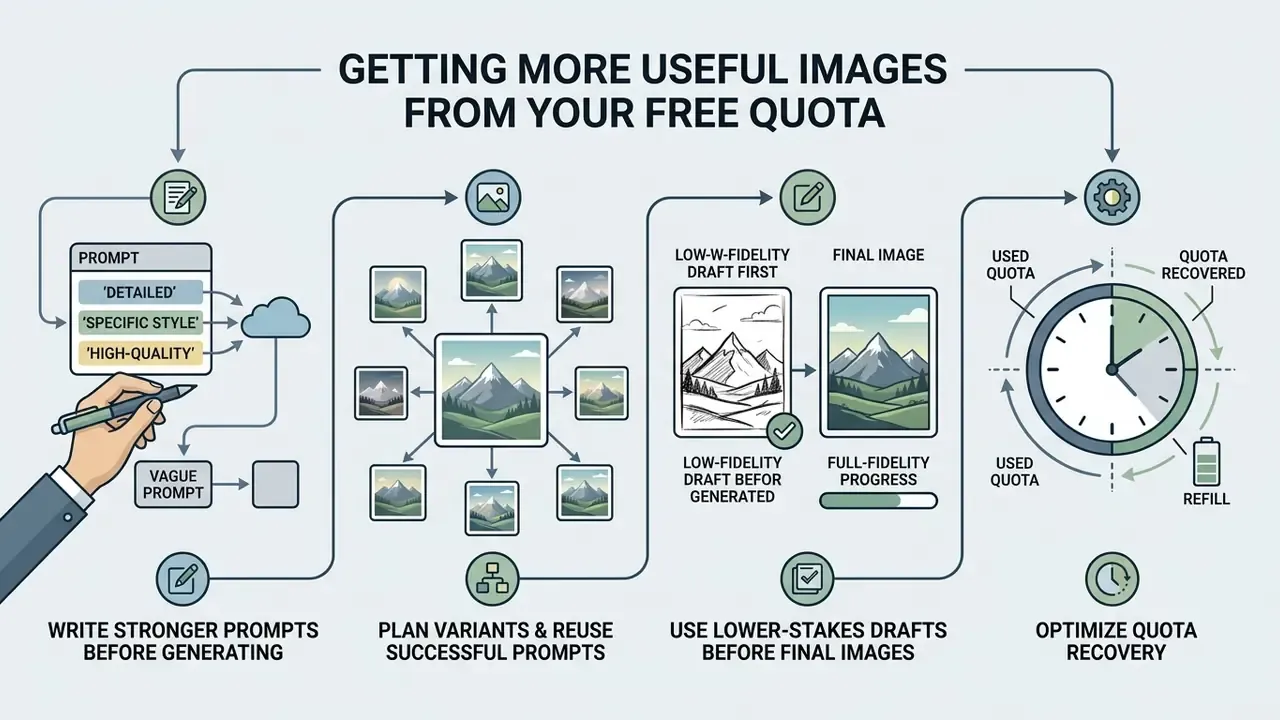
Free users stretch a daily image quota mainly by refining prompt construction and planning compositions before submitting anything. Retry attempts exhaust a two-slot allowance fast, so precise prompt engineering is less a craft preference than a capacity strategy.
Quota consumption: vague prompting versus structured prompting
| Workflow | Prompt style | Typical retries | Outcome on a 2-image free quota |
|---|---|---|---|
| Strategy A | "Make a nice product banner" | 3 to 4 corrective renders | Quota exhausted in roughly 15 minutes, no usable asset |
| Strategy B | Subject, style, lighting, composition, constraints | 0 to 1 | Usable asset on first pass, second slot kept in reserve |
Write Stronger Image Prompts Before Generating
Detailed prompts written before you press send reduce the need for corrective follow-up generations. Define subject, medium, lighting, colour palette, camera angle and background context explicitly in the initial prompt text. OpenAI's own prompting guidance recommends a consistent order, background and scene first, then subject, then key details, then constraints, and notes that lens, aperture and lighting terminology drives photorealism far more reliably than generic "8K, ultra-detailed" phrasing. Ambiguous language is what triggers a second render, and a second render is half your day's allowance.
«Because OpenAI provides no built-in quota counter, users must track consumption manually or rely on the limit notification itself.»
Plan Variants and Reuse Successful Prompts
An internal repository of proven prompt structures lets creators replicate reliable visual styles without spending trial generations. Rather than starting from scratch, adapt a working frame by swapping the subject terms while preserving the lighting and stylistic parameters that already performed. When you iterate, change one variable per round and repeat the "preserve" list, meaning identity, geometry, layout and labels, so the model edits instead of redrawing from zero. That discipline cuts unexpected outputs sharply.
Teams building a reusable prompt library should settle licensing early. Review the rules on commercial use of AI image generators before a saved template becomes the basis for paid client deliverables.
Use Lower-Stakes Drafts Before Final Image Creation
ChatGPT Free vs Go vs Plus vs Pro vs API for Image Generation
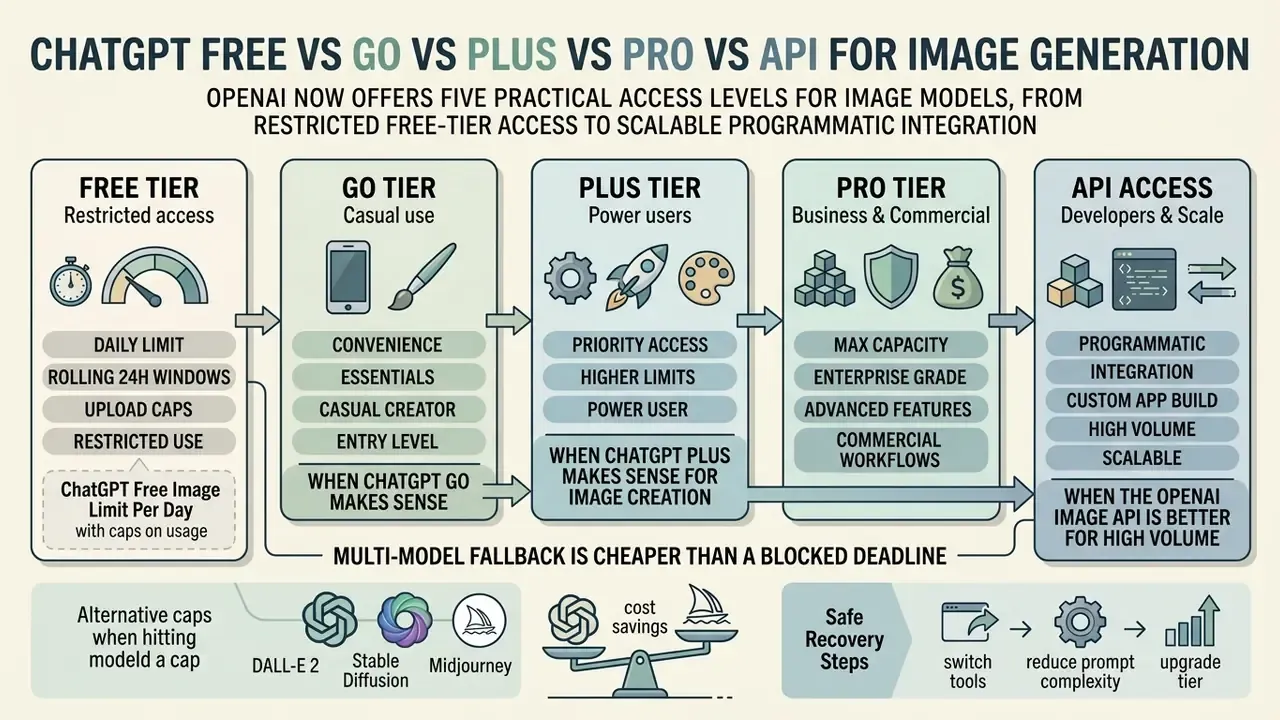
OpenAI now offers five practical access levels for image models, from restricted free-tier access to scalable programmatic integration. Optimisation inside the free quota only goes so far. Once structured prompting is in place and you still meet the banner every afternoon, the tier decision is the real answer.
| Plan or tier | Price | Image generation capacity | Reset window mechanics | Model access | Intended use case |
|---|---|---|---|---|---|
| ChatGPT Free | $0 | Up to 2 to 3 images per day | 24-hour rolling window per request | DALL·E 3, GPT-Image-1.5 | Casual testing, basic personal prompts |
| ChatGPT Go | $8 per month | Roughly 10x Free capacity, plan around 20 to 30 images per day | Dynamic rolling windows | Same models, higher limits than Free | Moderate everyday image work without Plus pricing |
| ChatGPT Plus | $20 per month | Around 40 to 50 images per 3-hour window, roughly 180 to 200 per day with pacing | 3-hour rolling window | Full image suite, priority access, "images with thinking" | Individual professional workflows |
| ChatGPT Pro | from $100 to $200 per month | Described by OpenAI as unlimited and faster image creation, abuse safeguards apply | Continuous, high-volume throughput | Full model suite and priority queue | Power users, professional creators |
| OpenAI API | Usage-based | Tiered IPM and TPM limits (Free tier not supported, paid tiers roughly 5 to 250 IPM) | Per-minute and per-day usage tiers | gpt-image-1, GPT Image 2.5, DALL·E API | Automated pipelines, enterprise apps |
Readers comparing ChatGPT against other engines before paying can review our evaluation of ChatGPT image generation versus alternative tools and check output quality in the best AI art generator comparison.
«At launch, paid ChatGPT users had a 50-image-per-day ceiling while free users were limited to two.»
When ChatGPT Go Makes Sense
ChatGPT Go is the newest and cheapest paid step, positioned by OpenAI as roughly 10x Free across messages, file uploads and image creation. OpenAI does not publish a fixed Go-only daily image counter, so the honest planning number is a range: a few dozen images per day, realistically 20 to 30, spread out rather than fired off in one batch. Go also lifts upload headroom above the Free three-file daily limit into the shared 80-files-per-3-hours window. For a freelancer producing a handful of social assets a day, Go removes the wall at a fraction of Plus pricing. For a studio delivering campaign batches, it will still interrupt long uninterrupted runs.
When ChatGPT Plus Makes Sense for Image Creation
Upgrading to ChatGPT Plus becomes practical the moment daily workflow demand exceeds the strict free plan image creation limit. Plus subscribers get significantly higher allowance caps, typically around 40 to 50 prompts every three hours, plus priority server processing when traffic peaks.
«Plus users get roughly 50 images every three hours, with a practical daily soft ceiling around 180 to 200 images.»
A Multi-Model Fallback Is Cheaper Than a Blocked Deadline
One more option deserves a line, because procurement rarely considers it early enough. A multi model approach keeps a second engine on standby for the hours when your primary tool is throttled. Google's Nano Banana Pro image models, for instance, sit outside the OpenAI quota system entirely, so a Nano Banana Pro render does not touch your ChatGPT allowance. From a governance standpoint the upside is independence from a single AI platform. The cost is a second set of licensing terms, a second data-handling review and a second entry in your AI inventory, which is precisely why the decision belongs in a register rather than in a designer's browser tabs.
When the OpenAI Image API Is Better for High Volume
The OpenAI Image API is the sensible choice for enterprise applications, bulk rendering and automated software integration. It provides structured pricing per image token or output resolution and bypasses consumer interface rate limits entirely.
«Default API rate limits depend on the model in use and the account's usage tier; exact values are published on the limits page.»
What to Do When ChatGPT Stops Generating Images
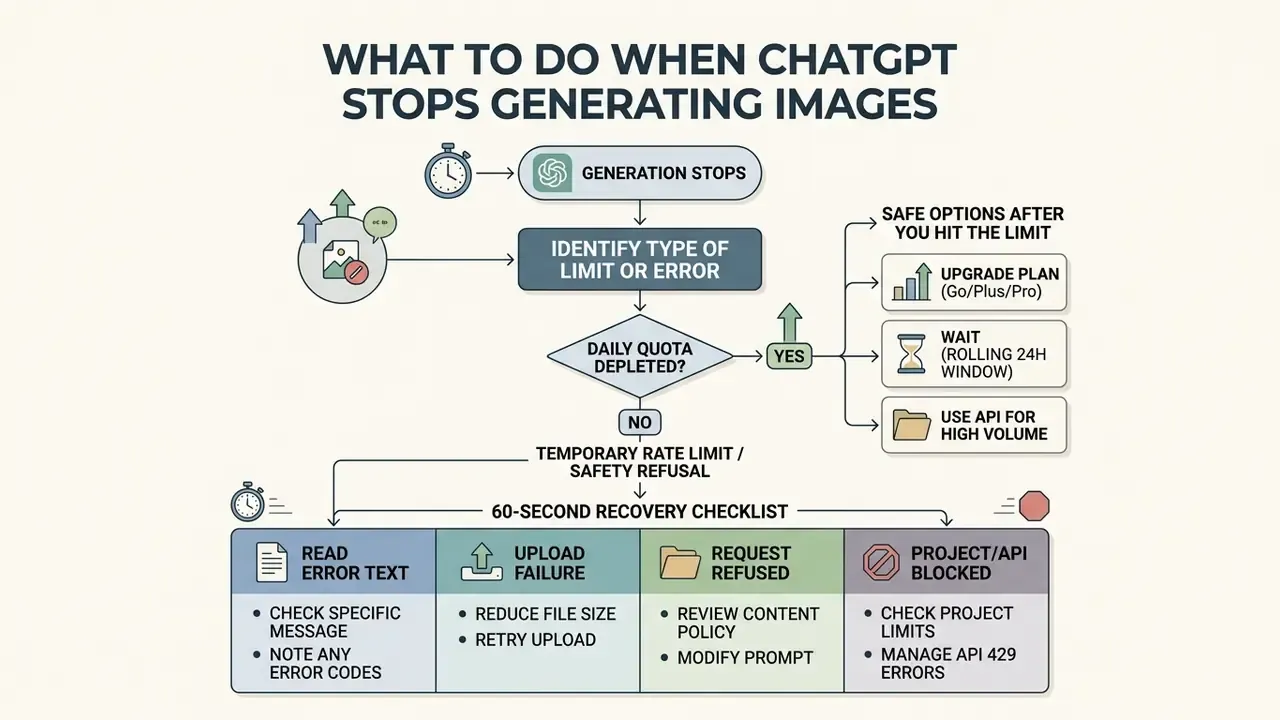
Identify the Type of Limit or Error
Examine the exact interface notification to pin down why generation stopped. A RateLimitError or HTTP 429 status signals excessive request frequency over a short duration, while an explicit daily cap notification confirms your 24-hour image creation allocation is spent. Content policy refusals display distinct moderation warnings, telling you the prompt text tripped a safety filter, and service-unavailable wording points to a server-side outage rather than user quota exhaustion.
«OpenAI provides no built-in quota counter, users only learn a limit is exhausted from the notification and its countdown timer.»
Safe Options After You Hit the Limit
When an account exhausts its free quota, the safest path is to wait for the rolling window to restore slots sequentially. For urgent production needs, upgrade to a paid plan or route requests through official API keys. Teams shipping generated assets into public campaigns often pair this with verification tooling, since AI image detectors help confirm provenance before an asset reaches a client deck.
Organisations seeking independent platform alternatives for commercial image creation can open the hub to review market solutions, including platform-specific options such as the Microsoft AI image generator.
60-Second Recovery Checklist
- Read the error text."Rate limit" means wait 10 to 15 minutes. "Daily limit reached" means wait 24 hours from your first generation of the cycle.
- If the failure happened on upload,confirm the image is under 20 MB and that today's upload count is below 3 (Free) or inside the 80-files-per-3-hours window (paid).
- If the request was refused,rephrase the prompt, remove wording that conflicts with safety guidelines, and keep the compliant version in your template library.
- If a project blocked the file,delete stale files or split cleanly separable work. Do not spawn duplicate projects.
- If it is an API 429,queue requests, lower concurrency, add exponential backoff and check the limits page in the developer dashboard.
- If the job does not need conversational context,move it to a dedicated image tool or the API instead of arguing with the banner.
Enterprise Checklist for False-Positive Moderation Blocks
Corporate users occasionally hit a safety refusal on entirely legitimate material: brand mascots, medical diagrams, security imagery. The governance-safe sequence looks like this.
- Capture a screenshot of the refusal text and the exact prompt for the audit trail.
- Strip ambiguous phrasing (named public figures, violence-adjacent verbs, trademark references) and resubmit once, not repeatedly.
- Replace the disputed element with a neutral descriptive equivalent rather than attempting evasion, obfuscation or prompt injection.
- If the block persists on a clearly compliant request, escalate through official support channels with the captured evidence.
- Log the incident in the internal AI-usage register so procurement can weigh moderation friction in the next vendor review.
Anti-Bypass Warning: What Not to Do at the Cap
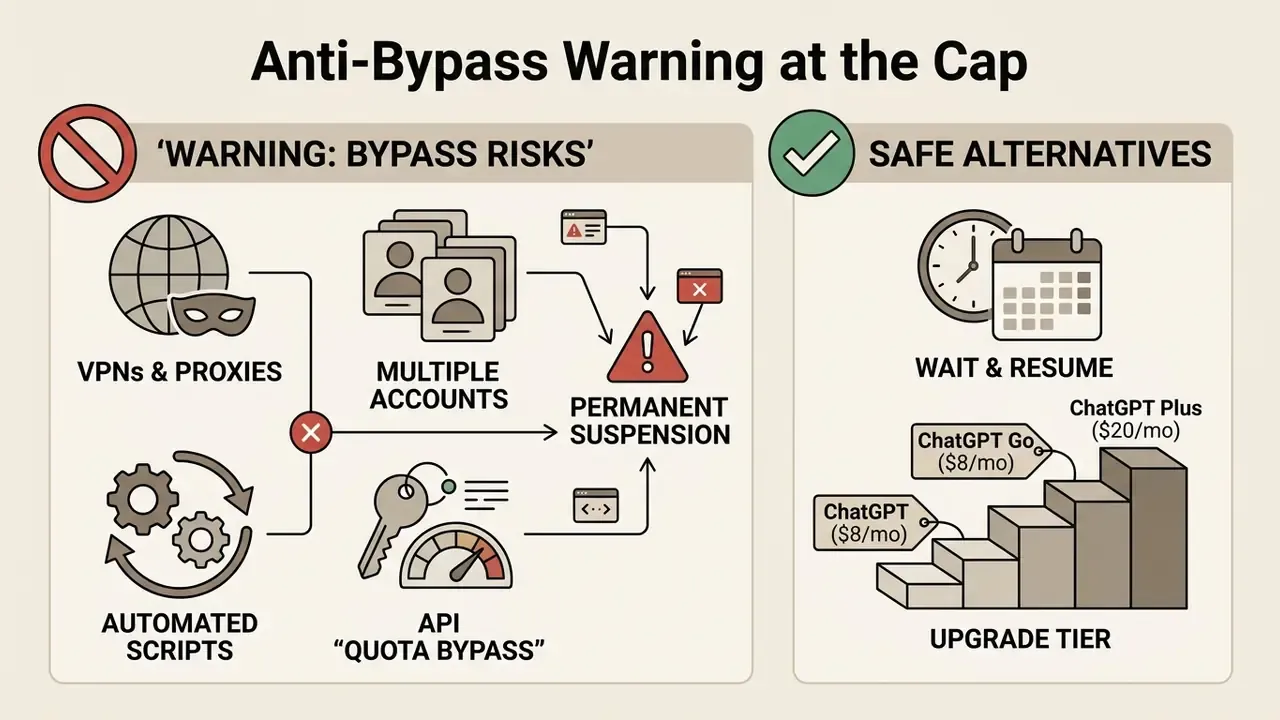
Attempting to bypass account controls violates platform terms of service and risks permanent suspension. Limits are enforced server-side against your authenticated account identifier, not against your browser, your cookies or your IP address.
Do not:
- Use VPNs, proxies or cookie clearing to appear as a new user. Quota is bound to the account ID, not the network path.
- Create networks of duplicate or disposable accounts. Anti-fraud systems link related registrations and can ban them collectively.
- Run automated resubmission scripts or retry loops against the consumer interface. This escalates HTTP 429 throttling and can restrict API access.
- Frame an API key as a "quota bypass". It is a separate, separately billed product surface with independent limits.
Safe alternatives:
- Wait for the specific rolling slot to expire and resume.
- Move up a tier, with ChatGPT Go ($8 per month) for moderate volume and ChatGPT Plus ($20 per month) for daily professional work.
- Route repeatable production rendering through official OpenAI API keys with metered billing.
- Use a separate image platform when the task does not depend on ChatGPT conversation context.
One more point for regulated environments. Shadow workarounds are rarely a pricing problem; they are usually an access problem. If staff are cycling personal accounts to finish a deck, the control gap sits upstream, in provisioning and budget ownership, not in the prompt.
FAQ About ChatGPT Free Image Generation Limits
Can Unused Free Image Quota Carry Over?
No. Unused free allocations do not roll into the next day or billing cycle. The free account allowance runs on a strict rolling window where unconsumed slots simply stay open until used. Generate nothing today and your maximum available capacity tomorrow is still the standard baseline cap.
Can Different Browsers or Devices Increase the Limit?
Switching browsers, clearing cookies or changing device hardware does not raise your image generation quota. OpenAI enforces usage limits at the account level on backend authentication servers.
«Generation limits are tied to the account, not to the browser or device, so using several browsers with one account does not increase quota.» Source: AI Free API (2025). https://aifreeapi.com/blog/chatgpt-daily-image-limits Every request submitted from a single free account shares the same quota pool, whatever client or IP address you use.
Does GPT Image Have the Same Limit in Every ChatGPT Plan?
No, limits vary significantly across subscription plans and API deployment tiers. Free accounts receive basic allocations subject to peak-hour throttling, Go sits roughly 10x above Free, and Plus and Team tiers offer higher capacity with shorter three-hour rolling reset windows. Enterprise plans and direct API integrations use custom rate limits tuned to organisational demand, and some education and business SKUs express image usage in credits, for example a fixed credit cost per generation, rather than in raw counts. Readers benchmarking across vendors at this point often compare Midjourney image generation as the closest quality-led alternative.
How Many Images Can ChatGPT Go Generate Per Day?
OpenAI does not publish a fixed Go-only daily figure. The defensible planning range is 20 to 30 images per day, derived from the company's own "10x Free" positioning for messages, uploads and image creation. Expect the real number to move with demand, account status and system conditions, and treat your in-app banner as the authoritative source for your own account.
Does Uploading Reference Images Use My Generation Quota?
No. Uploads and generations are separate meters. Uploading a reference photo for analysis or editing draws on the file-upload window (3 files per day on Free, up to 80 files per 3 hours on eligible paid plans, 20 MB per image), while creating a new render draws on the image-generation allowance.
Do Failed or Refused Generations Cost a Slot?
Reported behaviour is that quota is deducted when a render completes, so a hard failure or a moderation refusal typically does not consume an allocation unit. Failed uploads, though, can still count against the rolling upload window, which is exactly why blind retries are counterproductive. To compare performance benchmarks and model capabilities across leading ai tools, reviewers can explore the hub for structured evaluations.
Technical Appendix and Operational Guidance
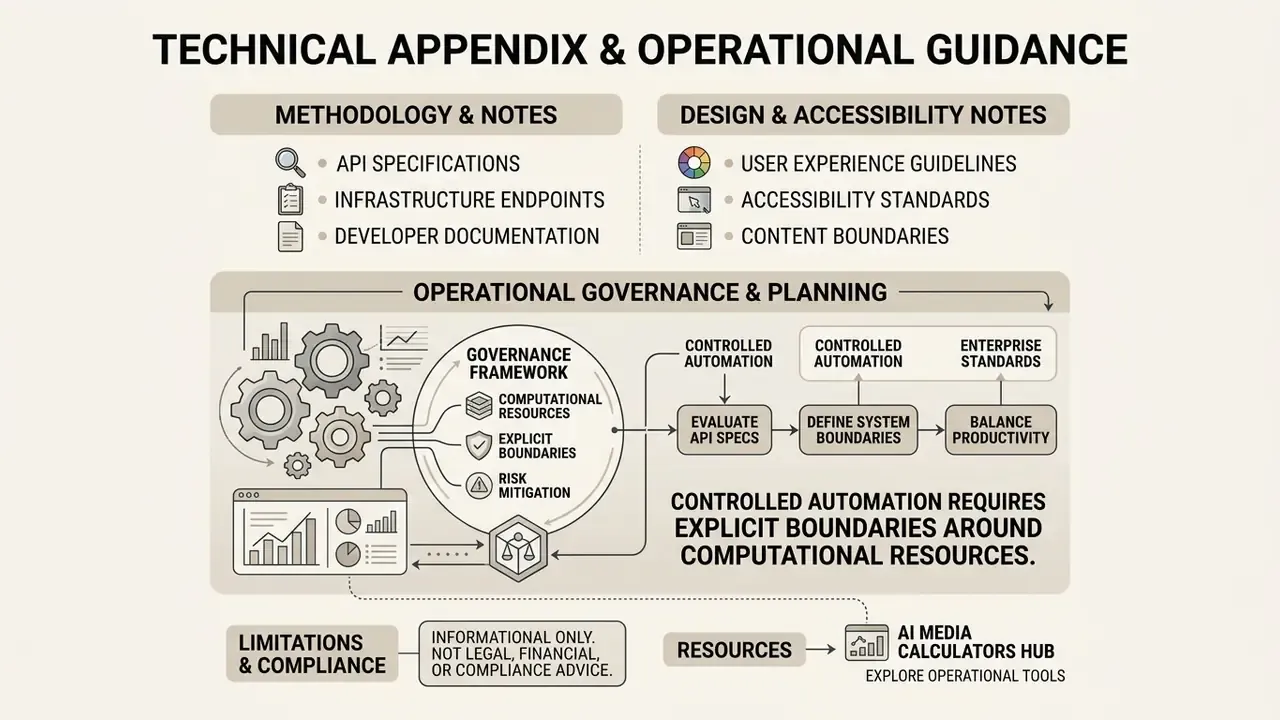
For risk officers, IT administrators and operations executives, managing generative tools means balancing user productivity against enterprise governance standards. Organisations deploying these tools should set explicit policy around free-tier utilities, ensuring confidential corporate data and customer PII never reach an unvetted chat interface. A practical first control is dull but effective: list every generative surface in use, name an owner for each, and record which tier that owner is actually paying for.
Methodology and editorial notes. Limit values in this guide were verified against official OpenAI Help Center release notes and Free Tier FAQ language (reviewed September 2026), the OpenAI image-generation rate-limit reference, and independent 2024 to 2026 testing reports cited inline. Where OpenAI publishes comparative rather than numeric language (Go, Plus, Pro), this article states the range and its basis instead of inventing a fixed counter. Statements about audience behaviour and B2B workflow needs, including the internal financial-analysis team observation above, are labelled as hypotheses until corroborated by CRM or telemetry data. Company verification note: no verified information is available regarding Hypeart.ai operational history or product claims, so all architectural evaluations treat platform capabilities as hypothetical unless confirmed by primary documentation.
Notes for design and accessibility. Three visual assets accompany this article and must remain text-accessible in the DOM: (1) a rolling 24-hour window sequence diagram mapping requests at 09:00, 13:00 and 17:00 UTC with independent expiration timers, captioned "Rolling 24-Hour Window Quota Recovery Example"; (2) a comparative infographic contrasting vague prompting (four retries, quota exhausted in 15 minutes) against structured prompting (subject, style, lighting, composition), captioned "Prompt Structure Impact on Image Quota Efficiency"; (3) an ordered-list flowchart of the diagnostic decision tree with accessible labels describing each branch. All alt text should carry the relevant terms for image limits, rolling windows and upload caps.
To evaluate API technical specifications, infrastructure endpoints and developer documentation, technical teams can review the AI Media API resource section. Governance leaders tracking market performance and vendor metrics can also see the overview of AI model benchmarks before committing to an institutional procurement decision.
This article is informational and does not constitute legal, financial or compliance advice. Platform limits, pricing and terms of service change frequently, so verify current values in OpenAI's official documentation and inside your own account before making procurement or policy decisions.
Explore specialised calculation utilities and operational tools through our AI Media Calculators hub.