Evaluating image-to-image AI tools means separating visual appeal from the boring parts: data controls, processing constraints and licensing rights. That is exactly the order this guide follows. First the technology, then the workflow, then the money and the law.
What Is an AI Anime Generator from Photo?
An AI anime generator from photo is a specialized image-to-image machine learning system that turns uploaded photographs into stylized anime art. Unlike text-only generators, these tools read the structural layout, facial features and composition of an existing image as conditioning data, then output a matching anime portrait or a custom character.
Think of it as repainting rather than inventing. The geometry stays; the surface changes.
How the conditioning pipeline works, step by step
- Input encoding.The uploaded photograph passes through an image encoder that compresses it into a latent representation preserving geometry: face landmarks, silhouette, pose and scene layout.
- Optional text embedding.Your prompt (and negative prompt) is embedded and injected as a second conditioning signal that governs hair colour, clothing, mood and rendering style.
- Optional structural control.A ControlNet branch (OpenPose skeletons, Canny or Scribble edges, depth maps, line art) can lock posture and contours so the model repaints style without shifting anatomy.
- Style-conditioned denoising.An anime-tuned diffusion network denoises from a latent seeded by the source image. The strength, or denoising slider, decides how much of the photograph survives.
- Decode and refine.The latent is decoded into pixels, then optionally re-sampled at higher resolution (Hi-Res Fix) and upscaled with an anime-specific model.
The practical consequence: text-only synthesis invents everything, while photo conditioning constrains the output to the geometry you supplied. If you are exploring the wider category of photo to ai art conversion, the same conditioning logic applies well beyond anime.
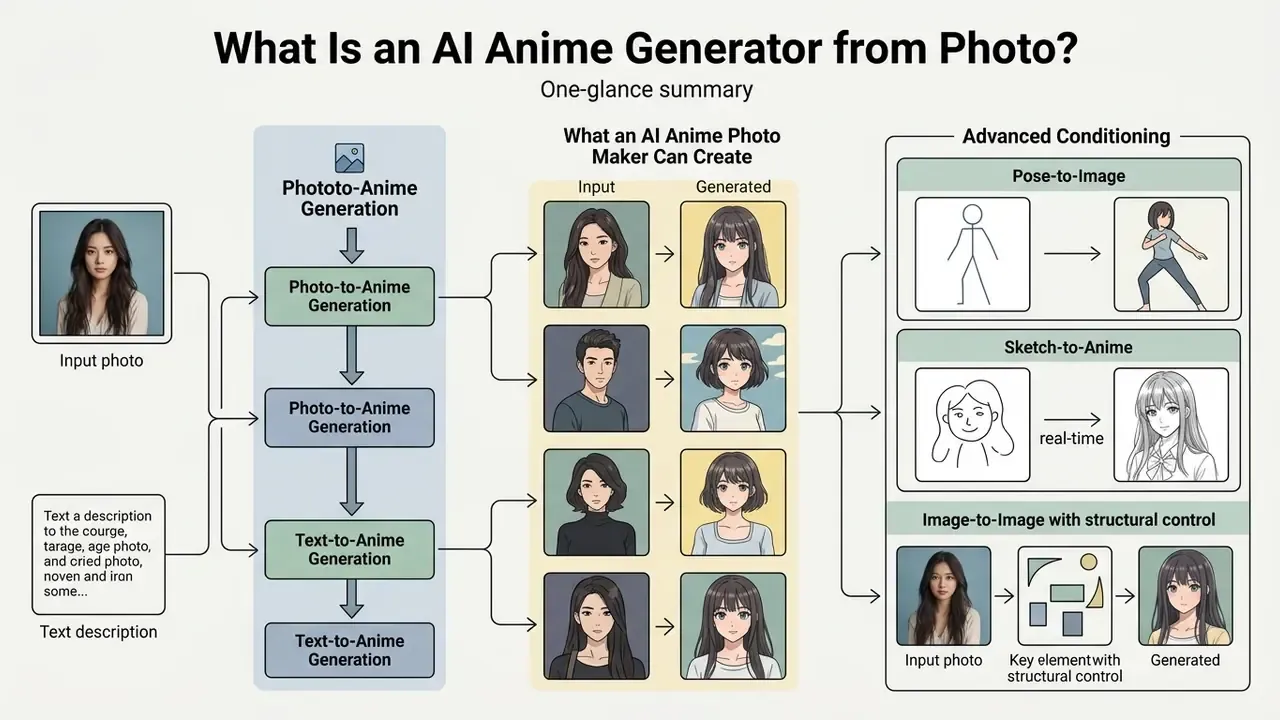
Photo-to-Anime and Text-to-Anime Generation
Photo-to-anime generation relies on image-conditioned diffusion or conditional generative adversarial networks (GANs) that preserve source structure while adapting surface domain statistics. Text-to-anime models create visuals from natural language embeddings without a reference photograph. Broader stylistic variation, lower identity fidelity. That is the trade.
Research on unpaired image translation quantifies the gap. Updated benchmark evidence replaces the earlier qualitative claim:
In plain terms: conditioning generation on an input photo constrains face layout, pose and composition, which keeps identity recognizable across the domain shift. Architectures designed for that constraint measurably beat generic style transfer on distribution-distance metrics. Image-to-image pipelines are scored on reconstruction and face similarity against the source; text-to-image pipelines are scored mainly on prompt alignment. That evaluation difference is the cleanest way to understand the trade-off between likeness and creative freedom.
So which mode should you pick? If a person must be recognizable, use an ai image to anime generator with photo conditioning. If you want a brand-new character, prompts alone are faster.
What an AI Anime Photo Maker Can Create
An AI anime photo maker converts standard human portraits, pets and landscapes into custom anime artwork, digital avatars and line art. The technology lets people without formal drawing skills generate vibrant anime visuals for personal profiles, character concept sheets and creative media projects.
To compare the broader class of tools that transform an existing picture rather than generate from a blank canvas, see our overview of image-to-image AI generators. For photorealistic output from the same source frame, the trade-offs differ; our notes on a photorealistic ai image generator cover that branch.
Specialized datasets provide benchmarks for evaluating how these models capture facial abstraction, large eye proportions and simplified shading:
«CartoonFace10K contains 10,000 anime faces and a two-stage GAN strategy: a generalization stage that suppresses texture detail, then a recognition stage that synthesizes anime features.»
Typical output categories reported by vendors and research pipelines include anime portraits and profile avatars; chibi and mascot variants; full-body character sheets; pet and animal portraits; stylized landscapes and cityscapes; monochrome manga line art with screentones; and sprite-ready anime pixel art. One upload, many formats of ai anime picture.
Advanced Conditioning: Pose-to-Image and Sketch-to-Anime
Modern pipelines extend well beyond a single static photo upload. Three additional conditioning modes are now standard in production-grade anime tools:
- Pose-to-Image. A 3D mannequin or wireframe editor lets you hard-code posture, camera angle and limb placement before the model blends in traits from the source photo. The skeleton is exported as an OpenPose map, so the generator cannot drift into broken anatomy while restyling.
- Image-to-Image with structural control. Beyond plain restyling, ControlNet variants (Lineart, Canny, Depth, Tile) preserve outlines, architectural perspective or fabric folds. Useful when a background must stay geometrically faithful to the reference photo.
- Real-time sketch or doodle to anime. Rough strokes convert into fully rendered anime art in near real time through edge-detection conditioning (Scribble or Canny). You draw a five-second outline, the model renders hair, shading and eyes around it, and each new stroke updates the result.
Vendors usually bundle these as separate generation modes (text-to-image, image-to-image, pose-to-image, face swap). In our experience the choice of mode matters more for fidelity than the exact wording of a prompt. Prompts polish; conditioning decides.
How to Use an AI Anime Generator from Photo
Converting a photograph into anime art requires uploading a clear source image, selecting style parameters, specifying text prompts and generating the output. A structured sequence helps the model preserve key facial proportions while applying the anime styling you actually asked for.
Pre-flight checklist (print or copy before a batch run)
Checklist0 / 7
Vendor documentation converges on the same core sequence. Adobe instructs users to open Firefly, select Generate Image, write a prompt, optionally upload reference images for composition and style, then generate, download or iterate (Adobe Firefly product documentation, 2026, https://www.adobe.com/products/firefly/features/ai-anime-generator.html). Canva's photo-to-anime flow is even shorter: upload photo, select the anime app, generate. Interface order varies; the pipeline does not. Repeatable workflows beat clever one-offs, especially when several people run the same batch.
- Upload Reference Photo.Select a high-resolution portrait or selfie with clear lighting and minimal face occlusion.
- Select Style and Model.Choose an anime style preset: classic 90s, modern vibrant anime, or soft shojo.
- Set Ratio and Prompts.Define aspect ratios and enter descriptive text prompts or negative prompts to guide visual details.
- Click Generate.Run the image-to-image transformation pass to synthesize the stylized anime output.
- Refine and Download.Adjust strength parameters or apply inpainting for targeted edits, then export the high-quality anime image.
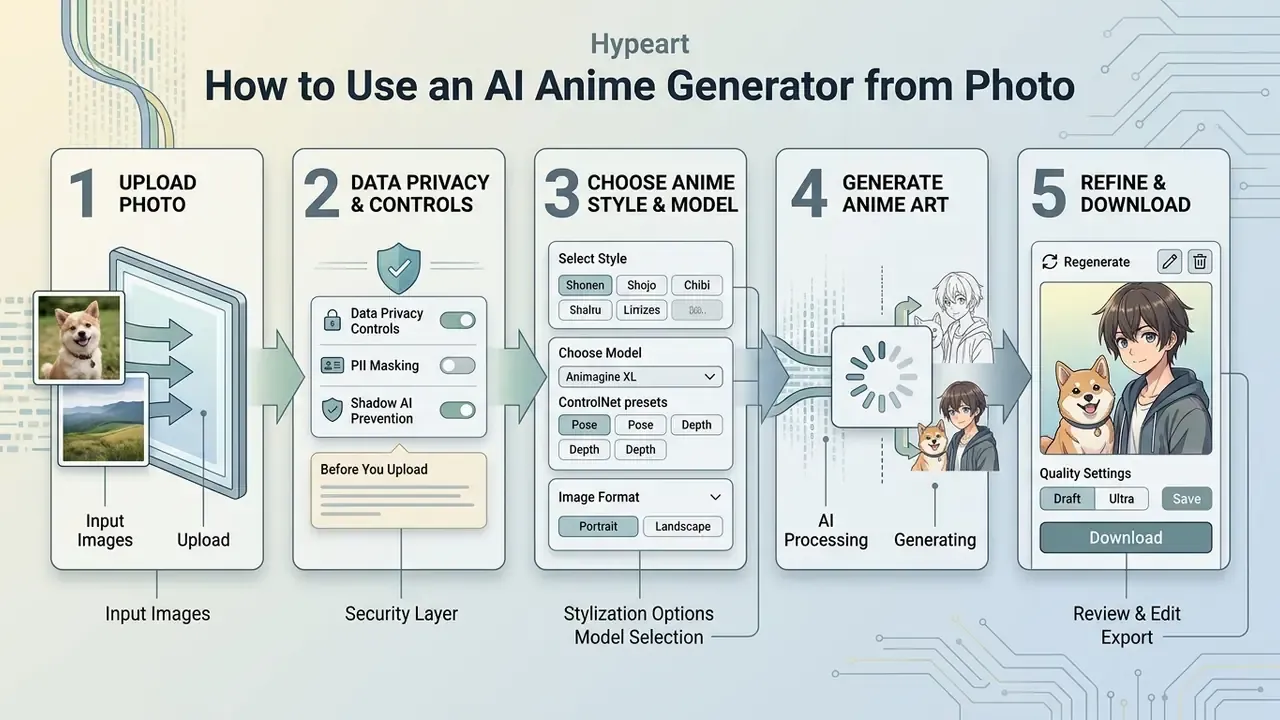
Upload a Photo or Image Reference
For reliable recognition, the input photo should show the primary subject clearly under balanced lighting. Frontal portrait shots and clean selfies let the underlying image encoder map key facial landmarks accurately: eyes, nose, jawline. Work on statistical feature-based discriminators indicates that images with minimal shadow clutter translate more cleanly, with fewer visual artifacts:
«SPatchGAN was trained on 3,400 training and 100 test selfie images at 256×256 resolution, improving FID over baseline GAN discriminators.»
Data Privacy, PII and Shadow AI Controls Before You Upload
| Control area | What to verify | Why it matters |
|---|---|---|
| Lawful basis / consent | Written model release or documented consent for each depicted person | GDPR-type regimes and US state privacy laws treat facial images as sensitive or regulated categories |
| Retention | How long uploads and outputs are stored; whether deletion is self-service | Indefinite retention of employee faces expands breach exposure |
| Training opt-out | Whether uploads are reused to train or improve models | Some free tiers reserve broad reuse rights over inputs |
| Public gallery defaults | Whether generations are public by default | Public generation can transfer broader reuse rights to the vendor |
| Sub-processors and region | Where processing happens and which third parties see the file | Cross-border transfer rules and vendor due diligence |
| Shadow AI | Whether the tool is on the approved list; who paid for it | Unapproved consumer accounts bypass DLP and contract review |
| Minimization | Could a crop, a non-identifying photo or a text-only prompt achieve the goal? | The cheapest privacy control is not uploading the face at all |
Practical rule for enterprise pilots: use consenting volunteers or synthetic faces for the proof of concept, keep production runs on a paid tier with a data-processing agreement, and log model version, prompt, seed and license text alongside every exported asset.
Editorial note from Marcus Hale, the author used on this site for illustrative commentary: "No evidence, no autonomy. A fun avatar project is still a data-processing activity with an owner, an approved purpose and a deletion date." Treat that as an illustrative framing, not a statement from a real executive or regulator.
Choose an Anime Style, Model and Image Format
Selecting the right model preset decides whether the result reads as retro cel-shaded, cinematic, or delicate line art. Painterly, watercolour-leaning looks deserve their own comparison: see our breakdown of Ghibli-style AI image generators if that is the aesthetic you are targeting.
Choosing target dimensions, say a 1:1 square for profile avatars or 16:9 for background scenes, keeps the image format aligned with the final distribution channel. Vendor documentation is explicit about ratio intent: 1:1 for general use and avatars, 3:4 for ads and social media, 4:3 for photography-style framing, 16:9 for landscape, 9:16 for vertical or portrait video (Google Vertex AI image generation documentation). Current APIs additionally require dimensions divisible by 16 and ratios between 1:3 and 3:1 (OpenAI Images API reference, 2026). When a finished frame needs more canvas rather than a re-generation, generative fill tools such as photoshop ai expand are the cheaper move.
Advanced platforms offer controllable strength sliders that govern how aggressively the model alters the original photographic structure. Lower values preserve the source composition, higher values allow freer reinterpretation, and supported uploads include JPEG, PNG and WEBP files up to 100 MB (Adobe Firefly product documentation, 2026, https://www.adobe.com/products/firefly/features/ai-anime-generator.html).
Generate, Refine and Download Anime Art
Once initial generation completes, review the rendered anime visuals to verify identity preservation and feature accuracy. If secondary adjustments are needed, fine-tune the denoising strength or add prompt detail for clothing and hair before downloading the final high-resolution file.
Updated: production workflows split generation into a high-noise base pass and a low-noise refinement pass. Open-source pipeline documentation for SDXL sets denoising_end=0.8 on the base model and denoising_start=0.8 on the refiner, so roughly the first 80% of denoising builds composition and the last 20% resolves texture (Hugging Face Diffusers SDXL documentation, 2024). Peer-reviewed work supports the two-stage logic for anime specifically:
«AnimeDiffusion uses a hybrid training strategy, pre-training with classifier-free guidance, then fine-tuning with image reconstruction guidance, and outperforms GAN-based baselines on several metrics.»
For localized fixes, inpainting is the right tool: mask the eyes, hand or collar, then set strength high enough to rewrite the region but low enough to keep surrounding pixels. Diffusion inpainting research shows that conditioning the masked area on known pixels from the first step improves completion quality across mask types (RePaint: Inpainting using Denoising Diffusion Probabilistic Models, arXiv). Garbled signage or a mangled logo? A dedicated photo text editor pass usually fixes lettering faster than another full generation.
Anime Styles and Results You Can Create from a Photo
AI anime generators handle diverse visual domains, producing everything from close-up face avatars to complex environment scenes and monochrome line art. The input photograph largely decides whether the output lands as a stylized anime portrait, a full-body character model, or a soft watercolour landscape.
| Anime Style Category | Primary Input Type | Key Visual Characteristics | Common Output Format |
|---|---|---|---|
| Modern Vibrant Anime | Frontal Selfie / Portrait | Saturated colors, large detailed eyes, clean digital shading | 1:1 Square Avatar |
| Classic 90s Retro | Well-lit Photo | Film grain texture, cell shading, soft muted palettes | 4:3 Standard |
| Manga / Line Art | High-contrast Image | Crisp black inks, screentone shading, monochrome linework | 2:3 Vertical Page |
| Cinematic Scene | Landscape / Urban Photo | Volumetric light, detailed background elements, painterly textures | 16:9 Widescreen |
| Ghibli / Hand-Drawn Cinematic | Landscape / Nature Photo | Soft watercolor backgrounds, lush greenery, painterly natural lighting | 16:9 Widescreen |
| Chibi / Mini Avatar | Close-up Selfie | Exaggerated head-to-body ratio (~2:1), simplified features, cute expressions | 1:1 Square |
| Cyberpunk / Mech | Full-body Photo | Neon accents, mechanical limbs, high-tech interface overlays | 9:16 Vertical |
| Shojo / Soft Pastel | Soft-light Portrait | Delicate linework, pastel palette, highlight-heavy eyes, floral accents | 3:4 Social |
| Anime Pixel Art | Simple, High-contrast Photo | Limited palette, sprite-ready grid, hard-edged shading | 1:1 Sprite Sheet |
Style presets, not prompts, do most of the heavy lifting here. Choosing "Chibi" changes body proportions in ways a text instruction rarely enforces on its own. Still deciding which platform covers the style range you need? Compare the field in our roundup of the best AI image generators, or scan the wider AI Media Comparison shelf.
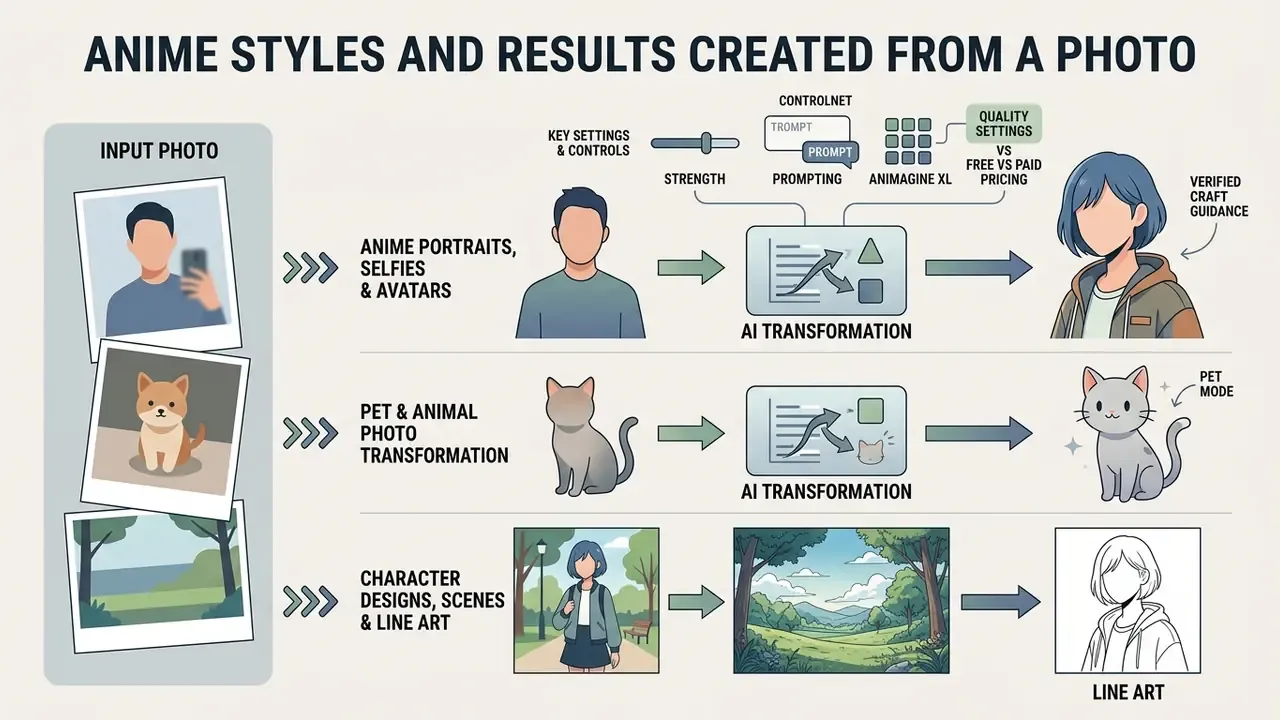
Anime Portraits, Selfies and Profile Avatars
Pet and Animal Photo Transformation
Human portraits are not the only viable input. Image-to-image diffusion handles quadrupeds well, because fur regions are texture-rich and forgiving compared with the precise geometry of a human face. By mapping animal facial structure and fur texture, models render stylized anime pets, cats, dogs, rabbits, horses, as mascot-style companions, sticker sets or fantasy beasts, while retaining distinctive markings and eye shape.
Practical settings for pets:
- Framing. Use an eye-level shot with the animal's face filling 40 to 60% of the frame; overhead phone snaps flatten the muzzle and confuse the encoder.
- Strength. Keep denoising lower, roughly 0.3 to 0.4, when the point is recognizing your pet; raise it for fantasy-beast reinterpretations.
- Prompting. Name the species and the markings ("orange tabby, white chest blaze, green eyes"), or models default to generic breeds.
- Outputs. 1:1 for sticker packs and profile pictures, 2:3 for printable pet portraits, transparent PNG for merch mockups.
Landscapes behave similarly. Coastal views, mountain vistas and urban streets convert into anime scenery that works as wallpaper, stream backdrop or comic background plate.
Character Designs, Anime Scenes and Line Art
Beyond headshots, an ai anime character generator from photo can turn full-body photographs into custom character sheets, complex environment scenes and uncoloured line art. Multi-class semantic segmentation isolates elements such as sky, architecture and clothing, then applies targeted stylization to each region so background structure survives:
«The method splits the photo into semantic classes, sky, buildings, greenery, water, and stylizes each class separately, reaching quality comparable to unsupervised GANs.»
This approach lets creators generate consistent line art and comic panel drafts directly from real-world reference photos. For the reverse direction, colouring existing line art while holding a character design fixed, reference-following colorization is now a published benchmark task (MangaNinja: Line Art Colorization with Precise Reference Following, CVPR 2025).
Before and after expectations by input type
| Source photo | Anime output you should expect | Typical failure mode to watch |
|---|---|---|
| Frontal selfie, diffuse light | Clean avatar, preserved hairline and eye spacing, stylized skin shading | Asymmetric eyes if head is tilted beyond a few degrees |
| Full-body standing pose | Character sheet silhouette with simplified fabric folds | Distorted hands and footwear without pose or line-art conditioning |
| Pet close-up | Mascot-style animal with retained markings | Over-humanized muzzle at high strength values |
| Landscape or street scene | Painterly sky, simplified foliage, stylized architecture | Melted signage and text; exclude via negative prompts |
Where to Use AI Anime Images
AI-generated anime images serve personal online branding, social media content, creative marketing campaigns and game concept design. Photo-to-anime conversion mainly buys speed: visual assets across digital channels in minutes rather than days.
Application map
- Personal identity profile pictures and banners for X, Discord, Telegram, YouTube; matching sticker sets.
- Live streaming VTuber base designs, 2D layered PSD rigs, 3D VRM models, overlays and scene cards for OBS-based setups.
- Marketing campaign key visuals, seasonal social creatives, product-launch illustrations, event posters.
- Entertainment production character variation sheets, background plates, colouring of hand-drawn sketches.
- Games and comics character sprites, promotional art, storyboard frames, visual-novel backgrounds.
Japan's Ministry of Economy, Trade and Industry guidebook for the anime industry documents three production-side uses specifically: automatic generation of character variations, background image generation followed by human editing, and automatic colouring of hand-drawn sketches. A useful reminder that professional pipelines treat AI output as a draft layer, not a final frame.
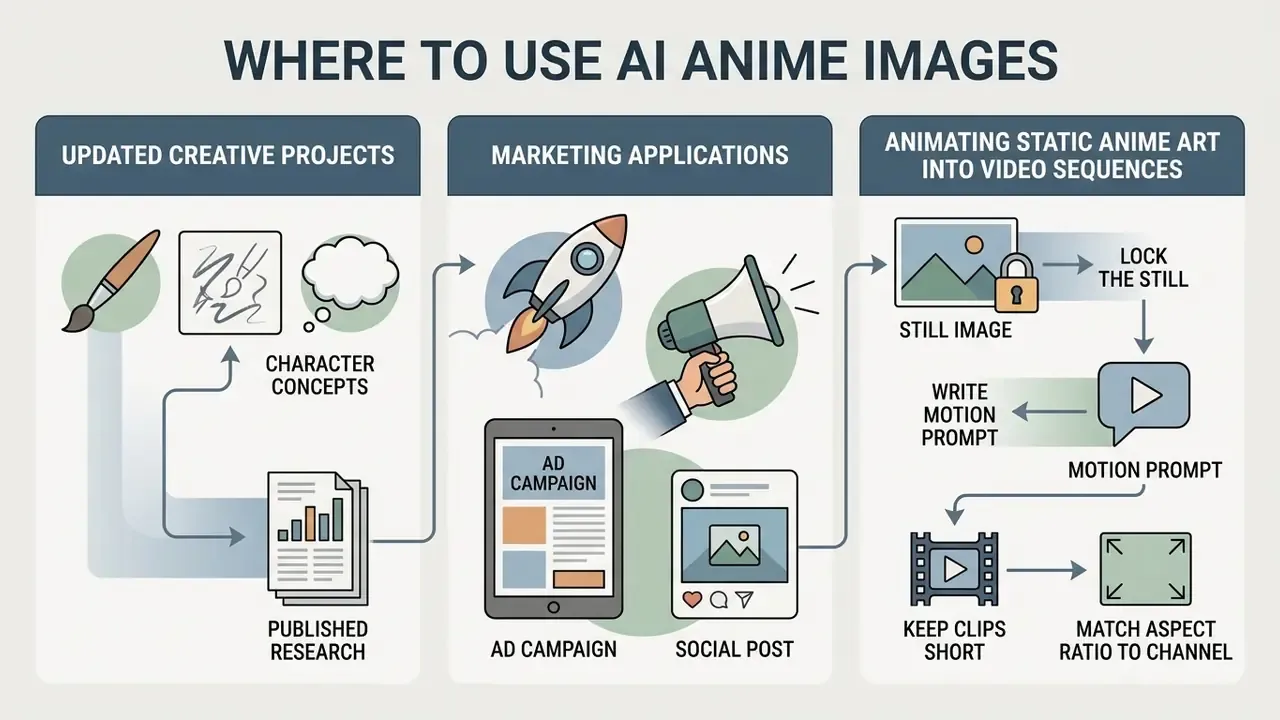
Creative Projects, Marketing and Character Concepts
In commercial settings, marketing teams and game developers use photo-to-anime workflows to prototype concept art and campaign visuals quickly. Converting real-world location photos into anime scenes accelerates background artwork production for digital comics, graphic novels and promotional material. Picking the right engine for a specific brief, painterly key art versus sprite-ready assets, is easier with our comparison of the best AI art generators.
Updated (published research replaces the earlier unattributed "60% faster" case):
Concretely, studios use the workflow for location-scouted background plates (photograph the street, stylize, hand-edit the focal elements), for character variation passes that keep a single design across dozens of outfits, and for pitch decks where 40 rough scene concepts must exist before a single frame is finalized. Vendor terms explicitly contemplate commercial deliverables such as ads, social posts, product campaigns, client work and merchandise on paid plans (Adobe Firefly product documentation, 2026).
Animating Static Anime Art into Video Sequences
Turning a photo-derived anime image into motion means feeding the final static frame into a video diffusion model: AnimateDiff-style pipelines, Luma Dream Machine, Runway, Kling or comparable services. The static frame becomes the first keyframe, and a short motion prompt describes camera and subject movement.
Working pattern:
- Lock the still.Upscale and clean the anime frame first; video models amplify existing artifacts.
- Write a motion prompt.Specify camera and subject motion separately: "slow pan right, hair blowing in wind, falling cherry petals, subtle blink."
- Keep clips short.Two to six seconds per generation preserves identity; stitch several clips instead of requesting one long shot.
- Match the aspect ratio to the channel.9:16 for Reels, Shorts and TikTok, 16:9 for YouTube and stream intros, 1:1 for feed loops.
- Export and assemble.MP4 at 1080p is the common ceiling on consumer tiers; assemble and caption in an animation maker or a standard editor.
Typical outputs: animated VTuber intro stingers, looping profile banners, social reels built from one portrait, moving comic panels. Research-grade equivalents include FACS-driven avatar animation (SOAP, 2025) and real-time stylized face rendering for video sequences (ArtNeRF: A Stylized Neural Field for 3D-Aware Cartoonized Face Synthesis, arXiv, 2024).
How to Get High-Quality Anime Art from a Photo
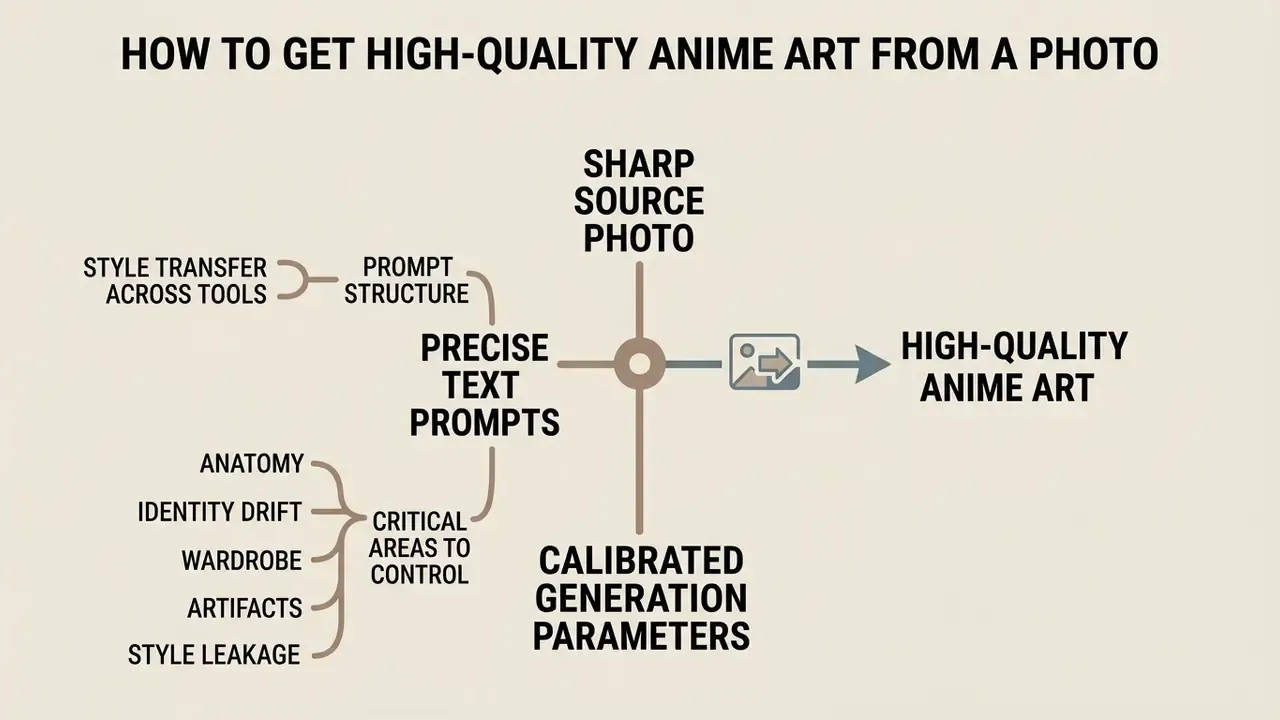
High-quality anime art needs three things: a sharp source photo, precise text prompts and calibrated generation parameters. Controlling lighting, resolution and prompt constraints prevents the usual artifacts, such as distorted hands, asymmetrical eyes or mushy linework.
Choose a Clear Source Photo
Vendor guidance aligns: well-lit, unobstructed portraits at 512×512 minimum, with 1024×1024 or 2048×2048 preferred when fine hair strands, jewellery or clothing texture must survive stylization.
Use Text Prompts to Control the Anime Style
Pairing an uploaded image with descriptive text prompts gives granular control over clothing, colour schemes and artistic accents. Negative prompts exclude the unwanted: background clutter, extra limbs, distorted proportions. Combining positive descriptors such as "crisp line art, vibrant anime shading" with explicit exclusions produces cleaner execution.
Prompt structure that transfers across tools: subject, then style, then lighting, then composition, then technical parameters. Midjourney documentation defines --no as the dedicated exclusion parameter appended at the end of a prompt, alongside aspect ratio, model version, quality, stylize and style-reference controls (Midjourney prompt documentation). Not every model supports exclusions: Runway states that negative prompts are unsupported in Gen-4 Images and may produce the opposite of the intended effect (Runway Gen-4 Image Prompting Guide).
Reusable negative sets for photo-to-anime work:
Tuned GAN implementations report the same principle numerically: face and colour-preservation loss weights, for example wface=5 and wcol=40, exist precisely to stop stylization from eroding identity (anime style-transfer research, 2024 to 2025). Unfamiliar with a parameter name? View the guide entries for the underlying terms.
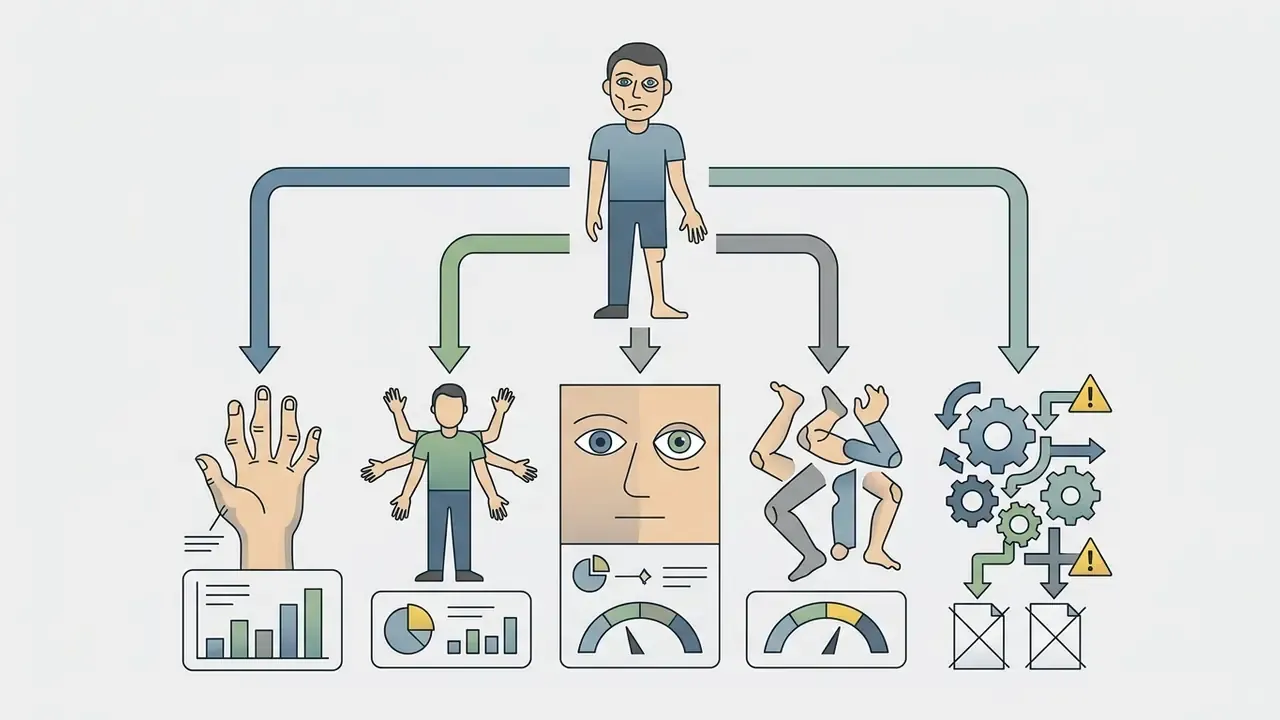
bad anatomy, mutated hands, extra fingers, extra limbs, asymmetrical eyes, poorly drawn face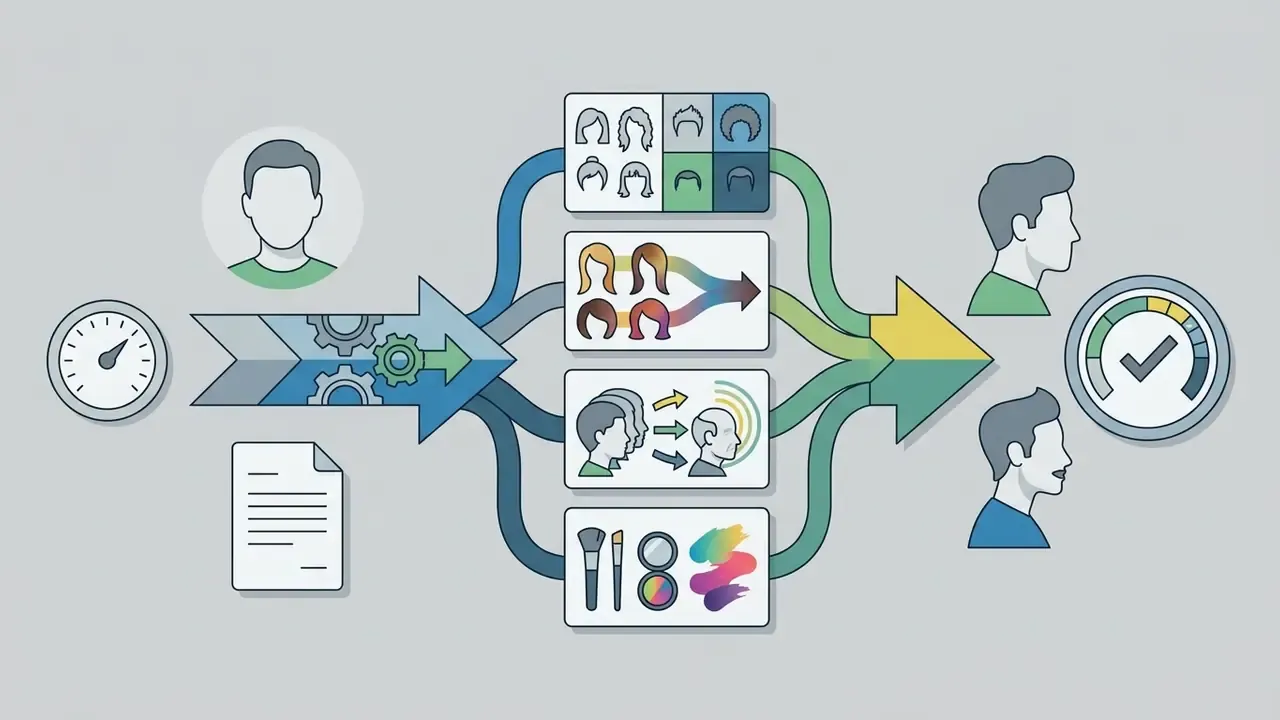
different hair color, hairstyle change, age change, heavy makeup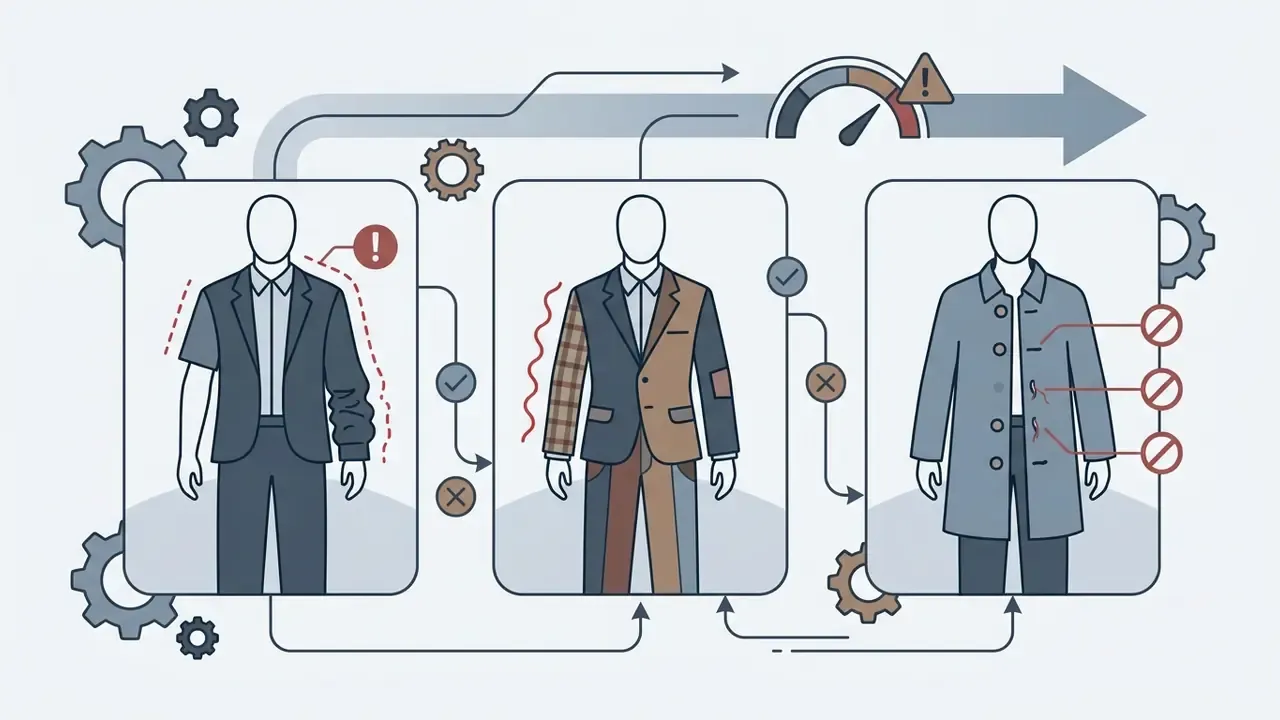
wrong sleeve length, inconsistent outfit, missing buttons
blurry, lowres, jpeg artifacts, watermark, text, signature, duplicate
3D render, photorealistic, oil painting (when a flat cel-shaded look is required)Refine the Result with Style and Format Settings
Professional-grade output usually involves two-pass generation: Hi-Res Fix or a dedicated AI upscaling model. The primary pass builds composition at native resolution, while a secondary pass applies gentle denoising at a higher scale factor to crisp up fine lines and hair. When a 4K deliverable is required, chain a dedicated upscaling stage; compare options in our guide to AI image upscalers.
Reference parameter set for a 4K anime pass
| Stage | Setting | Typical value |
|---|---|---|
| Base generation | Resolution | 1024×1024 (or native model resolution) |
| Base generation | CFG / guidance | 5 to 8 |
| Photo conditioning | Denoising strength | 0.30 to 0.40 for maximum likeness |
| Hi-Res Fix | Upscale factor | 1.5× to 2× (hr_scale / hr_resize_x) |
| Hi-Res Fix | Hires steps | 15 to 20 |
| Hi-Res Fix | Denoising strength | 0.35 to 0.50 |
| Upscaler model | Anime-specific | RealESRGAN_x4plus_anime_6B or R-ESRGAN 4x+ |
«A conditional GAN with total-variation loss cut FID from 345.5 (neural style transfer) to 220.5 and raised SSIM from 0.655 to 0.756 when generating anime from sketches.»
Is an AI Anime Generator from Photo Free?
Treat every figure below as a planning baseline to re-verify on the vendor's pricing page at purchase time.
| Feature Parameter | Free Access Tier | Premium Subscription Tier |
|---|---|---|
| Daily Generations | 3 to 50 credits per day (some tools grant large daily pools) | Expanded or effectively unlimited monthly quotas |
| Export Resolution | Standard (512px to 1024px) | High-Resolution (2K or 4K upscaled; 1080p+ video) |
| Watermark Status | Often included on exports | Fully removed |
| Queue Priority | Shared / low priority | Priority or dedicated fast queue |
| Commercial License | Restricted to personal use on most tools | Full commercial usage rights granted |
| Typical Price | $0 (credit-capped, resets daily or monthly) | ≈ $7.99 to $59.99 per month, tier-dependent |
| Input Privacy Options | Public gallery defaults common; limited controls | Private generation, retention controls, DPA availability |
Free Creation, Credits and Sign-Up Conditions
Free tools typically grant a daily or monthly allowance of generation credits on registration. Adobe Firefly, for instance, provides monthly generative credits that reset on a recurring schedule, which is enough to test basic photo-to-anime behaviour (Adobe, 2026). Community-driven options, including the perchance ai image family, skip payment entirely and lean on shared queues. Some tools skip registration too; if that is your requirement, see our list of free AI image generators without sign-up, with the caveat that no-signup services more often impose low resolution caps, ads, watermarks and unclear data-retention terms.
Free tiers also restrict batch processing, queue priority, export dimensions and public or private generation settings. Credits are usually consumed per image rather than per session, six credits per generation on one anime service, so a single refinement-heavy portrait can burn several images' worth of quota. Expiry matters as well: daily pools reset at 00:00 UTC, monthly pools reset on the billing date and do not roll over.
When Advanced Features May Be Needed
Upgrading becomes necessary for commercial projects, watermark-free images, or 4K exports. Paid plans add priority processing queues, access to advanced models and flexible control over denoising parameters. Creators building custom avatars or video assets rely on those unconstrained tiers to keep production quality consistent.
Concrete upgrade triggers documented by vendors in 2026:
- Commercial rights. Kling AI's free plan prohibits commercial use, while the Standard plan enables watermark removal and full commercial use; paid tiers also raise output resolution to 1080p and 4K.
- Clean export. Watermark-free delivery is typically gated behind the first paid tier across image and video tools.
- Throughput. Batch runs, upscaling queues and video generation consume credits fast; paid plans exist mainly to lift caps.
- Governance. Private generation, retention controls and data-processing agreements are usually enterprise-tier features.
Can You Use AI Anime Art for Commercial Projects?
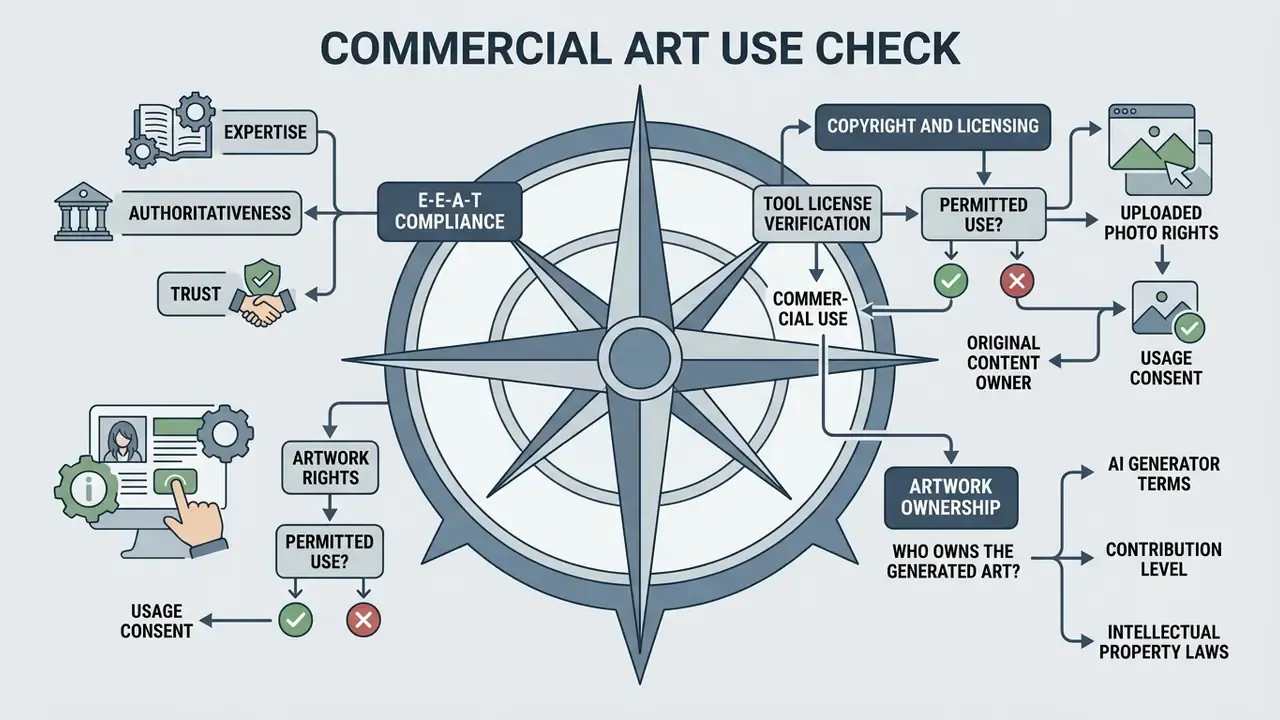
Commercial use of AI-generated anime art depends on platform terms of service, model licensing and copyright rules on human authorship. Verifying license conditions before publishing generated assets in campaigns reduces legal and intellectual property risk. For disputes and how they have played out, explore the hub of ongoing AI litigation coverage.
E-E-A-T Compliance Check: Copyright and Licensing
Jurisdictions diverge, and sharply. Japan's Copyright Agency guidance (2024) frames the question as infringement rather than authorship: if an AI image shows both similarity to and dependence on an existing copyrighted work, it infringes; absent both, permission is not required. A 2025 European Parliament study concludes that purely AI-generated output lacking meaningful human creative input is unprotected in the EU. UK law, by contrast, still recognizes computer-generated works with no human author, protected for 50 years from creation (UK Government report on copyright and AI, 2025).
Check the Tool License Before Commercial Use
Commercial usage rights vary widely across platforms and subscription tiers. Midjourney's help documentation states that subscribers own the images they create and may use them commercially, but companies with more than $1,000,000 in annual gross revenue must subscribe to Pro or Mega tiers; its Terms of Service also grant Midjourney a perpetual, worldwide, royalty-free license to assets produced through the service. Stable Diffusion's official license permits commercial use of outputs subject to use-based restrictions rather than restricting commercialization itself. Leonardo AI's terms give paid subscribers ownership and IP rights over privately generated images, while public generations grant the platform broader reuse rights.
Audit the platform's active license terms on the generation date to confirm compliance for client deliverables, advertising and merchandise. Our overview of commercial use of AI image generators offers a side-by-side view of how major platforms allocate rights.
License verification checklist before a commercial launch
- Identify the exact plan active on the generation date; later terms changes do not retroactively describe earlier output.
- Confirm commercial use is permitted on that plan, including client work, advertising, monetization and merchandise.
- Check attribution requirements and any revenue-threshold clauses that force a higher tier.
- Confirm who owns the output, and whether the provider claims rights over uploaded inputs.
- Check whether inputs or outputs may be reused for model training or displayed publicly by default.
- Check resale and redistribution limits; stock libraries, print-on-demand, NFT and template marketplaces are often excluded.
- Archive the license version, plan name, generation date, model version, prompt, seed and the text of the relevant clauses.
- Re-run the check whenever the vendor updates its terms or you renew at a different tier.
Consider Rights to the Uploaded Photo and Anime Artwork
Using a source photo you do not own can create liabilities, even when the model transforms the appearance heavily. Updated: where recognizable facial features, a distinctive photographic composition or a proprietary character design survive in the output, the anime result may be treated as a derivative of the underlying work. Japan's Copyright Agency guidance (2024) applies a two-part test of similarity and dependence to exactly this situation, while the U.S. Copyright Office frames the split differently:
«Human contributions, selection, arrangement, retouching, may be protectable, while the AI-generated image itself is not.»
Two further rights sit alongside copyright and get missed often. First, personality and publicity rights: converting a recognizable person's photo into an anime avatar for commercial promotion can require consent independently of copyright, and the U.S. Copyright Office's digital-replicas report (2026) notes that unauthorized duplication of a person's image or voice raises legal issues even when AI is involved. Second, privacy and biometric rules governing the upload itself, as covered in the data-privacy control set above. Adobe's generative AI user guidelines (2026) state plainly that prompts or reference uploads infringing copyright, trademark, privacy or publicity rights are prohibited.
Practical safeguard: obtain a written model release for every identifiable person, keep the release with the asset record, and ensure clear ownership of input reference photos. WIPO notes that ownership of computer-generated output remains unsettled across jurisdictions and that platform terms may allocate output rights differently, so commercial use depends on both copyright law and the service contract (WIPO, Generative AI: Navigating Intellectual Property, 2024).
FAQ About AI Anime Generators from Photo
Do I need manual drawing skills to use an AI anime generator?
No. Drawing skills are not required. The model processes the uploaded photograph, detects facial structures automatically, and applies anime art styles based on your selected parameters and text prompts. Sketch-based modes accept rough doodles, but they are optional: photo conditioning plus prompts alone are enough to produce finished art.
Can I convert photos to anime online using a smartphone?
Yes. Most current tools run directly in web browsers, supporting mobile Safari and Chrome on iOS and Android without a dedicated install. Vendors without a mobile app usually state that their web interface is optimized for phones, so the same upload, style, generate and download flow works on a handset.
Is there a genuinely usable AI anime generator with no sign-up?
Yes, several browser tools generate anime art without registration, and they are handy for a one-off test. The trade-offs are consistent: tighter resolution caps, watermarks, advertising, no generation history, no private-generation setting, and vaguer data-retention terms for the face you uploaded. For anything involving another person's photo, a client deliverable or a commercial asset, a registered paid tier is safer, because it gives you documented license terms, deletion controls and watermark-free export.
Can AI anime images from photos be converted into anime videos?
Yes. Static anime images can be imported into a video generator or an image-to-video diffusion model to produce animated character sequences, camera pans and motion effects, exported as MP4 and commonly capped at 1080p on consumer tiers. Research demonstrates the advanced end of this pipeline: SOAP generates FACS-animatable 3D avatars from a single portrait (arXiv, 2025, https://arxiv.org/abs/2504.02956), and ArtNeRF renders stylized faces in real time for video sequences (arXiv, 2024). To compare platforms for this step, see our guide to AI video generators.
Which image formats are best for exporting anime profile avatars?
PNG is the default choice for avatars and profile graphics, because it preserves sharp line art and colour gradients without compression artifacts and supports transparency for stickers and overlays. JPEG suits complex background scenes where file size matters more than crisp edges. For video avatars, MP4 is the standard container.
How do I keep the same character across multiple generations?
Lock four variables: the base model and version, the style preset or LoRA, the seed, and the denoising strength. Then reuse the same reference photo as conditioning for every new pose or outfit, and add a ControlNet pose map when the body position changes. Prompt wording should change only in the parts you intend to vary. Rewriting the whole prompt usually shifts the face as well.
Is it safe to upload employee or client photos to a consumer anime generator?
Not by default. A facial photograph is regulated personal data in many jurisdictions, so run the checks listed in the data-privacy section: documented consent, retention and deletion terms, training opt-out, private-generation settings, processing location and sub-processors. For organizational pilots, use consenting volunteers or synthetic faces, and move production work onto a paid plan with a data-processing agreement. General information, not legal advice.
A Safe Next Step
Start small and reversible. Pick one use case, one approved tool and one consenting subject. Run ten generations, record the model version, seed, prompt and license text for each, then review the outputs with whoever owns brand and privacy decisions in your organization. If the results hold up at true display size and the paperwork exists, scale the batch. If not, you have lost an afternoon rather than a campaign. To see how neighbouring tool categories fit the same pattern, browse the hub.
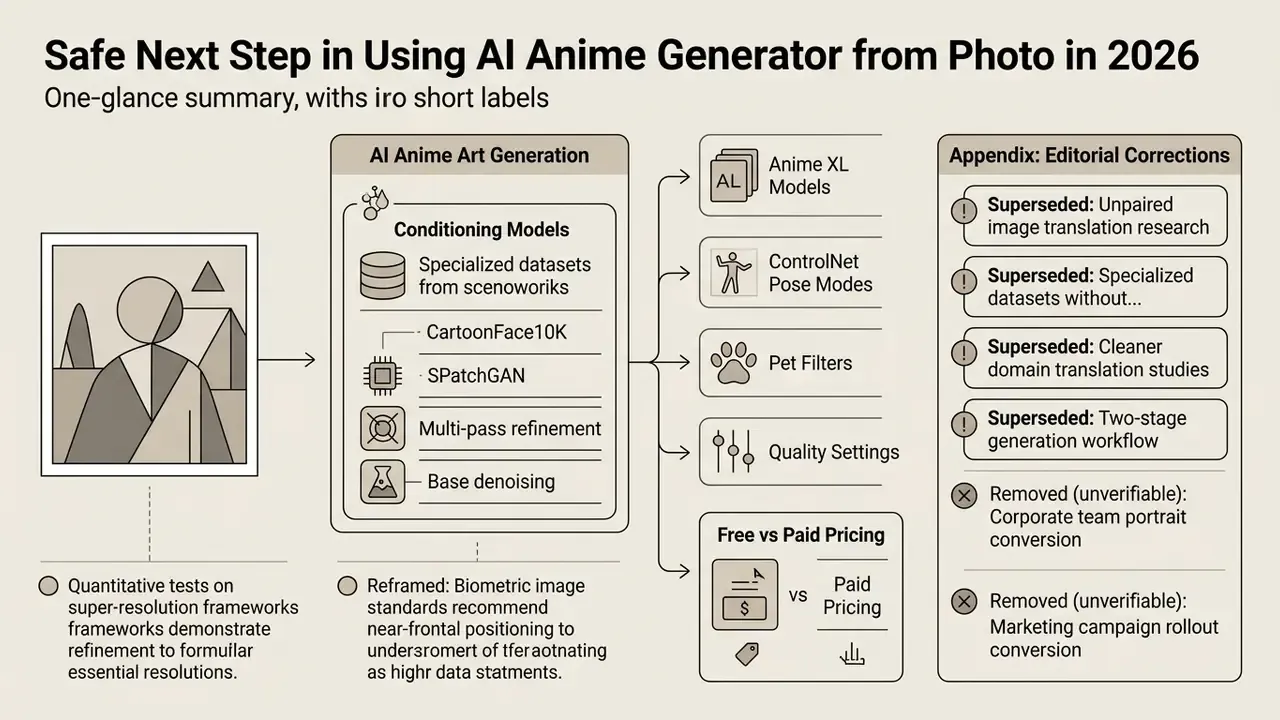
Appendix A: Editorial corrections and superseded statements
Social Media, Anime Avatars and Personal Art
VTubing guides describe the same asset as the core of a personal brand: character concept, naming, debut visuals, then in-character posting across social accounts. The avatar functions as a persistent on-screen persona rather than a one-off picture.