There is a second reason this category matters now. Every upload is also a data decision. If the mesh is an unreleased product, a licensed character, or a facility model, then the choice of tool touches intellectual property, retention, and vendor terms, not only render quality.
«Evaluating browser-based 3D automation requires separating surface marketing claims from underlying technical architecture. Without reproducible rigging verification and verified export fidelity, automated motion tools remain risky for production deployment.»
Executive Summary
- What it is A browser-based 3D animation maker performs mesh ingestion, skeleton generation (rigging), skinning-weight prediction, motion application, and file export without local software installation.
- Three production routes AI motion generation (text or image prompts), monocular video motion capture (MoCap), and manual keyframing. Each differs in control level, rigging requirement, and realism.
- Character scope Auto-rigging is no longer humanoid-only. Current engines handle bipeds, quadrupeds, winged creatures, and multi-limbed monsters, with bundled multi-animation GLB output.
- Export decisions FBX for engine and DCC pipelines; GLB/glTF 2.0 (ISO/IEC 12113:2022) for web and real-time; USD/USDZ for AR and film layering; VRM for avatars; BVH for raw skeletal motion data.
- Free-tier reality "Free, no sign-up" usually grants editor and preview access only. Downloads, un-watermarked renders, and commercial rights typically require accounts or paid plans.
- Governance reality Uploading proprietary meshes to public AI clouds introduces data-training, IP, and confidentiality exposure. Open-source, local-runtime alternatives (CC0-licensed, non-AI) exist for restricted environments.
- Verification standard Prefer tools with published bone hierarchies, reproducible rig output, documented export formats, and explicit licensing terms.
Who Should Read This Before Approving a Tool
Three roles usually collide on this decision. The artist wants speed. The producer wants a predictable delivery date. The reviewer, whether legal, security, or brand, wants evidence that the asset can ship without a licensing defect.
A useful habit: write the output artifact first, then the constraint, then the tool. Not the other way round. Teams that pick the tool first tend to discover the watermark, the credit ceiling, or the attribution clause only after the shot is approved. That is an expensive place to learn it.
What Is a 3D Animation Maker and What Can You Create?
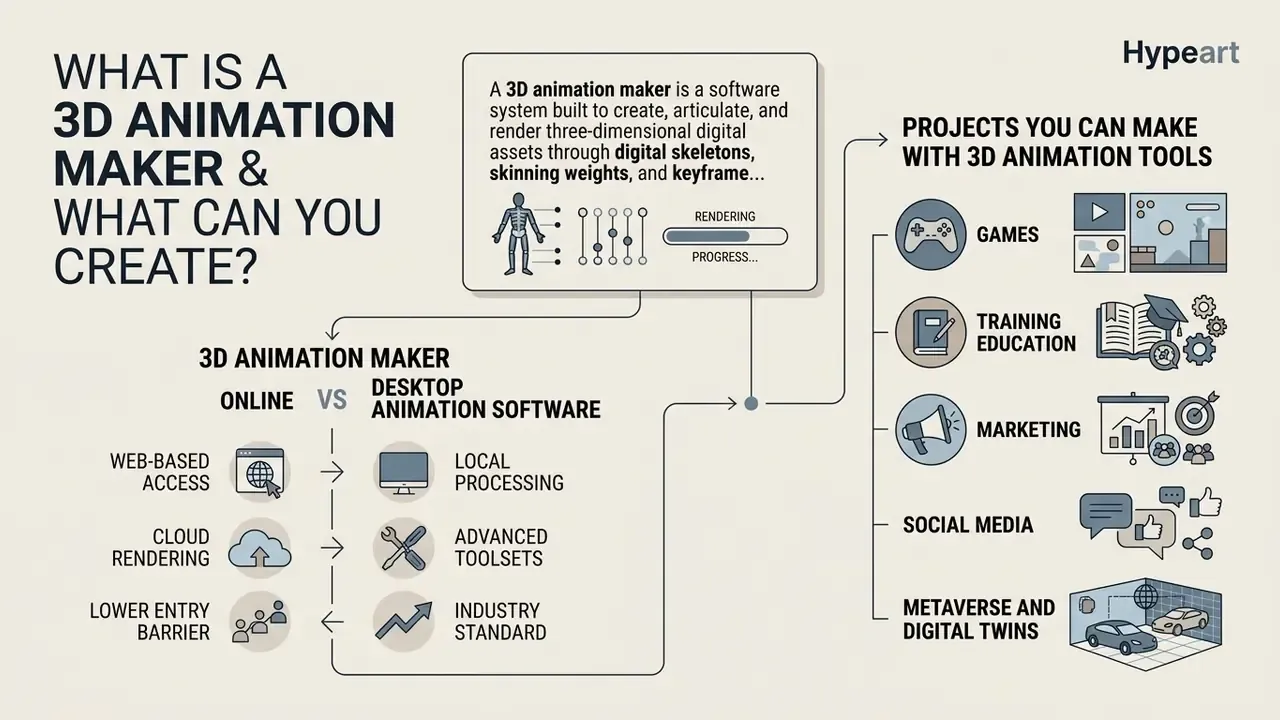
A 3D animation maker is a software system built to create, articulate, and render three-dimensional digital assets through digital skeletons, skinning weights, and keyframe controls. Unlike standard 2D tools or static rendering engines, a 3D animation maker online processes volumetric geometry to produce dynamic animated videos, interactive game characters, and architectural motion sequences.
At a technical level, a modern animation 3d maker is an integrated pipeline. It converts static meshes into animation-ready characters through rigging and skinning, the two stages that historically consumed the most artist hours.
«A 230K-object dataset with expert rigging and skinning, roughly 70x larger than any prior rigging dataset.»
3D Animation Maker Online vs Desktop Animation Software
An online animation maker runs rendering and rigging computations in cloud environments. That lets users reach 3d animation software online through a standard browser without dedicated GPU hardware. Desktop suites such as Blender or Autodesk Maya rely on local hardware for memory allocation and GPU rendering, giving complete offline control at the cost of steep hardware requirements and manual configuration.
Comparative benchmarking of online 3D animation software scores Blender at 9.4/10 across functionality, ease of use, and value, based on official documentation and weighted user-review aggregation.
«Online 3D animation tools were scored on features, usability and value using vendor documentation and weighted user reviews.»
In practice, browser-native interfaces remove local licensing and installation bottlenecks because rendering happens in remote runtimes, and cloud-streamed pipelines let low-spec devices interact with complex 3D scenes. Desktop pipelines tie render speed and memory headroom to the workstation: insufficient RAM, weak GPU drivers, or a slow CPU translate directly into failed or multi-hour renders. The trade-off is simple. Web tools lower the entry threshold but depend on connection quality and remote queue availability, while desktop suites deliver offline determinism and deeper control.
Projects You Can Make with 3D Animation Tools
With a dedicated 3d animation tool, creators produce specialized character animation for indie game development, marketing explainers, educational modules, and social media content. Outputs range from game-ready character movement files to fully rendered commercial video assets. Teams comparing broader motion-content workflows often evaluate AI video generators alongside 3D pipelines, since both feed the same distribution channels.
Applied use cases documented across industry training standards and academic literature span at least five domains:
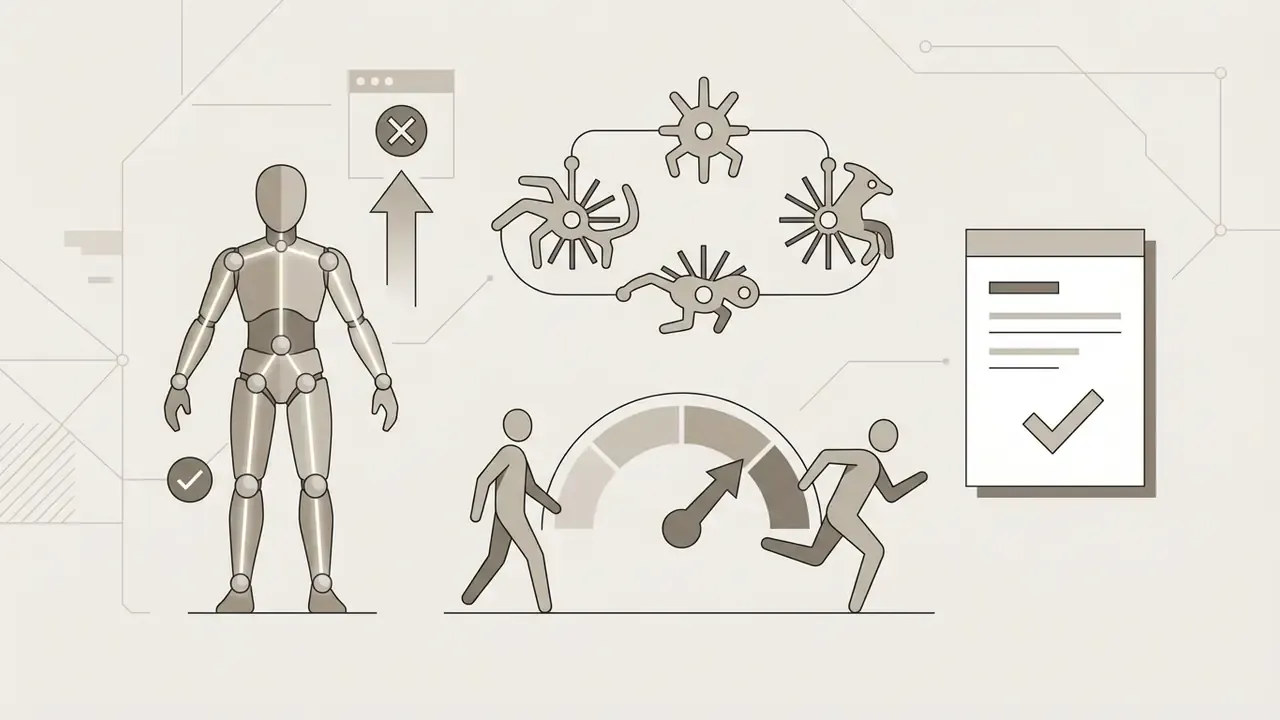

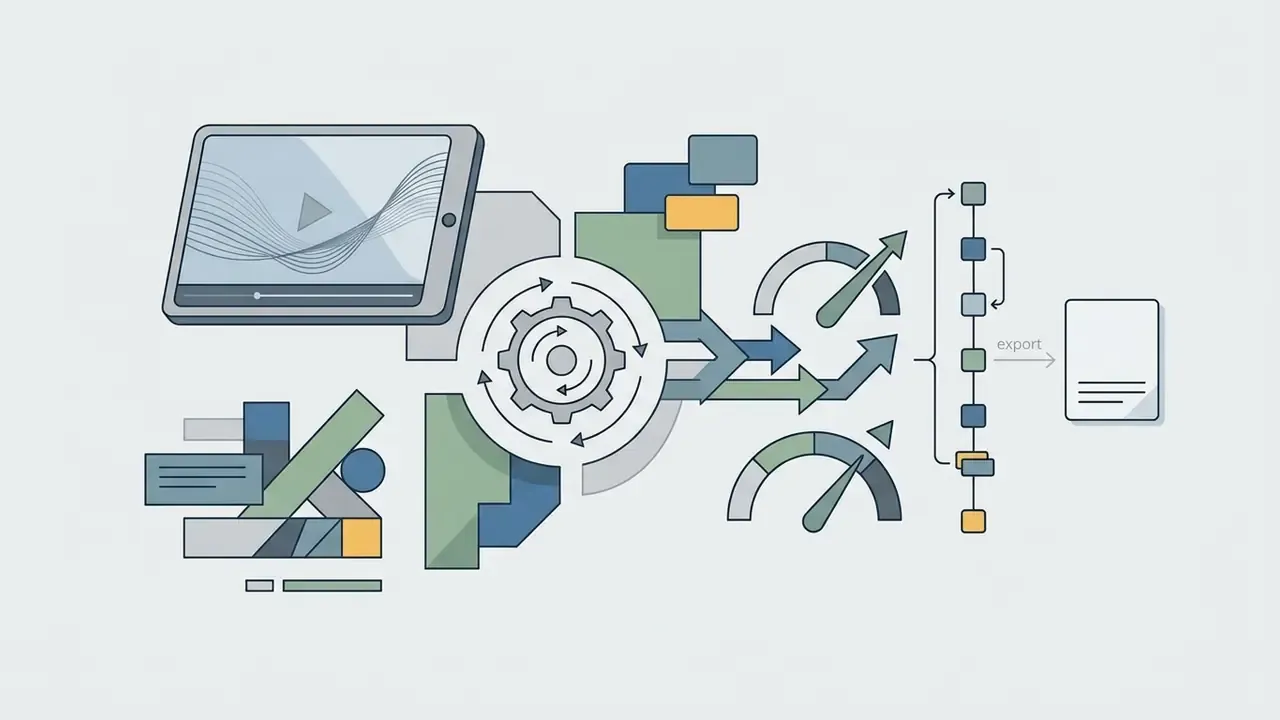
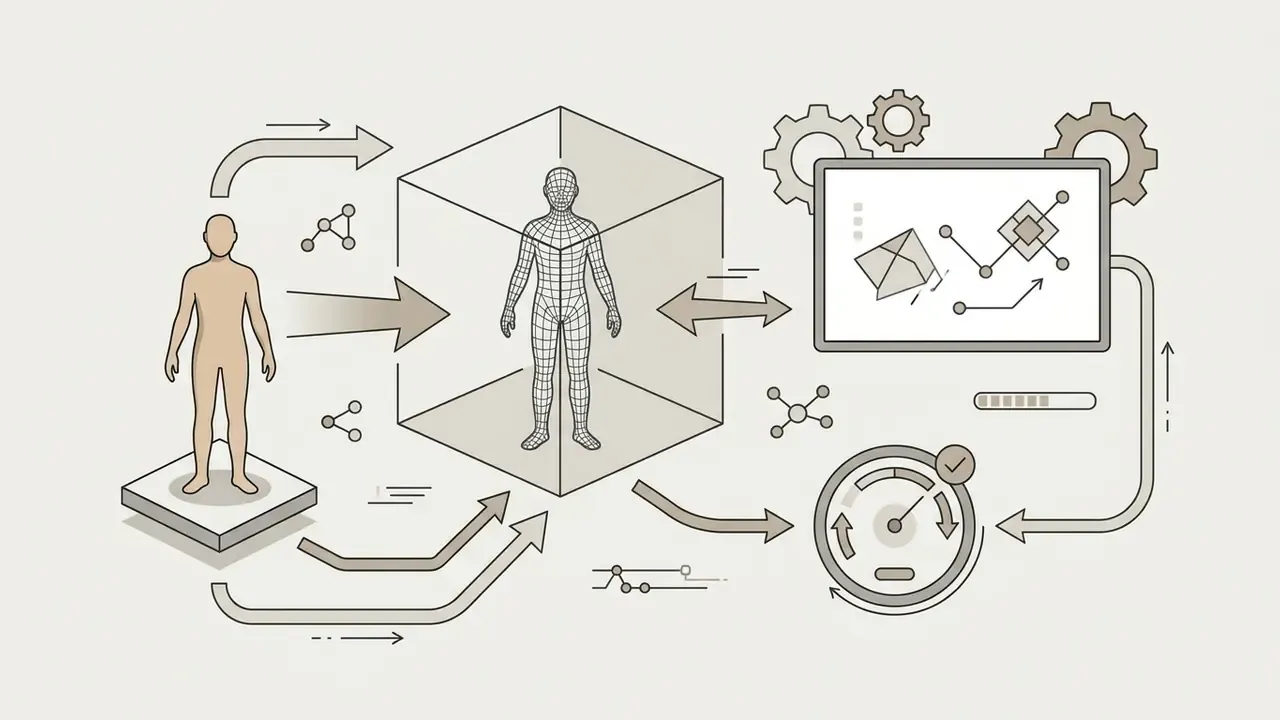
Digital teams frequently build real-time digital twins for metaverse environments and high-engagement social assets with web-based tools. Post-production is a separate stage: many crews finish shots in a veed video editor for compositing, add a video caption generator pass for accessibility, and package multi-clip social cuts through a video collage app when one render needs several aspect ratios. A simple animated video collage is often enough for early stakeholder review. Broader context on non-3D motion workflows sits in our guide to the animation maker category. Live sessions matter too, since creative reviews increasingly happen over video chat with shared screens rather than in edit suites.
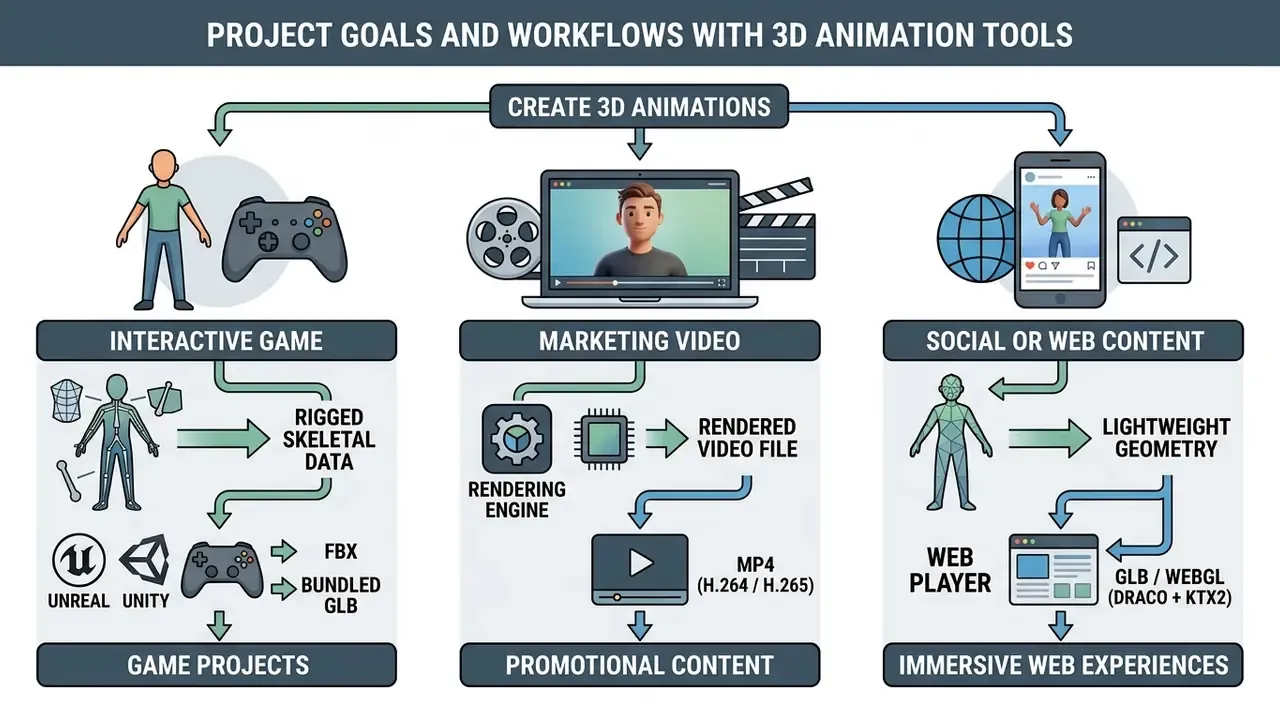
Live-Action CG Compositing and VFX Pipelines
Advanced web-native creation tools now bridge pure 3D generation and live-action filmmaking. By combining AI motion tracking with computer graphics (CG) assets, creators insert animated 3D characters into real-world footage, then refine the result in Maya, Blender, or Unreal via USD.
This compositing workflow extracts four essential production passes automatically:
- Camera tracking data Reconstructs the physical camera's focal length, movement path, and spatial rotation in 3D space, so inserted CG characters stay anchored to the floor plane. Camera tracking is not motion tracking: the first rebuilds a virtual camera path, the second follows specific moving subjects inside the frame.
- Clean plates Removes real actors from background frames, generating a clean environment backdrop for the digital replacement asset.
- Alpha masks and silhouette passes Produces frame-accurate foreground isolation layers, which gives correct occlusion when real objects pass in front of the animated 3D character.
- Light estimation passes Analyzes real-world lighting and applies matching environment maps (HDRI) to the browser-rendered CG asset, so shading direction and intensity match the plate.
For linear delivery, these passes export as editable layers rather than one flattened render. That preserves the ability to re-light, re-time, or replace the CG character after the composite is assembled. Anyone who has re-shot a plate because the render was baked will recognize why this matters.
How to Choose a 3D Animation Maker Online
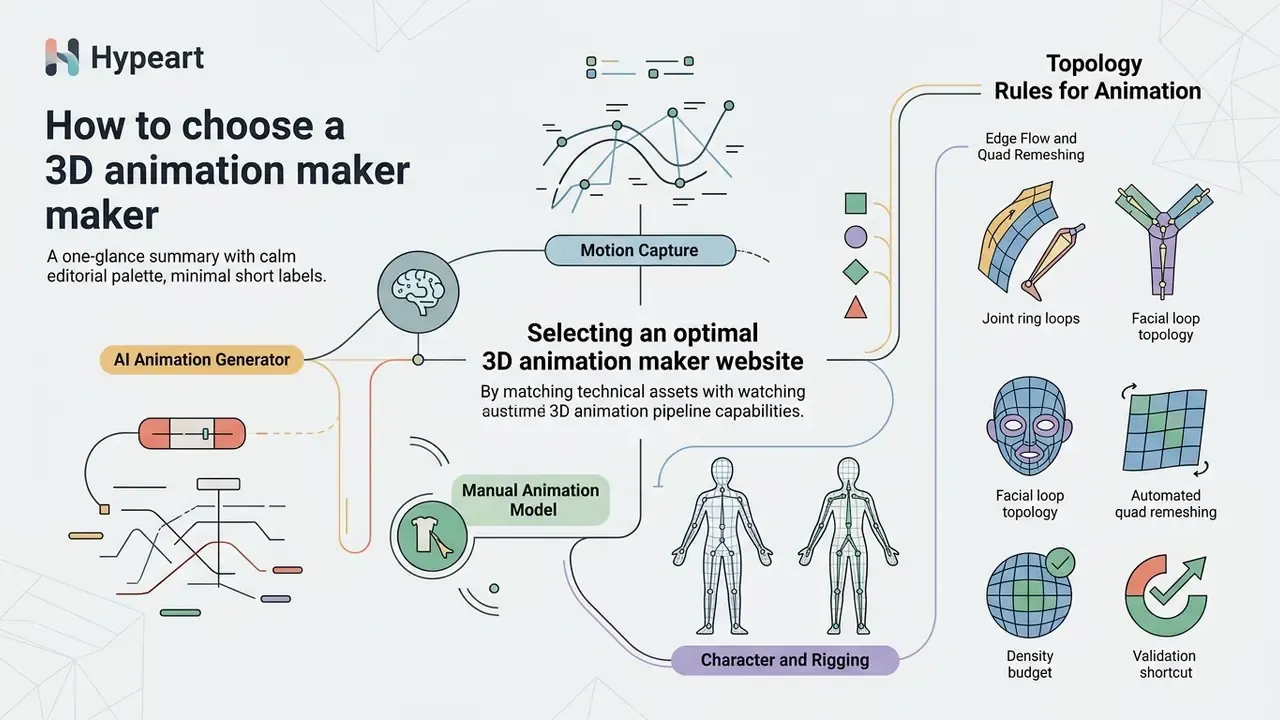
Selecting an optimal 3d animation maker website means matching your technical assets with the right pipeline capabilities: skeletal rigging, procedural generation, motion capture processing, and file export support.
AI Animation Generator, Motion Capture or Manual Animation
An ai animation engine processes text, image, or video inputs to synthesize character movement without manual keyframing. Video motion capture extracts skeletal joint trajectories from monocular footage. Manual keyframe controls grant frame-by-frame precision over individual joint rotations.
Text-conditioned motion research quantifies how far prompt-driven generation has moved.
«Trained on 35 million text-pose pairs, the model generates 3D skeletal motion from text with improved R-Precision and FID scores.»
AI generators give rapid conceptual iteration, and motion capture transfers realistic human performance. Manual keyframe editing still wins when precise physical interactions or stylized non-human movements are required. Comparative studies of animation quality continue to rate hand-authored motion higher on appeal and naturalness, while mocap quality depends heavily on retargeting accuracy and skeleton correctness.
| Animation Approach | Primary Input Source | Level of Control | Rigging Requirement | Output Quality and Characteristics |
|---|---|---|---|---|
| AI Animation Generator | Text prompts, static 2D images | Semantic, high level | Auto-generated or preset rig required | Rapid generation; strong for prototyping and background clips |
| Video Motion Capture | Monocular MP4 or MOV footage | Performance based | Compatible skeletal target rig | High physical realism; preserves actor timing and organic movement |
| Manual Keyframing | Custom keyframes and transform curves | Precise, frame by frame | Full custom character rig | Complete creative control; essential for non-standard physics and stylized action |
Note: compiled from comparative analysis of AI motion models (Make-An-Animation) and web auto-rigging benchmarks.
Creators evaluating adjacent generative pipelines can also compare prompt-driven motion with dedicated text-to-video AI tools, which synthesize pixels rather than skeletal data.
Model, Character and Rigging Support
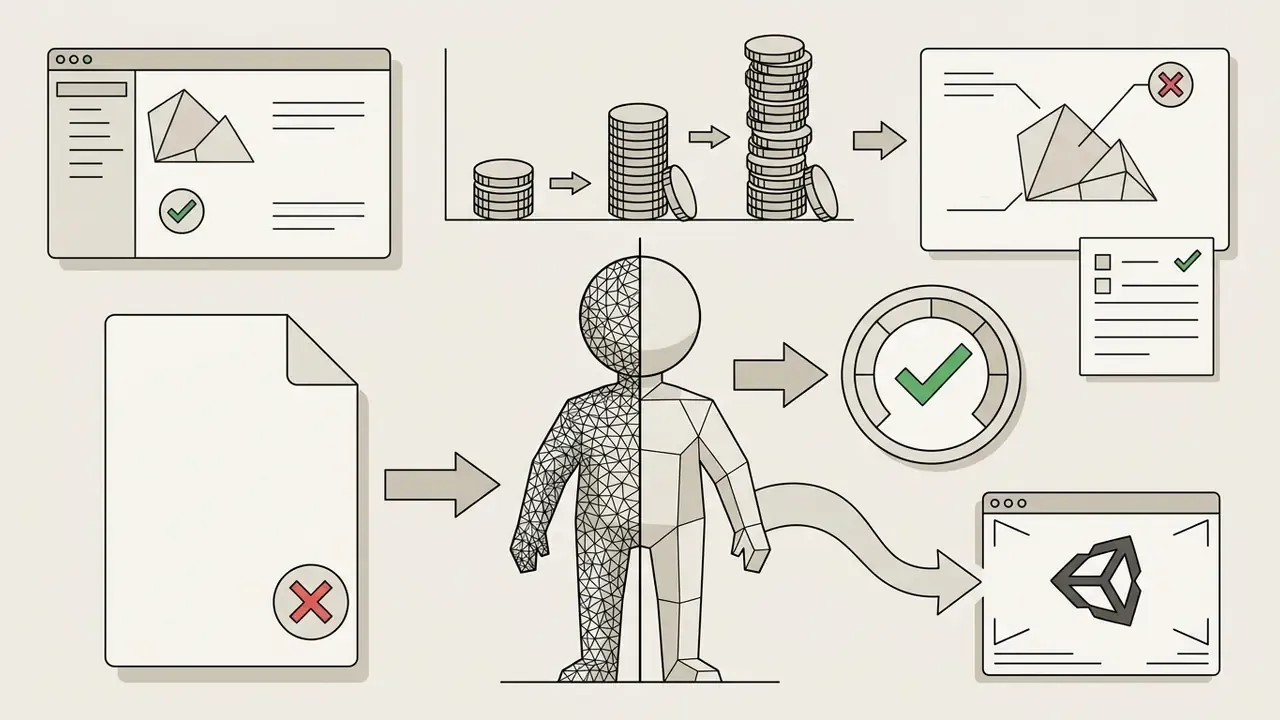
A robust animation tool must support common 3D asset formats such as GLB, FBX, and OBJ, and it must enforce clean geometric topology on character meshes. Proper preparation means single-mesh models in standardized T-pose or A-pose, so automated rigging algorithms assign joint pivots and skinning weights accurately.
Input assets should avoid non-manifold geometry and n-gons, because auto-rig solvers infer joint position from surface volume and curvature. Following the Khronos Real-time Asset Creation Guidelines (quad or triangle meshes, consistent hierarchy and naming, intentional pivots) keeps vertex groups mapping smoothly during skeletal deformation and prevents mesh pinching across shoulders and hips.
«A prior-guided skeleton estimator places joint hierarchies and predicts skinning weights in under one second across 11,434 humanoid meshes.»
Practical ingestion constraints observed across browser tools: a single character mesh with any pre-existing armature or animation removed, a T-pose or A-pose rest position, file size under roughly 150 MB, textures either embedded in the FBX or bundled in a ZIP archive, and supported inputs limited to GLB, GLTF, FBX, OBJ, DAE, or STL depending on vendor.
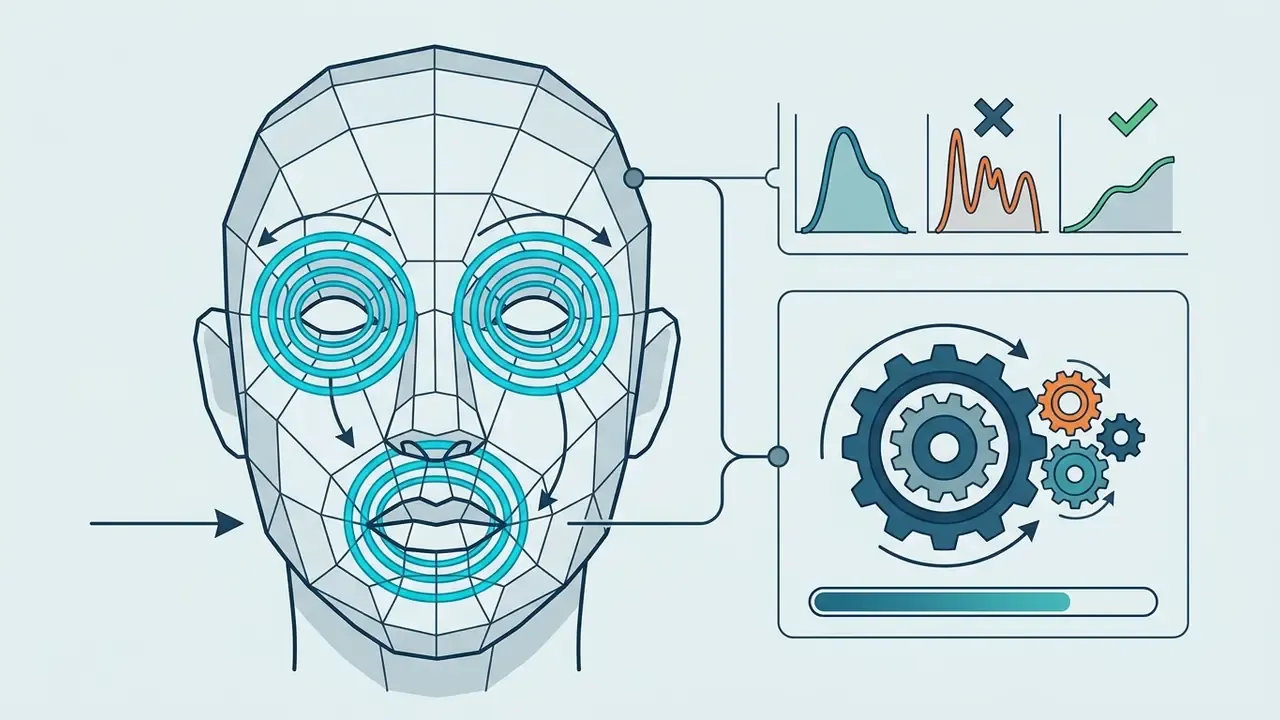
Topology Rules for Animation: Edge Flow and Quad Remeshing
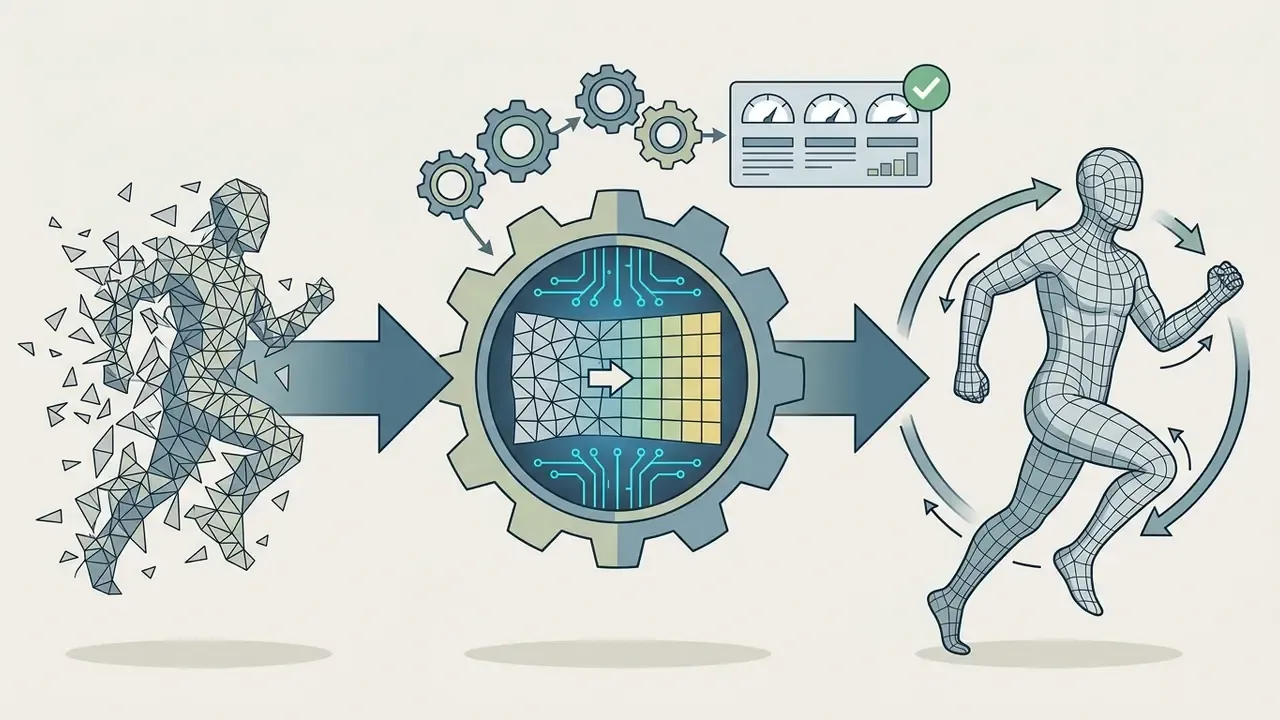
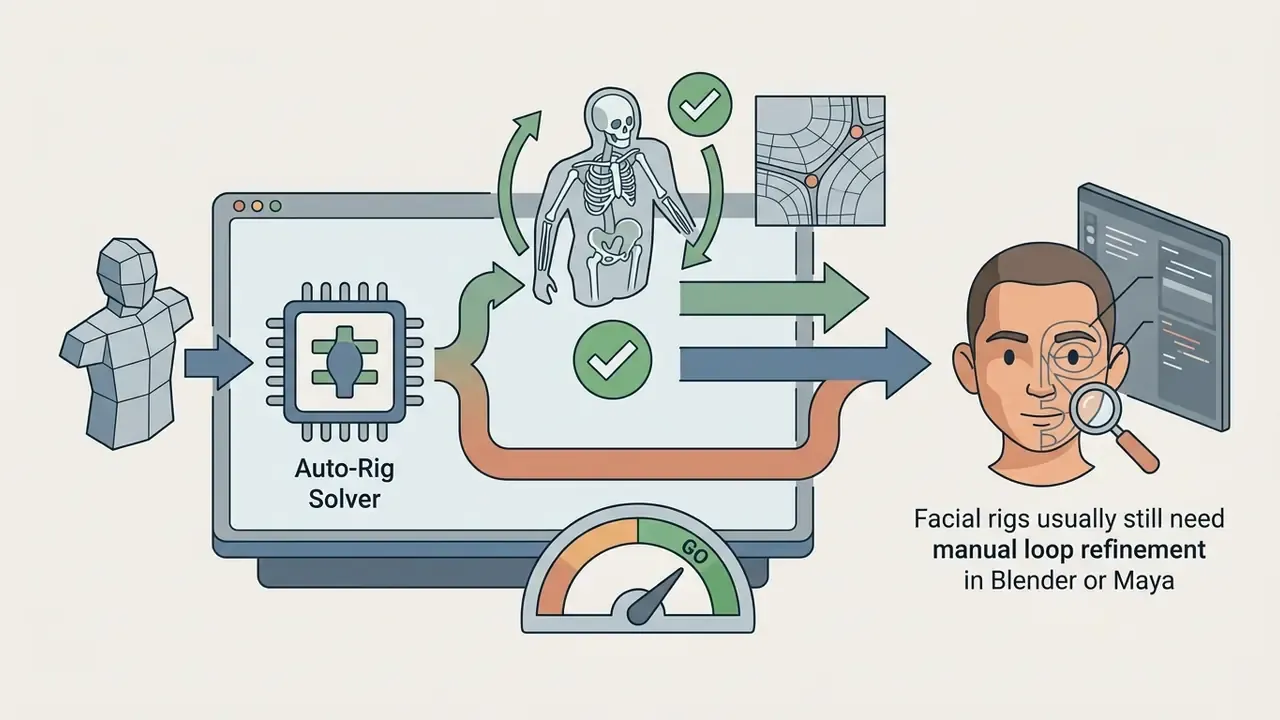
An auto-rigging engine can only deform a mesh cleanly if the polygon structure survives rotational stress. Bad topology shows up as visible tearing and volume loss during bone rotation.
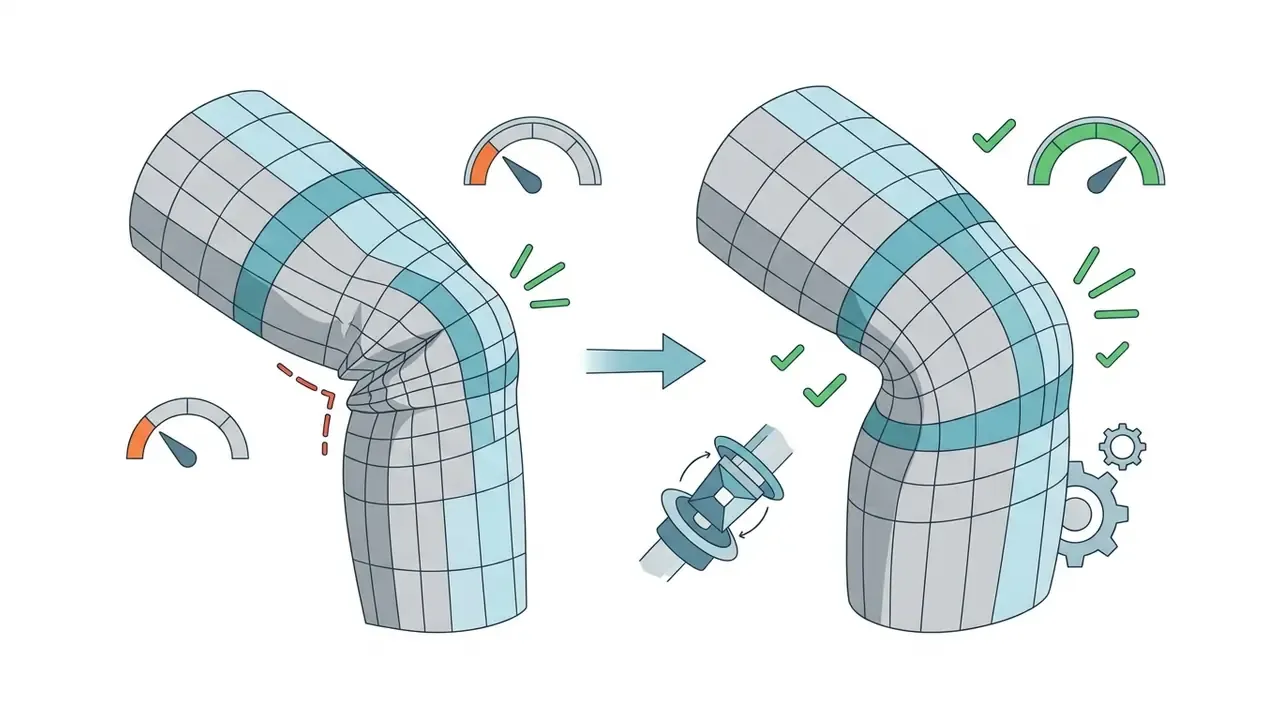
Rigging Non-Humanoid Models: Quadrupeds, Creatures, and Winged Mesh
How to Create 3D Animation Online Step by Step
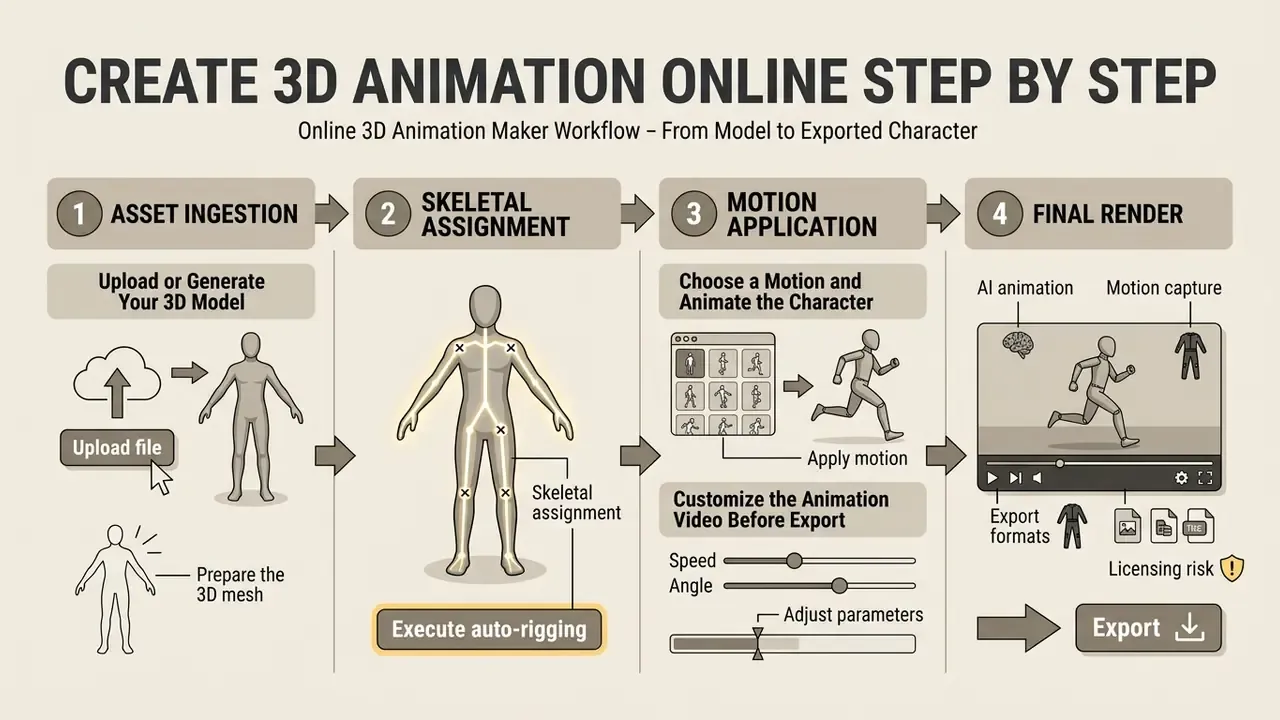
Creating an animated asset inside a web interface follows a structured four-stage workflow: asset ingestion, skeletal assignment, motion application, and final render configuration.
Upload or Generate Your 3D Model
Start by using the upload control inside your chosen browser tool to import an existing FBX, OBJ, or GLB character mesh. Alternatively, use an integrated AI generator to synthesize a mesh from a text prompt.
When uploading personal files, keep the file size under vendor limits, typically 150 MB for browser tools, and make sure textures are embedded or packaged in a ZIP archive. Character-focused pipelines may also accept a single portrait or concept sheet, generate front, left, right, and back views, then reconstruct a multi-view mesh before rigging.
Choose a Motion and Animate the Character
Next, open the platform's motion library and choose a movement preset such as walking, running, or idling. Or connect a motion capture video file to drive your model's skeletal rig.
Preview the motion loop in the 3D viewport to confirm that joint rotation angles do not cause skinning artifacts or mesh clipping around clothing. In behavior-driven tools, motion presets must sit at the correct hierarchy level relative to body and limb IK behaviors. Otherwise the preset fights the rig instead of driving it.
Customize the Animation Video Before Export
Adjust scene lighting, playback speed, camera angles, and frame rate before generating your final animation video.
If the goal is a standalone video file rather than a raw 3D asset, set the viewport camera path, configure background elements, and select the target resolution before triggering cloud rendering. Export-time controls typically include scene time range, camera position and field of view, frame rate, and whether geometry is baked per frame.
- Prepare the 3D meshVerify your character model is in a clean T-pose or A-pose with no existing skeleton.
- Upload the fileSelect and upload your GLB, FBX, or OBJ model into the browser editor.
- Execute auto-riggingPlace skeletal markers on wrists, elbows, knees, and groin if the platform prompts for them.
- Apply motionSelect a preset animation from the motion library or upload a monocular motion-capture video.
- Adjust parametersFine-tune motion speed, playback range, camera angles, and lighting.
- Export the assetDownload the finished project in FBX or GLB for engines, or render out an MP4 video file.
Validation Gates Before Production Use
| Gate | What to Verify | Failure Signal | Corrective Action |
|---|---|---|---|
| G1, mesh integrity | Single mesh, manifold geometry, no n-gons, T/A-pose | Auto-rig rejects file or misplaces joints | Run quad remesh, delete stray armature, re-pose |
| G2, skeleton fidelity | Bone count, naming convention, joint pivot placement | Elbows or knees bend on the wrong axis | Re-place markers, switch to engine-standard skeleton |
| G3, deformation quality | Shoulder and hip volume under full rotation | Skin pinching, candy-wrapper twist | Add joint ring loops, repaint weights |
| G4, motion plausibility | Foot contact, root drift, joint inversion | Foot sliding, hands below floor plane | Enable foot locking, ground contact, joint constraints |
| G5, export fidelity | Clips, loop flags, scale, texture references | Animation missing or scaled 100x in engine | Re-export with animation flag, confirm unit scale |
| G6, rights and licensing | Output license, watermark status, attribution | Watermark on render, CC-BY obligation | Upgrade tier or switch to a private-license asset |
Six gates sound heavy. In practice a two-person team runs G1 to G5 in about twenty minutes per character, and G6 once per project.
Animate Characters with AI, Rigging and Motion Capture
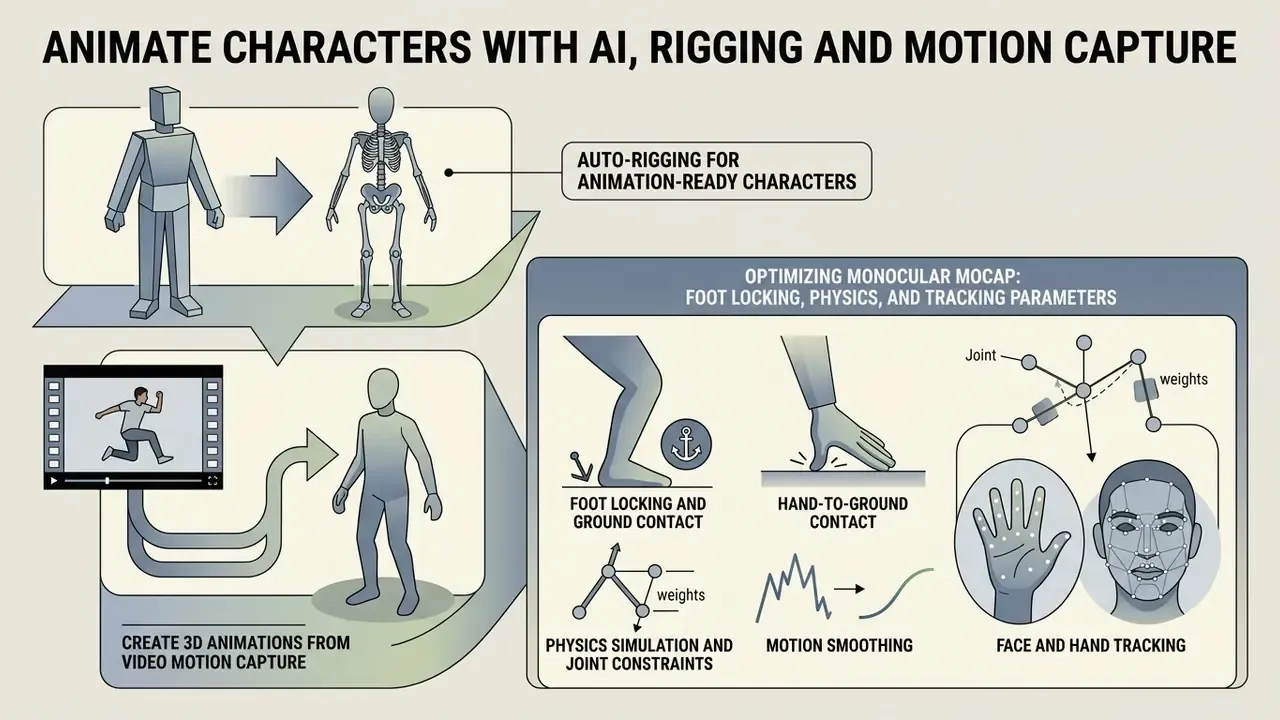
Advanced web-based animation platforms rely on integrated algorithms that automate character setup, motion extraction, and retargeting across diverse skeletal hierarchies.
Auto-Rigging for Animation-Ready Characters
Auto-rigging software analyzes a static character mesh, builds an internal bone hierarchy, and calculates skinning weights that define how surface vertices deform when bones move.
In a benchmark study on automatic humanoid rigging, the HumanRig framework evaluated 11,434 AI-generated humanoid meshes using uniform Mixamo-compatible skeletons. The researchers showed that prior-guided skeleton estimators can place internal joint hierarchies and predict skinning weights in under one second, which cuts setup time sharply compared with manual weight painting.
«Makes any 3D humanoid model animation-ready in under one second, generating bones, weights and pose transformations simultaneously.»
«A 230K-object rigging and skinning dataset spanning humans, animals and arbitrary objects, roughly 70x prior dataset scale.» - Anymate: A Dataset and Baselines for Learning 3D Object Rigging, arXiv (2025). https://arxiv.org
Because HumanRig aligns skeleton topology to the Mixamo standard, its output retargets directly onto any engine or animation library that consumes Mixamo-compatible rigs. That is a practical requirement for teams blending generated characters with existing motion sets.
Create 3D Animations from Video Motion Capture
AI video motion capture extracts 2D joint positions from monocular frames, translates those keypoints into 3D space, and fits the resulting trajectory data onto a target skeleton.
MotioNet maps 2D joints extracted from video into two outputs: a symmetric skeleton with bone lengths, and a dynamic sequence of joint rotations, global root positions, and foot-contact labels. The result is full 3D animation without a separate IK pass.
«Recovers rotation-based animation in BVH format from monocular video for arbitrary rigged assets, demonstrating cross-view retargeting.»
So a creator can record performance footage on a smartphone and transfer that motion onto custom 3D characters without camera arrays or specialized suits. Adjacent single-frame workflows appear in our overview of image-to-video AI tools, which animate stills without skeletal reconstruction.
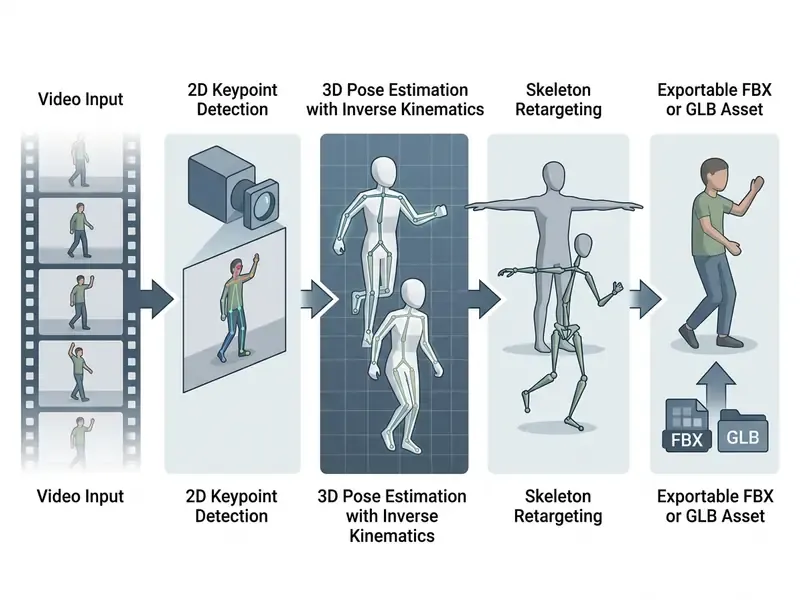
Optimizing Monocular MoCap: Foot Locking, Physics, and Tracking Parameters
Extracting 3D skeletal tracks from 2D footage introduces spatial jitter and physical inaccuracy. To reach engine-ready motion without manual cleanup, web-based MoCap processors expose specific algorithmic filters:
- Foot locking and ground contact Foot locking prevents sliding, where soles drift across the floor plane during walk cycles. The system pins foot vertices to world coordinates whenever the ground-contact threshold triggers.
- Hand-to-ground contact Detects ground-based actions such as push-ups or crawling and constrains hand bone depth, so the mesh does not clip below the floor coordinate (Y = 0).
- Physics simulation and joint constraints Applies biomechanical limits to block non-anatomical inversion, knees bending backward or elbows hyperextending, during rapid transitions.
- Motion smoothing Temporal filtering suppresses per-frame jitter from keypoint detector noise, at the cost of some high-frequency detail in fast actions.
- Face and hand tracking Optional sub-solvers capture facial blendshape weights and finger articulation, which the base body solver ignores.
- Multi-person kinematics Advanced cloud MoCap pipelines track up to eight actors from a single monocular file, resolving overlapping occlusion with temporal pose estimation.
- Rotoscope pose correction Frame-level pose editors let you trace the character skeleton over the source video, correcting solver drift on ambiguous frames instead of re-shooting the take.
Two-view and biomechanics-aware research pipelines push accuracy further by imposing anatomical priors and spatio-temporal constraints rather than lifting each frame independently.
Use Motion Libraries and Animation Presets
Preset libraries offer thousands of pre-cleared, motion-captured clips grouped by action type, so animators retarget movement onto custom rigs instantly. Public libraries range from 100+ curated clips to 500+ motion-capture takes, and open-source projects publish 150+ hand-keyed animations with source rig files.
When applying preset motion, platforms use skeletal retargeting to scale bone transforms to the target character's proportions, keeping foot contact stable on the ground plane. Production engines formalize this: shared rigs map bones across different skeleton assets, and bone-translation retargeting modes are assigned per bone class, animation mode for root and IK bones, scaled animation for the pelvis, skeleton mode for the rest. Research literature groups adaptation methods into three families: topology-graph skeleton matching, bone-axis-agnostic mapping with duplicate, constraint and bake steps, and dense-geometric or mesh-based transfer for creatures whose skeletal structure has no direct correspondence.
Fact Check: Feature Capabilities of Web-Based Animation Platforms
To verify feature claims from prominent online tools, functionality was validated against vendor technical documentation and published experimental research:
- Mixamo (Adobe) Confirmed free access for character auto-rigging and motion library downloads. Supports FBX, OBJ, and ZIP uploads, marker-based rig placement, and export to FBX and Collada.
- DeepMotion Animate 3D Confirmed AI video motion capture from monocular footage, multi-person tracking, foot locking, hand-to-ground contact, physics simulation, and a rotoscope pose editor. Exports BVH, FBX, GLB/GLTF, and MP4 under a tiered credit structure.
- Cascadeur Confirmed keyframe tool with AI physics-assisted keyframe editing and auto-posers, available as a desktop application with cloud synchronization.
- Meshy Confirmed web-based text and image to 3D generation with integrated auto-rigging for humanoids, bipeds, quadrupeds, and stylized figures, exporting to FBX and GLB.
- Autodesk Flow Studio Confirmed markerless AI mocap plus live-action-to-CG conversion, exporting mocap, camera tracking, clean plates, alpha masks, and character passes into Maya, Blender, Unreal, or 3ds Max via USD.
- Mesh2Motion Confirmed open-source browser auto-rigging with rigs for birds, dragons, spiders, kaiju, foxes, and humans. Imports GLB, GLTF, DAE, FBX and exports multiple animations bundled into a single GLB under a CC0 license.
Export 3D Animation for Games, Video and 3D Workflows
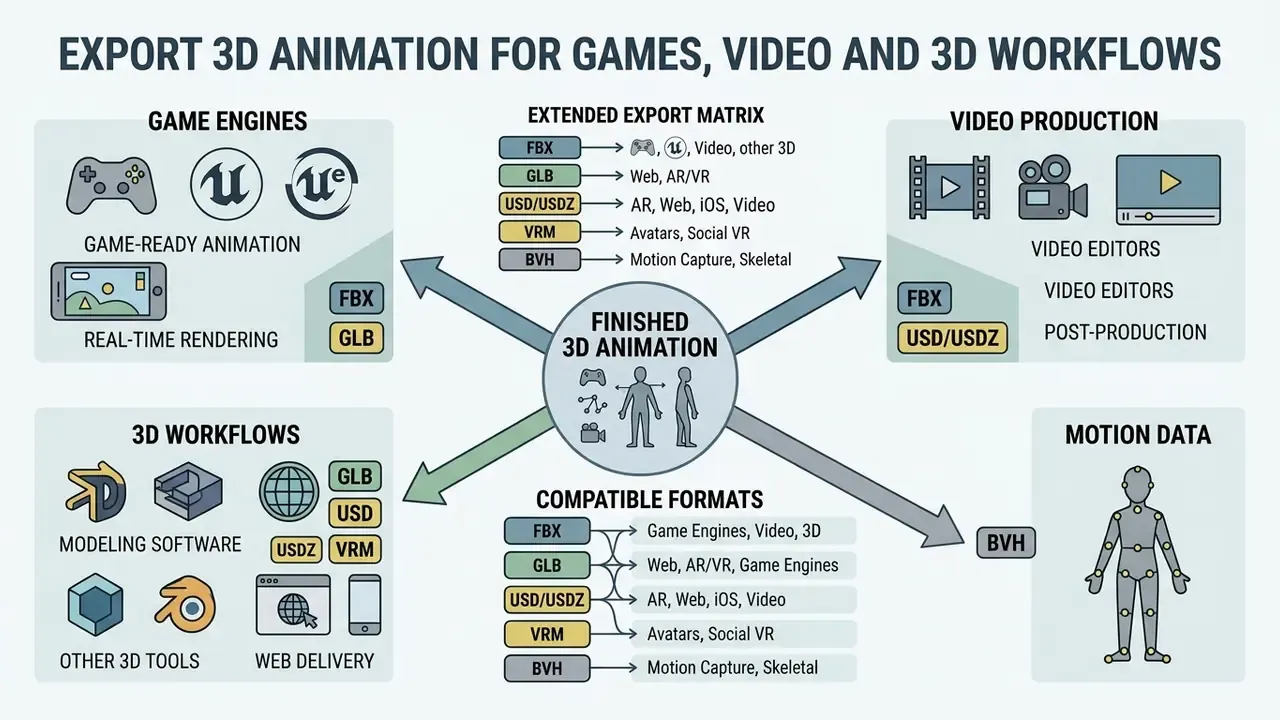
Exporting finished animation means choosing a file format compatible with your target game engine, video editor, or web delivery pipeline.
FBX and GLB Export for 3D Projects
FBX is the established desktop interchange standard for complex 3D production, supporting material hierarchies, multiple animation clips, and skeletal rigging structures. GLB, the binary form of glTF 2.0, is the open international standard (ISO/IEC 12113:2022) optimized for web deployment, real-time engines, and lightweight applications.
«glTF is a runtime 3D asset delivery format; KTX2 with Basis Universal supercompression reduces file size and GPU memory usage.»
Runtime memory guidance from engine and standards documentation shows that unoptimized GLB lands near 80% of an equivalent unoptimized FBX. GLB using Draco mesh compression and KTX2 texture supercompression typically drops to roughly 5-20% of the baseline export size. That is precisely why GLB dominates browser-based 3D applications, WebXR, and mobile AR delivery.
Extended Export Matrix: FBX, GLB, USD/USDZ, VRM and BVH
| Export Format | Standard Owner or Specification | Primary Pipeline Use Case | Key Technical Capabilities | Compression and Optimization |
|---|---|---|---|---|
| FBX (Filmbox) | Proprietary (Autodesk) | Game engines (Unreal, Unity), DCCs (Maya, 3ds Max) | Multiple animation curves, embedded materials, rigid and smooth skinning | Baseline uncompressed scale (100%) |
| GLB / glTF 2.0 | Open standard (ISO/IEC 12113:2022) | WebGL, Three.js, Babylon.js, WebXR, Android AR | Skeletal keyframes, morph targets, multi-track bundling in one binary | 10% to 20% of FBX size via Draco and KTX2 |
| USD / USDZ | Open source (Pixar, Apple) | Apple Vision Pro, ARKit, film pipelines, Omniverse | Non-destructive scene layering, complex lighting, multi-asset references | Optimized for real-time AR streaming in the Apple ecosystem |
| VRM | Open standard (VRM Consortium) | VTubing, metaverse avatars, VR applications | Humanoid bone-mapping constraints, spring-bone physics for hair and cloth, expression blendshapes | Built on the glTF 2.0 extension architecture |
| BVH (Biovision Hierarchy) | Open format | Raw motion-capture skeleton data transfer | Pure rotational and translational joint data, no polygonal mesh | Extremely lightweight ASCII or binary text data |
| Bundled multi-clip GLB | Open standard (glTF 2.0) | Web games, Three.js and Babylon.js state machines | Multiple baked tracks (idle, run, fly, attack) in one payload | Single-request delivery; avoids per-clip HTTP overhead |
Game-Ready Animation and Production Workflow
Integrating exports into Unreal Engine or Unity requires standardized skeletal structures, configured animation controllers, and correct loop flags.
For interactive production, exported FBX files enter engine animation graphs where individual clips such as walk, run, and jump blend dynamically from player input. Unreal's FBX animation pipeline exports one animation per skeletal mesh into a separate file with the Animations flag enabled. Unity imports generic FBX plus native Maya, 3ds Max, and Blender files, and supports Editor-only USD skeletal animation import. Because HumanRig-class solvers align skeleton topology to the Mixamo standard, generated rigs retarget cleanly onto engines and libraries that already expect Mixamo hierarchies.
Linear video production takes a different path. Animation clips render directly into high-bitrate video formats or pass into post-production tools. Teams assembling those finals often shortlist a free video editing solution for cut, grade, and audio sync before publishing. Programmatic delivery is a third route: studios generating hundreds of variants usually script it through an api rather than a manual export queue.
| Technical Parameter | FBX (Filmbox) | GLB / glTF 2.0 |
|---|---|---|
| Primary Use Case | DCC interchange (Maya, Max, Unreal, Unity) | Web 3D, AR/VR, real-time delivery |
| Standardization | Proprietary (Autodesk) | Open international standard (ISO/IEC 12113:2022) |
| Texture Compression | Embedded raster images (PNG, JPEG) | KTX2, Basis Universal supercompression |
| Animation Support | Multiple baked clips, complex curve data | Skeletal keyframe transforms, morph targets |
| Relative File Size | Baseline (100%) | Compressed, typically 10% to 20% of unoptimized FBX |
In short: FBX carries the most animation metadata for authoring, GLB carries the least weight for delivery. Many teams keep both, an FBX master and a compressed GLB for the web build.
Free 3D Animation Maker: No Sign-Up, Downloads and Plan Limits
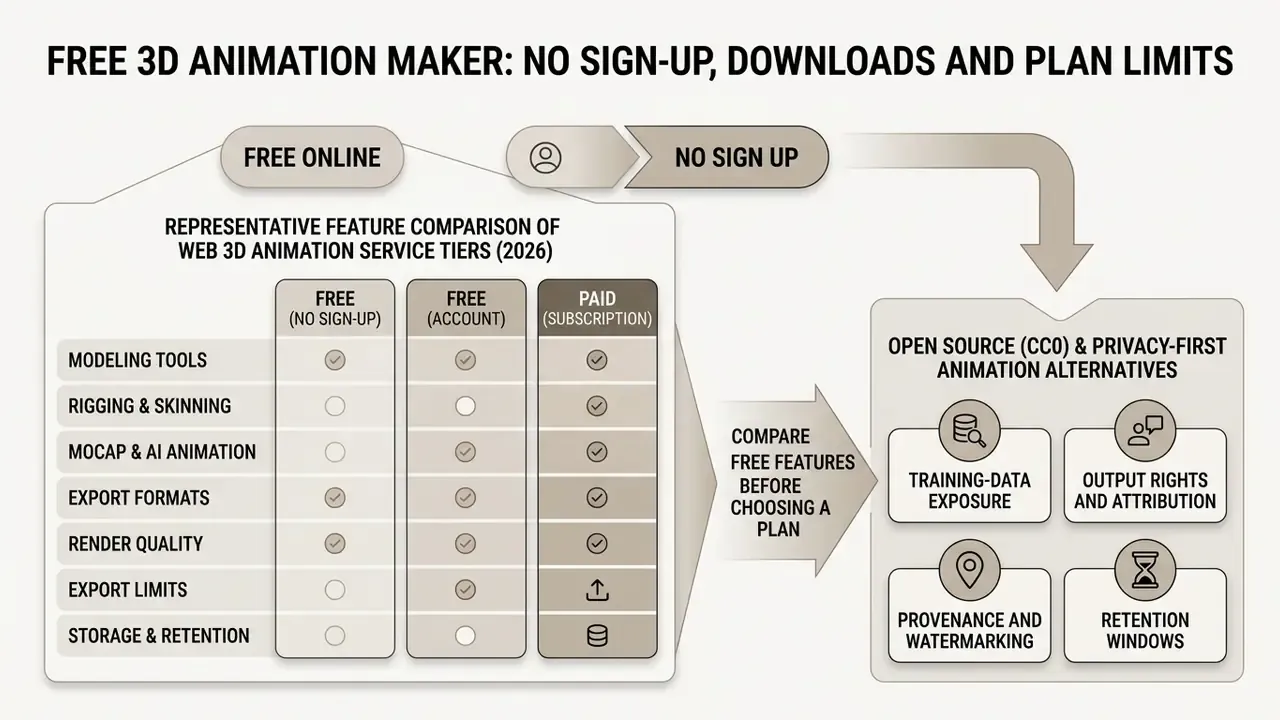
Understanding pricing models and feature tiers helps creators pick a free 3d animation maker that fits their budget and export requirements.
What "Free Online" and "No Sign Up" Usually Mean
Promotional phrases like 3d animation maker online free no sign up or 3d animation maker online free no download normally mean users can open the web editor and preview animations without an account. Saving, rendering high-resolution video, or downloading raw FBX and GLB files almost always requires a free account or a paid tier.
Across documented web tools, "free access" and "free export" are separate permissions. Some browser tools run fully client-side with no signup, no upload, and no file limits. Others allow anonymous editing but cap page count, file size, retention windows (seven days is common), or block download entirely until registration. In 3D specifically, free tiers usually apply watermarked video output, lower polygon ceilings, monthly credit caps, or non-commercial licenses. Comparable dynamics in adjacent categories appear in our analysis of free AI video generators.
«Online 3D animation tools were evaluated on features, usability and value using vendor documentation and weighted user reviews.»
Free-tier patterns worth checking in 2026 before you commit a project: credit-limited generation, often 100 to 200 credits per month; per-month MoCap duration ceilings, for example up to 60 seconds; non-expiring freemium accounts with non-commercial restrictions; free personal editions requiring account activation; generation-only plans that block mesh or render export; and default license terms such as CC BY 4.0 attribution unless you purchase a private license.
Compare Free Features Before Choosing a Plan
When evaluating a free 3d animation maker online, compare credit allowances, commercial usage rights, permitted export formats, and maximum rendering resolutions across plan tiers. Current vendor terms change often, so verify numbers on the official page, then open the hub for a normalized comparison and explore the hub to estimate generation spend before you sign anything.
Representative feature comparison of web 3D animation service tiers (2026)
| Service Tier | Account Requirement | Monthly Allowance | Available Export Formats | Commercial Rights | Legal and Compliance Risk |
|---|---|---|---|---|---|
| Free guest access | No sign-up | Browser preview only, limited test renders | Watermarked MP4 or WebP images | Non-commercial, personal evaluation | High. No export rights, no indemnity, watermark cannot be removed |
| Freemium tier | Free account required | 50 to 200 AI credits, up to 60s MoCap per month | Standard GLB, basic FBX exports | Varies by vendor, often requires attribution | Medium. CC-BY-style attribution duties, possible training on uploads, no IP indemnity |
| Paid subscription | Paid account, roughly $9 to $60 per month | High or unlimited render limits, priority queue | Uncompressed FBX, GLB, BVH, USD, VRM | Full commercial license included | Low to medium. Verify private-license clause and data-retention terms |
| Enterprise or self-hosted | Contract or local install | Negotiated volume, SSO and usage reporting | Full pipeline formats including USD layering | Negotiated, with contractual protections | Low. Data-processing terms, retention limits, and audit rights defined in contract |
| Open source (CC0) | None | Unlimited local browser use | Bundled multi-clip GLB | Personal and commercial use permitted | Very low. No server upload, no model training, source auditable |
Read the table as a risk ladder, not a price ladder. Guest access is cheapest and least shippable. If a tier confuses you, vendor documentation and explore the hub resources usually settle the question faster than a sales call.
Open Source (CC0) and Privacy-First Animation Alternatives
For developers and institutions with strict data-privacy mandates, COPPA and FERPA obligations in education, GDPR data-minimization duties, or proprietary corporate IP, public AI-cloud generators may carry data-training risk.
In those scenarios, open-source web platforms such as Mesh2Motion offer non-AI, hand-crafted rigging libraries under Creative Commons Zero (CC0). These tools process skeletal matrices entirely inside local browser JavaScript runtimes, so custom 3D models and proprietary motion clips are never transmitted to external servers for machine-learning training. The project's AI-transparency statement is explicit: models are hand-crafted, animations hand-keyed, rigs manually authored, with no LLMs or external APIs processing user data. Education-focused platforms take a parallel route, certifying against FERPA and COPPA rather than removing AI entirely.
Data Security, IP Rights and Shadow AI Risks
Strategic Decision Framework for 3D Animation Adoption
3D Animation Tool Selection Matrix
| If your target output is… | And your input is… | Under this constraint… | Choose this architecture | Primary export |
|---|---|---|---|---|
| Game asset (interactive) | Existing mesh | Free or prototype | Browser auto-rig plus preset motion library | FBX, bundled GLB |
| Game asset (interactive) | Existing mesh | Commercial, IP-sensitive | Open-source local rigging (CC0) or enterprise contract | Bundled GLB |
| Game asset (creature, quadruped) | Text or image prompt | Free or prototype | Text-to-3D generation with non-humanoid auto-rig | FBX, GLB |
| Rendered video (marketing) | Text prompt or storyboard | Free, watermark tolerated | Template-driven web animation maker | MP4 |
| Rendered video (broadcast) | Live-action plate plus CG cast | Commercial, full control | Live-action-to-CG pipeline with editable passes | USD, EXR passes, MP4 |
| Motion data only | Monocular video | Retarget to existing rigs | Cloud MoCap with foot locking and constraints | BVH, FBX |
| Avatar (VTubing, metaverse) | Existing character mesh | Real-time performance | Humanoid rig with spring-bone physics | VRM, GLB |
| AR product experience | Existing mesh | Apple ecosystem delivery | USD-layered pipeline | USDZ |
Decision sequence: define the output artifact, confirm the input you actually own, apply the binding constraint (budget, licensing, privacy, or turnaround), then select the architecture that satisfies the constraint before optimizing for features. Teams delivering large animated catalogs should also standardize bandwidth with an automated video compressor before publishing.
Limitations and Unresolved Questions
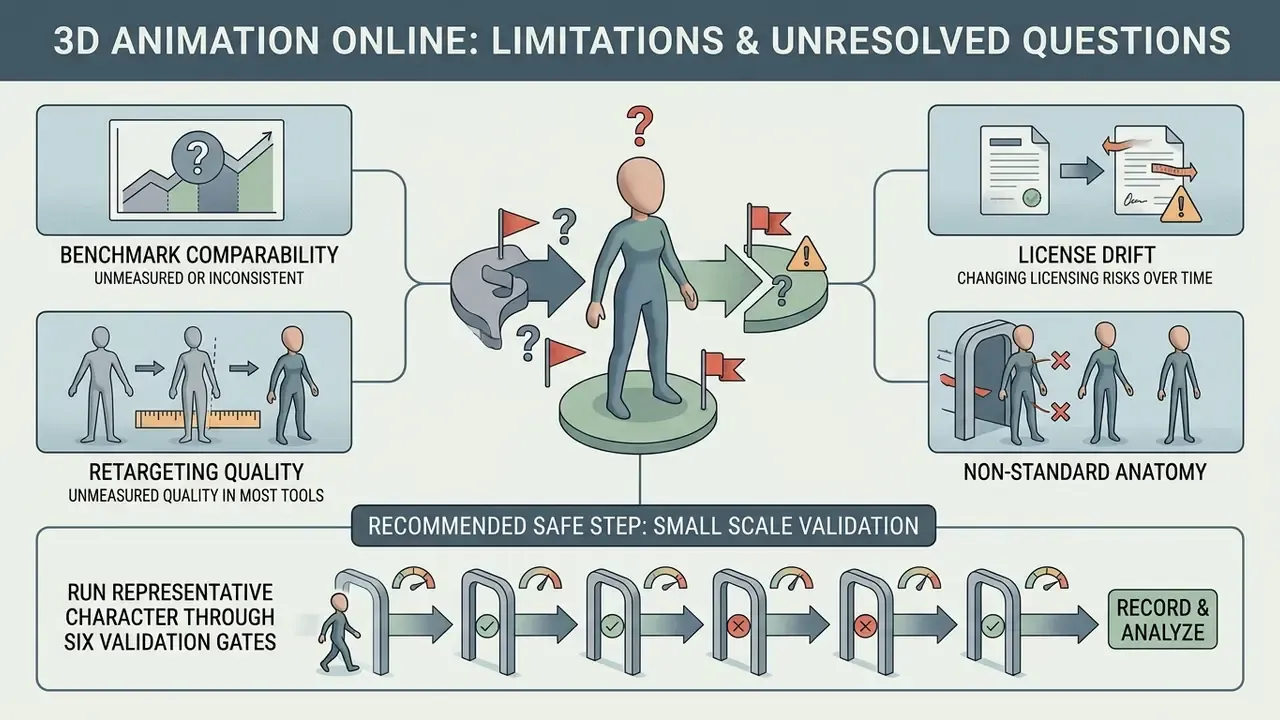
Honest caveats belong in the same document as the workflow. Four remain open.
- Benchmark comparability. Vendor-published rigging speeds and quality scores rarely share a test set. Treat "under one second" as a research result on a specific dataset, not a guarantee for your mesh.
- Retargeting quality is unmeasured in most tools. Foot contact and root drift are visible defects, but there is no widely adopted numeric score for retargeting fidelity in browser pipelines. Human review still decides.
- License drift. Free-tier terms and watermark policies change between quarters. A screenshot of the terms on the day you exported is cheap insurance.
- Non-standard anatomy. Template-based auto-riggers remain unreliable for radial or many-limbed creatures. Budget manual rigging time rather than assuming automation covers it.
A safe next step is small: run one representative character through the six validation gates, record what fails, and only then decide whether the constraint is technical, contractual, or simply artistic taste.
Frequently Asked Questions (FAQ)
Can I create 3D animations online for free without installing software?
Yes. Platforms such as Mixamo, Meshy, DeepMotion, and the open-source Mesh2Motion let you upload models, apply automated rigging, and animate characters directly in a modern browser with no local installation. Free tiers usually restrict export resolution, credits, or licensing rather than access itself.
Can auto-rigging handle animals, dragons, or spiders, not just humans?
Yes. Current browser rigging engines support bipeds, quadrupeds, winged creatures, and multi-limbed monsters by adapting the skeletal hierarchy and asking for manual markers on tail roots, wing joints, and hind-leg hocks. Highly non-standard body plans, centipedes or six-legged dragons for instance, still need manual rigging in Blender or Maya.
What file format is best for exporting 3D character animations?
FBX suits traditional game development pipelines (Unreal Engine, Unity) and desktop 3D software. GLB is ideal for lightweight web applications, augmented reality, and browser-based engines thanks to stronger compression. USDZ suits Apple AR, VRM suits avatars, and BVH carries raw skeletal motion without geometry.
How do I stop my character's feet from sliding after video motion capture?
Enable foot locking and ground-contact detection so the solver pins foot vertices to world coordinates during contact frames. Add joint constraints to block anatomically impossible inversion, apply motion smoothing against keypoint jitter, and use a rotoscope pose editor to fix individual frames where the solver drifts.
What is the difference between AI animation generation and motion capture?
AI animation generation creates skeletal motion from text prompts or static images using learned motion priors. Motion capture derives movement from recorded footage of human actors, then retargets it onto a compatible skeleton. Manual keyframing authors timing and spacing explicitly and offers the highest control.
Do "no sign-up" free animation tools allow commercial usage?
Most guest-access tools restrict downloads to watermarked web previews for non-commercial evaluation. Production-ready FBX or GLB files and commercial usage rights normally require registration or a paid plan. CC0-licensed open-source tools are the notable exception, permitting personal and commercial use without registration.
What topology does my mesh need before auto-rigging?
Use a single quad-dominant mesh in T-pose or A-pose with no pre-existing armature, no non-manifold geometry, and no n-gons. Provide at least three parallel edge loops across each bending joint, plus concentric loops around eyes and mouth. Run a quad remesh pass on scans or triangulated generative meshes first.
Is it safe to upload proprietary company models to a free AI animation tool?
Not by default. Verify whether uploads train vendor models, what the retention and deletion policy says, whether SOC 2 Type II or ISO 27001 attestations exist, and whether the output license grants commercial rights. For restricted IP, prefer local-runtime open-source tools or an enterprise contract with a data-processing addendum.
Can I insert an animated 3D character into real video footage online?
Yes. Live-action-to-CG pipelines generate camera tracking data, clean plates, alpha masks, and light-estimation passes, then export those layers to Maya, Blender, Unreal, or 3ds Max via USD, so the composite stays editable rather than baked.