Executive Summary for Media, Risk and Finance Leaders
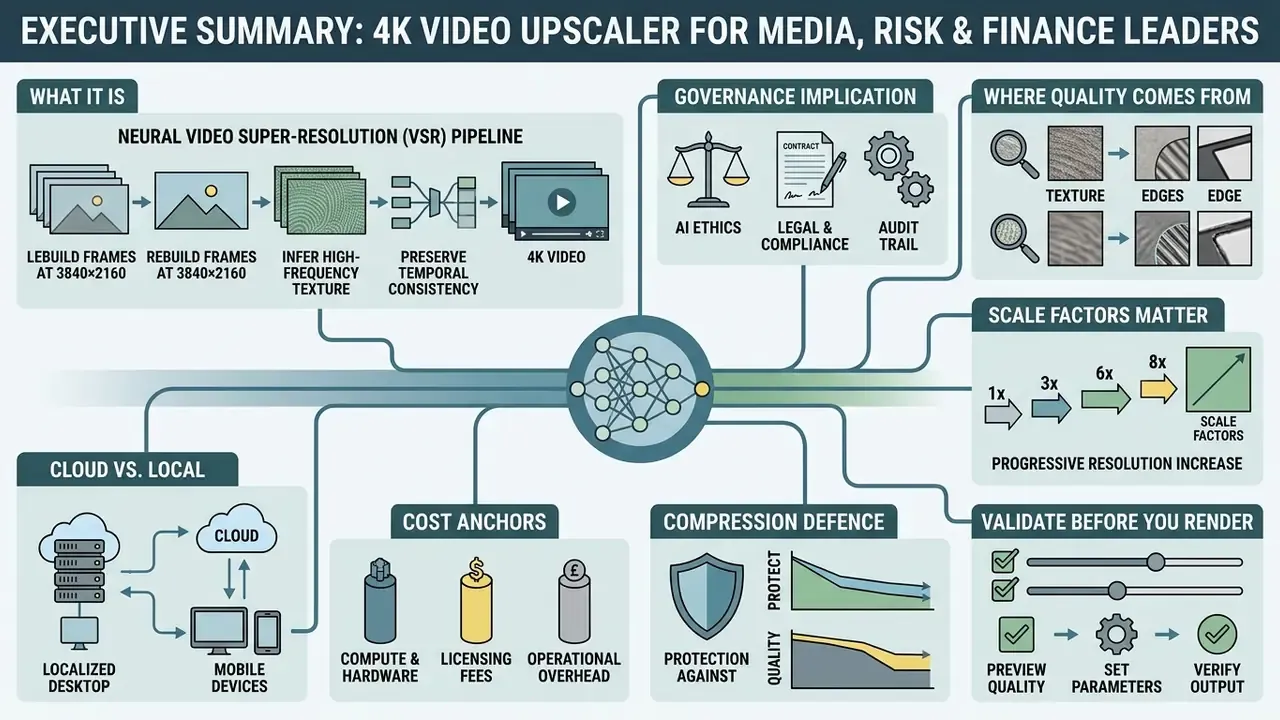
- What it is. A 4K video upscaler is a neural video super-resolution (VSR) pipeline that rebuilds frames at 3840×2160 while inferring high-frequency texture and preserving temporal stability. It does not recover physically lost sensor data. It synthesizes statistically plausible detail.
- Governance implication. Because output is generated rather than retrieved, upscaled footage is derived synthetic media. Evidence chains, preview validation and output verification must be documented before publication in regulated communications.
- Where quality comes from. Source bitrate, degradation type (grain, interlacing, macroblocking), motion complexity and model capacity, in that order. A clean 1080p master upscales far better than a heavily compressed 480p clip.
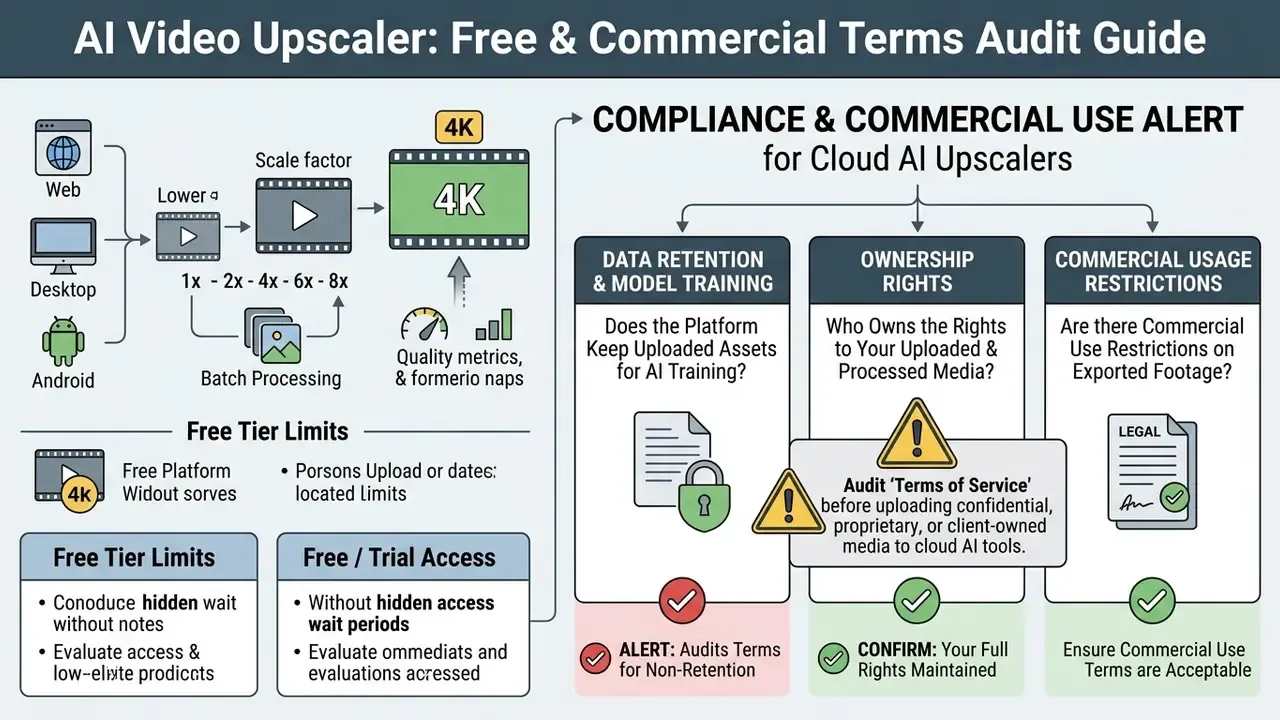
- Scale factors matter. Choose 1x (refine only), 2x (HD to 2K, 1080p to 4K), 4x (480p or 720p to 4K) or 8x (up to 8K). Powers of two align with convolutional and GAN block architecture.
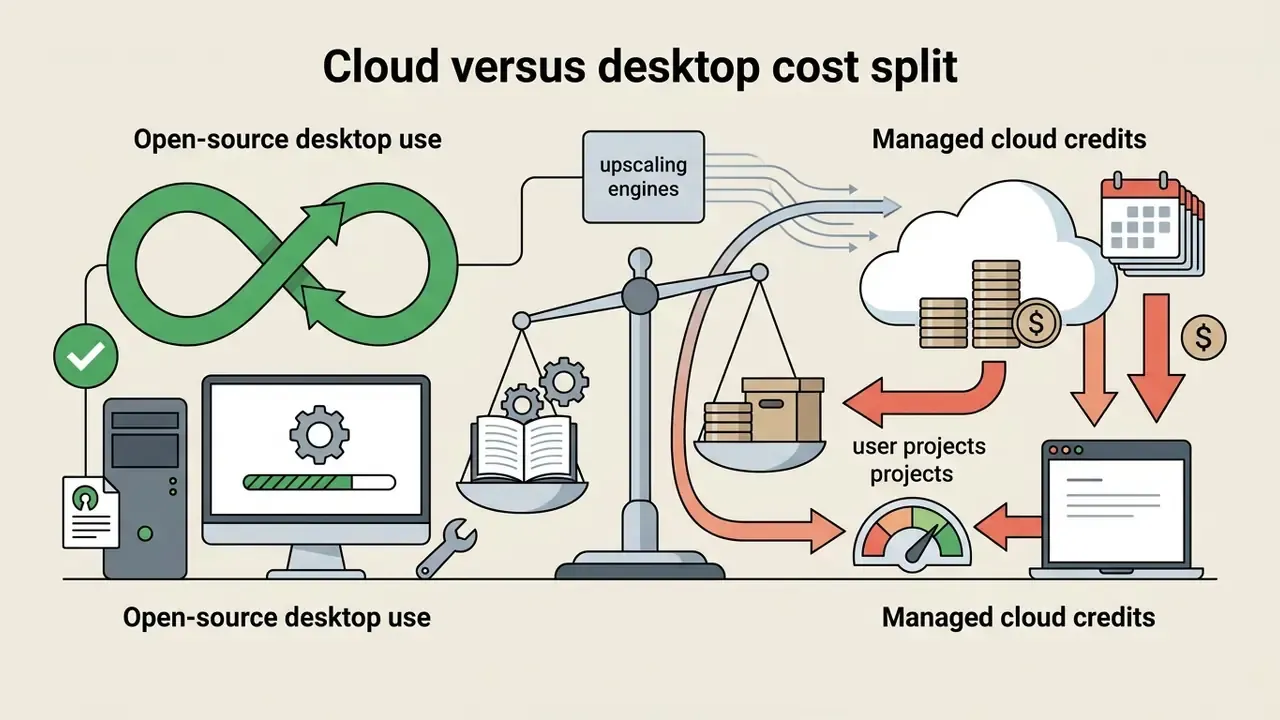
- Cloud vs. local. Cloud means zero hardware cost and medium privacy. A local desktop GPU means maximum privacy, unlimited batch rendering and higher CapEx. Open-source local tools (Upscayl, Video2X) are free and fully isolated.
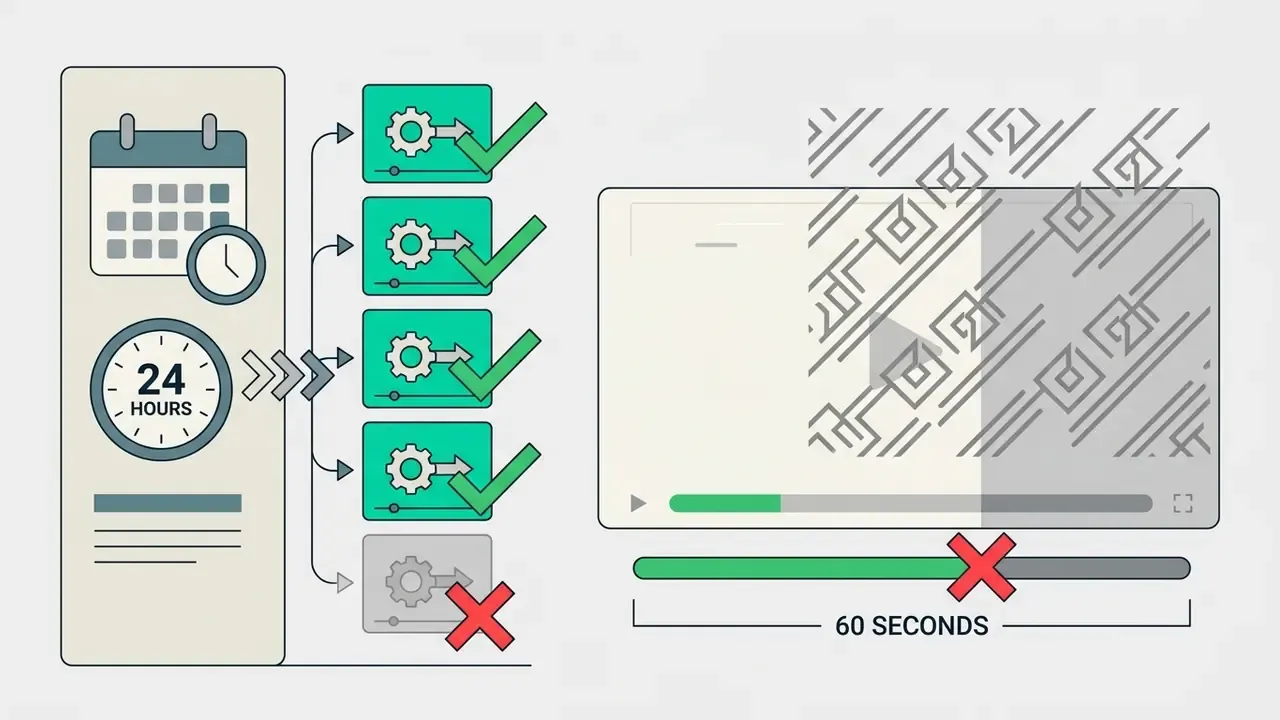
- Cost anchors. Roughly 2 credits per second of 4K rendering on Runway-class services; about 4 free generations per 24 hours on Krea-class free tiers; free web tiers commonly capped at 10 s / 10 MB (Canva) or 1 minute / 100 MB (Media.io), with watermarks.
- Compression defence. Uploading a pre-upscaled 4K master to YouTube, Instagram or TikTok triggers higher-tier codecs and bitrate ladders, protecting perceived sharpness after platform re-encoding.
- Validate before you render. Always test a 5-to-10 second crop, compare with VMAF, PSNR, SSIM and LPIPS, then commit GPU budget.
Who this guide is for and which decisions it supports
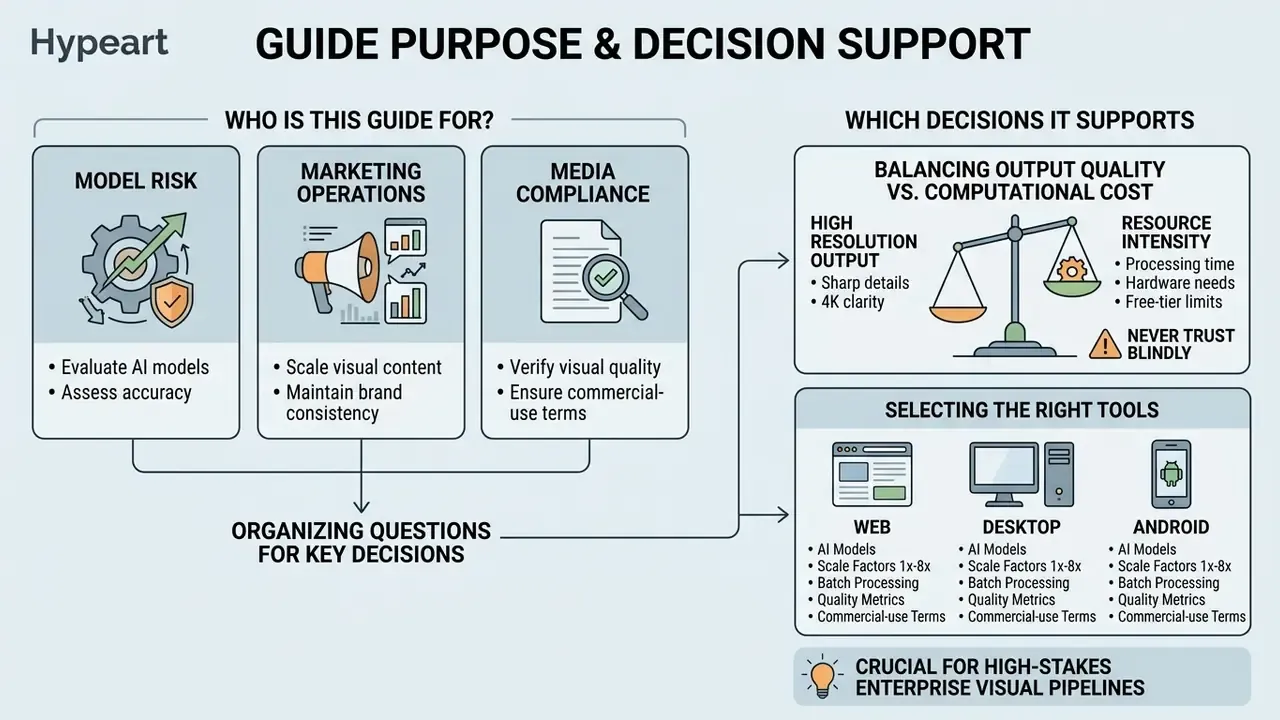
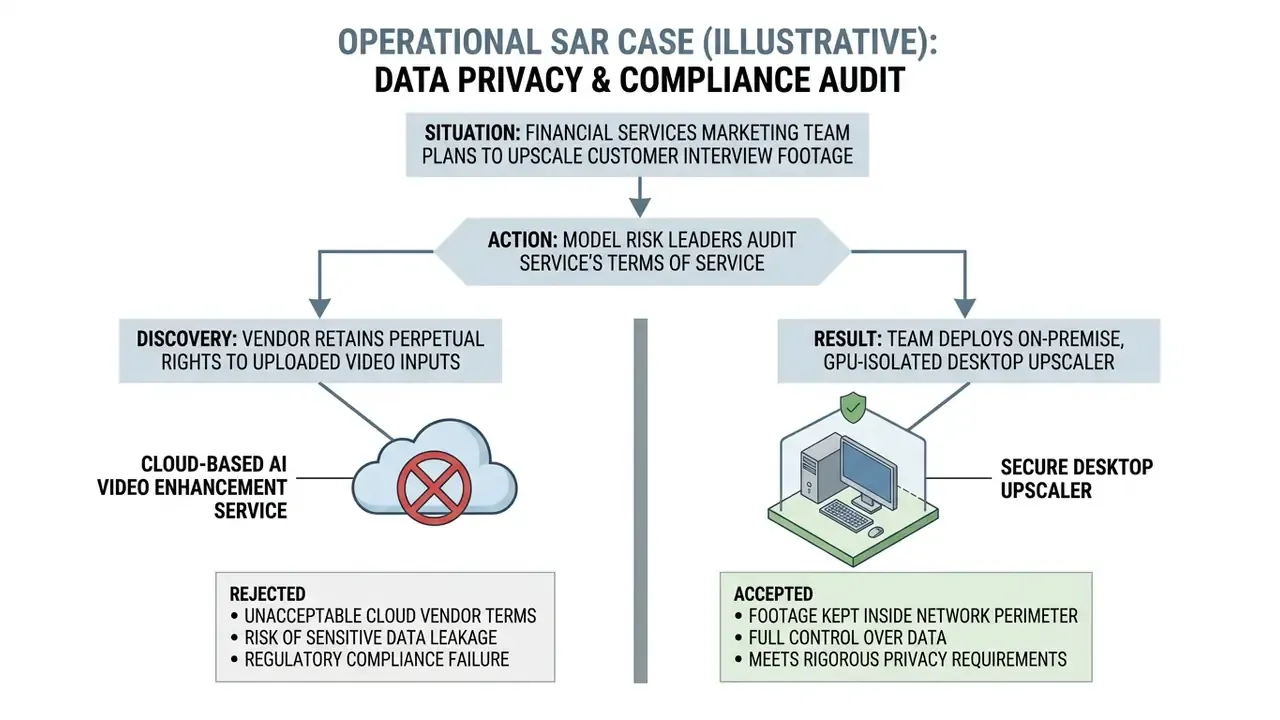
If you own model risk, marketing operations or media compliance at a bank or a mature fintech, an upscaler looks like a small purchase. It usually is not. The moment synthetic detail enters a customer-facing asset, you inherit three questions: who approved the model, where the file was processed, and what evidence you can show an auditor twelve months later.
This guide is organized around those questions. It covers the technical mechanics of neural super-resolution, the factors that actually determine perceived output quality, a step-by-step cloud workflow, the platform trade-offs between browser, desktop and Android, the real shape of free tiers, and the licensing and privacy clauses that decide whether an asset is safe for commercial distribution. Two appendices carry a validation checklist and a metric glossary you can lift into an internal control document.
One caveat up front. Vendor limits, prices and free-tier ceilings move constantly. Treat every number here as a planning anchor, not a contractual fact, and re-verify against current documentation before you buy.
Evaluating neural video super-resolution requires balancing visual output quality against computational cost, rendering infrastructure and corporate data controls. Enterprise media pipelines, financial communications teams and creative organizations increasingly rely on a 4k video upscaler to convert archived, compressed or standard-definition assets into broadcast-ready Ultra High Definition (UHD) footage.
What an AI 4K video upscaler is and how it improves video
An ai video resolution upscaler is a neural network pipeline designed to increase video frame dimensions to 3840×2160 pixels while inferring missing high-frequency textures and maintaining temporal stability. Unlike static image enlargement, an ai video upscaler evaluates motion vectors and spatial relationships across consecutive frames to synthesize sharp edges without introducing video distortion.
«AI video super-resolution reconstructs high-quality frames from degraded inputs using trained priors, not simple geometric rescaling.»
The difference between video upscaling and video enhancement
Traditional video upscaling changes the physical pixel grid via mathematical resampling, whereas neural video enhancement restores visual quality by suppressing noise, artifacts and blur. Standard bicubic interpolation calculates intermediate pixel values from surrounding spatial samples, expanding frame dimensions without inferring missing scene content. Bilinear resampling reads only the four nearest samples and is convex-bounded, so it never overshoots, but it also preserves the least detail. Bicubic reads sixteen neighbours and produces smoother contours, yet its negative weights can create ringing, clipping and faint halos around high-contrast edges.
Conversely, ai video upscaling applies trained deep-learning priors to rebuild lost edges, fine surface textures and facial highlights. Modern video upscaling solutions combine geometry expansion with holistic video enhancement operations, including compression artifact removal, film grain management and frame rate stabilization. The practical distinction is temporal: classical interpolation is frame-local, while neural models evaluate motion across frames. That is why they can restore texture, and also why they can introduce ghosting, tearing or flicker when temporal alignment is imperfect.
For organizations managing media assets alongside generative production tools such as AI video generators, unifying upscaling and enhancement ensures consistent output standards across internal and external communication channels.
How AI models synthesize detail and process every frame
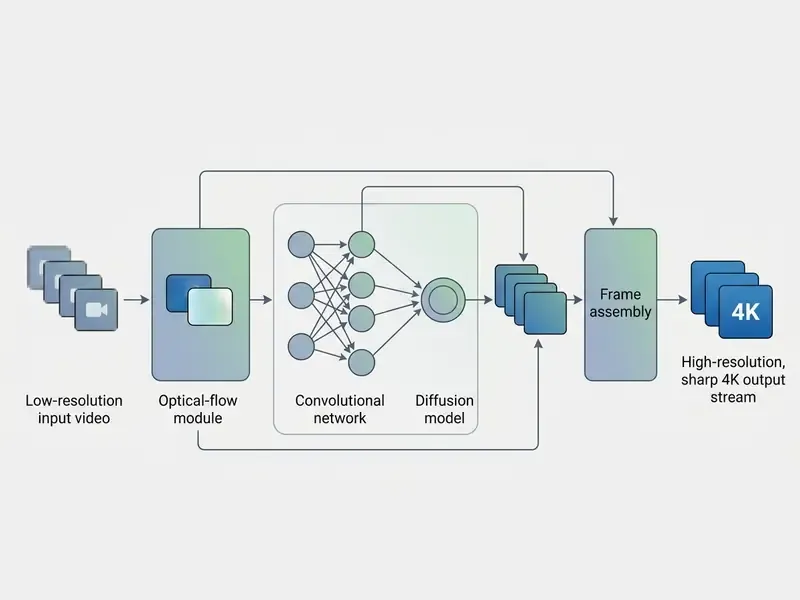
Deep learning models process video sequences by evaluating spatial feature maps alongside temporal motion contexts across adjacent frames. Architectures such as multi-frame Convolutional Neural Networks (CNNs), Generative Adversarial Networks (GANs) and diffusion models analyze surrounding frame patches to predict realistic high-frequency detail. Spatiotemporal pipelines first align neighbouring frames using motion estimation (optical flow or motion-assisted kernels), then reconstruct one high-resolution frame from several low-resolution observations, tiling the result across the sequence.
FACT CHECK / E-E-A-T VERIFICATION AI video upscalers GENERATE synthetic detail based on learned dataset priors. Once raw sensor data is destroyed by downsampling or lossy compression, it cannot be authentically recovered. Neural models synthesize plausible, statistically likely textures rather than retrieving original pixels. Super-resolution GAN literature describes this explicitly as "inferring photo-realistic images" and "texture hallucination": synthesis, not restoration. Sources: Kaari J., Thesis on Topaz Video AI and AVCLabs Video Enhancer AI (2024); AIM 2024 Challenge on Efficient Video Super-Resolution (2024). https://arxiv.org/
«Information theory confirms that processing cannot add information that was never present in the recording.»
Research from the AIM 2024 Challenge on Efficient Video Super-Resolution shows that advanced ai video models use optical flow alignment and cross-attention mechanisms to match features across time. During frame-by-frame processing, the model applies learned structural priors to distinguish intentional scene motion from compression noise. This structured inference prevents high-frequency details from flickering between rendered frames, keeping visual output clean across complex camera movements. Cascaded pipelines (denoise, then super-resolution, then frame interpolation) are the main source of spatio-temporal artifacts such as flickering and ringing, which is why modern research frameworks add explicit artifact-suppression stages instead of chaining independent tools.
Worth naming the family resemblance here. The same generative machinery that invents plausible skin texture in a 4x render also drives portrait tools such as an ai headshot generator: both infer detail that was never captured, and both need a human sign-off before publication.
What determines video quality after upscaling to 4K
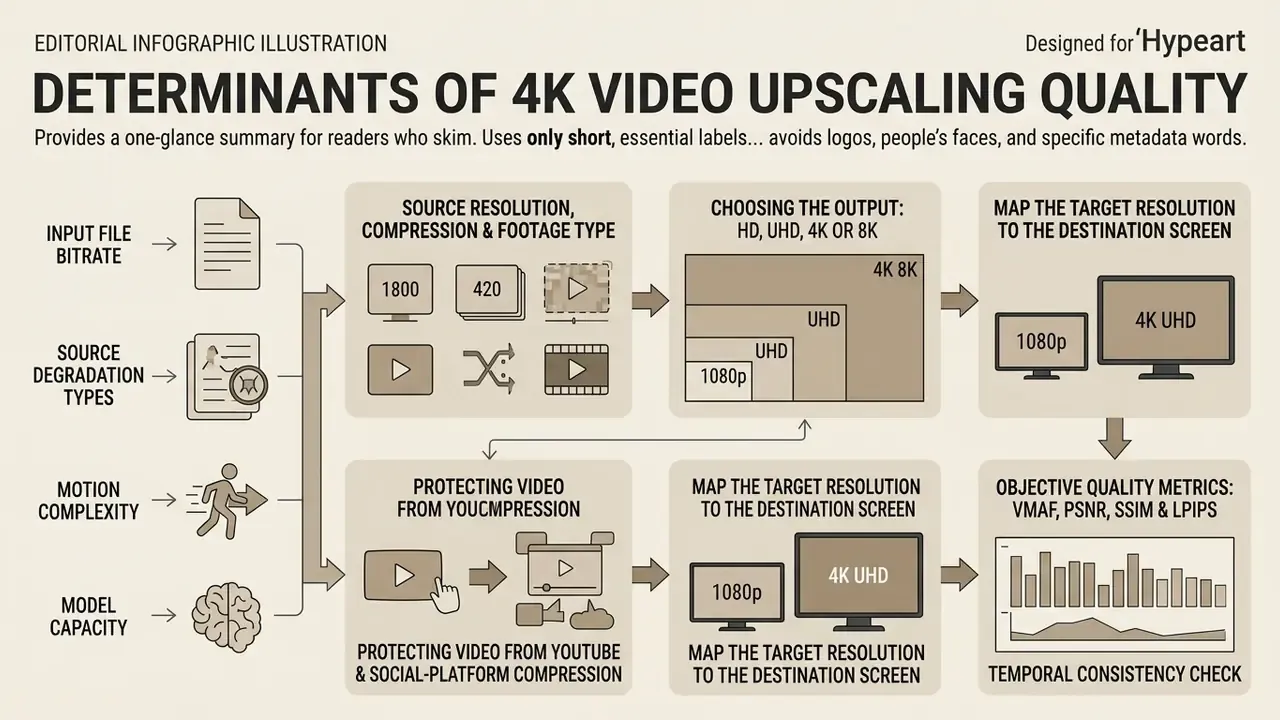
Output visual quality after applying a 4k video ai upscaler is governed by input file bitrate, source degradation types, motion complexity and model capacity. Upscaling a clean 1080p source file yields crisp edges and stable motion. Upscaling a heavily compressed low-bitrate clip forces aggressive generative inference, and that is where hallucinated artifacts appear.
Table: mapping source video parameters to recommended output resolution and expected visual results
| Source resolution & quality | Recommended output | Expected visual effect | Processing constraints |
|---|---|---|---|
| Low-res (360p to 480p), analog or compressed | 1080p or 4K (4x) | Substantial noise reduction, better text legibility, synthetic textures | High risk of motion artifacts; heavy compute per frame |
| HD (720p), moderate bitrate | 4K UHD (4x) | Clear edge sharpening, restored surface textures, refined contrast | Balanced rendering speed; excellent fidelity-to-compute ratio |
| Full HD (1080p), high bitrate | 4K UHD (2x) | Crisp detail enhancement, natural skin tone refinement, no residual blur | Fast GPU processing; near-native 4K perceptual quality |
| Native 4K or high-bitrate cinema | 4K refined (1x) or 8K (2x) | Marginal sharpness gains; main benefit is denoising and deblurring | Diminishing visual returns; very high storage and render costs |
The pattern in that table is simple enough to state in one line: the cleaner the source, the smaller the scale factor you need, and the less synthetic detail you have to defend later.
Source resolution, compression and footage type
The baseline resolution and codec compression level of the source file dictate how effectively a video upscale pipeline can reconstruct visual detail. Low-resolution archival footage with heavy macroblocking or mosquito noise forces neural networks to spend processing capacity on artifact removal before any detail synthesis can begin.
«RT4KSR reaches roughly 34.19 dB PSNR upscaling 1080p to 4K and 31.72 dB at 720p to 4K, outperforming bicubic interpolation.»
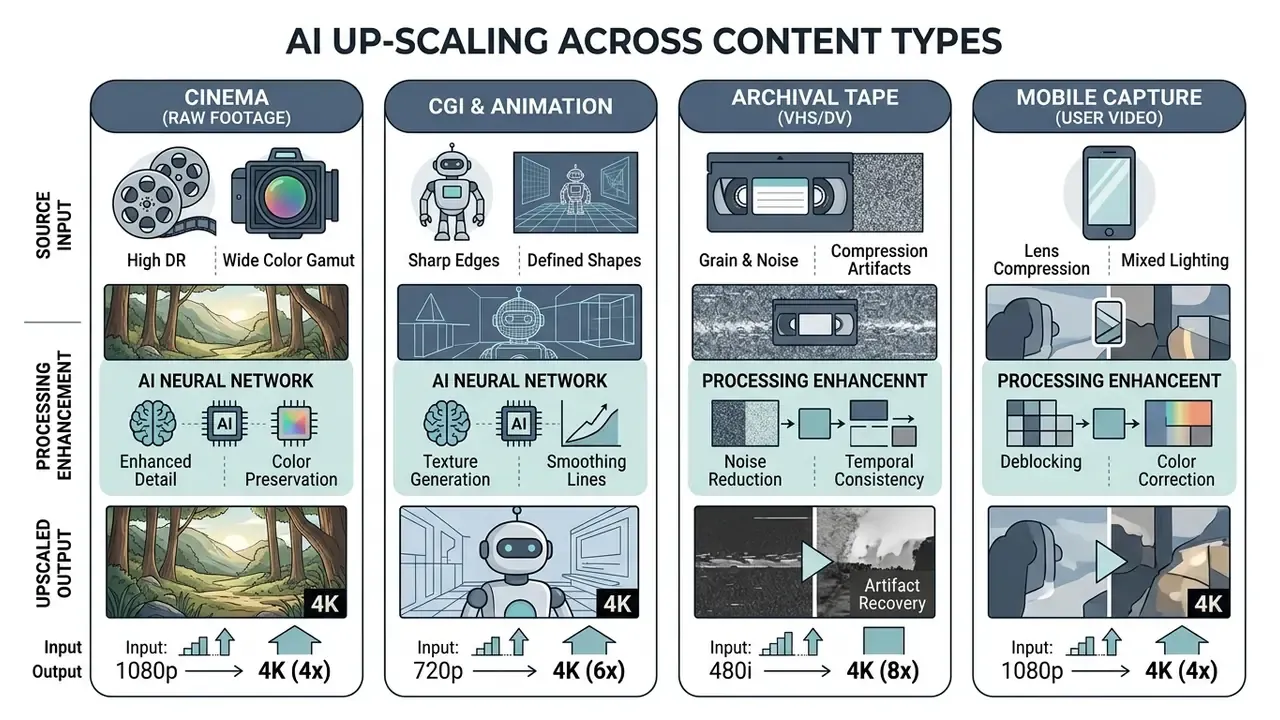
When processing compressed videos, algorithms trained specifically on lossy signals, such as the RTSR Model for AV1 Compressed Content, perform significantly better than generic spatial models. Compression-informed research (COMISR, ICCV 2021) shows that codec artifacts distort super-resolution inputs and must be modelled explicitly. Degradation-synthesis training (VCISR, WACV 2024) deliberately injects mosquito noise, ringing, blockiness and staircase noise so the network learns to remove them. Synthetic content like CGI and vector animation shows hard boundary lines and uniform fills, which lets models sharp-scale edges cleanly. Live-action footage is harder: it demands multi-frame temporal evaluation to preserve subtle surface textures without introducing ghosting. Teams that also process stills can compare the same trade-offs in AI image upscalers, where a single frame is optimized without temporal constraints.
Portrait-heavy libraries deserve a separate note. Hair is the classic failure mode, because fine strands sit exactly at the frequency where models start inventing structure; the same artefact class shows up in an ai hairstyle generator or an ai haircut generator, where plausible is not the same thing as accurate.
Choosing the output: HD, UHD, 4K or 8K
Choosing an output resolution means balancing target display viewing distances against computational rendering time and file storage overheads. Exporting upscale videos to 4K UHD (3840×2160 pixels, 8.29 megapixels per frame) is the standard sweet spot for modern enterprise displays and commercial broadcast systems. Full HD is 2.07 MP per frame; 8K UHD is 33.18 MP, roughly four times the pixel volume of 4K.
Some advanced web engines market a free online video upscaler to 8k. Rendering to 8K quadruples pixel volume relative to 4K, and the compute bill follows.
«Rendering a 7680×4320 frame demands four times the computation of 4K, making real-time processing hard to achieve even on efficient architectures.»
Perceptual research supports the same conclusion from the viewer side: a 2025 peer-reviewed eye-resolution study reports little practical benefit from 8K when the viewer is seated farther than roughly 1.3 display heights from the screen. Re-verify that against your own screen geometry and seating plan before any capital purchase. Storage economics reinforce it: recorded 4K UHD formats land in the tens of gigabytes per hour, while 8K acquisition formats can reach several hundred gigabytes per hour. Selecting 4K provides optimal clarity while keeping rendering runtimes, cloud GPU compute fees and storage bitrates manageable. To evaluate workflow costs across diverse digital generation tools, media teams can compare options before committing hardware resources to large-scale production runs.
Map the target resolution to the destination screen:
- 1080p for social feeds, mobile playback, internal messaging and e-learning portals.
- 2K for desktop and tablet playback, wallpapers, interface demos and webinar recordings.
- 4K UHD for large-screen presentations, TV panels, trade-show walls, professional design review and archival masters.
- 8K for extreme-aperture LED walls and projection installations where viewers stand close to a very large surface.
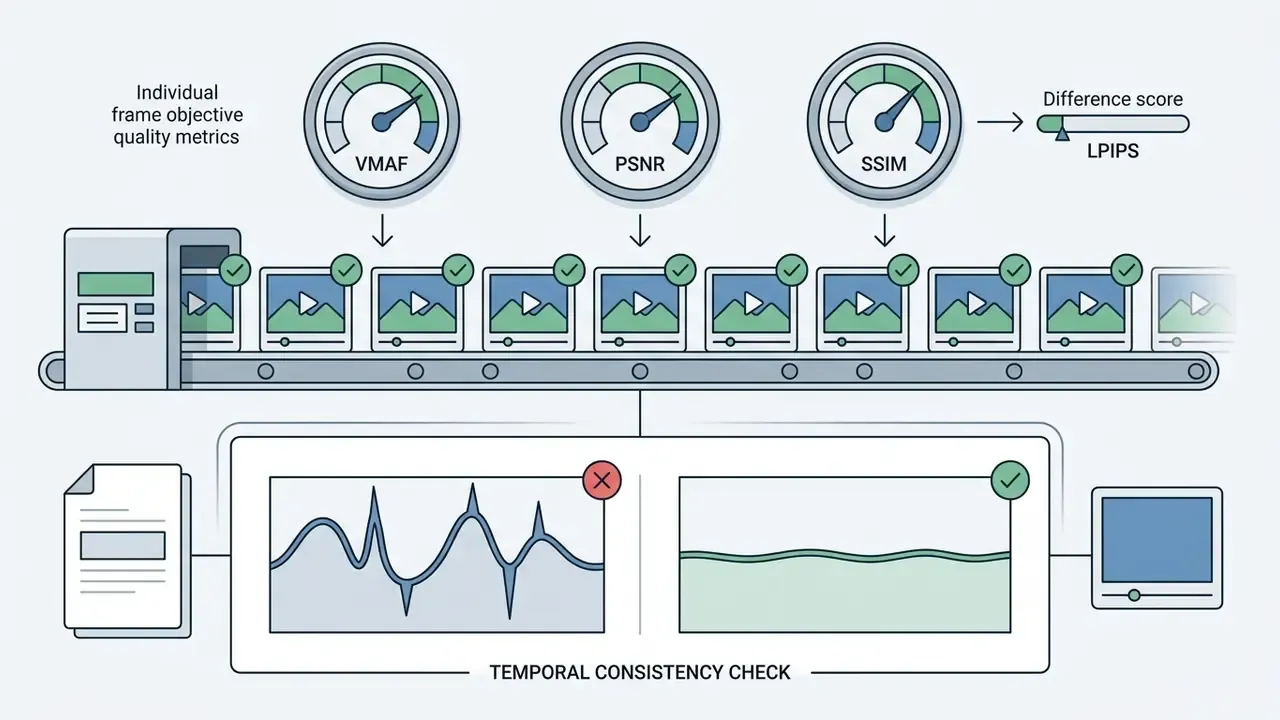
Objective quality metrics: VMAF, PSNR, SSIM and LPIPS
Model-risk and QA teams should not sign off on "it looks sharper". Use measurable indicators alongside human review:
- PSNR, the pixel-fidelity ratio in decibels, is the dominant full-reference metric in x2, x3 and x4 benchmarks. Higher is more faithful, but it rewards smoothness.
- SSIM measures structural similarity of luminance, contrast and structure, and complements PSNR for edge integrity.
- VMAF is the perceptual fusion metric used in streaming. It correlates better with viewer opinion and is the usual basis for BD-rate or BD-BR comparisons.
- LPIPS is a learned perceptual distance that catches texture hallucination PSNR ignores.
Subjective UHD-1 evaluation studies confirm that no single metric replaces human judgement, so pair automated scores with a two-reviewer visual pass on a native 4K display. Two reviewers, not one. Disagreement is the signal you want.
How to upscale video to 4K online: the step-by-step process
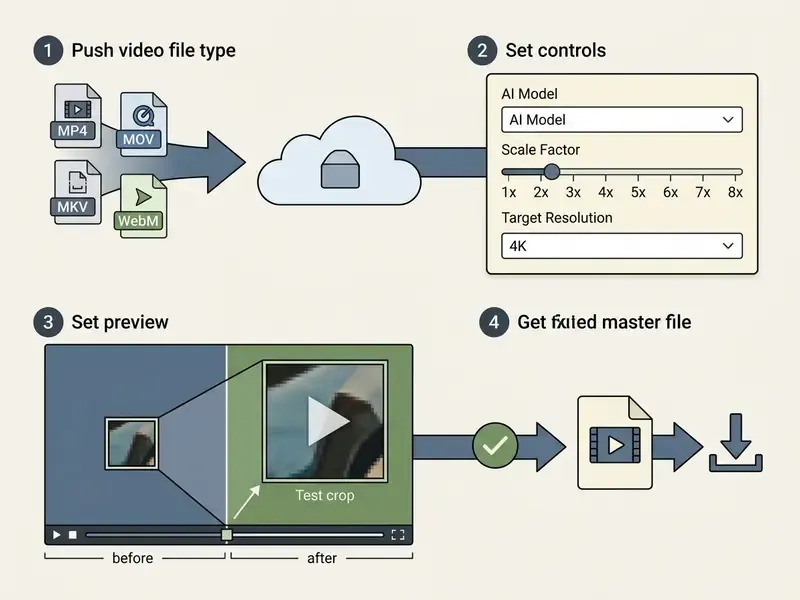
Executing a cloud-based video upscale involves uploading the original file, configuring neural presets, generating a localized preview and downloading the rendered 4K file. Cloud processing lets media teams run intensive super-resolution tasks without local workstation GPUs, and it pairs well with post-processing in free video editing software once the upscaled master is delivered.
Step 1. Upload the video and verify the supported file
The first step is uploading the raw asset through a secure browser interface to cloud processing servers. Modern web pipelines accept standard container formats including MP4, MOV, MKV and WebM, encoded with H.264, HEVC or AV1. Browser-based upscalers that rely on WebGPU (with a WebGL fallback) can only ingest files the browser itself can decode, which in practice means MP4 or WebM. If your archive is full of MKV or ProRes masters, plan a transcode step before you plan an upload.
Cloud service upload limits vary by vendor, plan and upload method, and they change frequently, so always confirm against current vendor documentation. Updated: published vendor documentation reports that enterprise media environments such as Adobe Experience Manager as a Cloud Service accept individual video files up to roughly 15 GB, while Cloudflare Stream's default upload ceiling is about 30 GB. Other pipelines are far stricter, for example about 2 GB from device versus about 30 GB from URL in Azure AI Video Indexer. Cloudflare also publishes recommended encoding targets, roughly 8 Mbps for 1080p, 4.8 Mbps for 720p and 2.4 Mbps for 480p, which is a useful sanity check for your source masters. Verify that source videos keep intact container indexing, or cloud extraction will fail mid-render. Organizations building broader content automation pipelines can evaluate automated media capabilities via the AI Media API documentation.
Step 2. Choosing the AI model, the upscale factor and the preview
Selecting the right neural model means matching preset capabilities to the actual visual defects of the source material. Operators choose between targeted presets such as motion deblur, noise suppression, frame interpolation or general detail restoration.
Choosing the scale factor:
Powers of two are the industry norm because convolutional and GAN upsampling blocks are built around tensor-multiplication stages. Consumer tools such as Krea expose exactly 1x, 2x, 4x and 8x, and Wink-class services expose the equivalent resolution ladder of 1080p, 2K and 4K.


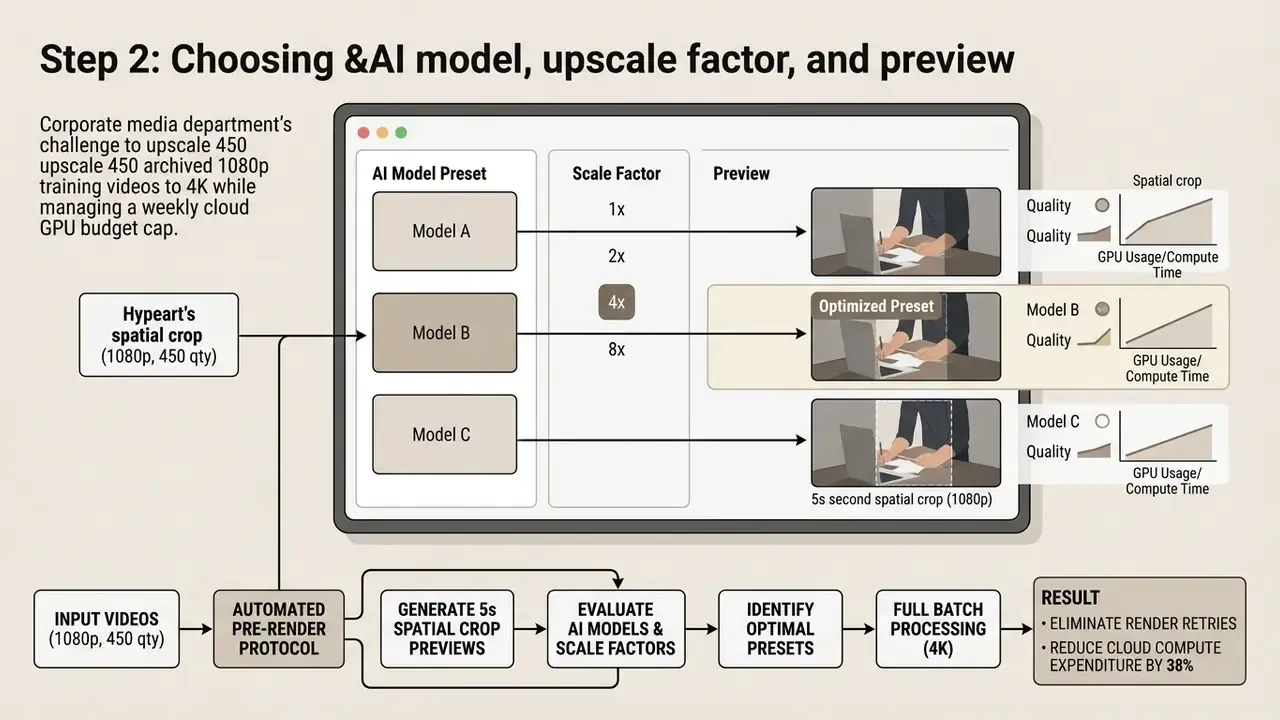
Before starting a full rendering job, use the preview function on a 2-to-5 second clip. Reviewing a localized crop lets you verify temporal stability, face sharpness and edge clarity. Testing short samples confirms that the selected 4k video upscaler delivers the expected visual gain before you spend processing credits or local GPU cycles on the whole asset.
«The RealisVideo-4K dataset of 1,000 detail-rich 4K video-text pairs exists precisely to test models on short fragments before full rendering.»
Preview implementations differ. Some vendors ship a true before-and-after slider, others only allow a downloadable low-cost sample, and some expose presets as named modes (Subtle, Vivid, Wild, Custom, or fast versus slow inference models). Check which of the three you are buying, because it directly changes validation cost.
Step 3. Processing and downloading the finished output video
Once parameters are validated, the cloud rendering engine processes the whole video file frame by frame across remote GPU clusters. Processing duration depends on total frame count, output bitrate targets and model parameter complexity. As a planning anchor, one documented web service states that a single minute of SD footage takes 5 to 10 minutes to enhance, while short 10-second clips typically clear a queue in 1 to 3 minutes.
On completion, the platform generates a finalized high-bitrate file, usually MP4 or MOV, available for direct download. Note that container support is often asymmetric: some render farms allow MP4, WebM and MOV but restrict 4K output to MP4 only, because alpha-capable paths bypass supersampling. Run a final verification check on a native 4K display to confirm that frame transitions stay smooth and free of visual artifacts. From there the master moves into standard video editing tools for trimming, colour, captions and platform-specific delivery.
Batch processing for high-volume projects
When you are working with a series of archival reels or a full product catalogue, file-by-file uploading throttles the whole production line. Modern AI services and desktop utilities support batch upscaling: load an entire folder, apply a single scaling preset (for example 1080p to 4K), and launch parallel rendering. Consumer tools such as Wink advertise exactly this, multiple files or a whole folder queued for video upscale processing at once, and desktop applications add watch folders and command-line queues on top.
Batch operating rules that keep quality predictable:
- Group by source domain.Never mix VHS transfers, CGI and clean 1080p camera footage in one preset batch. Each needs a different model.
- Validate one representative clip per groupbefore committing the queue.
- Cap concurrency to VRAM.Two 4K jobs on a 12 GB card will thrash; one job with a larger tile size finishes faster.
- Log every render.Model name, version, preset, scale factor and checksum. That log is your audit trail for synthetic media.
- Expect roughly 70% time savingson library-scale preparation compared with sequential manual uploads.
Best AI video upscaler options: online, desktop software and Android
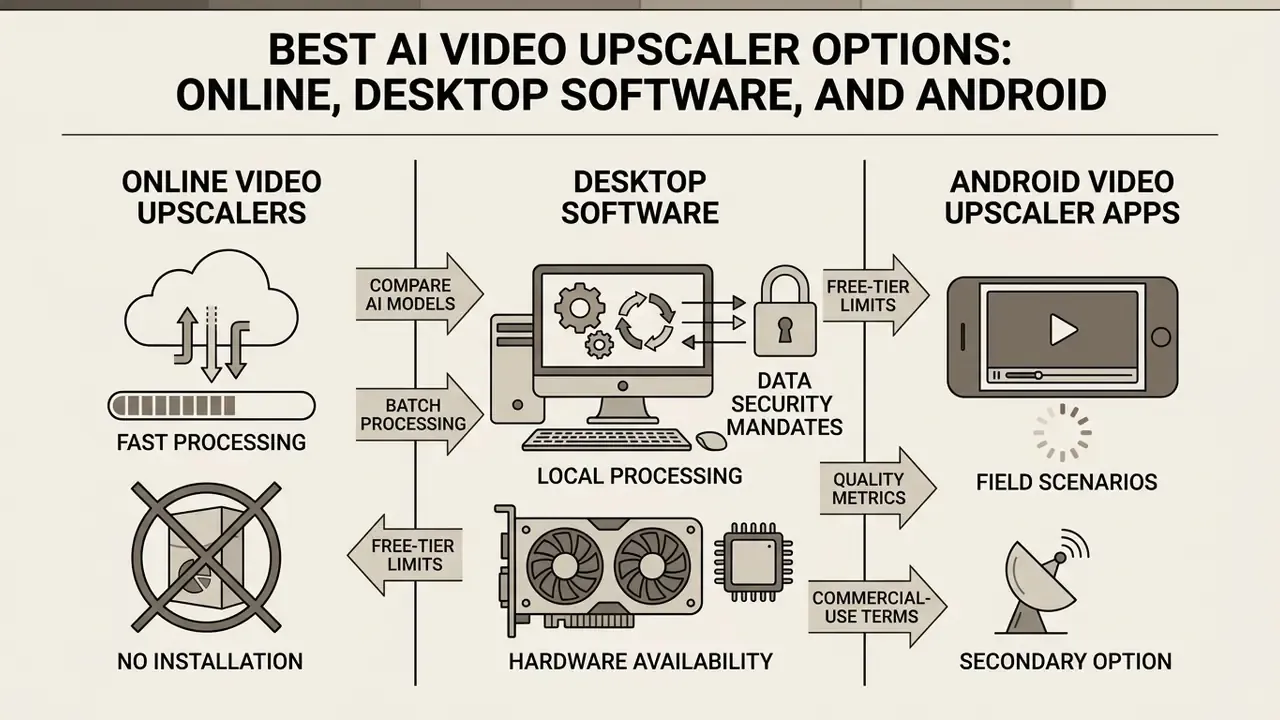
Choosing the best ai upscaler video environment depends on operational data security mandates, hardware availability and mobility requirements. Software architectures fall into three families: browser-based cloud engines, local desktop applications and mobile application frameworks.
Table: comparison of AI video upscaler platforms by execution model, hardware reliance, privacy controls and free-tier parameters
| Platform category | Processing architecture | Hardware requirement | Data privacy level | Free tier limits |
|---|---|---|---|---|
| Online web services | Remote cloud GPU clusters | Low (any web browser) | Medium (vendor server upload) | Capped duration (10 to 60 s), lower resolution, watermarks |
| Desktop software (commercial) | 100% local GPU (NVIDIA / Apple Silicon) | High (dedicated VRAM / workstation) | Maximum (isolated on-premise) | Watermarked exports or limited trial duration |
| Desktop open-source | Local Vulkan / WebGPU acceleration | Medium to high (Vulkan-compatible GPU) | Maximum (fully isolated) | Unlimited perpetual use; manual parameter setup |
| Android mobile apps | On-device NPU / mobile WebGPU | Mobile NPU (flagship chipsets) | High (local on-device) | Resolution capped at 1080p, ad-supported, credit limits |
Read the table as a privacy ladder first and a quality ladder second. For regulated media, that ordering is not negotiable.
«Topaz Video AI supports upscaling up to 16K, frame-rate conversion and denoising, but places heavy demands on hardware resources.»
Online video upscalers for fast processing without installation
An online video upscaler offloads heavy deep-learning computation to cloud server farms, enabling high-quality processing on low-spec client hardware. Services like Adobe Firefly, Media.io and TensorPix let users upload source files and receive upscaled outputs directly in a web browser. Firefly-class tools expose 1080p or 4K as the final output plus a Precise or Creative mode and a Speed versus Quality trade-off; Magnific-class tools expose 720p, 1K, 2K (default) and 4K. Teams evaluating adjacent cloud capabilities can also review free AI video generators that bundle enhancement passes with generation.
Cloud tools remove the hardware barrier, but free usage tiers enforce strict operational limits. Common constraints include maximum uploads of 10 MB to 100 MB, clip duration caps under 60 seconds, and lower-priority processing queues; some free tiers preview only the first 45 frames or so of the result. A free online video upscaler 1080p path is the most widely available option, and a free online video upscaler 720p to 1080p job usually completes fastest because the scale factor is modest. Anything marketed as free online video upscaling to 4k deserves a closer read of the fine print. For teams managing multi-channel digital publishing workflows, review the comprehensive guide to photo editor systems to align static and motion graphic standards.
Desktop software for local video upscaling
Dedicated ai video upscaler software executes all neural processing locally on user hardware, using dedicated graphics cards through CUDA, TensorRT or Metal APIs. Desktop applications such as Topaz Video AI, Video2X and QualityScaler provide granular control over model selection, frame alignment and uncompressed export codecs. Comparable control surfaces exist in AI image enhancers, which is useful when a project mixes stills and motion in one deliverable.
Local execution ensures maximum data privacy, because media files never leave corporate network boundaries. Workstations with modern GPUs handle high-bitrate 4K rendering without bandwidth caps or recurring cloud compute fees. One practical note on procurement: an ai video upscaler download should be pulled from the vendor's own domain or the project's official repository, then hash-checked, because model binaries are an attractive supply-chain target.
«Both tools run locally, which Kaari identifies as the decisive advantage for the confidentiality of corporate media assets.»
Hardware minimums are non-trivial. Current Topaz documentation cites 16 GB RAM, about 45 GB of internal storage and an internet connection for activation, model downloads and cloud rendering. Legacy requirements list AVX2-capable CPUs, DirectX 12 GPUs and 4 to 6 GB of VRAM as the practical floor. Driver-level options add another tier: AMD Video Upscaling (Adrenalin) supports DirectX 11 applications up to 4K on recent Radeon desktop GPUs, and NVIDIA's RTX Video Super Resolution sharpens edges and strips compression artifacts during playback. To assess broader platform choices across digital asset tools, managers can open the hub and evaluate software capabilities side by side.
Android video upscaler apps: secondary and field scenarios
Mobile upscaling is best treated as a field or secondary lane rather than the enterprise default. An ai video upscaler android application uses mobile Neural Processing Units (NPUs) and hardware-accelerated WebGPU frameworks to enhance clips directly on smartphones. Mobile platforms let journalists, field workers and content creators upscale recordings before publishing to social channels, which matters when footage must ship before it ever reaches a workstation.
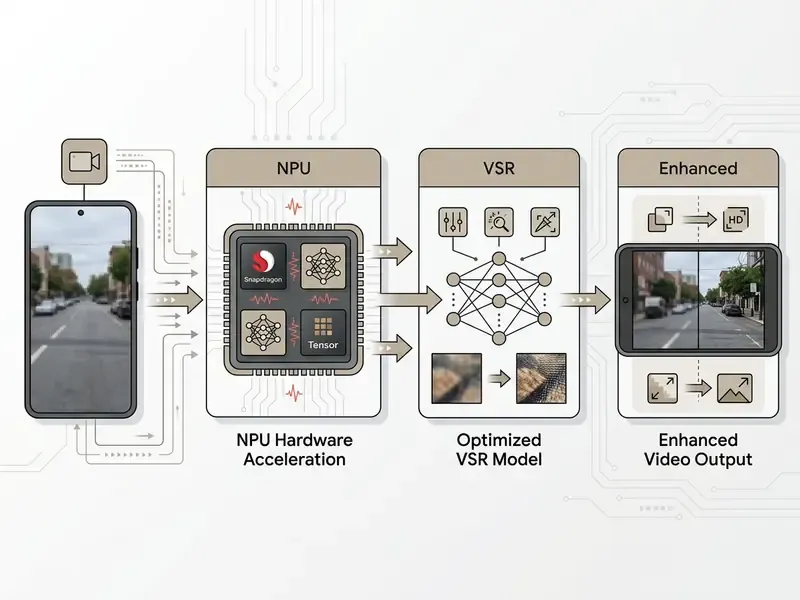
Thermal limits and battery constraints restrict mobile performance. Modern Android frameworks halt processing if hardware temperatures exceed safety thresholds, preventing frame drops and thermal throttling. Google's media enhancement stack (upscale, deblur, tonemapping) is explicitly optimized for premium devices such as Pixel 10 Pro and Galaxy S26 Ultra class hardware, and it returns an unsupported status during initialization when a device fails minimum performance thresholds. That is a deliberate guardrail, not a bug.
«AIM 2024 stresses that mobile VSR solutions must deliver high frame rates and energy efficiency, the binding constraints for Android-class devices.»


How to choose the best video upscaler for your videos
Selecting a paid or free solution means matching specific project requirements against rendering speed, visual quality, hardware availability and data privacy controls. A structured decision matrix keeps outcomes consistent across production pipelines. Governance frameworks reinforce the same axes: NIST's AI Risk Management Framework requires privacy risk to be examined and documented, and explicitly names latency, operational friction and upgradeability as balancing factors in deployment choices, while the EU AI Act sets the regulatory floor for local-processing decisions in Europe.
Decision matrix: quality, speed, privacy and output
Evaluating upscaling tools across four operational axes lets media managers pick the right framework for their technical environment.
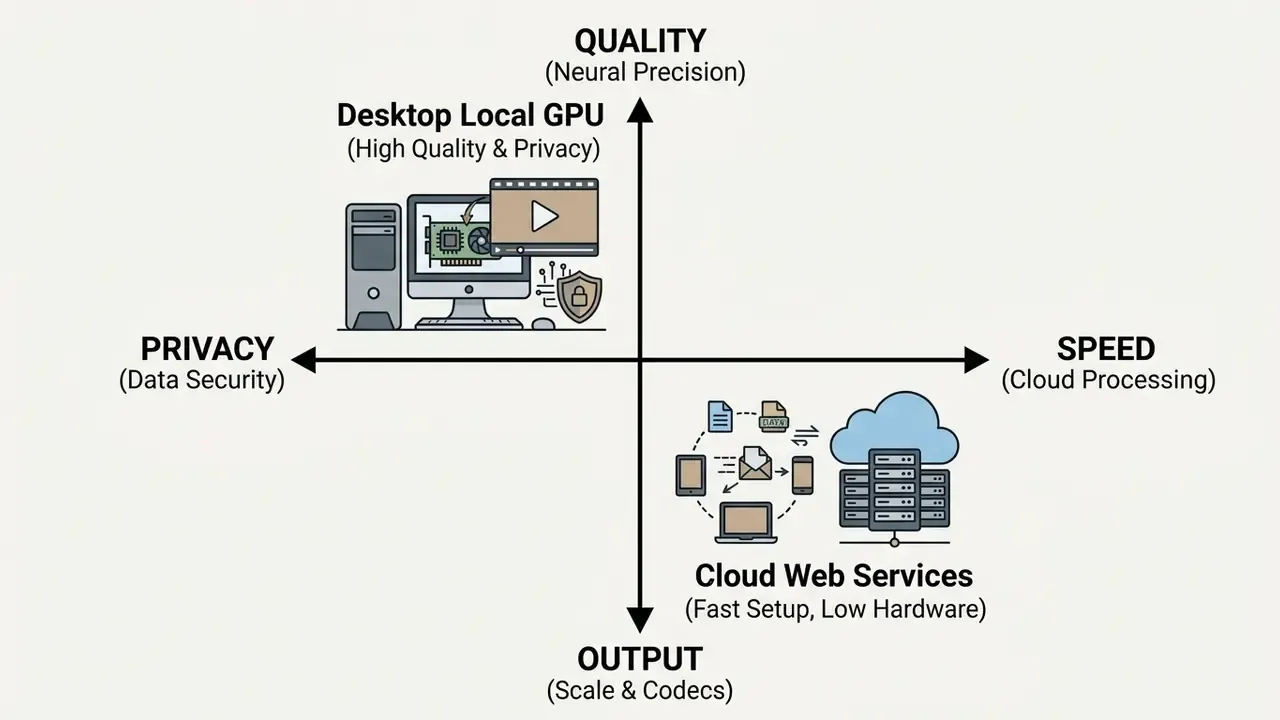
- Visual quality. Projects requiring maximum texture fidelity and temporal stability benefit from deep multi-frame models like Topaz Video AI or diffusion-based architectures.
«Diffusion models such as RealisVSR restore high-frequency texture through wavelet decomposition and HOG constraints, delivering superior quality at high computational cost.» — RealisVSR and RealisVideo-4K Dataset, preprint (2025). https://arxiv.org/
- Processing speed. High-volume workflows with tight deadlines favour cloud GPU pipelines optimized for near-real-time rendering. Budget 5 to 10 minutes of processing per minute of SD source as a conservative planning figure on shared infrastructure.
- Data privacy. Confidential corporate assets or regulated banking media demand isolated, on-premise local GPU processing. Treat any "mobile" or "browser" tool that transmits files off-device as a cloud vendor for risk purposes.
- Hardware and budget constraints. Organizations without dedicated workstation GPUs should lean on scalable cloud subscriptions. When the same team also produces synthetic footage, cross-check tooling against the comparison of best AI video generators to avoid duplicate subscriptions.
For broader media compression and format optimization guidance beyond upscaling, consult the comprehensive guide to video compressor systems.
Cost and ROI model: when upscaling beats reshooting
Before approving a library-scale programme, quantify it:
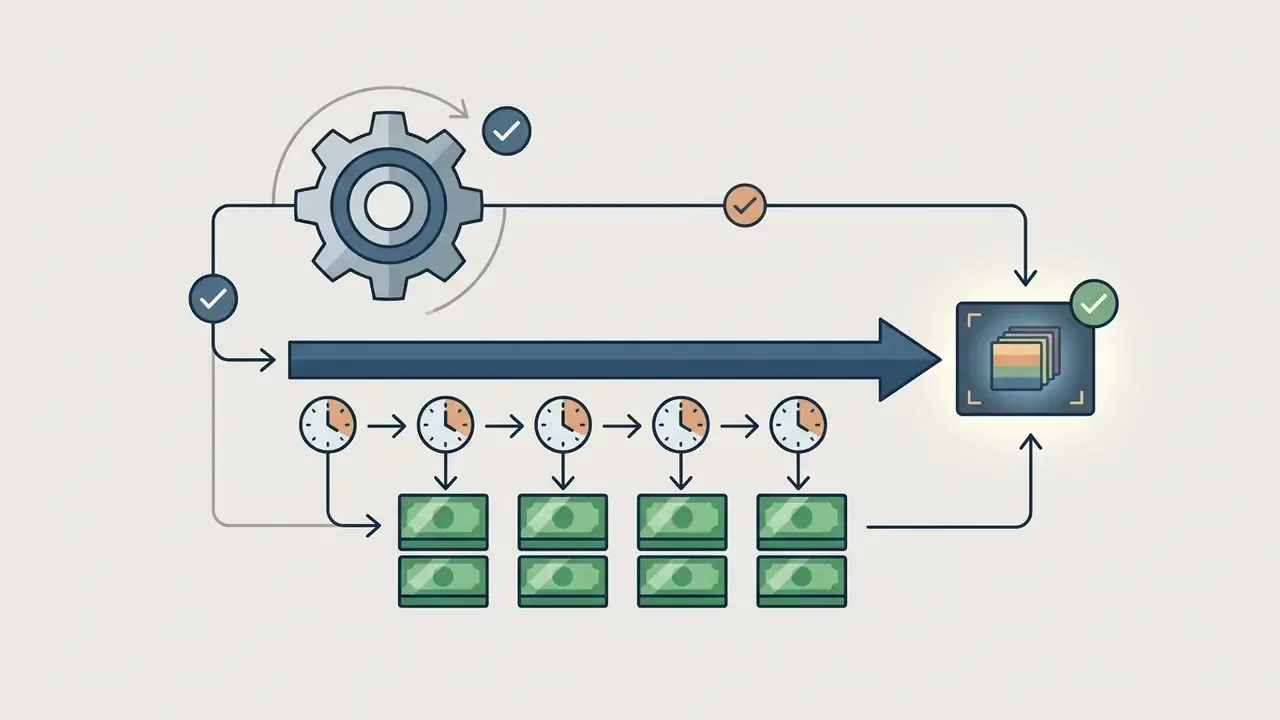
Total cost of upscaling =
    (cloud credits OR amortized local GPU hours)
  + (operator hours for preview validation and QA)
  + (model validation / governance review effort)
  + (incremental storage and CDN egress for 4K masters)
Decision rule:
    Upscale  if  Total cost of upscaling  <  cost of re-shooting in native 4K
    AND the asset is still editorially relevant
    AND synthetic-detail risk is acceptable for the intended audience
Two practical multipliers to plug in: a 1080p to 4K conversion quadruples per-frame pixel volume (2.07 MP to 8.29 MP), and modern codecs recover 40% to 50% of the resulting bitrate. Archive material that cannot be re-shot at any price scores highest. Recent, easily re-recorded interview footage usually does not justify a full 4x pipeline. Most ROI models I have seen understate one line: the governance review effort. Add it explicitly, or the business case quietly overstates the return.
How to test results on a short fragment before full processing
Validating model performance means testing candidate settings on short, representative crops before you commit to a full render. Pick a 5-to-10 second clip that contains the hard cases: human faces, high-speed motion, fine text, low-light texture. Weaknesses surface fast.
«In NTIRE benchmarks bicubic interpolation is the reference baseline: RT4KSR exceeds it by roughly 0.28 dB PSNR on 1080p to 4K.»
Render the test clip using competing AI presets, then evaluate the outputs side by side on a native 4K monitor at 100% zoom. Standardize the sample the way research benchmarks do, using a fixed frame count and a fixed spatial crop for every candidate model, so comparisons stay valid. Inspect edge boundaries for ringing, verify that facial features remain natural, and confirm that moving background elements do not flicker. Where denoise strength is exposed as a slider, sweep it in small increments; photogrammetric fidelity studies report that values above roughly 0.2 begin to degrade measurable accuracy. For help with technical troubleshooting or platform evaluation, teams can explore the hub and connect with technical support resources.
FAQ about 4K video upscalers
Does an AI video upscaler work the same way for all videos?
No. An ai video resolution upscaler delivers different results depending on the source content domain, the original compression level and the underlying image structure.
- 2D animation and CGI: models excel at sharpening line art and flat colour fills, producing crisp 4K boundary edges with minimal artifact risk.
- Modern high-bitrate footage: clean 1080p camera recordings upscale smoothly, yielding natural surface textures and sharp facial detail.
- Archival and analog footage: digitized VHS or legacy low-bitrate streams carry heavy grain, interlacing lines and noise. Models may amplify these defects or invent unnatural texture unless pre-filtering is applied. Grain gets mistaken for texture, interlacing becomes permanent, and compression blocks expand into visible grids.
- Simple product shots with clean outlines and little texture upscale most reliably. Dense, high-frequency structures lose the most relative detail.
«Topaz Video AI and AVCLabs produced the largest subjective improvement on digitized VHS material, while smartphone footage showed more modest detail gains.» — Kaari J., Thesis on Topaz Video AI and AVCLabs Video Enhancer AI (2024). https://arxiv.org/
Will the file size increase after upscaling video to 4K?
Yes. Upscaling from 1080p to 4K expands frame dimensions from 2.07 million pixels to 8.29 million pixels per frame, quadrupling raw image data. The exported file will grow substantially unless modern high-efficiency codecs are used. Exporting 4K video with legacy H.264 produces large files at equivalent quality. Updated: selecting HEVC (H.265) or AV1 delivers roughly 40% to 50% bitrate savings versus H.264 at comparable visual quality. Vendor engineering data reports about 40% savings for AV1 over H.264 at 1080p60 with similar gains at 4K, and independent codec comparisons place H.265 close to 50% below H.264 in 4K encoding tests, with AV1 broadly on par with or slightly below H.265.
«BD-BR results in streaming research confirm that decoder-side super-resolution can lower bitrate requirements while preserving perceived 4K quality.» — RTSR: Real-Time Super-Resolution for AV1, preprint (2024). https://arxiv.org/ Choosing efficient export codecs balances image clarity against storage costs and streaming bandwidth, the same trade-off analysed in depth in the guide to video compressors.
Why is my upscaled video still blurry?
Three causes dominate. First, the source was too degraded: severely compressed or very low-resolution footage leaves the model too little signal. Second, the output setting was wrong, so confirm that the target resolution matches the playback screen and that the scale factor was actually applied. Third, platform re-compression after upload flattened the result. Export at 4K and apply noise reduction before publishing to minimise artifacts.
Can an AI video upscaler convert 480p to 1080p?
Yes, that is a 2x-to-3x class job. Select an HD output when enhancing a lower-resolution source. Visible improvement depends heavily on the original bitrate, so preview the result before committing to a full export.
Can I upscale a whole folder at once?
Yes. Batch upload is standard in desktop applications and available in several web services: select the folder, apply one preset, and the queue processes every file. Group files by source domain first, so a single preset does not damage a mixed batch.
Is 4K AI upscaling worth it for low-resolution footage?
It is worth it when soft footage must play on HD or UHD screens, when archival material cannot be re-shot, or when you need to protect a master from platform compression. It is rarely worth it when the asset is easy to re-record at native resolution, or when hallucinated detail would be unacceptable, for example in evidentiary, medical or regulatory contexts.
What are the downsides of AI video upscaling?
Synthetic texture, occasional ghosting or flicker in fast motion, unnatural faces at aggressive scale factors, four-times storage growth, and compute cost. Results always stay bounded by the condition of the source.
Who should own the sign-off on upscaled assets?
Name a single accountable owner per asset class, usually the marketing operations lead, with a documented escalation path into model risk or compliance when the footage involves customers, employees or regulated claims. No evidence, no autonomy: if the render log, preset and reviewer names are missing, the asset should not publish.
Summary and next steps
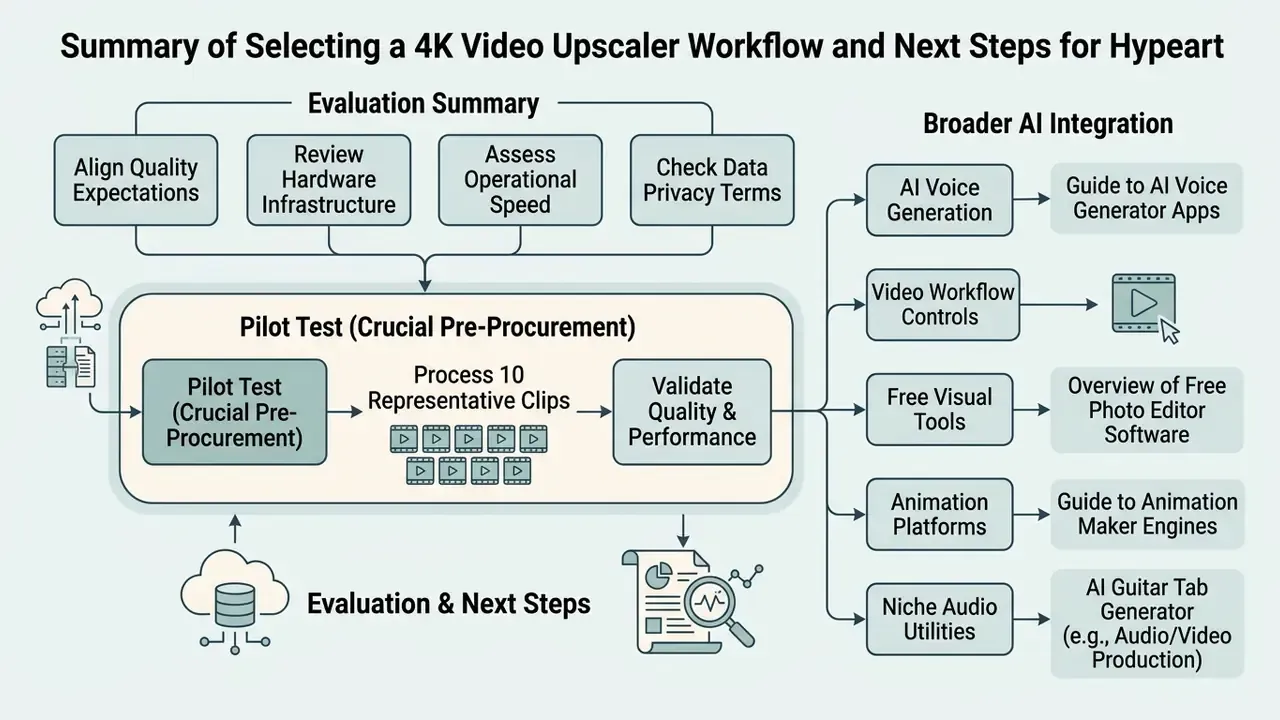
Selecting and deploying a 4k upscaler video workflow requires aligning visual quality expectations with hardware infrastructure, operational speed and strict data privacy standards. Cloud services provide instant accessibility without hardware investment; local desktop software remains the enterprise standard for data security and unconstrained batch rendering. Match the scale factor to the source, validate on a short crop with objective metrics, export with HEVC or AV1, and document the model and preset used for every published asset.
A safe next step, before any procurement decision: run one pilot batch of ten representative clips through two candidate tools, record VMAF and LPIPS against the source, and file the render log as evidence. That single exercise usually settles the cloud-versus-local debate faster than a vendor demo.
Organizations evaluating broader AI content generation, voice synthesis and video workflow controls can navigate our resource hubs:
- Review synthetic speech capabilities via the guide to ai voice generator applications.
- Examine budget-friendly visual tools in the overview of free photo editor software.
- Inspect professional animation platforms through the guide to animation maker engines.
- Explore niche generative utilities, including the ai guitar tab generator, when audio and video production sit in the same team.
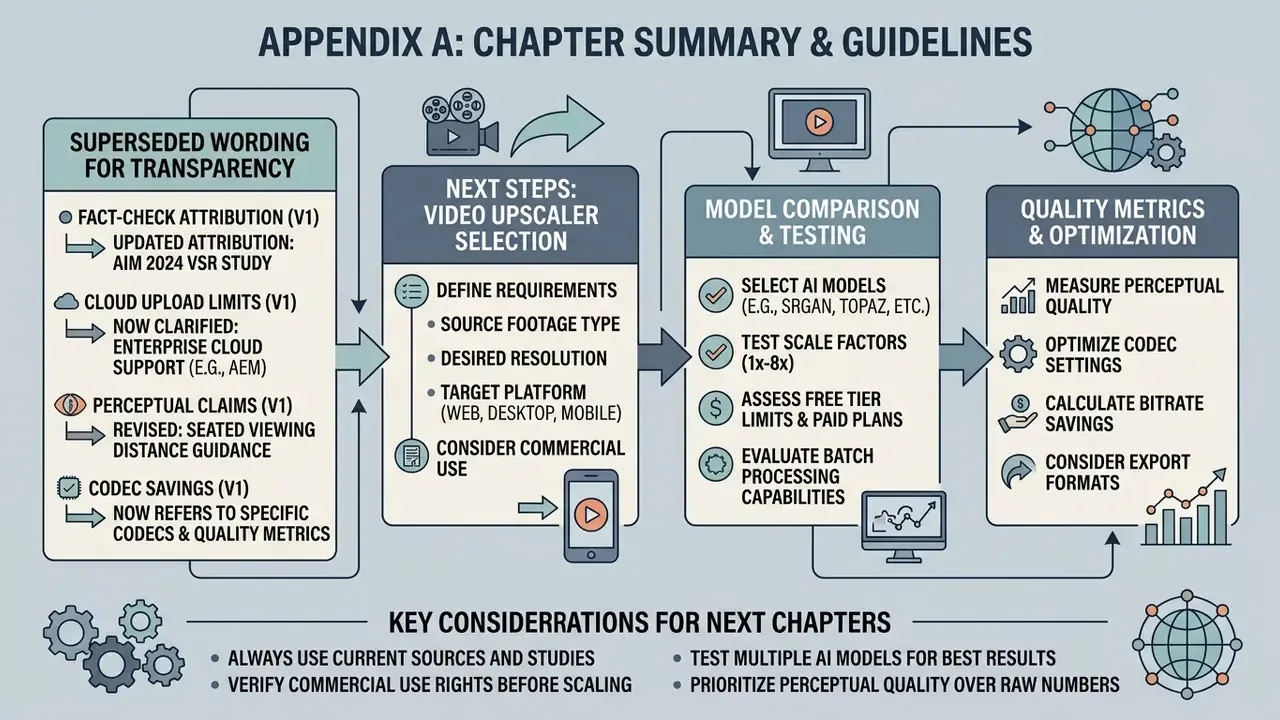
Appendix A: superseded and clarified wording
Appendix B: validation checklists and metric glossary
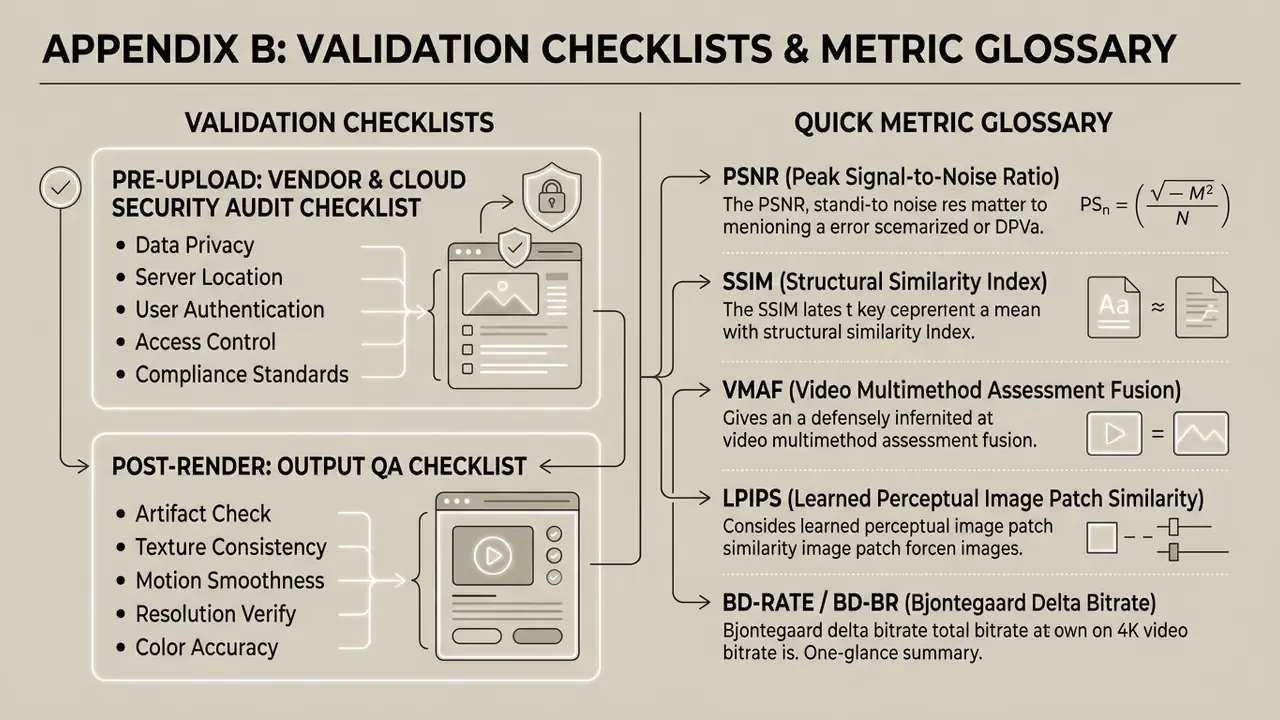
Vendor and cloud security audit checklist (pre-upload)
- Does the Terms of Service grant the vendor rights to train models on uploaded video?
- Does the customer retain full IP ownership of inputs and outputs, in writing?
- Is there a data processing addendum and a named retention period for uploaded media?
- Are uploads processed locally, in-region or cross-border, and is that disclosed?
- Is deletion user-triggered, automatic or undocumented?
- Are commercial-use restrictions or watermark obligations attached to the free tier?
- Is the tool approved in the internal catalogue, or is it shadow AI?
- Is there an audit log capturing model name, version, preset and scale factor per render?
Output QA checklist (post-render)
- Faces natural at 100% zoom; no waxy skin, no invented features.
- Fine text legible, not re-drawn into different characters.
- Edges free of ringing, halos and staircase artifacts.
- No temporal flicker in static backgrounds across 5 or more seconds of motion.
- VMAF, PSNR and SSIM recorded against the source baseline; LPIPS checked for texture drift.
- Codec, container and bitrate correct for the destination platform.
- Synthetic-media provenance noted in asset metadata for regulated communications.
Quick metric glossary
- PSNR peak signal-to-noise ratio in decibels; full-reference pixel fidelity.
- SSIM structural similarity index; luminance, contrast and structure.
- VMAF perceptual quality fusion metric widely used in streaming.
- LPIPS learned perceptual image patch similarity; sensitive to hallucinated texture.
- BD-rate / BD-BR bitrate delta at matched quality between two encoding configurations.
- Scale factor the multiplier applied to frame dimensions (1x, 2x, 4x, 8x).