



AI Models: How to Choose a Video Generation Model
Selecting an AI video model means matching task requirements, such as resolution, clip duration, motion control, audio synthesis, deployment mode, and auditability, against model architecture trade-offs.
-
 Kling 3.0 Native 4K15 secSynced audio Full specs
 Kling 3.0
- Supported Modes
- Text-to-Video, Image-to-Video, V2V
- Motion Control
- Motion vectors, uploaded action video, multi-shot
- Native Audio
- Synced audio, multilingual lip-sync, FX
- Aspect Ratios
- 16:9, 9:16, 1:1
- Max Resolution
- Native 4K
- Max Duration
- 15 sec per shot (motion mode follows source, 3 to 30 s)
- Editing / Extension
- Inpainting, motion control, multi-shot
- Deployment & Data Privacy
- Cloud SaaS / API only
- Auditability (Seed / Version Lock)
- Seed and model-version parameters via API
-
 Google Veo 3.1 4K / 1080p4 / 6 / 8 secNative generated… Full specs
 Google Veo 3.1
- Supported Modes
- Text-to-Video, Image-to-Video, first/last frame
- Motion Control
- Camera positioning (dolly, pan, tilt, aerial, tracking)
- Native Audio
- Native generated audio
- Aspect Ratios
- 16:9, 9:16
- Max Resolution
- 4K / 1080p
- Max Duration
- 4 / 6 / 8 sec per pass
- Editing / Extension
- Clip extension (repeatable, about +7 s increments)
- Deployment & Data Privacy
- Cloud (Gemini API / Vertex AI, enterprise terms)
- Auditability (Seed / Version Lock)
- Seed plus pinned model version in API
-
 Seedance 2.5 1080p30 secMulti-audio refer… Full specs
 Seedance 2.5
- Supported Modes
- Text-to-Video, Image-to-Video
- Motion Control
- Multi-reference asset tracking
- Native Audio
- Multi-audio references
- Aspect Ratios
- 16:9, 9:16, 4:3, 1:1
- Max Resolution
- 1080p
- Max Duration
- 30 sec
- Editing / Extension
- Multi-shot consistency
- Deployment & Data Privacy
- Cloud SaaS / API
- Auditability (Seed / Version Lock)
- Reference-asset manifest, seed
-
 OpenAI Sora 2 1080p10 to 15 secSynchronized audi… Full specs
 OpenAI Sora 2
- Supported Modes
- Text-to-Video, Image-to-Video
- Motion Control
- Prompt-driven cinematic motion
- Native Audio
- Synchronized audio track
- Aspect Ratios
- Flexible landscape/portrait
- Max Resolution
- 1080p
- Max Duration
- 10 to 15 sec
- Editing / Extension
- Video-to-video editing
- Deployment & Data Privacy
- Cloud API (lifecycle: consumer app discontinued 2026)
- Auditability (Seed / Version Lock)
- Async job IDs, seed where exposed
-
 LTX-2.5 Up to 4K10 secAudio-conditioned… Full specs
 LTX-2.5
- Supported Modes
- Text, Image, Audio-to-Video
- Motion Control
- Motion sensitivity presets
- Native Audio
- Audio-conditioned motion
- Aspect Ratios
- 16:9, 9:16, 1:1
- Max Resolution
- Up to 4K
- Max Duration
- 10 sec
- Editing / Extension
- API fast/pro endpoints
- Deployment & Data Privacy
- Open-weights plus API; local or private option
- Auditability (Seed / Version Lock)
- Full local logging when self-hosted
-
 Wan 3.0 1080p10 secOptional audio al… Full specs
 Wan 3.0
- Supported Modes
- Text-to-Video, Image-to-Video
- Motion Control
- DiT/MoE open-weights motion priors
- Native Audio
- Optional audio alignment
- Aspect Ratios
- 16:9, 9:16, 4:3
- Max Resolution
- 1080p
- Max Duration
- 10 sec
- Editing / Extension
- Open-weights fine-tuning
- Deployment & Data Privacy
- Open-weights: on-premise / VPC deployment
- Auditability (Seed / Version Lock)
- Full weight, seed and checkpoint control
Pictures are illustrative stills, not outputs of the named models.
Why the model choice is a trade-offShow less
As of 2026, the AI video ecosystem comprises commercial closed-source platforms and open-weights diffusion transformers. According to comparative benchmark evaluations ("GAIA: Action Quality Assessment", Chen et al., arXiv, 2024), models vary significantly between visual fidelity and causal action rationality.
«An evaluation of 971,244 human ratings across 9,180 video pairs revealed a substantial gap between visual fidelity and causal plausibility of actions in 18 T2V models»
Translated into plain terms: the shot can look expensive while the hands, cards, or coins behave impossibly. For a side-by-side platform review, see the comparison of AI video generators.
Models for Text-to-Video and Image-to-Video
Text-to-video models generate scenes entirely from text descriptions, whereas image to video models require a conditioning frame to anchor subject identity and scene layout. Research comparing the two families reports better FVD and Inception Score for text-image conditioned generation than for text-only generation on UCF101 and MSR-VTT. That is the empirical argument for starting from a reference frame whenever one exists.
Leading platforms serve distinct operational roles:
Three model familiesShow less
- Unified multimodal models (for example Google Veo 3.1, Kling 3.0): support T2V, I2V, and V2V in a single workspace with native audio generation, lip sync, and camera motion controls.
- High-duration and asset-heavy models (for example ByteDance Seedance 2.5): support single-pass generation up to 30 seconds and accept large reference-asset sets for multi-shot consistency, a jump from the 15 seconds and 12 assets of Seedance 2.0.
- Open-weights models (for example Alibaba Wan 3.0, Lightricks LTX-2.5): provide developer API access and customizable local deployment for private enterprise pipelines, including fine-tuning and on-premise auditability.
Legal and Licensing Status Before Model Selection
Read the rights checkShow less
Model choice and legal exposure get decided together, not sequentially. Official U.S. Copyright Office policy (Copyright and Artificial Intelligence, Part 2, 2025 to 2026) states that purely AI-generated outputs without human authorship are ineligible for copyright protection under U.S. law; registration requires human authorship. Platform Terms of Service, by contrast, govern the commercial exploitation of output. A paid plan can grant contractual authorization to monetize assets without conferring copyright ownership over them. Two consequences follow: (a) assets intended to become protected brand IP need documented, substantive human authorship in the creative chain; (b) commercial rights must be verified per plan tier and per model, including any third-party model served through an aggregator. The same tension applies to still assets, as summarized in the overview of commercial use of AI image generators.
Model Parameters: Aspect, Resolution, Seconds and Audio
Technical model specifications define output constraints: resolution limits (720p to 4K), aspect ratios (16:9, 9:16, 1:1 and wider sets), max clip duration (4 to 30 seconds), and native audio support.
Compare all specs side by sideShow less
Specifications across major 2026 video models are summarized below.
| Model | Supported Modes | Motion Control | Native Audio | Aspect Ratios | Max Resolution | Max Duration | Editing / Extension | Deployment & Data Privacy | Auditability (Seed / Version Lock) |
|---|---|---|---|---|---|---|---|---|---|
| Kling 3.0 | Text-to-Video, Image-to-Video, V2V | Motion vectors, uploaded action video, multi-shot | Synced audio, multilingual lip-sync, FX | 16:9, 9:16, 1:1 | Native 4K | 15 sec per shot (motion mode follows source, 3 to 30 s) | Inpainting, motion control, multi-shot | Cloud SaaS / API only | Seed and model-version parameters via API |
| Google Veo 3.1 | Text-to-Video, Image-to-Video, first/last frame | Camera positioning (dolly, pan, tilt, aerial, tracking) | Native generated audio | 16:9, 9:16 | 4K / 1080p | 4 / 6 / 8 sec per pass | Clip extension (repeatable, about +7 s increments) | Cloud (Gemini API / Vertex AI, enterprise terms) | Seed plus pinned model version in API |
| Seedance 2.5 | Text-to-Video, Image-to-Video | Multi-reference asset tracking | Multi-audio references | 16:9, 9:16, 4:3, 1:1 | 1080p | 30 sec | Multi-shot consistency | Cloud SaaS / API | Reference-asset manifest, seed |
| OpenAI Sora 2 | Text-to-Video, Image-to-Video | Prompt-driven cinematic motion | Synchronized audio track | Flexible landscape/portrait | 1080p | 10 to 15 sec | Video-to-video editing | Cloud API (lifecycle: consumer app discontinued 2026) | Async job IDs, seed where exposed |
| LTX-2.5 | Text, Image, Audio-to-Video | Motion sensitivity presets | Audio-conditioned motion | 16:9, 9:16, 1:1 | Up to 4K | 10 sec | API fast/pro endpoints | Open-weights plus API; local or private option | Full local logging when self-hosted |
| Wan 3.0 | Text-to-Video, Image-to-Video | DiT/MoE open-weights motion priors | Optional audio alignment | 16:9, 9:16, 4:3 | 1080p | 10 sec | Open-weights fine-tuning | Open-weights: on-premise / VPC deployment | Full weight, seed and checkpoint control |
Note on discrepancies: third-party trackers disagree on exact maximum duration and resolution for Veo, Kling, Seedance, and Wan, because vendor pages, API documentation, and aggregator listings reflect different product tiers and rollout dates. Always confirm limits against the model's current API reference before contracting. Parameter definitions are summarized in the glossary entry for the AI video generator.
Executive Summary
-
Three entry points. Every modern AI video generator starts from a text prompt, a still image, or an existing clip. The rest of the pipeline (editing, extension, upscaling, audio) is shared.
-
Prompt structure beats prompt length. Subject and scene, action and motion, camera trajectory, cinematic style: four blocks, in that order.
-
Model choice is a trade-off matrix, not a ranking. Duration, resolution, native audio, motion control, reference-asset capacity, deployment mode, auditability.
-
Lip sync and motion transfer are now first-class features rather than add-ons. Reference video drives gesture and posture, reference audio drives phoneme-accurate mouth motion.
-
Video-to-video restyle converts filmed footage into anime, 3D, claymation, or relit scenes while preserving the original motion grid.
-
APIs price generation per second or per credit (roughly $0.02 to $0.05 per second at 720p), which makes unit economics computable before deployment.
-
Free tiers exist, including no-sign-up tiers, but they cap duration, resolution, and in most cases commercial rights.
-
Governance is the gating factor in regulated sectors. Prompt DLP, seed logging, provenance metadata (C2PA), human-in-the-loop review, and model-risk validation determine whether a generator can enter a bank's control perimeter at all.
This guide moves from the governance frame to core capabilities, the browser workflow, motion and lip sync control, model selection and API integration, commercial use cases, free versus Pro licensing, FAQ, and a model risk validation checklist you can lift into your own control library.
Last updated: . Reviewed for model availability, licensing terms, and governance requirements.
Capabilities of an AI Video Generator
Modern AI video generators enable single-pass video synthesis across text prompts, static reference images, and source video clips, integrating synchronized audio and cinematic camera controls into unified diffusion and transformer pipelines.
The research behind itShow less
In 2026, leading model architectures have shifted from basic text-to-video prototypes to multimodal systems that interpret spatial, temporal, and acoustic inputs at once. According to empirical findings in the benchmark study "STIV: Scalable Text and Image Conditioned Video Generation" (Lin et al., arXiv, 2024 to 2025), unified text-image-to-video (TI2V) models with 8.7 billion parameters achieve a VBench text-to-video (T2V) score of 83.1 and an image-to-video (I2V) score of 90.1, outperforming specialized single-mode baselines through joint classifier-free guidance.
«A unified TI2V model with 8.7B parameters reaches a VBench T2V score of 83.1 and an I2V score of 90.1, outperforming specialized single-mode baselines»
Verification note (updated): the STIV preprint was first posted in December 2024 and later revised. Readers reproducing the 83.1 and 90.1 figures should check the current arXiv revision and the VBench release used, since benchmark harness versions move scores by fractions of a point.
Generating Video From a Text Prompt
Text-to-video (T2V) models convert natural language scene descriptions into temporal visual sequences by pairing text encoders with spatiotemporal noise schedules.
To get predictable motion and composition, established prompt engineering guidelines from Runway, Google Gemini, and Civitai converge on a four-part prompt structure:
- Subject and scene: define the primary entity and environmental context, the "where" and "when" of the shot.
- Action and motion: describe specific physical movements occurring across the frame, phase by phase.
- Camera trajectory: specify shot framing and movement (static, pan, tilt, dolly in or out, tracking, orbit, handheld).
- Cinematic style: set lighting, mood, color palette, and medium, for example 35mm film, volumetric lighting, anamorphic flare.
Read the full chapterShow less
Research from "TC-Bench: Benchmarking Temporal Compositionality" (Feng et al., arXiv, 2024) indicates that while T2V models capture high-level visual styles well, they achieve under 20% completion on complex multi-step compositional changes in a single generation pass. That is the empirical case for explicit prompt structuring.
«Most T2V models complete fewer than 20% of prescribed multi-step compositional transitions within a single generation pass»
Practical consequence: split multi-step narratives into separate shots rather than requesting a transformation chain inside one clip. Asking a model to show a closed vault opening, a clerk stepping in, and the lights changing in five seconds usually returns mush. Readers who want a broader tool survey can review the overview of text-to-video AI tools.
Build a shot in four blocks

A barista in a small rainy Tokyo café pours latte art into a ceramic cup, slow dolly in, 35mm film, warm grain Image to Video: Animating Photos and Artwork
Image-to-video (I2V) generation uses a static photograph or visual reference as an appearance anchor while diffusing motion across frames according to temporal conditions and textual instructions. Ask any image to video ai generator to animate a product shot and this is the mechanism doing the work.
Read the full chapterShow less
Technical frameworks such as DynamiCrafter and TI2V-Zero (Ni et al., arXiv, 2024) use dual-stream conditioning and DDPM inversion to maintain high-frequency visual details from the source image. By applying a "repeat-and-slide" sampling strategy, the generative model prevents identity drift while synthesizing camera movement or object transformations around the original subject.
«A repeat-and-slide strategy with DDPM inversion preserves high-frequency detail from the source image and prevents identity drift during motion synthesis»
Adjacent research lines matter for production planning. MagicAnimate (CVPR 2024) animates a single reference identity from a motion sequence, SG-I2V (arXiv, 2024 to 2025) constrains image regions to follow a user-specified bounding-box trajectory, Camco (arXiv, 2024) targets 3D-consistent camera control, and MotionCanvas (arXiv, 2025) treats shot motion as an explicit design layer. For a catalogue of production tools, see the overview of image-to-video AI tools.
Supported input formats across mainstream platforms typically include JPG, PNG, WEBP, and HEIC. Uncompressed, high-resolution files with clean subject and background separation produce the fewest artifacts. A 2000px studio shot on plain backdrop behaves far better than a phone screenshot.
AI Music Video Generator for Clips With Sound
An ai music video generator synchronizes audio features, such as beat energy, harmonic-percussive components, or dialogue tracks, with visual scene transitions and motion intensity.
Read the full chapterShow less
Current enterprise video architectures process multi-track audio directly within the visual diffusion stream, generating the acoustic layer in parallel with the visual latents instead of attaching it in post-production. Google Veo 3.1 documentation (Google AI for Developers, 2026) highlights native audio generation, while Kuaishou's Kling 3.0 model page (Kling AI, 2026) specifies single-pass synthesis of voiceovers, lip-synced dialogue, sound effects, ambient audio, and background music inside one shared latent space. Teams building narration-heavy formats can also pair generation with dedicated AI voice generators.
Research in audio-conditioned visual animation ("KeyVID", arXiv, 2025) confirms that keyframe-aligned feature extraction improves Audio-Visual Synchrony (AVS) scores significantly compared with linear frame interpolation.
«Keyframe-aligned feature extraction significantly improves Audio-Visual Synchrony scores compared with linear frame interpolation»
Documented workflows split into two directions: audio-to-video (upload a track, the model builds beat-synced visuals) and video-to-audio (upload a clip, the model generates score, ambience, and effects). Vendor documentation from HeyGen describes beat-synced music-video generation from uploaded audio, while LTX-2.5 exposes a dedicated audio-to-video endpoint.
How to Create AI Video in a Browser
Creating AI video in a web browser requires no local GPU hardware. The work runs on cloud-based diffusion pipelines accessed through web interfaces where you configure prompts, models, and export parameters.
- 1Select mode
- 2Write prompt or upload image
- 3Choose model
- 4Set motion and aspect ratio
- 5Generate
- 6Refine
- 7Export
How browser generation worksShow less
Web-based creation environments streamline video production into asynchronous workflows. (Updated formulation.) Rather than rendering locally, browser front-ends submit a generation job to a cloud queue, receive a job identifier, poll for completion, and then deliver a finished MP4 to the browser for preview and download. Vendor documentation describes this pattern explicitly: OpenAI's video-generation guide documents an asynchronous job-ID flow with MP4 retrieval after processing, and Kapwing documents a fully in-browser workflow requiring no downloads (Kapwing, 2026). No published benchmark in this source set quantifies average queue latency across platforms, so render-time expectations should be validated per vendor and per tier.
Before generating, compare platform capabilities in the review of the best AI video generators.
Describe the Scene or Upload a Source Image
Predictable browser video creation begins with a clear text script, or with a high-resolution reference photo that anchors subject appearance and background geometry.
Prompt and reference tipsShow less
When configuring input data:
- Text prompts: separate the scene setup from camera dynamics. Define identity descriptors explicitly, for example
a corporate executive in a blue suit, mid-40s, short dark hair, then state the reference target and the generated scene description as distinct clauses. - Reference images: upload uncompressed images with clean subject-background separation. Frameworks like VideoStudio (ECCV, 2024) show that extracting foreground entities as explicit conditioning layers reduces visual artifacts during motion synthesis. The same paper formalizes a scene as event prompt plus foreground objects or persons, plus background, plus camera movement.
- Preserve and transform split: state which attributes must stay fixed (identity, product geometry, logo placement) and which may change (pose, lighting, environment). This two-block prompt convention reduces unintended drift between variants, and it also makes a reviewer's job easier, because intent is written down.
Choose Parameters and Generate Your First Clip
Initial clip generation depends on configuring explicit parameters: aspect ratio, frame resolution, duration in seconds, and motion dynamics.
Typical generation parameters available across web platforms include:
- Aspect ratio:
- standard options include 16:9 (horizontal video), 9:16 (vertical mobile and Reels), 1:1 (square), and on some models 21:9, 4:3, and 3:4.
- Resolution:
- render choices range from draft 480p or 720p up to production 1080p and 4K.
- Duration:
- standard initial generations run 4 to 15 seconds per shot, with select models extending single-pass output to 30 seconds.
- Motion controls:
- presets, for example Midjourney Video
--motion lowor--motion high, govern temporal variance and camera velocity. Midjourney clips start at 5 seconds, default to 480p with 720p on paid tiers, and inherit aspect ratio from the starting image. - Seed:
- fixing the seed makes a generation reproducible; setting it to
-1samples a new latent trajectory each run.
Open data and qualityShow less
Open-data training does not automatically mean lower quality:
«Models trained exclusively on public data reach a VBench quality score of 84.74, above Gen-3's 84.11, with exceptionally high motion-smoothness results»
Enterprise Security and Compliance Check (Pre-Generation Step)
Working in a regulated team? Open the five-step gate that comes before the first prompt.
In regulated environments, one gate precedes the creative workflow:
- Tool approval: confirm the platform is on the approved-tool register and accessed through SSO, not a personal account.
- Asset classification: confirm reference images, audio, logos, and scripts are cleared for external processing; route restricted material to private-cloud or open-weights deployment.
- Prompt DLP: scan prompts for customer identifiers, account data, unreleased financials, and named individuals.
- Retention and training terms: verify contractual no-training commitments and deletion windows for uploads and outputs.
- Evidence capture: enable seed logging, prompt versioning, and model-version pinning before the first generation.
Five steps. Ten minutes, once, per tool. Compare that with unwinding a published clip that nobody can reproduce.
API Integration for Developers
REST APIs and official SDKs (Python, Node.js, Go, Rust, cURL) let teams embed generation into their own applications, batch pipelines, and CMS workflows.
Estimate your inference bill
inference per month
≈ credits at the base rate of 150 credits per 5-second 720p clip
Unit economics and total cost of ownershipShow less
Unit economics of API generation:
- Base cost: roughly $0.02 to $0.05 per finished second at 720p on mainstream endpoints.
- Credit-based pricing is common: one credit per frame at base rate, so a 5-second 720p clip lands near 150 credits on paid plans. Premium models and 1080p or 4K multiply that figure.
- Lip-sync and 4K passes typically consume 150 to 200 credits per short clip, on the order of $0.15 per 5-second render at entry pricing.
- Infrastructure expectations published by providers cluster around 99.9% uptime, with a first successful API call achievable in about five minutes from key issuance.
- Total cost of ownership is not the API bill. Add human-in-the-loop review time, legal and brand review for regulated claims, provenance tooling, storage of generation manifests, and enterprise licensing. In regulated sectors these control costs frequently exceed raw inference cost, which is why risk-adjusted ROI should be modeled per use case rather than per second.
A quick sanity model: at $0.04 per second, 400 finished seconds per month costs about $16 in inference. Two hours of compliance review at internal rates costs more. Budget accordingly.
Developers evaluating a specific stack can start from the Google Veo implementation guide.
Example image-to-video call in Python:
from video_ai_sdk import Client
client = Client(api_key="YOUR_API_KEY")
response = client.generations.create(
model="kling-v3", # pin the model version for auditability
input_image="https://example.com/product.jpg",
prompt="Cinematic camera zoom in, 4k resolution, smooth motion",
duration=5,
fps=30,
resolution="1080p",
seed=42 # fixed seed = reproducible evidence
)
print(f"Job: {response.id} | Video URL: {response.video_url}")
Equivalent cURL submission and polling:
# 1. Submit the job
curl -X POST https://api.example.com/v1/image-to-video \
-H "Authorization: Bearer $API_TOKEN" \
-H "Content-Type: application/json" \
-d '{"model":"kling-v3","image_url":"https://example.com/product.jpg",
"prompt":"slow dolly in, soft studio light","end_seconds":5,
"resolution":"720p","seed":42}'
# 2. Poll until status = completed, then download the MP4
curl -H "Authorization: Bearer $API_TOKEN" \
https://api.example.com/v1/jobs/JOB_ID
Controlling Motion, Scene and Editing in AI Video
Advanced motion and scene control lets creators manipulate camera trajectories, frame composition, and post-generation editing such as clip extension and neural upscaling. Teams formalizing a post-production stack can review the overview of video editing tools.
Camera research, in briefShow less
Controlling generative output requires moving beyond basic text prompts into structural control modules. Research in cinematic shot design ("CameraCtrl", ICLR, 2025; "ShotDirector", CVPR, 2026) shows that isolating camera pose parameters from world time allows precise 3D-consistent camera movements across generated scenes.
«Isolating camera-pose parameters from world time enables precise, 3D-consistent camera movement across generated scenes»
Supporting frameworks sharpen the picture. BulletTime (CVPR 2026) injects world time and camera trajectory separately into a diffusion transformer for 4D control, TempoControl (CVPR 2026) applies inference-time temporal attention guidance without retraining, and CineTechBench (2025) standardizes cinematography evaluation across seven dimensions including shot scale, camera movement, and thematic style.
Motion, Camera and Cinematic Control
Cinematic control in neural video models comes from specifying explicit camera parameters alongside motion intensity settings.
Modern systems recognize standardized cinematography terminology across three primary axes:
Camera movement:
translation and rotation parameters including pan, tilt, dolly in/out, tracking shot, aerial drone view, crash zoom, roll, and orbit.
Shot framing:
framing scale parameters including extreme wide shot, wide shot, medium shot, close-up, extreme close-up, and over-the-shoulder.
Motion intensity:
presets or numerical vectors governing frame-to-frame displacement. Real-time control models like MotionStream (arXiv, 2026) support stable 29 FPS interactive motion adjustments on single-GPU setups.
Vendor termsShow less
Vendor guidance aligns with the research taxonomy. Veo 3.1 documentation exposes aerial view, eye-level, top-down shot, dolly shot, and tracking drone view, while 2026 Kling 3.0 guides list pan, tilt, zoom, orbit, static, and tracking, combinable within a single scene or split across multi-shot mode.

Lip Sync and Motion Sync: Speech and Gesture Transfer
Lip sync aligns mouth articulation to an audio track at phoneme level. Motion sync transfers body movement, posture, and pacing from a reference video onto a generated character on a frame-matched timeline.
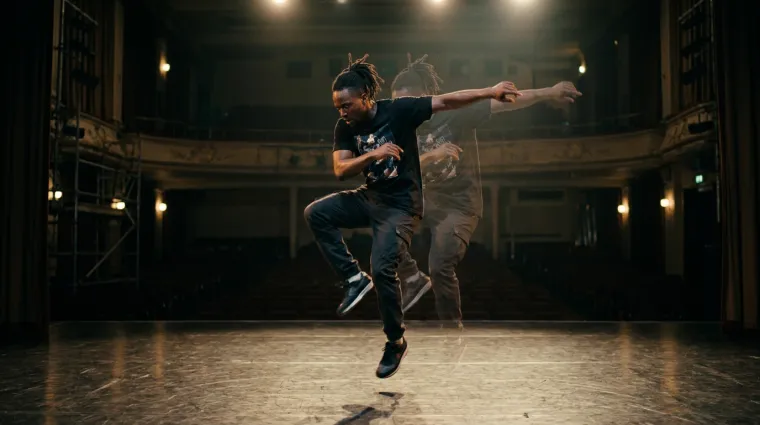
Motion sync, transferring movement from reference footage:
- Upload the reference clip. Vendor documentation for Kling's motion-control mode accepts action videos of roughly 3 to 30 seconds, with generated duration matching the uploaded clip length.
- Lock the target character. Use an identity-preservation module (saved character library, reference image set, or trained LoRA) so gestures transfer without facial drift.
- Map gesture, posture, and pacing. The model aligns skeletal motion frame by frame. Keep clothing and body geometry descriptions fixed to avoid silhouette flicker.
- Review physics. Check hand and object contact, foot sliding, and occlusion boundaries. Those are the most common failure modes in transferred motion.
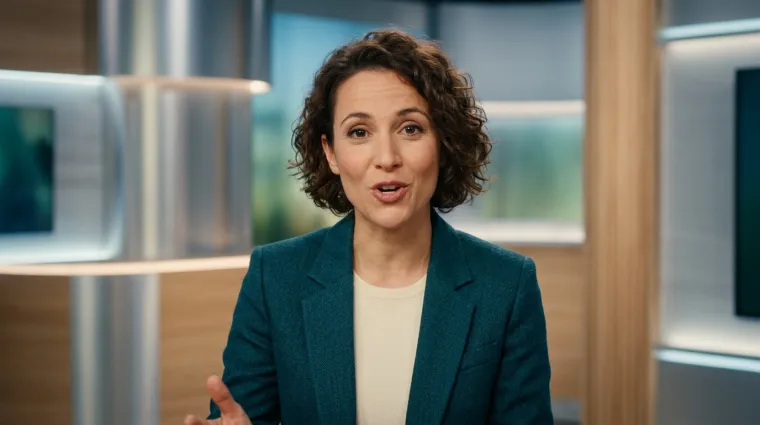
Lip sync, building talking-head and presenter clips:
- Supply the voice track. Upload MP3 or WAV narration, or synthesize it through a built-in text-to-speech module. Multilingual dubbing workflows replace dialogue on an existing clip.
- Fix facial identity. Anchor the face with a reference portrait or a saved character so mouth animation does not deform surrounding features.
- Generate and align. The pipeline maps visemes to audio phonemes at frame level (24 or 30 fps), which is exactly why keyframe-aware conditioning outperforms linear interpolation on synchrony metrics.
- Validate at 0.5x speed. Review articulation on plosives and sibilants, where desynchronization shows first.
Video-to-Video Restyle and VFX
Video-to-video (V2V) restyling converts filmed footage into a different visual idiom while preserving the original motion grid, timing, and composition.
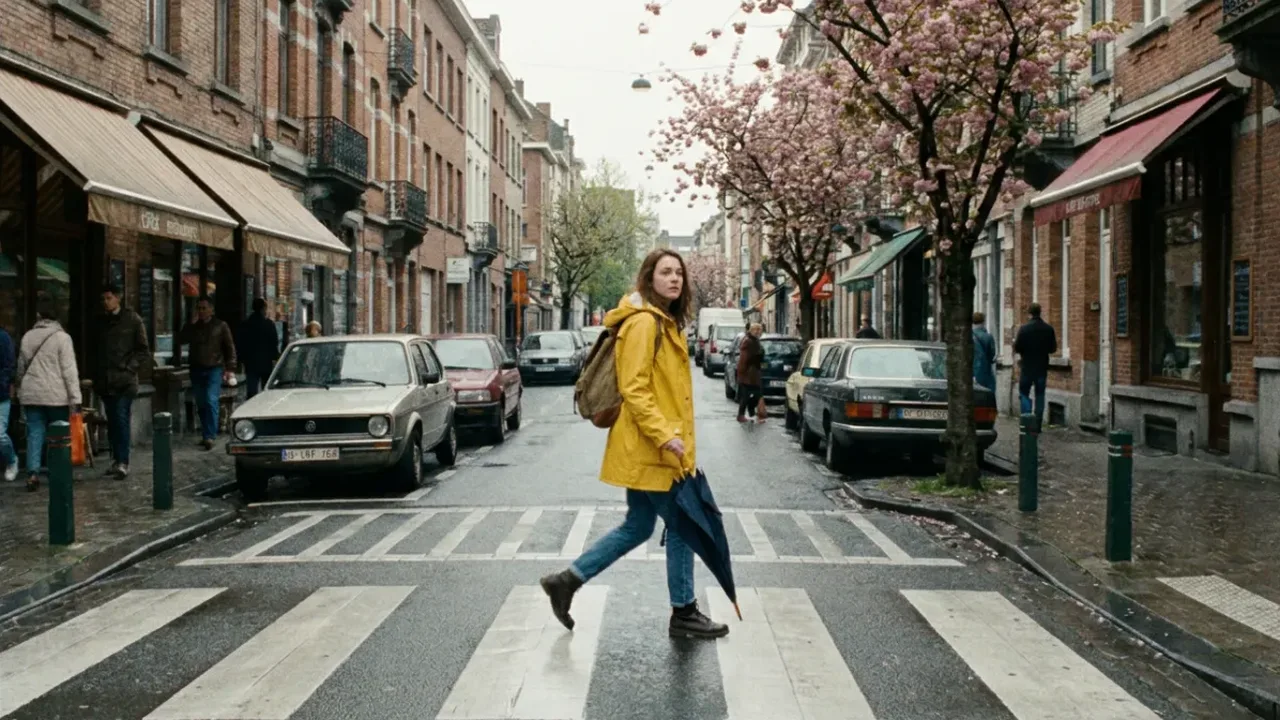
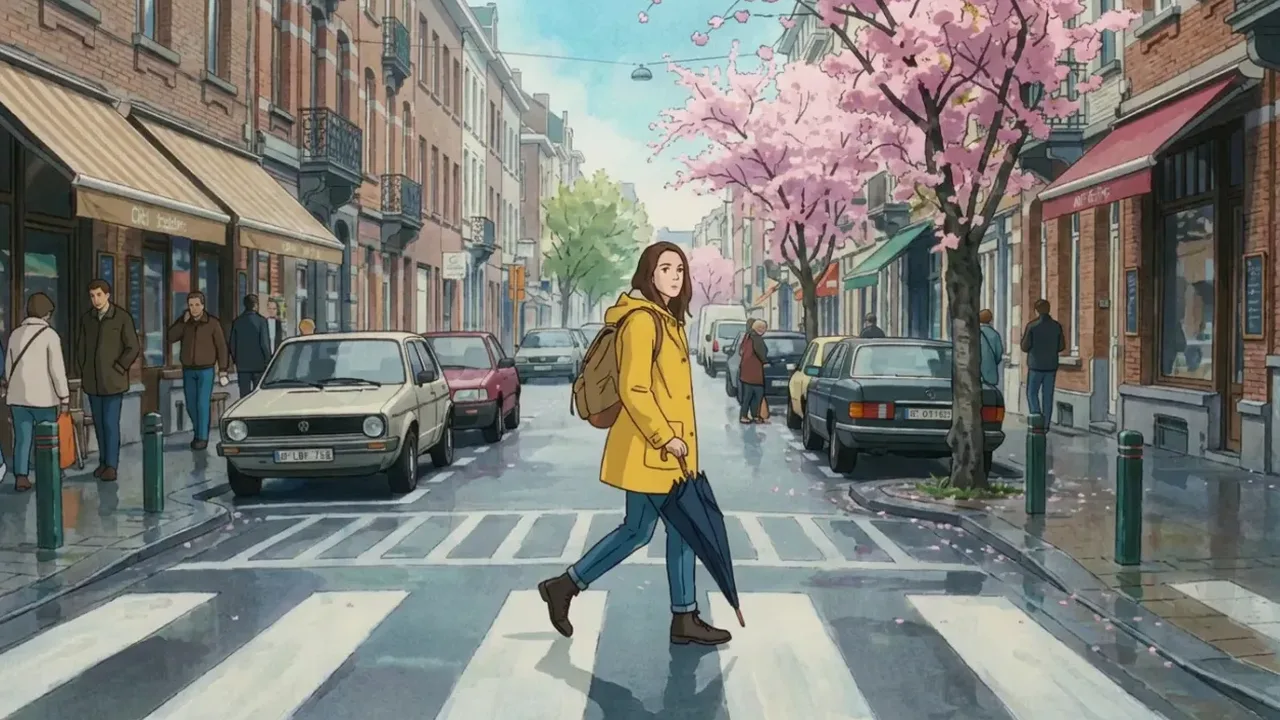
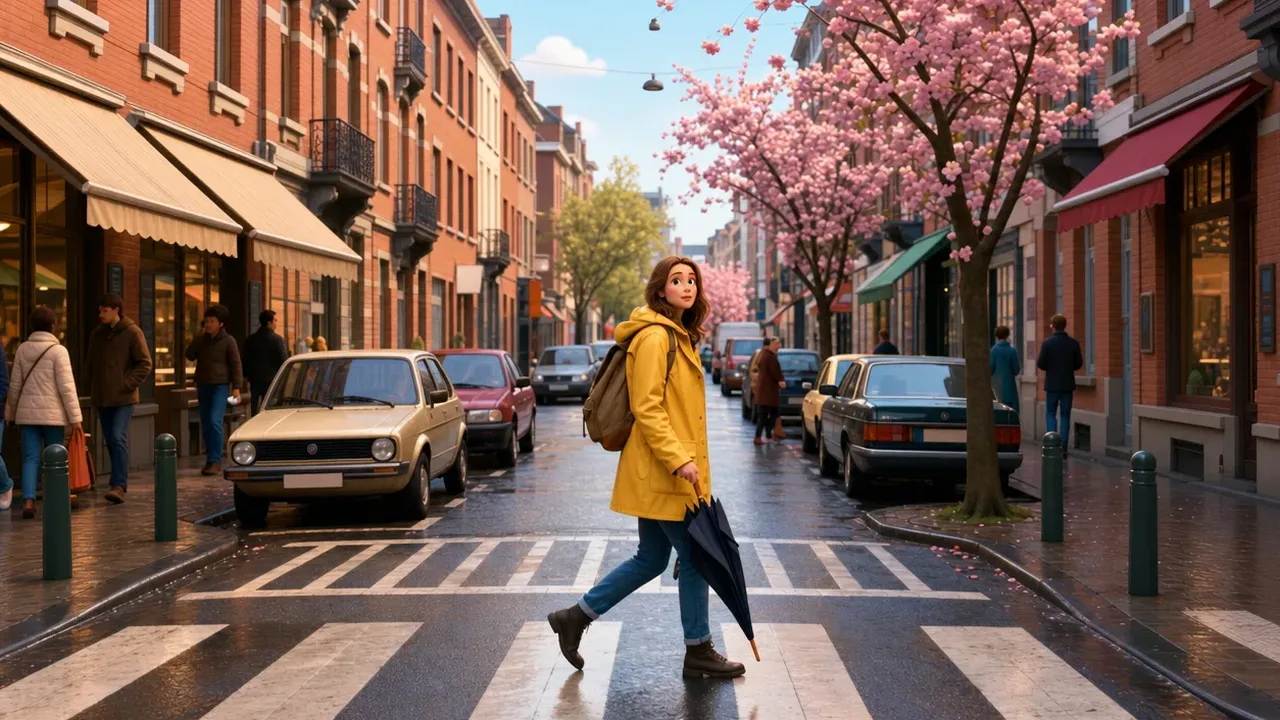
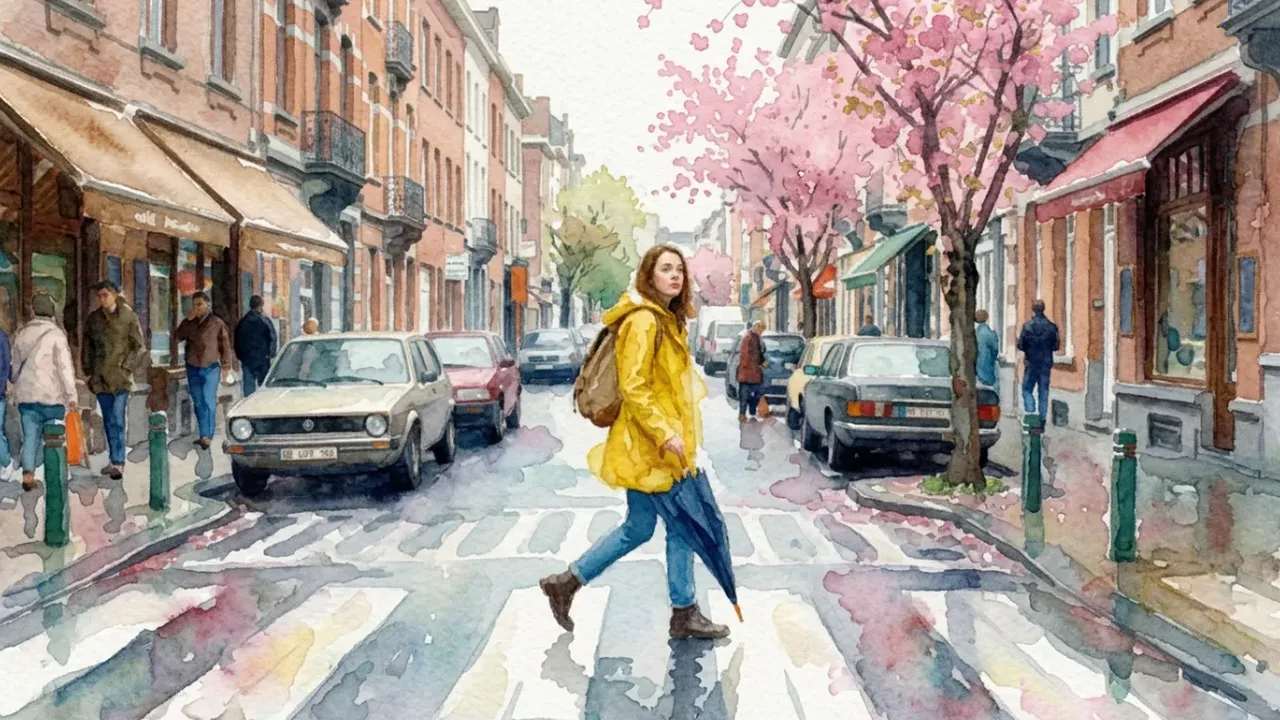
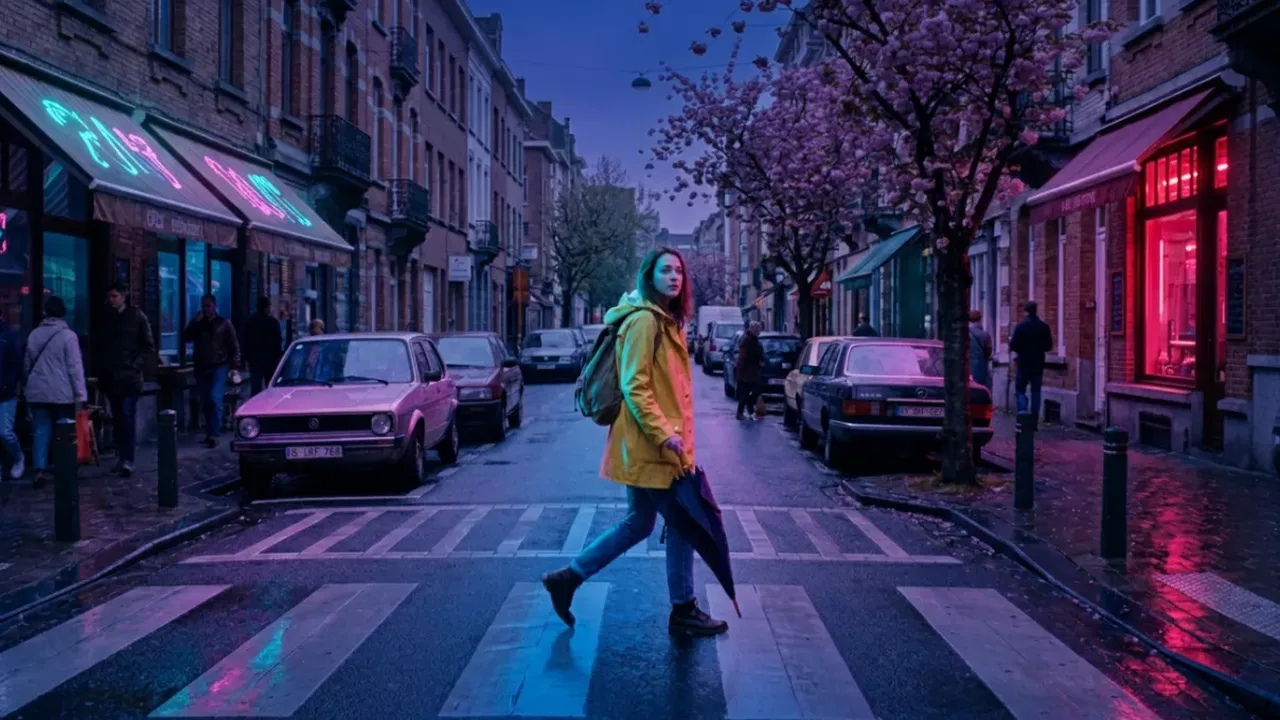

Common restyle and VFX presets:
Comparing several presets on the same source clip before committing is a standard iteration pattern. Hold the prompt and seed fixed, change only the style token, and judge temporal stability rather than single-frame beauty. A gorgeous frame that boils across 120 frames is not a usable asset.
Smart Shot: Multi-Angle Storyboards
Multi-angle storyboarding generates several coherent views of one scene, which enables cut-to-cut editing without continuity breaks.
Hold the seed, identity block, lighting, and wardrobe constant. Vary only framing and camera motion:
-

01Shot type: Wide shot
Purpose Establishes location and scene context
Prompt template
[Subject] in [Environment], wide angle, static camera, cinematic lighting --seed 42 -

02Shot type: Medium shot
Purpose Carries the primary action
Prompt template
[Subject] performing [Action], medium tracking shot, smooth movement --seed 42 -
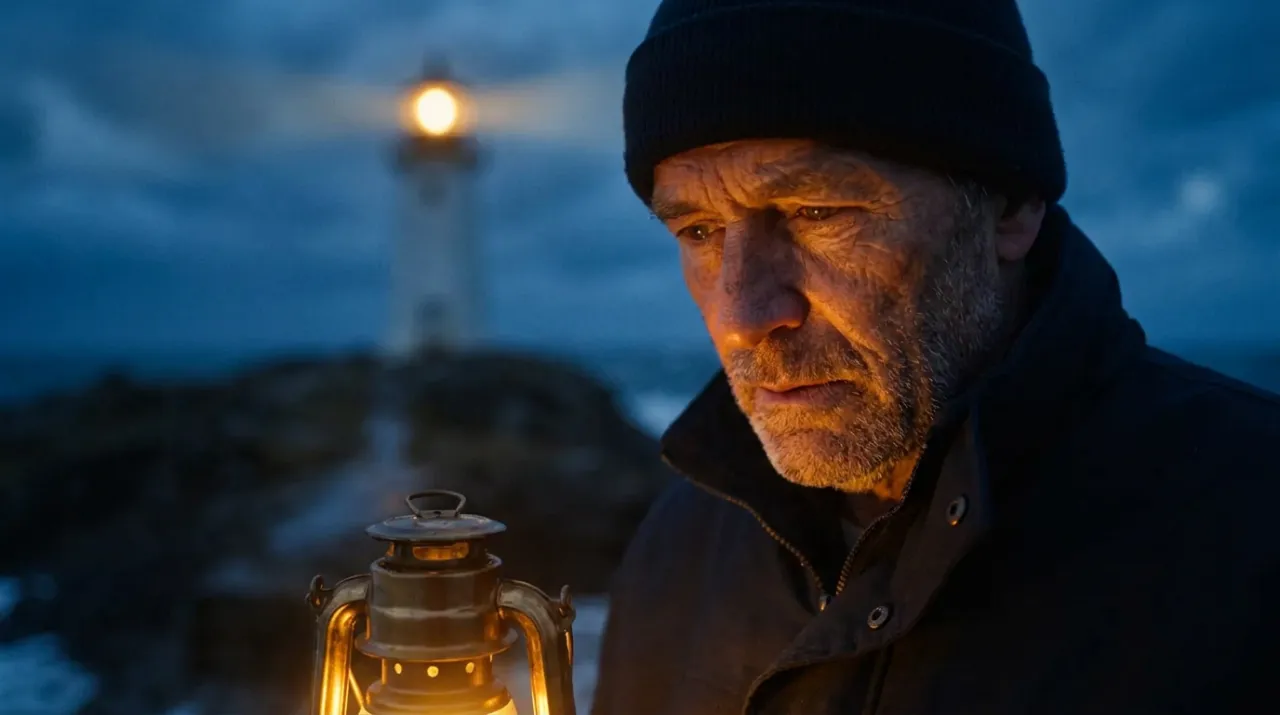
03Shot type: Close-up
Purpose Emphasizes emotion or product detail
Prompt template
Close-up on [Subject Detail], slow dolly in, shallow depth of field --seed 42 -

04Shot type: Over-the-shoulder
Purpose Adds perspective and dialogue framing
Prompt template
Over-the-shoulder view of [Subject] facing [Object], handheld, natural light --seed 42 -

05Shot type: Insert / detail
Purpose Supplies cutaway coverage for the edit
Prompt template
Extreme close-up of [Texture or UI], macro lens, soft key light --seed 42
Where the platform exposes a native storyboard mode, the same scene can be laid out as a multi-cam sequence and generated as a set. That is materially more consistent than assembling unrelated single generations, and it also produces one manifest instead of six.
Editing, Extension and Upscaling Finished Video
AI video post-production tools enable frame extension, object replacement, background swapping, and resolution upscaling up to 4K without re-generating the entire video. The underlying logic mirrors still-image workflows described in the guide to AI image upscalers.
- Original Clip: 5 sec
- Generative Extend (+2 sec)
- Neural Upscale (4K)
- Final Render
Extension, inpainting and a reported pilotShow less
Teams assembling a hybrid stack, generative clips plus conventional timeline work, can compare options in the overview of free video editors.
Post-processing capabilities rely on specialized video-to-video architectures:
- Generative extension: Adobe Premiere Generative Extend (Adobe Help Center, 2026) allows adding up to 2 seconds of synchronized video and audio at clip handles, at the start, the end, or both.
- Inpainting and background replacement: models like FLUX Video Edit (Black Forest Labs, 2026) and Bria AI (Bria AI Docs, 2026) support targeted object removal and background replacement while preserving frame rate, resolution, aspect ratio, and original audio tracks. FLUX additionally upscales edited clips to 1080p, 2K, or 4K.
- Streaming video diffusion: frameworks like SVDiff (arXiv, 2024) use spatial-aware temporal recurrence to propagate edits across streaming frames with temporal consistency.
«SVDiff embeds spatial-aware temporal recurrence into Stable Diffusion and trains on long videos segment by segment for consistent streaming-frame editing»
Reported pilot (methodology note). A media production team evaluating automated marketing workflows configured an image-to-video pipeline to convert static product photos into 15-second promotional assets. By applying camera trajectory controls and background extension, the team generated 50 creative variations in one hour. Subsequent performance testing showed a 35% increase in user engagement compared with static image ads, while video production costs fell by 60%. These figures come from a non-public internal pilot. No sample size, statistical significance, control-group design, or audit trail has been published, so read them as directional rather than validated evidence. Peer-reviewed support for the broader effect direction sits in synthetic-creative research, specifically the virtual-influencer meta-analysis cited in the advertising section below. Teams analyzing tooling options can compare workflows in the guide to YouTube video editors.
Use Cases for AI-Generated Video
AI-generated video is deployed across commercial advertising, social media publishing, e-commerce product listings, music visualizers, educational production, and, increasingly, regulated internal communications.

Advertising and Product Videos
Digital advertisers and e-commerce brands use an ai video generator to produce dynamic product showcases, creative variations, and targeted ad campaigns at scale.
Read the full chapterShow less
In commercial e-commerce deployments across 300 apparel SKUs, replacing static photo cards with 5-second AI-generated motion clips increased conversion rates from 1.2% to 1.7% over two months, while average order value rose by 9% and on-page dwell time moved from 38 seconds to 2 minutes 12 seconds. (Methodology flag: these are vendor-reported pilot numbers without published sample design or significance testing. Reproduce them in a controlled A/B test before budgeting against them.) Additional vendor-reported patterns include 15 to 30-second product demo clips in marketplace placements, and multi-variant creative rollouts replacing single-asset launches.
For technical implementation options, developers can review the Google Veo implementation guide, the overview on video compressors for delivery-weight optimization, and the guide to animation makers for template-driven motion.
Content for Social Media and Creators
Content creators use AI video tools to generate vertical 9:16 short-form videos for TikTok, YouTube Shorts, and Instagram Reels, with automated hooks and visual effects. Budget-conscious creators can start from the review of free AI video generators, including the ai image to video generator free tiers that cover quick tests.
Read the full chapterShow less
Standard user-generated content (UGC) prompt frameworks follow a structured sequence:
- Hook: strong visual motion and a distinctive first frame to capture attention.
- Problem or context: visual representation of the core topic or pain point.
- Product or solution demo: fast-paced demonstration, ideally within the first five seconds.
- Call to action: clear visual closing instruction.
Platform and regulatory compliance guidelines require disclosure of synthetic content. SDAIA generative-AI guidance mandates identifiable watermarks for GenAI services, Adobe's 2026 user guidelines govern generative feature usage through policy controls, and TikTok's integrity and authenticity rules require creators to disclose AI-generated material. (Source flag: exact wording and scope change frequently; verify each platform's current policy page and your jurisdiction's labeling rules before publishing.) In practice, disclosure should be implemented twice: as visible on-screen labeling, and as embedded provenance metadata that survives re-encoding.
Music Videos, Explainers and Educational Scenes
AI video generators create beat-synchronized music visualizers, animated educational explainers from text or PDF scripts, and storyboard previews for media projects.
Read the full chapterShow less
Enterprise document-to-video tools (for example HeyGen, Pictory, Visla) convert training documents and presentation decks directly into animated scenes with synthesized voiceovers. Documented practical limits matter for planning: Pictory's 2026 documentation specifies PDFs under 50 pages and up to 50 MB, while Visla exposes scene-based PDF-to-video with editable visuals, voiceover, and background music. For comparing tool options, see the comparison of free AI video generators.

Regulated-Sector and Internal Enterprise Scenarios
In financial services, the safest early use cases are internal, low-claim, and fully reviewable rather than customer-facing and promotional.
Read the full chapterShow less
- Compliance and onboarding training: convert policy documents into narrated explainer scenes with generated presenters, avoiding depiction of real employees without consent.
- Product explainers for complex instruments: visualize fee structures, amortization, or settlement flows without making performance claims; route all copy through existing marketing-compliance review.
- Financial literacy and customer education: generic educational animation with no product recommendation, labeled as synthetic.
- Report and dashboard narration: animate aggregated, non-attributable figures only. Never upload customer-level data as a reference asset.
- Internal change communications: short-form updates for intranet distribution, where reach is bounded and retractable.
For each scenario, record the generation manifest (prompt, seed, model version, reviewer, approval date) so a validator can reconstruct the asset on request. That is the operational answer to the opening principle: no evidence, no autonomy.
Adoption data and its caveatsShow less
Industry survey data attributed to the Interactive Advertising Bureau (IAB 2025 Video Ad Report) reports that 86% of digital video buyers use or plan to use generative AI for video ad creatives, with operational drivers including audience-specific versioning (42%), visual style adaptation (38%), and contextual relevance tuning (36%). (Updated, verification flag: these figures are quoted from secondary summaries and were not reconcilable against a primary published report in this source set. Treat them as directional and verify against the original IAB release before citing externally.) Peer-reviewed evidence on synthetic creative effectiveness is stronger in the influencer literature:
«A systematic review of 73 articles finds virtual influencers can outperform human ones on engagement, though perceived authenticity remains the key mediator of effectiveness»
Complementary context comes from institutional sources. The World Economic Forum's 2025 media report lists marketing campaigns and customer conversion as core AI application areas in media and entertainment, while INTERPOL's 2026 synthetic-media guideline frames labeling and adoption standards for public and commercial deployment.
Free AI Video Generator, Pro and Commercial Use
Free tiers provide trial generations with resolution and duration limits. Pro subscriptions unlock full commercial licensing rights, priority rendering, and clean high-definition exports.
How licensing differs by vendorShow less
Commercial licensing rights depend strictly on platform Terms of Service and regulatory copyright frameworks, and they vary sharply by vendor. Adobe Firefly documents a daily free allotment with output designed to be safe for commercial use, while other vendors, Pika among them, restrict free use to personal, non-commercial purposes and tie commercial rights to a paid plan. Parallel rules for still imagery are summarized in the guide to commercial use of AI image generators.
What a Free AI Video Generator Offers
Free access typically includes a daily or monthly credit quota, basic 720p exports, embedded platform watermarks, and non-commercial usage restrictions.
Common free-tier parameters include:
What free tiers includeShow less
- No-sign-up trials: some platforms allow instant browser testing without an account, commonly 3 generations per day at roughly 3 seconds each, exported at 480p with a watermark, and with audio included on selected models. This is the fastest way to benchmark motion quality before any procurement conversation.
- Kapwing free plan: capped at 720p exports up to 1 minute with platform watermarking.
- HeyGen free plan: trial credits, 720p maximum resolution, embedded watermarks; clean export requires a paid tier.
- Adobe Firefly free tier: monthly generative credits with commercial usage permitted, subject to model safety guidelines (Adobe, 2026).
- Cross-tool pattern: aggregated 2026 comparisons report typical free ceilings of roughly 5 to 10 videos per month, 5 to 10 second clips, 720p or 1080p resolution, and access to a single video model rather than a multi-model catalogue.
When Pro Is Required for Commercial Projects
Pro plans matter for enterprise and commercial deployment. They grant legal usage rights, priority queue access, higher resolutions (1080p and 4K), and advanced editing tools.
Key commercial benefits of Pro tiers include:
What Pro addsShow less
- Commercial usage rights: explicit contractual authorization and, with some vendors, indemnification for commercial monetization.
- Priority queue processing: accelerated server processing ahead of standard user queues, which matters when a campaign ships Friday.
- High-resolution clean exports: watermark-free exports in 1080p, 2K, or native 4K.
- Advanced editing: inpainting, background replacement, generative extension, restyle, lip sync, and upscaling within one workspace.
- Enterprise controls: SSO, seat management, retention configuration, no-training commitments, and, on enterprise agreements, SOC-type attestations and contractual SLAs. Verify these explicitly; they are rarely bundled into self-serve Pro tiers.
Legal and licensing fact checkShow less
Hypeart plans
-
Free
$0$0/month
for testing the editor
- Get credits monthly by logging in
- Try members-only features monthly by logging in
- 0 credits per month
- Get credits monthly by logging in
- Try members-only features monthly by logging in
-
Plus
$15$13/month
for creators posting weekly
Save 10% with the annual plan Save 10%, billed yearly
- 5,000 credits per month
- Up to 25 AI videos or 250 AI images
- Commercial use allowed
- 5,000 credits per month
- $3.00 per 1000 credits$2.70 per 1000 credits
- Up to 250 AI images
- Up to 25 AI videos
- Up to 2 pending jobs
- Download without watermark
- Commercial use allowed
- 1080p export quality
- Standard generation queue
- 100 GB storage
- Email support
-
Max
$45$38/month
for small teams
Save 15% with the annual plan Save 15%, billed yearly
- 18,000 credits per month
- Up to 90 AI videos or 900 AI images
- Highest generation queue
- 18,000 credits per month
- $2.50 per 1000 credits$2.12 per 1000 credits
- Up to 900 AI images
- Up to 90 AI videos
- Up to 8 pending jobs
- Download without watermark
- Commercial use allowed
- 1080p export quality
- Highest generation queue
- 500 GB storage
- Priority support
-
Generative
$99$79/month
for studios and agencies
Save 20% with the annual plan Save 20%, billed yearly
- 45,000 credits per month
- Up to 225 AI videos or 2,250 AI images
- Private generations, Advanced and Beta features
- 45,000 credits per month
- $2.20 per 1000 credits$1.76 per 1000 credits
- Up to 2,250 AI images
- Up to 225 AI videos
- Up to 15 pending jobs
- Download without watermark
- Commercial use allowed
- 1080p export quality
- Highest generation queue
- Advanced and Beta features
- Priority support
- Private generations
- 3 TB storage
- Early access to new features
Explore the Hypeart library
1,357 guides on AI media tools, models, prices and rights — pick a shelf or search every title.
-
 Glossary 835 articles
 AI media terms, tools and generators explained with limits and costs.
-
 Compare 159 articles
 Side-by-side comparisons, head-to-head reviews and alternatives by reason.
-
 Guides 167 articles
 Step-by-step workflows, API implementation notes and troubleshooting.
-
 Pricing & rights 196 articles
 What AI media costs, how to calculate it, and what you may do with the output.
«Generative AI systems operating without strict governance frameworks or verifiable evidence streams create operational and legal exposure. In enterprise automated workflows, an AI model must function as a digital asset with defined boundaries, audit trails, and human oversight: no evidence, no autonomy.»
Enterprise AI Governance and Risk Appetite in Synthetic Video Generation
Before a single frame is generated inside a regulated organization, synthetic video must be treated as a model output with defined ownership, evidence trails, and escalation paths. Generative video differs from generative text in one critical respect. The output is a publishable asset that can depict people, products, and claims, which converts a creative tool into a conduct-risk, data-privacy, and intellectual-property surface at the same time.
Three control domains decide whether a generator is deployable:
1Data boundary.
Prompts, reference photographs, brand assets, and voice samples are inputs that leave the perimeter when a public SaaS endpoint is used. Reference images of employees, customers, or internal documents can carry PII/NPI, which makes prompt-level data-loss prevention (DLP) and asset classification mandatory before upload.
2Evidence boundary.
Reproducibility is the audit currency of generative systems. Fixed seeds, stored prompt versions, model and model-version identifiers, generation timestamps, and retained intermediate parameters form the minimum evidence package a validator can actually review.
3Publication boundary.
Human-in-the-loop (HitL) sign-off, provenance metadata, synthetic-media labeling, and deepfake-misuse screening sit between generation and distribution.
Risk and Control Matrix for AI Video Generation
| Risk | Manifestation | Primary control | Evidence artifact |
|---|---|---|---|
| Shadow AI | Teams generating brand video on unapproved consumer accounts | Approved-tool allowlist, SSO-gated access, egress monitoring of generator domains | Access logs, tool inventory, exception register |
| Data leakage | PII/NPI or confidential imagery uploaded as reference assets | Prompt and asset DLP scanning, asset classification, private-cloud or on-premise deployment for sensitive material | DLP scan logs, classification tags |
| Non-reproducible output | Validator cannot recreate a published clip | Seed locking, prompt versioning, model-version pinning | Generation manifest (prompt, seed, model, parameters) |
| Copyright and likeness exposure | Output resembles protected work or a real person | Training-data transparency review, likeness policy, legal review for talent-adjacent output | Legal sign-off record, rights checklist |
| Deepfake and misrepresentation | Synthetic executive or customer testimonial | Prohibited-use policy, face-reference whitelist, HitL approval | Approval ticket, reviewer identity |
| Missing disclosure | Unlabeled synthetic media in customer-facing channels | Provenance metadata (C2PA-style content credentials), visible labeling, channel-specific disclosure rules | Embedded credentials, publication checklist |
| Vendor and continuity risk | Model deprecation mid-campaign, for example a consumer app shutdown | Multi-model abstraction layer, open-weights fallback, contractual notice periods | Vendor assessment, exit plan |
Sequencing rule and disclaimerShow less
A practical sequencing rule: classify the asset, then choose the deployment mode, then choose the video model. Open-weights models such as Alibaba Wan 3.0 and Lightricks LTX-2.5 allow local or private-cloud inference, which keeps regulated inputs inside the perimeter. Closed-source SaaS models generally deliver higher fidelity and native audio, but they require contractual data-handling assurances, retention limits, and explicit no-training commitments.
One more thing worth saying plainly. Most failures we see reported in this space are not model failures. They are process failures: an unapproved account, an unlogged prompt, a missing consent form.
Model Risk Validation Checklist for AI Video Generators
Use before first production release, and again at each model-version change.
/ 19 checks
A safe next step, if you are early: pick one internal, non-customer-facing scenario, run it end to end with full evidence capture, and let the artifacts, not the demo, drive the next approval.
Appendix A: Revised Statements and Verification Log
Open the log
For transparency, the following statements from earlier versions of this guide were revised rather than removed:
- STIV citation date. Previously cited as "arXiv, 2025"; now cited as "arXiv, 2024 to 2025" with a note that the preprint was first posted in December 2024 and that VBench scores depend on harness version.
- Browser rendering mechanism. Previously stated as "cloud rendering servers process visual parameters, generate intermediate latents, and return complete MP4 video files directly to the browser DOM" on the basis of API documentation. Now described as an asynchronous job-submission and polling flow, with the note that vendor documentation is not a benchmark and no latency metrics are published in this source set.
- IAB 2025 survey figures (86%, 42%, 38%, 36%). Retained with an explicit verification flag, since they were reconcilable only against secondary summaries. Peer-reviewed support for the broader effect direction added from Hussain et al. (2026).
- Pilot performance figures (50 variants per hour, +35% engagement, 60% cost reduction; 1.2% to 1.7% conversion, +9% AOV). Retained with methodology flags noting the absence of published sample size, control design, and significance testing.
- Platform disclosure rules (SDAIA, TikTok, Adobe). Retained with a source flag advising verification against current policy pages, as labeling requirements change frequently.
- Vendor specification conflicts. Duration and resolution limits for Veo, Kling, Seedance, and Wan differ between vendor pages, API references, and aggregators. The comparison table reflects the most commonly documented tier and should be confirmed per contract.
FAQ About AI Video Generators
Common questions about AI video generation center on multi-image inputs, character consistency across scenes, seed variation control, duration, sound, and commercial rights.
Can I use several images in one video?
Yes. Multi-image workflows let creators define distinct start and end frames, or supply multiple reference assets to structure complex sequential scenes. Platforms like ByteDance Seedance 2.5 accept large reference-asset sets in a single workspace to govern background continuity and multi-character interaction, and Veo-family documentation supports generation from a first frame, or a first-and-last frame pair. When combining images, order them deliberately, since reference sequence influences which attributes dominate. Confirm you hold usage rights to every uploaded photo; third-party imagery needs the owner's permission before production use.
How do I keep consistent characters across scenes?
Character consistency comes from combining fixed identity text descriptors with image-conditioning references, seed locking, or custom LoRA weights. Technical methodologies like the ORACLE framework (ICCC, 2024) apply structured prompt locking (a subject identity block) across all scene prompts while varying only action and background tags.
«The ORACLE framework locks a subject-identity block across all scene prompts, varying only action and background tags to preserve character consistency»
Complementary approaches: The Chosen One (arXiv, 2024) converges on a single identity through iterative sampling, clustering, Textual Inversion and LoRA; Google's video best-practice documentation recommends keeping one unchanged character description plus a reused seed to preserve visual, stylistic, and voice consistency; and vendor prompt guides recommend a fixed subject tag with a solo modifier to suppress unintended extra characters. Identity conditioning from a reference frame follows the same logic as image-to-image generators.
Can I generate multiple variants from one prompt?
Yes. Multiple variations can be synthesized from a single text prompt by adjusting the random seed parameter, or by fine-tuning motion guidance settings. Keep the text prompt fixed and set the seed to -1, and the model samples different latent trajectories, producing diverse camera angles and action timing. For controlled experimentation, change one variable at a time: add or remove a reference image, swap the audio track, or alter the style token. Keep an explicit preserve and transform split in the prompt so identity and motion stay stable while only the intended element varies.
How long can AI-generated videos be?
Single generations are short: typically 4 to 15 seconds, with select 2026 models reaching 30 seconds in one pass. Longer sequences get built by chaining, through generative extension at clip handles (about +2 seconds per pass in Premiere, repeatable increments in Veo), multi-shot storyboard modes, and stitching separate generations that share seed, identity block, and lighting description.
Can I add sound, voiceover or dialogue?
Yes, through two paths. Native-audio models generate synced dialogue, effects, and music inside the same pass. Alternatively, export the MP4 and layer narration, music, and effects in an editor, or run a dedicated lip-sync pass against an uploaded voice track for presenter formats.
Is it safe to upload internal or customer material as a reference?
Not without classification. Public SaaS endpoints process uploads outside your perimeter. Restricted or regulated material should be routed to open-weights models deployed on-premise or in a private VPC, or excluded entirely. Where a vendor is used, confirm contractual no-training commitments, retention windows (some vendors document deletion from active storage on request or within one day), and encryption in transit and at rest.