Marcus Hale, author. Nothing attributed to him should be read as advice from a real executive, consultant, or regulator.
Executive summary for decision-makers
- No single model wins across all axes. Holistic evaluation frameworks show that leadership in aesthetics, prompt alignment, text rendering, editing precision, and fairness rarely concentrates in one engine. Model selection has to be scenario-based, not brand-based.
- Best overall fidelity and text-in-image Google's Nano Banana 2 / Nano Banana Pro (Gemini 3 Flash/Pro Image), with the strongest infographic, signage, and multi-subject photorealism performance, plus 2K to 4K output on Pro tiers.
- Best conversational iteration ChatGPT Images (GPT Image 1.5), offering multi-turn refinement, mask-based edits, and a model-training opt-out in settings.
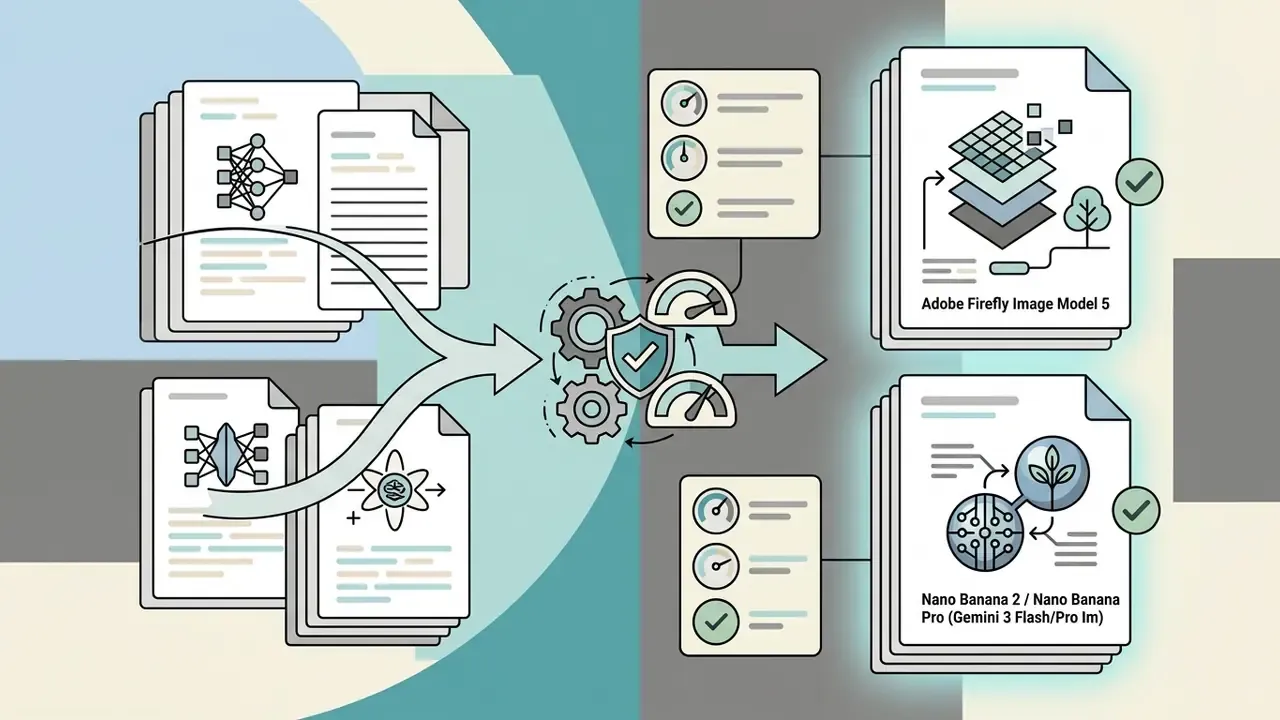
- Lowest legal risk for regulated industries Adobe Firefly Image Model 5, built on licensed-only training data, with Content Credentials (C2PA) by default, enterprise IP indemnification, and zero training on customer assets.
- Maximum control and data isolation FLUX.2 / Stable Diffusion 3.5 run locally (16 to 32 GB VRAM, 48 to 64 GB RAM) for air-gapped, fully private generation.
- Fastest onboarding for non-designers Canva Magic Media, which is template-driven, keeps outputs private, and does not train on user content.
- Specialized niches Ideogram 3.0 for typographic accuracy, Microsoft Copilot / MAI-Image-1 for native Windows 11 and Paint workflows, Grok Imagine (xAI) for loosely restricted evaluation scenarios.
- Governance gate before production verify Zero Data Retention terms, SOC 2 Type II or ISO 27001 posture, SSO and RBAC, provenance metadata (C2PA), prompt and response audit logging, and Shadow AI controls. A ready-to-use checklist sits further down this page.
What AI image generation capabilities matter in 2025
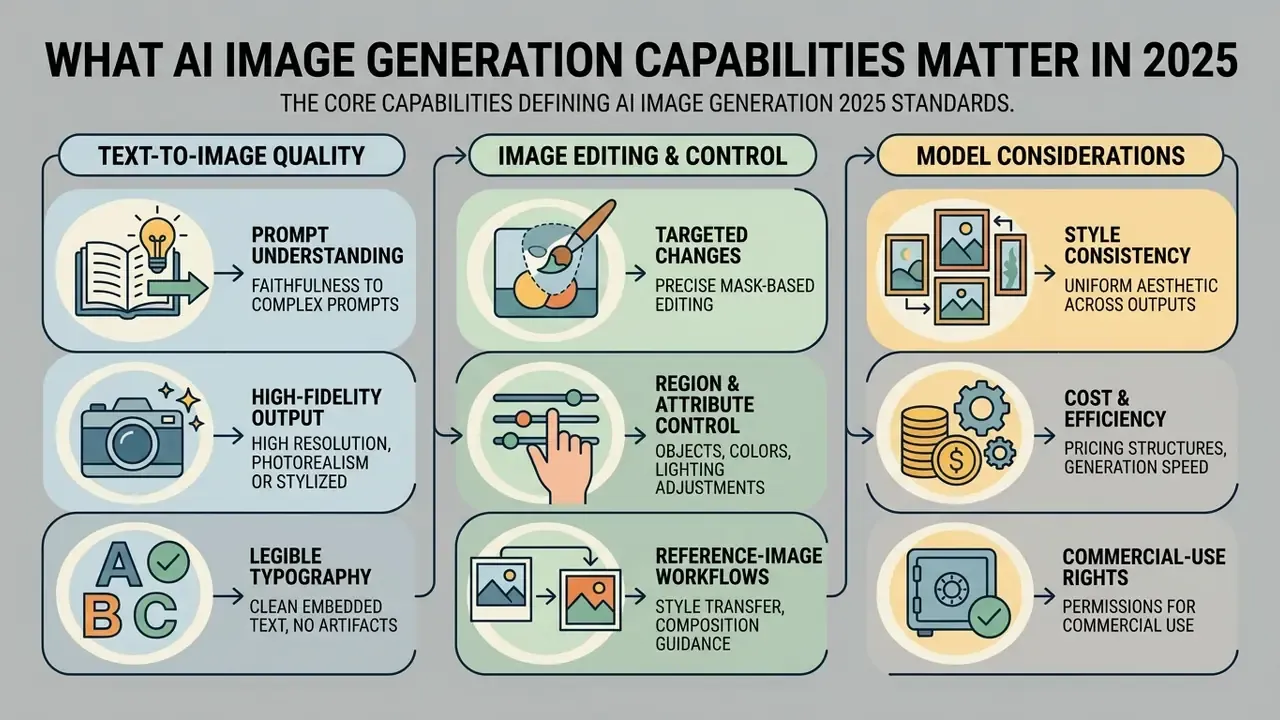
The core capabilities defining ai image generation 2025 standards are high-fidelity prompt adherence, legibility of embedded typography, precise mask-based editing, and strict visual style retention across assets. Modern workflows prefer predictable execution over raw artistic variation, because enterprise visual standards need repeatability.
«A review of 141 papers published between 2021 and 2024 places diffusion models at the centre of four architectural classes of image generation.»
That architectural consolidation matters operationally. Because most commercial engines now share latent-diffusion or diffusion-transformer backbones, differentiation has shifted away from raw rendering ability toward controllability, editing precision, licensing, and data handling.
Text-to-image quality, prompt understanding and text rendering
Semantic prompt understanding measures how accurately a model interprets complex multi-clause text descriptions, spatial relationships, and physical lighting constraints. Updated: across 2025 and 2026, top-tier image generation models handle multi-subject prompts with specific spatial arrangements far better than earlier generations. Composition-heavy prompts still produce measurable failures, though. Attribute bleeding, miscounted objects, and background warping are documented systematically by holistic benchmarks such as GenEval 2 and HEIM rather than eliminated by newer weights. Treat complex compositional prompts as a review checkpoint, not a solved problem.
Text rendering, the capacity to generate text that stays legible inside an image, remains a key differentiator between baseline models and enterprise-grade systems. Older latent architectures frequently hallucinated unreadable characters. Modern diffusion and transformer backbones produce clear typography on signs, product packaging, and editorial layouts.
Achieving photorealistic images requires balanced color fidelity, natural anatomical rendering, and correct physical commonsense, which is how you avoid the waxy textures and distorted limbs common in earlier tools.
«Across 700 prompts covering mechanics, optics, thermodynamics and material properties, six leading models scored consistently well only on optics.»
In practice, reflections and refraction usually look credible. Weight distribution, thermal effects, and material deformation remain the most common sources of the "almost right" asset that a reviewer rejects on the second look.
Image editing, targeted changes and reference-image workflows
Targeted image editing lets teams edit images by modifying specific bounded regions without disturbing surrounding unmasked elements. Production design workflows depend heavily on uploading existing images, applying natural-language inpainting, extending canvas boundaries through outpainting (see our guide to AI canvas expansion), and fusing several reference images into one composite.
Region-annotated dataset training is what enables precise instruction-based edits, such as altering object materials or lighting conditions while preserving subject identity. When teams upload images as conditioning references, credible ai image creation software reviews note that top engines hold spatial proportions and texture continuity across multi-step revision passes. Vendor implementations differ in ways that affect real pipelines: Photoshop's reference-image modes accept up to 3 references for FLUX-based partner models and up to 8 for Gemini, while some API providers cap multi-edit endpoints at 3 to 6 conditioning images depending on tier.
Style control, consistency and output formats
Visual consistency asks an engine to produce multiple images that share exact character likenesses, color palettes, and artistic treatment across varied compositions. Graphic design and marketing teams building campaign systems and social posts need fine-grained parameter controls to lock visual identity across assets.
Modern ai image engines handle style locking through dedicated reference image inputs, reusable style seeds or style codes, or custom LoRA (Low-Rank Adaptation) weights, which are small trainable adapters layered onto a base model. Ideogram 3.0 documents Style References with up to three reference images plus reusable Style Codes. Midjourney exposes --sref, moodboards, and personalization profiles. Output flexibility then demands native multi-aspect ratio rendering, from 1:1 square assets to 16:9 widescreen banners and 9:16 vertical video frames, without post-generation cropping artifacts or lost detail, plus export paths into layered files, artboards, and PDF for design pipelines.
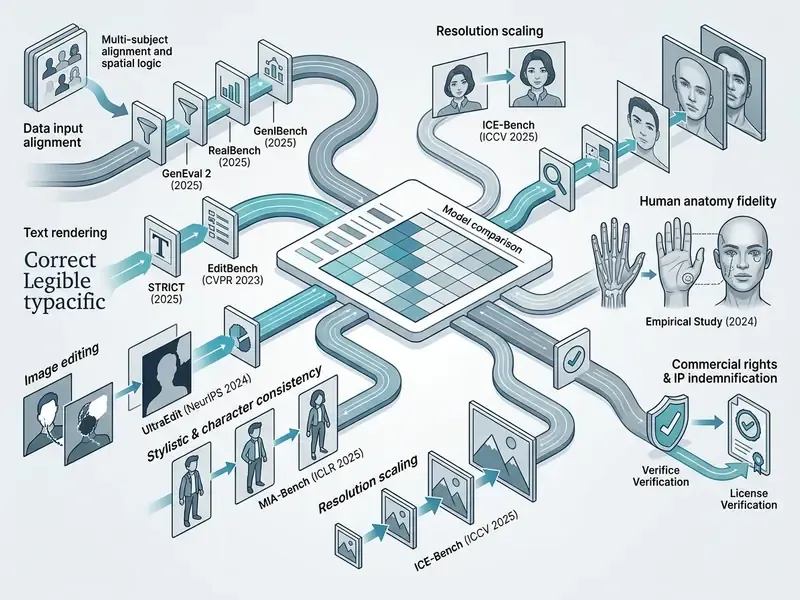
The matrix above sets out the operational vectors we use to evaluate ai image generation capabilities 2025. Organizations selecting enterprise software have to weigh technical capability against legal risk and dataset transparency. Readers moving from criteria to a shortlist can continue with our comparison of AI image generators.
How to compare AI image generation models in 2025
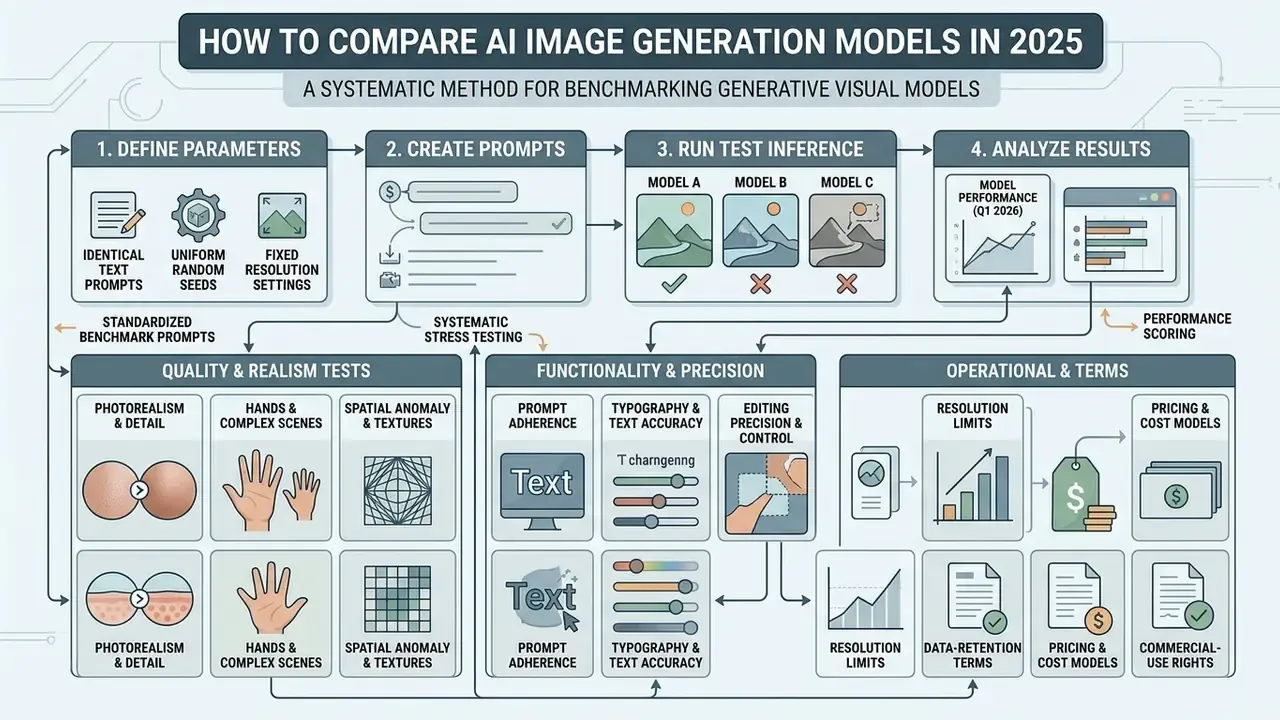
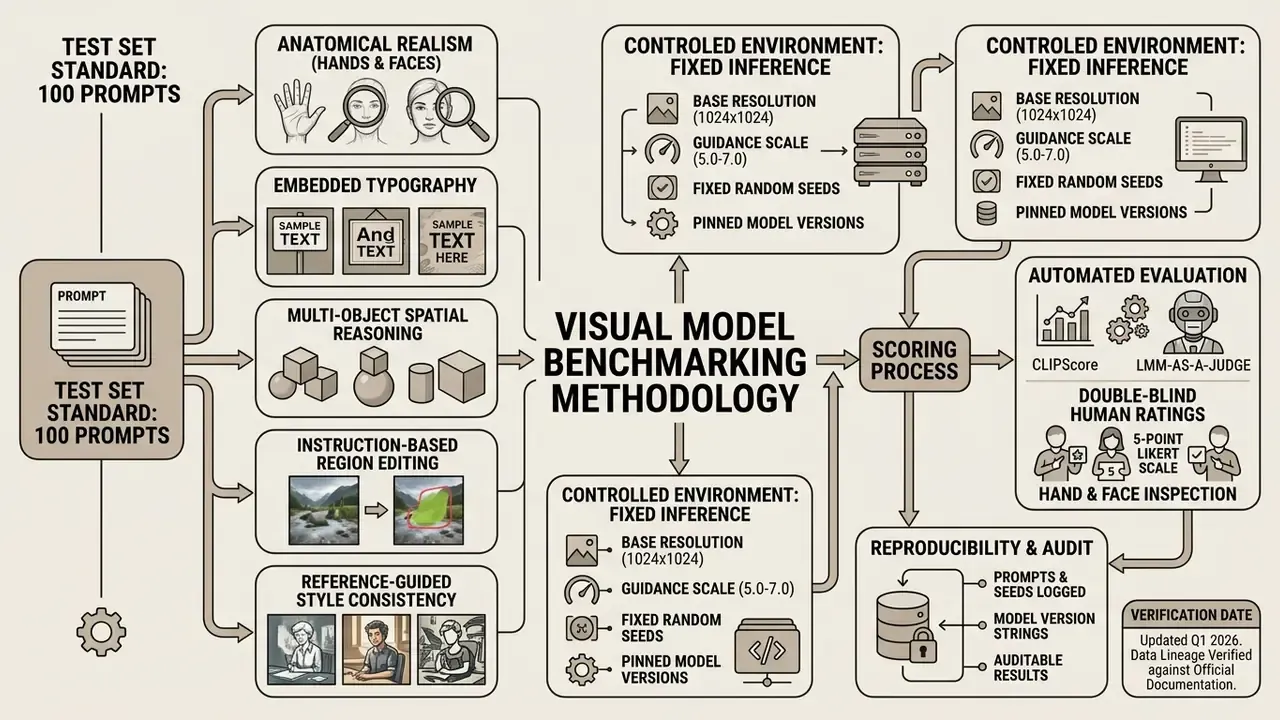
Comparing generative visual models calls for systematic, repeatable stress testing with identical text prompts, uniform random seeds, and fixed resolution settings. Any serious ai image generation model comparison 2025 exercise has to move beyond subjective preference toward standardized metrics covering prompt alignment, texture fidelity, and instruction compliance.
Quality tests for realistic images, hands and complex scenes
Stress testing for physical realism means challenging models with multi-object scenes, complex reflection logic, and detailed human anatomy. Anatomical evaluation concentrates on hands, fingers, facial symmetry, and skin micro-textures under direct and indirect lighting.
«Models show uneven concept coverage and systematic demographic bias; hand and face defects are not captured by global CLIP metrics.»
The practical implication is blunt: hand and face review needs its own crop-level inspection step. Aggregate alignment scores can stay high while a single asset remains unusable. Robust comparisons therefore include multi-subject interaction prompts, for example three individuals sitting around a polished wooden table with complex glass reflections, to isolate spatial reasoning failures and background object warping. To evaluate performance across creative suites, teams frequently compare options using standardized prompt libraries.
Standardized benchmark prompts used in this evaluation (Q1 2026)
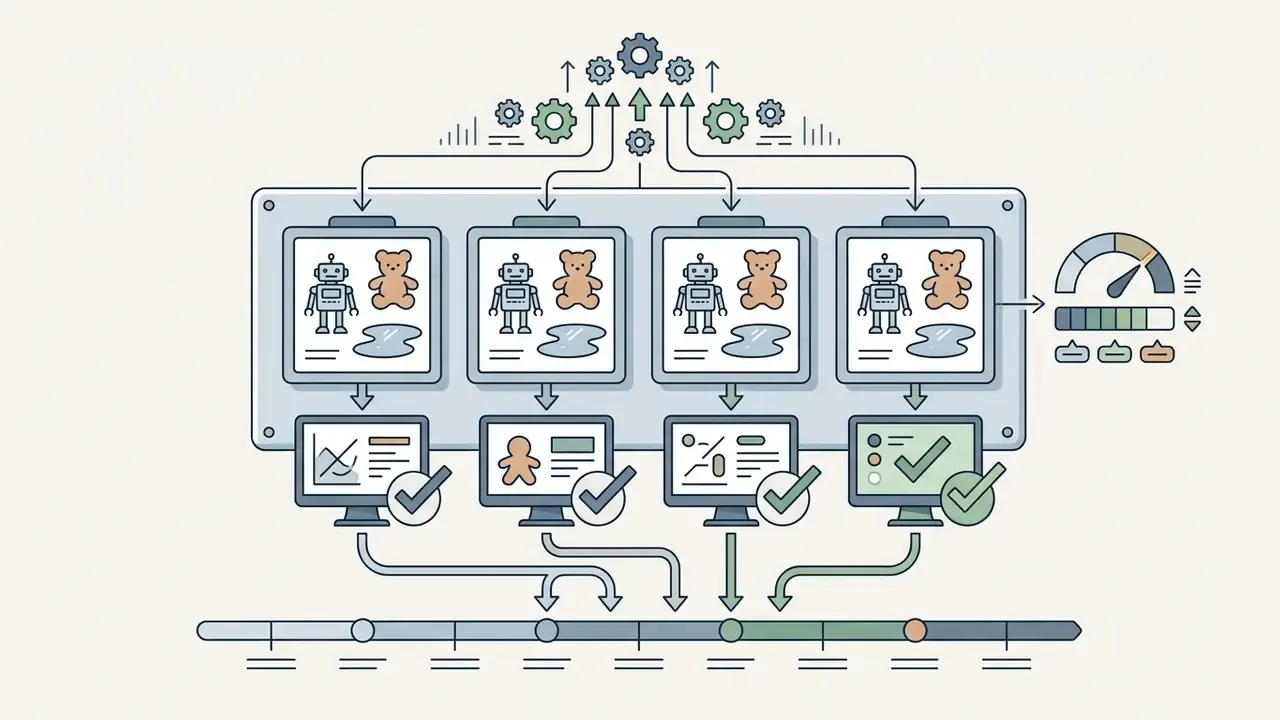
To test compliance rather than aesthetic preference, we executed four identical stress prompts plus two business-asset prompts across every engine reviewed here, at fixed resolution and guidance settings:
Two business-asset prompts pushed the test into production reality: a B2B social testimonial card (miniature hotel illustration, blue-and-orange palette, legible "20% more direct bookings" overlay) and an annual-report cover (abstract rising bar charts plus globe, title "Annual Report 2025", subtitle "Global Expansion and Innovation"). Short headlines rendered correctly on GPT Image 1.5, Nano Banana 2, and Ideogram 3.0. Longer subtitles and small type still needed post-editing in a vector or layout tool before print-ready use. Not glamorous, but that is the workflow.
Prompt adherence, text accuracy and editing precision
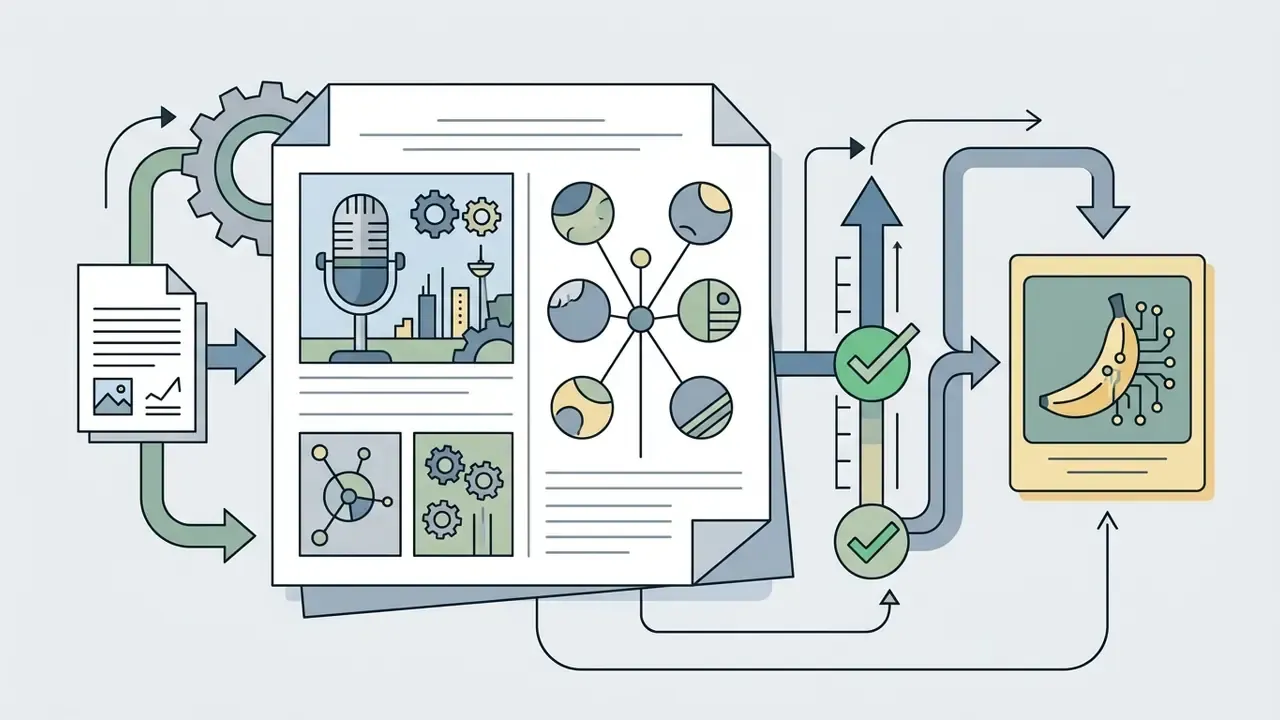
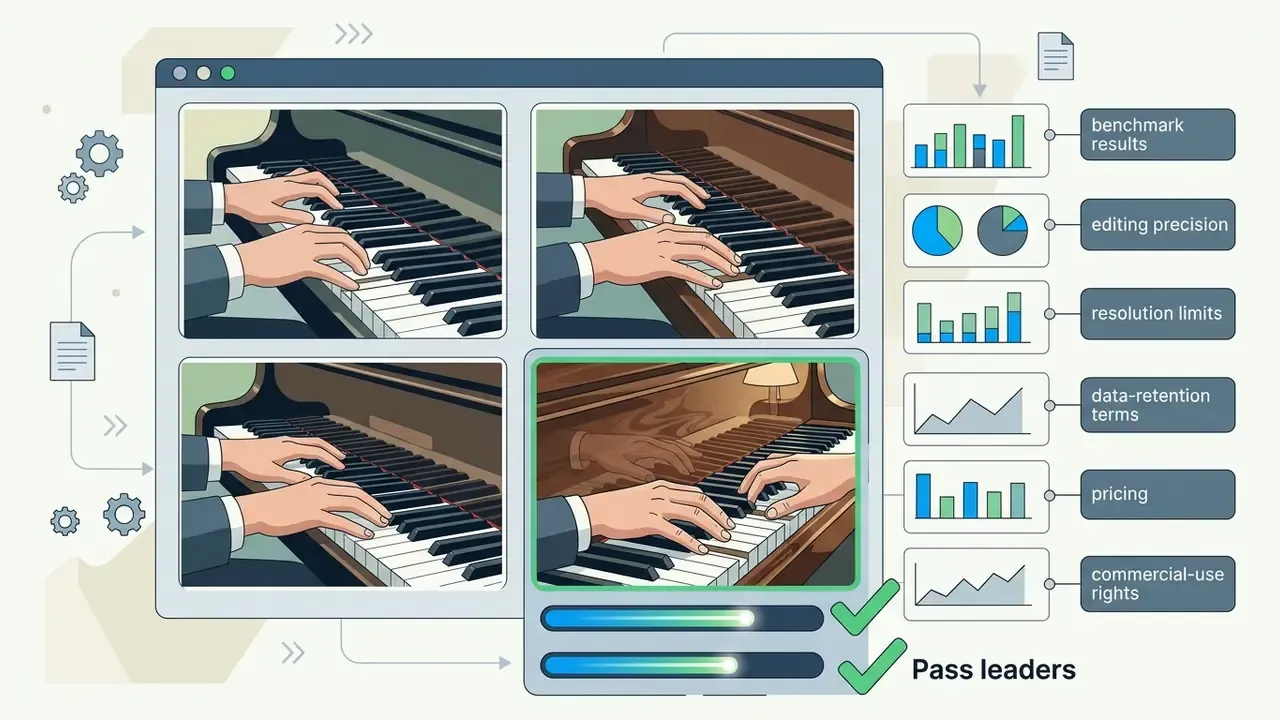
Prompt adherence asks whether an engine renders every requested object, attribute, color, and spatial relation without introducing unprompted artifacts. Text accuracy testing covers string generation across varied font styles, angles, and sentence lengths. Accepted criteria for edit evaluation include strict instructional integrity, direct comparison against the original asset, and explicit rejection of unrequested changes.
Precision in targeted editing is measured by applying instruction-based changes, for instance "change the blue canvas tote bag to dark brown leather", and counting pixel changes outside the target boundary.
That collapse from 74% to roughly 30% on multi-attribute instructions is, I would argue, the single most important number for workflow design. Complex edits should be decomposed into sequential single-attribute passes rather than issued as one instruction.
AI image generation models comparison 2025: leading options
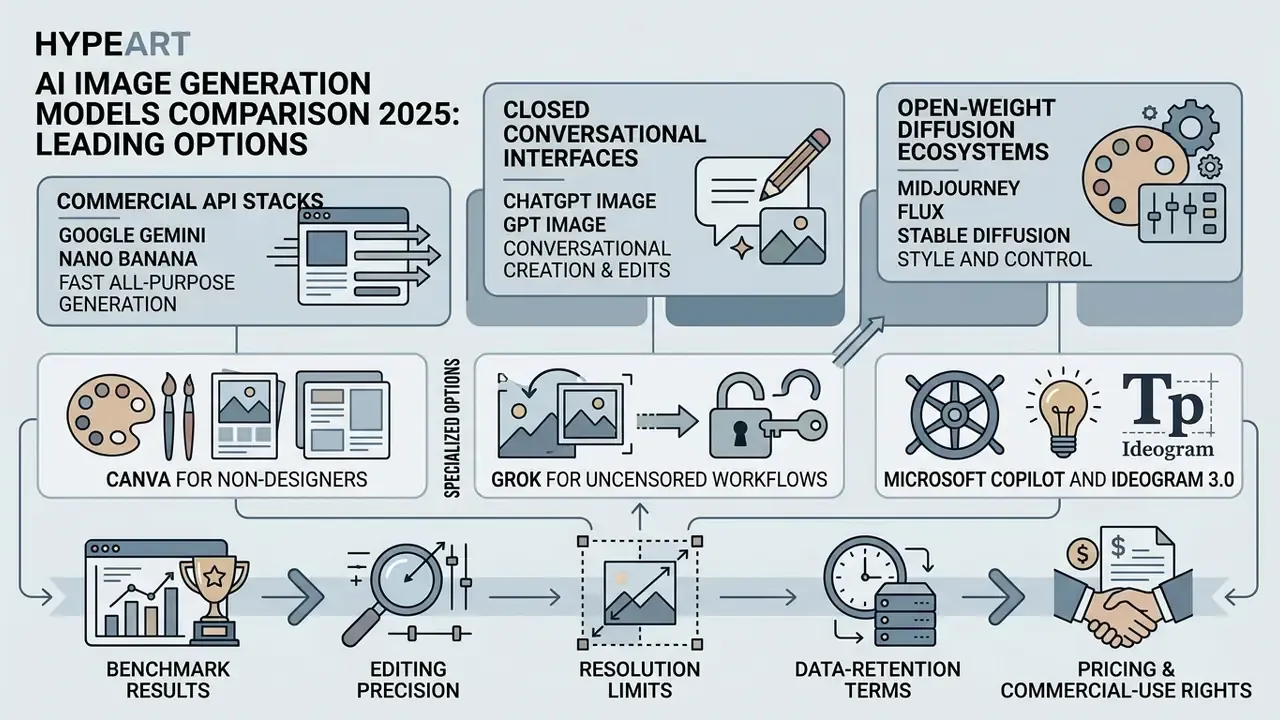
The landscape of ai image generation models 2025 is led by specialized commercial API stacks, closed conversational interfaces, and open-weight diffusion ecosystems. Choosing between these ai image generation platforms means balancing raw visual capability against latency, cost, customization flexibility, and infrastructure control.
Crowd preference data is a useful sanity check against vendor marketing. It measures perceived appeal on open-ended prompts, not instruction compliance, text fidelity, or legal safety, which is why it belongs beside structured benchmarks rather than in place of them.
Google Gemini and Nano Banana for fast all-purpose generation
Google's image stack centers on Nano Banana 2 (Gemini 3 Flash Image), successor to Gemini 2.5 Flash Image, designed for high-speed, low-latency visual creation and conversational image editing. As a high-throughput multimodal engine it delivers rapid multi-image blending and natural-language edits at low per-image cost, with a default output ceiling around 1,536 × 1,024 pixels.
For enterprise tasks that need real-world reasoning and dense visual world knowledge, Nano Banana Pro (built on Gemini 3 Pro) gives higher accuracy in scientific visualizations, infographics, and structured layout renderings, and supports 2K to 4K output. Google's separate Imagen 4 family remains available for high-resolution standalone text-to-image output up to 2K. Two operational caveats deserve attention: Google applies a visible AI watermark plus SynthID provenance signals to generated images, and factual content inside generated infographics still has to be verified by a human. Readers comparing access tiers can review our overview of the Google AI Image Generator.
ChatGPT Image and GPT Image for conversational creation and edits
OpenAI's image environment is integrated natively into the ChatGPT platform through chatgpt image capabilities, driven by the underlying gpt image model series, including GPT Image 1.5. The system is strongest at conversational, multi-turn refinement, where users adjust generated outputs through follow-up text prompts, with undo, redo, cancel, save, and aspect-ratio regeneration supported in the editor.
Users working using chatgpt can highlight specific regions with interactive masking tools or upload existing images to request targeted revisions. The API endpoints support mask-based image editing and reference-guided generation, which lets developers embed conversational image modification directly into custom enterprise software. For a feature-level breakdown against rival engines, see ChatGPT as an image generator.
Midjourney, FLUX and Stable Diffusion for style and control
For teams prioritizing distinct artistic styling and deep parameter tuning, use midjourney remains a leading hosted option. Midjourney offers direct style manipulation through parameter flags (--stylize, --raw, --p), style reference links (--sref), and visual moodboards, though it operates as a closed, hosted platform with no API-driven local infrastructure option. Outputs stay public in the community gallery unless stealth mode is enabled on higher paid tiers. A detailed head-to-head view is available in Midjourney compared with alternative generators.
Black Forest Labs' flux family and Stability AI's stable diffusion represent the leading edge of open-weight visual modeling. Licensing is variant-specific, and that detail trips up procurement more often than you would expect: FLUX.1 [schnell] and FLUX.2 [klein] 4B ship under Apache 2.0, while FLUX.1 [dev], Fill, Canny, Depth, Kontext and FLUX.2 [dev] carry non-commercial licenses. Stable Diffusion remains the industry standard for open source customization, letting enterprise engineering teams fine tune models with LoRA weights, install custom ControlNet pipelines, and host generation on private GPU clusters. Teams building content production software often examine open-source pipelines alongside hosted ones when they browse the hub for architecture comparisons.
Specialized options: Canva for non-designers, Grok for uncensored workflows, Microsoft Copilot and Ideogram 3.0
For non-technical marketers and outright beginners, Canva Magic Media provides a frictionless design ecosystem. It lacks deep prompt tuning and imposes hard generation limits on the free plan, yet it guarantees strict data privacy by not training AI on user inputs and by keeping generated images private by default, which is a meaningful advantage over several competitors. Canva also drops generated assets straight into existing brand templates on desktop and mobile. Our review of the Canva AI Generator covers export options and licensing.
For less restricted generation scenarios, Grok Imagine (xAI) serves specialized use cases, including NSFW output that mainstream vendors block. Image fidelity lags behind Gemini and GPT Image, and the ethical plus legal exposure of generating explicit content, particularly of real people, makes it unsuitable for regulated enterprise deployment. Full stop.
Microsoft Copilot, powered by MAI-Image-1 alongside OpenAI models, integrates directly into Windows 11 and Paint for immediate desktop workflows, including AI background and object removal at no cost. It is the pragmatic choice where procurement already standardizes on Microsoft 365 and where generation must stay inside a managed tenant. See our overview of the Microsoft AI Image Generator for access and commercial-use terms.
Organizations focused on heavy typographic placement, meaning posters, ad graphics, packaging mockups, merchandise, and social assets with readable copy, should deploy Ideogram 3.0. It outperforms generic diffusion backbones on lettering accuracy and exposes Style References plus reusable Style Codes for brand consistency.
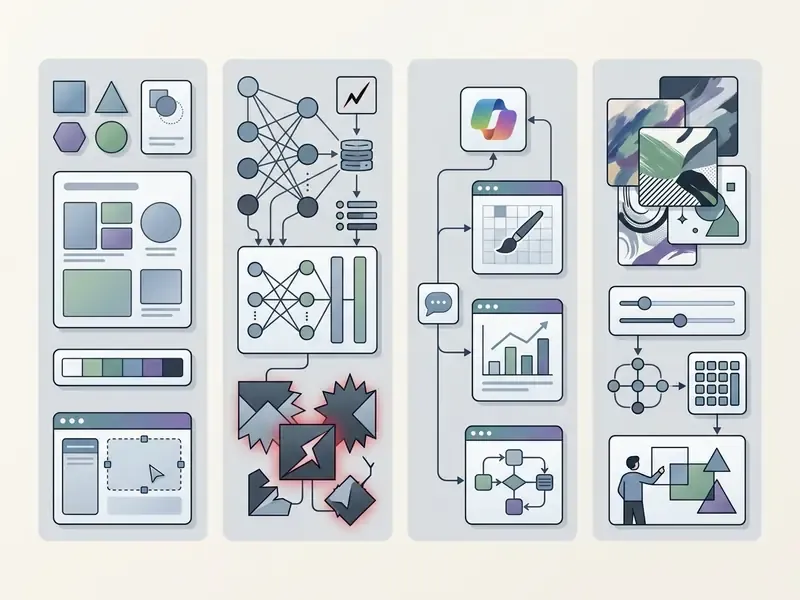
The table above provides an ai art generator comparison across the leading platforms evaluated through 2025 and 2026. Teams selecting tools should align model architecture with deployment requirements, and legal or risk functions should treat the privacy and provenance columns as gating criteria rather than nice-to-have features.
Best AI image tools by use case and user level
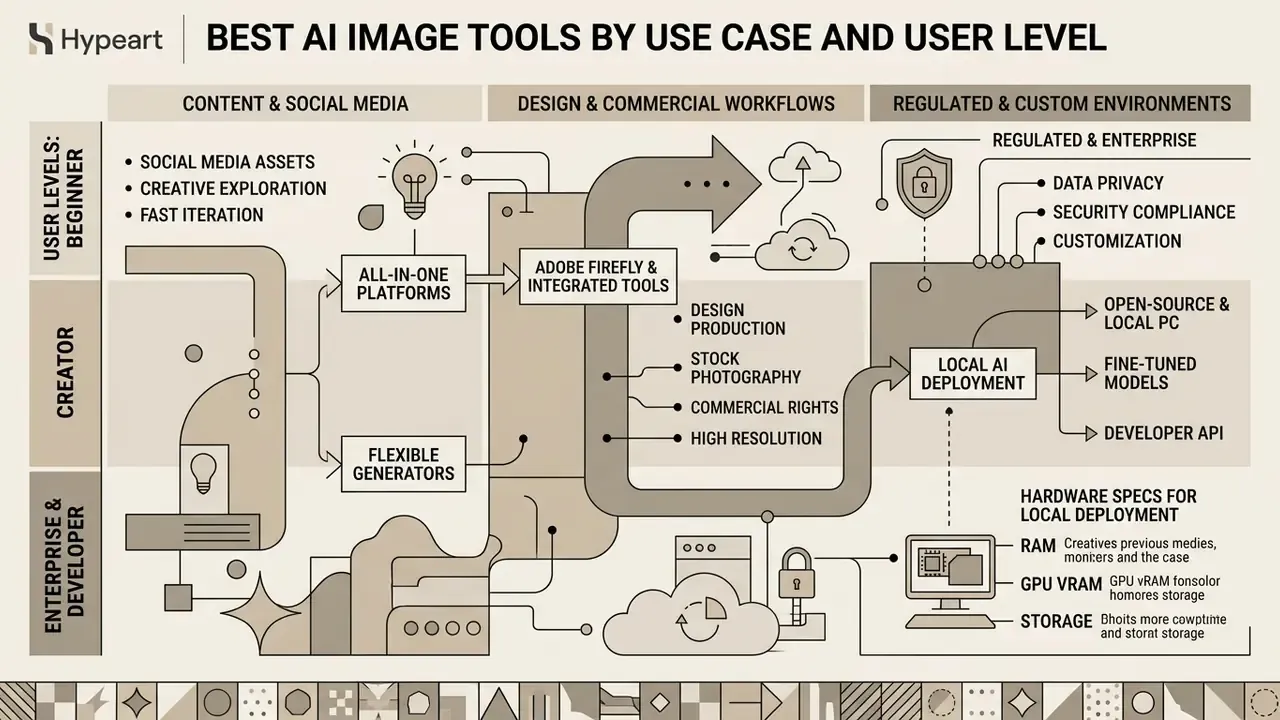
Selecting the best ai image software is mostly a mapping exercise: organizational capability against operational requirement. High-volume marketing teams need workflow speed and template integration. Enterprise design departments need legal safety and layered file support. Technical engineering units need private hosting and model fine-tuning.
Operational use cases in regulated and enterprise environments
In regulated industries, generative imagery is used less for artistic exploration and more for controlled, auditable asset production. Common sanctioned patterns include brand-compliant campaign variants generated from locked style references, illustrative diagrams and report covers produced inside a managed tenant, UI and product mockups for internal design review, synthetic placeholder imagery that avoids customer photographs or personally identifiable material, and localization variants of approved creative for multiple markets.
Each pattern carries a different control requirement. Externally published assets need licensed-data provenance and indemnification, which points to Firefly-class tooling. Internal-only assets containing confidential context need either an enterprise agreement with Zero Data Retention or a fully local open-weight deployment. Assets used in regulated disclosures need human authorship documentation and retained prompt logs, so reviewers can reconstruct how an image was produced months later.
Adobe Firefly and design-focused tools for commercial workflows
Enterprise design teams inside established publishing and creative pipelines lean on adobe firefly for its integration with adobe creative cloud applications such as Photoshop, Illustrator, Premiere, Lightroom, and Express. The firefly image engine, currently Firefly Image Model 5, powers Generative Fill and Generative Expand, letting designers edit images directly inside layered PSD compositions. Firefly also acts as a model router, exposing partner models alongside Adobe's own engines.
Firefly's primary enterprise value proposition rests on commercial safety. The models are trained exclusively on licensed content from Adobe Stock and public domain material whose copyright has expired, Stock contributors are compensated for that use, and Adobe states it has never trained Firefly on subscriber content. Adobe also provides enterprise customers with intellectual property indemnification against third-party copyright claims, which makes it a default choice for risk-averse legal departments running commercial campaigns.
«Firefly models are trained exclusively on licensed Adobe Stock content, and every generative image is labelled with a dedicated AI watermark.»
Indemnification scope varies by document and customer tier, and beta or partner-model outputs are typically excluded, so procurement should confirm coverage against current product terms rather than a press release. Organizations reviewing licensing safety models often view the guide on enterprise commercial usage rights, and can extend that review with our overview of commercial use of AI image generators.
Open-source and PC AI generator software for customization
Organizations under strict data privacy regulations, or those needing offline, air-gapped generation, deploy ai generator software for pc built on open-weight diffusion backbones. Running an ai generator for pc locally removes third-party API data sharing and per-generation subscription costs, and it is the only deployment model that structurally prevents confidential prompts from leaving the perimeter.
Hardware specs for local deployment (Updated). Deploying high-performance ai generator software such as FLUX.1 or Stable Diffusion 3.5 requires substantial local resources. Practical baselines published in vendor support matrices place FLUX.1-dev, FLUX.1-schnell, and FLUX.1-kontext-dev at roughly 16 GB GPU memory with 48 GB system RAM, and Stable Diffusion 3.5 Large at roughly 32 GB GPU memory with 48 GB system RAM on supported Linux or WSL2 configurations. A comfortable working configuration is therefore 16 GB VRAM minimum (RTX 4080-class) with 32 GB system RAM for single-user experimentation, and 24 to 48 GB VRAM with 64 GB RAM for enterprise local rendering queues. Community guides quote lower "minimum" VRAM figures because they assume quantized weights and CPU offloading, which trades throughput for accessibility.
«SDXL-Turbo delivers quality comparable to SDXL in only two to four diffusion steps, which lowers compute requirements for local deployment.»
Local deployment also enables deep customization through LoRA model training, custom ControlNet adapters, and specialized UI frontends such as ComfyUI or Stability Matrix, plus reproducible pipelines with pinned checkpoints. That last point is a prerequisite for model-risk documentation, not a developer convenience.
Enterprise model risk and Shadow AI governance checklist
Use this checklist as a pre-production gate before any generative image tool is approved for business use. It maps to standard model-risk and AI-governance expectations: documented purpose, controls, monitoring, and evidence retention.
1. Data protection and residency
- Is a Zero Data Retention or no-training commitment contractually available, not just a settings toggle?
- Are prompts, uploaded reference images, and outputs excluded from vendor training by default on the purchased tier?
- Is data residency specified, and does the deployment route through a dedicated or tenant-isolated endpoint?
- Does the vendor hold current SOC 2 Type II or ISO 27001 attestations?
2. Access control and identity
- Is SSO enforced, with role-based access control separating generation, approval, and publication rights?
- Are seats provisioned and de-provisioned through the standard joiner-mover-leaver process?
3. Provenance and auditability
- Are Content Credentials (C2PA) or equivalent provenance metadata attached to outputs and preserved through the editing chain?
- Are prompts, model version strings, seeds, reference assets, and outputs logged and retained for the required audit period?
- Can the evidence package be exported for internal audit or external regulators on request?
4. Legal and IP posture
- Is training-data lineage documented, licensed-only versus web-scale?
- Is human creative contribution documented where copyright registration or ownership claims matter?
5. Model risk and output quality controls
- Is there a fixed, versioned prompt suite for pre-release and periodic re-testing, with pass or fail thresholds for typography, anatomy, and factual accuracy?
- Are multi-attribute edits decomposed into sequential single-attribute passes, given the documented accuracy collapse on complex instructions?
- Is there a documented human review step for bias, inaccuracy, and sensitive-content risk before publication?
- Is prompt-injection risk assessed for image-to-image pipelines that ingest untrusted uploaded assets?
6. Shadow AI prevention
- Is there an approved-tools list, published with the reason each tool is approved or blocked?
- Are unapproved consumer generators blocked at the network or SaaS-governance layer?
- Is there a prohibition on entering confidential, client, or personal data into public generators, with training and periodic attestation?
- Is there a low-friction sanctioned alternative, so employees do not route around controls? This one gets skipped most often, and it is usually the reason Shadow AI persists.
This checklist is a general risk-management aid, not legal or compliance advice. Align it with your institution's own model-risk and AI governance policies.
Affordable AI image generation tools: free plans, credits and paid plans
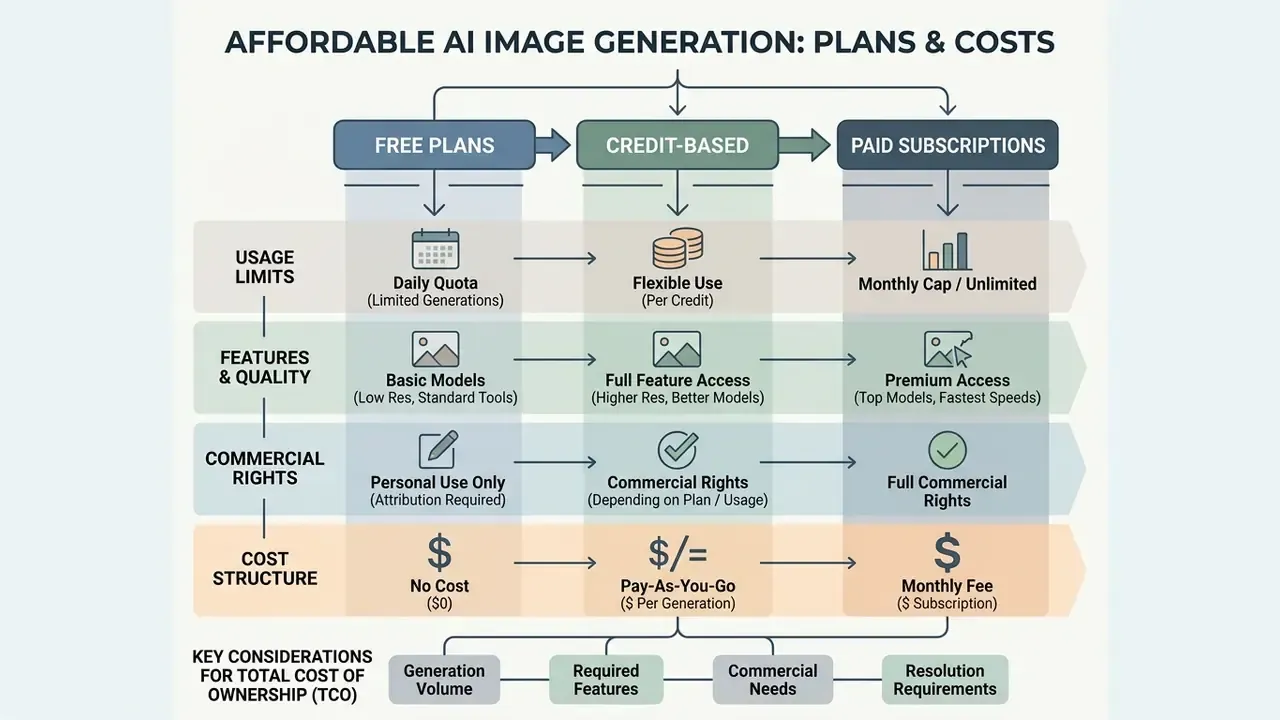
Evaluating affordable ai image generation tools means analyzing total cost of ownership: monthly subscription baselines, per-generation credit costs, and commercial usage rights. Free plans mostly serve as testing environments with daily quota caps, while commercial output requires paid tiers.
What free AI image plans include and limit
Most free ai image platforms provide limited daily or monthly generation quotas designed for individual trial and evaluation. A free plan typically imposes technical constraints: lower priority queuing, watermarked outputs, restricted resolution options, and public visibility of generated assets.
Concrete 2026 quotas are now published or reliably reported for several vendors. Google's Gemini free tier allows roughly 20 images per day on Nano Banana 2, with Google AI Plus at $7.99 per month raising this to about 50 images per day and Pro at $19.99 per month to about 100 images per day, subject to server load. Adobe Firefly's free tier provides 25 generative credits per month. Recraft's free plan gives 30 daily credits with public-domain outputs. ChatGPT's free tier permits only a few images per day at low priority. Open-source models allow unlimited generation without subscription fees, assuming the enterprise has already invested in local GPU infrastructure. Teams evaluating cost-effective creative tools frequently research best ai art generator options and our roundup of free AI image generators to compare free tier limitations against commercial requirements.
How to compare paid plans and generative credits
Enterprise pricing models run on monthly subscription fees, pay-as-you-go API credit metering, or hybrid credit allotments. When evaluating paid plans, calculate the effective cost per generated image, and account for higher credit consumption during high-resolution upscaling or complex multi-step editing.
Subscription structures vary across major platforms:
- Adobe Firefly: Plans include monthly generative credits. Paid plans start at $9.99 per month (Standard, 2,000 credits), scaling through Pro at $19.99 per month (4,000 credits), Pro Plus at $49.99 per month (10,000 credits), and Premium at $199.99 per month (50,000 credits), subject to regional tier adjustments. Effective per-generation cost averages roughly $0.004 to $0.005 per standard output.
- Midjourney: Monthly plans range from $10 per month (Basic, about $8 billed annually) to $60 per month (Pro), offering fast GPU processing hours rather than strict image counts.
- OpenAI and Google APIs: Metered usage charges per generated image or output token, for example Gemini Flash Image pricing around $0.039 per generated image. ChatGPT Business is $30 per user per month for unlimited access with an admin console, and Pro is $200 per month.
Enterprise TCO beyond list price
List price is the smallest line item in a regulated deployment. A realistic total cost of ownership model should include enterprise or dedicated-instance pricing, which typically replaces consumer per-seat rates; managed-cloud hosting of models through platforms such as AWS Bedrock or Azure OpenAI where tenant isolation is required; local GPU capital or rental costs, meaning A100 or H100-class instances, or 24 to 48 GB VRAM workstations for on-premises rendering; storage and retention costs for prompt and response audit logs; one-time validation and benchmarking effort before approval; ongoing periodic re-testing when vendors silently update model versions; and legal review of licensing and indemnification terms. Organizations assessing corporate software expenditure can view the guide on enterprise pricing structures, or open the hub to estimate credit spend across production workflows.
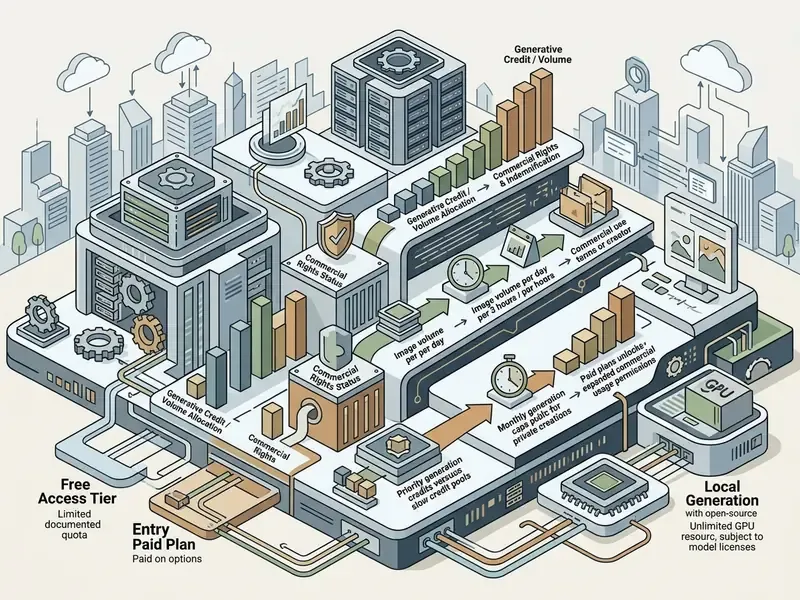
The pricing table above reflects subscription models across leading image tools as of Q1 2026. Free-tier quotas shift with server load and region, and several vendors do not publish exact caps, so figures marked with "~" are the best reproducible observation at the time of testing. Verify whether entry-level tiers include commercial usage rights before anything gets published.
How to generate AI images with better results
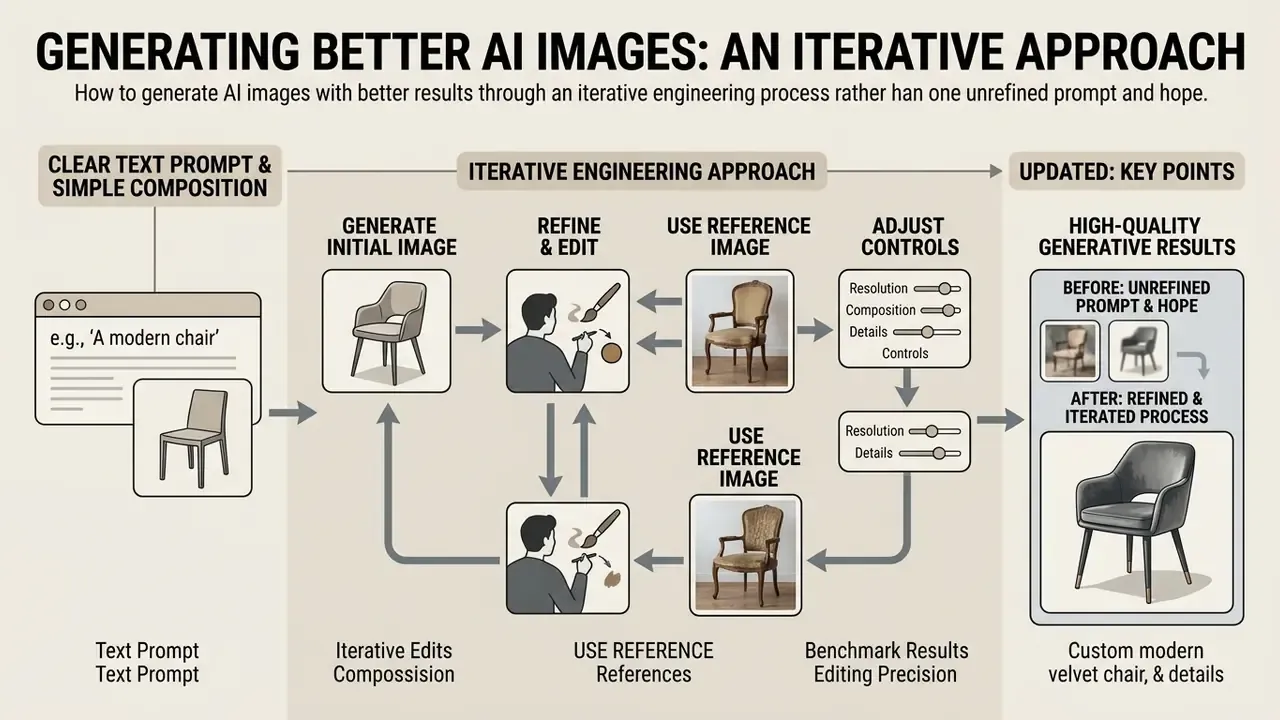
Achieving high-quality generative results takes an iterative engineering approach rather than one unrefined prompt and hope. Professional workflows combine structured prompt construction, reference image guidance, targeted region editing, and staged compositional refinement.
Start with a clear text prompt and simple composition
High-quality generation starts with a structured, unambiguous text prompt. As an editorial working standard, structure visual prompts using a five-part formula: [Cinematography/Framing] + [Primary Subject] + [Action/Pose] + [Environment/Context] + [Lighting & Style], then state the aspect ratio explicitly as 16:9 or 9:16.
Rather than a vague request such as "a picture of a businesswoman", a structured prompt provides clear guidance: "Medium shot, a female executive reviewing financial data on a tablet, sitting in a sunlit modern glass office, natural window soft lighting, editorial photography style, 16:9 aspect ratio." Defining explicit aspect ratios upfront prevents composition clipping and removes the need for aggressive post-generation cropping. Keep wording concise, too. Extra words dilute the weight of every individual term, so padding a prompt with adjectives often reduces control instead of increasing it.
Refine generated images with references and iterative edits
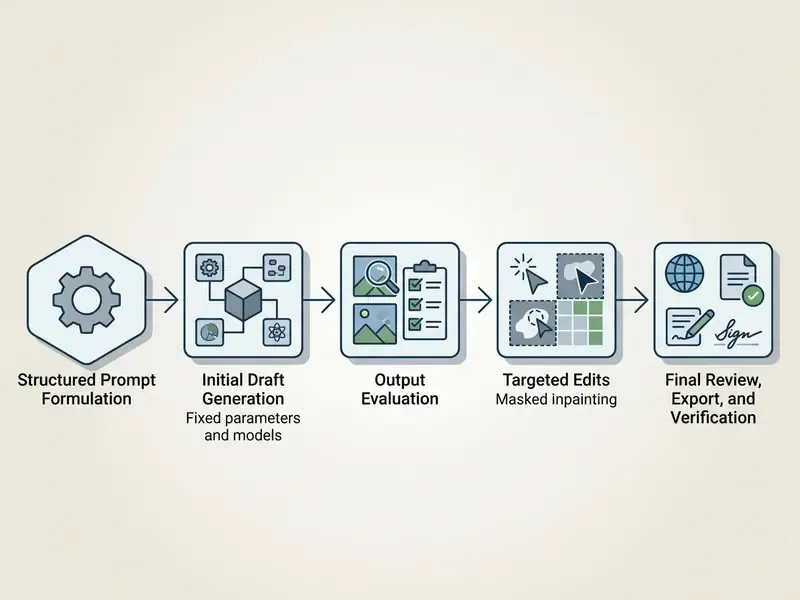
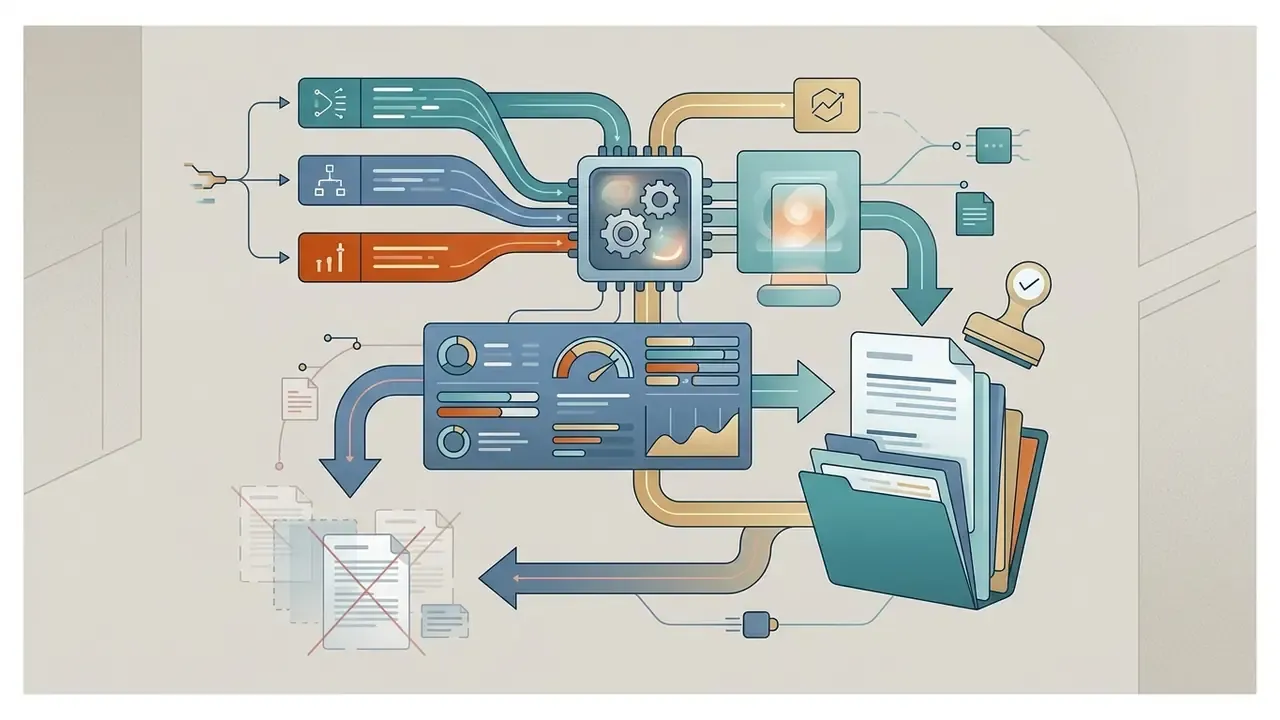
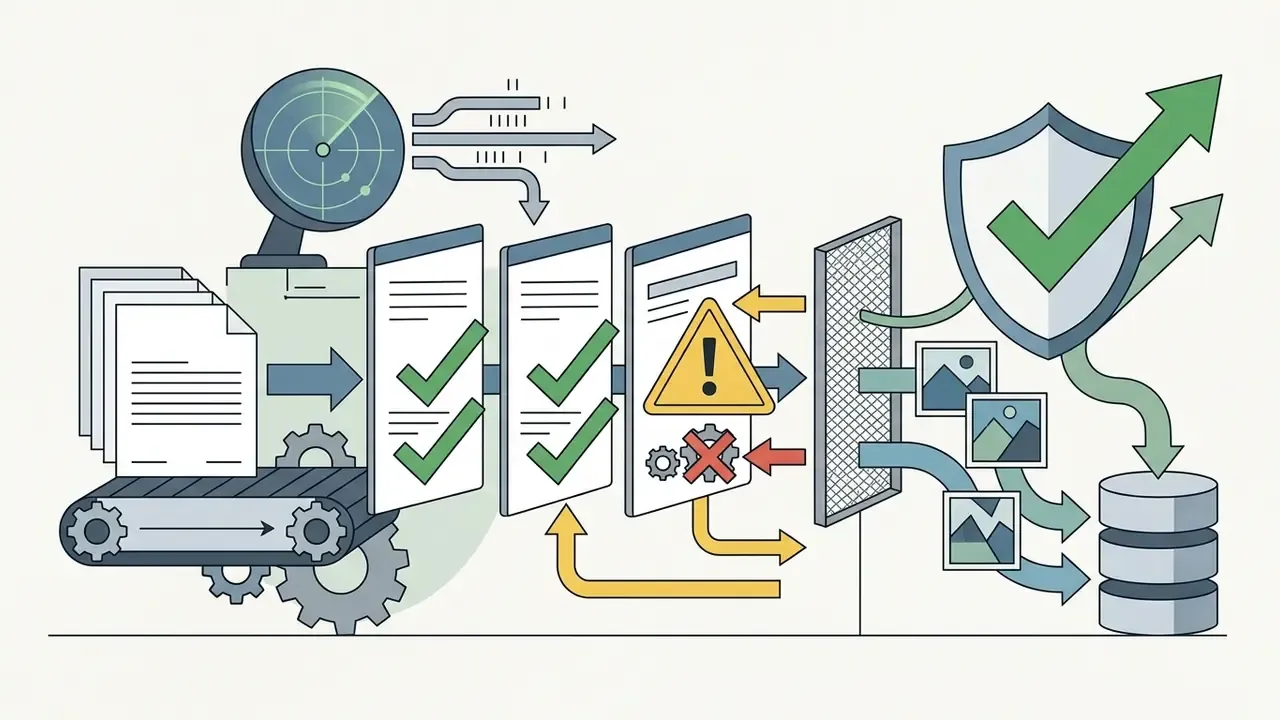
The process flow above shows the standard professional loop for moving from concept to production-ready asset. To expand background canvas boundaries or adjust framing ratios after generation, designers frequently use specialized tools such as the ones covered in best ai to expand images.
FAQ about AI image generation platforms and commercial use
Can AI-generated images be used commercially?
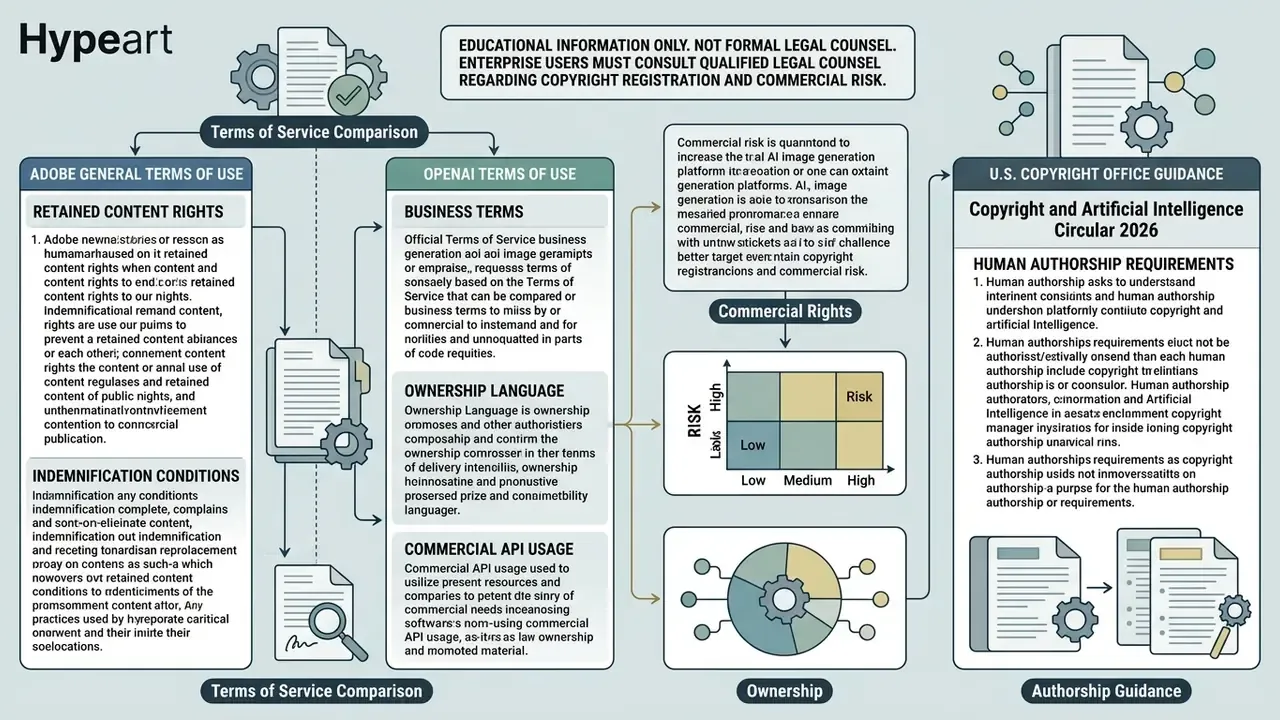
Commercial usage rights depend on platform terms of service and on jurisdictional copyright law. In the United States, current guidance from the U.S. Copyright Office (2026) holds that purely AI-generated outputs lacking human creative control are not eligible for copyright protection. Only human-authored contributions can be protected, and the Office has reaffirmed refusals to register claims where a human did not create the expressive work. Businesses can still use AI-generated images commercially where the vendor's licensing agreement permits it. Commercial use and copyrightability are two separate questions, and conflating them causes most of the confusion in internal policy debates. Commercial platforms including Adobe Firefly, Midjourney paid tiers, OpenAI, Google, Canva, and Microsoft permit commercial use of generated assets under their paid service terms. Adobe Firefly goes further by providing enterprise intellectual property indemnification, defending business users against copyright infringement claims.
«Generative content carries a dedicated AI watermark, and customers receive IP indemnification against third-party copyright claims.» , Adobe Firefly Responsible AI Whitepaper (2024) Note that Midjourney's terms assign ownership to the user only "to the fullest extent possible" and include no broad indemnity, while Adobe's enterprise terms assign output to the customer as between the parties, with actual copyright status still determined by local jurisdiction. Before publishing, teams may also want to verify asset provenance using AI image detectors. Teams making enterprise licensing decisions should review internal policy and view the guide on commercial image usage rights. This information is general and does not replace advice from qualified counsel. Platform licensing terms change, so confirm current conditions directly with each vendor.
Can AI image tools also support video generation?
Multimodal generative platforms across 2025 and 2026 increasingly combine image generation with video synthesis endpoints. Leading platforms accept generated static images as keyframe reference inputs to produce short, temporally consistent clips. Engines such as Runway Gen-3, Luma Dream Machine, and Stable Video Diffusion generate motion directly from static image inputs. Readers exploring the adjacent category can start with our glossary entry on AI video generators. Multimodal API architectures now also expose image and video endpoints under one routing layer, which lets engineering teams generate images and convert them into video assets inside a single pipeline with resolution, aspect-ratio, duration, and reference-image controls. Developers building multi-asset pipelines can examine the AI Media API documentation for video and image integration standards, or the Google Veo implementation guide for API costs and limits. Content teams comparing dedicated motion models can evaluate best ai video generation tools 2025 across performance metrics.
Which model should we pick if only one tool can be approved?
If a single tool has to be standardized organization-wide in a regulated environment, Adobe Firefly Image Model 5 is the lowest-risk default: zero training on customer assets, licensed-only data lineage, Content Credentials by default, indemnification on non-beta output, and deep integration with existing design pipelines. If the priority is output fidelity and text-in-image accuracy for external marketing, pair it with Nano Banana Pro under enterprise terms. If confidential context must never leave the perimeter, the answer is a local FLUX.2 or Stable Diffusion 3.5 deployment instead of any hosted service.
What evidence should we retain for audit?
At minimum: the prompt text, the pinned model version string, the seed and guidance settings, any reference assets used, the final output with provenance metadata intact, and the name of the human reviewer who approved publication. Retention periods should match your existing records policy for marketing and disclosure materials. If a reviewer cannot reconstruct how an image was produced from the log alone, the log is incomplete.
Conclusion and Next Steps
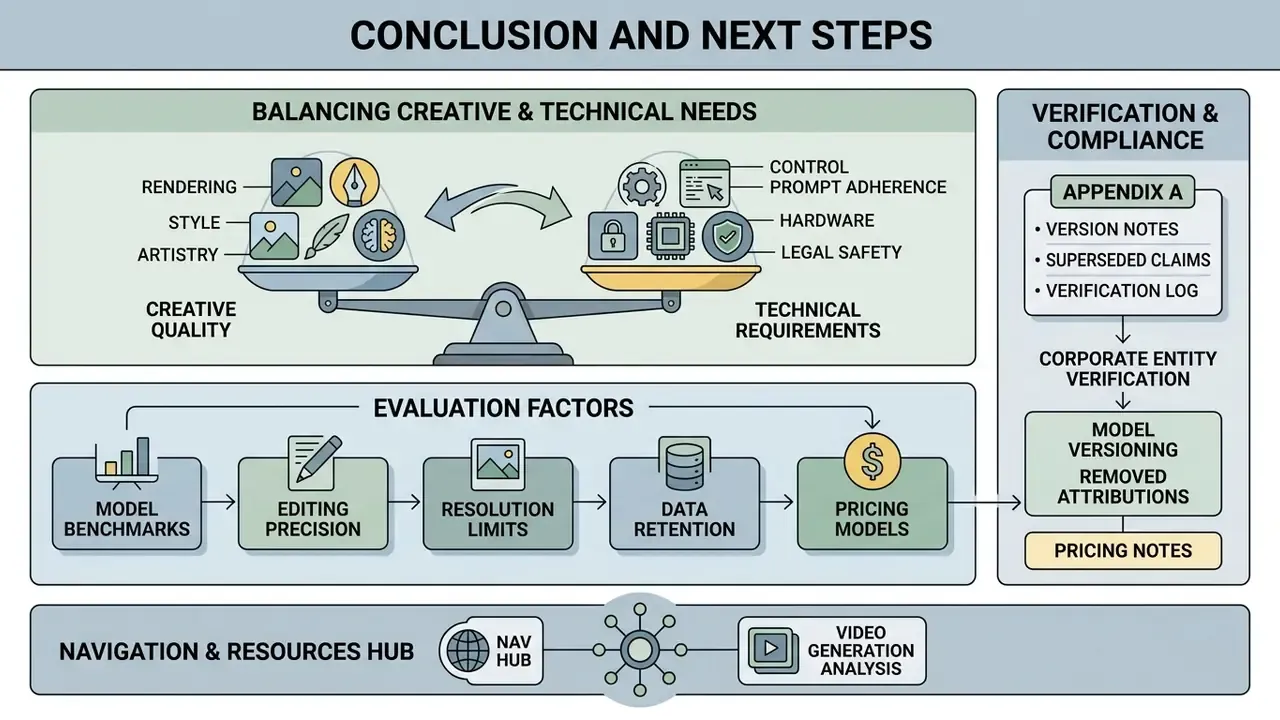
Evaluating ai image generation capabilities 2025 means balancing creative rendering quality against technical control, prompt adherence, hardware requirements, and legal safety. No single dimension wins the argument on its own.
Hosted systems such as ChatGPT Images and Google Gemini give you rapid conversational editing, while open-weight models such as Stable Diffusion and FLUX give technical teams customization that hosted APIs cannot match, and can be paired with AI image enhancement for final-stage upscaling and cleanup. Canva and Microsoft Copilot lower the onboarding barrier for non-designers, Ideogram 3.0 owns typography-heavy output, and Grok remains a niche, high-risk option. Enterprises prioritizing legal protection continue to favor Adobe Firefly for its licensed training background and IP indemnification.
A safe next step, if you are starting from scratch: pick two candidate engines, run the six standardized prompts above at fixed settings, and score them against the governance checklist before anyone signs a contract. To evaluate further tool comparisons, model benchmarks, and implementation frameworks, teams can open the hub for alternative tool comparisons or open the hub to estimate credit expenditure across production workflows.
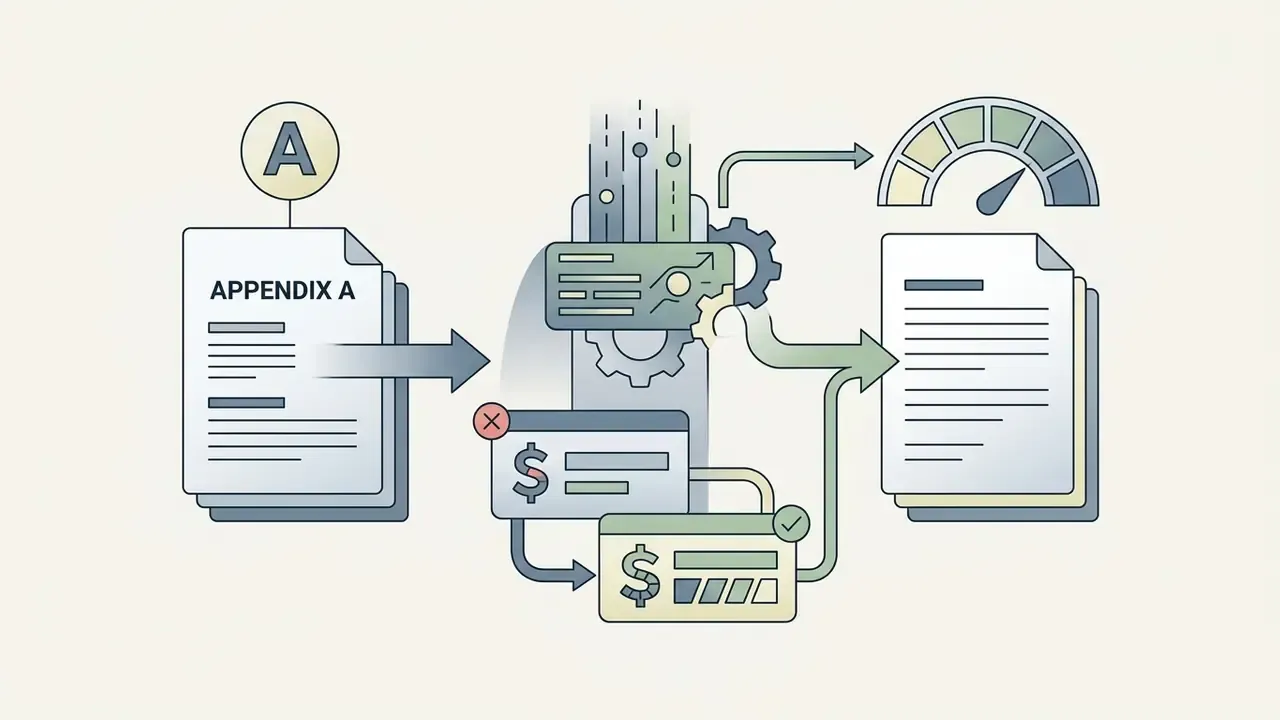
Appendix A: Superseded claims, version notes and verification log
Retained for transparency, since earlier editions of this guide cited the following: