Last updated: February 2026.
Executive Summary
- What it is 2D Animation AI covers generative systems that synthesize, deform, or interpolate two-dimensional animated assets from text prompts, sketches, vector art, or structured scripts. Learned motion priors replace manual in-betweening and clean-up.
- Where the gains are Published evaluations report that AI-assisted pipelines compress a 30-second animation from roughly 200 to 300 hours of manual labor down to 25 to 40 hours, mostly by automating in-betweening, coloring, and shot assembly.
- Where the risk is Purely AI-generated visual output without meaningful human creative contribution is not protected by copyright in the United States. EU disclosure obligations apply from August 2026. Commercial rights are contractual, tier-dependent, and vary by model version.
- What operators must control Character consistency across shots, temporal artifacting, voiceover and lip-sync accuracy, prompt and seed logging for audit trails, vendor data-retention terms, and human sign-off before public release.
- Full production stack Script parsing, prompt composition, scene generation, validation, AI voiceover with subtitles and lip-sync, in-prompt magic editing, NLE finishing (Premiere Pro, After Effects, DaVinci Resolve), then multi-format export (MP4, ProRes, WebM, GIF).
How This Guide Is Organized
The article moves from definition to controls, then to procurement and release. In order: what 2D animation AI actually is, the governance and model-risk framework for visual AI, the project types where it pays off, how to shortlist ai 2d animation tools, the end-to-end production workflow from script to export, pricing and commercial-use verification, an audit checklist you can use as a release gate, limitations that remain unresolved, and a FAQ. An appendix records the source attributions that were replaced during fact-checking.
What Is 2D Animation AI and What Problems It Solves
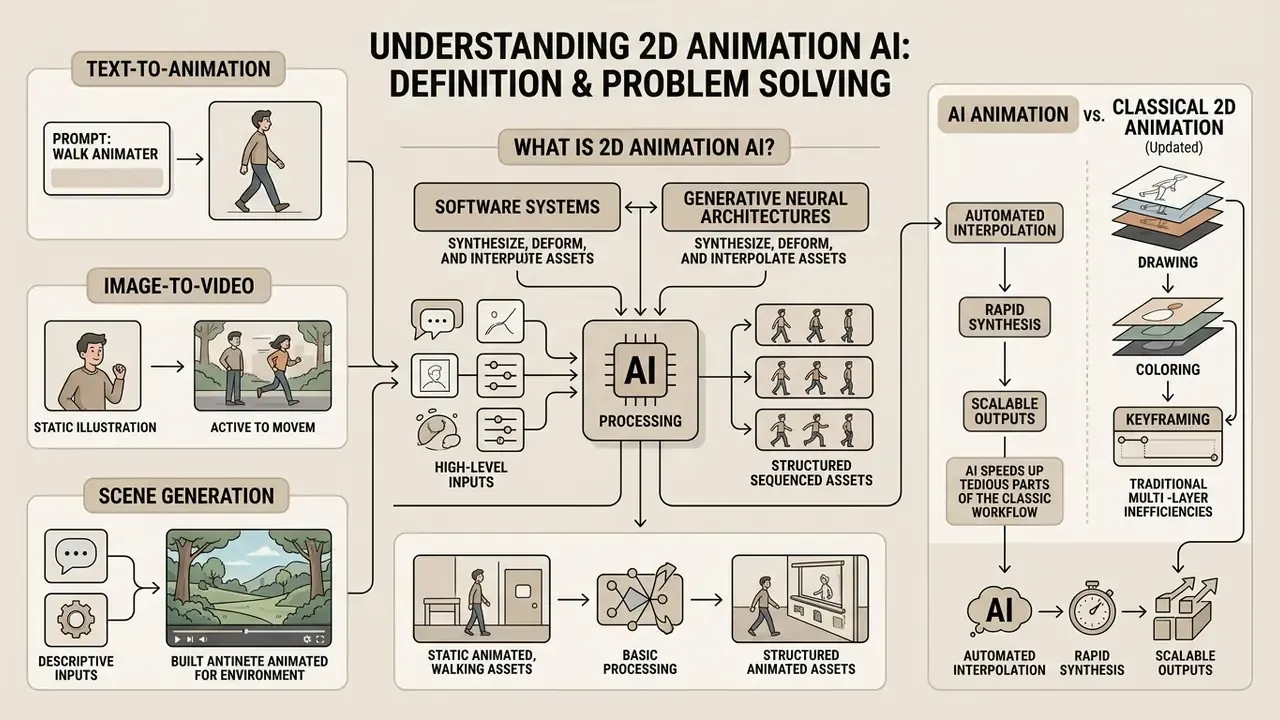
2D Animation AI refers to software systems and generative neural architectures that synthesize, deform, or interpolate two-dimensional animated assets from high-level inputs. Those inputs may be text prompts, static vector graphics, sketches, or structured scripts. These tools augment or eliminate repetitive keyframing, line clean-up, and in-betweening, moving organizations from frame-by-frame drawing to automated scene generation.
Deploying an ai 2d animation tools infrastructure lets teams produce an animation video for marketing, training, or product design without a traditional animation pipeline. Modern generative video models behave like digital production assistants: they translate semantic descriptions into motion vectors. Rapid prototyping becomes cheap, provided governance over the visual output stays intact.
Generative 2D systems now cover a wide spectrum of stylizations rather than a single "cartoon" look. Classic doodle-style whiteboard animation. Animated business infographics and data-driven chart reveals. Kinetic typography stingers for paid social. Explainer and product-demo sequences. Branded avatars built through visual custom character builders. Each stylization carries different validation requirements. Whiteboard and infographic formats demand legibility and text accuracy; character-led formats demand identity stability across shots. Teams weighing generative against template-driven approaches can review the broader landscape of animation makers and their creation methods before committing to a single vendor.
Text-to-Animation, Image-to-Video, and Scene Generation
Text-to-animation systems convert written prompts into temporal visual frames. They encode semantic instructions into visual layouts and temporal motion plans. In an ai animation generator text to animation pipeline, diffusion models and transformer decoders synthesize sequential frames, aligning camera motion, subject movement, and background detail with the input text (PTTA and HunyuanVideo research, 2025).
«Diffusion architectures became the dominant paradigm thanks to superior visual quality and temporal consistency compared with GAN and VAE approaches.»
Architecturally, the earliest text-to-video systems separated a static "gist", meaning background and layout produced by a conditional VAE, from dynamics generated by a text-conditioned adversarial component. Contemporary systems replace that split with a two-branch design. A content branch learns spatial appearance from paired image and text data. A motion branch learns temporal dynamics from text-free video corpora. Four mechanisms recur across image-to-video diffusion implementations: condition encoding, temporal modeling, noise-prior design, and spatial-temporal upsampling.
Image-to-video tools extend static artwork, such as brand logos, vector illustrations, or character sheets, into dynamic sequences. They rely on reference-image conditioning and temporal cross-attention. Systems such as PoseAnimate preserve character visual features across scenes by decoupling spatial appearance from motion sequences (PoseAnimate, CVPR 2024). Multi-scene generation combines these mechanisms with structured script parsing, so an ai animation generator from script can synthesize ordered storyboard shots. Vendor documentation reflects the same separation: NVIDIA NIM ships distinct text-to-video and image-to-video variants, where the generation path is fixed by server configuration. One base model, two routes.
How AI Animation Differs from Classical 2D Animation
AI-driven animation replaces artist-authored keyframes, rigging, and manual timeline editing with learned probabilistic motion priors and prompt-conditioned synthesis. Traditional animation software such as Toon Boom Harmony or Adobe Animate grants granular control over vector paths, timing charts, and line weights. That control costs specialized proficiency and time. Readers evaluating the wider generative video category can compare capabilities across AI video generators and their output limits.
By contrast, ai animation 2d workflows shorten production timelines by automating in-betweening and coloring. Historically that phase consumes 40 to 60% of the labor budget on a traditional 2D project.
«An AI-assisted system reduced production of a 30-second animation from 200 to 300 hours down to 25 to 40 hours for non-technical users.»
AI Governance and Model Risk Framework for Visual AI
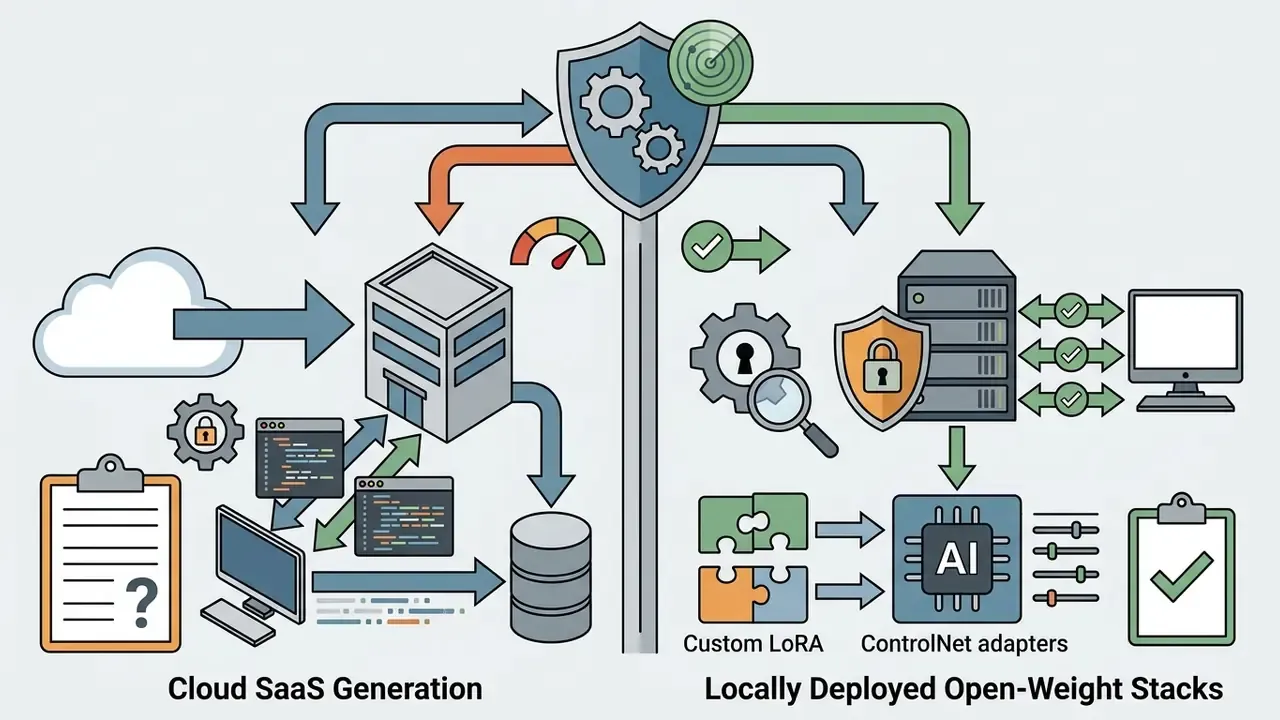
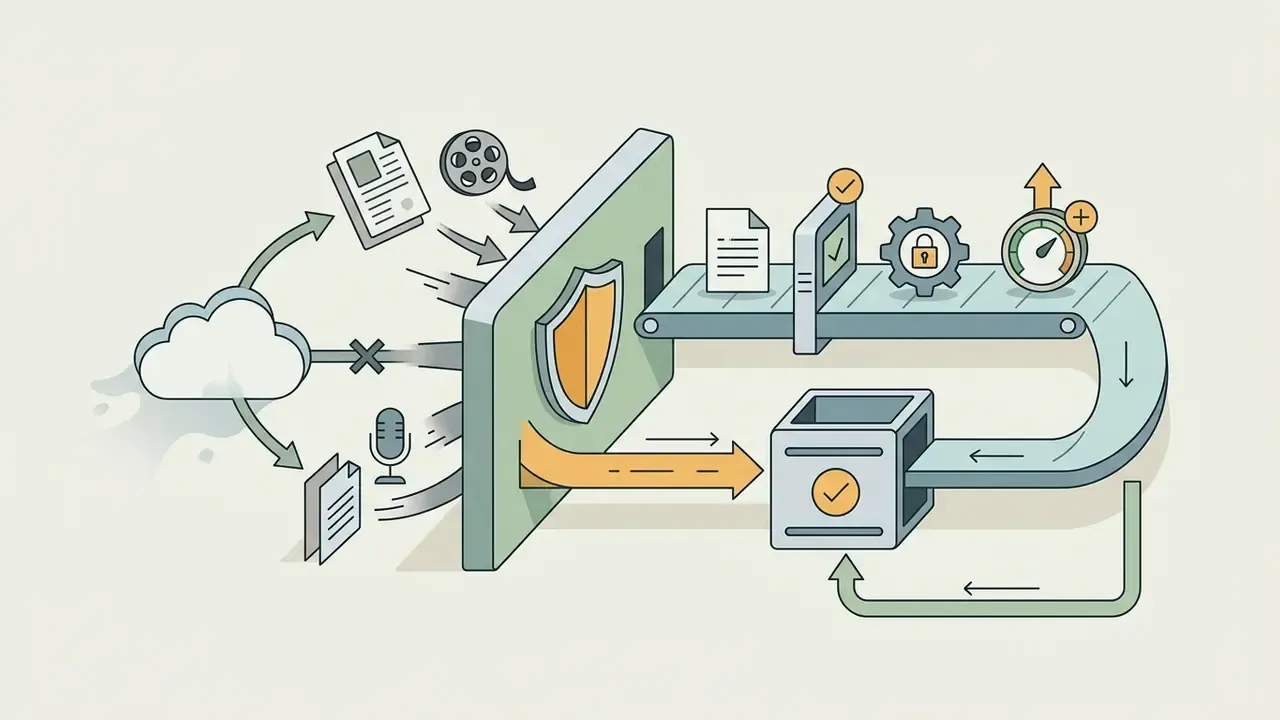
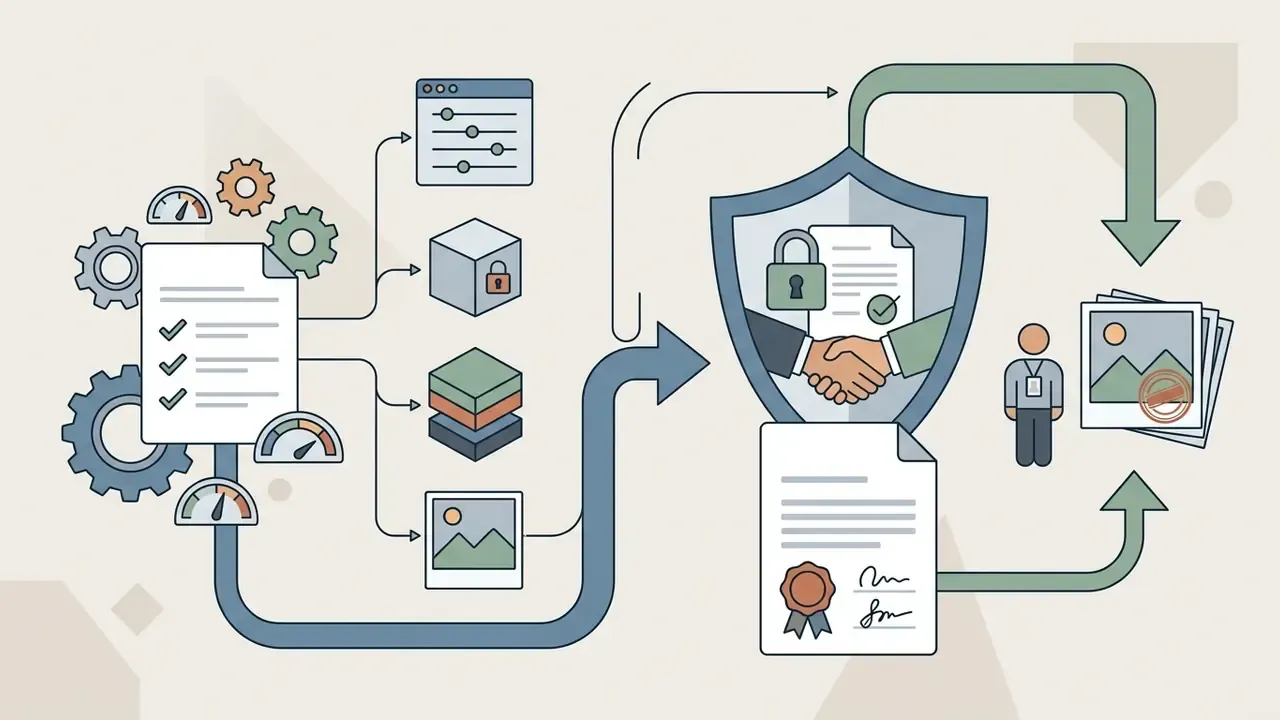
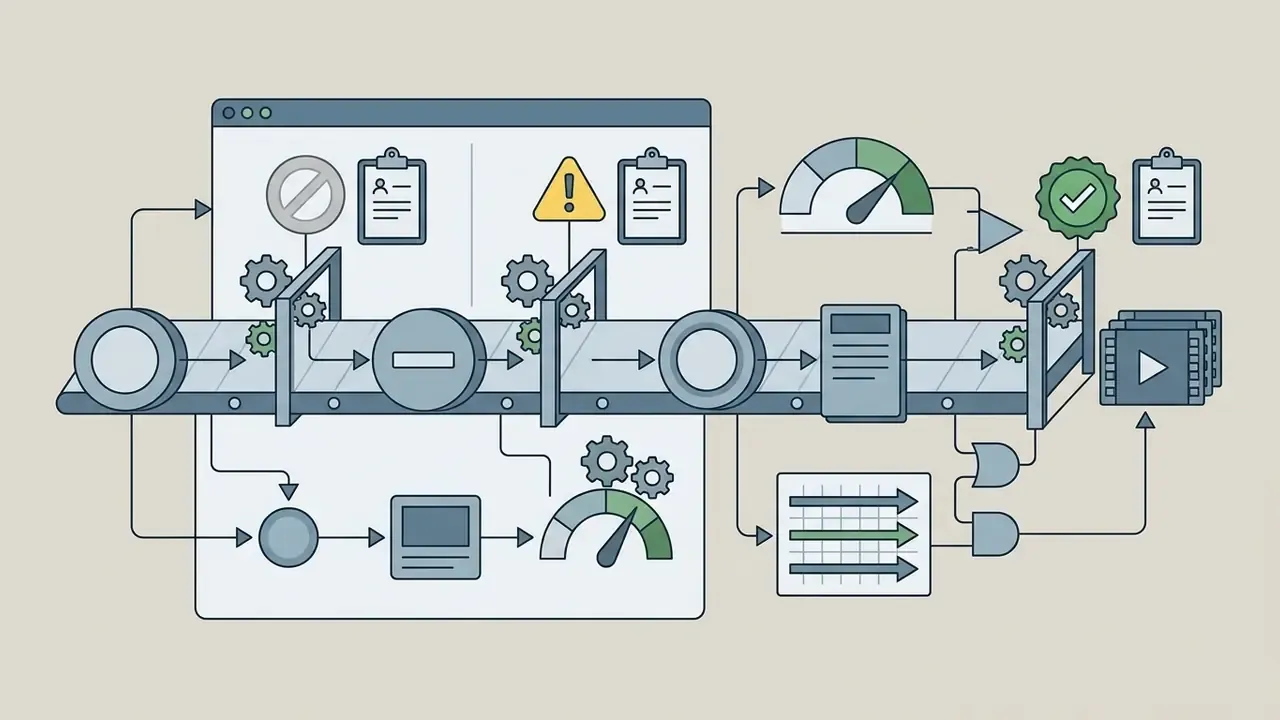
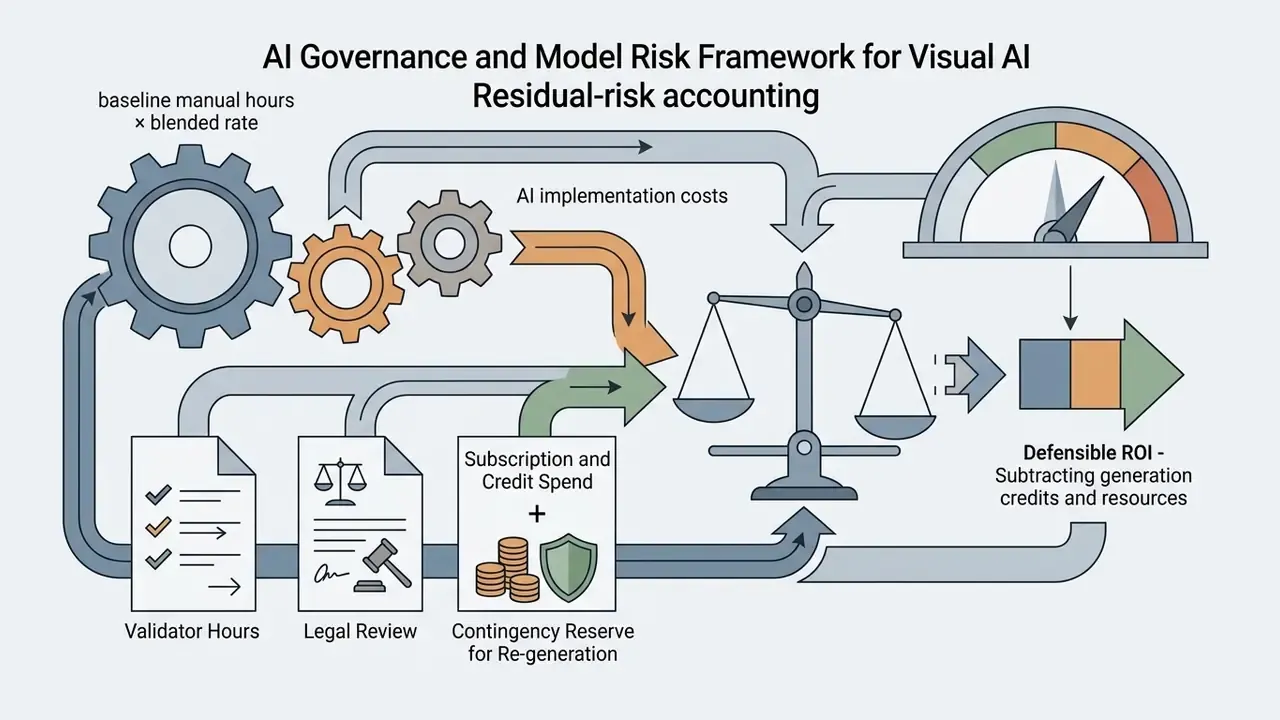
Generative animation belongs inside the same control perimeter as any other automated model producing externally visible output. Call it a marketing tool if you like; the regulator will still call it output. A workable framework for institutional deployment rests on five controls.
Which Projects Use AI 2D Animation
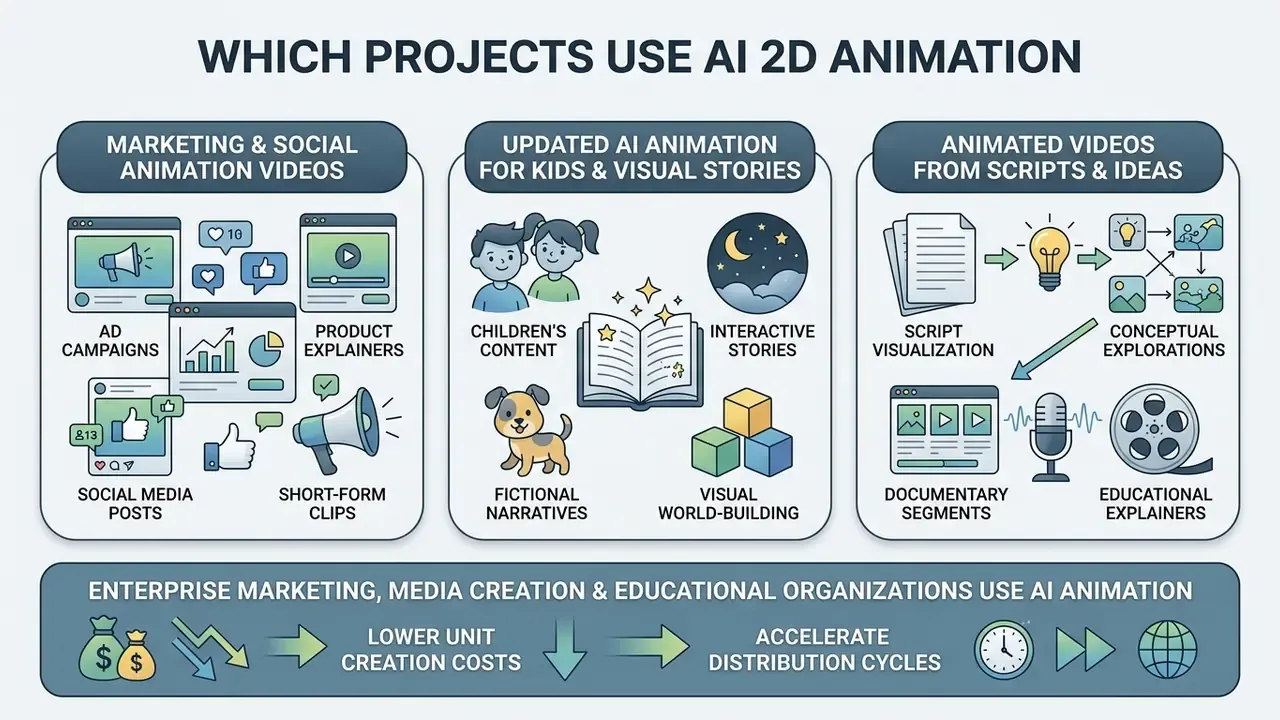
Enterprise marketing departments, media creation teams, and educational organizations use ai animation services to lower unit creation costs and accelerate distribution cycles. Primary domains include high-frequency social media ad creatives, corporate training videos, compliance and onboarding modules, educational narrative shorts, product demos, and interactive brand assets.
By replacing lengthy manual keyframing with an ai animated short film generator or a prompt-driven script parser, teams test visual concepts quickly, iterate on localized campaign messaging, and create animated videos in multiple formats at scale.
AI Animation for Kids and Visual Stories
Creating ai animation for kids requires strict visual consistency, recognizable character identities, and predictable pacing to hold a young viewer's attention. Educational media teams use generative frameworks to convert textbook chapters and narrative scripts into multi-scene ai animation cartoon sequences, typically five to seven discrete scenes per story unit. Documented classroom workflows chain a language model for scripting with generative design and editing tools for scene rendering and voiceover. Anyone evaluating ai animation tools for kids videos should test that chain end to end, not just the picture stage.
Character stability across scenes is the make-or-break variable in children's media.
«ViStoryBench includes 80 multi-scene stories with character annotations, specifically to evaluate visual consistency of characters between shots.»
Research on child-centered AI design emphasizes that consistent facial features and recognizable silhouettes reduce cognitive friction. That makes identity-preserving features such as character references (--cref) essential for ai animation story content aimed at children. Measurement practice supports the point: applied studies score AI animation with FID for visual quality, SSIM for texture consistency, and motion-based metrics for temporal coherence, while a dedicated Face Consistency Benchmark treats character identity as a directly measurable property of generated video.
Animated Videos from Scripts and Ideas
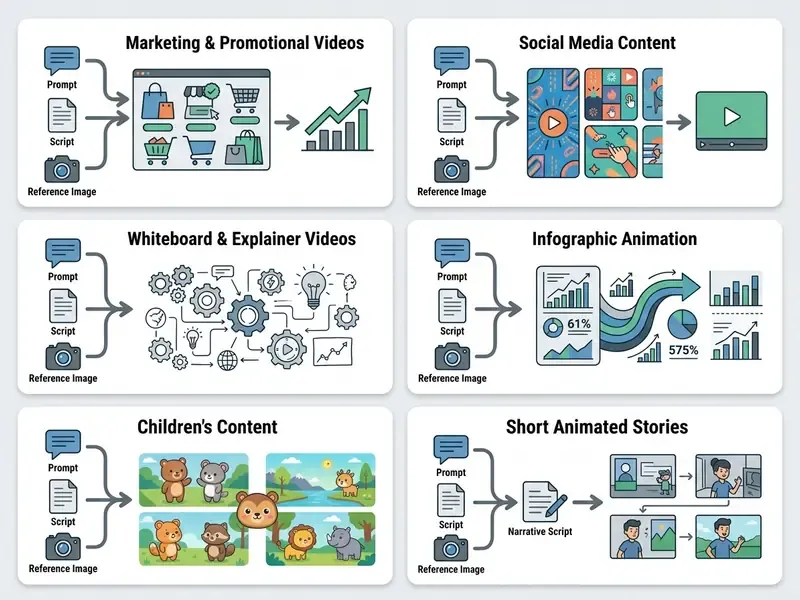
An ai animation from script tool parses written narrative text into structured scene breakdowns, shot lists, and keyframe prompts. Large language models extract semantic entities, camera angles, lighting conditions, and character actions from a screenplay, then pass those structured parameters to diffusion decoders for scene rendering.
«MapStory automatically decomposes a user script into camera movements, visual highlights, and animated routes, exposing them as editable JSON components.»
How to Choose AI 2D Animation Tools for Your Task
Selecting the right ai 2d animation tools means evaluating output resolution, prompt controllability, deployment architecture, security posture, and enterprise compliance. Decision-makers balance ease of use for non-technical staff against the advanced control that professional motion graphics teams demand. Buyers narrowing a shortlist of ai animation software tools can also review comparative rankings of leading generative visual tools by quality and licensing, or compare options across adjacent categories.
For regulated environments, request written confirmation of three items before procurement. First, SOC 2 Type II or ISO 27001 attestation. Second, a contractual data non-retention clause preventing model training on customer inputs. Third, availability of private-cloud or self-hosted deployment. Absent all three, restrict generative animation to non-confidential, publicly releasable material.
Generator Features: Prompts, Styles, Characters, and Templates
Core evaluation criteria for any ai animation generator site center on prompt conditioning quality, style persistence, character consistency, and template customizability. Advanced platforms support structured prompt engineering, separating subject parameters, camera movement, lighting, and negative constraints. Vendor prompting guidance converges on one brief format: visual style, shot type, character, action, location, and aesthetic constraints, with camera movement treated as essential rather than optional.
To hold character identity across multiple shots, professional systems use fine-tuned low-rank adaptations (LoRAs), character reference tags, or vector-based SVG layers.
«PoseAnimate preserves character appearance and background detail through a dual consistency-attention module, outperforming baseline image-to-video methods on identity metrics.»
When evaluating tools for multi-channel brand campaigns, organizations can review dedicated ai brand generator tooling to unify visual identity across static and animated channels, and compare integrated design suites such as Canva's AI generator features, exports, and commercial licensing.
Online Services, Desktop Programs, and Mobile AI Animation Apps
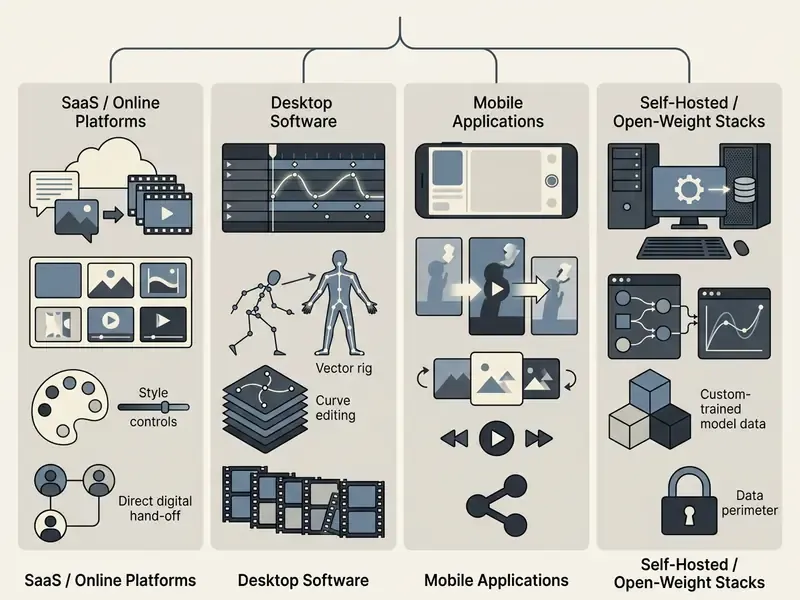
Enterprise users choose between browser-based ai animation generator website platforms, desktop production suites, and mobile applications, depending on operational requirements.
- Online platformsWeb services such as Adobe Firefly and Runway offer zero-install cloud rendering, high accessibility, and continuous model updates through any standard ai animator online portal. Firefly explicitly accepts an image, sketch, character design, or text prompt as the starting input, and supports both 2D and 3D stylization.
- Desktop softwareApplications such as Clip Studio Paint EX and Adobe Animate provide offline data processing, local system integration, and the frame-by-frame vector editing that studio pipelines require. Krita and Clip Studio Paint additionally ship mobile builds, which blurs the desktop and mobile boundary.
- Mobile applicationsAn ai animation app mobile solution enables rapid social clip generation and direct publishing from a handset, which suits field marketing and social media managers. Mobile GPU access runs through OpenGL ES and Vulkan.
Tools for Beginners, Creators, and Professional Teams
Tool selection tracks technical expertise and organizational scale. Beginners need intuitive web interfaces with pre-built style templates and automated text-to-speech dubbing.
«In a study with 13 participants, novices successfully animated illustrations through natural language, progressively refining prompts in response to generated output.»
Independent creators need balanced workflows combining script parsing, image-to-video capability, and affordable commercial licensing. Comparative reviews of free AI video generators, their limits and watermarks help identify which entry tiers actually permit paid client work. To see how automated creative tooling fits broader pricing models, teams can compare options across service tiers.
Enterprise teams demand role-based access control, multi-user workspaces, real-time co-editing, pipeline API integrations, explicit indemnification, and automated quality evaluation. Published long-form animation research includes a dedicated evaluator that checks text-to-video similarity, identity verification, audio-visual sync, and narrative coherence. Organizations building custom media applications can reference AI Media API Guides and implementation detail such as Google Veo API access, costs, and limits when scoping technical integration.
How to Create 2D Animation with AI: From Script to Export
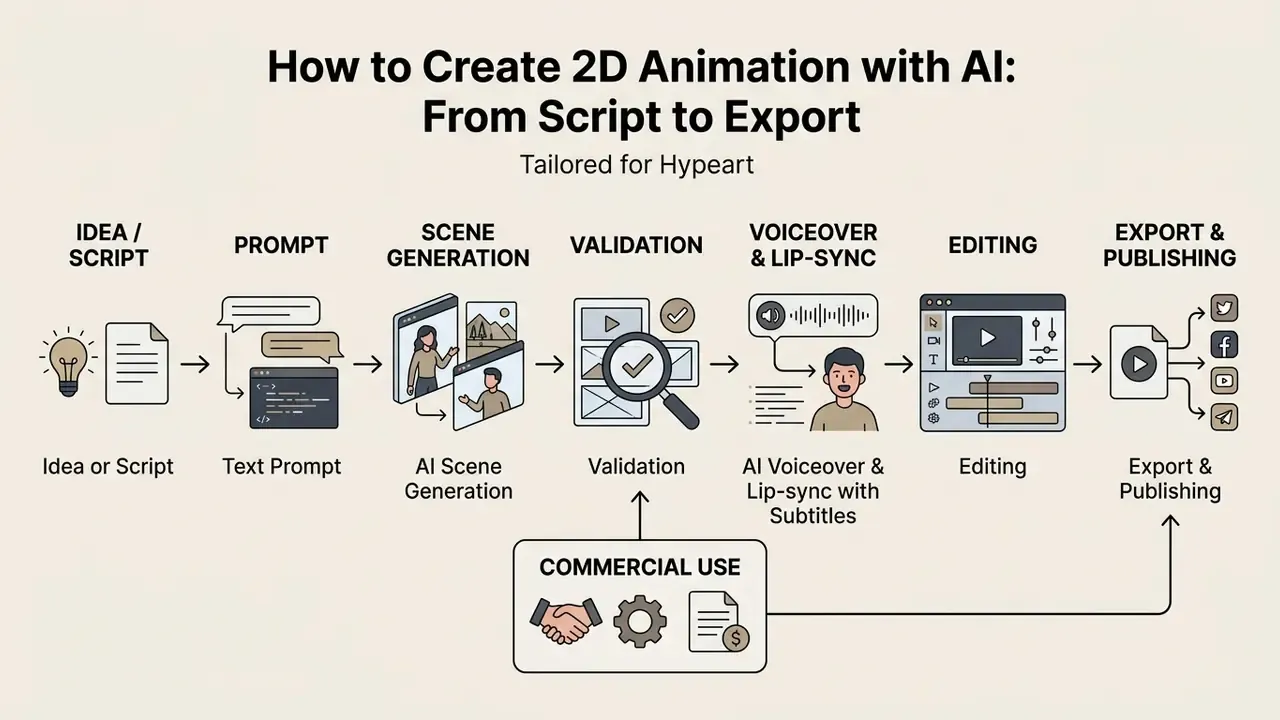
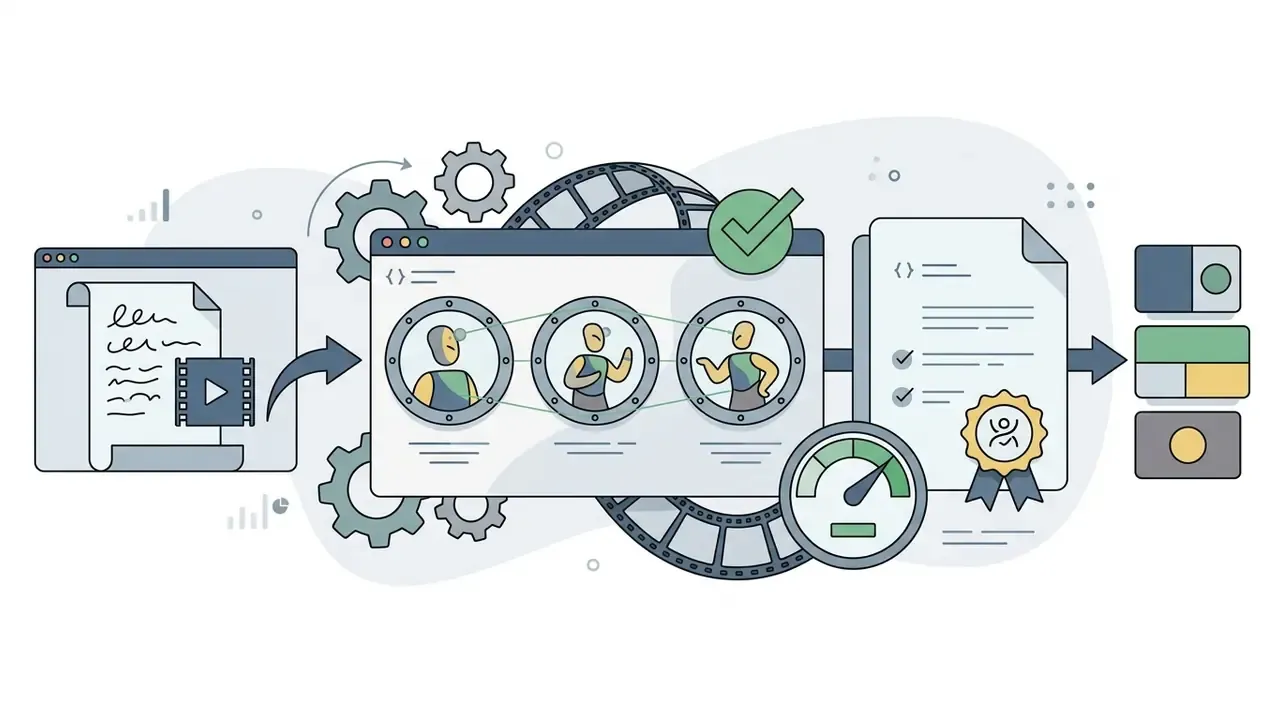
A systematic pipeline for 2d animation with ai delivers predictable visual quality, narrative coherence, and technical compliance. Seven phases: scripting, prompt composition, scene rendering, quality review, voice and lip-sync production, timeline editing, and target export.
Prepare the Script, Idea, and Prompt
Production starts by breaking a narrative concept into scene beats, dialogue blocks, and visual descriptions. Using an ai animation story generator, writers convert raw narrative text into structured shot lists with explicit camera parameters and subject actions.
«Users apply a decomposed prompting style: they progressively refine goals in response to generated output rather than describing everything in a single request.»
Create Characters and Scenes in the Chosen Style
To guarantee character consistency, operators build reference assets or identity blocks before full scene generation begins. Character reference parameters (--cref), character-weight controls, or a custom LoRA trained on 15 to 30 high-quality reference images keep facial features, clothing, and proportions stable across camera angles.
«PoseAnimate's mask-guided decoupling module processes character and background separately, preserving appearance detail across pose changes.»
Generate the Animation Video and Validate the Result
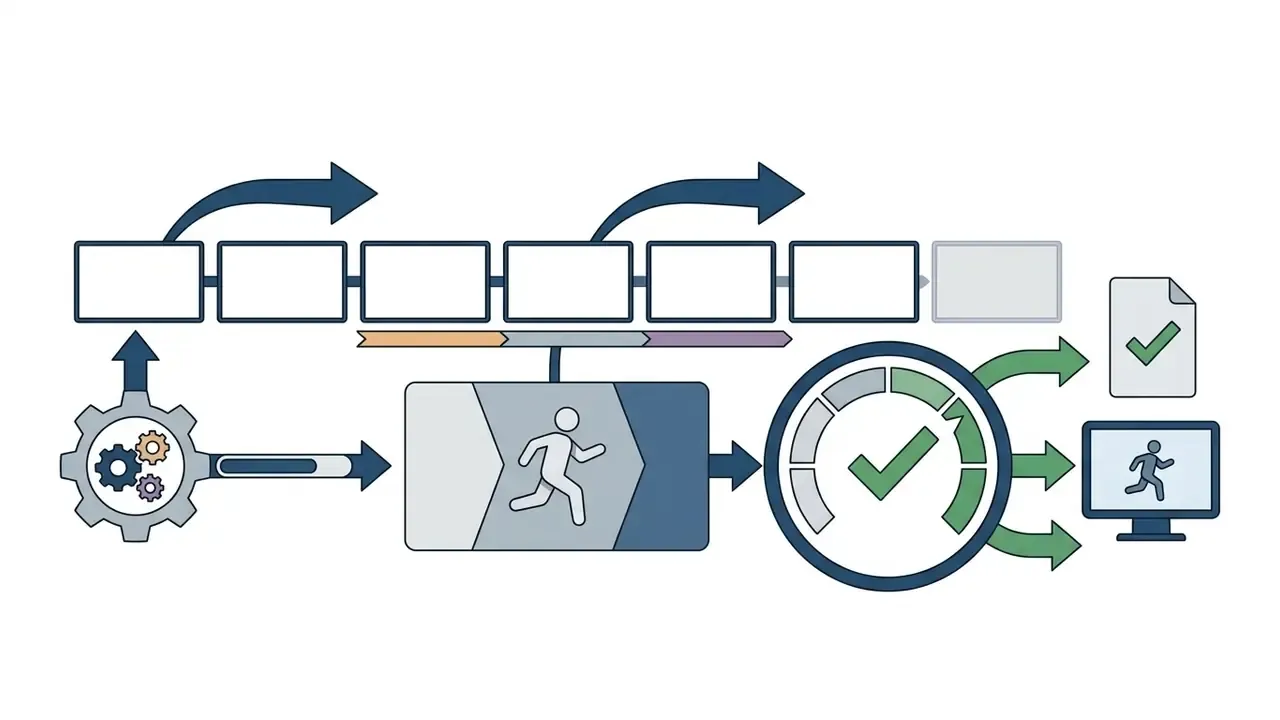
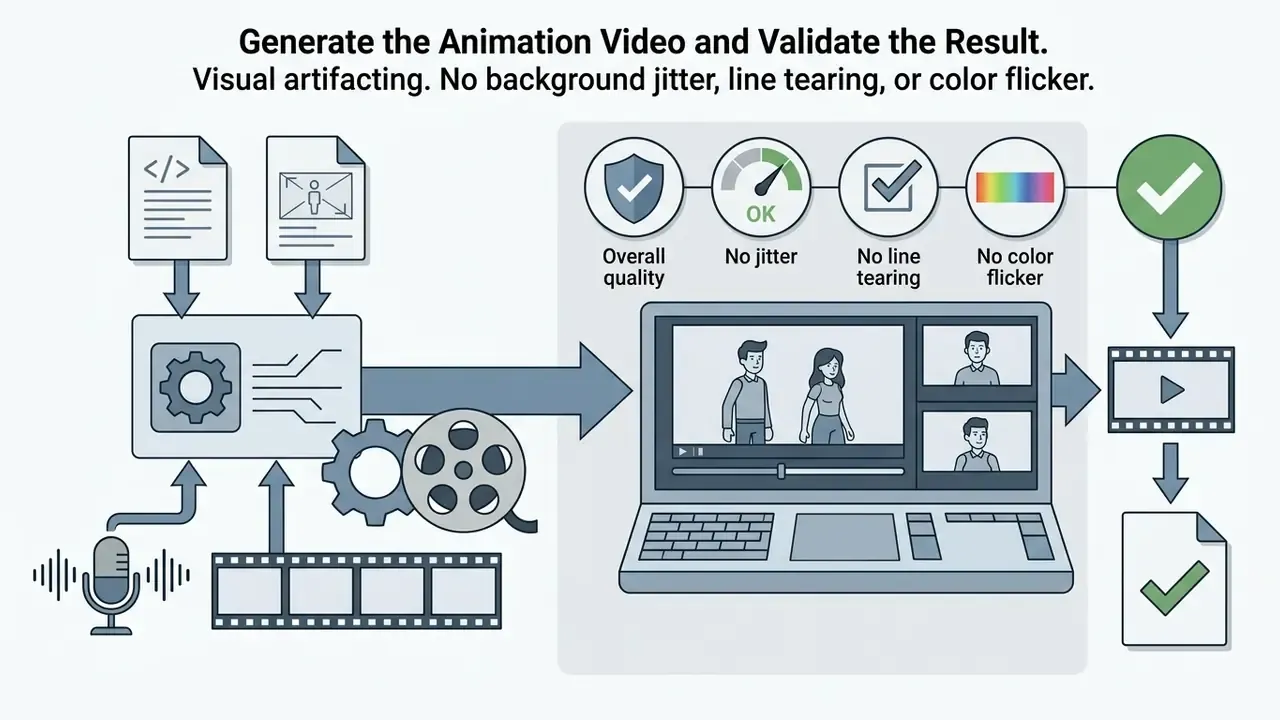
Once prompts and reference characters are locked, operators run batch generation on an ai animation video generator online engine. Each shot is scored against four validation criteria.
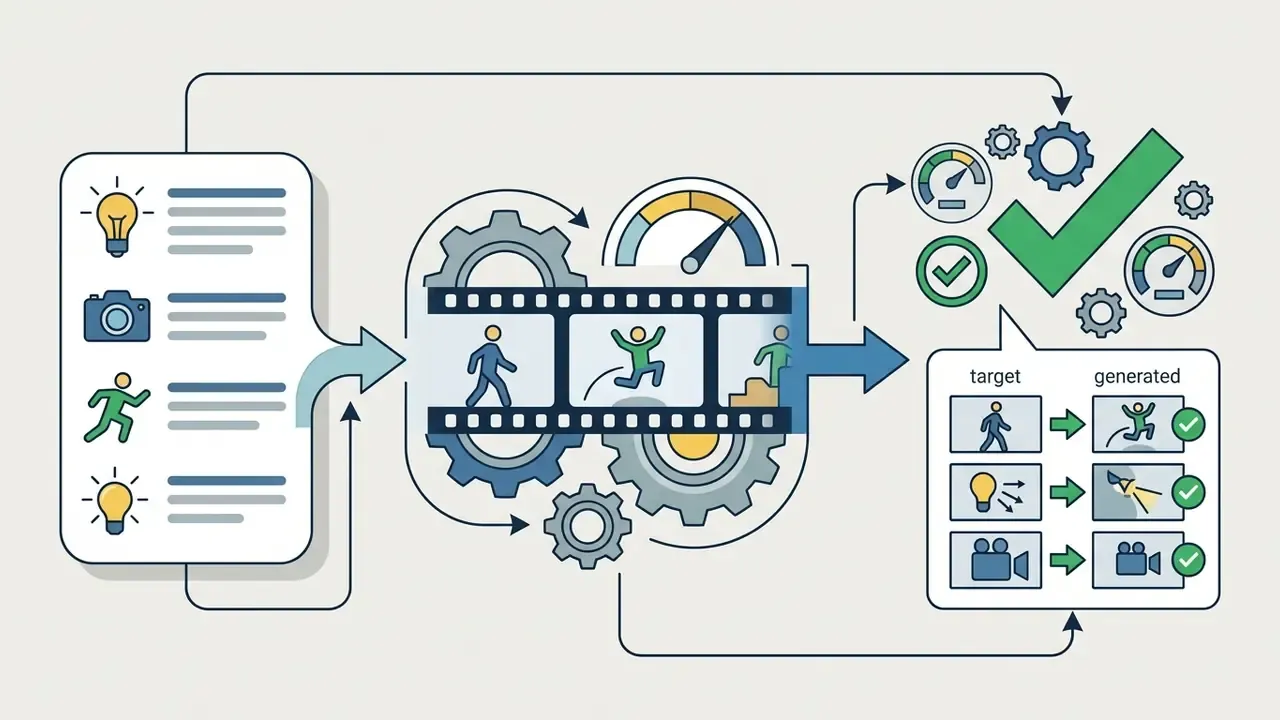
«CogVideoX generates 10-second continuous videos at 16 fps and 768×1360 resolution, demonstrating improved temporal consistency over previous models.»
Generate AI Voiceover, Auto-Subtitles, and Lip-Sync
Edit with In-Prompt Magic Commands
Instead of regenerating a whole sequence, use text micro-commands in the editing panel, commonly labeled a magic prompt box. Surgical changes, approved frames untouched.
- Scene management "Delete scene 3 and extend scene 2 by two seconds."
- Audio and narrator edits "Replace the narrator with a female voice in a British accent" or "Lower the background music by 30%."
- Visual element edits "Replace the blue background with a flat-illustration office" or "Add a vector arrow pointing at the logo."
- Continuity edits "Keep the character identity, costume, palette and prop positions unchanged; change only the camera to a slow push-in."
Scene-aware prompt editing lets operators modify specific elements, altering background objects, swapping wardrobe, changing a character, or redirecting an action, using text prompts, first and last frame anchors, and character references. Whole scenes stay intact. Vendor documentation confirms that editing is a first-class operation exposed through a dedicated edit endpoint, so iteration is expected to continue well past first generation.
Edit, Export, and Publish the Video
For studio projects, approved raw AI clips move directly into professional software: Adobe Premiere Pro, After Effects, DaVinci Resolve. Generative extensions can export scenes with foreground and background layer separation or an alpha channel. Teams then track masks, composite vector VFX, add motion-graphic lower thirds, and grade shots without asking the model to re-render. Firefly-generated animation, for example, is designed to move into other Creative Cloud applications such as Premiere Pro or After Effects for refinement.
Approved clips are assembled in a standard non-linear editor for trimming, audio alignment, color grading, and caption overlays. Teams choosing a finishing tool can review options for video editing software and free alternatives alongside their generation stack. Storyboard and pre-production suites close the loop from the other end: professional storyboard software exports both PDF review packages and movie files for animatics.
Final export settings must match platform delivery specifications.
Set a consistent file-naming convention at export, something like project, scene, shot, version, seed. Without it, reconstructing which generated variant actually shipped becomes guesswork during an audit. When preparing broader commercial video deployments, operators should review the operational frameworks and see the overview.
- Social media delivery
- H.264 codec, MP4 container, 1080×1920 (9:16 vertical) or 1080×1080 (square), Match Source High Bitrate preset.
- High-definition web and broadcast
- 1920×1080 (16:9 widescreen), ProRes or H.265 at 24 or 30 fps.
- Web platforms and UI/UX interfaces
- WebM with transparency support, or compressed GIF for email campaigns and product documentation, at 720p or 1080p and 15 to 24 fps to minimize file weight.
- Game and interactive pipelines
- PNG or APNG image sequences, sprite sheets, texture atlases, and JSON metadata where an engine consumes the animation rather than a video player.
- Print-adjacent and archival
- image sequences (PNG or TIFF) plus a mezzanine master retained for future re-versioning.
Pricing, Free Plans, and Commercial Use of AI Animation
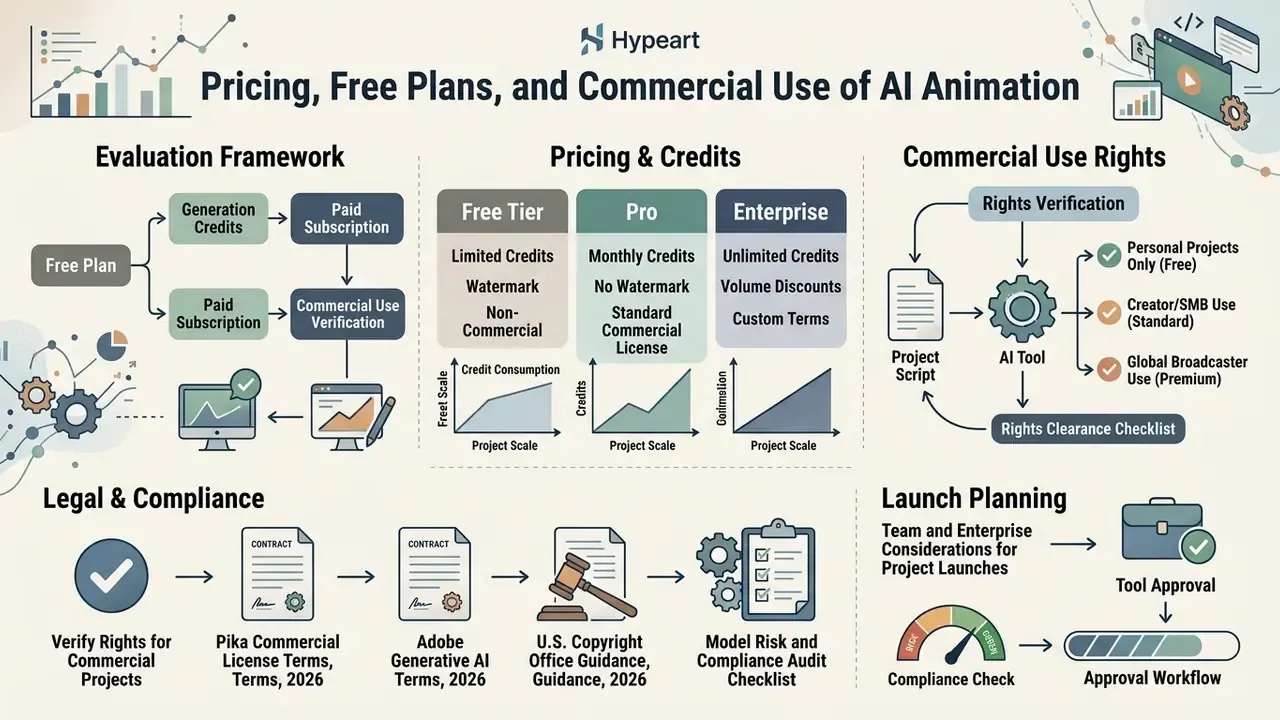
Financial and legal risk management requires evaluating subscription structures, generation credit consumption, and intellectual property rights before deploying AI video tools commercially. Generative media platforms bill mostly on credits, with hard boundaries between free and paid enterprise tiers.
What the Free Plan Includes and What Is Charged
Free tiers on platforms such as Runway, Pika, and Magic Hour work as personal sandboxes. They typically provide limited one-time or daily generative credits. Runway lists 125 non-replenishing credits, while Pika's base plan provides 80 monthly credits with no commercial usage rights. Pika's Pro tier, around $28 per month, is the first level that grants commercial use (Runway Pricing Terms, 2026).
Free plan exports often force watermarks, cap resolution at 480p or 720p, and prohibit commercial exploitation. Vendor documentation is explicit here: some platforms retain their watermark only on free exports, while others note that free video and audio output may carry watermarks removed on paid tiers. Anyone testing an ai animated video generator online for client work should confirm the watermark policy before pitching the output.
Paid plans, ranging from roughly $12 per month for basic tiers to $149 and above for pro plans, remove watermarks, unlock 1080p and 4K rendering, raise generation volume, and grant commercial usage rights.
«The RunwayAI Max annual plan ($958.80/year) provides 192,000 credits, roughly 200 credits per dollar, about 25% better value than the standard plan.»
Credit mechanics carry their own budgeting risk. Adobe documents that generative credits are consumed per feature, that consumption varies by feature and output type, that monthly allowances reset on the subscription anniversary date, and that unused credits do not roll over. Under-consumption is a sunk cost. Over-consumption throttles delivery mid-campaign.
How to Verify Rights for Commercial Projects
This section is informational and does not replace advice from qualified intellectual property counsel. Licensing terms vary by platform, model version, and jurisdiction.
Commercial usage rights depend on subscription tier contracts, training dataset provenance, and jurisdictional copyright rules.
- Contractual rights: Most commercial platforms, including Adobe Firefly and Runway Pro and above, grant commercial usage rights only to paid subscribers. Content created on free tiers is frequently restricted to personal, non-commercial use (Pika Commercial License Terms, 2026). Independent 2026 market summaries note the same pattern across paid video tiers at Runway, Pika, and Luma.
- Copyright protections: According to U.S. Copyright Office guidance, purely AI-generated visual output lacking human creative authorship cannot be copyrighted and sits in the public domain. Only human-authored contributions, such as manual editing, compositing, custom storyboarding, or original artwork used as input, retain protection, and AI-generated portions must be disclaimed on registration (U.S. Copyright Office Guidance, 2026). European Parliament analysis reaches an equivalent conclusion: output without meaningful human creative input is not protected.
- Model training provenance: Vendors that train only on licensed and public-domain material market their output as commercially safe. That assurance typically excludes beta features, and it does not extend to user-uploaded source images that themselves infringe copyright, trademark, privacy, or publicity rights.
- Stock asset interaction: Licensed stock assets may be used inside AI-edited commercial projects only after the original asset is licensed, with one credit consumed per unique source asset.
- Indemnification: Enterprise solutions such as Adobe Firefly provide intellectual property indemnification against third-party copyright claims for non-beta features (Adobe Generative AI Terms, 2026). Teams comparing generative image and video stacks on licensing grounds can also review commercial-use terms for major AI image generators.
- Disclosure: EU-facing distribution carries transparency obligations effective from 2 August 2026. Plan synthetic-content labeling into the release workflow rather than retrofitting it later.
Team and Enterprise Considerations for Project Launches
Corporate deployment requires dedicated team or enterprise tiers. Enterprise plans provide multi-seat license management, centralized credit pools, single sign-on, SCIM provisioning, enterprise key management, domain verification, user analytics, role-based access control, and privacy controls that stop provider models from training on customer input assets (OpenAI Business Privacy Terms, 2026).
«RunwayAI offers Standard, Pro, and Max plans with commercial workflow rights; the Max plan ($149.90/month) is positioned for studios and professionals.»
Two procurement boundaries recur across vendors. Team plans typically require a minimum of two members and a work email, with shared billing suited to small organizations. Enterprise plans add custom contracting, advanced security and compliance controls, and, importantly, often bill seat access separately from consumption, so usage is charged at API rates on top of the seat fee. Model that split explicitly before approving a budget. Finance teams have been surprised by it more than once.
When establishing new business entities or visual brand identities for commercial projects, teams can streamline corporate asset creation using an ai business name generator, or consult financial tools and explore the hub for software cost modeling.
Model Risk and Compliance Audit Checklist
Use this as a pre-release gate for any AI-generated animation entering a public or client-facing channel.
- Tool approvalIs the platform on the approved vendor list, with a named workspace owner and an executed commercial-tier contract?
- Tier verificationDoes the active subscription tier explicitly grant commercial use for the intended channel, whether ads, client work, or a product launch?
- Input clearanceAre all uploaded reference images, logos, fonts, likenesses, and stock assets separately licensed and cleared for AI processing?
- Data handlingDoes the contract prohibit training on customer inputs, and is retention duration documented?
- Prompt and seed logAre prompt text, negative constraints, seed, model version, and operator identity recorded for every shipped shot?
- Human contribution recordIs the human creative contribution documented for copyright registration and disclaimer purposes?
- Quality sign-offHas each shot been labeled approved by a named reviewer against temporal quality, artifacting, identity match, and prompt alignment?
- Audio verificationAre synthetic voice licenses valid for paid media, and have lip-sync and subtitle timings been reviewed per language?
- DisclosureIs synthetic-content labeling applied where jurisdiction and platform policy require it?
- Watermark and resolution checkIs the final master free of free-tier watermarks and delivered at contracted resolution and codec?
- RetentionAre masters, project files, and generation logs archived with a documented retention period?
- Residual riskHas legal review signed off, and is a rework reserve budgeted for takedown or re-version scenarios?
Limitations and Open Questions
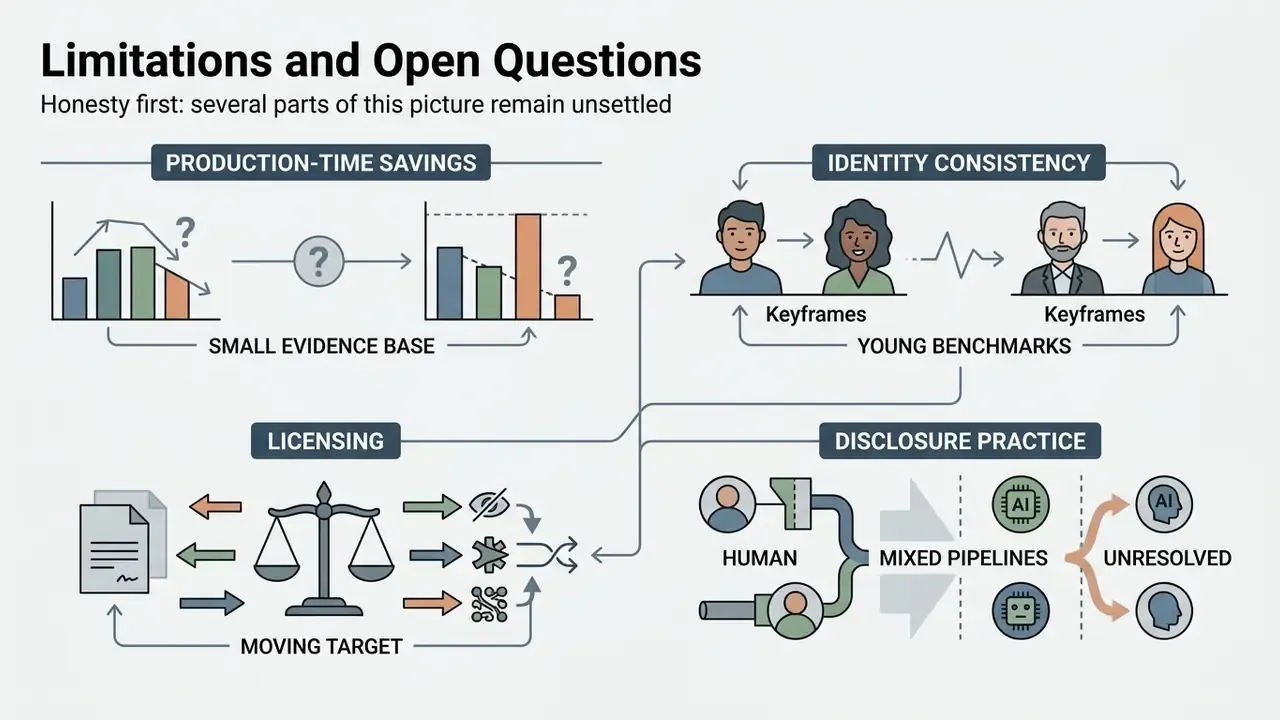
Honesty first: several parts of this picture remain unsettled, and any governance framework should say so out loud.
Production-time savings rest on a small evidence base. The Ritecs figures come from a non-technical user cohort, not a studio under deadline pressure, so treat 87% gross labor reduction as an upper bound rather than a planning assumption. Independent replication across regulated marketing teams is still missing.
Identity consistency benchmarks are young. Face Consistency Benchmark and ViStoryBench measure something real, yet neither maps cleanly onto brand-mascot fidelity requirements written into a corporate style guide. Until someone publishes a brand-asset benchmark, human review remains the control of record.
Licensing is a moving target. Terms differ by model version inside the same vendor account, and beta features routinely sit outside indemnification. A clearance decision made in January may not hold in June, so re-verify before every major campaign rather than annually.
Disclosure practice is unresolved for mixed pipelines. When a human storyboard, licensed stock, synthetic voice, and generated frames all appear in one 30-second spot, the labeling threshold is a judgment call. Document the reasoning; regulators tend to accept a documented method more readily than a confident silence.
FAQ on AI 2D Animation Tools
Do You Need Animator Skills to Work with AI Animation Tools?
Professional animator skills are not strictly required to generate basic clips with an ai animation program, though traditional animation knowledge lifts output quality noticeably. Non-technical users can produce short clips from natural language prompts and pre-built templates.
«A study with 25 non-technical participants reported 30-second animation production falling from 200 to 300 hours down to 25 to 40 hours, with high usability scores on the SUS scale.» Source: AI-Driven Animation Systems for Efficient Production, Ritecs Journal (2025). Updated: this replaces an earlier user-study citation without published URL or methodology (see Appendix A). Understanding core animation principles, meaning timing, staging, camera angles, easing, and posing, lets operators write precise prompts and make surgical edits. Academic and industry sources agree that AI reduces manual workload without removing the need for fundamentals. Narrative judgment, performance timing, and cross-shot consistency stay scarce once generation itself is cheap.
When Should You Choose 2D Animation AI Versus a 3D Animation AI Video Generator?
Choose ai animation 2d tools when the project wants stylized aesthetics, flat vector art, cartoon mascots, whiteboard or infographic explainers, fast rendering, and lower compute cost. 2D AI workflows excel at marketing stingers, kinetic typography, educational cartoons, and web micro-animations. Select a 3d animation ai video generator when the project needs spatial depth, realistic camera rotation, physically accurate lighting, or reusable 3D character rigs. Those workflows suit architectural walkthroughs, industrial product demonstrations, and cinematic sequences with complex spatial navigation.
«I2V3D extracts foreground and background 3D meshes, uses Blender for layout and rendering, then refines the result with generative AI, delivering precise camera control.» Source: I2V3D (2024). Updated: this replaces a graphics-research citation without a resolvable URL (see Appendix A). Structurally, 2D pipelines are drawn scene by scene and connected frame by frame, while 3D pipelines add modeling, rigging, shading, lighting, and rendering. That makes 3D harder to staff and harder to validate. Hybrid pipelines are common, though: 3D acts as a stand-in or motion reference for 2D linework, and 2D elements get composited into 3D scenes when stylized characters must match spatial perspective and lighting.
Can AI Animation Be Created Online, on Mobile, and for Non-English Scripts Such as Hindi?
Yes. AI 2D animation can be produced entirely in a web browser, on mobile devices, and for multilingual scripts including Hindi.
- Browser-based creation: Modern ai animation generator websites render frame-based graphics using W3C standards. WebGPU became a W3C Recommendation in 2026 and provides GPU-accelerated rendering in supported desktop and mobile browsers, while Web Animations Module Level 2 defines animation timing and synchronization (W3C WebGPU). Updated: WebGPU is a rendering and compute standard for browser graphics. Heavy generative inference typically runs on vendor cloud infrastructure, with the browser handling playback, compositing, and interface rendering.
- Mobile applications: An ai animation app mobile build leverages device GPU APIs, OpenGL ES and Vulkan on Android, to render and export short vertical clips, with generation usually offloaded to the cloud.
- Hindi and multilingual support: Updated: Hindi production depends on two separate layers. Text handling requires Unicode and UTF-8 encoding plus correct Devanagari script layout, fonts, and locale data, as covered by W3C script resources and Indian localization guidance (W3C Devanagari script requirements). Narration and subtitles depend on vendor language coverage. Commercial platforms advertise text-to-speech across 130 to 200 or more languages and accents plus one-click translation into 100 or more languages, so an ai animated video creation tools hindi workflow is feasible today. Verify output quality on sample copy, not on a marketing figure.
What Export Formats Do AI Animation Platforms Support?
Common outputs include MP4 (H.264 or H.265) for social and web, ProRes or high-bitrate masters for broadcast and finishing, WebM with alpha for site and product interfaces, GIF for email and documentation, image sequences (PNG, TIFF, APNG) for compositing, and sprite sheets with JSON metadata for game engines.
How Do You Keep a Character Identical Across Every Scene?
Lock three things and change nothing else: a single canonical reference sheet, a verbatim identity prompt block reused in every shot, and a fixed seed plus model version. Where the platform allows it, add character-reference weighting or a LoRA trained on 15 to 30 consistent reference images. Then evaluate with an identity-consistency benchmark rather than by eye alone. To review technical documentation on dispute resolution and legal terms tied to digital content licensing, operators can see the overview. For platform troubleshooting and general technical support, teams can view the guide.
Appendix A: Superseded Source Attributions
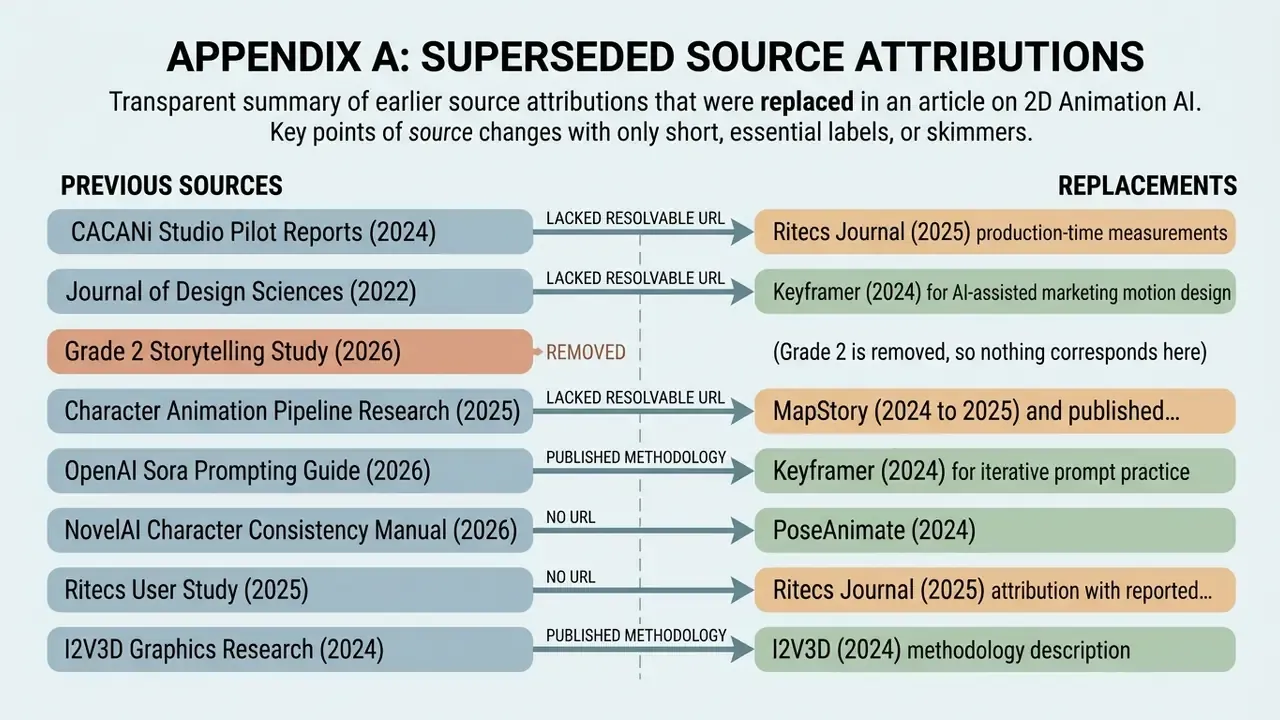
For transparency, the following attributions appeared in earlier revisions of this article and were replaced because they lacked a resolvable URL, a published methodology, or a verifiable sample. The claims they supported were either re-sourced or rewritten.
- CACANi Studio Pilot Reports, 2024, replaced by Ritecs Journal (2025) production-time measurements.
- Journal of Design Sciences, 2022, replaced by Keyframer (2024) for AI-assisted marketing motion design.
- Grade 2 Storytelling Study, 2026, removed. The children's-content claim now rests on documented classroom workflows and ViStoryBench consistency evaluation.
- Character Animation Pipeline Research, 2025, replaced by MapStory (2024 to 2025) and published script-to-animation pipeline descriptions.
- OpenAI Sora Prompting Guide, 2026 (broken URL), replaced by Keyframer (2024) for iterative prompt practice.
- NovelAI Character Consistency Manual, 2026, replaced by PoseAnimate (2024).
- Ritecs User Study, 2025 (no URL), replaced by the full Ritecs Journal (2025) attribution with reported figures.
- I2V3D Graphics Research, 2024 (no URL), replaced by a methodology description of I2V3D (2024).
- Placeholder arXiv and CVPR proceedings URLs were removed in favor of plain-text attributions, pending verified DOIs.
Disclaimer: This material is informational. It does not constitute legal, financial, or compliance advice, nor a guarantee of audit outcomes. Intellectual property status, indemnification coverage, disclosure duties, and commercial licensing depend on the specific vendor contract, model version, and jurisdiction in force at the time of use. Verify all terms in the vendor's official documentation and consult qualified counsel before commercial release.
For adjacent definitions, tooling comparisons, and workflow references across generative media, explore the hub.