Why should a risk or compliance leader care about image captions? Because an inaccessible page is a documented control failure, and because an unapproved tool processing customer imagery is a data incident waiting to be discovered.
Updated for 2026 accessibility and AI governance standards. Vendor terms cited below were verified in 2026 and are subject to change.
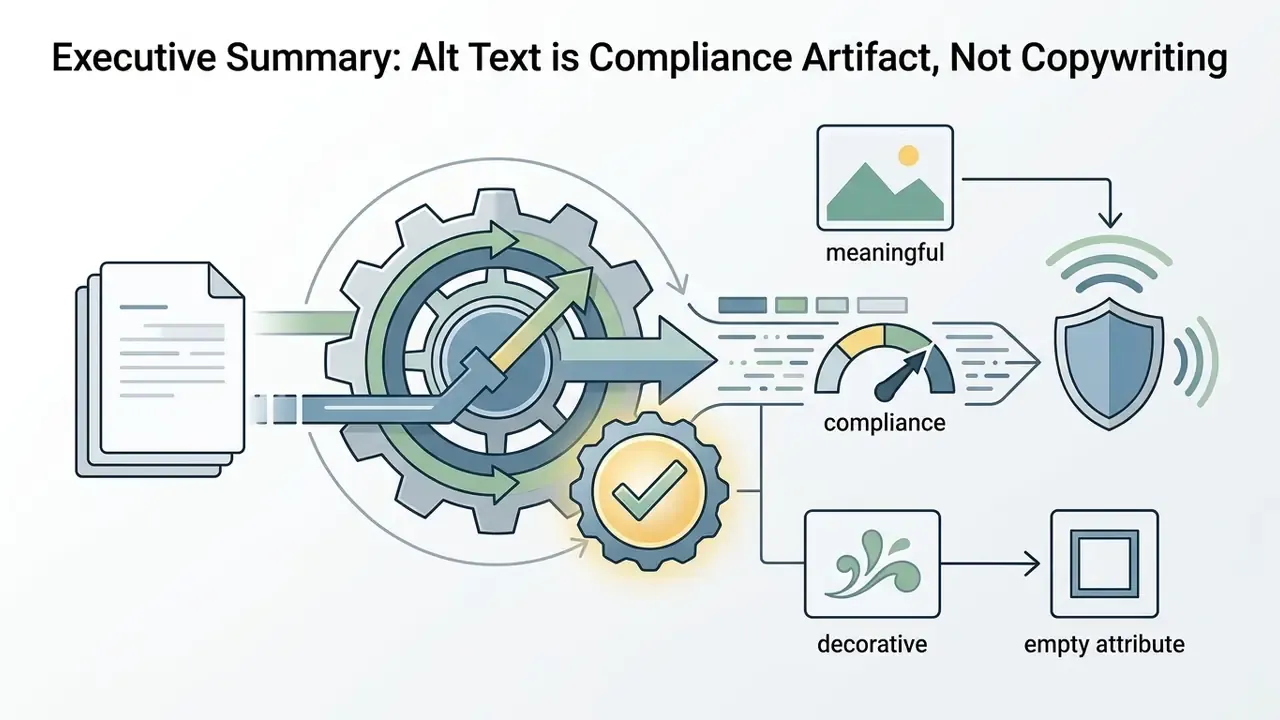
Executive Summary
alt="").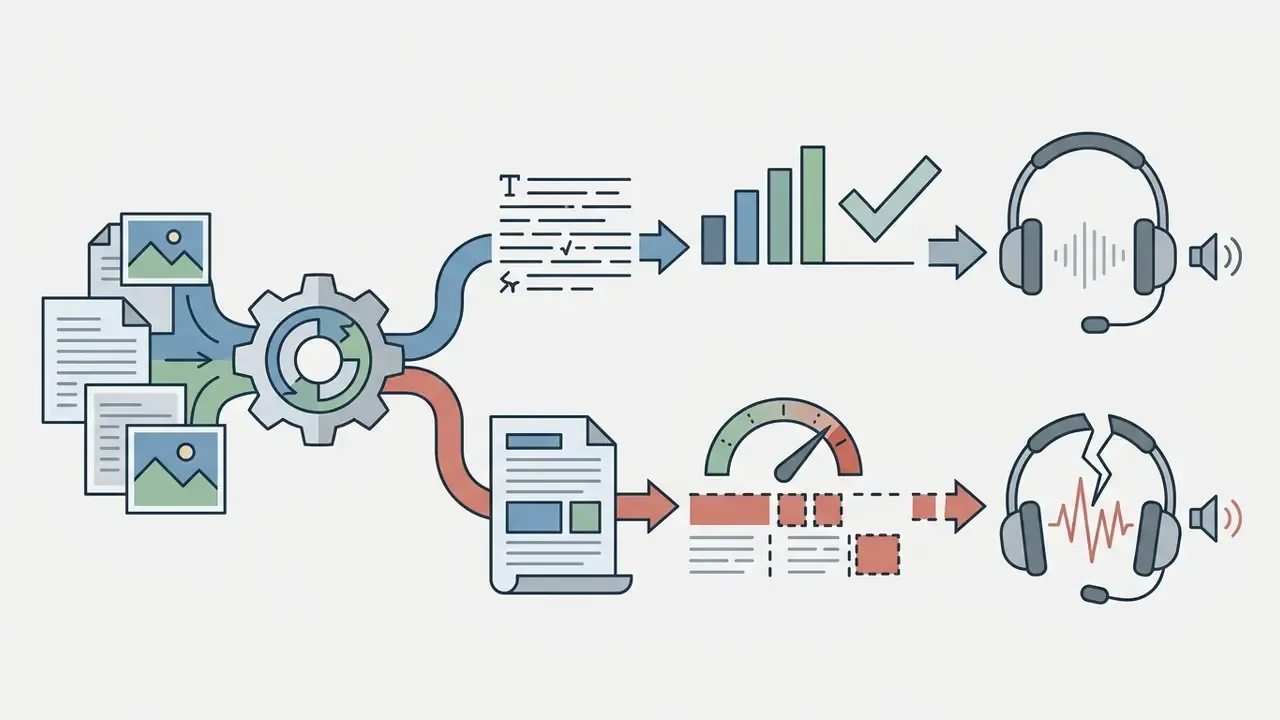

Who Owns Alt Text in a Regulated Organization
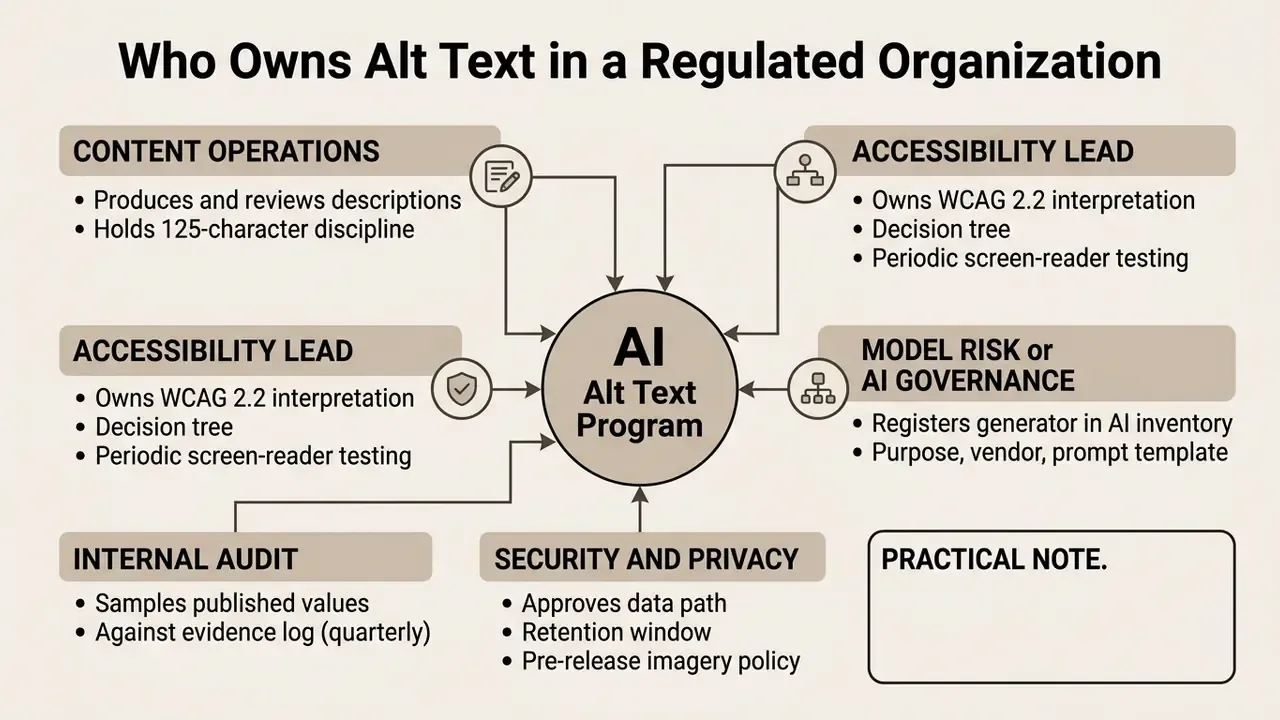
Most alt-text programs stall for a boring reason: nobody owns them. The image sits in marketing, the obligation sits in legal, and the tool sits in an unapproved browser tab. Clear ownership fixes more defects than a better model does.
A workable allocation of duties looks like this:
- Content operations produce and review descriptions, and hold the 125-character discipline.
- Accessibility lead owns the WCAG 2.2 interpretation, the decision tree, and periodic screen-reader testing.
- Model risk or AI governance registers the generator in the AI inventory: purpose, vendor, prompt template, model version, human-in-the-loop control.
- Security and privacy approve the data path, retention window, and whether pre-release imagery may leave the private contour at all.
- Internal audit samples published values against the evidence log, usually quarterly.
One practical note. Treat the description generator as a low-severity model with a high-visibility failure mode. It rarely moves money, yet a hallucinated chart figure published under your brand is a factual misstatement on a public page. That asymmetry is exactly why review, not inference, deserves the budget.
How an AI Alt Text Generator Works
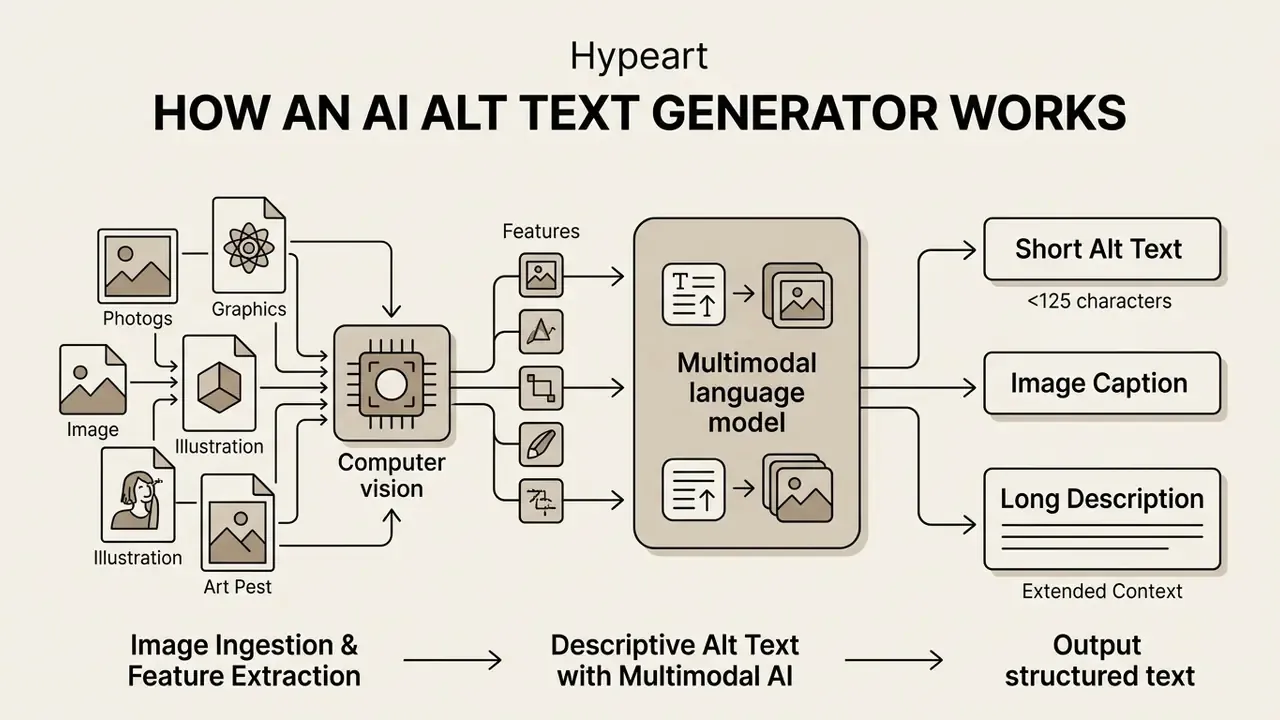
An ai alt text generator for images ingests visual files, processes visual features using computer vision, and outputs structured text through multimodal language models. Operating an ai image alt text generator at scale requires three controlled stages: structured ingestion, semantic decoding, and human oversight before publishing.
Image Ingestion and Visual Feature Extraction
Image ingestion begins when a user uploads files in standard web formats such as png jpg or WebP. W3C EPUB 3.4 lists image/jpeg, image/png, and image/webp as supported image media types, and most commercial pipelines accept files from 10 MB up to 50 MB. The computer vision pipeline extracts visual features, identifying primary subjects, background elements, text inside images (OCR), and spatial relationships.
Advanced multimodal models analyze visual details while evaluating surrounding web page context. Teams that pre-process assets before description often pair this step with an AI image enhancer, because sharper, well-lit inputs measurably improve description specificity. For an ecommerce product photo, vision transformers detect specific item attributes, materials, and colors. This contextual awareness ensures that the image to alt text generator interprets the functional purpose of the image within its specific document environment rather than merely labelling shapes.
Vocabulary drift is common here. Buyers search for an ai alt tag generator, an ai alternative text generator, or even "alt text to image" tooling, and they usually mean the same pipeline: pixels in, structured description out.
Generating Descriptive Alt Text with Multimodal AI
An alt text generator ai relies on vision-language models (VLMs) to convert feature maps into a coherent short description. The generative architecture prioritizes semantic meaning over low-level pixel counts. Meta's automatic alt-text system, for example, applies computer vision to identify faces, objects, and themes, then emits a single descriptive sentence for screen-reader users. Microsoft's Image Analysis pipeline generates one-sentence captions consumed directly as alt text inside Word, PowerPoint, and Edge.
When ai powered systems automatically generate alternative text, the model aligns visual tokens with textual attention mechanisms. Conditioning the model on surrounding page or post text, not just the picture, is what separates a generic caption from a usable alternative.
«Conditioning on both the tweet text and the visual content more than doubles BLEU@4 compared with vision-only models.»
Foundational work on joint vision-language embeddings and region-level semantic attention (Karpathy & Fei-Fei, CVPR 2015; Lu et al., 2016) established the mechanism. Multimodal alignment lets algorithms construct natural sentences describing core relationships instead of enumerating artifacts. The resulting text accurately conveys what the alt text describes rather than listing irrelevant visual detail.
Three-tier output (3-in-1 generation). When processing a visual asset, enterprise multimodal models should ideally output three distinct functional text tiers in a single pass:
Worked example, quarterly revenue bar chart:

alt attribute, single sentence, no "image of" prefix, no redundant punctuation.
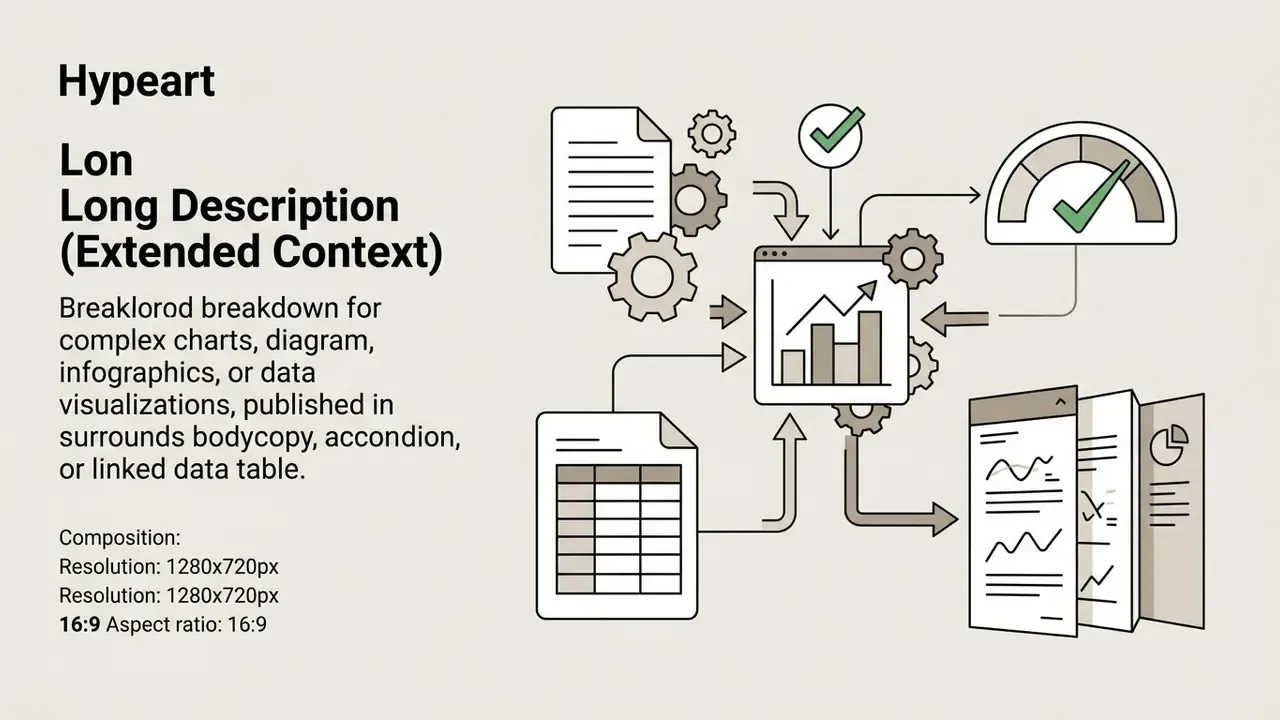
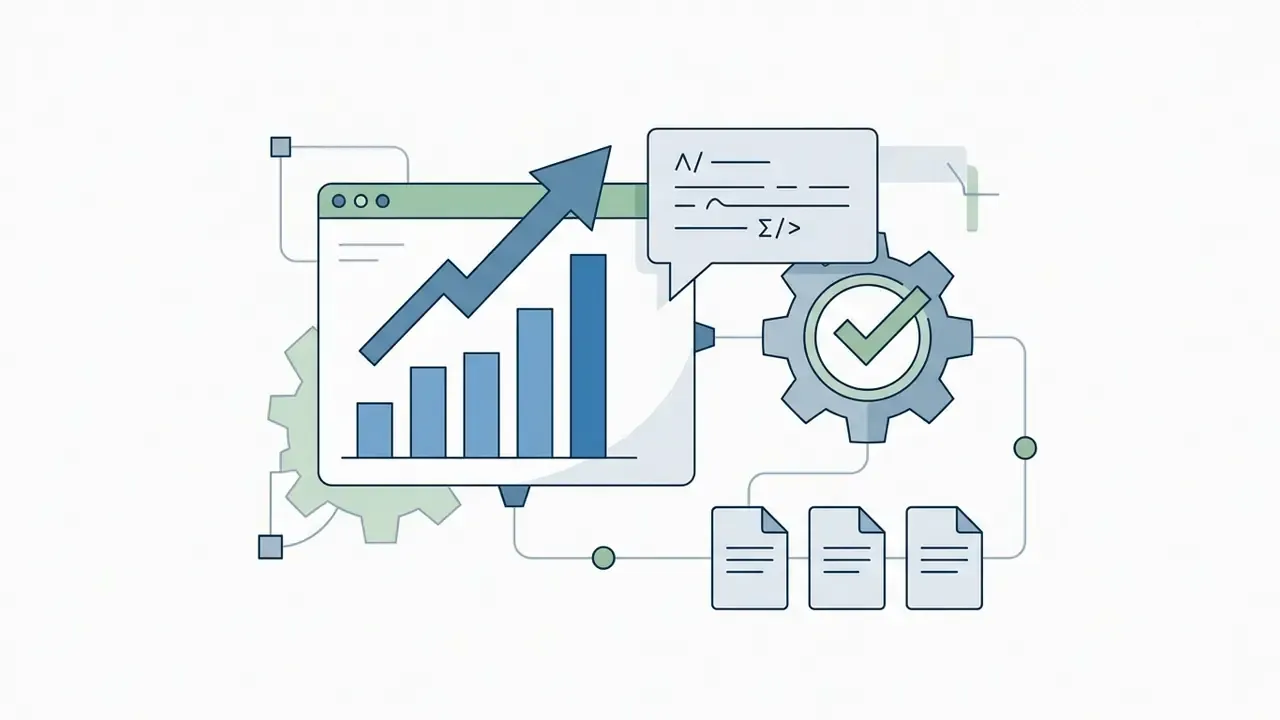
Bar chart: Q3 online software sales up 18% year over year.

Verification, Editing, and Deployment Workflows
Automated outputs require mandatory human verification before live deployment. No exceptions.
Content editors must review generated text to verify accuracy, correct specific product name references, and refine seo keywords. CMS-native patterns support this directly: Drupal's AI Image Alt Text module produces a suggestion that the editor must review and save, and accessibility modules can block the save action until alt-text rules are satisfied.
A representative enterprise publishing audit illustrates the ratio of machine work to human work. An automated system generated descriptive tags for 1,200 catalog items, subject matter experts reviewed the drafts, corrected roughly 4% of brand terminology errors, and inserted precise model codes. The finalized copy was then synced directly into the CMS alt attribute fields without breaking page layout structure. (Illustrative internal audit scenario; figures are indicative rather than independently published, see Appendix A.)
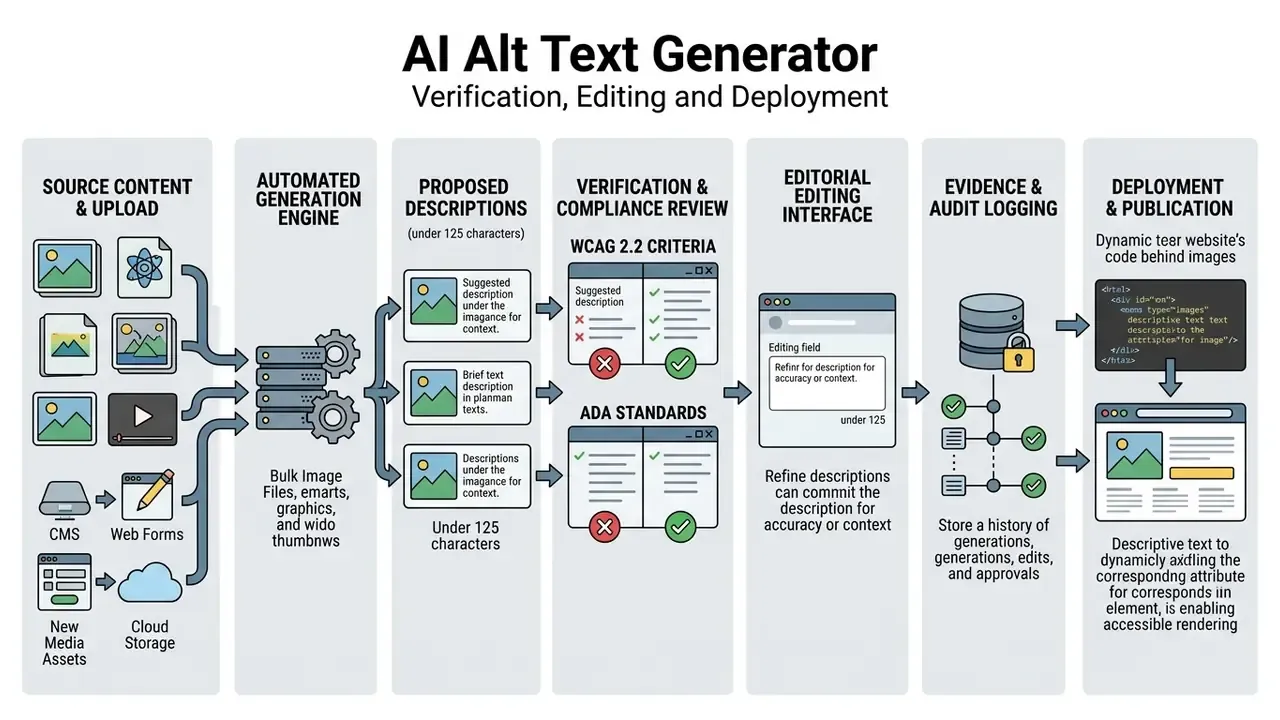
This is how teams generate alt text for images at volume without describing each asset from scratch.


alt attribute with an audit log entry.Understanding Alt Text: Core Benefits for Accessibility and SEO
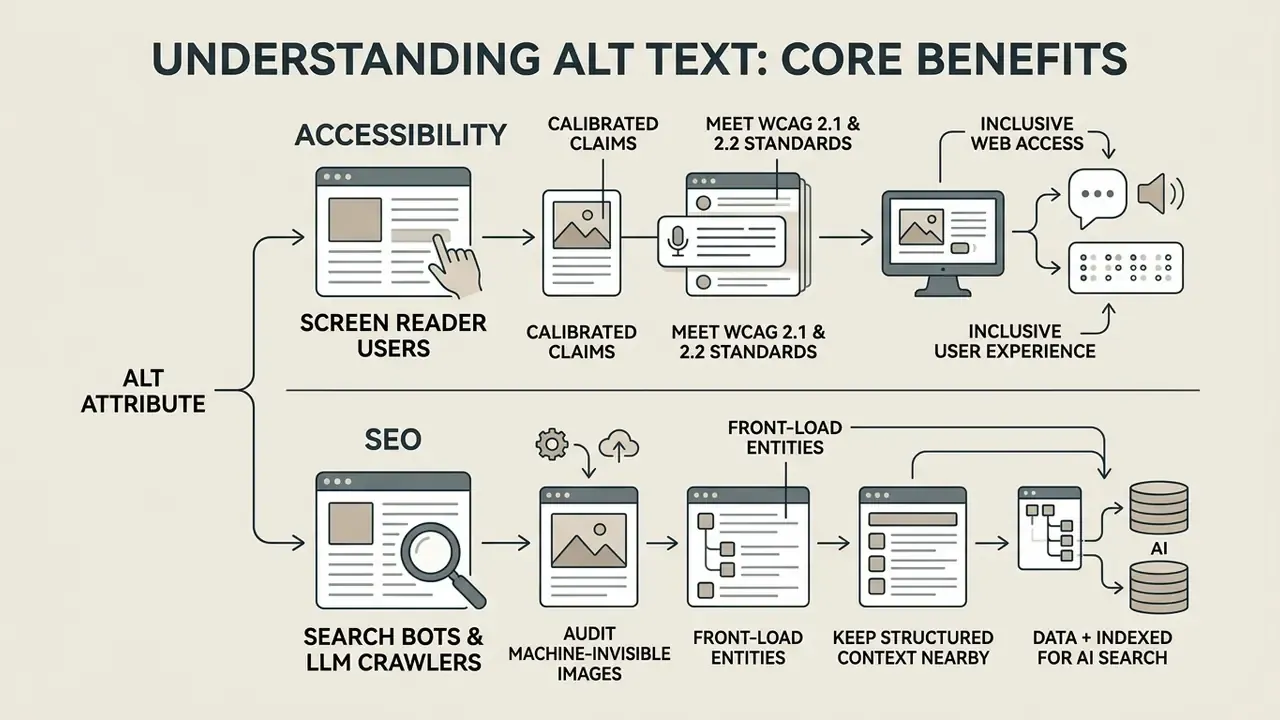
An alt attribute is an HTML property that provides a textual alternative for visual elements on a web page. Properly constructed ai image alt text ensures web accessibility for assistive technologies while giving search engines, and now generative AI crawlers, structured contextual metadata.
How Alt Text Empowers Screen Reader Users
Assistive tools such as screen readers (NVDA, JAWS, VoiceOver) read alternative text aloud to visually impaired users. Without descriptive text, screen readers skip visual elements or read unhelpful raw file names such as IMG_4471.jpg.
Providing descriptive alt text for every image establishes fundamental content accessibility. The W3C Web Accessibility Initiative emphasizes that text alternatives must communicate equivalent information. W3C's PDF1 technique adds that the alternative must convey the same meaning as the image, including any important words displayed inside it.
Clear descriptions allow impaired users to navigate digital platforms with identical context to sighted visitors. U.S. Section 508 guidance reinforces the same practical rules: be specific, be brief, include important embedded words, avoid "image of" and "picture of," and never duplicate a caption or file name.
Impact of Alt Attributes on Image SEO and Discovery
«Peer-reviewed literature from 2023 to 2026 contains no experimental study directly measuring the effect of AI-generated alt text on search rankings or organic traffic.»
Treat traffic gains as a plausible secondary outcome of correct indexing, not a guaranteed return. What is documented is the downside risk: search engines penalize aggressive keyword stuffing within alternative attributes, and Google explicitly warns that stuffed alt values can cause a site to be treated as spam. Webmasters must balance image SEO by using concise, natural language that aligns with legitimate search engine optimization strategies. Organic traffic and search engine visibility follow comprehension, not repetition.
Optimizing Images for AI Search Bots and LLM Crawlers
The modern search ecosystem extends beyond traditional Googlebot indexing. Generative AI agents, including ChatGPT Search, Claude Vision, Perplexity, and Gemini, crawl page markup and image metadata to assemble visual citations and multimodal answers. Providing crisp, contextually rich alternative text guarantees that AI search engines correctly interpret visual assets, improving overall AI visibility and citation frequency.
Practical implications for 2026 content operations:
- Audit machine-invisible images. Any asset with an empty-but-meaningful, filename-based, or missing
altvalue is effectively unreadable to text-first LLM crawlers. Site-wide scans that count missing attributes per page produce a usable AI-visibility baseline. - Front-load entities. Brand, product line, model designation, and material belong in the first clause, where truncation is least likely.
- Keep structured context nearby. Pair alt text with a caption and, for data visuals, a machine-readable table. LLM agents frequently cite the surrounding text alongside the image.
Because OCR accuracy determines whether embedded words survive into the alt attribute, teams handling scanned documents, screenshots, and packaging shots should also evaluate dedicated image-to-text tools alongside description generators.
Best Practices for Writing Effective Alt Text (and Common Pitfalls)
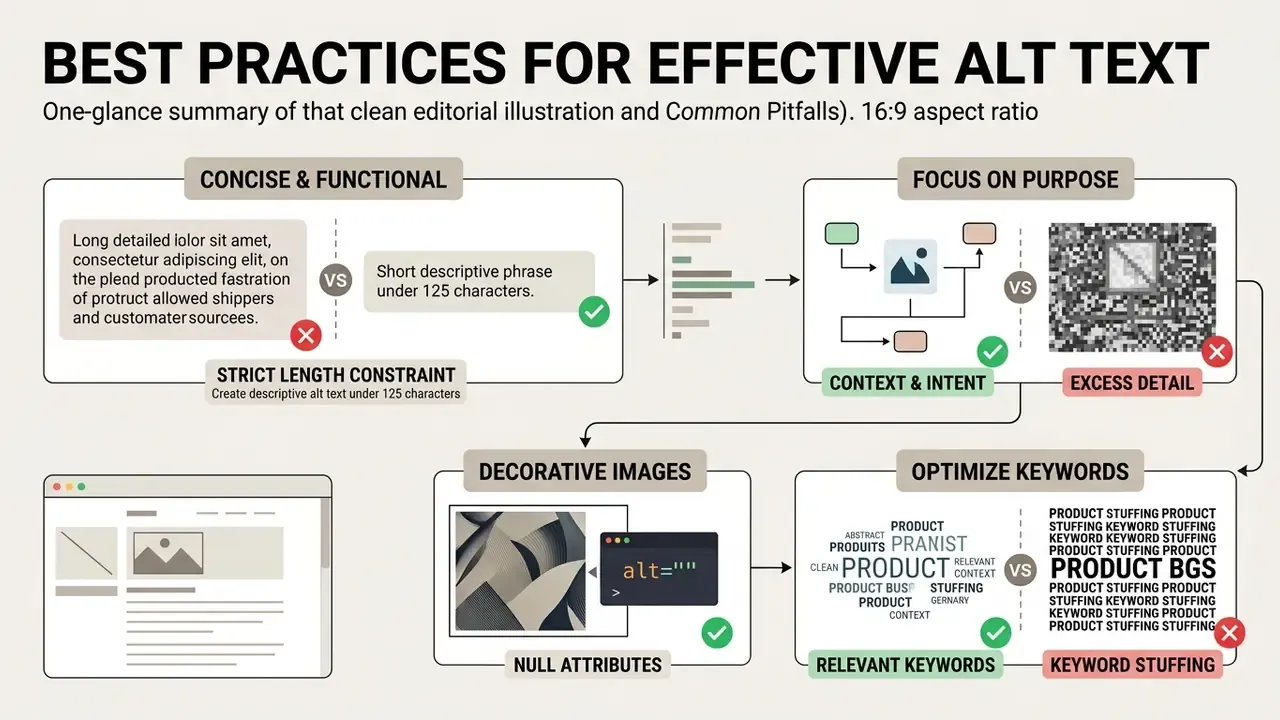
A good alt text concisely describes the intent and functional meaning of an image within its specific page context. Achieving ada compliance and high usability requires strict adherence to concise phrasing while avoiding repetitive descriptors. Accessibility comes first; keyword placement is a secondary, constrained optimization.
Focus on Purpose and Intent Over Pixel-Level Detail
Effective descriptions focus on why the image exists on the page rather than listing secondary background details.
«Good alt text describes the communicative role of the image, for example "illustrates product characteristics", instead of enumerating low-level visual details.»
Authors should avoid starting descriptions with redundant phrases like "image of" or "picture of," because screen readers already announce the presence of an image. Those words consume listening time without adding meaning.
Strict length constraint (updated): keep descriptive alt text under 125 characters, roughly one concise sentence, or 10 to 25 words. Most screen readers, including NVDA and JAWS, process text in chunks and may break or truncate strings exceeding this length, causing fragmented audio playback. Section 508 guidance on AI-generated alt text notes the same practical cut-off. When an image genuinely requires more explanation, move the detail into the surrounding body text, a caption, or a linked long description. Never into an oversized alt value.
For deeper insights into image processing models, read about how do ai vision pipelines evaluate visual data, or learn how an image reader ai extracts embedded textual features.
Handling Decorative Images with Null Alt Attributes (alt="")
Purely decorative images that add no informational value must use an empty alt attribute (alt=""). This signal instructs screen readers to silently skip the asset, preventing audio clutter. W3C's H67 technique is explicit: the alt attribute must be present and empty, and title must be absent or empty, for an image to be correctly ignored.
Examples of decorative assets include visual dividers, background gradients, ornaments, watermarks, and ambient icons. Applying non-empty text to decorative elements violates wcag 2.1 standards and creates unnecessary cognitive friction for screen reader users. Note the failure mode specific to automation: generators almost always return text, so a decorative-image rule must be enforced manually or by filter. Override the model output with alt="".
«An accessibility evaluation protocol for AI-generated materials confirms that decorative elements must carry an empty alt attribute so screen readers skip them.»
Optimizing Product Names and Keywords Without Keyword Stuffing
Ecommerce product images should naturally include the official brand name, primary color, material, and key distinguishing feature. W3C's H37 technique frames the constraint precisely: words shown in or defining the image belong in the alt text only when they are important to understanding the content. Inserting excessive, unrelated keywords creates a poor user experience, changes the replacement meaning of the image, and risks search engine spam penalties.
Image quality also affects description quality, so catalog teams frequently run low-resolution legacy assets through an AI image upscaler before batch description. When managing high-volume catalogs, teams can additionally use specialized tools: marketers often convert complex graphics using an image to ai prompt workflow or transform assets via image to ai processing tools, and duplicate-asset investigations benefit from AI reverse image search.
A seo friendly description, in practice, is simply an accurate one written for a listener.
| Image Type | Weak Alt Text (Avoid) | Strong Alt Text (Recommended, under 125 chars) | Rationale |
|---|---|---|---|
| Product Photo | alt="shoe sneakers running shoes cheap sale" | alt="Men's waterproof trail running shoes in navy blue, side view" | Identifies item, specific model type, color, and angle without keyword stuffing. |
| Team Photo | alt="Photo of our company team in office" | alt="Executive leadership team of five standing in the main office lobby" | Captures social context, group composition, and functional role. |
| Chart / Diagram | alt="Sales chart graphic showing growth" | alt="Bar chart showing Q3 online software sales increasing by 18 percent" | Summarizes core trend data and key metrics directly in text. |
| Decorative Graphic | alt="Blue decorative background pattern line" | alt="" | Null string allows screen readers to skip purely visual background art. |
| Functional Icon / Linked Logo | alt="icon png" | alt="Download the 2026 accessibility report (PDF)" | Functional images must describe the action or destination, not appearance. |
Real-World AI Alt Text Examples Across Visual Asset Types
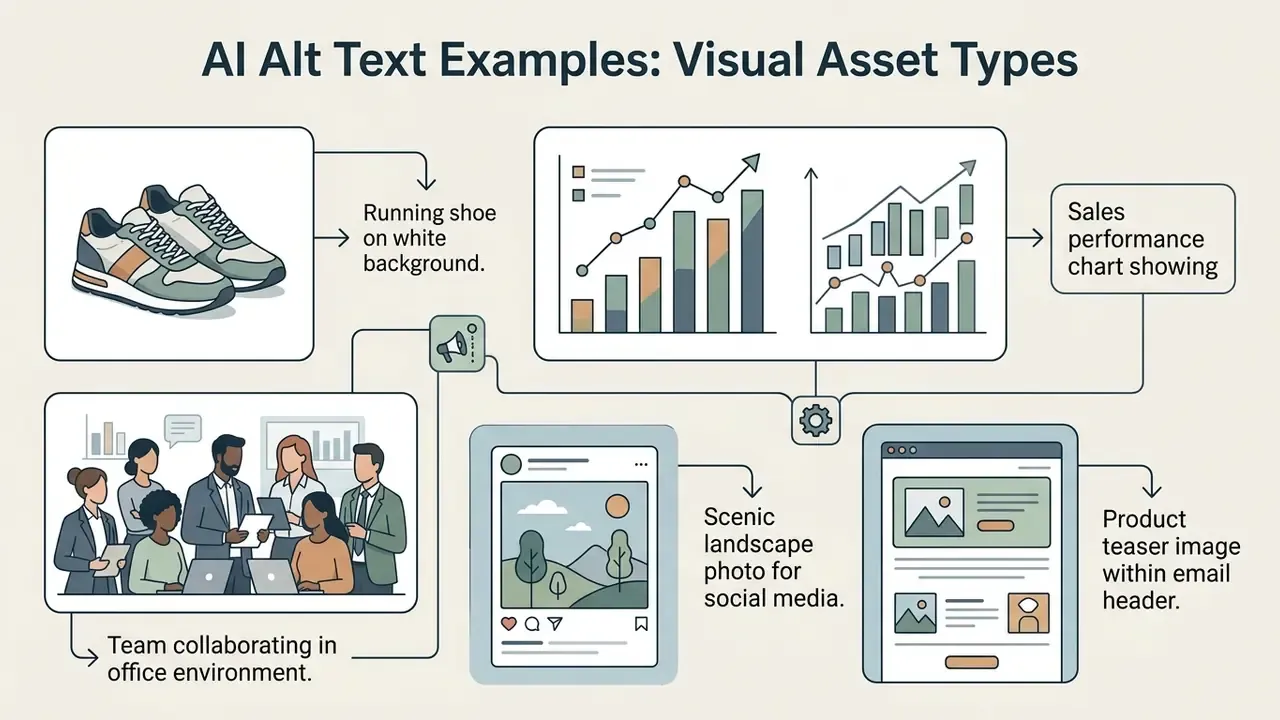
Analyzing practical alt text examples across different asset categories clarifies how AI systems format accurate descriptions. Reviewing generated drafts against editorial standards ensures consistent quality across all digital touchpoints, from a single blog post to a 40,000-SKU catalog.
E-Commerce Product Images
Ecommerce platforms require uniform descriptions across extensive product catalogs. A free ai image alt text generator can draft baseline copy, but product teams must ensure model designations match inventory databases.
An automated system evaluating a product photo might yield:
- Raw AI output: "A black leather handbag with a gold strap."
- Validated final text: "Classic black calfskin shoulder bag with gold chain strap and magnetic flap closure."
The second version is what a buyer actually needs to hear. Maintaining precise product attributes across thousands of SKUs protects brand equity and improves commercial search discoverability. Marketplace platforms including Shopify, Amazon, and Etsy expect alt text on product imagery, so catalog-wide consistency also affects marketplace search performance.
Single-Image vs. Bulk AI Alt Text Generation Workflows
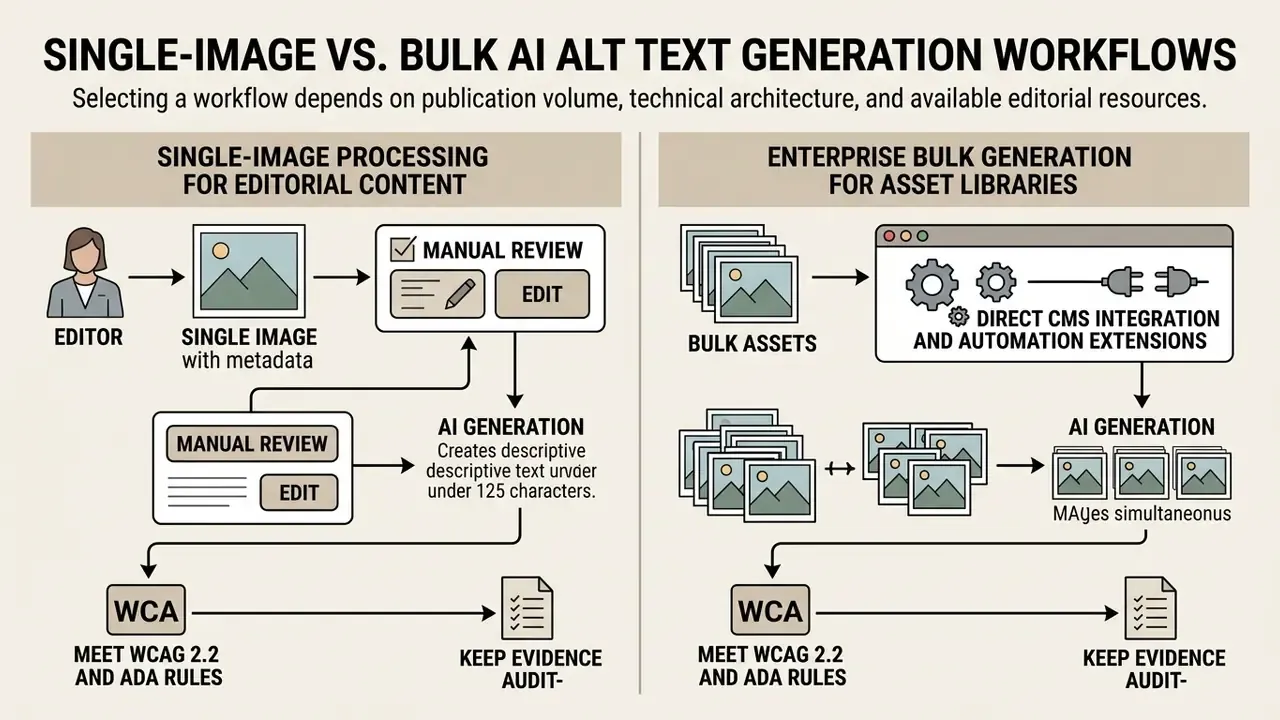
Selecting an alt text ai generator workflow depends on publication volume, technical architecture, and available editorial resources. Teams choose between point-and-click generation, automated bulk generation, or direct CMS integrations.
Single-Image Processing for Editorial Content
Single-image generation fits low-volume publishing, such as drafting individual blog posts or standalone landing pages. Content creators upload a file to a free ai alt text generator, review the generated description, and paste the code into their editor. That answers the most common beginner question, how to generate alt text for an image, in about four clicks.
This manual image to alt text workflow offers high individual oversight. It allows writers to immediately refine descriptions based on nuanced page topics before publishing, the stage at which page context, which the model cannot see, is added by a human. Compared with manually writing from a blank field, the draft removes the hardest part: starting.
Enterprise Bulk Generation for Asset Libraries
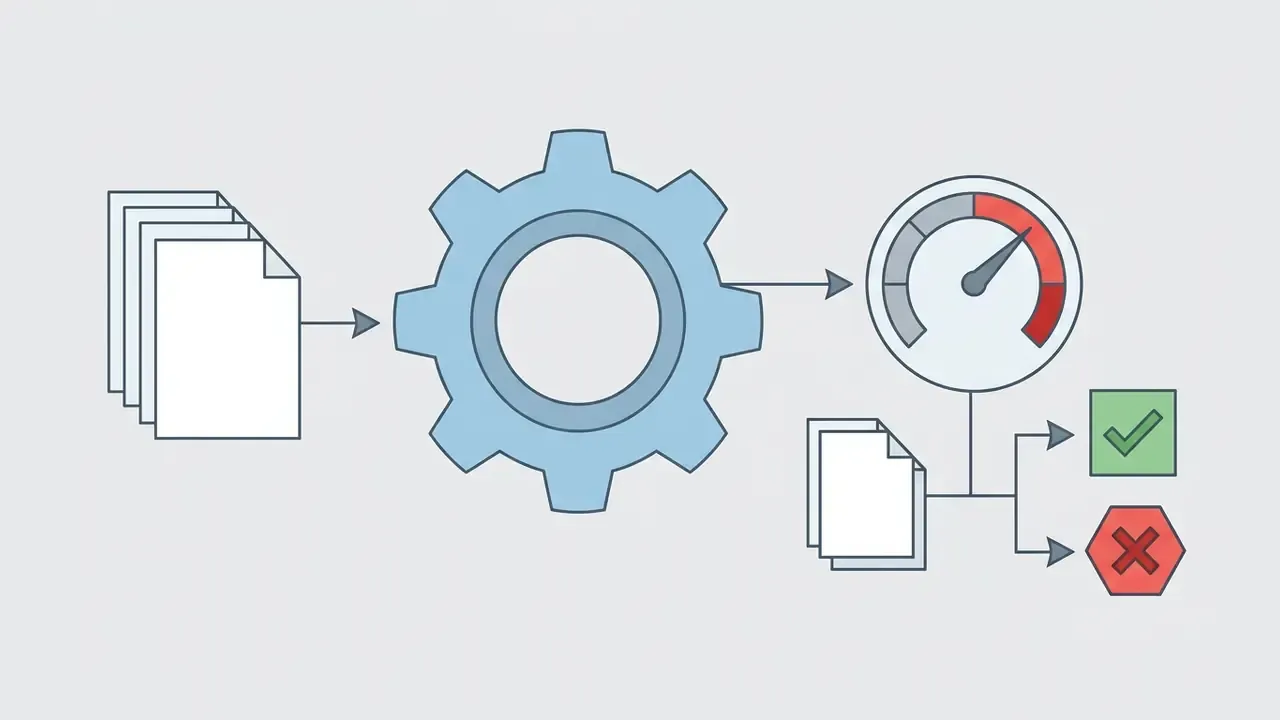
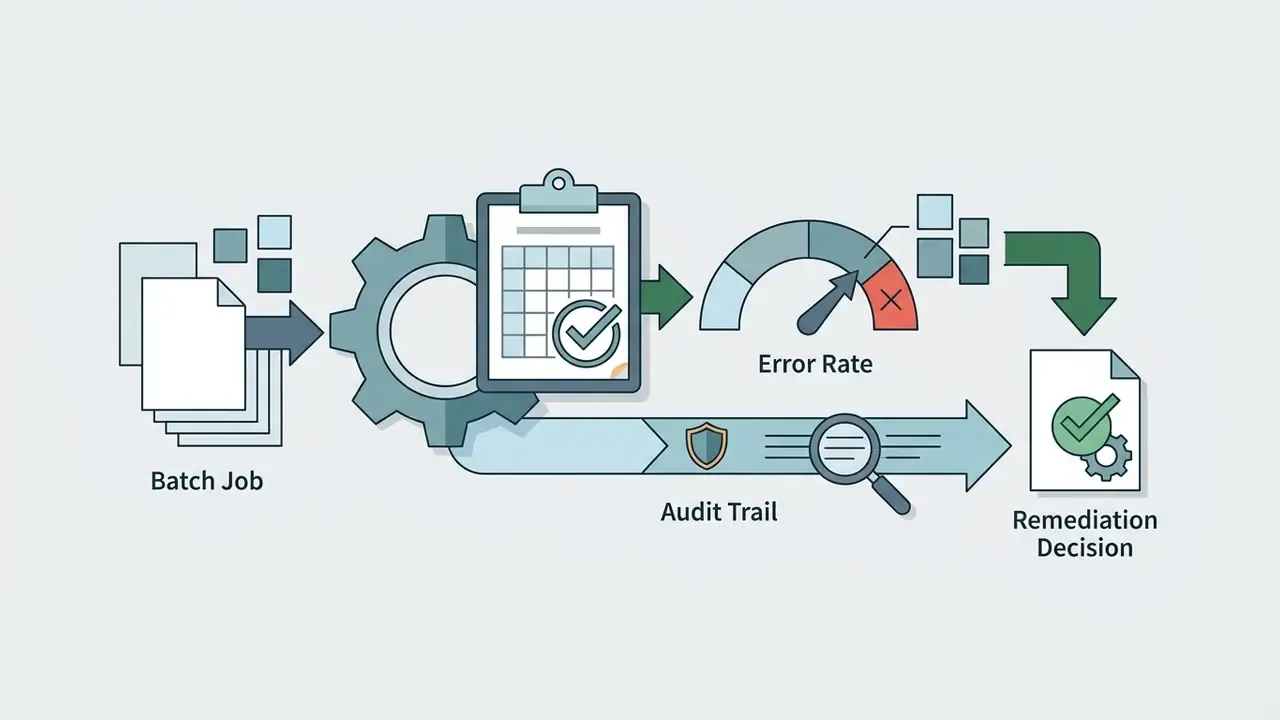
Large enterprise web properties and ecommerce storefronts require bulk processing to remediate hundreds or thousands of missing attributes. A bulk generation pipeline scans the existing media library, identifies missing alt text, and generates queued draft descriptions in batches. Production stacks typically expose per-field actions (Generate, Keep, Clear), filters for empty or suspiciously short values, and an alt-text history log after each batch completes.
Direct CMS Integration and Automation Extensions
Modern enterprise workflows integrate AI description services directly into content management systems via API or plugins. Platforms like WordPress and Shopify utilize background jobs to add alt text automatically whenever an author uploads new assets. WordPress plugins additionally rewrite <img> tags inside post content, not only the media library, and expose WP-CLI batch sync for large migrations.
Browser extensions, including dedicated Chrome extension tools, allow editors to inspect live pages, identify missing alt values, and generate compliant text directly inside their browser interface via right-click actions linked to an API key.
| Feature / Metric | Manual Writing | Point AI Generator | Bulk AI Generation |
|---|---|---|---|
| Speed per Asset | 1 to 3 minutes | 3 to 5 seconds | under 1 second (batch) |
| Human Control | Maximum | High (immediate edit) | Moderate (sampled audit) |
| Scalability | Low (labor intensive) | Moderate | Very high (10,000+ assets) |
| Integration Method | Native CMS fields | Web tool or browser extension | REST API, JS snippet, CMS plugins, webhooks |
| Audit Trail | Editor record only | Editor record plus tool log | Batch log, version, model ID, per-field history |
| Best For | Strategic landing pages | Single blog posts | Large ecommerce catalogs |
Summary: manual entry provides complete oversight for high-priority pages, while bulk AI processing combined with sampled human audits offers the only scalable solution for enterprise-scale asset libraries. Most mature teams run both, and route regulated or pre-release imagery to the manual path.
How to Choose a Free AI Alt Text Generator for Commercial Use
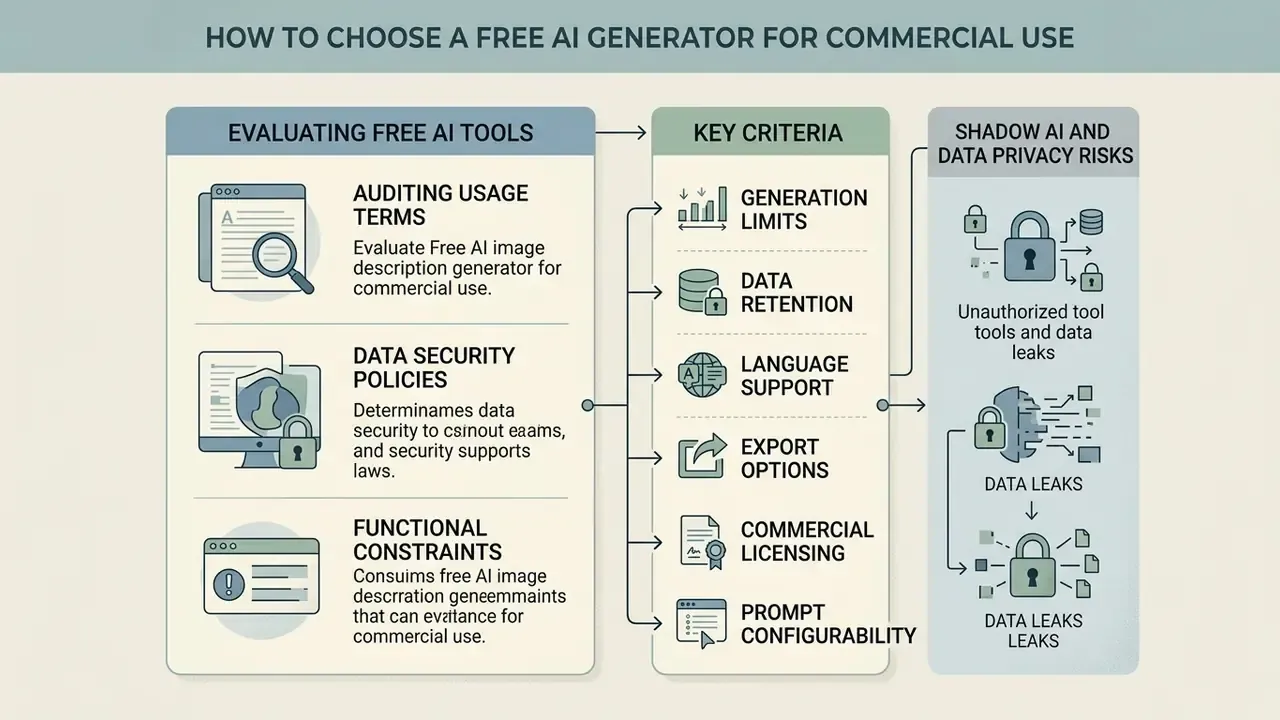
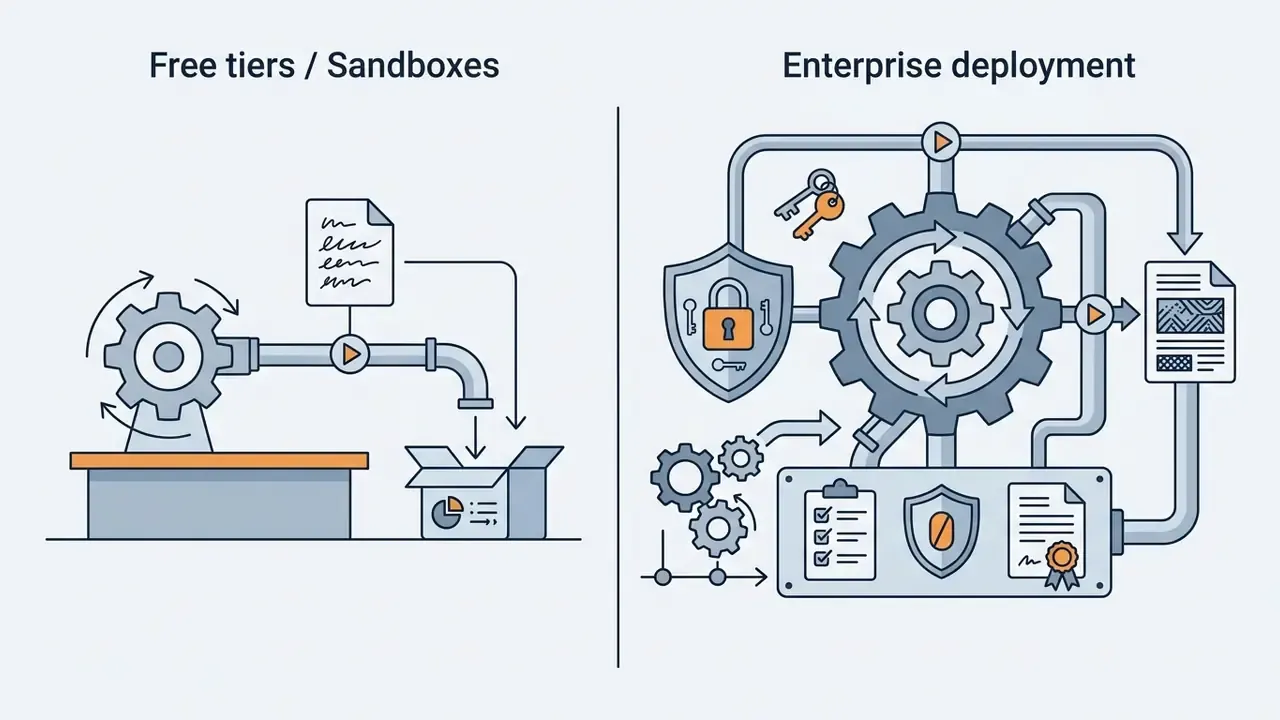
Evaluating a free ai alt text generator for enterprise or commercial operations requires auditing usage terms, data security policies, and functional constraints. Organizations must ensure that free tiers align with corporate risk management policies, and must treat those tiers as proof-of-concept sandboxes rather than production infrastructure. Searching for an ai alt text generator free of charge is fine for a pilot; signing off on it for customer data is not.
Key Criteria for Evaluating Free AI Tools
When testing a free tool, evaluation teams should verify whether the vendor requires a no credit card registration, and whether the free trial converts silently into a paid plan. Free tiers typically enforce daily or monthly generation quotas, ranging from 3 to 50 images per day or month. A "start free" button rarely comes with a data processing agreement attached.
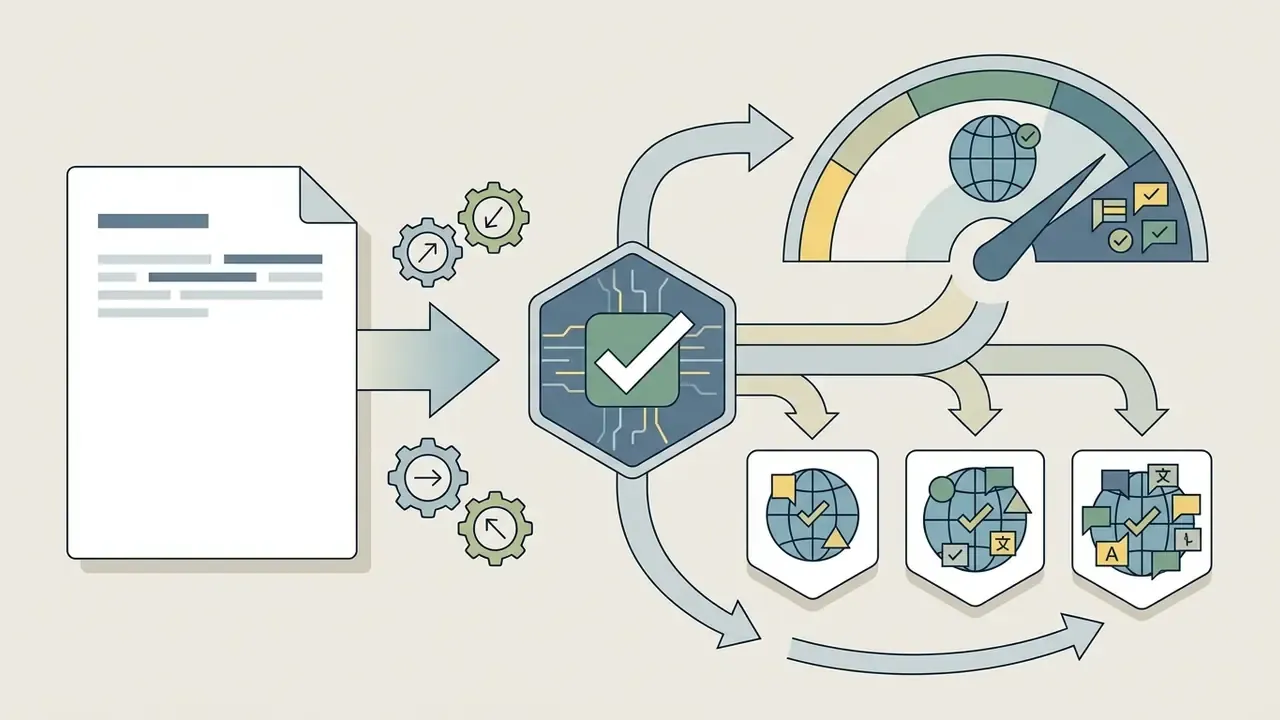
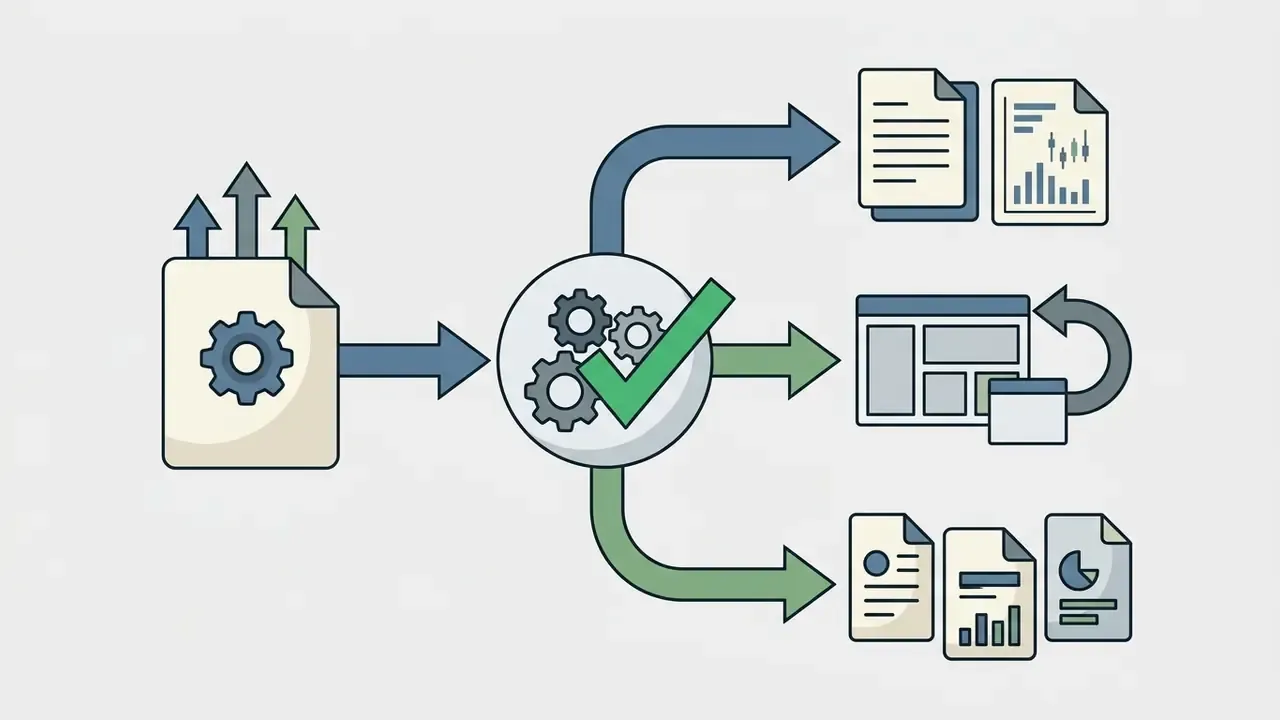
Key evaluation criteria include:
That last criterion has the largest measurable effect on compliance:


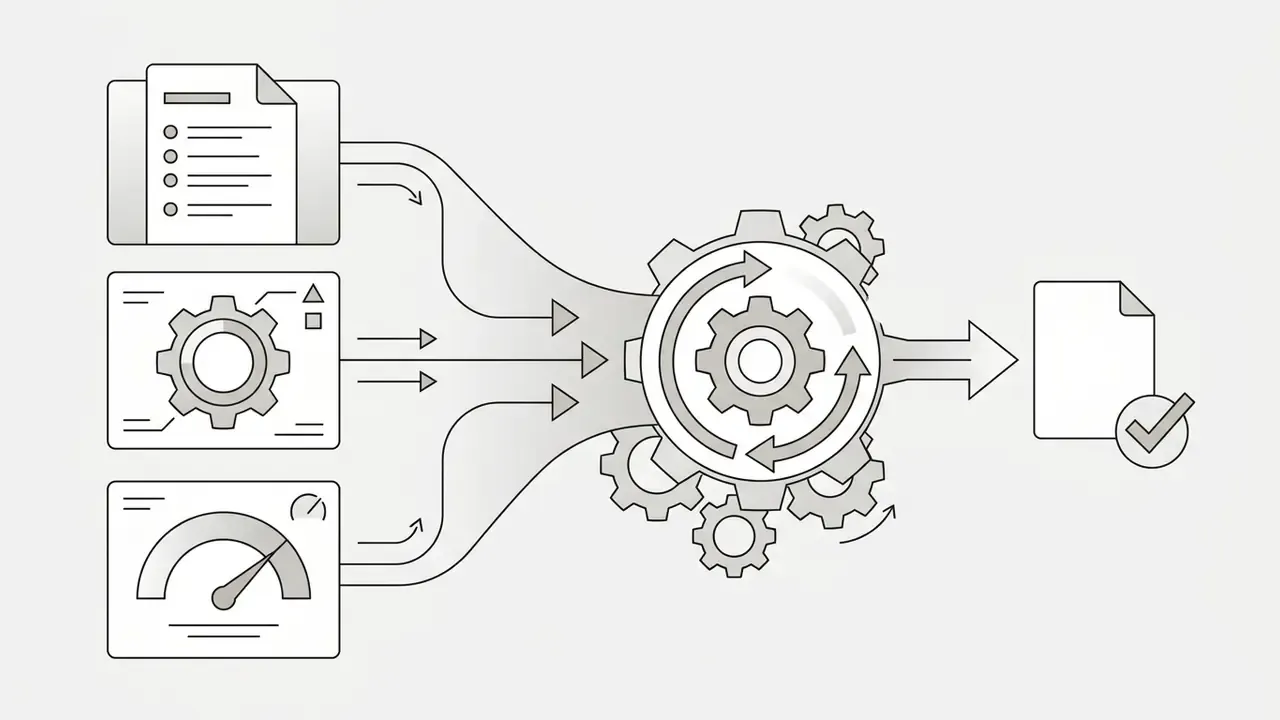
«When WCAG requirements are stated explicitly in the prompt, accessibility conformance rises from 0 to 37.5% up to 83.3 to 100% across content types.»
Shadow AI and Data Privacy Risks
Vendor Risk Matrix
| Evaluation Dimension | Sandbox / Free Tier (acceptable) | Production / Enterprise (required) |
|---|---|---|
| Data retention | Logs acceptable for public marketing images | Zero-data retention or contractual deletion window |
| Model training on inputs | Must be disclosed; avoid for proprietary assets | Contractually prohibited |
| Security attestations | Not expected | SOC 2 Type II or ISO 27001 |
| Access control | Individual account | SSO / SAML, RBAC, provisioning (SCIM) |
| Auditability | None | Batch logs, model version, approver identity, timestamps |
| Availability | Best effort | Contractual SLA and support escalation path |
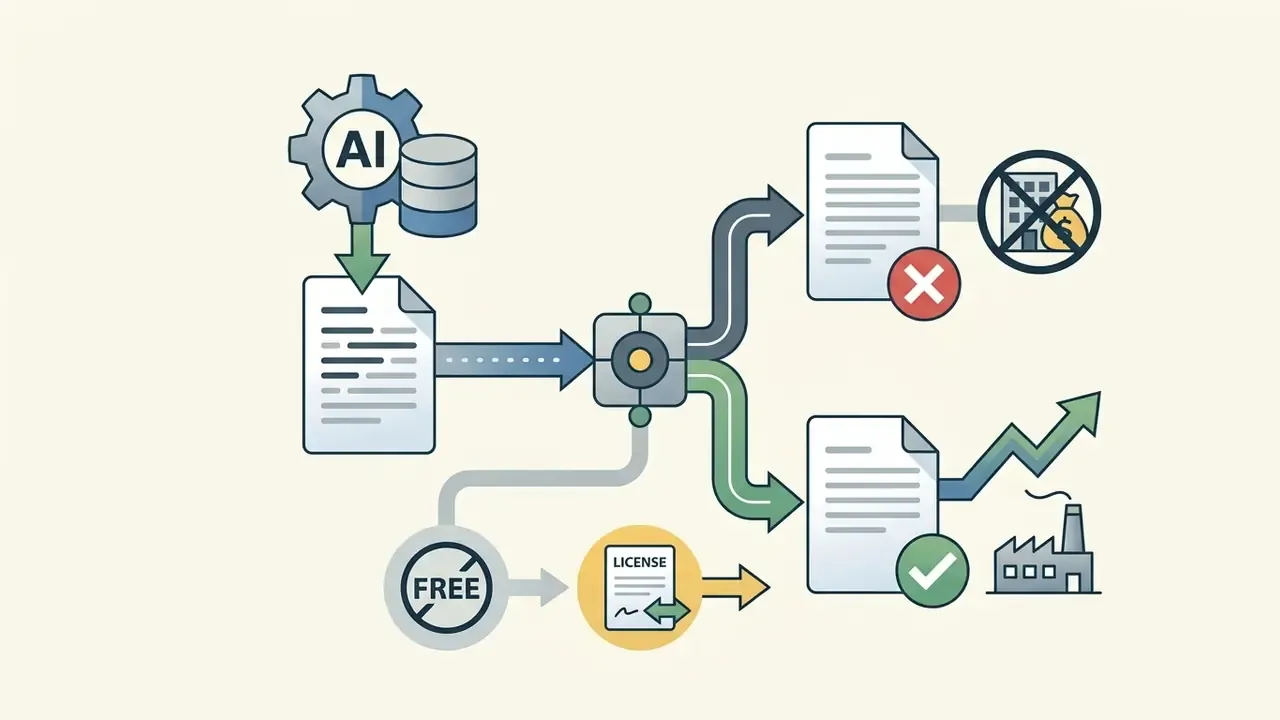
| Commercial rights | Often restricted | Explicit commercial use rights for all output |
| Residency | Unspecified | Region pinning or private / on-prem deployment |
When to Upgrade to Paid Enterprise Solutions
Organizations transition from free tiers to paid enterprise plans when requiring API access, automated bulk processing, or custom brand guidelines. Enterprise subscriptions provide dedicated security controls, single sign-on (SSO), role-based access, audit logs, and contractual service level agreements. The same packaging pattern is visible across enterprise generation APIs generally, where high-volume throughput and enterprise-grade security are sold together rather than separately. Teams building a broader visual stack alongside description tooling often evaluate an AI image generator and a photo editor in the same procurement cycle.
Vendor verification and unverified services. Enterprise organizations operating in regulated markets must maintain documented audit trails for all automated content modifications. Vendor due diligence belongs in the selection stage, not after deployment. For example, hypeart.ai remains an unverified domain with no verified operational history or compliance certifications, and any such service should be excluded from production workflows until it can demonstrate ownership, security posture, and data handling terms. Mature financial and enterprise institutions implement independent model risk validation before deploying generative AI workflows. To review legal frameworks regarding AI-generated media, explore the hub on digital IP and compliance governance.
Fact check and verification (vendor terms as of 2026; subject to change):
Companies seeking broader media guidance can view the guide on digital asset management or see the overview of automated publishing pipelines.
Pre-Publishing Audit Checklist for AI Alt Text
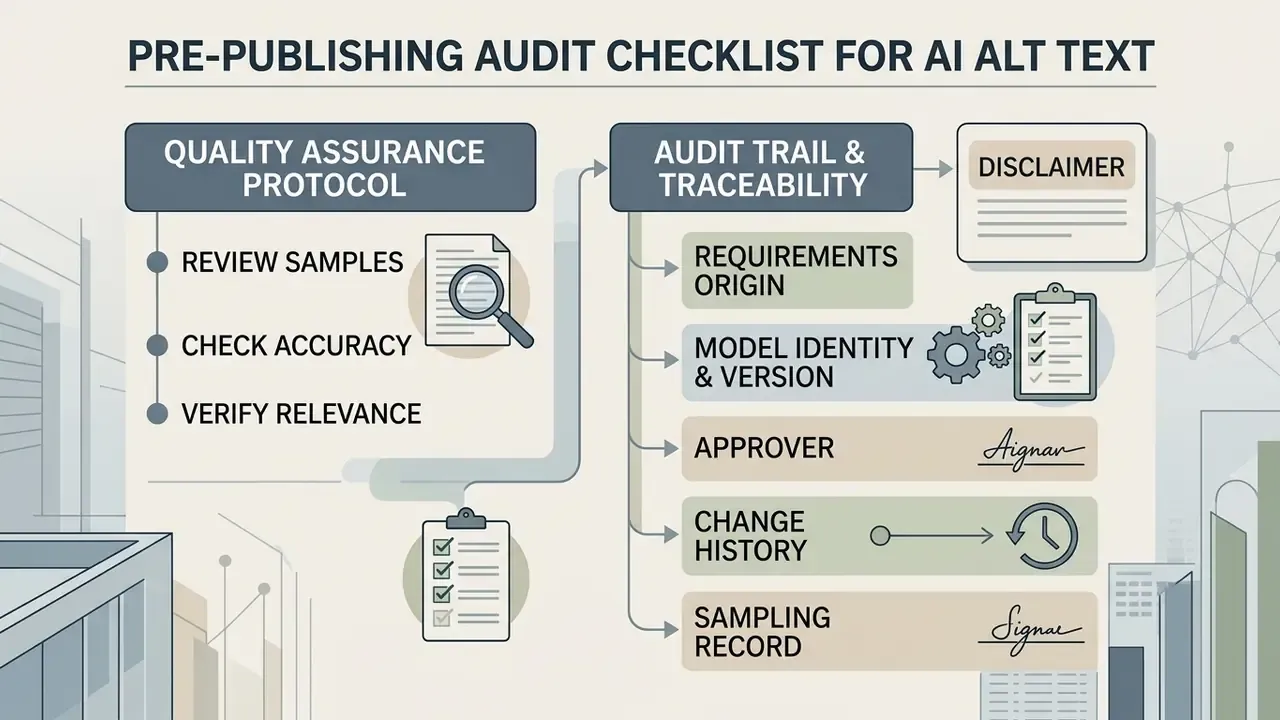
Establishing a formal quality assurance framework guarantees that automatically generated copy adheres to web content accessibility rules and seo best practices. Unvalidated automated text introduces legal compliance risks and brand reputational hazards.
Quality Assurance Protocol
Content managers should execute a systematic validation process before pushing generated alternative text to production servers. The goal is to generate accurate descriptions, then prove it:
Checklist0 / 11
Teams adjusting imagery in parallel with description review can pair this checklist with an AI photo editor workflow, so cropping, retouching, and alt-text approval happen inside the same publishing gate. Governance context for the whole toolchain sits one level up, and you can explore the hub if you are mapping capabilities before procurement.
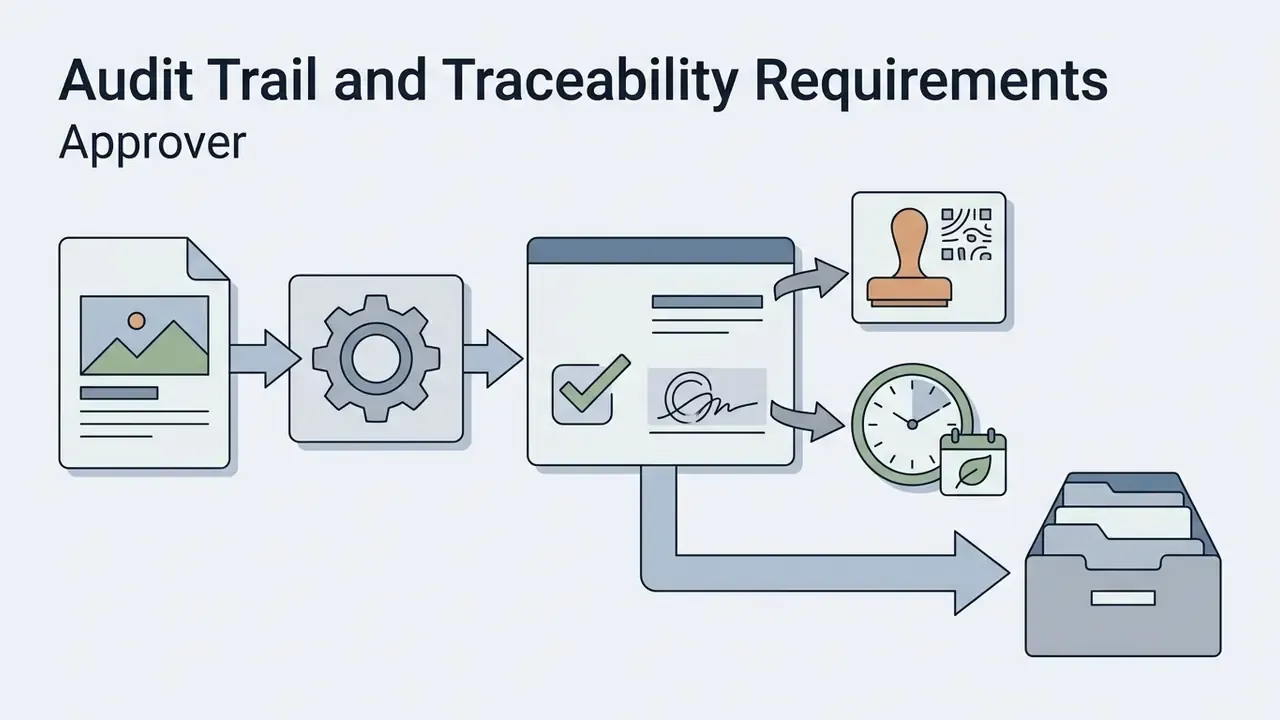
Audit Trail and Traceability Requirements
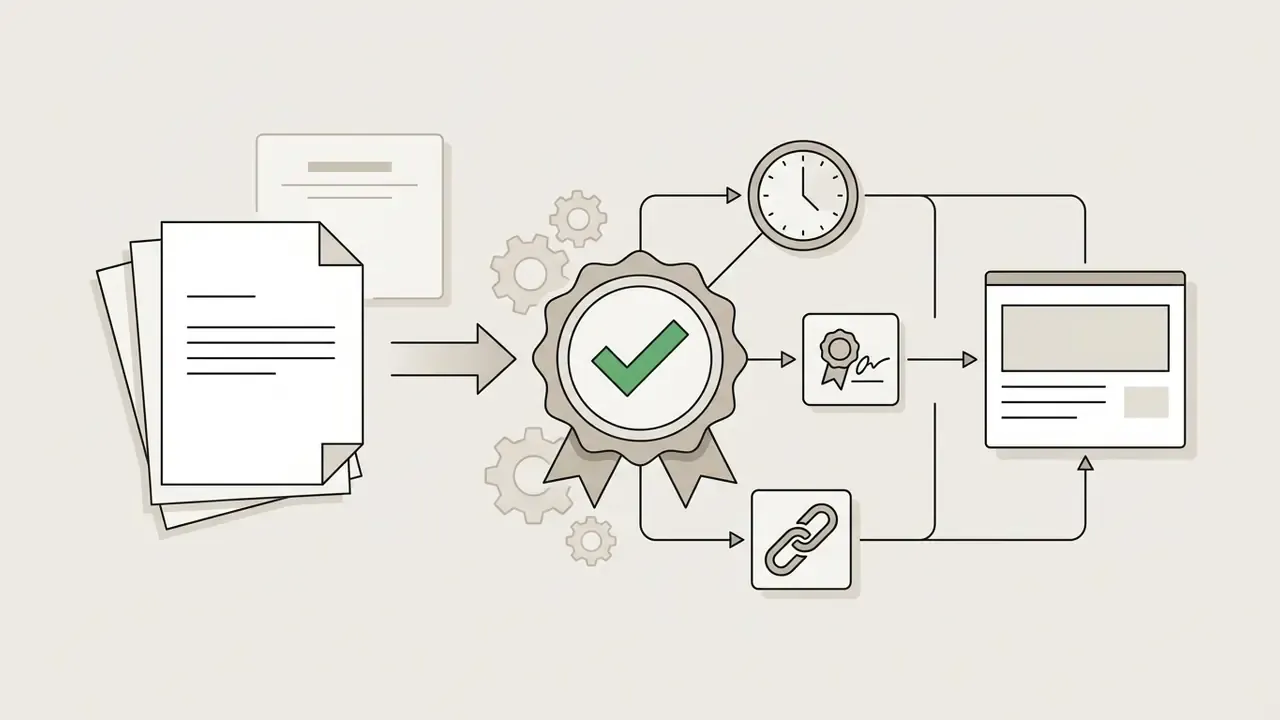
For regulated publishers, the description itself is only half the control. Each alt value should be traceable to:
CMS-native alt-text history logs and per-field Generate, Keep, and Clear actions supply most of this data. A monthly export into the accessibility evidence file closes the loop for external audits and litigation readiness.

Risk-Adjusted ROI and Total Cost of Ownership
Compare automation against manual authoring on a controlled-cost basis, not raw generation speed:
TCO (AI path) = (generation cost per image times volume) + (review minutes times editor rate times volume) + (remediation cost of sampled errors) + (residual compliance risk times probability)
TCO (manual path) = (authoring minutes times editor rate times volume) + (residual compliance risk of incomplete coverage times probability)
Two practical rules follow. First, the review step, not inference, dominates AI-path cost. So prompt quality that reduces rework, meaning explicit WCAG constraints, brand glossaries, and character ceilings, produces the largest savings. Second, the manual path's hidden cost is coverage: teams rarely finish a 10,000-image backlog by hand, so unremediated assets remain as standing compliance exposure.
Define an escalation matrix for critical defects. A hallucinated data point in a chart, a misattributed person, an incorrect model number, or a safety-relevant misdescription should halt the batch, trigger re-prompting, and require 100% review of the affected asset class rather than sampling. One unresolved question remains honest to state: there is no published benchmark for the acceptable residual error rate in alt text, so each institution sets that tolerance against its own risk appetite.
FAQ: AI Image Alt Text Questions
Which image formats are supported by AI alt text generators?
Most vision models support PNG, JPG and JPEG, WebP, and GIF, typically up to 10 MB or 50 MB per file. The vision pipeline decodes raster pixel data regardless of file extension before passing visual tokens to the multimodal language model. Sharper, well-lit inputs produce measurably more specific descriptions.
Are uploaded commercial images stored on third-party servers?
It depends on the vendor. Enterprise providers process images transiently in memory and delete them immediately after text generation, whereas free consumer tools may retain images or logs for up to 90 days for security auditing or account records. Always review data retention and model-training clauses before processing proprietary, pre-release, or customer assets.
Can AI write alt text for images that already have existing text?
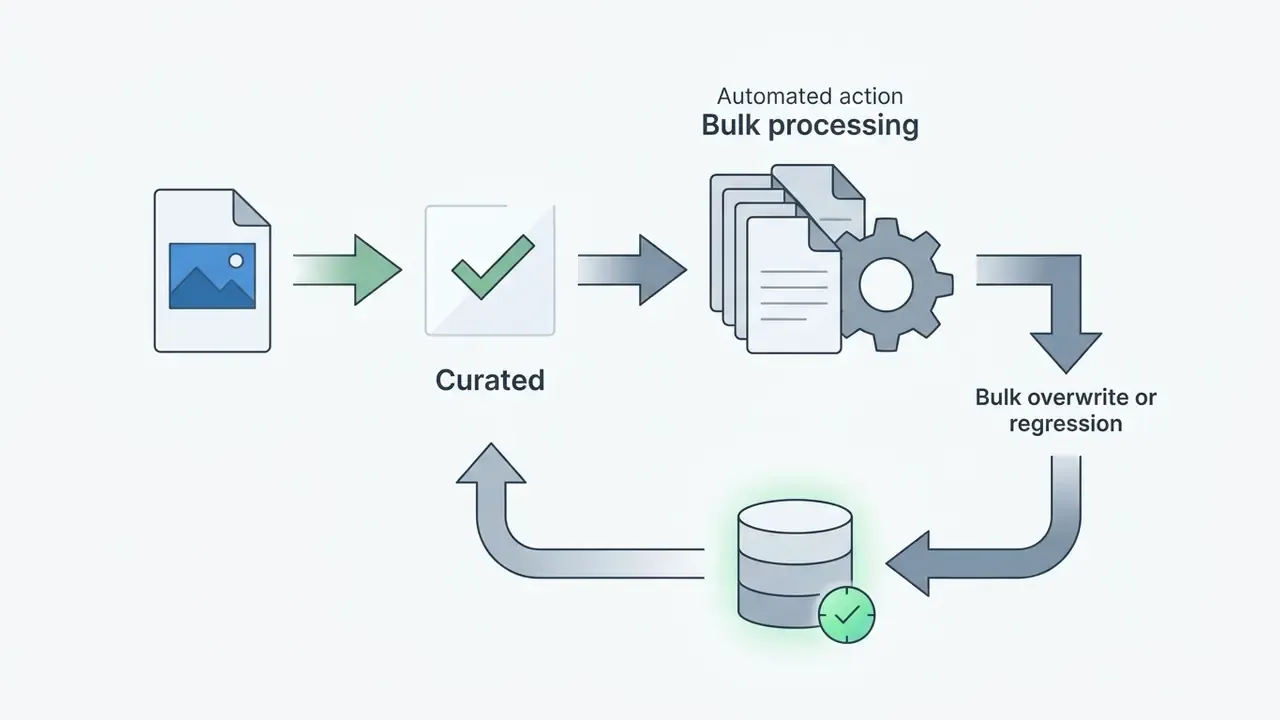
Yes. Advanced tools can inspect existing alt attributes in a media library, allowing editors to overwrite outdated descriptions, fill in empty fields, or preserve existing custom text based on configurable batch rules. Overwrite with caution: a systematic review of 20 studies found that AI systems sometimes misinterpret chart trends or invent data values absent from the visual (Image description techniques for STEM domains, 2026, research corpus reference [9]). Protect curated, human-approved descriptions with a "keep existing" filter.
How long should alt text be, and what happens if it is too long?
Aim for one concise sentence under 125 characters. Screen readers may pause or truncate longer strings, splitting the description into disjointed fragments. If an image requires more explanation, for instance a dense infographic, a technical diagram, or a data chart, place the detail in surrounding body text, a caption, or a linked long description rather than in the alt attribute.
How to generate alt text for an image without a subscription?
Upload the file to a free web generator, review the draft, then paste the sentence into your CMS field. Most services allow 3 to 50 images per day at no cost, sometimes with no signup at all. Check the licence before using the output commercially, since several free tiers restrict commercial rights.
How do I generate alt text automatically in WordPress or Shopify?
Automated CMS generation requires installing an official plugin or app, connecting an API key from the generation service, and configuring trigger rules, for example auto-generate on image upload, or a background batch job for missing attributes. Alternatives include a one-line JavaScript snippet deployed through a tag manager, direct REST API calls in a CI/CD pipeline, headless CMS connectors, or webhook automations via Zapier or Make.
What should I do with purely decorative images?
Give them an empty alt attribute (alt="") with no title value, so assistive technology skips them. Because generators almost always return text, decorative handling must be enforced by a human reviewer or by a pre-publication filter that overrides the model output.
How do we keep alt text consistent across multiple sites and brands?
Centralize the prompt template, the brand glossary, and the character ceiling, then version them like any other model artifact. Teams managing image alt text across several properties usually store approved terminology in one repository and push it to each CMS connector, which keeps descriptions aligned even when different agencies publish the pages.
About This Guidance
This guide was prepared by the editorial team covering AI media tooling, web accessibility standards, and AI model-risk governance, with primary references to W3C WCAG 2.2 (https://www.w3.org/WAI/WCAG22/Understanding/non-text-content), the W3C Alt Decision Tree (https://www.w3.org/WAI/tutorials/images/decision-tree/), U.S. Section 508 alt-text guidance, and Google Search Central image documentation. Peer-reviewed findings are attributed inline to the research corpus referenced in each pull quote. Vendor terms, free-tier limits, and retention windows were checked in 2026 and change frequently, so re-verify before procurement.
Dual disclaimer. (1) Accessibility and legal: nothing here constitutes legal advice on ADA, Section 508, or European accessibility obligations. (2) Model risk: automated alt-text generation reduces labor but does not remove the publisher's accountability for conformance, factual accuracy, or disclosure of synthetic media.
A safe next step, if you are starting cold: run a site-wide scan, count assets with missing or filename-based alt values, and register the generator you already use in the AI inventory. That single page of evidence usually changes the conversation more than a tool comparison does.
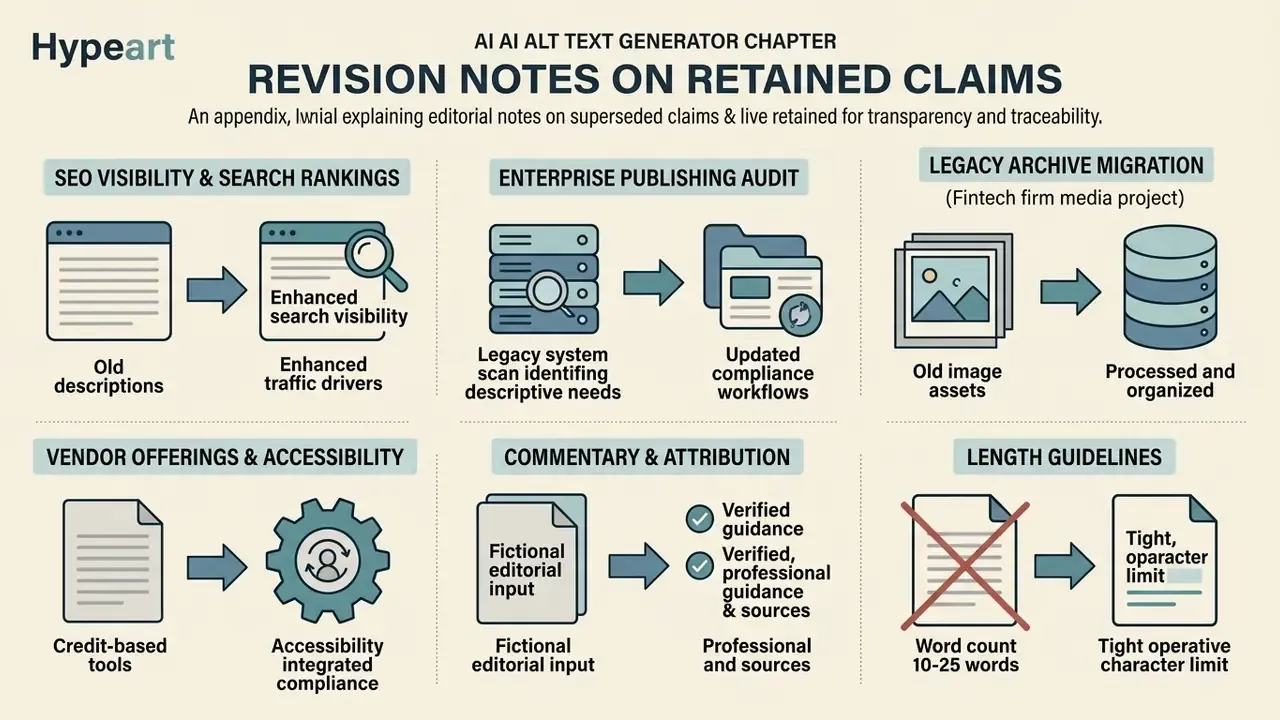
Appendix A: Editorial Notes on Superseded Claims