Last updated: February 2026. Standards and platform terms cited below were verified against primary sources at the time of publication.
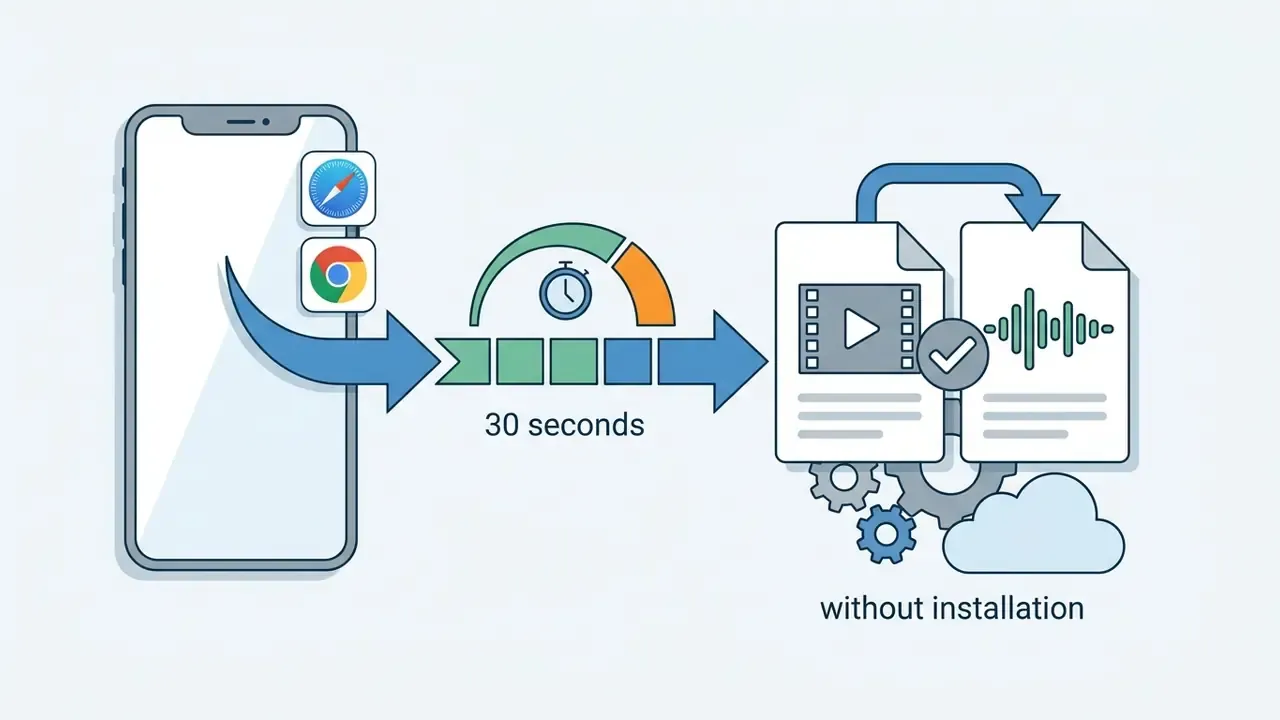
What you need to know in 30 seconds
- No audio file of your own? Use a built-in royalty-free catalog, or generate an AI text-to-speech voiceover right in the browser tab.
- Short music, long video? Enable the Loop toggle. Bad camera sound? Use Detach Audio or Mute Original Track, then lift the replacement voice track up to 200%.
- Watermarks and sign-up depend on the service tier: anonymous client-side tools export clean files at 720p to 1080p, while freemium tiers usually brand the export.
Who this guide is for. Three groups, mostly. Solo creators who need a fast way to add music to video online without a subscription. Small marketing teams producing dozens of social cuts a week. And media or communications leads inside regulated organisations, where the question is not "can the browser do it" but "may this footage leave the device at all". The middle sections answer the first two. The security checklist near the end answers the third.
Add music to video online: what the editor can do
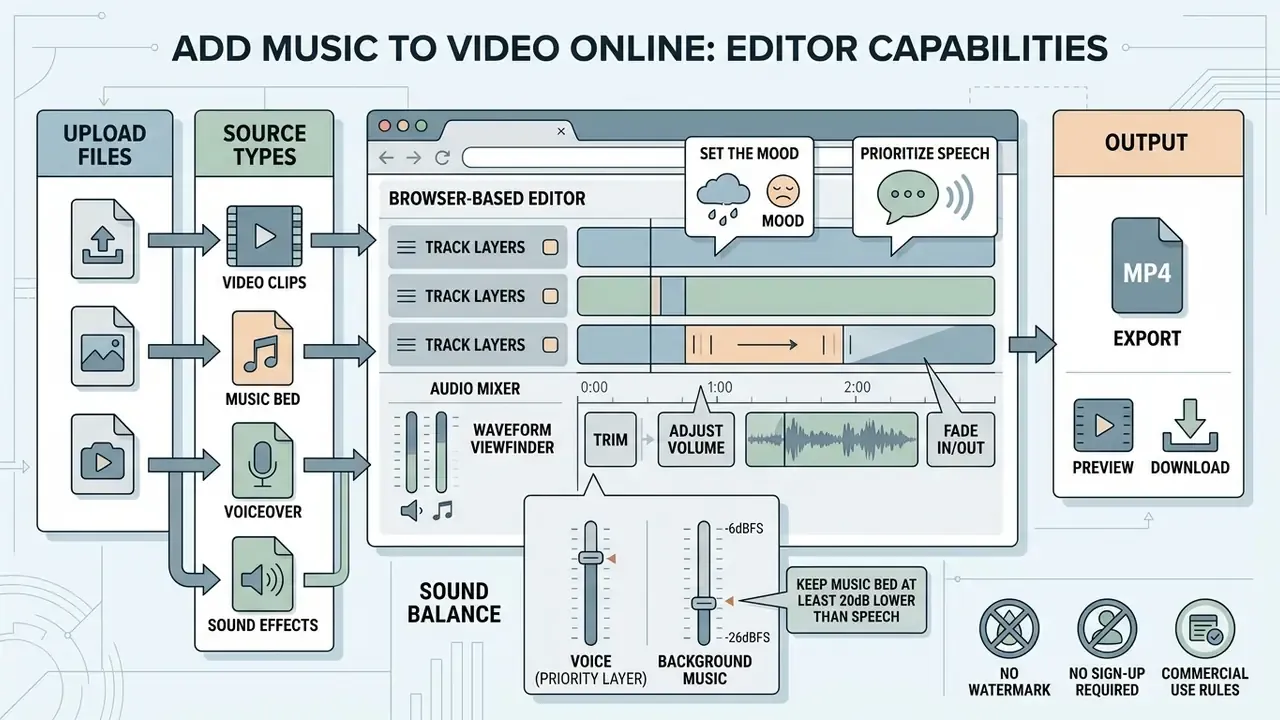
An online video editor lets creators add music to video online by combining video files with external audio tracks directly inside a web browser. Modern browser-based processing lets you import media, synchronize background music with visual events, adjust relative volume levels, and export a finished file without installing any local desktop application.
Add background music, voice audio, or an existing audio track
Adding background music, spoken voiceover, or pre-recorded sound effects to a clip sets the mood and holds viewer retention. Professional media production guidelines separate dialogue, background beds, and sound effects onto distinct layers before mixing. That is the same separation used in desktop suites such as Premiere Pro, where dialogue, music, sound effects, and ambient sound each occupy their own lane before the final mix.
«Background music appears in all analysed People's Daily TikTok videos and expresses the outlet's editorial stance.»
A browser video editor lets you add audio in video online, layer multiple tracks, and balance sound so spoken words stay clear over the instrumentation.
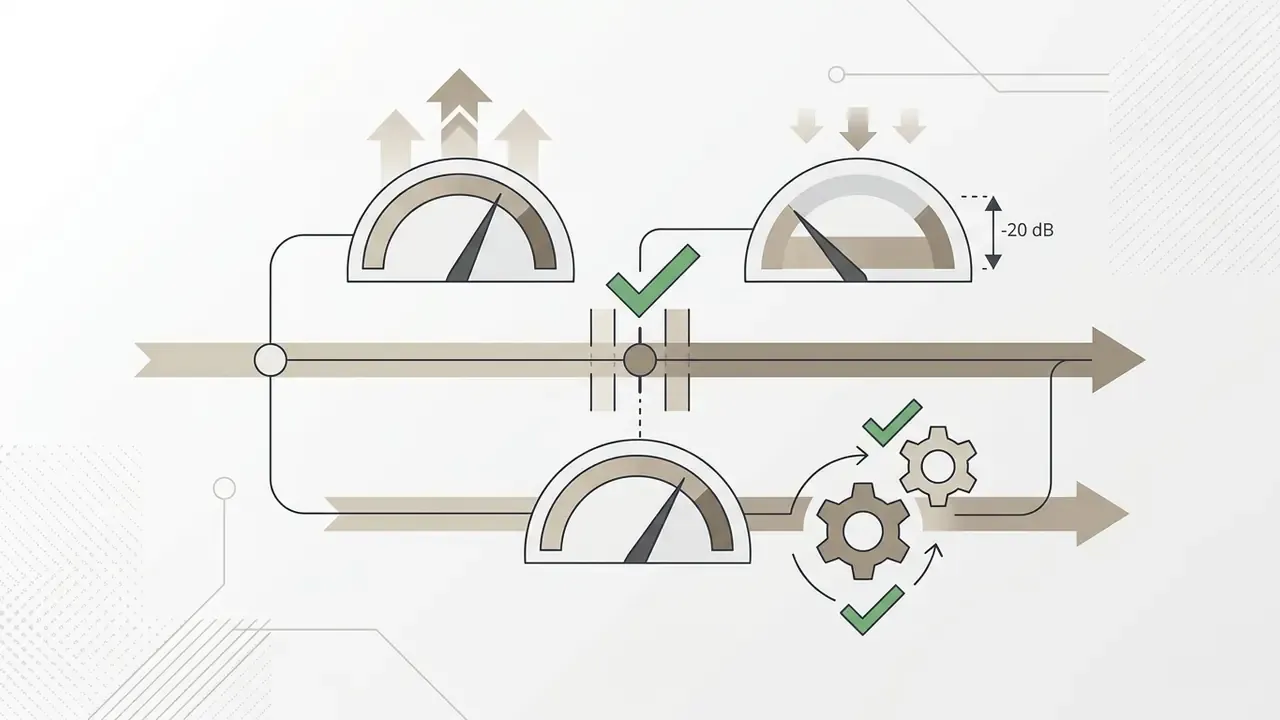
For accessibility and plain intelligibility, treat speech as the priority layer and keep the music underneath it. W3C guidance for time-based media says background sound should sit clearly below foreground speech so narration remains understandable:
Practical translation: if your voiceover peaks around minus 6 dBFS, park the music bed near minus 26 dBFS, or switch on automatic ducking so the bed dips whenever speech is detected. One caveat from experience: ducking with an aggressive fade-up can sound like a pumping engine on fast dialogue. Slow the release and the mix settles.
Video and audio files supported by an online editor
Browser video editors process standard containers: MP4, WebM, MOV, and AVI for video, alongside MP3, WAV, AAC, OGG, and FLAC for audio files. WebCodecs and HTML5 media APIs let browsers decode these containers locally for real-time editing. Note the distinction between native browser decoding and editor-level transcoding. Chromium documents MP4, WebM, WAV, MP3, and Matroska as browser-supported families, while MOV and AVI support usually depends on the editor's own conversion layer.
When preparing content for social media or a corporate presentation, you can upload an MP4 clip and run add-audio-to-video-editor workflows with high-fidelity WAV or compressed MP3 tracks, then pick the output video format at export. If the finished file is too heavy for a platform upload limit, run it through a video compressor before publishing rather than re-exporting at a lower resolution. Re-exporting costs you picture quality twice.
How to add audio to a video online in three steps
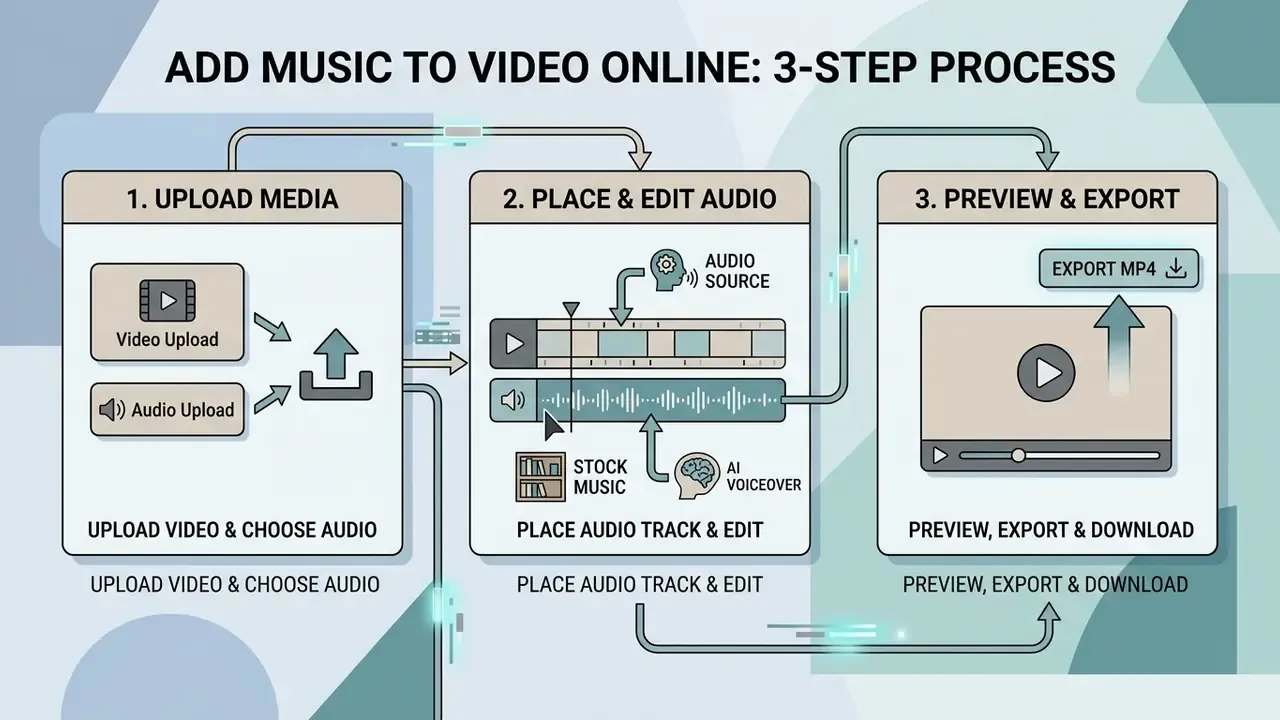
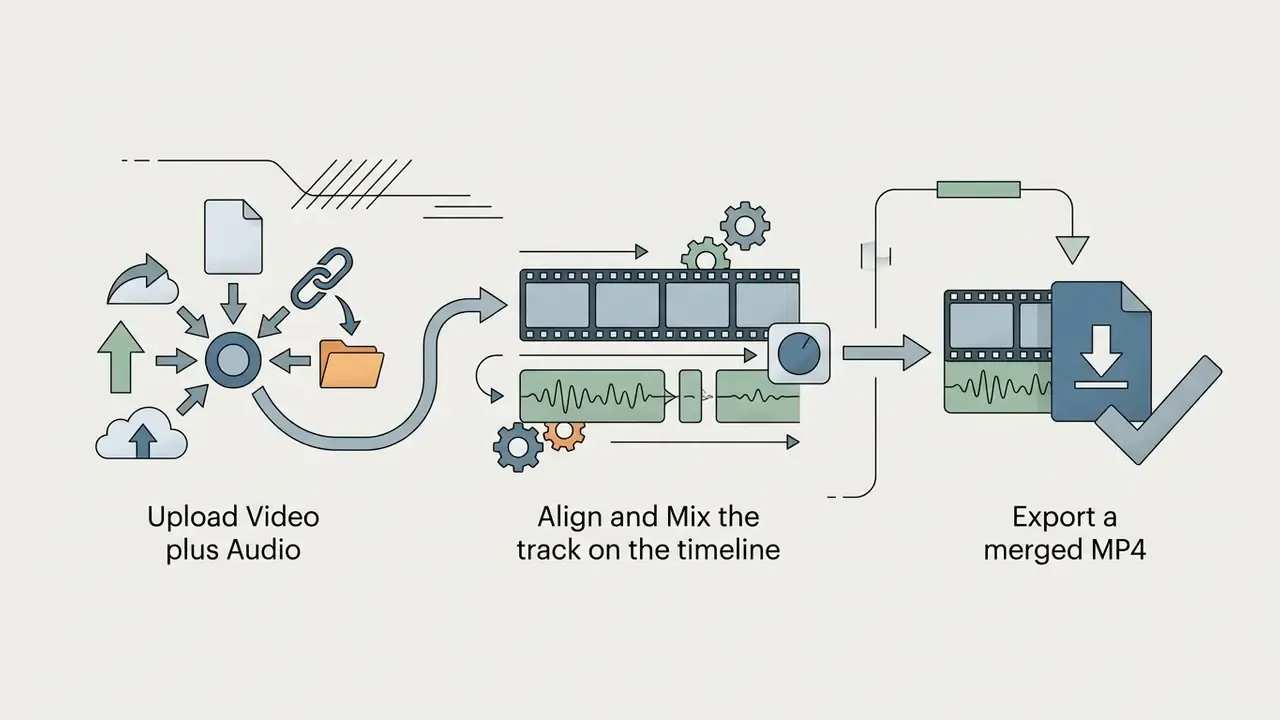
You can add audio to a video online free with a simple three-step sequence: upload your footage, align the chosen audio track on the timeline, export the rendered video. The workflow removes the technical barriers while keeping precise control over alignment and volume.
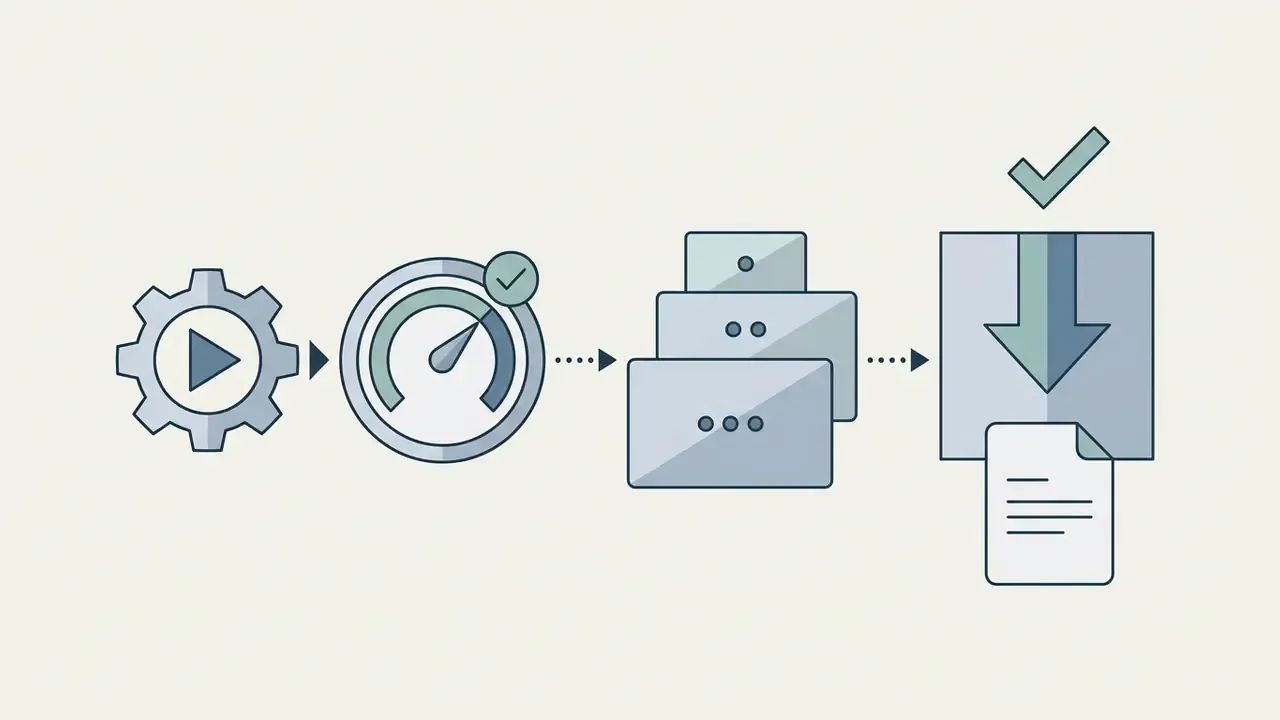
Upload your video and choose an audio file
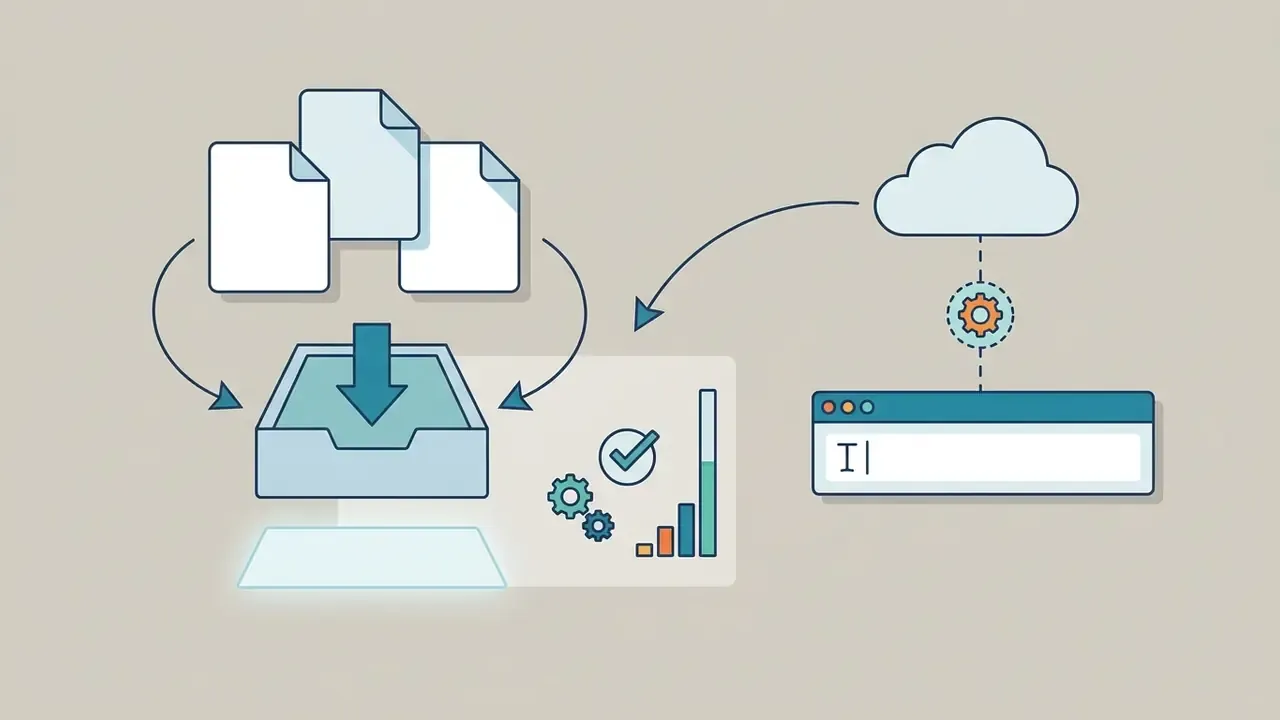
To start editing, upload your video file from your local device, cloud storage, or a stock media catalog into the browser workspace. Most web tools let you add mp3 to video online by dragging files into the window or picking media from an integrated royalty-free music library. Cloud integrations pull directly from Google Drive or Dropbox with no intermediate manual download, and modern upload widgets also accept remote sources: a web URL, a stock provider, a clipboard paste.
If you plan to hire video editor specialists or manage a small team, standardizing import formats streamlines the early production steps and stops mismatched frame rates from creeping into a shared timeline. Our internal ingestion benchmark for this exact workflow is documented in the enterprise validation section further down.
Utilize royalty-free stock music and AI voiceovers
No external audio file? Open the integrated royalty-free library inside the browser workspace. Filter cleared tracks by genre, mood, or tempo to secure background music for commercial distribution. Mainstream editors expose catalogs ranging from a few hundred curated beds up to 55,000 or more licensed tracks, with preview-before-insert so you can swap a bed in seconds.
For creators who need narration without studio gear, paste your script into the text-to-speech tool. The engine generates AI voiceovers across 25 or more languages and drops the synthesized voice track straight onto the timeline. Browser voice recorders provide the alternative path: record the take in the tab, then place it on the audio layer. For a deeper breakdown of voice quality, language coverage, and licensing terms across engines, see our guide to the AI voice generator category.
Free catalogs supplied by the platforms themselves are worth checking before you buy any subscription:
«Meta Sound Library provides royalty-free tracks and sound effects pre-cleared for commercial use on Facebook, Instagram, and Audience Network without attribution.»
Place and edit the audio track on the video
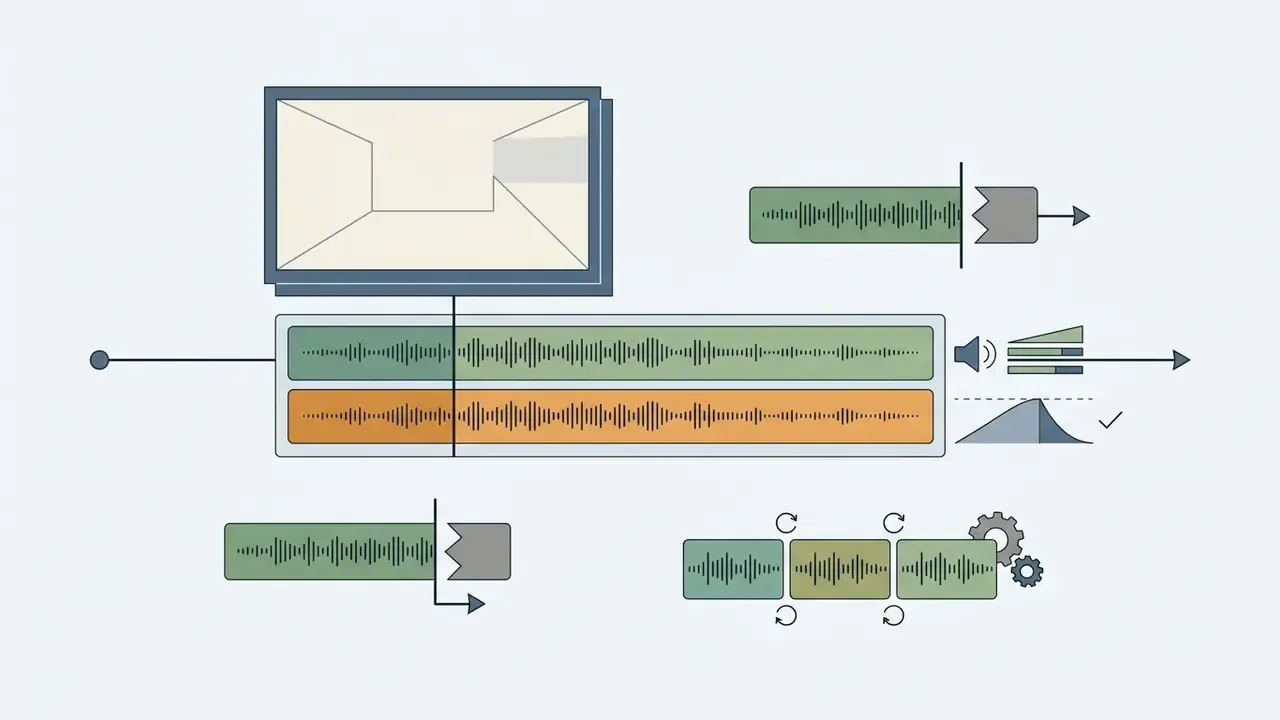
Once media is loaded, drag your audio file onto the timeline lane beneath the video layer to sync sound with visual cues. Web editors give you timeline controls to trim duration, split clips into segments, apply volume ducking, and pin sound effects to specific keyframes. Auto-ducking implementations typically fade the music bed down by a fixed amount (a minus 18 dB background level with configurable fade-down and fade-up times is a common default) whenever the control track crosses a speech threshold.
Keep sound and picture inside broadcast tolerance so lip-sync reads as natural:
«Sound before picture ≤40 ms, sound after picture ≤60 ms at emission.»
For the measurement methodology behind those figures, IEC TS 62312-2 specifies synchronization methods and general measurement models for audio-video systems. That is the reference layer editors implement when they show frame-accurate offsets on the timeline.
Preview, export, and download the finished video
Before the final render, preview in the browser player and check alignment, overall balance, and cuts. Web editors render lower-resolution previews (270p, 360p, or 540p) to keep scrubbing responsive. Once it sounds right, pick the output resolution, say 1080p Full HD, and export a single merged file ready to download.
Bitrate follows resolution. Public-sector production guides specify roughly 5 Mbps for 720p and 8 Mbps for 1080p in MP4/H.264, while screening-grade technical policies allow H.264 targets up to 25 Mbps with a 30 Mbps ceiling. Choose MP4 for web and social delivery, MKV for offline archives, MOV when the file continues into an Apple-native post chain. If YouTube is the destination, our YouTube video editor workflow guide covers container, codec, and publishing settings in more detail.
Free use, watermark, and signup conditions
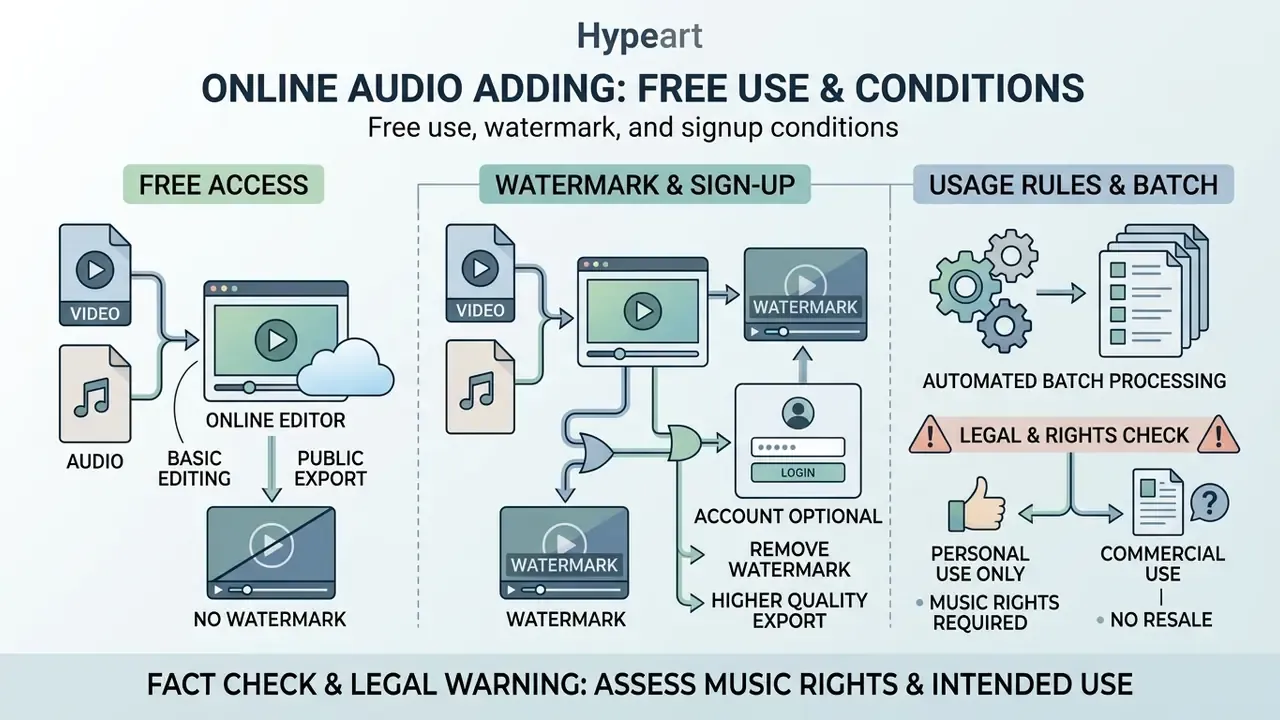
Online tools to add audio to video free online differ in feature access, export limits, watermark policy, and registration requirements. Knowing the terms up front lets you pick a tool that fits both the production need and the commercial delivery. It is the same lens we apply when comparing free AI video generators by credits, watermarks, and export ceilings.
| Service Tier Model | Watermark Applied | Registration Required | Max Export Resolution | Core Functional Limits |
|---|---|---|---|---|
| Anonymous Free Tool | No watermark | No sign up | 720p to 1080p | Basic trimming, single audio track layer, restricted file sizes |
| Freemium Tier | Watermark included | Account required | 720p | Export duration capped (roughly 1 to 10 minutes), basic royalty-free assets |
| Pro / Paid Tier | No watermark | Account required | 1080p to 4K UHD | Unlimited duration, multi-track mixing, full AI tools |
The table above summarizes the operating models found across web-based media utilities. Free tools without registration usually process a single track at standard resolutions with no logo. Freemium services hand you advanced editing tools but stamp a branded overlay on the export unless you upgrade. Published vendor pricing pages show the pattern clearly: free tiers commonly cap exports at 720p with a watermark and a 1 to 10 minute length limit, while paid tiers in the $16 per month (annual billing) to $24 per month (monthly billing) band remove watermarks, raise the length ceiling to two hours or more, and unlock 4K rendering. A handful of vendors invert this. Some free plans allow 1080p watermark-free export as long as you avoid premium stock assets, so confirm the current plan page rather than trusting a review from last year.
What "free" means for adding music to video
A free online editor gives you add-audio-to-video-online-free-tool functionality with no upfront card details and no software licence. Free access typically covers importing media, trimming audio length, moving volume sliders, and exporting standard-definition video. Automated subtitles, 4K rendering, and multi-layer track expansion sit behind the paid wall more often than not. In practice the recurring paywall boundaries are five: watermark removal, export resolution above 720p, premium stock assets, unlimited AI credits, and cloud storage duration.
When a watermark or account may be required
Platforms apply watermarks for service branding, free-tier monetization, and content protection. Anyone searching for a way to add audio to video online free no watermark can use anonymous browser editors that do simple client-side processing through WebAssembly. Accounts become necessary when a project needs cloud saving, team collaboration, or access to licensed stock audio. Credit-based free tiers and API-gated features are the two most common triggers for mandatory registration.
Fact check and legal warning: music rights and commercial use
Two practical notes on "royalty-free" and Creative Commons. CC BY 4.0 grants a worldwide, royalty-free, non-exclusive right to reproduce, share, and adapt the material, but attribution is mandatory and adaptations must carry the notice. Public-sector licensing guidance is equally blunt: if music is posted online for a wide audience it must be licensed, and even royalty-free or Creative Commons tracks require you to check which rights the author reserved. Keep the receipt. A licence you cannot produce on request is, functionally, no licence at all.
Automated batch processing for multi-video projects
Commercial workflows regularly need one audio branding track applied across dozens of promotional clips. With cloud-based batch processing you can upload a carousel of up to 50 video files at once, apply a standardized overlay with pre-set volume attenuation, and export the merged files through a single rendering queue. Bulk-capable editors let you configure the mix once, setting the music start point, the duration, and whether the original camera audio stays live or is muted, then flip a bulk switch so every clip inherits the same treatment and appears as its own task in the render panel. Uncheck any clip to exclude it from the batch, and choose the output container (MP4 or MOV) once for the whole queue.
Audio editing options for background music and sound
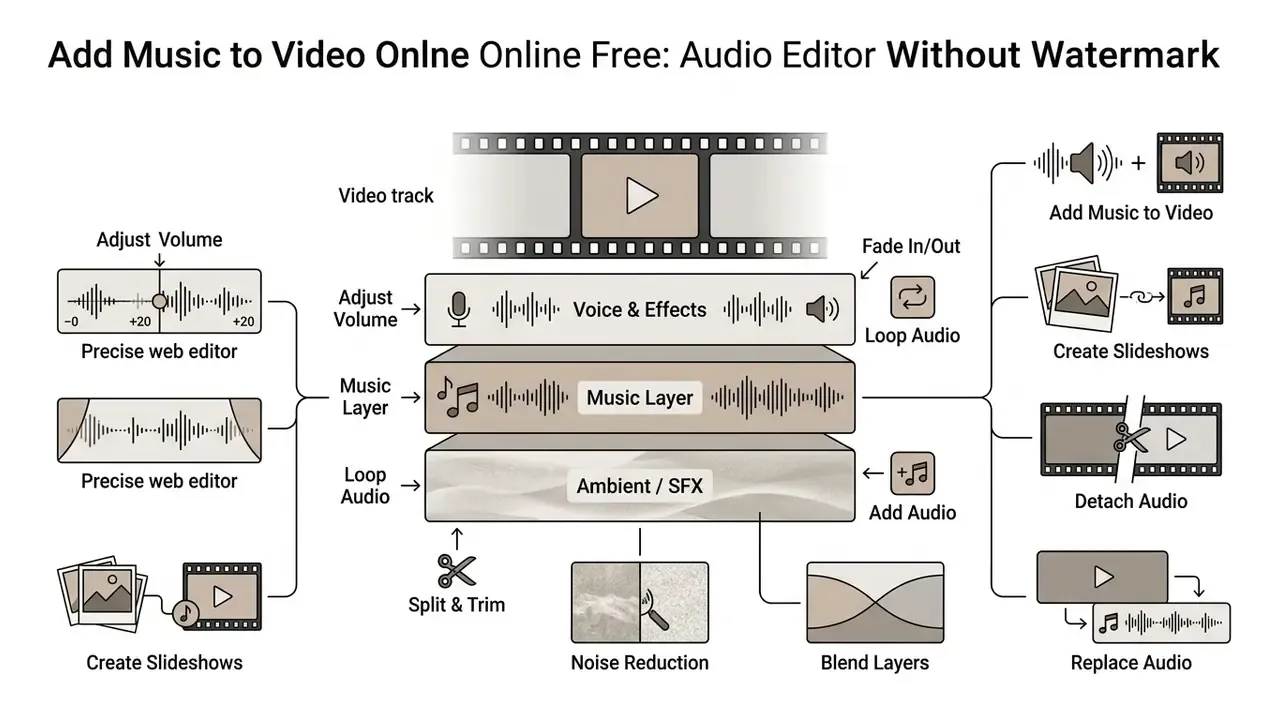
Advanced web editors give you precise control beyond file merging: track gain, noise removal, blended ambient layers. Dedicated sound tools are what keep a secondary music bed supporting the spoken content rather than fighting it.
Add, replace, or combine audio with video
You can add audio track to video online, replace unusable camera audio outright, or combine ambient environmental sound with a balanced music bed. Online editors offer multi-track timelines where the original audio can be muted or isolated, letting a clean voiceover sit over a soft instrumental arrangement. Track-level tools mirror desktop behaviour: delete an audio track, copy or replace it, enable automatic balancing across one lane or all of them, and re-apply balance after inserting new audio objects. When you look at how do people make ai videos or evaluate AI video generators, separate, clearly labelled audio channels turn out to be a core technical requirement rather than a nice-to-have.
Loop, detach, and amplify audio tracks
When the audio file is shorter than the footage, use the timeline Loop function to repeat the music across the full duration without manual duplication. Looping beats copy-pasting the same clip end to end, because a proper loop toggle aligns the repeat boundary to the exact end of the visual track instead of leaving a hard cut mid-phrase. The mirror case is just as common: if the audio runs longer than the video, trim it with the edge handles and add a short fade-out so the track resolves instead of stopping dead.
If your source video carries unwanted room noise or dialogue you want to treat separately, click Detach Audio to lift the original sound onto an independent lane. Once separated, delete the camera audio, apply noise suppression, or push the volume slider to boost a quiet voice track up to 200% above baseline. Detaching, rather than simply muting, is the right move when you want to keep the original take for reference, re-time it against a second camera angle, or export the isolated audio for a podcast cut-down. Common one-click cleanup tools on the same panel: noise reduction for voice, a multi-band graphic equalizer, fade in and out, and ducking with configurable fade times.
Create video slideshows by adding music to photos
Adding audio to static images remains an efficient route to Instagram Stories, TikTok clips, and promotional slideshows. Upload JPEG or PNG images into the browser editor, set the display duration per frame, and layer an MP3 background track beneath them. The editor renders the combined images and audio files into a web-ready MP4 tuned for social aspect ratios, 9:16 vertical or 1:1 square. This is also the fastest route to an autoplay-with-sound social post, a photo slideshow ad, or a music-backed product carousel. If your stills need cropping, colour correction, or background removal first, prepare them in a photo editor; for animated title cards between slides, an animation maker covers the motion layer. The same pipeline extends to image to video transitions, where a still frame becomes a moving shot underneath the music bed.
A short note for teams working with synthetic visuals. If part of your slideshow is generated rather than shot, the audio pass is usually the last step, not the first. Background on the generation side sits in our explainers on how does ai art work and how does ai generate images, and the licensing questions around synthetic likeness, including prompts such as hyper realistic beautiful ai girl, matter as much as the music licence when the asset is published commercially.
Use music and sound effects for video content
Well-chosen background music and accent sound effects lift engagement across digital channels. That much is well documented.
Picking high-arousal, emotionally aligned tracks builds a coherent narrative across YouTube Shorts, Instagram Reels, and TikTok. Platform guidance itself is licence-first and audibility-first rather than numbers-first: TikTok tells advertisers to draw on royalty-free, ad-ready tracks from its Commercial Music Library, and states that when music and voice-over are mixed the spoken words must stay audible and useful. Treat SFX as brief accents pinned to cuts and reveals, not as a foreground layer competing with narration.
How to choose an online tool to add music to video
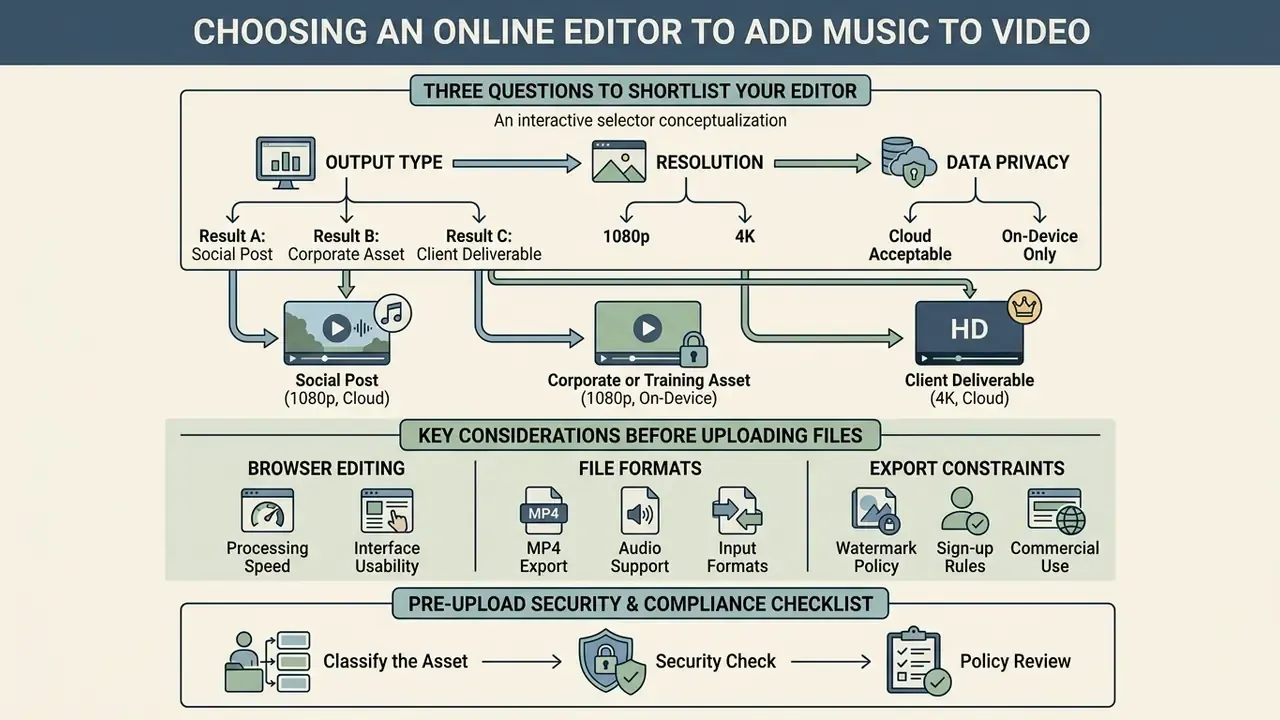
Choosing the best online editor means weighing browser processing speed, input and output format support, data privacy, and export constraints. Get those four right and rendering stays smooth while sensitive project media never lands on an unknown server.
«The DL-BGM model trained on Douyin data significantly outperforms baseline music recommendation methods by jointly modelling user, video, and track.»
That research matters for tool choice more than it first appears. Editors whose libraries surface context-aware recommendations, by video content, mood, and creator history, shorten the slowest step in the whole workflow: finding a track that actually fits.
Interactive selector, three questions to shortlist your editor. (1) What is the project for: a social post, a corporate or training asset, or a client deliverable? (2) What export ceiling do you need: 720p, 1080p, or 4K? (3) What is your privacy requirement: files may transit a cloud server, or must stay on-device?
Result A, social post, 1080p, cloud acceptable: freemium editor with a large stock catalog; verify the watermark policy before exporting.
Result B, corporate or training asset, 1080p, on-device only: anonymous client-side WebAssembly editor; no account, no server upload.
Result C, client deliverable, 4K, cloud acceptable: paid tier with multi-track mixing, batch rendering, and a licence receipt for every stock track used.
File formats, browser editing, and export options
A versatile tool accepts common containers such as MP4, WebM, and MOV, and exports clean MP4 encoded with H.264 video and AAC audio for maximum browser compatibility. MP4 plus H.264 plus AAC remains the broadest-support export path across major browsers, while AV1 is generally delivered inside WebM. Native browser editing powered by WebCodecs processes frames locally on the client device, cutting out the wait to upload large raw media. One caveat: codec availability through WebCodecs depends on the browser and the operating system, not on the API alone, which is why sensible editors keep a WebAssembly transcoder as a fallback.
If your workflow also involves generating or converting visual assets, turning a still into a moving shot, or rendering brand animation before the audio pass, client-side processing brings the same efficiency it brings to audio merging, because the frames never leave the machine.
Security and ease of use before uploading files
Pre-upload security and compliance checklist
Run this before any regulated, confidential, or client-owned footage enters a browser editor:
- Classify the asset.Confirm the footage carries no customer PII, account data, internal system screens, or unreleased financial disclosures.
- Prefer client-side processing.If the editor renders locally through WebAssembly or WebCodecs, no media leaves the device. That is the cleanest control available for sensitive material.
- Verify transport encryption.TLS/HTTPS on every endpoint, upload and export URLs included, per NIST SP 800-95.
- Check retention and deletion.Look for a stated retention window and a deletion mechanism consistent with NIST SP 800-88 Rev. 2 (clear, purge, destruct, cryptographic erase included).
- Read the content-licence clause.Confirm what rights the platform claims over uploaded media, and whether those rights survive account deletion.
- Confirm the music licence chain.Keep the licence receipt or the CC BY attribution string for every track in a published asset.
- Restrict account scope.Use a work identity with SSO where available. Personal accounts have no place in corporate media production.
- Log the tool.Record the service, tier, and date in your shadow-IT or vendor inventory so procurement and security can review it.
- Re-check on renewal.Vendor terms, plan limits, and watermark policies shift between releases. Re-verify each subscription cycle.
Enterprise validation: internal benchmark results
FAQ about adding music and audio to video online
Can I add music from Spotify to my video?
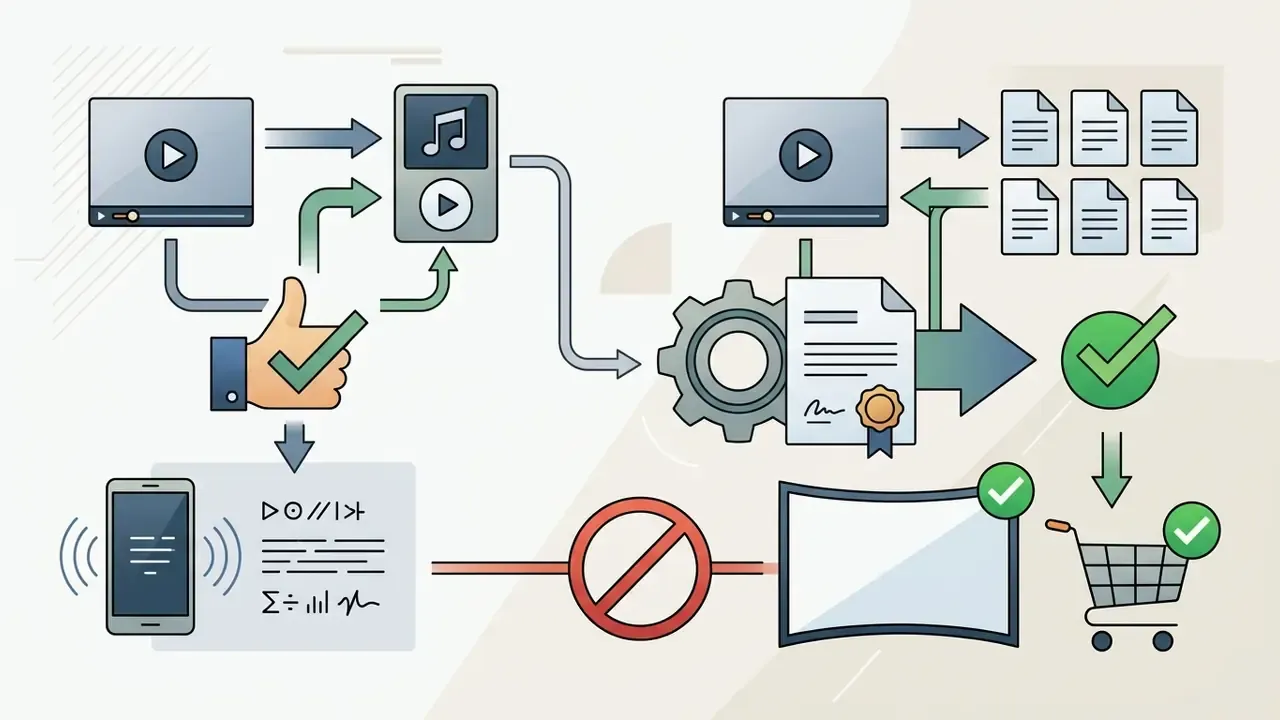
No. You cannot legally add music pulled from Spotify, Apple Music, or a comparable streaming service to a public video without separate synchronization licences. A streaming subscription grants personal listening permission only; it conveys no right to reproduce, embed, or publicly perform a copyrighted recording inside video content. Spotify's terms restrict use of the service and its content to personal, non-commercial use and prohibit redistribution or making content available to the public. Apple Music operates on the same consumer-streaming basis, which is playback access rather than a media-embedding licence. Using unauthorized commercial tracks on social platforms triggers automated Content ID detection, which ends in muted audio, redirected ad revenue, or a takedown notice. Select tracks from royalty-free libraries or platform-cleared collections instead.
Platform licences are also less stable than they look:
«Removing Universal Music's catalogue did not reduce demand for those tracks on Spotify and YouTube, but disrupted in-app sound availability.» TikTok and UMG dispute analysis (February to May 2024), Harvard Business School Working Paper 25-014 (2025). https://www.hbs.edu/ris/Publication%20Files/25-014_f0f35028-b84d-4eb9-9fb4-c56b788a447a.pdf
Can I add audio to a video directly on my iPhone or Android device?
Yes. The browser editor is fully responsive and runs in mobile browsers including Safari for iOS and Chrome for Android. Upload footage straight from the camera roll, attach audio tracks, export the rendered MP4, no third-party app needed. One limitation: DRM-protected files, an .m4a purchased through a streaming store for instance, will not import.
How do I loop a short music track to match a longer video?
Select the audio clip on the timeline and enable the "Loop" toggle in the track settings panel. The editor repeats the track until it aligns with the exact end of the visual layer. If the track is longer than the video instead, drag the trim handle inward and add a 1 to 2 second fade-out.
Can I detach and replace the original sound from my camera footage?
Yes. Click the video timeline layer and choose "Detach Audio" or "Mute Original Track". That isolates or silences the embedded camera sound so you can layer clean background music, sound effects, or a custom voiceover over the picture. Detaching keeps the original take on its own lane, which helps for reference sync or for exporting an audio-only version.
What happens if my background music is louder than the voiceover?
Click the music track on the timeline and lower its volume slider, or enable automatic ducking so the bed dips whenever speech is present. Following W3C accessibility guidance, background audio should sit at least 20 dB below the primary voiceover.
Can I convert a static picture into a video by adding sound?
Yes. Upload one or several photos (JPG or PNG), set the display duration per slide, attach your audio file, then export a single merged MP4 suitable for Instagram Stories, YouTube Shorts, or Facebook.
Which video and audio formats work, and can I add several tracks at once?
Most browser editors accept MP4, MOV, AVI, WebM, WMV, and HEVC video alongside MP3, WAV, AAC, OGG, FLAC, M4A, and OPUS audio. Multi-track support varies by tier: single-purpose free tools often allow one audio layer, while full editors let you stack voiceover, music, and SFX at once with independent volume on each lane. Exports default to MP4 (H.264 plus AAC) for web compatibility, with MKV and MOV available for offline and Apple-native delivery.
Do free tools always add a watermark?
No. Anonymous client-side tools frequently export clean files at 720p to 1080p without registration, and a few account-based free plans allow watermark-free 1080p export provided you use only free assets. Watermarks show up most often on freemium tiers monetizing an upgrade path, and on any export containing premium stock elements. Always check the current plan page. Policies differ by vendor, locale, and release date.
Operational summary and resource navigation
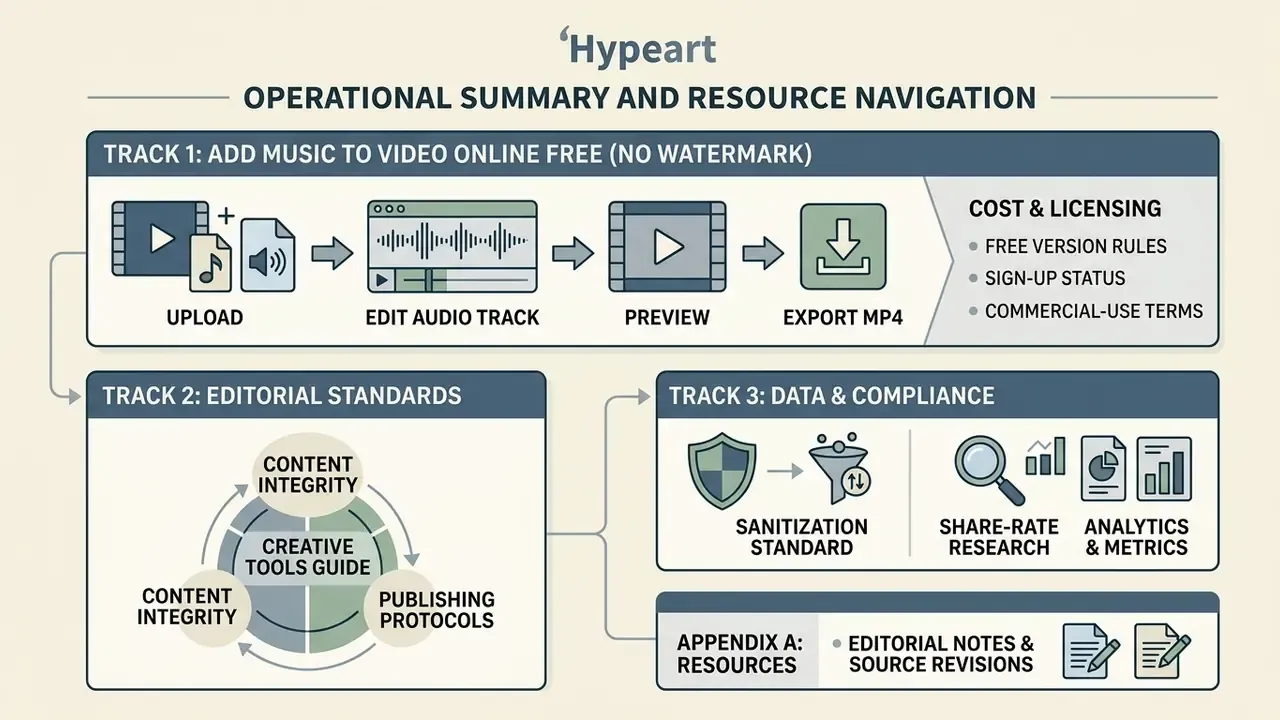
Cost and licensing. To inspect calculated cost comparisons across enterprise media services, explore the hub. For detail on software subscriptions and production tiers, check the current pricing structure. When planning commercial video distribution, compare options for licensing rights, or open the hub to review copyright compliance standards.
Tool selection and support. If you need help with file imports or browser compatibility, explore the hub, or view the guide for side-by-side platform evaluations. For export limits and watermark rules across no-cost editors, see our comparison of free video editing software.
Developers and automation. Teams automating audio-video merging can see the overview of available web media APIs. For the full library of production workflows and technical guides, open the hub.
Appendix A: editorial notes and source revisions
For transparency, this version supersedes two earlier reference formulations in this article:
Editorial standards. All quantitative mixing, timing, bitrate, and sanitization figures in this article trace back to primary documents (W3C, EBU, IEC, NIST, U.S. Copyright Office, platform transparency filings) or to our own documented benchmarks. Vendor plan limits reflect published pricing pages at the time of the last update and should be re-verified before purchase.
- Sanitization standard.
- Earlier wording cited "NIST SP 800-88 Rev. 2" without a publication date, which invited confusion with the 2014 Rev. 1 document. The corrected reference is NIST SP 800-88 Rev. 2, published September 2025, which supersedes Rev. 1 and defines clear, purge, and destruct, cryptographic erase included, as sanitization methods.
- Share-rate research.
- Earlier wording summarized the IJSRP systematic review of 32 short-video studies as "increases social share rates by enhancing emotional arousal and narrative processing fluency" with no retrievable link and without the study's own taxonomy. The updated citation names the four mechanisms identified by the authors, emotional arousal, audiovisual congruence, social capital of trending sounds, and algorithmic signalling, and links the paper directly.