Executive Summary
Last updated: 2026. Written for creative leads, marketing teams, and the risk and compliance stakeholders who end up signing off on the Adobe AI image generator.
- What it is a latent-diffusion image generation system inside the Adobe Firefly web studio, the Firefly mobile app, and Creative Cloud apps (Photoshop, Illustrator, Premiere Pro, Adobe Express, Acrobat).
- Hard input limits you must plan around text prompts cannot exceed 750 characters in the Firefly web generation bar. Reference uploads must be JPEG (JPG), PNG, or WebP, up to 100 MB, and no smaller than 512 × 512 pixels. Raster downloads from the web studio top out at 2000 × 2000 pixels in JPG or PNG.
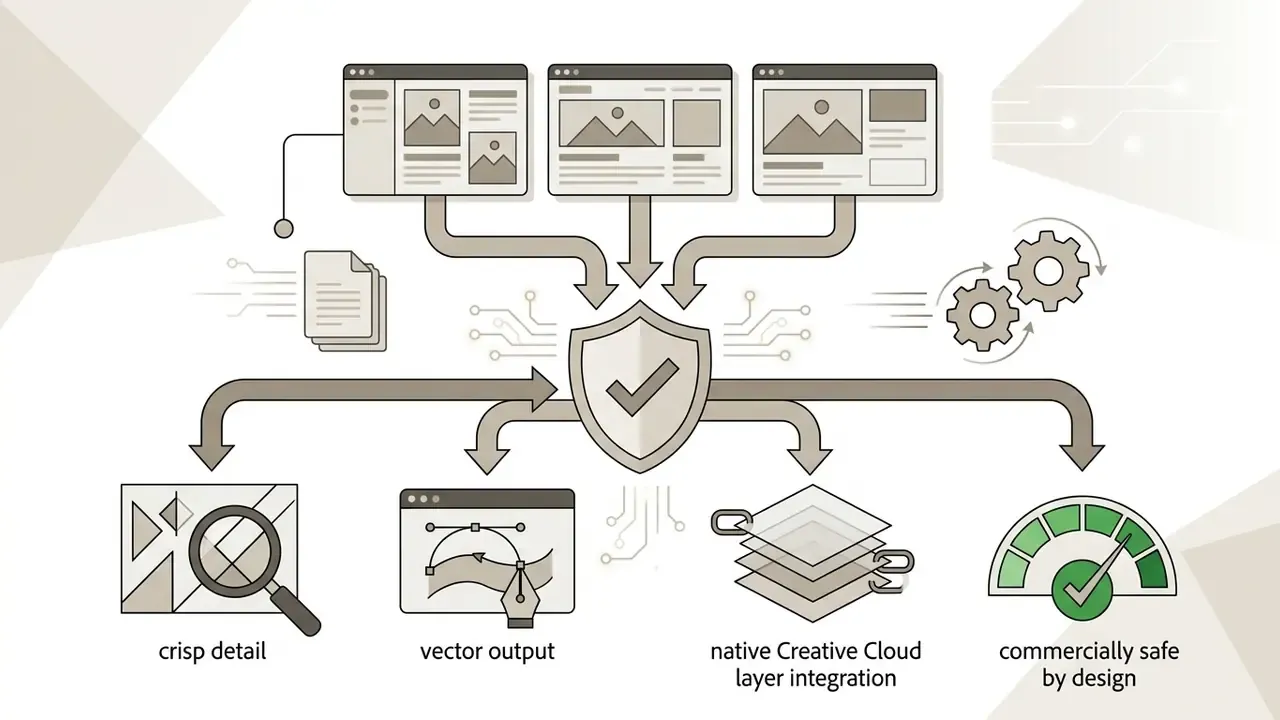
- Commercial safety Firefly's own image models are trained on licensed Adobe Stock, openly licensed, and public-domain content. Adobe states it does not train foundational Firefly models on customer content, and qualifying plans are eligible for contractual IP indemnification.
- Partner models change the risk profile Google Gemini (accessed as Gemini 2.5 Flash Image, plus newer Gemini 3 and Gemini 3.1 engines), OpenAI GPT Image, FLUX, Ideogram, and Runway are third-party models. Adobe explicitly states that partner-model outputs may carry different usage terms, and Content Credentials record when a partner model was used.
- Cost model one unified generative credit system. Free accounts get daily refreshing generations with watermarks. Paid tiers run $9.99 (Standard, 2,000 credits), $19.99 (Pro, 4,000 credits), and $199.99 (Premium, 50,000 credits) per month. Premium partner models consume 10 to 60 credits per request.
- Team and governance layer Firefly Boards provides an infinite collaborative canvas. C2PA Content Credentials provide the provenance artifact that GRC and Model Risk Management (MRM) teams need for audit trails.
One line worth holding onto before the detail: image quality is the easy part, and provenance is the part that gets argued about in an audit.
What is the Adobe AI Image Generator and How It Works
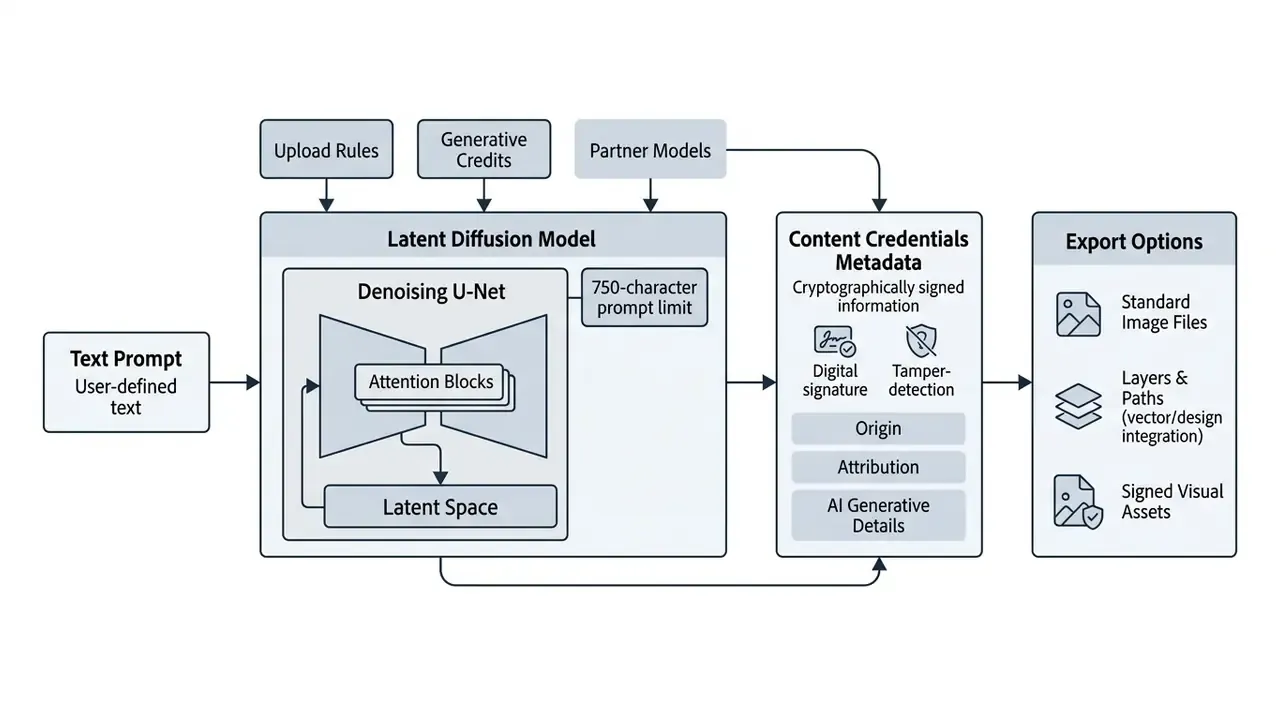
Unlike generic image models trained on unvetted web scrapes, Adobe Firefly runs on a latent diffusion architecture. The system iteratively removes computational noise from a random field, guided by text tokens, until a structured image forms. The primary training corpus consists of more than 300 million licensed Adobe Stock images, alongside openly licensed content and public-domain works with expired copyrights.
By filtering out explicit material and probable intellectual property conflicts during training, Adobe offers an engine designed to be commercially safe. Readers benchmarking vendors can compare it against other commercially safe AI image generators before standardising a toolchain, or simply compare options across the wider market first. Through the standalone web app at firefly.adobe.com and the embedded toolsets in desktop software, users generate AI images, vector graphics, and text effects while keeping creative control over each iteration.
One practical constraint shapes every workflow described below. The Firefly generation bar enforces a maximum prompt length. Exceed it and the interface returns "Prompt exceeds the max length of 750 characters", so prompt libraries, briefs, and automation templates must fit inside 750 characters, roughly 110 to 130 English words. Not much room. Plan for it early rather than trimming under deadline.
Which AI Models Are Available in Adobe Firefly
Adobe Firefly provides access to native proprietary engines, such as Firefly Image Model 3 and 4, alongside curated third-party partner models available directly in the generation interface. Creators pick specific AI models from a drop-down menu based on required prompt accuracy, photorealism, text rendering, or generation speed. Teams weighing alternatives can also review how leading AI image generators handle the same tasks, and view the guide to category-level comparisons.
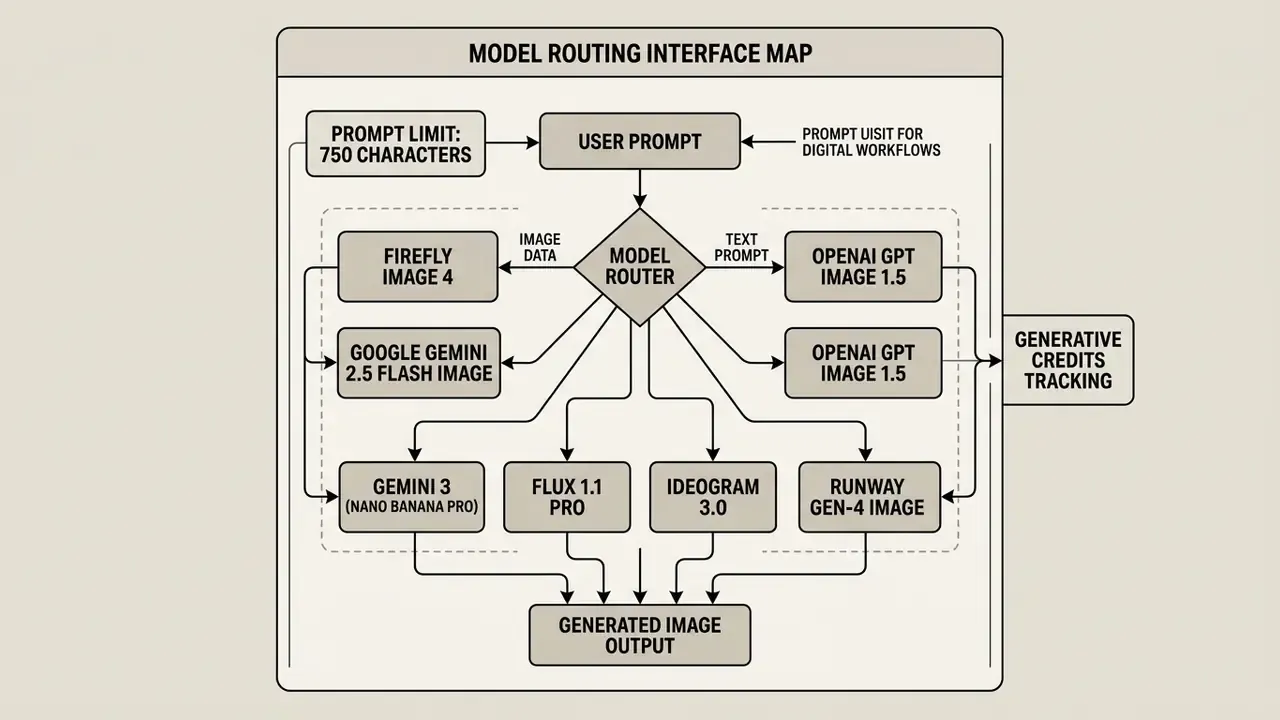
The model inventory covers native Adobe engines optimised for vector graphics, design layouts, and photorealistic imagery. It also incorporates third-party partner models that widen creative choice:
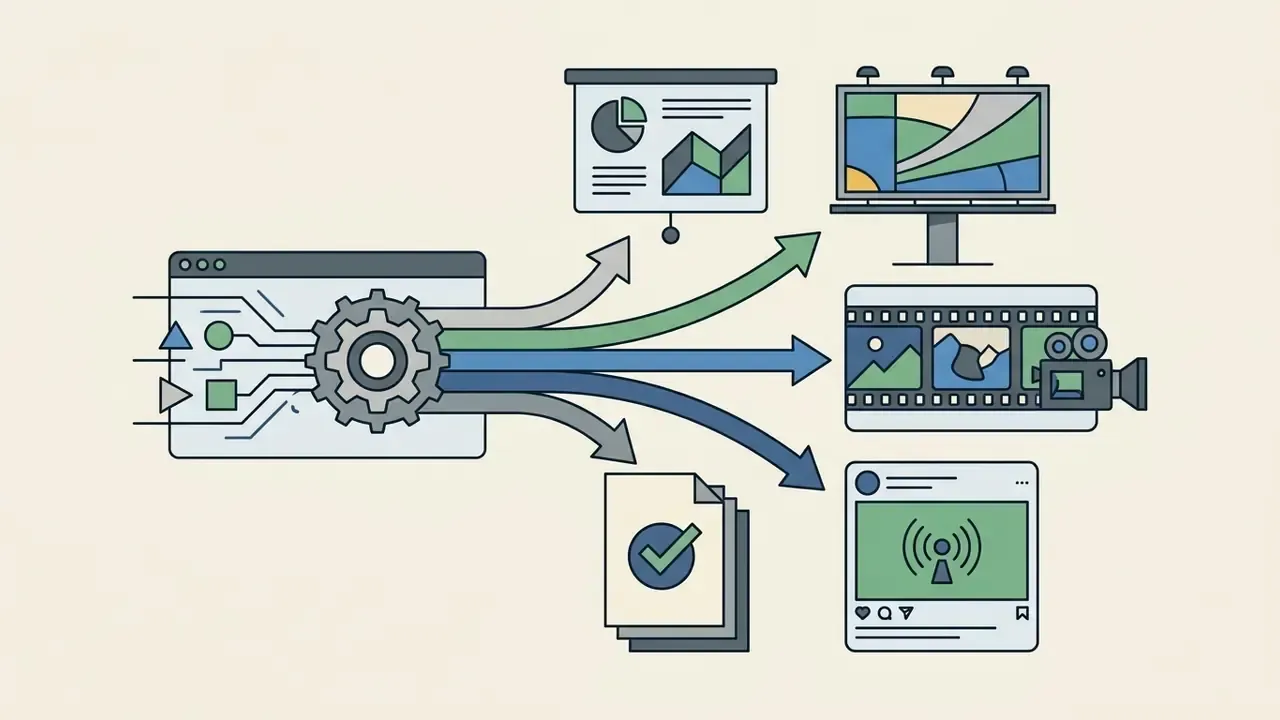
Model selection is exposed consistently across Generate Image, Generate Video, Firefly Boards, Adobe Express, and Photoshop. That matters more than it first sounds: a single governance decision about permitted engines propagates across every surface, instead of being re-litigated per app.
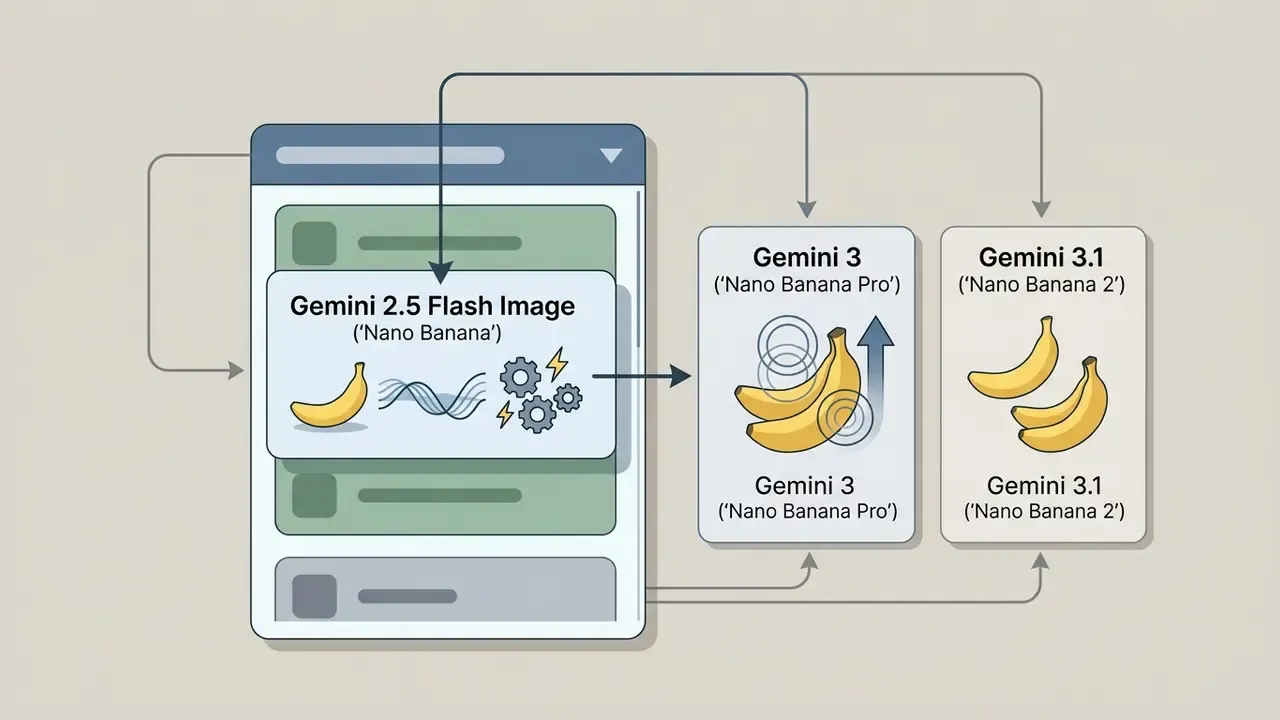
Gemini 2.5 Flash Image (Nano Banana)updated. In Firefly's model drop-down menu, the documented access point for Google's Nano Banana image capability is Gemini 2.5 Flash Image. Newer engines, Gemini 3 (Nano Banana Pro) and Gemini 3.1 (Nano Banana 2), appear as separate premium entries on higher-tier plans. Note for corporate documentation: "Nano Banana" is Google's product nickname for Gemini's native image generation capability, not an independent vendor or service. Formal model inventories should record the technical identifier, for example gemini-2.5-flash-image.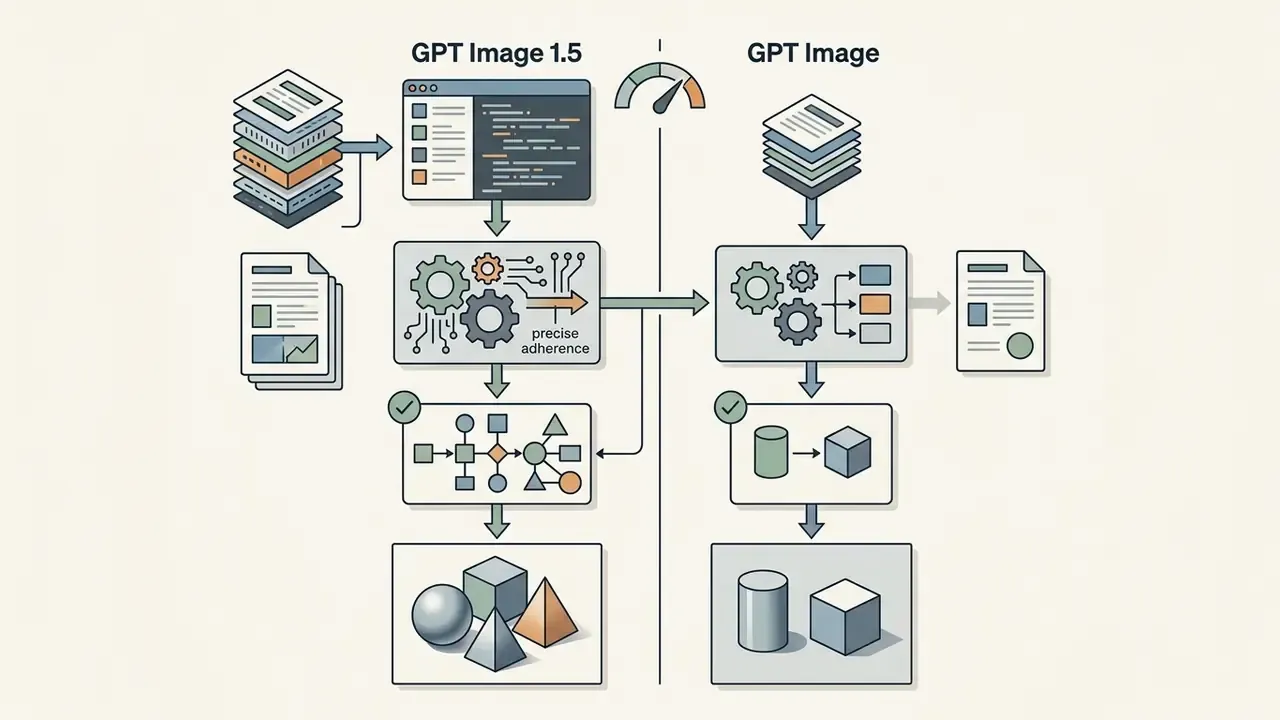


Can You Use Adobe Firefly Images in Commercial Projects?
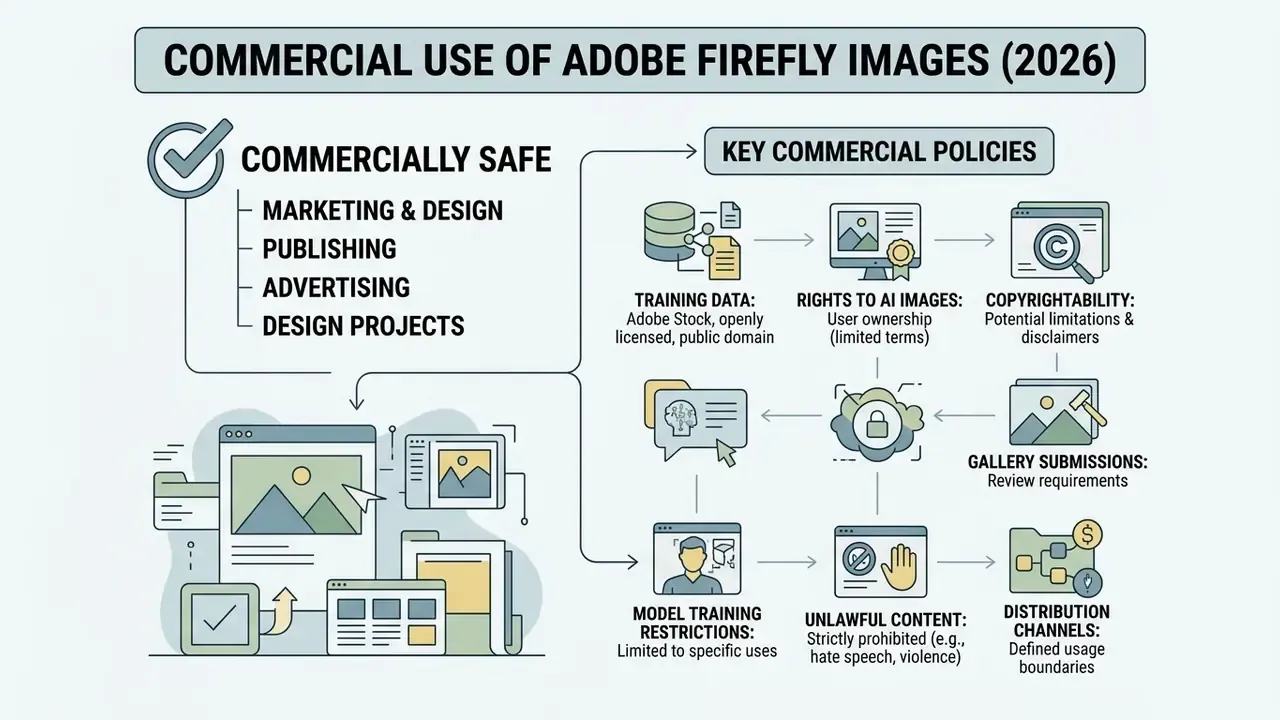
Images generated with non-beta features in Adobe Firefly are designated commercially safe and approved for commercial use in marketing, design, and publishing. Beta-labelled features are also permitted unless Adobe states otherwise in-product or in a specific agreement. Qualifying enterprise Creative Cloud plans additionally include contractual intellectual property indemnification against certain third-party claims covering patent, copyright, trademark, publicity, and privacy rights.
«Adobe confirms that Firefly does not train on customer content and offers IP indemnification to qualifying enterprise customers for commercial use of generated assets.»
What Data Adobe Firefly Is Trained On and Why It Matters
Firefly models are trained on licensed content from Adobe Stock, public-domain works with expired copyrights, and permissioned media. Adobe explicitly avoids training foundational Firefly models on customer files, personal Creative Cloud assets, or scraped web data.
«Adobe states that Firefly models are trained only on content it has permission to use, and do not use customer files or open-web data.»
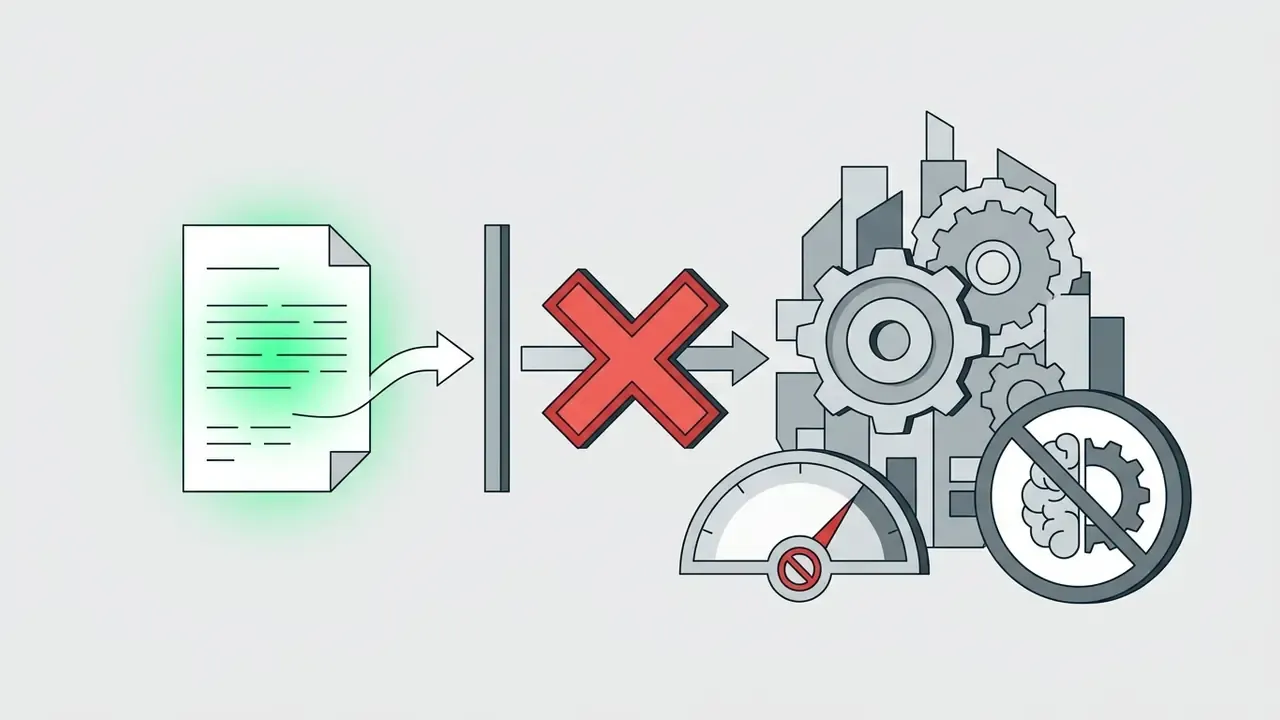
This approach to data lineage reduces the chance that generated outputs reproduce copyrighted material or proprietary brand assets without permission. For corporate risk officers and legal teams, the managed training dataset mitigates the core copyright exposure in commercial campaigns. It does not eliminate it. Teams that must independently confirm asset provenance in a mixed pipeline can pair Content Credentials with third-party AI image detectors and AI reverse-image-search tools as a secondary control.
Adobe also offers custom models trained on 10 to 30 uploaded images to lock a brand-specific style or subject. That is a useful mechanism for enforcing visual identity without exposing brand assets to public model training, and in practice it is where most brand teams see the fastest consistency win.
Rights to AI Images, Copyright, and the Limits of Adobe Terms


Enterprise Governance: Partner-Model Data Handling, C2PA Audit Trails, and Shadow AI Controls
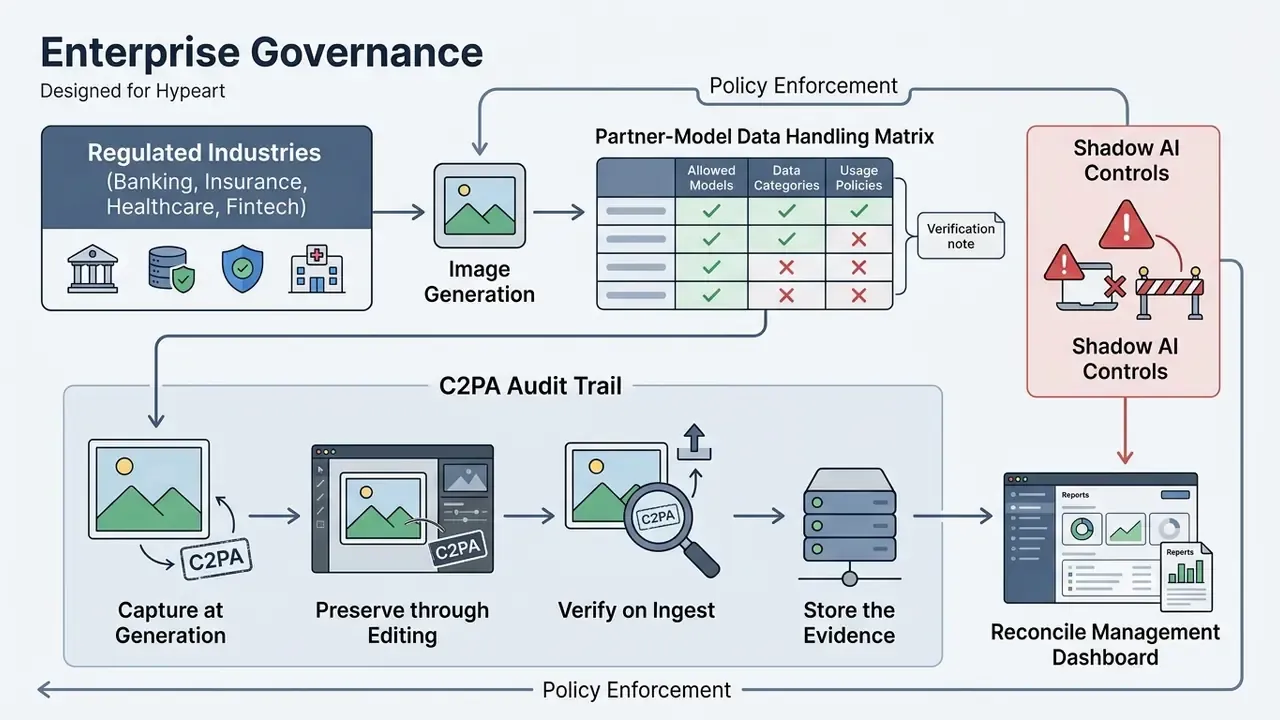
For regulated industries such as banking, insurance, healthcare, and fintech, the deciding question is rarely image quality. It is whether a single generation event can be reconstructed, attributed, and defended in an audit twelve months later. The three blocks below map Firefly onto that requirement.
Partner-Model Data Handling Matrix
| Model family | Developer | Processed by third party | Commercially safe per Adobe | Content Credentials record partner use | Recommended control |
|---|---|---|---|---|---|
| Firefly Image 3 / 4 / 4 Ultra | Adobe | No | Yes (non-beta features) | Yes | Default-allow for brand and campaign work |
| Firefly Vector / Firefly Graph | Adobe | No | Yes | Yes | Default-allow for logos, diagrams, packaging |
| Gemini 2.5 Flash Image, Gemini 3 (Nano Banana Pro), Gemini 3.1 (Nano Banana 2), Imagen | Yes | Adobe does not extend its commercial-safety claim to partner models | Yes, partner-model usage is disclosed | Restrict to non-confidential prompts; validate vendor terms | |
| GPT Image, GPT Image 1.5 | OpenAI | Yes | Same as above | Yes | Restrict to non-confidential prompts |
| FLUX 1.1 / FLUX.2 / FLUX Kontext | Black Forest Labs | Yes | Same as above | Yes | Restrict; review licence per project |
| Ideogram 3.0, Runway Gen-4 Image | Ideogram / Runway | Yes | Same as above | Yes | Restrict; review licence per project |
C2PA Content Credentials as an Audit Artifact
Adobe automatically attaches C2PA Content Credentials to assets whose pixels are 100% Firefly-generated. The credential is a cryptographically signed manifest that travels with the file. It records that the asset was AI-generated, which model family produced it, and whether a partner model was involved.
For an MRM or GRC pipeline, that yields a workable control chain:
- Capture at generationFirefly writes the Content Credential into the exported JPG or PNG at download time.
- Preserve through editingkeep edits inside Creative Cloud, where credentials are retained, and avoid lossy third-party pipelines that strip metadata.
- Verify on ingestvalidate the manifest with the Content Credentials Verify web tool or a C2PA-compliant library before an asset enters the approved-asset repository.
- Store the evidencearchive the verified manifest alongside the asset ID, requesting user, prompt text, selected model, and date in your DAM or GRC register.
- Reconcile centrallyuse Admin Console generative-credit consumption reporting as the volumetric control that reconciles against the asset register.
Verification note (hypothesis pending confirmation): the granularity of centralised, per-user generation logging available to security teams appears to vary by contract tier. Confirm log export format and retention with Adobe Enterprise support before mapping Firefly into frameworks that require reproducible model-use evidence.
Enterprise Admin Controls and Shadow AI Mitigation
Unmanaged personal Adobe IDs are the primary shadow-AI vector for image generation, because the free tier asks for nothing more than an email address. A managed deployment closes that gap:
- Federated identity and SSO: provision Firefly access through Adobe Admin Console federated IDs, so generation is tied to a corporate identity and revoked automatically on offboarding.
- Product-profile scoping: grant Firefly entitlements by product profile, so only approved departments receive premium and partner-model capability.
- Model allow-listing: where the tier supports it, disable or restrict non-certified partner engines for teams handling confidential material, leaving only Adobe's own commercially safe models enabled.
- Consolidated credit pooling and billing: centralise generative credits at organisation level to stop individual card purchases that bypass procurement.
- Asset custody: mandate Creative Cloud Shared Libraries as the only sanctioned storage for generated assets, so nothing production-bound lives in a personal cloud.
- Acceptable-use policy: publish an explicit rule that prompts must not contain confidential, personal, or regulated data. This is the single highest-impact control, because it holds regardless of which engine someone selects.
- Indemnification scope check: confirm in writing which plans, which features, and which claim types your indemnification covers, and whether any coverage caps apply.
A related edge case worth writing into policy: teams sometimes look for an ai generator unblocked by network filters when Firefly is unavailable in a location, which is exactly how unsanctioned tooling enters a controlled environment. Name it in the policy, and the conversation gets easier.
How to Create an AI Image in Adobe Firefly: Step-by-Step Process
Creating an AI image in Adobe Firefly means logging in with an Adobe ID, opening the image module, typing a descriptive text prompt of up to 750 characters, and selecting Generate. The system returns four unique image variations that can be downloaded, favourited, edited, or saved to cloud libraries.
Illustrative workflow scenario (indicative internal figures, not an audited case study): a commercial visual campaign team needed ten custom compliance graphics within two hours. By running prompt-based generations in Firefly and selecting vertical aspect ratios, the team produced compliant visual prototypes in roughly forty minutes. The operational shift came from eliminating external stock-search time rather than from raw model speed, a pattern consistent with the productivity findings cited later in this guide. The specific timings are internal estimates and have not been independently verified.
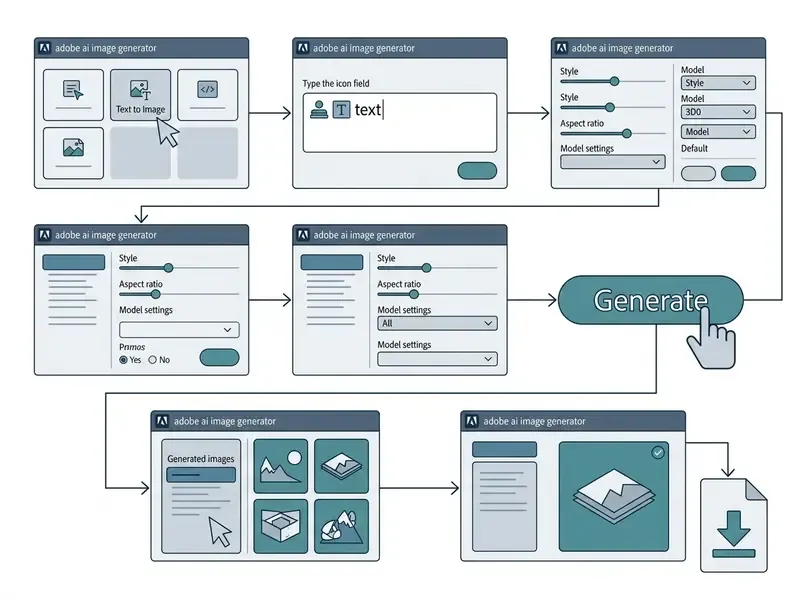
- Log in to Adobe Firefly
- open the Firefly web application and sign in with your Adobe ID, a Google, Apple, or Microsoft account, or corporate SSO credentials.
- Open the image module
- select the Image tab in the central generate action bar to launch the text-to-image workspace.
- Enter text prompts
- type a clear description of your target scene into the central prompt field, naming the subject, environment, and visual mood. Keep the entry under the 750-character interface limit. Prompt enhancement is enabled by default and can be toggled from the prompt feature icon.
- Configure generation settings
- use the left-hand panel to set aspect ratio, resolution, content type (Photo or Art), visual intensity, effects, and style presets.
- Select the AI model
- choose your engine, such as Firefly Image 4 or a partner model like Gemini 2.5 Flash Image, from the drop-down menu.
- Add a reference (optional)
- upload a composition or style reference and set the Strength slider (1 to 100, default 50) to control adherence.
- Click Generate
- select Generate to execute the request and produce four initial variations. Use Load More or Show Similar to expand the set.
- Export or save
- review the generated grid, then pick Download for local storage, Favorite for later retrieval, or Save to Project for shared Creative Cloud workflows.
How to Write Text Prompts for Precise Results
Effective simple text prompts in Adobe Firefly combine a defined subject, artistic style, camera angle, colour palette, and lighting detail into one clear descriptive sentence. Adobe's own prompt guidance recommends at least three words, advises against filler verbs such as "generate" or "create", and encourages iterative refinement. Avoiding buzzwords like "hyperrealistic" or "photorealistic" tends to produce more predictable output, since the model responds better to specific technical descriptors. Creators who want to test prompt structures elsewhere first can also experiment with free AI image generators without sign-up.
«PromptCharm automatically optimises prompts and visualises model attention: study participants produced images rated as more aesthetic and more closely aligned with intent.»
To reach high quality images consistently, structure your text prompts around four components:
Prompt budgeting tip: because the field caps at 750 characters, write subject and composition first and append style modifiers last. If the interface rejects the entry, strip redundant intensifiers before removing descriptive nouns. Nouns carry more weight in the diffusion process than adjectives do.




Settings: Aspect Ratio, Style, and Reference Images
Firefly provides controls that adjust visual framing, apply artistic style filters, and guide generations with reference files. Setting these parameters before you click Generate is the difference between one usable asset and eight near-misses.
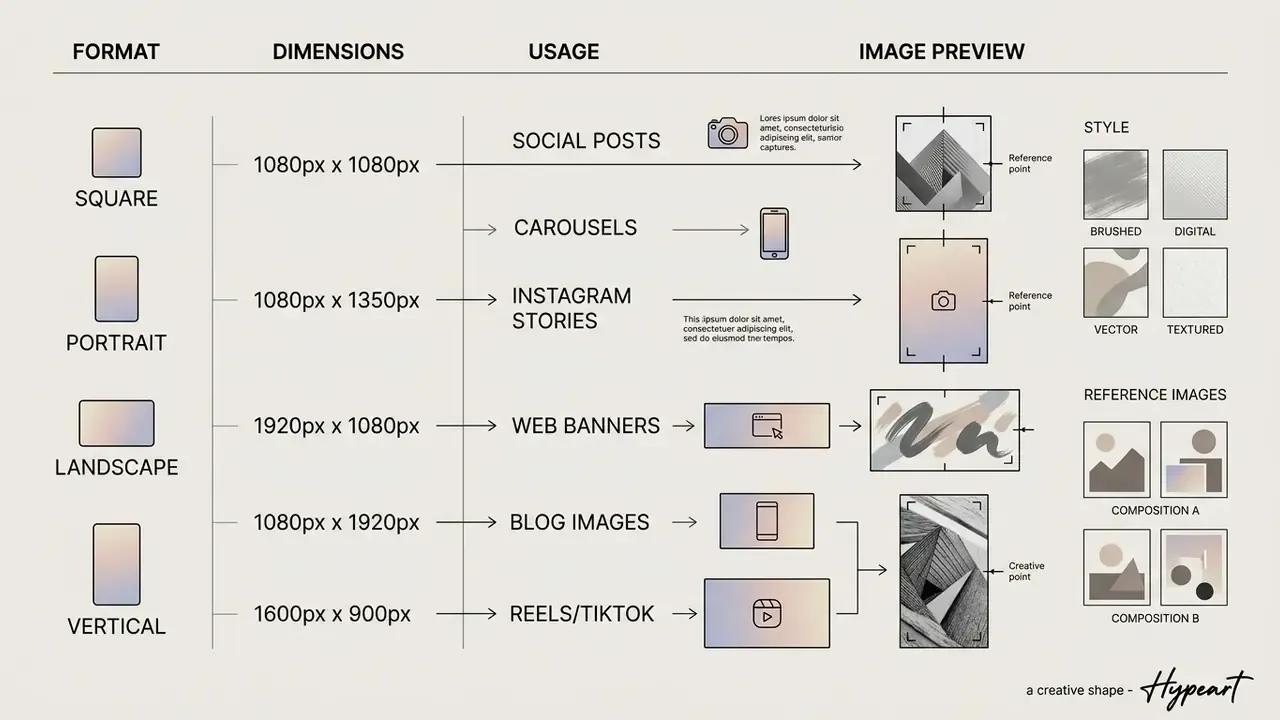
The general settings menu includes five primary aspect ratios:


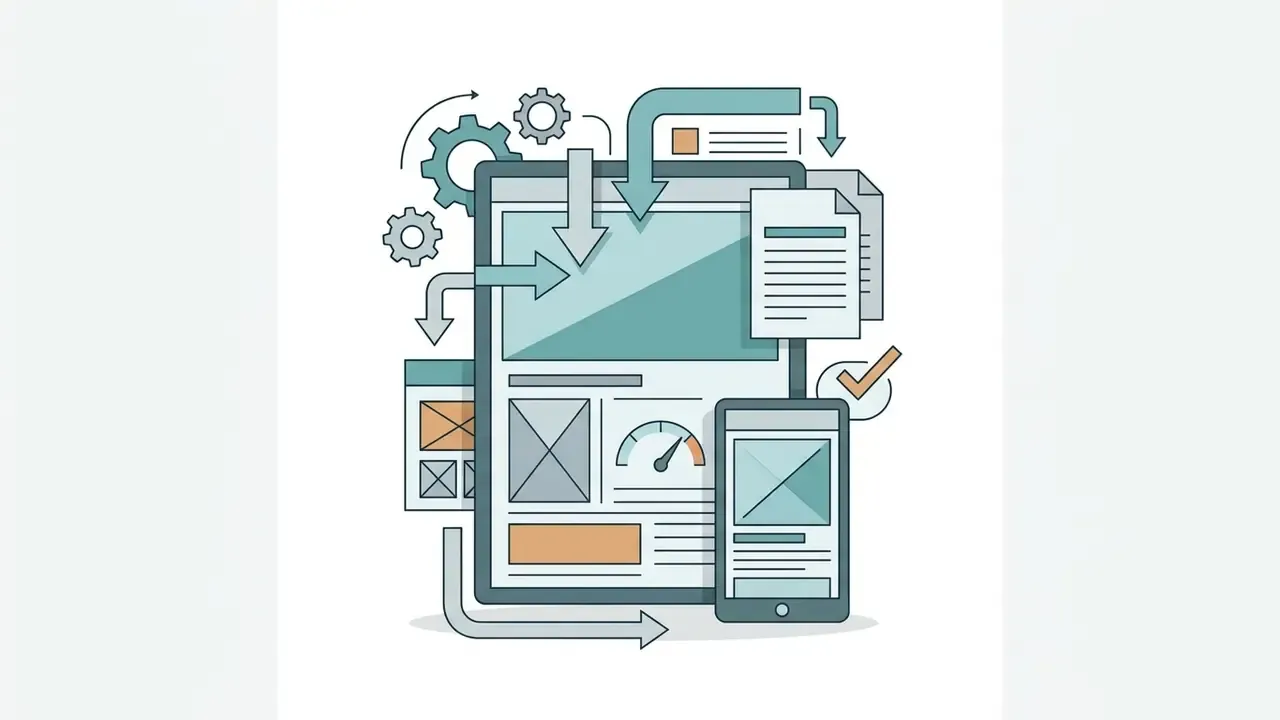


Under Styles, Firefly exposes preset Effects plus refinement of Color and Tone, Lighting, and Camera Angle. Selected effects are appended into the prompt field, so they count toward the 750-character budget, which surprises people the first time a prompt suddenly overflows. The keyword sets below are the fastest way to move from a generic render to a directed look.
Supported styles and artistic effects:




For repeatable brand work, combine one style keyword with one lighting keyword rather than stacking five. Over-specified style stacks compete with each other and quietly destroy reproducibility across a series. If your brief leans toward ai fantasy art or heavily illustrated concept work, expect to iterate more and to keep an approved reference image on hand.
How to Use Your Own Images for Image-to-Image Transformations
Image-to-image workflows in Firefly let creators upload own images to control the layout or style of new AI generations. The system reads the uploaded graphic and applies new textures, backgrounds, or artistic rendering while preserving the original structure. Buyers comparing engines for this specific task can also review dedicated image-to-image generators.
Upload specifications, worth checking before batching assets:


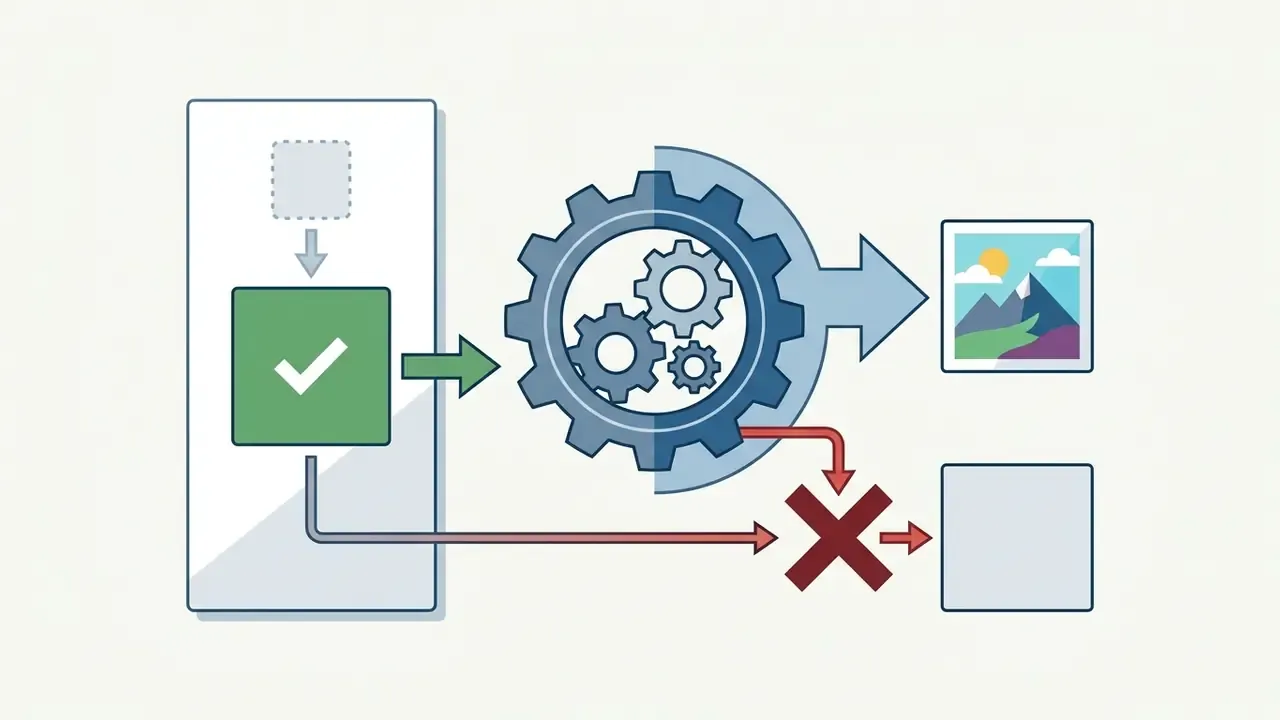

To convert an existing photo into stylised AI art, upload the file into the Composition (Structure Reference) or Style Reference section. Adjust the Strength slider, exposed in the API as a value from 1 to 100 with a default of 50, to define how closely the new image follows the original layout. High strength retains precise outlines. Lower strength gives the model room to reinterpret the subject, sometimes further than you wanted.
How to Improve Generation Results in Adobe Firefly
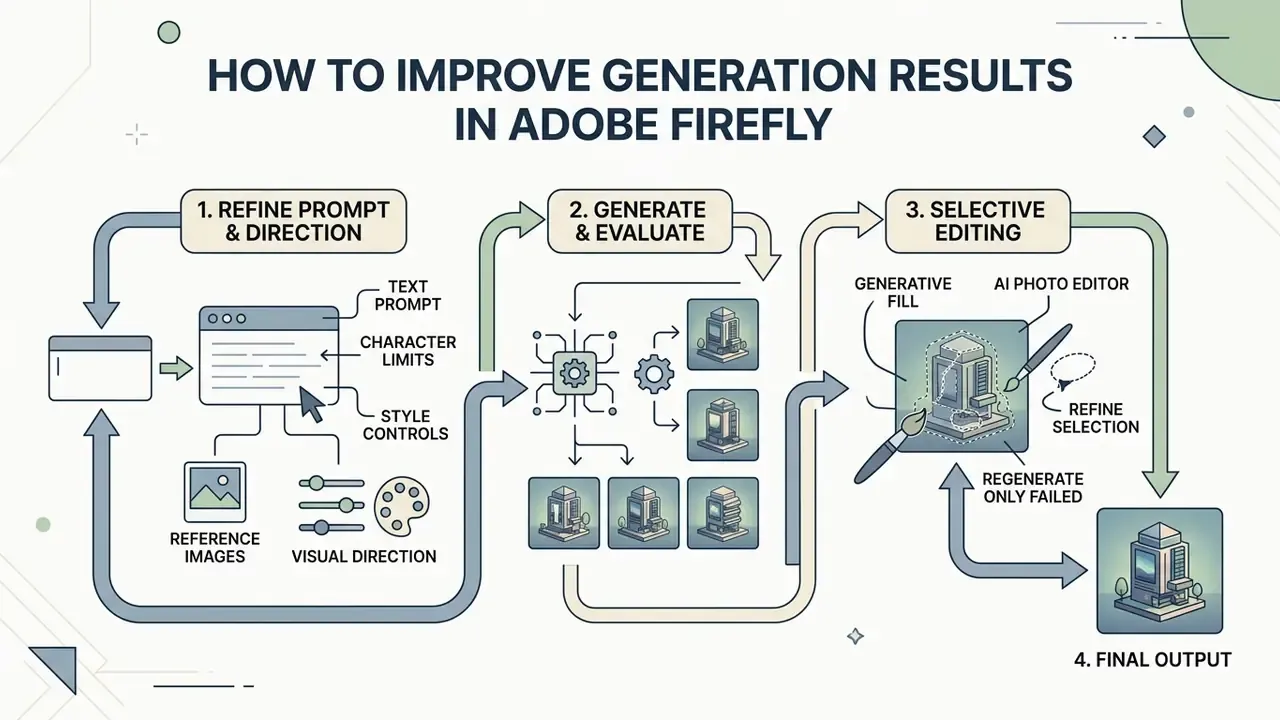
Improving AI-generated visuals in Firefly is an iterative loop: refine the prompt, adjust style controls, then edit pixels selectively and regenerate only what failed. Rather than re-running a whole image, creators fix specific details and hold brand consistency across a project. When a Firefly asset is opened in a new Photoshop document for refinement, the original Firefly asset stays unchanged, which is genuinely useful when you must retain the unedited, credential-bearing original for audit.
Reference Images, Styles, and Visual Direction
Style Reference and Structure Reference tools keep visual direction consistent across multiple generated images. Style Reference extracts colour palette, texture, lighting, and brushwork from a guide file. Structure Reference enforces outline, depth, and object placement.
The selection criteria differ by intent. For a consistent look across a campaign, choose a reference that already matches the target palette and rendering technique. For a consistent layout across a series of frames, choose a reference whose subject placement, perspective, and camera angle match the target composition. Subject matter itself can change freely in that second case.
When producing a series of marketing graphics, upload one brand-approved image into the Style Reference panel. Firefly then applies that reference's aesthetic to new text prompts, which holds visual assets together across channels. Style references can be uploaded, chosen from Adobe's curated gallery (Watercolour, Pencil, 3D, Neon, Landscapes, Texture), or taken from an image you generated earlier and reused as a reference. Adobe explicitly recommends that staged approach, and in practice it beats rewriting the prompt for the fifth time.
Generative Fill and the AI Photo Editor for Post-Processing
«Pfeiffer Consulting recorded that Generative Fill and Generative Expand are on average more than ten times faster than traditional retouching tools, opening creative options unachievable by hand.»
Generative Expand is Firefly's implementation of outpainting. Teams that need to extend canvases at scale can compare it with other AI outpainting tools, or open the hub for end-to-end production recipes.
Adobe Firefly Free or Subscription: Generative Credits and Limits
Adobe runs a unified generative credit system. Free account holders receive limited daily generations. Paid Creative Cloud subscribers receive monthly credit allotments that renew on their billing date.

| Feature / plan tier | Free account | Firefly Standard ($9.99/mo) | Firefly Pro ($19.99/mo) | Firefly Premium ($199.99/mo) |
|---|---|---|---|---|
| Generative credits | Daily refresh pool | 2,000 per month | 4,000 per month | 50,000 per month |
| Model access | Curated basic models | Full Adobe model suite | Full models plus select video | Full models plus video at scale |
| Export formats | JPG, PNG (watermarked) | JPG, PNG (no watermark) | JPG, PNG (no watermark) | JPG, PNG, MP4 video |
| Commercial rights | Personal or limited | Approved commercial use | Approved commercial use | Enterprise commercial use |
| Partner models | Restricted access | Credit-metered access | Credit-metered access | High-tier metered access |
| Prompt limit | 750 characters | 750 characters | 750 characters | 750 characters |
| Primary use case | Trial and light prototyping | Freelancers and creators | Professional designers | Enterprise video and media |
In prose: the free tier is a trial surface, the $9.99 and $19.99 tiers are the working tiers for individuals and studios, and the $199.99 tier exists for video-heavy, high-volume production. Enterprise buyers should note that volume pricing, custom SLAs, and indemnification terms are negotiated outside these list tiers through Adobe Enterprise. The published plans are not the ceiling of what is available.
What You Get from a Free Account and Free Daily Generations
A free Adobe Firefly account provides limited daily generations across standard image tools using a curated set of models. That tier is enough to test text-to-image output and basic edits without entering card details. Readers who need more headroom without a subscription can compare free AI image generators and free AI art generators as supplementary options.
Outputs downloaded under a free account include visual watermarks and cryptographically attached C2PA Content Credentials that flag AI origin. Once free daily generations run out, generation pauses until the next refresh, unless the user upgrades. Note that Adobe's older 2023 guidance described a fixed allowance of 25 monthly credits for free users. Current documentation describes daily-refreshing generations whose exact number, features, and model coverage Adobe reserves the right to change, so treat any specific figure as perishable.
How Generative Credits Are Consumed Across AI Models
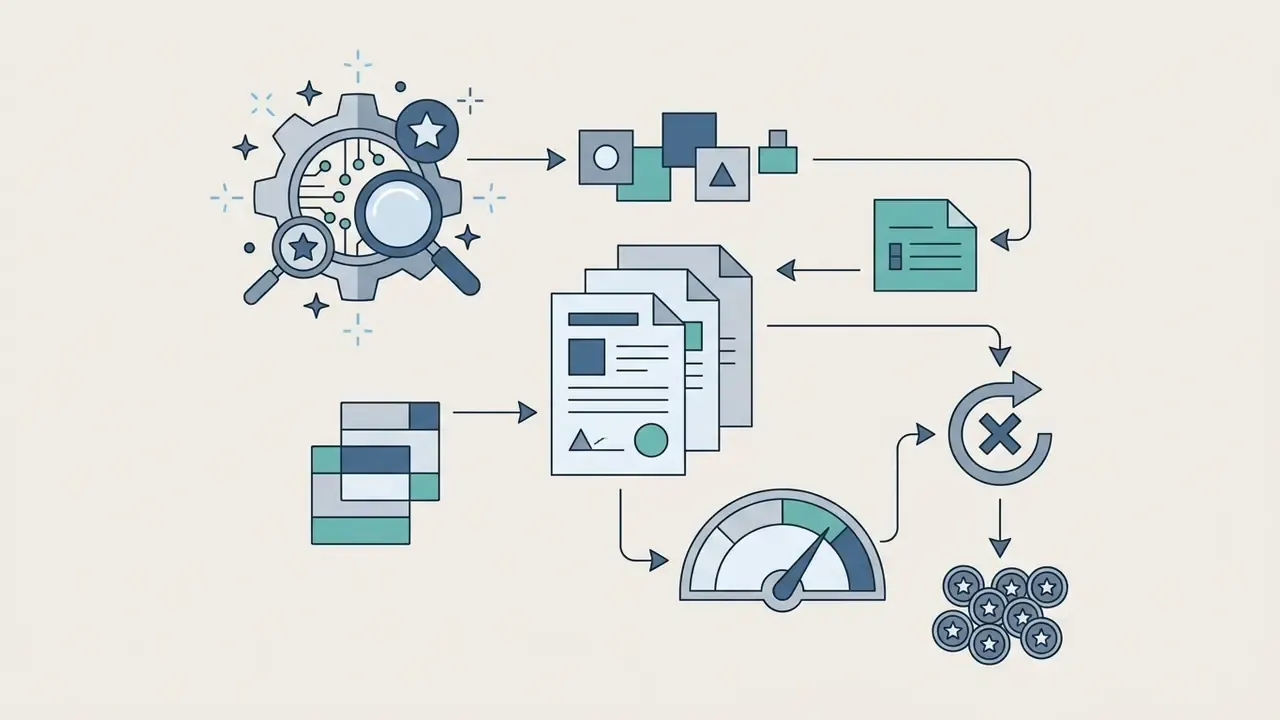
Generative credits measure computational usage across Adobe Firefly features and partner models.
Standard image operations, such as text to image using Firefly models or Generative Fill in Photoshop, consume one credit per request on metered plans. Premium operations and partner models consume higher, model-specific amounts:
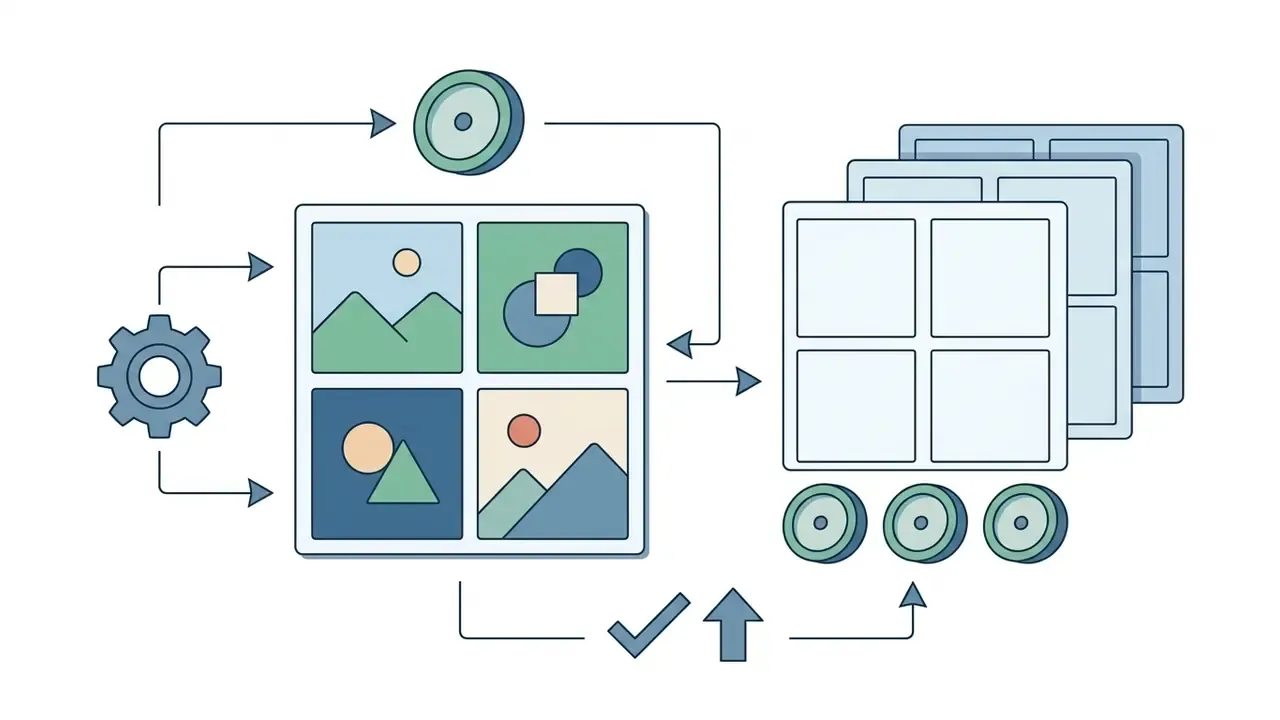
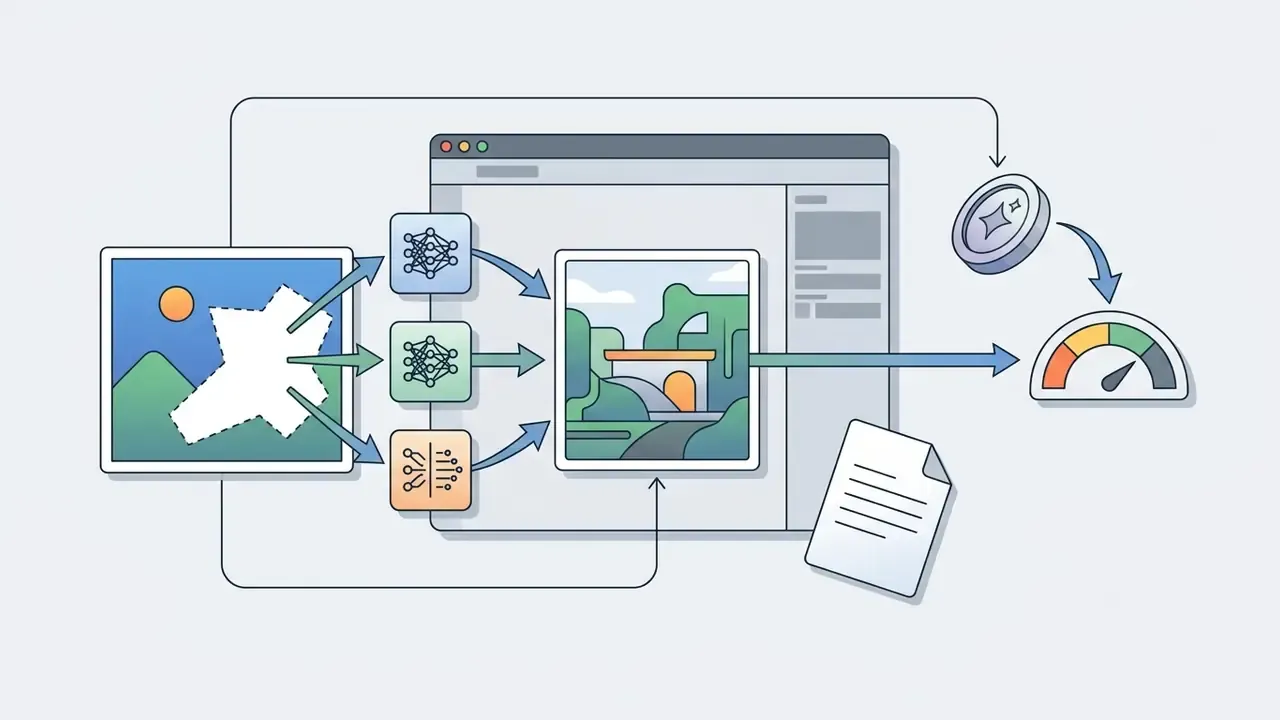
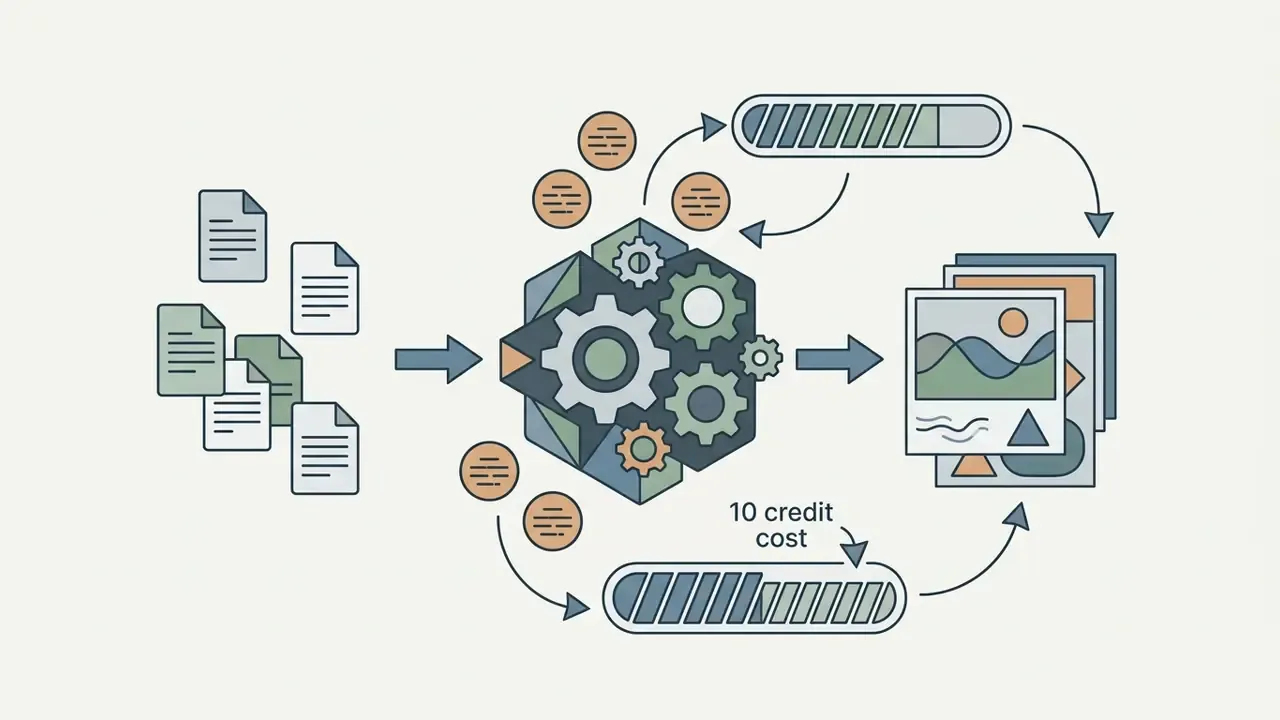

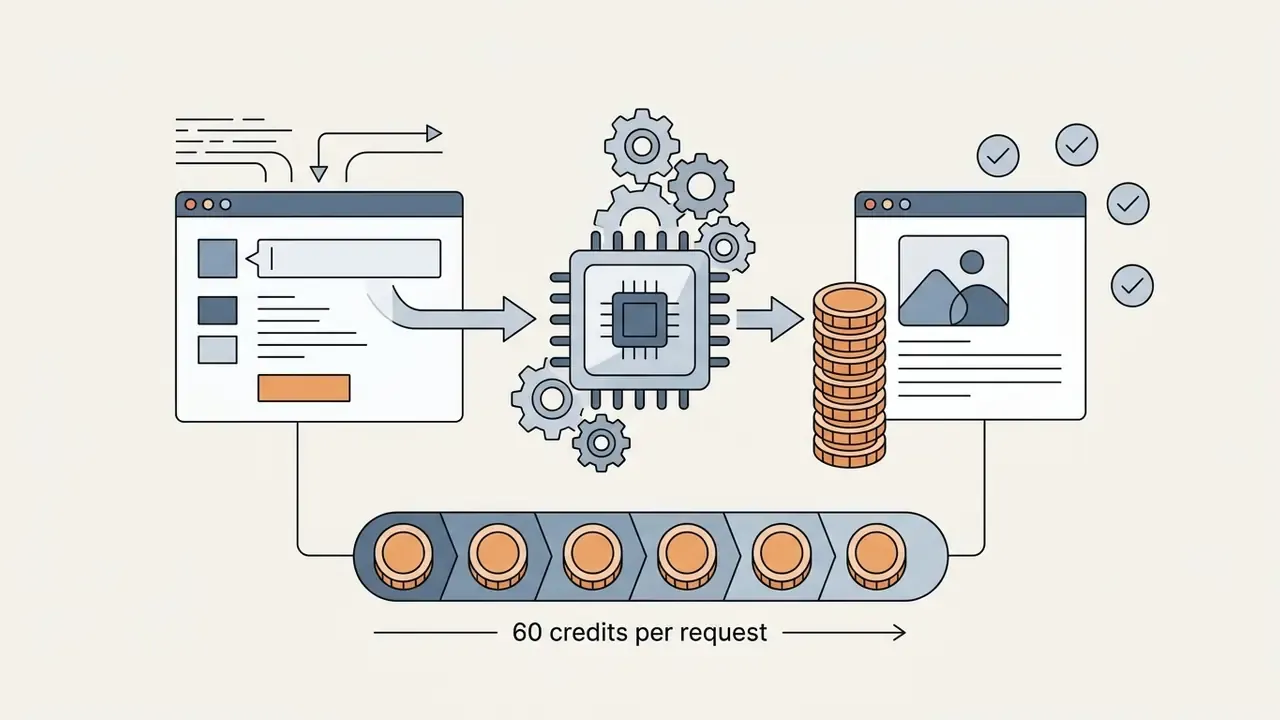
There is only one type of generative credit, shared across Firefly, Creative Cloud apps, Adobe Express, and Substance 3D. Adobe's current documentation does not define a separate flat rate for "high-resolution generation". Cost depends on which premium model or feature is invoked, which makes model allow-listing a cost control as much as a risk control. For finance teams modelling risk-adjusted ROI, the practical formula is straightforward: (credits per asset × asset volume) + control overhead, compared against the outsourced production cost of the same asset set. Control overhead is the line most pilot business cases leave out.
Firefly Integration with Adobe Creative Cloud, Acrobat, and File Export
Adobe Firefly integrates directly with Adobe Creative Cloud applications, including Photoshop, Illustrator, Premiere Pro, Lightroom, and Adobe Express, so assets move between tools without manual downloads. Firefly also generates video and audio, so teams evaluating adjacent capability can review the text-to-video AI category for context, or see the overview of the terminology first.

Working with AI Images in Creative Cloud
Inside Creative Cloud apps, Firefly outputs arrive as non-destructive smart layers and vector groups, which preserves original project files. Design teams can store up to 10,000 assets and up to 1,000 collaborators in shared Creative Cloud Libraries, with Can edit or Can view permissions, making brand elements instantly available to collaborators. Firefly itself separates personal files, projects, shared files, and generation history, and a Shared with you area surfaces assets passed along by teammates. Finished work leaves Firefly through Share public link or Open in Adobe Express with no manual export step.
Illustrative workflow scenario (indicative internal figures): a fintech design group needed synchronised brand graphics across regional marketing hubs in New York and London. The lead designer generated standardised icon sets in Firefly Web and saved them straight into a Creative Cloud Shared Library. Regional teams applied the live-linked vector assets in Adobe Express, and the group reported campaign deployment time falling by roughly 65%. That percentage is a single-team internal estimate and has not been independently audited. The directional gain is consistent with the Forrester findings cited in the scenarios section below.
Collaborative Workflows with Firefly Boards
For team-based ideation, Adobe provides Firefly Boards, an AI-powered visual workspace on an infinite canvas. Art directors, designers, and marketers brainstorm, organise, and iterate together: generating and editing images and video in place, arranging variants into mood boards and storyboards, testing hypotheses side by side, and agreeing on a direction before production begins. Approved concepts move straight into Photoshop or Adobe Express for refinement without losing context, and the same partner-model drop-down is available inside Boards, so model governance rules apply consistently.
Boards is where creative decisions actually get made, which makes it the most useful place to enforce two small habits. Name each board after the campaign or work item it serves. Record the approved model for that board in its title or description. Do both and an ideation canvas quietly becomes a lightweight decision log, which is more than most creative tools give an auditor.
Adobe Firefly and Adobe Acrobat: Where Images Can Be Generated
Adobe Firefly is the dedicated generative AI studio for creating and editing complex graphics. Adobe Acrobat, by contrast, carries document-bound Firefly tools aimed specifically at editing PDF visual elements. Anyone who needs deep style transfer, aspect ratio adjustment, partner-model selection, or multi-variation creation should use the standalone Firefly app or the Creative Cloud integrations.
In Acrobat, the Firefly-powered adobe acrobat ai image generator lets users create or enhance photos directly inside PDF files, adjusting size and style within the document. Adobe launched the capability on 18 June 2024. Updated: Adobe's Acrobat documentation specifies a prompt limit of under 500 characters for its AI entry fields, a tighter constraint than Firefly web's 750 characters, along with selected text under 8,000 characters, a single-page selection requirement, files under 100 MB, up to 600 pages, no password protection, and no PDF Portfolios. Acrobat's AI Assistant also does not handle images or complex vector graphics. So: write compact prompts in Acrobat, and treat Firefly web as the environment for anything needing nuanced art direction. Full generative control, including partner models and image-to-image reference tools, stays exclusive to the Firefly web app, Photoshop, Illustrator, and Adobe Express.
Supported Devices, Browsers, and File Formats
The Firefly web application runs in modern desktop browsers, including Google Chrome, Microsoft Edge, Mozilla Firefox, and Apple Safari (v17.4 and later), on Windows 10, macOS 12, and ChromeOS. On mobile, Firefly works through mobile browsers (Chrome, Edge, Firefox, Safari) or native apps on iOS 17.4 and later and Android 9.0 and later, with creations syncing automatically to the Creative Cloud account.
Supported image upload formats for reference tools are JPG, PNG, and WebP, plus HEIC for Generate Image in desktop Safari, at up to 100 MB per file and no smaller than 512 × 512 pixels. Generated raster images export in JPG or PNG with a maximum resolution of 2000 × 2000 pixels from the web studio. Generated video exports as MP4. SVG is not listed among Firefly web export formats: editable vector output is delivered through Illustrator. Higher-resolution scaling and vector export are therefore handled in Photoshop and Illustrator, and projects that need print-scale output can supplement the pipeline with dedicated AI image upscalers.
Practical Scenarios: Which Tasks the Adobe Firefly AI Image Generator Is Built For
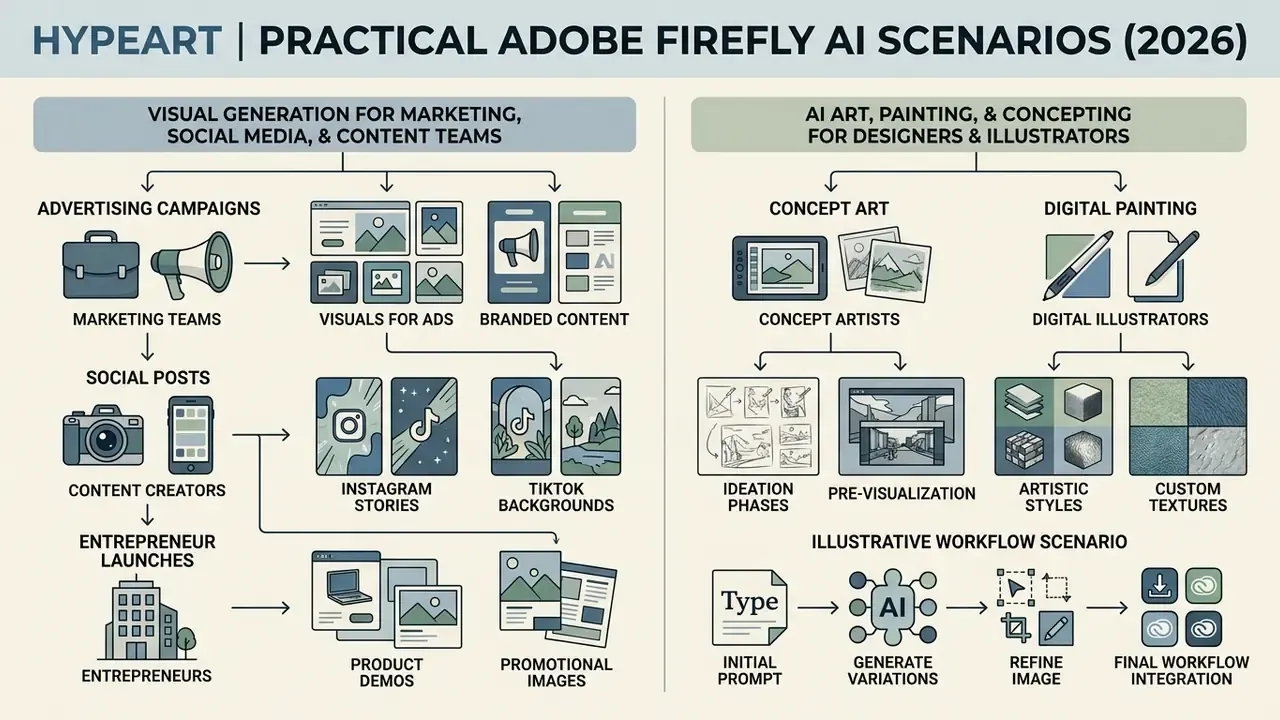
Firefly supports practical workflows across marketing teams, content creators, entrepreneurs, digital illustrators, and concept artists. Teams that want a broader field view before committing can compare specialised AI art generators against Firefly's integrated approach.
«Forrester estimated a three-year NPV of $8 to 13.7 million from deploying Firefly-powered Adobe Creative Solutions, with ROI of 335% to 577% depending on the use case.»
The same Forrester TEI study reports that enterprise deployment accelerates hero asset creation by up to 60% and scales regional asset variant production by 70% to 80%. Those are the two levers that most often justify a Firefly rollout in a large organisation. Treat the ranges as an upper reference, not a forecast.
AI Art, AI Painting, and Concepting for Designers and Illustrators
Troubleshooting: Common Firefly Interface Errors
| Error message | Cause | Fix |
|---|---|---|
| "Prompt exceeds the max length of 750 characters" | Prompt plus appended style effects exceed the field limit | Trim filler intensifiers ("hyperdetailed", "photorealistic", "ultra"), remove duplicate style keywords, and keep subject and composition nouns |
| "Please describe what you want to generate." | Empty or sub-three-word prompt | Enter at least three descriptive words naming a subject and a setting |
| "Image is smaller than the minimum dimensions (512 x 512 pixels)" | Reference source below minimum resolution | Upscale the source before uploading into Structure or Style Reference |
| "File size larger than 100 MB" | Oversized reference file | Compress or flatten the file (Adobe Express or Photoshop "Save for web") and re-upload as a lighter JPG or PNG |
| "We are unable to process this file type." | Unsupported format | Convert to JPEG (JPG), PNG, or WebP; HEIC works only for Generate Image in desktop Safari |
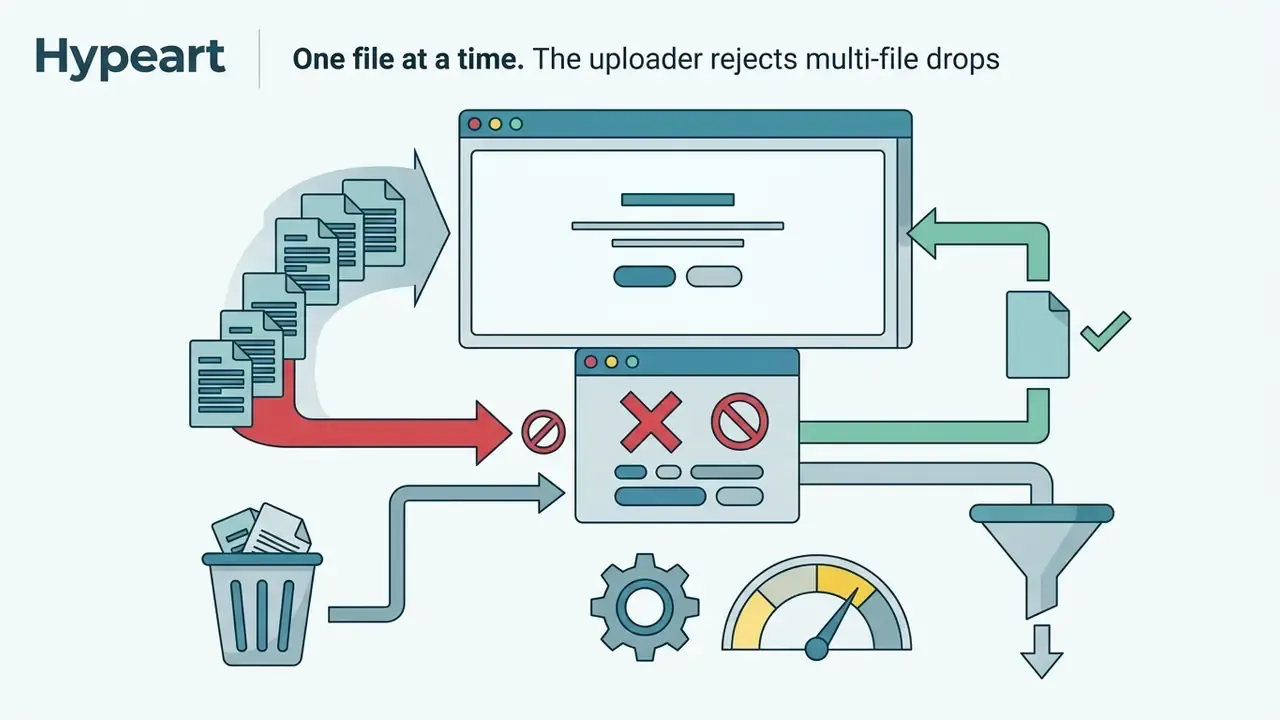
| "Only one file can be uploaded at a time." | Multi-file drag-and-drop | Upload references sequentially, one per slot |
| "Unable to process the request" | Transient service error, blocked prompt content, or exhausted allowance | Check whether the prompt references named people, brands, or copyrighted characters; confirm remaining credits or the daily free-generation reset |
| Firefly unavailable or blocked at sign-in | Regional restriction | Verify availability: Firefly is not offered in Russia, Belarus, China, Cuba, Iran, North Korea, Syria, or the Crimea, Donetsk, and Luhansk regions |
| Output looks nothing like the reference | Strength slider too low | Raise Strength toward 70 to 90 for layout fidelity; lower toward 20 to 40 for creative reinterpretation |
FAQ About the Adobe AI Image Generator
What is the maximum prompt length in Adobe Firefly?
The Firefly web generation bar accepts prompts up to 750 characters. Longer entries are rejected with "Prompt exceeds the max length of 750 characters". Acrobat's AI fields are tighter, documented at under 500 characters.
What are the file requirements for reference image uploads?
JPEG (JPG), PNG, or WebP, up to 100 MB, and at least 512 × 512 pixels. HEIC is additionally accepted for Generate Image in Safari on desktop. Only one file can be uploaded at a time.
What languages are supported for text prompts in Adobe Firefly?
Firefly supports text prompts in over 100 languages, including English, Spanish, French, German, Japanese, Portuguese, and Chinese. The interface itself is localised into a smaller set. Translated prompts are processed through English and can produce less accurate results than native English phrasing.
In which regions is Adobe Firefly unavailable?
Firefly is unavailable in Russia, Belarus, China, Cuba, Iran, North Korea, Syria, and the Crimea, Donetsk, and Luhansk regions due to regulatory restrictions.
Does Adobe Firefly apply watermarks to downloaded images?
Downloads from free accounts include visual watermarks and C2PA Content Credentials. Paid subscription downloads omit visual watermarks while retaining cryptographic Content Credentials.
Can Firefly generate vector graphics natively?
Yes. Firefly includes dedicated vector generative models that produce editable SVG output within Adobe Illustrator and Firefly Web. The Firefly web download picker itself offers JPG and PNG for raster output.
What content is prohibited in prompts?
Prompts referencing famous people, third-party brands, or copyrighted characters outside Adobe Stock's public-use coverage may be blocked. Explicit material is filtered at both training and generation stages, so anyone researching ai generated images nsfw policy should assume Firefly is not the tool for it. Outputs cannot be used unlawfully, cannot infringe third-party rights, and cannot be used to train or improve other AI or machine learning models.
What is Firefly Boards?
Firefly Boards is an AI-powered visual workspace on an infinite canvas where teams brainstorm, organise, and iterate on concepts together, arranging generations into mood boards and storyboards before moving approved assets into Photoshop or Adobe Express.
How does Firefly compare with other generators?
Firefly's differentiators are commercial safety on Adobe's own models, multi-model access in one interface, and native Creative Cloud handoff. For head-to-head evaluations, see our comparisons of the Midjourney AI image generator, the ChatGPT picture generator, the Google AI image generator, and the Microsoft AI image generator.
Can you generate images in Firefly using Nano Banana?
Yes. Google's Nano Banana image capability is available in Adobe Firefly as a partner model, selected from the model drop-down menu. Updated for accuracy: the documented interface entry point is Gemini 2.5 Flash Image, the model behind the Nano Banana name in Firefly's Text to Image module. Higher-tier engines, Gemini 3 (Nano Banana Pro) for professional-grade functional design and Gemini 3.1 (Nano Banana 2) for fast, intuitive creation and editing, appear as separate premium entries with higher credit costs, 40 credits and up per request. All of them offer strong prompt adherence, clean text rendering inside graphics, and fast contextual editing alongside native Firefly models. Because Nano Banana belongs to Google's model family rather than Adobe's, its outputs fall under Adobe's partner-model terms rather than Adobe's commercial-safety claim, and Content Credentials will record that a partner model was used. Firefly's partner roster also spans video and motion, which connects naturally to the wider image-to-video AI category.
list of official sources.
- links to Adobe Firefly, Adobe Firefly support, Adobe legal terms, and Creative Cloud pages used to verify capabilities, models, and usage conditions. Verified official documentation sources:
- Adobe Firefly User Guide and FAQ: https://helpx.adobe.com/firefly/web/get-started/learn-the-basics/adobe-firefly-faq.html
- Adobe Product Legal Descriptions: https://helpx.adobe.com/legal/product-descriptions/adobe-firefly.html
- Creative Cloud Generative Credits Policy: https://helpx.adobe.com/creative-cloud/apps/generative-ai/generative-credits-faq.html
- Partner Models in Adobe Products: https://helpx.adobe.com/creative-cloud/apps/generative-ai/non-adobe-models-in-adobe-products.html
- Content Credentials Overview, Firefly: https://helpx.adobe.com/firefly/web/get-started/learn-the-basics/content-credentials-overview.html
- Our Approach to Generative AI with Adobe Firefly: https://www.adobe.com/ai/overview/firefly/gen-ai-approach.html
- Adobe Firefly Legal FAQs for Enterprise Customers (PDF, 2024): https://www.adobe.com/cc-shared/assets/pdf/enterprise/firefly-legal-faqs-enterprise-customers-2024-06-11.pdf Next Steps for Enterprise AI Governance If Firefly is moving from pilot to production in your organisation, work this sequence in order. Skipping step two is the mistake I see most often, because access looks solved when it is not.
- Fix the model allow-list. Decide which engines are permitted for which asset classes, and document that Adobe's commercial-safety claim covers only Adobe's own Firefly models.
- Close the identity gap. Provision access through federated SSO and product profiles, then audit for personal Adobe IDs already generating brand assets.
- Write the prompt-data rule. One sentence in the acceptable-use policy, no confidential, personal, or regulated data in prompts, prevents most partner-model exposure.
- Instrument provenance. Require Content Credentials verification on ingest, and archive the manifest with asset ID, requester, model, prompt, and date.
- Get contract specifics in writing. Confirm indemnification scope and coverage caps, partner-model data-processing terms, retention windows, and available log exports with Adobe Enterprise.
- Model the economics. Calculate credits per asset by model, multiply by forecast volume, add control overhead, and compare against current production spend using the Forrester TEI ranges as an upper reference rather than a promise. None of this requires a new platform. It requires an owner, a written allow-list, and evidence that survives review.
Appendix A: Corrections and Superseded Statements
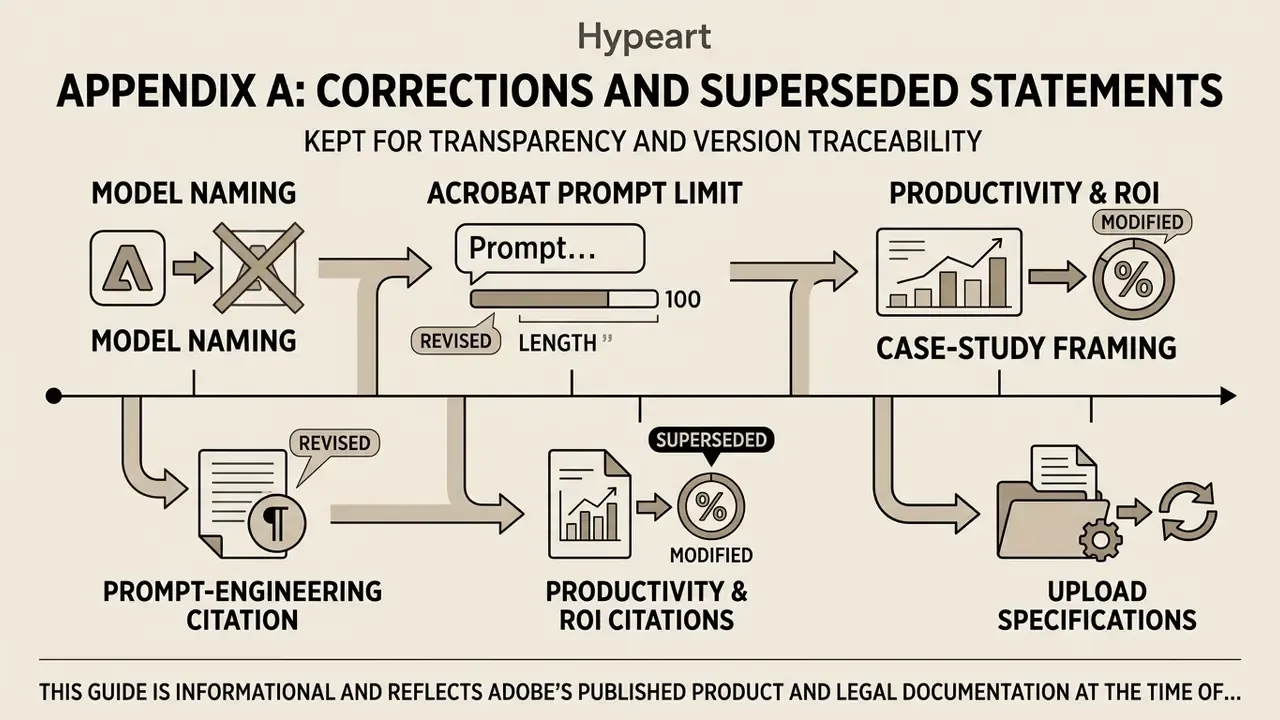
Kept for transparency and version traceability. Each item below appeared in an earlier revision of this guide and has been superseded in the main text.
- Model naming. Earlier revision: "Google Gemini 3 (Nano Banana Pro / Nano Banana 2)" presented as the sole access point for Nano Banana. Superseded, because Adobe's documentation names Gemini 2.5 Flash Image as the drop-down entry for Nano Banana in Text to Image, with Gemini 3 and 3.1 listed as separate premium engines.
- Acrobat prompt limit. Earlier revision: "supports text prompts under 500 characters" stated without context. Retained and clarified: the 500-character figure comes from Acrobat's own AI documentation, while the Firefly web engine enforces 750 characters. The two limits are not interchangeable.
- Prompt-engineering citation. Earlier revision cited "a study on text-to-image prompt engineering (CHI 2024)" without title or URL. Superseded by the full PromptCharm reference with arXiv link.
- Productivity and ROI citations. Earlier revisions named Pfeiffer Consulting and Forrester Consulting without links or figures. Superseded by direct quotations with published URLs, three-year NPV, and ROI ranges.
- Case-study framing. The forty-minute compliance-graphics sprint, the twenty-hours-to-two-hours retouching cleanup, the 65% campaign-deployment reduction, and the 40% prototyping-cost reduction were originally presented as unqualified results. They are retained in full but relabelled as indicative internal scenarios, because none is an independently audited benchmark.
- Upload specifications. Earlier revision listed accepted formats only. Superseded by the complete specification, including the 100 MB size ceiling and the 512 × 512 pixel minimum.
This guide is informational and reflects Adobe's published product and legal documentation at the time of the last update. Plan pricing, model rosters, credit rates, and regional availability change often. Verify current terms against Adobe's official pages before making procurement or compliance decisions. For rights, licensing, and commercial use research across other generators, start from the hub.