Author note: Marcus Hale writes about AI governance and model risk for this publication.
Over the past few years, product photography for online retail has shifted from traditional studio processes to digital recontextualization powered by generative AI. In 2026, product image generators make it possible to obtain ready-to-publish listings, lifestyle scenes, and advertising creatives from a single source photograph in a matter of minutes.
That speed is the easy part. The harder part is proving, later, that the picture on the listing still matches the physical object in the warehouse.
The short version for decision-makers
- What it is.An AI product image generator is not a text-to-image toy: it works in recontextualization mode. The physical object is segmented out of your source shot and placed into a generated environment, so shape, geometry, and logos survive the process.
- What you get.From one clean photo you can build a full 1-click listing suite of eight assets (hero, front, back/side, 360° angle, close-up, flat lay, lifestyle, infographic) plus ad creatives and short videos.
- What it costs.Entry subscriptions start at roughly $7 to $9 per month; some vendors use a pay-per-download model ($0 per generation, from $2.99 per exported file). Direct cost per approved image drops 5 to 10 times versus classic studio work, before compliance overhead.
- What controls you need.Masking of fixed product zones, OCR checks on labels, grid-based drift review, human-in-the-loop approval, and audit logs of prompts and model versions.
- What the law and platforms require.Purely AI-generated expression is not copyrightable in the U.S.; Amazon requires the
contains-synthetic-performertag for photorealistic AI people; Google Merchant Center relies on provenance metadata. - When not to go full AI.Jewelry, watches, crystal, and complex optics require physical capture first, then AI only for background and scene variation.
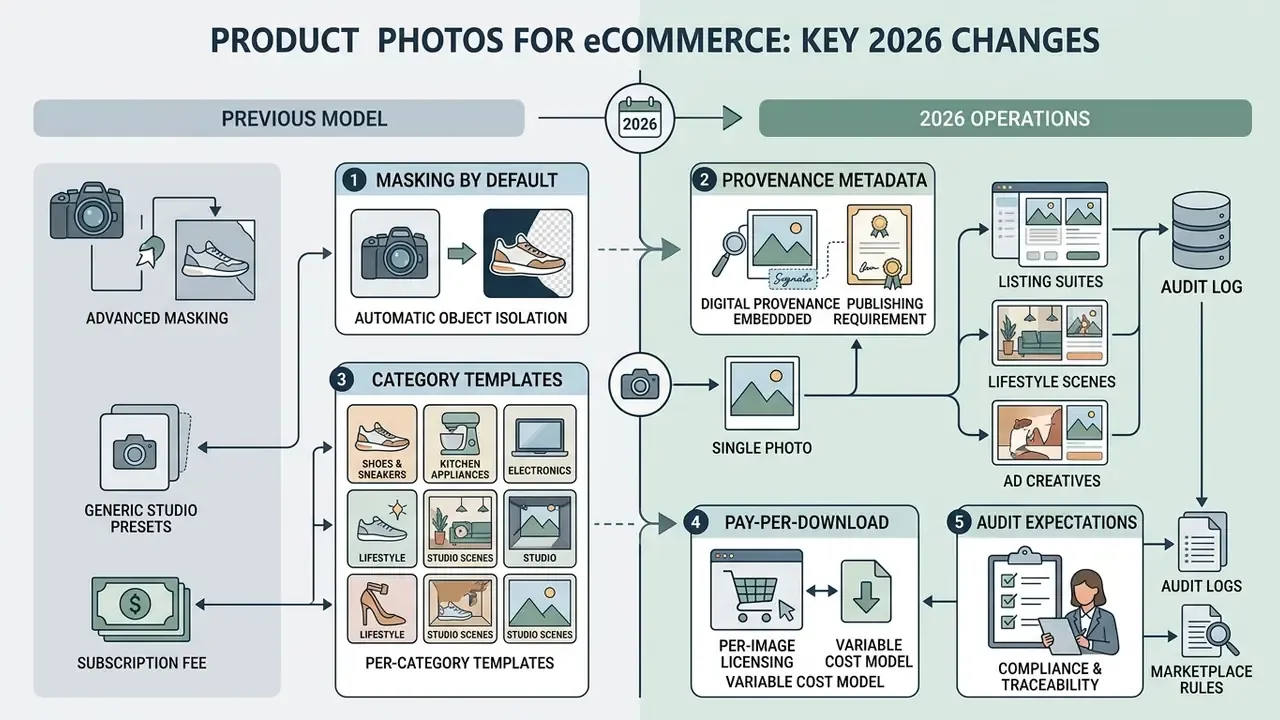
What actually changed going into 2026
A quick orientation, because the market moved faster than most catalog teams updated their internal rules.
- Masking became the default, not an advanced setting. Two years ago you prompted and prayed. Now serious tools lock the object mask before the diffusion step.
- Provenance metadata became a publishing requirement, not a nice-to-have. XMP fields are now part of QA, alongside resolution and color profile.
- Per-category templates replaced generic "studio scene" presets. Candles, perfume glass, and refrigerators fail in different ways, so they need different guardrails.
- The pay-per-download model appeared, which quietly changed the economics: you stop paying for rejected variants.
- Audit expectations arrived. In enterprise catalogs, "who approved this frame, from which prompt, on which model version" is now a question someone actually asks.
What an AI Product Image Generator is and what tasks it solves
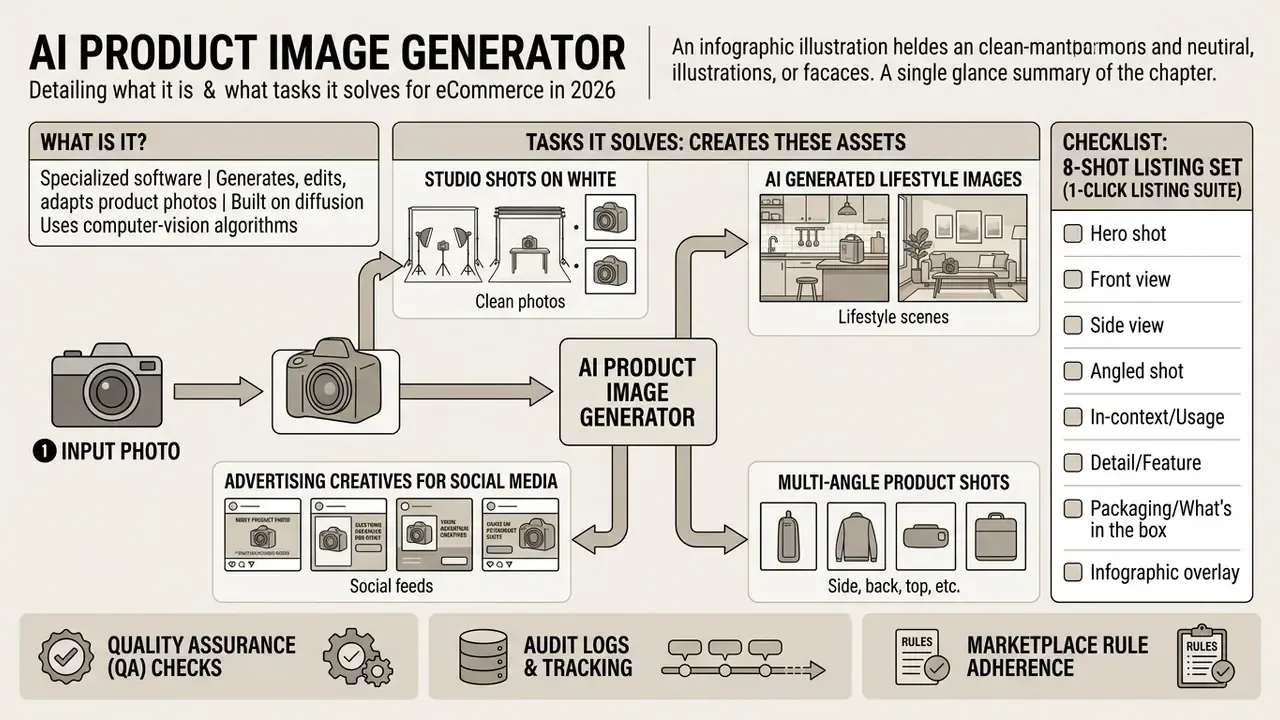
An AI product image generator is specialized software built on diffusion models and computer-vision algorithms, designed to generate, edit, and adapt product photographs. The tool handles automatic background removal, environment replacement, image upscaling, and the creation of advertising assets without repeat product shoots.
Modern AI product photography rests on deep segmentation and object extraction. Unlike standard text-to-image generators, an ai ecommerce image generator works in recontextualization mode: the physical item is extracted from the source shot and placed into a generated environment. Research shows that separating the product representation from the background lets you change the scene context without distorting form, geometry, or brand logos.
«The framework uses synthetic data augmentation, object-background disentanglement, and negative examples to improve product representation.»
In practice this means three technical pillars: novel view generation to create additional angles, disentanglement of the object from its surroundings, and negative examples that teach the model what the product must not look like.
Using ai for product images cuts spending on studio bookings, prop rental, and model fees. Within a single process, e-commerce teams can ai generate product photos for the catalog, produce ai generated lifestyle images for marketplaces, and create promotional banners for ad networks, the same way a general-purpose AI photo editor replaces a chain of manual retouching steps.
One caveat worth stating early. The generator does not know your SKU. It knows pixels. Everything that makes the image commercially safe (the mask, the label check, the sign-off) sits in your workflow, not in the model.
Which product images generative AI creates
Generative AI produces four core image types for retail: studio shots on a white background, contextual lifestyle photographs, advertising creatives for social platforms, and specialized marketplace listings. Each format has fixed requirements for composition, lighting, and proportions.
- Studio shots on white intended for the main product detail page (PDP) card. Models even out lighting and create realistic contact shadows.
- AI generated lifestyle images place the product in its natural environment of use (cosmetics on a marble bathroom counter, furniture inside a living room).
- Advertising creatives for social media images with accent composition and free space for text overlays and calls to action.
- Multi-angle product shots sets of photographs from different viewpoints, built from 3D extrapolation or training datasets.
To lift conversion, brands deploy ai ecommerce images across every customer touchpoint, adapting ai generated images for products to specific consumption patterns and channel-specific use cases.
Vendors that automate this pack advertise "up to eight platform-ready images from a single photo" with consistent lighting, shadows, and color grading across the whole set. That is exactly the QA criterion buyers should test first: the set must look like one studio session, not eight unrelated renders. Lay the eight frames side by side. If the white points drift, the pack fails.
Source product photo: what to upload for an accurate result
For segmentation and background-removal algorithms to work correctly, you need high-contrast source photographs with clean edges and even lighting. Source quality directly determines masking accuracy and the absence of artifacts in the final frame.
Practical capture rules for a smartphone shot: shoot in diffuse daylight near a window or in a light tent; keep the camera perpendicular to the product's main face; avoid mixed color temperatures; leave a 1 to 10% margin around the object; wipe dust and fingerprints before shooting; keep the object free-standing and centered; shoot at the sensor's native resolution without digital zoom.
Technical guidance for digital imaging (Technical Guidelines for Digitizing Cultural Heritage Materials, FADGI / U.S. government, 2016: https://www.digitizationguidelines.gov/guidelines/FADGI_Still_Image_Tech_Guidelines_2016.pdf) recommends a neutral matte-gray working environment and front lighting to preserve surface texture and color. In segmentation practice, the intersection-over-union (IoU) between the predicted and the true mask reliably passes the 0.7 quality threshold only when object-to-background contrast is high.
«Synthetic augmentation that varies backgrounds and lighting increases the robustness of segmentation models to diverse real-world capture conditions.»
Attempting to upload product image files with blurred edges or strong specular highlights leads to geometry distortion when the new environment is generated. Fingerprints on a black glossy box are the single most common reason a "good" source frame produces a bad mask. Clean the product. Seriously.
How to choose an AI tool for creating product photos
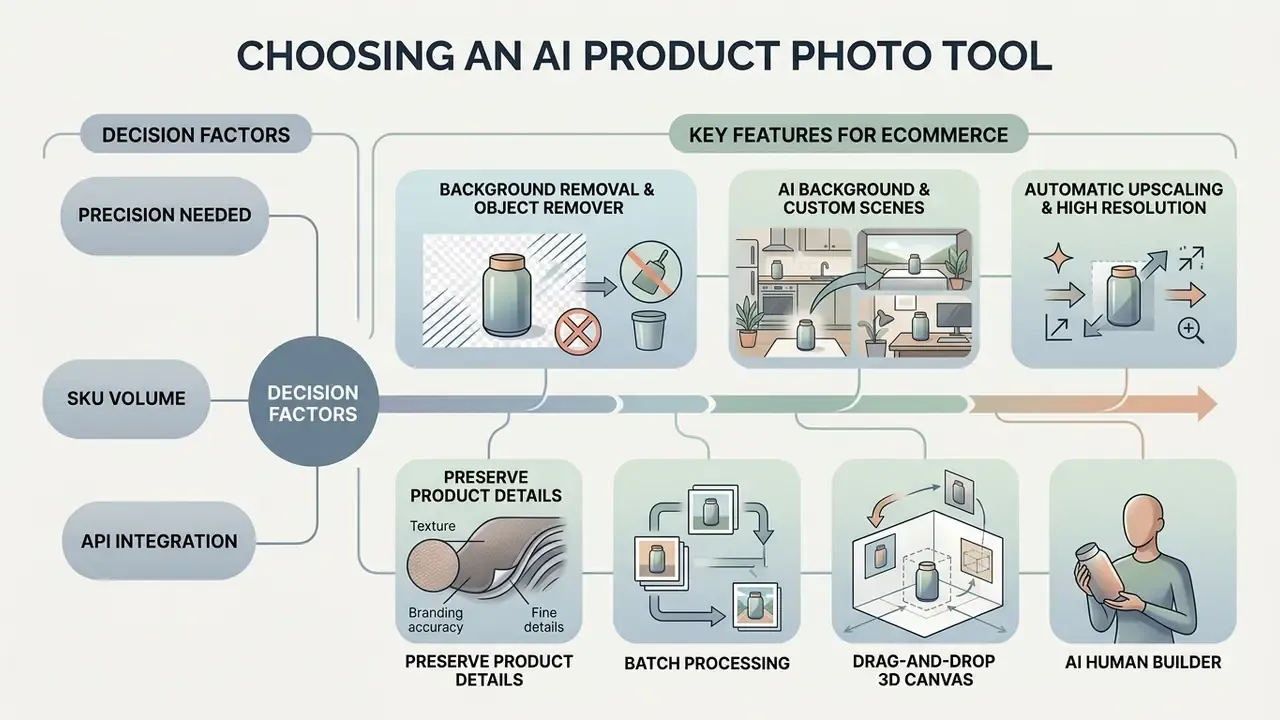
Choosing a product photo generator depends on how precisely the business needs product details reproduced, how many SKUs are processed, whether API integration is required, and how the vendor handles data-security standards. Teams should evaluate tools on brand-identity preservation, generation speed, and settings flexibility.
When selecting ai tools for eCommerce, the critical balance is between scene generation from text prompts and strict preservation of the product's physical attributes. In the enterprise segment, regulator expectations add a layer: guidance on reducing risks posed by synthetic content (NIST AI 100-4, 2026: https://nvlpubs.nist.gov/nistpubs/ai/NIST.AI.100-4.pdf) points to provenance, watermarking, and retained audit trails for generated content.
A short procurement question that saves time: can the vendor export, for any single image, the prompt, the seed, the model version, and the reviewer who approved it? If the answer is vague, you are buying a design toy, not a catalog system. Side-by-side engine testing is easier with a structured matrix, which is why we maintain AI Media Comparison Matrices and publish integration notes in our AI Media API Guides.
In an illustrative catalog-scaling project for a regional retailer with 1,200 SKUs, traditional photography required four weeks of studio time. The team used ai generate product images with fixed product masks, cutting listing preparation to 36 hours without losing detail fidelity. Composite example, not a named client result.
Features that matter for eCommerce product images
For professional catalog work, a product photography tool must support a set of baseline and advanced editing capabilities. Missing even one of them complicates the workflow and forces you to bring in third-party graphics editors.
- Background removal and object remover accurate automatic removal of the original background with complex edges preserved (transparent glass, hair, fine details).
- AI background and custom scenes generation of realistic environments that respect light physics, shadows, and reflections on the product surface.
- Automatic upscaling and high resolution resolution increase to 2K or 4K without softness or blurred pixels, the same class of task an AI image upscaler solves for standalone assets.
- Preserve product details protection of logos, packaging text, and material texture against change during diffusion; for borderline frames it pairs well with an AI image enhancer.
- Batch processing bulk upload and processing of dozens of shots under a single style template.
- Drag-and-drop 3D canvas the ability to manually place three-dimensional props (podiums, plants, interior objects) around the product before launching the AI render, giving full control over composition instead of hoping the prompt lands. Vendors describe this as "stage scenes digitally with drag and drop props, then bring it to life with AI."
- AI human builder a module for fine-tuning virtual model appearance (skin tone, body type, hair color, age) so apparel and accessories are shown on figures that match the brand's target audience, with garment patterns and logos preserved. The same identity-consistency machinery powers adjacent formats, from a cartoon avatar maker to an avatar training video pipeline.
Worth adding an eighth item, honestly: model provenance. Several 2026 platforms simply wrap third-party image models (Google's Gemini-based image engine, widely nicknamed nano banana, is a common one) behind their own UI. Ask which engine runs under the hood, because your licensing and data-handling terms follow that answer.
Free versions, free trials, and the cost of AI product photography
Most ai for product photos services use hybrid pricing that combines free initial access through a credit system with monthly paid subscriptions. At the start it matters whether the service is usable without attaching a bank card (no credit card required), and the same selection logic applies to free AI image generators.
Vendor pricing pages reviewed across 2025 and 2026 typically grant between 3 and 100 free credits at sign-up (for example, a "3 free credits, no credit card required" starter tier, a 50-credit free tier plus a 50-credit API trial, and 100 free credits on new accounts). These are vendor-published figures rather than an independent market study, so verify current limits on the provider's own pricing page. Entry paid plans range from $7 to $9 per month, unlocking high resolution export and batch generation.
Beyond standard subscriptions, several services use a pay-per-download model: generation is free and unlimited ($0 per generated image), and you pay only when you export a chosen file in high resolution (from $2.99 per image used). This shifts the economics, because you no longer fund rejected variants.
Direct CMS integration (Shopify App, WooCommerce plugins) lets you generate and swap product backgrounds straight from the store admin panel, without intermediate downloads to disk. Shopify admin integration is what turns image generation from a design task into a catalog operation.
Direct cost per approved ai generated product photo falls 5 to 10 times compared with a classic studio session.
«AI tools can prepare imagery for 100 products in 4 to 8 hours versus 3 to 6 weeks with traditional studio photography.»
A realistic ROI formula. Direct savings are only one term. Use:
Net saving = (Studio cost per approved image − AI cost per approved image) × approved images − (QA hours × loaded hourly rate) − compliance & metadata labeling effort − licensing/API fees − rework cost of rejected batches
For regulated categories and enterprise catalogs, QA and compliance overhead can consume 15 to 30% of the nominal saving, which is why the honest claim is "5 to 10 times cheaper per direct image cost", not "5 to 10 times cheaper overall". If you want to model that before signing anything, our calculators let you plug in your own approval rate and reviewer cost.
| Tool | Background removal | Custom scenes | Batch processing | Max resolution | Free access / credits | Credit card required |
|---|---|---|---|---|---|---|
| Photoroom | Excellent (auto) | Yes (templates + prompts) | Yes (up to 50 files on Pro) | High res (4K on Pro) | Yes (basic, watermarked) | No |
| Flair AI | Good | Yes (3D scene + prompts) | Limited | Standard / HD | Yes (5 trial generations) | No |
| Claid.ai | Excellent (AI) | Yes (custom lifestyle) | Yes (API and UI) | Up to 4096×4096 (8× upscale) | Yes (50 free credits) | No |
| Pixelcut | Excellent | Yes (preset and prompt) | Yes (web and mobile) | HD / Ultra HD | Yes (starter pack) | No |
| Bria AI | Excellent | Yes (full HD control) | Yes (API-first) | Up to 8× upscaling | Yes (developer trial) | No |
| CreatorKit | Excellent | Yes (category templates) | Yes (Shopify admin) | High res export | Unlimited free generations | No (pay per download from $2.99) |
How to create AI product photos: the workflow from upload to download
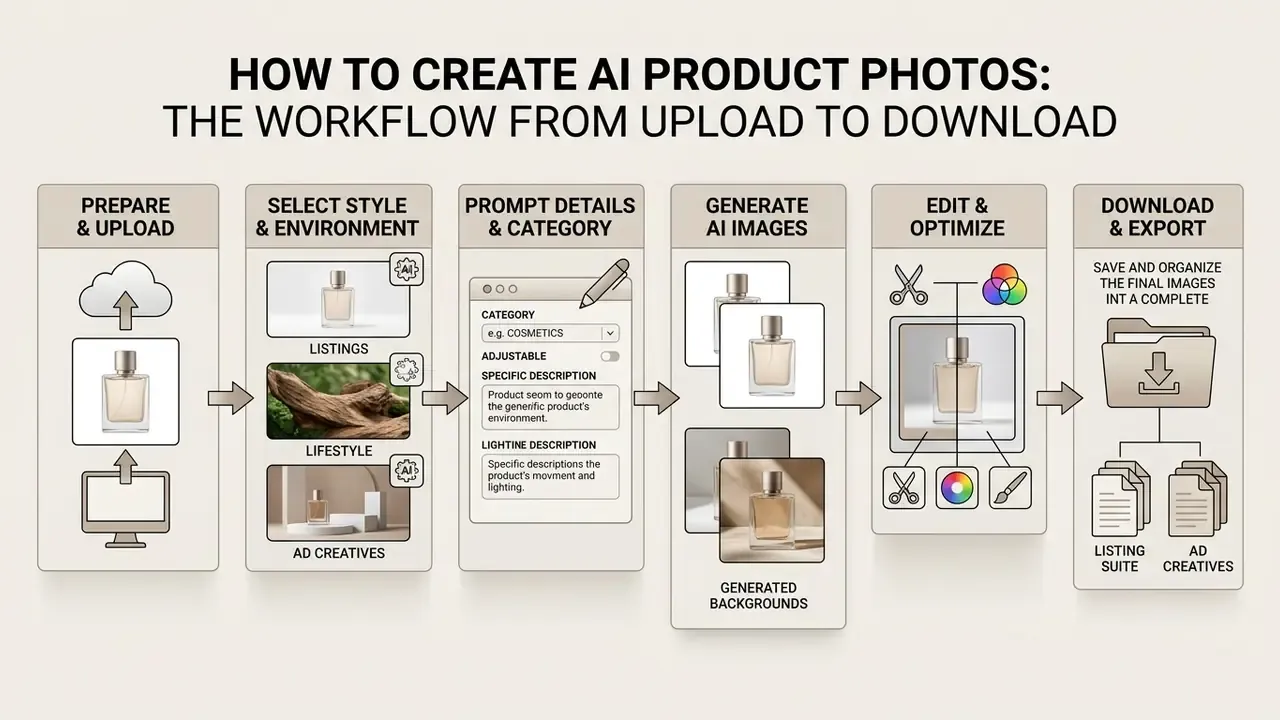
The standard workflow for commercial product imagery includes source preparation, stylistic environment selection, AI generation, targeted editing, and final file export. Understanding each step is what makes the output predictable.
Using ai for creating product images requires strict sequencing. Production research on dynamic product-image generation at scale documents the same principle: object detection and masking come before the diffusion model touches the background.
«The system applies object detection, masking, and edge detection as mandatory steps before background generation by the diffusion model.»
Practitioners consistently report a sharp drop in background hallucinations when the object mask is locked first; the exact reduction depends on category and model version, so treat internal before-and-after measurements, not vendor claims, as your baseline. Trying to generate the whole image from a text prompt with no anchor to the source layout will change the shape of the product itself.
Prepare and upload the source product photo
Step one is capturing and uploading a clean base shot. It can be taken on a smartphone camera in good daylight or studio lighting.
The GS1 Product Image Specification Standard (2025) requires the source item to be centered, free of cropped edges, with an even white balance and a 1:1 aspect ratio; retouching (for example, removing expiry dates) must be seamless and invisible.
Cleaning dust and artifacts at this stage prevents AI algorithms from duplicating them when shadows are generated later. A speck of lint near the base tends to come back as a suspiciously solid shadow.
Choose the AI background, style, and lifestyle scene
Step two sets the visual context: a clean white background for the catalog or a full lifestyle scene for marketing campaigns.
Context is defined through preset style templates or text prompts. A correct prompt for ai create product photos includes: the object description, the surface or material under it, the lighting type (for example, soft studio light, golden hour), the environment, and constraints (for example, no text, no extra objects, plus aspect ratio). The same structure applies to image-to-image generators, where the source frame anchors the composition. For cosmetics, natural textures work best; for electronics, minimalist hi-tech or monochrome studio planes.
Prompt and environment specifics by product category
Generic advice fails at the SKU level. Leading tools now ship hundreds of templates tuned per category (supplements, beauty, beverages, candles, furniture, jewelry, perfumes, skincare, bags, and shoes) because each vertical has its own lighting physics and failure modes.
| Product category | Optimal environment (AI background) | Lighting and accents | Forbidden elements (negative prompt) |
|---|---|---|---|
| Beauty and skincare | Marble pedestals, water droplets, matte pastel surfaces | Soft diffused light, side rim light | Harsh aggressive shadows, dry cracked textures |
| Supplements and health | Minimalist fitness interiors, clean geometric forms | Natural daylight, high contrast | Blurred label text, dark muddy background |
| Beverages and food | Wooden kitchen surfaces, fresh ingredients nearby | Fill light, emphasis on condensation droplets | Distortion of bottle or can silhouette |
| Jewelry and luxury | Velvet, natural stone, reflective dark-gray surfaces | Directional specular highlights to play the facets | Auto-generating metal facets or stones from scratch |
| Apparel and shoes | Neutral studio walls, virtual AI models | Even shadowless light, drape preserved | Altering fabric pattern, seams, or stitching |
| Candles and home decor | Warm interior vignettes, textiles, wood grain | Low-key warm light, visible flame glow | Unrealistic flame scale, melted geometry |
| Furniture | Full room interiors with correct scale references | Window light with soft falloff | Wrong proportions relative to room objects |
| Perfumes | Glass, mirrors, gradient backdrops | Hard light for transparency and refraction | Invented cap shapes, distorted engraving |
| Bags | Urban surfaces, studio blocks, model hand-hold | Directional light to reveal grain | Changed hardware, logo repositioning |
| Electronics | Monochrome planes, desk setups, hi-tech minimalism | Controlled reflections, no color cast | Fake ports, altered button layout |
Generate, edit, and export the images
After you hit generate, the algorithm returns several image variants. The buyer or content manager runs a visual review and refines details in the built-in image editor.
Editing covers cast-shadow correction, removal of stray elements with the object remover, and resolution upscaling. When removing an object, size the brush slightly larger than the object and include its shadow in the selection. The final step is download of the completed image set as PNG (transparency preserved) or JPG with the right color profile (sRGB) for upload to the eCommerce storefront.
One-click generation is real. One-click publishing is not, and should not be.
🗺️ FLOWCHART: the workflow from upload to download
- Upload photo (JPG/PNG/WebP)
- Remove background (auto mask)
- Pick or prompt scene (template or prompt)
- AI generation (variant creation)
- Edit and refine (shadow correction, object removal, upscaling)
- High-res download (channel-specific export)
Which AI generated product images eCommerce and advertising need
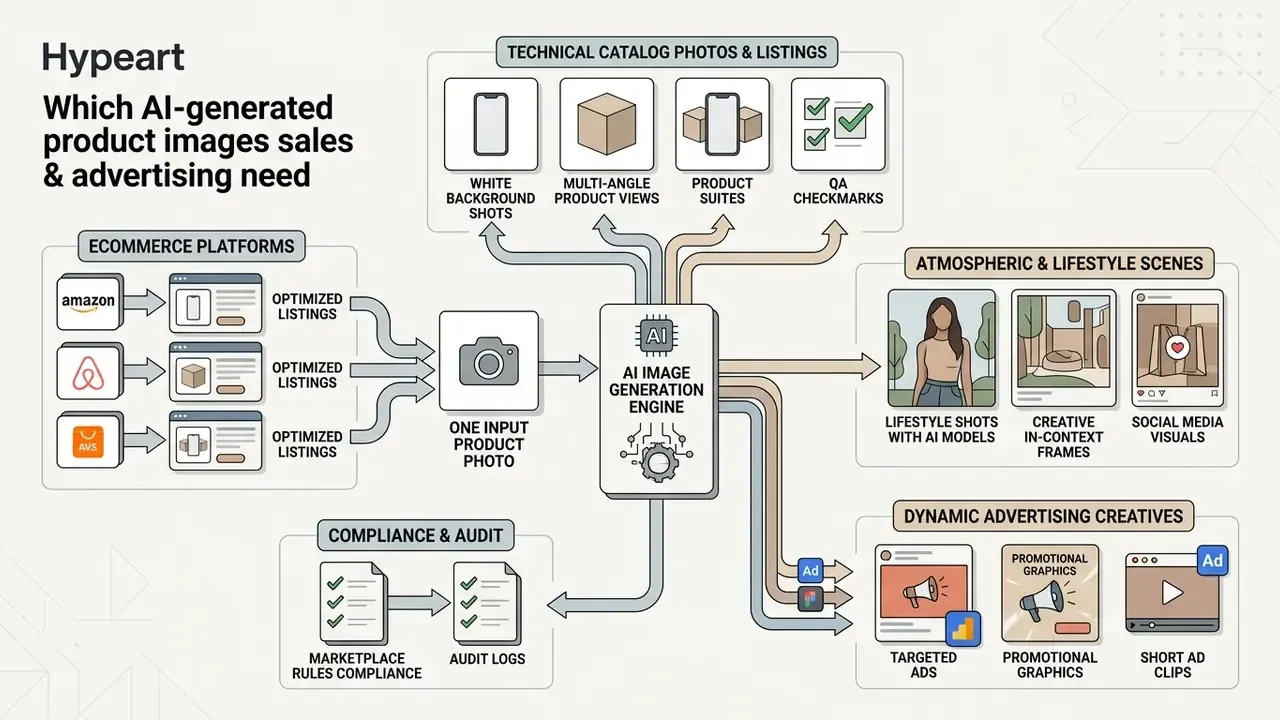
Successful e-commerce sales require a differentiated visual content set: technical catalog photos, atmospheric frames for social media, dynamic advertising creatives, and short video clips.
Every sales channel imposes its own requirements on ai ecommerce images. Marketplaces strictly regulate the first images in a listing, while paid social and performance ads demand vivid, emotion-triggering compositions. Using ai generate products images lets you cover all of these needs from one initial file.
Images for product listing images and white backgrounds
Product listings (product listing images) require maximum clarity and no distracting details. The main image in the card drives first impression and click-through rate in search results.
Amazon and other large marketplaces require the main photo to sit on a pure white background (RGB 255,255,255), with the item filling at least 85% of the frame. AI generated product images for listings are produced by automatic cutout plus a soft neutral shadow that prevents the "floating in the air" effect. Note the regional nuance: GS1 Austria guidance forbids shadows and reflections on the product image itself, while GS1 Canada permits realistic neutral shadows. The white-background rule is constant; the shadow rule is not.
Lifestyle images, AI models, and multi-angle product shots
Contextual shots (lifestyle images) and virtual models (AI model) demonstrate product scale and real usage scenarios, increasing buyer trust.
Virtual try-on research reports that multi-pose methods can preserve facial identity while transforming garment geometry, and identity consistency is treated as a core requirement in the field (see Deep Learning in Virtual Try-On: A Comprehensive Survey, 2024, and Time-Efficient and Identity-Consistent Virtual Try-On Using 3D-Enhanced Diffusion, ECCV 2024). A specific StyleVTON implementation is frequently cited by vendors for fabric texture, cut, and fold preservation; verify the current published version before relying on it in a procurement document.
Generating multi-angle product shots lets you show the item from every side, reducing returns caused by mismatched expectations. Returns, not clicks, are usually where multi-angle sets pay for themselves.
How to control the quality of AI generated product photos
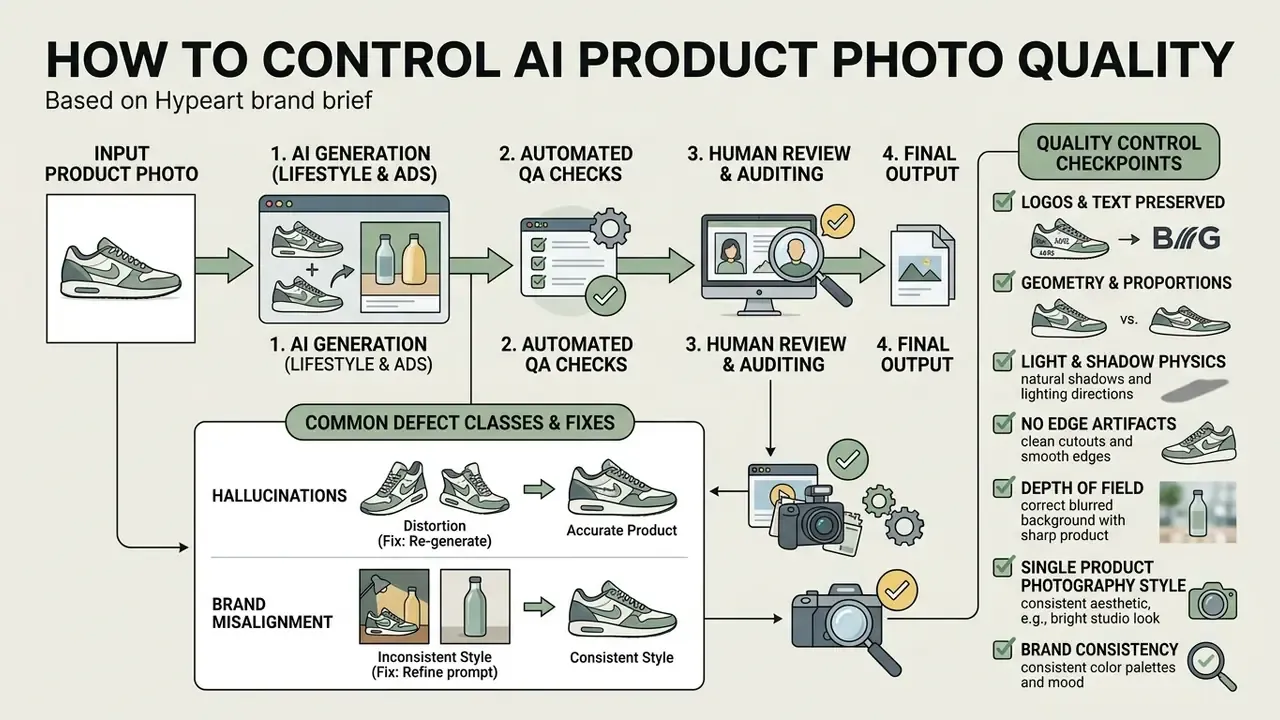
Quality control prevents distortions (hallucinations) on the product, keeps output aligned with brand style, and protects the conversion rate of the card.
Mass generation of ai generated product photos without review creates the risk of color shifts, blurred logos, or invented details. Current instruction-based editing research documents the concrete mechanism for catching this automatically:
«ProductConsistency applies an OCR filter: an image is kept only if the recognized text T_ocr matches the reference T_gt, otherwise it is rejected.»
Combining OCR filtering with mask comparison removes the overwhelming majority of defective frames before publication; the exact rejection rate depends on your category and threshold settings, so measure it on your own batches rather than adopting a headline percentage.
Common defect classes and their fixes. Logo and label distortion, texture drift, and geometry drift are the three recurring failures. In diffusion inpainting, white pixels in the mask are repainted and black pixels are preserved, so masking is the direct way to protect logos and fixed zones. ControlNet injects spatial conditions such as edges and depth to hold structure; LoRA is a style-consistency lever, not a pixel-invariance lever, so it should not be relied on to prevent geometry drift.
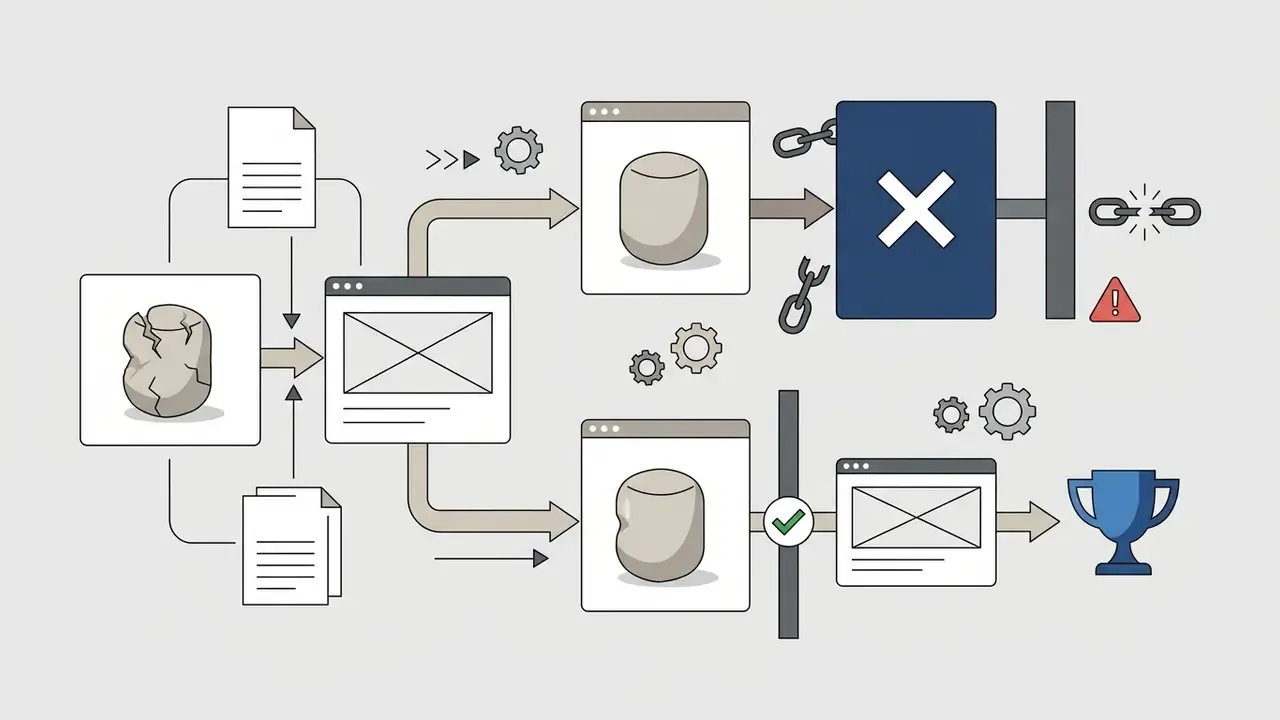
In an illustrative home-appliance retail project, automatic generation of kitchen interiors without hard geometry locks changed the shape of refrigerator handles in roughly 15% of generated frames. Introducing an inpainting mask over key zones removed the problem and preserved detail fidelity. Composite example; treat the percentage as indicative, not benchmarked.
Checking product details, background, and realism
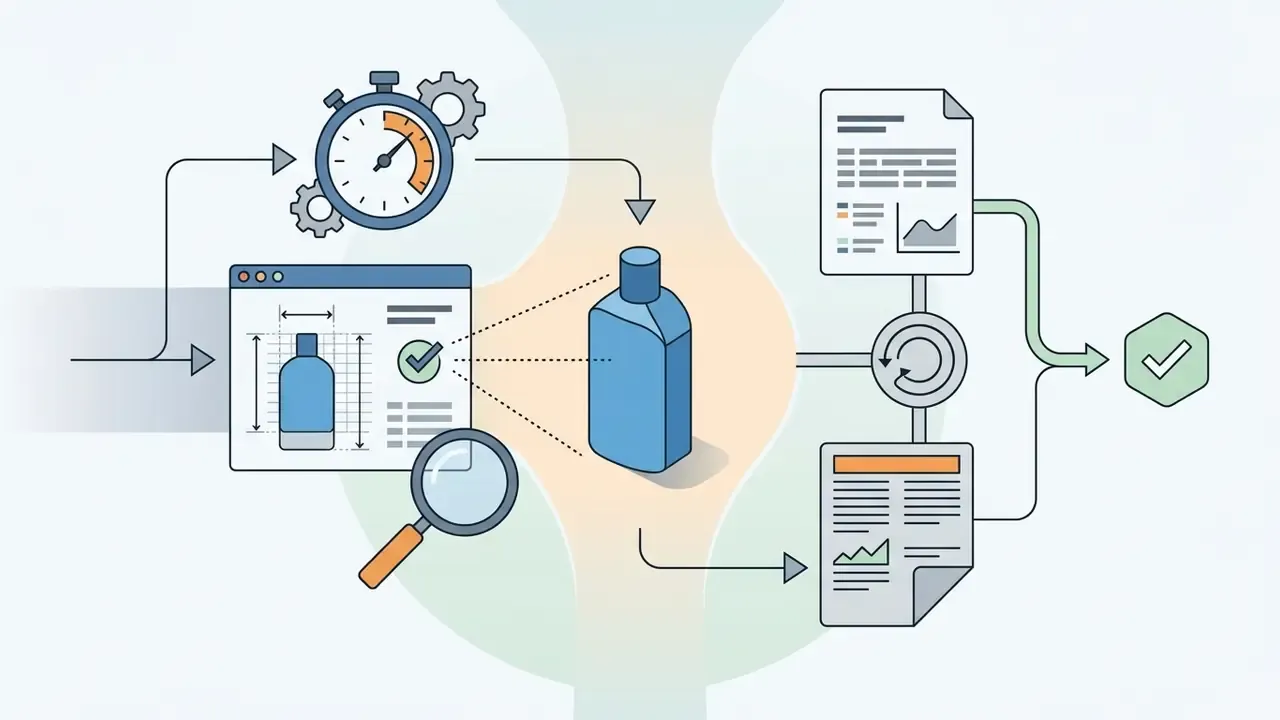
When accepting generated images, the reviewer should run a physical-plausibility checklist.
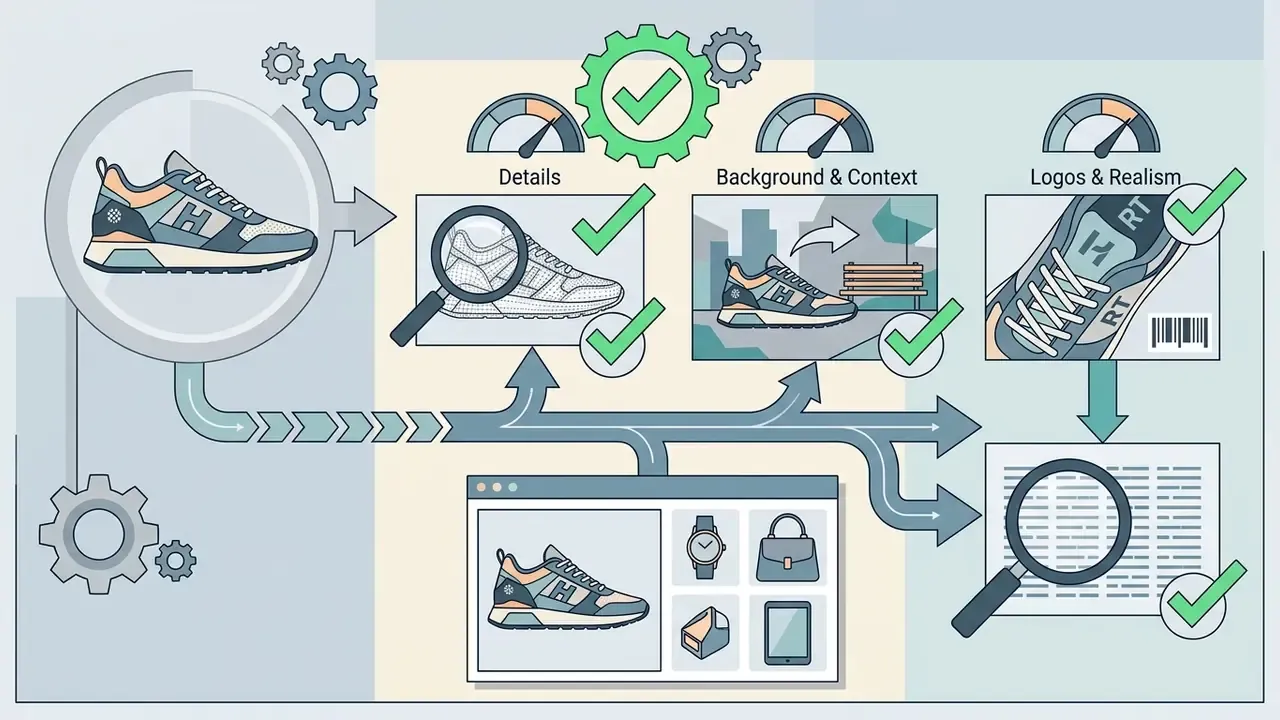
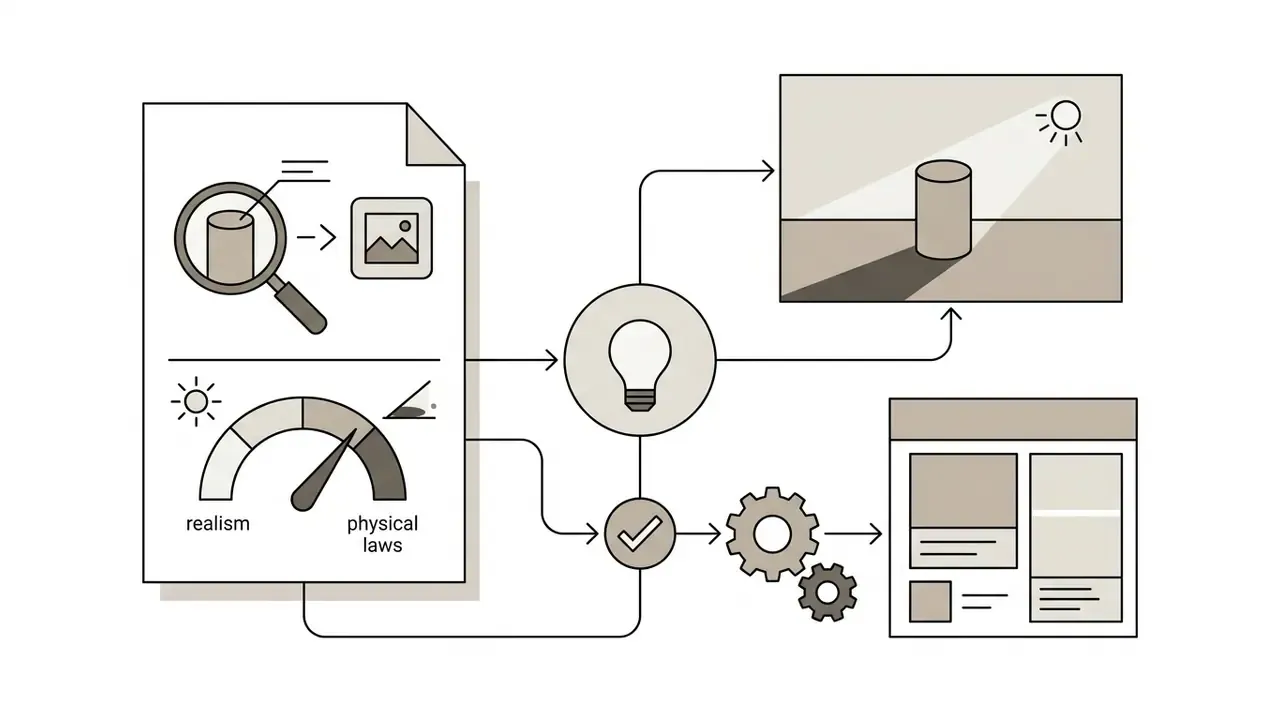
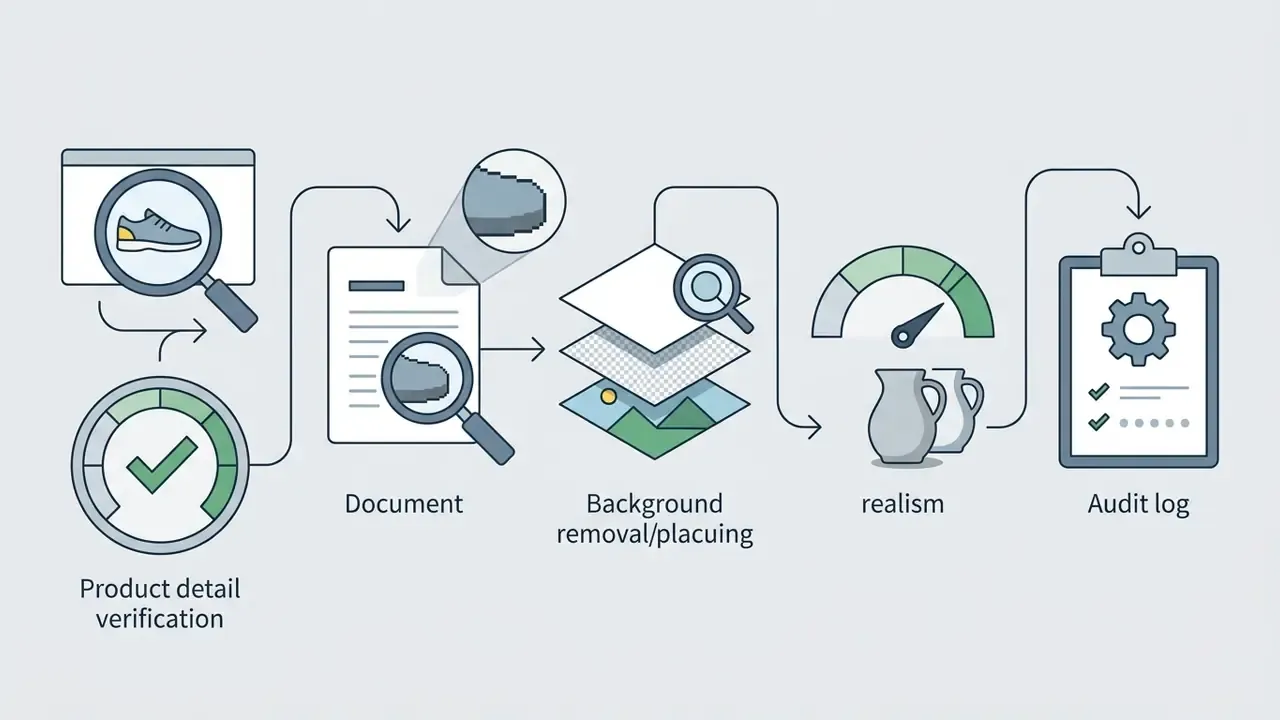
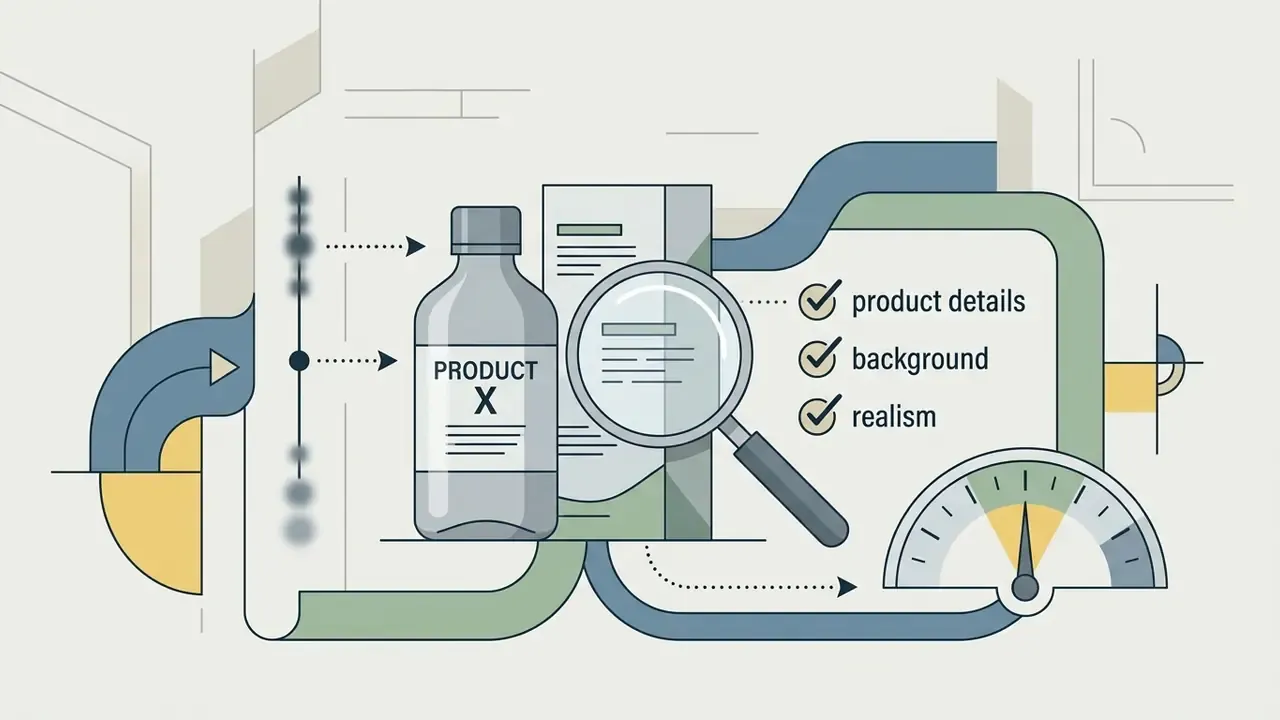
A single product photography style and brand consistency
To keep the brand recognizable, all quality product images in the catalog must follow one visual concept (Brand Visual DNA).
Consistency is achieved by fixing color gamuts, lighting types, and cropping rules in a style guide. Reusing fixed presets and locking prompts lets you build identical environments for new SKUs as the assortment grows. The fastest way to catch drift across a batch is grid review, because inconsistency is far easier to spot across a contact sheet of twenty images than one frame at a time. Governance references reinforce the same logic: centralized templates, a branding policy, and a controlled look and feel across communications.
How to test AI images for higher conversion rates
The effectiveness of generated visual content must be validated through A/B testing on real traffic.
Comparing conversion rates of traditional studio photos against ai generated lifestyle images identifies the concepts that actually sell. For a shortlist of engines to test against each other, see the overview of best AI image generators, and for repeatable scoring methodology, our AI Media Benchmarks and Review Proof pages.
«High-quality product images deliver a 94% higher conversion rate than low-quality ones, regardless of the production method.»
Practitioner case data points in both directions: one retailer reported 21% more conversions from lifestyle imagery, while a controlled test found product-only photos lifted transactions by 23% and proceed-to-checkout by 13.5%, with lifestyle photos showing no statistically significant difference. The conclusion is not "lifestyle always wins" but "test per category". Replacing a plain white-background frame with a strong lifestyle shot in the second card position is the highest-probability win, typically in the 15 to 20% add-to-cart range, and it must be confirmed on your own traffic.
Commercial use of AI product images: rights, brand, and buyer trust
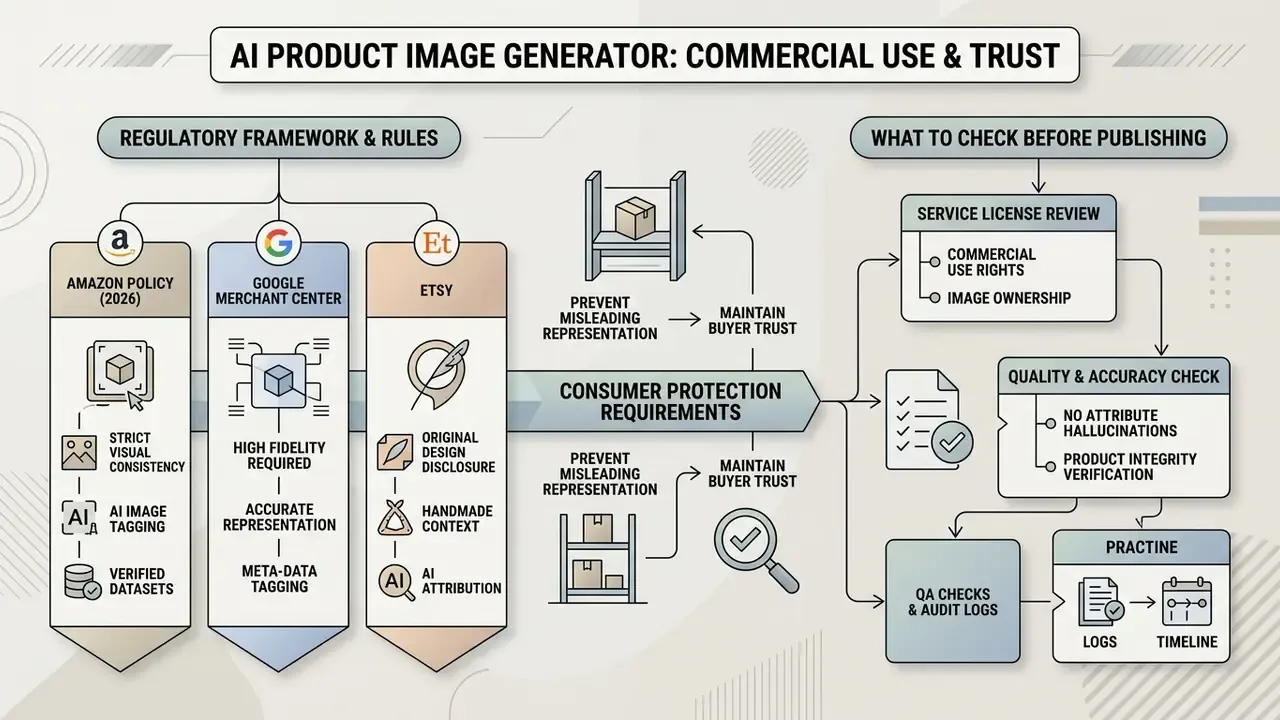
Using AI imagery commercially is governed by copyright law, individual marketplace rules, and consumer-protection requirements against misleading representation.
Publishing ai generated product images for e commerce requires understanding the legal limits. The broader framework is covered in the guide to commercial use of AI image generators and in our AI Media Commercial-Use Hub. According to guidance from the U.S. Copyright Office (2023 to 2025), works generated entirely by AI without human creative input are not protected by copyright; applicants must disclose non-de minimis AI-generated material and briefly state the human contribution.
However, if a designer uses AI as a tool to edit and compose an original authored product photograph, the resulting work can be protectable where human creative contribution is present.
«If a designer uses AI as an editing tool on an authored product photo, the resulting work may be protectable where a human creative contribution exists.»
Fact check: verification of commercial AI-content use
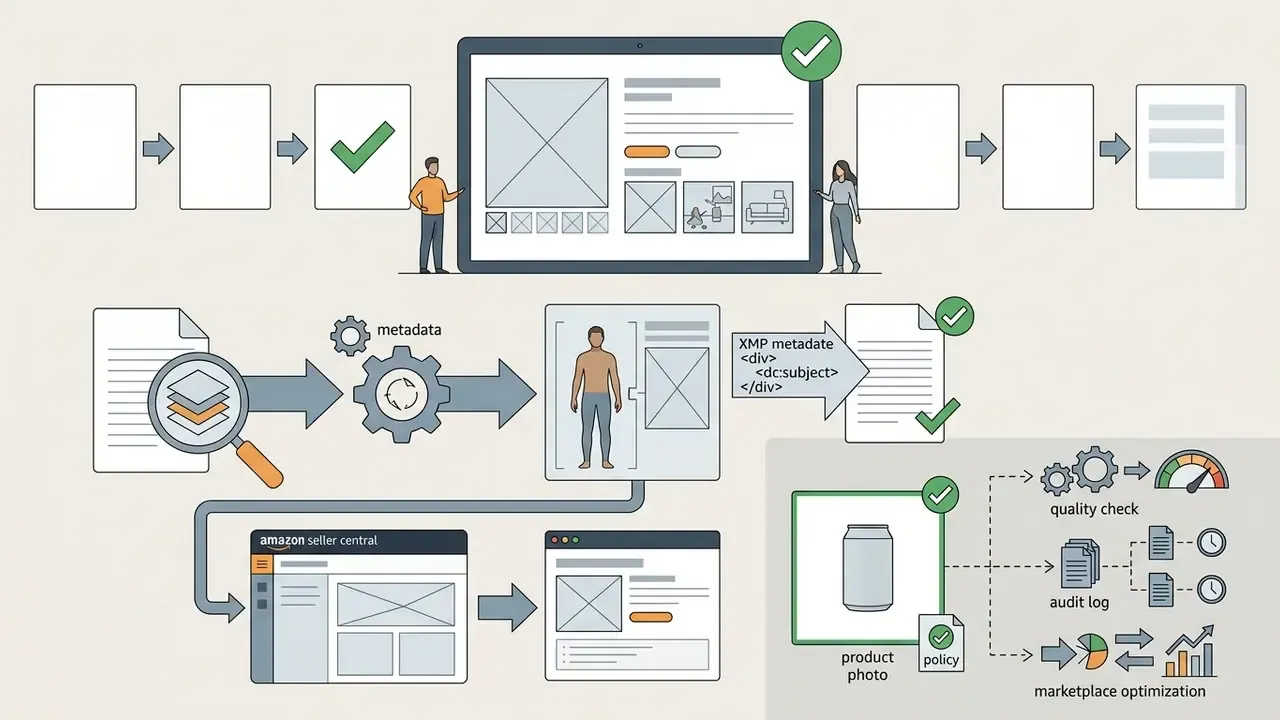
contains-synthetic-performer tag to the XMP metadata (dc:subject). The main image must remain a realistic photograph of the actual product on a white background. Amazon adds a customer-facing disclosure where applicable.
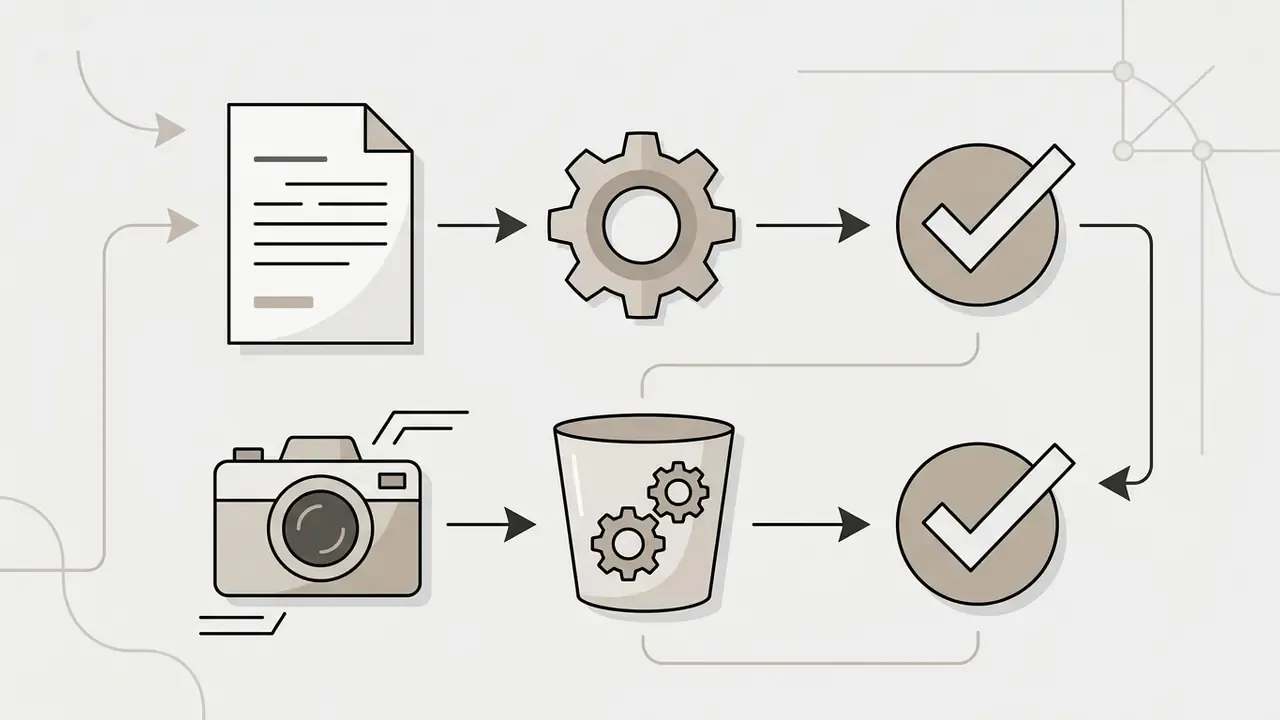

What to check before publishing AI generated images
Before uploading images into commercial sales channels, run a legal and technical audit.
- Service licenseconfirm that your ai product image generator plan permits commercial use (Commercial Use License), and remember that a vendor's "you own full rights" claim covers the contract, not copyrightability of purely machine-generated expression.
- No attribute hallucinationsthe image must not attribute non-existent functions, materials, or bundled items to the product.
- Platform rulesverify compliance with the specific marketplace (for example, the need to add synthetic-content metadata). Where provenance is uncertain, a third-party AI image detector helps flag assets before they reach the catalog.
«Amazon requires the
contains-synthetic-performertag in the XMPdc:subjectfield for any listing image containing a photorealistic AI character, applied globally.»
- Human-in-the-loop sign-offdefine who approves the final asset (brand manager or category owner), and make approval an explicit gate rather than an implicit default.
- Audit logsretain prompt text, model version, seed, source-file hash, mask settings, reviewer identity, and approval timestamp. Exportable audit-log evidence is what makes AI imagery defensible in enterprise model-risk reviews and in disputes with a marketplace.
- Metadata integrityverify that provenance fields survive your export and CDN pipeline. Stripping XMP during resizing is a common silent compliance failure, and nobody notices until a platform review lands.
When AI product photography should be combined with traditional shooting
In high-ticket categories or with complex physical textures, a hybrid approach applies: initial physical macro photography, followed by AI processing and environment build-out.
«Perceived appropriateness and novelty reduce skepticism toward AI images, but for commercial advertising the ambivalence effect is stronger than for non-commercial AI art.»
The hybrid method is effectively mandatory for jewelry, premium watches, and complex optics. AI cannot reliably recreate from scratch the exact refraction of light through gemstone facets or the specific sheen of rare metals. In these cases the photographer captures a sharp studio shot of the item, the source of truth for prongs, chain links, clasp, stone color, and metal tone, and AI handles the harmonious background and environment variation, followed by side-by-side QA against the physical piece before publishing.
What to do next: a pilot rollout checklist
Before scaling to the whole catalog, run a controlled two-week pilot:
- Pick 20 SKUsacross three categories, including one problem category (glossy, transparent, or reflective).
- Shoot or select clean source framesper the GS1 and Amazon requirements above (centered, 1:1, even white balance, 85% frame fill target).
- Lock the brand presetpalette, light type, shadow rule, crop, and aspect ratios per channel.
- Generate the 8-shot listing suitefor each SKU, plus one 9:16 ad variant.
- Run automated QAOCR label check, mask IoU comparison against the source cutout, and edge-artifact scan.
- Run human grid reviewacross the full batch to catch style drift.
- Tag and logprovenance metadata, prompt and version records, reviewer sign-off.
- A/B testthe new second card image against the current one for two weeks and measure add-to-cart, not just CTR.
- Recalculate ROIwith the formula above, including QA and compliance hours.
- Document the decisionwhich categories move to AI-first, which stay hybrid, which stay fully physical.
Two weeks is enough to learn whether your bottleneck is the model or your approval queue. Usually it is the queue.
FAQ: frequently asked questions about AI product image generators
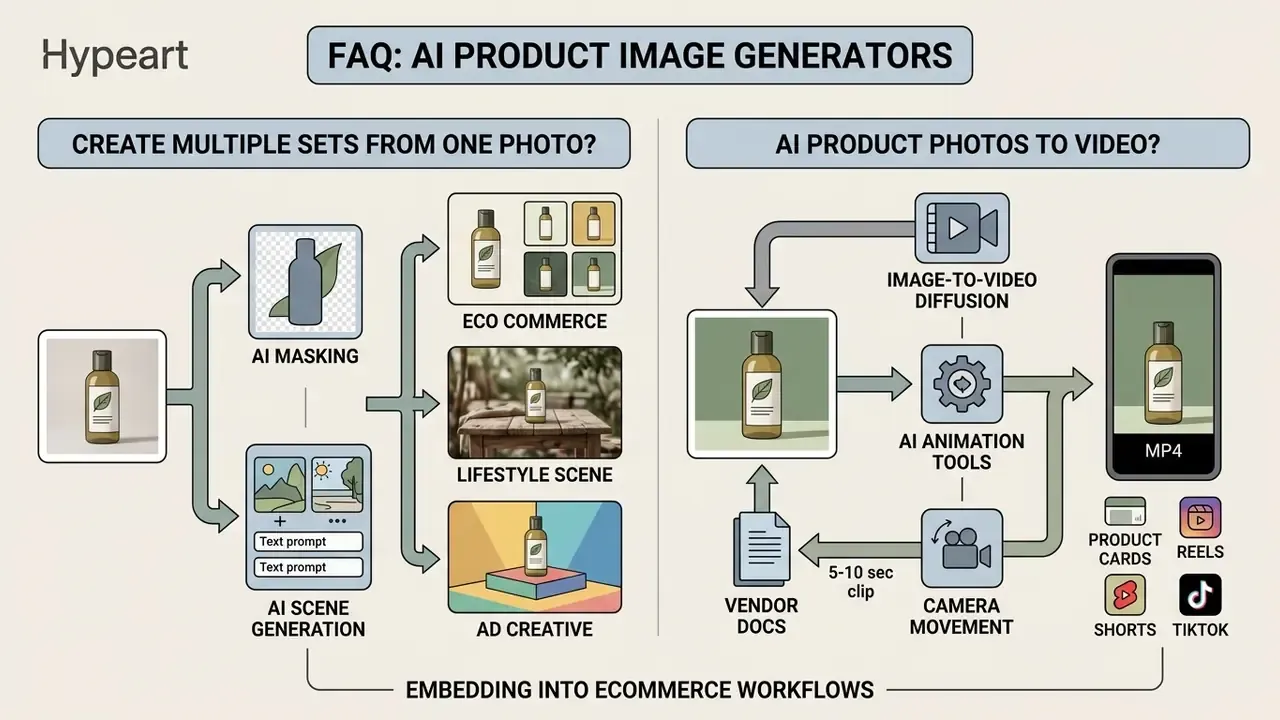
Below are answers to the practical questions eCommerce owners raise most often when embedding AI tools into their workflows.
Can I create multiple product image sets from one photograph?
Yes. From one high-quality product photo you can generate an effectively unlimited number of stylistic image sets (generate multiple image sets).
The algorithm extracts an isolated product mask and applies different environment templates or text prompts to it in turn. From a single source frame you therefore get the white-background catalog shot, several lifestyle scenes for the product card, and a series of advertising banners for different audience segments. Many tools return four variations per run, and enterprise catalogs use reference-image sets describing the item from multiple viewpoints so the whole listing stays visually coherent.
Can AI product photos be turned into product videos?
Yes. Modern AI animation tools can transform static product photographs into short video clips (ai video generation).
Image-to-video diffusion models create 5 to 10 second MP4 clips simulating camera movement around the product, lighting changes, or dynamic background elements; a shortlist of engines is compared in the overview of best AI video generators.
«The Preserving Product Fidelity framework uses image-to-video diffusion as part of a synthetic augmentation pipeline to generate additional product viewpoints.»
These clips are used inside product cards and in Reels, Shorts, and TikTok formats, the standard entry point being an image-to-video AI workflow that takes the approved still as the start frame. Teams building a longer-form channel around the same catalog usually move on to create youtube videos with ai and, before investing further, check whether can ai generated videos be monetized on youtube applies to their format. Utility steps count too: repurposing audio through convert youtube video to mp3 online is a common part of the same production chain.
Vendor documentation differs on duration and inputs. Some position single-image 5 or 10 second clips, others describe broader multi-keyframe motion sequencing with synchronized audio, so match the tool to the placement before committing a catalog-wide pipeline.
More production playbooks, control checklists, and pipeline templates live in our AI Media Workflows hub.