Editorial standard: every technical claim is tied to a primary source (peer-reviewed paper, vendor documentation or regulator publication).
Marketing and product design teams inside banks now generate visual assets faster than governance functions can inventory the tools they use. That gap is the real story here. An illustration engine looks harmless next to a credit model, yet it touches brand, customer-facing channels, unreleased product screens and, occasionally, confidential imagery. So the question for a CRO or Head of Model Risk is not "is the art good?" but "can we reproduce, review and defend it?"
An AI illustration generator is a specialized machine learning system that transforms textual descriptions or visual references into custom artwork, vector-style graphics, and branded assets. Modern enterprise workflows rely on these systems to accelerate visual asset production while maintaining strict oversight over brand identity, style consistency, and operational compliance.
«In controlled production, deploying visual AI models requires clear governance, repeatable prompt structures, and rigorous risk assessment before assets hit customer-facing touchpoints.»
Executive summary
- What it is a latent-diffusion pipeline that turns prompts, sketches or reference images into stylized, editable graphics, optimized for line work, flat colour and vector aesthetics rather than camera realism.
- How to control it structure prompts as style → subject → composition → lighting → palette → constraints, sample 4 to 8 seeds, then lock the winning seed and refine with masked inpainting.
- How to keep brands consistent use style-locked models, brand kits, and custom fine-tuning on 10 to 20 curated reference images (roughly 150 generation credits per style model).
- What it costs most platforms price per credit. One credit for a standard generation, 1 to 2 for a targeted edit, 4 for an SVG export, about 150 for a fine-tune. Free tiers usually cap output at 1024×1024 px, add watermarks and exclude commercial rights.
- What the law says the U.S. Copyright Office (2025) holds that purely AI-generated output is not registrable without human authorship; the EU AI Act adds machine-readable labelling duties for synthetic images from 2 August 2026.
- What risk teams must add entry in the unified AI inventory, prompt/seed/model-version logging for audit, bias review of generated humans, vendor controls (SOC 2, ISO 27001, zero data retention, SSO/RBAC, indemnification) and a Shadow-AI mitigation path for marketing and design teams.
Who this guide is for, and what it will not do
Three reader groups tend to land here at the same time, with different questions.
Creative operations leads want to know which ai image generation tools for illustrations actually hold a house style across hundreds of assets. Finance and procurement want a credible cost model before signing an annual plan. Model risk, compliance and internal audit want proof that a published image can be traced back to a prompt, a seed, a pinned model version and a named human reviewer.
What this guide will not do: pick a single "best" vendor for you. Benchmarks shift with every checkpoint release, and licensing terms change faster than benchmarks. Treat the vendor examples as illustrative snapshots, verify current terms on the provider's own page, and pilot before you standardize.
One caveat worth stating early. All audience assumptions in this piece remain hypotheses until confirmed by your own analytics, stakeholder interviews or procurement records.
What is an AI illustration generator and what can it create?
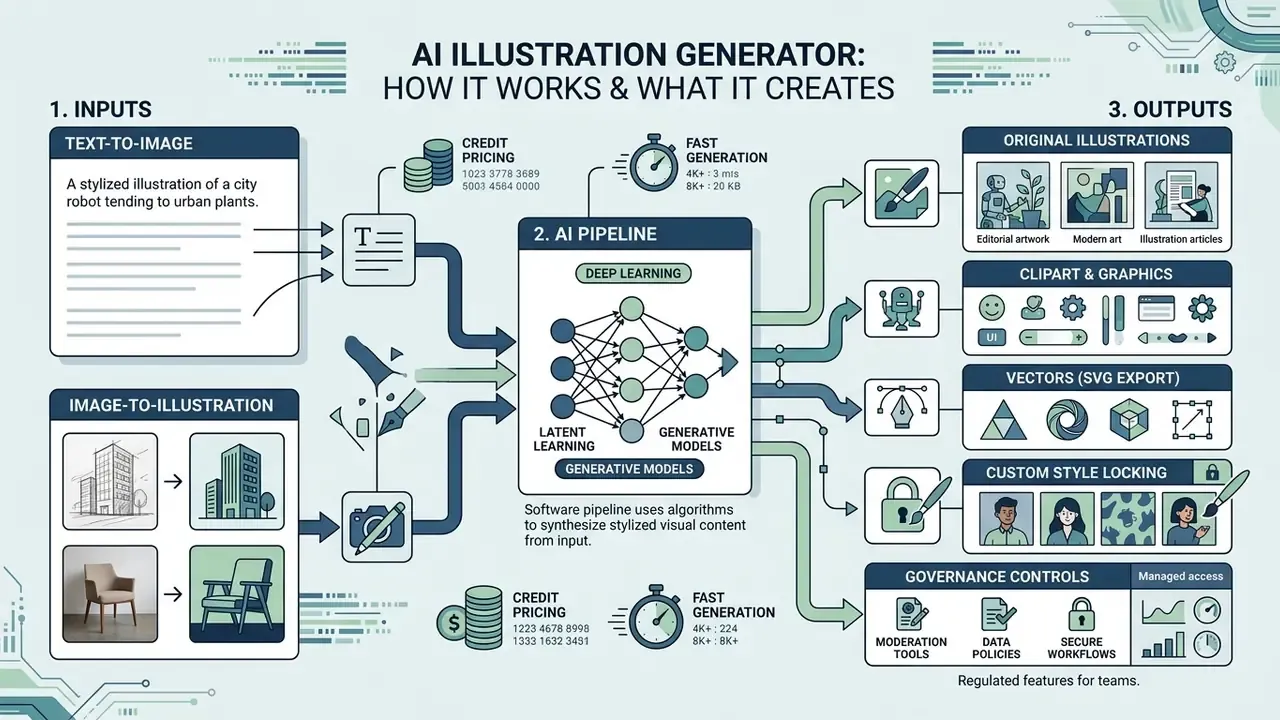
An AI illustration generator is a software pipeline driven by deep learning algorithms, primarily latent diffusion models, that synthesizes stylized visual content from natural language prompts or existing image inputs. Unlike general photorealistic image generators, an ai art generator illustration tool prioritizes artistic abstraction, vector aesthetic rules, graphic composition, and controllable line work over camera physics. Readers comparing adjacent tool categories can review how AI art generators differ in style breadth and licensing before narrowing the shortlist.
These systems generate a broad spectrum of visual assets:
- Vector-style artwork and flat graphics for digital product interfaces and corporate presentations.
- Editorial and narrative drawings designed for publishing, blogs, and storyboards.
- Custom clipart, icons, and stickers with isolated backgrounds for UI and marketing kits.
- Concept art and character sheets requiring consistent visual traits across iterations.
Technical evidence. Latent space conditioning allows an ai illustration creator to manipulate underlying UNet feature maps, steering the output toward specific artistic mediums such as watercolor, line art, or digital cell shading. Benchmarked on MS-COCO-style evaluation sets, diffusion architectures outperform earlier GAN baselines on both FID (distributional realism) and CLIPScore (text to image alignment):
«Latent diffusion models synthesize complex illustrative scenes, characters, and stylized artwork, outperforming earlier GAN-based baselines on FID and CLIPScore metrics.»
For risk owners, one practical consequence follows from this architecture: reproducibility is bound to the triple (model version, seed, prompt). When a vendor silently upgrades the base checkpoint, identical prompts and seeds can drift visually. That is exactly why model-version pinning belongs in the asset log, not only in the release notes.
Text-to-image generation for original illustrations
Text-to-image generation forms the foundational engine of modern ai art generation illustration workflows. The system converts a written prompt into a text embedding via models like CLIP, using this semantic vector to guide the iterative denoising of Gaussian noise into a coherent graphic composition.
To produce predictable results, teams must supply detailed prompt parameters covering subject matter, visual style, color palette, and framing.
«Structured prompts specifying artistic medium and compositional layout across 5,493 generations significantly reduce failure modes compared to generic keyword inputs.»
The study covered 51 distinct style keywords, which is why style vocabulary, not drawing ability, is the real lever behind consistent output. Once teams understand the mechanics, the next step is tool selection: a structured comparison of the best AI image generators maps prompt adherence, editing depth and licensing side by side.
Image-to-illustration from sketches, photos and references
Image-to-illustration workflows allow creators to upload a reference sketch, photographic portrait, or draft layout to steer the output of an ai image to illustration process. The system encodes the input image into a latent representation, preserving spatial geometry and key structural contours while re-synthesizing surface textures and artistic styles.
Numeric evidence. Separating source content latents from target style branches measurably improves content preservation during translation:
«Direct Inversion on PIE-Bench (700 images) achieves superior content preservation and edit fidelity with nearly an order-of-magnitude speed-up over optimization-based inversion.»
A design team can therefore convert raw product sketches or existing photos into stylized ai illustration art while retaining exact spatial proportions. Adjacent research confirms the same principle from the style side: reference-guided stylization (StyleBrush, 2024) and line-drawing constraints for content preservation (2025) both keep layout and identity fixed while replacing surface style. Teams evaluating dedicated transformation tooling can compare image-to-image AI generators by control depth and licensing terms.
How to choose an AI generator for illustrations
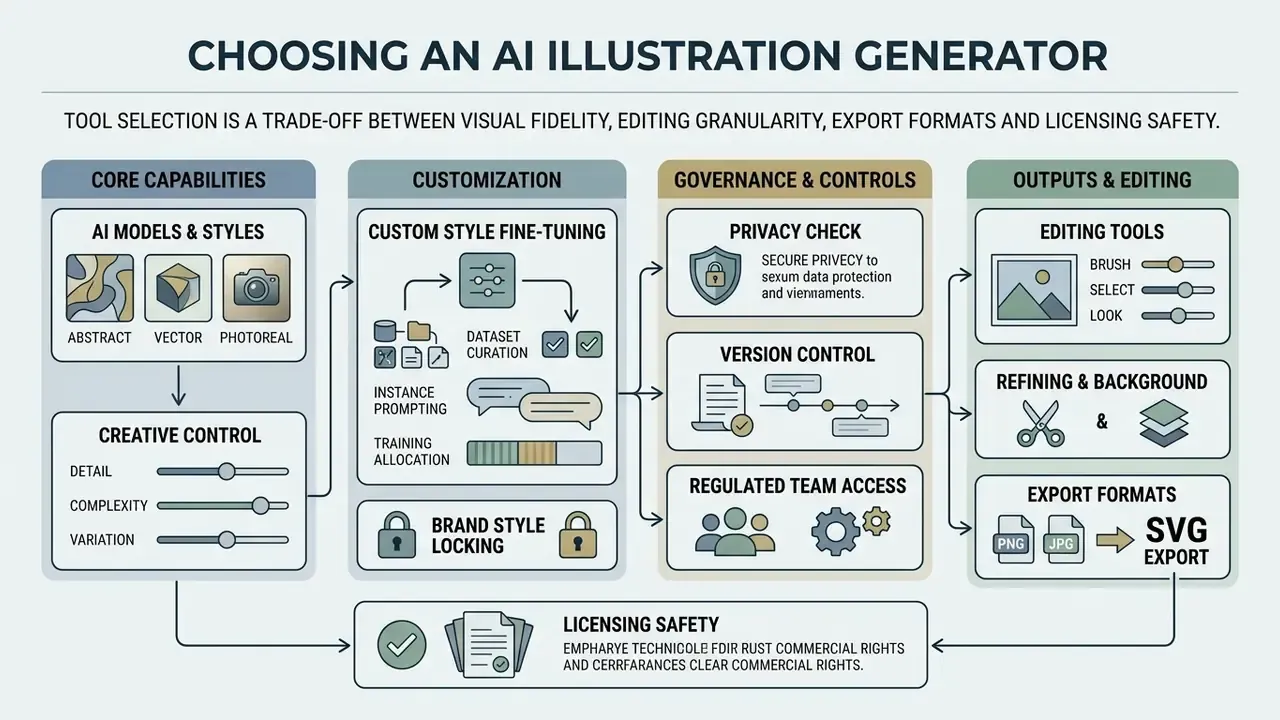
In two sentences: tool selection is a trade-off between visual fidelity, editing granularity, export formats and licensing safety. Enterprise buyers add a fifth axis, data handling and auditability, which rarely appears on vendor landing pages.
Selecting the optimal ai generator for illustrations requires evaluating model fidelity, fine-grained editing controls, output resolution, and platform licensing terms. Decision-makers must judge whether a tool relies on open-weight base architectures or fine-tuned proprietary models designed for graphic design tasks.
Benchmark data tempers marketing claims about "best quality":
«WISE benchmark (1,000 prompts, 20 models) shows that even strong diffusion models score lower on world-knowledge correctness despite high realism and aesthetic quality.»
In practice this means a model can render a flawless flat-vector banking illustration while placing the wrong instrument in an analyst's hand. That is a quality-control problem, not an aesthetics problem.
AI models, styles and creative control
The choice of underlying ai models dictates how accurately a platform interprets stylistic nuances. Specialized image models like Recraft V4 or FLUX.1 offer explicit native style parameters for flat vector art, 3D claymation, isometric drawings, and comic books, whereas general models rely solely on text prompt steering. Vendor documentation differs in depth of control: Recraft exposes structured style objects (including recraftv2_vector pairings for vector output), Adobe Firefly exposes discrete controls for Composition, Visual Intensity, Effects, Colour and Tone, Lighting and Camera Angle, while other platforms offer prompt-level steering only.
In enterprise creative operations, maintaining strict brand consistency across thousands of assets is paramount. To evaluate enterprise integration options, technical leads can review our detailed api integration documentation. Here is an illustrative case, composite rather than client-specific: a fintech team needed 150 matching iconography assets for a new mobile interface, and plain text prompts produced visible colour and line-weight variance across sets. After switching to a style-locked pipeline with dedicated visual parameters, the team reached uniform output across every exported UI asset in roughly three working days. Teams working on adjacent identity assets often pair this workflow with AI logo generators built on the same style-locking principle.
Research supports the fine-tuning route for commercial icon families:
Editing, refining and background control
Professional visual production demands post-generation editing features such as text-guided inpainting, canvas outpainting, and background isolation. Inpainting lets creators mask specific regions of an illustration, for example replacing an object or modifying a character's expression, without altering the rest of the image.
«PIE-Bench evaluation across eight editing methods shows Direct Inversion achieves higher content preservation and edit fidelity scores than optimization-based alternatives.»
Outpainting expands the visual canvas beyond original boundaries, synthesizing matching background elements to fit different display aspect ratios; documented pipelines first extend the canvas, then mask the new area and generate content from a text instruction. Teams needing dedicated canvas extension can compare AI outpainting tools by fill quality and pricing. Systems providing native transparent background generation streamline workflows for digital designers by eliminating manual alpha-channel masking in photo editing software. The traditional baseline for that work is documented in our overview of AI photo editors.
Next-gen control: AI agents, Touch-Edit and infinite canvases
Modern AI illustration platforms are evolving beyond simple text-box interfaces toward interactive design environments:
- Multi-Chain-of-Thought (MCoT) agents system agents evaluate the user's request, select the optimal base model (switching between, for example, FLUX.1 for painterly realism and Recraft V4 for editable vectors) and inject style parameters without manual intervention.
- Touch and click editing instead of writing complex inpainting prompts, creators use point-and-click masking to isolate a specific element, recolouring a character's jacket, swapping a background object, replacing a text label, while leaving the surrounding composition untouched.
- Infinite ChatCanvas interfaces node-based canvases let teams generate, branch and arrange dozens of illustration variants in one visual space, streamlining high-volume asset creation and A/B testing (a single prompt commonly fans out to 20+ variants for filtering).
- Brand-kit lock uploading logos, palettes, typography and approved reference imagery once forces every subsequent generation to inherit those constraints, the machine-readable equivalent of a brand book.
Governance caveat: agentic model routing is convenient but weakens reproducibility. If the agent, not the operator, chooses the model, the audit log must capture the selected checkpoint, its version and the injected style parameters. Otherwise the asset cannot be regenerated on request, and "we cannot reproduce it" is a poor answer in an audit meeting.
Output formats, quality and export options
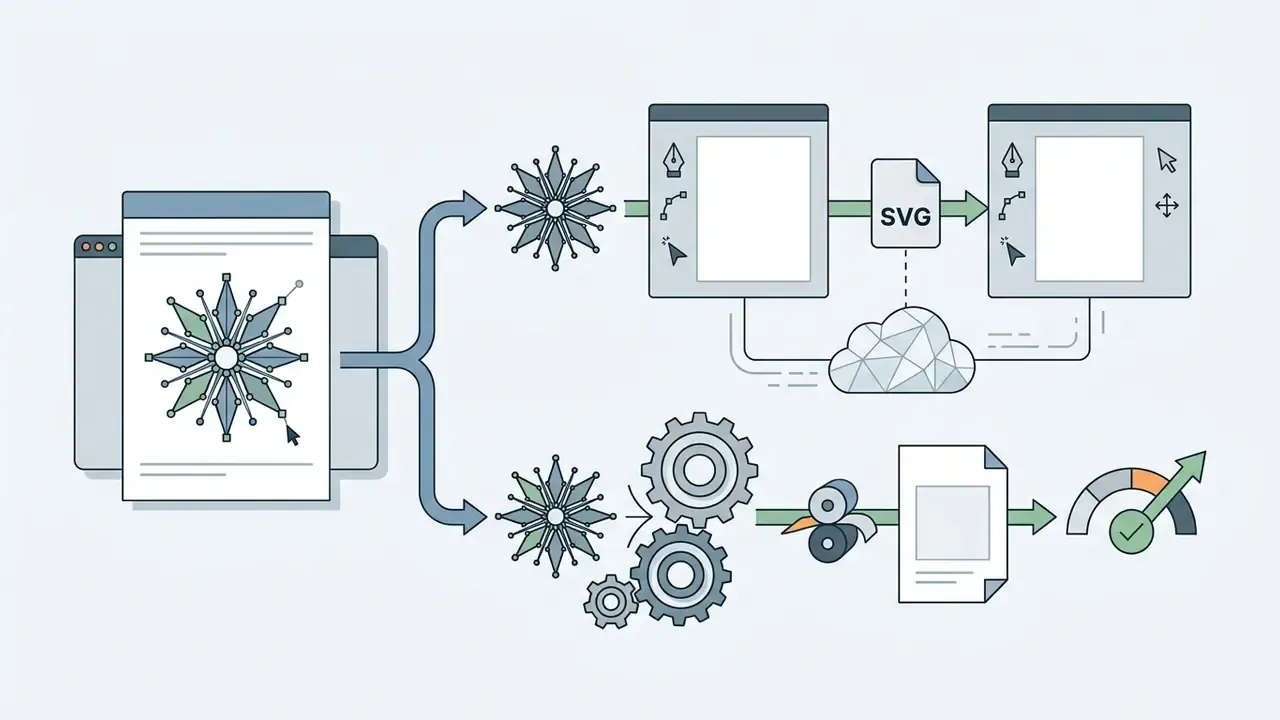
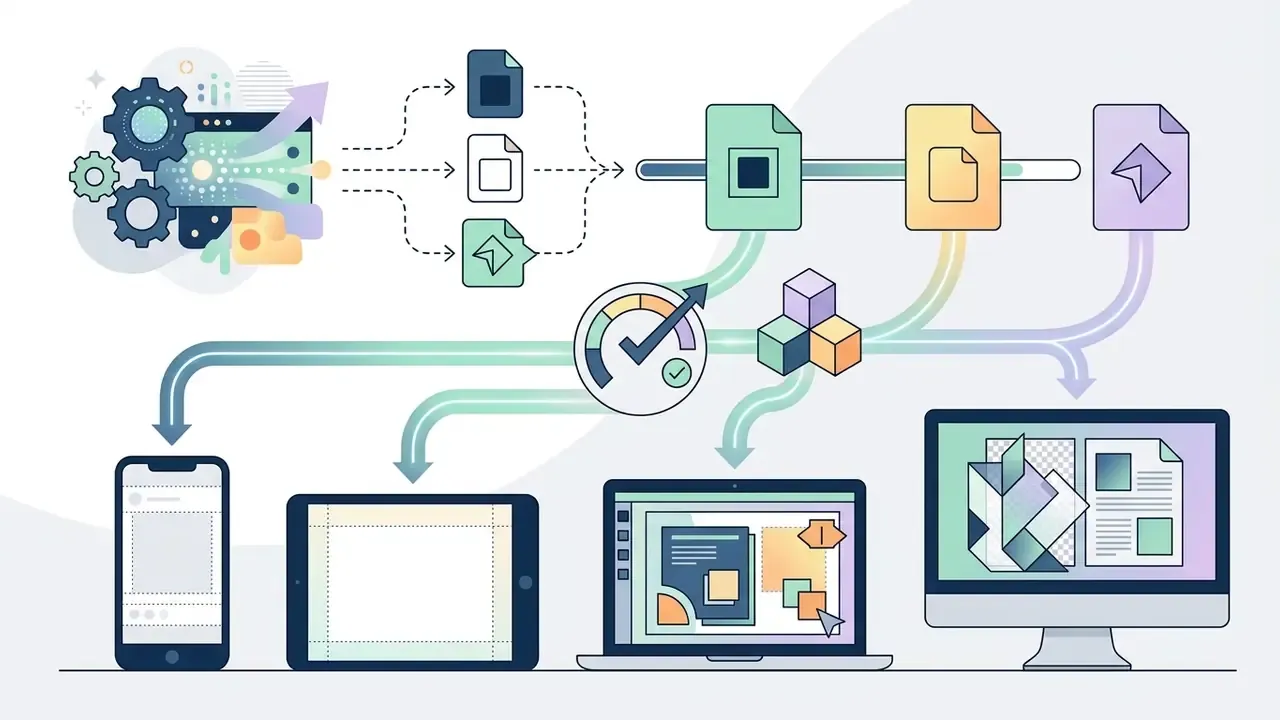
High-quality graphics creation requires robust export formats suited for both digital interfaces and high-resolution print. While standard raster formats like PNG and JPEG suffice for web graphics, vector-based outputs (SVG) allow infinite scaling without quality degradation.
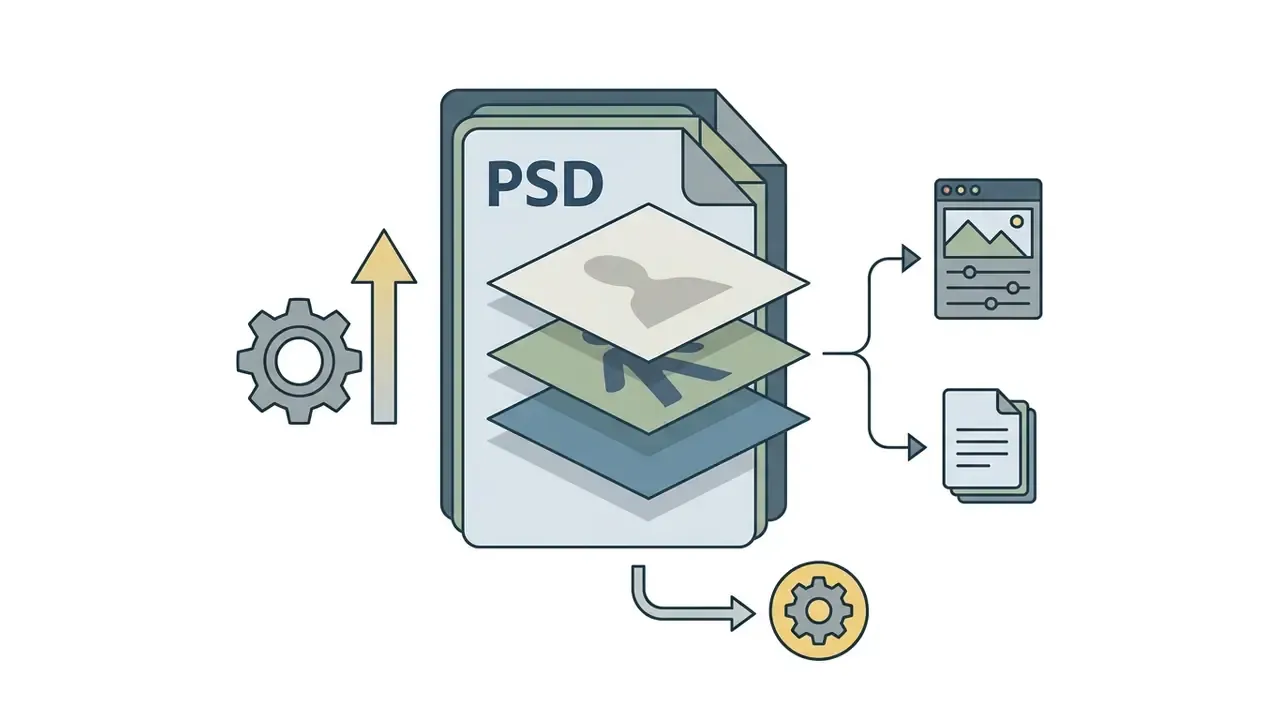
Formats, limits, ecosystem. Production workflows require flexible raster and vector export. Current generative standards accept JPG, PNG, WebP and HEIC inputs, with base generations commonly reaching 1024×1024 px by default and up to 2000×2000 px before upscaling; print-oriented platforms expose 2048×2048 px pro modes and 2K or 4K options. Modern AI platforms bridge generative pipelines with industry-standard design tools:
Platforms like Recraft support native SVG output generation, enabling graphic designers to manipulate individual vector nodes, paths, and color fills in desktop design applications, then finalise assets through conventional photo editing workflows before hand-off. For print, keep the layered or vector master: PNG is lossless but raster, so upscaling a flattened export never recovers path precision.
| Criterion | Technical Capability | Enterprise Impact |
|---|---|---|
| Model Architecture | Latent diffusion, fine-tuned UNet, style-locked modules | Determines visual fidelity and prompt adherence |
| Input Support | Text-to-image, image-to-image, structural control nets | Enables flexible workflows from sketches or text |
| Editing Suite | Masked inpainting, canvas extension, touch-based masking, layer separation | Reduces manual retouching and redesign loops |
| Export Formats | High-res PNG (300 DPI), native SVG, layered PSD, WebP, JPG | Supports print, web, and UI design pipelines |
| Ecosystem Integration | Illustrator / Photoshop / Canva / Adobe Express links, REST API, webhooks | Removes manual re-import steps across teams |
| Reproducibility Controls | Seed pinning, model-version pinning, prompt history export | Enables regeneration and audit evidence |
| Data Handling | Zero data retention, no training on customer inputs, regional hosting | Prevents leakage of unreleased brand or product assets |
| Security & Access | SOC 2 / ISO 27001 attestation, SSO, RBAC, private-cloud or on-prem deployment | Meets vendor-risk and access-control requirements |
| Licensing & Governance | Indemnified enterprise licenses, dataset transparency, provenance metadata | Protects against intellectual property risk |
After scoring vendors against these criteria, buyers can shortlist the leading AI image generators and validate the top two in a paid pilot before rollout. Two vendors, one scorecard, fixed prompt set. That is usually enough to separate marketing from behaviour.
How to create an illustration with AI: from prompt to export
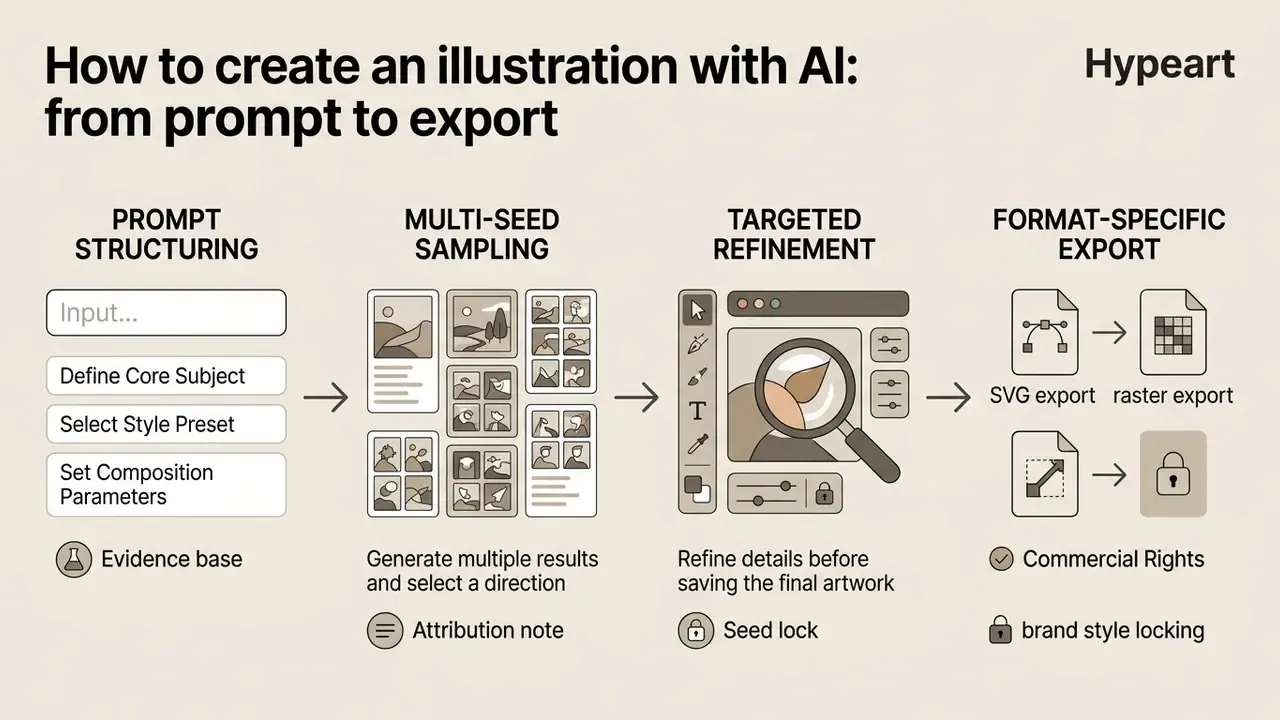
In two sentences: the reliable path is prompt structuring, then multi-seed sampling, seed lock, targeted refinement and format-specific export. Each stage produces an artefact (prompt string, seed, mask history, export spec) that doubles as audit evidence.
Generating professional-grade artwork with an ai generator illustrator follows a structured workflow designed to maximize prompt accuracy and minimize iteration cycles. A systematic sequence keeps visual quality repeatable across creative teams, and, less obviously, keeps handover possible when the person who wrote the prompt goes on leave.
Describe the subject, style and composition in a prompt
Writing an effective prompt requires structuring textual input in a logical order: subject matter, artistic medium, compositional framing, lighting, and visual constraints.
Evidence base. Vendor guides from Adobe Firefly and Runway Gen-4 recommend treating style, composition and lighting as separate fields rather than one narrative block; the academic evidence points the same way:
«Across 5,493 generations and 51 styles, prompts explicitly specifying subject, medium, and composition produce more coherent outputs and fewer failure modes.»
A robust prompt skeleton follows this pattern:
[Artistic Style] of [Primary Subject], [Composition & Angle], [Lighting & Color Palette], [Background Setting], [Quality Constraints].
For instance: "Flat vector illustration of a financial analyst reviewing data charts on a tablet, isometric view, corporate blue and teal color palette, minimal white background, sharp clean lines."
Practical guidance converges on four to six high-signal details: medium and style, lighting, framing, mood, palette, plus explicit constraints (no text, no shadows, transparent background). Negative prompts work best when they encode defects observed in the previous run rather than generic quality words. "Ugly" teaches the model nothing. "No extra fingers, no warped tablet edge" does.
Generate multiple results and select a direction
Generative models use random noise seeds to produce varied visual interpretations from a single text prompt. Sampling 4 to 8 candidate outputs allows creators to evaluate compositional balance, object placement, and visual hierarchy before committing to a direction; CHI-published guidance recommends 3 to 9 seeds to obtain a representative spread from one prompt.
Attribution note. Early denoising steps already encode spatial layout, which is what makes early seed triage effective:
«Probe-Select shows that evaluating denoiser activations at 20% of diffusion steps reduces sampling cost by over 60% while improving quality of retained images.»
Selecting the strongest seed early lets creators lock composition while refining finer details through subsequent generation passes. Selection criteria should be written down, not intuited: prompt to image alignment, absence of layout defects, brand-palette match, and safety or appropriateness of depicted people. Teams testing this loop on a budget can benchmark free AI image generators before committing to a paid tier.
Refine details before saving the final artwork
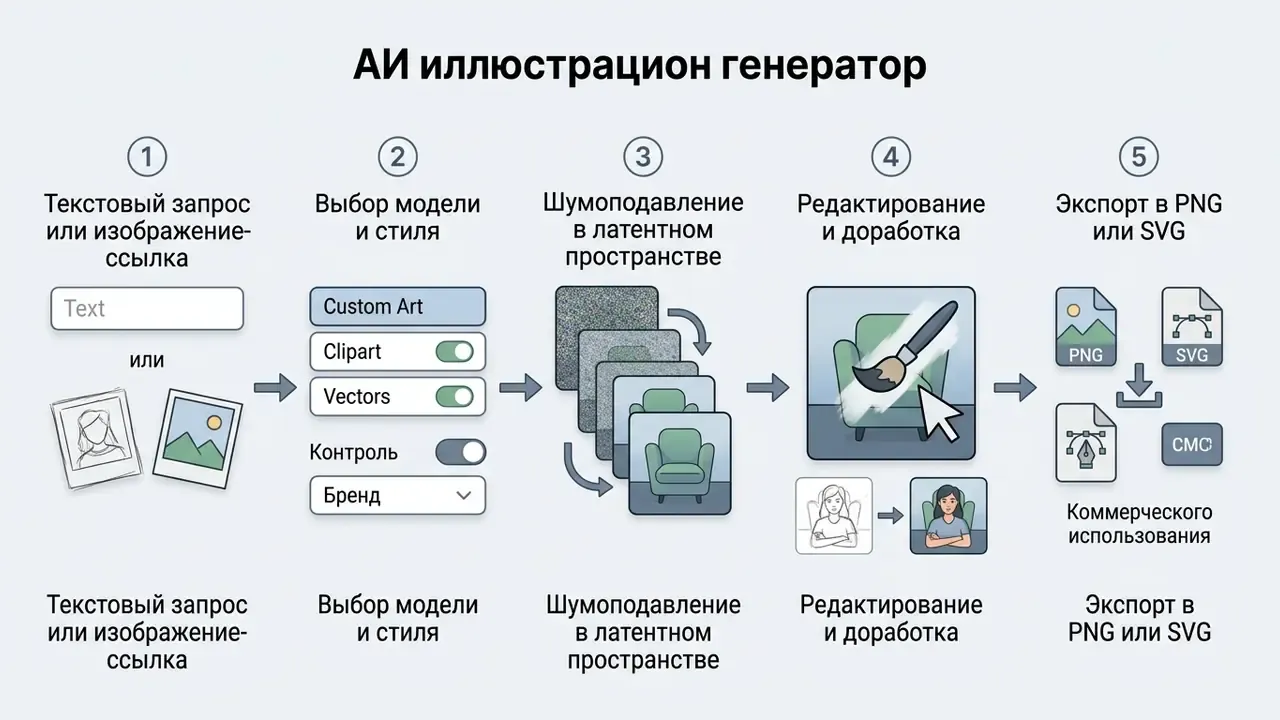
Once a base candidate is selected, targeted refinement brings the image to production standard. Creators apply inpainting to correct minor line defects, run generative upscaling (2x or 4x) to raise pixel density, and verify background transparency settings. Documented upscaler behaviour matters here: generative upscaling typically produces a new file at 2× or 4×, with model variants for detail restoration, detail preservation or added creative detail. Choose preservation when brand line weights must not change.
Final assets are exported in file formats matching downstream requirements: lossless PNG or WebP for web delivery, SVG for vector design work. Remember that converting RGBA to RGB destroys transparency, and the filename extension must match the selected output format. To understand full platform options and tool feature sets, creators can compare top-performing visual generators in our centralized breakdown.
- Define core subjectidentify primary elements, characters, or objects requiring representation.
- Select style presetspecify vector art, watercolor, flat graphic, or 3D render styles.
- Set composition parameterschoose camera angle, framing (close-up, wide shot), and aspect ratio.
- Establish color and lightingdefine palettes, contrast levels, and lighting direction.
- Attach reference inputsupload pose, layout, or style reference images if supported.
- Specify export requirementsselect target resolution, background transparency, and output file format (PNG or SVG).
- Log the runrecord prompt, negative prompt, seed, model version, style ID and export spec in the asset record for reproducibility and audit.
AI illustration styles and formats for different creative tasks
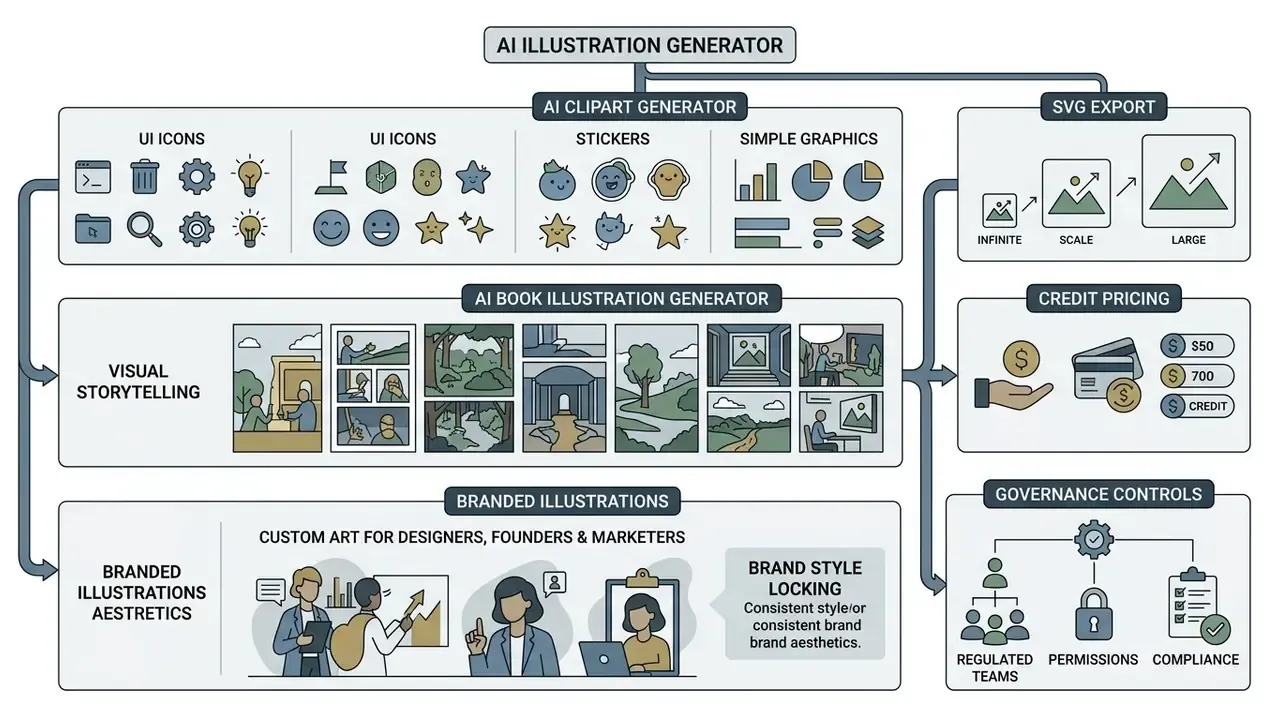
In two sentences: the same engine serves very different deliverables, from isolated UI icons to sequential book art and regulated corporate collateral. Each task changes the prompt constraints, the export format and the review depth.
An ai image generator illustration platform must accommodate diverse visual mediums depending on project goals. Different creative tasks call for specialized style configurations, ranging from lightweight web graphics to complex narrative storytelling. In financial services specifically, the highest-volume deliverables are product UI iconography, investor-facing infographics, onboarding and financial-literacy illustrations, and campaign artwork for regulated marketing. All of them demand style locking plus documented review.
AI clipart generator for icons, stickers and simple graphics
An ai clipart generator creates isolated graphic elements, icons, and UI stickers designed for rapid integration into marketing collateral, presentations, and applications. Using an ai clipart maker requires prompts engineered for clean outlines, flat colors, and explicit transparent backgrounds.
Vendor documentation for tools like Adobe Firefly recommends including explicit tags such as "isolated graphic, white sticker border, transparent background, flat color, no shadows" to ensure clean extraction. Production-grade clipart pipelines export transparent 300 DPI PNGs or scalable SVGs, and allow control over border thickness and die-cut versus kiss-cut styles. These isolated assets remove manual background removal steps, saving design teams a noticeable slice of post-production time.
«SDXL fine-tuned on commercial icon datasets with detailed captions yields measurably improved stylistic alignment and visual fidelity versus unfine-tuned baselines.»
«Iconix's chained image-conditioned generation produces style-consistent icon grids varying semantic richness and visual complexity while maintaining recognizability.» — Iconix: Human-AI Co-Creative System for Progressive Icon Grids (2026). https://arxiv.org/abs/2303.07909
For banking and fintech interfaces, the practical recipe has two stages: fine-tune or lock a style, then generate the icon family as a chained set rather than one by one, so stroke width, corner radius and optical weight stay uniform across payments, cards, security and support categories.
AI book illustration generator for visual storytelling
«WISE evaluations show current models score lower on Consistency and knowledge-correctness than on Realism, highlighting risks of visual drift in sequential narrative illustrations.»
Tools like Recraft and Midjourney allow creators to set persistent style references across generations. By maintaining a locked style ID, authors and publishers generate cohesive visual chapters without visual drift between pages. Vendor guidance adds frame-based editing, fixing one page and editing regions inside it, as a cheaper alternative to regenerating whole spreads.
Branded illustrations for designers, founders and marketers
Corporate branding teams use an ai image generator for custom illustrations to build scalable visual brand systems. Established corporate brand guidelines (such as Thoughtworks Brand Guidelines, 2024) mandate flat colour palettes, vector formats, and clear context alignment for all marketing assets. IEEE's Brand Experience Imagery Guidelines (2025) go further, requiring imagery to reflect diversity across age, gender, race, dress, country of origin and job responsibility, a requirement that generative pipelines do not satisfy by default.
Designers build reusable prompt libraries and custom style models reflecting company brand kits. An ai art illustrator workflow becomes governable the moment those libraries are versioned rather than pasted from chat history.
«Analysis of ~15,000 AI-generated faces shows models exhibit measurable demographic bias in skin tone and gender representation, requiring review before brand deployment.»
Marketers and founders can generate on-brand campaign graphics, social headers, and pitch deck visual aids that adhere to corporate identity standards. Some institutions additionally require disclosure labelling: Carnegie Mellon's brand standards, for example, tag images developed primarily by AI as "Image created using AI" while exempting merely enhanced photographs. Marketing leads comparing platforms for this work can review the best AI art generators by style control and licensing coverage.
Free AI illustration generator, pricing and usage limits
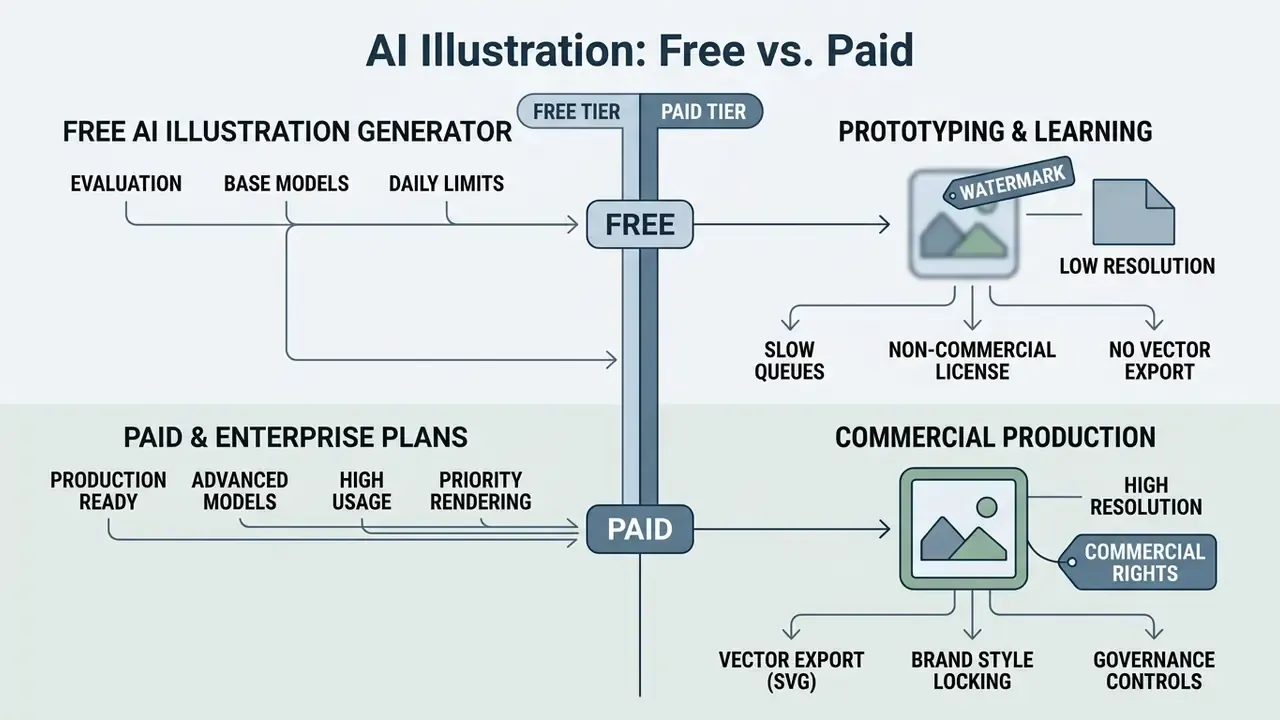
In two sentences: free tiers are useful for evaluation and weak for production, because they usually withhold commercial rights, vector export and high resolution. Paid tiers are priced per credit, so cost forecasting requires knowing the credit cost of each operation.
Understanding tier structures across ai illustration generator free tools and paid enterprise platforms is critical for budgeting and operational planning. Platforms use varied monetization models, from credit-based free tiers to usage-based API pricing. A structured comparison of free AI image generators shows how widely daily caps and watermark policies diverge between the app, studio and API surfaces of the same vendor.
What a free AI illustration generator usually includes
When paid plans are needed for advanced features
Upgrading to paid subscriptions or pay-as-you-go commercial tiers becomes necessary when teams require high-resolution outputs, commercial rights, and granular editing capabilities. Professional plans unlock generative upscaling (4K resolution), native SVG export, custom model fine-tuning, and priority GPU processing. Where 4K output is the only gap, dedicated AI image upscalers can be cheaper than a tier upgrade.
For detailed plan breakdowns, finance leads can consult our dedicated AI Media Pricing Guides to estimate operational expenses across visual platforms, and view the guide to credit-based cost modelling before signing an annual commitment.
| Operational Action | Credit Consumption (Est.) | Free Tier Availability | Commercial / Paid Tier | Output Specifications |
|---|---|---|---|---|
| Standard Text-to-Image | 1 credit | Yes (5 to 20 per day) | Unlimited / extended | PNG / JPG (1024×1024 px) |
| Targeted Inpainting / Touch Edit | 1 to 2 credits | Limited | Full access | Retains source canvas resolution |
| Background Removal / Eraser | 1 credit | Limited | Full access | Transparent PNG (alpha channel) |
| Generative Upscaling (4K) | 1 credit | No | Full access | 4096×4096 px (300 DPI) |
| Raster Export (PNG/JPG) | Free | Yes (watermarked) | Free, watermark-free | Lossless PNG / WebP / JPG |
| Vector Conversion (SVG Export) | 4 credits | No | Full access | Fully editable vector paths |
| Custom Style Fine-Tuning | 150 credits | No | Paid add-on | Dedicated LoRA / style model |
| Feature / Capability | Free Tier Access | Paid / Commercial Tier | ||
| :--- | :--- | :--- | ||
| Generation Volume | 5 to 20 credits per day or month | Extended or unlimited monthly allocations | ||
| Model Access | Standard base models | Access to high-parameter, fine-tuned models | ||
| Max Export Resolution | Standard web resolution (1024 px) | High-res print export (4K / 300 DPI) | ||
| Vector Output (SVG) | Restricted or unavailable | Fully editable vector paths and SVG export | ||
| Commercial Usage Rights | Non-commercial or attribution required | Full commercial license and legal coverage | ||
| Background Isolation | Manual masking required | Native automated alpha-channel removal | ||
| Data Retention | Generations may be public or reusable by vendor | Private generations, zero-retention options | ||
| Admin & Security | Individual account only | SSO, RBAC, audit logs, SOC 2 / ISO 27001 scope | ||
| IP Indemnification | None | Contractual indemnity on enterprise agreements |
Tariffs move, so verify current limits on the vendor's own pricing page before purchase. Note also that some vendors sell credits as a one-time, non-expiring purchase instead of a subscription (bundles around $25 for 500 credits, for example), while vector-only services may price per exported SVG. Model both patterns before forecasting annual spend.
Can you use AI-generated illustrations commercially?
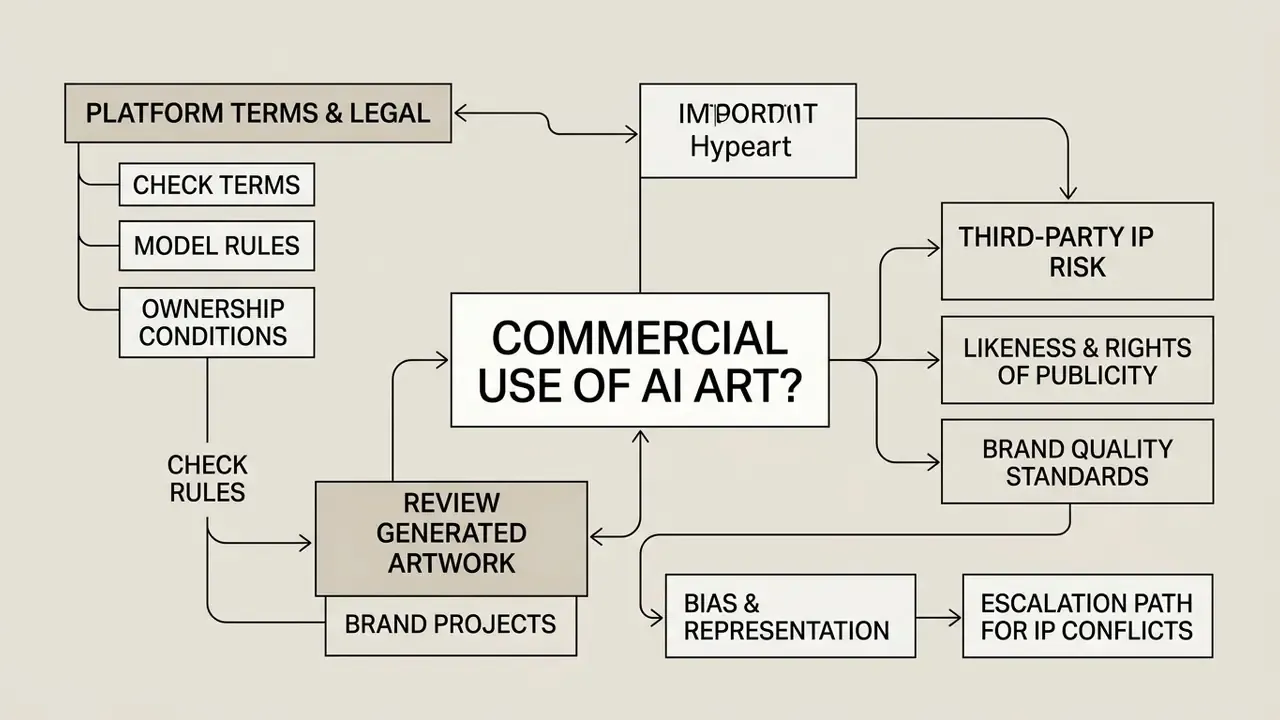
Whether ai-generated visual assets can be deployed for commercial purposes depends on platform terms, regional copyright regulations, and transparency obligations. Legal governance requires evaluating both copyright ownership and commercial licensing rights, and those two are not the same thing: a platform can permit commercial use of an output that is nevertheless not copyrightable. Broader context on rights across tool categories is covered in our overview of the commercial use of AI image generators, and buyers who want the full category map can browse the hub.
Check platform terms, model rules and ownership conditions
Commercial usage permissions vary significantly across AI vendors. Terms of service from providers like OpenAI and Adobe explicitly grant commercial usage rights for outputs generated on paid subscription tiers, with Adobe additionally positioning its Firefly image models as trained on licensed and public-domain content. Conversely, platforms like Midjourney restrict commercial rights based on subscription tier and corporate revenue thresholds (requiring Pro or Mega plans for businesses generating over $1M in annual revenue), and treat free or trial use as non-commercial.
From an intellectual property standpoint:
«The U.S. Copyright Office holds that purely AI-generated outputs lacking sufficient human creative authorship are ineligible for copyright registration.»
Human creators must contribute perceptible expressive elements, creative arrangements, or significant manual modifications to establish copyright protection. Registration practice also requires applicants to disclose and disclaim more-than-de-minimis AI-generated material and to explain the human author's contribution.
Review generated artwork before using it in a brand project
Before publishing AI assets in commercial campaigns, organizations should run a documented risk review. Starting in August 2026, the European Union AI Act enforces transparency obligations requiring commercial entities to label synthetic image content in machine-readable formats, and to disclose deepfakes and AI-generated or manipulated imagery as artificially produced.
Commercial risk assessment requires checking:
- Third-party IP riskverify the artwork does not accidentally reproduce copyrighted characters, trademarks, or proprietary visual assets.
- Likeness and rights of publicityensure generated humans do not infringe on real individual likenesses.
- Brand quality standardsconfirm the output contains no visual artifacts, extra limbs, or distorted text before final deployment. Verification tooling such as AI image detectors and reverse-image search helps confirm that a candidate asset is not a near-duplicate of protected work.
- Bias and representationreview depicted people against representation standards before release.
«Bias analysis of ~15,000 generated faces shows uneven demographic representation across models, requiring human review before commercial brand deployment.»
Escalation path for suspected third-party IP conflicts. (1) Freeze the asset and remove it from all release queues. (2) Run reverse-image and trademark-class searches on the disputed element; store the search evidence with the asset record. (3) Escalate to legal or brand counsel within one business day with prompt, seed, model version and search results attached. (4) If similarity is confirmed, regenerate with the offending element added to negative constraints, or commission the element manually. (5) Log the outcome in the AI inventory so the same prompt pattern is blocked for future runs.
A workable pre-publication workflow therefore has three mandatory gates: human-authorship documentation, rights and bias review, and transparency labelling. For further regulatory guidance, teams can view the guide on legal compliance and synthetic media disclosures.
Governance, MRM integration and Shadow AI mitigation
In two sentences: visual generative tools sit inside the same model-risk perimeter as any other AI system, even though their output is aesthetic rather than numerical. The control objective is simple: every published illustration must be traceable to a registered tool, a logged prompt and a named human reviewer.
1. Register the tool in the unified AI inventory. Each illustration platform gets an inventory record covering vendor and contract, deployment mode (SaaS, private cloud, on-prem), data-retention terms, model families available, admin owner, business purpose, and the channels where output may appear. Agentic platforms that auto-select models must list every reachable model in that record.
2. Right-size the validation. Illustration models carry low quantitative risk but non-trivial reputational risk. Practical validation for visual models means a documented prompt-library review, a bias and representation test on human depictions, an artefact and text-rendering failure rate on a fixed internal prompt set, and a reproducibility test (same prompt plus seed plus pinned version produces the same asset). Where an institution applies model-risk frameworks in the spirit of SR 11-7 or OCC 2011-12, these tests map to conceptual soundness, ongoing monitoring and outcomes analysis.
3. Log the evidence. Minimum audit record per published asset: prompt, negative prompt, seed, model name and version, style or LoRA ID, edit history (masks and instructions), reviewer name, review date, disclosure label applied, and export spec. Without model-version pinning the record cannot be reproduced after a vendor upgrade, so treat silent checkpoint changes as a change-management event.
4. Mitigate Shadow AI in creative teams. Designers and marketers adopt image tools faster than procurement approves them. Effective controls include an approved-tools allow-list published inside the design system, SSO-only access so unmanaged personal accounts become visible, network and expense monitoring for unapproved generative domains, a fast-track intake form so a new tool can be assessed in days rather than quarters, and mandatory training that explains why pasting unreleased product screens or customer imagery into a consumer free tier is a data-leakage event, not a productivity shortcut.
5. Contract for the risk. Enterprise agreements should specify zero data retention, no training on customer inputs, provenance metadata on outputs, IP indemnification scope and exclusions, breach notification, and regional processing. Where free tiers are permitted at all, restrict them to non-confidential ideation with no customer-facing publication.
Checklist0 / 10
Measurable impact, open questions and a safe next step
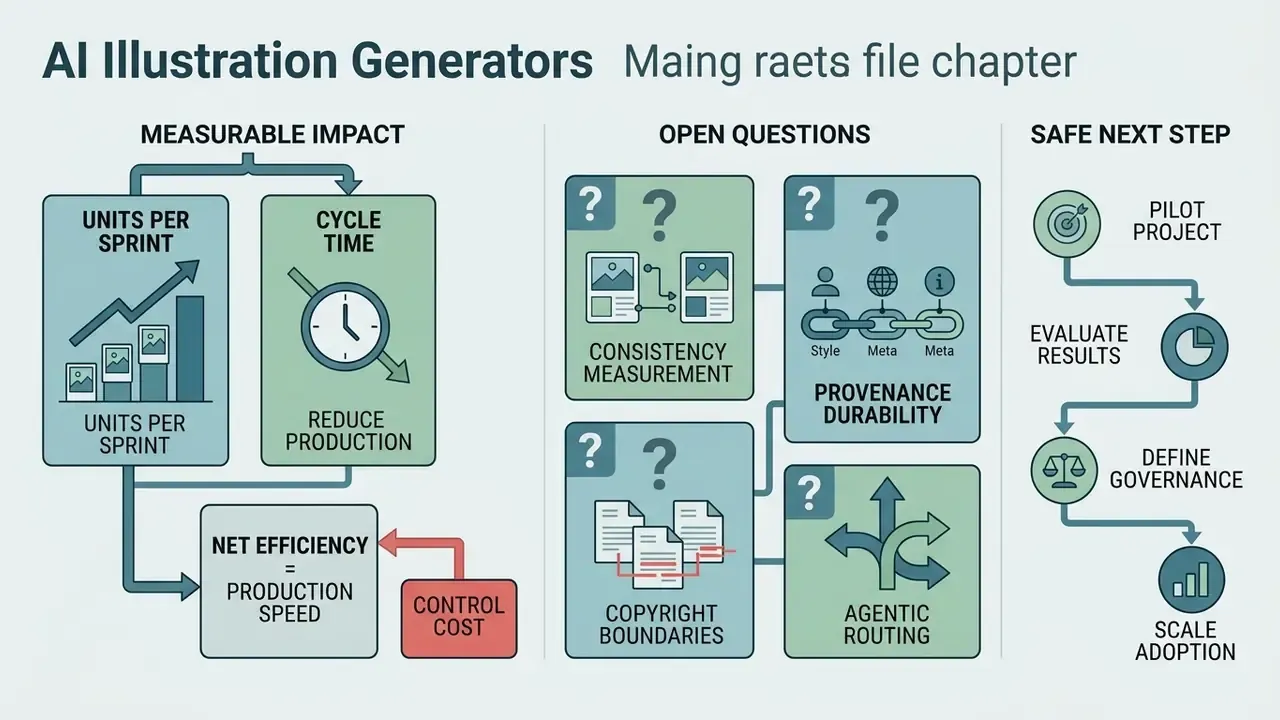
Business cases for visual generative tooling usually quote production speed and forget control cost. Both belong in the model.
On the benefit side, the measurable units are straightforward: assets produced per sprint, cycle time from brief to approved asset, external illustration spend displaced, and rework rate after brand review. On the cost side, count platform credits, fine-tuning runs, reviewer hours, logging and storage, legal screening, and the residual risk you accept when a labelling rule is applied by a human rather than a system. A risk-adjusted return that ignores the second column is not a return, it is a hope.
What remains genuinely unresolved, and worth stating plainly:
- Consistency measurement. WISE-style benchmarks show consistency lags realism, but there is no accepted institutional metric for "brand drift" across an asset family. Most teams still rely on human QA passes.
- Provenance durability. Machine-readable marks can survive a straight export and still be lost after cropping, recompression or third-party re-editing. Test your own pipeline rather than trusting the spec sheet.
- Copyright boundaries. How much human modification is "enough" for registrability is still being settled case by case.
- Agentic routing. When an agent selects models autonomously, validation scope expands to every reachable checkpoint. Few institutions have priced that yet.
A safe next step, then. Run a four to six week bounded pilot on one non-customer-facing asset class, for example internal training or onboarding illustrations. Fix a 30-prompt evaluation set, log every run, measure defect rate and reviewer time, and report a small dossier to the AI governance forum. No enterprise commitment until that evidence exists. Slow, yes. Also defensible.
FAQ about AI illustration generators
Do you need drawing skills to create AI illustrations?
No, traditional academic drawing skills are not required to generate high-quality visual art using an ai illustration maker. Prompt engineering, meaning the description of concepts through precise stylistic terminology, composition rules, and iterative refinement, serves as the primary mechanism for creative control.
«Three crowdsourced studies show prompt engineering is a learnable but non-intuitive skill; style-specific vocabulary is the primary barrier to aesthetic control.» — Oppenlaender et al., Prompting AI Art: An Investigation into the Creative Skill of Prompt Engineering, arXiv:2303.13534v3 (revised 2024). https://arxiv.org/abs/2303.13534
While drawing ability is unnecessary, acquiring visual design vocabulary (camera framing, colour theory, art history styles) noticeably improves a user's ability to steer the model toward the intended outcome. In other words, ai drawing creation rewards vocabulary more than hand skill.
Can AI illustrations be used across image and video content?
Yes. Static AI illustrations adapt to both static design collateral and dynamic video production pipelines. Graphic assets created by an ai illustrations generator are routinely integrated into motion graphic projects, explainer videos, and interactive web animations.
«User perception studies find many participants describe text-to-image systems simply as keyword-driven generators, with limited awareness of training data or bias.» — Oppenlaender et al., Perceptions and Realities of Text-to-Image Generation, ACM Mindtrek (2023). https://arxiv.org/abs/2303.13534
Animators convert static vector artwork into motion content by separating images into distinct graphic layers, assigning depth order, and applying camera path interpolation, the same mechanism documented in academic work on animating static pictures and in classic keyframe interpolation pipelines. Teams extending illustrations into motion can evaluate image-to-video AI tools and broader AI video generators for layer-aware animation and camera-path control. Note that disclosure duties travel with the asset: a labelled illustration reused inside a video still requires transparency treatment in the final channel.
How do you keep a character or icon family consistent across many assets?
Consistency comes from three locks used together: a locked style model (or saved style ID), a fixed seed for the base composition, and a character reference sheet attached to every request. Frame-based editing beats full regeneration when only one element must change, and WISE benchmark data confirms consistency remains a weaker axis than realism. Schedule a visual QA pass across the full set, not per image.
Which export format should you choose for print versus interface work?
For print, keep a vector or layered master: SVG for path-level scaling, PSD when separated background, subject and shadow passes are needed, and 300 DPI PNG only as a final flattened deliverable. For interfaces, lossless PNG or WebP at the exact component size is sufficient. Converting RGBA to RGB removes transparency, so verify the alpha channel before hand-off.
Do AI illustrations need to be labelled?
In the EU, providers must apply machine-readable marks to synthetic image content and deployers must disclose AI-generated or manipulated imagery, with these transparency obligations applying from 2 August 2026. Several organisations also apply internal tags such as "Image created using AI" for images developed primarily by AI, while exempting merely enhanced photographs. Check both the statutory duty and the brand standard before publishing.
Who owns the audit trail when an agent picks the model?
The business owner named in the AI inventory does, not the vendor and not the designer. If the platform routes requests automatically, the log must capture the selected checkpoint, its version and any injected style parameters. Where a vendor cannot expose that field through its API, treat the gap as a documented control deficiency rather than an acceptable default. Teams needing help wiring logs into an existing GRC stack can browse the hub for integration references.
Appendix A: revision notes
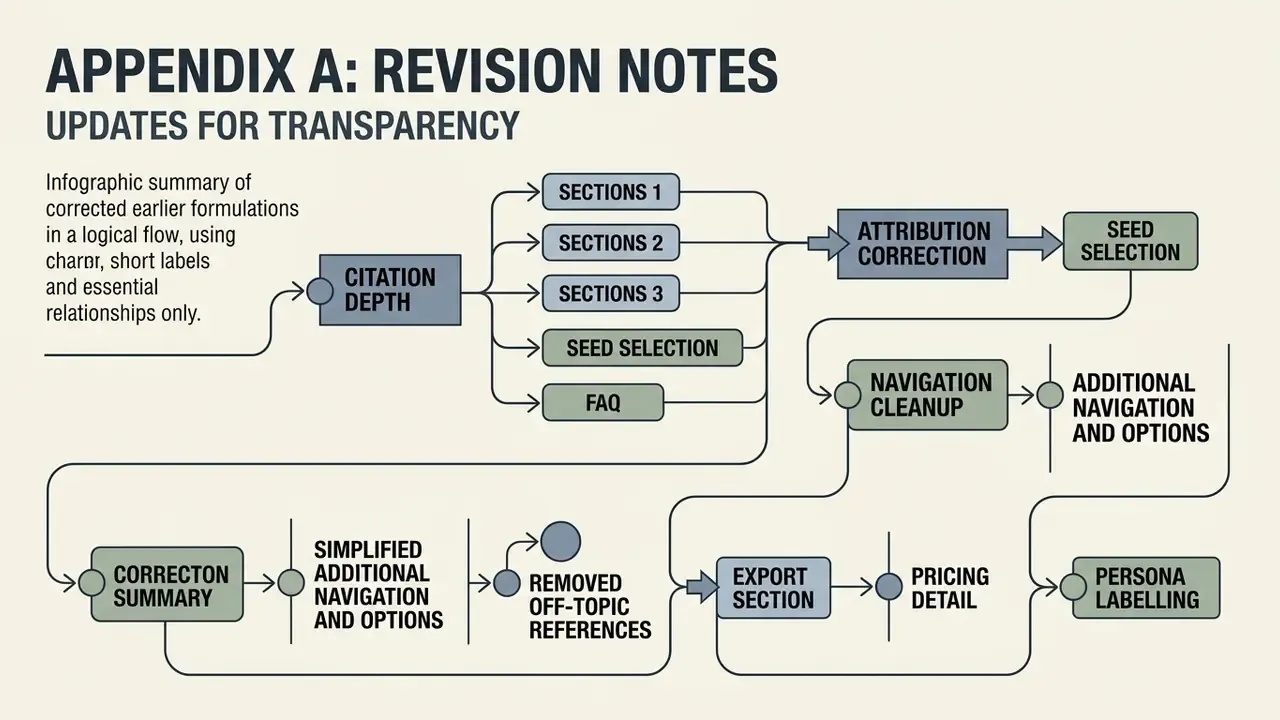
For transparency, the following earlier formulations were corrected in this update:
- Citation depth (sections 1, 2, 3, seed selection, FAQ). Earlier versions referenced Text-to-Image Diffusion Models in Generative AI (2024), Liu & Chilton (2023), Direct Inversion (Ju et al., 2023, PIE-Bench) and Oppenlaender et al. (2024) by name only, without sample sizes, metrics or URLs. Each now carries methodology, figures and a direct link.
- Attribution correction (seed selection). The claim that "early timestep latent structures establish spatial layout within the first 20% of denoising steps" was previously attributed to FlashEval (2024). FlashEval evaluates prompt-set efficiency; the described mechanism belongs to Probe-Select (arXiv:2403.16379), which is now cited.
- Export section. The prior second paragraph ended with a generic pointer to a photo-editor guide; it has been replaced with concrete input formats, resolution ceilings and named ecosystem integrations, with the photo-editing reference retained as a native in-line link.
- Navigation cleanup. The duplicated table of contents was removed and the space reallocated to reader-scoping, cost and impact material, since heading anchors already provide navigation.
- Removed off-topic references. Links relating to podcast production, Ghibli-style video conversion, Spanish-language video tooling, live-photo conversion, community image showcases and generic support pages were removed as irrelevant to illustration workflows; the space was reallocated to fine-tuning, ecosystem integration, agentic editing and governance content.
- Pricing detail. The abstract "Restricted / Extended" framing was retained but supplemented with a per-operation credit table and a note on non-expiring credit bundles.
- Author attribution. Commentary attributed to Marcus Hale, author.