«Automated email drafting in enterprise environments is not a substitute for human judgment. It is an operational mechanism for reducing cognitive overhead while keeping governance, auditability, and risk control over the final transmission.»
Last updated: February 2026. Reviewed for: model risk, data privacy, and email deliverability accuracy.
Executive Summary for Decision-Makers
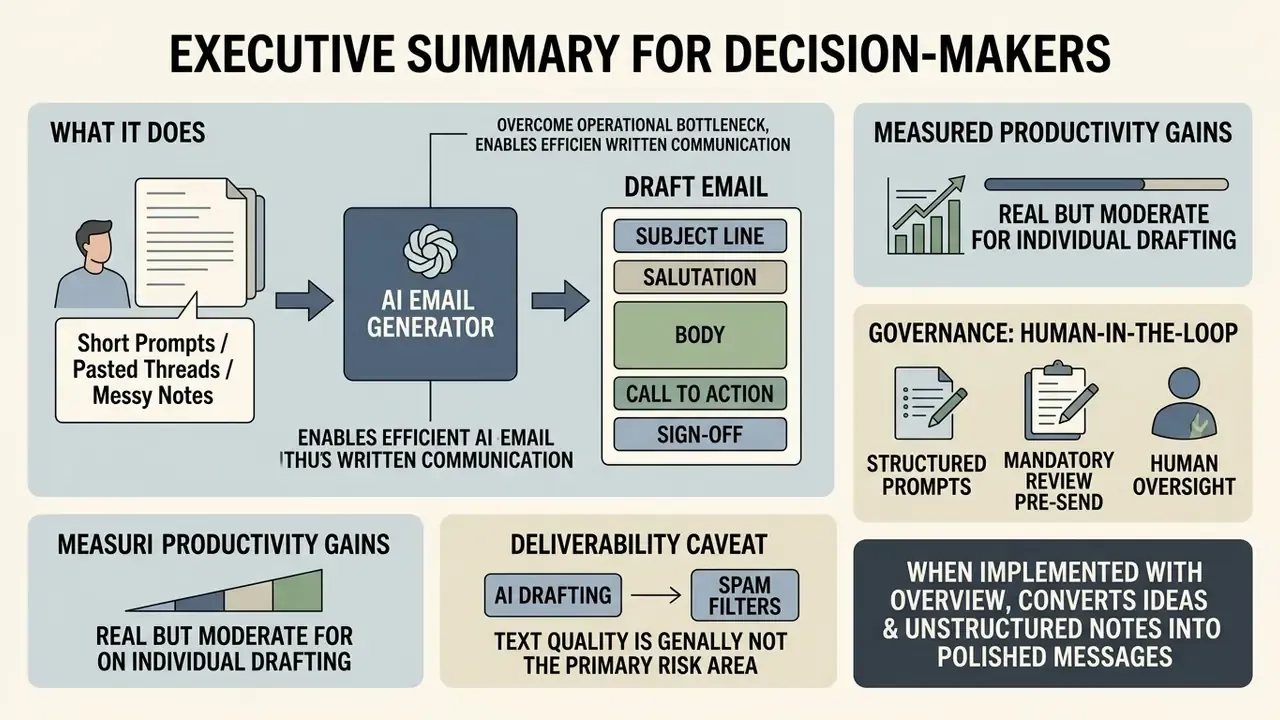
- What it does: An AI email generator converts a short prompt, a pasted thread, or messy notes into a structured draft: subject line, salutation, body, call to action, sign-off, with configurable tone, length, language, and creativity level.
- What the evidence supports: Measured productivity gains are real but moderate for individual drafting (roughly 3.3% faster email composition in a controlled corporate experiment) and much larger in high-volume support contexts (+13.8% resolutions per hour across 5,179 agents).
- Where the risk sits: Not in text quality. In data handling and unreviewed transmission. Survey data shows 48% of organizations admit employees entered non-public data into generative AI tools, and 63% have imposed usage restrictions.
- What good governance looks like: Structured prompt protocols, a mandatory human-in-the-loop pre-send checklist, documented non-training and retention terms, DLP and audit-log integration, and, for regulated sectors, treatment of the tool under existing model risk management expectations (SR 11-7 and OCC 2011-12 principles).
- Deliverability caveat: AI drafting does not itself trigger spam filters. Sender reputation, SPF, DKIM, DMARC authentication, trigger-word density, and template repetition do.
In high-velocity enterprise environments, written communication is both a major operational bottleneck and a live risk vector. Ask any control function how much of its week disappears into vendor follow-ups and evidence requests. Modern organizations increasingly turn to an ai email generator to streamline correspondence, standardize tone, and cut response times across departments. Moving from manual drafting to controlled AI generation, though, requires a clear view of tool capabilities, prompt engineering principles, data privacy constraints, and risk management frameworks.
When implemented with proper oversight, AI email writing software converts short ideas, unstructured meeting notes, or complex data inputs into structured, professional email messages. This guide examines how dedicated email generators and general AI platforms operate, evaluates the key operational workflows, compares commercial access models, documents deliverability requirements, and outlines the privacy and governance controls required for enterprise and business use.
What Is an AI Email Generator and What Can It Create?
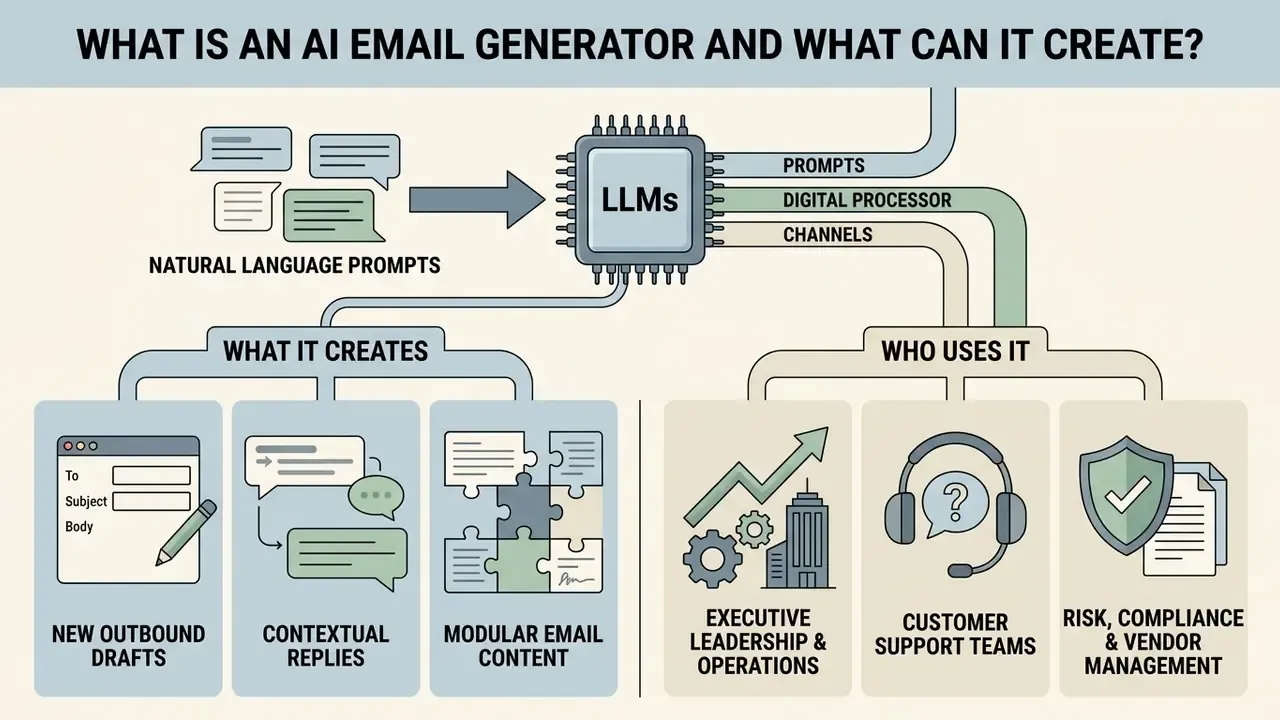
An ai email generator is a software application powered by large language models (LLMs) that turns natural language prompts into complete, contextually appropriate email drafts. Rather than filling a static template, an ai email writer processes contextual information such as recipient role, core objective, tone requirement, and thread history, then produces tailored outbound communications or replies.
«Automated email drafting is not a replacement for human judgment. It is a mechanism for reducing cognitive load while preserving control and auditability.»
Field research in enterprise automation shows that generative tools change both drafting velocity and content detail. A corporate quasi-experiment on office productivity at Trane Technologies (N=63) evaluated an AI assistant powered by GPT-3.5 across routine office tasks. It found a 3.3% improvement in completion time for email writing, plus a measurable increase in draft quality and detail compared with manual composition. Participants using the assistant produced longer and higher-rated drafts than the control group.
«Participants with an AI assistant produced more substantial and higher-quality drafts than the manual control group.»
Localized frameworks such as Panza go further. They show that LLM-based email assistants can mimic an individual writing style using fewer than 100 historical samples, which illustrates how far an ai email content generator can go toward personalized text.
«Fewer than 100 historical emails are sufficient to build a model that convincingly imitates an individual author's style.»
New Email Drafts, Replies, and Email Content
Modern platforms support three distinct operational artifacts: original outbound drafts, contextual replies to incoming messages, and modular email content elements.
- New outbound drafts The tool converts a short prompt or a bulleted list into a structured email with greeting, organized body paragraphs, a direct call to action, and an appropriate sign-off.
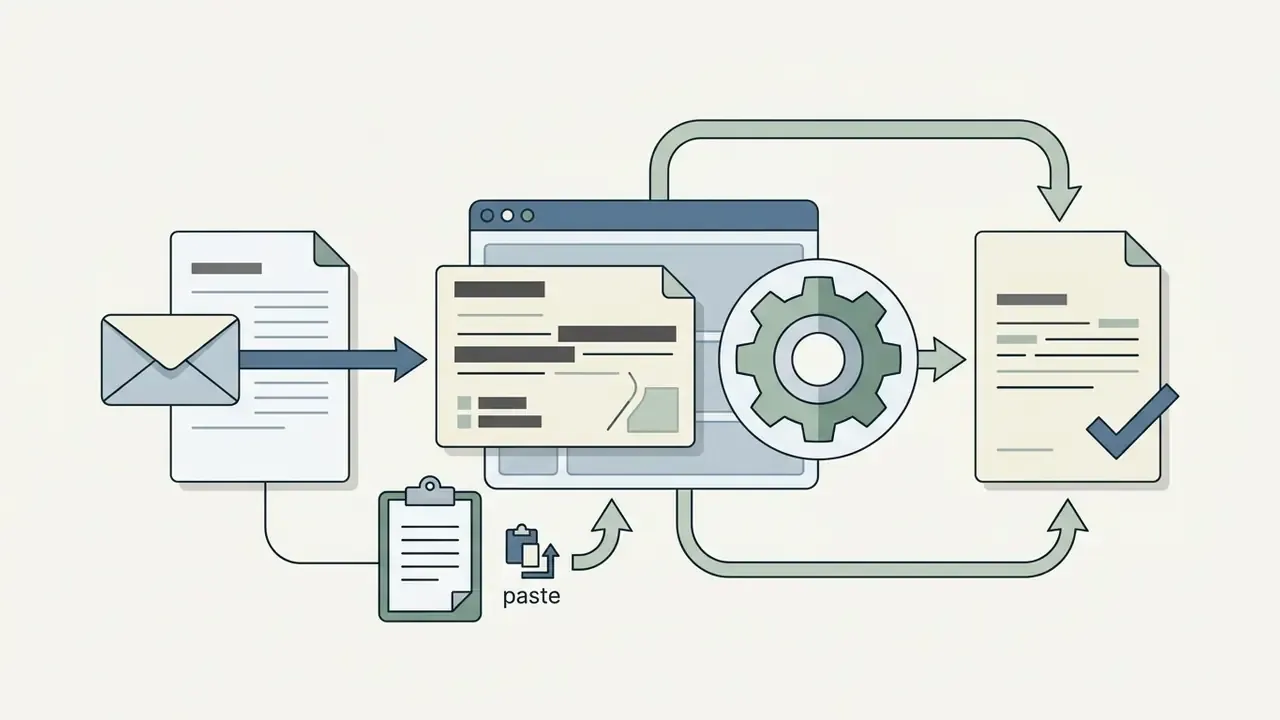
- Contextual replies By ingesting the received text, the generator identifies questions and action items, then drafts a coherent response that addresses every point raised. Research on question-and-answer reply interfaces shows that structuring user input around specific reply goals reduces cognitive workload while holding output quality steady, compared with open-ended prompting.
«A structured question-answer approach improves reply-drafting efficiency and lowers workload while preserving draft quality.»
- Modular email content: Beyond full messages, these tools generate individual components: subject lines, opening hooks, follow-up reminders, escalation notices, or plain-language rewrites of dense technical and regulatory text.
Who Uses AI Email Writing Tools
AI email writing software serves a wide spread of functional roles across enterprise and commercial domains.
- Executive leadership and operations Leaders draft concise internal announcements, compress long project updates, and keep inbox governance moving.
- Customer support teams Support specialists use generated responses to answer recurring ticket inquiries. Large-scale empirical work covering 5,179 customer support agents found that access to generative AI recommendations lifted issue resolution rates by 13.8% per hour, with the biggest gains among novice and lower-skilled staff.
«Access to AI recommendations increased resolutions per hour from 2.12 to 2.59, a 13.8% gain.»
How an AI Email Generator Works
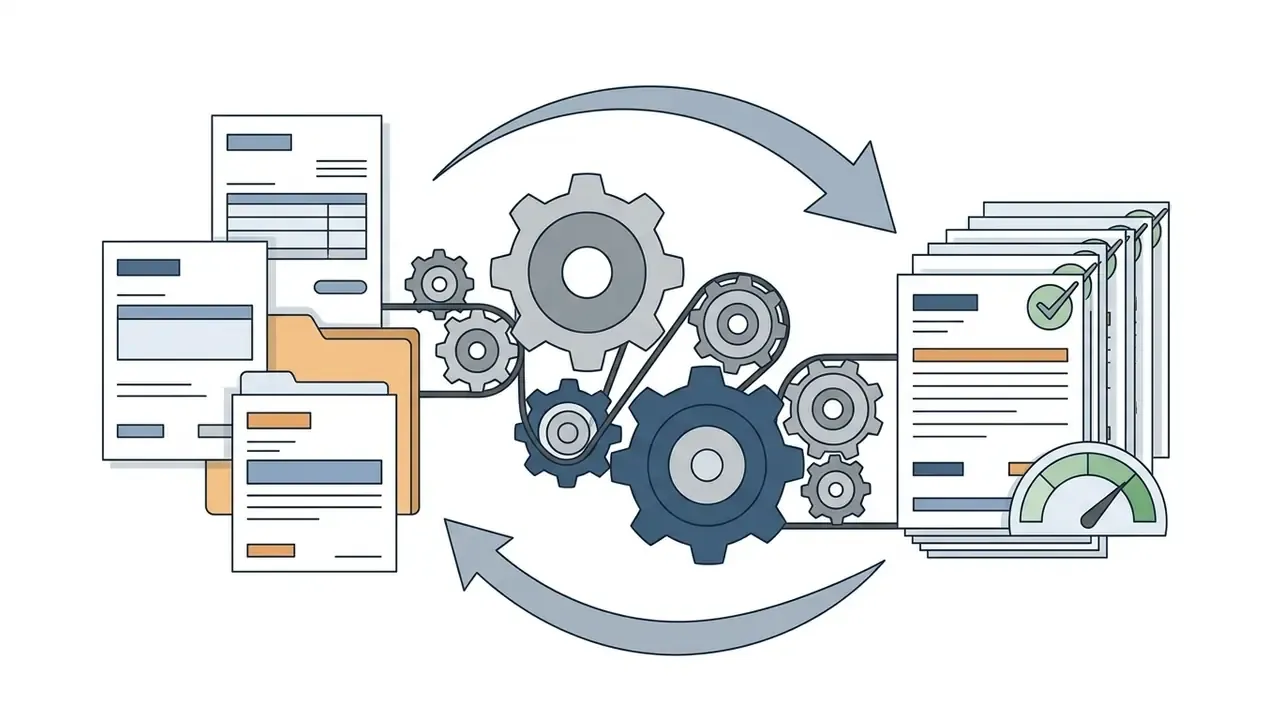
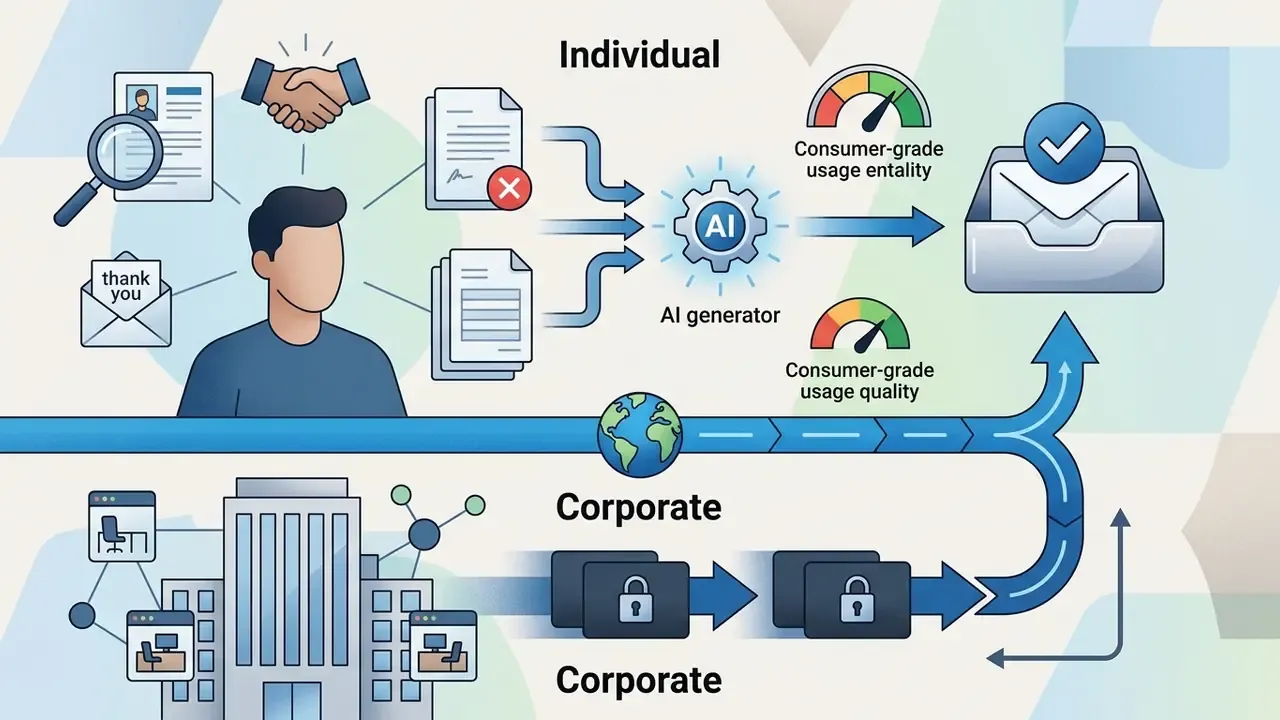
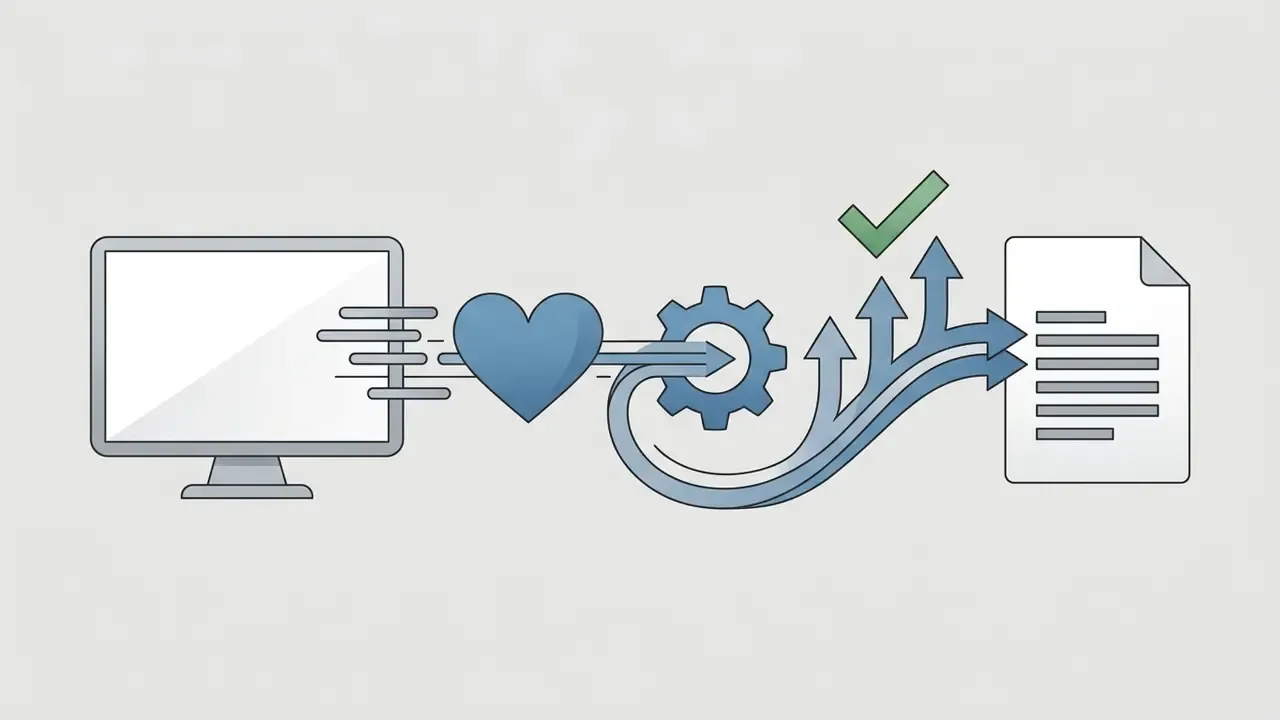
An ai create email tool transforms user-supplied inputs into structured text through a natural language processing pipeline. The underlying LLM evaluates input token patterns, predicts logical word sequences, and applies constraint parameters such as formal tone, creativity level, or character limits to shape the final output.
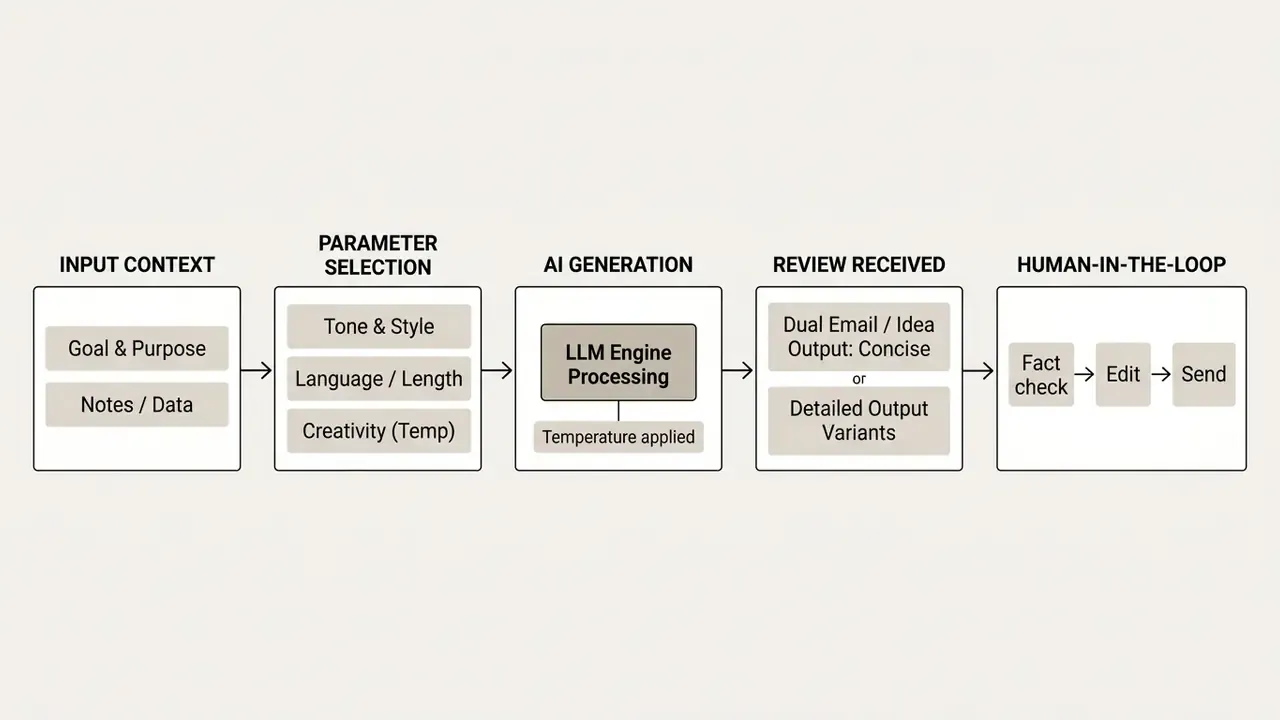
Flowchart description: The flow starts when the user inputs either a short core idea or the text of a received thread. Next, the user selects contextual parameters: communication objective, tone, target language, desired length, creativity level, and number of output variants. The LLM engine processes those inputs against its trained weights and applies prompt controls to construct an ai generated draft. Most tools return two variants for selection. The chosen draft then goes to the operator for human review, fact verification, and copy actions before sending.
Information the Tool Uses to Generate an Email
Tone, Length, Style, and Language Controls
Granular control over stylistic dimensions keeps generated messages appropriate for the audience. Modern interfaces expose toggles or prompt variables for the following.
- Tone selection Options usually run from formal, analytical, and firm to friendly, persuasive, and empathetic. Rather than leaning on generic style-guide conventions, align tone presets with your own approved communication standards and escalation policy. Tone that reads as casual in a dispute, collections, or regulatory thread creates measurable reputational and legal exposure.
- Text length Word count ranges, bulleted summaries, or detailed multi-paragraph explanations.
- Style and voice customization Advanced systems use preference-learning algorithms (such as PROSE) to analyze historical user edits and nudge future drafts toward a personal or brand voice.
- Multilingual generation Platforms generate directly in target languages, including English, Spanish, German, French, and Japanese, without a separate translation pass. Leading tools advertise 20+ tone presets and 30+ supported languages.
Advanced Generation Controls: Dual Output and Creativity Parameters
Most email generators expose fine-tuning controls before execution.
- Low creativity (temperature about 0.1 to 0.3): Sticks tightly to input facts. Right for compliance notices, legal responses, collections language, and financial reporting, where a hallucination becomes an operational incident.
- Medium creativity (about 0.4 to 0.6): Balanced default for internal updates, vendor correspondence, and support replies.
- High creativity (about 0.7 to 0.9): Adds stylistic variation and persuasive angles. Useful for marketing hooks, subject-line ideation, and first-touch cold outreach.
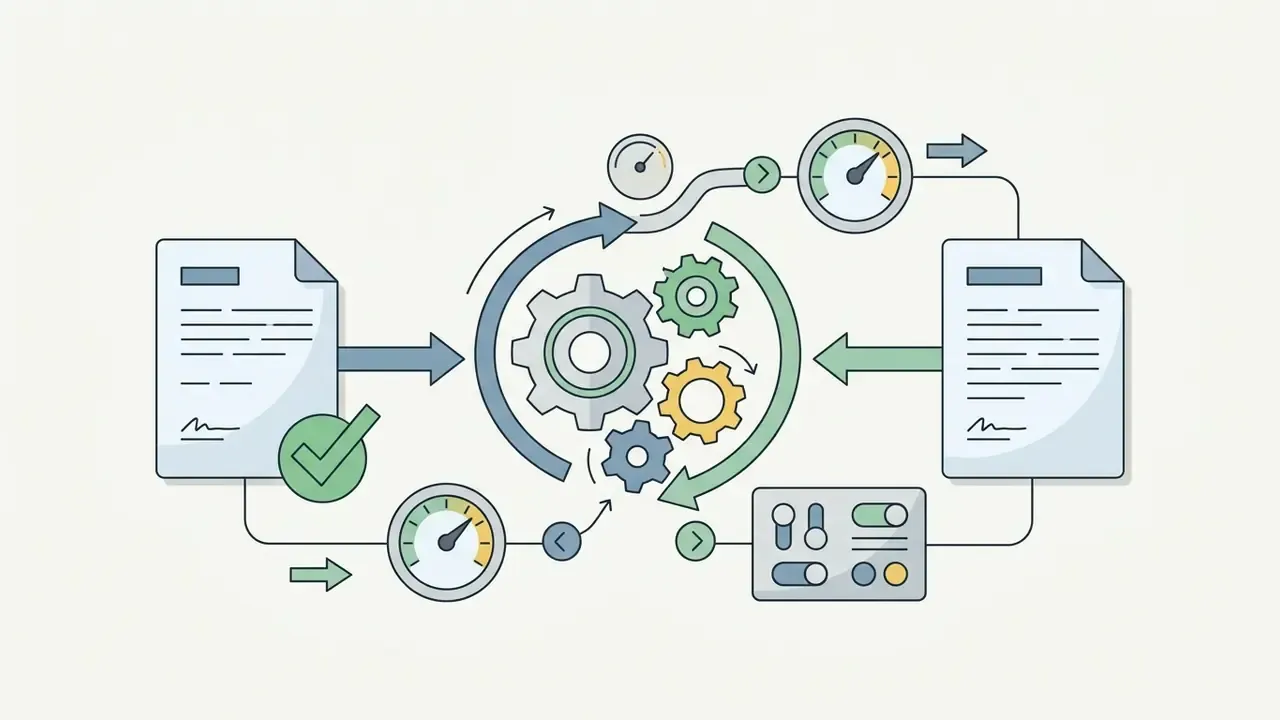
- Dual-output selectionLeading systems produce two variants at once: a concise version tuned for quick executive approval and mobile reading, and a detailed version carrying background rationale, agenda items, and full context. The operator picks one and lifts useful phrasing from the other.
- Creativity and temperature settingsCreativity and temperature settings:
- Regeneration disciplineRegenerate with a narrower prompt, not the same one. Repeated regeneration at high temperature raises both hallucination probability and template sameness across a campaign.
How to Create an Email with AI Step by Step
Creating correspondence with an ai email maker works best as a repeatable sequence. Accuracy, safety, and clarity all improve when the steps are fixed.
Generate a New Business or Personal Email
- Define the communication goalDecide the outcome you need from the recipient before you generate anything. Most weak drafts start as weak intentions.
- Formulate the input promptFeed the core details into the ai email generator tool: recipient role, background context, key facts, required tone.
- Set parametersLanguage, length ceiling, creativity level, dual-output mode.
- Execute draft generationLet the tool build the full draft, including header, salutation, body paragraphs, attachment reference, and sign-off.
Generate a Reply to an Email You Received
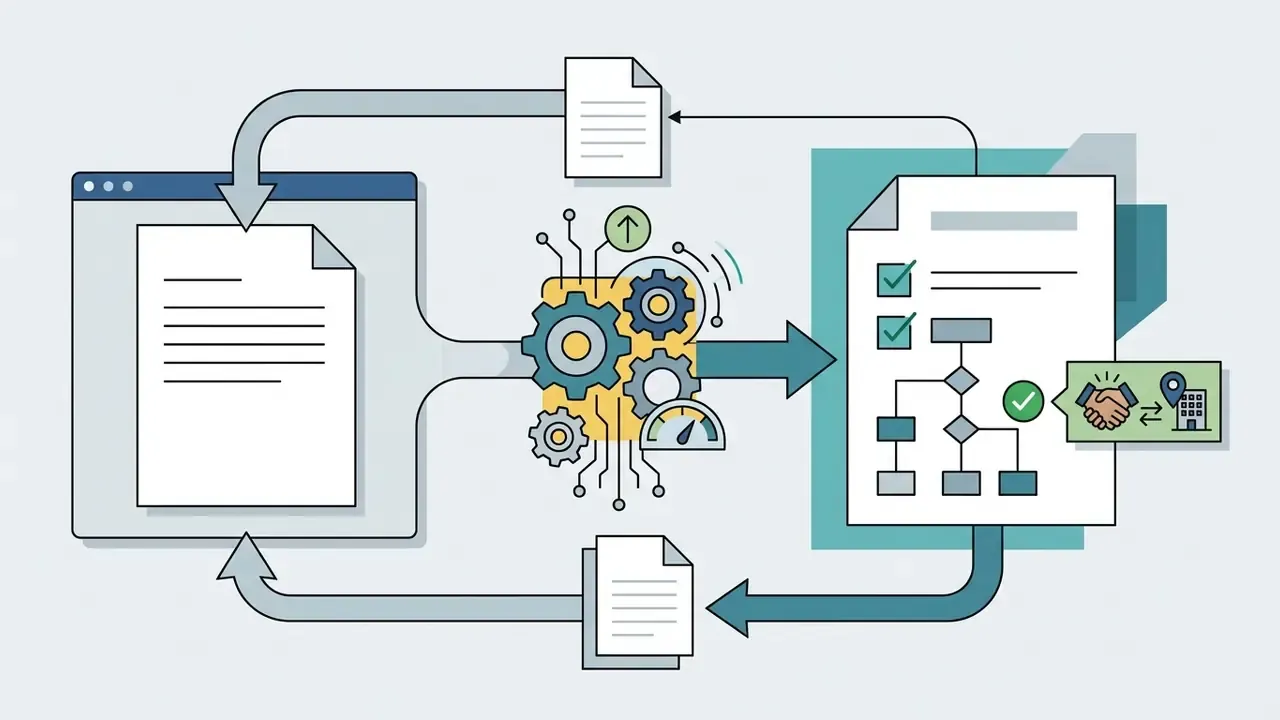
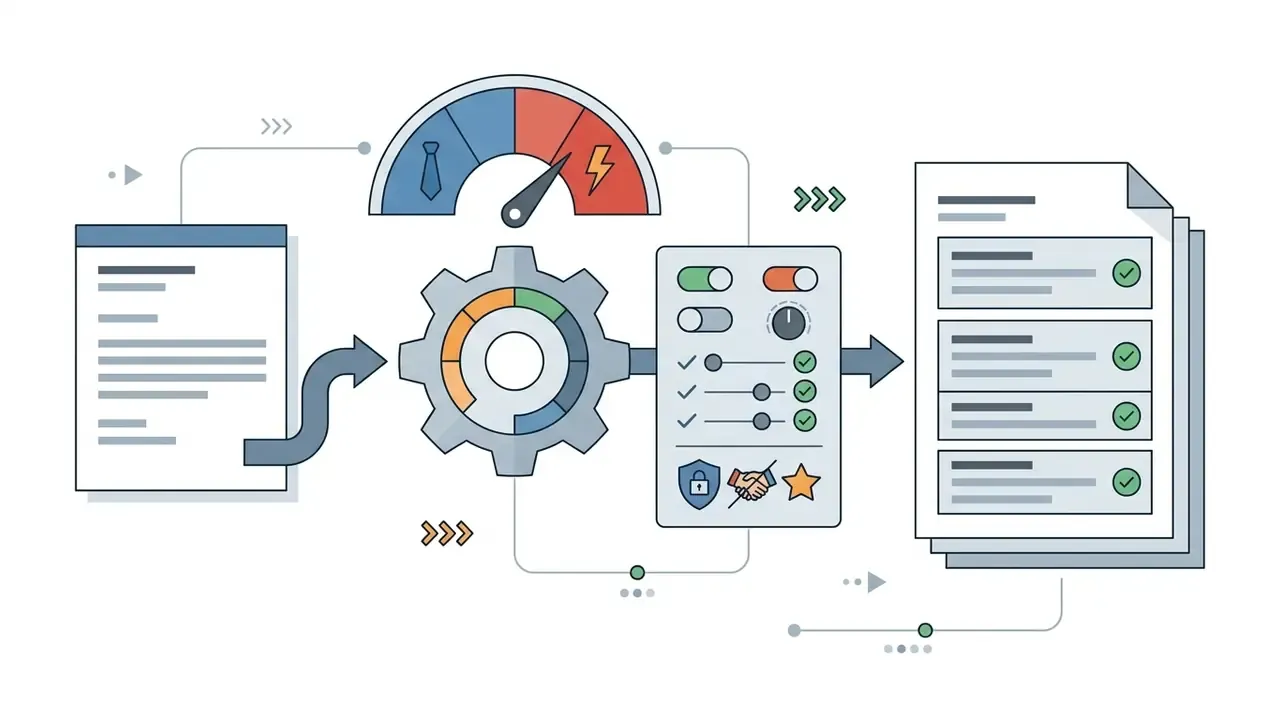
Edit the AI-Generated Draft Before Sending
Treat generated text as a working draft, never a finished product.
«In HR scenarios, a hybrid approach, human drafts and AI refines, raised success rates from roughly 40% to nearly 100%.»
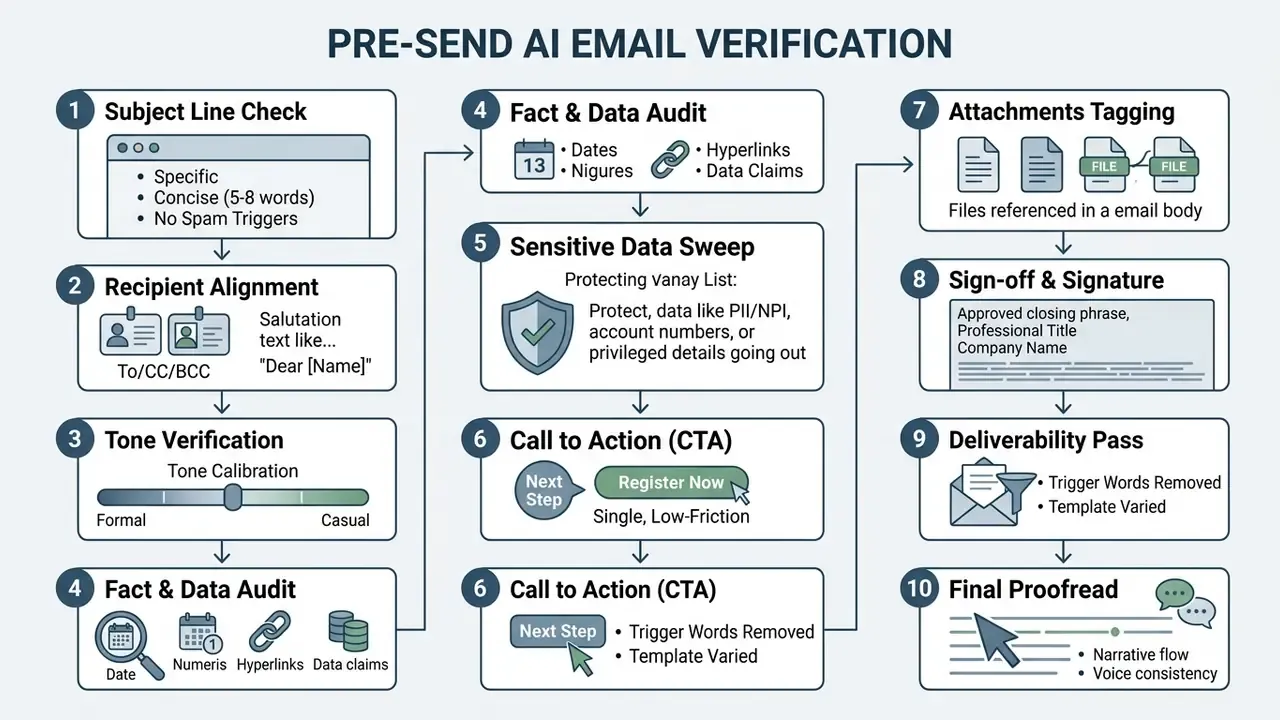
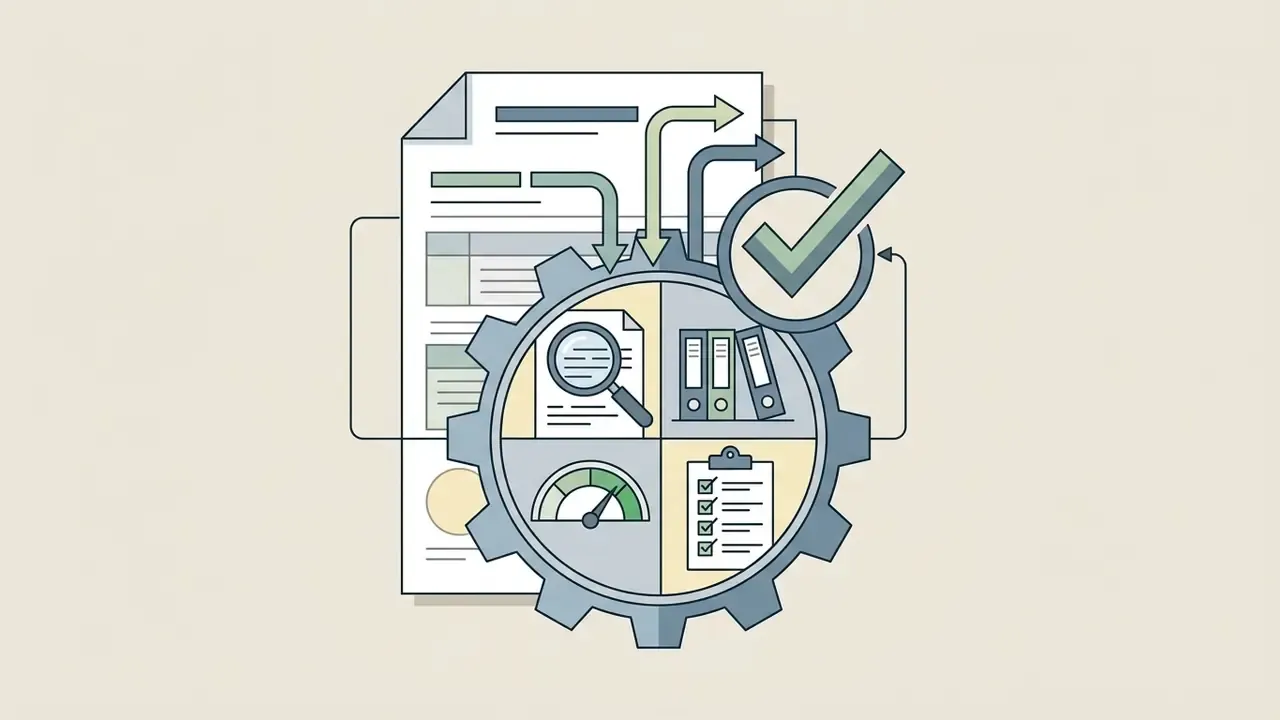
Before transmission, run the human-in-the-loop pass with the checklist above: verify factual claims against primary sources, adjust phrasing to your editorial voice, confirm one clear call to action, check that referenced attachments actually exist, validate the signature block, then copy the final text into the client. In regulated environments, retain the original unedited AI draft next to the sent version so the edit trail can be reconstructed during audit. Without that pairing, an examiner has only your word for who wrote what.
Email Types and Use Cases for AI Writing
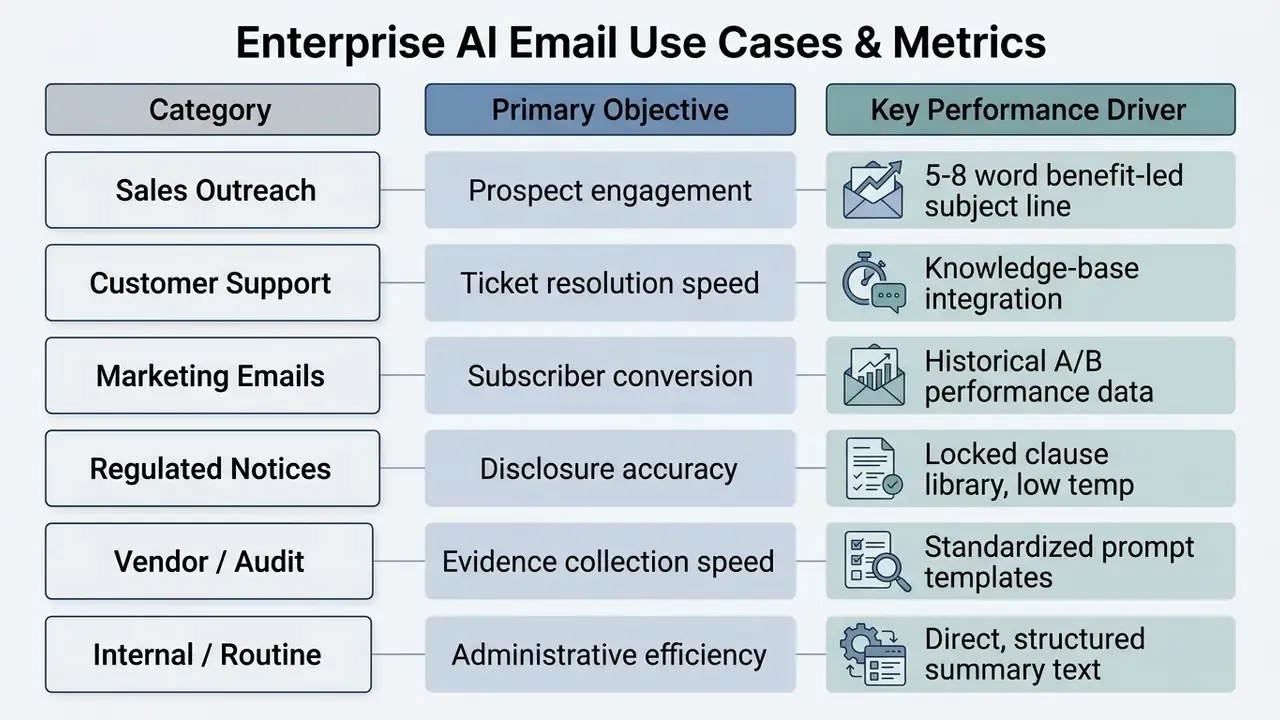
An ai email letter generator covers a broad range of institutional and operational categories, from high-volume marketing to sensitive administrative correspondence.
Business Emails, Sales Outreach, and Professional Requests
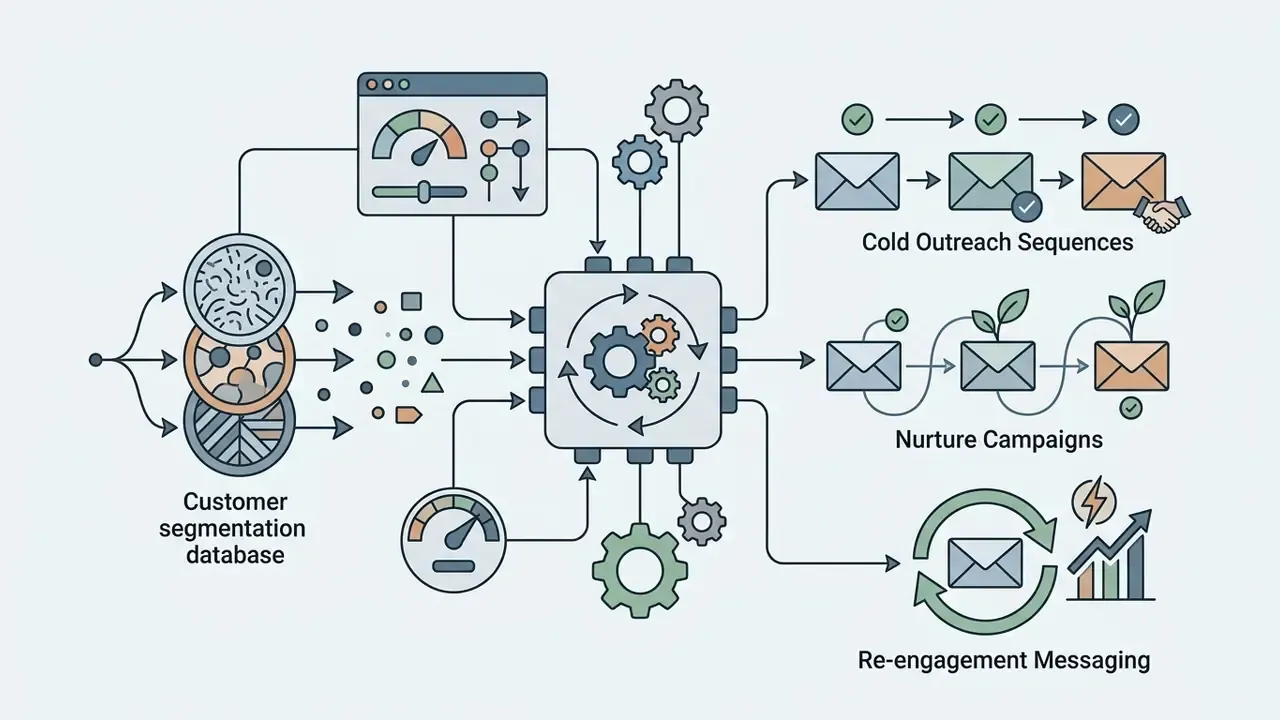
In commercial sales and vendor operations, an ai business email generator speeds up cold outreach and follow-up management. Structural templates plus dynamic prospect data allow tailored outreach at scale, provided the sending rules hold: accurate sender identification, a valid physical address, and a working CAN-SPAM opt-out.
Another illustrative banking scenario. An internal audit team used an AI email tool to manage annual regulatory disclosures across 120 external service providers. Standardized prompt controls injected the specific legal references into every draft. Manual drafting delays disappeared, vendor acknowledgment turnaround fell by an internally reported figure of roughly 35% (illustrative, not independently verified), and the team ended up with a documented, reproducible trail for compliance verification. The trail mattered more than the speed.
Customer Support and Marketing Email Content
In customer service, AI writers hold tone consistent across large teams while shortening response queues. Connect ticket content to the internal knowledge base and the assistant drafts a suggested answer for human verification before release.
Marketing data is blunter. An analysis of more than 2,000 corporate email campaigns across retail, financial services, and travel found machine-generated subject lines outperformed human-written copy in 96% of tests, when the system was fed historical brand performance data. Complementary industry testing across roughly 300 million email impressions recorded an average 12% lift in open rates when AI-optimized copy was applied to promotional messaging. Worth noting: those are vendor-side datasets, so read them as directional.
For teams sizing spend against expected lift, the modelling logic in these AI Media Calculators transfers reasonably well to seat-based email tooling.
Regulated-Industry Communications: Collections, Servicing, and KYC Requests
For financial institutions, the highest-volume drafting categories are also the most tightly constrained. Practical patterns follow.
- Past-due and collections notices Generate at low temperature from an approved clause library. Prohibit any language implying legal action, credit consequences, or fees not explicitly supplied in the prompt.
- Overdraft, fee, and servicing explanations Require the prompt to carry the exact fee amount, date, and policy reference. Instruct the model never to infer amounts.
- KYC and documentation requests Use a fixed enumerated list of requested documents plus a hard deadline. Ban free-form justification text that could read as an accusation.
- Complaint acknowledgements Empathetic tone preset, no admission of liability, mandatory reference to the internal case number and statutory response window.
- Regulator and examiner correspondence AI may structure and summarize. Factual assertions and commitments must be authored and attested by a named human owner.
Every category above needs a designated reviewer role, a retention rule for the generated draft, and a defined escalation path when the model produces off-policy phrasing. If a dispute later moves toward formal proceedings, the material collected in a litigation context tends to be exactly this: prompts, drafts, and who approved them.
Personal Messages, Thank-You Notes, and Everyday Replies
For everyday personal correspondence, an ai email generator online free tool handles interview thank-you letters, formal leave requests, or a note to a neighborhood board. Users enter basic parameters, event details or points of appreciation, and get a structured, polite draft in seconds. Writer's block gone, etiquette intact. One boundary, though: consumer tools for personal messages should never run on corporate devices or touch company data, because retention and training terms on free consumer tiers differ materially from enterprise agreements.
Free AI Email Generator, Pricing, Privacy, and Business Use
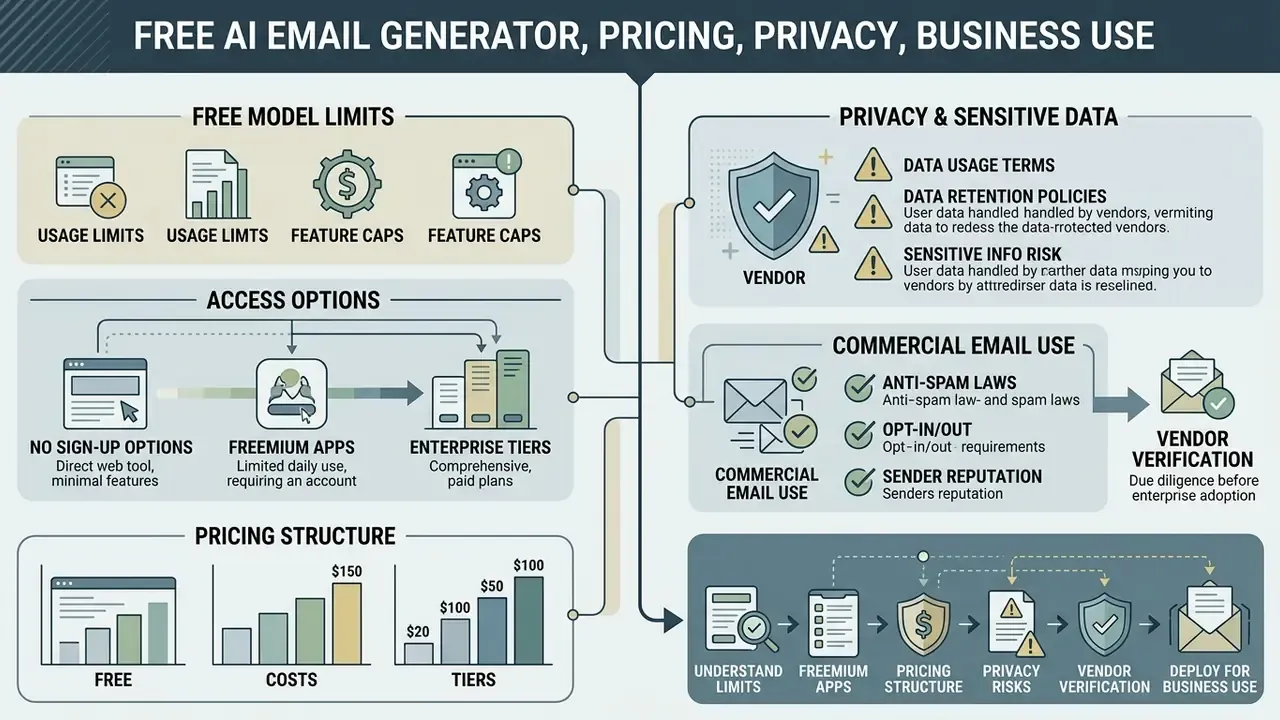
Deploying an ai email generator free offering means reading the usage terms carefully, not just the feature list. Organizations must separate temporary consumer trials from enterprise-grade infrastructure.
What "Free" Means: Limits, Login, and Available Options
In this market, "free" covers several different operational models.
Two search patterns deserve a note, since they are frequently conflated. Queries like ai email generator free google usually mean assistive drafting inside Gmail or Google Workspace, which is a licensing question tied to your Workspace tier, not a standalone free tool. Queries like ai email address generator free mean something else entirely: alias or disposable-address creation. That is an identity and deliverability topic, not a writing one, and disposable addresses have no place in regulated customer communication.
Privacy, Sensitive Data, and Commercial Email Use
Fact check and verification box:
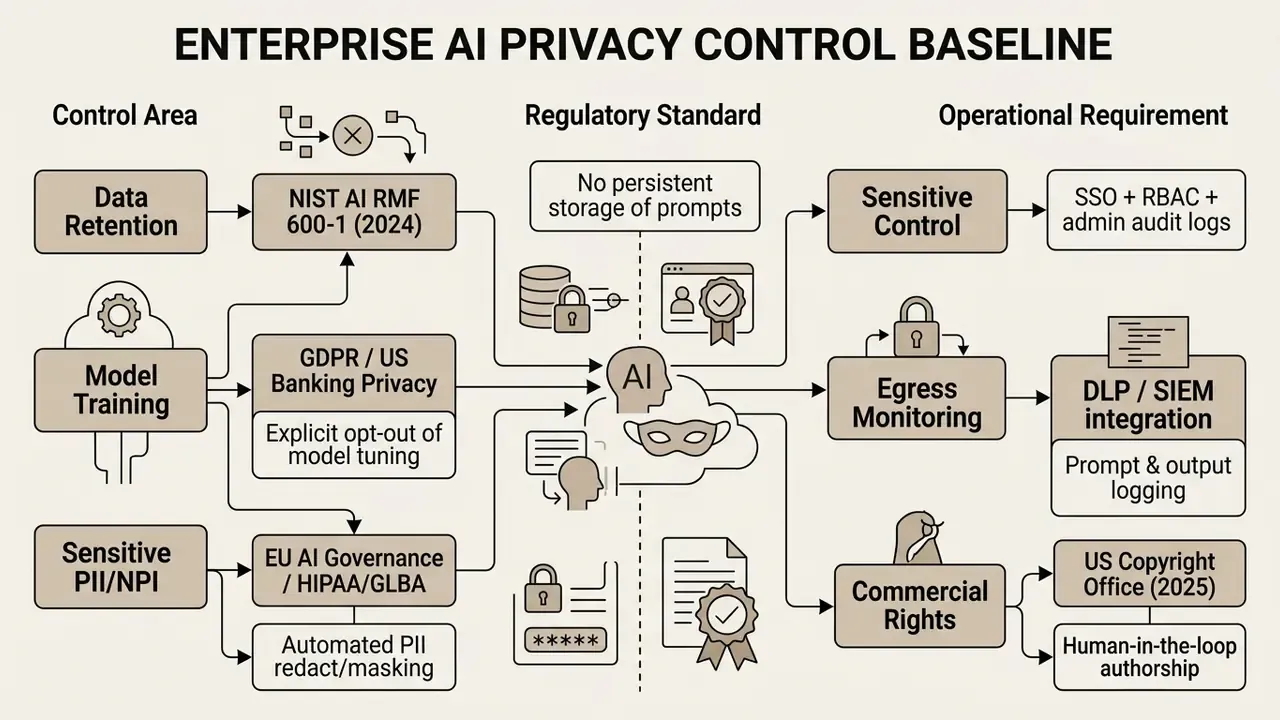
Using consumer-facing AI tools for business correspondence introduces serious data protection and intellectual property exposure.
- Exposure of sensitive data: Entering confidential customer information, financial figures, or proprietary data into unvetted free tools can breach privacy regulations, including GDPR, HIPAA, and US financial privacy standards such as GLBA protections for non-public personal information. Industry surveys indicate 48% of organizations acknowledge employees have entered non-public company data into generative AI platforms. That prompted 27% of enterprises to enact temporary bans pending risk review, while 63% introduced formal restrictions.
«63% of organizations have imposed limits on generative AI use, and over 90% say new data-management techniques are needed.»
Enterprise Procurement: RFP Checklist for AI Email Vendors
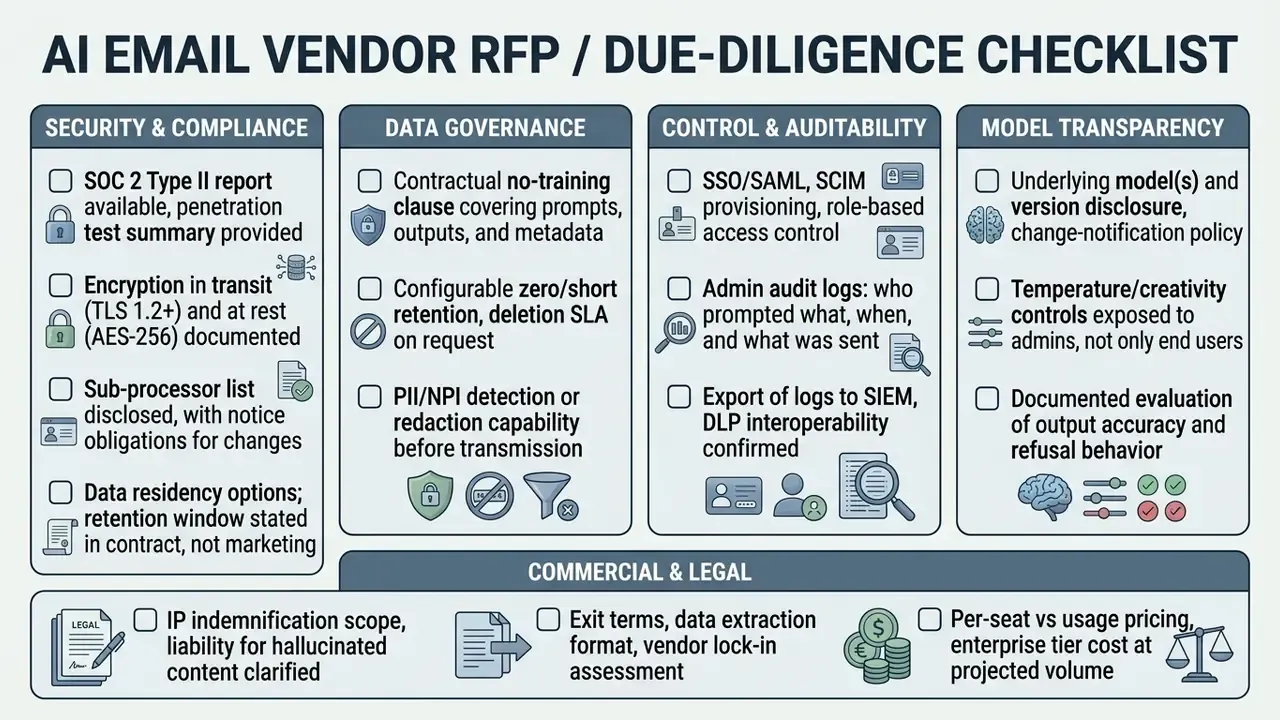
Where drafting runs through your own systems rather than a vendor UI, review the integration surface early. Patterns documented in these AI Media API Guides apply: authentication scope, rate limits, logging, and where the payload actually travels.
Risk-Adjusted ROI: Counting the Control Costs
Time savings alone overstate value. A defensible business case nets control burden against productivity gain.
Risk-Adjusted ROI  =  ( Gross Time Value  -  Control Cost  -  Expected Residual Loss )
                      -------------------------------------------------------------------
                                      Total Program Cost
Gross Time Value        = hours saved  x  loaded hourly cost  x  adoption rate
Control Cost            = licensing + validation/testing + reviewer time
                          + DLP/logging + training + vendor due diligence
Expected Residual Loss  = P(incident) x average cost per incident
                          (misstatement, disclosure error, data leakage, remediation)
Total Program Cost      = Control Cost + implementation + integration effort
Two practical notes. First, reviewer time is the dominant hidden cost in regulated correspondence. If every draft needs a second-line read, the net gain shifts away from drafting speed toward review consistency, which is still valuable but is a different claim. Second, size the numerator with measured baselines, a low-single-digit percentage gain on individual composition versus a low-double-digit gain in high-volume support queues, rather than with vendor marketing multiples.
AI Email Deliverability and Anti-Spam Standards
Generating emails with AI does not by itself trip spam filters. Repetitive syntax, generic promotional language, and unauthenticated sending domains do degrade sender reputation, and fast.
Technical authentication. Configure the sending domain properly: SPF for authorized hosts, DKIM for cryptographic signing, DMARC for alignment policy and reporting. Text sent from unauthenticated domains will see elevated bounce and junk-folder rates no matter how good the copy is. Add reverse DNS, a consistent envelope-from, and list-unsubscribe headers for bulk streams.
Spam trigger words. Instruct the model to avoid high-risk promotional phrasing in subject and body: "100% free," "guaranteed ROI," "act now," "risk-free," "no obligation," plus shouting capitals and stacked exclamation marks. Put these in the prompt template as a negative constraint, so exclusion is systematic rather than left to whoever reviews that day.
Syntax diversity. For high-volume outreach, do not send identical AI-generated templates to large cohorts. Use variable fields, or ask the model for structural variations across cohorts: different opening frames, sentence lengths, CTA phrasings. Warm new domains gradually and watch complaint rates.
Integrating AI drafts with mail merge infrastructure. For personalized outreach at scale, generate master drafts with dynamic fallback tags, for example {{First_Name|there}}, {{Company_Name|your team}}, {{Custom_Pain_Point}}, and confirm the tool preserves tag formatting without escaping special characters. Validate the merge on a seed list before full send, verify every tag resolves, and read the fallback values aloud in the sentence. They often sound wrong.
Checklist0 / 7
How to Get Better Results from an AI Email Writer
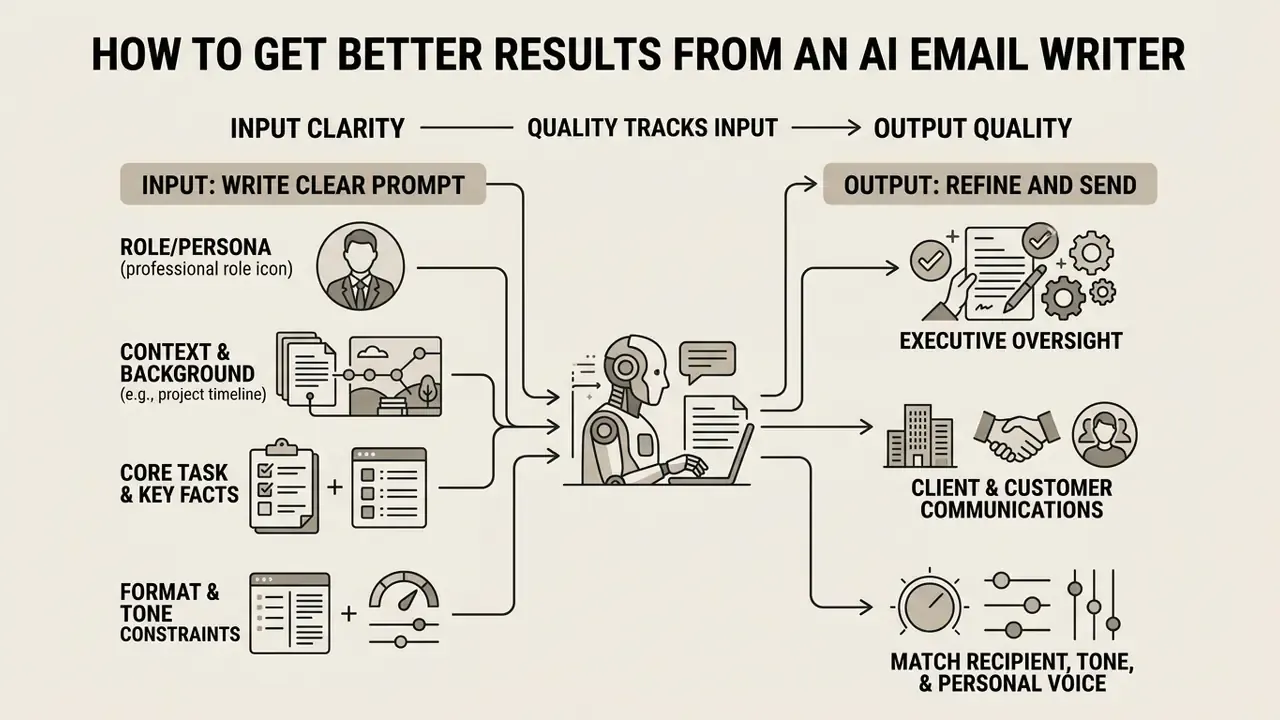
Output quality from an ai email writer tracks the clarity and structure of the input prompt. Vague prompts return generic, repetitive text. Structured prompts return precise, professional drafts. One finding runs against intuition: the trigger for reaching for AI help is difficulty, not deadline pressure.
«Composition difficulty (rho=0.597) predicts recourse to an AI assistant; task urgency has no predictive power.»
Write a Clear Prompt with Context and a Specific Goal
An effective email generation prompt carries four structural components.
- Role or persona
- Define the sender, for example "Act as a Senior Risk Officer at a commercial bank."
- Context and background
- State the situation and the relationship, for example "We are reviewing a vendor contract renewal that is currently overdue."
- Core task and key facts
- Spell out the message and the mandatory details, for example "Draft a follow-up email requesting updated SOC 2 reports by Friday, March 13."
- Format and tone constraints
- For example "Keep under 150 words, firm but professional tone, format deadlines as a bulleted list, do not reference pricing."
Match the Recipient, Tone, and Personal Voice
Adapting copy to the audience means separating fixed voice from flexible tone. An organization's core voice stays constant, analytical, transparent, authoritative. Tone moves with context.
«PROSE improves preference accuracy by 33% over CIPHER and by up to 9% over in-context learning.»
Improve Subject Lines and Calls to Action
Subject lines and calls to action drive open and response rates. Strong subject lines stay short, 5 to 8 words, state the benefit or requirement, and skip high-pressure triggers. CTAs must be singular and explicit, naming the exact next step, for example "Please confirm your availability for a 15-minute review on Tuesday at 10:00 AM EST." Where a conversational action phrase suits the subject line, testing has shown meaningful click-through improvement, but only with one primary action per message. Two asks halve compliance with both.
Structuring Structural Artifacts: Attachments, Signatures, and CTAs
When prompting, dictate structural placeholders explicitly. Do not hope the model infers them.
- Attachment references Never assume the model knows a file is attached. Prompt it directly: "Include one sentence in the second paragraph referencing the attached [File Name / Document], and name it exactly as written." Then confirm the file really is attached. A mismatch between body text and attachments is among the most common AI-draft errors, and one of the most embarrassing.
- Professional sign-offs and signatures Tell the model to leave precise placeholder blocks for compliance information rather than inventing titles or contact details.
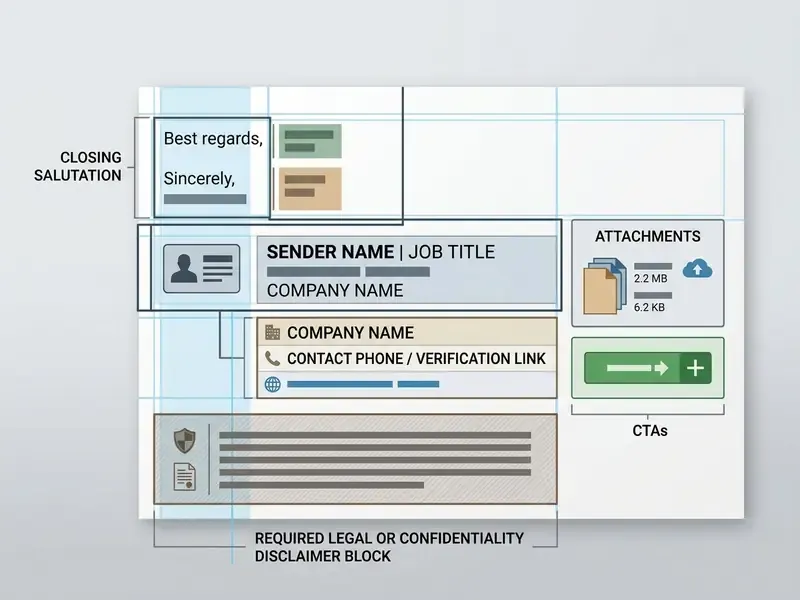
- Single CTA rule Exactly one call to action, on its own line or in a short paragraph, with the deadline stated as an absolute date and time zone rather than "ASAP."
- Templates for recurring messages Save approved outputs as client-side templates (Gmail templates, Outlook Quick Steps) so repeat correspondence is inserted in a couple of clicks instead of regenerated each time.
Case Study: Turning Raw AI Output into a Sendable Email
- Raw user prompt: "Tell the team we have a Q4 strategy sync this Friday at 3 PM in Room B."
Initial AI draft:
Subject: Q4 Strategy Sync
Hi Team, Please attend a Q4 strategy meeting this Friday at 3 PM in Room B. We will discuss priorities. Best, Alex.
- Editorial analysis: Mechanically clear, operationally weak. No agenda, no reason the meeting matters now, no time zone, no remote-join option, no pre-work, no deadline-bound action. Attendance is requested and nothing is asked of the reader beforehand.
Polished final draft (human-in-the-loop):
Subject: Action Required: Q4 Strategic Alignment Sync, Friday 3 PM
Hi Everyone,
To ensure operational alignment before Q4 begins, we will hold a strategy sync this Friday at 3:00 PM EST in Conference Room B (Zoom link below for remote attendees).
Agenda highlights:
1. Marketing budget allocations.
2. Product roadmap milestones.
Please review the attached draft slides and submit your key metrics by Thursday EOD.
Best regards,
Alex | Director of Operations
- What the human added: business rationale, absolute time plus time zone, remote access, a structured agenda, an explicit pre-work deadline, an attachment reference, and a complete signature block. The AI supplied structure. The operator supplied judgment, facts, and accountability.
AI Email Generator Tools vs. General AI Chat
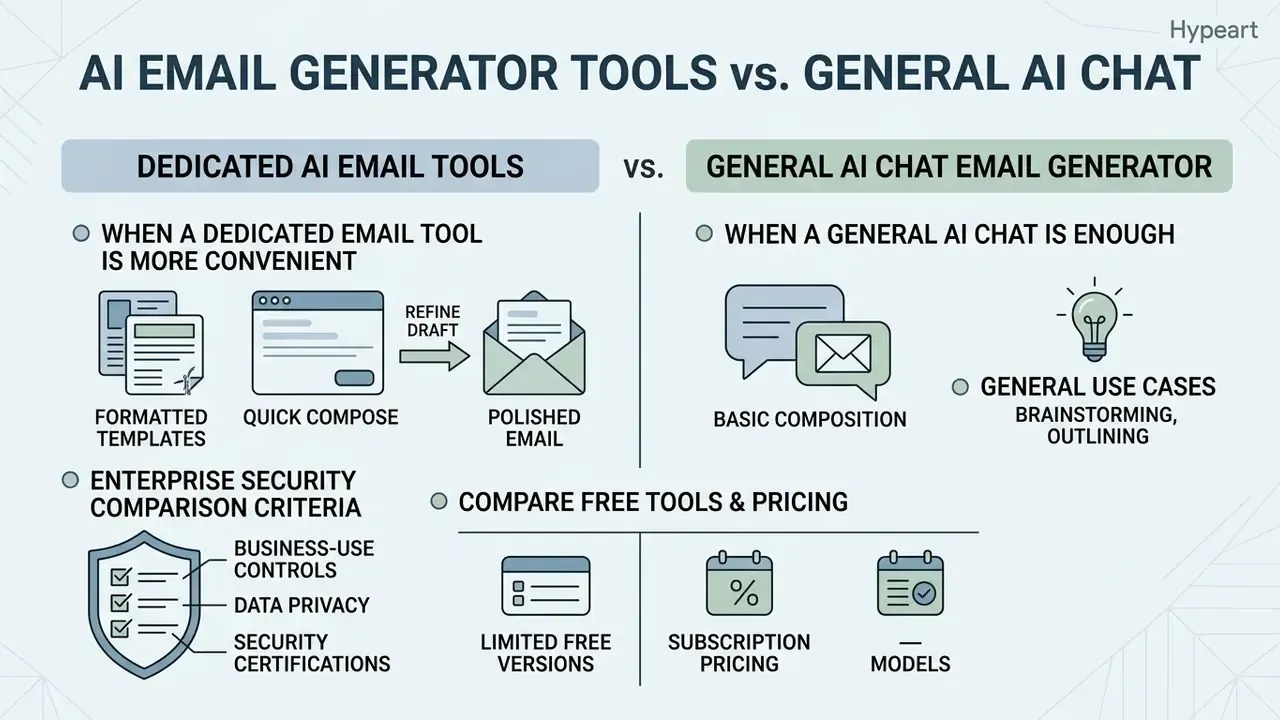
Choosing software for email writing usually comes down to dedicated ai email generator tools or a general-purpose ai chat email generator such as ChatGPT or Claude. Buyers comparing capability tiers across adjacent generative categories can also review comparative evaluations of AI generation tools and the broader AI Media Comparison Matrices to see how feature gating and licensing usually diverge between free and paid tiers.
| Feature / Parameter | Dedicated AI Email Generator Tools | General AI Chat Platforms (ChatGPT, Claude) |
|---|---|---|
| Primary Focus | Specialized email workflows (drafting, replies, subject lines) | Multi-purpose text generation, coding, and analysis |
| Interface Design | Form fields for recipient, goal, tone toggles, and copy buttons | Open natural language chat interface |
| Contextual Reply Handling | Built-in email thread ingestion and automated reply parsing | Requires manual copy-pasting of received thread text |
| Tone & Style Controls | Preset buttons (Formal, Direct, Concise, Friendly) | Requires explicit text instructions within the prompt |
| Dual-Output / Variants | Often returns concise plus detailed versions automatically | Requires an explicit "give me two versions" instruction |
| Creativity / Temperature | Frequently exposed as a slider | Controlled indirectly through prompt wording or API parameters |
| Mail Merge Variables | Native support for {{First_Name}}-style tags and fallbacks | Possible, but tags may be rewritten or escaped without strict instructions |
| Email Client Integration | Direct add-ins for Gmail, Outlook, and CRM software | Standalone web/API interface requiring copy/paste |
| Workflow Speed | High efficiency for repetitive, high-volume drafting | Moderate efficiency; requires manual prompt construction |
| Custom Prompt Flexibility | Moderate; restricted to supported interface fields | High; unlimited flexibility for complex, custom prompts |
| Typical Cost Model | Freemium, per-seat subscription, or inbox usage pricing | Free basic tiers; about $20 per month premium user subscriptions |
Short version of the table: dedicated tools win on repetition, general chats win on nuance.
Enterprise Security Comparison Criteria
| Governance Criterion | What to require from a dedicated email tool | What to require from a general AI platform |
|---|---|---|
| SOC 2 / audited controls | Type II report covering the email service itself | Enterprise-tier report; confirm scope includes the workspace product |
| Admin audit logs | Per-user prompt and send logs, exportable | Workspace or enterprise admin logging with retention configuration |
| Non-training guarantee | Contractual, covering prompts, outputs, metadata | Enterprise or business tier only; consumer tiers usually insufficient |
| DLP / SIEM integration | Native connectors or API hooks for egress inspection | Gateway or CASB inspection plus endpoint DLP |
| RBAC & SSO | SAML SSO, SCIM provisioning, role separation | Enterprise identity integration mandatory |
| Data residency | Region pinning where required by regulation | Region options at enterprise tier |
| Vendor lock-in | Template and log export in open formats | Portability of prompt libraries and custom instructions |
When a Dedicated Email Tool Is More Convenient
Dedicated tools win in high-volume operational environments where speed and inbox integration matter. One-click reply drafting, pre-built tone selectors, mail-merge variable handling, and native integration with Gmail or Microsoft Outlook strip out administrative steps. Outlook Quick Steps and Gmail draft templates, for instance, let users populate structured replies in seconds without leaving the client. For teams still standing up internal processes, this support hub collects the operational guidance.
When a General AI Chat Is Enough
A general chat is enough for low-volume, complex, or non-standard messaging where context engineering does the heavy lifting. Multi-turn editing, campaign brainstorming, or parsing dense legal text before drafting a covering letter all suit an open chat window better than a form. The boundary condition from public-sector guidance is consistent: general chat is appropriate when the task is non-sensitive, the input facts are independently verified, and a named human approves the final text.
Model Risk Governance, Audit Trails, and DLP Integration
For banks, insurers, and other supervised entities, an AI email generator is rarely "just a writing tool." Where output shapes customer treatment, disclosure content, or credit and collections communication, assess it under existing model risk management principles (the SR 11-7 and OCC 2011-12 framework) and map it to the NIST AI Risk Management Framework generative profile (AI RMF 600-1, 2024), which explicitly calls for monitoring generated content for PII and sensitive-data exposure.
Inventory and tiering. Register the tool in the model or AI inventory. Tier by consequence: internal scheduling drafts sit low; customer-facing collections, disclosure, or adverse-action-adjacent language sits high and needs documented validation plus ongoing monitoring.
Validation before deployment. Document intended and prohibited use, test output against a fixed set of representative prompts, evaluate refusal and hallucination behavior, and record acceptance thresholds. Keep the test corpus, so re-validation after a vendor model change is reproducible rather than improvised.
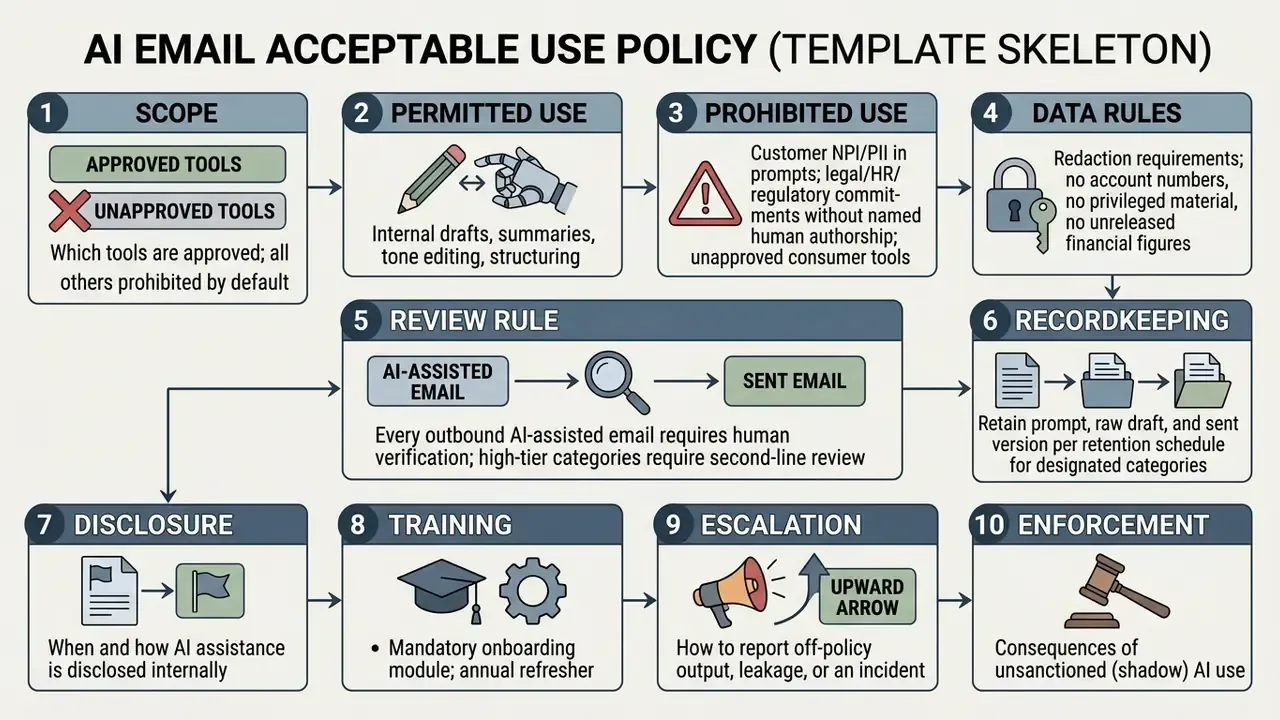
Audit trail requirements. For high-tier use, log the prompt, the raw output, the reviewer identity, the edits applied, and the final transmitted text with timestamps. Without that chain, you cannot demonstrate after the fact that a human, not the model, authored a commitment made to a customer or a regulator.
DLP and egress controls. Route AI traffic through inspected paths. Block or mask account numbers, national identifiers, and other non-public personal information at the point of prompt submission. Alert on volume anomalies that look like bulk export of customer data into a prompt window.
Change management. Vendors update underlying models without notice unless the contract restricts them. Require change notification, and treat a material model version change as a trigger for re-validation of high-tier use cases.
One open question, stated plainly: there is still no settled supervisory view on how much validation a drafting assistant needs when it never touches a credit decision but does shape the customer-facing language around one. Institutions are answering that differently right now, and the answers are mostly conservative.
AI Email Acceptable Use Policy: Template Skeleton
FAQ: AI Email Generators, Pricing, and Privacy
Is an AI email generator free to use?
Many are, at limited volume. Typical models: no sign-up with a daily cap, a freemium account tier (often around 5 drafts per month), or a time-limited trial. Unlimited use, inbox integration, admin logging, and contractual privacy terms generally sit behind paid or enterprise plans. Searches for an ai email generator for free or an ai email creator free usually land on one of those three shapes.
Do I need to sign up or log in?
Not always. Several standalone writers work in a browser without an account. The trade-off is real: no-account tools rarely offer audit logs, SSO, or configurable retention, which rules them out for corporate correspondence.
What is the difference between an email writer and an email address generator?
Different products entirely. An ai email free generator for writing produces message text. An ai email address generator free creates aliases or disposable addresses, which is an identity and deliverability matter. Disposable addresses should never appear in regulated customer communication.
Can it write a reply to an email I received?
Yes. Paste the incoming thread, state the outcome you want in one sentence, and instruct the model to address every question raised. Redact identifiers first if policy requires it.
Will AI-written emails land in spam?
Not because they were AI-written. Deliverability depends on sender reputation, SPF, DKIM, DMARC authentication, trigger-word density, link patterns, and template repetition across bulk sends. Run every bulk draft through the deliverability checklist above.
Can I use AI-written emails for mass outreach?
Yes, with personalization and variation. Generate a master draft with fallback merge tags, vary structure across cohorts, verify tag resolution on a seed list, and keep unsubscribe and sender-identification requirements intact.
Can I set tone, length, and language?
Yes. Dedicated tools expose presets, commonly 6 to 20+ tone options and 30+ languages, plus a creativity slider. General chats need the same parameters stated in the prompt.
How accurate is the output?
Structurally reliable, factually unreliable. The model does not know your figures, deadlines, case numbers, or internal policy unless you supply them. Verify every number, name, date, and link before sending.
Should I use it for sensitive emails?
Not without controls. Legal, medical, HR, financial, and confidential communications need redaction, a named human author, and specialist review. Use AI for structure and tone, not for substantive commitments.
Is my data private?
It depends entirely on the tier and the contract. Consumer tiers may retain prompts. Enterprise agreements should specify retention windows, sub-processors, encryption, region, and a binding no-training clause.
Who owns the copyright to a generated email?
Purely machine-generated text with no human creative contribution is not copyrightable under current US Copyright Office guidance. Meaningful human editing and original expression are needed to support an ownership claim.
Can it produce two versions at once?
Many tools do this by default, a concise variant and a detailed one. In a general chat, request both explicitly and set a word ceiling for each.
Why do search results for misspellings still work?
Because intent is obvious. Queries like "ai email genrator" or "ai email creater" resolve to the same category of tools. Do not read the traffic as evidence of quality, though; ranking for a typo says nothing about a vendor's security posture.
How do I stop it from sounding robotic?
Lower the abstraction. Supply specific facts, name the recipient's situation, cap the length, ban filler phrases, and rewrite the opening line yourself. Voice comes from the edit pass, not the generation pass.
Conclusion and Strategic Recommendations
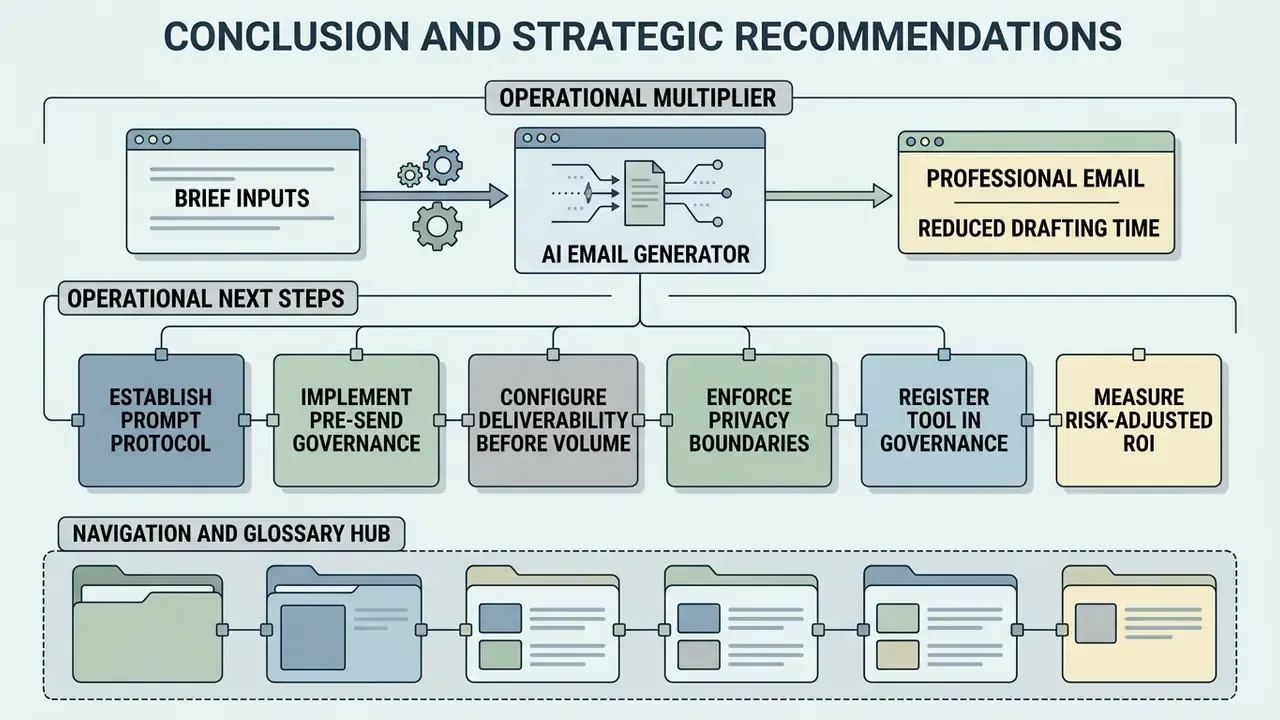
An ai email generator works as an operational multiplier, turning brief inputs into clear, professional correspondence and cutting drafting time. Sustainable gains, however, depend on structured prompt engineering, real human oversight, verified deliverability configuration, and adherence to enterprise privacy and model-risk controls. The tool is the easy part. The control layer is where programs succeed or quietly fail.
Operational Next Steps
- Establish a prompt protocolAdopt a structured framework (CRAFT-style, or your own) that mandates explicit context, role definition, hard facts, output format, and a single call to action for every generated draft.
- Implement pre-send governanceEnforce the human-in-the-loop checklist covering factual verification, sensitive-data sweep, tone calibration, attachment tagging, signature validation, and proofreading.
- Configure deliverability before volumeVerify SPF, DKIM, and DMARC alignment, strip trigger-word patterns, and vary templates across cohorts before any bulk send.
- Enforce privacy boundariesProhibit non-public customer data and sensitive proprietary facts in unvetted free consumer tools. Ensure all commercial email software runs under binding non-training and retention terms.
- Register the tool in governanceInventory it, tier it by consequence, validate high-tier use, log prompts and outputs, integrate with DLP and SIEM.
- Measure risk-adjusted ROINet reviewer time, validation effort, and expected residual loss against measured time savings before you scale seats.
General information only. This article is not legal, regulatory, or data-protection advice. Consult qualified counsel and your privacy office for jurisdiction- and industry-specific requirements.