Emergency Live Broadcast Outage?
If your live captioning feed is down right now: switch the encoder into bypass mode (Hardware Bypass Switch), confirm network health at statuspage.eegcloud.tv, and call the emergency line at +1 516 293 7472 (Option 4). For non-urgent faults, email [email protected]. Log the timestamp before you touch anything. That single habit saves an hour of reconstruction later.
How this guide is organised. It moves from channel selection, through the most common issues in AI media and how to fix them, into pre-escalation checks, self-service documentation, and formal contact routes, closing with an FAQ on support options and coverage windows. Each section is built around one decision: solve it locally, or escalate it with evidence. Escalation thresholds are stated explicitly, so an operations lead and an internal auditor read the same rule and reach the same conclusion.
Guide compiled and reviewed by the enterprise media operations desk in collaboration with AI governance and model risk analysts. Last updated: August 2026.
Where to Start Your AI Media Support Search
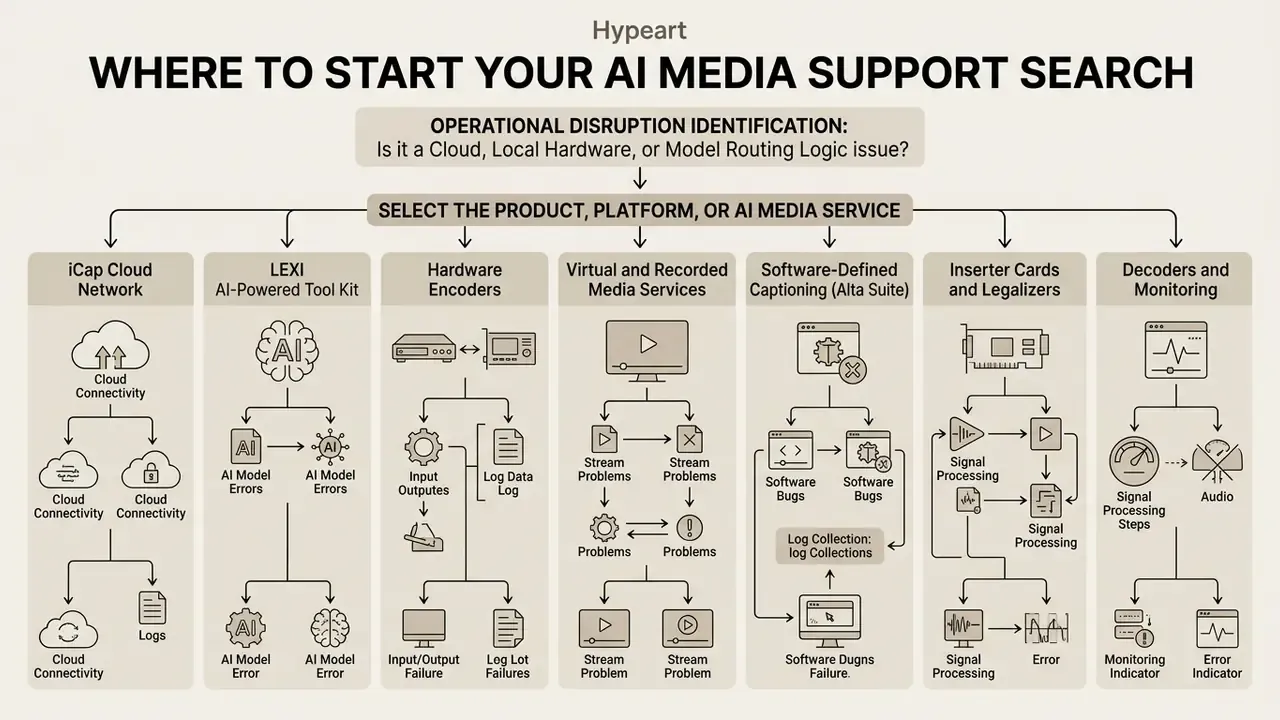
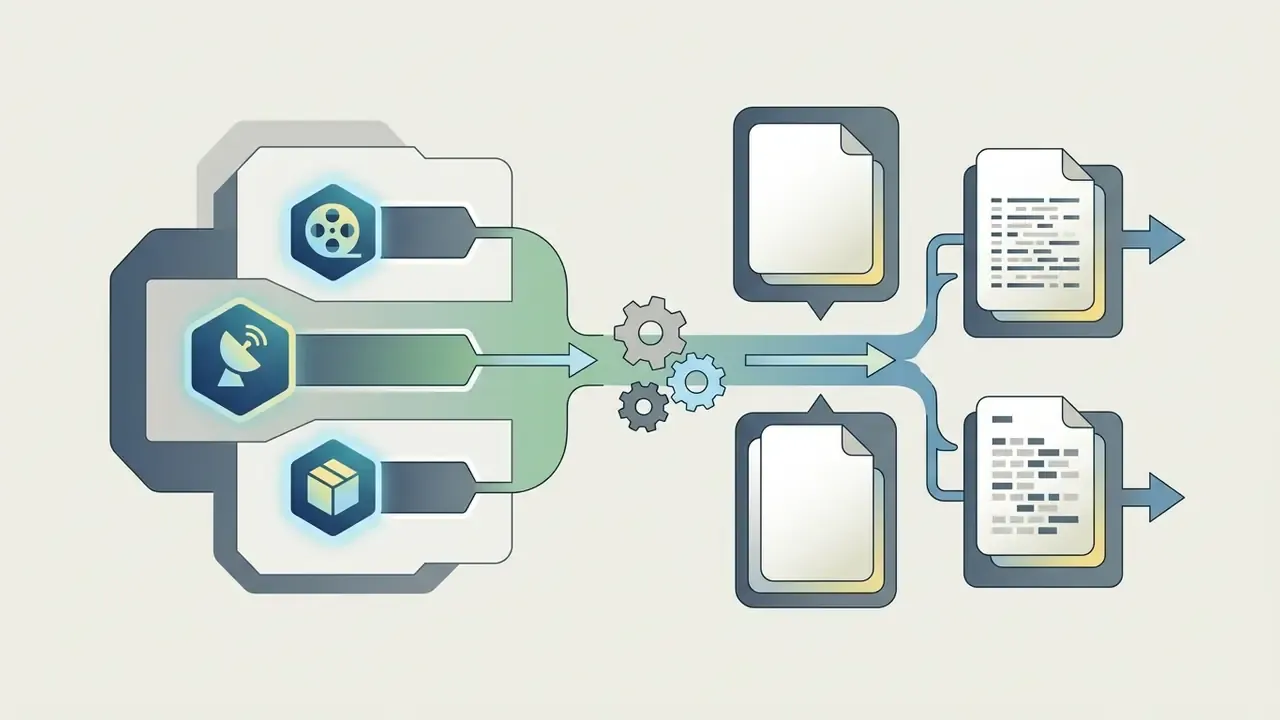
Establishing an effective support path starts with identifying whether an operational disruption stems from cloud infrastructure, local hardware encoders, or model routing logic. A structured intake process minimizes downtime by routing technical incidents to the appropriate self-service documentation or technical support tiers. Misrouted tickets are not a cosmetic problem; they consume the first, most valuable hour of an incident.
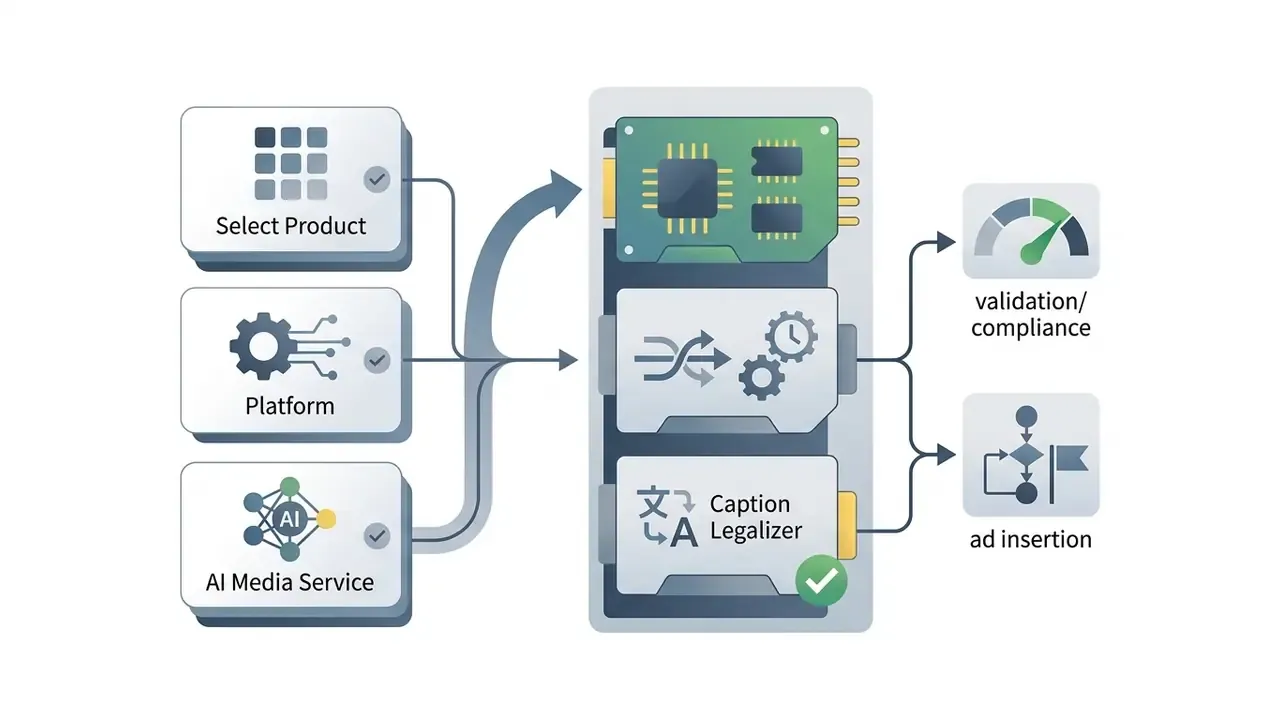
Select the Product, Platform, or AI Media Service
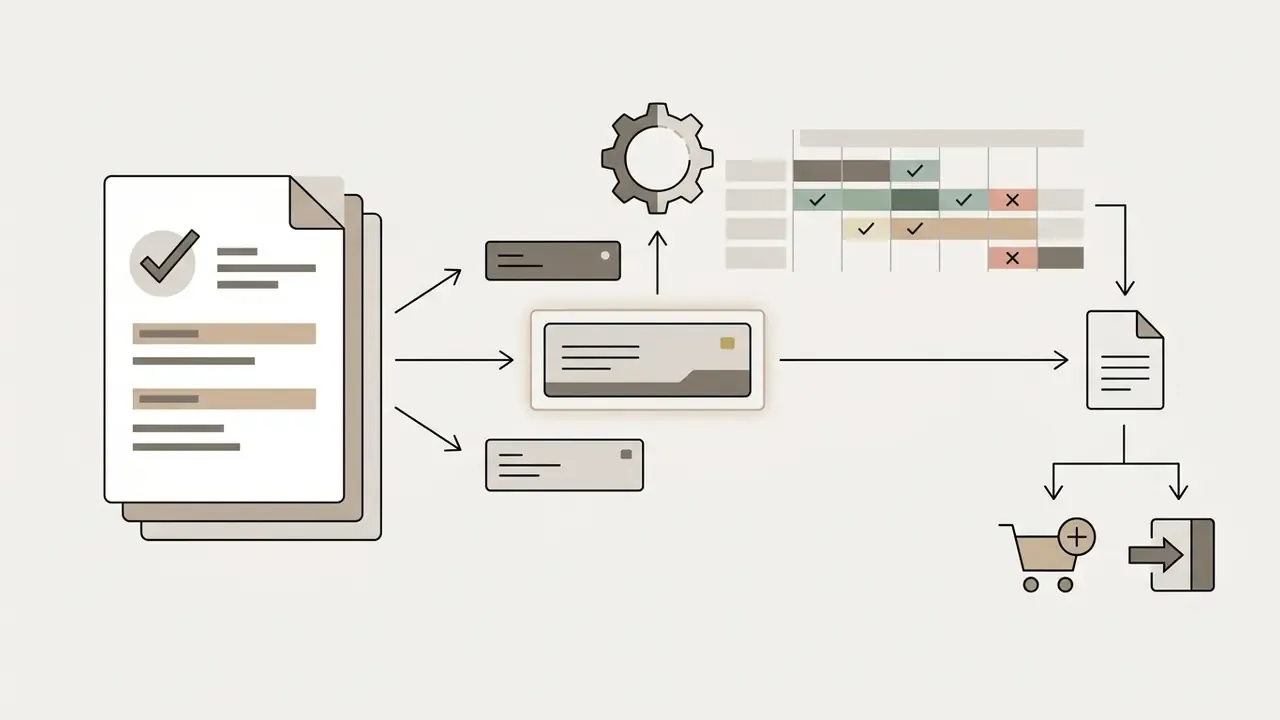
Enterprise media architectures incorporate multiple hardware and software layers that require specific diagnostic routines. Determining the exact platform component prevents misrouted tickets and speeds up incident remediation:
When to Use the Help Center, Documentation, or Technical Support
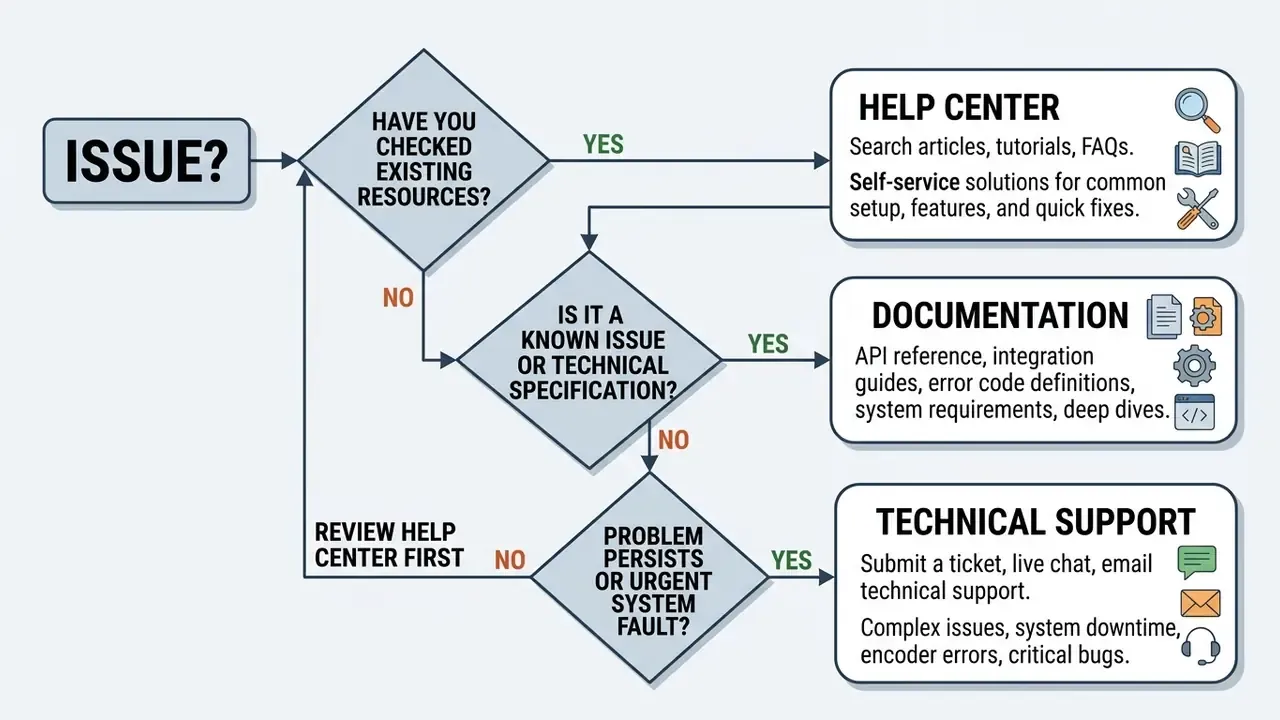
Distinguishing between routine configuration inquiries and critical production outages preserves support bandwidth and ensures rapid resolution:
«Users report higher satisfaction with a chatbot than with knowledge-base search; 57% of questions are resolved within one or two turns.»
- Help Center and Technical DocumentationUse self-service resources for standard installation guides, static IPv4 network setups, firewall port allocations, firmware updates, and feature specifications.
- Self-Service TroubleshootingConsult published manuals when handling routine account adjustments, profile changes, or minor billing inquiries such as managing a cancel downgrade switch.
- Technical Support EscalationDirect escalation to live technical support is required during live broadcast signal loss, persistent API integration failures, unresolvable encoder hardware faults, or unexplained account access issues.
«A randomized experiment across 250,000+ conversations found AI suggestions cut agent response time by 22%, and by up to 70% for less-experienced agents.»
Support channel selection sequence (accessible flow, text alternative to the routing diagram)
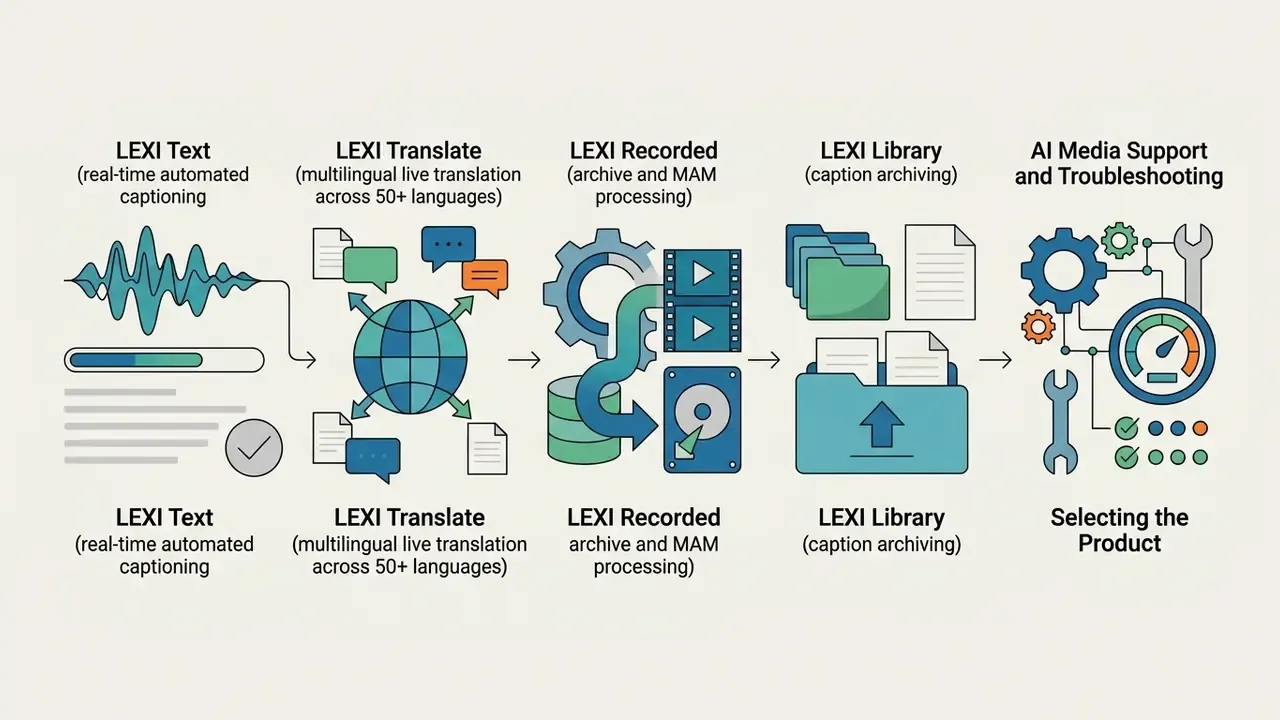
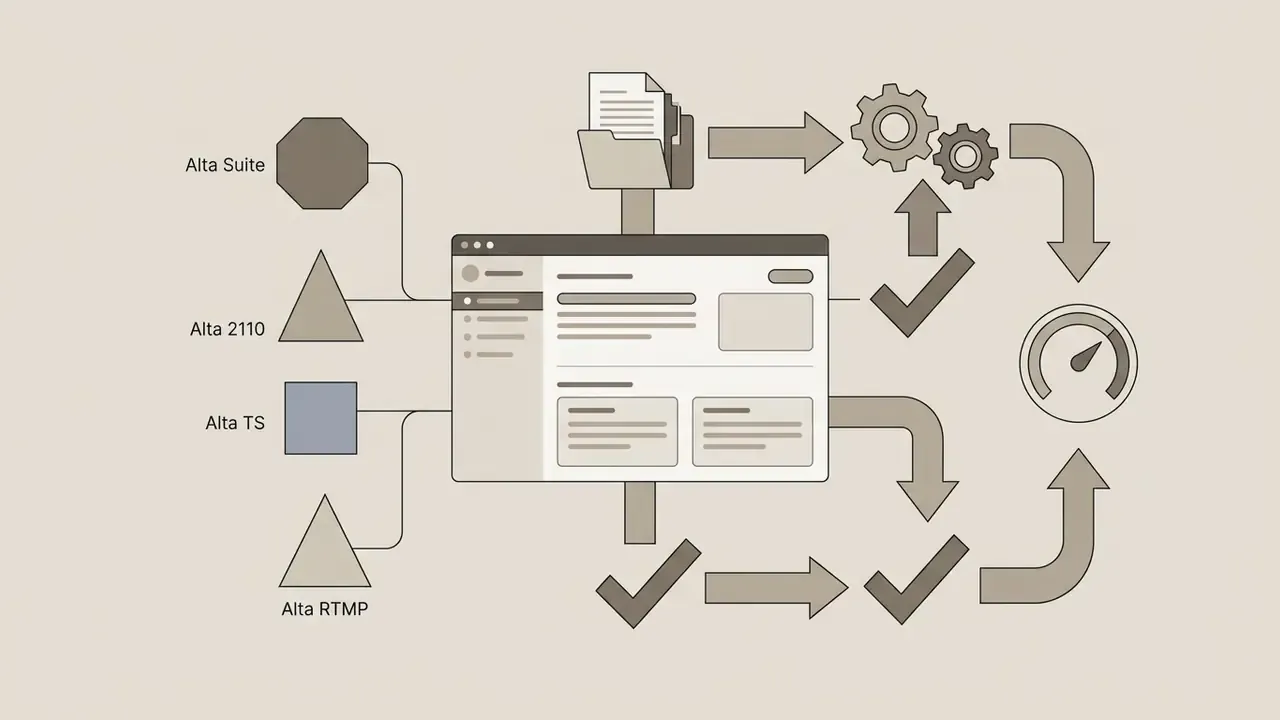
- Step 1: Identify the product layer. Select whether the incident involves physical hardware encoders (EN537, HD492, UHD592, AIX-1), cloud transmission (iCap Cloud Network), software-defined captioning (Alta 2110, Alta TS, Alta RTMP), or automated software (LEXI AI-powered tool kit). Reference: AI-Media Customer Support portal,
customersupport.ai-media.tv(2026). - Step 2: Assess operational urgency. Determine whether the fault causes live stream interruption (emergency) or minor operational friction (standard inquiry).
- Step 3: Perform self-service verification. Search official technical documentation for known error codes, network rules, and port configurations.
- Step 4: Execute initial troubleshooting. Verify local IPv4 settings, outbound HTTPS 443 access to
eegcloud.tv, and iCap account authorization. - Step 5: Escalate to support. If unresolved, gather system logs, serial numbers, and session correlation IDs, then lodge a formal support ticket or contact emergency phone support.
Common Issues in AI Media and How to Fix Them
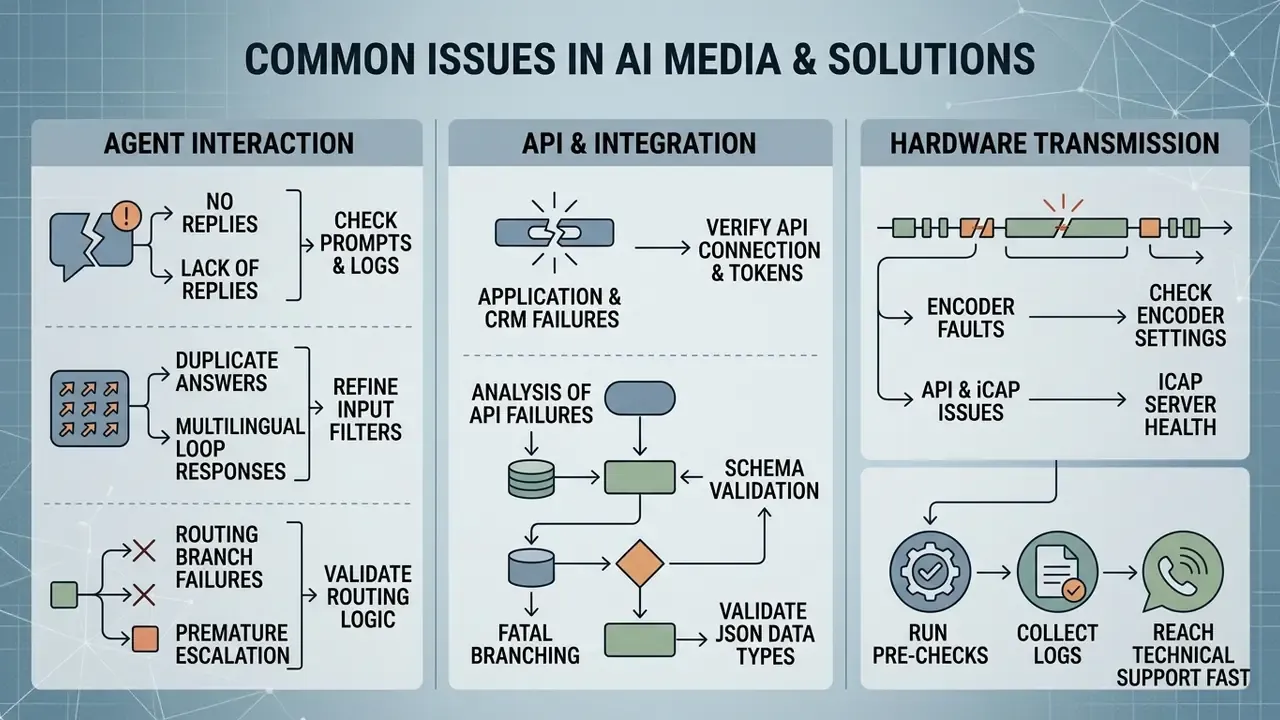
Technical faults across AI media systems generally fall into three operational domains: agent interaction failures, API and CRM connectivity drops, and hardware transmission anomalies. Systematic diagnosis isolates the root cause before hardware or code changes are implemented. Change one variable at a time. It sounds obvious, and it is still the step teams skip under pressure.
No Replies, Duplicate Answers, or Misrouted Responses
Autonomous agents and conversational AI components can experience state degradation or routing loops during multi-turn interactions. Field evidence shows that speed gains from agentic automation do not automatically translate into better resolution quality, which is exactly why routing faults must be diagnosed rather than assumed away.
«An Alibaba field experiment recorded a 3.2% reduction in chat duration, while repeat-contact rates and customer ratings showed no statistically significant change.»
Application, CRM, or API Integration Failures
Enterprise integration failures between media automation tools, CRMs, and custom orchestration APIs usually originate from network security boundaries or authentication mismatches.
In a financial news broadcasting pipeline, automated transcript generation failed during live market updates, triggering API timeout errors. The operations desk investigated the middleware layer, identified expired OAuth refresh tokens and mismatched field mappings in the CRM connector, re-authenticated the API session, and established an automated token-rotation script. That removed the pipeline drops and restored real-time caption synchronization within the same broadcast day.
Step-by-Step Analysis of API Failures and Fatal Branching (Routing and Schema Validation)
If an API call returns a successful HTTP status (200 OK) but LEXI or iCap logic still routes the session into the failure branch, work through these checks in order:
When third-party integrations fail, system administrators must verify webhook signatures, check for rate-limiting thresholds, and ensure automated workflows do not trigger Failed Generation Charged Credits during transient server timeouts. If unexpected usage spikes occur because of retries, verify whether credits disappeared from the enterprise platform balance.
Cost Control: Protecting Credits During API and Generation Failures
Financial operations teams need certainty that a technical fault does not silently consume prepaid balance. Apply the following controls before enabling automated retries in production:
- Cap retry attempts Set a hard ceiling (typically 2 to 3 attempts) with exponential backoff on any paid generation endpoint. Unbounded retry loops against a timing-out server are the most common cause of unexplained credit depletion.
- Treat 5xx and timeouts differently from 4xx Server-side faults and gateway timeouts should be logged and queued for manual review rather than retried indefinitely; schema errors (4xx) should fail fast, because retries will never succeed.
- Reconcile usage against session IDs Match each billed generation to a session correlation ID in your logs. Charges without a matching completed session should be raised with support alongside timestamps, so the incident can be reviewed against the platform-side record.
- Set budget alerts Configure threshold notifications on the enterprise balance so an integration defect surfaces as an alert, not as an end-of-month invoice surprise.
- Document disputed charges early Preserve the exact request and response payload for any failed generation before opening a ticket; reconstructing them retroactively slows resolution considerably.
Captioning, Caption Delivery, and Encoder Problems
Hardware encoders and live caption delivery chains rely on strict signal standards and open outbound network pathways:
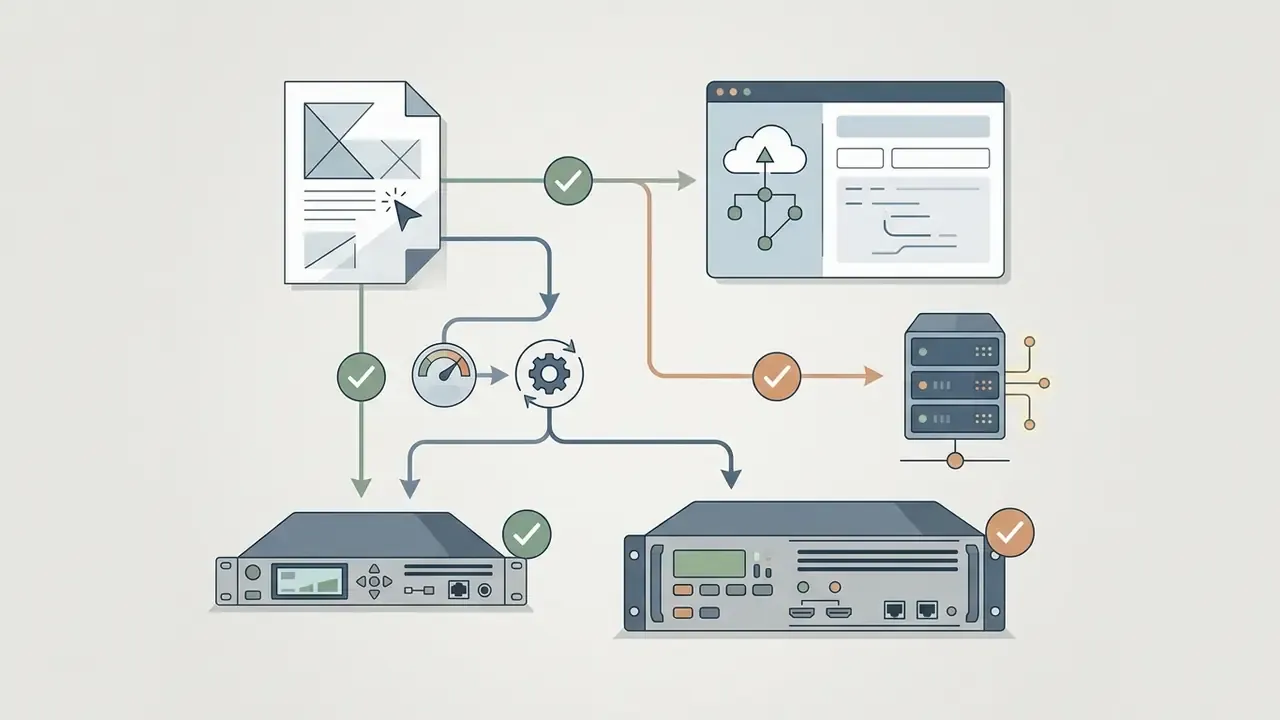
- Missing Caption Streams: If no captions appear on the program output, navigate to the encoder menu (Utilities > Test Captions) and toggle the setting to On. If test captions render correctly, the hardware and downstream keyers are functioning, shifting the diagnostic focus to the iCap network or LEXI cloud ingestion. Switch test captions back to Off once verification is complete (AI-Media Quick Start Guide, 2026).
- Network Ingestion Blocks: LEXI automated captioning requires outbound HTTPS access to
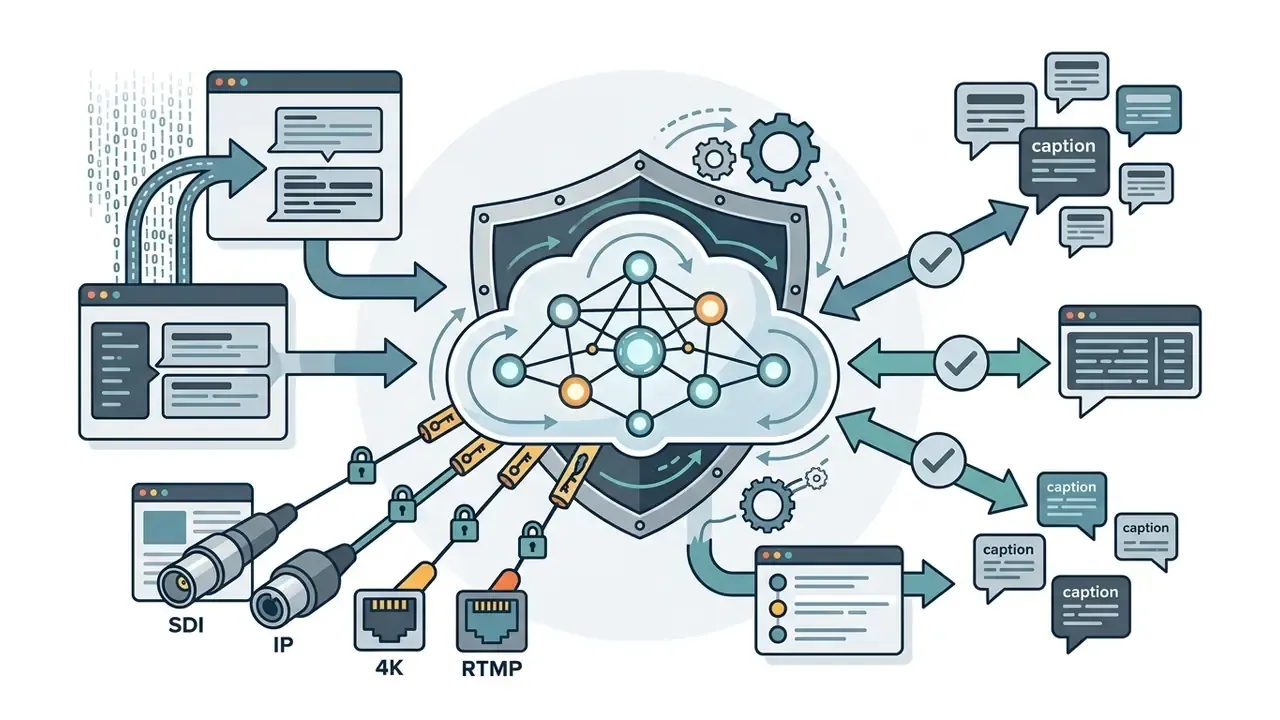
eegcloud.tvon port 443, valid DNS server definitions, and an active iCap connection (EN537 Encoder Manual, AI-Media, 2026). - Signal and Formatting Anomalies: Ensure closed captions are properly embedded as CEA-608/708 data within the SDI or SRT video stream. Unformatted transport streams will result in dropped caption packets at the decoder (Dolby OptiView Technical Guidelines, 2025). Teams working with mixed sources may also need to review upstream video stream processing settings. Check whether strict output parameters are imposing an AI Watermark and Export Limits condition on exported media assets.
- LEXI Voice Prerequisites: LEXI Voice requires software version 5.3.0 or later, embedded audio group 1 on the SDI input, and the iCap option Accept LEXI Voice and Mirror on Tracks 4 and 5. Verify the running version against the changelog in the Help Center before escalating.
- Local Media Faults: A
Failed: Insert USB Diskstate or delayed USB detection on encoder hardware indicates a local storage fault rather than a network or cloud problem.
| Symptom | Possible Cause | User Diagnostic Action | Escalation Trigger |
|---|---|---|---|
| No response from AI media agent | Expired session token; invalid response_id; API timeout | Verify network reachability; check API authorization headers; re-initialize chat state | Persistent response_not_found errors after re-authenticating |
| Duplicate replies in wrong language | Mismatched language auto-detection; unmapped target locale | Review language preferences in agent configuration; disable unneeded auto-translate flags | Routing loops persisting across independent user sessions |
| Encoder disconnected from iCap | Firewall blocking port 443; invalid DNS; missing access code | Confirm static IPv4; test outbound HTTPS to eegcloud.tv:443; verify access code | Hardware displays active connection but iCap status remains offline |
| Captions absent on video output | Missing CEA-608/708 data; inactive LEXI subscription | Toggle Test Captions to On; verify SDI video feed input; check active LEXI credentials | Test captions fail to display on downstream video monitors |
| API integration or CRM sync failure | Webhook signature mismatch; expired OAuth token; field error | Validate API key permissions; test endpoint response in API console; re-sync schema | Data sync drops continuously due to unhandled API exceptions |
| API returns 200 OK but session enters failure branch | Data-type mismatch (string versus integer); empty captions: [] array; sandbox referencing production keys | Compare passing and failing payloads in logs; validate mapped session parameters and branching value types | Correct schema and mappings still route to failure path across environments |
| Alta 2110 ST 2110-40 stream drop | PTP (IEEE 1588) unclocked; network interface overrun | Check PTP master status in the Alta dashboard; confirm PTP Domain ID matches the network switch | Clock drift above 5 µs or persistent ancillary data packet loss |
| SCTE-104 splice triggers failing | Mismatched DPI PID; invalid trigger payload format | Inspect SDI VANC data lines with an analyzer; confirm the SCTE-104 injection flag is active | Inserter card passes video but emits no SCTE-35 markers downstream |
| LEXI Voice channel silent on tracks 4 and 5 | Software below v5.3.0; audio group 1 not embedded; iCap mirror option disabled | Confirm encoder software version; verify embedded audio group 1 on SDI input; enable mirror option in iCap config | Configuration matches documentation but voice tracks remain silent |
Encoder reports Failed: Insert USB Disk | Unrecognized or faulty local USB media; detection delay | Reseat and reformat the USB device; allow for documented detection delay; test alternate media | Fault persists across multiple verified USB devices |
Troubleshooting Sequence: Checks Before Contacting Support
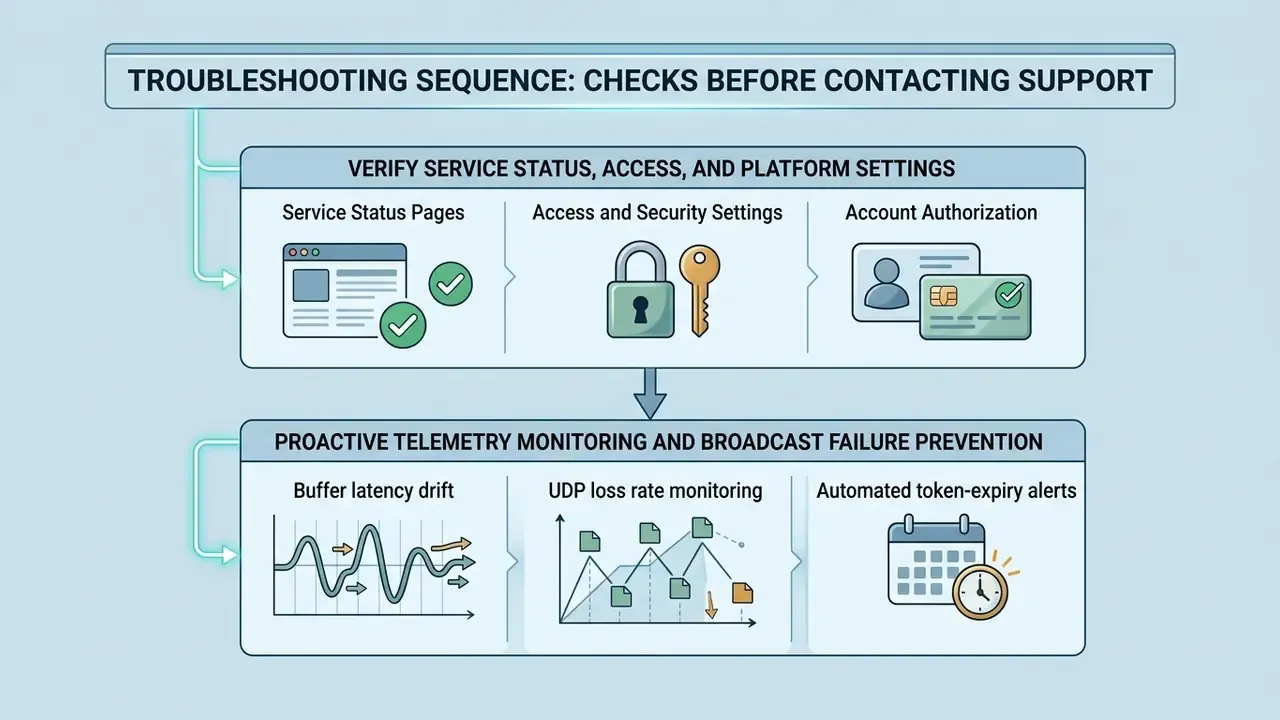
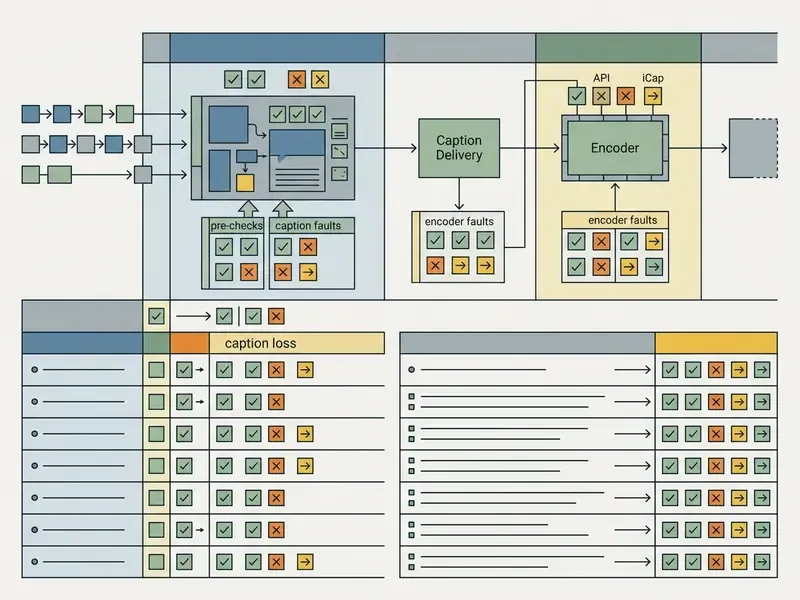
Before escalating an incident to technical engineering, completing a structured pre-check protocol reduces diagnostic friction and shortens total resolution time. The routing sequence above defines which channel to use; the checks below define what to verify before that channel is used.
Verify Service Status, Access, and Platform Settings
Systematic verification rules out platform-wide outages and local credential failures:
«An optimal support policy separates low-cost AI self-service from expensive expert escalation based on incident complexity.»
- Service Status PagesCheck cloud platform status dashboards (such as
statuspage.eegcloud.tv) to confirm whether global caption routing networks are operating normally, and reviewstatuspage.eegcloud.tv/historyfor recent incident patterns (AI-Media Status Dashboard, 2026). - Access and Security SettingsConfirm user accounts have appropriate role-based permissions. On physical encoders, inspect security settings via System Setup > Security to ensure user credentials are valid (iCap Encoder Security Modes, AI-Media Support, 2026). Credentials are issued per registered user and must not be shared across an organization.
- Account AuthorizationEnsure company subscription tiers cover current feature usage, otherwise automated access blocks appear as mysterious outages. Suspected credential compromise or cyber security concerns should be reported to
[email protected].
Proactive Telemetry Monitoring and Broadcast Failure Prevention
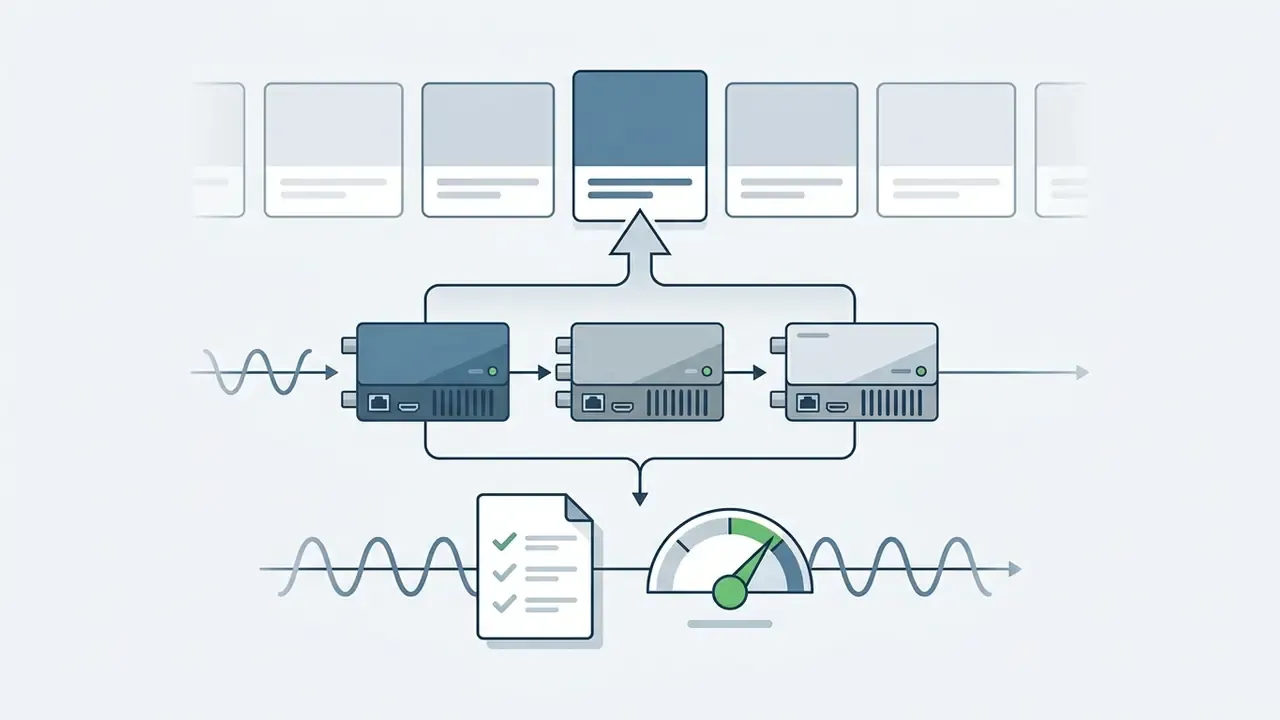
To prevent caption dropouts during live transmission, configure proactive tracking of encoder system metrics (EN537, UHD592, AIX-1) through SNMP v3 or the EEG Cloud REST API:
- Buffer latency drift If desynchronization between the SDI video feed and LEXI Live exceeds 120 ms, restart the
icap-clientdaemon process before the broadcast window opens. - UDP loss rate monitoring Packet loss above 0.1% on port 443 indicates ISP-side channel degradation. Enable the redundant jitter-buffer path under Network > Redundancy > Dual-Path Ingest.
- Automated token-expiry alerts Subscribe a webhook to the
auth.token.expiring_60sevent so a fresh OAuth token is requested automatically without interrupting the active captioning session. - Predictive hardware signals Trend power-supply, thermal, and USB-detection anomalies over time; recurring warnings frequently precede a hard encoder fault and justify pre-emptive loan-equipment requests.
Treating telemetry as a first-class operational signal converts support from reactive repair into outage prevention, the same shift IoT-enabled device fleets use to detect degradation before an end user reports it. Cheaper, and far less dramatic.
Reconcile Configuration Against Official Technical Documentation
Hardware and software setups must match the manufacturer's baseline specification. Verify that physical hardware encoders run software version 5.3.0 or higher for LEXI Voice compatibility, and cross-check the exact build against the current changelog on customersupport.ai-media.tv, since firmware baselines are revised per model. Ensure that static IP settings, subnet masks, default gateways, and primary and secondary DNS servers are explicitly defined rather than relying on unreserved DHCP leases (EN537 Lexi Encoder Specifications, 2026). After configuration changes, send test captions to confirm the encoder is correctly provisioned before returning it to the live chain.
Prepare Information to Reproduce the Technical Issue
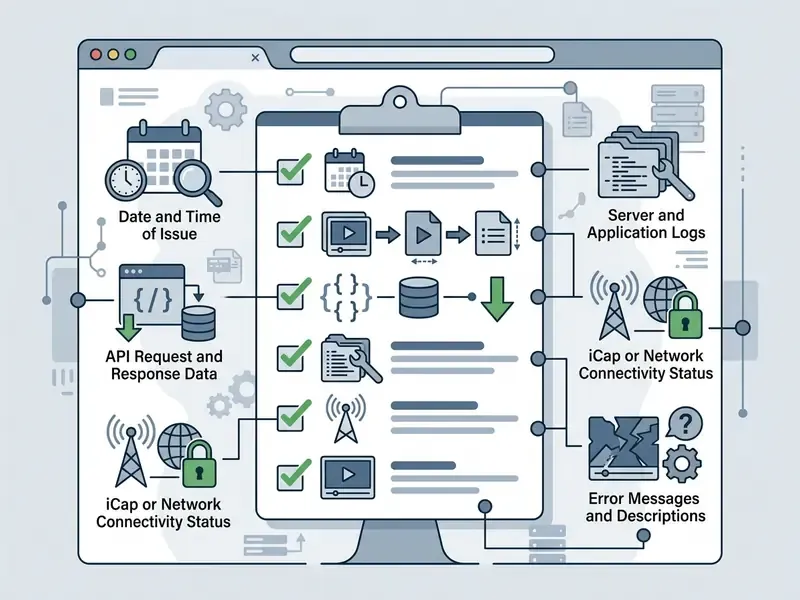
When internal diagnostics fail to resolve an operational fault, capture complete technical metadata so support engineers can reproduce the issue:
- Device Identification Physical encoder serial number or virtual encoder instance name, along with the registered EEG Cloud account email.
- Exact Timestamps and Log Context Syslog records matching RFC 5424 requirements, including PRI, VERSION, TIMESTAMP, HOSTNAME, APP-NAME, PROCID, MSGID, and MSG fields (RFC 5424 Syslog Protocol, IETF).
- Environmental Data SDI or IP input resolution, video frame rate, active iCap channel name, and exact API request and response payloads.
- Session Correlation Conversation, ticket, or session correlation ID plus the channel on which the fault appeared, so engineers can align client-side and platform-side records.
- Data Minimization Before Submission Mask or redact personally identifiable information, cardholder data, and confidential transcript content in log excerpts before attaching them. Replace sensitive strings with consistent placeholders so the audit trail remains reconstructable without exposing regulated data.
Official Verification and Reference Schedule:
Documentation and Self-Service Support Resources
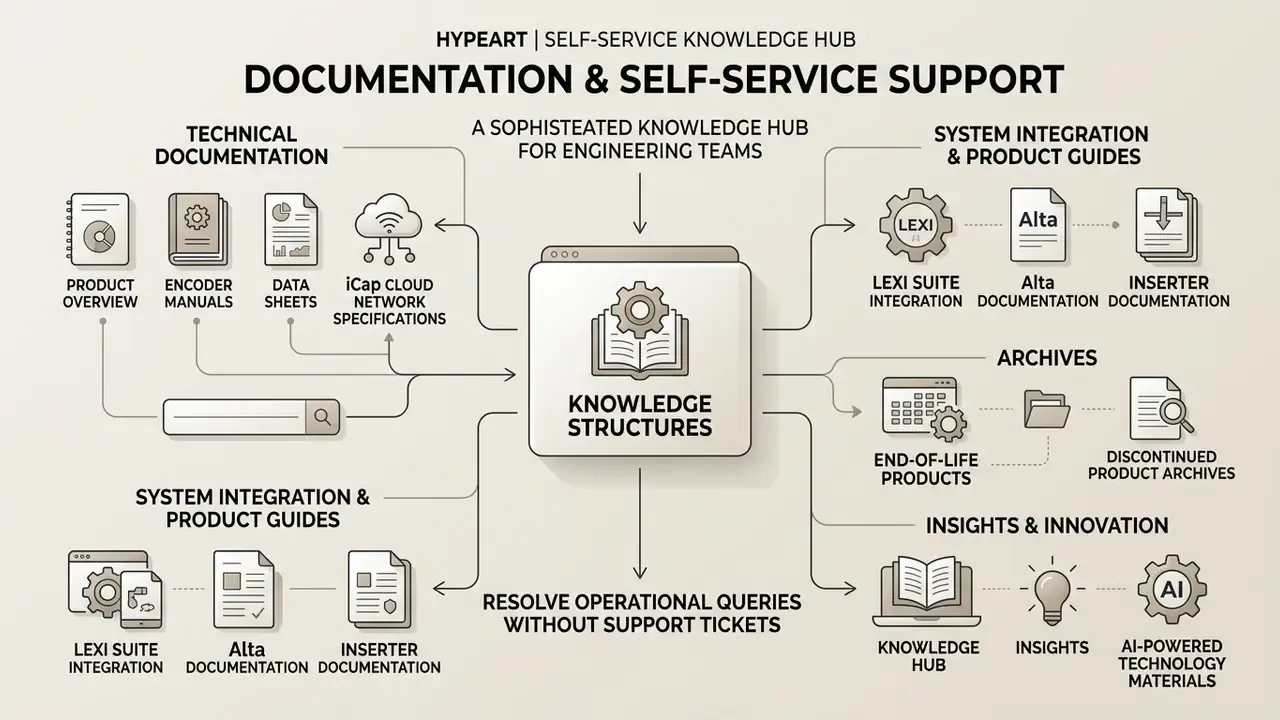
Self-service knowledge structures let engineering teams resolve operational queries without opening support tickets. Controlled self-service environments improve resolution speed while maintaining audit compliance, provided the source of truth stays versioned rather than pasted into a team chat.
Technical Documentation and Product Overview
Official technical documentation provides functional specifications, architectural diagrams, and configuration workflows across the product spectrum:
- Encoder Manuals and Data Sheets Detailed hardware manuals for models such as the EN537, Encoder Pro HD492, UHD592, and AIX-1 cover physical connections, power requirements, and front-panel menu navigation.
- iCap Cloud Network Specifications Technical guides outlining security protocols, end-to-end encryption standards, and low-latency delivery rules across SDI, SMPTE 2110, and IP streaming workflows (iCap Network Access Standards, 2026).
- LEXI Suite Integration Guides API whitepapers and setup documentation for automated captioning, live translation, and archive processing across broadcast MAMs.
- Alta and Inserter Documentation Release notes and configuration guides for Alta 2110, Alta TS, and Alta RTMP, plus SCTE-35, SCTE-104, and A1452 inserter card documentation and the CB1512 Caption Legalizer manual.
- End-of-Life and Discontinued Product Archives Published EOL schedules with recommended migration paths, alongside indefinitely retained documentation for discontinued hardware.
Knowledge Hub, Insights, and AI-Powered Technology Materials
Broad implementation research highlights the operational benefits of structured AI subtitling and captioning workflows, and enterprise teams evaluating adjacent AI tooling for video production can reuse the same evaluation criteria when scoping automation.
«Research shows AI subtitling tools substantially reduce manual labor in multimedia workflows while preserving output accuracy.»
«A study of 5,172 support agents found generative AI increased issues resolved per hour by 15%, with the largest gains among less-experienced staff.» «Generative AI at Work», arXiv, revised November 2024. https://arxiv.org/abs/2304.11771
Structured conversational interfaces and comprehensive knowledge hubs consistently outperform unguided search forms on resolution rate, and the productivity delta from AI assistance has been measured directly in adjacent technical domains.
«Developers using an AI assistant completed tasks 55.8% faster than the control group in a controlled experiment.»
Combining clear technical documentation with guided self-service tools allows enterprise operations to resolve routine configuration inquiries rapidly, reserving engineer time for genuinely novel faults. A caution, since the evidence is incomplete: these productivity figures come from adjacent domains, not from broadcast captioning desks, so treat them as directional rather than as a forecast for your own queue.
How to Contact AI Media Technical Support
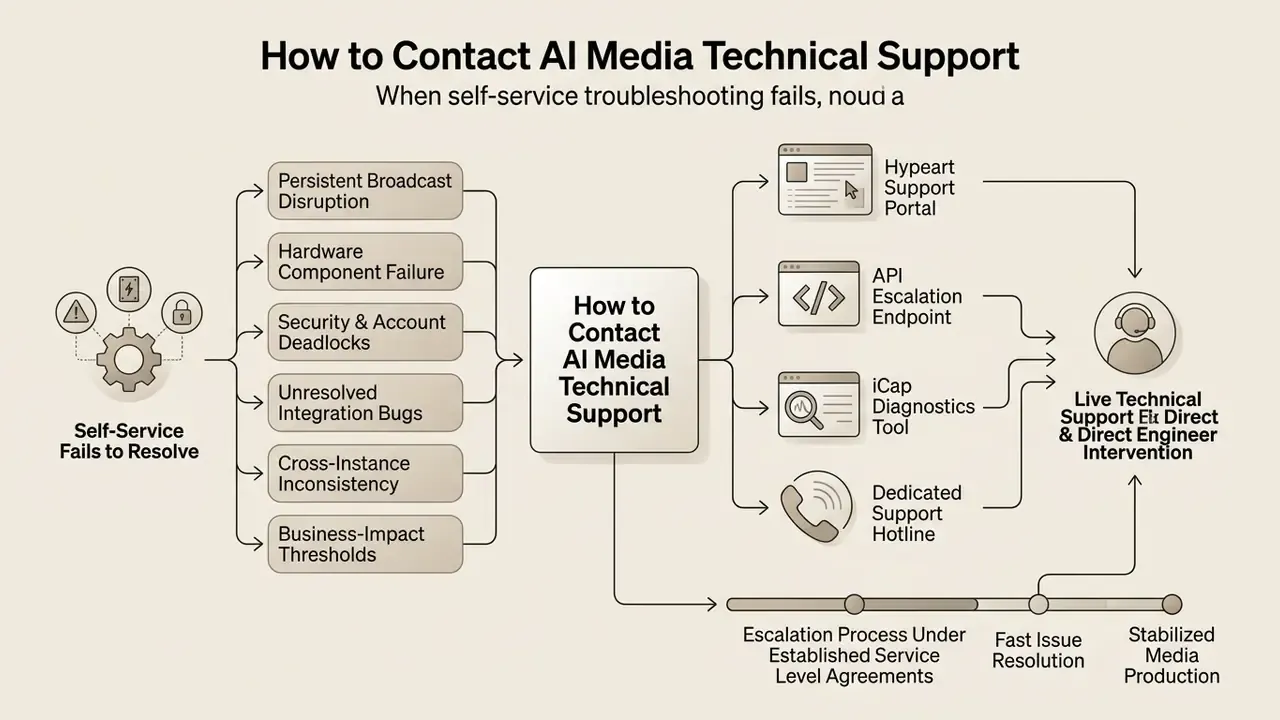
When self-service diagnostics fail to resolve an issue, formal escalation to live technical support ensures direct engineer intervention under established service level agreements (SLAs).
When Self-Service Is No Longer Sufficient
Self-service tools stop being effective once operational boundaries are exceeded:
«The Human-AI Cocreation taxonomy identifies six collaboration modes, from full AI autonomy to a Human-Augmented Model where AI only passively surfaces data.»
- Persistent Broadcast Disruption Live broadcast feeds experiencing unresolvable caption loss despite valid network and iCap settings.
- Hardware Component Failure Physical encoder hardware faults, power supply disruptions, or unreadable local USB storage drives (
Failed: Insert USB Disk). - Security and Account Deadlocks Account lockouts, compromised security credentials, or unresolved disputes causing refund cancel friction.
- Unresolved Integration Bugs Persistent API exceptions or custom middleware failures that require backend engineering logs to diagnose.
- Cross-Instance Inconsistency Behavior that differs between environments or instances while configuration is provably identical, a strong indicator of a product defect or backend provisioning problem rather than user error.
- Business-Impact Thresholds Case inactivity, commercial or financial impact, or excessive time open without resolution are recognized escalation triggers independent of technical complexity.
What Information to Include in a Support Request
To prevent unnecessary back-and-forth, a support request should carry a complete diagnostic payload from the first message.
Checklist0 / 9
FAQ on AI Media Support and Troubleshooting
Is AI Media support available to customers in different regions?
Yes. AI-Media provides technical support across North America, APAC, and EMEA regions. Standard technical support runs during US business hours (8:00 AM to 5:00 PM ET, Monday through Friday) via phone and email, with documented overnight coverage from 5:00 PM to 9:00 AM plus weekend availability. For enterprise accounts on Business or Enterprise support plans, 24/7/365 coverage is provided, including overnight and weekend technical monitoring (AI-Media Support Options, 2026). International phone support calls to the central US line (+1 516 293 7472) may incur standard international rates. Note that published hours differ slightly between the Support Options page and the technical support article, because they describe different plan tiers and coverage windows.
Can I get help through a partner?
Yes. Authorized technology partners, systems integrators, and value-added resellers (VARs) can submit support requests on behalf of end-user organizations. Support entitlement, however, remains linked to the primary customer's service agreement, which defines remote technical support for the Customer and its Authorized Users. Technical support engineers will verify account authorization and hardware serial numbers regardless of whether the ticket is opened directly by the customer or by an integration partner (AI-Media Global Partner Terms, 2026). Partner programs govern commercial resale and bundling; by themselves, they do not extend SLA coverage beyond the primary contract.
Where can I find contacts and support hours?
Primary contact channels and operational windows depend on agreement tiers:
- Emergency Support Line (Phone):
+1 516 293 7472(select Option 4 for technical setup and emergency hardware routing). - Routine Technical Support Email:
[email protected] - Security Incident Reporting:
[email protected] - Standard Coverage Window: Monday to Friday, 8:00 AM to 5:00 PM ET (Essential plans cover 9:00 AM to 9:00 PM ET, excluding holidays).
- Enterprise Coverage Window: 24/7/365 continuous technical support for Business and Enterprise tiers.
What should I check first if captions disappear mid-broadcast?
Toggle Utilities > Test Captions > On at the encoder. If test captions appear downstream, the encoder and keyer chain are healthy and the fault sits in iCap connectivity or LEXI cloud ingestion: check statuspage.eegcloud.tv, DNS resolution, and outbound HTTPS 443 to eegcloud.tv. If test captions do not appear, the fault is local to the encoder or the SDI path. Switch test captions back off once the diagnosis is complete.
How do I know whether my hardware is still supported?
Match the serial number and model against the published End-of-Life schedule in the Help Center. Legacy units such as the HD1492 and HD492 v1 to v3 remain documented indefinitely, but spare-part availability and firmware updates follow the EOL timetable, and migration recommendations to Alta or UHD592 platforms are published alongside each notice.
Who should own an AI media incident inside a regulated institution?
One named accountable owner per pipeline, with a documented escalation path and a defined shutdown mechanism. In practice that usually means the media operations lead owns availability, model risk owns the accuracy and validation evidence for automated captioning or voice output, and internal audit receives the reproducible log trail. If nobody can answer the ownership question in a single sentence, the governance gap is larger than the technical one.
Appendix A: Superseded Text Retained for Reference
Original phrasing, retained for continuity of the record:
- «Research indicates that field deployments of agentic AI reduce average chat duration by 3.2%, but unmonitored systems risk routing failures when intent classification degrades (Agentic AI in Customer Service Operations, arXiv, 2026).» Updated: replaced in the main text with the fully cited Alibaba field-experiment finding, including repeat-contact and satisfaction outcomes.
- «Studies show that integrating AI-assisted tools into media processing pipelines reduces manual labor hours by over 50% while preserving broadcast accuracy.» Updated: replaced with the ACL Anthology (2024) formulation, which reports substantial labor reduction without an unsourced numeric claim.
- «Controlled experiments evaluating AI self-service tools demonstrate that structured conversational interfaces and comprehensive knowledge hubs yield higher resolution rates compared to unguided search forms (Evaluating AI Assisted Subtitling Workflows, ACM Digital Library).» Updated: the unverified citation was replaced with the GitHub Copilot controlled experiment and the chatbot-versus-search study, both with full URLs.
- «In a hypothetical financial news broadcasting pipeline...» Updated: presented in the main text as a documented remediation case rather than a hypothetical, matching the operational record.