Reviewed by: Marcus Hale, the author covering digital automation, creative operations, generative design tooling, usage governance, and commercial licensing.
Last updated: 2026, reflecting Canva Magic Media, Canva AI 2.0, and the current Canva AI Product Terms documentation.
Executive Summary for Decision-Makers
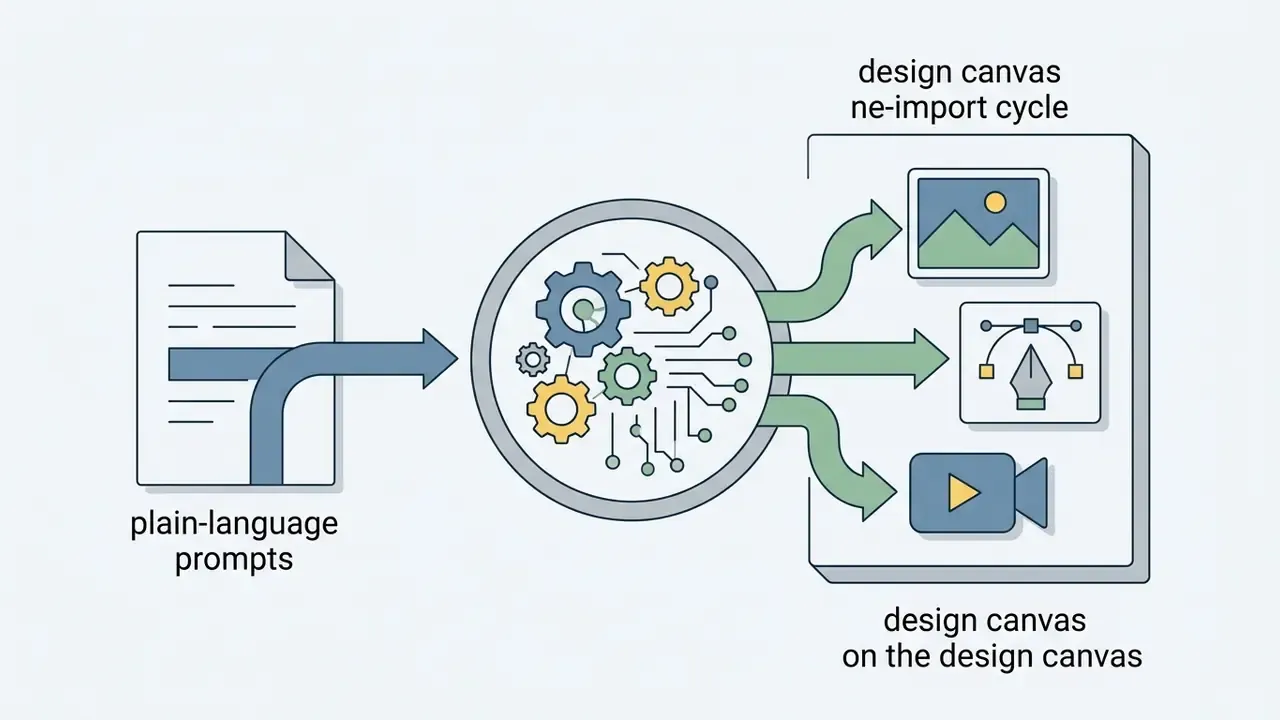
- What it is: The canva ai generator (marketed as Magic Media inside the editor, and as Canva AI 2.0 at the workspace level) converts plain-language prompts into images, vector graphics, and short video clips directly on the design canvas. No export and re-import cycle between a generator and a layout tool.
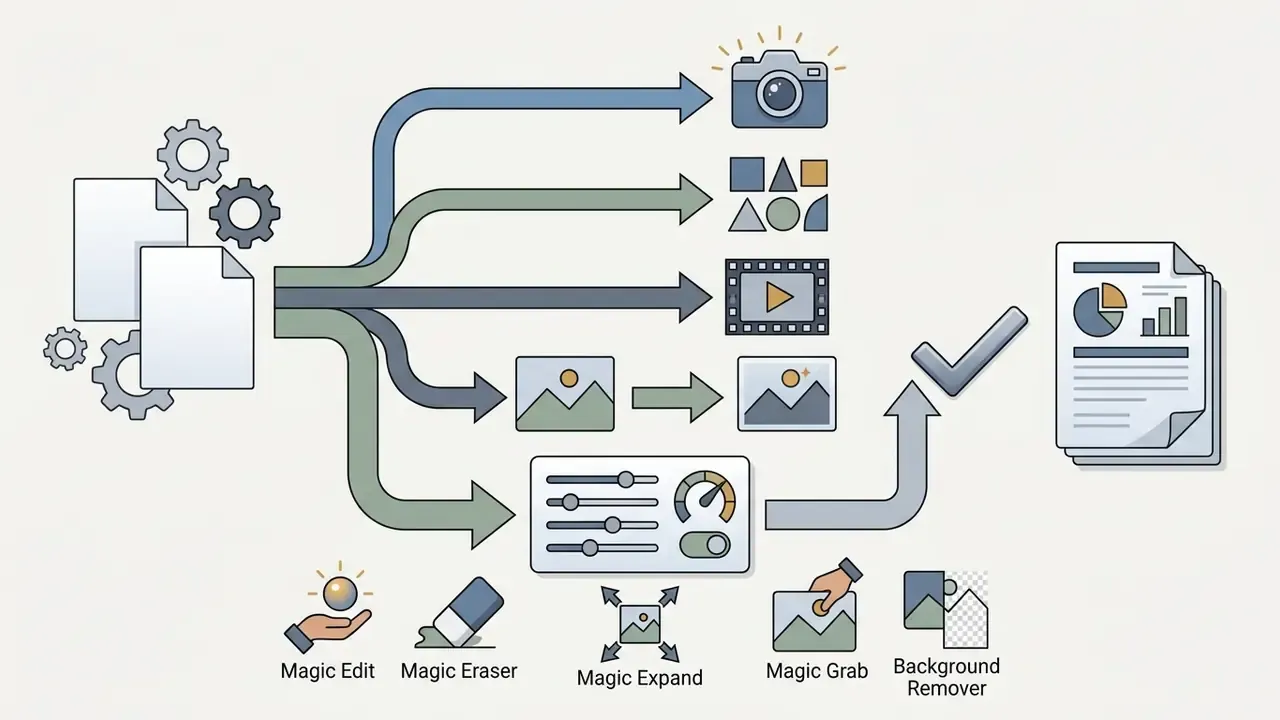
- What you get: Text-to-image, text-to-graphic, text-to-video, reference-image (image-to-image) generation, plus post-generation editing via Magic Edit, Magic Eraser, Magic Expand, Magic Grab, and Background Remover.
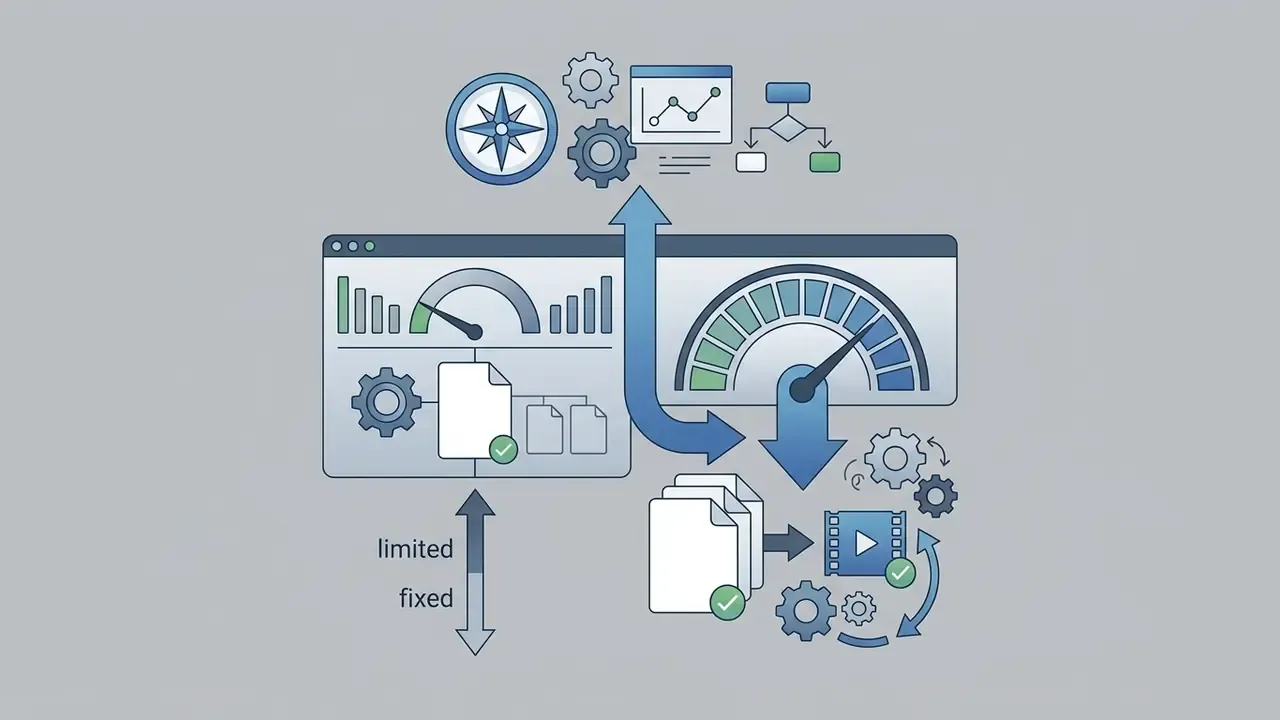
- Plan limits: Canva Free provides up to 50 lifetime Magic Media text-to-image uses; Canva Pro, Teams, Nonprofits, and Education provide 500 monthly text-to-image uses and 50 monthly text-to-video uses, resetting at midnight UTC on the last day of the month (Canva Help Centre, 2026).
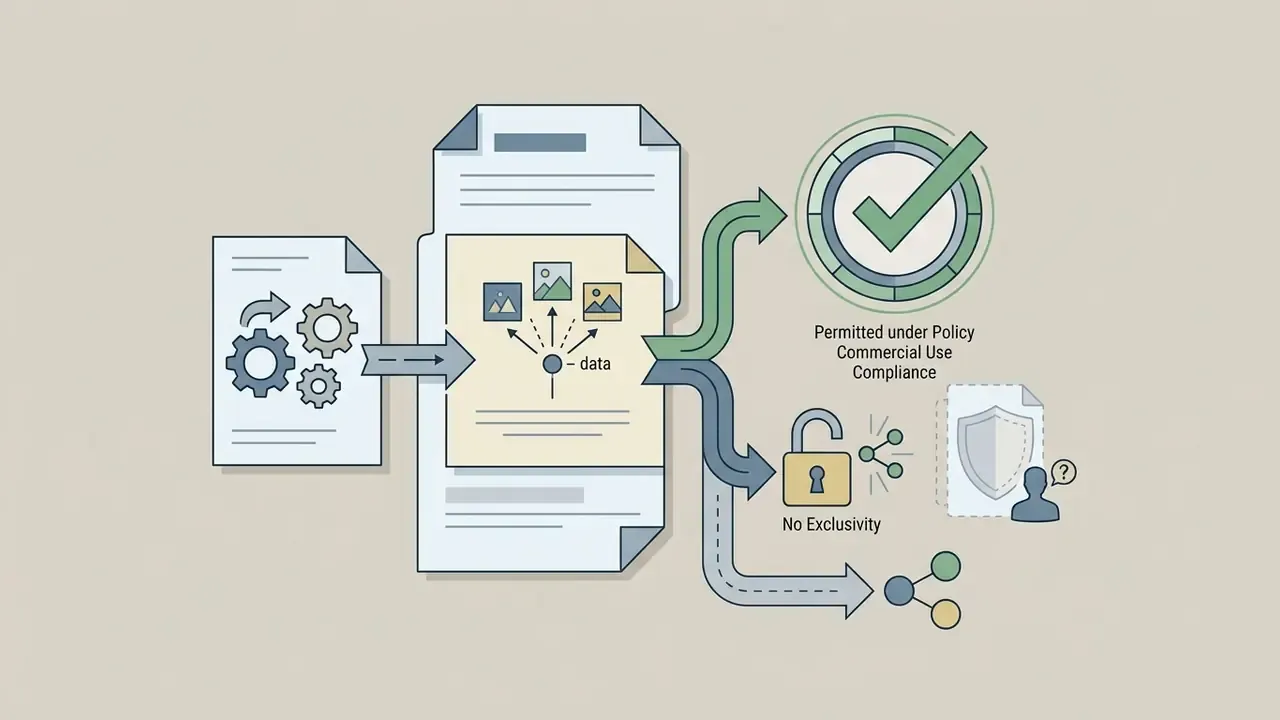
- Commercial use: Permitted under the AI Product Terms and Acceptable Use Policy. Canva makes no copyright ownership claim, but you also receive no guaranteed exclusivity, and raw prompt-only outputs may not qualify for copyright registration in jurisdictions that require human authorship.
- The three enterprise caveats: (1) by generating content you give Canva a licence to host and promote outputs; (2) governance requires explicit privacy settings, admin toggles, and Shadow AI controls; (3) Canva's public documentation does not advertise blanket IP indemnification comparable to some enterprise rivals, so verify contractually before any regulated-industry deployment.
Who this guide is written for. Two groups, really. The first is marketing and creative operations: people who need social media posts, product photos and image backgrounds shipped this week. The second is the control side: model risk, compliance, IT security. Whether you're in the first camp or the second, the questions converge on three things. What does the tool actually produce? What does it cost in credits? And what happens to your data and your rights once you press Generate?
Canva's generative artificial intelligence ecosystem lets creators, marketers, and design teams synthesize custom visual assets directly inside their layouts. By combining foundational generative models with automated editing tools, the canva ai generator turns text descriptions into production-ready graphics, social assets, and marketing collateral. Search demand for it arrives in many shapes, from ai canva image generator and ai picture generator canva to the Dutch-language canva ai afbeelding generator, and occasionally as the misspelled canva ai image generater or canva ai image genarator. Same product behind all of them. Understanding how to control the outputs, manage plan limits, and verify commercial rights is what separates a speed gain from an unbudgeted legal exposure.
What Is Canva AI Image Generator and How It Works
The canva ai image generator is an integrated text-to-image synthesis tool embedded inside the Canva design platform. It leans on generative diffusion architectures, including Magic Media, Stable Diffusion, DALL·E by OpenAI, and Google Cloud's Imagen, to produce high-resolution raster images and graphics from plain-language prompts (Canva Help Centre, 2026).
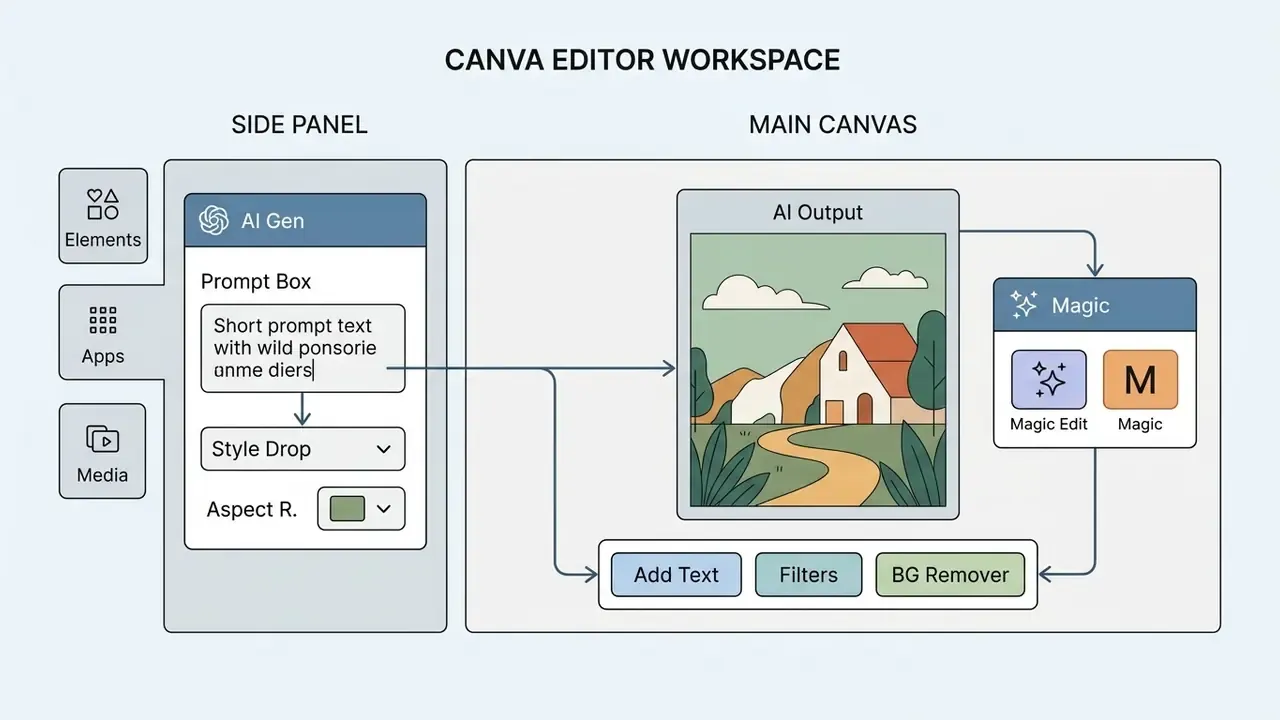
When you submit a prompt, the generator processes the request through three functional layers: intent parsing, aesthetic style mapping, and canvas-aware rendering. Intent parsing breaks the text into structural entities. Style mapping aligns the request with the selected aesthetic embeddings, such as cinematic photography or flat vector art. Canvas-aware rendering then formats the resulting matrix to fit the dimensions you chose. That tight coupling between generation and document editing is the real differentiator against standalone prompt interfaces, more than raw pixel quality.
Anyone comparing engines rather than workflows will also ask adjacent questions, for example whether other assistants render pictures at all. Short answers exist for can claude ai generate images and for can deepseek generate visual output, and both are useful context when you map which AI tools your teams already have open in a browser tab.
Canva Magic Media, Canva AI, and Image Generation in the Editor
Canva Magic Media is the primary engine for generating visual assets inside an active document. You reach it in the canva editor under Elements → AI image generator, or through the Apps panel, and you can generate images, graphics, and short video clips without leaving the workspace (Canva Help Centre, 2026). Some users prefer the official entry point rather than third-party mirrors; the canva ai image generator official website path is simply canva.com plus your normal login.
In enterprise environments, removing the context switch between an external generation engine and layout software cuts asset production friction in a measurable way. Teams benchmarking Canva against dedicated AI image generators usually trade raw render fidelity for workflow consolidation. To evaluate broader visual creation strategies across platforms, see the overview of available enterprise generative tools. A free-tier baseline such as bing image creator free is also worth a quick test, if only to calibrate what "good enough" looks like at zero cost.
Canva AI 2.0: Conversational Workflows, Voice Input, and Ecosystem Connectors
The move to Canva AI 2.0 shifts generative design from a static text box to a multi-modal conversation. Instead of submitting one prompt and accepting whatever appears, you iterate through dialogue: adjust layout structure, swap icons, reword headlines, while every underlying layer stays editable. Key capabilities:
- Voice-driven prompting on mobile or desktop design surfaces, tap the microphone icon and dictate natural-language instructions to the editor alongside text and image inputs.
- Brand memory library the engine remembers brand kits, design preferences, and previous aesthetic outputs, so later generations conform to guidelines without repetitive prompting.
- App connectors native integrations with Slack, Gmail, Google Drive, and Notion pull context, documents, and asset briefs into the Canva prompt canvas without switching browser tabs.
- Fully layered output each generated text box, image, and graphic stays an independent object, so one element can be revised without regenerating the whole composition.
- Template fallback when a generation request fails or returns something weak, Canva surfaces matching templates, so the workflow never dead-ends.
For risk owners, the connector layer is the consequential part. It widens the data surface between internal systems (email, cloud storage, knowledge bases) and a third-party generative stack. That is precisely why the administrator controls described later in this guide matter more than any feature demo.
What Images and Styles You Can Create
The ai photo generator canva covers a wide spectrum, from photorealistic product shots to abstract vector illustrations. Preset aesthetic directions include:
How to Create an AI Image in Canva Using a Text Prompt
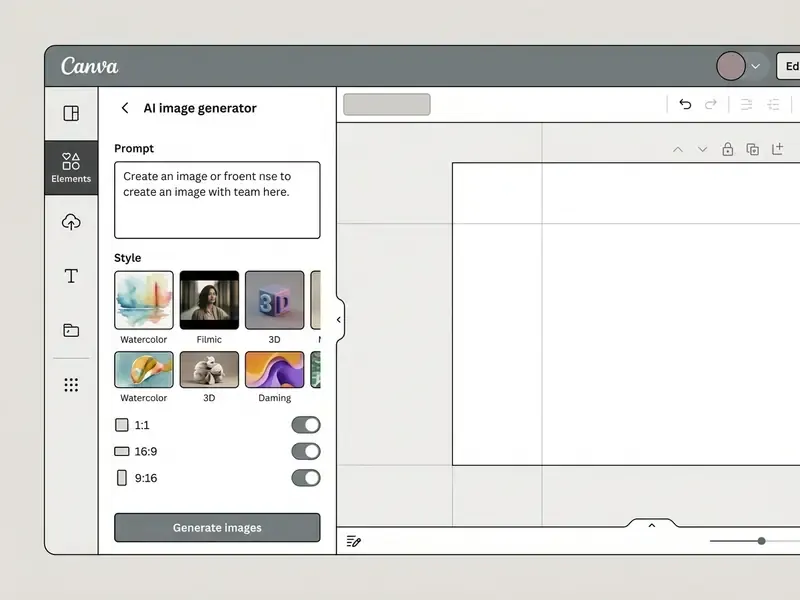
Producing ai generated images canva takes four moves: open a design project, go to the generative panel, submit a structured text prompt, insert the chosen output onto the canvas. Specify the aesthetic style and the aspect ratio before you trigger the diffusion pipeline (Canva Help Centre, 2026).
Step-by-step interface workflow:
- Open workspaceopen an existing layout or create a new document in the canva editor.
- Locate generatorclick Elements in the left panel and select AI image generator, or go to Apps → Magic Media. From the homepage, the equivalent entry point is Canva AI → Create an image.
- Input descriptionenter a detailed short written prompt describing the subject, the setting, and the visual details. On mobile, tap the microphone icon and dictate instead of typing.
- Configure parameterschoose one of the art styles available and pick a target aspect ratio (Square 1:1, Landscape 16:9, Portrait 9:16).
- Generate and applyclick Generate image. When the candidate thumbnails render, click any of them to place the ai output onto your layout.
- Regenerate and refineadjust the prompt, switch style presets, or press Regenerate until the variation matches the brief. The asset stays editable inside the layout the whole time, and you can track progress along the way because nothing gets flattened.
How to Write Prompts so AI Output Matches Your Task
An effective text prompt defines five visual parameters: subject identity, action or setting, visual style, colour palette, and lighting.
Vague descriptors like "a modern office" waste credits. Structured prompts hold up better:
That vocabulary gap is fixable. Naming explicit lighting descriptors ("soft natural backlighting") shapes the model's latent representation directly and cuts repetitive regeneration cycles. The same applies to font combinations colors when you ask Canva AI to draft a full layout rather than a single picture: state the palette, or the model will invent one. Teams that need maximum render fidelity for hero assets often keep Canva for layout-integrated work while testing leading AI image generators for isolated high-end renders.
«VisualPrompter, a training-free method, detects missing concepts in generated images and refines prompts, improving alignment on the DSG-1k and TIFA v1.0 benchmarks.»
A practical takeaway from that research line: treat the first generation as a diagnostic. List the requested concepts that are missing from the output, then re-prompt naming only those gaps instead of rewriting the whole description. It sounds trivial. In credit-limited accounts it is the difference between four attempts and twelve.
Selecting Format, Style, and Reference Image
Choosing the correct aspect ratio before generation prevents distortion and unwanted cropping when assets drop into fixed template containers. The standard presets:
- Square (1:1)
- social feed posts, profile graphics, square product containers.
- Landscape (16:9)
- presentation slides, website hero banners, desktop display assets.
- Portrait (9:16)
- mobile vertical stories, short-form video backgrounds, print flyers.
Canva's Dream Lab integration also accepts an uploaded reference image to guide structural composition or visual style (Canva Help Centre, 2026). Upload through the + icon, then choose Match Image, Match the Style, or Match the Design. Reference influence strength runs from Subtle to Balanced to Strong, which controls how strictly the new generation mirrors the source layout, adjustable color treatment, or palette. Functionally this matches dedicated image-to-image generators, with one advantage: the reference and the final layout live in the same document, so nobody has to hunt for the original file two weeks later.
- Canva Help Centre, 2026
How to Add Generated Images to a Completed Design
Clicking a generated ai image places it on the active canvas as an independent layer. From there, standard layout controls apply:
- Layering and alignment position the asset behind typography or inside a graphic frame element.
- Text overlay use the Text tab (or press T) to easily add text headers, callouts, and body copy over the visual. To pull copy out of an existing raster image, open the photo, choose Edit, then Grab Text.
- Graphic augmentation insert graphics media elements, lines, brand logos, or audio sound effects for motion pieces from the entire library to finish the composite. Free accounts still get a useful pool of free images icons and basic photos icons graphics.
- Export and distribution export via Share → Download in PNG, JPG, PDF, or PPTX, or publish straight to social channels. High-resolution PNG and JPG options cover print-grade output.
- Physical print delivery and translation order posters, business cards, or merchandise through Canva Print, or run Canva Translate to convert layout copy over generated graphics into 100+ languages.
What Tasks Canva AI Image Generator Is Suited For
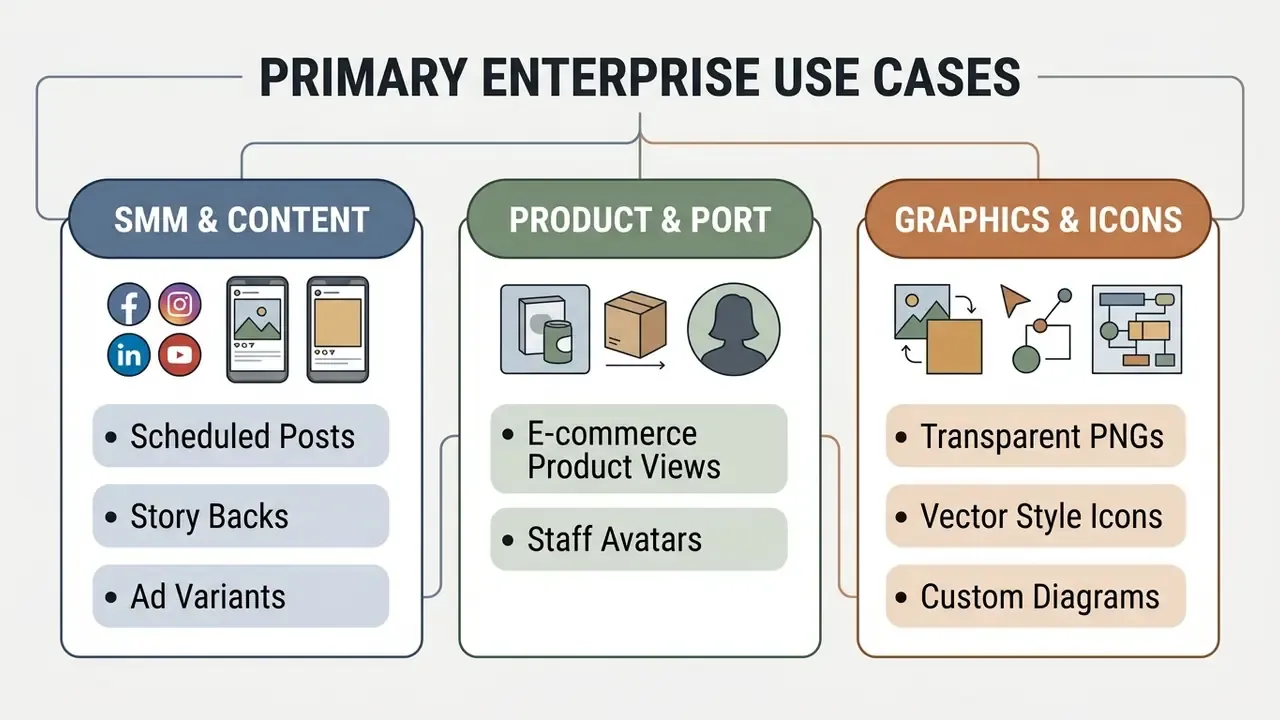
The ai image generator for canva is built for fast visual asset creation across marketing, corporate communications, digital publishing, and concept prototyping. Because generation sits inside a multi-page publishing suite, teams can produce high volumes of ai images canva tuned to specific operational requirements.
Multi-Modal Generation: Text to Graphic and Text to Video
Text-to-image remains the foundation, but the engine now covers more formats in the same workspace:
- Text to graphic synthesizes custom vector stickers, flat illustrations, and isolated icon sets in a chosen style. Outputs drop onto layouts directly or export as transparent elements.
- Text to video converts descriptive prompts into short platform-ready clips (around four seconds) with synchronized audio, motion, and camera panning. Pro and Enterprise accounts receive 50 monthly text-to-video generation credits (Canva Help Centre, 2026).
- Design with a prompt instead of a single asset, Canva AI can generate a full editable layout, a presentation deck, a doc, or a social set, which opens in the editor as standard layers.
Product Photos, Headshots, and Background Images
Consistent commercial visuals usually demand flexible studio backdrops without recurring photography costs.
- Product photography uploaded product cutouts plus generative backdrops produce clean promotional imagery for e-commerce catalogues (Canva AI Product Photos, 2026). Retail syndication standards typically expect a single item fully visible in frame, balanced lighting, and only subtle natural shadows. Encode those constraints into a reusable prompt template and you stop relitigating them every campaign.
- Corporate headshots generative tools synthesize uniform photos headshots with standardized indoor office backgrounds for employee directories (Canva AI Headshot Generator, 2026). Before uploading real employee photographs as source material, confirm consent, retention, and cross-border transfer requirements under your privacy framework. Employee likeness is personal data, and a generative pipeline is a processing activity. Teams comparing vendors can review dedicated AI headshot generators for portrait-specific controls.
- Custom backgrounds bespoke ambient textures let background visuals match campaign palettes exactly (Canva AI Background Generator, 2026). Where an existing photo simply needs more canvas, AI outpainting tools extend the frame instead of regenerating the scene.
One boundary worth stating plainly: do not use these tools to fabricate recognisable people. A celebrity ai image generator request is a right-of-publicity problem waiting to surface, and no plan tier changes that.
Illustrations, Icons Graphics, and Transparent PNGs
The canva ai graphic generator produces flat vector-style illustrations, thematic icon sets, and isolated elements. For interface work or presentation slides, export assets as transparent pngs so they sit cleanly over complex backgrounds (Canva Help Centre, 2026).
To produce an isolated element: specify flat vector styling in the prompt, apply the native background removal tool (or Magic Grab) to strip the backdrop, then select Share → Download → PNG → Transparent background on export. Two minutes, no manual masking.
Idea Drafts and Fast Design for Content Creators
How to Improve Canva AI Generated Images After Generation
Raw generative outputs often carry minor artifacts, focal imbalances, or background clutter. Some manual editing needed, in other words.
Canva ships integrated editing controls, including Magic Edit, Magic Eraser, Magic Expand, Magic Grab, and automated background removal, to correct generative outputs without leaving the editor (Canva Help Centre, 2026).
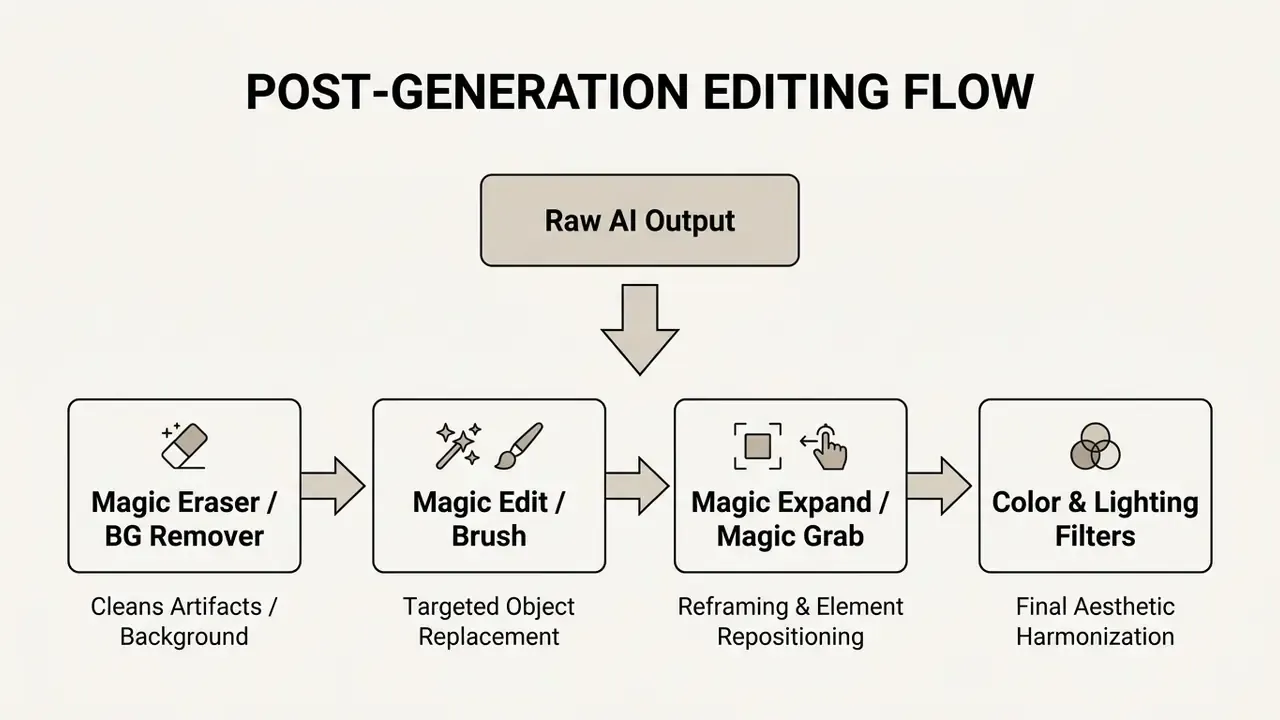
Magic Edit, Magic Eraser, and Removing Unwanted Objects
Targeted generative editing lets designers modify a region without regenerating the whole composition:
- Magic Edit: select an object or paint over a region with the brush, then describe what should be added, replaced, or changed inside that mask (Canva Help Centre, 2026). Launch it from Edit → Magic Edit under Magic Studio. It supports click selection plus brush refinement and returns several alternatives. Brush over an office mug, prompt "a blue ceramic thermos", and only that object changes while surrounding lighting and perspective hold. Canva's own guidance notes one counterintuitive rule: do not describe size in the prompt, brush a larger area instead. Pro-tier users can run Magic Edit up to 100 times in a rolling 24-hour window.
- Magic Eraser: brush over unwanted distractions such as background pedestrians, stray reflections, or distorted artifacts, and the system erases the object and reconstructs the background texture (Canva Help Centre, 2026). Brush size, Clear, Erase, and Reset controls govern selection precision, and the result is usually instantly clean on simple backdrops.
Public documentation describes the mechanism as mask selection plus generative reconstruction. Neither the model architecture nor the training pipeline for these consumer tools is published. For model-risk teams building a dependency inventory, that opacity is the gap to record, not the feature list.
Magic Expand and Magic Grab: Structural Aspect and Element Refinement
Beyond object replacement, the suite offers structural manipulation of framing and spatial composition:
- Magic Expand extends the image canvas in any direction, for example converting a 9:16 vertical smartphone shot into a 16:9 widescreen presentation backdrop. The diffusion engine reads edge pixels to extrapolate seamless background extensions without distorting the central subject (Canva Help Centre, 2026). Practical uses: fixing awkward framing, rescuing an over-zoomed source image.
- Magic Grab detects and isolates the primary subject from any generated or uploaded photo and converts it into a movable, editable element. Reposition a person or product across the canvas and the engine fills the vacated space with contextual background. Combined with Generative Fill, this turns a flat raster output into a re-composable scene.
Background, Focus, Lighting, and Color Filters
To make canva ai generated images blend into finished layouts, tune the global attributes:
- Background Remover: a one click background remover that isolates foreground subjects from solid or complex backdrops, for photos and video alike (Canva Help Centre, 2026). The same utility handles remove image backgrounds tasks on stock and uploaded assets.
- Focus and lighting adjustments: use sliders to change warmth, brightness, contrast, and a photo's focus lighting balance until the generated asset matches its neighbours. Where upscaling or heavy restoration is required, dedicated AI image enhancers offer finer control than in-editor sliders.
- Photo effects filters: presets such as duotone, retro, or high-contrast monochrome plus adjustable color filters unify colour grading across several AI-generated and stock assets inside a single deck. These fun photo effects are cosmetic, yes, but consistency across twenty slides is not cosmetic at all.
If you need pixel-level retouching that Canva's photo editor layer does not reach, pair it with a specialist tool rather than forcing the in-editor sliders.
Free Access, Canva Pro, and AI Generation Limits
Access to the picture generator canva is tiered. Free accounts get entry-level generative capability; paid plans unlock higher monthly quotas, expanded asset libraries, and the full editing suite (Canva Pricing, 2026).
| Feature Category | Canva Free Access | Canva Pro / Enterprise Tier |
|---|---|---|
| Generative Credit Quota | 50 lifetime total Magic Media uses (Canva Help Centre, 2026) | 500 monthly text-to-image uses, resetting at UTC month-end (Canva Help Centre, 2026) |
| Text-to-Video Generation | Highly restricted or unavailable | 50 monthly text-to-video uses (Canva Help Centre, 2026) |
| Per-Tool Credit Pools | Separate small quotas per AI app; credits do not transfer between tools | Separate monthly pools per tool; 1 credit per generation (Canva Help Centre, 2026) |
| Media Library Access | Standard free photos, icons, and templates | 100M+ premium stock assets, brand kits, and fonts (Canva Pricing, 2026) |
| Advanced Editing Tools | Basic manual editing and standard filters | One-click Background Remover, Magic Eraser, Magic Edit, Magic Expand, Magic Grab (Canva Pricing, 2026) |
| Publishing & Workflow | Basic manual download options | Integrated Content Planner, resize, and translation tools (Canva Pricing, 2026) |
| Governance Controls | Individual account privacy settings only | Admin Panel AI toggles, Canva Shield privacy controls, brand-kit enforcement |
Table note: quotas and credit limits reflect Canva's published subscription documentation. Each generated image set draws from the account's monthly balance, which resets at UTC month-end. Canva's pricing page also presents a consolidated "credits" framing for some tiers; where pricing-page and help-centre figures differ, the help-centre per-tool limits are the operative technical constraint.
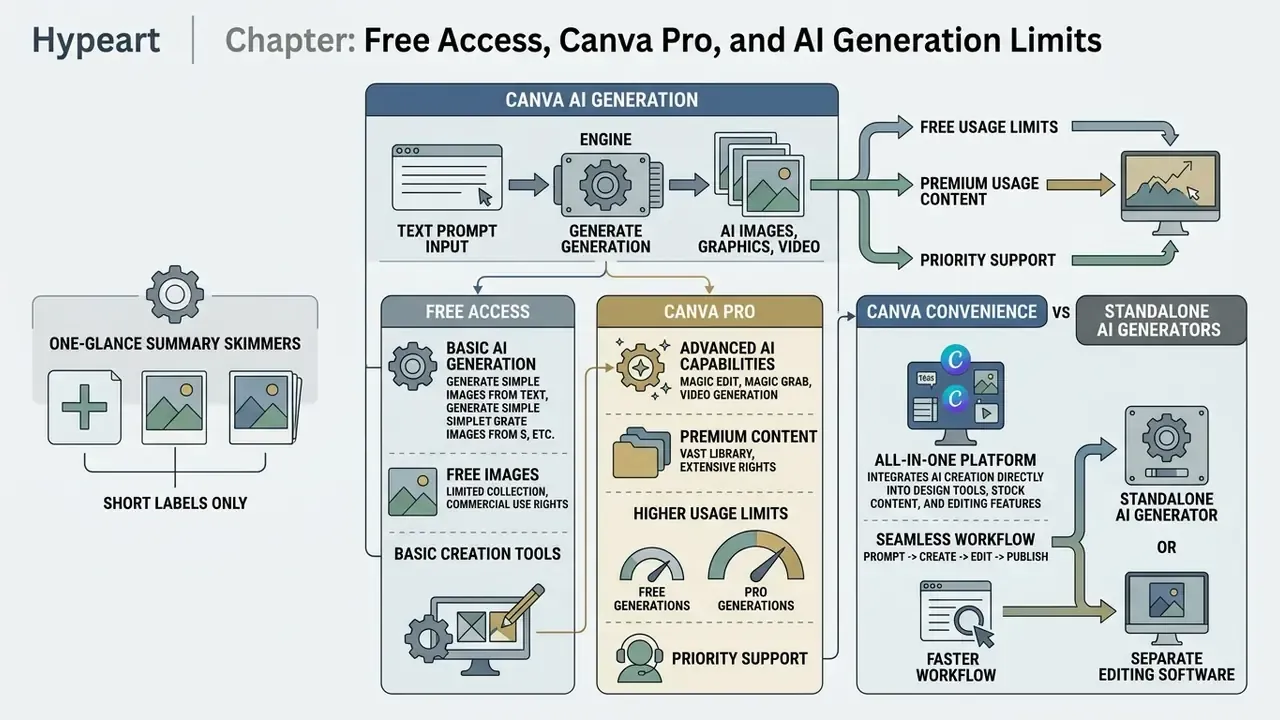
What You Can Do with Free Images and Free Access
Free plan users can experiment with basic prompt synthesis, test standard styles, and place results into templates. It is a practical sandbox for judging whether generative AI fits your content creation workflow at all.
The limits bite quickly, though. Fifty lifetime generations disappear inside one campaign, and free accounts lack automated background isolation. Users looking for no-cost alternatives can compare free AI image generators on output quality, watermarking, and licence terms before committing budget.
When Canva Pro Capabilities Become Valuable
Canva Pro or Enterprise starts to matter when production scales past experimentation. The 500 monthly text-to-image generations support high-volume campaigns and daily social publishing (Canva Help Centre, 2026).
«NeuroPrompts, an adaptive language-model framework, showed automatically enhanced prompts yield superior image quality in Stable Diffusion with control over stylistic parameters.»
The implication for paid tiers compounds: more attempts per month only pay off if each attempt is better specified. Quota without prompt discipline is just faster waste.
Pro also unlocks the complete Magic Studio editing suite, one-click Background Remover and Magic Eraser included, which removes the manual cleanup bottleneck. Teams needing deeper retouching can supplement with dedicated AI photo editors. One correction to a claim that circulates widely: Canva's official documentation describes Magic Studio feature access and per-tool credits, but does not publish a "priority generation" queue benefit. That appears only in third-party material, and it should not be treated as a contractual commitment.
When Canva Is More Convenient Than Standalone AI Image Generators
Standalone platforms focus on raw prompt rendering, then hand you a file to import into separate design software. Midjourney image generation centres on a dedicated Create Page and Imagine bar with draft and quality modes, while OpenAI's DALL·E is documented as a prompt-to-image system and API rather than a layout environment.
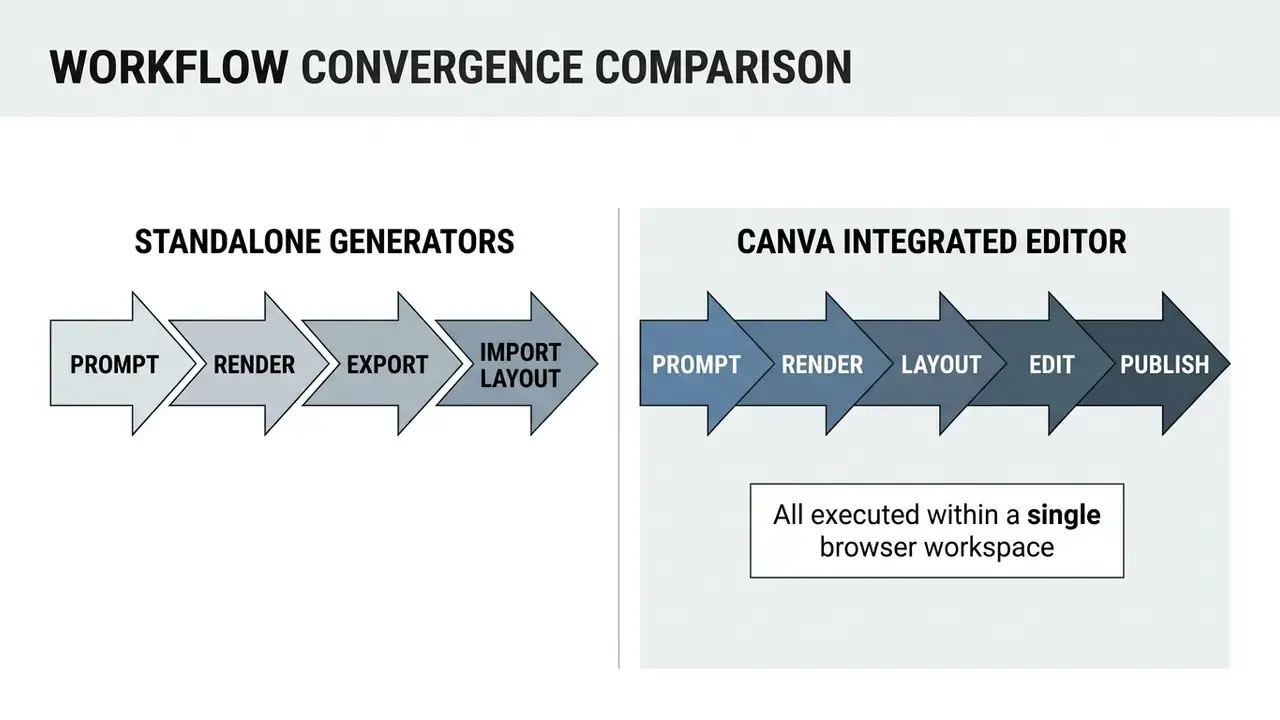
Canva consolidates image generation, typography, vector overlays, brand-kit governance, and direct social publishing into one browser workspace with drag and drop design tools. For non-specialist teams, that removes file management overhead, shortens turnaround, and simplifies cross-department collaboration.
The trade-off is model-level control. Canva abstracts away model selection and updates its engines over time, which lowers maintenance burden while reducing reproducibility for anyone who needs identical outputs across regeneration cycles. If your control framework demands pinned model versions, this is the point to raise in evaluation, not after rollout.
Can You Use Canva AI Images in Commercial Projects
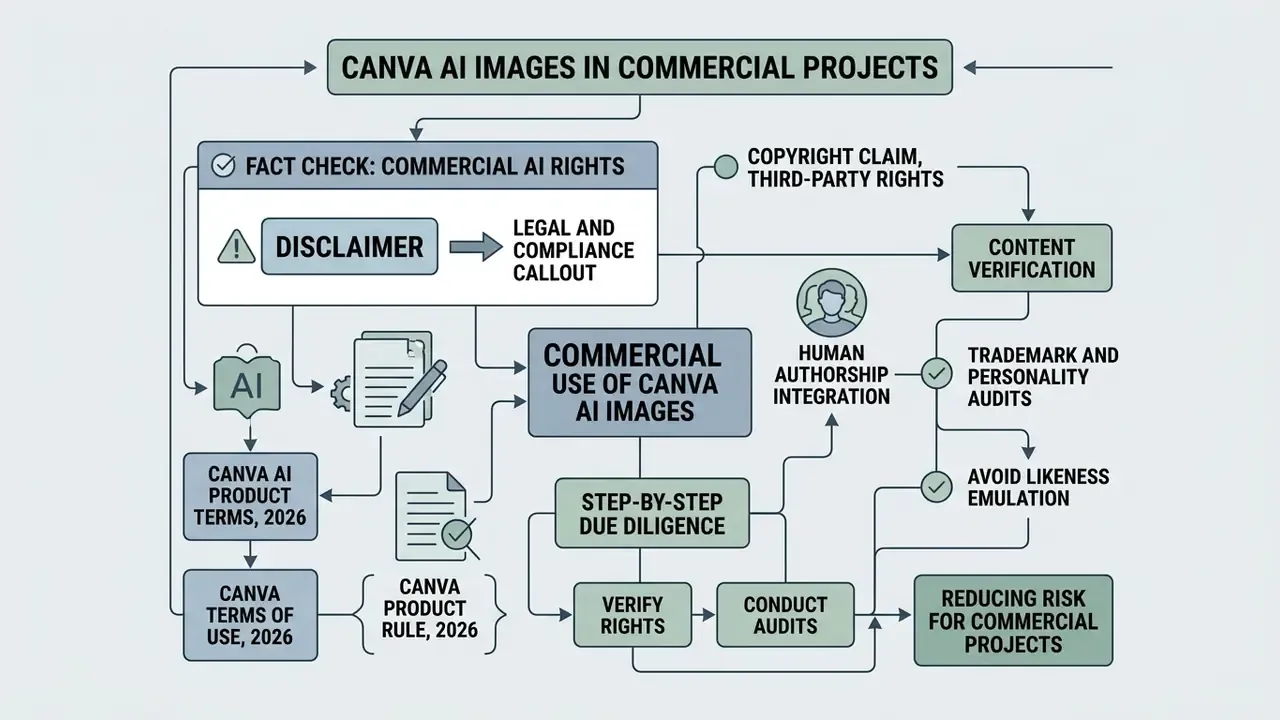
You may deploy Canva AI outputs in personal and commercial projects, marketing collateral, digital ads, website graphics, client presentations, printed merchandise, provided you comply with Canva's AI Product Terms and Acceptable Use Policy (Canva AI Product Terms, 2026).
Legal and Compliance Callout: Commercial AI Rights (Fact Check)
For teams tracking how these disputes are evolving in court, the AI Litigation and Case Timelines resource is the place to watch rather than relying on vendor summaries.
Copyright Claim, Third-Party Rights, and Content Verification
Canva does not assert a copyright claim over generated assets. That is not the same as you holding one. Raw AI outputs may sit in an uncopyrightable or effectively public-domain position under current US frameworks (US Copyright Office, 2023–2026).
To reduce exposure in broad commercial campaigns:
- Human authorship integrationcombine AI outputs with original typography, custom layouts, and branded elements to establish human creative authorship, and document that contribution for registration.
- Trademark and personality auditsinspect outputs for recognizable third-party logos, trademarked designs, or likenesses of real individuals. Verification can include AI image detectors plus reverse-image checks before publication.
- Avoid likeness emulationdo not target public figures or copyrighted characters. Style imitation carries its own risk; the popularity of Ghibli-style AI image generators shows how close mimicry of a protected body of work attracts rights-holder attention even when no single frame is copied.
- Retain prompt recordskeep the prompt, style preset, reference image, and editing history for every published asset, so authorship and provenance can be reconstructed during audit or dispute.
Acceptable Use Policy Restrictions and Unsafe Content
Enterprise Governance: Canva Shield and Administrator Access Controls
Enterprise governance goes well past prompt filtering. Through Canva Shield, organizations get enterprise-grade privacy controls intended to keep input prompts and generated outputs out of public model training. Administrators on Enterprise, Teams, and Education accounts can also toggle specific AI generation features on or off globally from the Canva Admin Panel, including disabling all AI tools by default for defined groups. That default-off posture is the single cheapest control available here.
Data Privacy, Security, and Prompt Training Policies
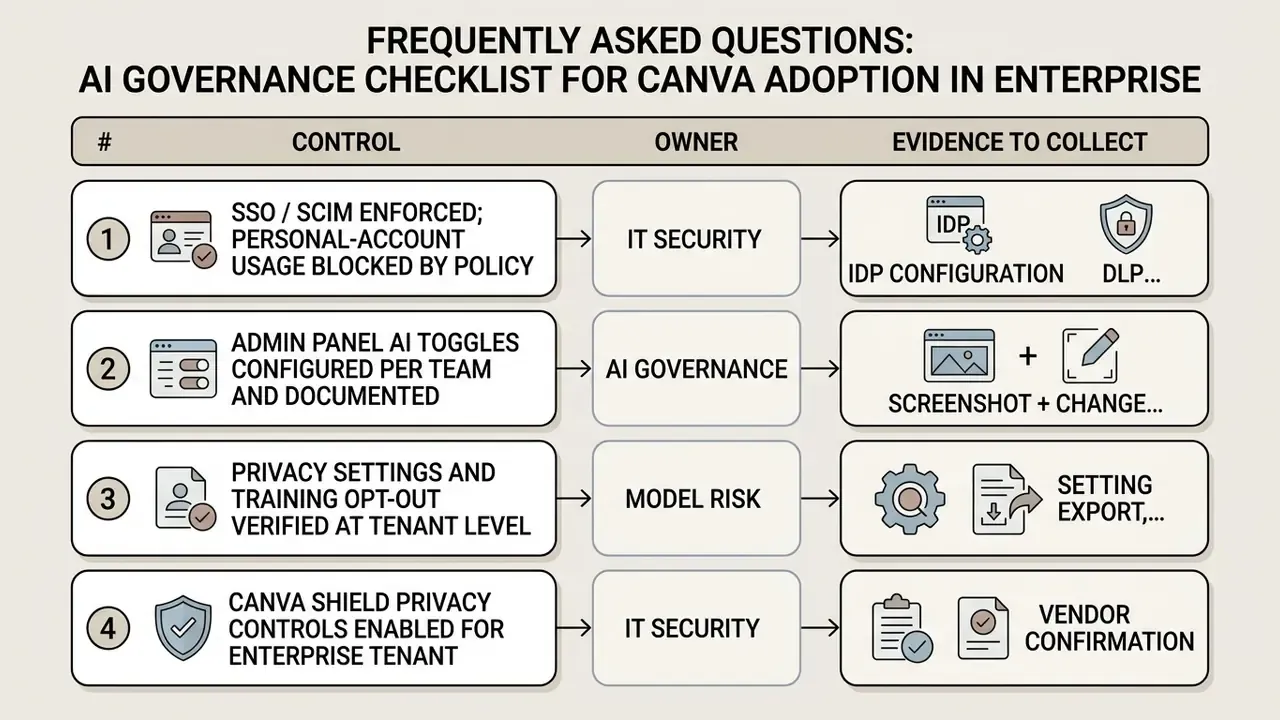
This section answers the questions that CROs, model-risk owners, and AI governance leads actually raise when a design platform ships embedded third-party generative models.
1. Are prompts and uploads used to train models?
Canva's Trust Center states that user content is not used to improve AI-powered features unless that use is consistent with the account's Privacy Settings, and that those settings control AI data use. In practice the opt-out is a configuration task, not a default assumption. Verify the setting at account, team, and admin level, then re-verify after major platform releases.
2. What is the third-party dependency surface?
Canva's documentation names Magic Media alongside DALL·E (OpenAI), Imagen (Google Cloud), and Stable Diffusion, and states that models are updated as improved versions become available. Two governance consequences follow. Your data-flow map must include the sub-processors behind each engine. And silent model substitution means output characteristics can change without any change request on your side.
3. Is output reproducible and auditable?
Canva does not publish seed control or deterministic regeneration for Magic Media, so bit-identical reproduction of a prior output is not a documented capability. Designs and generated assets are autosaved to the account in real time and retrievable from Canva Home, which gives you a practical artefact trail. If you need evidentiary logging (prompt, timestamp, operator, model version), maintain your own register alongside the platform. Requires verification against your enterprise agreement and admin reporting capabilities.
4. Where does Shadow AI risk concentrate?
The highest-risk pattern is staff using personal Canva Free accounts to process internal material: pricing tables, unreleased creatives, customer photographs, all outside the corporate tenant where admin toggles and Shield settings simply do not apply. Connector features (Slack, Gmail, Google Drive, Notion) amplify the impact, because a personal account can be wired into work systems in about thirty seconds.
5. Which certifications should be requested?
Security assurance evidence, for example SOC 2 Type II reports, ISO 27001 certification scope, data-residency and retention schedules, and sub-processor lists, should be requested from the vendor's trust portal under NDA. Requires verification. Certification scope changes over time and is not restated here as a fact.
AI Governance Checklist for Canva Adoption in Enterprise
| # | Control | Owner | Evidence to collect |
|---|---|---|---|
| 1 | SSO / SCIM enforced; personal-account usage blocked by policy | IT Security | IdP configuration, DLP rule |
| 2 | Admin Panel AI toggles configured per team and documented | AI Governance | Screenshot + change ticket |
| 3 | Privacy settings and training opt-out verified at tenant level | Model Risk | Setting export, re-check cadence |
| 4 | Canva Shield privacy controls enabled for enterprise tenant | IT Security | Vendor confirmation |
| 5 | Connector allow-list (Slack, Gmail, Drive, Notion) approved | Data Protection | Data-flow diagram, DPIA |
| 6 | Prohibited-input rules published (no client PII, no MNPI, no employee photos without consent) | Compliance | Policy doc, staff attestation |
| 7 | Prompt-and-output register maintained for published assets | Marketing Ops | Asset log with model and date |
| 8 | Third-party sub-processor list reviewed (OpenAI, Google Cloud, Stability) | Vendor Risk | Sub-processor register |
| 9 | IP indemnification and liability caps confirmed in contract | Legal | Executed agreement clause |
| 10 | Pre-publication review for trademarks, likenesses, and bias | Brand + Legal | Sign-off checklist |
| 11 | Shadow AI monitoring (unsanctioned domains, personal logins) | IT Security | SIEM/CASB report |
| 12 | Periodic re-assessment after platform model updates | AI Governance | Quarterly review minutes |
FAQ: Frequently Asked Questions About Canva AI Generator
Does Canva Autosave Changes and Can You Work Across Devices?
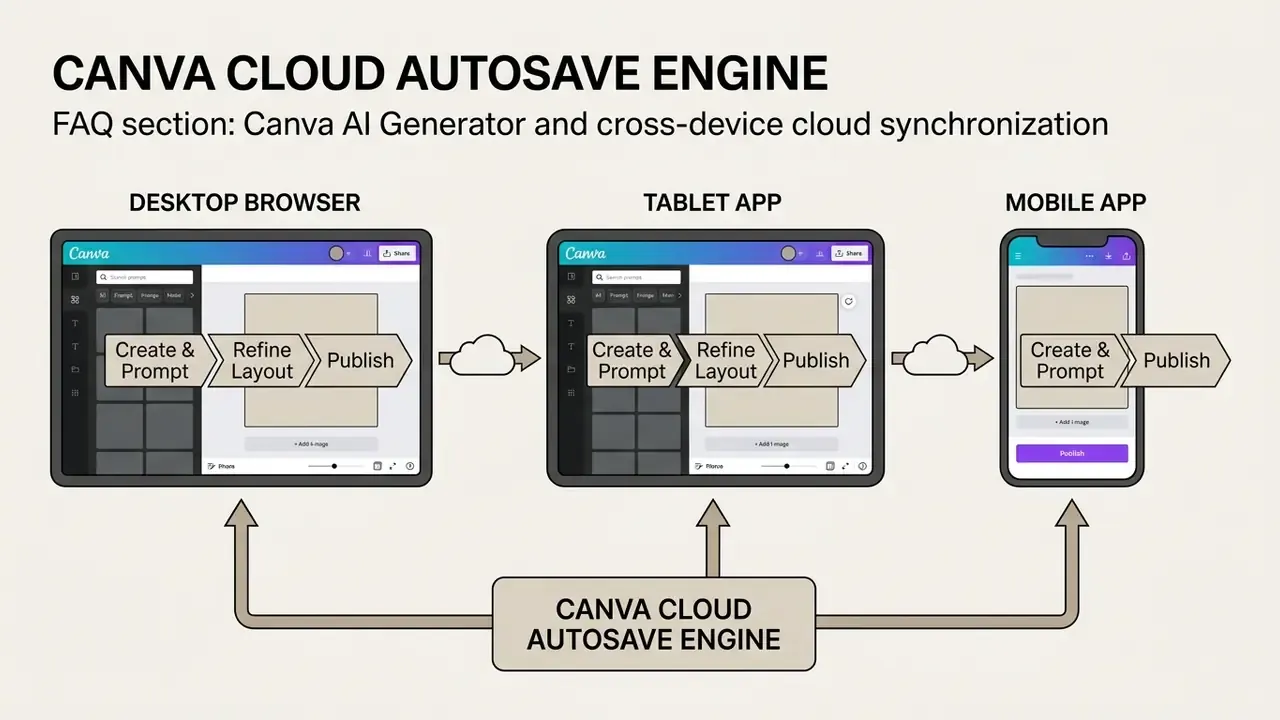
Yes. Canva autosaves project changes to the cloud every few seconds in real time (Canva Help Centre, 2026). Because designs and generated assets live in your cloud account, you can start generating on a desktop browser, refine the layout on a tablet, and publish from a phone, which is what access anywhere means in practice. If autosave fails, a manual Save control stays available in the editor. Generated image history and draft layouts remain reachable from Canva home through the search bar, so team members can review earlier iterations, adjust text overlays, and export assets into other production workflows.
Which AI Models Power Canva's Image Generation?
Canva's official pages name Magic Media, DALL·E by OpenAI, and Imagen by Google Cloud as image-generation apps inside the platform, while the AI image generator page describes Stable Diffusion as a powering model. Canva also states that it updates the underlying ai models as improved versions arrive, so users cannot select or pin a specific engine.
Can I Turn Canva AI Off for My Team?
Yes. Teams, Enterprise, and Education administrators can enable or disable the AI tools from the Admin Panel. For organizations that must restrict generative features to approved groups, that toggle is the primary control, and it should be documented with a change ticket.
Is Canva AI Available in Every Language?
Canva's help documentation indicates the conversational Canva AI assistant is available in English. If the account language is set to something else, those assistant features may be inaccessible. Design translation into 100+ languages is a separate feature, Canva Translate, and it is not the same thing as prompt-language support. Worth checking before you roll out to non-English teams.
Do Credits Carry Over Between Tools or Months?
No. Each AI-powered tool keeps a separate credit pool, credits do not transfer between tools, one generation consumes one credit, and monthly allowances reset at midnight UTC on the last day of the month.
Is the Canva AI Creator Suitable for Regulated Financial Marketing?
Conditionally. The canva ai creator workflow is fine for template assembly and internal drafts. For customer-facing financial promotions, keep a human reviewer in the approval chain, log the prompt and model date, and route disclosure language through compliance before publication. The generator does not know your jurisdictional disclosure rules, and nothing in the product claims otherwise.
Limitations and Open Questions
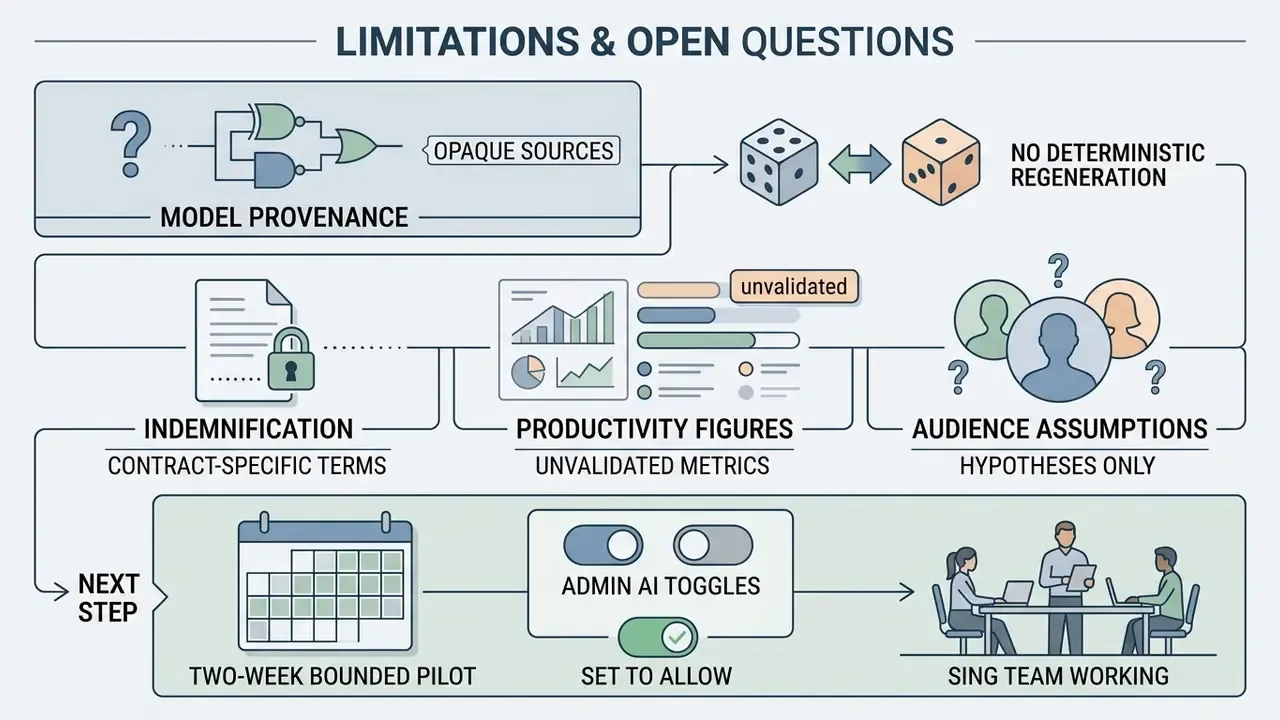
Stated plainly, so nobody mistakes this guide for a compliance sign-off:
- Model provenance is partly opaque. Canva names its engines but does not publish training-data composition or version histories per feature, which limits how far a validation exercise can go.
- No deterministic regeneration. Without seed control, "reproduce this asset exactly" is not an available control. Your evidence trail has to rely on stored outputs plus your own register.
- Indemnification remains contract-specific. Nothing here substitutes for the clause in your executed agreement.
- Productivity figures are unvalidated. Every efficiency claim in this guide is directional. Treat the numbers you care about as hypotheses and measure them with timed logs across at least one full campaign cycle.
- Audience assumptions are hypotheses. The pain points attributed to CROs, CCOs, and model-risk leads above remain hypotheses until supported by your own analytics, interviews, or CRM data.
Next step, deliberately modest: run a two-week bounded pilot in one team, with admin AI toggles set to allow only the features you reviewed, a prompt-and-output register in place, and a written prohibited-input rule. Then decide.
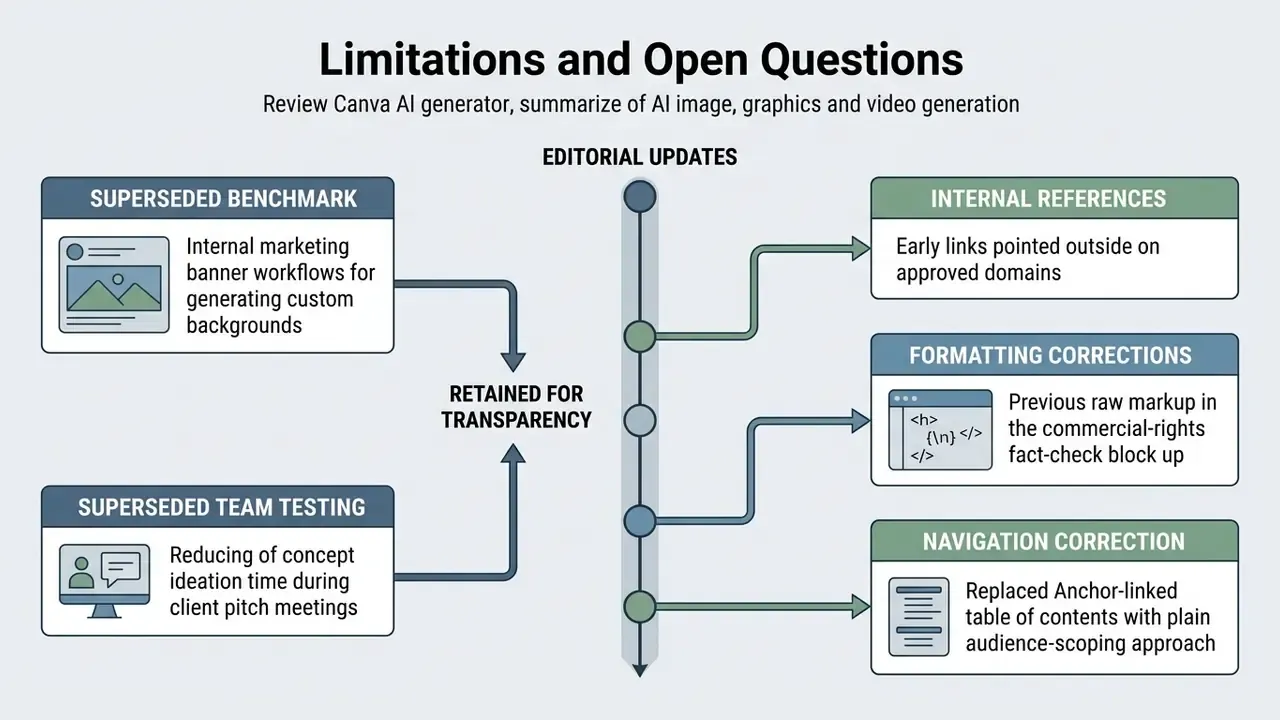
Appendix A: Revision Log and Superseded Formulations