Executive summary
- An AI schedule maker turns plain-language task lists, priorities, constraints, and availability into a time-blocked schedule. Output arrives as a printable image, an
.icscalendar file, a live multi-view workspace, or a two-way sync layer over Notion, ClickUp, Linear, and Todoist. - Evidence is real but bounded. Randomized trial data shows task-completion time falling 31.1% with AI assistance, while planning benchmarks show general-purpose LLMs solving only 31 to 35% of complex constrained scheduling problems without an optimization layer.
- In regulated environments, treat scheduling AI as a third-party model. Document inputs and outputs, log manual overrides, isolate PII and MNPI, require SSO/SAML, ask for SOC 2 Type II evidence, exportable audit logs, and configurable retention. Then keep a human approval gate on every published roster.
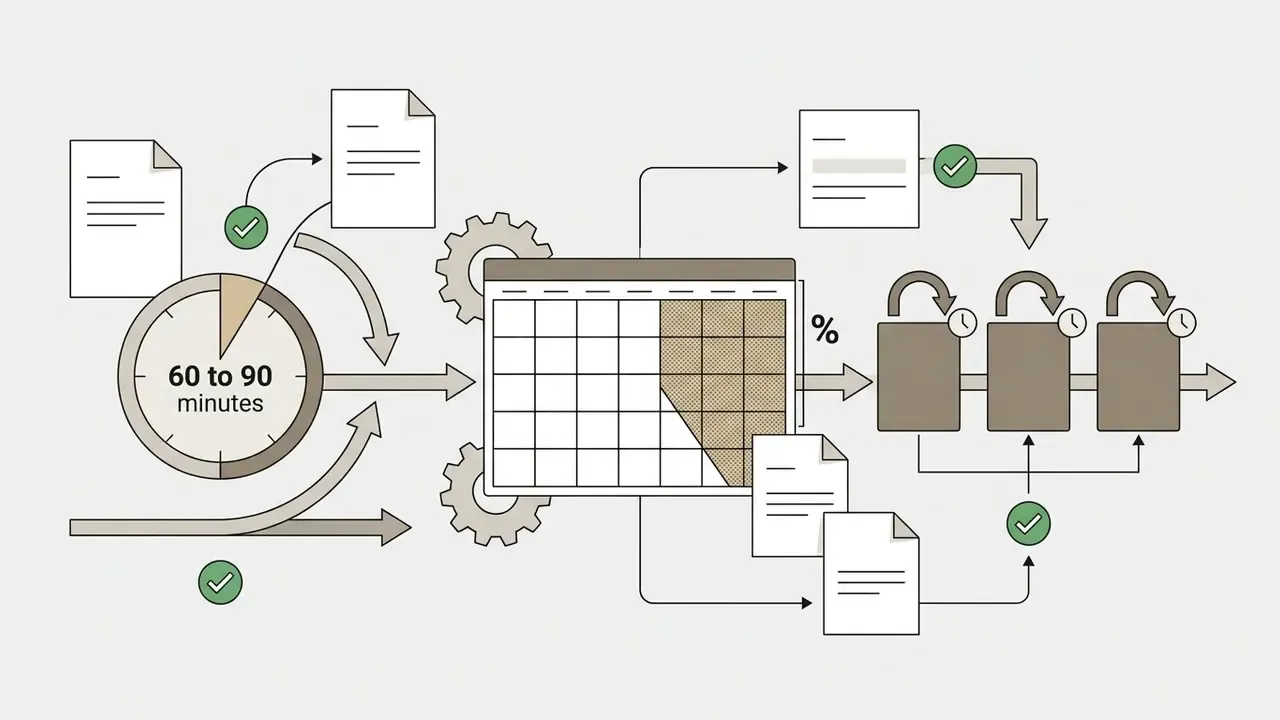
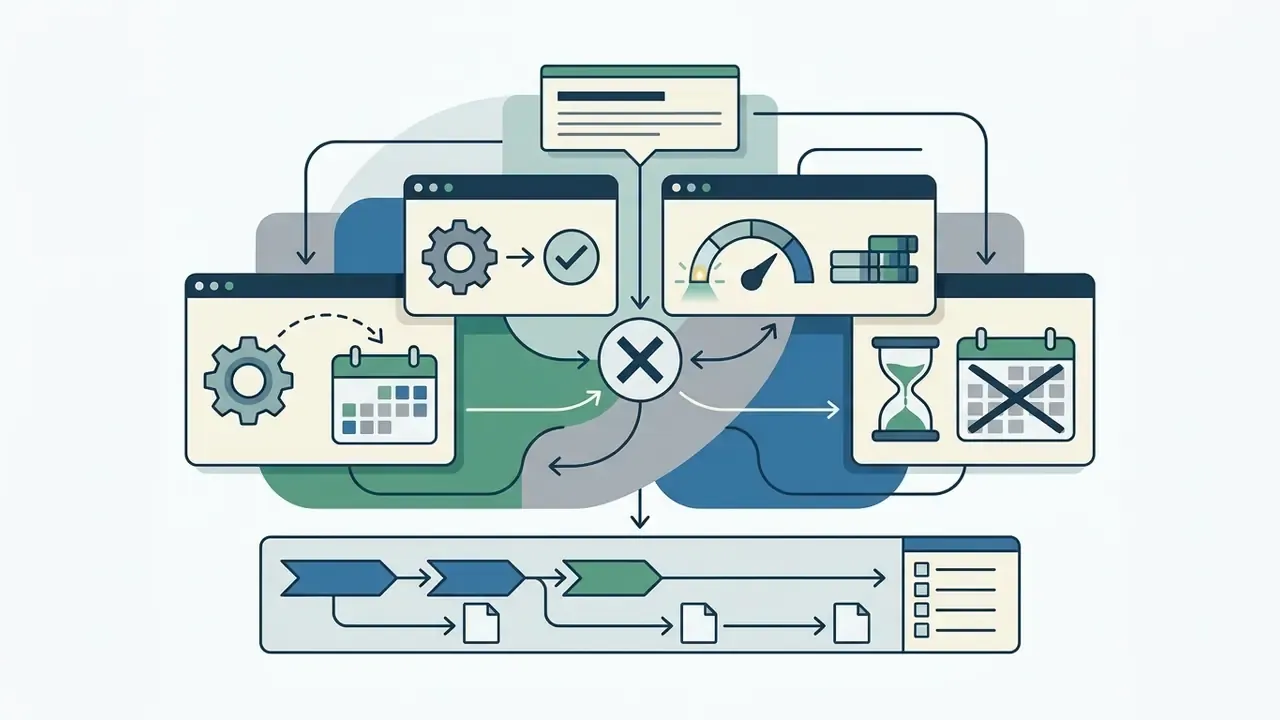
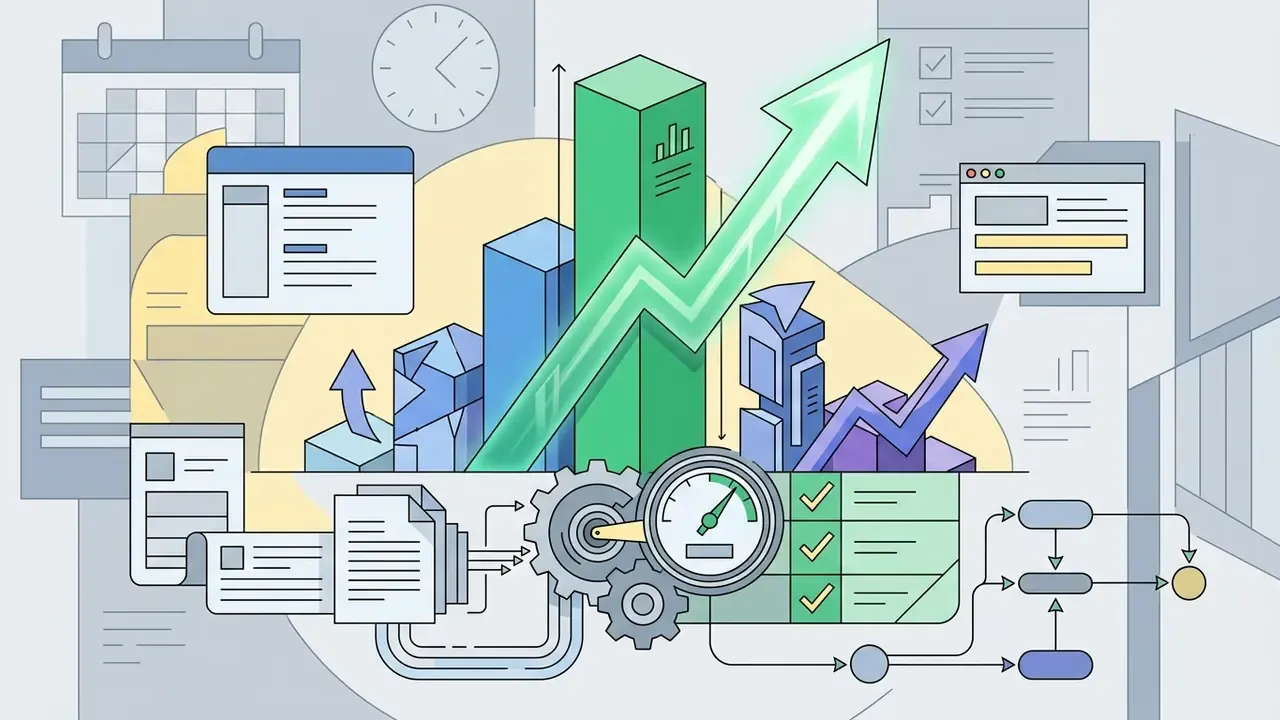
This guide moves from definitions and output formats to copy-paste prompts, roster scenarios, realistic capacity math, team sync protocols, governance controls, risk-adjusted ROI, and a verified free-tier fact check for 2026. Read it end to end if you are approving a tool. Skim the prompts if you just need a plan by Monday.
What an AI Schedule Maker Is and What Schedules It Creates
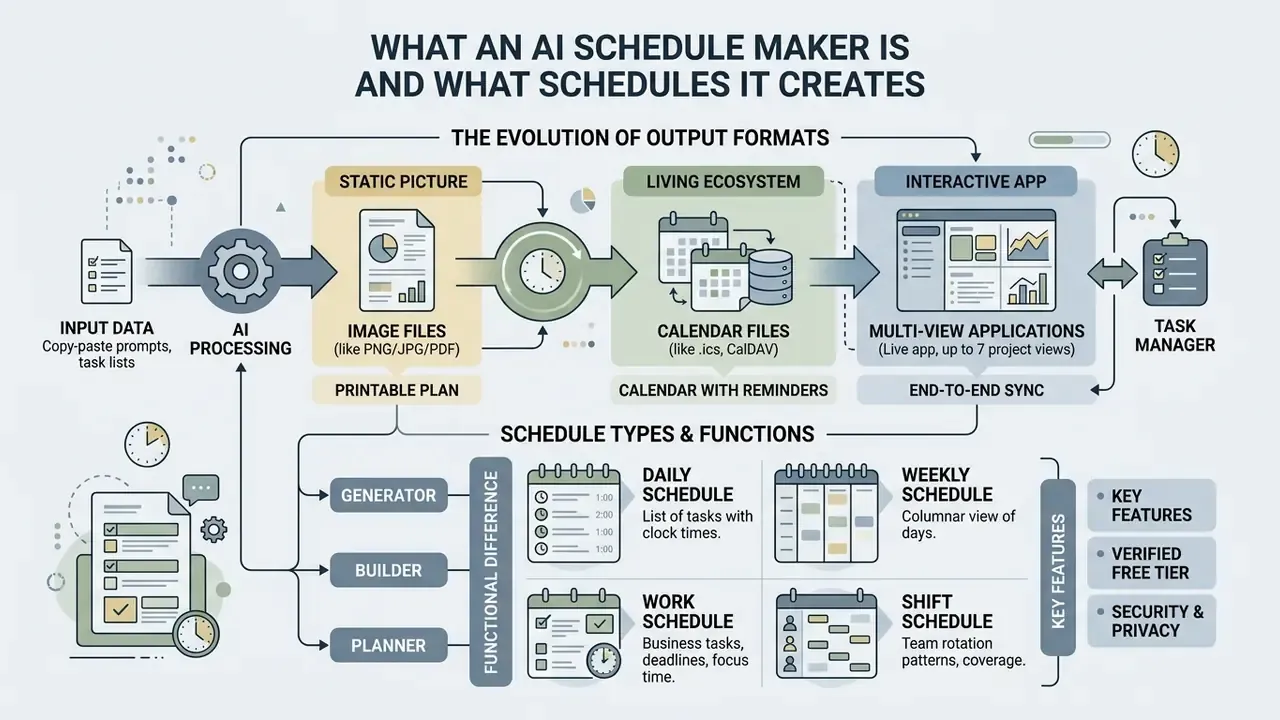
An AI schedule maker is software that automates the temporal allocation of work, personal tasks, and team shifts. It translates natural-language instructions or raw task inventories into time-blocked agendas. The technology builds structured daily schedules, weekly planners, study timetables, and corporate work rosters, which removes manual calendar construction and reduces scheduling conflicts.
By processing estimated task durations, hard deadlines, and fixed availability, an AI schedule generator optimizes time allocation through algorithmic reasoning. Controlled research quantifies the effect with unusual precision:
"Access to any AI model reduced mean task completion time from 600.7 to 413.8 seconds, a statistically significant 31.1% reduction."
The mechanism is not mysterious. Structured execution windows reduce decision fatigue and context switching, so less time goes into deciding what to do next and more into doing it.
The evolution of output formats: from a static picture to a living ecosystem
Modern services produce schedules in four distinct formats. Choose by two questions: how often does the plan change, and how many people depend on it?
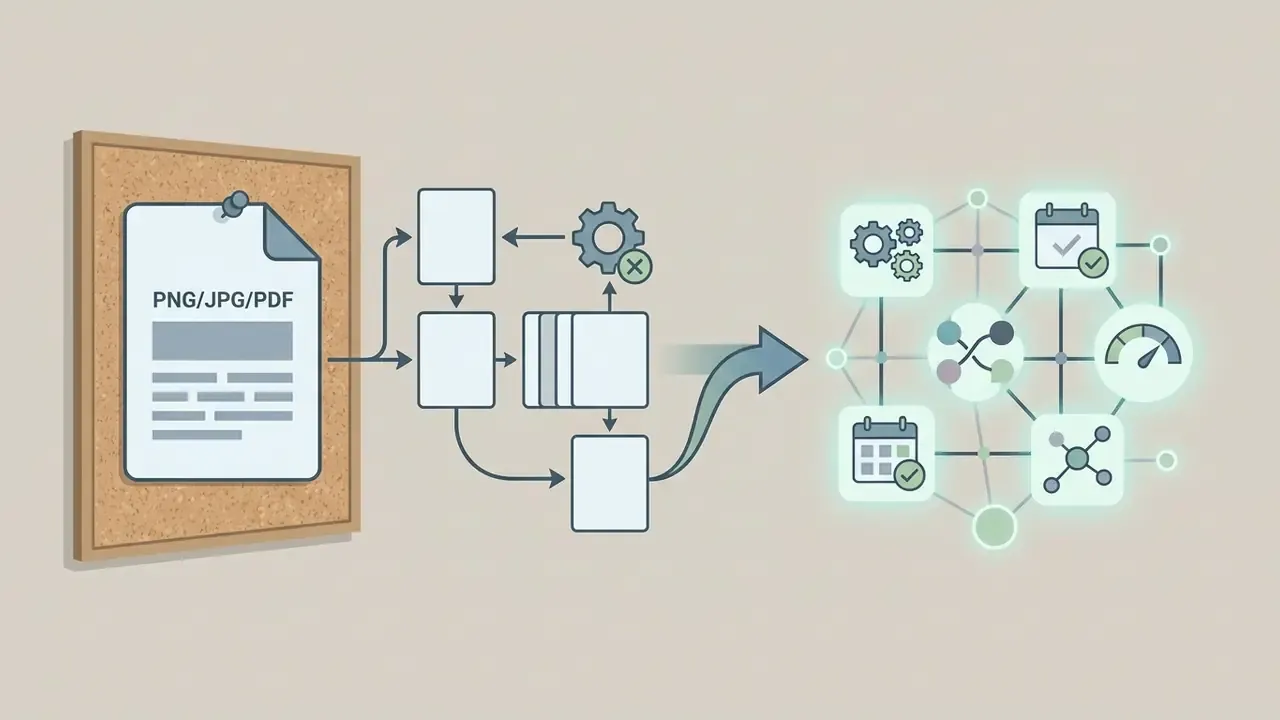
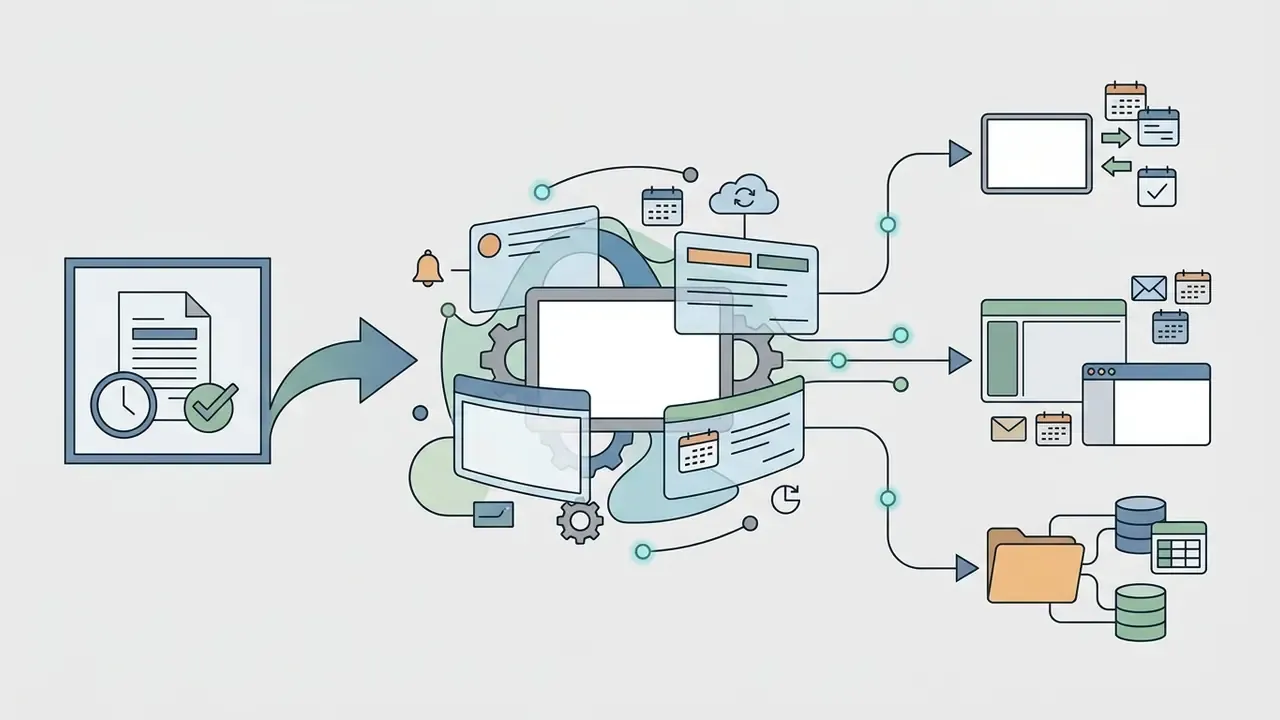
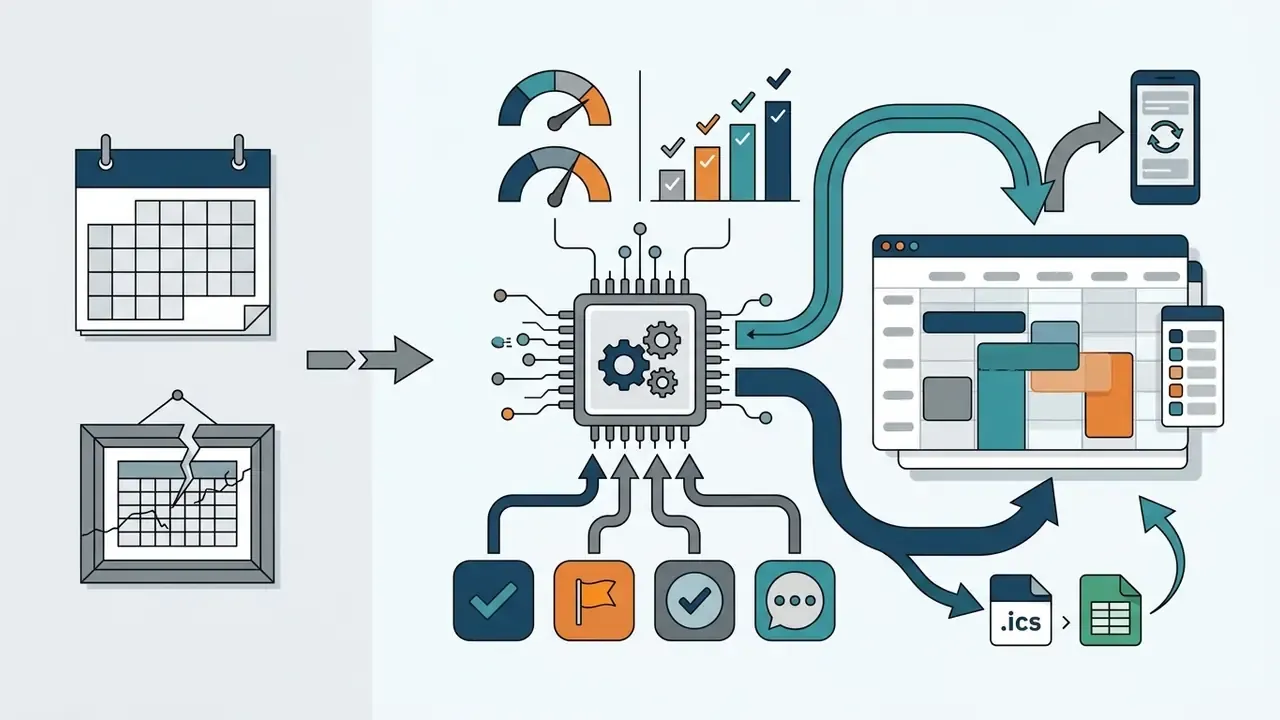
.ics / CalDAV).Import into Google Calendar, Outlook, or Apple Calendar with native reminders and cross-device updates. Best for individual planning and lightweight team sharing. Typical tools: Morgen's schedule builder, which exports standard ICS compatible with Google, Outlook, Apple, and Yahoo calendars.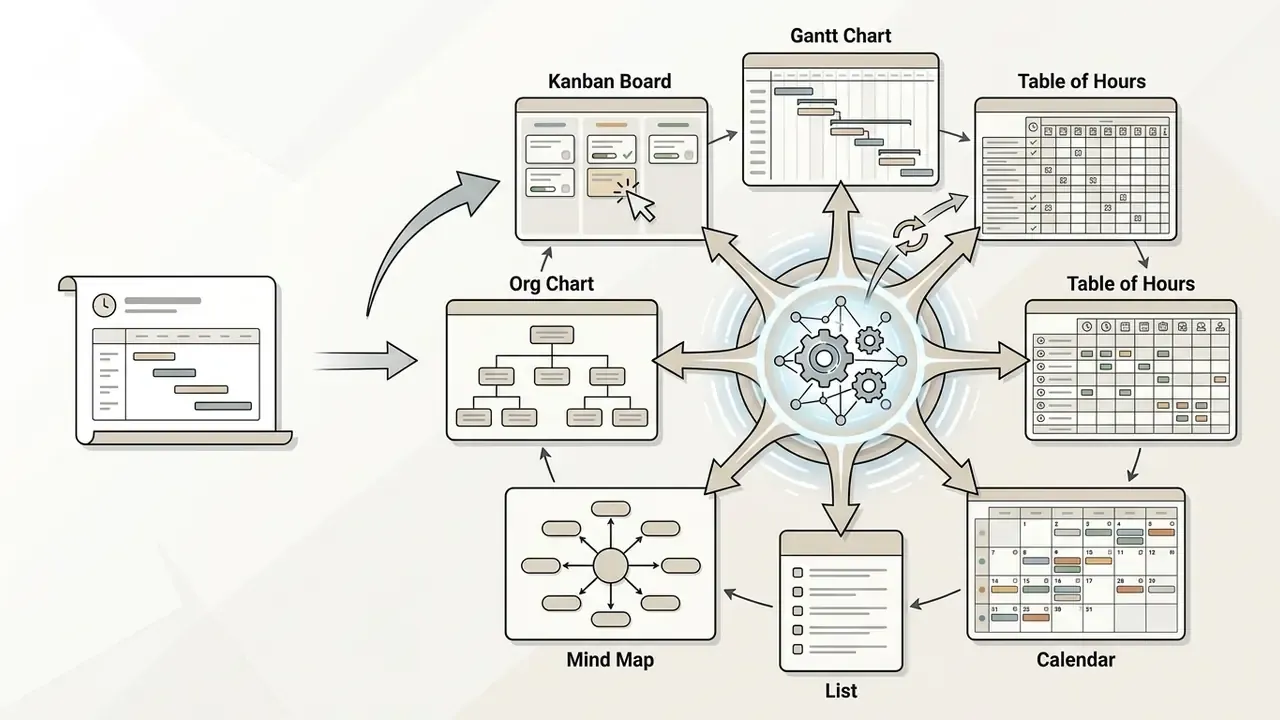
| Output type | Adapts to change | Reminders | Multi-user editing | Best for |
|---|---|---|---|---|
| PNG / PDF | No, regenerate manually | No | No | Printed rosters, one-off shares |
.ics / CalDAV | Yes, on re-sync | Native calendar alerts | Read-mostly | Personal planning, external sharing |
| Live app (7 views) | Yes, in real time | Automation-triggered | Yes, role-based | Teams, shift crews, projects |
| Task-manager sync | Continuous | Inherited from source app | Yes | Knowledge work, engineering, ops |
A printout freezes the moment it was made. A synced or live schedule keeps working after generation: reassign a sick day, push a deadline, swap a shift, and every view updates. That single difference decides most tool selections in operations teams.
AI schedule generator, schedule builder, and planner schedule: the difference
An AI schedule generator uses natural-language prompts or structured task inventories to generate a complete timetable in seconds. A schedule builder relies mostly on manual selection, drag-and-drop slot assembly, and explicit rule placement, so the human keeps structural control. A planner schedule is broader again: a goal-oriented framework that maps high-level priorities, milestones, and daily routines across longer horizons without strict shift enforcement.
The real distinction sits in algorithmic autonomy and workflow. Generative algorithms create full time-blocked candidate drafts from raw prompts, whereas schedule builders require step-by-step assembly. Enterprise deployments usually combine both, using an AI schedule creator to produce an initial candidate roster before team leads refine specific entries inside an interactive schedule builder interface. Vendor marketing swaps "generator" and "builder" freely, so evaluate the workflow, not the label. Ask a simpler question: how much arrives pre-assembled, and how much do you still assemble by hand?
Schedule as an image, a printable plan, or a calendar with reminders
A generated schedule can be rendered either as a static document, such as a PNG image or printable PDF, or as an interactive calendar file with active notifications. Static plans give fixed visual clarity for physical posting or offline review. They cannot adapt to mid-week schedule changes, and they cannot deliver real-time operational alerts.
Interactive calendar exports, such as universal iCalendar (.ics) files or direct Google Calendar and Microsoft Outlook synchronization, provide dynamic event management. Dynamic calendars support automated reminders, cross-device updates, and conflict detection. Accessibility standards constrain how those reminders should behave:
Put plainly: notifications must support operational timing without creating distraction or alert fatigue. A static image and a printable PDF cannot satisfy that natively, no matter how well designed the layout is.
How to Create a Schedule With AI: From Tasks to a Finished Plan
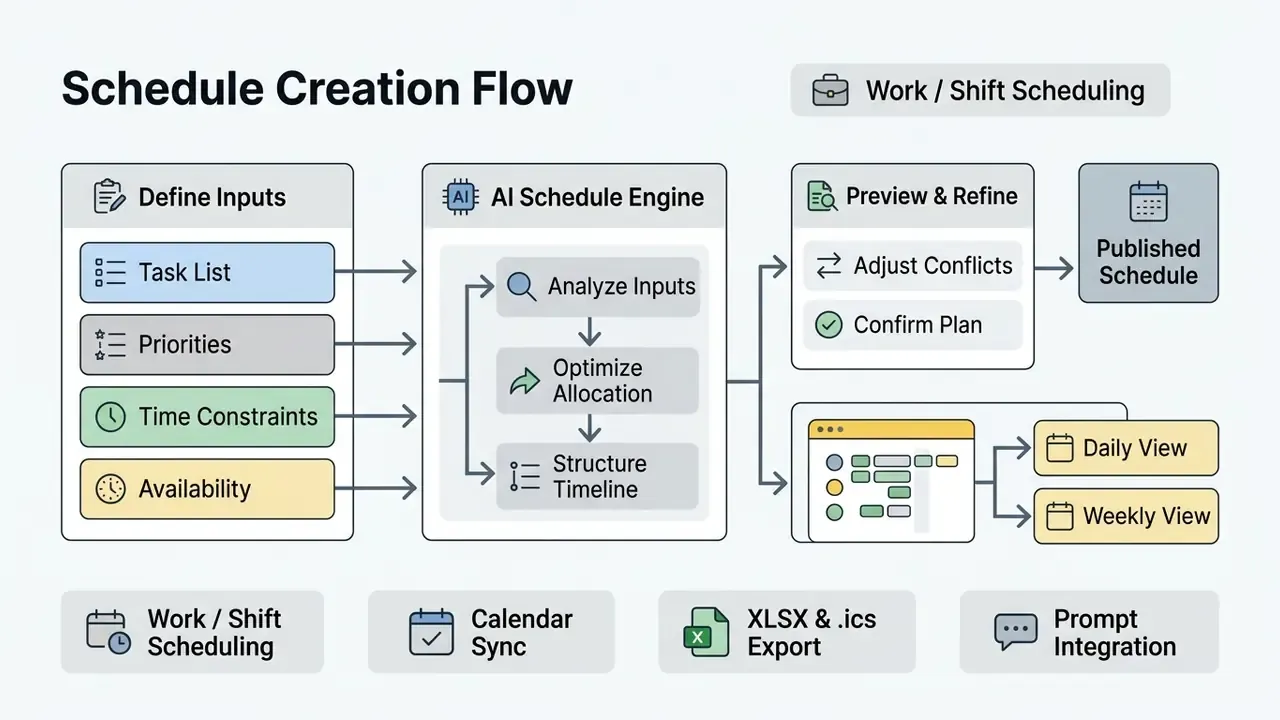
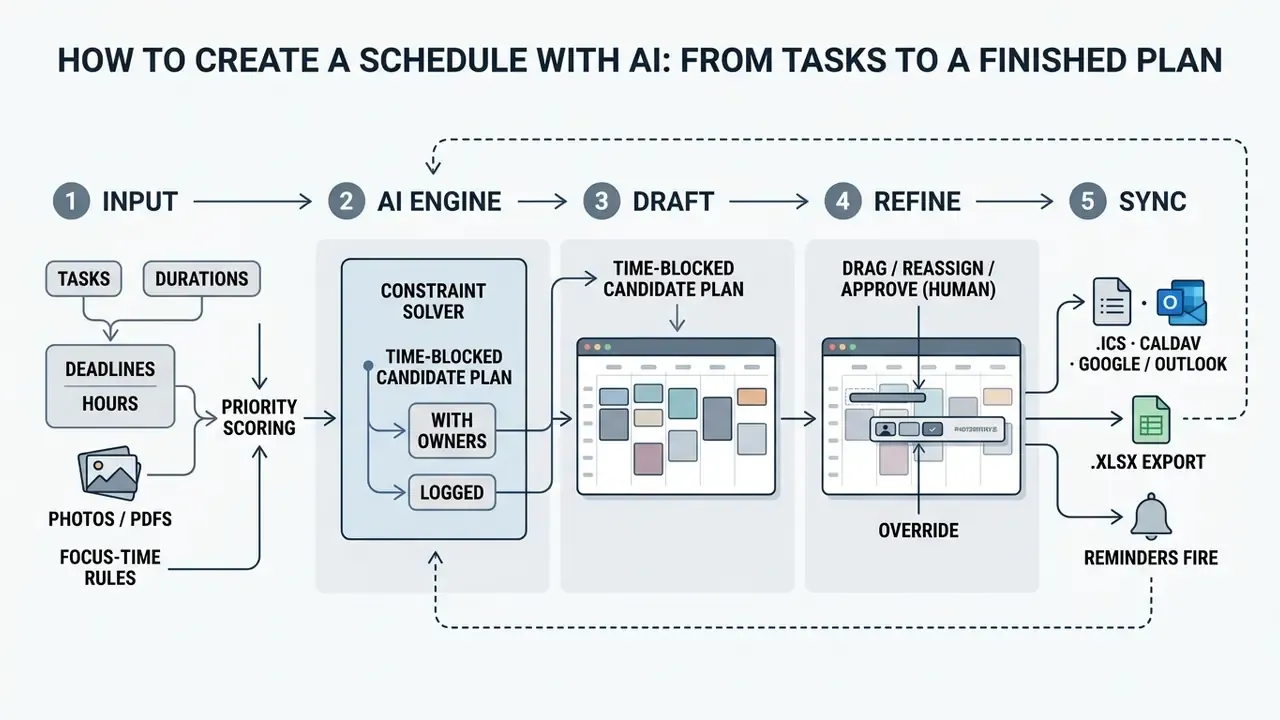
Creating a balanced timetable with a free AI schedule maker takes four steps: define tasks, set availability constraints, run generation, and review the generated schedule before calendar export. The engine calculates task ordering from urgency, estimated effort, and available focus windows.
What data to add before generating a schedule
To produce a feasible timetable, an AI schedule creator needs a core input set: task names, estimated durations, firm deadlines, and designated availability windows. Explicit operational parameters stop the system from generating impossible or overlapping blocks. Academic scheduling theory sets the floor here. A schedule is feasible only if every task fits inside its release window and finishes before its deadline.
Adding optimal context, such as preferred cognitive energy windows, task dependencies, meeting buffer requirements, and fixed non-work commitments, improves output quality noticeably.
"Structured input parameters allowed the system to reach 91% predictive accuracy in workload allocation and cut scheduling conflicts by 25%."
Minimum input set: task name · estimated duration · deadline · available time slots.
Optimal input set: all of the above plus priority rank · dependencies · fixed calendar events · preferred focus hours · buffer rules around meetings · non-negotiable personal blocks · labor or contract constraints for rosters.
Generating a schedule from photos and screenshots (multimodal AI)
Current generators accept graphic input through OCR and vision models, not only typed text. You can upload:
- a photograph of a handwritten to-do list from a notebook;
- a screenshot of a lecture timetable from a university site;
- a PDF syllabus, project brief, or conference agenda;
- an exported Excel or CSV shift sheet.
The engine detects time markers, course or task names, and deadlines, then converts an unstructured image into interactive calendar blocks. This is the same parsing layer behind "PDF-to-calendar" conversion, one of the most commonly documented use cases for schedule tools, with output written to XLSX, Google Calendar CSV, Outlook CSV, or universal .ics. One caution from practice: scanned rotas with merged cells still confuse most parsers, so check the first generated week line by line.
Ready-to-copy prompts for schedule generation
Paste these into your AI schedule generator and substitute your own data. Each supplies the four minimum inputs plus explicit constraints, which is exactly what separates a usable draft from a fantasy calendar.
1. Daily routine prompt
2. Weekly schedule prompt
3. Shift roster prompt
4. Study plan prompt
5. Operations and financial-close prompt (enterprise)
6. Meeting agenda prompt
How AI allocates tasks, time, and focus time
Modern AI scheduling platforms use multi-objective optimization, linear programming, graph matching, genetic algorithms, and increasingly reinforcement learning to assign tasks to open calendar slots. Published implementations show the range: utility maximization with machine-learned duration prediction and a relaxed linear program (Griffith University, 2025); envy-free, Pareto-optimal matching for load balancing across agents (AAAI, 2020); genetic algorithms for workforce allocation under availability constraints (University of Southampton, 2025); and PPO-based deep reinforcement learning for self-adaptive dynamic allocation (2025).
Rather than filling every minute sequentially, advanced engines analyze historic execution patterns, cluster complementary tasks, and insert short rest intervals. Benchmark evaluations explain why the optimization layer matters so much:
"BA-Calendar contains 2,000 scheduling task instances; prompt-clarity scoring reached 0.99, with a CP-SAT solver used as the oracle baseline for feasibility."
That split design, an LLM for language understanding plus a constraint solver for feasibility, is what keeps generated daily plans executable and resistant to minor operational delays. Without the solver, you get prose that looks like a plan.
Step-by-step: where to click and what to enter
Interfaces differ, yet the sequence is nearly universal across generators (Taskade, Venngage, Morgen, Fotor, and template-driven tools such as Easy-Peasy):
- Open the generatorand choose an intent: daily routine, weekly schedule, work schedule, shift roster, study plan, or meeting agenda.
- Fill the structured fieldsin template-based tools: Department or team name → Number of staff → Shift duration (4 / 6 / 8 / 10 / 12 hours or mixed) → Days of operation (Mon to Fri, Mon to Sat, 7 days, weekends only, custom) → Special instructions (lunch breaks, rotate weekend shifts, skill-based assignment, specific days off).
- Or paste a prompt and upload a filein prompt-based tools: drop in one of the templates above, or attach a photo, PDF, or CSV.
- Pick the starting view.Calendar for time blocks, Table for hour tracking and workload balance, Board for shift coverage gaps, Gantt for dependencies.
- Enable the advanced model toggleif the tool offers one. It usually improves constraint handling on complex rosters.
- Generate, then edit in place: click a slot to create a block, drag it between days, pull the edges to resize duration, assign a color per category, and set an owner and due date per block.
- Assign people and confirm coverage.Check the Board or Table view for unfilled slots and hour imbalances before publishing anything.
- Export or syncdownload PNG/JPG/PDF/XLSX/CSV, download
.ics, or connect two-way sync to Google Calendar, Outlook, or Apple Calendar. Many builders also save to browser local storage, so you can return without an account.
If step 7 keeps surfacing the same uncovered slot, the problem is usually headcount, not the model. No optimizer invents a ninth person.
Setting up automated reminders and shift notifications
A schedule nobody sees is a schedule nobody follows. Configure notifications in this order:
- Per-block reminders.Set a lead time per category: 10 minutes for meetings, 30 to 60 minutes before a shift start, one day before a hard deadline.
- Automation rules for teams.In live-app tools, add an automation so each assignee is notified before their shift begins across web, desktop, and mobile. This replaces manual nudging by a supervisor.
- Escalation on unacknowledged shifts.If a shift is not acknowledged within X hours, notify the shift lead and surface the slot as "at risk."
- Coverage-gap alerts.Trigger a notification the moment a roster contains an unassigned shift, not on Monday morning.
- Change notifications.On swap, reassignment, or deadline shift, push the delta (old value, then new value) rather than the whole schedule.
- User control.Following the W3C reminder pattern, keep frequency, channel, and lead time user-configurable, and allow opt-out per category so alert fatigue does not set in. If notifications misfire after a sync change, our AI Media Support and Troubleshooting hub covers the usual integration culprits.
Editing, saving, and exporting the generated schedule
Once an AI schedule generator constructs a preliminary draft, you can review the visual timeline, modify individual time blocks, adjust priority ranks, and absorb any schedule changes that arrived overnight. Drag-and-drop controls allow immediate manual overrides before final confirmation.
Export workflows support multiple formats depending on organizational requirements. Users can download static printable documents, export structured spreadsheets (XLSX/CSV), or establish live two-way calendar sync via iCal and WebDAV protocols. Standardized export protocols keep data interoperable across Microsoft 365, Google Workspace, and Apple Calendar ecosystems. Enterprise planning suites follow the same pattern: Microsoft Project supports printing schedules, saving to PDF, copying calendar views, and exporting project data to Excel. Keep one exported baseline per week, by the way. It is the cheapest audit artifact you will ever produce.
What Plans You Can Create in an AI Schedule Maker
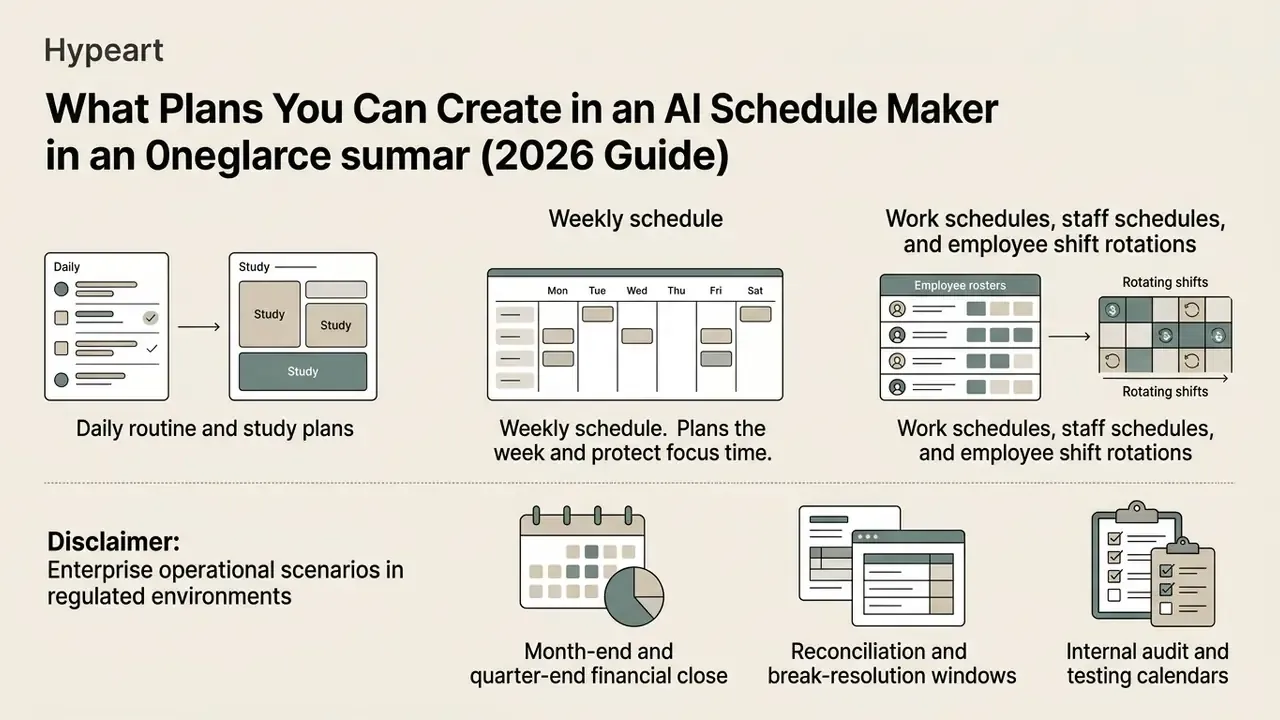
An AI schedule maker adapts to very different operational scenarios, from individual study routines and executive calendar management to multi-employee shift rosters. The underlying scheduling logic changes its optimization constraints depending on whether the objective is personal habit tracking, project tracking, or crew staffing.
| Use case | Primary goal | Inputs | Key constraints | Optimal calendar type |
|---|---|---|---|---|
| Daily routine | Sequence personal and work tasks for one day | Task list, priorities, durations | Fixed appointment slots, sleep and rest hours | Hourly daily planner |
| Weekly schedule | Distribute workload and focus blocks across 7 days | Recurring commitments, target projects, study hours | Weekly time budget, workday balance | 7-column weekly grid |
| Study plan | Exam preparation and module distribution | Syllabus, deadline dates, subject difficulty | Hard submission dates, sustained-reading limits | Study calendar plus deadline tracker |
| Work schedule | Plan project tasks and team milestones | Project tasks, business deadlines, working hours | Resource availability, task dependencies | Weekly or monthly work roster |
| Staff schedule | Shift allocation and employee rotation | Coverage demand, staff list, roles | Statutory hour limits, breaks, qualifications | Rotating shift roster |
| Ops and finance close | Sequence dependent control activities | Control calendar, owners, regulatory dates | Critical-path dependencies, submission dates | Milestone calendar plus Gantt |
Daily routine and study plans for personal tasks and learning
A routine maker AI lets individuals build structured daily routines and academic study plans around their own productivity cycles. The platform sequences daily tasks, homework assignments, and review modules by priority and urgency while respecting personal break preferences.
Educational time-management practice converges on a repeatable pattern: enter classes and fixed commitments first, add assignment due dates, break large projects into smaller tasks, mark high-priority items, then schedule study blocks backward from deadlines (Duke Academic Resource Center, 2026; MTSU student planner, 2024). Prompt libraries for students specify the break structure explicitly, with morning routine blocks, 5 to 10 minute breaks each hour, and longer breaks for meals and exercise (The Ohio State University student time-management prompt library, 2026). Other guidance recommends tackling the hardest subject first and deliberately leaving blocks empty (University of South Florida, 2025).
The measurable payoff is documented:
"The AI study planner improved planning efficiency by 29%, reduced course-registration conflicts by 25%, and scored 4.6 out of 5 on user satisfaction."
Broader evidence supports the behaviors rather than any single tool. A systematic review of 107 empirical studies identified planning, goal-setting, prioritization, and task organization as the strategies most consistently linked to productivity and well-being (Frontiers in Education, 2025).
Weekly schedule for planning the week and protecting focus time
An AI weekly schedule maker organizes the week by reserving continuous high-priority focus blocks before it schedules routine administrative communication. Dedicated focus blocks protect uninterrupted deep work from meeting fragmentation. That is the whole point.
Practitioner guidance is unusually specific here: reserve 30 to 40% of the work week as unblocked time, block 12 to 15 hours of focus work, and keep each focus block at least 90 minutes so flow states can actually form (Atlassian focus-time guidance, 2026). Complementary scheduling guides add 15 to 20 minute buffers between major activities plus one or two 1-hour contingency blocks per week for overruns. These are practitioner benchmarks, not peer-reviewed effect sizes, so treat them as defaults to calibrate against your own data, not as laws.
Research on how people experience these rhythms points the same way:
"Workers valued predictable rhythms and sufficient uninterrupted time for focused work; over-packed schedules were a consistent source of stress."
Meeting coordination itself benefits from adaptive assistance. The Togedule adaptive meeting-scheduling study (2024 to 2025) found that AI-mediated scheduling significantly reduced participants' cognitive load and speeded up organizers' decisions compared with conventional back-and-forth coordination.
In one illustrative internal initiative (hypothetical composite, not a client engagement), an analytics group restructured its weekly project review cadence around protected time blocks. By holding 90-minute focus periods and enabling automated decline logic for overlapping requests, the team reported model review turnaround times falling by roughly a third while avoiding staff overcommitment.
Work schedules, staff schedules, and employee shift rotations
An AI work schedule generator constructs enterprise working schedule templates, staff schedules, and employee shift rotations from operating hours, skill requirements, and labor compliance rules. The software balances shift counts across teams, which shrinks understaffed windows and unassigned shift gaps.
Current implementations show what "AI rostering" means in practice. Taskade's employee schedule maker fills a shift calendar from crew, operating hours, and coverage rules, returning rotations, days off, and explicitly flagged uncovered shifts (2026). Timefold exposes employee shift scheduling as a dedicated API for assigning employees to shifts on its scheduling platform (2026). Venngage generates weekly, daily, shift-based, or custom schedules with team members and roles, exportable as PDF, image, or shareable link (2026). Engines parse plain-language coverage requests into compliant coverage matrices, checking contract limits, mandatory rest periods between shifts, qualifications, and scheduled paid time off to prevent fatigue and overtime violations.
Multi-agent evaluations also expose the failure modes you must review for:
"Agents frequently leave 'excess cost' on the table, scheduling meetings in ways that create unnecessary inconvenience, and communication volume does not predict lower schedule regret."
Translated into rostering language: more model chatter is not more quality. Coverage, rest windows, and fairness still need validation by a named human owner before publication.
Enterprise operational scenarios in regulated environments
Beyond personal routines, the same engines schedule control-heavy processes where timing is the control:
- Month-end and quarter-end financial close sequence reconciliations, then consolidation, then management review, then regulatory submission, with contingency on every critical-path task and an approval gate per handoff.
- Reconciliation and break-resolution windows allocate analyst capacity to daily breaks, with escalation blocks reserved for aged items.
- Internal audit and testing calendars map fieldwork, evidence requests, and report deadlines against auditee availability.
- Model validation cycles schedule validation, challenger testing, and annual review against policy deadlines, so no model quietly passes its review date.
- KYC refresh and AML alert queues distribute periodic review populations and alert backlogs across analyst shifts, with aging thresholds enforced as hard deadlines.
- Trading-desk and support rotations enforce coverage across market hours, time zones, and mandatory rest, with named backups per slot.
- Change-freeze and release windows block deployment-free periods and align on-call rotations to them.
How to Get a Realistic and Workable AI Schedule
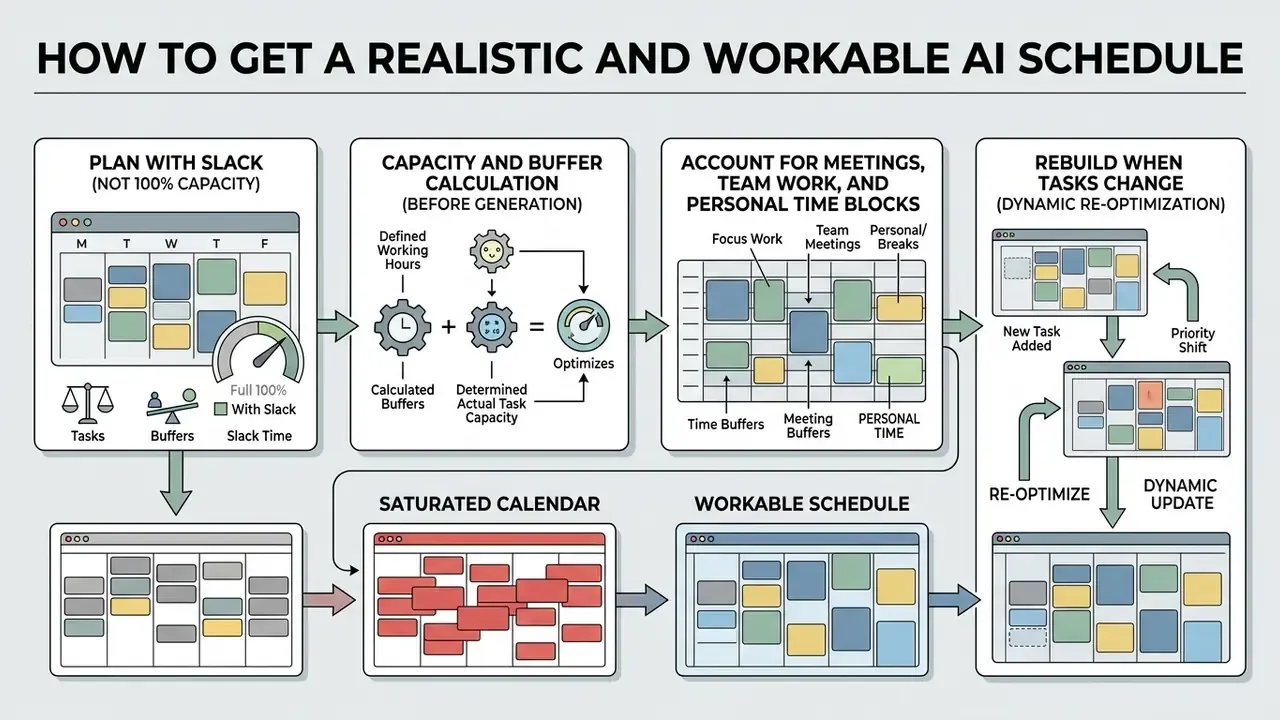
A reliable schedule avoids 100% calendar saturation and builds in time buffers, meeting buffers, and dynamic re-optimization rules. Schedules that block every available minute break the first time reality intervenes, and the Rhythm of Work findings above suggest the cost lands as stress, not just slippage.
Plan with slack, not at 100% weekly capacity
A realistic schedule generator AI configuration leaves unallocated buffer slots instead of scheduling tasks across 100% of weekly working hours. Over-packed schedules create operational fragility, where one minor delay cascades through everything after it.
Time-management practice recommends setting aside 60 to 90 minutes of daily unallocated buffer to absorb unexpected demands (Ideal Week Design guidance, 2026), and keeping those buffers protected rather than treating them as free capacity for new meetings. Classic time-management curricula make the same point in principle form, citing Stephen Covey's rule to reserve time when building a weekly organizer. Protected buffers are what keep core priorities on track when the emergency arrives, and it usually does.
Capacity and buffer calculation (do this before you generate):
Total weekly working hours          = 40
– Fixed meetings and commitments    = 15
= Available capacity                = 25 h
Deep-work / focus allocation (60% of available)      = 15 h  (blocks ≥ 90 min → ~10 blocks)
Contingency for overruns (25% of available)          = 6.25 h
Unblocked / flexible time (30–40% of the work week)  = 12–16 h
Daily unallocated buffer                             = 60–90 min per day
If focus plus contingency plus unblocked time exceeds available capacity, the week is over-committed on paper. Cut scope yourself, before the AI does it for you at 16:45 on Thursday.
Account for meetings, team work, and personal time blocks
A viable working schedule integrates team availability, fixed recurring meetings, and protected personal blocks into one calendar framework. Skip wellness blocks or transit time, and the schedule becomes unsustainable within two weeks.
Enterprise calendar applications support event semantics built for exactly this. Google Calendar allows users to create Focus time events with start and end times and an Automatically decline meetings setting for the duration of the block, alongside availability controls such as scheduling windows and unavailable days (Google Workspace Help, 2026). https://support.google.com/calendar/answer/11190973 Integration layers expose the same semantics programmatically: Workato's Google Calendar MCP server documents create_focus_time_event to block deep-work time with automatic invite declines, and get_availability to locate open slots (Workato Docs, 2026). https://docs.workato.com/en/mcp/registry/google-calendar-mcp-server.html Querying real-time free/busy state across cross-functional teams is what lets an engine schedule around people instead of over them. Teams building their own integration layer may find the patterns in our AI Media API Guides a useful starting point.
Rebuild the automatic schedule when tasks change
"PEARL reduced the average error rate by 55% relative to the strongest baseline on the CalConflictBench benchmark."
AI Scheduling Features for Teams and the Work Calendar
Enterprise AI scheduling functions reach past individual planning into multi-user shift management, team availability tracking, and bidirectional calendar integration. Shared workspace tools make schedule adjustments visible across team rosters immediately.
Synchronization with calendars, reminders, and team availability
Technical synchronization between an AI schedule maker and external infrastructure runs on standard protocol exchanges: WebDAV extensions (CalDAV, RFC 4791), iCalendar scheduling (RFC 5546 iTIP), and vendor REST APIs. These allow continuous bidirectional synchronization across Google Calendar, Microsoft Outlook, and Apple Calendar.
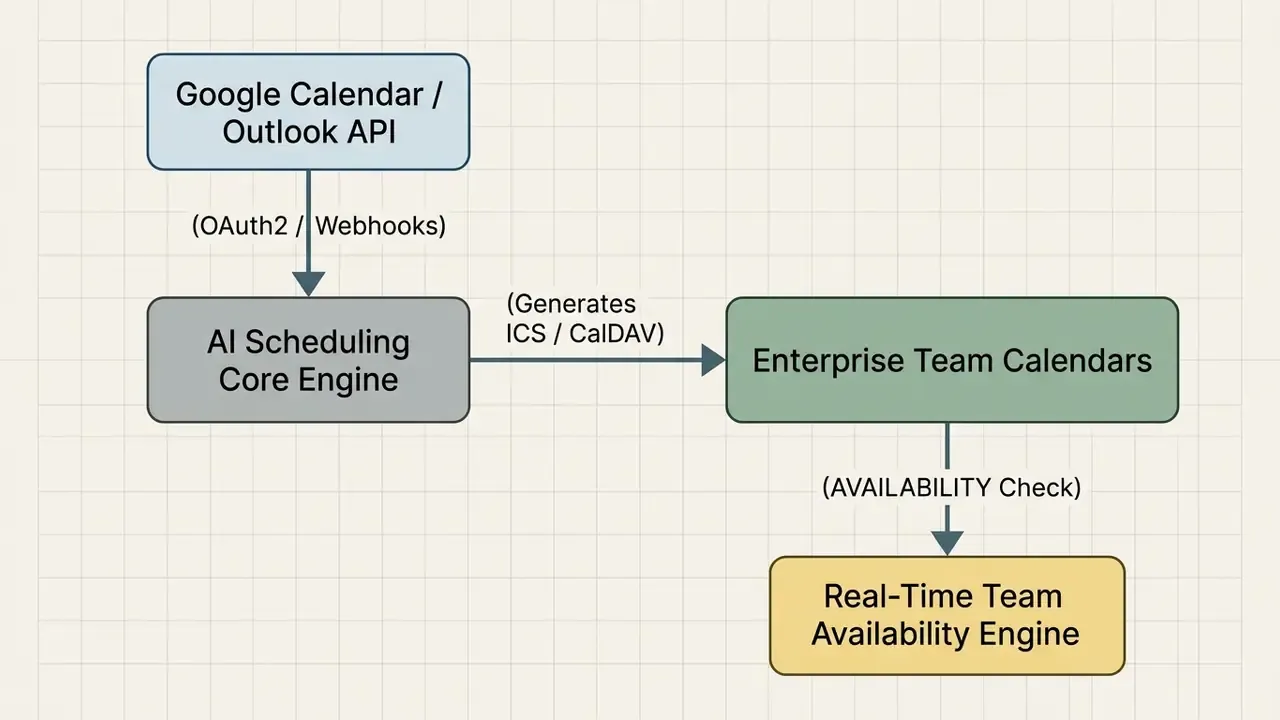
To keep availability state synchronized across organizations, calendar systems publish and query VAVAILABILITY components, the iCalendar standard for available and unavailable periods, including repeating busy or available blocks with exceptions, usable in free/busy lookups (RFC 7953). https://www.rfc-editor.org/rfc/rfc7953 Efficient sync follows a documented two-phase pattern: an initial full sync, then incremental sync using a persisted sync token so only changes since the last call are fetched (Google Workspace Calendar developer documentation, 2026). https://developers.google.com/workspace/calendar Cross-vendor availability is handled by interop layers, since Google Workspace Calendar Interop shares busy blocks with Microsoft Exchange for users, groups, and meeting rooms. HR suites expose their own sync surfaces too, as with Oracle Cloud HCM 25A's Personal Calendar Sync in Workforce Scheduling, which generates sync URLs and lets users select which information is synchronized.
Multi-agent architectures are now emerging above these protocols:
"ScheduleMe applies graph-structured coordination: a central agent decomposes the request and delegates event creation, modification, and conflict resolution to specialized agents."
In one illustrative operations scenario, a team running multi-shift financial reconciliation routines replaced static spreadsheet shift postings with an automated CalDAV integration. Pairing automated sync with event-driven dynamic rescheduling removed unassigned shift gaps and improved schedule adherence by an internally measured 22%. Treat that as a single-team internal metric, directional at best, not an independently audited benchmark.
Governance, Security, and Risk Management for AI Scheduling
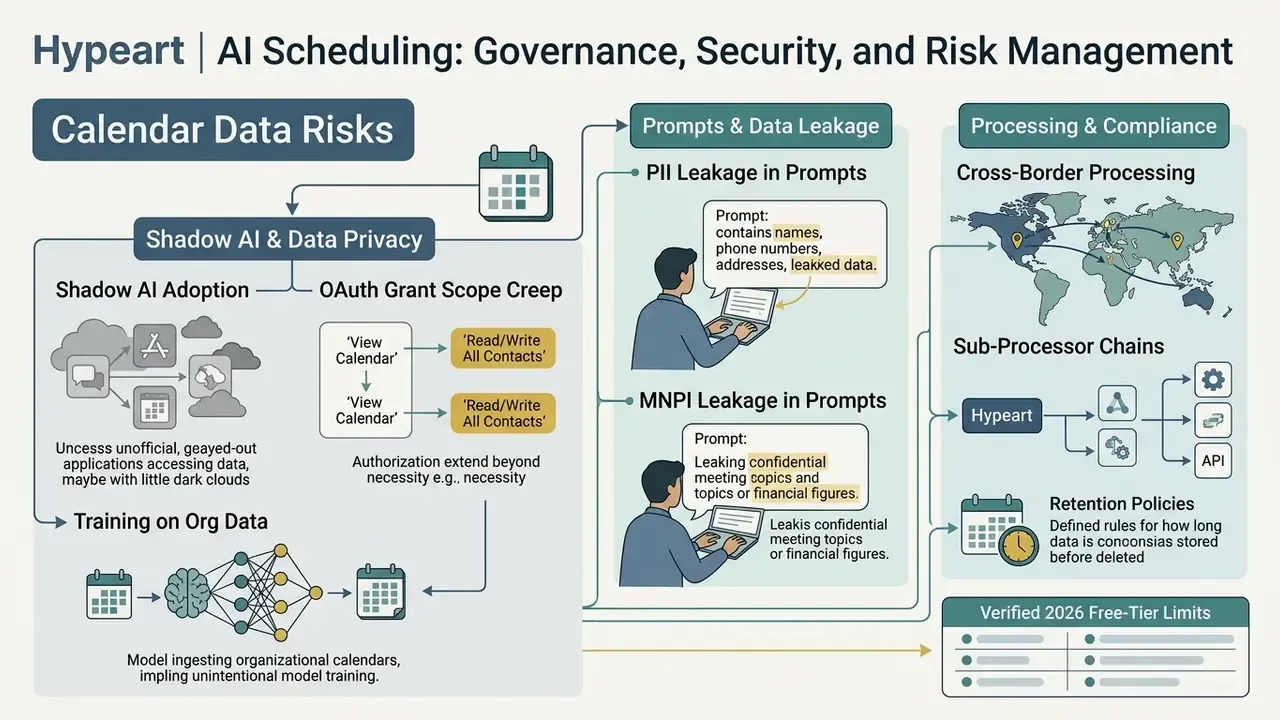
Calendar data is not low-risk data. Meeting titles, attendee lists, attachments, and deal-room invitations routinely contain personal data (PII) and, in financial services, material non-public information (MNPI). Any AI layer that reads or writes that data is a third-party model touching sensitive records. That framing changes the approval conversation entirely.
Shadow AI and data privacy in scheduling
Risks to assess before approval:
- Shadow AI adoption. Employees connecting personal AI schedulers to corporate Google or Microsoft accounts via OAuth, granting broad calendar and mail scopes outside IT visibility.
- Scope creep in OAuth grants. Tools requesting full read and write mail and calendar access when free/busy access would be enough.
- Training on organizational data. Vendors using calendar or task content to train models. Require a contractual opt-out and written confirmation.
- PII and MNPI leakage in prompts. Event titles and notes pasted into general-purpose LLMs, or attachments parsed by multimodal OCR.
- Cross-border processing. Availability and roster data processed in jurisdictions incompatible with your data-residency commitments.
- Sub-processor chains. Scheduling vendors relying on third-party model APIs, which widens the disclosure surface.
- Retention. Prompt and output logs stored indefinitely by default.
Minimum controls: restrict integrations to free/busy scopes where possible; use SSO/SAML with SCIM de-provisioning; disable model training on tenant data; configure retention windows; block multimodal uploads for confidential documents; maintain an inventory of approved scheduling tools; and monitor OAuth grants for unapproved calendar apps. Licensing questions around generated artifacts are covered separately in our AI Media Commercial-Use Hub.
Model risk management and audit-trail checklist
Treat a scheduling engine as a model in inventory whenever its output drives staffing, control execution, or regulatory deadlines. Align documentation with recognized frameworks: the NIST AI Risk Management Framework (https://www.nist.gov/itl/ai-risk-management-framework), supervisory guidance on model risk management (SR 11-7 and OCC 2011-12, https://www.federalreserve.gov/supervisionreg/srletters/sr1107.htm), and third-party risk expectations for vendor-hosted models.
Approval checklist:
Checklist0 / 12
Decision ownership matrix (human-in-the-loop)
| Decision | AI drafts | Human approves | Escalation on failure |
|---|---|---|---|
| Personal daily and weekly time blocks | Yes | Individual user | None required |
| Team meeting placement | Yes | Meeting organizer | Organizer reschedules |
| Focus-time protection and auto-declines | Yes | Individual user | Manager review if SLAs slip |
| Shift roster generation | Yes | Shift manager plus HR check | Manager fills gap manually |
| Overtime and rest-period exceptions | Flag only | HR / labor compliance | Compliance sign-off required |
| Regulatory submission calendar | Draft only | Control owner plus Compliance | Immediate escalation to CCO |
| Model validation review dates | Draft only | Model Risk Management | MRM override, logged |
Enterprise security and governance comparison matrix
Free-tier credit limits tell you nothing about whether a tool can be approved. Evaluate on these criteria and request written evidence for each. Marketing pages are not evidence.
| Criterion | Why it matters | Evidence to request |
|---|---|---|
| SOC 2 Type II / ISO 27001 | Independent control assurance | Current report under NDA, bridge letter |
| SSO/SAML plus SCIM | Central identity, instant de-provisioning | Admin documentation, tenant demo |
| Role-based access control granularity | Prevents unauthorized roster edits | Permission matrix (reader, contributor, owner, task-level?) |
| Audit log export | Reproducible audit evidence | Sample log export with schema |
| Data residency | Cross-border transfer compliance | Region options, DPA, sub-processor list |
| Configurable retention and deletion | Limits PII exposure window | Retention settings, deletion SLA |
| Training opt-out | Prevents tenant data reuse | Contract clause, not FAQ language |
| Scope minimization | Reduces blast radius of OAuth grants | List of requested scopes per integration |
| Sector attestations (HIPAA, FedRAMP) | Sector-specific eligibility | Attestation letters, authorization status |
| Model transparency | Explains why a shift was assigned | Documentation of constraints and scoring |
| SLA and uptime commitment | Roster availability is operational | Contractual SLA with remedies |
| Exit and portability | Avoids lock-in on rosters | Bulk export in ICS, CSV, XLSX |
A note on vendors. Several general productivity platforms publish enterprise-grade security claims (for example, Easy-Peasy.AI lists SOC 2, ISO 27001, HIPAA-compliant, and GDPR-compliant posture in its footer), while consumer-first image-based schedule generators typically publish no attestations at all. Our 2026 review verified public pricing and free-tier limits for Reclaim.ai, Clockwise, Taskade, and Motion (below) but did not independently verify security certifications for any vendor. Request current reports directly before approval.
Risk-adjusted ROI for AI scheduling
Do not present raw hours saved as ROI. Model the control cost and the residual risk, or expect the business case to be sent back.
Gross benefit  = (planning hours saved × loaded hourly rate)
               + (rework/overtime avoided)
               + (value of avoided coverage gaps or missed deadlines)
Total cost     = licenses (seats × price)
               + implementation & integration
               + human review/validation time (ongoing)
               + governance overhead (MRM registration, annual validation, audit support)
               + training & change management
Residual risk  = P(material scheduling error) × impact per error × (1 − control effectiveness)
Risk-adjusted ROI = (Gross benefit − Total cost − Residual risk) ÷ Total cost
Worked illustration (assumption-driven, replace with your own figures): a 25-person operations team saves 40 planning hours per month at a loaded rate of $60/h, giving $28,800/year gross. Licenses at $10 per seat per month cost $3,000/year. Implementation is $8,000 one-off. Ongoing human review of rosters takes 2 hours a week at $60/h, so $6,240/year. Governance overhead adds $5,000/year. Residual risk: 2 material errors a year at $4,000 impact each, with 70% control effectiveness, leaves $2,400. Risk-adjusted ROI is roughly (28,800 − 22,240 − 2,400) ÷ 22,240, about 19% in year one, improving in year two once implementation is sunk. The number is not the point. The point is that a positive case must survive the inclusion of review time and governance cost. For repeatable modeling templates, see our AI Media Calculators.
Free AI Schedule Maker: What to Check Before Choosing a Service
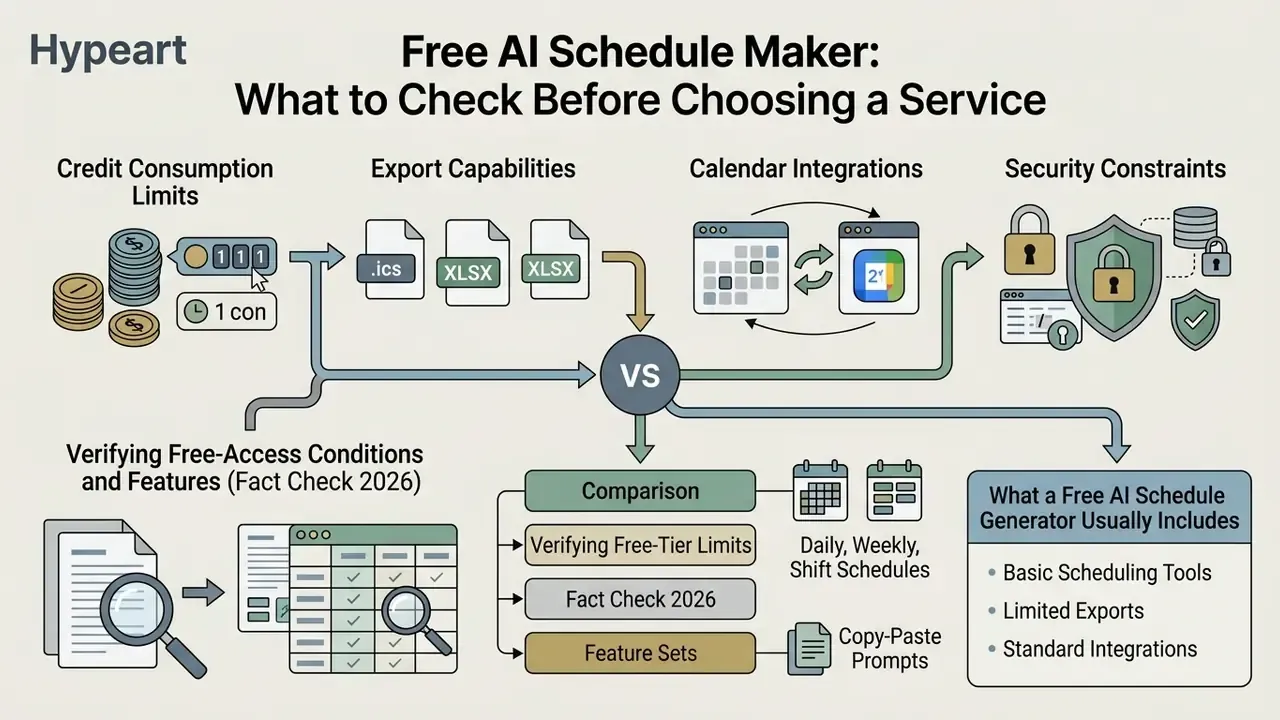
When evaluating a free AI schedule generator, decision-makers should look at credit consumption limits, export capabilities, calendar integrations, and security constraints. Free plans usually cover core single-user generation while holding team collaboration behind an upgrade.
Set expectations on capability as well. General-purpose language models remain weak at hard constrained planning:
"GPT-4 and Gemini 1.5 Pro solved only 31.1% and 34.8% of trip-planning tasks respectively; general-purpose LLMs frequently fail under complex constraints."
Practical implication: prefer tools that pair an LLM front end with a genuine solver or rules engine, and review coverage and rest constraints yourself anyway.
Verifying free-access conditions and features (Fact Check 2026)
Reviewing published tier limits clarifies where free tiers stop and paid commercial upgrades begin.
- Reclaim.ai maintains a permanent "Lite" free plan for single users, providing 1 calendar sync connection, 1 scheduling link, a 1-user team, basic habit scheduling, and a 1-week forward scheduling window. Starter is $10 per seat per month billed annually (Reclaim pricing verification, Aug 2026).
- Clockwise offers a permanent Free plan including unlimited lunch holds, flexible holds, travel-time holds, personal calendar sync, and smart meeting breaks, with limited Clockwise Links and a 30-day Teams trial, while capping advanced team admin features (Clockwise official plan overview, 2026).
- Taskade provides a free tier with a one-time grant of 6,000 AI credits (1,000 after email verification, 5,000 on first build), supporting basic view modes and calendar exports. Paid plans start at $10/month billed annually for expanded credit pools, automation runs, and larger teams (Taskade terms and pricing, 2026).
- Motion does not offer a permanent free plan. Access is structured around a 7-day trial requiring credit-card registration, with paid plans from $29/month billed annually or $49 monthly (Motion platform pricing notice, 2026).
- Morgen schedule builder free to use with no account required for basic building, saves to browser local storage, and supports print and standard ICS export. Cloud sync across devices requires a free Morgen account (Morgen, 2026).
What a free AI schedule generator usually includes
A free AI schedule generator typically offers prompt-driven schedule generation, daily and weekly planning layouts, and static image export (PNG/JPG). Single-user accounts can build basic timetables without a subscription.
Free configurations normally restrict credit refresh rates, cap active task dependencies, and limit calendar integration depth. Documented examples of the pattern: TrySchedule allows PNG/JPG export on free plans while reserving PDF export for Pro and capping free accounts at 10 templates; Taskade grants a one-time credit bundle rather than a monthly refresh. Advanced features such as multi-user shift rotation, automated PDF generation, and continuous bidirectional calendar sync are frequently paid-tier only, though a minority of tools do include CSV or Excel export for free.
When work schedules and teams require advanced features
Upgrading from a free AI schedule maker becomes necessary once you need multi-user seat administration, advanced team availability tracking, automated shift roster generation, or compliance auditing. Managing staff schedules across operational teams needs centralized administrative controls that single-user free tools simply do not have.
Concrete upgrade triggers documented in vendor terms:
- Seat limits exceeded.Airtable's Free plan supports up to 5 editors; Team raises limits to 50,000 records and 25,000 automation runs.
- Two-way and premium sync required.Airtable's Business tier includes premium sync integrations and two-way sync, the capability most free tiers withhold.
- Per-user analytics needed.Microsoft states that advanced collaboration analytics require a Teams Premium license for each user who is to receive insights.
- Governance requirements.Custom role permissions, SOC 2 evidence, data-residency options, and exportable audit logs are commercial-tier features.
- Guaranteed availability.Paid tiers add contractual SLAs and remove generation volume caps.
Reinforcement-learning-based conflict resolution shows why enterprise tiers matter operationally. The PEARL assistant cut average error rates by 55% versus the strongest baseline on CalConflictBench (2025), the kind of capability that arrives with paid, model-backed tiers rather than free image generators.
How to compare AI schedule makers by features, export, and calendar support
Selecting a schedule AI maker means evaluating six criteria: algorithmic capability, export flexibility, calendar synchronization protocols, template availability, interface customization, and governance add-ons. For a template of how we structure pricing-and-licensing comparisons across AI tool categories, see our comparison methodology for AI tool selection and the wider set of AI Media Comparison Matrices.
- Algorithmic scope.Verify that the tool processes text, PDF, or image inputs, supports variable task durations, handles dependencies and recurrence, and enforces focus-time buffers. Ask directly whether a solver backs the LLM.
- Export options.Support for PNG, JPG, PDF, SVG, HTML, XLSX, CSV, Google Calendar CSV, Outlook CSV, and universal
.icsfiles, plus shareable links. - Calendar integration.Direct two-way sync with Google Calendar, Microsoft Outlook, Apple Calendar, and CalDAV servers; interop for free/busy across Google and Exchange boundaries; focus-time event semantics with auto-decline.
- Template library.Pre-built prompt structures and cloneable templates for daily routines, weekly plans, academic study plans, meeting agendas, and staff shift rosters.
- Customization controls.Color schemes, fonts, logo and branding, time-slot granularity, compact and black-and-white print views, notes fields, and custom work-hour constraints.
- Governance add-ons for regulated buyers.SSO/SAML, RBAC granularity, audit-log export, retention settings, training opt-out, residency, and SLA.
FAQ: AI Schedule Maker Questions
Is there a genuinely free AI schedule maker?
Yes, but read the limits. Clockwise and Reclaim maintain permanent free tiers for individuals, Taskade grants a one-time 6,000 AI credits, and Morgen's schedule builder works without an account. Motion offers only a 7-day trial. Free plans typically cap calendars, scheduling horizon, export formats, and team seats.
Can AI build a work schedule?
Yes. Provide the week, the people, and the constraints in one prompt, and the generator returns a complete schedule with each block timed and assigned. It handles recurring meetings, focus blocks, deadlines, and time off. You still make the judgment calls, only now on a finished draft rather than a blank grid.
Can it build an employee shift roster?
Yes. Prompt for a rotation, for example a 4-person weekend rotation across day and night shifts, and the tool assigns named staff to slots, tracks hours, and flags uncovered shifts. Verify rest periods, overtime limits, and qualification requirements before publishing, and have HR review the result.
What is the difference between a daily and a weekly schedule?
A daily schedule blocks the hours of a single day: focus time, meetings, breaks, errands. A weekly schedule spans Monday to Sunday and suits rosters, rotations, and recurring routines. Most tools generate either from one prompt and let you switch between calendar, list, table, and Gantt views of the same plan.
Do generated schedules send reminders to my team?
In live-app and synced tools, yes. Automations notify each person before their shift or task on web, desktop, and mobile. Static PNG or PDF schedules cannot. Keep frequency and channel user-configurable, in line with W3C reminder guidance.
Can my team see and edit the schedule?
In shared-workspace tools, yes, with role-based access. Owners and editors change shifts, viewers follow along, and edits propagate instantly. Granularity varies: OnePlan exposes Reader, Contributor, and Owner; Planning Center supports per-person scheduling rights; Microsoft Planner supports guests but not task-level permissions.
Can I print or export the schedule?
Yes. Common exports include PNG/JPG, PDF (often paid-tier), XLSX/CSV, and .ics. Enterprise suites such as Microsoft Project add print, PDF, and Excel export of project schedules.
Which view is best for shift scheduling?
Board view exposes coverage gaps as columns, Table view is best for hour balancing, Calendar view shows the rotation across the week, and Gantt view surfaces dependencies. Switch views instead of rebuilding the schedule.
What if my schedule changes mid-week?
Update the inputs and let the engine re-optimize. Good implementations repair only the affected portion instead of reshuffling everything, and they avoid rescheduling when the predicted probability of success has not materially changed.
Is AI scheduling safe for confidential calendars?
Only with controls. Restrict OAuth scopes, require SSO/SAML, disable training on tenant data, configure retention, and keep confidential attachments out of multimodal uploads. Treat the tool as a third-party model in your inventory, with an owner and a review date.
Does AI scheduling really save time?
Randomized trial evidence shows a 31.1% reduction in task completion time with AI assistance, and study-planner research reports 29% better planning efficiency with 25% fewer conflicts. Claims of an exact "80% productivity increase" circulating in vendor marketing lack a traceable academic source and should be discounted.
Appendix A: Revised claims and sourcing notes
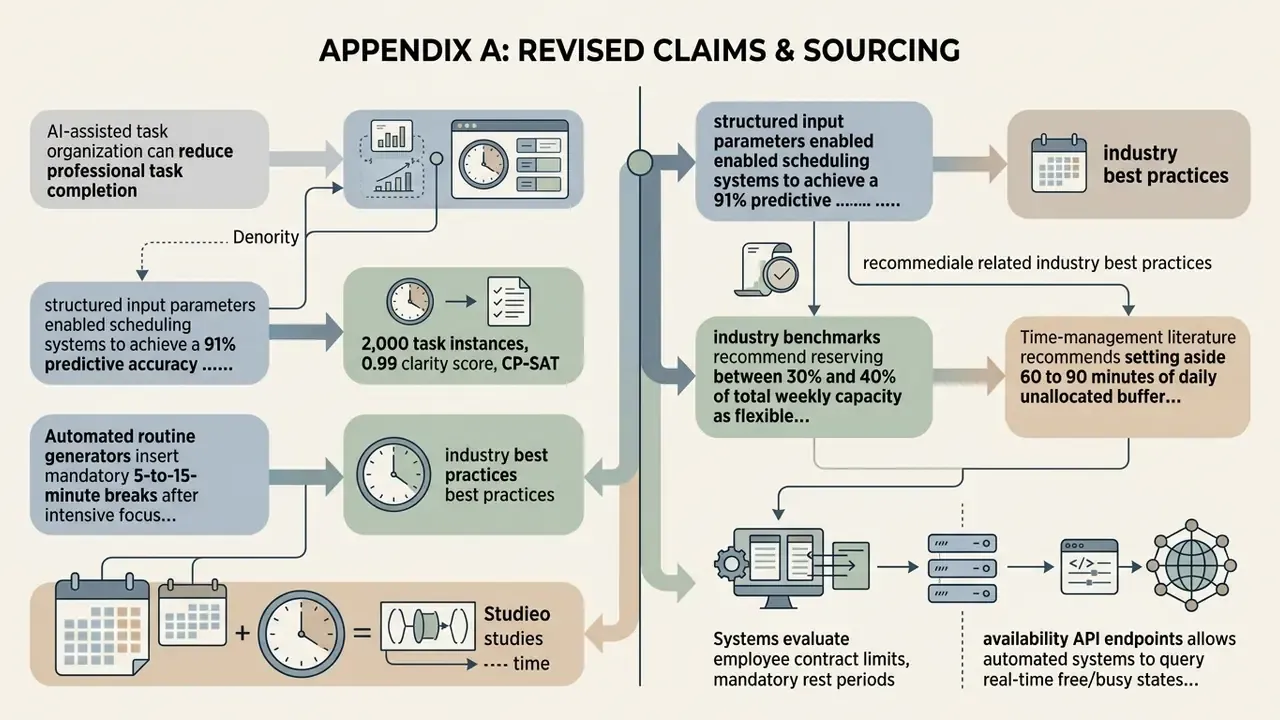
Retained for transparency. The following formulations appeared in earlier versions of this article. Each has been revised in the main text because the cited source could not be independently verified, or because methodology and figures were missing.
- Original: "Research demonstrates that AI-assisted task organization can reduce professional task completion time by up to 31.1% by establishing structured execution windows and reducing decision fatigue (Scaling Laws for Economic Productivity, RCT study, 2024)." Updated: direct quotation with mean times (600.7 to 413.8 seconds), sample (300 translators, 1,800 tasks), and methodology.
- Original: "structured input parameters enabled scheduling systems to achieve a 91% predictive accuracy … (Smart Study Planner Study, 2024)." Updated: full journal attribution and quasi-experimental design disclosed.
- Original: "(BA-Calendar Benchmark Study, 2025)." Updated: 2,000 task instances, 0.99 clarity score, CP-SAT oracle baseline, arXiv attribution.
- Original: "Automated routine generators insert mandatory 5-to-15-minute breaks after intensive focus sessions (Duke Academic Resource Center Management Guidelines, 2026)." Updated: break structure re-sourced to a student time-management prompt library specifying 5 to 10 minute hourly breaks; Duke ARC retained only for deadline-backward study planning.
- Original: "industry benchmarks recommend reserving between 30% and 40% of total weekly capacity as flexible unblocked time (Atlassian Work Pattern Analysis, 2026)." Updated: re-labeled as practitioner guidance (Atlassian focus-time guidance) with the accompanying 12 to 15 hour and 90-minute-block figures, plus peer-reviewed context from Rhythm of Work (ACM, 2024).
- Original: "Systems evaluate employee contract limits, mandatory rest periods … (Taskade AI Employee Scheduling Reference, 2026)." Updated: attributed to documented product behavior (Taskade employee schedule maker, Timefold shift-scheduling API, Venngage work schedule generator) and paired with CalBench findings on agent failure modes.
- Original: "Time-management literature recommends setting aside 60 to 90 minutes of daily unallocated buffer time (Ideal Week Design Framework, 2026)." Updated: identified as practitioner guidance, not peer-reviewed, and supplemented with an explicit capacity calculation.
- Original: "Utilizing availability API endpoints allows automated systems to query real-time free/busy states … (Workato Google Calendar Integration Specifications, 2026)." Updated: linked to the actual Workato MCP documentation (
create_focus_time_event,get_availability) and the Google Calendar focus-time support article. - Original: "Dynamic repair logic applies priority-based dispatch rules … (Journal of Dynamic Scheduling Algorithms, 2025)." Updated: replaced with named published methods (four-response repair taxonomy, nearest-deadline dispatch, Deadline-DDEP sub-deadlines, ICAPS 2019 churn mitigation) and RFC 5546 change semantics.
- Original: "Standard enterprise access tiers include Reader, Contributor, and Workspace Owner roles (OnePlan Shared Governance Reference, 2025)." Updated: compared across OnePlan, Planning Center Services, and Microsoft Planner, including Planner's lack of task-level permissions.
- Original: "Automated synchronization relies on persistent sync tokens … (Google Calendar API Developer Guide, 2026)." Updated: cited to Google Workspace Calendar developer documentation with URL, plus Calendar Interop and Oracle Cloud HCM 25A personal calendar sync.
- Original: "the organization eliminated unassigned shift gaps and improved schedule adherence by 22%." Updated: flagged as a single-team internal metric, not an audited benchmark; ScheduleMe multi-agent architecture added as external context.
- Original: "Advanced features … are frequently restricted to commercial paid tiers (TrySchedule Free Tier Specifications, 2026)." Updated: replaced with verifiable examples (TrySchedule PNG/JPG free versus PDF Pro, 10 free templates; Taskade one-time credit grant).
- Original: "Enterprise upgrade triggers include … SOC 2 compliance reporting … (Airtable and Microsoft Teams Enterprise Tier Guidelines, 2026)." Updated: replaced with specific documented limits (Airtable 5 free editors; Team record and automation caps; Business premium two-way sync; Teams Premium per-user licensing for advanced collaboration analytics).
- Competitor claim, not adopted: "Research shows time blocking can increase productivity by up to 80%." Assessed as unsupported marketing language with no traceable primary source.
Appendix B: Pre-generation worksheet
Fill this in before you prompt anything. It takes four minutes and prevents most unusable outputs.
- Total available hours this week: ____
- Fixed meetings and commitments (hours): ____
- Available capacity (line 1 minus line 2): ____
- Target focus hours (about 60% of line 3, in blocks of 90 minutes or more): ____
- Contingency reserve (about 25% of line 3): ____
- Unblocked or flexible time (30 to 40% of line 1): ____
- Daily buffer (60 to 90 minutes multiplied by workdays): ____
- Hard deadlines this week (task, then date and time): ____
- Dependencies (A must precede B): ____
- Non-negotiable personal blocks: ____
- Constraints to enforce (rest periods, max hours, qualifications, time zones): ____
- Approval owner for the published schedule: ____
- Where overrides will be logged: ____
If lines 4, 5, and 6 together exceed line 3, reduce scope before generating. That one check catches most broken weeks.
A safe next step
Start narrow. Pick one recurring, low-materiality process, a weekly team roster or a personal focus-time layer, and run the AI schedule maker in parallel with your existing method for four weeks. Log override frequency, coverage gaps, and review time. Only then decide whether the tool earns a place in your model inventory and a broader rollout. Definitions used throughout this article are collected in our glossary.