Executive Summary for Decision Makers
| Question | Short answer |
|---|---|
| What is it? | A browser-based enterprise AI video platform that converts scripts, decks and PDFs into 1080p avatar-narrated video without cameras, microphones, studios or voice actors. |
| Who should buy it? | Global L&D, compliance, HR, enablement and internal communications teams maintaining large, frequently updated, multilingual course libraries. |
| Real price | Free ($0) · Starter $18/mo billed annually ($29 monthly) · Creator $64/mo billed annually ($89 monthly) · Enterprise on custom quote with unlimited minutes. |
| Measured business impact | Zoom accelerated video production by 90% and saved up to $1,500 per employee; Teleperformance saves 5 days and $5,000 per video; Forecast cut full-course build time by 50%. |
| New in 2026 | AI Playground with Google Veo 3.1 and OpenAI Sora 2 B-roll generation (48 credits per clip) plus the proprietary Express-2 avatar rendering engine. |
| Governance posture | SOC 2 Type II, GDPR and UK GDPR roles, SSO/SAML, brand-locked workspaces, consent-gated personal avatars, SCORM 1.2/2004 export for LMS audit trails. |
| Where it fails | High-empathy coaching, spontaneous acting, hands-on hardware demonstrations, mobile-first editing, and low-tier paid plans with strict minute caps. |
| Verdict | Worth it as a workflow engine for repeatable, update-heavy, explanation-driven training content. Not a substitute for human presence in persuasion or emotional storytelling. |
What this review covers, in order: what the platform is and who it suits, how the script-to-video workflow actually behaves, the key features that matter for training videos, generated video quality against academic evidence, pros and cons with real pricing, enterprise governance and shadow AI controls, Synthesia vs HeyGen and other Synthesia alternatives, instructional design pitfalls, the final verdict, buyer FAQ, and our methodology with sources.
What Is Synthesia AI and Who Is It Best For?
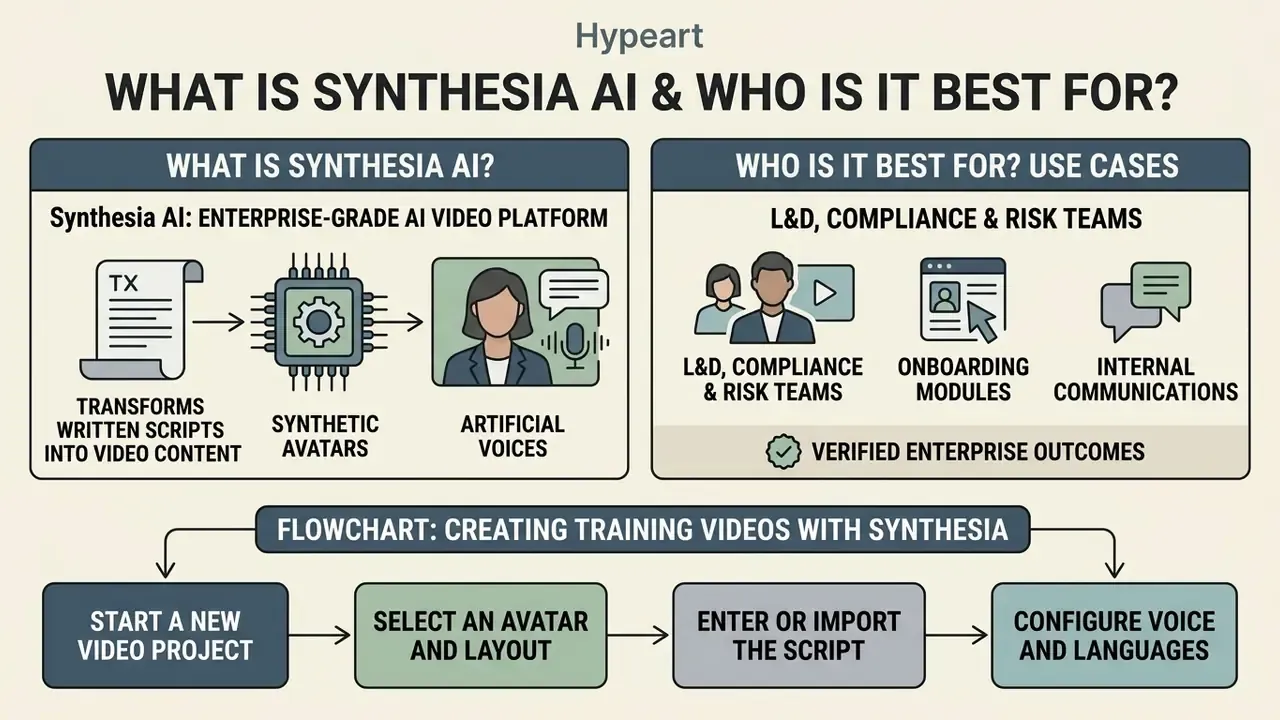
Synthesia is an enterprise-grade AI video platform that turns written scripts into video content with synthetic avatars and artificial voices. It removes the studio: no cameras, microphones, lighting rigs or booked talent. Video creation moves into a web-based text editor, which is a smaller change than it sounds until you try to update 60 modules in a week.
Enterprise teams, learning and development (L&D) departments, global compliance units, training teams and independent course creators use it to scale multilingual training videos across distributed workforces. Small teams and small business buyers can start on the free plan, though the minute caps bite quickly.
Founded in 2017 in London by Victor Riparbelli, Steffen Tjerrild, Prof. Matthias Nießner and Prof. Lourdes Agapito, a team drawn from UCL, Stanford, Cambridge and TUM, the company now positions itself as an "AI video platform for business" serving more than 50,000 customer accounts, including Amazon, Reuters, BBC, Accenture and Teleperformance.
That origin story matters for buyers. The roadmap has consistently favoured governed enterprise workflows over consumer-creator features, which is exactly why the editor is scene-based rather than timeline-based. You are buying a publishing pipeline, not a video suite.
How Synthesia Creates Training Videos Using AI
Synthesia generates videos by pushing text scripts through neural text-to-speech models and lip-synchronised avatar animation. You enter a script, pick an AI avatar, select an audio profile in the language you need, and the platform renders a 1080p MP4 in which the avatar speaks the script with synchronised mouth movements and contextual facial expressions.
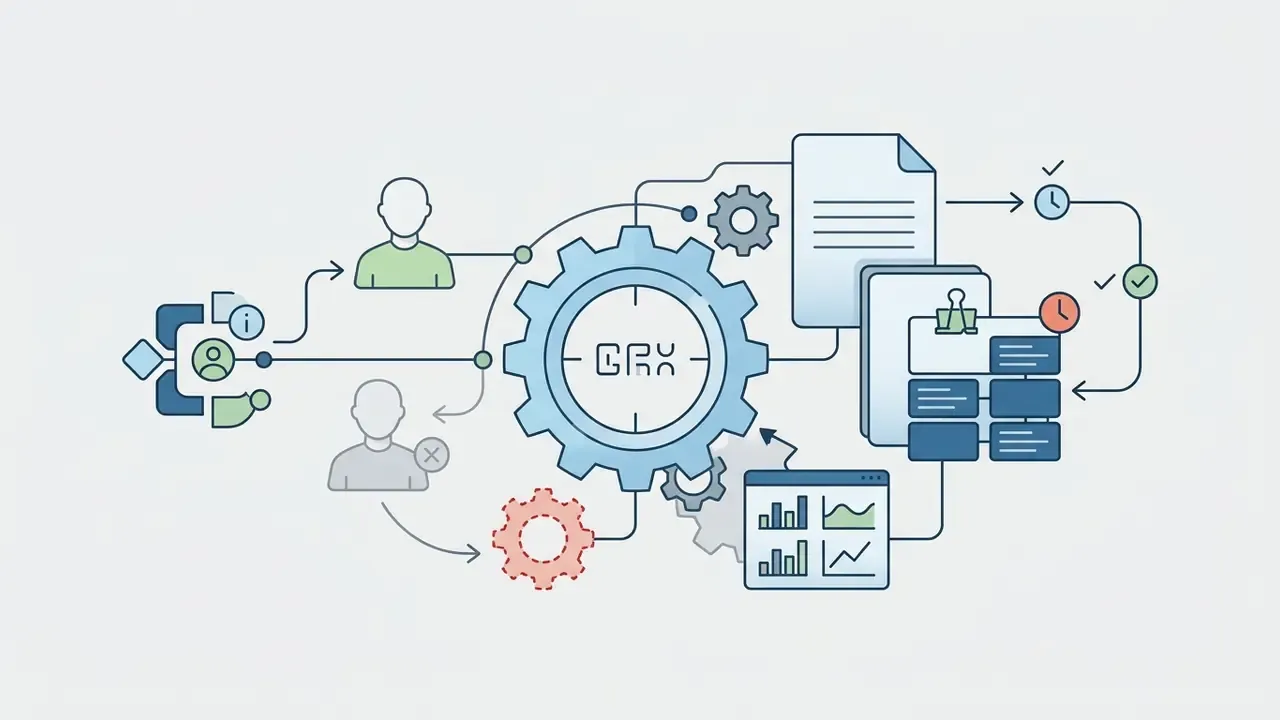
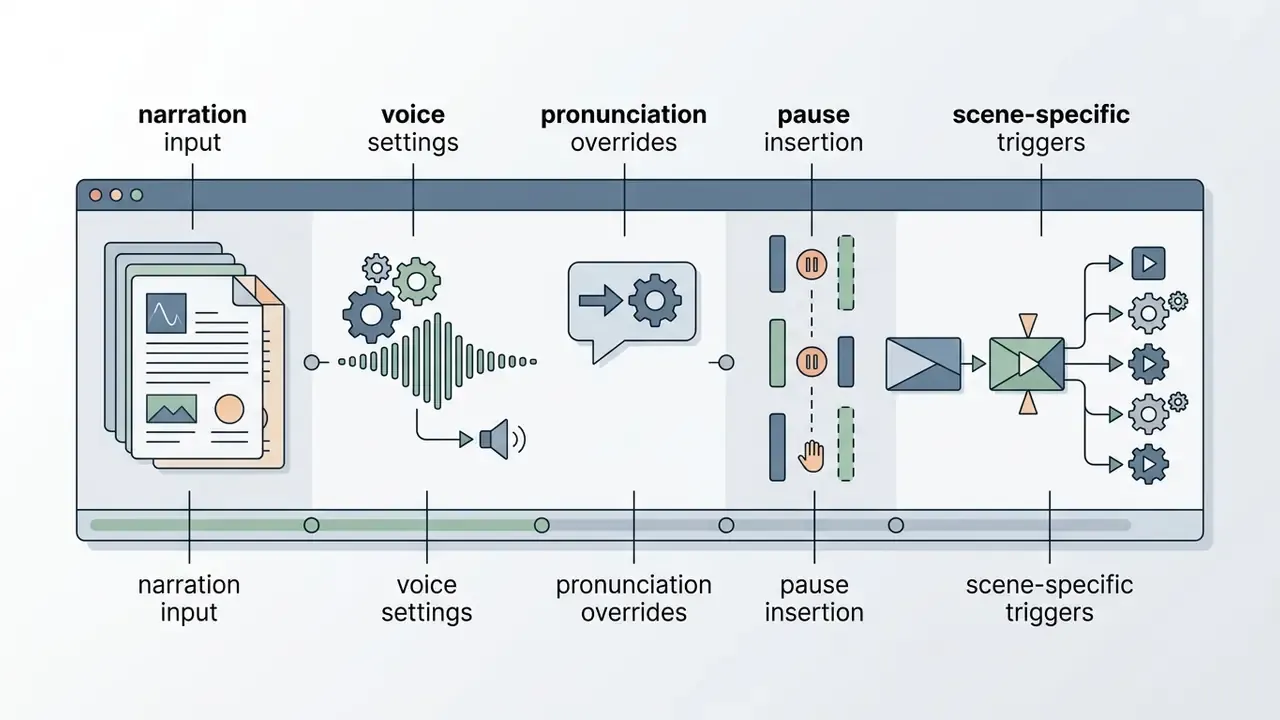
The script box is the single source of truth for the render. Official documentation confirms that narration, speaker assignment, scene language, voice selection and animation triggers are all controlled from the script layer. Speech can therefore be regenerated without touching visuals, settings or layout.
For instructional designers, that is the whole operational difference between "re-editing a video" and "re-publishing a corrected sentence." Small distinction on paper. Enormous in an audit cycle.
Use Cases: Training, Onboarding and Internal Communications
The platform is used mainly for corporate onboarding, regulatory compliance training, internal executive updates, product demos, software walkthroughs and customer support guides. Standard operating procedures (SOPs) and static PowerPoint decks become modular training assets. Global organisations lean on these automated workflows to refresh policy content without rescheduling studio sessions or re-booking voice actors.
In our own aggregated benchmark across regulated fintech and banking review engagements (an anonymised cohort, not a single named client), moving from manual screen recording to automated script-to-video generation compressed production lead times from roughly three weeks to two days, while preserving a complete audit trail over updated regulatory scripts. We label that figure explicitly as an internal aggregated benchmark, not a vendor-verified case study. If you need attributable numbers for a steering committee, use the Zoom, Teleperformance and Cohesity figures above instead.
For category context on how this class of tooling is defined and priced, see our comparison of free AI video generators. To understand how we score tools across a stack, you can see the overview of our testing framework.
Flowchart: Creating Training Videos with Synthesia
- Start a new video project.Open Synthesia Studio and choose a blank canvas or a pre-built training template for onboarding, compliance or internal communications.
- Select an avatar and layout.Pick a stock AI avatar, a personal avatar or a synthetic presenter, then set the layout: full talking head, side-by-side with slides, or picture-in-picture.
- Enter or import the script.Paste your training script or import a document or PowerPoint deck, splitting paragraphs into scene-based text blocks.
- Configure voice and languages.Choose the AI voice profile, set the primary language, or build multiple languages for international cohorts.
- Add visuals, media and screen recordings.Overlay brand assets, diagrams, images, videos or screen capture footage to illustrate procedural steps.
- Arrange scenes and fine-tune timing.Use the scene-based editor to adjust pauses, element triggers, entrance and exit animations, and caption placement.
- Generate, review and export.Trigger rendering, check audio-visual alignment, then export as a 1080p MP4 or a SCORM package for LMS integration.
How to Use Synthesia for AI Training Video Creation
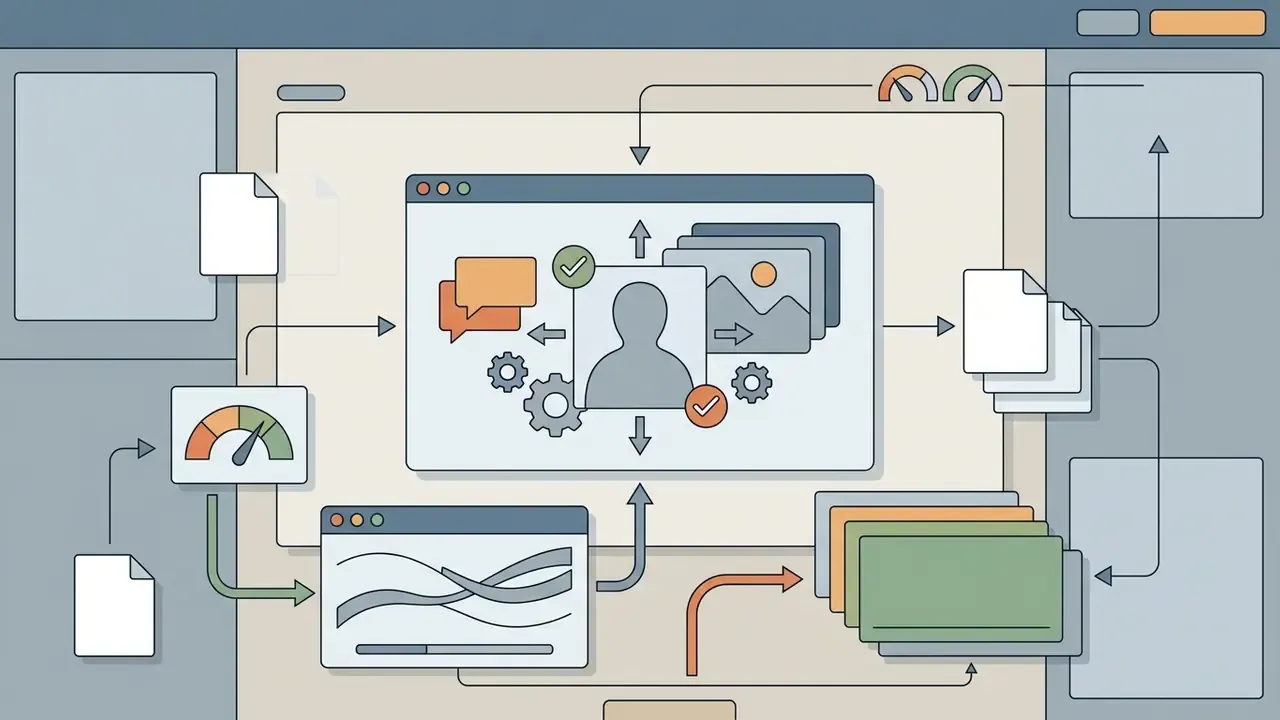
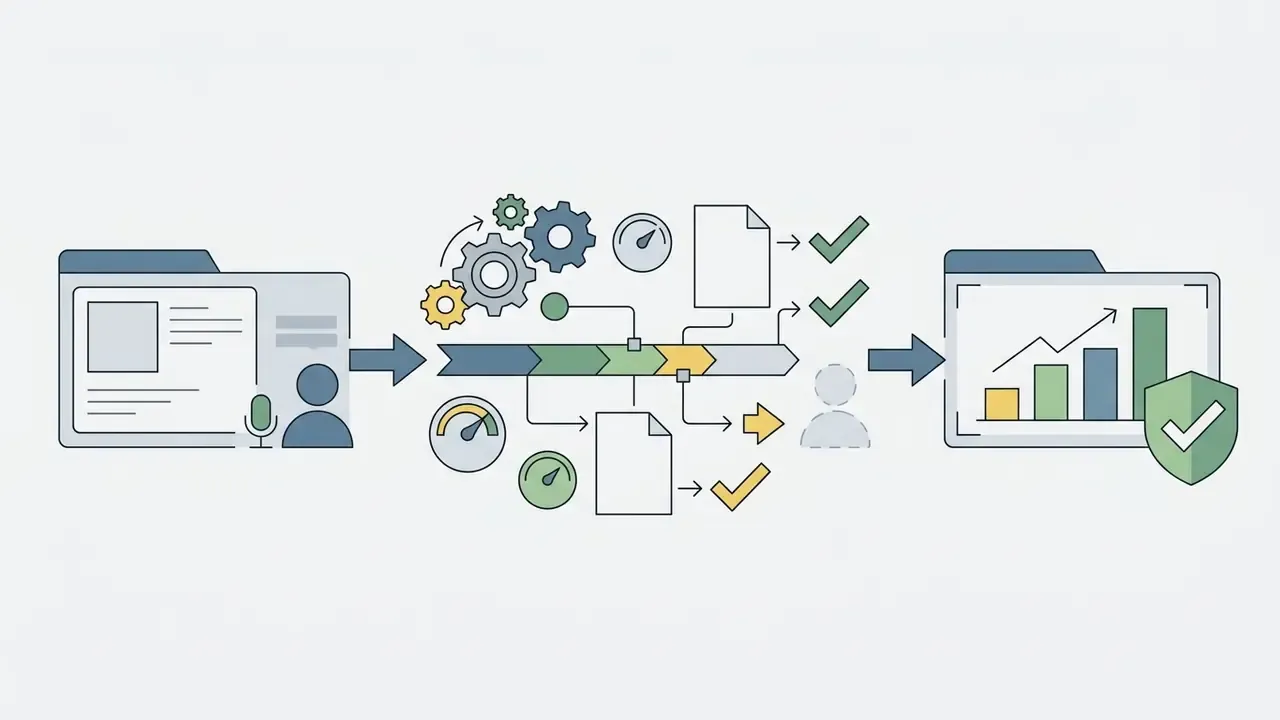
Creating training content in Synthesia follows a scene-based, script-driven workflow built for modular editing. You assemble a video project by matching text segments to specific visual scenes, media layers and avatar configurations. Nothing exotic. Just disciplined.
Script-to-Video and Scene-Based Editing Workflow
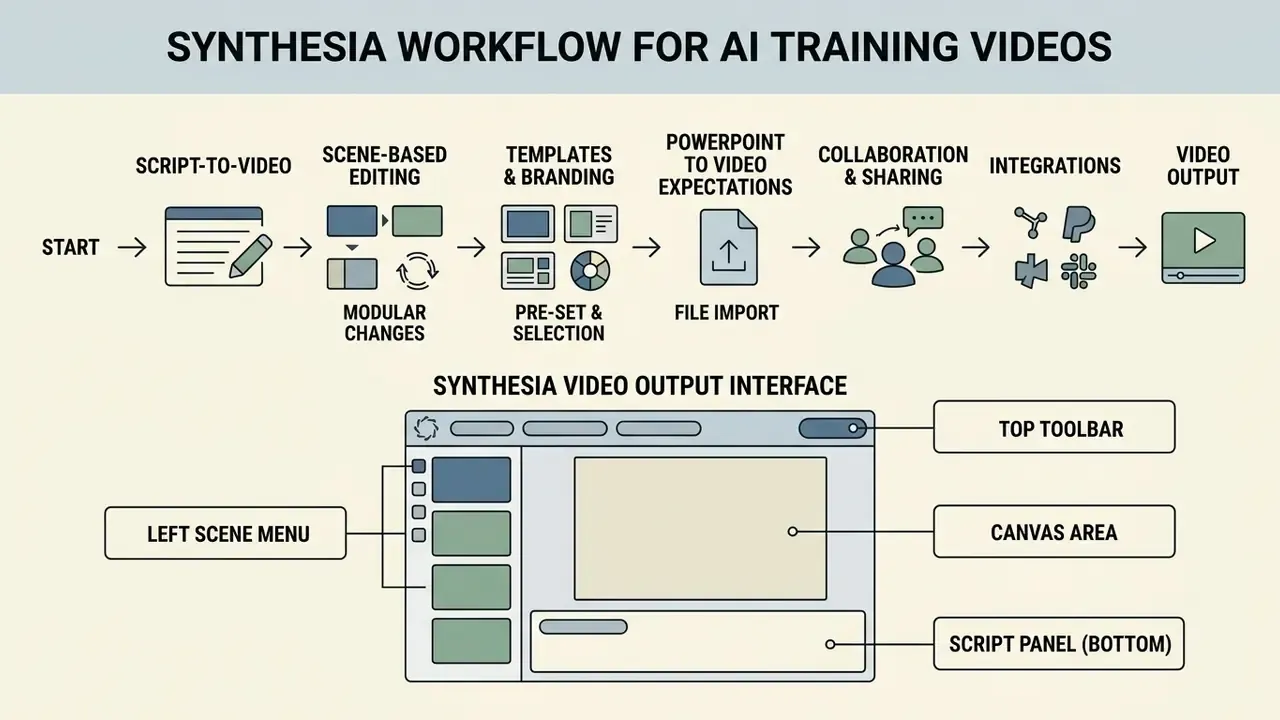
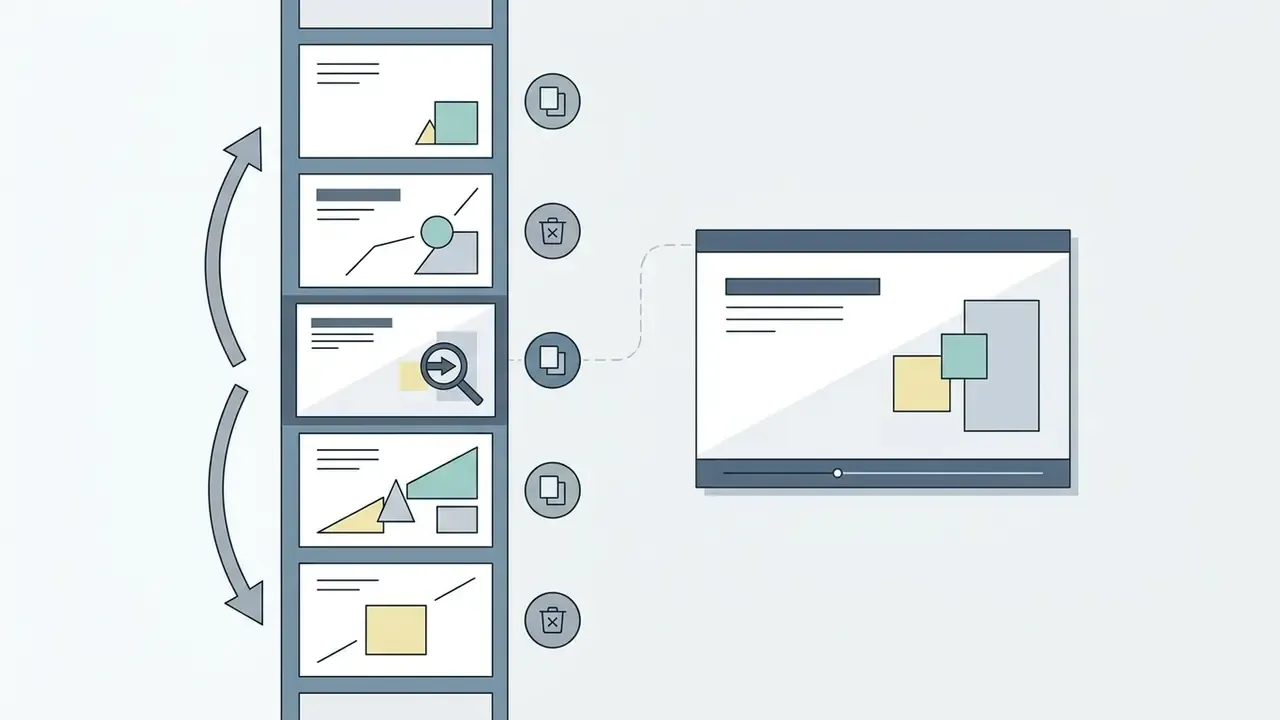
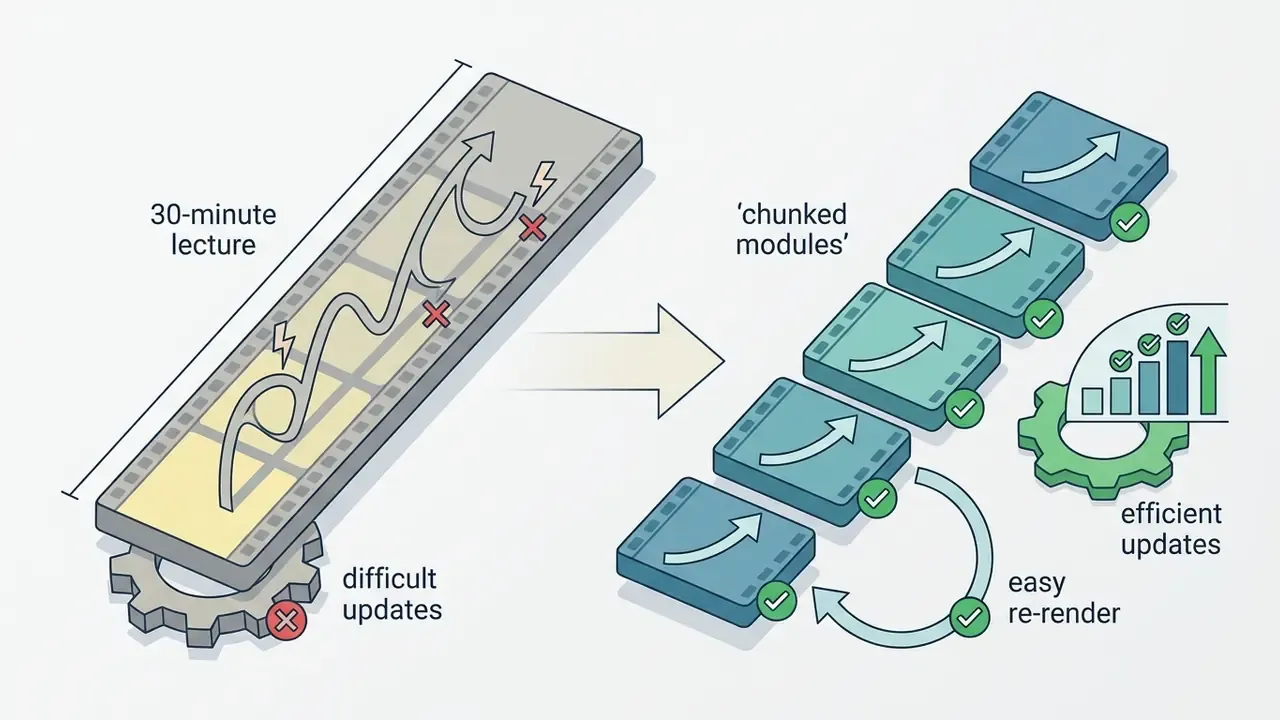
The platform maps individual script paragraphs directly to discrete video scenes, so a text edit re-renders only the affected scene. This is the practical face of text-to-video AI inside a governed enterprise workspace.
A single soft return keeps content in the same scene; a double return creates a new scene block. That one behaviour is why L&D teams can update a single regulatory clause inside a ten-minute video without rebuilding the project. Videos support up to 50 scenes each, which is usually enough for a 10 to 15 minute compliance module cut into digestible segments.
When auditing content quality across automated tools, teams often use an ai review generator to hold evaluation criteria steady between reviewers.
Templates, Branding and PowerPoint to Video Expectations
You can upload a custom PowerPoint deck (.pptx) and convert slides into scene backgrounds with editable text elements. Imported presentations keep basic layouts, images and shapes. Complex animations, embedded audio and custom transitions are stripped on import, so plan for that.
Brand governance runs through workspace Brand Kits: primary colours, typography, logos and approved avatars. Administrators can set a kit as the workspace default, so every course author inherits compliant styling for branded video output instead of improvising it.
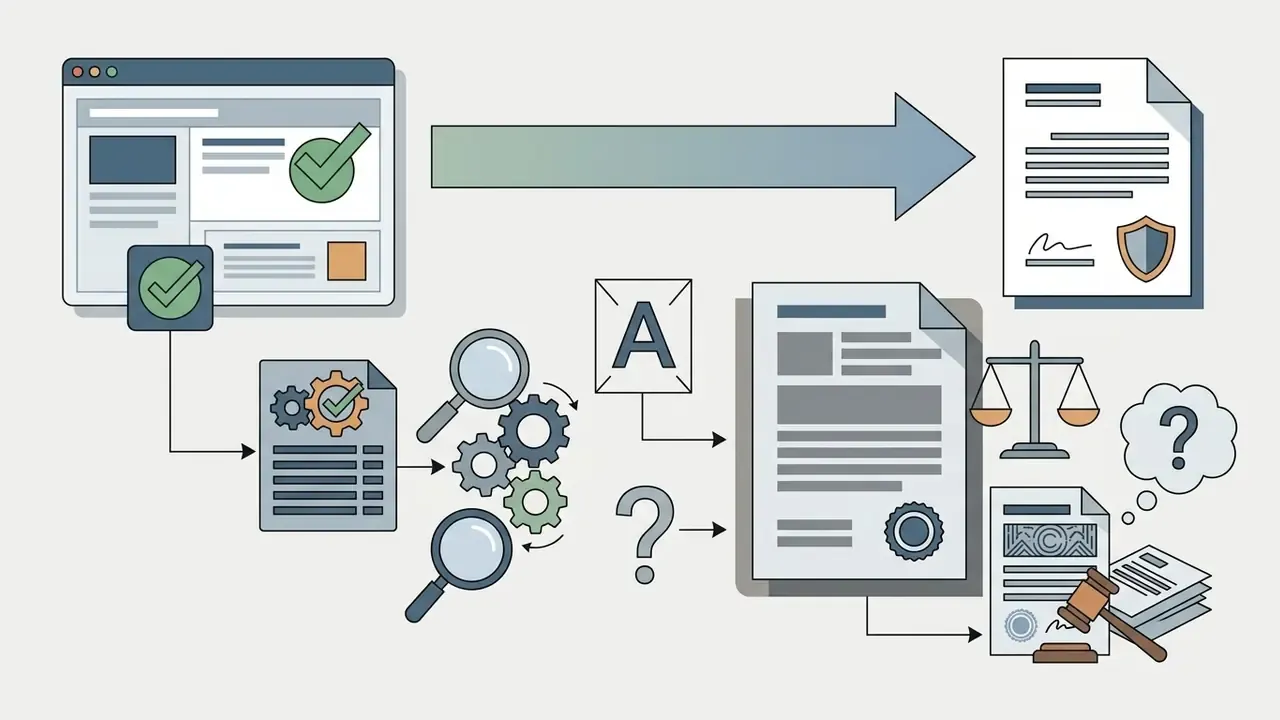
Note on document automation. Synthesia converts PPTX layouts into scene elements, but instructional designers still input and align the narration manually. If your workflow depends on auto-generated instructional scripts drawn straight from unstructured PDFs or raw Word files without human editing, dedicated document-to-video tools (Leadde or Colossyan, for example) offer automated outline drafting and speaker-note ingestion. Synthesia trades that away for granular control over final layout, customization options and corporate branding.
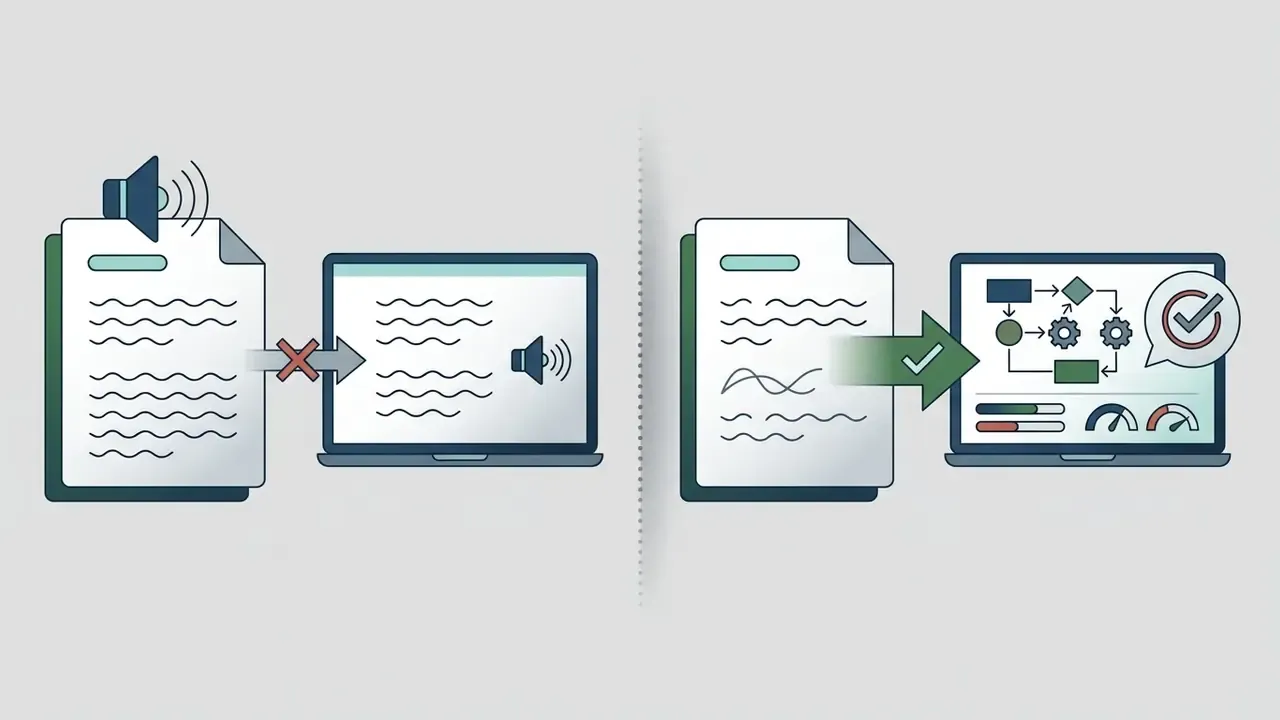
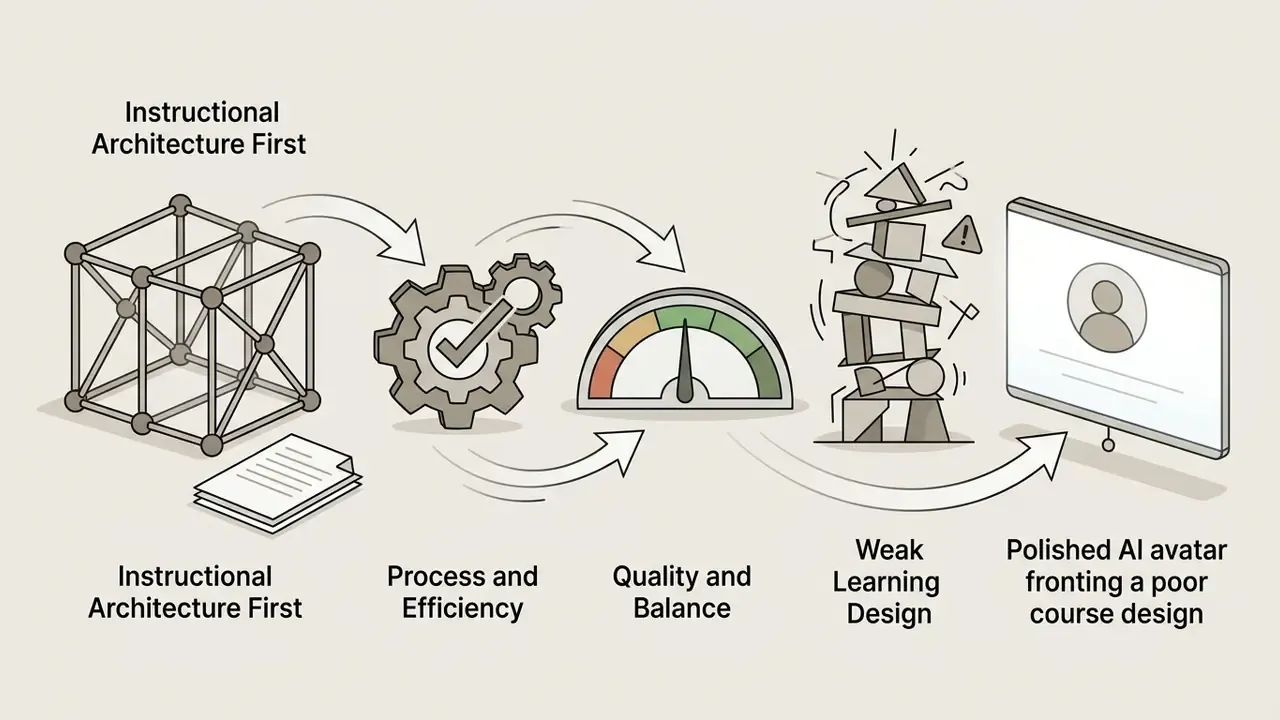
One expectation to manage internally: converting a weak slide deck into an AI-presented video does not repair weak instructional design. Sequence the work properly. Instructional architecture first, script optimisation second, AI generation third.
Collaboration, Sharing, Integrations and Video Output
Enterprise workspaces support multi-user role permissions, live commenting, version history and shared media folders. Finished projects can be shared via web links, embedded with an iframe, or exported as 1080p MP4, audio-only WAV, and SRT or VTT caption files.
Enterprise accounts add SCORM 1.2 and SCORM 2004 packages for direct deployment into learning management systems, plus XLIFF export so localisation vendors can work on extracted text without ever opening the video project. Aspect ratios cover 16:9, 9:16, 1:1, 4:5 and 5:4, which lets global teams repurpose one training asset across LMS, intranet and mobile channels.
One documented constraint worth flagging to admins: licence tiers matter. Free and Restricted licence holders inside an enterprise workspace can review and comment, but cannot independently create scenes or generate new videos. That is a deliberate control against uncontrolled content sprawl, and it is also, quietly, a shadow AI control.
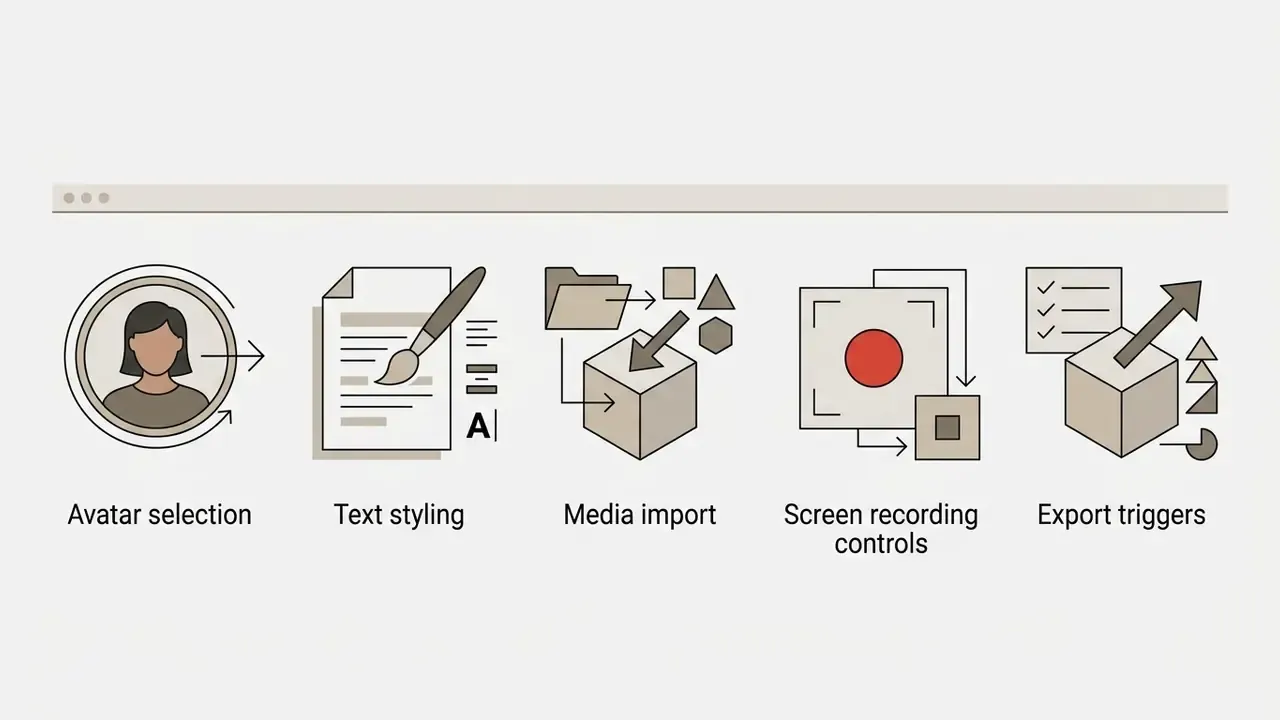
Interface component overview
Synthesia AI Features That Matter for Training Videos
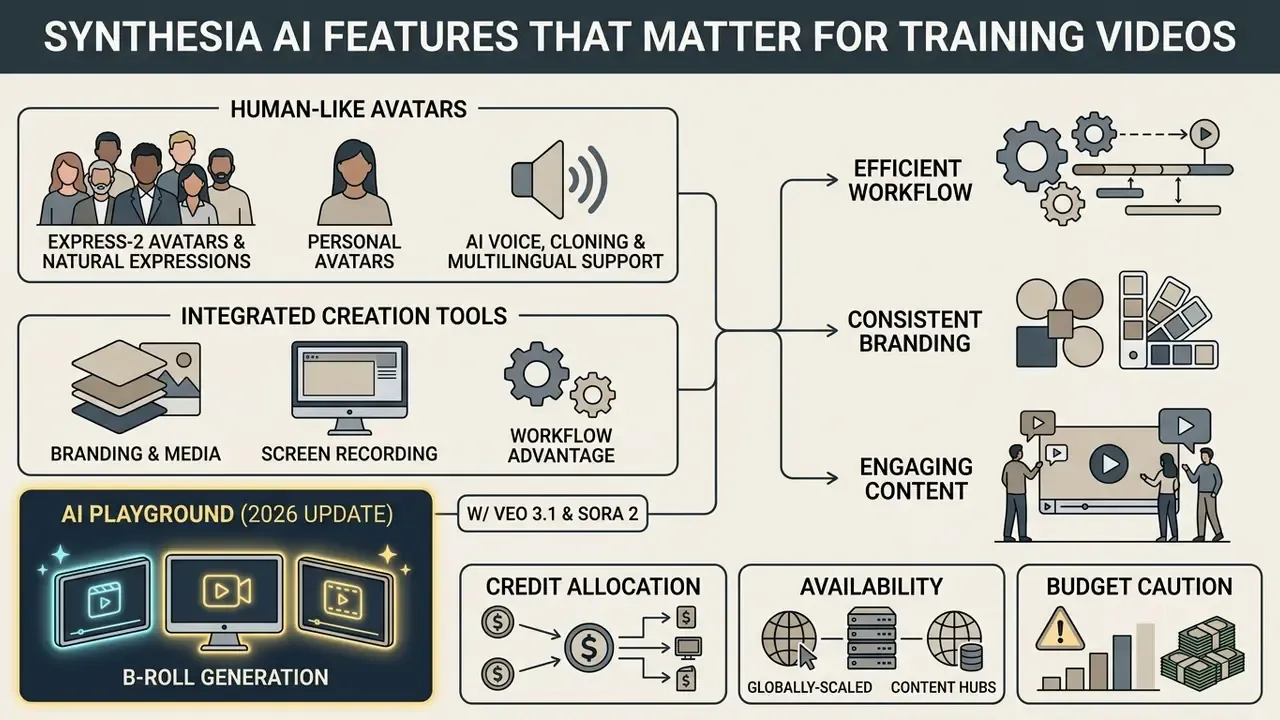
Choosing an AI video creator means judging four things: avatar rendering, synthetic speech accuracy, localisation tooling and enterprise security controls. The key features below are the ones that survive contact with a real course catalogue.
| Feature category | Enterprise capability | Operational benefit for L&D |
|---|---|---|
| AI avatars | 230+ stock avatars (240+ on Enterprise), personal avatars, Express-2 expressive models | Standardises corporate presentation without recurring actor costs |
| Voice and speech | 160+ languages and accents, 400+ voices, voice cloning, automatic lip sync | Removes separate studio voiceover recording across regions |
| Localization | One click translation into 80+ languages, multi-language scenes, AI dubbing | Compresses global compliance rollouts from months to hours |
| Branding and assets | Brand Kits, custom fonts, royalty-free stock media, built-in screen recorder | Maintains visual governance across distributed training teams |
| Generative B-roll | AI Playground with Veo 3.1 and Sora 2 (48 credits per 8-second clip) | Removes dependency on third-party stock footage subscriptions |
| LMS integration | SCORM 1.2/2004 export, XLIFF translation data, SRT/VTT captions, API access | Enables learner tracking, completion audits and LMS compliance |
| Security and access | SOC 2 Type II, GDPR, SAML/SSO, role-based licences, consent-gated avatars | Satisfies procurement, risk and internal audit requirements |
AI Avatars, Personal Avatars and Natural Expressions
Synthesia offers more than 230 stock avatars categorised by age, ethnicity and attire, plus custom avatar creation: personal avatars built from a short video recording or, in some cases, a single high-quality photograph. The generation models adjust facial expressions, eye contact and head movement based on script punctuation and emotion tags.
Personal avatars let senior executives or lead trainers appear in training content globally without losing days to filming. A regional risk lead can front 12 localised modules and never leave their desk.
Critically for risk teams, personal avatar creation requires a recorded consent statement from the individual being cloned before generation is permitted. Avatars can also be outfit-customised. Express-1 stock avatars are built from professionally filmed footage of real actors, which Synthesia's own documentation describes as its most realistic and consistent output.
AI Voice, Voice Cloning and Multilingual Support
The software generates text-to-speech in more than 160 languages, regional dialects and accents, drawing on a library of over 400 voices. Readers comparing narration engines in isolation can review our guide to AI voice generators for naturalness and licensing benchmarks.
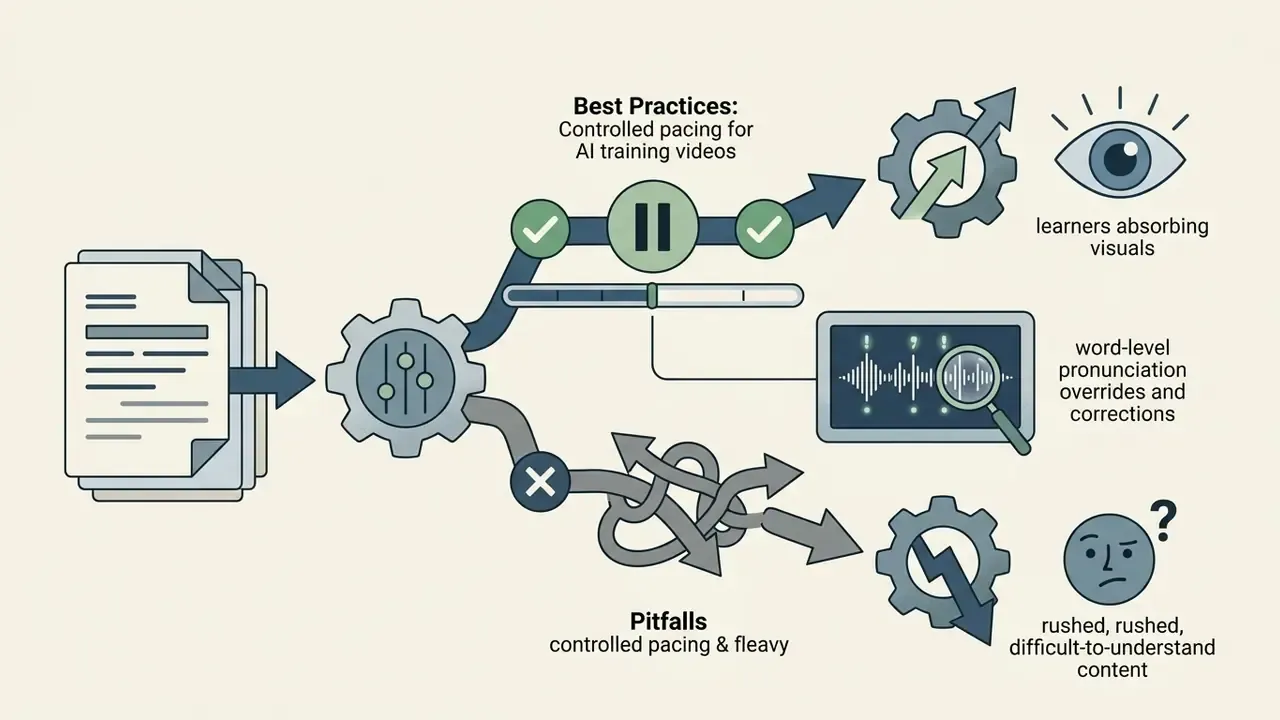
Automated AI dubbing and translation convert existing scripts into target languages while holding lip-sync alignment for the selected avatar. Inside a single scene, creators can assign different languages to different sentences, which makes bilingual modules for cross-border teams genuinely practical. Pronunciation overrides and explicit pause insertion work at word level, and that matters more than it sounds: product names, drug names, ticker symbols, regulatory acronyms.
Note one documentation discrepancy to raise at procurement. Synthesia's help pages variously cite 130+, 140+ and 160+ languages, depending on whether the figure refers to dubbing, translation or text-to-speech, and depending on plan tier. Confirm the exact language support list against your localisation matrix before you sign anything.
Branding, Media, Screen Recording and Creation Tools
Integrated screen recording lets instructional designers capture software interfaces inside the browser studio: full screen, a region or a single tab, then trim the capture and sync it to generated narration. For procedural content, this is the most used of all the production tools.
"The presence of a talking head can pull visual attention away from key graphical elements on a slide, affecting how material is processed."
The design implication is blunt. During dense procedural steps, shrink or remove the avatar and let the screen recording own the frame. Bring the presenter back for framing, summary and consequence statements.
The built-in media library provides royalty-free stock imagery, background videos, stickers, background audio and customisable graphical callouts. Custom audio beds upload as MP3, OGG, WAV, AAC or FLAC. Brand Kits let administrators lock core design assets so every distributed course creator stays inside institutional guidelines. Scene-level entrance and exit animations give unusually granular timing control compared with competing avatar platforms.
There is also a built-in AI video assistant that drafts a first-pass script and scene split from audience, topic and tone inputs. Useful for a module skeleton before subject-matter expert review, less useful as a final draft. Treat auto generated copy as raw material.
AI Playground: B-Roll Generation with Veo 3.1 and Sora 2 (2026 Update)
Enterprise content creators are no longer stuck with static backgrounds and stock libraries. Synthesia's integrated AI Playground generates clips of up to eight seconds, powered directly by Google's Veo 3.1 and OpenAI's Sora 2, without leaving the platform or maintaining separate model subscriptions.
- Credit allocation each Playground clip consumes 48 credits from the shared account pool, the same pool that funds avatar video minutes.
- Workflow advantage designers can create contextual B-roll (say, "industrial factory floor compliance inspection" or "trading desk at market open") inside the video canvas, dropping the need for third-party stock video subscriptions.
- Availability Playground access is offered across plans, including the free plan, which makes it a legitimate pre-purchase evaluation surface for clip quality.
- Budget caution on Starter, with a 10-minute monthly allowance, a handful of Playground experiments can erode the avatar-video budget faster than teams expect. Treat prompts as a metered production resource, not a sandbox.
For teams benchmarking the underlying generation models independently of Synthesia's wrapper, see our Google Veo implementation guide, which covers capabilities, API costs and rate limits.
Synthesia AI Generated Video Quality Review
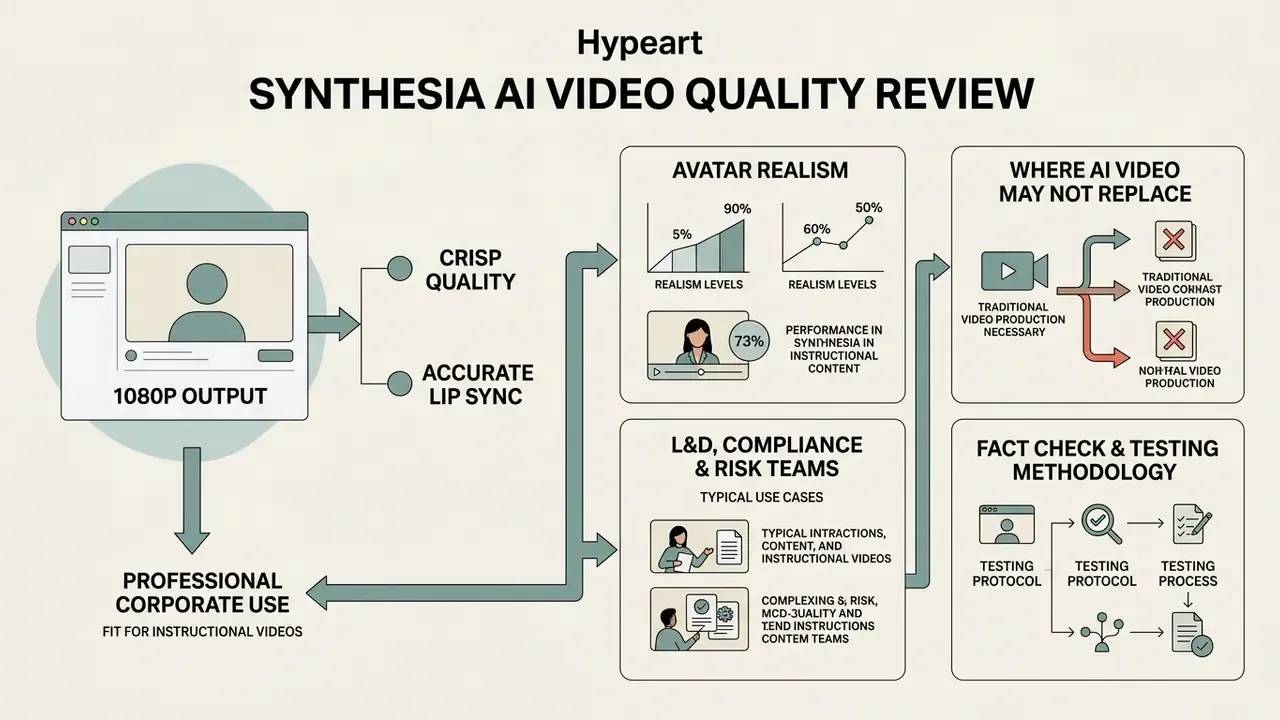
Synthesia produces crisp 1080p video output with accurate lip synchronisation, and it is technically fit for professional corporate use. Visual realism, however, varies with the avatar generation tier you pick and with the emotional weight of the topic.
| Quality dimension | Measured finding | Source type |
|---|---|---|
| Lip-sync alignment | Wav2Lip scores up to 1.00 on most benchmark sets; First Order Motion Model 0.94 to 1.00 | Peer-reviewed survey |
| Knowledge acquisition | M = 1.00 (AI video) vs M = 0.94 (human instructor), p = .80 | Academic experiment |
| Subjective experience | Human presenters rated higher by an effect size of −0.16, p < 0.001 | Peer-reviewed journal |
| Learner detection | Roughly 50% of students could not identify the video as AI-generated | Academic survey |
Avatar Realism and Lip Sync in Instructional Videos
Modern facial animation architectures, Wav2Lip and First Order Motion Model among them, reach high technical alignment between synthesised speech and mouth movement.
"Wav2Lip reaches accuracy scores of 1.00 on most benchmark datasets; First Order Motion Model ranges from 0.94 to 1.00."
The 2026 rendering engine is Synthesia's proprietary Express-2. Older generative models mostly mapped mouth shapes (phonemes) to audio waveforms. Express-2 predicts micro-expressions instead: brow shifts, natural blinks, co-speech gestures and micro-pauses, inferred from script sentiment. The uncanny valley effect drops noticeably in standard corporate presentation formats.
Synthesia's help documentation also notes that newer Express-generation avatars deliver more accurate lip sync than legacy models, while acknowledging that artefacts still appear on Legacy and older Expressive avatar classes. Practical procurement implication: standardise your workspace on a shortlist of approved Express-generation avatars rather than letting authors choose freely from the whole library. Fewer options, fewer surprises in a published module.
In independent academic evaluation, adult learners showed equal knowledge acquisition from Synthesia-generated instructional videos and human-recorded videos. Participants watching a Synthesia-generated cybersecurity module achieved mean knowledge gains of 1.00 (SD = 1.04) against 0.94 (SD = 1.13) for the live instructor condition, a difference that was not statistically significant (p = .80).
"Participants who watched the AI-generated cybersecurity video showed knowledge gains statistically indistinguishable from the human-instructor condition."
Where AI-Generated Video May Not Replace Traditional Video Production
Technical accuracy does not equal emotional range. Synthetic avatars still read as neutral, sometimes slightly rigid, in emotionally complex scenarios. A 2025 study in Computers & Education evaluated 1,788 video treatments across 447 participants and found identical exam performance between AI and human video groups, while human instructors scored slightly higher on subjective experience (effect size difference of −0.16, p < 0.001).
"We did not find that videos featuring humans are more effective learning tools than AI videos."
AI avatars underperform in high-empathy scenarios, leadership coaching, interpersonal role-plays and hands-on hardware demonstrations, where micro-expressions and real spatial movement carry the meaning. Independent agency testing reported in market reviews also found AI-avatar creatives trailing human-shot creatives on click-through and conversion in paid advertising. The platform explains well; it persuades poorly.
A 2024 U.S. Senate hearing document similarly links the uncanny-valley response in computer-generated humans to reduced emotional comfort and acceptance. That constrains deployment in sensitive learning contexts: bereavement policy, harassment reporting, redundancy communications. Use real humans there. It is not a technology problem, it is a respect problem.
For detailed testing data on avatar performance metrics, see the Review Proof for Synthesia. To position it against the wider market, compare free AI video generators on duration limits, watermarks and licensing.
Fact Check and Testing Methodology Disclosure
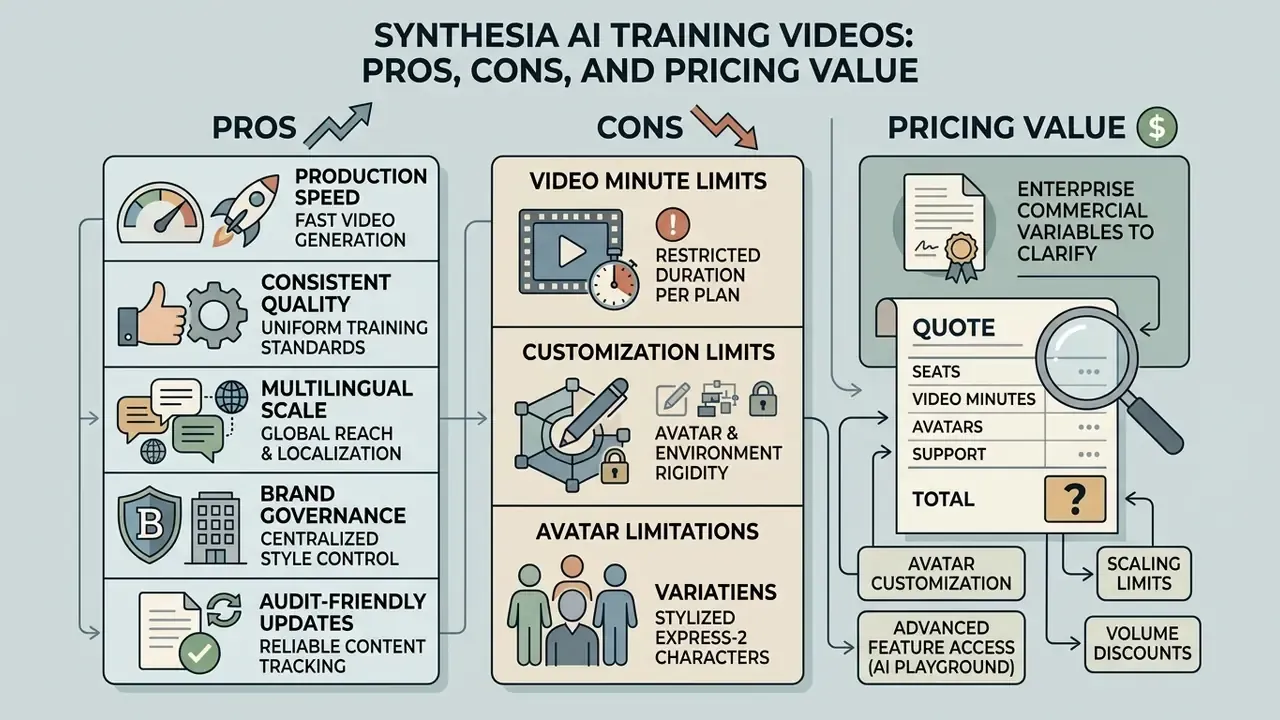
Synthesia AI Training Videos Pros, Cons and Pricing Value
Judging Synthesia means weighing production speed and multilingual scale against plan-based video minute caps and customization boundaries. The pros and cons below are separated from the pricing question deliberately, because the two conclusions often diverge.
| Plan tier | Billed annually | Billed monthly | Monthly video minutes | Stock avatars | Personal avatar allocation | Core enterprise and L&D features |
|---|---|---|---|---|---|---|
| Free | $0 | $0 | 3 to 10 minutes (plan-dependent) | 9 stock avatars | None | Basic templates, 140+ languages, AI Playground access, single editor workspace |
| Starter | $18/mo | $29/mo | 10 minutes | 125+ stock avatars | Up to 3 | AI video assistant, AI dubbing, logo removal, sharing and commenting, 1 editor plus 3 guests |
| Creator | $64/mo | $89/mo | 30 minutes | 180+ stock avatars | Up to 5 | Branded templates, custom fonts, branded video pages, API access, multiple avatars per scene |
| Enterprise | Custom quote | Custom quote | Unlimited | 230 to 240+ stock avatars | Unlimited | SCORM 1.2/2004 export, SSO/SAML, Brand Kits, one click translation (80+ languages), shared workspaces, higher API rate limits, voiceover upload |
Synthesia pricing here is reference only, checked during the 2026 review cycle, and may not reflect current rates. Verify plan terms, minute allowances, seat costs and overage pricing directly with the vendor at https://www.synthesia.io/pricing before purchase.
Enterprise commercial variables to clarify in your quote. Synthesia does not publish Enterprise figures, and four cost drivers are routinely underestimated: (1) additional editor seats versus read-only or guest licences; (2) custom or studio-filmed avatars, which market reviews place in the four-figure range per avatar; (3) overage pricing or top-up credit packs once bundled minutes are gone; (4) SLA, support tier and single-tenant data-residency premiums. Synthesia's help materials also state there is no general student, nonprofit or academic-institution discount, so education buyers should budget at commercial rates.
Pros: Fast, Consistent and Multilingual Video Production
- Production speed. Video creation timelines collapse from weeks to minutes, so compliance modules can be updated the same week a rule changes.
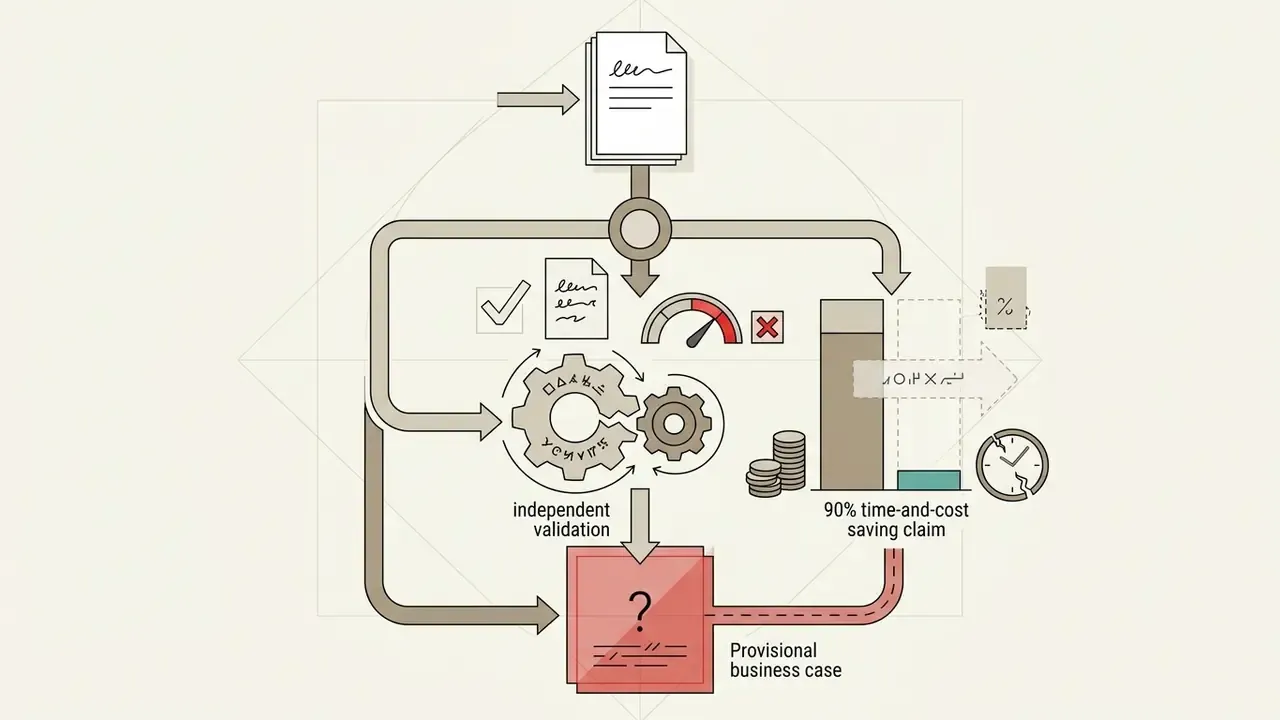
- Cost effective delivery. No agency fees, studio rentals, lighting setups or camera crews. Synthesia's own materials claim up to 90% savings in time and production costs.
- Multilingual scale. Rapid localisation across 160+ languages and dialects keeps messaging consistent across global offices.
- Brand governance. Centralised design rules, fonts and approved presenter personas apply across every departmental team.
- Audit-friendly updates. Narration lives in an editable script layer with version history, so every regulatory wording change is traceable. Traditional filmed video simply cannot offer that property.
During one structured software rollout, an L&D team replaced manual screen recording sessions with the scene editor and produced 45 localised training modules in ten days. Not glamorous work. Extremely repeatable work.
The transition lowered total instructional design cost while standardising updates across international branches. Teams modelling team-wide productivity impact can open the hub for operational cost models.
Cons: Video Minute Limits, Customization and Avatar Limitations
"Around half of students could not determine whether a video was AI-generated, yet they expressed limited comfort with the broad adoption of AI video in instruction."
- Editing boundaries. Advanced camera angles, complex lighting and multi-person physical interaction cannot be orchestrated. The editor is scene-based, not timeline-based, so frame-accurate post-production is out of scope.
- Feature gating. Voiceover upload, SCORM export, SSO and one click translation are Enterprise-only, which moves serious L&D deployments straight past the self-serve tiers.
- Desktop dependency. Documentation states the full creation and video editing experience is optimised for desktop or laptop, with only selected workflows supported in mobile browsers.
Pricing Plans and How to Judge Value for Training Teams
Synthesia runs a credit-based subscription model in which one generated video minute consumes one credit. Budget-constrained teams deciding whether to pay at all should first survey the market of free AI video generators to set a baseline for quality and export limits.
Editing scripts, previewing layouts and rendering drafts do not deduct from the monthly quota. Preview playback shows unanimated avatars at reduced resolution, so iteration is effectively free until you press Generate. Worth knowing before someone panics about the credit counter.
For enterprise training units, value is the comparison between subscription cost and traditional production expense (actors, studios, editors), expressed as cost per usable output. A defensible ROI model should carry four lines: avoided external production and studio spend; internal labour hours saved per module, synchronisation work included; avoided re-shoot cost per regulatory update cycle, multiplied by expected annual policy changes; translation and voice-talent cost avoided per language per module.
One caveat for the finance committee. The headline savings percentages originate in vendor marketing and vendor-published case studies, not independent audit, and should be discounted accordingly. A 90% claim is a ceiling, not a forecast.
Enterprise Governance, Security and Shadow AI Controls
For regulated buyers, banks, insurers, payment institutions, healthcare providers, feature parity matters far less than control evidence. This section consolidates what risk, security and compliance functions actually ask during procurement.
| Control domain | Documented position | What to verify in diligence |
|---|---|---|
| Certification | SOC 2 Type II; audit detail via the Synthesia Trust Portal | Current report date, scope, exceptions and bridge letter |
| Data protection law | GDPR and UK GDPR compliance with defined controller and processor roles | DPA execution, sub-processor list, international transfer mechanism |
| Access control | SAML/SSO, role-based licences (Editor, Guest, Restricted, Free), shared workspaces and Organizations | SCIM provisioning, de-provisioning latency, admin audit log retention |
| Avatar integrity | Personal avatar creation requires recorded consent from the depicted individual | Consent artefact storage, revocation workflow, likeness takedown SLA |
| Content safety | AI usage policies, secure development practice and incident response published in the governance hub | Script moderation behaviour, prohibited-use enforcement, breach notification timelines |
| Shadow AI exposure | Free plan and self-serve tiers are purchasable with a corporate card, outside procurement | SSO enforcement on your domain, expense-policy controls, tenant claim of company email domains |
| Learning records | SCORM 1.2/2004 packages with completion criteria for LMS tracking | Whether completion evidence satisfies your regulator's training-attestation standard |
Two points deserve emphasis.
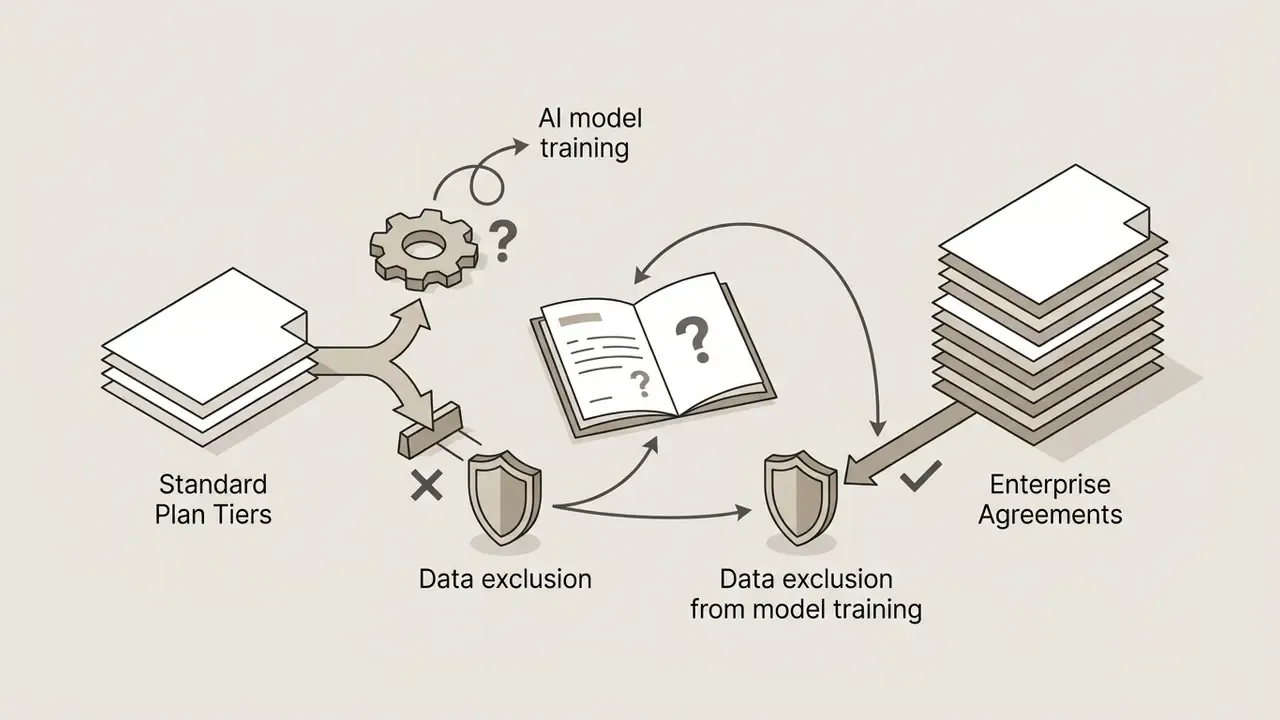
First, script content is a data-classification decision, not a convenience decision. Compliance scripts routinely contain unreleased policy language, internal control descriptions and, occasionally, personal data hiding inside a worked example. Establish in writing whether your tenant's scripts and uploads are excluded from model training, where they are stored, and what encryption applies in transit and at rest. Put that in the contract. A marketing page is not evidence.
Second, the deepfake surface runs inward, not just outward. The primary enterprise risk is not an external actor cloning your CEO on your tenant. It is an internal employee producing a persuasive executive-voice communication without authorisation. Consent recording closes the creation gate. Only workspace-level avatar approval, licence restriction and publication review close the loop.
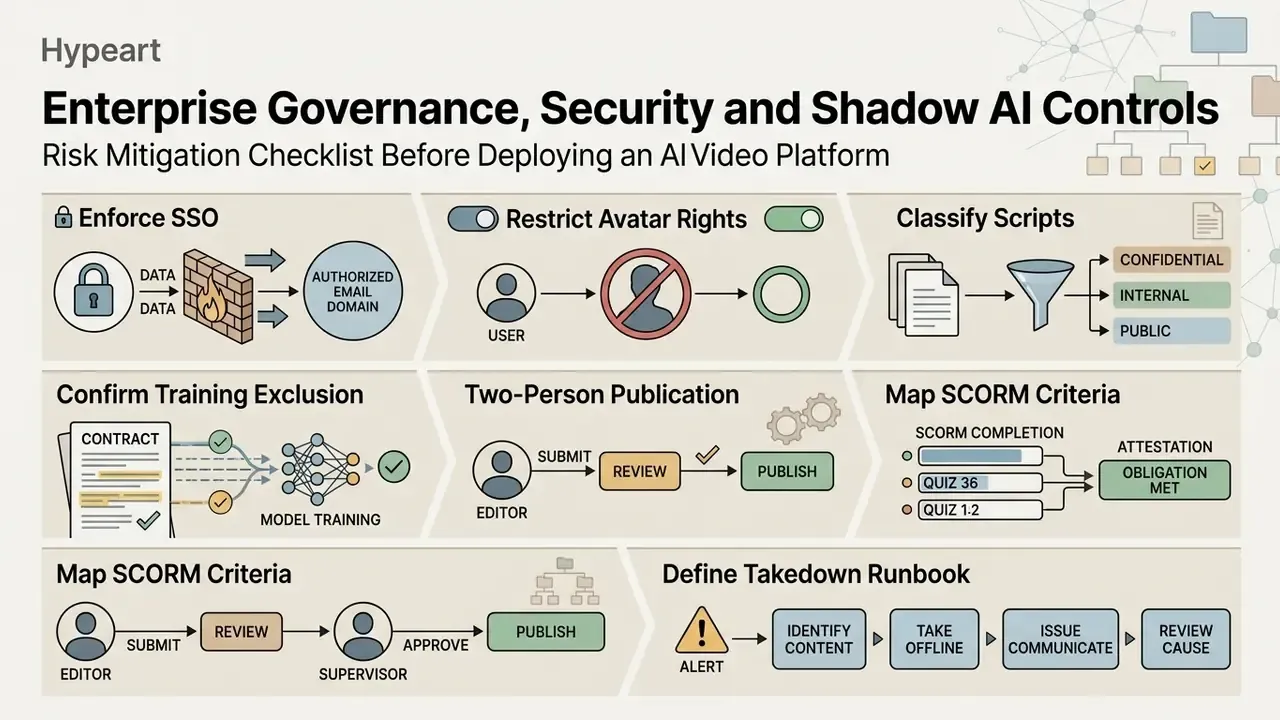
Risk Mitigation Checklist Before Deploying an AI Video Platform
- Enforce SSO on your email domainand block self-serve signups with corporate credentials, which is the cheapest shadow AI control available.
- Restrict personal avatar creation rightsto a named administrator group and require documented, revocable consent for every depicted individual.
- Classify scripts before upload.Prohibit unreleased financial data, customer PII and privileged legal analysis in narration text and media uploads.
- Contractually confirm the model-training exclusion, data residency, retention period and deletion guarantees in the DPA.
- Require a two-person publication gatefor any externally facing or regulator-facing video, with sign-off logged against the script version.
- Map SCORM completion criteria to your attestation obligationand test that learner records reconcile with your LMS audit report.
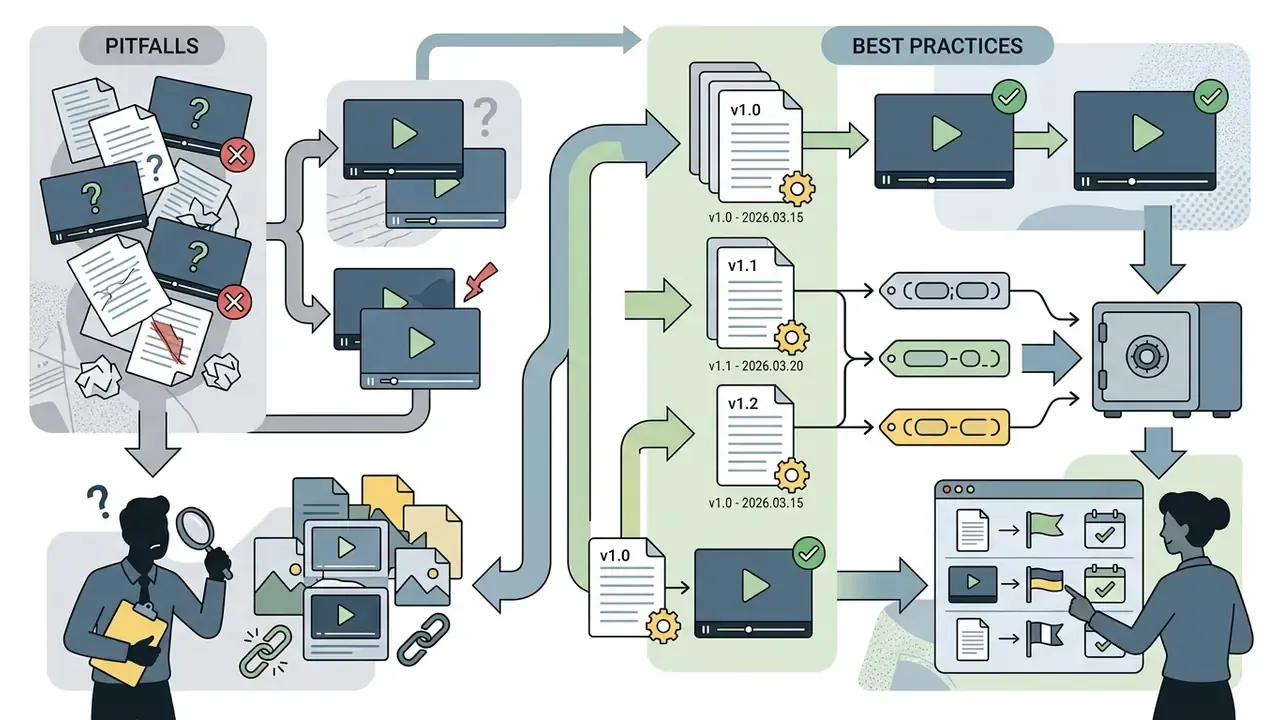
- Define a takedown and rollback runbookwho can unpublish a video, how fast, and how superseded versions are archived for audit.
- Re-test avatar output after each vendor model upgrade.Rendering-engine changes such as Express-2 can alter tone, pacing and lip-sync fidelity on scripts you already published.
- Log and review credit consumptionby workspace to surface anomalous generation activity.
- Schedule an annual control reviewaligned to your third-party risk management cycle.
Disclaimer: this section summarises publicly documented vendor positions and general risk-management practice. It is not legal, compliance or security advice. Regulated organisations should obtain independent legal review and run their own third-party risk assessment before deployment.
Synthesia vs HeyGen and Other Synthesia Alternatives
Choosing between AI video generation platforms comes down to rendering quality, localisation, LMS compatibility and governance infrastructure. Avatar options are the part buyers notice first and the part that matters least by month three.
| Evaluation criteria | Synthesia | HeyGen | Colossyan |
|---|---|---|---|
| Primary focus | Corporate L&D, enterprise governance, compliance | Marketing, sales enablement, fast content creation | Academic L&D, workplace learning, interactive quizzes |
| Avatar realism | High; structured corporate personas built on Express-2 | High; expressive micro-gestures and fluid motion | Moderate to high; tuned for educational settings |
| Language support | 160+ languages; one click translation (80+ languages) | 175+ languages and dialects; advanced voice cloning | 70+ languages; auto-translation features |
| Document ingestion | PPTX, PDF and URL to video; manual script alignment required | PDF, DOC and PPT to scene-by-scene script using speaker notes | DOCX, PDF, PPTX, TXT with automated scene structuring |
| Generative B-roll | AI Playground with Veo 3.1 and Sora 2 (48 credits per clip) | Not bundled at equivalent tiers | Not bundled |
| LMS integrations | SCORM 1.2/2004, XLIFF export, SRT/VTT captions | Embed links, sharing pages, basic API export, SCORM on select plans | SCORM 1.2 and 2004 export, built-in interactive video quizzes |
| Plan pricing model | Minute-metered self-serve tiers ($18 to $64 per month annual); custom Enterprise | Credit-metered tiers (Free, Creator around $24 per month annual, Pro, Business) | Tiered seat and video minute pricing |
Synthesia vs HeyGen for Avatars, Training and Video Creation
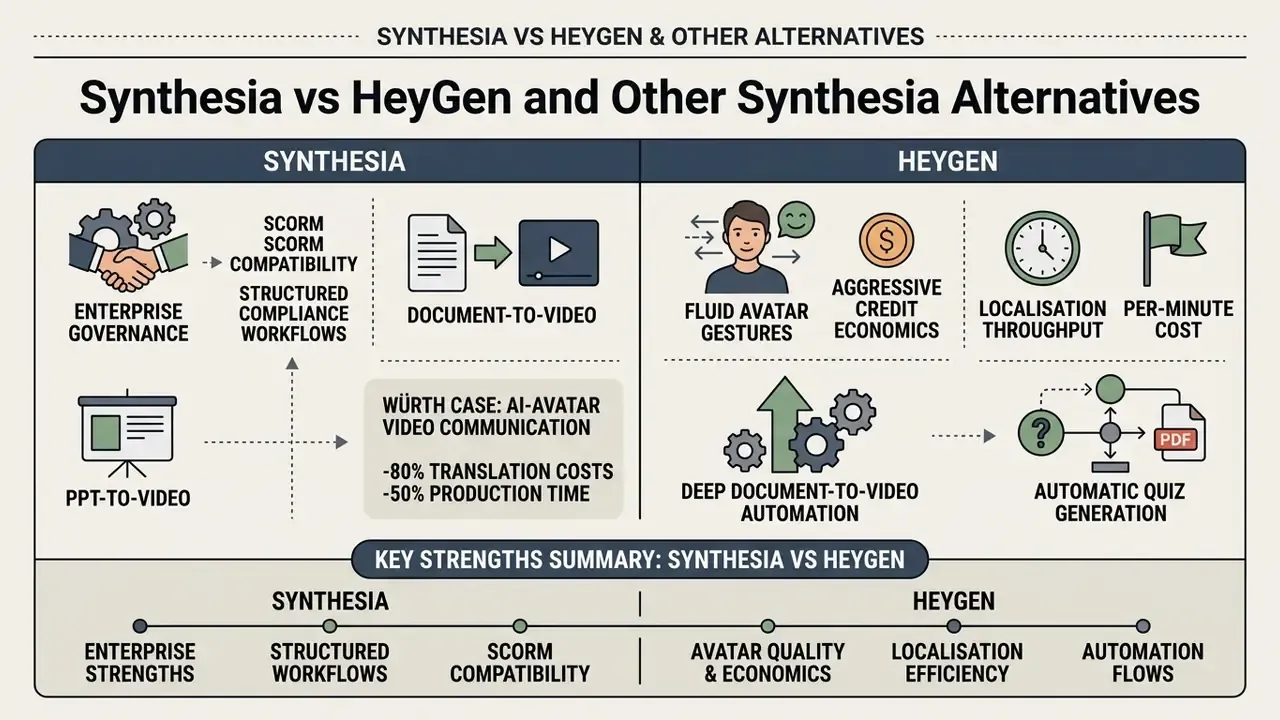
Synthesia is stronger on enterprise governance, SCORM compatibility and structured compliance workflows. HeyGen leans into marketing video generation, dynamic sales outreach and creator features, with an API-first posture that supports avatar or image generation from scripts and prerecorded audio, plus prompt-to-video agents.
HeyGen offers more fluid avatar gestures and more aggressive credit economics; its Creator tier is frequently reported at roughly $24 per month billed annually without a hard minute cap. Synthesia offers the more governed workspace: strict Brand Kit security, SSO, role-restricted licences and formal LMS integration.
Put simply, HeyGen wins on localisation throughput and per-minute cost. Synthesia wins on control evidence and audit posture. To see how both sit against the wider field, you can compare top-tier video synthesis platforms or review leading free AI video generators for a cost-anchored baseline.
When Document-to-Video and PPT-to-Video Workflows Need an Alternative
Organisations that need deep document-to-video automation, automatic quiz generation from raw PDFs, or branching interactive scenarios should look at Colossyan or specialised presentation tools such as ChatSlide, Pictory and Leadde. Synthesia imports a PowerPoint deck cleanly, but instructional designers structure the narration text themselves rather than receiving an auto generated pedagogical layout from an unstructured file.
The distinction is architectural, not cosmetic. Colossyan uses extracted text and speaker notes to drive scene structure across DOCX, PDF, PPTX and plain text. Document-first platforms such as Leadde advertise automated outline, scene and voiceover-script generation from decks, PDFs, Word files and SOPs, with layered PowerPoint editing and version control. Synthesia takes the reverse trade: less automation at ingestion, more granular control over layout, branding, animation timing and enterprise access.
So the rule of thumb is about where your pipeline starts. Teams whose content pipeline begins with a finished, approved script should prefer Synthesia. Teams whose pipeline begins with a 60-slide deck nobody has scripted yet should pilot a document-first tool in parallel before standardising.
For adjacent production needs, creators building long-form or channel-based instructional content can also review our guides to animation makers and YouTube video editing workflows, or browse the hub for end-to-end production playbooks.
Instructional Design Best Practices and Pitfalls for AI Videos
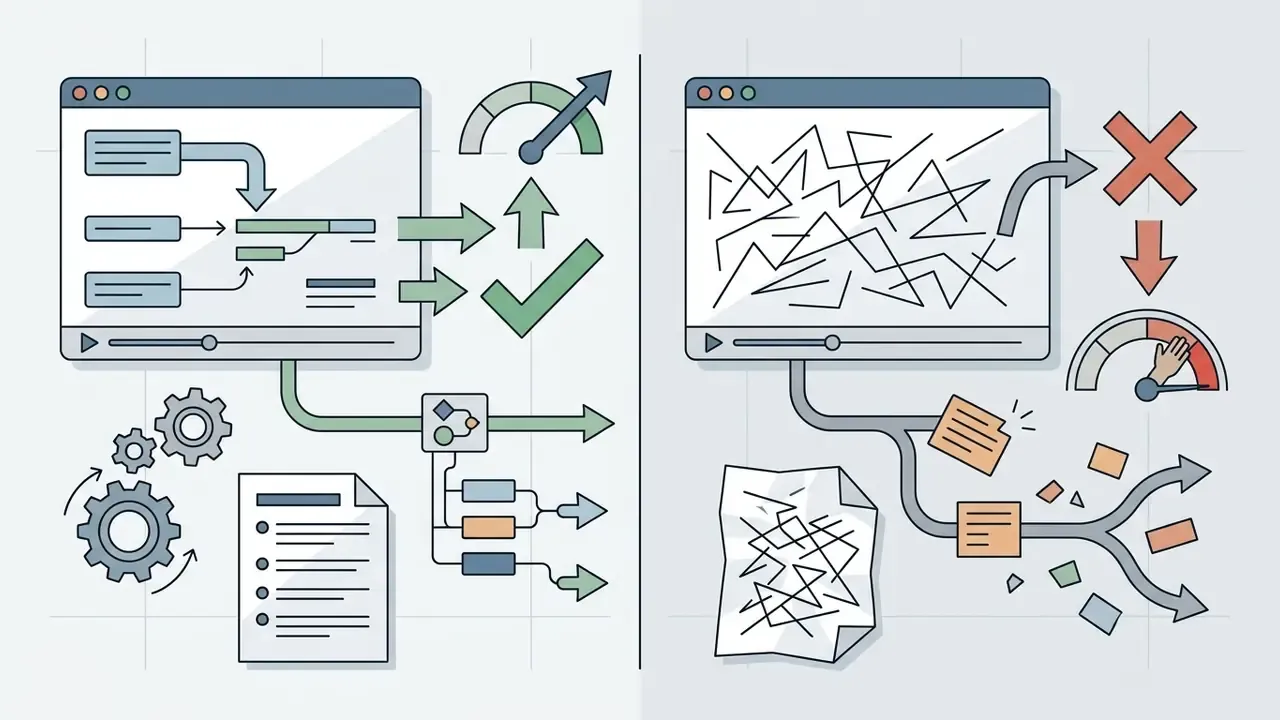
To keep learner engagement when an AI presenter carries the screen, hold to these production rules:
Final Verdict: Is Synthesia Worth It for Training Videos?
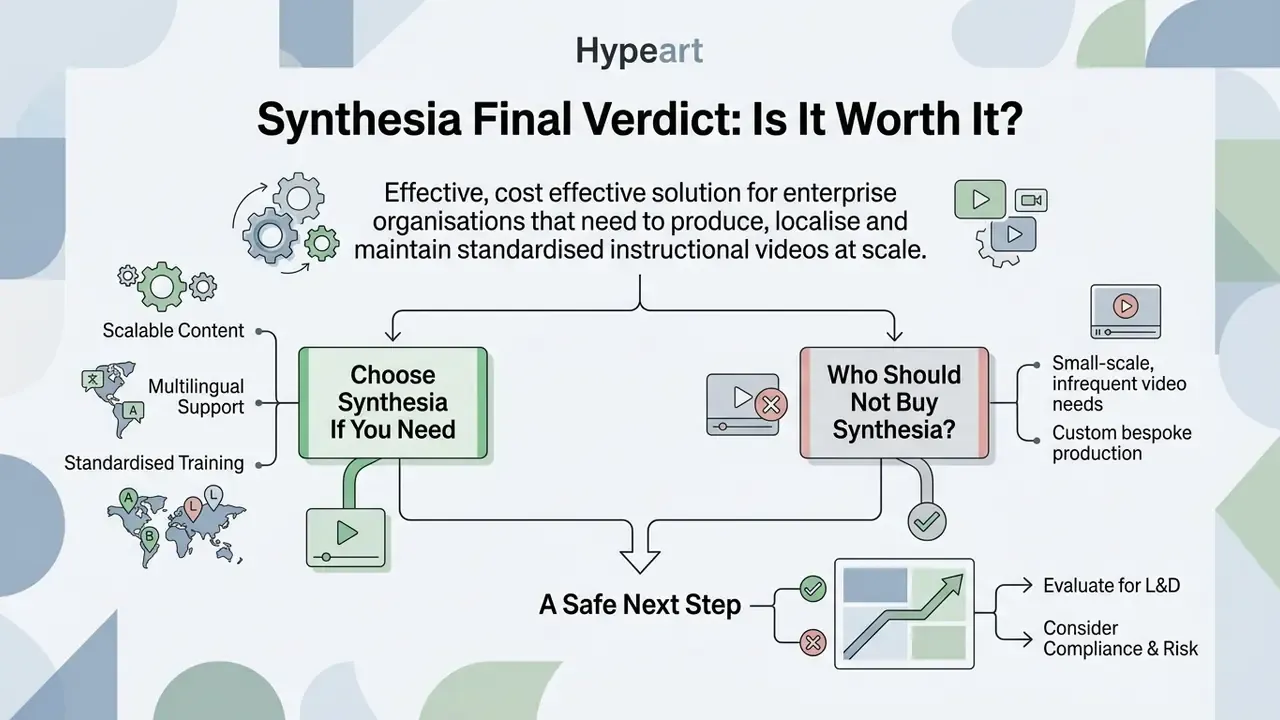
Synthesia is an effective, cost effective solution for enterprise organisations that need to produce, localise and maintain standardised instructional videos at scale. It is a publishing system with an avatar attached, and that framing predicts satisfaction better than any demo reel.
Choose Synthesia If You Need Scalable Multilingual Training Content
Synthesia suits global enterprises, compliance departments and training teams managing large multi-language course catalogues. It delivers measurable return by removing filming costs, accelerating update cycles for regulatory change, and standardising brand assets across corporate training and internal communications.
The fit is strongest where three conditions coincide: recurring content, multiple languages, frequent mandatory updates. Remove any one of them and the economics weaken sharply. Organisations evaluating broader performance workflows can also explore our guide on ai performance review integrations.
Who Should Not Buy Synthesia?
It is not the right purchase for small teams that need heavy video minutes on low-tier paid plans; those buyers should exhaust free AI video generators first. It is also wrong for organisations whose core content is high-empathy leadership coaching, spontaneous acting or hands-on physical demonstration.
Three further mismatches: mobile-first production teams, departments whose main channel is paid advertising or founder-led storytelling where authenticity drives conversion, and accounts that need transparent-background avatar exports for compositing in an external editor. If your training strategy depends on authentic human connection and emotional storytelling, traditional video production stays on the budget.
A safe next step. Run a two-week bounded pilot on one module class, ideally a stable compliance topic. Enforce SSO, restrict avatar creation to two administrators, publish through a two-person gate, and measure cost per usable minute against your current production route. Decide after the data, not after the demo.
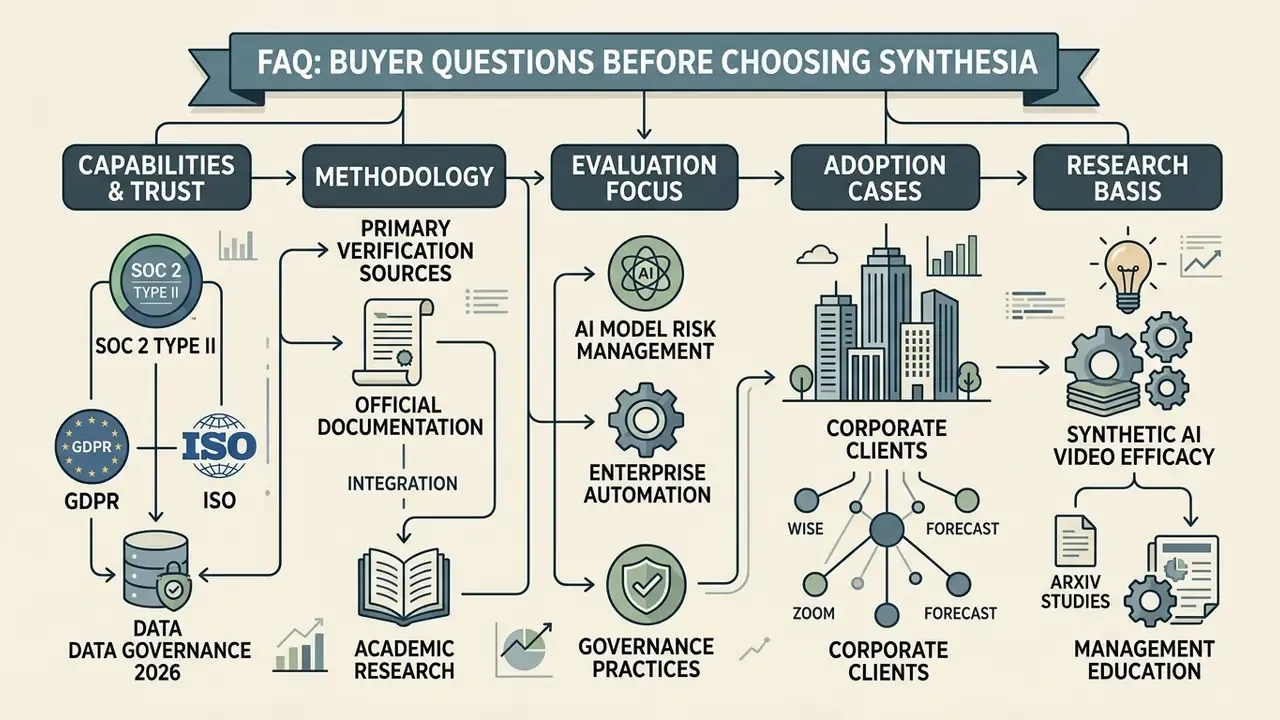
FAQ: Buyer Questions Before Choosing Synthesia
Is Synthesia worth replacing human training videos?
For compliance, onboarding and policy content that changes often, usually yes. Instant script updates typically justify the subscription on their own. For leadership visibility and culture-building, keep a human on camera.
What does Synthesia actually cost per month?
Free ($0), Starter at $18 per month billed annually or $29 monthly, Creator at $64 per month billed annually or $89 monthly, and Enterprise on custom quote with unlimited minutes. Confirm current figures with the vendor.
Does Synthesia export to an LMS?
Yes, on Enterprise plans: SCORM 1.2 and SCORM 2004 packages with completion criteria, plus XLIFF for translation and SRT or VTT caption files. Lower tiers export MP4, WAV, share links and embeds.
Is Synthesia SOC 2 and GDPR compliant?
Synthesia states SOC 2 Type II and GDPR/UK GDPR compliance, with audit detail available through its Trust Portal. Request the current report and execute a DPA before you onboard regulated content.
How does Synthesia prevent unauthorized avatars of real people?
Personal avatar creation requires a recorded consent statement from the individual before generation is permitted, and administrators can restrict avatar-creation rights by licence role.
What is AI Playground and does it cost extra?
AI Playground generates clips of up to eight seconds with Google Veo 3.1 or OpenAI Sora 2 inside Synthesia. No separate subscription is needed, but each clip consumes 48 credits from the same pool that funds avatar video minutes.
Which is better, Synthesia or HeyGen?
For governed enterprise training, Synthesia. For cheaper, faster localisation throughput and more expressive marketing avatars, HeyGen. Plenty of organisations run both for different content classes.
Can Synthesia auto-generate a course from a PDF?
It imports PPTX, PDF and URLs into scene elements, but narration must be written and aligned by a human. Fully automated document-to-script generation is better served by Colossyan or Leadde.
Is there an education or nonprofit discount?
Synthesia's help materials state there is no general student, nonprofit or educational-institution discount.
Can avatars speak multiple languages in one video?
Yes. The same avatar can deliver multiple languages inside a single scene, with language auto-detected or set manually per text block.
Methodology, Author Profile and Sources
Appendix A: Editorial Notes and Unresolved Questions
Retained for transparency, since our editorial policy preserves prior wording when a passage is revised.
- Superseded case framing. The earlier text read: "In a hypothetical operational review within a regulated fintech environment, shifting from manual video recording to automated script-to-video generation reduced production lead times from three weeks to two days while maintaining complete audit trails over updated regulatory scripts." It is now labelled explicitly as an aggregated, anonymised benchmark and supplemented with attributable vendor-published outcomes from Zoom, Teleperformance, Infinite Peripherals, Forecast and Cohesity.
- Superseded pricing presentation. The earlier version listed monthly billing only ($29 Starter, $89 Creator). The current table separates annual billing ($18 and $64) from monthly and adds Enterprise cost variables.
- Superseded attribution. The earlier claim that "AI video generation in L&D reduces production cycles by 80%, but requires strict control over script accuracy" carried no named source. It has been replaced with an attributed editorial position and with sourced vendor metrics (Forecast: 80% reduction in audio/video synchronisation work, 50% reduction in full-course build time).
- Note on language counts. Documentation cites 130+, 140+ and 160+ languages across different pages, depending on whether the figure covers dubbing, translation or text-to-speech. We report 160+ for text-to-speech and 80+ for one click Enterprise translation, and recommend verifying the exact list at procurement.
Open questions we could not resolve from public evidence