Executive Summary for Governance and Production Leaders
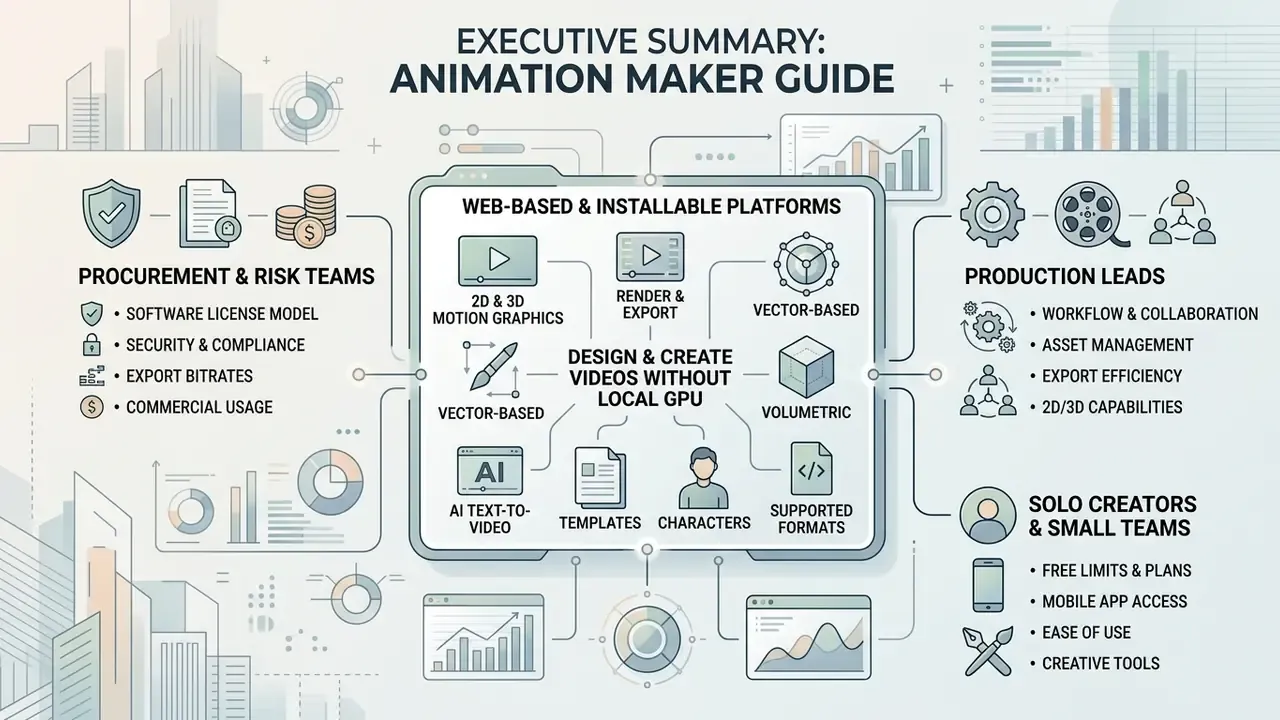
Why should a risk or finance leader care about a creative tool? Because it uploads scripts, brand assets and sometimes customer language into a third-party model. That makes it a vendor decision, not a design preference.
Five decisions this guide resolves:
- 2D or 3D: Flat vector pipelines cost less compute. Volumetric WebGL/WebGPU scenes cost more but deliver spatial realism.
- AI or manual: Generative drafts accelerate ideation. Keyframe control secures brand-critical accuracy.
- Web, desktop or mobile: Browser editors trade GPU headroom for zero installation. Native iOS and Android apps unlock hardware acceleration.
- Free or paid: Watermarks, 720p caps, 1–3 minute duration ceilings and one-time AI credits define the free boundary.
- Commercial safety: Music dual-clearance, font EULAs, character copyright, AI provenance metadata and data-privacy opt-outs govern institutional deployment.
How to Read This Guide (Decision Snapshot)
Instead of a linear read, most teams use three entry points:
- Procurement and risk teams start with the licensing chapter, then the governance chapter, then export specifications. Compliance constraints gate tool choice before anyone opens a timeline.
- Production leads start with the 2D versus 3D comparison, then the six-stage process, then supported input formats.
- Solo creators and small teams start with the free-versus-paid table, then the AI generation chapter, then mobile workflows.
One practical warning before you begin. Almost every published limit in this category (credits, resolution, duration, price) changes quarterly. Treat the figures here as a verified snapshot, then re-check the vendor page before you sign anything.
What an Online Animation Maker Does
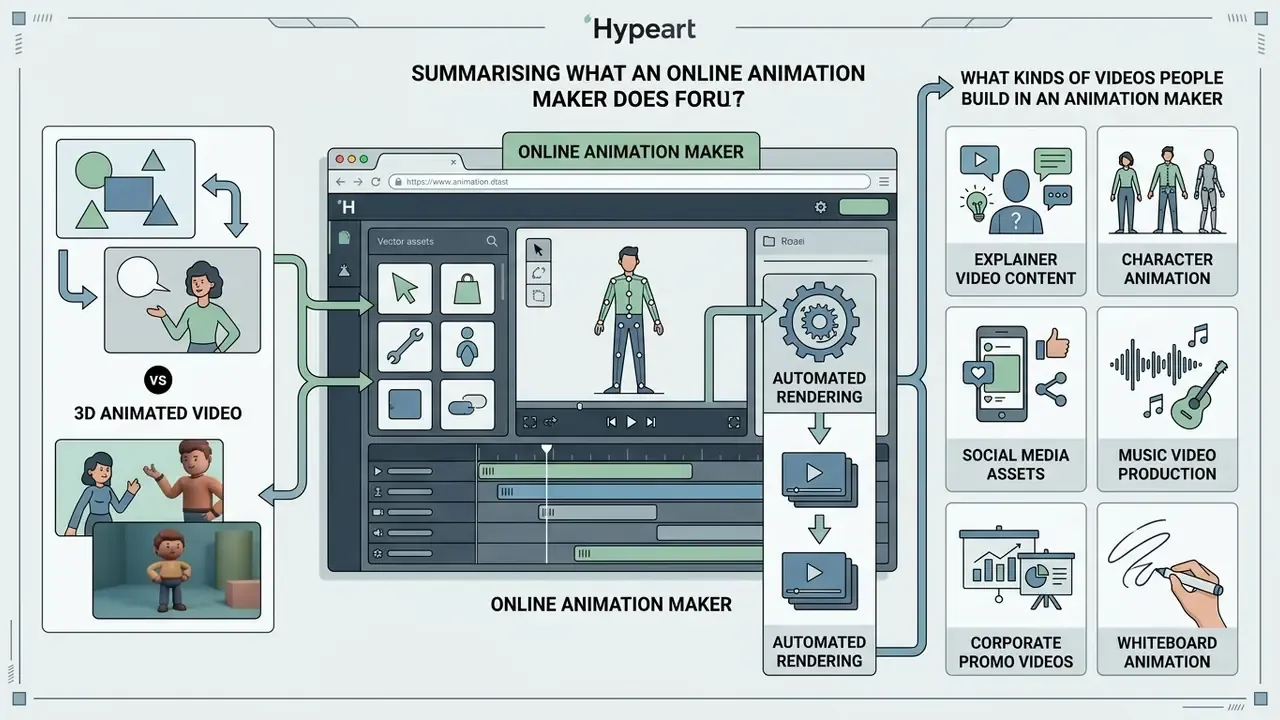
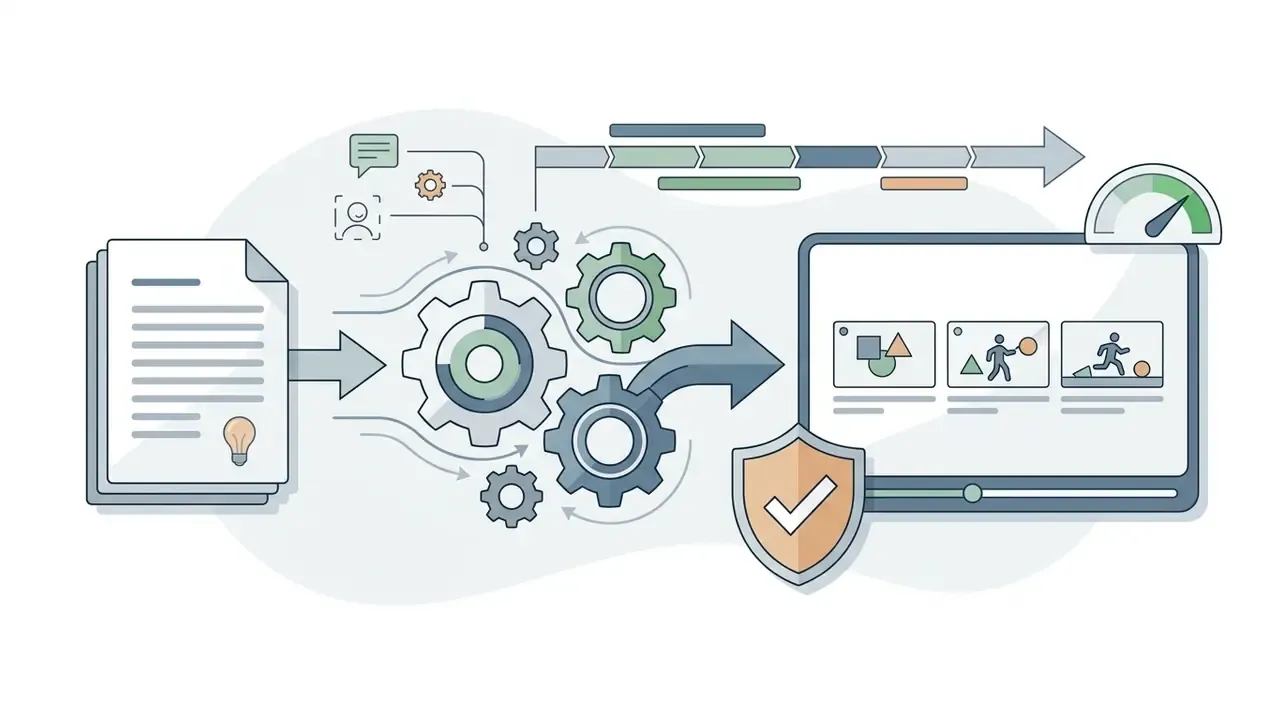
An online animation maker works as an integrated browser studio that orchestrates vector assets, character rigs, timeline tracks and automated rendering. By pushing computation to cloud infrastructure, an online animation video maker lets teams run complex video animation workflows, assemble multi-layer animated videos, and publish visual assets through standard web APIs.
Functionally, current platforms cover six layers in one browser session: script or prompt input, reusable asset libraries, character generation and rigging, motion or webcam-driven tracking, audio upload and recording, and animated typography with motion paths. Vendor documentation from 2025 through early 2026 shows this stack has become the baseline rather than a premium differentiator. Adobe Express, for example, auto-generates head, eye and arm movement plus lip-sync from an uploaded or recorded audio file, while Canva exposes motion-path animation for both characters and text.
That commoditisation matters commercially. If the core editor is now table stakes, differentiation moved to asset depth, governance controls and export precision.
2D Animation vs 3D Animated Video: What Actually Differs
2D animation relies on flat, planar vector geometry along horizontal and vertical axes (X and Y), which keeps rendering overhead low and browser performance light. A 3D animated video introduces volumetric mesh structures with depth (Z-axis), requiring WebGL or WebGPU acceleration to process surface shaders, dynamic lighting and camera perspective transforms. So 2D vector pipelines win on speed and cost, while 3D environments deliver spatial realism and camera motion for immersive storytelling.
The performance gap between graphics APIs is measurable, not theoretical. WebGL is broadly supported across modern browsers but depends on device GPU capability. WebGPU exposes lower-level control, removes the per-page canvas cap that constrains multi-viewport 3D editors, and in published 3D web-GIS testing rendered city-scale models roughly 2.5 to 3 times faster than WebGL. The trade-off: WebGPU is still marked experimental, with narrower browser coverage.
| Aspect | 2D Animation | 3D Animated Video |
|---|---|---|
| Visual Style | Flat, planar vector or raster graphics; dynamic typography; explicit 2D layout. | Volumetric meshes with spatial depth, perspective projection and dynamic lighting. |
| Setup Complexity | Low. Pre-rigged sprites and timeline keyframes need minimal scene configuration. | Moderate to high. Involves spatial camera paths, mesh topology and lighting setups. |
| Character Customization | Planar skeletal deformation or frame-by-frame asset swap; structural edits are frame-dependent. | Parameter-driven skeletal rigging, pose libraries and surface material customization. |
| Browser Load | Lightweight. Small memory footprint running natively via CSS, SVG or Canvas. | Heavier. Depends on WebGL/WebGPU hardware acceleration and GPU memory limits. |
| Rendering API | CSS animations, SMIL/SVG animation elements, HTML5 Canvas 2D context. | WebGL (broad support, GPU-dependent) or WebGPU (faster, experimental coverage). |
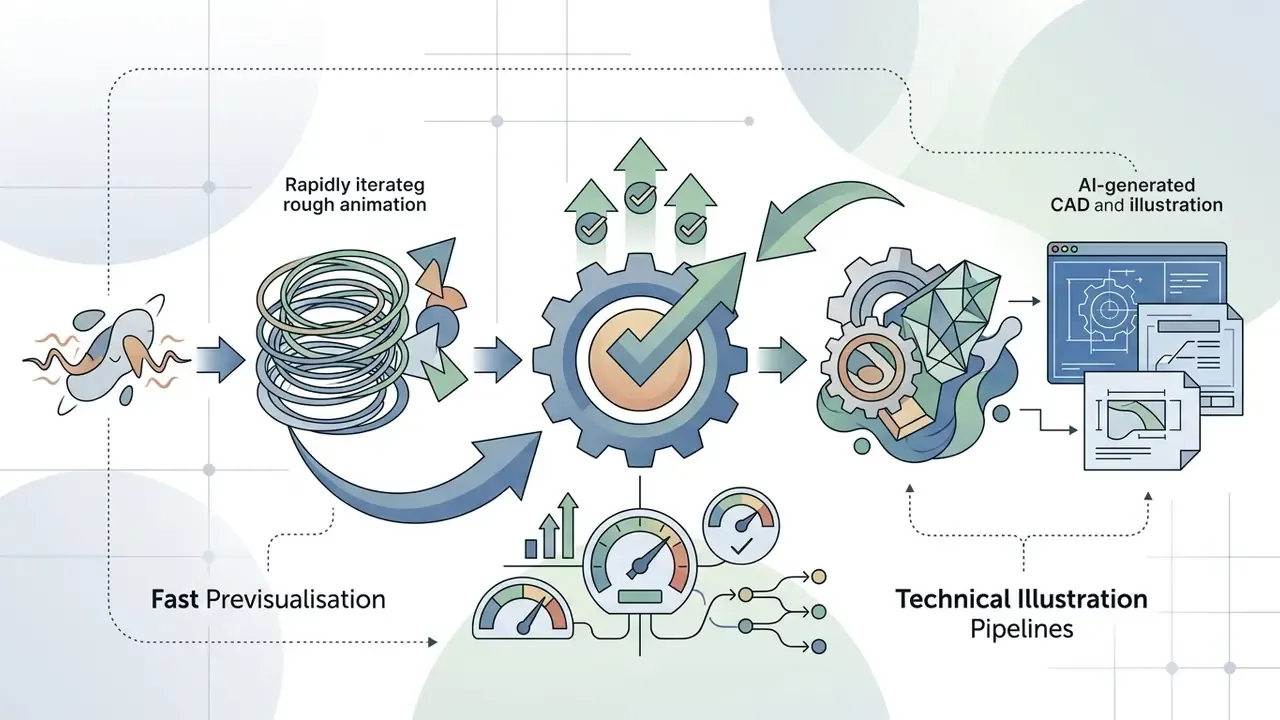
| Primary Application Areas | Explainer videos, lightweight web graphics, corporate presentations, social media. | Spatial previsualization, product demos, 3D cartoon videos, high-end promo clips. |
Table data restated in text for accessibility: 2D suits fast, low-cost, text-driven explainer work in the browser. 3D suits product visualisation and previsualization where depth, camera movement and material realism carry the message, at the cost of setup time and GPU dependency.
What Kinds of Videos People Build in an Animation Maker
Web-based animation tools support a wide array of formats tuned to distinct distribution channels:
Genre-specific template packs commonly shipped by commercial platforms: whiteboard animation toolkits, mascot story packs, pets animation sets, healthcare explainer kits, delivery and logistics explainer kits, 3D explainer toolkits, business presentation packs, educational video toolkits and YouTube editing toolkits. Picking a genre-matched pack, rather than a generic blank canvas, is the single fastest lever on production velocity.
«A randomised experiment (n≈352) found animated and talking-head videos did not differ in knowledge transfer , F(2,352)=0.10, p=.749, η²=0.00.»
The practical reading of that result is uncomfortable for animation vendors. Animation does not automatically beat a presenter on raw comprehension. So the case for animation rests on production scalability, brand control, localisation cost, and the ability to visualise abstractions no camera can film. That is still a strong case. It is just a different one.
Free Animation Maker vs Commercial Use: What to Verify First
Before you pick a 2d animation maker free version or move to a commercial plan, verify export resolutions, licensing terms, duration ceilings and asset usage rights. Compliance exposure sits ahead of rendering technique in this guide on purpose: for a regulated organisation, a licensing defect costs more than a shading defect.
| Feature / Capability | Freemium (Free Plan) | Paid Subscription Plan |
|---|---|---|
| Watermarking | Mandatory platform branding on all exports. | Clean export, watermarks removed. |
| Maximum Resolution | Restricted to 720p HD or lower. | Full HD 1080p up to 4K UHD rendering. |
| Maximum Video Duration | Roughly 1–3 minutes per project; some tools cap free renders at 3–10 second clips. | 30–60 minutes per project on higher tiers, enough for full training modules. |
| Export Volume | Fixed monthly or lifetime export count (commonly 3–5 HD exports per month). | Unlimited 1080p exports; 4K on business and enterprise tiers. |
| Commercial Usage Rights | Personal or educational use only; monetisation prohibited. | Full commercial licensing for marketing and advertising. |
| Asset Library Access | Basic vector shapes, limited template selection. | Full access to premium characters, stock audio and templates. |
| AI Generation Credits | Limited one-time allocation (for example 100–125 credits). | Recurring monthly AI credits with top-up options. |
| Team & Brand Controls | Single user; no brand kit enforcement. | Team seats, multiple brand kits, custom watermarks, reseller licence, dedicated account manager. |
Table data restated in text: free plans exist to demonstrate the editor, not to ship revenue-generating assets. Watermark removal, resolution above 720p, duration beyond three minutes and explicit commercial rights all sit behind payment. Budget guides for each tier are collected in our AI Media Pricing Guides.
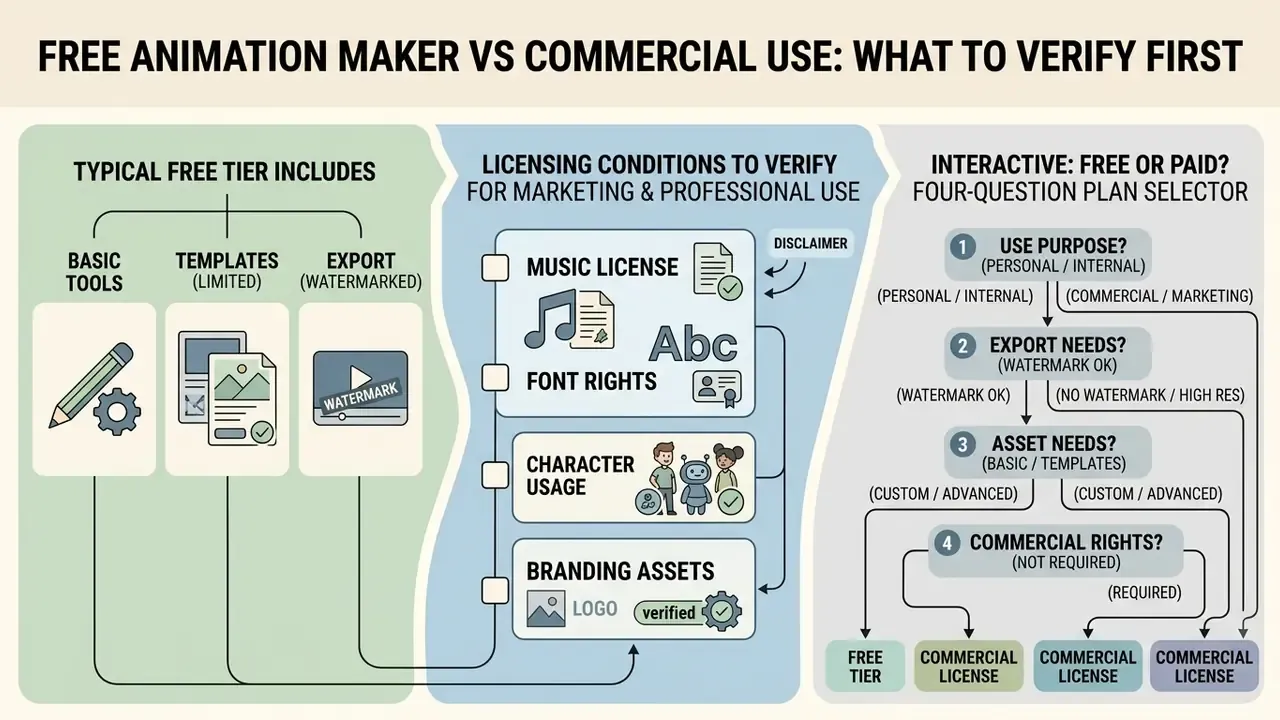
What a 2D Animation Maker Free Tier Typically Includes
Free tiers give introductory access to core editor timelines, basic vector asset libraries and entry-level templates. Exports usually carry a visible watermark, resolution caps at 720p, project length stays near 1–3 minutes, and usage is limited to personal or non-commercial testing. That is enough to evaluate an editor, and rarely enough to publish.
Sites marketed as 2d animation websites free no download deserve one extra check. Because they run entirely in the browser, they often store project files on the vendor's cloud with no export of the source project, only the rendered video. Losing editability is a hidden cost. Readers comparing entry-level plans in detail should review our breakdown of free AI video generators, which documents credit resets, watermark policy and export ceilings per vendor.
Style choice also carries measurable pedagogical weight, which matters when free-tier constraints push you toward a simpler visual approach:
Licensing Conditions That Matter for Marketing and Professional Content
Commercial campaigns need explicit commercial rights for every project element: stock audio, fonts, characters, backgrounds.
Music. Advertising use of a recorded track generally requires clearance of two distinct rights: the underlying musical composition and the specific sound recording. In the United States these rights fall under Title 17 of the U.S. Code, published by the U.S. Copyright Office (Copyright Law of the United States, amended through December 2025, https://www.copyright.gov/title17/). Platform-supplied "royalty-free" library tracks are the low-friction alternative precisely because both layers are pre-cleared by the vendor.
Fonts. The U.S. Copyright Office Compendium states that "typeface or mere variations of typographic ornamentation or lettering" are not protected by copyright (Compendium of U.S. Copyright Office Practices, https://www.copyright.gov/comp3/docs/compendium.pdf). The digital font software file, though, is licensed by contract. Adobe documents that its fonts are licensed for personal and commercial use, with separate licensing required when a client needs direct access to the font files (Adobe Font Licensing, https://helpx.adobe.com/fonts/web/font-licensing/font-licensing.html). Short version: the letterform shapes are unprotected, the software files require a valid commercial end-user licence agreement.
Characters. Original visual features of a character (facial features, body shape, clothing, distinctive props) can attract copyright protection where sufficiently original (U.S. Copyright Office, Visual Art Works, https://www.copyright.gov/comp3/chap900/ch900-visual-art.pdf). Platform-supplied rigged characters are licensed under the platform's terms. Imported look-alike designs are not.
Naming and branding assets. If the animation introduces a new product or mascot name, clearance work sits outside the animation tool entirely. Our notes on an ai business name generator cover why generated names still require trademark screening before they appear in a published video.
For deeper legal context on synthetic media, review our guide on AI Litigation and Case Timelines and our general commercial use policies.
Interactive: Free or Paid? A Four-Question Plan Selector
- Purpose: Is the output for internal testing and education, or for external revenue-generating distribution? (External means a paid tier.)
- Resolution: Do you need 1080p or 4K masters for paid media placement? (Yes means a paid tier; free caps at 720p.)
- Duration: Does any single deliverable run longer than three minutes? (Yes means a paid tier; free plans cap at 1–3 minutes.)
- AI volume: Will you generate more than roughly 100–125 credits of AI output per month? (Yes means a recurring credit subscription.)
Scoring: any single "yes" moves you off the free tier. Three or more "yes" answers point to a team or business tier with brand kits and multi-seat management. To model the monthly cost of that decision across vendors, run the numbers through our AI Media Calculators.
Enterprise AI Governance, Data Privacy and Asset Provenance
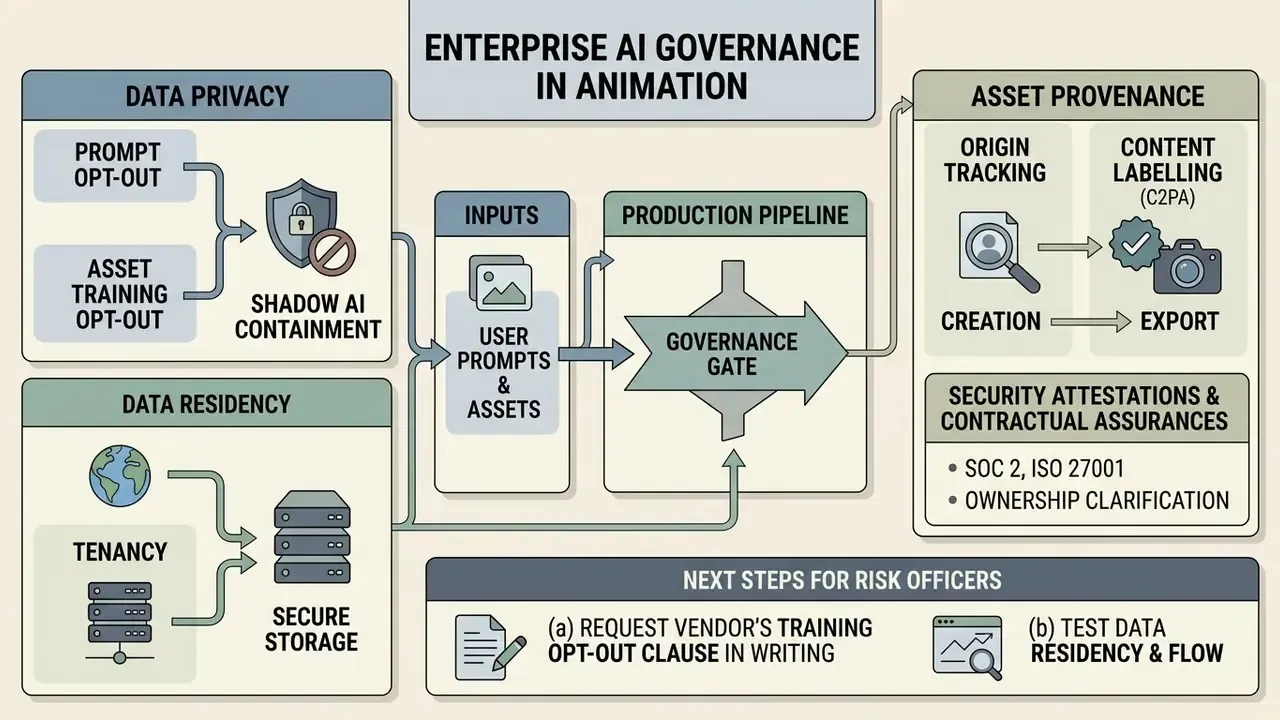
For a regulated organisation, animation tooling is a third-party SaaS decision before it is a creative decision. Four control areas need explicit vendor answers before onboarding, and each maps to a question a risk committee will ask anyway.
1. Prompt and asset training opt-out (Shadow AI containment). Establish contractually whether uploaded scripts, brand assets, customer data or prompts are used to train the vendor's generative models. Many financial institutions prohibit any such use outright. Where a documented opt-out or zero-retention mode does not exist, treat the platform as unsanctioned Shadow AI and block it at the network layer rather than governing it by policy alone. Policy without enforcement is a hope, not a control.
2. Data residency and tenancy. Cloud rendering moves assets off-premises by design. Confirm the processing region, the retention window for intermediate render artefacts, and whether dedicated VPC or single-tenant rendering is available on enterprise tiers. Free and consumer tiers typically offer none of these.
3. Provenance and AI content labelling (C2PA). Ask whether generated output carries Content Credentials or C2PA provenance metadata, and whether that metadata survives the platform's own transcode and compression steps. Provenance manifests are the practical mechanism for showing an external auditor which frames were machine-generated, under which model version, and from which prompt.
4. Security attestations and contractual assurances. Request current SOC 2 Type II reports, ISO/IEC 27001 certification scope, GDPR processing terms, subprocessor lists, and uptime and latency SLAs for the render queue. Once animation sits on a publishing critical path, render latency becomes an availability risk, not an inconvenience.
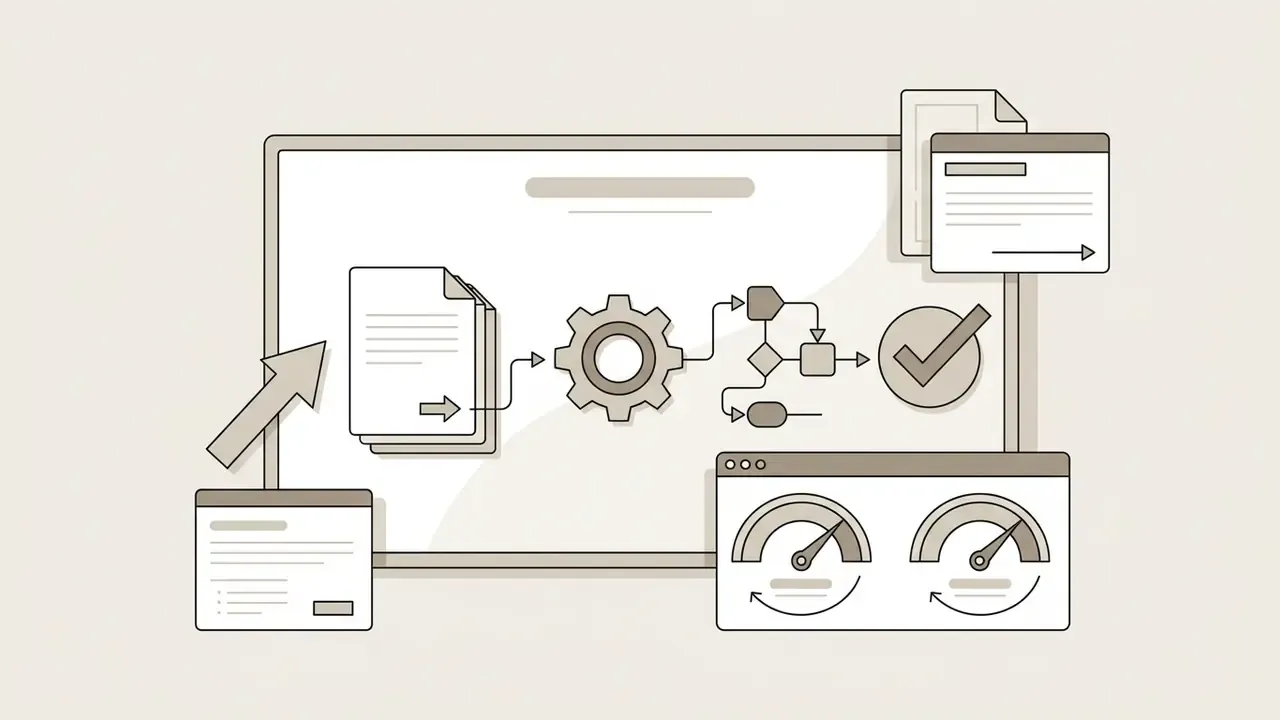
Governance gate inside the production pipeline. Insert a formal Compliance and Brand Audit Sign-off step between Stage 5 (Preview) and Stage 6 (Export). The reviewer verifies licence coverage for every third-party asset, brand-kit conformance, provenance metadata presence, disclosure language for synthetic voice or synthetic presenters, and absence of confidential data in on-screen text. Recording that sign-off against the exported file hash gives model-risk and marketing-compliance functions one verifiable artefact instead of an email thread.
Ownership, stated plainly. Name the accountable owner for the tool, the approved use cases, the access limits, the escalation path when output is wrong, and the shutdown mechanism if the vendor changes its data terms. No evidence, no autonomy: the same principle applied to an agentic workflow applies to a creative one that ingests regulated content.
Next steps for risk officers: (a) request the vendor's training opt-out clause in writing; (b) test whether C2PA metadata survives export at every resolution you intend to publish; (c) map the animation tool into your existing GRC and MRM inventory as a generative-AI-enabled third party; (d) define who owns the pre-export sign-off and where the evidence is stored. Integration questions can be routed through AI Media Support and Troubleshooting.
How to Choose an Animation Maker for Your Workload
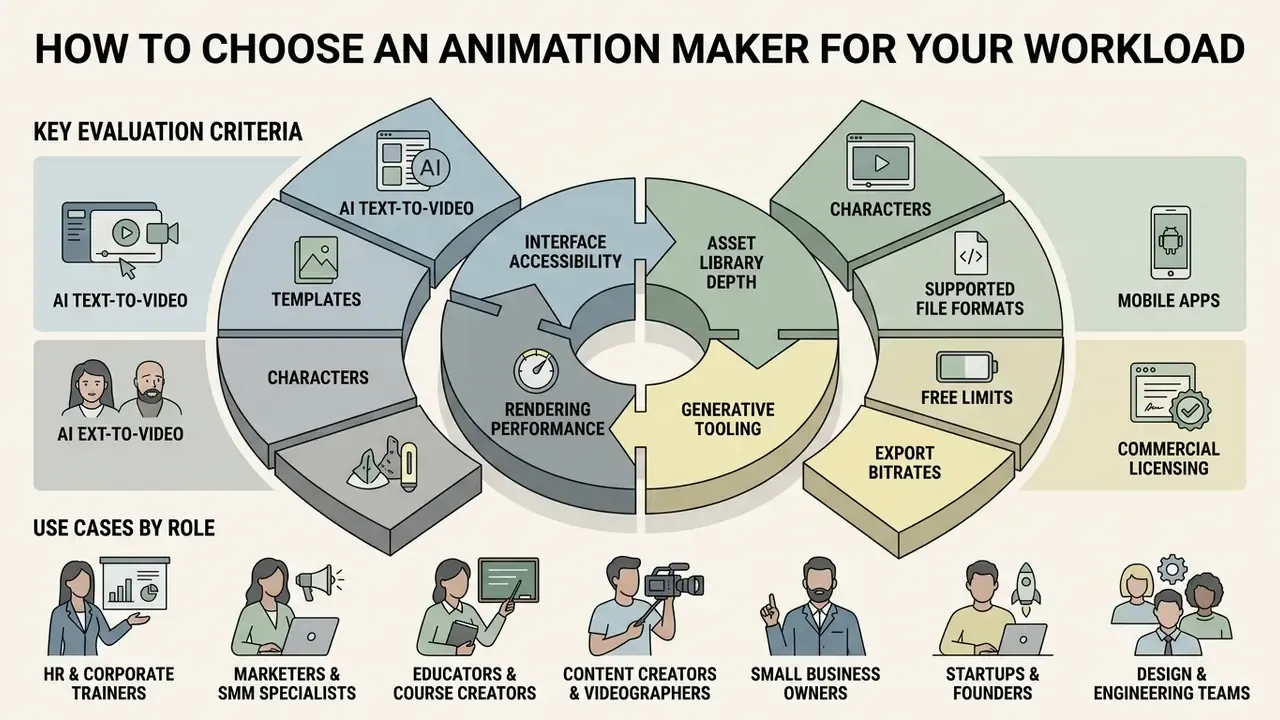
Choosing an animation maker means evaluating interface accessibility, asset library depth, rendering performance and generative tooling against your team's real constraints. Balance lower deployment friction against fine-grained motion control and platform scalability. Teams running a formal vendor evaluation can shortcut the matrix work with our AI video generator comparison and the broader AI Media Comparison Matrices, which score platforms on output quality, controllability, licensing and price.
A defensible evaluation frames usability the way ISO 9241-11:2018 does: the extent to which specified users achieve specified goals with effectiveness, efficiency and satisfaction in a specified context of use, rather than by feature count. In practice that means task-based testing. Give three representative operators the same 45-second brief, then measure time-to-first-draft, number of correction passes, and error recovery when a wrong asset is placed. Feature checklists never surface the moment someone cannot find the undo history.
Use Cases by Role
Templates, Scenes and Prebuilt Asset Libraries
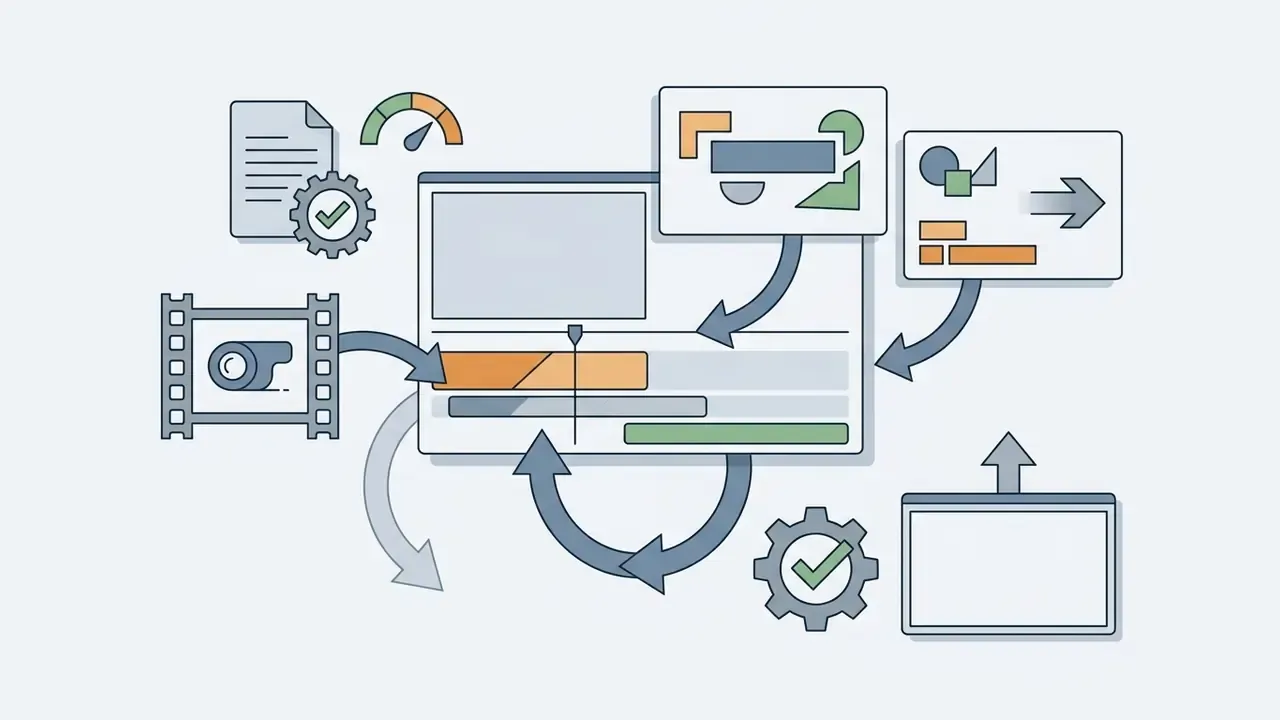
Commercial platforms structure creative workflows around modular asset libraries: pre-built templates, environment scenes and rigged characters tuned to specific domains. Marketers, educators and enterprise teams lean on pre-configured scene toolkits, including social-media template sets and multi-scene kits holding hundreds of interchangeable scenes, to accelerate output without drawing graphics from scratch. Reusable vector backgrounds, prop libraries and kinetic text presets keep branding consistent across campaigns.
Library structures cluster into three recurring patterns worth checking during procurement: template libraries (finished layouts for social and marketing), asset libraries (brand media, stock footage, fonts, licensed music), and scene-based toolkits (interchangeable scene banks assembled into one timeline). Depth in that third category is what separates a genuine production tool from a poster generator.
AI Features, Customization and Preview
Modern platforms embed AI animation engines for text-to-video synthesis, automatic lip-sync and contextual scene generation. These systems parse prompts into initial storyboards, letting creators iterate in real-time preview before committing to a high-resolution render. AI speeds up the first draft, but capable platforms keep granular timeline control (keyframe curve editing, layer management) so the final output can hit brand tolerances.
Real-time preview quality is a measurable engineering property, not a marketing claim. Adobe Research's work on real-time lip sync for live 2D animation reports streaming-audio input converted to viseme output at under 200 ms latency. That is the published benchmark against which any "live preview" claim should be checked.
How to Create an Animated Video Online: The Core Process
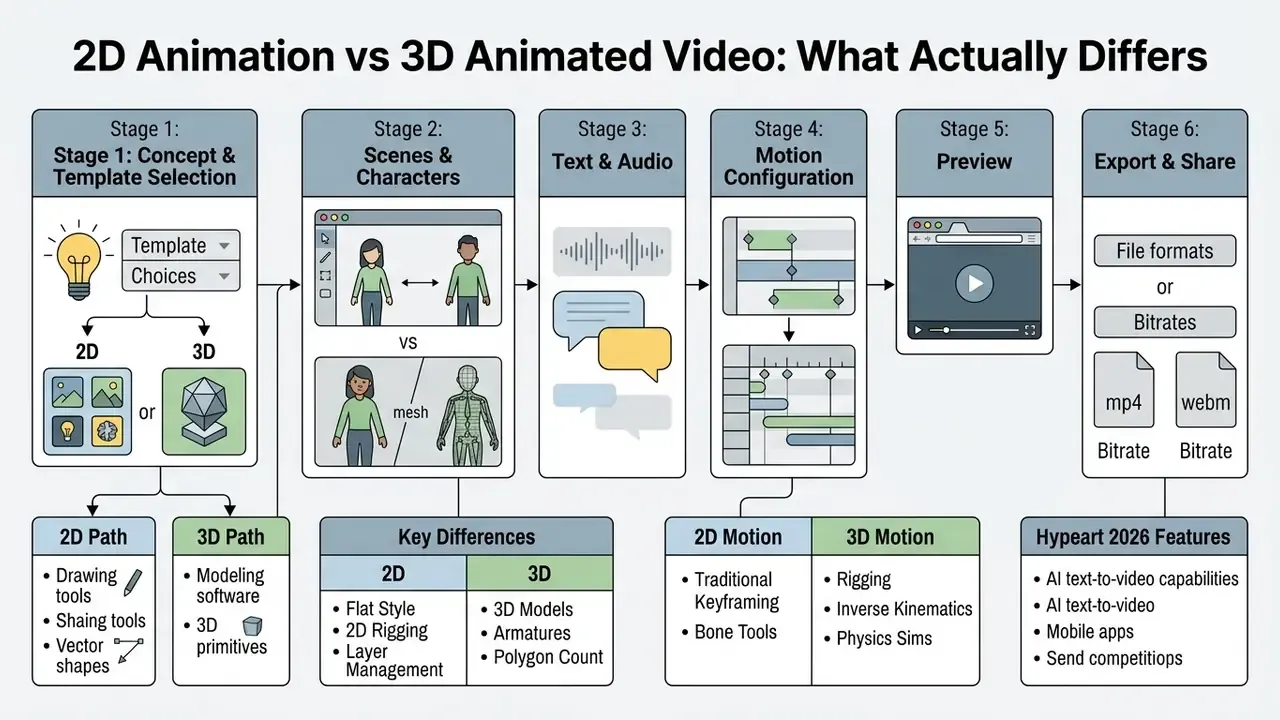
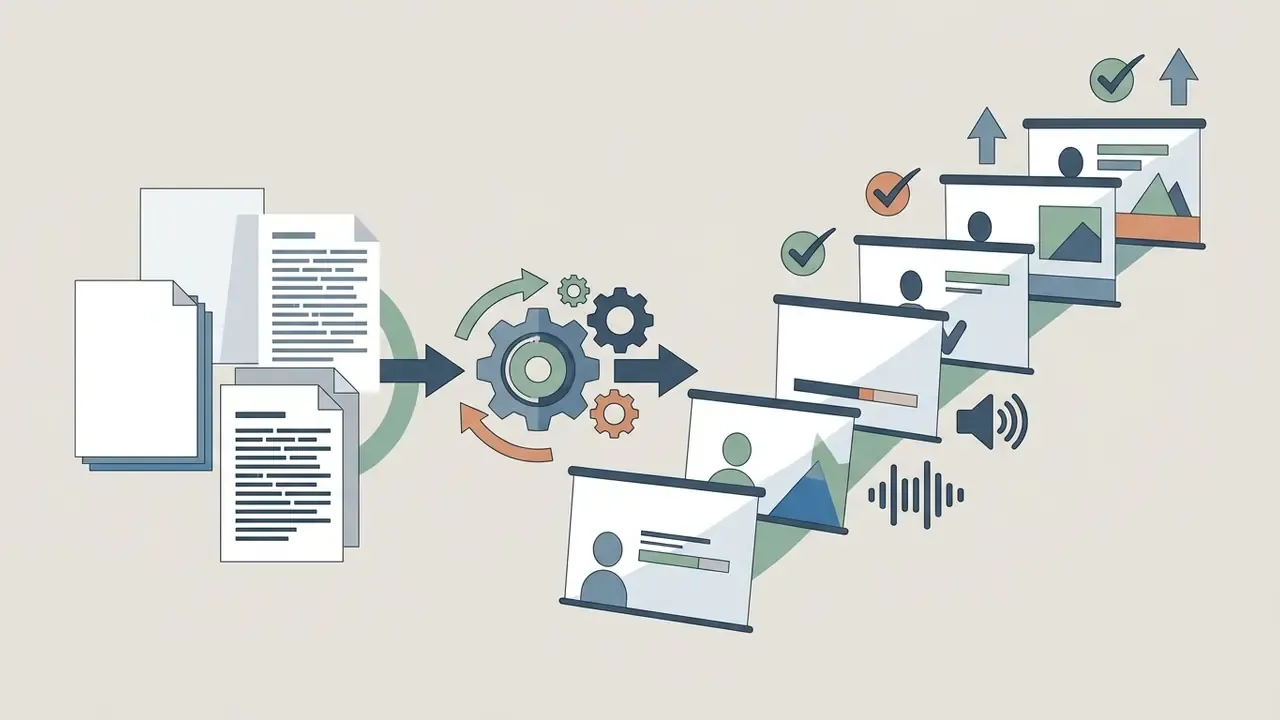
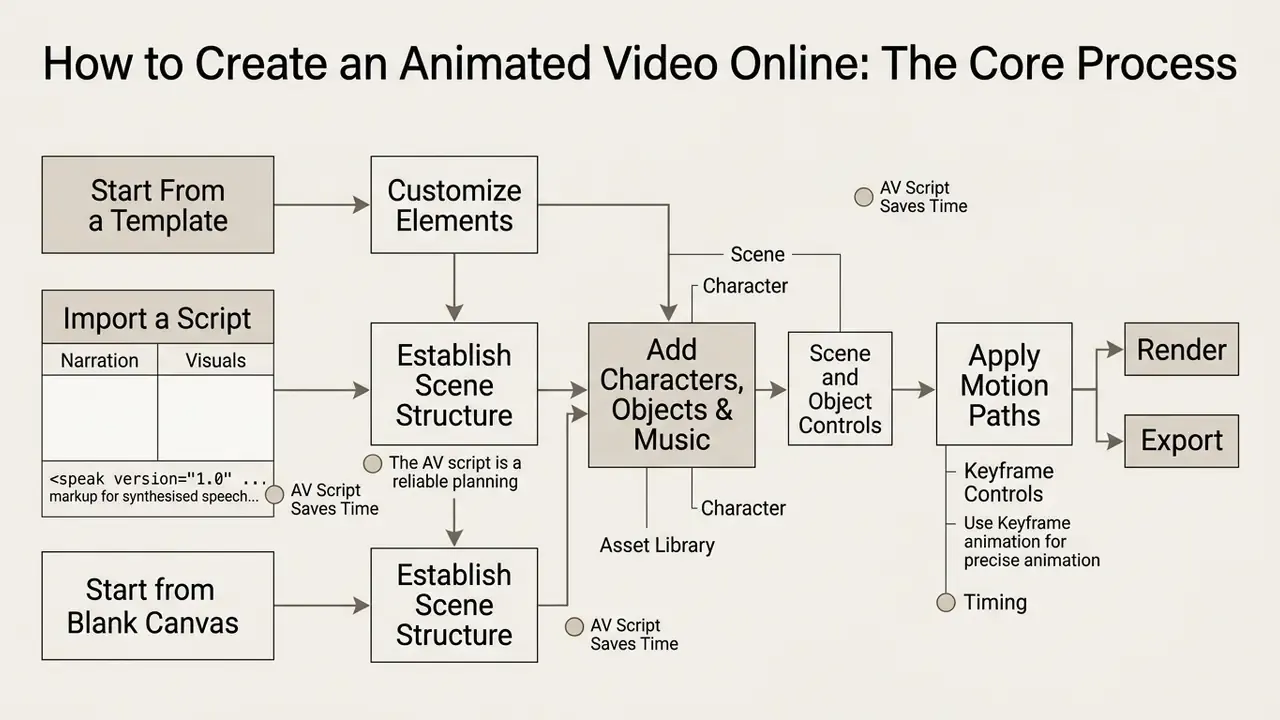
Creating an animated video in a browser follows a structured pipeline that turns a raw concept into finished media. Seven stages, one of which most consumer guides skip entirely. For projects spanning multiple brands, our guide on how to evaluate an ai brand generator adds useful detail on holding a unified visual identity across deliverables.
- Define concept and select templateEstablish the narrative script or pick a pre-built industry template to anchor the scene sequence.
- Assemble scenes and charactersPlace background elements, choose pre-rigged characters, set spatial composition.
- Integrate text and audio layersImport voiceover, apply AI text-to-speech, position animated typography overlays.
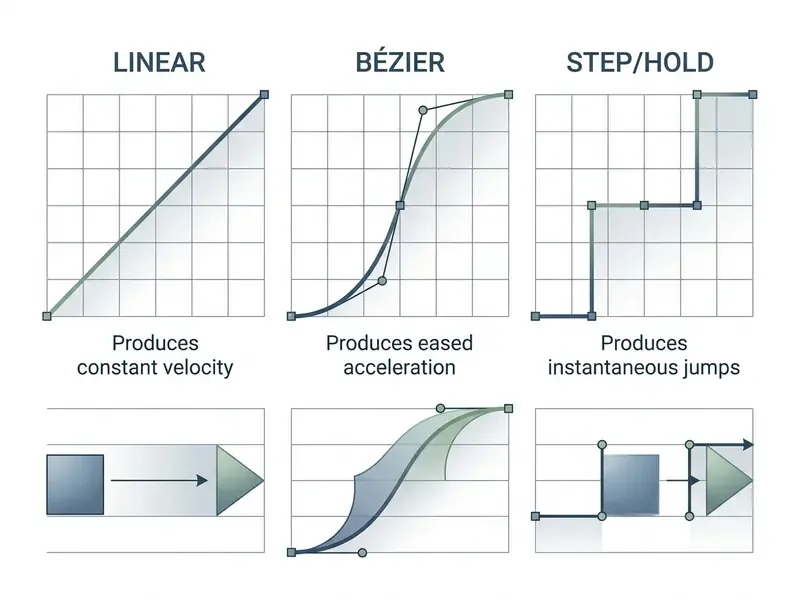
- Configure motion and timingAdjust keyframe interpolation, camera pan and zoom paths, and motion path behaviour across the timeline.
- Run real-time previewCheck audio-visual sync, viseme lip-sync accuracy and scene transitions in the viewport.
- Compliance and brand audit sign-off (enterprise)Verify asset licences, brand-kit conformance, provenance metadata and disclosure language before rendering the master.
- Export and shareRender into target containers (MP4, WebM, Lottie) for web distribution.
Start From a Template, a Script, or a Blank Canvas
Production begins from one of three entry points: importing a complete two-column script, starting from a niche-specific template, or building custom scenes on a blank canvas. Script-first workflows let language models parse text into scene breakdowns. Template-driven approaches hand you immediate layout structure for corporate communications and marketing.
The two-column audio/visual (AV) script is still the most reliable planning artefact: narration on the left, corresponding on-screen action on the right, one row per scene. Public-sector video guidance treats scripting as a defined pre-production step precisely because it forces timing discipline before any asset is placed. Commercial script templates usually ship in commercial, explainer, corporate, YouTube, documentary and short-form variants, with "start blank" kept as an explicit option.
A small observation from reviewing team workflows: the teams that skip the AV script rarely save time. They move the same decisions later, into the timeline, where changes cost more.
Add Characters, Motion, Music and Voice
Once scene structure exists, animators apply motion paths to characters and objects using keyframe controls. Speech markup protocols such as SSML (Speech Synthesis Markup Language) allow precise tuning of AI voiceovers: pitch, pronunciation and viseme mapping for automatic lip-sync. That domain is covered in depth in our guide to AI voice generators. Background audio is then layered in with fade and loop parameters (mstts:backgroundaudio) so narration stays intelligible against ambience.
<speak version="1.0" xmlns="http://www.w3.org/2001/10/synthesis"
       xmlns:mstts="https://www.w3.org/2001/mstts" xml:lang="en-US">
  <mstts:backgroundaudio src="https://cdn.example.com/ambient-loop.wav"
                         volume="18" fadein="2000" fadeout="3000"/>
  <voice name="en-US-JennyNeural">
    <prosody rate="-6%" pitch="+2st">
      Welcome to the onboarding module.
    </prosody>
  </voice>
</speak>
W3C's Speech Synthesis Markup Language 1.1 specification defines markup for synthesised speech plus insertion of recorded audio (W3C, 2013, https://www.w3.org/TR/speech-synthesis11/). Microsoft's Azure implementation documents mstts:backgroundaudio with src, volume (0–100) and fadein up to 10,000 ms (Microsoft Learn, https://learn.microsoft.com/en-us/azure/ai-services/speech-service/speech-synthesis-markup-voice).
On the character side, webcam and microphone tracking can drive a rigged puppet directly, with lip-sync generated automatically once audio is recorded and a puppet is selected. Character rigs bind a skeleton hierarchy to the mesh, while motion capture libraries (.BVH, .FBX, .CSM, .BIP) supply the frame-level pose data retargeted onto that skeleton. Public research datasets show the scale involved: the CMU motion-capture database holds roughly four million poses across nearly 2,400 sequences.
Supported Input File Formats and Technical Limits
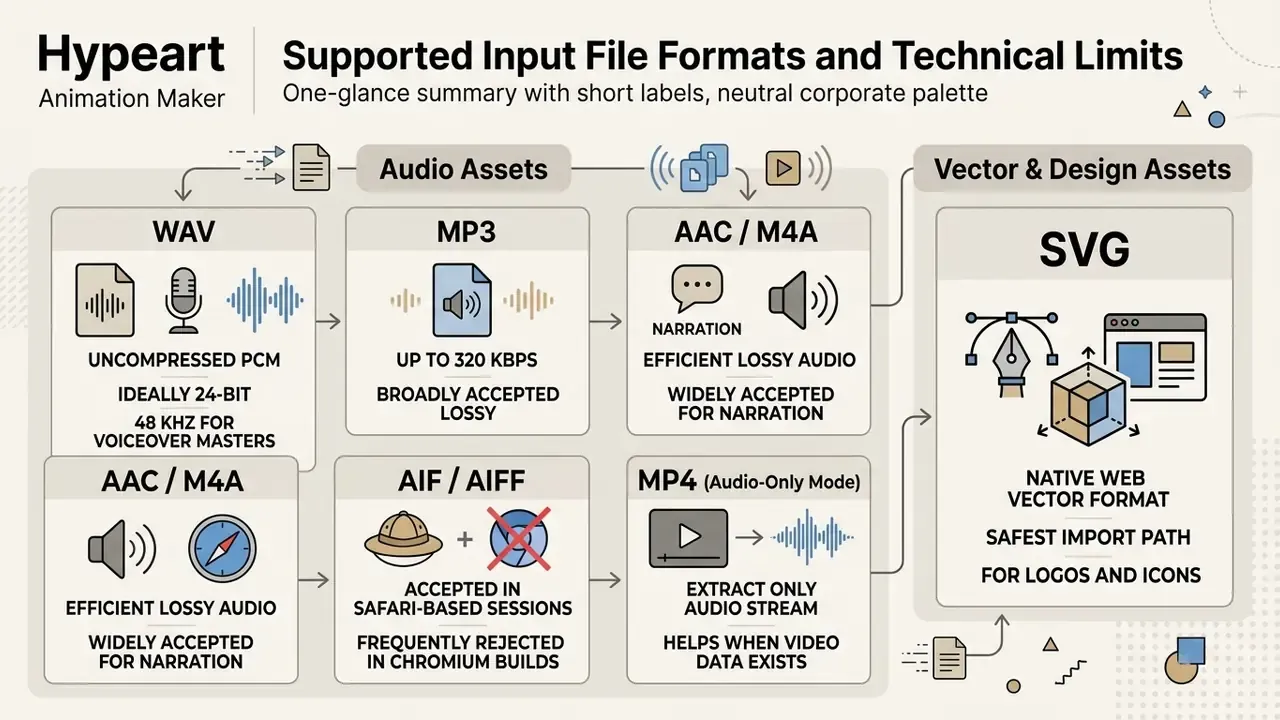
Before importing your own assets, confirm container and codec compatibility. Mismatched inputs are the most common cause of failed browser uploads, and the error messages are rarely helpful.
Audio files.
- WAV , uncompressed PCM, ideally 24-bit at 48 kHz for voiceover masters.
- MP3 , up to 320 kbps; the most broadly accepted lossy container.
- AAC / M4A , efficient lossy audio, widely accepted for narration.
- AIF / AIFF , accepted in Safari-based sessions specifically; frequently rejected in Chromium builds.
- MP4 (audio-only mode) , many editors accept an MP4 and extract only the audio stream, which helps when the source is a screen recording.
Vector and design assets.
- SVG , the native web vector format and the safest import path for logos and icons.
- AI / EPS , supported by most professional importers. Flatten layers you do not intend to animate separately, and convert text to outlines before import to avoid font-substitution errors.
- PDF , sometimes accepted as a vector carrier, with unpredictable layer preservation.
Raster and video assets. PNG (with alpha), JPG and WebP for stills; MP4/H.264 and WebM for footage overlays. Alpha-channel video generally requires WebM/VP9 or ProRes 4444, and browser support is inconsistent.
Practical limits. Most browser systems cap a single uploaded audio file at roughly 2–3 minutes to prevent RAM exhaustion in the tab, and character-animation tools frequently enforce a hard two-minute recording ceiling. Per-file upload size limits commonly sit between 50 MB and 500 MB by tier. If your narration runs longer, segment it per scene rather than uploading one continuous master. Segmentation also makes re-recording a single line trivial instead of painful.
AI Animation Generator: Creating Animation From Text
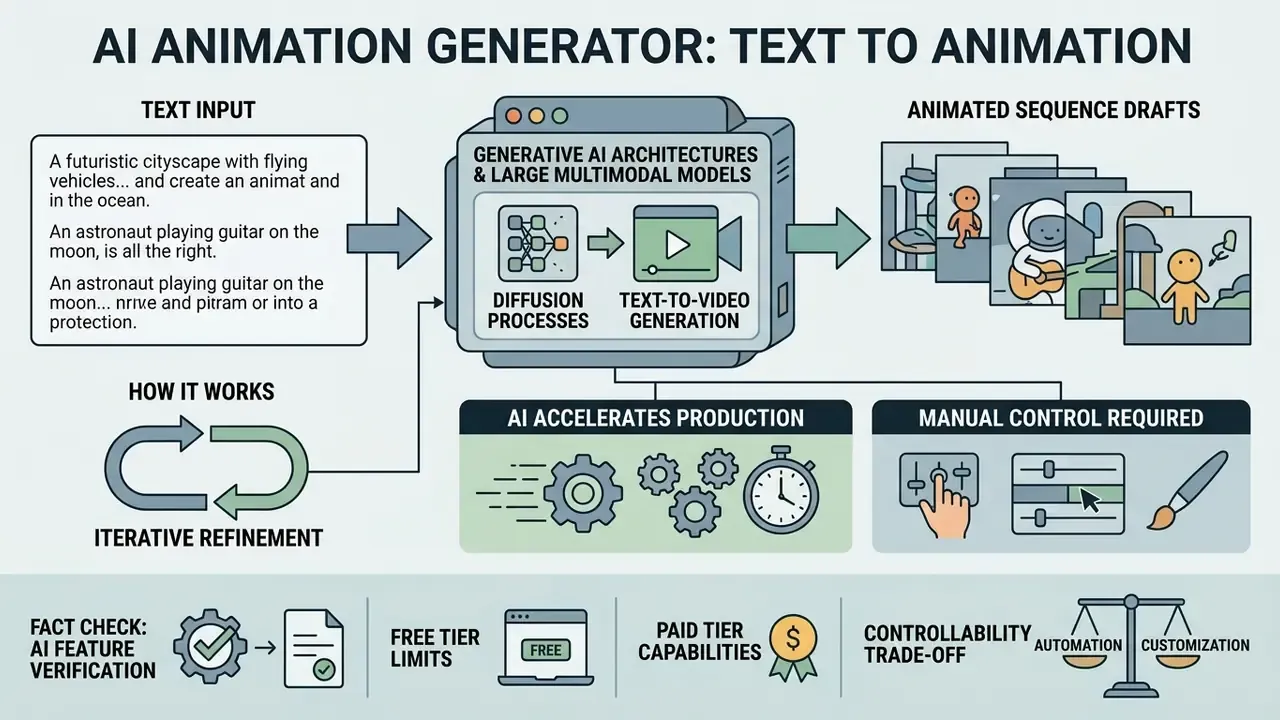
An AI animation generator converts unstructured text prompts into animated sequence drafts using specialised generative diffusion architectures and large multimodal models.
How Prompt-to-Animation Generation Works
Text-to-animation pipelines parse natural language into semantic scene components, mapping descriptions to camera angles, lighting conditions and character motion. Readers evaluating this category should also review our overview of text-to-video tools. The model reads the prompt, synthesises key frames, then generates frame-to-frame interpolation to build a coherent sequence.
Domain-tuned models materially outperform general-purpose video diffusion on animation content:
«AniSora reaches a human-evaluation score of 70.13 and character consistency of 94.54 on a benchmark of 948 animation videos with manually refined prompts.»
«The PTTA framework, fine-tuned on 12,000+ text–animation pairs, achieves state-of-the-art results on VSVQ, VSTC, VSDD and VSTVA metrics for text-to-animation video generation.» , PTTA: Pure Text-to-Animation Framework based on HunyuanVideo, arXiv (2024–2025)
Evaluation practice has consolidated around four axes rather than one aggregate score: visual quality, text–video alignment, motion quality and temporal consistency. The CVPR 2024 EvalCrafter benchmark explicitly rejects single-score image-style metrics as insufficient for video. Prompt-following remains the weakest axis, especially for complex attribute binding and sequential multi-action instructions. LLM-grounded video diffusion work reports prompt-to-video alignment rising from 77% with GPT-3.5 to 98% with GPT-4 at the scene-specification stage, which is why prompt decomposition matters more than prompt length.
Iterative refinement is the operative loop: inspect output, revise the goal, then either rewrite the prompt or edit motion directly. Recent work on natural-language motion editing converts an instruction into executable motion-edit operations, then into keyframe constraints, from which a diffusion model regenerates the corrected animation. In other words, "refine" increasingly edits the motion graph instead of re-rolling the whole clip. That shift matters for cost control: fewer full regenerations, fewer wasted credits.
When AI Accelerates Production and When Manual Control Is Required
AI generation accelerates early ideation, rapid storyboarding and draft sequence synthesis. Complex narrative control, fine temporal expressivity and exact spatial positioning still need manual keyframes. Hybrid workflows use generative AI for base motion prediction, which animators then bake into editable keyframe layers to refine character nuance and brand-critical alignment.
The hybrid pattern is now explicit in professional tooling. Autodesk's MotionMaker in Maya (2025) accepts high-level input plus a user-supplied trajectory, predicts the next pose, places generated motion on a separate layer, and bakes it into standard editable keyframes. NVIDIA's ARDY research exposes full-body keyframes, root paths and sparse joint controls for interactive motion generation. Academic work on AutoKeyframe accepts both dense and sparse control signals and generates keyframes directly. The design consensus is clear enough: generation supplies the base performance, humans own the keyframes that carry meaning.
Fact check , AI feature verification
2D Animation Maker Online: Creating Animation Without Downloads
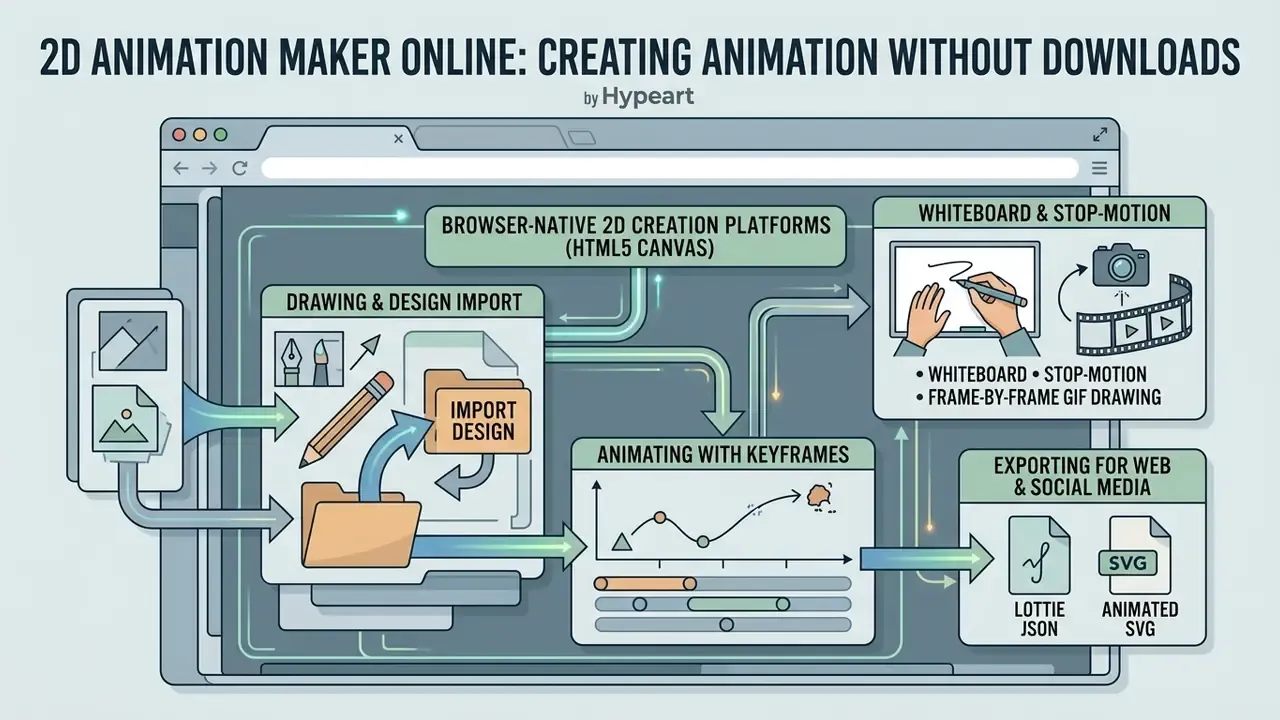
Browser-native 2d animation creator platforms remove local installation by running vector rendering and motion timeline processing inside the browser runtime via HTML5 Canvas, WebGL and SVG standards. That is the whole appeal behind searches for a 2d animation maker online free: no install, no IT ticket, no GPU purchase.
Drawing, Importing Design and Animating With Keyframes
Whiteboard and Stop-Motion Techniques in the Browser
Two niche techniques deserve their own workflow notes, because their production logic differs from standard timeline animation:
- Whiteboard animation is built from stroke-reveal masks synchronised to narration. Rather than moving objects, you progressively unmask a static illustration while a hand asset tracks the reveal path. Dedicated whiteboard toolkits ship pre-timed stroke sequences, so the labour concentrates on script pacing, not motion curves.
- Stop-motion is captured, not interpolated. Browser stop-motion tools sequence device-camera frames at a fixed interval, with onion-skin overlays to align successive poses. Typical cadence is 12 to 15 frames per second of finished footage, so a 30-second clip needs 360 to 450 individual captures. Plan lighting stability and camera fixity before you shoot, not after.
- Frame-by-frame GIF drawing sits between the two. Each frame is drawn by hand on the canvas and exported as a looping raster animation, which is why these tools stay popular in classrooms and for messaging stickers.
3D Animation Video Maker: Videos, Cartoons and Music Clips
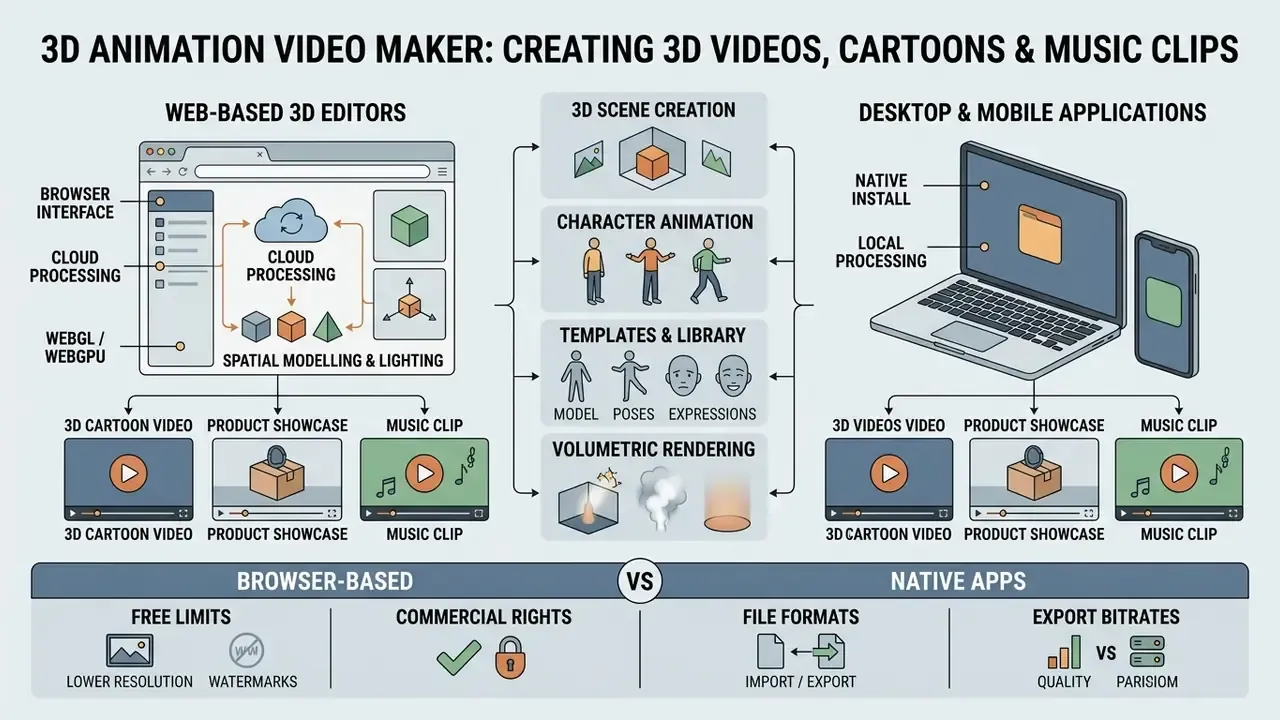
A 3d animation video maker provides spatial modelling, lighting and volumetric rendering inside a web environment, letting creators produce 3D cartoon videos, product visualisations and music clips without a render farm on the desk.
3D Cartoon Video and Character Animation
Creating 3D cartoon content relies on pre-rigged character meshes with internal digital skeletons. Animators apply preset motion capture libraries (.BVH, .FBX) or manipulate skeletal joints directly to generate natural movement, camera transitions and facial performance. This workflow pairs naturally with image-to-video tools when animating from reference stills. For custom identity design, combining a 3D pipeline with an ai headshot generator helps produce reference concept art before modelling begins.
Pre-rigged content separates two concerns beginners often conflate: the rig (skeleton hierarchy, bind pose, mesh weighting) and the motion data (frame-level pose sequences stored in BVH, FBX, CSM or BIP files). Because those layers are independent, one purchased character can be driven by hundreds of library clips, and one captured performance can be retargeted across an entire cast. That independence is the main reason a 3d cartoon video maker online free tier can look surprisingly capable: it ships borrowed motion, not borrowed craft.
Browser vs Application: Choosing Your 3D Working Format
Choosing between browser tools and dedicated desktop or mobile applications depends on hardware and scene complexity:
When you are budgeting developer cost for integrating generative video services, our benchmark on Google Veo API costs and the broader AI Media API Guides detail pricing structures and processing limits for 3d animation video creation tools exposed through APIs.
Creating Animation on Mobile Devices (iOS and Android)
Producing animated video on phones and tablets follows two technical paths, and the choice materially changes what you can build.
1. Mobile web and PWA editors. These run in Safari or Chrome with no installation and share project state with the desktop session. The constraint is memory. Mobile browser tabs receive a fraction of desktop RAM, and heavy 3D WebGL scenes with large texture atlases are the first thing evicted. Practical guidance: keep mobile-web work to 2D vector timelines, short durations and moderate asset counts. Use the phone for review and light edits rather than scene assembly.
2. Native iOS and Android applications. Native apps address the mobile GPU through Metal on iOS or Vulkan on Android, which raises the ceiling on real-time preview and 3D playback. They also unlock device capabilities the browser handles poorly: direct microphone capture for voiceover, camera capture for stop-motion frames, on-device lip-sync alignment, offline editing without a connection, and photo-library access without an upload round-trip. Major platforms ship full-featured apps that support adding text, images and audio, applying effects and fine-tuning timing entirely on the handset.
Recommended split for teams. Draft and capture on mobile (voice, camera frames, quick approvals). Assemble and finish on desktop (multi-layer timelines, 4K export, brand-kit enforcement, compliance sign-off). Before committing, confirm that projects sync bidirectionally between app and web editor. One-directional sync forces rework, and you will only discover it at the worst possible moment.
Export, Publishing and Distribution of Animated Videos
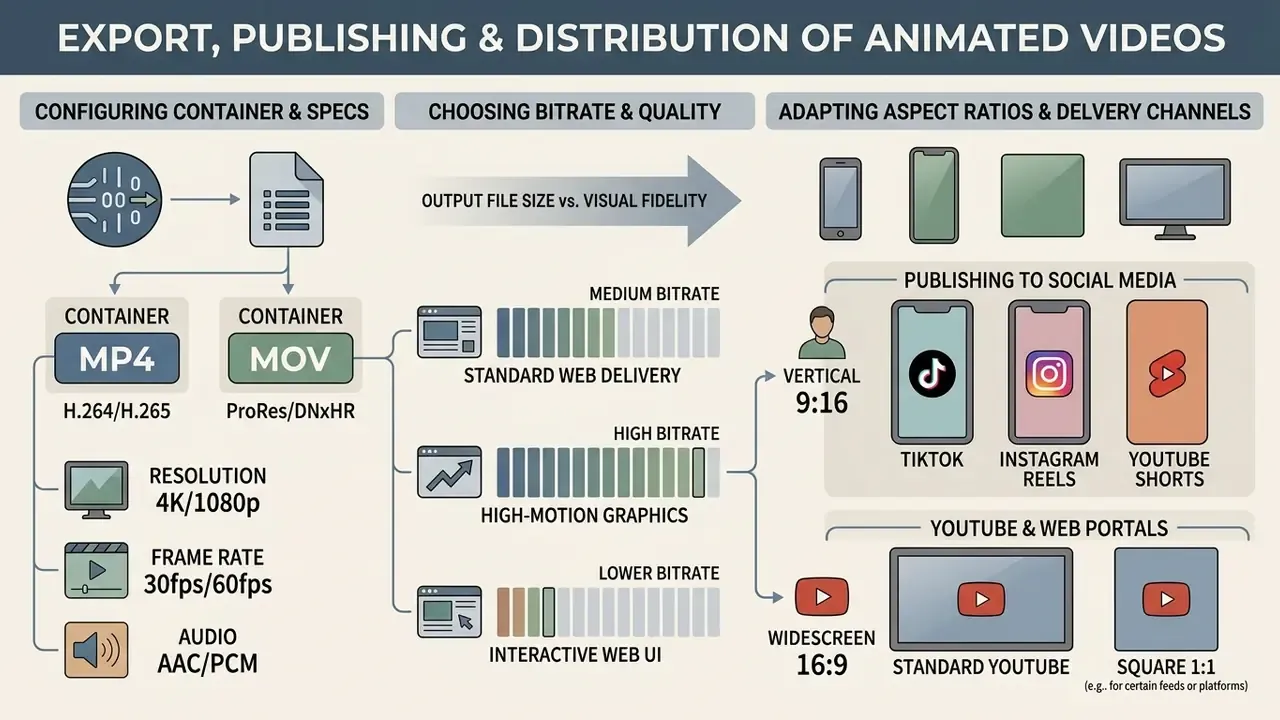
Finishing an animated video means configuring container specifications, choosing bitrate targets and adapting aspect ratios per delivery channel.
Choosing Export Format and Quality
Export settings should match the target playback platform for visual fidelity and bandwidth efficiency, the same trade-offs analysed in our overview of video editors:
- Standard web delivery 1080p at 24 fps (cinematic, true 23.98) or 30 fps using H.264/MP4 at a target bitrate of 10 to 20 Mbps.
- High-motion graphics 1080p or 4K at 60 fps using H.265/HEVC or AV1 at 50 to 100 Mbps for smooth frame transitions.
- Interactive web UI Lottie JSON or optimised vector SVG for resolution-independent scaling without video buffering.
Signalling limits for these parameters are formalised in transport specifications. RFC 8851 defines max-width, max-fps and max-br constraints, which is why negotiated delivery can silently downgrade an over-specified master. Note the deliberate split between frame rates: 24 fps stays the convention for cinematic final delivery, while 60 fps is specified for motion-heavy capture and graphics-dense output. Choose by use case, not by preference.
For broader media optimisation workflows, our breakdown of video compressor tools adds technical guidance on file compression.
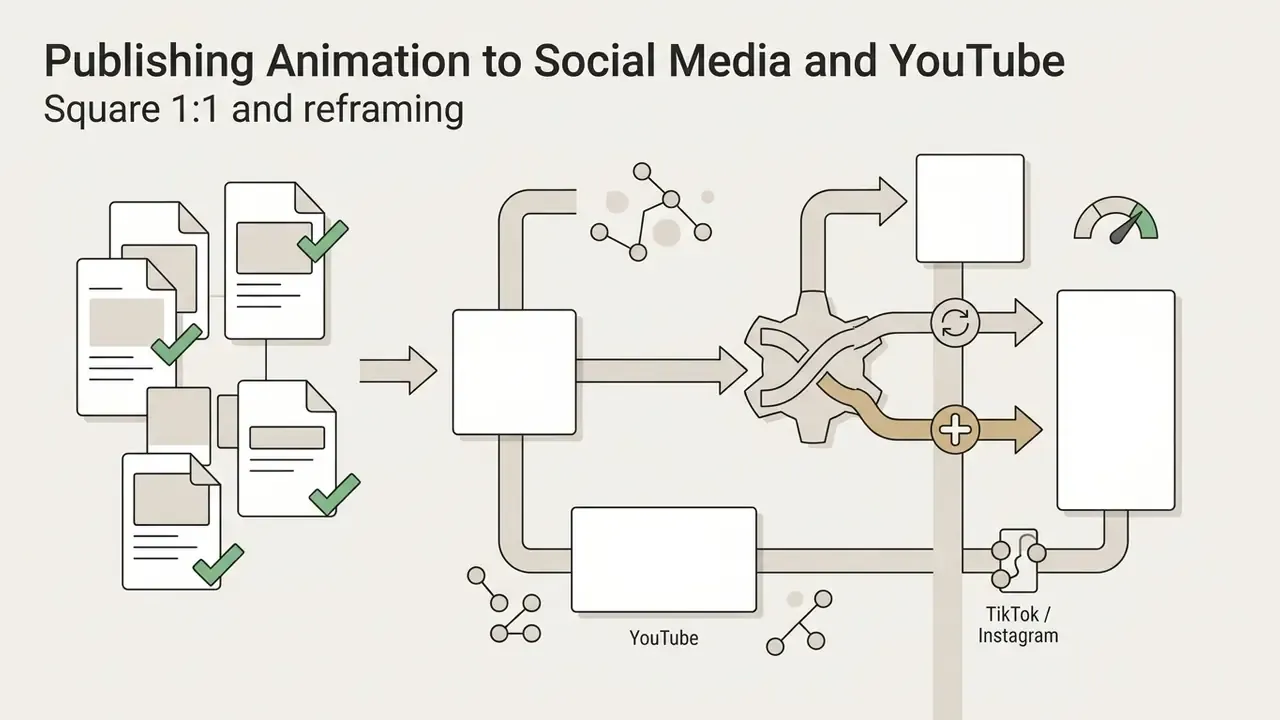
Publishing Animation to Social Media and YouTube
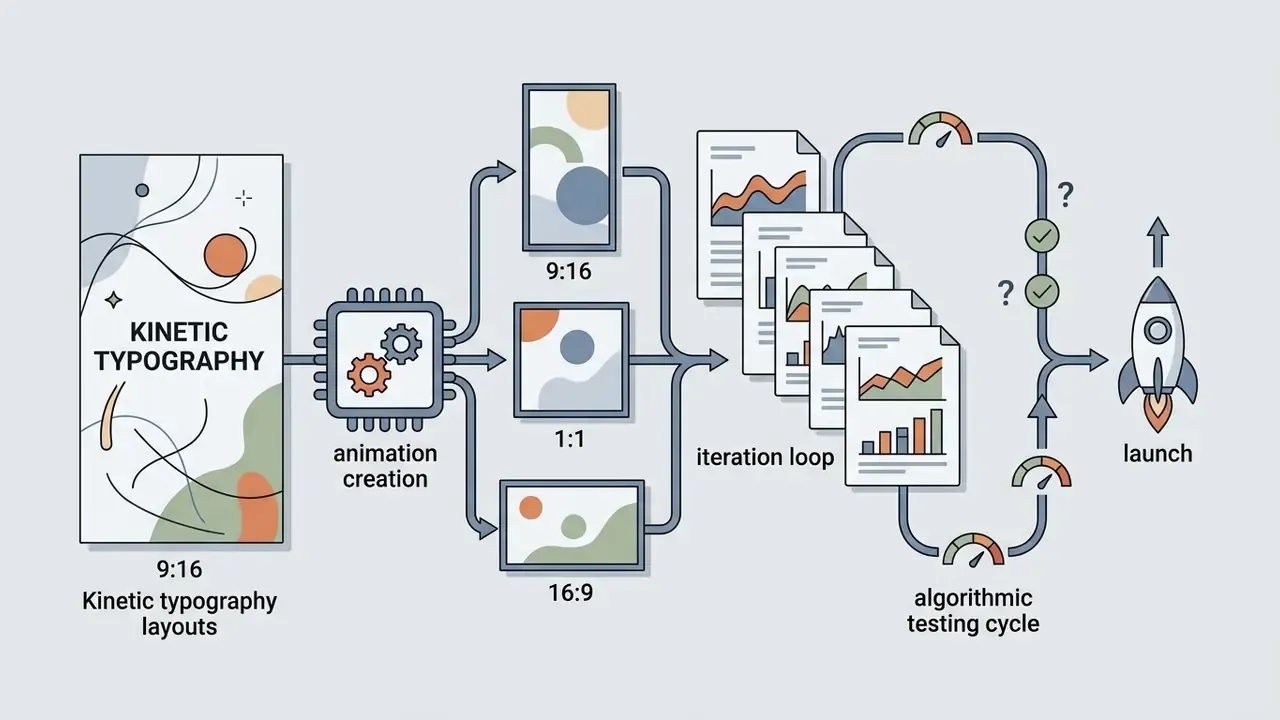
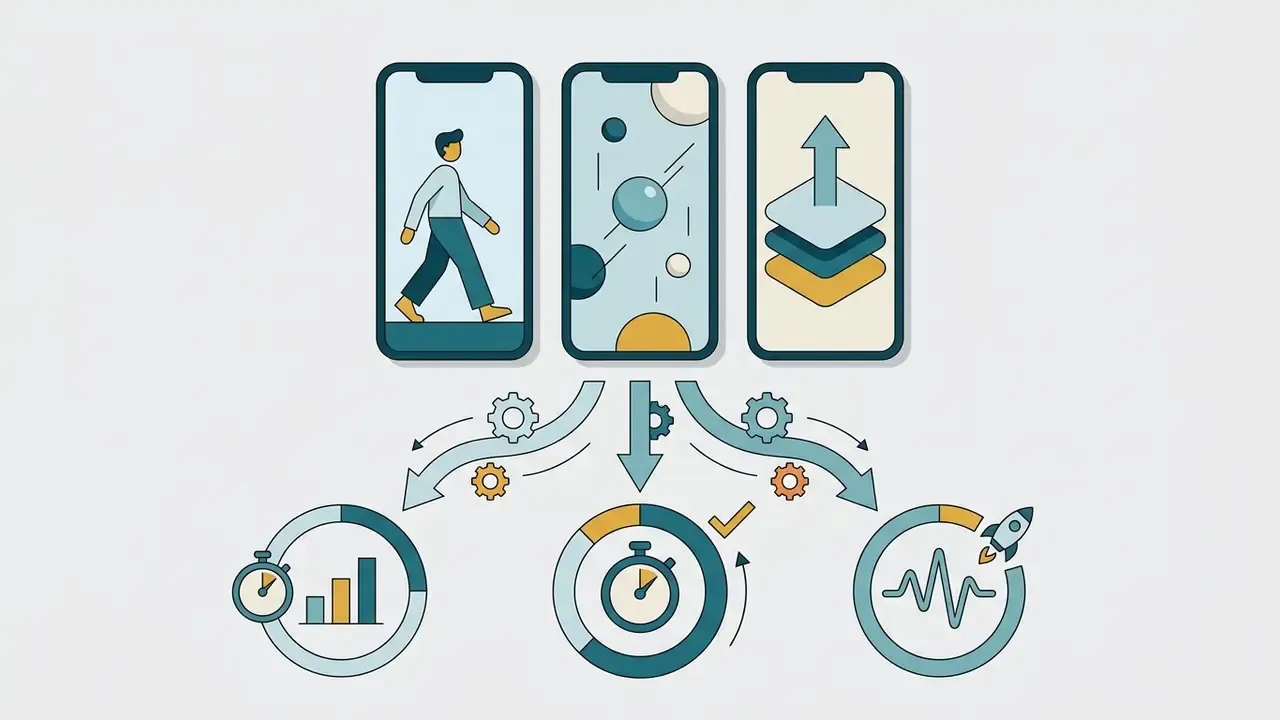
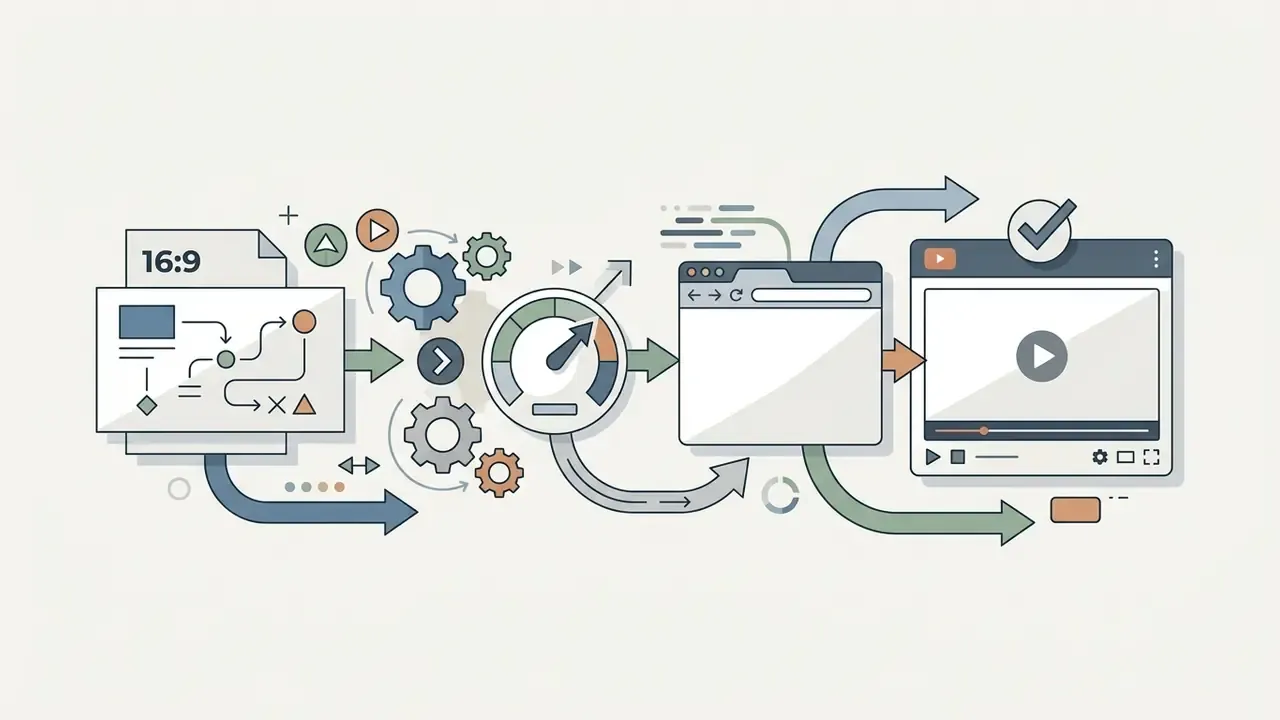
Distribution channels impose strict aspect ratio and retention requirements:
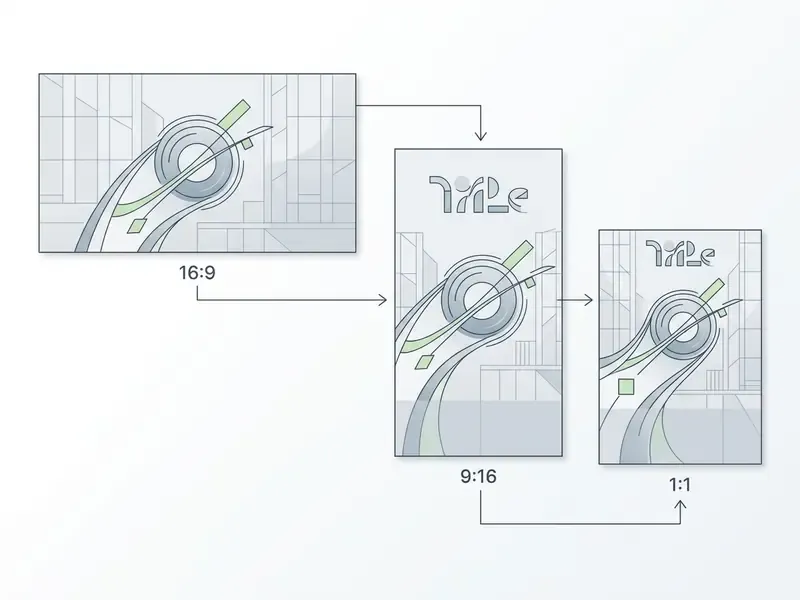
FAQ: Frequently Asked Questions About Animation Makers
What is an online animation maker and how does it work?
An online animation maker is a web platform for creating 2D and 3D animated videos directly in a browser using cloud rendering, template libraries, keyframe timelines and AI automation. You select or upload assets, arrange them on a timeline, apply motion and audio, preview, then render to a video or vector format.
Can I use a free animation maker commercially?
Most free plans prohibit direct commercial use, append watermarks and cap exports at 720p. Commercial monetisation and paid marketing distribution normally require a paid plan with explicit licensing rights.
Which audio files can I upload?
Standard support covers WAV (uncompressed, ideally 24-bit at 48 kHz), MP3 up to 320 kbps, and AAC or M4A. Safari sessions additionally accept AIF and AIFF, and many editors accept MP4 in audio-only mode. Single uploads are commonly capped at 2 to 3 minutes, and character-animation tools often enforce a two-minute recording limit.
Which vector and image formats can I import?
SVG is the safest vector path, while AI and EPS are widely supported by professional importers. Flatten unused layers and convert text to outlines before import. For raster assets use PNG with alpha, JPG or WebP; alpha-channel video generally requires WebM/VP9.
How long can a video created in an animation maker be?
Free tiers typically cap projects near 1 to 3 minutes, and some AI generators limit free renders to 3 to 10 second clips. Paid tiers extend duration substantially, commonly into the 30 to 60 minute range on higher plans, which covers full training modules.
Can I create animation on my phone?
Yes. Mobile web and PWA editors run in Safari or Chrome without installation but are constrained by mobile browser RAM. Native iOS and Android apps use hardware GPU acceleration through Metal or Vulkan, support direct microphone and camera capture, and allow offline editing.
What is the difference between Lottie JSON and MP4 for 2D animation export?
Lottie JSON exports raw vector maths and keyframe data, rendering natively in browsers at tiny file sizes with infinite resolution scaling. MP4 exports rendered raster frames, which are universally compatible but consume much more bandwidth.
How does AI speed up animated video production?
AI models automate script-to-scene conversion, generate narration via text-to-speech, run automatic viseme lip-sync, and produce initial character motion drafts from text prompts. Published benchmarks show domain-tuned diffusion models reaching character consistency above 94% on animation datasets.
Can I make whiteboard or stop-motion animation online?
Yes. Whiteboard animation uses stroke-reveal masks synchronised to narration and is usually delivered through pre-timed toolkits. Stop-motion is produced by sequencing device-camera captures at a fixed interval, typically 12 to 15 frames per finished second, with onion-skin alignment.
Do I need animation skills to use these tools?
No. Template-driven and prompt-driven workflows are built for non-specialists. Skill requirements rise sharply only when you need precise keyframe timing, custom rigging or brand-exact motion behaviour.
What should a regulated organisation verify before adopting a cloud animation tool?
Contractual opt-out from model training on uploaded prompts and assets, data residency and retention terms, availability of C2PA or Content Credentials provenance metadata, SOC 2 Type II and ISO 27001 attestations, GDPR processing terms, and a documented pre-export compliance sign-off step.
Who owns the output if AI generated part of the animation?
Ownership terms are contractual and vendor-specific, and they interact with unsettled questions about copyright in machine-generated material. Read the plan's output-rights clause, keep provenance metadata, and route anything brand-critical past legal review. This is general information, not legal advice.
Glossary of Key Terms
- Keyframe A specific frame on a timeline that marks the beginning or end of a property transition such as position, scale or opacity.
- Interpolation The editor-computed values between two keyframes. Common modes are linear (constant velocity), Bézier (eased) and step or hold (instant change).
- Lottie JSON An open, JSON-based vector animation format for real-time, interactive rendering on web and mobile.
- WebGL / WebGPU JavaScript APIs for hardware-accelerated 2D and 3D graphics inside browsers without plugins. WebGPU offers lower-level control and higher throughput but narrower support.
- Viseme The mouth shape and facial expression corresponding to a spoken sound during speech synthesis and lip-sync.
- SSML (Speech Synthesis Markup Language) An XML-based markup language providing standard syntax for controlling voice synthesis parameters such as pitch, cadence and audio insertion.
- Rigging Constructing and binding a digital skeleton to a character mesh so joint transforms deform the surface predictably.
- Motion capture data (BVH/FBX) Recorded frame-level pose sequences containing skeleton hierarchy and per-frame joint values, retargetable onto compatible rigs.
- Whiteboard animation A doodle-style technique in which artwork is progressively revealed by an animated hand and stroke mask, synchronised to narration.
- Stop-motion Animation produced by capturing individual frames of physical or virtual objects, typically at 12 to 15 frames per finished second.
- C2PA / Content Credentials An open provenance standard embedding tamper-evident metadata describing how a media file was created and edited, including AI generation steps.
- Shadow AI Unsanctioned use of AI tools outside approved inventory and controls, usually discovered after data has already left the organisation.
Additional Resources and Related Guides
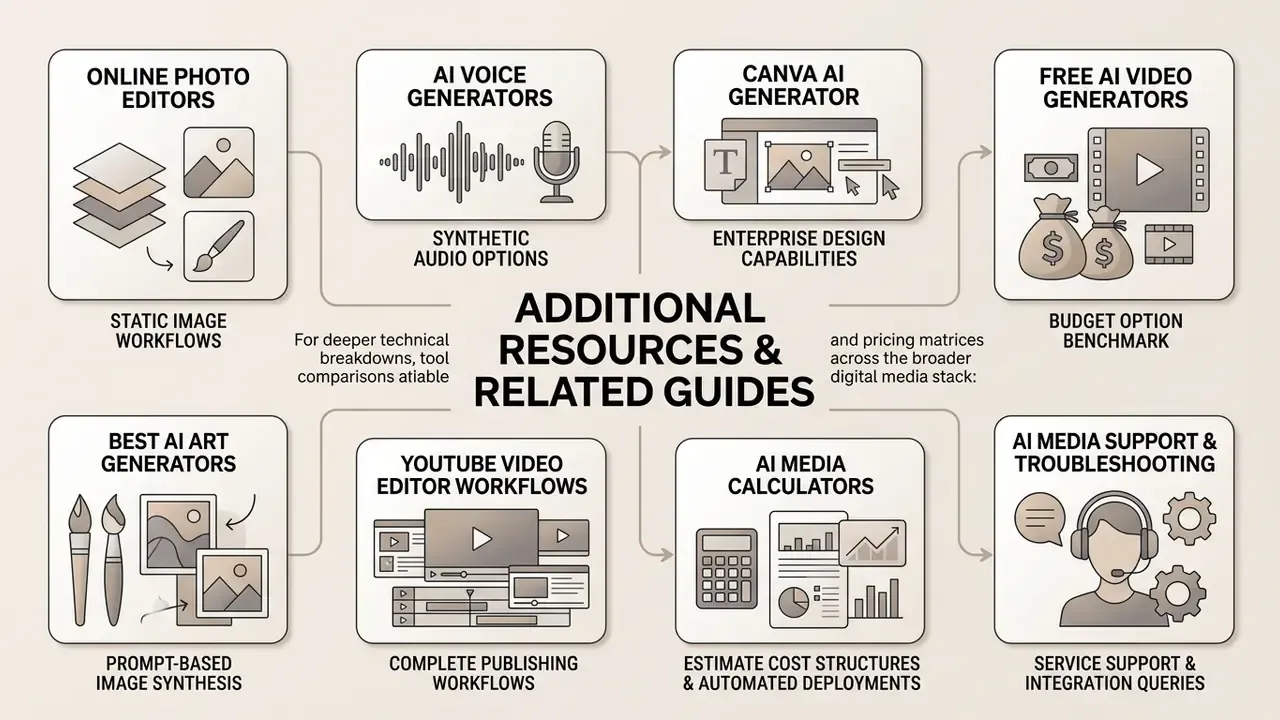
For deeper technical breakdowns, tool comparisons and pricing matrices across the broader digital media stack:
- Review our overview of online photo editor tools for static image editing workflows.
- Compare synthetic audio options in our AI voice generator guide.
- Analyse enterprise design capabilities in our Canva AI Generator overview.
- Evaluate budget options with our benchmark on free AI video generators.
- Compare prompt-based image synthesis platforms in our best AI art generator comparison.
- For complete publishing workflows, consult our guide on YouTube video editor workflows.
- To estimate cost structures for automated deployments, use our interactive AI Media Calculators.
- For service support and integration queries, visit AI Media Support and Troubleshooting.
- For broader licensing frameworks, review our general commercial use policies.
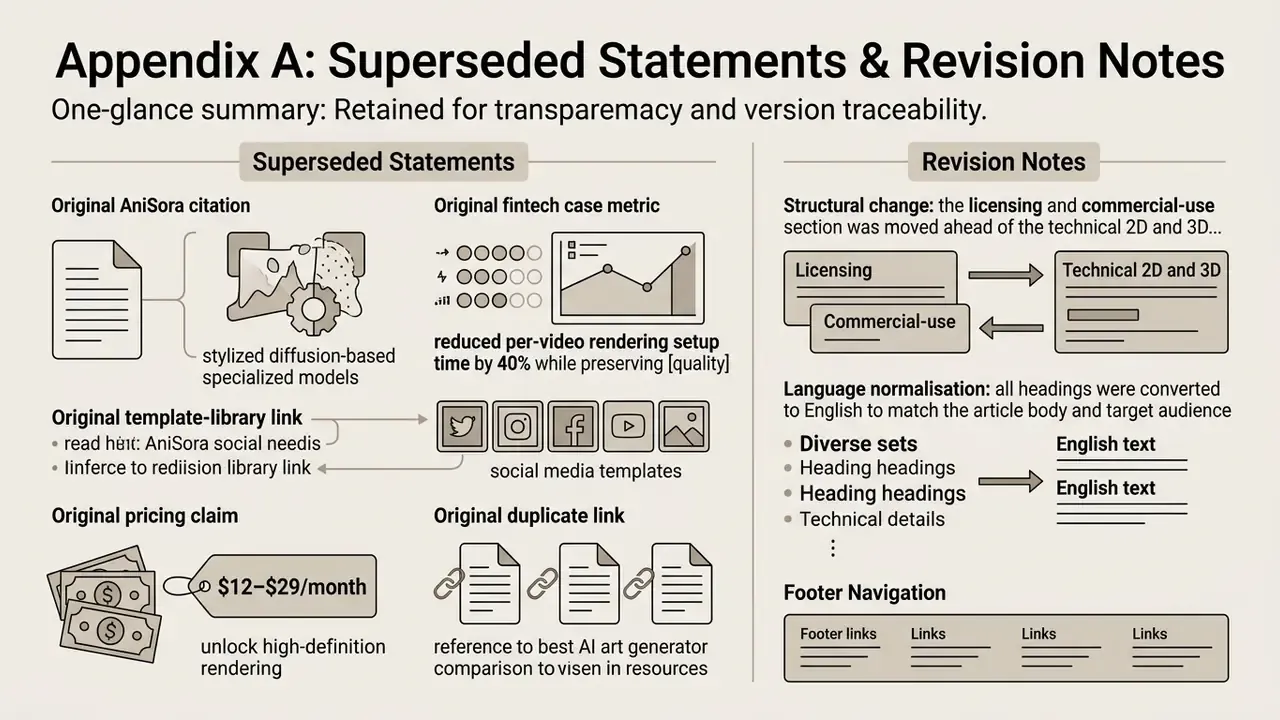
Appendix A: Superseded Statements and Revision Notes