Last updated: February 2026. Editorial review: governance, risk and commercial imaging workflows.
Executive Summary
- What it is: AI image cleanup combines semantic segmentation (marking the target) with generative inpainting (synthesizing replacement pixels) to erase objects, people, text, watermarks, dust and blemishes without manual clone stamping.
- How you control it: Production-grade editors expose four control layers, namely Brush, Lasso, Rectangle and Auto-Detect, plus prompt-guided cleanup, where operators describe what to remove and what to preserve.
- Where it works best: Uniform backdrops, small targets, high-contrast edges. Accuracy degrades on glass, reflections, semi-transparent surfaces and dense product text.
- Where it fails: In an internal catalog audit of 400 product shots with glass reflections, one-click automation blurred critical container edges on 28% of the inventory. Manual mask refinement plus a 100% zoom review recovered compliance without a reshoot.
- Operational rule: Every cleaned asset needs a human visual check at 100% magnification before publication, plus retained evidence (original, mask, output, prompt) for audit.
- Legal boundary: Under 17 U.S.C. § 1202, knowingly stripping Copyright Management Information, including watermarks and author metadata, to enable or conceal infringement is unlawful. Cleaning your own file is not the same thing as erasing someone else's rights markers.
- Security boundary: Uploading confidential product, document or personal imagery to unvetted free web services creates Shadow AI exposure (retention, training reuse, PII leakage). Verify the retention policy before upload, not after.
Who Should Read This and What Decision It Supports
This guide serves two very different readers, and they ask different questions.
The first is the practitioner: a marketplace seller, social media manager, real estate agent or family archivist who wants to cleanup pictures online and download a clean image today. For that reader, the sections on tooling, selection modes and free-tier limits are the useful ones.
The second is the reviewer who has to approve the practice: a compliance lead, digital asset manager, marketing operations owner or a risk function inside a bank or fintech where marketing imagery, KYC document scans and evidentiary photographs move through the same teams. That reader cares about something narrower. Who owns the edit? What evidence survives it? Which class of imagery is allowed to leave the perimeter at all?
A single sentence links both perspectives. An AI image cleaner is an automated pixel synthesis engine, and synthesized pixels are a claim about reality that somebody must be able to defend later. That is the whole governance question. Everything below is an attempt to answer it without slowing the practical work to a crawl.
What Is AI Image Cleanup and What Can It Remove?
Remove Objects, People, Text and Blemishes from Photos
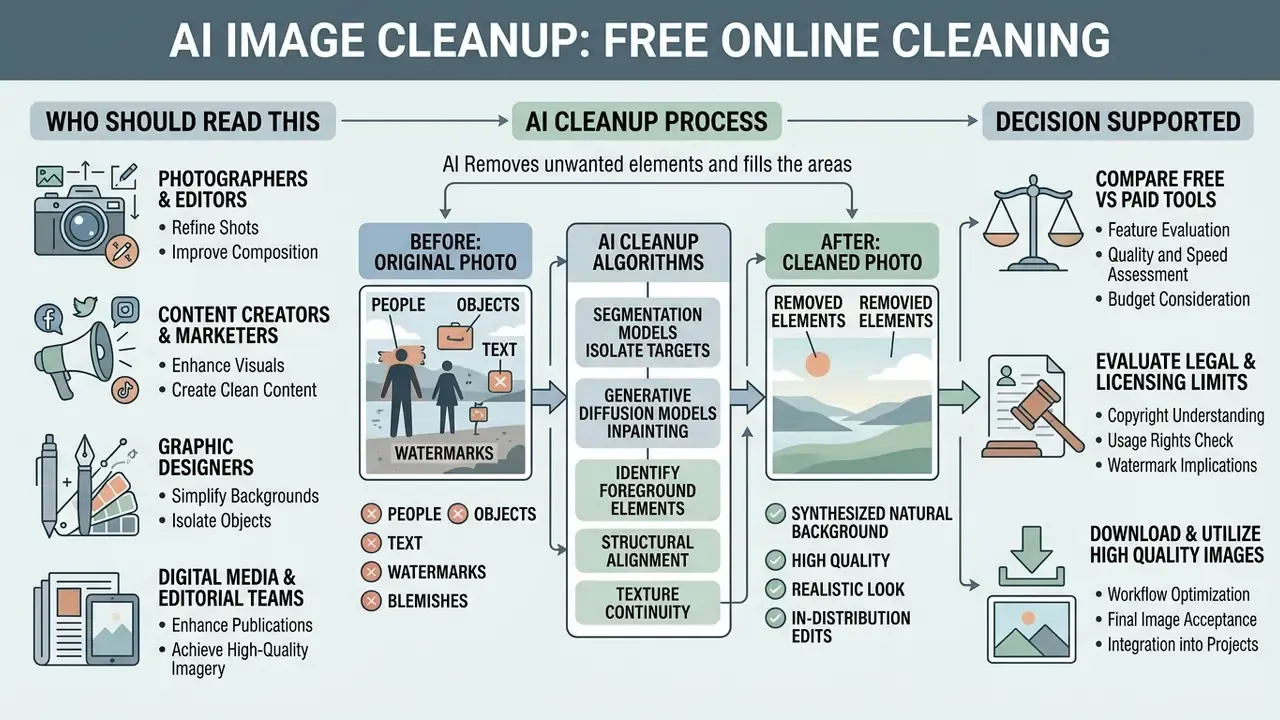
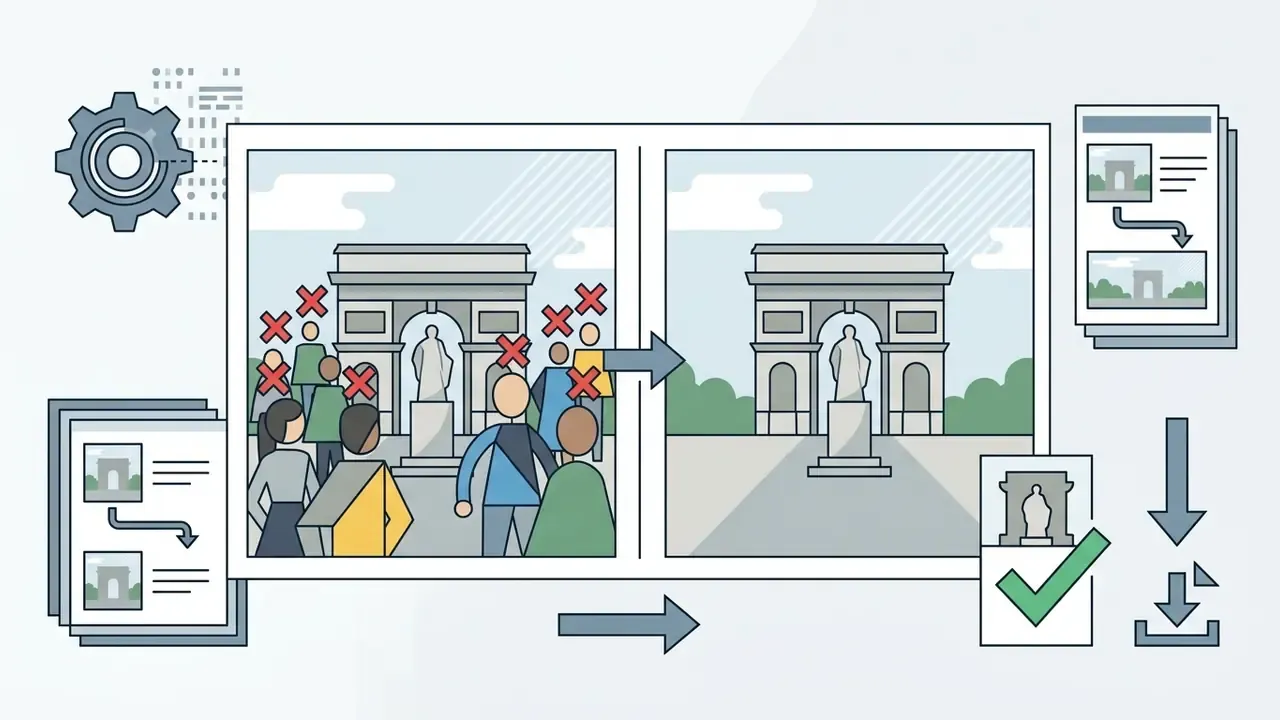
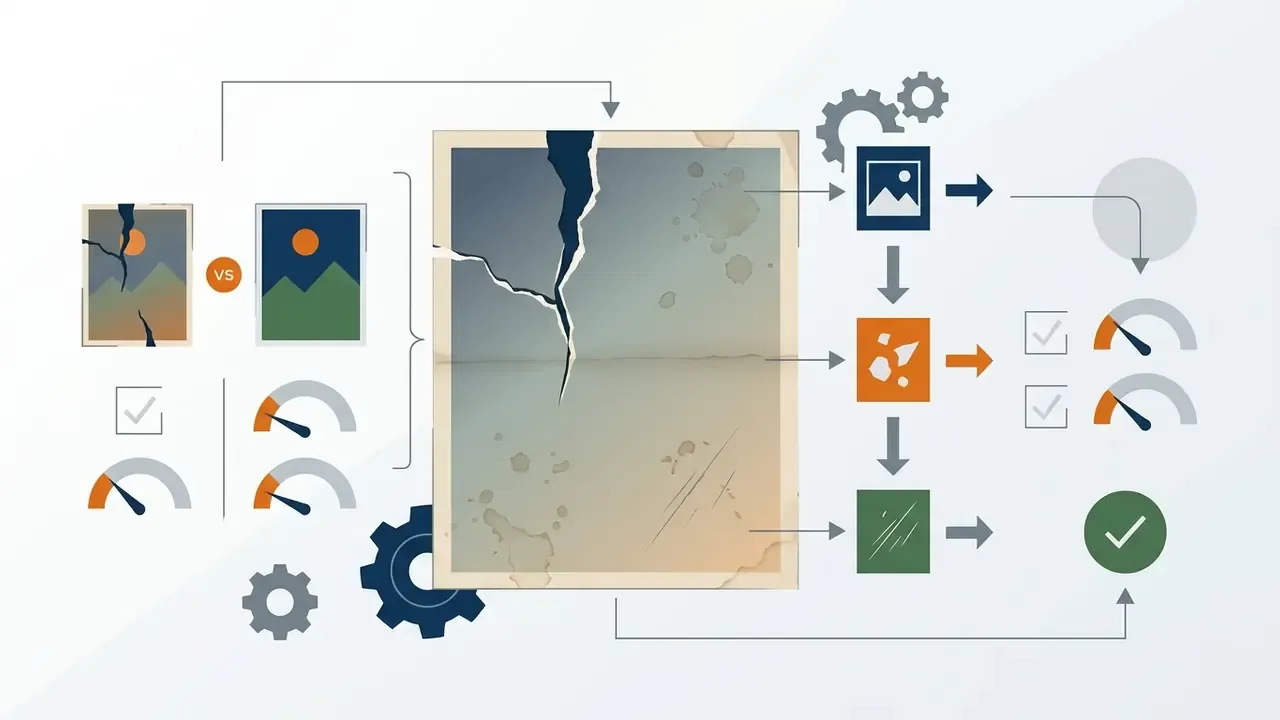
AI models identify foreground elements using semantic boundaries, then execute targeted object removal across very different scales. Small defects such as skin blemishes or dust specks need local patch synthesis. Unwanted people or large foreground objects demand multi-scale context evaluation, and they are where most free tools stumble.
«OmniEraser identifies two persistent challenges in object removal: handling shadows and reflections, and avoiding shape-like artifacts in cleaned regions.»
Removal targets divide into four practical classes, and each class stresses a different part of the model:
| Target class | Typical examples | Algorithmic demand |
|---|---|---|
| People and large objects | Passersby, tourists, trash bins, parked cars, furniture | Multi-scale context evaluation, shadow and reflection handling |
| Text and structured overlays | Watermarks, logos, packaging copy, captions, timestamps | Gradient analysis around glyph edges, pattern continuation |
| Small point defects | Dust specks, sensor spots, acne, mosquito bites, minor redness | Local patch synthesis with texture preservation |
| Thin sparse structures | Power lines, cables, antenna wires, scan scratches | Coarse-to-fine prediction plus tile-based refinement at full resolution |
Text overlays and watermarks behave as structured target masks. Algorithms analyze the surrounding gradients to remove text and restore the underlying pattern without smearing adjacent detail. Thin structures such as overhead cables behave differently again: because they are high-aspect-ratio and sparse, modern pipelines predict a coarse global result and then refine locally at native resolution. That two-stage habit is what keeps sky gradients and roof lines intact.
How AI Fills Cleaned Areas and Preserves a Natural Look
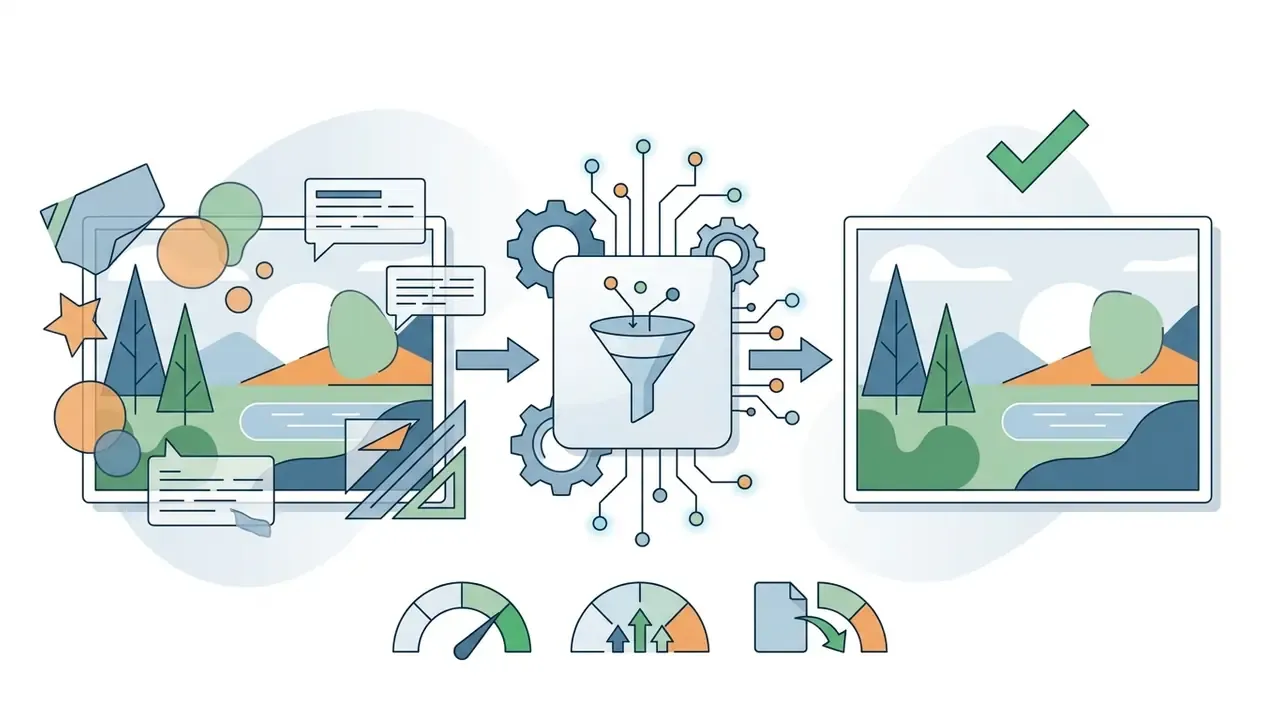
Generative fill algorithms weigh surrounding texture, lighting vectors and structural alignment so the cleaned areas look natural. Deep learning architectures optimize context and prior losses to synthesize believable background patterns rather than simply duplicating adjacent pixels.
«Reconstruction is performed by conditioning on the available data and optimizing context and prior losses in latent space before generation.»
«Generative inpainting produces edits that stay in-distribution, resembling realistic images from training data rather than conspicuous edits that degrade authenticity.» Source: Photorealistic Inpainting for Perturbation-based Explanations, arXiv preprint (2025). https://arxiv.org/
When processing complex surfaces, the AI clean process balances texture continuity against edge sharpening. That balance is what prevents visual distortion around the perimeter of the masked selection. Later architectures add a contextual reconstruction objective so generated features remain plausible when re-derived from the surrounding region. It is the mechanism that stops a cleaned patch from reading as a smooth "smudge" against a textured wall or a woven fabric.
How to Clean Up a Picture Online with AI
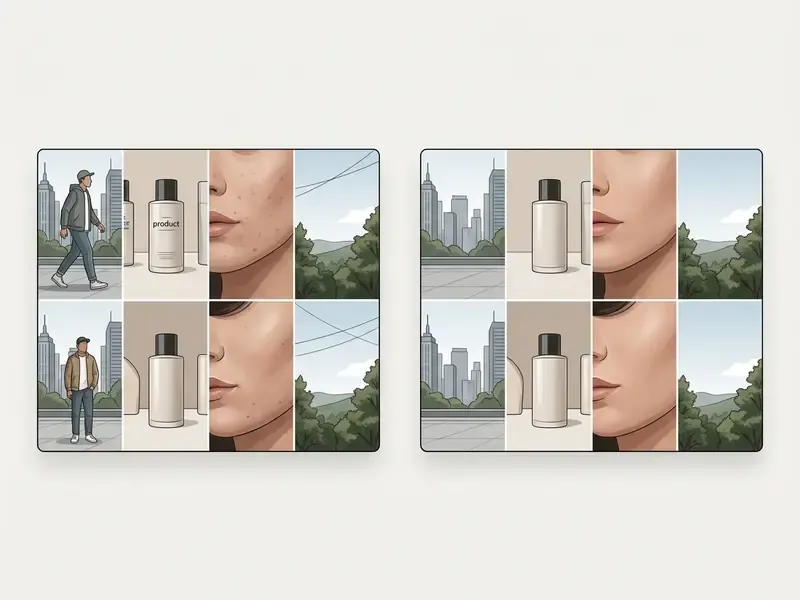
To clean up a picture online with AI, you upload an image file, highlight the unwanted objects with an adjustable brush, and run a one click cleanup command. The software processes the selection and returns a downloadable clean picture in seconds.
Modern AI cleanup utilities run across desktop browsers, mobile operating systems (iOS and Android) and dedicated desktop software, which means asset edits no longer wait for specialized hardware or a local GPU.
Online editors compress a complex photo editing workflow into a handful of browser interactions. Non-technical users can perform high-fidelity modifications without clone stamping or layer masking. For adjacent capabilities such as cropping, color grading or layer work, review the broader category of AI photo editors.
Upload the Image and Mark Unwanted Parts
The process starts by importing a digital photo into the web editor, either through a file picker or by dragging and dropping JPG, PNG or WEBP assets. An adjustable brush tool then allows precise selection over unwanted objects, background crowds or distracting marks.
Modern AI image cleanup interfaces provide three manual selection modes plus one automated mode:
- Brush freehand marking of irregular shapes, with a variable radius that handles both a 12-pixel dust spot and a full human silhouette.
- Lasso tracing complex perimeter contours where a rectangle would swallow protected detail, such as the outline of a chair leg against patterned flooring.
- Rectangle fast boxing of geometric objects such as signs, posters, license plates or timestamp bars.
- Auto-Detect single-click segmentation of background people or prominent text overlays, after which the operator subtracts or adds mask regions by hand.
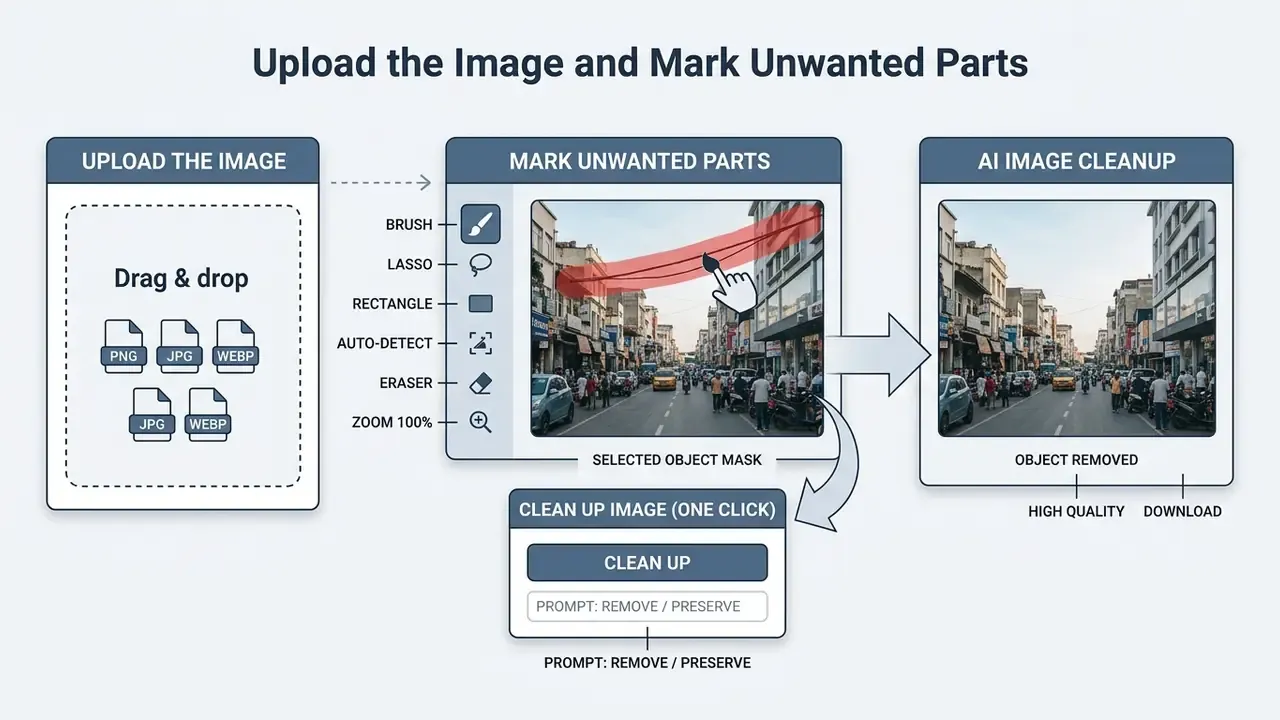
Selecting target boundaries accurately matters more than most people expect. A mask that covers the object but misses its cast shadow leaves residual ghosting in the final picture, and no amount of re-running the model fixes that.
«Joint-learning frameworks that connect segmentation to inpainting networks and train end-to-end yield better object removal scores than independently trained pipelines.»
Prompt-Guided Cleanup: Directing the AI with Text Controls
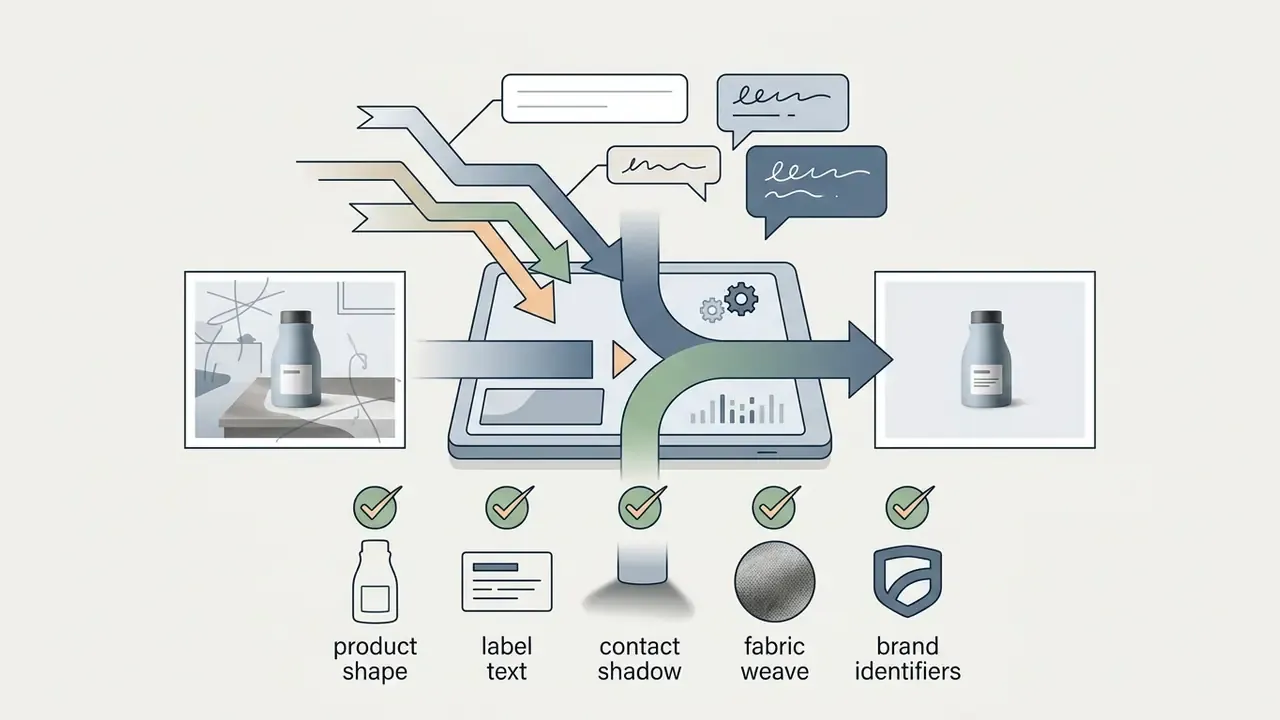
For complex compositions, text-guided AI cleanup lets you specify exactly what to synthesize and what to suppress. Instead of relying on a visual mask alone, operators add positive and negative directives, for example "Remove background cables and dust specks; preserve subject shadow and primary surface texture" or "Reduce reflections on the bottle, keep the label sharp." This hybrid approach nudges the diffusion model to hold critical item geometry while stripping non-target visual noise.
Effective cleanup prompts are product-first and explicit on both sides of the instruction:
Instruction-driven restoration is now a documented research direction rather than a marketing flourish:

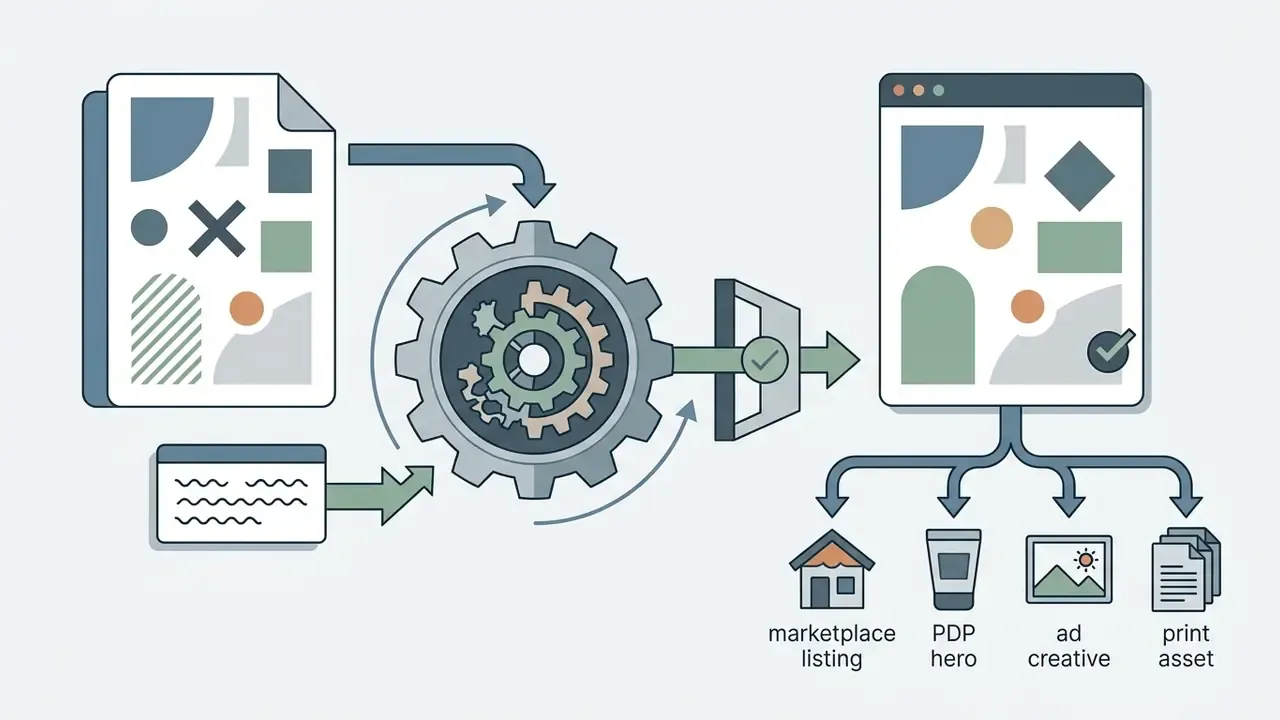
«InstructIR uses natural-language instructions for image restoration and improves average PSNR by roughly 1 dB over prior all-in-one methods.»
Enterprise Human-in-the-Loop Cleanup Workflow
For regulated or high-volume commercial use, the consumer click-path has to be wrapped in a controlled process with retained evidence:
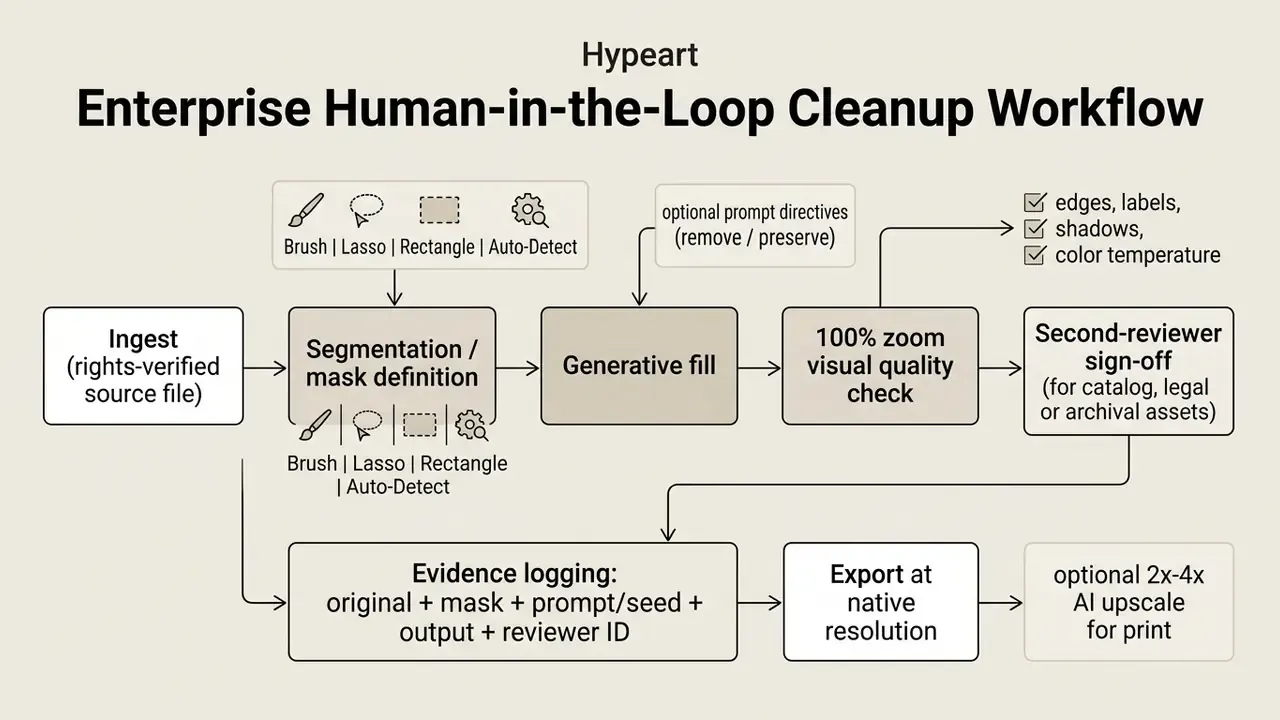
Note the one non-negotiable line in that diagram: reviewer ID. An edit without an accountable human name attached is an edit nobody can defend six months later.
Review the Result and Download a Clean Image
After processing, inspect the cleaned areas at 100% magnification to verify structural integrity and lighting consistency. Federal digitization guidance treats final inspection as a separate post-edit step, evaluated at a 1:1 pixel ratio, covering clipping, artifacts, dust, missing pixels, skew, orientation, tone, brightness, contrast and color accuracy.
«Final inspection is performed as a separate step; the checker inspects the image at 100% magnification to confirm no significant defects remain.»
Quantitative benchmarks explain why the review step earns its cost. Model choice materially changes how faithfully the untouched background survives the edit.
«EraseLoRA raises background similarity from 0.605 to 0.746 on OpenImages V7 and from 0.582 to 0.774 on RORD, while improving SSIM and PSNR.»
Once verified, run the download clean command to save the high-resolution file. Choosing sensible export compression preserves pixel density for downstream commercial applications, and the saved file should match the specified format, resolution, color mode, bit depth and color profile.
Post-cleanup upscaling. After inpainting, low-resolution source files often show soft focus over the replaced region. A post-cleanup AI upscaler raises output pixel density by 2x to 4x, restoring fine micro-textures and making the cleaned image usable for high-DPI commercial print or ultra-HD marketplace displays. One technical distinction is worth internalizing: artifact-removal models are resolution-agnostic and do not raise native pixel density on their own. Only an explicit super-resolution stage does that.
When AI Photo Cleanup Produces the Best Results
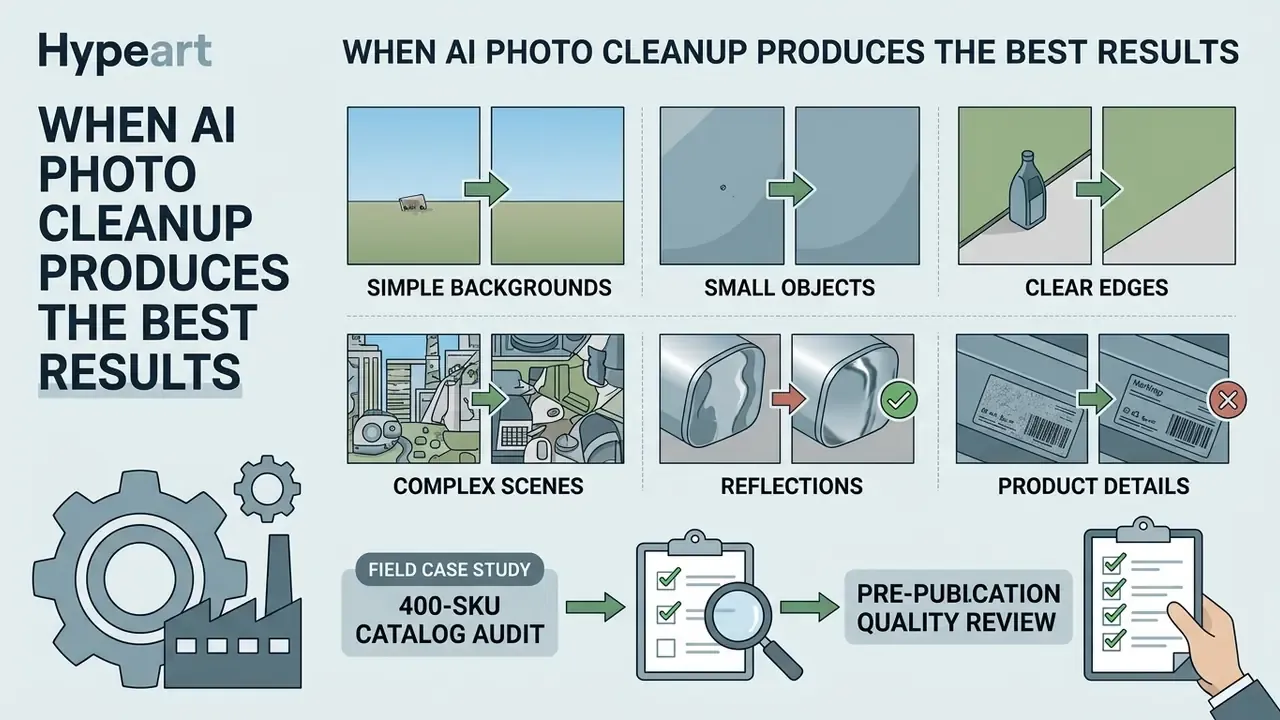
AI photo cleanup performs best on images with high-contrast edges, low background entropy and small target objects. Performance drops when the model has to reconstruct complex 3D structures, semi-transparent surfaces or intricate geometric patterns.
Model accuracy tracks boundary clarity and background predictability. Understanding these limits up front prevents unpleasant surprises during automated batch editing.
Simple Backgrounds, Small Objects and Clear Edges
Uniform backgrounds such as studio backdrops, clear skies or smooth walls let AI image cleaner algorithms predict the missing contextual data with high fidelity. Low entropy in the surrounding pixels simplifies background pattern matching, which is exactly why entropy filtering is used to separate background from foreground in the first place.
«SmartEraser is trained on over one million image pairs and shows superior performance in complex scenes where object boundaries are clearly defined.»
Small targets such as dust spots, power lines or an isolated logo leave narrow target masks. Smaller gaps require less structural hallucination, so the network preserves original image sharpness with very little fuss.
Complex Scenes, Reflections and Product Details
Glass reflections, overlapping shadows and intricate product textures are where standard generative fill models get humbled. Binary selection masks often fail to capture partial transparency, which produces lighting misalignment or a subtly altered product outline. Published failure modes include illumination misalignment, unnatural foreground boundaries and an inability to generate lateral reflections on glass. Hard-light compositing can even relight the entire scene instead of the target region.
«ObjectClear introduces the OBER dataset with 12,715 samples covering object masks and their visual effects, achieving superior results across three benchmarks.»
Field case, 400-SKU catalog audit. A digital asset manager tested automated cleanup on 400 catalog product shots containing glass reflections. The initial one-click pass blurred essential container edges on 28% of the inventory. By adding manual mask refinement and a pre-approval inspection, the team corrected the edge distortions and shipped a compliant catalog without booking a physical reshoot. Where replaced regions still read as soft after inpainting, a later pass through AI image enhancers or an upscaling stage restored micro-texture to marketplace specification.
Twenty-eight percent. That is the number to remember when a vendor demo shows you three flawless examples.
AI Cleanup for Product Images, Social Media and Real Estate
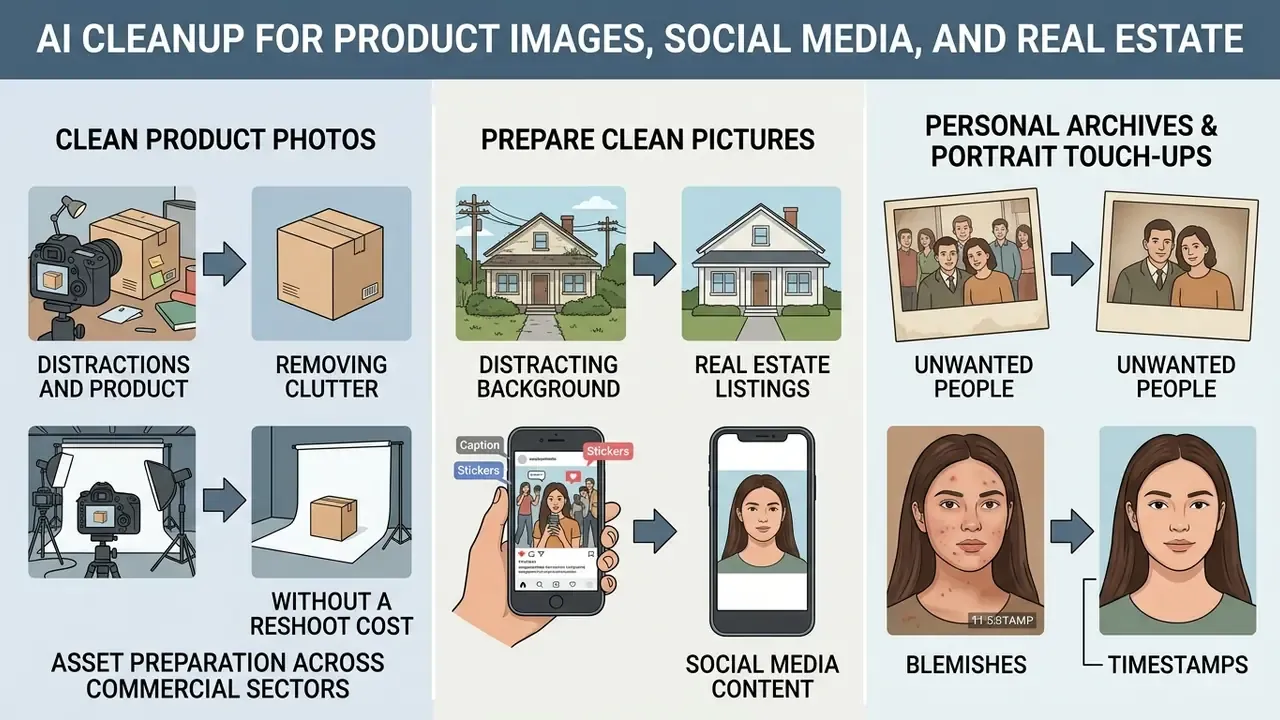
AI cleanup accelerates asset preparation across commercial sectors by removing extraneous clutter, unwanted people and distracting background elements from marketing materials. Commercial operators lean on these tools to hold visual consistency across large image catalogs.
Skipping a physical reshoot cuts studio operating cost and shortens time-to-market for digital listings. Consistent visual standards also make a storefront look deliberate rather than assembled.
Clean Product Photos Without a Reshoot
E-commerce merchants use AI tools to clear dust specks, shipping labels and studio reflections from product shots. Automated cleanup preserves core item geometry while producing clean images suitable for PDPs (Product Detail Pages).
«OmniEraser is trained on more than 100,000 samples with realistic shadows and reflections and substantially outperforms prior inpainting algorithms in complex scenes.»
Cost framing, with a caveat. Vendor-published pricing suggests software cleanup of minor manufacturing blemishes or environmental clutter costs a fraction of physical studio production. Quoted figures range from roughly $0.10 to $0.85 per image for AI cleanup against $15 to $50 per image for skilled manual retouching, with full photoshoot batches quoted in the thousands. Treat those numbers as vendor marketing inputs, not audited benchmarks. The honest metric is your own cost per accepted image, including the human review time that a 28% edge-defect rate makes unavoidable. Handled that way, cleanup genuinely does lower catalog maintenance expense across a large inventory, and pairing it with AI image upscalers yields print-ready derivatives from the same cleaned master.
Personal Archives and Portrait Touch-Ups
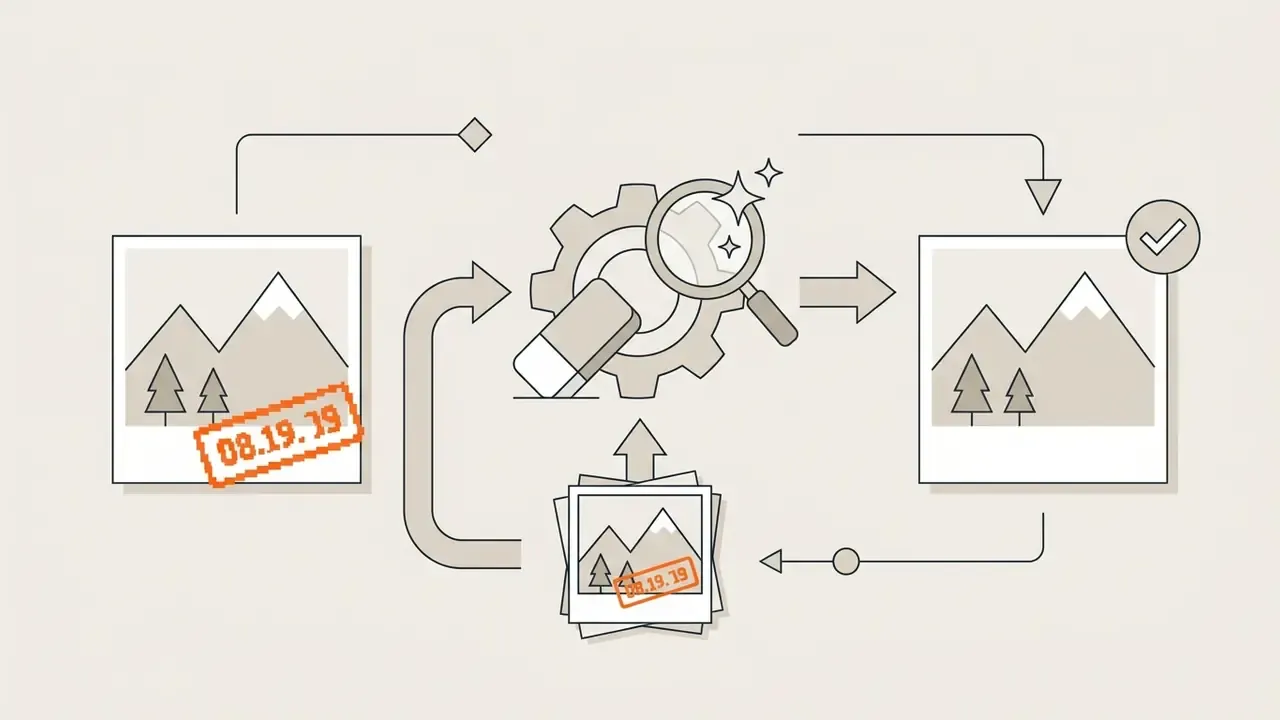
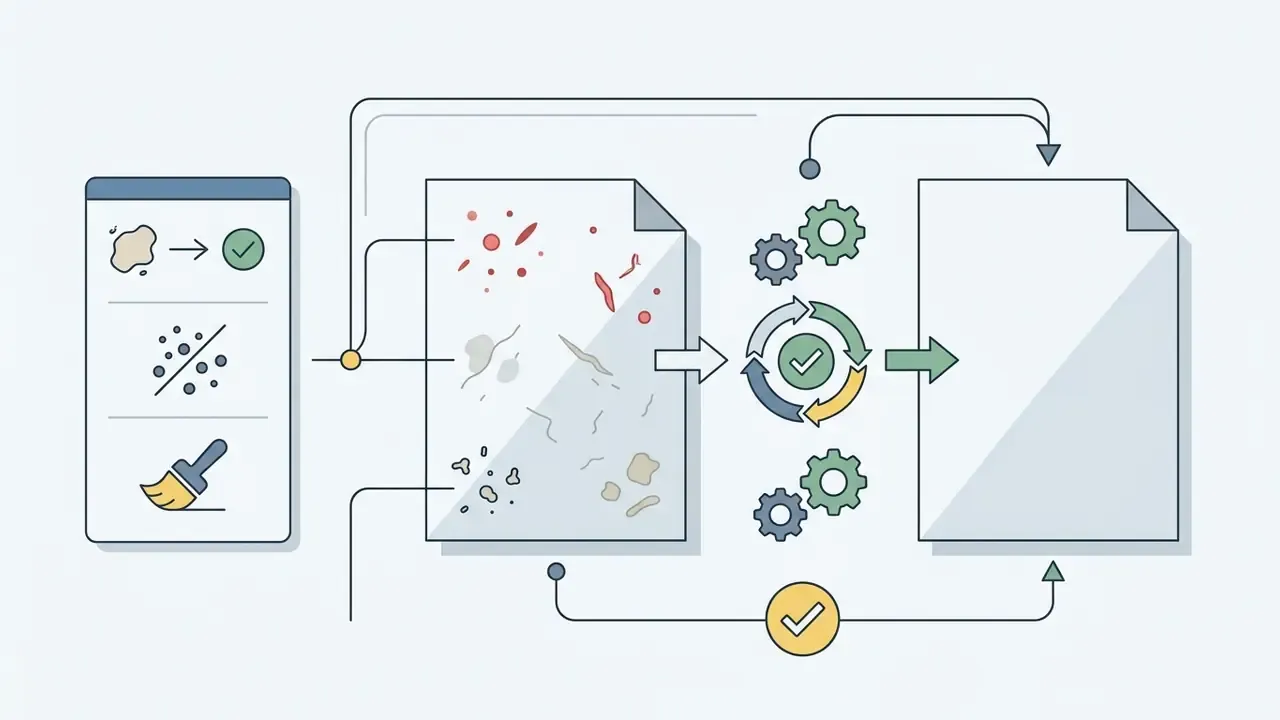
Beyond commercial catalogs, AI photo cleanup restores personal media by erasing temporal artifacts. The algorithms locate and remove localized skin defects (temporary acne, mosquito bites, redness, flash glare) without blurring natural facial pores into a plastic finish. The same software strips camera timestamps, social media caption overlays, sticker graphics and scan scratches from legacy prints, which makes a single archival scan reusable for a family print, a memorial slideshow or a quick social post.
Typical personal-archive targets include:
For portrait-grade output where identity consistency matters more than cleanup alone, compare the dedicated workflows described in our guide to AI headshot generators.
Data Security, Privacy and Shadow AI Risks in Online Cleanup
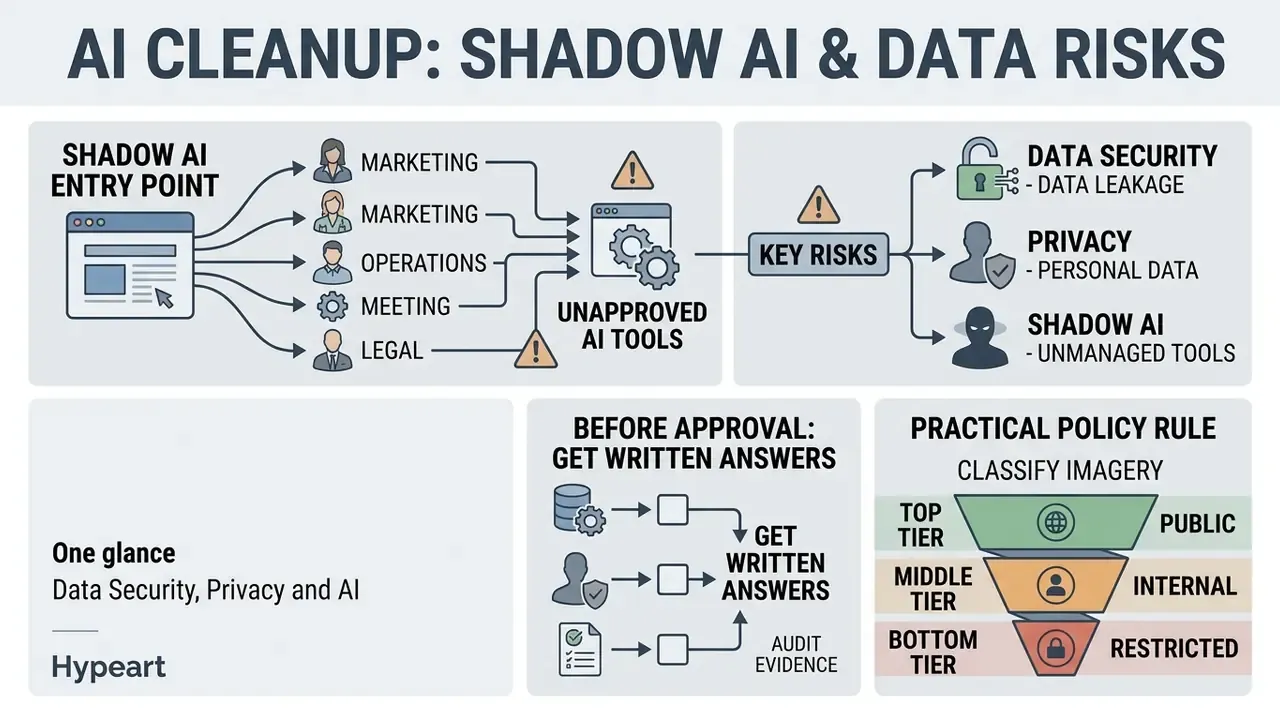
| Control area | Question to answer before upload |
|---|---|
| Retention | How long are uploads and outputs stored, and is deletion verifiable? |
| Training reuse | Are customer images excluded from model training and evaluation sets? |
| Sub-processors | Which third-party inference providers receive the file, and in which jurisdictions? |
| Compliance posture | Is there SOC 2 or ISO 27001 attestation and a GDPR-compatible data processing agreement? |
| PII handling | Does the asset contain faces, addresses, plates, medical detail or financial data? |
| Access control | Is there SSO, role separation, and an audit trail of who edited which asset? |
| Deployment model | Is VPC, on-premise or API-only processing available for restricted classes of imagery? |
Reproducible audit evidence. For any asset that may be challenged later, whether catalog imagery, insurance documentation, property listings or evidentiary scans, retain the original file, the mask, the prompt and seed (if prompt-driven), the output, and the reviewer identity. Without that chain, an organization cannot demonstrate after the fact which pixels were synthesized and which were captured. Where the authenticity of a third-party file is in question before editing even begins, verification tooling such as AI image detectors can establish provenance context.
Practical policy rule: classify imagery into public, internal and restricted tiers. Free consumer cleanup endpoints belong to the public tier only. That single line of policy prevents most of the incidents worth worrying about.
Free AI Photo Cleanup vs Paid Tools: What to Compare
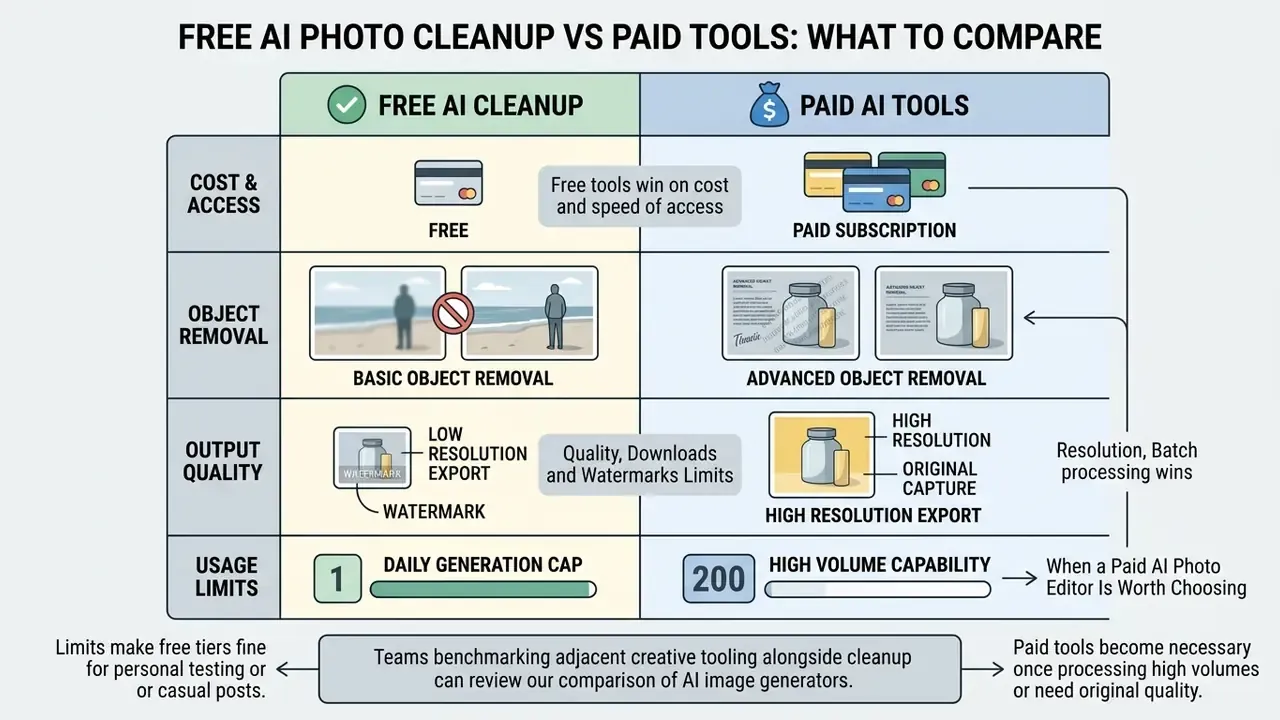
Free AI photo cleanup tools handle basic object removal for casual users, but they usually restrict export resolution, append watermarks or enforce daily generation caps. Paid professional suites add batch processing, full-resolution downloads and integrated advanced photo editing features.
Weighing throughput against quality requirements is how teams choose between a browser freemium option and an enterprise tier. For a structured walkthrough of feature ceilings and export limits in no-cost tools, see our guide to free photo editors.
Free AI Cleanup: Limits on Quality, Downloads and Watermarks
Vendor plan pages commonly cap free export resolution. Figures such as 1,600 pixels on the longest edge or 720p output appear repeatedly across consumer tiers, often alongside a visible watermark or a fixed daily credit allowance in the range of tens of generations per 24 hours. These limits are vendor-specific, they change without notice, and no independent benchmark establishes them. Check the current plan page before you commit a workflow to a free tier.
Those restrictions make free tiers fine for personal testing or a casual social media post. Compressed downloads and watermarks, however, rule them out for professional print or paid commercial placement. Free does not automatically mean weak, and that point gets missed. Efficiency research shows strong restoration quality is now achievable at a fraction of earlier compute cost, which is precisely why capable models turn up in no-cost browser tools at all.
«Any Image Restoration achieves new state-of-the-art quality while reducing trainable parameters by about 82% and FLOPs by about 85% versus prior models.»
When a Paid AI Photo Editor Is Worth Choosing
Paid AI tools become necessary once you process high volumes of product images or need original capture resolution. Commercial plans unlock batch processing, raw file support and integrated capabilities such as remove background and photo restoration. One clarification matters for procurement: no independent comparative study in the reviewed corpus quantifies output-quality differences between free and paid tiers of the same vendor. The documented differences are contractual and operational (resolution ceilings, watermark policy, throughput, licensing, security posture) rather than proven per-pixel superiority.
| Evaluation Feature | Free AI Cleanup Tools | Paid Professional AI Suites |
|---|---|---|
| Export Resolution | Restricted (e.g., 720p or 1600px max) | Original source resolution, uncompressed |
| Watermark Policy | Visible watermark appended | Watermark-free commercial exports |
| Batch Processing | Single image processing only | Automated folder or multi-file processing |
| Processing Throughput | Daily credit caps (e.g., 5 to 50 credits) | High-volume or unlimited tiers |
| Integrated Features | Basic object eraser | Background removal, restoration, upscaling, layer editing |
| Selection Controls | Brush only, fixed radius | Brush, Lasso, Rectangle, Auto-Detect, prompt directives |
| Commercial Rights | Personal use, restricted | Full commercial usage license |
| IP Indemnification | None offered | Contractual indemnity in enterprise agreements |
| Data Retention Policy | Often undisclosed; training reuse possible | Configurable retention, opt-out of training, DPA available |
| Security Attestation | Rarely published | SOC 2 or ISO 27001; SSO and role-based access |
| Audit Trail | Absent | Per-asset edit logs and reviewer attribution |
| Deployment Options | Public web endpoint only | API, VPC or on-premise processing |
Table summary in text: free tools win on cost and speed of access; paid tiers win on resolution, batch throughput, licensing clarity, retention control and auditability. If your imagery is public-tier and low volume, the free column is enough. If it touches customers, contracts or catalogs, it is not.
Teams benchmarking adjacent creative tooling alongside cleanup can review our comparison of AI image generators for commercial workflows to keep licensing terms aligned across the stack.
Commercial teams processing hundreds of SKUs a month need batch capability simply to stay on schedule. High-resolution output guarantees compatibility with strict marketplace listing standards, and API access is what allows cleanup to be logged inside existing GRC or asset-management systems instead of happening ad hoc in somebody's browser tab.
For broader media workflows, you can compare options across software suites or review AI Media Comparison criteria to balance cost against operational capability.
Commercial Use, Text and Watermark Removal: What to Check
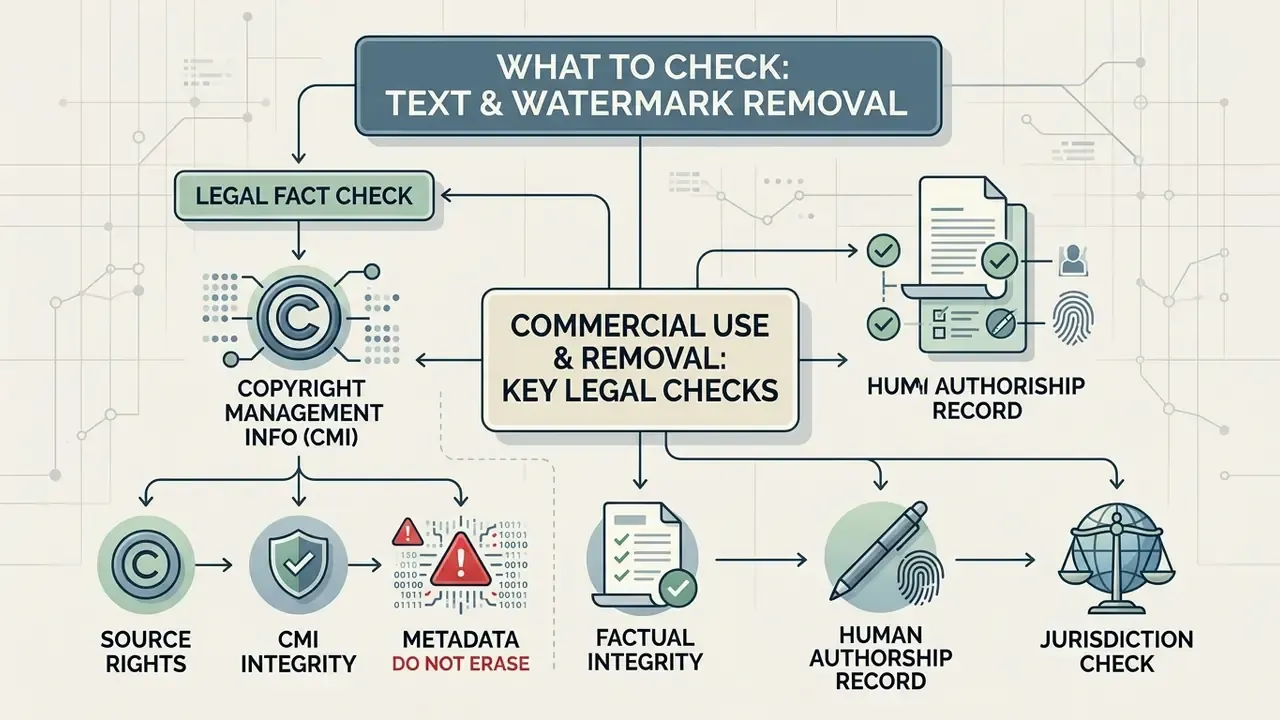
Commercial deployment of AI-edited images requires strict verification of rights in the original asset and compliance with copyright legislation. Removing text or watermarks from third-party media creates substantial legal exposure under federal copyright statutes.
LEGAL FACT CHECK: Copyright Management Information (CMI)
Technical ease of removal is not a legal defense, and rights-holders have said so on the record:
«Invisible watermarks are easily removed by cropping and resizing, and none survive typical publication workflows.»
Before you use cleaned pictures commercially, confirm your organization holds explicit licensing rights to the source material. Documenting human creative input during editing also supports intellectual property registration requirements (U.S. Copyright Office AI Guidance).
Operators seeking comprehensive licensing guidelines can review our commercial use policies or explore specialized tools such as the ai alt text generator for digital accessibility management.
Legal review checklist before publication
- Source rights
- Retain the license, purchase order, model release or capture record proving lawful access to the original file.
- CMI integrity
- Confirm no third-party watermark, credit line, rights metadata or provenance signal was stripped from the asset.
- Metadata you must not erase
- Author attribution, license terms, copyright notice, and provenance or content-credential data embedded by the rights-holder.
- Factual integrity
- For documents, receipts, inspection photos, insurance or property imagery, confirm no edit alters a material fact represented in the frame.
- Human authorship record
- Log the operator's creative decisions, including mask design, prompt directives and corrections, to support registration and defend originality.
- Jurisdiction check
- Outside the U.S., confirm local rules on lawful access, text-and-data-mining opt-outs and anti-circumvention provisions before reuse.
AI Image Cleanup FAQs
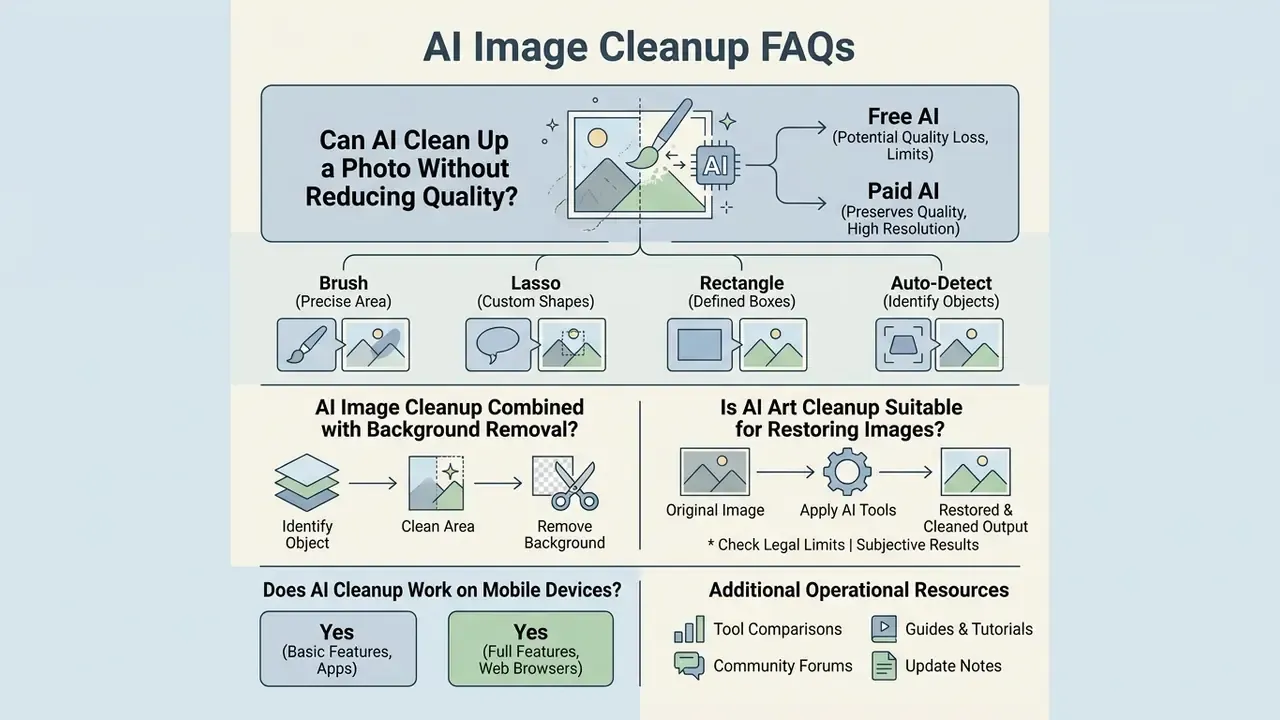
Can AI Clean Up a Photo Without Reducing Quality?
Yes, AI can clean up a photo without degrading resolution, provided the tool processes the source file at its native pixel dimensions. High-fidelity diffusion models restore missing regions while maintaining local grain structure and signal-to-noise ratio.
«EraseLoRA improves SSIM and PSNR and reduces LPIPS across three benchmarks, consistently outperforming other methods without task-specific datasets.»
Quality loss usually comes from somewhere else entirely: aggressive lossy JPEG compression at export, or a free tier downsampling output to its plan ceiling. Where the cleaned region reads soft because the source itself was low resolution, an explicit super-resolution pass restores pixel density. The cleanup model will not do it for you.
Which Selection Tool Should I Use: Brush, Lasso, Rectangle or Auto-Detect?
Use Auto-Detect for a first pass on obvious targets such as background people and large text blocks, then refine by hand. Use Rectangle for geometric intrusions such as timestamps, signage and posters. Use Lasso when the target sits against protected detail and a bounding box would swallow product edges. Use Brush with a small radius for dust, blemishes and thin cables. Research on joint segmentation-plus-inpainting training confirms the practical rule of thumb: mask quality, not raw model size, is the dominant variable in removal accuracy.
Can AI Image Cleanup Be Combined with Background Removal?
Yes. AI image cleanup is frequently combined with background removal in commercial editing pipelines, and documented production sequences put the steps in a specific order: background removal first, AI cleanup on the isolated subject cutout second, color correction last. Cleaning the subject after backdrop extraction prevents edge bleeding and lighting contamination, because spill suppression and alpha refinement then happen on the matte rather than on the original full-scene image.
«Inpaint Anything supports Remove Anything, Fill Anything and Replace Anything in a single pipeline built on the Segment-Anything Model.»
The claim that this combination is "routine" reflects vendor workflow documentation rather than a measured industry survey, so validate the sequence against your own asset types. Teams building specialized pipelines can explore adjacent transformation tooling such as image-to-image generators, test motion features like ai animate image, or browse the hub for advanced workflow tutorials.
Is AI Art Cleanup Suitable for Restoring Images?
AI art cleanup removes scratches, dust specks, JPEG compression artifacts and color fading from old photographs and digital artwork. Generative models reconstruct missing detail from the surrounding artistic style and line work, and instruction-guided restoration now lets conservators describe the defect class in plain language.
«InstructIR uses natural-language instructions for image restoration and improves average PSNR by roughly 1 dB over prior all-in-one methods.»
Conservators still have to validate outputs visually to ensure the software has not quietly altered a historical or artistic detail. Archival practice recommends working from a sharp, uncompressed capture master with an embedded color profile, and inspecting results at a 1:1 pixel ratio. For hand-validation of AI output against the original scan, general-purpose free photo editors remain a practical companion.
Does AI Cleanup Work on Mobile Devices?
Yes. Cleanup endpoints run in mobile browsers and in dedicated iOS, Android and desktop applications, following the same upload, mask, generate, export sequence. Mobile suits social and personal assets well. Catalog and archival work benefits from a desktop display, where a genuine 100% zoom review is actually possible.
Additional Operational Resources
For teams extending their digital media capabilities, these related guides cover adjacent decisions on features, pricing and usage rights:
- Review core feature sets and commercial workflows in our guide to online photo editors.
- Compare export limits, privacy terms and upgrade triggers across free photo editors.
- Extend a cleaned frame instead of cropping it with AI outpainting and image expansion tools.
- Evaluate portrait-grade output standards with AI headshot generators.
- Verify the provenance of third-party imagery before editing using AI reverse-image-search tools.
- Add motion to a cleaned still with ai animated image tooling.
- Benchmark licensing terms across generation tooling in our comparison of free AI art generators.
- Review production workflows and compare options across enterprise media platforms.
- For legal and copyright developments affecting digital assets, browse the hub for updated industry analysis.
Appendix A: Source and Link Revisions
In the interest of transparency, this edition replaced several previously cited references that could not be verified against the primary research corpus. The superseded citations are recorded below alongside the verified sources now used in the main text.
| Superseded citation (removed) | Replacement source | Reason |
|---|---|---|
| Microsoft MAI-Image-2.6 Model Card, 2026 | OmniEraser, arXiv (2025) | Vendor model card; the same multi-scale claim is supported by a verifiable study |
| SCITEPRESS Background Removal Analysis, 2021 | SmartEraser, arXiv (2025) | Superseded by a current source with reported scale and results |
| ECCV Generative Object Compositing Study, 2024 | ObjectClear, arXiv (2025) | Replaced with a dataset-backed reference on shadows and reflections |
| Claid.ai Documentation, 2026 | OmniEraser, arXiv (2025) | Vendor documentation is not peer-reviewed evidence |
| Pedra Real Estate Image Processing Report, 2026 | RealFill, arXiv (2023) | Vendor report replaced with a benchmarked inpainting method |
| Kling AI and SnapEdit Plan Specifications, 2026 | Reframed as vendor-specific, unaudited plan limits | Plan pages change without notice; figures are not independent benchmarks |
| Production Image Pipeline Standards, 2026 | Inpaint Anything, arXiv (2023) | No such standard exists in the verified corpus |
| Adobe Firefly Restoration Analysis, 2026 | InstructIR, arXiv (2024) | Vendor analysis replaced with a measured PSNR result |
| EraseLoRA Benchmark Study, 2025 (no figures) | EraseLoRA, arXiv (2025) with reported metrics | Strengthened with quantitative background-similarity, SSIM and PSNR data |
| Off-topic outbound links in FAQ and resources | Topically relevant editor, upscaling, provenance and licensing guides | Removed destinations that did not serve the reader's task |