«Deploying generative vision models for corporate identity means balancing aesthetic precision against model governance and data privacy. Without verified data lineage, biometric encryption, and explicit licensing controls, a photo tool becomes an unmonitored operational risk.»
— Marcus Hale, author
Why should a Chief Risk Officer care about headshots? Because the moment 500 employees upload their faces to a consumer app, you own a biometric data flow you never approved. That is the real subject of this article.
Executive Summary for Decision-Makers
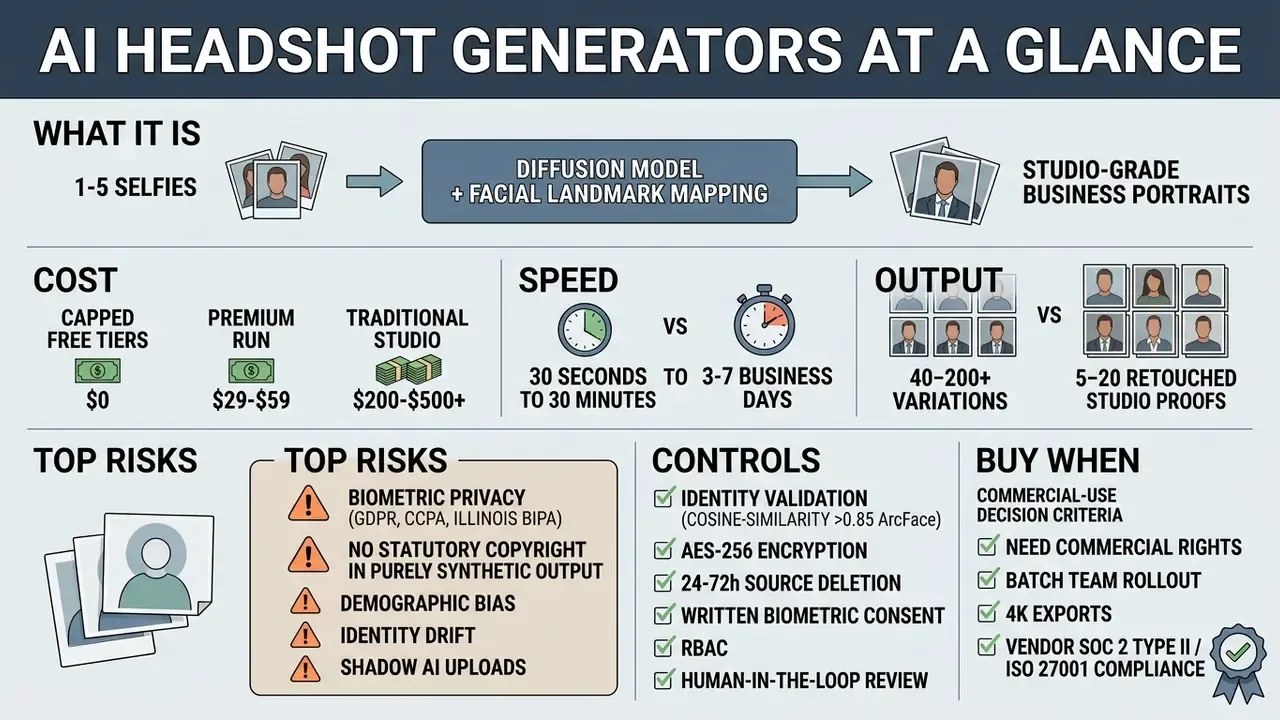
Sections covered: [1] What Is an AI Headshot Generator · [2] LinkedIn & Resume Headshots · [3] Enterprise Team Branding · [4-7] Step-by-Step Workflow · [8-10] Input Photo Requirements · [11-14] Styles, Industries & Editing · [15-18] Pricing, ROI & AI vs. Photographers · [19-21] Commercial Rights & Copyright · [22-24] Privacy, Biometric Law & Enterprise Governance · [25] FAQ.
What Is an AI Headshot Generator and Primary Business Use Cases
An ai headshot generator is a software application that converts uploaded selfies into studio-grade professional portraits. It does this using text-conditioned image diffusion models and facial landmark mapping. These tools read underlying facial features, things like eye distance, jawline geometry, and skin tone, then synthesize new imagery with tailored business attire, controlled lighting, and a chosen background. Organizations and individuals use these systems to produce an ai business profile picture or a full headshot portfolio without booking a photographer.
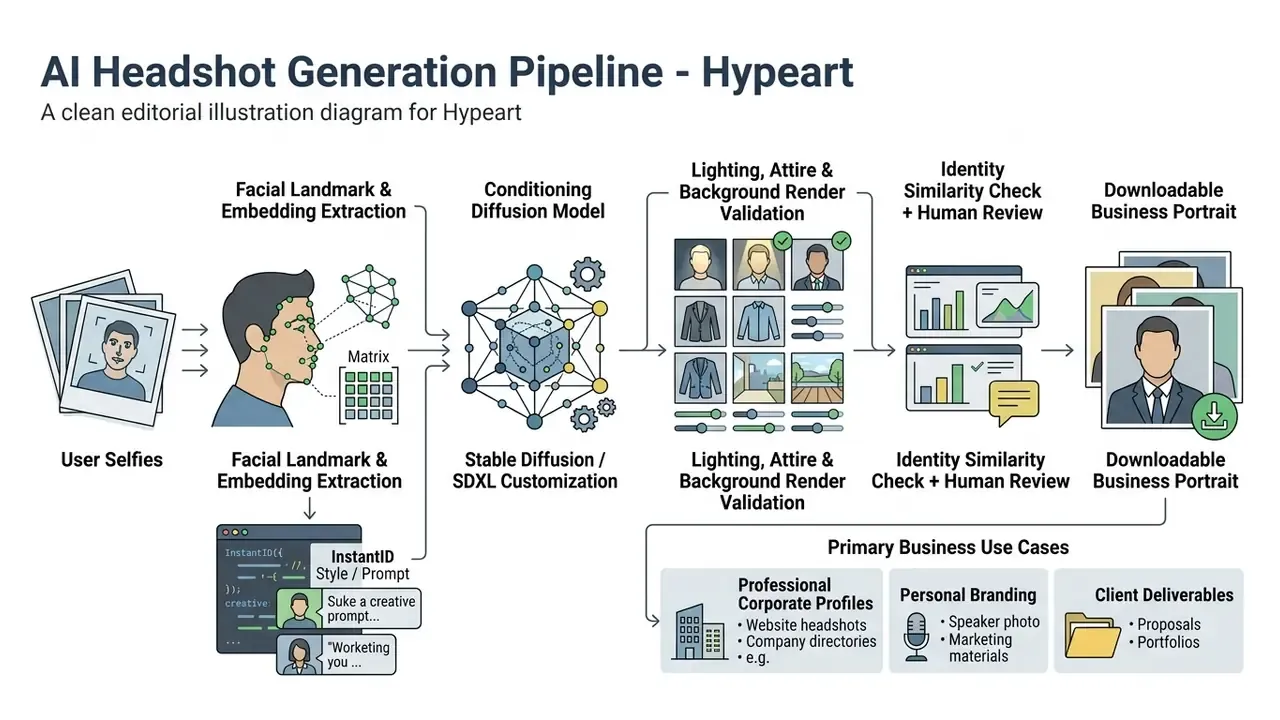
From an algorithmic standpoint, frameworks like InstantID use zero-shot identity preservation to build high-fidelity professional headshots from a single reference image.
«InstantID combines five key facial landmarks with high-dimensional feature vectors, preserving identity across changes of background, lighting, and clothing.»
By extracting high-dimensional facial vectors alongside structural landmarks, these systems separate identity from context: clothing, room, light. The output then works as an ai business photo generator, rendering distinct visual formats. Formal board portraits at one end, versatile profile pictures at the other, each tuned to a specific corporate channel.
Model Risk Perspective: Identity Preservation Metrics and Drift
For regulated industries, "the photo looks nice" is not an acceptance criterion. Model risk teams should treat the generator as an automated visual system with measurable tolerances. Align acceptance testing with existing model risk management practice. In banking, that usually means the validation, documentation, and ongoing-monitoring expectations framed by SR 11-7 and OCC 2011-12 style governance.
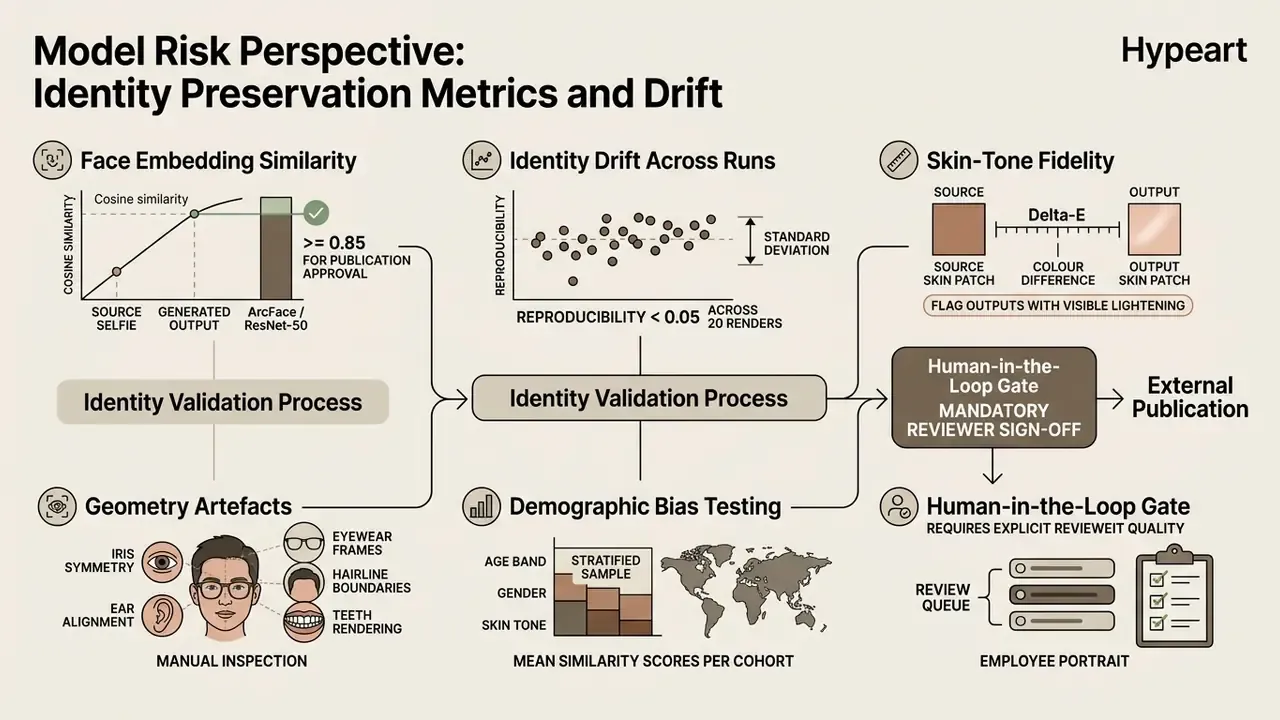
A note on limits. Current identity-preserving diffusion systems still slip into the uncanny valley: over-smoothed skin, one eye a fraction off, micro-expressions flattened out. They reproduce a plausible likeness, not the live expressive range of a person on stage. So treat generated portraits as a standardized branding asset, not a replacement for high-stakes editorial photography. That distinction saves arguments later.
Professional Headshots for LinkedIn, Resumes, and Career Profiles
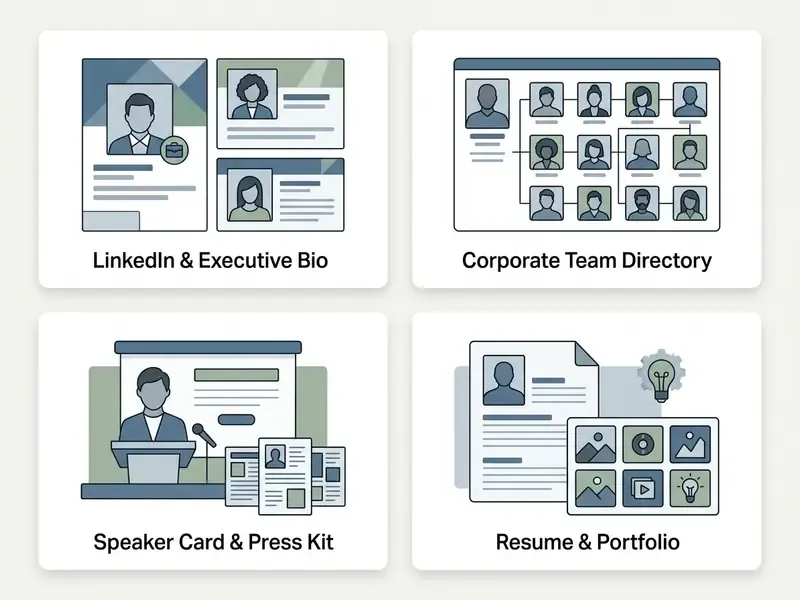
A professional headshot works as a primary visual credential on career platforms: LinkedIn, executive biography pages, employment applications. Research shows that visual cues in profile imagery affect professional evaluation and perceived capability.
«Analysis of 2,042,198 applications on Freelancer.com showed that visual alignment with role expectations significantly increases hiring probability, especially when reputation scores are non-diagnostic.»
Professional network analytics suggest profiles with optimized, studio-grade headshots draw up to 21 times more profile views and 9 times more connection requests than profiles with amateur or missing images. Visual competence correlates with inbound recruiter outreach and, eventually, interview conversion.
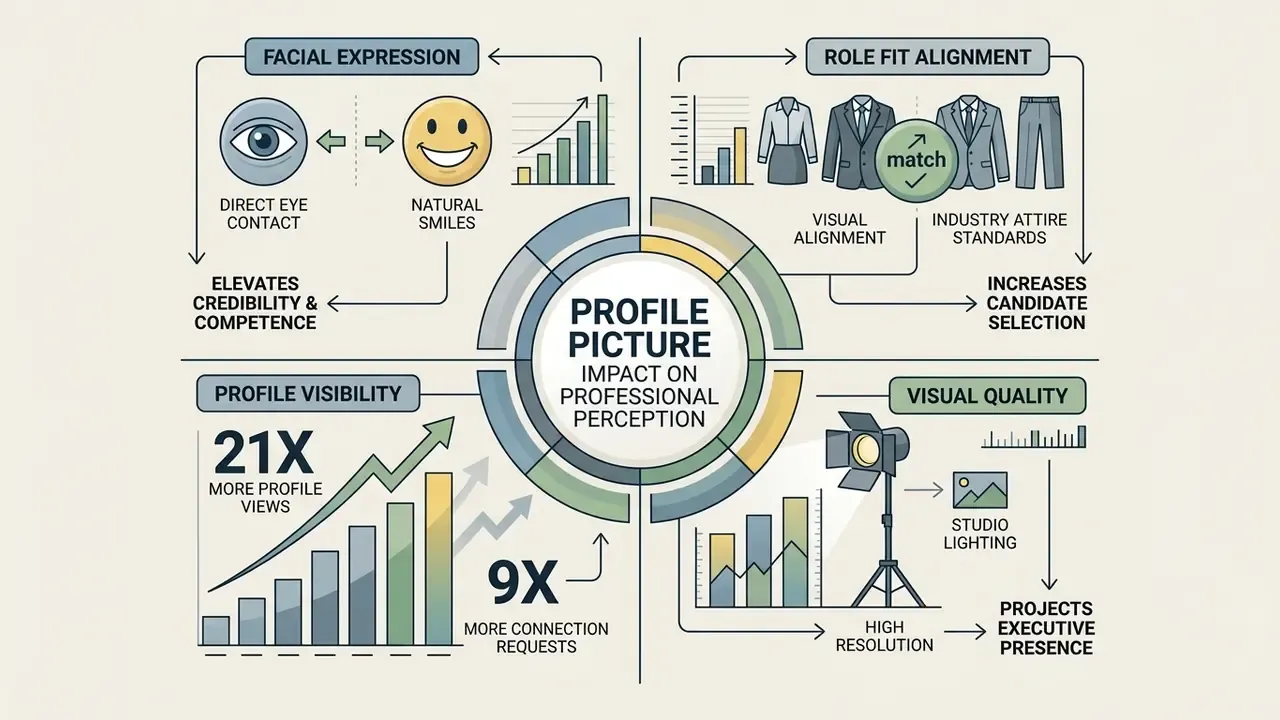
An ai career photo generator lets candidates project a polished, executive presence without a studio booking. Recruiter-evaluation research points the same way: photos with direct eye contact, a natural smile, and balanced lighting score higher on social attractiveness and perceived competence.
«Recruiters rated smiling and looking into the camera as positively affecting perceived credibility.»
Data note: the frequently cited "Journal of Social Presence on LinkedIn, 2020" could not be matched to an indexed publisher record. The underlying finding still holds directionally, that profiles with a photo read as more socially attractive and more competent than photo-less ones, but the support comes from the 2016 recruiter experiment and comparable profile-picture studies. Treat exact effect sizes as indicative until a primary source is confirmed.
When changing roles or building industry influence, people reach for an ai app to create professional photos to keep a consistent personal brand across every digital touchpoint. You can compare options for creative generation tools across our technical index.
AI Business Photos for Employees, Teams, and Corporate Branding
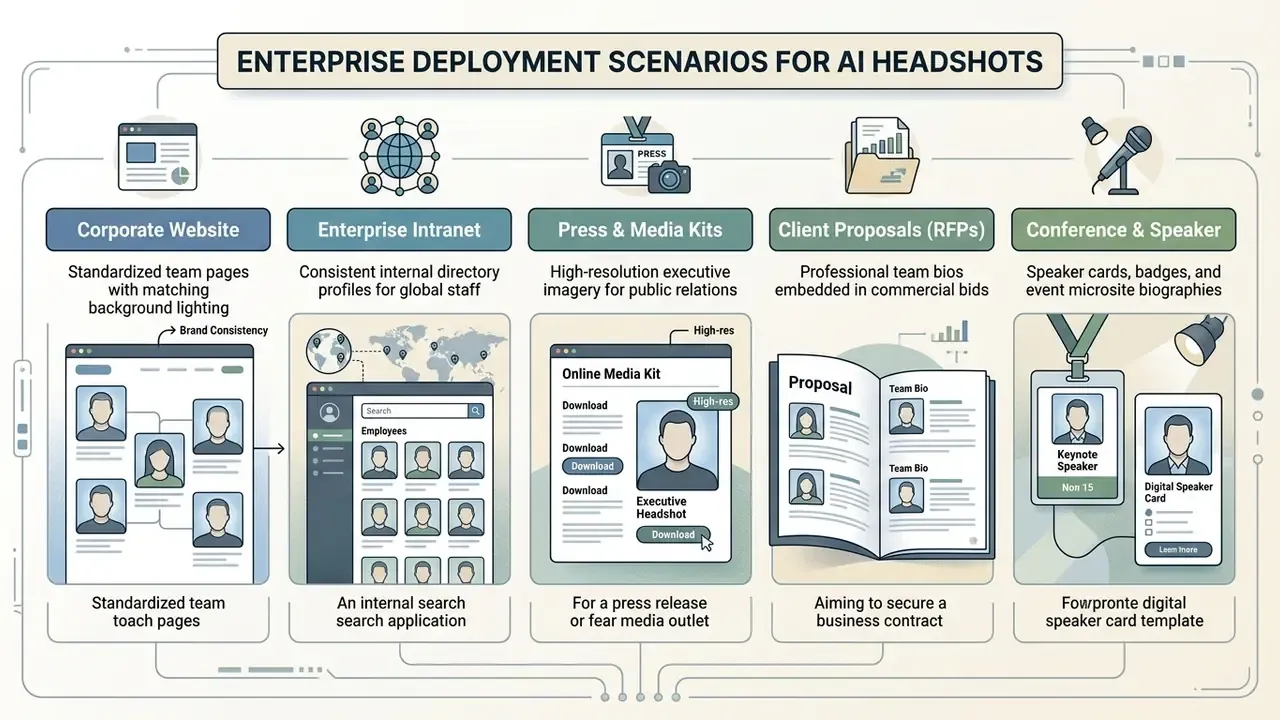
For enterprises, an ai business image generator offers a scalable way to hold visual brand consistency across a distributed workforce. Traditional corporate shoots carry real friction: local studio bookings, travel, and a recurring bill every time someone new joins. By standardizing on an ai business portrait generator, marketing and HR can publish one central style guide covering approved backgrounds, colour palettes, and dress codes.
How to Create a Professional Headshot Using AI
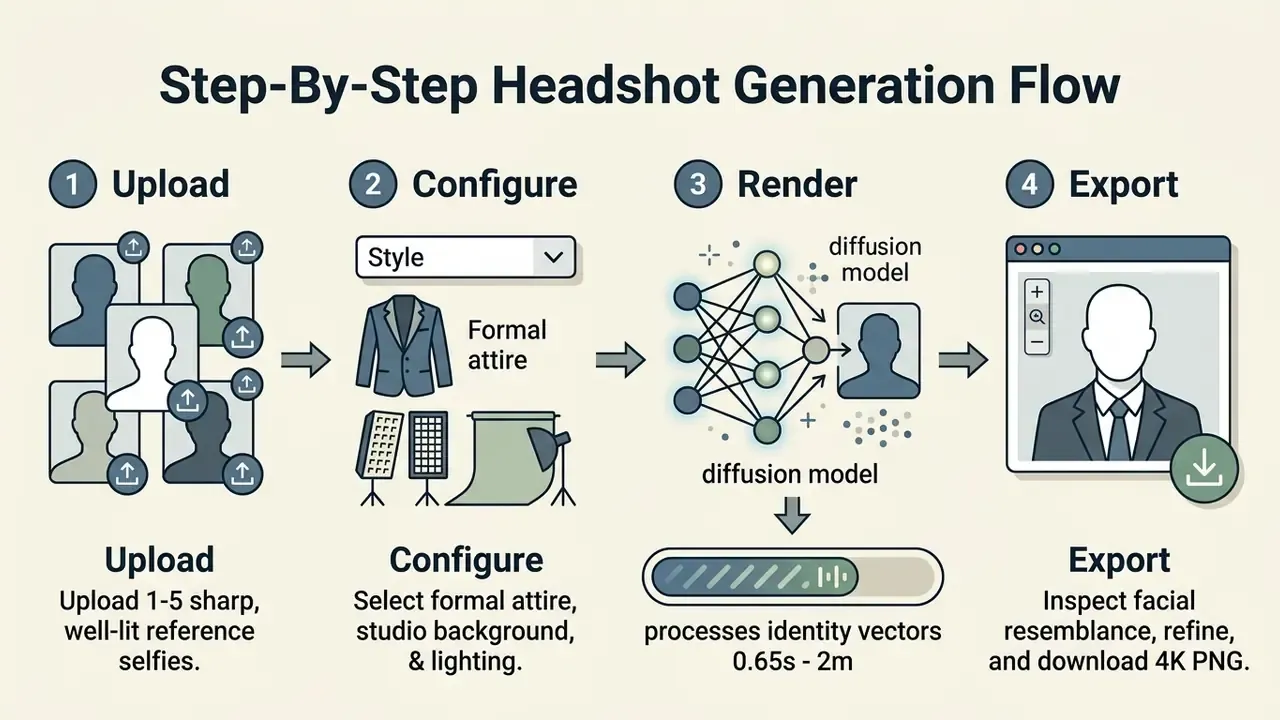
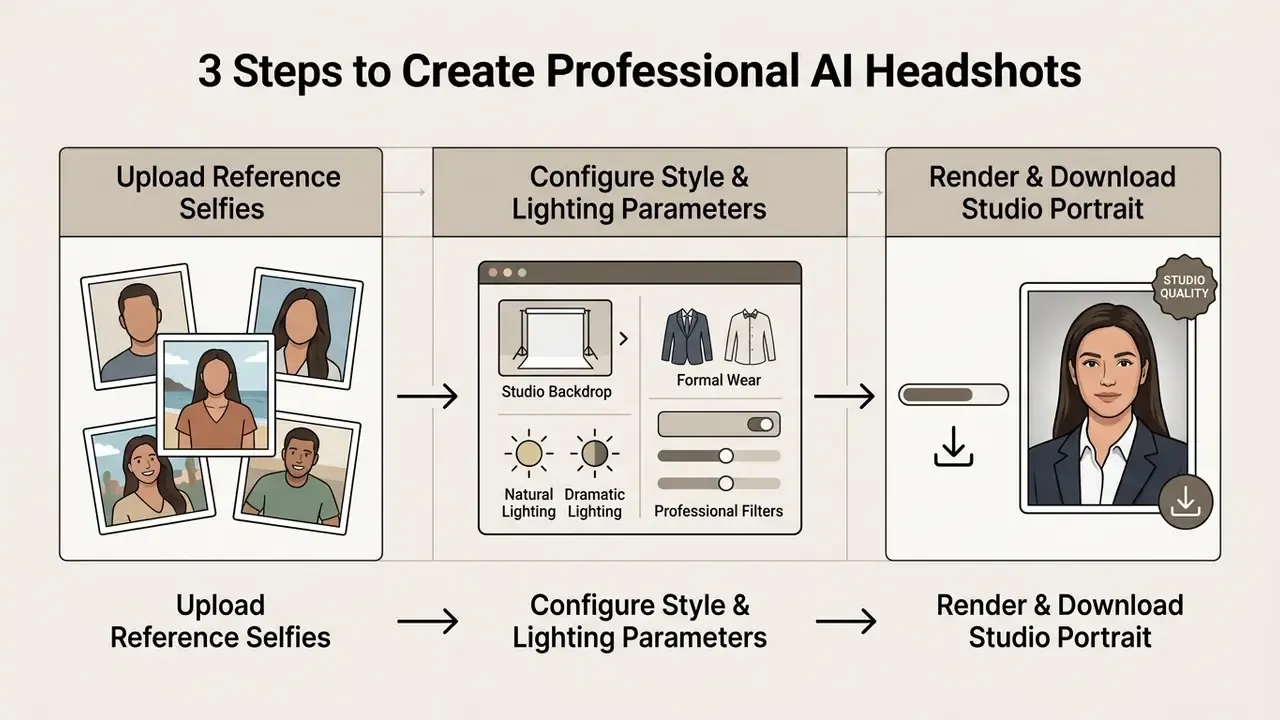
Creating a studio-grade business portrait follows a fairly deterministic four-step workflow. Upload source imagery, configure visual attributes, run the model, select exports. Modern applications compress that pipeline into minutes.
Upload Clear Selfies with Unobstructed Facial Features
The first phase is uploading reference imagery. Most diffusion pipelines perform best with high-resolution selfies that clearly show front-facing facial geometry. To review complementary editing capabilities, technical teams can consult our guide to online photo editors and our overview of AI photo editors for pre-processing source images before upload.
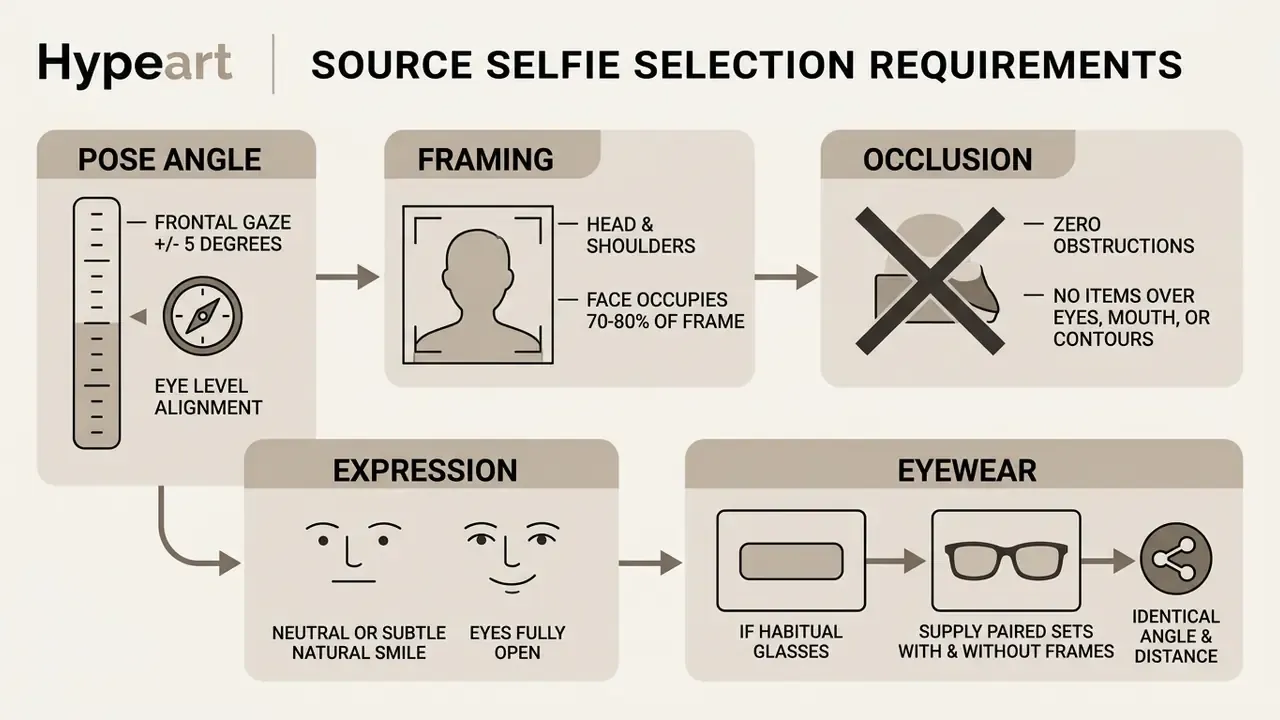
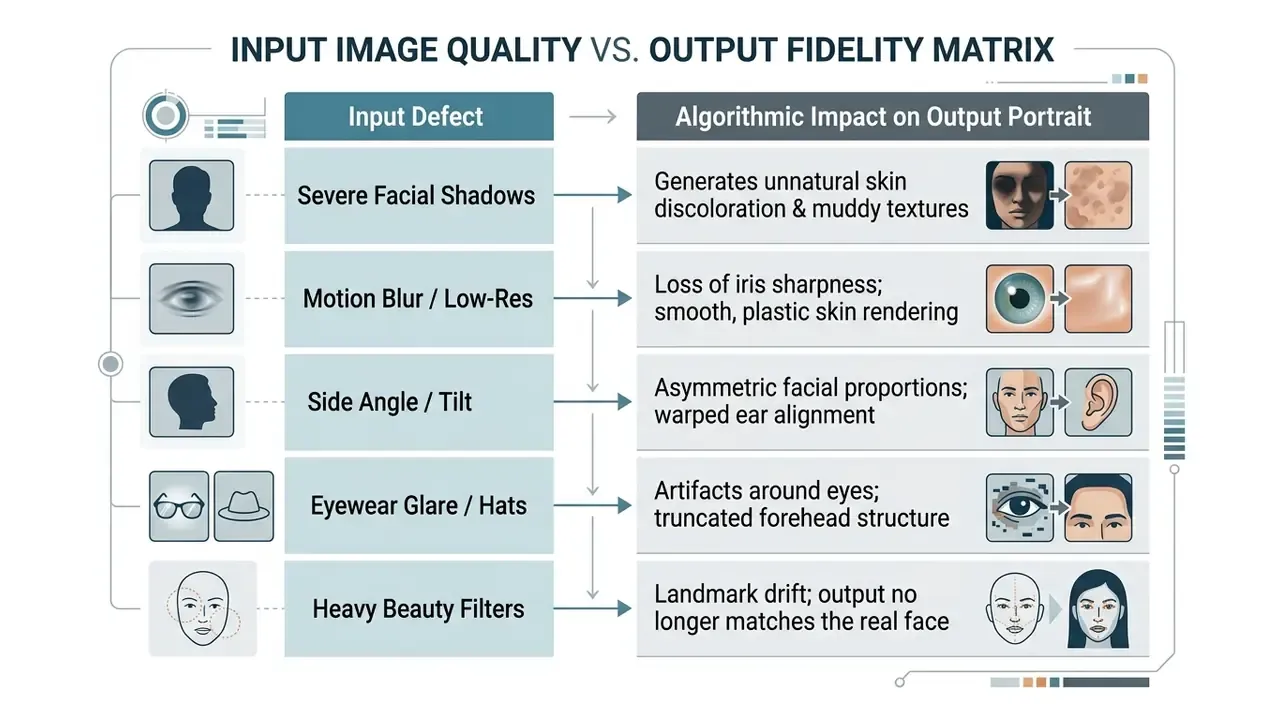
When an ai app to make a professional photo ingests a reference image, it extracts spatial keypoints defining eye alignment, nose bridge position, and lip boundaries. Heavy filters, extreme angles, or headwear break landmark extraction. The result is that slightly wrong face you cannot quite explain.
Select Business Style, Attire, and Background Settings
With reference images loaded, you define styling parameters. An ai business photo maker exposes granular menus for clothing, environment, and lighting.
- Attire options formal charcoal suits, tailored blazers, button-down dress shirts, or business casual knitwear.
- Background environments modern glass office interiors, solid neutral studio backdrops in grey, navy, or beige, architectural stone, or soft gradient textures.
- Lighting profiles soft diffused studio light, key-and-fill directional setups, or warm ambient office illumination.
Picking complementary attributes lets you match your ai business pic to industry expectations, whether that means a conservative banking tone or a friendlier creative image.
Industry-Specific Visual Standards Matrix
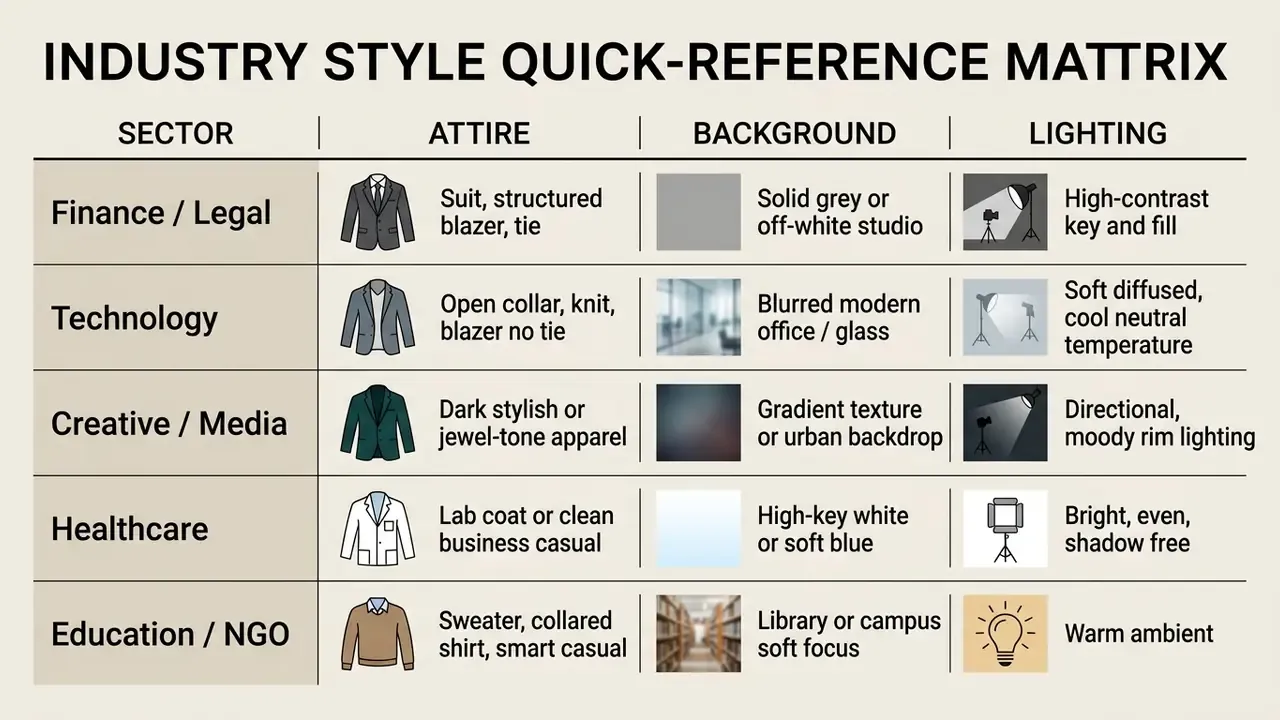
Sectors enforce distinct visual norms. Tune prompts and style configurations accordingly.
- Corporate, finance and legal formal attire is effectively mandatory. Charcoal or navy suits, structured blazers, neutral solid backdrops, high-contrast studio lighting. The signal is authority and stability.
- Technology and startups business casual balance. Open-collar shirts, quality knits, or blazers without ties, paired with softly blurred modern office or glass architecture.
- Creative industry and media personality-driven. Dark-toned apparel, subtle jewel colours, high-end casual wear, plus directional lighting or an urban backdrop.
- Healthcare and life sciences clean, clinical, reassuring. Bright setups, soft neutral backgrounds, lab coats or clean business casual, warm expression. Patient trust is the objective.
- Education and non-profit approachable expertise. Warm ambient lighting, soft-focus academic or library settings, smart casual knitwear and collared shirts.
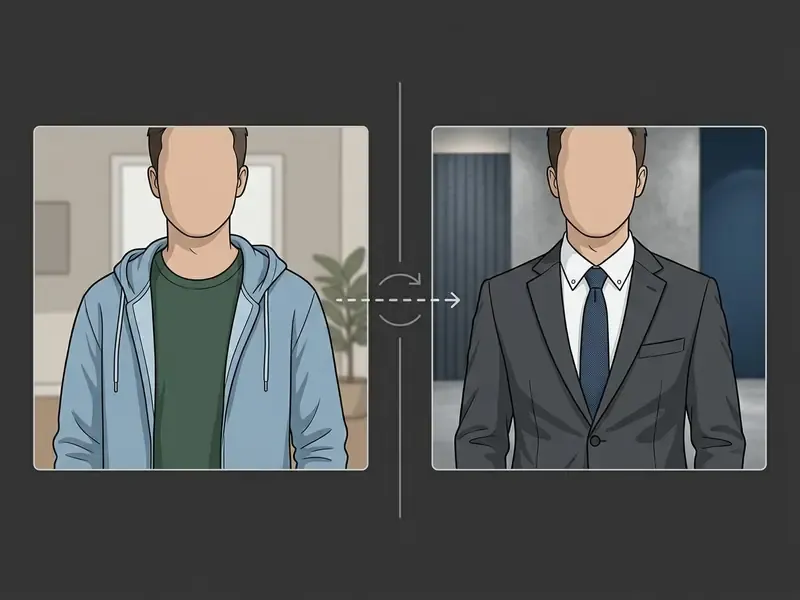
Generate Variations, Edit Details, and Download Results
https://arxiv.org/abs/2401.07519
Input Photo Requirements for Realistic AI Headshots
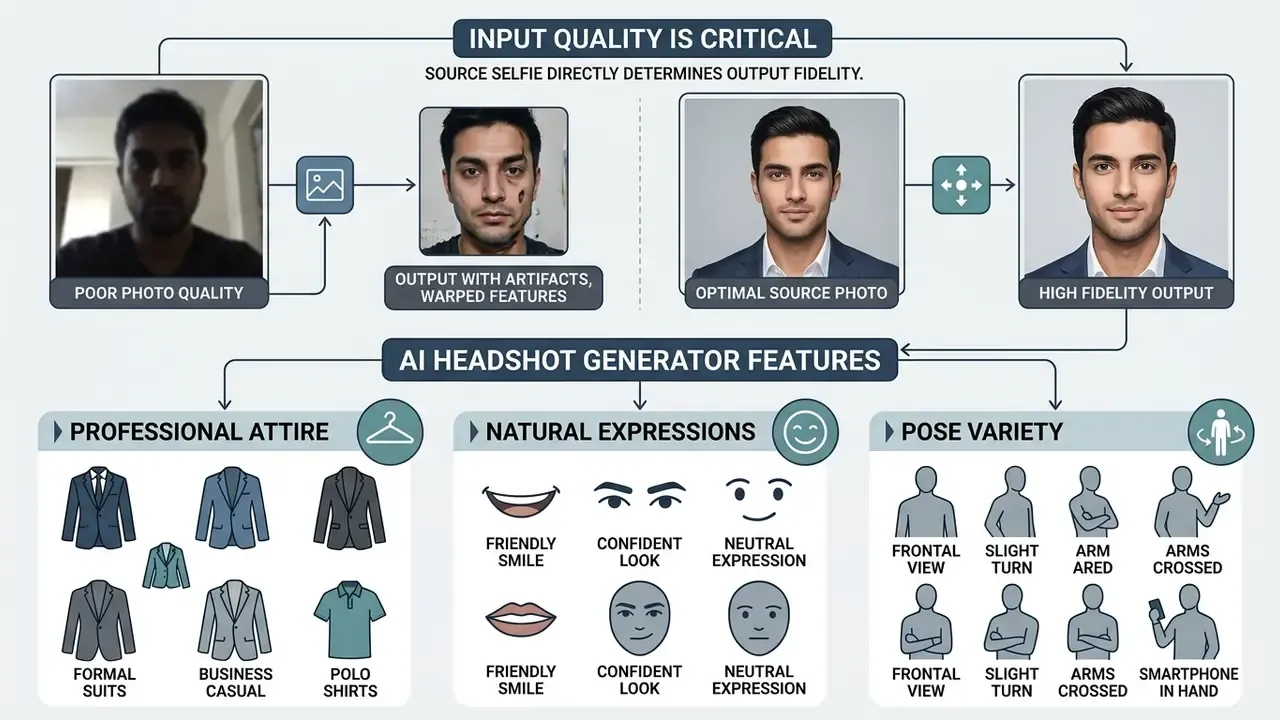
The fidelity of an ai headshot depends first on input data quality. Garbage in, uncanny out.
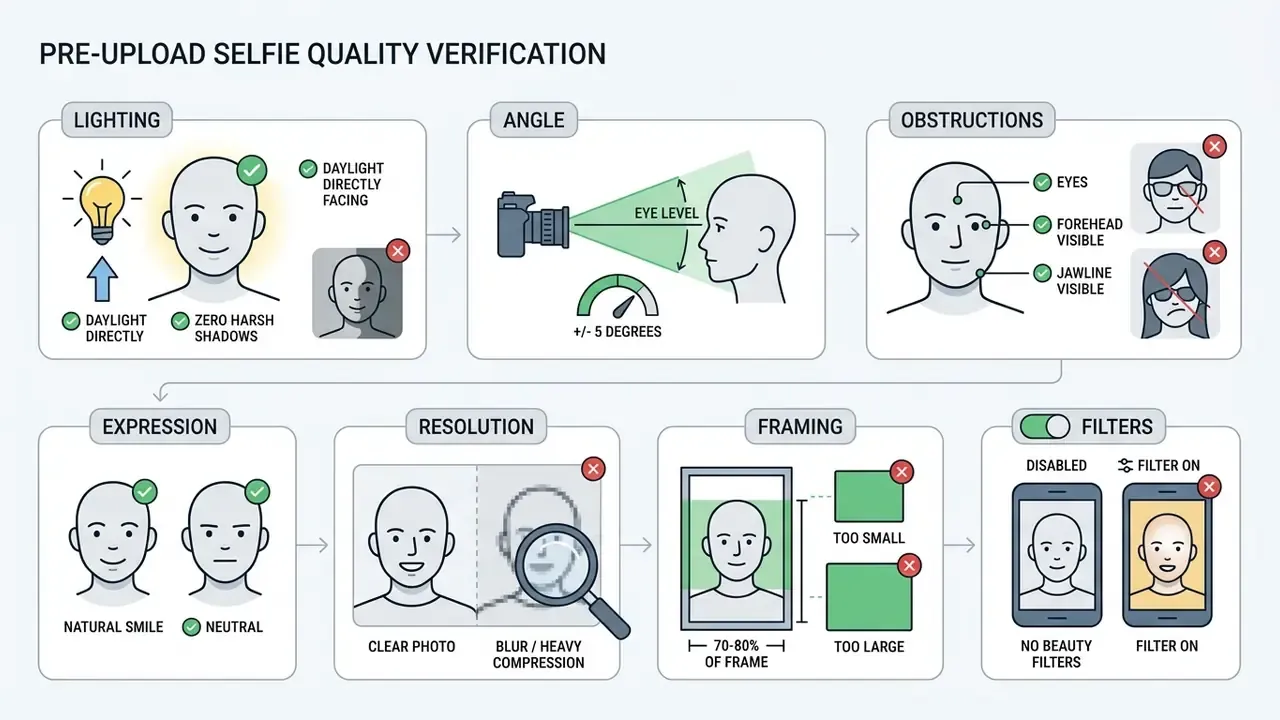
Biometric guidance from NIST reinforces the same capture conditions: symmetric lighting, frontal pose within roughly ±5°, sharp focus from nose to ears and chin to crown, no facial occlusion.
Lighting, Sharpness, and Clean Background Conditions
- Lighting
- natural front-facing daylight or balanced indoor light removes dark eye sockets and harsh nose shadows.
- Sharpness
- high-resolution sensors capture pores and iris detail, which keeps the generator from producing that artificially smoothed plastic look.
- Background neutrality
- the generator replaces the background anyway, but an uncluttered source stops stray colour casts bleeding onto skin tones and hair edges.
Attire, Natural Expressions, and Pose Variety
An ai casual photo generator can change wardrobe in the output, so casual reference photos are fine, provided expressions stay natural. Passport and visa photo standards from the U.S. Department of State require a neutral or naturally smiling expression, both eyes visible, ordinary daily clothing without uniforms or camouflage, and a head facing the camera without tilt (U.S. Travel Document Photo Guidelines, 2025).
Submitting several selfies at slightly different camera distances gives the model broader volumetric data. Avoid exaggerated expressions, squinting, and extreme head tilts, though. Those non-standard poses distort the landmark grid used by identity-preserving models such as InstantID (InstantID, 2024).
Customizing Styles, Backgrounds, and Editing Business Headshots
Modern headshot applications ship styling suites that shift visual tone to match organizational culture or career level. Use a preset, or tune individual elements yourself.
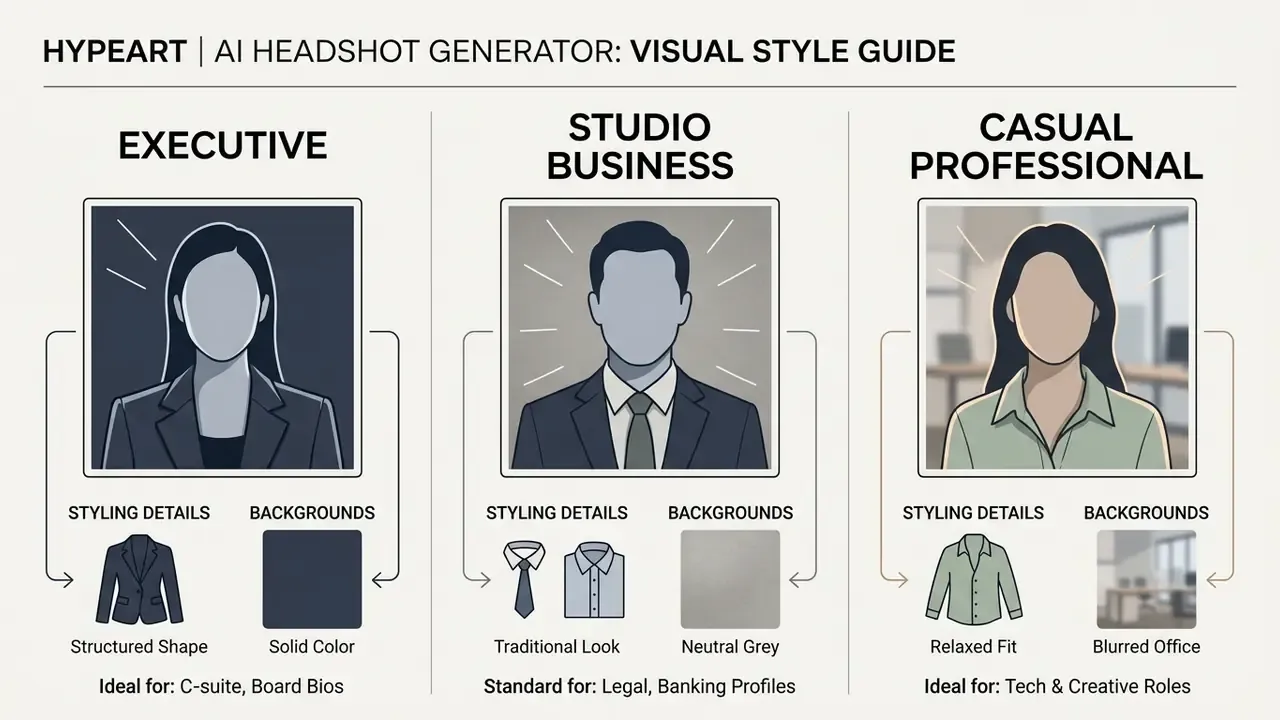
Executive, Studio, and Business Profile Styles
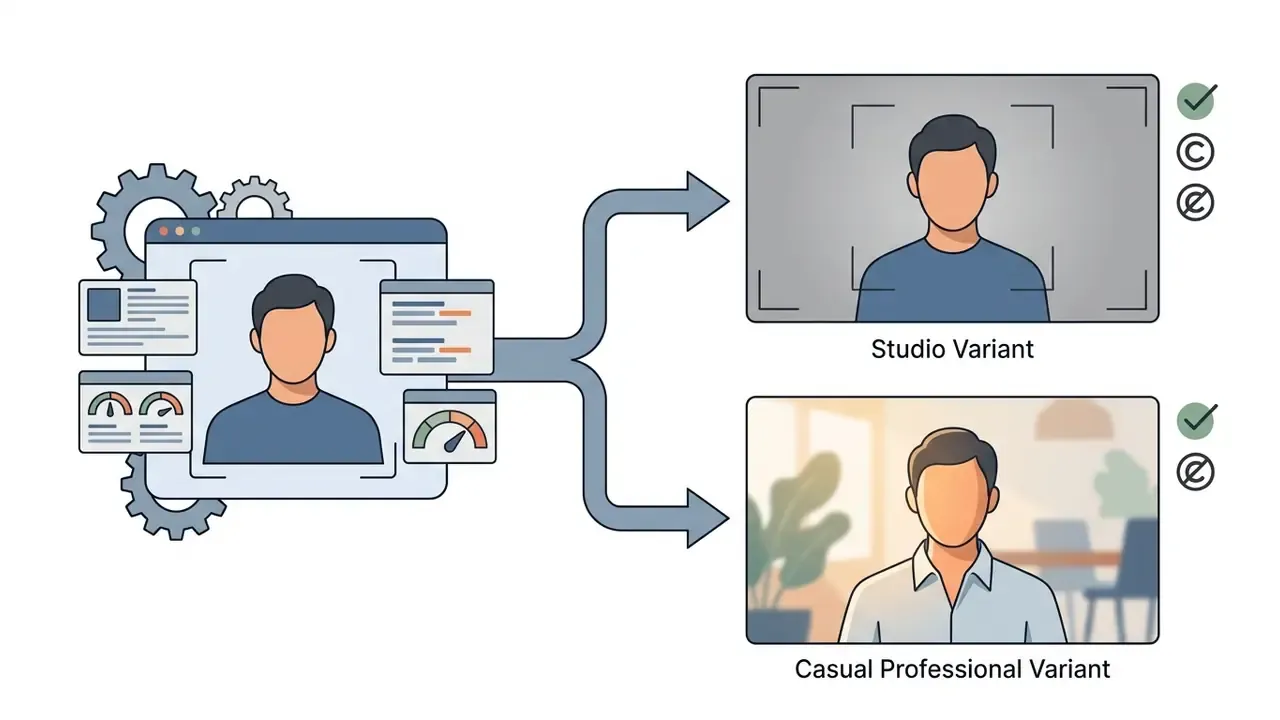
Different corporate environments demand different visual standards. An ai business portrait generator groups these into structured presets:
Presets are not neutral defaults. Bias auditing has to travel with style selection, because generative models can systematically shift ethnic and demographic features.
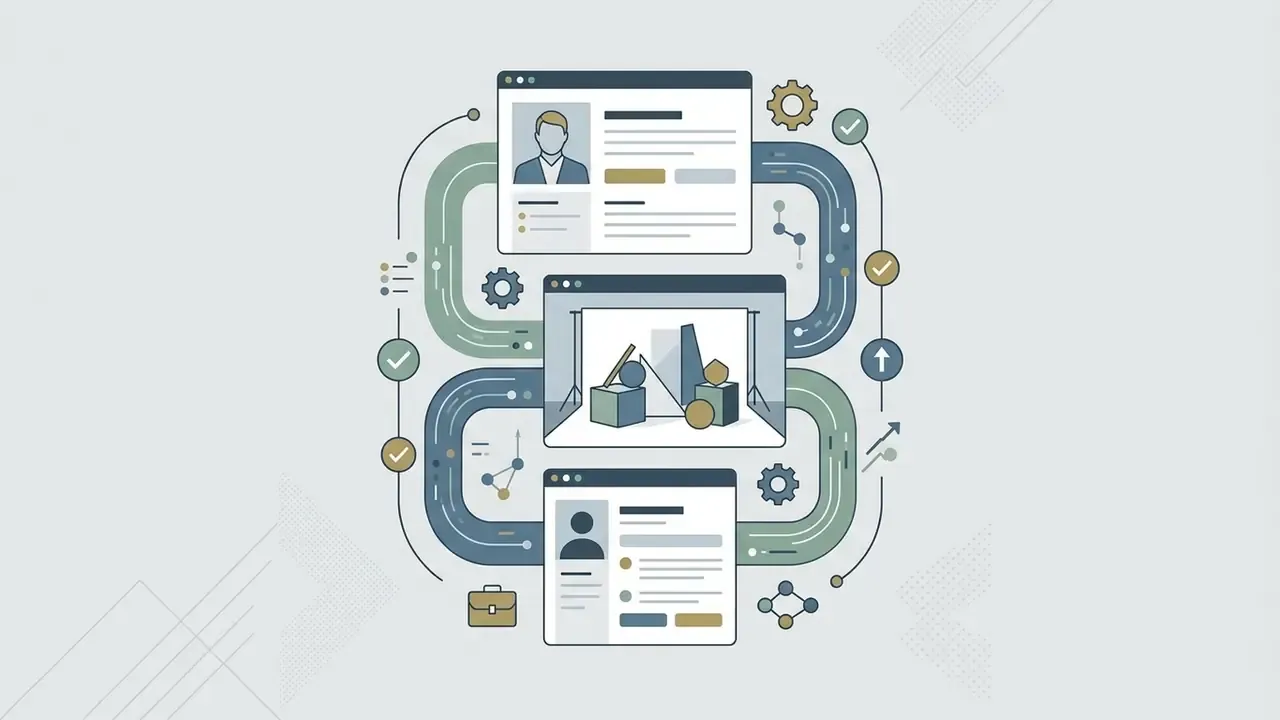
«A 2024 study documented significant racial homogenization: almost all generated images of Middle Eastern men reproduced stereotypical appearance traits.»
Practical mitigation: sample outputs across every demographic cohort in your workforce before organization-wide rollout, and give employees an explicit route to reject any render that alters their skin tone, facial structure, or perceived ethnicity. That veto right is cheap to grant and expensive to omit.
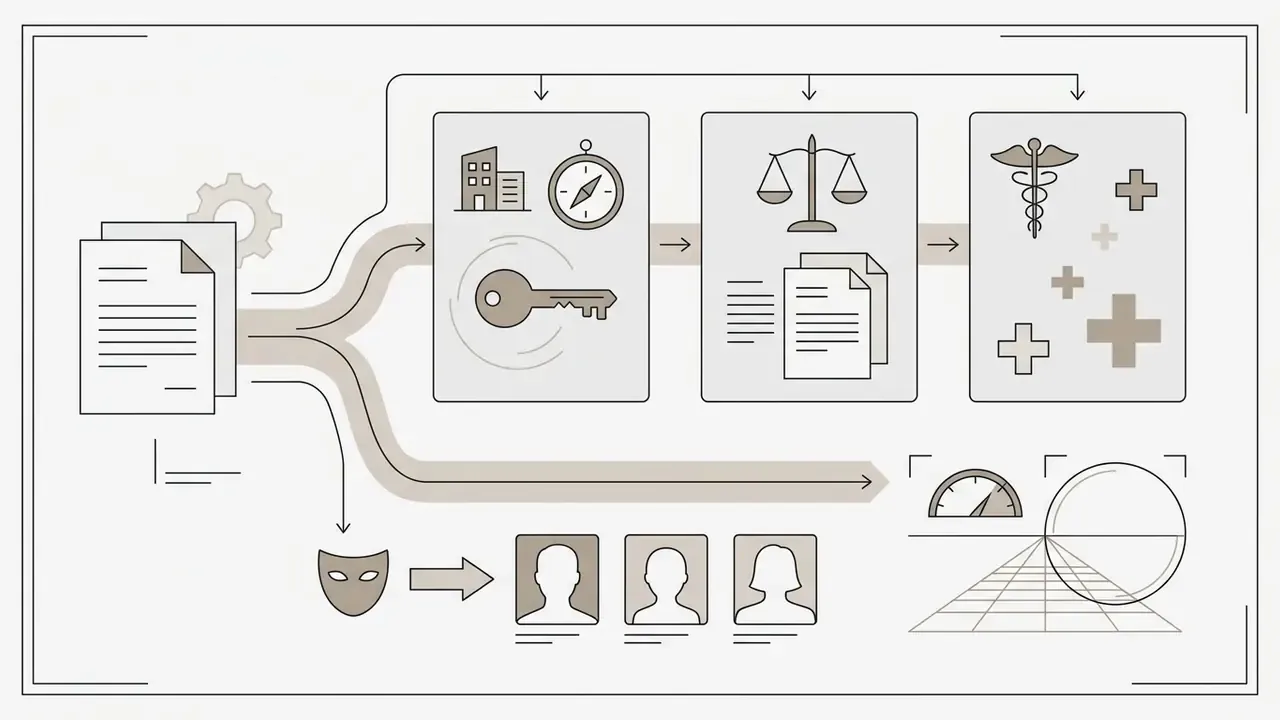
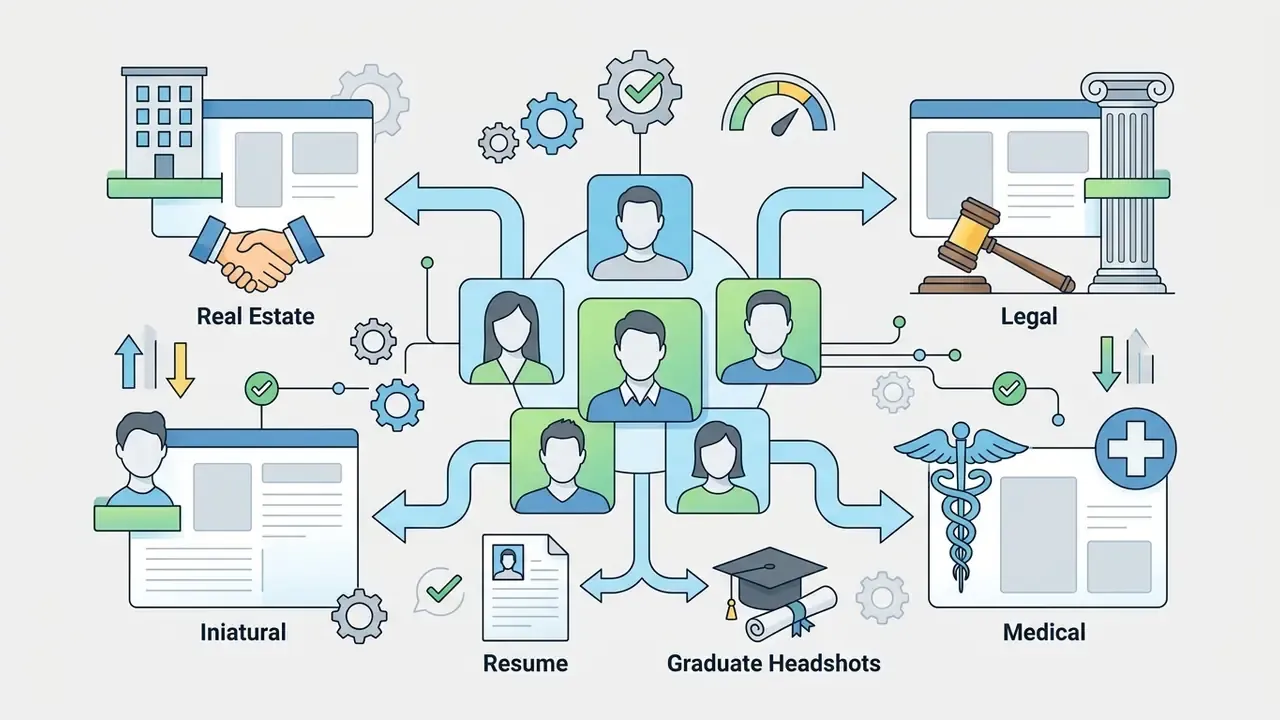
Specialized Role Profiles: Real Estate, Legal, and Medical
Casual Professional Styles for Approachable Expertise
Not every role calls for a suit. The casual professional look, sometimes called business casual or smart casual, gives a relaxed but polished identity that suits technology companies, advisory practices, and creative agencies. University and employer dress guides place the category between formal business wear and everyday clothing: collared shirts, blouses, cardigans, chinos, dress trousers, knee-length skirts, and dark non-distressed denim are in; T-shirts, sweatpants, flip-flops, and anything wrinkled or ripped are out.
Source note: the previously cited "Professional Style Guide, 2025" lacks a verifiable publisher record. The characteristics above come from published institutional dress-code documentation rather than a single vendor guide.
«Analysis of 300 profiles generated by GPT-4 and Copilot showed male candidates were selected as best in three of four roles; Black and Middle Eastern personas never appeared.»
The implication for casual-professional presets is direct. Default prompt settings can quietly encode a narrow demographic template. Use identity-neutral wording, keep the reference selfie as the only identity source, and review outputs against the input rather than against some abstract idea of a professional look.
With an ai casual photo generator, specialists can pick open-collar shirts, knit sweaters, or tailored jackets without ties. Add soft ambient lighting and a contemporary office backdrop, and the result reads as expert but reachable.
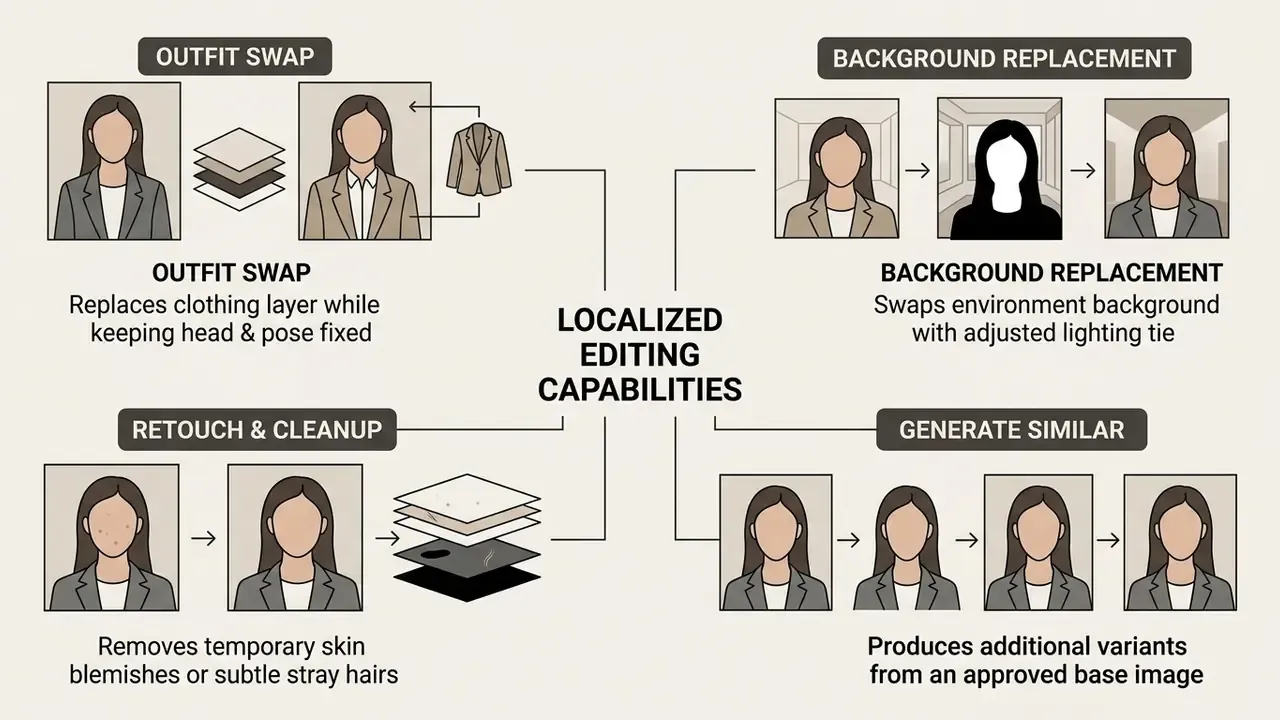
Modifying Outfits, Backgrounds, and Inpainting Options
Advanced editing lets you change specific output parameters without repeating the full generation cycle. Inpainting frameworks handle localized edits through mask-based prompts: select a region, give a text instruction, and the model regenerates only that area while matching surrounding lighting, shadow direction, and perspective. Peer-reviewed work on diffusion-based fashion editing (2025) documents the same mask-plus-prompt pipeline for background replacement and clothing swaps with no new photo session.
Source note: the earlier reference to an "Adobe Photoshop Generative Features Report, 2025" is vendor marketing rather than an academic source. The mechanism above is described from product documentation plus peer-reviewed inpainting research.
Teams exploring broader image generation can review our evaluation of the best AI art generators or test niche creative workflows like Ghibli-style AI tools.
Free AI Headshot Generators, Premium Tier Features, and Cost Analysis
Evaluating AI headshot solutions means comparing pricing structures, resource constraints, and the trade-offs against traditional studio photography.
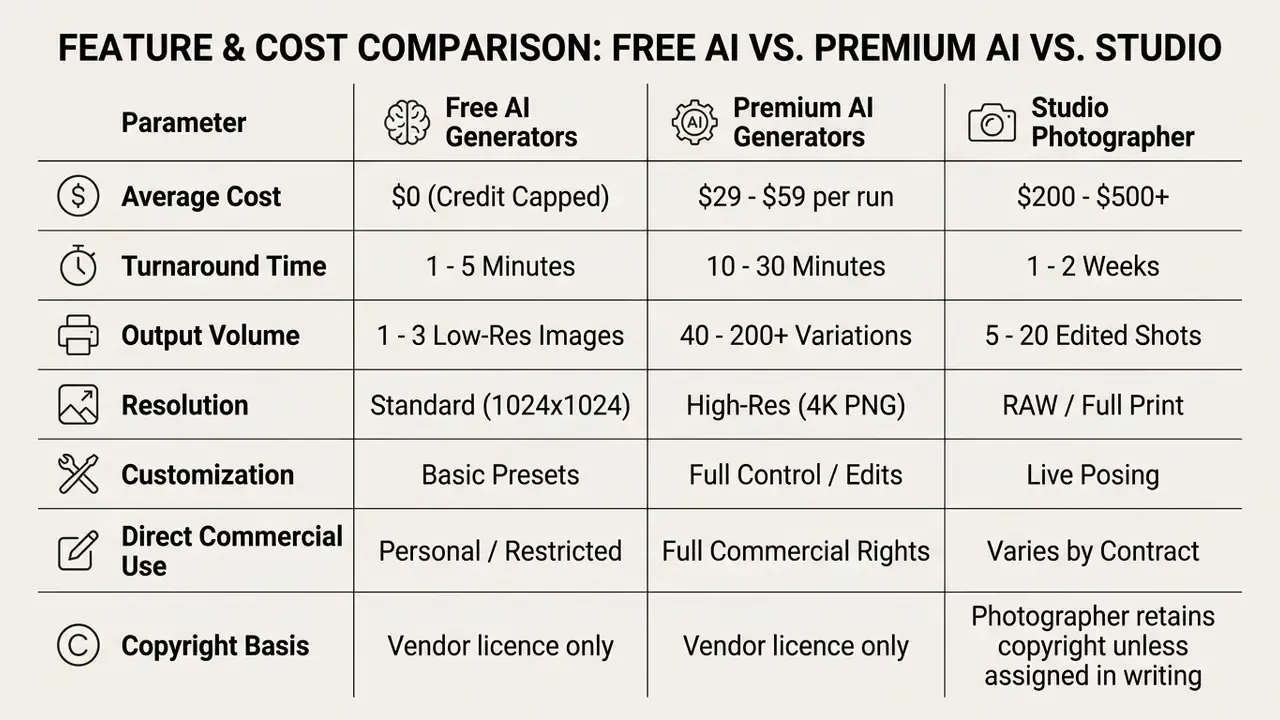
In short: free tiers are for testing, premium tiers are for publishing, and a photographer is for the shots that carry reputational weight. Buyers comparing engines and licence models before committing budget can review our roundup of the best AI image generators for output quality and rights terms across vendors, or check plan structures and browse the hub.
Risk-Adjusted ROI Formula for Enterprise Rollouts
Consumer comparisons stop at licence price. Regulated organizations must add the internal cost of making the tool usable: legal review, model risk validation, security assessment, and human inspection.
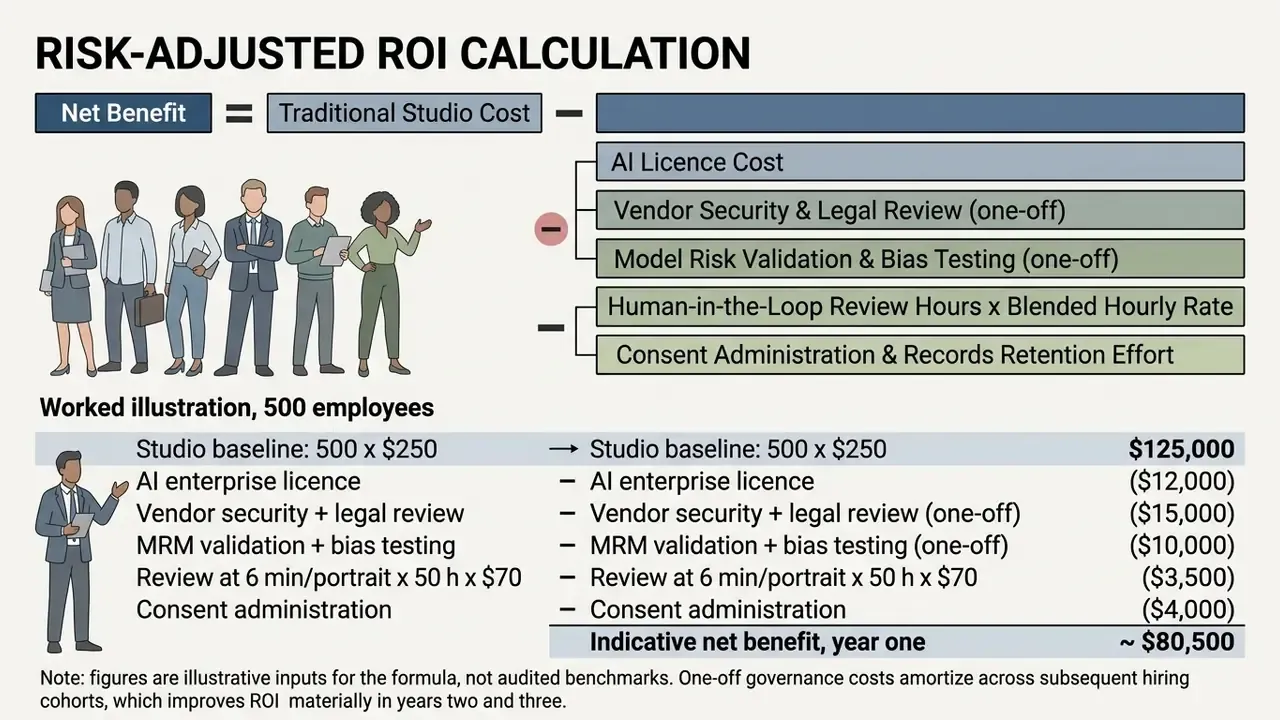
You can run your own variant of this model with our calculators before taking a number to the investment committee.
Capabilities and Limits of Free AI Business Photo Tools
Searching for an ai business photo free tier, or an ai business picture generator free tool, usually surfaces limited trials. Free testing is genuinely useful for evaluating likeness quality. It is rarely publishable, for four reasons:
- Resolution caps output is often capped at web resolution, roughly 1024x1024 pixels, which fails for print or press releases.
- Watermarking free tiers frequently embed visible watermarks or metadata tags; several major platforms also embed invisible provenance marks on every output regardless of tier.
- Usage quotas daily generation volume is limited by tokens, commonly a fixed number of images per day, which restricts iterative testing.
- Restricted rights free output is often personal-use only, which excludes company websites, RFPs, and advertising.
Anyone hunting free creative image generation for general design tasks can consult our roundup of best free AI art generators or review free photo editor options. An ai business image generator free plan may be perfectly adequate for a personal LinkedIn refresh, and clearly inadequate for a regulated firm's team page.
AI Headshots vs. Traditional Photographers: Time, Cost, and Flexibility
Choosing between synthetic headshots and a studio session means weighing efficiency against bespoke direction.
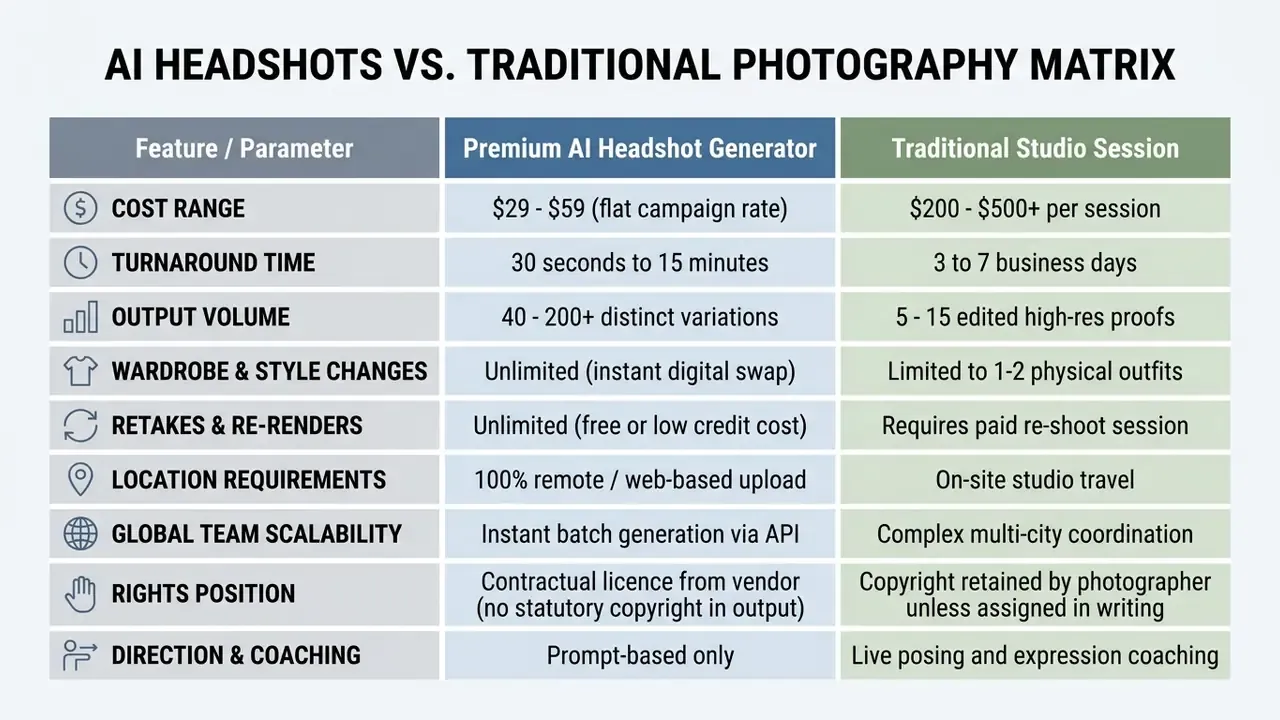
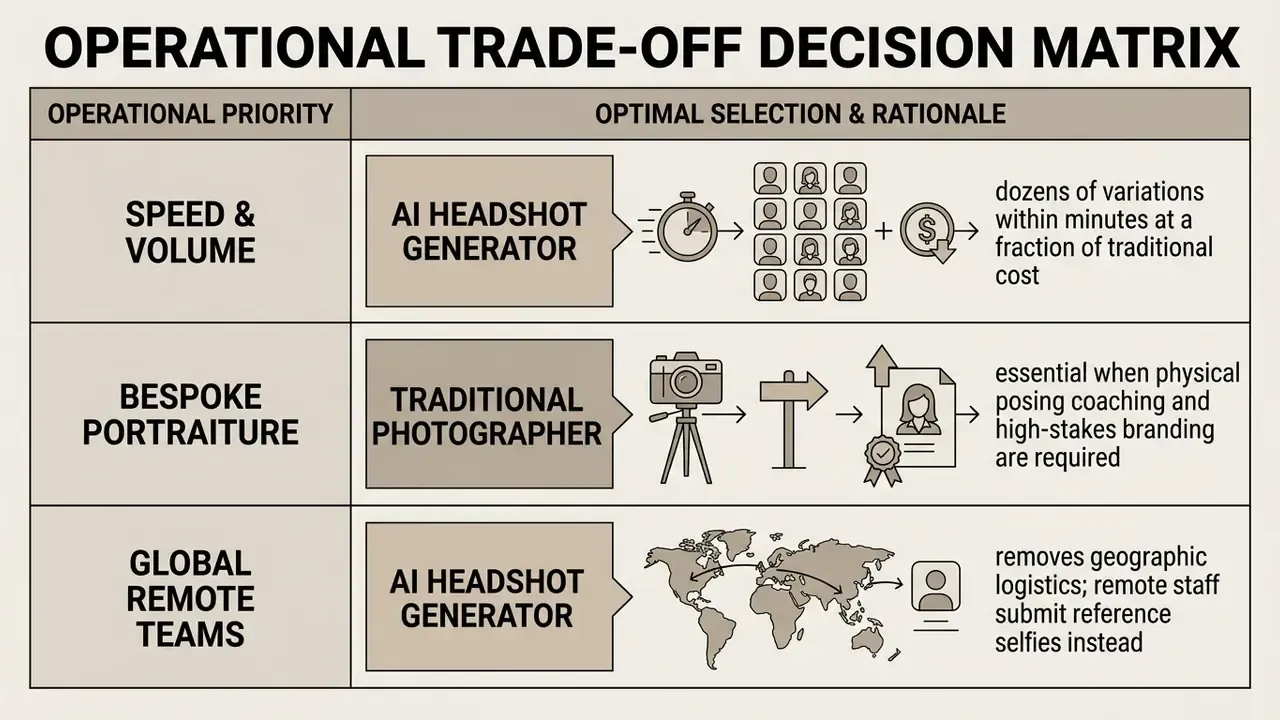
Synthetic tools win on speed and cost. Studio sessions still earn their fee for senior executives who need precise posing guidance, complex lighting, or a specific architectural location. Both statements can be true at once.
Commercial Rights and Legal Considerations for AI Business Pictures
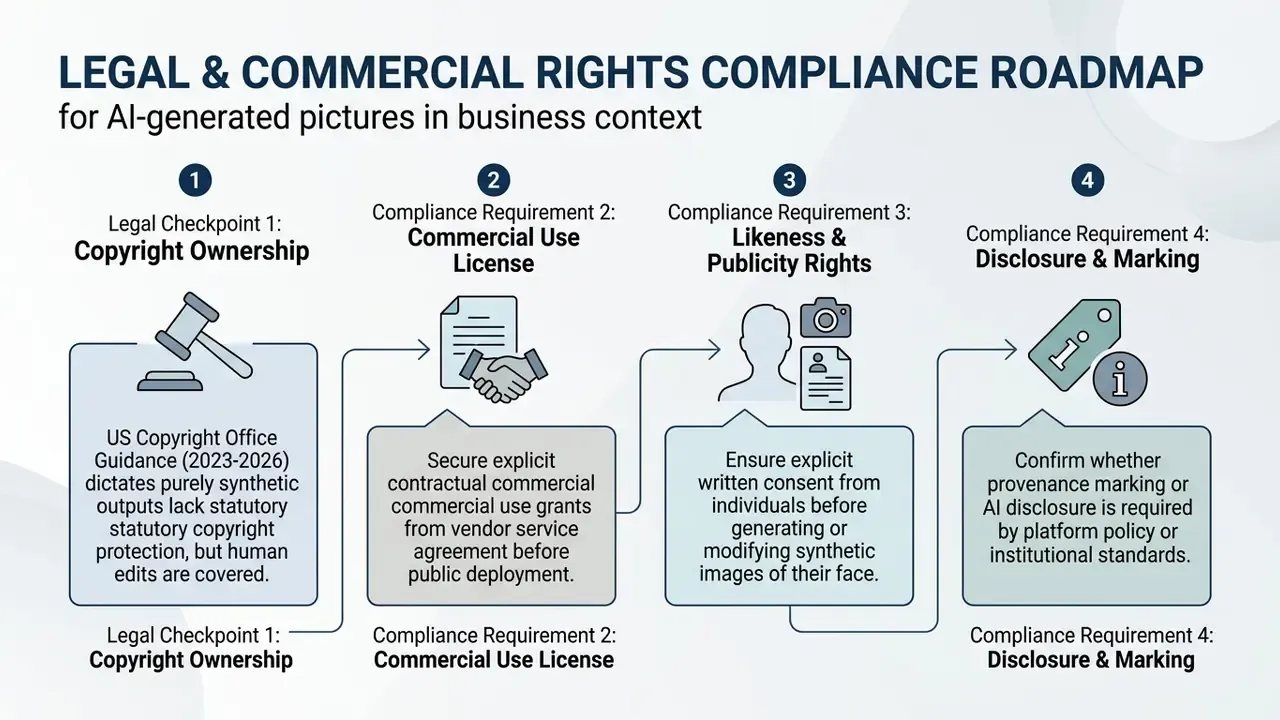
Publishing synthetic business portraits across corporate collateral, advertising, or a public website requires a look at intellectual property law and vendor terms.
«An analysis of 50 AI image generators found that only 38% implemented machine-readable watermarks, and visible deepfake disclosure appeared in just 18% of systems.»
The practical consequence: do not assume a vendor will mark or disclose synthetic output. Where institutional policy requires disclosure, that obligation lands in your own publishing workflow. Our primer on AI Watermarking Explained covers how provenance marks behave in practice, including the ones you cannot see.
Terms of Service, Ownership Claims, and Platform Licensing
Under current guidance from the U.S. Copyright Office (2023-2026), purely AI-generated visual content lacking sufficient human authorship cannot be registered for federal copyright (USCO Registration Guidance for AI Works, https://www.copyright.gov/ai/). Protection extends only to human-authored creative contributions: manual edits, arrangements, substantial retouching. Applicants must disclose more-than-de-minimis AI-generated material and disclaim it.
«Legal scholars propose permitting training use of protected images where the outputs do not satisfy the substantial similarity test with a specific protected work.»
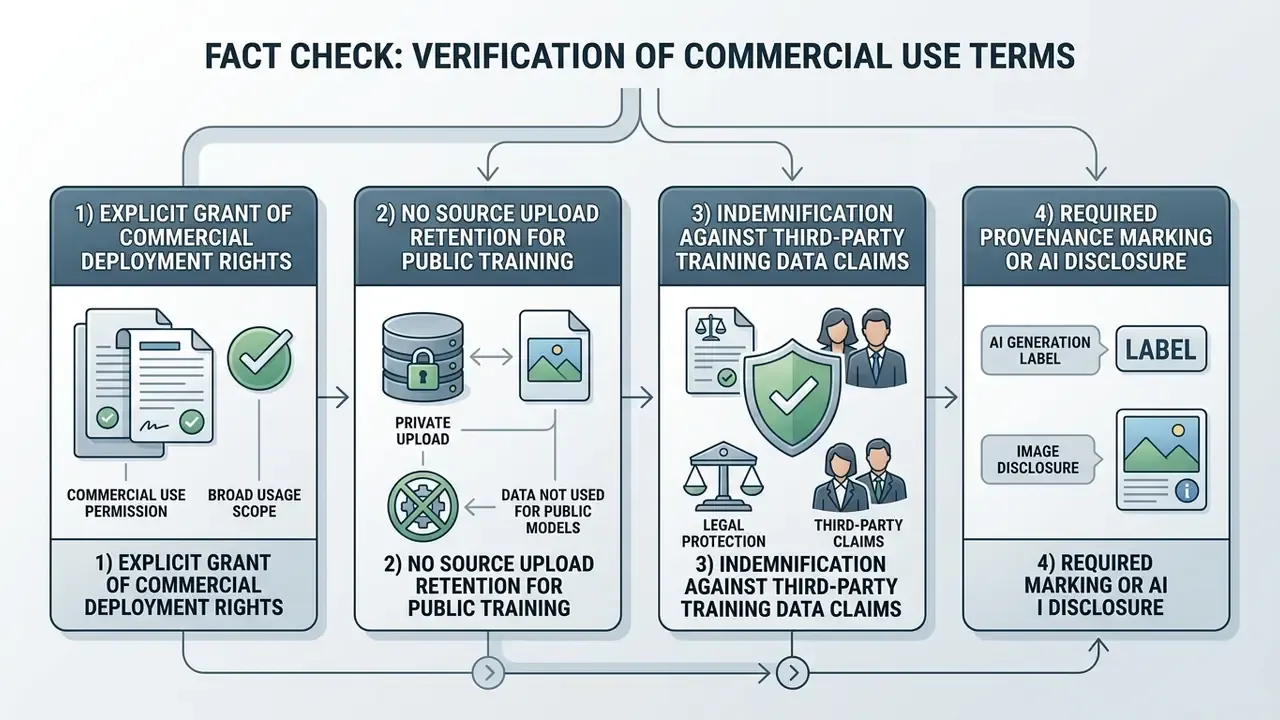
So commercial rights to use an ai business picture come from contractual licensing in the platform's Terms of Service, not from statutory copyright ownership. Enterprise buyers must verify that contracts grant royalty-free, perpetual commercial deployment rights covering marketing, public relations, and web publishing. Note too that leading vendor terms simultaneously prohibit reproducing a person's likeness without express consent and push responsibility for third-party rights onto the user. For broader regulatory context, review our index on AI Litigation and Legal Frameworks and our breakdown of the commercial use of AI image generators.
Deploying Business Photos in Corporate Profiles, Marketing, and Client Assets
Institutional policy on synthetic photography varies by sector and use context. University brand standards and enterprise communications policies draw useful operational lines (Boise State Brand Standards, 2026):
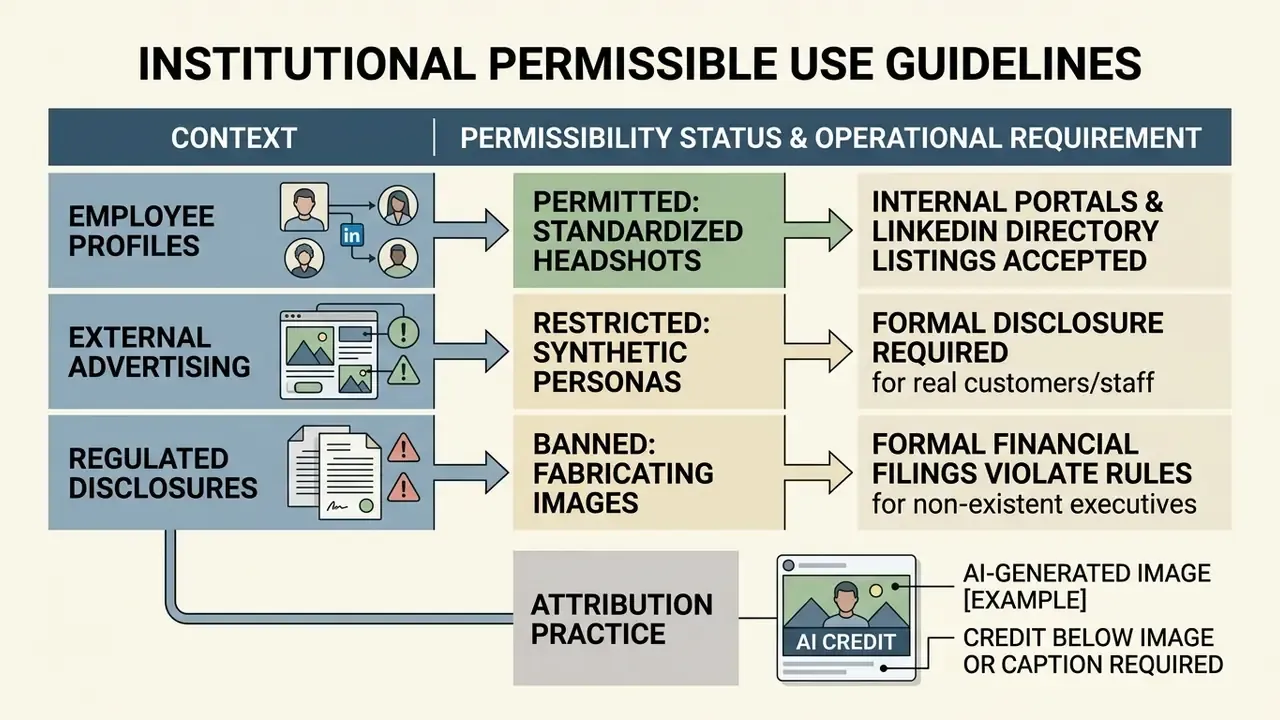
«AI-generated images do not exist outside copyright — they may infringe it where they satisfy traditional similarity tests.»
Compliance teams verifying whether a supplied portrait is synthetic, reused, or scraped can cross-check assets with AI image detectors before publication or vendor onboarding. For licence terms across categories, explore the hub.
Data Privacy, Security, and Selfie Protection Controls
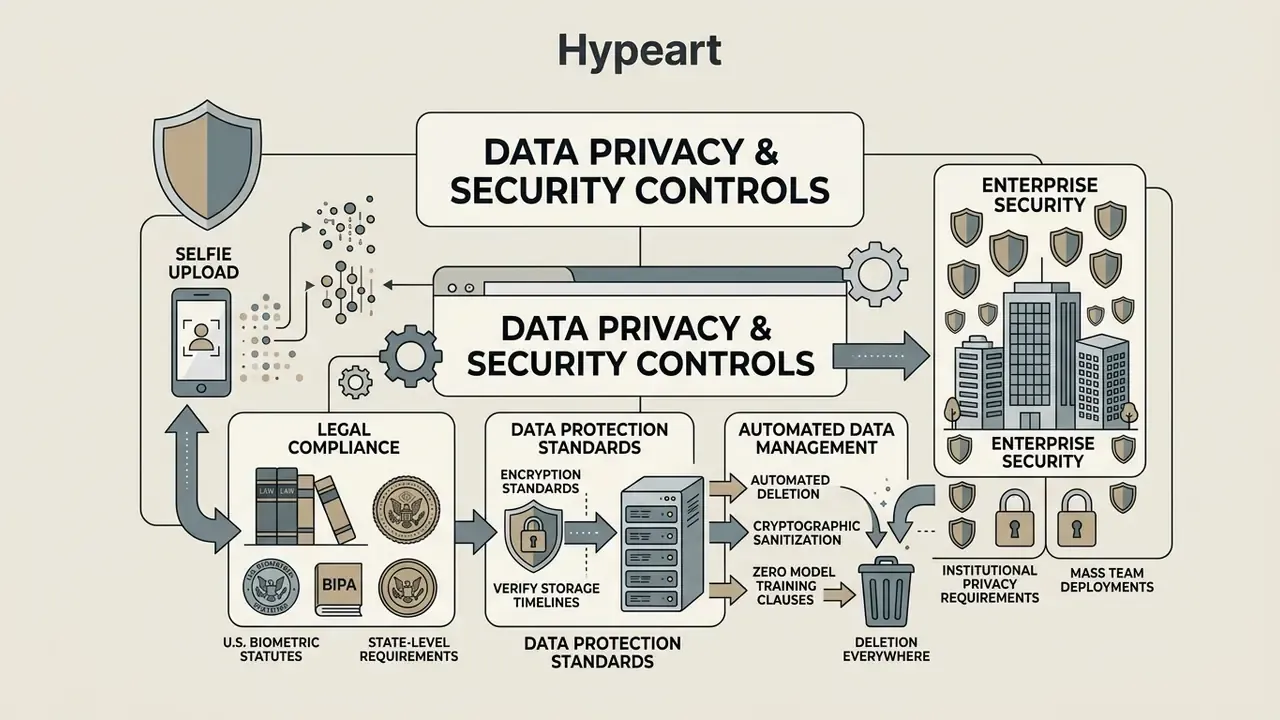
Uploading biometric data, and a selfie is biometric data, raises real privacy and security questions. Guidance from the UK Information Commissioner's Office and the Australian OAIC stresses the sensitivity of facial data processed by generative models, and advises directly against entering personal or sensitive information into publicly available generative AI tools (OAIC Generative AI Privacy Guidance, 2024).
«Synthetic text reduces authorship attribution accuracy from 81% to 16.5-29.7%, demonstrating that higher reproduction fidelity increases the risk of personal data leakage.»
The governance lesson transfers straight to portraits. The closer a synthetic output tracks its source, the more personal information it carries. Fidelity and privacy pull against each other, and that tension must be documented rather than assumed away.
U.S. Biometric Statutes: BIPA and State-Level Requirements
For U.S. employers, and especially banks, insurers, and healthcare providers, GDPR and CCPA are not the binding constraint. State biometric statutes are. The strictest remains Illinois' Biometric Information Privacy Act, with comparable regimes in Texas and Washington.
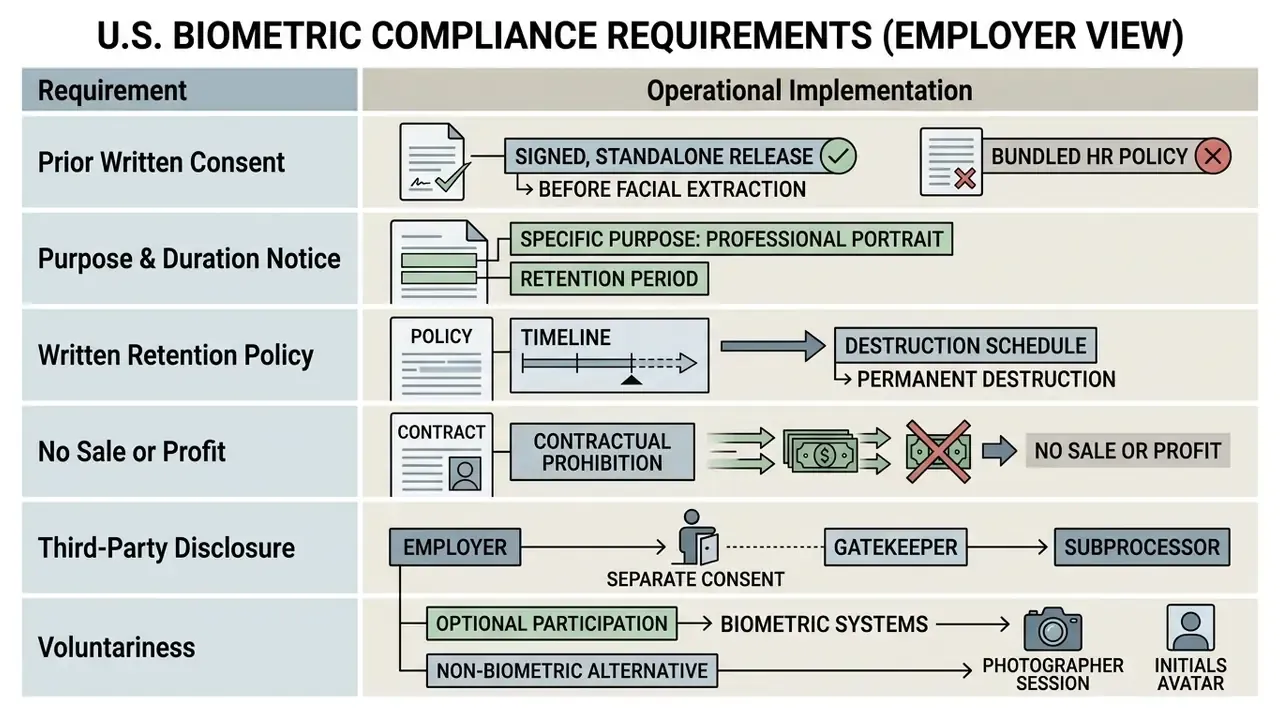
Sample consent language for internal counsel to adapt:
Legal review before deployment is not optional. The language above is illustrative, not legal advice.
Verifying Storage Timelines, Deletion Policies, and Encryption Standards
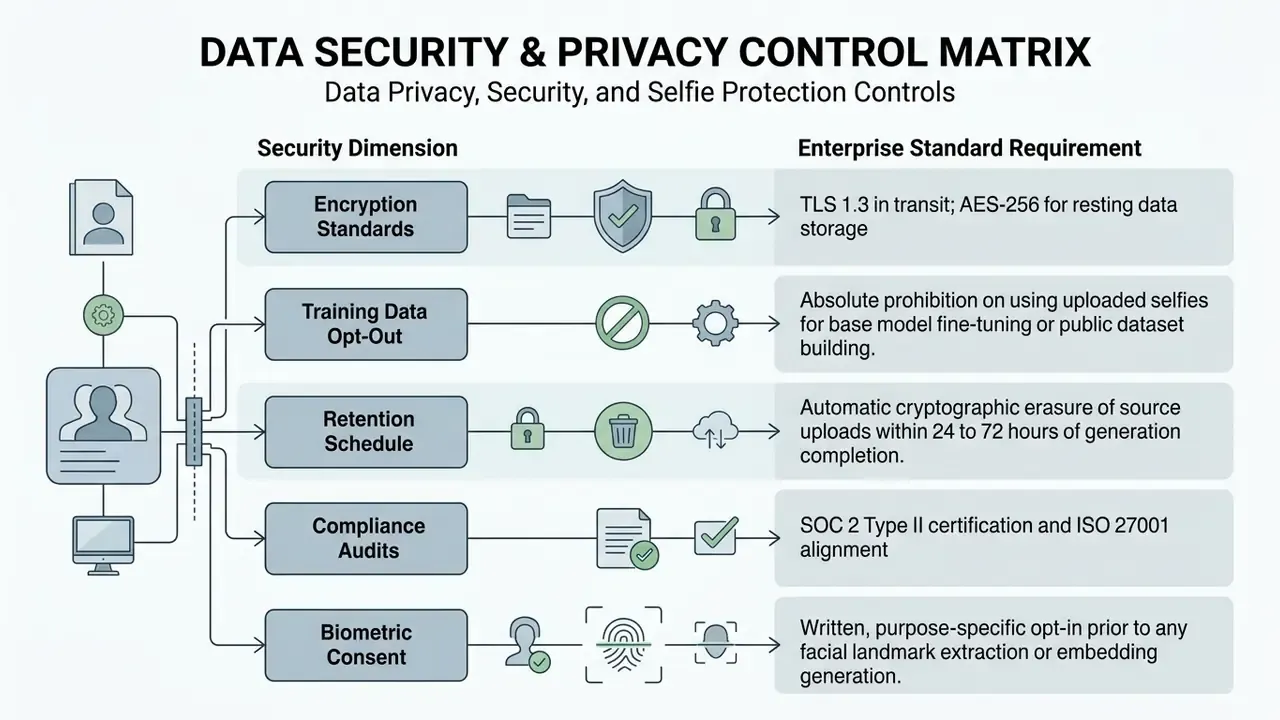
When assessing an ai app for business photos, security teams must inspect vendor data handling directly. Facial images are biometric identifiers under regimes such as GDPR and CCPA. Where legacy source photos are too low-resolution to generate from reliably, improve them first with dedicated AI image enhancers rather than collecting yet more biometric samples.
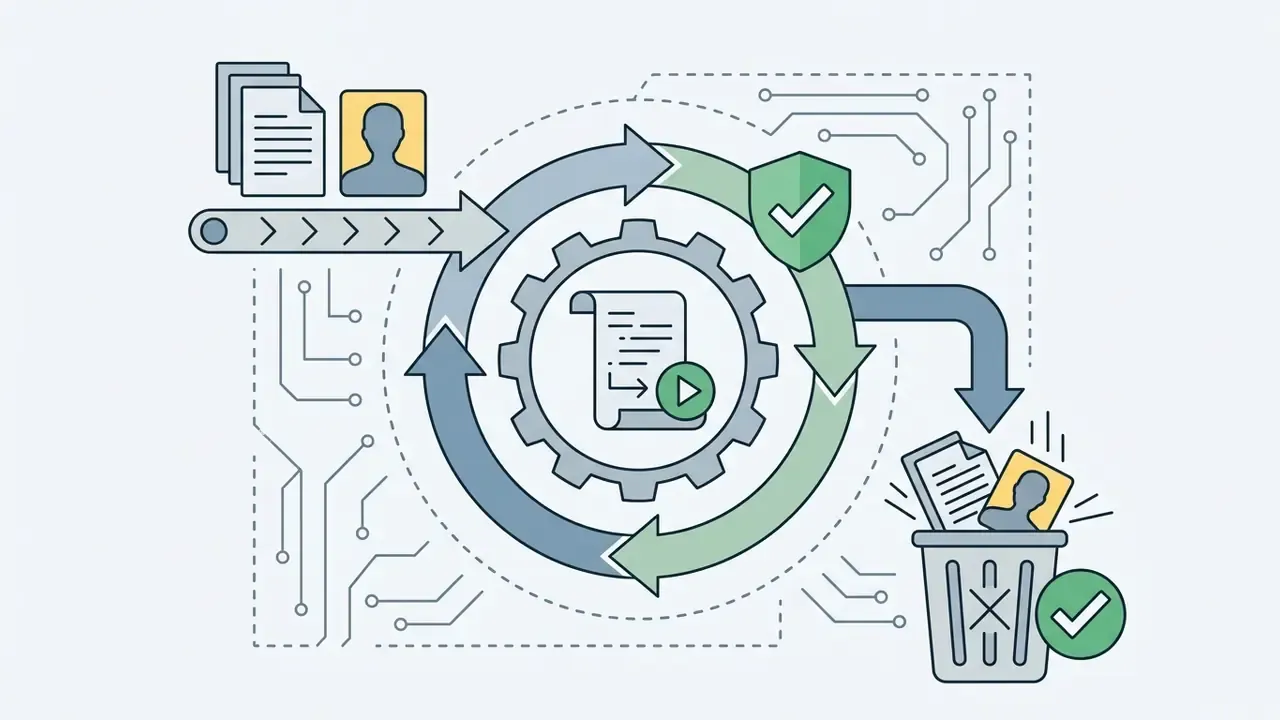
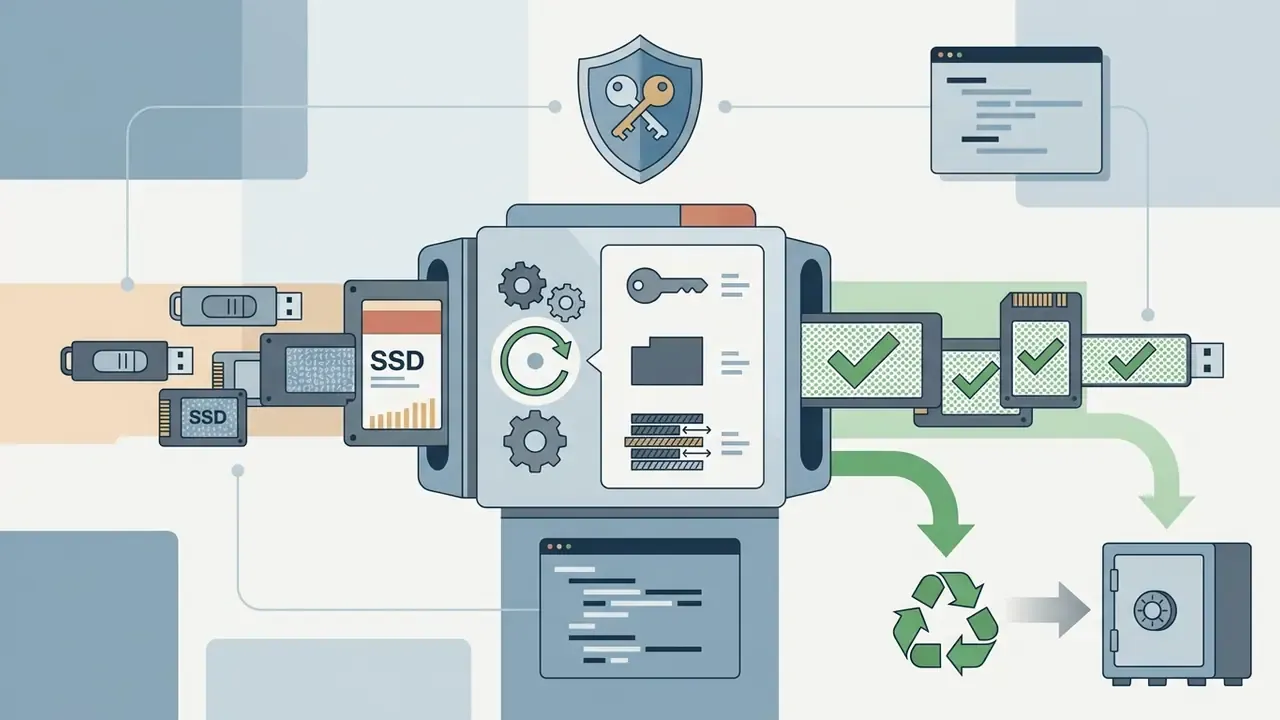
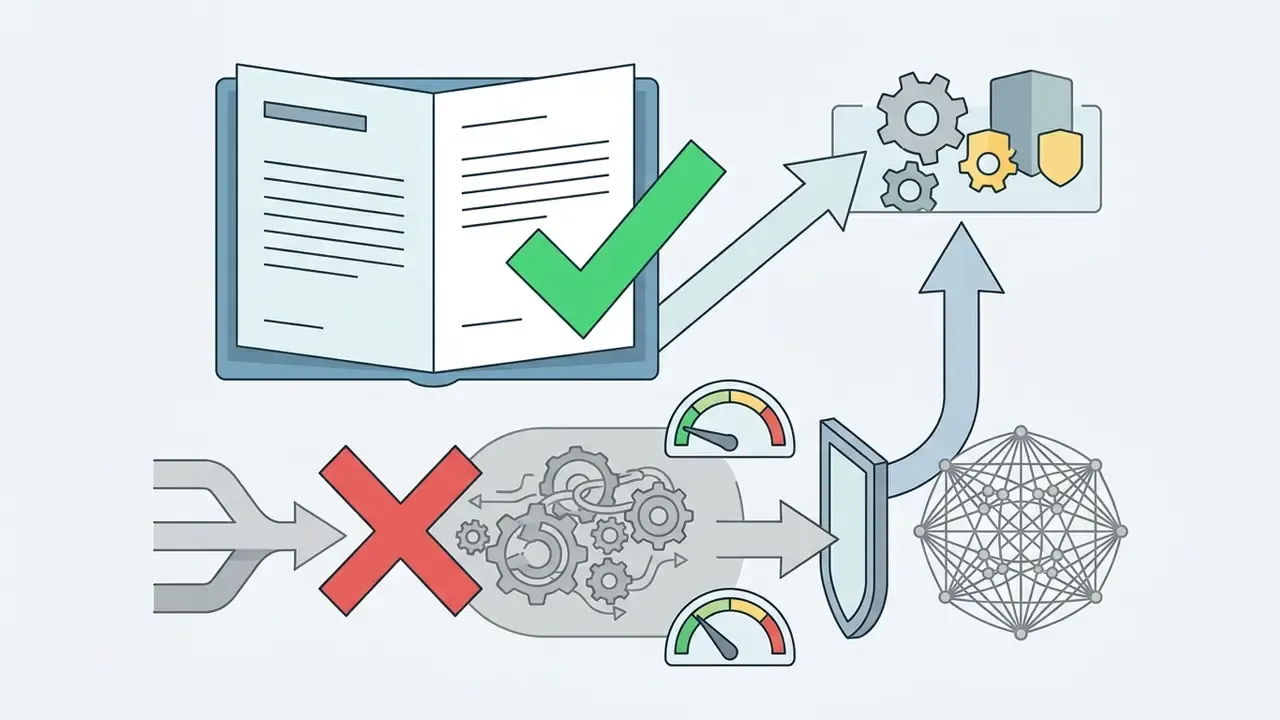
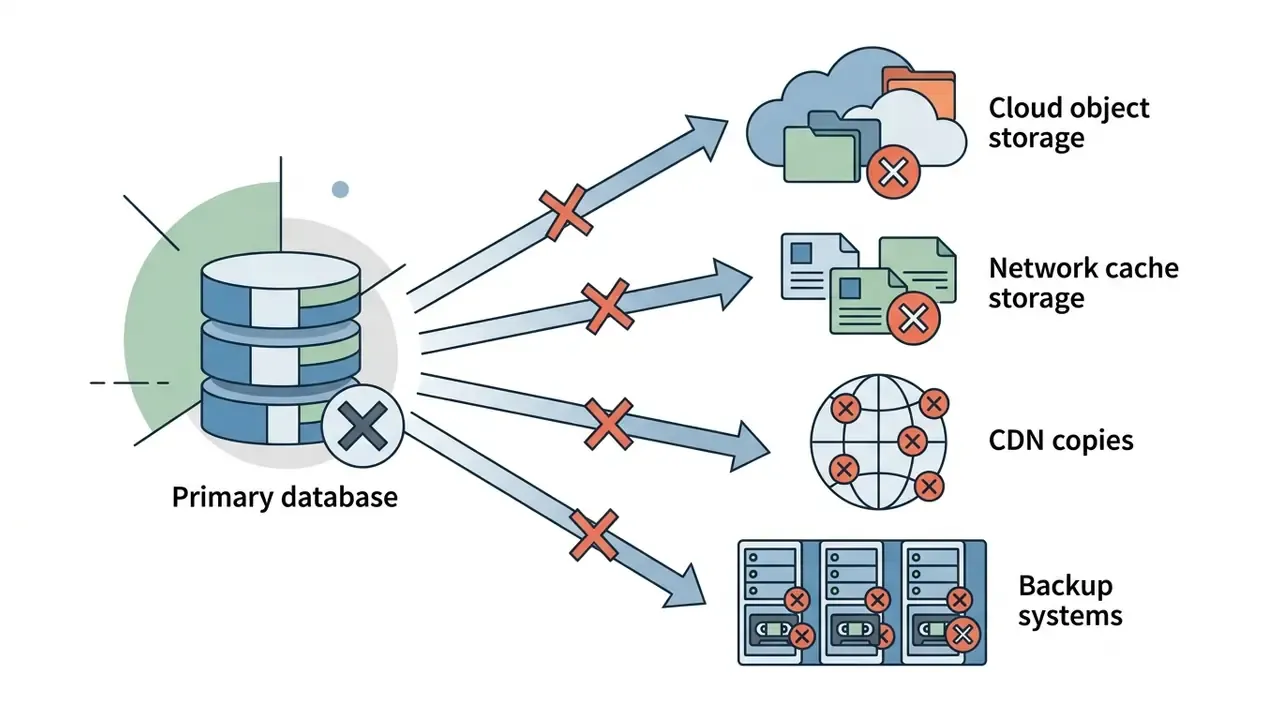
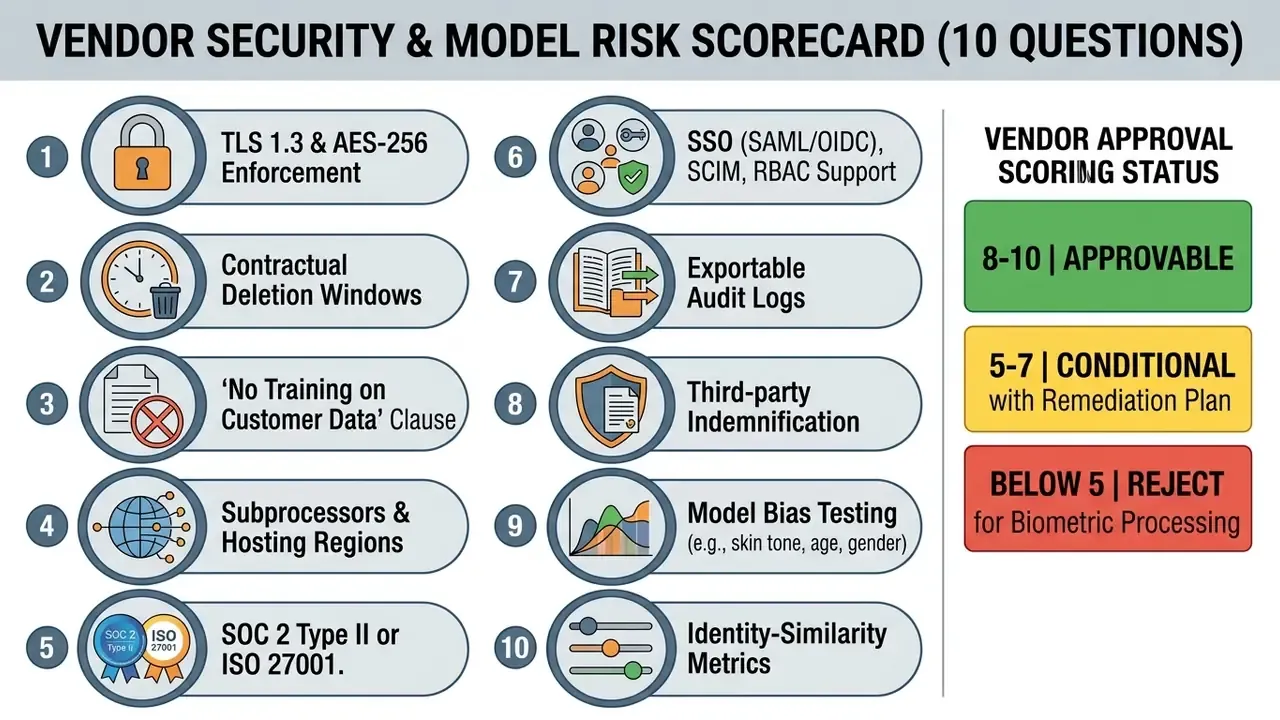
Integration questions belong in the same review. Teams planning batch generation through a programmatic pipeline can open the hub for implementation detail, and route escalations through the channels you can explore the hub to find.
Institutional Privacy Requirements for Mass Team Deployments
Rolling an AI headshot tool across departments obliges HR and security to install institutional safeguards:
- Voluntary consentobtain explicit written opt-in before processing any employee's facial images in third-party software.
- Centralized procurementprohibit staff from using unvetted consumer applications, the Shadow AI problem, since those lack enterprise privacy agreements.
- Role-based access controlrestrict administrative access to generated team libraries so assets reach only authorized marketing personnel.
- Defined access revocationtie generator access to the identity lifecycle, so offboarding removes permissions and archives assets automatically.
«A 2024 study identified 1,420 X accounts using GAN faces; an estimated 0.021-0.044% of daily active accounts use synthetic profile photos.»
That prevalence baseline matters for policy. Synthetic faces are already a recognized impersonation vector, which is why enterprise directories should bind every generated portrait to a verified employee identity record rather than accepting uploads at face value. If a portrait cannot be traced to an HRIS entry and a consent record, it should not go live.
Shadow AI Remediation Plan for Regulated Workforces
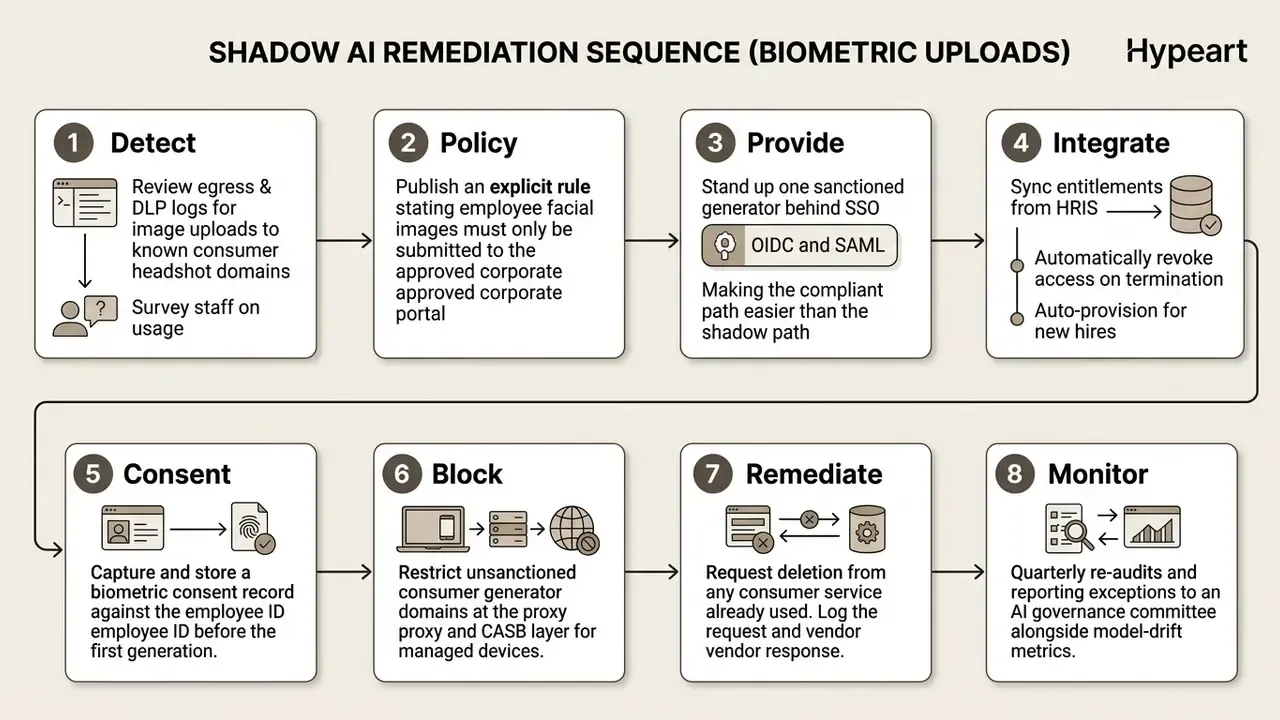
Step 3 does most of the work, honestly. People route around controls when the sanctioned path is slower than the unsanctioned one.
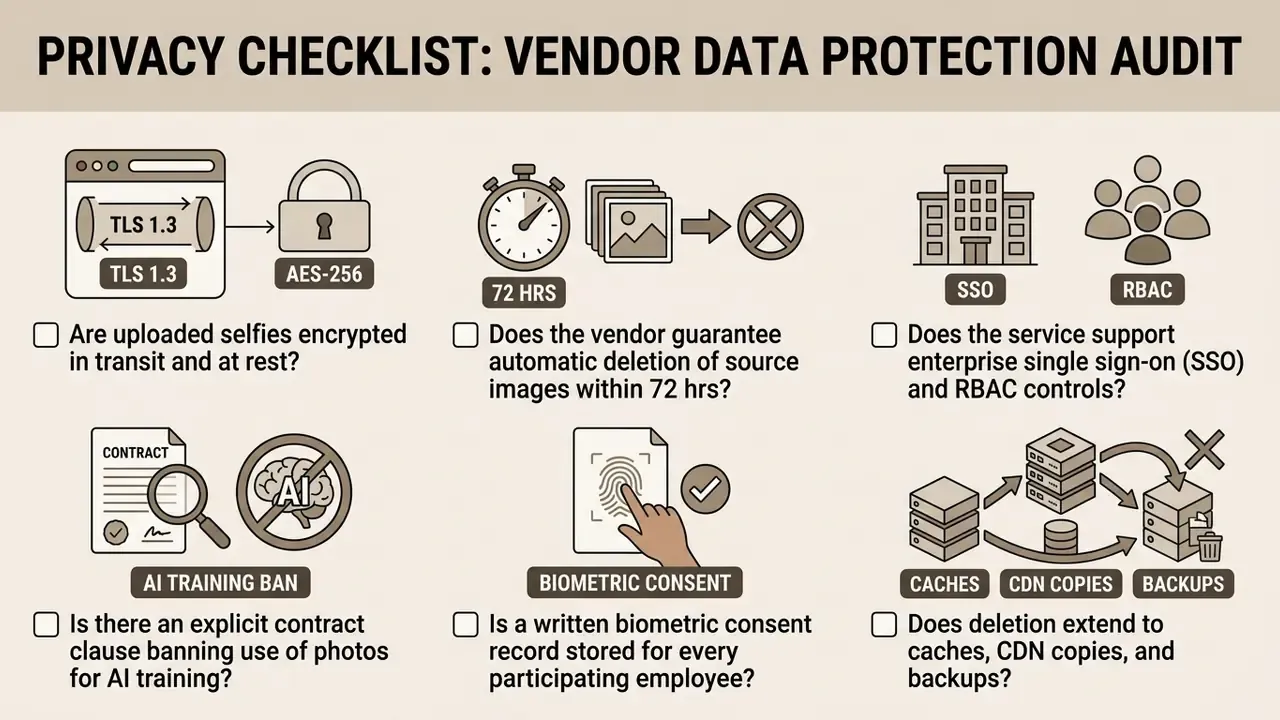
FAQ: AI Headshot Generators, Rights, and Governance
Can I use an AI headshot generator for my official passport or government ID?
No. Issuing authorities such as the U.S. Department of State and EU passport agencies explicitly prohibit digitally altered, retouched, or synthetically generated images for passports and official identity credentials. Passport photos must be unedited physical photographs captured under strict lighting and biometric specifications. Some public-sector biometric standards go further and disallow self-captured selfies entirely for enrollment.
How many reference selfies do I need to upload for realistic results?
It depends on architecture. Zero-shot systems such as InstantID need only one high-quality front-facing photo. Fine-tuned models like DreamBooth usually reach higher resemblance with 3 to 5 selfies captured under slightly varied lighting. If you wear glasses daily, supply paired sets with and without frames at the same angle and distance.
Will people be able to tell that my headshot was created by AI?
High-resolution outputs from sharp, well-lit references are effectively indistinguishable from studio portraits to a casual viewer. Under close inspection, though, perception research finds subtle tells: over-smoothed skin, asymmetric eye geometry, artificial hair boundaries.
«Participants in an eye-tracking experiment identified StyleGAN-3 synthetic faces with 76.80% average accuracy, allocating more attention to the eyes and skin texture.» — StyleGAN-3 eye-tracking human perception study, CVPR (2024). https://arxiv.org/abs/2401.07519
Do free AI headshot generators keep my uploaded photos?
It varies by vendor policy. Reputable providers run automated deletion of source uploads within hours; some free consumer apps reserve rights to retain images or use them for model improvement. Independent reviews of AI photo apps have found that a meaningful share stored facial data after image creation, and that several disclosed no retention period at all. Read the privacy terms before uploading.
Which AI headshot style should a lawyer, realtor, or doctor choose?
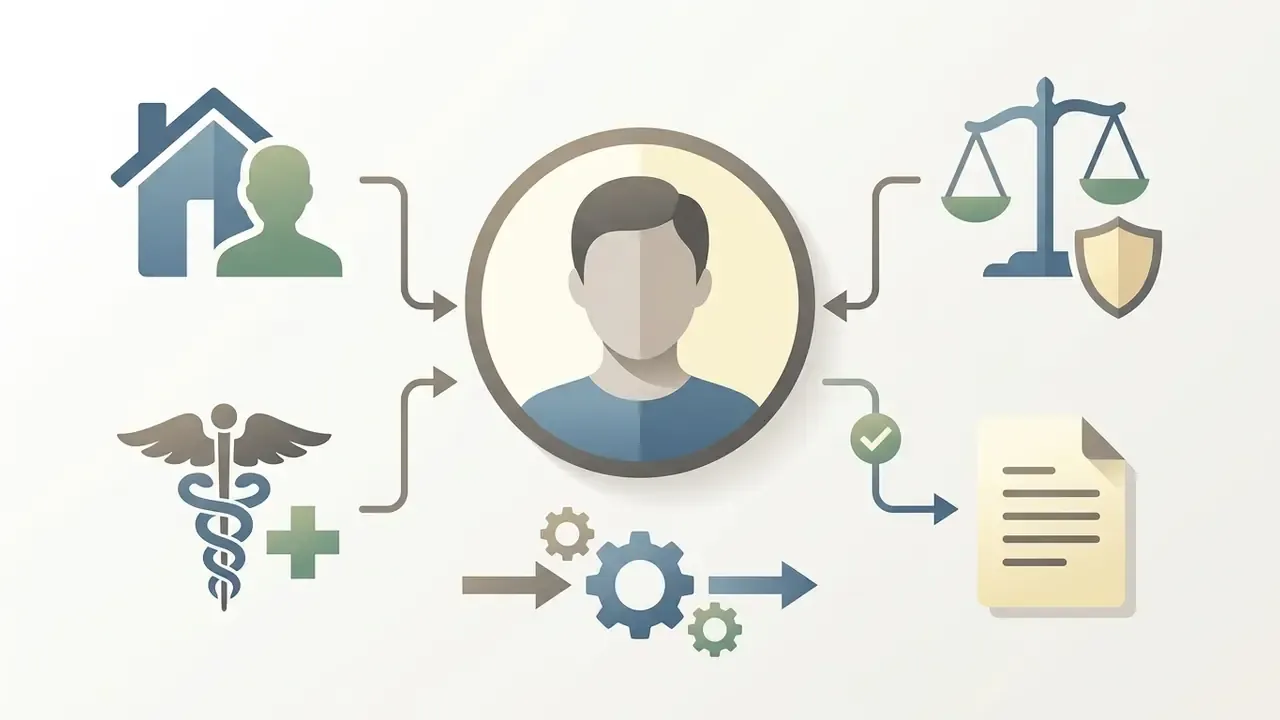
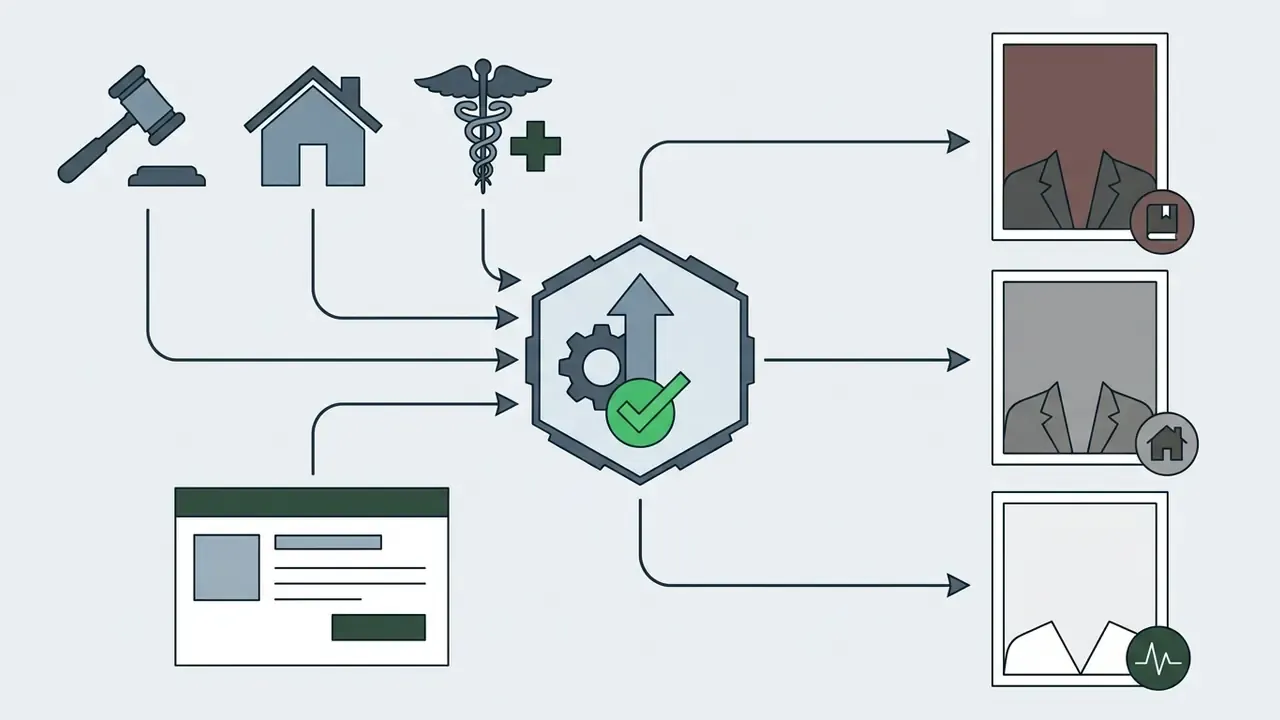
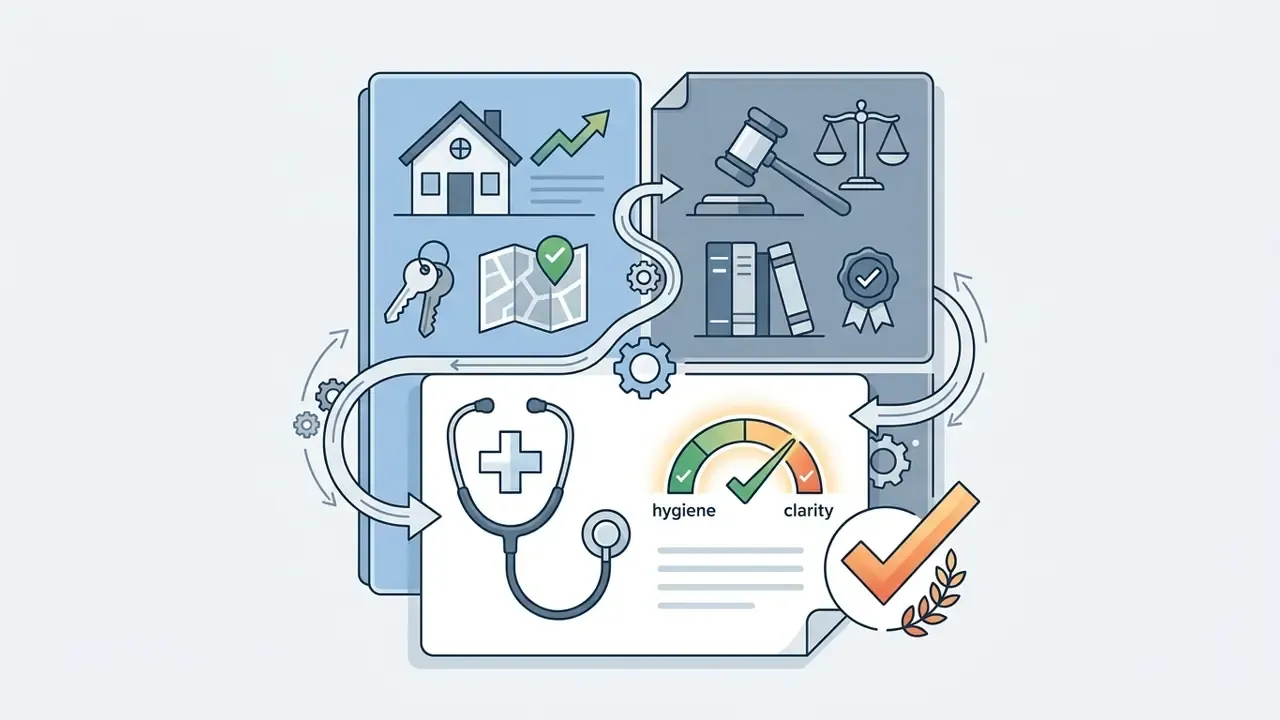
Lawyers: executive or studio preset, dark formal attire, muted neutral or mahogany backdrop, high-contrast lighting. Realtors: brighter, warmer framing with natural light and upscale interior or architectural accents that read as approachable and locally expert. Doctors and clinicians: high-key white or soft blue backgrounds, lab coat or clean business casual, matching hospital directory and medical board conventions.
Can my company use AI headshots on its public website and in RFPs?
Generally yes for employee portraits, provided three conditions hold. The vendor licence grants commercial deployment rights, each depicted employee has given written consent, and the images are not presented as documentary photographs of events or clients that never happened. Some institutions also require an AI attribution note in captions for public-facing content, and regulated financial disclosures prohibit fabricated executive imagery outright.
Do we need employee consent if the tool deletes photos immediately?
Yes. Under Illinois BIPA and comparable statutes, the triggering event is collection and extraction of facial geometry, not how long you keep it. Prior written, purpose-specific consent plus a published destruction schedule are required regardless of how fast the source file is purged.
How should model risk teams validate an AI headshot vendor?
Run a stratified acceptance test. Sample subjects across skin tone, age band, and gender; generate 20 renders per subject; compute ArcFace cosine similarity against the source selfie, targeting 0.85 or above with standard deviation under 0.05; measure Delta-E skin-tone deviation; and record a human reviewer sign-off for every published portrait. Document the test, the thresholds, and any exceptions in your model inventory alongside vendor security findings.
What is a safe first step for a regulated firm?
Start with a bounded pilot: one department, fewer than 50 participants, one sanctioned vendor behind SSO, signed consent records, and a documented acceptance test. Report results to your AI governance committee before any enterprise-wide rollout. Small scope, full evidence. That order matters more than speed.
Appendix A: Superseded Formulations, Retained for Transparency
- Original §3 phrasing "generating standardized corporate headshots within two hours while cutting external photography expenses by 82%." Superseded because the percentage came from a modelled scenario without an audited source; replaced with a comparative cost range and the ROI formula in §15.1.
- Original §7 citation "(NIST Technical Note 2361, 2026)" attached to image-generation latency. Superseded because that note benchmarks text-transformation throughput, not diffusion rendering.
- Original §13 citation "(Professional Style Guide, 2025)." Superseded for lack of a verifiable publisher record; replaced with institutional dress-code documentation.
- Original §14 citation "(Adobe Photoshop Generative Features Report, 2025)." Superseded as vendor marketing material; replaced with product documentation plus peer-reviewed inpainting research.
- Original §2 citation "(Journal of Social Presence on LinkedIn, 2020)." Retained as a directional claim but flagged unverified; primary support now rests on the 2016 recruiter photo experiment.
Publishing the superseded list is deliberate. An audit trail that only records the final answer is not an audit trail.