If you sign off on engineering tooling inside a bank, the question is no longer "does this write code?" It is "can I evidence what it wrote, who approved it, and what it cost me in review hours?" Selecting the best ai code generator in 2026 means grading model accuracy, context window depth, IDE integration, agent autonomy, and enterprise governance controls together, not separately. Modern ai coding tools have moved well past inline code completion. They now run autonomous agentic workflows: multi-file refactoring, test generation, terminal execution, repository-level bug fixing.
Software engineering leaders at financial institutions and mature technology firms have to balance developer productivity against strict compliance standards. So finding what is the best ai code generator depends on your actual priority: real time code suggestions inside an editor, browser-based web app generation, air-gapped enterprise deployment, or automated repository-level bug fixing across large codebases. Different answers. Genuinely different tools.
Executive Summary for Risk, Compliance, and Engineering Leaders
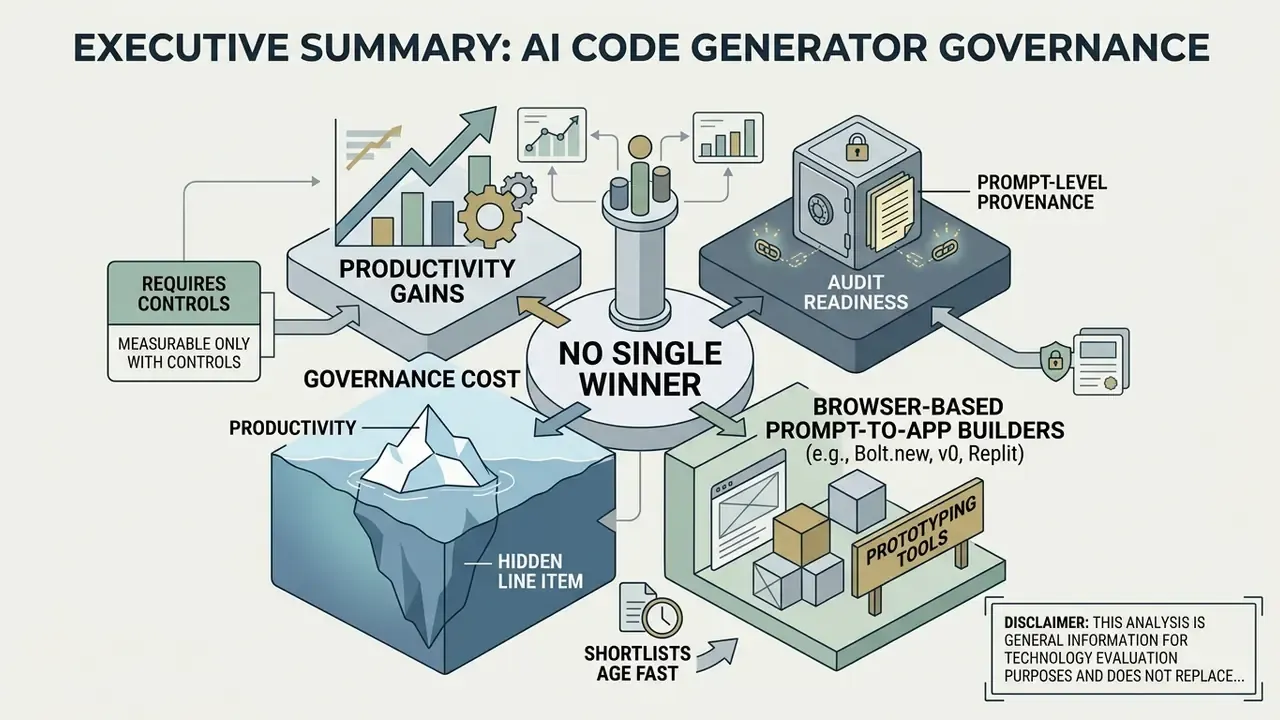
- No single winner exists. GitHub Copilot remains the mainstream IDE default; Cursor and Windsurf lead agentic multi-file editing; Claude Code and Aider dominate terminal-based refactoring; Tabnine Enterprise and Xcode 16's on-device model are the only realistic options for air-gapped or strictly regulated environments.
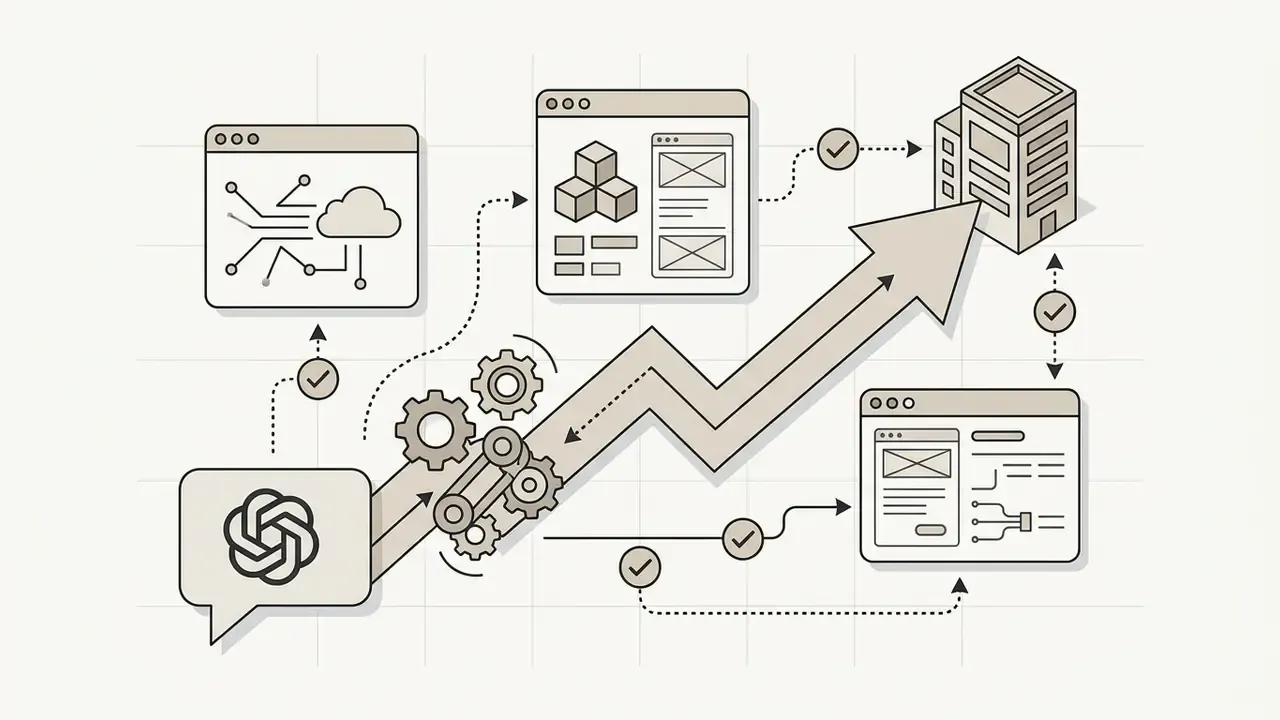
- Productivity gains are real but measurable only with controls. A controlled GitHub experiment recorded a 55% task-completion speedup. An independent 2024 experiment found statistically slower runtime performance in Copilot-assisted C++ code. Velocity and quality must be measured separately, always.
- Governance cost is the hidden line item. Seat licences ($10 to $39 per user per month) represent a fraction of total cost. Human review, static analysis, security scanning, audit logging, and residual-risk provisioning usually dominate the risk-adjusted ROI calculation (framework provided below).
- Audit readiness requires prompt-level provenance. Regulators reviewing model risk expect reproducible evidence: prompt, retrieved context, model version, generated diff, developer acceptance decision, test results, commit hash.
- Browser-based prompt-to-app builders (Bolt.new, v0, Replit) are prototyping tools. They accelerate MVPs and internal demos, and they are unsuitable for core-banking or regulated production systems without full code export, review, and re-platforming.
- Shortlists age fast. A list assembled as the best ai code generator 2025 candidate set needs re-verification in 2026: pricing, quotas, and agent capabilities all moved inside twelve months.
What Is an AI Code Generator and What Can It Do?
An AI code generator is a software tool powered by large language models (LLMs) that translates natural language prompts into executable source code, unit tests, and documentation. Modern AI code generator tools assist developers across the whole software development lifecycle: code suggestions, automated bug fixing, unit test generation, complex code refactoring.
From Natural Language Prompts to Generated Code
An AI code generator converts natural language prompts into working software by parsing intent, querying model context, and executing structured tool calls. When a developer types a plain text instruction into an AI coding assistant, the underlying system processes the request through a multi-step execution loop.
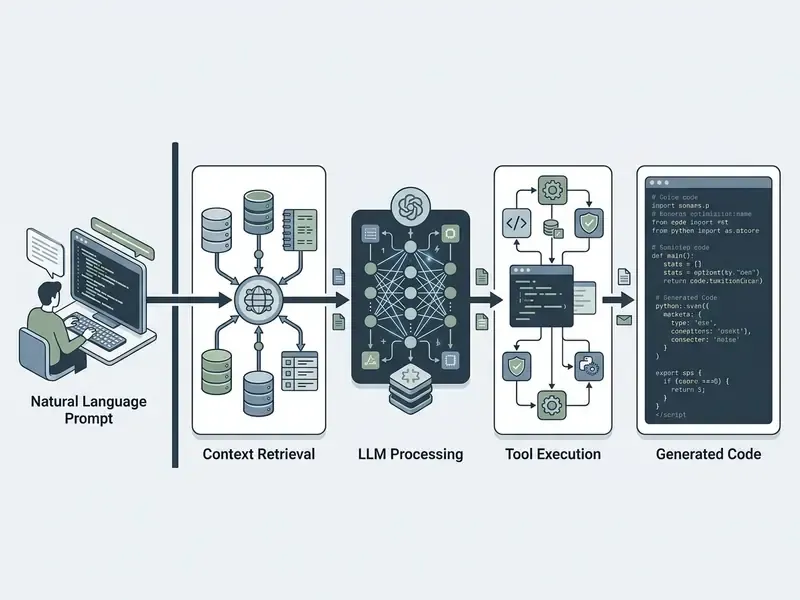
Modern models turn language prompts into specific code functions by combining prompt context with repository-level information. According to OpenAI developer documentation (2025), AI assistants handle complex user instructions through a five-step loop: the prompt plus available tool definitions are sent to the model, the model returns a structured tool call, the application executes the function locally, the tool output is returned to the model, and the model produces the final response. Google Gemini API documentation (2025) confirms a matching paradigm. The model parses parameters from user input while local execution engines run the resulting functions safely inside the application environment, because the model itself never executes code. Microsoft's function-calling documentation describes the same mechanic: natural-language input is parsed into arguments for predefined functions, turning free text into a callable action.
This prompt-to-code pipeline lets developers generate code faster, draft boilerplate code for repetitive coding tasks, and produce complete functions across multiple programming languages.
Practical Example: Production-Ready Function Generation
To see the prompt-to-code workflow in concrete terms, consider a natural language instruction given to an AI coding assistant working in a Python and FastAPI stack:
Developer prompt:
Create a FastAPI endpoint POST /api/v1/orders that accepts a JSON payload with
user_id, items (list of strings), and total_amount. Validate that total_amount > 0.
Include an async database handling placeholder and Pydantic v2 type hints.
Generated code output:
from fastapi import FastAPI, HTTPException, status
from pydantic import BaseModel, Field, PositiveFloat
from typing import List
app = FastAPI()
class OrderRequest(BaseModel):
    user_id: str = Field(..., description="Unique identifier of the user")
    items: List[str] = Field(..., min_length=1, description="List of item SKUs")
    total_amount: PositiveFloat = Field(..., description="Order total must be greater than zero")
@app.post("/api/v1/orders", status_code=status.HTTP_201_CREATED)
async def create_order(payload: OrderRequest):
    # Context-aware placeholder for the DB transaction
    try:
        # Simulated async database insert:
        # await db.orders.insert(payload.model_dump())
        return {"status": "success", "order": payload.model_dump()}
    except Exception:
        raise HTTPException(
            status_code=status.HTTP_500_INTERNAL_SERVER_ERROR,
            detail="Database transaction failed",
        )
Note what the reviewer must still verify by hand: the exception handler swallows the original error object (no structured logging), there is no idempotency key on the order endpoint, and min_length versus the deprecated min_items differs between Pydantic v1 and v2. In a payments context that missing idempotency key is not a style issue, it is a duplicate-charge incident waiting for a retry. This is exactly the class of defect described later in the AI Code Generation Pitfalls section.
A second, lighter-weight pattern is comment-driven completion, popularized by GitHub Copilot. The developer writes a docstring describing intent, and the assistant fills the body:
import datetime
def parse_expenses(expenses_string):
    """Parse the list of expenses and return a list of triples (date, value, currency).
    Ignore lines starting with #. Parse the date using datetime.
    Example input:
        2016-01-02 -34.01 USD
        2016-01-03 2.59 DKK
        2016-01-03 -2.72 EUR
    """
    expenses = []
    for line in expenses_string.splitlines():
        if line.startswith("#"):
            continue
        date, value, currency = line.split(" ")
        expenses.append((
            datetime.datetime.strptime(date, "%Y-%m-%d"),
            float(value),
            currency,
        ))
    return expenses
The lesson from both examples is identical. Precise, testable, verifiable instructions produce reviewable output; vague prompts produce plausible-looking code that fails edge cases. Small nuance, big consequences.
Code Generation, Debugging, Refactoring, and Testing
Beyond basic code completion, modern AI code generator tools handle AI-driven debugging, automated code refactoring, test generation, and automated code review. Automated unit test generation helps confirm that generated code meets functional requirements before deployment into production.
That distinction matters operationally. Coverage numbers produced on toy classes do not transfer to legacy enterprise repositories, where imports, dependency injection, and mocking frameworks break naive generation. A human-in-the-loop review step stays mandatory.
For code refactoring, empirical evaluation shows that frontier models vary significantly in readability, maintainability index, and time complexity:
Systematic code review workflows use specialized AI agents to analyze pull requests, flag security vulnerabilities, and check code quality against organizational style guides. A practical 2026 pattern is the Plan, Act, Verify loop: generate characterization tests first, apply a test-guarded refactor second, then run mutation testing to discard ineffective tests before a human approves the change. The sequence matters more than the tool brand.
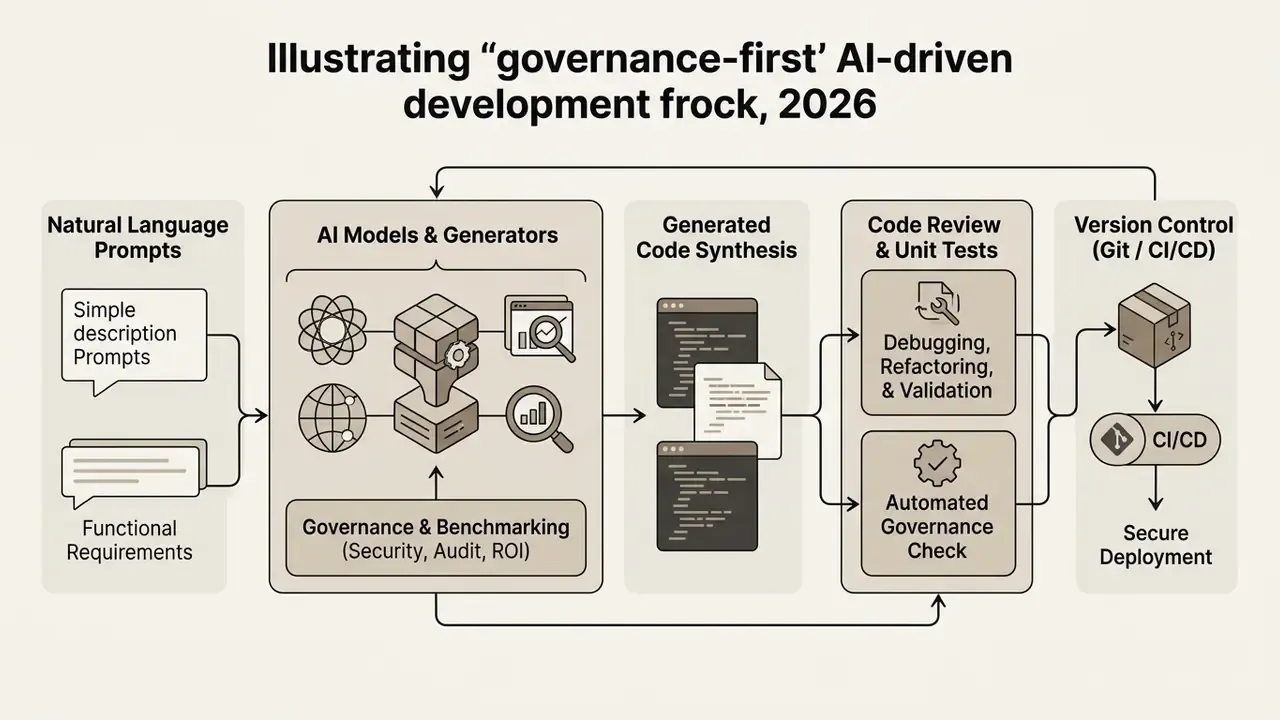
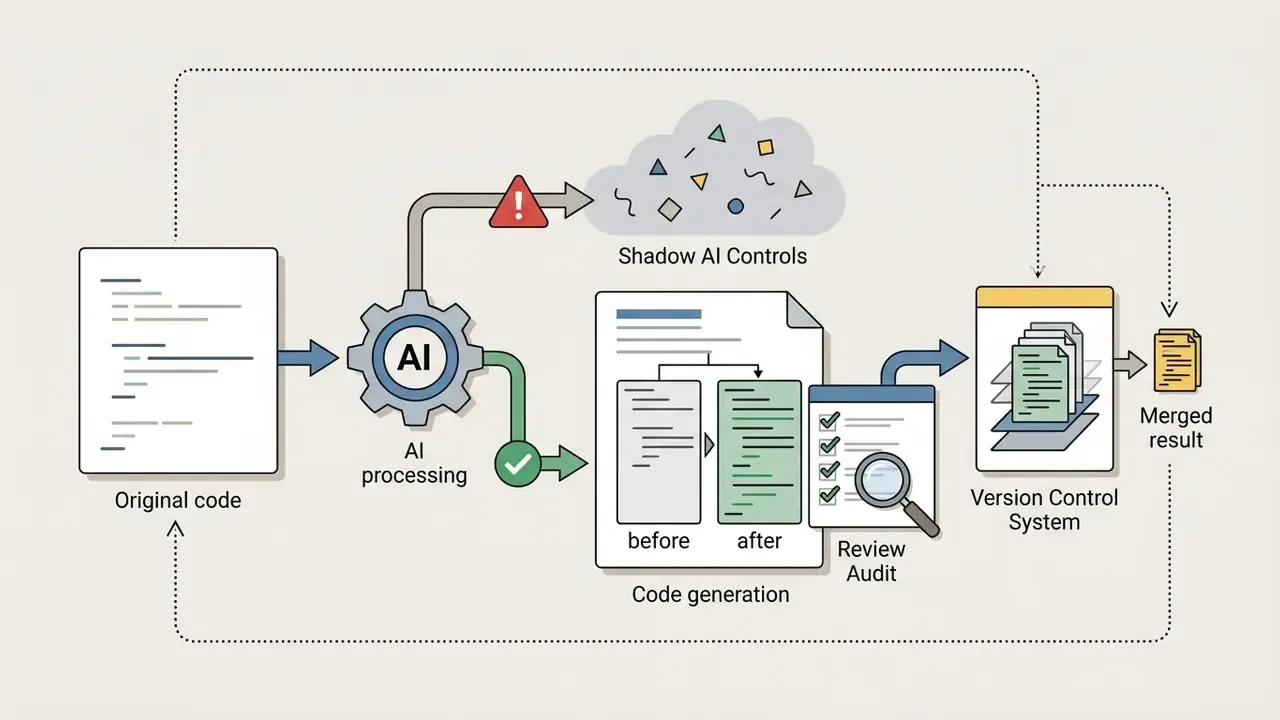
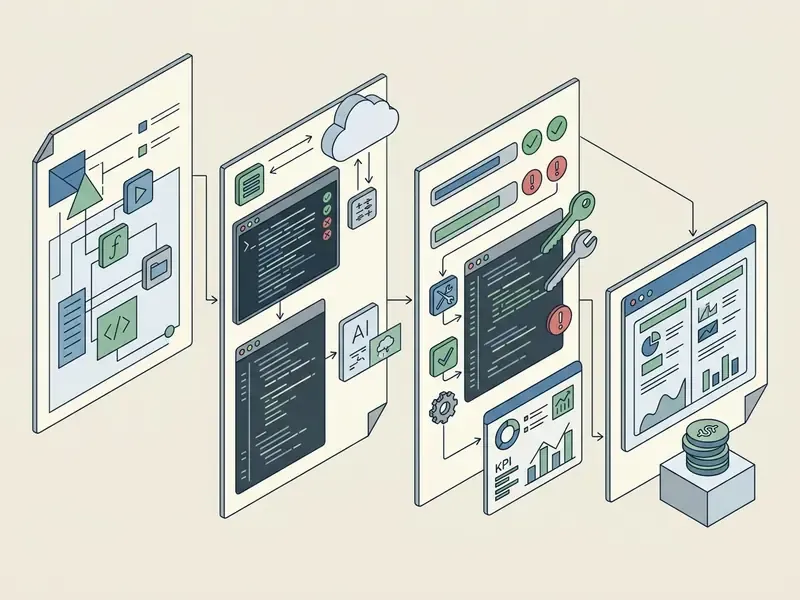
Stage Explanations:
- Natural Language PromptsThe developer inputs plain text requirements, function signatures, or bug descriptions into the code editor or terminal.
- AI Models and GeneratorsThe AI model processes natural language prompts against indexed project files using context-aware embeddings.
- Generated Code SynthesisThe engine returns context-aware code suggestions, complete functions, or targeted code snippets.
- Code Review and Unit TestsThe output undergoes static analysis, security scanning, automated unit test generation, and developer review. NIST SP 800-218A explicitly directs organizations to "review and test AI-generated content" using repeatable, automated toolchain processes.
- Version ControlVerified, production-ready code is checked into Git repositories and integrated into automated CI/CD pipelines, with issues recorded in the issue-tracking system as required by NIST SP 800-218 v1.1.
How We Evaluated the Best AI Code Generator Tools
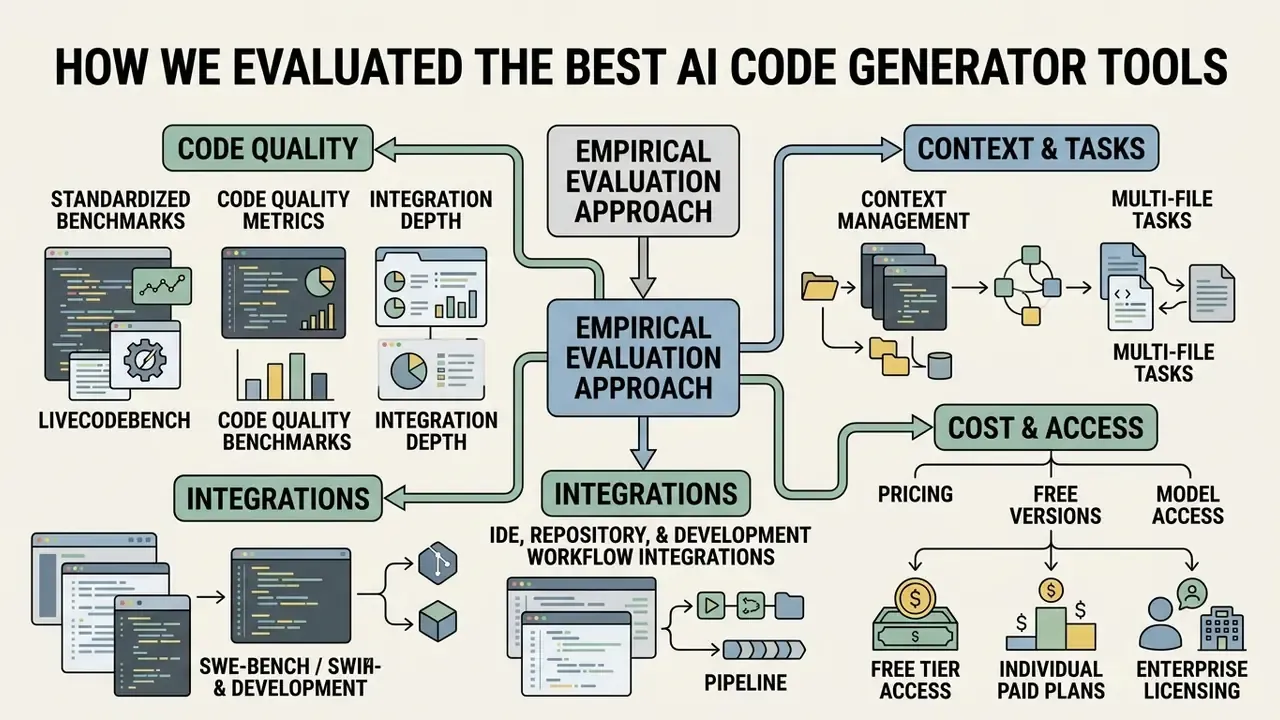
Evaluating AI code generator tools requires an empirical approach: standardized benchmarks, code quality metrics, and integration depth. We graded platforms across functional correctness, context-aware repository reasoning, multi-file task execution, IDE integration, governance controls, and pricing transparency.
Code Quality, Context Management, and Multi-File Tasks
Code quality has to be measured through functional correctness, maintainability indices, and multi-file task success rates. Function-level benchmarks such as HumanEval (164 Python problems, introduced in Evaluating Large Language Models Trained on Code, 2021, https://arxiv.org/abs/2107.03374) and MBPP (Mostly Basic Programming Problems) evaluate basic logic generation. Real-world development needs harder sets: BigCodeBench, LiveCodeBench, SWE-bench.
- BigCodeBench: Assesses complex function calls across 139 libraries and 1,140 tasks, testing how models handle real-world software engineering dependencies.
«Models solve only up to 60% of tasks requiring function calls across multiple libraries, whereas humans succeed in 97% of cases.»
- LiveCodeBench: Provides contamination-free problem sets collected continuously from competitive programming platforms, to measure genuine model reasoning.
«LiveCodeBench collected roughly 400 to 500 problems from LeetCode, AtCoder and Codeforces; Claude-3-Opus reached pass@1 of 32.8% in generation.»
Source: LiveCodeBench, ICLR (2025). https://arxiv.org/abs/2403.07974
- SWE-bench / SWE-bench Verified: Evaluates autonomous AI coding agents on real GitHub issues requiring multi-file edits across large codebases.
«SWE-bench contains 2,294 task instances from 12 Python repositories; at publication the strongest model (Claude 2) resolved only 1.96% of tasks.»
Source: SWE-bench: Can Language Models Resolve Real-World GitHub Issues? (2023). https://arxiv.org/abs/2310.06770
Context management decides whether an AI coding assistant can understand repository-scale dependencies. High-performing tools use vector indexing, local embeddings, and tree-sitter AST parsing to keep context-aware reasoning intact across multi-file, multi-step refactoring. In large codebases, that control becomes numeric: token budget per request, number of files loaded per step, per-function cyclomatic complexity, and a capped file-loading strategy that stops runaway context growth.
Note the benchmark-era shift too. Older evaluations leaned on BLEU-style syntactic similarity; current practice prioritizes execution-based correctness and task-resolution rate, because those metrics track behavior inside real repositories far more honestly.
IDE, Repository, and Development Workflow Integrations
An effective AI code generator must integrate natively into existing software engineering workflows. We assessed integration depth across popular IDEs: VS Code, JetBrains IDEs, Visual Studio, Xcode, Neovim, Eclipse, plus terminal CLI interfaces.
Key integration criteria:
- Real time code suggestions: Low-latency code completion delivered as developers type.
- In-editor chat interfaces: Context-aware sidebars that explain code, generate documentation, and fix errors.
- Repository-level integrations: Pull request summaries, automated code review comments, Git commit message generation.
- Terminal and CLI agents: Autonomous command execution, environment configuration, and test verification inside the shell.
- Protocol-level tool access: Model Context Protocol (MCP) servers, MCP connectors, and direct HTTP or GraphQL API integrations for issue trackers, databases, and observability tooling.
VS Code documentation (2026) describes three distinct AI layers: inline suggestions, chat and inline chat, and autonomous agents that plan, edit files, run commands, and verify changes across multiple files. JetBrains AI Assistant documentation describes an equivalent stack for IntelliJ IDEA, PyCharm and other JetBrains IDEs, including next-edit suggestions, coding agents, and routine automation for docs, tests, commit messages, and PR summaries.
Pricing, Free Versions, and Model Access
Evaluating commercial software tools requires transparent pricing analysis across free plan limits, paid individual tiers, and enterprise seat licensing.
- Free tier access Many vendors offer a free ai code tier with limited monthly completion credits or constrained query quotas. GitHub Copilot Free provides 2,000 completions and 50 chat requests per month; Replit Starter, Bolt.new's daily token allotment, and Windsurf's free tier with unlimited basic completions follow similar logic.
- Individual paid plans Standard individual subscriptions run $10 to $25 per month, unlocking unlimited basic completions and higher allowances on frontier large language models. Anthropic lists Claude 3.5 Sonnet API pricing at $3 per million input tokens and $15 per million output tokens (Anthropic, 2024, https://www.anthropic.com/news/claude-3-5-sonnet).
- Enterprise licensing Tiered enterprise plans add centralized admin controls, SSO, dedicated privacy boundaries, and shared credit pools. GitHub lists Copilot Business at $19 per user per month with 1,900 AI credits, and Copilot Enterprise at $39 per user per month with 3,900 AI credits, plus usage-based overage at $0.01 per credit.
- Pricing-model trade-offs Flat-rate plans are the easiest to budget but raise long-run sustainability questions; credit-based pricing offers the best cost-per-token ratio and the least transparency; bring-your-own-API-key escalates quickly across a team; local LLM deployment removes per-token cost and adds hardware and deployment burden.
Best AI Code Generator Tools: Comparison at a Glance
The table below gives an ai code generator comparison across primary use cases, editor support, app generation capability, and free plan availability.
| AI Platform / Tool | Best For | Web App Support | Desktop / CLI | VS Code Extension | JetBrains IDEs | Free Plan Available | App Generation | Code Review |
|---|---|---|---|---|---|---|---|---|
| GitHub Copilot | IDE-native pair programming and enterprise deployment | Yes (GitHub Web) | Yes | Yes | Yes | Yes (2,000 completions/mo) | Partial | Yes (paid tiers) |
| Cursor | Context-aware multi-file editing and full-repo indexing | No | Yes (Custom Editor) | Native Fork | No | Yes (Hobby Tier) | Partial | Yes |
| Claude Code | Multi-step agentic CLI refactoring and complex logic | No | Yes (CLI / Terminal) | Yes | No | Limited API Trial | No | Yes |
| Windsurf | Agentic multi-file workflows via Cascade engine | No | Yes (Custom Editor) | Native Fork | No | Yes (Free Tier) | Partial | Yes |
| Replit | Cloud-based browser development and instant app deployment | Yes | No | No | No | Yes (Starter Plan) | Yes | Partial |
| Bolt.new | Prompt-to-app full stack web generation in browser | Yes | No | No | No | Yes (Daily Credits) | Yes | No |
| Amazon Q Developer | AWS-centered cloud architecture and security scanning | Yes (AWS Console) | Yes | Yes | Yes | Yes (Free Tier) | No | Yes |
| Tabnine | On-premise self-hosted privacy and custom model training | No | Yes | Yes | Yes | Yes (Starter Tier) | No | Yes |
| Aider | Git-native CLI pair programming and voice-driven coding | No | Yes (CLI, browser UI in beta) | No | No | Yes (Open Source / BYOK) | Partial | Yes |
| Xcode 16 AI | On-device, privacy-focused Swift/SwiftUI development | No | Yes (macOS, Apple Silicon) | No | No | Yes (Free with Xcode) | Partial | Partial |
| Cline / Roo Code | MCP-connected agentic VS Code extension with Memory Bank | No | Partial (terminal control) | Yes (Extension) | No | Yes (extension free, pay per API usage) | Partial | Yes |
| JetBrains AI (Mellum) | Native Kotlin and Java context inside JetBrains IDEs | No | Yes | No | Native | Trial (7-day) | No | Yes |
The Rise of Model Context Protocol (MCP) and Autonomous Coding Agents
- Context indexing: Reading multi-gigabyte project structures incrementally, loading only what is relevant at each step instead of forcing a whole repository into a prompt window.
- Tool execution: Running terminal commands, installing dependencies, executing linters, inspecting test logs, committing atomic Git changes.
- Visual verification: Driving a headful browser instance to inspect rendered components, capture screenshots, and fix visual regressions before human code review.
- Persistent memory: Writing architectural decisions and conventions to durable project files, so a new agent session does not lose accumulated context.
- Parallel agents: Running several isolated agents on separate virtual machines or Git worktrees, one implementing a feature, another writing its tests, then comparing results side by side. Claude Code documents isolated worktrees at
/.claude/worktrees/for precisely this pattern.
Governance implication. MCP expands the blast radius of an AI assistant dramatically. An agent holding database and ticketing credentials is not a code suggester any more; it is an actor inside your production estate, with an owner, a role, and a shutdown path that someone must define. UK government guidance on AI coding assistants warns that IDE plugin ecosystems contain unvetted assistants carrying elevated data-exposure and code-injection risk, and recommends restricting teams to assistants from trusted vendors. Any MCP server approved for a regulated environment should therefore be inventoried, scope-limited to read-only where possible, network-restricted, and logged at tool-call level. No evidence, no autonomy.
Best AI Coding Assistants for IDE-Based Development
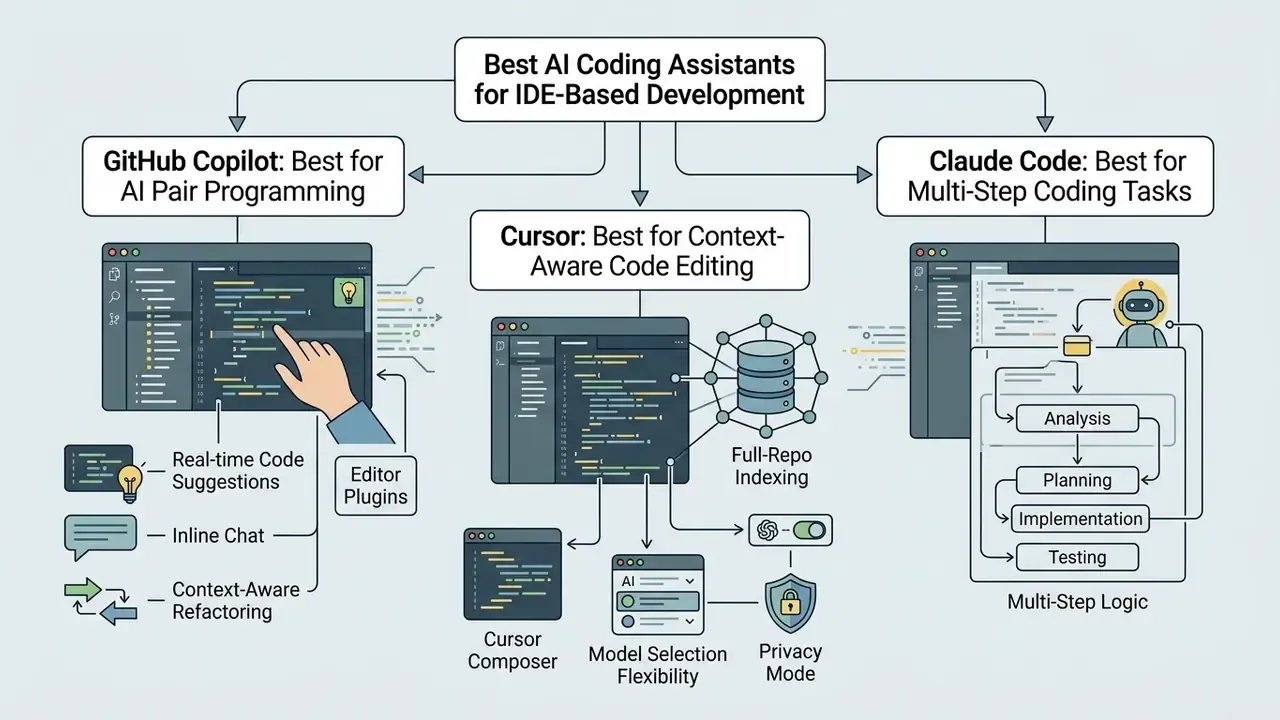
IDE-based AI coding tools plug straight into code editors to deliver real time code suggestions, inline chat, and context-aware refactoring. They help individual developers write code faster while keeping repository standards intact.
GitHub Copilot: Best for AI Pair Programming in Editors
GitHub Copilot remains the mainstream enterprise standard for AI pair programming. Integrated deeply into VS Code, Visual Studio, JetBrains IDEs, Xcode, Eclipse, Neovim, and Zed, Copilot provides reliable inline code completion, /tests unit test generation, pull request explanation, and chat assistance on diffs.
Copilot Business ($19 per user per month) and Copilot Enterprise ($39 per user per month) add centralized management, custom model fine-tuning on organization repositories, content exclusion controls, shared AI-credit pools, and pull request summary generation. Enterprise administrators also get a usage-metrics dashboard broken down by IDE, model, language, and active users, a practical instrument for detecting shadow AI and proving adoption to auditors, though GitHub notes the dashboard may lag by up to three days. Copilot Free offers basic completion access; automated code review is documented as excluded from the free plan.
That counterweight matters for latency-sensitive systems. Speed of authorship is not quality of output, and velocity metrics alone will overstate the value of any assistant.
Cursor: Best for Context-Aware Code Editing
Cursor is an AI-native code editor built as a custom fork of VS Code. By embedding AI capabilities into the core editor architecture rather than an extension layer, Cursor delivers repository-wide context awareness that extension-based setups struggle to match.
Key Cursor features:
- Full-repo indexing Local codebases are chunked, hashed, and indexed into vector embeddings, which makes broad architectural questions answerable.
- Cursor Composer A multi-file agentic workspace that drafts, modifies, and applies inline diffs across multiple files at once from natural language prompts, with per-file accept or reject review.
- Model selection flexibility Switch between Claude 3.5/3.7 Sonnet, GPT-4o, custom API keys, or fine-tuned models.
- Privacy Mode Available on the Business plan for teams that must prevent code retention.
Cursor offers a free Hobby tier with basic usage limits (roughly 2,000 completions plus a small premium-request allowance), a $20 per month Pro plan for individual developers, and a $40 per user per month Business tier with enterprise security and centralized billing. Reviewers consistently flag one thing: Cursor's four interaction modes (tab completion, chat, Composer, agent) carry a steeper learning curve than Windsurf's onboarding.
Claude Code: Best for Multi-Step Coding Tasks
Claude Code is Anthropic's agentic command-line tool built for deep codebase refactoring, bug fixing, and multi-step development lifecycle automation. Running in the terminal (started with the claude command), through a native VS Code extension, a desktop app, or the browser, Claude Code reads entire repositories, executes shell commands, runs test suites, and drafts git commits autonomously.
On LiveCodeBench, Anthropic's underlying Claude models rank among top performers in functional correctness and multi-step reasoning (LiveCodeBench, ICLR 2025, https://arxiv.org/abs/2403.07974). Claude Code uses deep context windows to execute complex refactoring across legacy codebases with limited human intervention, which is a capability claim and a risk statement in the same sentence.
Developers interact with it through the claude command-line utility, with searchable prompt history, hooks, MCP servers, and subagents documented in the official reference. Checkpoints, introduced in September 2025, let engineers review file diffs and roll back agentic actions safely if generated code drifts from project requirements, a control that maps cleanly to change-management requirements. The Agent SDK additionally allows Claude Code to be driven programmatically from CLI, Python, or TypeScript inside CI/CD pipelines.
Windsurf: Best for Agentic Coding Workflows
Windsurf (developed by Codeium) is an AI-native IDE built on VS Code, featuring the Cascade agentic engine. It blends low-latency inline code autocomplete with multi-file agentic execution.
Cascade keeps real-time context awareness across open editor tabs, local workspace files, and active terminal output. Windsurf documentation states that the current file, other open files, and the indexed local codebase are considered by default, with Context Pinning available as a prototype feature for persisting critical information. Windsurf also supports Super Complete (intent prediction rather than next-token prediction), web search into Cascade context, SSH and Dev Container support, and image or screenshot input.
These figures are vendor-published, not independently replicated, and should be read as directional marketing data until you verify them on your own task set. Independent evaluation on an internal held-out repository is the appropriate control here.
Windsurf's free plan includes unlimited basic code completions and a limited monthly allowance of Cascade agentic steps. Paid Pro plans start around $10 to $15 per month, with high-volume access to advanced agentic features.
Niche and Specialized Assistants: Aider, Cline/Roo Code, Xcode 16, JetBrains Mellum
Several tools serve narrow but strategically important niches that mainstream copilots simply do not cover.
- Aider is an open source, Git-native CLI pair programmer. It edits multiple files, writes commits with generated messages, supports voice input and image attachments, and runs in bring-your-own-key mode against OpenAI, Anthropic, DeepSeek, or local models via Ollama. Because every change lands as a reviewable Git commit, Aider produces an unusually clean audit trail. Valuable wherever per-change attribution is mandatory.
- Cline / Roo Code are VS Code extensions built around autonomous task execution, MCP server support, a persistent Memory Bank, screenshot analysis, and terminal control. The extension is free; cost is API usage, routed through OpenRouter, AWS Bedrock, GCP Vertex, or local models.
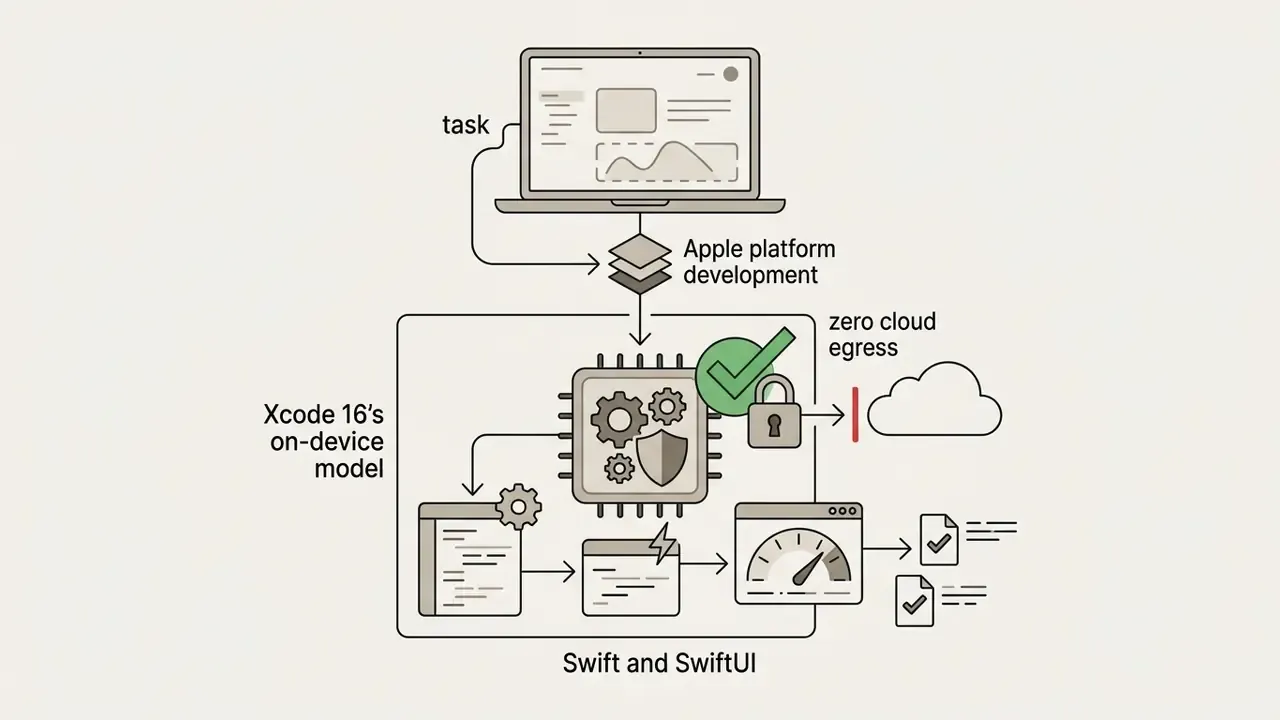
- Xcode 16 AI provides predictive code completion and Swift/SwiftUI suggestions using an on-device Apple model on Apple Silicon. It runs offline, sends no source code to external APIs, and ships free with Xcode, currently the most straightforward path to a privacy-preserving assistant for iOS and macOS teams. The trade-off: Swift only, with limited refactoring depth.
- JetBrains AI Assistant with Mellum integrates natively into IntelliJ IDEA, PyCharm, and the wider JetBrains family, generating documentation, commit messages, and tests, converting files across languages, and supporting OpenAI, Google, Anthropic (via AWS Bedrock), JetBrains' own Mellum model, or local models through Ollama. Pricing starts around $10 per month on top of a paid IDE subscription, after a 7-day trial. JetBrains has also announced a task-delegation coding agent focused on code-quality verification for IntelliJ IDEA Ultimate and PyCharm Professional.
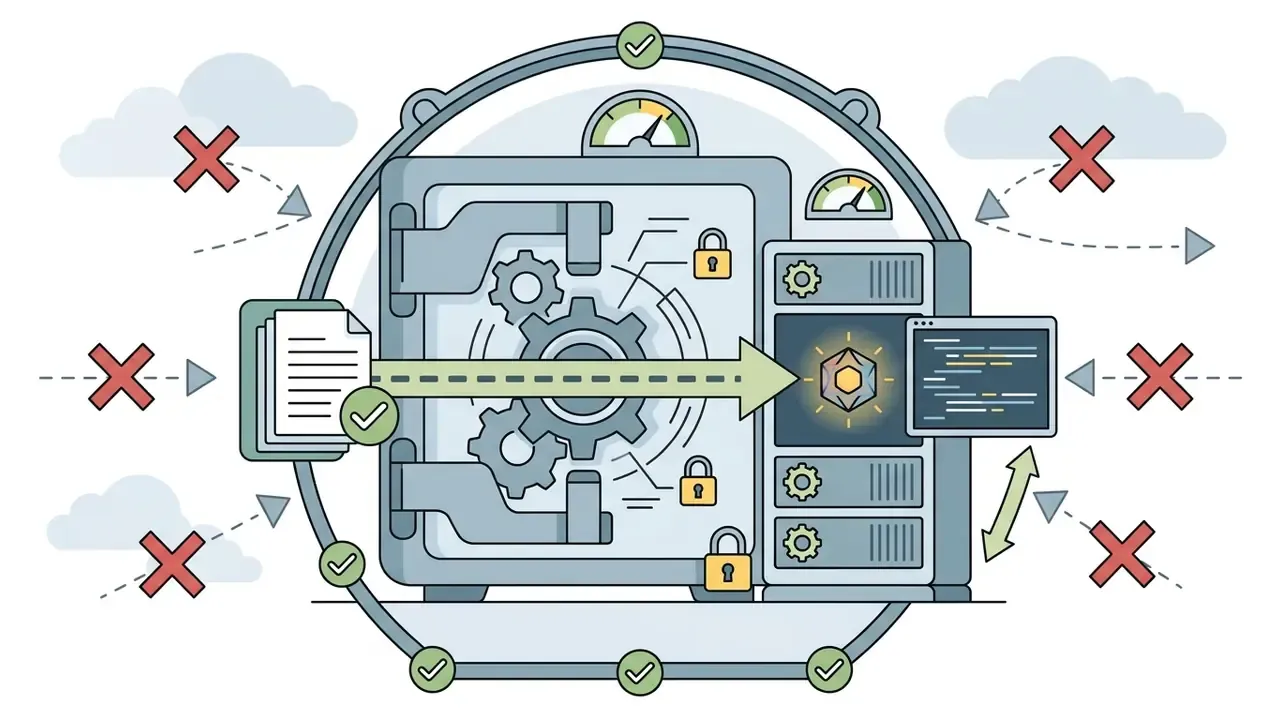
- Local-first stacks in general, meaning Ollama-hosted models, Pieces OS running LLMs entirely on the developer machine, and Xcode's on-device engine, remove cloud egress from the threat model. The trade-off is hardware: local inference is resource-intensive, can degrade performance on older machines, and shifts model deployment and update discipline onto your own team.
Best AI Code Generators for Enterprise, Security, and Large Codebases
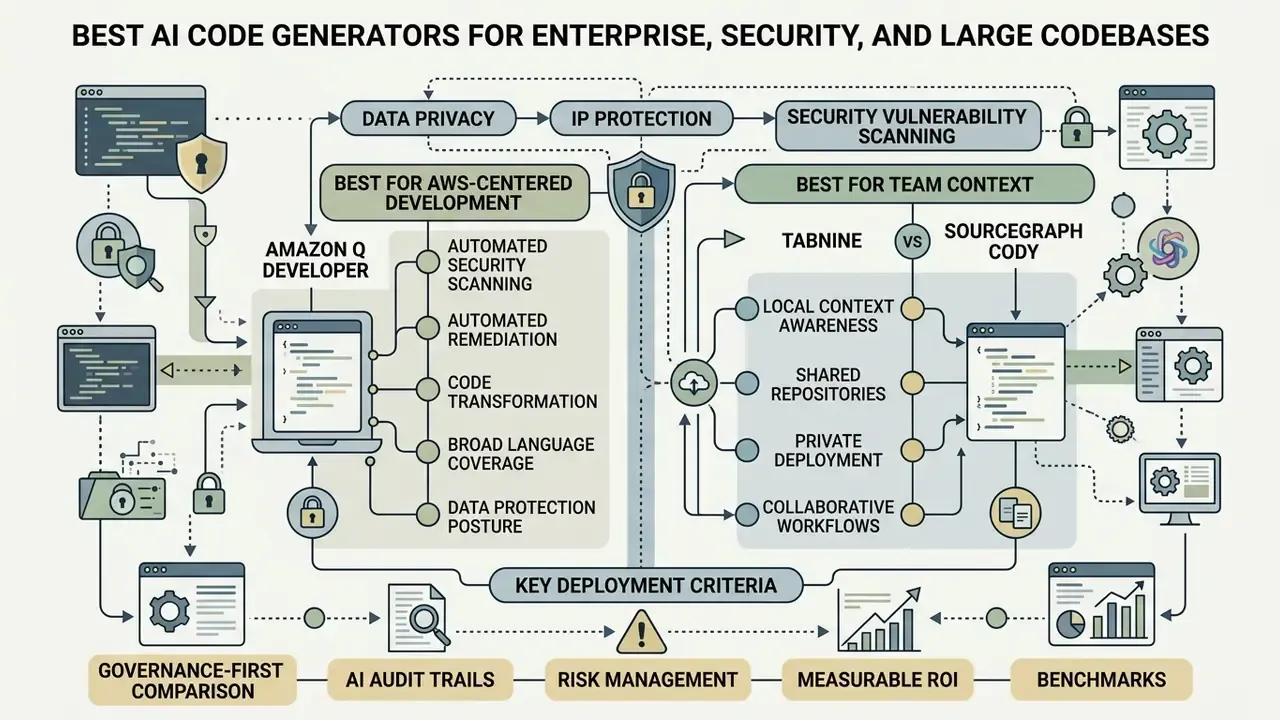
Enterprise deployment of AI coding tools demands strict handling of data privacy, intellectual property, and security vulnerability scanning. Engineering managers must keep sensitive source code out of unapproved model training.
NIST SP 800-218A (2024) instructs that all forms of code, including source, configuration-as-code, AI models, weights, and pipelines, be stored on a least-privilege basis. NIST AI 600-1 (2025) extends confidentiality requirements explicitly to generative-AI code, training data, and model weights. Germany's BSI guidance on AI coding assistants (2024 to 2026) adds three points worth reading twice: confidential information can leak through user inputs, a systematic risk analysis should precede adoption, and generated source code must be checked and reproduced by developers rather than trusted on sight.
Amazon Q Developer: Best for AWS-Centered Development
Amazon Q Developer (formerly AWS CodeWhisperer, folded into Amazon Q Developer on April 30, 2024) targets enterprise development teams working inside the Amazon Web Services ecosystem. Amazon Q integrates into VS Code, JetBrains IDEs, Visual Studio, Eclipse (preview), AWS Cloud9, the Lambda console, and the AWS Management Console.
Key Amazon Q Developer security capabilities:
- Automated security scanning Scans Java, Python, JavaScript, TypeScript, C#, CloudFormation (YAML/JSON), AWS CDK (TypeScript/Python), and Terraform (HCL) for hardcoded secrets, SQL injection risks, and OWASP Top 10 flaws.
- Automated remediation Suggests inline security patches tailored to application context, with remediation available for Java, Python, and JavaScript.
- Code transformation Automates multi-version language upgrades, for example moving legacy Java 8 codebases to Java 17 or 21.
- Broad language coverage Python, Java, JavaScript, TypeScript, C#, Go, Rust, PHP, Ruby, Kotlin, C, C++, shell, SQL, Scala, JSON, YAML, HCL.
- Data protection posture AWS documents TLS 1.2+ in transit, AWS encryption services at rest, and shared-responsibility guidance for enterprise data.
That result generalizes the core enterprise lesson neatly: pairing generation with executable tests, instead of accepting first-pass output, is the highest-leverage control you have on correctness.
Amazon Q Developer offers a free tier with basic security scans and individual completion limits, alongside a $19 per user per month Pro tier with full enterprise admin controls.
Tabnine and Sourcegraph Cody: Best for Team Context
Tabnine and Sourcegraph Cody prioritize local privacy boundaries, self-hosted deployment, and deep enterprise knowledge base integration.
- Tabnine Focuses on privacy-first AI code completion. Tabnine documents private installation for Enterprise customers, self-hosted on private servers, on-premises, or inside an isolated VPC, including fully air-gapped operation with no Tabnine access to the customer environment. Vendor-documented, not independently audited: Tabnine's documentation states models are trained on permissively licensed open source code, and that enterprise administrators can connect selected organizational repositories to retrain a private customized model. Treat those as vendor claims. Validate them contractually and, where possible, through third-party assurance reports rather than marketing pages.
- Sourcegraph Cody Connects AI code generation to Sourcegraph's enterprise code search graph. Cody applies
cody.contextFiltersinclude and exclude rules across vast multi-repository codebases, letting developers query legacy systems while repo-level access permissions still hold. Sourcegraph documentation states that for Enterprise customers, Sourcegraph will not train on company data. One architectural caveat matters for air-gapped programs: even on a self-hosted Sourcegraph instance, Cody by default sends code snippets to a third-party cloud LLM service, so the instance requires internet access.
Enterprise AI Tool Comparison Matrix
| Enterprise Tool | Data Privacy and Privacy Model | Legacy Code Modernization | Implementation Complexity | Deployment Options |
|---|---|---|---|---|
| Amazon Q Developer | Enterprise data encrypted (TLS 1.2+); zero training on customer inputs | High (specialized Java and IaC upgrade agents) | Low (standard IDE plugin) | AWS Cloud / IDE integration |
| Tabnine Enterprise | Zero data retention; air-gapped security model | Moderate (custom fine-tuning on internal repos) | Moderate (VPC or on-prem setup required) | Self-hosted / VPC / Air-gapped |
| Sourcegraph Cody | Context filters prevent unauthorized repo access; no enterprise training | High (multi-repo graph context search) | Moderate (requires Sourcegraph instance; external LLM egress) | Hybrid / Enterprise Cloud |
| GitHub Copilot Enterprise | Enterprise privacy agreement; content exclusion; prompt exclusion | Moderate (Copilot Workspace and PR tools) | Low (SaaS admin management) | Managed enterprise SaaS |
| Xcode 16 On-Device | No external egress; inference fully local on Apple Silicon | Low (Swift/SwiftUI scope only) | Low (bundled with Xcode) | On-device |
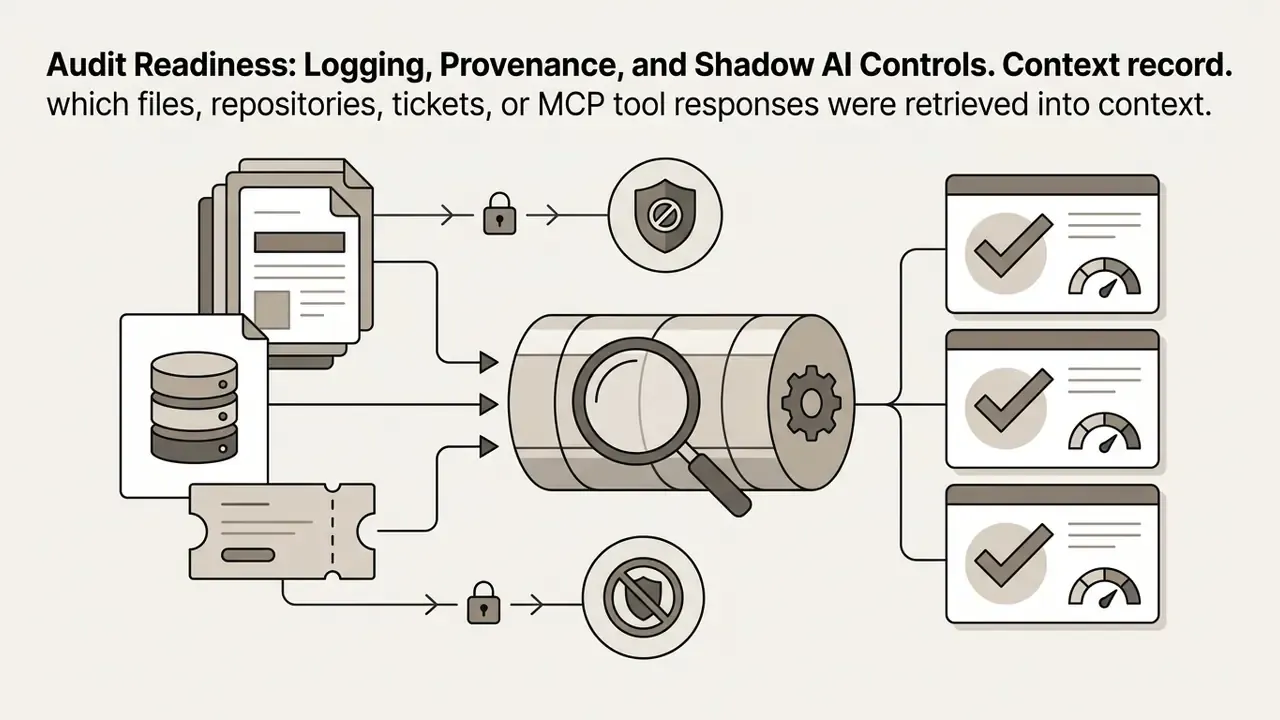
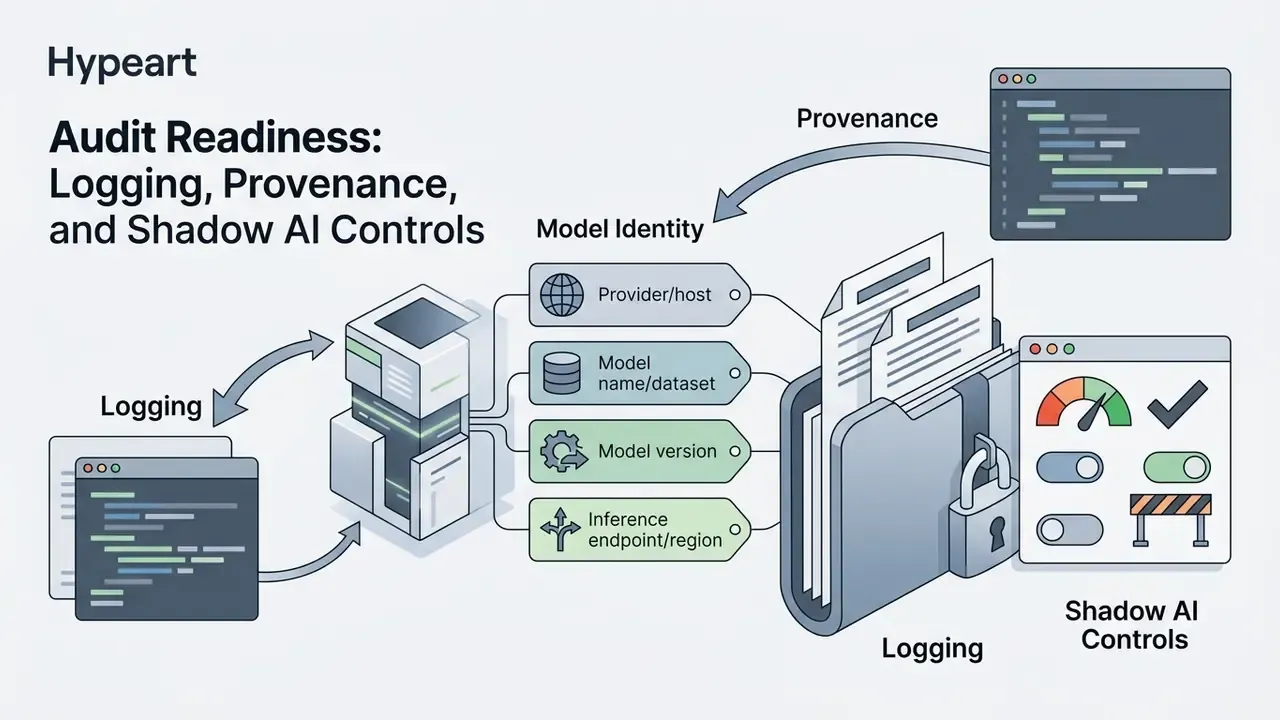
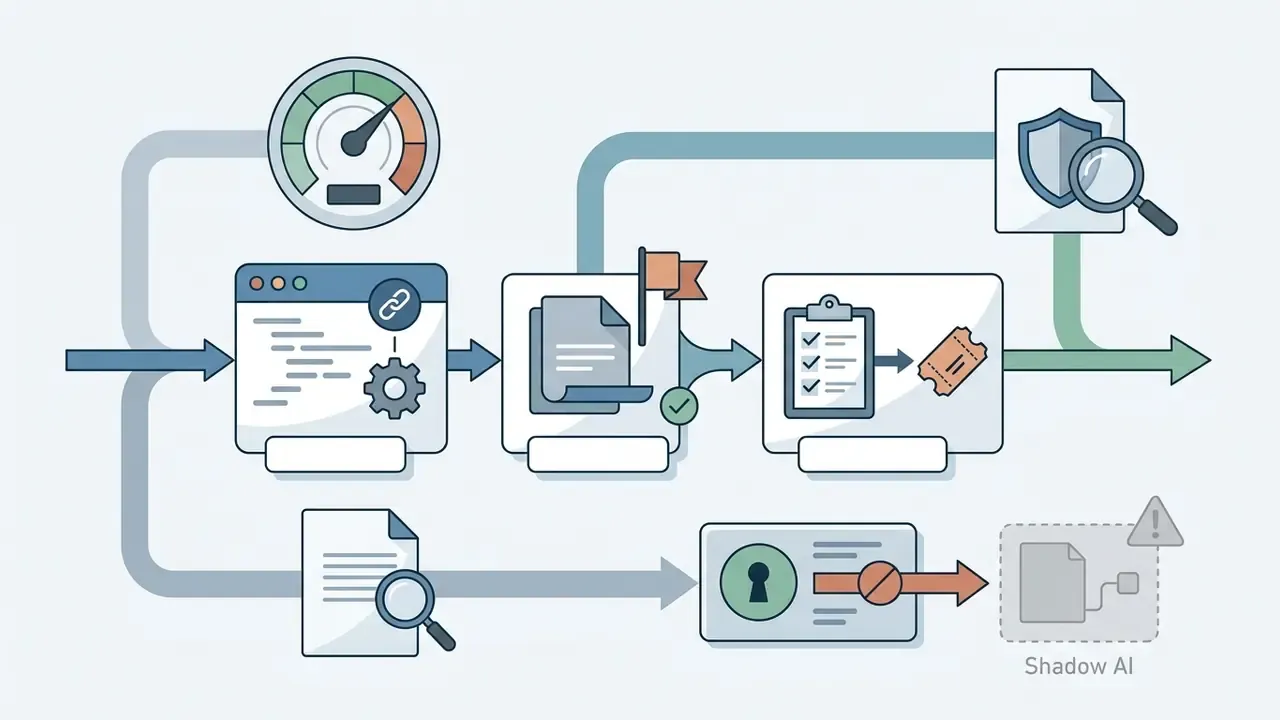
Audit Readiness: Logging, Provenance, and Shadow AI Controls
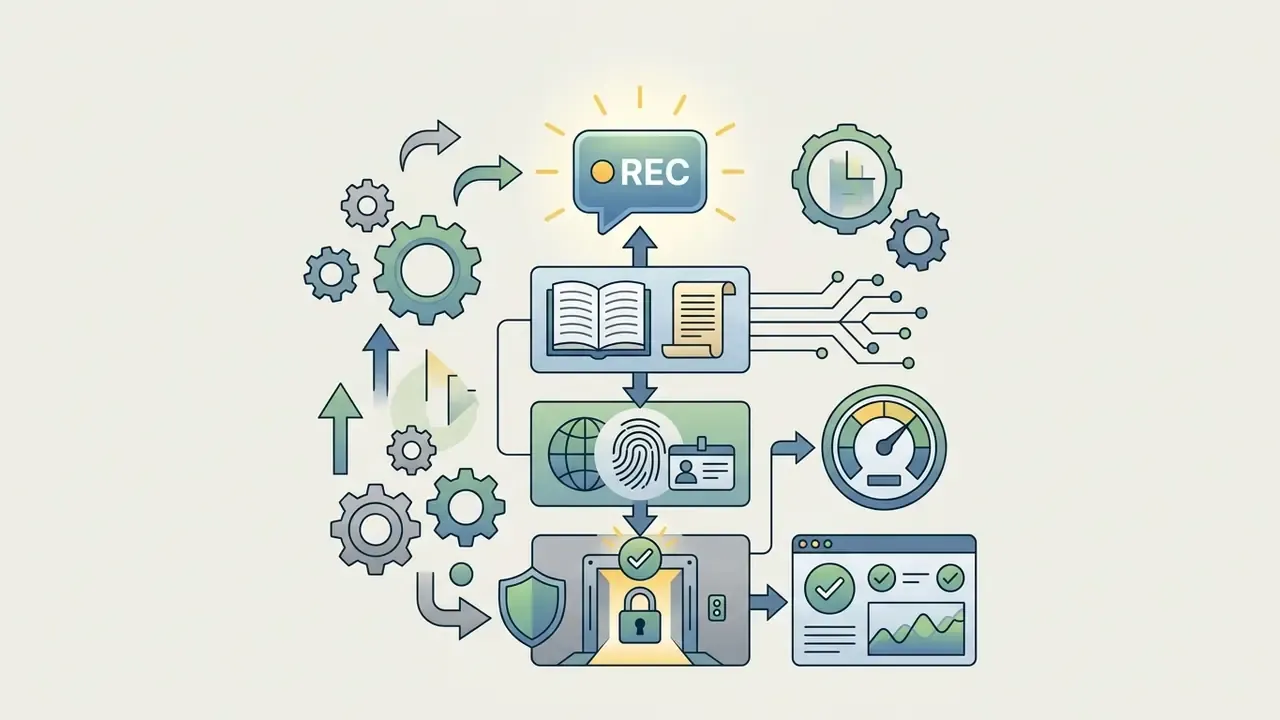
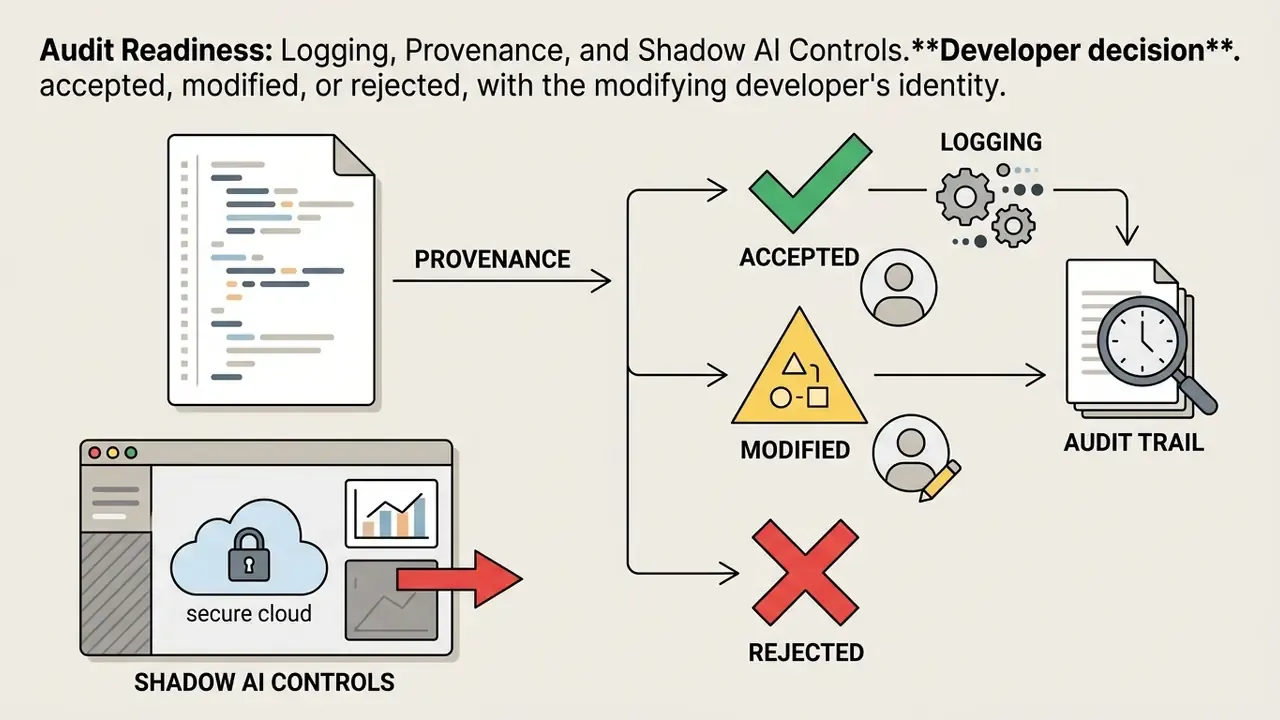
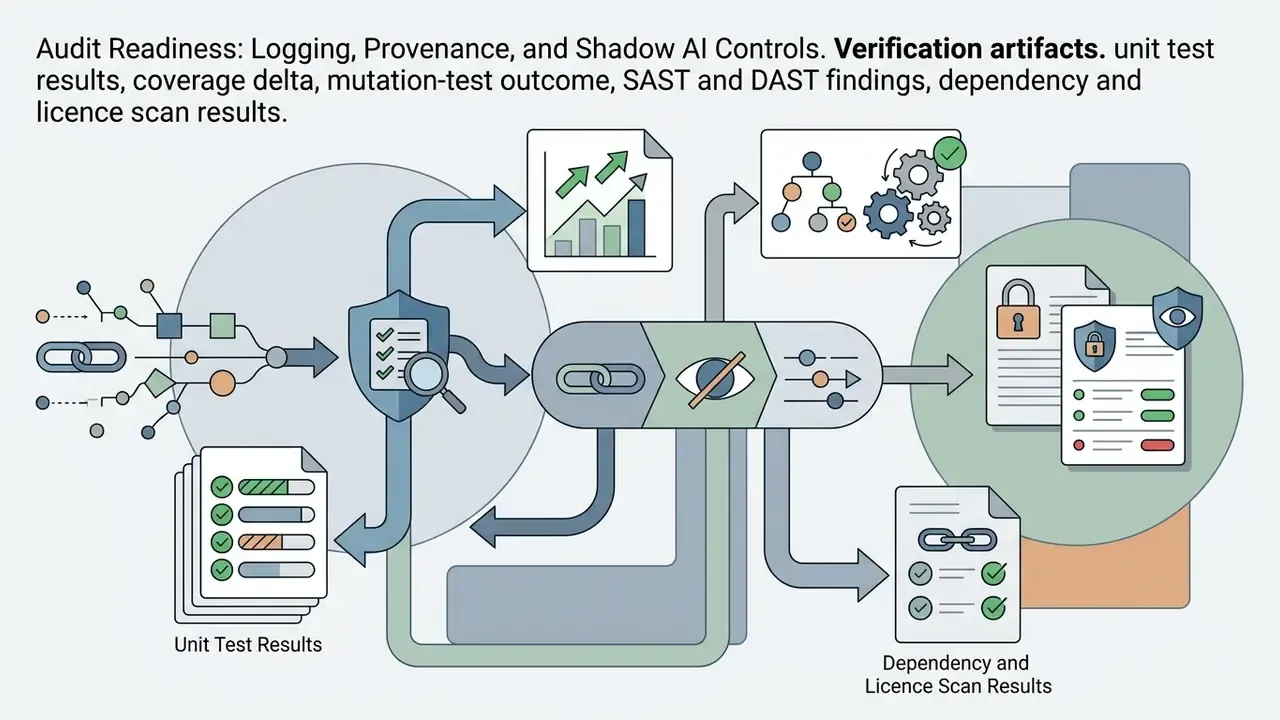
Model risk and internal audit functions do not accept "the tool helped us" as evidence. Reproducible evidence has to be captured at change level. The checklist below maps AI-assisted development to the recording requirements implied by NIST SP 800-218A and to model risk expectations under SR 11-7 and OCC 2011-12.
Shadow AI reduction controls: publish an approved-tool catalog; enforce SSO and seat provisioning through identity management; block egress to unapproved AI endpoints at the network layer; enable vendor content-exclusion settings for sensitive repositories; monitor adoption through enterprise usage dashboards (allowing for reporting lag); and require registration of every MCP server together with its credential scope.


Best AI Tools for Web Development and App Generation
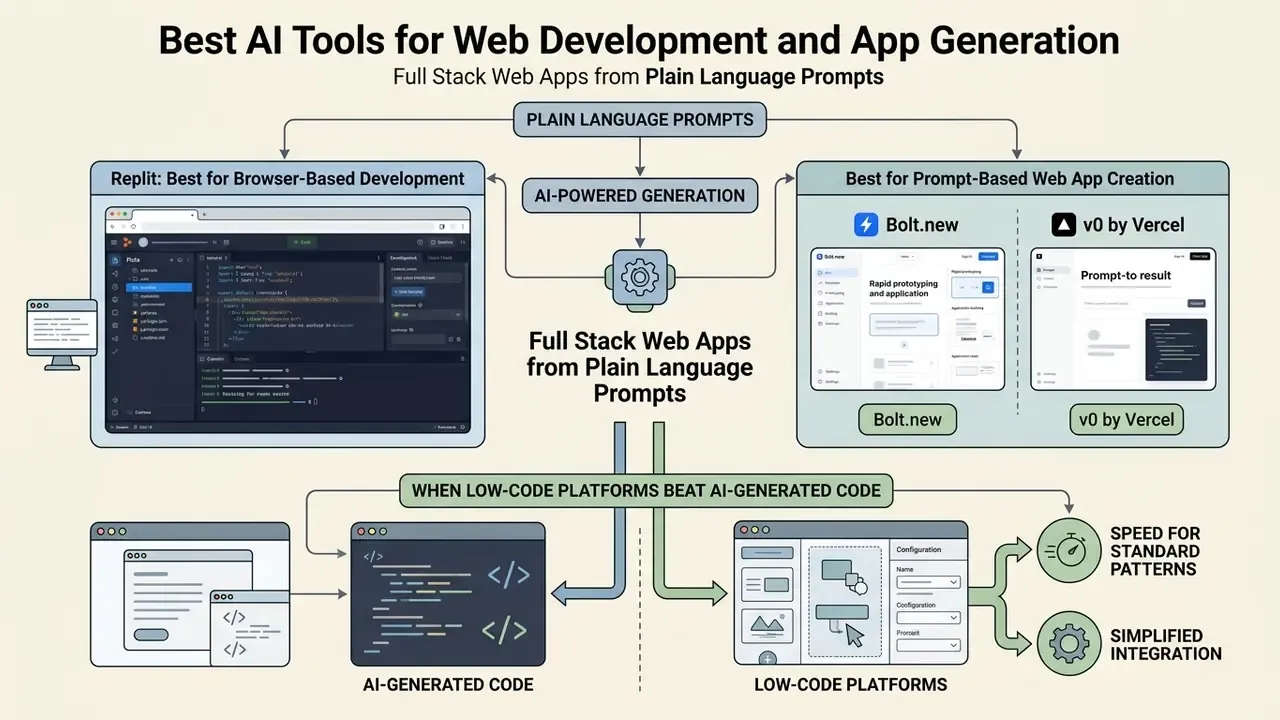
Web development and rapid prototyping have been reshaped by AI platforms that build full stack web applications from plain language prompts. These tools generate UI components, wire up backend APIs, and configure cloud hosting in minutes.
Scope note for regulated organizations: the platforms in this section are prototyping and MVP accelerators. They execute code in vendor-managed browser containers or vendor clouds, which is incompatible with air-gapped core-banking requirements. Use them for demos, internal experiments, and customer-facing marketing surfaces. Never as the delivery path for systems of record without full code export, independent review, and re-platforming into a governed pipeline.
Replit: Best for Browser-Based Development
Replit is a cloud based development environment combining an online code editor, automated infrastructure provisioning, and the AI-powered Replit Agent. It enables developers to build, test, and deploy entire applications inside a web browser, with no local setup.
Vendor-documented capability, no independent benchmark available: Replit's own documentation describes Replit Agent as taking a high-level outcome description plus success criteria, generating full stack code structures, configuring the environment, installing dependencies, executing code, and publishing the app. The platform bundles Authentication, Database, Hosting, and Monitoring, plus managed access to 300+ AI models without API keys. As of this update, no peer-reviewed or independent benchmark of Replit Agent's end-to-end task success rate is publicly available, so capability claims should be validated on your own bounded pilot task rather than accepted as measured performance.
Pricing on the official page lists Starter free, Core at $20 per month (billed annually), and Pro at $100 per month (billed annually), with agent usage allowances that reset on a rolling window.
Bolt.new and v0: Best for Prompt-Based Web App Creation
Bolt.new (by StackBlitz) and v0 (by Vercel) sit at the front edge of prompt-driven web app generation.
Both platforms therefore use credit-based pricing with free daily or monthly token allowances and paid individual tiers starting around $20 to $25 per month. Teams comparing credit-metered pricing across adjacent AI categories can see how the same mechanics play out for a free ai image generator 2025 cohort, where quota resets and watermark rules drive the real cost.
- Bolt.new
- Runs an in-browser WebContainer environment executing full stack JavaScript applications (Next.js, React, Node.js) natively in Chrome or Chromium. Users type a text prompt, and Bolt.new constructs the UI, backend logic, and package configuration in real time, with npm integration, live preview, and one-click deploy. Documented constraints matter: PHP and Python backends do not run in the browser environment, and native Node or C++ modules such as
sharp,bcrypt, andcanvasare unsupported. The official pricing page lists Free, Pro at $25 per month, and Teams at $30 per member per month. - v0 by Vercel
- Specializes in production ready React components styled with Tailwind CSS and shadcn/ui. Developers prompt v0 to generate UI interfaces, inspect rendered previews, and export code to a local repo, GitHub, or a Vercel project; full previews and environment variables require connecting the repo to a Vercel project. Vercel moved v0 to token-metered credits on 13 May 2025, with roughly $5 monthly credits on Free, $20 on Premium, and $30 per user on Team.
When Low-Code Platforms Beat AI-Generated Code
Prompt-to-app AI tools excel at fast prototyping. Traditional low code and no code (LCNC) platforms still win specific enterprise workflows.
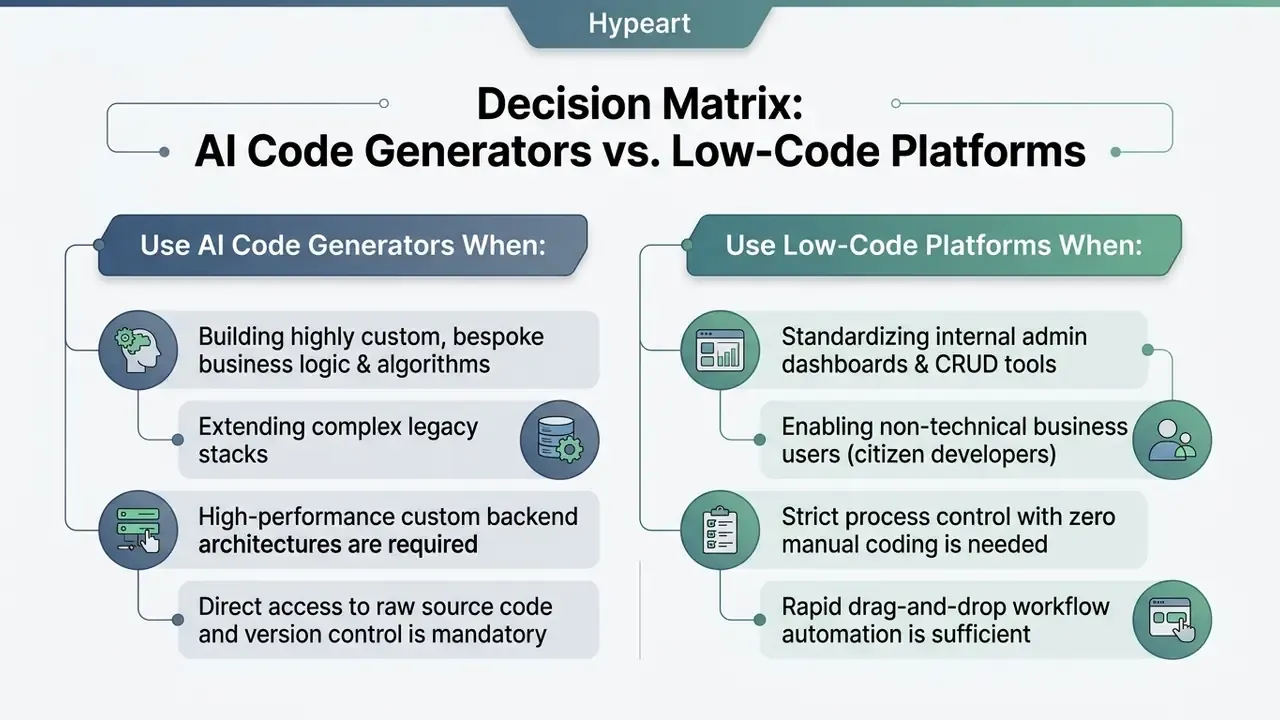
Google Cloud's low-code architecture guidance draws the boundary by integration surface: no code suffices when an application only connects to common web services, while low code (visual tooling plus custom code for the tricky parts) is required when the app must connect to an existing internal system. Put plainly, low-code frameworks give higher governance predictability for standardized internal forms, whereas raw AI code generation wins when deep API integrations and custom algorithms are needed (Google Cloud Low-Code Development Guide, 2024, https://cloud.google.com/architecture/low-code-development). UK government guidance reinforces the same split from a control angle: AI-generated code is easier to safeguard when the instruction is easily testable and verifiable, which is exactly where routine, rule-based delivery favors LCNC.
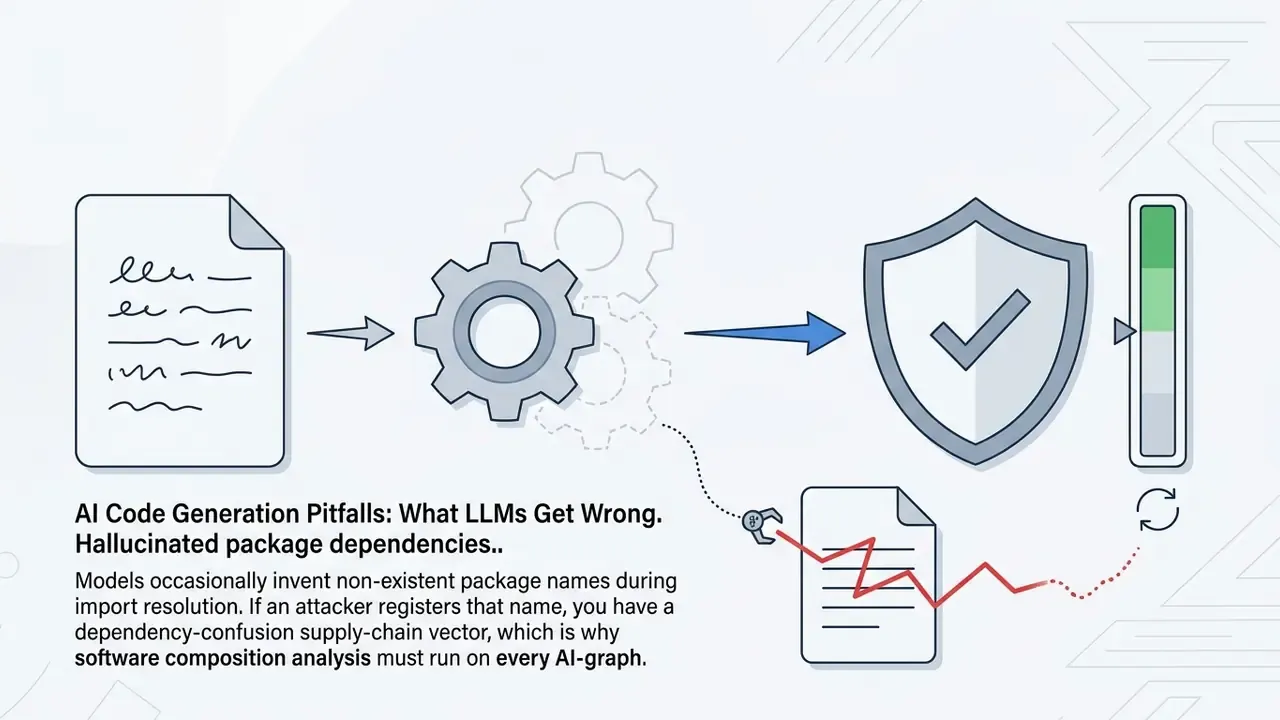
AI Code Generation Pitfalls: What LLMs Get Wrong
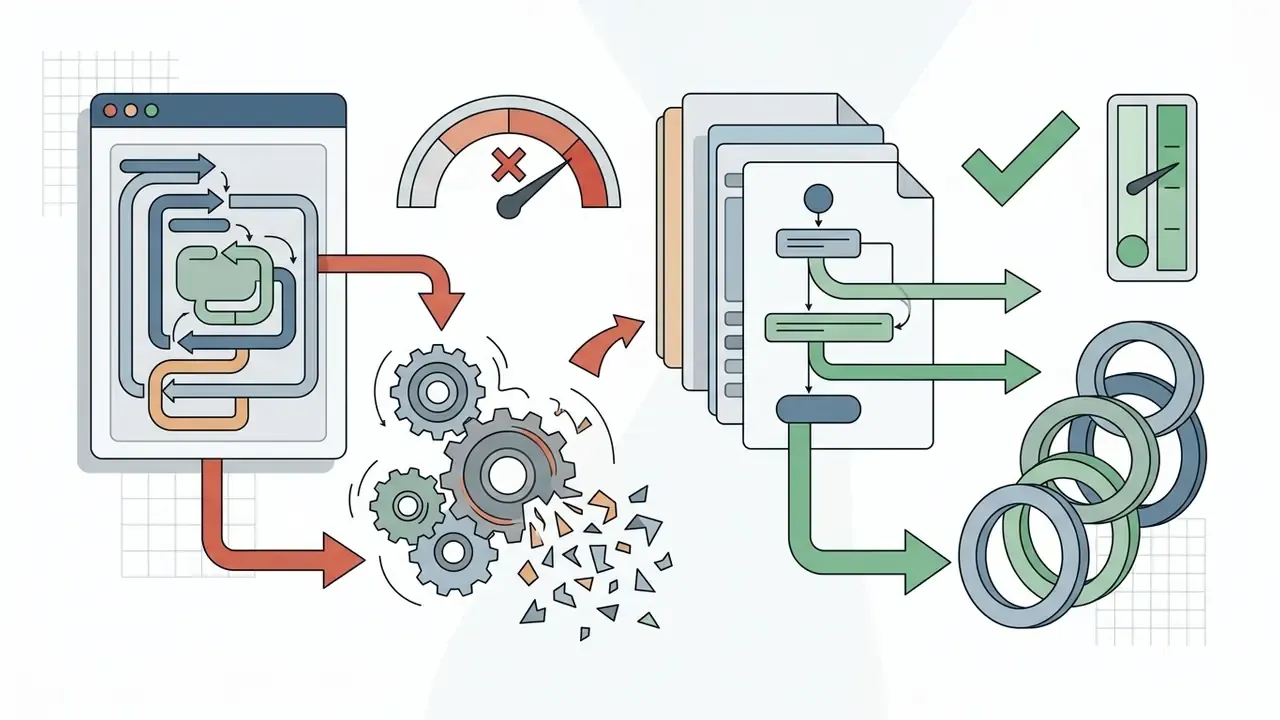
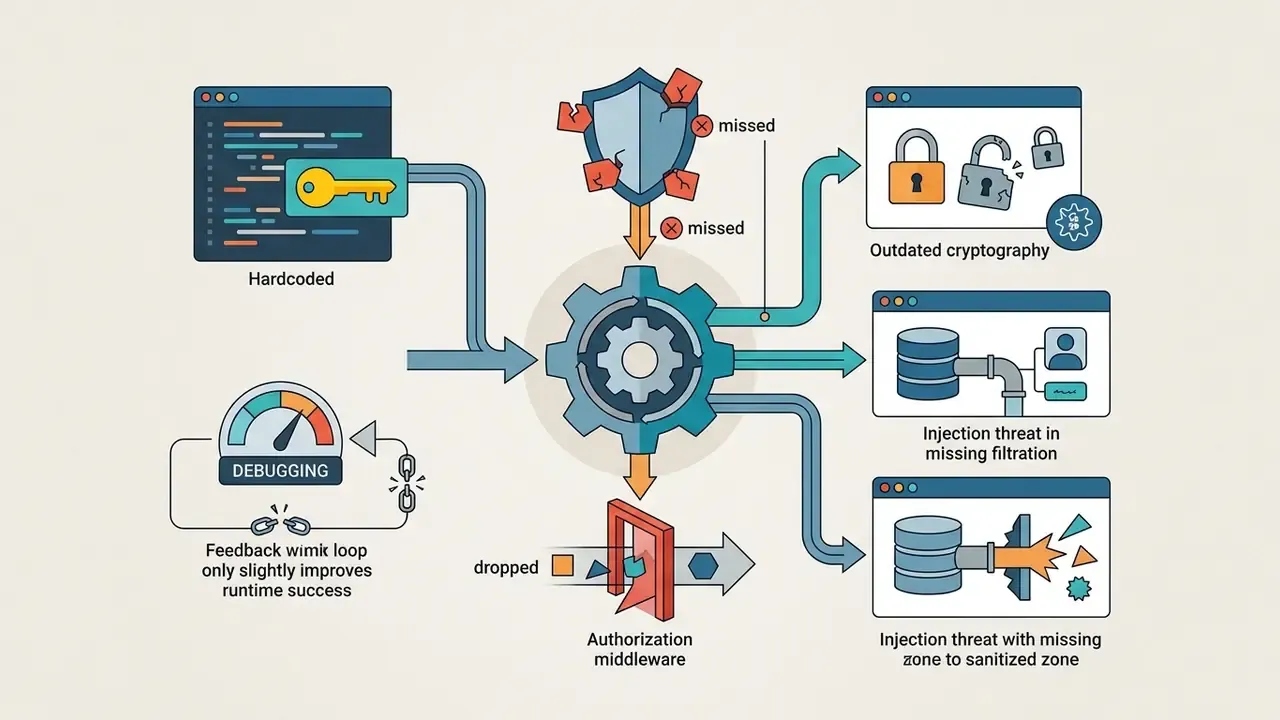
AI code generators accelerate development velocity. Uncritical acceptance of their output introduces structural defects into production repositories. The following defect classes recur across practitioner reports and benchmark analyses.
# Typical AI output: O(N^2)
duplicates = [x for i, x in enumerate(items) if x in items[i+1:]]
# Reviewed replacement: O(N)
from collections import Counter
counts = Counter(items)
duplicates = [value for value, n in counts.items() if n > 1]
Mitigation stack: characterization tests before refactoring, mutation testing to weed out ineffective tests, pinned dependency policies with SCA scanning, SAST on every AI-touched diff, complexity linting on hot paths, and mandatory human review with a named accountable reviewer.
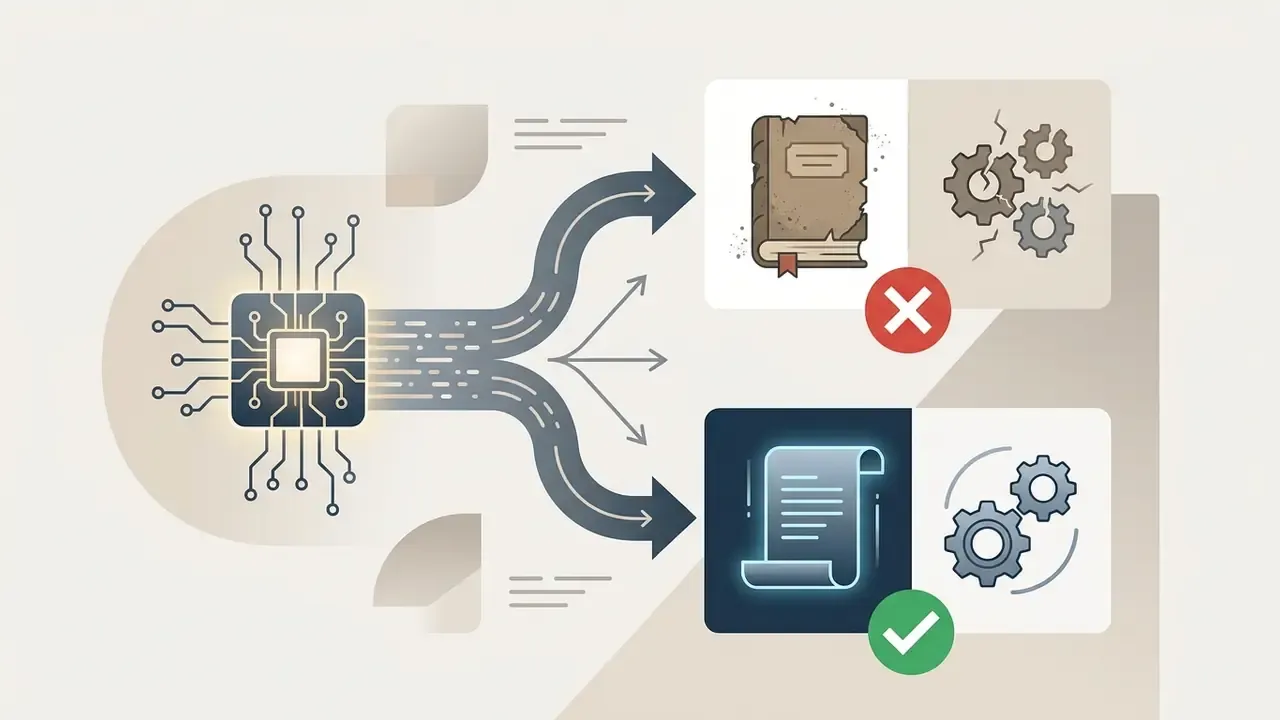
request library instead of axios or native fetch, or emitting legacy React class components instead of functional hooks. Fast-moving stacks (React, Next.js, Pydantic v1 to v2) suffer worst, because training data lags release cadence.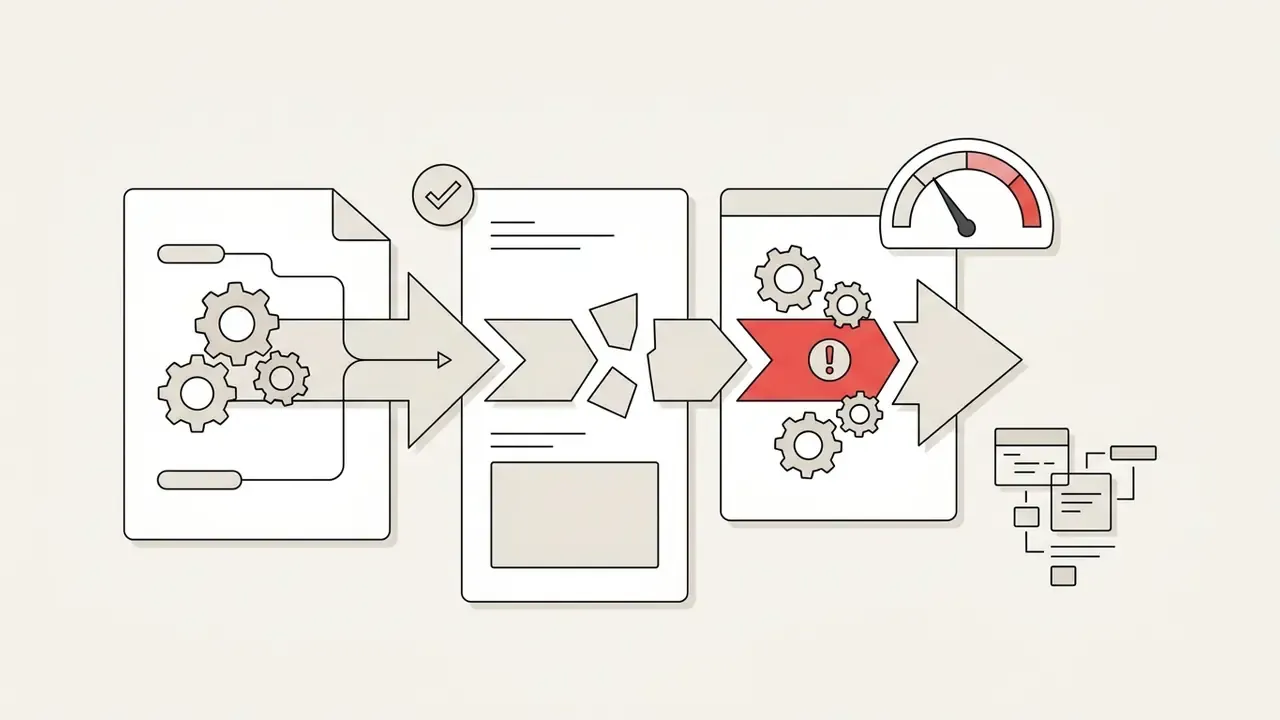

How to Choose the Most Effective AI Code Generator for Your Workflow
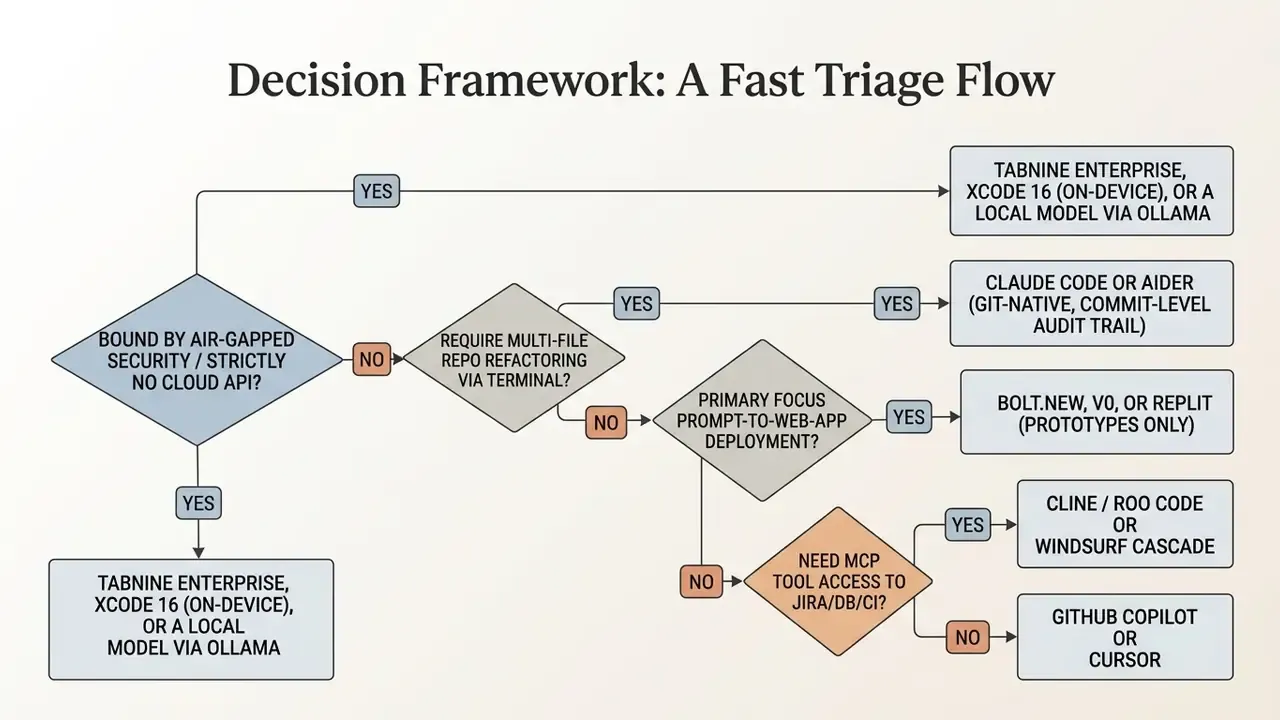
Choosing what ai code generator should i consider comes down to matching your technology stack, team size, security appetite, and budget against tool capability. Vendor-neutral frameworks help here: QAID (2026) scores AI coding tools across generation ability, linguistic capability, operational quality, interaction quality, trustworthiness, and sustainability, while IDC's 2025 buyer guidance ties selection to use case fit, IDE integration, customization on enterprise code, latency, context window, monitoring, security and privacy, plus IP indemnification.
Decision Framework: A Fast Triage Flow
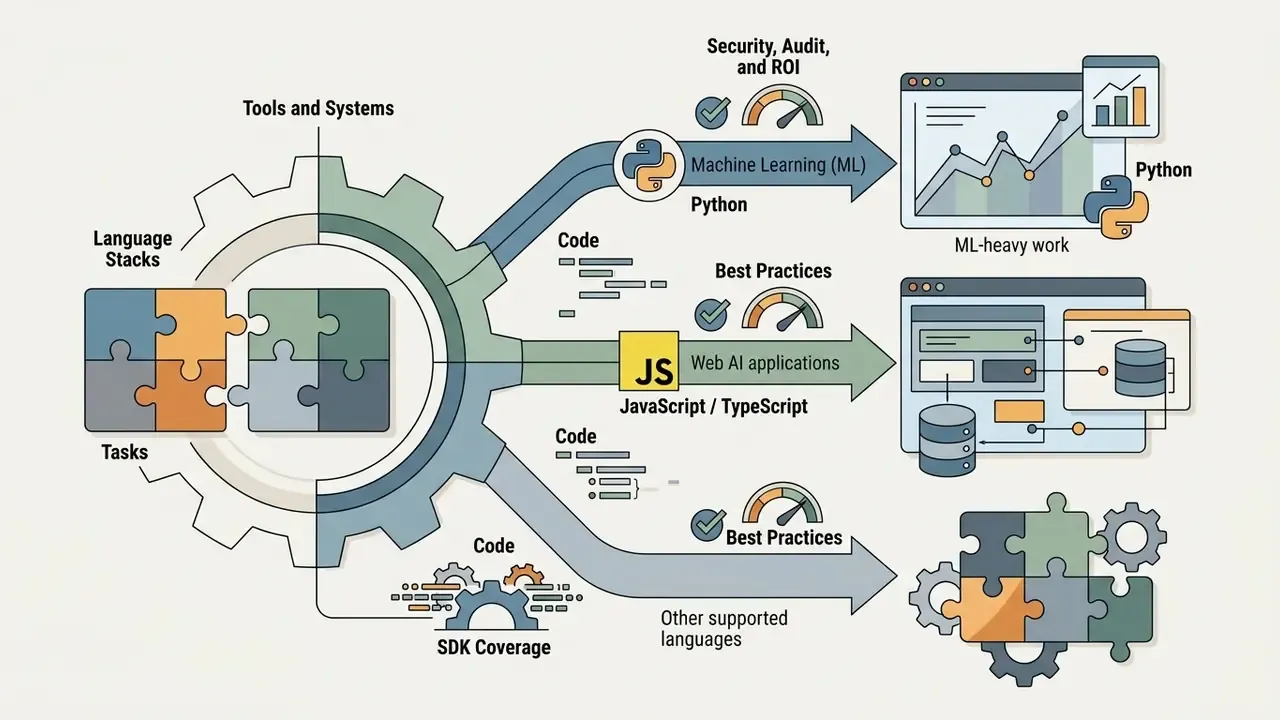
Match the Tool to Your Coding Tasks and Stack
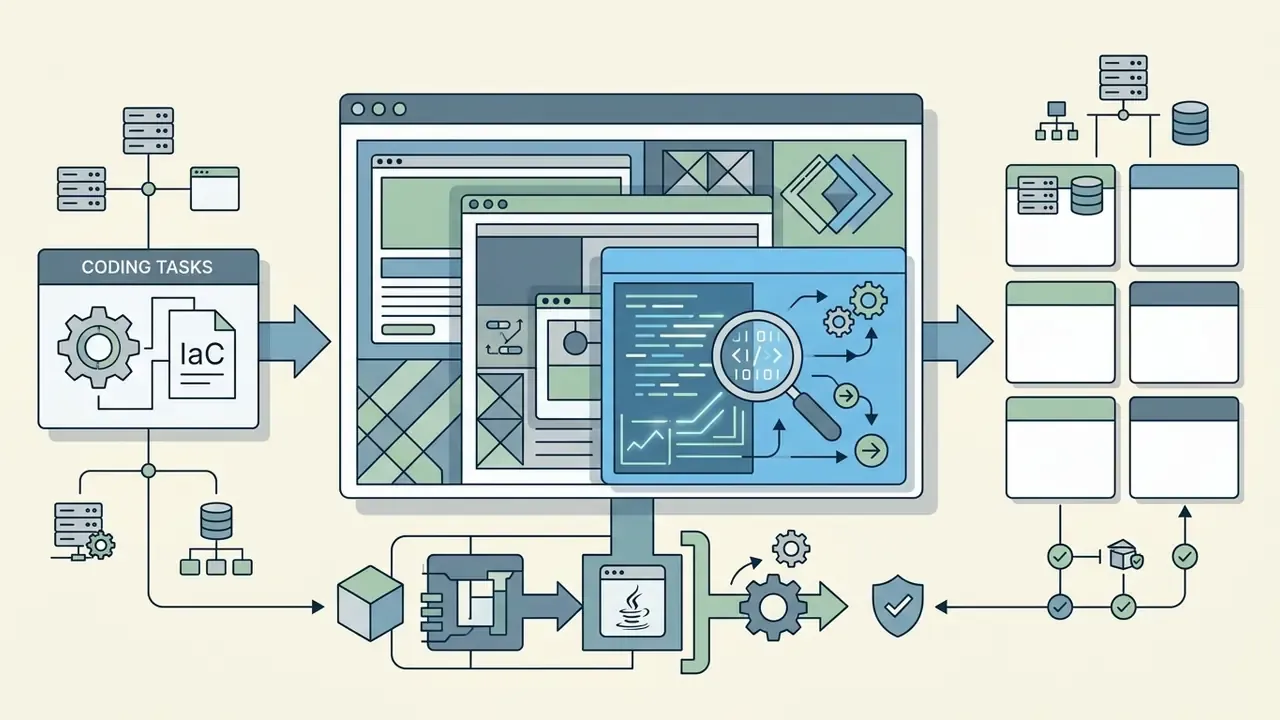
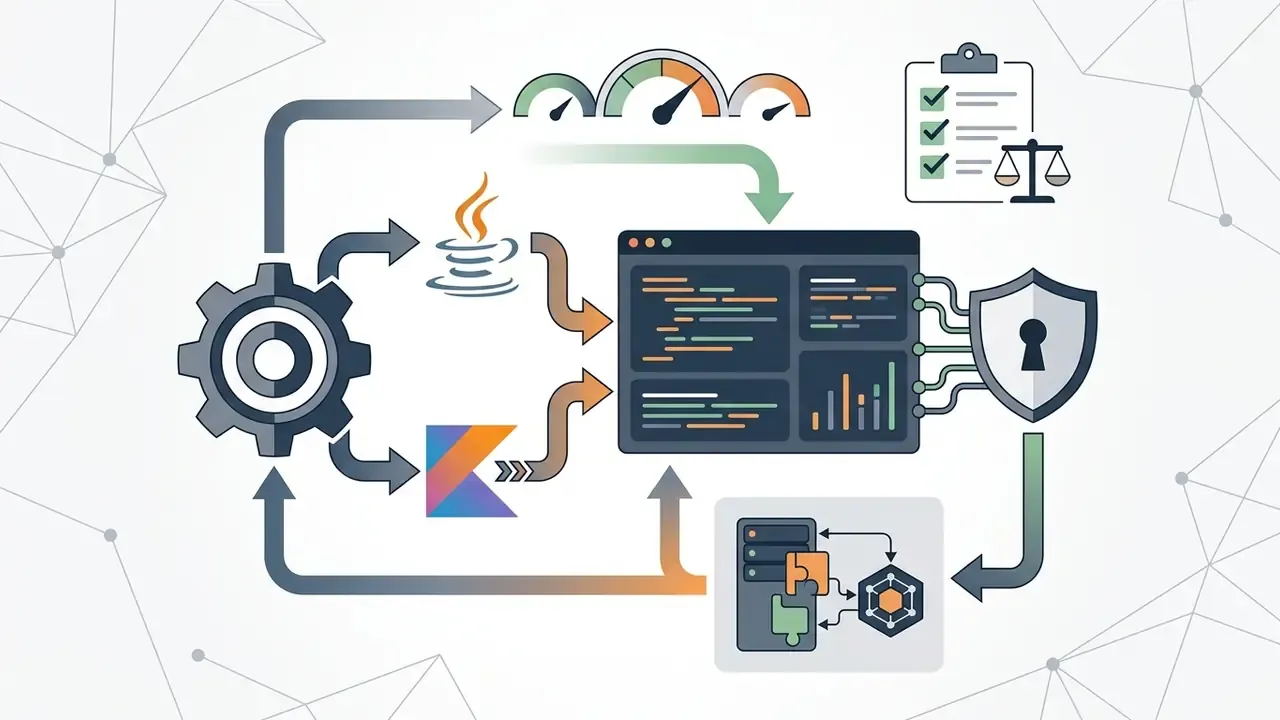
Pick tools that excel in your core programming language and development environment:
To inspect standardized benchmark results across open source and proprietary models, software architects can review our AI Media Benchmarks and Review Proof for empirical testing data, and use that structure as a template for multi-tool evaluation.


Start with a Free Plan and Validate Real-World Results
Before committing to enterprise seats, run a structured evaluation on free tiers:
Establish baseline criteria
Select 3 to 5 standard development tasks (building a REST API endpoint, writing unit tests for legacy methods, refactoring a complex utility function) and document the project conventions the tool must respect.
Execute free tier trials
Test candidates (Copilot Free, Cursor Hobby, Windsurf Free, Amazon Q free tier, Aider with your own key) on bounded feature branches.
Automate verification
Run automated test suites, static analysis linters, dependency and licence scanners, and security scanners against all generated code. GitHub's own guidance is to start with automated tests and static analysis, then verify compilation, warnings, vulnerabilities, quality, and coverage before accepting AI output. OWASP's AI Testing Guide (2025) adds repeatable test cases per risk category; IEEE guidance (2024 to 2026) adds adversarial inputs, traceability, and range-based validation.
Measure impact
Track completion speed, code acceptance rate, defect density, coverage delta, and reviewer hours per AI-touched diff before finalizing procurement.
Log outcomes for audit
Record pass or fail, coverage, and defects per pilot task, so the procurement decision itself carries evidence.
That distribution is a useful expectation-setter for pilots. A meaningful share of early friction is tooling and environment failure, not model quality, and it should not be scored against the model. Worth writing into the pilot scorecard before anyone starts.
Teams comparing subscription tiers across creative and development tools can compare options in our centralized pricing portal, browse the hub for alternative developer utilities, or explore the hub for token-metered API cost patterns.
FAQ About the Best AI Code Generator
What is the best AI code generator in 2026?
There is no single universally superior tool; the optimal choice follows your workflow. GitHub Copilot is the most widely tested option for standard IDE pair programming. Cursor and Windsurf lead in context-aware multi-file editing, while Claude Code and Aider excel at terminal-based agentic refactoring with reviewable diffs and commit-level history. For AWS development, Amazon Q Developer is optimal; Tabnine Enterprise offers the strongest air-gapped enterprise privacy; and Xcode 16's on-device model is the simplest privacy-preserving option for Swift teams.
What is the most recommended AI code generator for web development?
For prompt-to-app web creation, Bolt.new and v0 by Vercel stand out for generating React, Next.js, and Tailwind CSS interfaces directly in the browser. For complete cloud based backend and frontend hosting, Replit provides an all-in-one browser development environment with automated deployment. All three are best treated as prototyping accelerators rather than production delivery pipelines for regulated systems.
What is Model Context Protocol (MCP) and why does it matter?
MCP is an open standard letting AI coding agents connect to external systems (issue trackers, databases, design tools, CI pipelines) through declared, permissioned tool interfaces instead of improvised integrations. It is what turns an assistant into an agent able to read a ticket, edit code, run tests, and open a pull request. It also widens the security surface, so each MCP server should be inventoried, scope-limited, network-restricted, and logged at tool-call level.
Is AI-generated code secure and production ready?
AI generated code is rarely production ready without human review.
Disclaimer: This information is general in nature and does not replace consultation with a qualified specialist. NIST SP 800-218A, the Secure Software Development Framework profile for generative AI, directs organizations to "review and test AI-generated content" and to use automated toolchain processes for repeatable security practices across the SDLC, with issues recorded in the development workflow or issue-tracking system (NIST, 2024, https://csrc.nist.gov/pubs/sp/800/218/a/final). NIST SP 800-218 v1.1 adds that code should be reviewed by a qualified person or automated processes and analyzed and tested on a regular or continuous basis (NIST, 2022, https://csrc.nist.gov/pubs/sp/800/218/final). Empirical studies including DebugBench and RACE confirm that generated code can introduce subtle logical bugs, unoptimized time complexity, or missing edge-case handling if left unverified.
How do I calculate the ROI of an AI code generator?
Use the risk-adjusted ROI structure earlier in this article: value the velocity gain with a realization factor, then subtract licence cost, incremental review cost, governance and logging cost, and expected residual risk loss. Benchmarked task-level speedups do not translate one-to-one into delivered throughput, and independent studies show quality can regress even as authoring speed improves.
What audit evidence should we keep for AI-assisted code?
At minimum: the prompt, the retrieved context, the model name and version, the pre-review diff, the developer's accept, modify, or reject decision, the reviewer identity and approval, test and scanner results, the commit hash and PR reference, any rollback record, and a documented retention policy with least-privilege access. In US banking, map this evidence set onto existing model risk management expectations under Federal Reserve SR 11-7 and OCC Bulletin 2011-12.
Can I use free AI code generators for commercial projects?
Yes, most free versions (GitHub Copilot Free, Amazon Q free tier, Tabnine Starter, Aider as open source with your own API key) permit commercial usage, but read the vendor licensing terms first. Confirm the free service does not retain your private source code for training public foundation models, and verify IP indemnification before shipping generated code in a commercial product. For teams assessing commercial deployment parameters across AI models, see our guidance on Commercial-Use AI Tools licensing, or explore the hub for category-level rules.
How do AI coding assistants handle private corporate codebases?
Enterprise AI coding tools rely on dedicated data privacy boundaries. Enterprise tiers for GitHub Copilot, Amazon Q Developer, and Sourcegraph Cody document zero data retention and exclusion of customer prompts from public model training. Organizations with strict air-gapped requirements can deploy Tabnine Enterprise on-premises or inside a private VPC, or run local models via Ollama and Xcode's on-device engine. One caveat: self-hosting the search layer does not automatically eliminate cloud LLM egress. Cody, for example, still calls an external model service by default.
What are the legal and regulatory considerations in 2026?
The NIST AI RMF Generative AI Profile requires that legal and regulatory requirements, privacy, copyright, and intellectual property law included, be understood, managed, and documented. In the EU, GPAI obligations under the AI Act became applicable from 2 August 2025, with the GPAI Code of Practice offering a voluntary route mapped to Articles 53 and 55 on transparency, copyright, and safety. The Code is voluntary; the AI Act obligations are binding.
Summary and Next Steps
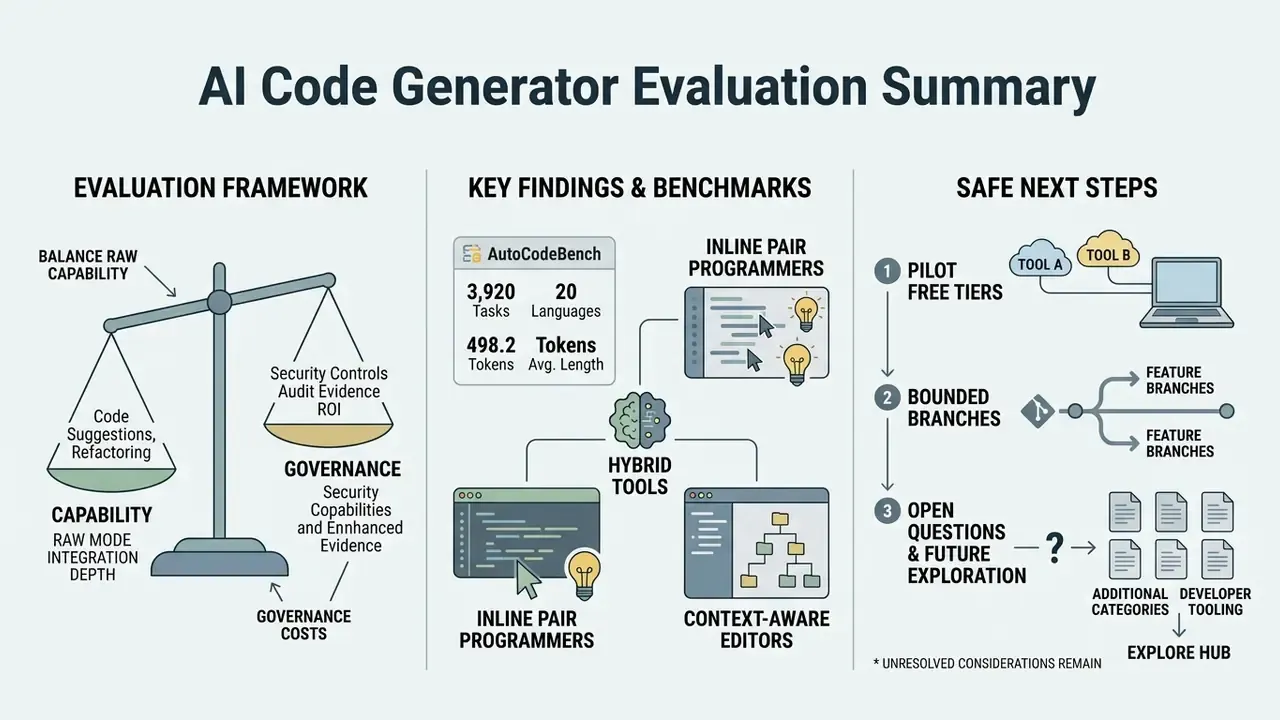
Evaluating AI code generators means balancing raw model capability against integration depth, security controls, audit evidence, and governance cost. Benchmarks keep getting harder as capability rises:
Whether you deploy inline pair programmers such as GitHub Copilot, context-aware editors such as Cursor, Git-native CLI agents such as Aider and Claude Code, MCP-connected agents such as Cline, or prompt-based builders such as Bolt.new, the non-negotiables stay the same: test-driven verification on every AI output, prompt-level provenance on every merged change, and a named human owner for every agent.
A safe next step, if you are starting from zero: pilot free plan tiers on two bounded feature branches, evaluate functional correctness with characterization tests and mutation testing, price the review and governance tax honestly in the ROI model above, then take the evidence pack to security and model risk before you buy a single seat. Ninety days is usually enough to learn what a benchmark cannot tell you.
Open questions remain, and it would be dishonest to pretend otherwise. Independent, reproducible evidence on agentic task success inside large legacy banking repositories is still thin. Vendor retention claims are contractual assertions, not audited facts. And nobody has published a credible long-horizon study on maintainability of heavily AI-authored codebases. Plan for that uncertainty rather than around it.
To compare additional software categories or examine broader developer tooling, explore the hub for in-depth technical comparisons, or see the overview in our comprehensive evaluation hub.
Appendix A: Citation Revisions and Methodology Notes
For transparency, the table below records citations strengthened during this update. Earlier versions of this article referenced the same studies without primary URLs, sample sizes, or effect sizes; the updated citations now appear in the body text above.
| Claim in article | Previous citation format | Updated citation (now in body) |
|---|---|---|
| LLM-generated JUnit tests vs EvoSuite | Empirical Study on JUnit Test Generation, 2024 | Empirical Study on LLM-Generated JUnit Tests, IEEE (2024), with SF110 194-class detail: https://arxiv.org/abs/2305.00418 |
| Debugging capability by bug category | DebugBench, 2024 | DebugBench (2024), 4,253 instances, 18 bug types: https://arxiv.org/abs/2401.04621 |
| Readability, maintainability, efficiency of generated code | RACE Benchmark, 2024 | RACE (2024), 28 models, 923 correctness cases: https://arxiv.org/abs/2410.14699 |
| Complex multi-library function calls | BigCodeBench, 2024 | BigCodeBench (2024), up to 60% model vs 97% human: https://arxiv.org/abs/2406.15877 |
| Contamination-free evaluation | LiveCodeBench, 2024 | LiveCodeBench, ICLR (2025), pass@1 32.8% and 37.8%: https://arxiv.org/abs/2403.07974 |
| Autonomous multi-file issue resolution | SWE-bench, 2023 | SWE-bench (2023), 2,294 tasks, 12 repositories: https://arxiv.org/abs/2310.06770 |
| Copilot task speedup | GitHub Copilot Impact Study, 2023 | GitHub (2023), 95 developers, P = 0.0017, 95% CI [21%, 89%]: https://github.blog/2022-09-07-research-quantifying-github-copilots-impact-on-developer-productivity-and-happiness/ |
| Copilot acceptance rate | Empirical Evaluation of Copilot, 2023 | Empirical Evaluation of GitHub Copilot (2023), 126 engineers, 33% suggestion and 20% line acceptance: https://arxiv.org/abs/2302.06590 |
| Windsurf SWE-1.5 performance | Codeium Windsurf Benchmarks, 2025 | Codeium (2025), 40.08% on SWE-Bench Pro at 950 tok/s (vendor-reported, not independently replicated): https://codeium.com/blog/swe-1-5 |
| OpenAI tool-calling documentation year | "OpenAI developer documentation (2026)" | Corrected to OpenAI developer documentation (2025) |
Standing limitations of this analysis. Vendor benchmarks (Codeium, Replit, Tabnine) are self-reported and lack independent replication. Pricing and free-tier quotas change frequently and should be re-verified on vendor pricing pages at purchase time. Capability claims around training-data provenance and zero retention are contractual assertions and should be validated through assurance reports, not marketing copy.
Editorial note. Marcus Hale provides governance commentary for this publication. Audience assumptions in this article remain hypotheses until supported by analytics, interviews, CRM data, or verified customer research.