What "Free AI Image Generator" Means in 2025-2026
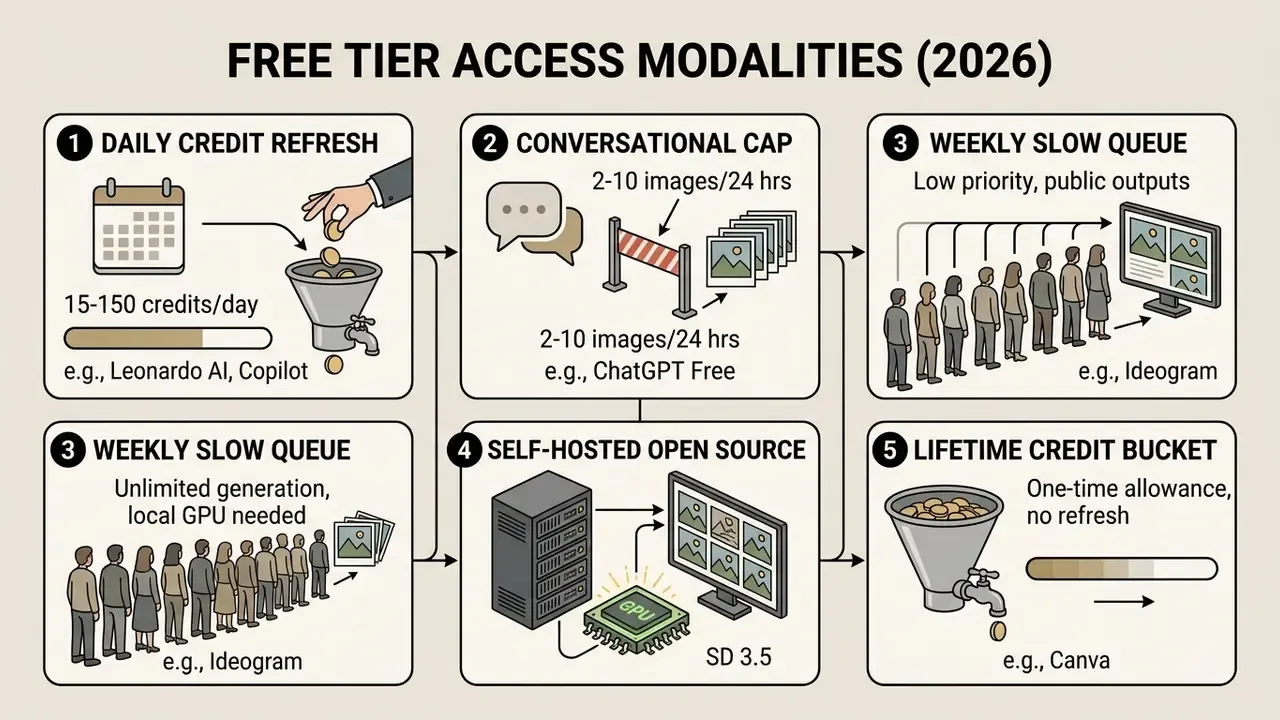
Knowing which modality you are dealing with sets realistic expectations before anyone builds a workflow on top of it. Vendor documentation confirms the pattern: Adobe Firefly publishes a free plan with limited daily generations governed by a generative-credit system, NightCafe refreshes free credits every day, and Pixlr issues 20 starter credits plus a 250-credit trial bucket rather than open-ended access. Different mechanics, same message: free means metered.
Testing Methodology and Audit Standards (2025-2026 Review)
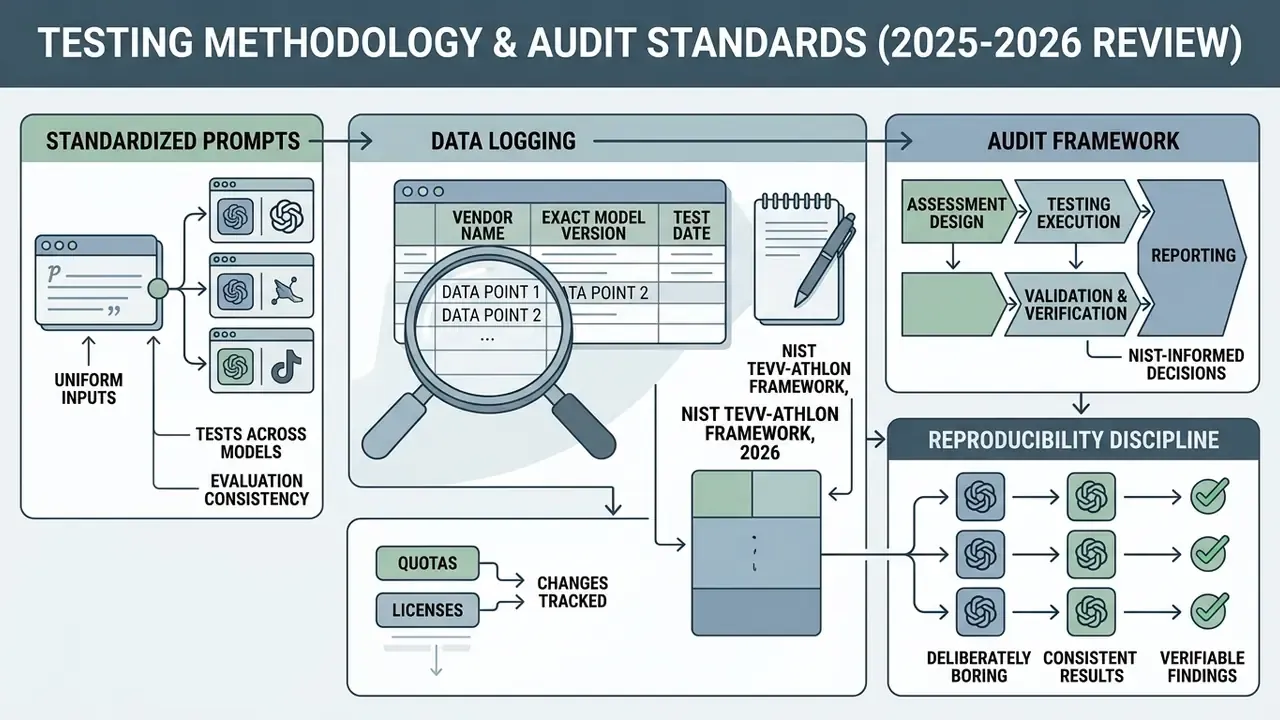
Each model was logged with vendor name, exact model version, and test date, because quotas and licenses in this category change quarterly. Where a claim could not be verified from primary vendor documentation, it is marked as requiring verification rather than presented as a benchmark result. That distinction matters more than it sounds: half the numbers circulating in roundups are screenshots of a pricing page from eleven months ago.
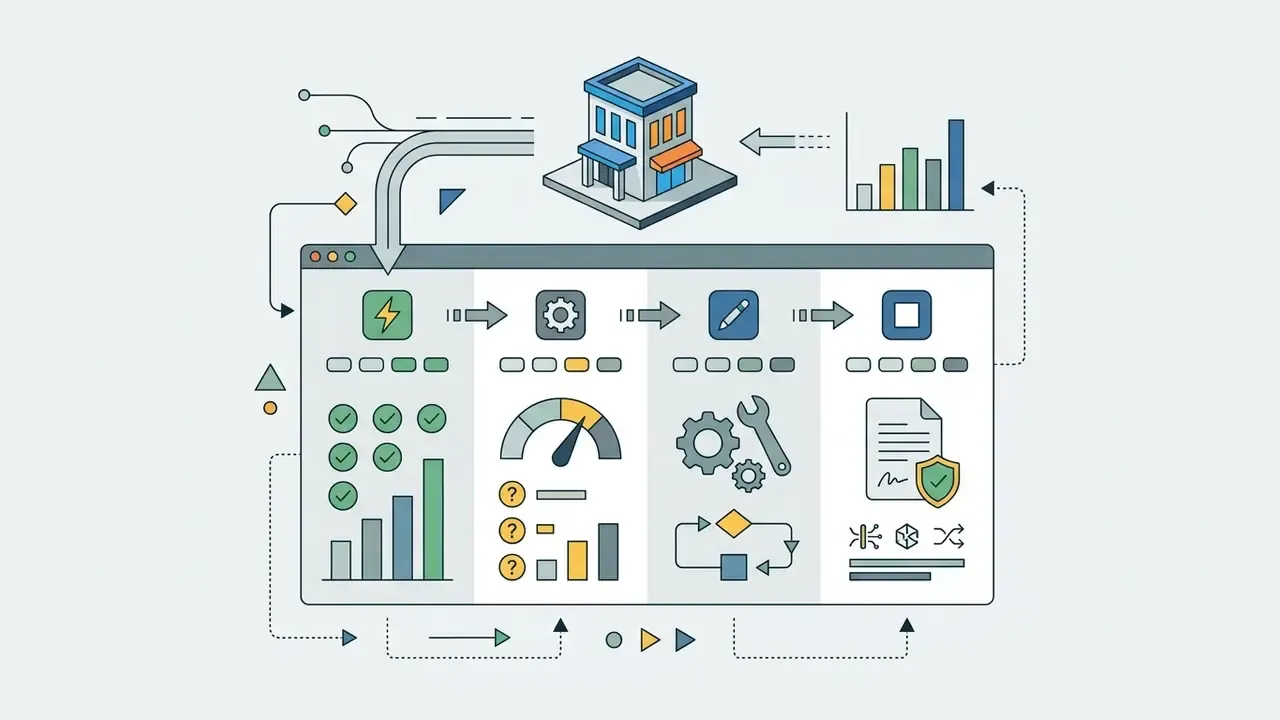
NIST's four-stage customized-assessment approach (NIST TEVV-Athlon Framework, 2026) informed the decision to score photorealism, typography, and reference control as separate metrics instead of collapsing them into one "quality" rating. Benchmark literature keeps showing the same thing, prompt-following and realism diverge on compositional prompts, so a single averaged score hides the tradeoff a buyer actually cares about.
Reproducibility discipline was deliberately boring. Same prompts, default settings, no negative prompts, no upscaling, three runs per platform. If your own team repeats this, log the model version string, not just the product name. "Gemini" in January and "Gemini" in June are not the same artifact.
Limits of Free Image Generators
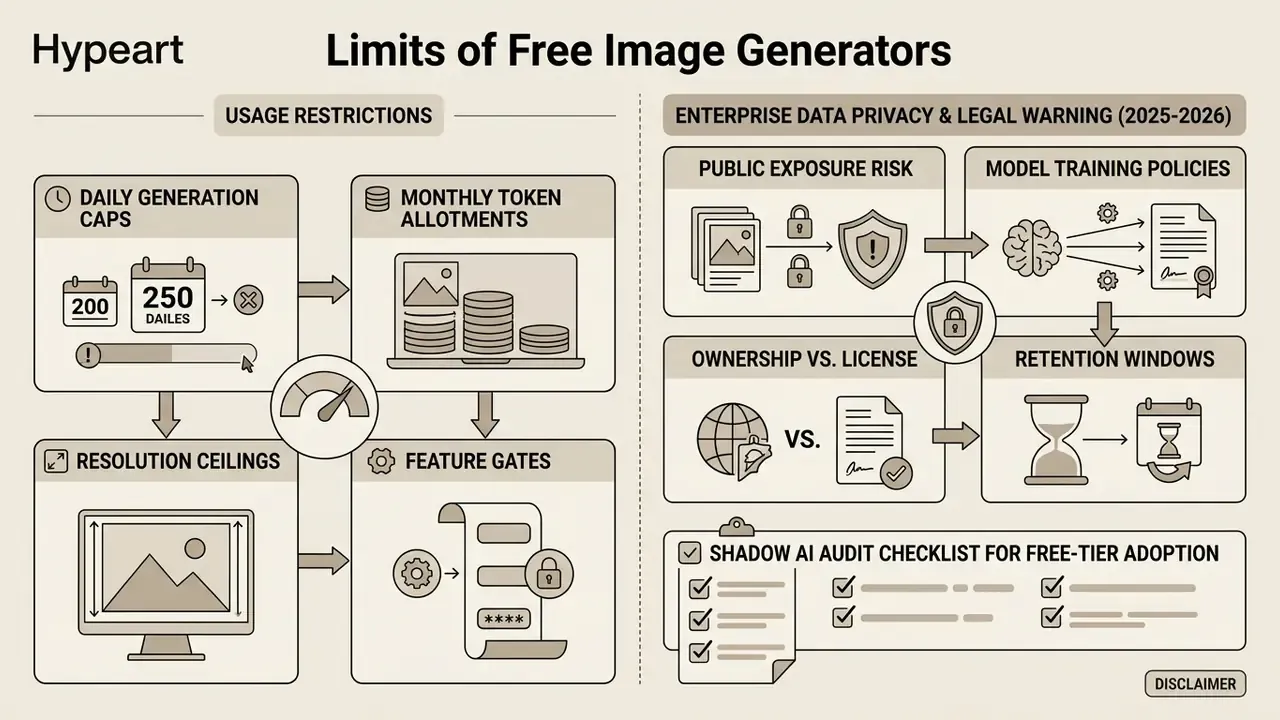
Free tiers restrict usage through daily generation caps, monthly token allotments, resolution ceilings, and feature gates. ChatGPT Free, for instance, limits users to roughly 2 to 3 image generations per 24 hours on DALL·E 3 or GPT Image backbones. OpenAI's own release notes state free accounts can create "up to two images per day," and help-center documentation confirms image generation carries rate limits separate from text chat.
Google's free Gemini tier is documented at roughly 3 images per day for Nano Banana Pro before falling back to the base Nano Banana model, with the consumer app reported at up to 20 images per day in 2026 coverage and up to 100 per day for some account types. Google explicitly notes that image quotas vary with server load, which is why any single published figure should be treated as a ceiling rather than a guarantee. Microsoft Copilot / Bing Image Creator is reported at roughly 15 boosted generations per day, and Adobe Firefly's free plan runs on a small monthly credit pool, commonly cited as 10-25 generative credits.
Quantitative restrictions hit workflow reliability directly. Empirical research from the GenEval framework indicates that baseline text-to-image models satisfy complex multi-attribute prompts in roughly 50% to 61% of generation attempts.
«Across 553 prompts with four generations each, DeepFloyd IF-XL rendered the scene correctly in 61% of cases, while Stable Diffusion v2.1 succeeded in only 50%.»
When you are capped at fewer than ten images per day, that variance in prompt adherence means a full daily quota can disappear while you are still chasing a hand with five fingers. Free users also run into forced downscaling (often capped at 1024×1024 pixels), visible watermarks (Craiyon, Raphael AI, and Meta AI all stamp free outputs), disabled batching, and missing edit images capabilities such as mask-based inpainting or multi-reference conditioning.
Enterprise Data Privacy and Legal Warning (2025-2026)
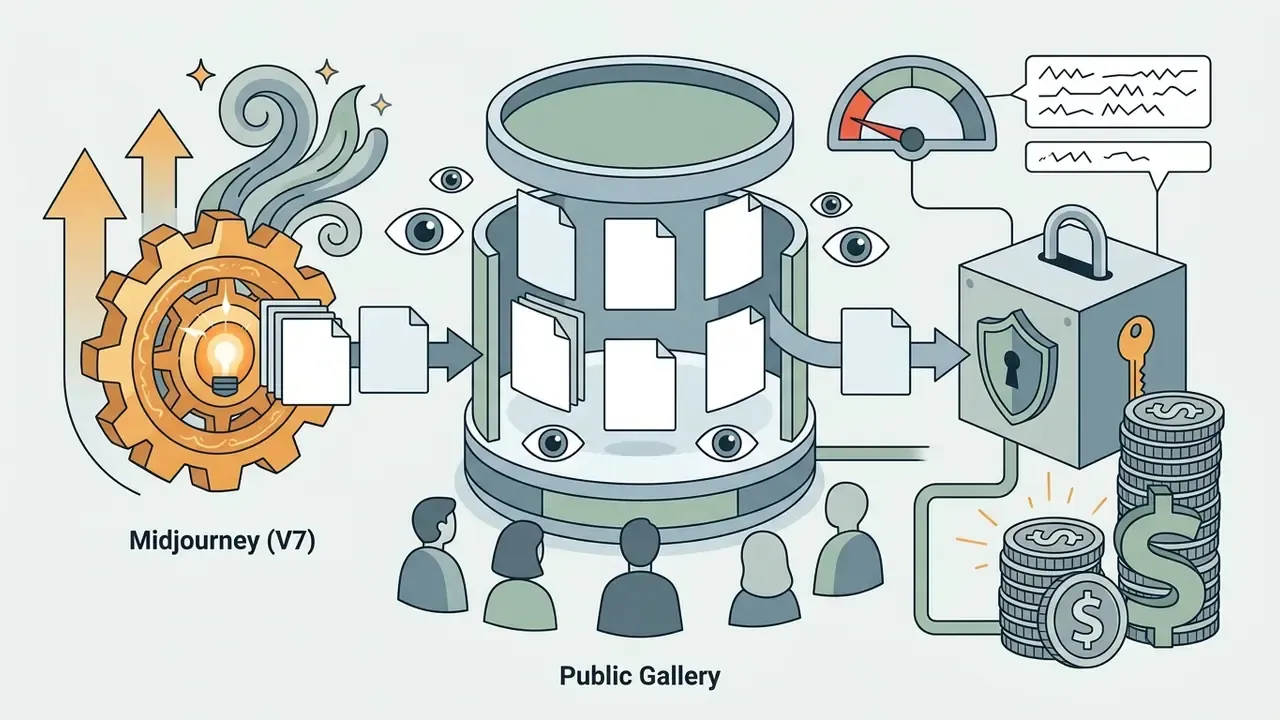
- Public exposure risk Free generations on Ideogram, Midjourney, and Recraft are automatically published to public community feeds and searchable galleries. Never upload proprietary brand logos, unreleased packaging, or confidential schematics to a free tier. Midjourney's stealth mode is available only on higher paid plans ($60+/mo).
- Model training policies OpenAI and Google reserve the right to train future model backbones on free-tier inputs unless users explicitly opt out in account privacy settings. Canva, by contrast, guarantees zero training on user-uploaded or generated content across both free and paid tiers, and Adobe states it does not train Firefly on users' personal content.
- Ownership vs. license Google's terms state that Google does not claim ownership of content you create, but you grant a limited license to display and promote that content inside Google services, and you remain legally responsible for copyrighted material inside your images.
- Retention windows Prompt and upload retention is rarely the same as output retention. Ask for both, in writing, before a team pastes a customer name into a prompt box.
Shadow AI Audit Checklist for Free-Tier Adoption
Run this before any team member uses a free generator on company work:
Checklist0 / 9
That last line is the one people skip. A generator without a named owner is a control gap, not a productivity win. Assign a person, not a department.
When a Free Tier Is Enough vs. When You Need Paid Plans
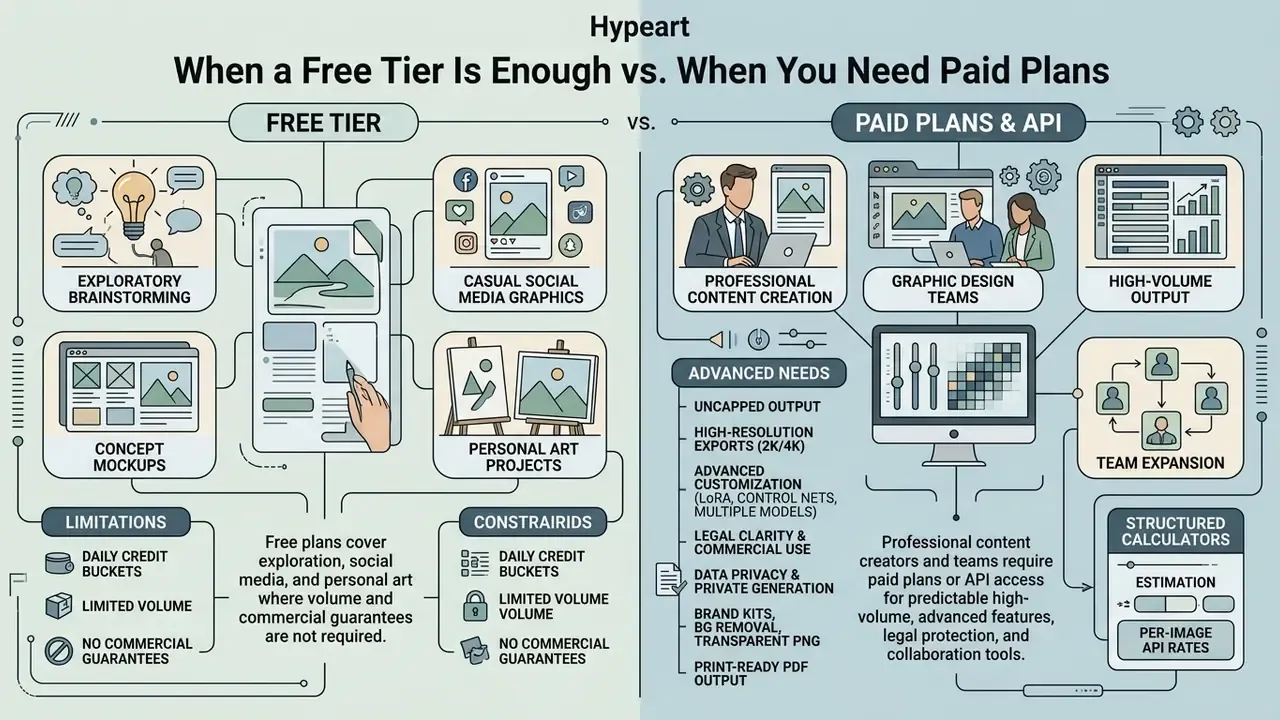
A free plan or free account covers exploratory brainstorming, casual social media graphics, mockups, and personal art projects where volume and commercial guarantees are not required. That is the same profile covered in our roundup of free AI image generators with no sign-up requirement and free AI art generators.
«AI models (DALL·E 2, DALL·E 3, Stable Diffusion) received high perceived image-quality scores, though camera-captured photographs still led on photorealism and text accuracy.»
Professional content creators and teams working in graphic design need paid plans or API access once the workflow demands:
- Uncapped high-volume output beyond daily credit buckets.
- High-resolution exports (2K/4K) without compression artifacts.
- Access to multiple models and advanced customization options such as LoRA fine-tuning, control nets, and style strength sliders.
- Legal clarity on commercial use of AI image generators, asset ownership, and indemnification.
- Guaranteed data privacy and private generation without public gallery publishing.
- Brand kits, background removal, transparent PNG export, and print-ready PDF output, the exact gates that separate free and paid tiers in design suites such as Canva.
When you are sizing team expansion costs, structured calculators help estimate per-image API rates against fixed monthly subscriptions. A quick sanity check beats a surprise invoice in month three.
How to Choose the Best AI Image Generator for Your Task
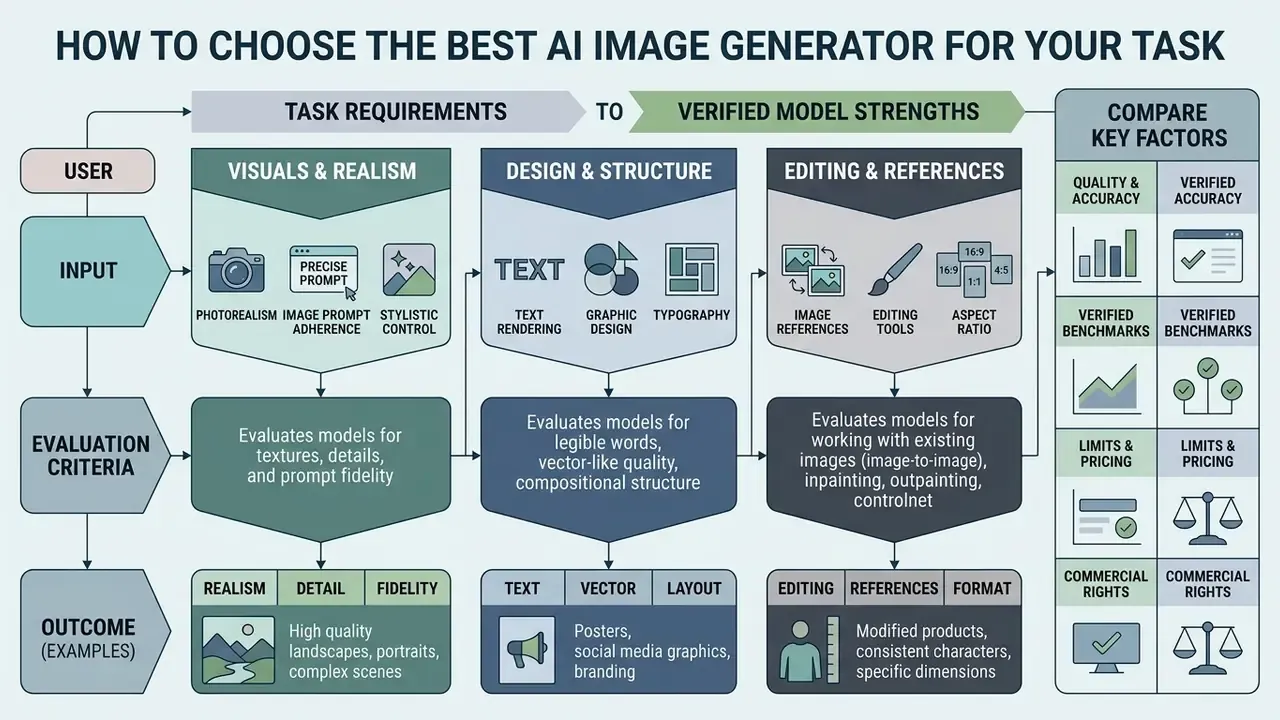
Selecting the best ai image tool means matching task-specific requirements (photorealism, typography, vector output) against verified model strengths rather than generic performance claims. Read the matrix below as a shortlist filter. The tool directory that follows focuses on use cases, hardware requirements, and licensing nuance instead of repeating these scores.
AI Image Generator Selection Matrix (2025-2026 model capabilities)
| Platform / Model | Photorealism | Text Rendering Accuracy | Reference Image Support | In-Canvas Editing | Free Tier Structure | Commercial Usage Rights |
|---|---|---|---|---|---|---|
| Google Gemini (Nano Banana / Pro) | High (grounded photorealism) | High (legible short/medium copy) | Up to 14 reference inputs | Inpainting and outpainting | ~3-20 images/day (load dependent) | Permitted on paid/enterprise tiers; user retains ownership |
| ChatGPT (GPT Image) | High (detailed lighting, skin pores) | Moderate-high (short exact text) | Up to 16 reference inputs | Canvas-based conversational edit | ~2-3 images / 24 hours | User holds rights per OpenAI terms |
| Adobe Firefly | High (commercial photo style) | Moderate | Structure and style references (3-8 with partner models) | Generative Fill in Express/Photoshop | Monthly generative credits (~25) | Commercially safe (Adobe Stock trained, indemnified) |
| Leonardo AI | High (preset artistic styles) | Moderate | Character and style guidance (1 character, 4 style refs) | Canvas editor and motion controls | 150 daily tokens (~20-30 images) | Paid tiers grant full commercial rights |
| Stable Diffusion (3.5 / XL) | Very high (with prompt tuning) | Moderate (needs GlyphControl) | ControlNet / IP-Adapter | Open-source inpainting pipelines | Unlimited (self-hosted) | Permissive (commercial license under $1M revenue) |
| FLUX.1 / FLUX.2 (Black Forest Labs) | Very high (human anatomy, product shots) | Moderate-high | Kontext reference conditioning | Via ComfyUI or hosted partners | Unlimited self-hosted; credit-capped on web hosts | Open-weight licenses vary by variant (dev vs. pro) |
| Ideogram (v3.0 / 4.0) | Moderate-high | Very high (90-95% short-phrase accuracy) | Image, style and trained-asset prompts | Remix and Describe tools | Weekly slow credits (public outputs) | Paid plans only (free is non-commercial) |
| Midjourney (V7) | Very high (aesthetic lead) | Low-moderate (~30-40% short phrases) | Style and character reference (--sref/--cref) | Vary Region, Pan, Zoom, Upscale | None (occasional promo trials) | Paid plans grant commercial rights; stealth only on Pro+ |
| Canva (Magic Media) | Moderate | Moderate (template text overlays) | Limited image-to-image | Full design editor (Magic Edit/Eraser) | ~50 lifetime credits (no refresh) | Commercial use permitted; no training on user content |
Matrix summary: the picture is one of domain specialization, not a single winner. Ideogram excels at typographic accuracy, Midjourney leads on aesthetic composition, Canva optimizes for layout speed, while open frameworks such as Stable Diffusion and FLUX give unmatched pipeline control for local deployments. For teams evaluating broader stack deployments, the AI Media Comparison Matrices and our comparison of the best AI image generators add cross-category benchmarks across image, audio, and video synthesis engines.
Quality, Realism, and Image Prompt Adherence
High visual fidelity means evaluating perceptual photorealism and prompt adherence as two things, not one. Benchmarks such as GLIPS (Global-Local Image Perceptual Score) measure local attention patch similarity plus global distribution alignment, and they confirm that models trained on photographic parameters produce better skin textures, lighting, and environmental geometry.
«GLIPS combines transformer attention for local patch similarity with MMD for global distribution, showing higher correlation with human judgments than FID, SSIM, and MS-SSIM.»
Prompt alignment measures how accurately a model renders every element specified in an image prompt. Evaluations with T2I-FactualBench show newer backbones improving markedly on concept factuality. Stable Diffusion 3.5 scores between 46.2 and 68.9 across factual evaluation settings, against 40.5 to 52.9 for Stable Diffusion v1.5.
«T2I-FactualBench scores factuality across four dimensions, shape, color, texture and detail, using a multi-round VQA framework built on GPT-4o against reference images.»
Where strict adherence to complex multi-object prompts is required, structured prompting frameworks cut attribute omission sharply. The prompt-engineering section below quantifies that.
Text Rendering, Graphic Design, and Aspect Ratio
Legible, correctly spelled text inside an image was the long-standing embarrassment of diffusion models. Specialized platforms now handle text rendering natively, which makes them viable for graphic design, signage, and digital marketing banners without a Photoshop pass.
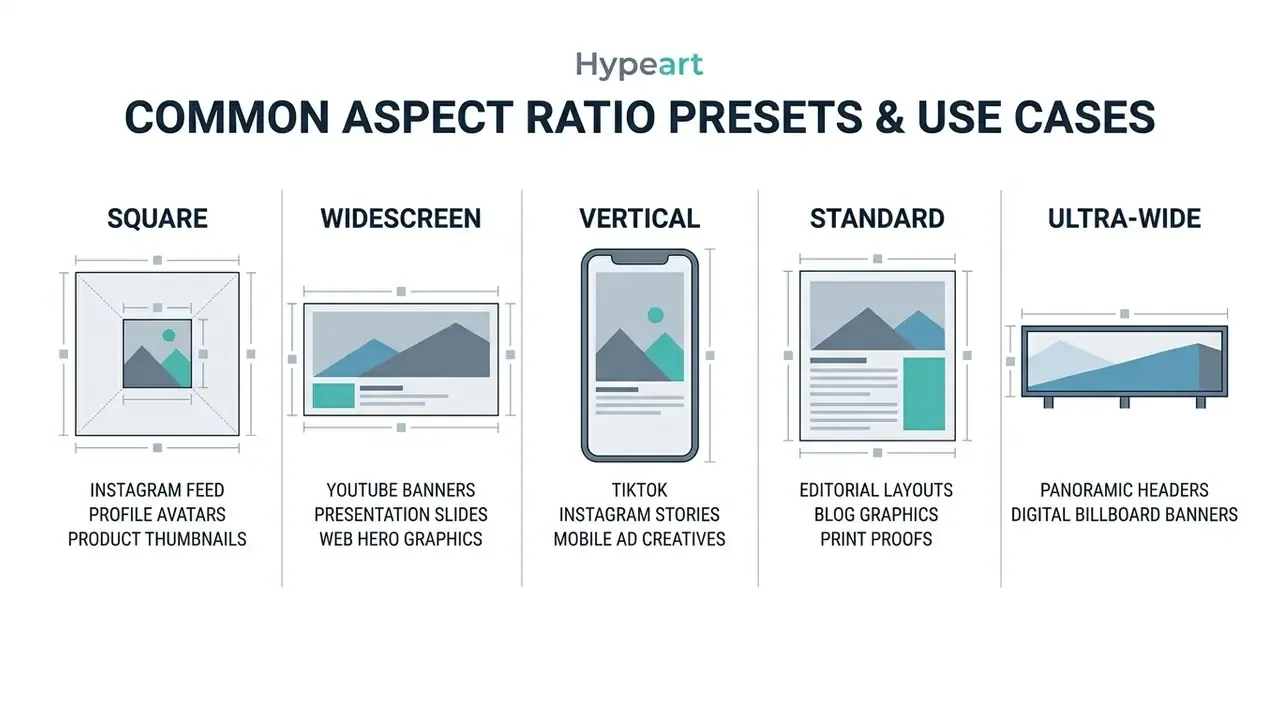
Typography benchmarks such as STRICT place specialized closed-source systems ahead: Ideogram 4.0 (scoring 0.97 on the X-Omni English OCR benchmark, per Ideogram internal benchmarks / STRICT test cycle, 2025-2026; independent replication recommended) and Gemini 3.1 Flash Image lead on kerning, spelling, and character alignment.
«STRICT evaluates three axes: maximum length of legible text, correctness and readability, and the rate of instruction violations, using OCR to compute CER, WER and NED.»
Control over aspect ratio lets creators output formatted assets for many placements without manual cropping. Gemini 3.1 Flash Image documents the widest published range (1:4, 4:1, 1:8, 8:1 on top of standard presets), Google Vertex AI exposes a fixed set (1:1, 3:4, 4:3, 16:9, 9:16), and xAI's API documents fourteen ratio options including 21:9 and an auto mode.
Editing and Generating from Uploaded References
Advanced workflows lean on upload reference images to hold visual consistency across marketing assets or character concepts. Models accept reference images through multi-image conditioning, so you can supply composition guides, character turns, or a fixed color palette.
Recent API specifications for advanced image models such as GPT Image 2 and Gemini 3 Pro support up to 14 to 16 reference image inputs at once (OpenAI API Reference, 2026; Google Cloud Documentation, 2026). That enables precise image editing: localized object substitution via masked inpainting, background replacement, and expanding visual boundaries through outpainting while preserving core asset geometry. Peer-reviewed work separates two conditioning paths. Mask-based inpainting restricts changes to a selected region, while reference imitation lets the model locate the relevant region itself (Zero-shot Image Editing with Reference Imitation, NeurIPS 2024).
Vendor implementations differ enough to matter operationally. Photoshop exposes distinct intents ("Swap the selected area," "Place into the selected area," "Reference to whole image") and caps partner-model references at 3 for Flux and 8 for Gemini, while OpenAI's edit endpoint accepts up to 16 source images with a mask matched to the first image's dimensions.
Best Free AI Image Generator Tools List 2025-2026
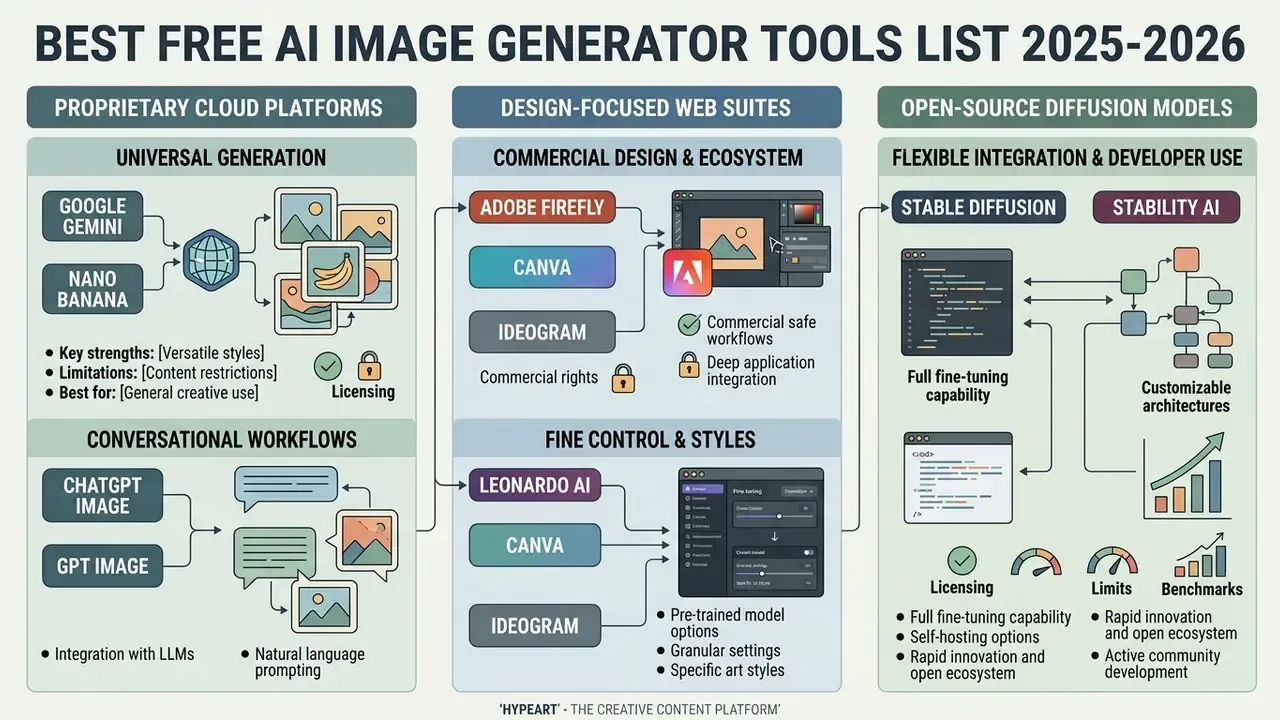
The current landscape of AI image generator tools splits into proprietary cloud platforms, design-focused web suites, and open-source diffusion models. The entries below skip the matrix scores and concentrate on use cases, hardware requirements, and licensing detail.
Google Gemini and Nano Banana for Universal Image Generation
Google Gemini integrates image synthesis natively through the nano banana and nano banana pro model families built on Gemini 3 architecture. It works as a versatile tool for multimodal reasoning, high-resolution rendering, and conversational photo manipulation, the workflow profile covered in depth in our Google AI image generator commercial-use review.
- Key strengths
- 1K, 2K, and 4K output resolutions; native multi-image input processing (up to 14 reference images, which also powers AI image expansion and outpainting); extreme aspect ratio flexibility from 1:8 to 8:1 (Google AI Studio Docs, 2026). Google's model card also documents a 65,536-token context window for text and image input, and image-capable models are rate-limited by images-per-minute rather than tokens alone.
- Limitations
- daily generation limits on free consumer accounts, with free users falling back from Nano Banana Pro to base Nano Banana once the quota is spent; image generation does not accept audio or video inputs and may return fewer images than requested; strict safety filtering blocks sensitive or copyrighted character queries. All free outputs carry a visible watermark plus SynthID provenance marking.
- Best for
- universal ai image generation, detailed scene editing, infographic-style text layouts, and marketing layouts that need wide aspect ratios.
ChatGPT Image and GPT Image for Conversational Workflows
OpenAI's image suite, reachable through ChatGPT or the gpt image API, lets you generate images and run iterative edits using plain conversational prompts.
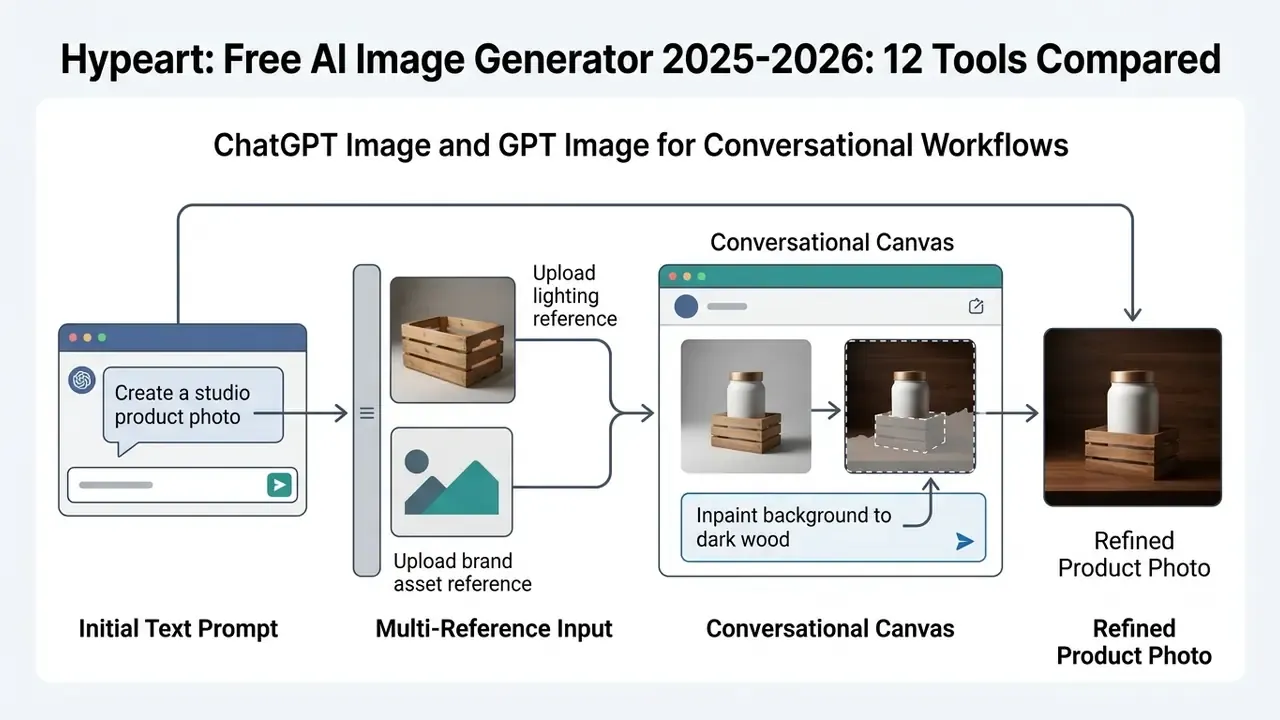
- Key strengths: high visual quality; strong prompt understanding; native canvas editing that lets you select a region and ask for changes in ordinary language; conversation context persists, so refinements build on earlier instructions instead of restarting from zero.
«On VMetaphor-Bench, GPT Image 1.5 scored 85.4% MCQ accuracy and 4.30/5, ahead of Nano Banana 2 (84.8%, 4.11) and the strongest open model FLUX.2-dev (76.0%, 3.62).»
- Limitations the free tier caps out around 2-3 images per 24-hour window (OpenAI Release Notes, 2026); no advanced post-generation controls beyond conversational instructions; because the model is autoregressive rather than diffusion-based, generation is slower and usually returns a single image per request; complex prompts can take up to two minutes.
- Best for iterative design refinement, conceptual art, and anyone who wants an ai like chatgpt that can generate images inside one chat thread. For a direct head-to-head, see our evaluation of the ChatGPT picture generator.
Adobe Firefly for Commercial Design and Ecosystem Integration
Adobe Firefly is engineered for enterprise creative workflows, with deep integration into Adobe Express, Photoshop, Illustrator, and Adobe Stock.
- Key strengths models trained on licensed Adobe Stock and public domain content where copyright has expired, which makes outputs commercially safe (Adobe Firefly FAQ, 2026); Adobe states it does not train on users' personal content; non-beta feature outputs may be used in commercial projects, and beta outputs are permitted too unless the product says otherwise; native integration with creative tools; structure and style reference matching; image-to-video generation "in seconds" for motion assets.
- Limitations free accounts run on a small monthly generative credit pool, and once credits are gone, generation speeds are throttled. Photorealism trails Gemini and Midjourney in side-by-side testing.
- Best for commercial brand designers, corporate marketing teams, regulated industries that need indemnification, and creators producing royalty-cleared stock photos and promotional assets. For a compliance officer, the indemnification clause is often the whole argument.
Leonardo AI for Characters, Styles, and Fine Control
Leonardo AI offers a broad web interface built around fine-tuned generative models, preset style stacks, and character consistency controls.
- Key strengths consistent character assets through dedicated character guidance (
guidances.character, limited to one reference image with strength levels from LOW to MAX);guidances.styleaccepts up to four style references with per-reference strength;style_idsexposes preset styles for SDXL-family models; granular canvas inpainting control; a daily allowance of roughly 150 free tokens, about 20-30 generations per day (Leonardo AI API Reference, 2025). - Limitations high-tier features such as high-resolution upscaling and private generations cost tokens or require paid plans; unused daily tokens do not roll over.
- Best for concept artists, game designers, and content creators who need distinct visual styles and recurring character assets, including AI headshot generation workflows.
Stable Diffusion and Stability AI for Open Source and Fine-Tuning
Built by Stability AI, the Stable Diffusion ecosystem (SDXL and Stable Diffusion 3.5 included) remains the reference point for open source vision AI.
- Key strengths
- completely free and uncapped when run locally; weights downloadable from Hugging Face with sample inference code on GitHub; the CreativeML Open RAIL++-M license explicitly permits "finetuning, updating, running, training, evaluating and/or reparametrizing" the model; full fine tune customization via LoRAs and ControlNets; permissive licensing for commercial use up to $1M in annual revenue (Stability AI License Terms, 2025).
- Limitations
- requires dedicated local GPU hardware (VRAM ≥ 8GB-12GB, and 16GB+ for FLUX-class models) plus technical setup. Self-hosted deployments also ship without the safety filtering that cloud platforms apply by default.
«Stable Diffusion 2.0-base produced unsafe content in 38.2% of multimodal pragmatic jailbreak attempts, and SDXL in 44.4%, indicating open models are vulnerable without added safety filters.»
- Best for: developers, technical artists, and privacy-conscious organizations that need full pipeline control and zero per-image API cost.
FLUX.1 / FLUX.2 by Black Forest Labs for Open-Weight Precision
FLUX has become the default open-weight alternative to Stable Diffusion for teams wanting proprietary-grade realism without vendor lock-in.
- Key strengths: state-of-the-art prompt adherence, plus unusually convincing human anatomy and product surfaces; available as open-weight checkpoints for local deployment and fine-tuning; FLUX Kontext variants support reference-driven editing; wide third-party host integration, including Photoshop's partner-model reference flow (3 reference images).
- Limitations: needs high VRAM (16GB+) for comfortable local execution; web-hosted implementations enforce credit limits; licensing differs by variant, so the
devcheckpoint and commercialproendpoints must be checked separately. On VMetaphor-Bench, FLUX.2-dev led open models at 76.0% MCQ accuracy but still trailed GPT Image 1.5 and Nano Banana 2. - Best for: developers and privacy-focused creators building custom generative pipelines and non-proprietary alternatives to Midjourney.
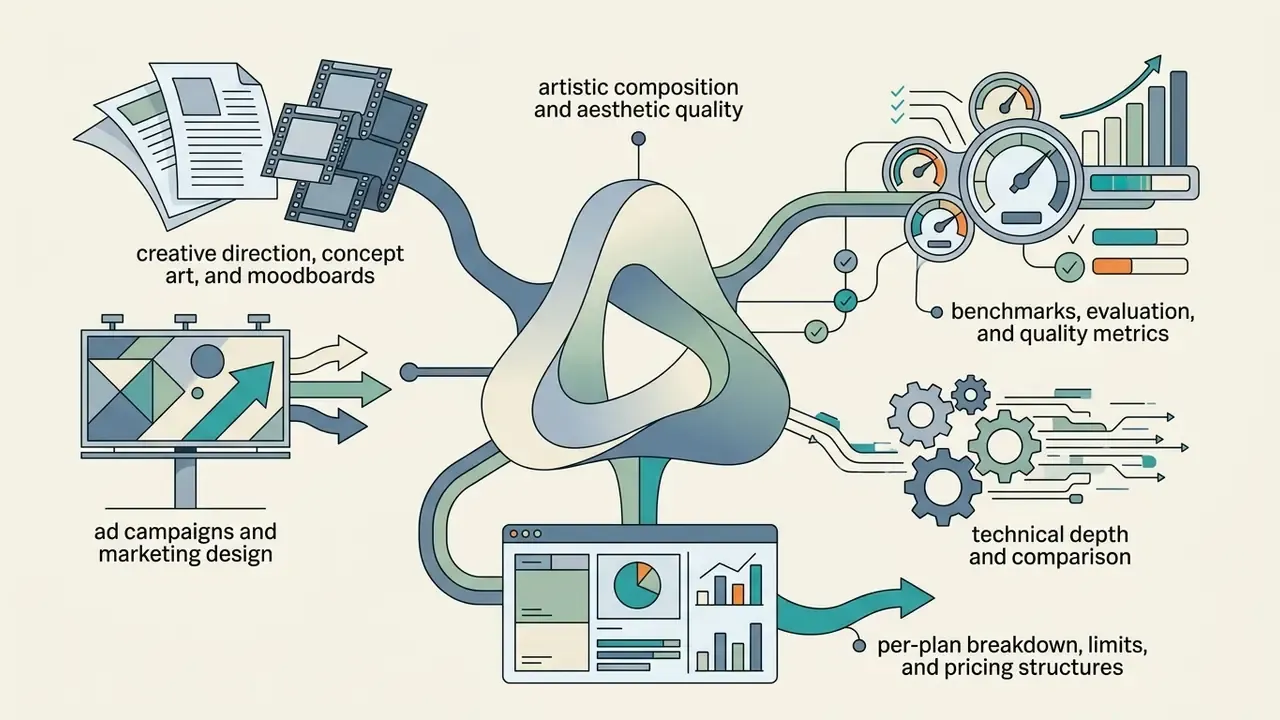
Midjourney (V7) for Artistic Composition and Aesthetic Quality
Midjourney is still the aesthetic benchmark, even though it is the one major platform with no permanent free tier at all.

Ideogram and Recraft for Typography, Icons, and Vector Graphics
Ideogram and Recraft are purpose-built for design precision, typography, and graphic assets.
- Key strengths: Ideogram leads on spelling accuracy and kerning for complex text prompts, rendering copy directly into images with correct spelling, kerning, and weight without post-processing (Ideogram Technical Report, 2025); its documentation supports references from uploaded images, saved assets, or trained assets alongside the text prompt. Recraft V3 stands out for native SVG vector graphics, icon sets, and brand UI elements with consistent line weights and corner shapes (Recraft Model Docs, 2025), the capability profile behind most modern AI logo generators.
«Independent evaluations place Ideogram 2.0 at 90-95% text-rendering accuracy on short phrases versus 30-40% for Midjourney; version 4.0 scores 0.97 on the X-Omni English OCR benchmark.»
- Limitations: Ideogram free tiers enforce weekly slow-credit queues (roughly 10 prompts per day in some 2025 snapshots), one active generation at a time, and public asset visibility.
«Images created on the free plan remain the property of the company, are published to the public gallery, and may not be used commercially.»
- Best for: logo design, branded typography, vector iconography, packaging copy, and UI layout assets. Public 2026 comparisons consistently rank Ideogram higher for pure text fidelity and Recraft higher for scalable vector output.
AI Image Generation Alternatives to Gemini and ChatGPT
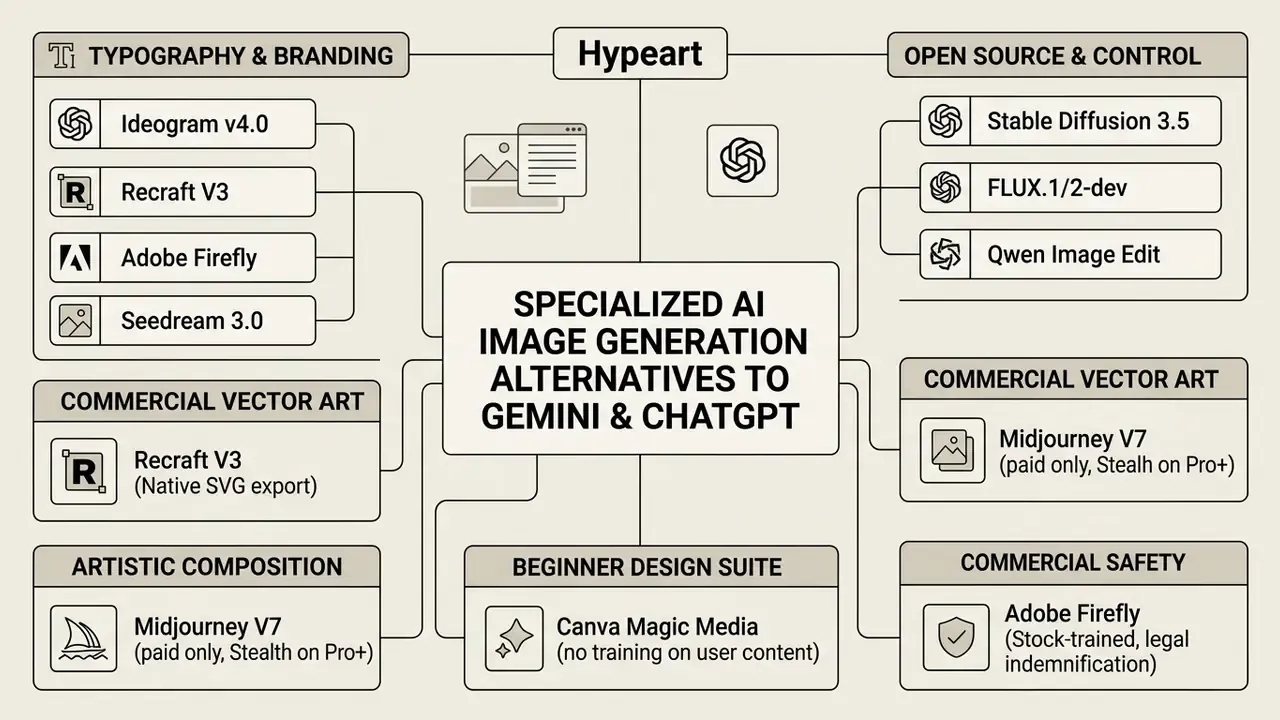
Organizations hunting for an ai image generation tools alternatives to gemini, or alternatives to ChatGPT, usually need something specific: precise vector output, or local privacy, or both. General-purpose conversational models do not prioritize either.
Alternatives to Gemini for In-Image Text and Commercial Design
When the job involves embedded text, logos, or marketing collateral, specialized design engines beat general conversational assistants.
- Ideogramthe primary ai image generator alternatives to gemini for text-heavy layouts. It renders full sentences, signage, and packaging copy with correct spelling and kerning, no post-processing needed.
- Recraftstronger for brand systems that need vector artwork. Unlike raster-only output from Gemini, Recraft produces native SVGs, scalable icons, and color-matched design assets.
- Adobe Fireflythe preferred alternative in corporate marketing environments requiring commercial safety, brand asset protection, and Creative Cloud integration.
- Seedream 3.0a strong non-Western option for bilingual typography and poster design.
«Seedream 3.0 reaches 94% text availability for Chinese and English, a 16-point gain over version 2.0, and ranked first on Artificial Analysis ahead of GPT-4o, Imagen 3 and Midjourney v6.1.»
Quantitative comparisons also show how far open backbones have closed the gap on general fidelity:
«Stable Diffusion 3 reached FID 0.89, CLIP 0.27 and TIFA 0.78, well ahead of SD 1.4 (FID 1.49, CLIP 0.22, TIFA 0.58) and comparable to reference photographs.»
For teams building ad creatives at scale, comparing best ai ad tools for creative content creation and the best AI art generators adds useful detail on multi-asset campaign workflows.
Alternatives to ChatGPT for Style Control and Open-Source Models
If you want an ai image generator alternatives to chatgpt with deeper control over artistic style, camera angle, or pipeline parameters, several options hold up.
- Stable Diffusion (v3.5 / SDXL): complete open-source autonomy. Fine-tune weights on proprietary style guides, run locally without content filtering, and wire in ControlNets for posture and depth management.
- Leonardo AI: an accessible cloud alternative to local Stable Diffusion setups, with intuitive sliders for style guidance, depth of field, character consistency, and negative prompt filtering.
- FLUX.2-dev: a state-of-the-art open-weight model that measurably leads open-source peers on composition and prompt adherence, 76.0% MCQ accuracy and 3.62/5 on VMetaphor-Bench, the highest open-model score recorded, though still behind GPT Image 1.5. A solid backend for custom generative application pipelines.
- Midjourney V7: the strongest choice when aesthetic quality outweighs cost and privacy tradeoffs, with the caveat that there is no permanent free tier.
- Qwen Image Edit: documented specifically for accurate in-image text modification, handy when localizing existing creative into new languages.
When weighing conversational model ecosystems against standalone generation pipelines, the detailed AI Media Versus Comparisons surface the functional tradeoffs. For stylized niches, see also the Ghibli-style AI image generator comparison.
How to Generate AI Images: Prompts, References, and Editing
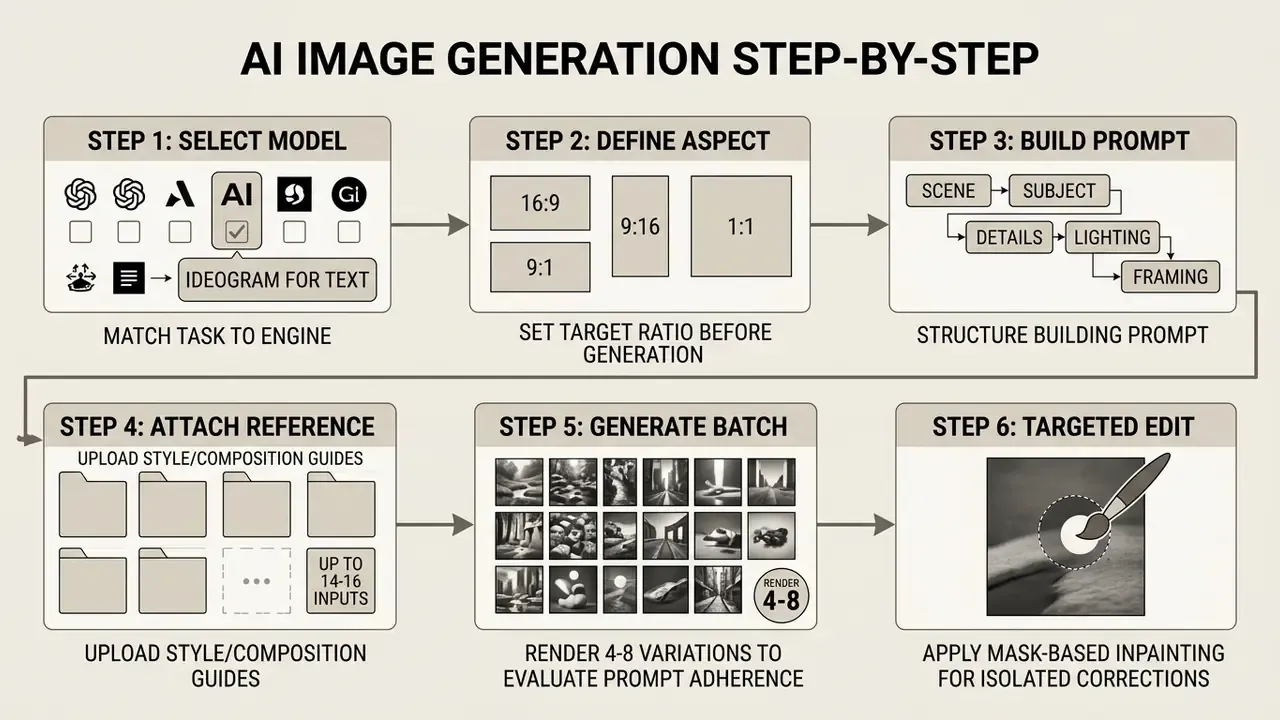
Getting professional results out of an ai image generator takes a structured workflow, not luck. Understanding the workflow before reviewing pricing matters, because per-image cost is meaningless until you know how many attempts a usable asset actually costs you.
Writing Prompts for High-Quality Photorealistic Images
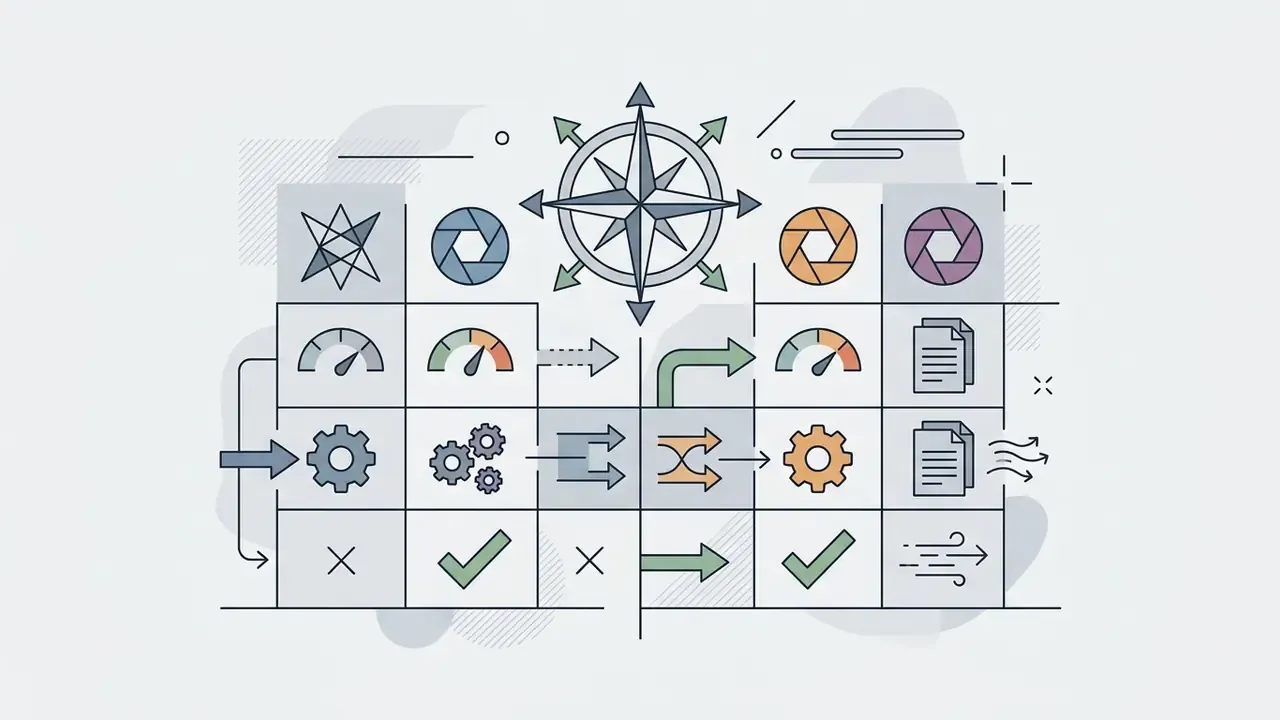
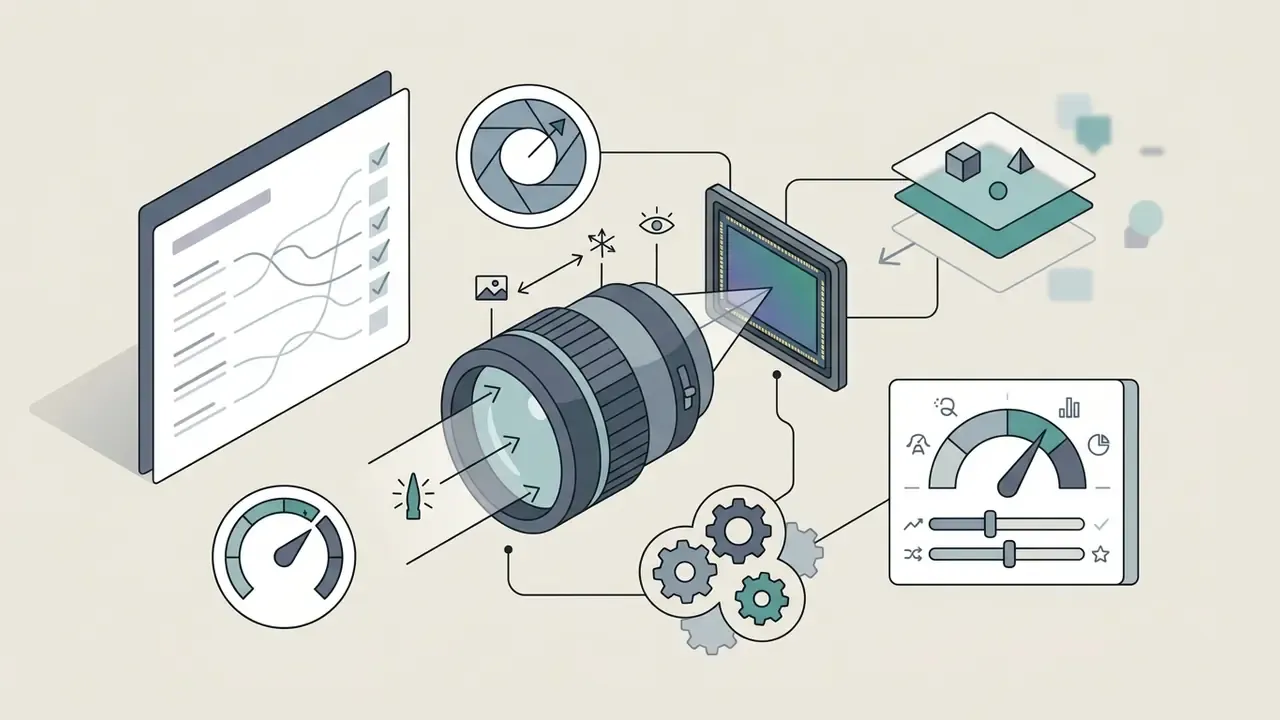
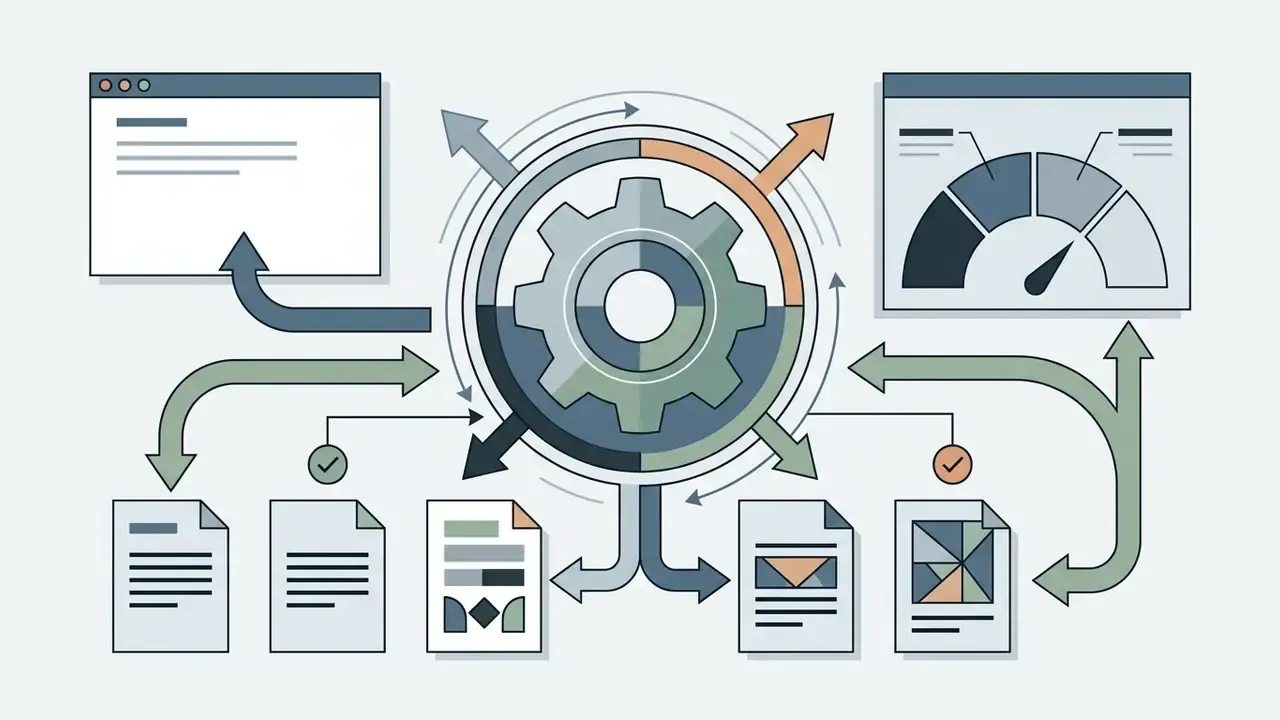
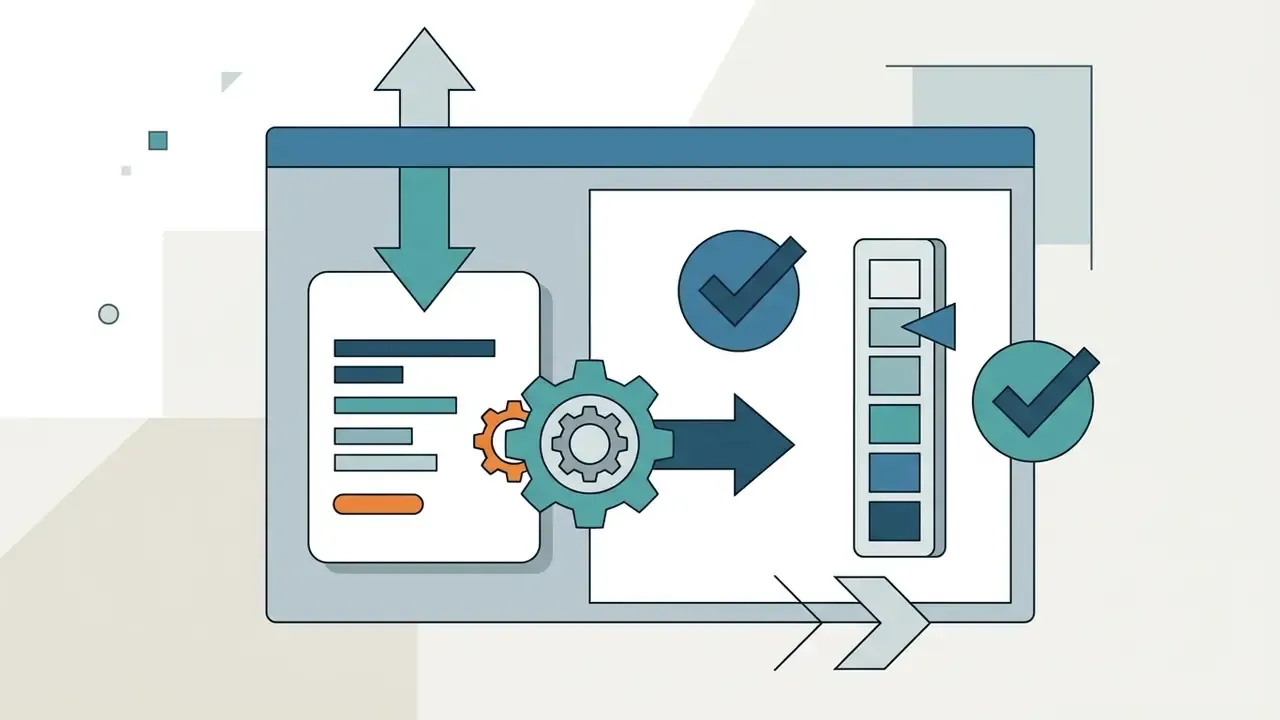
To generate photorealistic images, prompts need a deliberate syntactic hierarchy, not a pile of buzzwords. The structure below reflects peer-reviewed evidence that layout-aware, structured prompting materially improves adherence, alongside OpenAI's documented recommendation to name the word "photorealistic," use photography language, and order prompts background/scene, then subject, then key details, then constraints (OpenAI GPT-Image prompting guide, 2026):
«LLM Blueprint achieves 85% prompt adherence recall on complex multi-object prompts versus 49% for Stable Diffusion, 57% for GLIGEN and 69% for LayoutGPT, by generating a layout with a language model before diffusion.»
A structured prompt improves prompt adherence and cuts surreal artifacts. On a credit-limited free tier it does something more practical: it reduces how many generations you burn per usable asset.
high when fine detail matters.Using Reference Images and Editing Existing Visuals
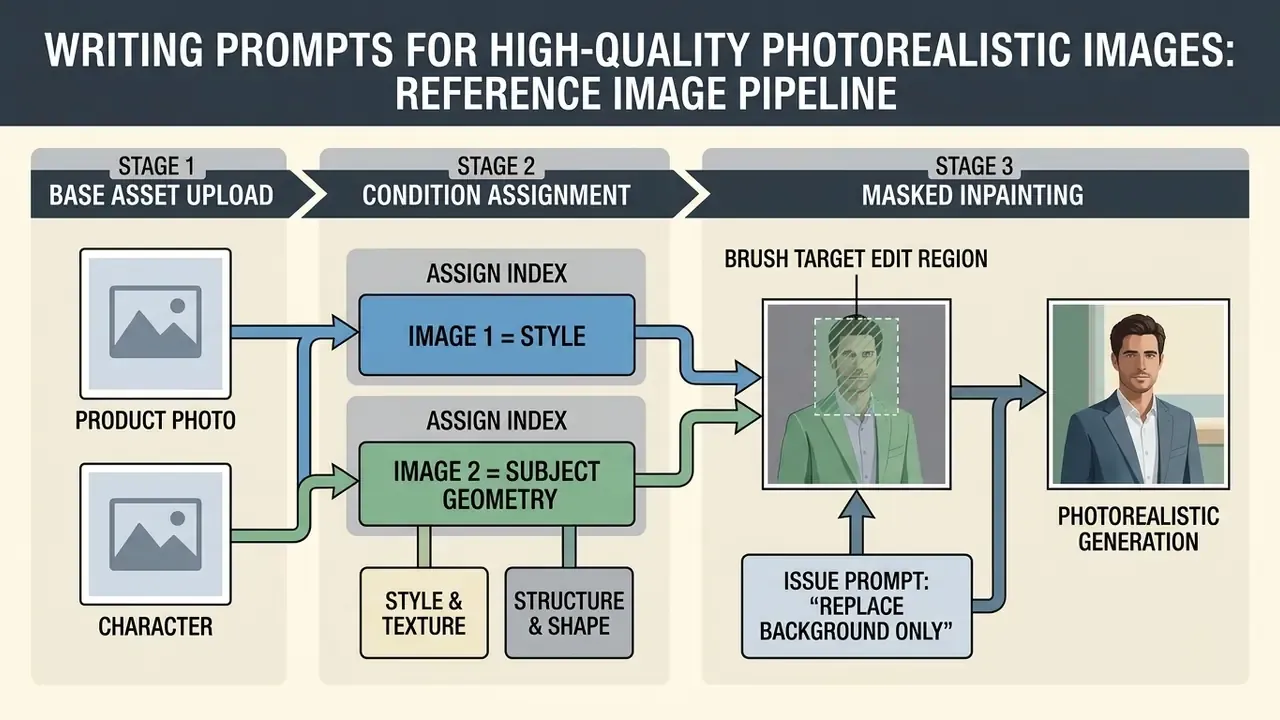
Creators building multi-format video and visual campaigns can review workflows for apps to edit youtube videos and the YouTube video editor workflow guide to align still assets with video production standards.
- Reference assignment
- upload source files and assign roles by index, for example Image 1 as "Style Reference" and Image 2 as "Character Geometry," then explain how the two should interact.
- Targeted inpainting
- mask specific regions for edit images tasks such as altering a wardrobe piece or swapping background scenery, and tell the model explicitly to leave unmasked areas alone ("change only X; preserve identity, geometry, layout, labels and lighting"). This is the mechanism behind image-to-image generators.
- Iterative refinement
- change one parameter per pass and feed the previous output into the next edit. It prevents drift and keeps results reproducible, which auditors appreciate more than they admit.
AI Image Generation Pricing 2025-2026: Free Limits, Subscriptions, and API Rates
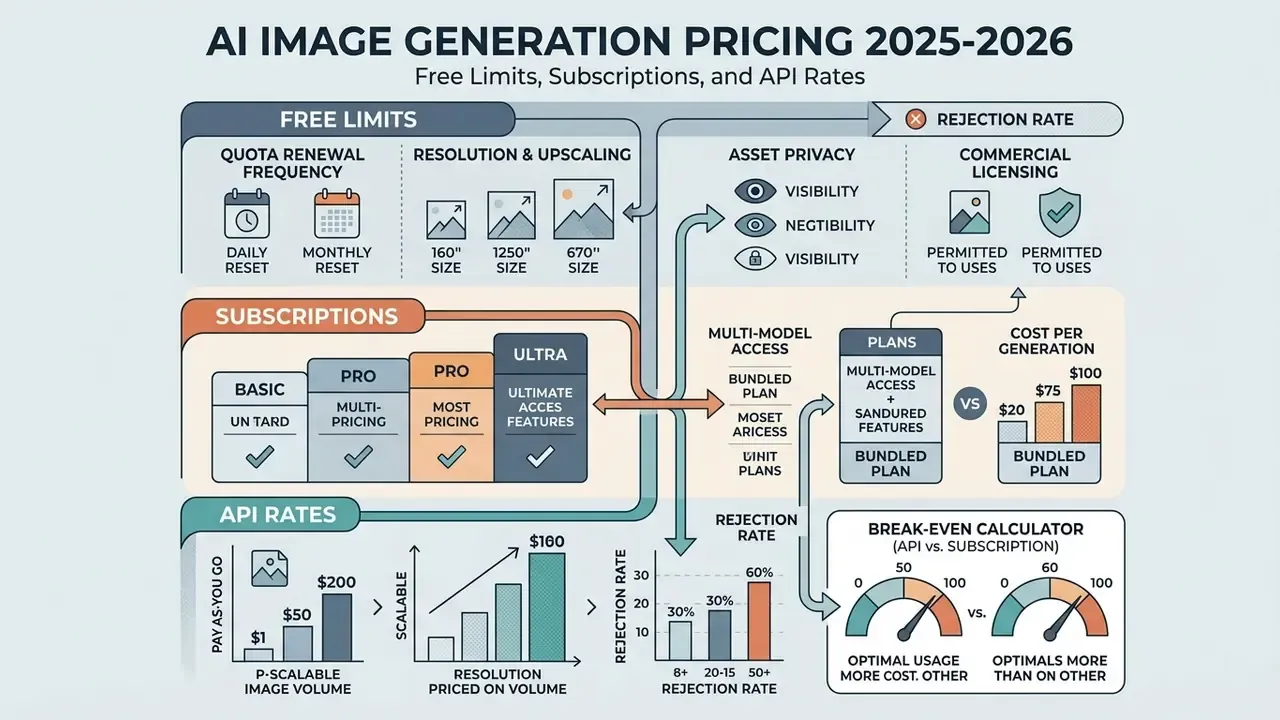
Understanding ai image generation pricing 2025 means tracking how platforms move users from free allowances into paid monthly tiers or pay-as-you-go API consumption. The table below adds the mid-tier plans most roundups quietly omit. Rates verified against vendor pricing pages in early 2026.
| Platform / Tool | Free Tier Allowance | Paid Subscription Tiers | Estimated API Cost per Image | Commercial Rights Status |
|---|---|---|---|---|
| Google Gemini (Nano Banana) | ~3-20 images/day (load dependent); 50/day on Plus, 100/day on Pro, 1,000/day on Ultra | Plus ($7.99/mo) / Pro ($19.99/mo) / Ultra ($249.99/mo) | $0.02 (Imagen 4 Fast) to $0.06 (Imagen 4 Ultra) | Permitted on paid plans; user retains ownership, Google takes a limited display license |
| ChatGPT (OpenAI) | ~2-3 images / 24 hours, low priority | Go ($8/mo) / Plus ($20/mo) / Business ($30/user) / Pro ($200/mo) | $0.005 (Mini low) to $0.167 (GPT Image 1 high); up to $0.25 at 1024×1536 | Full commercial rights owned by user |
| Midjourney | None (occasional promo trials) | Basic ($10/mo) / Standard ($30/mo) / Pro ($60/mo, Stealth) | N/A (web/Discord access) | Paid plans grant commercial rights; outputs public unless Stealth |
| Adobe Firefly | ~25 monthly generative credits | Standard ($9.99/mo, 2,000 credits) / Pro ($19.99/mo, 4,000) / Pro Plus ($49.99/mo, 10,000) / Premium ($199.99/mo, 50,000) | Enterprise contract metering | Commercially safe (Adobe Stock trained, indemnified) |
| Leonardo AI | 150 daily tokens (~20-30 images), no rollover | Apprentice ($10/mo) / Artisan ($24/mo) / Maestro ($48/mo) | Credit packs available | Paid tiers grant full rights |
| Ideogram | Weekly slow credits, public outputs, 1 active generation | Plus ($15/mo, ~1,000 priority credits) / Pro ($42/mo, ~3,500 credits) | Tiered credit packs | Paid plans only; free tier non-commercial |
| Recraft | Free public generations | Basic ($10/mo) / Pro ($20/mo) | API token pricing | Paid tiers grant full rights; free outputs remain Recraft property |
| Canva (Magic Media) | ~50 lifetime credits (no refresh) | Pro ($13/mo) / Teams (from $14.99/mo) | N/A | Full commercial usage permitted; no training on user content |
| Stable Diffusion / FLUX | Unlimited (self-hosted) | Local hardware cost only | Free self-hosted; API variable by host | Permissive (free under $1M revenue, commercial license above) |
How to Compare Free Plans and Paid Subscriptions
When you weigh a free plan against paid plans, judge total cost efficiency on four operational criteria:
- Quota renewal frequency: daily refreshes such as Leonardo's 150 tokens per day give steadier utility than monthly pools you can drain in one afternoon, and far more than non-refreshing lifetime buckets like Canva's free credits.
- Resolution and upscaling: free tiers often cap generation at 1024×1024. Paid tiers unlock 2K/4K upscaling needed for print or high-density displays, though dedicated AI image upscalers can substitute when a platform gates resolution.
- Asset privacy: free platforms frequently publish outputs into public community streams (Ideogram, Midjourney, Recraft). Paid tiers keep generation private.
- Commercial licensing: many free tiers prohibit commercial deployment outright. A paid subscription or a paid API endpoint is often mandatory, not optional.
To review official tier structures straight from providers, compare options across individual plans, or open our comparison of the best free AI image generators.
Cost Per Generation vs. Multi-Model Platform Access
For low-volume or sporadic workflows, pay-as-you-go API access beats a fixed monthly subscription on cost. OpenAI's API bills GPT Image generations between $0.009 and $0.133 per image depending on quality and resolution.
Generating 50 high-quality images per month via API runs roughly $6.65, well under a flat $20/month subscription. Google's Imagen 4 tier undercuts that further at $0.02-$0.06 per image, which is why per-image cost at scale generally favors Google while broad free access favors OpenAI.
Break-even calculator (API vs. subscription):
Break-even volume = Monthly subscription price / Average API cost per high-res image
                  = $20 / $0.04
                  = 500 images per month
Below roughly 500 images per month, pay-as-you-go wins against a $20 subscription. Above it, fixed-price plans or self-hosted open models win. Adjust the denominator to your real quality tier: at $0.133 per high-quality GPT Image generation break-even drops to about 150 images, while at Google's $0.02 Imagen 4 Fast rate it climbs toward 1,000.
Now add the rejection rate. Because benchmark evidence puts baseline prompt satisfaction at 50-61%, effective cost per usable asset is materially higher than list price:
Effective cost per usable image = (API cost per image) / (prompt adherence rate)
                                = $0.04 / 0.55
                                ≈ $0.073
For governance and finance teams, total cost of ownership should also carry prompt-engineering labour, review and rejection time, provenance logging, and quarterly license re-verification. Those line items never appear on a vendor pricing page, yet they usually dominate the real budget. In one illustrative internal estimate (hypothetical, for modelling purposes only), review labour exceeded generation cost by a factor of eight.
For high-volume creative agencies producing thousands of drafts a month, subscription plans with unlimited slow queues such as Ideogram Pro, or self-hosted open models like Stable Diffusion and FLUX, cut marginal cost per asset dramatically. Developers integrating custom pipelines can explore the AI Video API documentation and the Google Veo implementation guide for infrastructure pricing patterns.
Standardized Benchmark Test: Comparing Top AI Generators Head-to-Head
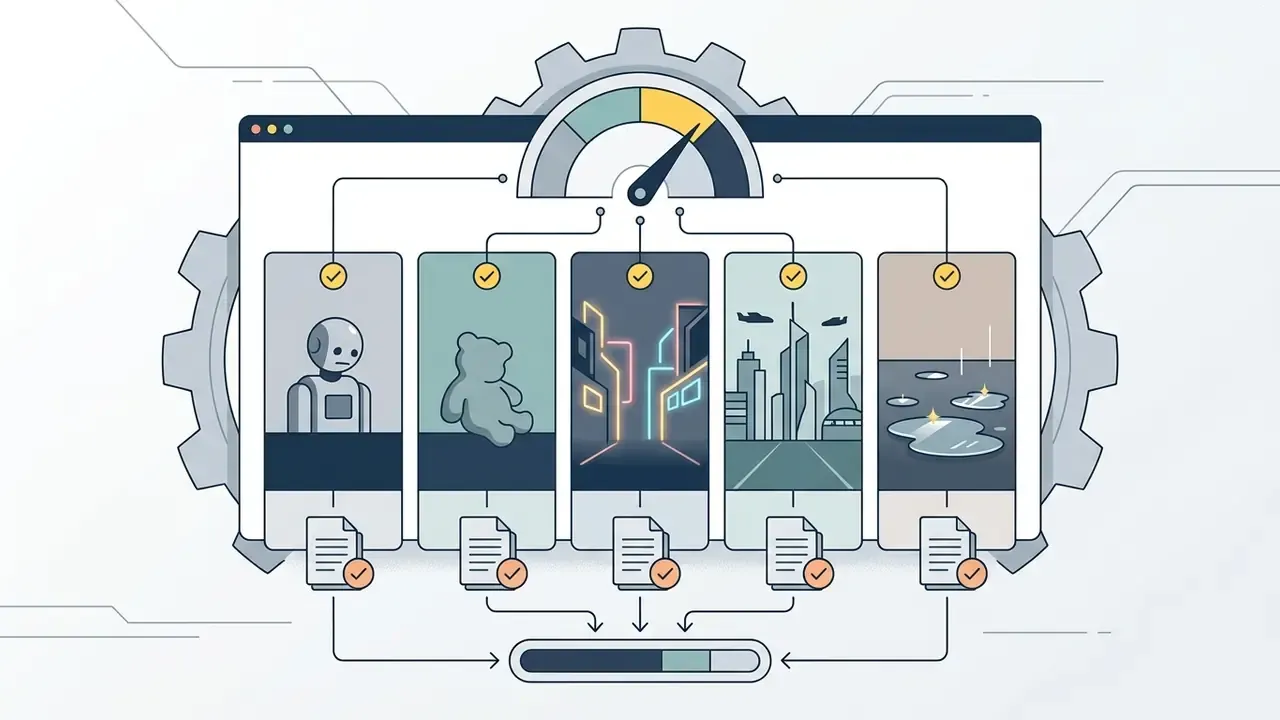
To test output quality with some rigour, we ran four standardized prompts plus two B2B asset briefs across leading platforms under identical free-tier conditions, scoring prompt adherence, OCR text accuracy, and artifact rate.
- Leader: Google Gemini (Nano Banana Pro), the only model that rendered genuine physical interaction between the robot's hands and the plush toy, plus volumetric wet reflections on the pavement.
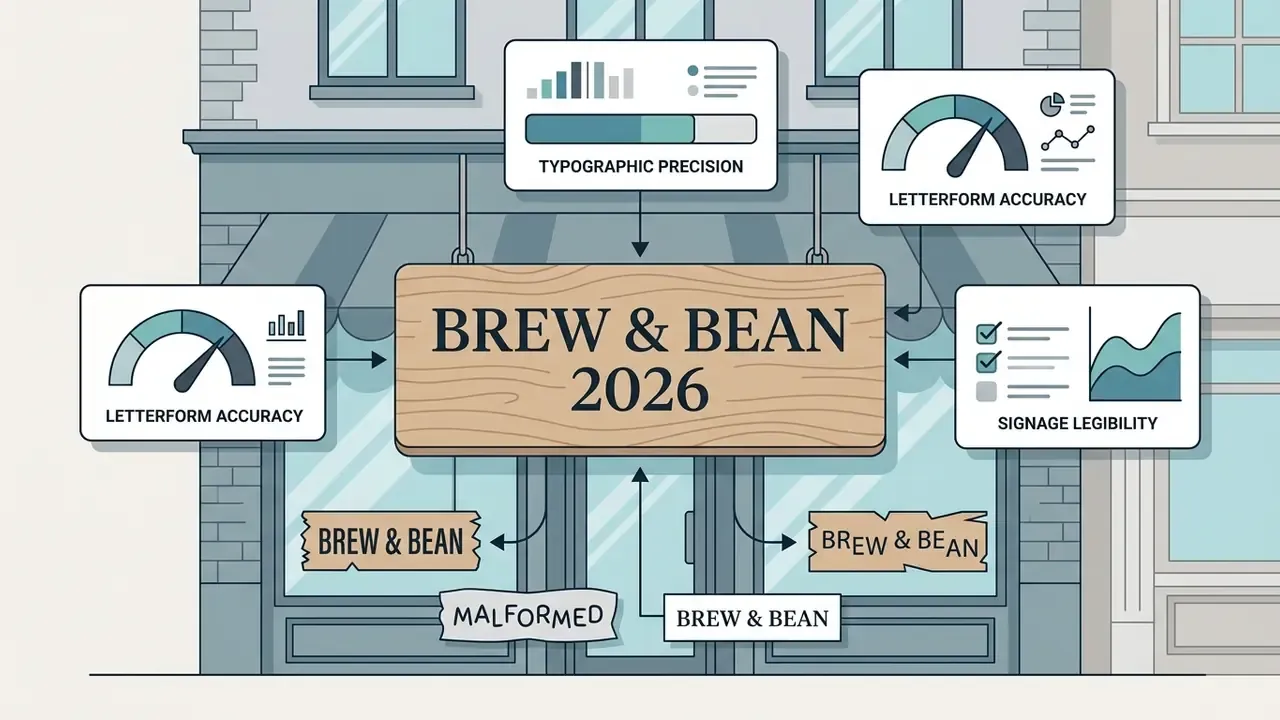
- Leader: Ideogram v4.0, 100% letter accuracy with correct kerning and no glyph artifacts. Gemini placed second; Midjourney failed on the numerals.
- Leaders: ChatGPT (GPT Image) and Gemini, both rendering skin pores, fabric weave, and atmospheric falloff without plastic shading. Gemini also populated contextually correct secondary figures and accurate flag detail in a 1963 Berlin variant of the prompt, where competing models invented generic crowds.
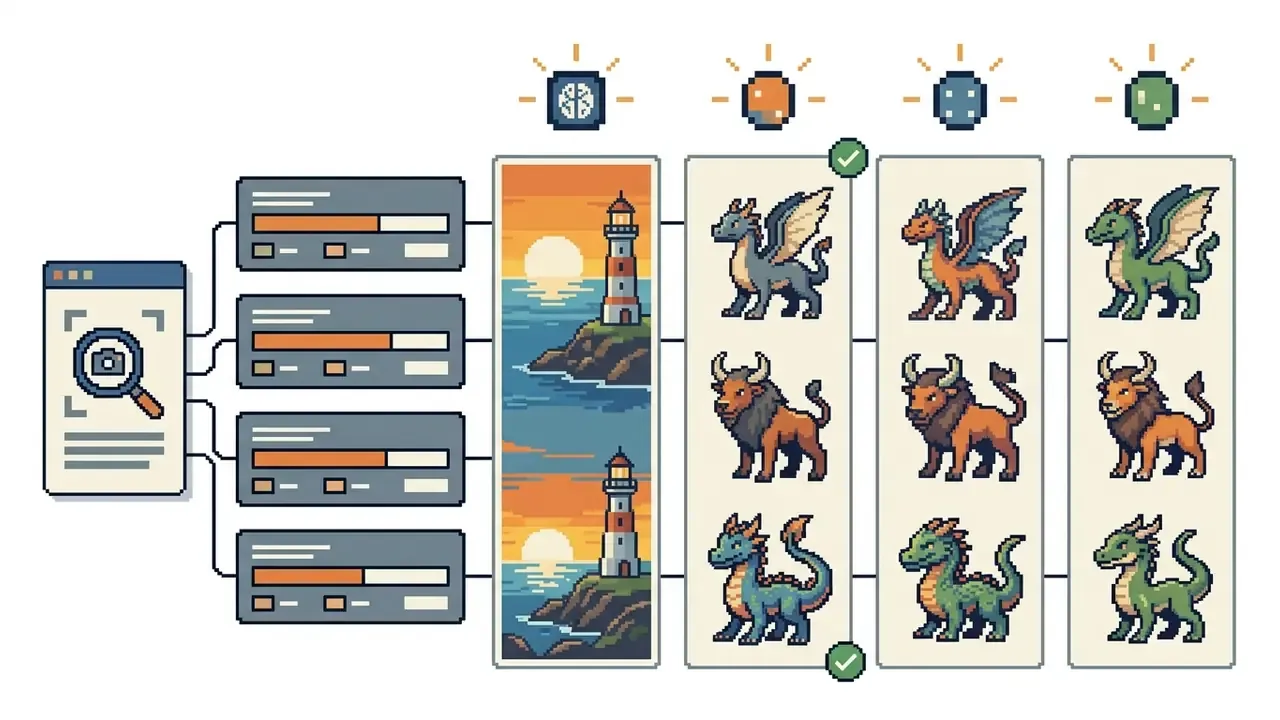
- Leader: Midjourney V7, strongest aesthetic cohesion and palette discipline. Open models drifted toward recognizable existing creature designs, which is a licensing problem waiting to happen.
- Leader: Recraft V3, exportable SVG paths, clean line weights, accurate brand-palette matching. Canva was fastest to a publishable layout thanks to template placement.
- Leader: Gemini (Nano Banana Pro), correct two-line hierarchy with a legible subtitle. GPT Image handled the title but degraded on the smaller subtitle, which matches the documented weakness on long or small-font copy.
Reproducibility note: every prompt ran three times per platform on free accounts in early 2026 with default settings, no negative prompts, no upscaling. Quotas and model versions shift monthly, so treat these rankings as a snapshot and re-test before any procurement decision.
FAQ: Frequently Asked Questions About Free AI Image Generators
How fast do free AI image generators generate images?
Most cloud platforms (Google Gemini, Adobe Firefly, Canva) returned draft images in roughly 5 to 15 seconds per request in our testing. Vendor documentation supports a broad range rather than one number: Adobe states Firefly can produce image-to-video output "in seconds," while OpenAI notes complex prompts may take up to two minutes and that its 2026 image release cut latency by up to 50% versus the prior generation. At peak hours, free-tier generations often get routed into lower-priority slow queues, stretching to 30-60 seconds per batch. (Latency figures are directional and vary by model version, prompt complexity, and server load; independent timing data for free tiers remains thin.)
Can I use images generated on free tiers commercially?
It depends strictly on the platform's terms. Adobe Firefly permits commercial use across non-beta features and offers indemnification. Canva permits commercial use and does not train on your content. Ideogram and Recraft, by contrast, explicitly restrict free-tier outputs to personal, non-commercial use, reserving commercial licensing for paid subscribers. Some Google Labs preview products (Flow, ImageFX) are documented as personal, non-commercial use only, with Vertex AI as the commercial path. Re-check the terms before publishing; they change quarterly.
Does the free tier watermark my images?
Frequently, yes. Craiyon, Raphael AI, and Meta AI apply visible watermarks to free outputs, and Google applies both a visible mark and invisible SynthID provenance tagging on consumer Gemini images. Watermark removal is generally a paid-plan feature, and stripping provenance markers may itself breach platform terms.
Which platform has the highest free daily limit?
Among hosted tools, Google Gemini's consumer app is the most generous mainstream option, reported at up to 20 images per day and higher for some accounts, with Playground AI reported at 100-500 images per day in public mode. For genuinely unlimited output, self-hosted Stable Diffusion or FLUX on local hardware is the only route with no quota at all.
How do AI image generators connect to AI video generators?
Generated stills often serve as initial keyframes for AI video generator tools. High-resolution stills from Gemini or Stable Diffusion can be imported into image-to-video platforms to animate motion, extend camera pans, or build cinematic sequences. See our comparison of free AI video generators and free AI video generator benchmarks. Creators exploring video extensions can also review AI Video Tools, ai video tools with text to speech capabilities, AI voice generators for narration, animation makers for motion graphics, and video compressors for delivery.
Which free AI image generator is best for mobile editing?
Google Gemini, Canva, and Leonardo AI offer well-optimized mobile web and native app interfaces supporting generation, prompt adjustment, and quick reference uploads straight from a phone camera. Mobile creators can also examine tools tailored for android video editor environments.
How do I check whether an image was AI-generated?
Provenance markers (SynthID, C2PA metadata) come first, then AI reverse image search to trace prior publication. Disclosure is increasingly a compliance matter too: EU AI Act transparency provisions require artificial origin to be disclosed, and copyrighted training material generally requires rightholder authorization unless an exception applies.
Strategic Summary and Next Steps
Picking the optimal free ai image generator 2025 means balancing capability against platform constraints, a decision our best AI image generator comparison tracks across quarterly updates:
Before rollout, run the Shadow AI checklist above, record model versions and license dates, and re-verify commercial terms each quarter. To explore broader category benchmarks, review our comprehensive benchmarks or open the hub for centralized model comparisons.
Quarterly Re-Verification Workflow
A one-page routine keeps this category from drifting out of control:
- Re-read the vendor's commercial-use and training-data clauses, and log the review date.
- Re-test the free quota with three identical prompts, then record model version strings.
- Confirm output privacy defaults have not changed after any product update.
- Reconcile actual spend against the break-even volume calculated above.
- Report exceptions to whoever owns the tool. No owner, no approval, no production use.
Dull? Yes. It is also the difference between a controlled workflow and an audit finding.
Last reviewed: early 2026. Pricing, free-tier quotas, and licensing terms in this category change frequently, so verify current vendor terms before commercial deployment.