Executive Summary for Decision-Makers
- What it is: image to text conversion is the automated extraction of printed, handwritten, and overlaid visual text from raster graphics and scans, turned into machine-readable, editable text.
- Accuracy is not absolute: observed character error rates run from below 1% on clean scans to roughly 40% on heavily degraded inputs. Marketing claims of "100% accuracy" are technically unreachable.
- Main quality drivers: resolution (300 DPI as the baseline threshold, 400-600 DPI for small type), contrast, lighting, skew below one degree, visual noise, and layout complexity.
- Known weak zones: tables (a ceiling around 71-73%), handwriting, mathematical expressions, and multi-column layouts. This is exactly where human-in-the-loop belongs.
- Primary institutional risk: shadow AI. Staff upload financial, client, and personal documents into free public web converters with opaque retention policies.
- What to do next: match the engine to the document type (deterministic OCR versus vision LLM), fix confidence-score thresholds for escalation, and maintain an end-to-end audit trail from the source file to the database record.
One more framing note. Speed without evidence is not automation. It is unmanaged risk with a nicer dashboard.
What Image to Text Means and How OCR Extracts Text from an Image
Image to text conversion is the automated process of extracting printable, handwritten, or visual text from raster graphics and converting it into machine-readable, editable text. Modern optical character recognition (OCR) and vision-language models analyze image pixels, identify character boundaries, and map visual shapes to digital Unicode character codes. This technology turns static file formats into searchable and copyable assets for enterprise content management systems.
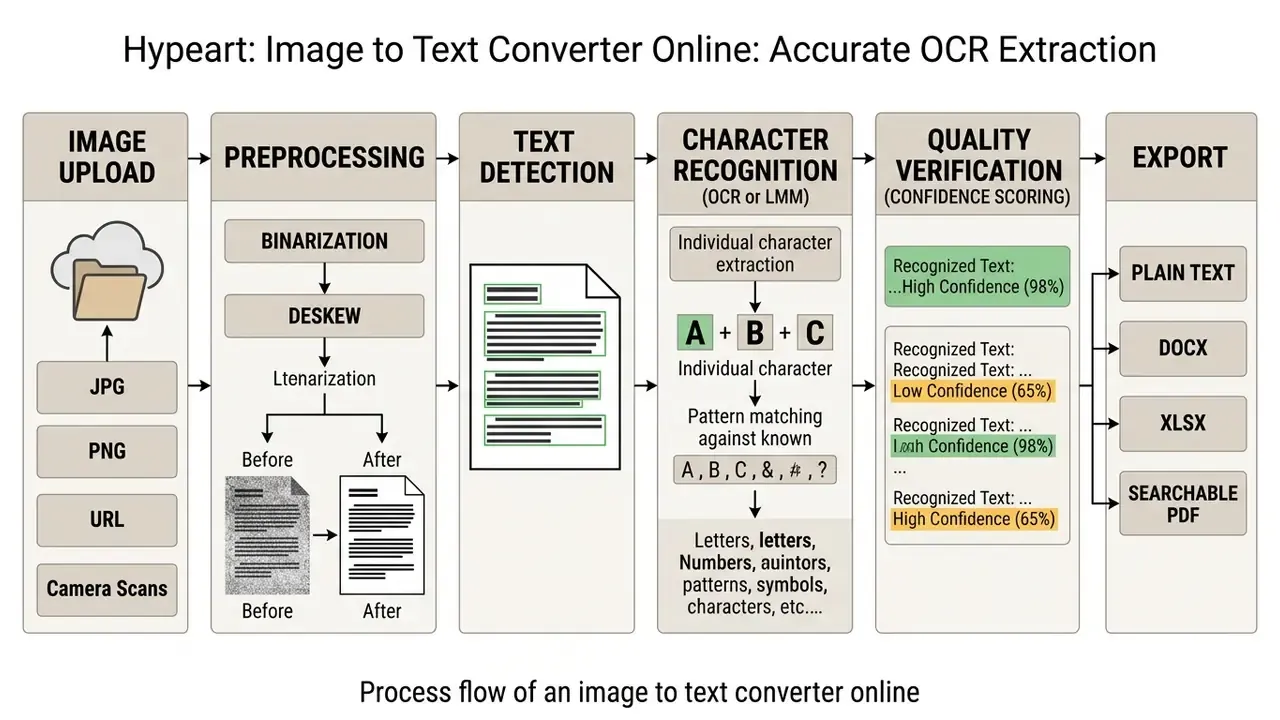
How optical character recognition works
Optical character recognition operates through a multi-stage ingestion pipeline that processes raw visual inputs into structured data. The initial stage performs image preprocessing, including noise removal, contrast enhancement, and deskewing to align text orientation. Next, layout analysis and segmentation isolate paragraphs, lines, and individual glyphs from background elements. Some pipelines also invert image polarity when text appears light on a dark field, which stabilizes binarization.
"Modern LMM models generally outperform traditional OCR engines on document understanding, reaching CER between 0.02 and 0.03 on clean data."
Leading OCR engines and recognition platforms
Engine choice depends on document type, determinism requirements, and infrastructure constraints.
When deterministic OCR beats a vision LLM. A classical engine returns a reproducible result for the same input and does not invent missing characters. That matters for fields flowing into ERP systems and financial reporting. A vision LLM is more robust against noise, stylized fonts, and natural scenes, yet it can hallucinate plausible values that never appeared in the image. A practical rule for regulated processes: deterministic engines for numeric and identifier fields, multimodal models for semantic parsing and document classification, with mandatory reconciliation of totals and control attributes.
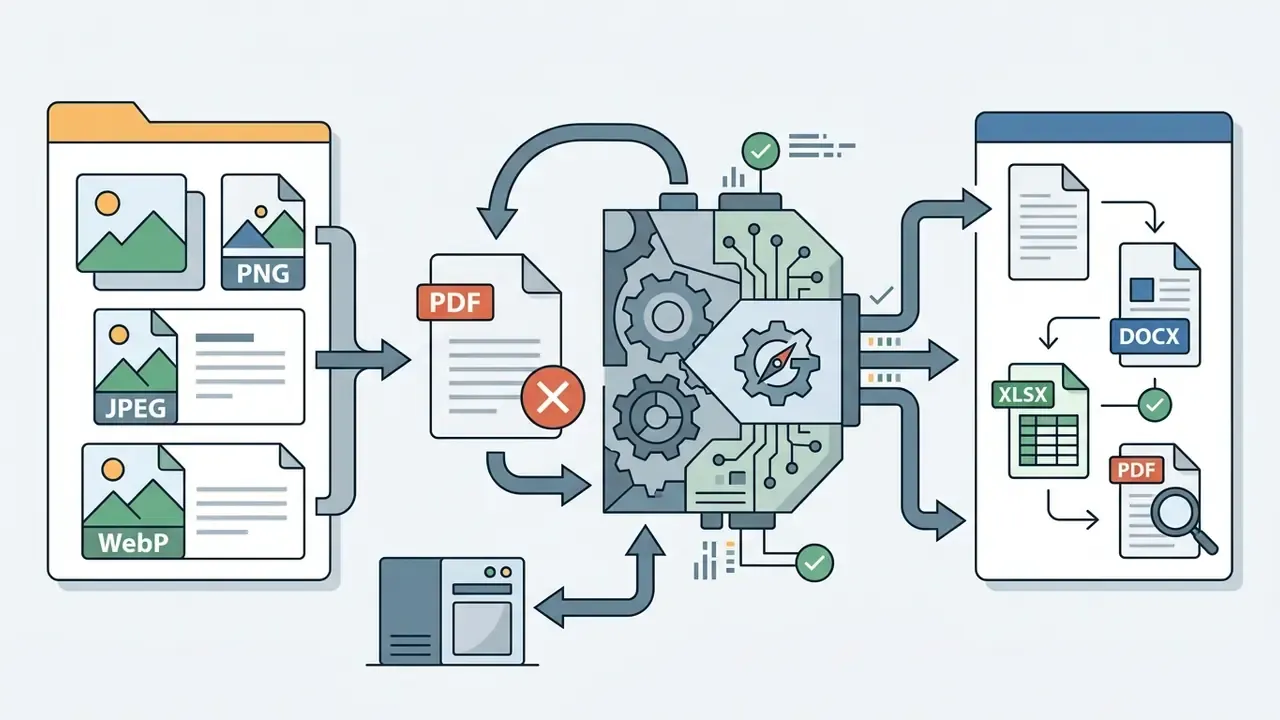
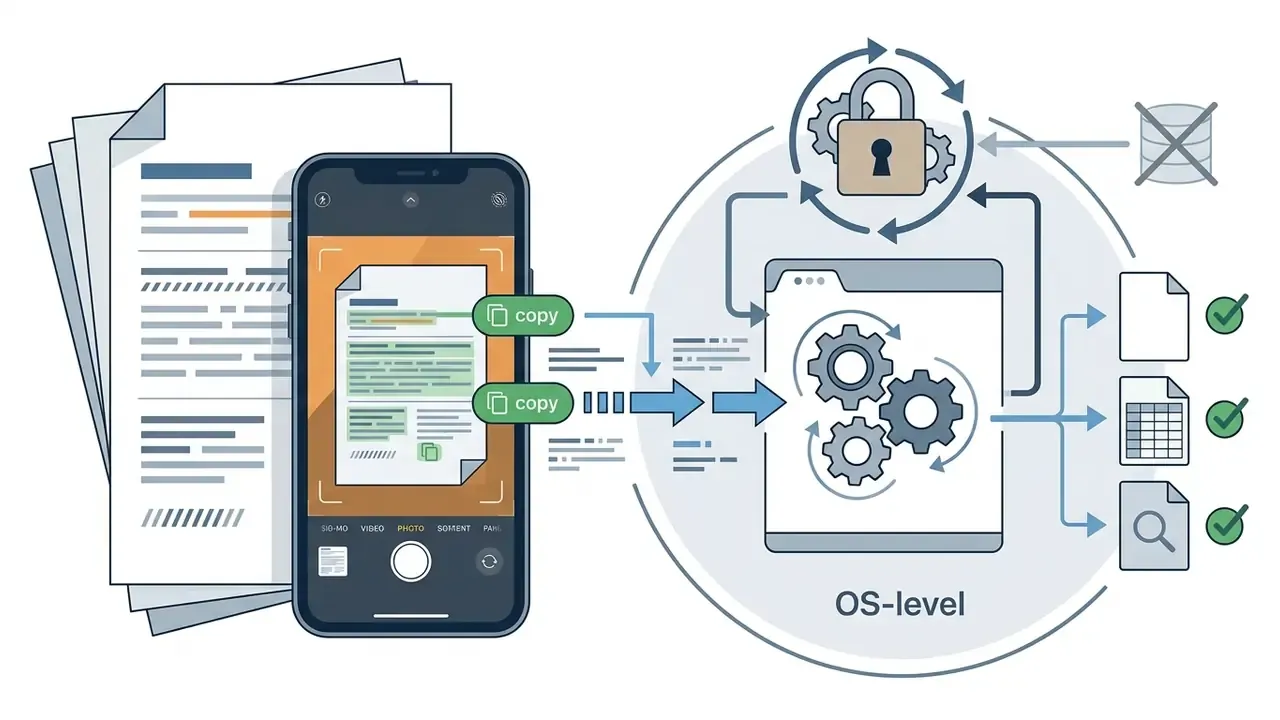
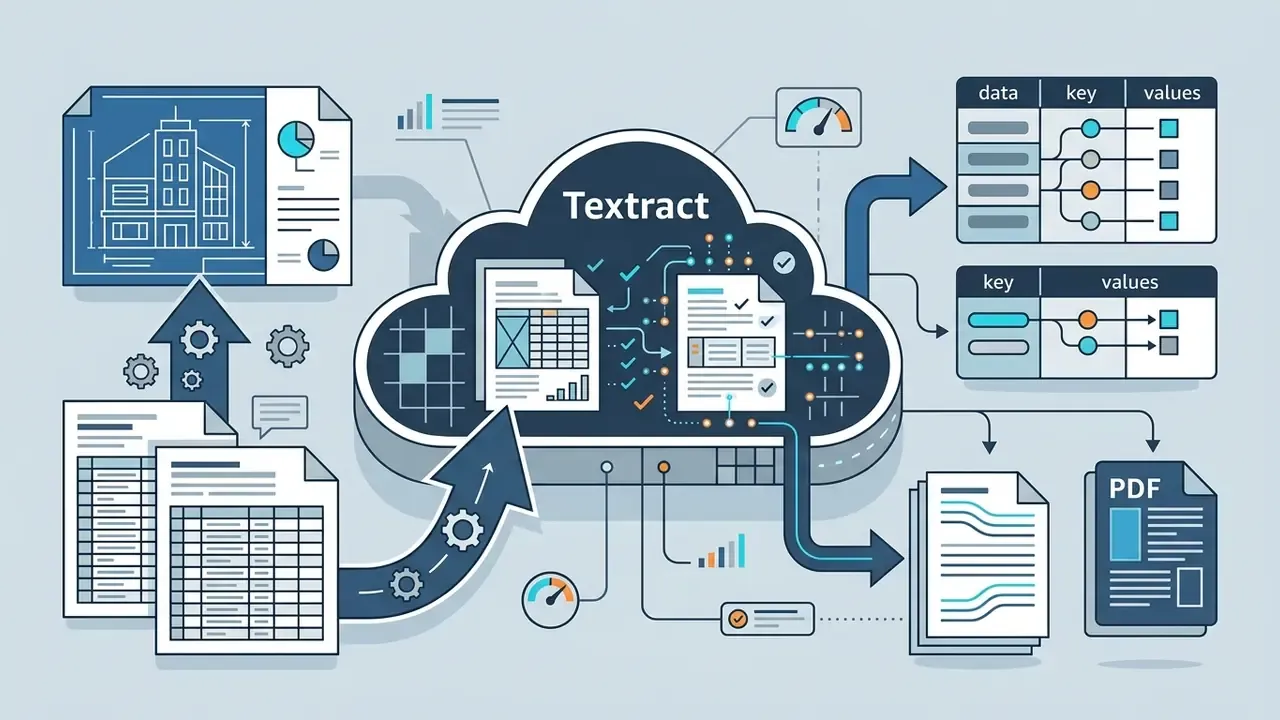
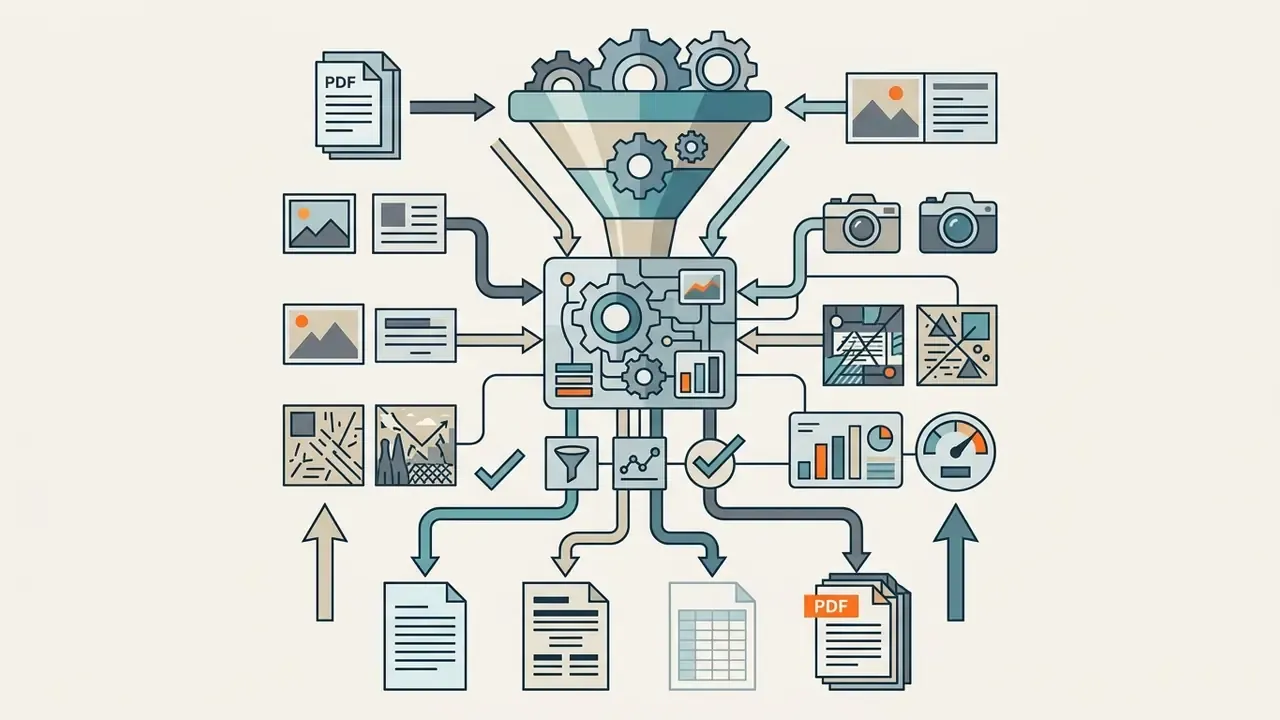
application/pdf, image/jpeg, image/png, and image/webp, and handle text on busy backgrounds and in natural scenes.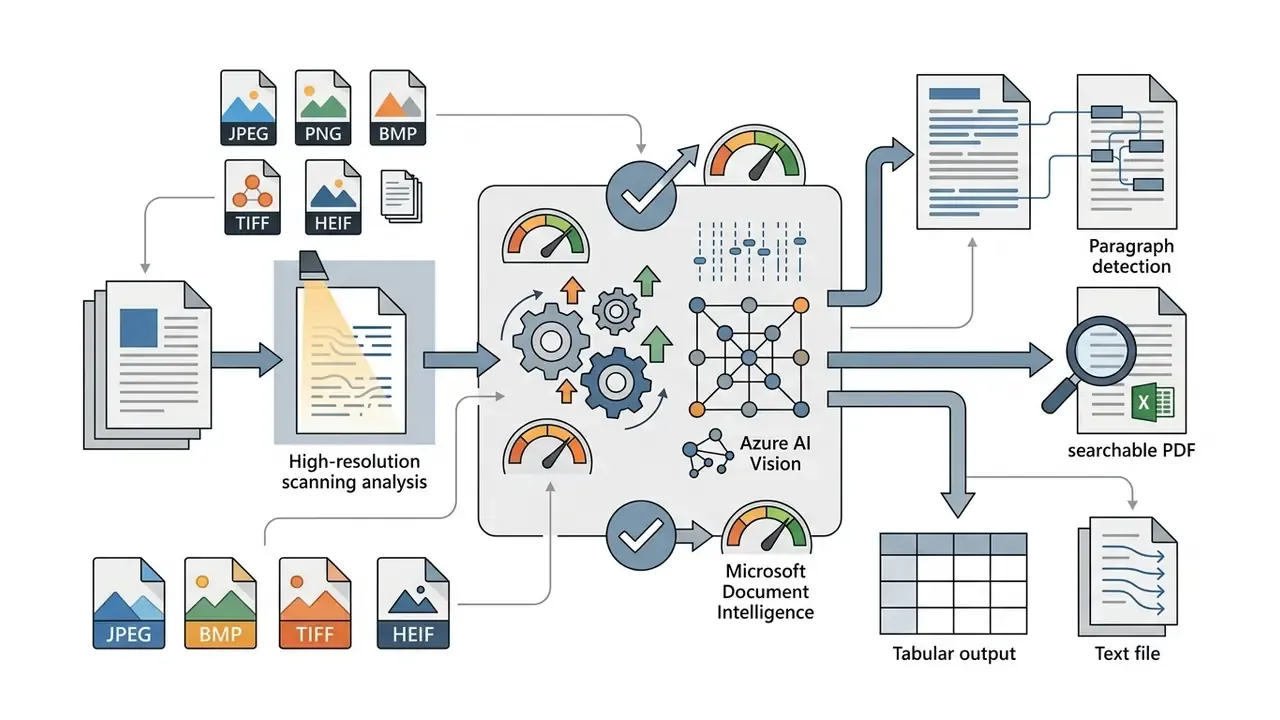
How text extraction differs from manual data entry
Automated text extraction removes manual data entry bottlenecks by processing documents in seconds rather than minutes. That is the obvious part. The less obvious part is that it also shifts the error profile from typing slips to systematic recognition failures, which behave differently under sampling.
"Manual data entry time: 34.5-95.5 sec/record; OCR/eye-scan runs: 8.57-45.0 sec/record depending on batch size."
The speed gain lowers labor overhead while reducing typing fatigue and transposition errors. It does not remove the need for review.
"In a receipt-scanning study, a CRNN system reached 66.67% accuracy and 10.48% CER, with image preprocessing materially improving results."
Illustrative scenario, not a client case: in a hypothetical model-risk review for a commercial lender, an operations team replaces manual keying of paper financial statements with an automated extraction pipeline. In that configuration, ingestion latency drops by roughly three quarters when capturing structured balance-sheet line items, and every extracted character stays traceable to the source file through an audit log. Treat those numbers as a planning hypothesis for control design. They require validation on your own document sample.
What an image text extractor actually returns
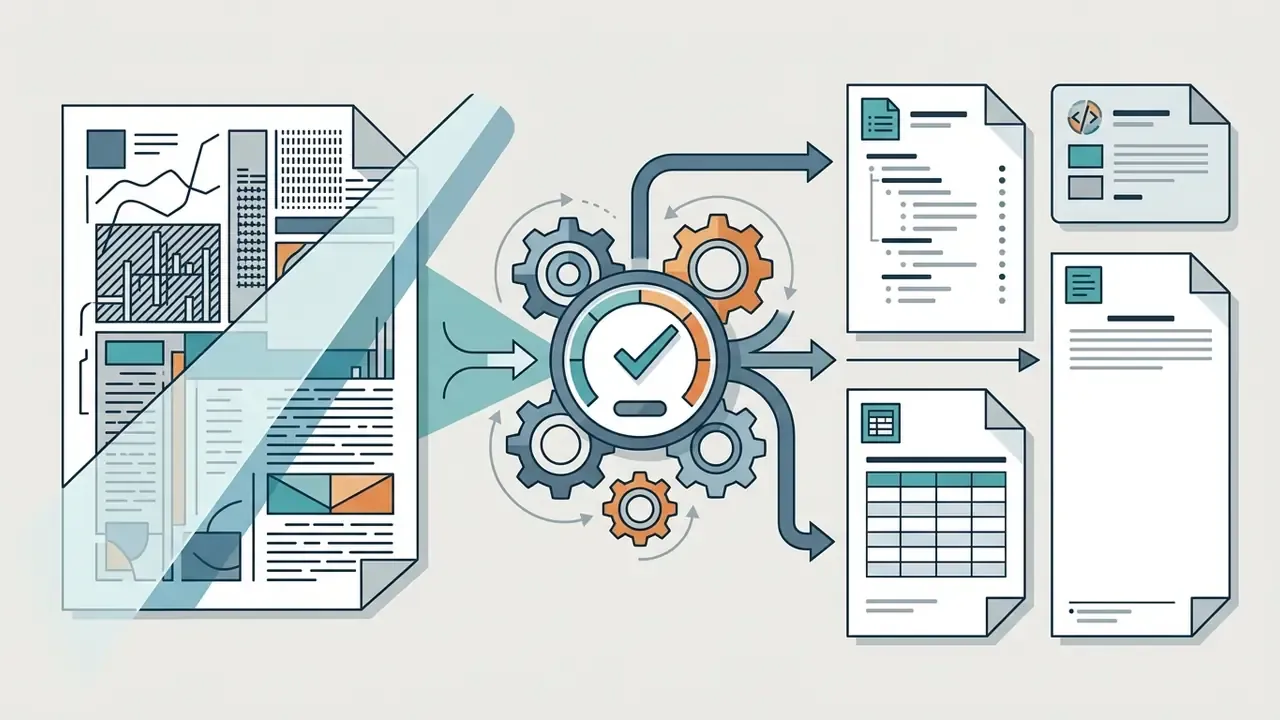
An image text extractor produces digital text outputs ranging from raw unformatted plain text to structured, editable files. Users get copyable text that can be moved instantly through copy to clipboard, or downloaded as a standard UTF-8 txt file or word file. Enterprise engines additionally emit ASCII Text and Unicode Text (UTF-16) in Standard and Formatted variants. Modern systems also preserve structural elements such as headers, lists, and tabular boundaries for direct integration into downstream enterprise databases.
Layout retention modes differ, and the difference matters more than most buyers expect. True Page / Full-Page Layout reproduces the visual arrangement of blocks. Formatted Text / Retain Paragraphs and Fonts keeps fonts and paragraphs but collapses text into a single column. Flowing Page holds the multi-column structure for later editing. If you are simultaneously evaluating adjacent visual tooling, it helps to compare the market on quality and licensing criteria, for example through our review of best AI image generators.
How to Convert Image to Text Online
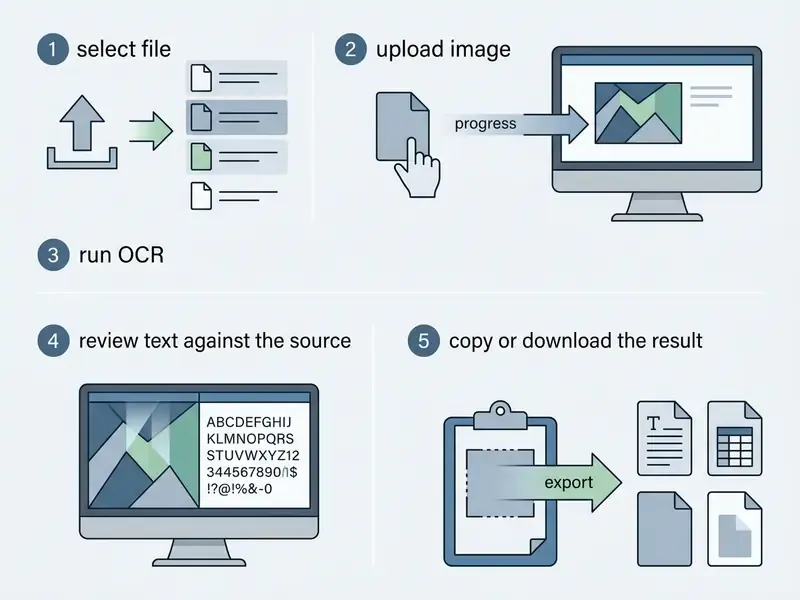
Converting an image to text online means uploading a digital document, selecting processing parameters, running the extraction engine, and validating the converted output. You can execute this workflow in cloud-based web tools or through dedicated API endpoints, without installing local desktop software. Six steps. The fifth one is the one teams quietly skip, and it is the one auditors ask about.
- Prepare and croptrim the margins so only the text block remains, and confirm the document is legible, correctly oriented, and free of heavy compression artifacts. Cropping lowers visual noise and speeds up segmentation. Quick tip: fewer stray objects in frame means fewer false character insertions.
- Choose the upload path- Local file: drag and drop, or browse for JPG, JPEG, PNG, WEBP, BMP, GIF, JFIF, HEIC, TIFF, and multi-page PDF. - Direct URL: paste an image link without downloading it to disk first. - Camera capture: shoot the document through a webcam or phone camera, which suits handwritten notes and signage. - Clipboard paste: Ctrl+V for screenshots, with no intermediate file save.
- Configure parametersselect the source language or languages, then enable layout preservation or table recognition. For non-Latin scripts, the language must be set before the run, otherwise the output will be wrong.
- Run processinginitialize a local engine (Tesseract or an on-premise LMM) or a cloud API endpoint.
- Validate in split screencompare extracted text against the original in a dual-pane editor and correct the highlighted low-confidence fragments.
- Export resultscopy to clipboard, or download as
.txt,.docx,.pdf(with a searchable layer),.xlsxfor tables,.csv,.html, or Markdown.
Uploading JPG, PNG, JPEG, and scanned documents
Most online text converter tools accept standard graphic file formats, including JPG, JPEG, PNG, WEBP, BMP, GIF, HEIC, and TIFF. Updated: public documentation from cloud OCR platforms shows enterprise endpoints accepting image/jpeg, image/png, image/webp, and multi-page application/pdf. Format coverage still varies by vendor. Microsoft 365 OCR supports JPEG, PNG, PDF (scanned and hybrid), and TIFF but not WebP, while Google Cloud Document AI and several European OCR APIs do accept WebP. Verify exact limits in the current documentation of your chosen provider.
Scanned documents saved as multi-page PDFs undergo rasterization before passing through character recognition networks. If the source was shot on a phone, a quick pass through an AI photo editor for straightening, cropping, and exposure correction noticeably lifts final recognition accuracy.
Reviewing, editing, and copying recognized text
Effective web interfaces provide dedicated split-screen review panels where extracted text sits next to the source image. That layout lets users proofread quickly, fix misrecognized character strings, and copy to clipboard clean plain text. Advanced OCR systems separate simple text copy features from full structural editing, which prevents accidental layout corruption before word file export.
Good interface practice separates three result states explicitly: searchable (search and selection across the text layer), editable (character and paragraph correction), and copyable (clean plain text for copy paste). A distinct OCR Review screen that persists edits until export is worth insisting on during vendor demos.
Processing multiple images in one upload
Batch conversion lets users convert multiple images at once by queuing files or uploading compressed ZIP archives. Updated: architecturally, bulk image processing shows up in two shapes. Either a native multi-file queue with per-file error reporting and a fixed concurrency level (ten simultaneous requests, for instance), or an API that recognizes one image per call, where the batch is assembled by a client-side loop.
Systems typically enforce explicit ceilings on per-file size, total batch file count, and concurrent API requests to protect server stability. Publicly documented frames often look like this: up to 50 files and 500 MB per batch with 10 MB per file, one active batch per account, a single output format for the whole batch, and up to 2,000 pages and 500 MB for PDF or TIFF. Asynchronous services add status polling for processing / completed / partial / failed, which you must account for when designing retry logic.
What Determines Image-to-Text Accuracy
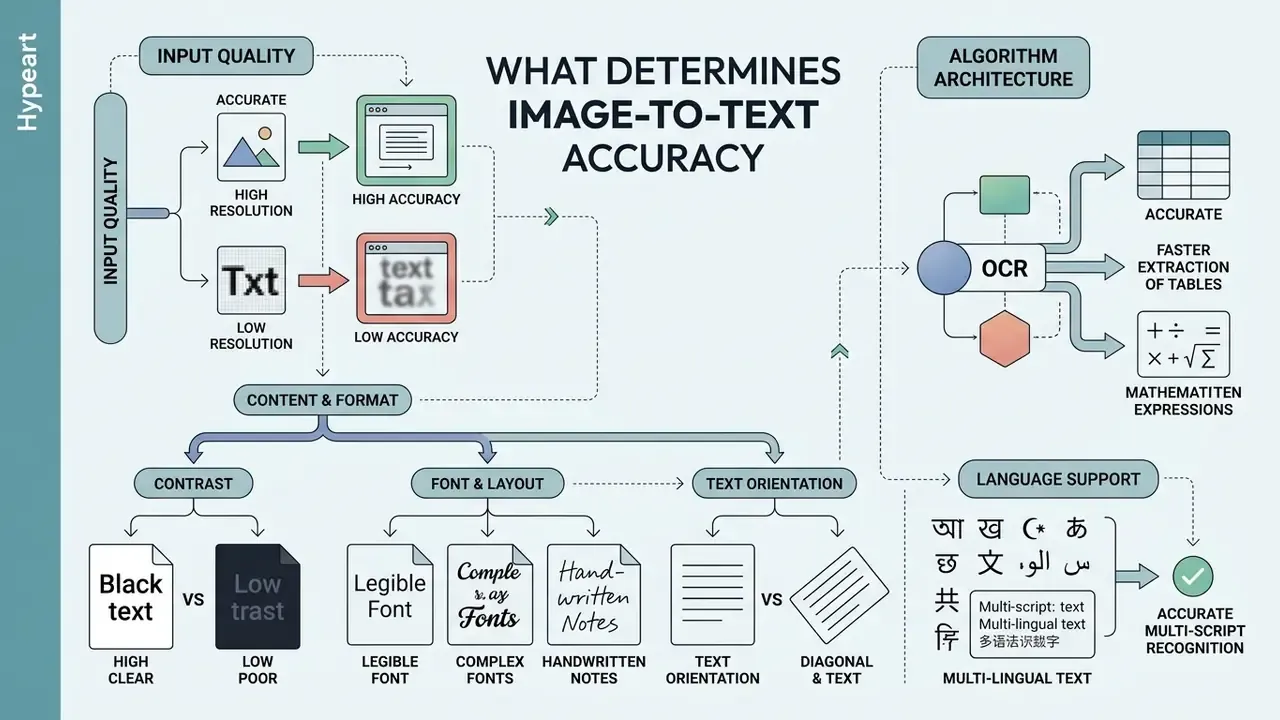
Accuracy in image-to-text conversion depends primarily on input resolution, background contrast, text orientation, font legibility, and algorithm architecture.
"On OCRBench v2, most LMM models score below 50 out of 100, showing systemic weakness in parsing tables, formulas, and complex layouts."
| Factor | Observed Impact on OCR Accuracy | Technical Target / Optimal Value | Practical Preprocessing Recommendation |
|---|---|---|---|
| Image Resolution | Resolution below 300 DPI degrades character recognition and spikes Word Error Rate (WER). | 300 DPI baseline; 400-600 DPI for small fonts. | Scan at 300+ DPI; avoid aggressive JPEG compression or low-res mobile captures. |
| Contrast & Lighting | Uneven shadows and low contrast blur character boundaries, reducing confidence scores. | High text-to-background contrast; bitonal or uniform lighting. | Normalize brightness, remove background paper discoloration, convert to grayscale. |
| Document Skew | Rotated or curved text lines disrupt line segmentation algorithms. | Less than one degree of rotation; flat document plane. | Apply automated deskewing and perspective unwarping before extraction. |
| Visual Noise | Dust, speckles, or background textures create false character insertions. | Clean, noise-free background mask. | Apply adaptive binarization and median filtering to strip non-text noise. |
| Layout Complexity | Multi-column layouts and inline graphics risk text sequence scrambling. | Clear structural region separation. | Use layout-aware OCR engines that isolate text blocks before character parsing. |
| File Format / Compression | Lossy compression removes high-frequency detail along glyph edges. | Lossless formats (PNG, TIFF) for archival capture. | Avoid re-saving JPEG repeatedly; store masters losslessly. |
| Font Size & Condition | Fonts below 12 pt and faded typewriter text raise substitution errors. | 12 pt and above; solid, unbroken strokes. | Rescan discoloured originals in RGB mode to retain image data before enhancement. |
Read the table as a preparation checklist, not a ranking. In practice, resolution and skew fix themselves cheaply at capture time, while layout complexity usually requires a different engine rather than better scanning.
Image quality, text size, and low resolution
Image resolution measured in dots per inch (DPI) is the primary technical constraint on accurate text extraction. Updated: document digitization practice converges on 300 DPI as the baseline for standard text, with 400-600 DPI for typography below 10 points, complex scripts, and degraded originals. Vendor scan-preparation guides recommend a 300 DPI floor for small type explicitly.
"A study of historical documents found that structural segmentation before recognition cut CER by 15.68 points and WER by 19.95 points versus baseline Tesseract."
Low resolution images and blurry screenshots lack sufficient pixel density along character edges, which drives frequent letter substitutions and elevated character error rates. Before recognition, it is worth running such files through an AI image enhancer that removes noise and restores edge contrast. If the source is physically small in pixels and 400-600 DPI for fine typography is simply unreachable, an intermediate pass through an AI image upscaler raises effective pixel density and reduces the share of merged glyphs. Geometric unwarping and illumination correction help too, removing shadows and page-surface deformation.
Quality images save time later. Poor ones move the cost downstream, onto your reviewers.
Handwritten notes, tables, and mathematical expressions
Handwritten text and complex mathematical syntax introduce high variance in character spacing, slant, and stroke thickness. Benchmark work from OCRBench shows that general-purpose vision-language models trail specialized handwriting models, with significant error-rate increases on unconstrained handwriting.
"HTR-VT reaches roughly 2.34% CER on the IAM dataset without lexical correction, using a Vision Transformer with a CNN front end and the SAM optimizer."
Public evaluations of general multimodal models separately flag weakness in handwritten mathematical expressions, table structure, and end-to-end document understanding. Specialized engines return formulas as LaTeX and tables as Markdown or HTML after a distinct layout-analysis stage. Parsing complex tables remains bounded by structural alignment, with cross-language benchmarks reporting a ceiling between 71% and 73%.
"DocAtlas, covering 82 languages and nine tasks, records a language-invariant accuracy ceiling for table parsing at 71-73% regardless of language."
Extracting tabular data into Excel. Standard OCR dumps table content into one continuous text column. Preserving rows and columns requires layout-aware OCR that detects cell intersections and bounding boxes. On export to .xlsx, the system rebuilds the coordinate grid and keeps numeric data types available for calculation. The practical order of operations: shoot the table straight on, enable table recognition before the run, export to XLSX or CSV, then validate control totals across rows and columns. Arithmetic reconciliation catches cell shifts that visual review misses.
Language support and multi-script recognition
Multilingual OCR engines need explicit script definition or robust multi-language recognition models to parse mixed-language documents accurately. Updated: vendor documentation for enterprise engines describes support for more than 80 languages across Latin, Cyrillic, CJK, Devanagari, and Arabic scripts, and allows several languages inside one document, subject to script-group limits. English mixes with almost anything, Latin-script languages mix within their own group, and several non-Latin scripts pair only with English. For Japanese, Chinese, and Korean, the language must be selected before the OCR run, or recognition degrades badly. Academic corpora such as CAMIO (LREC 2022) confirm that mixed multi-script recognition is a research problem in its own right, not a trivial extension of single-language text recognition.
"KITAB-Bench (8,809 samples, nine domains) confirms that LMM models beat traditional OCR by 60% on CER for Arabic, yet the best model reaches only 65% structural accuracy on PDF-to-Markdown."
Quality Control: Human-in-the-Loop, Confidence Thresholds, and Audit Trail
| Field confidence range | System decision | Who participates |
|---|---|---|
| 0.98 or higher, control total reconciled | Automatic pass into the system of record | No manual step |
| 0.85 to 0.98 | Sampling review driven by document risk rules | Operator, partial sample |
| Below 0.85, or control total mismatch | Mandatory validation before posting | Operator plus second review above a set amount |
| Field missing or zero confidence | Document returned for recapture | Upload initiator |
2. Escalation rules by field criticality. For financial source documents, thresholds should not be set "on average per document". Set them per field: amount, TIN, account number, date, and currency get stricter treatment than descriptive line-item text. The economics are simple. Compare the cost of full manual review against expected loss from a missed error (field error probability times document share times average consequence). If expected loss per document sits below the cost of the extra control, use sampling. If it sits above, validate critical fields in full.
3. Audit trail. For reproducible evidence in front of internal audit and examiners, record the source file hash, engine version and parameters, recognition language, per-field confidence profile, every manual correction with operator ID and timestamp, and the resulting record in the target system. Keep the searchable PDF with its invisible text layer over the original image, so the visual evidence and the extracted text stay linked.
4. Source immutability. Archival storage requirements state it plainly: an embedded OCR layer must not alter the content of the source document or degrade the original image. That rules out quietly replacing a scan with a "cleaned" version while discarding the master file.
Checklist0 / 10
Open questions we cannot close with current evidence. Three of them deserve explicit acknowledgement. First, published benchmarks rarely mirror your document mix, so external CER figures are directional at best. Second, hallucination rates for multimodal engines on numeric fields lack standardized public measurement, which is uncomfortable for anything touching financial reporting. Third, vendor retention practices are largely self-declared and not independently audited in academic literature. Where evidence is thin, keep the human in the loop and keep the threshold conservative.
How to Choose the Best Image to Text Converter Online
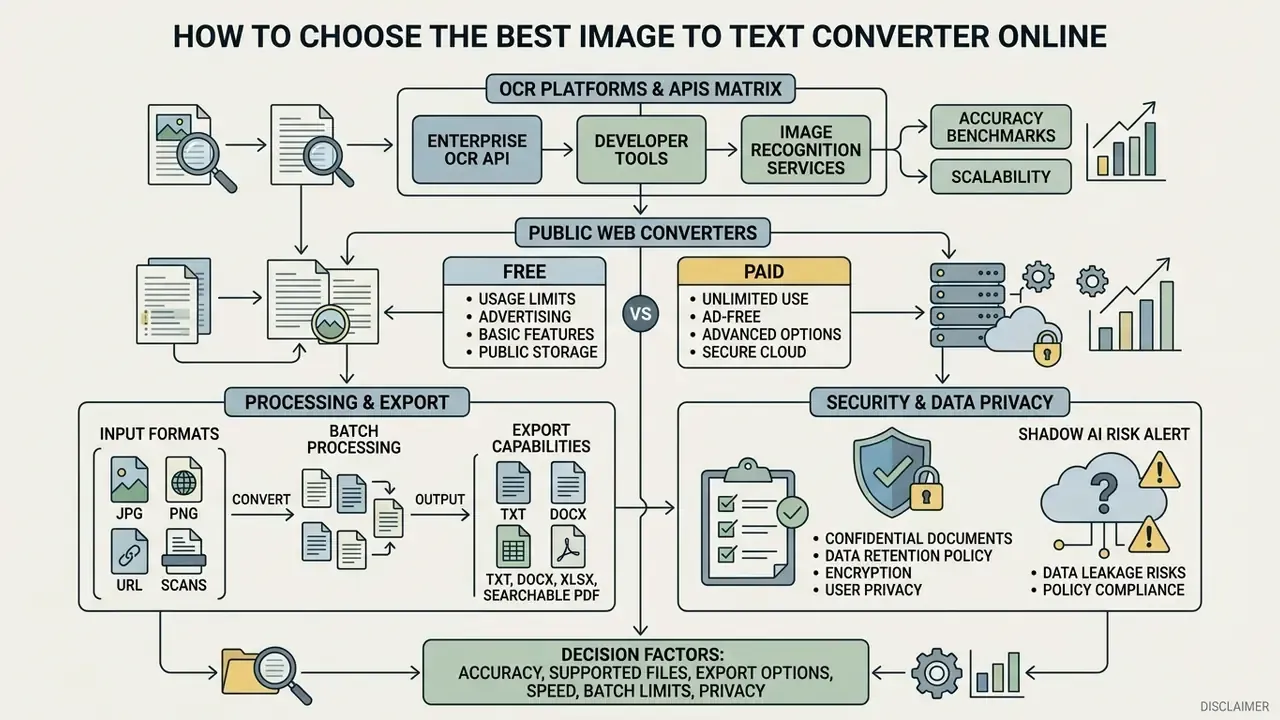
Selecting the best image to text converter online means evaluating character recognition accuracy, supported files, export capabilities, speed, batch limits, and data privacy safeguards. Decision-makers should align tool performance metrics with operational compliance rules, especially when handling proprietary or regulated financial documents.
"GPT-4o reaches WER 0.03 and CER 0.02; Gemini-2.5 Flash reaches WER 0.05 and CER 0.03, substantially outperforming EasyOCR on the same datasets."
Matrix of enterprise OCR platforms and APIs
Where security policy forbids uploading documents to public websites, the real choice sits between managed cloud APIs and local deployments.
| Solution | Deployment model | Strength by document type | Practical limits | Compliance review focus |
|---|---|---|---|---|
| AWS Textract | Managed cloud API | Structured forms, key-value pairs, tables | Per-page pricing; asynchronous jobs for multi-page PDFs | Processing region, encryption in transit and at rest, terms on training use of data |
| Google Cloud Document AI / Vision | Managed cloud API | Busy backgrounds, multilingual documents, document-type processors | PDF, JPG/JPEG, PNG, WEBP; request quotas | Data residency, access logging, contractual processing terms |
| Azure AI Document Intelligence (Read) | Managed cloud or containers | Text-heavy documents, searchable PDF, paragraph detection | Up to 2,000 pages and 500 MB per file; tighter caps on free tier | Option to deploy in containers inside your own perimeter |
| ABBYY / Tungsten (Kofax) | On-prem, private cloud, SDK | Structure-preserving extraction: contents, running heads, footnotes, tables | Licensing by page volume or cores | Full perimeter control, no external data transfer |
| Tesseract OCR (self-hosted) | On-premise, open source | Standard printed material, reproducible output | No direct PDF reading; you own the preprocessing pipeline | Data never leaves your infrastructure; your team owns updates and patching |
Selection criteria worth freezing into an internal standard: confirmed provider certifications (SOC 2, ISO 27001, plus sector-specific attestations where relevant), zero data retention or a documented deletion window, processing region, TLS encryption in transit, the ability to opt out of training on uploaded data, batch APIs with webhook notifications, export to DOCX, XLSX, and searchable PDF, and traceability of the model version so results stay repeatable.
Independence from any single AI platform belongs on that list too. Engines change quarterly. Your control framework should not.
Public web converters: limits and retention policy
The table below covers the consumer segment. These tools are convenient for non-sensitive work such as class notes, screenshots, and public material. They are not intended for documents containing personal data, trade secrets, or financial statements.
| Service Name | Free Plan Daily Limit | Maximum File Size | Supported Input Formats | Primary Data Retention Policy |
|---|---|---|---|---|
| OCR.space | 3-5 pages per submission | 5 MB | JPG, PNG, PDF | Immediate automatic deletion post-processing |
| ImageToText.cc | 5 images per day | 7 MB (Free) / 30 MB (Paid) | JPG, PNG, WEBP | Deleted within a short operational window |
| OCRWebService | 25 pages per day | 10 MB | JPG, TIFF, PDF | Retention governed by user account terms |
| OCR-Software.com | Unregistered access | 15 MB | JPG, PNG, PDF | Automatically and permanently deleted within 2 hours |
| FastOCR | Tiered trial access | 10 MB | JPG, PNG, WEBP | Retained for 30 days before purge |
A related task in visual document work is verifying image provenance. Dedicated AI image detectors help separate generated visuals from authentic scans, which matters when a "scan" arrives by email from an unfamiliar counterparty.
Supported formats, batch processing, and export
Enterprise-grade conversion platforms handle diverse input formats, including standard raster graphics, vector documents, and scanned multi-page PDFs. Advanced services provide batch conversion workflows that accept bulk image uploads or compressed archives, exporting into structured DOCX, XLSX, searchable PDF, HTML, Markdown, CSV, RTF, or plain text. Reconstructing headers, footers, and multi-column paragraphs requires engines capable of structural layout analysis alongside character recognition.
Choose the export format by destination: Markdown and HTML suit content pipelines and LLM ingestion, XLSX and CSV suit calculation work, searchable PDF suits archives and legal evidence, and DOCX suits further editing. Mismatched formats are a quiet source of rework.
Free limits, ads, and paid capabilities
Free online tools impose operational constraints: daily usage capped at roughly 5-25 images per day, maximum upload file size restricted to 5-7 MB, plus advertisement banners or captcha checks. Upgrading to a premium plan lifts submission caps (for example 50 images per submission), raises file limits to 30 MB, enables priority processing queues, removes interactive captchas, and in some cases advertises no ads and no daily limit. Publicly stated consumer price points in 2026 run from around $4.99 per month to $49 for lifetime access, while per-image pricing starts in fractions of a cent.
Organizations with continuous high-volume ingestion usually graduate from web interfaces to dedicated REST API endpoints with an SLA and contractual data-processing terms. That transition is less about features and more about accountability.
Security of uploaded images and confidential documents
Data security is a critical risk factor when submitting proprietary invoices, customer disclosures, or identity documents to third-party web platforms. Compliance standards such as GDPR Article 5(1)(e) mandate strict storage limitation, requiring personal data deletion once processing is complete.
"Academic benchmarks from 2023-2026 contain no verified data on the retention policies of commercial OCR services; users must confirm terms directly with providers."
Technical frameworks such as NIST SP 800-52 Rev. 2 mandate TLS encryption for all data in transit, which prevents interception during web uploads. Related storage guidance (NIST SP 800-209) adds separation of data from encryption keys.
On vendor verification for hypeart.ai: no verified information available, and we will not claim otherwise. Organizations should independently audit third-party conversion vendors against SOC 2, ISO 27001, or applicable US banking data-protection expectations, and request written confirmation of the deletion window, the processing region, and the absence of secondary use of uploaded documents.
Where to Use an Image to Text Converter in Work and Daily Tasks
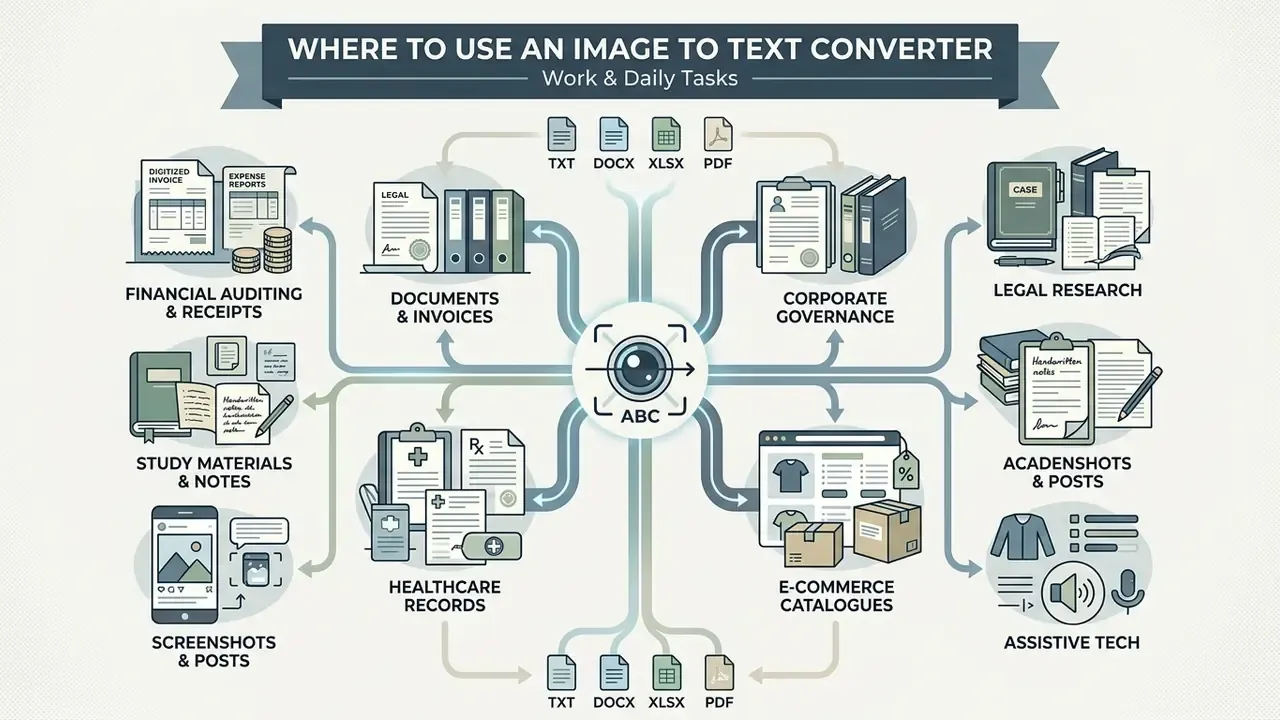
Image to text conversion streamlines workflows across financial auditing, corporate governance, legal research, academic study, healthcare records, e-commerce catalogues, accessibility, and digital marketing. Turning visual raster text into structured digital records enables automated indexing, searchability, and integration into enterprise risk platforms.
Digitizing documents, receipts, invoices, and cards
Accounting and accounts payable teams use image extraction to automate data entry from vendor invoices, payment receipts, and corporate expense cards. Under US federal acquisition guidance, incoming financial invoices must be validated, timestamped, and enriched with accounting metadata before processing, including confirmation of the amount, receipt and acceptance, TIN, and document number. Automated extraction parses key-value pairs such as invoice totals, line items, transaction dates, and tax identifiers straight into accounting software, which removes manual typing delays.
"A comparison of Google Vision and ChatGPT on collectible card images showed average character accuracy of 99.99% and WER around 8%, with API response times of 2.34-2.90 seconds."
That card scanner scenario is instructive: near-perfect character accuracy still leaves an 8% word error rate, because a single misread character breaks the whole token. The storage container matters as well. ISO 32000-2:2017 defines PDF as an interchange format for independent viewing and processing of electronic documents, which makes searchable PDF a practical archival carrier for scanned source documents.
Study materials, books, and handwritten notes
In academic and legal research, converting printed documents and historical archives into searchable digital records enables rapid text discovery. Researchers use image extractors to capture block quotes, footnotes, bibliographic grids, and archival book text without retyping. Specialized handwriting OCR frameworks such as HTR-VT reach character error rates as low as 2.34% on standardized benchmarks like IAM, which makes automated transcription viable for legibly written class notes and historical manuscripts. HTR-VT relies on a transformer encoder with a CNN front end instead of patch embeddings, plus the SAM optimizer, achieving competitive results on the relatively small IAM and READ2016 datasets. A narrower applied case: digitizing lecture boards, where OpenCV-based prototypes with OCR read chalk writing and assemble structured PDFs for students.
Healthcare and medical records
Digitizing physician orders, prescriptions, discharge summaries, and clinical trial data is another common use. Specialized OCR models can move handwritten clinical entries into standardized electronic medical records, which reduces the risk of misreading drug dosages. Because handwriting remains the hardest recognition category, medical processes should be designed with mandatory operator verification and a hard block on auto-posting orders without confirmation. Disclaimer: this is not medical guidance; processing health data requires compliance with applicable health-information and data-protection rules.
E-commerce and product catalogue management
Automatic extraction of specifications, ingredient lists, SKUs, barcodes, and prices from packaging photos or printed supplier catalogues feeds directly into merchandising workflows. Data converts to CSV or XLSX for direct import into store CMS platforms, which speeds up product page population and stocktaking. For items where an error in composition or price creates legal exposure, apply the same confidence-threshold discipline used for financial documents. Allergen text is the obvious example.
Assistive technology and accessibility
Converting visual text on an image into machine-readable format lets screen readers voice content for blind and low-vision users. Printed and handwritten documents are, by default, accessible only to sighted readers. An OCR layer inside a searchable PDF makes them navigable, searchable, and compatible with assistive technology. A secondary benefit: alignment with internal digital-accessibility requirements when publishing documents on corporate sites.
For adjacent editorial and production tasks, our tool-selection breakdowns may help, from platform comparisons in AI Media Comparison to applied scenarios in AI Media Workflows and definitions in the glossary.
FAQ: Common Questions About Image to Text
Can formatting survive the conversion of image to text?
Yes. Advanced OCR engines preserve original paragraph structures, fonts, headings, and tabular layouts when exporting to structured formats such as Microsoft Word (DOCX) or searchable PDF. Retaining exact side-by-side multi-column positioning, however, requires dedicated layout-preservation modes; standard text extraction defaults to reflowing output into a single continuous column. Practically, you choose the mode before conversion: "Retain Paragraphs and Fonts" keeps fonts and paragraphs but collapses columns, while "Full-Page / True Page / Flowing Page" holds column structure and the relative position of blocks.
How do I extract a table from an image directly into Excel?
Enable table recognition (layout-aware OCR) before processing, then export to .xlsx or .csv. The engine identifies cell intersections and bounding boxes, then rebuilds the coordinate grid with numeric data types intact. Keep in mind the documented table-parsing ceiling of 71-73% regardless of language. After export, reconcile control totals across rows and columns rather than relying on visual inspection.
Are mathematical formulas and program code recognized reliably?
Specialized engines perform formula recognition and return LaTeX, with tables as Markdown or HTML. Public evaluations of general multimodal models still show notable errors on handwritten mathematical expressions. Program code is a separate problem: standard OCR leans on natural-language dictionary post-processing, so it tends to mangle syntax, quotation marks, operator symbols, and indentation. For code image to text work, disable dictionary correction and verify the result by compiling or linting it.
How does an image translator differ from text extraction?
An image to text converter strictly extracts visual characters and outputs machine-readable text in the original language. An image translator adds two downstream steps: machine translation of the extracted text, then overlaying the translated text back onto the original graphics while maintaining visual layout. Architecturally it is a sequence of OCR, machine translation, and re-rendering, where the final stage must handle tables, running heads, and multi-column structure across multiple languages.
Is OCR suitable for QR codes and code on images?
Standard OCR engines are optimized for natural-language words and rely on dictionary post-processing, which can misinterpret code syntax or programming symbols. Reading 1D barcodes or 2D QR codes works differently: it depends on geometric symbol localization, marker detection, perspective correction, module extraction, and built-in Reed-Solomon error correction under ISO/IEC 18004, not on character recognition networks. Several enterprise platforms run both processes in a single pass, returning text alongside decoded code values, so a combined OCR and qr code scanner workflow is realistic.
Is it safe to upload confidential documents to a free online converter?
For documents containing personal data, trade secrets, or financial statements, no. Retention policies across public services range from immediate deletion to 30 days of stored results, and academic benchmarks contain no verified independent data on their actual retention practices. The enterprise path is a managed API with documented zero data retention, or local deployment inside your own perimeter, with TLS encryption in transit and separation of data from encryption keys.
How many images can I process at once?
It depends on the service architecture. Consumer platforms usually allow one to five images per job on free tiers and up to 50 on paid plans. Enterprise batch endpoints document frames such as "up to 50 files and 500 MB per batch, with 10 MB per file and one active batch per account". Some APIs recognize a single image per call, in which case the batch is implemented client-side through a loop and a queue, with explicit control over concurrency and timeouts.