«Evaluating an AI image generator for enterprise or production adoption requires looking beyond initial aesthetic appeal. True operational value lies in measurable prompt fidelity, precise editing controls, reproducible audit trails, and verified commercial licensing rights.»
Why should a risk or finance leader care at all? Because marketing teams are already generating assets, with or without a policy. That is the governance problem hiding inside a creative-tools question.
Market context helps with procurement planning: independent analysts size the global AI image generator market at roughly USD 0.48–0.51 billion in 2026, with advertising, e-commerce, gaming, media, and design prototyping as the dominant demand centres (Fortune Business Insights, 2026; The Business Research Company, 2026). The category has shifted from experimentation to measurable production tooling, which is precisely why evaluation criteria now include auditability and licensing, not just visual appeal. If you want the condensed head-to-head first, our companion piece on what's the best AI image generator covers the same field with tighter scoring.
Executive summary: which AI image generator to choose
If you only read one section, read this. The table below maps buyer profiles to the strongest option, the primary trade-off, and the entry price point.
Decision matrix: best AI image generator by buyer profile (2026)
| Profile / requirement | Recommended tool | Why it wins | Main trade-off | Entry price |
|---|---|---|---|---|
| Regulated enterprise (bank, fintech, insurer) needing indemnified output | Adobe Firefly | Licensed-only training data, enterprise indemnification, Creative Cloud integration | Conservative styling; strict guardrails | Firefly standalone from ~$10/mo (paid); free monthly credits available |
| Conversational iteration and multi-turn editing | ChatGPT Image (GPT-4o / GPT Image) | Best natural-language prompt adherence; chat-context editing | Limited post-generation masking controls | ChatGPT Go $8/mo; Plus $20/mo; free tier with daily caps |
| Text-in-image, posters, packaging, signage | Ideogram 4.0 | Highest documented typography accuracy and bbox layout control | Photorealism trails camera-focused models | Free daily credits; paid tiers for commercial rights |
| Artistic direction, concept art, mood exploration | Midjourney v6 | Deepest aesthetic control (--sref, --cref, --raw) | Public generations by default; Stealth Mode only on Pro/Mega | From $10/mo; Pro $60/mo for private generation |
| Non-designers, marketing teams, strict content privacy | Canva Magic Media | No model training on user assets; private canvas by default | Simplified generation controls | Free tier with hard cap; paid from ~$13/mo |
| Data residency, on-prem, custom LoRA fine-tuning | Stable Diffusion 3.5 / FLUX.1 [dev] | Zero data egress, ControlNet plus LoRA, no per-image fees | Requires 12–32 GB VRAM and engineering time | Software free; GPU and engineering cost applies |
| Windows-native desktop editing at zero cost | Microsoft Copilot + Paint AI | Built into Windows 11; background removal and local edits | Underlying models trail flagship tiers | Free with Windows; Copilot Pro tiers optional |
| Relaxed content filters and real-time topical context | xAI Grok | Fewer guardrails; native X trend integration | Significant legal and publicity-rights exposure | Bundled with X Premium tiers |
Prices move fast in this category. Before you sign anything, re-check the vendor pricing pages and our tracked tiers, and explore the hub for current plan structures.
How to choose the best AI image generator
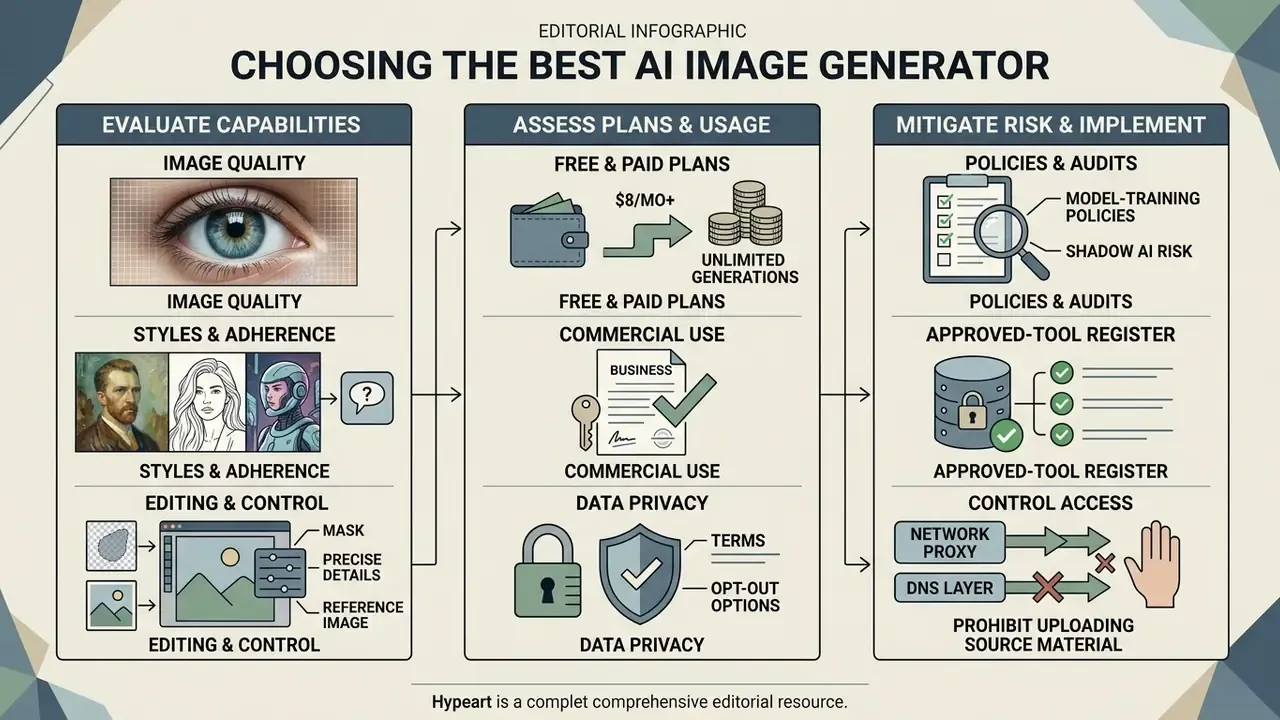
Choosing the right best ai image generator depends on evaluating core technical parameters rather than trusting marketing claims. Alongside this review, the adjacent breakdown of the best AI art generators covers the stylistic end of the market. Decision-makers should assess six primary criteria: prompt adherence, editing precision, pricing scalability, data privacy, auditability, and legal compliance for enterprise deployment.
Image quality, styles and prompt adherence
The primary benchmark for any image generation model is its ability to convert complex text prompts into accurate generated visuals. High perceptual quality alone does not guarantee utility if the model misses object relationships, spatial arrangements, or numerical constraints stated in the prompt.
Recent academic evaluations show significant performance variance across major model architectures.
The same pattern holds for counting. Rather than a generic "under 50%" figure, the GECKONUM evaluation reports model-level numbers:
«DALL·E 3 reaches roughly 45% accuracy on exact-count tasks; Midjourney v6 lands near 42.5%.»
Holistic benchmarking reinforces that no single winner exists. HEIM (NeurIPS 2023) evaluated 26 text-to-image models across 12 dimensions: alignment, aesthetics, originality, reasoning, bias, toxicity, robustness, multilinguality and efficiency. No model dominated every axis. So when you evaluate models for photorealistic images or complex artistic compositions, test detailed, multi-clause prompts to measure instruction fidelity under stress. A vendor's leaderboard position tells you very little about your own prompt set. For neutral scoring across the category, see the overview of published benchmark results.
Editing, reference images and precise control
Modern commercial workflows require continuous refinement through mask-based image editing, inpainting, outpainting, and reference-guided generation. A top-tier tool must let users edit images iteratively without destroying surrounding context or visual coherence.
Advanced platforms support visual conditioning, where you upload reference images to enforce structural composition, character consistency, or brand-specific colour palettes. Documented 2026 capability ceilings are concrete: GPT-Image-2 editing supports multi-reference blending of up to 16 images plus mask-based inpainting, with masks required to match the source image dimensions exactly; generation accepts explicit aspect ratios from 1:1 through 21:9 and 9:21. Amazon Bedrock's Stability AI image services document inpainting and outpainting inputs with a 64 px minimum per side and aspect ratios between 1:2.5 and 2.5:1.
Technical capabilities worth inspecting: support for custom aspect ratio controls (1:1, 16:9, 21:9), precise mask alignment down to multi-pixel boundaries, and multi-reference blending. Systems with attention-based local editing let creative teams adjust a single element, say a product label or lighting direction, while preserving overall image geometry. That distinction matters more than raw resolution in regulated marketing work, because a locally scoped edit is far easier to document than a full regeneration.
Free plans, paid plans and commercial use
Evaluating the cost of an ai image software stack means examining generation limits, credit reset cycles, and usage rights across tier structures. Free tiers typically provide limited daily or monthly credits intended for evaluation, often restricting output resolution and prohibiting commercial exploitation.
For production use, shifting to paid plans billed per month unlocks priority GPU queues, higher export resolutions (2K or 4K), advanced control features, and explicit legal indemnification. Concrete 2026 entry points include ChatGPT Go at $8/month and ChatGPT Plus at $20/month, a standalone Adobe Firefly plan at roughly $10/month (no full Creative Cloud purchase required), Midjourney from $10/month (Pro at $60/month for Stealth Mode), Canva paid tiers from around $13/month, and credit-based API access such as Stability's DreamStudio at $10 per 1,000 credits. OpenAI's image API is token-priced, with per-image costs ranging roughly $0.011–$0.25 depending on size and quality. Our calculators help translate those unit prices into a monthly run rate before you commit.
Organisations must verify whether a platform's free account or free trial transfers copyright ownership or grants full rights to use images commercially. Recraft, for one, states plainly that free-plan images are not owned by the user, while paid plans convey full commercial rights and privacy. In enterprise settings, clear licensing terms beat a low subscription fee every time.
Data privacy, Shadow AI and model-training policies
For regulated buyers, the decisive question is often not "which model looks best" but "where does my prompt go". Public consumer tiers frequently reserve the right to review prompts and outputs for model improvement, which creates direct exposure to PII or MNPI leakage through Shadow AI: unsanctioned tool use by individual employees.
A practical anti-Shadow-AI control set:
- Publish an approved-tool registerwith the exact tier (for example, "Firefly Enterprise, approved; Firefly free web, prohibited").
- Require contractual data opt-outfor any SaaS generator: no training on customer prompts, uploads, or outputs.
- Block consumer endpoints at the proxy or DNS layerfor tools that cannot guarantee opt-out, and provide a sanctioned alternative so demand does not go underground.
- Prohibit uploading source materialcontaining customer data, deal documents, or unreleased product imagery unless the tool runs in a private VPC or on-premises.
- Log usage centrally: prompt text, model version, operator identity, and output hash, so incidents are reconstructible.
- Verify security attestations(SOC 2 Type II, ISO 27001) and data-residency options before pilot approval, and record whether private or stealth generation requires a higher tier.
One caveat worth stating: filter-free products are the sharpest Shadow AI magnet in this category. The same demand that drives searches for ai chat apps with no filter shows up in image tooling too, and blocking alone rarely settles it.
Auditability, reproducibility and model risk management
Banks and insurers cannot deploy a generative visual pipeline without an audit trail. Even where image generation is not a "model" in the classic credit-risk sense, internal policy frequently routes it through existing governance channels aligned to Federal Reserve SR 11-7 / OCC 2011-12 model risk management expectations and the NIST AI Risk Management Framework. Governance work is now formalised externally too: NIST's 2025 GenAI pilot evaluation plan for image generators moved the category from novelty toward measurable quality and safety testing.
Controls that satisfy most internal review boards:
- Seed and parameter capture. Record the seed, sampler, guidance scale, aspect ratio, negative prompt, and model version for every published asset so the render can be reproduced.
- Model version pinning. Freeze weight versions or API model IDs per campaign. Silent vendor upgrades break reproducibility.
- Prompt and output logging. Immutable logs with operator identity, timestamp, and reviewer sign-off, exported into the GRC or MRM inventory.
- Human-in-the-loop attestation. Document who reviewed the asset, what they changed, and why. This doubles as copyright evidence (see the legal section below).
- Retention and deletion schedules. Define how long prompts, references, and intermediate renders are stored, aligned to existing records policy.
- Provenance metadata. Embed C2PA content credentials or invisible watermarking at export so downstream consumers can verify origin. For post-hoc verification, pair this with AI image detection tools.
Production integration and workflow automation
Enterprise efficiency relies on embedding visual generation directly into business applications via REST APIs or no-code platforms such as Zapier or Make. Connect models like GPT Image, Gemini, or the FLUX.1 api to webhooks, and marketing teams can trigger personalised visual creation from new HubSpot CRM entries, Google Forms submissions, Airtable records, or e-commerce SKU updates. Asset turnaround drops from hours to seconds.
Common production triggers worth templating:
- New CRM record → branded welcome visual for lifecycle email, with merge fields injected into the prompt.
- Form submission → event badge or certificate rendered with a text-accurate model and pushed to cloud storage.
- New product SKU → catalogue background set generated at fixed aspect ratios for marketplace compliance.
- Content calendar row → social variant pack exported at 1:1, 4:5, and 16:9 in a single batch run.
- Approval webhook → C2PA-signed export that writes provenance metadata and a log entry to the audit store automatically.
For teams already running an automation layer, image generation becomes one more step in an existing chain rather than a separate manual tool. It is the same pattern used for adjacent assets such as AI voice generation, video pipelines, and broader ai content creation tools.
Total cost of ownership: SaaS, dedicated cloud or on-premises
Subscription price is the smallest line item in a regulated deployment. The table below reframes cost as risk-adjusted TCO.
TCO and control comparison across deployment models (2026)
| Cost / control dimension | Public SaaS (consumer tier) | Enterprise SaaS / dedicated cloud | Self-hosted open weights (on-prem or VPC) |
|---|---|---|---|
| Direct licence cost | $0–$30 per user / month | $50–$100+ per seat / month, or token-based API spend | $0 software; GPU capex or GPU-hour opex |
| Infrastructure | None | Minimal; possible VPC surcharge | 12–32 GB VRAM per concurrent worker, storage, cooling |
| Engineering effort | Near zero | Low to medium (API integration, SSO) | High (deployment, ControlNet/LoRA tuning, MLOps) |
| Legal / compliance review | High risk, unbudgeted | Contracted indemnity reduces review hours | Output IP checks sit entirely with the user |
| Data egress risk | Highest | Contractually bounded | Lowest, no data leaves the perimeter |
| Reproducibility / audit trail | Weak (opaque model updates) | Good if model IDs are pinned | Strongest (full weight and seed control) |
| Best fit | Exploration, non-commercial drafts | Regulated marketing production at scale | Confidential assets, custom brand models |
A workable TCO formula for board papers: (licence + infrastructure + engineering FTE time + legal review hours + control tooling) ÷ published assets per month, then compare against agency or stock-photography cost per asset. Discount the benefit by an expected rework rate, because artifact correction and typography fixes are real labour, not a rounding error. In our own modelling, rework is the line item finance teams most often forget.
Best AI image generators at a glance
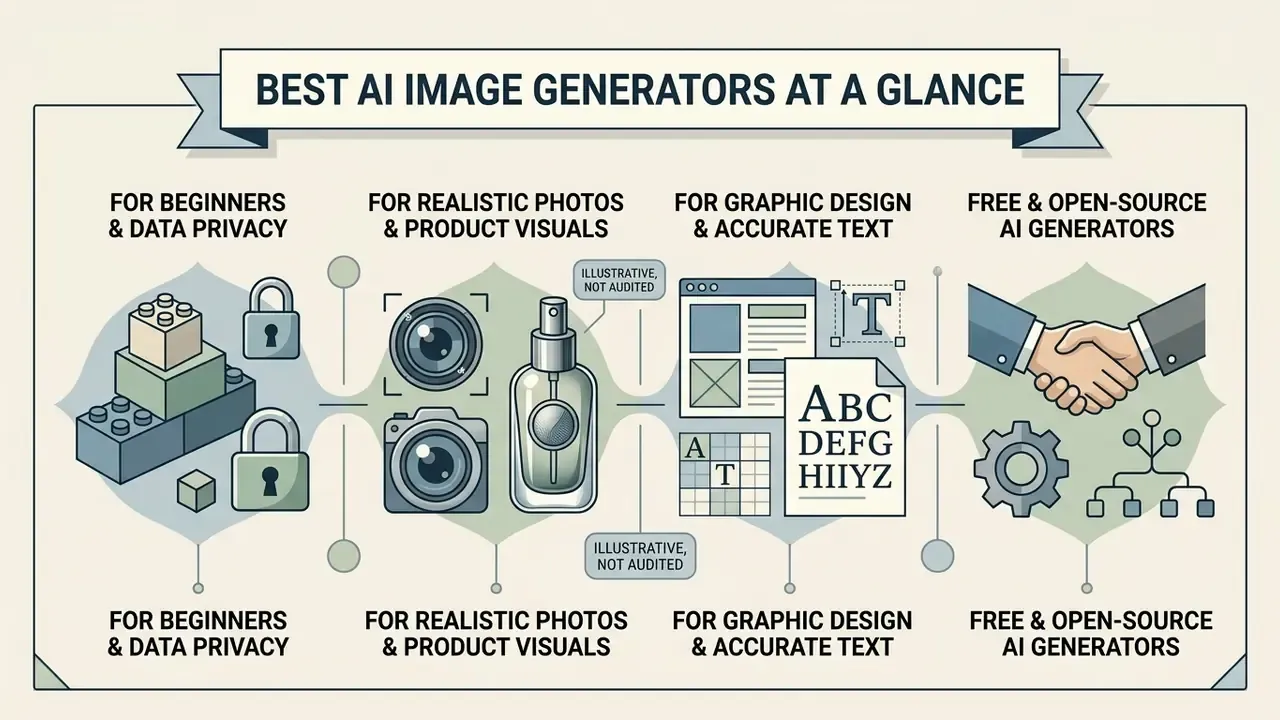
Selecting an ai generator best suited to your team involves balancing visual realism, typographical accuracy, fine-tuning flexibility, privacy posture, and deployment cost. The table below outlines how leading AI image tools compare across key operational criteria, including an explicit column for data privacy and model-training policy.
Comparative analysis of leading AI image generation software and models (2026)
| AI generator / model | Primary use case | Key strengths | Key limitations | Text prompts and accuracy | Image editing and controls | Reference image support | Free plan availability | Commercial use terms | Data privacy and model-training policy |
|---|---|---|---|---|---|---|---|---|---|
| ChatGPT Image (DALL·E 3 / GPT-4o / GPT Image) | Conversational creation and iterative editing | Exceptional natural-language prompt adherence; conversational image edits | Lower style realism than photorealistic specialists; rigid safety filters | High accuracy on complex multi-subject prompts | In-chat region selection and conversational inpainting | Upload visual inspiration and style anchors | Limited daily credits on free tier (typically 2–3 images per rolling 24h) | Paid: commercial rights included from Go ($8/mo) and Plus ($20/mo) | Training opt-out available in settings; Team and Enterprise tiers excluded from training by default |
| Google Gemini and Nano Banana Pro | Everyday content creation and multi-modal tasks | Fast generation; strong reasoning integration; 1K default with 2K/4K export | Daily and IPM quotas apply; occasional attribute drift; visible watermark on some tiers | Strong context understanding from multi-modal inputs; leading in-image text | Conversational prompt adjustments, background editing, object removal | Supports image-based visual prompting and multi-image fusion | Free: access with daily and IPM limits | Paid: subject to Google Workspace / Cloud terms; paid tiers from $20/mo | Free consumer tiers: prompts and outputs may be reviewed and used for model improvement. Workspace and Cloud terms differ |
| Midjourney (v6) | Artistic styles, concept art and creative visuals | Industry-leading aesthetic output; rich parameter controls (--sref, --cref) | No official free tier; web interface requires paid subscription | High aesthetic interpretation; needs specific stylistic keywords | Pan, zoom, region vary (inpainting), and reframe controls | Advanced style references (--sref) and character locks (--cref, --ow) | Paid only: no free tier available | Paid: commercial rights on subscription; Pro/Mega required above $1M company revenue | All prompts and images public by default; Stealth Mode only on Pro ($60/mo) and Mega plans; prompts may inform service improvement |
| Adobe Firefly | Commercial design and enterprise marketing | Indemnified commercial safety; native Creative Cloud integration; multi-model access | Less dramatic artistic styling; strict guardrails against IP generation | Reliable interpretation of design-focused prompts | Generative Fill, Generative Expand, vector recolor, structure and style match | Style and structure reference image matching | Free: plan with monthly generative credits | Paid: explicitly commercially safe; standalone plan ~$10/mo; enterprise indemnification | Trained exclusively on licensed Adobe Stock and public-domain content; customer content not used for training |
| Ideogram (4.0) | Graphic design, logos and exact text rendering | Unmatched legibility for typography, signage, and structured layouts | Photorealism can lag dedicated camera-focused models; typefaces cannot be named | Vendor-reported 95% accuracy on embedded in-image text strings | Bbox-anchored layout control and style variations | Layout and style reference upload options | Free: daily credit allocation | Paid: commercial rights available on paid tiers | Free-tier generations may be public; private generation tied to paid plans, so verify current terms before use |
| Canva Magic Media | Beginner-friendly marketing assets and layouts | Fastest path from prompt to editable layout; mobile and desktop parity | Hard generation cap on free plan; simplified controls | Good on common aesthetics; weaker on dense typography | Full layered design editor around the generated asset | Basic reference and style prompts | Free: plan with hard generation limit | Paid: commercial use on paid tiers from ~$13/mo | Zero model training on user assets; generated images private by default |
| Stable Diffusion (3.5 / XL) | Open-source customisation and local deployment | Full data privacy; customisable via LoRA and ControlNet; zero per-image cost | Requires technical setup and dedicated high-VRAM hardware | Varies by fine-tuned model checkpoint | Extensive masking, ControlNet depth and canny, local inpainting | Full ControlNet and IP-Adapter reference support | Free: fully open-source software (DreamStudio credits sold separately) | Open licence: user responsible for output IP checks | Local runs: no data leaves your infrastructure. Hosted APIs follow the host's policy |
| FLUX.1 (Black Forest Labs) | High-fidelity photorealism and prompt accuracy | Top-tier visual realism; exceptional anatomy and detail rendering | High VRAM demands locally; API usage incurs per-image costs | State-of-the-art prompt following and detail execution | ControlNet depth and canny plus structural conditioning via official LoRAs | Structural Canny and Depth LoRA conditioning | Free: open-weights [dev] version for local testing | Paid: commercial licensing via API or commercial licence | Self-hosted weights give full control; API providers vary, so confirm retention terms per vendor |
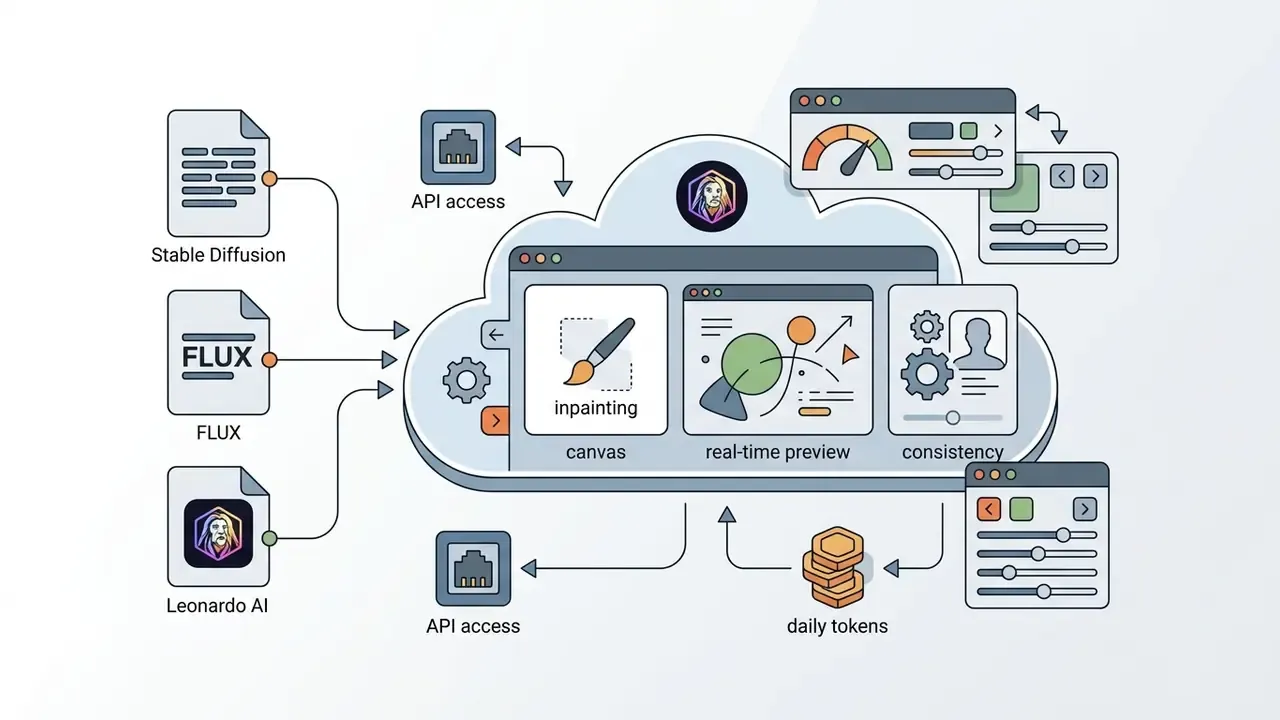
| Leonardo AI | Game assets, concept design and workflow tuning | Extensive fine-tuned visual models; accessible web workflow tools | Free tier images may be public; complex credit pricing structure | Good prompt responsiveness across diverse artistic presets | Canvas-based inpainting, outpainting, real-time generation | Image guidance and pose or depth reference matching | Free: roughly 150 daily resetting tokens | Paid: commercial use allowed on paid subscriptions | Free-tier outputs may be public; private generation on paid tiers |
| Microsoft Copilot and Paint AI | Native Windows 11 desktop generation and edits | Zero-cost access to OpenAI image models; OS-level integration | Underlying models trail flagship ChatGPT and Gemini tiers | Adequate for simple scenes; weaker on dense text | Cocreator, generative erase, background removal inside Paint | Limited reference support | Free: bundled with Windows 11 | Mixed: subject to Microsoft Services Agreement; verify per tenant | Consumer accounts differ from Microsoft 365 tenant terms; enterprise data boundaries apply on commercial tenants |
| xAI Grok | Relaxed-filter creative research and trend visuals | Fewest guardrails; live X context; image-to-video extension | Lower fidelity than leaders; severe publicity-rights and reputational risk | Moderate prompt adherence | Basic editing; limited localised control | Limited | Limited free: tied to X account tier | Paid: bundled with X Premium; commercial use requires independent legal review | Prompts may be used to improve services; not appropriate for confidential or regulated inputs |
Three takeaways sit behind that grid. Firefly and Canva are the only mainstream options with an unambiguous no-training stance on customer content. Ideogram and Gemini lead on legible in-image text. And open weights remain the only route to zero data egress. Everything else is a trade between convenience and control. If your shortlist keeps shifting, the alternatives hub is a useful place to explore the hub of adjacent options.
Canva Magic Media: best AI tool for beginners and data privacy
For non-designers and marketing teams that need strict data boundaries, Canva Magic Media offers the most forgiving entry point in the category. Unlike public consumer models, Canva explicitly guarantees that user prompts and generated assets are not used to train underlying base models, and generations stay private by default.
«Canva does not train its AI on your content and the images you generate are always private.»
Generation controls are simplified compared with Stable Diffusion or Midjourney. No ControlNet, no seed pinning, no negative-prompt depth. But direct export into editable, layered layouts makes it ideal for rapid social-media assets, internal decks, and event collateral. Teams weighing it against Adobe's ecosystem can review our dedicated Canva AI Generator overview for pricing, export options, and licensing detail.
Best AI for realistic photos and product visuals
Generating high-grade product visuals and camera-accurate photography requires a model that renders authentic surface textures, precise lighting reflections, and natural physical proportions. Standard artistic models often apply unwanted stylistic smoothing or produce unnatural lighting angles that ruin photorealistic credibility.
In controlled evaluations such as the REAL Benchmark Study, models engineered for physical realism (Kandinsky 3 and FLUX.1 among them) performed strongly on photographic texture and environmental lighting coherence.
«Kandinsky 3 achieved the highest mean realism score; DALL·E 3, despite strong composition, produces more illustrative output.»
Perceptual metrics are maturing alongside these benchmarks. GLIPS (2024) was designed specifically to align machine scoring with human perception of photorealism, while CVPR 2023 work separates fidelity (does it look like a real photograph) from alignment (does it match the text). Buyers conflate those two axes constantly, and it distorts shortlists.
For commercial product photography, however, platforms like Adobe Firefly and specialised product tools (Bria, Claid) lead production workflows. These systems let creators place existing product photos onto AI-generated backgrounds while maintaining consistent shadows, reflections, and perspective constraints. Before committing a catalogue to any of them, review the rules governing commercial use of AI image generators.
Illustrative, not audited: a representative enterprise pattern we model for financial-services clients is a controlled visual pipeline producing several hundred standardised marketing assets for a single card or lending campaign, with reported stock-photography savings in the region of 50–65%. These are directional planning inputs derived from client-side estimates, not an independently audited study. Any organisation citing them internally should re-derive cost per asset against its own agency rates, rework rate, and legal review hours. The durable, verifiable benefit is consistency: one pinned model version and one prompt template enforce brand geometry across the entire asset set.
Best AI image tools for graphic design and accurate text
«Even the strongest specialised model scores only 22.48 points on professional design tasks.»
Two documented Ideogram constraints deserve a note: typography accuracy is highest in English, and typefaces cannot be specified by name, only described by stylistic property. Tools like Adobe Firefly and Canva AI also do well here by folding generated typography directly into editable vector canvases or layered design files. Marketing teams relying on best ai picture creation tools for promotional banners should favour platforms that produce legible text strings in a single inference pass, which avoids manual retouching. The same selection logic applies when evaluating AI logo generators for brand identity work, and there is wider context in our coverage of ai art and design.
Best free and open-source AI image generators
For developers, researchers, and privacy-conscious organisations, open-source models provide total operational independence. Running an open source tool locally eliminates recurring API fees and ensures confidential brand assets never leave corporate infrastructure. If you would rather skip account creation entirely, see our roundup of free AI image generators with no sign-up.
Stable Diffusion (SDXL and SD 3.5) alongside FLUX.1 [dev] represent the gold standard in open-weights image generation.
«PixArt-Alpha posts a high WiScore, yet all open-source models trail proprietary systems on complex compositional tasks.»
Best AI image generators for different creative tasks
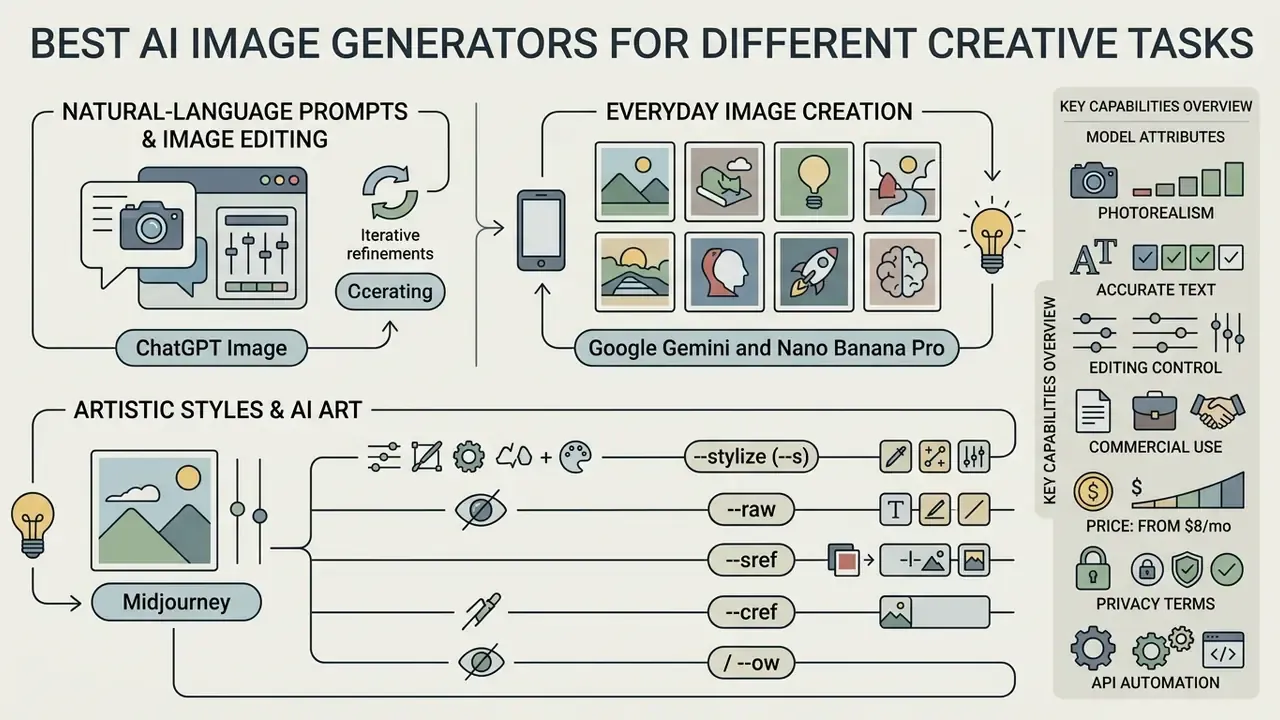
Different creative and commercial objectives demand distinct model architectures. Below is an analytical review of the leading AI image generation platforms available in 2026, followed by the capability matrix that underpins the recommendations.
Model capability matrix across primary visual tasks (relative scoring, 1 = weak, 5 = category-leading)
| Model / platform | Photorealism | Text rendering | Prompt adherence | Editing control | Commercial safety |
|---|---|---|---|---|---|
| ChatGPT Image | 4 | 3 | 5 | 3 | 4 |
| Google Gemini / Nano Banana Pro | 5 | 5 | 4 | 4 | 3 |
| Midjourney v6 | 4 | 2 | 3 | 4 | 3 |
| Adobe Firefly | 3 | 4 | 4 | 5 | 5 |
| Ideogram 4.0 | 3 | 5 | 4 | 3 | 4 |
| Canva Magic Media | 3 | 3 | 3 | 4 | 4 |
| Stable Diffusion 3.5 | 4 | 2 | 3 | 5 | 3 |
| FLUX.1 | 5 | 4 | 5 | 4 | 3 |
| Leonardo AI | 4 | 3 | 4 | 4 | 3 |
| Microsoft Copilot / Paint AI | 3 | 3 | 3 | 3 | 3 |
| xAI Grok | 3 | 2 | 3 | 2 | 1 |
Scores reflect our own structured prompt-suite testing (see the methodology notes below) and are relative within this comparison set, not absolute measures. For head-to-head pairings beyond this grid, see our AI Media Versus Comparisons.
ChatGPT Image for natural-language prompts and image editing
ChatGPT Image uses native multimodal capability (powered by GPT-4o image generation architecture) to translate conversational prompts into detailed visual output. Its primary strength is contextual reasoning and complex instruction following. OpenAI's documentation explicitly separates generation from edits, meaning the platform supports modifying existing images with a new prompt, which is the practical requirement for workflows needing inpainting or revision control.
Users can run multi-turn conversations to iterate on visual concept drafts.
That finding is a useful expectation-setter. Multi-turn editing is powerful, but relational instructions ("place the smaller card behind the larger one") remain a weak point across the whole field. In practice, a user can request an initial scene, review the draft, then instruct the assistant to "change only the lighting to sunset and replace the wooden chair with a metal frame." The system holds character identity and background geometry across edits, which makes it a comfortable interface for creative ideation and rapid prototyping. For a side-by-side look at where it lands against alternatives, see our evaluation of ChatGPT as an image generator.
Automation note: because ChatGPT image generation is exposed through the API and connected to no-code platforms, teams can create images automatically from Google Forms or HubSpot responses without a developer writing bespoke glue code.
Google Gemini and Nano Banana Pro for everyday image creation
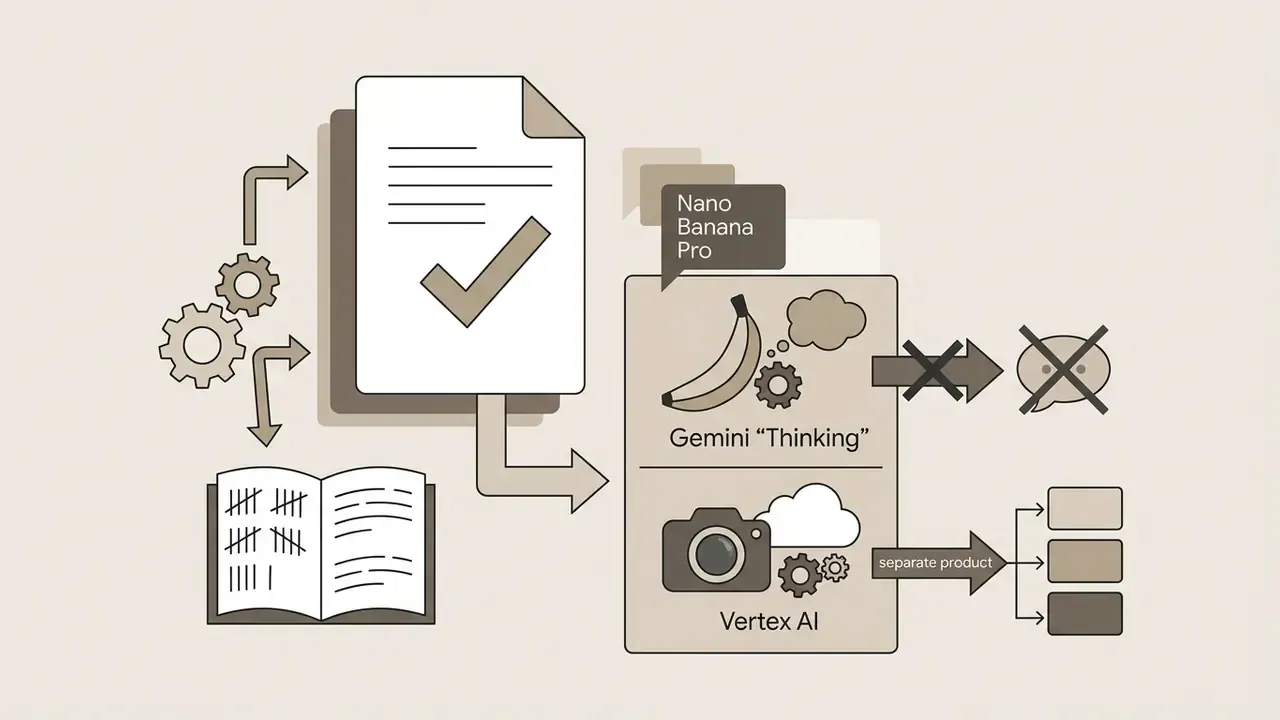
Google's visual generation suite sits inside Gemini. A naming clarification is warranted, because the branding confuses procurement reviewers: "Nano Banana" and "Nano Banana Pro" are Google's own public names for its Gemini image-generation models. Nano Banana Pro is the "Thinking" image model rolled out globally under Create images in the Gemini app, and it corresponds to Google's Gemini 3-generation image stack. The separate Imagen family remains the enterprise model line exposed through Vertex AI. Both are legitimate Google products, they are not interchangeable, and contracts should reference the API model ID rather than the nickname.
The platform handles multimodal inputs smoothly, letting users combine text instructions, uploaded images, video frames, and structural references in a single prompt interface. Gemini 3 image models output 1K by default with 2K and 4K support, which suits internal presentations, blog illustrations, and content marketing assets. Google documents rate limits for image-capable models using an Images Per Minute (IPM) quota, and that is the metric to negotiate for high-throughput organisational content needs. Google Cloud also publishes separate pages for Gemini image-generation limitations and best practices, so read both before committing a pipeline, and cross-check our Google AI Image Generator overview for access and usage-rights detail.
Independent reviewers note two consistent caveats: prompt adherence can be inconsistent on complex instructions, and some surfaces apply a visible watermark. Gemini's documented strength is editing existing images and generating legible in-image text, including infographics, where facts still require manual verification. The model will render a confidently wrong label as cleanly as a correct one. That is exactly the failure mode a compliance reviewer should look for first.
Midjourney for artistic styles and AI art
Midjourney v6 remains a benchmark for aesthetic elegance, stylistic depth, and visual panache in the AI art generator ecosystem. Visual artists, concept designers, and creative directors adopt it when they need evocative imagery rather than literal accuracy.
Operating through both a web interface and Discord, Midjourney provides deep parameter controls:
Two governance points matter for business use. First, all generations are public by default and visible in the community gallery unless Stealth Mode is enabled, which is restricted to Pro ($60/month) and Mega plans. Second, Midjourney's plan comparison states that companies with revenue above $1,000,000 USD require Pro or Mega for commercial rights. Midjourney delivers high-grade artistic output, yet its proprietary parameter syntax carries a learning curve for teams used to plain conversational prompting. Our breakdown of Midjourney versus competing tools covers that trade-off in detail.
Adobe Firefly for commercial visuals and Creative Cloud workflows
Adobe Firefly is built specifically for enterprise commercial design, with emphasis on intellectual property protection and software integration. Firefly models are trained exclusively on licensed Adobe Stock content and public-domain works, and Adobe states it does not train on Creative Cloud subscribers' personal content. That is the basis for offering enterprise customers commercial indemnification against copyright claims. Firefly now also functions as a multi-model hub, letting users route prompts to third-party models alongside Adobe's in-house engine.
Firefly is natively embedded across the Adobe Creative Cloud suite:
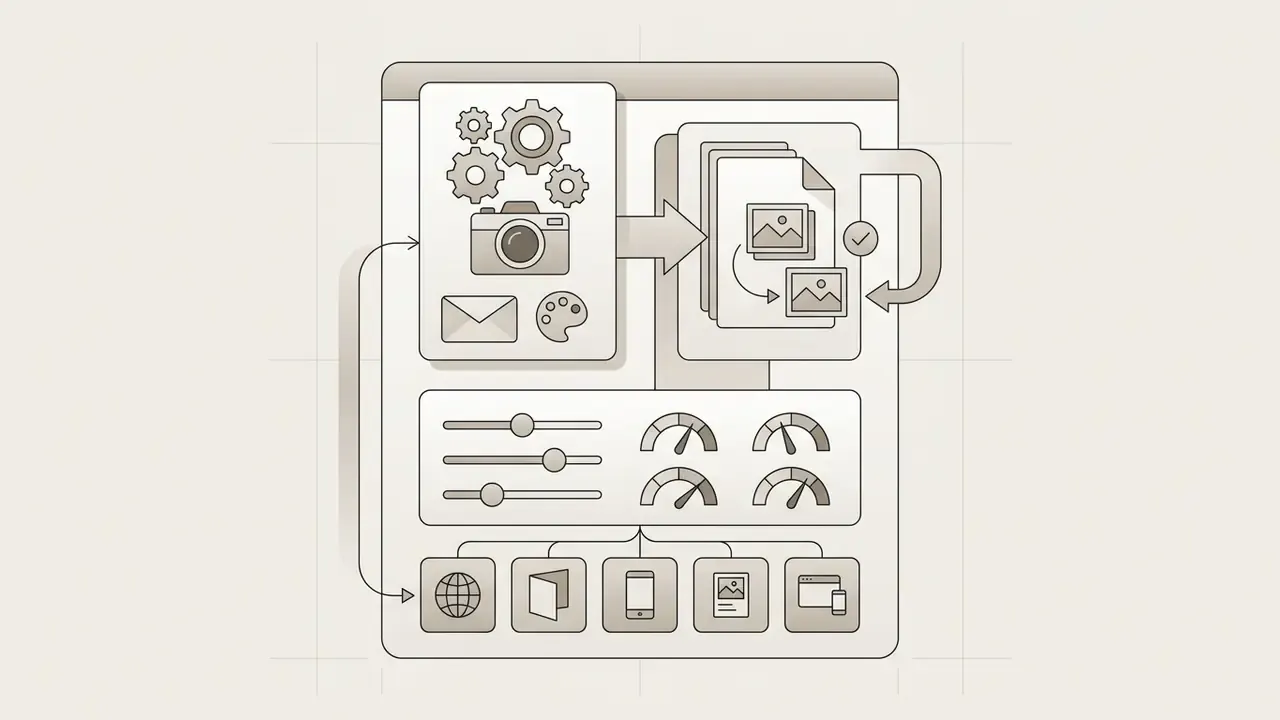
A pricing detail that matters for budget owners: Firefly is available as a standalone subscription at roughly $10/month, so teams do not need a full Creative Cloud plan to access indemnified generation. For corporate brand teams that need strict risk mitigation plus direct integration with existing layout workflows, Firefly is the most compliant mainstream choice. Teams weighing it against a lighter-weight alternative should compare it with the Canva AI Generator.
Adobe's own commercial rules also define the compliance envelope: contributors must hold "all necessary rights" for commercial licensing, prompts referencing named artists, real people, copyrighted works, government agencies, or third-party IP are prohibited, and model releases are required for identifiable persons.
Ideogram for images with accurate text and design layouts
Ideogram 4.0 focuses on solving typography and layout structure in generative imagery. It is engineered to render clean fonts, accurate spelling, correct kerning, and defined structural composition, with bbox-anchored layout control for dense small copy and multilingual scripts.
Designers use Ideogram for event posters, apparel graphics, brand logos, packaging concepts, and social media banners carrying dense text strings. The platform provides explicit layout templates, logo-design prompt templates with brand-name, casing, and placement controls, and style presets, which cuts the time spent repairing corrupted typography in external image editors. Practical prompting guidance from the vendor: wrap literal copy in quotation marks, keep text visually grounded in the described scene, and describe font character rather than naming a typeface.
Stable Diffusion, FLUX and Leonardo AI for customization
For advanced creators who need granular control over every aspect of visual synthesis, customisable model platforms offer unmatched flexibility.
These platforms let creative technology teams build reproducible visual pipelines tuned to specific brand guidelines or production requirements.
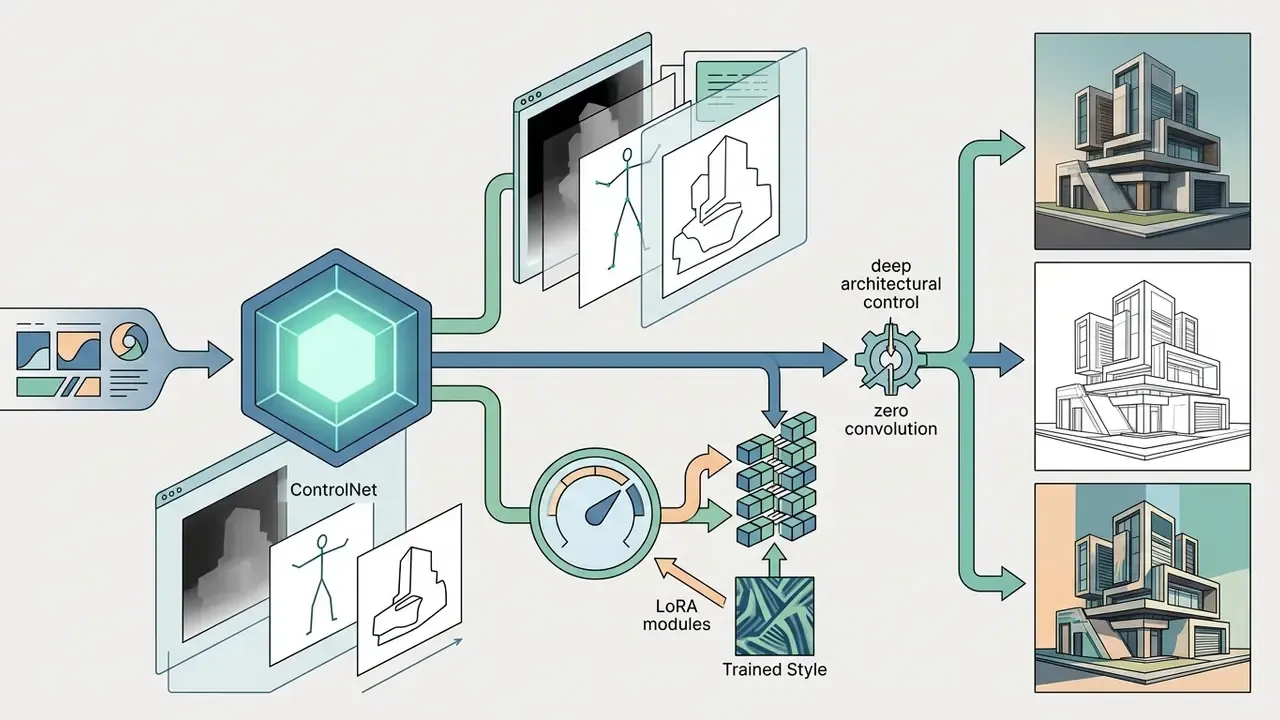
«Quality, editing accuracy, and attribute preservation behave as independent dimensions across 18,360 edited images and 1.1M annotations.»
The practical implication: a model that edits precisely may still degrade global image quality, and a model that preserves attributes may ignore part of your instruction. Score all three separately in your evaluation sheet. One column is not enough.
Microsoft Copilot and Paint for native Windows workflows
Integrated directly into Windows 11, Microsoft Copilot provides zero-cost access to OpenAI's image models. For quick desktop edits, Windows Paint includes native AI Cocreator, generative erase, and background removal. Desktop users can therefore perform localised inpainting, subject isolation, and layer masking without launching browser apps or managing API keys.
Reviewers rate Copilot highly for breadth and Microsoft-ecosystem integration while noting that its underlying models are not fully competitive with flagship ChatGPT and Gemini tiers. For organisations already standardised on Microsoft 365, the governance advantage is meaningful: image generation inherits tenant-level data boundaries instead of sitting on a consumer account. Our Microsoft AI Image Generator overview and Bing AI image guide cover access requirements and commercial terms in more depth.
xAI Grok for relaxed-filter creative research and real-time context
For creators frustrated by strict guardrails elsewhere, xAI's Grok offers a flexible environment with relaxed content filters. It is the one mainstream generator that permits explicit elements, and it can extend generations into short video.
«Grok is unique among the AI image generators we tested in that it allows you to create content with explicit elements.»
Integrated with real-time streams on X, Grok turns current events into visual concepts quickly, which helps with trend-reactive social content and competitive research. Enterprise teams, though, must add internal legal filters when using relaxed-guardrail models: generating recognisable real people carries direct right-of-publicity and defamation exposure, and reviewers rate Grok's baseline image fidelity below category leaders. For any regulated organisation, Grok belongs in a sandbox with explicit prohibitions, not in a sanctioned production pipeline. The same reasoning applies to demand for ai chats that strip safety layers entirely.
In-house generation versus outsourcing custom AI pipelines
Web interfaces suit standard asset creation. Configuring complex ControlNet structures or fine-tuning custom LoRAs on brand products is another matter: it needs dedicated AI engineers, GPU capacity, and a curated training set. When internal setup cost outweighs the software benefit, teams often outsource fine-tuning and specialised prompt rendering to technical AI artists via marketplaces or specialised agencies.
«Hire experts who can generate realistic images, edit them exactly how you want… starting from just $10.»
Realistic rates run from roughly $10–$50 per dataset iteration for marketplace freelancers to agency retainers for regulated work. A simple decision rule: outsource when you need a one-off custom model (a product LoRA, a brand-character checkpoint) and lack in-house MLOps; build in-house when generation volume is continuous, assets are confidential, or audit requirements demand that prompts and weights never leave your perimeter. Either way, contract terms must assign IP in the trained weights and the outputs to your organisation.
Testing methodology and primary sources
Testing methodology. Evaluation was conducted using a standardised benchmark suite of 10 structured prompts across three fixed stages, run at identical aspect ratios and repeated across sessions to detect variance:
Editing was scored separately on whether changes localised to the masked region rather than regenerating the whole frame. Latency, artifact rate, prompt adherence, and anatomical error severity were recorded per render, following the human-evaluation structure used in Holistic Evaluation of Text-to-Image Models (NeurIPS 2023) and anatomy-error scoring methods published in 2024.
- Basic scene
- a domestic interior containing a diverse set of everyday objects, used to score photorealism, material texture, lighting coherence, and artifact rate.
- Complex action panel
- a multi-panel comic telling a coherent story that resolves in a twist, used to score narrative continuity, character consistency, and spatial reasoning across frames.
- Text rendering diagram
- an instruction-manual-style setup diagram with labelled parts and numbered steps, used to score typography legibility, spelling, kerning, and layout control.
Free versus paid AI image generators: what you get
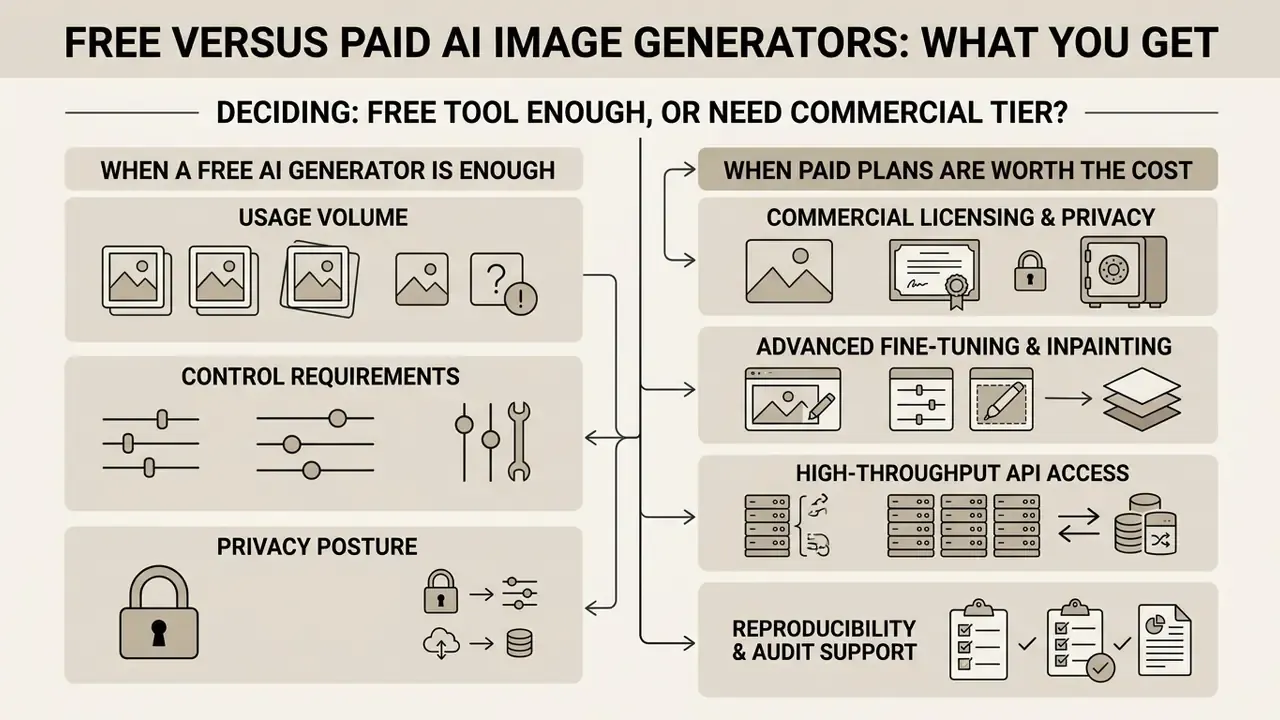
Deciding whether a free ai image tool is enough, or whether you need a commercial tier, comes down to usage volume, control requirements, privacy posture, and commercial protection. The table below shows the feature divide between free allocations and enterprise-grade paid plans.
Capability matrix: free accounts versus commercial paid plans (2026)
| Feature / capability | Free tier / free account allocation | Paid subscription / commercial tier |
|---|---|---|
| Generation volumetrics | Capped daily or monthly credits (commonly 2–10 images/day; Playground lists 3 monthly credits and 10 images per 3 hours; QuillBot caps at 3/day) | High monthly volume or unlimited fast generation queues |
| Model access | Standard baseline models or legacy architectures | Priority access to flagship models (FLUX.1 Pro, GPT Image, Nano Banana Pro, Midjourney v6) |
| Export resolution and formats | Standard web resolution (for example 1024×1024), lossy compression, frequent watermarks | High-resolution exports (2K, 4K), uncompressed PNG, vector SVG formats |
| Editing and masking controls | Basic cropping or single-pass generation only | Full inpainting, outpainting, multi-layer canvas, ControlNet access |
| Reference uploads | Restricted or single image uploads | Multi-reference blending (up to 16 on GPT-Image-2), style lock, character consistency |
| Watermarking and privacy | Public generations, visible watermarks, or public feed publication | Private generation queues, no watermarks, confidential asset protection |
| Training on your inputs | Often permitted by default; opt-out may be unavailable | Contractual exclusion from training on Team and Enterprise tiers |
| Commercial usage rights | Usually none: personal and non-commercial licensing only (varies by vendor and generation date) | Full: commercial ownership, royalty-free exploitation, enterprise indemnity |
When a free AI image generator is enough
A free plan or free account is sufficient when output requirements are low-volume, non-commercial, or exploratory. Freelancers, students, and casual creators getting started with AI visuals can use free tiers to practise prompt structuring, test style variations, and draft social media images.
Tools like Google Gemini, Canva AI's free tier, Windows Copilot, and daily free credit allocations on Ideogram or Leonardo AI give plenty of headroom for occasional image creation. See our comparison of the best free AI image generators and the parallel review of free AI art generators for current limits. Free tiers are realistically enough for single-image concept checks, internal mockups that never ship, prompt-craft practice, and vendor evaluation during a two-week pilot. They are not enough for batch output, API access, guaranteed quota, or anything published under a brand name. If your project does not need private rendering, print-resolution assets, or legal indemnification, staying inside free credit limits is a perfectly sensible approach.
When paid plans are worth the cost
Upgrading to paid plans (typically $10 to $30 or more per month for individuals, and $50-plus per user seat for enterprise teams) becomes essential when generative visuals touch revenue or brand operations directly. Commercial production demands reproducible quality, strict data privacy, fast generation queues, and clear IP ownership. Concrete reference points: ChatGPT Go at $8/month for basic access and Plus at $20/month for priority queues; a standalone Firefly plan at about $10/month; Midjourney from $10/month with Stealth Mode from $60/month; Google's premium AI tiers from $20/month up to Ultra at $99.99/month; and credit-based API consumption such as $10 per 1,000 DreamStudio credits.
Enterprise paid tiers grant four operational advantages:
- Commercial licensing and privacy.Outputs are owned by your organisation and input assets are excluded from retraining pipelines.
- Advanced fine-tuning and inpainting.Precision editing saves hours of manual retouching, especially when paired with AI image enhancement tools in post.
- High-throughput API access.Developers integrate visual generation into web applications, e-commerce storefronts, or marketing automation tools.
- Reproducibility and audit support.Pinned model versions, private history, and seat-level logging, which are the prerequisites for any MRM sign-off.
Measured against design agency fees or custom photography shoots, a paid AI generation plan usually delivers solid risk-adjusted ROI for growing businesses. The break-even test is simple: a paid tier pays for itself when one user's monthly time saving, valued at loaded hourly cost, exceeds the seat price. Or when commercial rights are legally mandatory, in which case the free tier has no ROI at all, because it cannot legally be used.
How to generate high-quality AI images
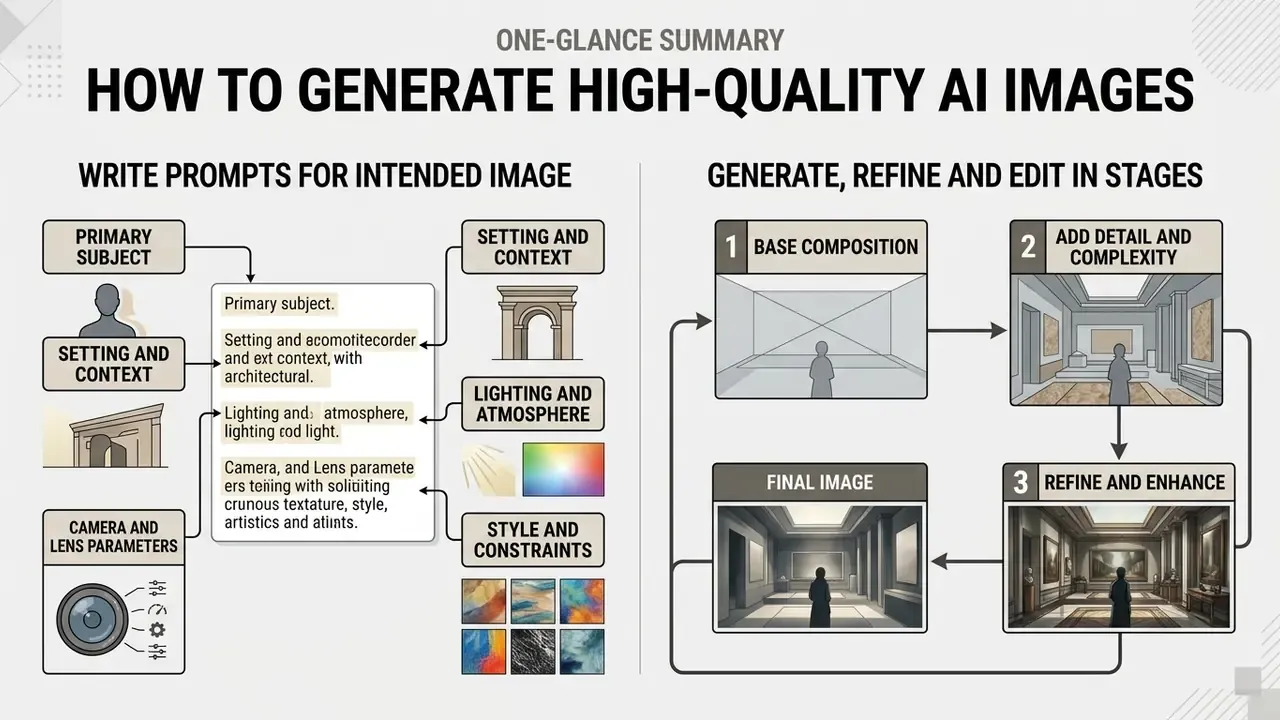
Getting professional results from generative image models requires a structured, multi-stage approach. One-word prompts produce inconsistent, generic output, and no amount of model upgrading fixes that.
Write prompts that produce the intended image
High-performing text prompts follow a visual hierarchy. Ordering instructions systematically helps the model parse subjects, backgrounds, and stylistic constraints without attribute confusion. OpenAI's 2026 prompting guidance recommends a fixed order (scene or background, subject, key details, constraints) and naming the intended medium explicitly; Google's Vertex AI guide places subject first, then context, then style. Either order works, provided a team applies it consistently so results stay comparable.
A proven prompt construction framework, shown here on an enterprise marketing asset:
- Primary subject define the central element ("a matte-black metal payment card resting at a slight angle, brand mark debossed, no legible account numbers").
- Setting and context specify background and environment ("on a brushed-concrete surface in a minimal architectural lobby, neutral grey backdrop, generous negative space on the right for headline copy").
- Lighting and atmosphere define light quality and direction ("soft directional key light from the upper left, controlled specular highlight along the card edge, long natural shadow").
- Camera and lens parameters describe perspective, framing, and depth of field ("three-quarter product hero shot, 85mm lens, f/4, shallow but readable depth of field").
- Style and constraints enforce medium and exclusions ("photorealistic commercial product photography, crisp focus, no watermark, no text, no logos of third-party brands, preserve card geometry").
The same framework transfers unchanged to consumer product work. For example: "a modern matte-black ceramic coffee mug placed on a minimal oak table in a sunlit architectural studio, soft morning sunlight through floor-to-ceiling windows creating long natural shadows, eye-level macro shot, 85mm lens, f/2.8 shallow depth of field, photorealistic commercial product photography, no watermarks, no plastic textures." Swap the subject, hold the other four slots constant, and your prompt library becomes reusable across campaigns.
Two constraint types deserve permanent slots in every enterprise prompt template: exclusions ("no watermark, no additional text, no third-party trademarks") and invariants ("preserve identity, preserve geometry, preserve layout"). For edits, state "change only X, keep everything else the same", which is the phrasing OpenAI itself recommends for revision control.
Generate, refine and edit images in stages
Professional creators refine iteratively rather than expecting a perfect first attempt. The loop documented in the research literature runs: prompt input → scoring or evaluation → refinement → regeneration → improvement check, with low-scoring prompts routed back for revision.
«The biggest mistake teams make with AI tools is attempting to generate a final production asset in a single prompt pass. High-quality visual execution requires treating the initial render as a digital canvas, then applying targeted inpainting and structural adjustments in focused passes.»
A recommended workflow has four stages:
- Stage 1, base composition. Generate 4 to 8 candidate variations from a well-structured base prompt to fix composition, framing, and colour tone. Record the seed of every keeper.
- Stage 2, inpainting correction. Select the best base render and use mask-based inpainting to fix specific flaws: hand anatomy, object misplacement, background clutter. Use precise instructions like "change only the background bottle, preserve the foreground product geometry."
- Stage 3, outpainting and aspect adjustment. Expand the canvas with AI image expansion tools to fit target media layouts, for instance converting a 1:1 square render into a 16:9 banner. Practical guidance from outpainting documentation: extend in moderate increments of 128–256 pixels and explicitly restate key contextual elements from the source image in the prompt, otherwise the extension drifts stylistically.
- Stage 4, upscaling and post-processing. Pass the refined image through an AI image upscaler or external editor to enhance surface micro-textures, sharpen vector edges, and lock colour accuracy for print or high-DPI display. Finish colour grading in a conventional photo editor where exact brand values can be numerically enforced.
Combining separate elements follows the same logic: upload a base image plus an object image and instruct the model to merge them in a single composite pass, rather than describing both from scratch. Slightly counterintuitive, but it preserves the original geometry far better.
Commercial use, copyright and responsible AI image generation
Deploying AI-generated visuals in commercial campaigns means navigating intellectual property law, model licensing terms, and regulatory disclosure mandates. For the full set of tool-level licence summaries, open the hub.
Commercial readiness checklist
Work through all four gates before any AI-generated asset is published. Score one point per gate. Anything below four goes back for remediation.
Frequently Asked Questions
Gate 1: human creative control documented?
Gate 2: model commercial terms active?
Gate 3: third-party rights cleared?
Gate 4: provenance and disclosure applied?
Checklist0 / 11
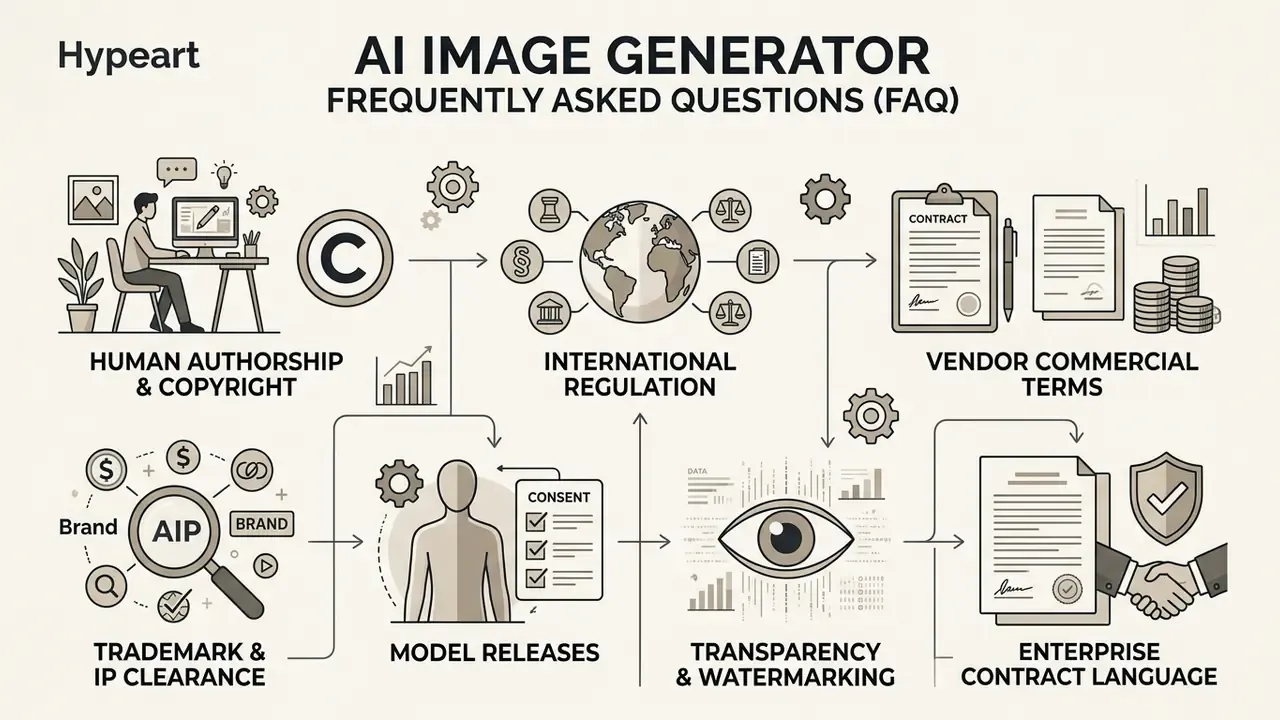
What to check before using AI images commercially
FAQ about the best AI image generator
What is the difference between an AI image generator and an AI art generator?
An AI image generator is the broad category of software that creates any visual content from text or image inputs, including photorealistic camera shots, technical diagrams, UI mockups, and product photography. An ai art generator focuses specifically on artistic, painterly, stylised, or abstract visual synthesis.
How do diffusion-based AI image generators work?
Diffusion models start from a canvas of pure digital noise and iteratively remove noise over multiple steps (denoising), guided by mathematical embeddings derived from your text prompt, until a coherent image emerges. A second architecture, autoregression, generates the image in chunks, predicting each region from what it has already produced. That approach is typically slower but often stronger at instruction following.
Can I use AI-generated images for commercial projects legally?
Yes, provided the platform's terms of service explicitly grant commercial usage rights on your paid plan tier, and provided the output does not infringe existing third-party copyrights, trademarks, or rights of publicity. Note separately that being allowed to use an image commercially is not the same as owning copyright in it. Registration requires demonstrable human authorship.
Why do some AI image generators struggle with rendering text?
Early image models processed text inputs as semantic visual concepts rather than literal character sequences. Specialised models like Ideogram 4.0 and FLUX.1 address this by training on detailed typographic datasets and using advanced text encoders that map individual character placement explicitly.
«The strongest model reaches Q-ACC 0.90 but only I-ACC 0.49; "data completeness" remains the universal bottleneck.» IGenBench (2025). https://proceedings.neurips.cc In plain terms: models now draw letters correctly far more often than they guarantee the information in an infographic is complete and accurate. Always fact-check generated charts and diagrams.
Is an open-source AI image generator better than a paid web service?
An open-source generator such as Stable Diffusion or FLUX.1 [dev] is better if you need total data privacy, custom fine-tuning, ControlNet spatial conditioning, and zero per-image API cost. A paid web service such as Midjourney or ChatGPT Image is better if you prefer cloud convenience without managing local GPU hardware. If you would rather start from an existing asset, compare dedicated image-to-image generators.
Which AI image generator is best for Windows users?
Microsoft Copilot, because it ships with Windows 11 at no cost and extends into Paint for background removal, generative erase, and Cocreator generation. It is the fastest option for desktop users who want local edits without browser tabs or API keys, though its underlying models are not as strong as flagship Gemini or ChatGPT tiers.
Which AI image generators do not train on my content?
Canva Magic Media states it does not train on user content and keeps generations private by default. Adobe Firefly trains only on licensed Adobe Stock and public-domain material and does not train on subscriber content. OpenAI offers a training opt-out, with Team and Enterprise tiers excluded by default. Google's free consumer tiers may use prompts and outputs for model improvement, and Midjourney makes generations public unless you are on Pro or Mega with Stealth Mode. Verify current terms every procurement cycle, because these policies change.
Is there an uncensored AI image generator?
xAI's Grok has the most relaxed content filters among mainstream tools and permits explicit elements, including of real people. That capability carries serious ethical and legal exposure, particularly right-of-publicity and non-consensual imagery risk, and it should not be used for confidential inputs or regulated commercial output without independent legal review.
Can I automate AI image generation from my CRM or forms?
Yes. Image models such as GPT Image, Gemini, and FLUX.1 are available via API and through no-code platforms like Zapier and Make, so new HubSpot records, Google Forms submissions, Airtable rows, or SKU updates can trigger personalised asset generation automatically. Add provenance signing and audit logging to the same automation so compliance keeps pace with throughput.
How do I make AI image generation auditable for a regulated review board?
Capture seed, sampler, guidance scale, negative prompt, aspect ratio, and model version for every published render; pin model IDs so vendor upgrades cannot silently change output; log prompts, outputs, operator identity, and reviewer sign-off immutably; define retention and deletion schedules; and embed C2PA credentials at export. Map those controls to your existing model-risk framework (SR 11-7 / OCC 2011-12) and the NIST AI Risk Management Framework, so the pipeline enters the standard model inventory rather than sitting outside governance.
Should I build a custom pipeline or hire an expert?
Build in-house when volume is continuous, assets are confidential, or audit requirements demand that prompts and weights never leave your perimeter. Outsource when you need a one-off custom LoRA or ControlNet configuration and lack MLOps capacity. Marketplace rates commonly run $10–$50 per dataset iteration, with agency retainers for regulated work. Either way, contract IP in both the trained weights and the outputs to your organisation.
Do AI image generators and AI video generators use the same models?
Increasingly, yes. Several vendors now extend image models into short-form motion, and Grok's image-to-video feature is one example. The governance implication is that video inherits every image-level risk (likeness, provenance, training-data exposure) and adds audio and temporal consistency on top. Treat video as a separate approval class rather than an extension of an existing image licence.
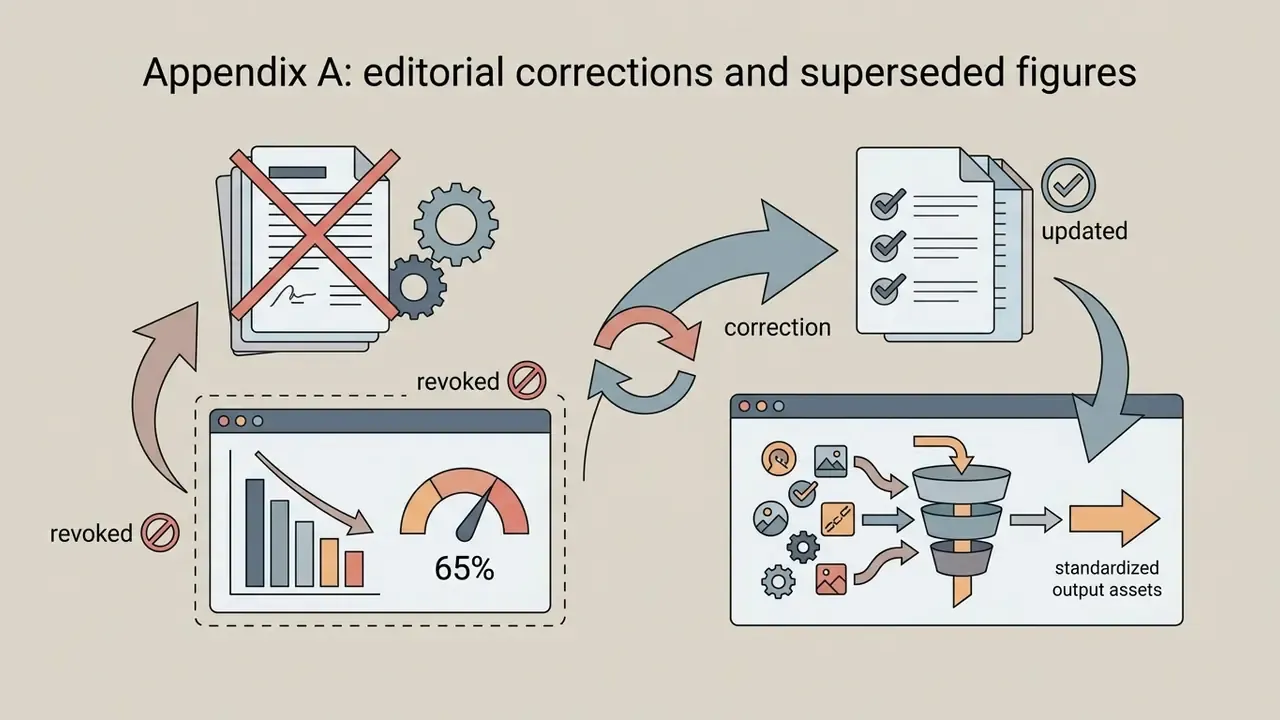
Appendix A: editorial corrections and superseded figures
Retained for transparency, since several earlier formulations circulated in previous versions of this comparison:
More comparisons, pricing breakdowns and tool-by-tool licence summaries: explore the hub.