Here is the uncomfortable part for anyone who signs off on published assets. An ai image upscaler does not enlarge your picture. It predicts a new one. In enterprise media workflows, and in any environment where a governance committee eventually asks "who approved this file?", automated resolution enhancement has to balance throughput against verifiable output fidelity. Upscaling graphics with no human verification creates operational risk, especially when synthetic detail quietly rewrites a brand asset, a product label, or a regulated disclosure.
Key Takeaways
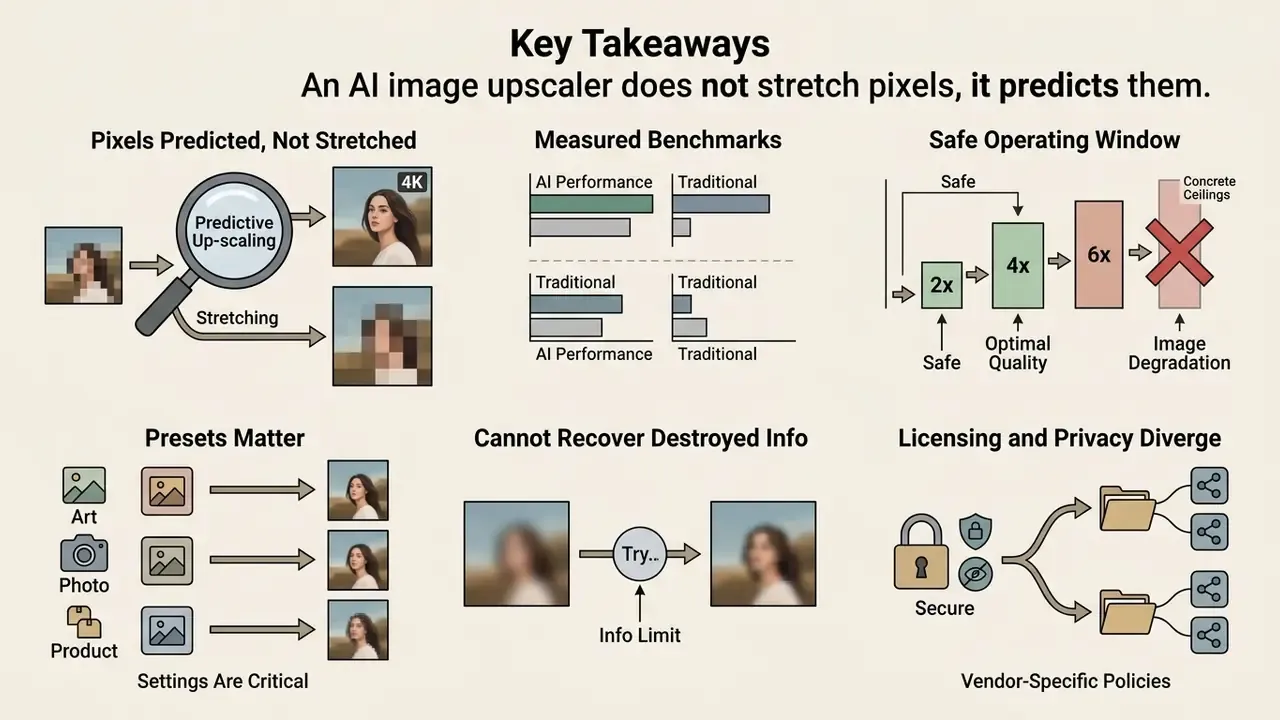
- An AI image upscaler does not stretch pixels, it predicts them. Interpolation (bilinear, bicubic, Lanczos) recalculates geometry; neural super resolution synthesizes new high-frequency detail learned from paired low-resolution and high-resolution datasets.
- Measured benchmarks back the gap. In the AIS 2024 real-time 4K super-resolution challenge, every submitted neural method outperformed Lanczos on PSNR while upscaling 540p to 4K in under 10 ms.
- 2x to 4x is the safe operating window. Direct 8x or 16x passes force the model to invent more than 90% of the final pixels, which raises hallucination risk. For a genuine 4K master, run staged passes from a lossless source.
- Ceilings are concrete. Consumer-grade cloud upscalers now reach roughly 268 megapixels (for example 16000 × 16000 px at a 1:1 ratio), enough for 300 DPI print and 8K UHD delivery.
- Presets matter more than raw scale. Face Enhancement, Anime/Line Art, Photograph/Standard, E-commerce/Product and Reconstruct modes route the same file through different architectures.
- AI cannot recover destroyed information. Unreadable micro-text, obscured facial identifiers, and torn or burned regions are approximated, not restored. Human prepress review stays mandatory.
- Licensing and privacy diverge sharply by vendor. Some terms grant commercial output rights outright; others restrict free-tier output to personal, non-commercial use only.
How to Read This Guide
What an AI Image Upscaler Is and How It Differs From Ordinary Enlargement
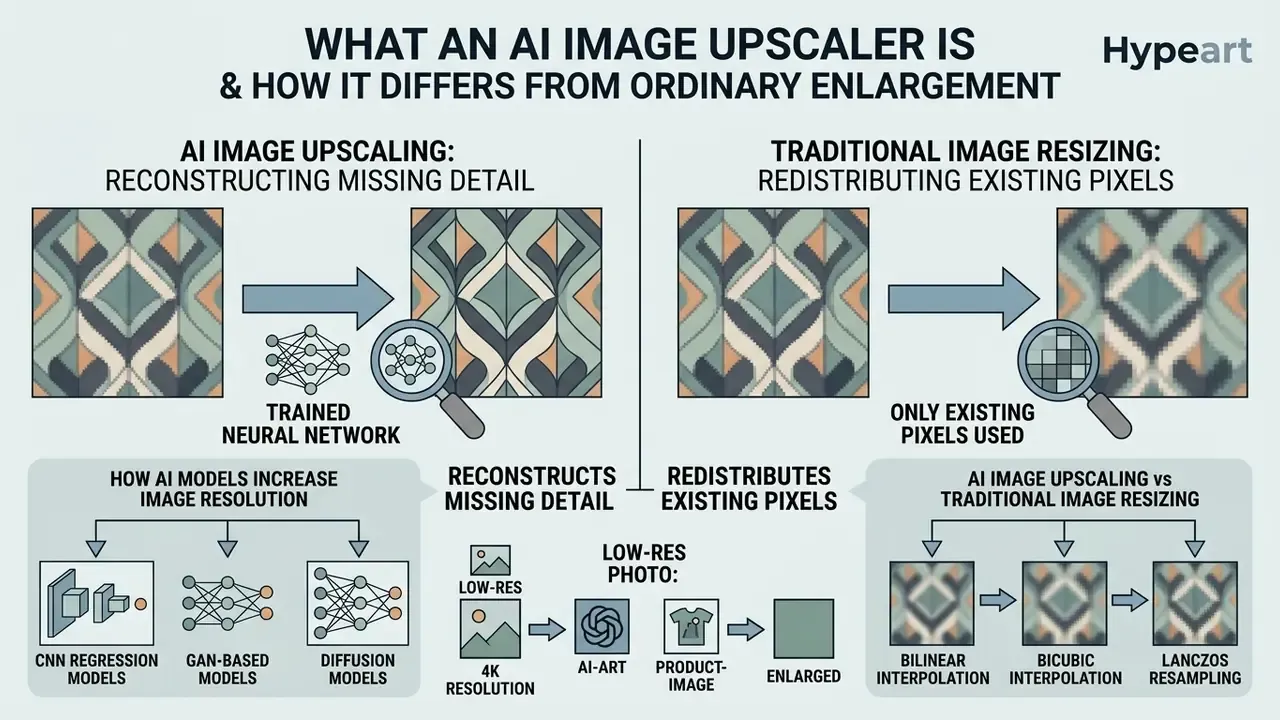
Short answer: an AI image upscaler reconstructs missing detail with a trained neural network, whereas classic resizing only redistributes the pixels that already exist. The practical consequence is that AI output can look sharper than the source, and can also contain detail the source never had.
An ai image upscaler is a deep learning software system that reconstructs high-resolution images from low-resolution sources by inferring missing high-frequency spatial detail. Unlike conventional interpolation, which performs geometric pixel recalculation, an image upscaler leverages trained deep neural networks to generate plausible textures, sharpen object boundaries and execute super resolution operations.
How AI Models Increase Image Resolution
Deep learning ai models increase image resolution through learned statistical mappings between low-resolution inputs and high-resolution ground truth image pairs. Modern architectures use Convolutional Neural Networks (CNNs), Generative Adversarial Networks (GANs) and latent diffusion models during image processing. Trained on paired datasets such as 4KLSDB (129,484 native 4K images) or 4KSR-Train (34,379 high-fidelity items), advanced ai networks extract multi-scale feature maps to predict missing edge vectors and micro-textures.
In complex generative pipelines, networks like ResDiff combine a shallow CNN base, which handles predictable low-frequency structural recovery, with a guided diffusion pass that synthesizes fine residual detail. On single-pass performance, models such as OP4KSR demonstrate single-step 4096 × 4096 output in 5.75 seconds on modern GPU hardware (OP4KSR, 2026), replacing multi-stage patch tiling with global tensor prediction.
Architecturally, three optimisation targets explain most of the visual differences between tools:
- CNN regression models learn a direct low-resolution to high-resolution mapping and score best on pixel fidelity metrics such as PSNR, but tend to under-produce fine texture.
- GAN-based models optimise an adversarial objective, pushing outputs toward the texture statistics of the training set. They look sharper, and a 2024 controlled comparison found GAN super-resolution can equal or beat diffusion super-resolution when architecture, data volume and compute are matched.
- Diffusion models start from noise and denoise iteratively toward the target, sampling plausible high-frequency structure from the learned distribution. Perceptual realism improves; sampling cost rises.
AI Image Upscaling vs Traditional Image Resizing
The operational boundary between standard image enlargement and neural super-resolution rests on one question: does the system synthesize new data, or merely stretch an existing pixel grid? Traditional image resizing relies on mathematical interpolation kernels.
- Bilinear interpolation calculates weighted averages of surrounding pixels, producing noticeable edge blurring and contrast degradation on low resolution images.
- Bicubic interpolation evaluates a 4×4 pixel grid to smooth colour transitions, mitigating severe aliasing but failing to recover sharp structural boundaries.
- Lanczos resampling applies a sinc window function to minimise ringing artifacts and preserve primary edges, yet remains incapable of inferring texture that was never captured.
Neural super-resolution, by contrast, inspects contextual spatial relationships across deep network layers. By evaluating structural context, the model reconstructs missing pixel values, improving image quality substantially, sharpening outlines and elevating clarity without coarse pixelation. That is the whole trick, and also the whole risk.
| Resizing Method | Technical Mechanism | Edge Preservation | Texture Generation | Processing Latency |
|---|---|---|---|---|
| Bilinear Interpolation | 2×2 linear pixel averaging | Poor (blurry) | None (stretched) | Real-time (< 1 ms) |
| Bicubic Interpolation | 4×4 cubic polynomial fitting | Moderate (haloing) | None (smoothed) | Real-time (< 1 ms) |
| Lanczos Resampling | Sinc-windowed spatial filter | Good (minimal aliasing) | None (filtered) | High-speed (< 2 ms) |
| AI Super-Resolution | Deep neural feature mapping | Superior (vector-like) | Generative synthesis | GPU-accelerated (10 ms to 5 s) |
«All proposed methods surpass Lanczos in PSNR and process images in under 10 ms when upscaling 540p to 4K.»
In other words, this is not a stylistic preference. Under a shared benchmark, learned reconstruction dominates fixed kernels on fidelity and, in real-time configurations, on latency per megapixel too.
What Results to Realistically Expect From AI Enhance
An ai enhance pass delivers a clean natural look by removing compression noise and restoring lost contrast across subtle gradients. Effective super-resolution algorithms reduce blocking artifacts, perform targeted reducing noise work, and sharpen image contours to turn blurry images into production-ready assets. The expectation set is the same one you would apply to conventional online photo editors, except the masking is learned rather than hand-painted.
However, generative models operate under mathematical constraints and cannot guarantee historical accuracy. When source signal data is severely degraded, networks synthesize statistically probable detail from training priors. Occasionally that produces subtle texture hallucination or minor edge distortion. Not often. Often enough to matter on a packaging proof.
«Perceptually optimised methods may trade PSNR for visual realism: even the strongest systems show non-zero error on real-world degradations.»
What Determines AI Image Enhancement Quality
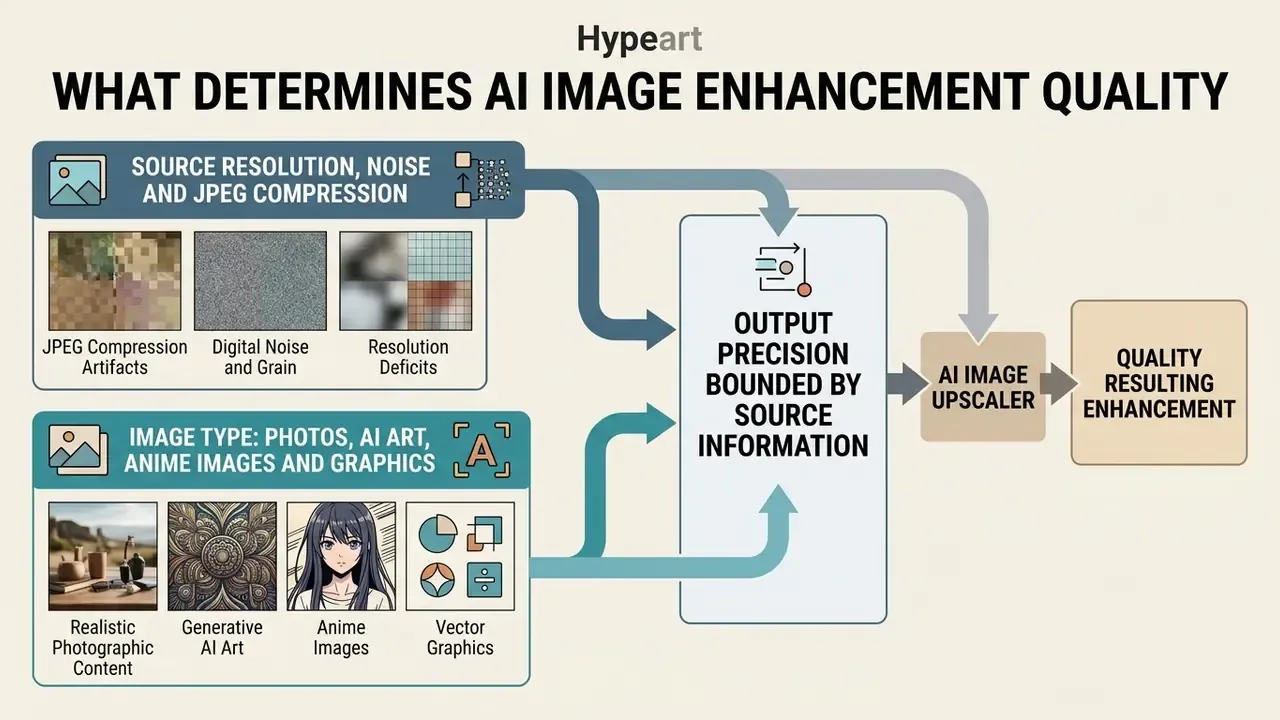
Short answer: output precision is bounded by the information actually present in the source file. Compression class, noise floor, content domain and scaling multiplier together decide whether the model restores detail or fabricates it.
Final precision in an AI enhancement pipeline depends on input signal fidelity, source compression level, subject-domain geometry and the chosen scaling multiplier. A heavily degraded low resolution file limits the network's capacity to distinguish genuine edge vectors from compression noise. Garbage in, convincing garbage out.
Source Resolution, Noise and JPEG Compression
Input file quality directly dictates the accuracy of neural super-resolution. When processing low resolution photos degraded by heavy lossy compression, ai image upscaler models face severe signal-to-noise problems:
Before high-ratio upscaling, targeted pre-processing (dedicated noise removal and artifact cleanup) produces a cleaner input signal and prevents the network from amplifying defects that were already there.
- JPEG compression artifacts
- lossy cosine transform compression introduces 8×8 pixel block boundaries and ringing noise around high-contrast edges.
- Digital noise and grain
- random sensor noise disrupts feature extraction, causing upscalers to mistake unwanted grain for real texture and to sharpen background artifacts by accident.
- Resolution deficits
- extremely low photo resolution forces the network to synthesize a higher proportion of invented detail, which increases the probability of visual hallucination.
«Models trained on realistic degradations (RealDGen) reach 26.16 dB PSNR versus 24.40 dB for Real-ESRGAN on the RealSR benchmark, reducing LPIPS from 0.388 to 0.223.»
Architecture research from 2024 on combined compression-artifact reduction and super-resolution adds a practical nuance. The number of non-linear mapping layers is commonly varied between 5 and 11, depending on input quality and hardware budget, and the actual upscaling happens in a depth-to-space layer while intermediate feature maps stay at low resolution to conserve memory. Enterprise teams building their own pipeline should therefore treat "denoise first, upscale second" as a structural decision, not a matter of taste. Teams sizing storage and delivery budgets for the resulting masters often pair this stage with a video compressor workflow for mixed media libraries.
Image Type: Photos, AI Art, Anime Images and Graphics
Architecture performance varies sharply across content categories:
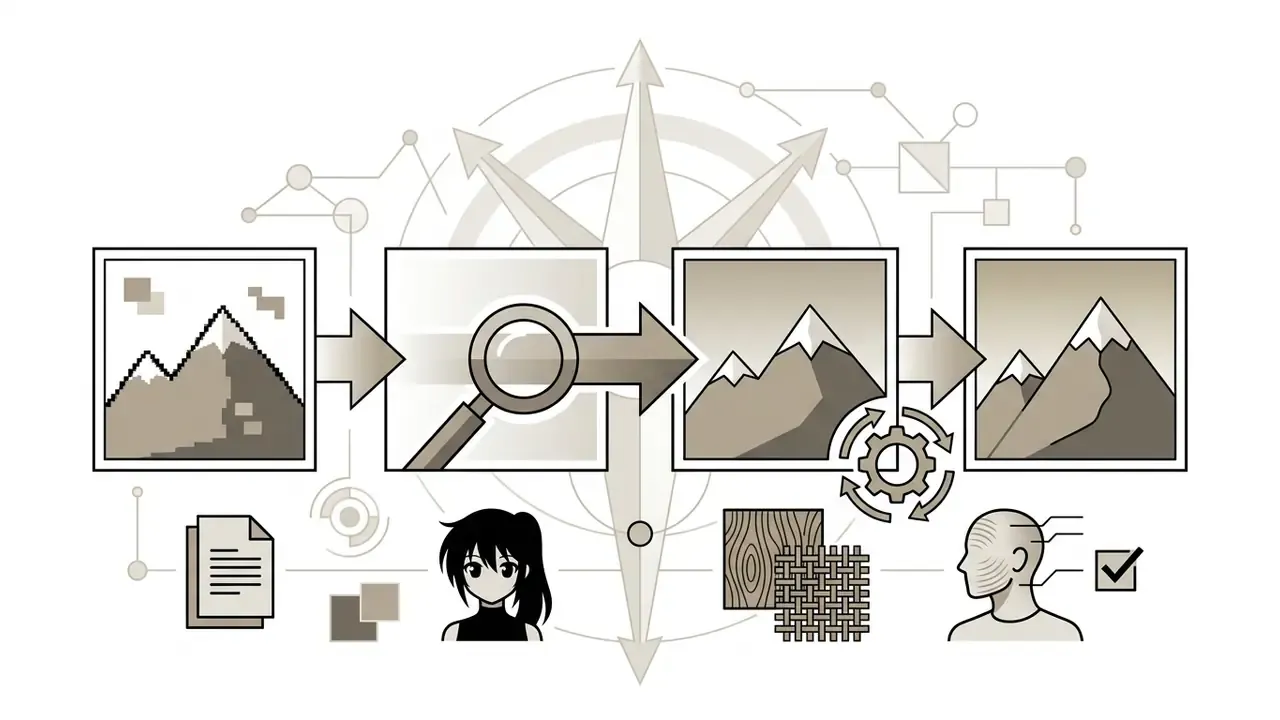
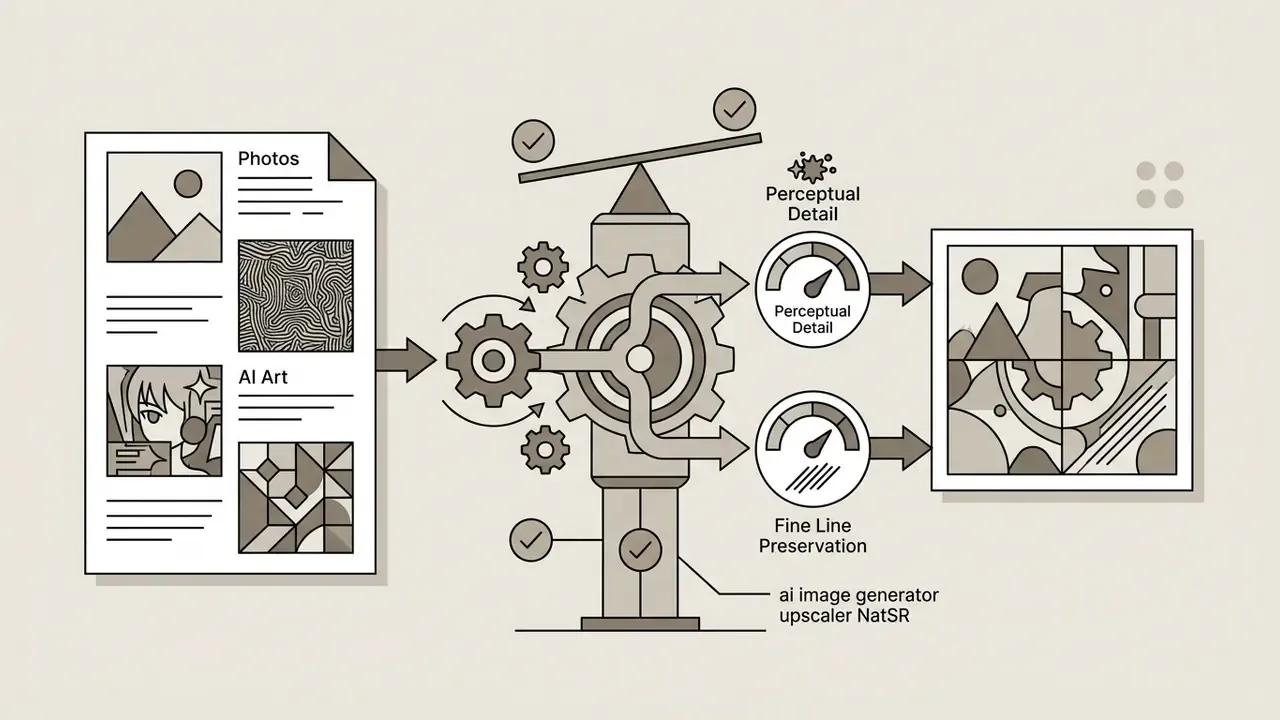
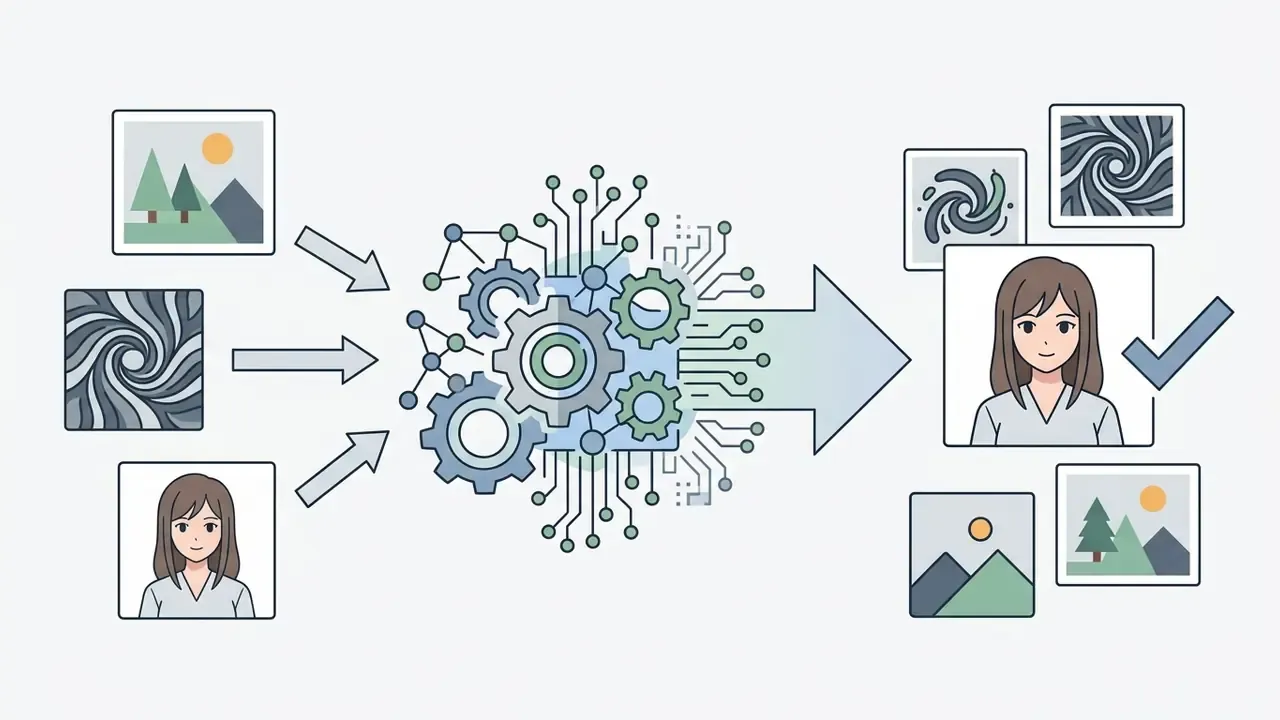

«Screentone-aware manga super-resolution classifies regions by screentone type and applies specialised models, preserving semantic density better than general-purpose methods.»
Scale 2x, 4x and Preparing AI High-Resolution Images
Choosing the right scaling factor prevents model instability and cumulative texture distortion. Scaling by 2x or 4x lets neural upscalers construct clean ai high resolution images while keeping structural alignment with the original file. Pushing straight to 8x or 16x sharply increases hallucination risk, because the system must author more than 90% of the final pixel data.
«PSR4K evaluates 4× upscaling from 960×540 to 3840×2160 across 10 semantic categories; the leading method surpasses Real-ESRGAN on every perceptual metric in the benchmark.»
A 2025 paper on hallucination-aware image editing reinforces the staged approach: edit at standard resolution to suppress hallucination, then run a separate upscaling stage to produce the final 4k image ai deliverable. The main control point therefore sits before high-resolution reconstruction, not after it.
Ceiling specifications worth recording in your production brief:
| Delivery target | Pixel dimensions | Approximate megapixels | Typical practical limit |
|---|---|---|---|
| Full HD master | 1920 × 1080 | 2.1 MP | Any 2x pass from 960 × 540 |
| 4K UHD | 3840 × 2160 | 8.3 MP | 4x pass from 960 × 540 |
| 8K UHD | 7680 × 4320 | 33.2 MP | Staged 2x then 4x from a lossless master |
| Maximum consumer cloud output | 16000 × 16000 (1:1) | ≈ 268 MP | Vendor-documented ceiling on leading cloud upscalers |
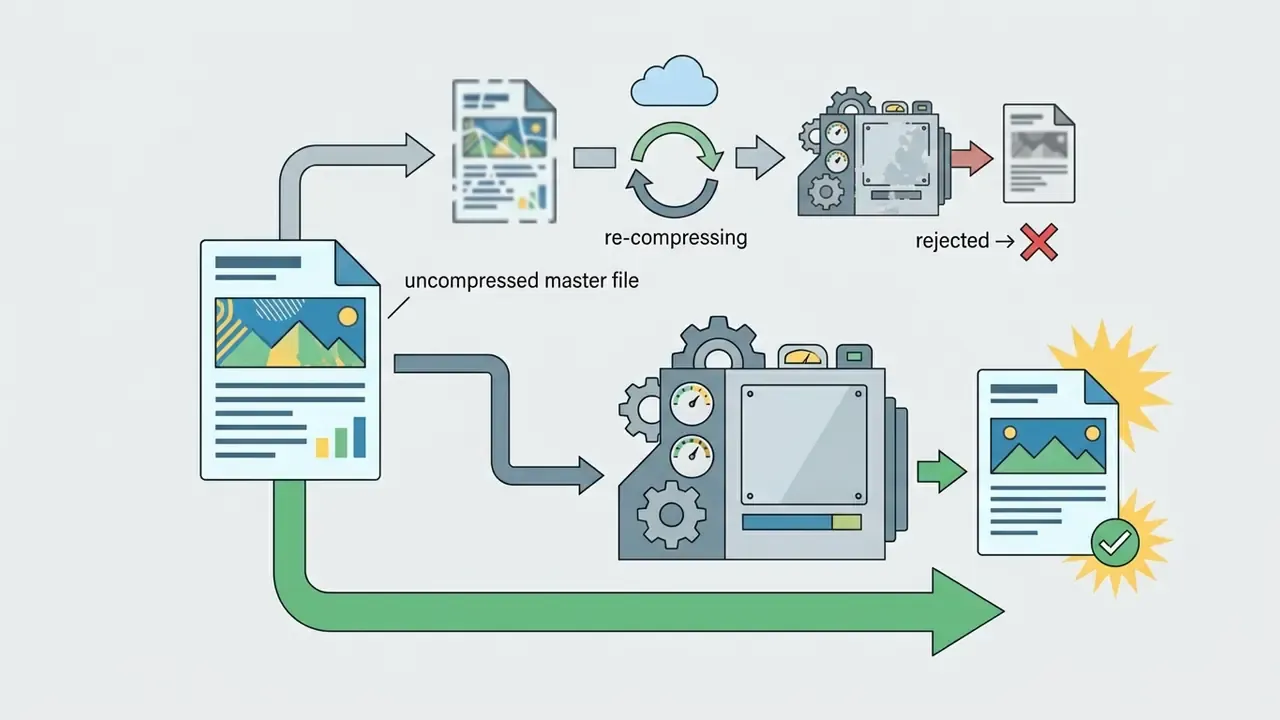
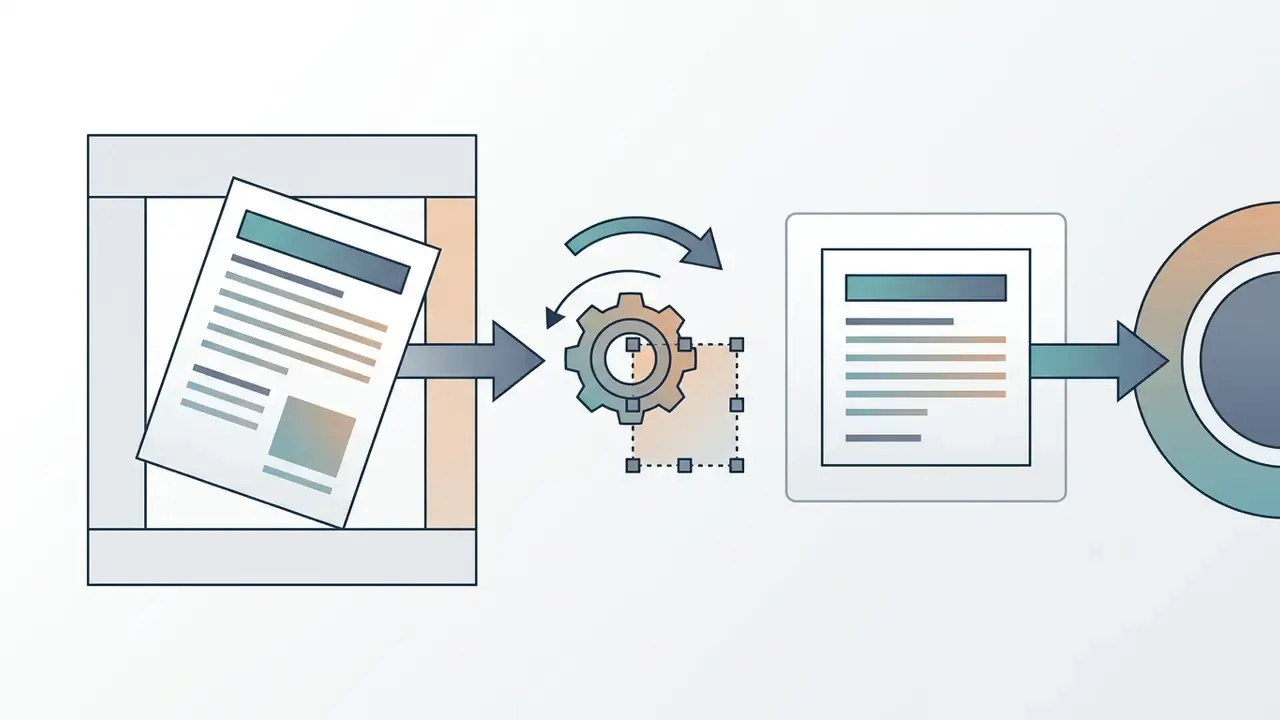
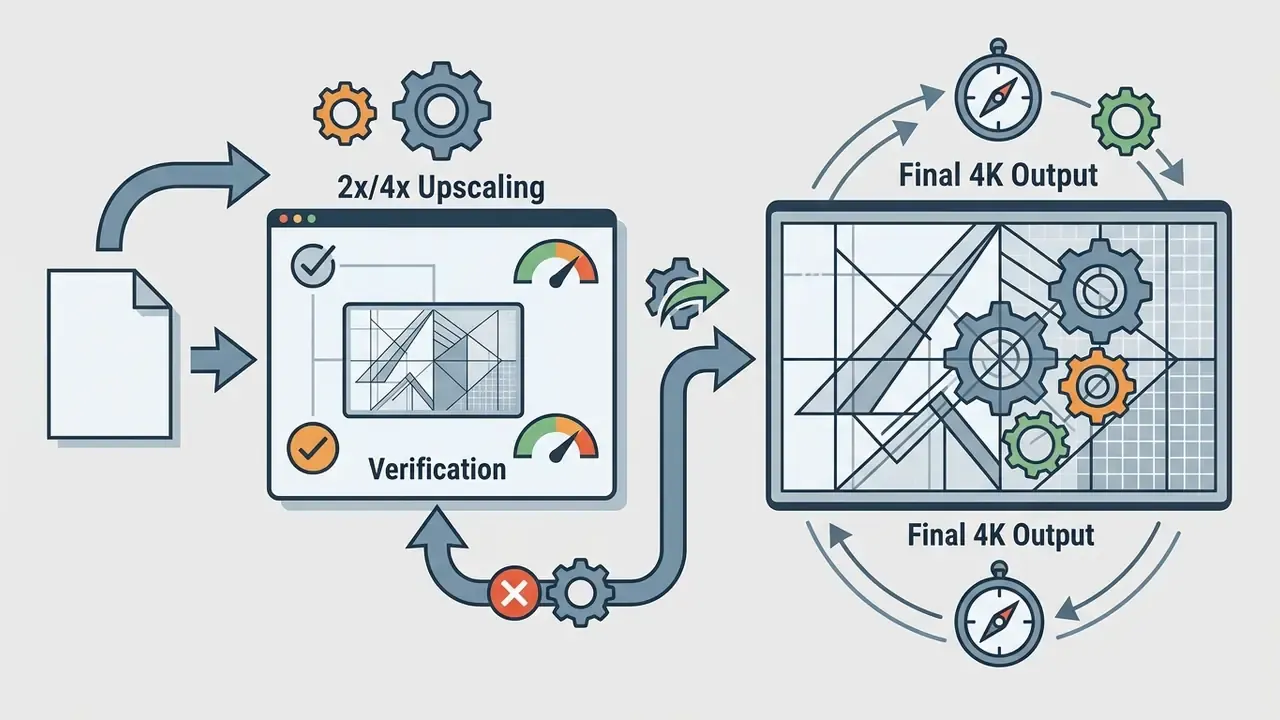
For enterprise workflows requiring 4k ai image upscaler deployment, or an ai image 4k upscaler and ai 4k image upscaler step inside an existing render chain, the preparation sequence that survives audit looks like this:
How to Upscale Images Online: Upload, Enhance, Download
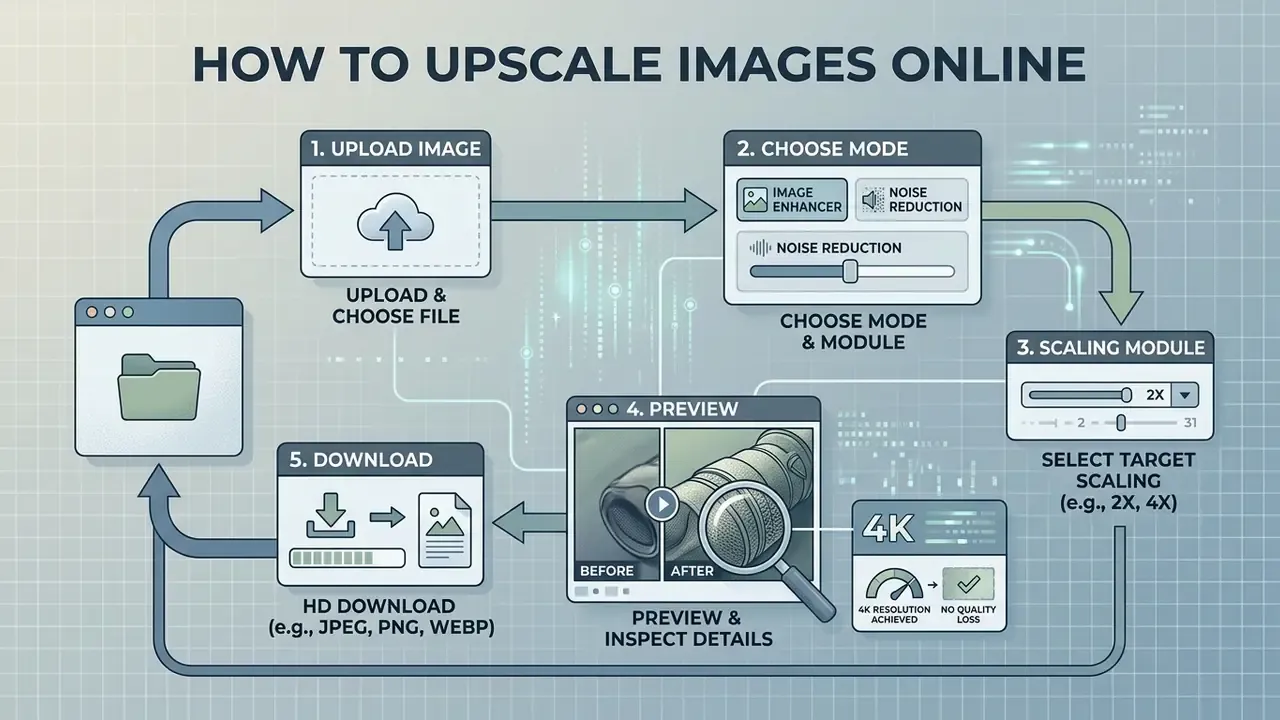
Short answer: every mainstream browser tool follows the same five-step loop. Upload, choose scale and preset, process, audit in preview, download. The quality difference sits in steps two and four.
Modern browser platforms let you upscale images through cloud and edge-accelerated interfaces. Running an online image upscaler requires little manual input, and a low-density graphic can become a crisp asset in a handful of steps, sometimes literally one click. Convenience is exactly why the audit step gets skipped, so keep it in the workflow diagram.
Upload source file → select scale and enhancement profile → neural processing engine → interactive preview and audit → download HD or 4K file.
Upload Image and Choosing the Right File
Execution begins when you upload image assets to the platform. Most web tools accept standard image formats, jpg png and png webp among them, and increasingly AVIF.
To prevent re-compression errors and failed jobs:
- Check that input dimensions meet the minimum threshold, typically at least 512 × 512 px for enterprise diffusion models.
- Avoid heavily compressed social media screenshots; source the original master whenever possible.
- Keep native aspect ratios during upload to prevent non-uniform spatial distortion during tensor evaluation.
- Read the vendor's file-size ceiling before batching. Documented limits range from roughly 4 MB on lightweight free tools to 100 MB on enterprise-grade upscalers.
- Never convert PNG to JPEG "to save upload time". That single step destroys exactly the high-frequency information the model needs.
Choosing a Mode: Image Enhancer, Noise Reduction and Scaling
Once the file is ingested, set the processing parameters:
- Module selectionchoose a general image enhancer, a specialised facial-detail restorer, or a vector and anime line sharpener.
- Noise reduction controladjust AI noise reduction to suppress compression artifacts without stripping the underlying surface texture.
- Target scaling multiplierset 2x, 4x, or a direct 4K target such as 3840 × 2160 px.
Commercial interfaces hide these decisions behind marketing labels. The mapping below translates preset names into the architecture actually doing the work.
| Preset name | Underlying architecture class | Best-fit content | What the algorithm does |
|---|---|---|---|
| Standard / General / Photograph | CNN plus latent diffusion | General photography, landscapes | Removes ordinary sensor noise and holds the sharpness-to-smoothness balance. |
| Face Enhancement | GAN face priors (GFPGAN or CodeFormer class) | Portraits, scanned old photos | Rebuilds eye, skin and hair geometry without plastic over-smoothing. |
| Anime and Line Art | waifu2x, SwinIR, AISR | Manga, comics, vector, cel-shaded art | Re-vectorises contours and clears artifacts hugging the line work. |
| E-commerce / Product | RealSR-style real-world SR | Packshots, catalogue photography | Strengthens material texture (leather, fabric, metal) and small label text. |
| Reconstruct / Heavy Denoise | Guided diffusion pass | Severely compressed JPEGs | Fully regenerates destroyed 8×8 compression blocks. |
Some platforms additionally separate artifact reduction, which does not change resolution at all, from super resolution (documented output scales of 1.5x, 2x, 3x and 4x in NVIDIA Maxine, for example), and add independent numeric sliders for sharpness 0 to 100 and noise reduction 0 to 100, plus discrete output DPI targets of 200, 300 or 600 for document workflows. Treat those as two separate passes rather than one blended control. Blending them is how you get haloed label text.
Preview, Detail Inspection and HD Download
Before downloading the final asset, run a systematic check in the preview window:
- Inspect critical regions at 100% zoom and verify that facial features, background texture and line boundaries keep a natural look.
- Review fine typography, UI text and product labels to confirm strokes stay crisp without haloing or blur. This matters most on screenshots and scans.
- Confirm the processed file is a genuine ai hd image or ai hd picture, free of visible hallucination.
- Trigger the download action to retrieve the high-resolution master.
For portrait-heavy work, borrow the criteria used in formal image-quality research. The PIQ23 portrait dataset (CVPR 2023) scores natural appearance on face-detail preservation, face target exposure, global colour quality and overall image quality, and explicitly prefers a natural face over an over-sharpened one. NIST's FATE Part 11 face-image-quality work isolates blur, compression artifacts, noise, distortion and glare as separate defect classes. ENFSI's end-user guideline requires checking visibility of eyes, nose and mouth, plus focus, compression, lighting, artifacts and natural colour, preferably on original rather than re-compressed data. Apply the same logic to small text: at 100% zoom there must be no new blur, ringing, aliasing or stroke-contrast loss.
In high-volume creative operations, teams routinely benchmark adjacent tooling: compare engines in our AI art generator comparison, check feature ceilings in the free photo editor guide, and review publishing-side pipelines in the YouTube video editor workflow guide.
Which Tasks AI Image Upscalers Are Used For
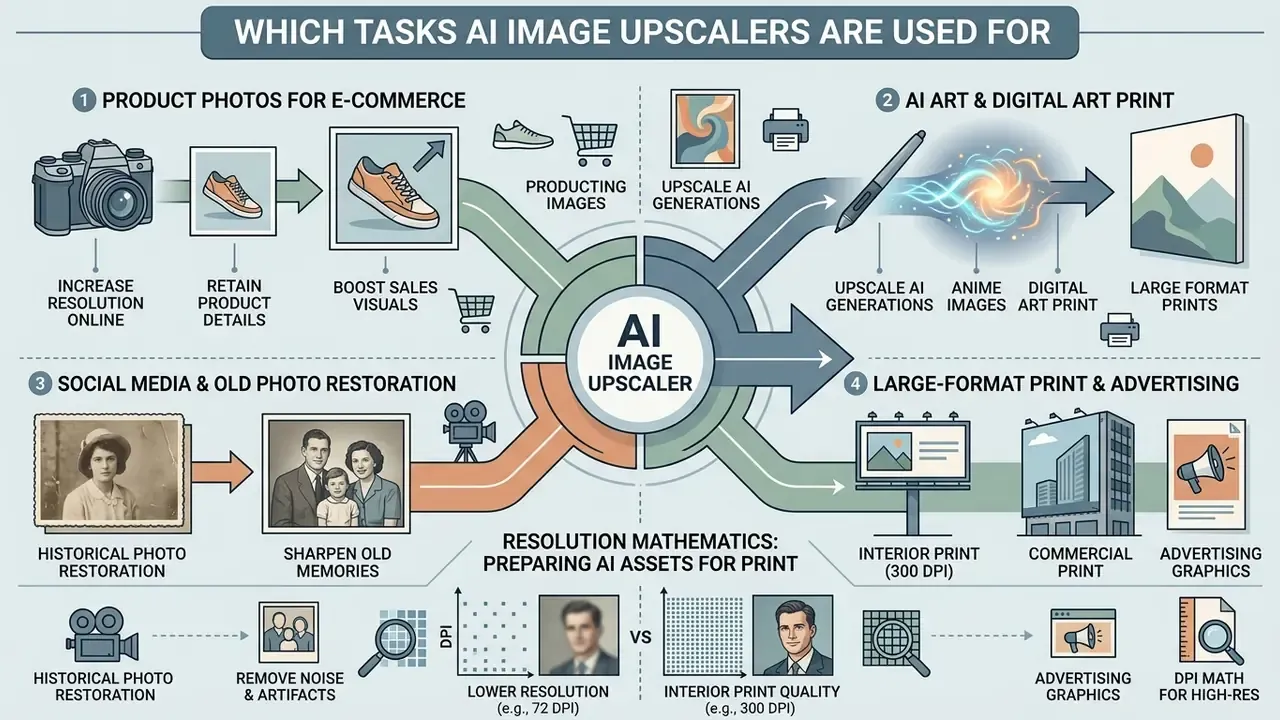
Short answer: four commercial clusters dominate. Marketplace product imagery, generative art finishing, large-format print, and archive restoration. Each has a different acceptance threshold, and mixing them up is the usual reason a batch fails review.
Deployed properly, an image upscaler delivers measurable commercial value across e-commerce, digital art production, print media and archival work.
Product Photos and Product Images for E-commerce
High-resolution visuals influence purchase decisions on digital marketplaces, and platform documentation sets explicit thresholds for interactive zoom. Amazon's published requirements call for a pure-white background on the main image and at least 1,000 px on the longest side to activate zoom, with 2,000 px recommended. Etsy and eBay guidance points toward 2,000 px-class imagery for better zoom and thumbnail rendering. GS1 frames the same requirement as 900 × 900 to 2400 × 2400 px for web and 2401 × 2401 to 4800 × 4800 px for high-resolution masters. Verify the current specification in the marketplace's own seller documentation before committing a batch; these thresholds are revised periodically.
Applied to product images and product shots, neural upscalers enhance fine material texture such as leather grain, fabric weave or brushed metal, without introducing edge distortion.
«On smartphone-capture datasets, models trained with realistic degradations achieve higher PSNR and SSIM with reduced LPIPS, corresponding to cleaner, more detailed product imagery.»
AI Art Upscale, Anime Images and Digital Art
Generative tools often cap output at a 1024 × 1024 latent grid. Creative professionals use an ai art upscaler, or an ai art upscale pass, to expand native generative artwork into multi-megapixel masters, frequently chaining it with AI outpainting tools and style-specific generators in the same session.
By preserving brushstroke edges, line-weight transitions and subtle colour fills, specialised engines lift raw ai generated output into high-density digital art. Processing stylised anime content through style-aware networks cleans line work while preventing unwanted texture smoothing. The 2022 peer-reviewed AISR work built a Swin Transformer method specifically for anime super-resolution, and waifu2x remains the reference CNN implementation for anime-style single-image upscaling. That history is why generic photo presets routinely produce muddy contours on cel-shaded art.
How to Choose an AI Image Enhancer and Upscaler for Work and Business
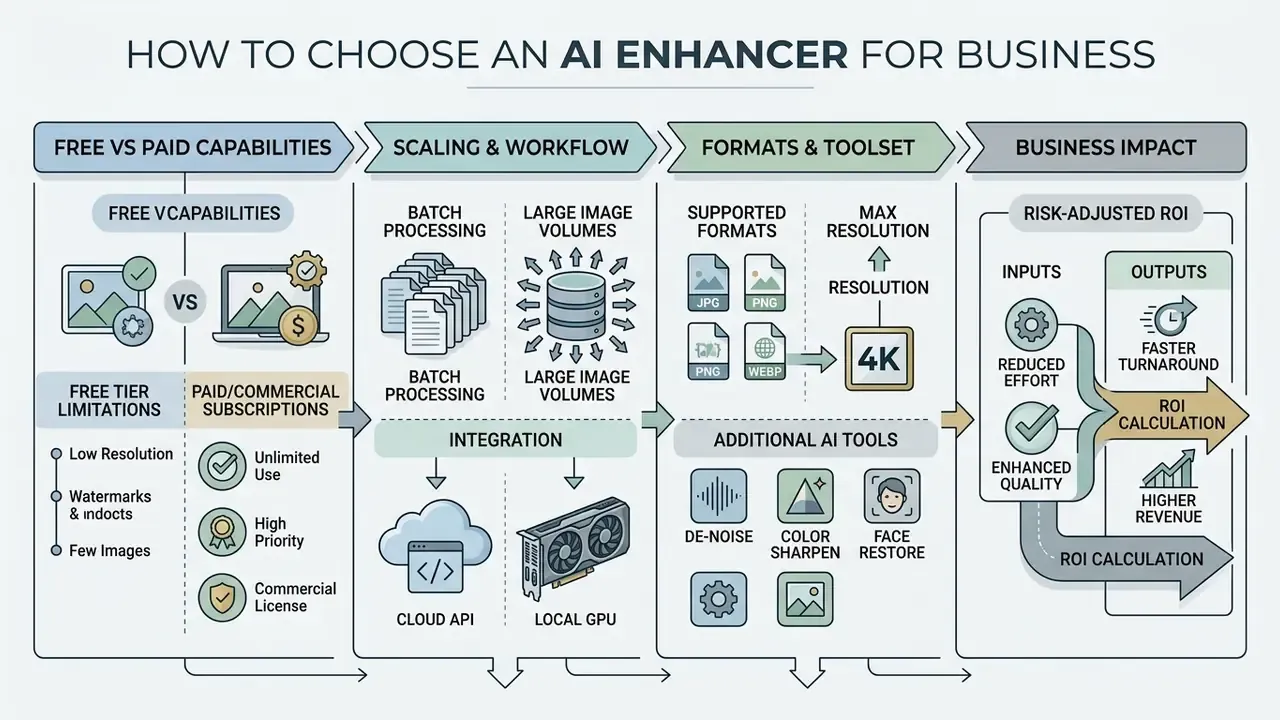
Short answer: compare four axes before you compare visual samples. Output ceiling, batch and API throughput, data-handling terms, and commercial licence. Sample quality converges across vendors. Governance terms do not.
Selecting an enterprise-grade ai image enhancer and upscaler means evaluating processing architecture, throughput, API availability and licensing. The question "which ai for best image enlargement quality?" has no single answer, because the winner changes with content class and with your tolerance for invented detail. Buyers weighing platform-level economics may also want our AI video generator API cost breakdown as a comparison frame for credit-based pricing.
Free AI Image Upscaler vs Paid Capabilities
Evaluating an ai free image upscaler against commercial subscriptions exposes clear trade-offs:
- Free tier limitations free online tools often watermark output, cap maximum resolution (for example limiting exports to 2x or 8 megapixels), enforce queue delays and restrict commercial rights. Documented examples include a 3-upscale lifetime cap at 2x maximum with a watermark on one platform, a 10-credit free ai image tier capped at 8 MP with watermark on another, and a 10-credit account with 5 images per batch and a 1000 × 1000 px output ceiling on a third.
- Commercial subscriptions paid tiers remove watermarks, unlock native 4K and 8K export, grant dedicated GPU queues, provide commercial usage indemnification and support automated batch workflows.
Batch Processing and Handling Large Image Volumes
For teams managing extensive catalogues, single-file web uploads create a hard productivity ceiling. High-volume environments need real batch processing:
- Cloud API integration asynchronous REST and gRPC APIs let server-side pipelines process images in parallel, handling thousands of catalogue assets automatically. Published constraints deserve close reading: one upscaling API documents a 10-requests-per-minute rate limit with 2 MP input and 16 MP output caps; another lists tiered plans at $0, $50 and $240 per month with output scaling up to 512 MP; a third caps the long side at 4096 px and the file at 10 MB.
- Local GPU execution desktop engines use local hardware, giving fixed execution speed with no recurring cloud fees or bandwidth constraints. Local pipelines also remove upload and queue latency. One published benchmark measured browser-local batch processing at 1.4 s for a single image and 8.2 s for ten, faster than several cloud tools on the same ten-image set, while quality scores stayed comparable once settings were matched.
«In the NTIRE 2026 Mobile Real-World SR challenge, 16 teams produced valid ×4 results on mobile hardware, scored on LPIPS, DISTS and CLIP-IQA.»
Formats, Resolution and Additional AI Tools
Comprehensive suites combine super-resolution with modular utilities. Modern platforms support input and export across versatile file formats, JPG, PNG, WebP and AVIF included, and integrate supplementary ai tools such as an automated background remover, an object remover for cleanup, an ai photo enhancer profile, and targeted facial reconstruction. Same modular pattern we documented in the ai image enhancer breakdown, and in the narrower 4K enhancement guide and free-tier comparison. Worth noting that PNG remains the most formally standardised of these formats: W3C published the PNG Specification (Third Edition) on 24 June 2025, defining it as the current lossless raster standard with EXIF metadata support.
| Tool / Platform Class | Free Access Tier | Batch Processing | Max Output | Deployment | Data Privacy / Training Exclusion | API | Key AI Features | Commercial Rights |
|---|---|---|---|---|---|---|---|---|
| Upscayl (open-source) | Fully free locally, 5 to 10 image batches online | Supported (local queue) | Hardware bound; 4K online | Local desktop plus browser | Local processing means files never leave the device | Async 2x/4x API with key rotation | Local GPU scaling, zero-cost processing, face enhancement | Yes (open-source) |
| Krea AI | Limited free credits | Plan-restricted | Up to 4K or 8K (2x to 16x) | Cloud | Vendor-defined; review current terms | Yes | Generative enhancement, style controls | Paid plans only (free output not licensed for commercial use) |
| Let's Enhance | 10 credits, watermarked, 8 MP cap | Supported (cloud) | Up to 4K at 300 DPI | Cloud | Vendor-defined retention window | Yes | Denoising, tone correction, print prep | Paid plans only |
| Topaz Gigapixel AI | Paid or trial | Native desktop batch | Up to 512 MP via API tiers | Local desktop plus API | Local desktop processing; API terms separate | Yes ($0 / $50 / $240 per month tiers) | Advanced edge sharpener, noise cleanup | Full commercial licence |
| Magnific AI | Paid subscription | Enterprise queue | Up to 8K and above | Cloud | Vendor-defined; enterprise terms on request | Yes | Generative detail synthesis, hallucination control | Commercial plans |
| Cloud upscalers with hard ceilings (Nero-class) | 10 one-time credits, 5 images per batch, 1000 × 1000 px free cap | Bulk processing on paid tiers | ≈268 MP (16000 × 16000) | Cloud plus mobile and desktop apps | Automatic deletion windows common, for example 24 h | Vendor-dependent | Face Enhancement, Anime, Photograph, Standard, Reconstruct presets; automatic JPEG artifact removal | Paid tiers for commercial release |
Risk-Adjusted ROI: A Short Calculation Frame
Upscaling budgets fail when they count licence cost only. Use a four-term model per 1,000 assets:
Risk-adjusted ROI = (avoided re-capture cost + throughput gain) − (licence and GPU cost + human QC cost + rework cost from rejected outputs)
- Avoided re-capture cost studio day rate × days saved, plus logistics for returning physical product.
- Throughput gain (manual retouch minutes − automated minutes) × blended hourly rate × asset count.
- Licence and GPU cost subscription or credit spend, or amortised local GPU cost plus power.
- Human QC cost minutes of 100%-zoom inspection per asset × reviewer rate. Budget this for every asset in regulated or brand-critical categories, not a sample.
- Rework cost rejection rate × (re-run cost + re-review cost). If your rejection rate exceeds roughly 10% to 15%, the preset or the source-quality gate is wrong, not the model.
Teams reviewing broader media processing toolsets can inspect ai image enlarger platforms, test ai image extender and ai image face swap solutions, review specialised workflows for automated content pipelines, and monitor evolving digital asset litigation standards.
Commercial Use of Upscaled Images: Licences, Privacy and Output Control
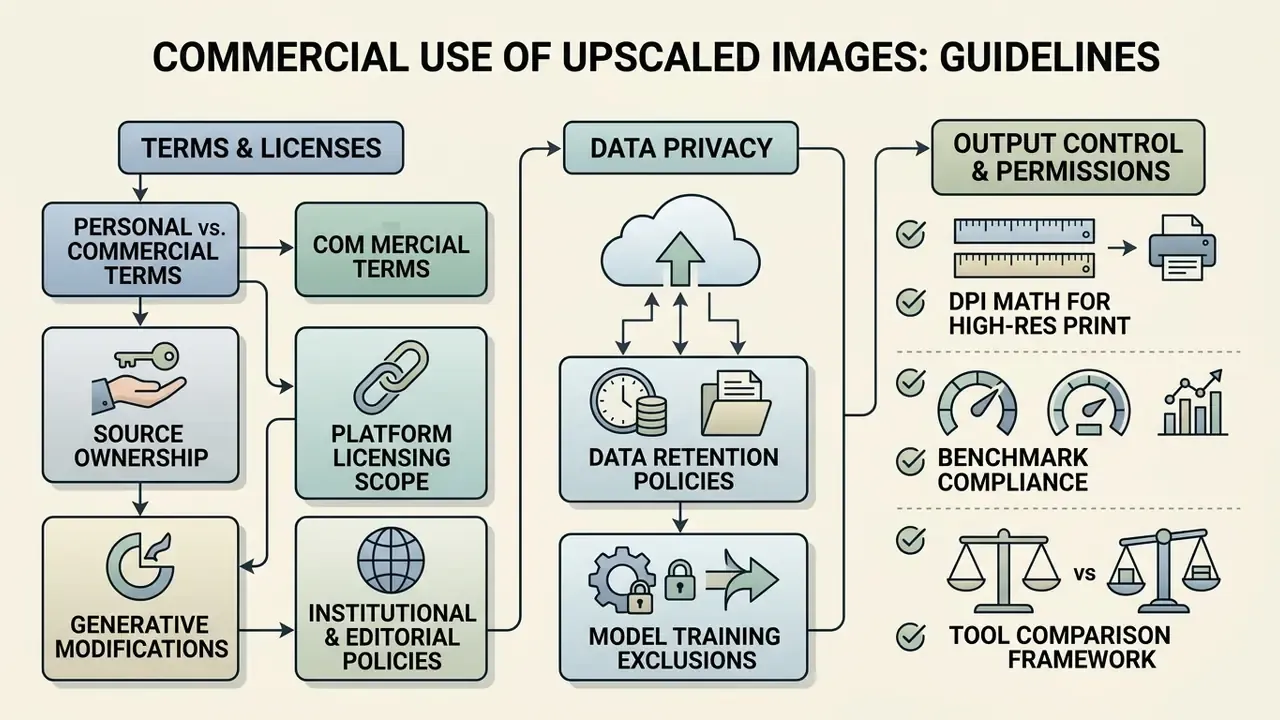
What to Check in Personal and Commercial Use Terms
Before publishing upscaled images in marketing or commercial products, verify the governing Personal and Commercial Use terms:
- Source asset ownership confirm your organisation holds clear copyright or distribution licences for the input image before running an enhancement pass.
- Platform licensing scope ensure the upscaler explicitly transfers output usage rights for commercial purposes. Many free tiers restrict output strictly to personal, non-commercial applications. Real terms diverge sharply. One vendor states users may own AI outputs for personal or commercial use, subject to underlying rights; another grants only a non-transferable, revocable licence for personal, non-commercial use; a third claims no rights in the output but requires commercial entities to buy a separate commercial-use licence.
- Generative modifications if the model substantially alters or adds synthetic elements, make sure disclosures comply with relevant advertising transparency rules. EU AI Act transparency obligations now place commercial AI image workflows inside a formal disclosure regime, which turns documentation into part of release control rather than an optional courtesy.
- Institutional and editorial policies academic and publishing policies run stricter than vendor terms. One university policy permits AI enlargement but requires checking obscured detail and preserving authenticity, and forbids extending portraits or fixed architecture. Another requires rights verification, human review of substantial edits, and prohibits entering sensitive, proprietary, personally identifiable or confidential image data into non-enterprise AI tools. A major academic press treats AI upsizing or altering of illustrations as fabrication unless separately disclosed.
Privacy When Uploading and Processing Files
Enterprise risk management means evaluating platform security at the ingestion boundary. Look for private and secure image processing:
- Data retention policies verify that uploaded masters and generated outputs are purged from cloud servers within a defined window, for example 24 hours.
- Model training exclusions ensure vendor terms state explicitly that customer uploads will not be ingested into public machine learning training datasets.
- Regulatory compliance maintain alignment with data protection standards when handling images containing personally identifiable information or confidential corporate assets. ISO/IEC 29100:2024 defines the privacy framework and safeguarding considerations for PII processing; ISO/IEC 27561:2024 operationalises those principles into privacy-engineering controls; ISO/IEC 27557:2022 requires formal privacy risk management as the basis for retention and deletion decisions. No standard fixes a universal retention period. Disposition has to weigh regulatory requirements, retention policy, legal holds and legitimate business need.
- Deployment choice as a control where the asset contains PII, unreleased designs or regulated disclosures, on-premise or local-GPU processing removes transfer risk entirely. Verification-side tooling such as AI image detectors helps confirm whether a synthetic pass has already been applied to an asset in circulation.
Quality Verification Before Publication and Printing
To ensure high quality visuals, run a mandatory prepress checklist before commercial printing or live campaign publishing:
- Verify PDF/X or TIFF format compliance for physical print workflows.
- Audit colour space conversion (RGB to CMYK) and target profile alignment.
- Conduct a 100% zoom visual inspection for hallucinated edges or text artifacts.
- Confirm target DPI metrics: 150 DPI for display banners, 300 DPI for standard print.
- Match the intended printing condition: substrate, ink compliance and ISO 12647-series aim values.
- Run preflight before submission; deliver PDF/X compliant to ISO 15930-7 or later where required.
- Report measured print-quality attributes such as colour reproduction, line quality, graininess and mottle (ISO/TS 15311-1:2020; ISO/IEC 22592-1:2024).
- Check provenance: retain C2PA content credentials or equivalent metadata for the upscale pass.
Alert Box: legal, technical and licensing risks in commercial AI upscaling
- Legal and copyright compliance
- under U.S. Copyright Office guidance (2023), applications must disclose AI-generated material and identify the human-authored contribution; purely AI-generated material lacking human authorship is not registrable. Precision point: automatically upscaling an image you already own does not strip the original rights holder of protection, but the new synthetic detail produced by the diffusion pass is not independently protectable, and must be disclosed where it is material.
- Data privacy boundaries
- avoid uploading proprietary corporate assets, unreleased product designs or sensitive personal data to non-enterprise, unverified third-party web upscalers. This is the shadow-AI vector that governance teams find late.
- Provenance integrity
- NIST's 2024 synthetic-content guidance treats provenance data, metadata embedding and watermarking as core integrity controls, and cites C2PA content credentials as an interoperable, tamper-evident provenance standard for images.
- Prepress validation
- generative passes can introduce subtle edge haloing or rewrite fine print text on packaging screenshots. Always validate manually before committing a high-volume print run.
- Misrepresentation risk
- publishing or printing a materially upscaled image as if it were the untouched original triggers attribution and licensing review under the source work's terms.
Enterprise AI Media Footing
For additional technical specifications on enterprise commercial asset governance, review our AI Media Commercial-Use overview.
Frequently Asked Questions (FAQ)
Can an image be upscaled to 4K without losing quality?
Yes, using neural super-resolution models. Unlike classical interpolation, AI does not stretch existing pixels, it predicts and generates new texture from patterns learned in training data. Fidelity depends on the source: a clean, lossless 960 × 540 master scales cleanly to 3840 × 2160 at 4x, while a heavily compressed screenshot produces plausible but partly synthetic detail.
What is the maximum resolution an AI image upscaler can output?
Leading consumer cloud services document ceilings around 268 megapixels, for example 16000 × 16000 px at a 1:1 aspect ratio, while desktop and API tiers advertise output scaling up to 512 MP. That is enough for 8K UHD delivery and for 300 DPI large-format print.
How is an AI upscaler different from bicubic or Lanczos interpolation?
Interpolation averages neighbouring pixel values (bicubic evaluates a 4×4 kernel; Lanczos applies a sinc window), which softens edges and cannot invent detail. An AI upscaler recognises objects, faces, text, fabric, line art, and synthesises high-frequency structure. In the AIS 2024 real-time 4K challenge, every neural method beat Lanczos on PSNR while still running under 10 ms for 540p to 4K.
Which upscale preset should I choose?
Match the preset to the content. Face Enhancement for portraits and scanned photos, Anime and Line Art for manga and vector work, E-commerce/Product for packshots and label text, Standard/Photograph for general photography, Reconstruct/Heavy Denoise for badly compressed JPEGs. Using a photo preset on cel-shaded art is the single most common cause of muddy contours.
Does AI upscaling fix blurry or noisy images?
Partially. It suppresses JPEG blocking, ringing and sensor noise, and restores contrast across gradients. It cannot recover information that was never captured. Severe motion blur, extreme defocus, torn or burned regions and unreadable micro-text are approximated, not restored. Denoise first, then upscale.
What scale factor should I use for genuine 4K output?
Stay within 2x to 4x per pass. Direct 8x or 16x jumps force the model to generate more than 90% of the final pixel data, which compounds hallucination. For very large targets, run staged passes (2x then 4x) from a lossless PNG or WebP master rather than a re-compressed JPEG.
Can upscaled images be used commercially?
It depends entirely on the platform's terms and on the rights to the source file. Some services grant commercial output rights on all plans, others restrict free-tier output to personal, non-commercial use, and some open-weight licences require a separate paid commercial licence for corporate entities. Verify both the input licence and the output licence before release.
What DPI do I need for print?
Standard commercial print convention is 300 DPI at final physical size; banners and signage commonly run at 150 DPI, and very large formats viewed from a distance can drop to 100 DPI. Line art may require 600 to 1200 DPI. For cultural-heritage digitisation, FADGI (3rd Edition, 2023) sets a minimum control threshold of ≥242.5 ppi.
Can I run customer documents or KYC images through a public upscaler?
Treat that as a hard no unless the vendor is contracted under your enterprise data terms. Identity documents, signature cards and scanned statements carry PII, and a public tool with an undisclosed retention window converts a routine image task into a reportable exposure. Where legibility genuinely matters, run the pass on local hardware and log it.
What evidence should we keep for each upscaled asset?
Five items, at minimum: the source master hash, the tool and model version, the preset and scale factor, the reviewer who cleared the 100% zoom check, and the provenance metadata (C2PA or equivalent) attached to the release file. Boring to maintain, decisive when someone asks whether the detail on a label was captured or generated.
Does an upscaler count as a model under our model-risk framework?
Arguably yes when the output feeds a decision, a disclosure or a public claim, and arguably no when it only serves an internal thumbnail. The honest answer is that most institutions have not settled this. Our working position: inventory it, classify it by output consequence, and require named ownership for any pipeline that touches customer-facing material.
Appendix A. Editorial Corrections and Source-Verification Log
Transparency about what changed, and why, is part of the E-E-A-T contract with technical readers.
| Original statement | Status | Resolution in the current version |
|---|---|---|
| "AI image upscalers can flawlessly reconstruct any missing detail from heavily damaged source files." | Rejected as false | Retained as an explicitly labelled myth inside the fact-check box, now attributed to the 2024 Technical University of Crete hallucination-detection work, the NeurIPS 2024 information-theoretic hallucination analysis and the ECCV 2024 Perceptual Artifacts Localization dataset, plus quantified RealDGen deltas. |
| "Under U.S. Copyright Office guidance, purely AI-generated modifications lacking human authorship may not qualify for copyright registration." | Supported, imprecise | Retained and refined: upscaling an image you own does not void the original rights; only the newly synthesised detail falls outside independent protection, and material AI modification must be disclosed. |
| "Amazon requiring 1,000 to 2,000+ pixels on the longest side" | Supported by marketplace documentation, time-sensitive | Retained with GS1 web and high-resolution ranges added, plus an instruction to re-verify against current seller documentation. |
| "1,200 legacy product shots … 98% of the inventory" | Unverified internal figure | Retained, reframed as an illustrative planning scenario requiring validation on the reader's own asset mix. Vendor conversion-uplift figures explicitly flagged as unreplicated. |
| "Physical print production … typically requiring 300 DPI" | Industry convention, not a single standard | Retained and expanded with 100, 150, 300 and 600 to 1200 DPI tiers, the pixels ÷ DPI formula and FADGI's ≥242.5 ppi archival threshold. |
| Navigation anchors "browse the hub", "explore the hub", "see the overview" | Non-compliant anchors | Replaced with descriptive anchors pointing to the AI art generator comparison, the free photo editor guide and the publishing workflow guide. |
| Russian-language H2 and H3 headings over English body copy | Critical language mismatch | All headings, figure captions, table headers and metadata unified to English. |
| Anchor-linked table of contents | Removed | Replaced with a plain-language reading guide, since in-page anchor navigation duplicated the heading structure without adding information. |
Verified as accurate and left unchanged: the OP4KSR single-step 4096 × 4096 figure of 5.75 seconds (now with explicit attribution and hardware detail), the 4KLSDB and 4KSR-Train dataset counts, and the mathematical description of bicubic interpolation operating on a 4×4 kernel.