Executive Summary for Risk, Marketing, and Design Leads
- What it is An AI image generator is a machine-learning system that synthesizes original visuals from text prompts, reference images, or masked regions of an existing file. Outputs range from photorealistic product shots to stylized digital art.
- How output quality is actually controlled Model choice, prompt structure, seed value, reference conditioning (ControlNet / IP-Adapter), and batch size. Not "magic" quality keywords.
- Access reality in 2026 Guest and no-sign-up modes exist for instant browser testing. Enterprise-grade rights, data-retention controls, and indemnification sit behind authenticated paid tiers.
- Batch generation Mainstream interfaces return between 1 and 8 parallel variants per execution run, which changes the evaluation workflow from "regenerate until lucky" to "select from a grid."
- Legal position Purely AI-generated output is not copyrightable in the United States (U.S. Copyright Office, 2025-2026). Under the EU AI Act, transparency obligations for AI-generated and manipulated media apply from 2 August 2026, including machine-readable marking and clear disclosure.
- The primary enterprise risk is not aesthetics. It is data leakage. Free and unmanaged consumer generators are the fastest-growing Shadow AI vector for confidential briefs, unreleased product designs, and NDA-covered material.
- Governance minimum Log prompt, seed, model version or hash, C2PA manifest, and human approver for every image that reaches a public channel.
«Deploying generative visual models across enterprise workflows requires the same rigorous risk controls, auditability, and output validation as any traditional decision model. No evidence, no autonomy.»
How to Use This Guide
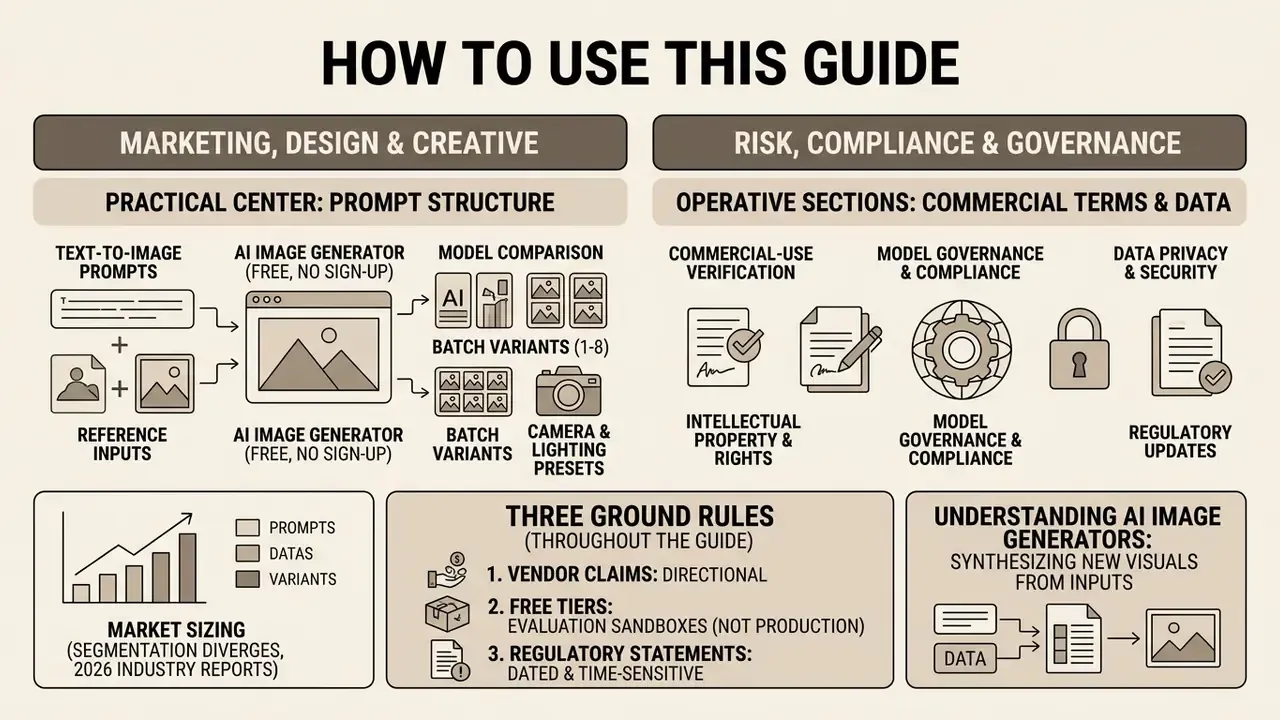
A quick orientation, because this page serves two very different readers at once.
If you sit in marketing, design, or content creation, the practical center of the guide is prompt structure, camera and lighting presets, batch evaluation, and model selection. Those sections tell you how to create images that survive a brand review rather than a casual glance.
If you sit in risk, compliance, or model governance, the operative sections are commercial-use terms, the enterprise security matrix, Shadow AI exposure, and the approval checklist. The governance question is rarely "does this ai picture generator look good." It is narrower: can we reproduce the output, prove who approved it, and defend the licence?
Three ground rules we apply throughout:
- Vendor benchmark claims are directional. Peer-reviewed evaluations get priority.
- Free tiers are treated as evaluation sandboxes, never as production pipelines.
- Every regulatory statement is dated, because this area moves fast.
An AI image generator is a software system powered by machine learning that synthesizes new visuals from text prompts or visual reference files. Enterprise marketing teams, product designers, and financial institutions use these tools to accelerate content workflows, generate product mockups, and produce digital art under controlled governance parameters.
Market sizing for this category diverges sharply by definition: 2026 industry reports place the segment anywhere between roughly USD 4.8B and USD 12-15B, depending on whether adjacent editing suites, APIs, and enterprise platforms are counted inside the boundary. The technical center of gravity, however, is consistent across sources. Diffusion transformers, linear diffusion transformers, and hybrid LLM-plus-diffusion systems dominate text-to-image synthesis in 2026.
What Is an AI Image Generator and What Images It Creates
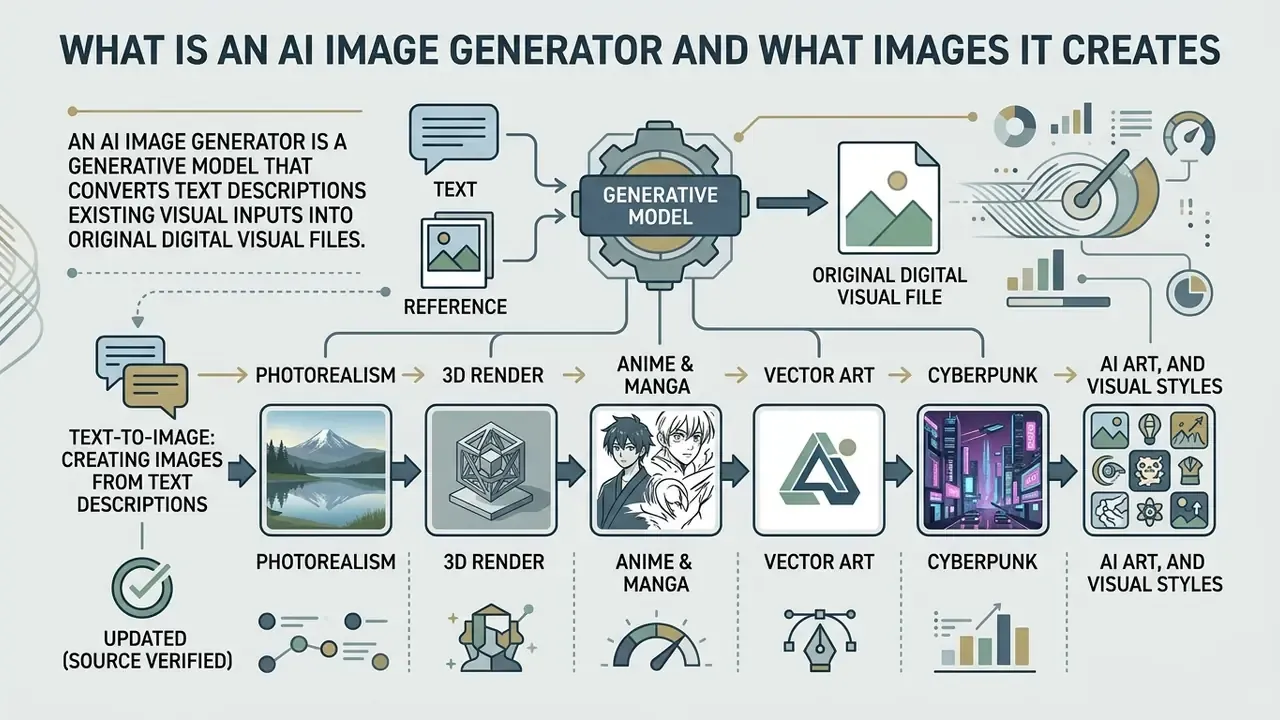
An AI image generator is a generative model that converts text descriptions or existing visual inputs into original digital visual files. The technology produces photorealistic images, stylized digital art, graphic illustrations, and specialized product mockups across a wide spectrum of visual styles.
In professional environments, organizations use an ai image generator to create marketing assets, social media visuals, UI prototypes, and conceptual graphics. In personal workflows, creators generate custom avatars, digital artwork, and educational graphics. Same engine, very different governance burden.
«Diffusion architectures have become the dominant paradigm for visual synthesis, delivering professional-quality visuals at megapixel resolution when properly conditioned.»
Text-to-Image: Creating Images from Text Descriptions
«FLUX achieves compositional generation comparable to DALL·E 3; autoregressive models lag behind diffusion architectures on multi-entity scene accuracy at similar inference times.»
This matters operationally. Prompts containing three or more interacting subjects, spatial relations ("behind," "to the left of"), or bound attributes ("the red bottle, the blue cap") are exactly where model families separate. To explore structured visual workflows, teams can open the hub for step-by-step guidance.
Photorealism, AI Art, and Visual Styles
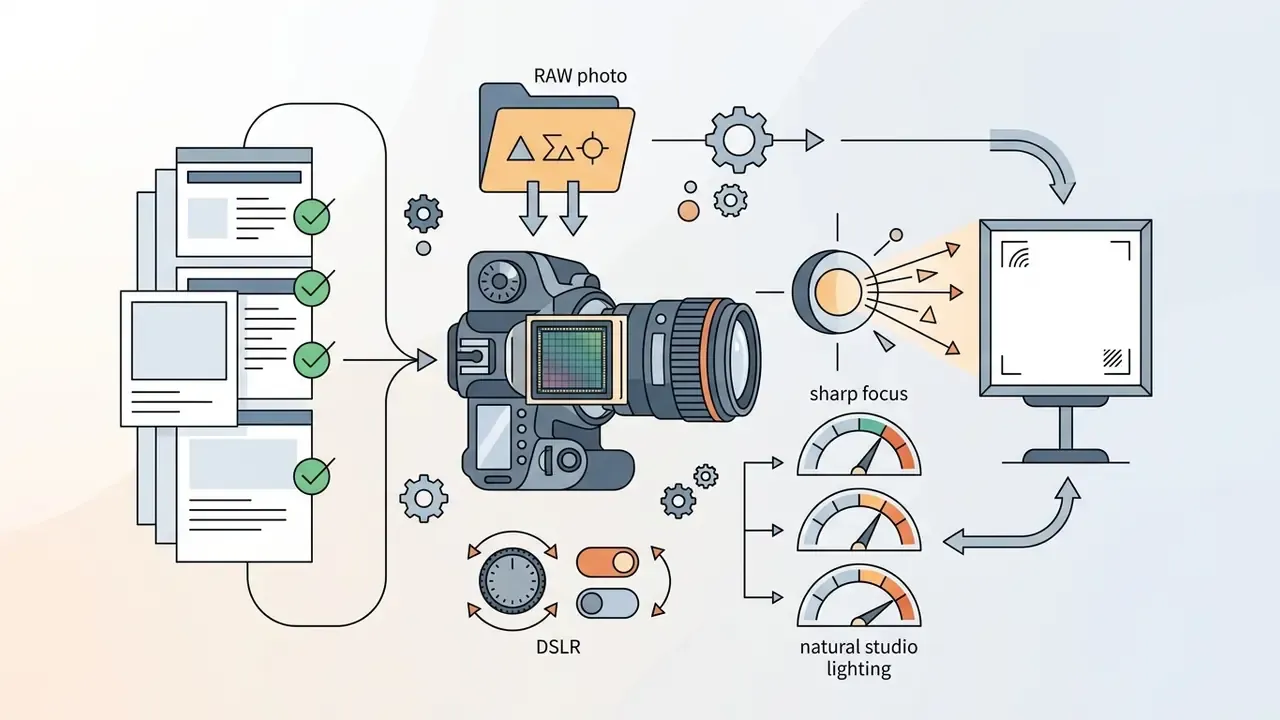
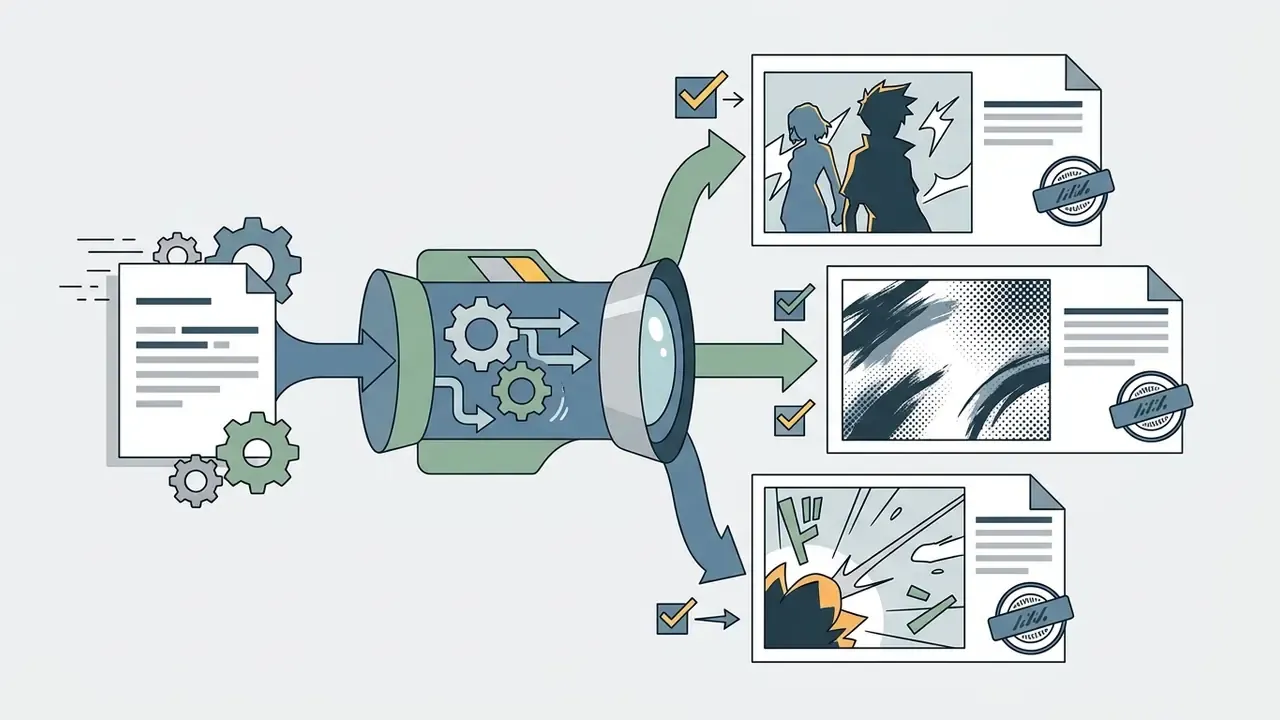
AI image generators support distinct visual styles, ranging from camera-accurate photorealistic images to abstract digital art and vector graphics. Dedicated AI art generators lean toward painterly and stylized output, while photographic models prioritize optical accuracy. Models interpret specialized style descriptors in text prompts to adjust camera optics, lighting, texture, and artistic rendering techniques.
Empirical evaluation frameworks categorize visual outputs into six primary stylistic domains:
Style fidelity is measurable, not subjective guesswork:

«Multi-stage textual inversion achieves Text Score 24.74 and Style Score 29.86, demonstrating measurable improvements in both semantic and stylistic fidelity over baseline configurations.»
For a wider vocabulary of terms used across artistic styles and creative style presets, you can also view the guide in our glossary hub.
How an AI Image Generator Works: From Prompt to Final File
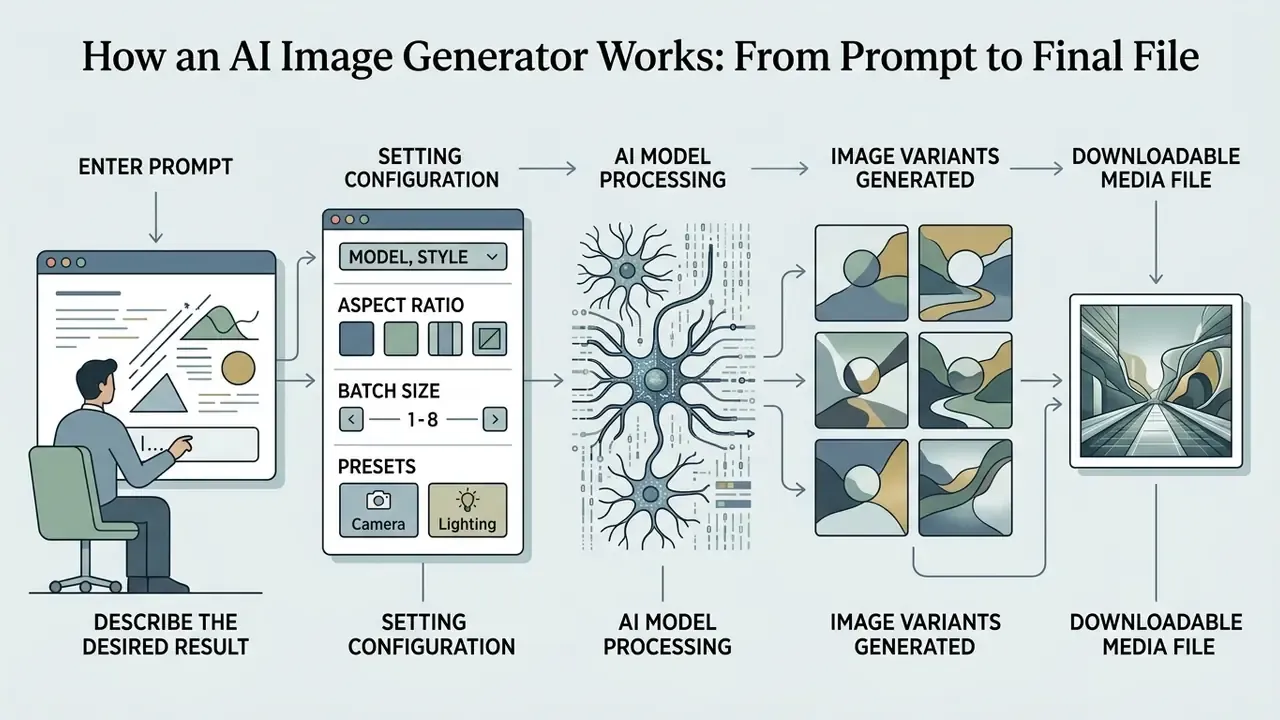
An AI image generator converts textual intent into a downloadable media file through a structured, multi-step pipeline. The user submits text prompts, selects model parameters, aspect ratios and batch size, executes the generation task, evaluates the returned grid, and downloads the output file.
Process flow (multimedia block, text-equivalent version): Text prompt entry → model and visual style selection → aspect ratio and parameter setup, including 1-8 variants → click generate (denoising) → grid evaluation → file download as .png or .webp.
- Step 1: Text Prompt Entry. The user inputs structured text descriptions specifying the subject, context, lighting, and composition.
- Step 2: Model & Style Selection. The user selects a target model architecture (for example GPT Image 2, FLUX.2, Seedream, SD 3.5) and a visual style preset.
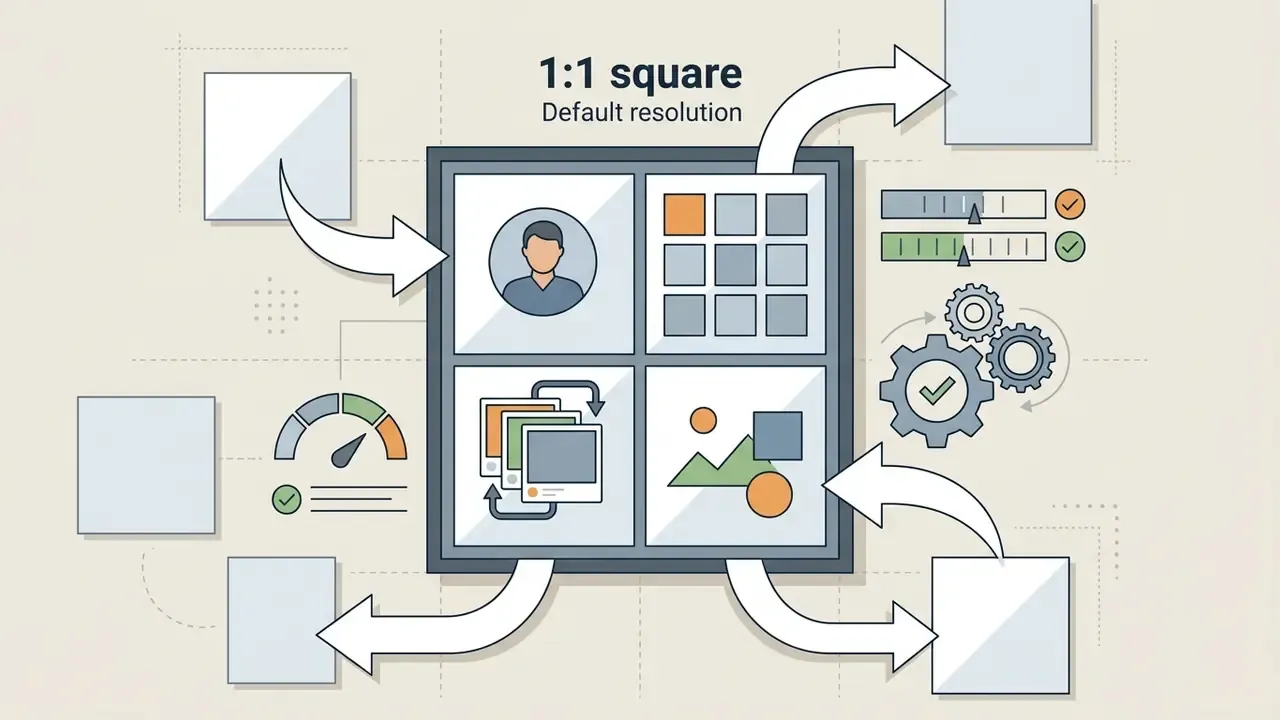
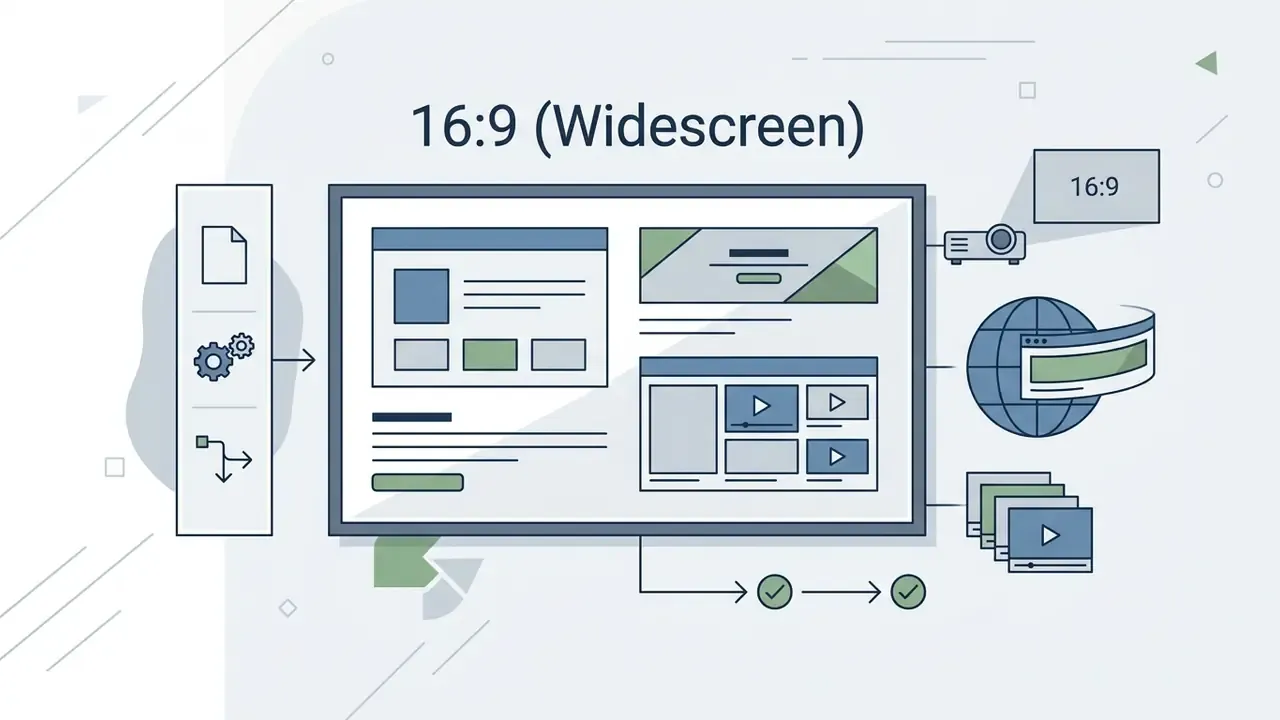
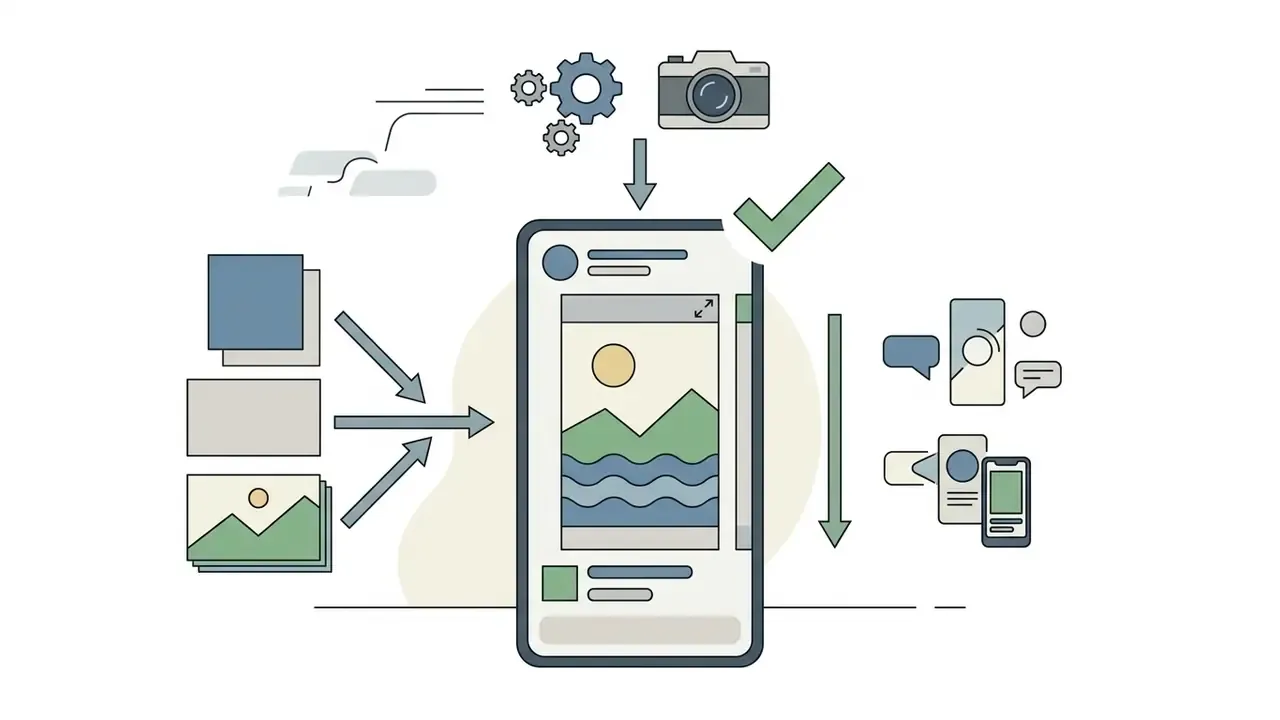
- Step 3: Parameter Configuration. The user sets resolution parameters, aspect ratio (1:1, 16:9, 9:16), random seed values, and batch size (output quantity): the number of visual variations generated per execution run, typically 1 to 8 parallel outputs.
- Step 4: Denoising & Generation. The system processes the request by iteratively removing noise from latent representations conditioned on text embeddings.
- Step 5: Evaluation & Export. The user inspects generated variants, selects the optimal output, and exports the final file in PNG or WebP format.
Enter a Prompt and Describe the Desired Result
The generation process begins when a user inputs simple text descriptions that define the target subject and scene details. Clear prompts establish unambiguous boundaries for the neural network, reducing unpredictable visual artifacts.
Effective text prompts follow a structured ordering sequence: primary subject, then surrounding environment, then lighting conditions, then camera angle and framing parameters. For instance, specifying "a matte stainless steel water bottle on a light wood table, soft window light from the left, eye-level medium shot" provides precise control over spatial layout and surface reflection. Compare that with "nice bottle photo." The difference in output consistency is not subtle.
Configure Model, Style, and Aspect Ratio
Before clicking generate, users configure execution parameters including model selection, visual style presets, target aspect ratios, and the number of parallel outputs. Modern generator models offer fixed aspect ratio presets tailored for specific distribution channels. OpenAI's image guidance recommends 1024×1024, 1536×1024, and 1024×1536 with width and height as multiples of 16. Google's Gemini image API exposes aspect_ratio and image_size fields with 1K default and optional 2K or 4K output.
Standard platform configurations support common framing ratios:

Standard Camera, Lighting, and Color Presets
To systematically eliminate generic output defaults, creators use standardized visual presets across three core parameters. Treat this table as a working cheat sheet. Each preset is also a valid prompt token.
| Control Parameter | Supported Technical Presets | Practical Visual Impact |
|---|---|---|
| Camera Framing (7 options) | Close-Up, Wide Angle, Macro (1:1 detail), Shot From Below (worm's eye), Shot From Above (bird's eye), Narrow Depth of Field, Blurry Background (bokeh) | Controls subject scale, spatial perspective, and background isolation. |
| Lighting Setup (10 options) | Studio Softbox, Dramatic High-Contrast, Golden Hour, Backlight (rim lighting), Direct Sunlight, Volumetric Fog, Neon Glow, Cinematic Mood, Dark Moody, Crisp Overhead | Defines shadow sharpness, subject highlights, and overall emotional atmosphere. |
| Color Toning (6 options) | Warm Tone, Cool Tone, Vibrant Saturated, Muted Desaturated, Pastel Palette, Monochromatic Black & White | Establishes dominant color temperature and palette boundaries. |
| Style Presets (16 common) | Anime, Photographic, Digital Art, Cinematic, Comic Book, Fantasy Art, Neon Punk, Pixel Art, Low Poly, Origami, Line Art, Craft Clay, Isometric, 3D Model, Analog Film, Enhanced | Sets the rendering grammar before any camera or lighting modifier applies. |
For product photography specifically, the documented studio recipe is a softbox from the upper right, fill light from the left, a subtle rim light, eye-level or slight three-quarter angle, and crisp focus, with negative terms suppressing harsh shadows, wrinkles, stray reflections, and unwanted props.
Generate, Select, and Download the Image
Clicking generate triggers server-side or local GPU inference, executing dozens of denoising timesteps in seconds. The system returns base64-encoded image payloads or direct storage URLs for instant preview. The recommended local save path is to decode the returned bytes and write them to disk with an explicit .png or .webp extension, using WebP for web delivery and PNG where transparency or lossless fidelity is required.
Users evaluate the generated image grid against target criteria, inspecting edge sharpness, label legibility, and anatomical consistency. Disciplined grid selection follows evaluation best practice: keep one variable fixed, run the same evaluation checklist across all candidates in the batch, compare against a single baseline, then freeze the chosen setting before adjusting the next variable. Once selected, the user downloads high resolution files formatted as PNG or WebP to preserve image quality without compression artifacts. For a detailed comparison of visual output tools, users can compare options across leading model families.
One practical habit from our own asset reviews: name the downloaded file with the seed and model version. It costs three seconds and saves an hour when someone asks, months later, how a banner was produced.
How to Write Prompts for Accurate and High-Quality AI Images
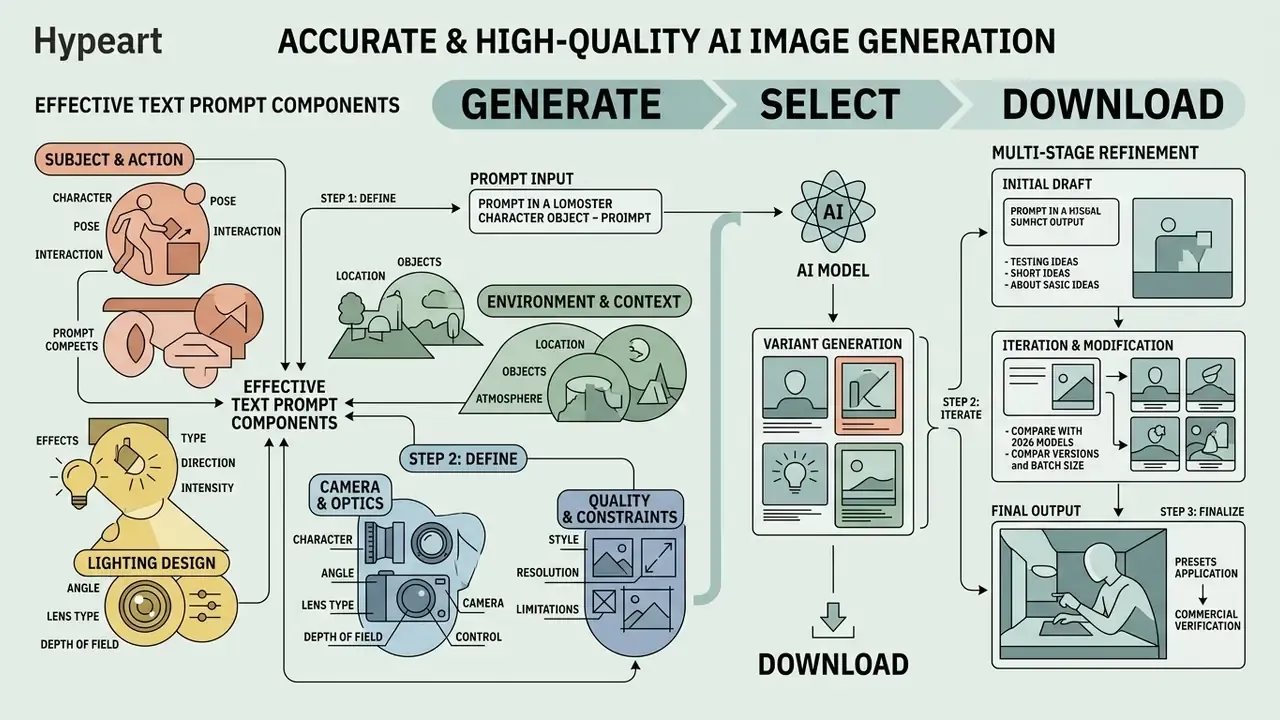
What Details Make Up an Effective Text Prompt
An effective text prompt combines concrete subject details with explicit camera, lighting, and environmental directives. Omitting camera or lighting specifics forces the model to draw from generic training defaults, often producing oversaturated or visually generic output.
A fully structured image prompt incorporates five core components:
- Subject & Action: Clear identification of the central object, person, or scene (for example, "an industrial robotic arm assembling a circuit board").
- Environment & Context: Background surroundings, surface textures, and depth elements (for example, "inside a cleanroom semiconductor facility").
- Lighting Design: Specific light sources and shadow qualities (for example, "diffused overhead LED lighting with subtle rim light").
- Camera & Optics: Lens focal length, aperture, and shot perspective (for example, "50mm macro lens, f/2.8 depth of field, 45-degree angle").
- Quality & Constraints: Render parameters and detail cues (for example, "photorealistic, sharp focus, crisp edges, 4K resolution").
If you need to add AI text to an image, such as a label, a sign, or a localized headline, name the exact string in quotation marks and check legibility in every variant. Text rendering is where most models still fail quietly.
How to Refine Results in Multiple Stages
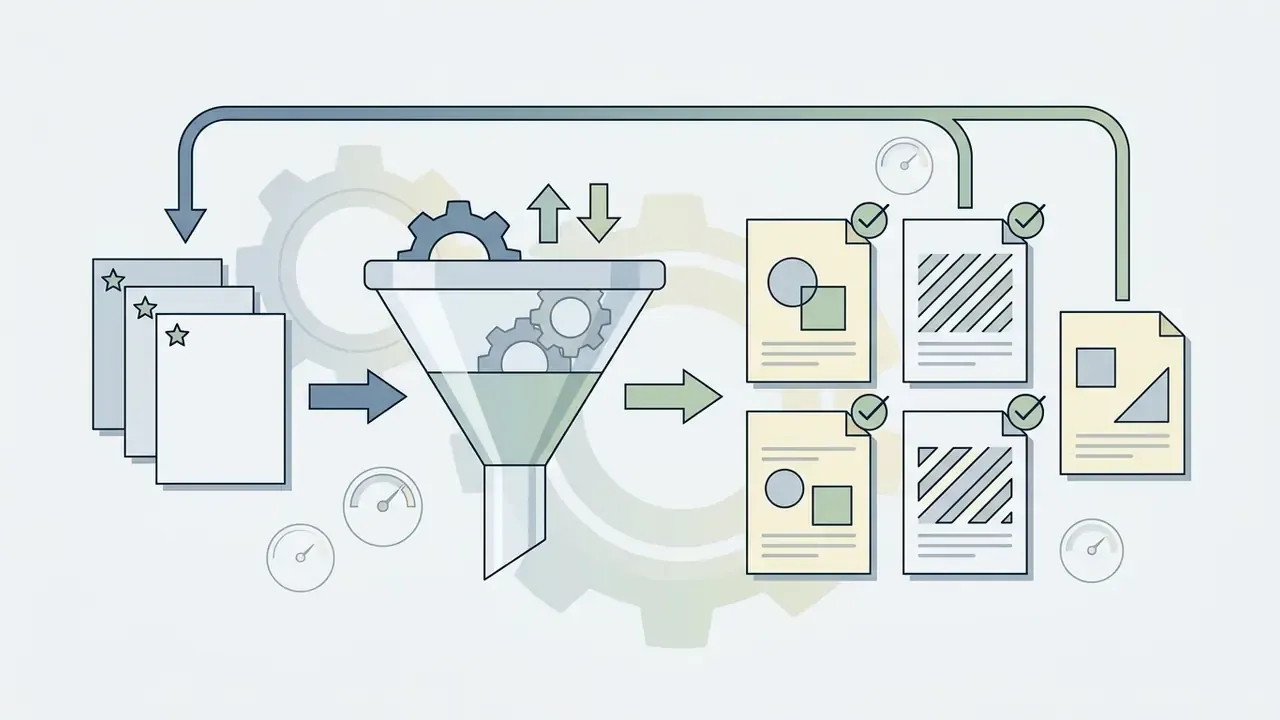
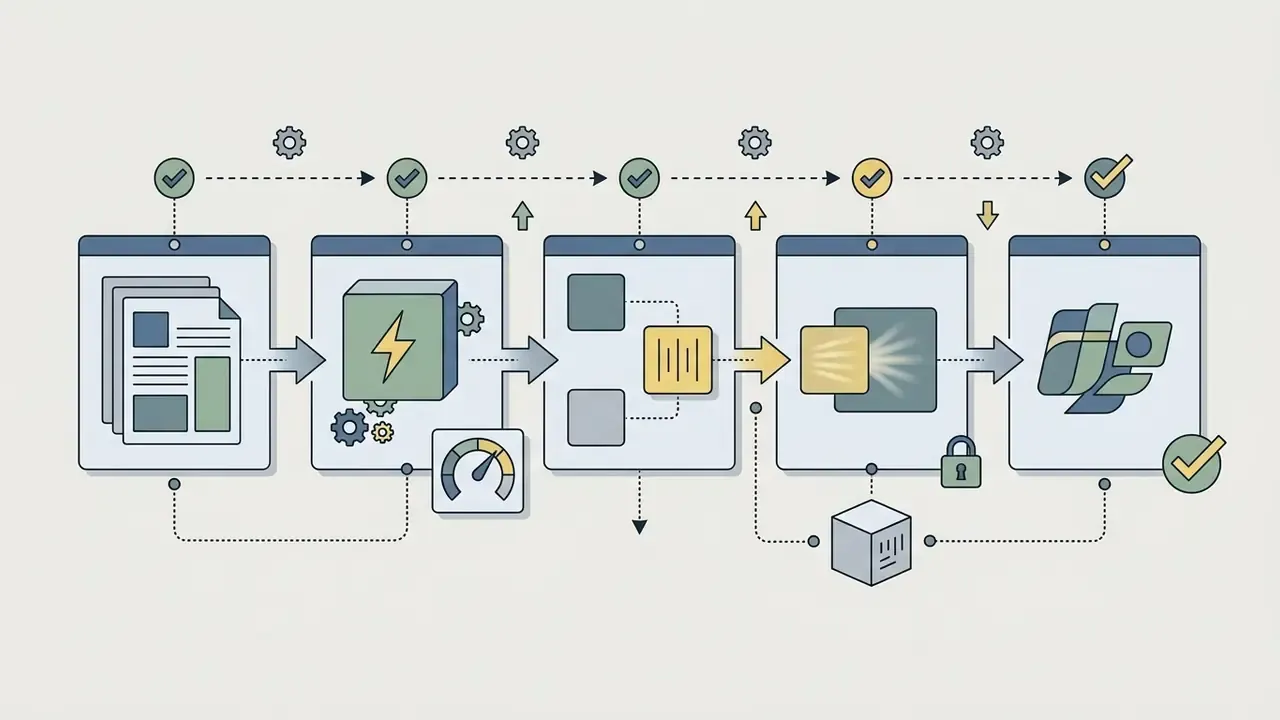
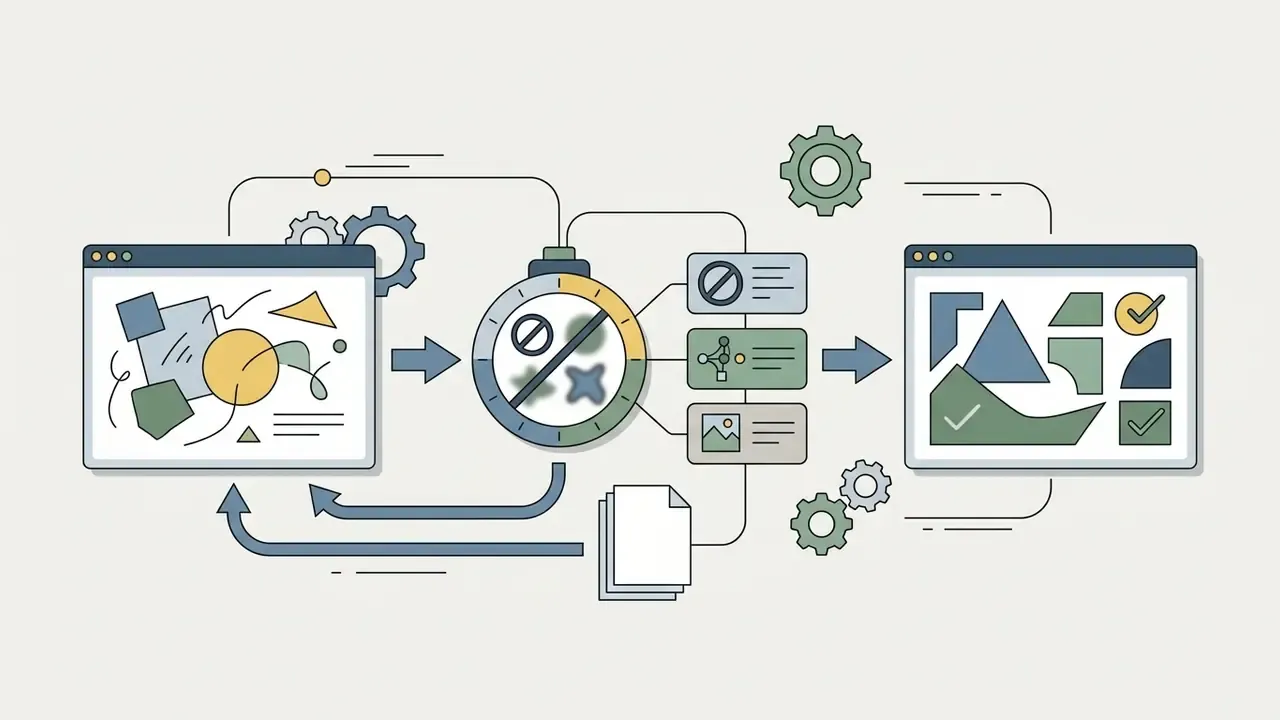
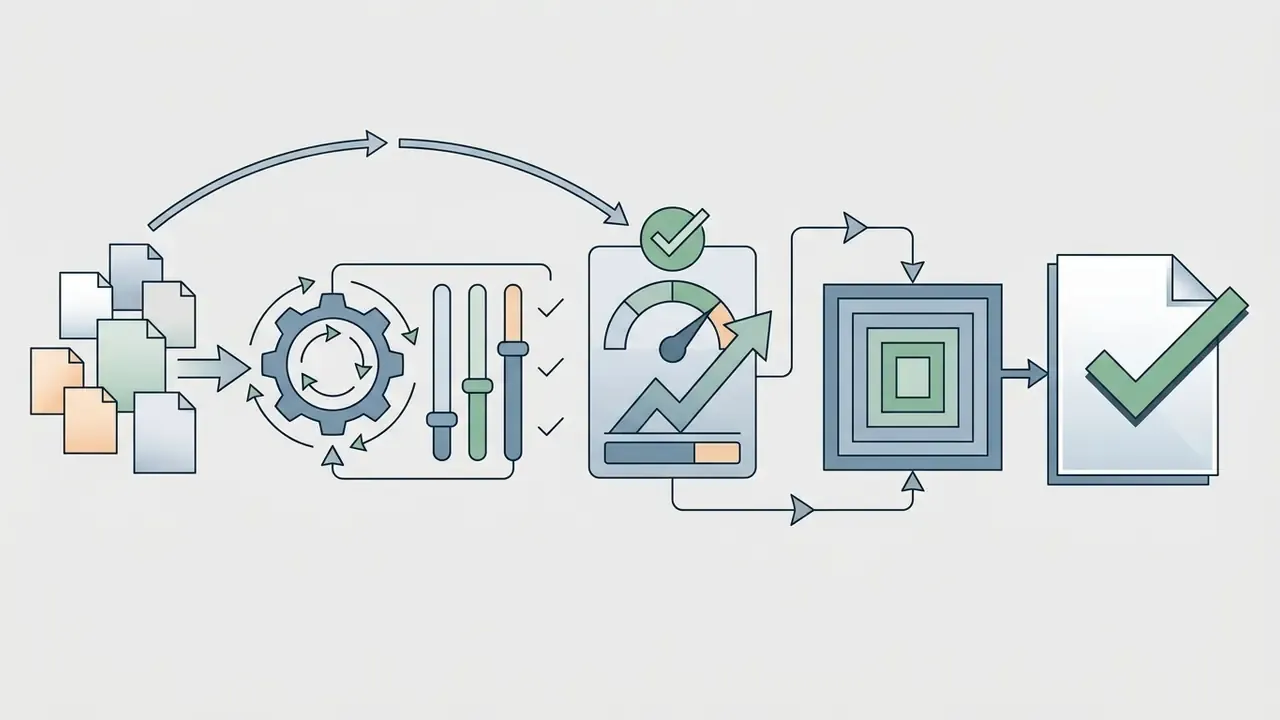
Achieving optimal visual fidelity frequently requires multi-stage prompt refinement rather than single-shot generation. Creators generate initial test drafts, analyze visual discrepancies, and modify individual prompt constraints systematically.
The systematic refinement workflow operates as follows:
Fact Check / Verification:
Image-to-Image and AI Image Editor: Working with Existing Visuals
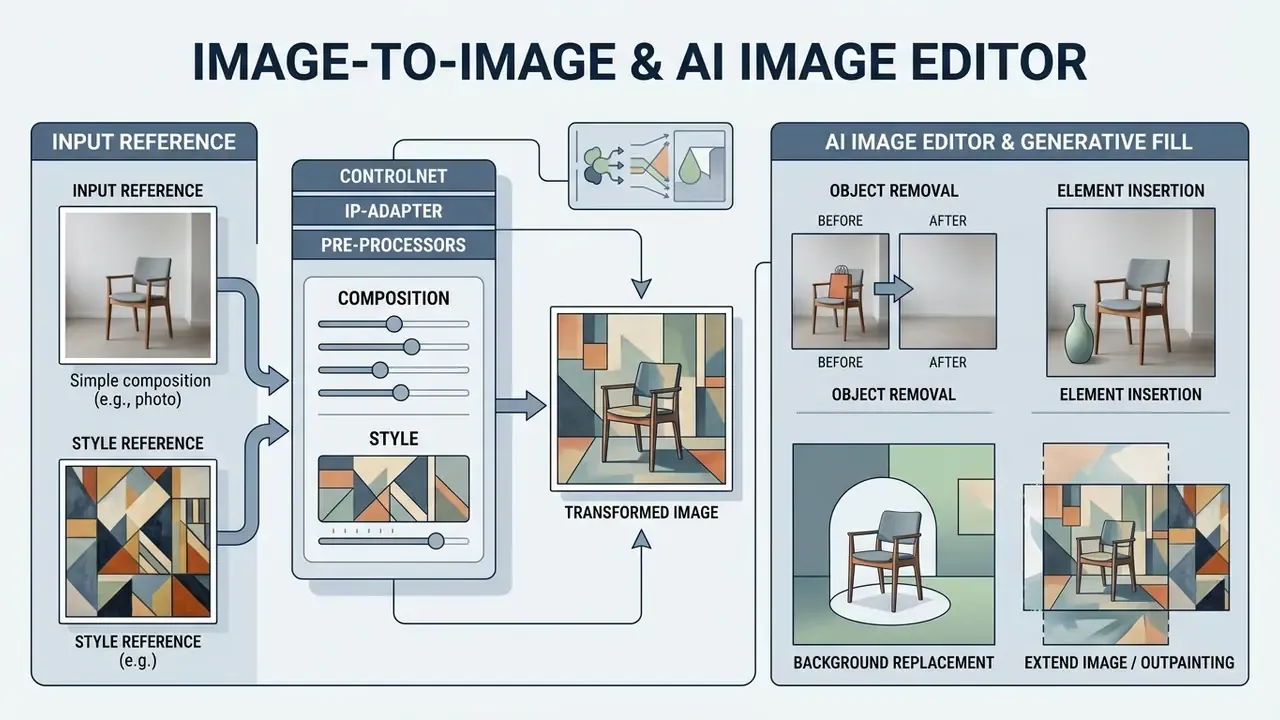
Image-to-image technology enables creators to transform, extend, or edit existing images using reference files and mask boundaries. Rather than generating visuals from scratch, image-to-image generators preserve original structural layouts while modifying style, background, or localized details.
«Conditioning models on reference images alongside text prompts allows precise control over spatial composition and artistic style transfer.»
Tools supporting image editing offer non-destructive workflows for enterprise asset modification: the original file remains intact while variations are generated as new layers or renditions.
Uploading Reference Images for Composition and Style
Uploading reference images provides precise structural and aesthetic guidance to generative image models. Technologies like ControlNet and IP-Adapter separate layout control from visual style transfer.
- ControlNet
- Extracts structural maps (edge detection, depth maps, pose skeletons) from reference images to lock subject placement and composition.
- IP-Adapter
- Extracts style, color palette, texture, and identity embeddings from reference images to apply aesthetic qualities to new subjects.
- Reference pre-processors
- Variants such as "Reference only," "Reference adain," and "Reference adain plus attn" trade off attention-based influence against AdaIN-driven style matching.
Combining ControlNet for spatial framing and IP-Adapter for visual style allows creators to generate new images that match brand aesthetics precisely, since the two conditioning paths operate additively at inference time. Most interfaces accept up to three reference images per generation. To review specialized model comparisons, users can consult the commercial use ai tools matrix.
Editing AI Images and Generative Fill
An AI image editor uses generative fill and inpainting to modify specific regions within an existing image without altering surrounding content. The user paints a mask over the target area, enters a text prompt, and generates seamless pixel replacements. Leaving the prompt blank instructs the model to fill purely from surrounding pixels.
Common generative fill operations include:
- Object Removal Masking unwanted objects or background distractions and letting the model synthesize replacement background pixels automatically.
- Element Insertion Marking an empty region and entering simple text prompts to insert new props, foliage, or subjects.
- Background Replacement Isolating foreground subjects and generating entirely new background environments with matching lighting conditions.
- Outpainting (Canvas Expansion) Extending image borders outward to adapt square visuals into 16:9 widescreen formats. Users can evaluate dedicated outpainting tools through our guide to ai expand image.
«Combining CLIP-based prompt similarity with structural distance to the source latent produces edited images matching target descriptions while preserving source layout and composition.»
That balance, prompt alignment versus structural preservation, is the entire engineering problem of generative fill. Push guidance too hard and the mask region detaches visually from the plate. Push it too little and the requested change never materializes.
When to Choose Text-to-Image vs. Image-to-Image
Selecting between text-to-image and image-to-image modes depends on whether the project requires creative generation from scratch or controlled adaptation of existing source visual assets. Vendor APIs formalize this split as "Generations" versus "Edits."
| Requirement / Scenario | Text-to-Image Mode | Image-to-Image Mode |
|---|---|---|
| Primary Goal | Generate novel visual concepts from scratch | Modify or adapt existing image files |
| Input Material | Natural language text descriptions only | Source image file plus text prompt or mask |
| Composition Control | Stochastic; guided by text descriptions | Deterministic; locks source layout or pose |
| Brand Safety | Higher drift risk from training defaults | Lower drift; source geometry preserved |
| Best Use Case | Conceptual art, early ideation, custom illustrations | Product catalog edits, style transfer, canvas extensions |
How to Choose the Best AI Image Generator and Matching Model
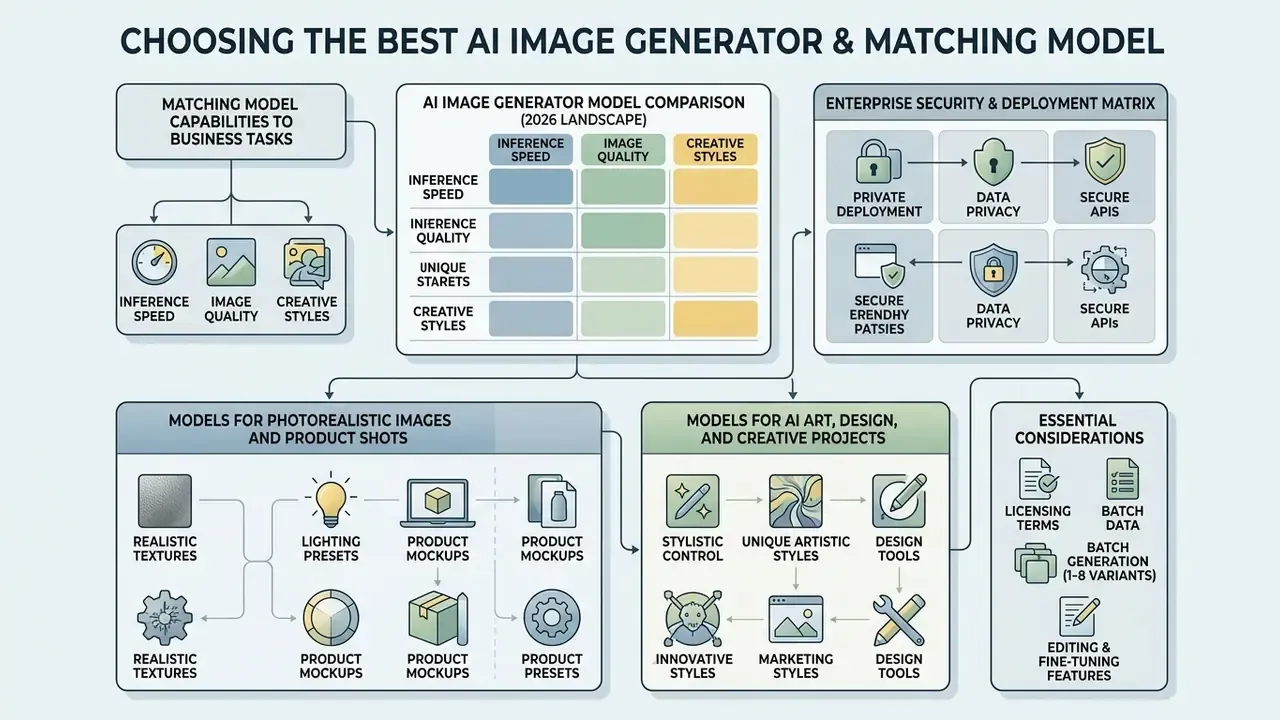
Selecting the best AI image generator requires matching model capabilities, inference speed, licensing terms, deployment mode, and editing features to specific business tasks. Modern leading AI image generator models vary significantly in prompt adherence, photorealism, text rendering, data-retention posture, and API cost structures.
AI Image Generator Model Comparison (2026 Landscape)
| Model Name | Primary Strengths | Ideal Use Cases | Text Rendering | Commercial License |
|---|---|---|---|---|
| GPT Image 2 | State-of-the-art prompt adherence, complex composition | Marketing assets, brand visuals, multi-object scenes | Exceptional | Commercial tier API available |
| Nano Banana Pro | Vendor-documented world knowledge, localization, brand consistency; 1K/2K/4K output | Enterprise product shots, localized campaigns | Strong | Supported on paid enterprise plans |
| FLUX.2 [klein] | Sub-second inference speed, open weights (4B variant) | High-throughput web apps, real-time generation | Moderate | Apache 2.0 (open variant) |
| FLUX.1 Dev Ultra | Maximum architectural detail, strict photographic photorealism | Enterprise product design, ultra-high-res print media | High | Commercial license available (Dev tier restricted by default) |
| FLUX Schnell | Fastest draft iteration, low cost per image | Rapid concept sweeps, thumbnail ideation | Moderate | Apache 2.0 |
| Seedream 5.0 Pro | Ultra-fast multi-subject rendering, prompt adherence | High-volume web content, rapid ideation | Strong | Tiered commercial access |
| Seedream 3.5 | Zero or low-credit generation, queue-based free access | No-cost prototyping, style exploration | Moderate | Free tier typically non-commercial |
| Stable Diffusion 3.5 | High factuality, modular local or on-prem deployment | Custom fine-tuned workflows, private infrastructure | Good | Commercial terms apply by submodel |
| Google Gemini 3 Vision | Complex spatial reasoning, context-aware text rendering | Diagrammatic art, infographics, multi-language overlay | Exceptional | Google Cloud commercial terms |
| Midjourney V8.1 | Artistic styling, stylized digital art, aesthetic depth | Creative art, concept design, editorial visuals | Good | Commercial terms via paid tiers |
«SD 3.5 achieves MKCC Composition 75.5 versus SD v1.5's 15.1, revealing large performance gaps in knowledge-intensive multi-concept composition across evaluated models.»
Enterprise Security and Deployment Matrix
Aesthetic benchmarks are insufficient for regulated procurement. The following criteria belong in every vendor scorecard alongside image quality.
| Evaluation Criterion | Why It Matters for Risk and Compliance | What to Demand in Writing |
|---|---|---|
| Data privacy / zero-data retention | Prompts and reference uploads may contain confidential briefs, unreleased designs, or customer data | Contractual zero-retention or defined TTL; confirmation that inputs are excluded from model training |
| Private / on-prem deployment option | Air-gapped or VPC-only inference removes third-party egress entirely | Open weights (for example SD 3.5, FLUX open variants) or a dedicated private endpoint |
| IP indemnification | Shifts third-party infringement exposure from your balance sheet to the vendor | Explicit indemnification clause, defined cap, named covered claim types |
| Provenance and C2PA support | Required for EU AI Act transparency obligations from 2 August 2026 | Machine-readable manifest written on export, preserved through the editing chain |
| Audit logging and export | Needed for reproducible model-risk validation | Prompt logs, seed values, model version identifiers, exportable via API |
| Regional processing | Data residency commitments under sectoral regulation | Documented processing region, subprocessor list |
| Rate limits and tiering | Determines whether production workloads can be served at all | Documented TPM/IPM per tier; confirmation that the free tier is not a production path |
Models for Photorealistic Images and Product Shots
Producing photorealistic images and commercial product shots requires models engineered for physical lighting accuracy, material reflection, and label text preservation. Commercial e-commerce catalog tools require precise camera controls and neutral background rendering.
For e-commerce product photography, documented workflows start from a clean white or neutral-gray source photo with the full item visible and no clipping, output at 1:1 or 4:3, and apply specialized editing models such as Flux Kontext or Qwen Image Edit when source fidelity is mandatory. These models keep physical product geometry intact while updating surface lighting and background environments. Rejection criteria are explicit: distorted geometry, unreadable labels, or an incorrect color shade fails the asset regardless of aesthetic appeal. That last one catches teams out constantly. A brand red that drifts two shades is still a failed asset.
Organizations evaluating enterprise image generation capabilities can review the microsoft ai image generator overview or explore google ai image generator options. If you need an accurate ai photo generator for catalog work, prioritize source-fidelity editing over raw text-to-image creativity.
Models for AI Art, Design, and Creative Projects
Creative projects, concept art, and UI design benefit from AI art generators optimized for stylized aesthetics, composition flexibility, and artistic style consistency. These models interpret artistic references, color palettes, and painterly brushwork effectively.
Frameworks like DreamStyler and SigStyle employ personalized textual inversion and hypernetworks to lock signature visual styles across multiple campaign assets.
«SigStyle encodes signature style as a special token via hypernetwork fine-tuning; time-aware attention swapping preserves content structure during style transfer to new images.»
Design teams use these tools for vector icons, UI layout mockups, graphic novel illustrations, and branding concepts. For a broader overview of specialized design tools, creators can check our guide to craiyon ai art, review deep ai image generator options, or examine style-specific workflows such as the Ghibli-style AI image generator comparison.
Commercial Use AI Images: Rights, Licensing, and Safe Deployment
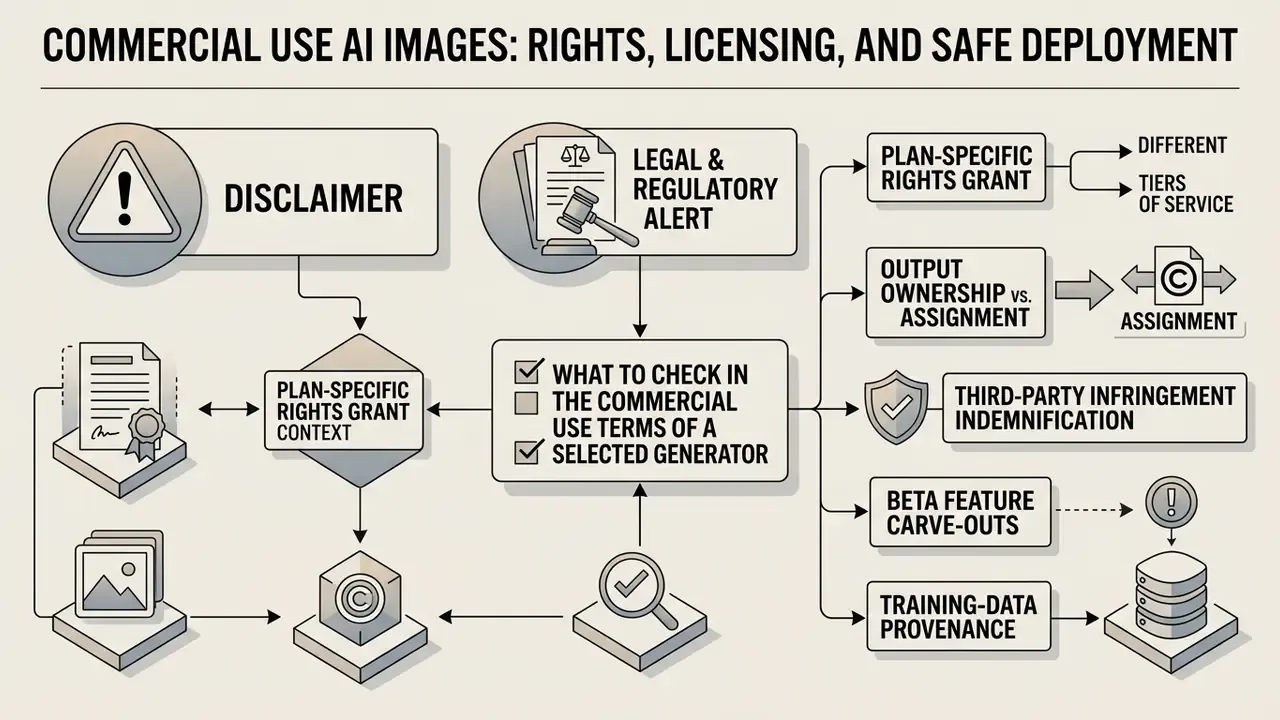
Using AI-generated images for commercial purposes, including advertising campaigns, corporate branding, product packaging, and social media posts, requires careful navigation of copyright law, platform terms, and disclosure mandates.
Legal & Regulatory Alert:
Two commercial-use risk channels are documented by the Congressional Research Service: training on copyrighted works without permission may infringe reproduction rights, and outputs may infringe where they are substantially similar to protected works. Jurisdictional divergence is real. China's 2025 labeling rules already require explicit or implicit labeling of AI-generated text, audio, images, video, and virtual scenes, including metadata labels, before public release.
What to Check in the Commercial Use Terms of a Selected Generator
Commercial rights differ significantly across AI platforms and subscription tiers. Operating under a generic assumption of ownership creates legal exposure to copyright infringement claims or breach of contract. Real-world terms span the full range: some vendors grant subscribers exclusive ownership and commercial rights; others permit commercial use only during an active paid term; at least one major stock platform's AI test terms assigned any output ownership rights back to the platform and granted users no download rights at all.
When auditing platform Terms of Service, verify these legal clauses:
For specific platform evaluations, users can inspect our guide to dalle ai image terms, evaluate copilot ai image policies, or review Hypeart AI Media Decision Support for compliance guidance.
Free AI Image Generator: Capabilities, Limits, and Shadow AI Risk
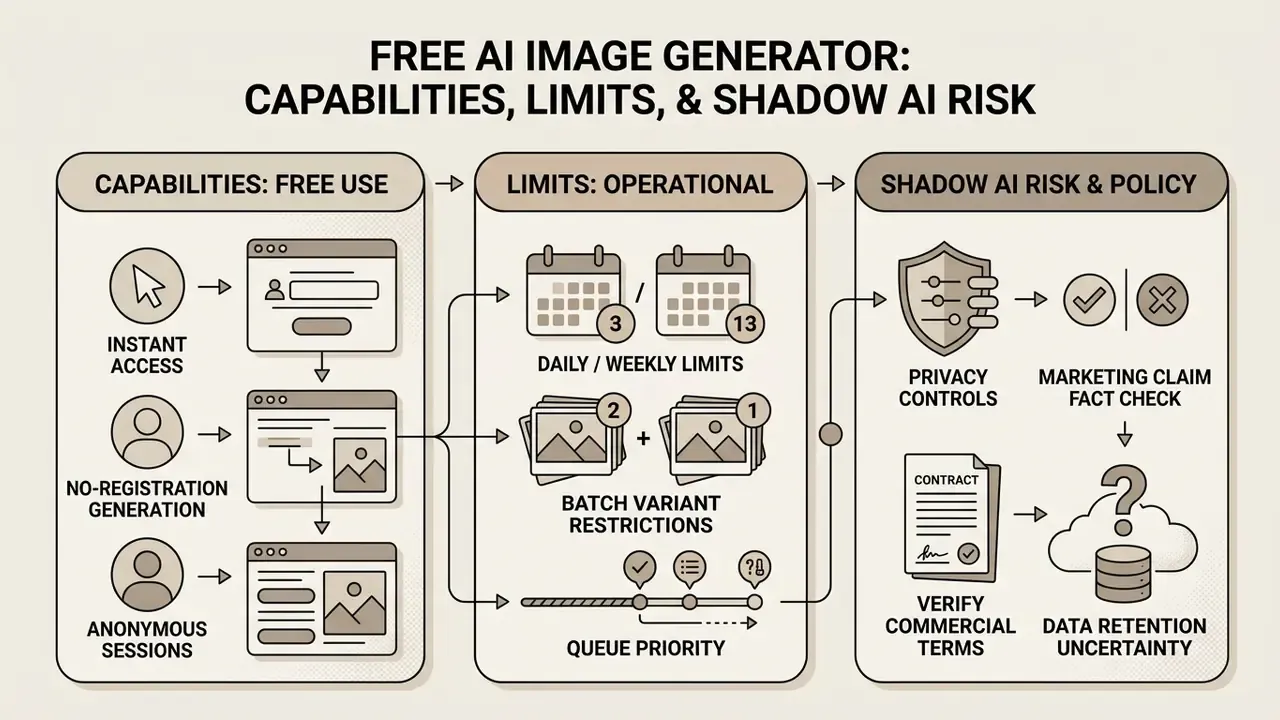
A free AI image generator allows users to explore generative creation online without upfront financial commitment. However, free account access typically comes with functional constraints on generation speed, resolution, commercial use rights, and daily usage quotas.
Vendor documentation shows that consumer web interfaces often provide limited daily credits or queue-based access, while developer API endpoints strictly restrict or omit free generation tiers. OpenAI's DALL·E 3 API page historically listed "Free: Not supported," and Google's developer forum has stated that certain Gemini image models are not available on the Free Tier. Users evaluating free AI image generators must review platform terms carefully prior to deploying assets, and teams can also consult the best free AI art generator comparison for style-oriented tooling.
Instant Access: Generating Images Without Registration or Sign-Up
While enterprise features require authenticated profiles, standard web-based generators offer friction-free trial modes:
- No-Registration Generation Instant guest access allows creators to test text-to-image prompts directly in the browser without submitting email addresses or payment details. Several 2026 platforms advertise "no login required" basic modes explicitly.
- Anonymous Session Limits Unregistered users typically receive limited daily credits, roughly 2-5 instant generations, with basic resolution exports up to 1024×1024 px, lower-priority queueing, and reduced or absent batch controls.
- Privacy Controls Guest prompt logs are retained temporarily for server execution before automatic deletion, providing enhanced anonymity for initial prototyping. Signed-in accounts retain only what is needed for history, subscription, and security features.
- Trade-offs to expect Watermarked output, unavailable high-resolution tiers, no commercial licence, and no audit trail. A no-sign-up session is a sandbox, not a production pipeline.
Teams that need an evaluated, account-free starting point can review our index of no-sign-up AI image generators.
What Is Available in a Free AI Image Generator
Free tier accounts provide access to core text-to-image capabilities, enabling users to test basic simple prompts and standard resolution output grids.
Standard free plan features include:
- Daily or Weekly Generations A fixed quota of free daily credits or weekly generation boosts, for example Bing Image Creator and Copilot Designer offering 15 weekly boosts with square 1024×1024 output.
- Standard Resolution Output Access to 1024×1024 square image exports suitable for web previews and personal projects; some free tiers cap at 0.5K.
- Basic Style Presets Standard visual style filters and entry-level AI models, often a single zero-credit model such as Seedream 3.5.
- Limited Batch Size Free runs frequently cap parallel variants at 1-4 rather than the full 8.
Users searching for accessible free design suites can examine the canva ai generator guide, explore bing ai image tools, or consult our index of custom ai image platforms.
What Restrictions to Check Before Generating
Before integrating free online generation into commercial production, organizations must audit these common free account restrictions:
To explore cost-effective creation tools across media formats, creators can examine our guides to free photo editors, review photo editor feature baselines, or explore animation makers for motion graphics.
Shadow AI and Data Leakage: Why Free Generators Are a Control Problem
For regulated organizations, the decisive risk in the free tier is not watermarking. It is uncontrolled data egress. Free consumer generators are reached from a browser, require no procurement, and leave no enterprise log. That combination is the textbook definition of Shadow AI.
Concrete exposure vectors:
- Prompt-as-leak Employees paste unreleased campaign copy, pricing strategy, internal product names, or client-identifying details into a prompt field on an unvetted domain.
- Reference-upload-as-leak Uploading an unreleased packaging comp, an internal dashboard screenshot, or a customer photograph transfers the asset itself to a third party.
- Training reuse Many free tiers reserve broad rights to process inputs for service improvement. Unless zero-retention is contractually stated, assume inputs may persist.
- No audit trail Because the session is anonymous, there is no reproducible record of prompt, seed, or model version, so the asset cannot be validated later.
- Licence contamination A non-commercial free output that quietly enters a paid campaign creates breach-of-contract exposure independent of copyright.
- Watermark stripping Removing free-tier watermarks or provenance metadata to make an asset "usable" simultaneously breaches platform terms and undermines EU AI Act transparency compliance.
Recommended controls: publish an approved-tool allowlist; route generation through an enterprise endpoint with zero-retention terms; apply DLP pattern matching to prompt fields on managed browsers; block unvetted generator domains at the egress proxy; and require that any externally published visual asset originate from a logged, authenticated session.
Is this heavy-handed for a marketing image? Not really. The control object is the input, not the picture.
Industry-Specific Workflow Applications
Generative visual tools adapt to tailored professional requirements across distinct creative and commercial roles:
- E-Commerce Managers Rapidly swap studio backgrounds, maintain product geometry, and generate high-converting catalog visuals without reshooting. Source-fidelity editing models plus 1:1 and 4:3 output presets keep catalog grids consistent.
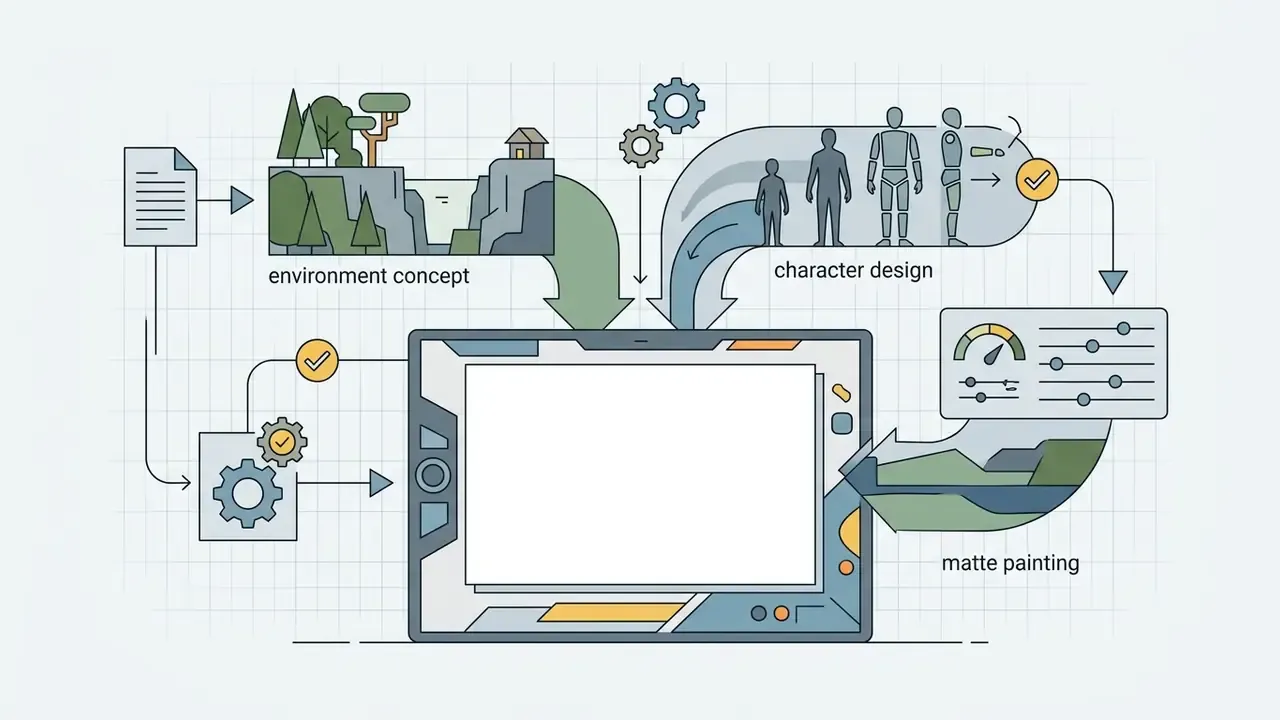
- Game & Concept Artists Produce environment matte paintings, character pose sheets via ControlNet skeleton conditioning, and asset textures during early pre-production, where iteration volume matters more than final fidelity.
- Digital Marketers & Content Creators Generate high-volume social media ad variations, YouTube thumbnails, and banner graphics aligned with brand color palettes, using batch runs of 4-8 variants for A/B testing.
- UI/UX Designers Mock up vector icon sets, landing page hero images, and application onboarding visual concepts before committing engineering time.
- Brand & Packaging Teams Explore label, colorway, and dieline treatments in hours rather than weeks, then hand the chosen direction to human designers for production artwork and copyright-eligible authorship.
- Banking & Financial Services Marketing Produce ATM and mobile-app interface mockups, illustrative financial concept imagery, and localized campaign variants without exposing real customer data or reusing identifiable personal likenesses.
- HR & Internal Communications Generate consistent AI headshot styling and training-deck illustrations under a documented consent and disclosure policy.
- Enterprise Risk & Compliance Teams Use provenance tooling and detection scanning to verify that inbound agency deliverables are correctly labeled before public release.
Model Risk & Governance Approval Checklist
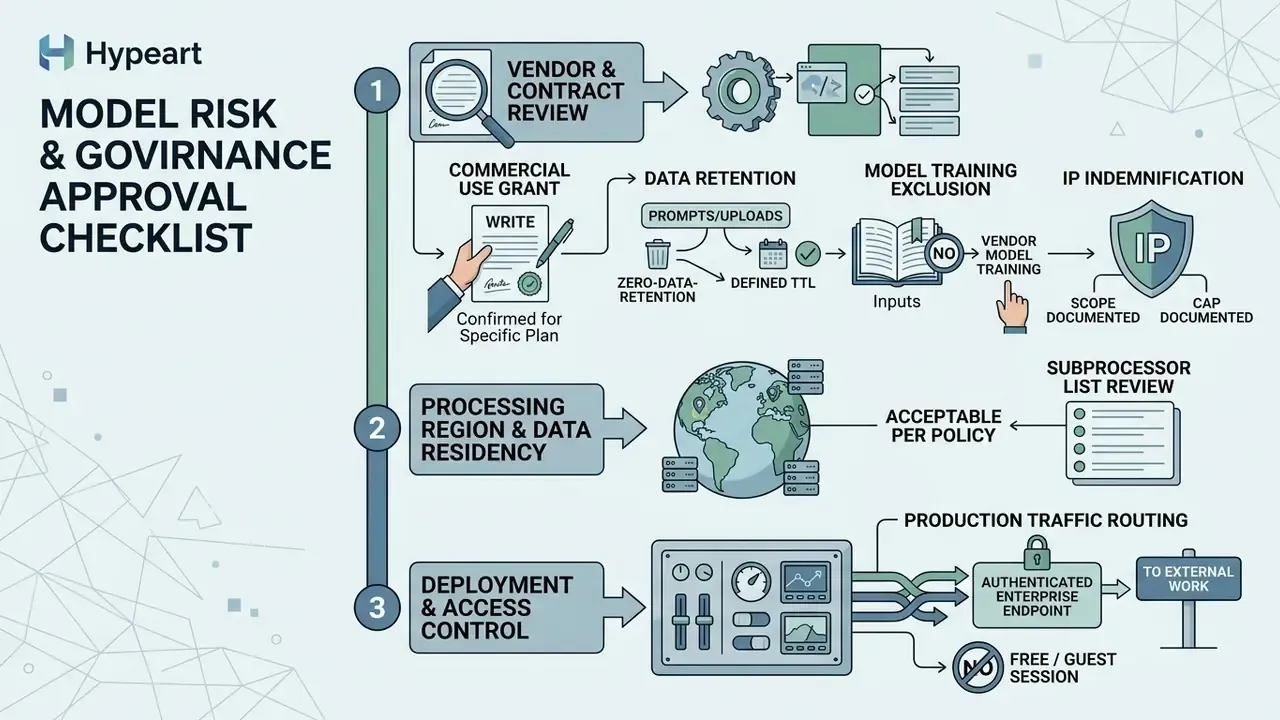
Use this as a gate before any AI image generator is approved for external-facing work.
1. Vendor and contract review
Checklist0 / 5
2. Deployment and access control
Checklist0 / 4
3. Reproducible audit trail (per published asset)
Checklist0 / 6
4. Output validation
Checklist0 / 4
5. Disclosure and monitoring
Checklist0 / 4
Frequently Asked Questions (FAQ) About AI Image Generators
Can I create images online without installing any software?
Yes. Modern AI image generators operate as cloud-based web applications accessible directly through standard desktop and mobile web browsers. Users input text prompts, configure generation parameters, and process images on cloud GPU infrastructure without installing local software or specialized hardware. Enterprises that need to avoid third-party egress entirely can instead deploy open-weight models such as Stable Diffusion 3.5 or FLUX open variants on private or on-premise infrastructure.
Can I generate images without registration or sign-up?
Yes, on several platforms. Guest modes allow immediate browser-based generation without an email address or payment method, typically limited to 2-5 daily generations, 0.5K to 1024×1024 output, lower queue priority, and watermarked exports. Because no account exists, there is also no audit trail, no commercial licence, and no data-processing agreement. Treat no-sign-up access as a sandbox for evaluation, never as a production or enterprise pipeline.
How many images can I generate at once?
Mainstream interfaces return between 1 and 8 parallel variants per execution run, and four is the most common default. Batch generation changes the workflow from repeated single-shot regeneration to structured grid evaluation: fix one variable, generate the batch, score all candidates against the same checklist, then promote a single asset. Free tiers frequently cap batches at 1-4.
How can I enhance the quality and resolution of my generated images?
Write detailed prompts that specify camera focal length, lens aperture, studio lighting, and surface textures. Select a higher-resolution output preset, 2K or 4K where the model supports it. Fix the seed while iterating on one variable at a time, and pass base outputs through AI upscaling or an AI photo editor to sharpen edges and recover fine detail. Generic quality boosters such as "make it beautiful" have no reliable measurable effect.
Can I upload my own reference images to guide the generation?
Yes. Image-to-image and generative editing tools accept source photos as reference inputs, commonly up to three per generation. ControlNet locks background composition and subject pose via edge, depth, and skeleton maps, while IP-Adapter transfers color palettes, textures, and artistic style from uploaded references to new generations. Note that uploading an internal or unreleased asset to an unvetted consumer tool is itself a data-transfer event and should be governed accordingly.
What data leaves my organization when an employee uses a free AI image generator?
At minimum: the full prompt text, any uploaded reference images or masks, and session metadata. Unless the vendor contractually commits to zero retention and exclusion from training, assume inputs may be stored and reused for service improvement. This makes unmanaged generators a live Shadow AI exposure for confidential briefs, unreleased designs, pricing strategy, and NDA-covered material. Mitigations are an approved-tool allowlist, an enterprise zero-retention endpoint, DLP inspection of prompt fields, and egress blocking of unvetted domains.
What artifacts must we retain for a reproducible audit trail?
Five items per published asset: the verbatim prompt including negative prompts, the seed value, the model name plus version or hash, the reference images and masks used, and the C2PA provenance manifest. Add the named human approver and timestamp. Without seed and model version, a generation cannot be reproduced, which means the output cannot be validated after the fact. That is the same failure mode a model-risk function would reject in any traditional model.
Are AI-generated images legally safe for commercial advertising?
AI images can be used commercially if generated under platform terms that explicitly grant commercial licences, often tied to paid subscription tiers and excluding beta features. However, purely AI-generated visuals are not registrable for copyright in the United States, and public distribution in regulated markets requires AI disclosure labels and machine-readable provenance metadata under transparency rules applying from 2 August 2026 in the EU. Substantial documented human authorship strengthens the protectable layer of a composite work. This is general information, not legal advice.
Should image generation be governed under our existing model risk framework?
Yes, with adaptation. Generative visual models share the core MRM requirements of traditional models: documented purpose, defined validation criteria, reproducibility, human oversight, and periodic revalidation on version change. They add provenance, licensing, and disclosure obligations that classic scoring models do not carry. Practically, treat every externally published AI visual as a model output requiring a named owner, a logged input set, and an approval record.
Appendix A: Source Corrections and Editorial Notes
For transparency, earlier attributions that could not be verified against the primary literature are retained here alongside the verified replacements now used in the main text.
| Original attribution (superseded) | Status | Verified replacement now used |
|---|---|---|
| "Systems like Google's Imagen encode input strings into conditioning vectors that guide iterative denoising steps from initial noise up to high-resolution outputs (Imagen Architecture Report, 2022)." | Attribution not verifiable as cited; the underlying architectural description remains accurate and is retained in the main text without that citation | T2I-CompBench, arXiv (2024), compositional accuracy of diffusion vs. autoregressive models |
| "Research published by NIST (NIST GenAI Guidelines, 2025-2026) emphasizes that structured prompt formats improve model compliance and output consistency." | Reframed to the correct primary document: NIST's 2025 Quick-Start Guide for Using Artificial Intelligence, which specifies the CO-STAR format | NeuroPrompts, arXiv, measured quality gain from optimized prompts |
| "A 2022 study on diffusion prompt engineering (Wu et al., 2022) confirmed that specific vocabulary choices and structural parameters measurably alter feature alignment, whereas generic hype words add no predictable quality control." | Directional claim supported by prompt-engineering literature; replaced with a quantified, citable benchmark | T2ICountBench, arXiv (2026), documented ceiling on prompt-only refinement |
| "Model evaluations reflect benchmark data from Artificial Analysis and vendor technical specifications as of 2026." | Retained but qualified: leaderboard Elo and vendor speed claims are not peer-reviewed | T2I-FactualBench, arXiv (2024), peer-reviewed multi-concept composition scores |
| "Nano Banana Pro: High world knowledge, brand consistency, 4K output" | Retained as vendor-documented positioning, now explicitly labeled as such rather than as independent evaluation | Vendor documentation (Google AI Studio model card) |
Editorial standards note. This guide is maintained by the Hypeart AI Governance & Model Risk editorial desk, which reviews generative media tooling against commercial-licensing terms, data-retention posture, and regulatory disclosure requirements rather than aesthetic preference alone. Marcus Hale, author. Regulatory summaries reflect publicly available guidance from the U.S. Copyright Office and the European Commission as of 2026 and are not legal advice.
For further analysis of corporate AI governance, enterprise model risk frameworks, and commercial deployment compliance, review the AI Media Commercial-Use hub and explore our litigation tracking resources.