For a US financial-services reader, the topic looks trivial until you trace the data flow. A naming utility touches employee records, organizational structure, and sometimes client identifiers. That makes it a small model with a real control surface: input hygiene, output validation, provisioning boundaries, audit evidence. Small does not mean unmanaged.
Executive Summary
- What these tools actually do an AI generator produces candidate local-parts (the string before
@), permutes name and brand tokens, and applies style filters. It does not register mailboxes, issue credentials, or query live provider databases for availability. - What formats win
[email protected]remains the most defensible standard for individuals. Role aliases (sales@,support@,compliance@) cover functional channels.name.profession@serves freelancers and independent consultants. - Why format is a revenue variable industry deliverability benchmarking consistently shows that human-name sender addresses beat generic departmental handles on open rate by roughly 15-20%, because recipients trust people more than departments.
- Where the real risk sits pasting employee names, org-chart structure, or client identifiers into a public generator is a Shadow AI and PII exposure event, not a naming exercise. Structured masking before prompting is mandatory in regulated environments.
- What must be true before you send the selected handle maps to a display name, a standardized signature, and SPF, DKIM, and DMARC records published on the sending domain.
- Governance framing treat the naming model as a low-materiality model inside your model risk framework (SR 11-7 style validation, NIST AI RMF functions), with logged prompts, reproducible outputs, and RFC 5322 syntax validation before provisioning.
Who this page is for, and what it settles
Written for CROs, CCOs, heads of model risk, and AI governance leads, plus the finance operations teams who inherit the mailboxes. Five decisions get resolved below.
- Whether an ai email address generator belongs in a sanctioned toolset or a prohibited one.
- Which local-part format to publish as the single canonical standard per employee class.
- How to mask inputs so naming prompts stop leaking organizational data.
- What a defensible validation file for a low-materiality naming model contains.
- When a free tool is genuinely enough, and when a custom domain becomes non-negotiable.
What Is an AI Email Address Generator?
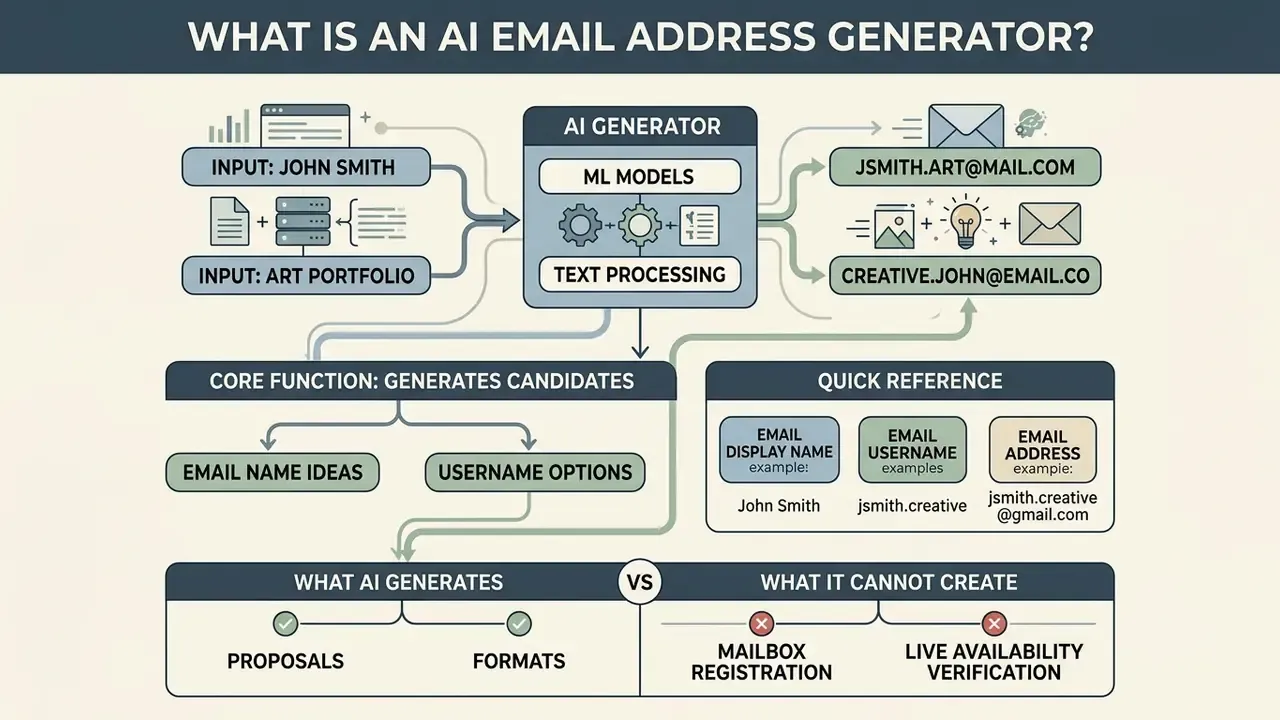
An email address generator ai is an automated software utility that applies machine learning models and text-processing rules to produce candidate email usernames and address suggestions from identity inputs: names, business functions, brand keywords. Unlike mailbox management platforms, an ai email address generator works purely as a conceptual design tool. It does not register accounts and it does not stand up inbox infrastructure.
Organizations and individuals use an email name generator ai to produce several variations of a proposed address before committing to account setup. In an email account generator ai workflow, administrators supply core parameters (first name, last name, department, company domain) and receive a structured list of naming options. Separating naming logic from mailbox provisioning lets you evaluate visual clarity, brand alignment, and internal naming standards before anything is written into an enterprise directory.
The distinction matters commercially. Microsoft frames an "AI email generator" as a writing assistant that turns instructions into a draft, while address-permutation utilities combine first name, last name, and keywords into predictable patterns. Neither category creates an account. Google's Gmail signup requires a Google Account and completion of on-screen steps. Consumer webmail providers such as mail.com require a unique desired address, a password, a recovery contact, and a CAPTCHA before an active mailbox exists.
Email name, email username and email address
An electronic mail identity has three distinct elements: the display name, the username (or local-part), and the complete address.
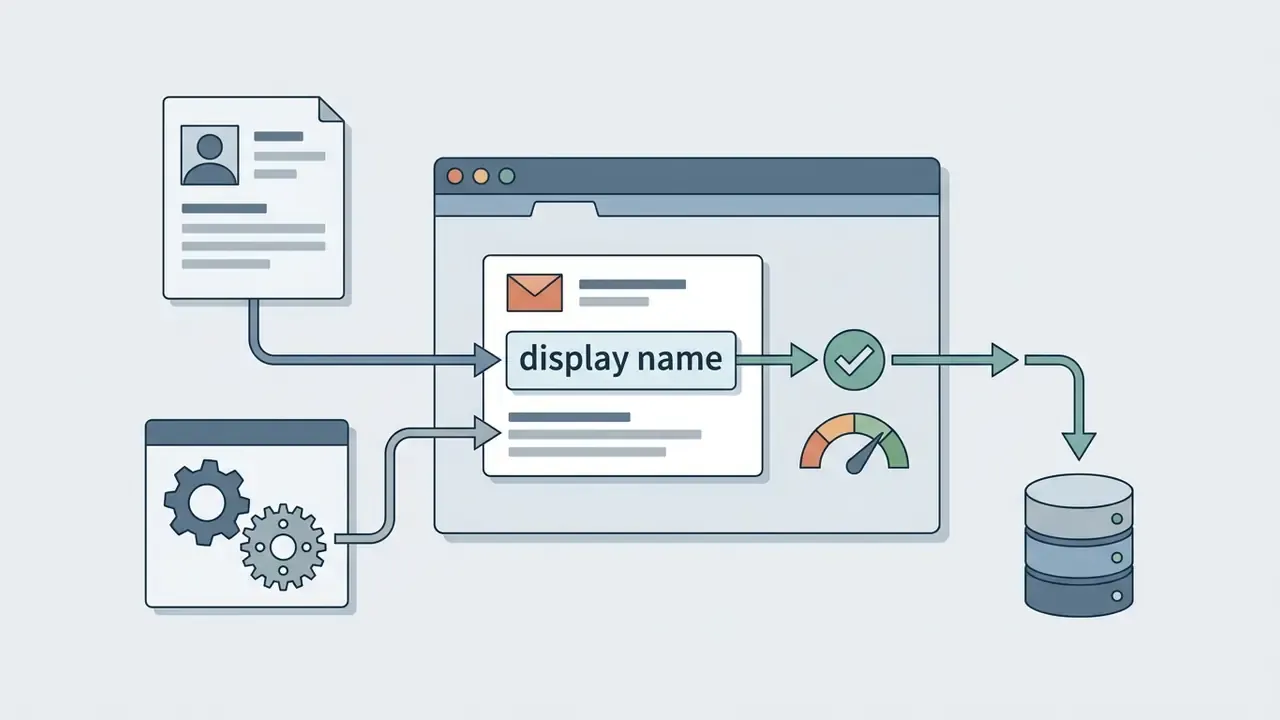

@, formally the local-part under RFC 5322 (for example, jane.doe). In most institutional systems the same string doubles as the directory login.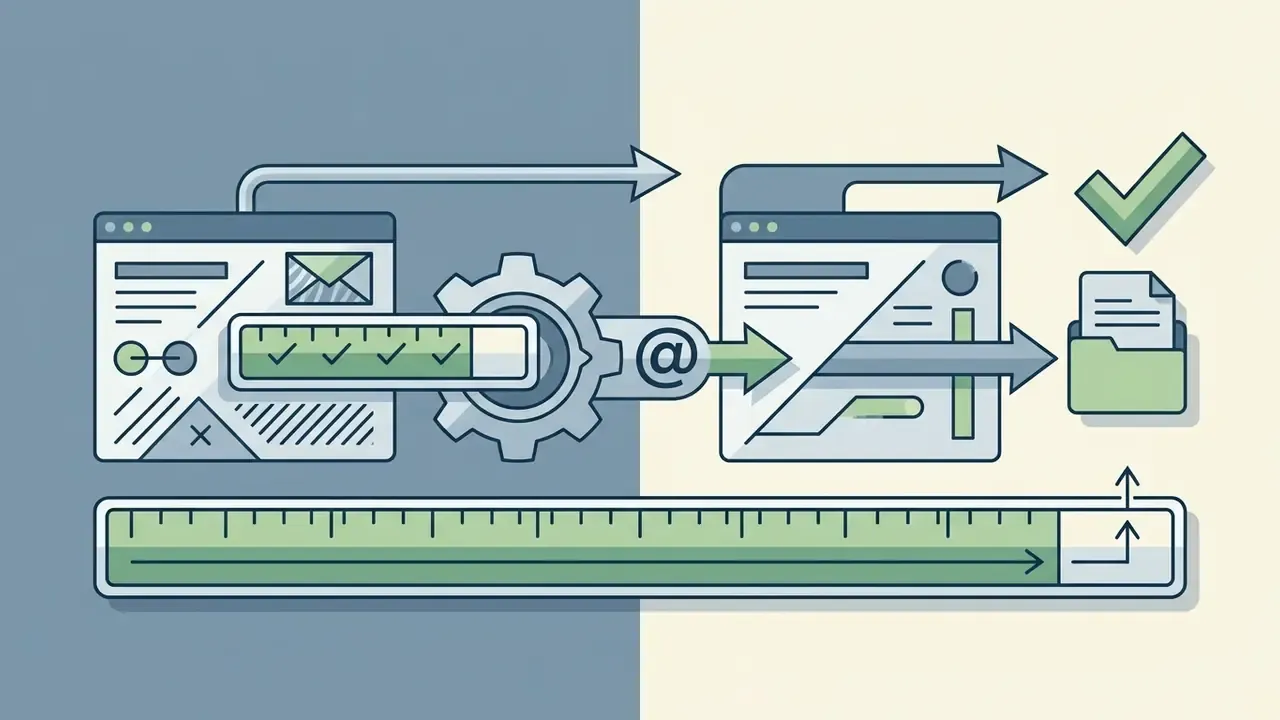
[email protected]). The local-part may not exceed 64 octets, and the full address may not exceed 256 characters.Understanding these distinctions lets you configure professional email identities that satisfy both technical protocols and visual communication standards. For personal use, a clean username like j.doe on a public domain is enough. In enterprise environments, a standardized username format on a verified corporate domain establishes organizational authority: display name "Jane Doe, Finance", username jdoe, address [email protected].
One caveat worth stating plainly. "Email name" is not a technical term at all. It is a colloquial label that refers, depending on context, either to the display name in the recipient's client or to the local-part typed into a signup field. Precision here prevents the provisioning ticket where display name and mailbox identifier quietly diverge.
What AI can generate and what it cannot create
An ai email generator is good at producing structured naming options, expanding keyword permutations, and adapting candidate handles to a tone guideline. Using natural language processing models similar to those reviewed in the AI Media Commercial-Use Hub, the tool turns a handful of inputs into dozens of standardized variations in seconds.
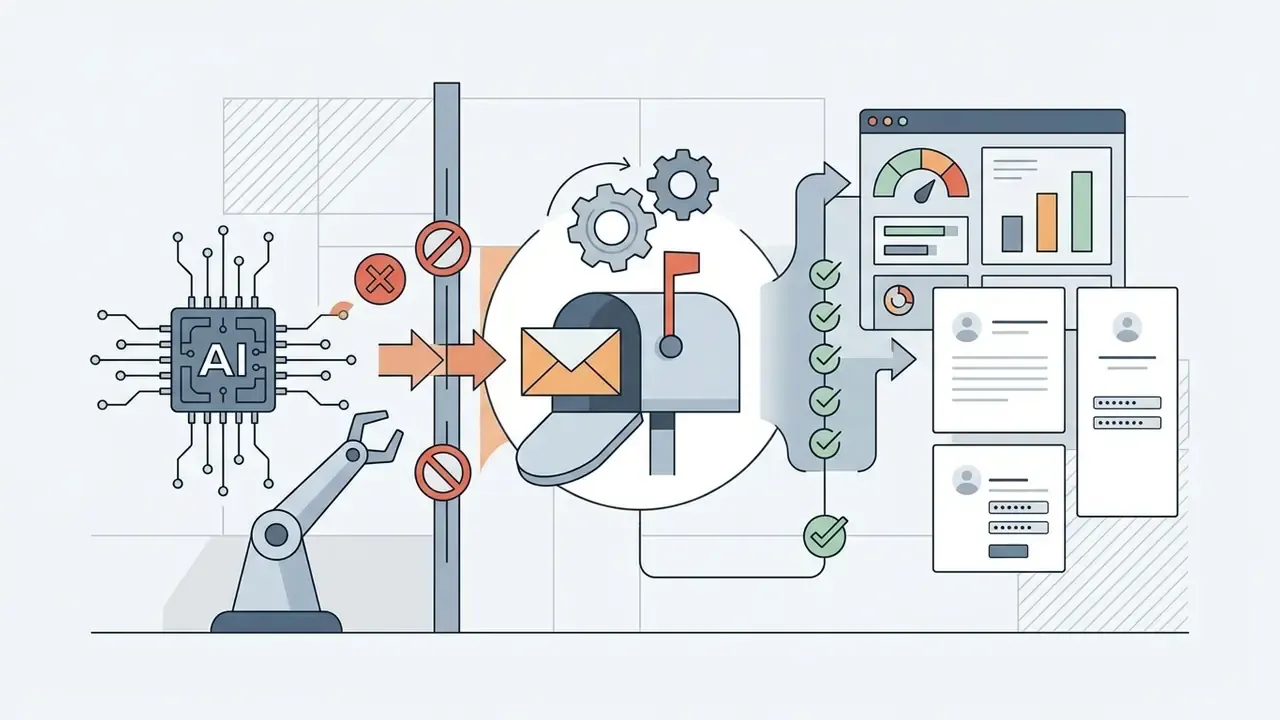
The boundaries are firmer than most landing pages admit:
The inverse capability deserves executive attention too. The same generative fluency that produces clean handles also lowers the cost of impersonation at scale.
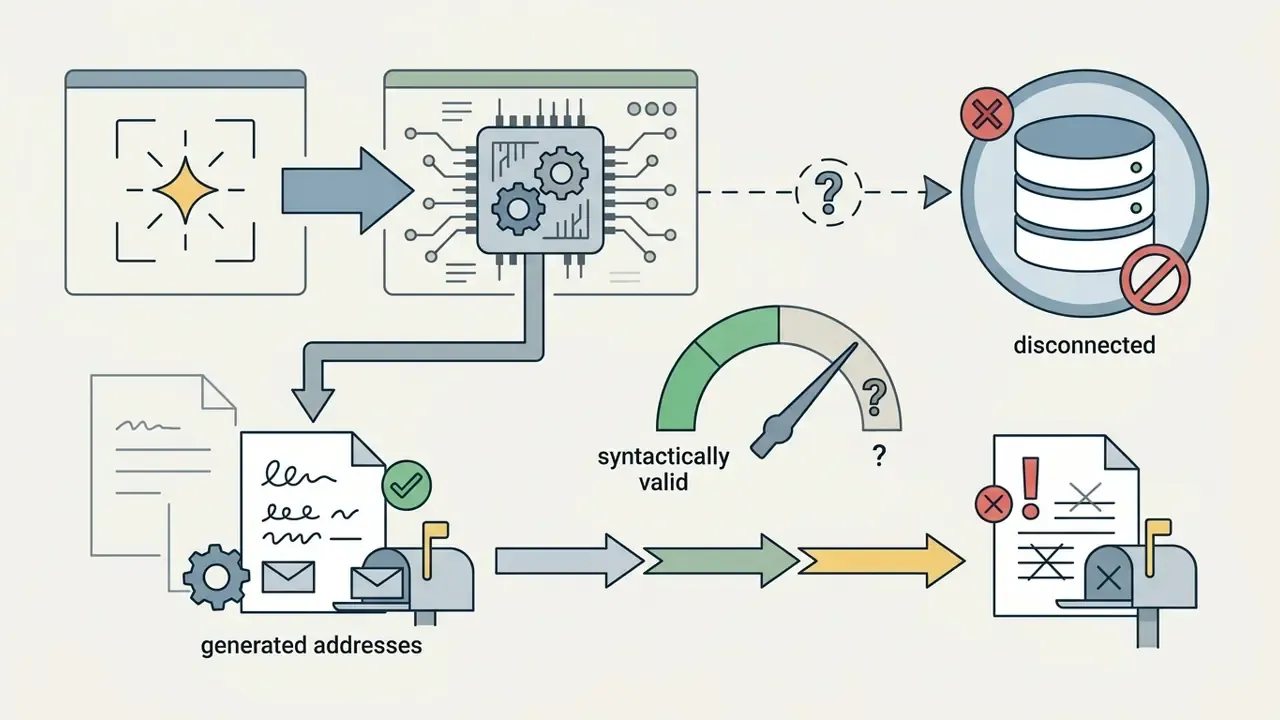
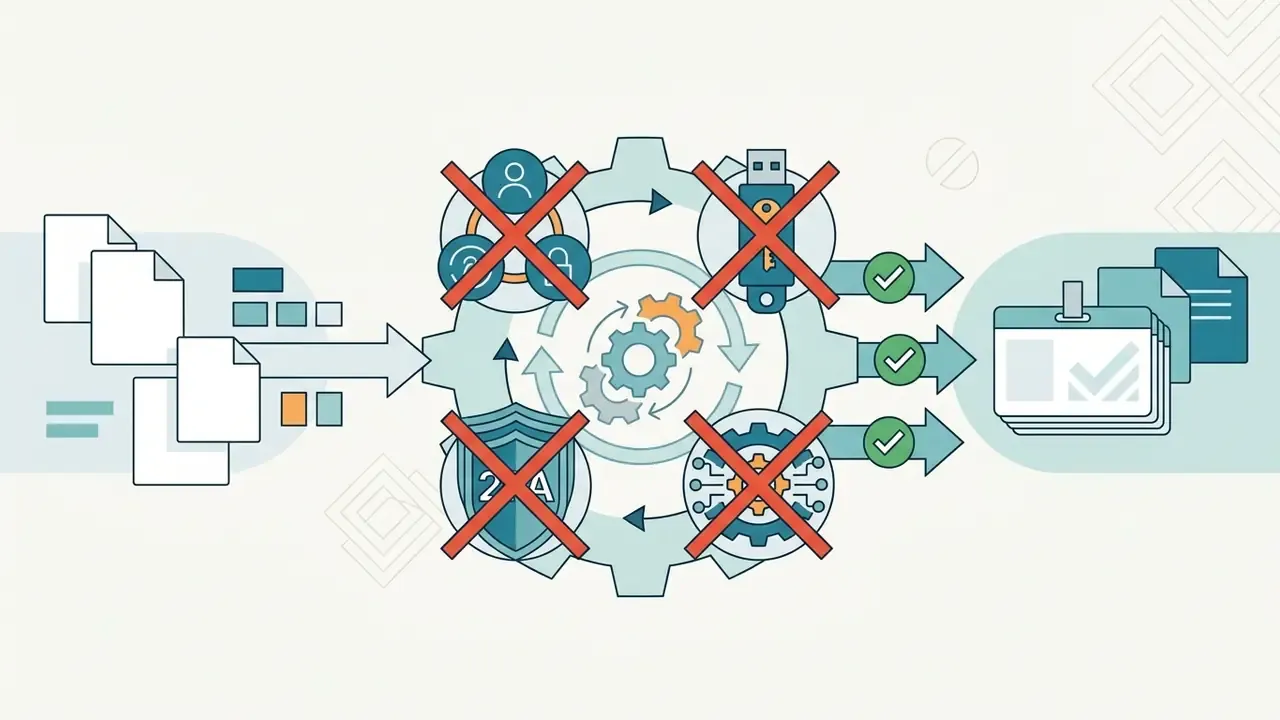
«GPT-3.5 and GPT-4 generated unique spear-phishing messages for more than 600 UK Members of Parliament, each at a cost of fractions of a cent.»
Shadow AI, PII exposure and prompt hygiene
Naming is a low-stakes task with a high-stakes input surface. When a manager pastes a roster of employee names, departments, and reporting lines into a free public generator to "batch out" handles, three things cross the perimeter at once: personal data, organizational structure, and hiring signals.
Controls that materially reduce that exposure:
- Mask before prompting. Substitute tokens (
FIRST,LAST,DEPT) and re-hydrate real values locally once the pattern comes back. The model needs the pattern, not the person. - Never submit authenticators or identifiers. No passwords, national identification numbers, client account numbers, or internal system IDs belong in a generator prompt.
- Prefer isolated deployment for regulated data. Private-cloud or on-premises inference, with training-on-input disabled contractually, converts an uncontrolled Shadow AI channel into a governed one.
- Log the request, not just the result. Retain prompt, model version, timestamp, and requester for audit reconstruction.
- Publish a sanctioned tool. Shadow AI is substitution behavior. Teams route around policy when no approved path exists.
The privacy concern is not hypothetical inference. It is measurable model capability.
«As model scale grows, association capabilities improve; LLMs can predict specific email addresses and phone numbers given suitable prompts.»
NIST's AI Risk Management Framework treats generative outputs as potentially inaccurate and privacy-sensitive. That is the correct default posture the moment personal data is entered or reused.
How to Use an AI Email Name Generator
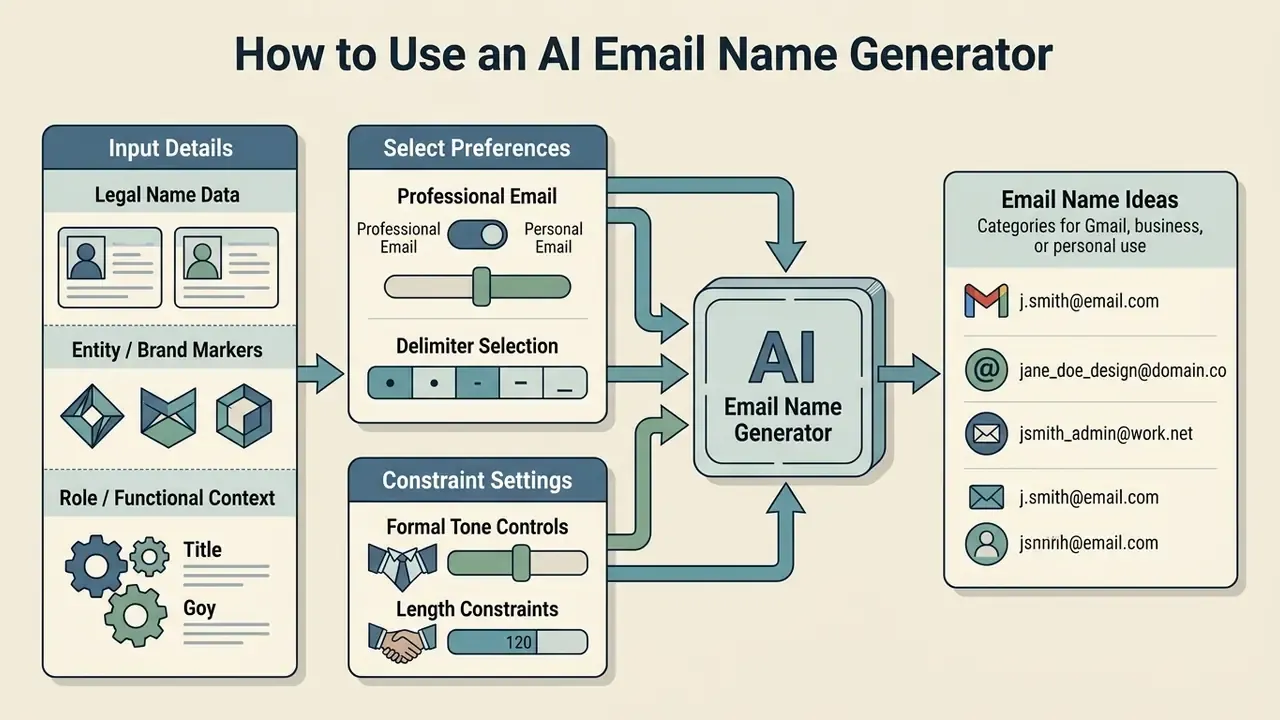
Using an ai email name generator comes down to four moves: supply structured identity parameters, set style preferences, run the generator, then vet candidates against deliverability standards. A systematic procedure keeps generated usernames readable, professional, and protocol-compliant.
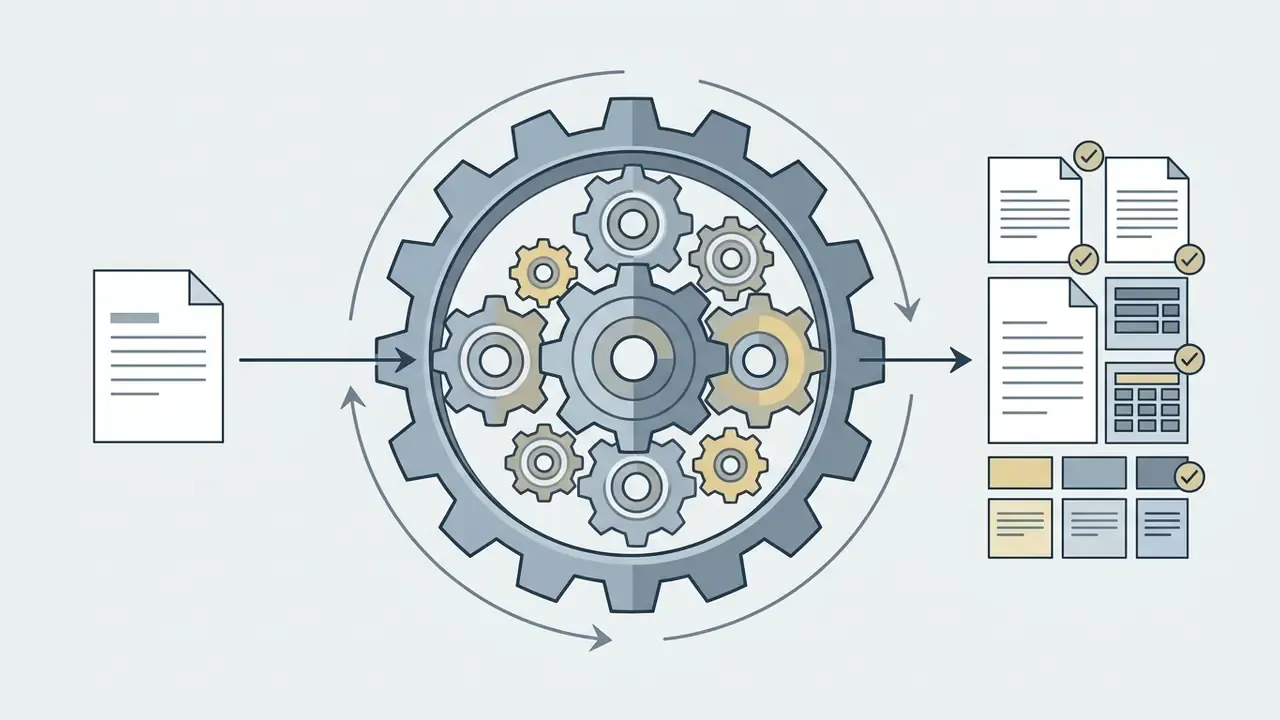
To get useful output from an email address name generator ai, treat the input stage as the controlled step. An email username generator ai works from legal names, role descriptors, and brand terms to build handles that balance brevity with context. Sloppy inputs produce creative nonsense. Precise inputs produce boring, deployable patterns, which is what you want. HR System of Record (joiner event) to PII Masking / Tokenization Engine to AI Naming Prompt (structured fields: role, context, risk tier) to RFC 5322 Syntax Parser (64-octet local-part, no consecutive dots, allowed delimiters) to Collision Check against Active Directory / Microsoft Entra ID (global address list plus alias table) to Deterministic Fallback Rule (middle initial, then numeric suffix) to Provisioning API (mailbox, alias, display name) to Signature and Authentication Bootstrap (SPF, DKIM, DMARC verified) to Audit Log (prompt, model version, output, approver).
Swimlane owners: HR owns the event, Security owns masking and policy, IT Operations owns parser, directory, and provisioning, Model Risk owns audit log review and the exception queue.
- Input identity dataenter legal first and last name, core brand attributes, or departmental role details.
- Configure naming preferencesprofessional versus personal style, delimiter preference (dots, hyphens), domain constraints.
- Execute AI permutationgenerate a candidate shortlist through algorithmic keyword processing.
- Evaluate and filter optionsscreen the list against readability metrics and character length limits.
- Verify live mailbox availabilitytest the selected handles inside the target provider's registration portal.
Enter your name, business or brand details
Output quality tracks input precision almost linearly. Generative systems perform best with structured fields rather than a paragraph of unstructured text.
«PersonaMail shows that structured specification of factors, role, context, risk, significantly improves alignment between output and user intent.»
When preparing input data, supply:
Isolated, clearly labeled inputs stop the model from inserting extraneous characters or hallucinating arbitrary terms into local-parts. In regulated environments, apply the masking rule from the Shadow AI section: label the field, tokenize the value.
- Legal name data
- primary first name, middle initial, last name.
- Entity or brand markers
- official business name, legal entity type, or primary trading brand.
- Role or functional context
- industry vertical, department (
compliance,sales), or specialization.
Select preferences for professional or personal email
Preference settings filter results to the intended communication context. Personal email creation prioritizes memorability. Enterprise creation follows corporate governance rules, and the difference shows up in the delimiter policy more than anywhere else.
Key preference parameters:
- Delimiter selection restrict separators to periods (
.), hyphens (-), or underscores (_) permitted under RFC 5322, while noting that Gmail rejects_,&,=,+, and repeated periods in new consumer local-parts. - Formal tone controls enforce full-name inclusion (
first.last) and disable nicknames or slang. - Length constraints set local-part boundaries to practical lengths, typically 6 to 20 characters, to preserve readability on mobile, comfortably inside the 64-octet hard limit.
Teams weighing tooling options through the AI Media Comparison framework often report the same thing: structured constraint settings cut post-generation editing time more than any prompt tweak.
Generate, compare and choose an email name
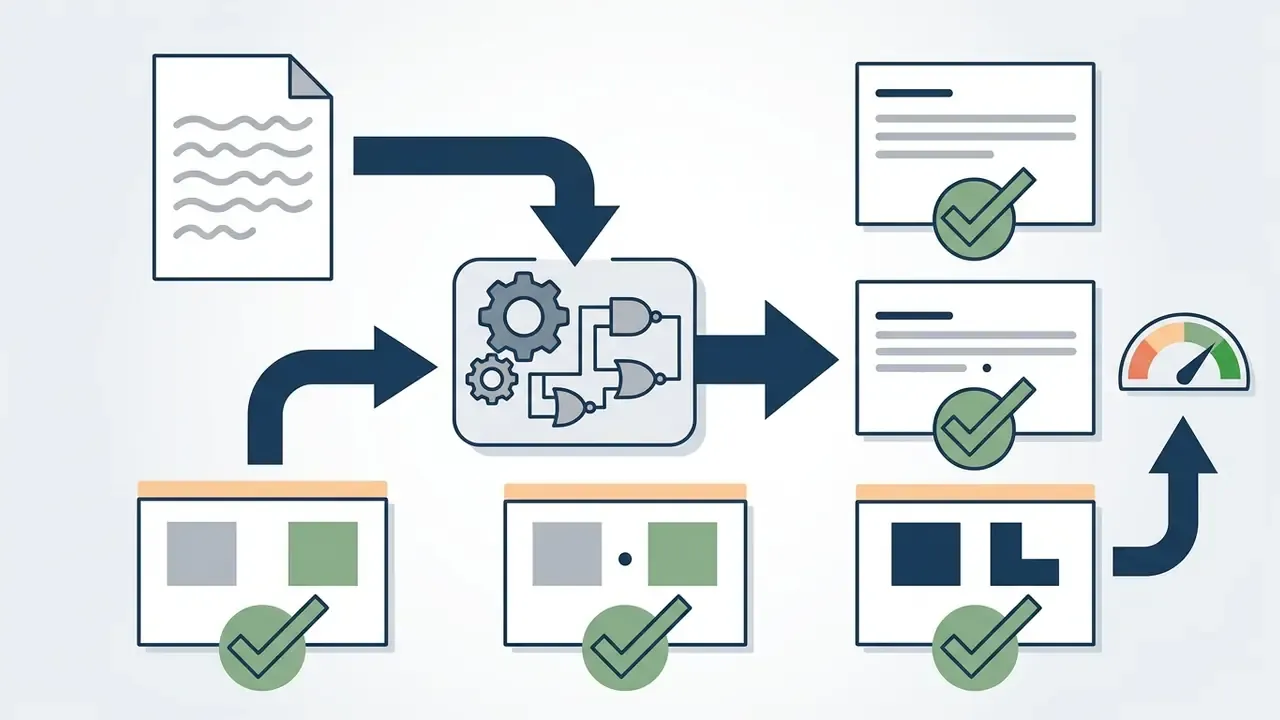
With inputs and preferences locked, running the generator yields a candidate list. Now evaluate against objective criteria, not taste.
«PersonaMail drafts scored 34.8% higher on quality (5.81 vs 4.31 out of 7, p<0.001) and reduced cognitive load by 24.5% compared with a standard LLM interface.»
Three primary metrics:
A useful secondary lens comes from postal and geospatial address standards, which score records on completeness, logical consistency, and attribute accuracy. Applied to email, the same triad asks: does the handle contain every required element, does it conform to the provider's syntax rules, and does it resolve unambiguously to one identity?
l next to 1.
Post-generation setup workflow
Selecting a handle is step one of five. Once the handle is chosen and registered:
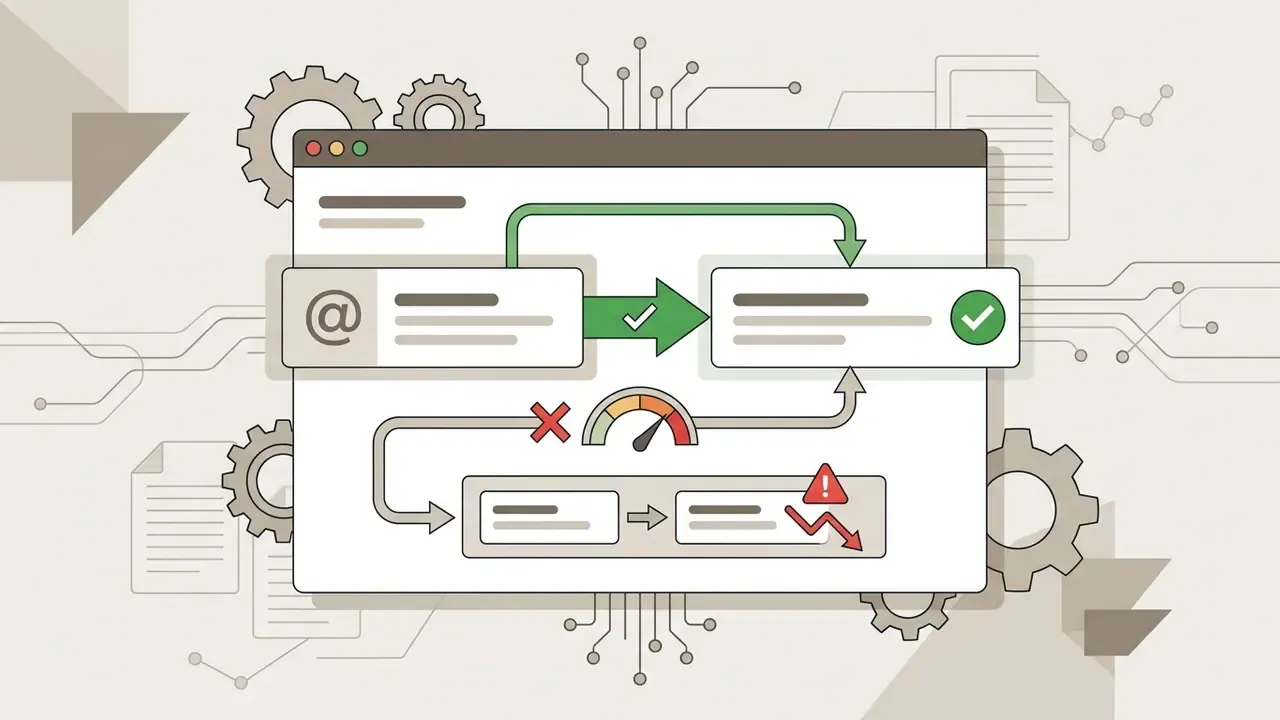
jane.doe@, display "Jane Doe"). Mismatched pairs are a documented phishing heuristic and they erode recipient trust.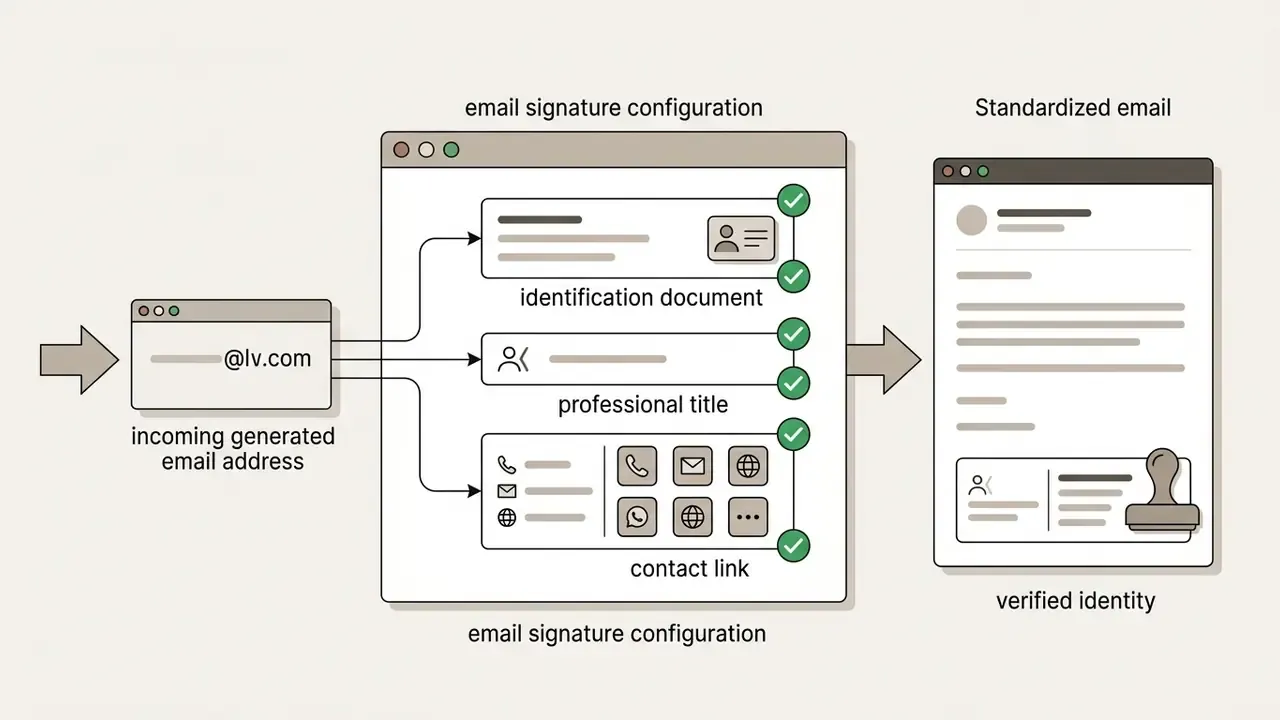
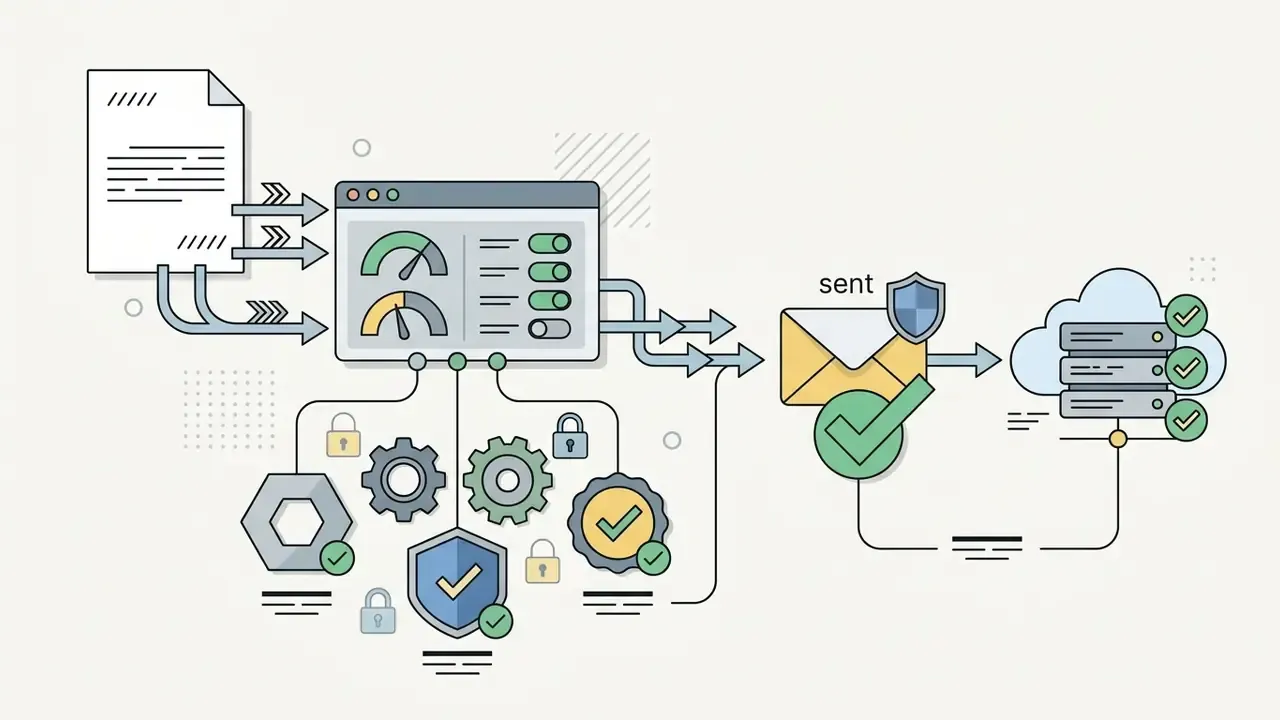
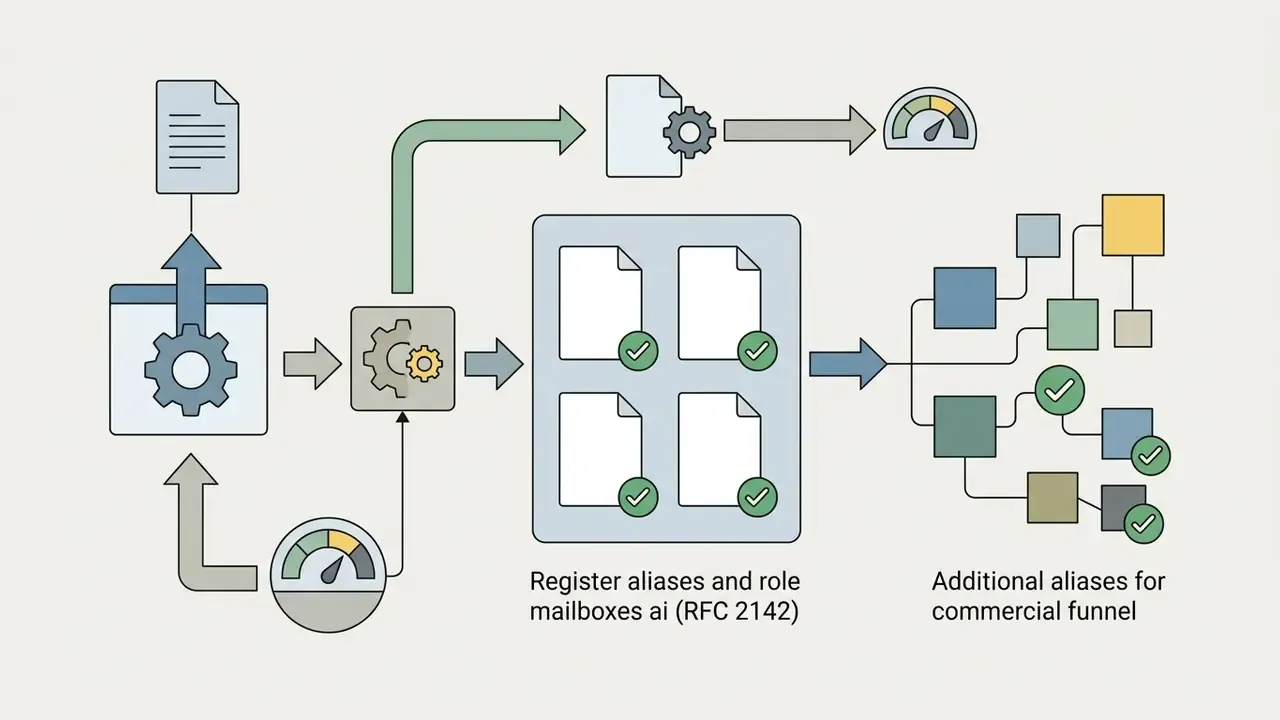
postmaster@ and abuse@ per RFC 2142, plus whatever commercial aliases your funnel needs.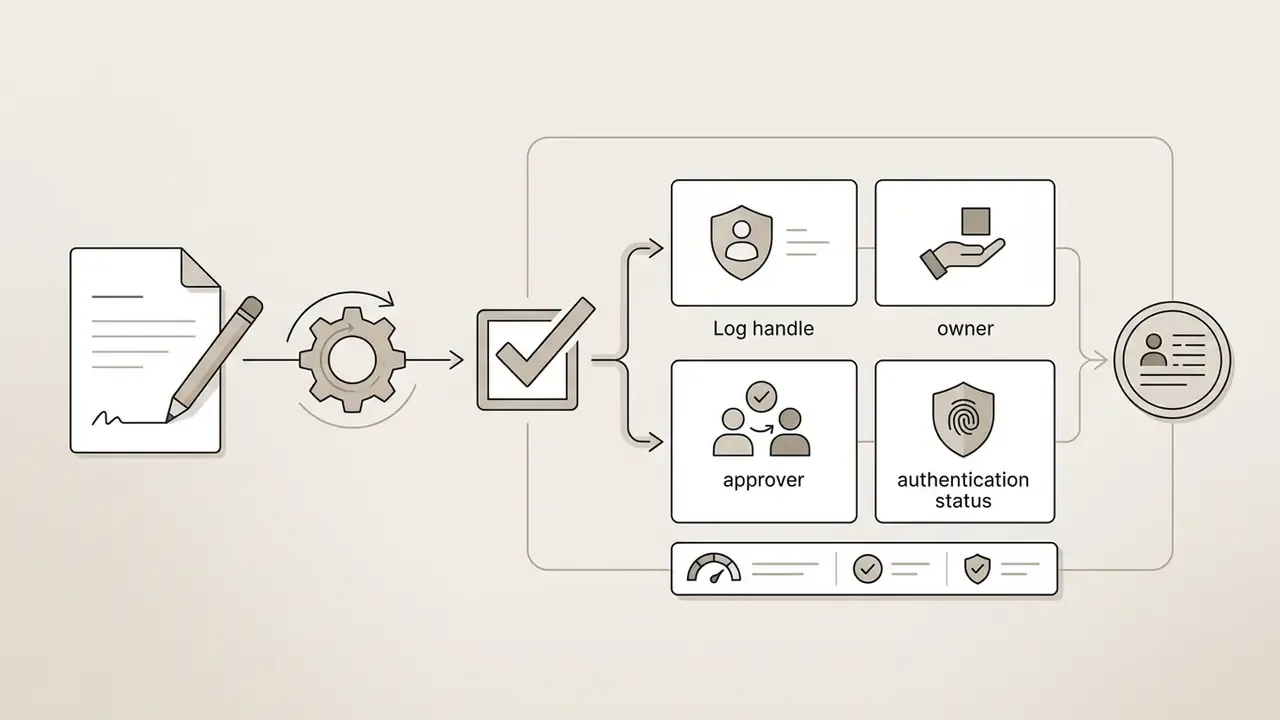
Validating a naming algorithm under model risk governance
For banks, insurers, and other regulated senders, an AI naming utility is a model. It has an owner, an inventory entry, and a validation file, even at low materiality. A defensible package includes:
- Purpose and materiality statement, consistent with SR 11-7 style expectations: what the model decides, what it does not decide, where human approval sits.
- Hallucination and drift testing a fixed test set of names, including diacritics, hyphenated surnames, and internationalized scripts covered by RFC 6530, scored for invalid characters, prohibited tokens, and length violations.
- Determinism and reproducibility pinned model version and temperature, so the same joiner event yields the same handle on re-run.
- Boundary control every output passes an RFC 5322 parser and a directory collision check before provisioning. The model never writes directly to identity infrastructure.
- Audit trail prompt, masked inputs, raw output, applied fallback rule, and approver identity, retained per your records schedule and mapped to the Govern, Map, Measure, and Manage functions of the NIST AI Risk Management Framework.
This section is general guidance. It does not replace validation standards issued by your own model risk, compliance, or supervisory authority.
Professional Email Address Formats for Personal and Business Use
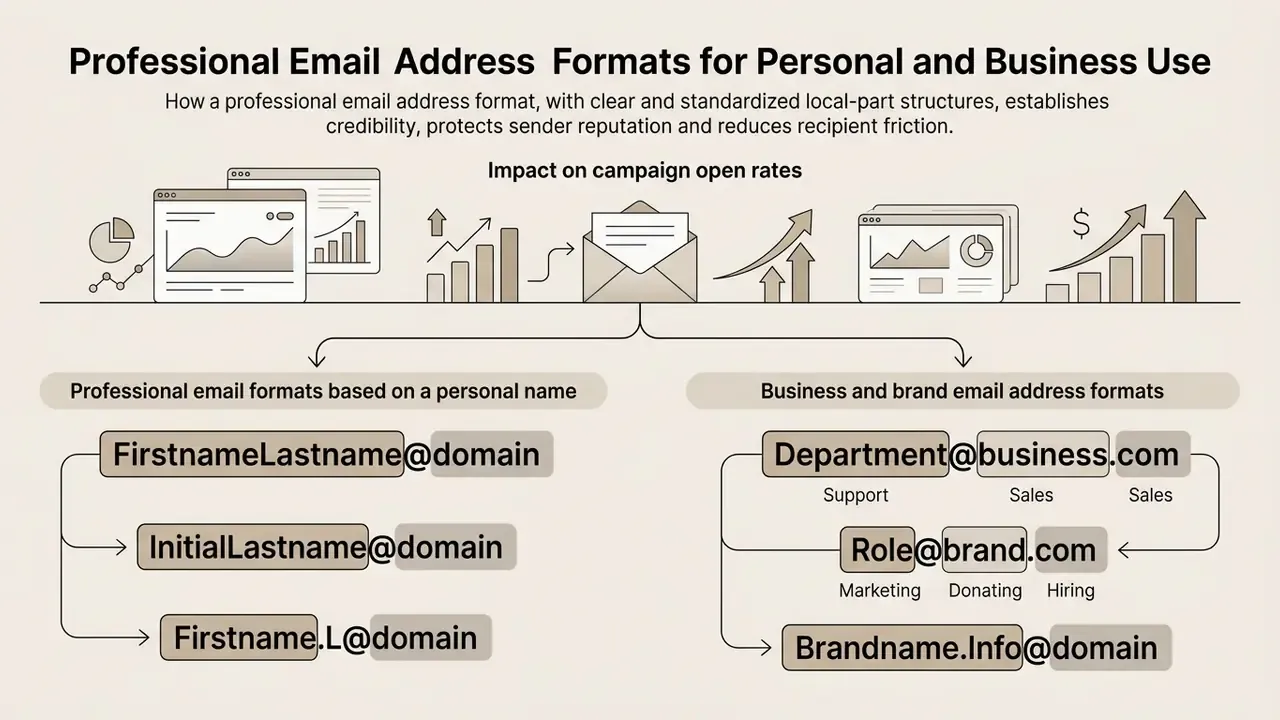
A professional email address format uses clear, standardized local-part structures to establish credibility, protect sender reputation, and reduce recipient friction. The right structure depends on whether the email address serves individual professional networking, corporate representation, or a functional team channel.
For a professional email identity, organizations standardize local-part conventions across all personnel to keep brand cohesion intact. Whether you are configuring a business mailbox or a personal address on a corporate domain, validated syntax ensures universal mail server compatibility. Public-sector naming standards illustrate the pattern precisely: the Government of Canada mandates [email protected], Washington State's WaTech policy specifies [email protected] or [email protected], and Papua New Guinea's digital government standard uses [firstname].[lastname]@[publicbody].gov.pg, with middle initials or numbers resolving collisions.
| Email format type | Syntax structure | Primary use case | Perception and deliverability impact |
|---|---|---|---|
| Standard personal name | [email protected] | Individual corporate roles, executives, consultants | Highest credibility; strongly associated with formal correspondence. |
| Initial modified | [email protected] | Enterprises with frequent name collisions | Compact and clean; well recognized by enterprise spam filters. |
| Profession or skill hybrid | [email protected] | Freelancers, creators, independent consultants | High clarity for sole proprietors; immediate skill association ([email protected], [email protected]). |
| Functional role-based | [email protected] | Inbound inquiries, customer support, compliance desks | Clear organizational channel, less dependency on individual mailboxes, but measurably weaker on open rate for outbound. |
| Brand or campaign | [email protected] | Specific marketing initiatives, outreach projects | Clear contextual intent; simplifies domain alignment and tracking. |
| Segregated function (regulated) | [email protected] | Front-office versus back-office separation, trust and fiduciary desks | Supports information-barrier policy and surveillance scoping. |
Impact on campaign open rates. Aggregate deliverability benchmarking across the email marketing industry indicates that senders using a personal-name format ([email protected]) achieve roughly 15-20% higher open rates than generic departmental addresses ([email protected]). The mechanism is trust attribution: recipients open messages from people and defer messages from departments, because a named sender implies personal accountability while info@ or noreply@ implies automation. Treat the figure as directional market analytics rather than a controlled experiment. Direction is consistent across vendor testing; magnitude swings with list quality and industry.
Professional email formats based on a personal name
Personal name formats are the foundation of formal business communication, and the cost of getting them wrong is empirically documented.
«Informal email addresses reduced applicant suitability ratings as strongly as résumé spelling errors, mediated by lower perceived conscientiousness and honesty.»
Standard conventions:
[email protected]([email protected])[email protected]([email protected])[email protected]([email protected])
These formats read as transparent and conscientious. Standard name combinations also keep the sender instantly recognizable inside corporate inboxes and enterprise global address lists. For B2B outbound, the personal-name format is the higher-performing sender identity, which means the recruitment-screening finding and the marketing benchmark point the same way: named humans get trusted, anonymous functions do not.
Business and brand email address formats
Business and brand formats serve functional channels and corporate domain visibility. Clear role-based addresses route external inquiries to the right desk without leaning on personal employee accounts.
Common institutional and brand formats:
[email protected]or[email protected]for general corporate communications.[email protected]or[email protected]for commercial operations.[email protected]or[email protected]for service delivery and regulatory oversight.[email protected]and[email protected]as the baseline role mailboxes defined by RFC 2142.
Role-based addresses running alongside individual accounts preserve operational continuity when staff change. Enterprise mail systems can also fan a role alias out across several mailboxes at once. Teams building brand identity in parallel with mail infrastructure usually pair naming decisions with visual assets. The same evaluation logic used for AI logo generators applies to handles: consistency, legibility at small sizes, long-term durability.
One operational caveat. Reserve role aliases for inbound channels and transactional notices. Sending prospecting or nurture campaigns from marketing@ or info@ forfeits the open-rate premium described above.
How to Choose the Perfect Email Name
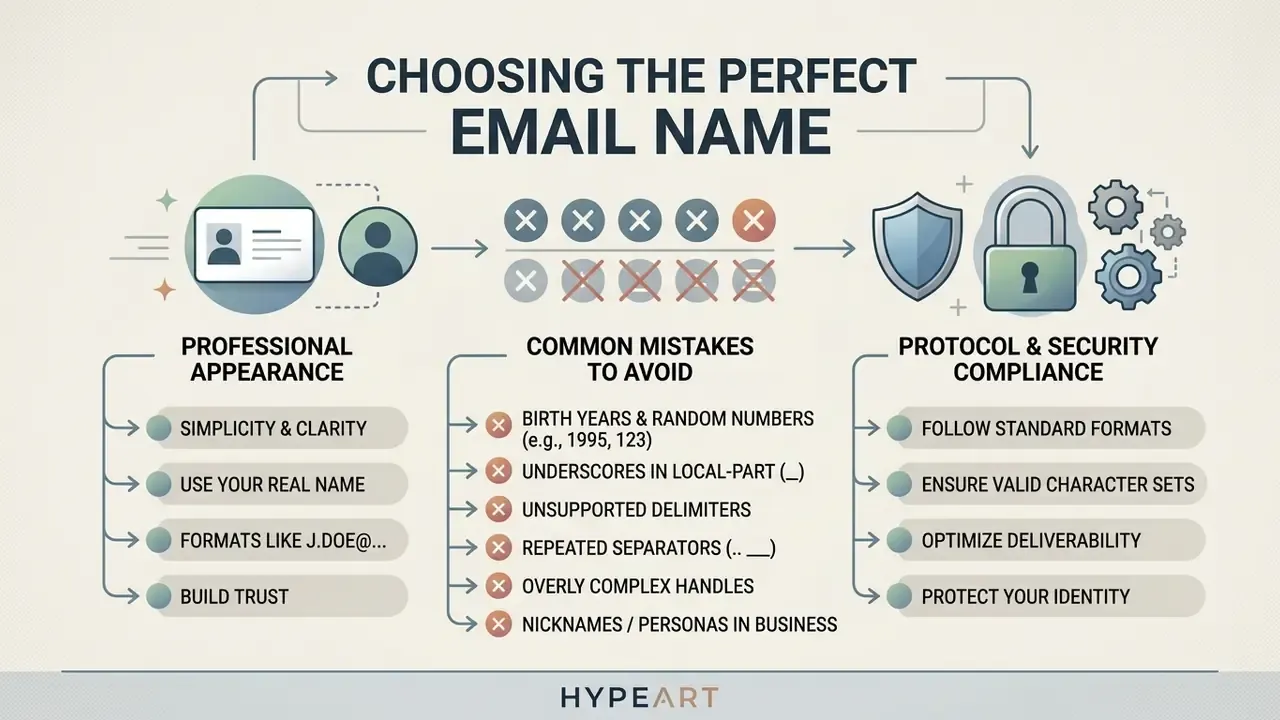
Choosing the perfect email name means balancing simplicity, professional appearance, protocol compliance, and security. Evaluating options from an email name generator keeps the final address workable for long-term identity management and free of the usual formatting errors.
When refining candidates, apply smart formatting rules so the address stays visually distinct and easy to transmit by voice or by link. Choosing sensible names and options early prevents expensive administrative handle changes later. Handle migrations are never just a mailbox change; they touch signatures, CRM records, SSO mappings, and archived threads.
| Evaluation criterion | What to verify |
|---|---|
| Protocol compliance | Valid under RFC 5322, local-part within 64 octets |
| Visual clarity | No consecutive special characters, no confusable glyphs |
| Phonetic simplicity | Spoken once, spelled correctly by the listener |
| Context separation | Professional identity kept apart from personal handle |
| Longevity | Survives a role change, promotion, or team transfer |
What makes an email address look professional
A professional email address reads as trustworthy because it follows expected institutional convention and presents a clean, unambiguous structure. Recipients judge sender authenticity from the local-part and domain before they open anything.
«Real-name formats such as firstname.lastname read as clean, memorable and professional; nicknames, birth years and symbols make an address look spammy.»
Common mistakes when choosing email names
Avoiding common mistakes to avoid during handle selection protects deliverability and sender credibility. Poorly formatted handles create visual confusion and invite entry errors from human senders.
Frequent naming errors:
- Birth years and arbitrary numbers.
john.smith1987@oralex99@signals that your first choice was taken. The handle broadcasts scarcity and quietly undermines authority. Longer numeric tails ([email protected]) read as automated spam registration. - Underscores in the local-part. Avoid
john_doe@. When the address is hyperlinked in a document, CRM record, or mail client, the underline decoration hides the underscore completely, so recipients retype it wrong. Gmail also rejects underscores in new consumer local-parts. - Unsupported delimiters. Symbols such as
!,#,$,?,*, or spaces violate RFC 5322 or get rejected by major webmail providers. Addresses like[email protected]fail validation on some platforms even when they pass on others. - Repeated separators. Consecutive periods (
[email protected]) break local-part structure under Google and Microsoft account rules. - Overly complex handles. Local-parts creeping toward the 64-character limit multiply typo risk.
- Nicknames and personas in business contexts.
[email protected]sending a commercial proposal is judged on entirely different terms than[email protected]. The address is read before the first sentence. - Departmental handles for outbound campaigns.
info@,noreply@, andmarketing@feel impersonal and depress open rates. Keep them for inbound and transactional traffic. - Free webmail for commercial campaigns. Beyond the credibility penalty, many sending platforms will not authorize a consumer webmail address as a campaign sender at all.
Checking generated candidates against the technical specifications outlined in AI Media Support and Troubleshooting helps eliminate invalid handle formats before domain deployment.
Free AI Email Address Generator vs Custom Domain for Business
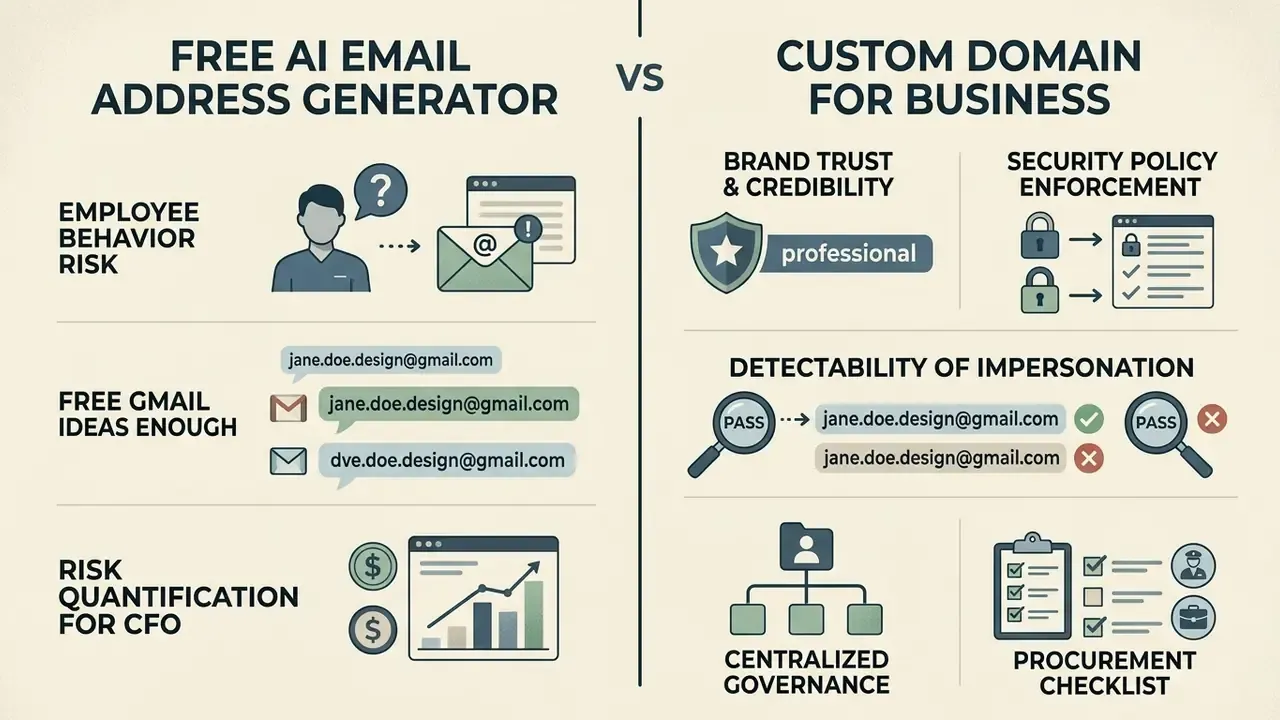
Weighing a free email account generator ai against a custom domain strategy comes down to operational scale, budget, and brand positioning. A free email address generator ai is genuinely useful for personal accounts and early-stage testing. Enterprise operations need custom domain hosting for governance, policy enforcement, and authentication security.
Choosing between an email name generator (ai free) solution on public webmail and a dedicated custom domain means pricing long-term security control against commercial trust. Readers modeling cost structures for identity management software can consult AI Media Pricing Guides for infrastructure context, run scenarios through the AI Media Calculators, and compare how licensing is handled for AI image generators for commercial use.
| Context or stage | Recommended mail strategy | Primary advantages | Limitations and risks |
|---|---|---|---|
| Personal and academic | email name generator ai free for gmail | Zero cost, rapid setup, no domain maintenance. | Lower commercial trust; heavy availability scarcity on public webmail. |
| Early project or freelance | Professional local-part on webmail or a low-cost domain | Flexible, minimal overhead; name.profession@ communicates specialization immediately. | Fragmented brand presence; limited control over account recovery. |
| Established enterprise | Custom domain ([email protected]) | Full DMARC, SPF, DKIM policy control, unified governance, high client trust. | Requires domain registration, DNS management, platform subscription. |
| Regulated or financial institution | Custom domain plus directory-integrated provisioning | Enforceable naming policy, surveillance scoping, immediate revocation, full audit trail. | Requires model risk sign-off, retention policy, information-barrier design. |
The employee-behavior risk. For corporate readers the sharper comparison is not free versus paid. It is sanctioned versus unsanctioned. Staff who use a personal Gmail address for work correspondence pull that traffic out of corporate journaling, e-discovery, DLP inspection, and revocation-on-exit. Any handle they generate in a public tool along the way carries organizational data with it. The mitigation is a published naming standard plus a provisioned mailbox on day one, not a prohibition memo that nobody reads.
When free Gmail email name ideas are enough
An email name generator ai free for gmail is entirely sufficient for individuals, students, personal side projects, and non-commercial activity. For a free personal mailbox, a clean local-part on a public gmail domain covers normal communication needs without domain maintenance costs.
Scenarios where free Gmail handle ideas are fully adequate:
- Personal correspondence and subscription management.
- Individual job search, provided the local-part keeps a formal real-name structure. The Van Iddekinge finding applies directly here.
- Prototyping a digital project before formal commercial registration.
- Earliest-stage personal-brand freelancing, where
[email protected]still reads as deliberate rather than improvised.
Google's consumer account structure explicitly supports personal account creation ("For my personal use"), so an individual can establish an identifiable sending address without custom infrastructure, and can set a display name independently of the address. What it does not offer is centralized administration. That gap is exactly where the boundary between personal and business email sits.
When a business email needs a custom domain
«Including structural sender metadata raised phishing-detection F1 for Gemini-3.1-Pro from 0.939 to 0.958, roughly a 20 to 30 percent reduction in errors.»
- Centralized governance. The organization owns company mailboxes outright, which permits administrative access, audit logging, and immediate revocation when someone leaves.
- Risk quantification for the CFO. An unauthenticated domain with no DMARC
p=rejectpolicy is a standing brand-impersonation liability. The exposure to model is not the subscription cost of business mail. It is the aggregate of customer remediation, incident response hours, and deliverability recovery after a spoofing campaign turns your own domain against your client list.
Procurement checklist for AI naming tools in regulated sectors
Before an AI naming utility touches employee or client data:
Checklist0 / 9
How to Check Whether an Email Address Is Available
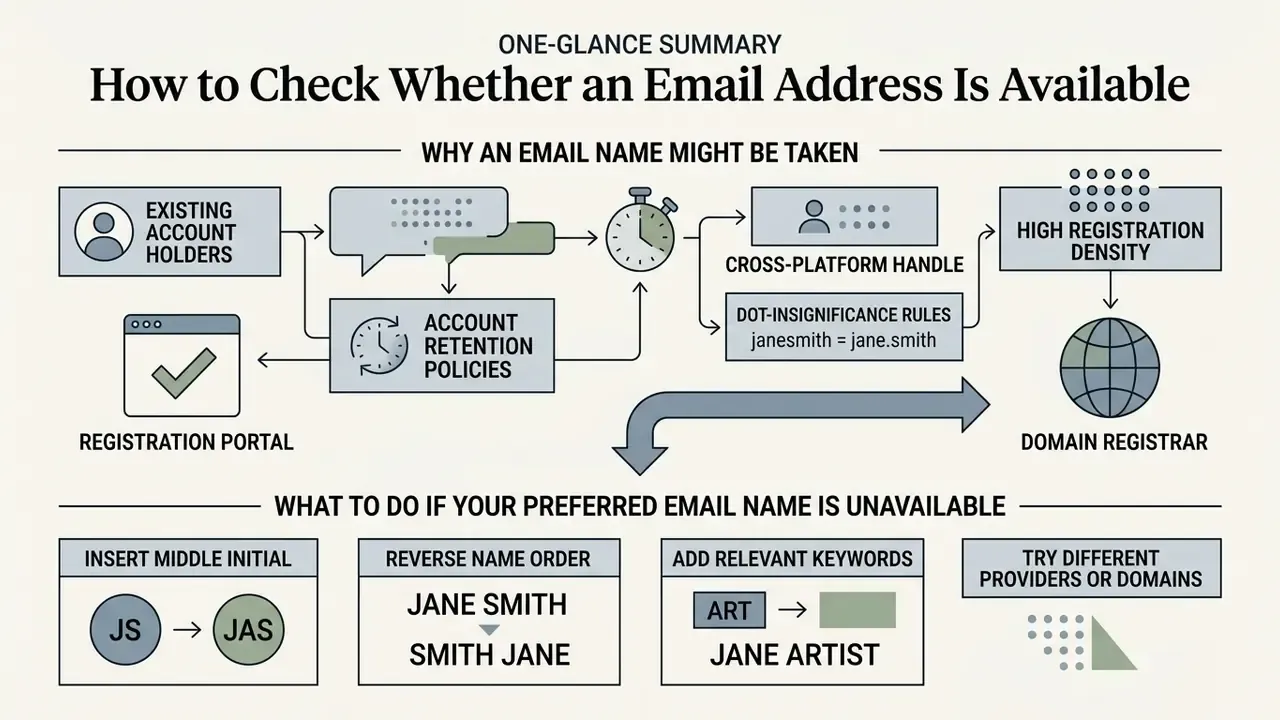
Confirming that a candidate email address is available requires direct interaction with the target provider's registration portal or a domain registrar. Because an AI tool produces suggestions from probability patterns rather than live network queries, run a separate validation pass before committing to a new handle for an account.
On platforms like gmail, the practical routine is simple: generate a candidate list, then feed the shortlist into the provider's sign-up portal one by one to confirm availability.
The technical alternative, SMTP-level probing, resolves an MX record, connects on port 25, issues HELO or EHLO, MAIL FROM, and RCPT TO, then reads the response code (250 for acceptance, 550 for rejection). Commercial verification services layer syntax, MX and DNS, and mailbox checks on top of that sequence. Against major consumer providers the method is unreliable, precisely because anti-enumeration behavior returns 250 OK regardless of whether the mailbox exists. For a new consumer handle, the registration portal is still the only authoritative check. The same "check before you commit" logic governs adjacent naming decisions: business registries such as the UK's Companies House and US state secretaries of state all place an availability query between name selection and registration.
Why generated email names may already be taken
Popular candidate names from AI models collide constantly with existing accounts on high-volume webmail services. Knowing why scarcity exists sets realistic expectations.
Primary reasons:
- Account retention policies. Major providers, Google included, do not recycle previously registered handles even after account deletion. Those strings leave the pool permanently.
- Cross-platform handle reuse. Scarcity is amplified by human behavior, not only provider policy.
«Users tend to choose a small set of related usernames and reuse them across services, which makes it possible to link profiles by username alone.»
That reuse pattern drains the desirable name space faster and creates a privacy consideration at the same time: a distinctive local-part chosen for professional email is often traceable to unrelated personal accounts.
- Dot-insignificance rules. Gmail treats periods inside the local-part as irrelevant for uniqueness (
[email protected]and[email protected]resolve to one mailbox), which wipes out most visual variations. - High registration density. Global webmail platforms host billions of accounts, so standard first-and-last-name combinations are effectively exhausted.
Limitations and Unresolved Questions
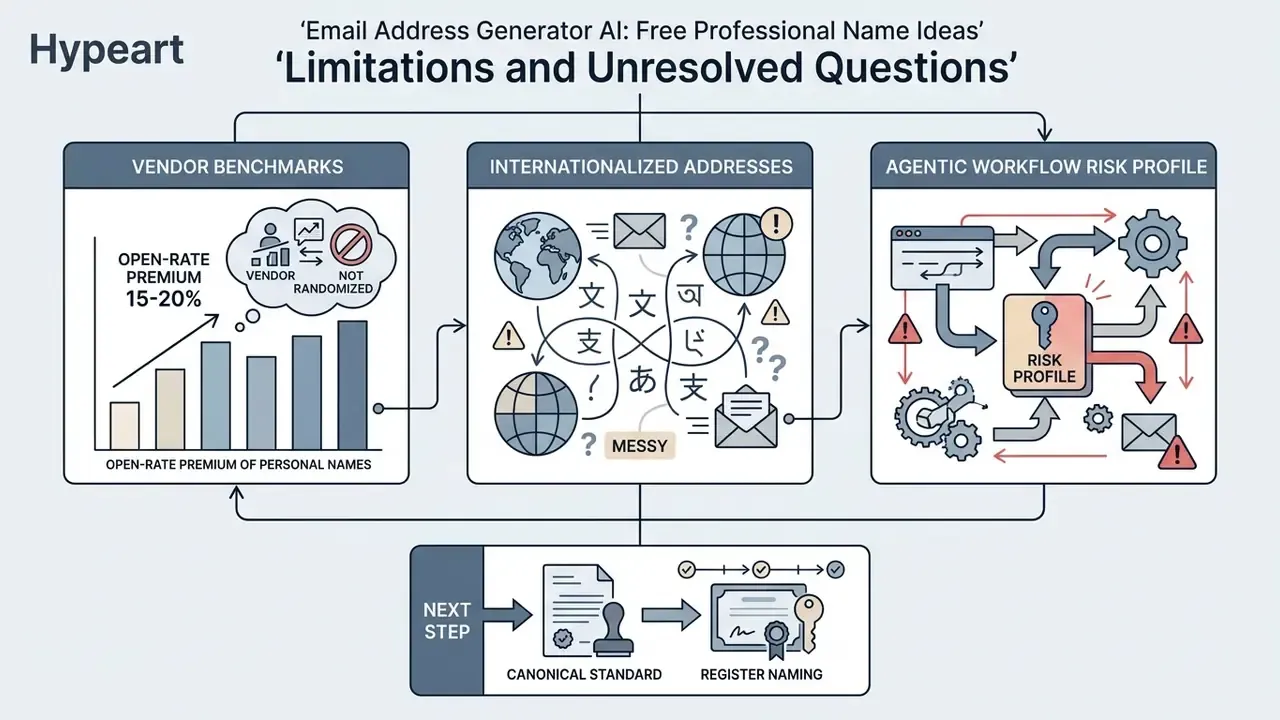
Three things in this guide are weaker than they look, and saying so is part of the control.
First, the 15-20% open-rate premium for personal-name senders comes from vendor benchmarking, not randomized testing. Directionally reliable, numerically soft. Run your own A/B test on your own list before you build a forecast on it.
Second, internationalized addresses remain messy in practice. RFC 6530 permits non-ASCII mailboxes, yet support across CRM systems, archiving platforms, and legacy core banking interfaces is uneven. Test the full pipeline, not just the mail server.
Third, agentic workflows change the risk profile. A naming model that only suggests text is low materiality. An agent that reads the HR feed, generates a handle, and calls the provisioning API on its own has become a digital worker, and it needs an owner, an approved role, access limits, an escalation path, and a shutdown mechanism. No evidence, no autonomy.
A reasonable next step is deliberately small: publish one canonical naming standard, register the naming tool in the model inventory, and require an RFC 5322 parser plus a directory collision check ahead of provisioning. Nothing dramatic. Just a boundary that holds.
FAQ: Common Questions About AI Email Generators
Short answers to the operational questions that surface most often about ai email generator utilities, covering security, platform cost, and compliance expectations.
Can an AI email address generator automatically create an email account for me?
No. An ai email generator is a textual suggestion engine. It builds candidate address strings from your inputs, but it cannot reach mail provider registration endpoints, set login passwords, or provision an active mailbox. Google and Microsoft both require an explicit, user-driven signup flow with CAPTCHA and identity verification, and no public consumer API performs automated account creation. Selected handles must be registered manually with your chosen email service provider.
Are free AI email generators safe to use with sensitive personal data?
Use caution with any free online generator. Never enter full Social Security numbers, confidential corporate identifiers, client account numbers, or passwords into a public tool.
«As model scale grows, association capabilities improve; LLMs can predict specific email addresses and phone numbers given suitable prompts.» "Quantifying Association Capabilities of Large Language Models and Its Implications on Privacy Leakage", arXiv (2023). https://arxiv.org/abs/2305.12707
Mask identifiers before prompting, prefer tools with a contractual no-training clause, and route regulated data through an approved private deployment. Teams reviewing data privacy terms across software vendors can also track regulatory movement in the AI Litigation and Case Timelines repository.
Does using an AI-generated email handle increase the risk of being flagged as spam?
No. Spam filters score domain reputation, technical authentication (SPF, DKIM, DMARC), message content, and sender behavior. They do not care whether a human or a model invented the local-part. That said, handles stuffed with numbers or spam-adjacent keywords do attract more scrutiny from human recipients. Worth separating: detection of machine-written messages is now quite accurate, which is why an ai generator checker is a content question rather than a naming one.
«Random-forest classifiers reached F1 of nearly 0.99 for English and above 0.92 for Polish emails when distinguishing AI-generated from human-written messages.» "Detection of AI-Generated Emails, A Case Study" (2024).
Why are so many AI-suggested Gmail handles unavailable during signup?
Because the model predicts linguistically likely strings, not free ones. Large public webmail services host billions of addresses, permanently reserve deleted usernames, and ignore dots when resolving Gmail local-parts. Simple name combinations are almost always registered already.
Should outreach emails come from a personal name or a brand handle?
For cold outreach, direct sales, and relationship sequences, use a personal-name handle ([email protected] or [email protected]) to maximize trust and open rate. People trust people more than departments. For transactional notices, password resets, receipts, and system alerts, use standardized functional addresses ([email protected], [email protected]), which correctly signal that no human is watching the thread.
Is a custom domain email address always better than a free Gmail address for business?
For commercial operations, yes. A custom domain gives you centralized security governance, supports DMARC enforcement, and projects verified organizational authority. Free webmail stays appropriate for individual, personal, or early academic use.
Are there usage limits on free AI naming tools?
Limits are vendor-specific. No standards body defines a free tier or quota for AI email generators. Published limits range from a single free generation to unlimited batches, and they change without notice. Check the current terms and the data-handling clause before you enter any real names.
How should a naming tool be integrated with Active Directory or Microsoft Entra ID?
Place the model behind the directory, never in front of it. The joiner event starts in the HR system of record. Masked fields go into the prompt. The returned pattern passes an RFC 5322 parser. The candidate handle is checked against the global address list and alias table. A deterministic fallback rule resolves collisions. Only then does the provisioning API create the mailbox, alias, and display name. Every step writes to an audit log.
Appendix A: Enterprise Readiness Checklist
Footer navigation
Checklist0 / 10