Executive Summary
- What it is: An ai logo generator converts structured brand inputs (legal name, industry, style, palette) into raster concepts, then into scalable vector files (SVG, EPS, PDF). Diffusion-first pipelines vectorize afterwards; direct-to-vector models synthesize SVG paths straight from text embeddings.
- What it costs: Free tiers usually deliver watermarked or low-resolution rasters and credit caps. Production-ready vector bundles typically run $25 to $65 one-time or $96 to $120 per year, plus clearance and validation costs that most ROI models quietly omit.
- Where the risk sits: Purely machine-generated marks are not registrable for copyright in the United States without demonstrable human creative contribution. Trademark protection remains available, because it depends on distinctiveness and use in commerce, not on authorship.
- What to control: Vector fidelity, editable typography (kerning, tracking, hierarchy), WCAG 4.5:1 contrast, 16×16 px legibility, font and stock-icon licensing, indemnification terms, and reproducible audit logs of every human design decision.
- Bottom line: Treat the generator as a controlled production workflow with a human-in-the-loop checkpoint, not as an autonomous designer.
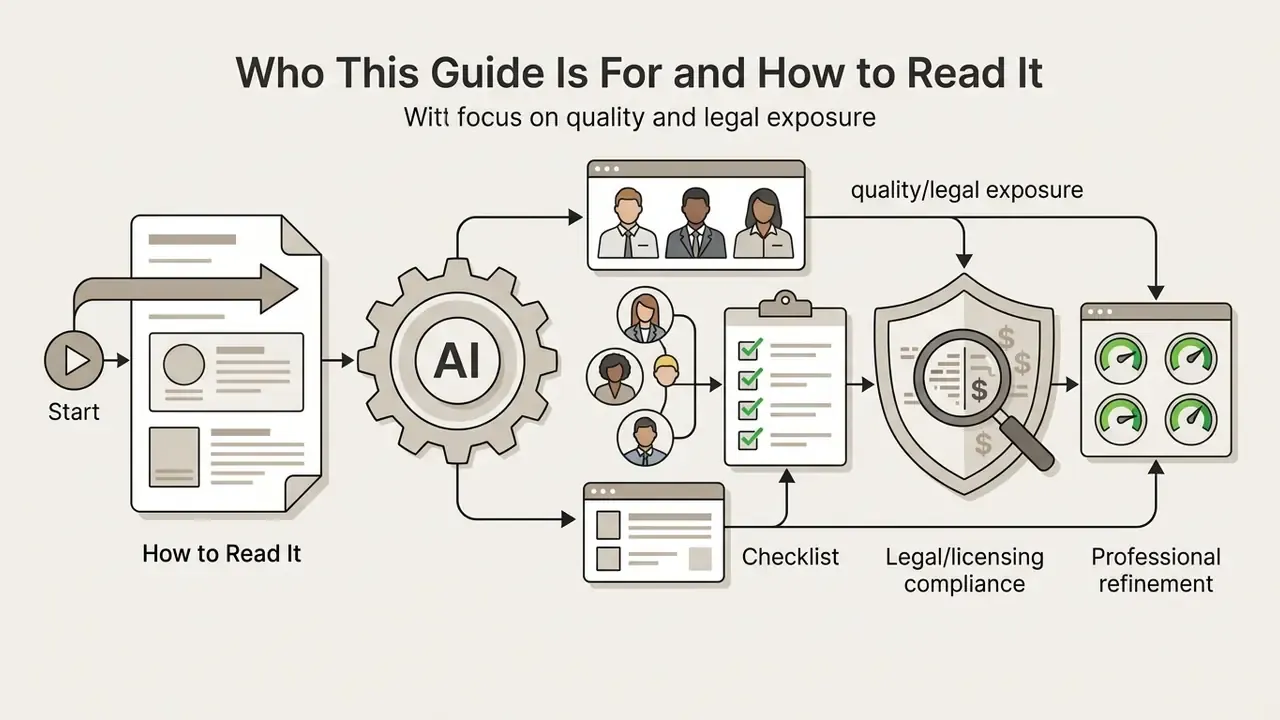
Who This Guide Is For and How to Read It
This guide is written for two overlapping buyers. The first is a small or mid-sized business owner who needs a usable mark this week and cannot fund an agency retainer. The second is a brand, marketing, or risk owner inside a larger organization who must justify a logo design decision to legal, procurement, and sometimes internal audit.
Both need the same three answers: what the tool actually produces, what the files cost in total, and what rights come attached.
A quick orientation on how the material is organized:
- The FAQ, the verification table, and Appendix A hold the operational leftovers, including claims we could not independently confirm.
One habit worth adopting before you start. Log your inputs. Prompts, style choices, and manual edits are cheap to record now and expensive to reconstruct later.
What Is an AI Logo Generator and How Does It Work?
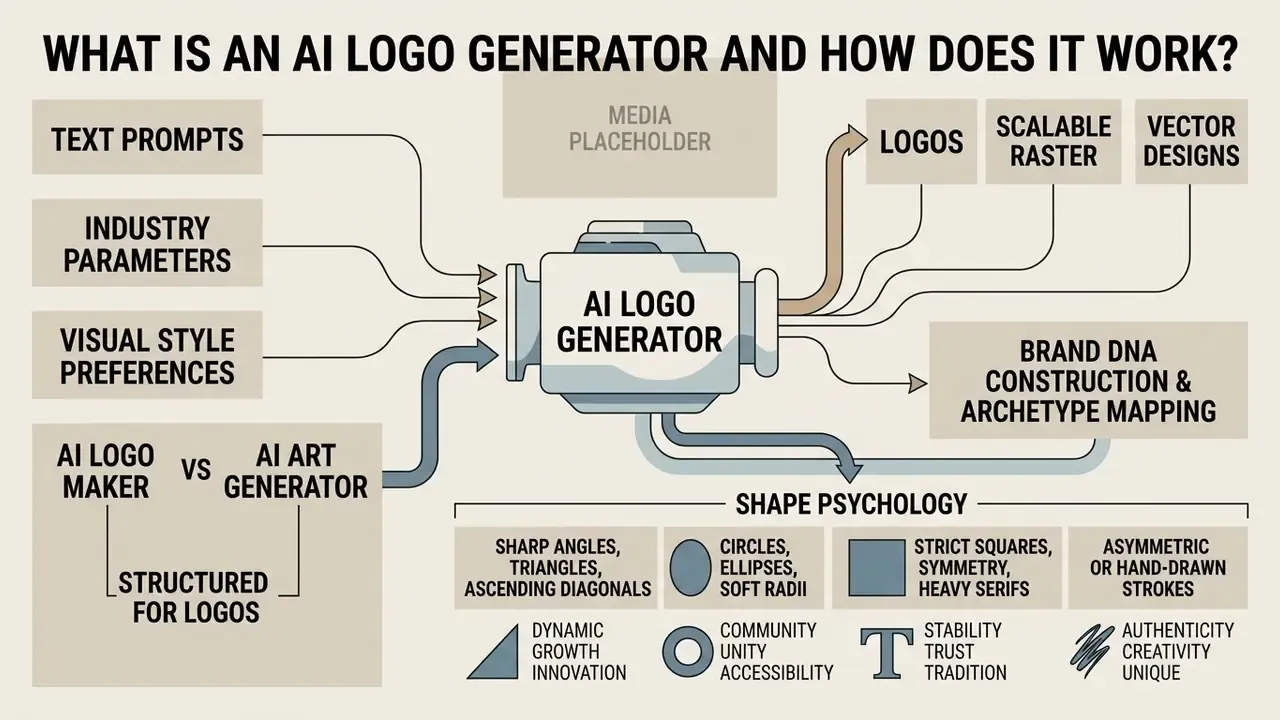
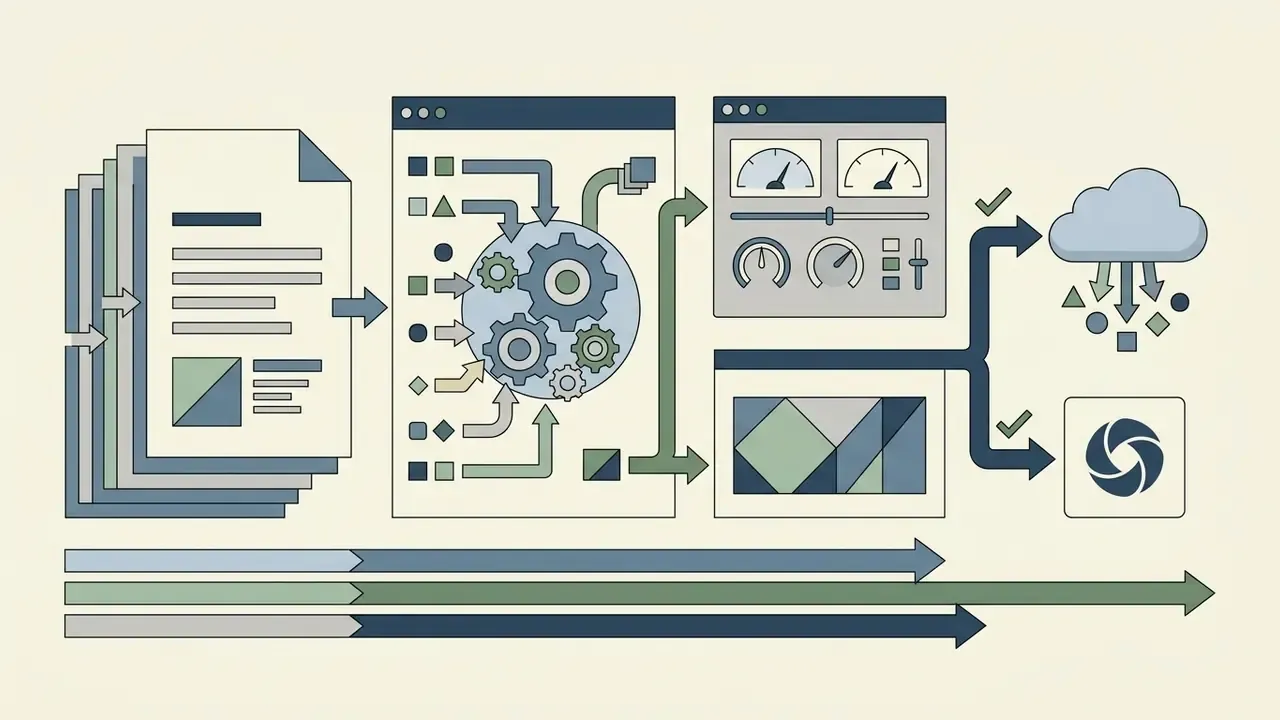
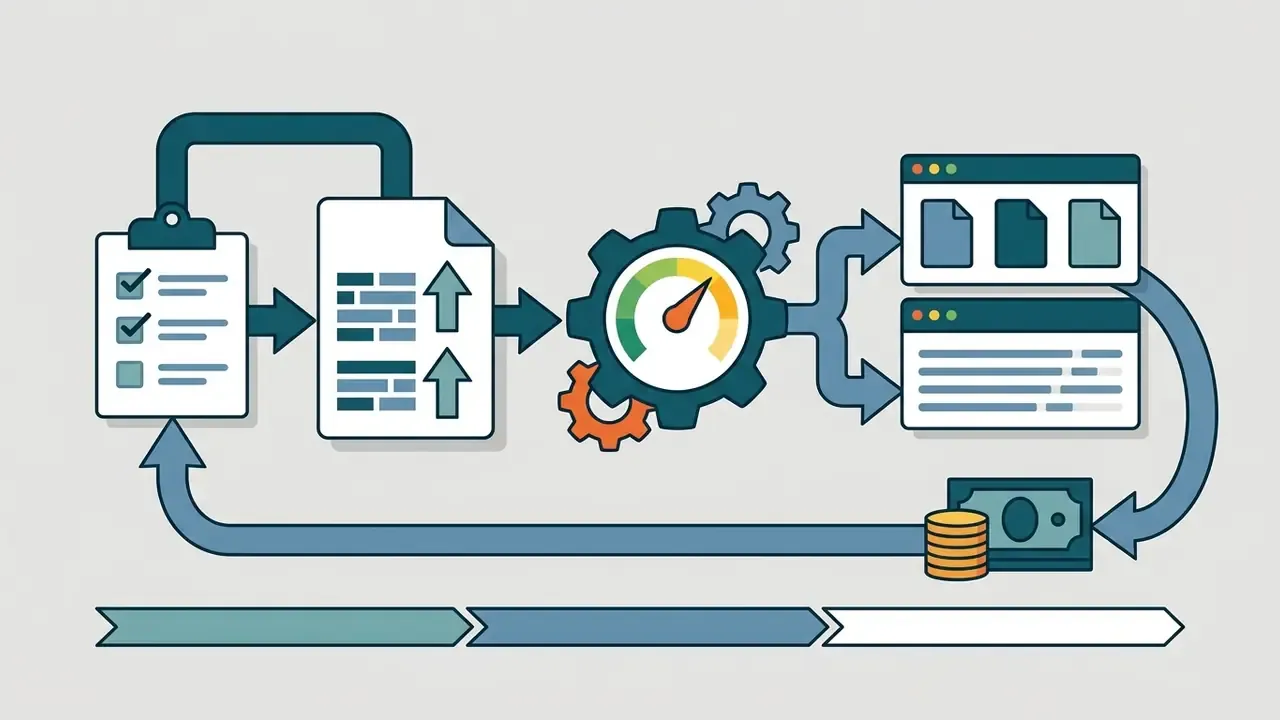
An ai logo generator is an automated software system that converts text prompts, industry parameters, and visual style preferences into scalable raster and vector logo designs. Rather than serving static pre-made graphics, an ai based logo generator applies text-to-image diffusion models or feature-guided algorithms to assemble balanced compositions with custom icons, typography, and color schemes.
"Diffusion models synthesize raster logo concepts first, then vectorize the result into SVG through path-conversion pipelines."
Modern ai based logo creator tools run a multi-stage technical pipeline. When a user enters a company name and a visual direction, the ai logo engine samples from large latent spaces built on graphic design datasets. Academic work on vector generation architectures such as StarVector (CVPR 2025) documents the common order of operations: synthesize raster concepts via diffusion, then vectorize the output into scalable vector graphics (SVG) using path-conversion tools like VTracer. Dedicated direct-to-vector models take the other route and code SVG paths from text embeddings. Either way, the logo generator should hand you crisp shapes instead of fixed-resolution pixels.
The core purpose of these logo design tools is practical. They let teams produce first-pass logo ideas and finalized brand marks without extensive design experience. By conditioning generation on explicit business inputs, the system returns dozens of generated logo concepts tuned to a market niche in seconds.
AI Logo Maker vs. AI Art Generator for Logo Design
A dedicated ai logo maker structures generation around editable typographic rules, symbol selection, and vector exports. A general ai art generator logo tool produces a single-layer raster image with no direct text editing. Specialized platforms such as Looka and Brandmark keep text elements separate from graphic symbols, which enables precise control over font weights, letter spacing, and line layouts. Looka, for instance, documents editable fonts, layouts, spacing, and symbol swaps, with downloads delivered as SVG, EPS, PDF, and PNG. General image models do not publish that kind of delivery guarantee.
General generative image platforms such as Midjourney, DALL-E 3, or Stable Diffusion excel at artistic illustration. They still treat text as pixel patterns rather than editable vector typography. Readers comparing the two categories can review how AI art generators handle style control versus structured brand output, plus how specific engines behave in our evaluations of Midjourney image generation and the best AI art generators.
Peer-reviewed work on AI image tools in professional and non-professional design practice reports the same split: general-purpose models get adopted broadly for ideation, yet they distort character forms and produce flattened, non-editable outputs unsuited to commercial identity work.
"General AI models frequently distort characters or produce non-editable flat images unfit for commercial use."
Dedicated logo platforms preserve object separation, so operators can export layered SVG, EPS, and PDF files for commercial printing and high-resolution web deployment. Where a general engine sits inside a wider creative stack, for instance the Canva AI generator, the mark itself should still be finalized in a vector-capable editor.
What Information AI Uses to Generate a Logo
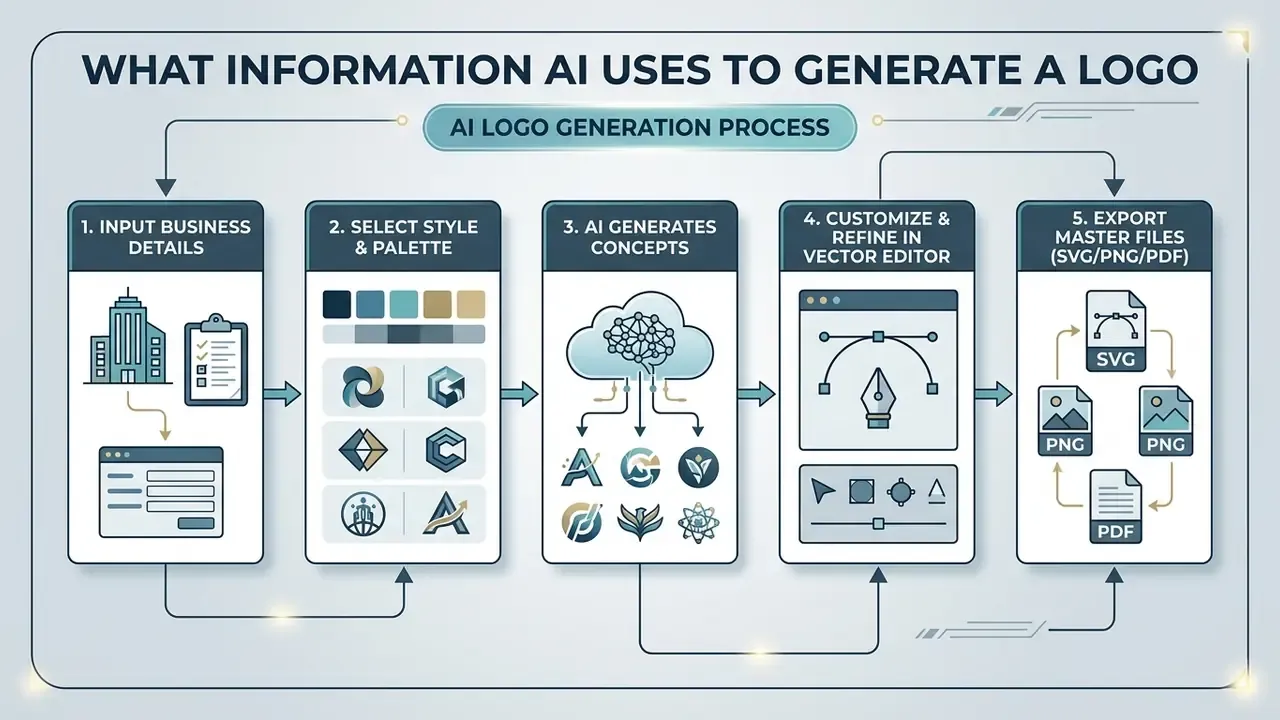
An ai based logo maker depends on structured contextual inputs: legal business name, industry classification, core brand values, preferred visual styles, and color palette restrictions. Those parameters constrain the search space and stop the system from producing mismatched visual metaphors.
In computational branding frameworks such as the ACAI co-creation architecture (arXiv 2025 preprint), inputs are organized into distinct semantic panels.
"ACAI structures inputs into three panels, branding, audience and goals, inspiration, with predefined fields for palettes, fonts and brand values."
The system reads your industry, financial technology versus organic dining, and infers appropriate icon categories and color harmonies. It then pairs those parameters with typography rules: sans-serif families for modern tech firms, traditional serifs for legal practices. Mapping these variables into one visual dataset keeps the resulting text, icon, and palette combinations inside industry conventions while retaining some visual distinction.
Brand DNA construction and archetype mapping. Current-generation platforms increasingly front-load a Brand DNA Construction stage. Before the first sketch renders, the system builds a vector of brand values from the name, industry, and declared personality, then matches that vector to compatible logo styles, layouts, and color directions. Vendor documentation for pipeline-based makers (LogoAI 2.0 and comparable systems) describes exactly this order: DNA first, style matching second, multi-model refinement third, brand kit last.
Archetype mapping is the practical layer on top of Brand DNA. Institutional and consumer brands are commonly positioned against archetypes such as The Innovator, The Caregiver, The Ruler, The Sage, or The Explorer. Each archetype carries a shape language:
- Sharp angles, triangles, ascending diagonals → momentum, disruption, performance (Innovator, Explorer).
- Circles, ellipses, soft radii → safety, accessibility, care (Caregiver, Everyman).
- Strict squares, symmetry, heavy serifs → authority, stability, custody of assets (Ruler, Sage), the default register for banking and regulated finance.
- Asymmetric or hand-drawn strokes → craft, heritage, artisanal positioning (Creator).
Documenting the chosen archetype before generation also produces a governance artifact. It converts "we liked this one" into a recorded design rationale that survives executive review and audit questions.
How to Create a Logo with AI Step by Step
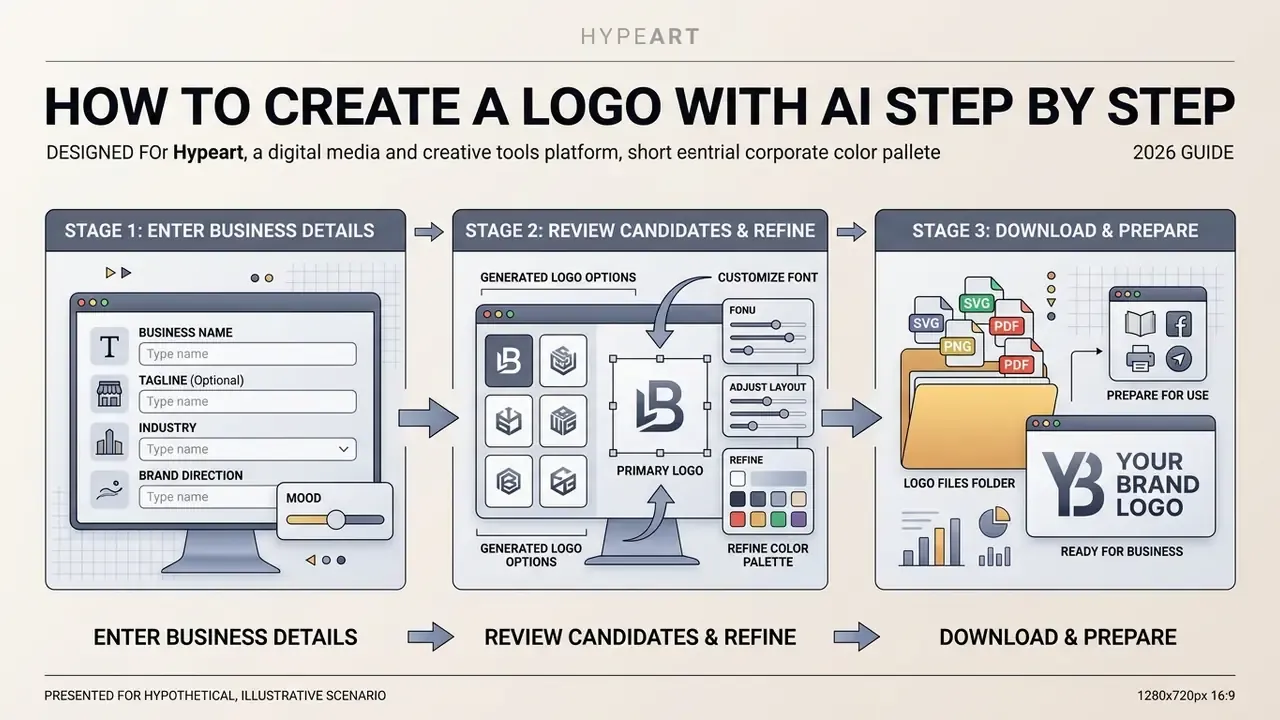
To create a logo with an ai logo generator, an operator enters core business metadata, reviews AI-generated candidates, customizes typography and layout variables, then exports the final assets. This sequence lets non-designers produce a polished corporate identity mark without manual graphic editing skills, provided the output clears a human quality gate.
"Interviews with ten UX and industrial design practitioners show generative AI tools are used as 'clay to play with', for rapid concept exploration, not as autonomous designers."
Illustrative scenario, explicitly hypothetical. Consider a regional financial advisory firm launching a brand identity for a new automated portfolio service. The team could use an ai corporate logo generator to compress the drafting phase: enter structured brand constraints, iterate through vector adjustments in the online editor, export a production-ready SVG package inside one working session. The measurable benefit here is the removal of preliminary drafting rounds, not a guaranteed completion time. Actual cycle time depends on review depth, brand governance requirements, and the number of approval gates. Treat any time-to-completion figure as a hypothesis until internal project analytics confirm it.
Modern no design platforms compress this into a predictable sequence. Readers who want a broader inventory of tooling can review our reference material on AI logo generators before committing to a vendor. Web-based design tools keep final color values, icon placements, and font pairings under human control right up to the download of master files.
Enter Your Business Name, Industry and Brand Direction
The first phase requires the exact corporate entity name, an optional slogan or tagline, the primary industry category, and the desired visual tone. Accurate entity input keeps the text engine from breaking the primary mark across unwanted line breaks or dropping characters.
Corporate brand-guideline documents, and the ASU Brand Guide (2026) is one publicly available example, consistently instruct teams to enter the official legal name form with exact capitalization, punctuation, articles, and entity suffixes. Note that such guides are institutional style documents, not peer-reviewed sources. The underlying rationale is still verifiable and practical: the string entered at setup propagates into every downstream asset, favicon, letterhead, and trademark specimen. Fixing it after export forces regeneration of the whole file bundle. Naming guidance from professional naming consultancies adds a second filter at this stage, covering distinctiveness, pronounceability, international fit, and trademark or domain protectability, before any visual generation begins.
Choosing a specific industry context lets the ai company logo creator filter out irrelevant symbolic metaphors and propose palettes that match consumer expectations in that vertical. Two or three business-specific keywords narrow the space further when first-pass results feel generic. And they often do feel generic. That is normal, not a defect.
Choose a Logo Design and Refine the Result
Once the system returns an initial grid of logos generated, the user picks the strongest direction and opens it in the platform editor to customize design parameters. This phase is about layout geometry, icon scale, font combinations, and letter spacing.
"Users rarely accept the first output. They iteratively refine prompts, gradually converging on the intended visual language."
Online customization toolsets, including those documented in Canva and Adobe Express workflows, let operators swap graphic icons from stock vector libraries, modify transparent background layers, and tune primary and secondary hex codes. Editor documentation for these platforms specifies granular typographic controls: font family search, font weight selection, text color, letter spacing, plus save-and-apply flows that push changes across the full asset set. Manual editing at this stage supplies the human creative contribution that lifts a generic machine output into a distinctive corporate mark. It is also the same contribution that later supports any copyright registration argument.
Download Files and Prepare the Logo for Use
The final step exports the approved design into a package of raster and vector files for digital and print media. A complete export must include resolution-independent vector files (SVG, EPS) for large-format work and transparent background raster images (PNG) for digital placements.
For digital touchpoints, teams deploy high-resolution PNGs across website headers, email signatures, and corporate profile avatars. For specialized digital identity applications, operators often extend their asset set with tools like an ai pfp generator or apply basic corrections through an ai photo editor; a broader feature and pricing overview sits in our reference on online photo editors. Commercial print production needs vector formats or PDF/X-1a settings to hold color fidelity and clean scaling on business cards, signage, and merchandise.
- Input exact business name and taglineenter legal phrasing with the capitalization and punctuation you intend to keep.
- Select industry and visual moodchoose the market category and stylistic direction (Minimalist, Corporate, Geometric).
- Generate concept candidatesrun the ai buisness logo generator to produce initial visual directions.
- Filter and select the primary optionjudge candidates on simplicity, clarity, and brand alignment.
- Customize typography and iconographyadjust font families, kerning, color hex codes, and graphic alignment in the editor.
- Verify scaling and contrasttest legibility at 16×16 pixels and confirm a 4.5:1 contrast ratio on adjacent text.
- Export the production file packagedownload master SVG, EPS, PDF, and transparent PNG bundles.
- Archive the decision recordstore prompts, style and archetype selections, and a log of manual vector edits as reproducible evidence of human authorship.
How to Choose the Best AI Logo Maker for Your Business
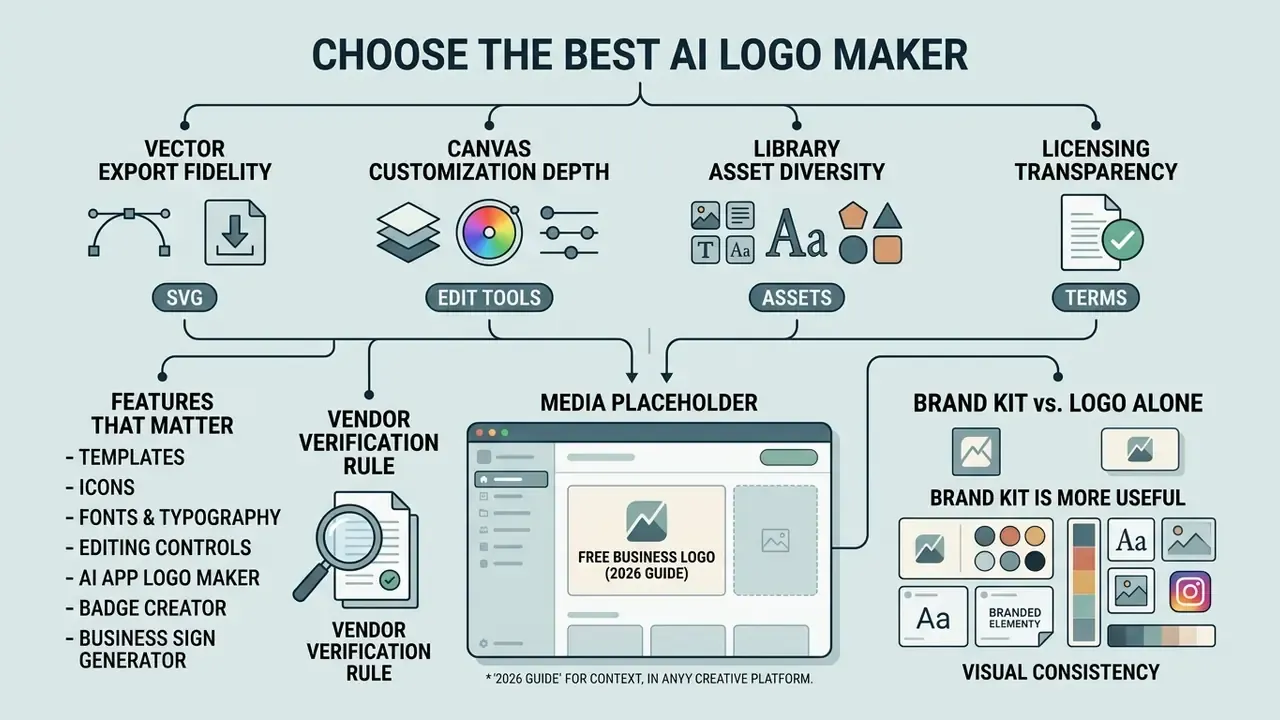
Selecting the best ai logo maker comes down to vector export fidelity, canvas customization depth, library asset diversity, and licensing transparency. Anyone evaluating an ai business logo generator should first confirm whether the tool produces true scalable vector output or merely upscaled pixel graphics. The distinction is not cosmetic; it decides whether your signage vendor can use the file at all.
"Practitioners cite limited editing control, the inability to adjust kerning or icon placement, as the main reason for abandoning AI tools in professional work."
For enterprise use, an ai brand logo generator must slot into existing graphic software workflows. Prioritize tools that ship layered SVG files, provide broad font libraries, and publish clear commercial usage terms. A side-by-side view of the leading AI image generators helps calibrate expectations on output quality and licensing before procurement starts.
Vendor verification rule. Procurement decisions should rest on vendors whose legal entity, product documentation, and licensing terms can be independently verified. Any platform whose corporate registration, infrastructure, or compliance posture cannot be confirmed belongs off the shortlist regardless of marketing claims. Unverified entities encountered during this research are recorded in the Technical Summary & Verification Status table near the end of this article, not in the selection guidance itself.
Features That Matter: Templates, Icons, Fonts and Editing
A professional ai brand logo maker should offer searchable vector icon databases, licensed or self-hosted typefaces, and multi-layer canvas editing. Published library sizes vary widely and are not directly comparable. Some platforms disclose exact counts, for example icon libraries advertised at five million-plus stock assets, or smaller curated sets of roughly 11,000 icons paired with a dozen self-hosted font families. Others state only "thousands" of templates. Treat any single asset-count figure as a marketing metric requiring verification against vendor documentation, not as an industry threshold.
Stronger logo creator tools let users modify individual path elements, adjust icon stroke weight, and place custom gradient stops.
"A persona- and scenario-driven AI branding platform uses an MoE-CNN to classify visual styles and KNN to map brand similarity in semantic space."
Editing controls must go beyond color swaps. Advanced platforms expose precise numerical inputs for letter spacing, line height, and element alignment coordinates. That structural flexibility is what allows a final design to match exact corporate visual guidelines instead of surrendering to rigid default templates.
AI App Logo Maker, Badge Creator and Business Sign Generator
Specialized branding tasks demand dedicated configurations: an ai app logo maker, an ai badge creator, an ai badge generator, or an ai business sign generator. Each carries distinct design constraints tied to the display medium.
An ai app logo maker optimizes graphics for micro-scales, generating simplified marks that stay recognizable as browser favicons or mobile application icons. Vendor favicon utilities explicitly optimize for readability at browser-tab dimensions and export .ico-compatible bundles. An ai business sign generator, by contrast, favors high-contrast vector geometries that translate cleanly to architectural materials, laser engraving, or large-format vinyl.
Record one documentation gap during procurement. Favicon and icon generation is well documented by major vendors, while dedicated "badge creator" and "business sign generator" categories appear far less consistently in official product material. That asymmetry is a signal to validate the capability inside a trial rather than trust a feature grid. When identity work extends into animated media or specialized digital channels, teams often reach for external creative suites and reference guides for an ai photo editor app or an ai photo animator to hold visual consistency across active campaign collateral.
When a Brand Kit Is More Useful Than a Logo Alone
An ai branding generator or ai brand creator free platform delivers more operational value than a standalone mark, because it produces a system: color codes, font pairings, social header templates, business card layouts. A complete kit is what keeps every customer touchpoint visually coherent.
"Without codified brand assets, AI outputs are visually inconsistent, which undermines brand recognition."
A plain logo download gives you the core mark and nothing else. An ai brand generator free export bundle, or a paid ai brand and logo generator tier, typically adds pre-formatted templates for LinkedIn, X (formerly Twitter), Facebook, and Instagram, plus branded letterheads and a brand guideline PDF. Published vendor kits often extend to business cards, letterheads, invoices, 50 or more social templates, and a 10 to 15 page guidelines document. Agency price ladders show a clear step-up from logo-only packages to full-collateral tiers. Organizations planning a comprehensive identity update can review structured cost parameters on our platform to compare options, see the overview of modern enterprise brand tools, and study commercial usage rights for AI-generated images before signing anything.
| Selection Criterion | Basic Free AI Logo Tool (e.g., LogoMakr free tier, Pixelbin free credit) | Professional Dedicated AI Logo Maker (e.g., Looka, Brandmark, LOGO.com, Logopony) | General AI Image Generator (e.g., Midjourney, DALL-E 3, Stable Diffusion, Canva Dream Lab) |
|---|---|---|---|
| Primary output format | Low-resolution raster (PNG/JPG) | Scalable vector (SVG, EPS, PDF) plus high-res PNG | Fixed-resolution raster (PNG/WEBP) |
| Typography editing | Uneditable or basic text swap | Full font choice, kerning and spacing control | Non-editable, baked into the image |
| Icon customization | Fixed pre-set symbols | Searchable vector library (vendor-disclosed, up to 5M+ assets) | Prompt-driven generation only |
| Brand kit assets | Not included | Social templates, cards, guidelines PDF | Not included |
| Human designer escalation | None | Optional "Designer Fix" or hire-a-designer path | None |
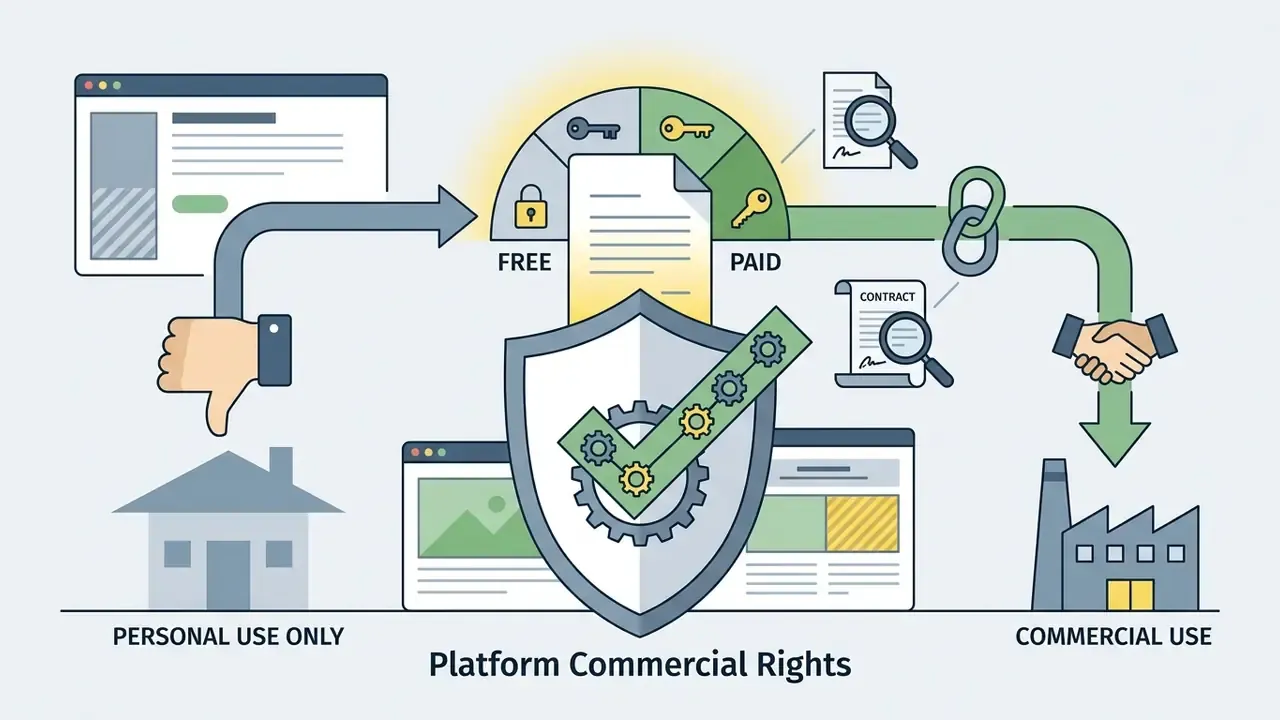
| Commercial usage rights | Personal use only, non-exclusive, or attribution required | Full commercial license on paid tier | Platform terms dependent; exclusivity usually excluded |
| Typical cost structure | Free preview, $10 to $20 per download | $25 to $65 one-time or $96 to $120 per year | $10 to $30 per month platform subscription |
Reading the table: free tiers are fine for concept validation and little else. Dedicated makers are the only category that reliably delivers vector masters, editable typography, and an explicit commercial license. General image models remain ideation tools whose output must be rebuilt as vector artwork before commercial deployment.
Free AI Logo Generator: Pricing, Files and Total Cost of Ownership
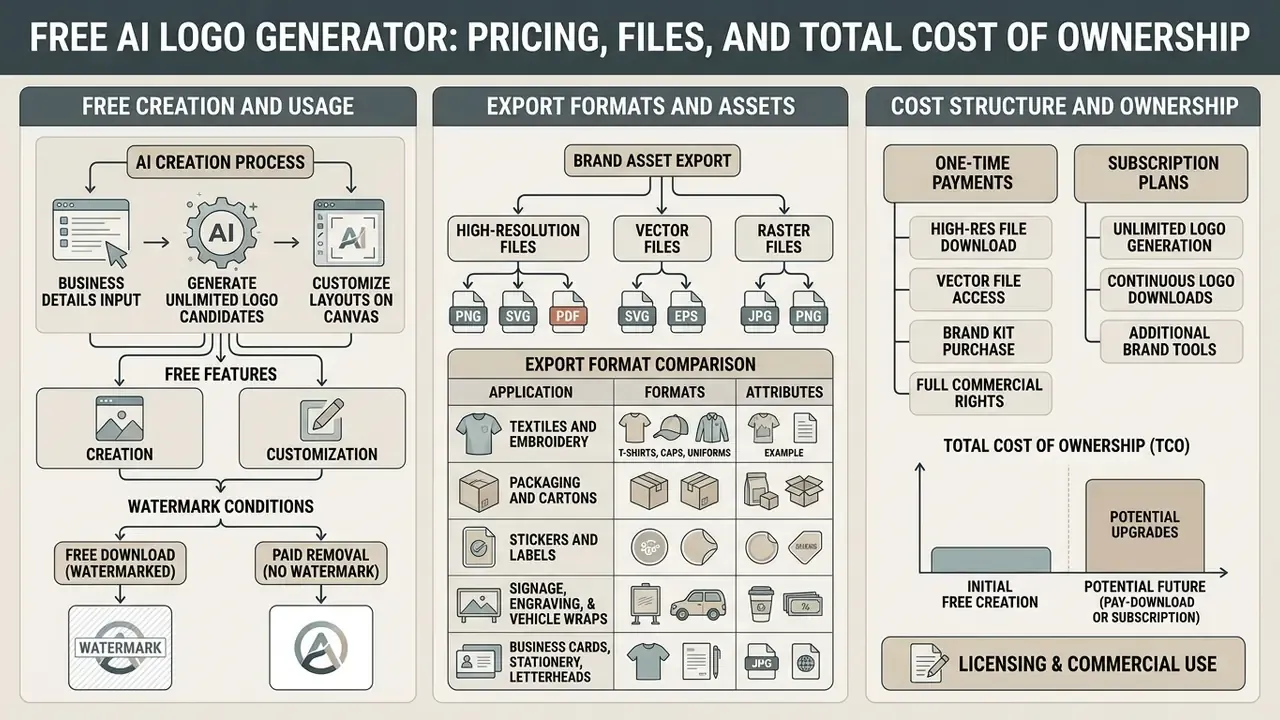
An ai based logo maker free tool usually lets users enter business details, generate unlimited candidates, and customize layouts on canvas at no cost, then charges for high-resolution vector downloads and full commercial licensing. Understanding that monetization pattern prevents nasty surprises mid-launch.
Market data from commercial design vendors points to three tiers: genuinely free low-res exports with watermarks, credit-capped free trials (40 trial credits on some platforms, a single free monthly export on others), and premium paid packages. These credit and price figures come from vendor pricing pages, not independent audits, so re-verify at purchase time. Production-ready vector packages range from a $25 to $65 one-time export fee up to $96 to $120 annual subscriptions for continuous access to an ai branding generator free platform's asset suite.
"Legal analyses of AI platform terms note that many tools require users to grant an irrevocable licence over inputs and outputs, which affects commercial rights."
Free is rarely free at institutional scale. Licence scope, indemnification, and clearance work all sit outside the sticker price.
Free Creation, Free Download and Watermark Conditions
Free options inside an ai business logo generator free workflow usually apply specific limits: a watermark on the image, resolution capped to low-density PNG, or permission restricted to non-commercial personal projects.
Platforms such as VistaPrint AI Logomaker offer watermark-free high-resolution downloads on certain promotional tiers, while OpenArt and Pixelbin operate credit systems where free credits expire after the trial. Other vendors publish free-tier caps expressed as prompts per month or logos per 24 hours, with watermark-free exports permitted for websites, social media, marketing, and merchandise. Anyone hunting an ai brand logo generator free solution should check two things: whether the generated file includes transparent background layers, and whether the free tier permits commercial use at all. At least one major vendor licenses free-tier brands for personal, private, non-commercial use only.
File Formats, High-Resolution Files and Brand Assets
Paid upgrades unlock high-resolution master files, commonly 4000×4000 pixel PNGs, plus resolution-independent vector files (SVG, EPS, PDF) required for commercial printing and professional web development.
Raster images (PNG, JPG) pixelate once scaled beyond their native dimensions. Vector formats store graphics as mathematical paths and scale indefinitely with clean edges. The SVG specification defines two-dimensional vector graphics in XML; PNG stays a pixel-bound raster format no matter the resolution.
"Persona- and scenario-oriented branding platforms require scalable formats, SVG or EPS, for correct rendering across digital and print media."
Businesses planning physical signage, vehicle wraps, or embroidered uniforms need SVG or EPS vectors. Where only raster source material exists, review AI image upscalers as an interim mitigation, never as a substitute for vector artwork. For detailed cost projections across generative asset tools, operators can open the hub to model budgeting metrics or contact AI Media Support for technical assistance.
Export format comparison
| Format | Primary Purpose | Advantages | Limitations |
|---|---|---|---|
| SVG | Web, icons, further editing | Infinite scaling, small file size, editable paths | Requires a vector editor; inconsistent legacy email support |
| EPS / AI | Professional print production | Print-shop standard, preserves vector data | Needs Adobe Illustrator or equivalent |
| PNG (4000 px) | Social media, presentations, documents | Transparent background, universally supported | Raster: degrades when enlarged beyond native size |
| PDF/X-1a | Outdoor advertising, packaging press files | Strict color management, predictable output | Not intended for websites or app assets |
Physical merchandise execution. File requirements shift by substrate, and one "print file" rarely satisfies all of them:
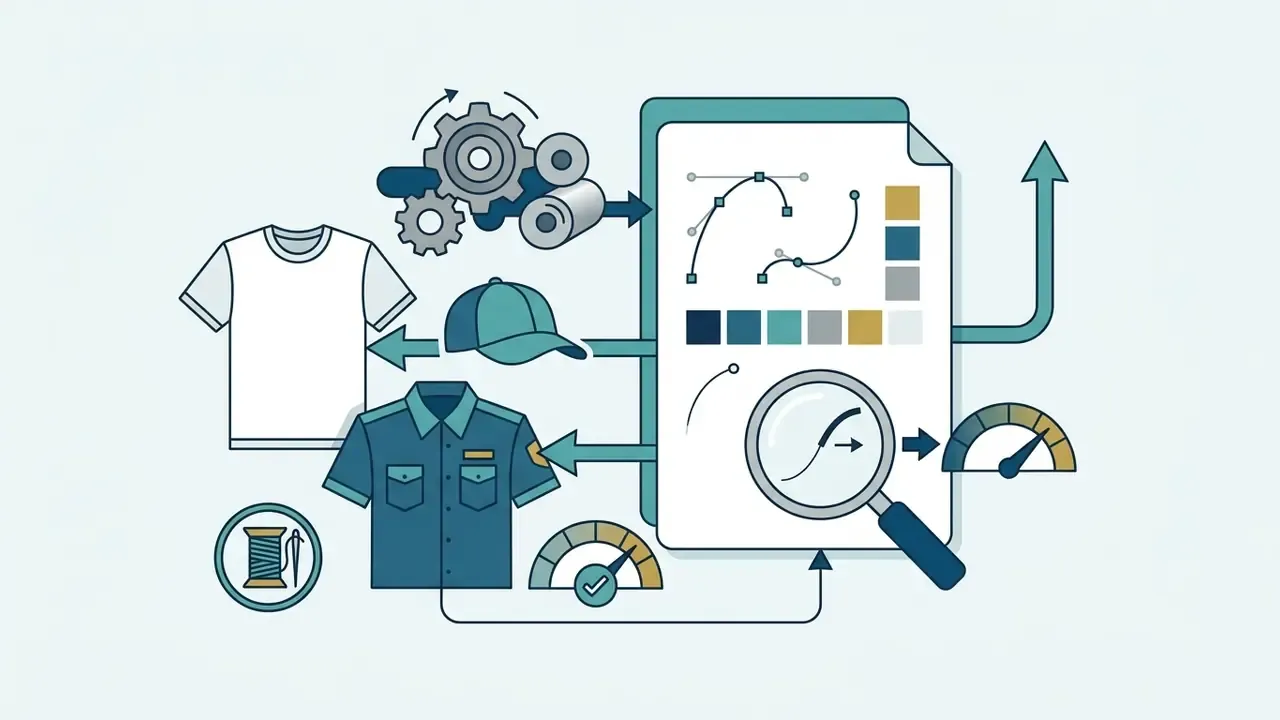
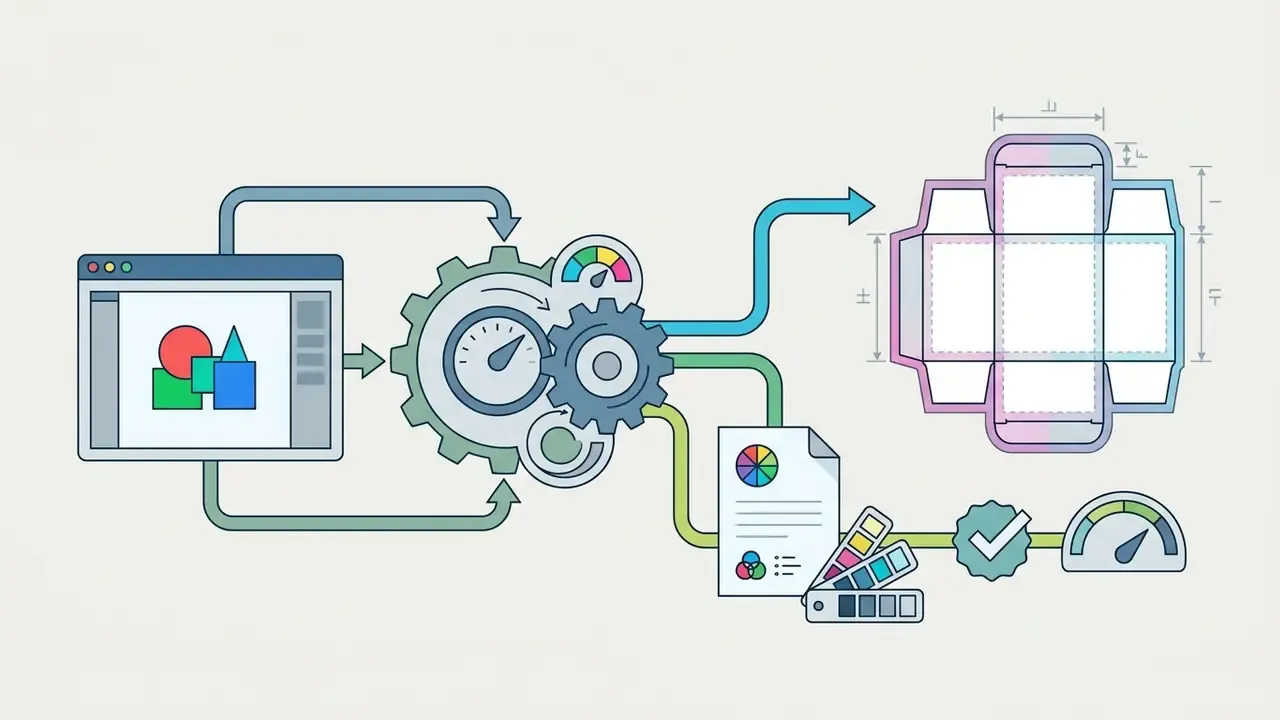
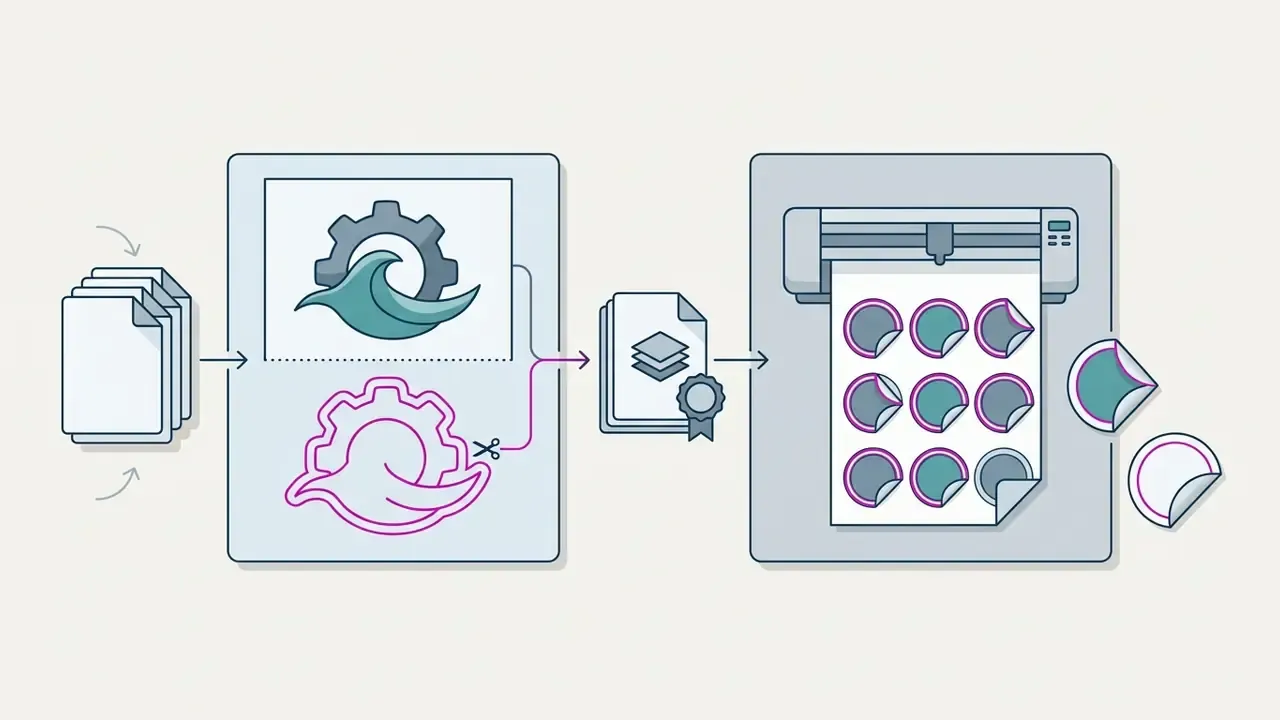
CutContour path) in PDF/X-1a, with the mark separated from its cut outline.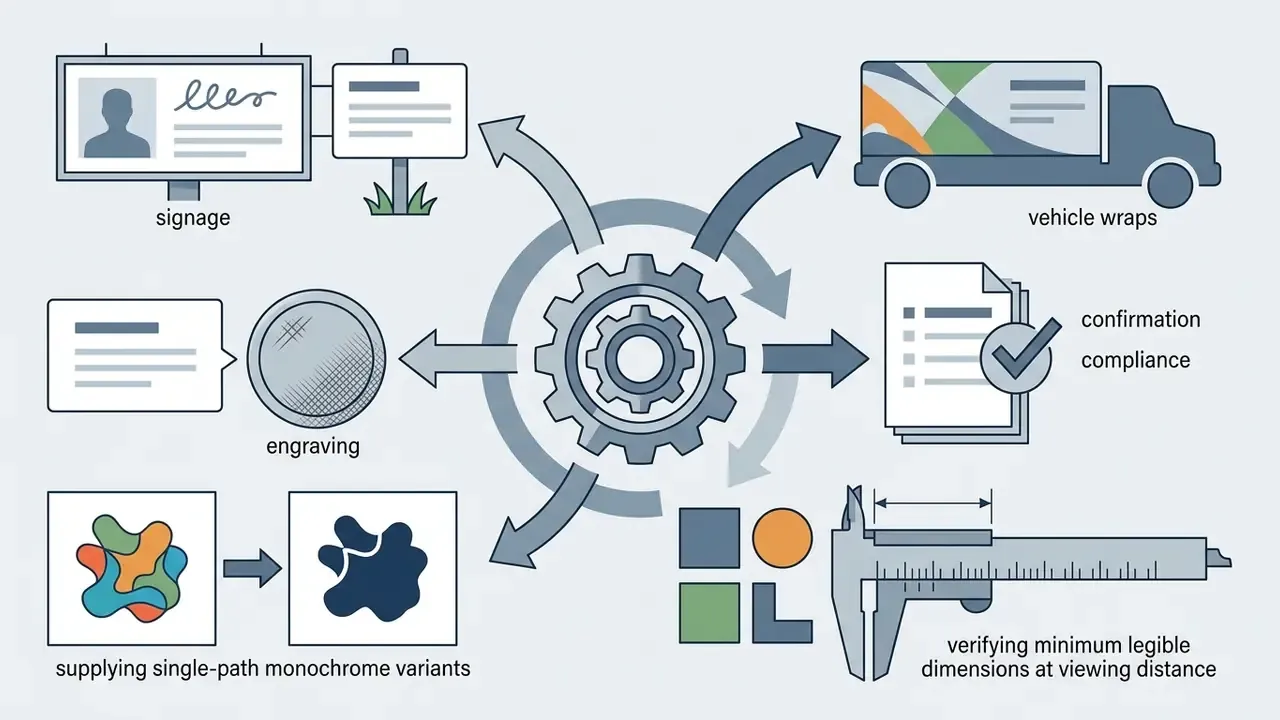
One-Time Purchase, Plans and Ongoing Editing Access
Commercial AI logo makers price either as single one-time asset purchases or as recurring monthly and annual subscriptions. A one-time purchase grants permanent download rights to a specific file package, often with a limited post-purchase editing window that ranges from 30 days to lifetime access depending on vendor terms. Published examples sit at both extremes. Some vendors state plainly that there are no subscriptions and that files and edits stay available for life. Others combine a per-logo fee with monthly and yearly plans, and a few restrict name or symbol changes to a short window while leaving cosmetic edits open indefinitely.
Subscription models provide continuous access to brand kit generators, unlimited text updates, automatic social asset resizing, and extra design tools. Organizations wiring automated creative workflows into software pipelines can explore the hub for API options or browse the hub to review enterprise commercial deployment guidelines.
Total cost of ownership beyond the licence. Institutional ROI models routinely omit the control layer. A defensible TCO estimate should carry these line items:
| Cost Component | Nature | Notes |
|---|---|---|
| Platform licence | One-time $25 to $65, or $96 to $120 per year (vendor-published) | Confirm whether commercial rights are plan-gated |
| Trademark clearance search | External counsel or IP search provider fee | Fees vary by jurisdiction, class count, and search depth; obtain a written quote |
| Trademark application | Official registry fees per class | Consult current USPTO, EUIPO, or WIPO fee schedules; costs scale with classes and territories |
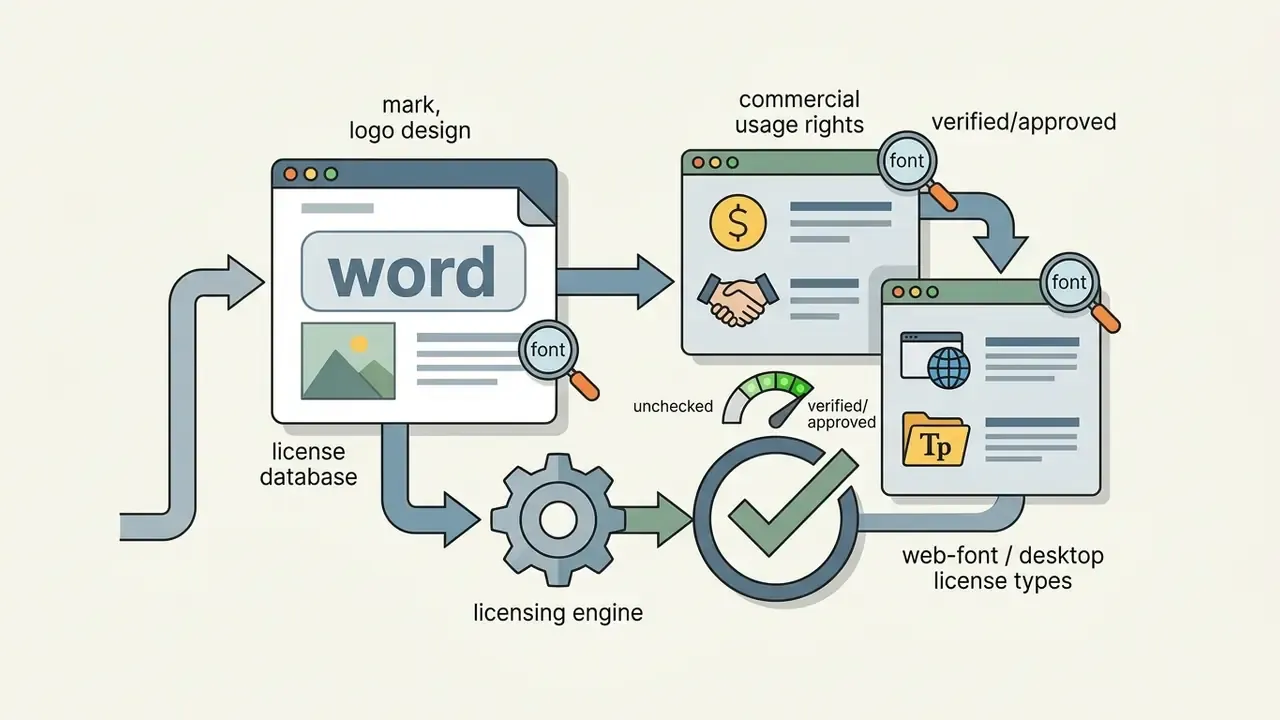
| Font and stock-icon licensing | Per-seat or per-project | Desktop, web, and app licences are usually separate |
| Design remediation (human-in-the-loop) | Hourly or fixed fee | See the Designer Fix subsection below |
| Governance and audit evidence | Internal effort | Prompt logs, edit history, approval records |
Cost ranges for legal clearance and registration are jurisdiction-specific and change over time. Treat all figures above as planning placeholders requiring verification against current official fee schedules and counsel quotes.
ALERT BOX: Licence and asset rights verification
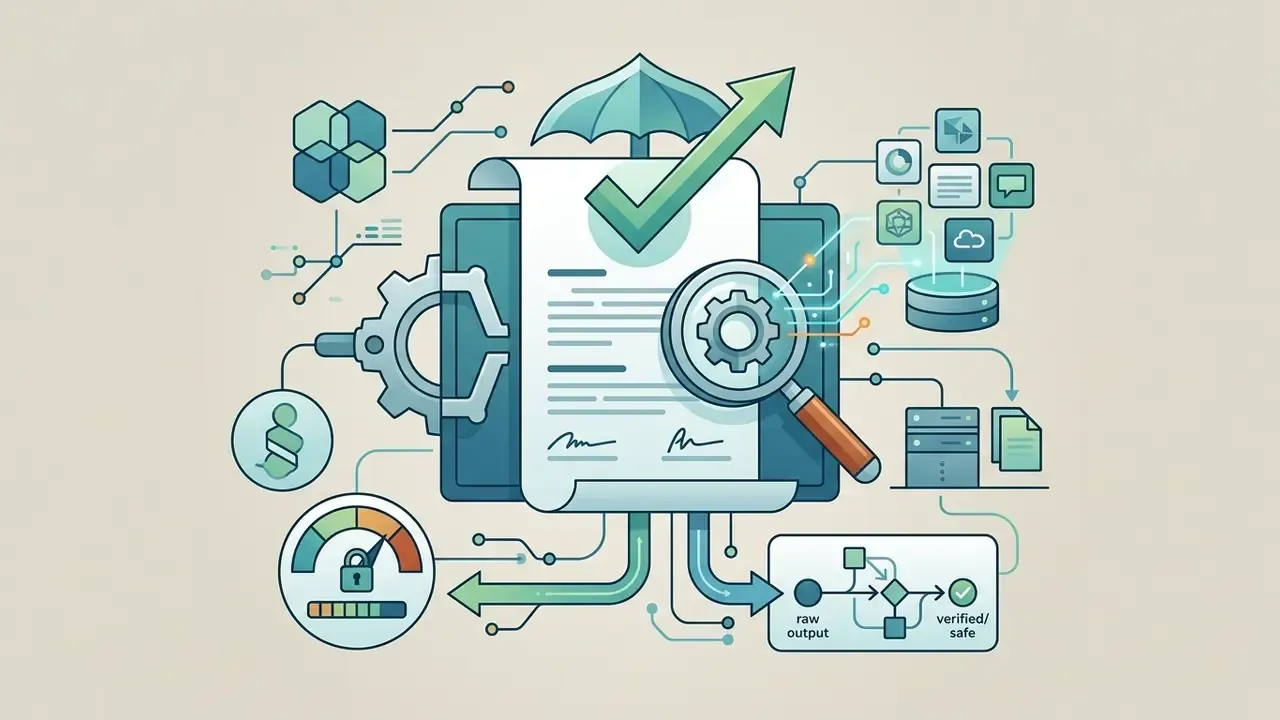
Before deploying any AI-generated logo across commercial products, digital channels, or print runs, complete these checks:
How to Make an AI-Generated Logo Look Professional
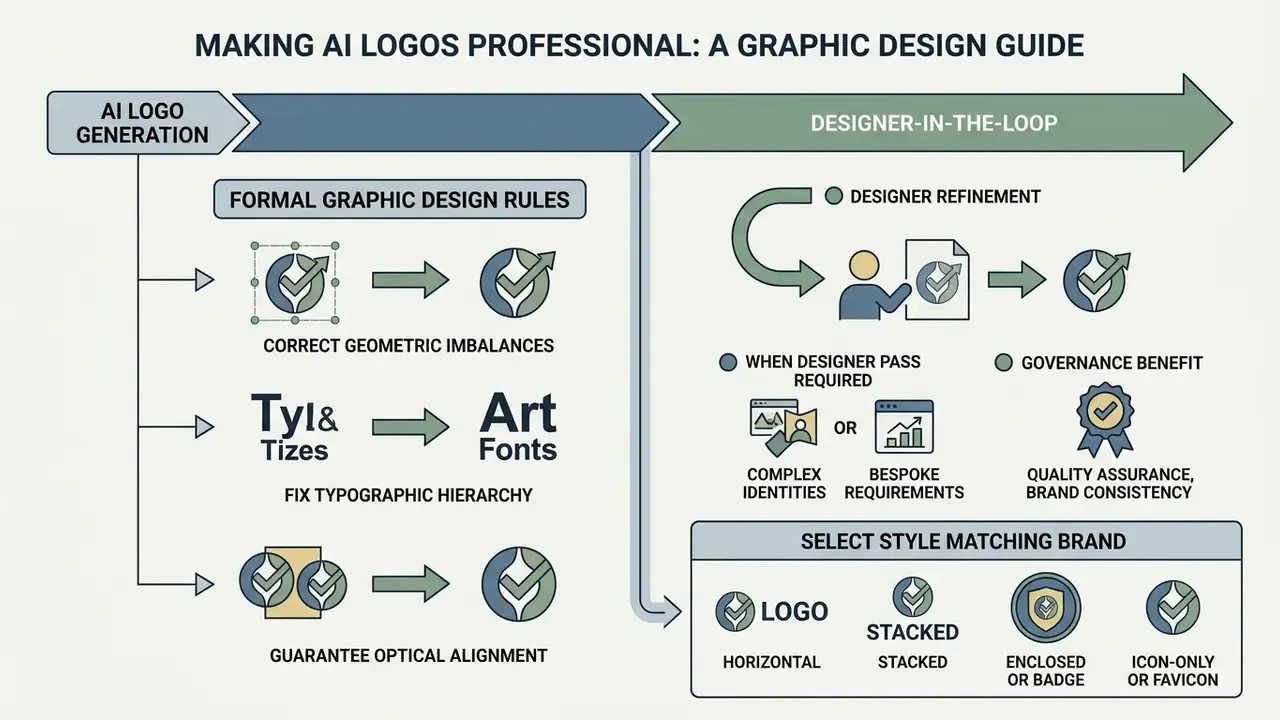
Making an ai-generated logo look professional means applying formal graphic design rules: correct geometric imbalances, fix typographic hierarchy, and guarantee optical legibility at every scale. Machine output gives you strong conceptual raw material. Human oversight turns it into an enterprise-grade brand asset.
"UX and industrial design practitioners report that AI tools often produce visually appealing but impractical solutions requiring substantial manual rework to meet standards."
Consider an illustrative internal review. A risk management group audited an ai brand logo generator free workflow used by a software lab. The generated icons looked good, yet the embedded text failed accessibility contrast standards and collapsed into illegible blocks at small display sizes. Manual geometric grid alignment, a corrected font weight hierarchy, and strict clear-space boundaries around the symbol brought the mark up to corporate brand governance standards. Published institutional brand guides reinforce the same controls: preserve logo geometry, never distort, recolor, rotate, box, or crowd the mark, maintain a defined minimum clear space (commonly expressed as a multiple of a logo element, such as 2×), and require documented human approval before publication.
Human-in-the-Loop: When to Use a Designer Fix
Even an advanced ai based logo generator stumbles on the kerning of display typefaces, on the boolean union of overlapping vector paths, or on stroke weights that vanish at small sizes. When the generator delivers the right concept with the wrong geometry, escalate to a Designer Fix: a human refinement pass offered natively by hybrid platforms such as LOGO.com, Logomakerr.AI, and Wix, or performed in-house on the exported source file.
When a designer pass is required:
- Bezier curves and path nodes need manual correction for large-format print, engraving, or signage fabrication.
- Layers must be separated for animation, embroidery digitizing, or spot-color separation.
- A bespoke typeface or custom letterform must be drawn from the AI sketch instead of substituted from a library.
- Optical alignment, not mathematical alignment, is needed so icon and wordmark read as balanced at 16×16 px and at five metres.
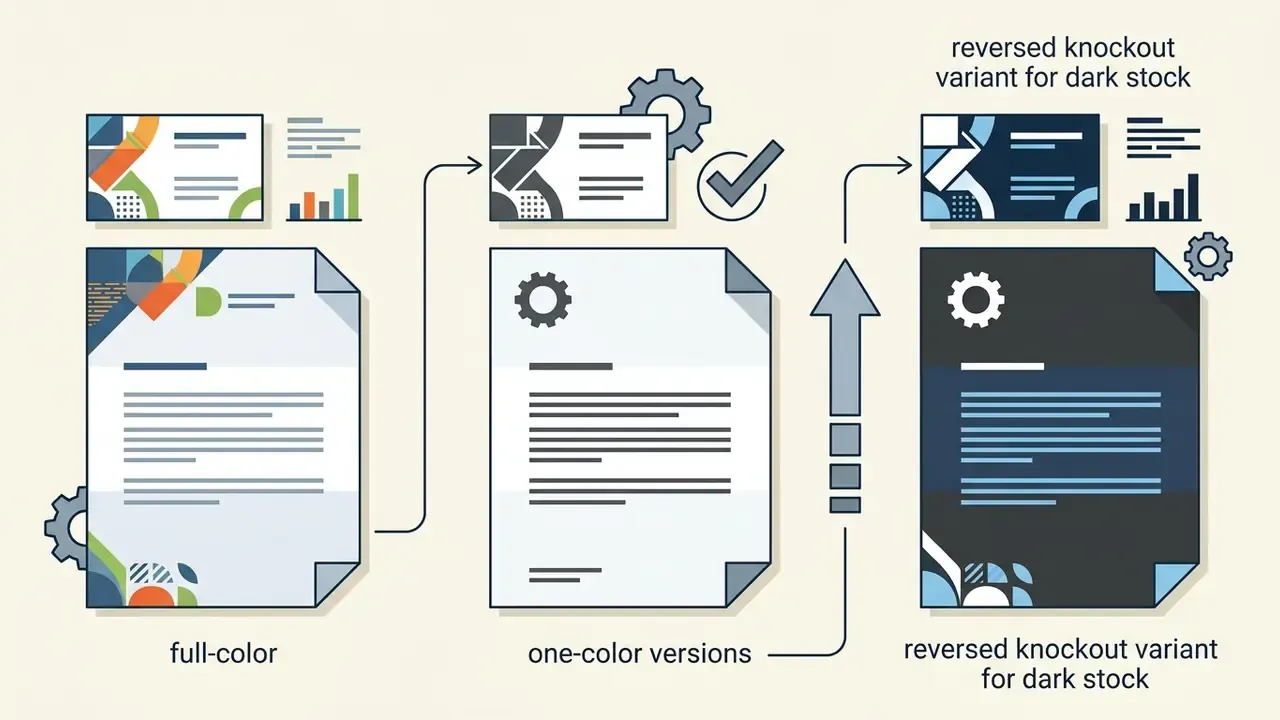
- The mark must be reduced to a single-path monochrome variant plus a reversed variant for dark backgrounds.
- Accessibility remediation is required after a contrast failure.
Governance benefit. Handing an AI concept to a professional designer keeps the source files technically and legally clean while cutting design spend against a ground-up commission. Vendor and agency price ladders suggest savings on the order of 70%, a figure that should be validated against internal procurement data rather than repeated as fact. More important for compliance: the designer's documented edits constitute the human creative contribution that later supports a copyright registration argument. Version-control every revision and log it.
Select a Style That Matches the Brand and Business
Choosing a visual style, whether corporate minimalism, geometric abstract, vintage line art, or a modern emblem, should follow target market expectations and industry norms rather than personal taste. An ai buisness logo maker exposes style filters that shift the visual mood of the generated outputs.
Style and layout catalogue. When configuring an ai logo generator, work from the standard art-style taxonomy exposed by leading platforms, commonly fourteen options: Minimal, Geometric, Retro/Vintage, Isometric, Pixel Art, Line Art, Illustration, Emblem/Badge, Ink, Brush, Typography-First (Wordmark), Mascot, Monogram, and 3D Render. The same prompt rendered across these styles produces fourteen materially different brand registers, which is exactly why the style filter should be locked before palette experimentation begins.
After fixing the style, set the geometric layout arrangement:
- Horizontalicon left, wordmark right. The default for website headers, email signatures, and letterheads.
- Stacked (vertical or centered)icon above the wordmark. Best for packaging, merchandise, and square placements.
- Enclosed or badgetext and symbol inside a closed shape. Built for stickers, uniforms, and heritage positioning.
- Icon-only or faviconsimplified mark without text for micro-scales (16×16 px), app icons, and social avatars.
Minimalist geometric styles suit technology and financial services companies, because they scale cleanly across dashboards and mobile screens. Vintage or illustrative marks fit artisanal retail and food service brands chasing heritage appeal. Mascot and 3D styles carry entertainment and consumer-app connotations that rarely survive a regulated-industry brand review. Defining the visual direction early prevents mismatched designs that confuse prospective clients, and requesting all four layout variations at export time prevents costly regeneration the moment a new channel appears.
Check Text, Icon and Color Before Downloading
Before exporting final files, run a quality check across typographic kerning, symbol balance, background contrast ratios, and scaling legibility. Verify text character by character to catch spelling artifacts produced during automated rendering. This step is boring. Skip it and you will find the typo on a printed banner.
Test legibility at small scale, 16×16 pixels, to confirm the mark stays clear on mobile screens and browser tabs. Color combinations should meet Web Content Accessibility Guidelines with a minimum contrast ratio of 4.5:1 for functional legibility, or 3:1 for large text. Note the nuance: logotype text is exempt from WCAG contrast minimums unless the logo serves a functional purpose such as a link. Adjacent brand text is not exempt.
"UX design research records that AI can generate colors with insufficient contrast and typography lacking localization support, requiring manual verification."
Color psychology alignment for AI palettes. Generators expose palette shuffling, HEX and RGB entry, and eyedropper input. They do not decide whether the resulting palette signals what the brand needs to signal. Use this mapping of eleven color families as a review filter before export:
| Color Family | Primary Signal | Typical Fit |
|---|---|---|
| Blue | Trust, loyalty, security, stability | FinTech, banking, SaaS, insurance, healthcare IT |
| Navy / Deep Blue | Institutional authority, custody, conservatism | Asset management, legal, government contracting |
| Green | Growth, balance, health, sustainability | BioTech, organic retail, ESG finance, agriculture |
| Teal / Turquoise | Clarity, calm competence, modern service | Telehealth, wellness platforms, B2B services |
| Red | Energy, urgency, appetite, boldness | Food, sport, media, discount retail |
| Orange | Friendliness, action, affordability | Consumer apps, logistics, hospitality |
| Yellow / Gold | Optimism, warmth; gold adds prestige | Retail, education, premium goods |
| Purple | Creativity, innovation, wisdom | EdTech, AI platforms, beauty, luxury niche |
| Pink / Magenta | Approachability, contemporary consumer appeal | DTC brands, cosmetics, community products |
| Black / Dark Gray | Luxury, authority, precision | Fashion, legal, high-end professional services |
| White / Neutral with accent | Simplicity, transparency, clinical clarity | Architecture, medical, minimal tech identities |
Institutional guidance also caps accent color usage; one published standard limits accents to no more than 25% of a complete design. The same guides require the mark to stay recognizable in grayscale, which is a fast proxy test for whether the design leans on hue instead of form. If legacy brand images need repair before integration into new collateral, prepare source media with an ai photo restoration online free tool. Entertainment stylization utilities, such as an ai photo to anime converter, should stay outside corporate identity pipelines; they are referenced here only as out-of-scope neighbours (see Appendix A).
Can You Use an AI-Generated Logo for Commercial Purposes?
"The U.S. Copyright Office states plainly that prompts alone are insufficient for authorship, because the model independently determines expressive elements."
Contract law governs platform permissions. Copyright protection is a separate question, and it requires showing that human designers exercised substantial creative control through prompt engineering, selection, arrangement, or manual vector modification.
Commercial License, Copyrights and Ownership of the Logo
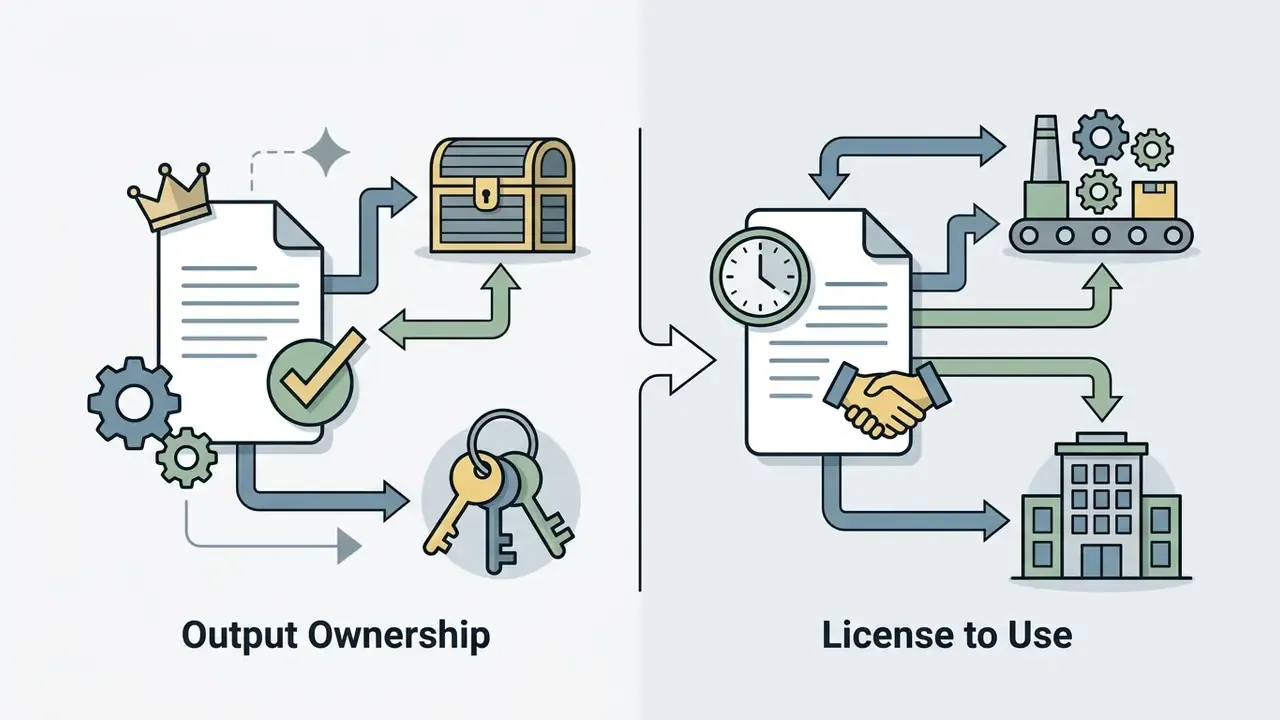
A commercial license from an ai business logo maker gives a company contractual permission to use the mark across marketing, product packaging, and sales channels. It does not automatically grant exclusive copyright ownership. This information is general in nature and does not replace consultation with a qualified specialist.
"Selecting among variants, arranging elements, and materially modifying AI outputs may be creative enough for copyright protection."
Trademark law differs fundamentally from copyright law. Trademarks protect source-identifying visual marks in commercial trade regardless of how the image was produced. An organization can register an AI-assisted logo as a federal trademark with the USPTO if the mark is distinctive, used in commerce, and unlikely to cause confusion with prior registrations. Which is why vendor claims of the form "YES, you receive all copyrights for your logo after the purchase", language that appears verbatim on some competing platforms, are legally misleading. A contractual assignment of usage rights is not the same as a copyright that may not exist in the first place, and it says nothing whatsoever about trademark clearance.
Uniqueness, Templates and Similarity Risks
The main operational risk of an ai business logo creator free tool is visual similarity to existing logos, driven by shared training datasets, repeated graphic prompts, or common stock icon motifs. If the generator synthesizes something close to an established competitor's mark, the business inherits a potential trademark infringement dispute.
"Research on diffusion models shows that even indirect prompts trigger reproduction of protected visual elements from training data."
"The PREGen genericisation method reduces protected-character generation by more than half under direct prompting and almost entirely under indirect prompting."
Jurisdiction matters as much as method. Outcomes are not uniform across legal systems:
"A Chinese court in Li v. Liu (2023) recognized an AI image as a work of fine art protected by copyright, where meaningful human creative contribution was present."
For deeper analysis of generative asset disputes and precedent, review our repository on AI Litigation and Case Timelines.
AI Logo Generator FAQ
This section answers the operational and technical questions that surface around deployment, customization, and legal clearance of logos produced with an ai logo generator. Teams still shortlisting vendors may also want to review the best AI image generators for adjacent capabilities.
Can I Upload My Own Images or Designs to an AI Logo Maker?
Select modern ai logo maker platforms support reference image uploads, so users can submit hand-drawn sketches, legacy corporate marks, or specific icon assets for vector conversion and restyling.
"Systems such as ACAI support uploading visual references to calibrate aesthetic preferences, while rigid template tools restrict generation to text prompts only." ACAI co-creation interface, arXiv preprint (2025). https://arxiv.org/
Adobe Express and Canva's Dream Lab both allow style reference uploads that steer color palettes and shape composition. Other platforms, Sologo AI among them, offer image-to-logo pipelines that convert raster drawings into layered vector formats. Rigid template tools such as VistaPrint AI Logomaker explicitly disable custom image uploads, restricting generation to text prompts and platform stock icon databases.
Can I Add a Tagline or Ask a Designer for Help?
Most ai logo creator tools include dedicated slogan and tagline fields during setup and place secondary text below the primary mark with a sensible typographic hierarchy. Vendor flows expose this as an explicit optional step, and several bundle a slogan generator with tone presets (professional, bold, witty, inspirational) alongside pre-coordinated heading and supporting font pairings.
If a design needs adjustments beyond the automated editor, hybrid platforms provide escalation paths to human graphic designers. LOGO.com and Wix let customers hire professional designers through the service to refine kerning, draw custom icons, or finalize enterprise brand guidelines. See the Human-in-the-Loop subsection above for the specific failure modes that justify escalation.
Does an AI Logo Need to Be Re-Exported When the Brand Changes?
Yes. Logo files propagate into websites, apps, packaging dies, and print plates, so any change to the wordmark, palette, or layout forces re-export of the full bundle: vector masters, transparent rasters, favicon set, monochrome and reversed variants. Vendors differ sharply on whether post-purchase edits are free and permanent, time-limited, or subscription-gated. Confirm the edit window before payment, and archive the master vector file outside the vendor platform so your identity work is never hostage to one subscription.
What Evidence Should We Retain for Audit?
Retain the prompt history, the style and archetype selection rationale, screenshots or version history of manual vector edits, the approval record naming the human reviewer, a snapshot of the vendor licence and terms at purchase date, font and icon licence receipts, and the clearance search report. That package supports both a copyright registration argument and internal model-risk documentation.
What to Do Next
Technical Summary & Verification Status
| Entity Query | Verification Status (as of August 2026) | Operational Recommendation |
|---|---|---|
| hypeart.ai | Domain does not resolve via DNS; registry lookup returns "Object not found." No legal entity, product catalog, or certifications verified. | No verified information available. Do not present hypeart.ai as an operating business or software vendor, and exclude it from vendor shortlists. |
| U.S. Copyright Office guidelines | Confirmed official policy (2025 to 2026). Pure AI output lacks copyright; composite human-edited works are registrable with disclosure and disclaimer of AI-generated portions. | Require human vector customization and keep reproducible audit logs of human design contributions. |
| USPTO trademark registration | Confirmed legal position. Protection depends on commercial usage and distinctiveness, not generation method. | Run image-code, design-code, and word clearance searches across WIPO, EUIPO TMview, and USPTO before launch. |
| Vendor free-tier commercial rights | Vendor-published terms only, not independently audited. Practice ranges from attribution-limited free use to strict personal-use-only licences. | Snapshot the terms of service at purchase date and retain it as evidence. |
| Asset-count and time-saving claims | Marketing metrics, not independently verified. | Treat library sizes, "under two hours", and "70% cost reduction" as hypotheses pending internal analytics. |
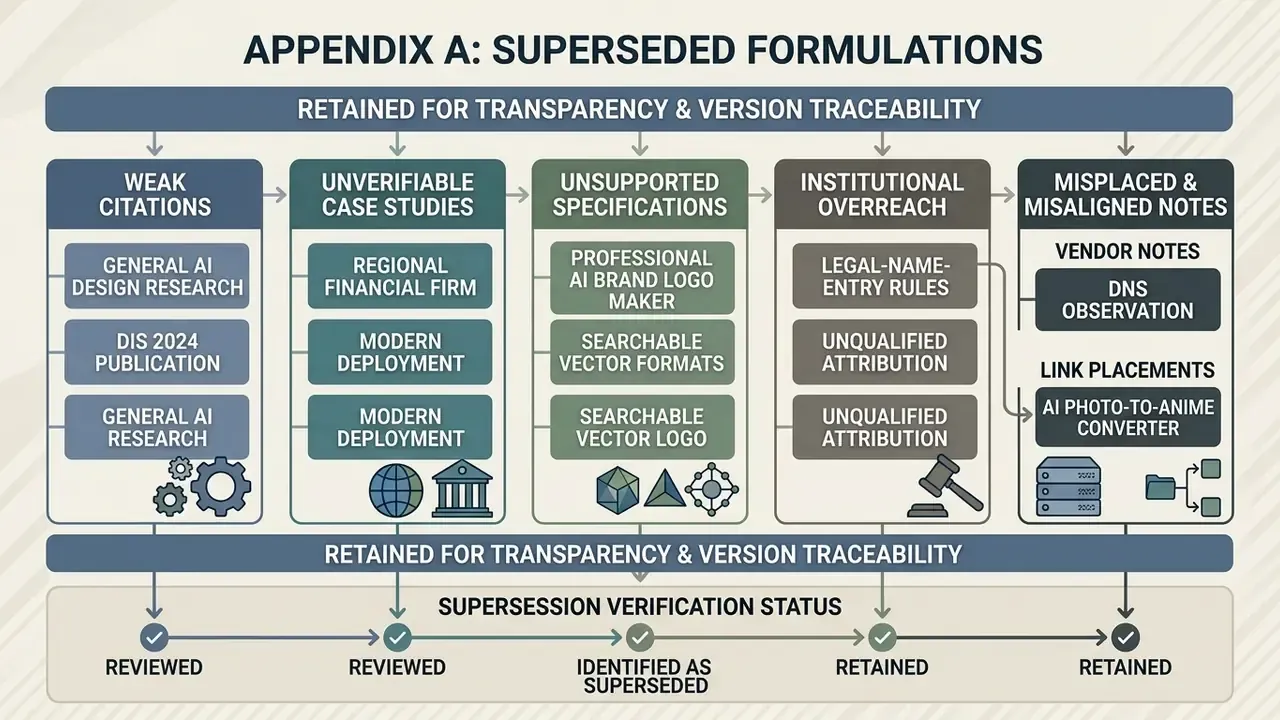
Appendix A: Superseded Formulations