Why should a risk or compliance leader care about a design task? Because in a regulated shop, every edited banner, label, or screenshot becomes an asset with an owner, an approval trail, and a potential audit question.
Last updated: 2026. Reviewed for technical accuracy, accessibility compliance, and enterprise governance readiness.
Key Takeaways for Decision-Makers
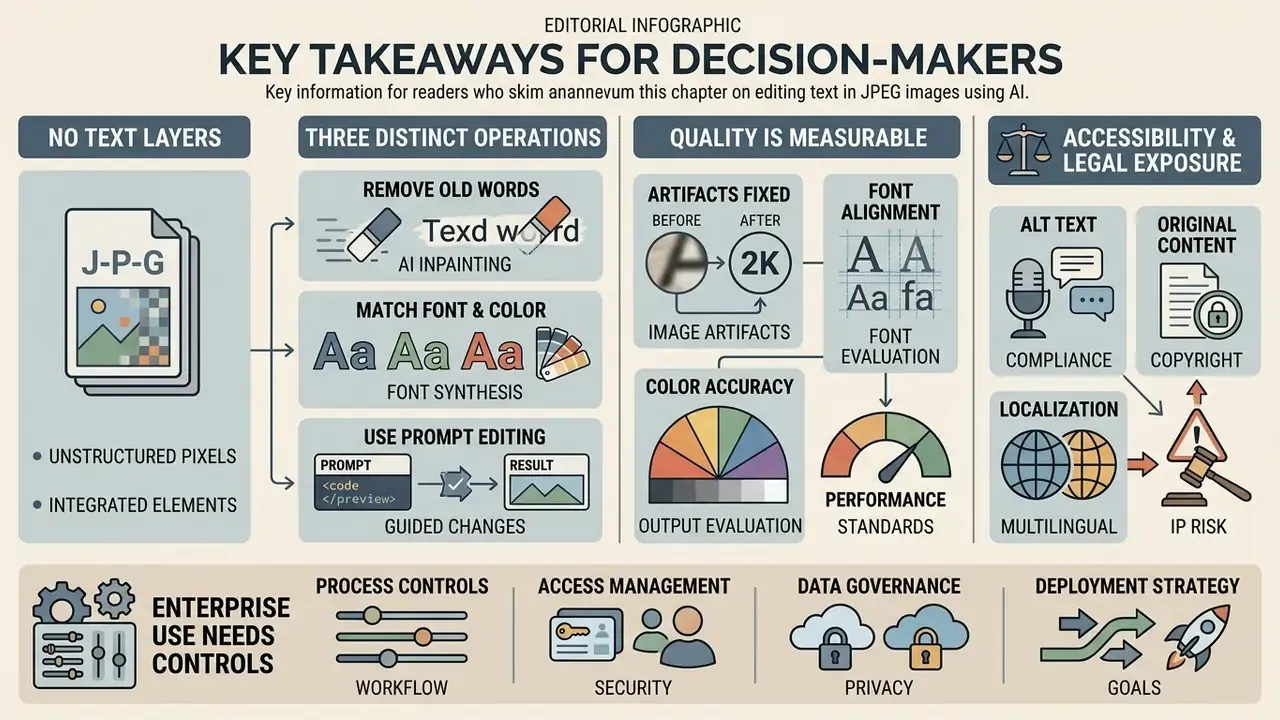
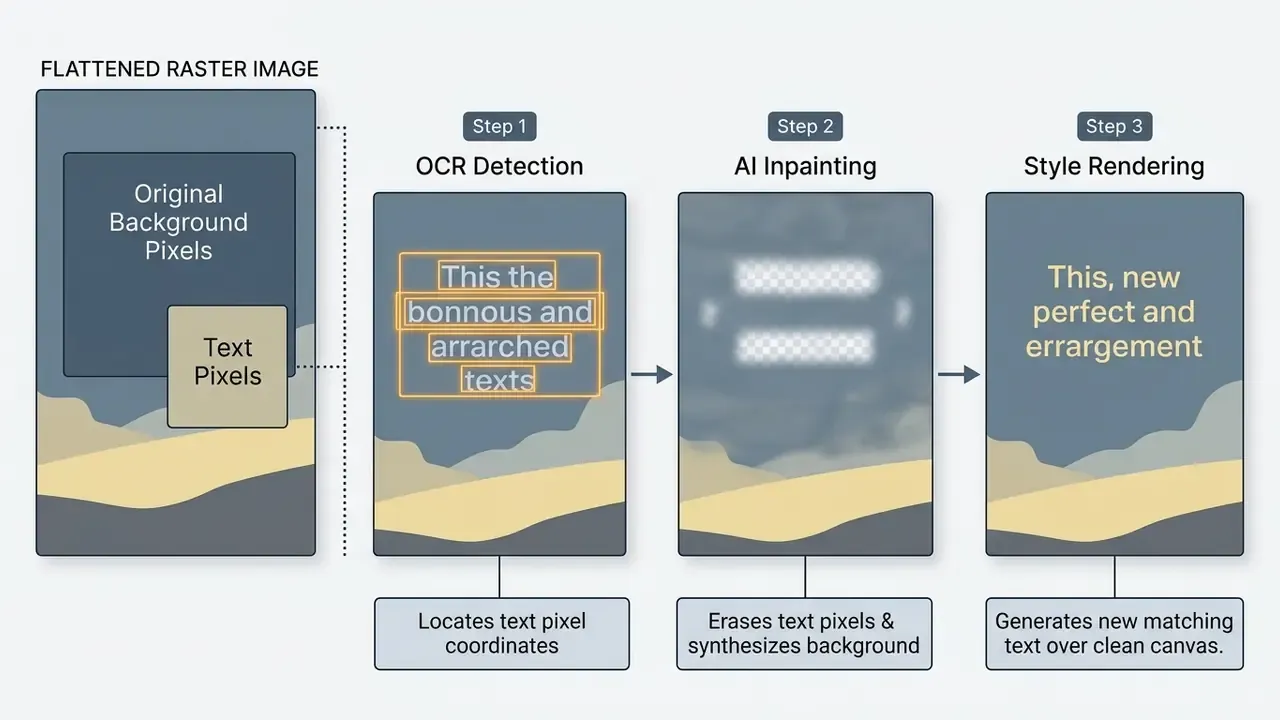
- A JPEG has no text layer. Under ISO/IEC 10918-5 (JFIF), a JPEG is one flattened raster grid. Changing a word is a pixel-reconstruction event: OCR detects glyph coordinates, generative inpainting rebuilds the background, and a style engine re-renders new typography.
- Three distinct operations exist. Replace text (erase and synthesize), remove text (erase and restore background), and add a text layer (overlay, original pixels untouched). Choosing the wrong one is the most common source of visible artifacts.
- Quality is measurable, not magical. Published benchmarks report background-preservation scores around BP ≈ 0.78 on uniform surfaces, with measurable degradation on textures, faces, gradients, and non-Latin scripts. Human 1:1 review stays mandatory.
- Accessibility and legal exposure are real. New text must satisfy WCAG 2.2 contrast ratios (4.5:1 body, 3:1 large text), and editing identity, financial, or notarized documents is prohibited and, in most jurisdictions, illegal.
- Enterprise use needs controls, not just tools. Public web editors create Shadow AI, data-residency, and audit-trail gaps. Regulated teams need logged prompts, retained source evidence, and documented human review before publication.
Who This Guide Is Written For
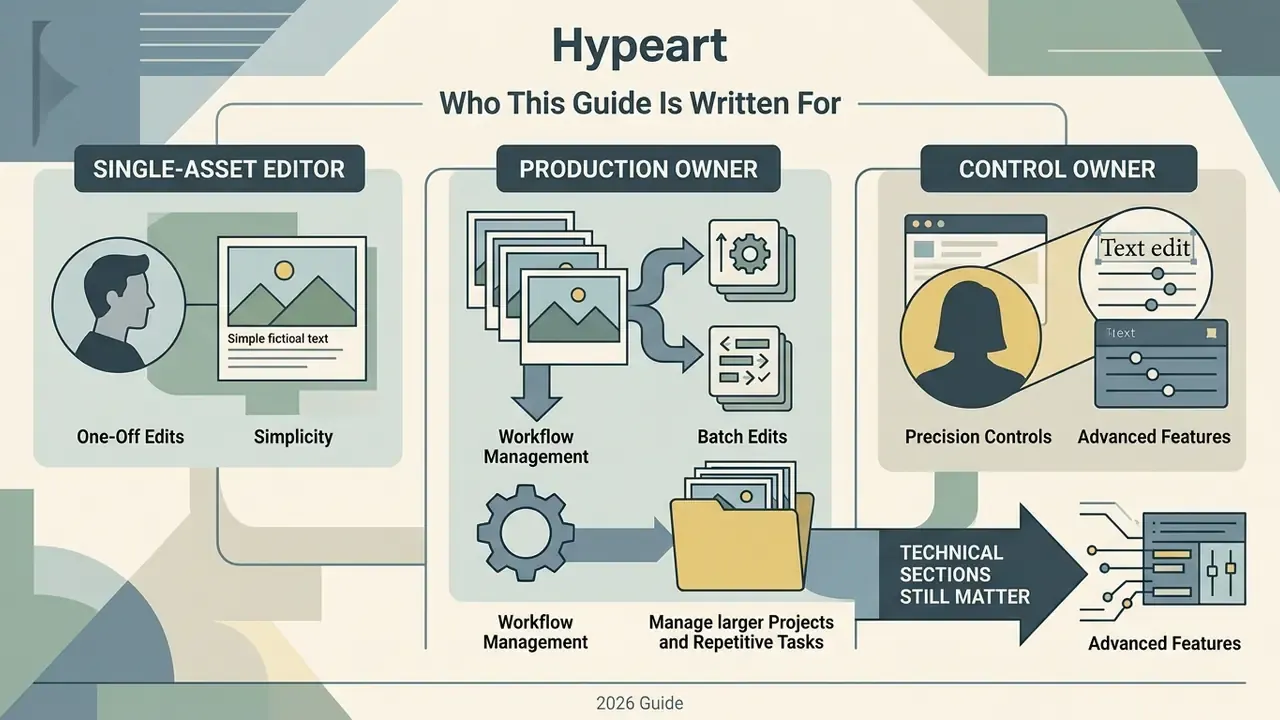
Three reader profiles keep showing up in support threads and vendor-review calls, and they need different depths of answer.
- The single-asset editor. A marketer with one JPEG, one typo, and thirty minutes. Needs the step-by-step workflow, the capture rules, and the pre-publication checklist. Nothing else.
- The production owner. Someone shipping hundreds of localized banners without access to the original layered design files. Needs resolution thresholds, batch behavior, font-kit handling, and a realistic view of where inpainting fails.
- The control owner. CRO, CCO, Head of Model Risk, or AI governance lead. Needs the data-egress question answered, the acceptable-use boundary written down, and reproducible evidence attached to each published asset.
If you belong to the third group, the technical sections still matter. You cannot write a sane control for a process you do not understand mechanically. Every claim about audience needs below should be treated as a working hypothesis until your own analytics, interviews, or CRM data confirm it.
What It Means to Edit Existing Text in an Image
To edit existing text in an image means performing localized pixel manipulation, detecting, erasing, and replacing characters flattened into a raster grid, rather than editing vector text layers. It differs fundamentally from superimposing a new text layer over an untouched background.
"Editing existing text in an image requires precise localization of text regions and visually consistent, instruction-guided modification."
When working with digital media, understanding the visual structure of your assets is essential. Whether you manage graphics through organized AI Media Workflows or simply need to refresh promotional collateral, rasterized copy requires generative AI photo editors to restore background context before new typography can be rendered convincingly.
Replace text, remove text, or add a new text layer
Text replacement removes old pixels and synthesizes new matching characters. Text removal erases the glyphs to restore the background. Adding a text layer places fresh vector typography over the existing image without altering the underlying pixels.
Choosing the correct operation depends on your visual goal:
- Text replacement: correcting a typo, updating a price, or changing a message while preserving the surrounding font, color, and background texture.
- Text removal: clearing unwanted overlays, watermarks, or old labels, leaving a clean restored background behind.
- Adding new text: inserting copy onto an open canvas area, leaving the original raster image underneath completely untouched.
A practical decision rule. If the words you need to change sit on top of texture (packaging, signage, photographed labels), you need replacement with inpainting. If they sit on flat or empty canvas, a simple overlay layer is faster, non-destructive, and lower-risk. Most failed edits I have reviewed came from picking replacement when an overlay would have been invisible and free.
Why JPEG text cannot be edited like a document
JPEG files store continuous-tone photographic content as a single flattened grid of pixels, with no separate vector or text layers. So altering wording requires OCR to detect glyphs and generative inpainting to reconstruct the obscured background data.
According to ISO/IEC 10918-5 (JFIF) and ISO/IEC 18477-7, the standard JPEG format is designed strictly for continuous-tone photographic content. It contains no document object model, no vector font paths, and no character layer attributes (ISO/IEC 18477-7:2016). Unlike PDF files governed by ISO 32000-2, which maintain separate streams for vector characters and background raster images, a JPEG bakes text directly into surrounding pixel blocks during lossy Discrete Cosine Transform (DCT) compression. To modify text in that container, an AI engine must recognize the character geometry, erase those exact pixels, reconstruct what lay behind them, and re-render new typography.
"Editing text in a JPEG is controlled destruction and regeneration of pixel information, not the toggling of a text layer."
Fact Check / Technical Verification. JPEG files are single-layer, flattened raster images. Standard JPEG formats (JFIF) do not support vector text layers. Replacing embedded text requires a two-step AI process: optical character recognition to detect character locations, then neural generative inpainting to reconstruct background pixels before the new text is rendered. Any tool that claims to "unlock" the text layer of a JPEG is describing OCR, not a real layer.
Legal and Compliance Alert: Acceptable Use Policy. AI text editing tools must be used strictly for assets you own or license (e-commerce banners, marketing collateral, localized ad graphics, internal documentation screenshots). Editing official government IDs, passports, visa support letters, notarized documents, official seals, bank statements, academic diplomas, currency, or financial receipts to alter timestamps, amounts, or identities is prohibited and illegal under digital forgery regulations. The same restriction applies to altered chat or email screenshots used to falsify a sender, message content, or timestamp, and to fabricated refund or transaction proofs. Responsible AI platforms log and block requests targeting financial or identity documents, preserve request logs, and may terminate accounts and share evidence with law enforcement in the intended victim's jurisdiction.
How to Edit Text in a JPEG Image Online Step by Step
Editing text in a JPEG online means uploading the image, highlighting the target text block via OCR detection, entering replacement wording, validating font and color alignment, then exporting the reconstructed file.
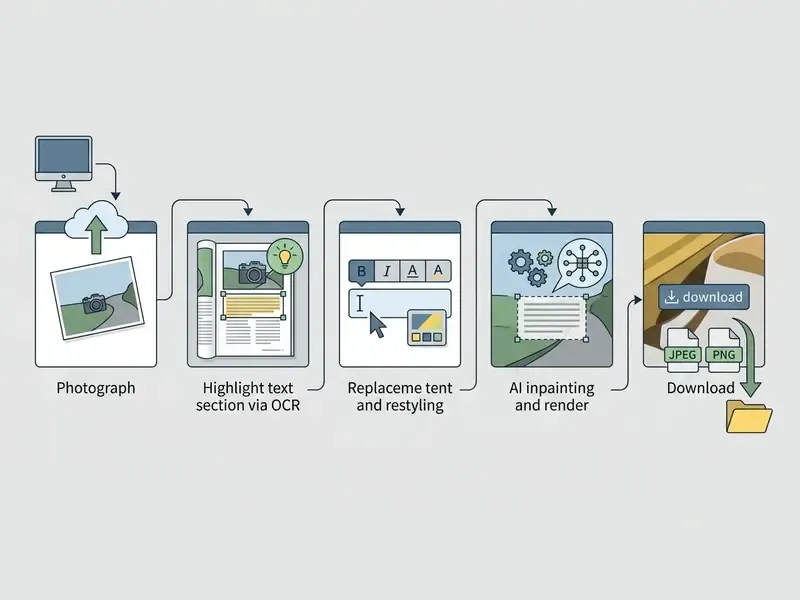
Typical browser-based pipelines complete a single replacement in 30 to 60 seconds. That speed is exactly why this workflow now competes directly with manual content-aware fill plus font matching in a desktop editor.
- Upload imageimport your JPG, JPEG, PNG, or WebP file into the online editor.
- Highlight existing textuse automated OCR selection or manual bounding tools to target the exact words.
- Remove or replace textinput your replacement text or select complete character erasure.
- Match stylealign the font family, weight, point size, color, and background lighting.
- Download edited imagereview the preview at 100% scale and export the final file.
Upload a JPG, JPEG, PNG, WebP, or screenshot
Web-based editors accept common raster formats including JPG, JPEG, PNG, WebP, and interface screenshots, up to standard resolution limits (typically 2,000 to 4,000 pixels wide, with file-size ceilings commonly between 8 MB and 100 MB).
Modern browser editors handle multiple image extensions by decoding uploaded files into raw pixel tensors. For clean results, input image files should carry crisp contrast and sufficient resolution. Pixel dimensions matter far more than PPI metadata, and uploads around 2,000 pixels on the long edge give neural OCR engines enough glyph definition to isolate individual strokes.
"Super-resolving low-resolution text images improves the clarity of text structure and visual fidelity, which in turn improves downstream recognition."
Higher resolution and lower compression directly reduce edge artifacts during background reconstruction. Teams standardizing asset pipelines often encode these rules inside an Agency Creative Production Workflow so incoming files meet resolution thresholds before they reach the editing queue.
Best practices for capture and scanning before uploading
- Direct overhead angle
- shoot physical documents, labels, or packaging at a strict 90-degree overhead angle so text baselines stay flat and perspective distortion is minimized. Skewed text is the single most common cause of OCR misdetection.
- Even lighting
- avoid strong single-source shadows falling across character glyphs, which cause stroke-masking errors and partial erasure.
- Flat surface positioning
- uncurl paper documents, stickers, and soft-pack labels before photographing. Curvature bends baselines and defeats style extraction.
- Scan instead of shoot when possible
- a flatbed scan at 300 dpi eliminates perspective distortion entirely and produces the cleanest OCR input available.
- Prefer lossless capture for screenshots
- save interface captures as PNG rather than JPEG so DCT ringing never appears around glyph edges.
Select the old text and enter replacement text
Target text is selected using manual bounding boxes or automated OCR detection, after which replacement words are typed directly into the editor interface.
Selection accuracy dictates the quality of the final edit. Teams that frequently extract copy before rewriting it can compare dedicated OCR and image-to-text tools against all-in-one editors to see which returns cleaner bounding boxes. Advanced editors use region-based selection models, similar in spirit to Microsoft Word's Selection versus Range targeting, to isolate character clusters. Once you highlight a word or a full line and type the new text, the engine masks the selected region, synthesizes replacement background pixels, and calculates matching typographic parameters.
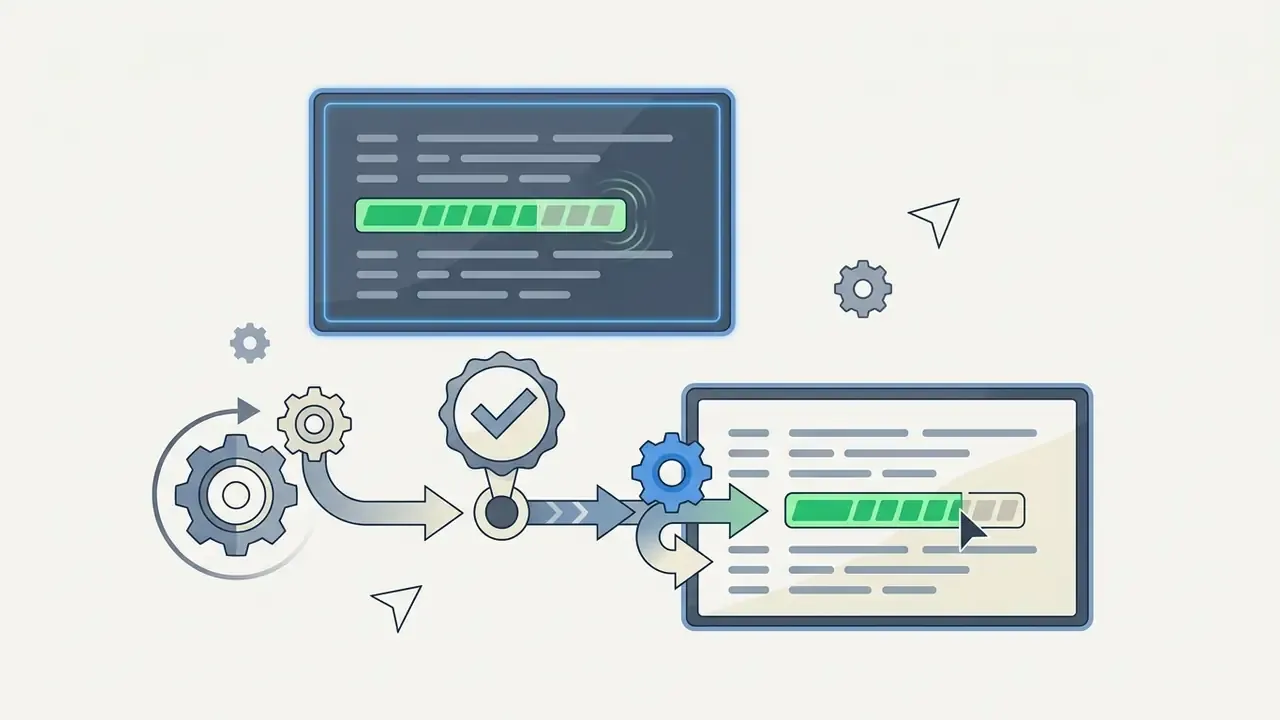
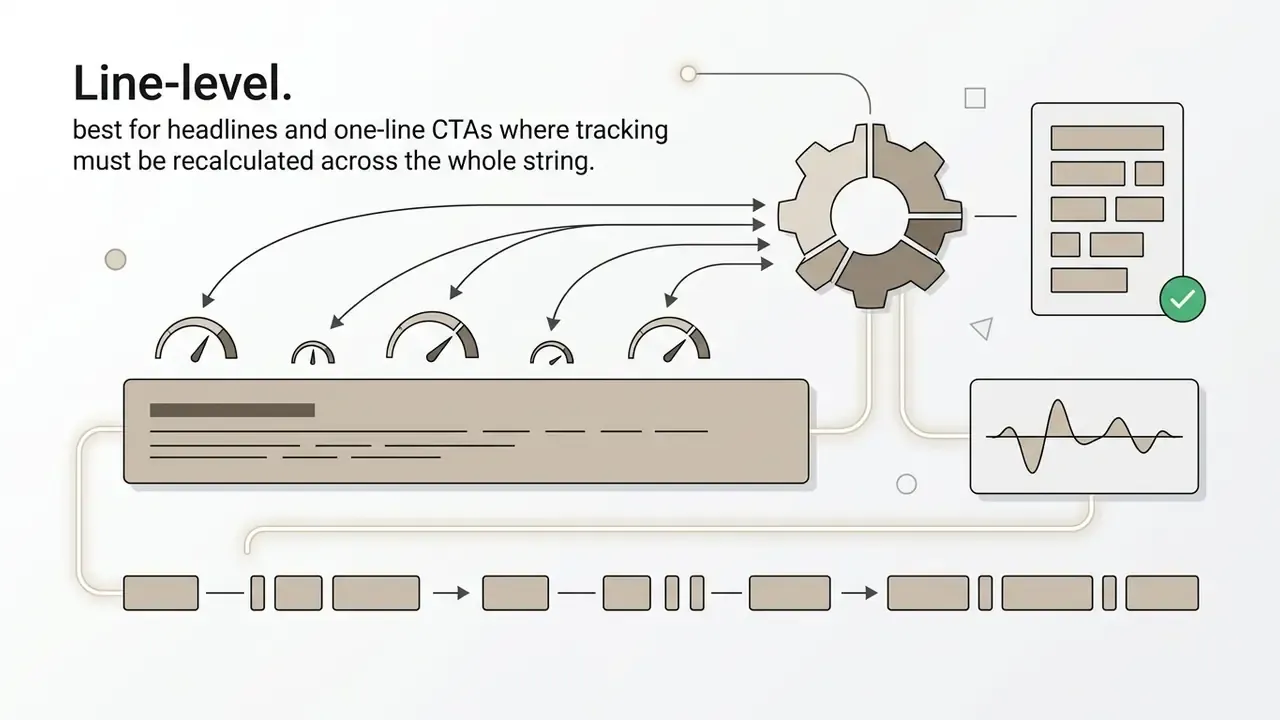
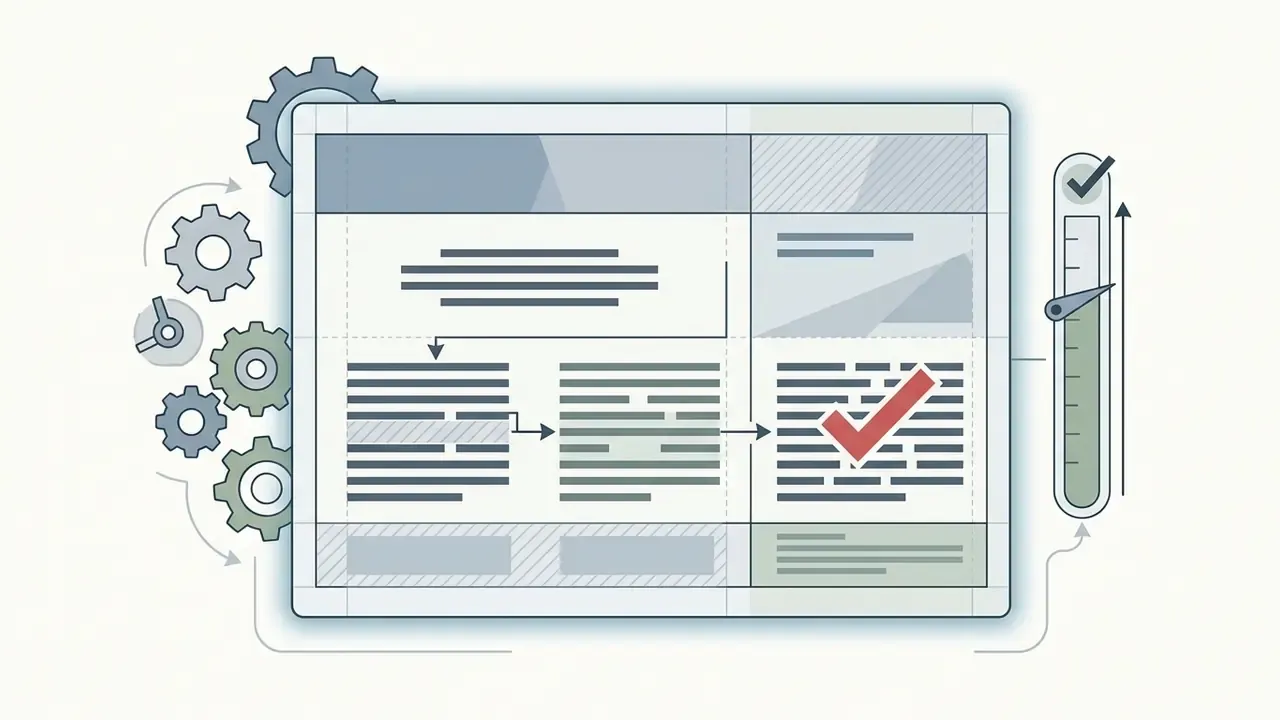
Three selection granularities matter in practice:
Alternative: generative prompt-driven editing
Besides manual bounding-box selection, modern editors support natural language prompt editing. Instead of highlighting individual characters, you issue semantic commands:
- "Replace the discount code 'SUMMER20' with 'FALL50' while retaining font texture."
- "Update the date at the bottom right to October 12, 2026."
- "Change all dates in this screenshot to the DD-MM-YYYY format."
- "Remove the old price label and rebuild the packaging texture behind it."
Under the hood, Large Multimodal Models (LMMs) evaluate the visual prompt, auto-detect the targeted semantic text coordinates, execute stroke erasure, and synthesize replacement typography in one generative step. Prompt-driven editing is also the practical fallback when automatic detection misses an element. Describing the target in words often succeeds where a click-to-select overlay fails.
Two operational cautions apply. First, prompts should name the exact original string and the exact replacement string; vague instructions produce paraphrased or invented wording. Second, prompts should explicitly list what must stay untouched, logos, seals, lighting, camera angle, because generative models will otherwise re-render neighboring regions on their own initiative.
"Users often need to iteratively refine instructions to reach the intended result; human evaluation remains an essential part of the workflow."
Review the result and download the edited image
Before exporting, inspect the image at 100% scale (1:1 pixel ratio) to check text accuracy, clean edges, correct alignment, and the absence of background smudges.
Quality control is not optional here. Rather than relying on generic vendor QC literature, current peer-reviewed evaluation work confirms that automated scoring alone does not certify an edited image.
"Assessment across alignment, preservation, perception, and acceptability shows that human verification remains indispensable even for the strongest current models."
For digital publishing or social graphics, exporting as PNG prevents secondary compression artifacts. If small file size is required, export JPEG at high quality (85% or above). When exporting high-resolution collateral for print or desktop display, set a minimum export canvas of 2K resolution (roughly 2,048 px on the longest edge). Exporting below 1K can make rasterized replacement glyphs look blurry when scaled up, because the synthesized strokes are interpolated rather than vector-defined. For print submission, TIFF or PDF remain the safest containers; PNG is the default for web and static UI delivery.
When calculating campaign production costs or processing overhead across bulk media batches, teams frequently rely on operational calculators to estimate bandwidth and storage requirements before committing to a credit pack.
Pre-publication quality control checklist
Use this as a release gate before any edited asset is published, printed, or attached to a regulated communication. Risk and QA teams can attach the completed checklist to the asset record as review evidence.
| # | Check | Pass criteria |
|---|---|---|
| 1 | Text accuracy | Rendered string matches the approved copy character-for-character, including punctuation, currency symbols, and diacritics. |
| 2 | 1:1 pixel inspection | No smudges, seams, ghost strokes, or residual glyph fragments visible at 100% magnification. |
| 3 | Baseline and alignment | New text sits on the original baseline with matching skew, rotation, and justification. |
| 4 | Typographic match | Font family, weight, point size, and tracking visually match adjacent untouched text. |
| 5 | Lighting and shadow continuity | Highlights, ambient cast, and drop shadows follow the original light direction. |
| 6 | Contrast compliance | Measured contrast meets WCAG 2.2 thresholds (4.5:1 normal, 3:1 large) against the busiest part of the background. |
| 7 | Surrounding integrity | Logos, seals, faces, barcodes, and legal marks are pixel-identical to the source. |
| 8 | Export specification | Correct format and 2K or larger long edge for print or high-DPI display. |
| 9 | Source traceability | Original file, prompt or selection parameters, tool version, and reviewer name are logged. |
| 10 | Acceptable-use confirmation | Asset is owned or licensed, and the edit is not an identity, financial, or evidentiary document. |
How AI Tools Remove Old Text and Rebuild the Background
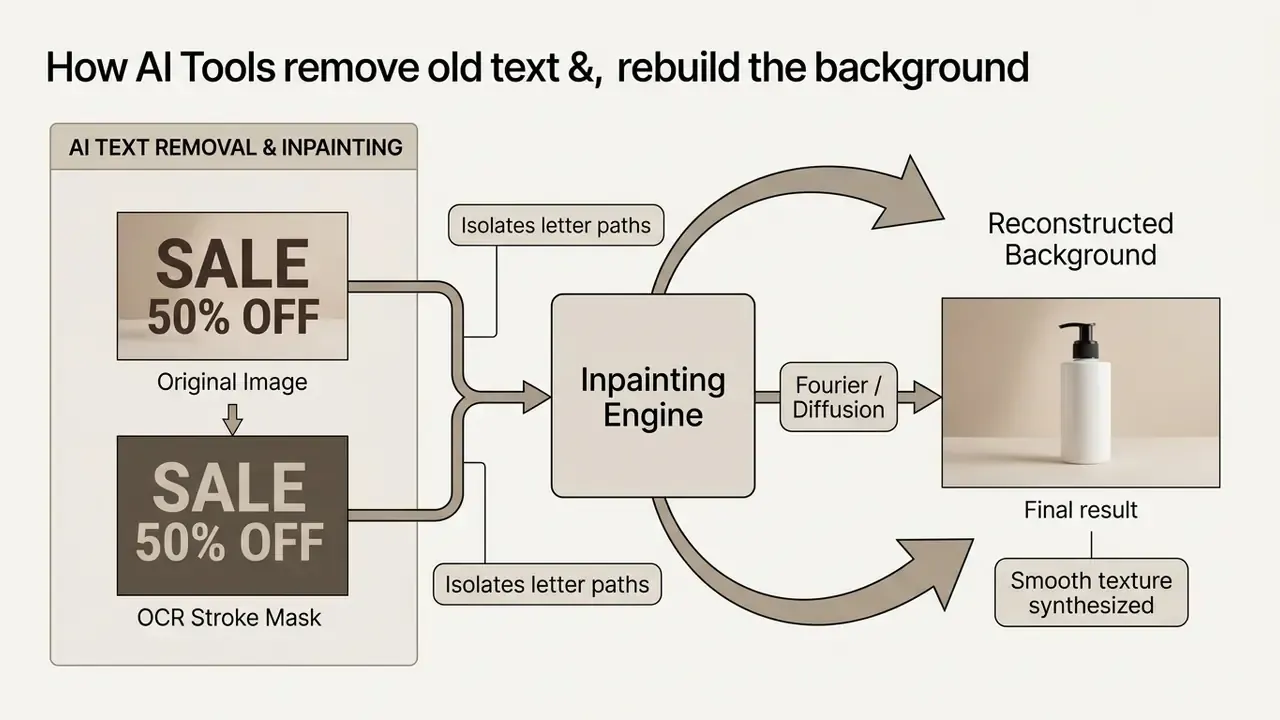
AI tools remove old text by generating a stroke mask over detected characters, then executing localized inpainting with Fourier convolution or diffusion models to synthesize the missing background pixels.
Text detection and AI background reconstruction
Text detection uses deep neural networks (EAST, CTPN) or vision encoders to map character coordinates. Generative inpainting then fills the erased stroke regions using surrounding visual context.
Modern scene text editing frameworks, such as DiffUTE and TextSculptor, isolate text through neural stroke masks (DiffUTE, 2023; TextSculptor, 2026). Instead of dropping a solid color box over the word, the system analyzes global structure, texture continuity, and ambient lighting across unmasked adjacent pixels. A Fourier convolution or latent diffusion network then predicts and synthesizes the missing values, recreating wood grain, fabric weave, or gradient sky where the original text once sat (BMVC 2024). Comparative work presented at BMVC 2024 found that well-masked Fourier convolution networks can beat newer diffusion methods on both speed and accuracy for e-commerce text removal. In other words, "newest model" is not automatically "best result".
"TextSculptor reports TA/VQ/BP values of roughly 0.70/0.82/0.77 for text removal and 0.74/0.75/0.77 for text replacement, with an overall background-preservation score of 0.78."
Two design details explain most quality differences between AI tools. First, mask tightness: masks drawn to the stroke contour preserve far more background than rectangular boxes. Second, complementary fusion, where non-text regions are mathematically re-composited from the original file so untouched pixels stay bit-identical instead of being regenerated. Ask any vendor which of the two they implement. The answer is diagnostic.
Quality limits when text overlaps textures or objects
Reconstruction accuracy degrades when text sits on complex patterns, human faces, product details, or multi-colored gradients, often producing visual smudges or warped geometry.
When existing text intersects fine detail, generative models hit structural limits. Empirical benchmarks show that while models reach high background preservation on uniform surfaces (BP ≈ 0.78), overlapping detailed textures causes measurable artifacts (TextSculptor, arXiv preprint, 2026). Non-Latin scripts and intricate character shapes degrade faster during cross-lingual editing, often producing distorted letterforms or blurred background seams.
"The benchmark records pervasive semantic and pixel-level mismatch in cross-lingual editing: glyph shapes deform even when overall layout and background are preserved."
Alert: technical limitations of AI inpainting. AI-powered text removal can generate visual artifacts such as plastic skin texture, smudged edges, cutout seams, warped signage, duplicated patterns, or broken background lines when the text sits over human faces, complex product labels, or high-contrast patterns. Always run a manual 1:1 pixel inspection on detailed subjects before publishing. If the artifact is near a face or a barcode, do not ship it.
Troubleshooting: when AI OCR misses characters or leaves artifacts
- Handwritten or stylized scripts if automated OCR fails on decorative script, handwriting, or very small type, switch to manual polygonal lasso selection to build the stroke mask explicitly, or describe the target in a natural-language prompt instead of clicking it.
- Residual text smudges if background inpainting leaves pixel artifacts or leftover glyph fragments, apply an AI object remover (Magic Eraser style) over the isolated area before rendering the new text, then re-render.
- Font library mismatch if an exact typography match is unavailable in the platform repository, upload the original
.TTFor.OTFfile to your brand kit workspace before starting the replacement. Most platforms silently fall back to the "closest" family, which is the usual cause of subtly wrong letterforms. - Partially detected strings when only part of a line is recognized, split the edit into two passes. Erase the full line first, then render the complete replacement string as one unit so tracking stays consistent.
- Skewed or curved text re-capture at a 90-degree overhead angle or apply perspective correction before editing. No inpainting model reliably reconstructs a rotated baseline.
- Repeated failures on one asset if two attempts fail, treat the file as unsuitable for automated editing and escalate to manual retouching. Reputable platforms auto-detect failed generations and refund the credit.
After heavy retouching, low-resolution or over-compressed sources often benefit from a restoration pass through dedicated AI image enhancers before export, especially when the edited region must be enlarged or the canvas extended for a new placement size. If you routinely rebuild the same brand assets, structured ai image training on your own reference material can reduce how often the model guesses wrong about your typography.
How to Match the Original Font, Size, and Text Color
Matching original text attributes requires vision models to extract font weight, slant, character spacing, luminance, and shadow casting, then apply those style metrics to the newly rendered glyphs.
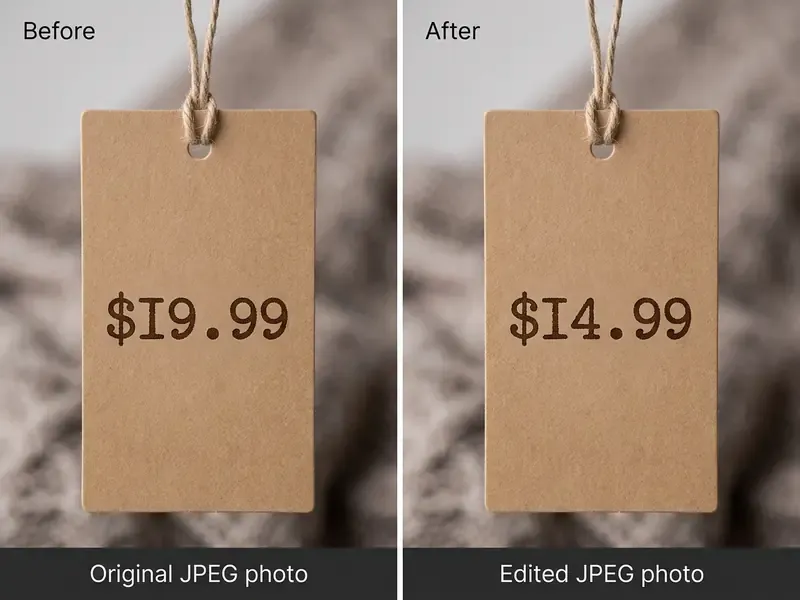
Match font style, weight, spacing, and alignment
Automated font matching analyzes character geometry to identify the closest matching families, then adjusts point size, letter spacing (tracking), and line height to preserve the original alignment.
Vision-based style extraction models such as RewriteNet and FASTER decompose text regions into separate content and style vectors (RewriteNet, 2021; FASTER, 2024). The style encoder measures:
- Font family and weight character stroke thickness and serif geometry.
- Point size and scale exact height and width metrics relative to canvas dimensions.
- Character spacing (tracking) distance between individual letterforms.
- Alignment and angle baseline orientation, perspective skew, paragraph justification.
By mapping those parameters, the editor picks the nearest system font or synthesizes matching glyph shapes so replacement words blend into the original design. Font-matching engines behave much like classic font resolvers: within a family they select the closest available match to the requested style, weight, and stretch, then treat tracking and alignment as separate layout properties rather than inferring them from the family. That distinction explains why a technically "correct" font can still look wrong when tracking is left untouched.
When building custom graphics or social headers, creators often apply the same styling logic inside fixed templates such as a 2048x1152 youtube banner layout, which keeps brand typography consistent across channels. Teams comparing template-first suites against dedicated replacement engines can review the Canva AI generator overview for licensing and export differences.
Change text color without making edits look artificial
Adjusting text color means sampling environmental lighting, ambient cast, and drop shadows instead of applying a flat RGB fill, so new letters match the original lighting of the photograph.
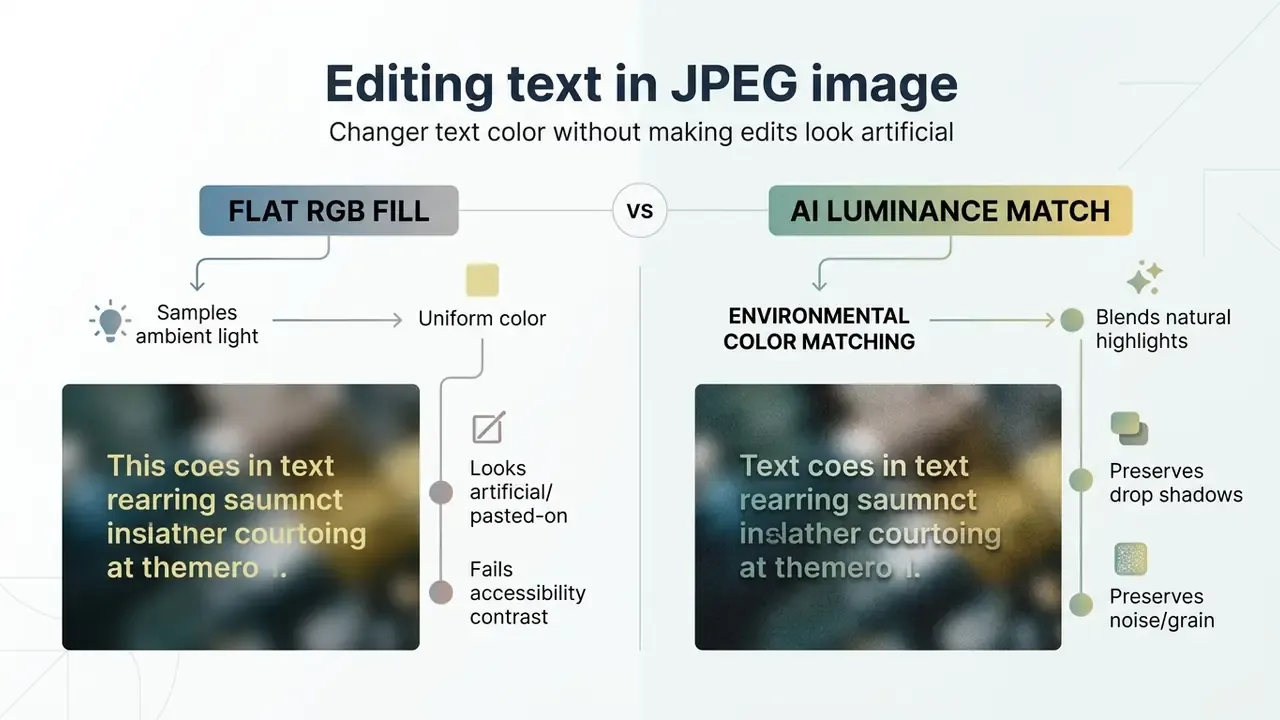
Drop a solid, unadjusted hex value over a natural photograph and it reads as pasted-on immediately. Real-world text on physical objects carries lighting variation, ambient reflection, and shadow casting. Modern editors sample adjacent background luminance and color temperature to tune the new font color, which is the practical answer to how to change color of text in jpeg image online without the result looking synthetic.
"An image information removal module selectively erases color data inside the edit region, forcing the model to synthesize new colors in harmony with the surrounding scene."
The same logic underpins classic retouching controls: match luminance and color cast first, neutralize an unwanted cast second, and only then correct shadows and highlights with narrow tonal width so shadow detail under the glyphs survives. Size, color, and spacing are separate decisions, and they should be checked separately.
Legibility must also meet Web Content Accessibility Guidelines (WCAG 2.2, Technique G18): a minimum contrast ratio of 4.5:1 for standard text and 3:1 for large text against background imagery. Contrast must be measured against the most challenging part of the background, not an average, because gradients and photographic detail can break legibility for just a few characters.
Best App to Edit Text in an Image: What to Compare
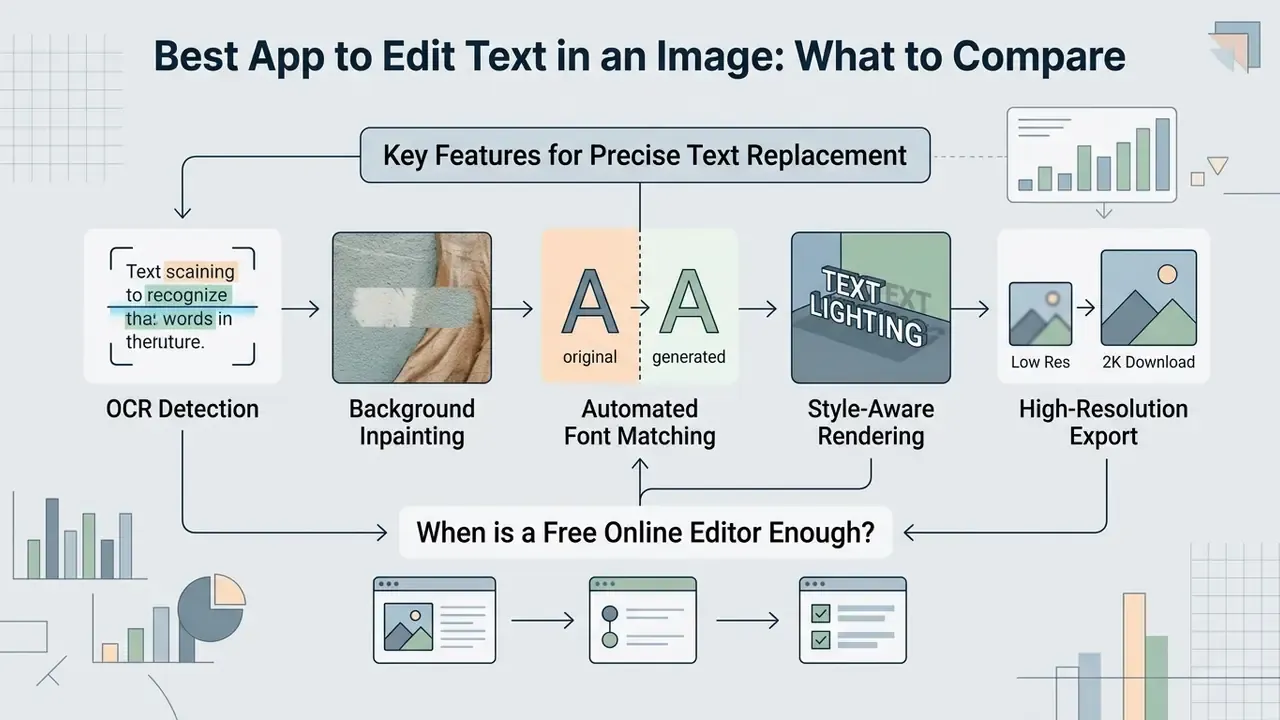
The best apps for editing text in images combine precise OCR detection, background-preserving inpainting, automated font matching, and high-resolution export without forcing destructive compression.
| Feature / Criteria | Basic Online Overlay Tools | Advanced AI Image Text Editors | Enterprise Workflow Platforms |
|---|---|---|---|
| Edit Existing Text | No (adds overlay only) | Yes (OCR plus inpainting) | Yes (automated batch API) |
| Background Reconstruction | None (covers with solid box) | AI generative inpainting | High-fidelity diffusion / inpainting |
| Font Matching | Manual selection | Automatic style detection | Automated vector and font mapping |
| Color and Shadow Retention | Flat color picker | Ambient lighting matching | Full lighting and shadow synthesis |
| Prompt-Driven Editing | No | Usually yes (natural language) | Yes, with template-controlled prompts |
| Supported Formats | JPG, PNG | JPG, JPEG, PNG, WebP | JPG, PNG, WebP, TIFF, PDF |
| Typical Export Ceiling | 1K / screen size | 1K free, 2K on paid credits | 4K and above, print-ready TIFF/PDF |
| Commercial License Rights | Varies by platform | Standard user license | Verified commercial and API rights |
For regulated organizations, feature parity is not enough. The second decision layer is governance.
| Governance Criterion | Why it matters | What to require |
|---|---|---|
| Data residency and retention | Uploaded creatives may embed personal data, pricing, or unreleased product info | Documented region pinning and defined deletion windows |
| Security attestation | Public tools rarely publish controls | SOC 2 Type II or ISO/IEC 27001; GDPR processing terms where applicable |
| Training-data opt-out | Assets must not become model training material | Contractual "no training on customer content" clause |
| Audit trail | Every edit must be reproducible for review | Logged source hash, prompt or selection parameters, model version, reviewer identity |
| Access control | Prevents uncontrolled personal-account usage | SSO, role-based permissions, per-team credit accounting |
| Human-in-the-loop gate | Generative output is probabilistic | Mandatory reviewer sign-off before publication |
No matching rows Clear one or more filters to restore the matrix.
Benchmark metrics beat marketing claims when you pick production software. For feature matrices and platform breakdowns, see our AI Media Comparison Matrices, and review the ranked overview of the best AI art and image generators when the same workflow must also produce net-new creative.
Features needed for real text replacement
True text replacement requires integrated OCR detection, stroke-level erasure, generative background reconstruction, style-aware synthesis, and clean raster export.
To qualify as a genuine photo text editor rather than a basic annotation program, an application must provide:
- OCR extraction: automatic identification of text regions and character content.
- Stroke-level erasure: precise removal of character pixels without damaging surrounding background structure.
- Generative inpainting: reconstruction of underlying textures, gradients, and lighting.
- Style-aware rendering: automatic matching of font weight, slant, size, tracking, and color.
- High-resolution export: flattened output in JPG, PNG, or WebP without severe compression noise.
"AnyTrans applies line-level text erasure and a diffusion model to render new text, avoiding the incomplete-removal artifacts that appear on complex backgrounds."
Annotation-only tools fail criterion two. They can add a caption or a highlight, but they cannot modify an embedded word. Many popular "edit text on picture" utilities state openly that they only overlay new text boxes: useful for commenting on a screenshot, useless for updating a printed price.
When a free online editor is enough
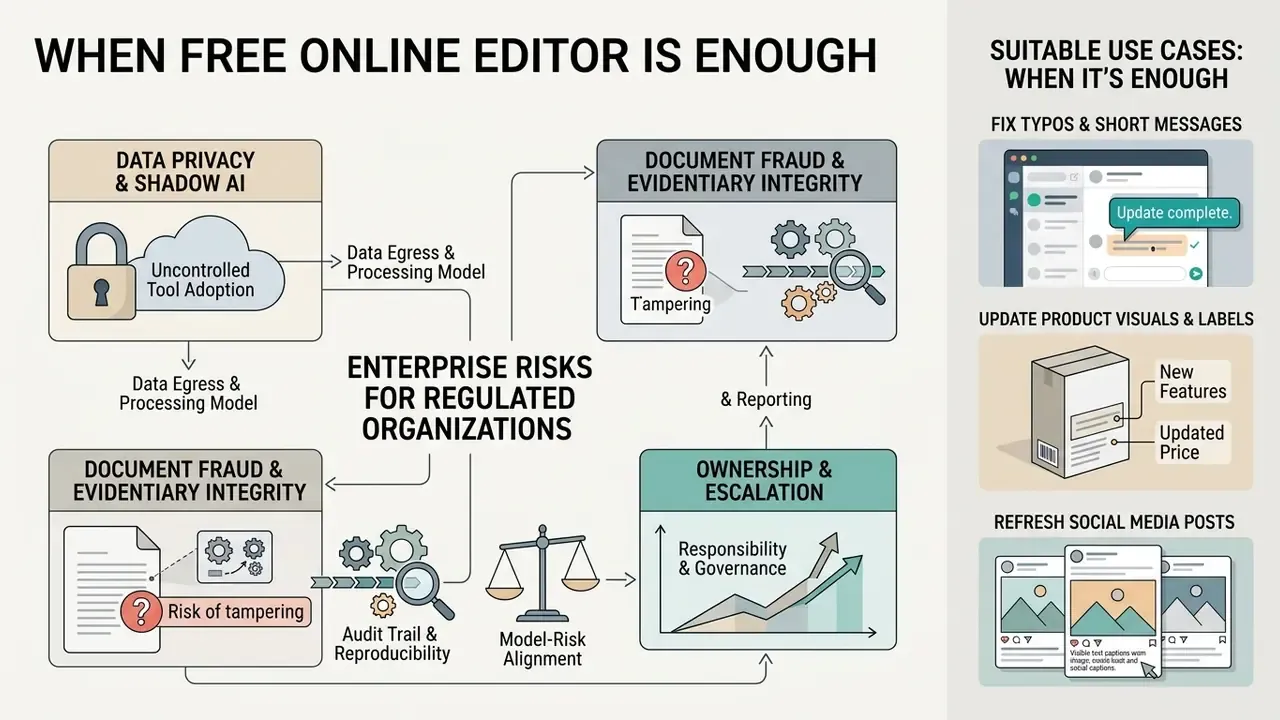
Simple free tools are enough for basic overlays, minor typo fixes on solid backgrounds, and quick social graphics where background reconstruction complexity is low.
A free app to edit text on image works well when you are:
- Fixing typos on solid or low-texture backgrounds.
- Adding new text over open image areas.
- Making quick, non-commercial edits to screenshots or personal social media posts. For these cases, a survey of free photo editors and their export limits is usually a faster route than committing to a credit pack.
Know the standard free-tier constraints: one free credit or a watermarked render, 1K export instead of 2K, 8 to 10 MB upload ceilings, and single-file processing with no batch support. Complex tasks, replacing text over detailed packaging, human faces, or multi-tone gradients, still need advanced diffusion pipelines to avoid visible smudging and character distortion. The best way to edit text in image assets is usually the cheapest tool that clears your quality bar, not the most expensive one available.
Enterprise Risks: Data Privacy, Shadow AI, and Audit Evidence
Practical Uses for Editing Text on Photos, Screenshots, and Product Images
Fix typos and update short messages in screenshots
Correcting typos in screenshots means running OCR over a chat or software interface, masking the wrong characters, and replacing them while keeping the surrounding UI chrome intact.
Documentation teams constantly need to refresh interface screenshots when product UI copy changes. Instead of re-capturing complex application states, an editor lets them select specific UI labels, edit words or dates, and export updated graphics directly.
"Type-R automatically detects typographical errors, erases the incorrect text, regenerates text blocks, and corrects typos without manual retouching."
Automated typo-correction workflows identify character errors, erase the incorrect text box, and re-render clean typography while preserving interface chrome around it. Two documentation-specific rules keep this safe: never alter a screenshot used as evidence of system behavior, and never bury explanatory notes inside the image itself. Use captions or redaction instead.
Update product visuals, labels, and social media posts
Commercial marketing teams use AI text editing to update promotional pricing, refresh banner copy, and produce localized collateral across global campaigns.
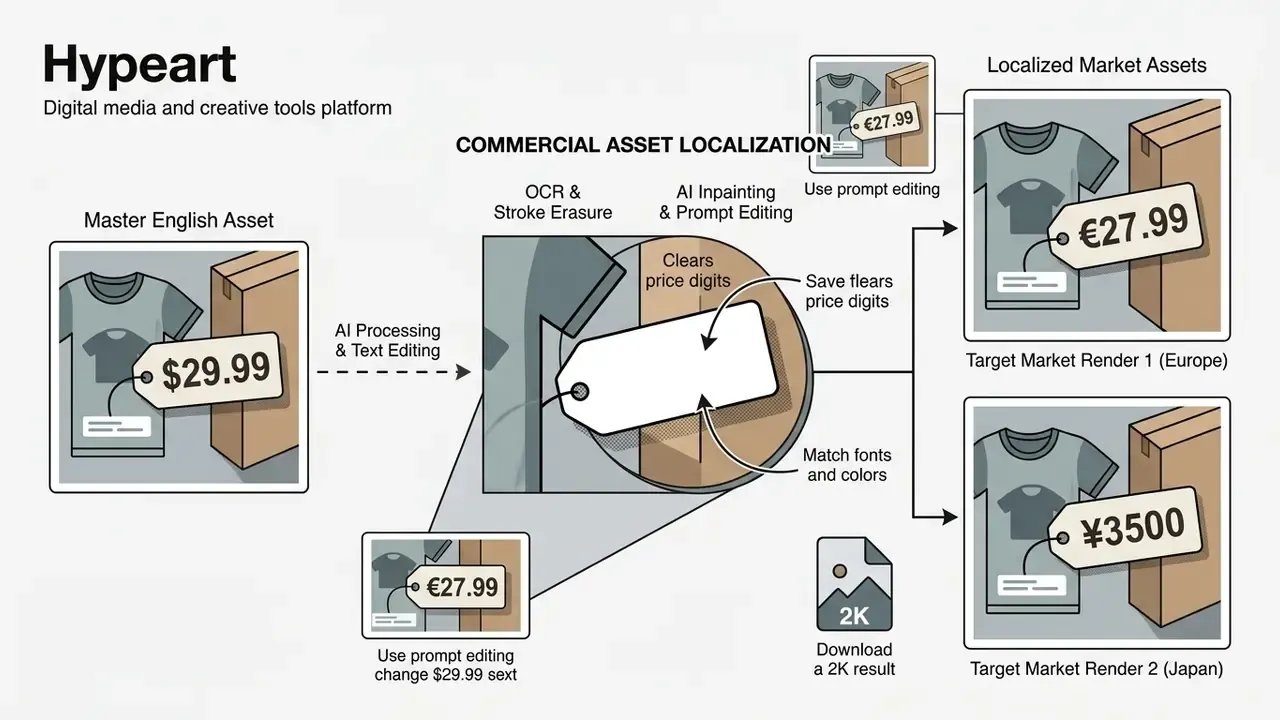
Retail and e-commerce operations lean on this to manage dynamic catalog assets:

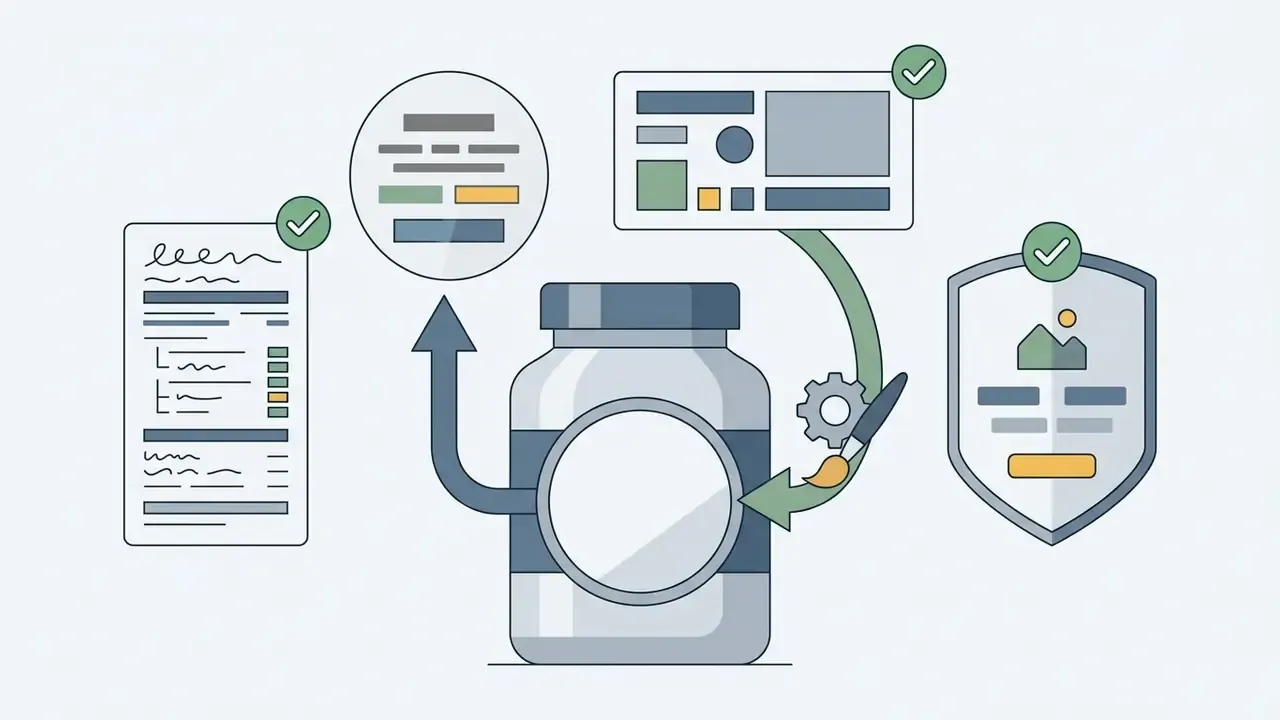

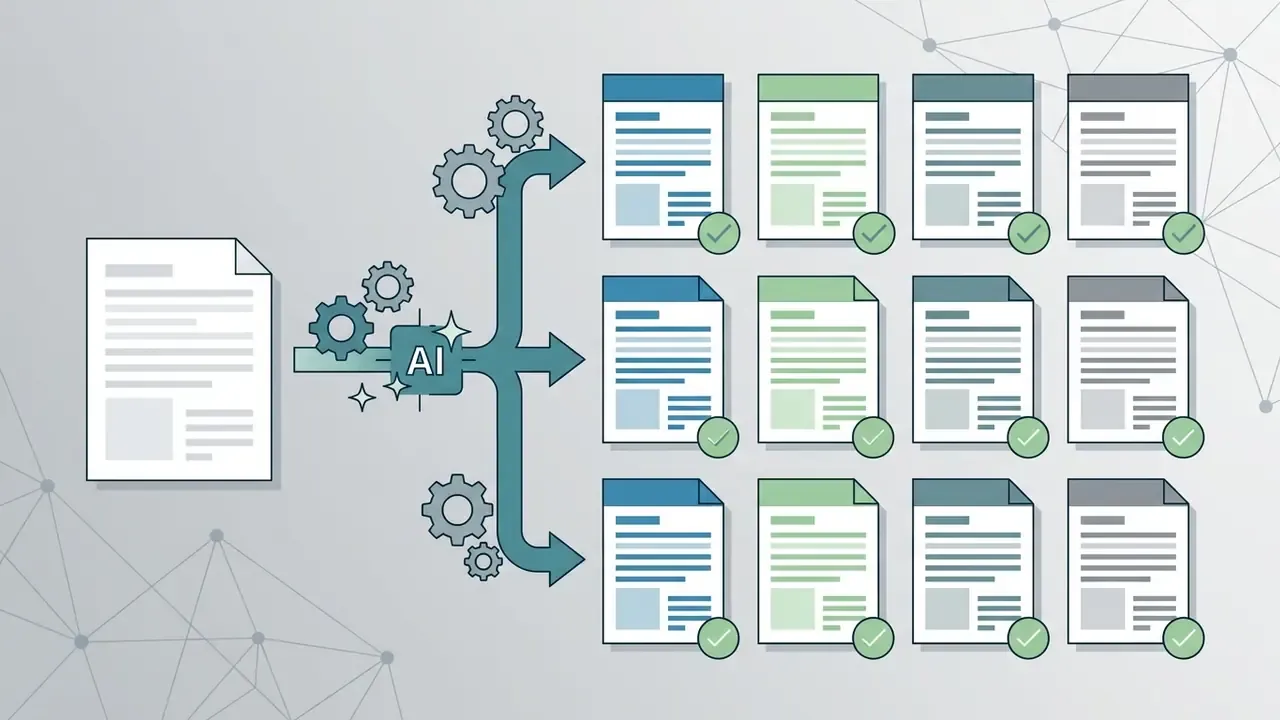

Operational case study, bulk disclosure refresh. In a documented internal deployment, a marketing operations team had to remove obsolete promotional disclosures across 1,400 localized JPEG banners where the original layered design files no longer existed. An automated OCR-and-inpainting pipeline masked the text regions, synthesized clean background gradients, and re-rendered compliant disclosures in under three hours. Reviewers approved 98.2% of outputs on first pass at 1:1 inspection. The remaining 1.8% went to manual retouching because the disclosure overlapped photographic product detail. Methodology note: the pass rate reflects internal human review against the checklist above, not an independent third-party audit, and results vary with source resolution and background complexity.
Pairing these editing pipelines with an ai product description generator lets e-commerce teams sync visual price tags with updated written copy. Better still, mature teams register every replaced asset in a digital asset management record, so the master file, the localized variants, and the approval trail stay linked instead of scattering across desktops.
FAQ About Editing Text in JPEG Images Online
Can I edit text in JPG and PNG image files online free?
Yes. Most free online editors support both JPG and PNG, applying the same OCR and inpainting workflow regardless of container format. Because online editors convert uploaded files into raw pixel arrays during processing, the input format does not restrict editing capability. Both JPG and PNG go through the same sequence: text region detection, pixel masking, generative background synthesis, font rendering. There is no functional difference between "JPG" and "JPEG"; they are the same format with two extensions. PNG files do give cleaner source edges, since they carry no lossy JPEG compression artifacts, which slightly improves OCR accuracy and background inpainting quality.
Can I translate text in an image and save a new version?
Yes. Modern pipelines combine OCR extraction, neural machine translation, stroke-level erasure, and localized rendering to export a translated version. Frameworks such as AnyTrans demonstrate end-to-end image translation:
- Detection: PP-OCR identifies bounding boxes and extracts the source wording.
- Translation: a neural engine converts the extracted text into the target language.
- Erasure and fusion: stroke-level erasure removes original characters, and a diffusion model renders translated text matching the original font style, color, and layout.
"AnyTrans combines PP-OCR for detection, a language model for translation, and a modified AnyText renderer in a single end-to-end pipeline." AnyTrans: Translate AnyText in the Image with Large Language Model, arXiv preprint (2024). Layout structure usually survives, but non-Latin scripts (Arabic, Hanzi) often need manual review so character stroke geometry stays intact. Commercial vendors that advertise layout, font, and color preservation generally caveat that exact font matching is not guaranteed, so brand-critical translations still deserve a typographic check.
Do I need design skills to edit image text?
No design skills needed for routine edits. AI-driven editors automate font matching, background inpainting, and color sampling, so non-designers can modify text through simple inputs. Modern browser tools reduce the job to three steps: upload an image, highlight the text block, type the replacement copy. Neural models handle background texture reconstruction, font selection, lighting adjustment, and shadow generation. Still, run a 1:1 visual review before publishing, and expect to refine a prompt once or twice on complex backgrounds. That last part is where most people underestimate the work. To integrate automated media editing, model risk controls, and image processing into your enterprise software, review the technical specifications in our AI Media API Guides. If you are still choosing between a browser suite and a dedicated tool, the comparison of online photo editors covers features, export limits, and pricing side by side.
Does editing text in an image reduce its quality?
Not inherently. Overlay-based edits add a fresh text layer without resampling the base image, so resolution is unchanged. Replacement edits do regenerate pixels inside the mask, so quality depends on source resolution, mask tightness, and export settings. Avoid repeated JPEG save cycles: each re-save reapplies DCT compression and compounds artifacts around glyph edges. Export once, at 2K or higher, as PNG or high-quality JPEG.
Is an online AI editor better than Photoshop for replacing text?
For simple, single-line replacements, usually yes. The AI performs content-aware fill, font matching, and perspective fitting in one automated step that would otherwise take several manual operations. For hero assets, brand-critical packaging, text over faces, or anything needing pixel-exact control, a professional editor with manual masking remains more reliable.
What kinds of images cannot or should not be edited?
Technically difficult: handwriting, heavily stylized or game-UI lettering, very small type, strongly skewed baselines, and text fused into noisy photographic texture. Prohibited regardless of technical feasibility: government-issued IDs, passports, visas and visa support letters, stamped or notarized documents, contracts with seals, diplomas, bank statements, receipts, currency, copyrighted work you do not own, and any edit designed to deceive a third party, including fabricated quotes attributed to real people.
How long does an edit take, and what does it cost?
Browser-based replacements typically render in 30 to 60 seconds per image. Pricing in this category is commonly credit-based rather than subscription-based, with a free first credit at reduced resolution and one-time packs for higher-resolution output. Well-designed platforms detect failed generations automatically and refund the credit, so budget by successful edits rather than attempts. For bulk localization, compare per-image credit cost against API batch pricing using operational calculators.
Technical and Commercial Context
For teams evaluating commercial adoption, asset licensing, and automated image generation frameworks, detailed compliance guidance sits in our AI Media Commercial-Use Hub. To examine empirical model performance data, benchmark testing, and verification proofs across current image processing engines, consult the AI Media Benchmarks and Review Proof repository.
What to do next. Editing one asset? Start with a free tool, follow the capture rules, and run the ten-point checklist before download. Editing hundreds? Standardize the pipeline: fix upload resolution thresholds, pin an approved vendor with documented data handling, log every edit for audit, and gate publication behind named human review. Then measure the pass rate for a month and decide whether to scale.
Open questions worth tracking. Cross-lingual glyph fidelity is still weak. Provenance signaling (content credentials embedded at export) is not yet consistent across web editors. And there is no agreed industry benchmark for "acceptable" residual artifacts in regulated marketing assets. Anyone claiming certainty on those three points is selling something.
Hypeart.ai positioning disclosure: no verified company USP available at the time of this revision.
Appendix A: Source Notes and Editorial Revisions
This appendix preserves superseded formulations for transparency and documents why each was replaced.
- Upload resolution guidance (superseded).
- Earlier revision: "uploads around 2,000 pixels wide provide adequate character definition for neural OCR engines (Purdue University Digital Media Guidance, 2025)." The pixel-dimension recommendation stands, but the cited source addressed general web photography rather than OCR accuracy and lacked methodology. Replaced with the IEEE (2024) text-image super-resolution finding above.
- Export review standard (superseded).
- Earlier revision: "Industry inspection standards require reviewing generated imagery at 100% magnification to verify edge clarity, color contrast, and font legibility (GraphPad Quality Control Guidelines)." The 100% inspection practice is retained as a checklist item, but the vendor citation was not a verifiable standard for generative editing. Replaced with the IEEE (2024) evaluation study on text-guided image editing.
- Inpainting framework citation (strengthened).
- The original mention of DiffUTE and TextSculptor carried no quantitative metrics. Published TA/VQ/BP values were added so readers can compare tool claims against a benchmark baseline.
- Cross-lingual limitation (strengthened).
- The background-preservation figure (BP ≈ 0.78) was retained and paired with the cross-lingual degradation benchmark quote, so the non-Latin script caveat is sourced rather than asserted.
- Case study framing (reformulated).
- The 1,400-banner deployment moved from the technical inpainting section into Practical Uses for narrative continuity, and the 98.2% pass rate was re-scoped as an internal human-review result with a stated methodology limitation rather than an independent audit finding.
- Off-topic links (replaced).
- Contextual links to avatar and avatar-video workflows were replaced with asset-management, free-editor, comparison, outpainting, and model-training resources that match the editing intent of this page.
- Navigation block (removed).
- A static list of on-page jump links was removed and replaced with an audience-scoping section, since the jump list duplicated the heading structure without adding decision value.