Last updated: 2026 · Review scope: Anthropic product documentation, Model Context Protocol specification, provider licensing terms, US Copyright Office guidance.
Executive Summary
Why This Question Reaches Risk Committees
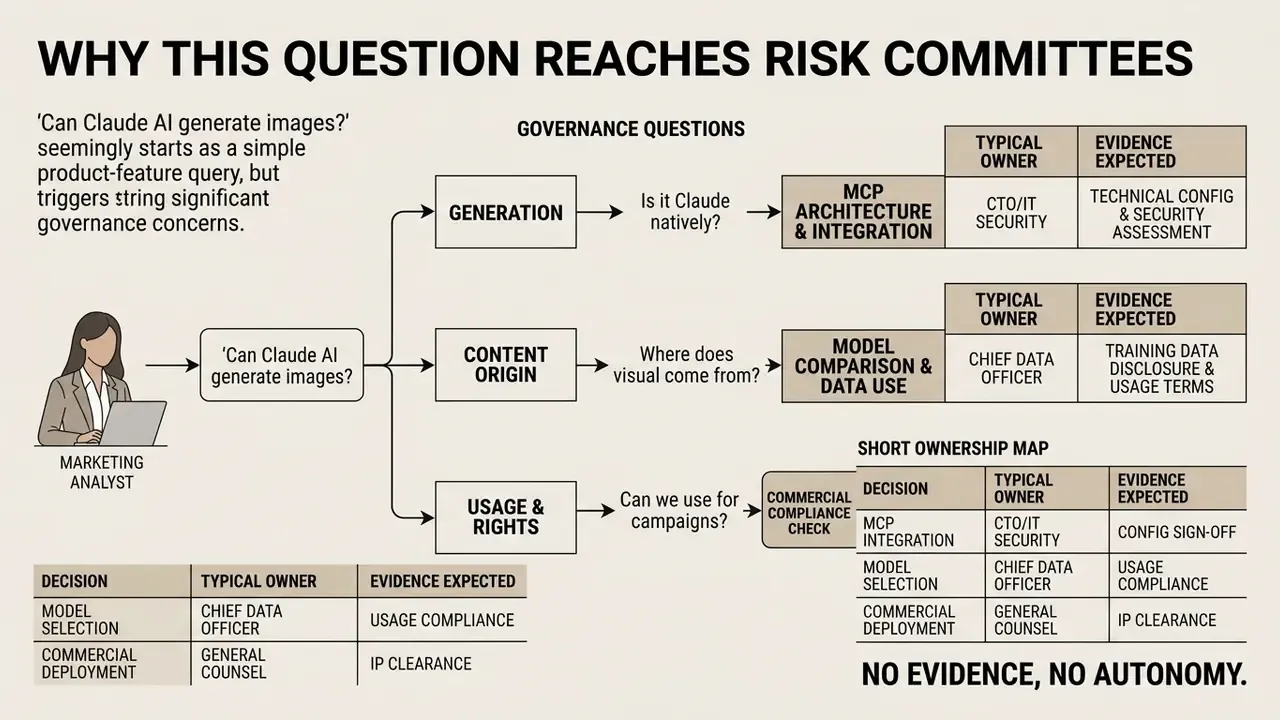
On the surface this is a product-feature question. In a bank it is rarely that simple.
The moment a marketing analyst asks whether Claude can produce a campaign visual, three governance questions follow. Which third party receives the prompt? Who owns the resulting asset? And where is the evidence that a human approved it? Enterprise AI integration therefore requires a clean distinction between model orchestration and pixel synthesis. Decision-makers evaluate whether large language models such as Anthropic's Claude can handle end-to-end visual asset generation, or whether external integrations are unavoidable. Understanding that boundary matters for model risk management, vendor due diligence, data-residency mapping and architecture design in regulated environments: banking, insurance, capital markets.
A short ownership map keeps the conversation practical:
| Decision | Typical owner | Evidence expected |
|---|---|---|
| Approving a connector to a third-party image provider | Head of AI Governance with Security sign-off | Vendor assessment, data-class mapping, allow-list entry |
| Classifying what may enter a prompt | Data Governance or CCO delegate | Written data-boundary policy, prompt-content restrictions |
| Validating the orchestration chain as a composite model | Model Risk Management | Inventory record, validation memo, monitoring plan |
| Publishing a generated asset commercially | Marketing review plus Legal | Prompt log, human-contribution note, licensing check |
| Shutting the workflow down | Named business owner | Documented kill switch and escalation path |
No evidence, no autonomy. That principle applies to a picture-making tool as much as to a credit model.
Can Claude AI Generate Images Directly: The Short Answer
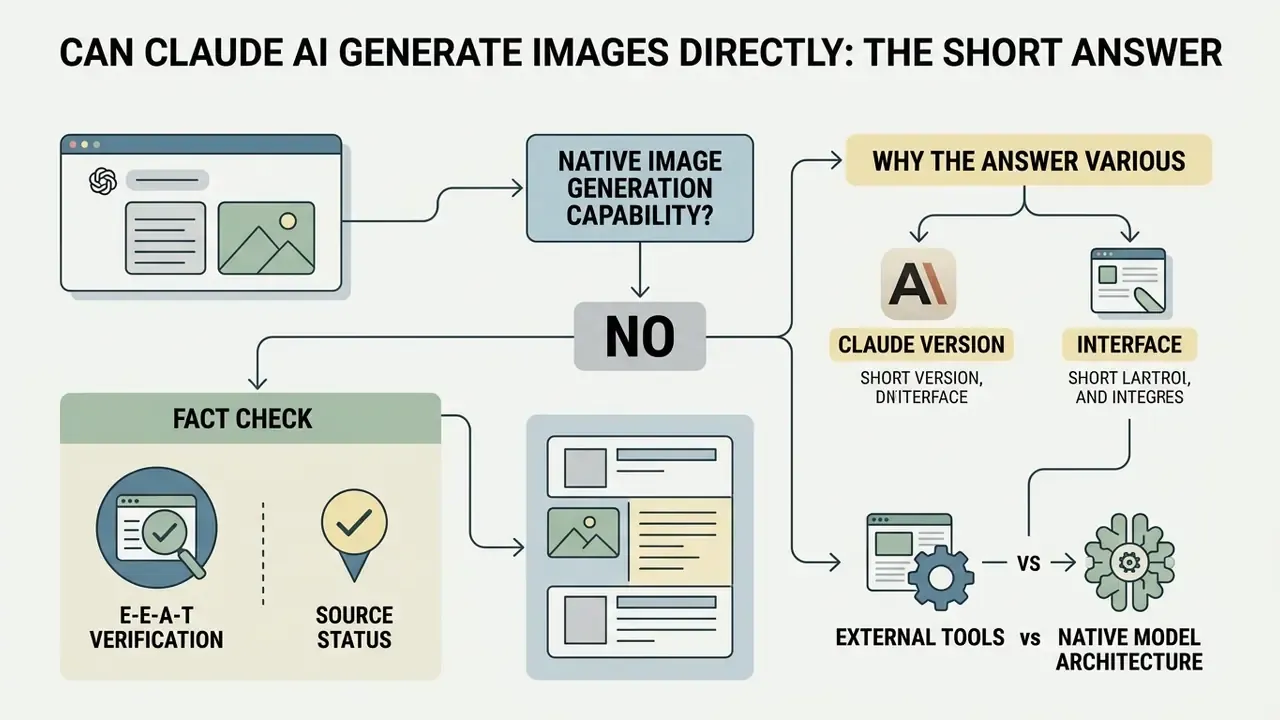
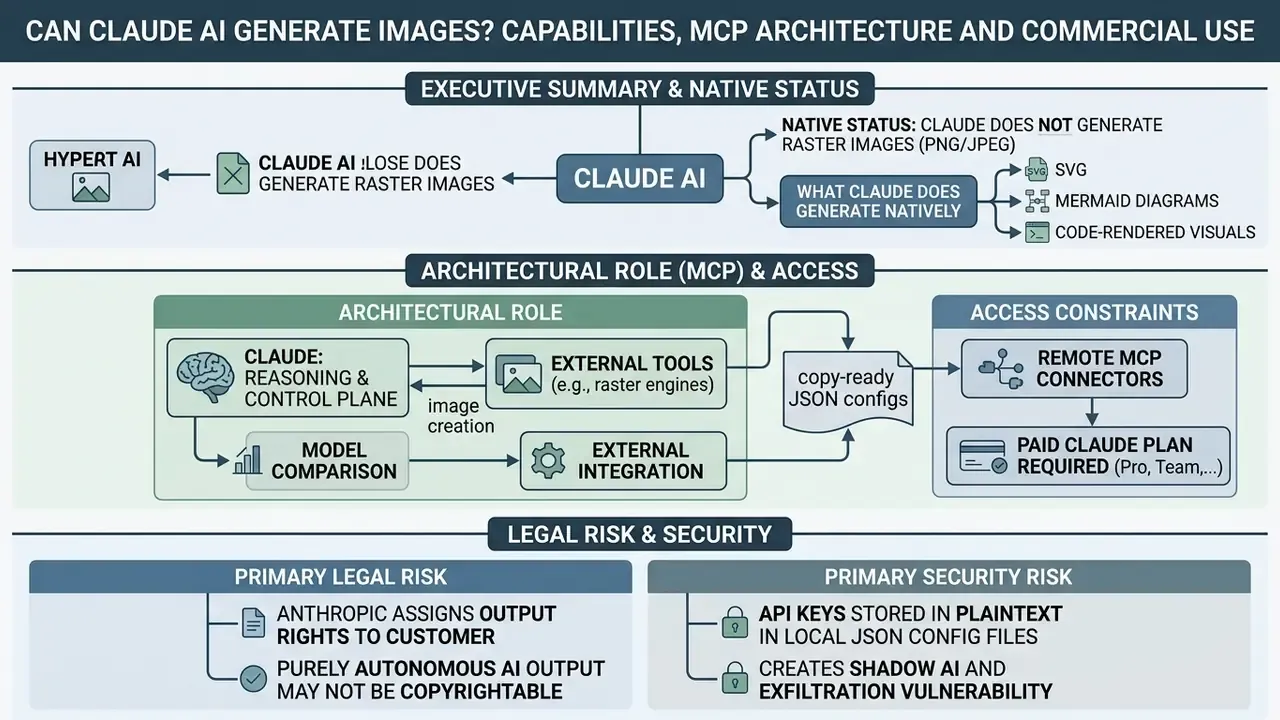
Claude AI cannot generate raster images directly inside its native model architecture. It works as a text-and-vision language model that processes visual inputs but depends on external tool integrations to produce bitmap graphics. Users asking can Claude AI generate images natively should accept a plain fact: Anthropic built Claude without an internal diffusion or raster rendering engine. Queries still phrased as does claude ai generate images 2025 land on the same answer in 2026.
«Claude is an image-understanding model only and cannot generate, produce, edit, manipulate, or create images.»
E-E-A-T Verification (Fact Check):
Native Image Generation Capability vs External Tools
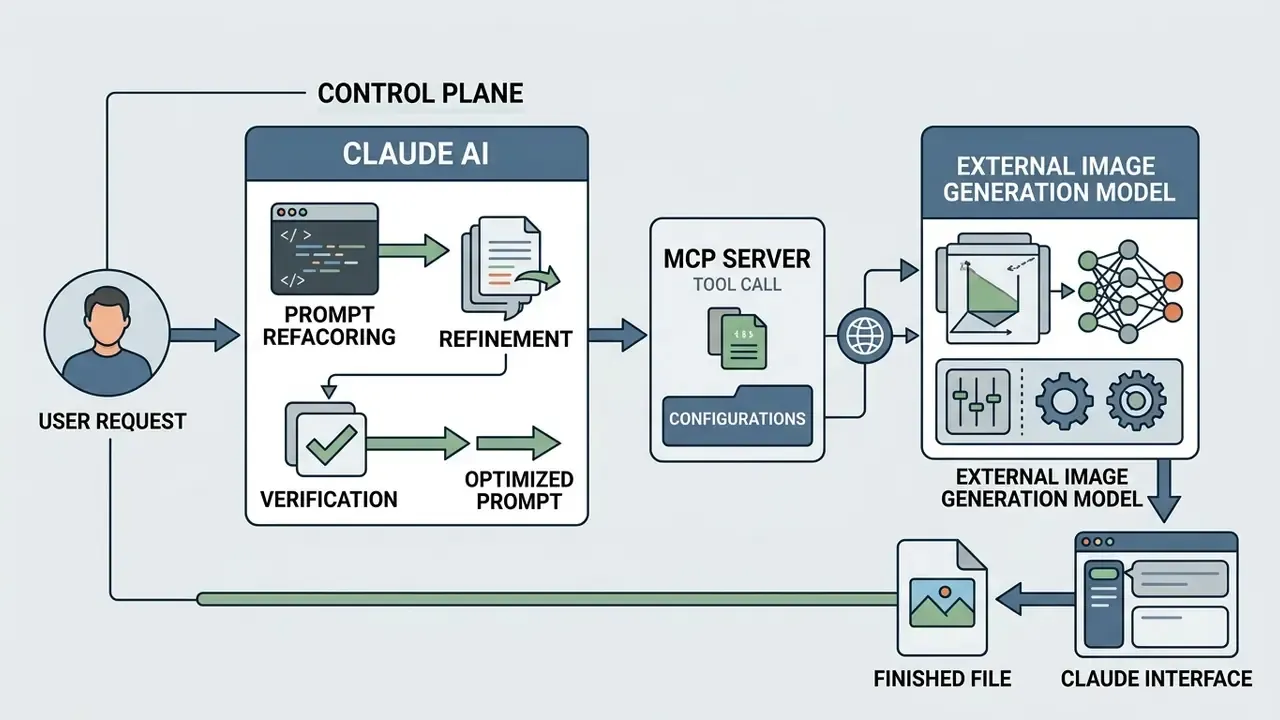
Claude has no native raster image generation capability baked into its weights, yet it can trigger external image generation models when connected through API endpoints or tools. When comparing platform architectures, leaders often review generative stacks side by side, including enterprise-grade AI art generators, to decide between unified multi-modal models and modular orchestrators. So while Claude does not generate pixels natively, its tool-use capability lets it format structured JSON payloads and dispatch execution commands to an external image generator.
Mechanically, the tool-use loop runs like this: the application declares tools in the API request, Claude selects a tool and emits a structured call containing name, id and input, the host application (or Anthropic's server-side tool runtime) executes the call, and the result returns to the conversation as a tool_result block. MCP servers implement the same contract. That is why raster output inside Claude is always the product of an external execution layer rather than the model weights.
One practical consequence for inventories: the "model" your validators review is a chain, not a single artifact. Claude is one component. The provider model is another. The connector is a third.
Why the Answer Changes Depending on Claude Version and Interface
The operational experience shifts across interfaces because client applications, such as Claude Desktop, Claude Code or web connectors, can host external tools that execute raster generation on the user's behalf. The underlying core model stays a strict image-understanding engine across every tier. But a Claude Desktop session with an active Model Context Protocol (MCP) server enables direct tool execution, and visual output then appears seamless inside the chat stream. Seamless, and easy to mistake for a native feature.
Interface-level differences that matter for architecture reviews:
| Interface | Image input | Raster output | Tool hosting mechanism |
|---|---|---|---|
| Claude web (claude.ai) | Yes, drag-and-drop uploads | Only via connectors | Remote MCP connectors (paid plans) |
| Claude Desktop | Yes | Only via connectors or extensions | claude_desktop_config.json, .mcpb extensions |
| Claude Code (CLI) | Yes | Only via MCP or CLI scripts | claude mcp add, ~/.claude.json |
| Claude API | Yes (base64, URL, file_id) | No dedicated image-generation endpoint | Developer-declared client tools |
The difference between these surfaces is integration scope, not model capability.
What Claude AI Can Create Visually Without an Image Generation Model
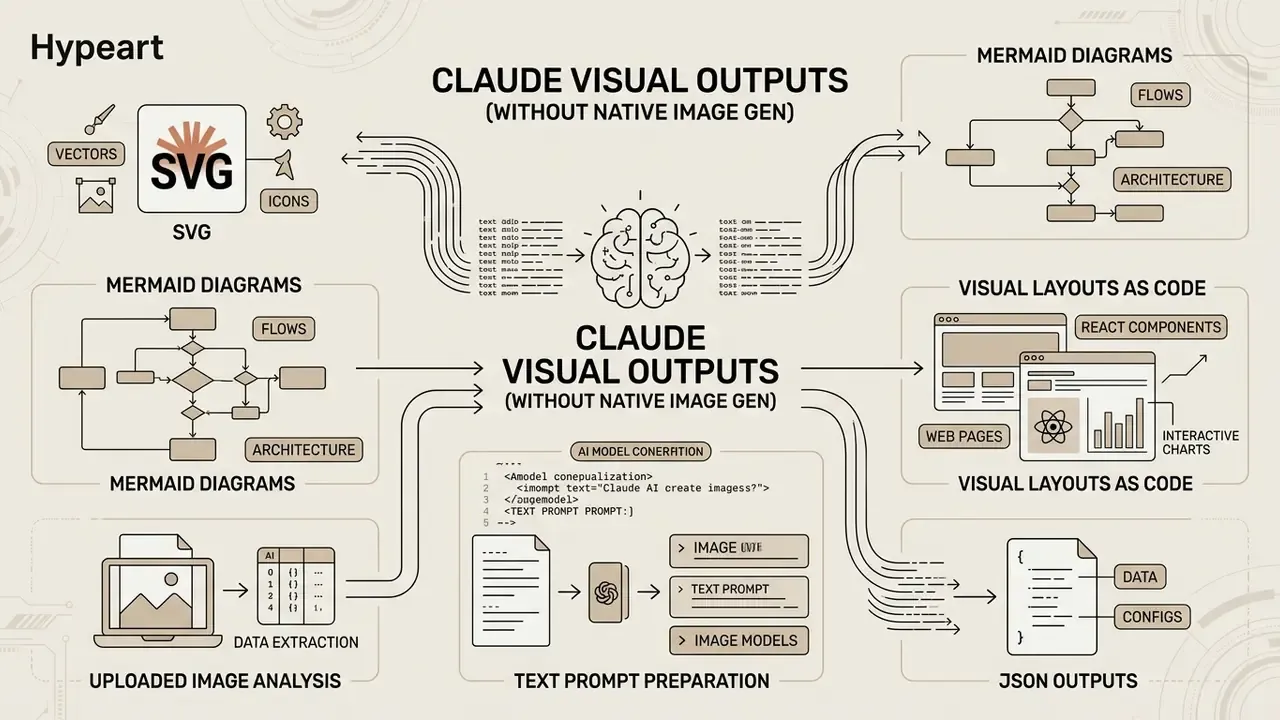
Without an external raster engine, Claude AI still produces visual output by writing executable visual code: SVG vectors, Mermaid architectural diagrams, structured HTML/CSS layouts. When people ask does Claude AI generate images, the distinction to hold onto is between code-rendered visual artifacts and synthesized raster bitmaps such as JPEG or PNG files.
SVG, Diagrams and Visual Layouts as Code
Claude generates scale-invariant SVG graphics, flowcharts and styled web layouts directly inside its conversation interface using code artifacts.
«Claude creates SVG graphics, flowcharts and styled web layouts directly in the interface through code artifacts.»
These representations let teams inspect, edit, version and render vector graphics natively, with no raster generator involved for simple schematic needs. Native output categories in practice:
Here is the governance distinction worth writing into policy. Vector and code artifacts never leave the Anthropic boundary, whereas raster generation via MCP transmits prompt content, and potentially uploaded reference material, to a third-party provider. For a control-room diagram or an AML process flowchart, the native path is usually enough and it avoids the outbound data question entirely.
- SVG illustrations and icons
- editable, resolution-independent, diff-able in Git.
- Mermaid diagrams
- sequence diagrams, ER models and flowcharts, syntax-validated and rendered as high-quality SVG in an interactive preview.
- HTML/CSS/JavaScript pages
- single-file artifacts suitable for dashboards, landing-page mockups and internal documentation.
- React components and interactive charts
- data visualizations with live state, handy for model-monitoring dashboards.
- Structured JSON outputs
- schema-validated payloads that downstream rendering services consume.
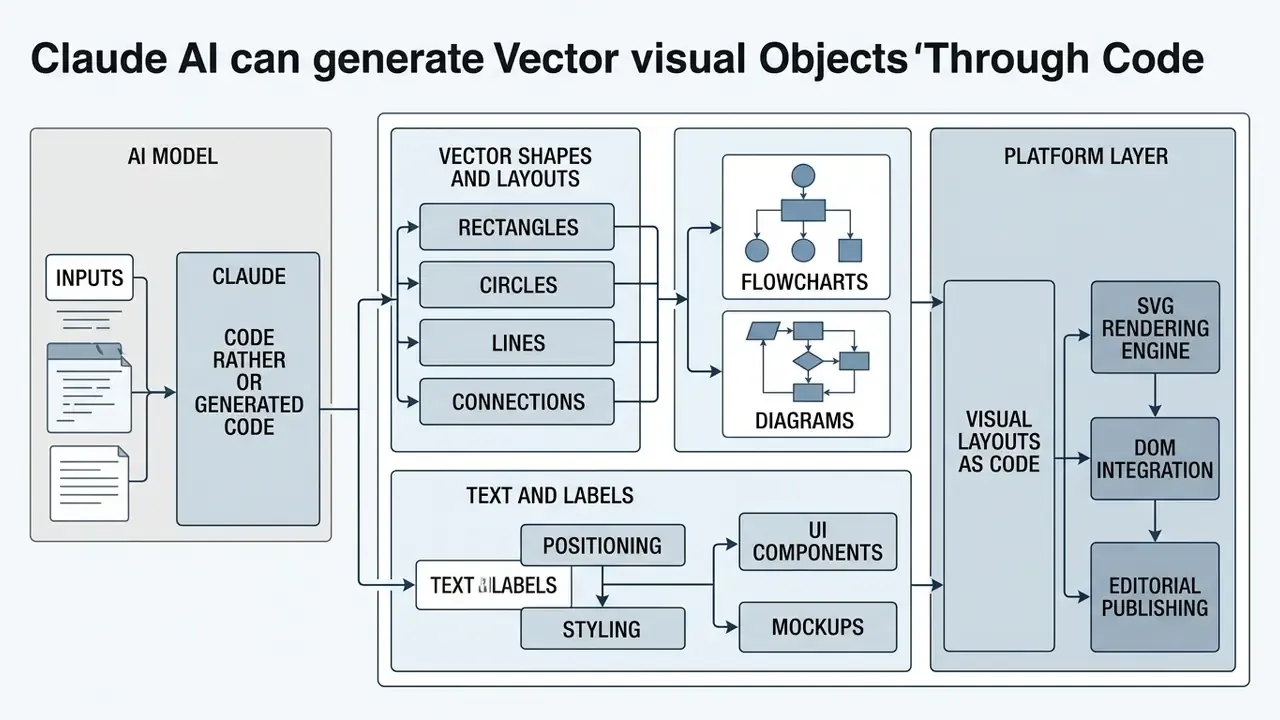
Uploaded Image Analysis and Text Prompt Preparation
Claude analyzes uploaded raster images with its vision capability. It can evaluate a layout, read embedded text, and build a structured text prompt tuned for an external graphic generator.
«Claude supports up to 20 images per message in claude.ai and inputs up to 8000×8000 pixels; token cost ≈ width × height / 750.»
Teams regularly ask Claude to assess baseline assets, audit brand consistency, extract typography and palette specifications, or finish prep work before deciding on AI image resolution enhancement or pushing prompts into a downstream generation pipeline. The documented prompt-engineering workflow (clarity, worked examples, XML structuring, role prompting, extended thinking, prompt chaining) is what turns a vague brief into a production-grade generation prompt. Ask Claude for "a nice banner" and you get noise; give it a structured brief and the external model behaves.
Claude vs GPT Image vs Stable Diffusion vs Nano Banana
Comparing Claude against specialized graphic engines means separating text-and-vision reasoning from direct pixel synthesis. Claude AI image generation depends entirely on tool orchestration, while dedicated image models are trained to convert text embeddings into dense raster matrices.
| System | Primary workflow role | Native raster generation | Prompt control | Claude integration | Supported formats / ratios | Commercial model | Data-boundary consideration |
|---|---|---|---|---|---|---|---|
| Claude (Anthropic) | Orchestrator, analyst, prompt engineer | No (tools only) | Complex logic, XML structuring, prompt chaining, chain-of-thought refactoring | Central control plane via MCP or API | Input up to 8000×8000 px, up to 20 images per message (claude.ai); output SVG, HTML, Mermaid code | Pro/Team/Enterprise subscription, API per token | Commercial terms state customer content is not used for model training |
| GPT Image / DALL·E | Raster synthesis | Yes (native in ChatGPT) | Automatic prompt rewriting in chat; inpainting with a PNG mask, background and output-format control | Connected via MCP or provider API | Square, landscape, portrait; other ratios mapped to the nearest supported size | Included in ChatGPT Plus, API metered | Prompt and reference images leave the Anthropic boundary |
| Stable Diffusion / FLUX.1 | Custom, style-precise generation | Yes (open-source or API) | Negative prompts, ControlNet structural conditioning, LoRA fine-tunes | Direct local MCP server (self-hosted option) | Arbitrary custom resolutions | Open-source or pay-per-use API | Self-hosting keeps data on premises |
| Nano Banana Pro / Gemini Image Tier (updated naming) | High-detail synthesis (1K to 4K) | Yes (native in Gemini) | Google AI Studio integration, reference-image conditioning | Connected via fal.ai, MCP or Amplifier-type connectors | 1K to 4K; ratios 1:1, 16:9, 21:9, 9:16, 4:3, 3:2 | Free tier for testing, API per generation | Google-side processing; check regional data residency |
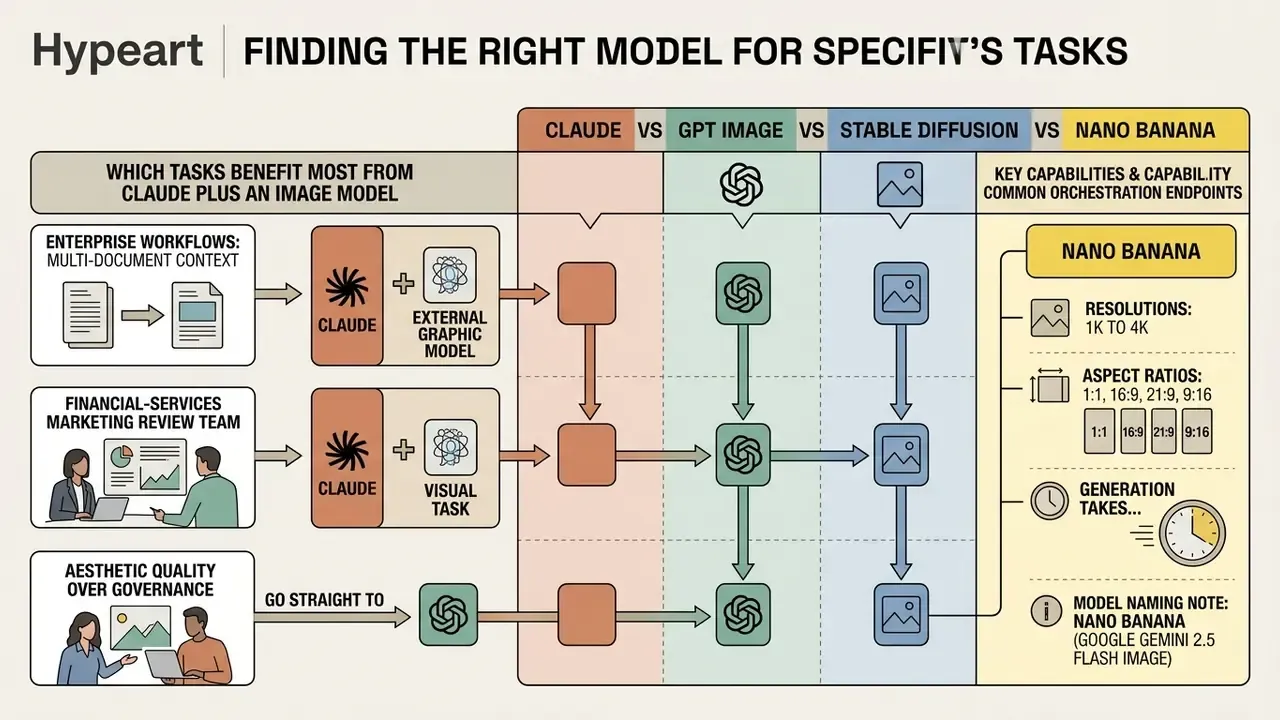
(Model naming note: earlier documentation referenced "Nano Banana (Google Gemini 2.5 Flash Image)". Current provider materials use the Nano Banana Pro / Gemini Image Tier naming, reflected above.)
For a capability-by-capability breakdown of the two most common orchestration endpoints, see the dedicated evaluations of ChatGPT as a picture generator and Google's AI image generator stack. Prefer a wider shortlist first? You can compare options across the category before shortlisting a provider.
Which Tasks Benefit Most from Claude Plus an Image Model
Pairing Claude with an external graphic model fits enterprise workflows that need multi-document context analysis, automated compliance filtering, and iterative prompt refinement before any visual asset exists. Research on LLM-as-prompt-optimizer patterns supports the orchestration thesis: structured, model-optimized prompts consistently outperform one-shot user prompts on controllability benchmarks.
«Language models used as black-box prompt optimizers measurably improve outputs of external text-to-image systems.»
Illustrative scenario, not a benchmarked metric: a financial-services marketing review team wired Claude in to audit promotional messaging against regulatory guidelines, format compliant text prompts, then dispatch execution calls to an external image model. The reported benefit was a shorter visual-compliance review loop plus an immutable audit trail of prompts, tool calls and approvals. Quantified turnaround improvement is organization-specific and needs internal measurement. No verified industry-wide figure exists, and anyone quoting one should be asked for methodology.
Where the bottleneck is aesthetic quality rather than governance, teams sometimes go straight to purpose-built engines such as Midjourney-class image generators. Enterprise architectures, though, usually gain more from a centralized control plane where Claude enforces risk rules, brand rules and disclosure requirements before rendering happens. The same orchestration pattern carries over to adjacent media: see the implementation notes on video generation APIs for cost and quota modeling.
How to Use Claude for Image Generation Through Tools and Providers
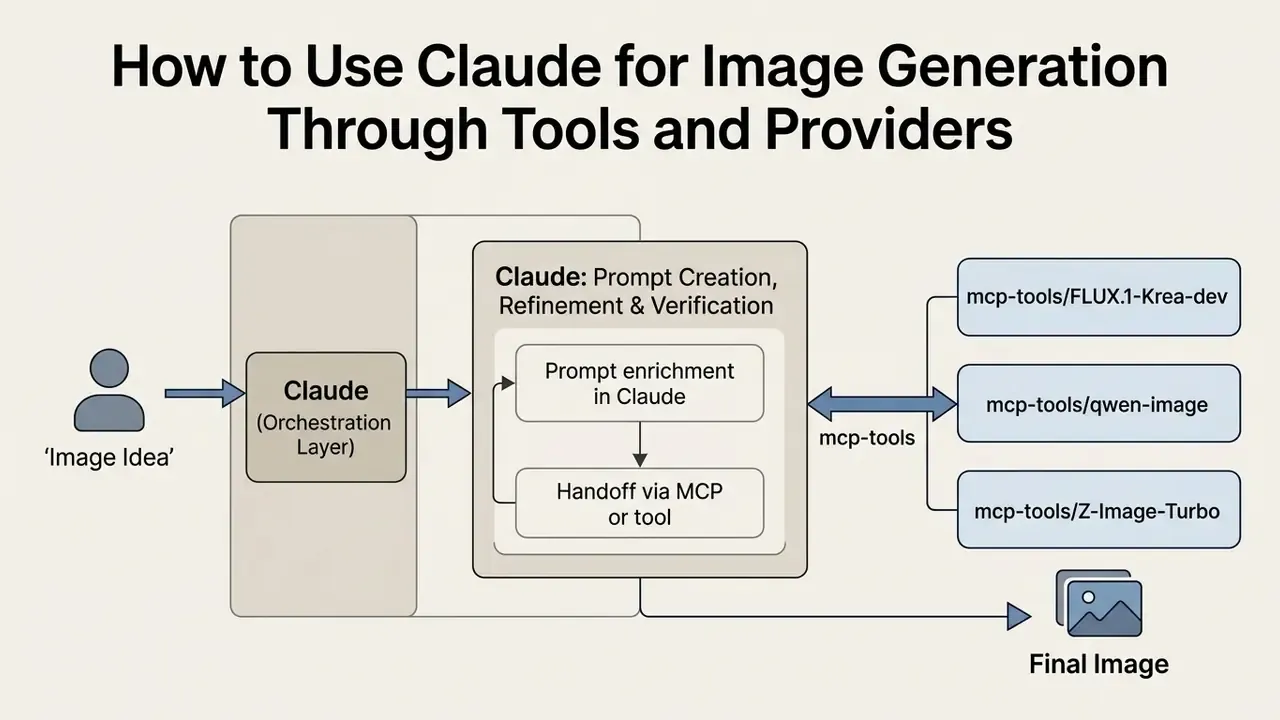
Using Claude to generate images means configuring the model as an orchestration layer. It accepts user direction, refines prompt parameters, and dispatches API calls to external providers. In that setup, Anthropic Claude generate images workflows lean on Claude's reasoning to structure complex visual requirements before anything reaches a specialized engine.
Which Image Models Can Be Connected to Claude
Claude can route image generation tasks to providers running Stable Diffusion, GPT Image (gpt-image-2), FLUX.1 (through Krea, Replicate or Runware), Qwen Image, and Nano Banana Pro (the Google Gemini image tier).
«AI Box MCP aggregates GPT Image, DALL·E 3, Flux, Ideogram, Stable Diffusion and 80+ models under a single subscription starting at $8.99 per month.»
Ready-to-use remote endpoints via Hugging Face Spaces (Gradio and MCP integration):
mcp-tools/FLUX.1-Krea-devtuned for photorealistic textures and natural lighting, specifically to dodge the plastic-skin "AI look".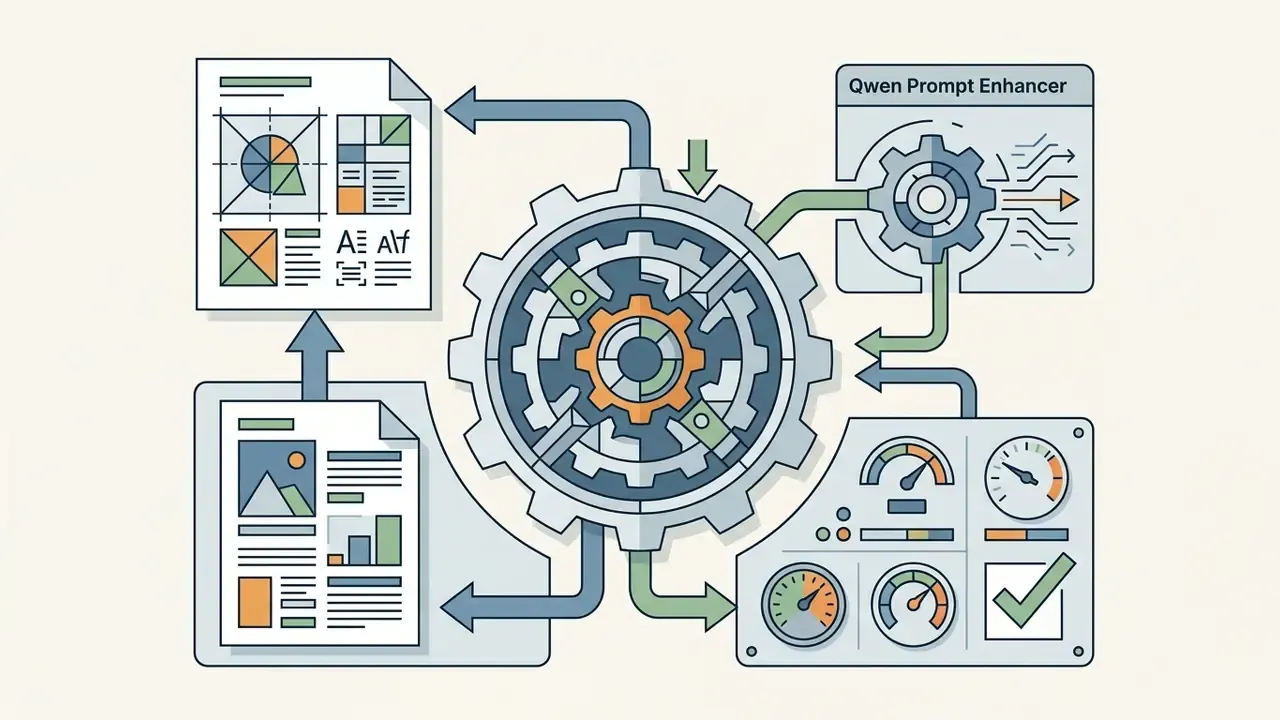
mcp-tools/qwen-imagestrong on accurate typography and text rendering for posters, signage and infographics; ships with a Qwen Prompt Enhancer prompt.
mcp-tools/Z-Image-Turbofast iteration for draft concepts and thumbnail variants.Organizations weighing providers before signing an integration contract can review the consolidated ranking of the best AI art generators and, for cost-sensitive pilots, the analysis of free AI art generators. Claude itself stays provider-agnostic: routing is a procurement and data-residency decision, not a model-capability one. That independence is precisely what makes the orchestration pattern defensible in a vendor-concentration review.
Claude's Role: Prompt Creation, Refinement and Verification
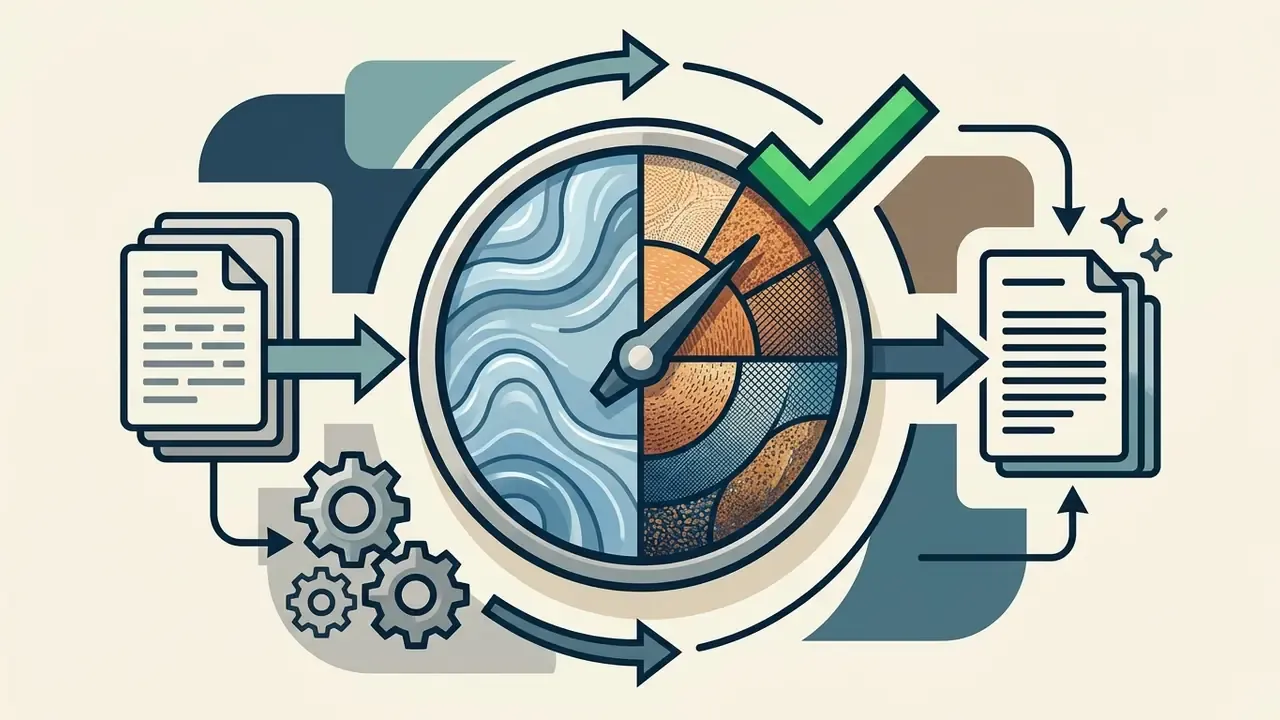
Claude acts as an analytical copilot that expands an ambiguous request into a detailed text prompt with camera settings, stylistic references, lighting parameters and negative constraints. Through prompt chaining and structured XML tags, it makes sure the prompt reaching the image model carries the technical specifications needed for high-fidelity output.
A reliable prompt formula used by production MCP skills:
[Style] [Subject] [Composition] [Context/Atmosphere]
Example:
Minimalist 3D illustration of abstract geometric shapes floating in space,
soft gradient background from deep purple to electric blue, subtle glow effects,
modern professional aesthetic, wide composition for website header
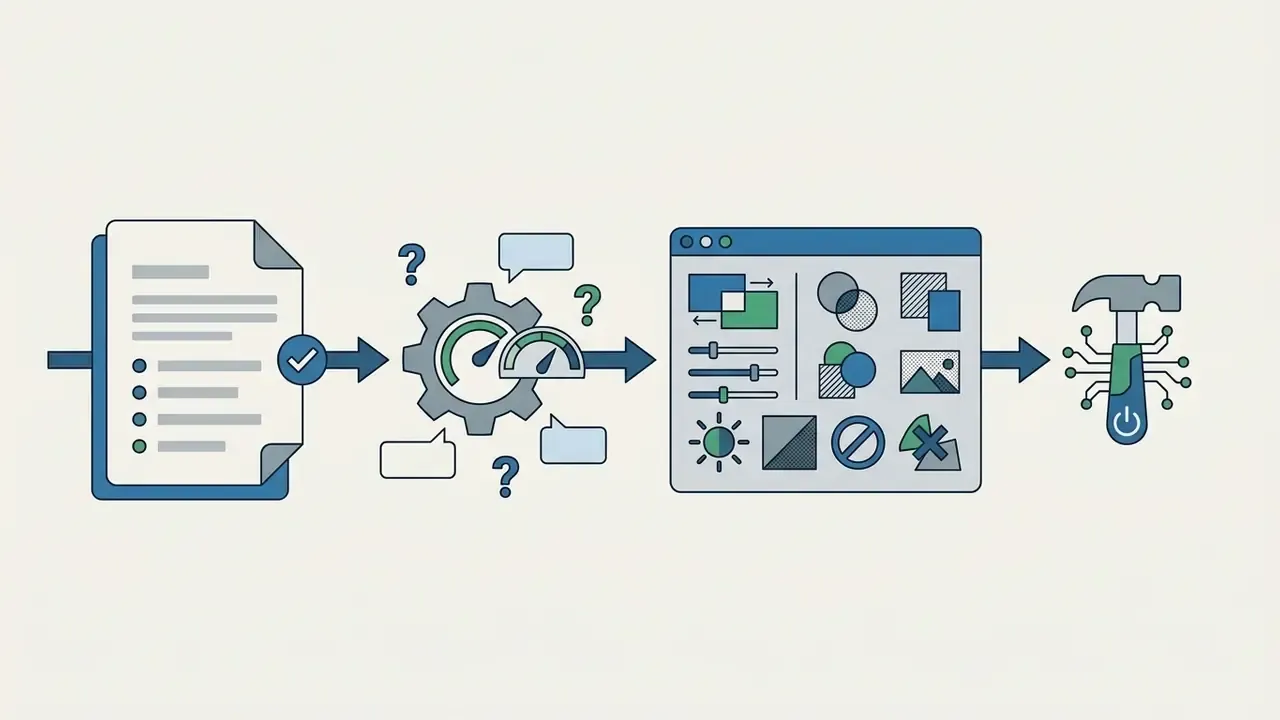
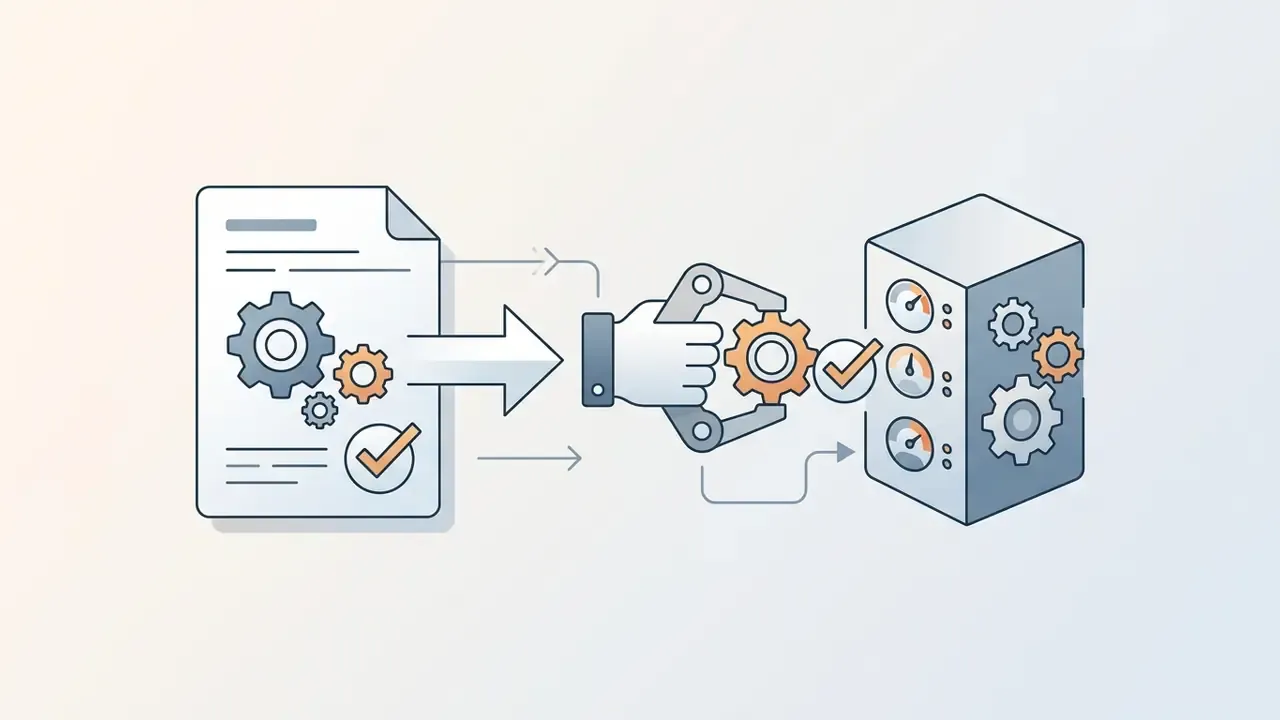
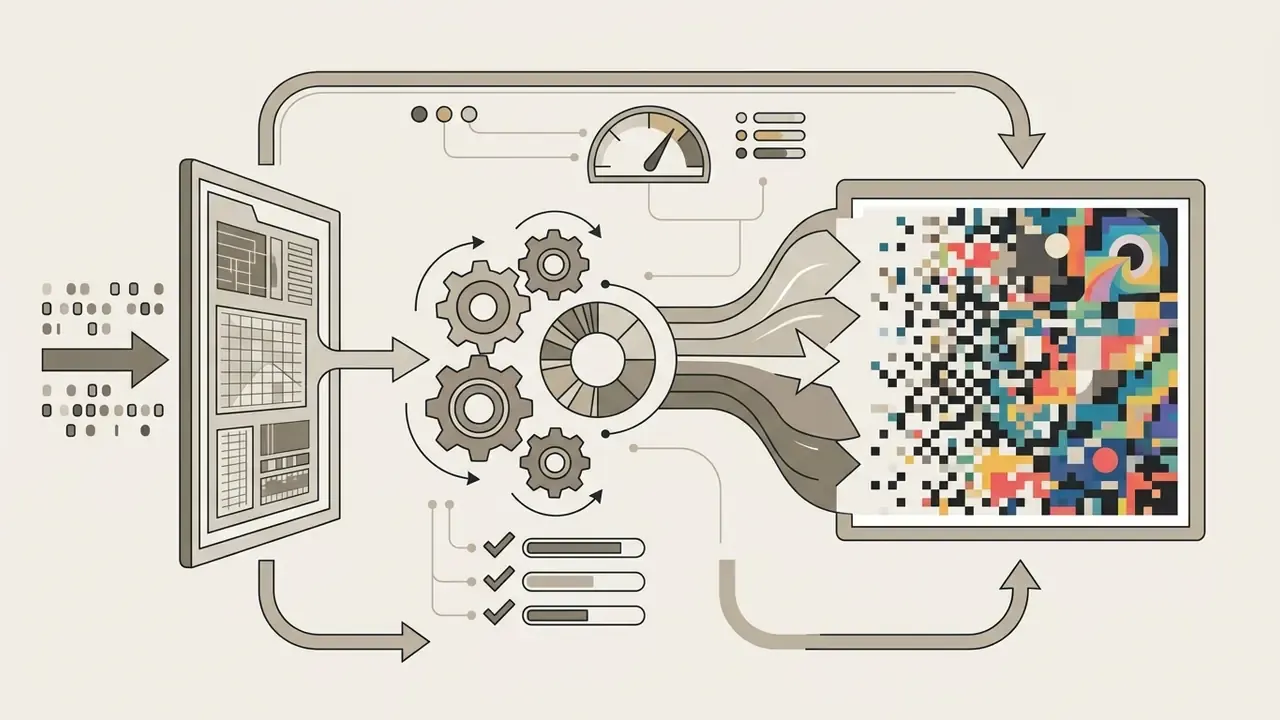
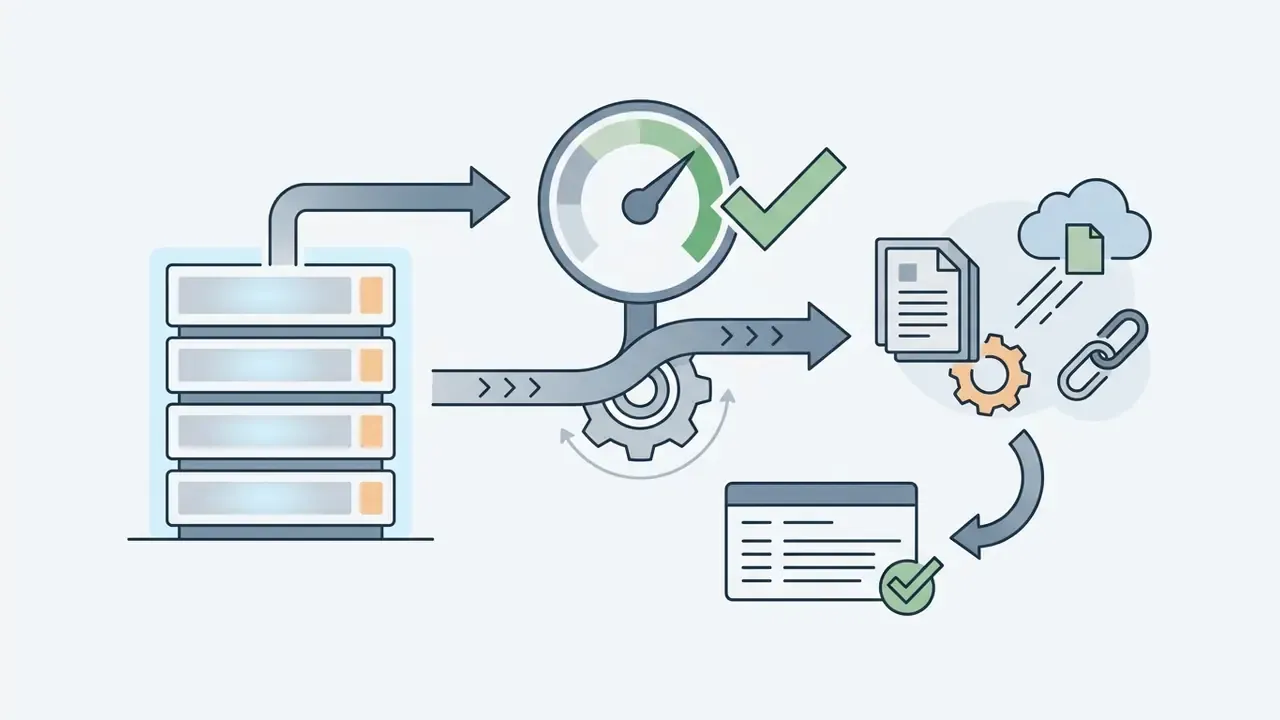
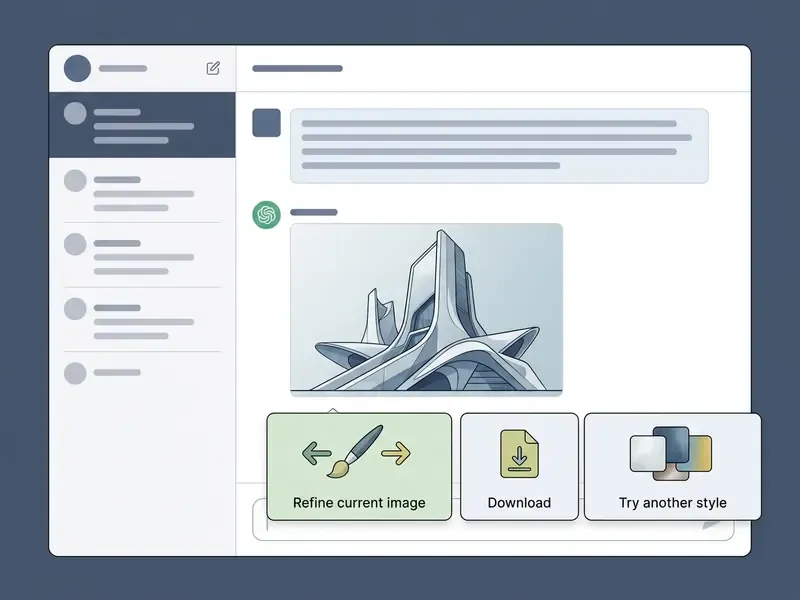
Iterative Visual Workflow Inside the Chat
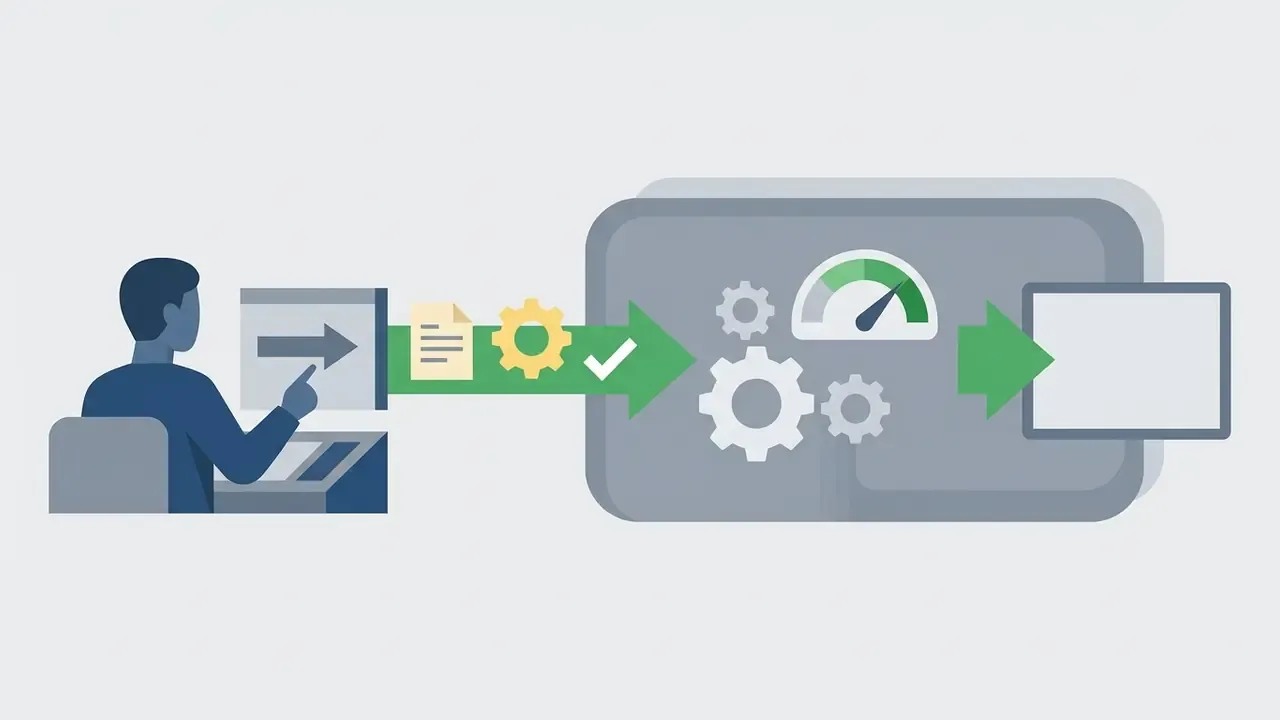
With a properly built MCP integration the process is not one lonely function call. It is a design loop.
- Small edits (Refine): background swaps, a single colour change, a minor text correction. Pass the previous generation ID so only the specified layer changes.
- Large edits (Re-prompt): rebranding, rewriting most of the on-image text, or changing the concept. Issue a new full description in the chat instead of using the refine box; fewer errors, less fighting with the model.
- Reference images.Upload a local file (logo, sketch, product shot, palette board) into the chat. Claude reads it with its vision capability and translates style structure into the generation prompt. Most MCP servers accept up to five reference images in PNG, JPEG or WebP.
- Style galleries.Curated style sets, for example 16:9 thumbnail styles, infographic styles or square cover styles, replace verbal descriptions with selectable presets. Prompt variance across a team drops noticeably.
- Targeted refinement (Refine) vs full re-prompt.Targeted refinement (Refine) vs full re-prompt.
- Variation browsing and download.Generated variants stay in the conversation, so reviewers can scroll through refinements and styles, then download the approved asset with provenance metadata attached.
- Resolution advantage of the API path.Generation through an MCP API call returns the provider's original file, up to 4K, without the downscaling and re-compression some consumer web interfaces apply. For print or large-format assets the gap shows the moment you upscale.
- Inpainting and format control.On OpenAI models an MCP server can expose a PNG mask for inpainting plus
backgroundandoutputFormatparameters, which enables transparent-background exports for product catalogues.
How to Configure an MCP Server for Claude Image Generation
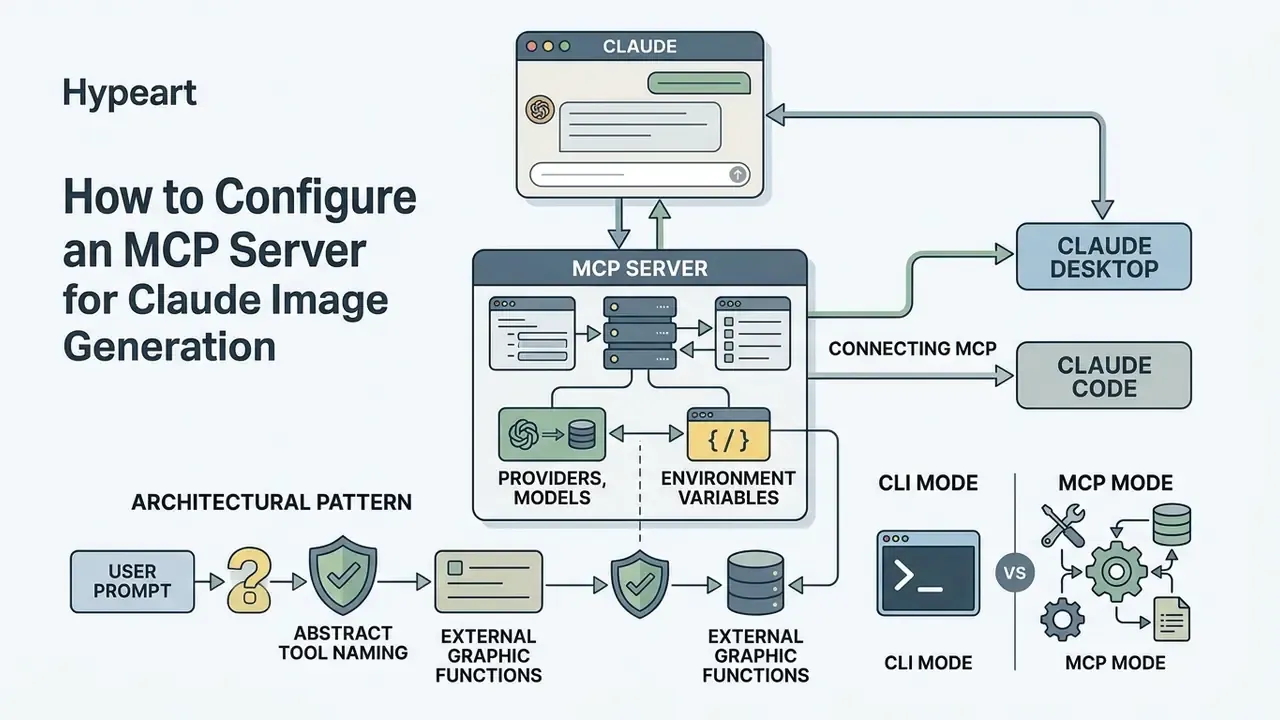
Connecting a Model Context Protocol (MCP) server to Claude exposes external graphic functions as native tools inside the assistant's environment. Setting up an image generator Claude integration means specifying host transport settings, managing API authentication keys, and registering parameters such as aspect ratios and default model targets.
Connecting MCP in Claude Desktop and Claude Code
Connecting an MCP server requires registering executable configurations in claude_desktop_config.json for Claude Desktop, or running CLI commands in Claude Code. Desktop supports two paths: install a packaged extension in .mcpb format via Settings → Extensions → Advanced settings → Install Extension, or edit the JSON config directly. Claude Code registers servers with claude mcp add, stores them in ~/.claude.json, and can import existing Desktop servers with claude mcp add-from-claude-desktop.
Step by step (Claude Desktop, remote connector):
- Open Settings → Connectors → Add custom connector.
- Set the remote MCP server URL, for example
https://huggingface.co/mcp?login. - Authorize with the provider account (Hugging Face, fal.ai, a provider aggregator).
- Enable only the tools or Spaces you intend to use and grant the minimum required permissions.
- Confirm the tool appears in the chat input "Search and tools" menu before first use.
Step by step (Claude Code, local server):
# Build a local server from source
cd mcp-server
npm install
npm run bundle
# Register it as a stdio MCP server in Claude Code
claude mcp add --transport stdio image-pipeline \
  --env GEMINI_API_KEY=your_key \
  -- node /path/to/claude-image-gen/mcp-server/build/bundle.js
# Register a remote HTTP MCP server instead
claude mcp add --transport http image-remote https://provider.example/mcp
The -- separator divides Claude CLI flags from the server command. After registration, Claude Code connects to the server automatically on startup.
Vendor marketing for aggregator connectors likes to claim setup takes "about 60 seconds". Treat that as an unverified marketing claim. In practice key provisioning, permission scoping and secret-manager integration dominate the timeline in any governed environment, and no independent source in the reviewed material validates the 60-second figure. Sixty seconds is the demo; the change ticket is the reality.
Engineering teams standardizing asset generation inside automated delivery pipelines can review comparable sequencing in the YouTube video editor workflow guide, or browse the hub for adjacent media-automation patterns.
Configuring Providers, Models and Environment Variables
Configuring an image MCP server means defining environment variables for authentication keys (such as OPENAI_API_KEY or GEMINI_API_KEY), declaring the primary provider, and constraining default output aspect ratios (16:9, 1:1, 21:9). Correct environment setup prevents runtime errors and keeps payload routing predictable.
Add the following fragment to claude_desktop_config.json (Claude Desktop) or ~/.claude.json (Claude Code):
{
  "mcpServers": {
    "image-generation-pipeline": {
      "command": "node",
      "args": ["/path/to/mcp-server/build/index.js"],
      "env": {
        "OPENAI_API_KEY": "your-openai-api-key",
        "GEMINI_API_KEY": "your-gemini-api-key",
        "DEFAULT_PROVIDER": "gemini",
        "DEFAULT_ASPECT_RATIO": "16:9",
        "IMAGE_OUTPUT_DIR": "~/Pictures/ClaudeImages"
      }
    }
  }
}
A production-grade variant keeps secrets out of the file by resolving them from the shell environment, with documented fallbacks:
{
  "mcpServers": {
    "media-pipeline": {
      "command": "node",
      "args": ["/path/to/claude-image-gen/mcp-server/build/bundle.js"],
      "env": {
        "GEMINI_API_KEY": "${GEMINI_API_KEY}",
        "GEMINI_DEFAULT_MODEL": "${GEMINI_DEFAULT_MODEL:-gemini-3-pro-image-preview}",
        "OPENAI_API_KEY": "${OPENAI_API_KEY}",
        "OPENAI_DEFAULT_MODEL": "${OPENAI_DEFAULT_MODEL:-gpt-image-2}",
        "IMAGE_PROVIDER": "${IMAGE_PROVIDER:-gemini}",
        "IMAGE_OUTPUT_DIR": "${IMAGE_OUTPUT_DIR:-~/generated-images}",
        "GEMINI_REQUEST_TIMEOUT_MS": "${GEMINI_REQUEST_TIMEOUT_MS:-60000}",
        "MEDIA_PIPELINE_LOG_LEVEL": "${MEDIA_PIPELINE_LOG_LEVEL:-info}"
      }
    }
  }
}
The ${VAR:-default} syntax reads the environment variable and falls back to a documented default, which keeps the committed config free of literal secrets. Routing is usually model-name based: gpt-image* and dall-e* names route to OpenAI, everything else routes to the Gemini provider, so one tool serves multiple engines without duplicate configuration.
Set IMAGE_OUTPUT_DIR explicitly. A server launched by Claude Desktop or Claude Code inherits an unpredictable working directory, so unset output paths land in a home-directory fallback instead of the project folder. That single omission generates most of the "the file generated but I cannot find it" tickets.
Architectural Pattern: Abstract Tool Naming to Protect the Prompt Layer
When you build your own MCP server, use abstract function and server names, for example create_asset or media_pipeline, rather than literal names like generate_image.
Why this matters: when the tool name mirrors user intent word for word ("make me a picture" maps to generate_image), Claude calls the tool immediately and skips the prompt-engineering skill layer. An abstract name makes the skill the semantically obvious choice for image tasks, so Claude first enriches the brief with subject, composition, lighting and aspect ratio, and only then hands a prepared JSON payload to create_asset. Call it prompt engineering applied to tool selection. In practice it is the difference between a four-word prompt and a production-grade one reaching the diffusion model.
Two execution modes deserve separate lines in architecture documents:
- CLI mode
Claude → Skill → Bash → bundled CLI → provider API. No MCP protocol overhead, dependencies bundled, simple to audit. - MCP mode
Claude → MCP tool → bundled MCP server → provider API. Protocol-based, works for non-skill and agent workflows, supports newer MCP spec revisions with backward-compatible fallback for older clients.
Teams frequently ship both, then disable the MCP server in the Claude Code MCP list to cut startup overhead while keeping the skill functional.
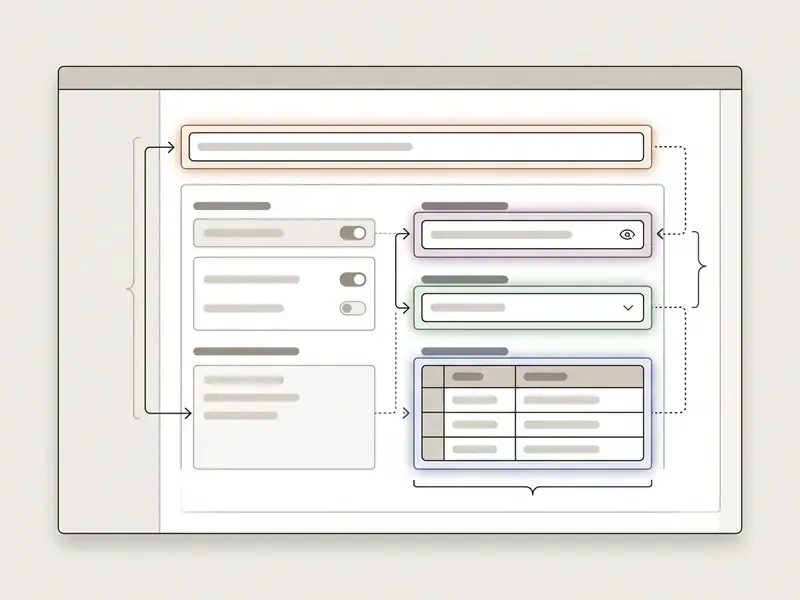
Enterprise Security, Shadow AI and Model Risk Controls
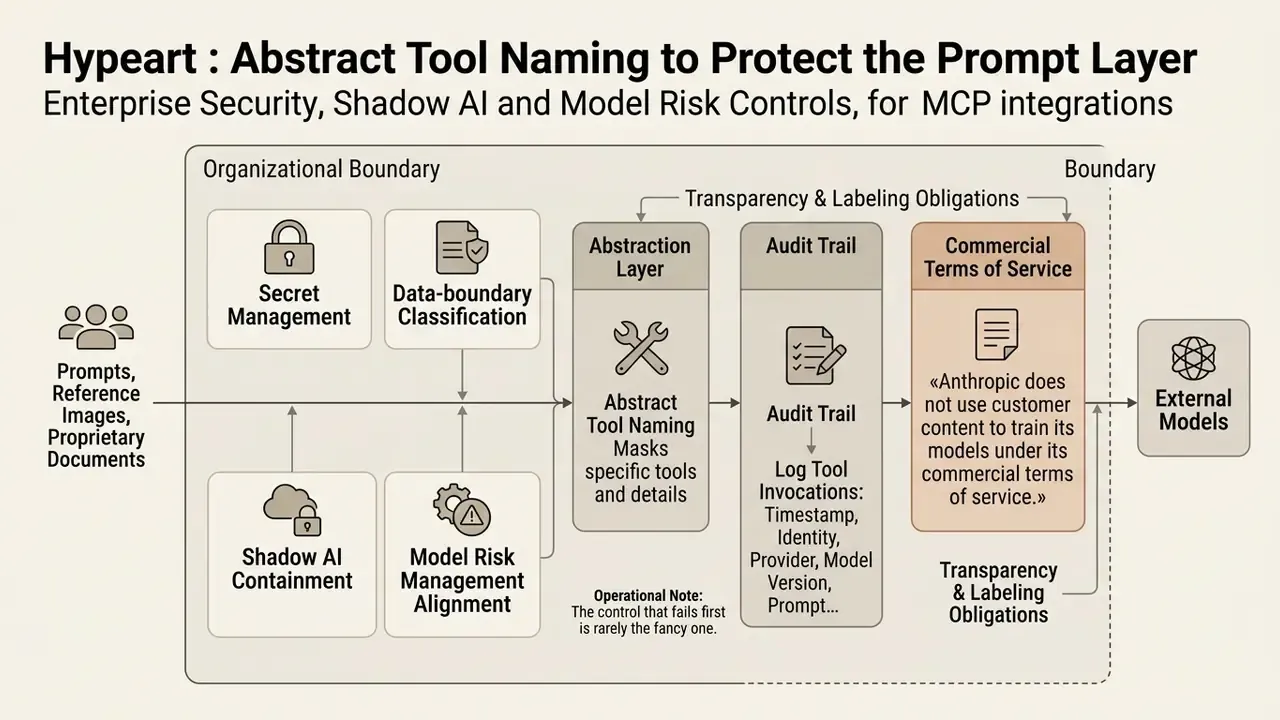
«Providers of generative AI systems must mark AI outputs, including images, in a machine-readable format and make them detectable as synthetic or manipulated.»
«Anthropic does not use customer content to train its models under its commercial terms of service.» Anthropic Commercial Terms of Service and Model Context Protocol Specification (2026). https://docs.anthropic.com
A small operational note from review practice: the control that fails first is rarely the fancy one. It is the unrotated key on a laptop.
How to Decide on Commercial Use of Claude and Image Tools
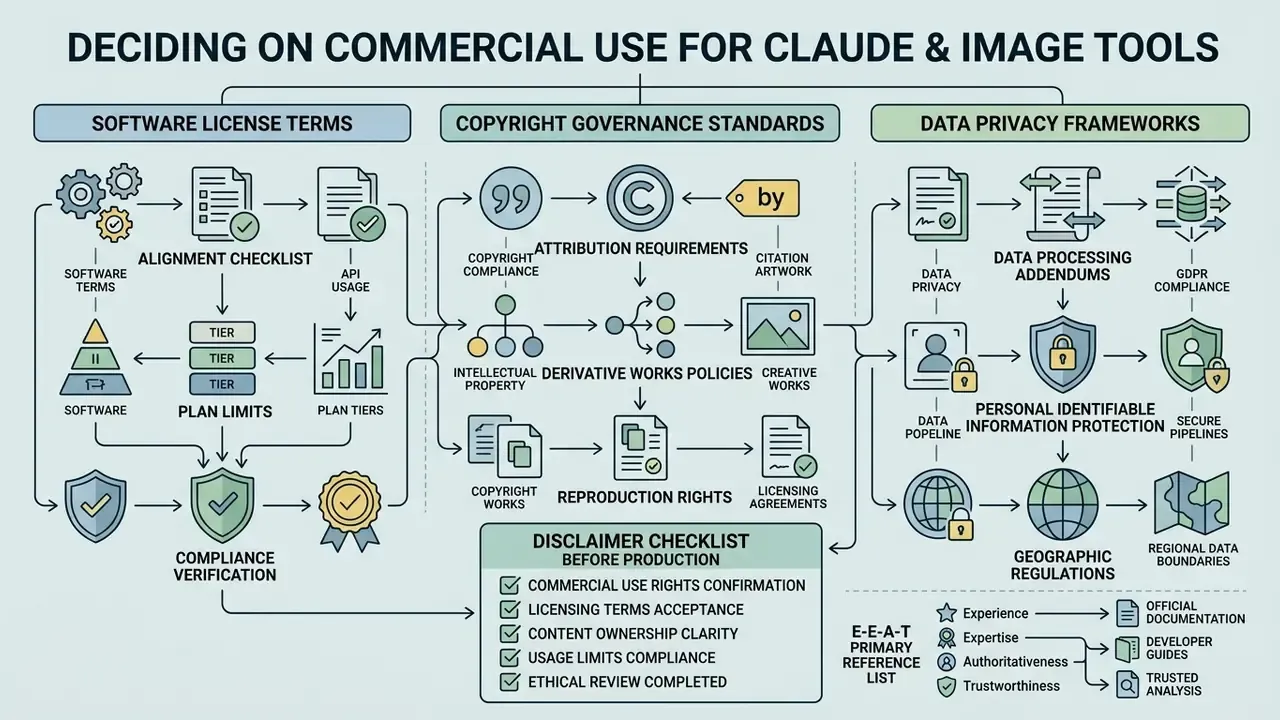
Deploying Claude-orchestrated image workflows commercially requires alignment with software license terms, copyright governance standards and data privacy frameworks. Decision-makers have to weigh legal risk, especially the human-authorship threshold set by regulators.
Checklist Before Using Generated Images in Production
Before publishing synthetic visual assets in commercial products or marketing materials, compliance teams should run a formal review:
- Verify plan rights. Ensure your Anthropic account tier (Team, Enterprise or API) explicitly grants commercial usage rights and output assignment for business deployment. Confirm also that custom connectors are permitted on the tier in use, since Free-plan accounts cannot add them.
«Anthropic does not use customer content to train its models under its commercial terms of service.» Anthropic Commercial Terms of Service (2026). https://docs.anthropic.com
- Review provider licensing. Validate the commercial licensing terms of the downstream image generation API (Stability AI, OpenAI, Google, fal.ai, Hugging Face Space owners) that actually renders the raster graphic. Open-weight models and hosted Spaces can carry redistribution terms different from the underlying checkpoint.
- Audit human authorship. Confirm that human creative direction and substantial original contribution are present, because purely autonomous AI output may lack copyright protection under US Copyright Office guidance. Registration covers human-authored contributions only, and AI-generated material must be disclosed and excluded from the claim.
«Anthropic assigns customers all rights it holds in outputs, yet purely autonomous AI results may not qualify for copyright protection under US law.» Terms.Law, analysis of Anthropic commercial terms (2026). https://terms.law/anthropic-commercial-terms-analysis
- Log prompt history. Retain verifiable records of prompts, context parameters, model and model version, reference-image hashes and tool call logs, so the asset stays fully auditable. Where authenticity must be demonstrated to a regulator or platform, pair those logs with verification tooling such as AI reverse-image-search checks on the final file.
- Assess legal and risk boundaries. Track copyright litigation trends on training-data transparency and commercial disclosure before mass publication. Confirm prompt-content restrictions imposed by the provider, since most generative policies prohibit prompts naming real individuals, third-party IP or copyrighted works.
- Check brand and attribution constraints. Anthropic's policies prohibit using Claude or Anthropic names and logos in a product, feature, company name or logo in a way that implies endorsement. Review provider attribution requirements before packaging generated assets into a commercial product.
- Apply synthetic-content labeling. Preserve provenance metadata on exported files and apply machine-readable AI-content marking where the markets you operate in require it.
Where a corporate Claude plan is unavailable, say in an early pilot, teams sometimes prototype with standalone tools first. The survey of free AI art generators documents their watermark, resolution and licensing limits, most of which disqualify them from regulated commercial publication anyway.
E-E-A-T Primary Reference List:
https://docs.anthropic.com
Limitations and Open Questions
Three things in this analysis are still moving, and honest governance documents should say so.
First, plan-level connector rules change. Anthropic has tightened and loosened the connector path more than once; verify tier permissions at the moment of deployment rather than trusting a screenshot from last quarter. Second, labeling duties for synthetic images differ by market, and the machine-readable marking expectation in EU policy work does not yet have a settled US federal analogue. Third, the validation question stays genuinely open: supervisory guidance on model risk management was written for quantitative models, not for a chain where a language model chooses a tool that calls a diffusion model on another vendor's infrastructure. Existing frameworks stretch to cover it. They do not fit it cleanly.
The practical answer, at least for now, is scope discipline. Keep raster generation out of workflows touching customer data, KYC files, AML case narratives or credit decisions. Use the native vector path for internal diagrams. And treat every connector as a named digital worker with an owner, an approved role, access limits, an escalation path, a logged history and a shutdown mechanism.
A safe next step? Inventory what is already connected. Most institutions find at least one connector nobody approved.
FAQ
Can Claude AI generate images without any external tool?
No. Claude produces vector and code-based visuals natively (SVG, Mermaid, HTML/CSS, React charts), but raster formats such as PNG and JPEG require an external generation model reached through MCP, a direct API script, or a workflow platform.
Do I need a paid Claude plan to generate images?
Effectively yes. Custom remote MCP connectors, the mechanism that enables image generation inside the Claude interface, require Claude Pro, Team or Enterprise, or the Claude Code CLI. Community testing confirms custom connectors cannot be added on the Free plan.
Where do my prompts and reference images go?
Prompts and reference uploads used for raster generation are transmitted to the third-party provider configured in your MCP server: OpenAI, Google, Stability, a Hugging Face Space owner, or an aggregator. Anthropic's commercial terms state customer content is not used to train Anthropic models, yet the downstream provider's terms govern its own handling.
How many images can Claude analyze at once, and what does it cost in tokens?
Up to 20 images per message in claude.ai, with inputs up to 8000×8000 pixels; API limits scale with the model context window. Token cost approximates width × height / 750.
Which file formats can Claude return?
Natively: .svg and code artifacts. Through connectors: .png, .jpg or .jpeg and .webp, depending on the provider, with provenance metadata attached to generated files.
Refine or re-prompt, which should I use?
Refine for small deltas: background colour, one object, a small text fix. Re-prompt in the chat for concept changes, brand-palette rewrites or full text replacement, since refining large changes produces more errors.
Is MCP-generated output higher resolution than a consumer chat interface?
Usually yes. API-based MCP calls return the provider's original file, up to 4K on the Gemini image tier, while some consumer web interfaces downscale and re-compress the delivered asset.
Can I self-host to keep data on premises?
Yes. A local MCP server running Stable Diffusion or FLUX weights keeps prompts and outputs inside your own infrastructure, which is the standard pattern for restricted data classes in financial institutions.
Appendix A: Revision Log (Superseded Fragments)
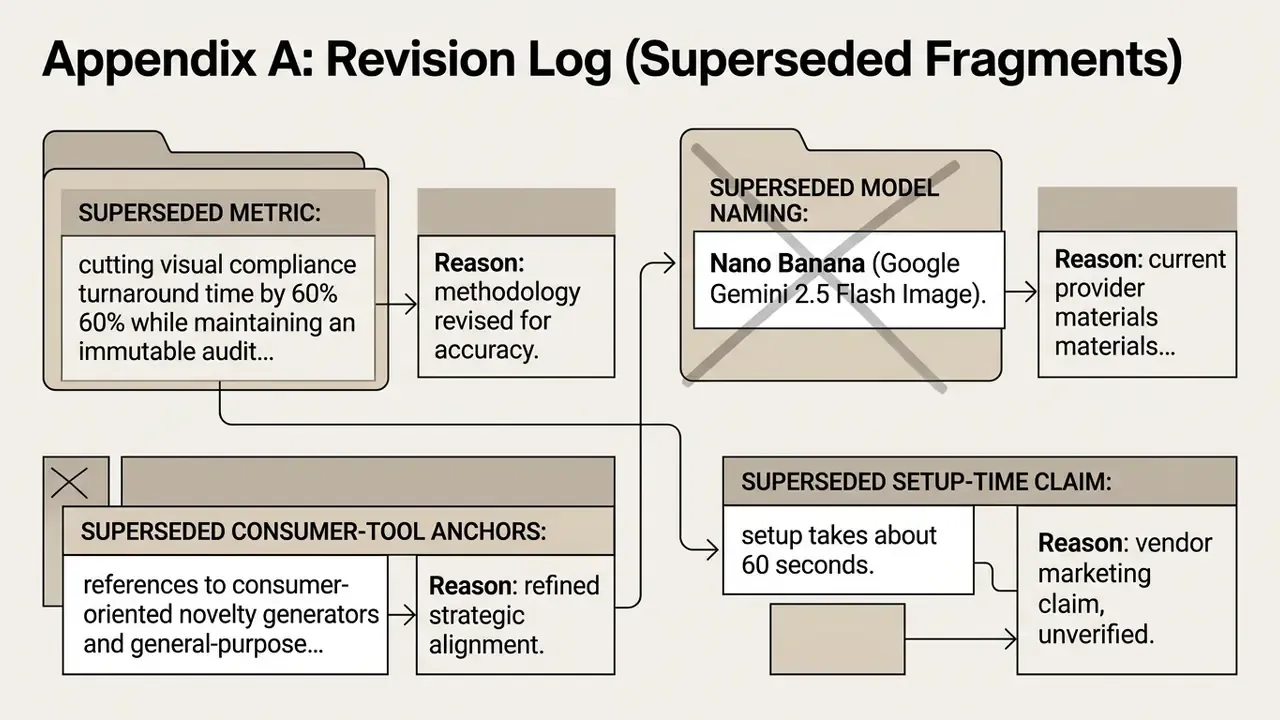
For transparency, the following earlier formulations have been superseded in the main text:
- Superseded metric: "cutting visual compliance turnaround time by 60% while maintaining an immutable audit trail." Reason: the 60% figure has no verifiable source or disclosed methodology. Replacement: a qualitative description of the shortened review loop plus a note that quantified improvement is organization-specific.
- Superseded model naming: "Nano Banana (Google Gemini 2.5 Flash Image)." Reason: current provider materials use updated naming. Replacement: "Nano Banana Pro / Gemini Image Tier."
- Superseded consumer-tool anchors: references to consumer-oriented novelty generators and general-purpose photo apps (free AI image generator app, free AI enhance image, freaky AI generator, fotor AI image generator, free AI girl generator, free AI image enhancer). Reason: misaligned with the enterprise and model-risk audience of this page. Replacement: enterprise-relevant comparisons and glossary references, including best AI art generators, ChatGPT picture generator, the Midjourney evaluation, Google AI image generator, AI reverse-image search and the photo-editor glossary entry.
- Superseded setup-time claim: "setup takes about 60 seconds." Reason: vendor marketing claim, unverified. Replacement: an explicit caveat that key provisioning and permission scoping dominate real setup time.
Appendix B: Environment Variable and Aspect-Ratio Reference
Common MCP image-server environment variables
| Variable | Required | Typical default | Purpose |
|---|---|---|---|
GEMINI_API_KEY | One of the Gemini/OpenAI keys is required | none | Enables the Gemini image provider |
OPENAI_API_KEY | One of the Gemini/OpenAI keys is required | none | Enables the OpenAI image provider |
GEMINI_DEFAULT_MODEL | No | gemini-3-pro-image-preview | Default Gemini image model |
OPENAI_DEFAULT_MODEL | No | gpt-image-2 | Default OpenAI image model |
IMAGE_PROVIDER / DEFAULT_PROVIDER | No | gemini | Provider used when the request omits a model name |
IMAGE_OUTPUT_DIR | No | ~/generated-images | Output directory; set it explicitly to avoid unpredictable working directories |
DEFAULT_ASPECT_RATIO | No | 1:1 or 16:9 (implementation-dependent) | Default output ratio |
GEMINI_REQUEST_TIMEOUT_MS | No | 60000 | Provider request timeout |
MEDIA_PIPELINE_LOG_LEVEL | No | info | Log verbosity for audit trails |
Aspect ratios and their best use
| Ratio | Best for |
|---|---|
| 1:1 | Social media posts, thumbnails, podcast covers |
| 16:9 | Hero images, presentation slides, YouTube thumbnails |
| 9:16 | Mobile stories, vertical banners |
| 4:3 | Blog posts, general web imagery |
| 3:2 | Photography-style visuals |
| 21:9 | Ultra-wide banners and cinematic headers |
On OpenAI models, ratios outside the supported 1:1, 3:2 and 2:3 family are mapped to the nearest supported size, so validate returned dimensions in QA instead of assuming the requested ratio held.