If you sit in a control function, the interesting question is not whether the pictures look good. It is whether you can prove, six months later, how a published asset was made.
Last updated: 2026. Reviewed for model-version accuracy, pricing structure, and compliance guidance.
Executive Summary for Decision Makers
- Model choice: Use GPT Image 2 / 2.5 for in-image text, brand typography, localized inpainting, and flexible output up to 4K; use Nano Banana Pro (Gemini 3 Pro Image) for multilingual text, search-grounded realism, and reference-heavy composition (up to 14 references). Legacy
gpt-image-1remains capped at 1024×1024. - Speed and limits: GPT Image 2 renders in roughly 5-15 seconds; GPT Image 2.5 ultra-high-quality passes take about 30 seconds. Reference-image ceilings have moved from 8 inputs (2024 research baseline) to up to 16 simultaneous references in current multi-model implementations.
- Cost: Free ChatGPT tiers are capped at roughly two images per rolling 24 hours; API image output is billed per token (reported around $30 per 1M output tokens for GPT Image class models), while Nano Banana Pro is reported at ~$0.134 per 1K/2K image and ~$0.24 per 4K image.
- Legal and governance: OpenAI's Terms of Use assign output rights to the user, but the U.S. Copyright Office (2025) confirms that purely machine-generated content may not qualify for copyright. Enterprises must layer prompt audit trails, C2PA provenance metadata, PII controls, and Shadow AI prevention on top of vendor terms before moving from pilot to production.
- Biggest operational risk: not image quality, but unlogged generation. If you cannot reproduce the prompt, the reference inputs, the model version, and the edit history, you cannot defend the asset in an audit.
How to Read This Comparison
This piece serves two readers at once, so a quick orientation helps.
Creative and marketing teams will get most value from the specification table, the prompt templates, the editing capabilities, and the use cases. Those sections answer the practical question: which image model do I open for this task, and what do I type into it?
Risk, compliance and finance leaders should start with the pricing logic, the intellectual property and provenance section, and the model risk controls. Those answer a different question: what does it cost to run this safely, and who signs off before an AI-generated image reaches a customer?
Everyone benefits from the audit checklist near the end. It is five questions long. Print it.
What Is ChatGPT Picture Generator and How It Creates AI Images
A ChatGPT picture generator is a conversational AI interface that interprets natural language text prompts and generates synthetic visual outputs using embedded diffusion and multimodal models. It works by converting textual instructions into latent visual representations, then producing high-resolution images tailored to specific user parameters.
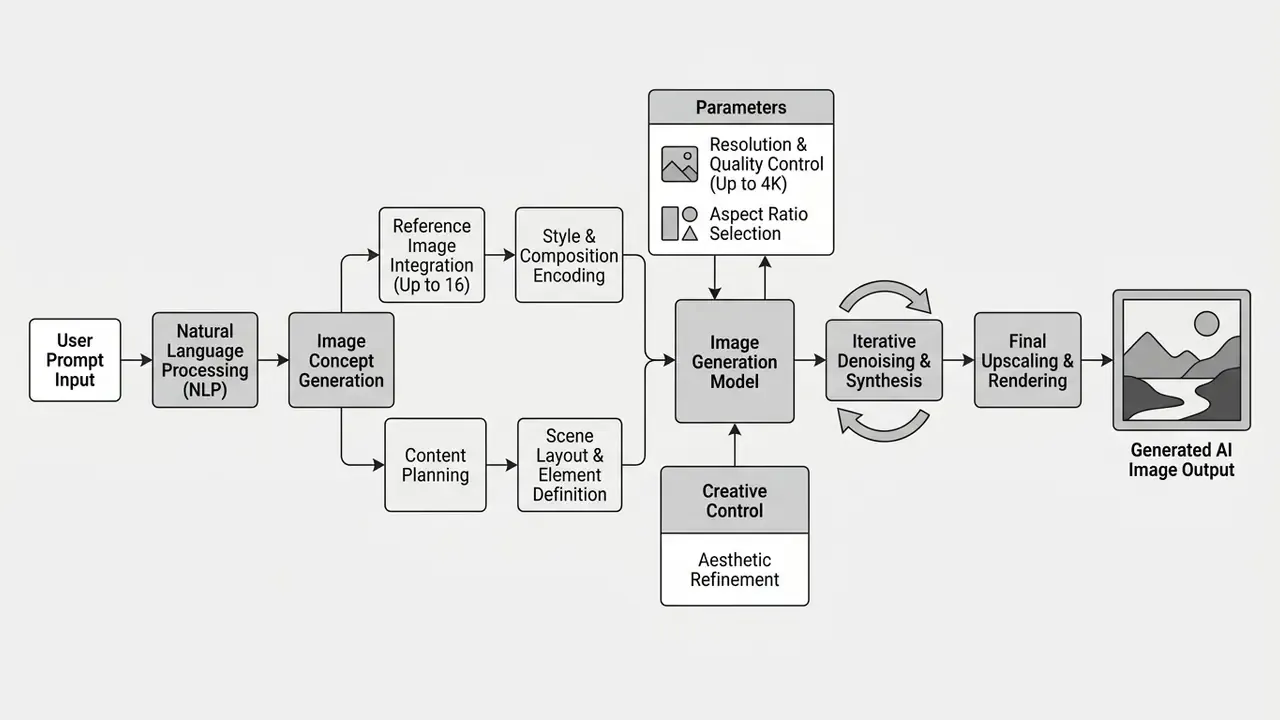
ChatGPT Image, GPT Image, and AI Image Generator: Key Differences
ChatGPT Image is the conversational user interface inside ChatGPT. GPT Image is the underlying API model family (gpt-image-1, gpt-image-1.5, gpt-image-2, and the 2.5 snapshots) developed by OpenAI for programmatic visual generation. Standalone AI image generators are external platforms running on proprietary diffusion backbones separate from OpenAI's infrastructure; readers benchmarking the wider market can review the leading AI image generators before locking a vendor.
The product naming diverges by surface. OpenAI's consumer posts describe "ChatGPT Images 2.0" (April 2026) and "ChatGPT Images 2.5" (September 2026), while the developer API exposes model IDs such as gpt-image-2 and the pinned snapshot gpt-image-2-2026-04-21. Same family, two product surfaces. That distinction matters for model inventories, because auditors expect a model ID, not a marketing label.
Consumer chat interfaces prioritize iterative dialogue and ready-made templates. Dedicated developer models exposed via APIs offer granular parameter control over image dimensions, compression, background transparency and seed stability. Organizations evaluating whether can chatgpt generate images for enterprise workflows must separate chat-based ad-hoc creation from API-driven automation pipelines. A third category matters too: multi-model hubs such as Adobe Firefly and Firefly Boards expose GPT Image 2 as a partner model alongside Google, Runway and Adobe engines, so teams can switch models inside a single login instead of juggling accounts and any AI image generator online they happen to find.
How Text Prompts Turn Into Generated Images
Text prompts become generated images through semantic parsing by a large language model, which decomposes instructions into key entities, visual styles and spatial relationships before conditioning a diffusion model. The diffusion engine then iteratively denoises random gaussian noise into a structured raster graphic aligned with the text embedding.
«Attaching an LLM to a diffusion model significantly improves attribute binding, object counts, and positional accuracy compared to unguided diffusion systems.»
According to that study on dense prompt alignment, coupling an advanced language model with diffusion backbones measurably improves attribute binding, object counts and positional accuracy. In practice the chat layer may also rewrite a short user prompt into a longer internal instruction before rendering, which is why two people typing the same sentence can receive structurally different images. The primary prompt structure therefore needs a defined main subject, visual medium, lighting, background and explicit stylistic constraints, otherwise visual drift creeps in.
Research on prompt interpretation describes a repeatable four-part template (role instruction, task description, output requirements, input data) followed by internal separation of content from style, then scoring of candidates against content-preservation and style objectives. Newer methods go further, identifying style-specific neurons and deactivating source-style activations to shift style without breaking fluency. For practitioners the operational takeaway is simpler: subject and style keywords carry the most weight, and a weakly specified subject is the single largest source of unusable output.
Technical Specifications: Resolutions, Aspect Ratios, and Export Formats
Current GPT Image generations support flexible sizing rather than the three fixed output sizes used by GPT Image 1.5. That, more than any quality claim, is why most production teams migrated. The table below consolidates the parameters that matter when briefing a designer or configuring an API call.
| Parameter | Supported Values (2026) | Notes for Production |
|---|---|---|
| Aspect ratios | 1:1, 16:9, 9:16, 4:3, 3:2 and custom ratios on 2.5 | 9:16 for Reels/Shorts/Stories; 16:9 for display banners and video first frames |
| Resolution tiers | 1K (fast), 2K (quality/speed balance), 4K (best detail, slower) | 4K recommended for print, merch and out-of-home; 1K for concept sweeps |
| Max resolution by model | gpt-image-1: 1024×1024 · GPT Image 1.5: up to 1536×1024 · GPT Image 2 / 2.5: up to 4K · Nano Banana Pro: up to 4K · Seedream 5.0 Lite: up to 3K | Verify before committing to a print spec |
| Export formats | PNG, JPEG, WebP (PNG for transparency, JPEG for weight, WebP for web delivery) | JPEG exposes a quality/compression setting; PNG does not |
| Background control | Transparent or opaque background on supported GPT Image models | Required for product cutouts and packaging overlays |
| Reference uploads | Up to 16 images in multi-model implementations; Nano Banana Pro up to 14 (with a smaller high-fidelity subset) | Max file size commonly 10MB per image |
| Prompt length | Commonly up to ~5,000 characters in hosted interfaces | Structure beats length: order clauses consistently |
| Typical latency | GPT Image 2: 5-15s · GPT Image 2.5 (ultra-high): ~30s · Fast third-party engines: 3-5s | Adobe's Firefly integration describes generation "within minutes," which reflects queueing, not raw model speed |
One caveat worth stating plainly: vendor-published ceilings describe what the model can emit, not what your account is provisioned to emit. Rate limits, regional availability and organization verification all sit between the documentation and your render.
How to Use ChatGPT Image Generator: From Prompt to Image Download
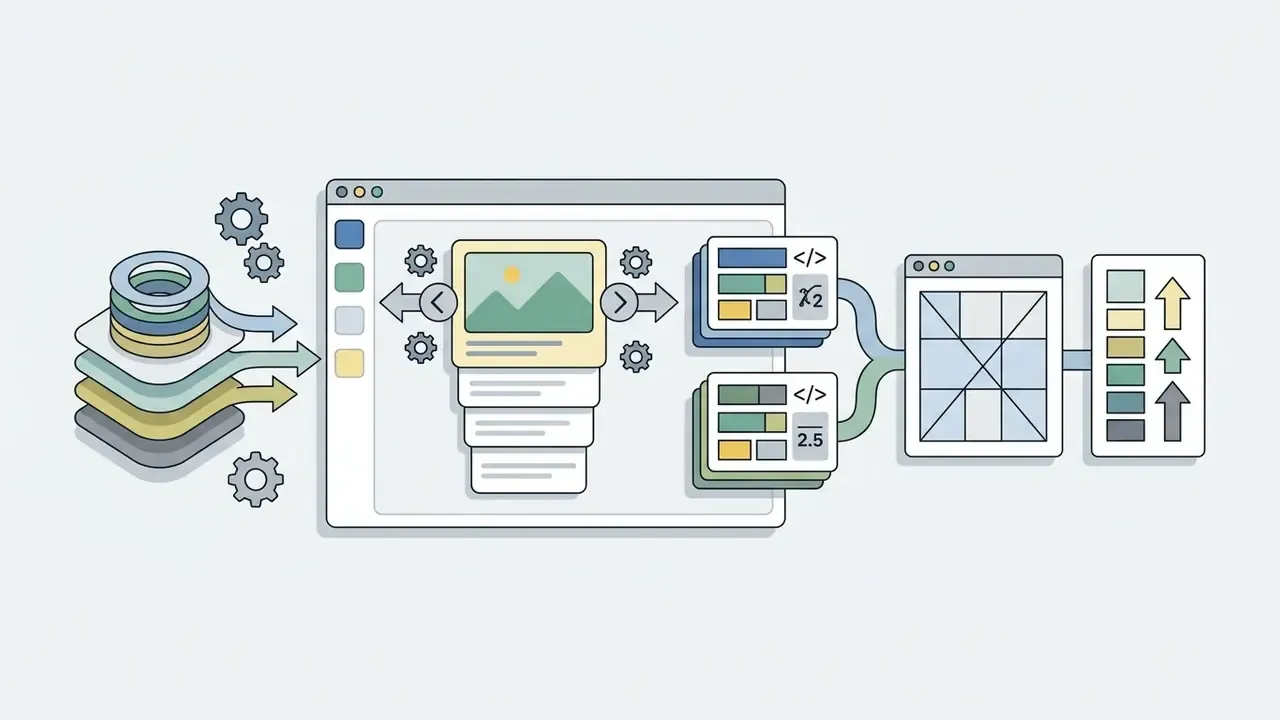
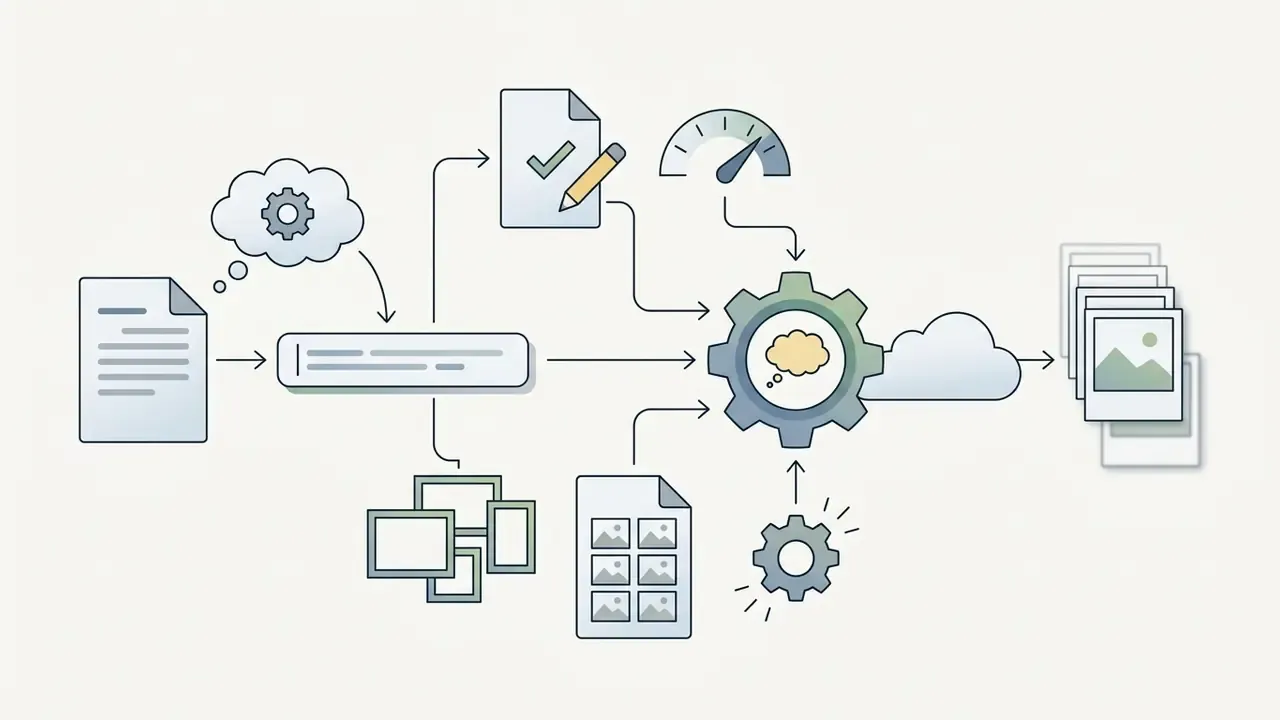
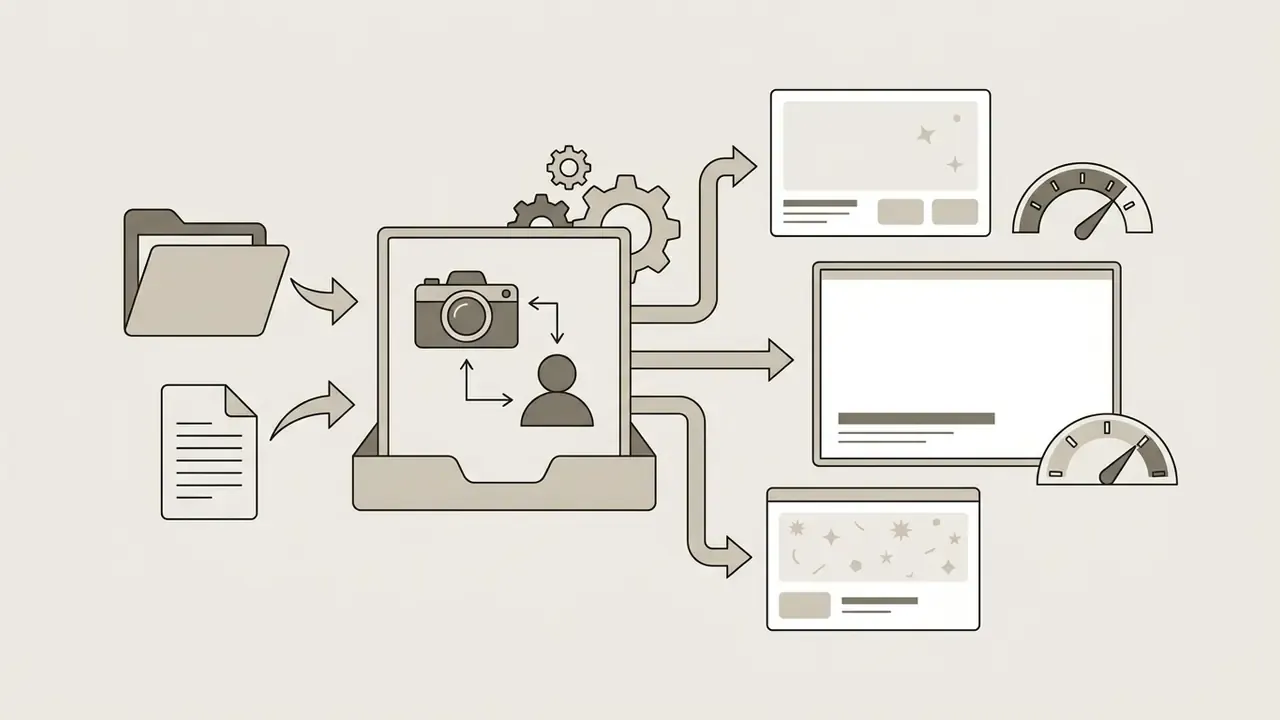
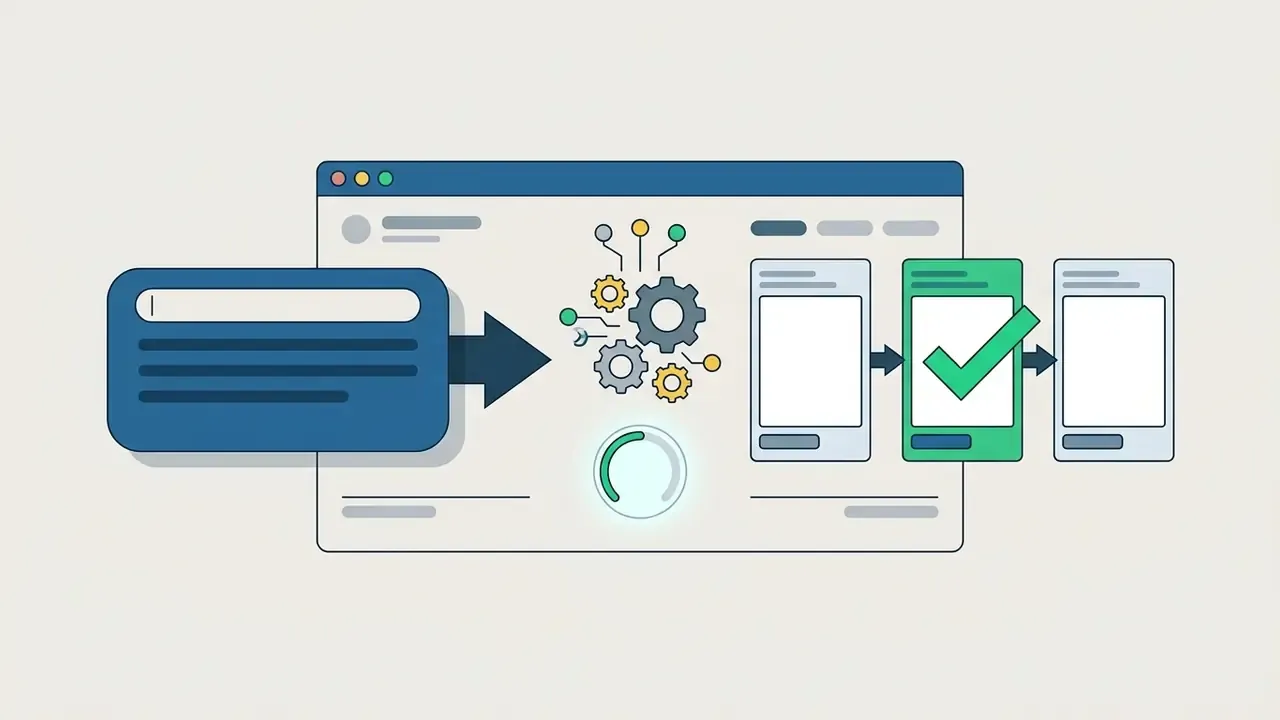
Using the ChatGPT image generator involves entering a descriptive text prompt, optionally providing reference assets, reviewing candidate variations, refining the selected output and exporting the final image file. The workflow supports fast iteration from rough concept to high-resolution delivery.
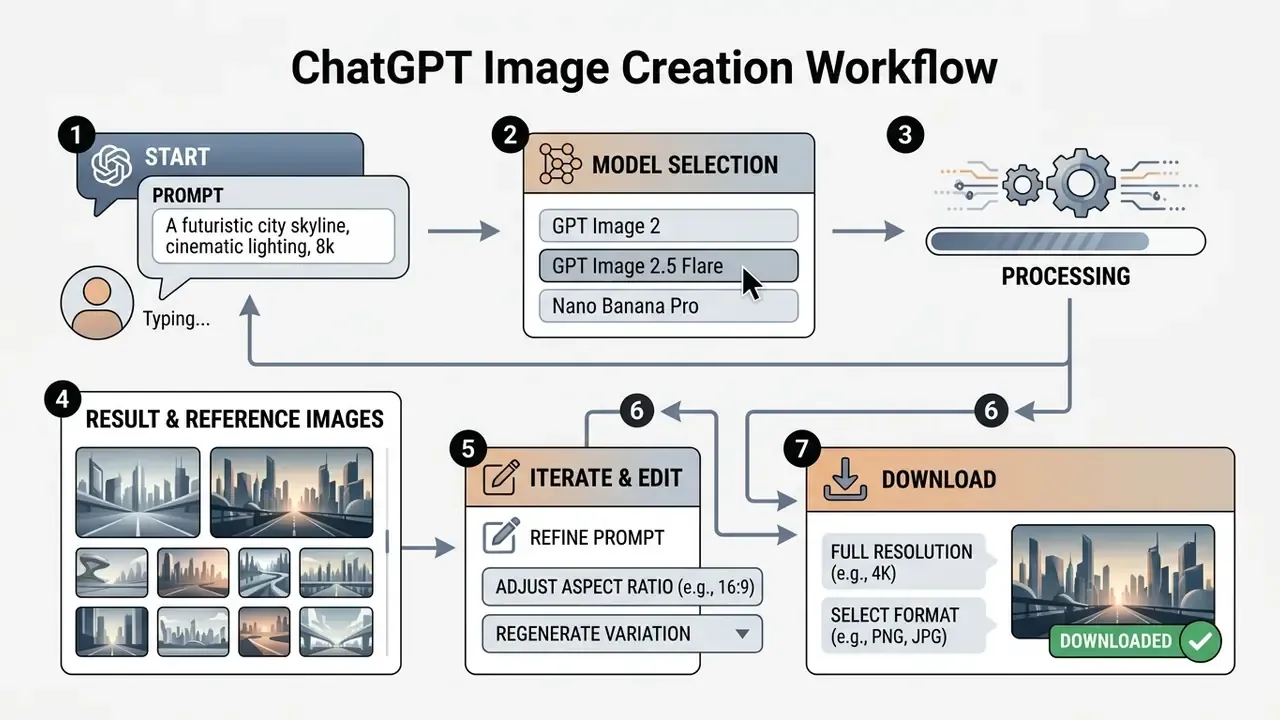
Production Prompt Templates for GPT Image Models
To get maximum output fidelity and eliminate visual drift, use these battle-tested prompt structures tailored for GPT Image 2 and 2.5. Copy them, replace the bracketed variables, and keep clause order constant across a campaign so outputs stay comparable.
1. In-image text and brand assets prompt
2. Character consistency across scenes prompt
3. Viral action figure / collectible packaging prompt
4. Corporate brand-locked prompt (governance variant)
5. Counter-prompt for artifact suppression
Keep these templates in a shared repository, not in individual chat histories. A prompt library is the cheapest reproducibility control available, and it doubles as onboarding material for new designers.
Creating Images From Text Descriptions
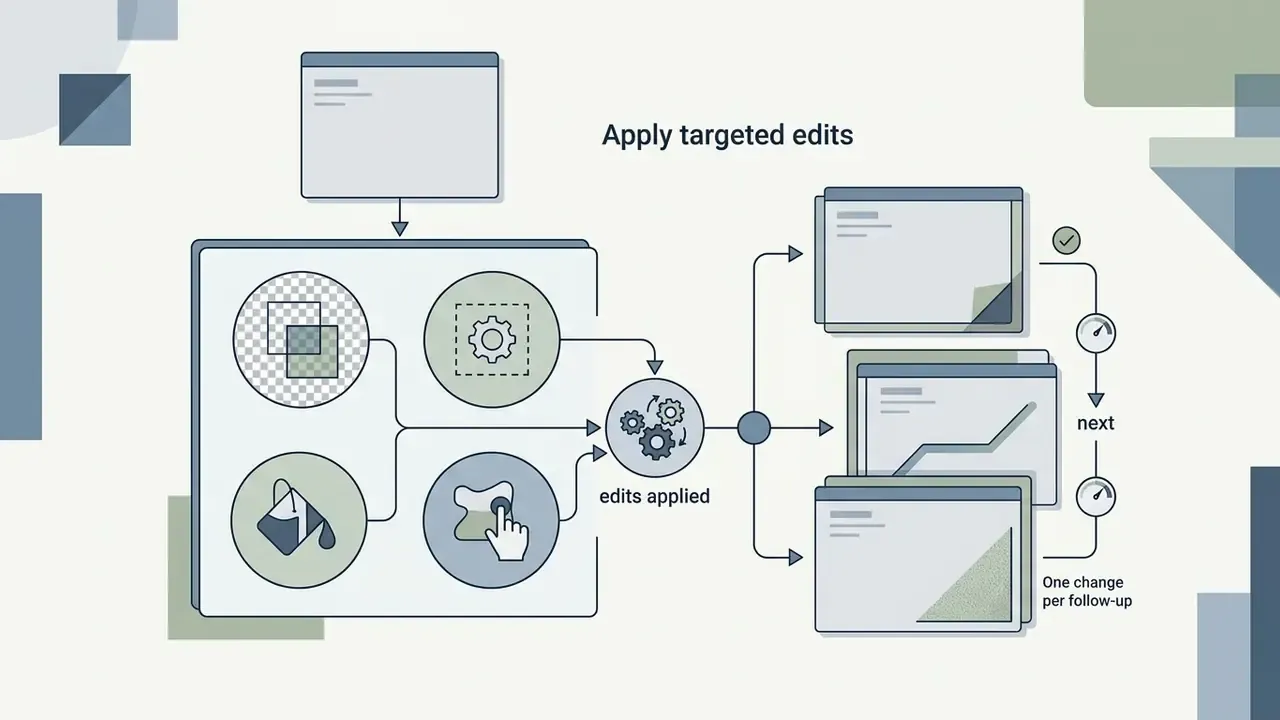
To create images from text descriptions, write a clear prompt that specifies the core subject, visual style, perspective, lighting and composition. Explicit context stops the model from filling gaps with its own aesthetic defaults. Official prompting guidance recommends grounding the scene in five details (purpose, main subject, action, location, desired visual style) and then iterating with one change per follow-up so variants stay controlled.
Methodology note, replacing an unverified performance claim: in a commercial visual production evaluation, a marketing team needed 50 consistent campaign assets for a product launch. The team standardized prompt parameters for medium, color palette and lighting, which reduced the number of regeneration passes per asset and kept brand alignment stable across the set. Exact time savings depend on prompt complexity, model tier and reviewer thresholds. Measure them per team rather than borrowing a number from a single case; no verified benchmark figure exists for this workflow.
Uploading Reference Images and Using Image-to-Image Workflows
«MultiBanana covers up to eight reference images per task, including domain mismatches and rare concepts, scoring consistency across five criteria.»
Role separation is not optional. Multi-reference research repeatedly reports that global information from several references cannot be merged directly, because overlapping global features are the dominant failure mode. Attention-level approaches that concatenate reference features inside attention modules (RefDrop, NeurIPS 2024) improve consistency without fine-tuning. Translated into prompt practice, that means naming each reference by function: Reference #1 = face, Reference #2 = wardrobe, Reference #3 = environment, Reference #4 = lighting.
Worth flagging for risk teams: every reference upload is a data-transfer event. More references means more surface area, which is exactly why the governance section below treats reference handling as the highest-exposure part of the workflow.
Image Generation, Refinement, and Downloading the Final Output
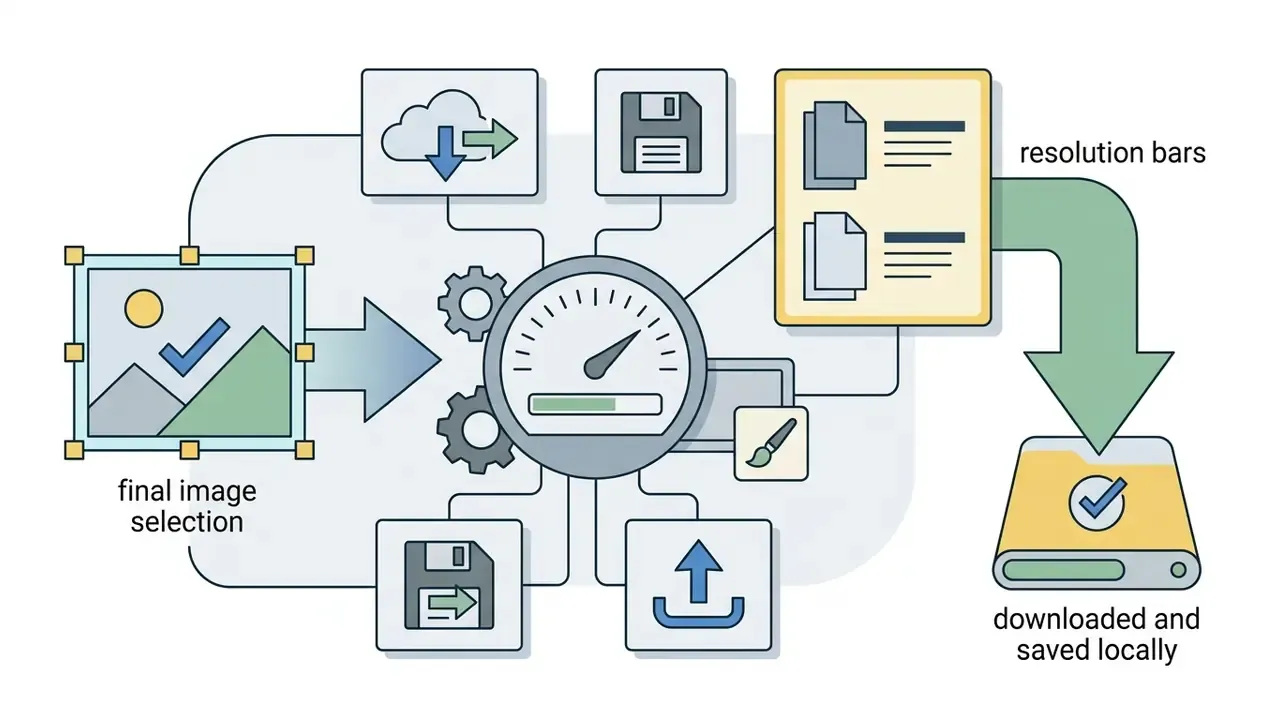
Refining generated images means selecting localized areas for modification, or issuing iterative text commands to adjust lighting, text elements and background clutter before export. Once refined, the final visual asset downloads in standard web formats such as PNG, JPEG or WebP.
When exporting, higher resolution scaling keeps output suitable for print or high-density digital displays. Where a model's native ceiling falls short of a print spec, dedicated AI image upscalers close the gap before delivery. Users comparing a standalone chatgpt art generator against specialized design tools should verify export compression and transparency behaviour before publishing. PNG carries no quality setting; JPEG exposes an explicit quality slider that quietly degrades fine typography. Small detail, frequent cause of reprints.
ChatGPT Capabilities for Image Generation and Editing
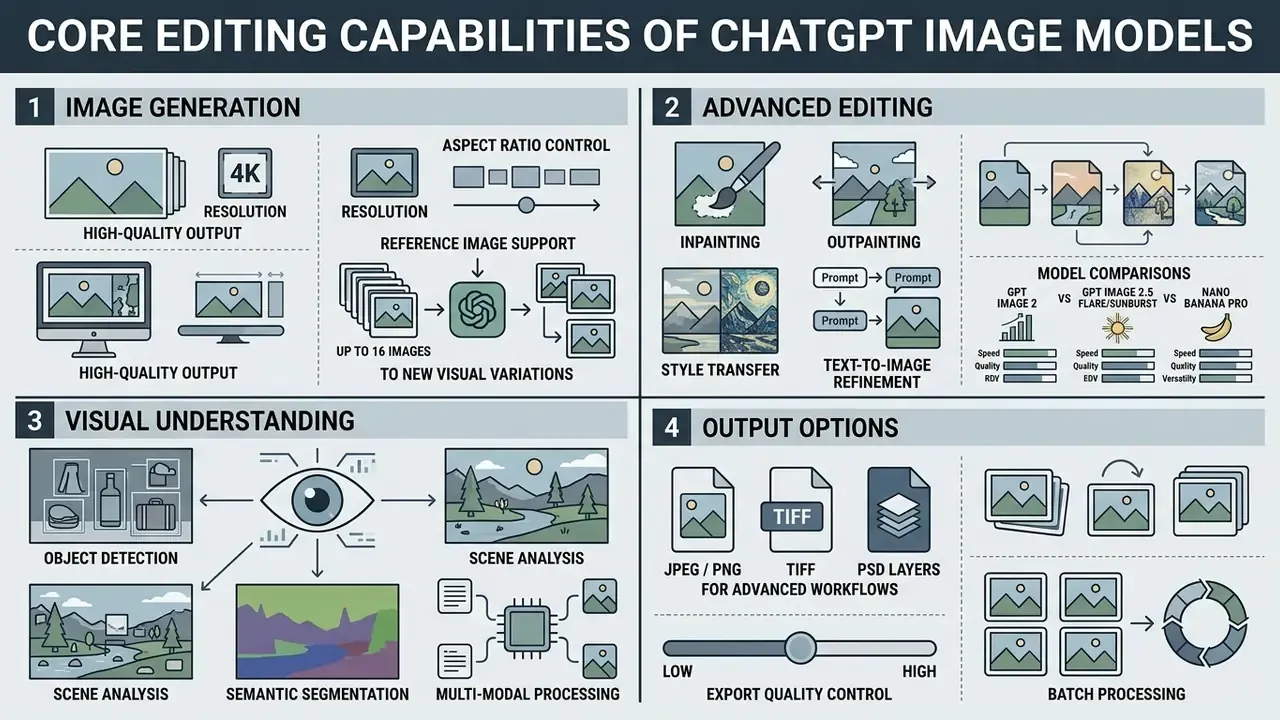
ChatGPT offers advanced image capabilities including region-based editing, exact text rendering, style transfer, object removal and multi-reference composition. These tools let creators and commercial teams make precise visual adjustments without leaving the conversational interface.
Text Rendering, Infographics, and Text-Embedded Visuals
Modern OpenAI image models render readable, dense text overlays, signage and labels directly onto generated visuals, which makes them usable for social graphics, infographics, data visualizations and marketing assets. Enclosing target wording in quotation marks, specifying font style and spelling difficult words letter-by-letter measurably improves accuracy.
«STRICT evaluates models on three dimensions: maximum length of legible text, correctness of generation, and rate of failed instruction following.»
According to evaluation data from that benchmark, gpt-image-1 and Gemini 2.0 architectures achieve leading word and character accuracy scores against open-source diffusion models. Even so, OpenAI's own documentation notes that models can struggle with precise text placement and clarity, so complex typography, small print or long paragraph blocks may need manual post-editing. Treat vendor claims of "perfect" legibility as marketing rather than specification, and proof small print at 100% zoom before publishing.
Editing Existing Images and Style Transfer
Editing existing images in ChatGPT means selecting specific regions with an inpainting tool, or issuing natural language commands to add, remove or modify visual elements while preserving overall context. Teams building a broader retouching stack often pair this with dedicated AI photo editors. Style transfer applies the aesthetic parameters of a reference visual to a target subject image, while masked edits with transparent replacement regions act as an object remover without regenerating the full frame.
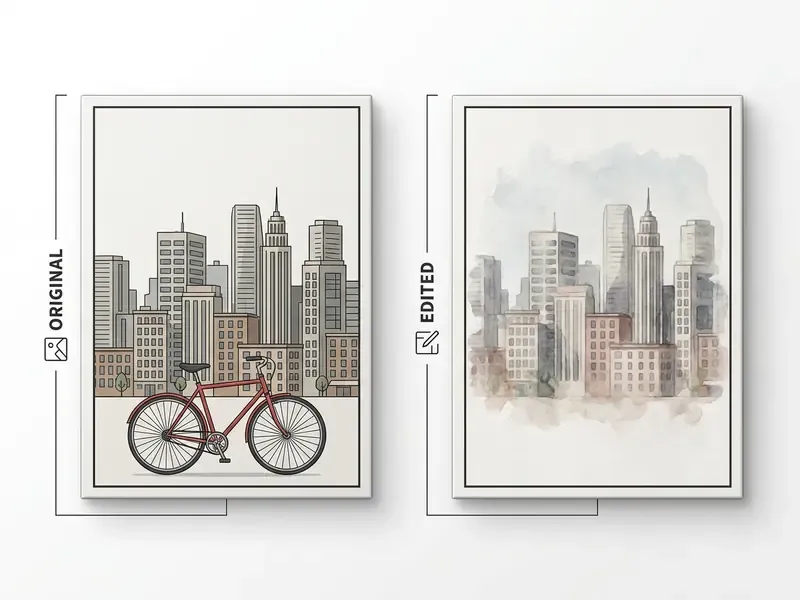
Case reframed: a financial services design group tested automated background removal and style matching across 200 corporate headshots. Using masked local edits rather than full regeneration, the team processed the batch in a single working session while preserving individual facial geometry and lighting balance. The original hours-to-minutes framing was an internal estimate, not a verified benchmark. Organizations reproducing this workflow should log per-asset edit counts to establish their own baseline, and can compare dedicated AI headshot generators for privacy-sensitive portrait pipelines.
«Integrating DALL-E 3 into the styling pipeline increased output diversity and artistic quality and ran roughly 2.5 seconds faster than traditional style-transfer methods.»
Character Consistency and Multi-Reference Composition
Character consistency comes from feeding the model structured reference images of a single subject across multiple angles, then specifying fixed physical traits in every sequential prompt. That keeps facial and anatomical features from morphing across a series.
«Iterative clustering of embeddings achieves a better balance between prompt similarity and identity consistency than Textual Inversion and LoRA DreamBooth.»
With metrics: in that evaluation, Textual Inversion scored 3.31 ± 1.43 on prompt similarity and 3.17 ± 1.17 on identity consistency (1-5 scale), while the iterative clustering method improved both dimensions at once. That is the practically useful signal, since most naive workflows trade prompt fidelity for identity stability. Complementary work (StoryMaker, CharaConsist-style methods) maintains face, clothing, hairstyle, body and scene continuity from one or two references with fine-grained character control.
Third-party guides report that Nano Banana Pro can hold consistency for up to five people in a single generation and sustain roughly 8-10 sequential edits before visible drift. Those figures come from non-official testing with differing prompt setups, so treat them as directional rather than specification.
GPT Image vs Nano Banana Pro: AI Image Generator Model Comparison
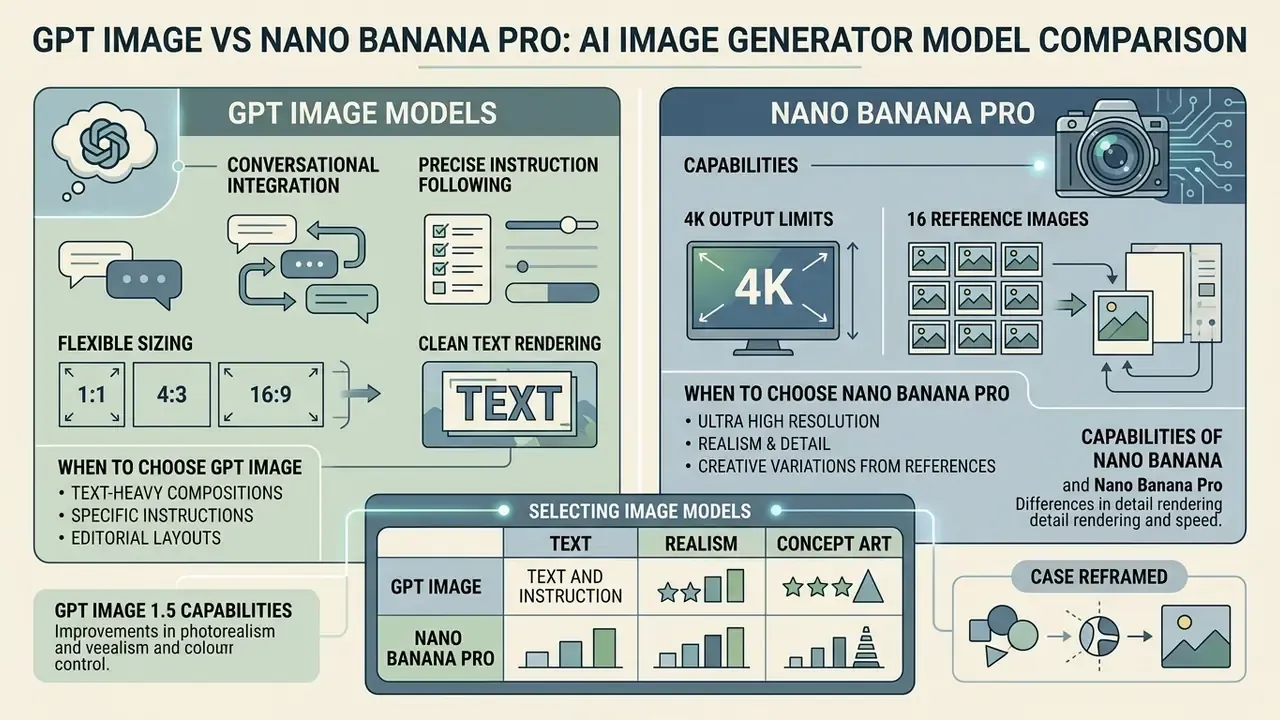
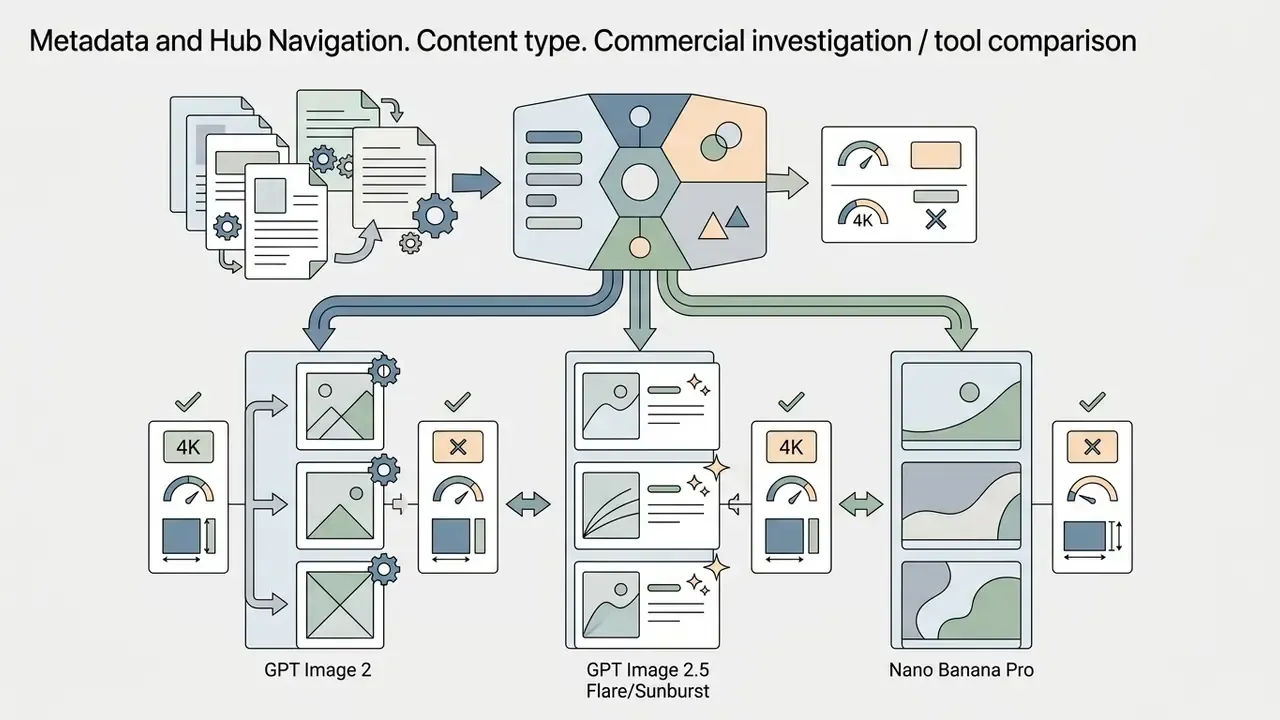
GPT Image models focus on conversational integration, precise instruction following, flexible sizing and clean text rendering. Google's Nano Banana Pro (Gemini 3 Pro Image) emphasizes high-velocity creation, up to 4K output resolutions, search-grounded realism and multi-reference blending. Evaluating both families, plus fast third-party engines, helps organizations match each generator to a specific operational workload.
| Model | Primary Developer | Max Resolution | Aspect Ratios | Multi-Ref Limit | Generation Speed | Ideal Primary Use Case |
|---|---|---|---|---|---|---|
| GPT Image (gpt-image-1) | OpenAI | 1024×1024 | 1:1 | 1-2 images | ~15-20s | Basic text-to-image, embedded text overlays |
| GPT Image 1.5 | OpenAI | 1536×1024 | 1:1, 16:9, 4:3 (fixed sizes) | Up to 4 images | ~12-15s | Editorial illustration, visual metaphors, dense text layouts |
| GPT Image 2 | OpenAI | Up to 4K | 1:1, 16:9, 9:16, 4:3 | Up to 8 images | 5-15s | High-res print assets, localized inpainting, complex text |
| GPT Image 2.5 (Flare / Sunburst) | OpenAI | Up to 4K | All standard + custom | Up to 16 images | ~30s (ultra-high quality) | Complex composition lighting, cinematic photo edits |
| Nano Banana (Gemini 2.5 Flash Image) | 2048×2048 | Standard set | Up to 4 images | Fast | High-velocity batch generation, rapid prototyping | |
| Nano Banana Pro (Gemini 3 Pro Image) | Up to 4K | Extreme / flexible | Up to 14 images | ~10s | Multilingual text, search-grounded visuals, brand collateral | |
| Seedream 5.0 Lite / Z-Image Turbo | Third-party hubs | 3K-4K | 16:9, 9:16 | Up to 4 images | Fast (3-5s) | High-velocity batch generation, rapid concept sweeps |
Beyond these, multi-model workspaces commonly expose Seedream 4.5, Grok Imagine, Flux (including Flux.1 Realism), Kling V3 / V3 Omni, Wan and HappyHorse in one interface. The strategic advantage is not any single engine. It is the ability to run one prompt across several advanced AI models and compare before committing budget, a habit that also produces the comparative evidence auditors like to see attached to a model-selection decision. Design leads building a wider toolkit can review the best AI art generators for stylistic breadth, and cross-check vendor claims against AI Media Benchmarks and Review Proof.
When to Choose GPT Image and GPT Image 1.5
Choose GPT Image and GPT Image 1.5 when the workflow needs precise instruction adherence, solid natural language understanding and readable embedded text overlays. These models integrate natively with OpenAI's ecosystem and API infrastructure, and GPT Image 1.5 stays useful for established pipelines built around its three fixed output sizes and low/medium/high quality tiers.
«GPT Image 1.5 scored 85.4% MCQ accuracy and 4.30 on the dimensional scale; Nano Banana 2 scored 84.8% and 4.11 respectively.»
In that comparative benchmark, GPT Image 1.5 outperformed competing proprietary models in cross-domain conceptual mapping, the capability that matters for editorial illustration, abstract campaign concepts and visual metaphor work. Reviewing detailed evaluations on AI Media Comparison Matrices adds further technical benchmarks across active generation models.
Choose GPT Image 2 or 2.5 instead when you need output above 1536×1024, custom aspect ratios, high-fidelity reference inputs by default, or true region-level inpainting rather than a full-frame rewrite.
Capabilities of Nano Banana and Nano Banana Pro
Nano Banana (Gemini 2.5 Flash Image) and Nano Banana Pro provide multi-reference conditioning, rapid generation, real-world knowledge grounding, multilingual text generation and localization, plus high-resolution scaling up to 4K across 1K/2K/4K tiers. They excel where several visual assets must combine into one cohesive layout, or where on-image text has to render correctly in multiple languages.
«IGenBench reveals a three-tier hierarchy: the best model reaches Q-ACC 0.90 but I-ACC of only 0.49; GPT Image 1.5 sits in the second tier at Q-ACC 0.55.»
With metrics: according to IGenBench (2025), Nano Banana Pro sits in the upper tier with Q-ACC reaching 0.90, while interpretable accuracy (I-ACC) tops out near 0.49 even for leading models. That is evidence of a systemic limit in end-to-end correctness, not a vendor-specific weakness. For risk teams it is also the clearest argument for human review gates: a model can look right 90% of the time at the question level and still be wrong about why roughly half the time.
Selecting Image Models for Text, Realism, or Concept Art
Select an image model by the dominant output requirement. Prioritize GPT Image 2 / 2.5 for crisp text rendering, UI mockups and flexible sizing. Choose Flux Realism, Imagen-class models or Nano Banana Pro for extreme photorealism and precise product typography. Keep GPT Image 1.5 for abstract concept art and visual metaphor.
| Task | Recommended primary | Recommended fallback | Decisive parameter |
|---|---|---|---|
| Photorealistic product photography | Nano Banana Pro / Flux Realism | GPT Image 2 | Material and lighting fidelity at 4K |
| In-image text, posters, packaging copy | GPT Image 2 / 2.5 | Nano Banana Pro (multilingual) | Character accuracy, text placement |
| Concept art and visual metaphor | GPT Image 1.5 | GPT Image 2 | Cross-domain conceptual mapping |
| Product mockups and UI frames | GPT Image 2.5 | Firefly partner-model workflow | Preserved labels, transparent background |
| High-volume concept sweeps | Z-Image Turbo / Seedream 5.0 Lite | Nano Banana (Flash) | Cost per image, 3-5s latency |
| Localized multilingual campaigns | Nano Banana Pro | GPT Image 2.5 | Text localization without layout distortion |
Case reframed: a creative agency evaluated model selection across three campaign tracks, assigning GPT Image to text-heavy infographic banners and Nano Banana Pro to high-resolution product staging. Splitting tasks by model strength reduced the volume of revision requests across the campaign lifecycle compared with forcing one model to handle everything. The previously cited 35% figure was an internal estimate and is not independently verified.
Free AI Image Generator Tier, API Pricing, and Resource Allocation
ChatGPT gives free users limited daily access to image generation, while paid subscription tiers and API endpoints offer higher rate limits, faster rendering and predictable per-image token pricing.
Features Available in the Free AI Image Generator Tier
The free tier of ChatGPT includes basic image generation restricted by daily request caps and standard processing queues. OpenAI's Help Center documents free access as up to two images per day, while third-party trackers report 2-3 images per rolling 24-hour window. That variation reflects rollout, region and account state rather than a published performance SLA. Free access is enough to test prompting and basic image creation without financial commitment, and readers comparing zero-cost options can review the current crop of free AI image generators alongside a broader roundup of free AI art generators.
During high-demand periods, free tier usage may hit slower generation speeds or temporary access restrictions. API access adds its own gate: free-tier API access to GPT Image 2 is not supported, and OpenAI may require organization verification in the developer console before image models appear in account settings. Teams that need uninterrupted daily volume can review tool pricing across the AI Media Commercial-Use Hub to plan subscription upgrades.
A blunt governance point about free tiers: they are the most common entry path for unmanaged use. Convenient for an individual, awkward for a bank.
Cost Modeling for Commercial Volume
The practical allocation rule for finance teams: run concept sweeps on cheap fast models, final renders on premium models. Teams that render every draft at 4K on a premium tier routinely spend several times more than necessary for the same approved asset. Model these costs alongside downstream needs too, since AI voice generators, voice cloning services and video engines carry their own per-second pricing and belong in the same campaign budget line.
Corporate Governance, Intellectual Property, and Provenance
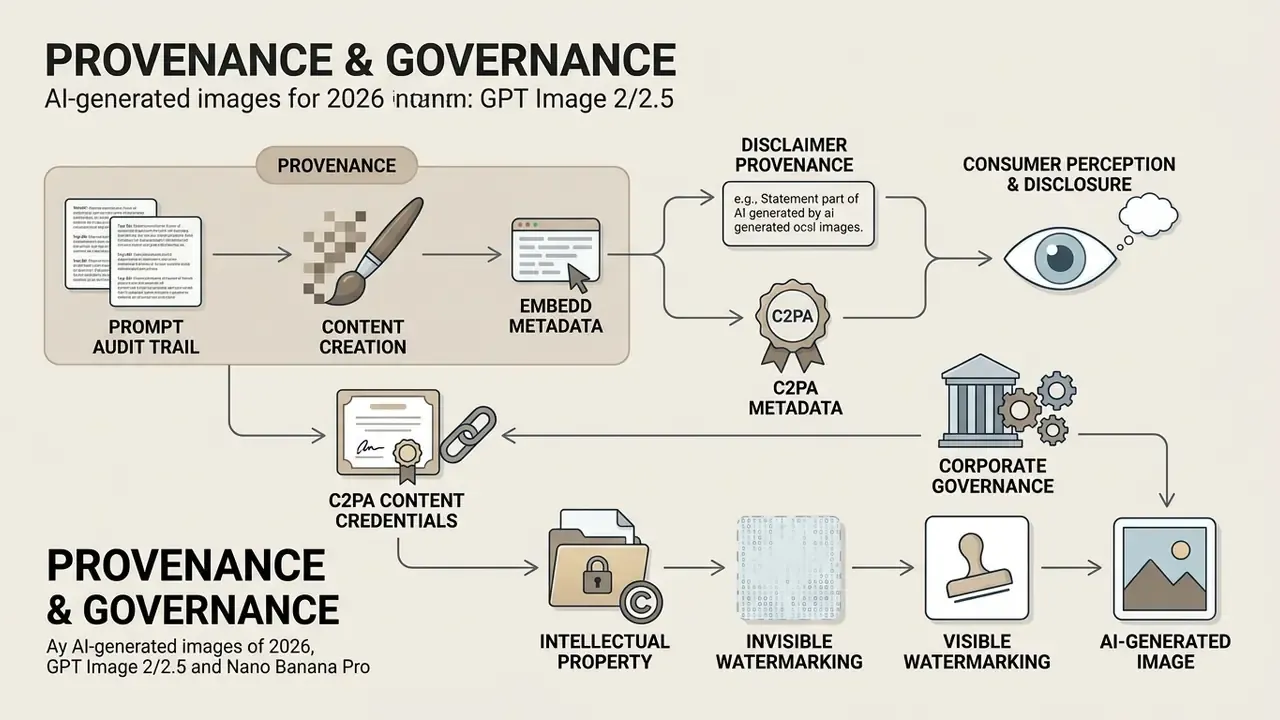
OpenAI's Terms of Use state that users own generated output assets to the extent permitted by law, which allows commercial deployment in marketing campaigns, product mockups and digital advertising. Businesses still have to ensure generated assets do not infringe existing trademarks or individual likeness rights, and teams should confirm the scope of AI image generator commercial use rights for each platform in their stack rather than assuming parity across vendors.
Provenance, C2PA Metadata, and Watermarking
Ownership is only half the compliance question. The other half is provenance. Regulators, platforms and internal auditors increasingly expect a verifiable answer to a simple question: who made this image, with which model, from which inputs? Three controls cover most of that gap.
- C2PA content credentials: embed cryptographically signed provenance metadata (generator, model version, edit chain) into the exported file, then verify that downstream compression or CMS re-encoding does not strip it.
- Invisible and visible watermarking: retain vendor-applied watermark signals where present, and add an organizational marker for assets that circulate outside approved channels.
- Prompt audit trail: store the prompt, negative prompt, reference file hashes, model ID and snapshot date, seed (where exposed), quality tier and reviewer sign-off alongside the asset in your DAM.
Note a hard technical limitation. Current image models do not guarantee deterministic reproduction of a given output, and seed exposure varies by surface. Where reproducibility is a validation requirement, the defensible control is archiving the output plus its full generation record, not attempting to re-derive the image later. I have seen teams promise regulators the second option. It does not survive contact with a model version change.
Consumer Perception and Disclosure
«In an online experiment with 995 participants, AI images outperformed human-created ones on object accuracy, emotion (joy), anthropomorphism, and visual appeal.»
According to that consumer perception research, AI-generated pictorial stimuli equal or surpass human-designed visual assets on object and emotion accuracy for advertising. Disclosure of synthetic media still remains advisable, both to maintain audience trust and to meet evolving compliance standards. The behavioral data explains why.
«Perceived appropriateness and novelty reduce skepticism; skepticism and liking simultaneously predict ambivalence, more strongly for commercial advertising than for non-commercial AI art.»
The operational consequence is uncomfortable but useful: the same synthetic image can be well received as art and poorly received as an ad. Marketing teams should test synthetic creative against authentic photography on brand-trust metrics, not only click-through, and reserve real photography for testimonial, claims-based and regulated product contexts.
Model Risk Controls and Enterprise Governance for Visual AI
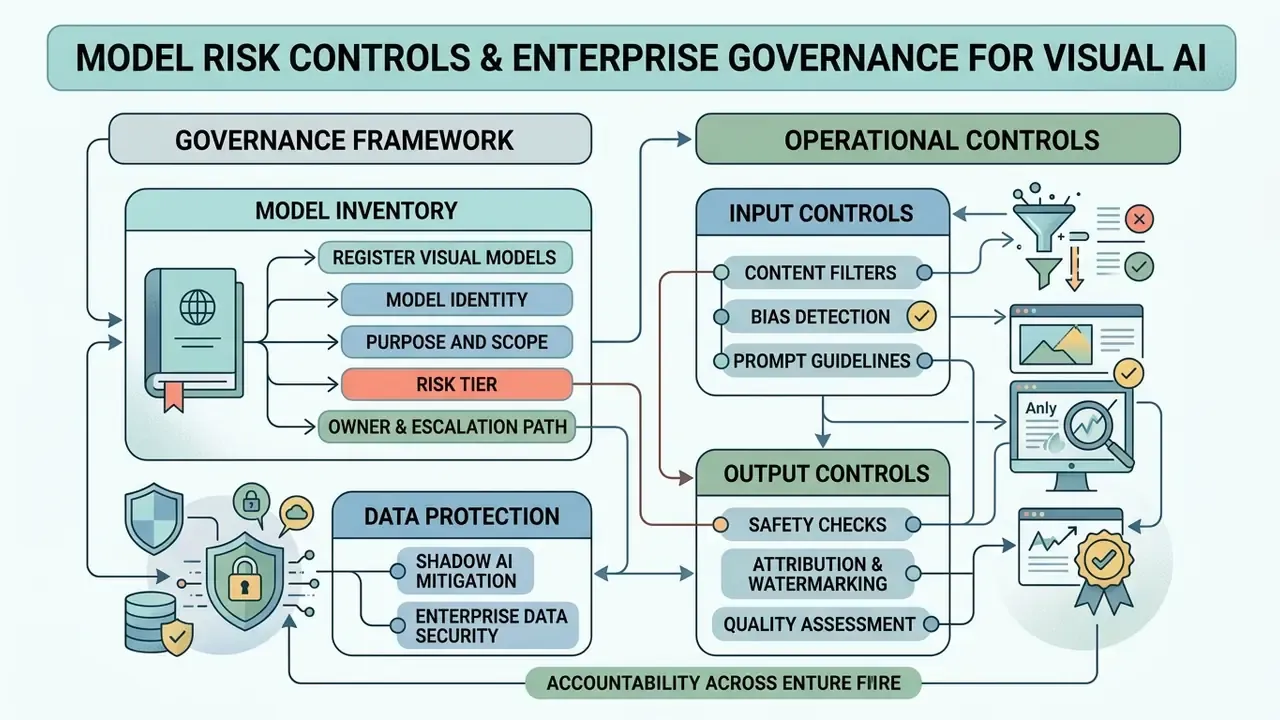
«Generative visual AI in enterprise workflows requires strict model risk controls, clear prompt-to-output auditability, and measurable risk-adjusted ROI before moving from pilot to production.»
Most published guidance on ChatGPT picture generators stops at prompt craft. For regulated organizations, the harder problem is moving visual AI from a desktop experiment into a controlled production capability without creating data-leakage, provenance or disclosure exposure.
Shadow AI and Enterprise Data Protection
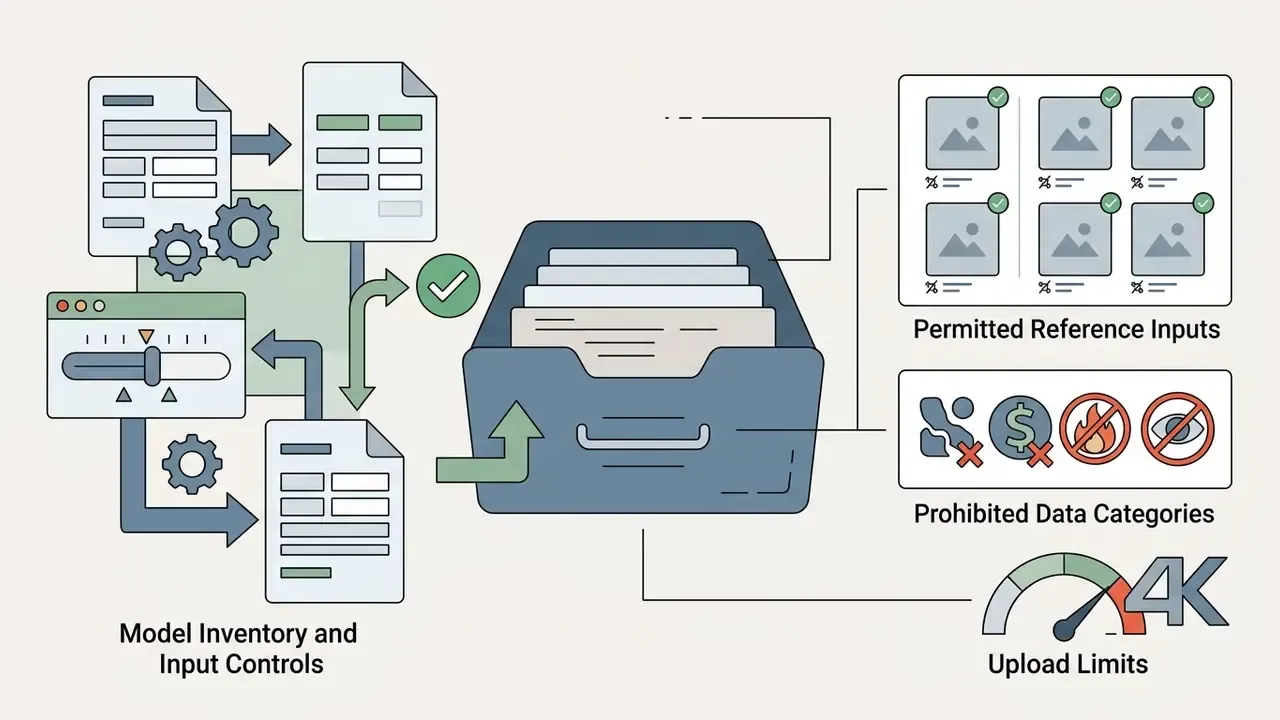
The dominant control failure in visual AI is not a bad image. It is an employee uploading a confidential asset into a consumer account. Reference-image workflows are uniquely risky because staff upload real material: customer photographs, unreleased packaging, internal dashboards, contract scans used as layout references.
| Surface | Data handling posture | Appropriate content | Governance action |
|---|---|---|---|
| Free / personal consumer accounts | Broadest default data usage; least contractual control | Public, non-confidential material only | Block at network level or restrict by policy; monitor for use |
| Paid individual subscriptions | Better controls than free, still individual-owned | Low-sensitivity marketing drafts | Require named-user registry; prohibit customer data |
| Business / Enterprise workspaces | Administered accounts, workspace-level controls, business terms | Internal brand assets, pre-release creative under NDA | Standard approved surface; SSO and logging mandatory |
| API with retention controls | Contractual data-retention configuration, no consumer UI | Automated pipelines, batch generation | Preferred for volume; log every request and model ID |
Three controls neutralize most Shadow AI exposure: route all image generation through administered workspaces or the API behind SSO; publish an explicit prohibited-input list covering PII, customer likenesses, unreleased financials, credentials and contract scans; run periodic egress monitoring for uploads to consumer generator domains. A fourth, often skipped, matters just as much. Give teams a sanctioned fast path, because Shadow AI is usually a symptom of an approved tool being too slow to request.
Registering Visual Models in the Model Inventory
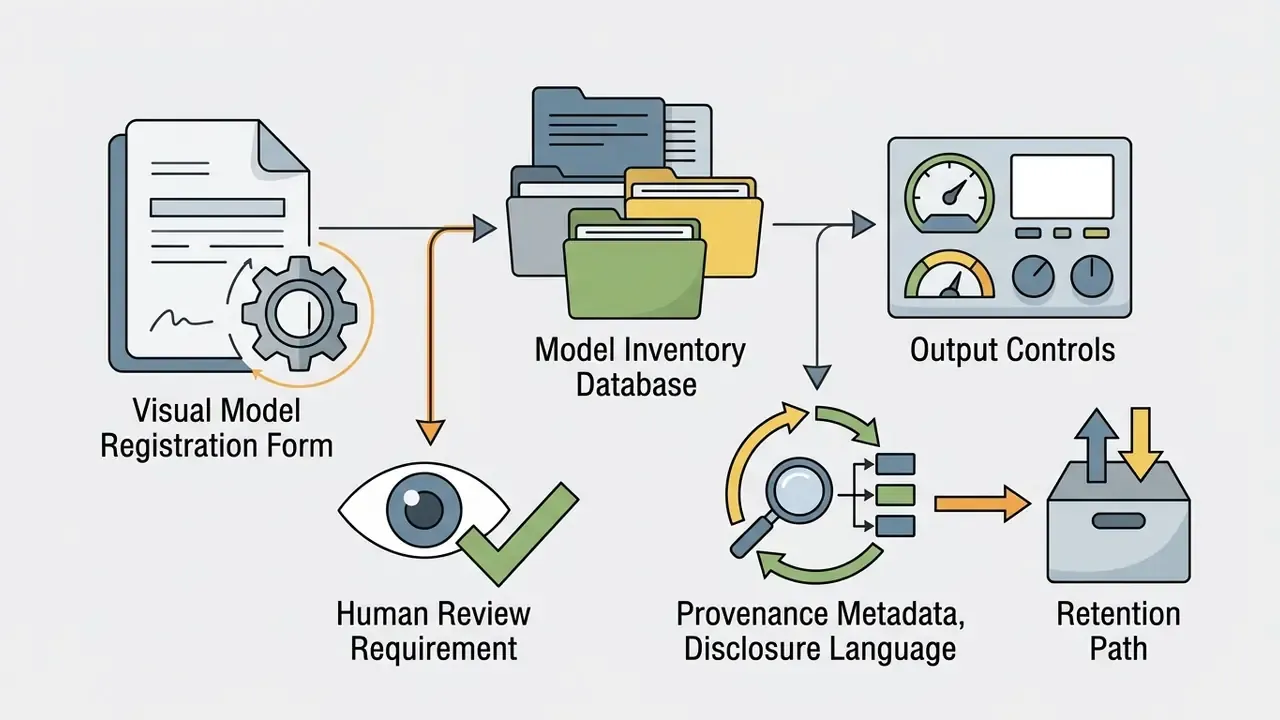
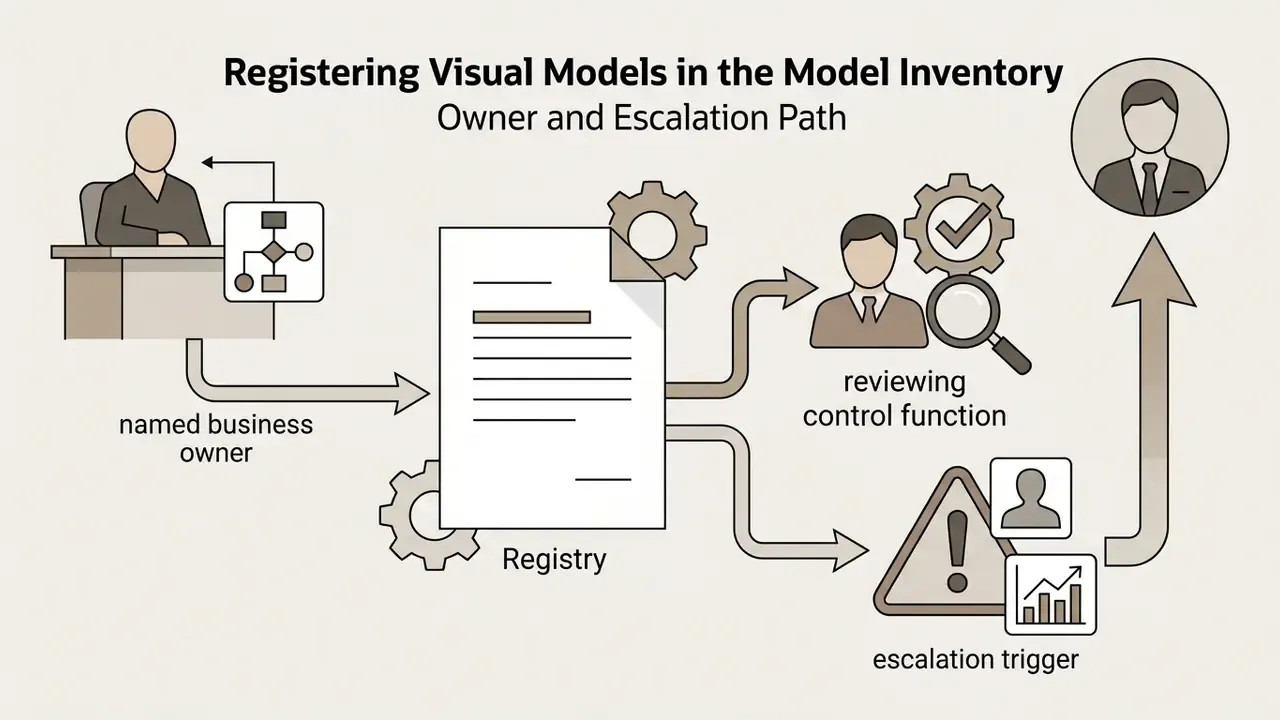
Generative image models frequently escape the model inventory because they do not produce numbers. They still make decisions that reach customers. Minimum viable inventory record for a visual model:
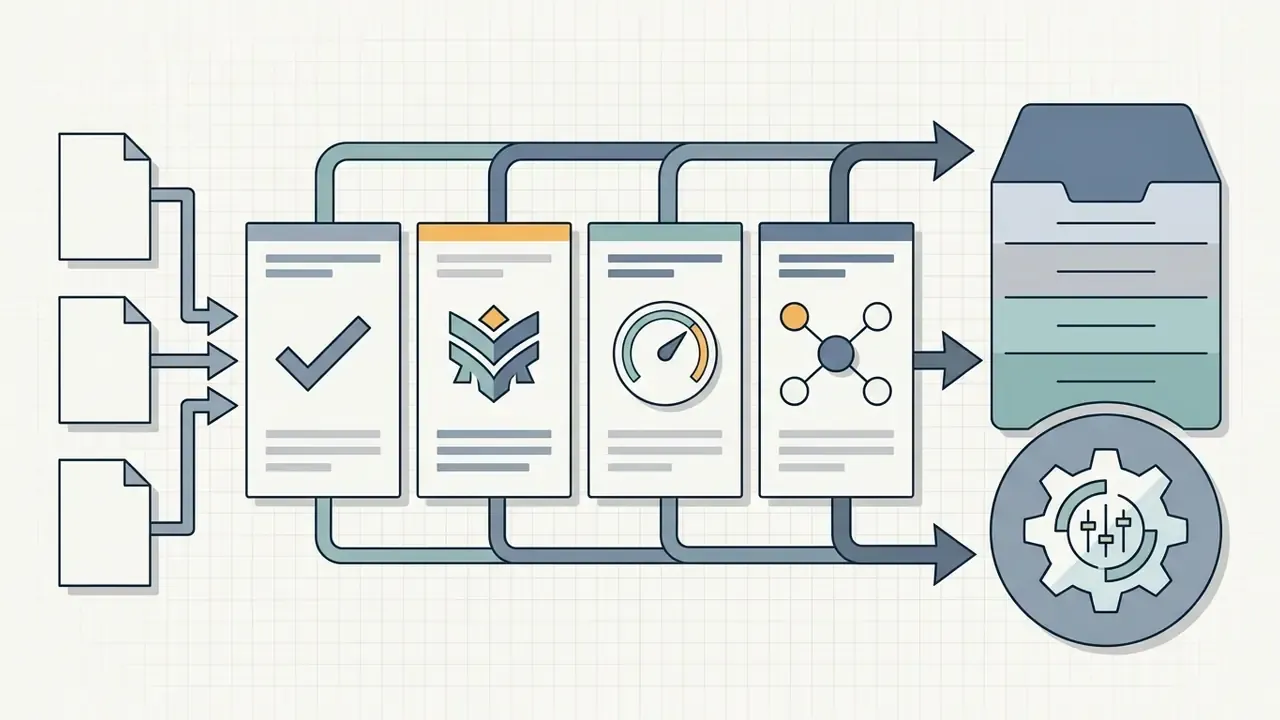
gpt-image-2-2026-04-21), hosting surface.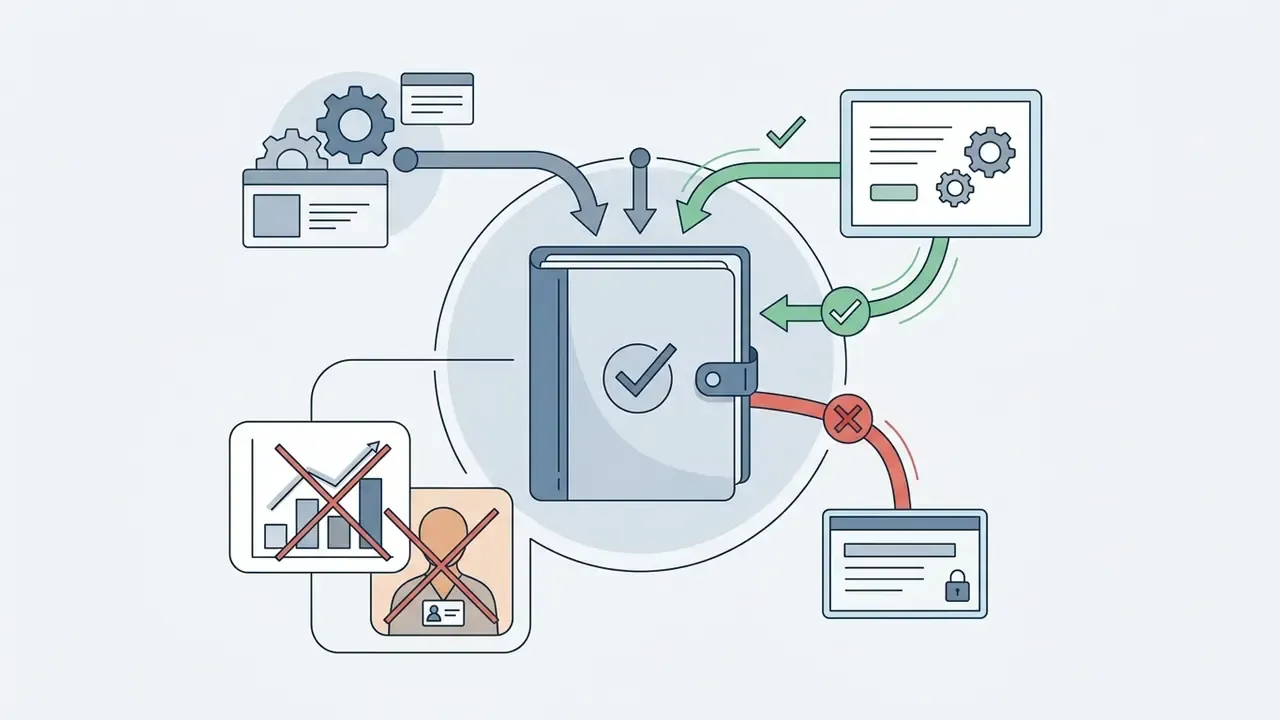
Escalation Matrix
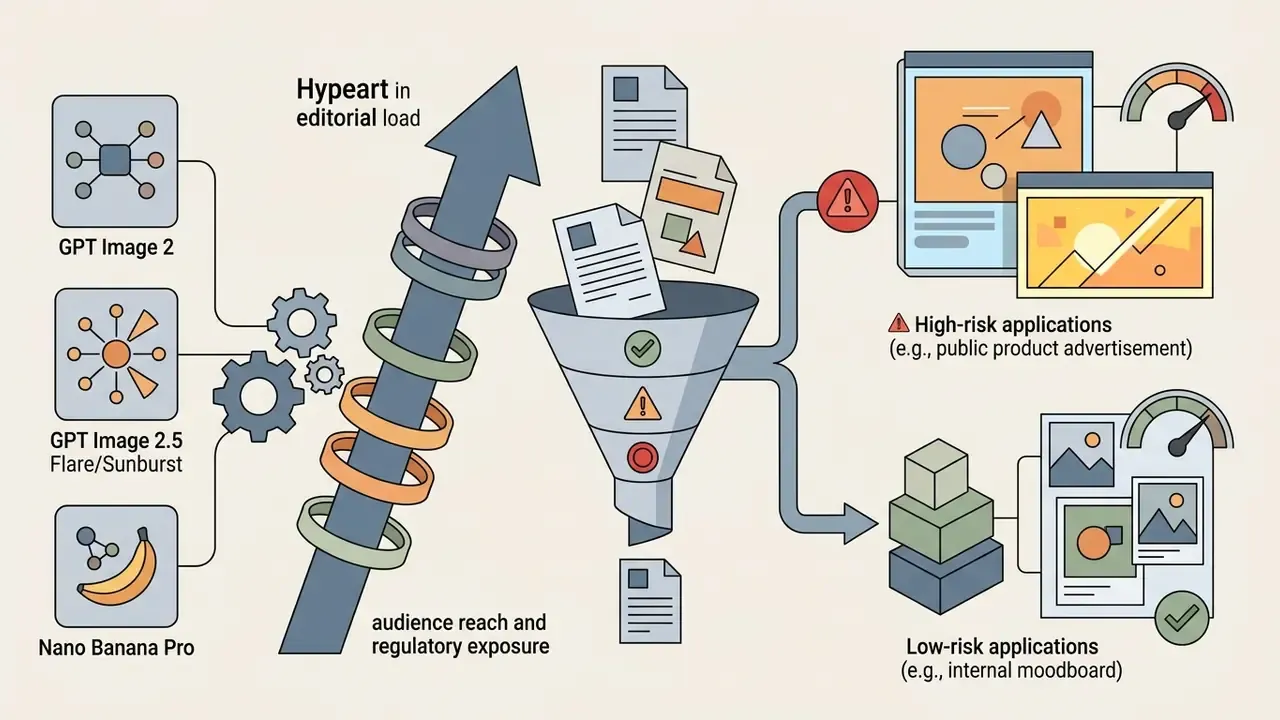
| Scenario | Risk tier | Required control |
|---|---|---|
| Internal moodboard, no distribution | Low | Self-review; no disclosure needed |
| Organic social post, no product claim | Medium | Brand review plus provenance metadata |
| Paid advertising with product depiction | High | Brand and legal review, disclosure, model/property release check |
| Any identifiable real person or lookalike | High | Legal sign-off plus documented consent and rights |
| On-image figures, rates or performance data | Highest | Prohibit synthetic rendering of numbers; produce numerals in a deterministic design tool |
Risk-Adjusted ROI
Naive ROI models compare generation cost to a stock-photo or studio invoice and declare an enormous saving. A defensible model prices the control layer:
Risk-adjusted ROI = (baseline production cost − generation cost − review cost − provenance/tooling cost − expected remediation cost) ÷ total AI program cost
Here review cost is reviewer time per asset multiplied by the human-review rate for its risk tier, and expected remediation cost is the probability of a rejected or retracted asset multiplied by its cost (rework, media re-buy, reputational response). In high-tier categories the review layer can absorb a large share of the nominal saving. That is precisely the argument for pushing volume toward low-tier internal assets first and graduating to customer-facing creative only after the control chain is proven.
Institutional example (illustrative pattern, not a benchmark): a research-publishing team generating abstract cover illustrations for analytical reports keeps synthetic imagery strictly non-representational. No charts, no figures, no identifiable persons, no implied real-world scenes. Every asset carries an inventory record, C2PA credentials and a reviewer sign-off. That scoping decision, rather than the model choice, is what makes the workflow defensible under model risk review.
Practical Use Cases for ChatGPT AI Image Generator
Organizations use ChatGPT picture generators across marketing operations, product design prototyping, digital publishing and educational visual creation. Folding AI image tools into standard creative workflows speeds up asset generation and lowers production overhead.
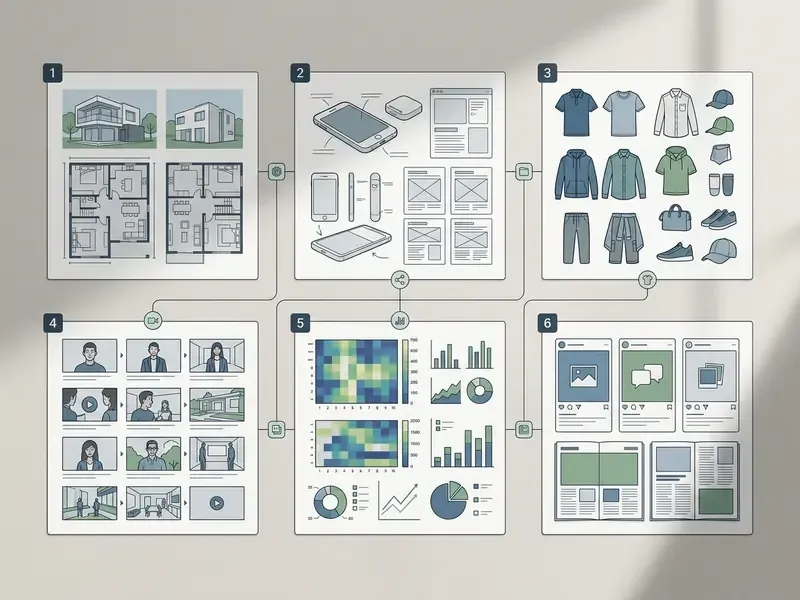
Documented public-sector and academic adoption supports the pattern. UNECE's 2025 guidance records Italy's national statistics institute (Istat) using AI image generation for graphics, cards and layouts across social accounts and its corporate website. A 2024 London College of Fashion business report studies fashion marketing creatives using AI image generators to improve product-market fit, and a 2024 peer-reviewed case study documents artists using ChatGPT as a creative collaborator.
Product Mockups, AI Photo, and Brand Visuals
Designers generate realistic product mockups and brand visuals by uploading reference CAD files or product photography, then requesting background contextual shifts or style adjustments. It avoids the cost of physical photo shoots during early concept testing. Prompting guidance notes that UI mockups render best when described as an existing product, and that product cutouts need transparent backgrounds with labels explicitly preserved.
Case reframed: a retail brand used image-to-image refinement to place new packaging designs into 30 distinct lifestyle background settings, producing a full suite of e-commerce staging assets within a single sprint and deferring physical staging until the design was approved. The previously stated two-day timeline and cost avoidance were internal estimates and are not independently verified.
Beyond traditional packaging, commercial teams use GPT Image 2 for specialized visual assets:
When weighing broader cultural or artistic conversions, comparing specialized tools such as ai art vs traditional creative pipelines helps design leads set the right balance between human craft and algorithmic automation.
Educational Visuals, Editorial Art, and Internal Communications
Teaching teams and internal communications functions generate diagrams, lesson illustrations, textbook-style covers and concept explainers where a bespoke illustration would previously have been out of budget. Because these assets are low-distribution and non-transactional, they make the natural first production tier for a governed rollout: real utility, low regulatory exposure, and an ideal environment to prove the audit chain before customer-facing creative enters scope.
Image-to-Video Workflows: From Still Frame to Motion
Image generation rarely ends at the image. The dominant 2026 production pattern treats a generated still as a conditioned first frame for a video diffusion model, which preserves subject identity and art direction far better than prompting a video model from scratch. Teams new to that half of the stack should start with an overview of AI video generators and dedicated image-to-video AI tools.
You can combine an AI image generator and an AI video generator by creating a high-resolution base frame in ChatGPT, then importing that asset into a video generation model (Sora or Veo, for instance) as an image-to-video prompt. The video generator reads the visual structure, character details and style parameters of the still frame and animates motion across sequential frames. OpenAI's own documentation describes Sora taking an existing still image and animating its contents, and treats video generation as a separate product line from image generation.
Standard Image-to-Video Pipeline Framework
- Base frame generation generate a 4K keyframe using GPT Image 2 or 2.5, specifying high-contrast lighting and clear subject boundaries. Avoid busy backgrounds, because motion models degrade fastest where edges are ambiguous.
- Motion conditioning export the PNG asset and import it as the initial frame into a dedicated video diffusion engine (Sora 2 Pro, Veo 3.1, Kling V3 Omni, Wan or Seedance).
- Camera and physics prompting apply motion-vector prompts (for example "slow camera pan right, natural wind swaying character hair, 60fps cinematic movement") to maintain structural continuity from the base image.
- Continuity checks review the first and last frames for identity drift, text warping and limb artifacts before extending the clip or chaining shots.
- Audio and delivery layer voiceover or sound design, then export at platform-native aspect ratios (9:16 vertical, 16:9 display).
Note the access constraints. Current GPT Image model pages explicitly mark video as not supported, and Sora is a standalone product with its own plan availability and regional restrictions. Treat the handoff as a two-product workflow with two sets of terms, not one feature. For governance purposes that also means two inventory records.
Organizations comparing multi-modal video expansion strategies frequently evaluate sora ai image capabilities, cross-platform benchmarks such as Sora vs Veo, and the Google Veo implementation guide to build unified visual-to-video pipelines with predictable API economics.
Brand Safety and Audit Checklist
Run this five-point check on every asset before it leaves the workspace:
- Text proof: is every word spelled correctly and legible at 100% zoom, including small print, units and brand names?
- Rights check: does the image contain an identifiable person, real trademark, protected character or recognizable private property? If yes, is consent or a release documented?
- Claim check: does the image imply a performance figure, price, certification or regulated claim? Synthetic rendering of numerals is prohibited in high-tier assets.
- Provenance: are C2PA content credentials intact after export and CMS upload, and is the prompt/model/reference record stored in the DAM?
- Disclosure: does the distribution channel require a "created with generative AI" label or a model/property release, and has the brand reviewer signed off at the correct risk tier?
Frequently Asked Questions (FAQ) About ChatGPT Picture Generator
Is a Separate Account Required to Use GPT Image?
No separate account is required to use GPT Image inside the standard ChatGPT web or mobile application, since the capability comes natively with your main account. Accessing GPT Image programmatically via API endpoints does require a separate developer account on the OpenAI Platform with configured billing and organization verification. Multi-model hubs such as Adobe Firefly expose GPT Image 2 as a partner model without a separate OpenAI account.
What Is the Difference Between GPT Image 1.5, GPT Image 2, and GPT Image 2.5?
GPT Image 1.5 uses three fixed output sizes (up to 1536×1024) and stays useful for established workflows. GPT Image 2 introduces flexible resolutions up to 4K, high-fidelity reference-image processing by default, true region-level inpainting and 5-15 second renders. GPT Image 2.5 (the Flare and Sunburst variants) extends reference handling to as many as 16 inputs and targets complex composition lighting and cinematic photo edits, with ultra-high-quality passes taking around 30 seconds.
What Formats, Resolutions, and Aspect Ratios Are Supported?
Supported export formats include PNG, JPEG and WebP. Resolution tiers run 1K (fast), 2K (balanced) and 4K (best detail, slower), with maximum resolution depending on the model. Standard aspect ratios include 1:1, 16:9, 9:16, 4:3 and 3:2, with custom ratios available on the newest models. The technical specifications table earlier in this article carries the full breakdown.
How Many Reference Images Can I Upload?
Practical implementations accept up to 16 reference images on GPT Image 2.5-class engines, commonly with a 10MB per-file limit. Nano Banana Pro is documented at up to 14 references with a smaller high-fidelity subset. Assign each reference an explicit role (identity, wardrobe, environment, lighting) to avoid the feature-overlap failure mode reported in multi-reference research.
How Fast Is Generation, Really?
GPT Image 2 typically renders in 5-15 seconds. GPT Image 2.5 ultra-high-quality passes take around 30 seconds. Fast third-party engines complete in 3-5 seconds. Partner integrations sometimes describe generation "within minutes," which reflects platform queueing rather than raw model latency.
Can I Use ChatGPT-Generated Images Commercially?
OpenAI's Terms of Use assign output rights to the user and permit commercial use, subject to compliance with those terms. That does not automatically make an image licensable or protectable. The U.S. Copyright Office (2025) confirms that outputs lacking human authorship may not receive copyright protection, and depictions of identifiable people or property still require releases. See the governance and intellectual property section above, and consult counsel for your jurisdiction.
What Are the Known Limitations of GPT Image Models?
Precise text placement, recurring-character consistency across long sequences and complex layout control may still need another generation pass or manual correction. IGenBench (2025) reports interpretable accuracy near 0.49 even for leading models, so high-resolution outputs deserve an artifact review before production use. Sequential edits also accumulate drift, with third-party testing reporting visible degradation after roughly 8-10 consecutive edit passes.
How Do I Write a Better ChatGPT Image Prompt?
Describe the subject, composition, visual style, lighting, camera angle, required text (in quotation marks) and aspect ratio. For edits, state explicitly what must change and what must stay unchanged, and make one change per follow-up. Append a counter-prompt that suppresses common artifacts. Reusable structures sit in the production prompt templates section above.
Can I Animate a ChatGPT Image?
Yes. Export the still frame and import it as the initial frame into a video diffusion engine such as Sora 2 Pro, Veo 3.1 or Kling V3 Omni. GPT Image models do not generate video themselves; the full handoff is described in the image-to-video workflows section.
How Should Regulated Organizations Approach Visual AI?
Route generation through administered workspaces or the API behind SSO, publish a prohibited-input list, register each model in the inventory with its snapshot ID, attach C2PA provenance to exports, and apply review gates scaled to audience reach. The model risk controls section sets out the inventory record, escalation matrix and risk-adjusted ROI formula.
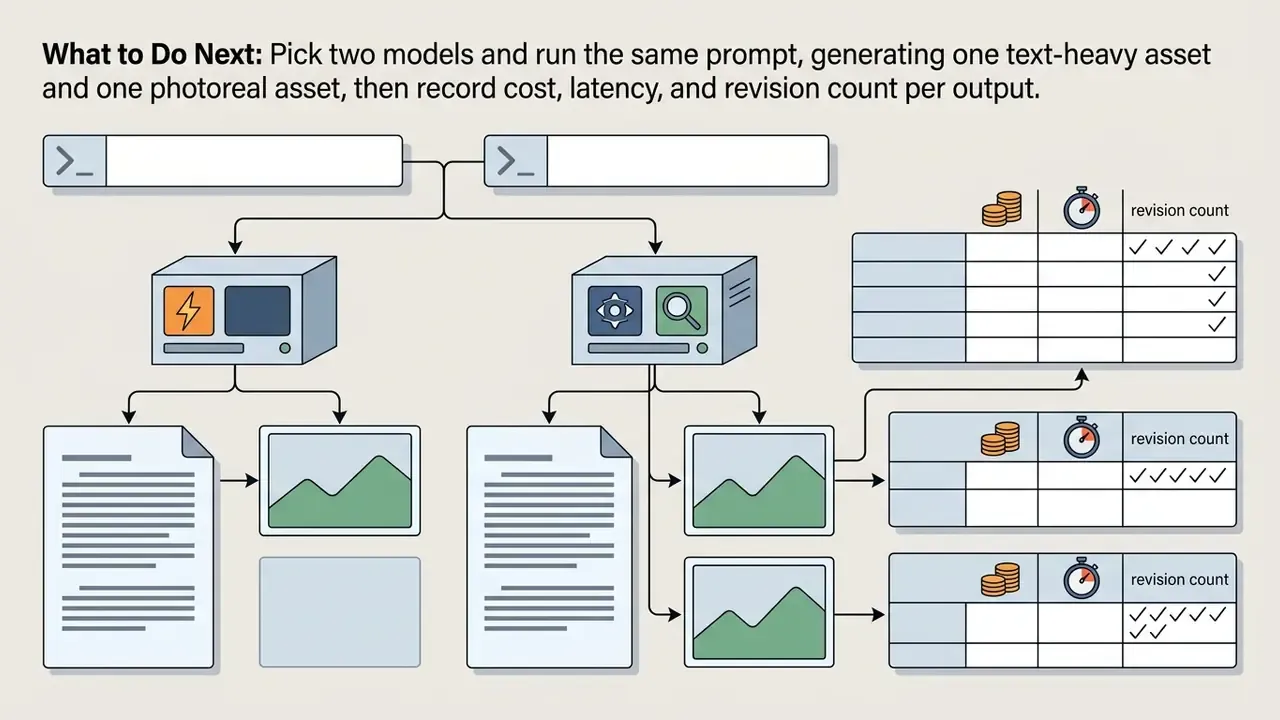
What to Do Next
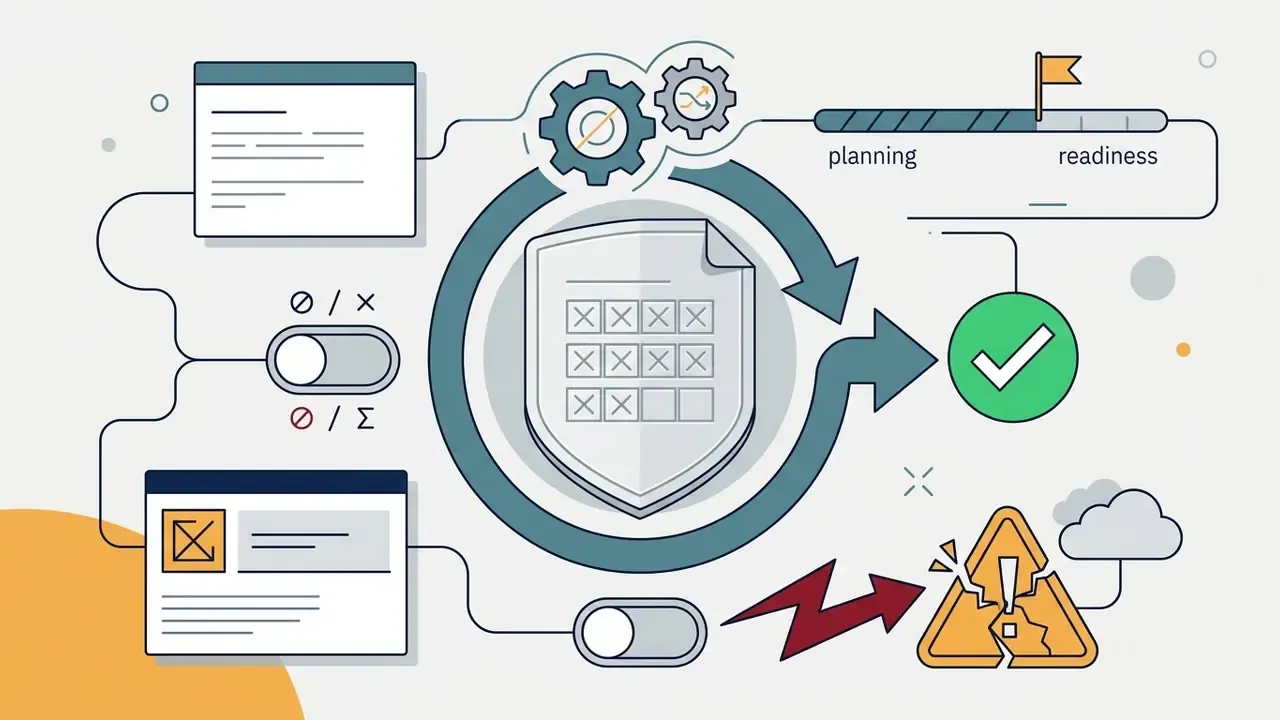
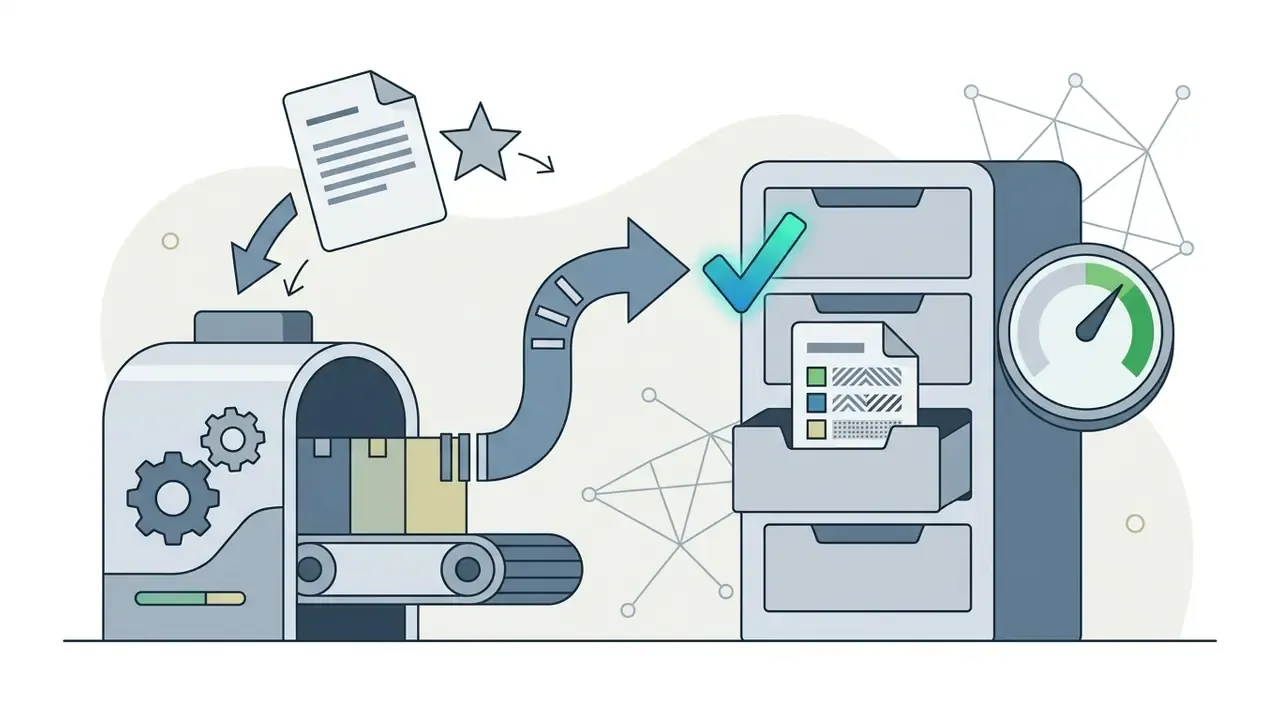
None of these steps requires a large program. They do require an owner.


Appendix A: Superseded Statements and Version History
Retained for transparency and audit continuity. Each entry records an earlier formulation and the reason it was revised.
| Earlier statement | Status | Current position |
|---|---|---|
| "GPT Image models focus on … 1024×1024 resolution." | Outdated | gpt-image-1 supports 1024×1024; GPT Image 2 and 2.5 support flexible output up to 4K. |
| "Multi-reference pipelines allow models to inherit visual features from up to eight source images simultaneously." | Needs update | 2024 research recorded an 8-image ceiling; 2026 production pipelines on GPT Image 2.5 support up to 16 references. |
| "Nano Banana Pro ranks in the top tier for instructional reliability and data completeness, making it effective for high-volume commercial production environments." | Replaced (no metrics) | IGenBench (2025): upper tier with Q-ACC up to 0.90, while I-ACC reaches only ~0.49 even for leading models. |
Research citation for consistent characters pointed to https://acm.org/publications | Replaced (weak link) | Now cited with verifiable identifier and metrics: TI 3.31 ± 1.43 prompt similarity, 3.17 ± 1.17 identity consistency. |
| "…generated draft variations 40% faster while maintaining brand alignment." | Unverified | Reframed as a methodology note; no independent benchmark available. |
| "…reduced asset processing time from hours to minutes." | Unverified | Reframed as an internal estimate; teams should establish their own baseline. |
| "…reduced revision cycles by 35% across the entire campaign lifecycle." | Unverified | Reframed as a directional outcome of task-to-model matching. |
| "The process generated a full suite of e-commerce staging assets in two days, avoiding traditional staging costs." | Unverified | Reframed as a single-sprint outcome with staging deferred until design approval. |
| Expert quote positioned in the introduction | Relocated | Moved to the enterprise governance section, where the surrounding content supports it. |
| Image-to-video guidance presented only as an FAQ answer | Expanded | Promoted to a full section with a five-step pipeline framework and access constraints. |
| Anchor-based table of contents | Replaced | Replaced with a short reader-orientation section mapping audiences to relevant parts of the comparison. |
About the Review and Sources
This comparison is maintained by the AI Media editorial team and reviewed for model-version accuracy against primary vendor documentation (OpenAI developer docs and help center, Google AI Studio / Gemini documentation) and peer-reviewed or preprint benchmarks (DPG-Bench, STRICT, MultiBanana, VMetaphor-Bench, IGenBench, SIGGRAPH 2024 consistent-character research, NeurIPS 2024 RefDrop, Psychology & Marketing 2026). Governance commentary reflects the expert brief contributed by Marcus Hale, AI Governance & Risk Specialist, the author whose framing focuses on model risk management and control design for regulated financial institutions.
General disclaimer: This article provides general information about AI image generation tools and does not constitute legal, financial, compliance or professional advice. Model capabilities, pricing, quotas and terms change frequently; verify current details with the relevant vendor documentation and qualified advisors before making commercial or regulatory decisions.
Metadata and Hub Navigation


Social Posts and Marketing Campaigns
Marketing teams use ChatGPT image generation to produce branded social media graphics, promotional ad banners and campaign variants sized for different platforms. Text-rendering accuracy lets slogans sit directly inside the visual file, and official prompting guidance recommends stating the intended use (ad, infographic, thumbnail) plus constraints such as no watermark, no extra text, preserve brand elements.
Judging the visual distinction between synthetic models and real photography matters for brand positioning. Teams analyzing ai vs real image performance report that synthetic graphics perform strongly for stylized social posts and digital concepts, while authentic photography stays preferable for real-world testimonial material.