Last reviewed: Q1 2026 · Editorial owner: Hypeart AI Media Risk and Standards Desk · Technical review: computer-vision restoration literature 2023 to 2025.
What Is an AI Image Unblur Tool and How Does It Work?
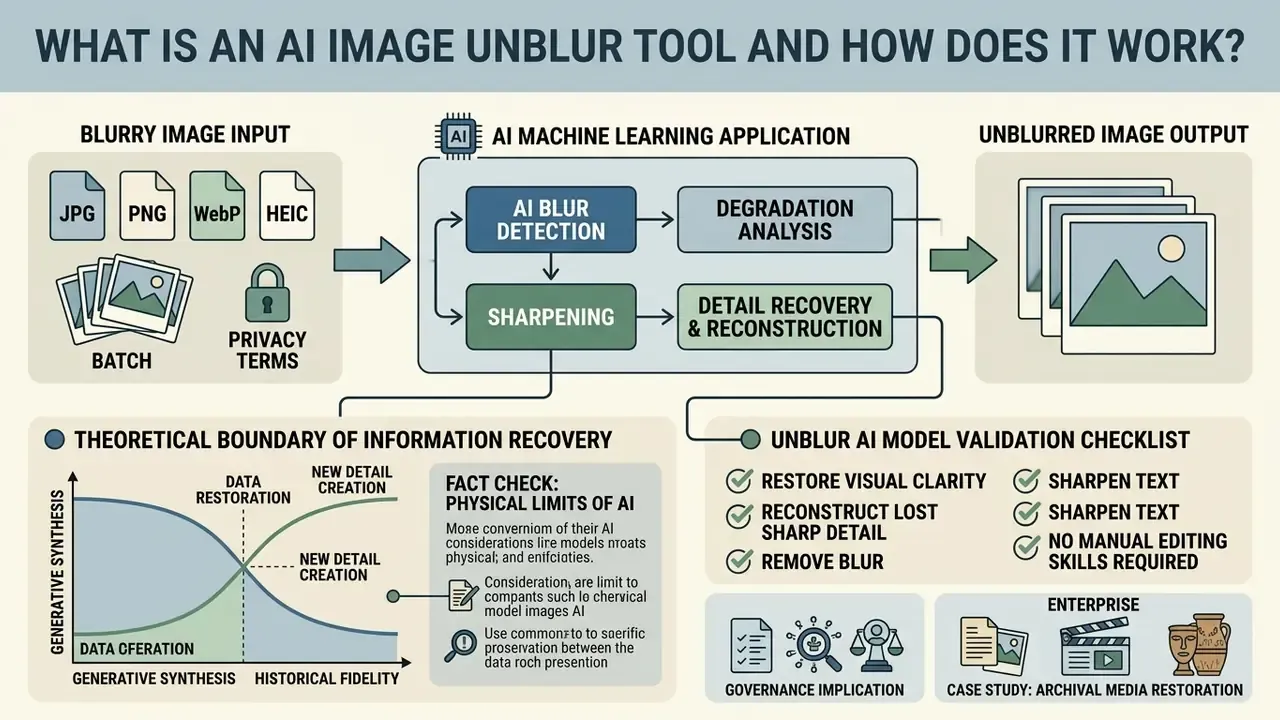
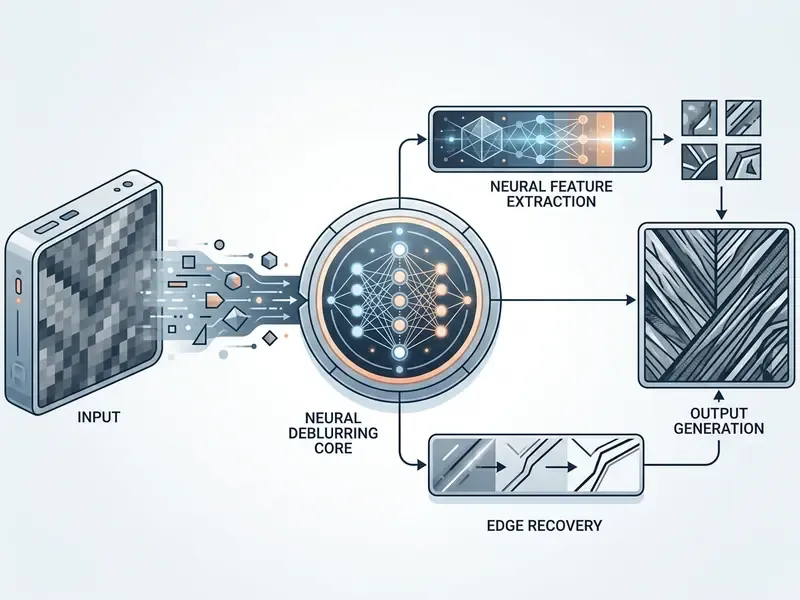
An AI image unblur tool is a machine-learning application that restores visual clarity and reconstructs lost sharp detail in degraded photographs, with no manual editing skills required. Unlike traditional filters that only boost local contrast, an ai image deblurring tool uses deep neural networks to invert the blur function and recover high-frequency spatial information.
In practice the pipeline runs in two stages. First comes blur estimation or blur-type classification. Then an end-to-end restoration network (CNN, encoder-decoder, RNN, GAN or Transformer) reconstructs sharp pixels. Newer unified models replace the explicit classifier with a mixture-of-experts decoder that routes features according to the recognised degradation, covering global motion, local motion, low-light blur and defocus in a single pass. One model, several failure modes, one inference call.
AI Blur Detection, Sharpening and Detail Recovery
Automated blur processing begins when a neural network analyses an input tensor to identify spatial degradation patterns across the image plane. Modern architectures, such as U-Nets with learned shrinkage functions or shared-encoder models like 2HDED:NET, separate structural blur estimation from feature reconstruction (IEEE TCSVT, 2025).
«2HDED:NET uses a shared encoder to solve depth estimation and deblurring in parallel on the NYU-v2 and Make3D datasets, performing on par with best-in-class methods.»
When an ai blur remover targets complex human subjects, specialised feature-fusion branches run dedicated algorithms to restore clarity across fine facial landmarks, hair textures and subtle edge contours that standard mathematical filters flatten. Peer-reviewed face restoration work follows the same logic: "Face image deblurring with feature correction and fusion" (2024) corrects corrupted feature maps before reconstructing the clear face, while IMDeCA (2024) combines semantic segmentation masks and facial landmarks to rebuild facial structure. Readers comparing automated pipelines with manual retouching can review how conventional photo editors expose sharpening controls before deciding which stage of the workflow should stay human-supervised.
Why AI Unblur Is Different From Basic Image Sharpening
«Most networks are trained on synthetic blurred pairs and frequently perform worse on real photographs, where blur characteristics differ from the training data.»
- Generative synthesis versus historical fidelity (updated). Deep learning models reconstruct plausible details based on training distributions rather than recorded reality. An ai image deblurring engine produces a visually sharp output, yet synthesised facial details or fine text in severely blurred regions reflect statistical probability, not guaranteed forensic accuracy.
«GAN models can hallucinate details that look plausible but do not correspond to the original scene, a critical issue in forensic and medical contexts.»
- Governance implication. Under model-risk frameworks such as Federal Reserve SR 11-7 / OCC 2011-12, a deblurring model that sits inside a decisioning or evidentiary chain is a model. It needs documented purpose, stated limitations, validation evidence and human review. There is no "visual improvement" exemption, and teams tracking AI litigation and enforcement trends will recognise why that framing matters.
Which Types of Blur Can AI Remove From an Image?
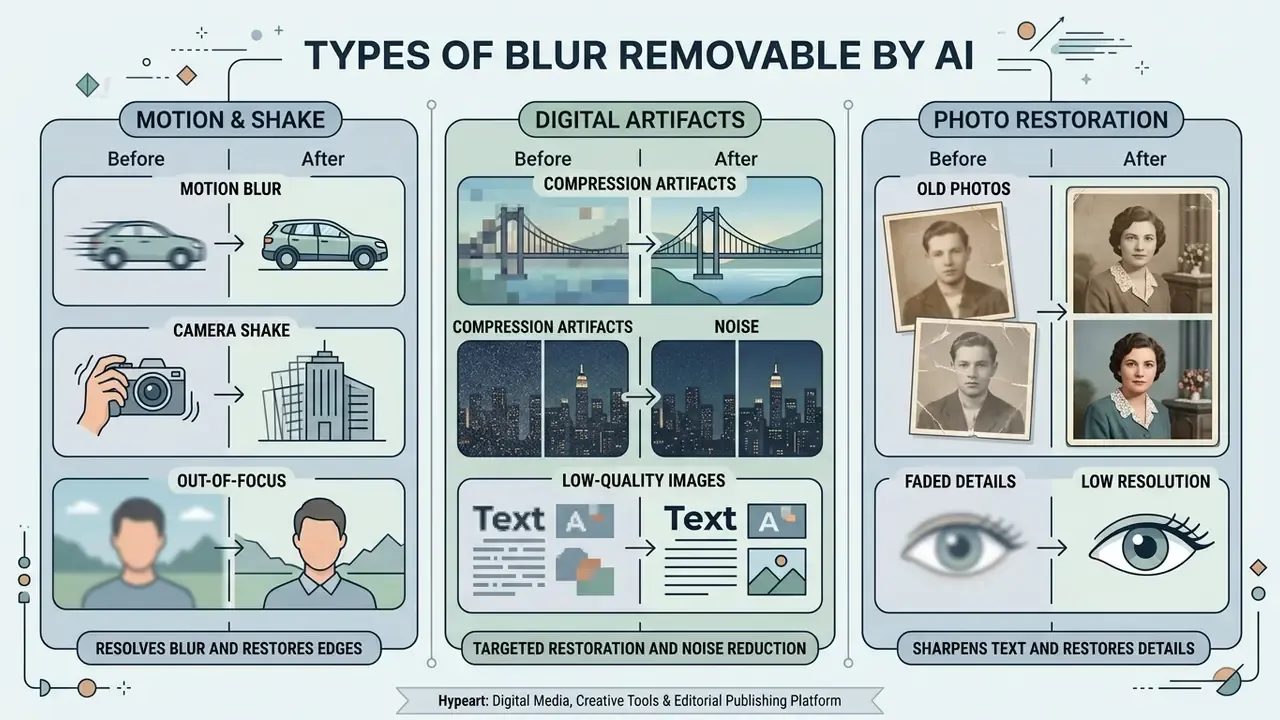
AI deblurring networks resolve motion blur, camera shake and moderate defocus blur, and they offer targeted restoration for compression artifacts, digital noise and faded physical prints. The success rate of an ai image blur remover depends directly on the optical cause of degradation and on how many uncorrupted structural cues survive in the source file.
Published literature quantifies motion and defocus recovery in PSNR and SSIM terms. It does not define a unified "recovery percentage" across all degradation classes, so cross-type comparisons should be read as qualitative bands rather than promises.
Motion Blur, Camera Shake and Out-of-Focus Photos
Relative movement between the camera sensor and the subject during exposure creates motion blur and directional camera shake. Deep learning benchmarks such as GoPro and RealBlur show that convolutional and transformer-based architectures can resolve complex, non-linear camera vibrations with high fidelity (Sensors, 2023).
«A GAN trained on the GoPro dataset reached an average PSNR of 29.3 and SSIM of 0.72, showing high reconstruction quality under motion blur.»
When handling an out-of-focus blurry photo, neural models evaluate depth-from-defocus cues to re-render the principal focus plane, bringing soft subject features back into sharp alignment.
«A deep expectation-maximization method for blind motion deblurring operates without paired training data, outperforming existing solutions for both uniform and non-uniform camera-shake blur.»
Physics-informed variants push accuracy further. A 2025 CVPR study replaced a Seidel point-spread-function approximation with a wavefront-based PSF model, improving estimation accuracy while reducing optimisation complexity. Diffusion-based motion models (BlurDM, NeurIPS 2025) work well for camera motion and moving objects, yet they degrade on defocus blur, which still needs depth or optical defocus modelling. So the tool that fixes your blurry pictures from a moving car may fail on a mis-focused studio shot.
Compression Artifacts, Noise and Low-Quality Images
Lossy JPEG compression divides images into 8 × 8 pixel blocks, introducing grid blockiness and high-frequency edge ringing. Standard deblurring algorithms often mistake compression borders for legitimate physical edges, which causes severe distortion. Classical countermeasures split the frame into structure and texture layers, deblock the texture layer, and mask regions that contain genuine fine detail. Modern multi-degradation networks, such as AirNet, isolate noise and lossy compression from structural content, which lets the system remove noise and smooth blockiness while sharpening true object edges in low quality JPEG and PNG files.
«AirNet combined with specularity factorization improved PSNR on the GoPro dataset from 26.42 to 27.29 and SSIM from 0.801 to 0.827.»
Old Photos, Faded Details and Low Resolution
Restoring historical prints means rectifying a combination of analog film grain, surface scratches, paper fading and low resolution optics. Comprehensive photo restoration pipelines integrate an ai clean up blurry image pass with contrast recovery and deep face priors.
To prepare vintage media for print production, operators scan physical prints at high optical resolution. Restoration guidance commonly specifies 600 DPI colour scans with an untouched master retained, applied before any neural pass, so that upscaling algorithms maintain structural integrity. Print preparation then targets 300 DPI at final output size, and archive teams separate "restore only" from "restore plus upscale" deliverables. When you restore old photos for a family album, that distinction sounds bureaucratic. In an institutional archive it is the difference between a surrogate and a fabrication.
«The ReBlurSR dataset contains 2,931 images with real and synthetic blur, including blur-region maps for evaluating blur-preserving super-resolution methods.»
Table: types of blur and expected AI deblurring outcomes
| Blur type | Primary optical cause | Target benchmark / architecture | Expected AI restoration outcome |
|---|---|---|---|
| Motion blur | Rapid object movement across the frame while the shutter is open | GoPro dataset; GAN and Transformer models (PSNR ≈ 29.3 / SSIM ≈ 0.72) | High recovery; effective restoration of subject contours and linear paths |
| Camera shake | Unstable handheld movement causing non-uniform smear | RealBlur; blind motion EM networks (CVPR 2023) | High recovery; neutralises multidirectional jitter artifacts |
| Out-of-focus | Subject positioned outside the optical focal plane | 2HDED:NET; defocus Transformer modules | Moderate to high recovery; sharpens soft features if core structures remain visible |
| Compression artifacts | High JPEG compression ratios (8 × 8 grid blocking and ringing) | AirNet; joint deblocking and denoising models | Moderate recovery; removes grid artifacts while preserving true physical edges |
| Digital noise and grain | High ISO sensor noise or low-light exposure grain | CBSD68; Pre-Train Guided Refinement (PTG-RM) | Moderate recovery; smooths uniform noise without blurring fine background detail |
| Vintage / age blur | Paper degradation, fading and chemical film decay | ReBlurSR; deep photo restoration networks | Variable recovery; improves contrast and clarity, extreme damage still needs manual touch-ups |
| Screen / UI pixelation | Display scaling, sub-sampling and messenger re-compression | DocRes; text-image SR and deblurring models | Moderate to high recovery of geometric lines and rasterized interface text |
Read the table as a triage aid. Motion and shake are the strongest cases for an ai deblur image free pass. Vintage damage and heavy re-compression are where expectations should drop first.
How to Unblur an Image Online for Free
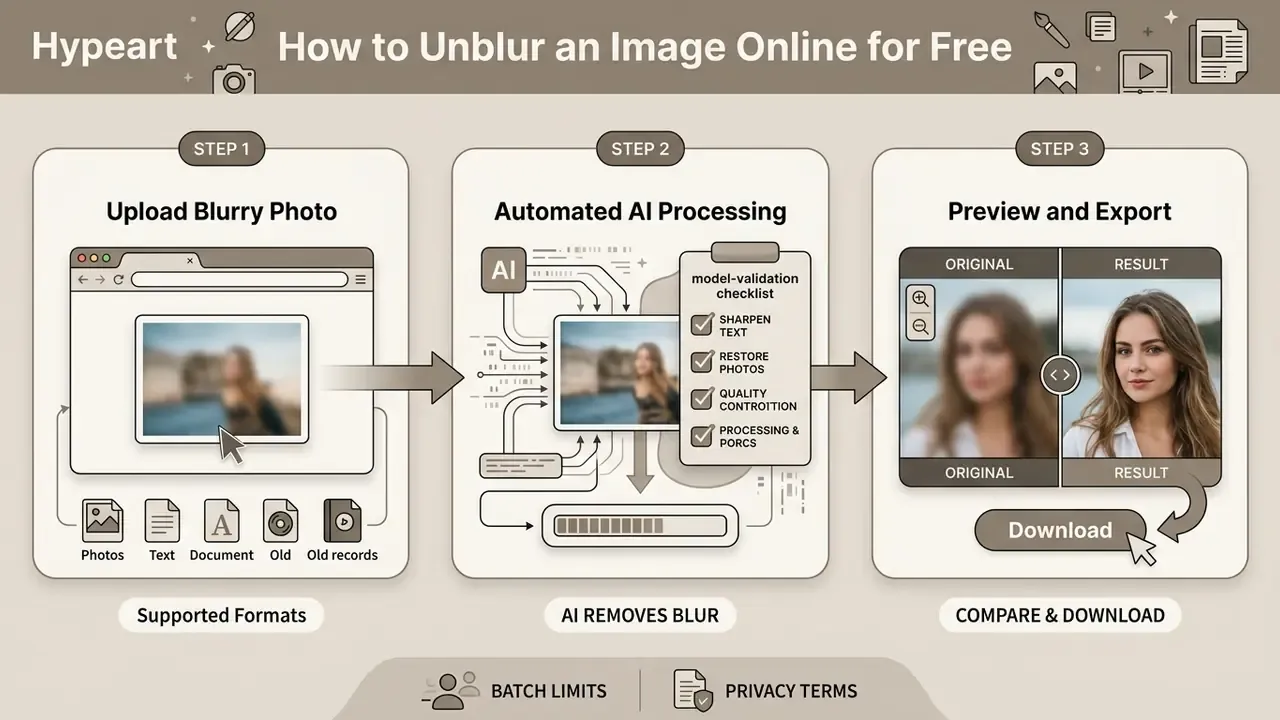
Running an ai image unblur online free workflow takes three steps in a modern browser: upload the input media, process the file through the automated AI engines, then export the sharpened result. Browser-based architectures let users unblur image free with no local desktop installation and, in most cases, no sign-up beyond an email.
Before that convenience becomes a governance problem, mark the Shadow AI boundary. A public browser queue suits personal, marketing or archival assets. It does not suit customer PII, KYC documents, medical records or privileged legal evidence, unless the vendor contractually guarantees zero-data retention and non-training use.
Upload Your Blurry Photo in a Supported Format
Let AI Remove Blur and Enhance Image Clarity
Once the file lands, the cloud or in-browser neural framework analyses the image tensor. In a single execution pass, the network performs blur classification, edge restoration and optional face enhancement to reconstruct eyes, skin texture and hair lines. One click, several models.
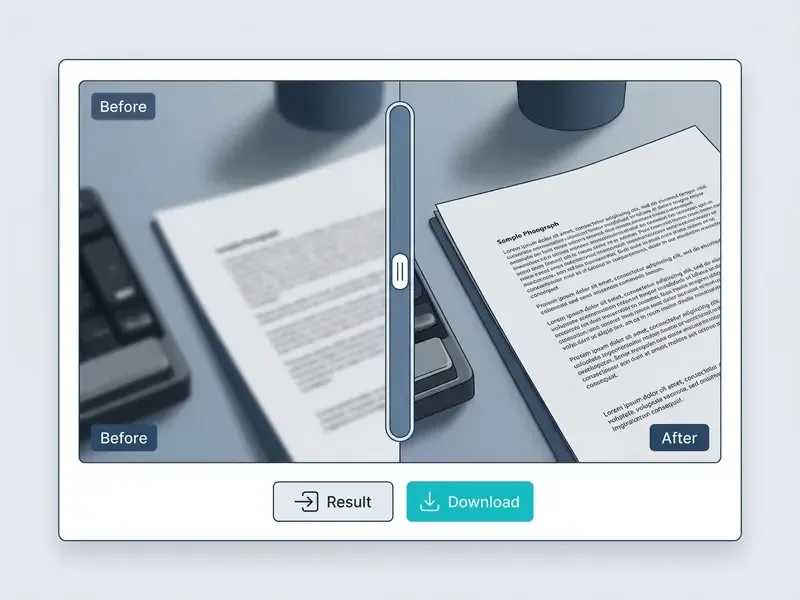
Face Enhancement is implemented as a separate face-detection and reconstruction mode that treats facial regions independently from the background, usually through a coarse-to-fine cascade with perceptual and adversarial losses. Advanced interfaces then generate a side-by-side or split-screen preview, so users can inspect recovered detail before export rather than after publication.
Compare the Result and Download the Clear Image
Users evaluate the processed asset against the original blurry photo with an interactive slider or press-and-hold comparison. After checking edge sharpness and confirming the absence of artificial distortion, the user exports the restored file. Most free web platforms provide standard high-definition downloads, while professional workflows export uncompressed PNG to preserve sharp details for print or digital distribution.
Delivery standards remain a useful anchor here. Broadcast specifications define HD as 1920 × 1080 and UHD as 3840 × 2160 with 10-bit sampling, and preservation guidance maps HD to ITU-R BT.709 and UHD to ITU-R BT.2020. Native frame size, bit depth and colour encoding should survive the whole chain unchanged.
Workflow placeholder: three-step unblur sequence
- Step 1: upload source image. Select and upload image files (JPG, JPEG, PNG, WebP, HEIC or HEIF) into the browser-based processing interface.
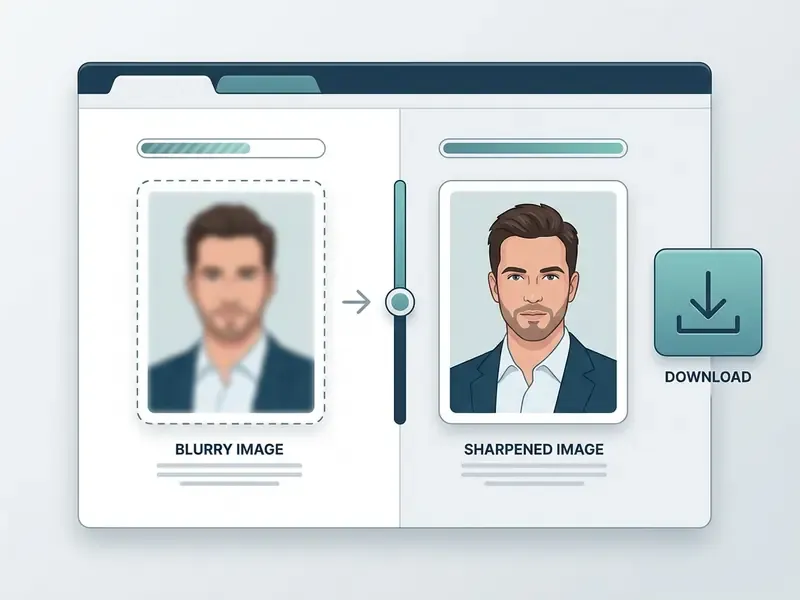
- Step 2: automated AI processing. The web engine executes deblurring, noise suppression and facial detail enhancement in seconds.
- Step 3: preview and export. Compare the restored image side by side with the original input, then download the final high-resolution file.
How to Get the Best Results With an AI Blur Remover
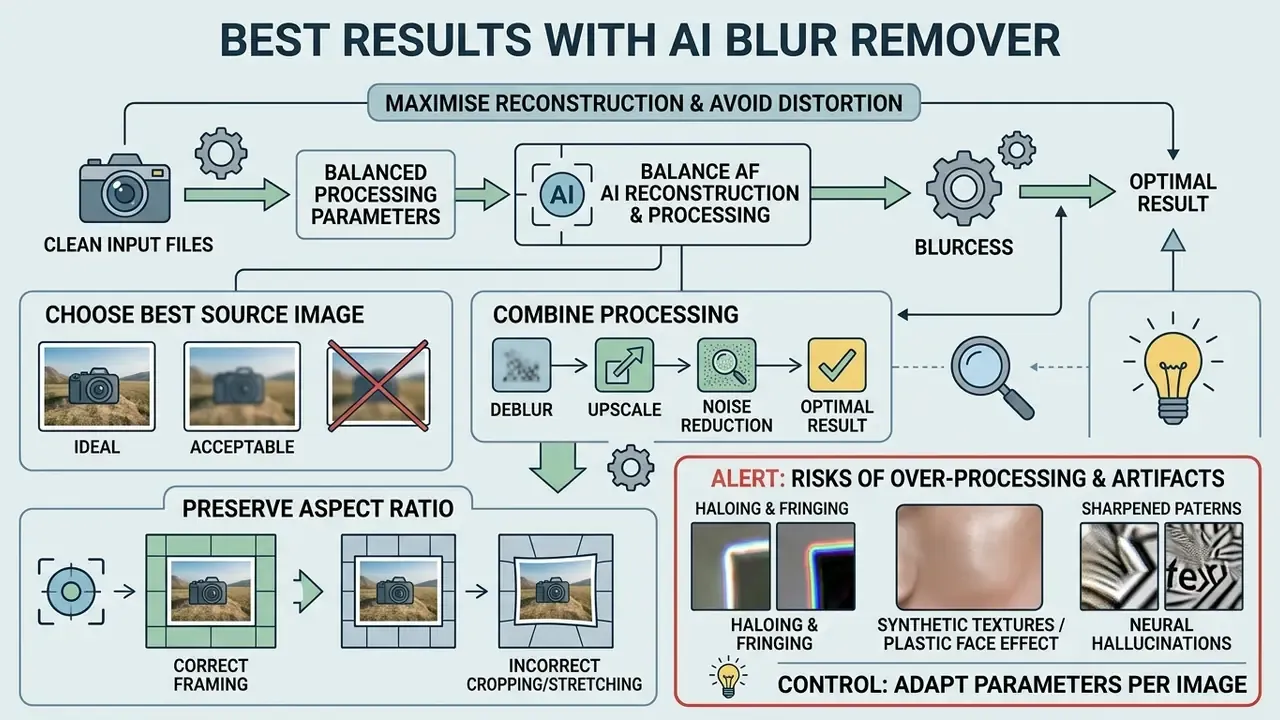
To maximise reconstruction quality and avoid synthetic distortion, operators need clean input files and balanced processing parameters. Knowing how neural models treat spatial frequencies is what prevents visible artifacts during automated enhancement.
Choose the Best Source Image Before Processing
Input quality sets the ceiling for neural reconstruction. A heavily compressed screenshot or a low resolution file with severe sensor saturation limits the model's ability to infer true edge boundaries. Saturated pixels violate the linear image-formation assumption used by non-blind deblurring, and the artifacts show up in the output.
«Networks trained on synthetic pairs often perform worse on real photographs when the blur type or image content falls outside the training distribution.»
Original camera exports with balanced lighting, minimal initial compression and moderate blur give the best structural accuracy during an ai deblur image pass. Practical selection criteria: use the highest-resolution copy available, prefer the unedited original over a re-saved social media version, make sure the main subject stays identifiable even while blurred, and crop tightly around the degraded region when the blur is strongly localised.
Combine Deblurring With Upscaling and Noise Reduction Carefully
When an image needs blur removal, noise suppression and resolution expansion at once, the order matters. Aggressive sharpening before denoising turns digital grain into harsh structural artifacts, and no later step will undo that.
A balanced workflow applies subtle deblurring and noise reduction at native scale, then runs an image upscaler pass to enlarge the file safely. Coarse-to-fine restoration estimates the kernel at the coarsest scale and refines the mapping rather than the kernel itself, because small interpolation errors in an upscaled kernel create large deconvolution artifacts. Edge tapering the frame by roughly half the PSF size before processing suppresses boundary ringing.
«The compact PTG-RM module (under 1M parameters) significantly improves PSNR and SSIM for motion deblurring, denoising and low-light enhancement.»
Teams building repeatable enlargement chains usually standardise on dedicated AI image upscalers instead of letting the deblurring model handle scaling implicitly. Bundled suites that also market an object remover, a background remover or an ai image generator are convenient, yet each extra module is another model to inventory and validate.
Preserve Image Aspect Ratios and Spatial Framing
To prevent non-uniform spatial scaling during reconstruction, lock the source aspect ratio before processing. Advanced platforms provide framing presets such as 1:1, 4:3 or 16:9, selectable immediately after upload. Locking the ratio keeps edge-detection kernels from stretching localised subject features or distorting vector-like character typography during high-resolution upscaling.
For catalogue and document workflows, record the chosen ratio in the processing log. A silently re-framed asset is hard to reconcile against the original master during audit, and geometry drift quietly breaks template placement in print layouts.
Alert: risks of over-sharpening and neural hallucinations
- Haloing and fringing (updated). Sharpening amplitudes beyond roughly 130% to 150% introduce bright edge halos and colour fringing along high-contrast boundaries. The threshold band comes from applied imaging practice (Measuring and Managing Digital Image Sharpening, IS&T) and should be re-measured per pipeline. Khademi et al. (2023) document the same halo and ringing failure modes for networks trained on synthetic blur.
- Synthetic textures, the "plastic face" effect. Over-applying aggressive face enhancement erases natural skin pores and produces waxy textures or misaligned features. Cultural-heritage digitisation guidance states that over-sharpening makes images look "un-natural or synthetic" and that the effect is irreversible (FADGI Technical Guidelines, 3rd ed., 2023).
«Aggressive perceptual losses in transformer-based models can improve visual quality, but when over-applied they synthesise textures that never existed.»
- Control recommendation. Apply sharpening conservatively and to the luminosity channel only, then review facial details at 100% magnification. Forensic guidance (ENFSI-BPM-DI-01) additionally requires enhancement on a working copy, with alterations to facial appearance kept to a minimum.
Model Validation Checklist Before Production Deployment
Before AI-restored images enter an OCR, audit, KYC or archival pipeline, make acceptance a repeatable control instead of an eyeball judgement. The checklist below turns the warnings above into audit evidence.
- Purpose statement.Document what the restored asset is for (readability aid, publication, archival surrogate, evidentiary exhibit) and prohibit evidentiary use of generatively reconstructed regions.
- Provenance.Retain the untouched master file plus a hash. Never overwrite the original.
- Parameter log.Record model version, sharpening amplitude, denoise strength, upscale factor, locked aspect ratio and processing timestamp.
- Artifact inspection at 100%.Check for halos along high-contrast edges, colour fringing, waxy skin, deformed irises and ringing in flat areas.
- Text verification.Cross-read every restored character string against a second source. Treat AI-reconstructed digits and signatures as unverified until confirmed.
- Face review.Confirm that identity-bearing features were not altered, and reject outputs where landmark geometry shifts between input and output.
- Metric baseline.Where reference images exist, log PSNR and SSIM deltas. Where they do not, use a documented human dual-review sign-off.
- Sample-based QA on batches.For 50 to 200 image batches, inspect a statistically defined sample rather than assuming uniform quality across the queue.
- Data-handling check.Verify the processing endpoint against the retention and encryption requirements listed below.
- Escalation path.Define who reviews a rejected asset, and whether manual restoration or re-capture is the fallback.
One practical note on ownership. This control set only works if a named owner signs it, the same way a scoring model has an owner under model-risk policy. An unowned image pipeline drifts within two quarters: someone swaps the vendor, someone raises the sharpening slider, and the logs stop matching the outputs.
Free AI Image Deblurring Tools vs Paid Features
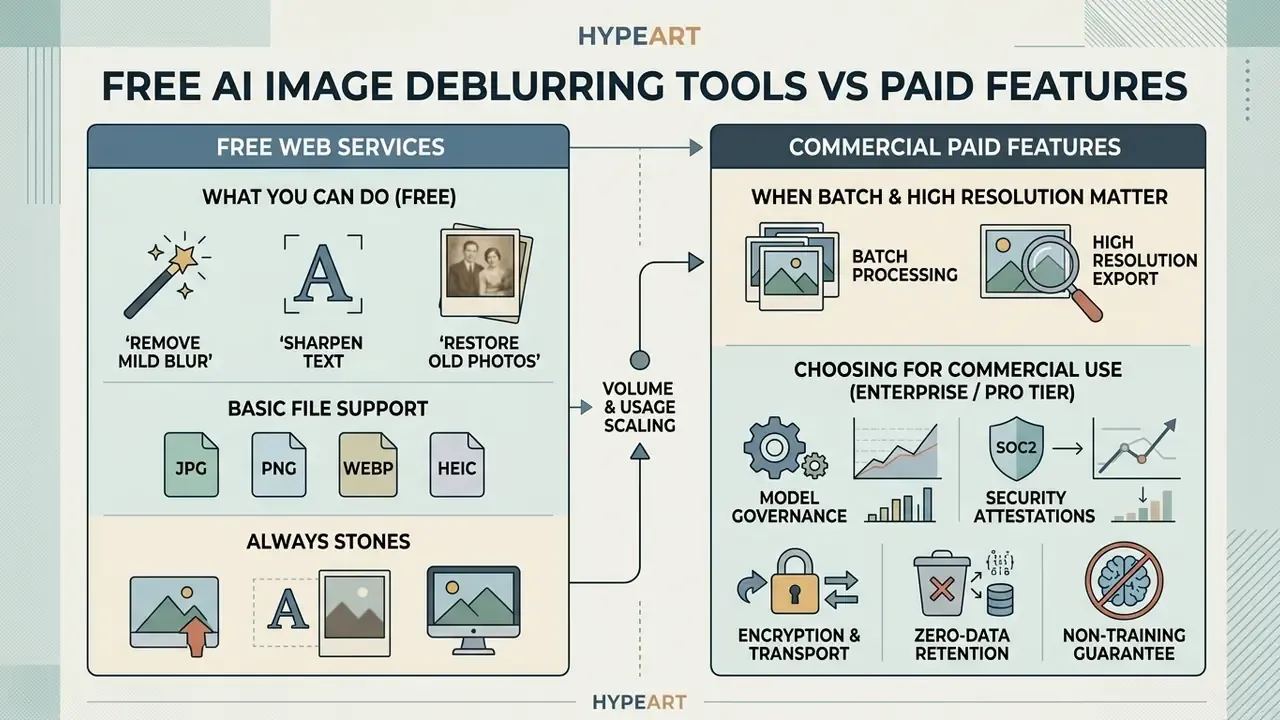
Choosing between free web services and commercial software depends on volume, export resolution and data governance policy. An ai image deblur free utility handles occasional single-photo fixes well. Enterprise operations need batch execution, uncompressed exports and contractual data terms.
What You Can Do With an AI Image Deblur Free Version
Free web utilities give quick, browser-based access for single-image work with no complex installation and a user friendly one-click flow. These tiers typically support standard jpg jpeg, PNG, WebP and HEIC uploads, automated single-click unblurring, and standard-definition exports. Many also bundle a free trial of adjacent features such as an image enhancer or an unpixelate image mode.
The constraints are consistent across vendors. Free access usually imposes daily generation quotas, commonly 1 to 3 credits per day or three uses per month, caps upload size between 10 MB and 50 MB, restricts output to roughly 1024 × 1024 or 1K, and may stamp exports with a watermark. Good enough to ai make image less blurry for a social post. Not enough to run a catalogue.
When Batch Processing and High Resolution Matter
Commercial teams managing large image libraries need automated batch execution across hundreds of assets. Market-leading queues now accept 50 to 200 images per batch pass, through a web GUI or a REST API, with per-image independent blur analysis, so mixed degradation types in one upload are still handled correctly.
High-resolution processing keeps the pixel density needed for print production, digital archiving and high-DPI displays. Automated batching cuts manual labour cost sharply while holding visual consistency across full photo sets. Documented batch workflows report reductions of up to roughly 90% in manual document-processing time, and industrial batch guidance ties batching directly to repeatability, compliance and operational flexibility. Studios standardising output across mixed media libraries often pair deblurring with AI headshot and portrait pipelines to keep facial rendering consistent.
How to Choose an AI Image Deblurring Tool for Commercial Use
Commercial selection means reviewing licensing terms, asset ownership rights and corporate privacy standards. Confirm that cloud vendors neither store uploaded media nor use customer images to train public models. Licensing frequently differs between free and paid plans, and beta features may be restricted to personal use even when the released product permits commercial output. Supported input formats, such as non-destructive PNG or RAW processing, and integration with existing tools, including an AI Media Workflows pipeline, remain essential criteria. Buyers scanning the wider market of free generative ai services should check plan-level rights before any client asset is processed.
For regulated buyers, add a bank-grade due-diligence layer:
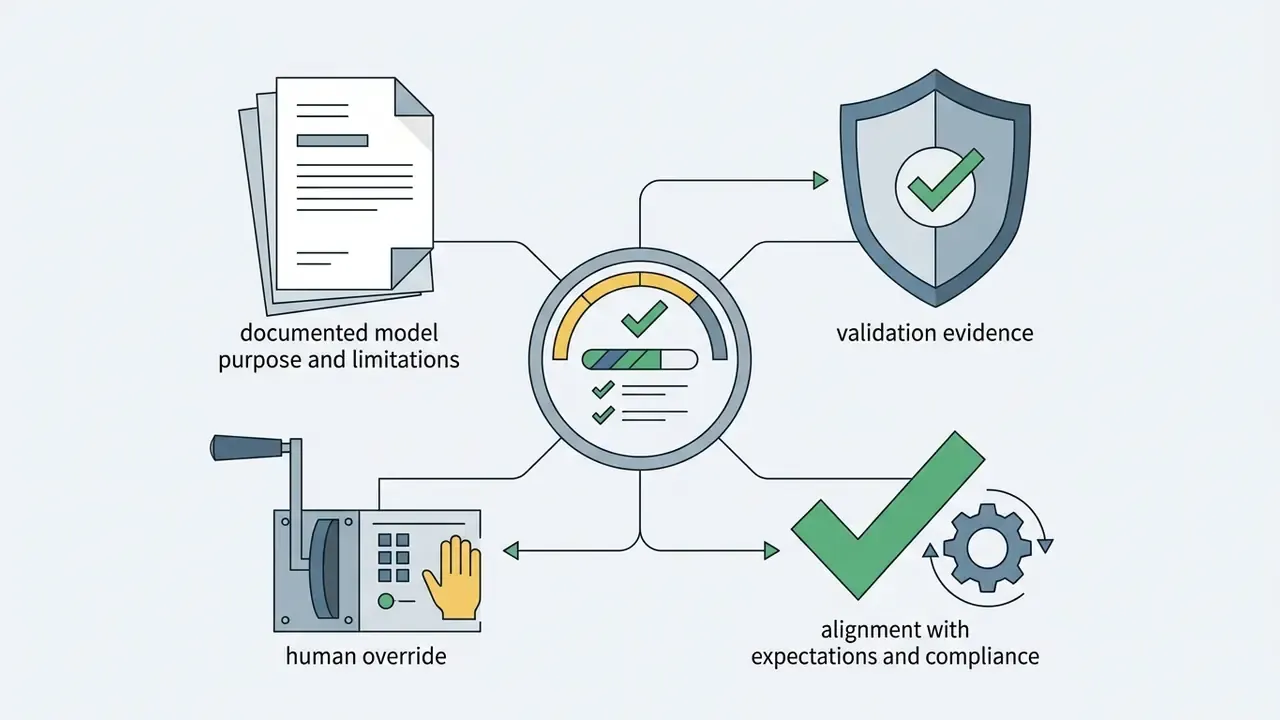
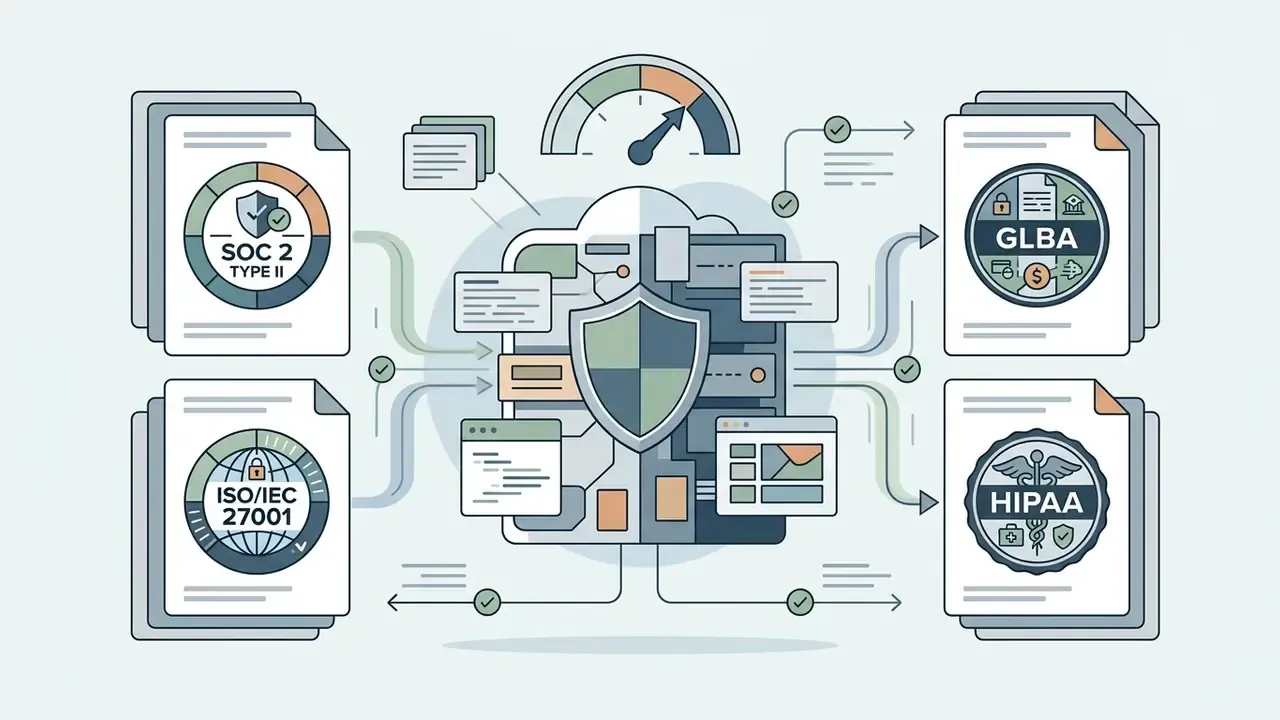
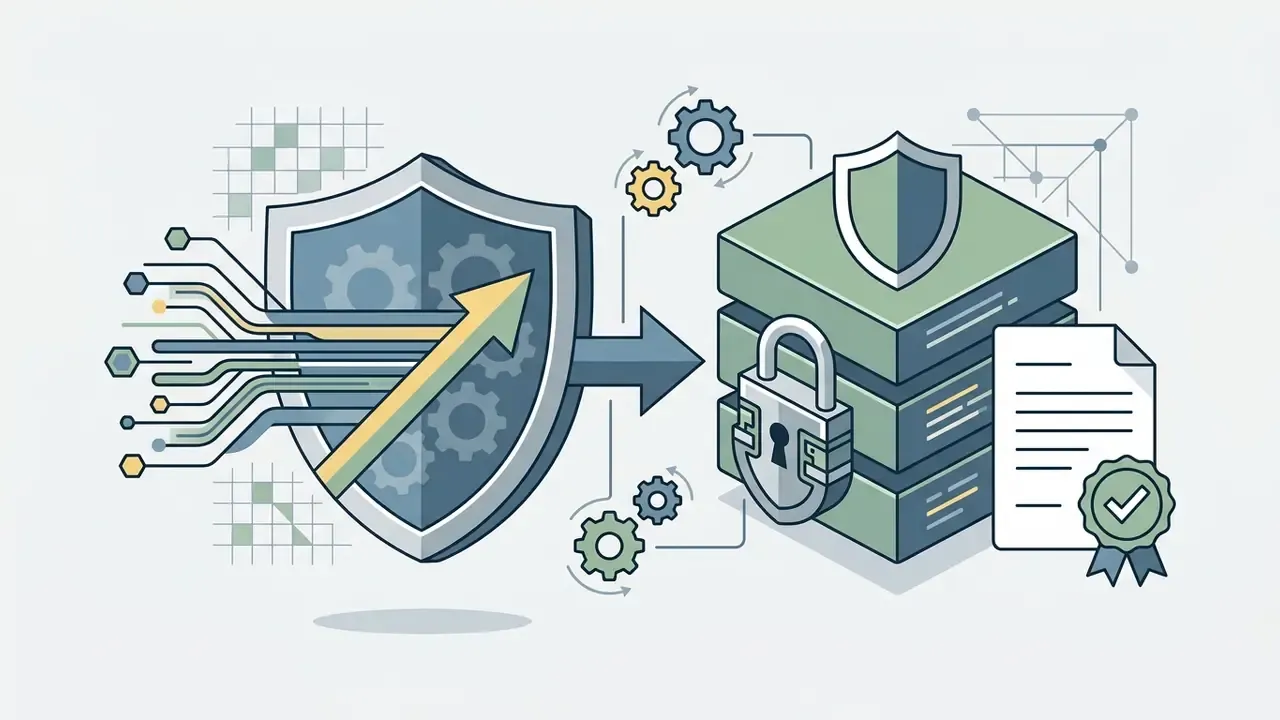
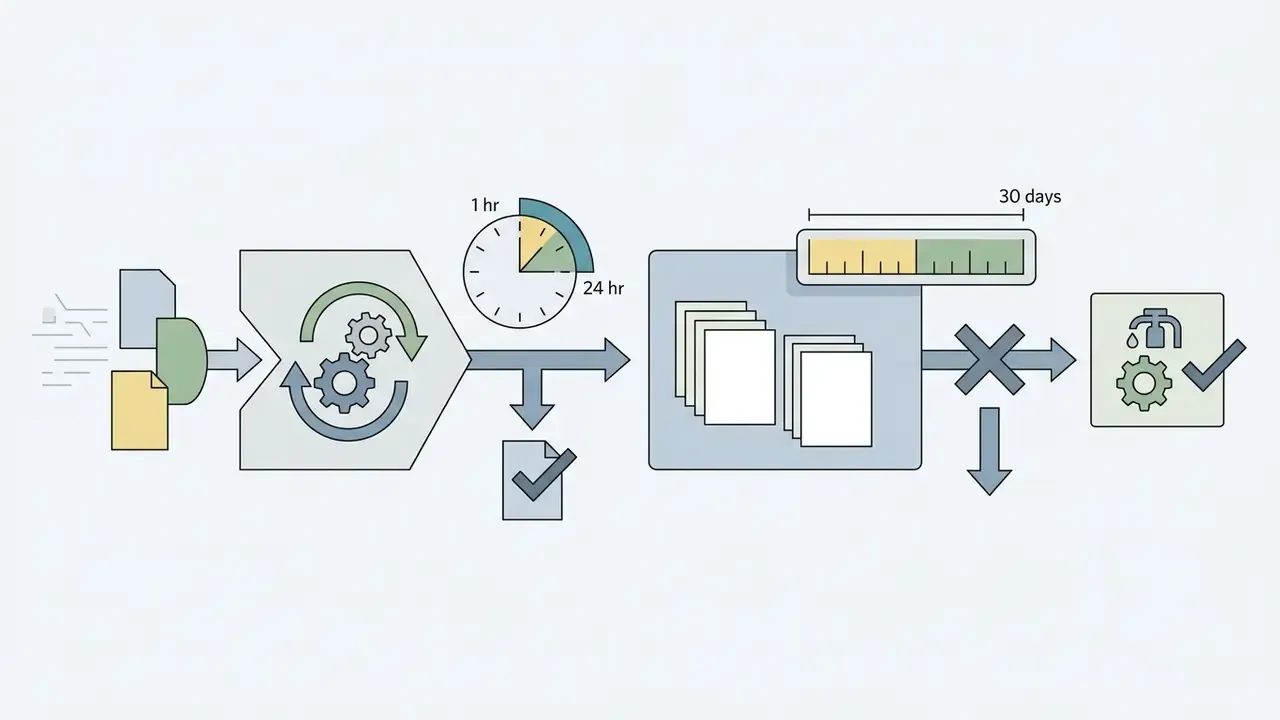
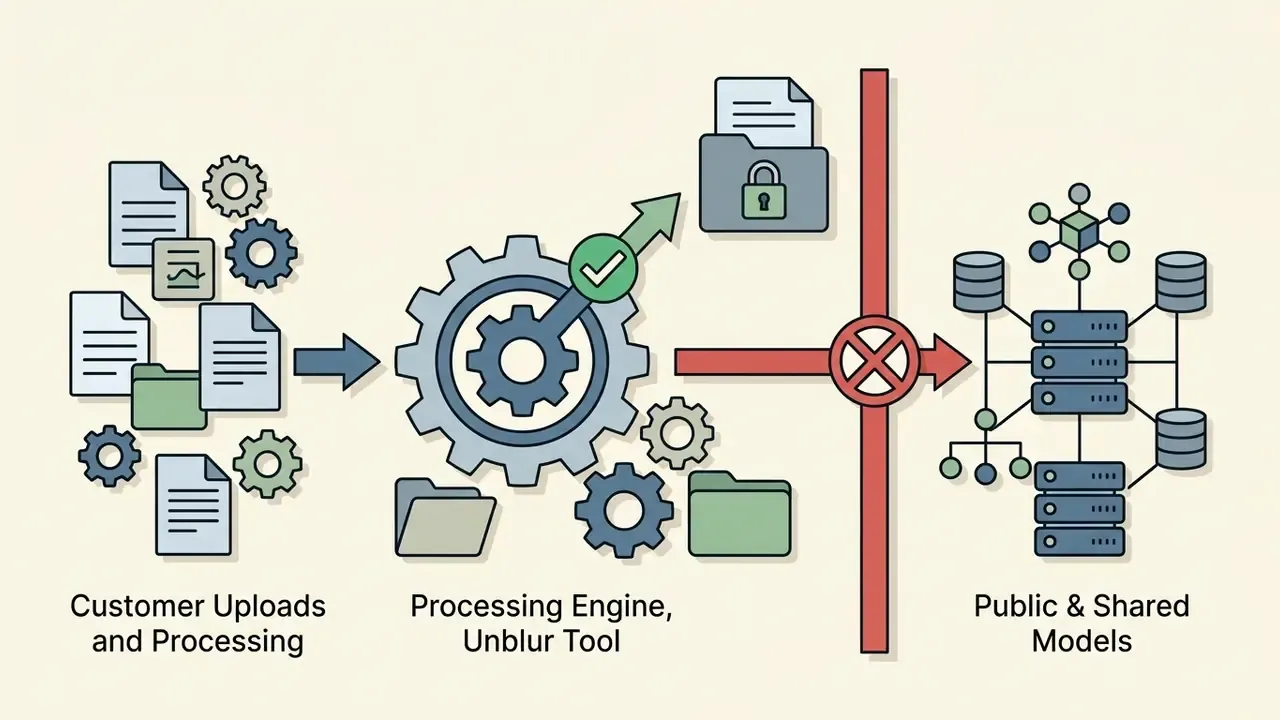
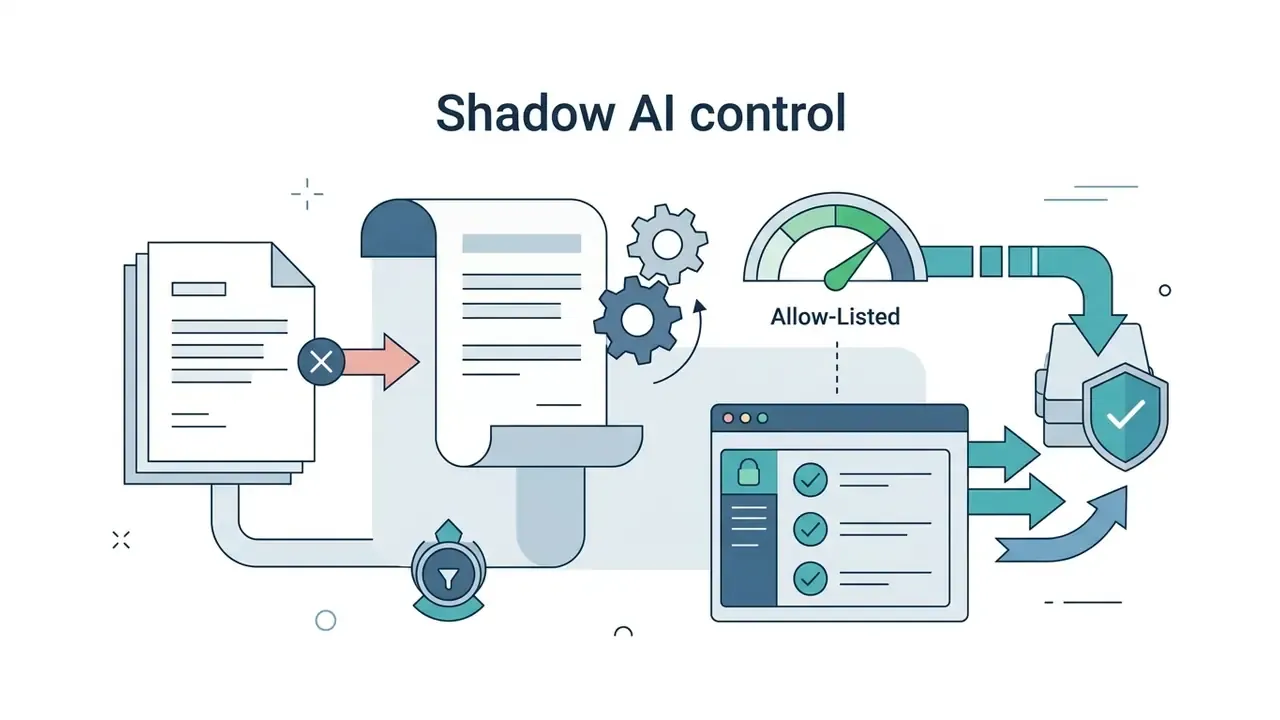
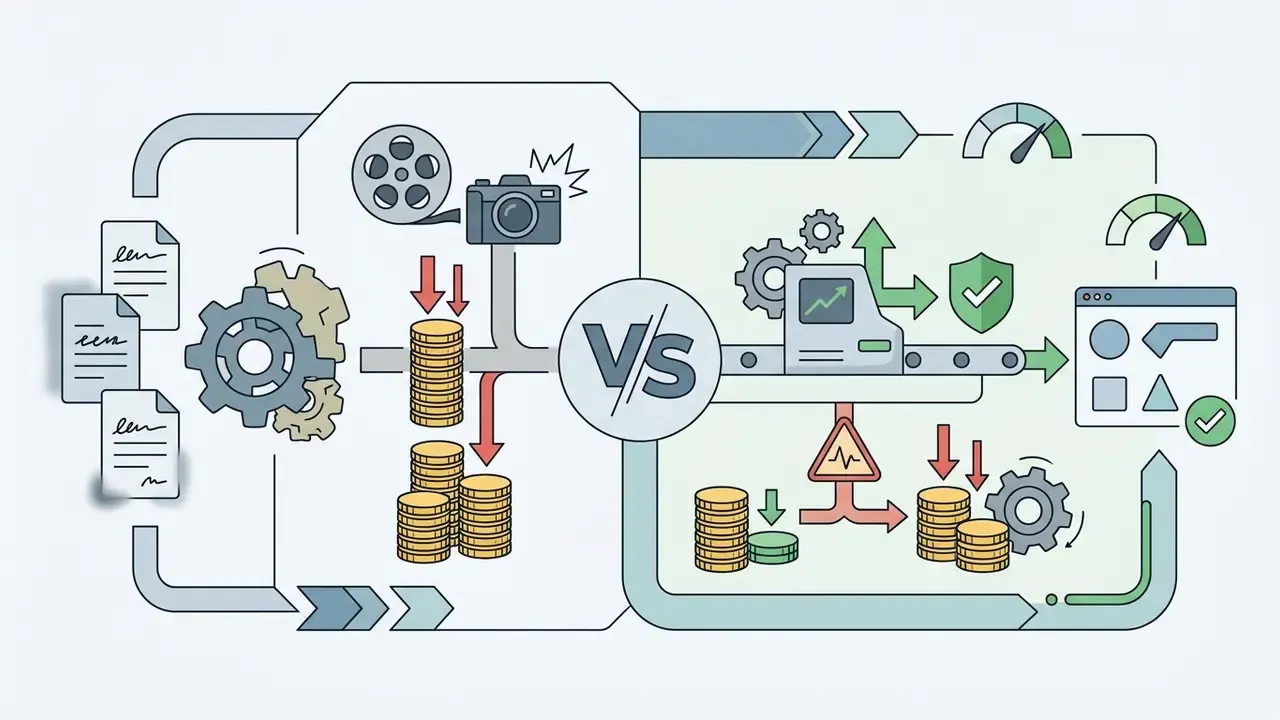
Table: free web deblurring versus Pro and enterprise platforms
| Feature / parameter | Free web tier | Pro / enterprise platform |
|---|---|---|
| Processing volume | Single file uploads, 1 to 3 free daily credits, 10 to 50 MB file cap | Batch queue of 50 to 200 images per pass via web GUI or REST API |
| Maximum resolution | Standard HD cap, typically up to 1024 × 1024 or 2K | High resolution and Ultra-HD (4K, 8K or native RAW) |
| Supported formats | JPG/JPEG, PNG, WebP, HEIC/HEIF | JPG/JPEG, PNG, WebP, HEIC/HEIF, TIFF and camera RAW |
| Aspect ratio control | Automatic, limited presets (1:1, 4:3, 16:9) | Locked source ratio, custom framing, logged geometry parameters |
| Watermark policy | May include a vendor watermark on free exports | Watermark-free commercial exports |
| Data privacy and security | Public cloud queue, standard retention windows | Encrypted pipeline (TLS 1.2+ / AES-256), SOC 2 Type II and ISO 27001 attestations, zero-data-retention and non-training agreements |
| Editing and masking controls | One-click automated restoration | Selective brush masking, model selection, density sliders |
| Commercial licensing | Personal or non-commercial use restrictions | Full commercial usage rights and asset ownership |
Note what the table does not claim. Vendor tariffs change monthly, so verify every figure against the current plan page before procurement sign-off.
Where AI Unblur Helps: Photos, Text, Screenshots and Product Images
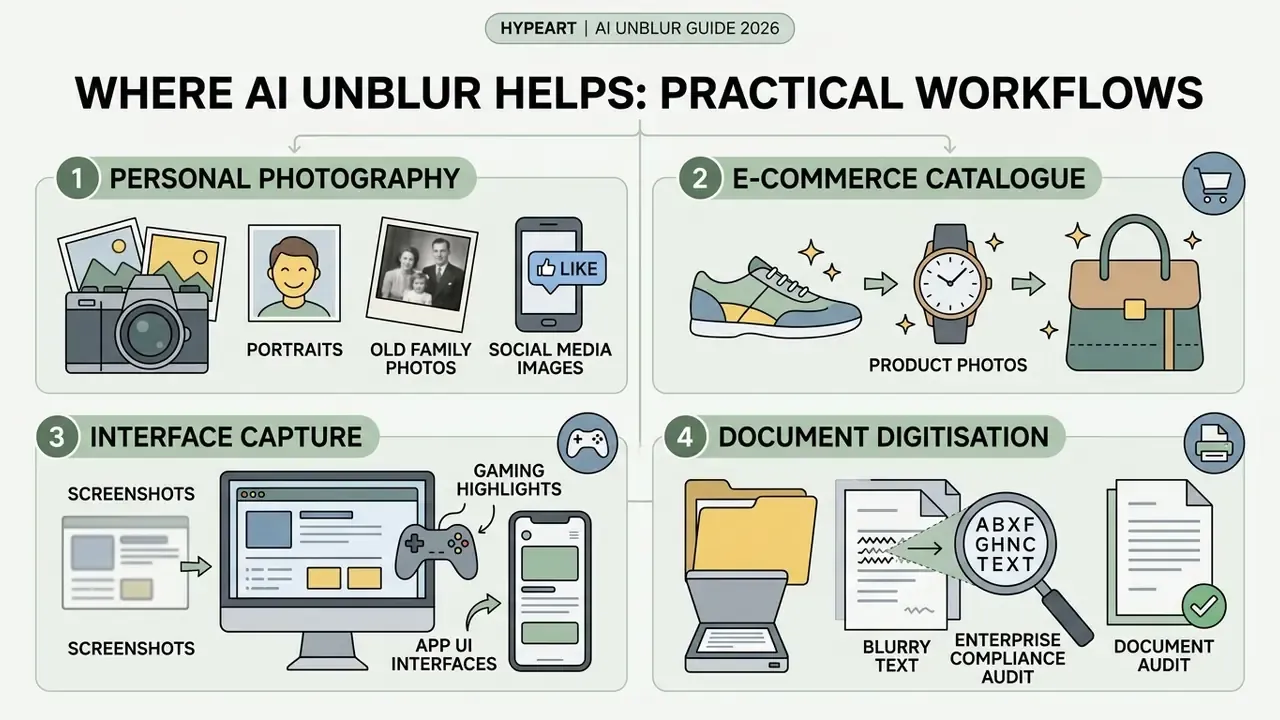
AI deblurring delivers practical value across distinct workflows: personal photography, e-commerce catalogue management, interface capture clean-up and document digitisation. Matching the restoration approach to the asset type is what keeps legibility high and the look natural.
Product Photos, Screenshots and Blurry Text
In e-commerce listings, clear product labels, visible ingredients and sharp packaging detail build buyer confidence. When screenshots or document scans suffer motion smear, document-restoration models such as DocRes (CVPR 2024) reconstruct blurred typography and restore readability for optical character recognition and downstream image-to-text extraction workflows.
«A joint super-resolution and text-deblurring model reached PSNR 20.4 and SSIM 0.877 at ×4 scale, against a baseline PSNR of 15.5.»
Teams that want to compare options across media processing tools, or need selection criteria for a digital editor, can view the guide in the glossary hub before shortlisting an ai image deblurring software vendor.
Unblur Screenshots, Gaming Highlights and App UI Interfaces
For broader restoration pipelines, deblurred historical black-and-white photos route cleanly into AI colourisation models. Motion-deblurring principles also extend to frame-by-frame AI video enhancement for temporal camera jitter, and cleaned stills feed naturally into AI image expansion and outpainting for layout-driven crops.
FAQ About Unblur Image AI Free
Can I Unblur an Image on a Phone Without Editing Skills?
Yes. Modern web-based AI deblurring platforms run directly in mobile browsers on iOS and Android, with no app installation and no design expertise. Users upload a photo from the camera roll, including native HEIC/HEIF captures from iPhone, let the network process the file, and download the sharp output in seconds. Mobile interfaces are upload-and-wait rather than layer-based, so no masks or curves knowledge is needed.
Are Uploaded Images Private and Are There File Limits?
Reputable AI processing platforms enforce privacy protocols, using TLS encryption for transfers and AES-256 storage standards for temporary cloud processing.
Disclaimer: this information is general and does not replace consultation with a data-protection specialist or legal adviser about a specific service's compliance with GDPR, GLBA, HIPAA or other applicable rules.
Uploaded files are typically purged from processing servers within 1 hour to 30 days, and some vendors publish explicit windows, such as deletion 30 days after generation with full account erasure within 14 days. Standard free utilities cap upload size between 10 MB and 50 MB, restrict input resolution to roughly 65 to 250 megapixels to manage server load, and accept JPG/JPEG, PNG, WebP and HEIC/HEIF. Enterprise buyers should require zero-data-retention terms, SOC 2 Type II or ISO 27001 attestation, and a written non-training commitment before any client-identifying asset is uploaded.
Can I Use an AI Unblur Tool on Mobile Devices Without Installing Apps?
Yes. Web-based tools run in Safari and Chrome on both iOS and Android. Processing happens on cloud servers, so users upload, enhance and download clear images without native apps or manual editing parameters. Battery-heavy local inference is avoided, which matters on older handsets.
What File Formats and Size Limits Apply to Free Online Deblurring Tools?
Most free online utilities support standard web raster formats, meaning JPG, JPEG, PNG and WebP, plus Apple high-efficiency HEIC and HEIF captures from iPhone and iPad. Upload limits generally run from 10 MB to 50 MB per asset, with maximum resolution caps between roughly 65 and 250 megapixels depending on the vendor's free tier.
How Many Images Can I Deblur at Once in a Batch?
Free tiers normally process one file at a time with 1 to 3 daily credits. Paid and enterprise platforms run batch queues of 50 to 200 images per pass through a web interface or REST API, analysing each file independently so mixed blur types in one upload are still handled correctly. For large batches, inspect a defined QA sample instead of assuming uniform output quality.
Will Unblurring Change My Image Dimensions or Crop the Frame?
A correctly configured pipeline preserves the original dimensions. Lock the source aspect ratio, or select a preset such as 1:1, 4:3 or 16:9, before processing, so edge-detection kernels do not stretch subject features or distort typography during upscaling. Log the chosen ratio so restored assets can be reconciled against the master file.
Can AI Fix Blurry Screenshots and Gaming Captures?
Yes, with caveats. Screenshot degradation comes from display scaling, sub-sampling and messenger re-compression, and it affects geometric lines and sub-pixel text rather than organic textures. UI-focused models sharpen icon borders, HUD graphics and rasterized labels, though heavily compressed re-shares limit recoverable detail. Start from the original capture and verify every restored number or label against a second source.
How Does AI Deblurring Differ From Standard Unsharp Masking?
Unsharp masking applies a fixed mathematical high-pass filter that boosts local edge contrast, which often amplifies background noise and creates harsh halos. AI deblurring uses deep networks trained on image datasets to analyse structural context, infer missing detail and synthesise realistic sharp features without magnifying grain. The trade-off: synthesised detail is statistically plausible, not forensically guaranteed.
Can AI-Restored Images Be Used as Evidence or in Regulated Decisioning?
Treat them as readability aids, not source records. Because severe blur makes recovery a many-to-one inverse problem, reconstructed text and facial detail reflect the model's training distribution. Retain and cite the untouched master, document processing parameters, apply human dual-review to any extracted values, and follow internal model-risk policy aligned with SR 11-7 and OCC 2011-12 expectations.
What Is a Safe First Step for a Regulated Team?
Start narrow. Pick one low-sensitivity asset class, such as marketing archive stills, run it through the validation checklist above, and measure rejection rates for a month. If the rejection rate is stable and the log is complete, extend to document legibility work with dual-read controls. If it is not, the problem is the process, not the model.
Appendix A: Superseded Source Attributions and Revision Notes
Retained for traceability and version control of this guide:
- Theoretical boundary citation
- originally attributed solely to Microsoft Research (2013), Nonlinear Camera Response Functions and Image Deblurring. The mathematical model remains valid and is retained; this edition adds Khademi et al., A Comprehensive Survey on Deep Neural Image Deblurring (2023) as the in-window supporting reference.
- Generative synthesis citation
- originally Deep Image Deblurring: A Survey, arXiv (2022). Superseded in the main text by Khademi et al. (2023); the 2022 survey remains a valid secondary reference.
- Input-quality citation
- originally Whyte et al. (2011), Deblurring Shaken and Partially Saturated Images. The saturation finding is retained in the body text; the generalisation claim now cites Khademi et al. (2023).
- Sharpening-threshold citation
- originally IS&T Digital Image Sharpening Report without year. Retained as applied-practice provenance for the 130% to 150% band, supplemented by Liang et al. (2024) and FADGI (2023).
- Batch-processing table values (previous edition)
- free web tier read "single file; daily quota limits (2 to 5 images)"; Pro and enterprise read "unlimited single and automated batch processing." Both replaced with measured market ranges: 1 to 3 free daily credits, 50 to 200 images per batch pass.
- Format list (previous edition)
- "jpg jpeg, PNG, and WebP." Extended to include HEIC/HEIF for iOS capture parity.
- Navigation block (previous edition)
- contained consumer and entertainment-oriented generator links unrelated to a media-risk readership; removed and replaced with workflow, comparison and glossary resources.
Internal Resource Navigation and Media References
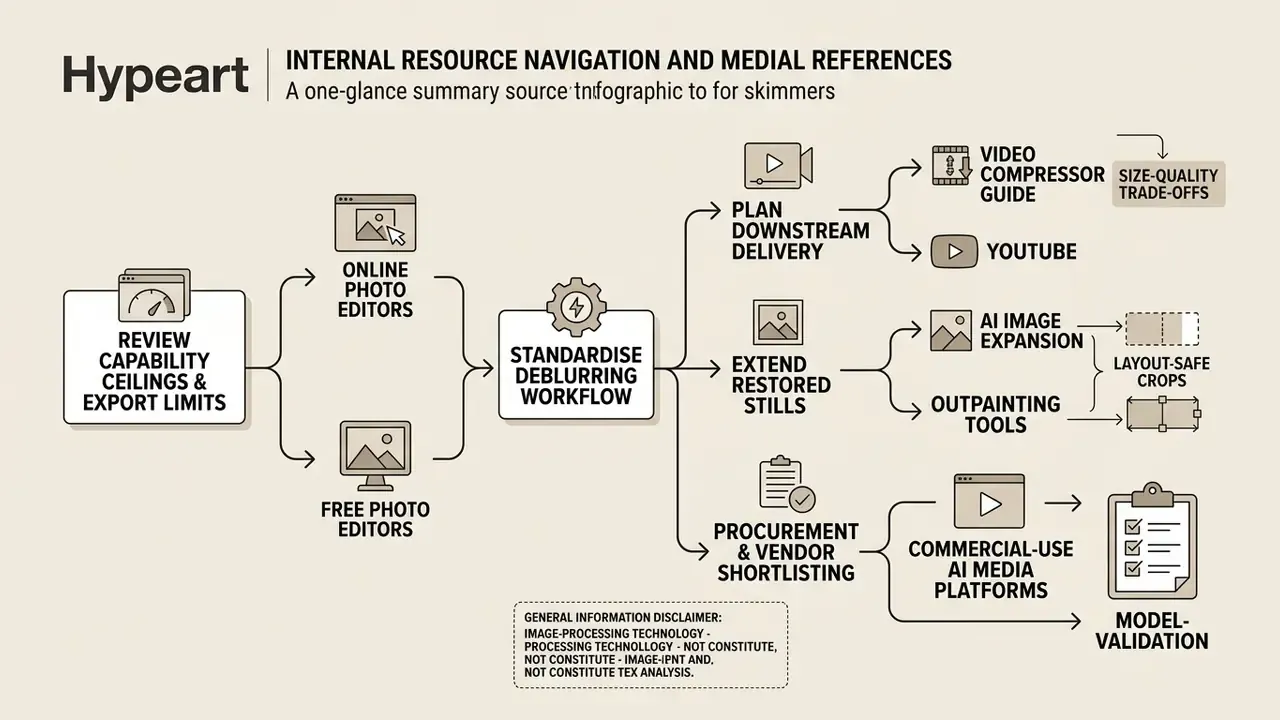
- Review capability ceilings and export limits across online photo editors and free photo editors before standardising a deblurring workflow.
- Plan downstream delivery with the video compressor guide for size-versus-quality trade-offs, or the YouTube editing workflow guide for publishing pipelines.
- Extend restored stills into layout-safe crops with AI image expansion and outpainting tools, or keep portrait rendering consistent with the AI headshot generator guide.
- For procurement and vendor shortlisting, compare options across commercial-use AI media platforms and check plan-level licensing before deployment.
General information disclaimer: this article covers image-processing technology and does not constitute legal, compliance, forensic or financial advice. Organisations in regulated sectors should validate any AI restoration workflow with their model-risk, privacy and legal functions before production use. Audience assumptions in this guide remain hypotheses until supported by analytics, interviews or verified customer research.