"Organizations face risks from generating synthetic content... Provenance data tracking techniques, including watermarking and metadata recording, can help reduce these risks."
Free generative AI image models convert text descriptions and reference images into synthetic visual assets without upfront software costs. For content creators, designers, marketing teams, and the risk managers who sign off on their tooling, evaluating a free online image generator means checking four things: output fidelity, generation latency, data-retention policy, and usage rights.
This guide covers the full operational path. How diffusion pipelines read prompts. Which base engines are worth benchmarking. What "free unlimited" actually means once you hit production volume. How image-to-image workflows behave against real file limits. And which licensing and disclosure rules apply before a synthetic asset reaches a paying customer.
Five findings that shape everything below:
- Free access is a rate-limited entitlement, not an unlimited service level. Quotas are the product.
- The base engine matters more than the interface name, because most free web tools are thin front-ends.
- "No watermark" and "licensed for commercial use" are different claims, and they often do not travel together.
- Prompt structure reallocates model attention; it is not decoration.
- Provenance has to be created at generation time, because post-hoc detection is unreliable.
What is Free Generative AI and How Images Are Created
Free generative AI refers to machine learning models that generate synthetic media from text prompts or input files under free tiers, daily quotas, or open-source licenses. These systems map high-dimensional prompt embeddings to learned visual feature distributions to synthesize original images.
The economics are quota-based rather than truly free. Adobe Firefly, for example, publishes a free plan with a fixed volume of daily generations for images, video, and audio, with additional generations requiring a paid subscription (Adobe, Firefly product page, https://www.adobe.com/products/firefly.html). Other vendors publish comparable caps: Magnific advertises up to 20 free images per day with commercial use allowed, while Krea allocates free daily credits with limited upscaling and limited LoRA training. Free access is therefore a rate-limited entitlement, not an unlimited service level.
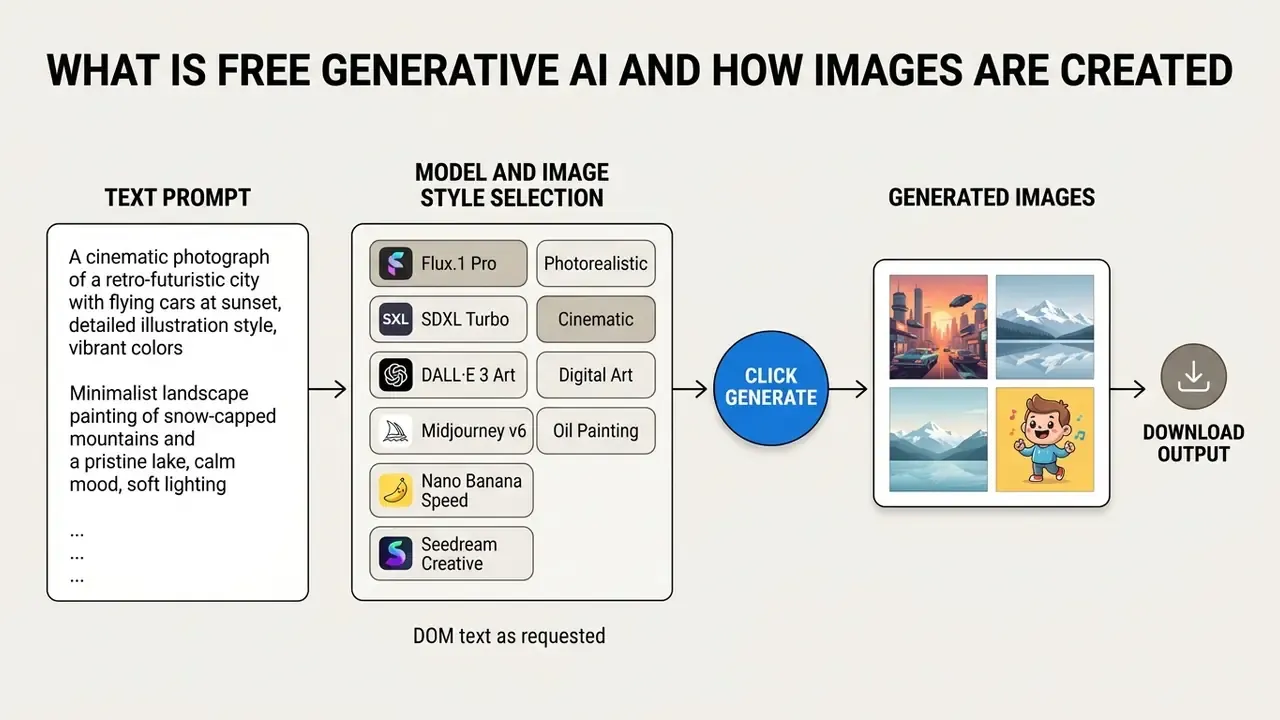
Text-to-image: How Generators Interpret Text Descriptions
Text-to-image pipelines use pretrained language encoders, such as CLIP or LLM-based prompt encoders, to parse input descriptions into latent vectors. These vectors then guide diffusion denoising steps to synthesize new images matching the text prompt.
"CLIP-conditioned diffusion models reach FID scores of roughly 7–12 on MS-COCO, indicating high distributional proximity between synthetic and real photographs."
Newer architectures push semantic conditioning further. The ELLA method introduces a Timestep-Aware Semantic Connector that injects large-language-model semantics during the denoising schedule, improving handling of long, dense prompts without retraining the U-Net or the language model (ELLA: Equip Diffusion Models with LLM for Enhanced Semantic Alignment, arXiv, 2024). Two-stage LLM-grounded diffusion pipelines take a different route. The prompt is first converted into captioned bounding boxes, then a controller generates the image from that layout, which materially improves spatial obedience.
Research also documents where the pipeline breaks. According to the GenAI-Bench evaluation study, diffusion models process complex text descriptions through cross-attention mechanisms, yet models frequently struggle with precise multi-object relationships and exact spatial constraints.
"GenAI-Bench evaluated 1,600 compositional prompts and showed that even DALL·E 3 and SD-XL systematically fail on object counting and logical constraints."
Cross-attention heatmap studies published in 2025 explain why phrasing carries so much weight: content tokens tend to drive object regions, while style tokens tend to drive texture and background. Rewriting a prompt does not merely ask nicer. It reallocates attention mass across the canvas.
When a user types "can you create an image for me?", the platform routes that text description to an auto AI generator backend. The system calculates semantic distance between prompt vectors and generated features, then returns the candidates closest to the requested high quality images.
AI Art, AI Photo, and AI Picture: What Images Can Be Created
Generative AI platforms produce diverse visual formats, including stylized AI art, photorealistic AI photos, and functional product shots. The underlying generative models adapt output styles based on prompt constraints and fine-tuned visual weights.
Worth noting: "AI art", "ai photo", "ai picture", and marketplace slang such as "ai easy pic" or "ai h image generator" are informal market labels rather than a formal taxonomy. Official documentation from NIST and from model vendors classifies outputs as synthetic content produced by image generators, graded by fidelity to the prompt.
- AI Art Stylized illustrations, digital paintings, and concept art synthesized using artistic medium keywords. Readers building a style library can review our overview of AI art generators and their capabilities to map medium keywords to engine behavior.
- AI Photo Photorealistic images imitating camera optics, lighting depth, and natural texture details. Portrait-specific pipelines are covered in our guide to AI headshot generators.
- Product Shots Commercial asset renders designed for marketing, e-commerce, and digital branding, replacing physical packshot photography for catalog and ad placements.
- Concept Art Pre-production visual development for games, film, and campaign pitches, where speed of iteration outweighs final-render polish.
- Stunning Visuals for Editorial Use Cover art and section illustrations where an image style brief matters more than literal accuracy.
"HRS-Bench (ICCV 2023) benchmarked 9 models across 13 skills in 50 scenarios; automatic metrics agreed with human judgments in roughly 95% of cases."
That benchmark confirms the practical takeaway. One base model can generate both abstract art and photorealistic pictures depending on conditioning parameters, so tool selection should follow controls and licensing rather than marketing labels. Operators seeking specialized workflows can compare architecture performance across model classes.
How to Choose the Best Free AI Image Generator
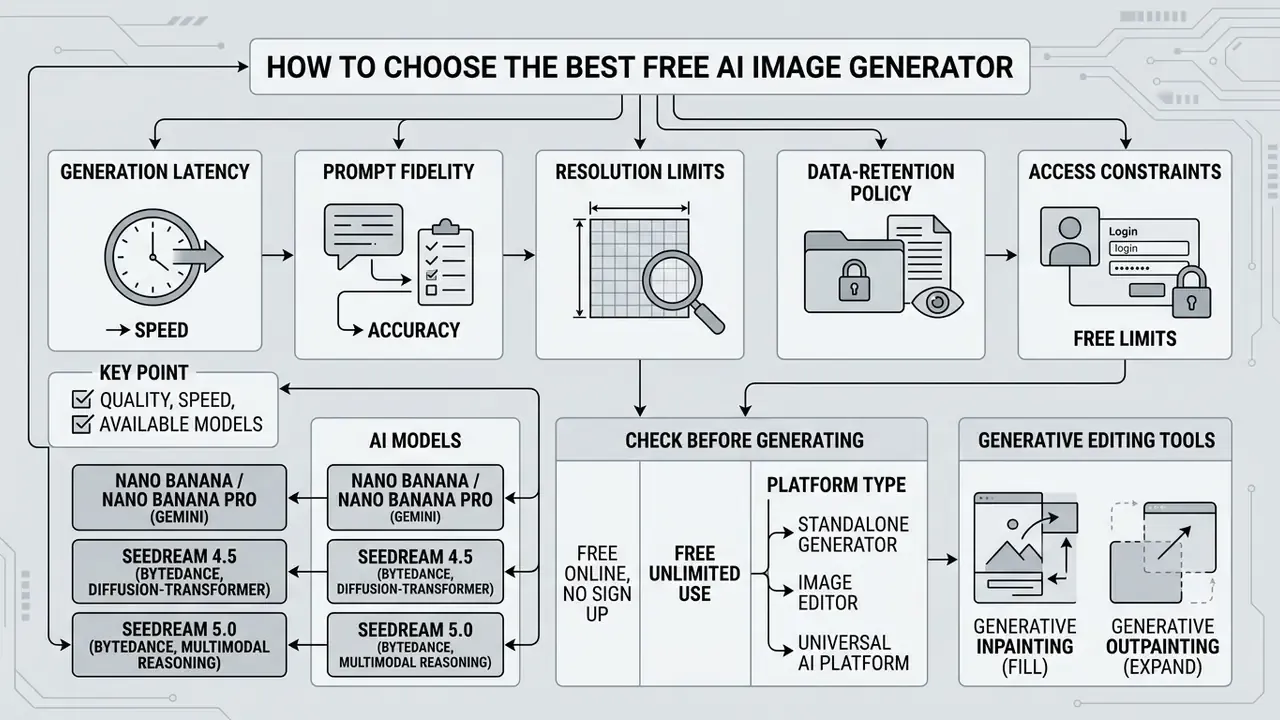
Selecting the best free AI image generator requires evaluating generation latency, prompt fidelity, resolution limits, data-retention policy, and access constraints. Decision-makers balance speed against model complexity and privacy requirements. Teams building a shortlist can start from our roundup of the best free AI art generators, which scores output quality, watermark policy, and export limits side by side.
A defensible evaluation framework mirrors academic practice. ICE-Bench scores image generators across six dimensions, including aesthetic quality and imaging quality, which gives buyers a ready-made rubric: aesthetic quality, prompt fidelity, text rendering inside images, output diversity, latency in seconds, and hard quota behavior.
Quality, Speed, and Available AI Models
Model architecture determines generation speed and visual detail. Most free web generators sit on top of a small set of commercial and open-weight engines, so knowing the base model tells you more than the interface name ever will.
| AI Model / Engine | Developer | Primary Strength | Ideal Use Case | Typical Max Resolution (free access) |
|---|---|---|---|---|
| Flux.1 (Dev / Schnell) | Black Forest Labs | Anatomy, prompt adherence, in-image text rendering | Photorealism and typography | ~2K native |
| Midjourney v6 | Midjourney | Artistic coherence, lighting, cinematic depth | Concept art and banners | 1024×1024 (paid tiers for commercial rights) |
| Stable Diffusion XL (SDXL) | Stability AI | Open-weight control, LoRA fine-tuning, on-premise deployment | Custom style pipelines, private sandboxes | Flexible (local/cloud), optimized at 1024×1024 |
| DALL·E 3 / GPT image models | OpenAI | Complex multi-object spatial reasoning, chat-driven iteration | Rapid concepting and editing by instruction | 1024×1024, 1536×1024, 1024×1536 |
| Recraft V4 | Recraft | Vector graphics, brand color matching | SVG/icon design and branding systems | Vector / 4K raster |
| Adobe Firefly | Adobe | Commercially safe training data, reference-image editing | Enterprise marketing assets | Free daily generations on a free account |
| Ideogram | Ideogram | Legible typography inside images | Posters, logos, text-heavy creatives | 1024×1024 class |
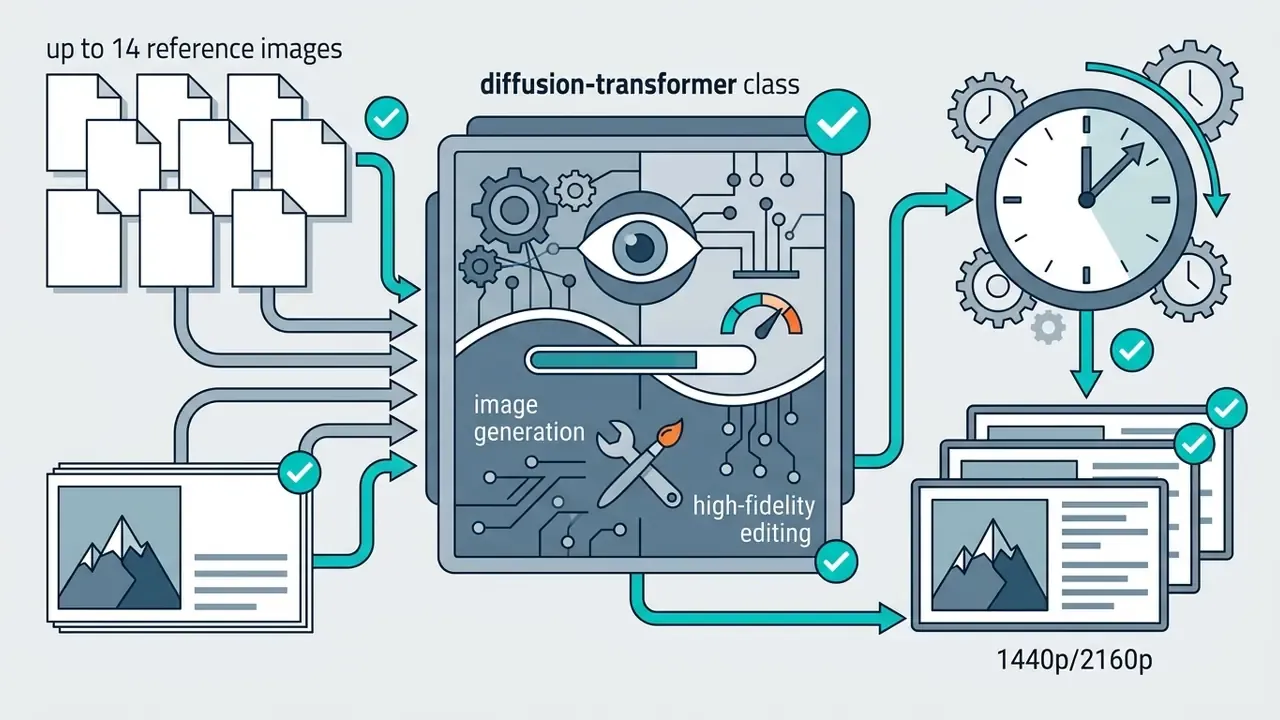
Alongside these, platform-specific engines exposed by many free editors include Nano Banana / Nano Banana Pro (Google's Gemini-based native image generation family, documented in Google AI Studio with text, image, and video inputs and up to 4K output) and Seedream 4.5 / Seedream 5.0 (ByteDance Seed's image model line, positioned as unified multimodal generation and editing systems).
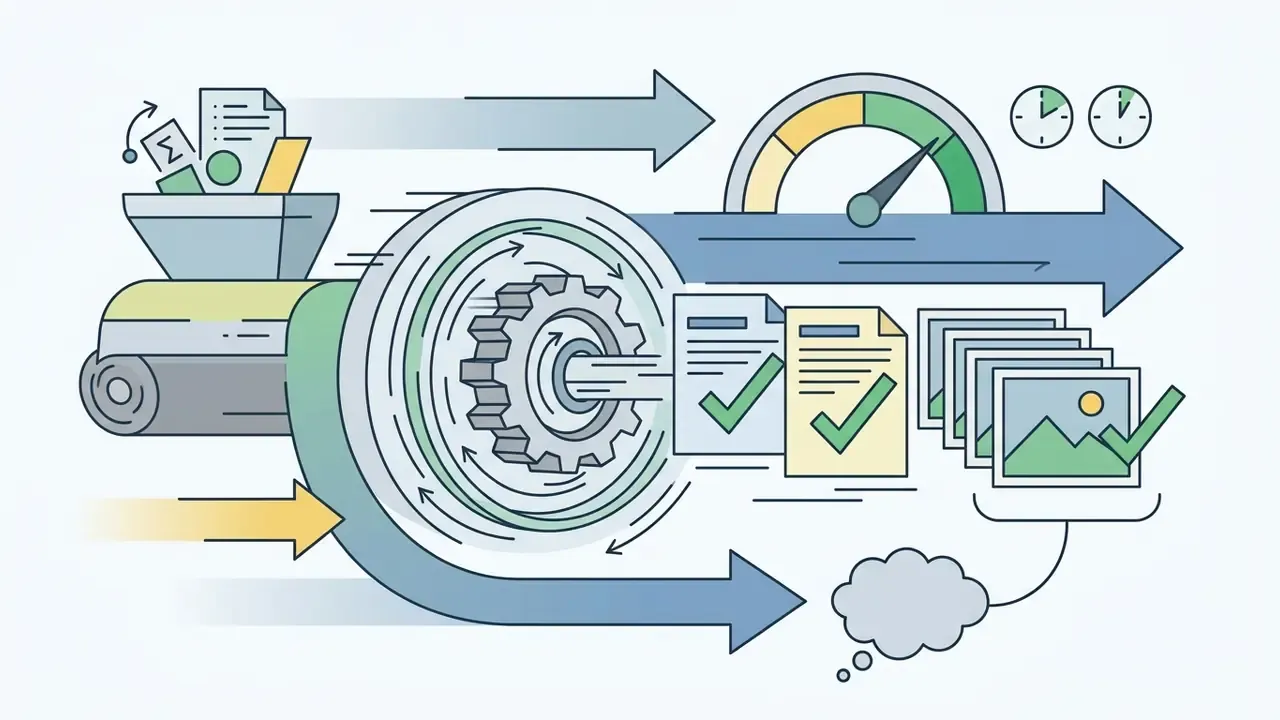
Reported timings diverge between sources because some measure plain prompts while others include search-augmented or heavy multi-reference edits. Benchmark on your own prompt set before you commit a workflow.
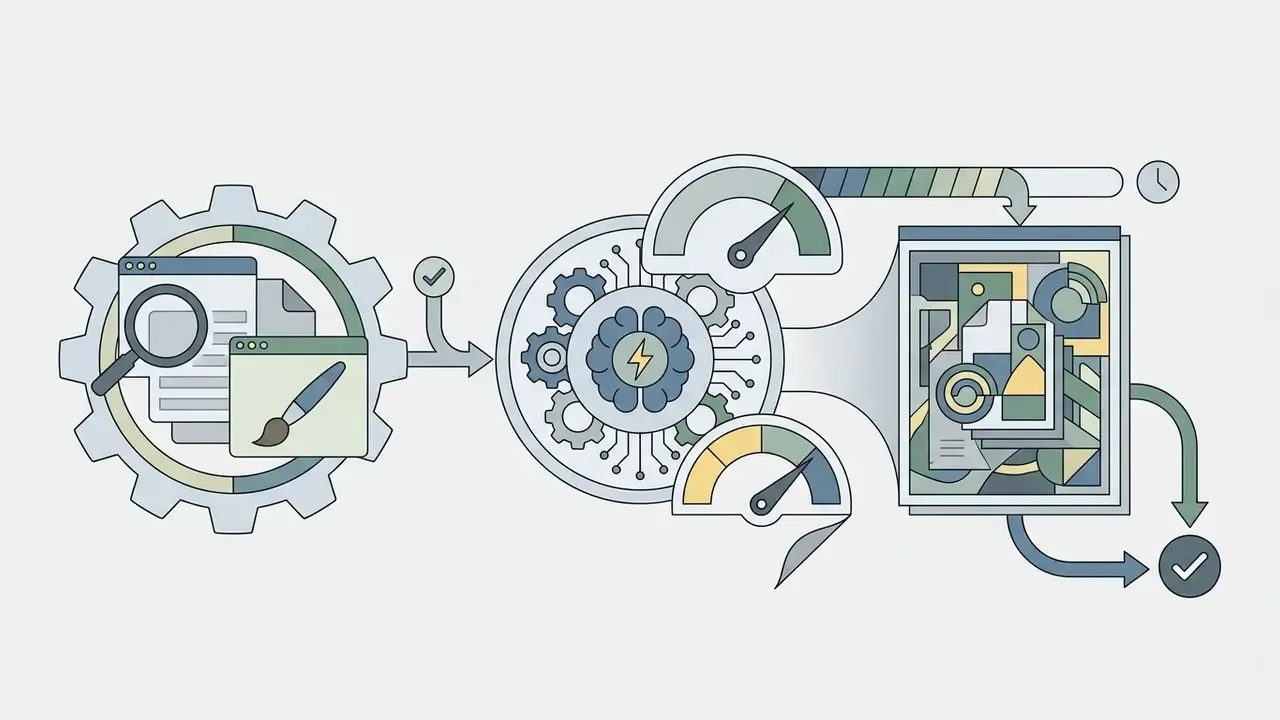
"On IDEA-Bench (2024), the best general-purpose model scored only 6.81 out of 100 on professional design tasks."
That single score is the most useful reality check in this article. Free generators are excellent ideation engines and unreliable substitutes for a professional designer on multi-constraint briefs. Model choice therefore follows the job: a Flux-class engine for photoreal typography, a vector engine for brand marks, an editing-first engine for packshot revisions. For a direct head-to-head on subscription engines, see our evaluations of Midjourney image generation versus competing tools and ChatGPT image generation versus alternatives.
Free Online, No Sign Up, and Free Unlimited: What to Check Before Generating
Free online tools often market "unlimited access" or "no login required", but hidden technical constraints usually apply. Anyone evaluating a free picture generator should inspect rate limits, watermark policy, and resolution restrictions before standardizing on it.
Vendor language is frequently inconsistent with itself. Services advertising "no login, unlimited free generations in basic mode" simultaneously sell a separate "Fast Mode", which is speed-tier segmentation under another name. Others state "free and unlimited daily generations on select models" while routing premium frontier models through credits. Meanwhile, provider documentation for hosted image APIs defines rate limits by model and usage tier, so both speed and availability shift with quota state rather than a fixed public number.
Watermark and license claims deserve the same scrutiny. Public 2026 vendor pages advertising "no watermark, no registration" coexist with plan terms that restrict free output to personal use only. Several video and image platforms explicitly forbid commercial use on the free tier or block watermark removal. "Watermark-free" does not imply "commercially licensed."
| Free-tier attribute to verify | Why it matters | Where to confirm |
|---|---|---|
| Daily / monthly generation cap | Determines whether the tool can support production volume | Pricing page + help-center quota table |
| Export resolution ceiling | Print and OOH use needs ≥2K; web needs 1K | Export dialog, not the marketing page |
| Watermark policy | Visible marks block commercial placement | Terms of use + test export |
| Commercial rights on the free plan | Many free tiers are personal-use only | Terms of service, AI product terms |
| Training on user inputs | Prompt and upload data may be reused for model training | Privacy policy / data-usage clause |
| Data retention window | Some tools purge history after 24 hours; others store indefinitely | Privacy policy + product UI notice |
| Account requirement | Anonymous access often restricts model choice | Test the unauthenticated flow |
Test throughput limits directly instead of trusting vendor promises, and record the tested behavior with a date stamp. Readers evaluating no-account workflows can also compare access rules described in our guides to Microsoft AI Image Generator and Bing AI image creation.
Standalone Generator, Image Editor, or Universal AI Platform
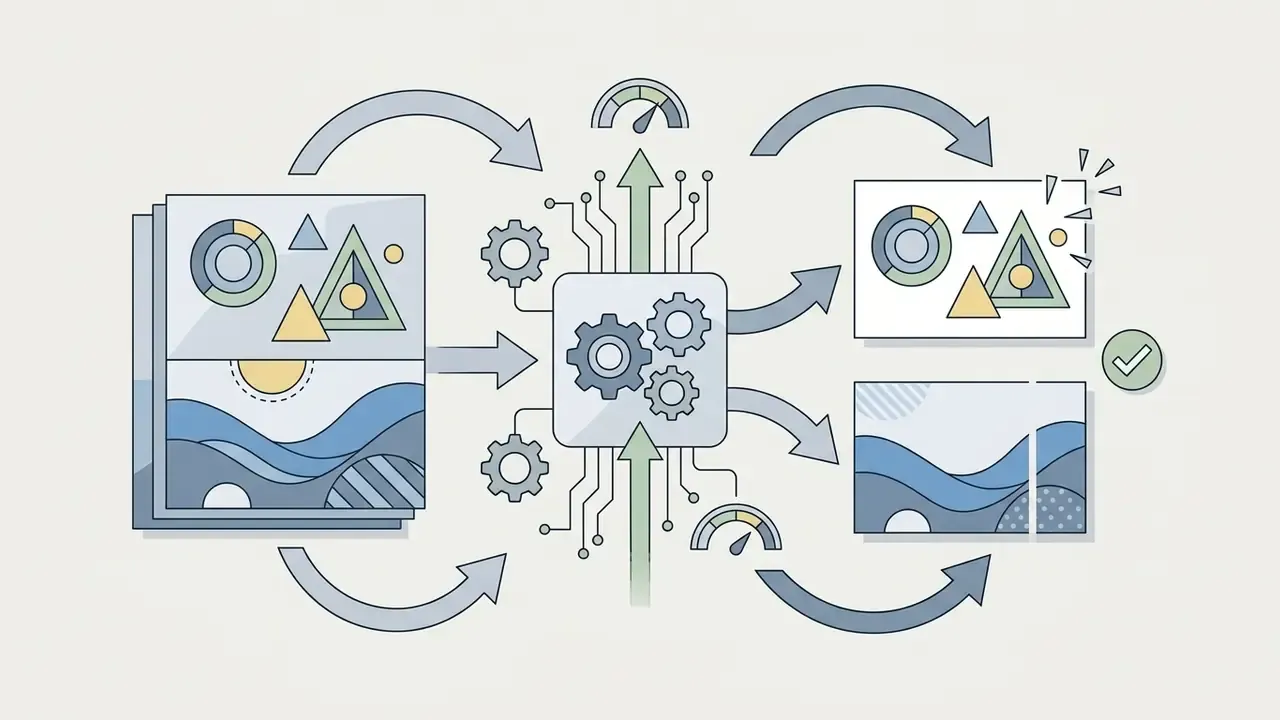
Three tool classes get lumped together in procurement conversations, and they serve different intents. The difference is functional rather than regulatory: editors operate on existing pixels with masks and subject/background tools, while multimodal platforms unify generation plus editing across tasks.
- Standalone AI Generator: Converts text prompts directly into generated images via a web interface.
- AI Image Editor: Operates on existing pixels using tools like generative fill, object removal, and background replacement.
- Universal AI Platform: Combines text-to-image generation, video generation, audio synthesis, and document processing into one system.
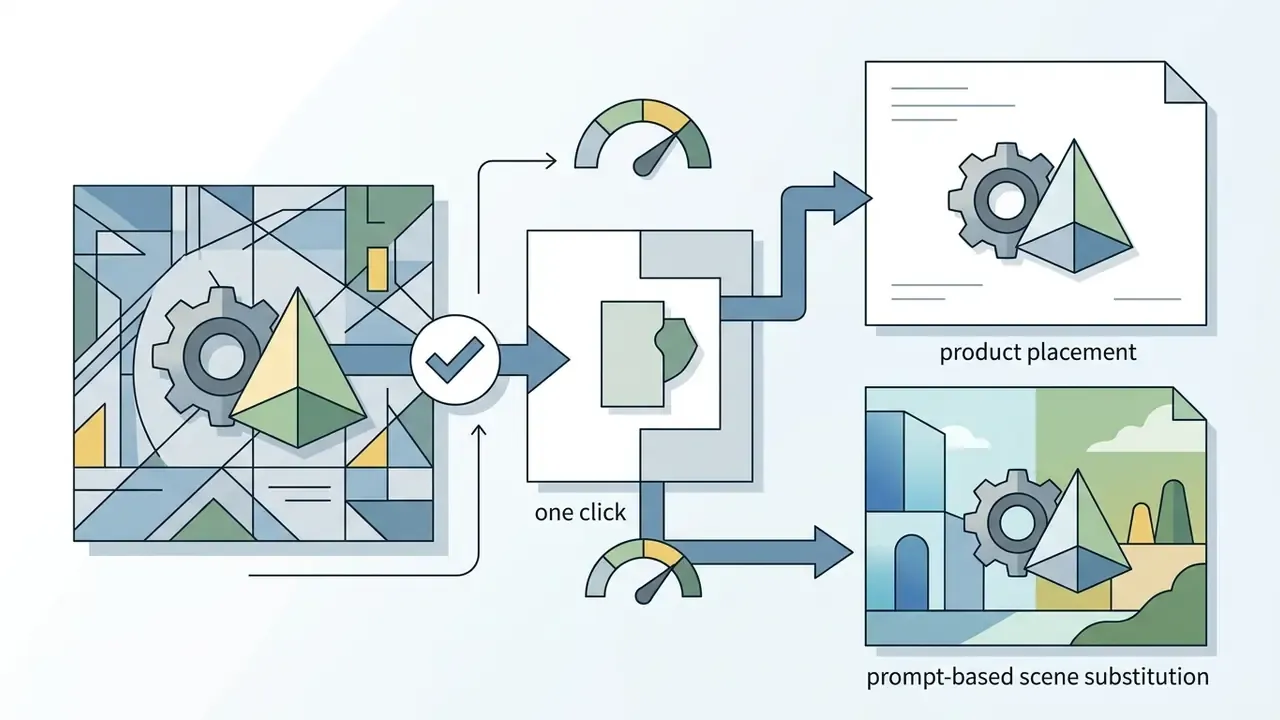
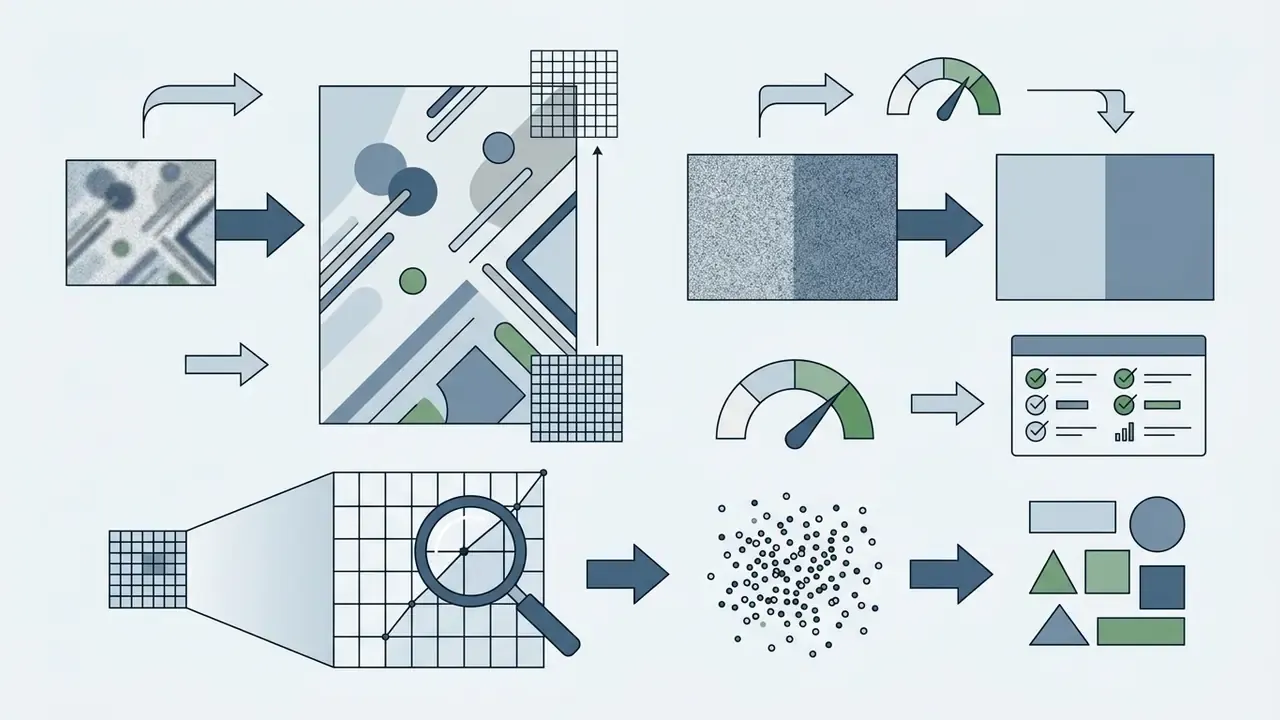
Modern free editors have absorbed capabilities that previously required desktop software. A competitive AI editing suite now includes:
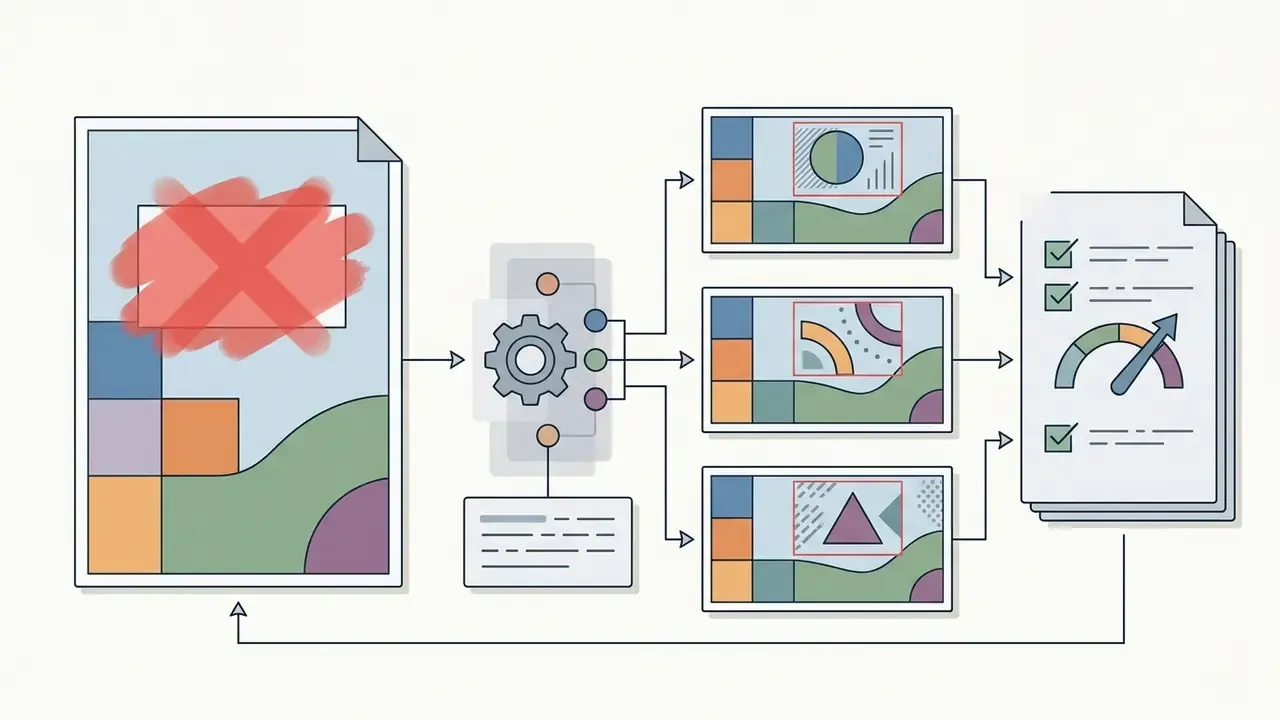
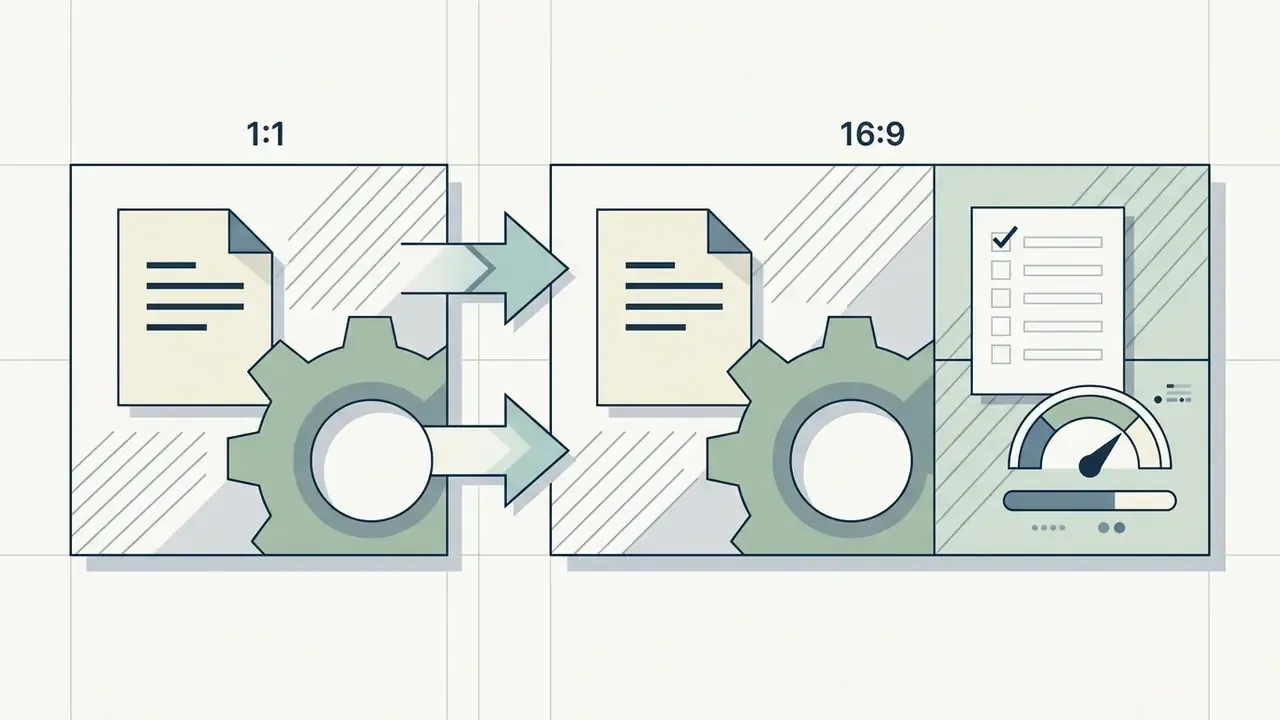
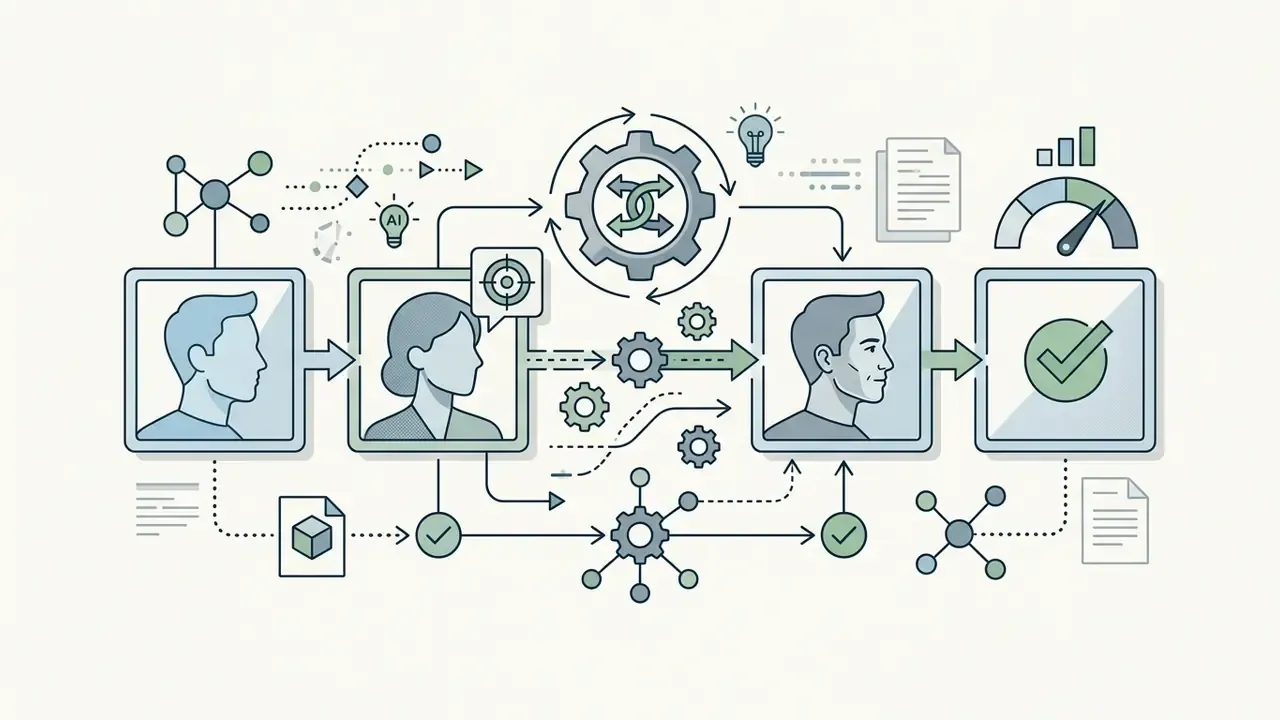
Teams that need specialized asset modification can review our detailed guide to free photo editors with non-destructive editing for feature limits, export restrictions, and paid upgrade thresholds, or our broader online photo editor overview for pricing and platform support.
| Feature / Metric | Standalone AI Generator | Integrated AI Image Editor | Universal AI Platform |
|---|---|---|---|
| Primary Input | Text prompts | Existing images + selection masks | Text, images, video, audio |
| Core Functions | Synthetic image creation | Generative fill, background removal, expand | Multi-modal asset generation |
| Typical Latency | 5 to 15 seconds | 3 to 10 seconds per edit region | Variable (task-dependent) |
| Access Models | Free online, no sign up tiers | Freemium browser tools | Subscription / Enterprise API |
| Commercial Rights | Varies by platform terms | Dependent on source image rights | Tier-based licensing |
| Best For | Ideation, variants, moodboards | Fixing 5 to 10% of a near-final asset | Campaign-scale multi-format production |
How to Create an AI Image: A Step-by-Step Guide from Prompt to Download
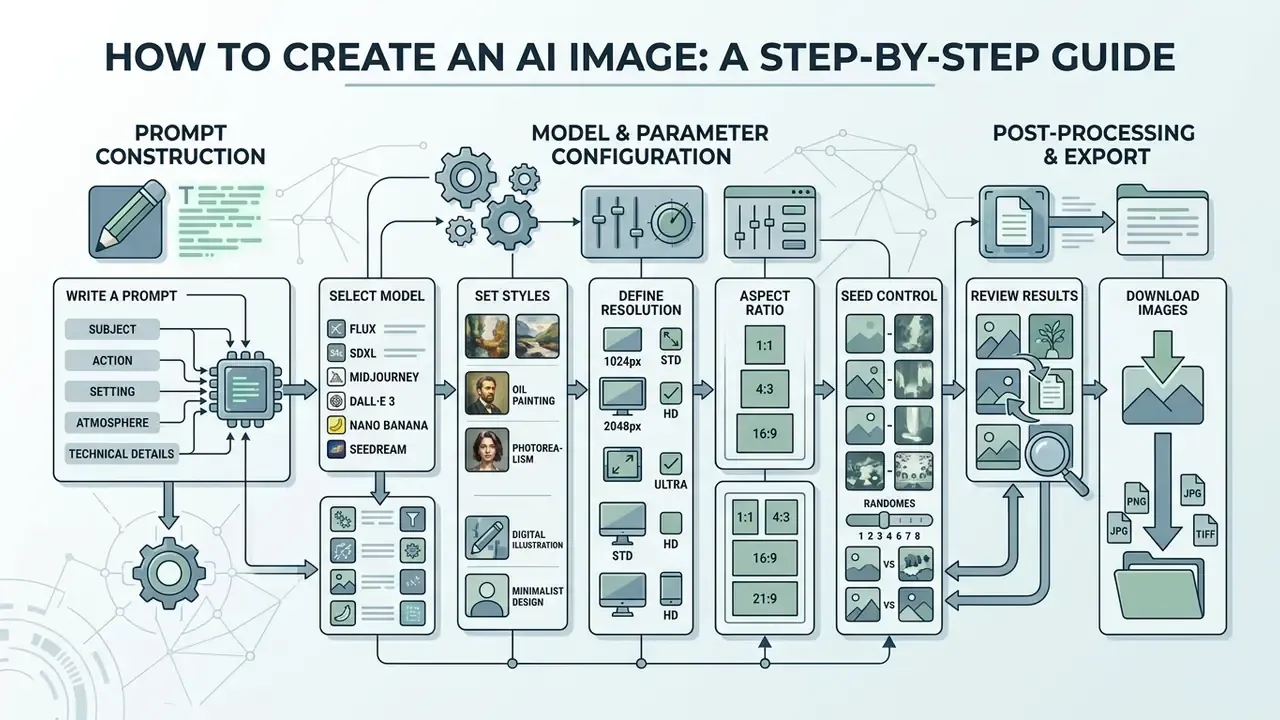
Generating high-quality synthetic media needs a structured pipeline from prompt construction to file export. A standardized workflow reduces generation errors and cuts iterative credit consumption, which matters when the free plan gives you 20 images per day.
How to Write a Prompt for a High-Quality AI Image
Effective text prompts follow a hierarchy: background and scene, core subject, style and medium, lighting and composition, then explicit constraints. Skip abstract buzzwords like "ultra-detailed" in favor of concrete descriptive terms. Vendor prompting guidance notes that camera and composition language typically outperforms generic "8K/ultra-detailed" padding.
"Focus on subject and style keywords rather than connecting words, and generate 3–9 seeds to obtain a representative sample of outputs."
In that experiment, spanning 5,493 generations across 51 subjects and 51 styles, stating subject and style explicitly reduced artifacts and incoherent outputs. So instead of asking "how do i create a ai image of a car", specify: "A front three-quarter view of an electric sedan in a minimalist studio, studio softbox lighting, 35mm lens style, reflective concrete floor, no text."
Two prompting philosophies coexist in the literature, and both are defensible. Academic guidance favors short keyword-dense prompts with multiple seeds; current vendor guides favor an explicitly ordered structure with photographic language. Test both patterns against your own engine before you pick a house style.
Selecting Models, Styles, Resolution, and Aspect Ratio
Configuring parameters before generation keeps outputs aligned to target layouts. Most modern engines support custom aspect ratios and visual presets, but the resolution sweet spot is architecture-dependent: SD 1.5 is optimized at 512×512, while SDXL and FLUX are optimized at 1024×1024 (Runware Docs, Dimensions: image size and aspect ratio).
For developers building custom generation pipelines, the Google Veo implementation guide explains API cost structures and frame parameter controls, and our overview of the Google AI image generator ecosystem documents access tiers and usage rights.
Reviewing Results and Downloading Generated Images
Before you save an output file, inspect it for visual artifacts, anatomical distortions, text rendering errors, and lighting inconsistencies. The right export format preserves image fidelity downstream.
- PNG Lossless, ideal for web graphics, vector-style renders, UI assets, and anything needing transparency.
- JPEG Compressed and lossy, suitable for standard web publishing and social media content where file weight matters.
- WEBP Modern web format balancing compression and quality, widely accepted as both input and output by browser-based generators.
- TIFF Uncompressed and lossless, reserved for high-fidelity print production, CMYK conversion, and archival storage.
- SVG Vector output from vector-native engines, required for scalable logos and icon systems.
After export, resolution upgrades belong to a dedicated stage. Detail-preserving AI upscalers for the final render rebuild micro-texture better than naive interpolation, and consumer platforms commonly support enlargement up to roughly 25 megapixels.
AI IMAGE GENERATION WORKFLOW
Checklist0 / 8
Creating AI Images from Photo: Working with Reference Images
Image-to-image (I2I) generation uses an existing source photo alongside a text prompt to steer composition, pose, or artistic style. The approach keeps structural continuity, which is the difference between "invent a new scene" and "keep this scene, change its treatment."
Before uploading reference images to an online I2I generator, verify that your inputs meet operational thresholds:
- Supported input formats
- JPG, JPEG, PNG, WEBP. Typical maximum file size on free browser tools runs from 20 MB to 24 MB per upload.
- Multi-image fusion
- Advanced engines accept up to 3 simultaneous reference layers in mainstream free tools (structure mask, style reference, pose or face control). High-capacity engines such as Seedream 4.5 document support for up to 14 reference images.
- Output scaling
- Select native target resolutions of 1K (standard web), 2K (high-DPI display), or 4K (print ready), or apply post-generation AI upscaling of up to roughly 25 MP.
- Aspect ratio presets
- 1:1, 3:2, 2:3, 3:4, 4:3, 16:9, 9:16, plus "auto" inheritance from the source file.
- Source quality floor
- Start from a sharp, well-lit reference of at least 1024 px on the short edge. Low-resolution inputs propagate blur into every variant.
- Rights check
- Confirm you own or have licensed the reference photo, including model and property releases where people or branded products appear.
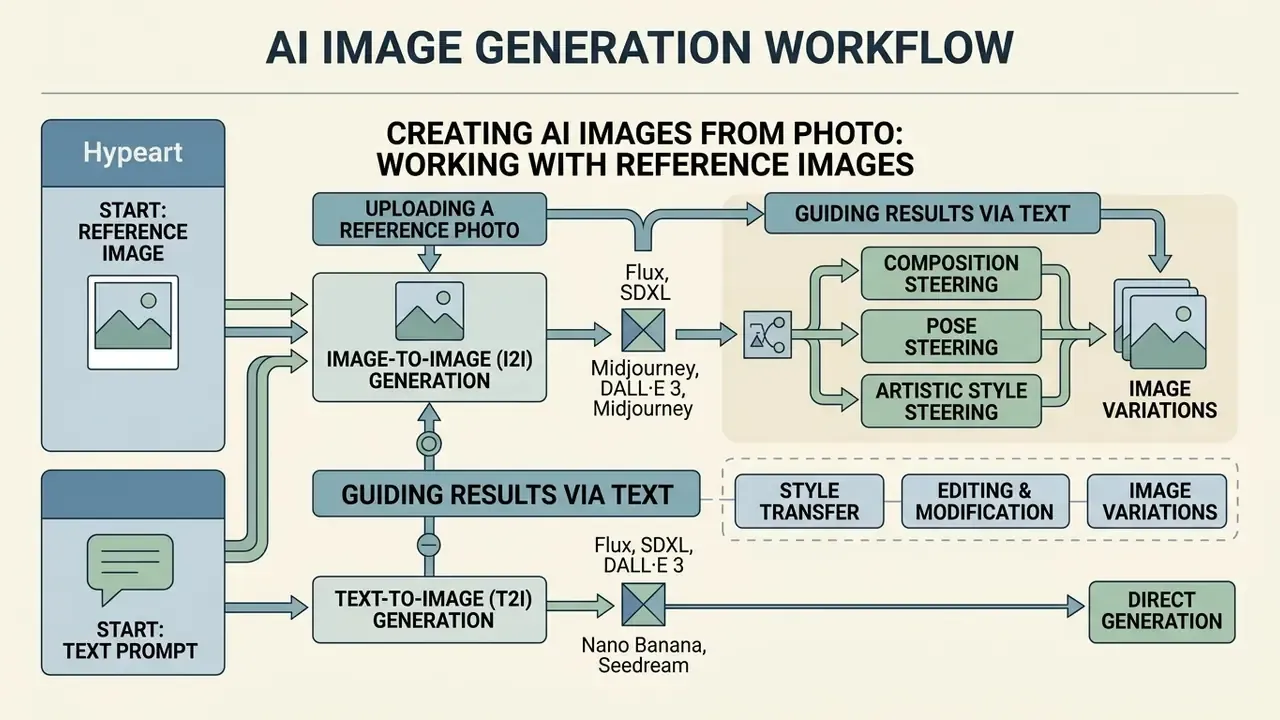
Uploading a Reference Photo and Guiding Results via Text
When creating AI images from photo inputs, the reference image acts as a structural mask, an identity anchor, or a color guide. Text descriptions then instruct the model on modification boundaries.
Vendor documentation converges on two rules. First, upload references through the dedicated image panel and assign each one an explicit role (subject, style, clothing, background), then refer to them by number in the prompt. Second, describe the desired final image rather than issuing edit instructions about the reference. "A marble bathroom with soft window light" outperforms "make the background less boring."
Platforms offering a designer ai image generator interface let users upload a reference photo and assign weight parameters. Higher image weight retains more original geometry; lower weight lets the text prompt drive creative variation. Adobe documents the same mechanic for Generative Fill, where an uploaded reference image guides the generated region.
Readers working on stylized transformations can compare controls in our review of Ghibli-style AI image generators, which scores style accuracy, adjustable strength, and usage rights across tools.
Text-to-Image vs. Image-to-Image: Choosing the Right Mode
| Dimension | Text-to-Image | Image-to-Image |
|---|---|---|
| Required input | Text prompt only | Source or reference image + prompt |
| Compositional control | Model-driven, varies by seed | Inherited from the source image |
| Best for | New concepts, moodboards, blank-canvas ideation | Background swaps, restyling, packshot variants, sketch rendering |
| Identity consistency | Difficult without extra conditioning | High, when identity references are supplied |
| Typical failure mode | Wrong object count or spatial layout | Over-adherence to source, muted stylistic change |
| Rights exposure | Prompt-level risk (trademarks, likenesses) | Adds source-image copyright and likeness risk |
Style Transfer, Editing, and Image Variations
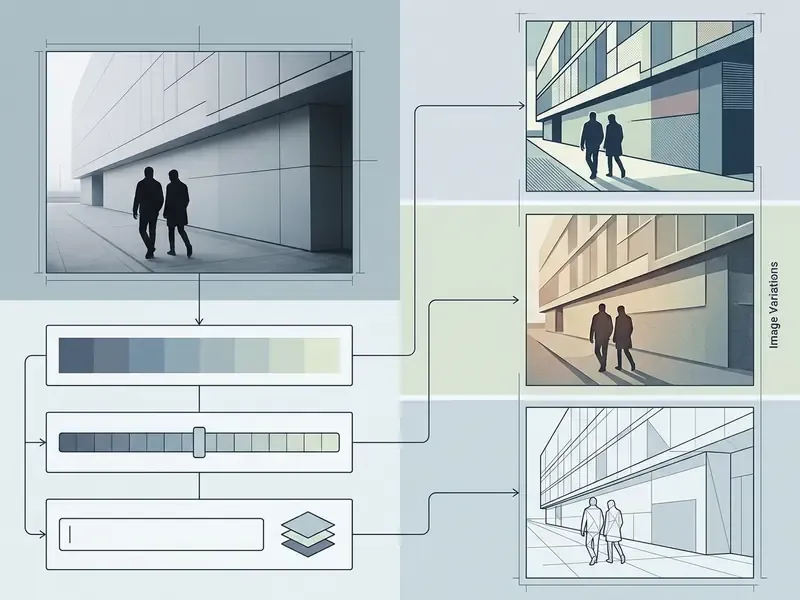
Style transfer algorithms extract artistic textures from a style reference and apply them to the content structure of a source photo. Classical neural style transfer blends a content image with a style reference by optimizing the output to match content statistics and style statistics extracted with a convolutional network, applying total variation loss to suppress high-frequency artifacts (TensorFlow official tutorial).
"LSAST introduces step-aware and layer-aware prompts for diffusion models, producing realistic stylized images with fewer artifacts than GAN-based methods."
In practice, step-aware conditioning preserves structural detail while transferring artistic aesthetics. That is a real advantage over GAN-era approaches, which tended to smear fine geometry. Reference-based composition research follows the same logic: a reference image plus a sketch can complete or edit masked regions while maintaining structure and reference content (Yang et al., Reference-based Image Composition with Sketch via Structure-aware Diffusion Model, arXiv, 2023).
For broader workflow planning, content teams can browse the hub for integrated asset production templates, or study publishing-side pipelines in our YouTube video editor workflow guide.
How to Achieve High Quality Images in a Free AI Generator
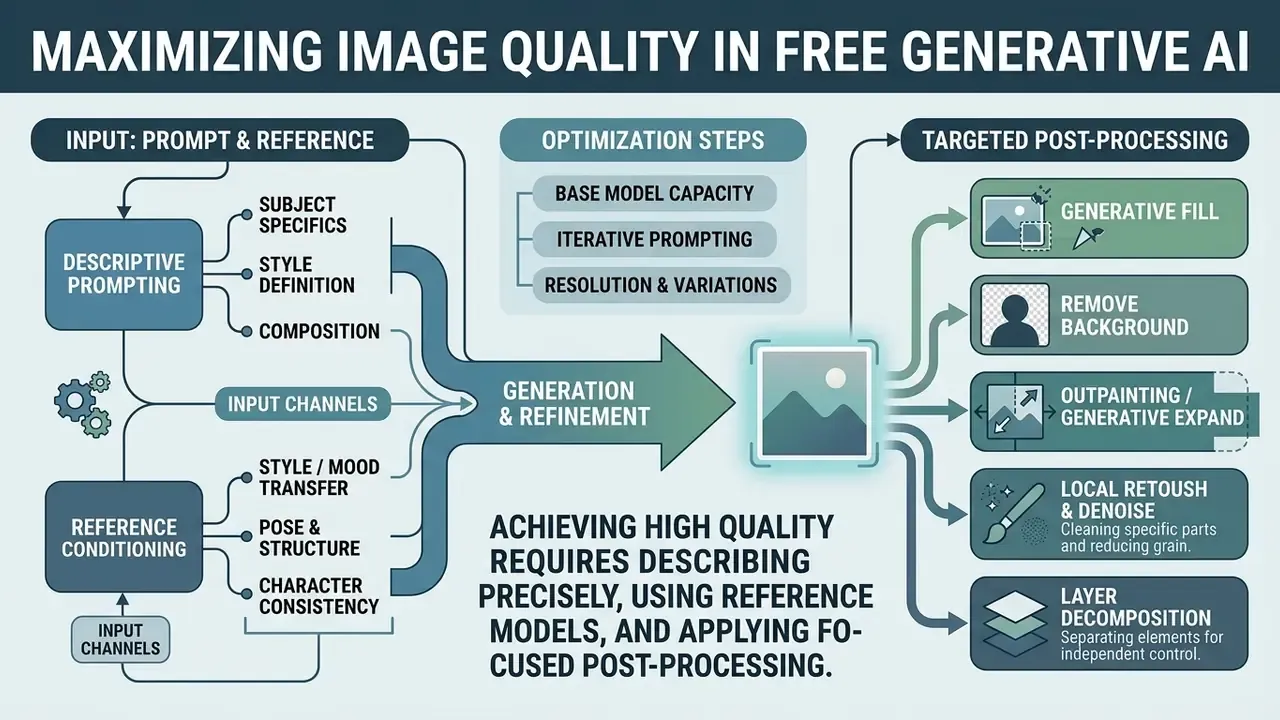
Maximizing image quality in free generative systems means combining descriptive prompting, reference conditioning, and targeted post-processing. NIST frames image-generator quality around validity, reliability, safety, and fidelity, which are measurable attributes with documented test methods rather than subjective impressions (NIST GenAI Pilot Evaluation Plan for Image Generators, 2025).
Why Prompts and Reference Images Determine Output Precision
Text prompts plus reference images create dual-conditioning constraints on the generative model. Prompts define high-level semantic intent and explicit exclusions. Reference photos lock structural spatial relations and identity.
Photorealism improves measurably when prompts state real-world imperfections: natural skin texture with visible pores, fabric wear, lens flare, uneven studio falloff. That is an editorial observation, though it sits comfortably with published vendor prompting guidance, which recommends lens, lighting, framing, and texture vocabulary over generic resolution claims.
The two conditioning channels also compete with each other. Research reports a measurable trade-off: stronger reference guidance improves visual correspondence to the reference while shifting CLIP-score versus LPIPS performance, meaning higher reference fidelity can reduce strict prompt adherence. The ECCV 2024 MoMA paper shows the upside of the same mechanism, where a single reference image improves high-detail fidelity, identity preservation, and prompt faithfulness in exact-object recontextualization tasks.
"Low-realism synthetic images reduced classifier F1 by 4.95 percentage points, while high-quality filtered images improved it by up to 11.3 points."
The operational lesson is blunt. Filtering generations for fine-grained attribute correctness is not cosmetic housekeeping; it changes downstream performance, whether that downstream task is a machine learning pipeline or a paid ad test.
When to Use an Image Editor After Generation
Full re-generation is usually inefficient for localized flaws, and on a metered free plan it is also expensive. Targeted corrections in an integrated image editor save generation credits and preserve the composition you already approved.
- Generative Fill Inpaints selected regions to replace distorted objects, remove intruding elements, or fill background gaps from surrounding context.
- Remove Background Isolates foreground subjects for commercial product placement and transparent PNG export.
- Outpainting / Generative Expand Extends canvas boundaries beyond the original aspect ratio for banner and story crops.
- Local Retouch and Denoise Cleans patchy artifacts. Academic inpainting work documents a dedicated post-processing stage (NLM filtering, for instance) specifically to remove patchy artifacts left by exemplar-based fills.
- Layer Decomposition Splits an accepted render into editable foreground and background layers for headline placement and A/B variants.
Commercial Use: Can You Use AI Generated Images in Business?
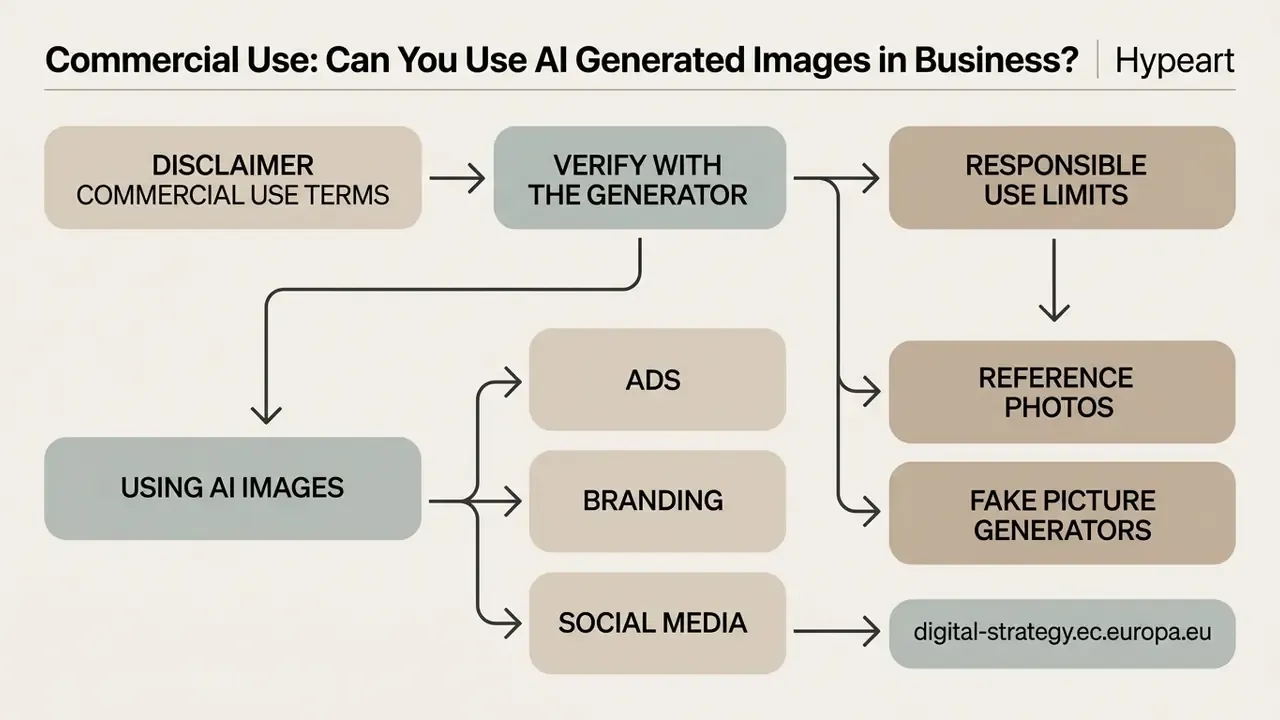
Using AI-generated images for commercial purposes requires reading platform licensing terms, copyright precedent, and transparency requirements together. Our overview of commercial use of AI-generated images consolidates licensing patterns across major platforms.
Commercial Use Terms to Verify with the Generator
Commercial rights depend on platform terms of service, not on the underlying generative technology. Review license agreements before publishing synthetic media in commercial campaigns.
Three contract patterns dominate. First, output assignment: major model providers assign their rights in the output to the user, so commercial use is permitted subject to policy compliance. Second, tier-gated rights: paid subscribers receive commercial rights while free and trial users do not. Third, platform-retained rights: the service keeps rights or requires separate written permission. The decisive clause is always the specific service agreement, never the fact that AI produced the image.
Ownership and copyrightability are separate questions from permission. In the United States, the Copyright Office's report on copyright and artificial intelligence, published 29 January 2025, maintains that generative AI outputs are copyrightable only where a human contributed sufficient expressive authorship, and that prompts alone are generally insufficient (U.S. Copyright Office, Copyright and Artificial Intelligence, Part 2: Copyrightability, 2025, https://www.copyright.gov/ai/). In March 2026 the Supreme Court declined to review the leading AI-authorship dispute, leaving the human-authorship requirement in place. Commercial use therefore stays lawful where the platform grants output rights and the asset infringes no third-party trademark, copyright, or likeness. The business may still hold no exclusive copyright in the image itself.
Practical mitigation: keep a human in the loop with documented creative choices (selection, composition edits, compositing, retouching), and retain that record alongside the prompt log.
Reference Photos, Fake Picture Generators, and Responsible Use Limits
Tools marketed as a fake picture generator, an ai fake photo maker, or an ai generator +10 raise exposure to brand impersonation, fraud, and compliance risk. Deploying synthetic media requires strict adherence to ethical and legal limits.
NIST documents that synthetic images can be used to defeat biometric authentication and to mislead people into fraudulent transactions, and its Generative AI Profile lists risks including privacy leakage and the production of abusive imagery (NIST AI 600-1 and NIST AI 100-4). The European Union's AI Act framework requires disclosure of deepfakes and visible labeling of certain AI-generated content, including content intended to inform the public on matters of public interest (European Commission, Regulatory framework on AI, https://digital-strategy.ec.europa.eu/en/policies/regulatory-framework-ai). The European Parliament has separately warned that manipulated images resembling real people threaten identity and personality rights and enable non-consensual intimate imagery.
Search demand for queries such as "how to create fake photos with ai", "ai image generator with no filters", and "ai image generator free online no sign up nsfw" shows where the compliance edge actually sits. Unfiltered services usually pair weak identity checks with weak provenance, which is a poor combination for any regulated brand. If your policy team needs to understand that market before writing a rule, our reference pages on nsfw ai generator categories, nsfw ai generator no limit claims, and nsfw ai image editor functionality document terms, age-verification practices, and licensing gaps without endorsing any of them.
Detection cannot be relied on as a safety net.
- digital-strategy.ec.europa.eu
- NIST documents that synthetic images can be used to defeat biometric authentication and to mislead people into fraudulent transactions, and its Generative AI Profile lists risks including privacy leakage and the production of abusive imagery (NIST AI 600-1 and NIST AI 100-4). The European Union's AI Act framework requires disclosure of deepfakes and visible labeling of certain AI-generated content, including content intended to inform the public on matters of public interest (European Commission, Regulatory framework on AI,
"VCT² assembled a dataset of ~130,000 AI-generated images and found that current detection methods are inadequate for models at the level of SD 3 and DALL·E 3."
Because post-hoc detection is unreliable, provenance has to be created at generation time: retain C2PA metadata, apply visible labels where required, and log model, prompt, seed, operator, and timestamp. To track legal precedent on synthetic media, risk leaders can monitor the AI Litigation and Case Timelines repository.
Governance: Controlling Free AI Image Tools Inside an Organization
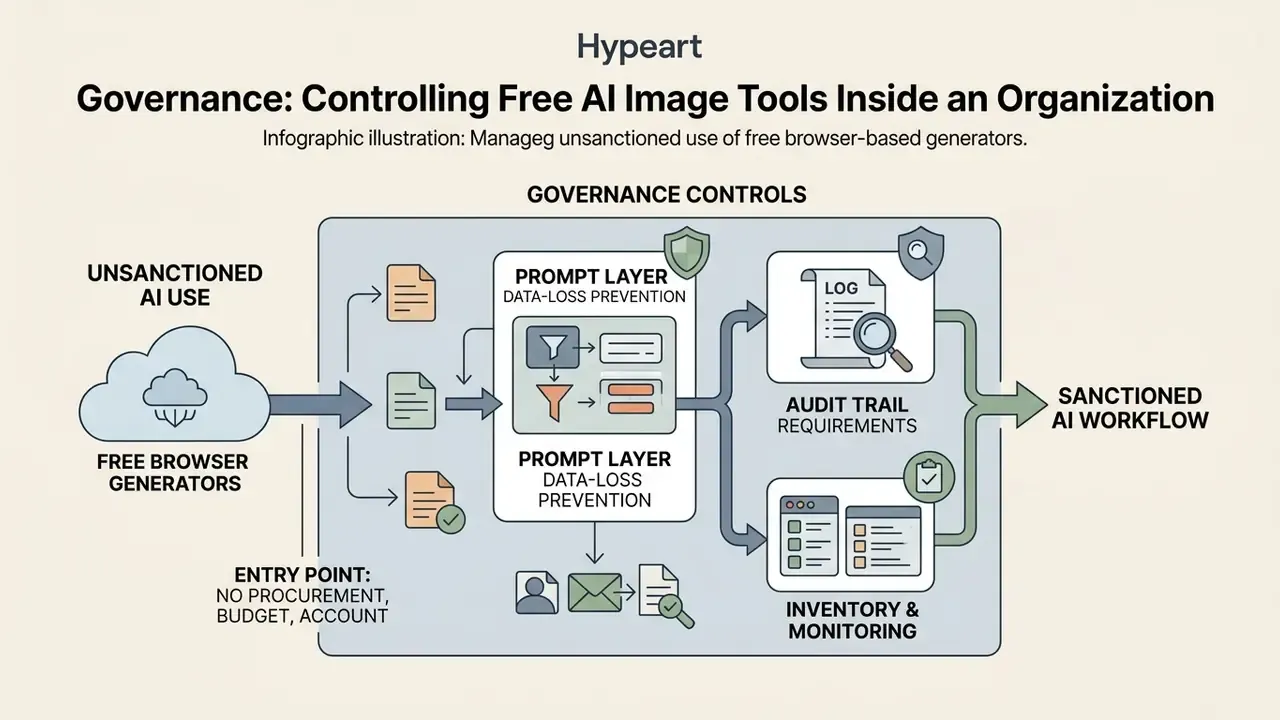
Free browser generators are the most common entry point for unsanctioned AI use, because they need no procurement, no budget line, and often no account. Treating them as a governed capability rather than a shadow habit is what separates a controlled rollout from an incident report.
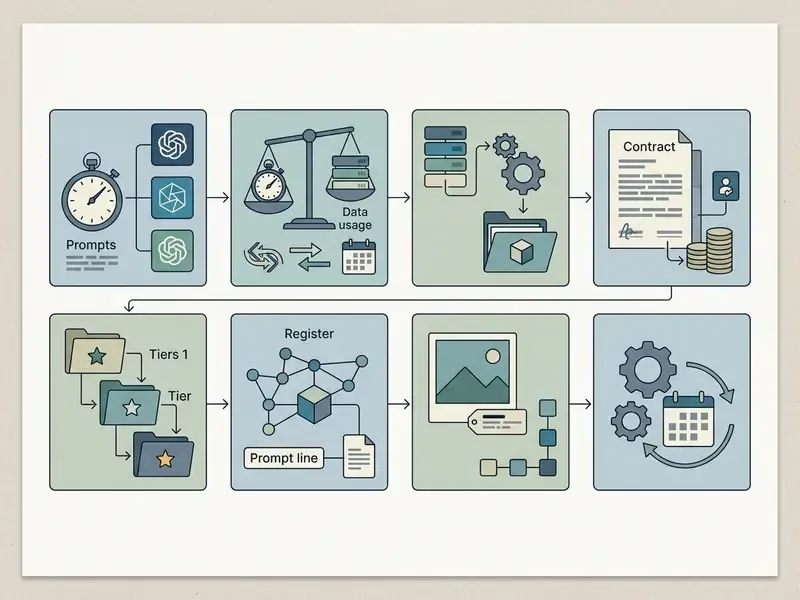
Risk tiering for image-generation tools. Classify each tool before approval, using criteria drawn from the NIST AI Risk Management Framework and its Generative AI Profile (NIST AI 600-1, 2024, https://airc.nist.gov/docs/NIST.AI.600-1.GenAI-Profile.ipd.pdf) and management-system requirements in ISO/IEC 42001:
| Tier | Criteria | Permitted use | Required controls |
|---|---|---|---|
| Tier 1: Approved | Written commercial licence, no training on inputs, private mode, documented retention | Customer-facing assets | Prompt/provenance logging, human review, label policy |
| Tier 2: Limited | Commercial rights unclear or tier-gated; inputs may be used for training | Internal ideation and moodboards only | No confidential inputs, no client imagery, watermark on export |
| Tier 3: Blocked | Anonymous tools with no terms, no provenance metadata, or unfiltered generation (including nsfw ai image generator no restrictions and nsfw ai image generator no sign up categories, plus any nsfw ai image maker offering) | None | Network-level blocking, DLP rule, user education notice |
Data-loss prevention at the prompt layer. Prompts and uploads are egress events. Apply DLP patterns to prompt fields and file uploads, prohibit unreleased product imagery, customer photographs, personal data, and internal documents as reference inputs. When confidential material genuinely has to be involved, prefer self-hosted open-weight engines (SDXL, FLUX-class models) inside an isolated sandbox.
Audit trail requirements. Maintain a generation register capturing asset ID, tool and base model, plan tier, prompt text, reference-image source and licence, seed, operator, date, human-edit description, disclosure decision, and export format. This register supports both the human-authorship argument for copyrightability and the transparency obligations described in the EU framework.
Inventory and monitoring. Scan web-proxy logs periodically for unsanctioned generator domains, publish an allow-list, and reconcile it quarterly against vendor term changes. Free-tier terms get revised far more often than enterprise contracts, and nobody sends you a notice.
Ideas for AI Image Generator: Design, Content, and Creative Projects
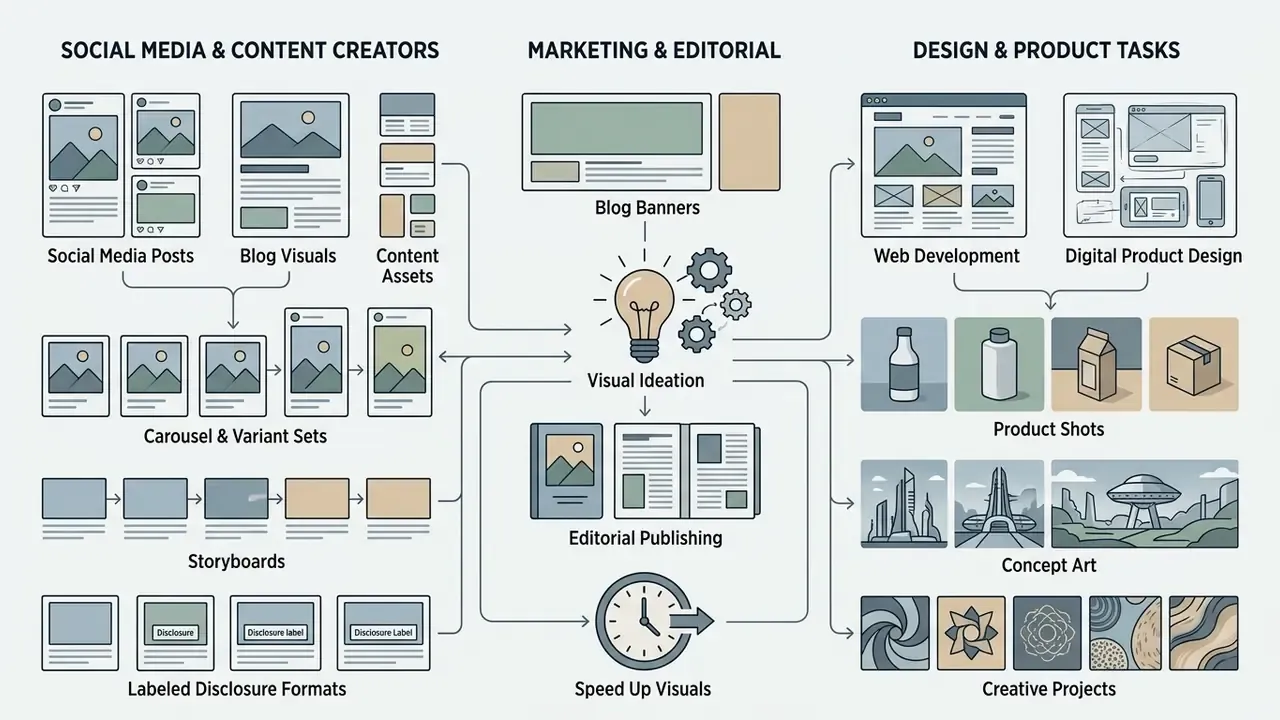
Free generative AI tools speed up visual ideation across marketing, web development, editorial publishing, and digital product design. Users say the shift feels like a game changer mainly because it turns ideas into reviewable drafts inside just one prompt cycle, not because the first output is finished.
Product Shots, Concept Art, and Design Tasks
Designers treat generative AI as an early-stage ideation engine for product packaging, game environments, and architectural concepts. Academic mapping of AI-assisted design splits the practice into three stages: pre-vision testing, inspiration for design direction, and prompt-based concept definition (Politecnico di Milano repository, Generative AI in the Design Process, 2025).
- Product Shots Synthetic product packaging in customized studio settings, which replaces repeat photoshoots for seasonal variants.
- Concept Art Visual themes, character designs, and environment lighting setups. Compare engines in our roundup of the best AI art generators for concept art.
- Digital Design Assets UI backgrounds, texture overlays, pattern libraries, and custom icon sets.
- Interior and Architectural Visualization Image-to-image style transfer to preview alternative material and lighting schemes without a new render pass.
Who Benefits Most: Use Cases by Professional Role
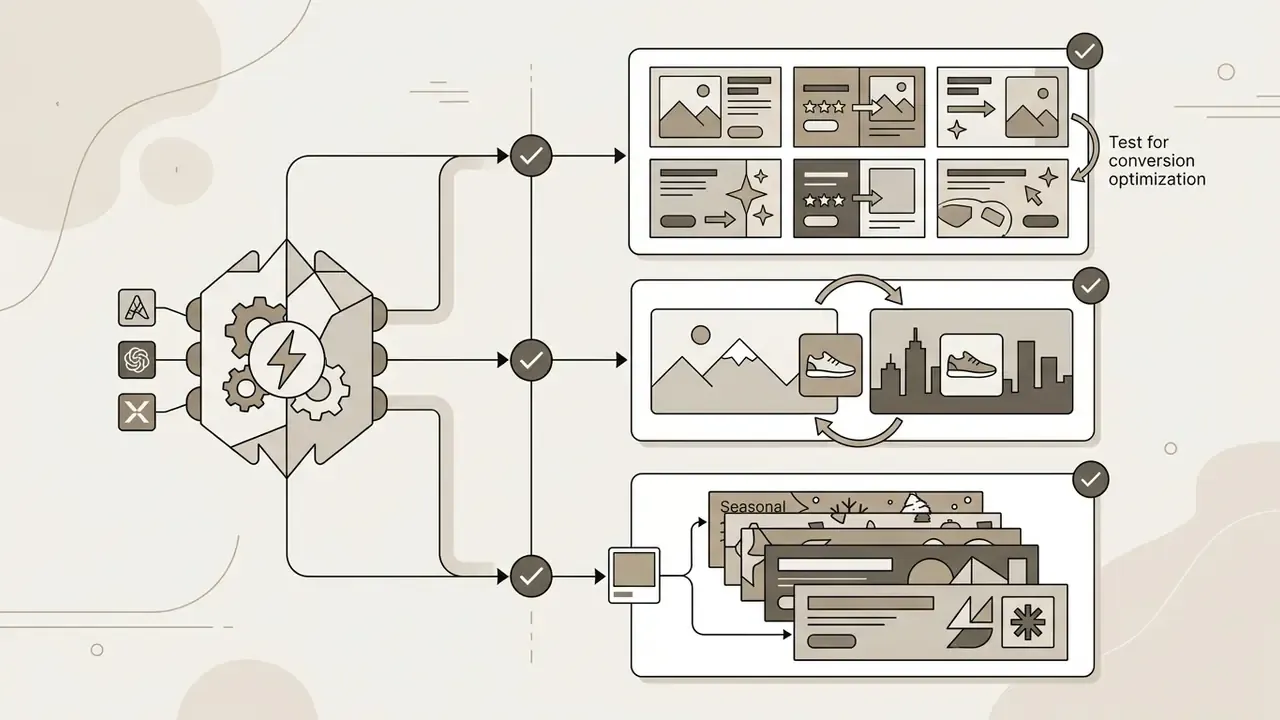
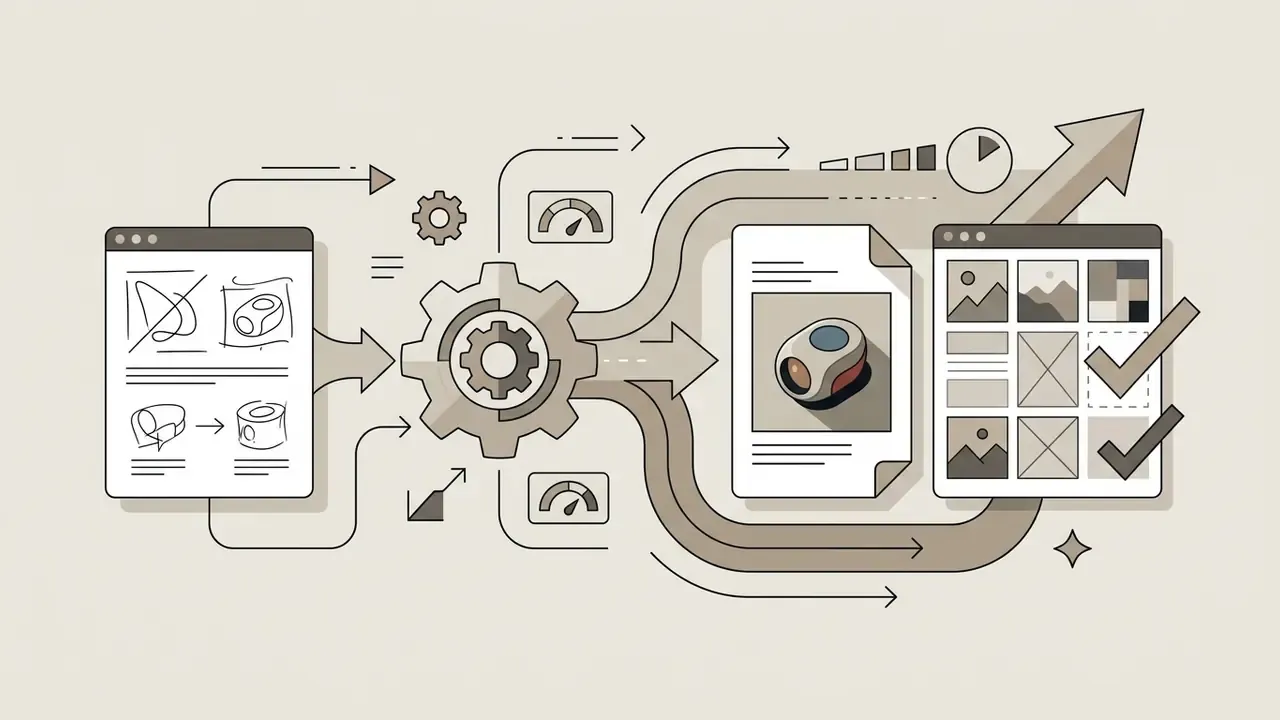
Copy-and-Paste Prompt Templates for Immediate Deployment
Next Steps Checklist
FAQ: Free AI Image Generators, Quality, and Rights
How do I create an AI image online for free?
Pick a web-based generator, enter a detailed text prompt describing subject, scene, lighting, and style, choose your aspect ratio and resolution, then click generate. Once processing finishes, inspect the visual quality against the prompt and download the file in PNG, JPEG, or WEBP format.
How do I take a picture with AI instead of a camera?
Strictly speaking, you do not take a picture; you synthesize one. Describe the shot in camera language (lens, distance, light source, surface), or upload a reference photo so the model inherits the framing you already have. Photographic vocabulary generally gives better results than adjectives about quality.
Can I use free AI-generated images for commercial projects?
It depends on the platform's terms of service. Some grant commercial rights on free tiers, since Adobe states that Firefly output from its commercially released models can be used in commercial projects and Magnific advertises commercial use on its free allowance, while others restrict commercial usage to paid subscriptions or cap free output at personal use. Read the licence before an asset reaches advertising or branding.
Is registration required to use an online AI photo generator?
Many platforms offer basic generation with no sign up, but unauthenticated access often brings lower output resolution, slower queue processing, restricted model selection, shorter history retention (frequently 24 hours), or mandatory watermarks. A free account usually unlocks higher-quality exports and full model access.
What is the difference between an AI art generator and an AI photo generator?
They usually share the same underlying diffusion models. The difference sits in prompt conditioning and interface presets: an ai art generator foregrounds creative mediums and stylistic vocabulary, while an ai photo generator emphasizes camera physics, lens language, and realism cues such as natural skin texture and accurate lighting falloff.
What is the difference between Photoshop and an AI image generator?
Photoshop is a pixel-based editing environment built for manual layer control, precise retouching, masking, and vector work on an image you already have. An AI image generator uses neural-network embeddings to synthesize entirely new pixel arrangements from text or reference images in seconds. In practice they are complementary: generate the base asset with AI, then finish it in an editor for typography, exact crops, and color management.
What is the difference between Text-to-Image and Image-to-Image generation?
Text-to-image creates synthetic media from scratch based only on written prompts. Image-to-image needs a source photo or sketch as a structural guide alongside text instructions, which lets you modify backgrounds, styles, or subjects while composition, pose, and framing survive. Use text-to-image for new concepts and image-to-image when the existing layout must stay intact.
What file formats and sizes can I upload to an image-to-image generator?
Mainstream free tools accept JPG, JPEG, PNG, and WEBP, typically up to 20 to 24 MB per file, with multi-image fusion of up to three references on consumer tiers and up to 14 references on high-capacity engines such as Seedream 4.5. Output resolution options commonly include 1K, 2K, and 4K, with optional AI upscaling up to roughly 25 megapixels.
Do AI-generated images need to be labeled?
It depends on jurisdiction and context. The EU AI Act framework requires disclosure of deepfakes and visible labeling of certain AI-generated content intended to inform the public, the European Commission published a 2026 Code of Practice on transparency of AI-generated content, and the IAB's 2026 advertising framework recommends disclosure when AI materially affects authenticity, identity, or representation, supported by C2PA metadata. Routine post-production and obviously fantastical imagery are generally treated as non-triggering cases.
Who owns the copyright in an AI-generated image?
Usage rights and copyrightability are different questions. The U.S. Copyright Office's 2025 guidance holds that purely AI-generated output lacking sufficient human expressive authorship is not copyrightable, and the Supreme Court declined review of the leading AI-authorship case in March 2026. You may still be licensed to use and monetize the image under platform terms, but exclusive copyright generally requires documented human creative contribution. General information, not legal advice.
Are free AI image generators safe for confidential material?
Treat every prompt and upload as data egress. Verify whether the free tier trains on user inputs, how long history is retained, and whether a private mode exists. For confidential product imagery or personal data, prefer a self-hosted open-weight engine such as SDXL or a FLUX-class model in an isolated environment, and apply prompt-layer DLP controls.
How many generations do I actually get on a "free unlimited" plan?
Verify it empirically. Published examples range from a fixed number of free daily generations on a free account (Adobe Firefly), to about 20 free images per day (Magnific), to daily credit pools with limited upscaling (Krea), to "unlimited basic mode" offers that carve out a paid fast lane. Hosted APIs define rate limits by model and usage tier, so effective throughput also tracks your quota state.
Footer Navigation and Authority Flow
- AI Media Commercial-Use: comprehensive commercial licensing guides, regulatory updates, and platform compliance audits.
- Tool comparisons: benchmarked shortlists for AI image, art, and video generators by quality, limits, and licensing.
- Workflows: end-to-end asset production templates for creative and marketing teams.
- For curated tool benchmarks and definitions, you can view the guide in our main knowledge index.
Social Media Content, Blog Visuals, and Assets for Content Creators
Content creators use an AI picture generator to produce consistent visual assets for digital channels. Synthetic generation enables rapid production of post banners, thumbnails, and feed illustrations at platform-native dimensions.
Creators looking for a full visual suite, or simply an ai website for photos that handles layout too, can review our Canva AI Generator review for automated layout features and the animation maker guide for motion adaptations of static AI renders.