Executive Summary: What Actually Decides the Choice
- No single generator wins across all tasks.Rankings invert between text-to-video and image-to-video because the two modalities optimize different objectives: semantic synthesis versus identity retention. Benchmark data from AIGCBench (2024) shows models with the highest first-frame fidelity often produce up to 9x less motion amplitude than motion-oriented architectures.
- The 2026 flagship tier is Seedance 2.0, Kling Video 3.0 4K, and HappyHorse 1.0, with Google Veo 3.1 remaining the most physically consistent all-rounder. Legacy references (Kling 1.5/2.0, OpenAI Sora 2) now serve only as archival baselines.
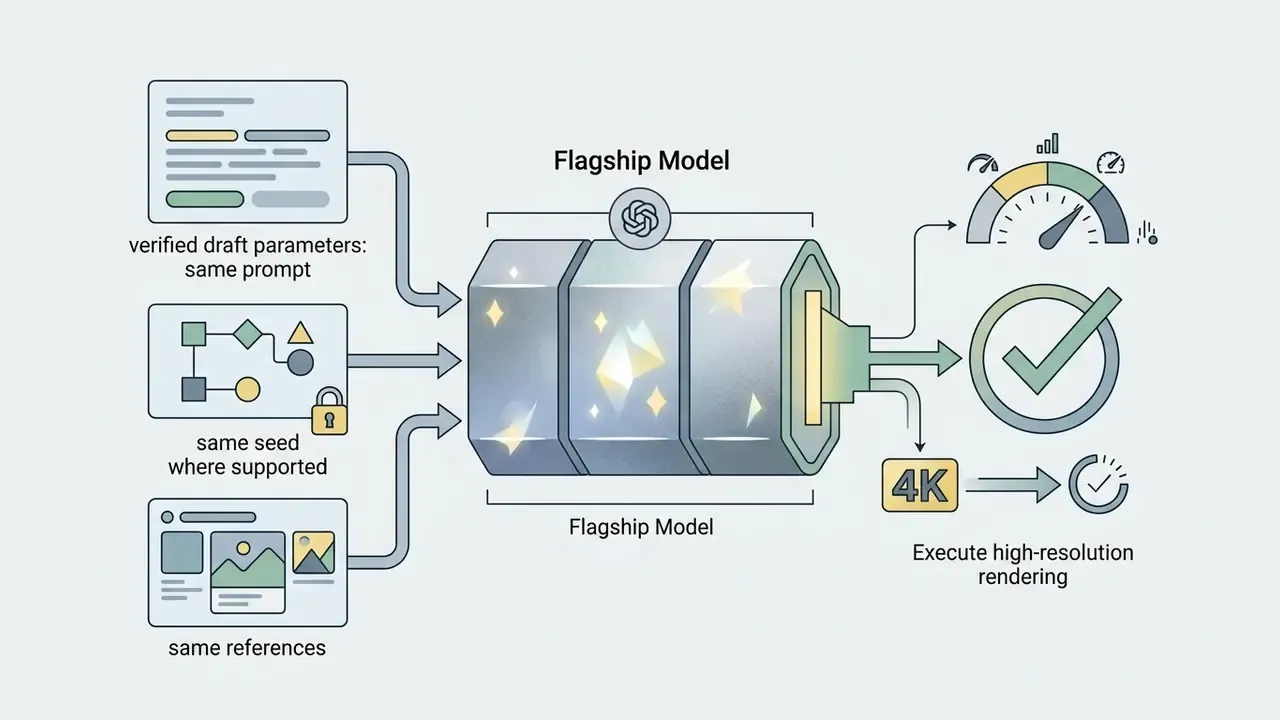
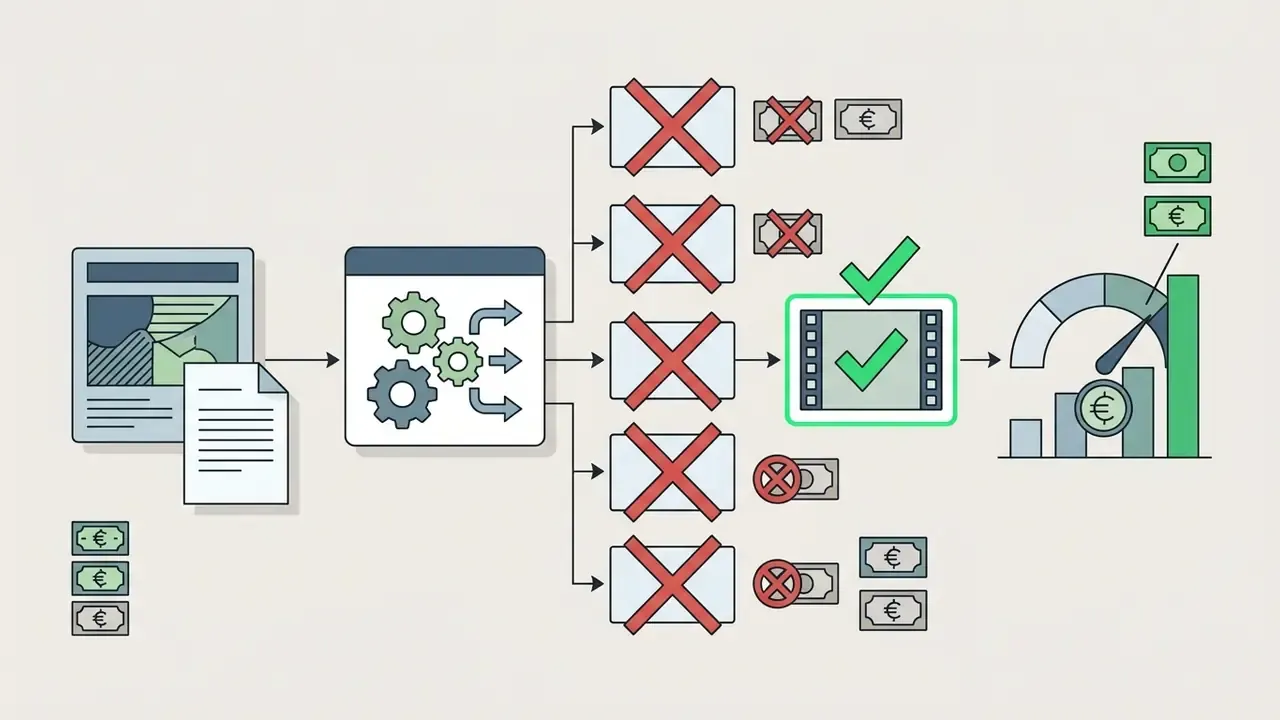
- Cost control is a pipeline design problem, not a pricing problem.Draft on distilled fast models ($0.02 to $0.05 per second), render finals on flagships ($0.40 to $0.70 per second), and budget explicitly for the rejection rate, not just the nominal per-second rate.
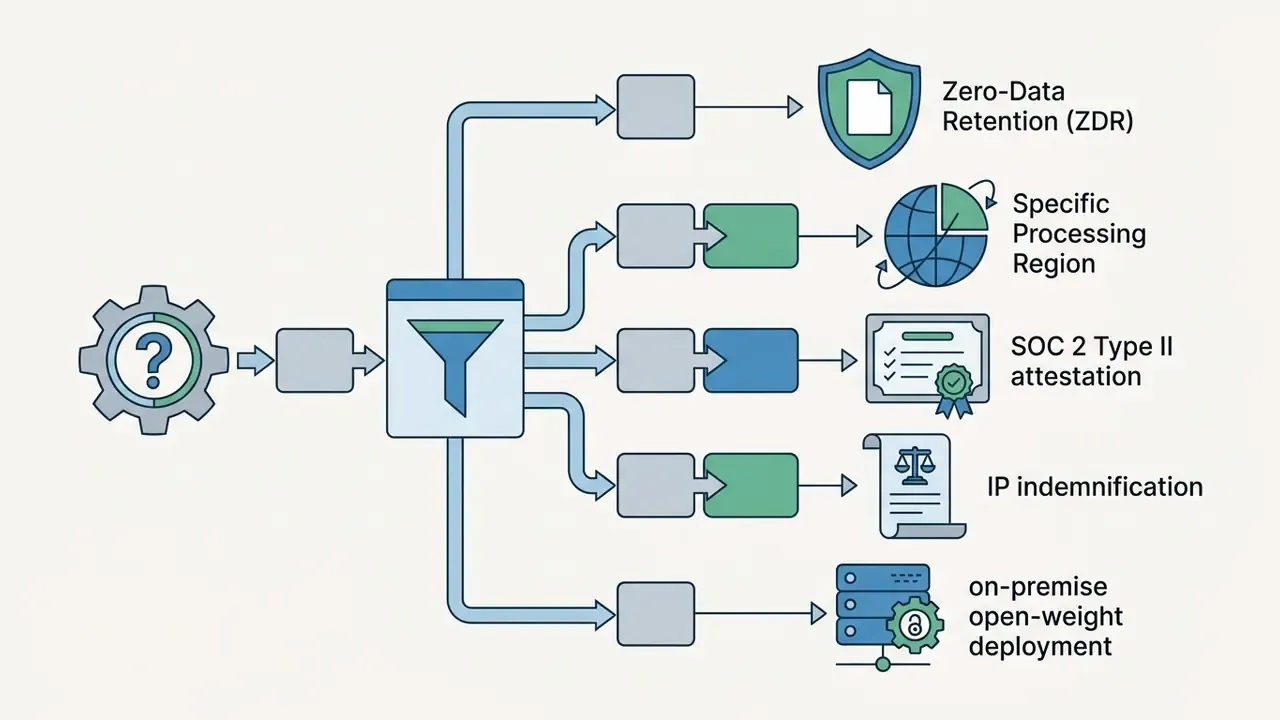
- Governance decides adoption, not aesthetics.Zero Data Retention (ZDR) endpoints, SOC 2 Type II attestation, commercial IP indemnification, and open-weight or on-premise availability determine whether a model clears Compliance review. Reproducibility artefacts (seed, prompt version, model version) are the minimum audit trail for a regulated environment.
The guide runs from how to read a matrix, through the core feature and governance matrices, into task-based selection, physics stress tests, a workflow with named control gates, an audit-readiness checklist, the true cost per usable clip, and a reproducible benchmark prompt you can hand to a vendor. A terminology reference, an FAQ, and a revision log close it out.
How to Read an AI Video Tools Comparison Matrix
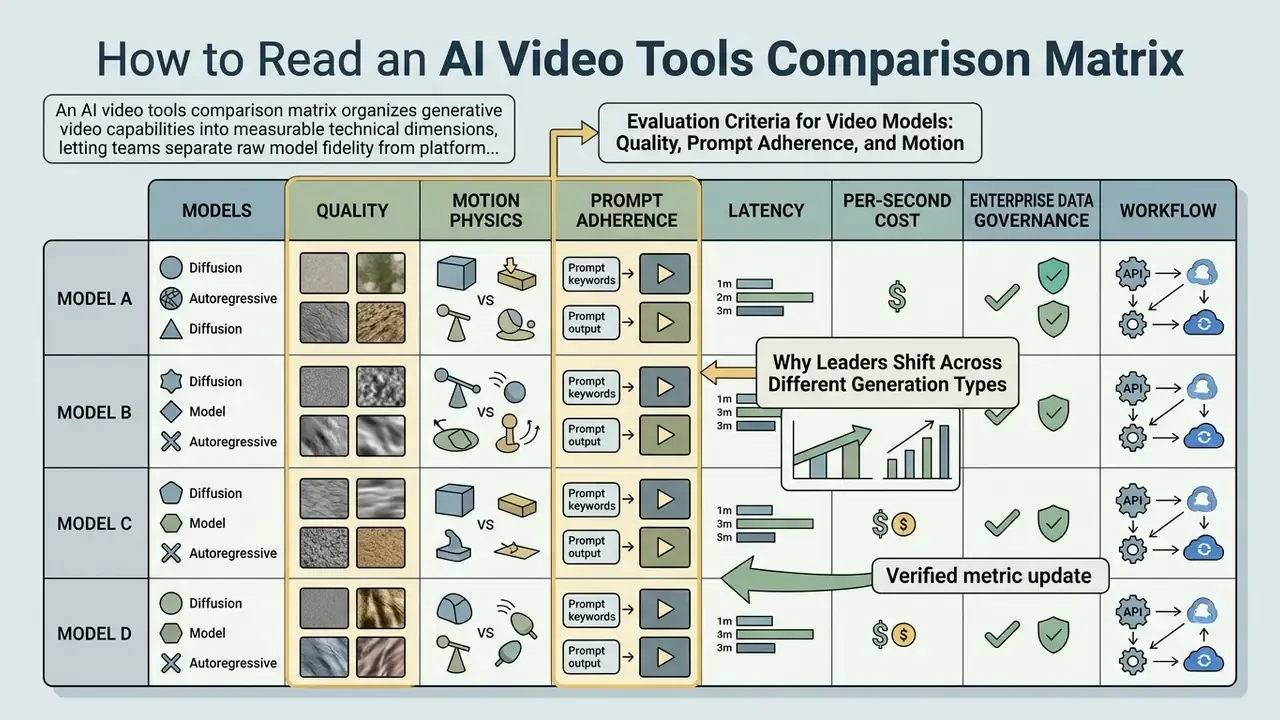
An AI video tools comparison matrix organizes generative video capabilities into measurable technical dimensions, letting teams separate raw model fidelity from platform interface controls. Evaluating tools systematically prevents reliance on polished vendor demos and cuts the unbudgeted generation iterations that quietly eat a quarter's credit allowance. Readers who want the vocabulary before the numbers can skip ahead to the terminology reference near the end of this guide, which defines everything from prompt and motion to LoRA and multi-shot generation. Teams mapping adjacent categories may also want to review tooling such as AI voice generators, which complete the audio side of a video pipeline.
Three practical rules make a matrix usable rather than decorative.
First, never compare a tool to a model. Runway is a platform, Gen-4.5 is a model, and platform features can mask or amplify a model's weakness. Second, never compare across modalities: a text-to-video score tells you almost nothing about image-to-video identity retention. Third, always record latency and price next to quality. A model that needs four attempts at $0.70 per second is more expensive than a model that needs one attempt at the same rate. Obvious, once written down. Rarely done in practice.
Evaluation Criteria for Video Models: Quality, Prompt Adherence, and Motion
Evaluating video models means scoring three core parameters: frame-level aesthetic quality, prompt adherence, and temporal motion coherence. Frame-level quality assesses spatial resolution, clarity, and structural fidelity without visual artifacts. Prompt adherence measures semantic alignment between the text input and the visual elements that actually appear, as evaluated in the VBench benchmark (CVPR 2024). Temporal motion coherence measures physical consistency across consecutive frames, so a moving subject keeps its structural volume instead of flickering or collapsing mid-shot.
«AIGVQA-DB collected roughly 370,000 expert ratings across four quality axes: static quality, temporal smoothness, dynamic degree, and text-video correspondence.»
That four-axis decomposition is exactly why single-number leaderboards mislead procurement teams. A model can score beautifully on static frame quality and simultaneously fail dynamic degree, producing near-still footage that technically satisfies the prompt while delivering no usable motion. VBench extends the same logic across 16 dimensions, including subject consistency, background consistency, motion smoothness, and dynamic range. Each of those should map to a separate column in your internal evaluation sheet, not collapse into one "quality" score that nobody can defend in a review meeting.
Why Leaders Shift Across Different Generation Types
«In AIGCBench, Pika achieves the highest first-frame SSIM (0.800) and inter-frame CLIP similarity (0.996), while SVD generates roughly 9x stronger motion under the Flow-Square-Mean metric.»
Video-to-video (V2V) adds a third objective: preserving the source clip's motion field and structure while restyling appearance. A model that excels at V2V restyling may be mediocre at generating novel motion from scratch, because its conditioning path is optimized to follow trajectories rather than invent them. Practically, your shortlist should hold at least one model per modality you actually ship. Not one universal winner. There isn't one.
AI Video Tools Comparison Matrix by Core Features
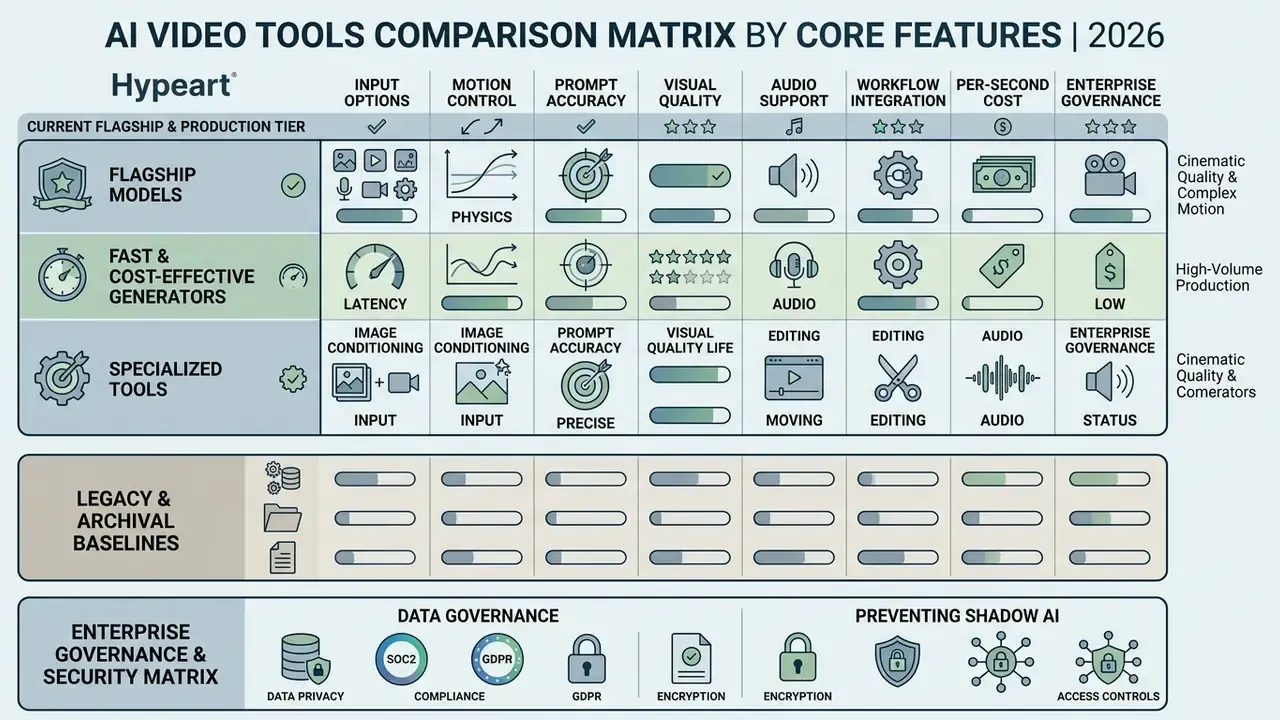
This comparison matrix evaluates leading generative video models across input options, motion control, prompt accuracy, visual quality, audio support, and workflow integration. Reviewing technical parameters side by side helps teams set realistic performance baselines before platform selection, and it gives Finance something firmer than "the demo looked great" to sign against.
Current Flagship and Production Tier (2026)
| Model Name | Input Modalities | Max Native Resolution | Max Duration per Clip | Native Audio Support | Temporal Motion Control | Relative Generation Latency |
|---|---|---|---|---|---|---|
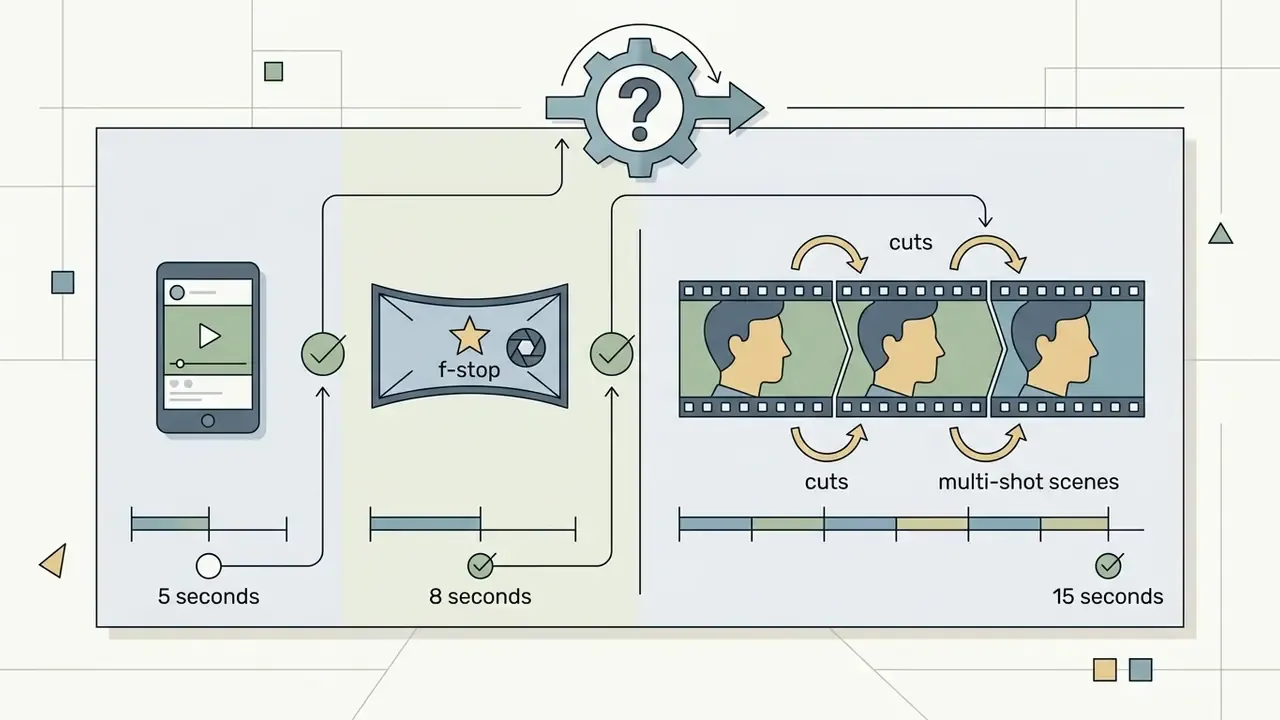
| Seedance 2.0 / Fast | Text, Image, Video, Audio (up to 9 reference images, 3 video clips, 3 audio clips) | 1080p | Up to 15 s (multi-shot) | Native multi-track audio | Persistent camera direction, multi-shot continuity | Fast to Moderate (~20-45 s) |
| Kling Video 3.0 4K / O3 4K | Text, Image | 4K native | 5-10 s | Native audio synthesis | Advanced Motion Brush, trajectory control, negative prompts | Slow (~60-120 s) |
| HappyHorse 1.0 | Text, Image | 1080p | 3-15 s | Native lip-sync (7 languages: EN, Mandarin, Cantonese, JA, KO, DE, FR) | High-fidelity facial and body performance | Moderate (~50-80 s) |
| Google Veo 3.1 | Text, Image (plus last-frame conditioning) | 1080p / 4K | 8 s | Native video-with-audio | Cinematic framing controls, structured five-part prompting | Standard (~45-90 s) |
| Runway Gen-4 / 4.5 | Text, Image, Video | 720p (4K via upscale) | 5-10 s (extendable to ~40 s) | No native audio synthesis | Camera control, keyframes (up to 3 on Turbo) | Moderate (~40-60 s) |
| MiniMax Hailuo 2.3 / 2.3 Fast | Text, Image | 768p / 1080p | 6 s | No native audio synthesis | Standard prompt motion directives | Fast (~15-25 s) |
| Alibaba Wan 2.6 / 2.7 | Text, Image, Video | 720p / 1080p (30 fps, MP4 H.264) | 5-10 s | Native audio sync (T2V / V2V) | Trajectory and flow conditioning | Moderate (~40-70 s) |
| HunyuanVideo (Open Weights) | Text, Image | 720p | 5 s | Separate pipeline required | Spatial-temporal attention weights, LoRA-friendly | Variable (hardware dependent) |
Legacy and Archival Baselines
Two entries that still show up in older comparison charts should now be read as historical reference points, not deployment candidates:
| Legacy Entry | Status in 2026 | Why It Still Matters |
|---|---|---|
| Kling AI 1.5 / 2.0 | Superseded by Kling Video 3.0 4K (native 4K, native audio) | 2.1 remains a reference for static-camera fire and water stability in published stress tests |
| OpenAI Sora 2 / Sora 2 Pro | Video generation and Videos API deprecated; scheduled shutdown 24 September 2026 | Useful archival baseline for 20-second duration limits and early native audio-video synthesis |
Enterprise Governance and Security Matrix
Technical quality does not clear Compliance review on its own. Risk, legal, and security functions evaluate a different axis entirely: where prompts and reference assets are stored, whether your inputs train the vendor's next checkpoint, who indemnifies a downstream IP claim, and whether the workload can run inside a controlled perimeter. The matrix below is the column set to demand from every vendor before a pilot begins, not after.
| Deployment Class | Zero Data Retention (ZDR) Endpoint | Security Attestation to Request | Commercial IP Indemnification | On-Prem / Private VPC Option | Residual Risk Notes |
|---|---|---|---|---|---|
| Hyperscaler-hosted APIs (Veo via cloud tenancy) | Typically available under enterprise agreement with a no-training clause | SOC 2 Type II, ISO 27001, regional data-residency addendum | Usually offered under enterprise terms | Private VPC or regional endpoints | Confirm log-retention windows and human-review exclusions in writing |
| Vendor-native commercial APIs (Runway, Kling, MiniMax, Seedance) | Varies by tier; often enterprise-only | SOC 2 Type II where available; request the penetration-test summary | Tier-dependent; frequently excluded on entry plans | Rare | Consumer web UI and API may run different retention policies |
| Open-weight models (HunyuanVideo, Wan family) | Full control, since data never leaves the perimeter | Your own control environment applies | Self-assumed; no vendor indemnity | Yes, by definition | Training-data provenance and licence terms must be reviewed internally |
| Specialized post-processing APIs (lip-sync, upscale, rotoscope) | Frequently overlooked in reviews | Request the same attestations as generation vendors | Rarely addressed | Occasionally containerized | Highest Shadow-AI exposure: editors paste finished assets into unvetted tools |
Preventing Shadow AI. The dominant control failure in 2026 is not model quality. It is a person pasting a confidential storyboard, an unreleased product render, or customer footage into a public web interface because the sanctioned API route takes three days to request. Three controls mitigate that: publish an approved-model register naming the exact endpoints marketing may use; route all generation through a gateway that strips metadata and logs prompt hashes; block consumer web endpoints at the network layer while keeping the enterprise API wide open, so the compliant path is also the convenient path. Convenience is a control. Treat it as one.
Flagship Models for Cinematic Quality and Complex Motion
Flagship models target high-fidelity commercial production with deep spatial-temporal diffusion backbones capable of complex camera moves. Google Veo 3.1, Kling Video 3.0 4K, and Runway Gen-4 specialize in holding structural volume during tracking shots and pans. Seedance 2.0 leads on multi-shot narrative continuity, and HappyHorse 1.0 leads on close-up character performance plus multilingual lip-sync.
Structured prompting parameters, meaning explicit lens type, lighting, subject action, context, and camera movement, produce reproducible cinematic framing. Google's public Veo prompting guidance formalizes this as a five-part prompt structure (cinematography, subject, action, context, style/ambiance), and Adobe's video-prompt guidance uses an equivalent ordering (shot type, character, action, location, aesthetic). Note on evidence: vendor prompting guides document control surfaces, not quantified fidelity gains. Treat structured prompting as a reproducibility practice rather than a measured quality uplift until you validate it on your own prompt set. Flagship aesthetic rendering also demands serious compute, so inference time per clip runs longer and per-attempt cost climbs fast. Which is exactly why flagships belong at the end of a pipeline, not the beginning.
Fast and Cost-Effective Generators for High-Volume Production
High-volume content pipelines need fast inference to keep operational costs sane during iterative asset creation. Models such as MiniMax Hailuo 2.3 Fast and Seedance 2.0 Fast use distilled diffusion or causal generation to render draft clips in seconds.
Precise figures:
«CausVid generates a 120-frame, 10-second clip in 1.3 seconds at 9.4 FPS throughput, roughly 160x faster than the comparable CogVideoX model.»
Those latencies come from dedicated enterprise GPU hardware (H100/H200-class clusters). Shared consumer tiers will not reproduce them, and a pilot benchmarked on a free tier will mislead your capacity planning. In commercial terms, MiniMax's Hailuo 2.3 Fast tier is documented at 0.7 video points per 768p six-second clip, and compiled pricing surveys place it near $0.19 per clip against roughly $0.28 for the Standard tier, at approximately 80 to 90 percent of Standard's structural accuracy. These lightweight video models show less per-frame detail than flagship engines, true. Their value is that a team can test twenty narrative concepts in an afternoon without a billing conversation afterwards.
Specialized Tools for Editing, Image Conditioning, and Audio
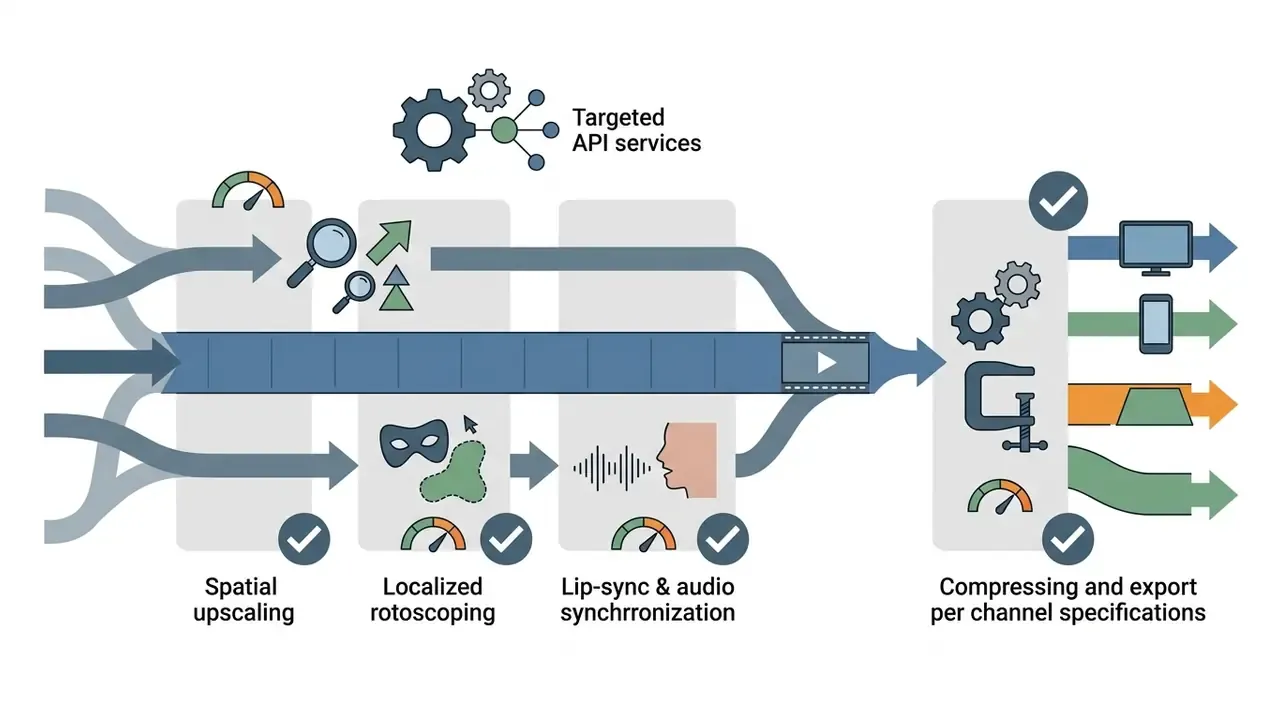
Finishing a commercial video project requires specialized tooling for post-generation work: lip-syncing, spatial upscaling, background editing. Generation models are trained to create frames. They are not built to surgically alter one region of an existing clip, which is why editing has consolidated into a separate service layer.
Systems like WaveSpeed AI and the Magnific Clip Editor expose targeted post-processing APIs that ingest base clips to alter lip movements or scale output resolution to native 4K. Magnific's documented Clip Editor supports 720p, 1080p, 2K, and 4K targets on inputs up to 8 seconds, and WaveSpeed's LipSync line folds super-resolution into the lip-sync step. Bria's video editing API exposes discrete endpoints for object removal, background removal and replacement, green-screen output, and upscaling, with an explicit preserve_audio option so dialogue survives a background swap. Separating generation from editing prevents visual degradation and avoids expensive full-clip re-renders when you only need to fix a localized element. Delivery-side utilities matter as well: a video compressor applied after upscaling keeps 4K masters deliverable across ad networks without a second render.
Choosing an AI Video Generator for Specific Business Tasks
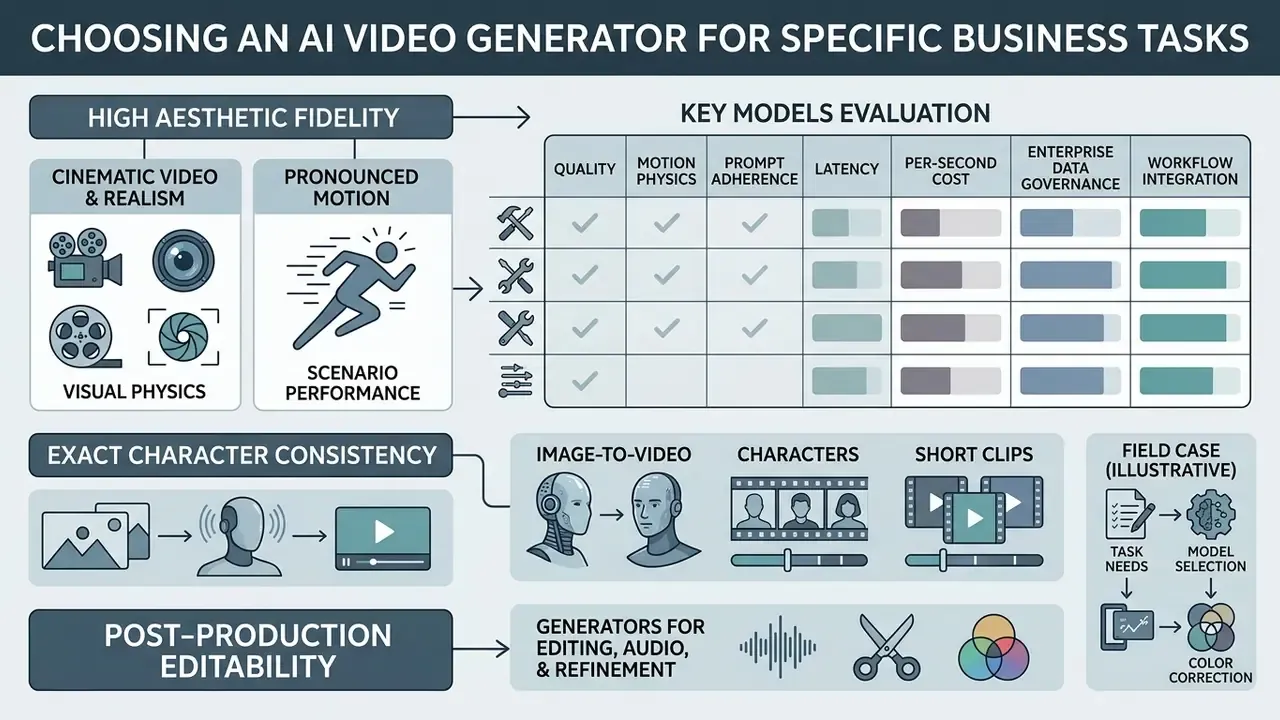
Matching an AI video generator to an operational task depends on whether the deliverable needs high aesthetic fidelity, exact character consistency, or post-production editability. Aligning capability with the actual deliverable is what removes production delays and unbudgeted software spend. Aesthetics alone will not tell you that.
Models for Cinematic Video, Realism, and Pronounced Motion
Cinematic commercials and brand campaigns demand motion realism and adherence to complex physical dynamics. Research on physics-conditioned video generation, including simulation-warped latents (MotionCraft, NeurIPS 2024), explicit 3D physics modelling (ReVision, 2025), and latent physics priors, consistently reports less unnatural shape and appearance distortion than unconditioned baselines. Benchmarks now score this axis directly:
For high-stakes marketing visuals, selecting models that have been evaluated on physical consistency, such as HunyuanVideo, Google Veo 3.1, or Kling Video 3.0 4K, prevents the classic artifacts: unnatural morphing, limbs that fuse, gravity that quietly stops applying halfway through a jump.
Visual Physics and Scenario Performance Matrix
| Simulation Scenario | Best Performing Models | Key Strengths | Models Not Recommended | Primary Failure Modes |
|---|---|---|---|---|
| Fluid Dynamics (Water, Ocean) | Google Veo 3.1, Kling 2.1 / 3.0 4K | Realistic wave foam, natural fluid viscosity, believable wet-surface interaction | Wan 2.2, MiniMax Hailuo, Vidu Q1, Luma Ray 2 | Over-fast flow velocity, "moving" wet sand, parallax artifacts |
| Pyrotechnics (Fire, Smoke) | Google Veo 3.1 / Veo 3 Fast, Kling 2.1 / 3.0 4K | Accompanying volumetric smoke, natural luminescence decay, scale range from blaze to candle | Wan 2.2, MiniMax, Seedance 1.0, Luma Ray 2 | Flat 2D texture layering, no ambient light cast, unwanted camera drift |
| Particle Simulation (Fireworks) | Google Veo 3.1, Seedance 2.0 | Accurate particle trajectories, correct timing, clean contrast against night sky | MiniMax Hailuo, Wan 2.2, Vidu Q1, Luma Ray 2 | Frame artifacts, over-exposure, handheld-style drift on static shots |
| Dense Crowd Dynamics | Seedance 2.0, Google Veo 3.1 | Coordinated limb and flag movement, background subject volume retention at scale | Runway Gen-4, Wan 2.2, Luma Ray 2 | Face morphing, frozen subjects, character duplication, noise in dense rows |
| Bipedal Kinematics (Walking) | Kling 3.0 4K / 2.5 Turbo, HappyHorse 1.0 | Stable ground-plane contact, consistent facial expression, natural gait timing | Vidu Q1, Wan 2.2, MiniMax, Luma Ray 2 | Foot sliding, limb blending, accidental camera tracking lock |
Two operational conclusions follow. Add "static camera" as an explicit constraint whenever the shot must not drift, because several otherwise strong models introduce camera tracking by default. And keep prompts short for fire and water: models tuned for static control degrade quickly once a prompt stacks four simultaneous physical events.
Tools for Image-to-Video, Characters, and Short Clips
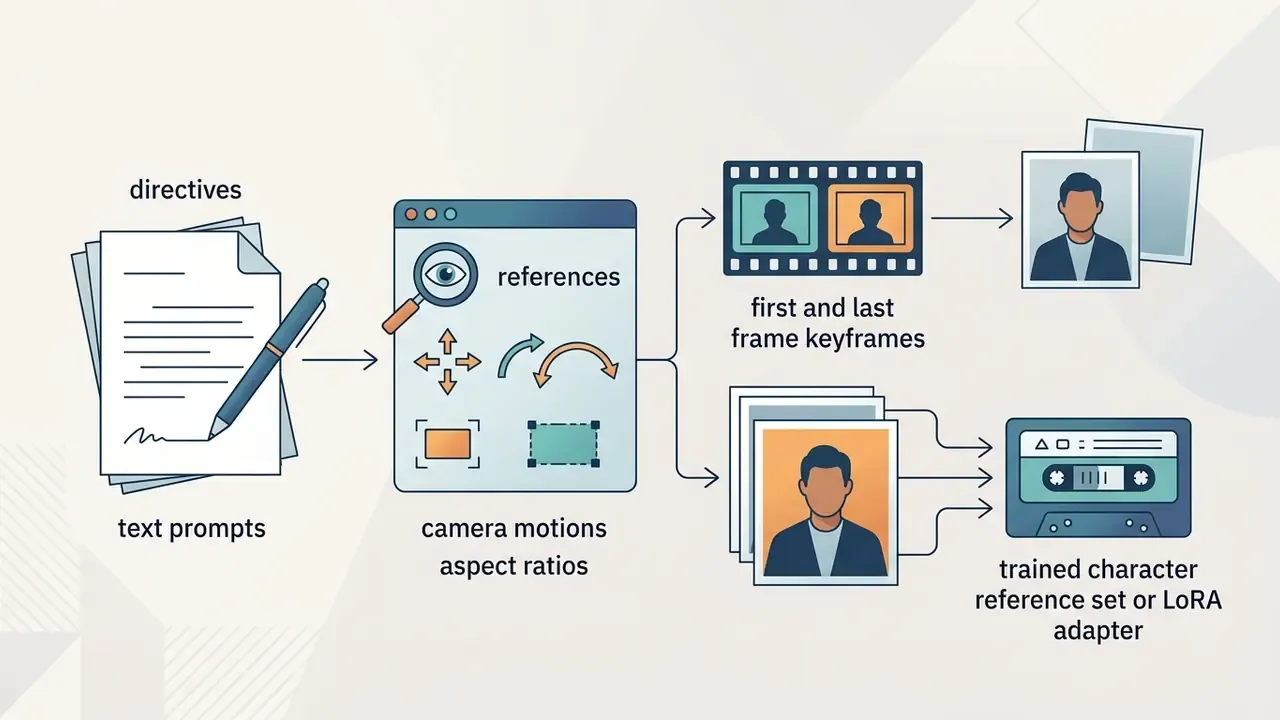
Content pipelines built around social assets and character-driven stories lean heavily on image-conditioned generation. Teams building a shortlist can compare leading AI video generators on duration limits, watermarks, and export rights before locking a vendor. Reference keyframes are what preserve a brand mascot's face across a dozen separate segments.
«In AIGCBench, Pika records the highest CLIP similarity between the input image and generated video (0.930) among the five evaluated image-to-video models.»
Generators for Editing, Audio, and Video Refinement
Modifying existing footage calls for targeted editing tools that handle localized object removal, background replacement, and audio synchronization. Platforms exposing dedicated editing endpoints, such as the Bria API or the Runway AI Video Editor, let editors alter specific frame regions while preserving existing motion paths. Runway's post-production tooling documents backdrop changes, relighting, object removal, rotoscoping, wire removal, transcript-driven rough cuts, and multi-camera audio sync. Adding audio-driven lip-sync as a downstream step aligns dialogue without distorting the background; VideoReTalking (2022) established the underlying pattern of editing faces according to input audio, and current APIs expose it as a single call with a selectable sync_mode. Teams already publishing at volume usually keep this stage inside their existing YouTube video editor workflow rather than onboarding a fourth vendor and a fourth data-processing agreement.
Comparing Models by Workflow, Speed, and Output Quality
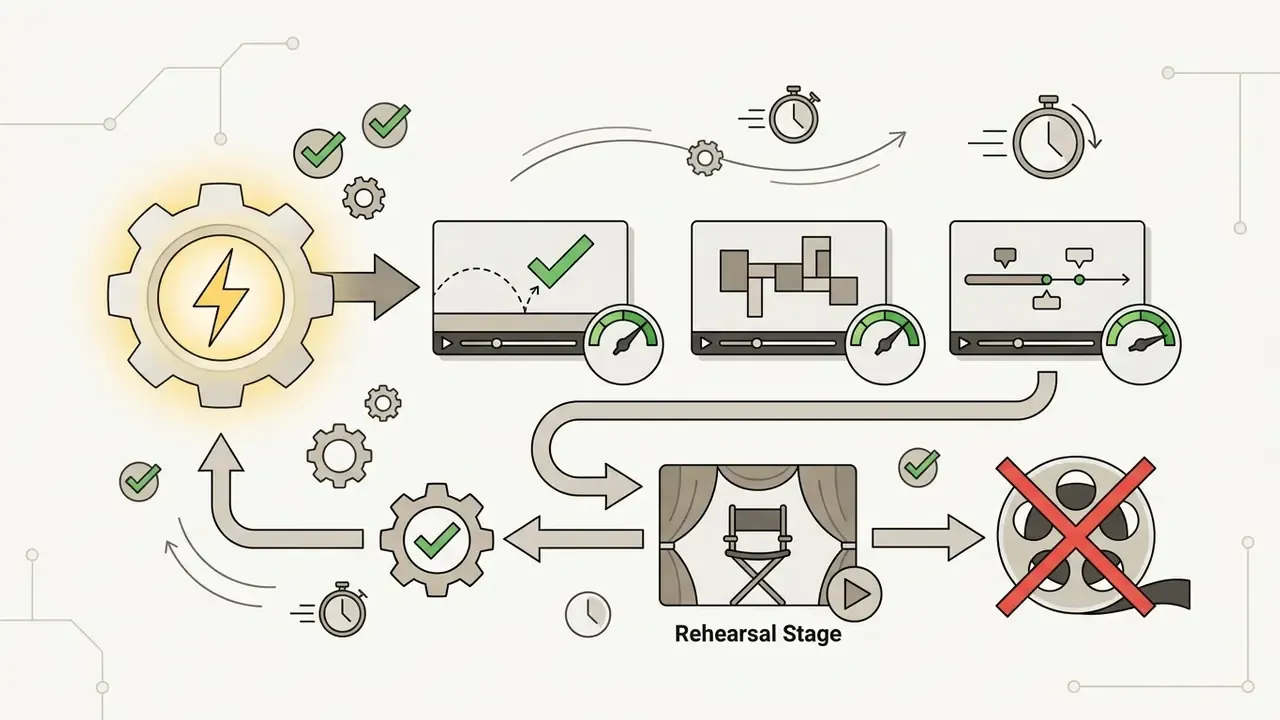
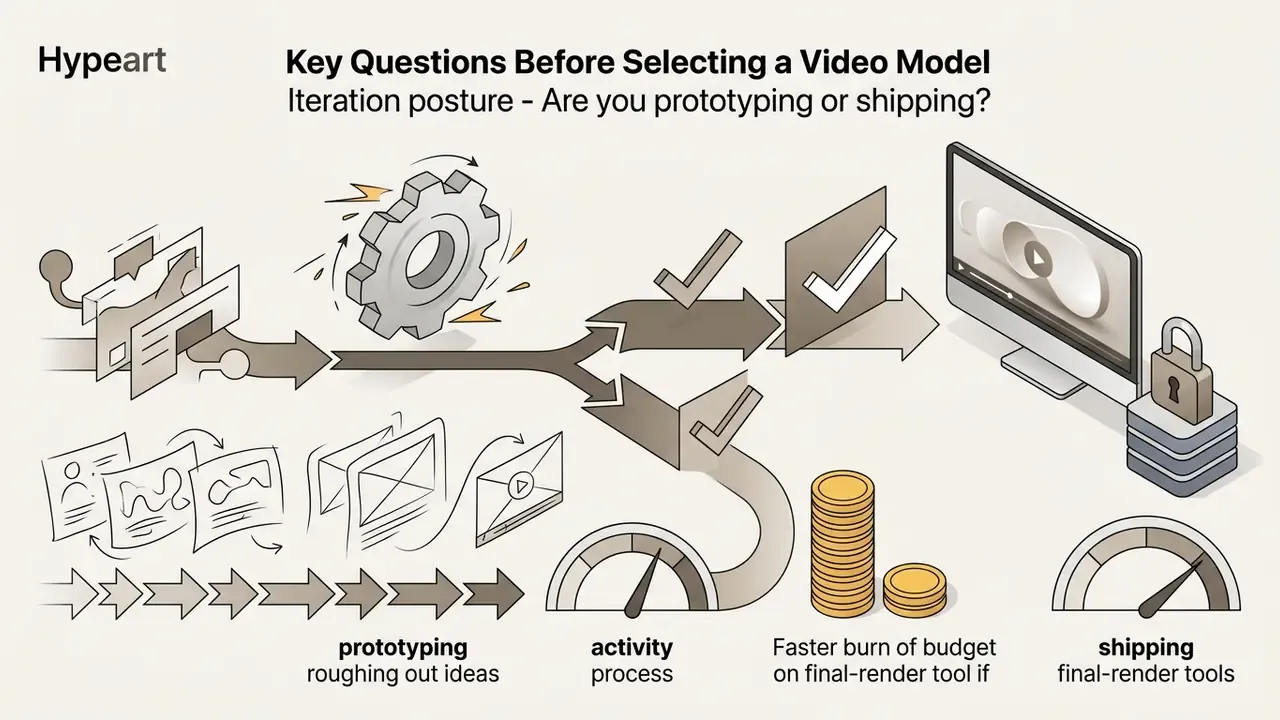
Optimizing video production means staging generations from low-cost draft previews up to high-resolution final renders, so compute is not wasted on ideas that die at the storyboard. Progressive refinement controls cost and keeps schedules honest. Where budget is the binding constraint, mapping which stages can run on free AI video generators before paid finals removes a meaningful share of draft spend, with the caveat that free tiers rarely satisfy confidentiality requirements.
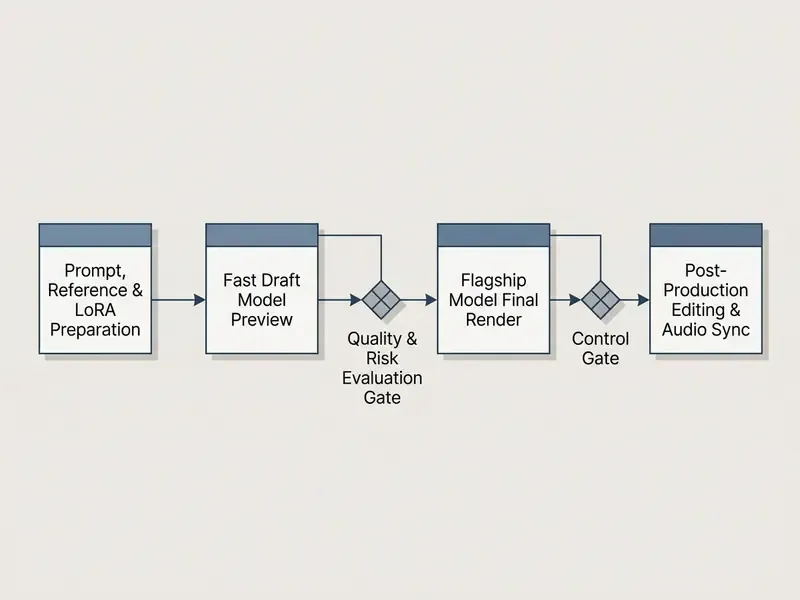
Decision Ownership and Control Gates (RACI)
Pipelines stall when nobody knows who may approve a spend escalation or a publish. Assign the five stages explicitly, in writing, before the first credit is spent.
| Pipeline Stage | Responsible | Accountable (Decision Owner) | Consulted | Informed |
|---|---|---|---|---|
| 1. Prompt, reference and LoRA prep | Creative producer | Content lead | Brand and legal (asset rights) | Model risk |
| 2. Fast draft preview | Prompt engineer / creative | Content lead | Nobody by default | Finance (credit burn) |
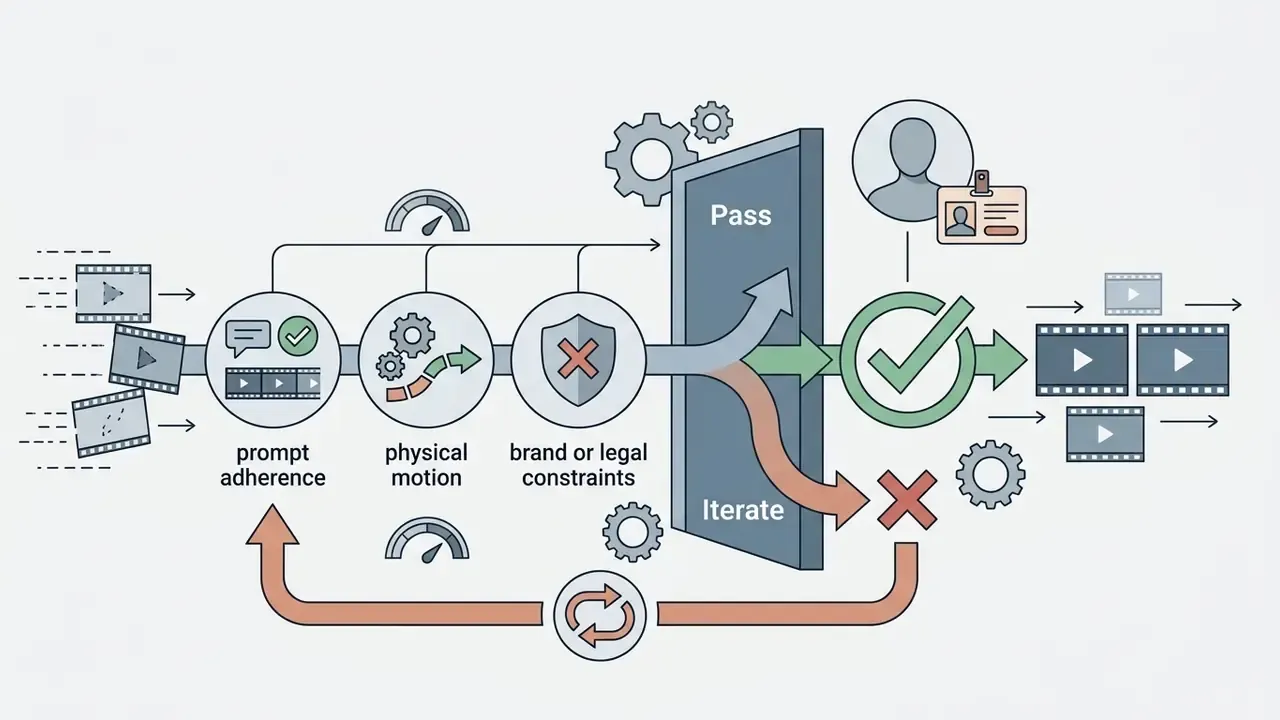
| 3. Quality and risk evaluation gate | Prompt engineer | Content lead jointly with risk officer | Brand, legal, security | Finance |
| 4. Flagship final render | Prompt engineer | Content lead (budget-capped) | Finance if the cap is exceeded | Model risk |
| 5. Post-production, audio and publish | Editor | Compliance or marketing approver | Legal (IP, disclosure) | All stakeholders |
Escalation rule: if a shot fails the Step 3 gate three times in a row, it goes back to Step 1 for prompt or reference redesign instead of being retried on a flagship. Repeated flagship retries are the single largest source of unbudgeted spend in generative video pipelines, and AWS's Generative AI Lens guidance makes the same structural point: define workflow boundaries and exit conditions, or cost runs away from you.
Workflow for Testing Prompts Before Final Generation
Running full-resolution renders on untested prompts burns API budget and calendar time in equal measure. Establish a prompt-testing workflow that runs low-cost draft evaluations against a small, version-controlled "golden set" of representative prompts before any flagship render touches the queue.
«EvalCrafter recommends scoring clips on objective axes, that is video quality, text-video alignment, motion quality, and temporal consistency, rather than unstructured preference.»
Published prompt-evaluation practice converges on the same shape: keep a golden set of roughly 50 to 200 stratified cases under version control, evaluate offline before production, and roll changes out gradually rather than swapping a prompt template globally on a Friday. Standardizing evaluation parameters across draft models isolates prompt errors before long flagship runs begin. One billing caveat worth checking: vendor policies on failed generations diverge. Some official pricing pages state failed generations are not billed, others note that failed or unsatisfactory attempts still consume credits. Verify the failure policy per endpoint before you design a retry loop.
Model Risk and Audit-Readiness Checklist for AI Video
Regulated teams must be able to reconstruct any published clip on demand. Capture the following per generation, ideally automatically through your gateway rather than by asking a producer to remember:
Checklist0 / 10
Image-Conditioned Workflows for Controllable Video Outputs
Conditioning video generation on an input image gives predictable control over spatial framing, lighting, and subject composition. Technical research on LeviTor and SG-I2V (2025) shows that combining depth maps with trajectory bounding boxes directs object movement along precise camera vectors: SG-I2V optimizes the noisy latent to match features inside a user-specified box path, while LeviTor encodes object masks into depth-aware cluster points for 3D trajectory control. Through-The-Mask splits the task into image-to-motion and motion-to-video stages with a mask-based trajectory as the intermediate signal, and ATI injects keypoints and their paths into latent space to unify camera motion, object translation, and local motion.
«Go-with-the-Flow reports an 82% win rate in paired comparisons for local object control and 90% for camera control against baseline motion-conditioning methods.»
Supplying high-quality source illustrations removes spatial ambiguity and keeps the generated video inside brand guidelines. Where those source frames are themselves generated, the upstream still-image engine matters more than teams expect, and a comparison of AI art generators is the practical starting point for style control and licensing terms.
When to Combine Multiple AI Tools in a Single Pipeline
Complex projects benefit from combining specialized AI microservices instead of leaning on one monolithic platform. A modular pipeline might route initial drafts through a fast T2V model, pass selected keyframes to an image-to-video engine for character consistency, and finish with a dedicated upscaler alongside Google Veo implementation details for the cinematic pass. Decoupling stages lets you swap individual tools as better algorithms arrive without rebuilding the whole pipeline.
The counter-argument deserves a hearing, though. Unified video models reduce workflow fragmentation and can cover generation, editing, and understanding in one stack, which lowers integration and vendor-management overhead. For a five-person team that is a real advantage, not a compromise. Modular chains, on the other hand, keep stronger task-specific control, referential stability, and stage-level optimization, and published work on text-to-video identity and motion trade-offs shows a single model often sacrifices one property to gain another. The pragmatic split: unify where the deliverable is short and self-contained; modularize where continuity, lip-sync accuracy, or 4K delivery is contractual. From a governance angle, each extra vendor is another data-processing agreement and another retention policy to police. Count that cost, not just the API line item.
Cost of AI Video Generation and Value to the Team
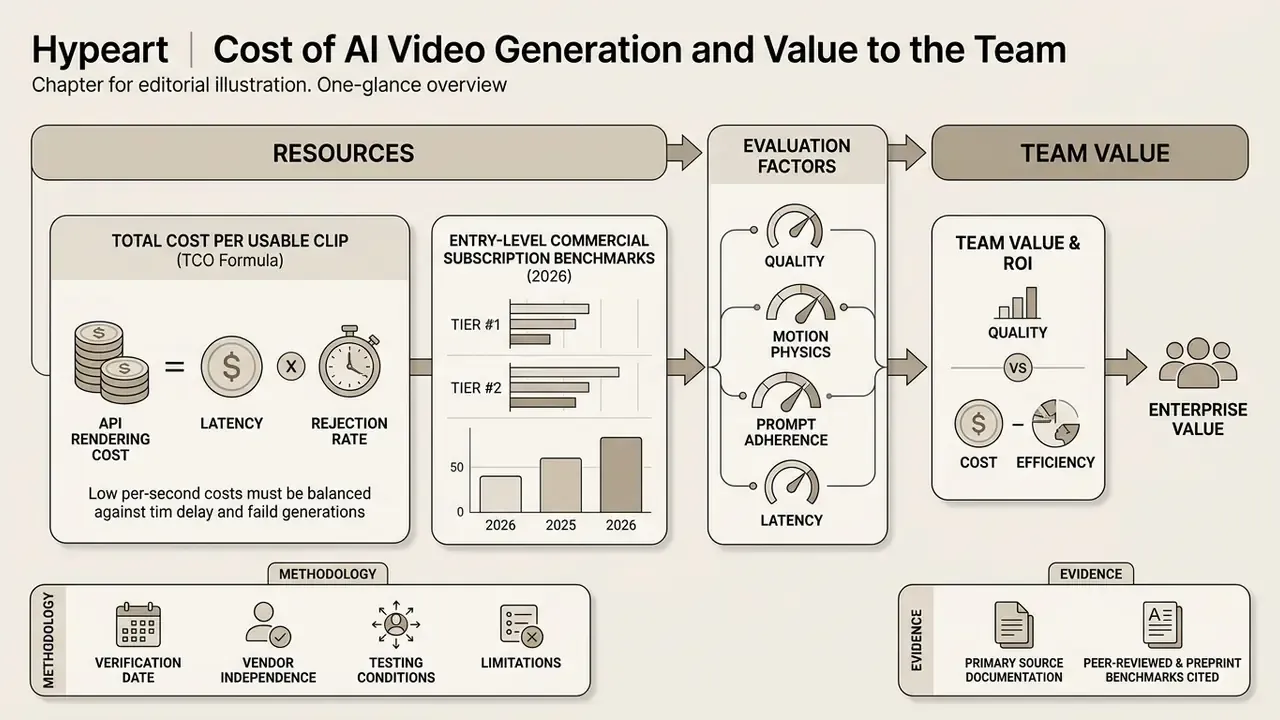
Calculating the enterprise value of AI video platforms means balancing per-second API rendering cost against latency and rejection rate. A high per-second rate is often justified when better prompt adherence cuts the number of attempts per finished asset. The cheap model that never quite lands the shot is the expensive one.
«HunyuanVideo, with 13B parameters, outperformed Runway Gen-3 and Luma 1.6 in professional human evaluations of visual quality, motion dynamics, and text-video alignment.»
Disclaimer: this information is general in nature and does not replace professional advice. API prices, model specifications, retention policies, and licensing terms change frequently. Verify current figures and contractual terms on official vendor pages, and route commercial-use and indemnification questions through your own legal and compliance functions before deployment.
| Tool Category | Typical Per-Second API Cost (2026) | Rendering Speed / Latency | Primary Value Scenario | Risk and Trade-Off |
|---|---|---|---|---|
| Fast Prototyping (MiniMax Hailuo Fast, Seedance 2.0 Fast) | $0.02 to $0.05 per sec | Very fast (under 20 sec) | Rapid draft creation, prompt iteration, high-volume testing | Lower per-frame detail, possible physical motion drift |
| Balanced Production (Runway Gen-4/4.5, Kling standard tiers) | $0.12 to $0.25 per sec | Moderate (30-60 sec) | Social campaigns, commercial assets, I2V consistency | Moderate API cost; needs credit management controls |
| Flagship Cinematic (Veo 3.1, Kling 3.0 4K, HappyHorse 1.0) | $0.40 to $0.70 per sec | Standard to slow (60-180 sec) | High-end brand advertising, complex physics, narrative shorts | High cost per attempt; requires pre-tested prompt workflows |
| Specialized Editing (WaveSpeed, Magnific, Bria) | $0.05 to $0.15 per call | Fast (under 30 sec) | Lip-syncing, spatial upscaling to 4K, background rotoscoping | Adds pipeline complexity; multi-vendor data agreements required |
Averaging premium per-second rates across published 2026 pricing pages puts high-quality generation near $0.30 per second, so a nominal ten-second flagship clip carries roughly $3.00 in raw inference cost. On its own that figure is misleading, because it silently assumes first-attempt success. Nobody's success rate is 100%.
Total Cost per Usable Clip (TCO Formula)
Model the accepted asset, not the attempt:
Total Cost per Usable Clip = (Draft Attempts x Cost_draft) + (Final Renders x Cost_flagship) + Post-Production Cost + Human Review and Approval Cost
where Final Renders = 1 / (1 - Rejection Rate) at the flagship stage.
Worked example: a 10-second deliverable with 12 draft attempts at $0.03 per second ($3.60), a 25% flagship rejection rate (1 / 0.75, so about 1.33 renders at $0.50 per second across 10 s, roughly $6.65), $1.50 of upscaling and lip-sync calls, and 45 minutes of combined creative and compliance review. The inference line lands under $12. The review labour usually exceeds it. That arithmetic is the whole case for drafting on cheap models: every percentage point shaved off the flagship rejection rate is worth more than a negotiated discount on the per-second rate.
Entry-Level Commercial Subscription Benchmarks (2026)
Subscription tiers matter for small teams and for pilots that never touch an API key. Verify each line against current vendor pages before you budget.
| Platform | Free Tier Availability | Minimum Paid Tier (Monthly) | Included Monthly Credits / Seconds | Commercial Usage Rights on Basic Plan |
|---|---|---|---|---|
| Runway ML | Limited, non-renewable credits | ~$15 per month | ~625 credits (about 125 sec of draft output) | Yes |
| Kling AI | Daily login credits (720p only) | ~$9.00 per month | ~660 credits (about 66 sec of output) | Yes |
| Luma Dream Machine | Limited test tier | ~$9.99 per month | ~30 generation credits | Yes |
| Seedance / Runware API | Pay-as-you-go test credits | ~$5.00 minimum top-up | Dynamic (about 70 videos on the Fast tier) | Yes |
| MiniMax Hailuo | Trial web access | ~$9.99 per month | Unlimited web drafts, tiered API metering | Yes |
| Pika | Limited free credits | ~$28 per month for the commercial tier | Tier-dependent | Yes, on the commercial tier |
Two cautions. "Commercial use" on a basic plan rarely equals indemnification; the right to publish is not the same thing as the vendor absorbing an infringement claim. And free or consumer web tiers commonly reserve broad rights to review or train on submitted content, which is precisely the clause that disqualifies them for confidential material.
To estimate your team's operational spend across model tiers and credit structures, run the numbers in the AI Video Credit Calculator, including rejection-rate assumptions, before you commit to a vendor enterprise plan.
E-E-A-T Benchmark Methodology and Data Sources
Building a Shortlist of AI Video Tools for Your Project
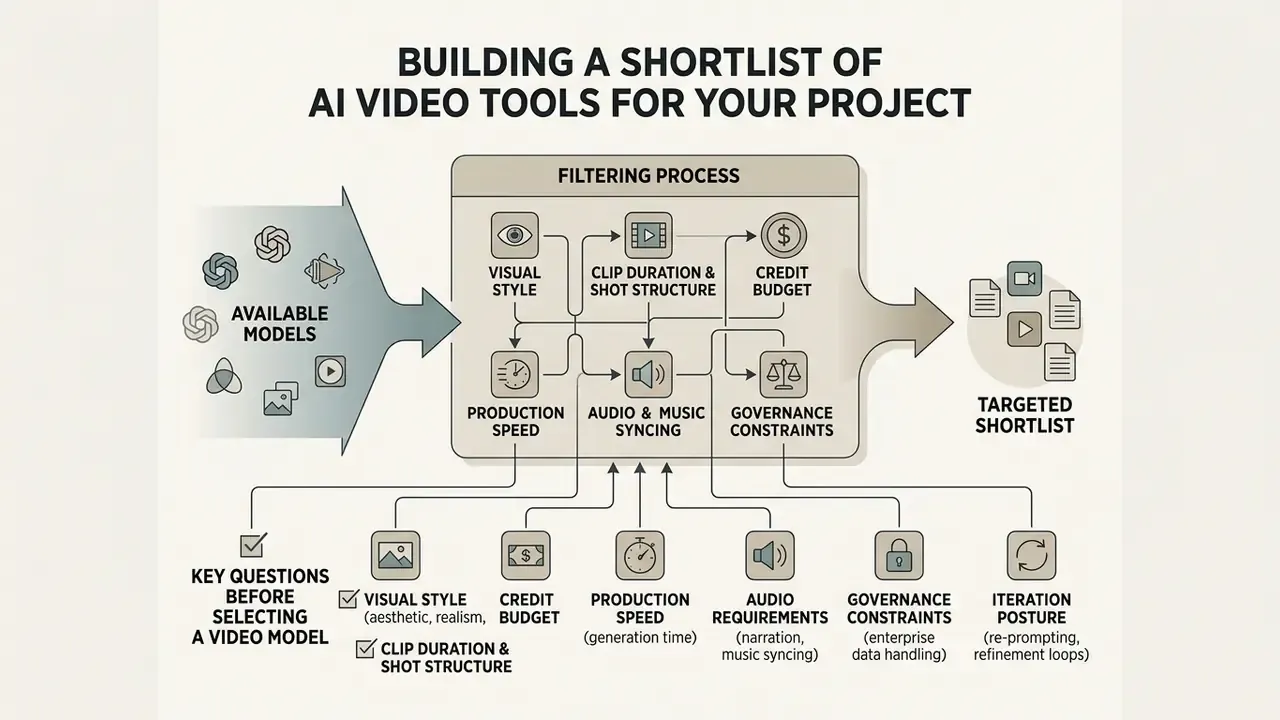
Building a targeted shortlist means filtering available video models through pre-defined constraints: visual style, duration, credit budget, turnaround latency, and data-handling posture. Systematic criteria are what prevent a costly platform migration halfway through a campaign. Screen on published benchmark dimensions first, then re-test the survivors on your own prompts, because benchmark leaders are prompt-set dependent and your prompt set is the only one that matters commercially.
Key Questions Before Selecting a Video Model
Before you buy platform licences, clarify these operational variables:


How to Compare Models on a Single Prompt Without Reviewer Bias
Objective comparison means evaluating competing video models on identical seed prompts, resolution settings, aspect ratios, and durations. The EvalCrafter methodology (CVPR 2024) recommends scoring outputs on objective visual axes instead of unblinded subjective preference; EvalCrafter itself evaluates models on 700 prompts with 17 objective metrics, then fits coefficients to align those metrics with user opinion.
«The LGVQ dataset of 2,808 AI-generated videos showed that standard objective metrics such as PSNR and SSIM correlate weakly with human judgement of AI-generated content.»
Scoring clips side by side on motion smoothness, prompt fidelity, and temporal stability stops surface aesthetics from masking motion flaws underneath. The same discipline applies once clips advance to post, including inside your video-editing tools, since aggressive grading can hide temporal artifacts that reappear the moment a platform re-compresses the file.
Reproducible Multi-Axis Benchmark Prompt
For an unbiased evaluation across models, run the standardized multi-axis prompt below unmodified on every candidate, at identical resolution, duration, and aspect ratio, with three variations per model. Record the seed each time.
[SCENE]: Cinematic medium shot of a mechanical clockmaker inspecting a glowing brass chronometer in a dimly lit Victorian workshop.
[MOTION]: Hands carefully turning a precision gear with fine tweezers; micro-sparks fly upon contact.
[CAMERA]: Slow 35mm dollying push-in with shallow depth of field (f/1.8). Camera otherwise static, no handheld drift.
[LIGHTING & ATMOSPHERE]: Volumetric dust motes floating through warm amber window light; rich, deep shadows.
[AUDIO]: Synchronized mechanical ticking, faint metallic scrape, soft breathing.
Evaluating outputs against this prompt exposes specific model limitations:
- Prompt adherence. Does the engine render both the tweezers and the chronometer gears, or does it quietly drop the smaller specified object?
- Physics and particle motion. Do the micro-sparks decay along plausible trajectories with light spill, or appear as flat frame artifacts?
- Spatial stability. Does the workshop geometry hold volume through the dolly push-in, or do the background shelves warp and swim?
- Hand and tool fidelity. Do fingers and tweezers keep their count and structure through the manipulation, the most common failure in close-up work?
- Temporal consistency. Do light temperature and dust-mote density stay stable frame to frame, or flicker?
- Audio sync (native-audio models only). Do the ticking and the visible gear movement share a phase, or drift apart after two seconds?
Score each axis 1 to 5 blind, with model names hidden from reviewers, then average across the three variations. For a cheaper second reference test, a single-subject prompt such as "A lone cyclist on an empty rural road at golden hour, long shadows on the asphalt, fields of tall grass glowing warm orange, cyclist in a bright jersey riding steadily toward the camera, dynamic perspective with cinematic depth" isolates gait kinematics and depth handling without the object-density load of the workshop scene.
Terminology Reference: AI Video Generation Vocabulary
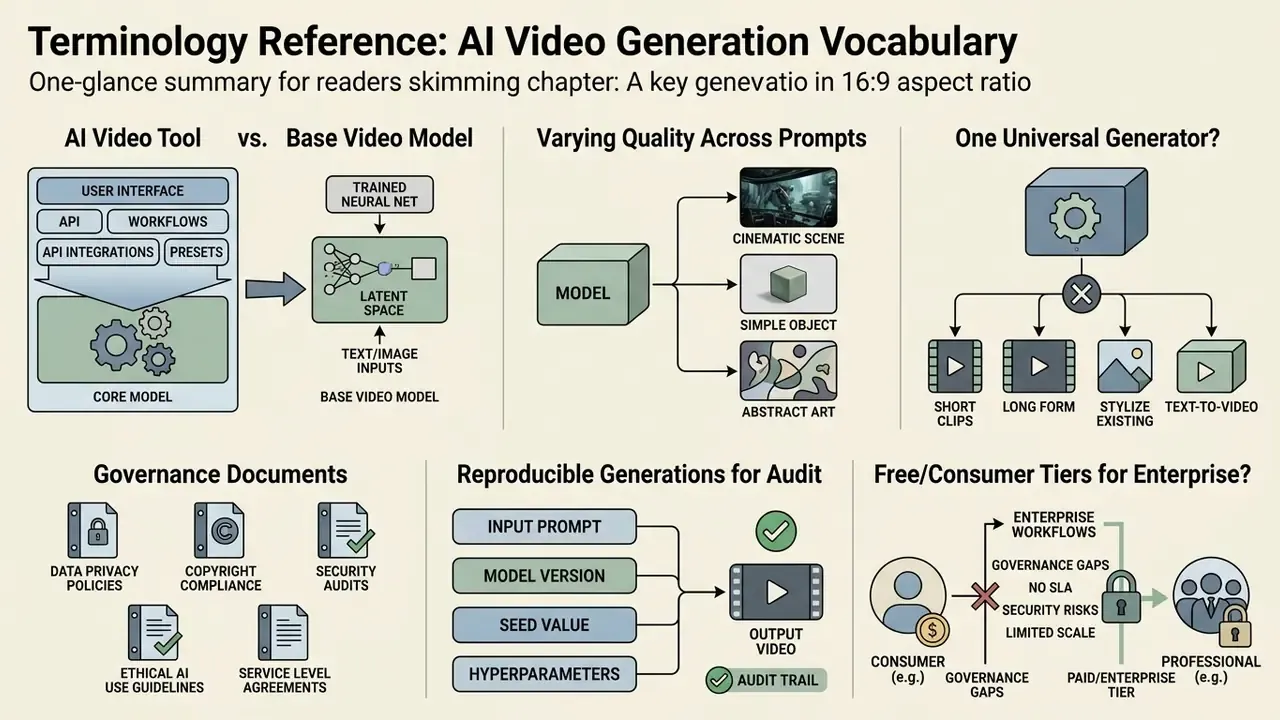
Keeping the glossary after the decision material leaves the matrix first for readers who came to compare, while preserving precise definitions for teams writing an internal standard.
AI Video Tool. The end-user software platform, interface, or API wrapper that provides production features, storage, editing modules, and asset management around an underlying generative engine.
Video Model. The core neural network architecture trained to synthesize temporal frames from textual, visual, or structural conditioning inputs.
Video Generator. The specific functional instance of a video model deployed with defined inference configurations, such as sampling steps or resolution limits.
Generation. The algorithmic process of sampling and decoding latent representations into continuous synthetic video frames.
Prompt. The structured input directive, comprising text, reference images, or parameter flags, that guides model output. In video work it typically specifies subject, setting, action, camera, lighting, style, duration, aspect ratio, and exclusions.
Motion. The visible displacement of subjects, background elements, and virtual camera trajectories across frames, including named camera moves such as pan, tilt, tracking shot, and push-in.
Workflow. The structured sequence of operational steps from initial prompt engineering through draft preview and final render to post-production editing.
Editing. The post-generation modification phase involving object removal, outpainting, audio synchronization, or spatial upscaling.
T2V / I2V / V2V. Text-to-video starts from a written prompt. Image-to-video animates a starting frame, with the prompt steering motion and mood. Video-to-video transforms an existing clip, usually preserving its motion and structure while restyling appearance. Most models support several modes; few perform equally across them.
Multi-Shot Generation. The ability of a video model to synthesize a sequence of continuous camera cuts within one generation pass while holding character identity, environmental lighting, and camera language across those cuts. This is what makes short narrative scenes possible without manual stitching.
First/Last Frame Conditioning. A control pipeline that lets users specify exact initial and terminal keyframes, forcing the model to interpolate spatial motion strictly between the designated states. Used mainly for transitions, shot matching, and scene stitching.
LoRA (Low-Rank Adaptation). Lightweight adapter weights fine-tuned on specific characters, brand products, or artistic styles, injected into base video diffusion models to enforce output consistency without full retraining.
Reference-Guided Generation. Conditioning workflows that accept multiple structural inputs, on current flagships up to nine reference images plus video and audio tracks, to anchor scene geometry, cast appearance, product design, and audio synchronization.
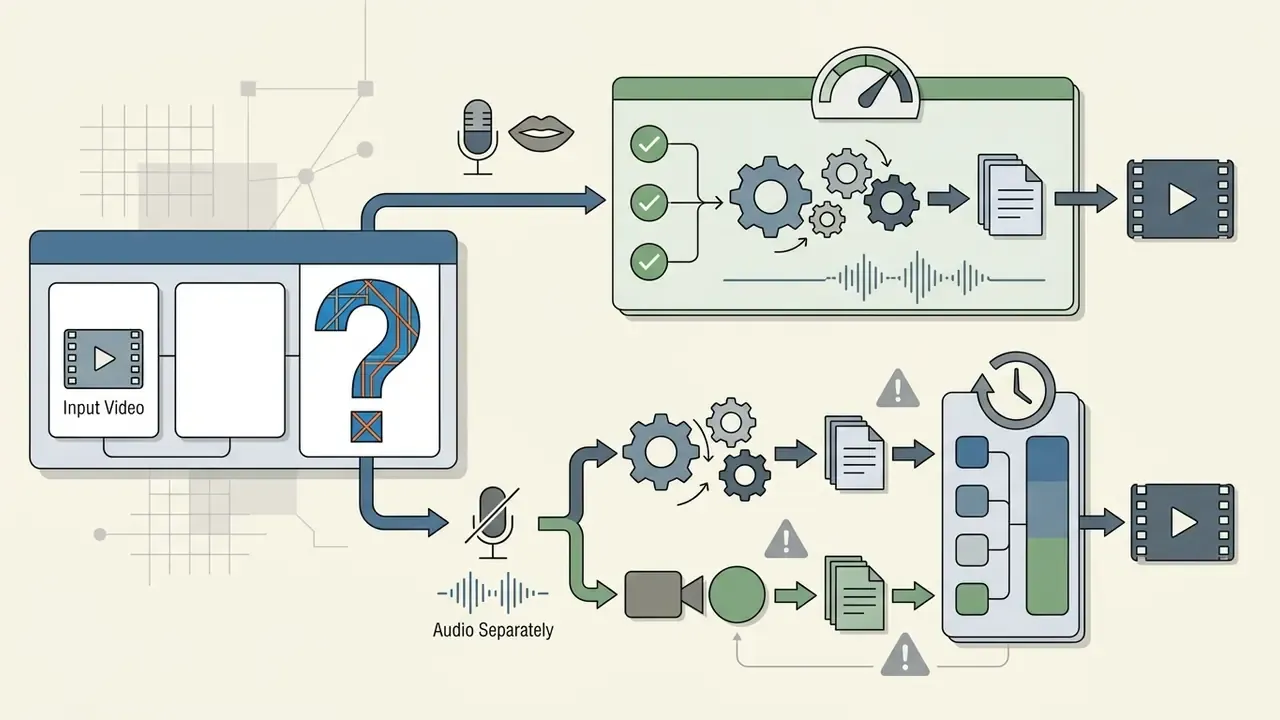
Native Audio vs Silent Output. A native-audio model generates picture and sound together, improving timing, lip-sync, and ambience alignment. A silent model outputs video only, leaving audio as a separate post stage with more granular control.
Zero Data Retention (ZDR). A contractual and technical configuration in which prompts, reference assets, and outputs are not persisted by the provider after inference and are not used for model training. Typically the minimum requirement for confidential material in a regulated environment.
How Does an AI Video Tool Differ from a Base Video Model?
An AI video tool is the complete end-user application or platform: interface controls, timeline editing, API management, project storage. A base video model is the underlying neural network trained to generate raw frames from conditioning data. Vendor documentation makes the split explicit, since an access layer such as a cloud generative API exposes several distinct models, each with its own capability list, endpoint, and price. Evaluate them separately. The platform sets your workflow and governance posture; the model sets your output quality.
Why Does a Single Model Show Varying Quality Across Different Prompts?
Output quality varies because ambiguous text prompts leave spatial and temporal detail unconstrained, so the model infers motion paths on its own. Prompts that specify camera angle, subject action, lighting, and aesthetic style provide tighter latent conditioning, and that shows up as higher visual fidelity and steadier temporal consistency. Image conditioning goes further: injecting a concrete first-frame latent removes layout and identity ambiguity outright, which is why the same model is frequently more stable in image-to-video than in text-to-video mode.
Is One Universal Video Generator Sufficient for All Production Tasks?
No single video generator excels across every requirement. Flagship models deliver superior cinematic rendering and prompt adherence, at higher cost and latency. Fast draft generators give rapid iteration for pennies but lose fine detail. Combining fast draft models with high-fidelity renderers and specialized editing APIs produces a more cost-effective and resilient pipeline, at the price of extra vendor and data-processing agreements to manage.
Which Governance Documents Should We Request Before a Pilot?
Request four items as a package: the data-processing addendum with an explicit no-training clause and stated retention window; the current SOC 2 Type II report or equivalent attestation; the commercial-use and indemnification terms for the exact plan tier you intend to buy; and the model card or technical documentation naming the model version your endpoint serves. If any of the four is unavailable, restrict the pilot to synthetic or already-public assets. No exceptions worth defending later.
How Do We Make AI Video Generations Reproducible for an Audit?
Log the model version, seed, all sampling parameters, prompt version hash, reference asset hashes, LoRA adapter IDs, and the evaluation gate decision for every accepted clip, then store that bundle with your normal marketing approval evidence. Reproducibility usually fails not because a seed went unrecorded but because the model version changed silently underneath a stable endpoint name. Pin versioned endpoints wherever the provider offers them.
Does a Free or Consumer Tier Ever Suit Enterprise Work?
Only for non-confidential, non-branded experimentation. Free and consumer web tiers commonly reserve broad rights to review or train on submitted content, frequently omit indemnification, and often differ in retention policy from the same vendor's enterprise API. Use them to build prompt intuition. Never to process unreleased product assets, customer footage, or regulated material.
Appendix A: Revision Log and Superseded Statements
Retained for transparency and version tracking. The statements below appeared in the earlier edition of this guide and have been superseded in the main text; they are preserved here with the reason for revision.
| Superseded Statement | Status | Revised Position in Main Text |
|---|---|---|
| "Kling AI 1.5 / 2.0, max native resolution 1080p" listed as a current flagship | Outdated | Replaced by Kling Video 3.0 4K / O3 4K (native 4K, native audio); 1.5 and 2.x retained as legacy baselines |
| "OpenAI Sora 2 / Pro" presented within the active flagship set | Reclassified | Moved to Legacy and Archival Baselines; video generation and Videos API deprecated with shutdown 24 September 2026 |
| "Distilled causal generators achieve latencies under 2 seconds per 10-second preview" | Imprecise | Replaced with measured CausVid figures: 1.3 s for a 120-frame clip at 9.4 FPS, roughly 160x faster than CogVideoX, on enterprise GPU hardware |
| "The PhysVideoGenerator study (2026) demonstrates that embedding physics-informed latent priors reduces structural distortion" | Unverified single source | Reformulated as a research direction supported by MotionCraft (NeurIPS 2024), ReVision (2025), and VBench-2.0's dedicated physics axis |
| "Following guidelines from the NIST TEVV-Athlon AI evaluation framework (2026)" | Unverified attribution | Replaced by EvalCrafter (CVPR 2024) objective scoring axes plus versioned golden-set prompt evaluation practice; NIST-style system-level TEVV retained conceptually as the platform-evaluation layer |
| "Reduced visual character variation across generated clips by 42%" | Unsupported metric | Retained as a qualitative project-level observation with an explicit measurement caveat; the percentage is withdrawn pending reproducible measurement |
To review updated model evaluations, technical benchmarks, and enterprise risk frameworks, browse the hub for the full research documentation.