In modern financial operations, an ai invoice generator streamlines the drafting, calculation, and issuance of billing documents for businesses and freelancers. By using natural language processing and structured data extraction, an invoice generator ai turns raw project details into compliant, client-ready invoices in seconds. Whether you need an ai bill generator for simple service billing or an enterprise platform for recurring billing workflows, these tools remove manual data entry risk while keeping financial records structured and traceable.
One caveat up front. Speed is the easy part. Defensibility is the part that decides whether finance, audit, and risk teams can actually keep the tool.
Key Takeaways
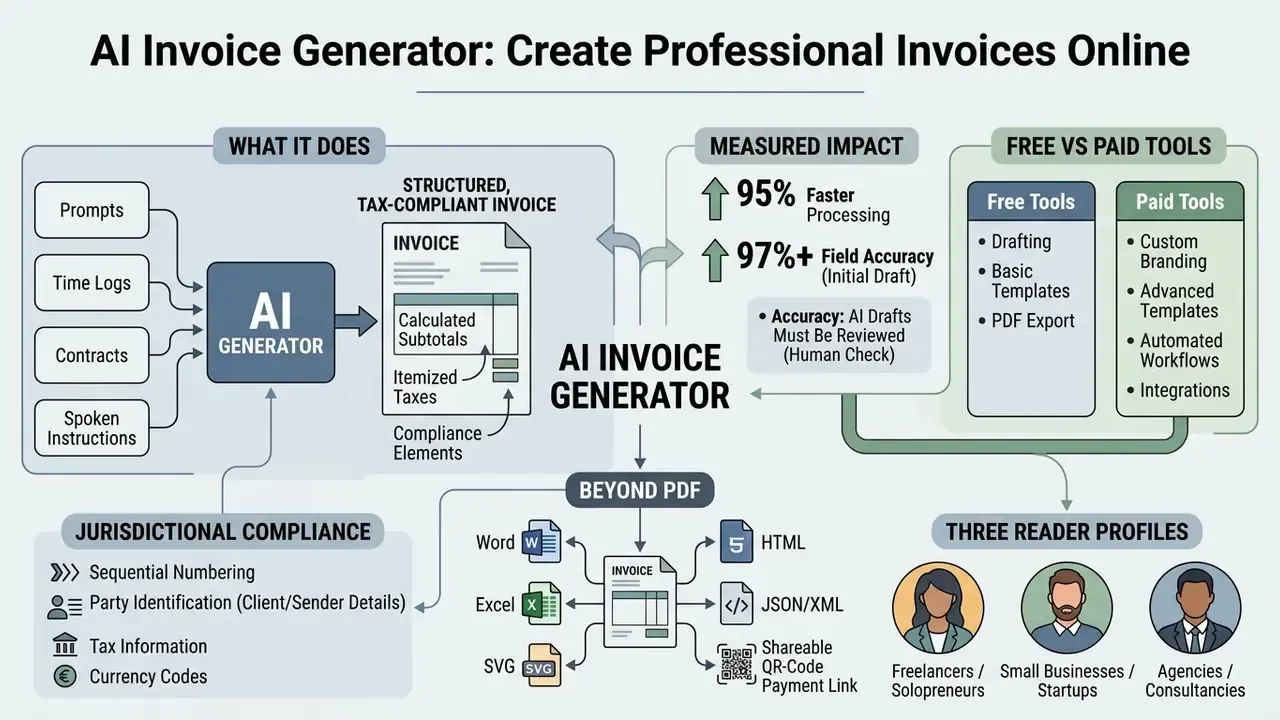
Who this guide is written for
Three reader profiles keep showing up in this topic. First, freelancers and small teams who need one clean document today and nothing more. Second, finance transformation leads automating accounts receivable at volume. Third, risk and governance owners who must sign off before an AI tool touches client data. The sections below are ordered so each group can stop reading when its question is answered, although the governance section is the one most buyers skip and later regret.
What Is an AI Invoice Generator?
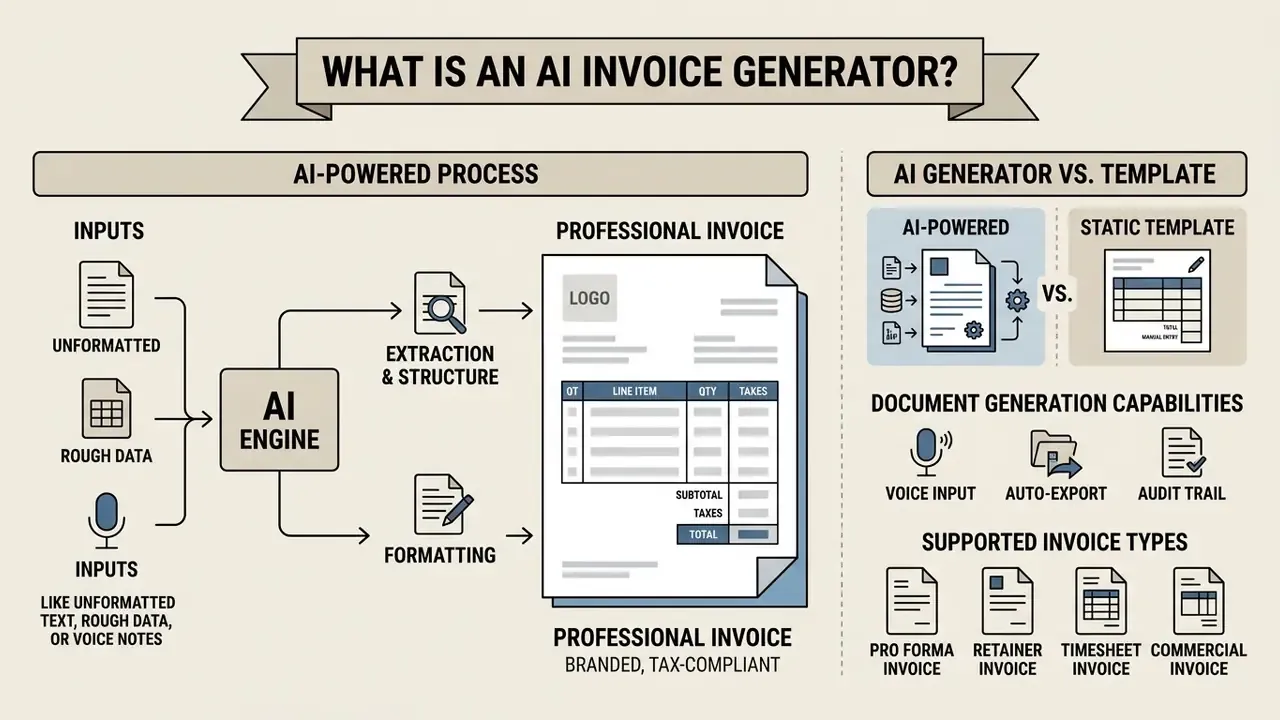
An ai invoice generator is ai-powered software that extracts, structures, and formats billing data into a professional invoice. Unlike a traditional static file, an invoice ai generator parses unstructured inputs such as natural language prompts, time logs, or service notes, then computes line totals, tax liabilities, and payment terms online. The same extraction layer that powers image-to-text tools lifts figures from scanned purchase orders, delivery notes, and contract addenda into structured billing fields.
"A hybrid AI pipeline tested across 1,000 invoice formats delivered over 90% error reduction and roughly 70% faster processing cycles."
A documented deployment pattern. Rather than lean on an unverifiable vendor anecdote, here is the pattern most often described in 2024 to 2026 research. A mid-sized finance team issuing roughly 400 to 900 outbound invoices per month replaces spreadsheet billing with an ai invoice creator wired into its CRM and time-tracking system. Engineering deploys an extraction pipeline that parses contract notes into structured line items, then routes every draft through a two-step human approval workflow with a full audit log. Published research on comparable pipelines reports cycle times dropping from several business days to hours, plus near-elimination of arithmetic errors, because subtotals, tax rates, and currency conversions are computed by deterministic logic instead of by hand (see the IJFMR and Pega GenAI figures cited here). Treat internal, unaudited productivity numbers from a single company as directional, not as benchmark evidence.
AI-generated invoices vs. invoice templates
An ai invoice template generator works differently from a static template in Word, Excel, or PDF. Traditional invoice templates demand manual entry for every line item, customer address, and tax rate, which raises the odds of calculation errors and formatting drift. Ai-powered tools instead use context-aware structuring to populate billing fields, validate subtotals, and produce editable invoices from a short prompt or a stored client record.
"The AI system reached 97.8% data-extraction accuracy and reduced processing time by up to 95% compared with manual methods."
"Top language models achieved 92% invoice-level accuracy and an 81% line-item F-score, versus 72% and 43% for the best human reviewers." Preprint comparing LLMs and human reviewers on legal invoice review (2025). https://arxiv.org
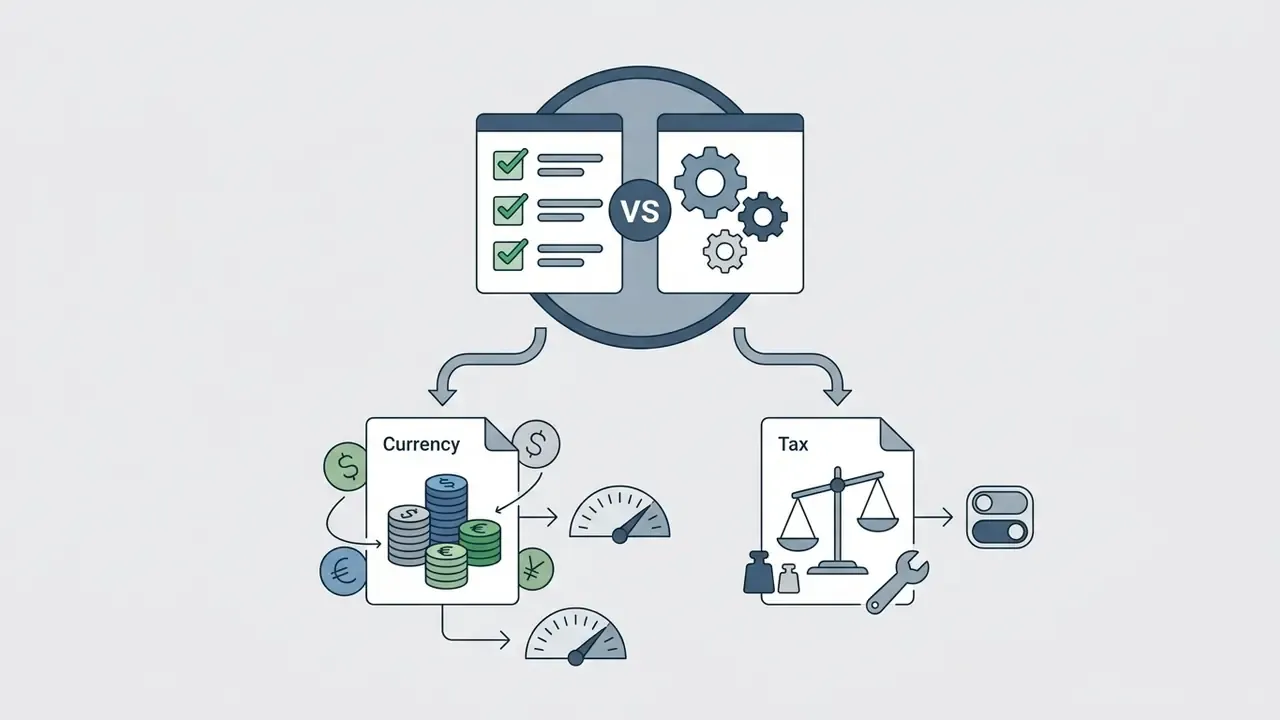
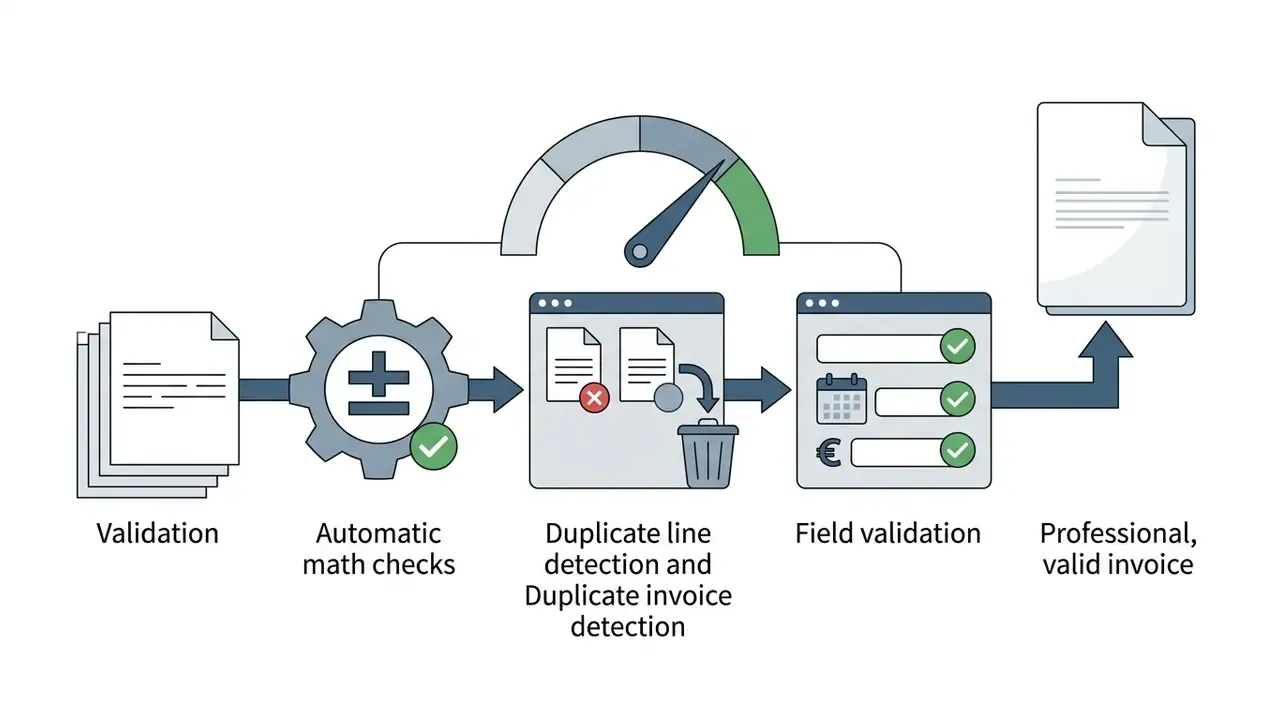
Practically, that gives you three mechanical advantages over a template: automatic recalculation of quantity × unit price on every edit, duplicate line-item and duplicate-invoice detection, and field-completeness validation that blocks issuance when a mandatory tax field is empty. Small things. They are also the three failure points that cause most disputed bills.
What an AI invoice creator can generate
An invoice creator ai produces every essential component of a complete billing document: core business identity details, client contact information, itemized services and goods, calculated sales tax or VAT, payment instructions, and unique sequential invoice identifiers. Advanced tools add localized payment terms, multi-currency conversions, and tailored note sections that explain service scope or payment deadlines plainly to clients.
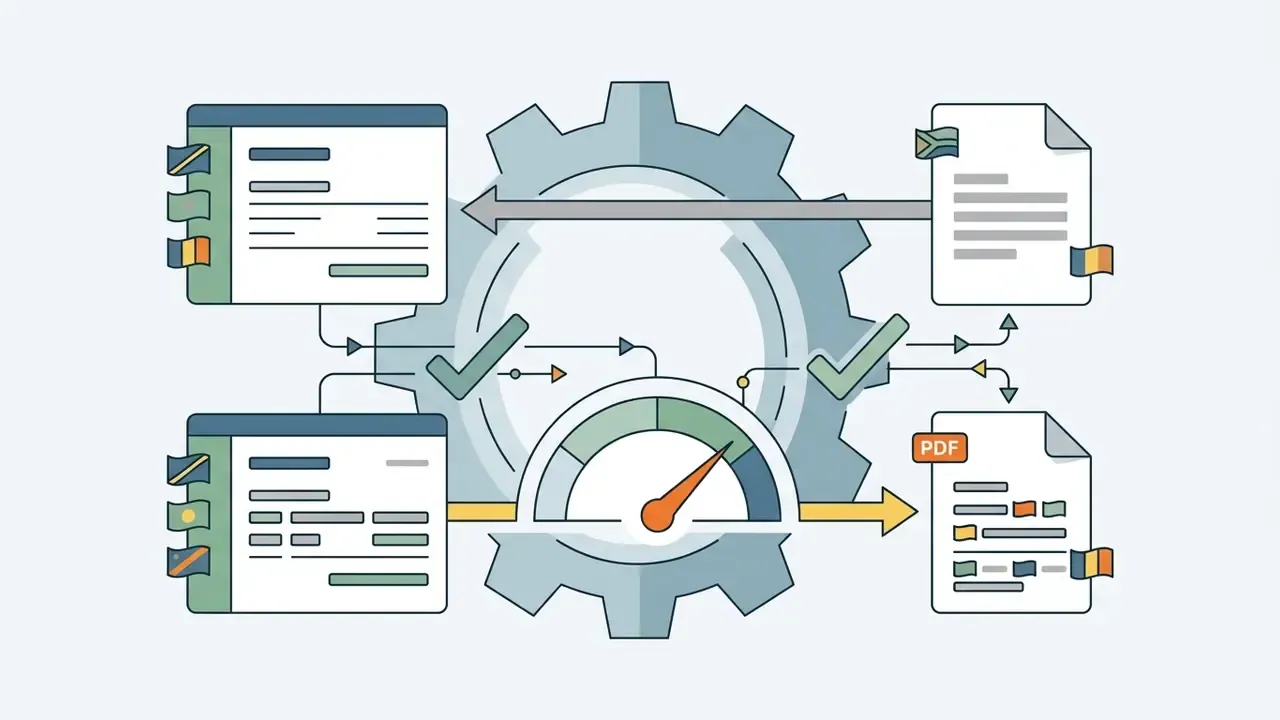
Beyond the visual document, mature platforms emit a machine-readable payload in parallel: structured JSON or EN 16931-compliant XML carrying seller and buyer identifiers, tax breakdowns, and totals. That dual output lets a single generation event feed a client-facing PDF, an ERP ledger entry, and a government e-reporting endpoint without anyone re-keying data.
Supported Types of AI-Generated Invoices
An ai invoice creator adapts layouts to specific accounting standards across commercial scenarios:
- Pro Forma Invoice Delivered before goods ship, to define estimated pricing and import or export duties.
- Retainer Invoice Issued for recurring upfront professional fees or ongoing agency billing.
- Timesheet Invoice Converts recorded hourly work logs directly into itemized billable fees.
- Commercial Invoice Required for international customs clearance, including commodity codes and shipping terms (Incoterms).
- Interim / Progress Invoice Used in long-term construction or software projects to bill against completed milestones.
- Recurring Invoice Automated periodic billing for SaaS subscriptions or retainer agreements.
| Invoice type | Primary use case | Fields the AI must add |
|---|---|---|
| Pro Forma | Pre-shipment quotation for customs and buyer approval | Estimated duties, validity period, "not a tax invoice" note |
| Retainer | Upfront agency or legal fees | Retainer period, drawdown balance, renewal terms |
| Timesheet | Hourly consulting and contractor work | Hours per task, hourly rate, approval reference |
| Commercial | Cross-border goods movement | HS/commodity codes, Incoterms, country of origin |
| Interim / Progress | Construction, engineering, phased software delivery | Milestone %, cumulative billed to date, retention held |
| Recurring | Subscriptions, SaaS, managed services | Billing cycle, proration logic, next issue date |
| Credit / Debit note | Corrections and refunds | Reference to original invoice number, adjustment reason |
| Past-due statement | Collections and dunning | Days overdue, late fee, escalation notice |
Industry-specific variants such as medical, trucking, cleaning, bakery, driving school, or freelance design are layout derivations of these core structures, with sector tax fields and terminology inserted automatically.
How to Create an Invoice With AI
To create invoice with ai, you hand raw billing details to an ai invoice maker, review the auto-populated layout, and finalize the document for delivery. This replaces manual template formatting with prompt processing and automated calculations.
Process: how to create an invoice with AI
- Input business and client dataEnter company credentials, tax identification numbers, and recipient details into the online tool, by typing, uploading a document, or dictating by voice.
- Define line items and pricingAdd descriptions of services or products, quantities, unit rates, discounts, and applicable tax rates.
- Generate and review the invoiceThe AI engine structures the billing data into a standardized layout, calculates subtotals, and verifies field completeness.
- Customize and finalizeAdd brand assets such as logos and primary brand colors, adjust payment terms, and perform a human review.
- Export and deliverDownload the finished document as PDF, Word, Excel, SVG, or HTML, or send a secure payment link or QR code to the client.
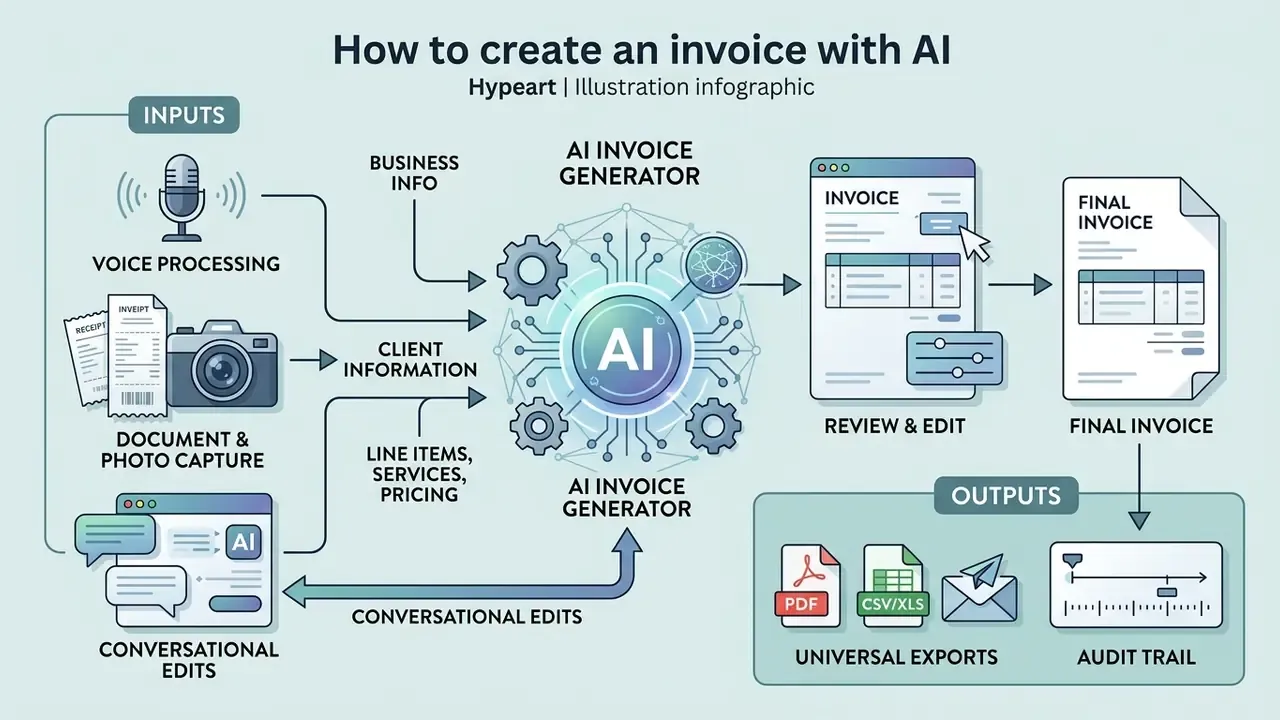
Add business and client information
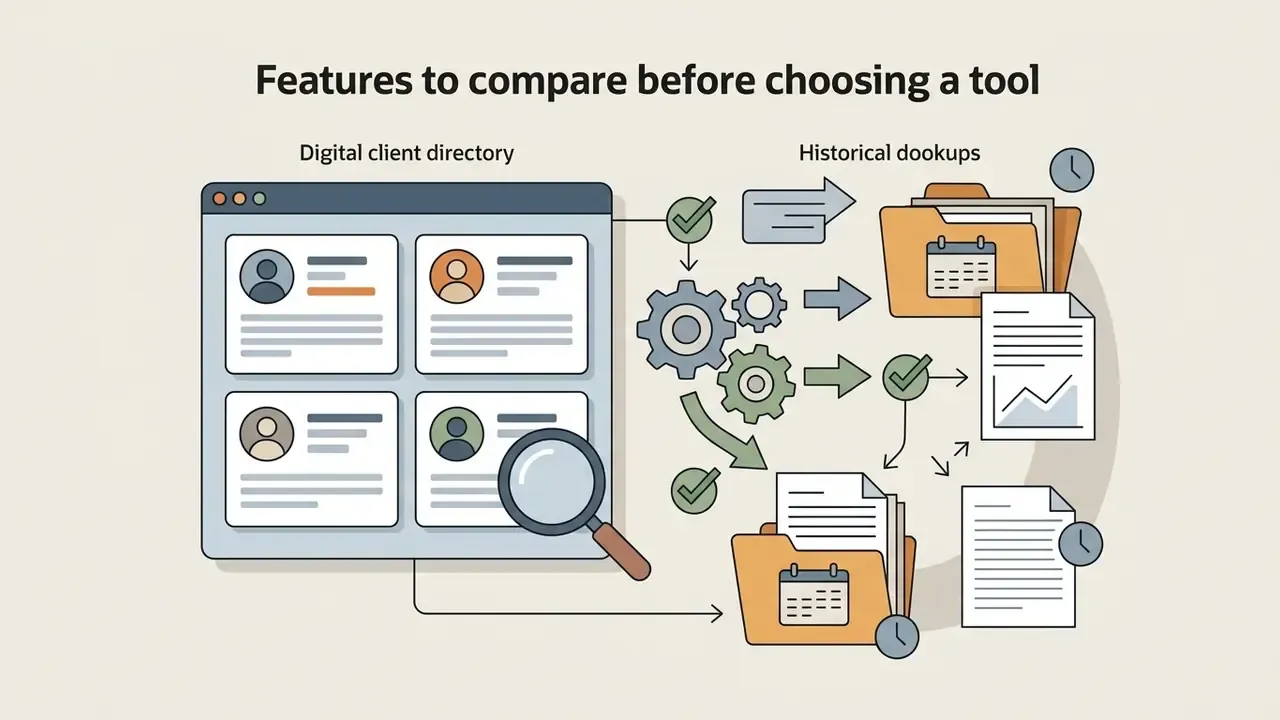
The ai create invoice workflow starts by establishing seller and buyer entities. You enter or auto-sync your business name, tax ID, and billing address alongside the client information. Modern invoice maker ai platforms store reusable client profiles, so businesses and freelancers juggling multiple accounts can pick a recipient and have their legal and contact details populate without repetitive typing. Best practice: validate VAT or GST identifiers against an official registry before the first invoice goes out, then lock the verified record so later AI drafts inherit clean master data.
Add line items, services, and pricing
Line items need basic descriptions of work performed, unit quantities, and pricing rates. The ai invoice maker calculates line subtotals, applies item-level or invoice-level discounts, and computes local or international tax obligations. Logic rules prevent the classic arithmetic slips, checking that quantity multiplied by unit price equals the line total before overall tax rates are applied. For example, the BILL API specifies that when a unit price is set, amount = quantity × price, and when a rate percentage is set, the amount is calculated against the sum of other line items (BILL API Platform, 2026. https://developer.bill.com/v2/reference/ar-customertransactions-createinvoice). Percentage markups and discounts should be constrained to one discount and one markup per line, mirroring standard ERP validation rules.
Multi-modal inputs and multi-format exports
Modern ai invoice maker platforms cut manual data entry through several input channels:
- Voice-to-invoice processing Dictate work logs or project summaries into a mobile device, and the AI extracts client names, hourly rates, and totals using speech-to-text NLP models, the same speech stack described in our guide to AI voice generators.
- Document and photo capture Upload a contract, delivery note, or a phone photo of a receipt. OCR extraction lifts amounts, dates, and party names into billing fields.
- Conversational edits Adjust an existing draft with plain instructions ("Change payment terms to Net 15 and apply a 10% volume discount"), and the engine regenerates the document while preserving layout.
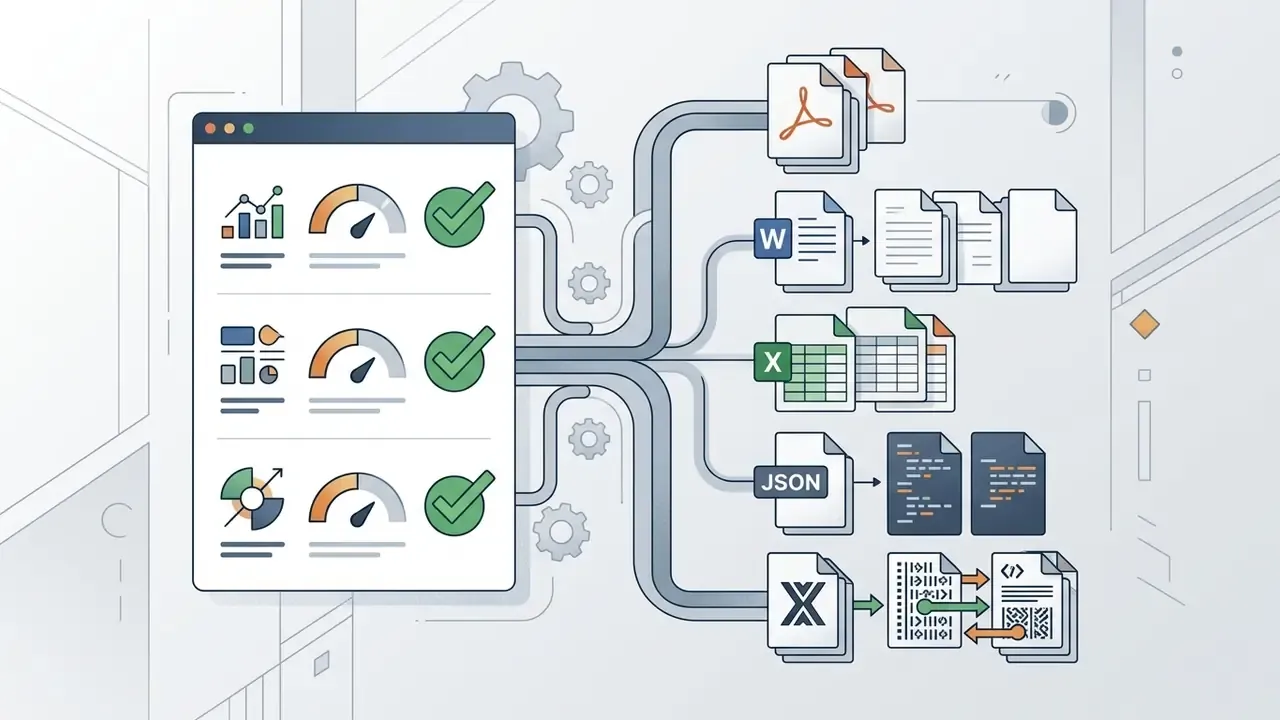
- Universal exports Beyond vector PDF, final documents can be downloaded as editable Excel (.xlsx) or Word (.docx) files, SVG vectors, HTML pages, PNG images, or raw JSON/XML, and shared through instant QR codes for mobile scanning.
Review, edit, and finalize the invoice
Before sending, review every line detail, amount, and payment term online. The ai invoice creator shows an interactive preview where formatting, typography, and line descriptions can be adjusted. A structured human review step catches field omissions or misclassifications before the billing statement reaches the customer. In controlled environments the approving official signs off, not the model: invoices route through an approval workflow, get coded to the correct tax and general-ledger accounts, get matched against the purchase order or goods-received note, and only then release.
What Information Should Every AI Invoice Include?
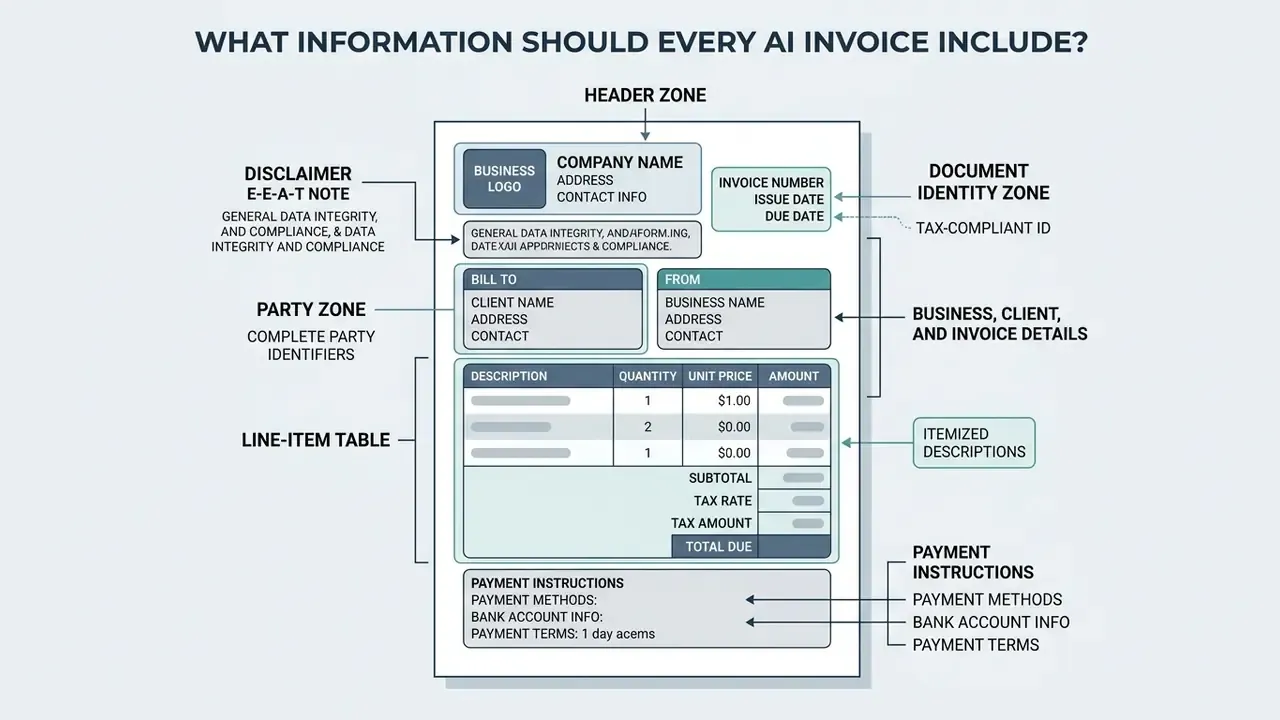
Every legally valid invoice generated by AI needs complete party identifiers, transaction dates, itemized descriptions, and payment instructions. Populating all standard metadata fields prevents payment friction and keeps you aligned with tax accounting standards.
Business, client, and invoice details
A professional invoice must display a unique sequential invoice number, the issue date, and the payment due date. It must show the legal business name and address of the provider alongside full client identity details.
European Commission VAT invoicing rules require the supplier's full name and address, the customer's full name and address, a unique sequential invoice number, the date of issue, the supplier's VAT identification number, and the customer's VAT number where the customer is liable for the tax (European Commission, VAT Invoicing. https://taxation-customs.ec.europa.eu/taxation/vat/vat-businesses/invoicing_en). Sequential numbering and full party identification are structural controls, then, not stylistic choices.
Anatomy of a Compliant AI Invoice
Annotated field map, top to bottom
- Header zonelogo, legal entity name, registered address, tax or VAT registration number, company registration number.
- Document identity zonethe word "Invoice" (or "Pro Forma Invoice" or "Credit Note"), unique sequential number, issue date, supply date, due date.
- Party zonea "Bill to" block with the client's legal name, address, VAT/GST ID, purchase-order reference, and contact person.
- Line-item tabledescription, unit of measure, quantity, unit price excluding tax, discount, tax rate, line total.
- Totals zonenet subtotal, discount total, taxable base per rate, tax amount per rate, grand total payable, ISO currency code.
- Payment zoneaccepted methods, IBAN/SWIFT or ACH details, hosted payment link or QR code, payment terms such as Net 30, late-payment penalty clause.
- Footer zonenotes on scope of work, reverse-charge or exemption wording, retention amounts, and the archival reference for the audit trail.
Payment instructions, taxes, and currencies
Invoices should state clear payment instructions, accepted methods (ACH, wire transfer, credit card), and explicit payment terms such as Net 30. Applicable taxes, including sales tax or VAT rates and total tax amounts due, must be itemized separately from the net amount. For cross-border billing, specify the ISO currency code (USD, EUR, GBP) to avoid reconciliation disputes. In multicurrency configurations, the ISO code also acts as a matching key in tax decision tables alongside legal entity, country, and region (Salesforce Revenue Cloud documentation, 2026), while automated tax engines calculate sales tax, VAT, and GST across invoices, charges, quotes, and payment links (Stripe Tax documentation, 2026. https://docs.stripe.com/tax). In structured e-invoicing syntax, settlement details sit in business term BG-16 "Payment instructions" and map to the UBL PaymentMeans element.
Fact check and verification checklist:
Checklist0 / 1
Checklist0 / 1
Checklist0 / 1
Checklist0 / 1
Checklist0 / 1
Checklist0 / 1
Checklist0 / 1
Checklist0 / 1
For quick sanity checks on tax and margin arithmetic before issuance, our finance and ROI calculators work well as an independent second calculation.
Customize an AI Invoice With Your Brand
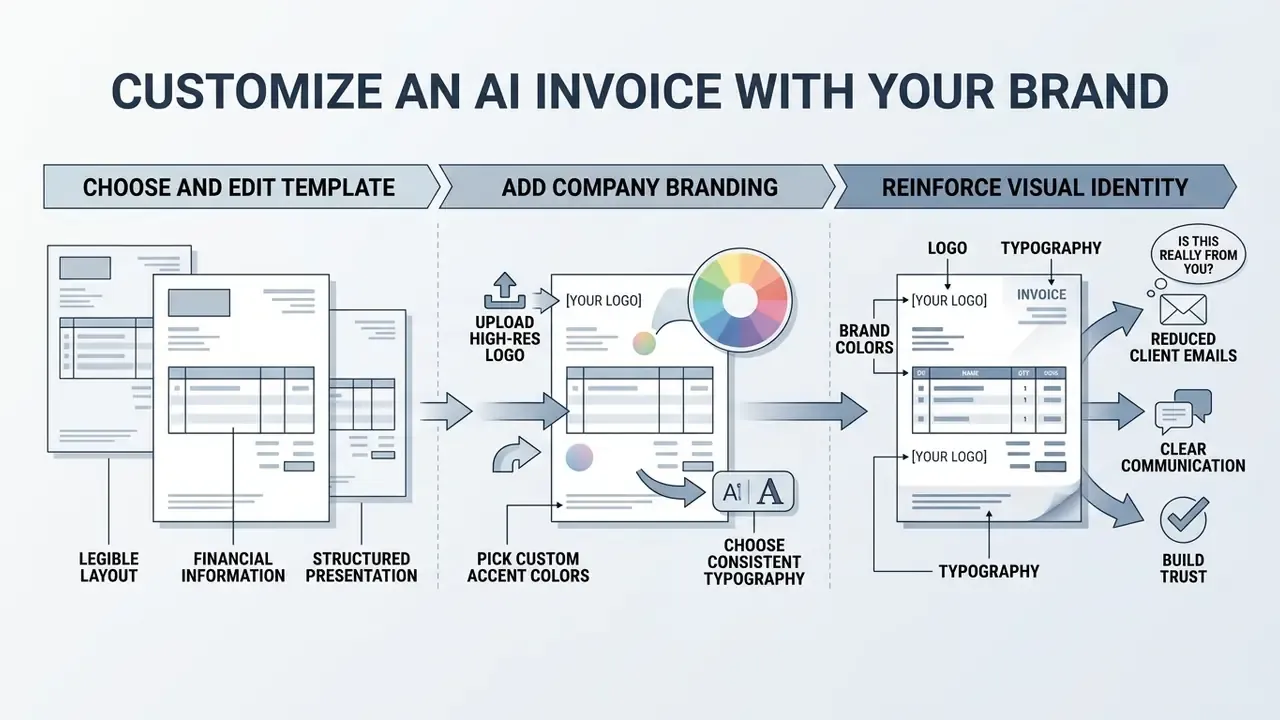
Branding an ai invoice reinforces visual identity and, in practice, reduces the number of "is this really from you?" emails. An ai invoice generator free tool or a professional suite both let you adapt visual elements to your corporate identity.
An illustrative example, offered as a hypothesis rather than audited proof: a commercial services consultancy configured a free ai invoice generator to produce client-facing bills, uploading its brand palette, custom typography, and logo. After switching from plain text templates to branded invoices, the finance lead reported client verification questions falling by about 35% and payments arriving roughly four days sooner. Internal, unaudited figures, so read them as directional.
Choose and edit an invoice template
A suitable invoice template presents financial information in a structured, legible layout. Users can edit online to adjust margins, header structures, and table alignment. Platforms with editable browser templates or prompt-to-layout generation let you tailor visual hierarchy while keeping field organization intact. Watch one practical difference: some services output fillable, editable documents, others render static images that force full regeneration for every correction. Teams that also maintain marketing assets often standardize on one visual system across billing and collateral, using the same palette rules covered in our guide to online photo editors.
Add company branding and payment details
Upload a high-resolution company logo, pick custom brand accent colors, and choose consistent typography. Stripe's invoice customization documentation states that the logo appears on invoice PDFs and hosted invoice pages, while brand and accent colors apply across invoices and payment surfaces. Embedding these assets alongside direct payment links tends to lift payment conversion and reduce verification inquiries (Stripe Documentation, 2026. https://docs.stripe.com/invoicing/customize). Where a company lacks a usable mark, teams often prototype one with AI logo generators before locking brand assets into the invoice template.
Free AI Invoice Generator vs. Paid Invoicing Software
Choosing between a free ai invoice generator and a paid billing platform comes down to monthly document volume, automation needs, security posture, and integration requirements.
| Feature / capability | Free AI invoice generator | Paid invoicing software |
|---|---|---|
| Document limits | Capped monthly usage (2 to 5 invoices per month, or 500 per year), or unlimited PDF downloads without saving | Unlimited invoice creation and long-term storage |
| Template customization | Basic layouts, limited color edits | Full brand kits, custom CSS/HTML templates |
| Export formats | PDF, sometimes PNG or JPG only, non-fillable | PDF, Word, Excel, SVG, HTML, JSON/XML, Factur-X/ZUGFeRD, QR links |
| Input methods | Manual form or single text prompt | Prompt, document upload, OCR capture, voice-to-invoice, API ingest |
| Payment tracking | Manual status updates | Real-time status webhooks (Draft, Open, Paid, Overdue) |
| Automated reminders | Not included, or manual export | Scheduled follow-ups and dunning escalation |
| Accounting integration | Manual export to PDF or CSV | Direct real-time sync with QuickBooks, Xero, NetSuite, SAP |
| Multi-currency and tax | Static manual selection | Automated real-time tax engines (VAT, GST, sales tax) |
| Team collaboration | Single user, no roles | Shared workspaces, RBAC, approval workflows, accountant access |
| Security and compliance | Varies, often no formal attestation | SOC 2 or ISO 27001 attestations, GDPR data processing agreements, encryption at rest and in transit |
| Audit trail | None, or local file history only | Immutable logs of creation, edits, approvals, sends, and payment events |
| API access | Rarely available | REST API, webhooks, sandbox keys, rate-limited production tiers |
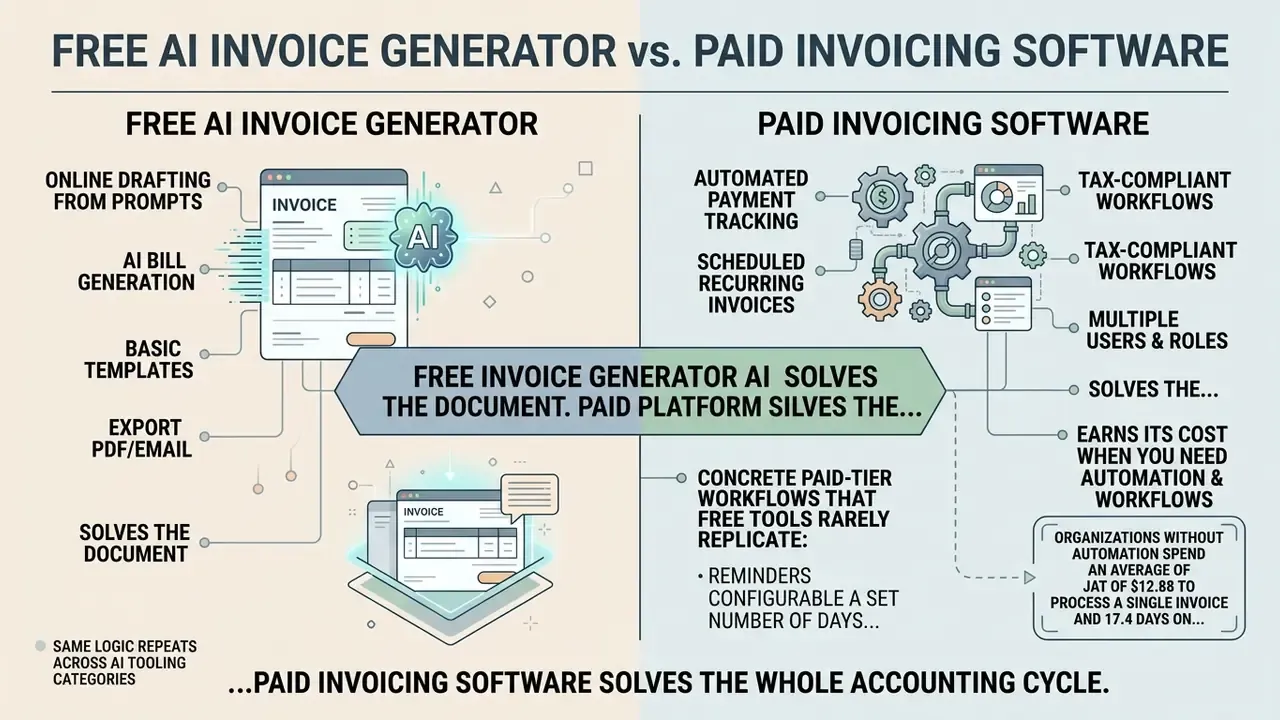
Reading the table in one line: a free invoice generator ai solves the document, a paid platform solves the process. Free tiers give freelancers and small teams instant utility with no recurring cost. Growing businesses handling high transaction volume gain more from paid suites that automate recurring billing, payment reconciliation, and accounting sync. Vendor pricing in 2026 shows the split plainly: free tiers advertise $0 with hard document caps, while paid invoicing platforms typically start between $17 and $38 per month and layer on automation, payment processing, and integrations. For plan tiers and subscription models, view the guide.
"More than a third of accountants had partially integrated generative AI by the end of 2024, concentrating it on routine tasks such as data entry and document handling."
The same free-versus-paid logic repeats across AI tooling categories. Readers evaluating comparable tiering models can use our analysis of free AI video generators as a reference framework for spotting hidden limits.
What a free AI invoice maker usually covers
A free ai invoice maker or ai bill generator free utility typically offers online drafting from prompts or basic forms, line-item entry, basic layout selection, and instant download of print-ready PDF documents. Many tools operating as an ai invoice generator free online service allow unlimited single-document generation without registration, which makes them handy entry points. Reported free-tier limits vary widely, from genuinely unlimited PDF downloads to caps such as 2 downloads per month, 15 total documents, or 500 invoices per year, so check the pricing page instead of assuming. Currency coverage differs too: some free tools support 30 or more currencies including EUR, GBP, USD, CHF, SEK, and PLN, while others lock output to a single default.
When paid invoicing tools are worth using
Paid invoicing software earns its cost when you need automated payment tracking, scheduled recurring invoices, integrated payment gateways, and direct synchronization with QuickBooks or Xero.
Concrete paid-tier workflows that free tools rarely replicate: reminders configurable a set number of days before or after the due date, repeating invoice schedules with proration, dunning dashboards that surface overdue receivables, and bank-feed reconciliation that closes the loop between issued invoice and cleared payment.
How to Choose the Best AI Invoice Generator
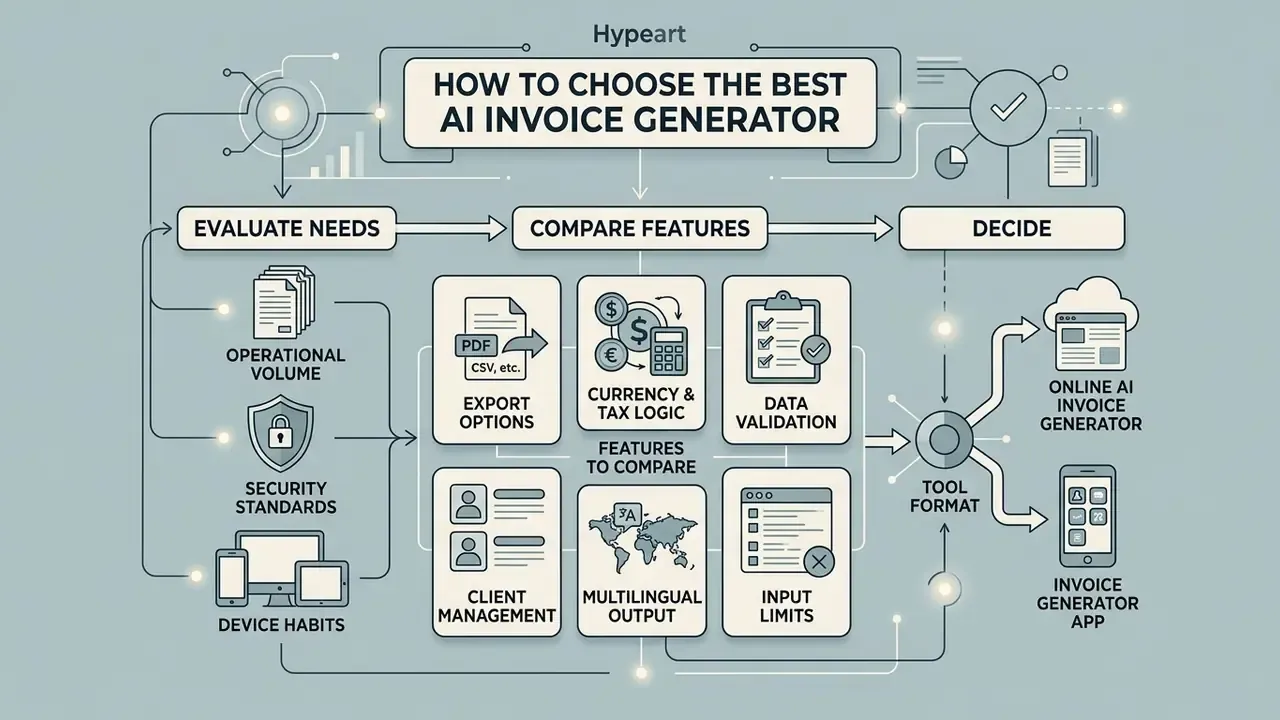
Picking the best ai invoice generator means testing capabilities against your operational volume, security standards, and device habits.
Features to compare before choosing a tool
When you evaluate an ai invoice generator app or web platform, compare these:
For broader tool comparisons and evaluation criteria, see the overview.
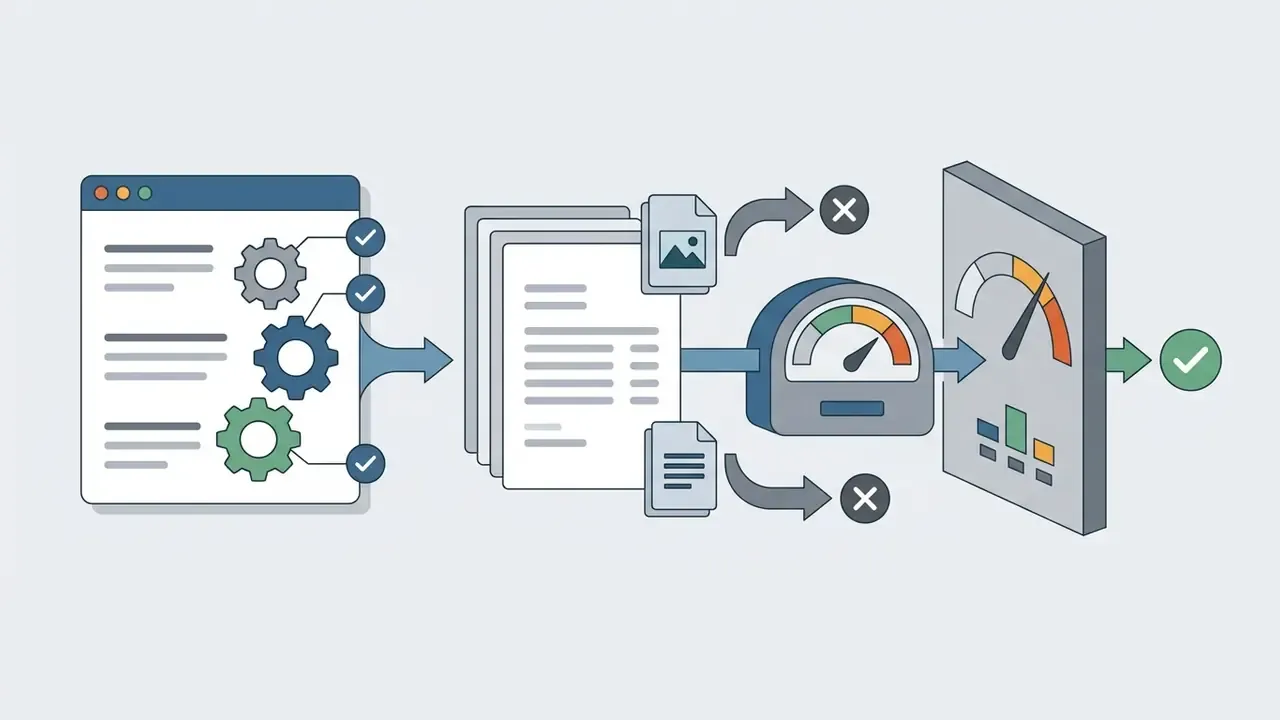
Online AI invoice generator or invoice generator app
Web-based online tools give multi-device cloud access and browser editing with no install. Dedicated mobile or desktop apps add offline drafting and native device integrations such as camera capture for paper receipts. Privacy-focused browser tools that process data client-side keep invoice payloads on the device and avoid uploading financial records to third-party servers, which lowers exposure for sensitive client data. Where personal data is involved, note that privacy regulators treat AI systems generating or inferring personal information as performing a collection of personal information subject to privacy obligations (Office of the Australian Information Commissioner, guidance on privacy and commercially available AI products, 2024. https://www.oaic.gov.au).
Team workspaces, collaboration, and data privacy
Enterprise deployment needs multi-user support. Dedicated AI billing workspaces let accounting teams, project managers, and external bookkeepers review, edit, and approve invoices concurrently. Role-based access controls (RBAC) protect sensitive client billing registries, and client-side encryption keeps unencrypted financial payloads away from public cloud LLM servers. Requirements worth writing into a vendor questionnaire:
- Private and shared workspaces segmented by department, entity, or client.
- Named approver roles with maker-checker separation on every issued invoice.
- Guest access for external accountants with scoped, time-limited permissions.
- Configurable data residency and retention windows for financial records.
- A documented model-training policy stating whether customer invoice data is excluded from vendor model training.
Governance, Audit Trails, and Shadow AI Risk
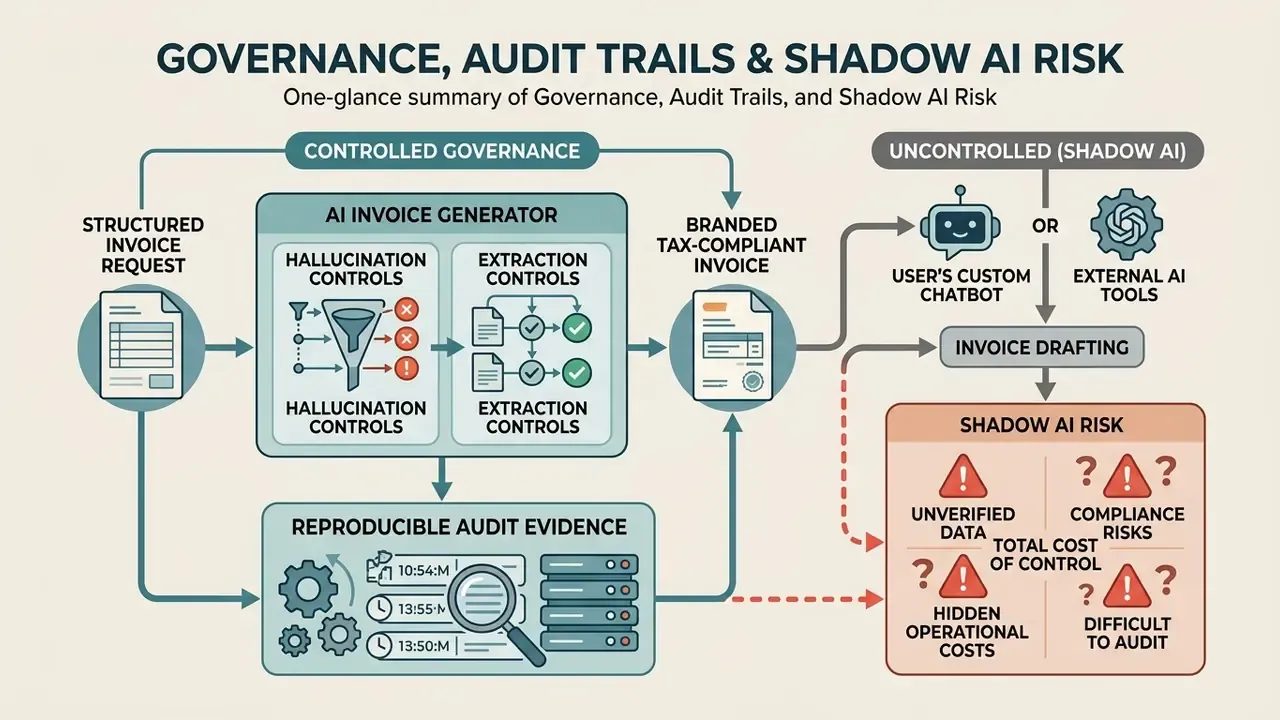
For regulated and institutional users, the decisive question is not whether the AI can draft an invoice. It is whether the output is reproducible and defensible under audit.
Reproducible audit evidence. A compliant deployment logs, for each document: the input payload, model or template version, timestamp, generating user, every subsequent edit, the approving official, delivery channel and recipient, and all payment-status transitions. Invoice state machines in mature billing APIs move deterministically from draft to open to paid (or void or uncollectible), and every transition emits an event that can be exported as evidence.
Hallucination and extraction controls. Because AI parses unstructured contracts and notes, the failure mode is a plausible but wrong figure. Mitigations are mechanical, not aspirational: confidence thresholds that force manual review on low-certainty fields, three-way matching against purchase order and goods-received note, duplicate detection across the invoice register, tolerance rules on totals, and a hard block on issuance when mandatory tax fields are missing. Recent risk analysis of AI in financial reporting names weak skills, defective prompts, poor model performance, and inadequate monitoring as the primary deployment risks (Center for Audit Quality, 2024).
Shadow AI risk. The most common governance gap in finance teams is quieter than people expect: staff pasting client contracts, bank details, or personal data into unapproved consumer chatbots to draft an invoice quickly. Controls that hold up: a published allow-list of approved billing tools, DLP rules on financial-data egress, mandatory vendor data-processing agreements, and periodic access reviews. Transparency duties are tightening too. The EU Code of Practice on Transparency of AI-Generated Content requires machine-readable marking of generated or manipulated outputs, applicable from 2 August 2026 (European Commission, 2026).
Total cost of control. ROI models that count only subscription fees understate reality. Add validation effort, exception handling, model monitoring, audit-log storage, and security review to the denominator before comparing a free generator with an enterprise platform. The Ardent Partners cost-per-invoice benchmark cited above remains the cleanest baseline for that calculation. Regulatory and governance developments affecting AI tooling are tracked in our litigation and compliance resources, so open the hub when a mandate changes.
Send, Download, and Track AI-Generated Invoices
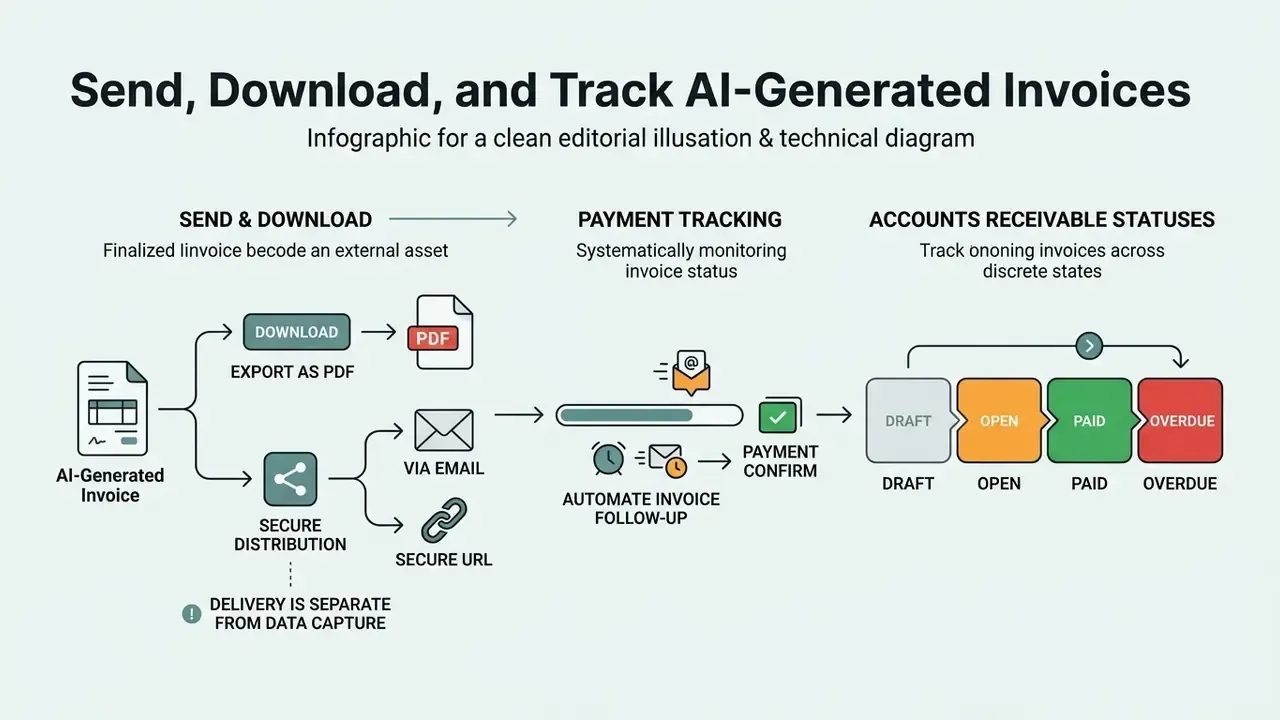
Efficient financial operations need secure distribution, structured downloading, and systematic payment tracking.
Export an invoice as PDF and send it to a client
Once finalized, download the invoice as a PDF or share it through a secure URL or email. PDF preserves typography, line-item alignment, and branding across devices and operating systems. Enterprise invoicing systems use secure share links with expiry dates to protect transport confidentiality and block unauthorized modification. NIST guidance treats electronic mail and internet file exchange as security-sensitive transport requiring confidentiality and integrity controls (NIST, Guidelines on Electronic Mail Security, SP 800-45. https://csrc.nist.gov/pubs/sp/800/45/ver2/final).
One distinction that trips up new teams: export and delivery are separate events from data capture. Printing or exporting a PDF posts nothing to the ledger. The bridge between the client-facing document and the accounting system is the structured payload. The same generation event pushes a JSON or XML record, carrying invoice ID, party identifiers, tax breakdown, due date, and totals, into QuickBooks, Xero, NetSuite, or an internal ERP through an API call. Only once that record exists does status tracking become possible.
Track payments and automate invoice follow-up
Managing accounts receivable means tracking invoice status across discrete states: Draft, Open, Paid, Overdue. Automated billing systems use webhook triggers to update status in real time when funds clear, for example invoice.sent, invoice.paid, and invoice.payment_failed events, with the amount due reduced on each recorded payment until the invoice flips to paid (Stripe API Reference, Invoices, 2026. https://docs.stripe.com/api/invoices). Automated email follow-ups for overdue bills remove manual collections effort and speed up cash recovery. Reminder schedules are usually set a fixed number of days before or after the due date and stop automatically once payment is recorded.
"Agentic AI shifts accounts payable staff from administrative processing toward supervising AI agents that handle routine invoices and exceptions."
Supervision, note, is the word doing the work in that sentence. An agent without an owner, an approved role, access limits, an escalation path, and a shutdown mechanism is not a digital worker. It is an unmanaged exposure.
Structured E-Invoicing: Factur-X, ZUGFeRD, and JSON Payloads
A PDF is a delivery format. In a growing number of jurisdictions it is not, on its own, a legally structured e-invoice. Hybrid standards such as Factur-X and ZUGFeRD close the gap by embedding EN 16931-compliant XML inside a single PDF/A-3 file, so one document is both human-readable and machine-processable. Council Directive (EU) 2025/516 aligns the definition of an electronic invoice with a structured format suitable for automated processing, and confirms that hybrid invoices qualify where the reported data are structured. The wider VAT in the Digital Age (ViDA) package introduces digital reporting for cross-border trade based on e-invoicing (European Commission, VAT in the Digital Age. https://taxation-customs.ec.europa.eu/taxation/vat/vat-digital-age-vida_en). Some GST regimes go further and validate invoices through government registration, issuing an IRN and QR code rather than accepting a self-produced file.
For developers, the practical implication is that an invoice generator ai should expose the structured payload, not only the rendered file. A minimal machine-readable representation usually carries:
Publishing this structure alongside the PDF supports automated ingestion, rich-result eligibility for invoice documentation pages, and Factur-X or ZUGFeRD mapping without rebuilding the billing pipeline. Implementation patterns and authentication requirements for pushing these payloads programmatically sit in our AI Media API Guides.
AI Invoice Generator FAQ
Do I need accounting skills to use an AI invoice generator?
No. Formal accounting skills are not required to operate an ai invoice generator, since the software automates calculations, layout formatting, and subtotals. Because these systems depend on user inputs, though, review each draft to verify that item descriptions, quantities, tax rates, and client details are correct before issuing.
"Accountants intervene selectively where AI confidence is low, retaining responsibility for tasks that require professional judgment." Choi & Xie, Human + AI in Accounting (2026), 277 accountants and more than 200,000 transactions. https://papers.ssrn.com
What is the difference between an invoice, a quote, and a receipt?
An invoice is an official request for payment, issued during or after service delivery. A quote or estimate details projected costs before work starts and creates no receivable. A receipt is issued after payment clears, confirming completion and recording a settled receivable. A pro forma invoice sits between quote and invoice: it looks like an invoice and is used for customs or budget approval, but it is not a tax document and books no revenue. A credit note reverses or adjusts an invoice already issued.
Are AI-generated invoices legal and copyright-free?
Yes. Financial documents and structural layouts created with an ai-powered invoice generator are royalty-free, copyright-free, and available for commercial use, provided they include the mandatory tax fields: party identities, sequential numbers, itemized taxes, due dates. Standard invoice layouts consist of functional data tables and factual information, which generally attract no separate copyright claim. The substantive legal question is not authorship of the layout but tax validity of the content. Under current EU VAT rules, electronic invoices are legally equivalent to paper invoices, subject to recipient acceptance and to ensuring authenticity of origin, integrity of content, and legibility. For licensing terms and enterprise usage rights, open the hub, and always confirm the specific licence of the tool you use.
Can an AI invoice generator process multi-currency and international taxes?
Yes. Advanced invoice generator ai platforms apply real-time ISO currency conversions (USD, EUR, GBP, CHF, AED, INR) and compute jurisdiction-specific tax liabilities such as US sales tax, EU VAT, UK VAT, Japanese consumption tax, or Indian GST based on buyer and seller locations. Check whether the tool supports reverse-charge wording, tax-inclusive versus tax-exclusive modes, and exchange-rate locking at invoice date rather than payment date.
What payment methods and instructions can I embed on an AI invoice?
You can embed direct digital payment links (Stripe, PayPal), bank clearing details (IBAN/SWIFT for wires, ACH for domestic US payments), corporate remittance addresses, QR codes for mobile scanning, and explicit payment terms, for example Net 30 with a stated late-payment penalty and an escalation date.
What file formats can I export my AI invoice in?
PDF remains the standard for print-ready transport, but modern generators also export structured billing data as editable Microsoft Word (.docx), Excel (.xlsx), vector SVG, raster PNG, raw JSON/XML, HTML pages, hybrid Factur-X or ZUGFeRD files, or instant QR code payment links. Watch out for image-only generators that produce non-fillable PNG or JPG output, since every correction then requires full regeneration.
Can an AI invoice generator integrate with QuickBooks, Xero, or an ERP?
Yes, on paid tiers. Integration usually works one of three ways: a native connector syncing customers, invoices, and payments bidirectionally; a REST API with webhooks for custom pipelines; or a file-based handoff via CSV, JSON, or structured XML import. For enterprise stacks such as NetSuite, SAP, and Dynamics, verify that the connector respects your chart of accounts, tax codes, subsidiary structure, and approval hierarchy before switching off manual entry.
How is an audit trail maintained for AI-generated invoices?
Through immutable event logging. A defensible audit trail records the original input, the model or template version used, the generating user, every edit with before and after values, the approving official, the delivery timestamp and channel, and all payment-status transitions emitted by the billing API. Retain the structured payload alongside the rendered PDF, keep records for the statutory retention period in each jurisdiction, and make sure logs export in a format your internal auditors and tax authorities can read.
How do I prevent shadow AI risk when my team drafts invoices with AI?
Publish an allow-list of approved billing tools, require a signed data-processing agreement with each vendor, apply data-loss-prevention rules to block financial and personal data from reaching unapproved endpoints, prefer client-side or private-tenant processing for sensitive registries, run quarterly access reviews, and train staff that contracts, bank details, and personal data never belong in a consumer chatbot.
Is a PDF invoice enough, or do I need structured e-invoicing?
It depends on jurisdiction and counterparty. For many domestic B2C and small-business transactions, a PDF meeting local content requirements is sufficient. For public-sector supply in the EU and for cross-border reporting under ViDA, a structured, machine-readable format is expected, in practice a hybrid Factur-X or ZUGFeRD file or a native XML e-invoice. Confirm requirements with your tax adviser before standardizing on PDF alone.
Limitations and Open Questions
A few things this guide cannot settle for you, and it would be dishonest to pretend otherwise. Vendor accuracy claims are rarely reproducible outside the vendor's own dataset, so treat the 95% and 97% figures cited here as evidence from specific research settings, not as guarantees for your invoice mix. Extraction quality drops sharply on low-quality scans, handwritten annotations, and non-standard multilingual layouts. Free-tier limits and pricing move month to month, which means every number in the comparison table needs re-verification at purchase time. Two questions remain genuinely unresolved. First, how supervisory expectations for agentic billing workflows will develop as reporting mandates take effect through 2026 and beyond. Second, where the accountability line sits when an autonomous agent issues a materially wrong invoice that a human approver waved through. Until those are clearer, the conservative posture is straightforward: no evidence, no autonomy. A safe next step for a regulated team is small and reversible. Pilot one AI-drafted invoice stream, keep maker-checker approval on every document, log everything, and measure exception rates for a full quarter before widening scope.