Why should a bank or a mature fintech care about a drafting tool? Because the drafting layer is where unauthorized commitments, stale fee disclosures, and pasted customer data quietly enter the record. In modern enterprise workflows, an ai generator response reduces drafting friction, standardizes communication quality, and accelerates issue resolution. It also creates a new surface that model risk, compliance, and information security all have to own together.
Executive Summary for Risk, Compliance, and Operations Leaders
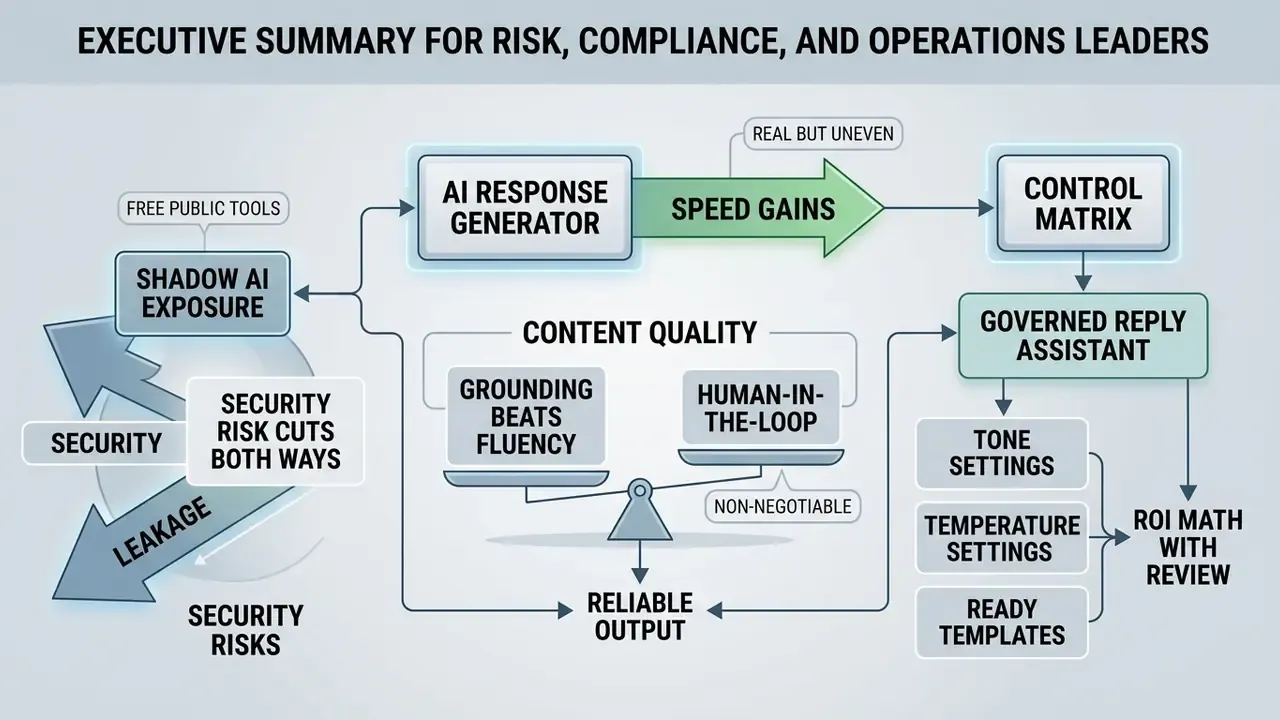
Who This Guide Is For and How to Read It
This page is written for two overlapping audiences. The first is the control side: chief risk officers, chief compliance officers, heads of model risk, and AI governance leads who must decide whether a drafting assistant enters production and under whose signature. The second is the operating side: support, collections, complaints, and finance-operations managers who feel the queue pressure every morning.
Read it in three passes if you are short on time. Pass one: the executive summary and the operational risk matrix, which together give you the control skeleton. Pass two: the workflow and tone sections, which explain what your teams will actually click. Pass three: the templates, the ROI formula, and the FAQ, which are the parts most often lifted into internal policy drafts.
One caution before we go further. Audience statements in this guide, including assumptions about buying criteria, remain hypotheses until confirmed by your own analytics, interviews, or CRM data. Treat them as a starting hypothesis set, not as evidence.
What Is an AI Response Generator and Which Messages Is It Built For?
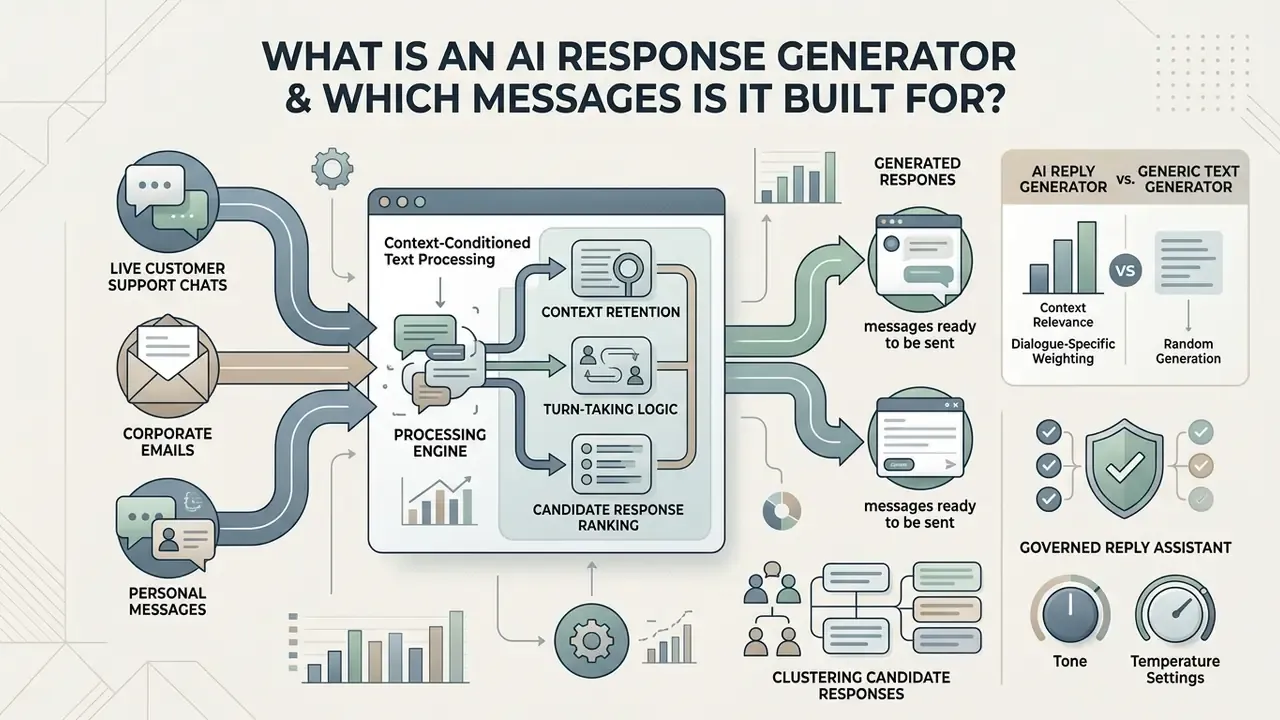
An ai response generator is a context-conditioned text processing application. It analyzes an incoming message, identifies the underlying intent and the required information, and drafts an appropriate reply. Unlike open-ended generation tools, a response generator operates inside a conversational frame, using the sender's input as the primary boundary for its output.
These tools handle a wide range of written channels: live customer support chats, corporate emails, personal text messages, formal business correspondence, and public online reviews. By ingesting thread history, account data, or internal documentation, an ai message response generator forms a draft that answers specific questions, resolves pending requests, and holds an appropriate professional or informal register.
A note on naming, since it affects how teams find these tools internally. The same category surfaces under labels like ai response maker, ai reaction generator, and ai written response generator, and search traffic also lands on common misspellings of the phrase. If you are building an internal approved-tools register, index the aliases too. Otherwise staff will search for something you never listed and end up on a random web page.
How an AI Reply Generator Differs from a Generic Text Generator
An ai reply generator prioritizes context retention, turn-taking logic, and candidate response ranking over open-ended content creation. Generic text generators optimize for broad sequence generation from arbitrary prompts. Specialized reply tools condition output explicitly on prior interaction context.
Specialized reply tools evaluate context relevance, apply dialogue-specific weighting, and cluster candidate options before surfacing the single most appropriate draft to the user.
Practically, this architectural difference shows up in three places. The input is a received message rather than a blank prompt. Tone is a menu selection rather than a manual instruction. The output is a send-ready reply rather than a document draft. That is why a purpose-built assistant removes the prompt-engineering step that general chatbots still demand at the start of every new conversation.
| Dimension | Specialized AI Reply Generator | General-Purpose Text Generator |
|---|---|---|
| Core input | The message you received (thread-aware) | A free-form instruction you must author |
| Workflow | Paste, select tone, generate, review | Describe role, context, tone, and goal each time |
| Tone control | One-click presets (formal, apologetic, firm, witty) | Manual textual tuning per request |
| Context logic | Two-way: models sender intent and responder position | Often one-way, broadcast-style output |
| Interface bias | Optimized for short mobile and inbox interactions | Optimized for long-form desktop composition |
How an AI Chat Response Generator Works
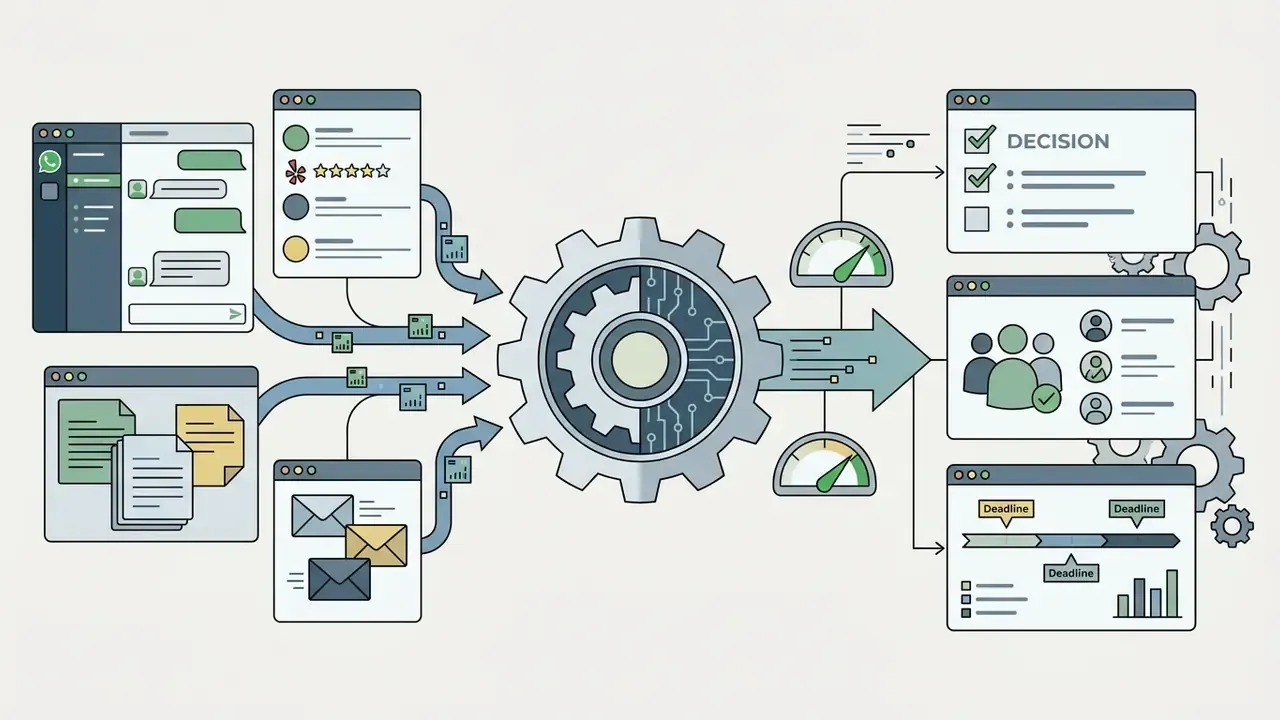
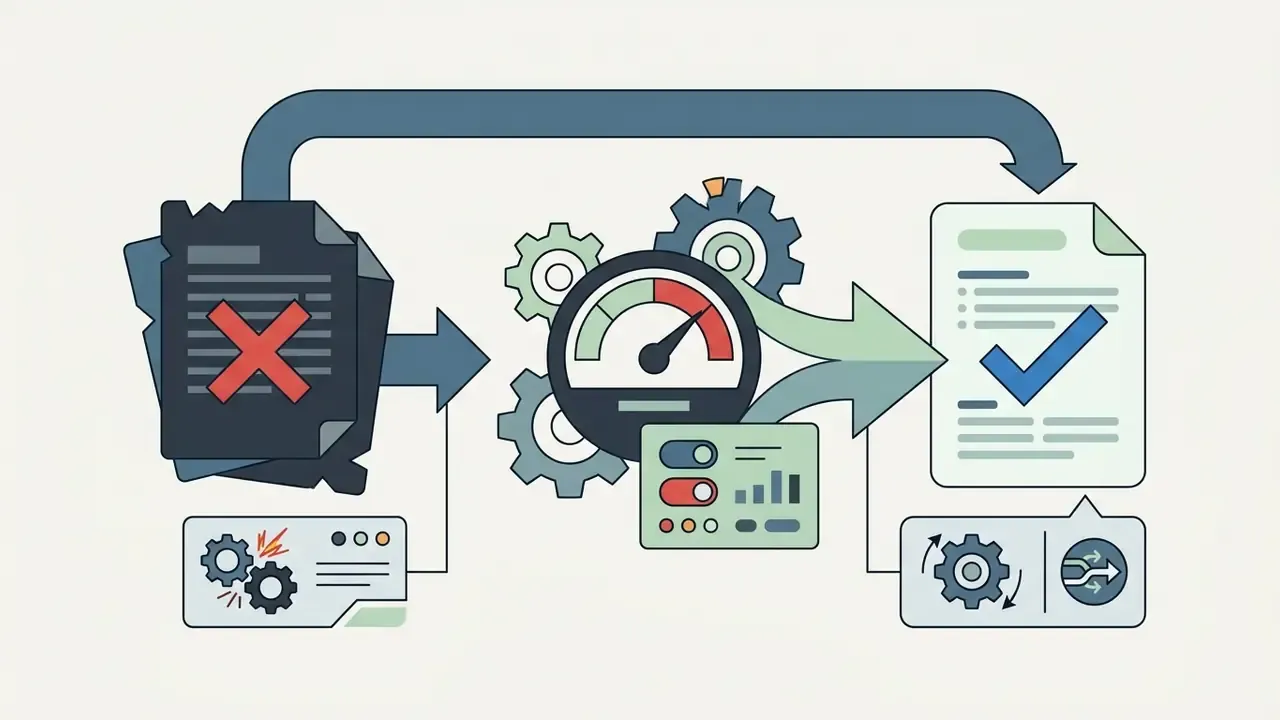
An ai chat response generator processes incoming text through a five-stage pipeline: input ingestion, context parsing, parameter adjustment, model inference, and human-in-the-loop validation. The structure matters. It keeps the generated text grounded in facts, aligned with user intent, and safe to send.
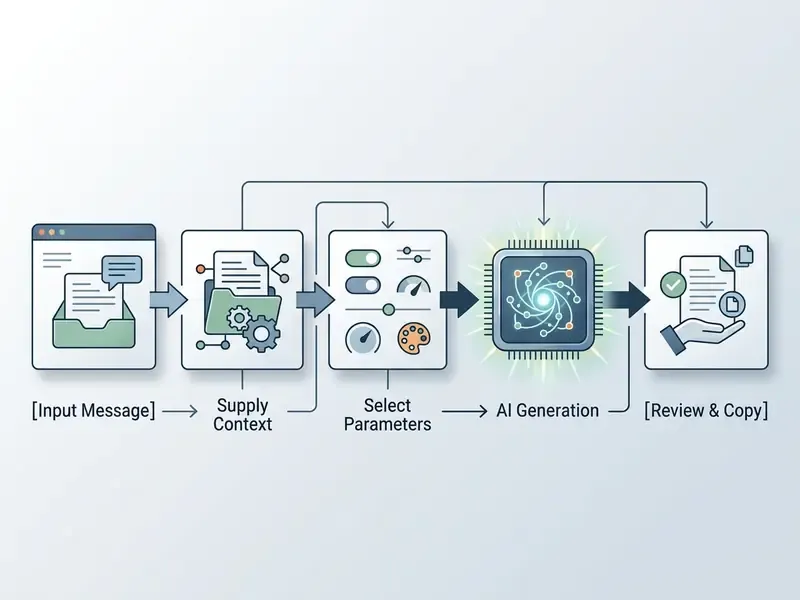
- Input Message
- Paste or import the incoming chat turn, email body, or comment.
- Supply Context
- Include background details, operational constraints, or reference data.
- Select Parameters
- Set tone (professional, casual, empathetic), language, and target length.
- AI Generation
- The LLM processes the input against the specified constraints and outputs candidate drafts.
- Review and Copy
- The operator verifies factual accuracy, edits details, and copies the finalized ai reply into the communication app.
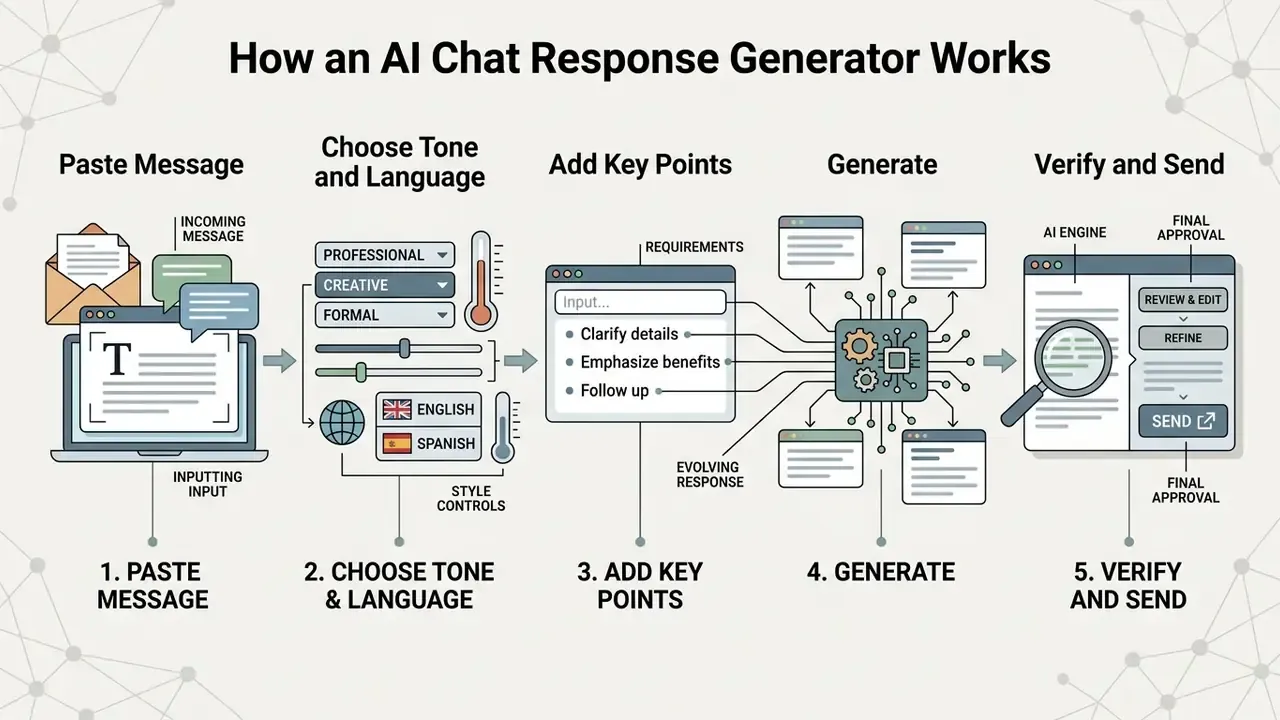
Insert the Message and Supply Relevant Context
To generate a response that is accurate and actionable, supply the incoming message plus the background facts that surround it. Modern language models rely on context windows, the token budget assigned to parse prior text, to interpret questions and set factual boundaries.
Established prompt-engineering guidance, including public quick-start material from standards bodies and vendor documentation from OpenAI, Microsoft, and Anthropic, converges on one pattern. A prompt should carry explicit domain assumptions, prior state data, reference text, and the constraint points the model cannot infer on its own. Keep the information set minimal but complete. Separate background, instructions, and output format into distinct blocks.
When operators provide reference text or historical thread details, the ai generator response becomes noticeably more precise and less speculative. If the incoming message arrives as a screenshot, an invoice photo, or a scanned letter, run it through image-to-text extraction first, so the model receives machine-readable context instead of an unusable attachment.
Select Tone, Language, and Message Length
Controlling output parameters lets an ai generator reply match the expectations of the channel. Interfaces usually expose explicit switches for tone profile, output language, and length constraints (concise, standard, detailed).
- Tone selection Formal, casual, authoritative, or empathetic, chosen by audience relationship.
- Language settings Target output language for multilingual support operations.
- Length management Cap output tokens, or instruct the model to produce a single sentence or a multi-paragraph structured draft.
Fine-Tuning Model Parameters: Creativity vs. Determinism
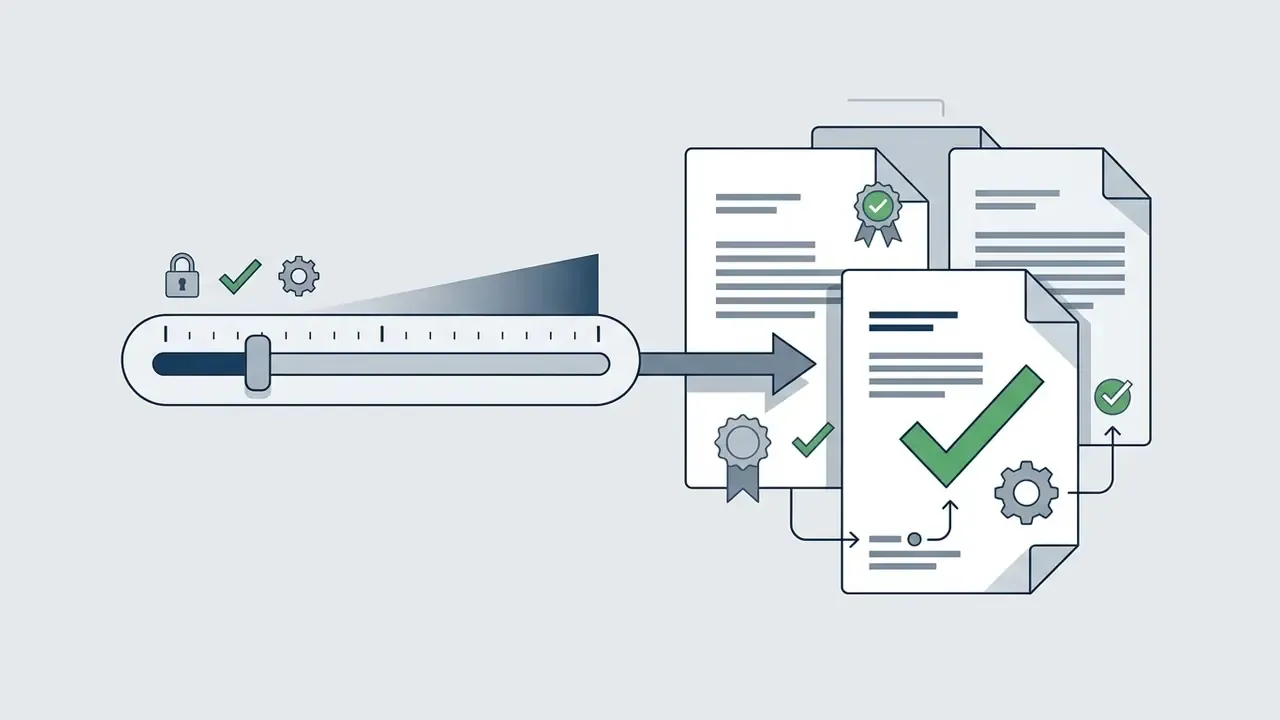
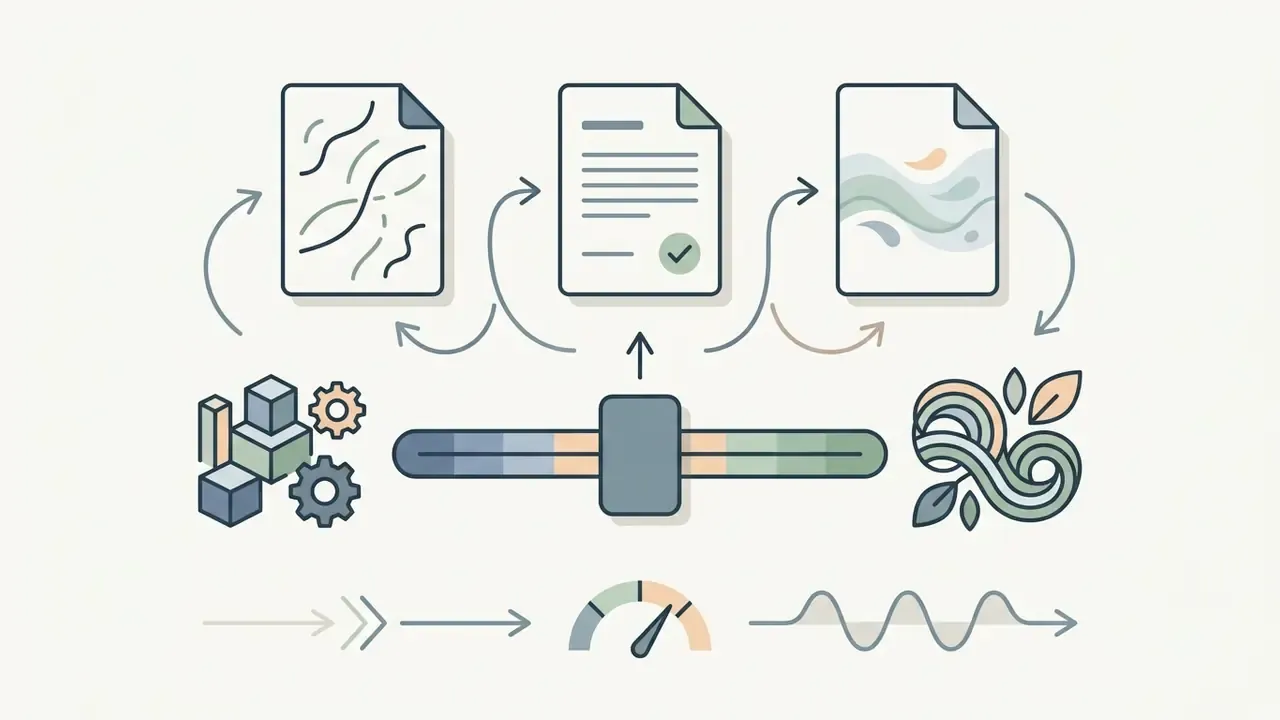
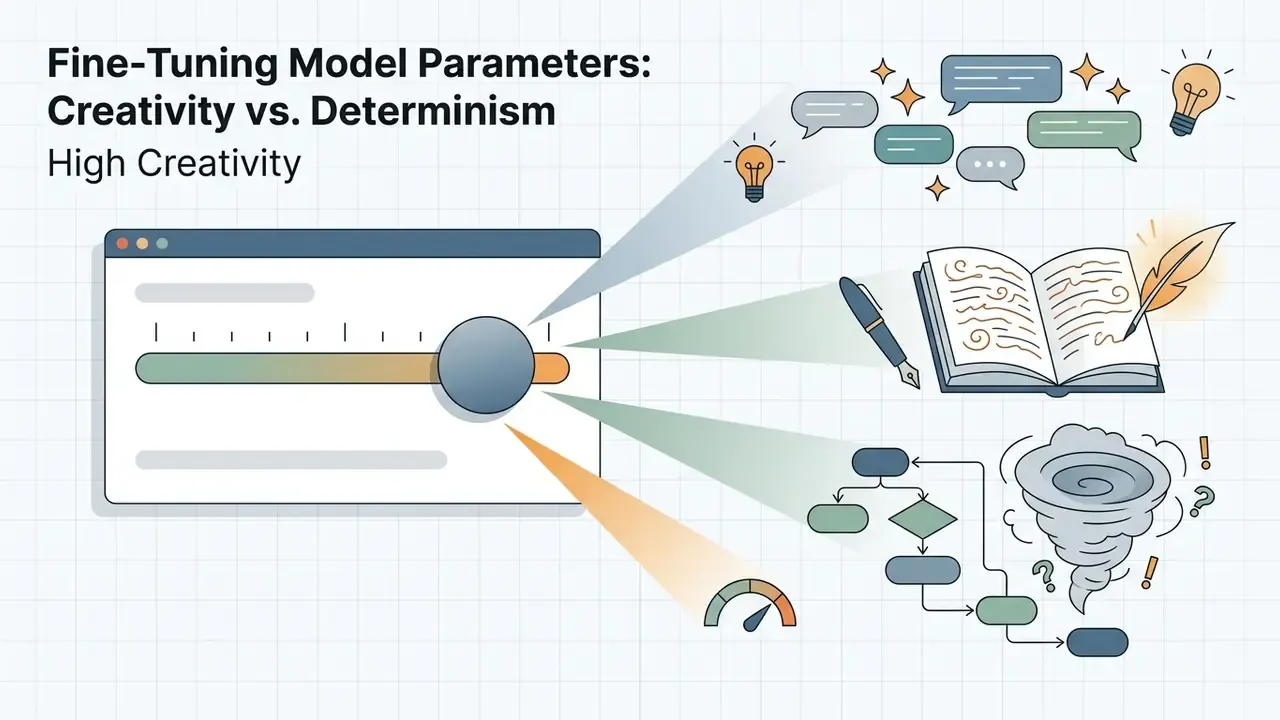
Balancing model randomness (temperature) against strict contextual adherence is the part most teams get wrong on the first pilot. Consumer interfaces express this as a creativity slider from 1 to 10; enterprise APIs expose it as a temperature value.
For business correspondence, keep the slider low. For personal messaging, a higher setting reads more warmly. Where reproducibility matters for audit, fix a seed value alongside temperature so the same input yields the same draft. That single setting turns a fuzzy tool into a testable one.
Extended Tone Profiles Checklist
Beyond the three baseline registers, configure your generator using specific presets:
- FormalRegulatory notices, executive correspondence, contractual exchanges.
- ProfessionalClient updates, account management, B2B threads.
- ConciseInbox triage and high-volume ticket clearance.
- FriendlyInternal team chats and long-standing client relationships.
- Witty or playfulSocial media engagement and community management.
- ApologeticService outages, delivery failures, billing errors.
- Polite but firmBoundary setting, declining requests, chasing overdue invoices.
- EmpatheticComplaints, sensitive personal circumstances, escalations.
- ExplanatoryTechnical troubleshooting and onboarding guidance.
- Neutral and objectiveDispute records and anything likely to be read by a regulator.
Review, Edit, and Copy the Generated Text
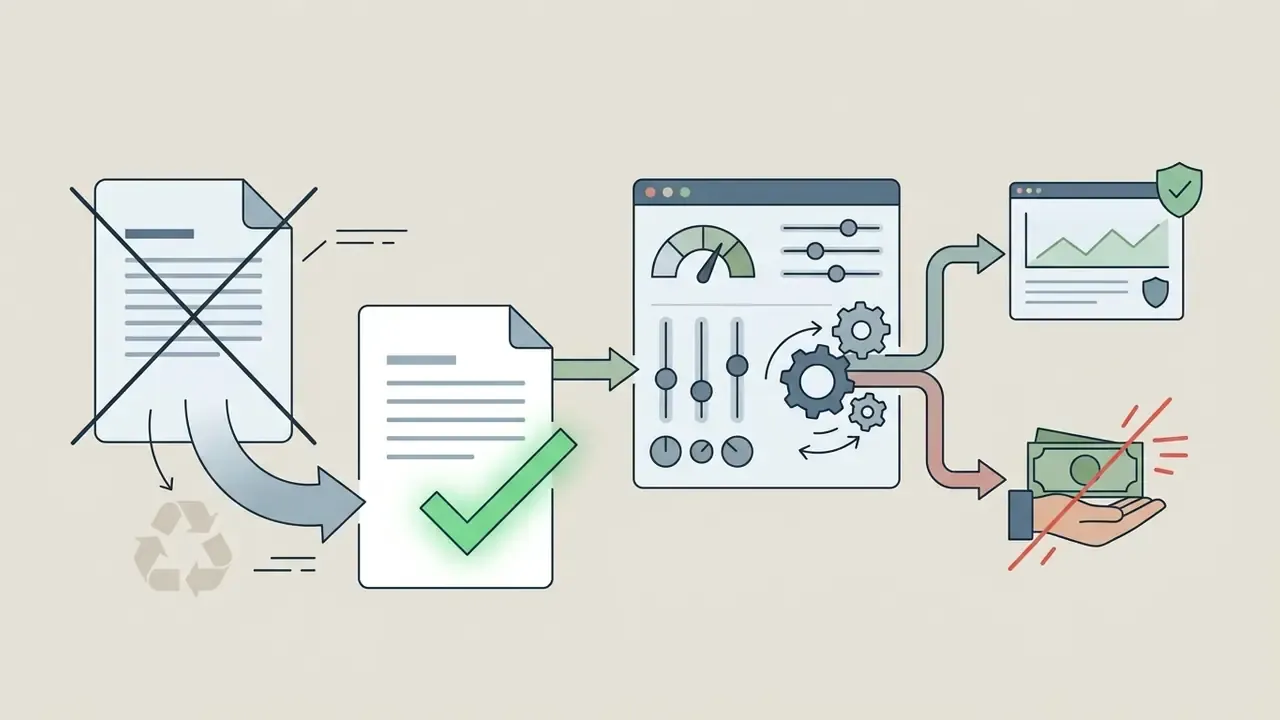
The final phase requires manual proofreading and semantic validation before the text leaves the chat or email client. Human oversight prevents the transmission of incorrect claims, wrong dates, or unauthorized contractual commitments.
Organizations running controlled automation lean on proofreading checklists to confirm that generated text preserves the intended meaning without adding unverified detail. Academic guidance on AI-assisted writing, such as the review checklists published by Virginia Tech and the University of Pretoria, asks the reviewer to confirm that the model has not altered numbers, dates, names, or factual claims, and that every sentence still says what the author meant. Once reviewed, the approved text is copied into the target platform, whether a browser, a CRM record, or a messaging app, keeping full human ownership of the final communication. For broader workflow guidelines, consult our AI Media Commercial-Use Hub.
Supported Message Formats: Chat, Email, Text, Letter, and Review
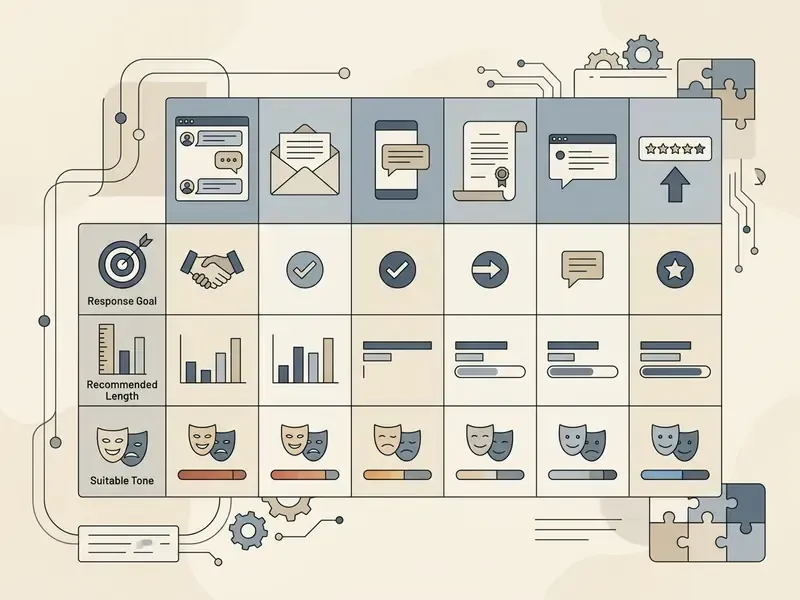
An ai written response generator supports diverse channels, from synchronous short-form messages to structured formal letters and public reviews. Each channel demands its own layout, cadence, and stylistic register.
| Communication Format | Primary Operational Goal | Recommended Text Length | Suitable Tone Profiles |
|---|---|---|---|
| Chat and instant messaging | Resolve queries rapidly, keep dialogue flowing | Concise (1-3 sentences, under 160 chars for SMS) | Casual, friendly, or concise professional |
| Corporate email | Provide structured updates, decisions, action items | Medium (2-4 short paragraphs) | Professional, courteous, objective |
| Formal letter | Document legal, regulatory, or executive correspondence | Extended (full letter structure with metadata) | Highly formal, precise, authoritative |
| Public review or comment | Acknowledge feedback, address grievances, protect reputation | Short to medium (1-2 paragraphs) | Empathetic, polite, solution-oriented |
Teams running multichannel communication programs often pair written response tooling with AI voice generators for IVR prompts, callback scripts, and voice-note replies, so the same approved wording carries across text and audio touchpoints.
Chat Messages and Text Messages
Short-form platforms such as SMS, corporate chat tools, and consumer messengers need fast, concise replies that keep conversational rhythm. With an ai chat response generator, operators produce instant answers that respect channel brevity without sounding mechanical.
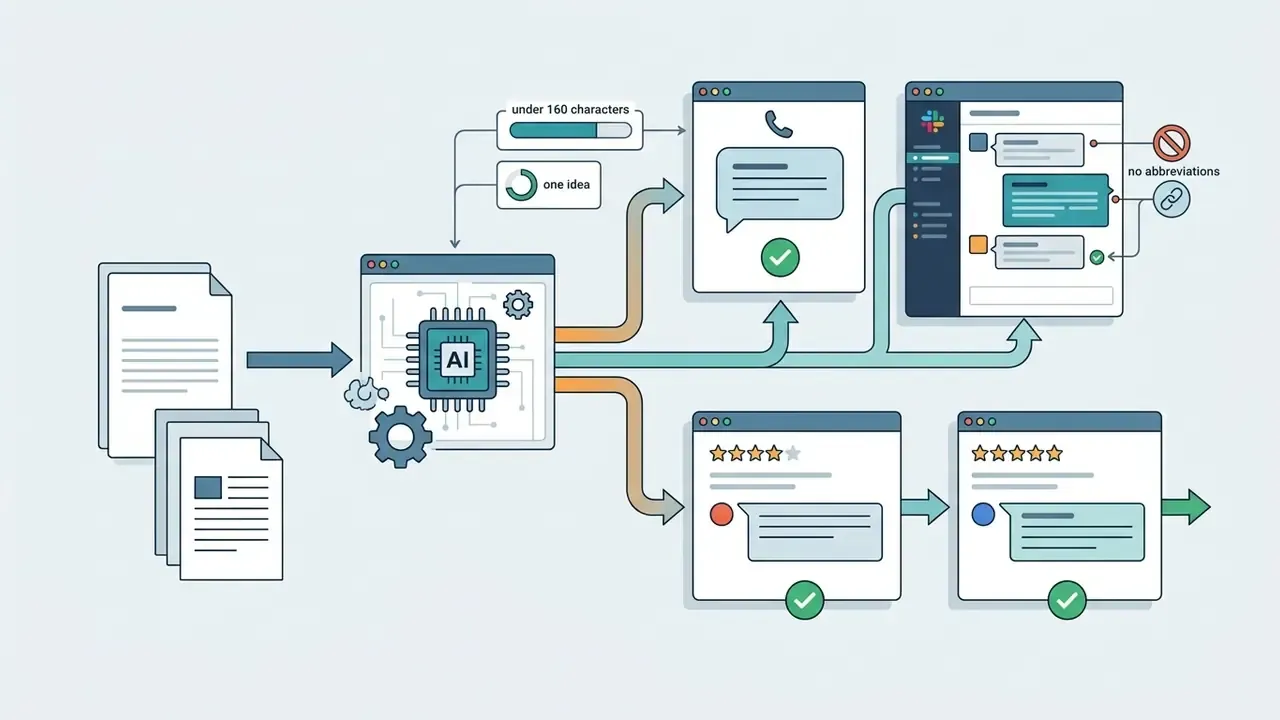
The 160-character ceiling is not a vague industry habit. It is the technical segment length of a single SMS. Mobile-writing guidance from Purdue's professional writing resources and the UK Government Digital Service style manual both instruct writers to keep a text message under 160 characters, carry one important idea per message, and put the most important information first. In peer-to-peer and internal team messaging, a friendly or light professional tone prevents misreading while avoiding formal clutter. And a brief "received, full answer to follow" holding reply beats silence when the substantive response will take a day.
Email Replies and Business Letters
Formal email exchanges and official correspondence need a clear internal structure: a professional greeting, a concise statement of the situation, the key details, and one explicit call to action. An ai letter response generator or ai letter reply generator turns messy inputs into formatted correspondence suitable for legal, administrative, or commercial distribution.
Standard business letters follow a documented layout rather than an improvised one. Vendor and style guidance published in 2026 by Grammarly and WriteMail.ai lists the same components: sender contact information, date, recipient information, subject line, salutation, body paragraphs, complimentary close, and signature. AI letter workflows should expose those as explicit input fields, recipient, purpose, key details, tone, target length, so the draft populates a known template instead of inventing structure. For detailed evaluations of automated media tooling, review our AI Media Comparison Matrices.
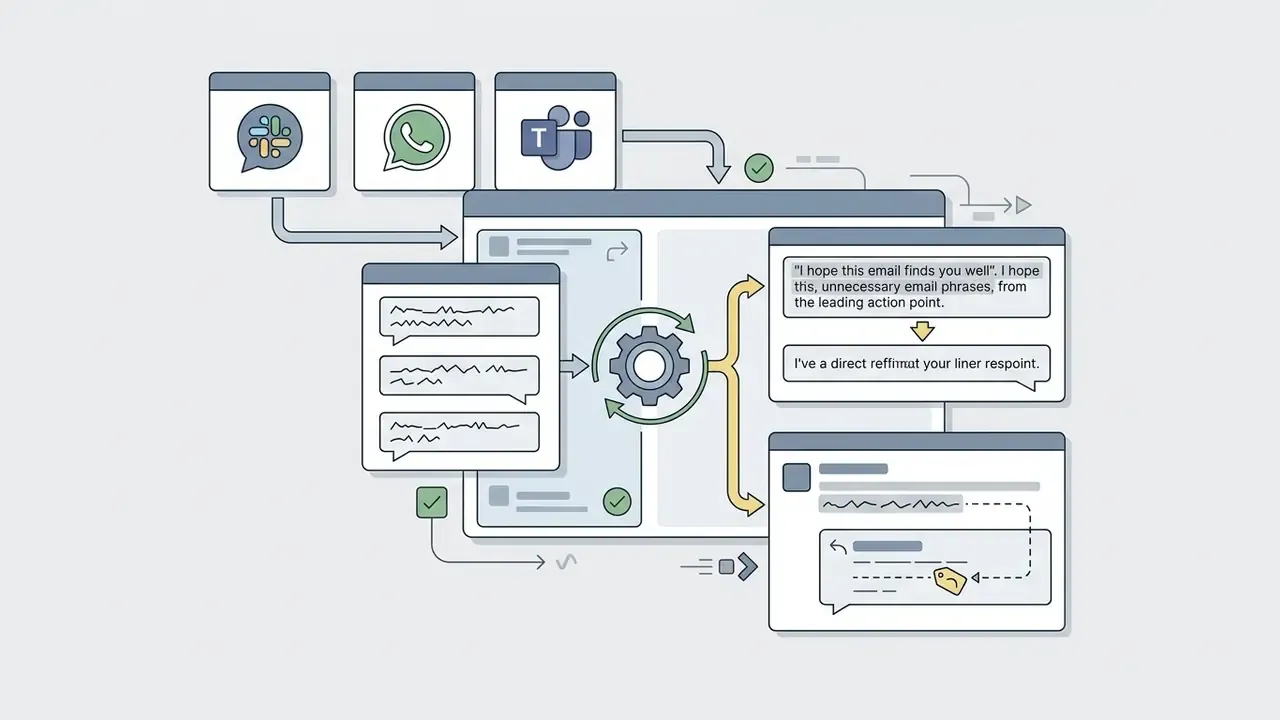
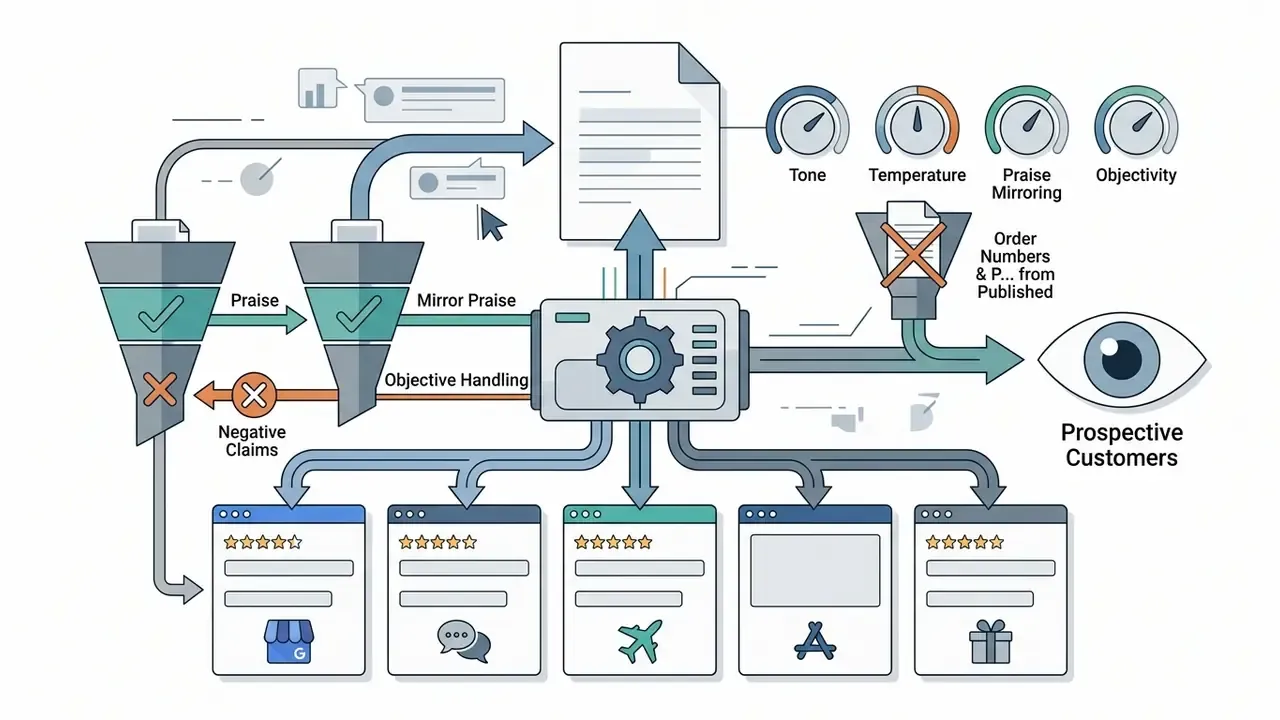
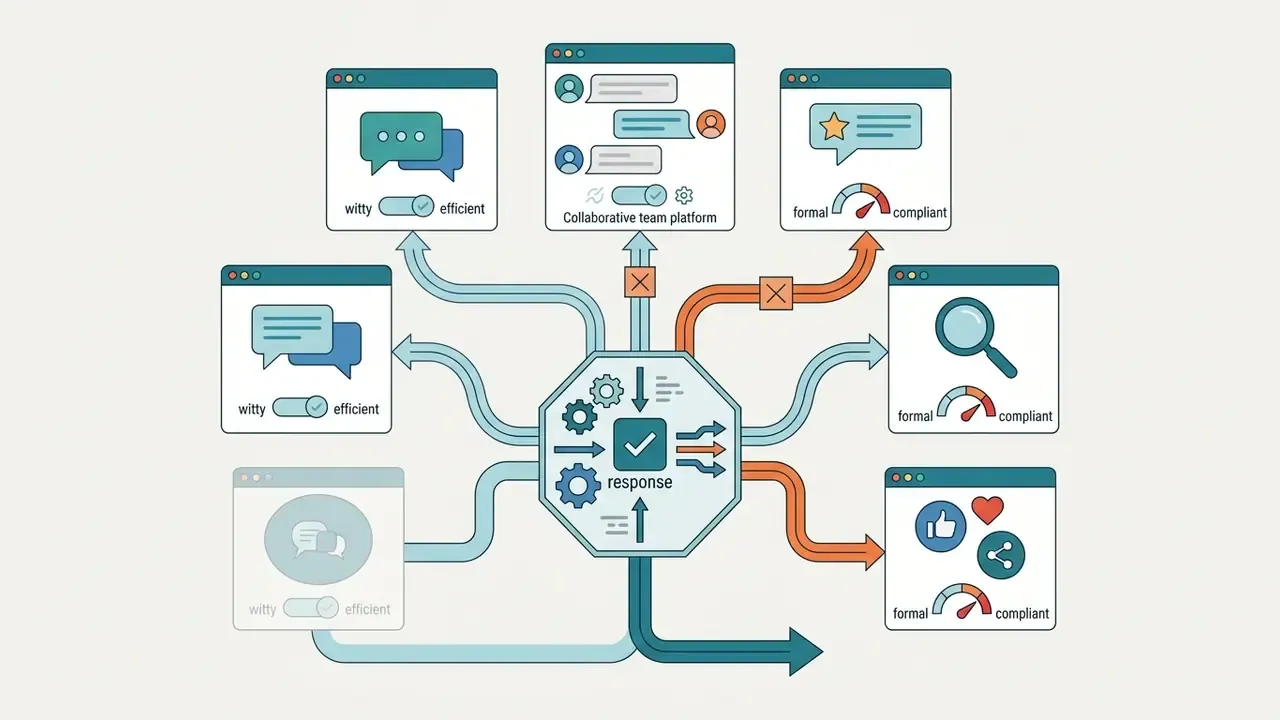
Platform-Specific Deployment: WhatsApp, Slack, Yelp, and Google Reviews
Different platforms impose different etiquette and character limits, and a single generic draft rarely fits more than one of them.
Ready-to-Use Response Templates for High-Friction Scenarios
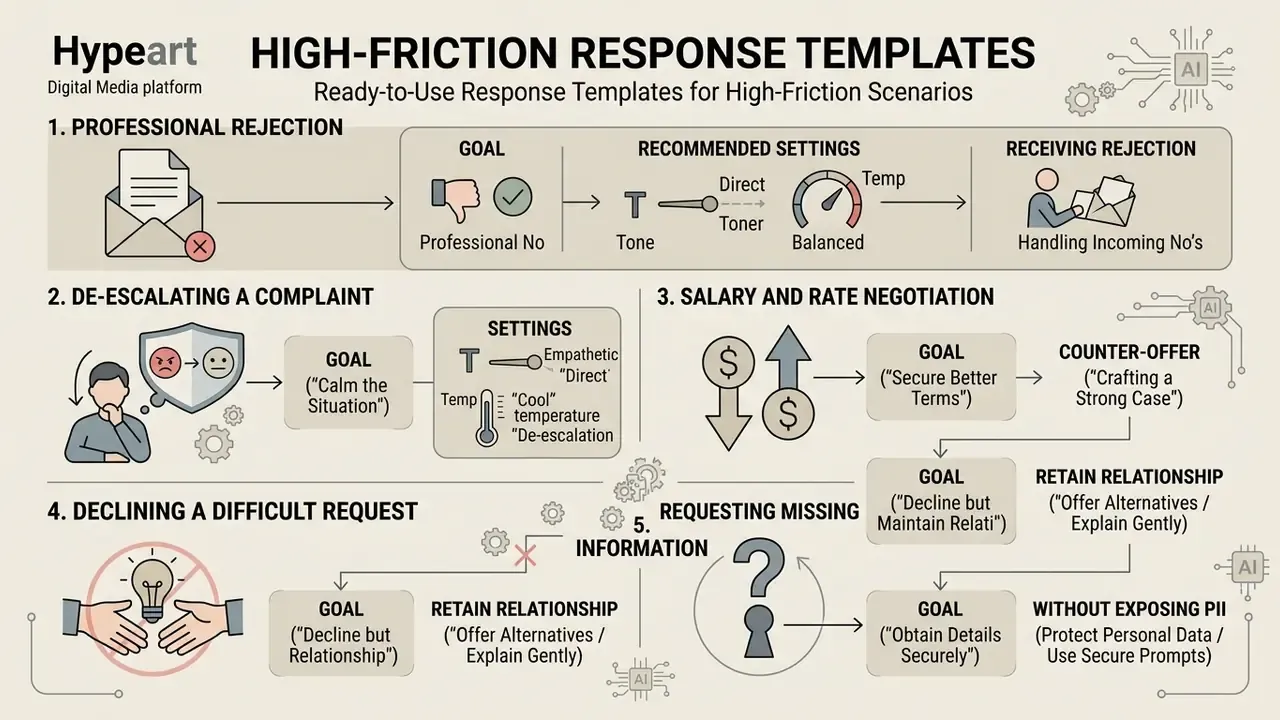
The hardest replies are rarely long. They are emotionally or contractually risky. Use these baseline structures inside your response assistant, then replace the bracketed variables with verified facts.
1. Professional Rejection (Job Candidate, Vendor, Proposal)
- Goal Decline politely without burning bridges or inviting an open-ended debate.
- Recommended settings Tone = Professional; creativity = 2-3.
Receiving a rejection yourself:
2. De-escalating a Customer Complaint
- Goal Acknowledge the issue, express regret, offer a concrete remedy without over-committing.
- Recommended settings Tone = Apologetic; creativity = 2-4.
3. Salary and Rate Negotiation Counter-Offer
- Goal Request higher compensation with data-backed positioning and no ultimatum.
- Recommended settings Tone = Polite but firm; creativity = 3-5.
4. Declining a Difficult Request Without Losing the Relationship
- Goal Say no to the request while saying yes to the relationship.
- Recommended settings Tone = Professional; creativity = 3.
5. Requesting Missing Information Without Exposing PII
- Goal Collect what is needed to resolve the case, publicly or privately, without disclosing sensitive data.
- Recommended settings Tone = Concise professional; creativity = 1-2.
Before and After: One Angry Message, Three Calibrated Replies
Incoming message: "This is the third time your app has double-charged my card and nobody has answered my two emails. Fix it today or I'm filing a complaint."
| Configuration | Generated Draft |
|---|---|
| Formal, temperature 0.2 | "Thank you for your message. We confirm receipt of your report regarding duplicate charges on [date]. Your case has been logged as [reference] and escalated to our payments team, with a substantive response due within our standard resolution window." |
| Empathetic, temperature 0.5 | "I'm sorry. Being charged three times and then waiting on unanswered emails is genuinely frustrating, and I understand why you're at the end of your patience. I've escalated your case to our payments team today and will personally confirm the reversal timeline to you." |
| Firm and solution-first, temperature 0.4 | "Understood, and I apologise for the silence. Here is what happens next: the duplicate charges are being reversed, you will receive written confirmation within [timeframe], and I will send you the case reference so you can escalate directly if that deadline slips." |
All three drafts are structurally safe only because a reviewer verified the charge count, the reversal timeline, and the case reference before sending. Without that step, the empathetic version is simply a well-worded promise nobody has authorized.
Tailoring AI Responses to Tone and Communication Style
Configuring an ai professional response generator means adapting style to both the corporate identity and the emotional state of the recipient. Tone is the context-dependent emotional register. Voice is the stable character of the institution behind the message.
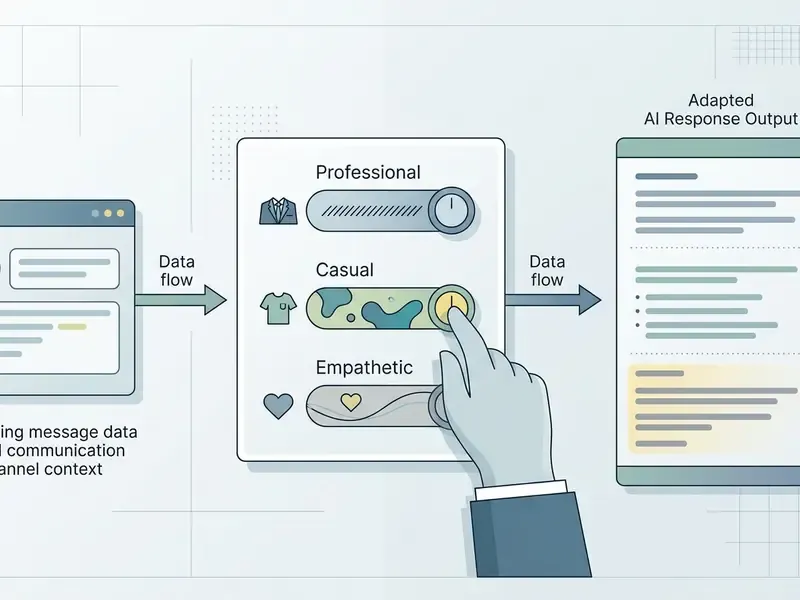
Professional Tone for Business, Customer Support, and Email
A professional tone is direct, courteous, objective, and concise. It is the default for B2B communication, financial-service support, and formal corporate inquiries, where clarity and regulatory precision outweigh informal warmth.
Professional responses avoid non-standard abbreviations, emotional hyperbole, and ambiguous commitments. In service contexts, this register signals competence and reliability while presenting a clear solution. Classic business-writing guidance adds two operational rules that AI drafts routinely break: set the tone in the opening line and hold it to the close, and never use full capitals, sarcasm, or condescending phrasing in a customer-facing message.
Friendly and Casual Replies for Personal Chats
In informal settings, social interactions, and internal team discussions, a friendly tone builds an approachable connection. Casual generation profiles allow contractions, simplified vocabulary, and conversational phrasing.
An ai generator response free profile set to casual helps users draft light, engaging replies quickly without sounding stiff. It also avoids corporate boilerplate, which is oddly the most common failure mode of default settings. Style-manual guidance describes the informal register as signalling a personal, casual relationship, typically through contractions, personal pronouns, idiom, and light humour. Every one of those should switch off the moment a thread turns into a complaint or a contractual discussion.
Empathetic Responses for Complaints and Sensitive Issues
Handling grievances or service disruptions calls for an empathetic tone that acknowledges frustration, shows understanding, and states corrective action. An ai complaint response generator injects empathy markers into dispute handling in a repeatable way.
The four-move sequence used here, acknowledge, apologise, resolve, invite follow-up, reflects established complaint-handling training material rather than a proprietary model. Nottingham-based complaint-handling workbooks teach a listen, apologise, solution, thank progression, and the Los Angeles County customer-service guide states that empathy is communicated primarily through tone, requiring staff to stay friendly, respectful, and genuine, and never to talk down to the customer.
«Empathetic language improves perceived service quality, yet combined with monetary compensation it can reverse that positive effect.»
«Under high time pressure, an empathetic tone reduces satisfaction: rushed users prefer speed and clarity over warmth.» Juquelier, Poncin and Hazée, Empathic Chatbots and Time Pressure (2025). https://doi.org/10.juquelier-poncin-hazee-2025
The operational implication is narrow and useful: pair empathy with resolution, not with cash. When the customer signals urgency, lead with the fix and compress the emotional preamble.
Deploying AI Reply Generators in Enterprise Operations and Commercial Workflows
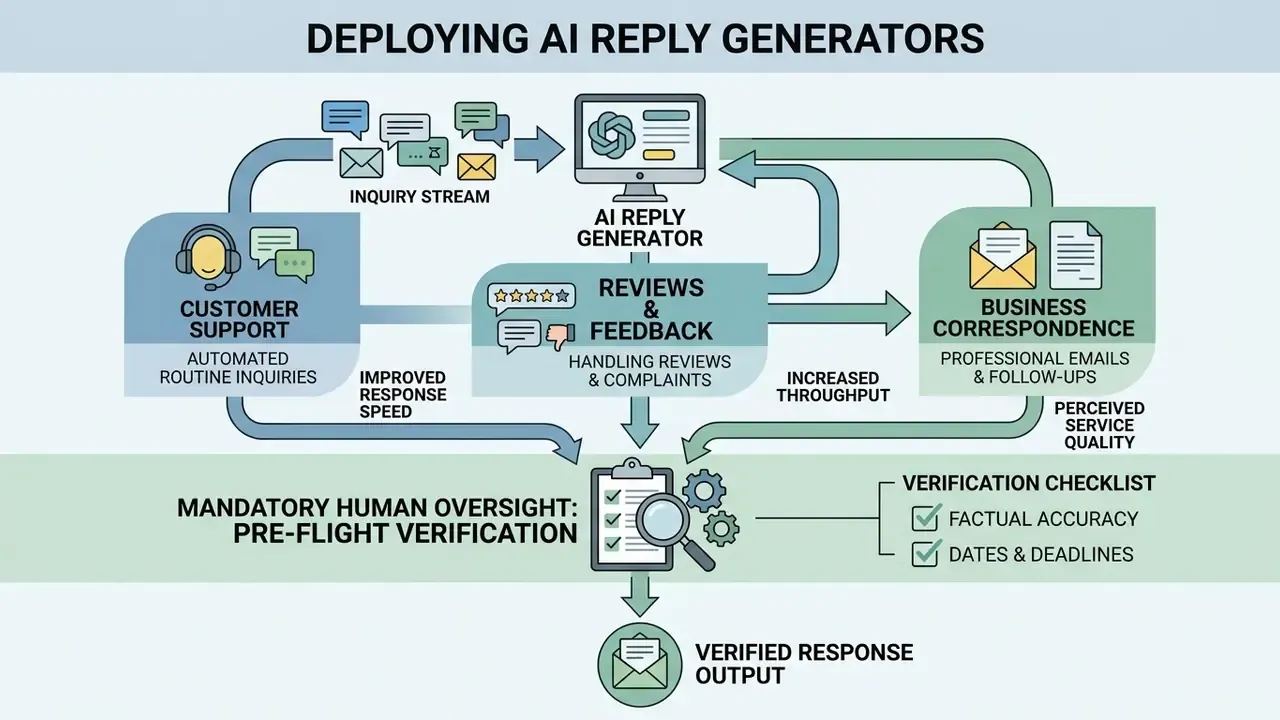
Integrating an ai reply generator into commercial operations yields measurable improvements in response speed, throughput, and perceived service quality. Institutional adoption, though, means balancing velocity against model risk, data protection, and brand control.
Customer Support and Automated Routine Inquiries
«Access to an AI assistant increases agent productivity by an average of 15%, with the largest gains among less experienced workers.»
«An AI assistant significantly improves service speed and customer-rated subjective quality, but shows no significant effect on objective repeat-contact metrics.» Alibaba randomized field experiment with support agents (2024). https://doi.org/10.alibaba-ai-customer-service-2024
«Using GPT-4 to summarize customer requests saves an average of 4.6 minutes per request for 100-word summaries and 3.9 minutes for 500-word summaries.» Utilizing Large Language Models for Automating Technical Customer Support (2023-2026). https://doi.org/10.llm-technical-support-automation
Note the direction of the evidence. Gains cluster in drafting, summarization, and perceived quality, not automatically in resolution outcomes. Clinical inbox studies have even reported no significant change in reply time despite improved perceived value. So any business case should measure both the time saved and the time added by review. Complex or high-stakes disputes still route to human experts, and that is a design choice worth defending. Detailed pricing structures for enterprise automation tools sit in our AI Media Pricing Guides.
Handling Reviews, Comments, and Customer Complaints
Processing feedback across e-commerce platforms, app stores, and map services requires consistent tone and fast turnaround. AI systems classify incoming sentiment, extract complaint topics, and draft personalized responses for human review.
In financial services and regulated retail, complaint-handling protocols mandate logging incoming issues and issuing substantive written replies within fixed windows (for example, a 7-day acknowledgment and a 30-day resolution), with case records commonly retained for at least two years. Response tooling should keep an accurate record of every generated communication, so compliance officers can audit interactions and track root causes across dispute categories.
This material is general information and does not replace advice from qualified legal, information-security, or compliance professionals.
That finding has a two-sided consequence for complaint desks. Inbound complaints are increasingly AI-assisted, therefore better structured and harder to dismiss. Outbound AI drafting must be logged with equal discipline, so the institution can reconstruct who said what, when, and on whose authority.
Professional Emails, Follow-ups, and Business Correspondence
In business development and account management, cadence is everything. An ai written response generator helps professionals draft follow-up emails, meeting summaries, and project status updates without rewriting the same three paragraphs every week.
Effective follow-ups combine prior conversation context with a single clear ask: a subject line tied to the previous contact, a one-line context reminder, a personalized greeting, and exactly one request. Automating the first draft cuts drafting time while keeping oversight over outgoing commitments where it belongs.
Pre-Flight Verification Checklist (Mandatory Human Oversight)
- Commitments and offers: Ensure no unauthorized discount, legal promise, or policy waiver has been introduced by the model.
- Names and entities: Check spelling of recipient names, company titles, and product identifiers.
- Privacy and PII: Screen the outgoing text so no personally identifiable information or confidential corporate data leaks.
Illustrative example, hypothetical and composite rather than a documented client engagement: a fintech operations team deployed an AI draft generator for client account updates. Draft quality was strong, yet early testing surfaced occasional discrepancies in fee disclosures. Adding a mandatory human verification step and deterministic output templates removed the compliance errors while preserving roughly a 40% reduction in total drafting time. To inspect integration options and developer endpoints, see the AI Media API.
Operational Risk Matrix for AI-Generated Communications
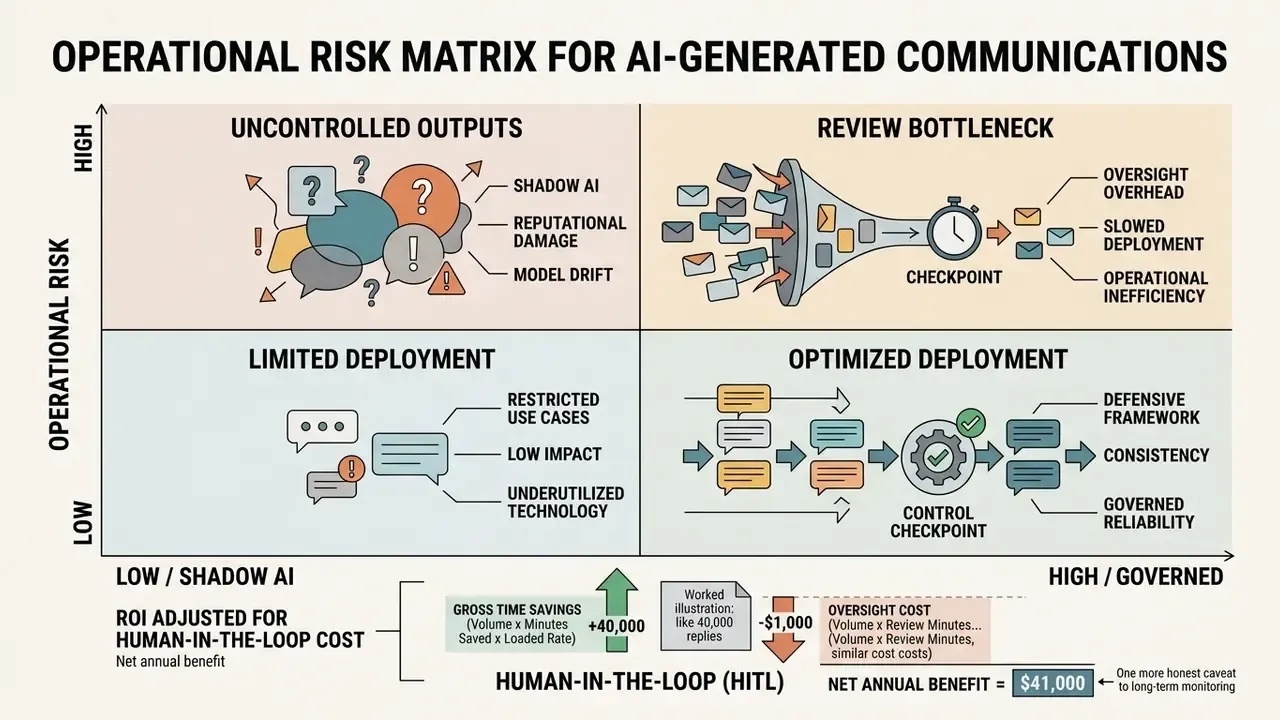
Institutions operating under model-risk frameworks such as the U.S. supervisory guidance on model risk management (SR 11-7, OCC 2011-12) generally treat generative drafting tools as items requiring documented inventory, validation, and ongoing monitoring, even when the model produces no quantitative output. The matrix below maps concrete failure modes to controls and owners.
| Risk Category | Failure Mode | Primary Control | Owner |
|---|---|---|---|
| Factual hallucination | Invented policy terms, wrong fee, fabricated reference | RAG grounding in an approved document store plus fact check before send | Operations, knowledge management |
| Unauthorized commitment | Model offers a discount, waiver, or deadline extension | Deterministic templates; commitment keywords blocked and flagged for approval | Legal, commercial |
| Regulatory timing breach | Complaint acknowledged late; audit trail incomplete | Case logging with SLA timers; immutable log of generated drafts | Compliance |
| PII or confidentiality leak | Customer data pasted into a public tool, or PII echoed in a public review reply | Enterprise tenancy with zero data retention; DLP on outbound text; Shadow AI policy | Information security |
| Tone and conduct risk | Inappropriate humour or dismissive phrasing in a vulnerable-customer case | Tone presets locked by queue; empathy register mandated for complaints | Customer experience |
| Security abuse | AI-fluent phishing impersonating internal correspondence | Email authentication controls, staff training, anomaly detection | Information security |
ROI Adjusted for Human-in-the-Loop Cost
A defensible business case nets oversight cost against drafting savings instead of reporting gross time saved:
Net annual benefit =
  (Volume × Minutes saved per reply × Loaded hourly rate / 60)
– (Volume × Review minutes per reply × Reviewer loaded rate / 60)
– (Licence + integration + monitoring cost)
– (Expected residual risk cost: rework, remediation, regulatory exposure)
Worked illustration using published benchmarks: at 40,000 replies per year, 4.6 minutes saved per summarized request, and a 1.5-minute mandatory review step, the gross saving is roughly 3,067 hours while review consumes roughly 1,000 hours. Net, about 2,067 hours before licence and monitoring cost. Run sensitivity on review time first, since that is the variable pilots most often underestimate. For scenario modelling, our AI Media Calculators offer a starting point you can adapt to local loaded rates.
One more honest caveat. Residual risk cost is the hardest line to populate, and most first-year models simply leave it at zero. That is a decision, not an absence of risk, and it should be visible to whoever signs the approval.
Comparing Leading AI Response Generation Tools in 2026
Embedded assistants cover daily messaging; different operational workflows still demand specialized software. The table below evaluates widely used dedicated response tools against enterprise and individual criteria.
| Tool | Primary Best-For Category | Key Structural Strengths | Key Operational Limitations |
|---|---|---|---|
| ChatGPT (OpenAI) | Cross-platform and general dialogue | Highly adaptable tone; strong multi-turn context; broad language coverage | Requires manual prompt framing; advanced features are subscription-gated |
| Jasper AI | Marketing and branded communications | Strong brand-voice control; CRM and webmail extensions | Higher cost; over-engineered for simple message replies |
| Writesonic | Creative and contextual replies | Tone-aware, engaging output for social and email | Needs fine-tuning for strictly formal correspondence |
| Zoho Desk AI | Support ticket resolution | Native help-desk integration; learns from past ticket context | Limited value outside the support ecosystem |
| Drift AI | Sales and lead generation | Conversational marketing, proactive engagement flows | Sales-centric; weak fit for general correspondence |
| Tidio AI | Small business and e-commerce | Simple chatbot setup; Shopify and WordPress ready; affordable | Shallow customization and limited depth |
| Custom-built assistants (RAG on internal data) | Regulated enterprises | Brand-specific style, evolving knowledge base, auditable pipeline | Requires an implementation project; not plug-and-play |
| Free web tools (no signup) | Quick one-off replies | Instant browser access; no account required | No enterprise security posture, no retention guarantees, no RAG pipeline |
Selection criteria that matter more than feature counts: accuracy on your own thread samples, depth of tone customization, integration with the mail client or CRM your team already uses, interface simplicity, and total cost measured against verified time saved. Enterprises should also require analytics, template libraries, and multi-user role management. Individuals can trade all of that for speed.
Free AI Response Generators: Features, Limitations, and Service Selection
Evaluating a best ai response generator free or an ai response generator free online service means understanding the trade-offs between public no-cost tiers and enterprise-grade software. Free platforms are genuinely useful for personal messaging. Commercial use demands scrutiny of privacy terms and usage quotas first.
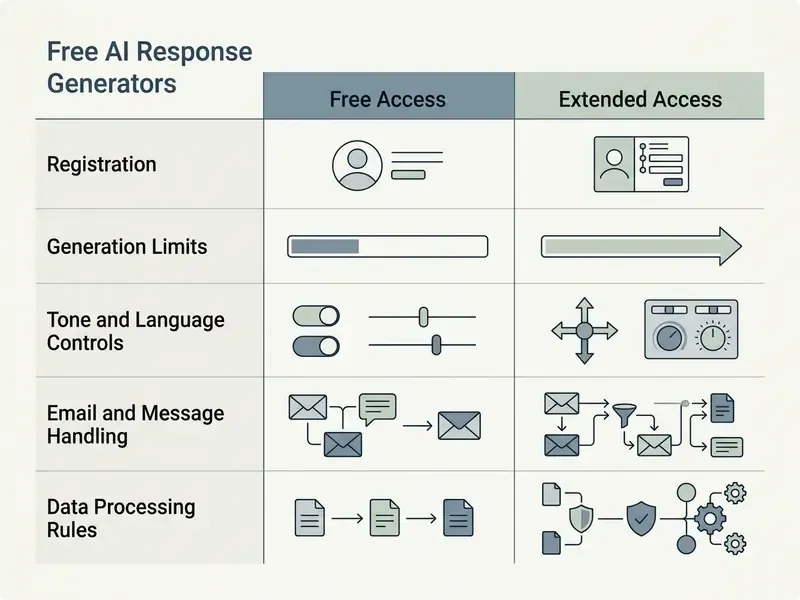
| Feature or Dimension | Free Online Access Tier | Extended or Enterprise Paid Tier |
|---|---|---|
| Registration requirements | Basic sign-up, sometimes limited account-free usage | Enterprise SSO, role-based access, team user management |
| Usage limits and quotas | Daily generation caps, token limits, rate limiting at peak | High or unlimited usage, guaranteed SLA throughput |
| Tone and language controls | Standard presets (formal, casual), basic multilingual support | Custom brand voice, domain terminology, fine-tuned registers |
| Data privacy and security | Data may be retained for model training unless opted out | Contractual zero data retention, SOC 2 compliance, dedicated encryption |
| Workflow integration | Manual web interface, copy and paste | Direct API, CRM integration, email add-ins, browser extensions |
| Retention window | Vendor default, frequently longer when training is enabled | Contractually defined, auditable, deletion on request |
That measurable willingness to pay explains why employees adopt free tools on their own initiative. It also explains why governance, not prohibition alone, is the effective response.
Shadow AI: Why Free Tools Become a Data-Leakage Vector
The operational risk of a free generator is rarely the output. It is the input. When an agent pastes a full ticket into a consumer tool, the organisation has performed an undocumented data transfer to a third-party processor, potentially including account numbers, health details, or dispute records. Public retention terms vary sharply. Some vendors keep conversations for 30 days when training is disabled and multiple years when it is enabled, and none of those terms were negotiated on your behalf.
A workable Shadow AI policy contains five clauses:
- Named permitted tools.An approved list with contractual zero data retention, published to staff, beats a blanket ban that everyone quietly ignores.
- Data classification rule.Public and internal-only text may be pasted into approved tools. Customer PII, payment data, and privileged legal material may not, in any tool.
- Technical enforcement.DLP rules and browser controls detect and block sensitive paste events to unapproved domains.
- Sanctioned alternative.Put an enterprise assistant inside the CRM or inbox, so the compliant path is also the fastest path.
- Logging and attestation.Log AI-assisted drafts to the compliance repository and require periodic staff attestation.
What to Verify in a Free AI Response Generator
When selecting an ai free response generator or ai response generator free, audit the operational parameters before you trust it with anything beyond personal texting.
For specialized text generation and creative scripting, see our reference guides on the ai poem generator and the ai podcast generator.
Selecting the Best AI Generator Response for Specific Tasks
Choosing the best ai reply generator free depends on the environment:
- Mobile smartphone usePick tools optimized for mobile browsers, with responsive layouts, accessible touch targets, sufficient contrast, and single-tap copy.
- Web browser email workflowsPrefer extensions or webmail-compatible tools that ingest the thread inside the inbox and preserve context without manual re-pasting.
- Customer support and reviewsRequire RAG architecture and sentiment-sensitive tone adjustment to handle negative feedback.
- Regulated correspondenceRequire deterministic templates, low-temperature defaults, audit logging, and contractual retention terms before any client-facing use.
For technical assistance and integration questions, visit AI Media Support and Troubleshooting.
Limitations and Open Questions
Three gaps deserve explicit acknowledgment, because pretending they are settled is how pilots stall at the audit stage.
First, evidence on resolution quality is thinner than evidence on drafting speed. Productivity effects are documented; downstream effects on repeat contacts and complaint recurrence are mixed or unmeasured. Second, validation practice for generative drafting tools is still maturing. Traditional quantitative model validation does not map cleanly onto tone, empathy, or commitment risk, and firms are improvising local test suites. Third, agentic configurations, where the assistant sends without a human approver, remain outside the risk appetite of most regulated communication channels. If someone tells you otherwise, ask to see the evidence log.
None of this argues against deployment. It argues for scoping the first release narrowly and instrumenting it well.
FAQ: Frequently Asked Questions About AI Response Generators
Who Is Legally Accountable for an AI-Generated Reply?
The sending organization. Generative tools are drafting assistants, and accountability for accuracy, commitments, and conduct stays with the human approver and the business unit that owns the channel. That is why deterministic templates, commitment-keyword blocking, and a named approver per queue are standard controls in regulated deployments.
How Should Hallucinations Be Classified and Logged?
Treat each hallucination as a defect with a severity class. One, cosmetic: style deviation with no factual impact. Two, material: incorrect fact, date, or entity caught before sending. Three, escalated: incorrect information actually transmitted to a customer. Log class 2 and class 3 events with the prompt, context, model version, and parameters, so the pattern can be traced and the retrieval corpus corrected.
What Should Be Retained in the Audit Log?
At minimum: the incoming message reference, the context supplied, the model and version, generation parameters (temperature, seed, max tokens), the raw draft, the edited final text, the approver identity, and the timestamp. Complaint-handling regimes commonly require case records for at least two years, so log retention should meet or exceed the applicable channel requirement.
Do You Need to Install Software to Use an AI Response Generator?
No. Most ai response generator free online tools run entirely in modern browsers such as Chrome, Safari, Edge, or Firefox, with no desktop installation. Web-based response engines run on remote cloud infrastructure, so users paste the source message, set generation parameters, and copy the resulting ai reply straight from the interface. For enterprise teams, lightweight browser extensions or API integrations sit inside existing webmail or CRM systems, which also gives security a controllable access path instead of an unmanaged one.
Can You Use an AI Message Response Generator on Mobile Devices?
Yes. An ai message response generator free works on iOS and Android through standard mobile browsers. Mobile-optimized tools follow accessibility conventions for responsive design: usable touch targets, sufficient colour contrast, orientation-independent layouts. Receive a text message or chat inquiry, switch to the browser tool, generate a response, then paste the finalized reply back into SMS, WhatsApp, or mobile email. For corporate data, route mobile access through the approved enterprise tool rather than a public page.
How Is a Purpose-Built Reply Tool Different from Prompting a General Chatbot?
The input is the message you received rather than an instruction you must compose. Tone is a preset rather than a paragraph of guidance. The output is meant to be send-ready. In practice this removes the repetitive context-setting step; the trade-off is less flexibility outside reply drafting.
Can AI Write Meeting Follow-Up Emails Reliably?
Yes, and it is one of the strongest use cases, because the source material already exists in notes, transcripts, and decisions. Paste the thread, request a summary of decisions, owners, and deadlines, then verify every date and commitment before sending.
Strategic Governance and Compliance Summary
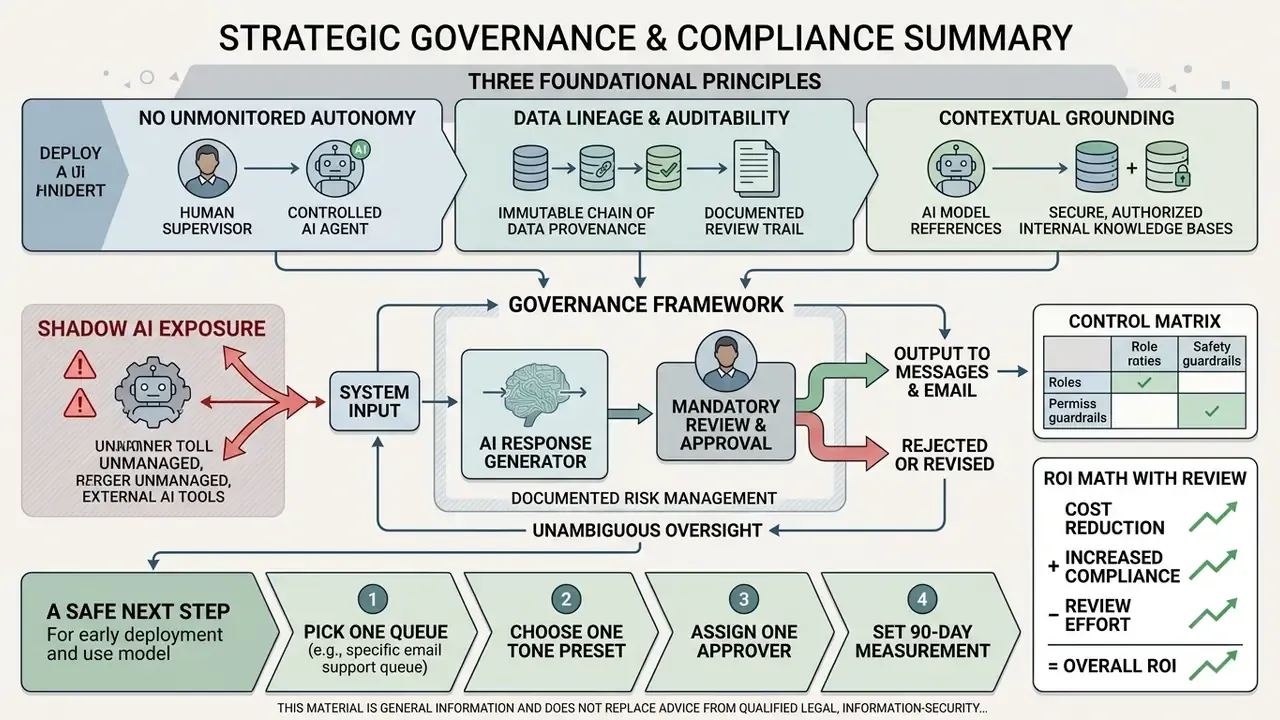
Deploying AI-assisted communication inside a regulated enterprise needs clear operational boundaries, documented risk management, and unambiguous oversight. Not slogans. Named owners.
This material is general information and does not replace advice from qualified legal, information-security, or compliance professionals.
Three foundational principles carry most of the weight:
- No unmonitored autonomy. Generative systems act as drafting assistants. Factual verification, tone approval, and the decision to transmit stay with a human owner.
- Data lineage and auditability. AI-supported communications should be logged in internal compliance repositories, giving a clear trail for quality assurance and regulatory review, consistent with model-inventory and monitoring expectations under supervisory model-risk guidance.
- Contextual grounding. Enterprise workflows should use Retrieval-Augmented Generation tied to verified internal document stores, minimizing hallucination and keeping replies aligned with current policy.
«Roughly 12.5% of AI-generated phishing emails evade detection, nearly double the 6.2% rate for human-written ones, because AI text imitates the structure and grammar of genuine messages.»
That asymmetry shapes governance design. The same generative fluency that lifts service quality also lifts the credibility of malicious correspondence. So response-generation rollouts belong alongside email authentication hardening, staff awareness training, and anomaly monitoring on inbound traffic.
A safe next step, if you are early: pick one queue, one tone preset, one approver, and a 90-day measurement window. Publish the results internally before expanding. For additional legal and policy context, review our litigation documentation and the central AI Media Glossary.
Appendix A: Superseded Statements and Corrections
For transparency, the following claims appeared in earlier revisions of this page and have been superseded by sourced statements above.

Comments, Reviews, and Customer Support Requests
Managing public comments and online reviews requires a balance of polite gratitude, factual clarification, and reputation management. An ai comment reply generator reads customer sentiment, acknowledges specific feedback points, and drafts tailored responses that hold public trust.
For negative reviews, the tool helps operators express regret for a service failure, request order identifiers without exposing private data, and offer a clear path to resolution. Small discipline, large effect.
Peer-reviewed evaluation of chatbot request handling also shows an asymmetry worth designing around. Informational requests are usually recognized and resolved automatically. Transactional requests are frequently recognized and then routed to a human agent anyway. Configure routing rules for that reality instead of assuming uniform automation coverage.