Unregistered online tools let a team test text-to-image capability in seconds, with no credentials, no corporate email, no procurement ticket. That is exactly why they spread inside banks and fintechs without anyone approving them. Enterprise adoption, though, means judging three things the landing page rarely mentions: underlying model quality, server-side data retention, and the commercial licence attached to the pixels you download.
Executive Summary
- "No sign up" is an access claim, not a privacy guarantee. Guest sessions still transmit prompts, IP addresses, user-agent strings, and request metadata to inference servers. Only client-side stacks (WebAssembly, WebGL, TensorFlow.js) keep pixel buffers on the device.
- Free tiers are rate-limited by hardware, not by generosity. Expect IP throttling, shared GPU queues (8–15 seconds per batch), session caps of 2–5 images, and export ceilings between 512×512 and 1024×1024 pixels. A promise of "unlimited free generations forever" describes a basic queue with throttling, not uncapped capacity.
- Copyright does not attach automatically. Under US Copyright Office guidance, purely machine-generated output from simple prompts is not protectable, and free or anonymous tiers almost never include IP indemnification.
- Sanitize prompts before submission. Never paste client names, unreleased product specs, PII, or financial data into an anonymous browser tool. That is the classic Shadow AI exposure path, and it is the one internal audit finds first.
gemini-3.1-flash-image (Nano Banana) and OpenAI's gpt-image-2.5-flare usually sit behind authenticated APIs.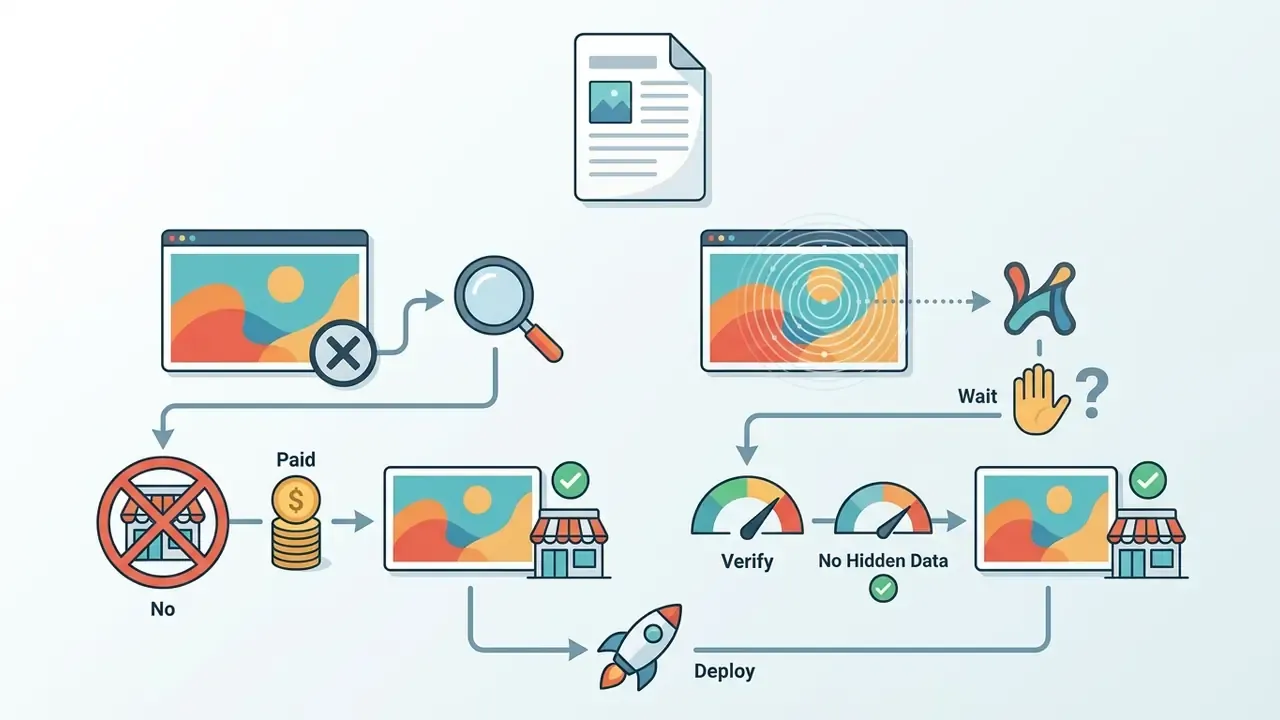
Who Should Read This and What It Decides
This guide is written for two overlapping groups. The first is risk and governance leadership: CROs, CCOs, heads of model risk, and AI governance leads who need a defensible answer when a marketing team asks, "why can't we just use the 100 percent free ai image generator we found?" The second is the practitioner group that actually needs images fast, often within a single afternoon.
The decision it supports is narrow but real. Is a free, no-subscription image generator acceptable for concept art, internal decks, and throwaway drafts? Usually yes, with prompt hygiene. Is it acceptable for paid media, branding, or anything a regulator might later inspect? Usually no, unless the asset is regenerated under a licensed, indemnified account.
One honest caveat before we continue: free-tier terms change without notice. Everything below reflects vendor documentation available at the time of review, and the audience assumptions here remain hypotheses until validated against analytics, interviews, and CRM data.
What "Free AI Image Generator No Sign Up" Actually Means
Unregistered AI image generation lets you create visuals in a web browser without building a persistent account or entering credentials. The system still collects technical request metadata, IP addresses, and session cookies during the execution loop. Frictionless is not the same as invisible.
Comparison of access modes for online AI image generators
| Access Mode | Registration Requirement | Typical Generation Limits | Download Options | Model and Feature Access |
|---|---|---|---|---|
| No sign up | Immediate use in browser; no user credentials entered. | Session-based caps (for example 2–5 images per visit) or queue throttling. | Standard resolution exports; watermarks frequently applied. | Default base models; advanced prompt settings disabled. |
| No login | Account exists, but the active session requires no authentication. | Usage tied to browser cookies or stored profile history. | Standard downloads matching previous account permissions. | Saved preset styles and history accessible within the active cookie session. |
| No account | No account creation required; fully guest execution. | Strict IP-based daily limits; credit upsell prompts. | Compressed PNG or JPEG; high-resolution options paywalled. | Single general-purpose model; no custom fine-tuning options. |
| Free trial | Registration required; payment method occasionally requested. | Quota-based allocations (for example 100 one-time credits or a 7-day trial). | Full-resolution exports without watermarks during the active trial. | Complete feature access, including advanced upscalers and style models. |
| Free tier | Account registration mandatory; no credit card needed. | Recurring daily or monthly token refreshes (for example 150 daily tokens). | Standard high-resolution downloads; commercial rights vary by platform. | Core model suite; specialized fine-tuning reserved for paid tiers. |
Reading the table: "no sign up" and "no account" give you the fastest start and the weakest rights. "Free trial" and "free tier" give you cleaner exports in exchange for identity. The middle ground, "no login", is simply an old cookie doing the work a password used to do.
No Sign Up, No Login and No Account: Key Differences
"No sign up" and "no login" describe friction-free interface access rather than absolute data privacy. Neither mode asks for an email address or a password. Server logs still process the text prompt and the browser user-agent string.
A true "no account" service operates without user profile databases or identity tracking. According to privacy disclosures from platforms such as ImageFree, the server infrastructure handles input prompts and output buffers strictly in temporary memory during generation. Temporary server-side storage, CDN caching, and network routing logs still exist, because they are required for security monitoring and rate-limiting.
The governance consequence is simple. Removing identity binding does not remove the transmission event. Anonymous generation still creates an outbound data flow that a risk function has to classify, since prompt text can carry confidential business context even when no user identifier travels with it. A prompt reading "loan default dashboard for a mid-size regional lender, Q4 remediation theme" leaks strategy without naming a single person.
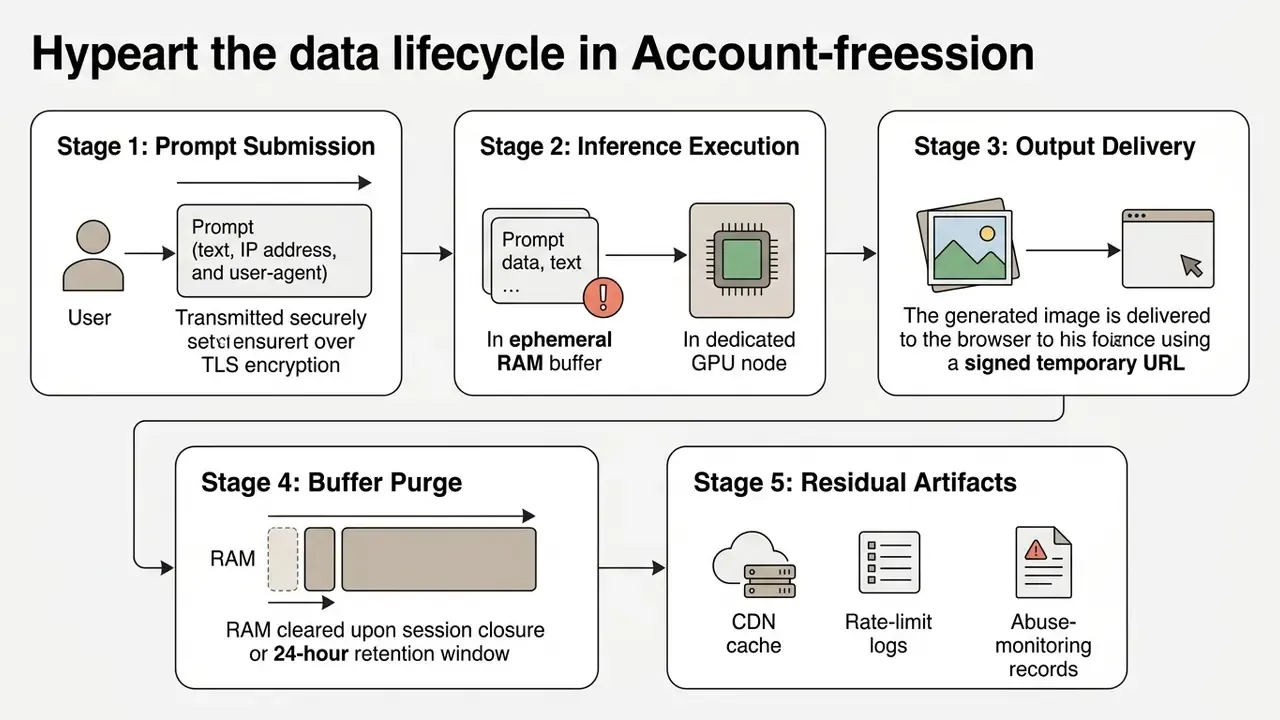
Stage 5 is the one people forget. The buffer may vanish while the abuse log survives.
Common Limits of Free Online Image Generators
Free online platforms use usage caps, resolution controls, and watermarks to protect server capacity and to nudge users toward paid plans. Public benchmarks show basic tiers commonly restricting output to 512×512 or 1024×1024 pixels. For a side-by-side breakdown of caps, watermark policies, and output quality across specific products, see our comparison of free AI art generators.
Generation volume varies a lot between tools. Lightweight public services such as Craiyon offer effectively unlimited lower-resolution outputs with a watermark, while freemium engines meter users against a daily token pool. Higher-tier export features, uncompressed vectors, layered files, and advanced image upscalers, sit behind a subscription almost everywhere.
Quality ceilings are architectural, not only commercial. Compositional benchmarks show that even frontier image models mishandle multi-object scenes, attribute binding, and spatial reasoning.
Read "unlimited" correctly and the marketing stops being confusing. Free tiers enforce hardware-level rate-limiting through IP throttling, shared GPU pools, or queued iteration caps. "No limits forever" means the absence of a paywall, not the absence of a queue.
Execution queues and watermark policies in free AI generators
| Engine Tier | Queue Behavior | Watermark Mechanism | Data Retention Window |
|---|---|---|---|
| Anonymous basic queue | Shared GPU pool; 8–15 second waits per batch, longer at peak load. | Visible corner logo or invisible steganographic watermark such as SynthID. | Temporary RAM buffer; purged within 24 hours or immediately on session close. |
| Free daily credit pool | Priority above guest traffic until the daily token allocation is exhausted. | Watermark policy varies by model; some zero-credit models still mark outputs. | Stored in session history for the active login window. |
| Fast mode / priority queue | Bypasses the queue; sub-3-second latency via dedicated GPU allocation. | Clean export with no visible watermarks; commercial licence typically unlocked. | Stored in a persistent user profile database, which requires an account. |
Prompt Sanitization and Shadow AI Prevention Checklist
Anonymous tools are the most common Shadow AI vector precisely because they skip procurement. Before anyone submits a prompt to an unvetted public endpoint, run these pre-submission checks:
- Strip identifiers.Remove client names, internal project codenames, account numbers, ticket IDs, and employee names from the prompt string.
- Remove PII and NPI.No personal data, customer records, health data, or non-public financial information. In regulated environments, treat the prompt field as an uncontrolled egress channel.
- Abstract the business context.Replace "Q3 pricing deck for [Bank]" with something generic: "abstract financial dashboard illustration, blue and grey palette."
- Scrub uploaded references.Reference images must lose EXIF and GPS metadata, visible screens, badges, and document text before upload.
- Confirm the execution locus.Prefer tools that state client-side processing (WebAssembly, WebGL, TensorFlow.js) for anything containing internal material.
- Log the evaluation.Record the tool URL, date, model name, sanitized prompt, and output hash so the test is reproducible as audit evidence.
- Set a disposal rule.Delete drafts you will not use, and never re-upload an output into a second unvetted service.
Seven steps sound heavy. In practice the whole checklist takes under two minutes once the habit sets in, and it converts an ungoverned experiment into a logged one.
How to Choose a Free AI Image Generator Without Sign Up
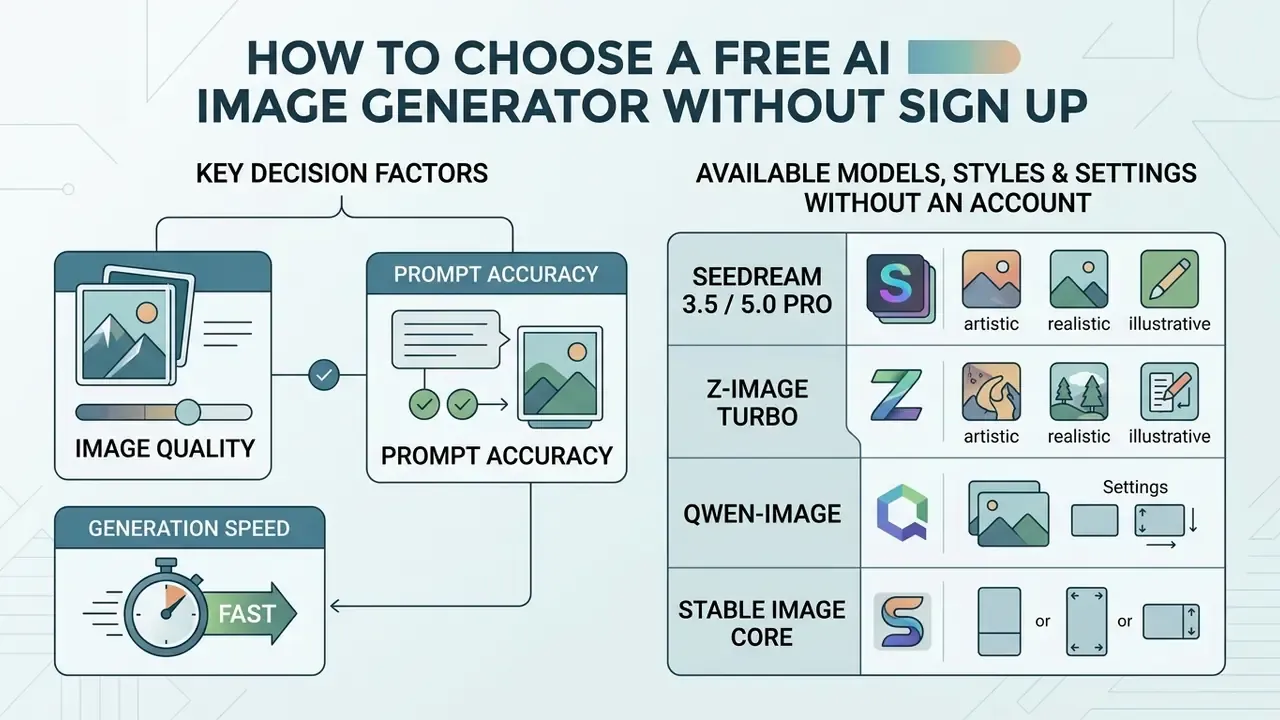
Choosing an anonymous image generator means balancing visual fidelity and prompt accuracy against processing latency and parameter depth. Match the tool to the use case, not to the homepage screenshot. For a broader capability-by-capability breakdown of paid and free engines, compare the best AI art generators before you commit to a production workflow.
Matrix for choosing an AI image generator across common use cases
| Task Type | Quality Priorities | Speed Requirements | Model Characteristics | Style and Settings | Reference Image Support | Commercial Use Considerations |
|---|---|---|---|---|---|---|
| Concept art and rapid prototyping | High compositional diversity and scene parsing. | Moderate; 10–20 seconds per batch. | Strong compositional scores, for example T2I-CompBench++ standards. | Broad artistic styles library; flexible aspect ratio selection. | Optional sketch inputs for structural layout guidance. | Verify platform policy on derivative works and open licences. |
| Internal reports, research mockups and decks | Neutral, non-distracting visuals with consistent palette control. | Moderate; batch review matters more than per-image latency. | Reliable attribute binding; low hallucination on charts and labels. | 16:9 and 4:3 presets; corporate palette prompts; transparent backgrounds. | Medium; layout references keep slide families visually aligned. | Prefer tools with an explicit guest-session data purge policy. |
| Product graphics and branding | Strict attribute fidelity, exact colours, clean lines. | Moderate; iterative refinement beats raw speed. | High object-detection alignment, for example GenEval metrics. | Lighting, perspective, and transparent background controls. | Critical; precise reference photo matching required. | Must confirm full IP ownership and the absence of training copyleft. |
| Educational diagrams | High factual accuracy and structural legibility. | Slow to moderate; accuracy overrides execution speed. | Superior knowledge benchmarks, for example MMMG evaluation. | Diagrammatic presets; clean vector and text rendering. | High; structural reference charts guide the layout. | Review Creative Commons alignment for educational distribution. |
| Social media visuals | High visual contrast and immediate topic clarity. | Fast; sub-5-second single-step inference preferred. | Distilled models, for example the DMD single-step architecture. | Preset ratios (1:1, 4:5, 9:16); platform visual filters. | Low; text prompts meet most feed requirements. | Ensure explicit commercial rights for promotional materials. |
Image Quality, Prompt Accuracy and Generation Speed
Image quality depends on whether a model can accurately interpret a complex text prompt without inventing structural artifacts. Evaluation frameworks such as GenAI-Bench score models on multi-object relationships, attribute binding, and spatial logic, which is closer to what a designer actually cares about than raw pixel count.
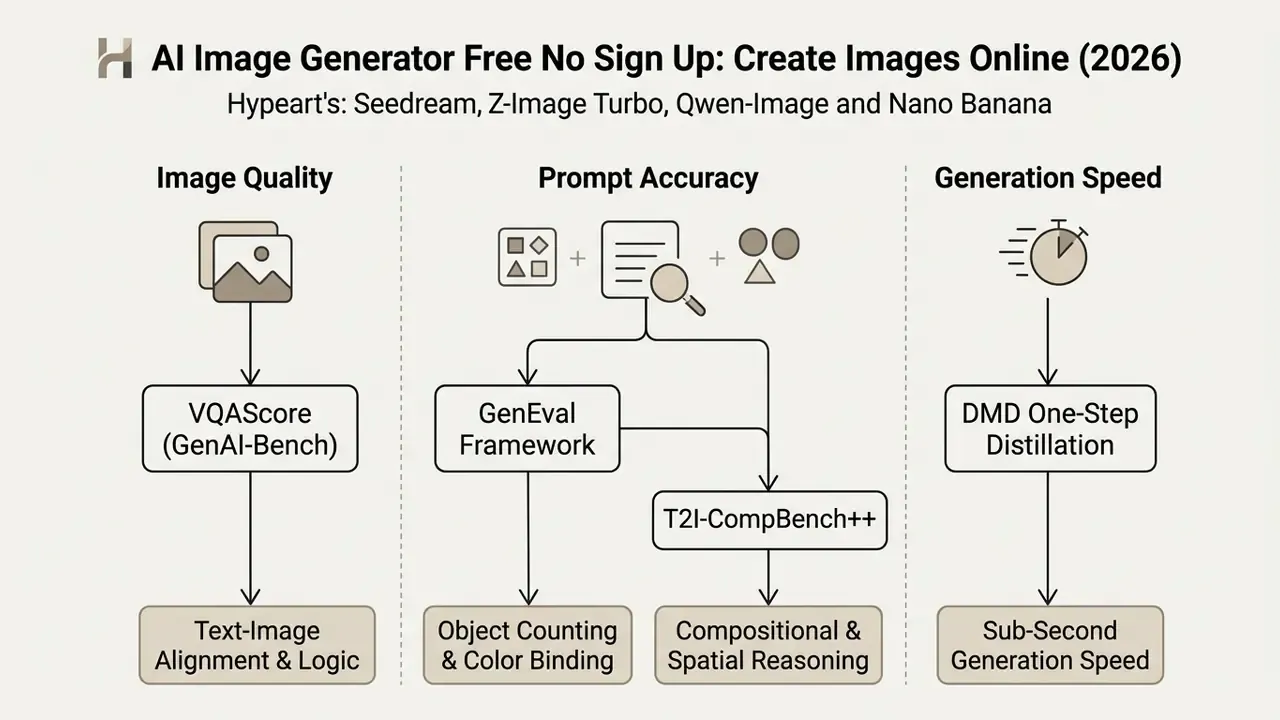
Latency depends on architecture and on queue load. Distilled architectures such as MIT CSAIL's Distribution Matching Distillation enable single-step diffusion, which accelerates generation by roughly 30 times against traditional multi-step sampling while holding visual quality.
Observed latency is never pure model runtime, though. End-to-end time includes network transfer, request queueing, image preprocessing, and on cold nodes the loading of model weights, which can add tens of seconds to a first request against a large checkpoint. So when you benchmark a free tool, time three consecutive runs and throw the first one away. Otherwise cold starts quietly ruin the comparison. That single habit has changed more tool shortlists than any feature matrix.
Models, Styles and Image Settings Available Without an Account
At the selection stage, four criteria matter more than benchmark bragging: model routing (does the tool pick an engine for you, or can you choose?), negative-prompt support, seed control, and whether the free queue is gated behind a fast-mode upsell. Concrete values for aspect ratio, resolution, and artistic styles are configured during generation, and the next section covers them.
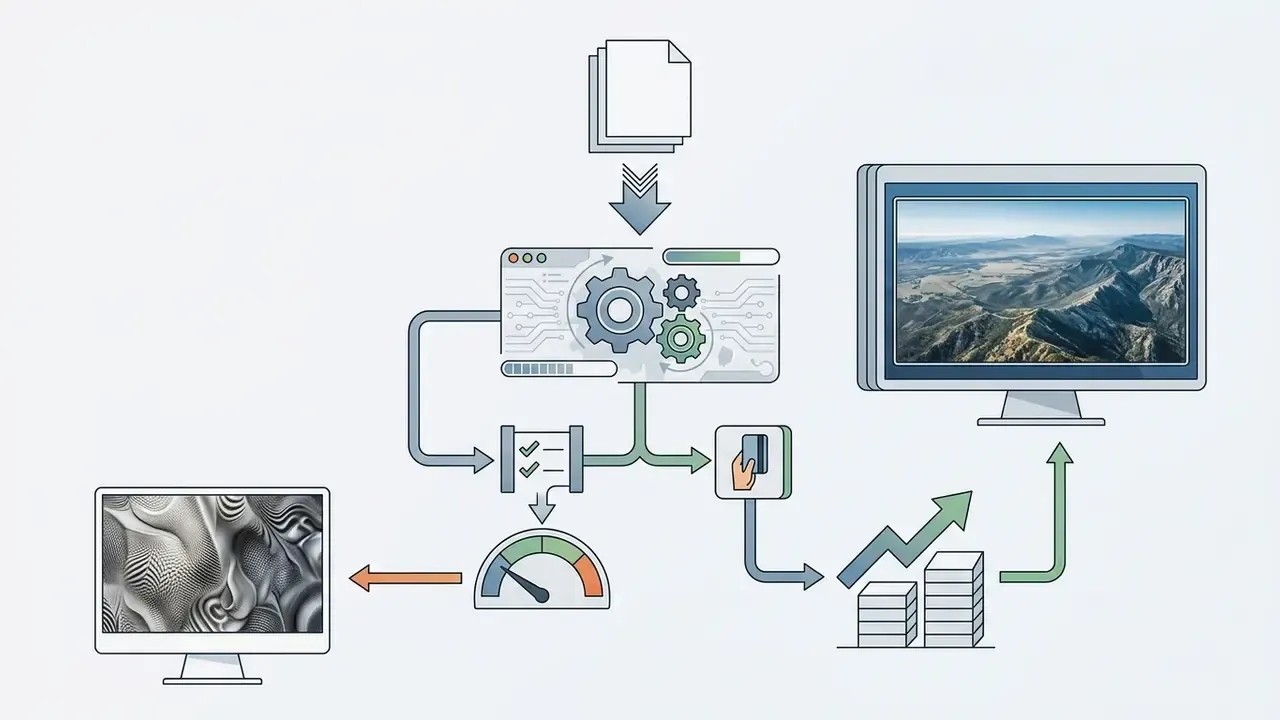
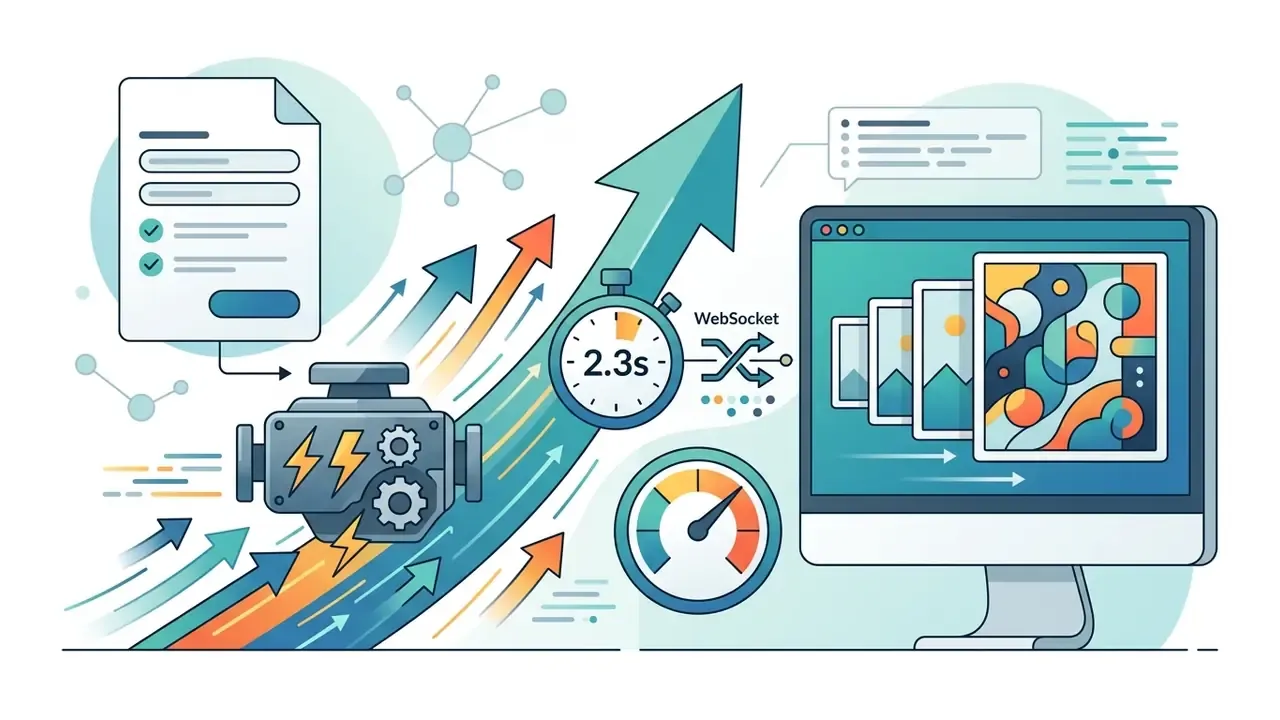

negative_prompt field.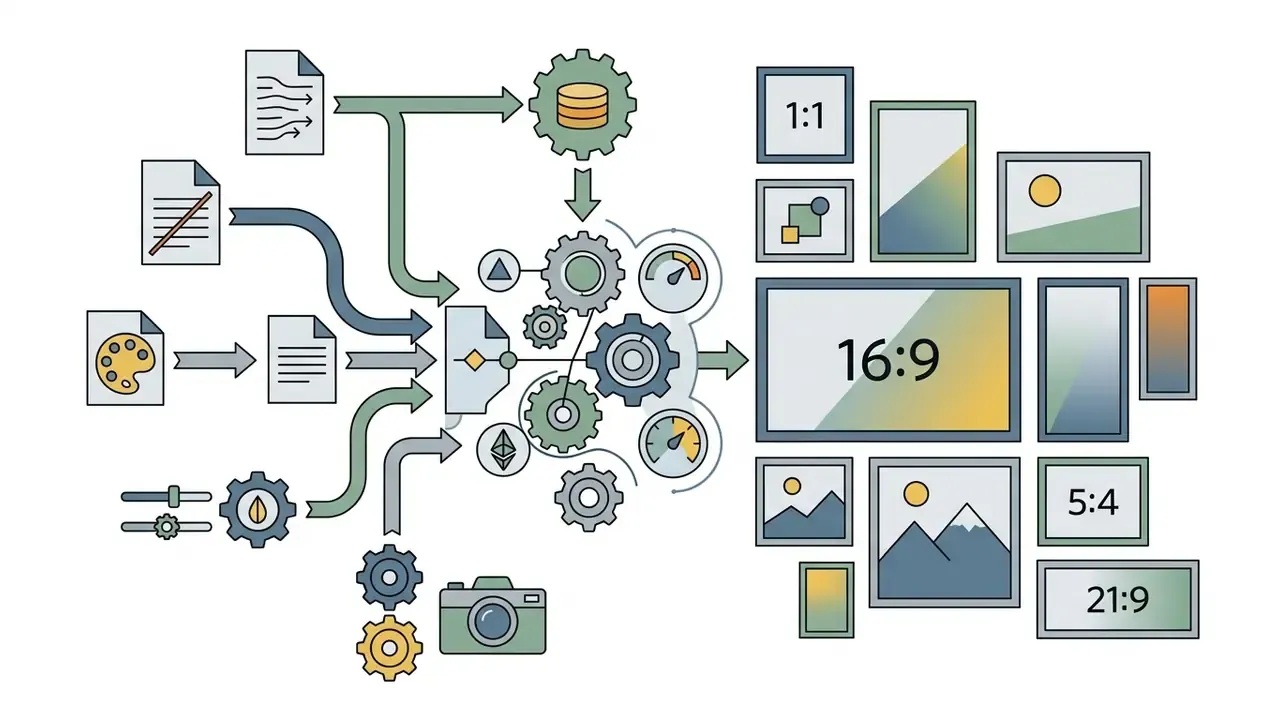
How to Generate AI Images Online in Three Steps
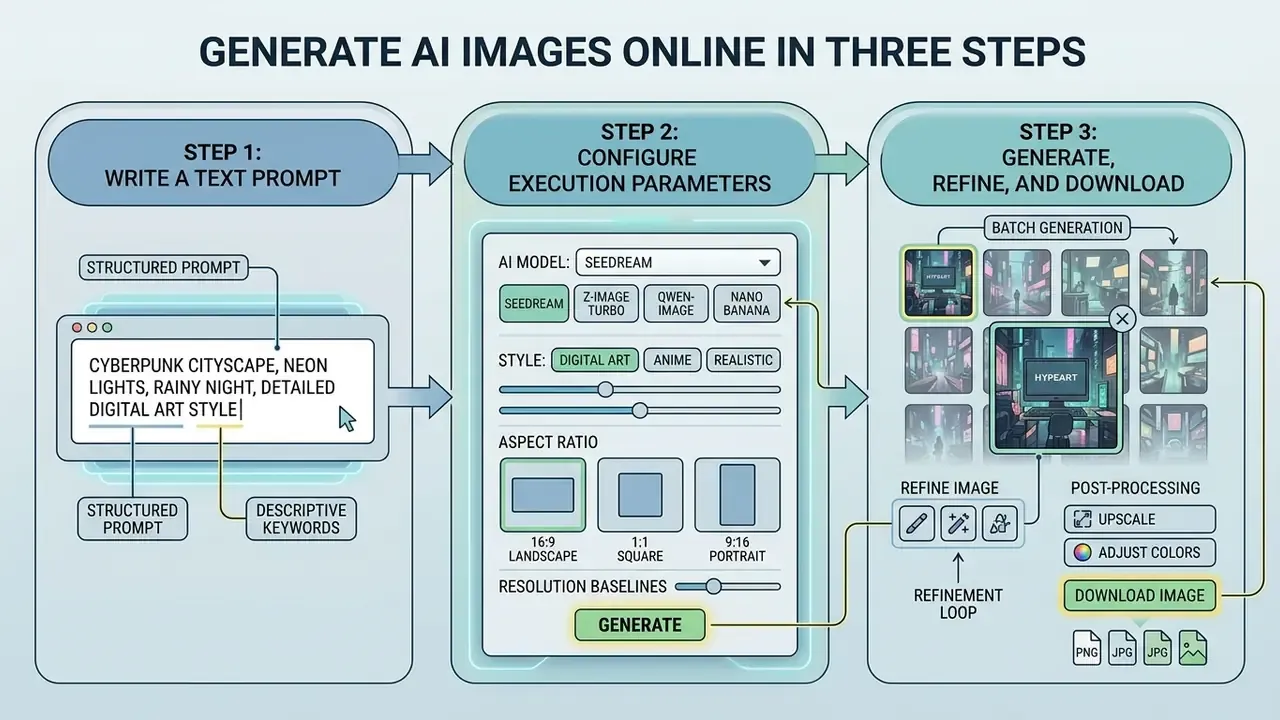
Creating visuals through an anonymous web interface follows one standard sequence: write a structured text prompt, configure execution parameters, then refine what comes back. Three steps, a few clicks, no subscription.
Generation workflow (text description of the process diagram): Step 1, write the text prompt → Step 2, choose model, style and aspect ratio → Step 3, click generate, review variations, refine, then download a lossless file.
Write a Text Prompt for the Image You Want
A good ai image prompt defines the primary subject, the environment, the lighting, and the composition. Rather than repeating vendor marketing language, use the field order validated by controlled prompt-engineering research:
[Style] image of [Subject], located in [Environment], with [Lighting/Atmosphere], [Composition/Angle], [Color Palette]
Clear descriptive keywords beat clever phrasing. Explicit constraints such as "centered framing, studio lighting, neutral background" cut random artifacts before they appear. Official prompting documentation from the major vendors converges on the same order: background or scene, subject, key details, then exclusions like "no watermark, no extra text, no logos" stated at the end. Simple prompts still work for quick ideation; structured ones work when you need the same look twice.
Choose a Model, Style and Aspect Ratio
Picking the right style aspect ratio up front saves you from destructive cropping later:
- 9:16 (1080×1920): vertical mobile placements, including Instagram Reels, TikTok, YouTube Shorts, and mobile stories.
- 1:1 (1080×1080): square feed posts across social networks, and the safest fallback when one asset must survive several feeds.
- 16:9 (1920×1080): desktop displays, YouTube thumbnails, OTT and TV delivery, corporate presentation decks.
- 4:3 / 3:4 (1024×768 / 768×1024): standard editorial landscape and portrait framing for blogs, magazine layouts, and slide bodies.
- 4:5 (1080×1350): maximum vertical real estate for Instagram in-feed portrait posts.
- 5:4 (1250×1000): classic landscape framing for art prints and desktop banners.
Resolution baselines. Default account-free engines export at 0.5K (512×512) or 1K (1024×768 / 1024×1024). Reaching 2K or 4K generally requires a signed-in credit pool, a client-side WebGL upscale pass, or a dedicated neural upscaler. European Broadcasting Union guidance (EBU R155) adds a useful rule: vertical material can be rotated into, or placed inside, a 16:9 frame while keeping the main subject within safe framing. Handy when one generated asset must serve both mobile and broadcast.
Match artistic styles, photorealistic, vector art, watercolour, to the base model's strengths and you avoid most style drift and visual distortion. Negative prompts remain the main artifact-suppression control at this stage. List what you do not want ("no soft focus, no digital noise, no text overlays") instead of hoping the positive prompt implies it.
Generate, Refine and Download the Image
Click generate, and the server returns initial variations in 5 to 30 seconds. Check the output for attribute accuracy, correct spatial relationships, and general coherence. Six fingers? Regenerate.
If the errors are minor, adjust the prompt or the seed and run another iteration. The documented refinement cycle is a five-step loop: initial prompt, first generation, review of preferred and non-preferred elements, prompt refinement, regeneration until the output is accepted. Once satisfied, download the image in PNG. Per W3C standards, PNG uses lossless compression, and the specification states plainly that "there is no lossy compression in PNG", which preserves pixel integrity, alpha transparency, and bit depths from 1 to 16 bits for professional editing.
Batch Generation and Integrated Post-Processing
Working without an account usually means judging several candidates at once. Modern browser engines support multi-sample batch processing, generating 4 to 8 variations per prompt execution to hold style consistency across campaign assets. Free tiers commonly expose an output-number selector of 1 to 4 in the basic queue, with larger batches reserved for credit-backed or priority modes.
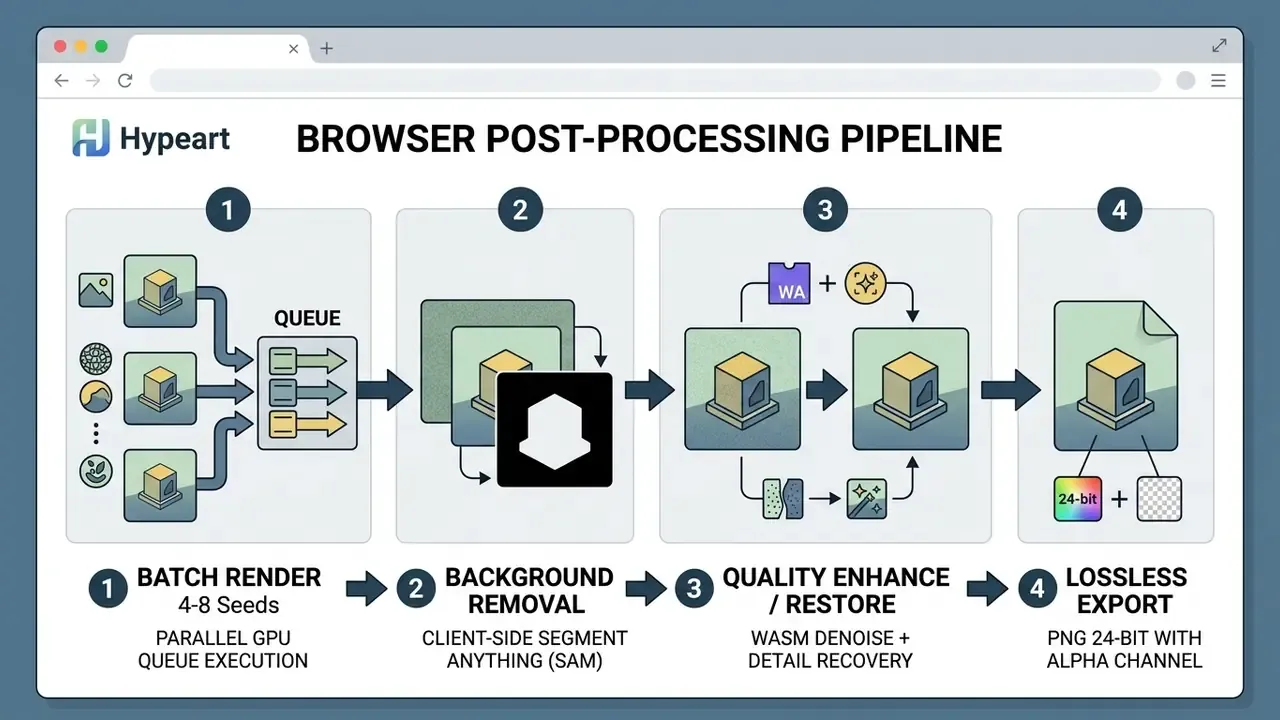
Once a variation is chosen, integrated browser tools use lightweight WebAssembly models such as Segment Anything derivatives to run background removal, quality enhancement, and photo restoration locally, without sending raw buffers back to a remote server. That matters legally as much as operationally: a background-removal pass executed on-device keeps the final composite outside any third-party retention window, which is exactly why regulated teams prefer local post-processing to a server-side ai image editor. For broader editor capability comparisons, see our guide to free photo editors and their export restrictions.
How to Get More Accurate and High-Quality AI Generated Images
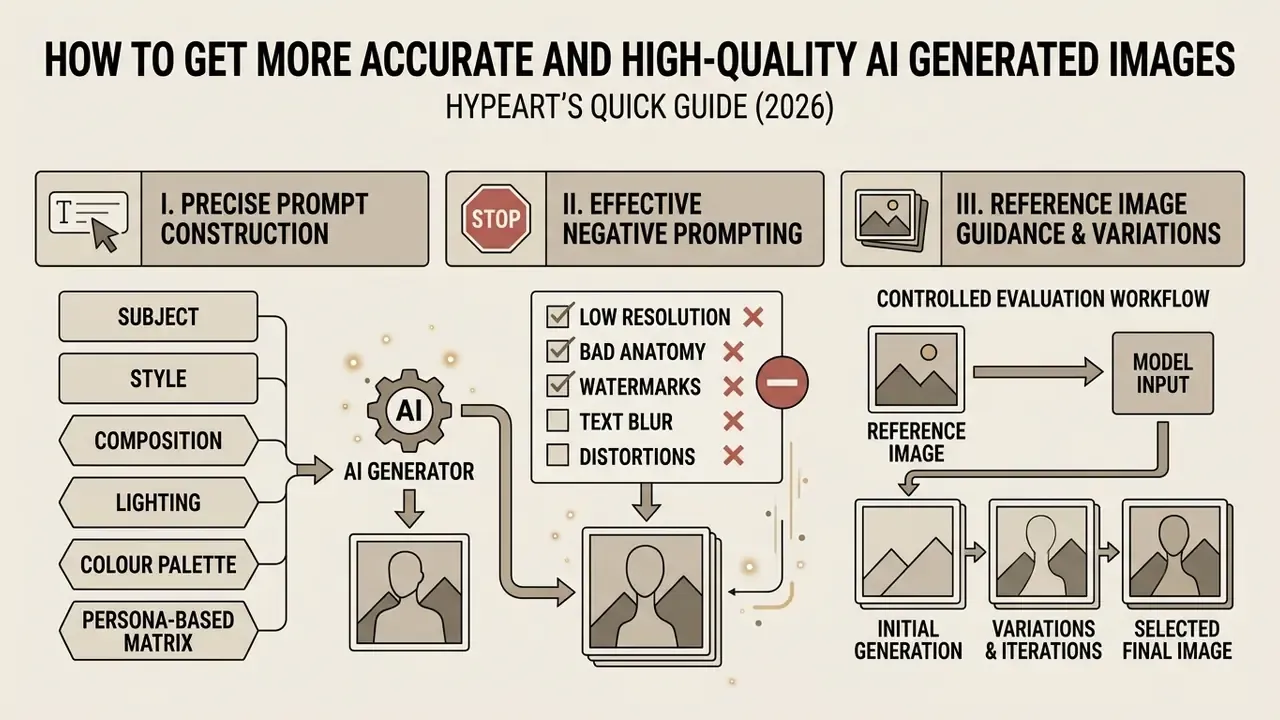
Getting professional quality out of a free generator comes down to three levers: precise prompt construction, negative prompting, and reference image guidance.
Use Clear Prompts to Describe Subject, Style and Composition
Prompt-engineering research shows explicit structural cues raise output consistency. Instead of leaning on generic terms like "photorealistic" or "ultra-detailed", name concrete visual parameters:
- Subject "An executive leather notebook beside a metal fountain pen."
- Composition "Overhead flat-lay perspective, centered composition."
- Lighting "Soft diffused morning daylight from the side."
- Colour palette "Muted earth tones with charcoal background accents."
Keeping descriptive requirements separate from negative exclusions ("no soft focus, no digital noise, no text overlays") reduces model confusion and visible artifacts.
Persona-based prompt matrix. These templates compress the research-backed field order into reusable starting points:
E-COMMERCE PRODUCT SHOT
[Product] placed on a minimalist matte concrete pedestal, studio softbox
lighting from 45 degrees, sharp focus, transparent background, 8k detail
--no text, logo, shadow distortion
YOUTUBE THUMBNAIL
High-contrast cinematic close-up of [Subject], vibrant cyan and orange rim
light, expressive emotion, blurred background, wide-angle 16:9 framing
--no watermark, no border text
EDITORIAL BLOG HEADER
Vector flat illustration of [Concept], corporate palette (navy, gold, white),
clean geometric shapes, generous negative space, modern tech aesthetic
--no gradients, no photographic texture
INTERNAL REPORT / RESEARCH MOCKUP
Abstract 4:3 illustration of [Process], muted grey-blue palette, isometric
perspective, uniform line weight, neutral background for slide overlay
--no readable text, no charts with numbers, no brand marks
That last template is the one governance teams reuse most. No readable text means no invented figures on a slide that someone later screenshots.
Improve Results with Reference Images and Variations
Text alone struggles with complex spatial arrangements and precise brand aesthetics. Image-to-image workflows use an uploaded reference photo as a structural anchor, steering layout and style at once. To evaluate tools built specifically around reference conditioning, review our breakdown of image-to-image AI workflows.
Image conditioning measurably improves consistency, and the benchmark evidence is specific rather than anecdotal.
Generating batches of 3 to 9 variations per prompt lets an operator pick the strongest candidate before final edits. Worth noting: official variation endpoints are not always account-free. OpenAI's POST /images/variations needs an API key and supports only dall-e-2, while several third-party web interfaces accept reference uploads with no login at all, under their own limits and terms.
Create AI Art from Text, Photos and Reference Images
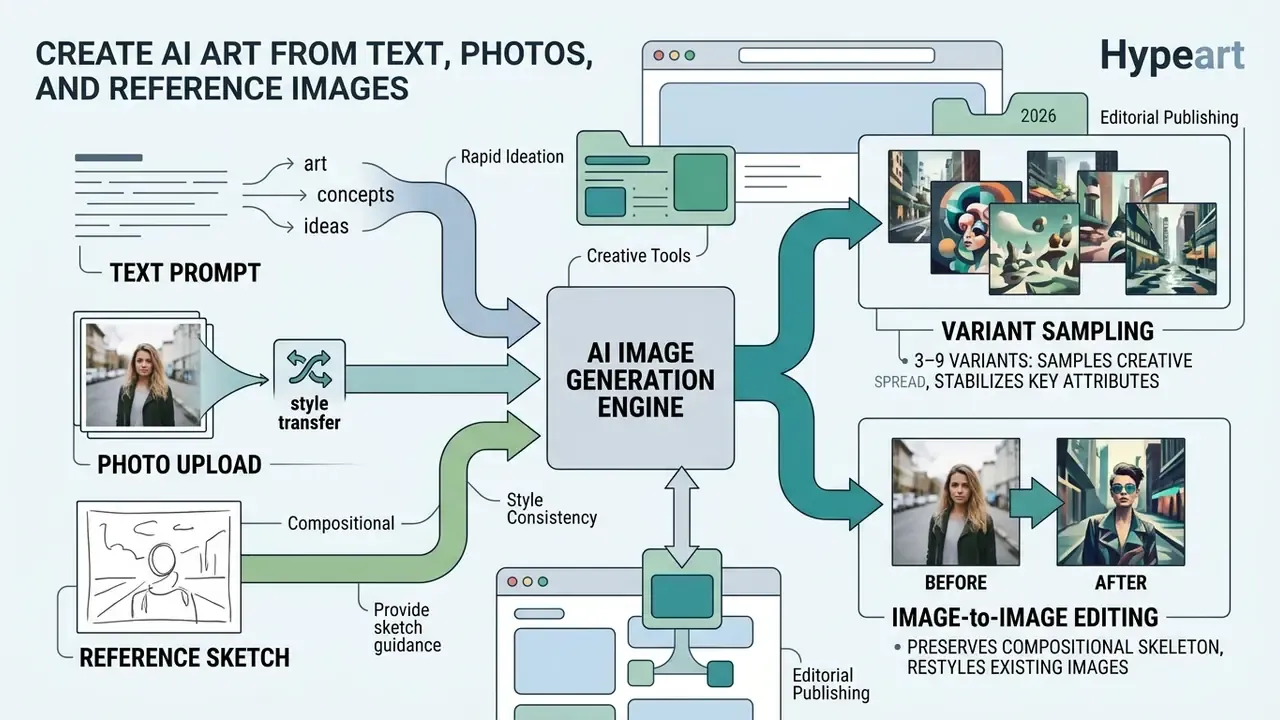
Modern browser-based generators accept several input formats, so you can create images from a simple text prompt, a photo upload, or a rough reference sketch.
Text-to-Image for Art, Concepts and Visual Ideas
Text-to-image is at its best in rapid ideation. Test a handful of seeds and prompt variants and you can turn ideas into mood boards, storyboards, and editorial concepts inside an hour. Teams that need style-specific engines, anime or illustrative aesthetics for instance, can compare options in our Ghibli-style AI image generator analysis. If you want the underlying mechanics rather than the output, our explainer on how do ai images work covers the diffusion loop in plain language.
The seed-sampling recommendation below comes from documented prompt-engineering experiments, not from an unattributed conference slide.
Sampling that range captures the model's creative spread while keeping key subject attributes stable. Extension-focused prompt guidance adds one practical refinement: fix the object, background, style, and seed fields explicitly when a series has to be reproducible across sessions. For reverse-engineering an existing artwork back into words, see our tutorial on image to ai prompt.
Image-to-Image Editing and Style Transfer
Image-to-image tools restyle an existing photograph while preserving its compositional skeleton. Upload a sketch or a product photo, apply a style-transfer prompt, and you get watercolour, vector, or cinematic variations of the same frame.
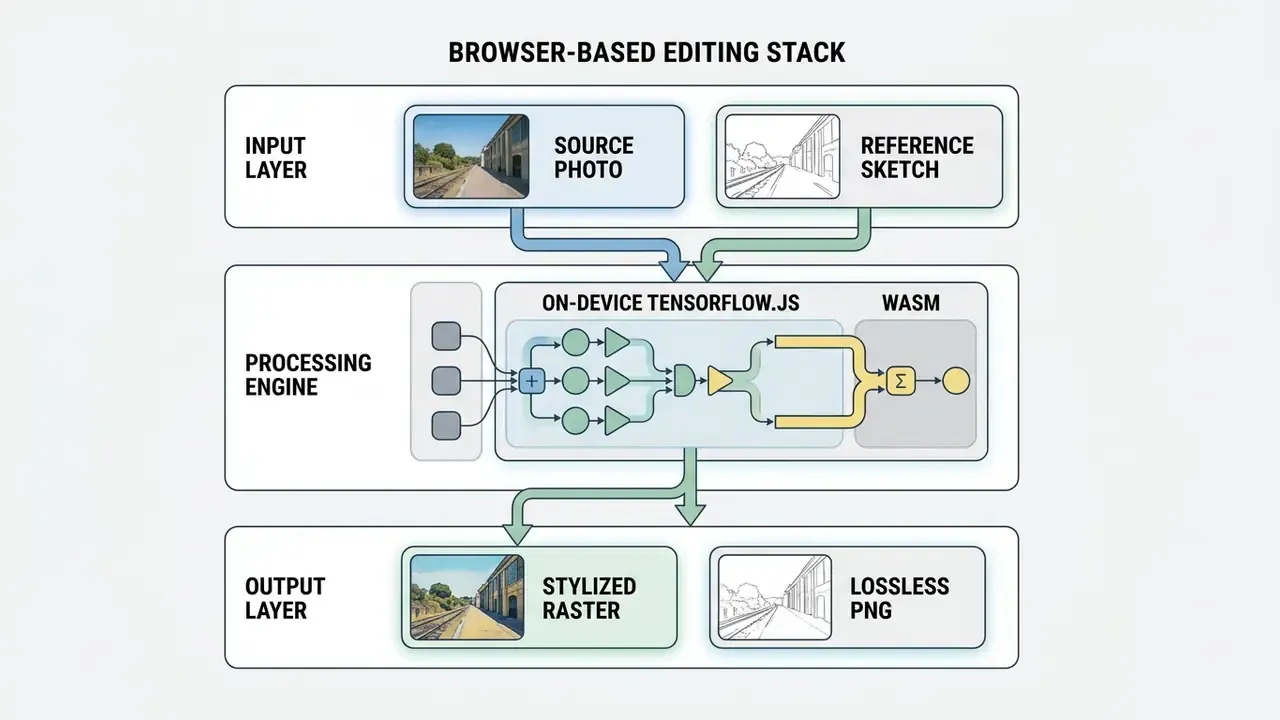
Browser implementations often lean on client-side frameworks like TensorFlow.js Magenta, running style transfer inside the user's browser and avoiding an external upload entirely. Good for privacy, less good for heavy files. Access conditions also differ sharply by vendor: several tools advertise "free, no signup" with daily caps, while Adobe Firefly's Generative Match style transfer explicitly requires an Adobe ID. So "no registration" is not a universal property of style-transfer products. For reverse search and prompt extraction from an existing file, our image reader ai guide covers the analysis side, and image fx ai reviews effect-oriented engines.
Can You Use Free AI Generated Images for Commercial Purposes?
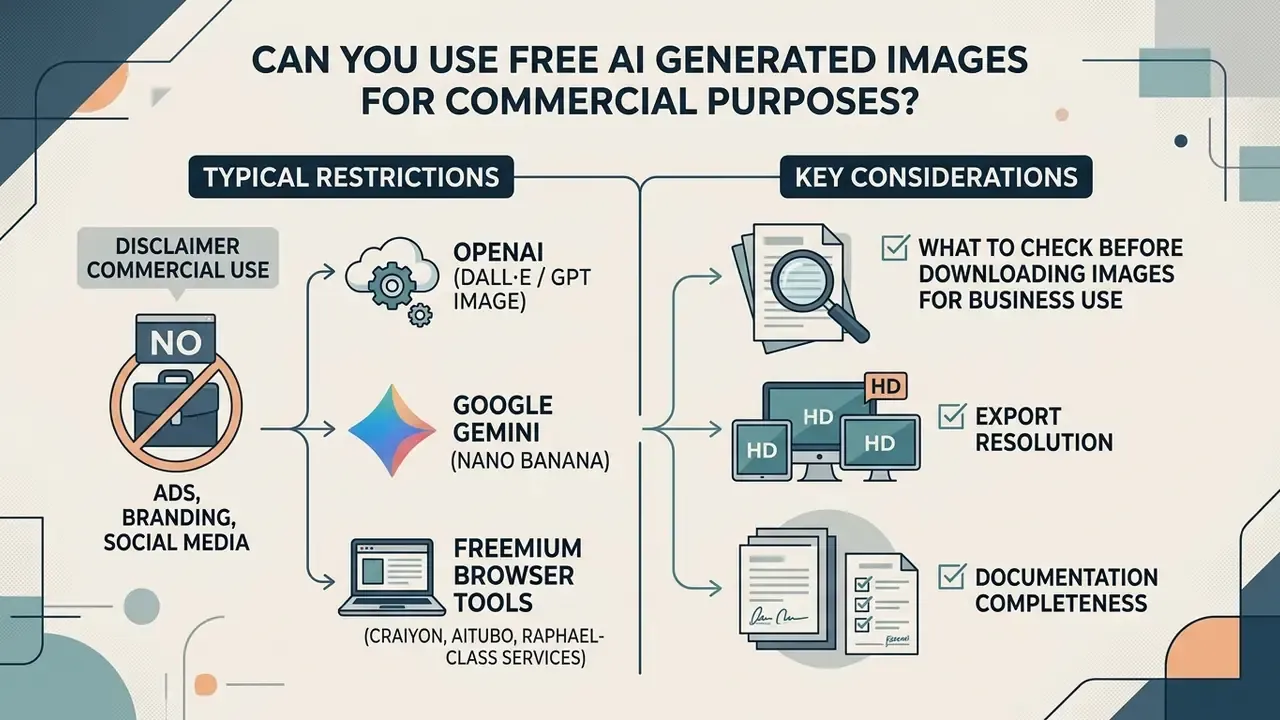
Deciding whether free AI generated images can be used commercially means reading two documents: the platform licence and the applicable copyright framework. A wider survey of platform-by-platform rights sits in our overview of commercial use of AI images.
Commercial Use for Ads, Branding and Social Media
Under US Copyright Office guidance (2024 report), purely machine-generated images created from simple text prompts are not eligible for copyright protection, because human authorship is absent. A creator therefore cannot claim exclusive ownership of an unedited AI output.
European Parliament research reaches a comparable conclusion: output produced without substantial human intervention is not eligible for copyright in the EU and may in principle be used freely by others.
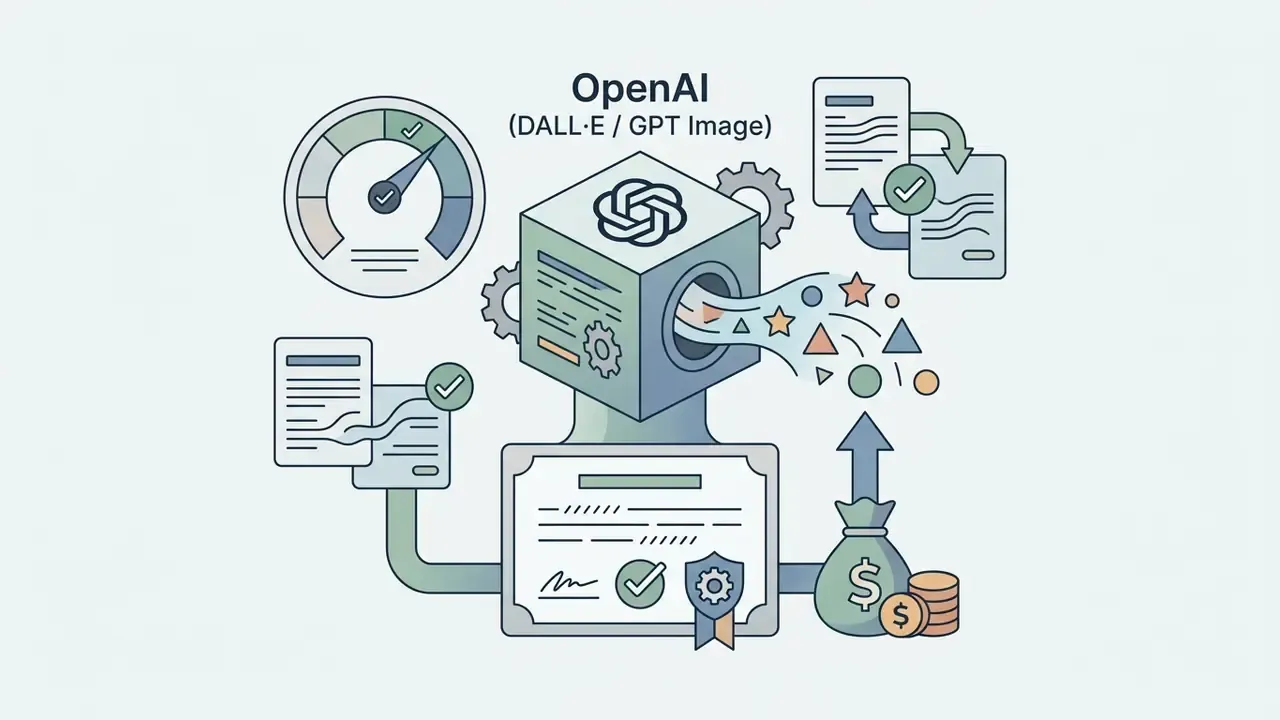
Commercial usage rights, however, are governed by each platform's terms of service, and those terms diverge sharply between free and paid access tiers:
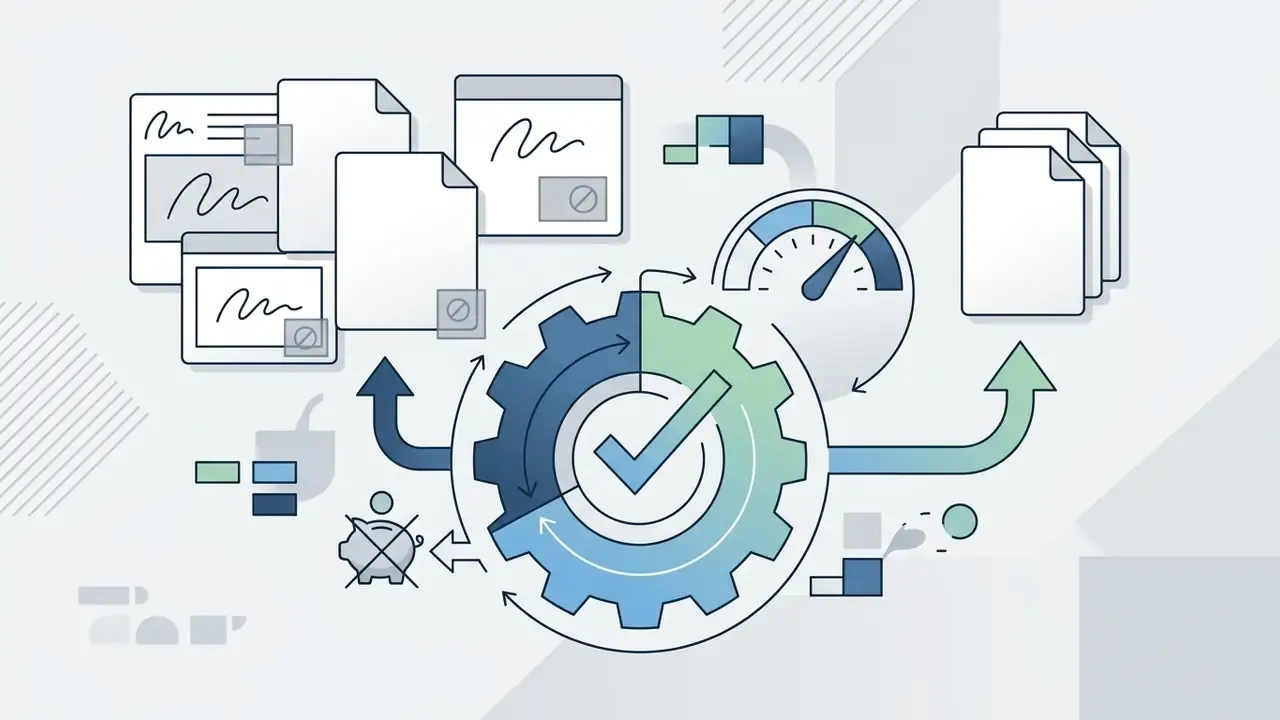
One omission matters enormously for corporate buyers: free and anonymous tiers almost never include IP indemnification. Enterprise agreements from major vendors may offer a defence against third-party copyright or patent claims arising from generated output. Guest sessions and no-signup basic queues generally do not. Any asset destined for paid media should therefore be regenerated under a licensed, indemnified account before launch. Commercially ready images are a contractual status, not a visual one.
What to Check Before Downloading Images for Business Use
Before a generated visual goes into a campaign, a brand system, or a public social media feed, verify the following:
- Platform licence scope. Confirm whether the free tier explicitly permits commercial monetization or limits use to personal evaluation. Screenshot the terms and record the date, because free-tier language changes often.
- Watermark restrictions. Inspect the file for visible logos and hidden digital watermarks such as Google SynthID. Visible marks are corner overlays, removable only where policy allows. Steganographic marks live in pixel statistics and survive resizing and re-encoding. Verification tooling is covered in our guide to AI image detectors.
- Third-party IP exposure. Make sure the visual does not reproduce trademarked logos, protected characters, or copyrighted designs by accident.
- Copyleft and share-alike obligations. Check whether the tool or its training pipeline imposes downstream licence conditions.
"Analysis of Creative Commons Share-Alike licences warns that training on SA-licensed material may oblige distributing derivative works under equivalent terms."
- Export resolution. Verify that the file meets the required print or display resolution without destructive scaling.
- Documentation completeness. If the asset may ever be registered or defended, keep a legible record of the human-authored contributions. US Copyright Office recordation and identifying-material rules require complete, legible reproductions of the copyrightable content, correct colour reproduction for pictorial works, and disclosure of AI-generated material in registration applications.
- Indemnification status. Get it in writing whether the tier you used carries any provider defence obligation. If it does not, treat the output as unindemnified and price that risk.
Limitations and Open Questions
FAQ: Frequently Asked Questions About Free AI Image Generators
Can I Generate AI Art Without Downloading an App?
Yes. Modern AI image generators run entirely inside a standard web browser using technologies defined by W3C and WHATWG standards. These applications either send text prompts to server APIs or execute client-side neural networks through WebAssembly and WebGL, so there is no desktop install and no mobile app. W3C Recommendations define the cross-device standards layer, while WHATWG maintains the browser-implementable living standards (HTML, DOM) those interfaces depend on. An ai art generator free no download is therefore the normal case, not the exception.
How Long Does It Take to Generate an Image?
Typical generation runs 2 to 30 seconds per batch. Speed depends on server queue load, GPU memory allocation, and model complexity. Distilled single-step diffusion models can return finished visuals in under 3 seconds, which is where the "lightning-fast" claims come from. Multi-step pipelines sampling at high resolution take longer. First-request latency can be far worse: loading a 14B-parameter model's FP16 weights onto a GPU may take around 30 seconds, and one measured cold warm-up request came in near 80 seconds.
What Resolution Can Free AI Image Generators Produce?
Standard free tiers export between 512×512 and 1024×1024 pixels, with 1024×768 common on Z-Image-class engines.
"GenEval reaches 83% agreement with human annotators on object-level properties, confirming that attribute accuracy, not resolution, drives perceived quality." Source: GenEval: An Object-Focused Framework for Evaluating Text-to-Image Alignment, arXiv (2023). https://arxiv.org/abs/2310.11513 For print or large-format display, push the output through a dedicated image upscaler such as Upscayl or Magnific, which can scale dimensions up to 16 times while holding line clarity. Adobe Firefly also offers a free daily allocation for AI upscaling, with an Adobe account. Tool-level differences are compared in our review of AI image upscalers, and for widening a frame without cropping the subject, see the image extender ai breakdown.
How Many Images Can I Generate in a Single Batch?
Free browser engines usually expose an output selector of 1 to 4 images. Credit-backed or priority tiers extend batches to 8 variations with stronger cross-image style consistency. Batching is the cheapest way to control stochastic variance: render 4 seeds, then refine only the strongest candidate.
Do Free Generators Watermark Every Image?
No, but many do. Three patterns exist: visible corner logos on fully free tools, invisible steganographic markers such as SynthID on consumer tiers of major vendors, and clean exports on paid or priority modes. Always inspect the downloaded file rather than the on-screen preview, because some interfaces show a clean preview and apply the mark at export.
How Do I Keep Audit Evidence From an Anonymous Session?
Guest sessions store no history, so reproducibility has to be manual. Record the tool URL, model name and version string, timestamp, sanitized prompt text, negative prompt, aspect ratio, seed value where exposed, and an SHA-256 hash of each downloaded file. With a fixed seed and identical parameters, most engines reproduce a near-identical output, which is normally enough for internal model-evaluation documentation.
Is "Unlimited Free Generation" a Real Offer?
Partly. Several services genuinely charge nothing for a basic queue, but capacity is managed through IP throttling, shared GPU pools, lower default resolution, and fast-mode upsells. Read "unlimited" as "no paywall on the basic queue", never as guaranteed throughput or an SLA.
Summary and Next Steps
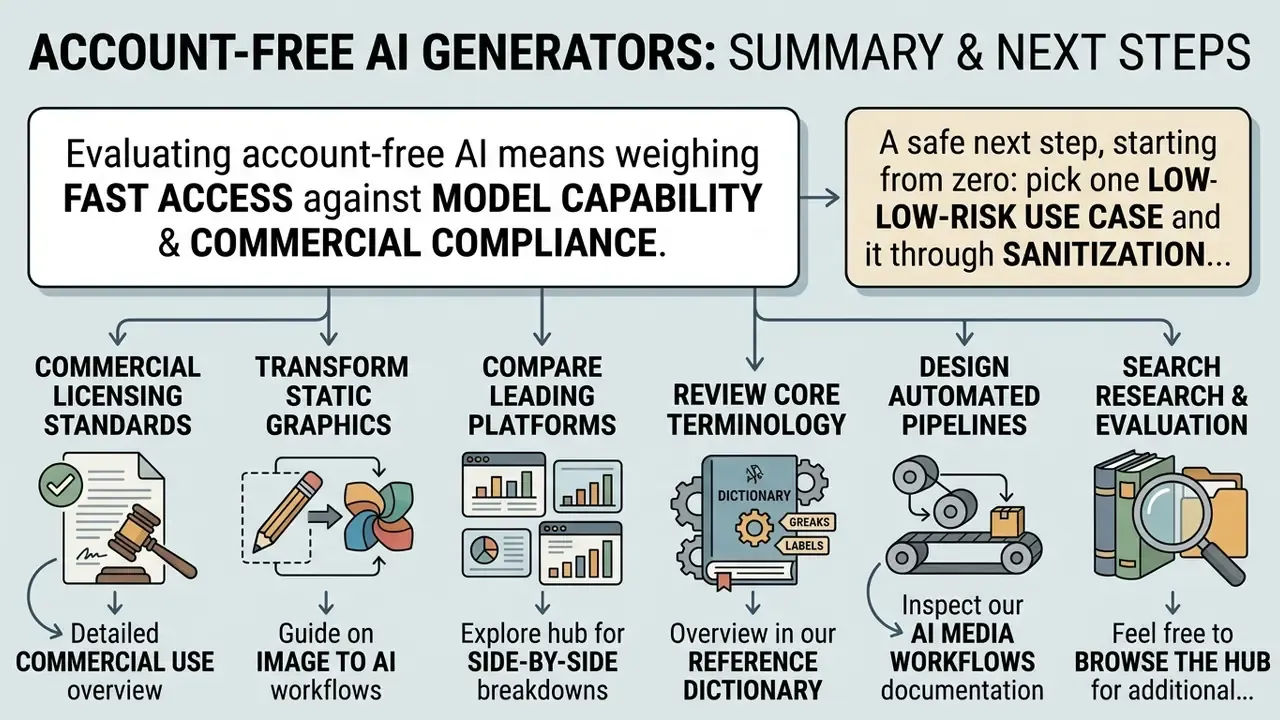
Evaluating account-free AI image generators means weighing fast access against model capability and commercial compliance. Anonymous browser tools are excellent for concept art, prompt testing, and temporary visual drafts. Professional campaigns and enterprise projects need more: verified licensing terms, copyright posture, watermark mechanics, resolution ceilings, and a sanitized prompt for anything that leaves a managed environment.
A safe next step, if you are starting from zero: pick one low-risk use case, run it through the sanitization checklist, log the evidence, and review the result with your model-risk function before anyone reaches for a second tool. Small, documented, reversible.
For structured workflows, the following guides go deeper:
- To explore commercial licensing standards across major AI tools, read our detailed commercial use overview.
- To transform static graphics into new visual styles, read our guide on image to ai workflows.
- To compare leading art generation platforms by quality and speed, explore the hub for side-by-side breakdowns.
- To review core terminology and technical definitions, see the overview in our reference dictionary.
- To design automated content pipelines, inspect our complete AI Media Workflows documentation.
- To search our full collection of research and evaluation guides, feel free to browse the hub for additional insights.
Appendix A: Superseded Formulations and Editorial Corrections
For transparency, the following earlier formulations were revised in this update. They are retained here with the reason for the change.
| Earlier formulation | Status | Replacement and reason |
|---|---|---|
| "Official prompting frameworks from Adobe Firefly and Runway Gen-4 recommend structured prompt construction." | Superseded | Replaced with a peer-reviewed prompt-engineering study covering 5,493 generations (arXiv 2109.06977). Vendor guides do document a subject/style/lighting/composition template, but they were cited without methodology or measurable outcomes. |
| "Studies in human-computer interaction (CHI 2022) recommend sampling between 3 and 9 random seeds per prompt structure." | Superseded | Replaced with a direct, linkable citation to the same research lineage (arXiv 2109.06977) so readers can verify the 3–9 seed recommendation. |
| "Research from AIGCBench indicates that image conditioning maintains visual consistency across multiple generations." | Superseded | Replaced with a quantified citation specifying 11 metrics across four evaluation dimensions (arXiv 2401.01651). |
| Inline E-E-A-T fact-check block and the heading "E-E-A-T Verification: Commercial Usage Terms" | Removed as production artifact | Its verified content (OpenAI ownership terms, Gemini SynthID behaviour, freemium watermark practices) was folded directly into Commercial Use for Ads, Branding and Social Media. |
| "OpenAI terms grant full output ownership regardless of free or paid credits." | Qualified | Retained but footnoted: subject to the OpenAI Terms of Use and Content Policy, and to the separate EU commercial addendum, which prevails where terms conflict. |
| Aspect-ratio and negative-prompt parameters described twice (model-selection and generation sections) | Consolidated | Parameter values now appear once, in Choose a Model, Style and Aspect Ratio; the selection section covers evaluation criteria only. |
| Anchor-linked table of contents | Replaced | Swapped for a short reader-orientation section stating who the guide serves and which decision it supports. |