Executive Summary
- The operational pipeline in 2026 idea → structured prompt → generate 4 to 8 variants → remove background → upscale to 4500×5400 px at 300 DPI → correct text and artifacts → preview on garment colors → export PNG (DTG) or vector SVG/EPS (screen printing) → list on print-on-demand.
- Print specs are non-negotiable DTG needs transparent PNG at 300 DPI in RGB/sRGB; screen printing needs vector paths with CMYK or Pantone spot separations; e-commerce mockups can sit at 72 to 150 DPI in sRGB.
- Text sells. Slogan and typography-driven shirts hold a large share of custom merch demand, so pair a slogan-discovery prompt with a typography-styling prompt instead of generating graphics alone.
- Vector matters diffusion models output raster pixels, so raster-to-vector tracing is a mandatory step for screen print film output and vinyl cutting.
- Legal reality purely machine-generated artwork is not registrable for copyright in the United States without human authorship. Commercial licensing rights and copyrightability are two separate questions.
- Governance keep an audit trail of prompts, seeds, model versions, and human edits to defend both IP claims and internal AI-risk reviews.
Who This Guide Is Written For
Three readers usually land here with very different questions.
The solo merch seller wants a fast route from idea to listed SKU without hiring a designer. The brand or marketing lead wants event and employee merch that respects brand palettes and does not embarrass anyone in a photo. The governance-minded reader, often a compliance or risk owner reviewing a marketing tool request, wants to know who owns the output, which vendor holds the data, and what evidence survives an audit.
This guide answers all three, in that order of practicality: production first, controls second, legal limits explicitly flagged as unresolved where they are unresolved. Nothing below is legal advice.
What Is an AI Shirt Design Generator?
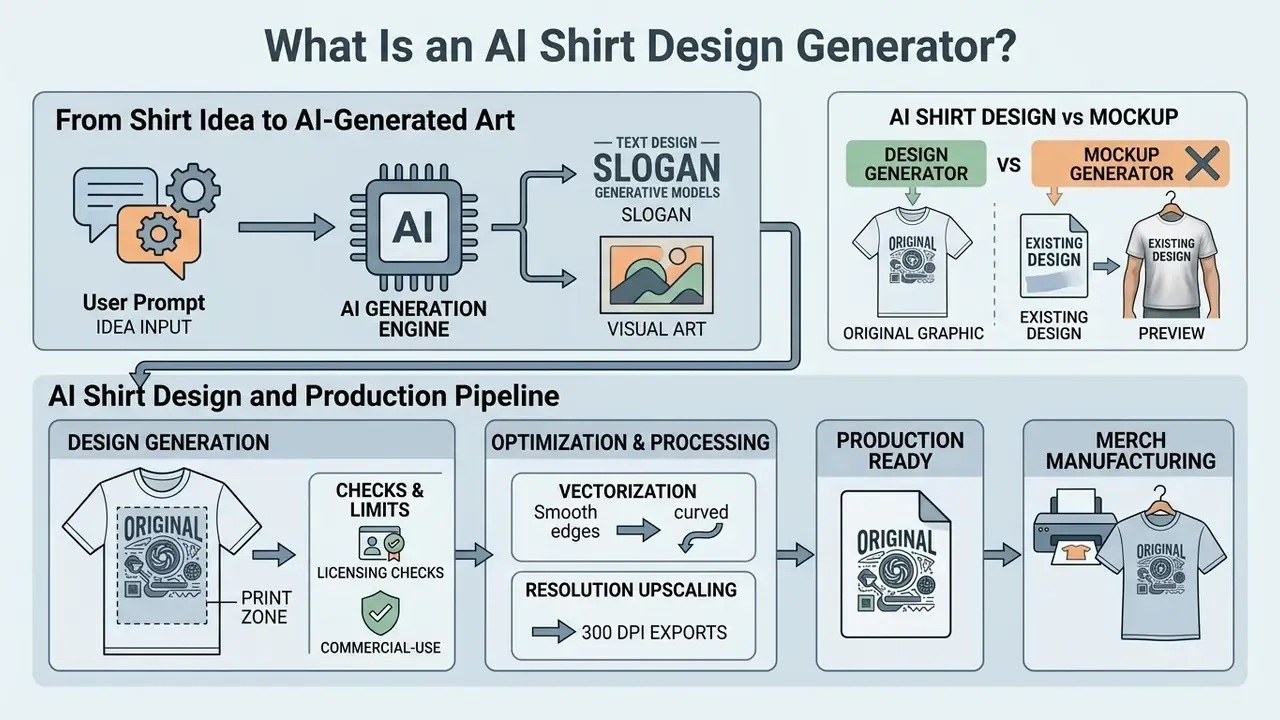
An AI shirt design generator is a generative software system that reads text descriptions or image inputs and synthesizes original, high-resolution graphics for apparel. These tools use latent diffusion models and Generative Adversarial Networks (GANs) to interpret stylistic cues, subject matter, and color constraints for garment printing. If you are still selecting an engine for artwork production, start with our comparison of the best AI art generators.
Traditional raster and vector editors rely on manual pen-tool work and layer composition. An AI generator assembles complex visual patterns automatically. Research published in Archives of Design Research (2024), a mixed-methods study with 19 practicing designers and design students, shows that generative models measurably accelerate early-stage ideation.
«Generative AI markedly accelerates early-stage ideation by supplying rapid visual stimuli that designers iteratively refine into production-ready graphics.»
In practice the split is simple. The generator supplies breadth, dozens of directions in minutes. The human supplies judgment: composition hierarchy, ink limits, legibility, brand fit. That division of labor is what makes a shirt ai design workflow viable inside a real production catalog instead of only in mood boards.
From a Shirt Idea to AI-Generated Art
Turning a conceptual theme into apparel artwork runs through a multi-stage neural pipeline. When a user submits a prompt, the system often passes it through a Large Language Model (LLM) first, which rewrites and enriches the text before handing it to a text-to-image diffusion model.
The MYCloth framework (arXiv, 2024) is a clean example: it uses ChatGPT to expand user prompts, then sends them to Stable Diffusion to generate central T-shirt graphics. Denoising builds a high-resolution image out of latent noise, converting an abstract idea into a concrete illustration that can be placed on a garment.
«MYCloth enriches user prompts with ChatGPT before Stable Diffusion generation, enabling iterative correction until the design reaches an optimal result.»
Technically the loop is: noisy-latent initialization → text or image conditioning → iterative reverse diffusion → VAE decoding into the final pixel image. Worth pausing on that last step. The final asset is decoded pixels, not geometry, and that single fact explains why vectorization and resolution checks become mandatory later.
AI Shirt Design Generator vs T-Shirt Mockup Generator
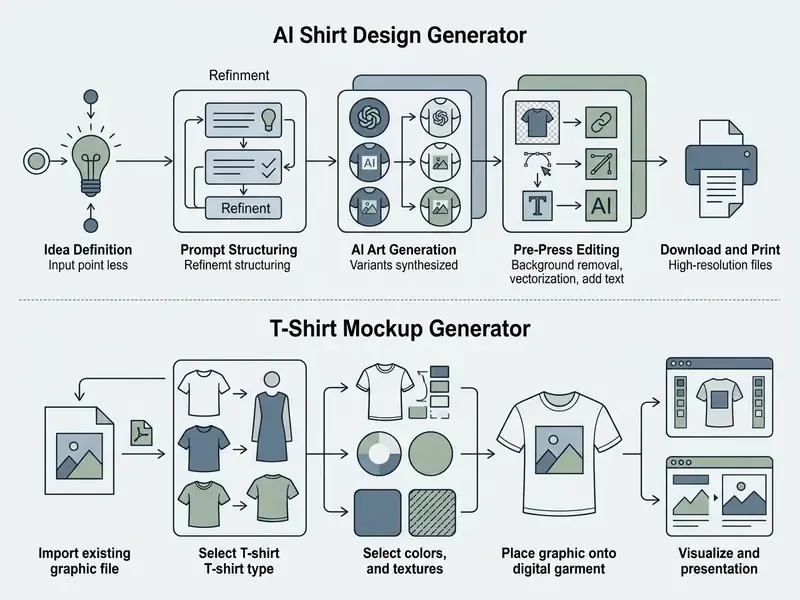
An AI design shirt generator creates the core visual asset. A T-shirt mockup generator places an existing design file onto a garment template or photo model. Creation tools produce upstream artwork; mockup engines handle downstream visual verification and marketing images. To shortlist a generation engine by output quality and licensing, review our comparison of the best AI art generators and the Midjourney evaluation versus competing tools.
Virtual try-on research such as StreetTryOn (2023) and Mobile Fitting Room (2024) shows how diffusion-based conditional inpainting warps a flat design onto a human body with plausible fabric drape and lighting. Using both categories together gives you an end-to-end pipeline: synthesize the art first, then render it realistically for the storefront.
«StreetTryOn learns from unpaired person images, applying DensePose-based warping correction and diffusion inpainting for realistic in-the-wild garment rendering.»
Figure 1: AI shirt design generator and production pipeline
How to Create a T-Shirt Design With AI
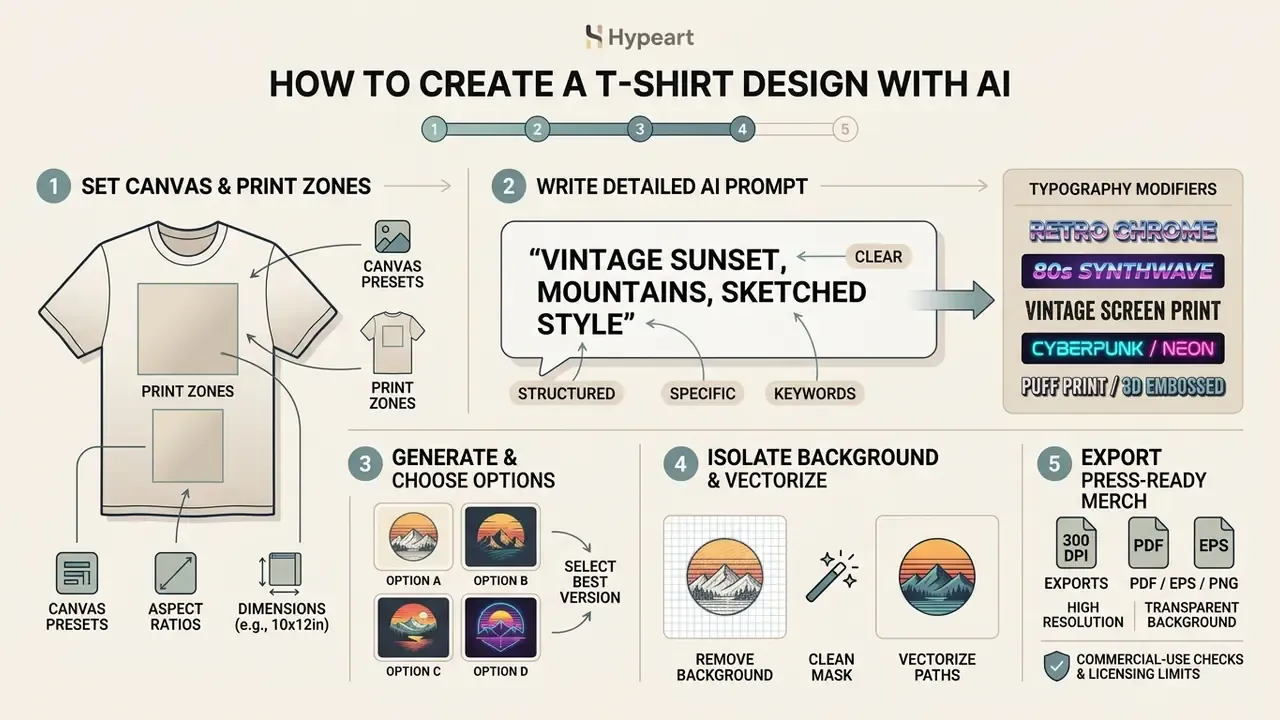
Creating a T-shirt design with AI means setting canvas dimensions, writing a detailed structured prompt, generating options, isolating the background, and exporting press-ready files. Run those steps in order and the artwork usually clears print standards on the first attempt.
Modern workflows ask creators to balance prompt specificity against post-generation editing. Validate contrast ratios and physical print dimensions early, and most visual defects never reach the ink stage.
Print Zones, Aspect Ratios and Canvas Presets
Different garment zones demand different canvas proportions. Generate everything at a single 5:6 chest ratio and you block sleeve prints, pocket emblems, and all-over patterns. Pick the aspect ratio before writing the prompt, because composition instructions depend on the frame.
| Garment Print Zone | Recommended Aspect Ratio | Canvas Dimension (Pixels at 300 DPI) | Ideal Style and Prompt Focus |
|---|---|---|---|
| Full Front / Back Chest | 5:6 or 3:4 (Portrait) | 4500×5400 px (15×18 in) | Full composition, centered graphics, large text balance |
| Left Chest / Pocket Logo | 1:1 (Square) | 1200×1200 px (4×4 in) | Minimalist emblem, clean vector mark, compact icon |
| Sleeve Print (Vertical) | 1:3 (Tall Strip) | 1200×3600 px (4×12 in) | Vertical typography, repeating pattern, linear geometry |
| Landscape Back Print | 4:3 (Landscape) | 4800×3600 px (16×12 in) | Wide panoramic scenes, horizon lines, banner lettering |
| Tall Front Graphic | 2:3 (Tall) | 3600×5400 px (12×18 in) | Vertical character art, totem compositions, stacked type |
| All-Over Print (AOP) | 1:1 Seamless Pattern | 6000×6000 px (20×20 in) | Seamless tileable pattern, edge-to-edge repeating elements |
Most generators expose ratio presets such as 1:1, 3:4, 4:3, and 2:3 directly in the interface. Select the ratio first, then upscale the chosen variant to the pixel target above before export. Doing it in the reverse order costs a regeneration cycle, and credits are not free.
Write a Clear Prompt for the Shirt Design
A production-ready prompt names the focal subject, the graphic style, spatial composition, color constraints, and the intended garment application. Guidance from OpenAI (2026) suggests putting background and subject first, then specific visual details and typography constraints. Prompt-order research points the same way: word order shifts which terms receive weight, so lead with what must be preserved.
Clear style language does a lot of work here. "Flat vector illustration" or "vintage screen print" pushes the latent space toward clean silhouettes. Adding "isolated on a transparent background" cuts pre-press labor. Where transparency is natively supported, request background="transparent" together with output_format="png", because JPEG carries no alpha channel at all.
Choose a Style, Colors, Text and Graphic Elements
Controlling visual attributes means structuring the prompt around defined aesthetic categories: cyberpunk, minimal line art, retro film graphics, collegiate athletic. Tools such as Ideogram expose palette settings that constrain output to brand-compliant swatches (Ideogram Documentation, 2025).
Text legibility should follow accessibility baselines. A contrast ratio of at least 4.5:1 for standard text, and 3:1 for large display lettering, keeps a shirt readable on both dark and light fabric. Color must never be the only carrier of meaning, especially when the shirt doubles as event identification or staff signage. For broader multi-tool evaluation, work through our AI Media Comparison Matrices.
Typography style modifiers for AI prompts
Generative text effects behave best when the lettering is short. Past roughly six words, diffusion models start mangling glyphs, so long slogans belong in a vector editor after the graphic exists.
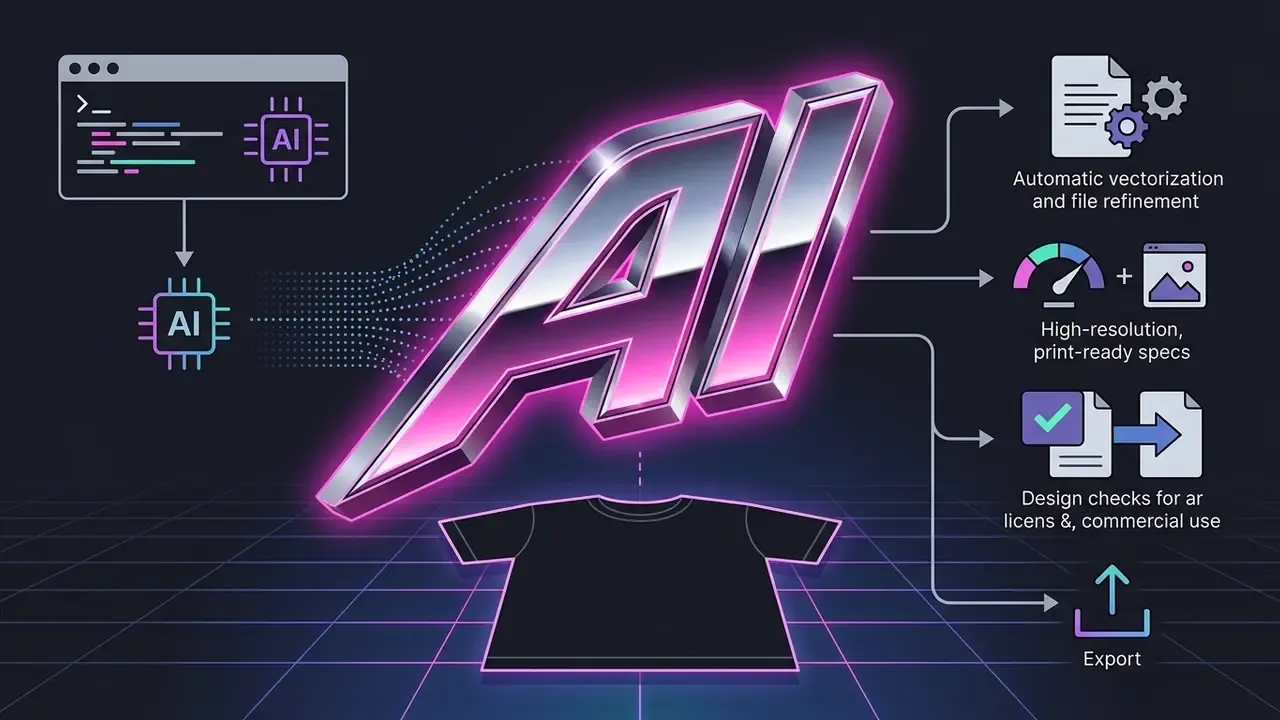
"Text 'SPEED' rendered in 3D metallic chrome font, neon pink outline, bevel edges, 80s aesthetic."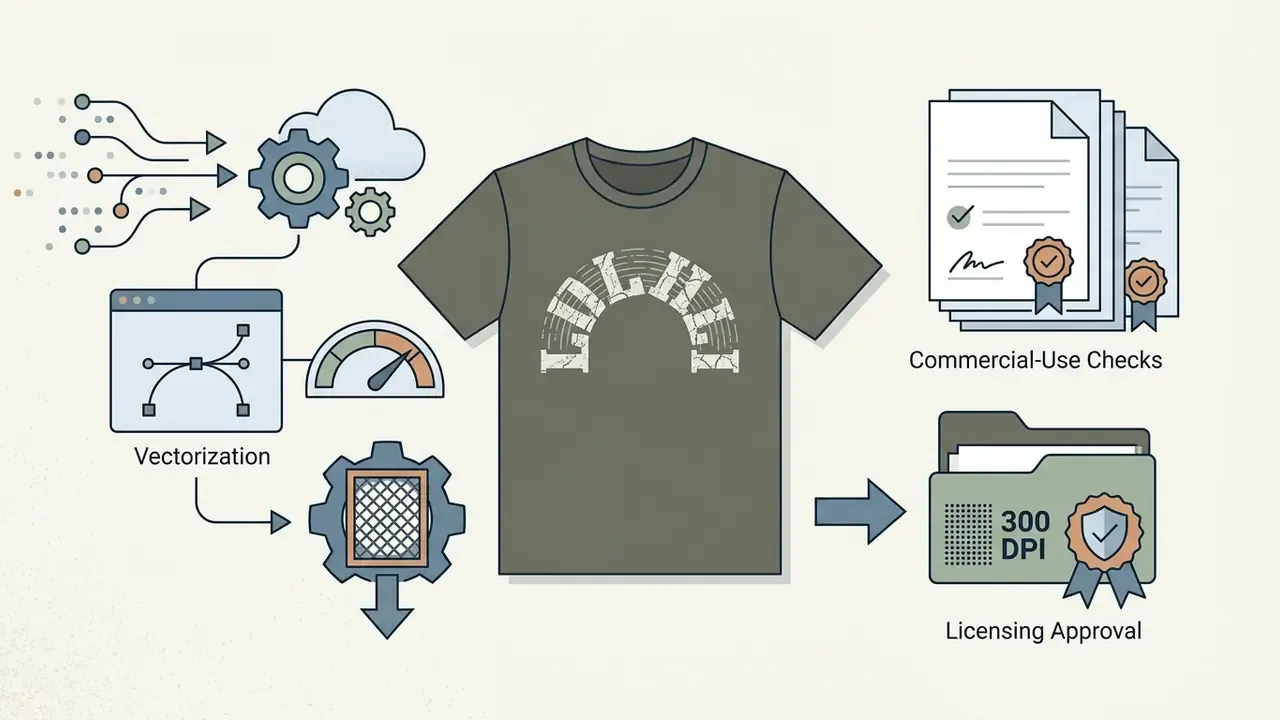
"Text 'OUTDOORS' in distressed slab-serif lettering, cracked white ink texture, curved arch alignment."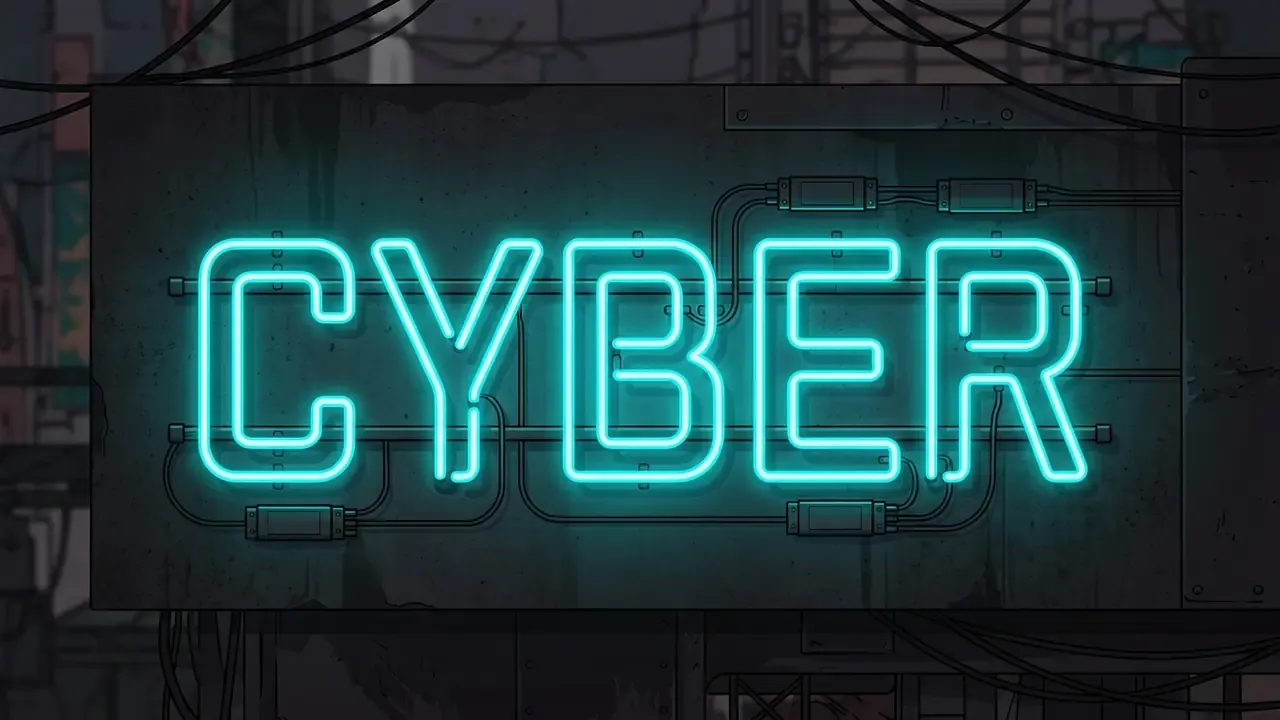
"Glowing neon tubing text 'CYBER', vibrant cyan light emission, dark grunge background contrast."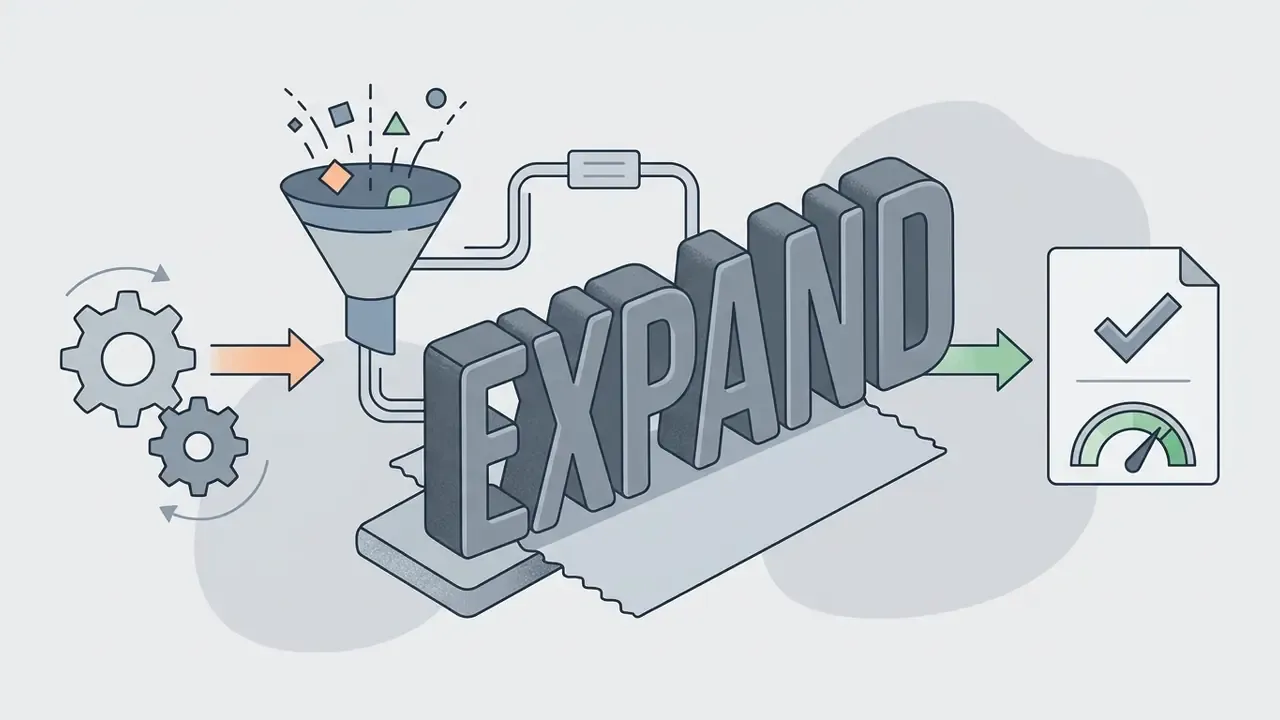
"3D raised thick rubber puff-print letterforms 'EXPAND', matte finish, solid monochromatic color."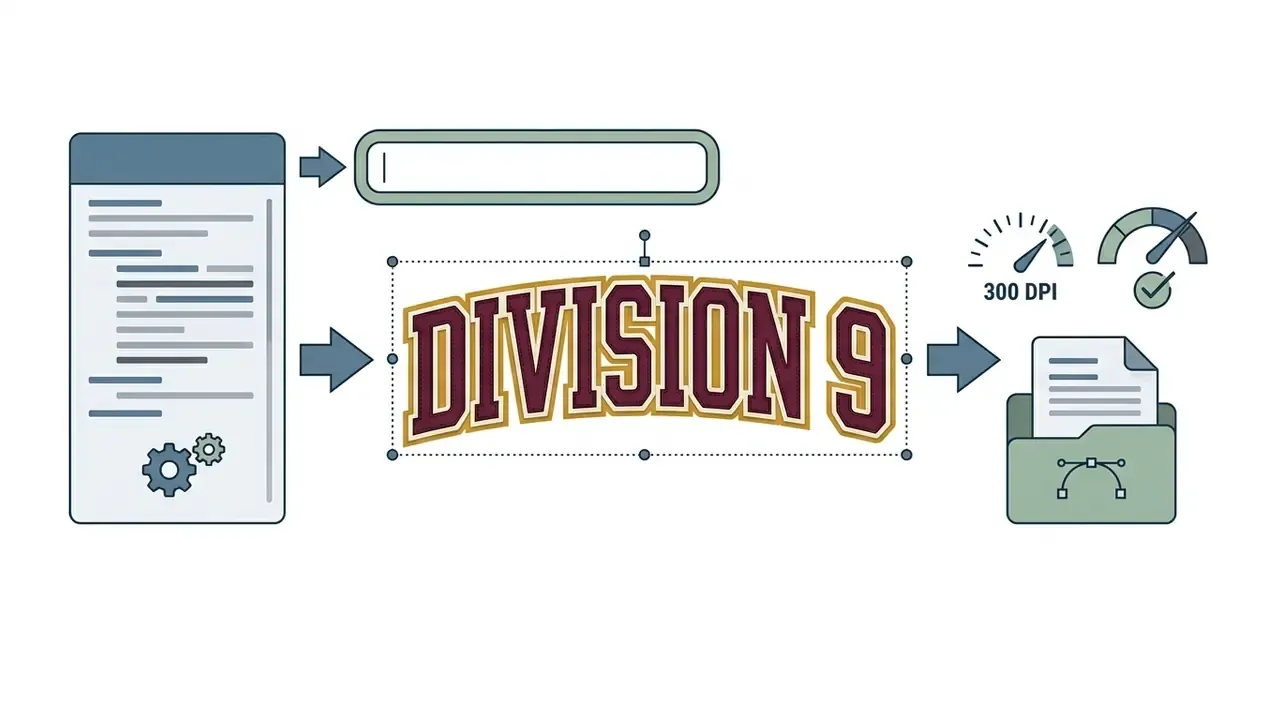
"Text 'DIVISION 9' in bold varsity block letters, two-color layered outline, tackle-twill look."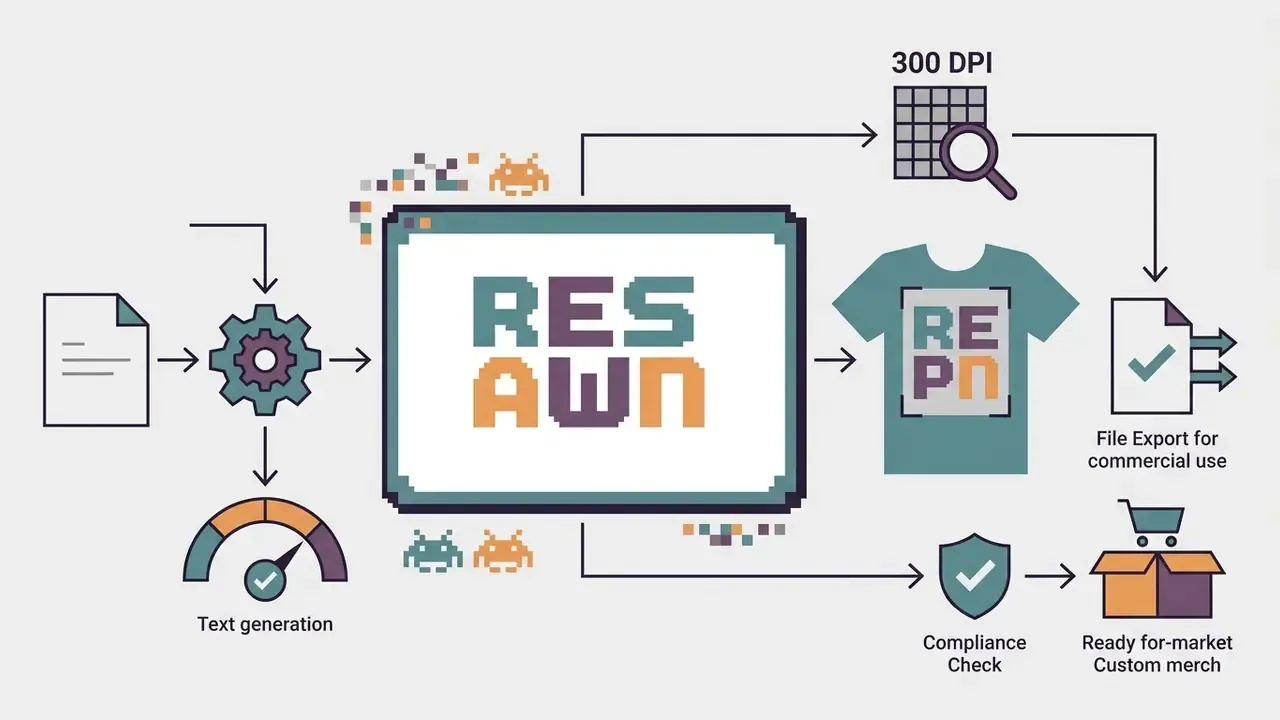
"Text 'RESPAWN' in retro pixelated bitmap font, limited 4-color palette, hard-edged pixels, no anti-aliasing."Generate, Edit and Download the Final Design
Once the batch is in front of you, pick the strongest graphic and do the pre-press work. That means clearing background artifacts, upscaling resolution, and repairing anatomical or stylistic defects in an editor. Small fixes, big difference at print size.
Download the finished file as a 300 DPI transparent PNG or a scalable vector PDF. To model production volume costs and credit consumption, use our AI Media Calculators. For retouching, halo cleanup, and canvas extension, see our overview of AI outpainting and image-expansion tools.
- Select canvas presetset dimensions to at least 4500×5400 pixels at 300 DPI for standard shirt coverage, or use the zone-specific ratios in the table above.
- Input structured promptdefine subject, art style, color limits, and explicit print-area constraints.
- Generate variant batchrender 4 to 8 candidates so you can judge composition and visual balance.
- Refine chosen designapply local editing to fix text alignment and isolate the central graphic.
- Remove backgroundeliminate solid backdrops to preserve clean fabric transparency.
- Check at two scalesinspect at 100% zoom and at thumbnail size, since the design has to read inside a storefront grid.
- Export press-ready filedownload high-resolution PNG or SVG for print fulfillment.
How to Write Prompts for Better AI T-Shirt Designs
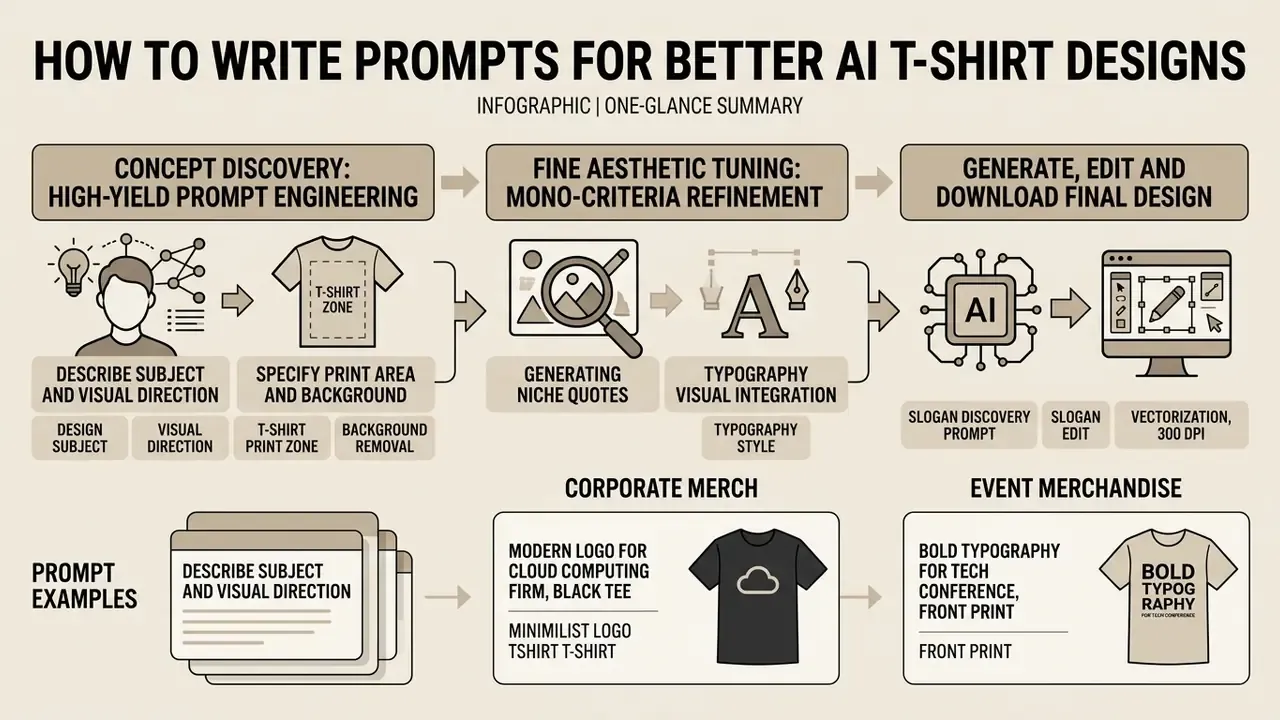
«Multi-criteria prompts specifying function, material and usage context produce higher feasibility and novelty scores in global design editing.»
Anchoring prompts to physical production constraints prevents the two classic failures: unprintable gradient soup and overcrowded compositions that vanish at pocket size. Clean lines and defined color boundaries produce better ink results in both direct-to-garment (DTG) and screen printing.
Describe the Design Subject and Visual Direction
State the focal subject immediately, then artistic direction, then composition framing. To review underlying terminology and capability tiers of generation engines, see our glossary of AI media tools. Say whether the aesthetic is flat vector, retro vintage, or minimalist, since that choice sets line density and shading complexity (Runway Gen-4 Prompting Guide, 2025).
«Text prompts acted as a reflective design material, letting 14 non-professional designers explore the design space and iteratively refine concepts.»
Subject: Stylized mechanical owl head
Style: Flat vector line art, clean geometric shapes
Composition: Centered chest print, strong outer stroke
Color: Black and burnt orange ink
Specify T-Shirt Design, Print Area and Background
Declare the shirt context inside the prompt so the model distributes elements sensibly. Terms like "center chest graphic", "isolated on transparent background", and the parameter background="transparent" prevent unwanted box borders around the artwork (OpenAI Developers, 2026).
When typography is required, wrap the exact literal text in quotation marks or write it in uppercase. Specify font style, color, and placement so the lettering stays legible on fabric. Then add explicit exclusions: no checkerboard pattern, no drop shadow, no background scenery. Those three artifacts cause most rejected print-on-demand uploads.
Generating Niche Quotes and Typography Slogans With AI
Text-based tees hold a large share of custom merch sales, and merch platforms now ship quote generators that produce niche-specific phrases with adjustable mood, length, and vertical. Before generating any visual, run a two-step LLM prompting formula:
"Generate 10 short, punchy, commercially safe slogans for [Target Niche, e.g., Gravel Cycling]. Tone: [Humorous / Inspirational / Cynical]. Max length: 6 words. Avoid trademarked phrases."
- Slogan discovery promptSlogan discovery prompt:
- Typography visual prompt integrationTypography visual prompt integration:
"Stylized graphic t-shirt design featuring the text '[INSERT SLOGAN]', bold distressed typography, athletic arch layout, isolated on transparent background, 300 DPI."
When pairing text with graphics, force legibility: uppercase key phrases, and name the font family style, "bold slab-serif" or "vintage athletic lettering". One more thing worth testing. Running the same graphic against three slogans is cheaper than generating three graphics, and it isolates the copy variable that actually moves click-through on marketplace listings.
Prompt Examples for Merch, Events and Custom Shirts
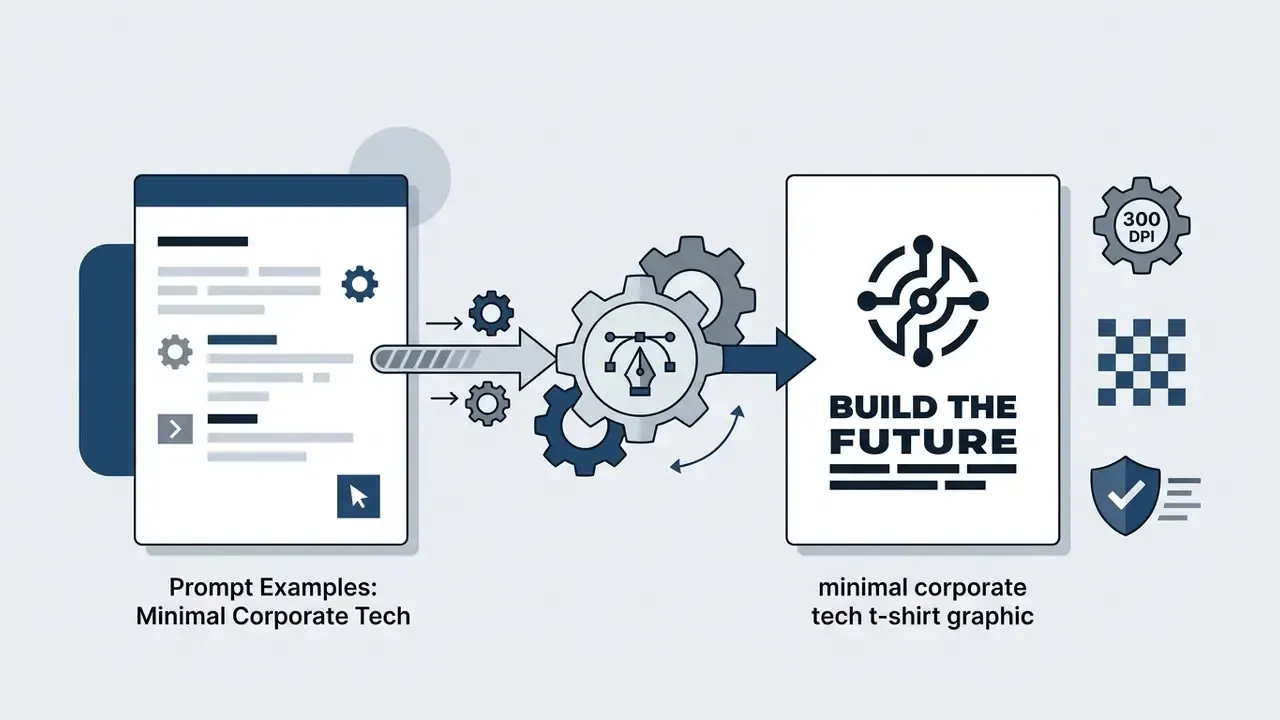
Minimal corporate tech t-shirt graphic, bold sans-serif text "BUILD THE FUTURE", clean vector logo mark, isolated on transparent background, 300 DPI, flat black ink.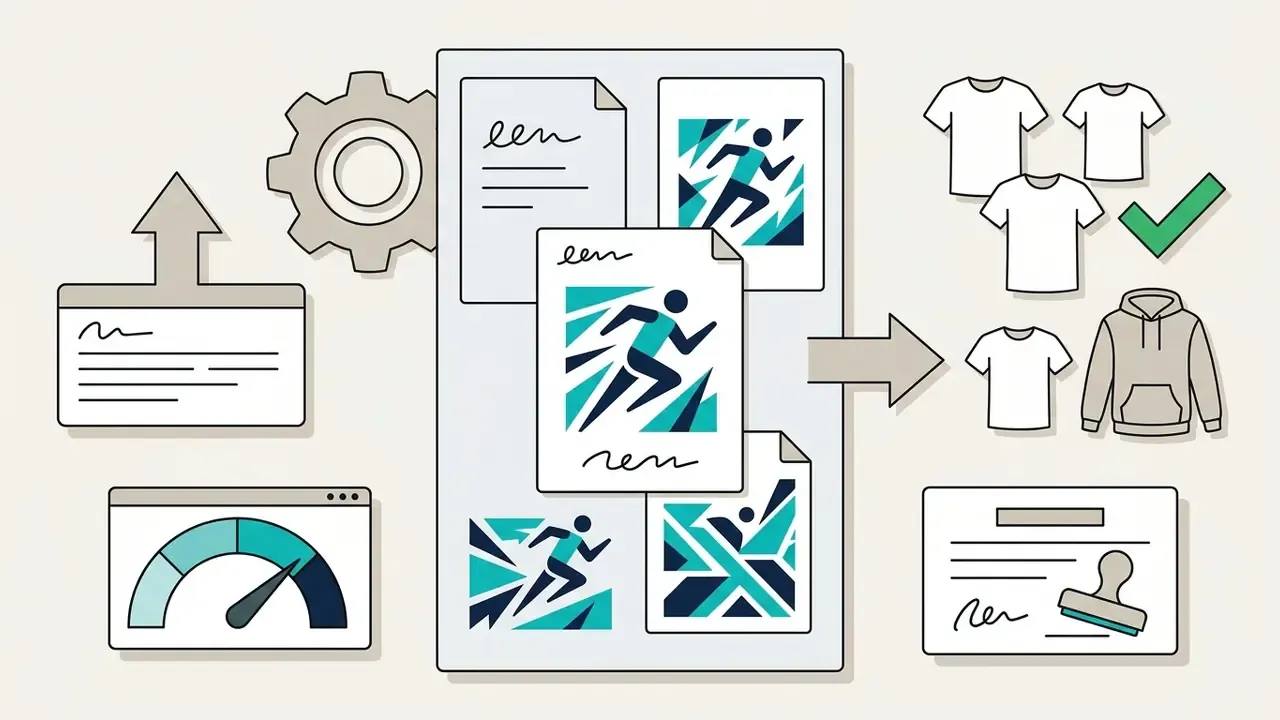
Commemorative charity 5K run graphic, stylized abstract runners, energetic geometric shapes, bright teal and navy palette, central placement, transparent background.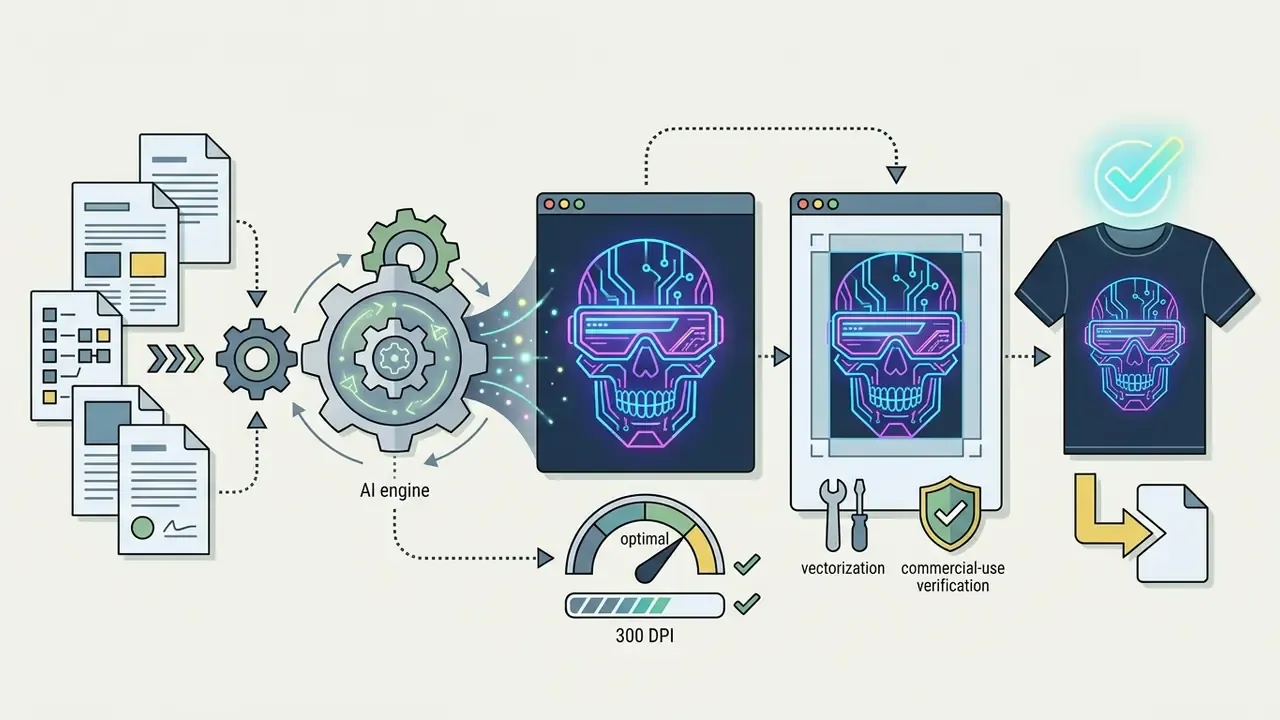
Cyberpunk street style, neon skull with visor glasses, detailed line work, bold outer edge, isolated print-ready vector art, 300 DPI.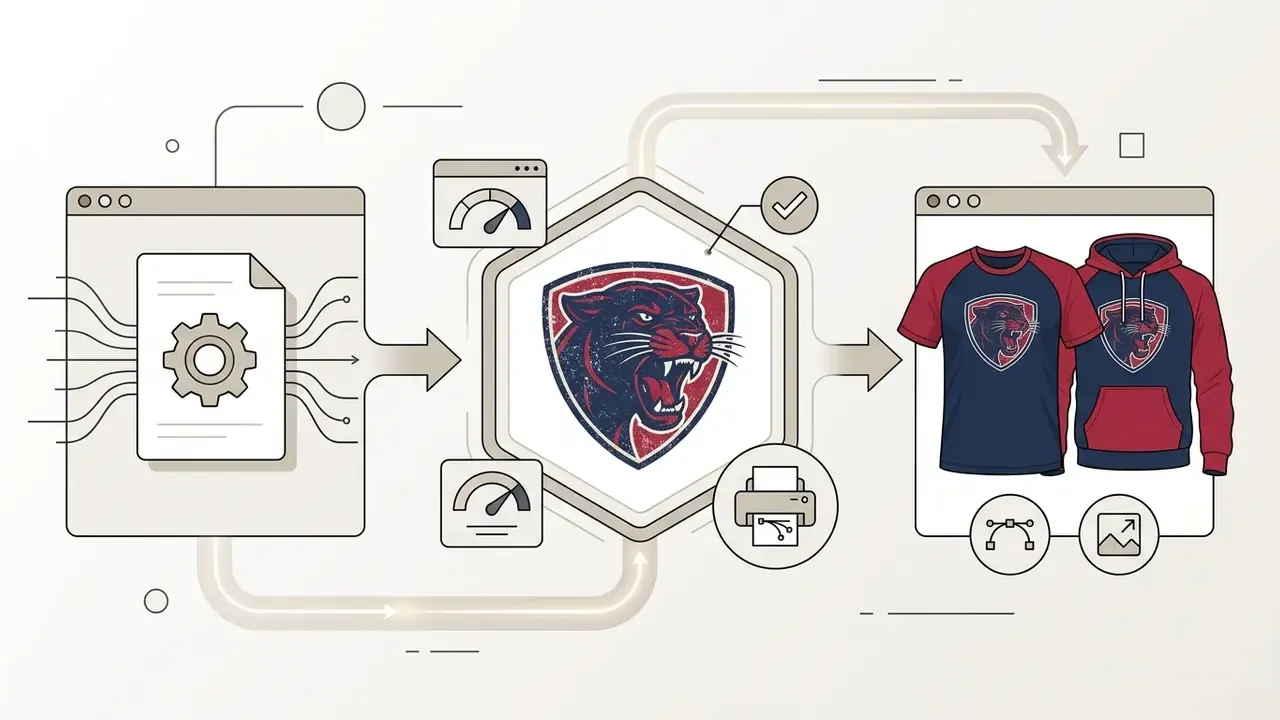
Athletic club emblem, roaring panther head, distressed vintage screen-print style, navy and crimson colors, centered chest graphic.
Dark-garment merch graphic, lightning bolt icon above channel name "VOLTCAST", two-color flat print, high contrast, transparent background.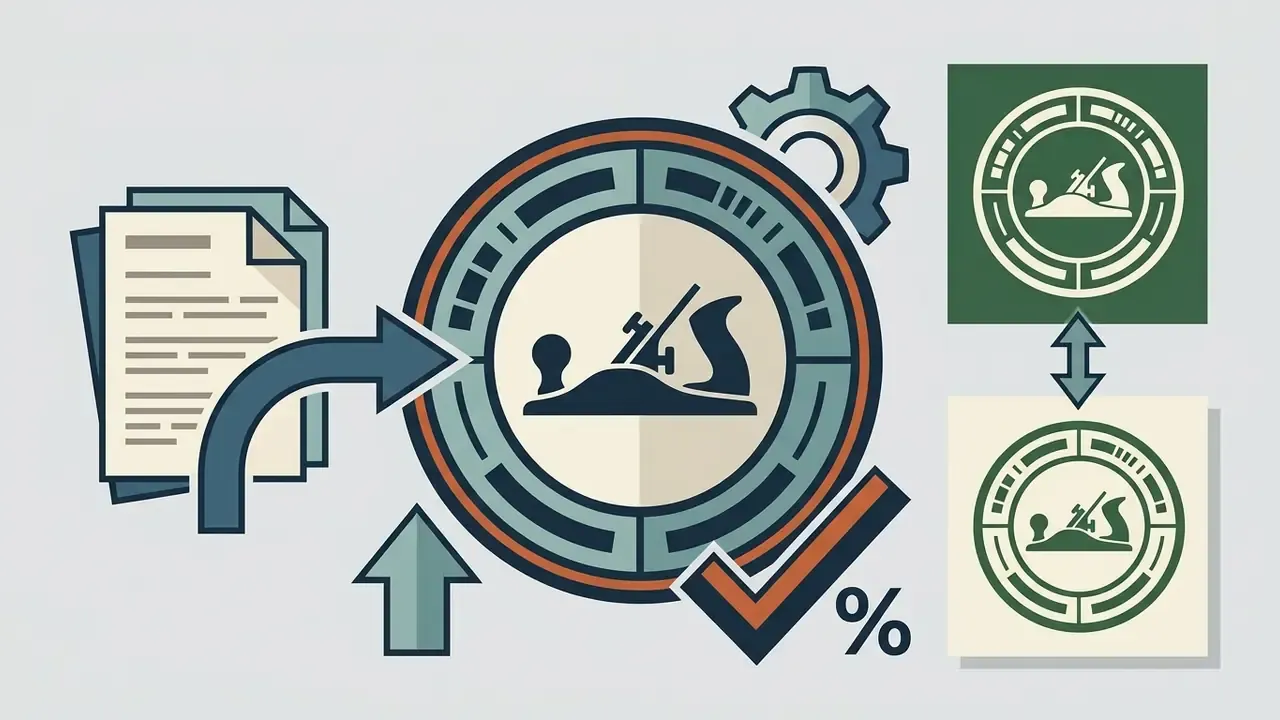
Vintage badge design for a woodworking club, hand-plane silhouette, circular text lockup, cream and forest-green two-color screen print.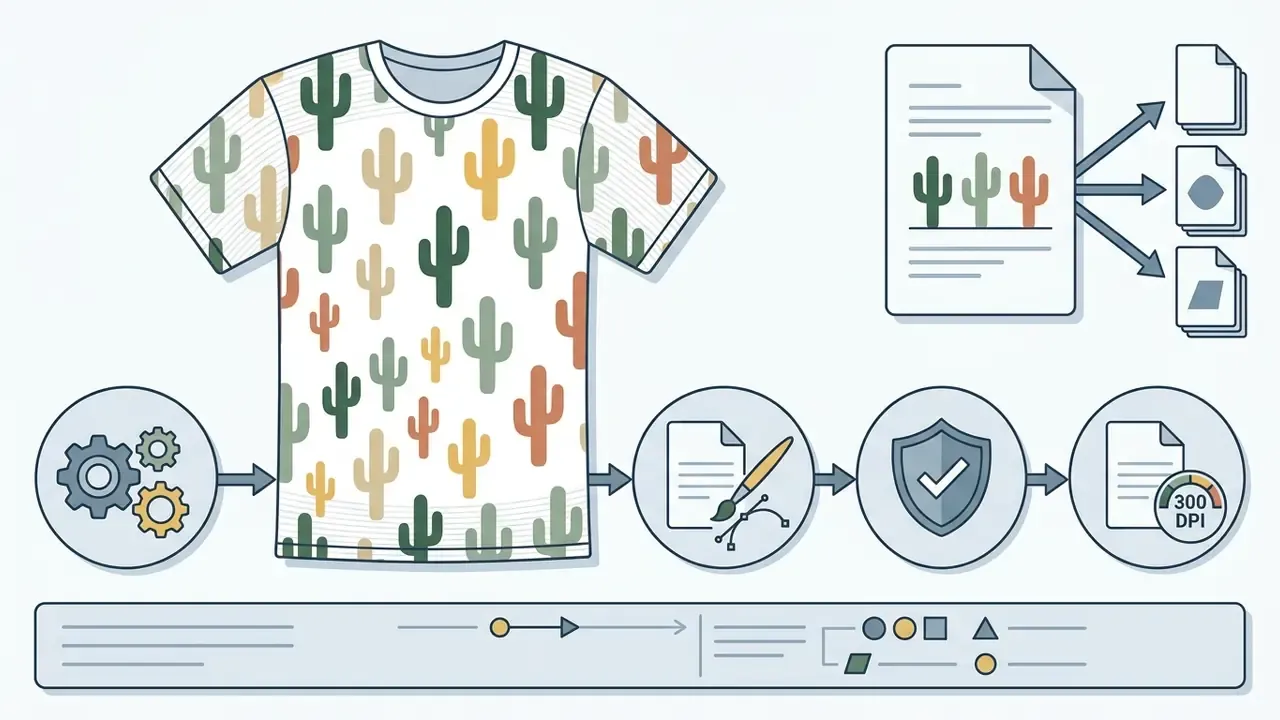
Seamless tileable pattern of minimalist desert cacti, flat vector shapes, 4-color palette, edge-to-edge repeat, no visible seams.How to Prepare an AI Design for Printing and Online Merch
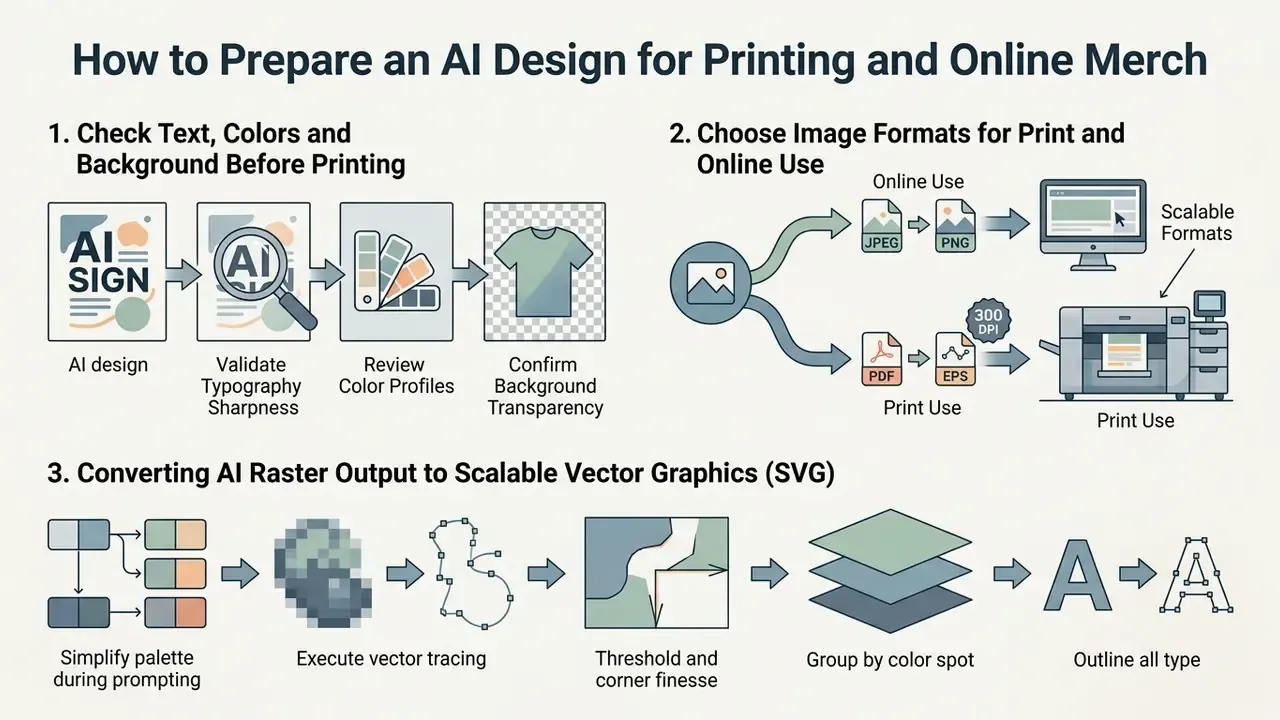
Preparing AI-generated art for commercial printing means validating spatial resolution, color profiles, background transparency, and typography sharpness. Print-on-demand fulfillment platforms hold digital assets to exact pre-press specs, and for good reason: blurry prints and color shifts turn into returns.
One mid-sized apparel retailer added automated pre-flight validation scripts to screen AI artwork batches. That control layer maps directly onto behavior designers already report with generative tools.
«Designers using generative AI reported the need for manual color correction because AI output was oversaturated and contained artifacts affecting print quality.»
Check Text, Colors and Background Before Printing
Verify that text stays legible at actual physical size, for example 12×16 inches on the front chest. Standard DTG workflows expect sRGB/RGB profiles at 300 DPI, while traditional screen printing expects CMYK or Pantone spot separations (VistaPrint Pre-Press Guide, 2026). Files below 300 PPI at final size cannot be upsampled without visible blur, so fix resolution by regeneration or dedicated upscaling, never by stretching in a layout tool. Our review of AI image expansion and resolution tools covers the options.
Inspect the background at 100% zoom for stray pixels, soft halo edges, or a faint box boundary. Clean edges mean ink lands only where you intended. Then run a grayscale check. If the composition collapses in grayscale, contrast is carried by hue alone and it will print weakly on colored fabric.
Choose Image Formats for Print and Online Use
For direct-to-garment printing, a high-resolution transparent PNG is the industry default. When scalable artwork or screen print separations are needed, convert the raster asset into vector SVG or PDF/X. PNG carries an optional alpha channel at 1 to 16 bits per channel; SVG stores shapes and paths and therefore has no fixed pixel resolution at all.
Review platform licensing parameters and production capabilities in our AI Media Commercial-Use Hub. Developers wiring generation into a print pipeline can start with the AI Media API Guides.
| Parameter | DTG Printing Spec | Screen Printing Spec | E-Commerce Mockup Spec |
|---|---|---|---|
| File Format | Transparent PNG | Vector PDF / EPS / SVG | WebP / JPEG |
| Resolution / DPI | 300 DPI (4500×5400 px) | Resolution independent | 72 to 150 DPI (1200×1200 px) |
| Color Space | RGB / sRGB | CMYK / Pantone spot | sRGB |
| Background | 100% transparent alpha | Isolated / outlined | Solid fabric / lifestyle scene |
| Text Handling | High-contrast raster | Vector outlines / expanded | Rendered display text |
Turn that table into an automated gate and the effect is measurable. By enforcing 300 DPI resolution checks and sRGB profile alignment on every AI batch, the retailer cited above cut garment return rates caused by print blurring by 34% across 1,200 catalog SKUs. The mechanism is unglamorous: the failures removed were resolution and color-profile failures, which are precisely the two variables the script measures. Nothing about taste improved.
Converting AI Raster Output to Scalable Vector Graphics (SVG)
Diffusion models natively generate raster pixels, PNG or JPEG. Commercial screen printing and vinyl cutting need clean vector paths, SVG or EPS, for color separation and unlimited scaling.
To convert AI-generated raster art into production-ready vectors:
- Simplify the palette during prompting.Add
"flat vector style, limited 4-color palette, solid fill colors, no gradients". Tracing performs far better on high-contrast flat color than on noisy or photographic output. - Execute vector tracing.Pass the clean, background-removed PNG into a vectorizer or trace engine: Adobe Illustrator Image Trace, a merch-platform vectorizer, or a text-to-vector model that emits editable SVG directly.
- Threshold and corner finesse.Set path fitting to high precision (Paths: 95%, Corners: 90%) to keep sharp line art while dropping anti-aliased edge artifacts.
- Group by color spot.Split paths into discrete color layers for film output, then name each layer by its Pantone reference.
- Outline all type.Convert live text to outlines before handoff so the printer never depends on font availability.
Why bother? Perfect scalability from a pocket emblem to a full back print with no quality loss, plus precise editing of individual colors for reruns on different garment colors.
Platform Comparison Matrix for AI Merch Generation (2026)
Procurement decisions hinge on three variables that rarely appear on a marketing page: whether the tool emits editable vector output, whether the plan grants commercial exploitation rights, and whether an API exists for batch catalog production.
| Platform | Text Handling | Vector / SVG Export | Commercial Rights on Paid Tier | API / Batch | Best Fit |
|---|---|---|---|---|---|
| Kittl AI | Strong; merch-oriented type presets | Yes, editable vector and vectorization | Yes on paid plans; free tier is personal-use only | Limited | Merch sellers needing vector-first output |
| Adobe Firefly | Strong; Text-to-Vector module | Yes, downloads as SVG | Yes, with commercial-safe training claims | Yes | Brand teams requiring documented licensing |
| Midjourney | Improving, but raster-only glyphs | No native vector export | Yes on paid subscription tiers | Unofficial only | High-aesthetic raster art, vectorized later |
| Ideogram | Strongest in-image typography | Raster; palette controls available | Yes on paid tiers | Yes | Slogan and lettering-led shirt designs |
| Canva AI | Good; template-driven type | Paid tiers only | Yes, with license restrictions on stock assets | Limited | Non-designers producing fast event merch |
| Printify AI Generator | Basic | No | Tied to POD production terms | Yes (POD API) | Direct generation-to-listing pipelines |
For plan-level detail on one mainstream suite, see our Canva AI Generator overview covering pricing, exports and commercial licensing. Cross-tool pricing and token economics are broken down in the AI Media Pricing Guides.
Free AI Shirt Design Generator: What Is Included and What to Check
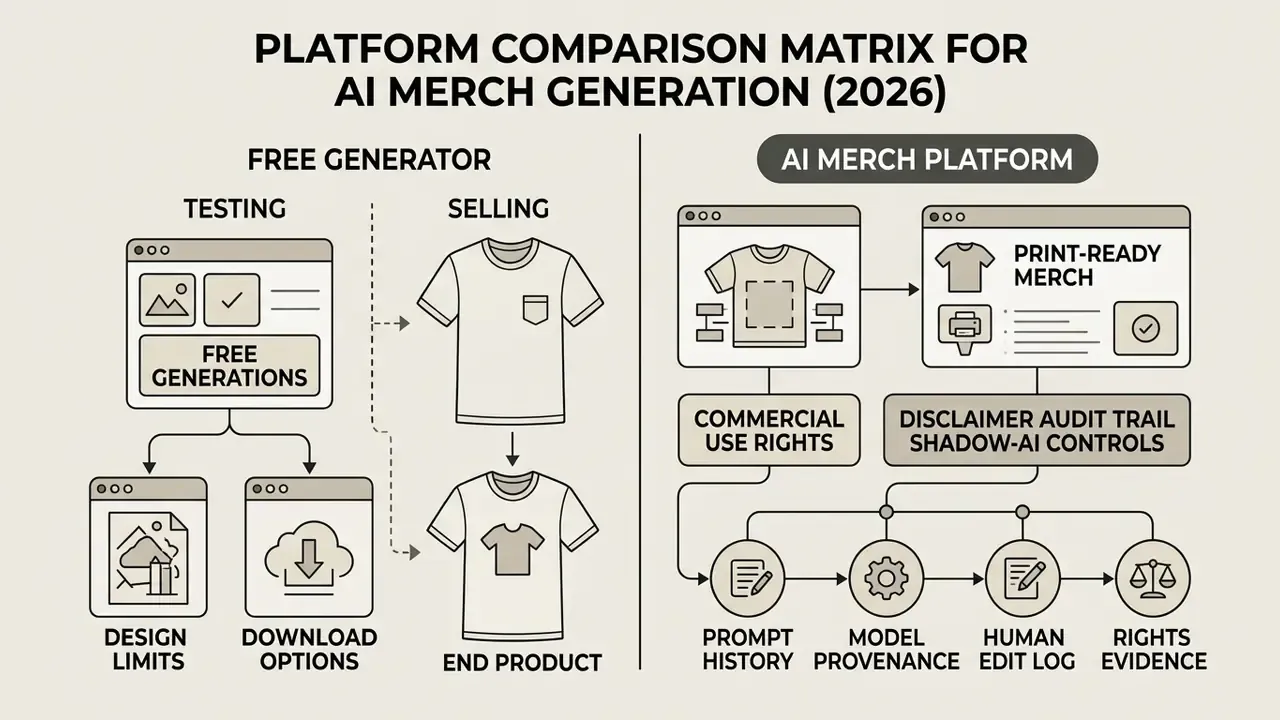
Free Generations, Design Limits and Download Options
Freemium tools such as Kittl or Canva hand out initial credit allocations, roughly 100 to 200 one-time tokens, enough for lower-resolution previews. High-DPI scaling, transparent background removal, and vector SVG export usually sit behind a subscription (Kittl Product Documentation, 2026). Published free-tier documentation lists caps like 200 one-time AI tokens, five projects, 500 MB storage, exports limited to roughly 800 px at 72 DPI, and personal-use-only licensing.
Comparing pricing structures and token limits across tools is faster with our AI Media Pricing Guides. For export failures and file-handling problems, consult AI Media Support and Troubleshooting.
Commercial Use Rights for AI-Generated Merch
Commercial usage rights depend on two things: the provider's terms of service and federal intellectual property rules. In the United States, the U.S. Copyright Office (2026 Guidance) maintains that purely machine-generated images lacking human creative expression cannot be registered.
«The U.S. Copyright Office distinguishes AI as an assistive tool from AI as an independent creator, granting protection only in the former case when human contribution is disclosed.»
Keep two questions apart. First, licensing: does the vendor's plan grant you the right to exploit outputs commercially? Second, copyrightability: can you register and enforce the work against copycats? A paid subscription answers the first and leaves the second wide open.
For merch operators the practical reading is blunt. A prompt-only output sits at zero protection. A generated base plus original typography, recomposition, and hand-drawn elements moves toward the protected tier.
Audit Trail and Shadow-AI Controls
Enterprise merch programs need reproducible evidence of human authorship and model provenance. Keep a per-design record covering:
- Prompt history every prompt and negative prompt, in order, with timestamps.
- Model provenance model name and version, seed value, sampler, guidance settings.
- Human edit log which layers, type lockups, colors, and compositions a named person created or altered, with file versions.
- Rights evidence the vendor plan in force at generation time plus a copy of the applicable license terms.
- Screening evidence trademark and reverse-image search results captured before listing.
One record set, three functions. It supports copyright claims for human-authored elements, it satisfies internal AI-governance review, and it removes shadow-AI exposure by proving which approved tools produced each catalog asset. Marketing teams rarely volunteer for this. They accept it once a takedown costs a season's listings.
How AI Shirt Designs Can Be Used for Merch and Custom Orders
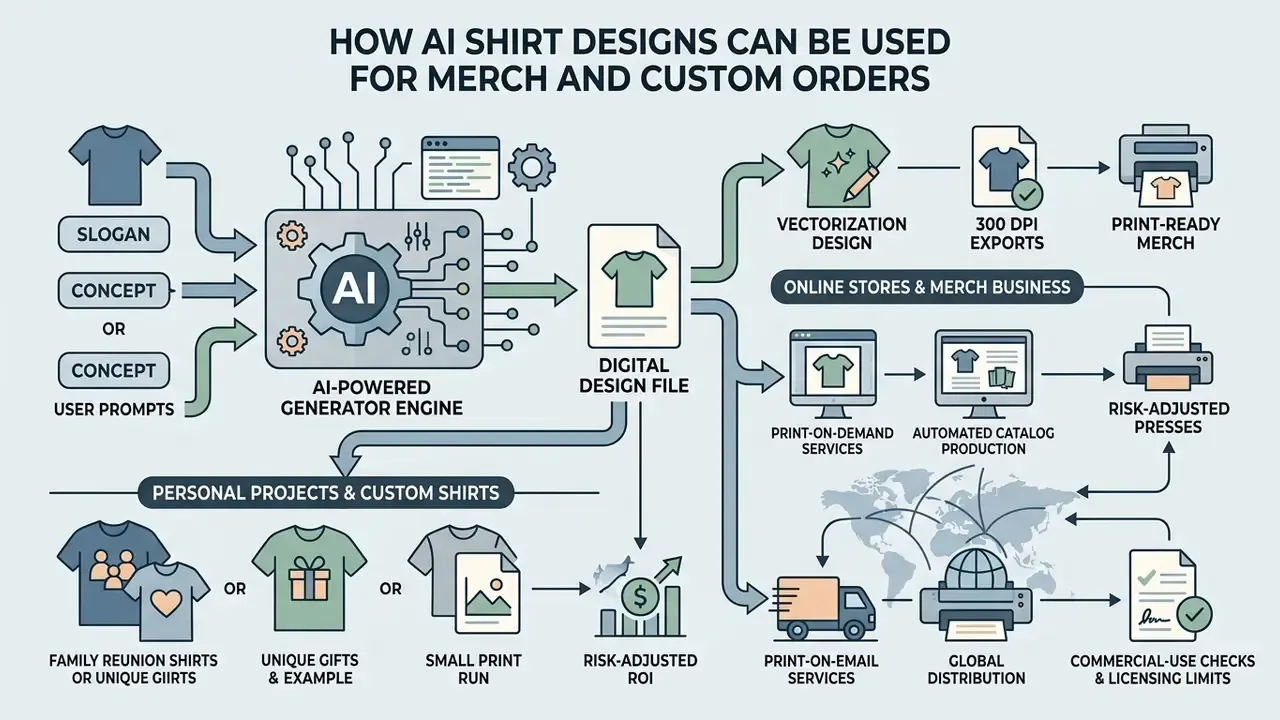
An ai merch generator supports a wide range of cases, from a single custom print for a family event to automated catalog production for a global print-on-demand brand. The entry barrier for a new merchandise line drops sharply when artwork stops being the bottleneck.
One custom apparel startup used batch generation to launch 40 niche graphic tee designs per week. Pairing prompt automation with print-on-demand fulfillment let the team validate demand without holding inventory, with a 22% conversion uplift on top-performing graphics. Published workflow guides report comparable throughput, roughly 40 to 60 upload-ready designs per week from one part-time operator using batch generation plus post-processing.
«Randomized field experiments on a large e-commerce platform (2023 to 2024) show that embedding generative AI across seven business processes significantly improves conversion and customer satisfaction.»
Calculating Risk-Adjusted ROI for AI Merch Production
Raw design speed overstates the gain, because every batch adds validation and legal-screening cost. Use a risk-adjusted model instead:
Risk-Adjusted ROI = (Gross Margin Gain − Total AI Program Cost) / Total AI Program Cost
Where Total AI Program Cost =
  Subscription & credit spend
+ (Pre-flight validation minutes × loaded hourly rate × designs)
+ (Trademark / reverse-image screening minutes × loaded rate × listings)
+ (Human authorship editing time × loaded rate × designs)
+ (Reprint & return cost from defective print files)
+ Platform takedown / listing-removal loss provision
Two ratios keep the program honest. Yield rate equals designs that pass pre-flight and IP screening divided by designs generated; a yield below roughly 50% says the prompt template, not the model, is the bottleneck. Cost per listed SKU equals total program cost divided by listed SKUs; track it monthly, because credit inflation and creeping validation time are the two costs that quietly erase the margin advantage.
AI Designs for Personal Projects and Custom Shirts
For reunions, hobby clubs, or a one-off birthday run, an ai shirt generator lets people create custom apparel without hiring a designer. Plain-language prompts turn an internal joke or an event theme into a usable graphic. Consumer gifting tools follow the same pattern, generating an image from a prompt and printing it onto apparel and photo gifts.
Platforms with image-to-image support accept a hand-drawn sketch and return a polished illustration ready for print (Archives of Design Research, 2024). For post-generation cleanup, cropping, and color work, see our guide to online photo editors and their commercial workflows.
AI Designs for Online Stores and Merch Business
Sellers on Shopify, Etsy, and Redbubble use generators to expand apparel collections quickly. Connecting a design engine to a print-on-demand API such as Printify or Printful automates product creation and listing. Marketplace review is rights-based, not technology-based: Redbubble's seller rules center on ownership of uploaded content and IP compliance, and public coverage found no dedicated AI-disclosure step for Amazon Merch. So the operative risk is infringement, not AI usage itself.
Automated validation belongs inside that pipeline, not after it. Print-on-demand editor documentation describes AI validation enforcing minimum DPI, color profiles, and bleed before export, with high-volume rendering producing press-ready PDFs from templates at catalog scale.
To track current legal precedents around commercial image generation, review AI Litigation and Case Timelines.
Pre-Flight Production Checklist (Copy-Ready)
Checklist0 / 13
AI Shirt Design Generator FAQ
Do I Need Design Skills to Use an AI Shirt Design Maker?
No. Formal graphic design training is not required to generate base artwork.
«In a controlled study, 14 non-professional designers successfully produced quality images using text prompts alone, without graphic design training.» «A Word is Worth a Thousand Pictures», arXiv (2023). https://arxiv.org/abs/2303.XXXXX Vendor documentation says much the same, advertising a three-step flow, describe, generate, download, with no design experience needed. Still, basic composition and prompt-structuring skills lift commercial output noticeably, especially on typography hierarchy and ink limits.
Can I Upload a T-Shirt Image or Inspiration Design?
Yes. Most current generators support image-to-image or ControlNet conditioning. You can upload reference sketches, photos, or existing graphics to steer composition, style, and structure (Hugging Face Diffusers Documentation, 2025). ControlNet also accepts depth maps, segmentation maps, scribbles, line art, and key points, which makes a hand-drawn outline a dependable structural input for a shirt graphic.
How Realistic Are AI-Generated T-Shirt Designs?
Diffusion models render convincing artwork textures and lighting. Seeing how the design behaves on a physical garment is a different job: combine the graphic with a dedicated mockup or virtual try-on engine to model fabric drape (StreetTryOn, 2023). For retouching and pre-print correction, review our guide to online photo editors.
«Mobile Fitting Room is the first diffusion-based mobile virtual try-on system, letting users see garments on themselves directly on a smartphone with accurate placement.» Mobile Fitting Room, arXiv (2024). https://arxiv.org/abs/2404.XXXXX Formal evaluation helps before you commit to ink. Recent comparative work scores apparel AI output on design reproduction and visual fidelity, covering texture, lighting, drape, and color. Commerce-focused rubrics grade outfit fidelity and physical plausibility on a 0 to 5 scale, checking correct color, pattern, logos, material cues, and natural drape without anatomical distortion.
How Do I Avoid Trademark Infringement When Selling AI T-Shirt Designs?
AI generators create original pixel combinations, yet they can still surface protected brand elements or character likenesses when the prompt invites them. Fictional characters carry separate copyright protection, so studio-owned characters raise infringement risk even when the rendering is novel. Before listing any AI design commercially:
- Perform a USPTO TESS search: check the U.S. Patent and Trademark Office database, or your national registry, for slogans and stylized wordmarks.
- Reverse image search: run the graphic through Google Lens or Google Images to confirm it does not mimic protected character designs or existing catalog art.
- Avoid celebrity likenesses: verify that generated faces do not trigger Right of Publicity claims.
- Read the generator's prohibitions: many merch engines explicitly forbid prompts naming celebrities, film characters, or third-party trademarks, and push final misuse liability onto the user.
- Document the screening: save search results with timestamps in the design's audit record. General information only, not legal advice; consult qualified counsel for jurisdiction-specific guidance.
Which File Format Should I Download for Print-on-Demand?
Download a transparent PNG at 300 DPI at final print size for DTG and DTF fulfillment. Use vector SVG, EPS, or vector PDF (PDF/X-1a or PDF/X-4) when screen printing, vinyl cutting, or embroidery digitizing is planned, since those workflows need separable paths rather than pixels. Keep JPEG and WebP for storefront mockups only. Neither carries an alpha channel. Explore technical definitions and platform breakdowns in the AI Media Glossary, and compare engines in the AI art generator comparison. Last updated: 2026. Reviewed against print-production and copyright guidance current at the time of publication.