Executive Summary for Decision Makers
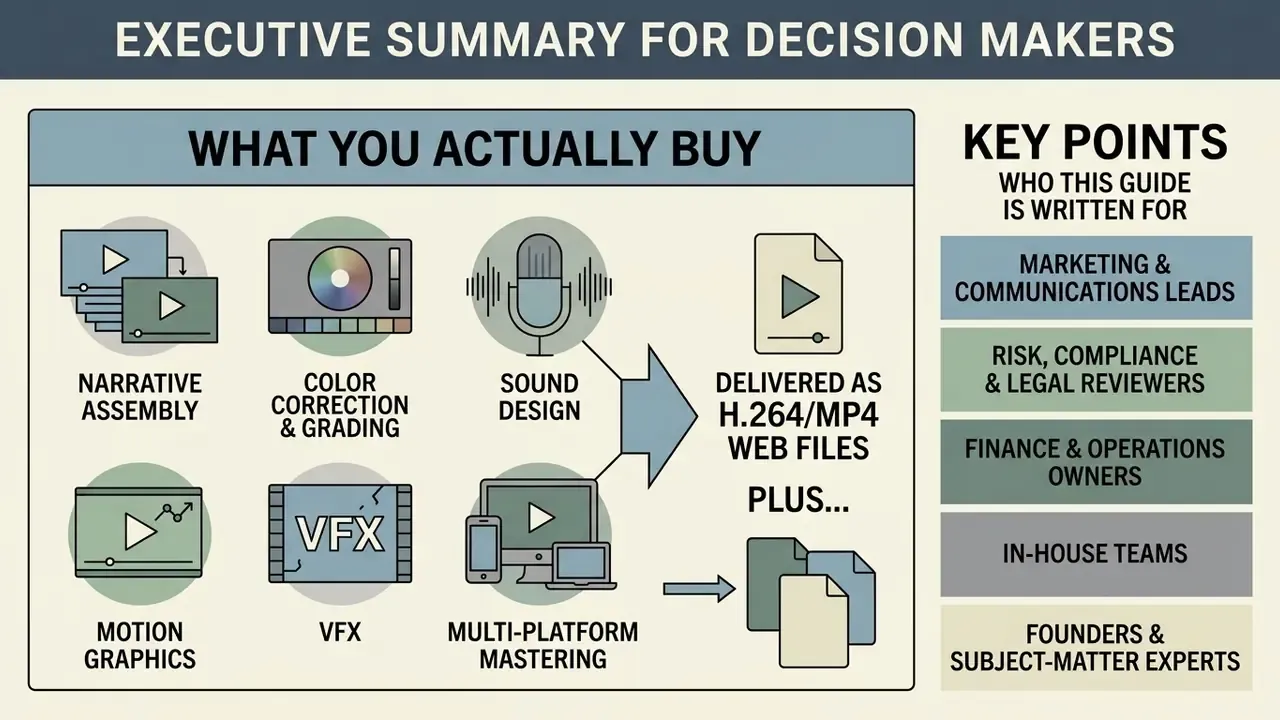
- What you actually buy: narrative assembly, color correction and grading, sound design, motion graphics, VFX and multi-platform mastering, delivered as H.264/MP4 web files plus ProRes archival masters.
- Three operating models: a specialized agency for high-stakes brand films and custom VFX; an online video editing service for per-project or subscription output; a dedicated team retainer for continuous, multi-channel publishing.
- Realistic budgets: $500 to $3,000+ per video for fixed-scope work, $3,500 to $22,000 per month for subscription output, $5,000 to $25,000+ per month for a named dedicated team.
- Realistic timelines: rough cut in 3 to 5 business days, revision rounds returned in 24 to 48 hours, standard YouTube-length delivery in 5 to 7 business days, brand films in 7 to 10 business days.
- Non-negotiable controls: signed NDA before upload, TLS 1.2+ in transit and AES-256 at rest, written IP assignment, an explicit Shadow AI policy, and a documented raw-footage deletion schedule.
- You do not need studio footage: professional editors routinely finish iPhone, Android, Zoom and Microsoft Teams recordings to publishable quality.
Who This Guide Is Written For
This is a procurement guide, not a creative manifesto. It assumes you are accountable for budget, brand risk or data handling, and that someone will eventually ask you to justify the invoice.
- Marketing and communications leads who need a repeatable pipeline for youtube content, promotional videos and social clips instead of ad hoc freelancers.
- Risk, compliance and legal reviewers in regulated sectors who must approve where confidential footage travels and which AI tools touch it.
- Finance and operations owners comparing per-project pricing against a retainer, and trying to model the real cost of revision rounds.
- In-house teams who already create video and want to outsource only the bottleneck: color grading, sound design or motion design.
- Founders and subject-matter experts with a phone, a decent microphone and no intention of learning editing software.
One more thing before the detail. If you are looking for a single "best video editing" vendor, the honest answer is that the ranking changes with your format mix, your review architecture and your security appetite. That is what the scorecard near the end is for.
Choosing a professional online video editing service means balancing creative execution against predictable operational controls. Modern video marketing depends on structured post-production workflows that turn raw media into platform-optimized digital assets. Whether you are managing an internal video initiative, launching a youtube video editor service pipeline, or scaling short-form social content, you should evaluate partners on measurable capacity, turnaround time, security posture and quality controls.
The market itself keeps expanding on both the software and the service side, which is why buyers increasingly encounter hybrid offers: tooling plus managed editing capacity.
«The video editing market is estimated at USD 3.75 billion in 2026, growing to USD 4.99 billion by 2031». Mordor Intelligence, Video Editing Market Report (2026). https://www.mordorintelligence.com
The Business Impact of Professional Video Post-Production
Investing in professional online video editing feeds directly into audience acquisition and conversion pipelines. Before comparing vendors, quantify why post-production quality behaves like a revenue variable rather than a cosmetic expense:
- Higher marketing ROI according to widely cited video marketing benchmarks, 87% of video marketers report a positive return on investment, and 68% of marketers say video delivers a better ROI than Google Search Ads.
- Increased lead conversion 93% of businesses report converting a new customer directly as a result of an explainer or branded social video, which makes structured explainer editing one of the highest-leverage post-production tasks available.
- Adoption is already universal 86% of businesses use video as a marketing tool. Unedited or visibly amateur output now reads as a competitive disadvantage, not a neutral baseline.
- Search and traffic effects embedding video into written content compounds organic performance.
«Articles containing at least one embedded video attract roughly 70% more organic traffic than articles without video». Semrush, State of Content Marketing Global Report (2023). https://www.semrush.com/blog/content-marketing-statistics/
- Budget direction 38% of marketing leaders plan to increase content marketing budgets, with video ranked the most effective format. Post-production capacity is becoming a recurring operational line item, not a one-off project cost.
- Retention alignment high-quality editing removes friction. Tight pacing, legible captions and clean audio are what keep most of a target audience watching past the first 15 seconds, where the steepest drop-off happens.
Want a rough model before you commit budget? Sketch the math yourself with our calculators and cross-check quoted ranges against our AI Media Pricing Guides.
What Do Video Editing Services Online Include?
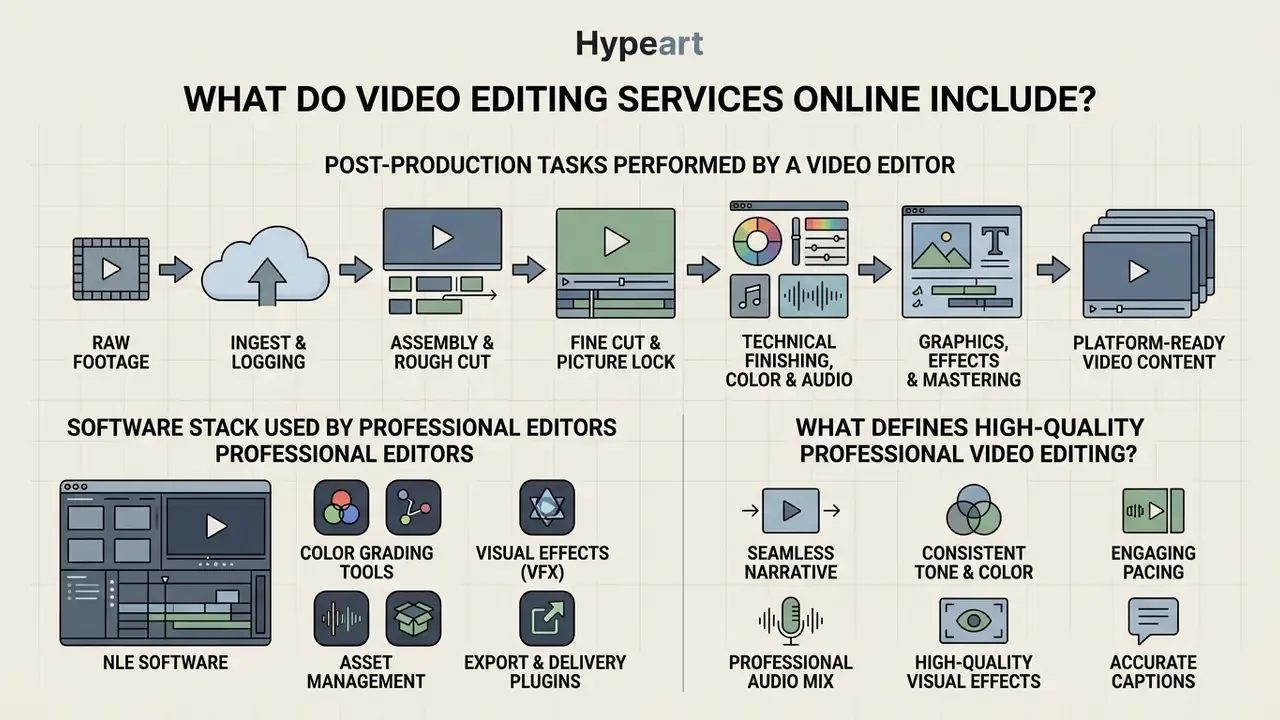
An online video editing service provides end-to-end post-production management, converting raw footage into finished, platform-ready visual content. Core deliverables include narrative assembly, color correction, sound design, motion graphics, visual effects (VFX) and multi-platform export optimization.
Post-production is not one activity. It is a disciplined series of engineering and creative steps, each with its own failure mode.
«Editing is the selection and arrangement of recorded images to create an organized, coherent discourse with visual continuity». Basic Guide to Video Editing, Universitat Oberta de Catalunya (2024). https://www.uoc.edu
For enterprise teams and content creators, engaging a video editor service provider ensures that raw video files pass through rigorous technical refinement before public distribution. Demand for that refinement is driven by format economics: video now outperforms every other content type in marketing output measurement.
«43% of marketers name short-form video their highest-performing content type, making video the leading content marketing format». Semrush, State of Content Marketing Global Report (2023). https://www.semrush.com/blog/content-marketing-statistics/
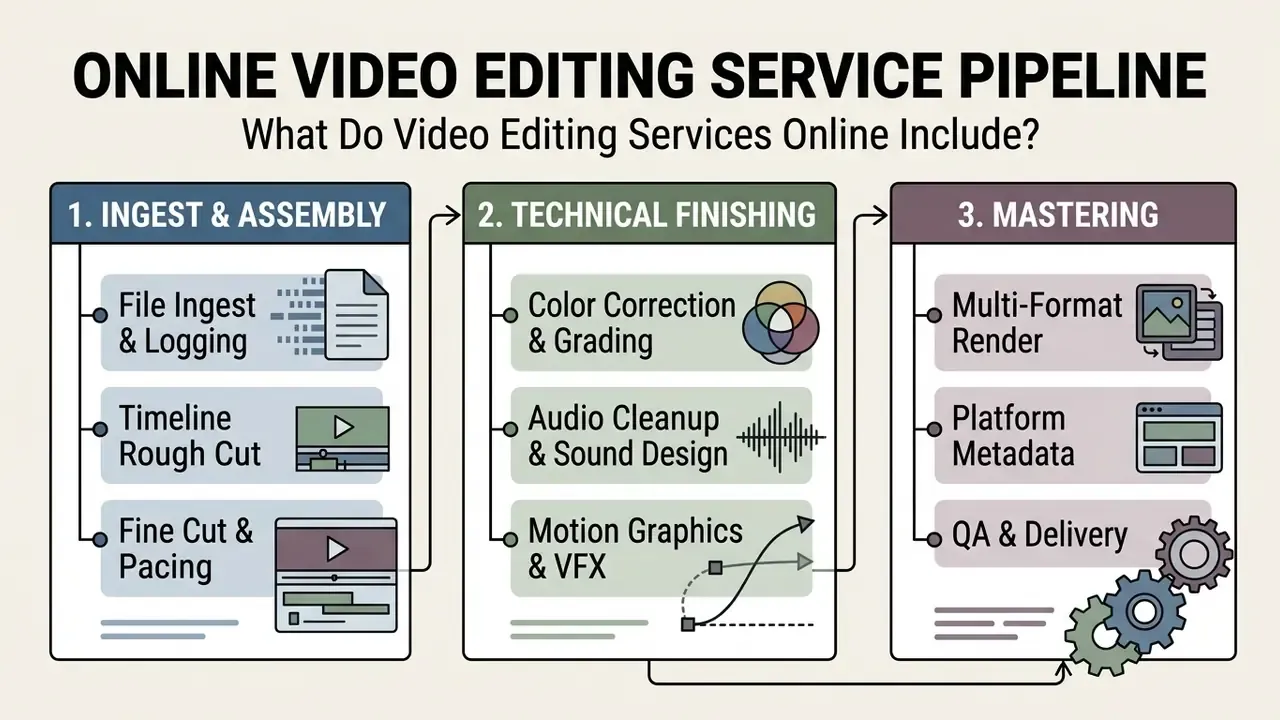
Post-Production Tasks Performed by a Video Editor
A professional video editor handles both creative storytelling and heavy technical processing. The standard post-production workflow runs through five distinct operational phases:
- Ingest and loggingsource files are ingested, renamed according to standardized media conventions, backed up, and organized into bin structures inside industry-standard Non-Linear Editing (NLE) editing software such as Adobe Premiere Pro, Blackmagic DaVinci Resolve, Apple Final Cut Pro or Avid Media Composer.
- Assembly and rough cutthe editor selects the strongest takes and arranges clips sequentially to form the core narrative structure, matching the project brief or script.
- Fine cut and picture lockframe-accurate trims refine pacing, remove dead air, and lock visual timing so finishing departments can start work without rework.
- Technical finishing, color and audiocolorists perform color grading for exposure balance and brand color accuracy, while audio engineers handle sound design, noise reduction, equalization and level balancing.
- Graphics, effects and masteringmotion designers add lower thirds, titles and motion graphics, followed by final rendering into specified delivery codecs such as H.264 or ProRes.
Workflow documentation such as the MASV Post-Production Workflow Diagram (2023) stresses that sound mixing and visual effects belong after picture lock, precisely to prevent redundant rework. Adobe's own post-production documentation describes the same five-stage sequence (logging, assembly, rough cut, fine cut, final cut) with sound work beginning during the rough cut stage (Adobe, 2025).
Software Stack Used by Professional Editors
Clients often ask which tools a vendor actually runs. Fair question: the stack determines project-file portability, collaboration options and the finishing ceiling.
| Function | Industry-Standard Tools | Why It Matters to the Buyer |
|---|---|---|
| Editorial / NLE | Adobe Premiere Pro, DaVinci Resolve, Final Cut Pro, Avid Media Composer | Determines whether editable project files (.prproj, .drp, .fcpbundle) can be handed to your team |
| Motion graphics and VFX | Adobe After Effects, Blender, Cinema 4D, Fusion (Resolve) | Required for 3D, kinetic typography, compositing and rotoscoping |
| Color finishing | DaVinci Resolve grading suite, Baselight | Controls Rec.709/Rec.2020 compliance and shot matching |
| Audio post | Adobe Audition, Pro Tools, iZotope RX | Dialogue repair, loudness normalization, SFX and music mix |
| Review and approval | Frame.io, Vimeo Review, Wipster | Frame-accurate timestamped feedback instead of email ping-pong |
Adobe Premiere now ships AI-assisted features such as Enhance Speech, Speech to Text and Caption Translation as part of Creative Cloud. That is exactly why AI usage disclosure, covered further down, should be contractually defined rather than assumed.
What Defines High-Quality Professional Video Editing?
High-quality professional video editing is defined by narrative coherence, technical precision, brand alignment and platform-specific compliance. Technical compliance means adherence to precise delivery standards:
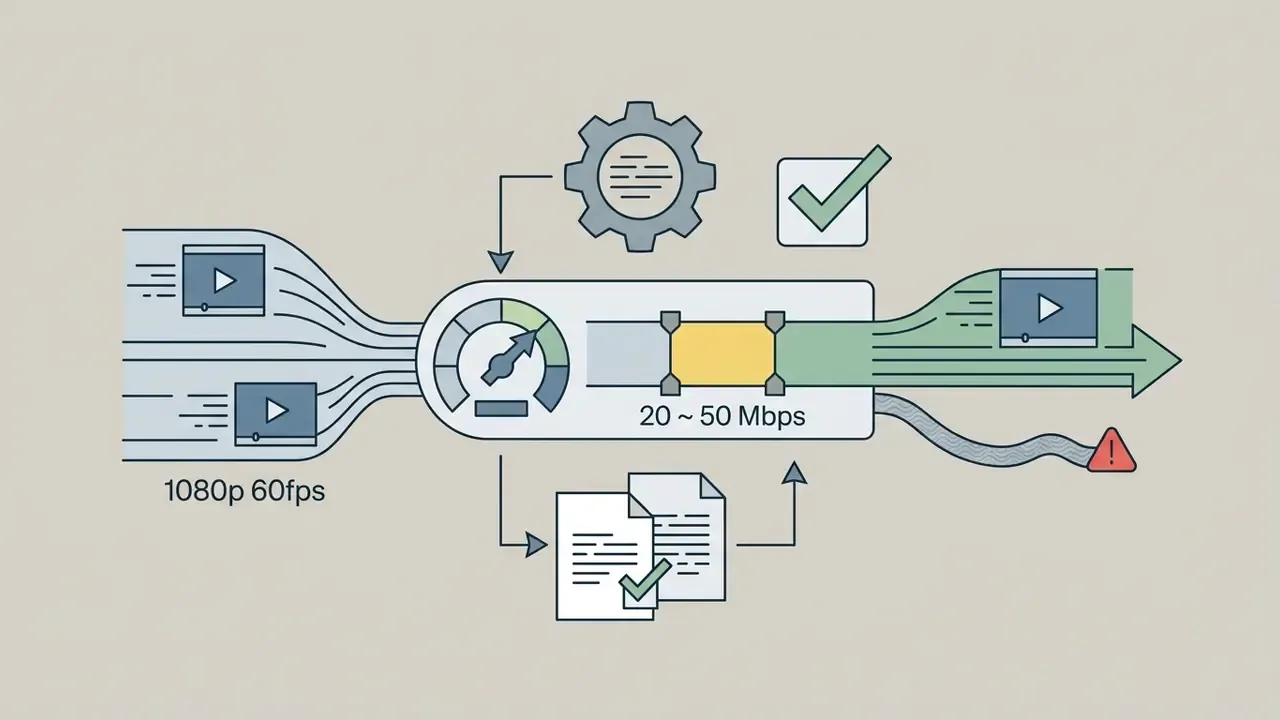
- Resolution and codecs: exporting native master files at 1080p or 4K using 10-bit codecs such as Apple ProRes, or compressed 8-bit delivery formats such as H.264/MP4.
«For web distribution, export at 1280×720 using H.264 in mp4, mov or AVI, since YouTube and Vimeo re-encode uploads to this profile anyway». Basic Guide to Video Editing, Universitat Oberta de Catalunya (2024). https://www.uoc.edu
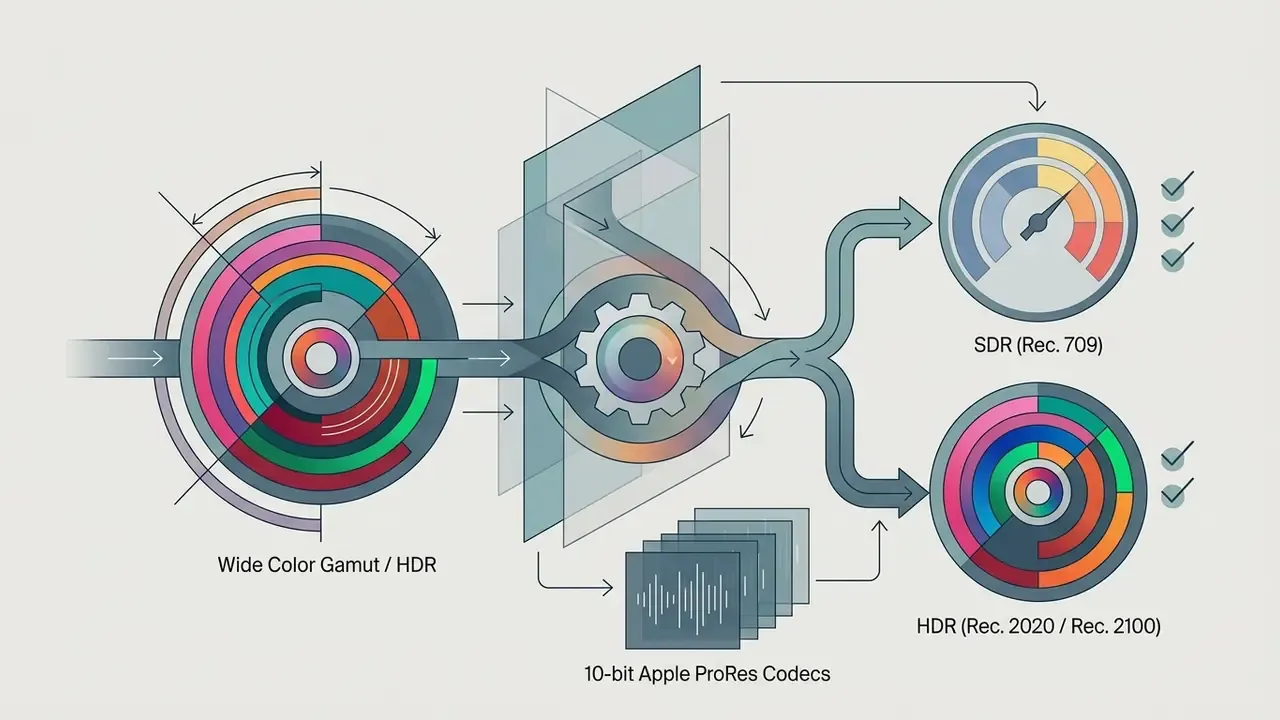

If you plan to deliver final files yourself, the same standards apply on export. Our guide to video compressors explains how to shrink file size without visible quality loss.
Table 1. Composition of professional online video editing services
| Post-Production Phase | Primary Technical Tasks | Delivered Output | Applicable Video Formats |
|---|---|---|---|
| Media ingest and assembly | Logging raw footage, bin organization, audio sync, timeline assembly | Assembly cut / story structure | YouTube videos, corporate films, podcasts |
| Fine editorial cut | Frame trimming, jump cut removal, pacing optimization, narrative lock | Picture lock cut | All video formats |
| Color correction and grading | Exposure balancing, shot matching, Rec.709/Rec.2020 color grading | Color-graded master track | Brand videos, commercial ads, explainer videos |
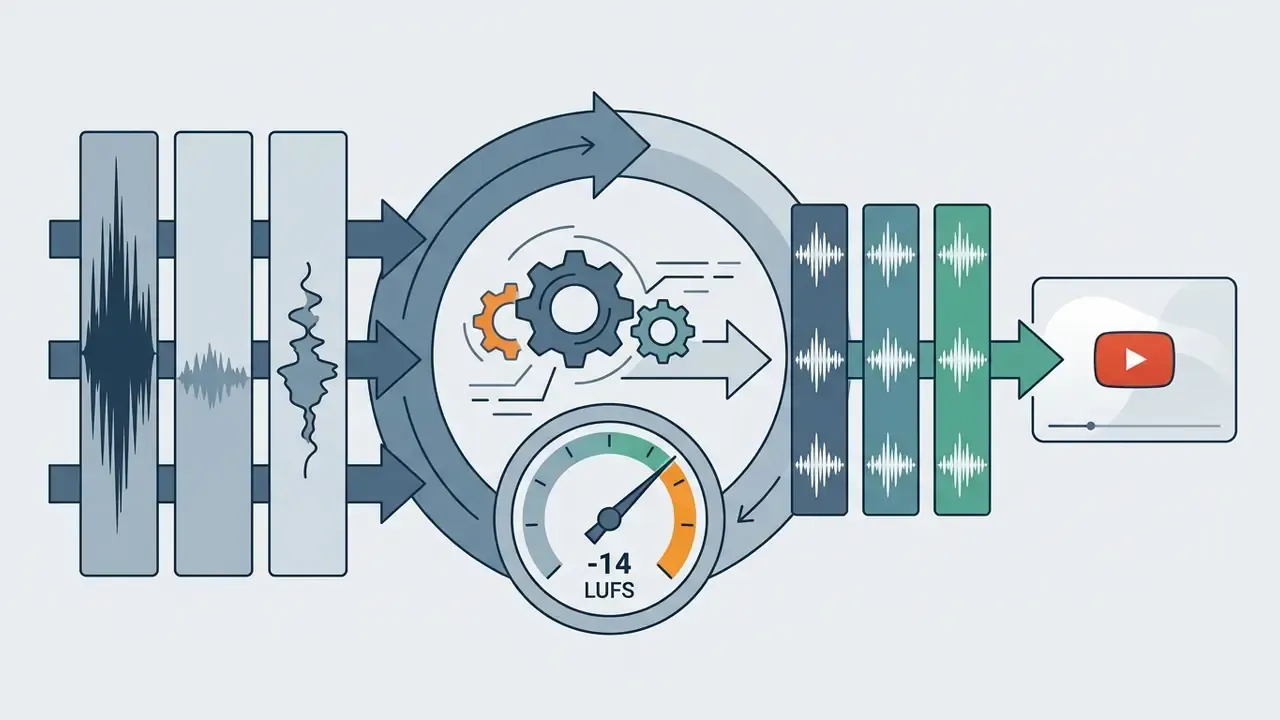
| Audio post-production | Dialogue cleaning, equalization, sound design, sound effects (SFX), loudness mixing | Polished audio mix (-14 LUFS) | Corporate video, YouTube content, podcasts |
| Graphics and motion design | Lower thirds, kinetic typography, animated logos, call-to-action overlays | Motion graphics layer | Social media clips, explainer videos, brand ads |
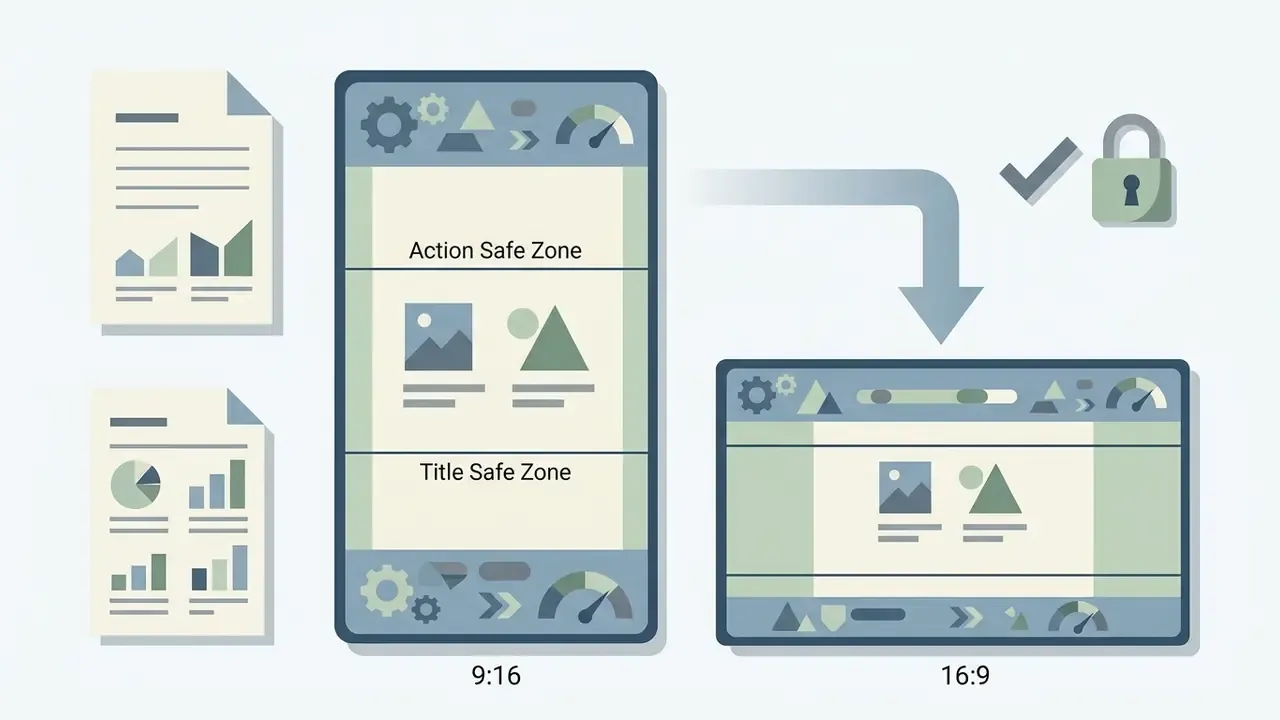
| Mastering and platform export | Encoding to target bitrate, aspect ratio cropping (16:9, 9:16), metadata tagging | Final render files (MP4/ProRes) | Multi-platform distribution |
Read the table as a scope checklist. Anything a vendor leaves out of the quote is work someone on your side inherits.
Types of Videos an Online Video Editing Service Can Handle
An online video editing service handles a broad spectrum of digital media formats, tailored to specific marketing and communication channels. Understanding how post-production changes by video type is what keeps you from hiring a short-form specialist for a 40-minute investor film.
YouTube Videos, Video Podcasts and Long-Form Content
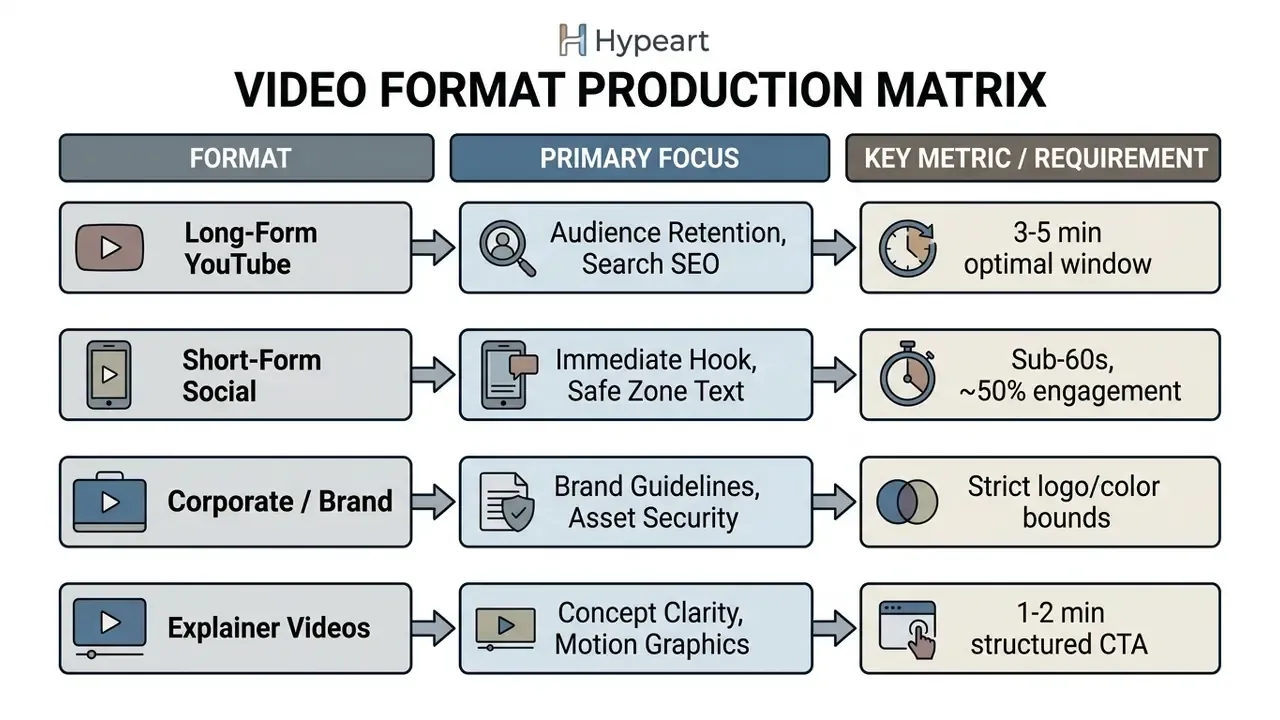
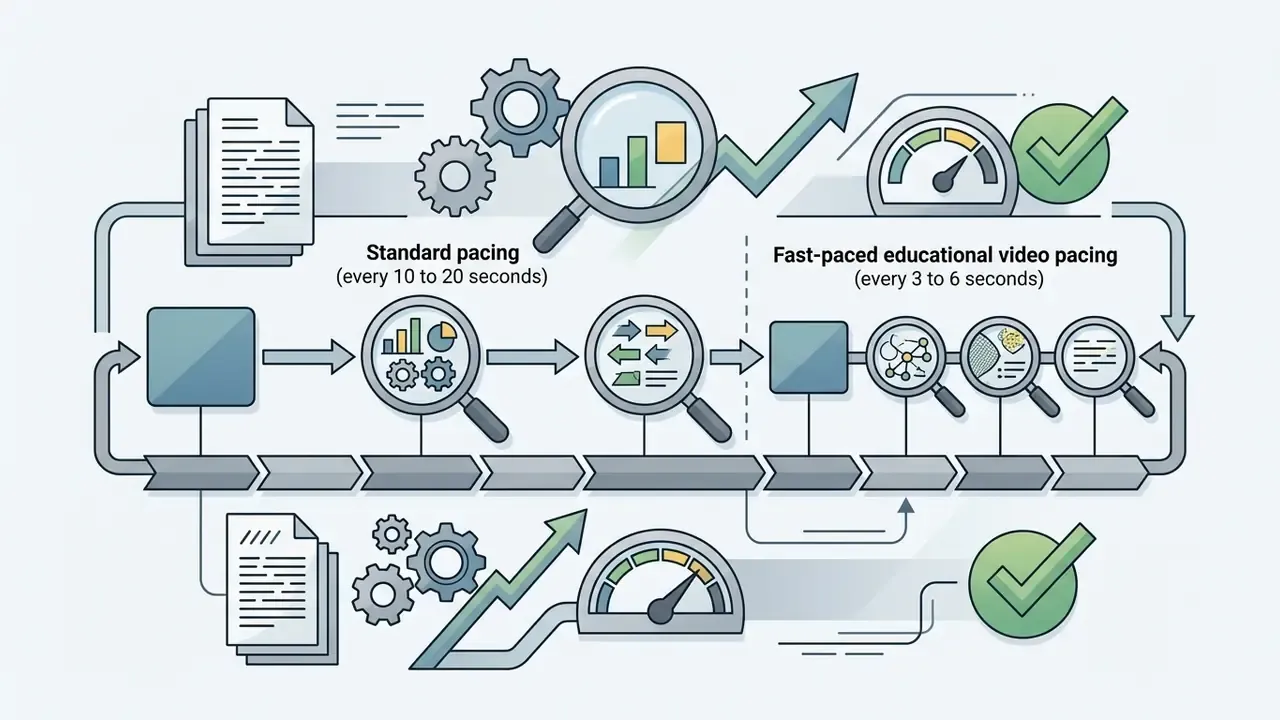
Editing long form videos, youtube channel content and video podcasts means balancing narrative pacing against retention technique. According to a Semrush YouTube SEO Study, 45% of top-ranking videos in search results sit in the 3 to 5 minute duration window, with 5 to 10 minute videos close behind.
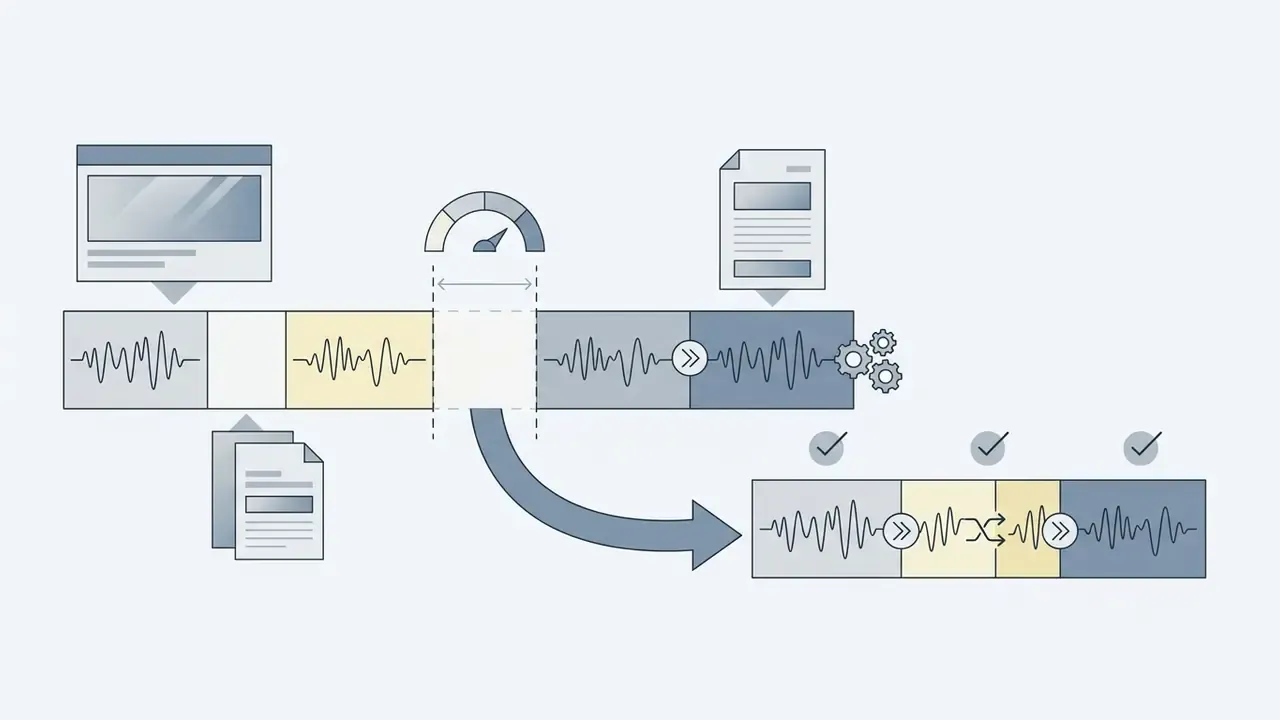
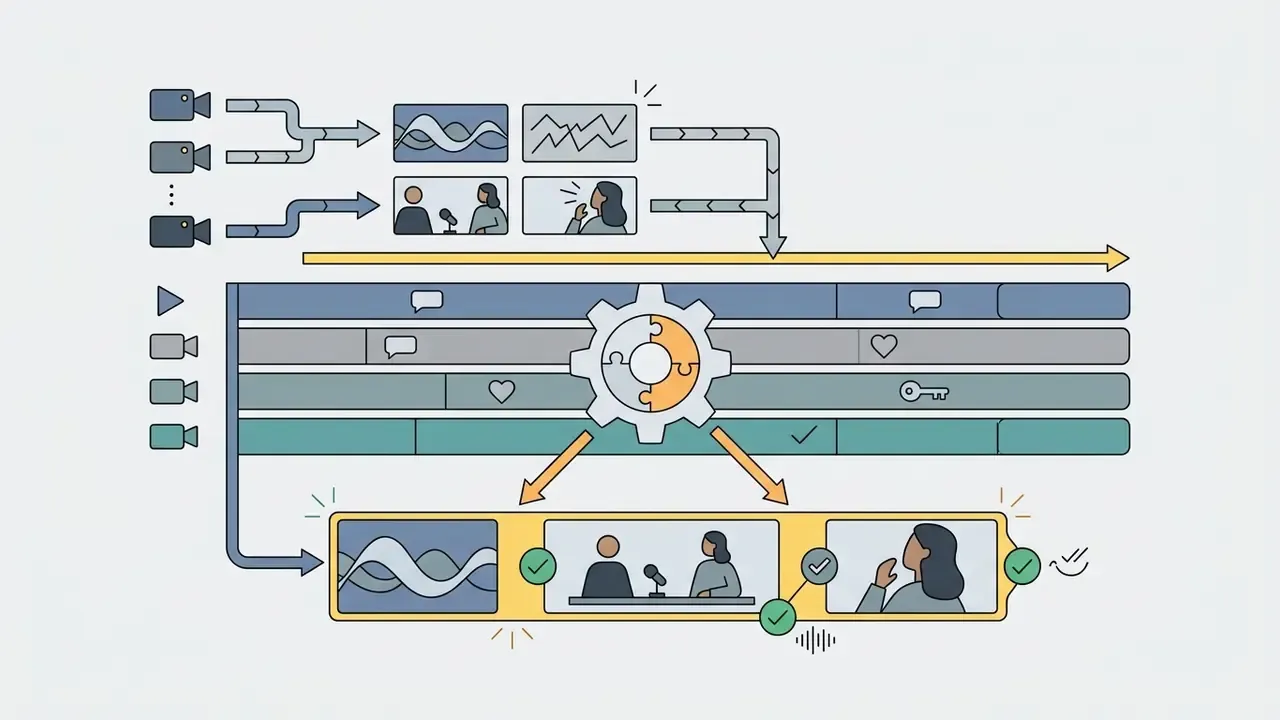
To hold attention across extended runtime, editors build pattern interrupts:
Brand Videos, Corporate Video and Explainer Videos
Commercial and corporate video production work prioritizes brand consistency, message accuracy and polished presentation over viral editing trends. Different job, different rulebook.
«Short-form video became the leading content format of 2023, with TikTok, Instagram and YouTube driving distribution». Semrush, Digital Trends Report (2024). https://www.semrush.com/blog/digital-trends/
| Video Format | Primary Business Purpose | Typical Runtime | Post-Production Focus | Key Editing Priorities |
|---|---|---|---|---|
| YouTube content and tutorials | Evergreen traffic, organic search SEO, brand authority | 3-10 minutes | Narrative pacing, B-roll insertion, chaptering, thumbnail design | Retention optimization, title-keyword alignment, clear audio |
| Video podcasts and interviews | Thought leadership, deep topic exploration | 30-90 minutes | Multi-cam sync, noise cleanup, dialogue leveling, clip extraction | Consistent loudness (-14 LUFS), smooth camera switching |
| Short-form reels and Shorts | Audience acquisition, social engagement | 15-60 seconds (Shorts up to 3 min) | Vertical reframing (9:16), dynamic captions, visual hooks | Immediate hook (0-3s), safe zone captions, high pacing |
| Corporate and brand videos | Executive messaging, investor relations, brand film | 1-5 minutes | Precision color grading, high-end sound mix, brand asset control | Brand safety, legal alignment, high-fidelity finishing |
| Explainer and product demos | Lead conversion, product education | 1-3 minutes | Motion graphics, kinetic text, screen recording cleanup | Structured messaging (problem, solution, CTA), graphic clarity |
The pattern under the table is simple: retention work dominates long form, compliance work dominates corporate, and clarity work dominates explainers. Price and timeline follow from which of the three you actually need.
Video Editor Agency, Online Video Editing Company or Dedicated Team?
The right operating model depends on content volume, technical complexity and governance requirements. Most organizations weigh three structures: specialized agencies, platform-based online editing companies, or dedicated managed teams. If your volume is low and the creative bar is modest, benchmark automated alternatives too. Our overview of animation makers and the Google Veo implementation guide cover where generated assets can replace filmed footage entirely, and our AI Media Comparison hub lines up the trade-offs side by side.
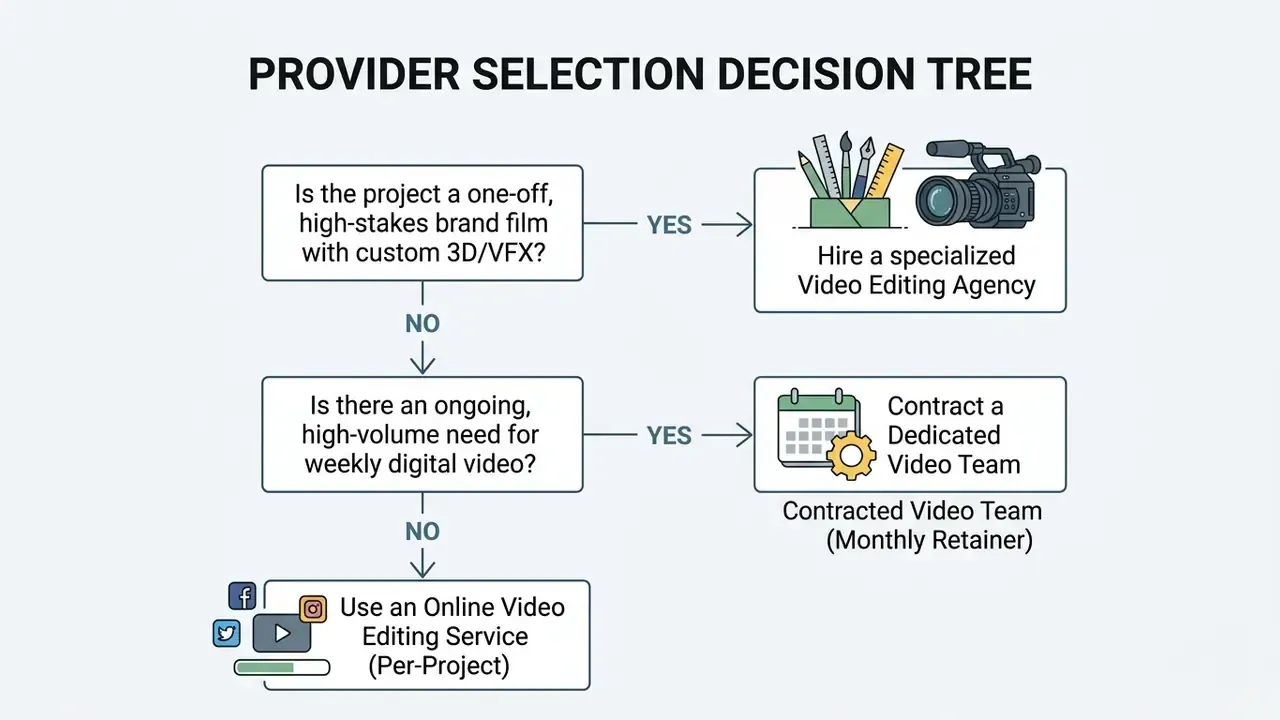
When a Video Editing Agency Is the Right Choice
«Agency selection should weigh relevant experience, documented production procedures and approval processes, scored against verifiable capability». Best Practice Guidelines: For Selecting Advertising & Media Agencies, Department of the Prime Minister and Cabinet, New Zealand (2017).
In practice, an agency engagement is justified when deliverables demand dedicated account management, institutional risk management, formal review gates and integrated creative strategy. All four shift accountability for end-to-end quality control onto the vendor. Complex VFX work reinforces the point: the VES On-Set VFX Data Collection and Usage Guide v1.1.0 exists because effects-heavy projects require specialized on-set data capture that generalist editors cannot retrofit later in post.
Project-Based Editing vs Dedicated Video Support
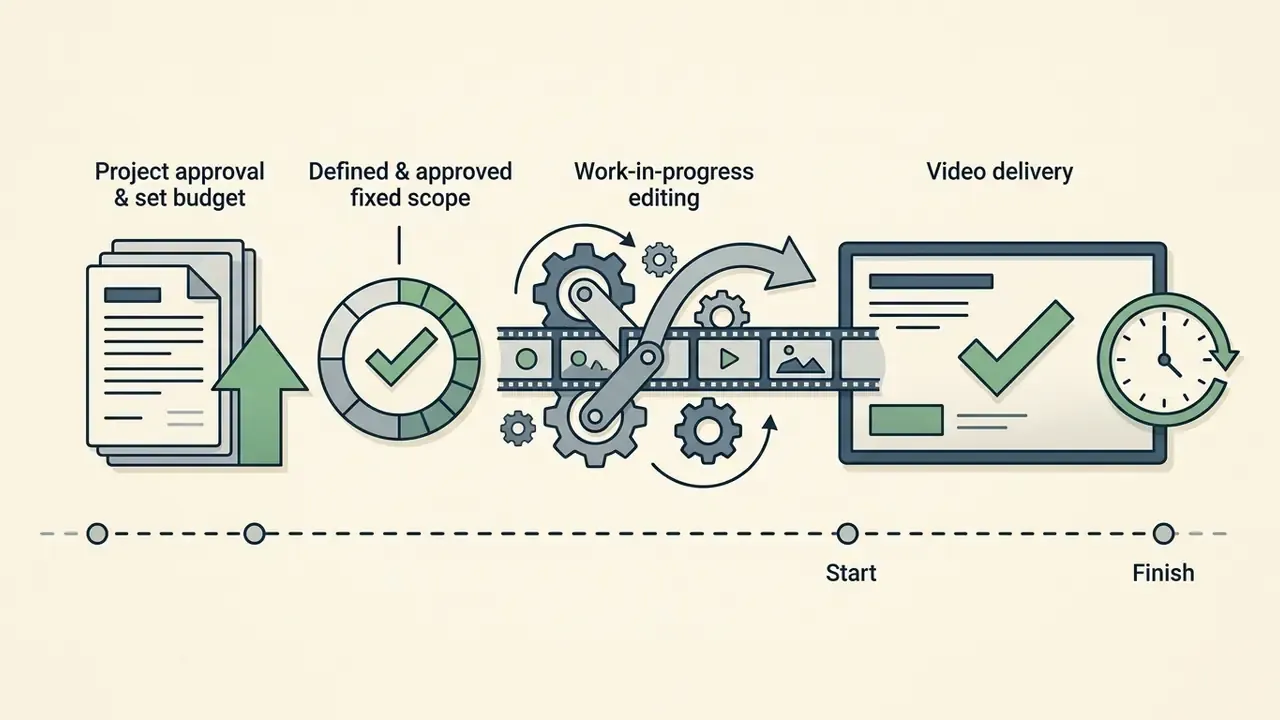
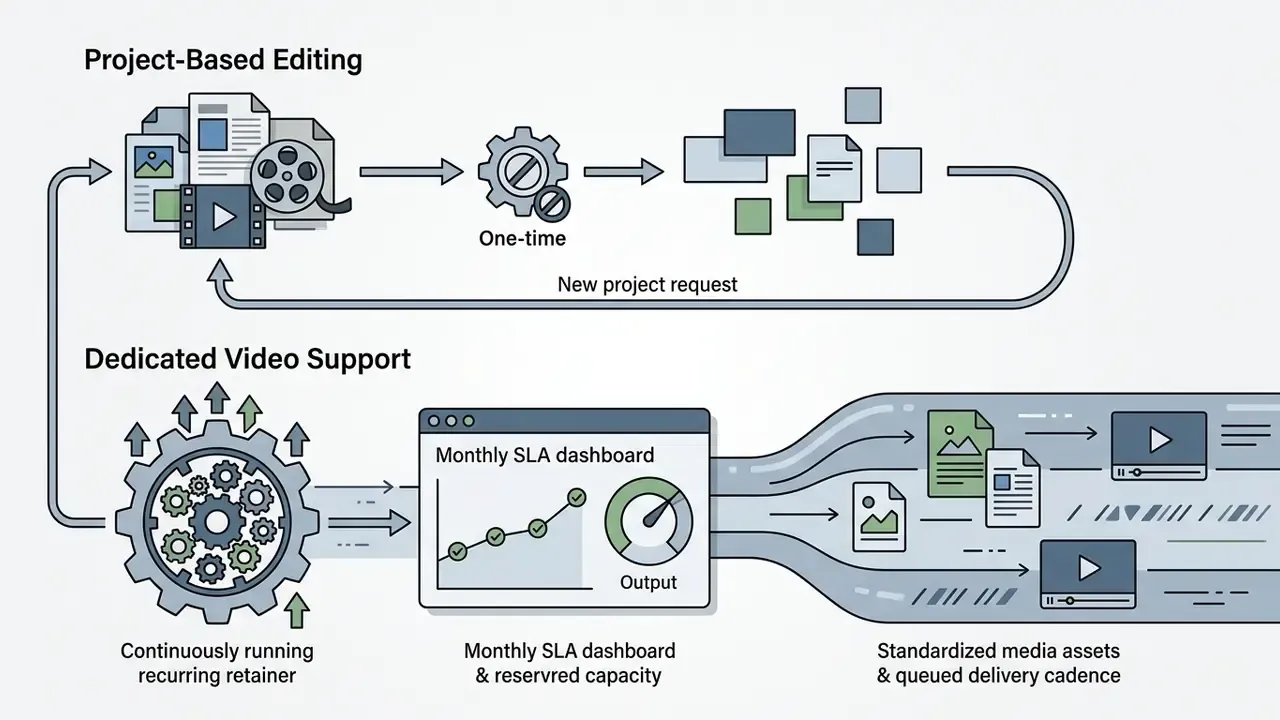
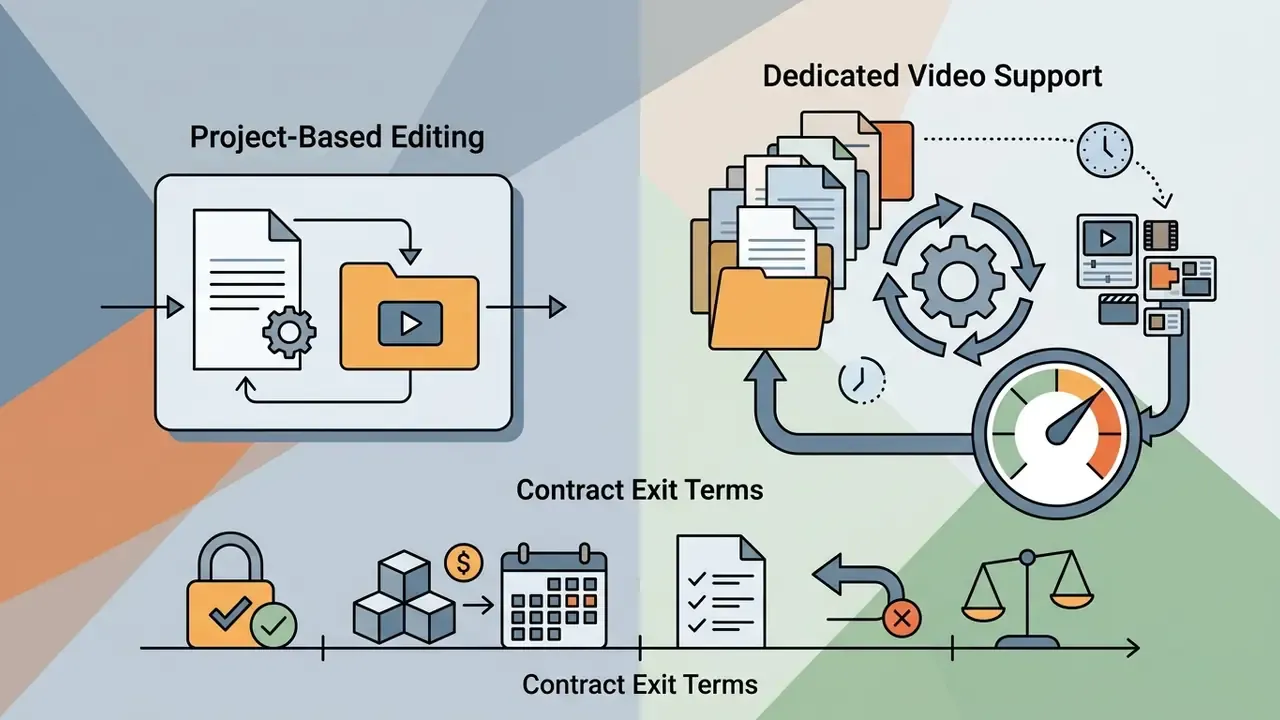
When comparing an online video editing company against a managed team, the real decision is between fixed scope and reserved capacity:
Core Roles in a Dedicated Post-Production Team
Understanding who touches your footage clarifies what a retainer invoice actually covers.
| Role | Primary Responsibility | Buyer-Visible Output |
|---|---|---|
| Lead video editor | Story structure, pacing, timeline assembly, fine cut | Rough cut to picture lock |
| Colorist | Primary exposure balance, shot matching, grading (Rec.709/Rec.2020) | Graded master track |
| Sound engineer | Dialogue cleanup, EQ and compression, SFX, loudness compliance (-14 LUFS) | Final audio mix |
| Motion graphics artist | 2D/3D kinetic typography, animated lower thirds, CTA overlays | Graphics layer, brand toolkit |
| Project manager / producer | Brief control, version control, review gates, SLA reporting | Schedule, revision log, delivery manifest |
| QA / delivery technician | Spec compliance, caption files, platform encodes, archive | Distribution masters plus .srt |
Smaller vendors fold these roles into one or two people. Not automatically a red flag, to be fair, but it does cap peak-load capacity, which is why the scorecard later asks for named allocations rather than a headcount claim.
How Much Do Professional Video Editing Services Online Cost?
Pricing for professional video editing services online varies with scope, technical complexity and delivery structure. Market context helps justify the line item: alongside service spend, adjacent ai video generation and editing software is projected to grow from USD 3.67 billion in 2026 to USD 24.89 billion by 2036 (Meticulous Research, 2026). Tooling costs and managed-service costs increasingly arrive in the same quote.
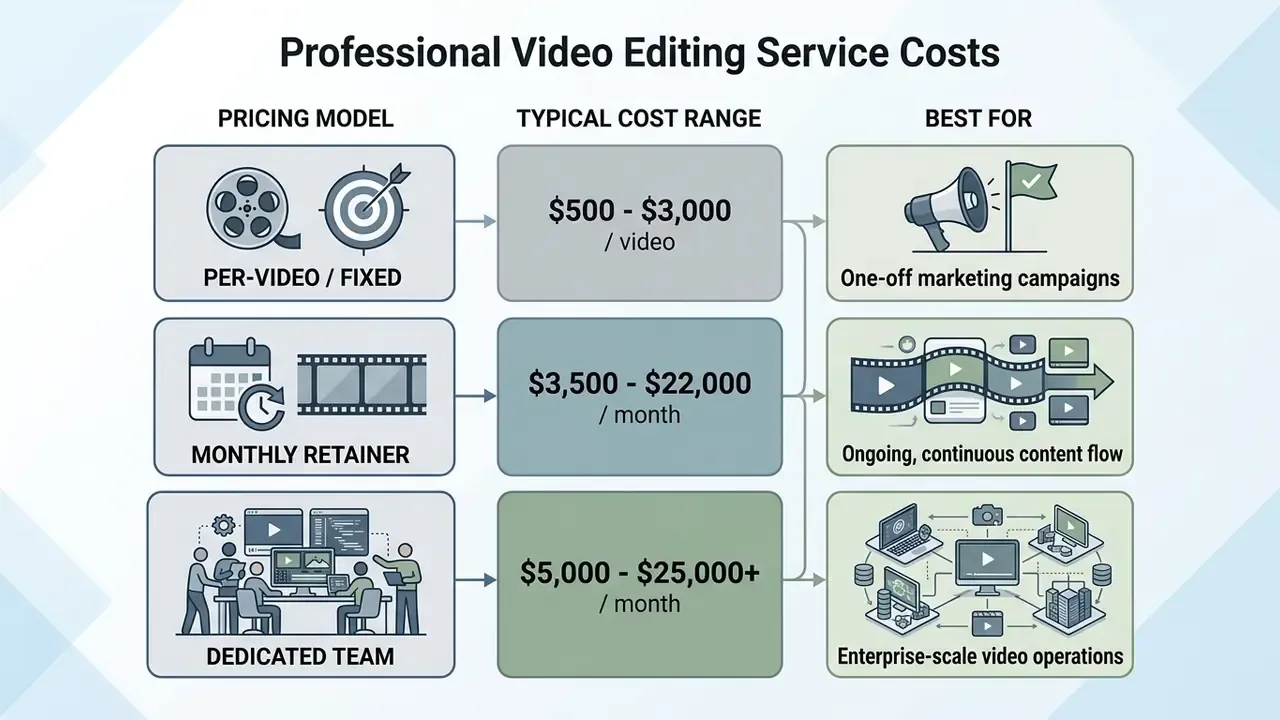
Per-Video, Subscription and Dedicated Team Pricing Models
Online providers use three main commercial structures:
- Per-video, fixed project feea flat fee per deliverable asset. Rates run $500 to $1,500 for short-form social clips, up to $3,000 to $5,000+ for complex corporate videos. Institutional rate cards show the same logic hourly: NIH Multimedia Services lists video editing at $175.00 per hour, Clemson publishes post-production at $125 per hour internal and $250 per hour external, and UCSF quotes fixed packages of $342 to $912 per deliverable. Before committing, pressure-test scope against free AI video generators for low-stakes assets.
- Monthly subscription, unlimited or capped outputa flat monthly fee covering fixed volume or queued work, for example $3,500 to $8,000 per month for 10 to 20 edited social videos, up to $22,000 per month for 50+ assets, usually with output caps and overage fees.
- Dedicated team retainercustom enterprise contracts with named full-time editors, colorists and project managers, $5,000 to $25,000+ per month, scaling with headcount of three or more editors plus animator, PM and creative direction.
What Increases the Cost of Video Editing?
Several operational factors push the number up:
- Raw footage ratio
- higher shooting ratios, say sorting through 10 hours of raw media for a 3-minute video, inflate logging and assembly hours.
- Turnaround speed
- Updated (sourced): commercial 2026 pricing guides consistently report rush-delivery premiums of 25% to 50% for 24 to 48 hour turnarounds. No standards body publishes rush pricing, so treat this as a market convention to negotiate in writing, not a fixed tariff.
- Advanced visual effects
- custom 3D animation, complex green-screen compositing and advanced rotoscoping require specialist skills and render time.
- Revision rounds
- typical scoping assumes one revision round for a small short-form package, two rounds for a mid-sized package of 3 to 5 short videos or one longer piece, and three rounds for long-form or full-campaign suites. Additional rounds are billable.
- Licensing requirements
- commercial music sync licensing, stock media acquisition and specialized voiceover talent are direct pass-through expenses. Where budget is tight, synthetic narration is a common substitution; see our guide to AI voice generators for quality, language coverage and commercial-licensing limits.
- Localization and extra formats
- multilingual voiceover, subtitle sets and extra aspect-ratio deliverables (16:9 plus 9:16 plus 1:1) multiply mastering time.
- Source-file handoff
- asking for editable project packages and organized media libraries at the end of the engagement is frequently a separate line item.
Table 3. Pricing factors and cost impact matrix
| Commercial Model | Recommended Content Volume | Included Scope Elements | Cost Escalation Drivers |
|---|---|---|---|
| Per-video flat rate | Low or irregular (1-2 videos per month) | Basic cutting, standard color match, audio mixing, 1-2 revision rounds | Excessive raw footage, rush delivery under 48h, 3D graphics, extra revisions |
| Monthly subscription | Medium or regular (8-20 short clips per month) | Dedicated queue, standardized templates, platform reformatting, captions | High turnover requests, complex motion design, custom stock sourcing |
| Dedicated team retainer | High or continuous (multiple channels) | Named editor and PM, custom brand toolkits, multi-cam editing, full post-production | Expanded headcount, specialized VFX, 24/7 coverage SLAs |
For more context on post-production cost management, see our practical guides to video compression and delivery formats and AI voice generator licensing.
How an Online Video Editing Service Works
Working with an online video editing service depends on cloud-based file management, clear brief documentation and structured review cycles, with contractual and security checkpoints built into the sequence rather than bolted on afterwards.
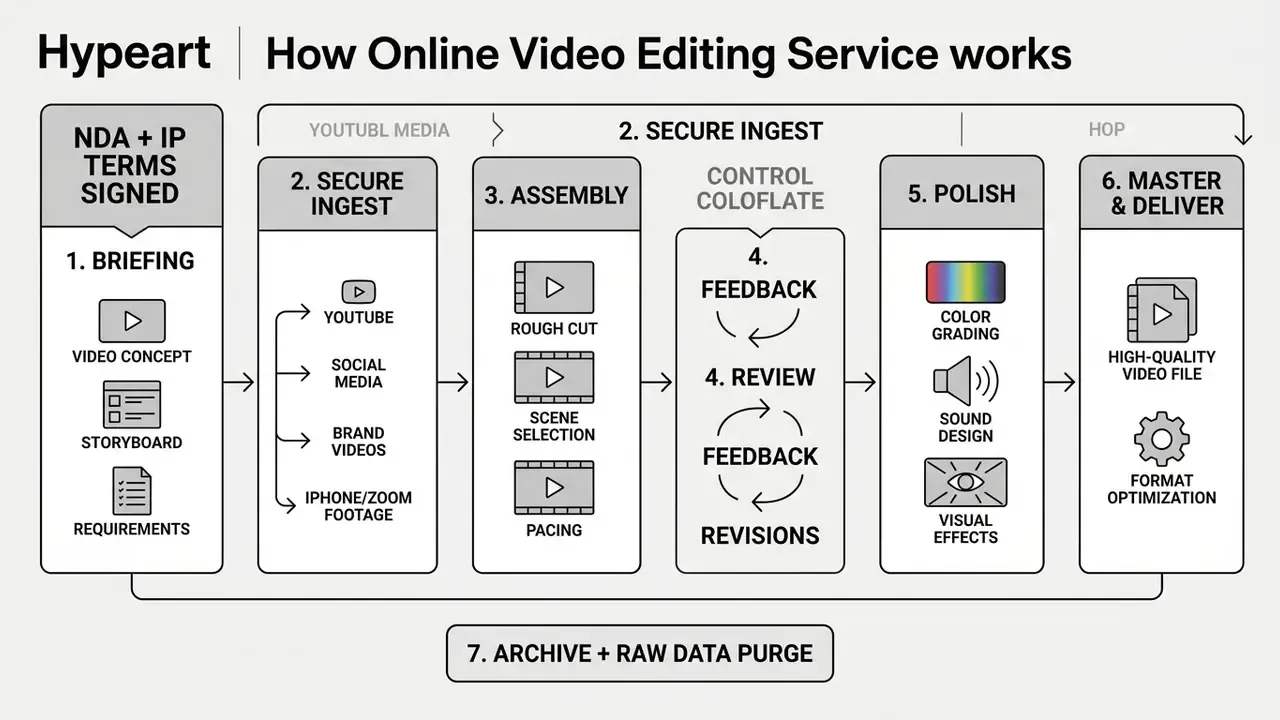
- Project briefing
- the client submits specifications, including objective, target platforms, aspect ratios, brand style guides and reference links.
- Media transfer
- raw footage and audio files are uploaded to secure cloud storage, after the NDA, IP-assignment clause and AI-usage policy are executed.
- Assembly and initial cut
- the editor builds the primary timeline and organizes footage into a rough edit.
- Interactive review
- drafts are delivered through review portals for frame-accurate, timestamped feedback.
- Finishing and polishing
- the editor applies revisions, completes color grading, balances audio and inserts motion graphics.
- Final delivery and archiving
- master assets are exported to target platform specs and delivered, with source files archived.
- Data retention and purge
- raw media, proxies and project caches are retained for the agreed window, commonly 30 to 90 days, then deleted with written confirmation. Municipal and academic production workflows (City of Costa Mesa; University of Colorado) formalize this archive step, and licensors such as Historic Films contractually require erasure of licensed materials once the edit is complete.
Preparing Raw Footage and Setting the Video Project Brief
Clear briefs prevent expensive scope creep. A standard video brief should define:
- Source file parameters: native capture resolution (1080p minimum, 4K at 60fps preferred, per RCCD Video Standards and Guidelines, 2025) and container formats. Do not down-convert or up-convert source material before handoff unless it exceeds 4K.
- Target distribution platforms: destination channels, for example YouTube 16:9 or Instagram Reels 9:16, so composition is correct during editing. If part of your footage will be synthetic, note the tool used; our Google Veo implementation guide explains generation limits, costs and output specs editors need in advance.
- Runtime constraints: strict minimum and maximum duration boundaries, say 60 to 90 seconds for promotional clips.
- Reference examples: links to target videos that demonstrate the pacing, graphics style and color tone you want.
- Ownership and approval chain: one named decision-maker per deliverable. Consolidated feedback beats parallel stakeholder comments every single time.
Handling Low-Fidelity Footage: iPhone, Zoom and Remote Interviews
You do not need cinema cameras to create video that looks broadcast-ready. In practice, a phone camera and a room with decent natural light already clear the bar. Professional editors then optimize consumer-grade assets:
- Smartphones (iPhone/Android) editors apply spatial and temporal noise reduction, shot-to-shot color matching, stabilization and dynamic framing, cropping 4K mobile capture down to a 1080p 16:9 or 9:16 frame without visible degradation.
- Video calls (Zoom, Microsoft Teams, Google Meet) post-production rescues compressed 720p recordings by adding branded background overlays and frames, rebalancing multi-speaker dialogue levels, removing crosstalk and room noise, and hiding lag or freeze artifacts at the cut points.
- Lighting and framing optimization digital relighting, vignette correction and automated reframing keep key speakers centered even when the original recording sat off-axis.
- Stock-assisted storytelling where original footage is thin, editors assemble the narrative from licensed stock footage, still images, icons and animated text layered over usable interview segments.
- Realistic expectation setting editing can fix exposure, noise, framing, pacing and level imbalance. It cannot recover blown-out highlights, heavily clipped audio or focus misses. Which is why a 90-second shooting checklist from your vendor is worth more than an extra revision round.
Communication, Video Edits and Final Delivery
Professional execution rests on agreed Service Level Agreements covering turnaround time and revision cycles. Updated (sourced): the benchmarks below reflect published vendor workflows and institutional review practice for 2026 rather than one normative standard. Confirm them contractually.
- Draft review windows initial rough cuts arrive within 3 to 5 business days for standard edits. Review and approval cycles on the client side are commonly budgeted at 2 to 3 business days each.
- Revision turnaround minor video edits come back within 24 to 48 hours per cycle (24 hours for short social clips, 48 to 72 hours where motion graphics are re-rendered). Standard agreements include two rounds of revisions before extra costs apply, and university production workflows likewise cap first-draft iteration at two rounds before finalization.
- End-to-end delivery 2 to 3 business days for social clips, 5 to 7 business days for YouTube-length edits, 7 to 10 business days for brand films.
- Final delivery formats finished edited videos are supplied as H.264/MP4 files optimized for web streaming, plus uncompressed ProRes masters for archival preservation and .srt caption files for accessibility. Our video compressor guide covers how to re-encode those masters for additional channels without a second round of vendor work.
How to Choose the Right Video Editor Service Provider
Selecting a reliable video editor service provider means evaluating creative competence, operational capacity and technical compliance. In that order of visibility, and roughly the reverse order of how often things go wrong.
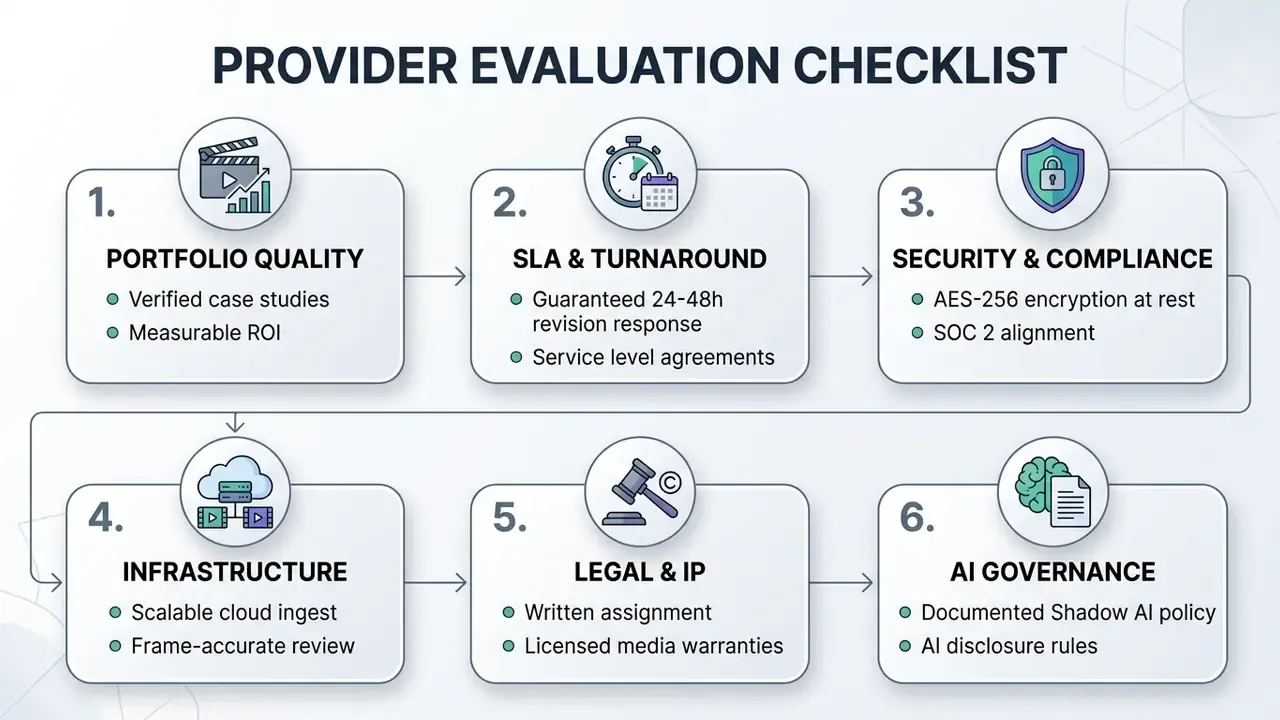
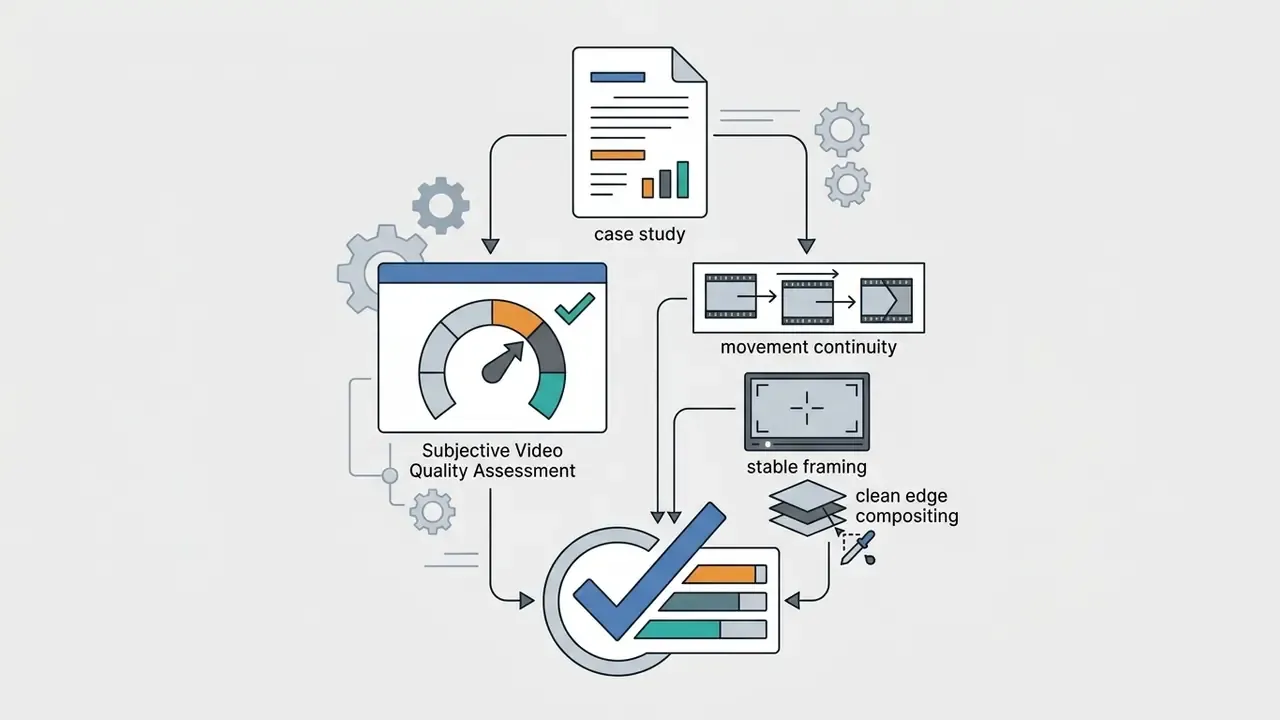
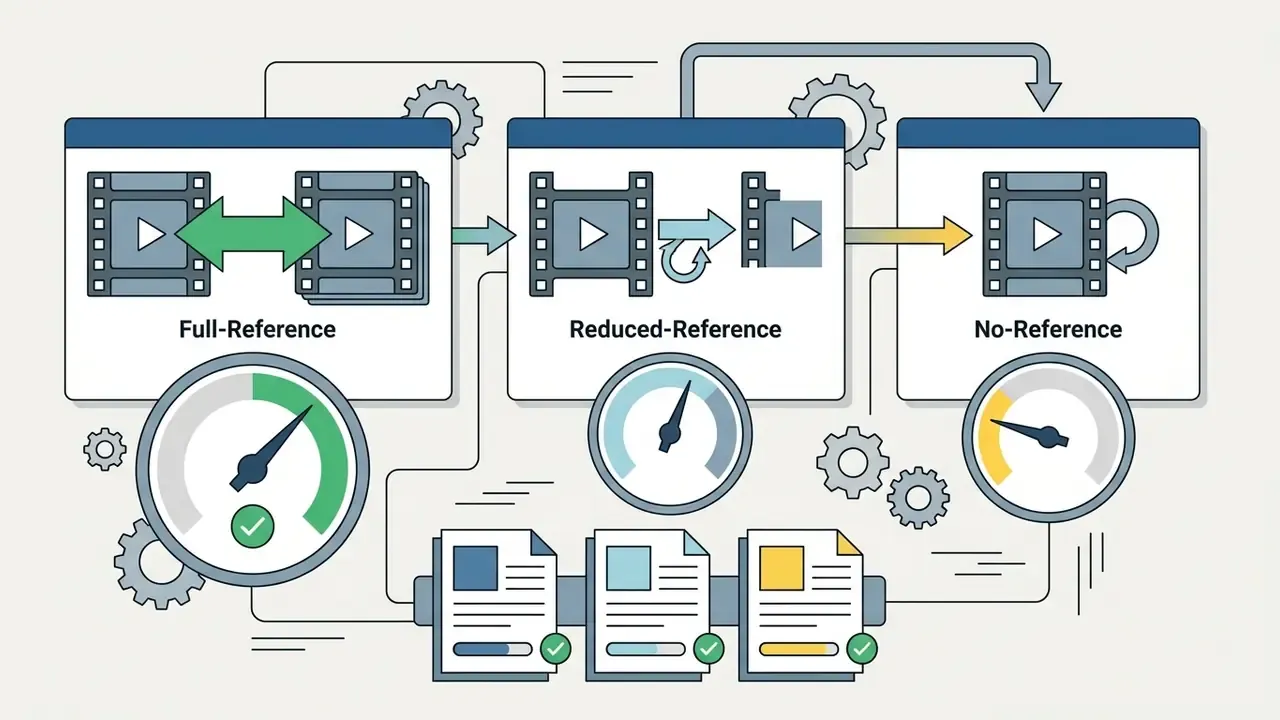
Review Video Editing Examples and Case Study Results
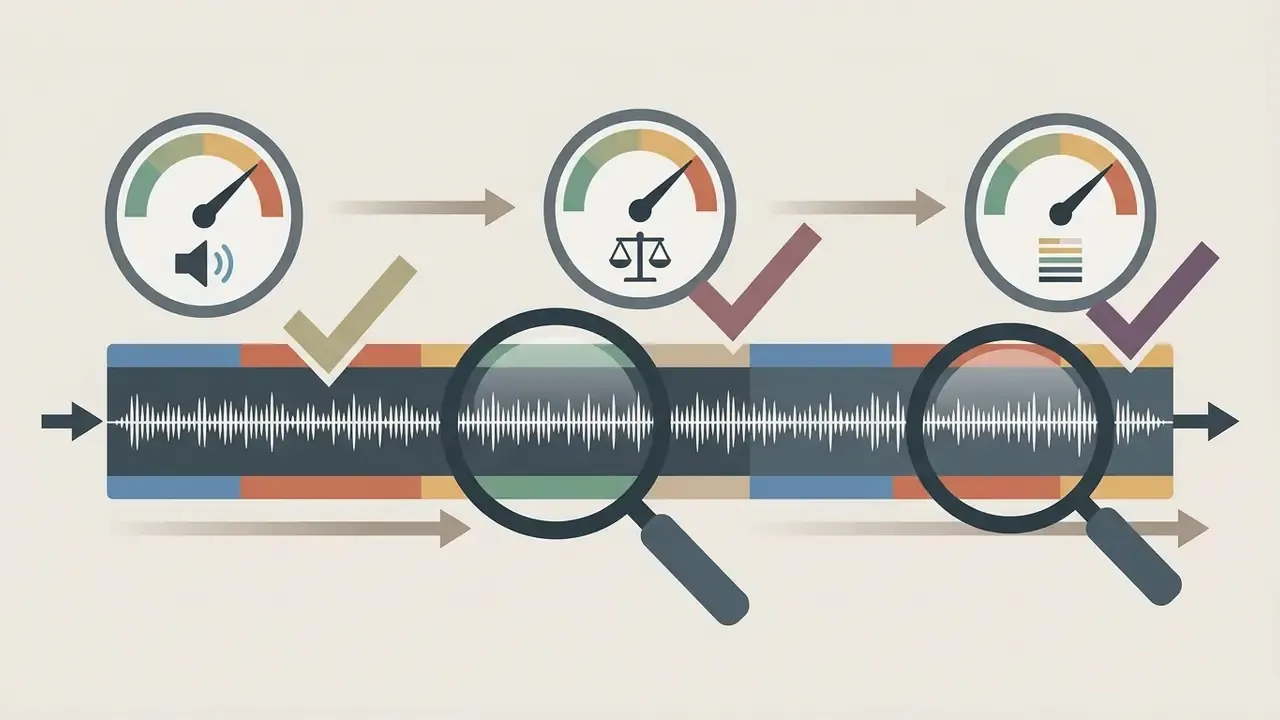
When you assess a vendor's portfolio or case study materials, look past visual appeal for objective quality indicators:

Check Scope, Team Capacity and Turnaround Time
Verify that the vendor has enough capacity to absorb peak production workloads without quality slipping. Key verification steps:
- SLA verificationensure the contract specifies defined response windows, for example 24 to 36 hours for general correspondence and 48 to 72 hours for fixes and change requests, the thresholds ISO itself used in its 2024 supplier RFP, aligned with the SLA frameworks in ISO/IEC 19086-1:2016 and ISO/IEC 19086-3:2017.
- Data security protocolsconfirm that media transfer pipelines use encryption in transit (TLS 1.2+) and at rest (AES-256), following NIST SP 800-53 Rev. 5 Security and Privacy Controls. Mainstream review platforms already publish this baseline: Adobe Frame.io documents AES-128 GCM over TLS 1.2 in transit and AES-256 at rest.
- Supplier security managementfor ongoing retainers, ask how the vendor manages its own subcontractors. ISO/IEC 27036-1:2021 frames supplier relationships under information security management, and undisclosed freelance sub-contracting is the most common hidden risk in "dedicated team" offers.
- Scalabilitycheck whether the provider can expand editor allocations during major launches without renegotiating the contract, and insist on named allocations rather than headcount promises. Escalation paths for broken deliveries belong in writing too; our AI Media Support and Troubleshooting hub outlines the kind of response ladder worth requesting.
Shadow AI, IP Assignment and Data Privacy Risk
For regulated industries, the highest-impact clauses are not creative. They are custodial. Three risks deserve explicit contract language.
Vendor Evaluation Scorecard (RFP-Ready)
Score each vendor 1 to 5 per criterion, multiply by the weight, compare totals. This mirrors the weighted-scoring approach recommended in public-sector agency selection guidance.
| # | Criterion | What to Request as Evidence | Weight |
|---|---|---|---|
| 1 | Relevant portfolio depth | Three case studies in your format with measurable outcomes | 0.20 |
| 2 | Technical delivery compliance | Sample ProRes master plus H.264 encode plus .srt, loudness report | 0.15 |
| 3 | Capacity and named roles | Org chart, named editor, colorist and PM, peak-load plan | 0.15 |
| 4 | SLA terms | Written response, revision and delivery windows plus breach remedy | 0.15 |
| 5 | Security posture | Encryption spec, SOC 2 or NIST mapping, subcontractor policy | 0.15 |
| 6 | Legal and IP | Assignment clause, stock license tiers, indemnity | 0.10 |
| 7 | AI governance | Approved-tool list, disclosure policy, no-training guarantees | 0.10 |
Next step: run the scorecard against your shortlist before requesting quotes, then send identical briefs to every vendor. Identical inputs are the only way to make proposals comparable. Start by benchmarking your in-house baseline with our YouTube video editor workflow guide and our comparison of free AI video generators, so you know which tasks genuinely require paid human post-production.
Video Editing Services Online FAQ
Can a Video Editors Agency in US Work with Clients Worldwide?
Yes. A US-based video editors agency in us routinely manages international clients through asynchronous cloud workflows: the client uploads rushes and a brief, the editor works in their own time zone, and feedback returns as timestamped comments. Large media files move through secure acceleration portals, while communication runs on structured project management platforms. Where footage contains personal data, international transfer safeguards such as the UK ICO International Data Transfer Agreement keep cross-border client media handling legally compliant.
Can the Editor Use Stock Footage, Music and Sound Effects?
Yes. Professional editors integrate licensed stock footage, stock audio and sound effects into video edits. Usage rights, however, depend on the specific platform license. Standard media license agreements such as the Sony Pictures Stock Licensing Terms grant non-exclusive, non-transferable rights restricted to a single final production, and some licensors (Historic Films, for example) require deletion of supplied materials once the edit is complete. Music and SFX platforms such as Pond5 license tracks and sound effects as separate content categories with their own terms. Enterprise clients must verify that asset licenses permit commercial distribution and broadcast rights in all intended territories.
Do I Need Editing Software If I Hire a Video Editor Service?
No. Clients do not need specialized non-linear editing software such as Adobe Premiere Pro, DaVinci Resolve, Final Cut Pro or Avid Media Composer to work with an online editor. Review, timestamped commenting and final asset downloads all happen in a web browser, and review platforms generally accept any common upload format without a dedicated export. Editing software is only required if your internal team intends to open and modify raw project file packages (.prproj, .drp, .fcpbundle), or if the vendor uses a remote-editing console that expects a matching client application on your side.
What If I Only Have iPhone or Zoom Recordings?
That is a standard input, not an exception. Editors denoise and color-match smartphone footage, crop 4K mobile capture into 1080p vertical or horizontal frames, stabilize handheld movement, and rebalance multi-speaker Zoom or Microsoft Teams audio while masking compression artifacts with overlays, B-roll and motion graphics. Requirements on your side are modest: shoot at the highest available resolution, record in a room with usable natural light, keep the microphone close to the speaker, and send original files rather than a re-compressed messenger export.
How Are AI Tools Integrated into Modern Online Video Editing?
Modern editors use AI-assisted tools for labor-intensive tasks: automated transcript generation, speech enhancement, background noise suppression, caption translation and automated reframing, features now shipped natively in Adobe Premiere. Academic prototypes show how far automation can stretch. The LAVE system from the University of Toronto's Dynamic Graphics Project demonstrates language-model agents assisting editorial decisions from footage retrieval and rough assembly through to graphic placement (University of Toronto, Dynamic Graphics Project, https://www.dgp.toronto.edu). Core editorial judgment, narrative structuring and brand compliance still sit with human editors. Enterprise governance standards require explicit disclosure when generative AI assets enter commercial media projects, plus an approved-tool list to contain Shadow AI exposure.
Who Owns the Finished Video, and What Happens to My Raw Footage?
Ownership must be stated in the contract, never assumed. Best practice is full written assignment of copyright in the delivered edit to the client, with warranties that all third-party media is licensed for the intended commercial use. Raw footage, proxies, transcripts and project caches should be retained for a defined window, commonly 30 to 90 days for revision safety, then deleted with written confirmation. Institutional production workflows treat archive-and-purge as a formal final stage, and your NDA should extend to any subcontractor the vendor engages.
How Long Does a Standard Edit Take?
For standard scopes: 2 to 3 business days for short social clips, 5 to 7 business days for YouTube-length content, and 7 to 10 business days for brand films, with rough cuts typically arriving in 3 to 5 business days and each revision round returned in 24 to 48 hours. These are market benchmarks drawn from published vendor workflows for 2026, so confirm them in your SLA. Rush delivery inside 48 hours commonly carries a 25% to 50% surcharge.
Questions to Send With Your RFP
Copy these into your request for proposal. Short answers reveal more than a polished deck.
- Who will be the named lead editor, colorist and project manager on our account, and what else are they assigned to this quarter?
- Which AI tools appear anywhere in your pipeline, on which accounts, and under what no-training terms?
- What is your documented retention window for raw media, and who signs the deletion confirmation?
- Which stock license tier do you purchase by default, and for which territories and durations?
- What happens to our schedule when a subcontractor misses a delivery, and what is the contractual remedy?
- Can you supply a sample delivery package, ProRes master, H.264 encode, .srt file and loudness report, from a comparable project?
Additional Resources and Navigation
To explore related media technologies, governance standards and operational guides:
- Stage-by-stage editing and publishing workflow: YouTube video editor workflows
- Export, file-size and delivery optimization: video compressor guide
- Narration and localization alternatives: AI voice generator guide
- Animated explainer production options: animation maker guide
- Automated video generation benchmarks: free AI video generator comparison
- Developer-side generation economics: Google Veo API implementation guide
- Budget modelling tools: calculators
- Cost benchmarks across tools and services: AI Media Pricing Guides
- Technical terminology and governance definitions: AI Media Glossary
- Commercial licensing and usage frameworks: commercial use guidelines
- API implementation specifications for automated media workflows: AI Media API Guides
- Enterprise support and platform troubleshooting: AI Media Support and Troubleshooting
- Legal considerations and intellectual property topics: AI Litigation and regulatory context
Disclaimer: this guide is general information on media procurement, security and licensing practice. It is not legal advice, financial advice or a compliance certification. Pricing ranges, turnaround benchmarks and contract recommendations vary by vendor, jurisdiction and project scope. Validate contract terms, data-transfer mechanisms and intellectual-property clauses with qualified legal counsel before signing.