An online AI YouTube video summarizer converts lengthy video recordings into structured notes, transcripts, and concise summaries within seconds. By extracting spoken speech and visual context, these automated systems let you digest hours of footage without watching every minute.
For a risk or finance leader, the interesting part is not the speed. It is the evidence trail behind the speed.
Executive Summary for Risk, Research, and Finance Teams
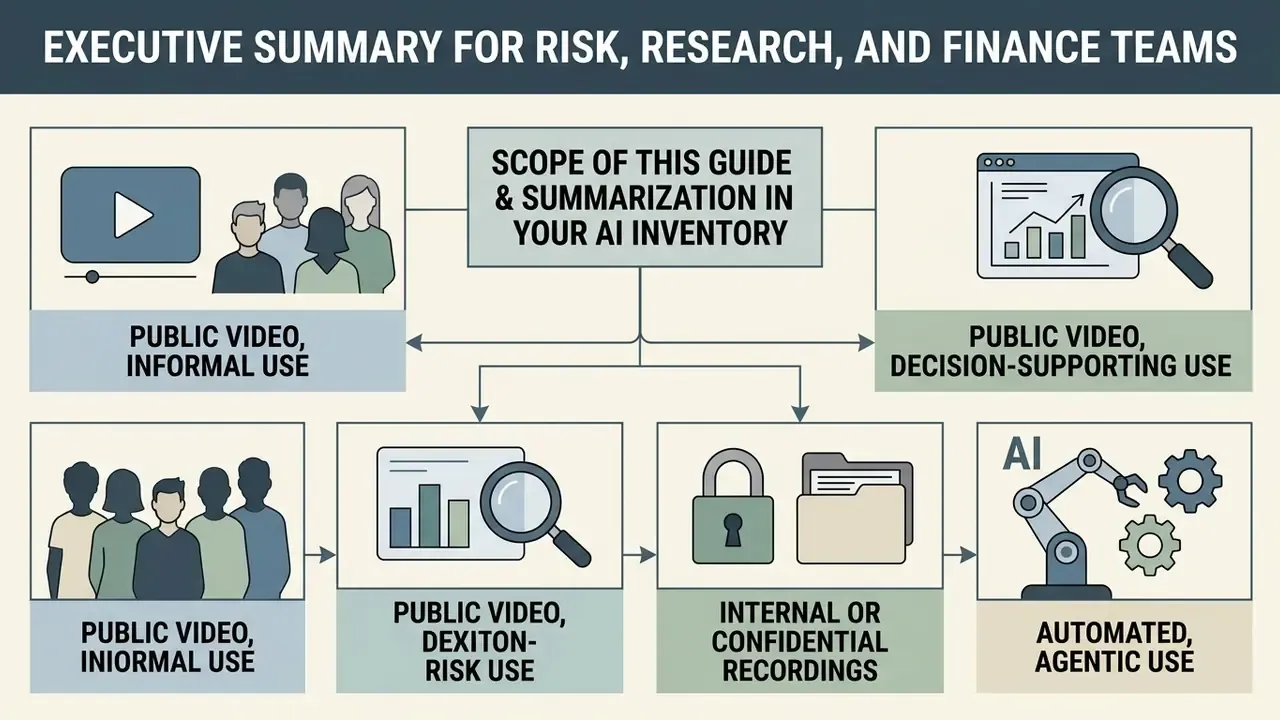
Scope of This Guide and Where Summarization Sits in Your AI Inventory
This guide is written for two readers at once. One wants to paste a YouTube link and get key points in thirty seconds. The other has to explain to an audit committee why that output was allowed anywhere near a decision.
Both needs are compatible, but only under one condition: the summary must remain traceable to the source recording. That condition shapes every recommendation below, from template choice to vendor selection.
A practical framing many institutions adopt:
- Public video, informal use. Free online tools are acceptable. The source is already public, so disclosure risk is near zero.
- Public video, decision-supporting use. Acceptable with the verification checklist applied and the reviewer named. Earnings calls fall here.
- Internal or confidential recordings. Approved enterprise tooling only, with a contract, retention controls, and logging.
- Automated, agentic use. A summarizer that feeds another system without human review is no longer a convenience tool. It is a model component with an owner, a defined role, access limits, and a shutdown path.
That last line matters more than it sounds. The moment a summary becomes an input rather than a read, your existing model risk framework applies.
What Is an AI YouTube Video Summarizer?
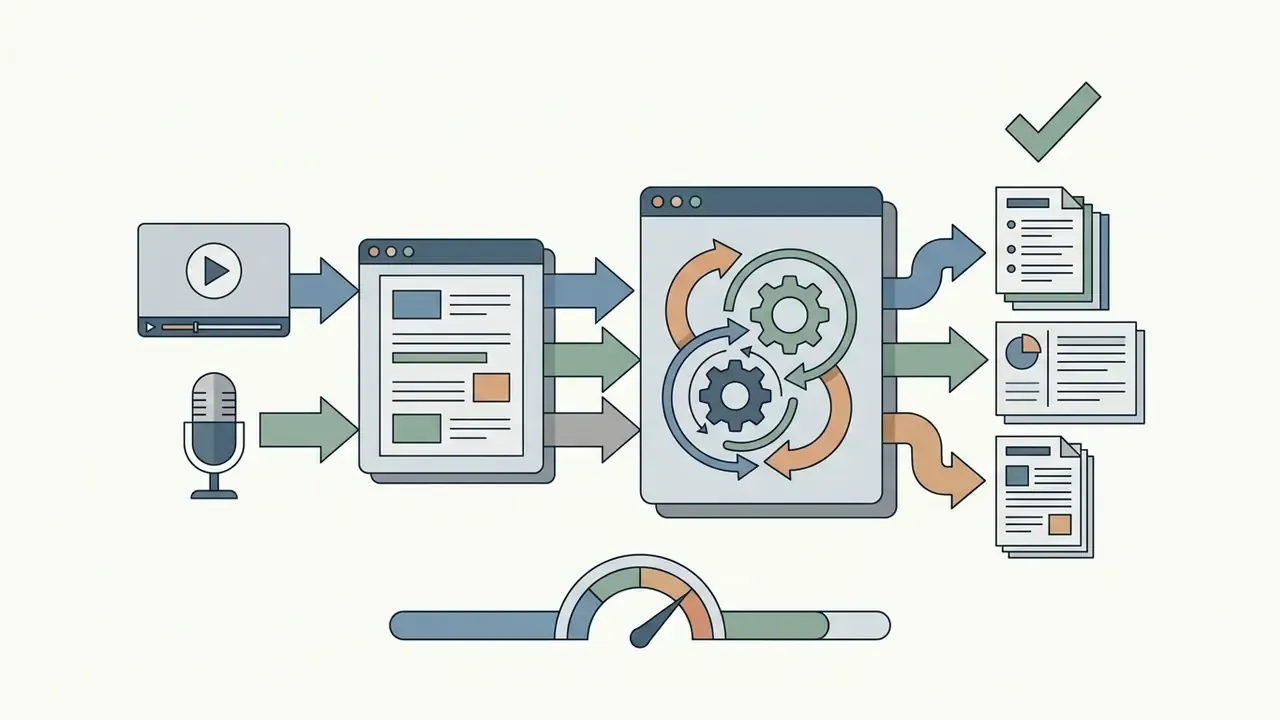
An AI YouTube video summarizer is an automated software pipeline that ingests a YouTube URL, extracts the audio track or existing subtitles, and generates a condensed textual overview of the core ideas. Instead of requiring manual playback, the tool analyzes the underlying video content to isolate primary themes, actionable takeaways, and factual statements.
A 2024 academic review on video summarization techniques by Mohsin et al. defines video summarization as the process of condensing video content through either extractive frame selection or abstractive text synthesis.
«Extractive methods perform scene-boundary detection, cluster similar frames, and select representative segments without altering the source material.»
Extractive summarization selects key visual segments without altering the source material. Abstractive summarization uses deep learning models to generate new narrative text, bullet points, and study notes based on the speech transcript. NIST's long-running TRECVid evaluation frames the same task from the viewer's side: a good summary lets a person recognize the main objects and events in the source video as quickly as possible.
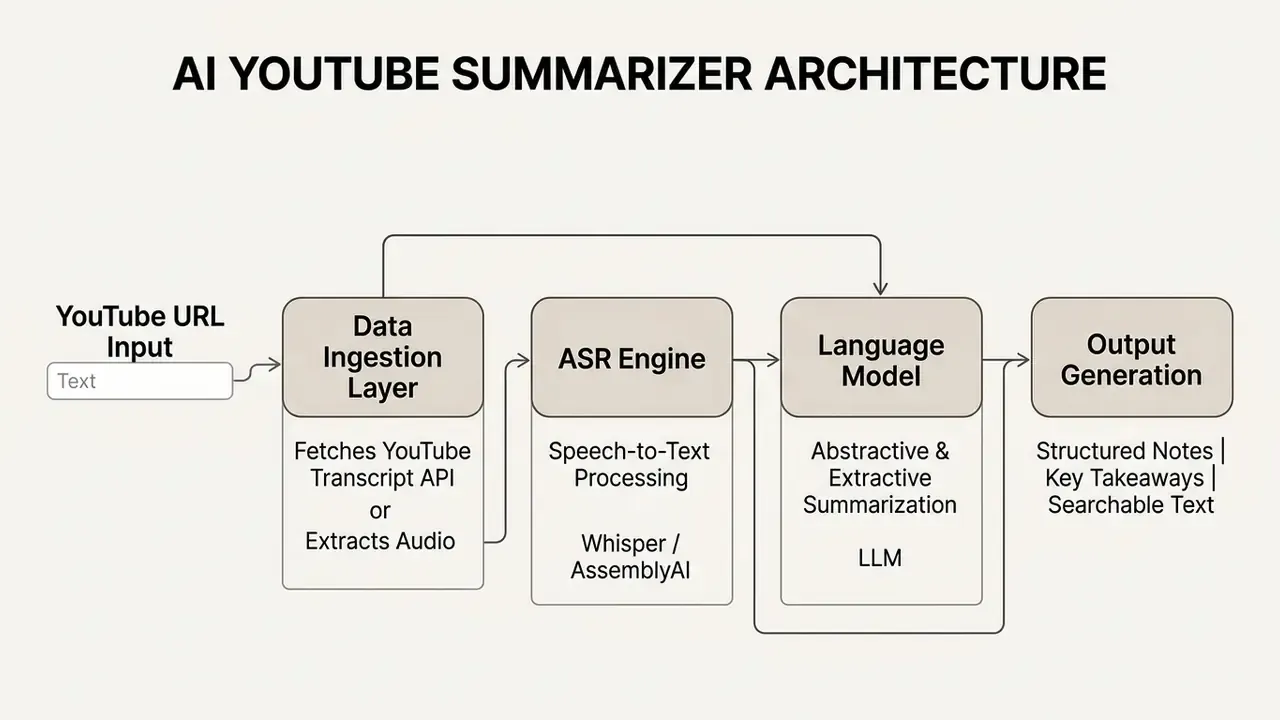
How AI Summarize YouTube Videos from a Video Link
AI tools summarize YouTube videos by executing a multi-stage data processing pipeline the moment they receive a valid video url. The software first queries the YouTube Transcript API to collect closed captions. If official subtitles are missing, the tool falls back on an Automatic Speech Recognition engine, such as OpenAI Whisper, to convert the raw audio stream into text. Published implementations typically fetch the media with yt-dlp, normalize audio to mono 16 kHz WAV through ffmpeg, transcribe with Whisper, and summarize with a transformer model such as BART or an LLM API.
Once the system compiles the full transcript, natural language processing models evaluate sentence importance. Modern pipelines chunk long transcripts into semantic segments, calculate term frequencies using algorithms like TF-IDF or transformer-based embeddings, and generate a concise summary.
«Modern systems process transcripts in stages: each segment is summarized separately, then a final overview is composed from the segment-level summaries, preserving logical coherence.»
Advanced multimodal models, such as V2Xum-LLaMA introduced by AAAI in 2025, analyze visual frames alongside text using temporal prompts to align written highlights with specific video moments.
«The Instruct-V2Xum dataset contains 30,000 diverse YouTube videos ranging from 40 to 940 seconds, with a mean summarization ratio of 16.39%.»
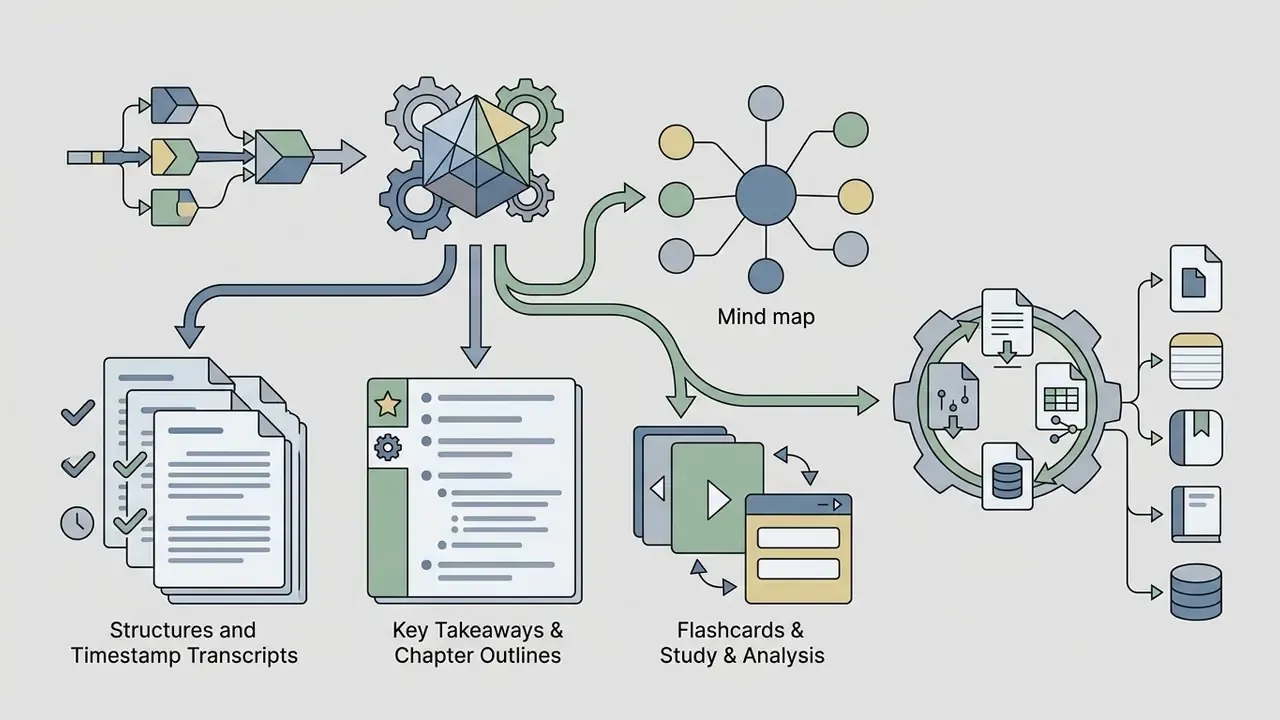
What You Get: Video Summary, Key Takeaways, and Transcript
Using an online video summarizer yields three distinct informational assets designed for rapid review and research.
- Structured summary an organized narrative overview broken into logical sections and thematic chapters.
- Key takeaways a chronological bullet list highlighting critical facts, decisions, and main ideas.
- Full transcript a complete, time-stamped text log of all spoken dialogue within the entire video.
These structured outputs let analysts and students review key information almost instantly. For teams comparing engines across media tasks, a structured AI Media Comparison framework keeps model selection aligned with internal standards rather than with whichever tool a colleague happened to bookmark.
How to Summarize YouTube Videos Online for Free
Summarizing a YouTube video online comes down to three moves: paste the video URL, launch the automated analysis, review the synthesized key points. The process runs entirely inside your web browser, with no software downloads and no local file processing. An enterprise research team needed to evaluate thirty hours of technical webinars per week for competitive analysis. After standardizing on one web-based AI summarization tool, the team pasted video links into the pipeline, generated structured chapter breakdowns within seconds, and pulled core insights without watching full recordings. Updated: in the team's own internal time tracking, weekly manual screening dropped from roughly 30 hours to under 8 hours. That figure is self-reported and has not been independently audited. Every cited claim, though, remained traceable to a timestamped source transcript.
- Copy and paste the URL.Find your target YouTube video link and paste it into the tool input box.
- Generate the AI summary.Click the processing button to trigger automated transcript extraction and AI analysis.
- Review and export.Read the structured summary, examine the key insights, then export the study notes to Markdown, PDF, or plain text.
«Multi-stage summarization systems split the transcript into segments, summarize each one, and then build a final overview, reducing hallucination compared with single-pass processing.»
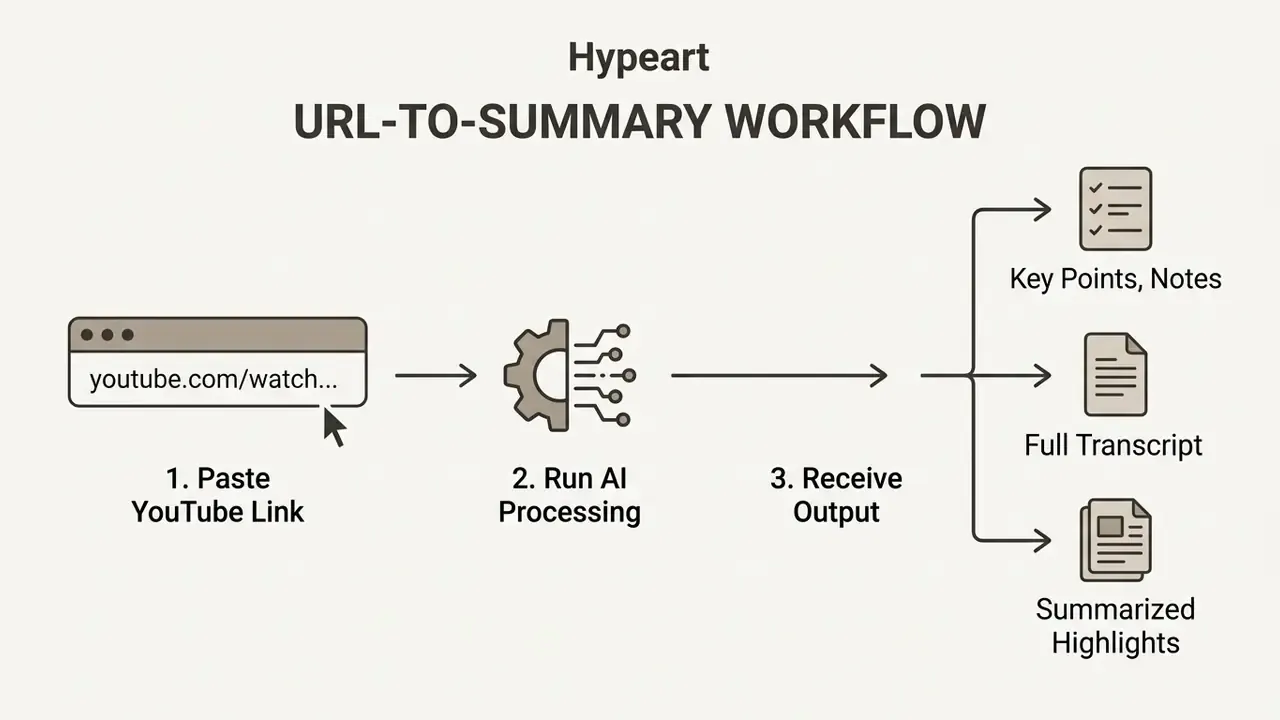
Illustration alt text to use on publication: "youtube video summarizer online free, three-step workflow from video link to structured summary".
Paste the YouTube Video URL
You start by copying a standard YouTube video link, a Short URL, or an embed link, then pasting it straight into the summarizer interface. The system reaches the video content remotely over public web protocols, so there is no need to upload video files or store large local media.
Supported URL formats include:
- Standard watch links (
youtube.com/watch?v=...) - Shortened links (
youtu.be/...) - YouTube Shorts (
youtube.com/shorts/...) - Embedded video links (
youtube.com/embed/...) - Raw 11-character video IDs pasted without the domain prefix
Simply paste the link and the tool handles the rest. One caveat worth remembering: private and unlisted videos will fail, because the transcript endpoint cannot see them.
How to Summarize Full YouTube Playlists and Batch Videos
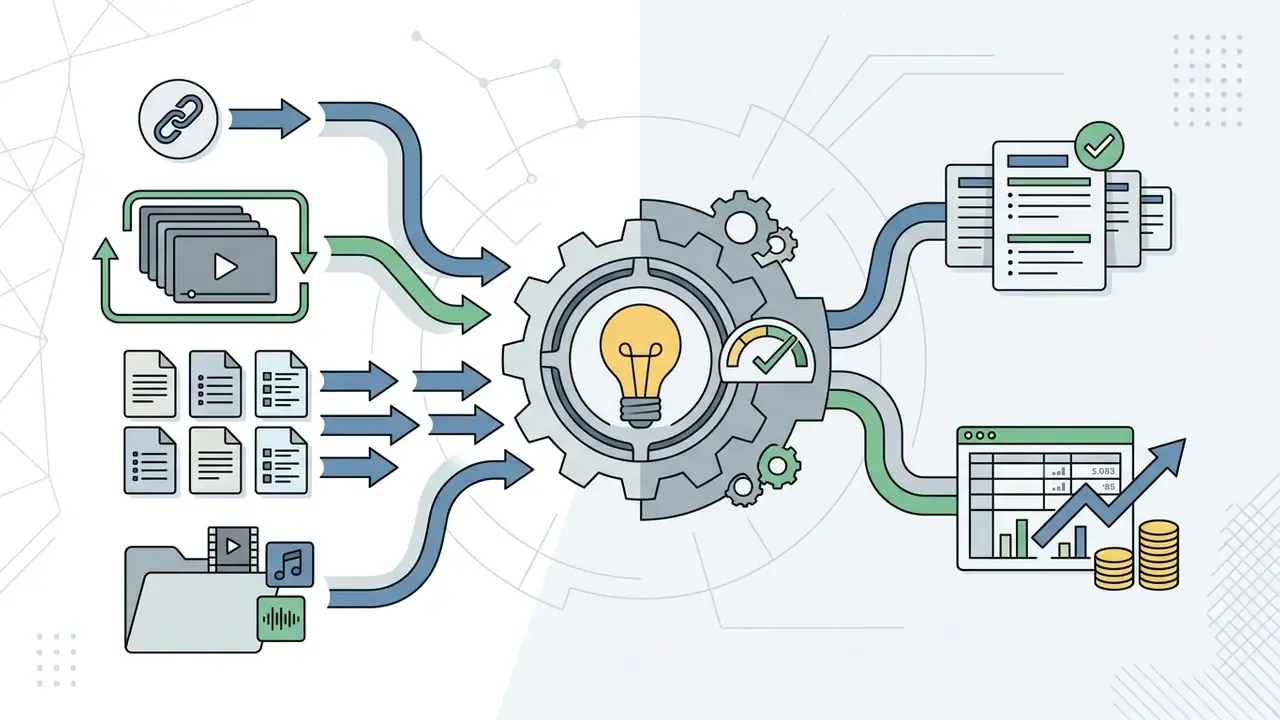
Processing multiple videos or an entire channel playlist needs a multi-thread batch pipeline, not sequential single-link runs. Instead of feeding links one at a time, mature workflows queue up to 20 YouTube URLs at once and return either aggregated or per-video output.
- Paste the playlist or multiple links.Copy the primary playlist URL (
youtube.com/playlist?list=...) or insert up to 20 individual video links into the processing queue. - Select output granularity.Choose between an aggregate multi-video executive summary, useful for competitive scans and conference tracks, and individual structured chapter breakdowns per video, useful for lecture series and course modules.
- Set a shared template.Apply one summary template, whether chapters, action items, or Q&A, across the whole batch so outputs stay comparable.
- Batch export.Download the combined notes as Markdown, PDF, or a consolidated Notion database, or push them into an Obsidian vault as one note per video with backlinks to the playlist index.
Batch mode is the single largest time multiplier for research desks. A 20-video queue that would demand 12 to 15 hours of playback usually resolves into reviewable notes in a few minutes of machine time, plus your verification pass.
Direct MP4/MOV Video File Uploads (Up to 1 GB)
When videos are hosted privately, sitting on a local drive, or recorded inside an internal webinar platform, summarizers skip the YouTube Transcript API entirely and ingest raw media files instead.
- Supported file formats MP4, MOV, AVI, WebM, MP3, WAV, M4A.
- File size limits free tiers commonly process uploads up to 1 GB per session. Longer recordings may need compression first, which is exactly where a lightweight compressor step earns its place in the workflow.
- ASR extraction the engine demuxes the audio track, passes it to a speech-recognition pipeline (OpenAI Whisper, for example), and returns an interactive timestamped transcript in roughly 10 to 30 seconds for typical lecture-length files.
- Retention caution several free upload services state that files are deleted within 24 hours. Verify that retention window in writing before uploading anything non-public. See the Shadow AI section below.
Generate and Review the AI YouTube Summary
Once you submit the link, the tool starts its AI analysis and generates a concise summary within seconds. The software parses the transcribed text, identifies core ideas, and filters out conversational filler and repeated statements.
Review the generated text against the key points and main ideas to confirm accuracy. Checking whether the summary carries essential context is a necessary step before citing findings in research or professional reports. Current evaluation frameworks split this review into three dimensions: faithfulness (no contradicted or invented statements), completeness (all key facts retained), and conciseness (no padding). They also recommend sentence-level claim verification against the source.
Copy, Save, or Turn the Summary into Study Notes
The generated summary can be copied in one click, saved locally, or reshaped into structured study notes. Most free online tools export outputs to TXT, Markdown, PDF, DOCX, JSON, SRT, and VTT for integration into personal knowledge databases. Comparing free tiers in advance helps predict where a free plan will gate you, usually at export or batch size.
Students and researchers routinely import generated bullet points into note-taking platforms like Notion or Obsidian. Teams that recycle the same material into published video assets often pair summaries with an editing and publishing workflow, so written takeaways and the final cut stay synchronized. Creators building a digest page around those notes sometimes go one step further and learn how to create a website with ai to host the archive without a developer.
Choose the Right YouTube Summary Format for Your Task
The optimal summary format depends on your objective. Brief bullet points suit rapid screening, mind maps suit visual structure, full transcripts suit deep research. Matching output format to workflow is what actually drives retention and efficiency.
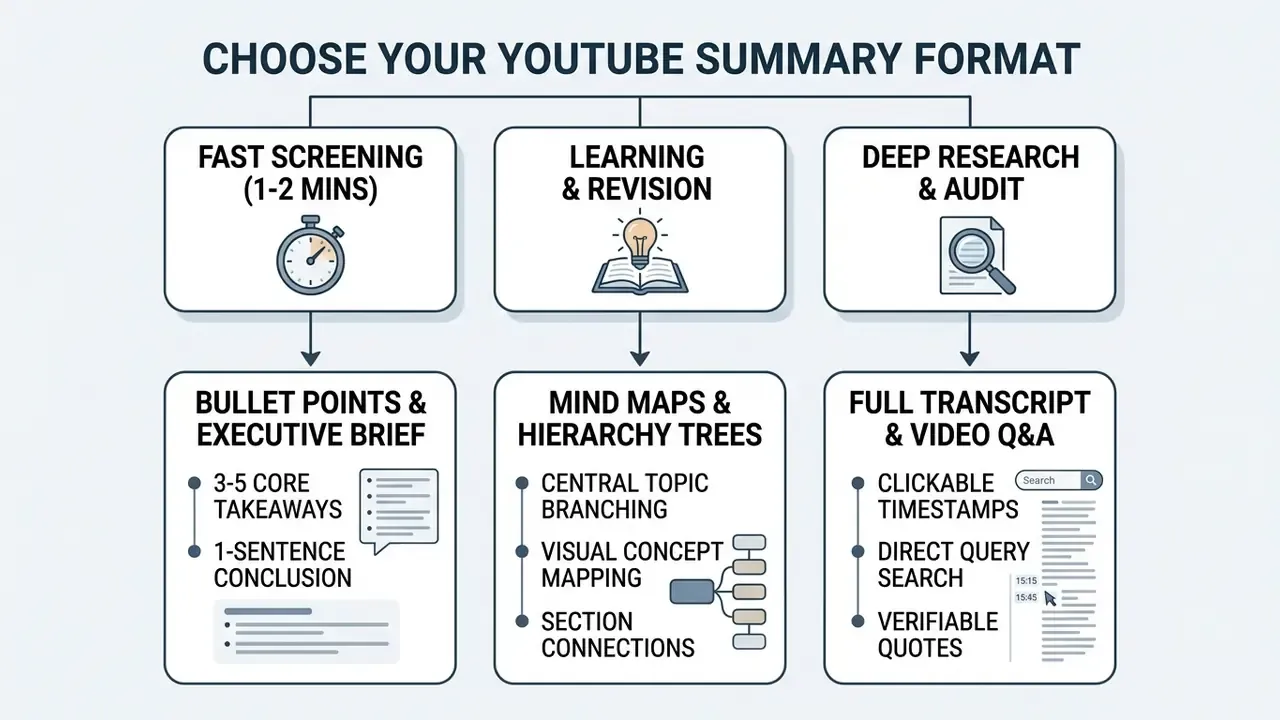
Bullet Points and Concise Summaries for Fast Review
Bullet point summaries give you three to five key findings plus a one-sentence conclusion for rapid content evaluation. This compact layout suits scanning long YouTube videos when time is short, and it mirrors the standard video-summary template: two or three sentences for the main idea, three to five bullets for key points, one sentence for the closing message.
«Bulleted lists prevent cognitive overload, allowing decision-makers to evaluate whether a video contains relevant information without watching the full recording.»
Presentation guidance converges on the same ceiling, five to six bullets maximum per screen, phrased as fragments rather than full sentences. That makes bullet output the most transferable format for slide decks and internal memos.
Mind Maps for Connecting Ideas from Long Videos
Transcript and Video Questions for Deeper Research
Full transcripts paired with conversational video Q&A let you search exact timestamped quotes and verify specific claims. Rather than trusting a synthesized summary alone, researchers can query the model to locate precise statements inside the video.
Platforms with interactive Q&A generate answers linked to specific video moments. Clicking a cited timestamp jumps straight to that point in the YouTube player, which enables immediate fact-checking against the original recording. YouTube's own "Show transcript" panel behaves the same way, since every caption line is a jump target. That makes it the cheapest possible audit surface when no third-party tool has been approved for use.
Specialized AI Summary Templates for Unique Workflows
Standard summaries do not fit every video genre. Picking a targeted prompt template tells the language model to extract domain-specific entities instead of generic themes, which measurably improves coverage on the facts you actually need.
| Summary Template | Extracted Key Entities | Ideal Video Categories |
|---|---|---|
| Chapter & Timestamp Outline | Chronological markers, sub-topic transitions | Long-form lectures, conference panels |
| Action-Item & Decision Log | Assigned tasks, deadlines, strategic choices | Internal corporate webinars, meetings |
| Key Quotes & Verbatim Highlights | Exact statements, speaker attribution | Interviews, podcast appearances |
| Pros & Cons Comparison | Feature lists, product trade-offs, final verdicts | Tech reviews, product buyer guides |
| Code & Technical Tutorial Steps | Code snippets, terminal commands, tool setups | Software development tutorials |
| Social Media Repurposing Kit | Hooks, short thread drafts, newsletter pull-quotes | Content creation & marketing videos |
| Q&A / FAQ Generator | Core audience questions, speaker responses | Educational Q&A sessions, AMAs |
| Executive One-Pager (TL;DR) | Three core takeaways, one-sentence bottom line | Earnings calls, market analysis |
| Custom Prompt Input | User-defined extraction criteria and output style | Niche research, specialized audits |
For regulated teams, template choice doubles as a control. An "Action-Item & Decision Log" output is far easier to audit line by line than a free-form narrative, because each row maps to a single timestamp.
Interactive Study Material: Flashcards, Quizzes, and Concept Maps
Passive reading of summaries gives weaker retention than active recall. Modern AI study engines transform raw YouTube transcripts into interactive learning modules from a single ingestion pass:
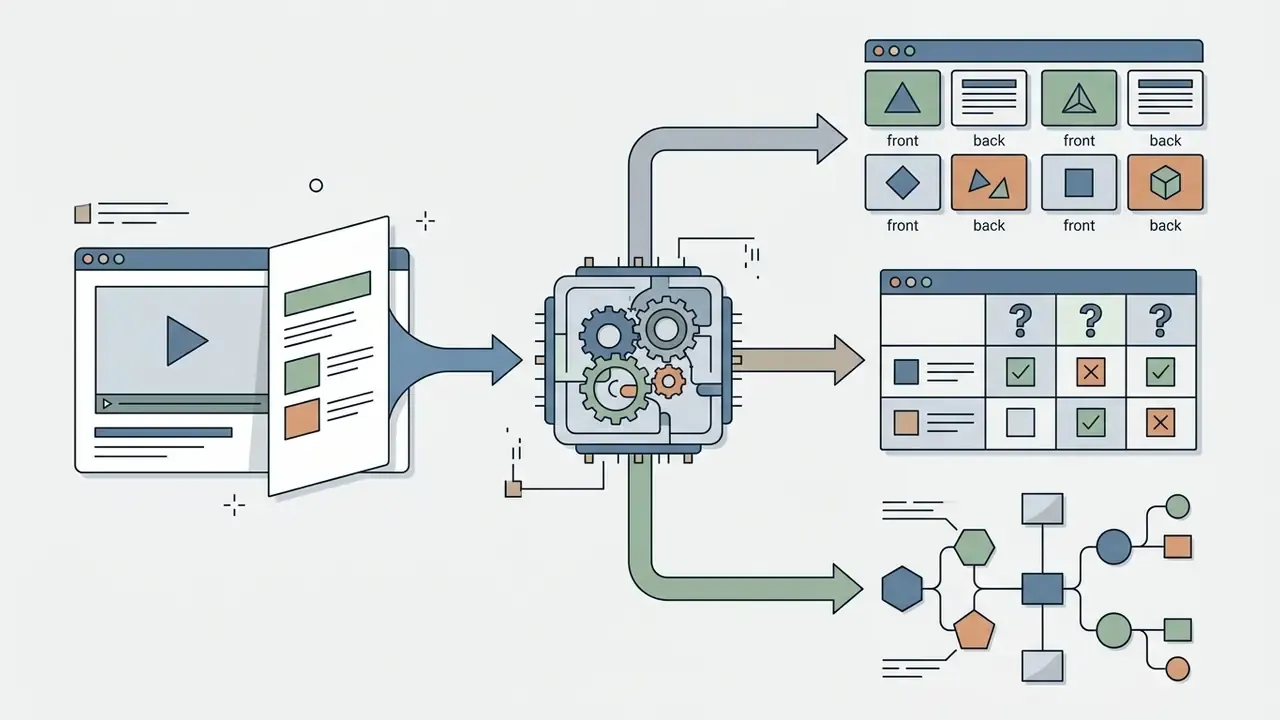
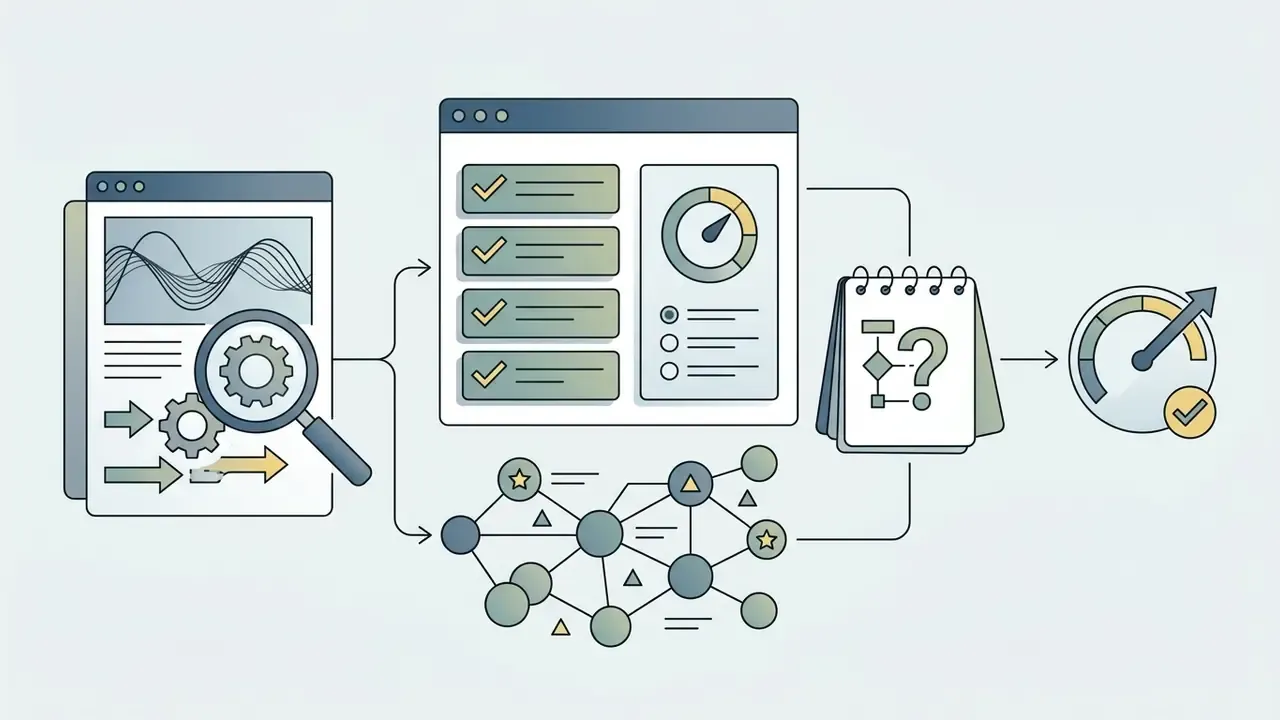
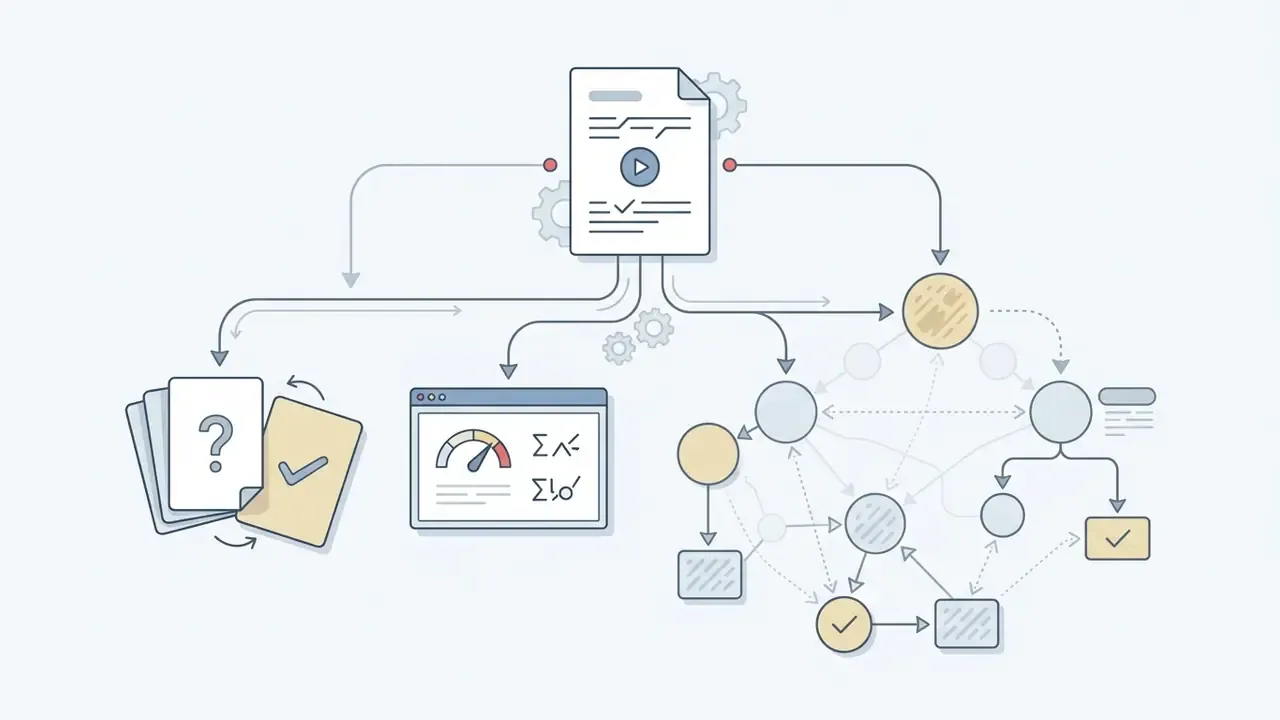
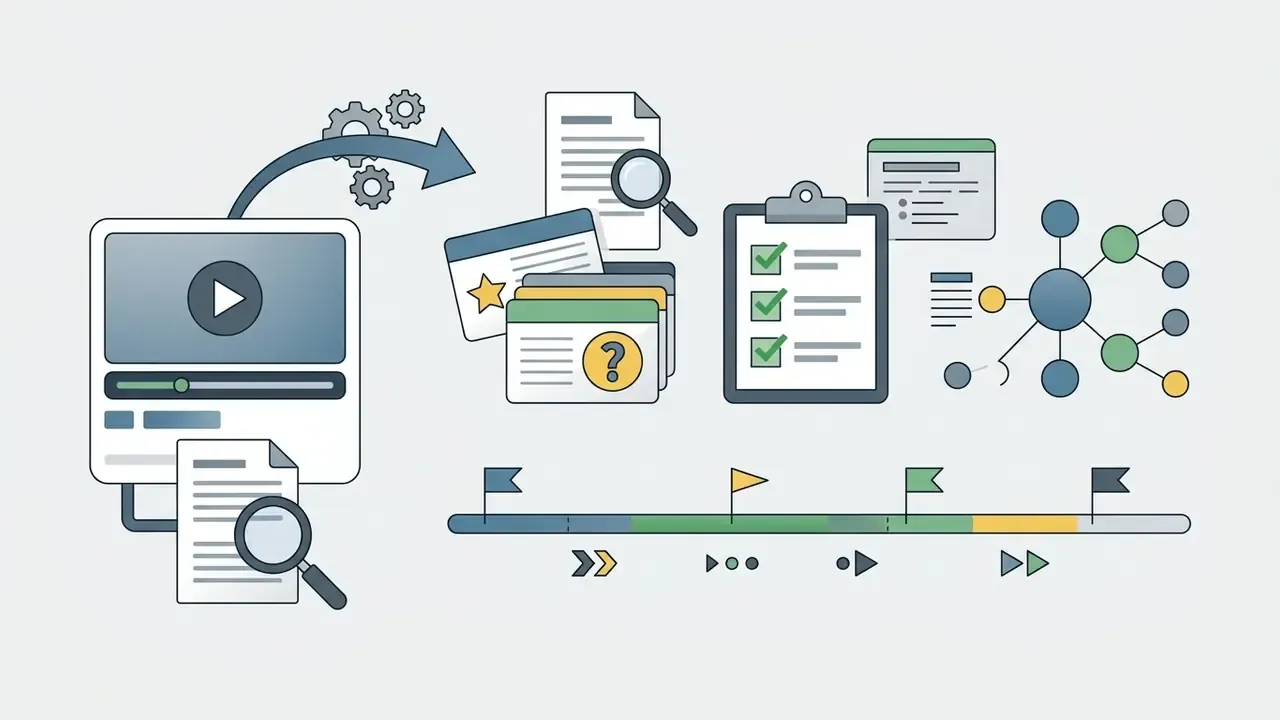
«Personalized summarization driven by text-based queries makes it possible to generate summaries focused on specific themes, for example "definitions and examples" from an educational video.»
Which YouTube Videos Can AI Summarize?
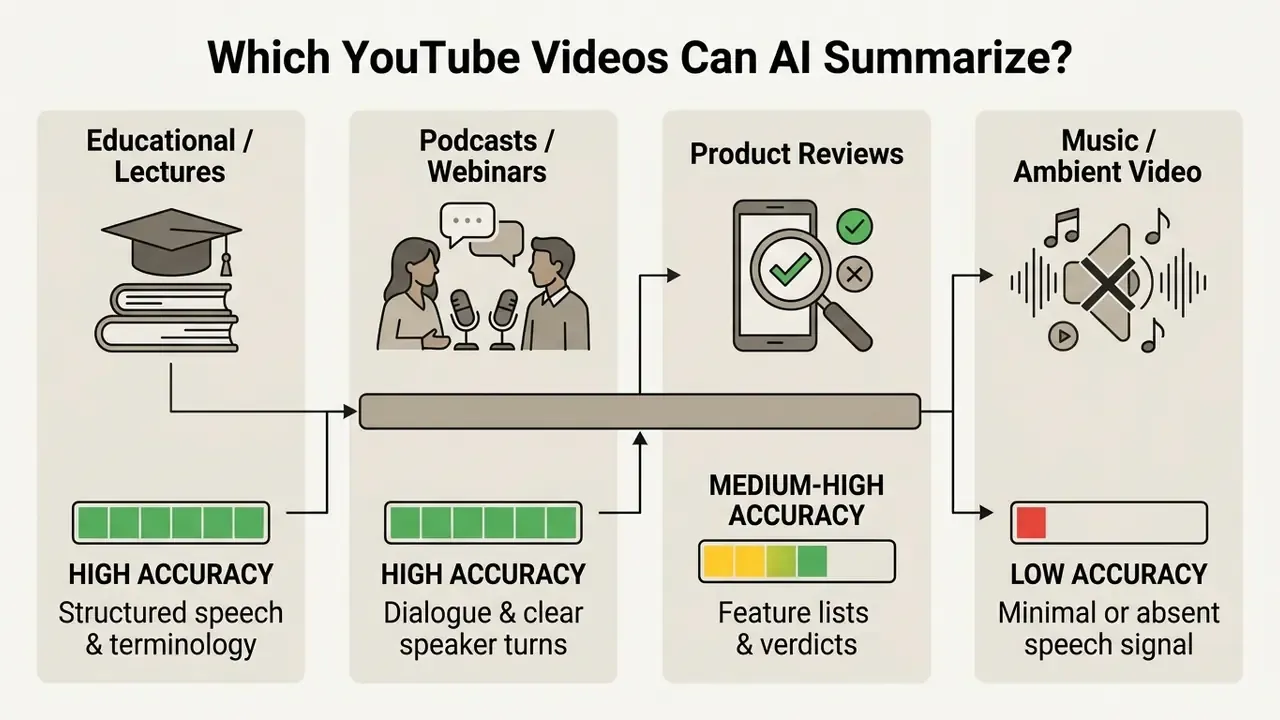
AI video summarizers work across spoken-word content: academic lectures, software tutorials, podcasts, webinars, product reviews. The main requirement for high summary accuracy is clear spoken audio or an accessible transcript.
Lectures, Tutorials, and Educational Videos
Educational videos and academic lectures benefit most, since AI summarization distills long instructional sessions into actionable study guides and concept tables. Structured teaching makes it easier for NLP algorithms to isolate key definitions, formulas, and historical events. Work presented at BEA 2023 on automatically generated summaries of video lectures targets exactly this use case: concise LLM-generated summaries as study support for students.
Students processing dense instructional material often combine textual video summaries with production workflows. Course creators, for instance, pair written summaries with AI narration to turn condensed notes into short audio revision tracks. Some also assemble quick visual recaps and need how to create a video with pictures as the next step after the notes exist.
Podcasts, Interviews, Webinars, and Reviews
Long-form interviews and webinars get processed by chunking spoken dialogue into distinct speaker turns and flagging critical thematic moments. Because these recordings routinely run past an hour, automated summarization saves real hours for researchers and market analysts.
In podcast and interview analysis, AI summarizers parse conversational speech to extract key insights, debate points, and core arguments.
«LLM-based speech summarization is applied to YouTube videos and meetings, generating summaries, key points, and extracted highlights.»
Segmenting long dialogue along topic boundaries, rather than shoving a two-hour transcript through a single pass, measurably reduces hallucinated output. Each segment stays inside the model's reliable context window, which is the whole point.
Videos Without Subtitles and Long YouTube Videos
Videos lacking official subtitles get transcribed by ASR engines before summarization, which extends coverage to recordings several hours long. Modern ASR models isolate clear audio, filter background noise, and build written transcripts directly from raw sound. Vendor caps for no-caption processing vary widely, roughly 150 minutes on some services, four hours on others, five hours on a few. So the practical limit is a product decision, not a technical constant.
YouTube itself limits unverified uploads to 15 minutes, while verified channels publish content up to 12 hours (capped at 12 hours or 256 GB, whichever comes first), and Shorts stop at 3 minutes. Research systems like EdgeVidSum use hierarchical processing to digest long videos without blowing past computational memory limits.
«EdgeVidSum applies hierarchical thumbnail analysis and a lightweight 2D CNN to process long videos on resource-constrained devices such as the Jetson Nano, keeping data local.»
That architecture matters beyond edge hardware. Local processing is the cleanest answer to the privacy problem, because the recording never leaves the device.
Summarizing Videos Across Vimeo, Udemy, Coursera, and Canvas
YouTube is the primary public video source on the web, yet summarization engines handle spoken audio from other platforms and learning management systems too:
- External video platforms support commonly extends to public or embedded videos on Vimeo, TED, Udemy, and Coursera, provided a transcript or downloadable audio track is reachable.
- Browser extension integration a dedicated Chrome extension enables one-click transcript extraction inside student portals such as Canvas or Blackboard, and inside proprietary corporate LMS dashboards where no public URL exists.
- Mobile capture phone-recorded lectures and in-person sessions can be uploaded as audio files and run through the same ASR-to-summary pipeline.
- Governance caveat extensions read page content by design. Any extension installed on a managed device should be reviewed against your third-party software policy before it touches internal training material.
Free AI YouTube Video Summarizer: Limits, Sign-Up, and Languages
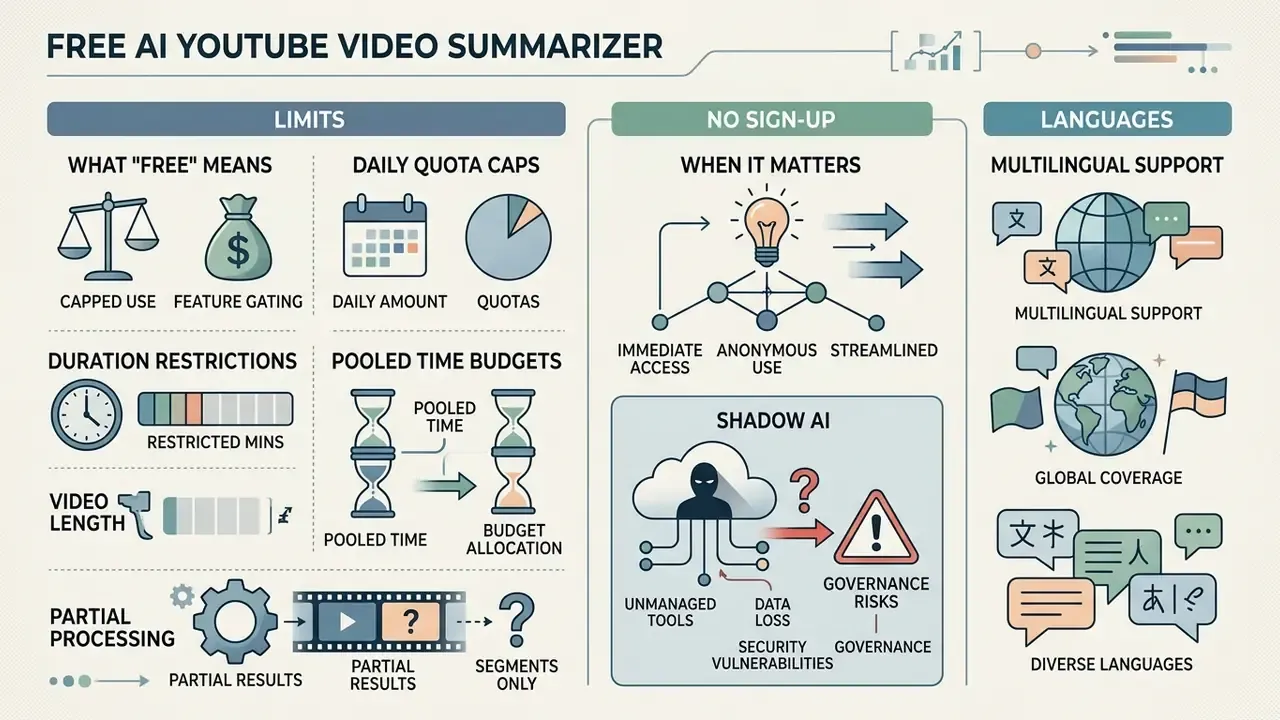
Free AI YouTube summarizers offer zero-cost video processing, though the operational model almost always enforces daily quota caps, video duration limits, or feature tiering. Knowing these conditions up front helps you pick tools that match your actual volume.
| Service Tier Feature | Standard Free Tier | No-Login Access | Premium / Unlimited |
|---|---|---|---|
| Daily Video Limit | 3 to 10 videos per day | 1 to 5 videos per day | Unlimited |
| Max Video Length | 15 to 60 minutes | 15 to 30 minutes | 4+ hours |
| Playlist & Batch Queue | Usually 1 link at a time | Single link only | Playlists + up to 20 links per batch |
| Direct File Upload | Often unavailable or capped at 1 GB | Rarely available | Multi-file upload, 1 GB+ per file |
| Summary Templates | 1 to 3 fixed formats | 1 fixed format | 9+ templates & custom prompts |
| Study Tools (Flashcards/Quizzes) | Limited or account-gated | Not available | Flashcards, quizzes, concept maps |
| Sign-Up Requirement | Email / Account needed | None (anonymous) | Account & Subscription |
| Export Formats | Plain Text, Markdown | Plain Text only | PDF, DOCX, JSON, SRT, Notion, Obsidian |
| Multilingual Support | Standard (10 to 20 languages) | Limited | Extended (100+ languages) |
| Data Retention Controls | Vendor-defined, often opaque | Typically none documented | Contractual (DPA, SOC 2, deletion SLA) |
Read the table as a decision aid, not a spec sheet. The criteria that matter, input format, video length, transcript access, summary formats, mind maps, multiple languages, no login, and free access terms, are exactly the ones vendors describe most loosely.
What "Free" Means for AI Video Summarization
Free tiers usually give you a working summary engine wrapped in caps: monthly processing minutes, maximum video length, or daily request volume. Providers keep these limits to control the API compute cost of large language models and speech recognition engines. Completely free with no hidden fees and no limits is a marketing phrase, not a tier.
Typical free tier structures include:
- Daily quota caps 3 to 5 video summaries per 24-hour cycle, often enforced per IP address rather than per user.
- Duration restrictions individual video processing capped under 30 or 60 minutes.
- Pooled time budgets a shared monthly allowance, for example 60 minutes per month, or a 10-hour pool split across indexing and analysis, rather than a per-video count.
- Partial processing automatic notes generated only for the first 10 minutes of a recording once the initial allotment is spent.
- Feature gating mind mapping, batch queues, custom export formats, or API access reserved for paid plans.
No Login or Sign-Up: When It Matters
Anonymous summarization tools remove onboarding friction and avoid collecting personal data, which gives instant utility for a single research session. Paste a YouTube link, receive an AI summary, no account, no email address.
No-login tools shine on public or shared computers. But anonymous sessions save no historical summary logs, so you must copy or export results before closing the tab. The same trade-off strips out personalization and cross-device continuity. More importantly for governed environments, it strips out the audit trail your own compliance function may require.
Shadow AI: Governance Risks of Free, No-Login Summarizers
Free summarizers are the classic Shadow AI vector. No procurement, no licence, no IT ticket, which is precisely why employees adopt them unilaterally. The exposure is not theoretical.
- Training-data reuse. Consumer free tiers frequently reserve the right to use submitted content to improve their models. A public YouTube link is harmless. An uploaded internal all-hands recording is a disclosure.
- Opaque retention. "Files are deleted within 24 hours" is a marketing claim unless it appears in a contract with a deletion SLA. No-login services rarely publish a Data Processing Agreement, SOC 2 report, or sub-processor list.
- Cross-border transfer. Without a DPA, you cannot evidence where transcripts were processed or stored, which is a direct problem under GDPR Article 28 and comparable regimes.
- No audit trail. Anonymous sessions produce no logs. If a summary lands in a board pack, you cannot reconstruct which tool, model version, or prompt produced it.
- Third-party model risk. In banking, generative summarization used inside decision workflows sits under the same third-party and model-risk expectations as any other vendor model, consistent with supervisory guidance on model risk management (SR 11-7 in the United States). Tool selection therefore belongs in the model inventory, not in a browser bookmark.
Practical policy pattern: permit free, no-login tools for public video only, meaning public YouTube links and published conference talks. Require an approved enterprise tool with a signed DPA and configurable retention for internal or confidential recordings. Block direct file upload of customer, HR, and pre-release financial material outright.
«Federated video summarization trains models across distributed devices without centralizing raw data, using community-aware client clustering to handle heterogeneous data.»
Multiple Languages, Transcripts, and Summary Output
Multilingual AI summarizers lean on cross-lingual language models and speech translation to process foreign-language videos and return summaries in major global languages. You can drop in a YouTube link in Spanish or Japanese and read a structured summary in English.
«Multimodal cross-lingual summarization combines video and text to generate summaries in a language different from the source, using both visual and speech features.»
How to Choose the Best YouTube Video Summarizer Online
Choosing the best online video summarizer means weighing output accuracy, key-point coverage, language support, transcript access, and data privacy terms. Working through these criteria keeps you off low-quality tools that drop essential context or invent specifics.
Accuracy and Key-Point Coverage
High-accuracy summarizers retain core facts and temporal sequence without omitting essential context or generating factual hallucinations. Evaluation frameworks rate summarizer quality on four primary metrics: accuracy, coverage, coherence, and conciseness. Comparative 2025 testing of YouTube summarization tools scored each tool 1 to 5 on accuracy, coverage, coherence, readability, and redundancy. Newer 2026 video-summary research shifts emphasis toward factuality and chronology, testing whether event order survives compression.
«Conditional modeling that accounts for non-visual factors, interestingness and storyline coherence, achieves state-of-the-art results on standard video summarization datasets.»
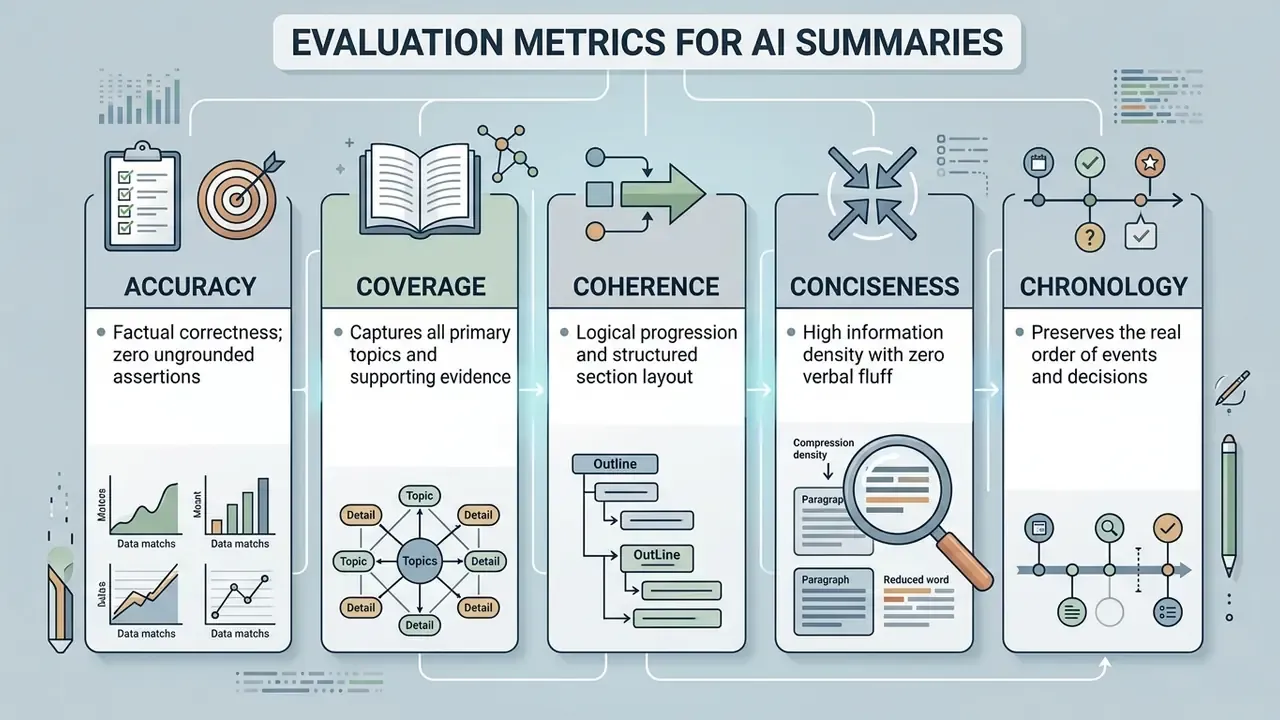
When you test a tool, check whether it captures specific numbers, dates, and technical terminology correctly. A high-quality tool extracts essential points while keeping absolute fidelity to the source recording. In formal evaluation, recall measures how much of the reference key content was recovered, while precision measures whether the selected content was correct. Low recall means silent omission, which is far harder to spot than an obvious error. That asymmetry is why coverage deserves as much attention as accuracy.
Common Failure Patterns in ASR Plus LLM Pipelines
Accuracy degrades in predictable ways. Reviewers in finance, legal, and engineering contexts should watch specifically for these:
- Domain-term substitution. ASR replaces unfamiliar jargon with phonetically similar common words. "CECL" becomes "sequel", "basis points" becomes "basic points", a ticker becomes an ordinary noun.
- Number and unit drift. "Down 15 basis points" gets compressed into "down 15 percent". "$1.4 billion" becomes "$1.4 million". Always re-read figures against the transcript, never against the summary.
- Qualifier stripping. Hedges carry the legal weight of a statement. "We may consider a buyback in the second half, subject to board approval" is frequently flattened into "a buyback is planned for H2".
- Speaker misattribution. In panels and earnings Q&A, an analyst's question gets attributed to the executive who answered it, inverting who said what.
- Accent and overlap errors. Cross-talk, non-native accents, and poor room audio raise word error rate sharply. Two speakers talking over each other often yields a single merged, incoherent sentence.
- Chronology collapse. Abstractive models reorder events thematically, which can make a decision appear to precede the discussion that produced it.
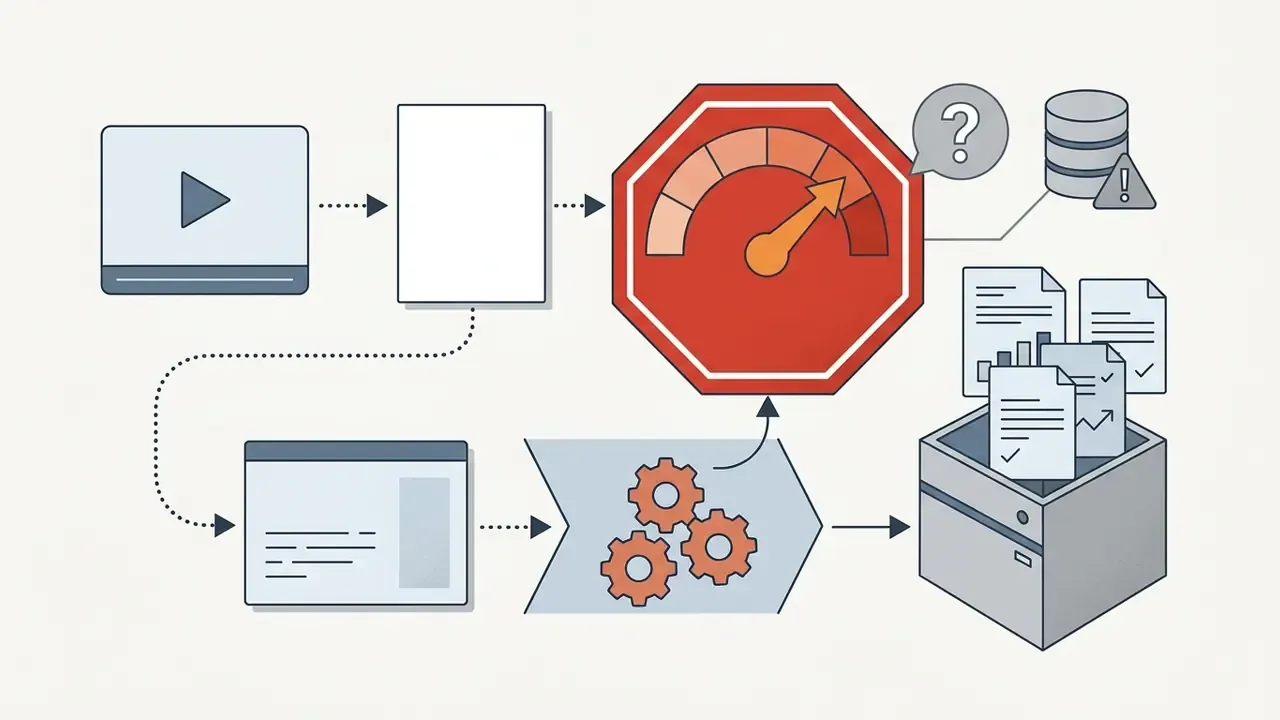
- Confident invention. When a segment is inaudible, the model may fill the gap with a plausible sentence instead of flagging uncertainty. This is the highest-severity failure mode, and the reason timestamp-level verification is mandatory.
Features That Support Your Workflow
Productivity features like file export, note-app integration, and batch link processing streamline executive and academic workflows in a way that is easy to underestimate. An online tool that plugs into your existing software environment saves the manual copy-paste and restructuring tax. Practical checklist: native file upload, link bundles or share links for team distribution, per-note and per-folder batch export, direct sync into a knowledge base, and the ability to send asked questions to the transcript.
When evaluating broader media management environments, technical teams often review the AI Media API documentation to understand cost, rate limits, and how to automate transcript ingestion straight into enterprise databases. Publishing teams that illustrate those notes also tend to need how to create a url for an image so charts and screenshots can be referenced from the same knowledge base.
Model Risk Validation Checklist for AI Summaries
Use this as a repeatable, evidence-producing audit pass. Each step should leave an artefact a reviewer or regulator can inspect.
- Record provenance.Log the source URL or file hash, video duration, tool name, model version if disclosed, template used, and processing timestamp.
- Fractionate the summary.Split the output into atomic claims, one verifiable assertion per line.
- Anchor every claim.Attach the transcript timestamp that supports each claim. A claim without a timestamp is unsupported by definition.
- Verify all quantities.Re-read every number, percentage, currency figure, date, and unit directly in the transcript, not in the summary.
- Check names and attribution.Confirm each speaker, organization, product, and regulation is correctly assigned.
- Restore qualifiers.Compare hedging language in the source against the summary: "may", "subject to", "approximately", "guidance, not a forecast".
- Test for omission.Scan chapter markers or the transcript outline for material topics the summary skipped, especially risk factors and caveats.
- Confirm chronology.Verify that the order of decisions and events in the summary matches the recording.
- Spot-check the audio.Listen to two or three of the most consequential timestamps directly. ASR errors cluster where audio quality is worst.
- Sign off and retain.Name the human reviewer, date the review, and archive the verified summary alongside the transcript so the result is reproducible.
Estimating True Cost: A Simple TCO Model
Free is a price, not a cost. A defensible comparison between a free tool and a licensed one has to include human verification time:
TCO per video = (licence cost per video) + (verification minutes × loaded hourly rate ÷ 60) + (rework risk × expected cost of a single error)
Free tools score zero on the first term and usually inflate the second. Weaker coverage and missing timestamp anchoring mean longer manual verification per output. A premium tier that returns clean chapter-level timestamps and reliable numbers can be cheaper in total once an analyst's loaded rate is applied. Dedicated cost and savings calculators help model that break-even across a team's weekly video volume.
Technical Specifications and Tool Matrix
To help research teams select the right processing architecture, the table below summarizes the operational characteristics of major AI video summarization frameworks described in recent technical literature.
| System / Model | Primary Input Modality | Key Output Formats | Processing Architecture | Target Use Case |
|---|---|---|---|---|
| V2Xum-LLaMA | Video frames + Speech transcript | Video-to-text, Timed highlights | Vision-Language LLM + Temporal Prompts | Multimodal research & temporal video alignment |
| LfVS-P Pipeline | Audio track + Transcribed text | Narrative summaries, Chapter notes | LLM Oracle pretraining + ASR | Large-scale pretraining for long-form content |
| Simplified GAN Framework | Visual video frames | Extractive frame reels, Keyframes | Unsupervised Frame Selector & Reconstructor | Visual skimming for sports and action videos |
| ASR + TF-IDF Model | Raw audio stream | Keyword bullet points, Key takeaways | Speech Recognition + Term Frequency Scoring | Fast, lightweight text extraction from spoken audio |
| LexRank / Graph Centrality | Whisper transcript | Extractive sentence summaries | Graph-based sentence ranking | Low-cost, deterministic, auditable extraction |
| EdgeVidSum Engine | Video thumbnails + User preferences | Fast-forward video summaries | Local 2D CNN + Edge-based playback | Low-latency, privacy-preserving client processing |
| Federated Summarization | Distributed on-device video | Client-side summaries | Community-aware federated learning | Privacy-constrained enterprise and healthcare data |
«A simplified GAN removes the discriminator and trains the reconstructor iteratively; a learnable mask vector governs frame selection, remaining competitive with supervised methods on SumMe and TVSum.»
Two practical implications for tool selection. Extractive, graph-based methods such as LexRank and TF-IDF are the most auditable, because every output sentence exists verbatim in the source. Abstractive LLM pipelines produce far more readable notes, at the cost of requiring the verification protocol above. Pick according to whether the output will be read or relied upon.
Who Benefits from a Free AI YouTube Video Summarizer?
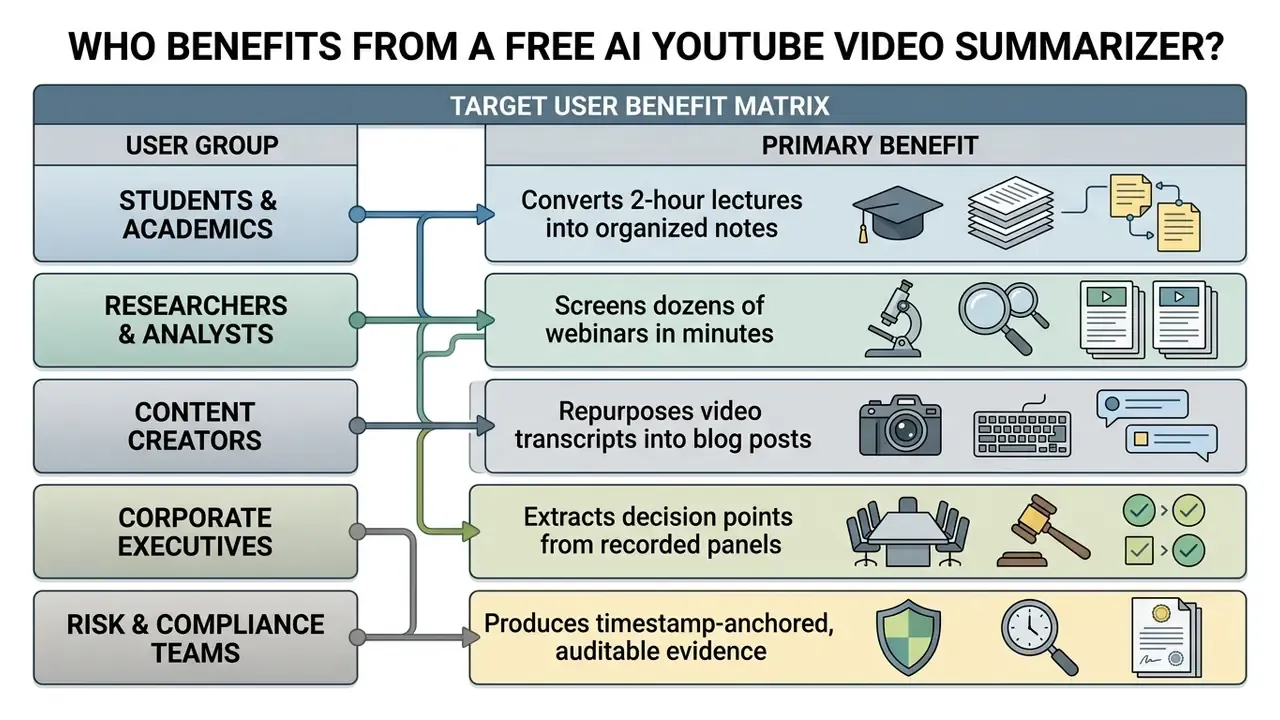
Students, enterprise researchers, financial analysts, and content creators all gain from AI video summarization through faster information triage and less manual listening. Turning long media files into structured text changes how people interact with online video content.
Students, Researchers, and Professionals
Professionals and academics use video summarizers to pull methodology, key takeaways, and market insight out of hours of footage in minutes. Instead of watching recordings end to end, analysts scan generated summaries to pinpoint the sections that deserve a closer look.
A financial analysis firm needed to track quarterly earnings calls and industry panels broadcast on YouTube. After introducing an automated summarization workflow, analysts generated chapter breakdowns and searchable transcripts for fifty hours of video per week. The team then extracted critical financial metrics and executive guidance in minutes, shortening report turnaround while verifying every figure against timestamped source dialogue.
Real-World Productivity Benchmarks by User Persona
FAQ: Free AI YouTube Video Summarizers
How accurate are free AI YouTube video summarizers?
Free AI video summarizers reach high factual accuracy on videos with clear audio and official transcripts. Accuracy drops when the source audio carries heavy background noise, several overlapping speakers, or dense domain jargon. Treat marketing claims of "99.9% accuracy" with scepticism, since no current ASR plus LLM stack guarantees that level across accents, cross-talk, and specialist terminology. Cross-check critical claims against the full transcript.
Can I summarize an entire YouTube playlist or several videos at once?
Yes. Batch-capable tools accept a playlist URL (youtube.com/playlist?list=...) or a queue of individual links, commonly up to 20 at a time, and return either one aggregated executive summary or separate structured notes per video. Free tiers usually restrict batching to a single link, so playlist and batch modes are among the most frequently gated premium features.
Can I upload a local MP4 or MOV file instead of using a YouTube link?
Yes. When a recording is private or stored locally, upload-capable summarizers ingest MP4, MOV, AVI, WebM, MP3, WAV, and M4A files, commonly up to 1 GB per file on free tiers. The tool extracts the audio track, transcribes it with ASR, and returns a timestamped transcript plus summary. Confirm the vendor's retention window before uploading anything non-public.
Do I need to register or create an account to summarize a video?
Many free online tools run completely anonymously, with no login and no sign-up. You paste a YouTube video link and generate a summary immediately. Anonymous tools typically do not save your history across browser sessions, and they rarely provide a Data Processing Agreement or audit log, which matters if the output will be reused internally.
Can AI summarize YouTube videos without subtitles or captions?
Yes. When a video lacks official subtitles, modern AI summarizers use Automatic Speech Recognition tools such as Whisper to convert the audio track into a written transcript. A language model then processes that transcript to generate the summary. No-caption processing caps differ by vendor, commonly ranging from about 150 minutes to five hours.
Are there video length limits on free AI summarizers?
Most free tiers cap processing at videos between 15 and 60 minutes. Longer videos, such as three-hour lectures or webinars, may require a premium account or a tool with specialized transcript chunking. Some vendors instead apply a pooled monthly time budget, or generate automatic notes only for the first 10 minutes of each recording once the initial allowance is used.
Can I turn a YouTube video into flashcards, a quiz, or a concept map?
Yes. Study-focused engines reuse the same transcript to generate Anki-compatible flashcards, multiple-choice quizzes, section-by-section study notes, and node-based concept maps, usually in one pass, without re-uploading the source. These active-recall formats produce better retention than re-reading a summary, and they are often gated behind a free account rather than a paid plan.
Does it work on Vimeo, Udemy, Coursera, or my university's LMS?
Often, yes, wherever a transcript or audio track is accessible. Public and embedded videos on Vimeo, TED, Udemy, and Coursera are commonly supported via URL. For closed portals such as Canvas or Blackboard, a browser extension can extract the transcript in place, or you can record and upload the audio. Check your institution's or employer's software policy before installing an extension on a managed device.
Is it safe to summarize internal company webinars with a free tool?
Not by default. Free, no-login services may retain submitted content, reuse it for model improvement, and rarely publish a deletion SLA, sub-processor list, or SOC 2 report. Restrict free tools to public video, and route internal, customer, HR, or pre-release financial recordings to an approved enterprise tool covered by a contract with configurable retention. In regulated sectors, treat third-party summarization used in decision workflows as an in-scope vendor model under your model risk framework.
Can I export the generated video summaries to my note-taking app?
Yes. Most AI video summarizers let you copy the summary text directly or export it as Markdown (.md), PDF, DOCX, plain text (.txt), JSON, SRT, or VTT. These files import cleanly into Notion, Obsidian, Apple Notes, and Google Docs. Several tools also support one-click push to Notion or Obsidian, plus batch export of an entire folder of notes.
Can it summarize live streams or premieres?
Reliably only after they finish. Summarization depends on a completed transcript, so a live stream becomes processable once the recording is archived and captions or an audio track are available.
Editorial Summary & Next Steps
AI YouTube video summarizers give you an efficient, verifiable way to turn lengthy online recordings into actionable text, structured study notes, and searchable transcripts. Automated speech recognition and large language models remove the manual screening bottleneck for students, analysts, and enterprise teams. With playlist batching, direct file upload, template-driven prompts, and interactive study formats, one ingestion pass now serves research, learning, and audit needs at the same time.
To protect information integrity, adopt a strict verification workflow. Treat AI-generated summaries as initial overviews. Cross-check key statements against timestamped transcripts using the validation checklist above. Select summary formats tailored to the specific research goal. And keep free no-login tools on public video only, routing confidential recordings through governed, contracted services.
A safe next step, if you are formalizing this internally: pick one recurring video stream, run it through the ten-point checklist for two weeks, and measure verification minutes per output. That single number will tell you whether a free tool is genuinely cheaper than a licensed one.
Explore our hub for additional guides and operational workflows:
Appendix A: Revised Claims and Source Notes
For transparency, the statements below were tightened after source review. Original phrasing stays visible so readers can see exactly what changed, and why.
| Original phrasing | Status | Revised treatment |
|---|---|---|
| "This process reduced manual screening time by 75% while maintaining absolute auditability against source transcripts." | Unverified metric | Reframed as self-reported internal tracking (≈30 hours to under 8 hours per week), explicitly noted as not independently audited. |
| "Academic guidelines from 2025 presentation research recommend limiting concise summaries to high-level thesis statements and core supporting data." | Unattributed source | Replaced with Mohsin et al. (2024) on cognitive load, plus the 3 to 5 bullet template convention and the 5 to 6 bullet presentation ceiling. |
| "According to a 2023 study published by the Technical University of Lisbon, organizing video transcripts into tree-graph structures improves comprehension for complex, multi-topic lectures." | Attribution clarified | Now cited by paper subject, Generating Mind Maps from Textual Information (Technical University of Lisbon conference paper, 2023), with Asian Development Bank mind-mapping guidance (2025) as a second, differently-notated description. |
| "According to 2026 European Commission documentation on translation systems, cross-lingual LLMs accurately preserve core semantic meaning across international language pairs." | Overstated | Narrowed to what the documentation actually states (eSummary language coverage and transcription/subtitle output) and supplemented with Liu et al., IEEE (2024) on multimodal cross-lingual summarization. |
| "It delivers up to 99.9% accuracy." (competitor claim) | Rejected, not adopted | Addressed directly in the FAQ as a claim readers should discount. No accuracy percentage is asserted in this guide. |