Pick your output before you paste anything. Three decisions cover almost every case: choose MP4 when motion and audio both matter and you plan to repost vertically; choose MP3 when you only need the sound, a voiceover, or a reference track; choose ZIP when the post is a photo carousel and you want clean full-resolution stills rather than re-rendered frames. Getting this right the first time saves you a second download and one round of needless re-encoding.
About this guide. Written and tested by Marcus Hale, author, and last re-tested in the current 2026 publication cycle across the copy-link → paste → download flow on Android 14 (Chrome), iOS 17 (Safari), Windows 11 (Edge and Chrome), and macOS (Safari and Chrome).
Independence notice: this guide is editorial. It is not affiliated with TikTok, Douyin, or ByteDance Ltd., and it never asks for your TikTok credentials at any step.
How to Save TikTok Video Without Watermark Online
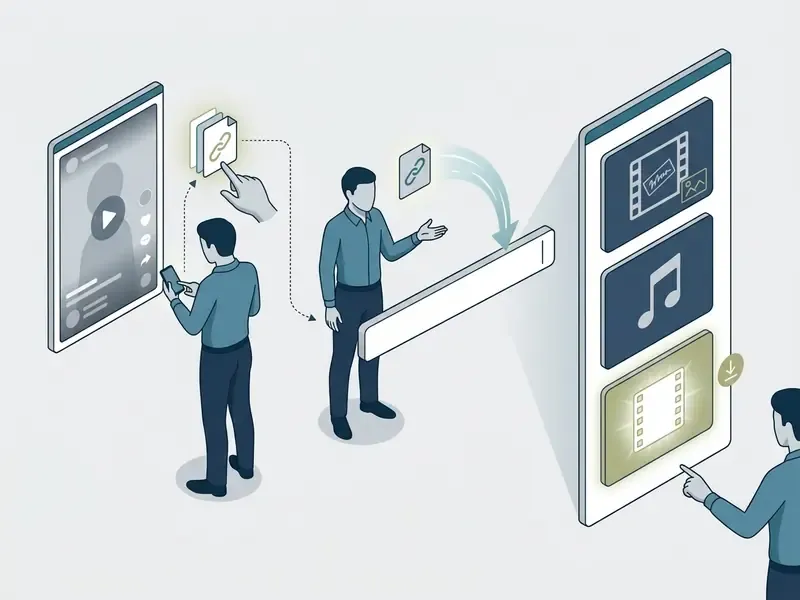
To save a TikTok video without watermark online, copy the public video link from the app or browser, paste it into an online tool's input field, and select the clean HD MP4 download option. Browser-based tools resolve public video links on the server side and fetch the unwatermarked media stream, so nothing gets installed locally.
The three-step workflow at a glance:
That is the whole thing. Roughly fifteen seconds once you have done it twice.
- Open TikTok and tap the Share arrow, then Copy link.
- Paste the tiktok video url into the downloader's input field in your web browser.
- Click download and pick HD MP4 (no watermark), MP3, or ZIP, depending on the post type.
Copy the TikTok Video Link
Open the target video in the tiktok app or in a web browser, then trigger the share action. In the mobile app, tap the Share button on the right side of the screen and select copy link. On desktop, highlight the full URL in the address bar, or click the share icon on the player and select copy link. TikTok's own Help Center documents this Share → Copy link path as the standard way to distribute a post, which is exactly why a downloader can parse the same string.
One check before you paste: make sure the copied tiktok link points to a public tiktok video. Third-party web tools cannot read private or restricted content streams, and no amount of retrying changes that.
Supported TikTok URL Patterns
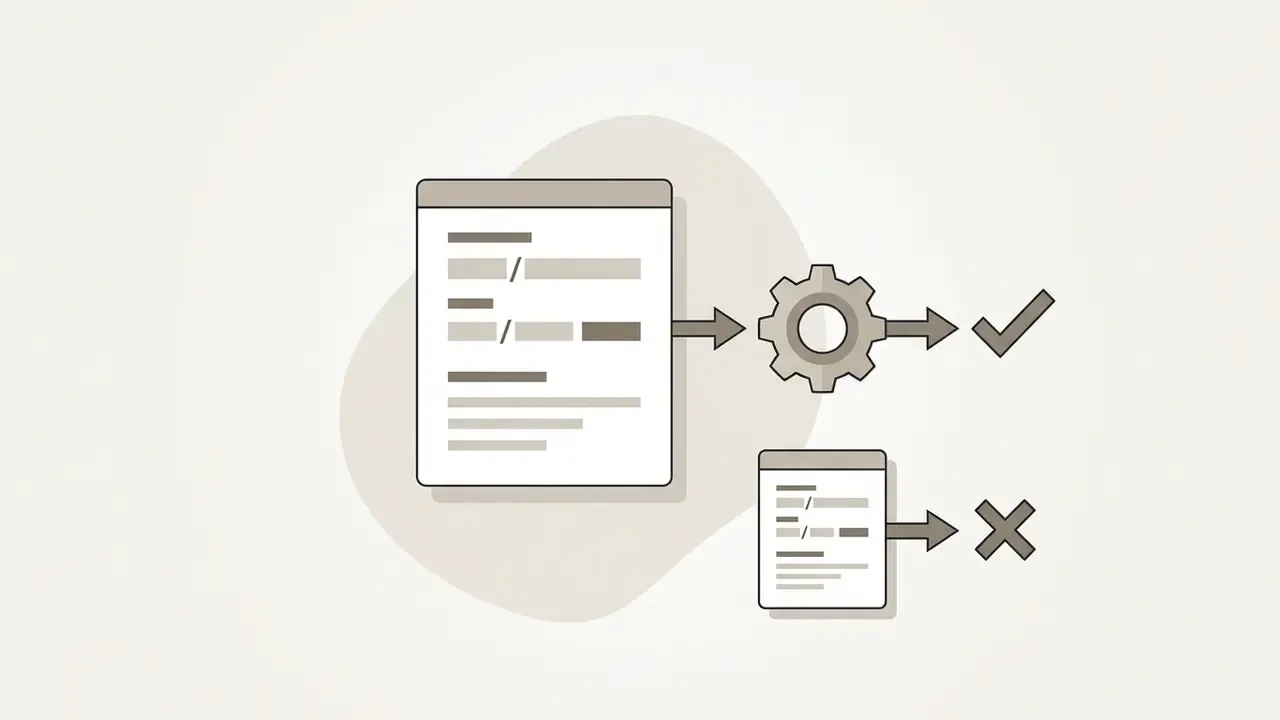
A well-built parser identifies these link structures automatically, so you do not need to clean or shorten the video url by hand:
Short vm. and vt. links are redirect wrappers. The server resolves them to the canonical /video/ path before it requests the media manifest. If a pasted link errors out, open it once in a browser so the redirect settles, then copy the expanded address from the address bar. This single move fixes most "invalid link" complaints.
https://www.tiktok.com/@username/video/7123456789012345678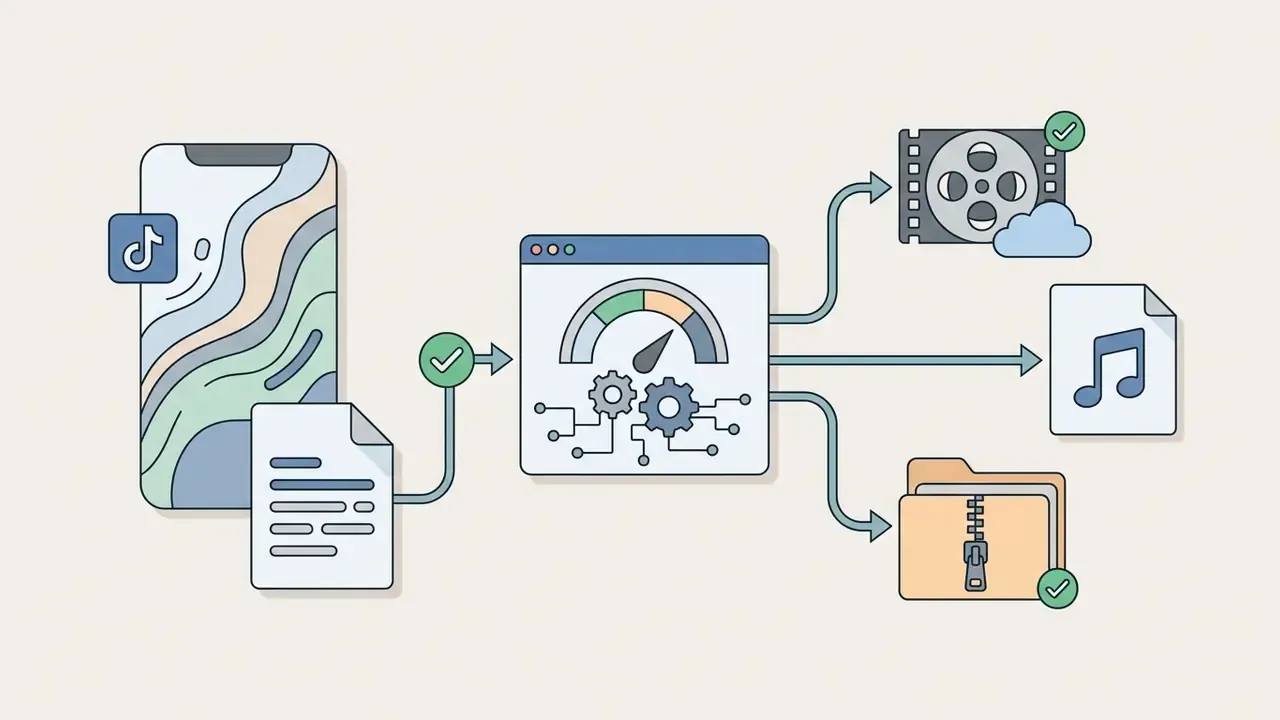
https://vm.tiktok.com/ZM8xXxXxx/ or https://vt.tiktok.com/ZS8xXxXxx/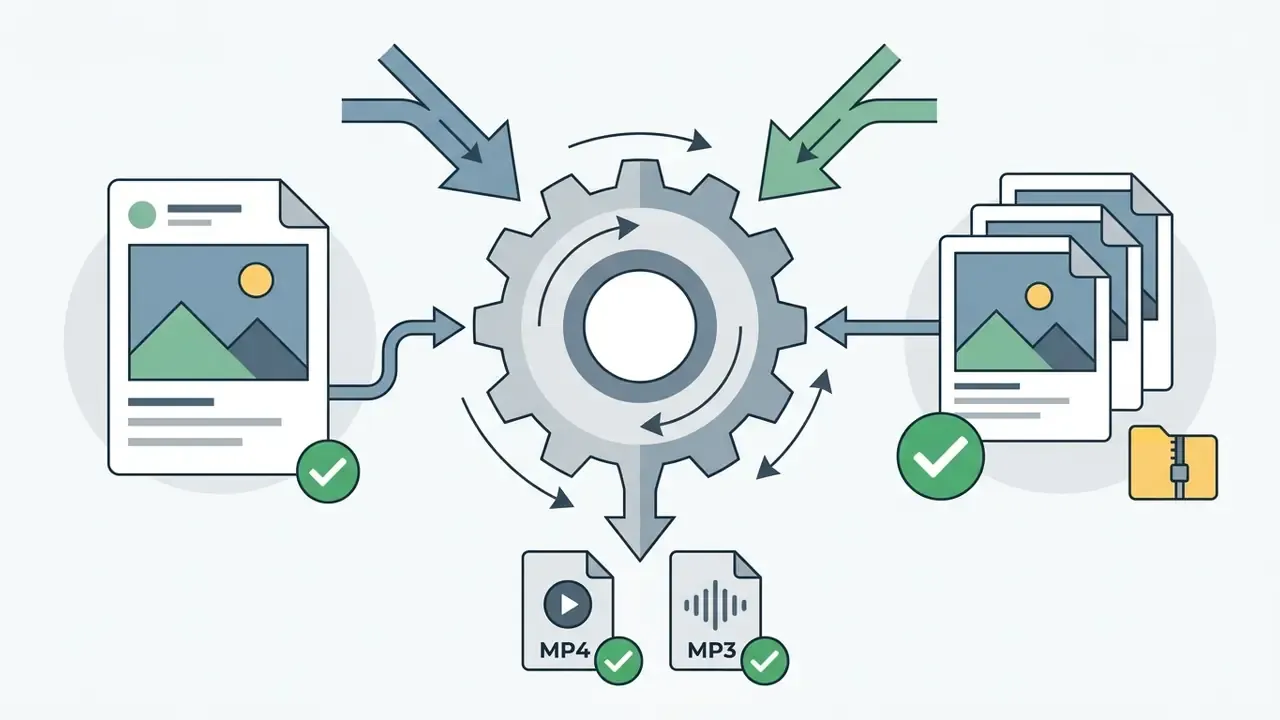
https://www.tiktok.com/@username/photo/7123456789012345678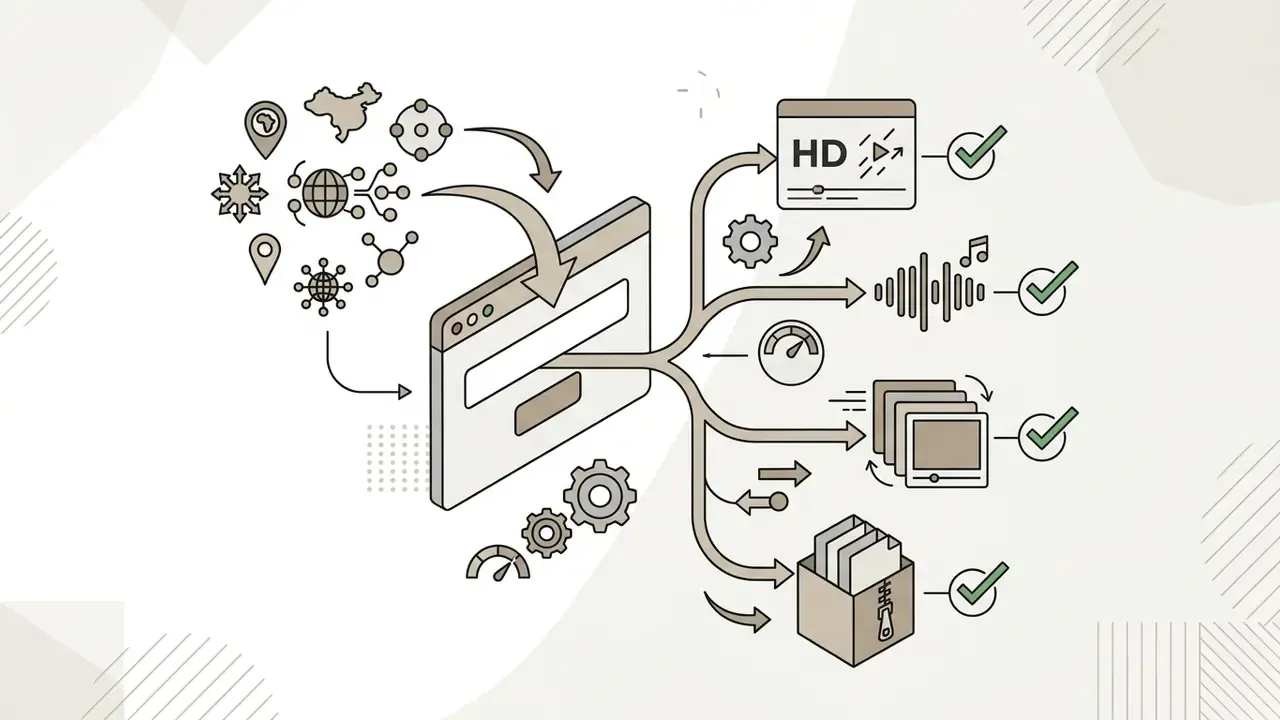
https://v.douyin.com/i8XxXxx/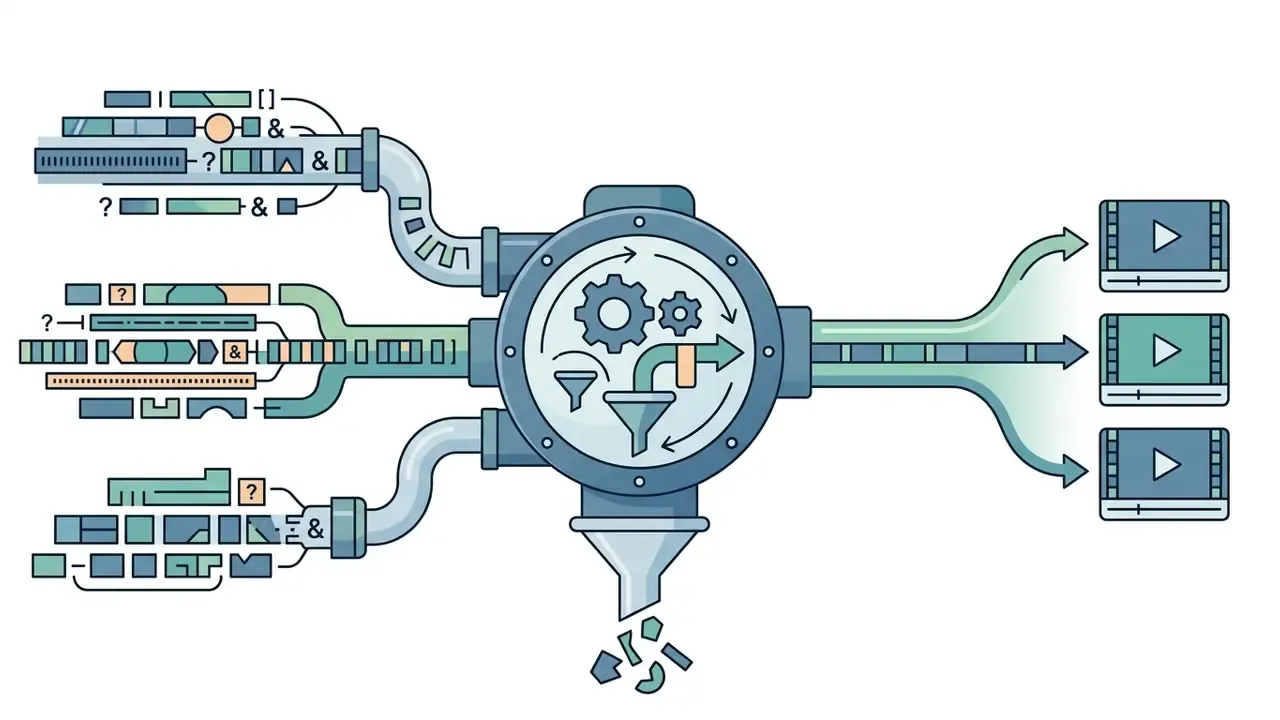
?is_from_webapp=1&sender_device=pc); the parser strips the query string on its own.Paste the URL and Download the Clean File
With the link copied, open your web browser and load the online video downloader. Paste the tiktok video link into the input field and press the download button. The server parses the link, reads the available streams, and shows the download options: standard or hd resolution, audio, or archive. Select the watermark free MP4, and the browser routes the clean file to your downloads folder.
No queue, no account, no confirmation email. If a service asks for one, close the tab.
Fast-Track Download: Address Bar Shortcut Method
For power users on desktop, you can skip the copy-paste loop entirely:
- Click the address bar while viewing any video on
tiktok.com. - Insert the downloader prefix directly before
tiktok.com, for examplehttps://www.save-tiktok.com/@user/video/7123456789012345678. - Press Enter to jump straight to the processed download options for that file.
The prefix trick removes two interactions and pays off when you are archiving a run of clips from one creator. Some services expose the same behaviour through a short mirror domain, which is friendlier on mobile keyboards. It works on public post URLs only; login-gated pages still return an access error.
Online TikTok Downloader vs TikTok Save Video and Apps
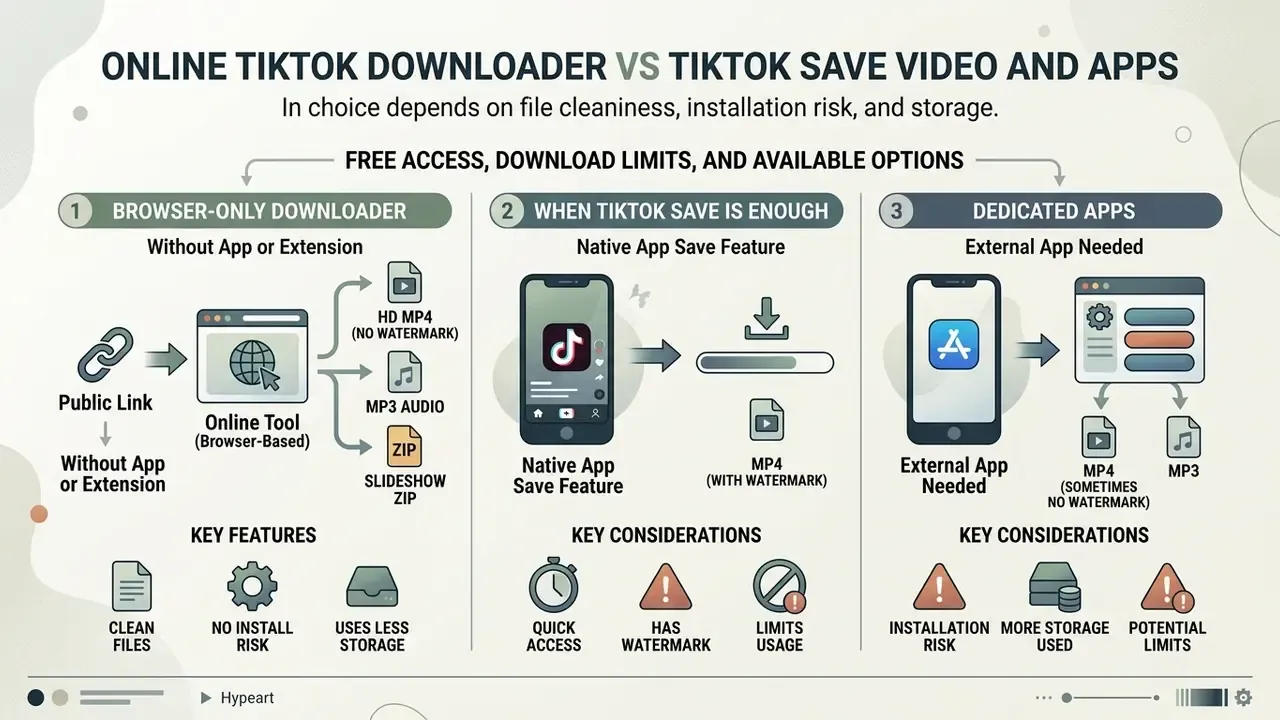
Choosing between the native TikTok save feature, a browser only downloader, and a dedicated app comes down to three things: file cleanliness, installation risk, and storage. TikTok's built-in Save video is simple, but it burns a moving platform logo and the creator handle into the export. Online downloaders pull the clean source stream through the browser. Third-party mobile apps demand local installation and broad device permissions.
| Download method | Watermark status | Installation required | Account login | Supported platforms | Export format and quality | Security and privacy profile |
|---|---|---|---|---|---|---|
| TikTok native save | Watermark preserved (logo plus handle) | Native TikTok app only | Yes (tiktok account) | iOS, Android, web | Compressed MP4 (platform standard) | High baseline platform data collection; no third-party exposure |
| Browser online tool | Watermark removed or masked | None (web browser only) | No login required | iOS, Android, Windows, Mac | HD or standard mp4 format, MP3, JPG/ZIP | Medium risk; depends on HTTPS, ad networks, server retention |
| Third-party mobile app | Watermark removed | Yes (App Store or APK) | Optional | iOS, Android | MP4 (variable resolution) | Higher risk; needs storage access and system permissions |
| Browser extension | Watermark removed | Yes (browser extension) | Operates in active session | Chrome, Firefox, Edge | MP4 (direct stream capture) | Elevated risk; broad host permissions, roughly 280 million installs of malicious extensions documented (CISPA, 2024) |
Read the table one column at a time and the pattern is obvious. A browser-only tiktok video downloader gives the most flexibility for retrieving clean media without installing binaries. Native saves are safer on the software side, yet they permanently attach copyright management overlays to the output. And TikTok Support is explicit on one edge case: the Save video option disappears when a creator disables downloads, and then nothing inside TikTok's interface will produce a file.
Browser-Only Downloader Without an App or Extension
Browser-only tools run entirely inside Safari, Chrome, or Edge, with no extension and no installer. The security benefit here is narrow but concrete: a zero-install workflow keeps granted device permissions at zero and removes the risk of executing an unverified binary. That is the same minimisation logic browser-security research applies to permission surfaces. Client-side and browser-scoped processing models documented by Mozilla for PDF.js illustrate the principle: operations that stay inside the browser never hand local data to an installed program.
The extension problem is measurable, not theoretical:
«A CISPA (2024) study found roughly 346 million users installed security-noteworthy extensions, of which about 280 million contained malware.»
«Supervised classifiers trained on 70,738 Chrome extensions reached about 98% accuracy in testing, yet 68 malicious extensions still passed store review in 2023.» CISPA, "Applying Supervised Machine Learning to Detect Malicious Extensions in the Chrome Web Store" (2024). https://cispa.de/
Even automated store vetting leaks bad add-ons at a steady rate. That, more than convenience, is the practical case for keeping downloads inside a plain browser tab.
When the TikTok Save Video Option Is Enough
Free Access, Download Limits, and Available Options
Most web-based downloaders offer completely free MP4 conversions funded by advertising. Plenty of sites advertise unlimited downloads, though availability fluctuates with server bandwidth, platform API changes, and queue pressure at peak hours. Across the wider market, free tiers behave very differently: some services allow a single free transaction per session, others cap lifetime free exports at a fixed number, and a few restrict only the largest files while keeping short clips free. Batch archiving or high-bitrate work usually pushes you toward specialised tooling.
For broader media workflows, it helps to compare how pay as you go ai video tools meter credits, how AI video generators structure exports, or to browse the hub to evaluate service structures. If licensing is the open question, see the overview on commercial use before you publish anything you did not shoot yourself.
Save TikTok Videos Without Watermark on Any Device
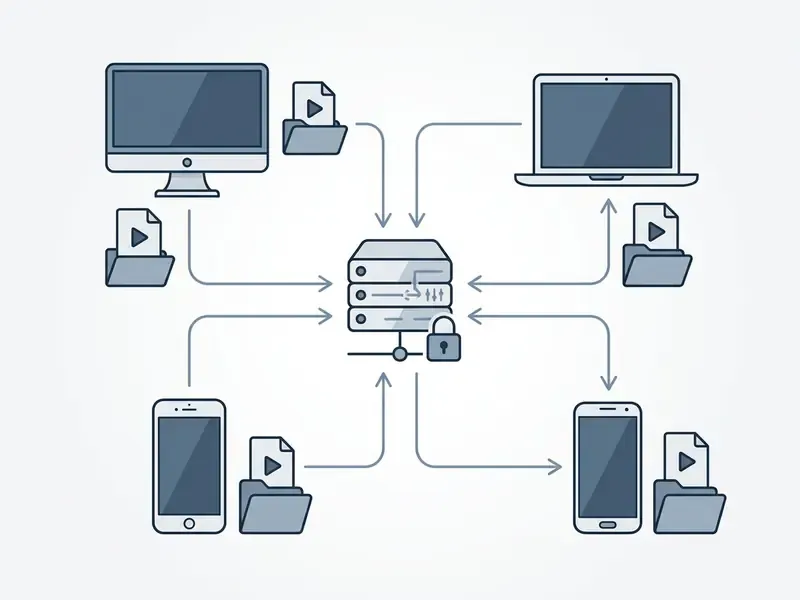
Online TikTok video downloaders work cross-platform because link resolution happens on a remote server, not on your hardware. Android phone, iPhone, iPad, Windows PC, Mac: the browser workflow is identical on all devices. Only the save location changes.
Download TikTok Videos on Android
Open tiktok, tap Share, choose copy link. Open Chrome or your default Android web browser, paste the URL into the downloader input field, and tap the download button. Android puts the resulting MP4 in Internal Storage > Download, shown as Internal storage → Download in Files by Google or Samsung My Files, where Google Files or any system player can open it. Android natively supports standard MPEG-4 containers with AAC and H.264, as listed in its supported media formats documentation, so no conversion step stands between you and playback or editing.
Save TikTok Videos on iPhone or iPad
On iOS, use Safari so the browser's own download manager handles the file. In-browser downloads require iOS 13 or later. On iOS 12 and below there is no Download Manager, and files have to be routed through a third-party file manager app. Copy the video link from the tiktok app Share menu, paste it into the online tool in Safari, and tap download. Safari drops the MP4 into the Files app under iCloud Drive > Downloads or On My iPhone > Downloads, the two locations Apple documents for Safari downloads. You can preview it inside Files, or push it to the Camera Roll with Share → Save Video.
Download TikTok Videos on Windows and Mac
Desktop wins on link management, especially for bulk organisation. Open TikTok in any desktop browser, copy the page URL straight from the address bar, paste it into the downloader. Windows saves the converted mp4 format file to C:\Users\[Username]\Downloads; macOS routes it to /Users/[Username]/Downloads. VLC and QuickTime render these native MP4 files with no adjustment. Planning to archive dozens of clips? A video compressor shrinks the library footprint before backup, although re-encoding always costs a little visual fidelity, so compress copies and never the master.
Troubleshooting: When the Download Fails
| Symptom | Likely cause | Fix |
|---|---|---|
| "Invalid URL" or empty result | Short link unresolved, or stray text copied with the URL | Open the link once in a browser, then copy the expanded /video/ address |
| Processing spins indefinitely | Peak-traffic queue or rate limiting | Wait 30 to 60 seconds and resubmit; avoid dozens of requests per minute from one IP |
| "Video unavailable" | Post is private, friends-only, region-locked, or downloads disabled by the creator | No third-party tool bypasses this; ask the creator for the file |
| Download button does nothing on iPhone | Safari download manager unavailable (iOS 12 or older) | Update to iOS 13 or later, or use a file-manager app |
File saves as .bin or with no extension | Browser could not read the MIME type | Rename the file to .mp4 manually |
| Audio plays, no picture | Audio-only stream selected | Re-run and choose the MP4 option instead of MP3 |
Video Formats and TikTok Content You Can Download
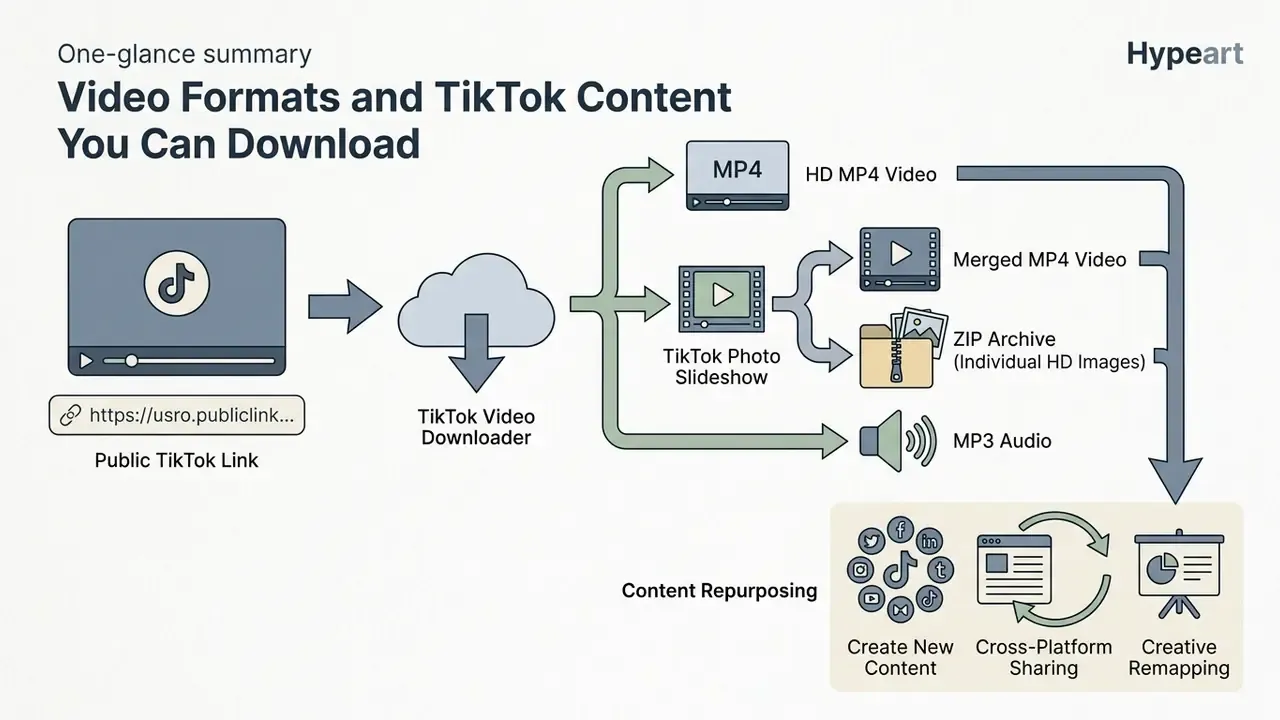
Modern downloaders handle several content types, from standard short-form clips to multi-image photo slideshows. Knowing the container standards keeps downloaded files compatible with editors and secondary tools. TikTok's developer documentation lists MP4, WebM, and MOV as supported containers with H.264, H.265, VP8, and VP9 codecs, which is why MP4 remains the safest universal export target.
Download TikTok Video in MP4 Format
MP4 (defined under ISO/IEC 14496-14 as a derivative of the ISO Base Media File Format) is the primary output container for a downloaded tiktok video, thanks to near-universal playback support. Saving a clip as MP4 preserves the H.264 video stream and AAC audio without a conversion pass.
One nuance worth remembering: "MP4" names the container, not the encoding. Compatibility depends on the codecs inside, which is why an H.264/AAC export opens everywhere from QuickTime to Premiere Pro, while an exotic codec in the same wrapper may not. If you intend to trim, subtitle, or recut afterwards, start from a comparison of free video editing software so the file is never re-encoded more than once.
Downloading TikTok Photo Slideshows: MP4 Video vs ZIP Photo Pack
TikTok photo carousels are static image sequences set to background audio. Inside the app, the path is Share → Save photo, with a Select all option for multi-image posts, and it vanishes when the creator blocks downloads. Advanced web tools treat a photo slideshow in two distinct ways:
- Merged MP4 video.The tool compiles the images into a seamless full-screen vertical MP4 synchronised with the original audio, ready to re-share to Instagram Reels or Shorts with no editing step.
- Individual HD images (ZIP archive).If you want raw stills without lossy video rendering, choose Download All (ZIP). The tool pulls full-resolution JPG or PNG frames stripped of on-screen UI buttons and bundles them into one compressed folder.
Choose MP4 when audio and pacing carry the post. Choose ZIP when you need clean stills for a moodboard, a carousel repost, or a print layout. A ZIP pack also avoids the generation loss that creeps in when static images are encoded into a video stream and then extracted again as frames.
Content Repurposing After Download
A clean, watermark-free MP4 is valuable for one honest reason: it reuses without a competing platform logo sitting in the frame. Typical workflows for content creators include vertical reposting to Instagram Reels, YouTube Shorts, and Facebook Reels; cutting a recap for a YouTube publishing workflow; pulling stills for thumbnails and ad creatives; and keeping an internal archive of your own best-performing posts before they are edited or deleted. If you need original footage instead of borrowed footage, a text to video generator is the cleaner path, legally speaking.
Two rules keep repurposing legitimate. Reuse your own content freely. Get written permission before using someone else's clip commercially, because the visible watermark you just removed was also the attribution signal your audience relied on.
How to Convert and Download TikTok Videos to MP3 Audio
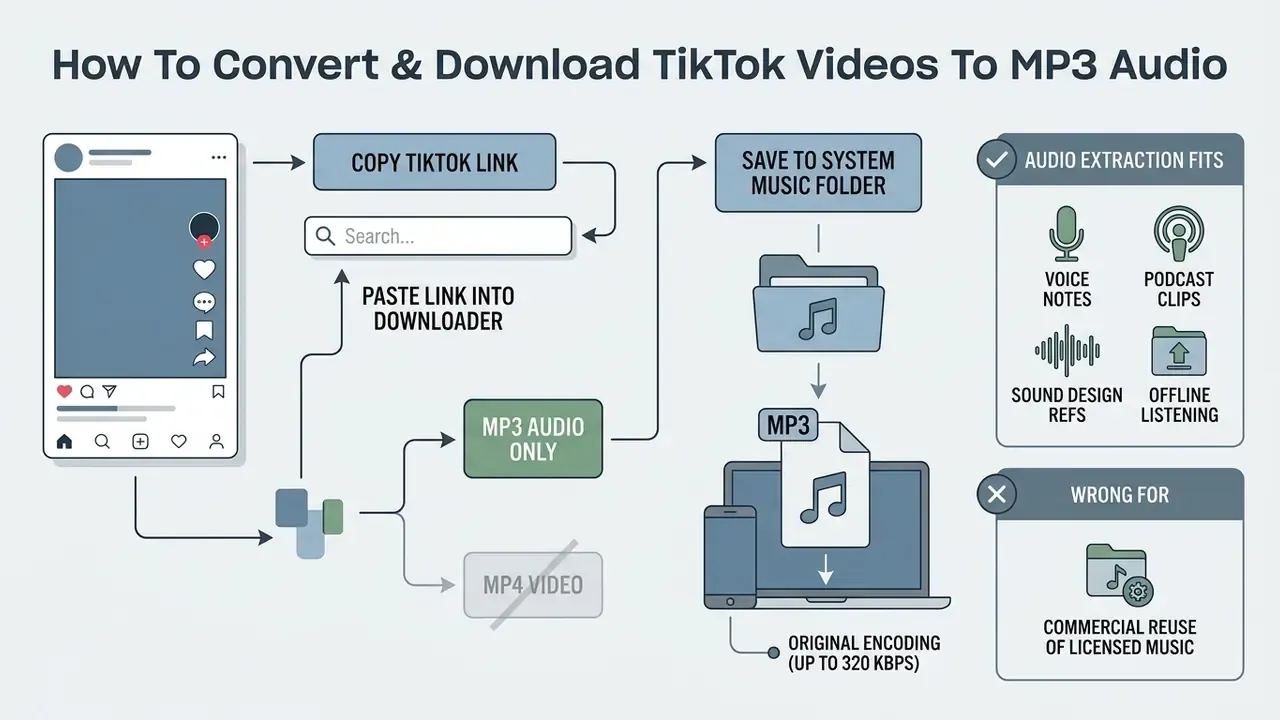
Sometimes you only want the sound: a piece of background music, a voiceover, a sound effect. Converting the video to a standalone audio file saves storage and mobile data. Online downloaders parse the source container, drop the H.264 video track, and stream the isolated audio as high-bitrate MP3.
Step-by-Step TikTok Audio Extraction
When Audio-Only Makes Sense, and When It Does Not
Audio extraction fits voice notes, podcast-style clips, sound design references, and offline listening. An MP3 is typically a fraction of the size of the same vertical video, so a phone full of saved clips becomes manageable.
It is the wrong tool for commercial reuse of licensed music. The soundtrack attached to a TikTok post is often a commercially released track licensed to the platform, not to you. Some services deliberately restrict dedicated "TikTok to MP3" conversion of licensed tracks for that exact reason and expose only a Download Audio button tied to the original post. Treat extracted audio as a reference or personal-use asset unless you hold a licence for the underlying recording. Not glamorous advice. Still correct.
Can You Download Public and Private TikTok Videos?
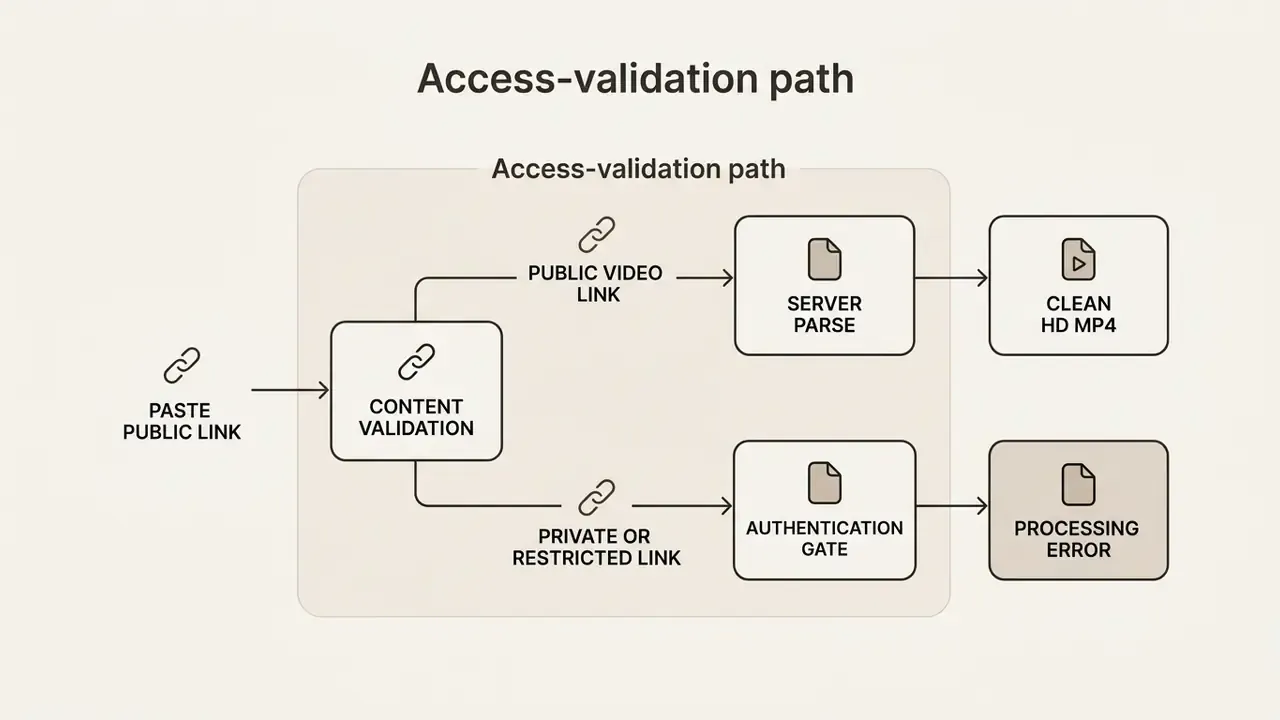
A tiktok private video downloader online cannot do what the marketing copy implies. Web tools process public tiktok videos where the creator allowed web visibility. Private videos, account-restricted clips, and region-locked posts stay out of reach, because the server holds no session cookies and no authentication tokens for your tiktok account.
Why a Private Video Link May Not Work
Private TikTok videos sit behind server-side access controls that limit viewing to approved followers or the owner. According to TikTok's privacy documentation, setting a post or account to "Private" disables external media links and blocks unauthenticated scrapers from reading the file path. The platform layers these controls: account-level privacy, per-post visibility ("Everyone", "Friends", "Only you"), and a separate download toggle that is off by default for private accounts and for registered users under 16.
Third-party downloaders operate without credentials, so pasting a private video url returns a parsing error or an empty response. Attempting to cross that boundary with unauthorised login scripts is a fast route to a compromised account, and it is the single most common way people lose access to their own profile.
Worth noting how fragile watermark-based protection is by comparison, which is exactly why platforms lean on access control instead of marks:
How to Keep TikTok Downloads Safe and High Quality
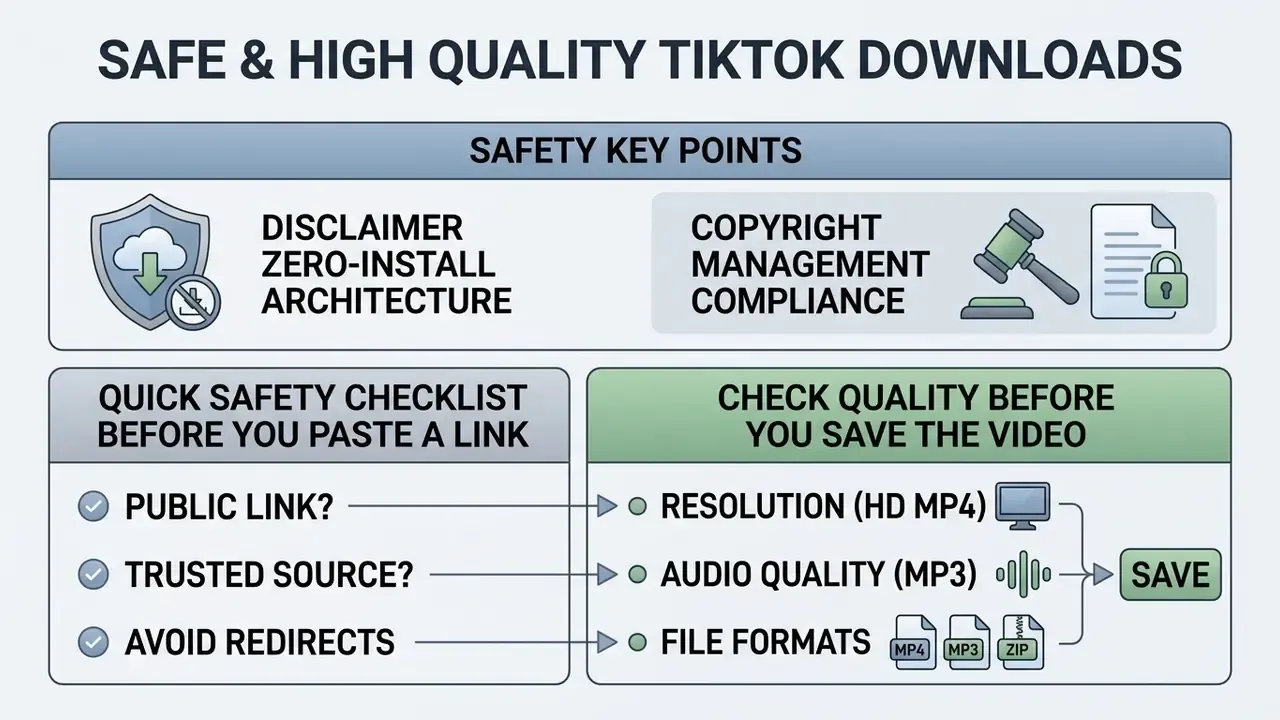
Safety here is mostly about what you refuse to click. Apply clear verification standards to both the web tool and the output file, and the risk profile drops sharply.
Safety rules for downloading third-party content
- Transport security. Confirm the download portal enforces HTTPS (TLS 1.3) to prevent man-in-the-middle payload injection. Authenticated, encrypted channels are the baseline requirement in NIST SP 800-63B for any exchange of sensitive input, and IETF guidance recommends HTTPS for integrity and confidentiality on any form submission.
- Credential isolation. Never type TikTok passwords, session cookies, or verification codes into a third-party downloader. TikTok's Help Center treats any off-platform password request as a phishing indicator. The broader stakes are documented at national level: per the Congressional Research Service (2023), TikTok collects location, search history, keystroke patterns, and payment information, and more than half of US states have banned the app on government devices.
- Zero-install architecture. Skip tools that require a desktop executable or a browser extension. CISPA research (2024) indicates over 280 million users were exposed to security-noteworthy extensions carrying malicious telemetry or data-exfiltration scripts. Fake "installer" prompts are mainstream, not an edge case: in the Center for Internet Security's Top 10 Malware for Q3 2023, the SocGholish downloader disguises itself as a browser update and uses traffic redirection to deliver its payload. Source: Center for Internet Security, "Top 10 Malware Q3 2023" (2023). https://www.cisecurity.org/
- Copyright management compliance. Removing digital watermarks alters Copyright Management Information (CMI) under 17 U.S.C. § 1202 of the DMCA.
«Digital watermarks fall within copyright management information, and DMCA § 1202 prohibits their removal or alteration without the rights holder's consent.» Harvard Law Review, Recent Event (2024). https://harvardlawreview.org/
Penalties are not uniform worldwide. In some jurisdictions the act is criminal rather than civil:
«Removing digital watermarks without permission may qualify as a criminal offence punishable by up to 8 years' imprisonment and fines up to IDR 2 billion.» Customary Law Journal, Vol. 2, No. 2 (2025), pp. 1 to 12. https://customarylawjournal.com/
Quick Safety Checklist Before You Paste a Link
- Padlock icon and
https://in the address bar. No exceptions. - No login form, no "connect your TikTok account", no verification-code field.
- No forced
.exe,.apk,.dmg, or extension prompt before the file appears. - No chained redirects through unknown ad domains when you click download.
- A visible statement that the service does not store copies of downloaded media or download histories.
- A published DMCA or takedown contact, plus a clear "not affiliated with TikTok or ByteDance" notice.
Six checks, maybe twenty seconds. Cheaper than a malware cleanup.
Check Quality Before You Save the Video
For maximum visual fidelity, compare the download stream against the native publication resolution before you commit the file to storage. An AI image upscaler can recover some perceived detail in extracted stills, but it cannot restore information the source stream never carried.
«FADGI (2024) guidance recommends maintaining native pixel dimensions and avoiding redundant transcoding that degrades color space or audio bitrates.»
FADGI's framework, typically 1080×1920 for mobile full hd, aligns with IASA TC 06, which holds that preservation targets should match the original signal's technical characteristics. In practice: inspect resolution, codec, frame rate, and aspect ratio right after download; keep one untouched master; generate compressed access copies separately instead of re-encoding that master. Two copies, one rule. You can also view the guide or see the overview when weighing production options, or open the hub for developer integration details.
FAQ: Frequently Asked Questions About TikTok Downloads
Do I Need a TikTok Account to Download a Video?
No. You do not need a tiktok account to save a public video through an online web downloader. Browser tools process public video links straight from TikTok's content delivery network without user authentication, so a valid copied URL from a public post is enough. Uploading or posting to TikTok, by contrast, always requires a signed-in account according to TikTok's Help Center.
Where Are Downloaded TikTok Videos Saved?
On Android, videos saved land in Internal Storage > Download. On iPhone and iPad, Safari routes files to the Downloads folder inside the Files app (iCloud Drive > Downloads or On My iPhone > Downloads). On Windows, look in C:\Users\[Username]\Downloads; on macOS, /Users/[Username]/Downloads. Unless, of course, you configured a custom save path in your web browser, in which case check the browser's download panel first.
How Long Does a TikTok Video Download Take?
There is no fixed number. Time equals file size divided by available bandwidth, plus server processing. The FCC's broadband guidance illustrates the bandwidth side: SD streams need roughly 3 to 4 Mbps, HD video 5 to 8 Mbps, and 4K around 25 Mbps. So a short vertical HD clip transfers in seconds on a modern connection and noticeably slower on a congested mobile network. The practical variables are connection speed, clip length and bitrate, and current queue load. Short clips feel like you get the video instantly; long high-bitrate posts take proportionally longer.
How Large Is a Downloaded TikTok File?
Size scales with duration, resolution, and bitrate rather than sitting in a fixed range, so verify the actual number in your browser's download panel instead of trusting a published estimate. A 15-second 1080p vertical clip is a small fraction of a three-minute one at the same bitrate. If storage is tight, keep one master and compress the access copy separately.
What Is the Maximum Resolution for Downloaded TikTok Videos?
The ceiling is set by the original file the creator uploaded. TikTok caps ingestion at 1080p (1080×1920) at 30 or 60 frames per second. Some tools advertise "4K or 8K TikTok downloading". Native TikTok streams do not exist in true 4K, and the platform's compression pipeline can downscale uploads further. Anything claiming 4K output is upscaling a 1080p file, which inflates size without adding real detail. A good browser tool extracts the native 1080p source stream from TikTok's CDN, giving you the highest quality actually available with no artificial upscaling artifacts. If a clip looks soft after download, the cause is almost always platform-side compression of the original upload, not the download step.
How Do I Download Only the Music or Sound From a TikTok?
Paste the post URL, then choose Download MP3 or Audio Only instead of MP4. The service separates the audio track from the container and returns a standalone file, usually up to 320 kbps depending on the source. Use extracted audio for personal listening or reference; licensed commercial tracks need a separate licence for redistribution.
How Do I Download All Photos From a TikTok Slideshow at Once?
Paste the /photo/ URL and select Download All (ZIP). The tool extracts every full-resolution still from the carousel, strips the interface overlays, and bundles everything into one archive. Prefer a single shareable file with the original soundtrack? Choose the merged MP4 option instead.
Is There a Limit to Download TikTok Videos?
Most free tiktok downloader services do not enforce strict numerical caps on individual link conversions. Some portals do apply temporary rate limits or captcha checks when one IP submits dozens of requests per minute, purely to protect bandwidth. Market-wide, free tiers vary a lot, from one free transaction per session to a fixed lifetime allowance, so read the limits page before you plan a bulk archive.
Is It Legal to Download TikTok Videos Without a Watermark?
Downloading a public clip for personal, offline, or educational use is generally treated as low risk, yet the video remains the creator's copyrighted work and TikTok's terms still apply. Commercial reuse, and especially stripping the watermark before redistribution, touches CMI provisions under 17 U.S.C. § 1202 and equivalent national laws. The safe path: download your own content freely, and secure explicit permission before republishing anyone else's. General information, not legal advice.
Why Is the Save Option Missing on Some Videos?
TikTok Support states that creators can disable downloads in their privacy settings, and that downloads are off by default for private accounts and for registered users under 16. With the setting off, Save video disappears and no legitimate third-party tool retrieves the file. Switching the toggle off also blocks future downloads of previously posted content, although files already saved on other people's devices stay where they are.
Appendix A: Editorial Corrections Log
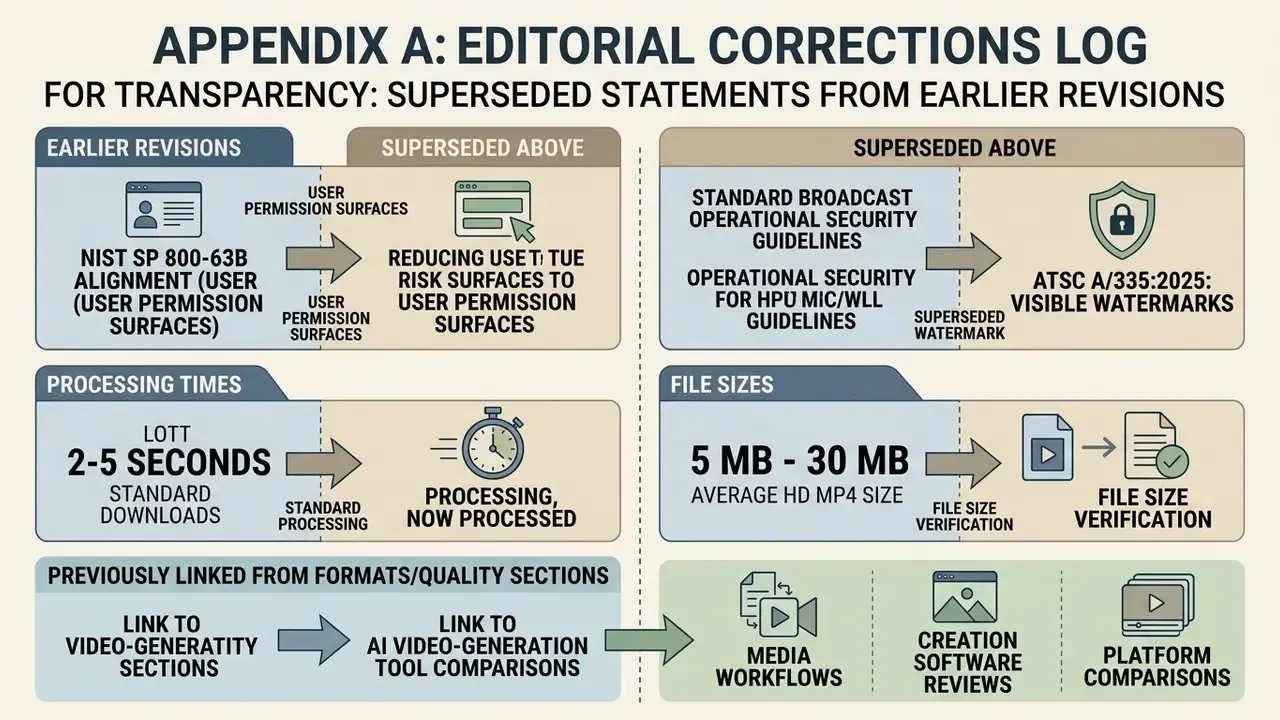
For transparency, these statements appeared in earlier revisions and have been superseded above:
- "This approach aligns with NIST SP 800-63B guidelines on reducing user permission surfaces and eliminating executable installation risks on client endpoints." Corrected. NIST SP 800-63B governs digital identity and authentication assurance, not browser-extension permissions. The current text cites it only for the authenticated-protected-channel requirement and uses browser-security research for permission minimisation.
- "Standardized broadcast and operational security guidelines, such as ATSC A/335:2025, note that visible watermarks serve as effective visual tracking mechanisms for basic content origin." Corrected. ATSC A/335 is a broadcast video watermark specification and does not govern social-platform overlays; the standard itself states the watermark is optional and not intended to be tamper-resistant. Visible-watermark deterrence is now framed through operational export-watermarking practice.
- "Most TikTok video downloads take between two and five seconds to process." Corrected to a bandwidth-and-file-size explanation, since no measured dataset supports a fixed processing window.
- "Standard HD MP4 files average between 5 MB and 30 MB in size." Corrected to guidance on verifying actual file size, since the range was not backed by measured data.
- Earlier revisions linked from the formats and quality sections to AI video-generation tool comparisons. Those links were largely off-topic for a downloader guide and were replaced with a content-repurposing section plus editing, compression, and upscaling resources that match the reader's real next step.
Looking for expanded media workflows, creation software reviews, and platform comparisons? Visit our main directory and explore the hub for complete tool evaluations and structural guides.
Not affiliated with TikTok, Douyin, or ByteDance Ltd. This guide provides general technical information about publicly available content and does not host or store any media files. Users remain responsible for how downloaded content is used.