An AI guitar tab generator uses machine learning models to convert audio recordings and video links into structured, editable guitar tablature. By automating pitch tracking, chord recognition, and fretboard mapping, these systems compress manual transcription work from hours into minutes.
What You Need to Know First
One more framing point before the detail. A generator does not hand you a finished score. It hands you a draft with a known error profile, and the value of the tool depends almost entirely on how fast you can correct that draft inside its editor.
What is an AI Guitar Tab Generator and What Problems Does It Solve
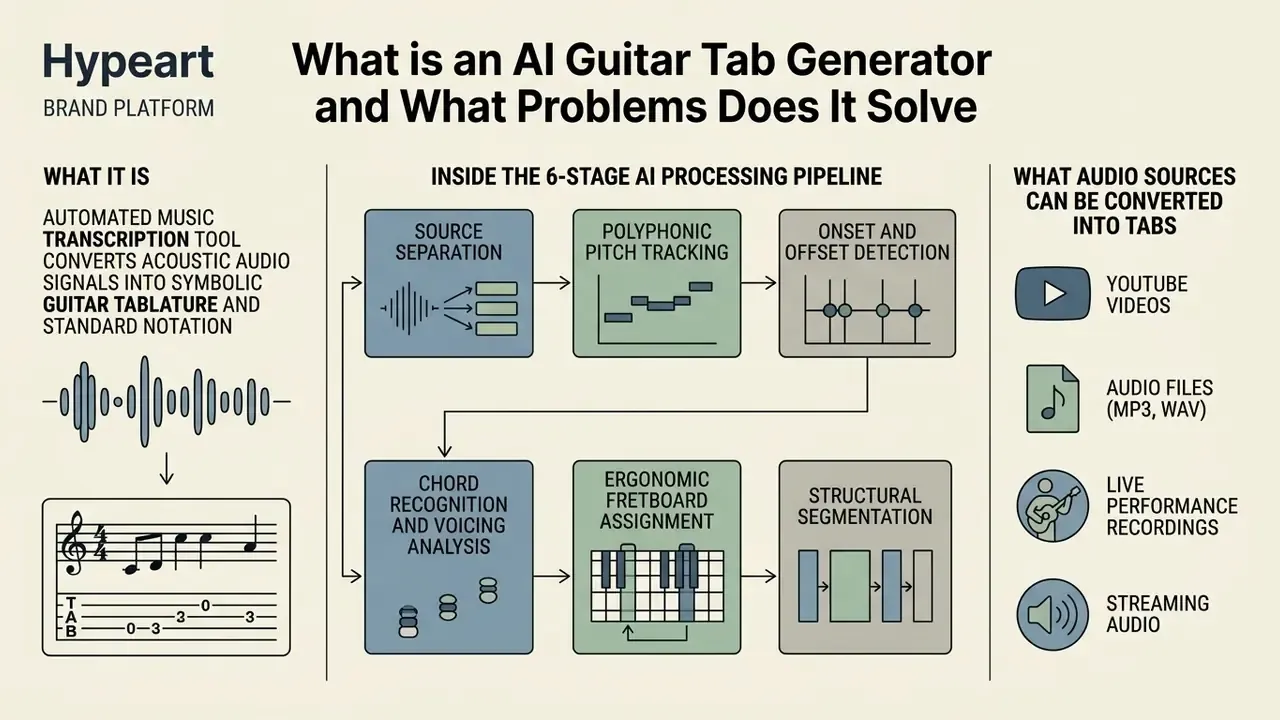
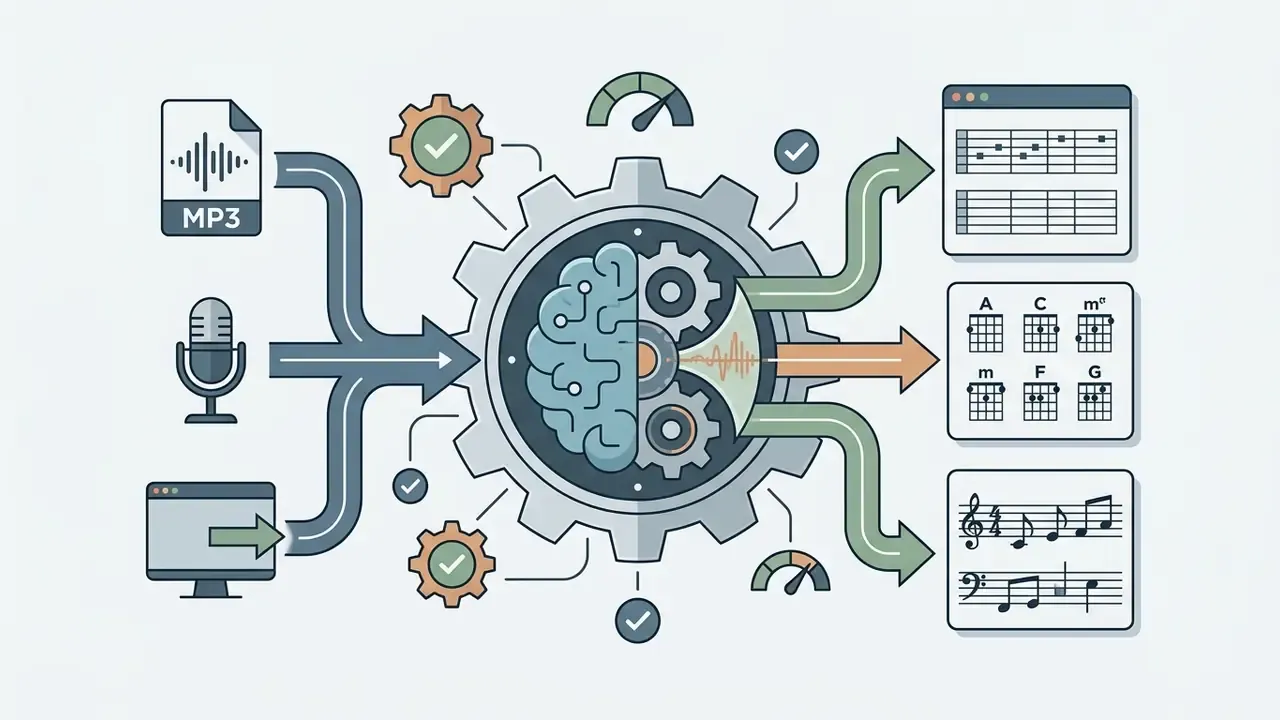
An ai guitar tab generator is an automated music transcription tool that converts acoustic audio signals into symbolic guitar tablature and standard notation. It attacks the labor-intensive part of manual transcription: isolating guitar parts, identifying individual pitches, and mapping notes to string and fret positions.
The academic field behind these products, Automatic Music Transcription (AMT), has been developed for more than two decades in venues such as ISMIR and ICASSP. What changed recently is not the ambition but the pipeline. Neural source separation and transformer-based pitch models finally made guitar-specific transcription usable outside a laboratory.
Inside the 6-Stage AI Processing Pipeline
- Source SeparationNeural networks (Demucs-class models, for example) isolate the guitar track from drums, vocals, bass, and keys.
- Polyphonic Pitch TrackingAlgorithms detect overlapping fundamental frequencies across multiple strings sounding at once.
- Onset and Offset DetectionThe system marks exact note attack and release timestamps for rhythmic quantization.
- Chord Recognition and Voicing AnalysisPitch clusters are matched against large chord dictionaries. Advanced models cover 170+ chord types, including jazz voicings and extended chords.
- Ergonomic Fretboard AssignmentBecause the same pitch exists at several positions, the model weighs physical playability constraints to choose sensible string and fret combinations.
- Structural SegmentationSong layout is detected and labeled as Intro, Verse, Chorus, Bridge, and Outro, often with lyrics synced to the timeline.
Not every product implements all six stages. Chord-only detectors stop at stage four and never produce fret positions, which is the single most common reason users feel a tool "failed" when it was simply built for a different job.
What Audio Sources Can Be Converted into Tabs
Modern ai tabs generator tools ingest several digital audio input formats. You can supply local files, record directly, or paste web media links to generate accurate tabs:
- Audio Files
- Standard lossy and lossless formats including MP3, WAV, FLAC, AAC, OGG, M4A, WebM, and MP4 audio streams. Lossless WAV gives the pitch model cleaner harmonic detail for polyphonic chord detection.
- Live Audio Streams
- Direct microphone input or live performance captures recorded in a mobile or desktop browser, usually resampled to mono PCM before analysis.
- Public Media Links
- Direct URLs from platforms like YouTube, TikTok, and Instagram, where an automated pipeline extracts the underlying audio track. Creators who also repurpose that footage can review practical video editing workflows for the visual side of the same project.
- MIDI Data
- Existing MIDI files imported to recalculate optimal fingerings and custom tunings across the fretboard, skipping acoustic analysis entirely.
File-size ceilings matter too. Many web APIs cap uploads at roughly 25 MB, so long acoustic takes may need trimming or re-encoding before submission, the same constraint discussed in our guide to video compressors for oversized media files.
What the User Receives After AI Transcription
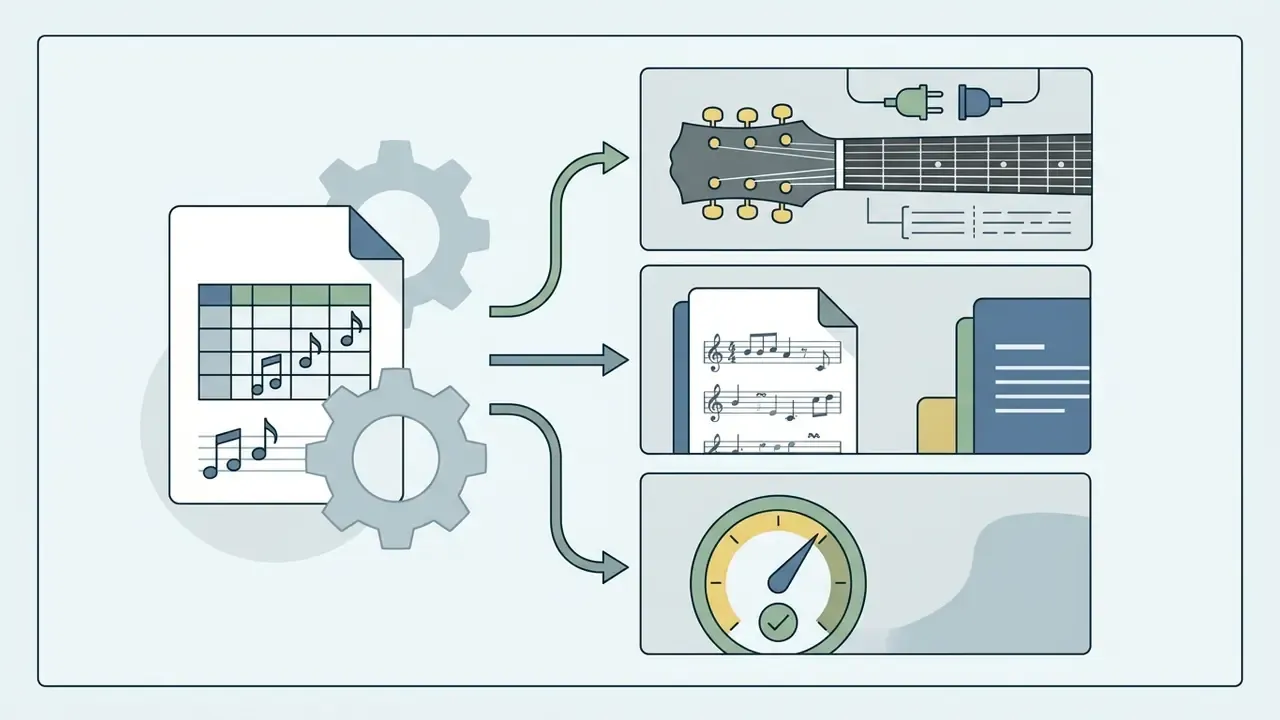
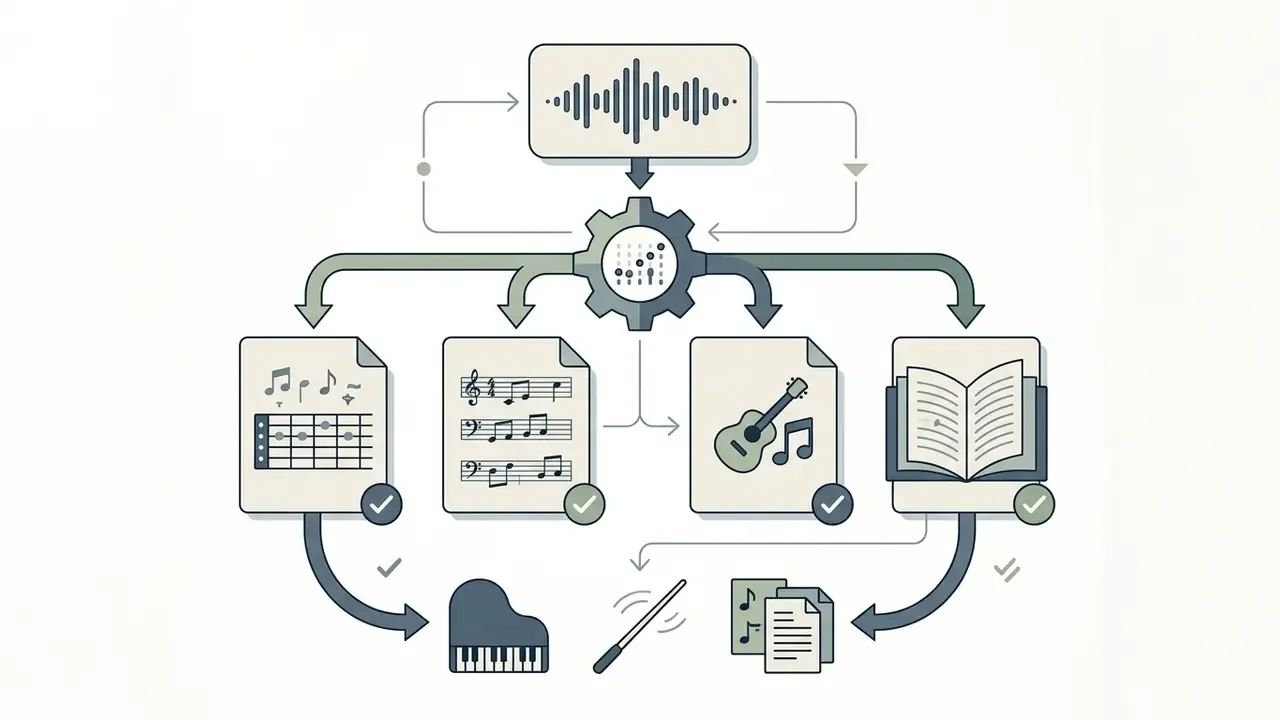
After processing, an ai tab creator hands you a structured workspace rather than a static text file. The primary outputs include:
- Editable Guitar Tablature Interactive 6-string tab showing specific fret positions for notes, solos, and riffs.
- Chord Recognition and Diagrams Automatically labeled chord symbols (over 170 chord types in advanced models) paired with structural markers such as intro, verse, chorus, bridge, and outro.
- Synced Lyrics Several 2026-generation tools transcribe vocals and align each lyric line to the audio timeline, so rhythm-guitar parts can be practiced against words rather than a bar count.
- Standard Musical Notation Parallel sheet music displaying exact pitch, time signatures, key signatures, and rhythmic values.
- Interactive Playback and Sync Player controls with speed adjustment (commonly 25% to 100%), section looping, track muting, pitch shift, a click track, and a real-time visual cursor.
How to Generate Guitar Tabs from Audio or YouTube
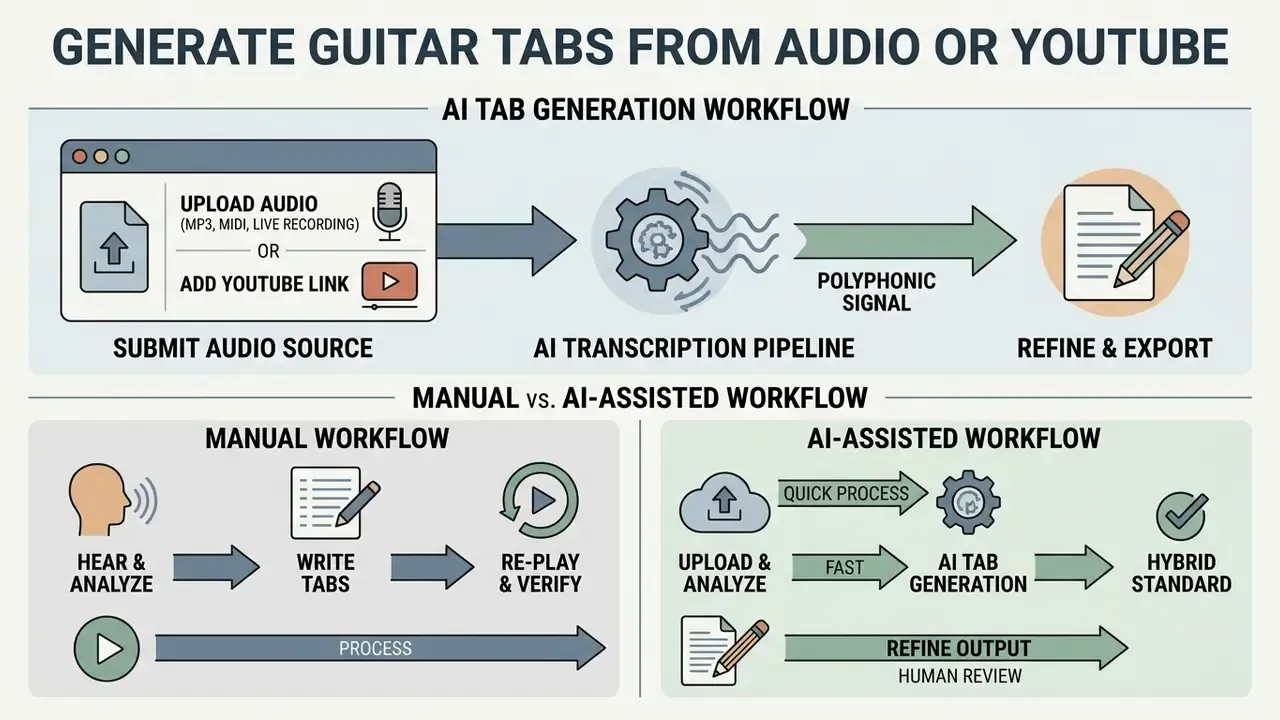
Generating guitar tabs comes down to three things: submit a clear audio source, let the transcription pipeline process the polyphonic signal, then refine the output in an interactive editor. A systematic pass protects both transcription accuracy and playable fret positions.
«The dominant architecture is a staged pipeline: source separation, pitch tracking, chord recognition, and fretboard position assignment». Riley, Edwards & Dixon, Composable Audio-to-MIDI-to-Tab Architecture, ISMIR (2024). https://arxiv.org/
Workflow steps:
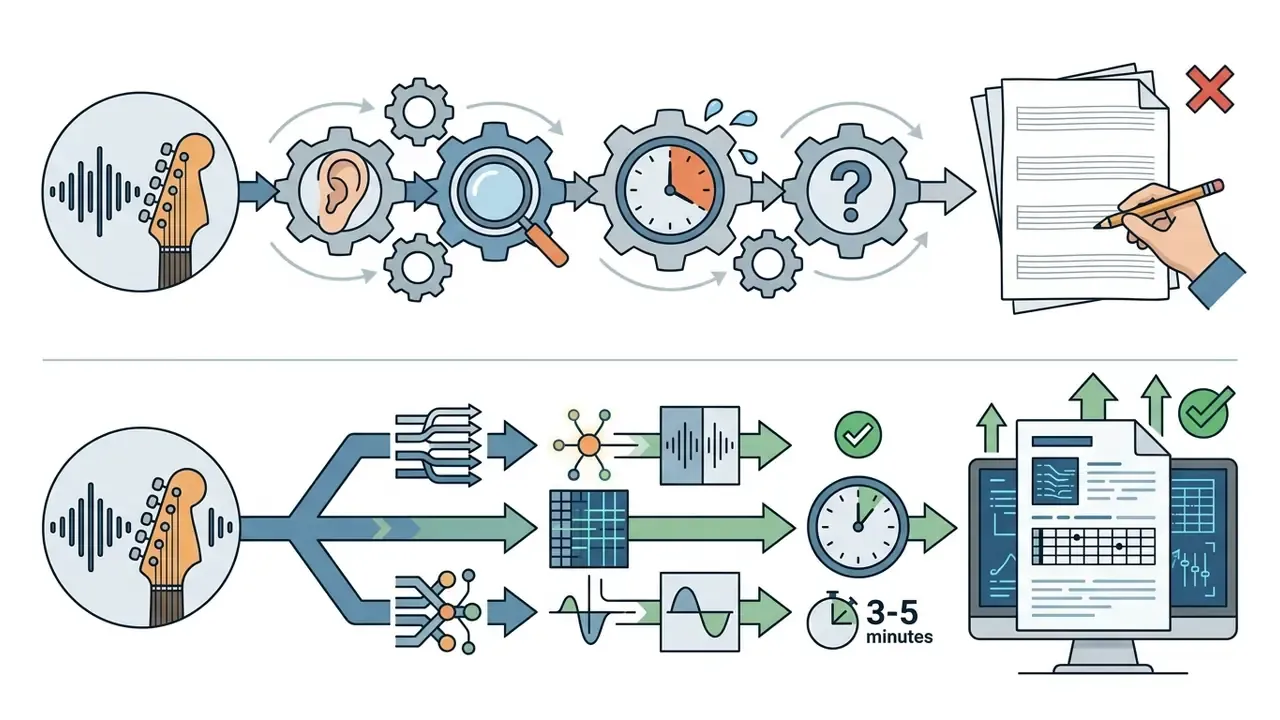
Total processing time usually lands within 1 to 5 minutes for a three-minute song, though the exact duration depends on server load, GPU availability, and whether stem separation runs before transcription. Treat any advertised fixed processing time as an average, not a guarantee.
Uploading Audio, MP3, MIDI, and Live Recordings
To convert local media, pick a recording where the guitar part is clearly audible. An ai guitar tab generator from audio accepts raw MP3, WAV, or M4A files up to standard platform limits (typically 25 MB for web APIs). For live instruments, direct browser recording captures acoustic or electric performances at standard sample rates, though some free browser tools cap live takes at 20 seconds. MIDI imports skip acoustic transcription entirely, letting the model focus purely on fretboard assignment and playability constraints.
Adding a YouTube Link and Working with Songs
When processing public media, pasting a YouTube link lets the ai song tab generator extract the audio stream automatically. Pipelines download the audio track, resample it to a standard mono signal (16 kHz or 24 kHz PCM, typically), and run music source separation to pull the guitar away from drums, vocals, and bass. For full-band mixes, higher-quality source links reduce the compression artifacts that distort pitch tracking. Live concert footage, phone recordings, and heavily loudness-normalized uploads are the weakest inputs. Official studio uploads and stem-friendly acoustic sessions are the strongest.
Editing, Playback, and Exporting the Finished Tablature
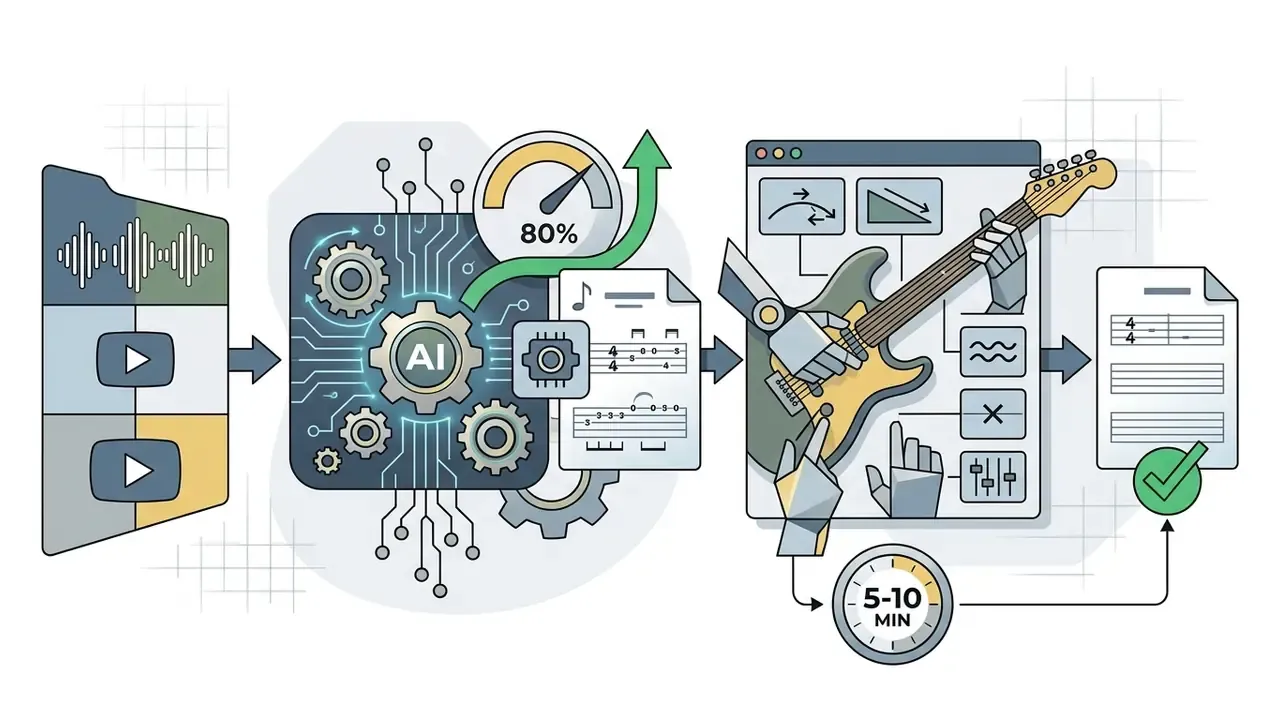
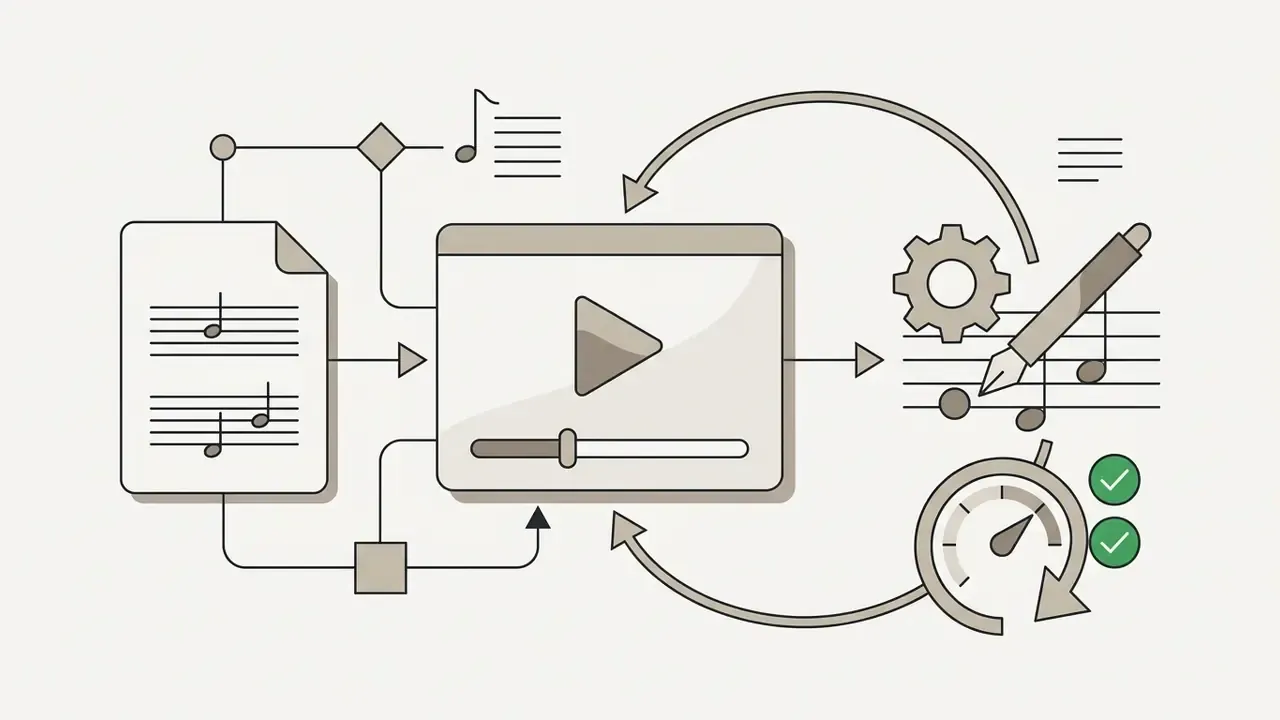
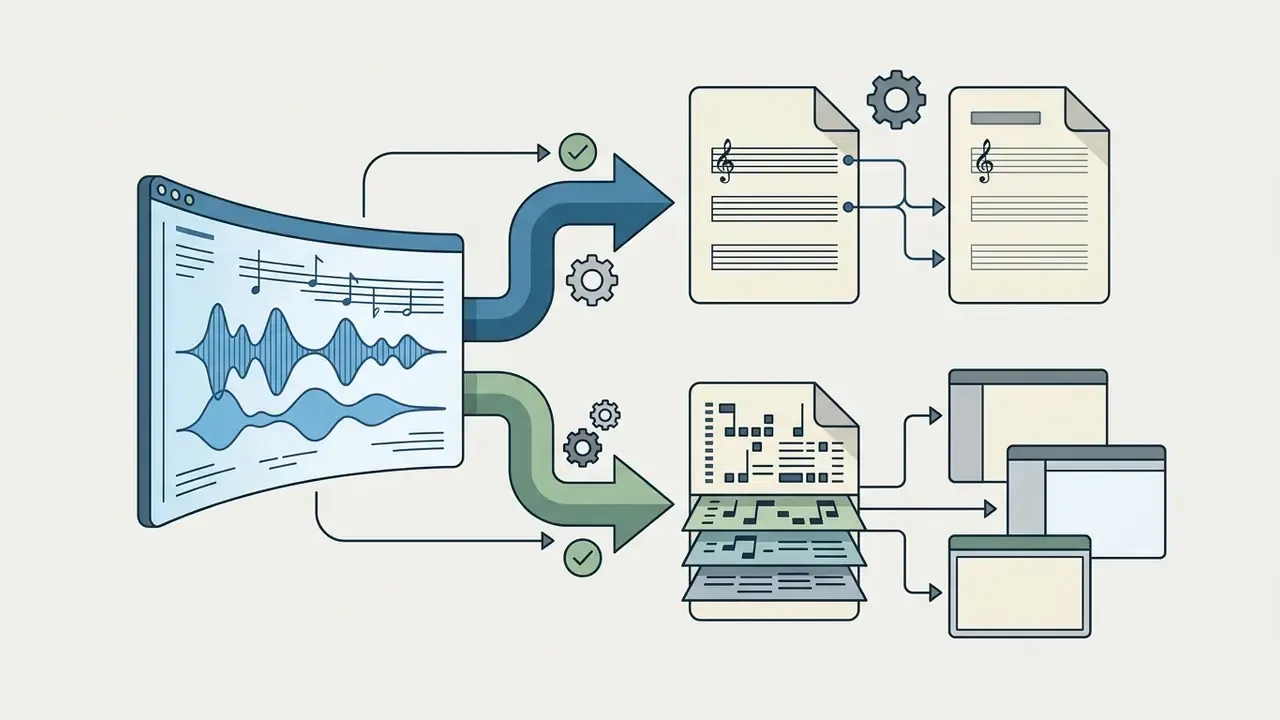
Once transcription finishes, open the file in the built-in browser editor and inspect fingerings and rhythmic alignment. You can play the generated tab against the original audio, slow down complex solo sections, and correct misidentified notes or chord voicings. Keyboard-driven editors are noticeably faster here: browser tools that map note entry, column clearing, and navigation to shortcuts cut editing time sharply compared with mouse-only interfaces.
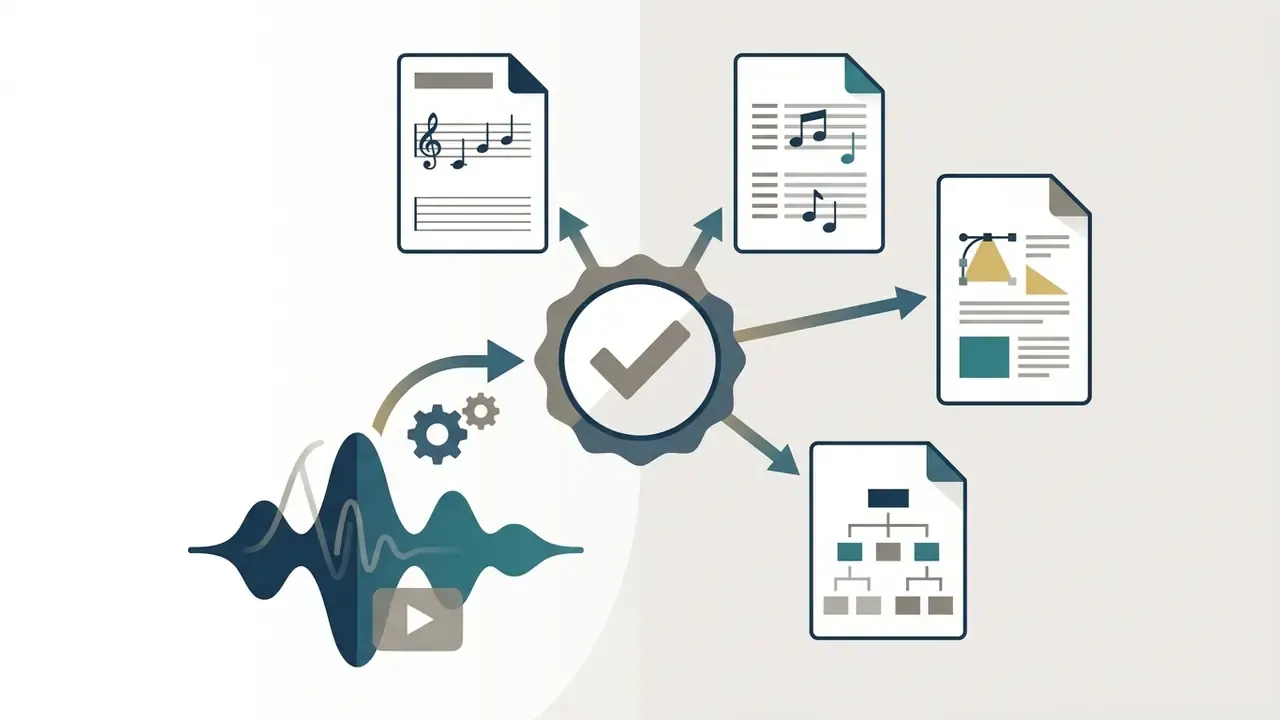
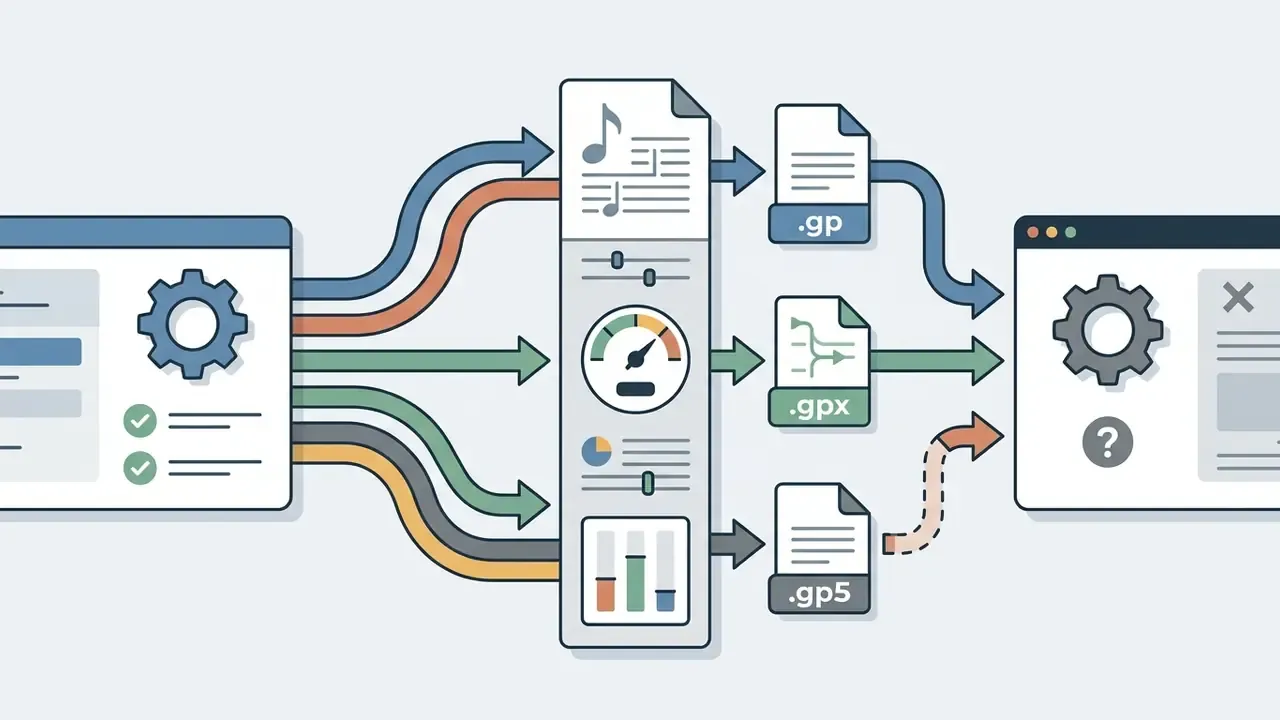
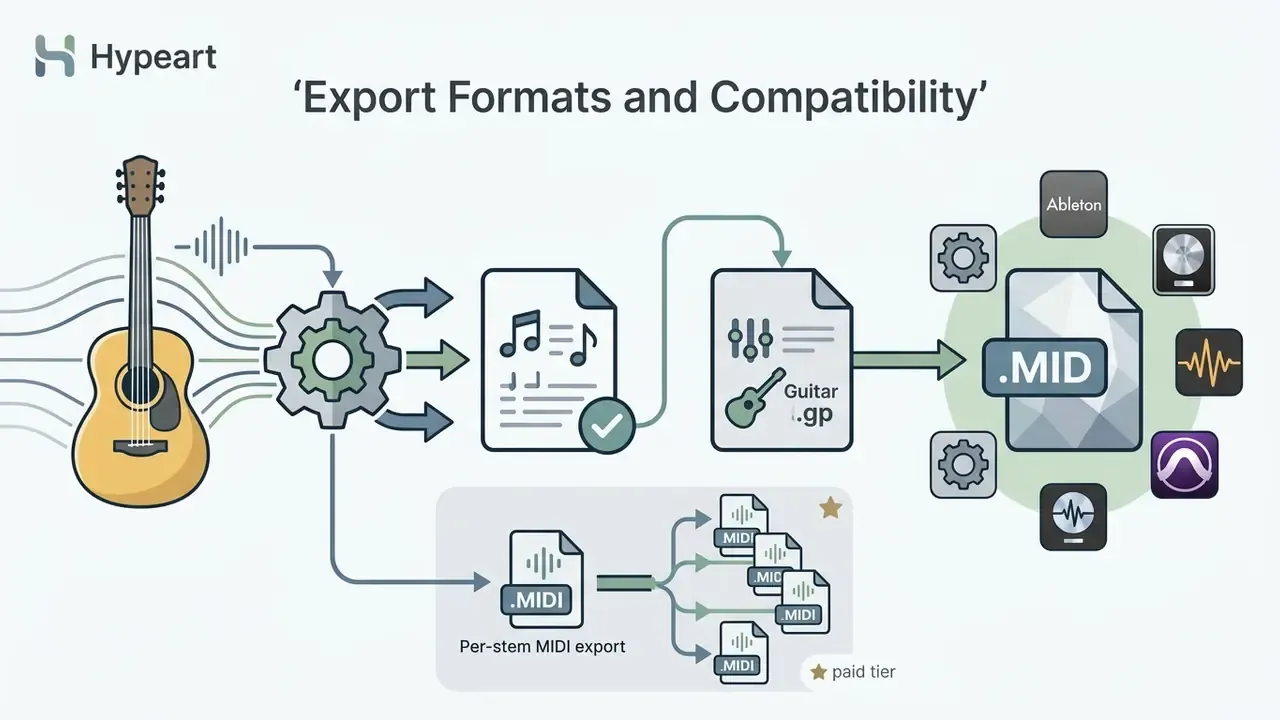
Finalized tablature exports into standard interchange formats: Guitar Pro (.gp / .gp5 / .gpx), MIDI, PDF sheet music, MusicXML, and plain-text ASCII tab. Teachers who then build lesson decks around those files often pair the export with an ai presentation maker for classroom handouts. Readers exploring broader media generation tools can review the AI Media Glossary for technical definitions.
Manual Transcription vs. AI-Assisted Workflow
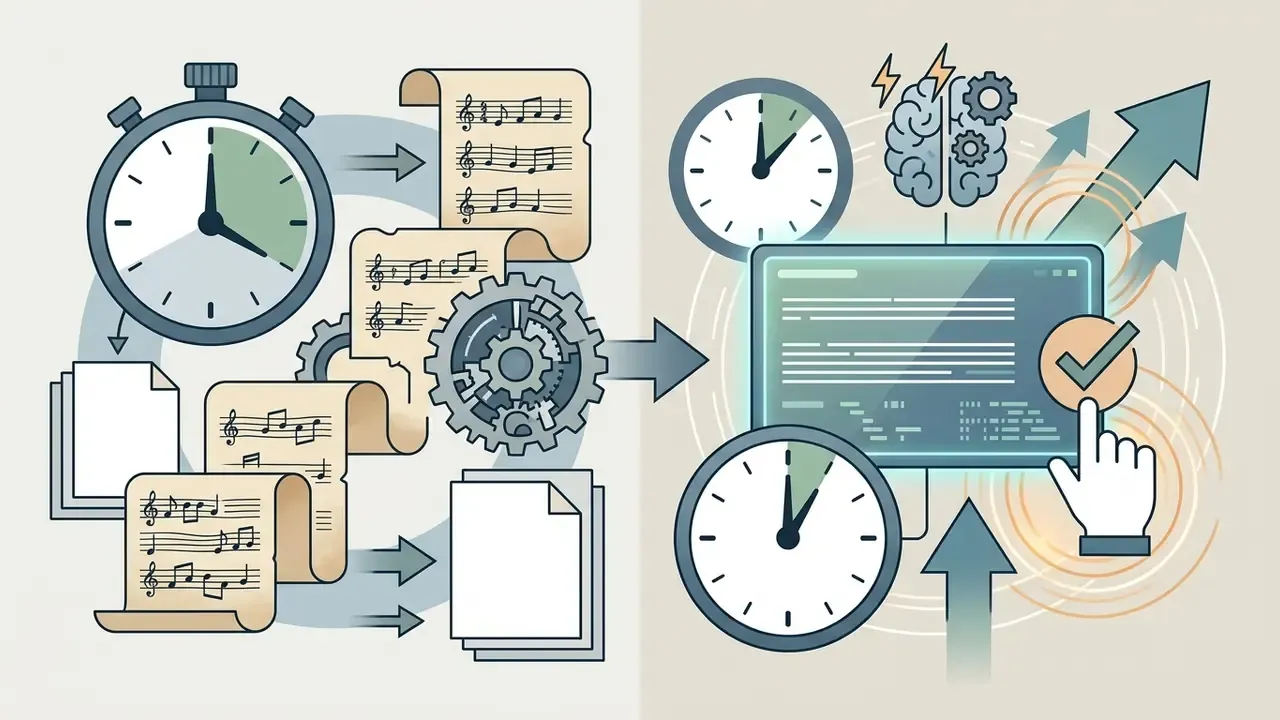
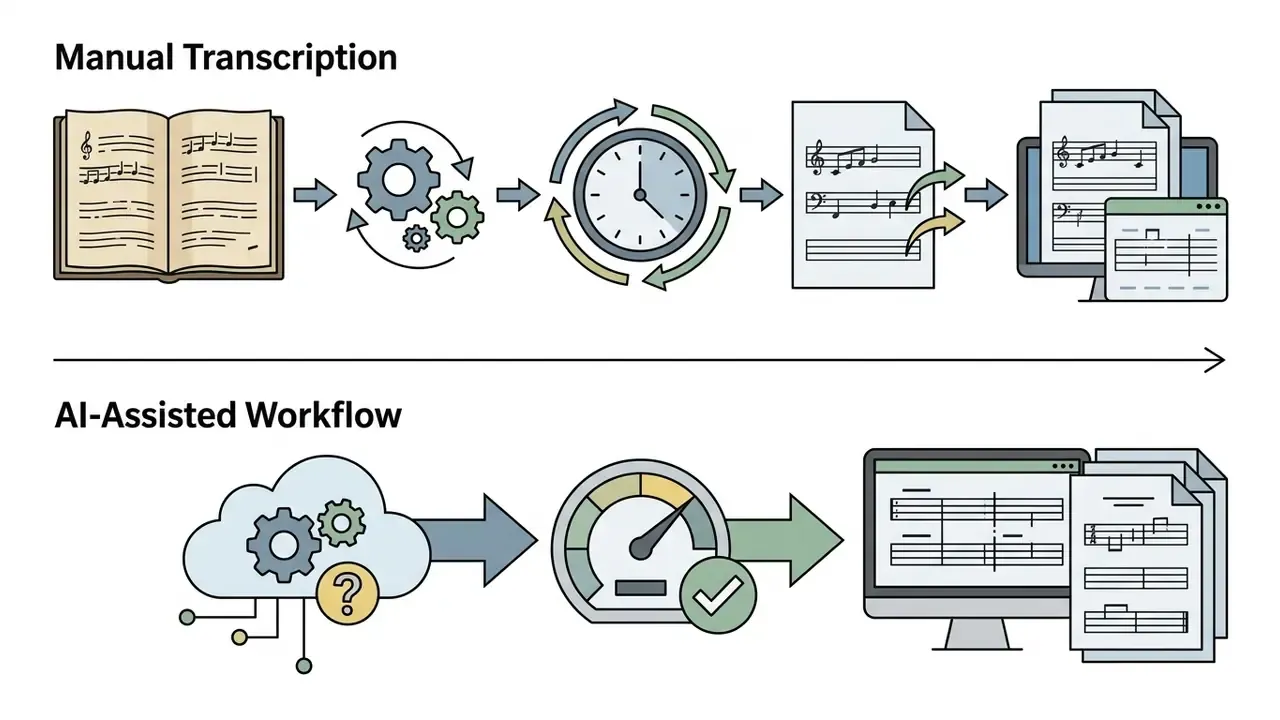
Manual transcription builds ear training, no argument there. But pairing human verification with machine speed is what actually ships work:
How Accurate is an AI Guitar Tab Generator
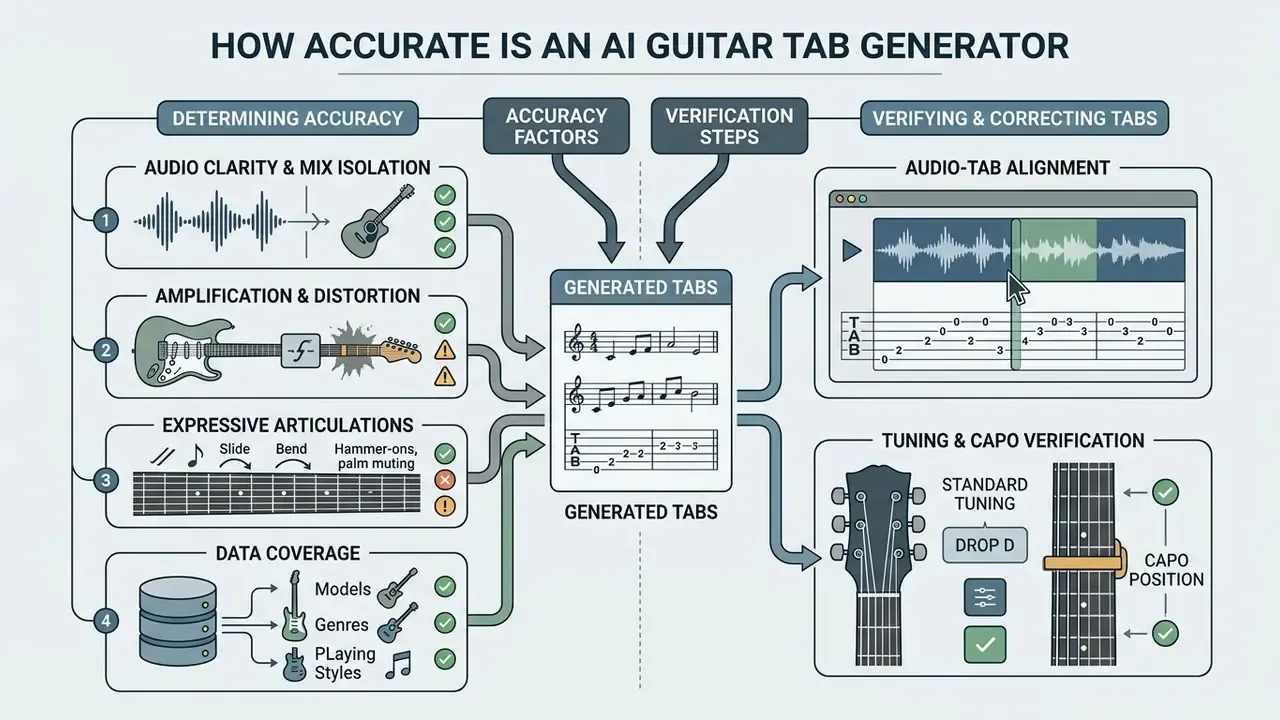
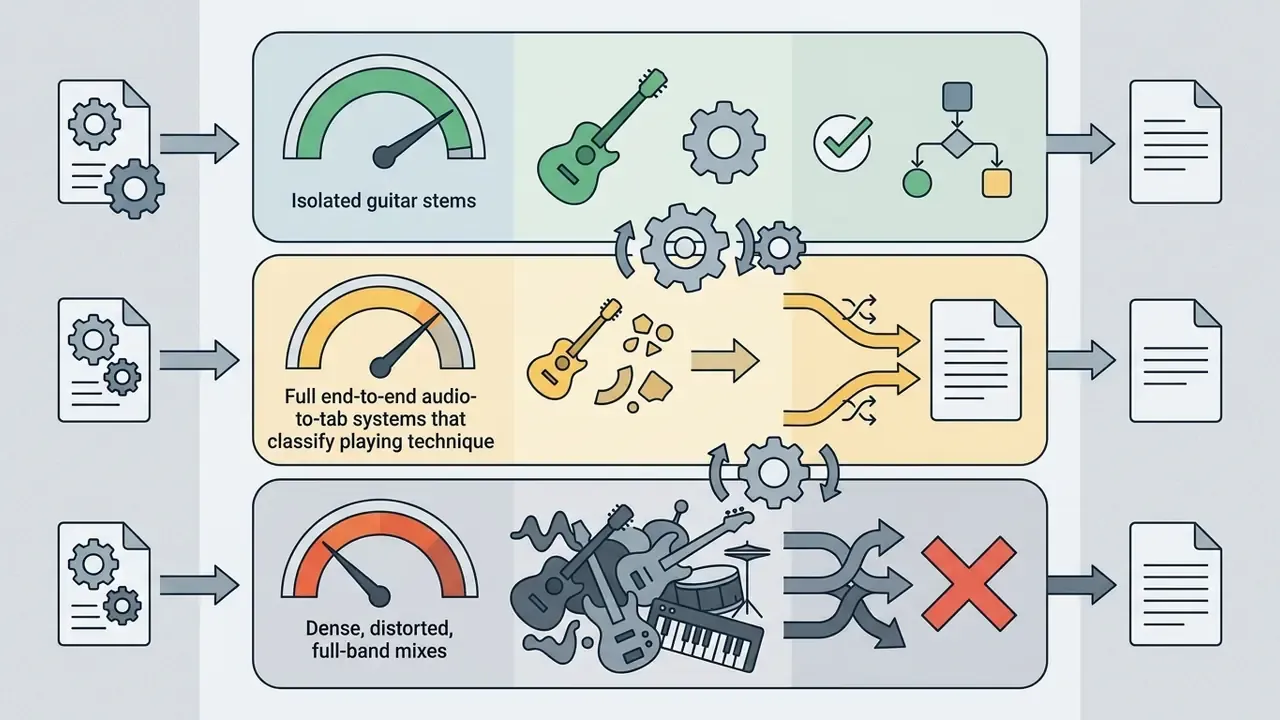
Accuracy should always be quoted with the task and the input condition attached, never as a single blanket percentage. Simple chord progressions and single-note melodies on clean, isolated audio transcribe reliably. Complex solos, distorted rhythm layers, and dense band mixes need human verification, full stop.
«TART reaches approximately 76% accuracy on the aggregate test set for the full audio-to-tab pipeline, including technique classification and position assignment». TART Research Framework, Technique-Aware Audio-to-Tab Representation Tool (2024), arXiv. https://arxiv.org/
Narrower sub-tasks score much higher. Onset and multipitch estimation on isolated polyphonic guitar recordings approaches 98%, and chord-recognition benchmarks cluster between roughly 78% macro-F1 and a 94% recognition rate depending on dataset and harmonic repetition. Real-world electric guitar solos, by contrast, have been reported around a 71.7% average F-score. The pattern is simple: the cleaner the input and the simpler the musical task, the closer to the top of that range you land.
What Determines the Accuracy of Guitar Part Recognition
«Tone-informed transformers trained across 256 amplifier configurations in EGDB-PG show substantial transcription gains over baselines without timbre embeddings». EGDB-PG Benchmark, Tone-Informed Transformer for Electric Guitar Transcription (2024), arXiv. https://arxiv.org/
- Expressive Articulations: Pitch bends, slides, vibrato, and muted strikes remain the hardest class of events for automated systems.
«TART uses a four-stage architecture: adapting a piano-transcription model, MLP-based technique classification, a transformer for string assignment, and an LSTM for tablature generation». TART Research Framework (2024), arXiv. https://arxiv.org/
- Data Coverage: Model generalization depends on how closely training material resembles your recording. Pre-training on synthesized audio rendered from Guitar Pro tablature improves accuracy across multiple real-world datasets compared with training on real data alone (SynthTab, ICASSP 2024, https://arxiv.org/). That is why some tools handle fingerstyle or classical repertoire far better than others.
How to Verify and Correct Generated Tabs
To verify an AI-generated tab, run a structured human-in-the-loop review:
- Audio-Tab AlignmentEnable synchronized playback at 0.5x speed and compare the synthesized output against the original audio section by section, not in one continuous pass.
- Tuning and Capo VerificationConfirm the primary tuning (Standard E A D G B E, Drop D, DADGAD, and so on) and capo position before adjusting individual notes. Tuning is the constraint every fret position is derived from, so fixing it last means redoing the work.
- Ergonomic Fret InspectionHunt for physically unplayable string leaps and impossible stretches. Because the same pitch lives on multiple frets, shift notes to logical positions on adjacent strings, and remember the B-string exception in standard tuning, where the interval falls at the 4th fret rather than the 5th.
- Technique AnnotationAdd missing hammer-ons, pull-offs, slides, bends, vibrato, and palm mutes in the editor before finalizing. Evaluation studies treat missing articulation marks as a quality failure, not a cosmetic detail.
- Second-Pass ListeningPlay the corrected tab against the source one last time at full tempo to catch rhythmic drift introduced by your own edits.
«GAPS, a 14-hour dataset of annotated classical guitar recordings from over 200 performers, provides a benchmark model with state-of-the-art results on solo transcription tasks». GAPS, Guitar-Aligned Performance Scores (2024), arXiv. https://arxiv.org/
That benchmark context is the practical argument for human review. Even state-of-the-art models are validated on curated solo repertoire, not on the distorted, layered, compressed audio most people actually upload. To evaluate automated tools across different digital media workflows, you can see the overview of available platforms.
How to Choose the Best AI Guitar Tab Generator
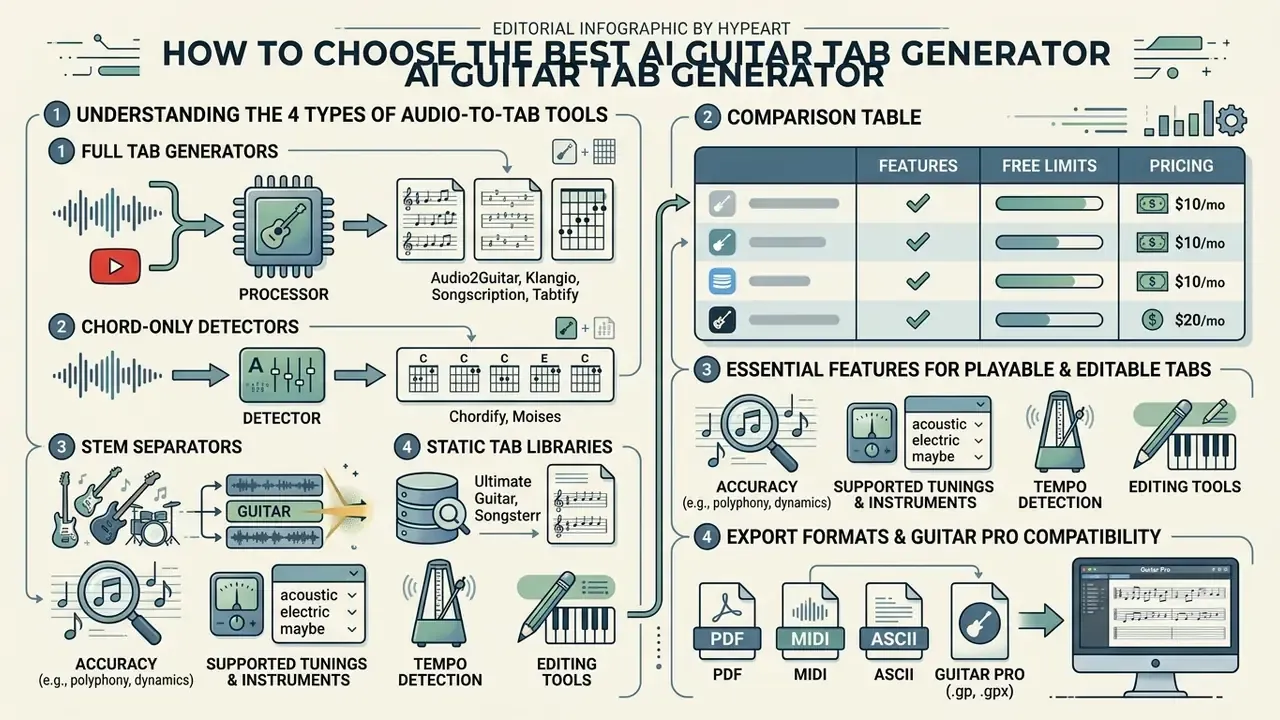
Selecting the best ai guitar tab generator depends on your input formats, editing needs, export flexibility, and budget. Testing tools against a fixed feature checklist prevents bottlenecks mid-arrangement, the same comparison discipline we apply in our roundup of free AI video generators, where free-tier caps and licensing decide the winner more often than raw output quality.
Understanding the 4 Types of Audio-to-Tab Tools
Before comparing software, work out which category fits your workflow. Most disappointment with "AI tab tools" comes from picking a category that was never designed to output fret positions:
- Full Tab Generators (e.g., Audio2Guitar, Klangio Guitar2Tabs, Songscription, Tabtify)Analyze isolated audio to produce note-by-note, fret-by-fret tablature plus MIDI output.
- Chord-Only Detectors (e.g., Chordify, Moises)Detect root chords and harmonies for strumming, but never generate specific fret positions, riffs, or lead lines.
- Stem Separators (e.g., Moises, Lalal.ai)Split full tracks into isolated guitar, vocal, bass, and drum stems. Essential for clean input before tab generation, and excellent for play-along practice.
- Static Tab Libraries (e.g., Ultimate Guitar, Songsterr)Databases of human-transcribed tabs, roughly 1.4 million user-submitted tabs on Ultimate Guitar, and a stated 400,000 songs across 1.3 million tab tracks on Songsterr. Useful for popular songs, useless for unreleased, AI-generated, or custom audio.
Rule of thumb: if the song already exists in a tab library, use the library. AI generators earn their keep on the songs nobody has transcribed yet.
Comparison Table: Features, Free Limits, and Pricing
| Tool / Service | Category | Supported Inputs | Unique Features | Free Tier Limitations | Paid Pricing |
|---|---|---|---|---|---|
| Audio2Guitar | Full Tab Generator | MP3, WAV, FLAC, M4A | 170+ chord types, synced lyrics, section markers (intro/verse/chorus/bridge/outro), per-stem MIDI | 3 full songs, no per-track time cap, no card required | $9.99 one-time (10 songs) / Pro from $8.99 per month / ~$59.99 per year |
| Klangio (Guitar2Tabs) | Full Tab Generator | Audio files, YouTube links, live mic | Pitch alignment, note editor, Guitar Pro export, multi-instrument suite (piano, drums, violin, vocals) | 20-second preview demo, watermarked PDF, demo output non-commercial | ~$15.00 per month (Melody Scanner sibling from $9.99 per month) |
| Songscription | Full Tab Generator | Audio files, YouTube / TikTok / Instagram links, browser recording, MIDI and MusicXML import | 9 instruments, integrated notation + tab editor, piano roll, guitar isolation from full-band mixes | 30-second previews / limited free credits | Tier-based commercial licensing |
| Tabtify | Full Tab Generator + Editor | Audio, MIDI, public media links | Loopable studio player, tuning and capo controls, reads GP/GP3/GP4/GP5/GPX, trending public tabs | Free browser editor, limited full tracks | Subject to underlying music copyright rules |
| TabMaker | Browser Tab Editor + AI | Live mic, manual input | Browser-only local storage (privacy), custom keyboard shortcuts, 14 stringed instruments, ASCII/PDF export, share-by-link | Free with ads; short mic recordings; no cloud sync | Pro subscription for ad-free editing + cloud backup |
| Moises | Stem Separator + Chords | Audio files, YouTube links | Best-in-class guitar stem isolation, speed control 25%–100%, smart metronome, lyrics, mobile app | Limited free processing per month | ~$9.99 per month |
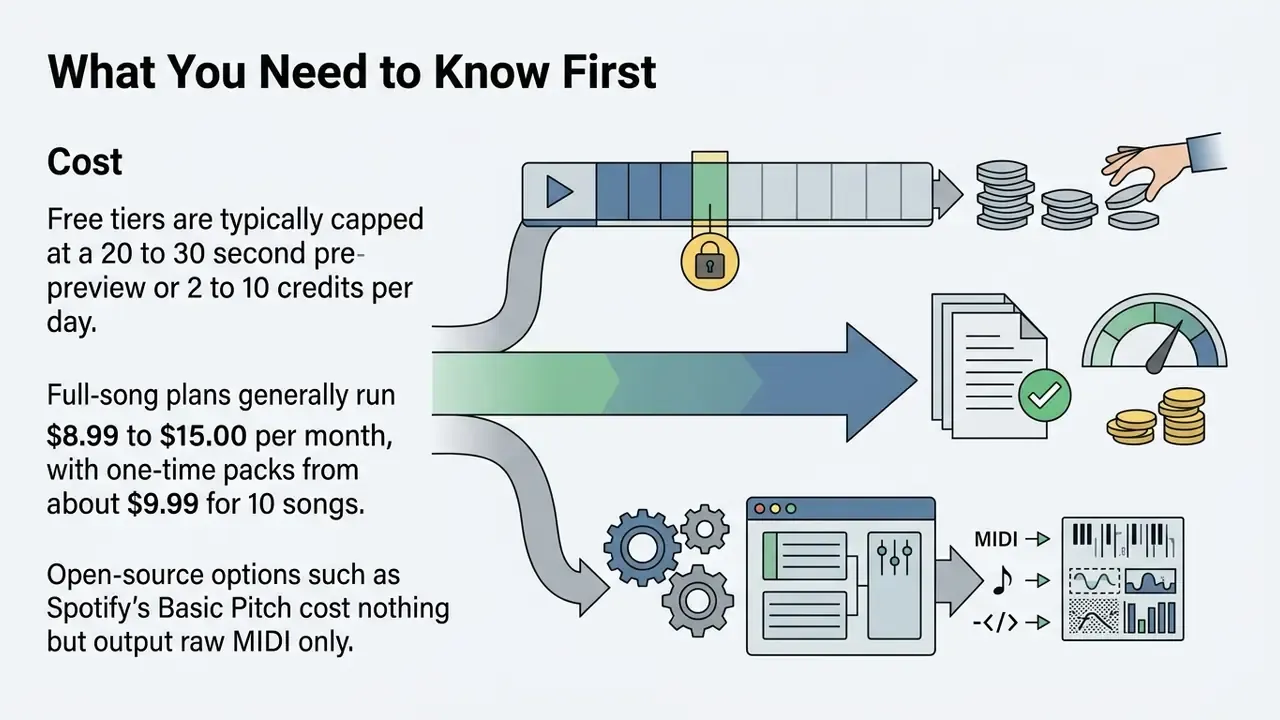
| Basic Pitch (Spotify) | Open-Source Pitch Tracker | WAV, MP3 files | Lightweight polyphonic audio-to-MIDI, permissive Apache 2.0 license, self-hostable | 100% free / open source, no editor or tab view | $0 (self-hosted) |
| Songsterr AI | Tab Library + AI Generator | YouTube links only | Built-in player, pitch shift, track mute, tempo looper, huge existing library | 20-second AI preview | $9.95 per month (Songsterr Plus) |
Pricing and free-tier limits shift often, and several vendors keep rates behind a login wall. Verify current terms on the provider's own pricing page before committing. For organizations investigating enterprise licensing and tool options, you can see the overview of pricing structures.
Essential Features for Playable and Editable Tabs
A serious ai guitar tab maker has to offer interactive editing, not static text output. Core requirements:
- Interactive fretboard visualization and in-place note editing.
- A chord identification tool that names the chord at the current cursor position.
- A tuning dictionary for storing, importing, and reusing custom tunings such as Drop D, Drop A, DADGAD, open tunings, and 7-string layouts.
- Bass-specific handling, including 4-, 5-, and 6-string transposition and correct treatment of the extended low string.
- Playback controls with variable speed (commonly 0.25x to 2x), section looping, autoscroll, capo-aware playback, and a metronome.
- Keyboard-first navigation for fast correction passes.
Readers building broader audio production stacks around these outputs often pair them with AI voice generators for narration and demo vocals in the same project, and with an ai poster generator when the same song ends up promoting a gig.
Export Formats and Compatibility with Guitar Pro
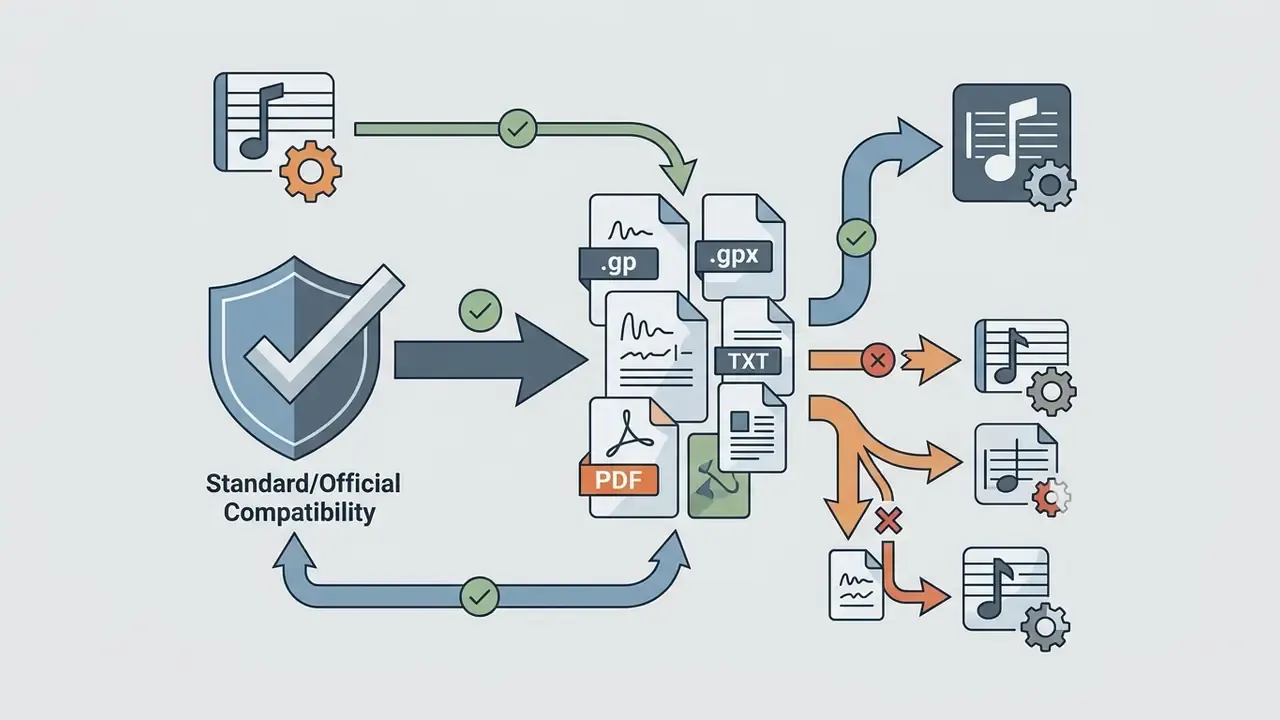
Interoperability across notation software matters for professional guitarists and educators. Check that your chosen ai tab generator supports:
Before you subscribe, run one representative song through the whole export chain: generate, edit, export, then reopen the file in your notation software. Format loss almost always shows up at that final import step, not in the generator's own preview.
Free AI Guitar Tab Generator, Pricing Tiers, and Commercial Use
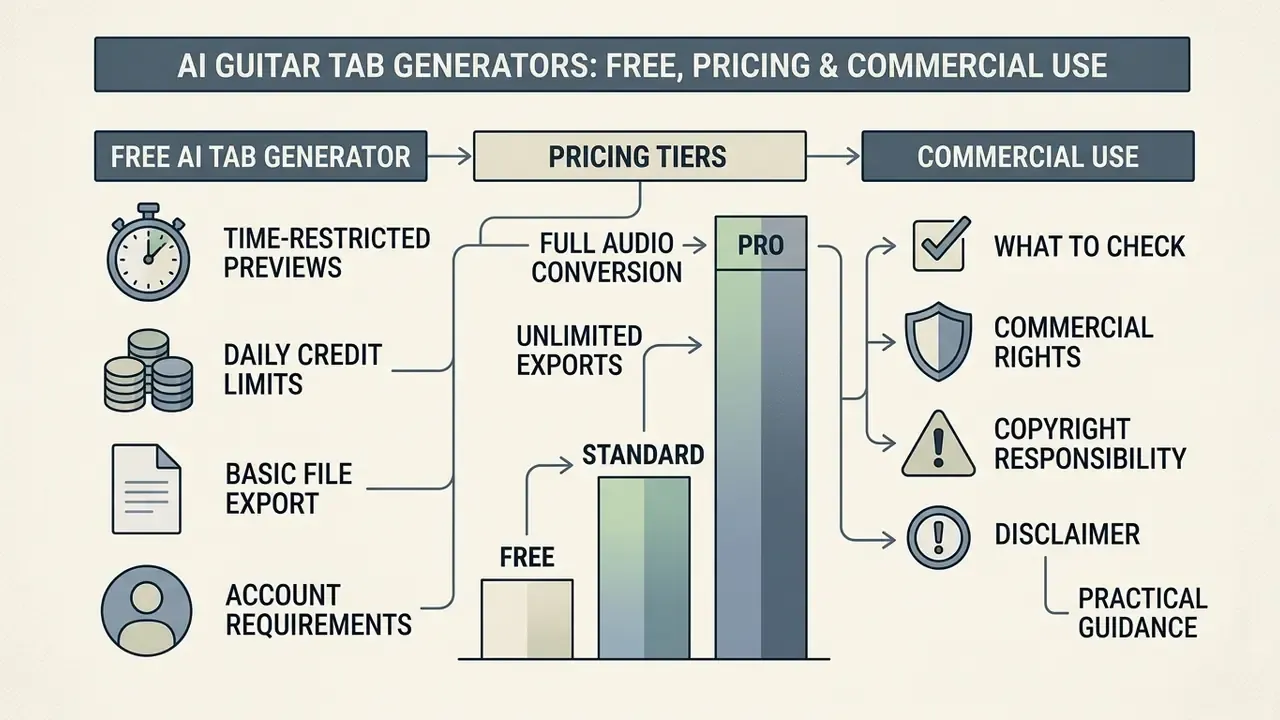
Most free ai guitar tab generator tools run on a freemium model. Free tiers cover testing; full song exports, batch processing, and commercial licensing sit behind paid subscriptions or credit packs.
What is Typically Included in a Free AI Tab Generator
A free ai tab generator usually gives you entry-level features sized for short tests:
- Time-Restricted Previews Free transcriptions are frequently capped at 20 to 30 seconds per clip. Klangio offers up to 30 demo transcriptions per day limited to 20 seconds with watermarked PDFs. Songscription provides unlimited 30-second previews while full tracks stay behind paid plans. Audio2Guitar is the outlier, with 3 complete songs and no per-track time cap.
- Daily Credit or Token Limits Anonymous or free account tiers commonly allow between 2 and 10 generation tokens per day, or a monthly credit allowance with a smaller daily ceiling.
- Basic File Export Watermarked PDF downloads, while editable Guitar Pro and MIDI exports remain locked to paid tiers.
- Account Requirements Simple sign-up by email or browser session token, without upfront card details. Some browser-only editors store everything locally and need no account at all.
To model per-song and per-month costs against your own output volume, use the AI Media Calculators before selecting a tier.
What to Check Before Commercial Use of Tabs
Practical guidance: in institutional media production, the durable pattern is procedural rather than statistical. Teams publishing tutorial content built on commercial songs typically (a) confirm the platform tier grants commercial output rights, (b) clear publishing rights for the underlying composition, and (c) document the human editing contributed to each file. That sequence lowers infringement exposure and shortens legal review. Actual time savings depend on catalogue size and internal approval steps, and should be measured internally rather than assumed. To review legal frameworks around digital media creation, you can compare options regarding commercial use, or consult the AI Media Commercial-Use portal.
FAQ About AI Guitar Tabs Generator
Can an AI Tab Generator Create Tabs for Extended-Range and Other Stringed Instruments?
Yes. Advanced models adapt pitch tracking to non-standard string counts, alternate tunings, and extended frequency ranges. Current generators and editors cover:
- Extended-Range Guitars: 5-, 7-, 8-, 9-, 10-, and 12-string guitars, with pitch detection adjusted down into Drop A, Drop F, and Drop E territory.
- Bass Guitars: 4-string, 5-string, and 6-string bass transposition, including correct handling of the extended low string.
- Folk and Traditional Instruments: Ukulele (soprano/tenor, G C E A), 5-string banjo, mandolin, and charango.
- Alternate Tunings: Drop D, Drop A, DADGAD, open tunings, and fully custom tuning dictionaries. Not every vendor supports this, mind you. Some current guitar tab generators transcribe in standard tuning only, so check before you upload.
For non-standard instruments, select the target instrument in settings before upload, so the system assigns fretboard boundaries and string frequencies correctly.
Can an AI Tab Generator Create Tabs for Bass and Other Instruments?
Yes. Many ai tabs maker platforms handle bass guitar (4, 5, and 6-string), ukulele, mandolin, and banjo. Multi-instrument tools like Songscription and Tabtify let you pick the target instrument before transcription, adjusting string counts, pitch ranges, and default tunings automatically. Songscription supports nine instruments including guitar and bass, exporting to PDF, MusicXML, MIDI, and Guitar Pro with editing in a browser-based notation editor. Klangio's suite extends the same approach to piano, drums, violin, and vocals.
Can You Save a Tab, Share a Link, and Reopen Files Later?
Most web-based ai tab generator guitar platforms include cloud project storage. You can save transcriptions in progress to an account workspace, generate public share links for collaborative editing, and reopen saved files later to adjust notes, custom tunings, or export formats. Privacy-focused alternatives do the opposite: browser-only editors keep every tab in local storage, which keeps compositions private but means switching devices loses your library unless you upgrade to a cloud-sync tier.
Does an AI Guitar Tab Generator Work Online and on Mobile?
Yes. Modern tab generator ai tools run directly in web browsers on desktop and mobile (iOS and Android), and some vendors also ship native apps. Mobile browsers handle audio uploads, link pasting, playback, and quick tab viewing without much fuss, and several tools adapt layout to screen size. Desktop is still the better environment for detailed note editing and complex fretboard adjustments, and some vendors say "desktop recommended" outright. On locally-computed tools, processing speed also tracks device performance. Mobile-first creators handling adjacent media tasks may also want free video editing software options that follow the same browser-based model.
How Accurate Are AI Guitar Tabs Compared With Human Transcription?
Human transcription services remain the accuracy benchmark, and they price accordingly. Bespoke manual transcriptions of complex jazz or improvisational pieces can run around $200 or more per piece and take days. AI output arrives in minutes at a fraction of that, but it is a draft, not a finished score. The realistic comparison is not "AI versus human" but "AI plus 10 minutes of human review versus 3 hours of human work."
Can ChatGPT or a General-Purpose Chatbot Write Guitar Tabs?
A general-purpose language model can sketch simple chord progressions or approximate melodies as text, but it cannot analyze an audio waveform. Audio-to-tab conversion needs the dedicated signal-processing stages described above, source separation, polyphonic pitch tracking, and onset detection, which is why specialized transcription software is the right tool for converting a recording.
Summary and Next Steps
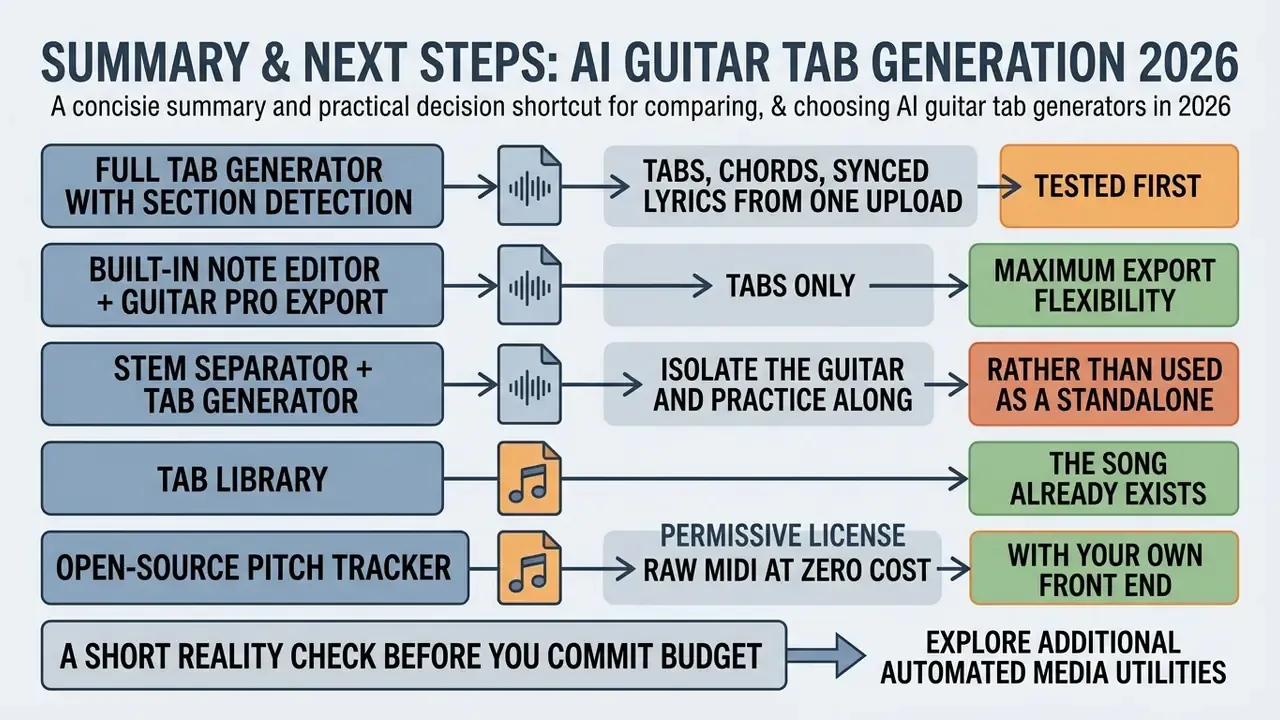
An ai guitar tab creator changes how musicians, teachers, and producers turn audio into playable sheet music. Pair automated transcription with human verification and flexible export, and you get accurate, professional guitar tablature in a fraction of the usual time.
Practical decision shortcut:
- Tabs, chords, and synced lyrics from one upload → a full tab generator with section detection, tested first on its free full-song tier.
- Tabs only, with maximum export flexibility → a generator with a built-in note editor plus Guitar Pro and MusicXML output.
- Isolate the guitar and practice along → a stem separator, paired with a tab generator rather than used as a substitute.
- The song already exists in a tab library → use the library. AI generators are for untranscribed material.
- Raw MIDI at zero cost, with your own front end → an open-source pitch tracker under a permissive license.
A short reality check before you commit budget. Run the same 30-second passage through two or three candidates, ideally something with a distorted rhythm layer and a bend or two. The winner is rarely the tool with the boldest accuracy claim; it is the one whose editor lets you fix the remaining 20% fastest.
To explore additional automated media utilities:
- Review the AI Media Glossary for definitions of source separation, polyphonic transcription, and related terms.
- Compare adjacent audio tooling in the AI voice generator guide.
- Test cost modeling directly on the AI Media Calculators page.
- Check developer API capabilities and see the overview for custom media integrations.
- For support or technical documentation, explore the hub for further assistance.