A free AI presentation maker uses natural language processing and computer vision to turn raw prompts, text scripts, or uploaded documents into structured slide decks. Enterprise teams and financial analysts use these tools to speed up the first draft of a deck while keeping human oversight over data accuracy and visual standards.
The practical question for a risk or finance leader is narrow. Not "can AI create presentation slides?" It can. The question is whether the output, the inputs, and the vendor's data handling survive an audit.
Quick summary for decision-makers
- What these tools do: convert prompts, scripts, PDFs, Word files, spreadsheets, and URLs into editable slide decks with titles, bullets, charts, imagery, and speaker notes.
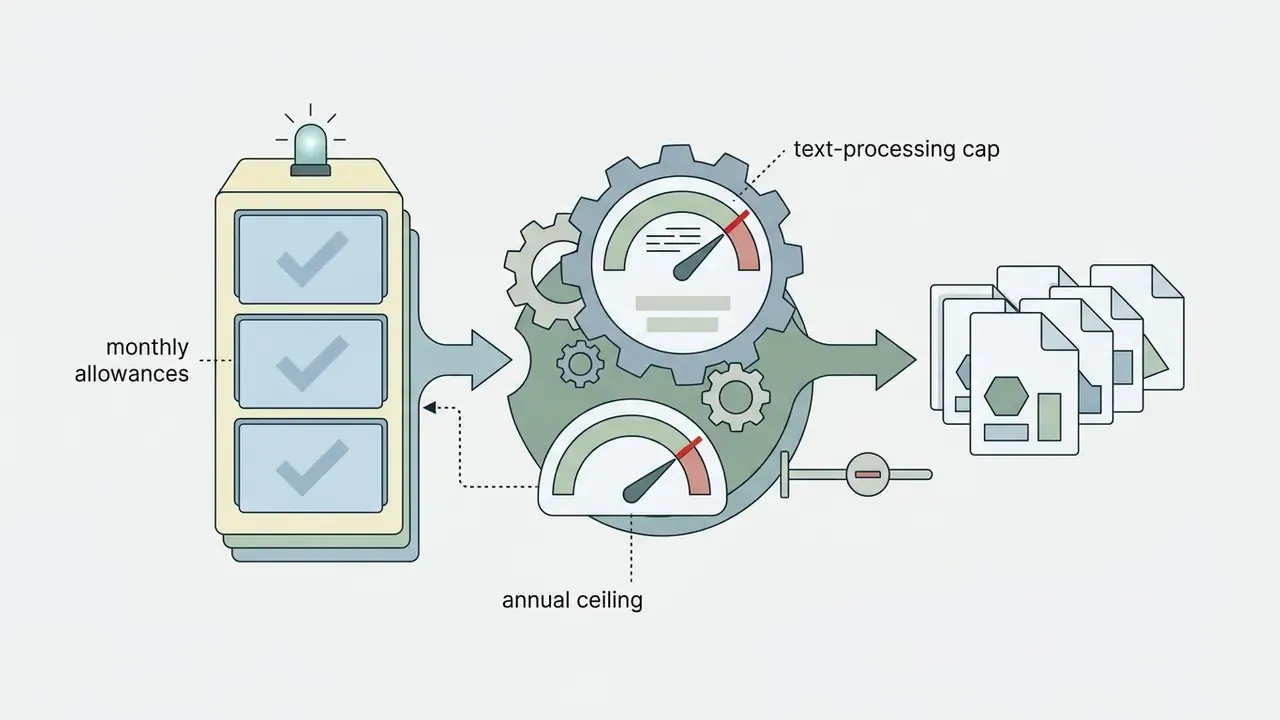
- What "free" actually means: three freemium mechanics dominate. One-time signup credits (Gamma: 400 non-renewing credits), monthly generation caps (SlidesAI: 3 decks per month), and export gates (watermarks, PDF-only downloads, locked .pptx).
- Export reality check: native editable
.pptxis the most reliable free export path. Direct Google Slides export is far less common and usually replaced by an indirect PPTX-import workflow. - Where the risk sits: factual hallucinations in summarized metrics, third-party stock-asset licenses, unclear copyright status of machine-only output, and uncontrolled uploads of confidential documents into public AI endpoints (Shadow AI).
- What makes the output usable: structured prompting (the S-P-A-R-K-S framework), a documented human review pass, and design discipline (one takeaway per slide, no more than 6 lines of body text, a 60-30-10 color split).
- Governance minimum: verify SOC 2 Type II certification, GDPR posture, and whether prompt inputs are excluded from model re-training before any internal document reaches a free tier.
In enterprise testing across financial analysis workflows, automated slide generation compressed initial draft preparation sharply compared with manual layout building. Internal benchmark figures for time savings stay environment-specific and need independent measurement inside each organization. Output quality depended heavily on two things: clear prompt constraints, and a rigorous post-generation review of extracted metrics. Treat any vendor time-saving claim as a hypothesis until your own teams log the hours.
What a free AI presentation maker can create
A free AI presentation maker generates complete slide decks from unformatted text, structured prompts, or uploaded PDF and Word documents. These systems parse input text, establish logical topic hierarchies, assign visual layouts, draft slide headlines, summarize bullet points, generate matching visual assets, and write the underlying speaker notes.
Modern presentation tools fall into distinct functional categories: generic presentation generators, specialized slide creators, and presenter-focused talk-track builders. Knowing those boundaries prevents operational friction when you convert a complex financial report or a strategic proposal into a board-ready deck.
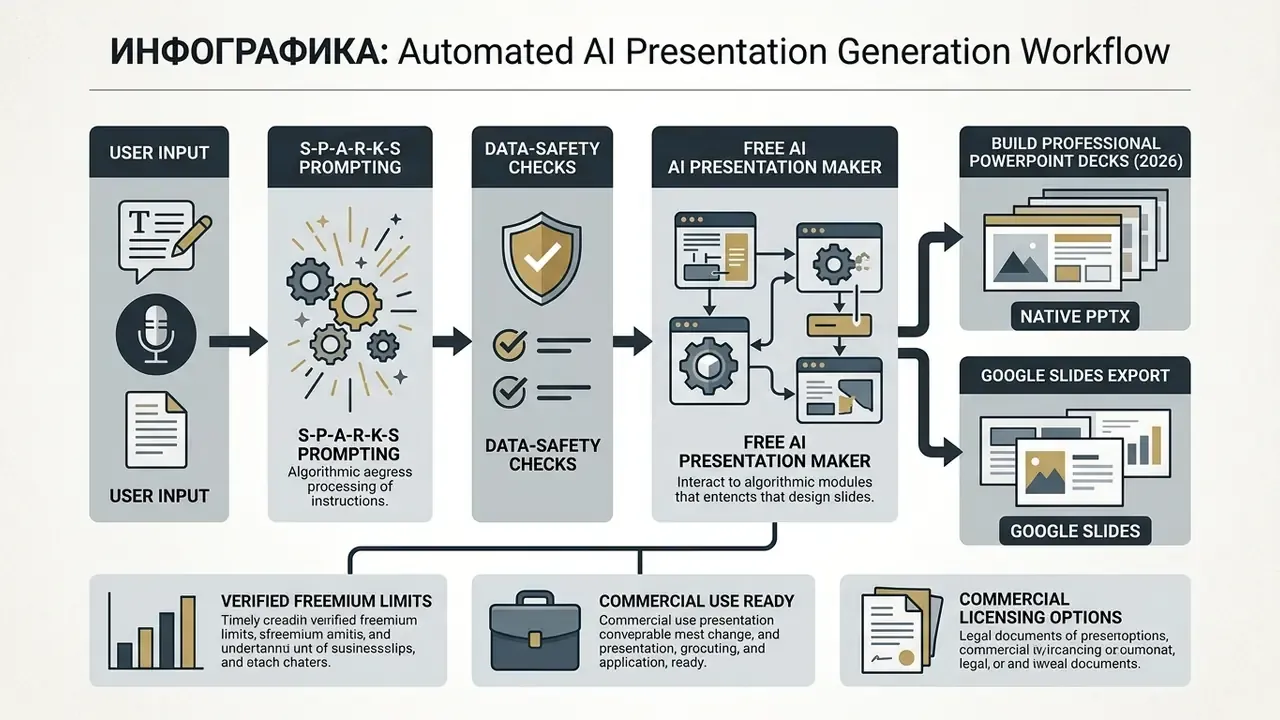
Step four is where most governance failures happen. Not step three.
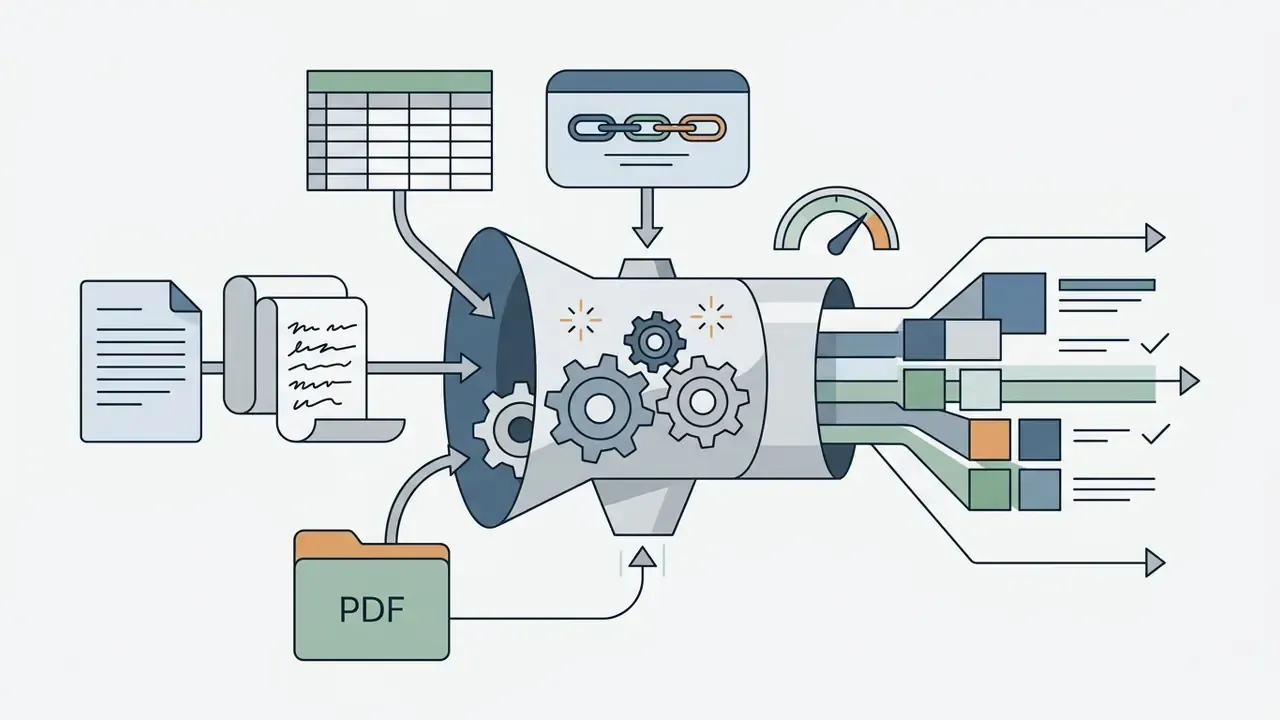
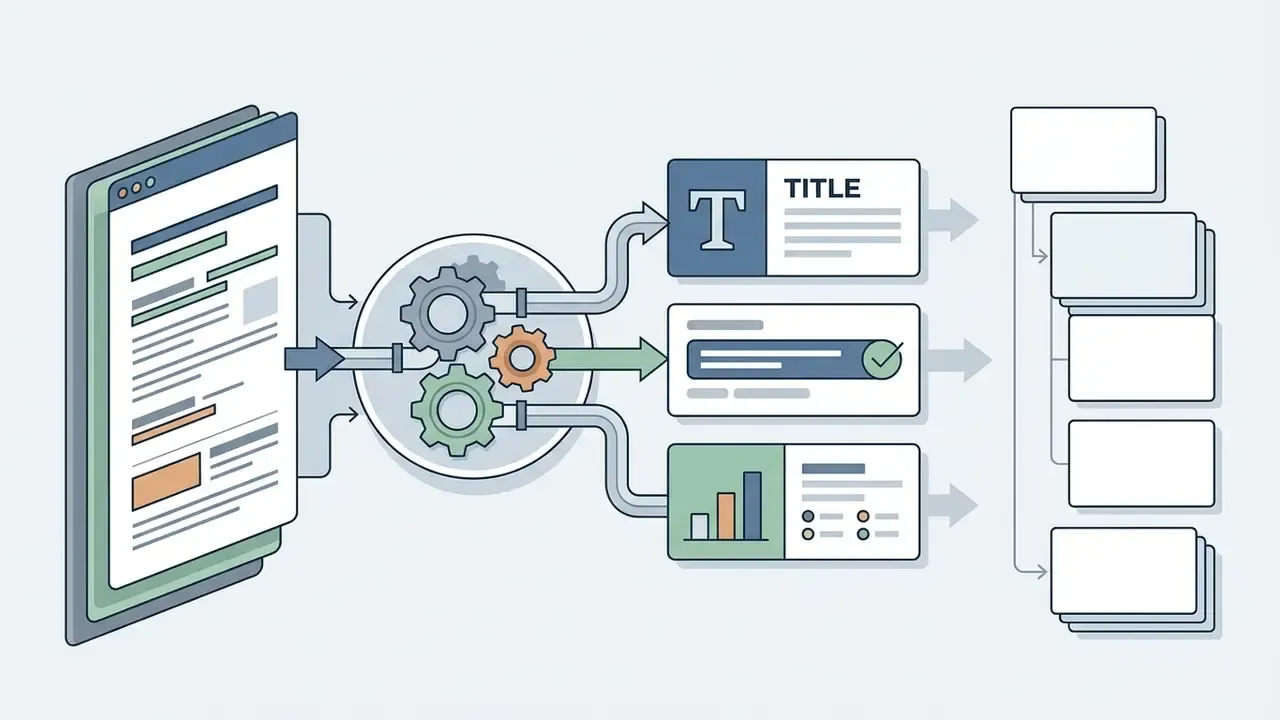

From a prompt, text, script, or document to slides
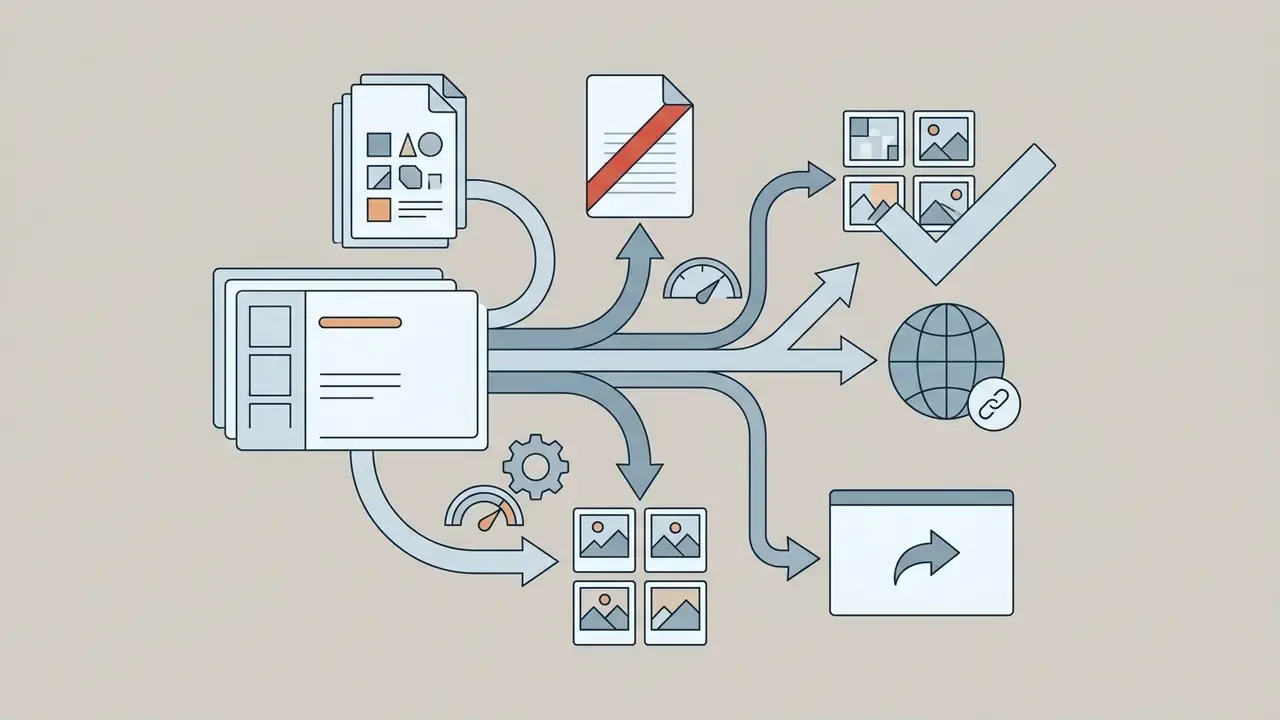
An AI presentation tool converts text to PPT by analyzing the structure of the input document and mapping headings to individual slide topics. Research on scientific document parsing shows that sequence-to-sequence models trained on paired papers and presentations achieve better content coverage and structural coherence than generic text summarizers.
"DOC2PPT is trained on 5,873 document-presentation pairs (~100,000 slides) and outperforms baseline summarizers on ROUGE and human structural ratings."
When the input is raw text or a prompt, the system splits narrative content into distinct logical units. Long paragraphs become concise bullets, while data references turn into layout suggestions or chart structures. Scanned PDFs pass through optical character recognition (OCR), a text-extraction step for image-based pages, to recover embedded tables, graphics, and section headers before visual assignment. Production pipelines described by ChatSlide follow the same sequence: parse headings, paragraphs, tables, figures, and references, then rebuild them as slide titles, summarized content, data slides, and visual slides.
One caution from practice. Tables inside scanned annexes are the weakest link, and a misread decimal in a capital ratio is not a formatting problem.
AI presentation maker, AI slide creator, and AI presenter generator
An AI presentation maker creates an entire multi-slide deck from broad instructions, managing narrative flow, slide count, and template styling across all cards. Examples include the Canva AI Generator and its Magic Design workflow, Presentations.AI, Adobe Express Generate Presentation, and Microsoft Copilot in PowerPoint.
An AI slide creator focuses on generating or redesigning individual slides from explicit visual or structural references. Systems like SlideCoder use layout-aware retrieval-augmented generation to reproduce complex visual designs as editable programmatic slide code.
"SlideCoder surpasses baseline models by 40.5 points across layout fidelity, code executability, and visual consistency metrics."
How to create a PowerPoint presentation using AI for free
Creating a PowerPoint presentation using AI takes structured prompt engineering, automated layout generation, factual verification, and manual formatting work. A standardized workflow is what keeps AI-generated slides inside your design guidelines and accuracy benchmarks.
- Define objective and audience constraints.
- Prepare structured input content (script, prompt, or reference document).
- Select an appropriate AI presentation tool and baseline theme.
- Generate the initial AI slide deck draft.
- Audit generated content, citations, and data points against primary sources.
- Refine visual hierarchy, typography, and image placement.
- Export the final editable deck as a PowerPoint (.pptx) file.
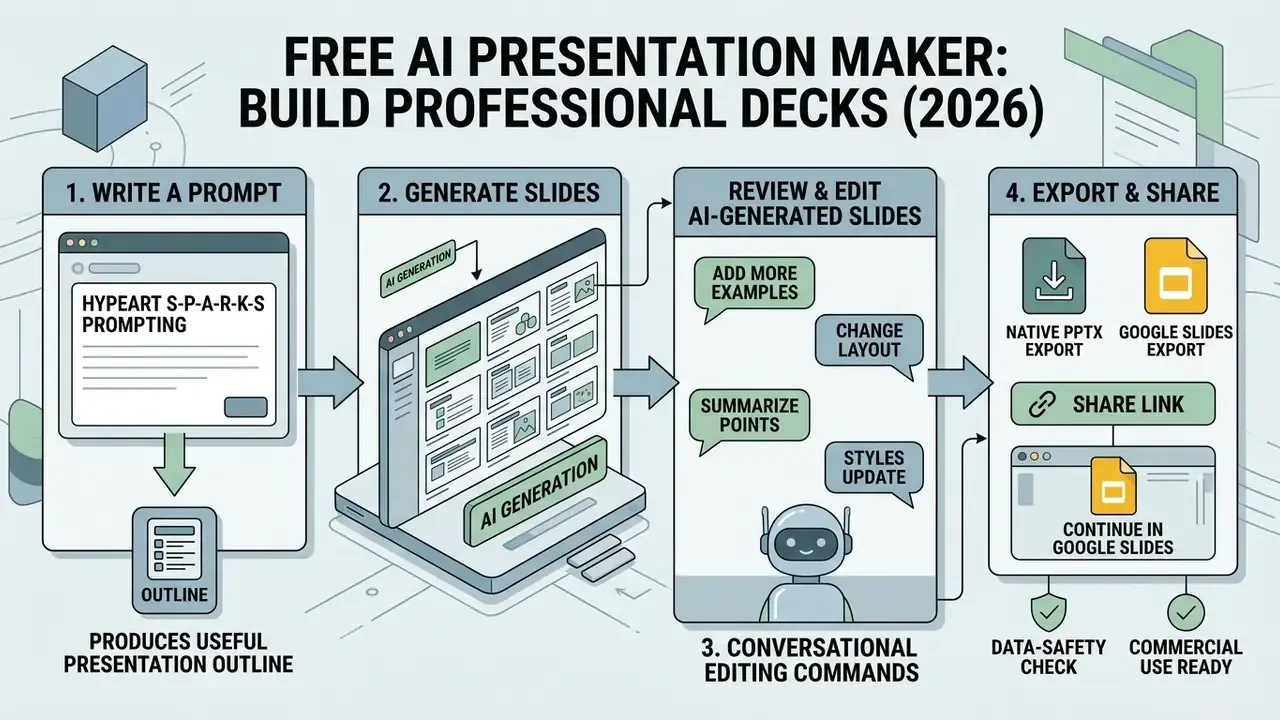
Write a prompt that produces a useful presentation outline
A good presentation prompt sets clear parameters: target audience, total slide count, tone, visual style, and core message constraints. Vague prompts produce generic slide titles and shallow bullets that then need heavy manual rewriting. You save nothing.
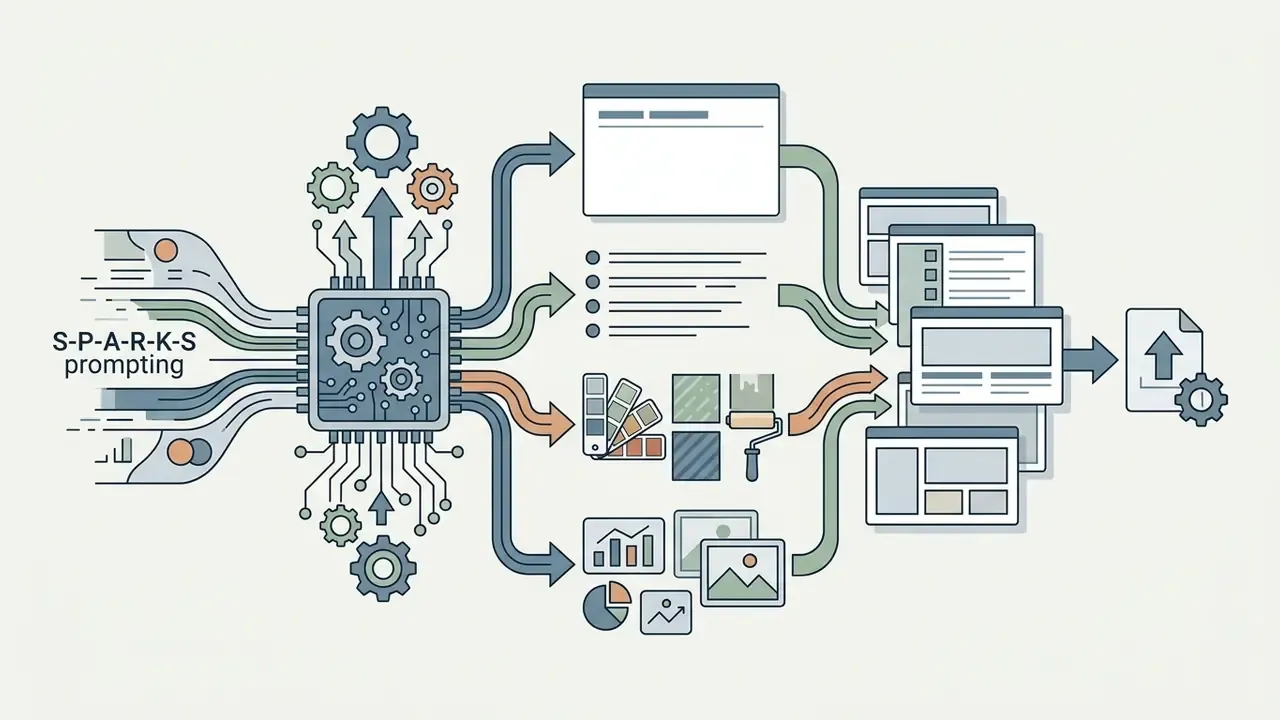
The S-P-A-R-K-S prompt framework structures AI presentation inputs into six explicit components:
- Subject: the primary topic or domain analysis.
- Purpose: the intended outcome (executive briefing, sales pitch, regulatory review).
- Audience: the technical background and decision-making level of attendees.
- Range: the exact slide count or operational scope.
- Key points: essential data, conclusions, or metrics that must appear.
- Style: design preferences (high contrast, minimal text, corporate theme).
An expanded eight-field variant also circulates in enterprise settings: role, audience, goal, slide count, slide-by-slide outline, mandatory data sources, tone, and hard constraints (for example, "no external statistics, use only the attached quarterly report"). That last field matters most in regulated work, because it blocks the model from inventing market figures.
Generate, review, and edit AI-generated slides
Once the system returns a first deck, reviewers must audit every number, quote, date, and proper noun against primary source documents. Generative models still introduce subtle factual hallucinations or misread complex chart data while summarizing.
"Auto-Slides embeds verification and refinement agents that enforce factual accuracy, consistency, and completeness of slide content before final presentation."
Conversational editing commands, examples:
- "Redesign Slide 3: Convert the bullet points into a 3-column comparative table with high-contrast header cells."
- "Condense Slide 5: Shorten the body paragraph into a single analytical takeaway under 12 words and bold key metrics."
- "Visual Swap: Replace the generic icon set on Slide 8 with a technical workflow diagram using primary brand accents."
- "Reorder: Move the risk-appetite slide directly after the model inventory slide and regenerate the agenda card."
- "Tone pass: Rewrite all slide titles as declarative findings, not topic labels; keep the numbers unchanged."
- "Chart fix: Rebuild the revenue chart as a native editable bar chart with a labeled Y-axis in millions USD."
Rewrite slide titles so they state an analytical takeaway instead of a passive topic label. Long text blocks should collapse into scannable bullets, and every visual element needs a contrast and hierarchy check across layouts. Where a slide carries AI-generated diagrams or facsimiles, professional bodies increasingly expect an on-slide disclosure of AI involvement.
Here is an illustrative, composite example. During a model risk framework review, an automated tool ingested a 40-page policy document and produced a draft 12-slide overview in three minutes. The compliance team flagged two misquoted oversight thresholds during manual review, corrected the bullets, and cleared the deck for executive delivery inside 20 minutes. Net gain: real. Zero-review workflow: not defensible.
"Slide4N users rated the collaborative approach higher than fully manual or fully automatic generation, thanks to retained control over draft editing."
What "free" means in an AI presentation maker
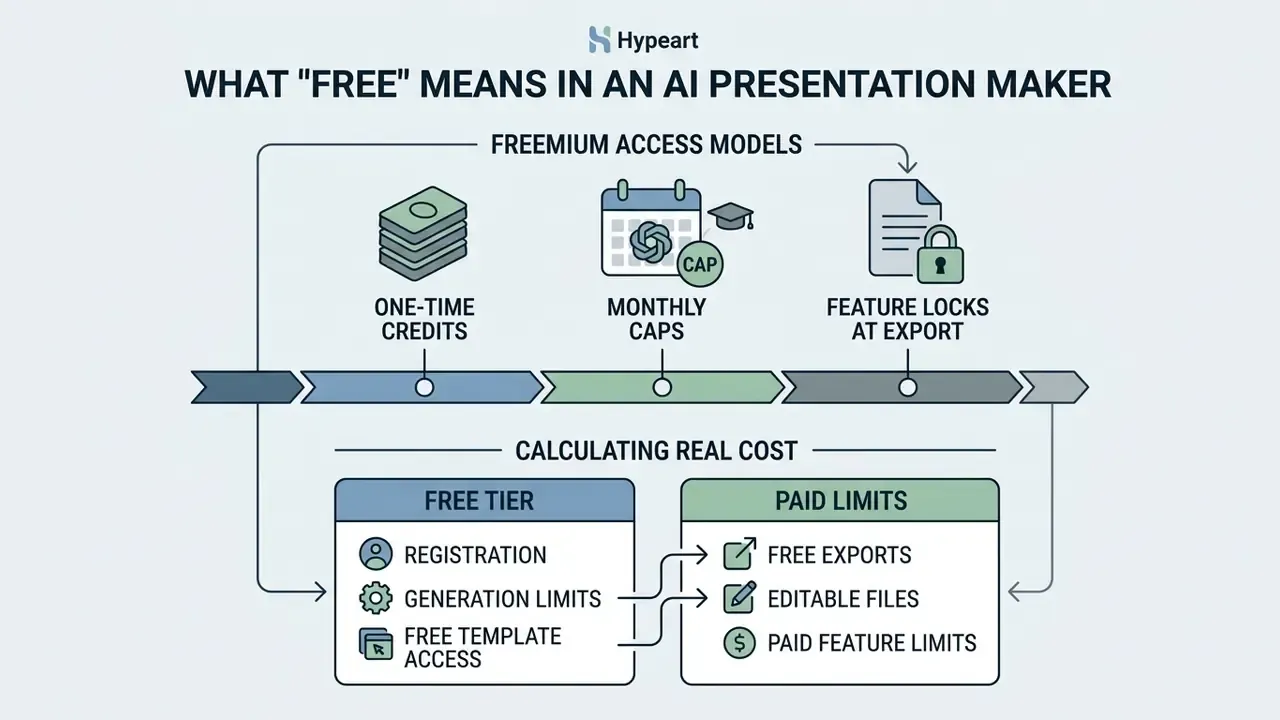
In commercial software, "free" usually means a freemium access model governed by non-renewing starter credits, monthly generation caps, or feature locks at the export stage. Knowing which mechanic applies prevents an unpleasant surprise an hour before a client meeting.
A review of current vendor pricing and help pages (checked August 2026 on the platforms' own documentation) shows three primary freemium models:
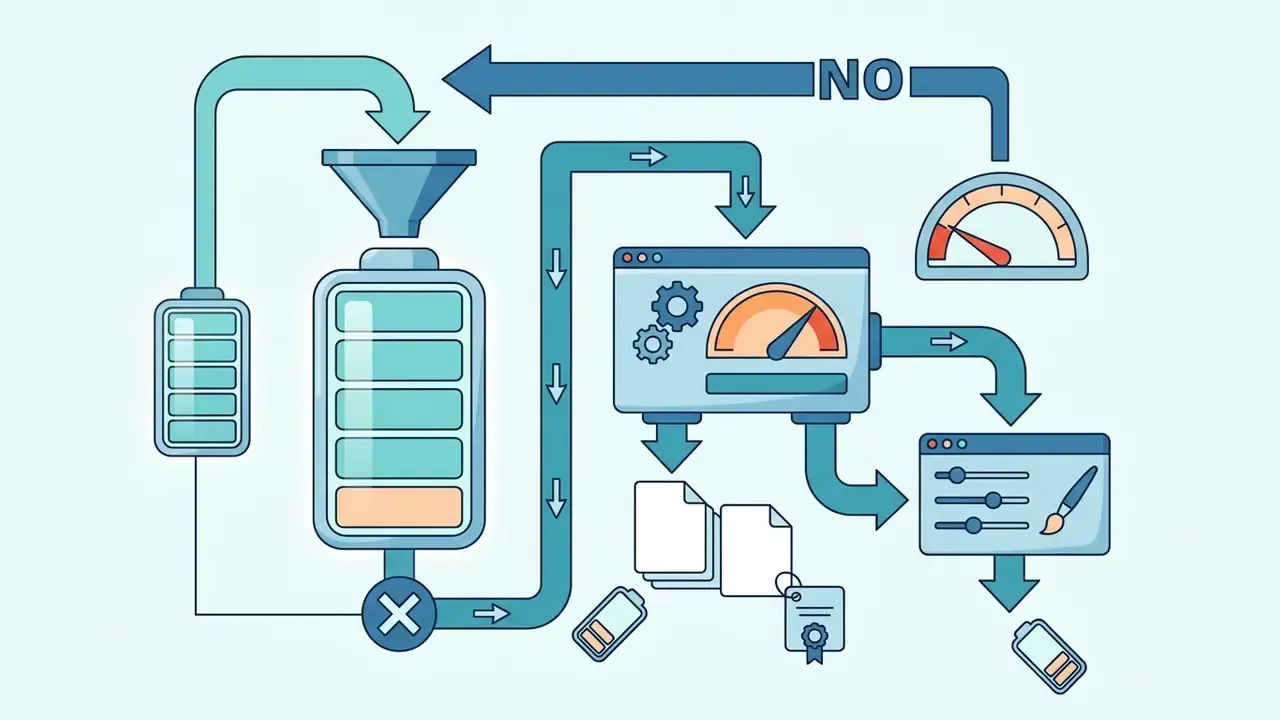
"Students generally rate AI-assisted slides positively, yet raise concerns about structure, text-image coherence, and visual aspects such as font and color."
Calculating the real cost of a "free" tier
Free tiers are rarely free in total cost of ownership, because the saved license fee reappears as expert validation time. A simple control-cost comparison helps finance and risk leaders decide when to upgrade:
Effective cost of a free deck
= (validation hours × loaded hourly rate of the reviewer)
+ (manual rework hours × loaded hourly rate)
+ (rerun cost after credit exhaustion, in hours or paid overage)
Compare against:
Paid-tier cost = monthly license ÷ decks produced per month
+ (reduced validation hours × loaded hourly rate)
If one senior analyst spends two hours re-checking metrics and rebuilding watermarked exports for every deck, a mid-tier subscription usually pays for itself after a handful of recurring reports. The controlling variable is not generation speed. It is the number of human review hours required before an executive audience sees the slide.
Registration, generation limits, and free template access
Most web-based AI slide generators require registration before generation is unlocked. A standard free account opens a basic library of visual themes and slide templates, while premium enterprise templates stay locked behind paid tiers. Some services ask for no card at all (Gamma, Presentations.AI Starter), whereas trial-based products such as Plus AI require card authorization up front and auto-convert to a paid plan.
Generation limits constrain both slide count per deck and the volume of text processed per prompt. Free plans often cap a single deck at 10 to 20 slides, which forces users to split longer reports into several runs. Slidesgo, by comparison, limits free use to three presentations per month and reserves advanced templates for Premium.
Free exports, editable files, and paid feature limits
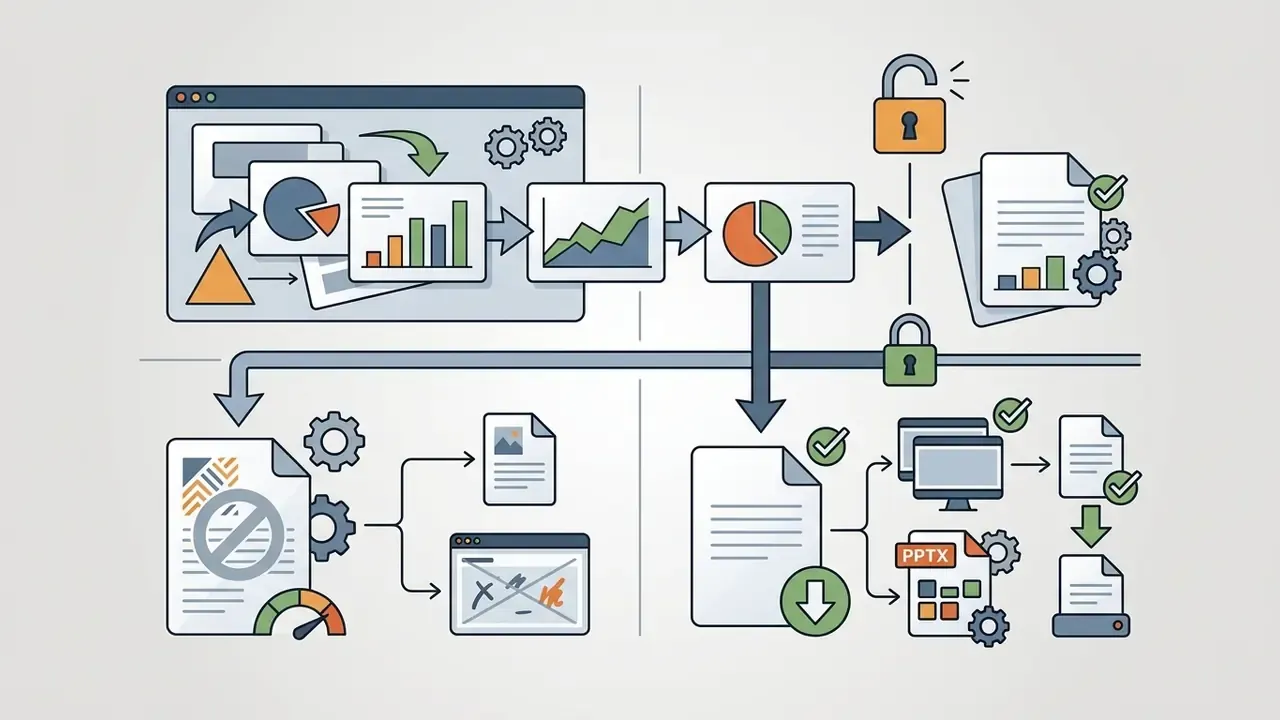
Export quality and file editability are the main upgrade triggers in this category. Basic platforms hand back a flattened PDF or a watermarked web page. Stronger platforms return fully editable .pptx files with un-grouped shapes and native text boxes.
Watermarks ("Made with AI Presentation Maker") appear regularly on slides exported from non-paid tiers. Removing them, syncing custom brand fonts, and reaching the advanced AI image models normally requires a paid plan.
Reviewing detailed software pricing models through the AI Media Pricing Guides helps organizations assess total cost of ownership before free presentation generators spread across internal departments. The same watermark-and-upgrade logic shows up in adjacent categories too, including free AI image generators with export limits.
Best free AI presentation tools by use case
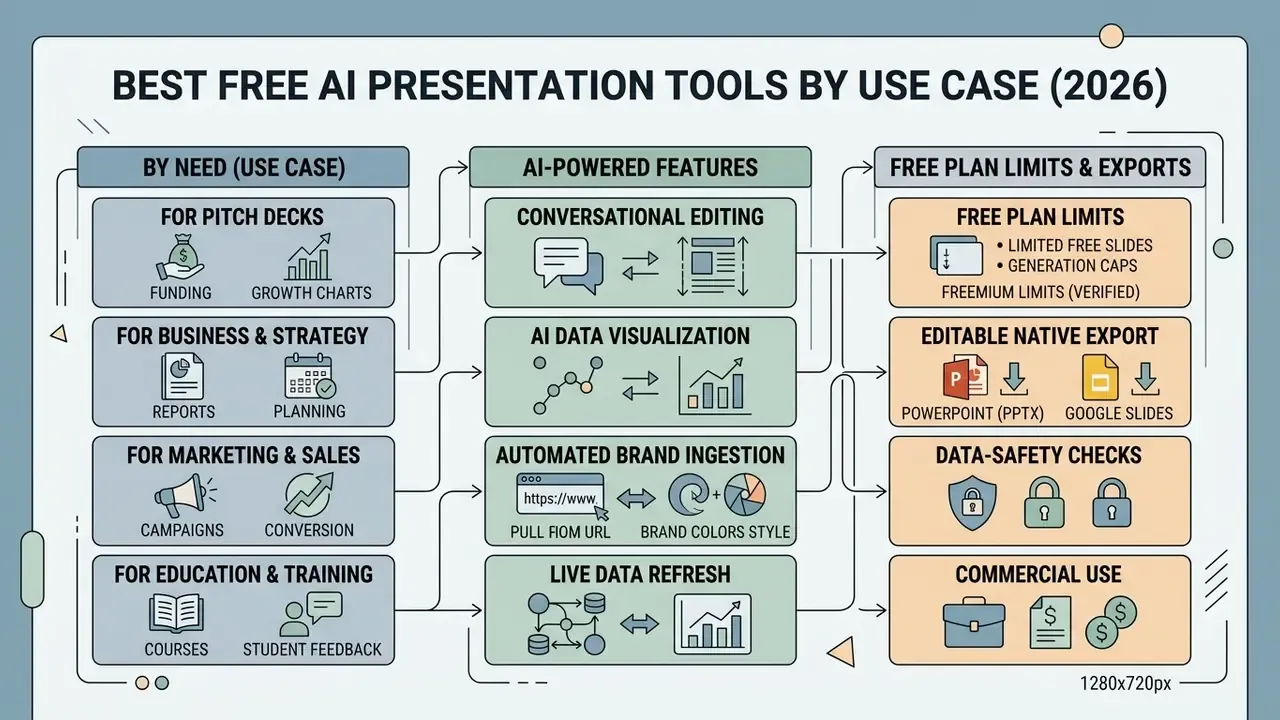
Choosing the best AI presentation tool depends on export requirements, design complexity, input formats, and collaboration needs. Enterprise users usually need native PowerPoint export and defensible data handling, while marketing teams prioritize dynamic templates and fast asset generation.
| Platform / Tool | Input Formats | Native PPTX Export | Google Slides Support | Free Tier Restrictions | Primary Use Case |
|---|---|---|---|---|---|
| Gamma | Prompts, Text, Docs | Yes (Watermarked) | Via PPTX Import | 400 one-time signup credits; watermarked free exports; 10 cards per prompt | Rapid pitch decks and visual docs |
| Presentations.AI | Prompts, Text, Outlines, URLs | Yes (Editable) | Via PPTX Import | 100 one-time credits; 20-slide cap per deck | Business decks and structured templates |
| Microsoft Copilot in PPT | Prompts, Word, Excel, PDF | Yes (Native PPT) | Indirect | Not included in free PowerPoint; Microsoft 365 Copilot required | Enterprise Microsoft workflows |
| SlidesAI | Text, Prompts | Yes | Native Add-on | 3 presentations per month on free tier; annual credit ceiling | Google Workspace integrated drafting |
| Canva Magic Design | Prompts, Text | Yes | Indirect | Free graphics library; premium assets locked | Marketing decks and social visuals |
| Pitch | Prompts, Files, Templates | Yes | Indirect | Unlimited standard decks; branded watermarks | Team collaboration and investor decks |
| MagicSlides / Paper2Slides | Text, PDF, DOCX, URL, YouTube | Via Slides/PPTX | Native Add-on (MagicSlides) | Free with paid feature gates | Document-to-deck and academic parsing |
Conditions verified August 2026 against each vendor's pricing or help page. Re-check before any commercial rollout.
AI tools for PowerPoint and Google Slides
Native Microsoft PowerPoint integration lets users build and rework decks inside existing enterprise applications, which is often the only path a security team will approve. Microsoft Copilot in PowerPoint parses reference Word documents, Excel spreadsheets, Loop pages, and PDFs stored on OneDrive or SharePoint, then generates native editable slides with matched theme layouts and automated speaker notes.
For Google Workspace environments, SlidesAI runs as an inline add-on inside Google Slides. It converts raw text, notes, and document summaries into structured slides without forcing anyone to jump between web platforms. Google Slides with Gemini extends the same environment natively, generating images, new slides, charts drawn from slide context, and per-slide speaker notes while referencing Drive files.
Tools for pitch decks, business, marketing, and education
Pitch deck platforms concentrate on visual storytelling, dynamic card layouts, and painless team editing. Pitch pairs real-time co-authoring with AI slide drafting, which suits startup teams assembling investor presentations under a deadline. Beautiful.ai frames the same workflow specifically for founders building investor decks, marketing plans, and proposals.
Educational and academic presentation generators put cognitive load management and content structure first.
"SlideBot embeds cognitive load theory and CTML into slide generation; experts and students rated conceptual accuracy and clarity higher than for unsupported slides."
For programmatic creation, enterprise architectures rely on REST APIs and no-code webhooks through Zapier or Make. Triggering deck creation the moment a CRM lead lands, a project kicks off, or a deal moves to proposal stage lets sales and customer-success teams produce hundreds of prospect-specific pitch decks from a single source of truth, with the right client name, logo, numbers, and narrative, and no manual assembly. White-label deployments push the same engine inside a company's own SaaS product, so end users never see the underlying vendor. Implementation patterns and cost models are covered in our API Integration Guides; view the guide before scoping an internal pipeline.
Marketing teams preparing the wider set of corporate assets around a launch deck can pair these tools with an ai logo generator for brand mark creation, an ai label generator for packaging concepts, or an ai landing page generator to keep campaign web copy aligned with the pitch narrative.
Features that matter when choosing a presentation tool
When evaluating presentation software, enterprise teams should review five core features:
Teams building integrated digital campaigns often combine presentation tools with specialized media asset creators, such as an ai letter generator for formal client communications, an ai linkedin photo generator for professional team bios, or an ai lip sync generator for narrated video slides in remote board packs.
How to improve an AI-generated presentation before presenting
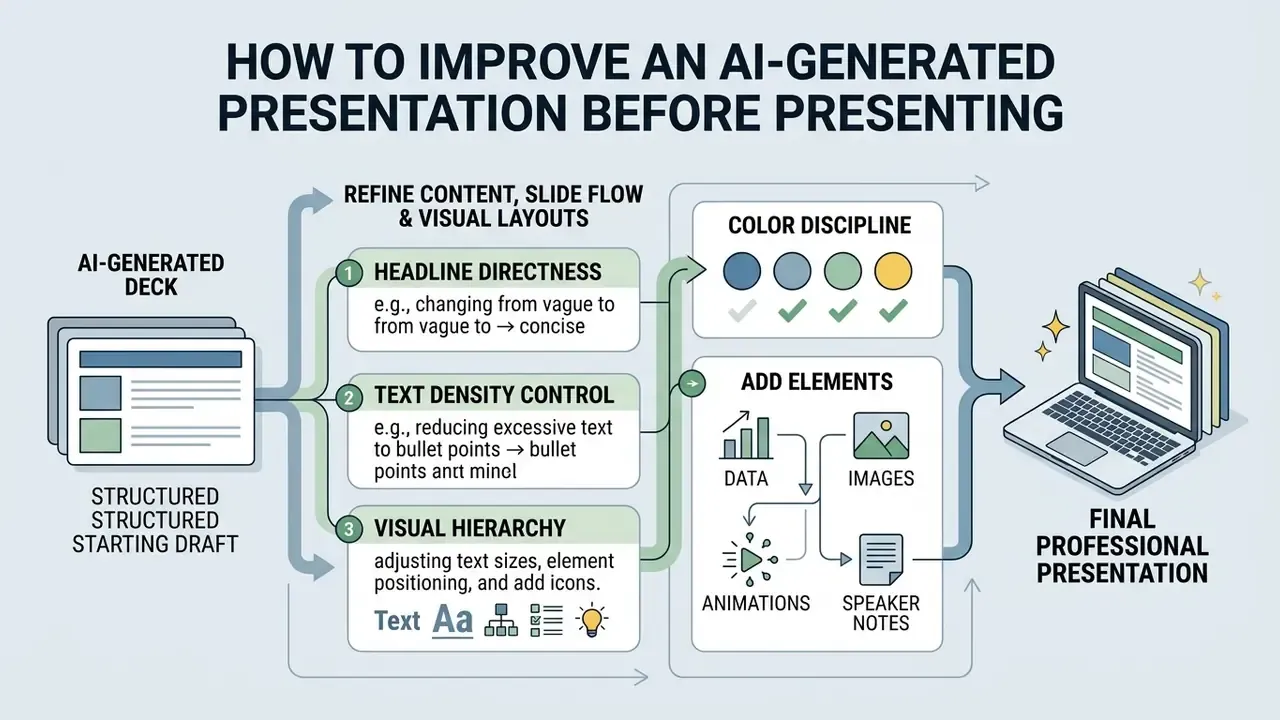
An AI-generated deck is a structured starting draft, nothing more. Raw output still needs human refinement to reach professional polish, logical narrative flow, and factual accuracy. Established design standards do most of that work.
Refine content, slide flow, and visual layouts
University design guidance converges on one core takeaway per slide, minimal text, two to three fonts, and a restrained color system:
- Headline directness rewrite passive topic headers ("Q3 Market Results") into active analytical conclusions ("Q3 Revenue Grew 14% Driven by Enterprise Subscriptions").
- Text density control keep body text under 6 lines per slide, and avoid full narrative paragraphs or complete sentences in bullets.
- Visual hierarchy use size, weight, and contrast to steer executive attention to primary metrics; avoid dropping below 24 pt for body copy where possible.
- Color discipline restrict each slide to 3 core colors (60% dominant background, 30% structural text, 10% accent for key data) and never rely on color alone to carry meaning.
"DeepPresenter uses environment-grounded reflection: the agent renders slides, detects layout defects, and iteratively repairs them, reaching competitive quality at lower cost."
A small note on evidence quality: several slide-generation papers in this space share preprint identifiers and revise rapidly, so verify the exact record before citing one in an internal policy document.
Add data, images, animations, and speaker notes
Precise charts, custom diagrams, and structured speaker notes turn basic slides into a briefing someone can actually deliver. Academic work supports the pattern: pairing clear visuals with spoken explanation improves retention and engagement.
"Auto-Slides generates pedagogically structured multimodal slides with diagrams and tables; instructors and students reported improved conceptual accuracy and clarity."
Custom datasets belong in native editable charts, not static screenshots. Speaker notes should hold context, source references, likely counterarguments, and timing cues for the talk track, which is what carries a presenter through executive Q&A. Microsoft's talk-track workflow treats speaker notes as the source of truth when slide text and notes conflict, calibrates script length to target minutes and speaking pace, and returns per-slide timing with cues such as pause, gesture, and click-to-reveal. Teams building motion-heavy or narrated decks can compare capabilities across AI video generators for dynamic presentations.
Teams quantifying efficiency gains across automated workflows can use the AI Media Calculators to estimate drafting time savings, compare solution capabilities in our tool comparisons (view the guide), or browse specialized visual tools in the Glossary Hub.
Commercial use, branding, and ownership of AI-generated presentations
This information is general in nature and does not replace advice from a qualified legal or compliance professional.
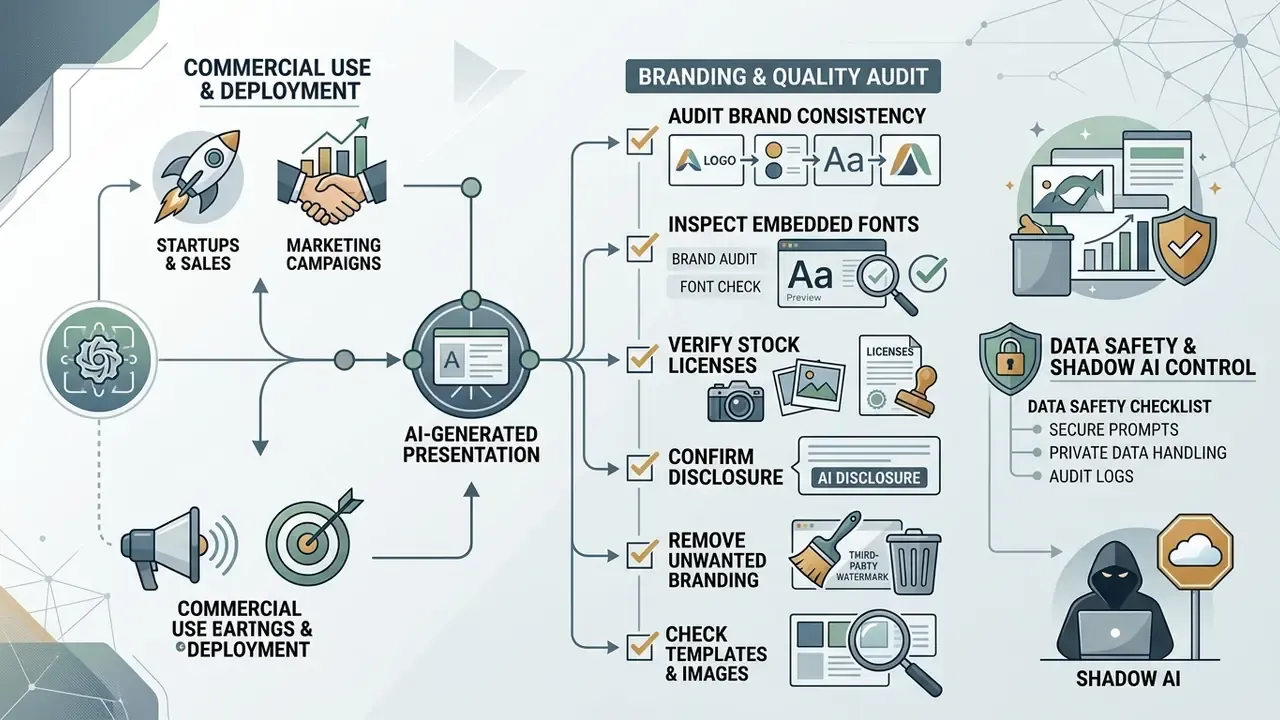
Using AI-generated decks for external campaigns, client proposals, startup investor pitches, or financial reports requires verification of platform terms, asset licenses, and ownership rules. Purely machine-generated content carries specific legal restrictions around copyright protection and commercial distribution. Because this is the last gate before distribution, treat it as a final compliance checkpoint once design work is finished.
Using AI presentations for startups, sales, and marketing
Startups, sales reps, and marketing managers lean on free AI presentation tools to draft investor decks and proposals quickly. Relying on unedited automated output, though, creates commercial and strategic exposure the moment an unverified claim reaches a prospect.
Under U.S. Copyright Office guidance, copyright claims over AI-assisted presentations reach only the human-authored text changes, structural arrangement, and original commentary added by the presenter.
"Purely machine-generated visual and textual output lacks human authorship and cannot be registered for copyright protection."
Document your editorial oversight when producing commercial presentation materials, and identify AI-generated portions when filing a registration. Risk frameworks point the same way: the NIST AI Risk Management Framework 1.0 and its 2024 generative-AI profile call for diligence on training data, monitoring for PII and sensitive-data exposure, and explicit acceptable-use policies for generative tools.
An illustrative case. A tech startup used a free AI slide maker to build a 15-slide Series A deck. Before circulating it to venture partners, the legal team swapped four generic AI stock images for custom product screenshots and reconciled every projection against the accounting model, which secured clean intellectual property ownership of the final pitch materials.
Check templates, images, and brand assets before publishing
Before an AI-generated presentation reaches clients or external stakeholders, run a full intellectual property and design audit:
- Verify stock photo licenses confirm that AI-generated or stock-library images permit commercial distribution without attribution. The commercial use of AI image generators clarifies which outputs can legally ship in paid campaigns, and AI image detectors for provenance checks help confirm whether an asset was machine-generated at all.
- Audit brand consistency check colors, logos, and typography against company guidelines, including anything pulled automatically via URL brand sync.
- Inspect embedded fonts confirm that custom brand fonts render correctly across operating systems when the PPT file is shared.
- Remove unwanted branding scan footers and title slides for platform watermarks or default system disclaimers.
- Confirm disclosure requirements where sector policy demands it, add an on-slide note identifying AI-generated diagrams, images, or synthesized content.
For broader deployment models across regulated teams, our Commercial Use Guides cover licensing and approval patterns; view the guide before you standardize a tool across departments.
Data safety and Shadow AI control checklist
Before any internal document is uploaded to a public AI presentation endpoint, run this pre-flight check:
Checklist0 / 9
Nine checks. Most Shadow AI incidents in this category fail the first two.
Organizations weighing licensing options can consult AI Media Support for workflow guidance, or review risk mitigation rules in our Litigation and Compliance Guides (view the guide).
FAQ about free AI presentation makers
Can AI turn an existing PDF or document into a presentation?
Yes. Modern AI presentation tools convert existing PDF, Word, Excel, or plain text documents into structured decks. They extract section headers, summarize long paragraphs into bullets, identify embedded figures, and assign suitable slide layouts.
"DocPres applies a multi-stage LLM + VLM pipeline: Adobe PDF Extract API recovers document structure, an LLM designs the slide plan, and a VLM selects and places images." - DocPres, preprint (2024). https://arxiv.org/abs/2412.09570 Microsoft's PowerPoint documentation describes the practical flow for Copilot users: store the reference Word document or PDF on OneDrive, ask Copilot to turn it into a presentation, then review and edit the resulting .pptx in PowerPoint. Parsing layers such as Azure Databricks Document Parsing accept PDF, images, DOC/DOCX, and PPT/PPTX and return formatted text or raw JSON, which enterprise teams feed into custom deck-generation pipelines.
Can an AI presenter generator create speaker notes?
Yes. AI presenter tools and advanced generators write context-aware speaker notes and presenter scripts straight from slide content. Microsoft documents a "generate speaker notes" action for the current slide or all slides in PowerPoint. Google states that Gemini in Google Slides can produce per-slide speaker notes or a short investor summary. Zoom Slides' AI Companion generates notes from a single slide or an entire deck, with optional voice and language settings. These tools calibrate script length to target timing and add pause markers, click-to-reveal cues, and supplemental data points that help a speaker unpack a dense slide live. Where slide text and existing notes conflict, mature workflows treat the notes as authoritative and drop the contradicted slide text.
Can AI translate a presentation and keep its design?
Yes, within limits. Specialized systems translate text across a deck while preserving alignment, box positions, and font formatting. Vendor documentation for dedicated deck translators states that editable .pptx files return with the same slide order, layouts, fonts, table structure, and text-box positions. Microsoft describes single-prompt translation of slide text, charts, comments, and tables into more than 40 languages while retaining sensitivity labels. Independent peer-reviewed evaluations of layout preservation remain scarce, so treat these as vendor-reported claims and test them on a sample deck before a large rollout. Presenters still need to review translated decks for text overflow. Languages with longer words, German or Spanish for instance, push text boxes to expand, which usually calls for small font adjustments to keep the layout balanced. PDF inputs typically come back as translated PDFs with elements fixed in place, and that removes downstream editability.
Are free AI presentation makers safe for confidential corporate documents?
Free tiers often process inputs on shared public cloud infrastructure, which can collide with corporate confidentiality and data-protection policy. Enterprise deployment requires verifying SOC 2 Type II certification, GDPR compliance with documented data controls, regional data residency, and written guarantees that prompt inputs and uploaded files stay out of model re-training datasets. Public-sector guidance goes further. Canadian federal guidance on generative AI requires a privacy assessment before deployment, clear communication that content is AI-generated, and a non-automated alternative for affected users, while Australia's OAIC expects AI-assisted outputs and decisions to be explainable to individuals. Until those controls are confirmed in writing, restrict free tiers to public or already-published material, and route confidential decks through an approved enterprise tenant.
Limitations and open questions
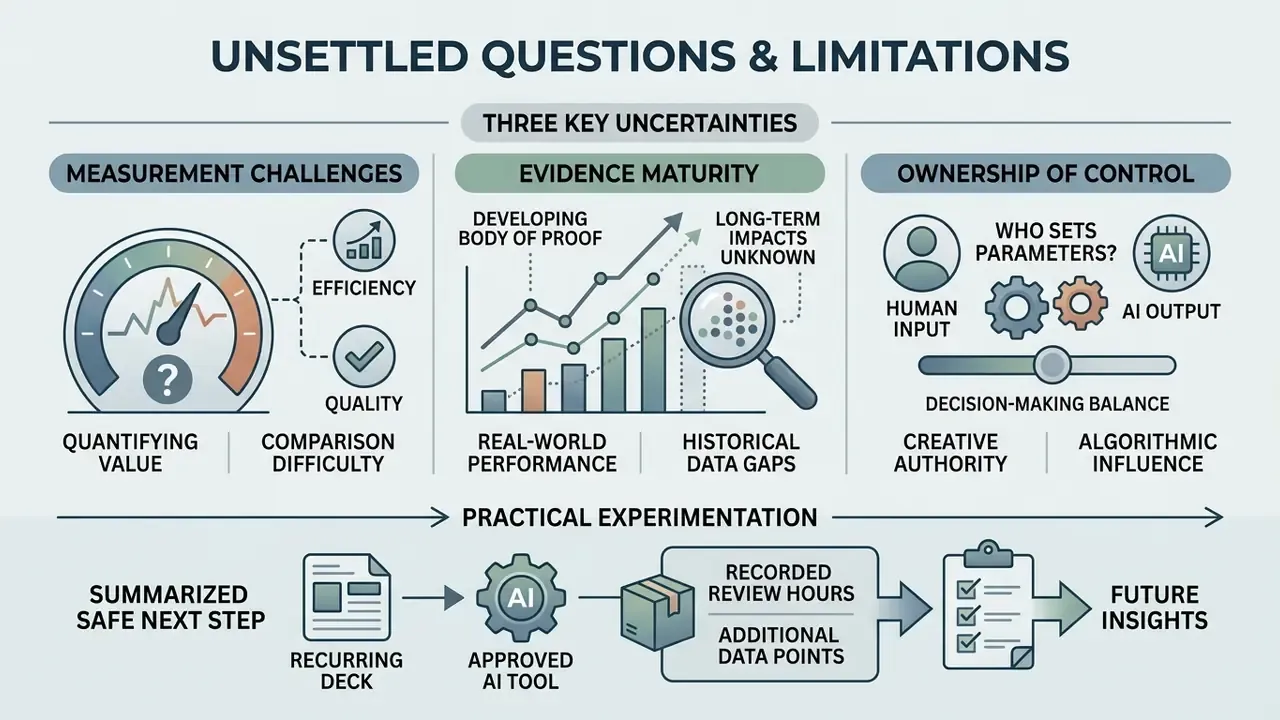
Three things in this category remain genuinely unsettled, and pretending otherwise would be dishonest.
First, measurement. Vendor time-saving claims rarely include validation hours, so risk-adjusted ROI stays unproven until an institution logs both generation and review time for the same deck types over a quarter.
Second, evidence maturity. Layout-preservation and translation-fidelity claims lack independent peer-reviewed benchmarks, and several cited preprints continue to be revised.
Third, ownership of the control. Slide decks sit outside most model inventories, which means a generative tool used weekly by finance may never appear in an AI register. That gap, not the tool itself, is the audit finding.
A safe next step: pick one recurring deck, run it through an approved tool, record the review hours, and add the workflow to your AI inventory with a named owner. No enterprise rollout required.
Appendix A: Source verification log
For transparency, the following references from an earlier version of this article were replaced by stronger, directly verifiable citations:
| Superseded reference | Replacement | Reason |
|---|---|---|
| DOC2PPT Study, AAAI 2022 (no metrics, no URL) | DOC2PPT, AAAI 2022: 5,873 document-presentation pairs, ROUGE plus human structural ratings, https://arxiv.org/abs/2101.11796 | Added dataset scale, evaluation method, and direct link |
| SlideCoder Research, EMNLP 2025 (no metrics, no URL) | SlideCoder, EMNLP 2025: +40.5 points on layout fidelity, code executability, visual consistency, https://arxiv.org/abs/2411.07929 | Added quantitative result and direct link |
| NIST AI Risk Management Framework 1.0 cited for slide hallucinations | Auto-Slides, CHI 2026 verification and refinement agents, https://arxiv.org/abs/2501.03936 (NIST AI RMF retained in the governance section, where it belongs) | Original citation was not a study of slide generation |
| Auto-Slides Study, CHI 2026 cited for educational design | SlideBot, arXiv 2025: cognitive load theory plus CTML evaluation, https://arxiv.org/abs/2501.09878 | Added specificity and a verifiable link |
| University Slide Design Standards, 2026 (unverifiable) | DeepPresenter, ACL Findings 2026: environment-grounded layout reflection, https://arxiv.org/abs/2501.03936, plus named university design guides | Original source could not be verified |
| SlideBot Educational Evaluation, 2025 (no URL) | Auto-Slides, CHI 2026, https://arxiv.org/abs/2501.03936 | Added verifiable link and multimodal evaluation detail |
| DocPres Research Preprint, 2024 (no URL) | DocPres, 2024: Adobe PDF Extract plus LLM plan plus VLM image placement, https://arxiv.org/abs/2412.09570 | Added pipeline detail and direct link |
| Platform Terms & Pricing Audits, August 2026 (unverifiable aggregate) | Named vendor pages with verification dates (help.gamma.app, presentations.ai/pricing, prezi.com/pricing, plusdocs.com, microsoft.com) | Replaced an unverifiable aggregate with named primary sources |
| Smartcat Presentation Translation Overview, 2026 presented as evidence | Reframed as vendor-reported claims pending independent evaluation | No peer-reviewed layout-preservation study available |